#archived-hdrp
1 messages · Page 63 of 1
 buoyant mural

 keen glen
Dont know what you mean @buoyant mural

 dawn sorrel
I wonder why the preview is black while It is normal when i put them in the scene, It's working fine but it's a pain to look at models at that and have to look at the names
 rain garnet
https://cdn.discordapp.com/attachments/381193783296917507/782561074754748416/unknown.png why do these errors pop up?

like some i dont understand
 quiet depot
 kindred kiln
My objects aren't batching - warning says they don't share the reflection probe - but they do...
 turbid matrix
I dont get this... https://github.com/Unity-Technologies/Graphics/pull/2779, it just feels like a really bad idea
If Unity wants URP and HDRP to be easily authored from same project, this would just make material authoring suuuper tedious as you have to toggle the srps to be able to tweak srp specific materials... It is fine for few materials but imagine a real project in production....
Why cant this be instead like... just a SRP specific dropdown to show settings of the shader graph that only apply to that specific SRP? (it could still filter the list to only show custom editors for installed packages only)
That would make everything ten times better, you could author everything at once without jumping between SRPs
I feel same thing should happen with other SRP specific settings on gameobject components.. Like cameras and lights
(just allow me to tweak these all on single run)
 scarlet hull
This is just for adding a custom editor.
If you don't use it, the shader will still display all the properties to both pipeline, exactly how it is done now.
From what I heard, it's not trivial for SG to automatically detect which property is tied to a specific pipeline, so the "auto hide per pipeline" can't be done.
But if you're making a complex material, and want to have a custom editor per pipeline, you can do it now.
 rotund quiver
Question:
As a general rule of thumb, how much overhead does a camera have versus a rendering pass?
(e.g. I could just, instead of camera stacking, render certain elements of my scenes using RenderObjects or some other custom pass)
scarlet hull
From my understanding, an additional camera costs more, as it has all the culling and setup to do
turbid matrix
scarlet hull
This is just for adding a custom editor.
If you don't use it, the shader will st...
yes but if you think about the custom editor thing... if it's there, it will be utilized by people... and more common it becomes, more pain it will be to use these SRP specific materials on multi-SRP projects
how I see it, it will encourage making the split worse
what I try to say here is that instead I'd love to be able to just see both HDRP and URP specific things on the same view or at least let the material itself toggle these different SRP custom views directly
instead of having to swap the whole SRP asset to do so, like shown here: https://user-images.githubusercontent.com/6877923/92602900-02e54580-f2af-11ea-8527-3a1a38cd0e3f.gif

it just isn't a good workflow at all
scarlet hull
We know about this, and are actively working on cross pipelines solutions, but it's not easy to do :/
On a site note, if an asset developers wants to display all the parameters and settings regardless of the pipeline, in a custom editor, it's still possible.
turbid matrix
I guess in the future when we get the customizable editor toolkit thing out, we could just make SRP swap button there
(it's possible today too but it's not easy to get such button embedded in currently available white space and docking more windows to main screen will be pain since it takes more space + Unity forces us to reset layouts like one time each month if you play with multiple editor versions at all)
anyway the point I was trying to make was that change feels like step backward for me when it comes to cross SRP designs
but yeah, I'll move on 😄
meanwhile, this does look interesting

GitHub
Purpose of this PR
Requires: https://ono.unity3d.com/unity/unity/pull-request/117082/_/graphics/expose-disableapplymaterialpropertydrawers
When using OnDemand reflection probes, unwanted performanc...
I doubt it would really help on realtime capture enough to make it feasible to be used constantly though
one thing I wished the Unity API exposed when it comes to reflection probe captures is to let the user set which sides of the cube you want to capture (and their capture order) when using time slicing mode for the probe
for example depending on the camera placement, you could most of the time just omit multiple sides from the capture if you only need reflections on some specific surface which you can control
this would make a big difference in perf as HDRP is super heavy on additional cameras / captures
 chrome hawk
hey @turbid matrix I remember you from bleeding edge adventures of the past, so I just have to ask, have you seen branch wip-12354868748 ? Its obscure name drew my interest, and it appears to be volumetric clouds, not that I have made any attempt to see if it works yet. https://github.com/Unity-Technologies/Graphics/commits/wip-12354868748
GitHub
Unity Graphics - Including Scriptable Render Pipeline - Unity-Technologies/Graphics
scarlet hull
Haha, I knew somebody would spot this one even with the name 😄
chrome hawk
its my speciality, to poke at obscure branches 😄 like some early work on a fluid sim that I havent seen any signs of since! Speaking of which, Ive asked you a silly question on the forum about RenderGraph and your custom density volume thing, cheers.
scarlet hull
And I answered, even if it probably doesn't help you, sorry 😟
 elder merlin
You repo hunters are so impressive 😂
chrome hawk
@scarlet hull not to worry, I shall just have to hack around. RenderGraph aside, I was pleasantly surprised at how your code survived the 10.2 refactoring of the volumetric fog system without causing me any major headaches. I've been getting my fluid sim going on an M1 Mac!
scarlet hull
Nice !
Since my original code doesn't add a lot into HDRP stuff, I thought it would be quite straitforward to update.
I have a lot of ideas to make this project better and fit in the final product, but no time to allocate on it 😦
chrome hawk
Yeah I can imagine a lack of time, never mind, hopefully that time will come eventually, and I am used to my requirements being niche and low on the priority list. I just wish there were more people talking about RenderGraph on the internet, I am not exactly overwhelmed by info about it so I shall just have to overwhelm myself with code instead. Intimidating! And when I hack around with other peoples code my results are a hideous botch but they do normally work, I get very lucky. But for some reason my instincts tell me I might not get lucky with RenderGraph, only one way to find out, cheers!
 drifting vault
oh, volumetric clouds in development? 
https://github.com/Unity-Technologies/Graphics/commit/855fa3555023eb8de1040a0ac3c125d4f6366ea7
keen glen
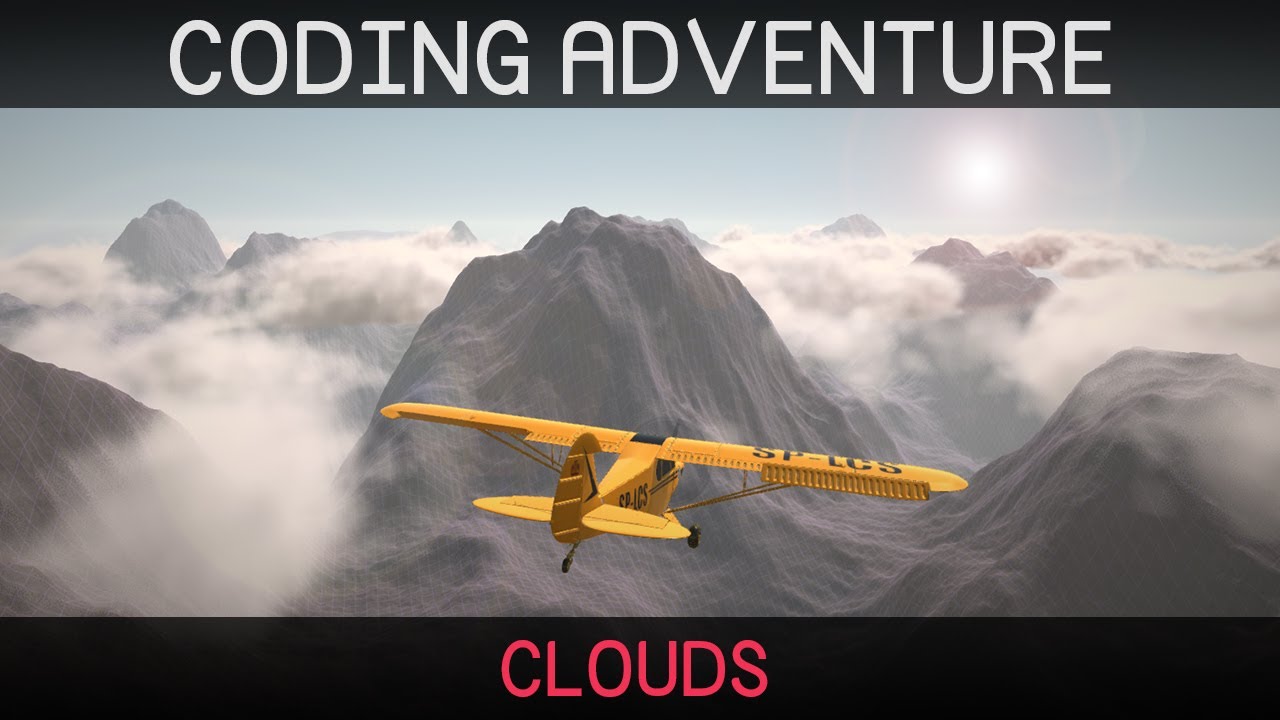
Clouds are lovely and fluffy and rather difficult to make.
In this video I attempt to create clouds from code in the Unity game engine.
Project source (Unity, HLSL, C#) is now out of early access:
https://github.com/SebLague/Clouds
If you'd like to support the creation of more videos like this, please consider becoming a patron:
https://www.pat...
dawn sorrel
i like sebastian lague
 desert gale
Question. In the Lighting window there is a Lightmap Parameters configuration, which allows you to choose between very low, low, medium or high resolution.
Does that affect runtime perfomance or only baking time?
 plucky meteor
desert gale
Question. In the Lighting window there is a Lightmap Parameters configuration, w...
plucky meteor
desert gale
Question. In the Lighting window there is a Lightmap Parameters configuration, w...
Both.
When set to very low it will create smaller lightmaps, these are faster to bake in editor time. But also require less memory to draw for example
scarlet hull
desert gale
Question. In the Lighting window there is a Lightmap Parameters configuration, w...
These settings are purely for baking :
scarlet hull
plucky meteor
Both.
When set to very low it will create smaller lightmaps, these are faster ...
No really ?
Smaller lightmaps only lead to more lightmap textures to fit all you objects, but similar baking time (sill the same number of texels to bake).
At runtime, it can have performance impact, in particual in GPU memory, as you might have less textures to load : a few small ones that swap depending on what is on screen, or a unique big one that never changes
plucky meteor
https://docs.unity3d.com/Manual/class-LightmapParameters.html
With the resolution setting there you can modify the amount of texels to bake

 eternal laurel
anyone got some good open source code for a HDRP settings menu ? I'm kinda in a pinch here
scarlet hull
plucky meteor
https://docs.unity3d.com/Manual/class-LightmapParameters.html
With the resoluti...
Indeed I was to fast thinking.
But this is for "ye old enlighten realtime GI" ... not sure if it's still very relevant nowadays (in particular in SRPs land)
eternal laurel
perhaps it is based on the horizon zero dawn paper
turbid matrix
hmmm, there is worley noise generator
eternal laurel
hey @turbid matrix can you help me out ?
turbid matrix
better just ask the actual question 🙂
eternal laurel
I did a few msg up haha. Here it is " anyone got some good open source code for a HDRP settings menu ? I'm kinda in a pinch here"
 whole fossil
what in particular are you after? The complete source code for HDRP is available and you should find anything that you are looking just by simply digging into the sourcecode of the package.
 glad tartan
He's trying to get code that's already setup to lower or raise HDRP quality settings in game from a menu.
@eternal laurel I think you'll have to make this yourself. It's what I'm working on as I dont think theres anything freely available.
eternal laurel
sadly yep I figured as much. Well I might just publish it on github when I make it
glad tartan
least you can do is create different quality assets and switch between them as presets. Later you can go in and add individual customization to each setting you think is important to performance in your project
eternal laurel
yeah I know how to do it. I'm just actually short on time and was hoping for a pre-made solution.
turbid matrix
closest would be some tech demo unity has made on HDRP
but they are really bare bones for setup
dawn sorrel
Do I need to udnerstand physical cameras to get a good look in HDRP?
All these settings for camera blades and aperture are scary.
turbid matrix
use "high" quality and omit the sky reflection (you are indoors + sky reflection does give nasty artifacts so use it only if you need it)
high preset is bit expensive though but it helps on that thing
@dawn sorrel ^
turbid matrix
been bit distracted with other things lately, didn't even notice cloud layers are returning: https://github.com/Unity-Technologies/Graphics/pull/2711
GitHub
Purpose of this PR
This PR introduces a cloud API to HDRP that can be used to render clouds between the sky and the fog.
The clouds are baked in the sky reflection probe and are included in the sta...
(non-volumetric)
it still feels weird that there will be two separate systems for clouds (cloud layers and volumetric clouds)
I get they'd be two separate systems regardless but it could be nicer to be able to setup the thing from one place and have volumetric and nonvolumetric options on it
dawn sorrel
I see, I'll try that.
desert gale
Shall I enable GPU Instancing in materials? Has it any drawback?
 eternal jetty
I am having some very huge models which don't render materials if seen from a distance in both scene and game view what am I supposed to do
 blazing radish
Hi I'm new to Unity and render pipelines, and I wanted to use this particular asset from the asset store. However, one review writes as follows:
However, the materials use specific shaders, which have not been updated for URP. Some manual work on materials is required (URP shader lit or unlit, then put the right palettes in the Base Map fields).
Could anyone explain what this means, especially the stuff in the parentheses, and how hard it could be to do?
keen glen
@eternal jetty do the materials have like textures on it that may exceed the max texturesize when fewed and full model size?
@blazing radish the URP needs to update standard materials, but custom ones won't get updated by the Unity tool itself, so you ahve to kinda rebuild them in shadergraph or in code, but thats a whole nother story. I would contact the guy or the dev of the assetstore and check, if maybe someone else already did update them and have it laying around somewhere
blazing radish
keen glen
<@!406608632503861249> the URP needs to update standard materials, but custom on...
I will try contact, but in the case that they're unreachable or there is no update, what would be the path of least resistance for updating these assets for basic use? might there be some tutorial for rebuilding in shadergraph, or is there maybe some guide to using code to do this?
keen glen
@blazing radish There is a guide and tutorial for almost everything, but the trick is to find what your goal is. I do not know the asset in the store and do not know its shaders, if they are doing something crazy weird or just loading in maintexture with some simple stuff. You should make a testproject with it without URP and see, what the shade ris doing, then come back here and we can try to find out. You can always google for that type of shader too, so if its a shader for like dissolve, google for urp dissolve shadergraph and you get thrown a bunch of tuts at you 😉
blazing radish
oh hmm alright
I guess I could try use it first and then if I run into a problem I could ask here
this is the asset btw: https://assetstore.unity.com/packages/3d/vehicles/land/low-poly-cars-101798
eternal jetty
keen glen
<@!591499559801192458> do the materials have like textures on it that may exceed...
It has only one material with all textures on it
It just goes texture less grey when seen form a distance. They are large sized too
keen glen
@blazing radish yeah, just try and error a bit, come back with your results / observations
@eternal jetty can you put some images here so we know what you mean?
eternal jetty
keen glen
<@!591499559801192458> can you put some images here so we know what you mean?
1 min please
Sorry maybe I'll tomorrow
keen glen
no need to say sorry, you asking for help, just come back here when you are ready 😄
dawn sorrel
@turbid matrix 😢
And once again need to look for workarounds just like when SSAO was busted.
No option for blur is really wacky.
 main rune
o/
Anyone familiar with the Baked GI shadergraph node?
It's giving me... interesting results
 turbid matrix
@dawn sorrel you could try just traditional reflection probes on that scene I guess
If you think about the source data, those lamps are really just thin objects on the ceiling as far as the source material goes for ssr. I'm surprised it didnt look even worse
dawn sorrel
Is that a problem in Unreal?
eternal jetty
dawn sorrel
Is that a problem in Unreal?
This is unity official discord
dawn sorrel
0lento has experience in Unreal.
If you look at my screenshot, I am using Unity. I just wonder if SSR getting better is possible.
dawn sorrel
And if you wiggle the camera around, accumulation pretty much dies 😢
Maybe it will be less noticeable with rough normals 🤔
 somber prism
 iron flame
<@456226577798135808>
iron flame
<@456226577798135808>
"It's beautiful, I've been staring at this for 5 hours now."
turbid matrix
@dawn sorrel UE4 doesn't have similar streaks but it can't do miracles either, you will not get much out of such little source data
I guess you could scatter the reflection more with bumpy surface normal textures like on Muhammed's video clip so it wouldn't be as obvious that it's not perfect
dawn sorrel
I see. I guess I can't go with a textureless workflow after all.
turbid matrix
@dawn sorrel if you are all about no textures, you can still do procedural noise on shaders 🤔
dawn sorrel
Gotta generate normals as well though 😄
glad tartan
you can generate normals in the shader as well from a height map which would be the noise
turbid matrix
(altho that's going to be a lot more expensive than just using baked textures)
eternal jetty
@keen glen it looks like this from a distance but it has these texture which don't render up
what to do so it renders up from everywhere
i am using urp
oh i found it because of fog it hapened
keen glen
@eternal jetty yep, its the distance fog 😉 But you already figured that out
dawn sorrel
Hi
 eager willow
How do i create render pipeline asset?
I have no Rendering option from which i can create an asset
please help
im on unity 2020
scarlet hull
You did properly import one of the render pipelines package ?
turbid matrix
I do wonder if Unity is going to address this at some point https://forum.unity.com/threads/dxr-in-virtual-reality-possible-or-not.992183/

Unity Forum
Hi, I have a DXR project which has very good FPS and I would like to try it in Oculus Quest using Link. But when I try to start Oculus, I am forced to...
basically we lost HDRP DX12 the moment Unity removed the old VR system on 2020 cycle
meaning there's no raytraced stuff in VR either anymore
afaik neither Oculus or OpenVR integrations for the new Unity XR system support anything but DX11 on Windows
 ripe fable
+1, I am m0nsky on the forums. 🙂
 junior dock
Dose turning gen cards really work in hdrp raytracing
 unborn cedar
Hi. I was thinking of developing a horror game in Unity. I dont know if it would be better to use URP or HDRP. Im only planning to relase it for Windows, and later if the game is good and people like it maybe consoles. I would like to have good ghrapics but i would preffer to have more mechanics than graffics if i have to choose. Or a bigger map.
You chan think of games likes Phasmofobia or Pacify for knowing what kind of game in thinking. I dont know which option is better. Can you help me? I have been reading post and watching videos four hours and i can't not decide.
I will program all the things and purchase the 3D assets. I have seen a few that support HDR or/and URP so that would not be a problem
But i will not have someone for programming graphics things. I would use it default scripts and customize it from editor
scarlet hull
HDRP is more hard to learn, but will probably be more suited for nice dark ambiance and good lighting
unborn cedar
Ok, thank you!
One more question. I have read that HDRP is better for using dynamic lights than URP. Is that true?
 broken lichen
HDRP defaults to deferred rendering, which can handle a lot more lights than forward rendering, which URP uses. But HDRP also has a forward rendering mode and URP is getting deferred rendering (soon?)
dawn sorrel
I'm using HDRP, how do I change the skybox?
before I just dragged it into the viewport
heres the inspector for the skybox
scarlet hull
dawn sorrel
I'm using HDRP, how do I change the skybox?
 orchid quartz
Visual Graph 8.3.1 error with the new Unity Input System
Warning if you upgrade to Unity 2020.1.16 with HDRP.
scarlet hull
Visual Graph 8.3.1
You mean VFX graph ?
8.3.1 is for unity 2020.1, for 2019.4 you should be using 7.5.x
orchid quartz
your right, wrong unity, i fix my message.
Have multiple unity installed, I just write the wrong one 😛
 spiral igloo
Hello.
I wonder when you start off a new project do you start with URP or Classic project?
Or when do you implement your URP? after the project came up to end or on the starting?
 sweet lodge
having a problems with render features I add a render feature and it only comes out as a C# script
never mind I sorted it
dawn sorrel
@scarlet hull thanks btw, forgot to respond
 sterile wigeon
Anyone have a good tutorial for urp indoor lighting?
I also can't figure out how to use emission maps that actually effect lighting in urp
scarlet hull
Emission needs to be baked for lighting
sterile wigeon
Do you know any good videos for baking lighting and using urp?
The baked lit shader doesn't have an emission map
 rocky sail
aye i got a general question for anyone willing to answer
how the hell do you optimize HDRP to run decently over 120fps
 blissful geode
Hello I want to call a cs function before rendering in HDRP and I can't find a way to do it. I opened a ticket here https://forum.unity.com/threads/how-to-run-my-cs-function-at-a-specific-pass.1017199/ if someone can help me ! Thank you

Unity Forum
Hello,
I've digged around the web and I havn't found a clear example of what I'm trying to achieve.
Say this picture [IMG] with all the passes from...
 sudden star
Does implementing post process on a project that uses universal rp has any differences than not using rp?
Oh nvm, i found the problem. Turns out i only need to use 'Volume' component rather than'Post-Processing value'
Now my PP shows on scene but not on play mode?
Help anyone?
Nvm i fixed it again, i need to check hdr mode in the urp asset
blissful geode
Problem solved https://forum.unity.com/threads/how-to-run-my-cs-function-at-a-specific-pass.1017199/
Unity Forum
Hello,
I've digged around the web and I havn't found a clear example of what I'm trying to achieve.
Say this picture [IMG] with all the passes from...
 midnight glacier
Any way to get volumetric lighting on URP?
Perhaps with an asset store package or something
glad tartan
@midnight glacier It's on the URP Roadmap but no time frame on it though. It's just there.
only other I know of is this but I don't think it's released
https://www.youtube.com/watch?v=fH_BGTPTrAc

Volmetric light beams, cube and spehere based volumes.
 rich spade
@midnight glacier there's also aura3 which is early next year sometime, but not yet ™️
glad tartan
Actually the one I just mentioned is released. It's part of this asset. But I would suggest waiting if you can on Aura 3 or Unity's solution. Aura will most likely be before Unity's though.
https://assetstore.unity.com/packages/vfx/shaders/lux-urp-essentials-150355

Add depth to your next project with Lux URP Essentials from forst. Find this & more VFX Shaders on the Unity Asset Store.
midnight glacier
I see, I'll look into this one for now. Tbh all I want is to achieve a sun shafts effect, is there a way for doing that in URP?
turbid matrix
about this (DX12 support for HDRP VR):
Unity apparently still keeps up VR compatibility for HDPR DXR on framework level, but there's no way to run current VR in DX12
feels a bit of a waste to me
so my assumption here is that the DXR work is just done on some Mock VR setup and not actually tested on real devices atm? (we know at least Oculus and OpenVR/SteamVR are not DX12 compatible anymore)
 blissful aurora
can I set my custom render pass to affect UI as well? Which RenderPassEvent would I set it to?
 static horizon
Hey everyone :)
I am working with URP and I want to bake some emissive materials. I am struggling to find how to actually get them to work, I have enabled emission on the material (URP/Lit), and made sure that Baked Global Illumination was enabled in the lighting tab and made sure to generate the lighting. What other steps do I need to do to get baked emissive materials?
 glad elbow
why does that happen and what is it called?
 wraith sparrow
This is really dumb, but I just created a sprite as a .png. I imported it into unity and added it to a sprite renderer. The sprite is transparent and white. That is all. In unity it is black and transparent. The sprite renderer's color is set to the default white as well. The material is set to the default Sprite lit material. I am using URP. Any idea what could be causing this?
 half heart
sprite lit
add a 2d light, or change to sprite unlit
im assuming there is a sprite unlit 🤔 are you using hte 2d renderer?
wraith sparrow
I just came back to this after solving the problem. I didn't realize I had to add a 2d light when using 2d with URP. Noob moment.
You were right 🙂
half heart
URP motion blur:
anyone know if this is a bug or intended behaviour?
the black square is a child of the camera, it should not be blurred when turning/moving because it does not move relative to the camera
same for the weapon sprite but there's extra movement going on there which is why im testing it with this simple square first
 bold totem
Guys, how to fix shaders that turned pink when I uppgraded to URP?
 long wagon
Edit > Render Pipeline there's a shader conversion tool. Backup first if you want to revert.
If it's unable to convert you'll have to match/create and replace them manually
bold totem
Generate shader includes or?
Tried it, and upgrade materials to universak pr materials, still pink
Tried reimport
Not helped any of that
long wagon
You'll have to recreate those custom shaders.
bold totem
Well, those i took from tutorial, just that one is made by a teacher and he never explained it
☹️
long wagon
Shader Graph is very easy to get into. You can lookup tutorials on properties you are looking for.
bold totem
Burning wood, but without a fire, smoldering
long wagon
@bold totem Something like that would do https://youtu.be/fNQAtPrZX-4
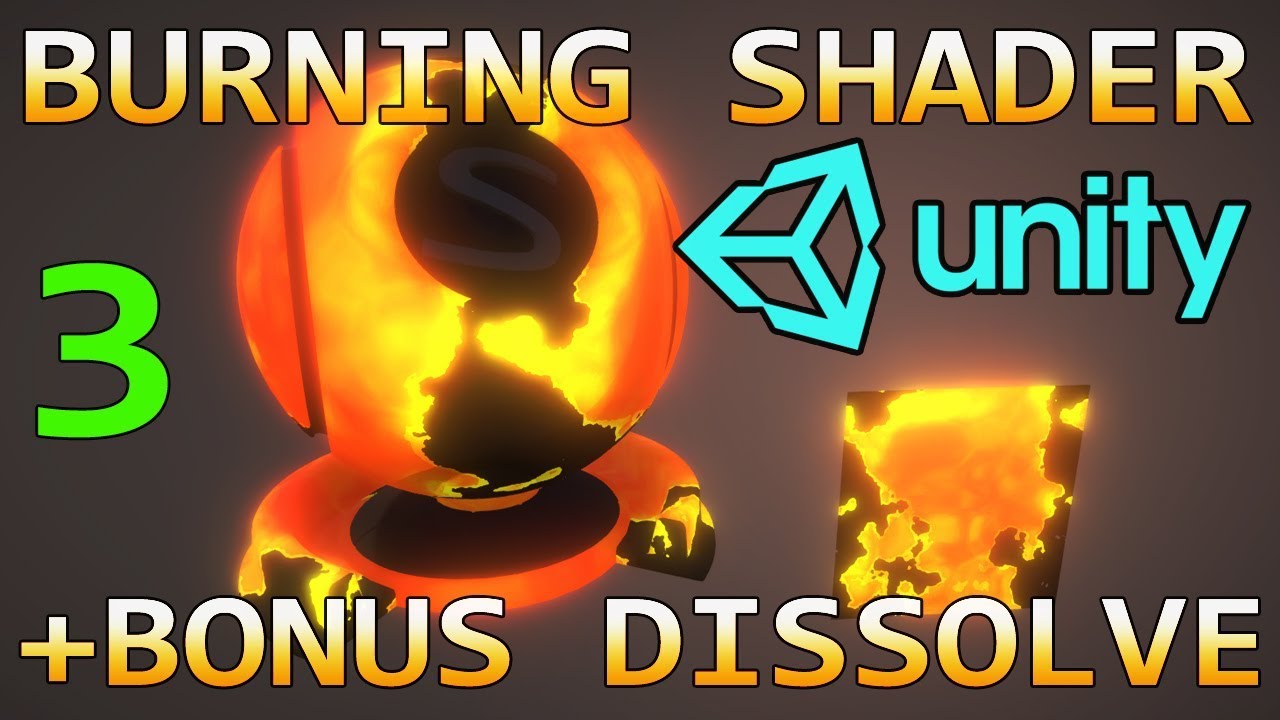
In this Unity shader tutorial, we're taking a look at advancing the dissolve techniques you may have already seen, by creating a material that can burn any object, and then disintegrate it into nothingness.
In this third and final part we're covering the dissolve away and also taking a look at vertex offsets to create a molten liquid type of e...
(Not shadergraph, but it would work similarly)
bold totem
Okay, thank u! Will give it a try! Just a fast question, there is a shader file that look different than shader graph, just kinda rainbow color on its icon, how to open it? Isnt it an Amplify shader? @long wagon that tutorial also in Amplify shader i dont have it
 sand saffron
half heart
URP motion blur:
anyone know if this is a bug or intended behaviour?
the black ...
sand saffron
half heart
URP motion blur:
anyone know if this is a bug or intended behaviour?
the black ...
At the moment there are no motion vectors in URP and so current implementation of motion blur is not aware of movement of objects and just blurs everything along camera movement. Object motion blur is on the roadmap, but who knows when it's gonna get implemented.
half heart
ah ok, thanks for the explanation
long wagon
@bold totem It's a different editor for the default shaders. You can probably find similar tutorial for the Shader Graph, but the principle is the same, the have mostly the same nodes.
sterile wigeon
I really need help, I put my render pipeline to hd and now everytime I try to open the project, unity crashes
but when I open another project, it works fine, it's just that project
I'm trying to update my unity hub hoping itll work, if anyone else has suggestions I'd really appreciate it
bold totem
Try to copy project files folder, make a new project and paste folder with materials, scripts and assets into it @sterile wigeon
turbid matrix
@glad elbow fix what?
 hazy blaze
Hey all, there's a free event coming up - maybe interesting? https://www.eventbrite.com/e/rendering-optimization-tips-tricks-tickets-131642960639

Eventbrite
The basics of rendering optimization for Games, Apps, VR and AR. Pitfalls, tips and tricks.
glad elbow
turbid matrix
<@!666324788846919709> fix what?
lights disappear depending on view
and i want to get rid of these black artifacts
drifting vault
glad elbow
lights disappear depending on view
maybe you reach limits of real-time light in frame? 
glad elbow
but why its so limited?
drifting vault
is your light cast shadows? is your light attached to 3d models or its separate gameobject?
glad elbow
its seperate gameobject
drifting vault
your light inside tunnel cast shadows?
glad elbow
idk, does it cast shadows by default, if yes how can i turn it off i cant find the setting
glad elbow
drifting vault
hmm its do not have shadows. what is your HDRP and Unity versions?
drifting vault
tried to use 2020.1 or 2020.2 ? Just to see if its happening too
do you bake occusion culling?
glad elbow
drifting vault
do you bake occusion culling?
no, should i?
drifting vault
nope. just no idea what cause that =/
try copy project and use more modern version of unity and hdrp. maybe you discover rare HDRP bug
glad elbow
im actually modding a game and the same thing happens in that game. we always thought it was the game's problem but i found out its related to hdrp
im trying to find out what causes this problem maybe we can fix this game too
same artifacts and disappearing lights depending on your view
drifting vault
wut? hmm maybe game did some kind of optimization for amount of light per frame? If game was old, maybe this game allow 4-16 light in view max?
glad elbow
i think that optimization is a unity thing it happens on my project too
also no its not old
sterile wigeon
bold totem
Try to copy project files folder, make a new project and paste folder with mater...
Yup that worked! I actually managed to figure it out on my own, but I'm glad that someone else had the answer if I didn't figure it out. Thanks! 🙂
 snow harness
Hey, im new to shaders and custom render pass.
I managed to set up a regular "custom pass class" + a "custom pass fullscreen shader" that you can generate in the editor. I see that i could get the color or the depth inside my shader, but how do i get the light information only ?
glad tartan
I wonder when the new updated Probe Volumes will be implemented. Old one is gone from the current master branch on GitHub
turbid matrix
there was also other branch where last commit was 12 days ago but this has more things in it
 gleaming crow
glad tartan
turbid matrix
<https://github.com/Unity-Technologies/Graphics/tree/HDRP/probe-volume2-lightloo...
gleaming crow
glad tartan
turbid matrix
<https://github.com/Unity-Technologies/Graphics/tree/HDRP/probe-volume2-lightloo...
Yea, that's what I'm talking about. Hoping that gets merged in soon.
 languid notch
Is there a way to combine a geometry shader with shadergraph? I mean, I want to apply both a geometry shader as well as a shadergraph shader to the same material/object
i know shadergraph doesn't geometry shaders; i'm asking if there's a way to specify a geometry shader will still using shadergraph for the vertex/fragment shaders
unborn cedar
Using mirrors that reflect players instead of just pre-procesed reflection,affect significantly to perfomance? (Im usind HDRP)
using*
turbid matrix
totally depends on your use case and how you implement it @unborn cedar
if it's like simple scene, you may get away with just old school "duplicate the geometry behind the mirror" hack
or even possibly just the player character + use baked reflection for the rest
blissful geode
Hello there ! Is there a way to force my second and third camera in HDRP to render on VR mode, just like the first one ?
rich spade
@blissful geode I'm not working in VR, but have you looked at the camera features exposed in code such as Camera.stereoEnabled and some others to do with which eye is rendering etc.
blissful geode
I do but they only seem to be getters to this variables
There is one to set a stereoprojection matrix but i've no idea wtf it is 😄
rich spade
damn your right read only.. awkward
how about Camera.cameraType = CameraType.VR;
nvm edit mode 🤦
 hidden flax
Hey, anyone know how to replace HDRI Sky in HDRP from script?
I have multiple materials which has a shader that draw the skybox
It used to work on URP but I used RenderSettings.skybox = newSkybox; which is no longer valid in HDRP
what should I do? my cubes are 6 faces btw
sterile wigeon
Anyone know how to change the base color of an unlit material in hdrp via script?
Been looking through posts and nothing seems to be working for me, everytime I find the shader it just sets it to pink
Nevermind I got it figured out!
 fading jewel
I would like to add a 2D renderer to a 2D game in unity, but it is not on the menu. What should I do?
 maiden coral
URP Fix for no shadows on transparent objects.
fading jewel
what to i need to do?
I don't see it in that picture well I have it blurred
@maiden coral
fading jewel
i cant still
fading jewel

This video series is going to teach you various parts of 2D Shaders in Unity, using the Universal Render Pipeline, or URP for short! In this video, we're going to take a look at the basics of creating and rendering 2D Materials in Unity.
See this playlist for all episodes of 2D Shader Basics!
https://on.unity.com/3dUrLow
Find out more about ...
2.31
i try to learnt but i need to add 2D renderer but i can´t see it
maiden coral
so what does that have to do with what I said above about the shadows on transparent objects?.
fading jewel
IKD
maiden coral
Then why did you tag me if it doesn't have anything to do with what you want to do(follow that stupid tutorial)?.
fading jewel
I've done it 2 times and searched for google but I didn't find anything.
Or am I writing it in the wrong channel?
fading jewel
ok, thanks for your time.
 keen pivot
does HDRP 10.2 allow mip mapping in DX12 now? last time i tried dx12 i got that error spammed about it
glad tartan
@analog meteor You need to be using 2020.2 beta to be using HDRP or URP 10
If you are on a 2020.2 version then make sure Preview packages are enabled and you will be bale to see them and download them from the package manager
keen pivot
one large surface, visible from a distance from the top(ish) and some decals to add damage etc to the surface. so, one large decal projector on the whole surface, or, lots of small decals on the same surface...which is the best approach in terms of the performance hit? camera doesn't move so they always visible.
HDRP btw
 exotic plume
Heya. Does anyone have an example or a good explanation of how to implement this?
Im trying to do offline rendering of a timeline sequence with Path tracing - so it takes a while for each frame to resolve and thus - this is necessary (??) to actually render out an animation with path tracing or calculated motion blur etc???
turbid matrix
I'm actually interested on that feat for one specific feature: camera mode but not sure if it could be made to fit for it
basically the idea there is that you could do longer post processing for single image as it doesn't have to happen in realtime
exotic plume
right. but how do I actually do this ? If I use the Unity Recorder package it doesnt wait long enough for the pathtracing to resolve before recording the frame..
 dapper python
I honestly dont understand why my project text isn't pixel perfect
 true zealot
 copper warren
everything looks bad, and im probably being dumb as hell
but how do i make it look like it was before, with the built in shaders?
please respond
elder merlin
Just bake your lighting to get ambient light
elder merlin
You should start with some tutorials before you come here and ask questions
elder merlin
For example https://www.youtube.com/watch?v=7YzWexOAggc
copper warren
i just didnt auto generate the lighting
ive used unity for a whole year
just not this version
sorry to bother you
elder merlin
Just be sure to look online before pinging anyone here
copper warren
ok thanks though
 sweet mica
hello , i dont see the same colors in substance and unity, is it because i should use any render pipelines ? or is just about lights. and the side question is why we are using another pipelines ? ( iam totaly new)
elder merlin
Assets are gonna look different depending on the lighting and render settings of any program @sweet mica. If you wanted the same result as in Painter you would need to use the same skybox, but also settings like tonemapping and post processing. If you use the export preset for Unity you should be good.
rich spade
sweet mica
hello , i dont see the same colors in substance and unity, is it because i shoul...
From my experience generally it's because in substance there is environmental reflections enabled, in a new scene in unity there is no environmental reflections by default. you will need to add a reflection probe and bake it. Hope that makes sense and remedies the problem 😉
sweet mica
ah got it , i posted my result in art/3D section before and unity side had same skybox but not any reflection probe and tonemap-postprocess thing. and i don't know how to bake reflection probe to moveable object but it should be easy 😄 thank you both for answers
 pseudo belfry
Custom functions on a shader are rendered in URP on IOS ?
turbid matrix
https://github.com/Unity-Technologies/Graphics/pull/2874
https://github.com/Unity-Technologies/Graphics/pull/2875
GitHub
Purpose of this PR
#1616 added to Universal RP the code needed to support Point Light Shadows.
#2126 will add to Universal RP the code needed to support Custom Shadow Resolutions.
It might be prefe...
GitHub
Purpose of this PR
#2874 can be used to defer the release of Point Light Shadows, if Unity Product Management teams deem it necessary to wait until Custom Shadow Resolutions are approved.
In case #...
pseudo belfry
?
turbid matrix
not related to your thing, just found PRs where other is hiding URP point light shadows and other reverts this
basically meaning, URP point light shadows could still get postponed even further
 velvet ruin
Is there a way to assign a HDRP Light Layer using Graphics.DrawMeshInstanced() ?
whole fossil
Nope, there is not. Only default lightlayer affects instanced meshes
It is the issue that I was trying to get attention to
velvet ruin
Well that's a bummer
whole fossil
There was a bug when instanced meshes wasnt being lit at all when using light layer
Let me link a forum post regarding this
velvet ruin
I actually found your thread regarding this bug I think, I thought maybe there was some progress on that front
whole fossil
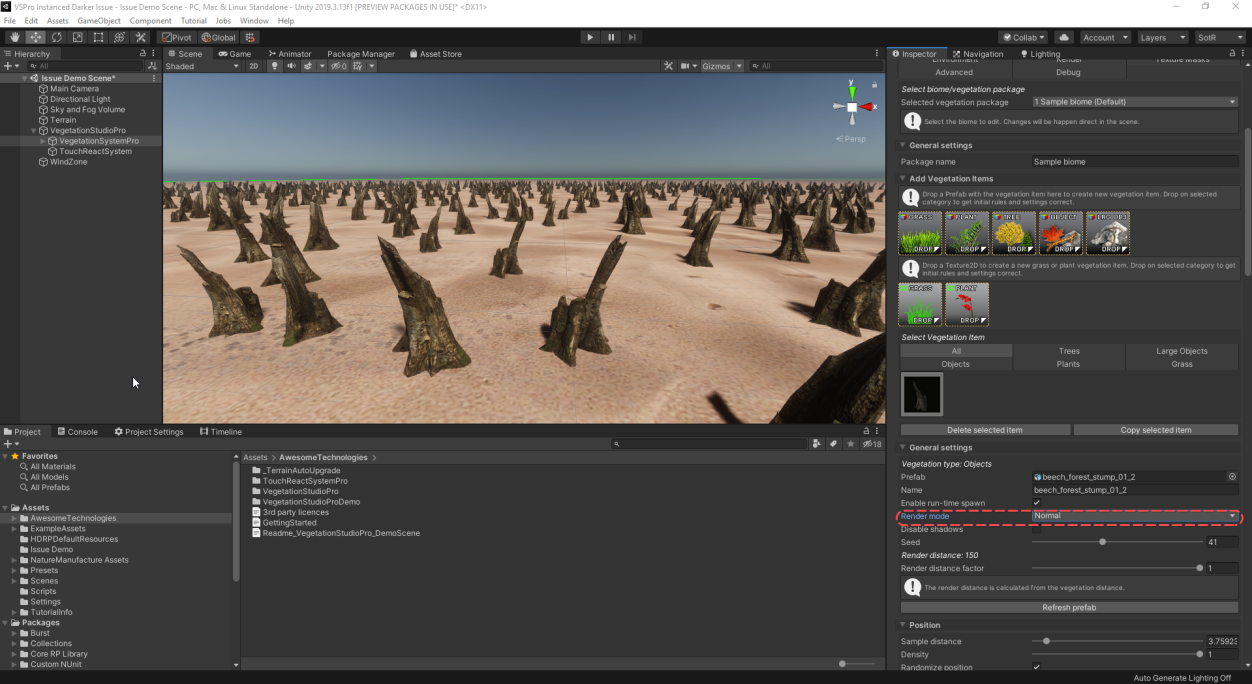
Unity Forum
Hi,
I am writing this post to make some awareness of the issue that emerges when using LightLayers with instanced rendering. I think that there is...
There is a info that the work is planned but for 2021
velvet ruin
I liked your post on the thread for what it's worth, lol
 wise pivot
If one wants to make modifications to the Forward Renderer or URP is there an elegant way to go about it? I thought they were designed to be modified, but in practice they are sealed and rely on so many internal classes that you can't even copy pasta to modify 😦
 covert ether
Anyone have any idea if the new realtime GI that will be part of 2021.1 will be for HDRP or URP?
broken lichen
wise pivot
If one wants to make modifications to the Forward Renderer or URP is there an el...
I think it was more designed for forking and modifying rather than using the original package with external, non-destructive modification.
wise pivot
@broken lichen that seems reasonable, but also not very possible because of all of the internal classes used unless i'm missing something?
broken lichen
If you're modifying the package directly, you have the same access as the package does
turbid matrix
@covert ether if I had to make an educated guess, I'd say neither as it's stalled / late
but when they actually get it done, I'd assume it's going to appear on HDRP first and I don't know if they've even promised it would make it to URP
 lilac heath
Hello guys, i wish you are all okay !
and it's maybe the fault of URP (i really don't know)
I got a problem with the renderer of my object
actually, somes objects are at the same position, but my camera render them differents when i move it
(you can see what happening in the gif)
(and sorry for the english, i'm french :((( )
Can someone help me to understand why is it like that ?
rich spade
@lilac heath are they set to transparent? it looks like z-fighting to me, if so I suggest reading this forum thread it will help explain the problem and give some possible solutions: https://answers.unity.com/questions/609021/how-to-fix-transparent-rendering-problem.html#:~:text=The problem is due to,as it renders the scene.&text=When objects are semi-transparent,written into the depth buffer
Unity is the ultimate game development platform. Use Unity to build high-quality 3D and 2D games, deploy them across mobile, desktop, VR/AR, consoles or the Web, and connect with loyal and enthusiastic players and customers.
lilac heath
Oh damn you are true, they are transparents ! i will look for that, thanks ❤️
rich spade
de rien 😉
eternal jetty
i am having this render problem there the lava is my skybox but i want to see to all distance there is huge terrarin which doesn't render up. I am using urp
 lusty mauve
 lucid owl
So when I use the 2D Renderer in my Render Pipeline I get a black sky box and it acts like a 2D skybox from source 1. Unity 2020.1.17.
lucid owl
This is what it looks like.
I found a temp fix so just disable the skybox where the is image, and put the background type on your camera to solid color.
dawn sorrel
When I make a visual effect as a material using the shader graph system, is there a way I can export that effect as a gif or even an png? I'm making some pretty cool things in Unity but there's no way to capture them to use elsewhere outside of using video capture software that captures the entire computer screen.
whole fossil
Try unity recorder and other channel ;)
 versed zealot
dawn sorrel
When I make a visual effect as a material using the shader graph system, is ther...
versed zealot
dawn sorrel
When I make a visual effect as a material using the shader graph system, is ther...
do win + shift + s
dawn sorrel
I'm trying to install the Unity Recorder package but it doesn't come up in the search either in the Unity Store or in the Package Manager. I'm using 2019.4. Help?
Edit: Solved. So dumb. You have to click "Show preview packages" first before the Unity Recorder pops up. How is anyone supposed to just know that without searching online.
dawn sorrel
So now I have Unity Recorder up and I'm setting it up to record a gif of a render texture. I have a material that is using a shadergraph I made (it uses the Time node for a neat visual effect, hence the need to capture it as a gif), but I can't seem to connect the material to the render texture.
 upbeat badger
 trim bone
oh dear
 real horizon
why is it that when i switch from normal to hdrp,
before:
and now we are at:
Updated materials, btw
is there any way to fix this?
even the particles are black now
All the color is gone
turbid matrix
@real horizon it's exposure issue essentially
real horizon
?
turbid matrix
basically nowadays HDRP is preconfigured to use high intensity lighting
real horizon
ok...
turbid matrix
you have few options here to fix that:
- either dial exposure for both sky component and exposure component from project settings->HDRP default settings to 0 and use low intensity lighting like you did on old renderer
- override those two components in new volume you put in a scene and change the exposure for those there
- embrace the HDRP way and put high intensity lighting and use compatible sky exposure values for it
real horizon
so crank up the intensity
turbid matrix
basically the simplest way to fix it HDRP way is to:
- Run HDRP Wizard, click fix all if there are things that are not ok
- Create a new scene
- make a prefab out of sky volume and optionally same with directional light (but you could just crank up the intensity manually too for it)
- open you actual scene, drag sky volume prefab to it
real horizon
turbid matrix
^ that just brings safe default settings to your scene while using HDRP
I have no clue why Unity does this (setup HDRP like it is now)
 proper wave
How do I use the URP namespace API in my code?
using UnityEngine.Rendering.Universal;
the above isn't working
real horizon
Does code from the original material code work with hdrp?
do i need to change coloring thingy
turbid matrix
no idea what you mean by coloring thingy
real horizon
uhh
turbid matrix
proper wave
I believe I have URP installed?
yeah, sorry I mixed up as there were two conversations
UnityEngine.Rendering.Universal should be correct
I guess the better question would be, what are you trying to do with it
proper wave
trying to add a camera to the stack as per this example https://docs.unity3d.com/Packages/com.unity.render-pipelines.universal@7.2/manual/camera-stacking.html
var cameraData = camera.GetUniversalAdditionalCameraData();
cameraData.cameraStack.Remove(myOverlayCamera);
one thing worth noting is that if you do use asmdefs, you have to add URP package ref to it
and if you don't know what asmdef is, then you probably don't use it 🙂
proper wave
yeah, dunno what that is so probably not
turbid matrix
@proper wave just to make sure, the code isn't working or there's an error on the IDE?
I ask because you could sometimes end up in situation where Visual Studio etc doesn't update the solution properly but code would still run in Unity
this was the case just a while ago but on some editor versions and visual studio package but it's been fixed on latest ones
real horizon
    public static Texture2D TextureFromColourMap(Color[] colourMap, int width, int height) {
        Texture2D texture = new Texture2D (width, height);
        texture.filterMode = FilterMode.Point;
        texture.wrapMode = TextureWrapMode.Clamp;
        texture.SetPixels (colourMap);
        texture.Apply ();
        return texture;
    }
Why dosn't his work with hdrp?
worked with standard
    public void DrawMesh(MeshData meshData, Texture2D texture) {
        meshFilter.sharedMesh = meshData.CreateMesh ();
        meshRenderer.sharedMaterial.mainTexture = texture;
    }
i'm plugging the Texture from color map into the texture in drawmesh
anddd time to wait anouter 20 min before someone responds.
real horizon
...
Mabye if i rephrase it
How do you set a texture2D on a hdrp material at runtime
Looked on google, found a fourm, but it had no answers
tried meshRenderer.sharedMaterial.mainTexture = texture; and meshRenderer.sharedMaterial.SetTexture("_MainTex", texture);
no errors, but nothing changed
still get this cyan mess instead of the normal greens and yellows. (i set base color to cyan because i know no color in the texture it's setting is cyan)
 fiery marsh
real horizon
tried `meshRenderer.sharedMaterial.mainTexture = texture;` and `meshRenderer.sha...
fiery marsh
real horizon
tried `meshRenderer.sharedMaterial.mainTexture = texture;` and `meshRenderer.sha...
Try _BaseColorMap. Looking at the HDRP/Lit shader that's the reference it uses. https://github.com/Unity-Technologies/Graphics/blob/v8.2.0/com.unity.render-pipelines.high-definition/Runtime/Material/Lit/Lit.shader
real horizon
like putting it in the _MainTex area?
if that's what i'm supposed to do, still getting cyan mess :/
real horizon
there is a HDRP Wizard?
turbid matrix
real horizon
I saw that, and i fixed everything, but i can seem to get back to it
turbid matrix
wrong menu
To open the Render Pipeline Wizard, go to Window > Render Pipeline and select HD Render Pipeline Wizard.
turbid matrix
you have HDRP enabled?
well your checklists says it's assigned
did the new scene thing give you options for templates?
turbid matrix
(template selection is only on newest Unity versions)
turbid matrix
well, if HDRP Wizard is all green, you should get HDRP prepared scene when you create new scene
real horizon
well i appear to not get the prepared scene
actually
is it called HD tempate scene
i found that option in the new section
this?
turbid matrix
yup that thing
basically it isn't anything you couldn't config yourself from scratch but if you don't know how yet, it's easier to just take the one given by that template first
real horizon
ok, done that
still getting cyan stuff
nothing visually changed
except the fact that unity now uses 99% gpu instead of 98.3
real horizon
Apperently, no one knows how to solve the cyan problem at least in this server
because, no one really continued/responded to be after that
sad.
turbid matrix
I'd assume your light intensity value is still too low
basically if you took both directional light and the sky volume from the new scene template, it should give you somewhat similar colors and lighting as with the old renderer
and yeah, HDRP is perf heavy
real horizon
BOTH directional light + skyy...
real horizon
turbid matrix
I'd assume your light intensity value is still too low
even when it does render color, it's usually yellow, and none of the other colors. I tried yeeting the intencity to 90000, but no difference, lets try getting the directional light...
and we are at this now
I still think it's the texture 2d not getting put on
like this is only white
no colors
or anything
it's also only sitting at 64% gpu now
is the white thing something blocking out the color?
ignore the activate windows
 waxen lantern
let's temper our expectations --this isn't unity premium support or a support channel at all. it's just a bunch of people in a community chat.
 strong elbow
Is there a way to set the Ray Length in GI and SSR past 50 in HDRP and DXR?
 whole verge
Is HDRP broken? When i build my project as a server, it works. When i run the server build in a cloud server (azure), it just throws a ton of shader errors and crashes. (I have tried to use "-batchmode -nographics" but it doesn't work...) 🤔
 torpid quail
Hello, any idea on how to catch an event in SRP after the overlay has been drawn? None of the events I've tried like OnPostRender etc work for the UI that is set to Camera.Overlay. Is there really no way to do a final process on overlay UI?
An alternative would be to move uis to screen space - camera, which should give the necessary control to apply the desired post process effects.
Unity docs (with a typo, I assume the last one should be Overlay)
torpid quail
real horizon
I still think it's the texture 2d not getting put on
Open frame debugger / renderdoc and check. Do some shader debugging directly by outputting your textures...
 finite light
May I ask here about post effects?
elder merlin
Either here or in #💥┃post-processing depending on the nature of the question
eternal laurel
can someone explain to me the InI_HDRenderPipeline::RenderVRCamera and why does the Inl_Boom in it take 12 ms ? It comes right after the normal Render VRCamera
real horizon
torpid quail
Open frame debugger / renderdoc and check. Do some shader debugging directly by ...
i got it fixed using basemap stuff, turns out that the basemap color was overriding the texture 2D
how do you fix this?
that weird gradiant thing
keen pivot
how does one interpret the quad overdraw debug view?
i got quite a bit of the cyan
is the goal to have a totally black screen here? or should i only be worrying about the red?
i might mean vertextdensity actually
the one where the geometry is too complex for the camera distance
scarlet hull
It's mostly a tool to help you identify where you have high density meshes, that you might want to optimize, through LODs
torpid quail
real horizon
that weird gradiant thing
Looks like mip seams. Check your textures and or how it works with mips
real horizon
torpid quail
Looks like mip seams. Check your textures and or how it works with mips
mips?
time for the power of google
 devout junco
in 2018.4, the Stats window is showing 2 shadow casters even though there is only 1 shadow caster in the scene. Is there a reason for this?
 snow timber
Someone can help me with Lightweight RP? really I don't know if is in Programming or Art topic :(
My problem is using Lightweight RP in 2D. Because the a simple shape don't seen in the scene though I'm using a Global light
Sorry for my english, I'm learning
 teal prism
There is no LWRP any more its URP or HDRP - they should divide the graphics groups into HDRP, URP and built-in not shaders and render-pipelines
 north rover
Anybody got an idea why my camera is not detecting the URP assets I set up?
googling the error yields in 0 results
scarlet hull
Isn't it because the urp asset itself doesn't have a renderer assigned (forward renderer by default)
north rover
@scarlet hull well, I just created a URP asset and it automatically adds the renderer asset as well. I never had problems like this with URP.
fiery marsh
Make sure that is the URP Asset assigned under Project Settings -> Graphics. You might have another one lying around (maybe in Settings folder if it's from the URP template)
north rover
@fiery marsh I checked this, it's the asset I created
I feel like it's bugged out, I will roll back to an earlier version and try again
Okay, re-rolling and doing it again worked. Guess I ran into some kind of unity bug.
 solar knot
Hi guys i have a serious question, i making a game, core of a game is done, and i found out that there is Universal Render Pipeline for 2d game, and its very good looking, but problem is that when i use URP and i test my game on budget phone i get 25~ fps......... Normally i have 60 easly, but when URP is active, even with no lights, performance just goes down..
keen glen
Did you revisit the URP settings, just to check you dont force any high end stuff in the settings?
@solar knot
rich spade
I would probably stick with original, if it performed good. I don't see that URP should look any different on mobile vs original as feature set is very similar for mobile
solar knot
keen glen
Did you revisit the URP settings, just to check you dont force any high end stuf...
I just installed URP using package manager and upgraded project to 2d renderer(experimental), and scene turns dark, and even with no lightning, my fps goes to 30+ on my Redmi 3(old)
keen glen
Did you follow the tutorial about setting up URP?
solar knot
Sure
keen glen
Then you have the asset inside your rendering settings, right? And that asset holds your URP settings, did you check those?
Like, is HDR enabled or anti aliasing, whats the shadow resolution and so on
solar knot
Yes, i even tried to drop down render scale, helps a little but not much, GPU demands goes high when i use URP, its normal for redmi 3 of performance to run like that?
I mean ofc it runs perfectly fine on mi9 but..
keen glen
Phew, I dont have any benchs on that phone, sorry. If its old, it might be that case.
keen glen
Did you try this? edit > project settings > player > other settings > color space = Gamma ?
Just found it in forums
solar knot
Ok i will try now, because i just remove URP before.
solar knot
keen glen
Did you try this? edit > project settings > player > other settings > color spac...
It was on gamma before
keen glen
Okay, dang. I guess URP is using some stuff then, that just doesnt like your old phone. Did you analyse it with the profiler, what might be the culprit? Also, you saying, it goes completely black. Did you change the materials to the new URP?
And just pointing out, its experimental about the 2D renderer thing, so that might give you bugs and whatnot anyway
solar knot
keen glen
Okay, dang. I guess URP is using some stuff then, that just doesnt like your old...
Yes, i just found out that, even without any lights, it stresses out GPU
There is no other way to use 2d ligtning now
solar knot
I heard that LRP was good but it repaced by URP
keen glen
LWRP was fine, yes, but still a bit limited
solar knot
I don't need that much for my game, just shadow and lights with color
Shame we can't use LWRP anymore
So i just can't decide what to do with my game, go no lightning(looks 2x worse), or go with pretty demanding URP.
keen glen
How old is that phone its not working on?
solar knot
?
keen glen
your phone with 25fps in URP, how old is it. Is it worth to build for it?
solar knot
redmi 3 8 core, with probably Adreno 405, 2015 year
I mean if it runs good on this phone, probably it would run on all phones
keen glen
I would not pick this as a target device at least from my opinion
You just start limiting your quality to support a 5 year old phone? Tbh, 3 year old phones might still struggle with todays titles.
solar knot
I understand, but my game has 16 bit stylization, not even looking that much impressive even with URP
Ok then, i will probably go with URP..
keen glen
If you want the 2d lighting, you kind of have to, I guess.
I just checked my project, also using URP for 2d lighting with normal maps on 2D sprites
solar knot
Yea, URP looks amazing but its pretty demanding
keen glen
I mean, from now on while you working on your project, when you are planning to release it, in one year? thats one more year of devices getting swapped out, so I would not go too far back
Even the latest rayman is running poorly on my huawei tab I bought like 2 years ago, they dont give a f 😄
keen glen
Dont know how far you are in it
solar knot
Still i can't continue making game, without acceptable graphics i want
Like core of the game done
Logic to die respawn kill enemies
respawn of enemies
keen glen
Ohhh okay. Than just get into graphics and ignore your old redmi, tbh. Its good to take care of performance obviously, but not to all extend
solar knot
Yea, but im just looking on a Tower of Hero, and it looks way worse to run on all devices
I now its not Unity project but still
rich spade
@solar knot one last thing to try is downloading some of the Unity demo's e.g. (boat attack) and see how they perform on the device. If they are performing good, then dissect to see why 😉
solar knot
From asset store?
rich spade
boat attack is on github, but there maybe others... it's just one example which is targeting mobile devices that came to mind
rich spade
it's build on URP, makes sure you have git lfs installed when cloning though as the assets need it
keen glen

GitHub
Demo Project using the Universal RP from Unity3D. Contribute to Unity-Technologies/BoatAttack development by creating an account on GitHub.
rich spade
it does mention it but to be sure you need this installed: https://git-lfs.github.com/

Git Large File Storage
Git Large File Storage (LFS) replaces large files such as audio samples, videos, datasets, and graphics with text pointers inside Git, while storing the file contents on a remote server like GitHub.com or GitHub Enterprise.
keen glen
Nah, if it has big files, Git is using a LFS system to save only pointers in Git itself and save the big files at LFS storage
rich spade
you have to "clone" the repository to get it downloaded properly, you can't just use the download menu option (if that makes sense). because of the large files
it should work with git desktop, but I found that had iffy lfs support so you may need to use command line just this once 😉
solar knot
🤯 🤔 Thas all new for me)
rich spade
I'd advise learning it, using git as a backup system is a life changer (I'm still learning) but it's saved me so much time!
I have the advantage of a home server, but I installed a git server on it just for unity stuff ^^
solar knot
Im using collab in unity
keen glen
And just get github for desktop, helps you for the basics
solar knot
Wow why its so anti consumer, lol, why console to use it?
keen glen
Its not consumer relevant 😉
solar knot
I understand
solar knot
I actually found out why my game was 25-30fps, i was using newer version of URP(non verified)(+5fps) and i was using free asset "LightRays 2D effect" wich not working well with URP, and i got another 15-20 fps.
 supple jay
Render pipelaine is not compatible with this master node?
I have lrp
(and hardly any unity experience)
scarlet hull
supple jay
Render pipelaine is not compatible with this master node?
LWRP, not URP ? Are you on an old unity version ?
Have you properly assigned a pipeline asset in the graphic settings ?
real horizon
Why is it that when i'm standing in a shadow, everything around me gets very bright? (hdrp)
in a shadow
out of the shadow
how do i disable this?
whole fossil
Check exposure settings. Probably it is set to automatic
snow timber
teal prism
There is no LWRP any more its URP or HDRP - they should divide the graphics grou...
And that is the same Package or I need do something else?
dawn sorrel
How do you turn off the auto exposure that happens when you first set up HDRP?
scarlet hull
dawn sorrel
How do you turn off the auto exposure that happens when you first set up HDRP?
Check the default HDRP settings in the project settings window
teal prism
snow timber
And that is the same Package or I need do something else?
Are you using an old version of Unity? Use 2019 LTS or 2020, start a new project and you get choices of 3D (built in), URP/HDRP etc. I don't know more
snow timber
teal prism
Are you using an old version of Unity? Use 2019 LTS or 2020, start a new project...
I'm using 2019.411f1 (LTS) and I have this options when I create a project
 runic vessel
anyway to disable occlusion mesh in URP ?
 mortal widget
i transformed a default 3d unity project to HDRP. I have weird jittering where my shadows are. Also my direct light is also lighting up interiors which i dont want (light is going trough walls). would be nice if someone can help me with this 2 problems
scarlet hull
mortal widget
i transformed a default 3d unity project to HDRP. I have weird jittering where m...
Try selecting the light to "upgrade" it, and check if shadows are properly enabled
mortal widget
where?
 analog meteor
is there any way to increase the per object limit of lights in urp? the pipeline settings caps it at 8
dont want to bake any of my lights because its being used with a custom shader
rich spade
analog meteor
is there any way to increase the per object limit of lights in urp? the pipeline...
I'd be surprised if you have more than 8 lights hitting one object at a time, but guess depends on the falloff range / intensity. but as I understand it currently no it is a limitation, hope you didn't interpret as per per scene as some ppl do. You can still be very creative within the limitations to achieve good lighting even realtime
waxen lantern
analog meteor
is there any way to increase the per object limit of lights in urp? the pipeline...
used to be 4 lights! ha. but also deferred render path is coming to urp next year which will let you increase that limit further.
like, potentially hundreds of per object lights. at the cost of the performance overhead you are paying up front with deferred lighting.
dawn sorrel
ooo is it me, or does Draw Instanced terrain with shadows work in HDRP now? I'm no longer seeing any shadows flickering away on camera angles, etc. Finallllly lol
dawn sorrel
Does anyone else know what is going on with the HDRP Sunlight? I hadn't really been paying much attention to it. But after updating to 2020.2 the sun (even with fog, etc) turned off is just a massive glare on the screen now. I can't exactly pin point it, even if I turn every single volume effect off it still does it (stronger on the edge of screen). This didn't happen in 2020.1.17
Ahhh the Angular Diameter is too low apparently. Setting it to 4.51 fixed it.
iron flame
Unity 2020.2 HDRP 10.2.2
spotlight contact shadow closes sometimes.
maiden coral
Anyone knows where i can increase the reflection power of the urp shaders?Any idea?.
rich spade
maiden coral
Anyone knows where i can increase the reflection power of the urp shaders?Any id...
the smoothness and metalic nature of the material affect how reflective they are with respect to environmental reflections, if that's not enough you could create a custom shader
maiden coral
rich spade
the smoothness and metalic nature of the material affect how reflective they are...
Not helping man.
rich spade
just because it's not a simple fix does not mean it's not the correct answer, perhaps you need to be more specific with what you are trying to achieve
maiden coral
Well compare this first image, on how that object is supposed to be and, compare it to how is represented in URP
rich spade
have you added a reflection probe to the scene and baked it?
and if so are they within it's boundary as I cant see any evidence of reflections at all in that shot
maiden coral
It uses directly the sky, no reflection probes.
rich spade
I'd add the probe you will see difference, it can be a large scale probe but at least one seems to be needed from my experience
maiden coral
Absolutly none, with or without is the same stuff.
rich spade
did you "bake" the probe?
try spawning a simple sphere with a basic material, adjust the smoothness to check that is working correctly (i.e. reflections are clearly visible)
if not, then there's a problem
maiden coral
Ofc there is a problem, wish unity would figure out that some times you need a bit more reflection on a surface then the default value.
only at an angle you can get a bit of stronger reflection
rich spade
PBR shaders are this way unfortunately, as you know they try to be more "realistic". hence it's probably custom shader time... how's your skill in that area? 😉
🤔 if using a smoothness / metalic texture, does it look better without (just using slider)?
rich spade
I'd be looking at a custom shader, there's enough examples / information out there to create this in shader graph (I might need to share the fresnel specular reflection with you). But depends on time and desire to sort yourself, otherwise it's asset store / hire someone.
Perhaps someone else has better ideas though as I'm at my limit
maiden coral
I will try to look around. Perhaps I can find something
rich spade
🤔 I'm probably over thinking it, you could use pbr graph and just double up on the reflections much easier
 supple jacinth
I'm not sure where the best place to ask this is: any chance I could get some direction on this error? by "skinning" I think it means "vertex animation". any ideas? I'm trying to use a "Skinned Mesh Renderer"
https://cdn.discordapp.com/attachments/497874081329184799/789658607451897917/unknown.png

 spark terrace
Does anybody know how to change the intensity of the URP/LWRP 2D lights via script?
What component/ variable would I be changing/ calling?
Im gonna keep looking into this but I just figured while I look stuff up I'd ask here
turbid matrix
GitHub
This PR introduce a first iteration over APV, it is not yet in a usable state, just to have some core code in master.
APV stands for Adaptive Probe Volume, it replaces Probe Volumes v1. It works e...
spark terrace
Nvm, was able to find out how! c:
 weary fog
are the normal probe volumes even working yet
 spiral ginkgo
is there any notable performance diferences between unity 2019 and 2020 urp ?
turbid matrix
@weary fog this is new iteration of it afaik, Unity clearly told not to use the first thing as it could go away and wasn't finished
they also tell to not use this thing either
kinda sucks that there's no new Unite roadmap talks now since there was just one virtual Unite this year
in past we got miniupdates on upcoming things and their estimated targets 2-3 times a year at various Unites
if I had to guess today without knowing any better, I'd guess it would take at least half a year still before we get to play with first realtime gi previews. 2021.1 train is long gone already and it could get tight to get even preview on 2021.2 so it's totally possible realtime GI isn't happening next year either. :/
right now the only estimate we've gotten has been "it's not making to 2021.1" but that's it
turbid matrix
Unity Forum
Before a start, a quick 'control' image of what my sample scene looks like with no ssr:
[ATTACH]
HDRP's SSR has never been that good. The previous...
that's pretty much what I saw when testing this thing early on
I do wonder if there is a use case where the accumulation approach would work in other than static images
it really is quite distracting in motion
 zenith axle
hey, what's the purpose of setting the quality of a light source's shadows? I thought the quality settings would take care of that so why should i set the quality for every light source individually?
weary fog
hdrp's pbr accumulation may not be the best, but at least it is better than cyberpunk's
I've noticed that in cyberpunk the reflections never finish accumulating
 teal osprey

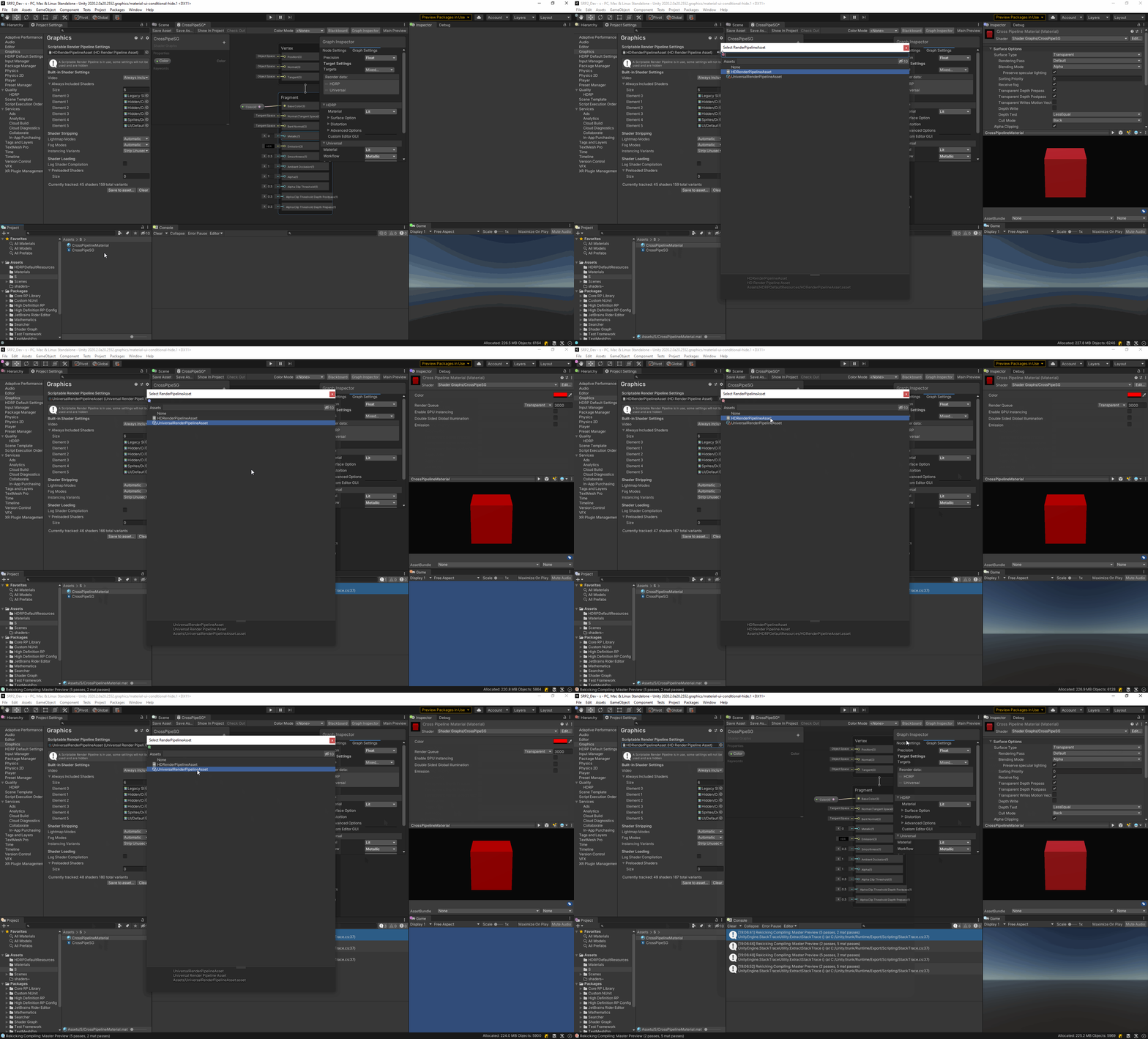


 dense brook
Am I missing something, just testing 2020.2.0f1 with HDRP template, but when changing HDRP Asset in project settings, there is no effect, for some reason it reads settings from "MediumQuality" Asset. In projects settings "LowQuality" Asset is assigned.
 dusk oyster
Hello! I recently updated to Unity 2019 HDRP and its working great.
But for some reason Unity re-generates the indirect light every time i hit Play.
The URP version didn't do that... any ideas?
dusk oyster
Every time i i start the game, either within the Editor or a standalone build, i get like 4 seconds of extreme fps drops. until the lighting is built.
It's just the indirect lighting from the Sky, no lightmaps or anything.
waxen lantern
zenith axle
hey, what's the purpose of setting the quality of a light source's shadows? I th...
you may not need to change these settings on a per light basis --but it's there for situations that need fine tuning and optimization. try #archived-lighting for more info on why / when those scenarios occur.
waxen lantern
@zenith axle that said, this need for per light tuning optimization is something inherent to how shadow mapped (the most common way) shadows are rendered (in any engine) in several individual passes, 1 per light and so often require per light adjustment to look just right and perform well when multiple real-time lights are in a scene.
more info here: https://docs.unity3d.com/Packages/com.unity.render-pipelines.high-definition@10.2/manual/Shadows-in-HDRP.html
but newer, more advanced techniques like screen-space and ray-traced shadows are rendered all at once in a single* pass for all lights so there's no need for all these per light quality and resolution adjustments. we just aren't able to raytrace everything all the time yet so it's not the default. ¯_(ツ)_/¯
more info here: https://docs.unity3d.com/Packages/com.unity.render-pipelines.high-definition@10.2/manual/Ray-Traced-Shadows.html
 eternal lynx
Anyway to get Building GI data faster. I'm getting like 4 hour build times on HDRP
waxen lantern
@eternal lynx aside from investing in a many core CPU, there is the faster GPU lightmapper in preview though it's a trade off rn because in preview / not finished.
@eternal lynx aside from that maybe try #archived-lighting channel to ask about progressive lightmapper settings you maybe able to adjust like sample counts. it's not really anything to do with what render pipeline you are using, the lightmapper is the same across all RPs.
eternal lynx
waxen lantern
<@266095192312905728> aside from that maybe try <#497873729578336276> channel to...
Thank you , will check out the lighting channel. I just ordered a 3060 ti, so maybe the gpu lightmapper will help with that
turbid matrix
dense brook
Am I missing something, just testing 2020.2.0f1 with HDRP template, but when cha...
project settings->quality settings can override the used SRP asset if such is assigned to the quality tier there
analog meteor
no idea what that is, but it looks sick lol
keen glen
Oh its octane renderer inside Unity @analog meteor Octane is like a render engine often also used in for example cinema4d. Nothing for realtime rendering in games, more like visualization as I remember, but maybe it has become faster 😉
zenith axle
@waxen lantern thank you very much for the detailed description! I'm still a bit confused why there are two settings but I will have a look at the linked resources you sent me.
ok it seems i got confused with the ability of having multiple global quality settings for your game and the quality settings of the shadows. from my current understanding, the qualit levels for shadows can be seen as a sub-setting for quality compared to the global quality settings
 stark elbow
is there anyway to use height/displacement maps in URP 7.4.1 (2019 LTS)?
scarlet hull
stark elbow
is there anyway to use height/displacement maps in URP 7.4.1 (2019 LTS)?
Do you mean, other than to make a shadergraph that samples them and displaces the vertices ?
turbid matrix
I'm going to go and assume the person also wanted tessellation for it
(which SG doesn't support)
 pastel fiber
Am I the only one that the HDRP autodesk shader emission color is stuck on white on the latest version ?
keen glen
What you mean by stuck? You cant change it? @pastel fiber
 neon sand
My PC cant run URP, but can I still use the VFX Graph in HDRP?
keen glen
ehm is VFX not a part of HDRP?
scarlet hull
neon sand
My PC cant run URP, but can I still use the VFX Graph in HDRP?
This is surprising :/
scarlet hull
keen glen
ehm is VFX not a part of HDRP?
It is a dependency of HDRP and imported with it, but can be imported allongside URP, and it works.
keen glen
scarlet hull
It is a dependency of HDRP and imported with it, but can be imported allongside ...
Ohh okay, thought it was still only HDRP compatible
neon sand
scarlet hull
It is a dependency of HDRP and imported with it, but can be imported allongside ...
Nani
I can have particles!
Pog!
 crisp stag
Does anyone have a clue on how to render an FPS camera untop of another camera in HDRP?
 golden adder
Anyone know where the "Density Volume Texture Tool" has gone in unity 2020.2? It was under Window > Rendering menu in previous versions, and should still be there according to HDRP 10 manual - https://docs.unity3d.com/Packages/com.unity.render-pipelines.high-definition@10.0/manual/Density-Volume.html?q=density texture
scarlet hull
golden adder
Anyone know where the "Density Volume Texture Tool" has gone in unity 2020.2? It...
Maybe a miss in the doc, but you shouldn't need it anymore as the texture importer can now import the sliced texture as a 3D texture that you can use in the density volume.
golden adder
scarlet hull
Maybe a miss in the doc, but you shouldn't need it anymore as the texture import...
Ah I see, thank you! Do these look like the correct import settings?
pastel fiber
keen glen
What you mean by stuck? You cant change it? <@!585120593142349874>
Yes, can't change the emissive color, so everything ends up being a washed up white.
I can put a black map to it, but seems weird such a big oversight
scarlet hull
golden adder
Ah I see, thank you! Do these look like the correct import settings?
I don't remember if it should be alpha or red channel, but worst case it's easy to switch 😄
golden adder
scarlet hull
I don't remember if it should be alpha or red channel, but worst case it's easy ...
Thanks, alpha channel works. Also, just found Mixture for 2020.2 which is awesome - https://alelievr.github.io/Mixture/manual/Examples.html#hdrp-density-volume-authoring
eternal laurel
wow this mixture asset seems great. I have to look into it
 junior monolith
hey using HDRP i made a closed of cube and it should be pitch black inside no ?
pastel fiber
Try using a reflection probe inside
scarlet hull
junior monolith
hey using HDRP i made a closed of cube and it should be pitch black inside no ?
No, because you probably have the ambiant lighting here.
You should indeed use a reflection probe and baked ambiant (probes/lightmaps), or simple have a full black ambiant lighting (sky).
junior monolith
How do I adjust the ambient light in hdrp ?
oh i think disabling the sky did it
scarlet hull
Look in the volume profile that is referenced in your screenshot 🙂
junior monolith
perfect! thanks
dawn sorrel
i'm testing out the PBR Accumilation setting for the new HDRP Screen Space Reflection Post-process.
Although it seems great quality, it seems to lose some of it's overall intensity when compared to the Approximation setting.
Does anyone know if it's possible to increase the intensity of the reflection on this Post Process?
PBR:
Approximation:
scarlet hull
So, the ground here is supposed to be 100% reflective ?
dawn sorrel
yeah
it does have a normal map, it's essentially a Hexagonal floor, but with no main texture, just a normal map and I set the smoothness to max
oh tell a lie there is a main texture
it's a white floor
scarlet hull
Double check that you have "always refresh" enabled in the scene view options, as it does require some frame to fully accumulate
dawn sorrel
yeah thats on, that replaced Animated Materials i believe?
dawn sorrel
perhaps i'm worrying over nothing, for some reason everything seems to be brighter in a build anyways, i'll check it out
thanks anyway
junior monolith
having the brightness problem again
but this time in URP, no lights in the scene(its disabeled)
all black
nvm the material emission did a way better job than i thought, id lit everything upo
 manic kindle
Hey dear devs. Any way to render specific geometry into a render texture with any of the default custom passes in HDRP? (in order to create a mask for other effects)
 valid dock
anyone know if Graphics.DrawProcedural works in URP?
valid dock
i see that it is, but i guess my real underlying question was whether i could use it with Shader Graph and after some digging, it seems like the answer is no
junior monolith
hi me again  why isnt it pitch black? am i missing something obvious again
long wagon
Did you turn off the light source as well?
junior monolith
yep
only light source is the directional light
and its a closed off space so it should get inside
long wagon
You may need to have two sided shadow enabled to block the light this way
It's on the renderer
junior monolith
figured it out, the reflection was used, removing skybox fixed it, kinda weird
weary fog
just noticed they added a toggle to disable camera motion blur
very nice feature, been waiting on this for a while
iron flame
For SSR work on car paint (clear coat), use Forward rendering. Deferred render is also computed before the SSR clear coat layer.
 heady apex
is it just me or does HDRP seem to be a hog, even with a basic scene? I have a 1070 and I'm not even seeing a consistent 60 frames with the default scene...
waxen lantern
@heady apex the new hdrp template scene in unity 2020.2 / hdrp 10.2 ?
waxen lantern
@heady apex in any case I recommend trying out the different HDRP quality settings for optimized defaults. it may default to Ultra but there is also High, Medium, Low. More info https://docs.unity3d.com/Packages/com.unity.render-pipelines.high-definition@10.2/manual/Scalability-Manual.html
waxen lantern
@heady apex at 1080p? in any case yeah HDRP is really heavy and primarily targets next gen and will continue to aim for the high end as time goes on. that said, aside from manually tuning performance which is available to you, some optimizations are being made for current and last gen like this which shaved 6ms render time on the PS4. this might already be available in 2021.1 beta: https://github.com/Unity-Technologies/Graphics/pull/2272
GitHub
TL;DR Done various optimizations to volumetric lighting pass, in the template scene this lead to 4x times faster volumetric lighting pass. 6ms win on the template scene on PS4.
Note Anis' ...
weary fog
heady apex
is it just me or does HDRP seem to be a hog, even with a basic scene? I have a ...
I am running a 1070 on a basic scene and hitting about 150fps
waxen lantern
@heady apex yeah i was about to also suggest that something else was going on with your performance beyond the 1070 GPU itself that's why i asked what resolution you are rendering at 1080p or 2160p or what ha
weary fog
Is that merge for hdrp 10.x?
waxen lantern
@weary fog not sure, it was only 2 months ago so it might not land until hdrp 11+ / 2021
weary fog
Unfortunate, I love volumetrics
It's very nice that they significantly improved the performance
waxen lantern
@weary fog sometimes things land early or get backported. it depends. you can't always tell from the PR
waxen lantern
@heady apex well it seems something is amiss taking that as @weary fog with the same Nvidia GTX 1070 GPU as you is reporting 3x performance on the template scene. I recommend checking the GPU and CPU usage in Windows 10 task manager to see if another process is robbing you of compute resources or if you are perhaps CPU bottlenecked if not GPU --aside from that you could go to Unity editor menu bar and select: window, analysis, profiler (use standalone if available) and enable the GPU profiler, so you can see exactly the performance breakdowns in unity for CPU and GPU in milliseconds.
heady apex
I'll take a look, but I'm pretty computer savvy and I'm sure I'd notice if something was present that could be crippling my performance that much. Also, this is with a freshly created hdrp project in a fresh install of unity. When I do a fresh create of a URP project in the same unity version I'm at ~250 frames.
 sinful locust
@heady apex frame limit in default hdrp scene does not appear to be render limited, nor card limited (i have a 2080ti). At 4k I also get 60fps, but 150+ at 1440p. The key here I think is my gpu render time does not really change much at all between these two, its cpu time that gets pegged in the 4k case, (3.2 vs 3.4ms for render), but cpu goes from 7.4ms to 16ms at higher resolutions. Profiler says 65% of the cpu time is waiting for Semaphore.WaitForSignal. I am guessing this is an unity editor issue, perhaps related to the amount of data being copied at 4k which is understandable. Unless you see the same thing outside of editor I wouldnt be concerned.
waxen lantern
heady apex
I'll take a look, but I'm pretty computer savvy and I'm sure I'd notice if somet...
well no judgement here, missing something like that can happen to the best of us. I often benefit from an outside perspective to see something I'm missing regardless of how savvy I am or how complex or simple it ended up being. anyway, it sounds like you've already determined there is no significant CPU or GPU utilization from other processes, i think the next step would still be to pull up the Unity Profiler and see what's taking up the most time on the CPU or GPU within the context of Unity. It could very well be a CPU bottleneck as @sinful locust is seeing. Or if by some chance it is actually a GPU bottleneck that isn't there for others with the same GPU and Quality settings, then there could be an issue with your GPU or its driver, etc.
@sinful locust And iirc @heady apex did say they have the same ~40fps in builds not just editor which is concerning
"new one hugs 41fps on a built game"
sinful locust
looking at it a bit more my gpu does appear to be busy. However, there are just a few HDRP render settings causing 50% of the hit. Ambient Occlusion, bloom, contact shadows, volumetric fog, post prorcessing (antialiasing)
a lot of this is specific to hdrp image quality
I was able to tweak things in default scene and raise fps to 80-120 without major image quality changes
to do a fair analysis someone would have to have a similar complex scene and compare URP to HDRP with comparable video quality settings.
waxen lantern
sinful locust
looking at it a bit more my gpu does appear to be busy. However, there are just...
yeah and the GPU Profiler can help to identify which of those are taking the most time
sinful locust
A lot of the formentioned settings should be more of a one time cost based on resolution, with less impact from scene complexity. It is fairly strange that I get the same fps as envision3d tho, given my 2080ti is a lot faster than a 1070
waxen lantern
@sinful locust you said "At 4k I also get 60fps" on Unity 2020.2 HDRP template scene? envision3d said "the 41fps was at 4k"
sinful locust
is it just me or does HDRP seem to be a hog, even with a basic scene? I have a 1070 and I'm not even seeing a consistent 60 frames with the default scene...```I saw that
oh he said "the 41fps was at 4k"
later
waxen lantern
yeah, presumably "not even seeing a consistent 60 frames" with a resolution lower than 4k
heady apex
yeah I've got two scenes I'm using for point of reference
one is my actual project that isn't very complicated -- I get a few more frames in that
the other is the new default scene -- I'm 40-50 there
I'll open it up and take a look at the profiler now
sinful locust
I get between 60-120fps at 4k depending on where in the scene I am with default settings. If I tweak the above values its between 90-160
envision the scene complexity does not appear to make much difference
its resolution and the above settings mostly
heady apex
honestly, I've even deleted everything from the scene and seen low frames, heh
(so theoretically there'd be nothing to be post processing, etc.)
sinful locust
even if the scene has nothing in it a lot of the fancy HDRP features need to sample every pixel anyway
waxen lantern
@heady apex this is also a beta, do you have the latest final release installed?
sinful locust
try turning of ambient occlusion, bloom, contact shadows, volumetric fog and post processing and tell me what your fps is
heady apex
I'm using stable in my other project with similar results
waxen lantern
might not be the issue but i wouldn't trust any performance in preleases as a benchmark
@heady apex and you said the HDRP quality setting profile is Low?
heady apex
I've been riding the betas on and off for the last year or two and I haven't noticed too much different most the time
sinful locust
hdrp quality setting doesnt make a huge diff from what I saw
heady apex
@waxen lantern correct
waxen lantern
well to the Profiler it is I suppose
waxen lantern
heady apex
and it certainly looks like a CPU bottleneck in your case
sinful locust
ya I saw the same thing but my GPU was at 98% in task manager
waxen lantern
@sinful locust i can't remember off hand but perhaps Unity dispatches compute shaders on the main CPU thread?
heady apex
that's consistently the highest %
waxen lantern
heady apex
"Gfx.WaitForPresentOnGfxThread"
ok that's the CPU waiting for the GPU to finish work. So will need to enable the GPU profiler to get the breakdown of those 14.8 ms on the GPU
heady apex
Graphics.DrawProcedural, TAA, and RenderDeferredLightingCompute being the offenders under the top 3
disabling AA gets me maybe 2-5fps
sinful locust
hmm strange that DrawProcedural says its mainly useful for 4.5 shader hardware
envision what about post processing
and which anti aliasing did u disable
heady apex
it was on TAA
I tried FXAA, pretty much same
then disabled it altogether
(on the camera)
sinful locust
profile again, what shows up now?
heady apex
DrawProcedural under ParticalSystem.RenderQuad jumped into play
sinful locust
did post processing and taa go away tho?
heady apex
make room for GPU suck by disabling AA, something else soaks it up.. yay 😄
sinful locust
also does volumetric fog make a big difference for u?
heady apex
I disabled all the volumes and I'm getting virtually the same perf
almost seems less consistent
and different players entered the profiler arena
sinful locust
@heady apex disabling volumes doesnt make a difference oddly enough, but disabling fog in Default Volume Profile Asset under HDRP Default Settings does 🙂
waxen lantern
@heady apex @sinful locust fwiw these are my stats on HDRP template scene with the camera in the starting position at (almost) 4k in editor, Unity 2020.2.1f1. This is a AMD Ryzen TR 2950X CPU and Nvidia RTX 2080Ti GPU
oh and the HDRP Quality setting is Medium, which it defaulted to
heady apex
heh, I deleted everything and added a clean camera and I'm still at 16-18ms cpu
waxen lantern
when i set to Low quality it's around 110 FPS, up from ~80 FPS with Medium. and the volumetric lighting appears to be disabled
heady apex
I'm on a 6700k, which I wouldn't think should be so crippled by just the overhead of the RP
but I don't have deep knowledge here so I'm speculating
somehow there's still postprocessing being done o.0
waxen lantern
heady apex
heh, I deleted everything and added a clean camera and I'm still at 16-18ms cpu
well for what it's worth your CPU actually has a higher single-core speed than mine which is usually the limiting factor for common game engine workloads. and effectively the same dual core speed. https://cpu.userbenchmark.com/Compare/AMD-Ryzen-TR-2950X-vs-Intel-Core-i7-6700K/m569025vs3502

Based on 496,047 user benchmarks for the AMD Ryzen TR 2950X and the Intel Core i7-6700K, we rank them both on effective speed and value for money against the best 1,276 CPUs.
and the HDRP template scene is barely using more than the 2 threads.
Main and Render Threads
heady apex
found more places to disable things... empty scene, everything I can find is disabled...
still 60-70 frames @ 1080ish
from task manager
waxen lantern
@heady apex It certainly wouldn't hurt to try different Nvidia GPU drivers as well. I installed the "Studio Ready" drivers once and was considerably slower than the "Game Ready" drivers with HDRP. this was a year ago so may not apply but just something to consider, there's also been performance problems with specific driver versions in the past.
@heady apex and this isn't a notebook or other thermally constrained form factor machine is it?
waxen lantern
oh yeah i think i know the one
heady apex
interesting
installing updated drivers seem to have improved things a bit
but most noticeably is the fact that he graphs are less spiky
so I feel like it was less the fact that a new driver was installed, and more the fact that the driver was unloaded/reloaded
performance is still only 60s, touching 70 with the default scene
but smoother
(@ 1080)
only up ~5 frames @ 4k
heady apex
😛
waxen lantern
i was gonna say dang u have a 5k monitor
heady apex
nah got an LG OLED TV 🙂
waxen lantern
oh nice
waxen lantern
i hear you, i have a 32" 4k myself it's nice to not have to use DPI scaling
well i gotta go but it was nice to take a break and chat
waxen lantern
sure thing, I was curious myself about the performance scaling
heady apex
yeah still pretty discouraging... my whole motivation for HDRP is kinda nullified if I have to ugly things up and still get low frames 😐
 edgy vine
So I just upgraded my project to URP and this is what I am getting in inspector when I try to change texture of a material using material.MainTexture command. Can any one help me?
LOG : Property (_BaseColor) already exists. Use SetTexture instead.
UnityEngine.Material:set_mainTexture(Texture)
 jagged vapor
is it possible to render a scene in unity like blender instead of realtime?
drifting vault
@jagged vapor buy octane render for Unity
Get the Deckard Render package from OliVR and speed up your game development process. Find this & other Video options on the Unity Asset Store.
Oregon try this one
 whole flint
Hey guys could you help me with this? https://forum.unity.com/threads/volumetrics-with-shadowmask-unity-2020-2-hdrp-10-0.1026907/

Unity Forum
Hey guys,
Just a quick question because I'm a bit confused.
Is it possible to display Volumetrics while using Shadow Mask? Because if so, it has some...
iron flame
whole flint
Hey guys could you help me with this? https://forum.unity.com/threads/volumetric...
Shadow mask supports 4 lights (RGBA 4-channel shadow mask texture). You can try Bake Indirect mode.
whole flint
iron flame
Shadow mask supports 4 lights (RGBA 4-channel shadow mask texture). You can try ...
Thank you for helping me out! I will try it out in a bit 🙂
exotic plume
Hey @jagged vapor https://www.youtube.com/watch?v=5P_oWkjRsuw

#what2020feelslike
-Another render test w/ #OctaneRender in #Unity
Ive been doing some tests with Octane in Unity lately
Even got some Vectron formulas rendering
I also own Deckard and have used it a few times but I keep bouncing between unity DXR pathtracing and Octane
exotic plume
Now Im just trying to get "MultiFrameRendering" or accumulation working with Unity's Path tracing..
 round moss
hey guys i have a 1050ti, and i'm using unity's HDRP, i noticed that when i use Sky and Fog valumes it consumes a lot of fps
it drops from 100fps to 50
is there a solution ?
turbid matrix
@round moss disable volumetric fog
Also if you have like dynamic day night cycle, updating physically based sky each update is a no go as it is quite heavy to update
iron flame
I have a day and night cycle. physical based sky and local volume blend drop fps from 150 to 40. this needs to be optimized.
dawn sorrel
Does anyone happen to know of a screen space godrays/light shafts solution for URP?
If someone knows of a Volumetric one actually that'd also be welcome
I'm not using HDRP because I love the performance of URP
iron flame
dawn sorrel
Does anyone happen to know of a screen space godrays/light shafts solution for U...
Add depth to your project with LWRP/URP Volumetric Lighting asset from Bad Fat Dog. Find this & more VFX options on the Unity Asset Store.
dawn sorrel
I saw that but there were tons of reviews saying it didn't work in URP
Also I must add that whatever solution must work with dynamic lights/sun lamps
sinful locust
I spent most of the day comparing URP vs HDRP performance. Once you enable AO and the new Point Light Shadows in URP and tweak some of the HDRP lighting/shadow settings the performance isnt nearly as big.
at 4k I am seeing 175 vs 125 on my 2080ti
sinful locust
in 2021b they are
dawn sorrel
damn
sinful locust
the problem is features like AO and point shadows are much more expensive to enable in URP
dawn sorrel
SSAO in my experience in URP is super quick
also in HDRP if I try and match the highest graphics URP currently handles, HDRP runs slower for some reason.
sinful locust
depends on resolution, it has a per pixel cost
there are some non-descripitive settings in HDRP that make a huge difference
dawn sorrel
URP runs at over 60 fps easily in the editor while HDRP runs at 30 fps max for me
Well it would be cool to know them
HDRP is just a lot more difficult to use than URP imo, because you always ALWAYS forget something.
sinful locust
it is, that is true. I need some of its features tho
dawn sorrel
I'm also aiming for it being playable on lower end systems as well
sinful locust
I am getting 120fps@4k in my scene with almost all features cranked in hdrp now. So I am good with where its at now.
dawn sorrel
I set up a day night cycle in URP with an extremely low res realtime reflection probe capturing the lighting change of the skybox and ground, and that's pretty much all I need. Just figured screen space godrays would add a nice touch if it were available.
Yeah that would kill my system lol
and I don't have that bad of a system either
dawn sorrel
Dang that looks nice
round moss
Nice work honestly
sinful locust
took all day
dawn sorrel
Wish I could figure out how to get good performance in HDRP, I wanna do stuff that looks that good
Plus my experience with shadergraph in HDRP has been significantly less enjoyable than in URP
sinful locust
ya I almost switched to URP today, but then I found out it didnt support volume based skyboxs
round moss
yeah
sinful locust
and honestly I couldn't get URP to look anywhere near as good as the above
dawn sorrel
I did this over the last couple of days https://www.youtube.com/watch?v=mVWR_82MWQs

The sun changes its intensity to 0 when within certain "hours", so that there's no useless lighting calculations happening at night. The entire map also uses a single realtime low res reflection probe to accurately project environment reflections from the skybox as the time of day changes. I also gave the player a flashlight as a bonus for this...
URP can look pretty decent
but I'm not exactly going for photo-realistic
Also excuse some of the performance hiccups, I recorded in 4k and downsized it to HD by accident
also since this I lowered the resolution of the live reflection probe to 16p and disabled mipmaps on it, so it runs perfectly now.
My main concern with using HDRP is it takes me a lot longer to get everything balanced visually and running well, which eats away at time programming. In URP it's a lot quicker to get things looking nice without all the greebles to distract me.
sinful locust
ya I totally agree there
there is also more examples out there.
But for a game like I am working on I really do need some of the more advanced features and good lighting goes a long way to making even modest art looks flashy 🙂
dawn sorrel
URP also supports WebGL which is a big + for me.
Ye
Different projects have their different requirements
With mine I wanted just a bit better than Standard but not photo-realistic.
sinful locust
My focus is open world game on PC. If I can hit a solid 60fps on mid level PC at 1440p I am fine.
dawn sorrel
Just enough to be moody.
As you can see, I set up a 24 hour clock system that changes the sun rotation, which I'm hoping to use for some kind of outdoors sandbox simulator type of game.
sinful locust
I am doing that as well with HDRP.
I am using physical based sky, I just dont update it every tick.
dawn sorrel
Something like that which isn't extremely narrative heavy and needs to have a somewhat large world, imo URP fits best for this purpose.