
#archived-hdrp
1 messages · Page 8 of 1
 buoyant drum
 fluid merlin
If your log is massive, you might need to restart Unity, then try to bake again.
fluid merlin
If your log is massive, you might need to restart Unity, then try to bake again.
ive tried that so many times
fluid merlin
I mean to get a good error in the log
fluid merlin
You might need notepad++ to open it
fluid merlin
If it’s massive like multi gig, that’s not a good sign
buoyant drum
thats only a small part of it
like 5-10% of it maybe lol
it says "Crash!!!" on line 10957
is this a PC issue or unity issue
fluid merlin
So try a test project with the starter scene and see if you can bake. More than likely it’s a situation with your scene
buoyant drum
i was able to bake another scene earlier but ill try that
fluid merlin
Yeah if you can bake anything else, it’s your scene
buoyant drum
Everything was going so well, I got it to this point you see in that clip. Then the next day I open my project to see that theres import errors all of a sudden when it was fine for the entire day before. Open it up and all my rendering and everything was fucked over. Now im getting this issue.
fluid merlin
Hmmm any idea what happened?
(Also If not done, Clear all your baked lighting and reset your lighting data info back to default if you changed anything. )
I had something similar, I had to copy everything over to a new blank scene
buoyant drum
fluid merlin
Hmmm any idea what happened?
not sure. But ive had similar problems before and I suspected it was that bumb mapping samples package that unity made.
fluid merlin
Sometimes Unity stuff uhhh yeah can give unexpected results. The Terrain tools package, poly brush, etc
Believe it not the editor is much better now, like 8-9 years ago it was hot mess
fluid merlin
Baking should be ez to fix… building… that’s another beast all together.
buoyant drum
fluid merlin
Baking should be ez to fix… building… that’s another beast all together.
well i can bake another scene
like i was another one earlier
even with all the shadows, screen space reflections etc
does that mean ive gotta do it in a whole new scene?
or is there a fix to it
fluid merlin
buoyant drum
does that mean ive gotta do it in a whole new scene?
I’d just copy everything to a new empty scene and try to bake. If it fails, start removing things in batches until it does bake so you can isolate what’s breaking it. (Probably a corrupt texture)
buoyant drum
A corrupt texture? I swear this engine is making me lose braincells 😆
 twilit swift
Could someone help me? For some reason lights are no longer working correctly when baking, it was working just fine a few minutes ago and now when I'm baking the lights it's no longer baking them, it only bakes 4 or 5.

It looked like it was working now but it keeps crashing, Unity already crashed like 5 times when baking lighting.
 buoyant drum
twilit swift
It looked like it was working now but it keeps crashing, Unity already crashed l...
buoyant drum
twilit swift
It looked like it was working now but it keeps crashing, Unity already crashed l...
Happening with me aswell
buoyant drum
fluid merlin
I’d just copy everything to a new empty scene and try to bake. If it fails, star...
Another scene is just crashing aswell. Except this time it didn't even start baking it just crashed
Is 16gb 3200mhz memory not good enough for unity because its memory related problems for me
twilit swift
buoyant drum
Is 16gb 3200mhz memory not good enough for unity because its memory related prob...
I have 32gb.
buoyant drum
im getting a 32gb kit
should be coming tomorrow
this shit is annoying, sit there for an hour-2+ waiting for it to bake and then crash or no bake at all :/ very nice
twilit swift
buoyant drum
this shit is annoying, sit there for an hour-2+ waiting for it to bake and then ...
Bruh, it's changing my lightmapper from GPU to CPU automatically 💀.
Aaaand it crashed again.
Nice.

How funny.
 buoyant drum
lol well my whole project had all the rending gone after I finally got everything to a great look
now im dealing with this shit
buoyant drum
buoyant drum
lol well my whole project had all the rending gone after I finally got everythin...
no idea why either it just decided to throw some errors in and boom goodbye sir!
twilit swift
There's a sacred dev phrase:
"If it works, don't fucking touch it."
Bruh bot doesn't let me put a gif 💀.
I ain't going through this 💀.
buoyant drum

buoyant drum
twilit swift
"If it works, don't fucking touch it."
thats what i been thinking aswell lmao
 rotund ridge
Is it possible to use SSR with the new water system ?
 scarlet hull
rotund ridge
Is it possible to use SSR with the new water system ?
scarlet hull
rotund ridge
Is it possible to use SSR with the new water system ?
Yes
You have to enable SSR on transparent (which kind of makes sense 😄 )
rotund ridge
I did but it seems like it is not working :/
scarlet hull
Did you also enable it in the camera default frame settings ?
rotund ridge
Let me check this
rotund ridge
scarlet hull
Did you also enable it in the camera default frame settings ?
Where do I find this ? sorry I am not used to rendering and lighting settings in hdrp
scarlet hull
rotund ridge
Where do I find this ? sorry I am not used to rendering and lighting settings in...
In projectsettings / graphics / hdrp global settings
rotund ridge
Oh I see, I have a global volume on my scene with this parameters, does it need to be enabled here too ?
scarlet hull
If SSR volume override is not enabled by default, yes
rotund ridge
I enabled it on the volume, check the material but it only reflects the sky

When the material is not transparent everything is fine
Here are my parameters on the volume

 haughty coral
Hi, what I'm doing wrong with screen space reflection? this is with ray marching.

this is with mixed:

mixed is more similar to what it's "right" with pbr materials
 tawdry copper
Hello guys, I have an issue, probably with Vegetation Studio Pro. When I am launching the game vegetation spawned by VSPro is blurred, but the vegetation I manually placed on the map is ok. This is HDRP project, Unity 2023.1.8f1

can someone help me with this? 🙂
scarlet hull
rotund ridge
I enabled it on the volume, check the material but it only reflects the sky
It mus be disabled somewhere then. Current RP asset ? Are you sure it's checked in the default camera frame settings ?
scarlet hull
haughty coral
Hi, what I'm doing wrong with screen space reflection? this is with ray marchin...
Try to change the Algorithm to PBR accumulation with raymarching.
SSR doesn't work great with rough surface reflections, and you've set the minimum smoothness to 0. PBR accumulation is the only way to "blur" the reflection and fake rough reflections.
scarlet hull
tawdry copper
Hello guys, I have an issue, probably with Vegetation Studio Pro. When I am laun...
I've seen some still not fixed but report about vegetation having issue with TAA and motion vectors in some cases. What happens if you disable TAA ?
fluid merlin
tawdry copper
Hello guys, I have an issue, probably with Vegetation Studio Pro. When I am laun...
Likely a shader issue with the veg, check with whatever veg you're using and see if they have 2023 updates... Naturemanufacture for example is very version specific. You could try turning off instanced indirect and see if that works. Usually you can only use LTS versions with 3rd party shaders that support that version.
tawdry copper
scarlet hull
I've seen some still not fixed but report about vegetation having issue with TAA...
Thanks for quick response 💪 Actually this is without any AA

@fluid merlin also thanks for quick response 💪 Vegetation Studio is deprecated and the project is closed 😦
as you can see on the screenshot Naturemanufacture prefabs are ok, because if they are placed manually (drag and dropped to scene) it is ok
the bush right in front of the camera 🙂
fluid merlin
tawdry copper
<@288769329267474434> also thanks for quick response 💪 Vegetation Studio is de...
Yeah, it works in 2021.3 but lenart has sort of abandoned things. It had the better spawner for terrain which is a shame
tawdry copper
I am concerned that using VSPro with new unity 2023 is not an option 😦
scarlet hull
fluid merlin
Yeah, it works in 2021.3 but lenart has sort of abandoned things. It had the bet...
How are they spawn by the plugin ? As terrain details or regular gameobjects ?
fluid merlin
There's a community "hot fix" version in the discord for VS but I haven't tried it
tawdry copper
I was using VSPro in Unity 2021 and 2022 and it worked perfectly, I loved that tool ❤️
@scarlet hull how can I check that?
fluid merlin
scarlet hull
How are they spawn by the plugin ? As terrain details or regular gameobjects ?
They're not added to the Unity terrain, no... they're json'd inside a asset config and then VS itteriates through it and does an instanced indirect on the gameobject
tawdry copper

actually whatever option I will choose it is the same issue
I just got information from VSPro discord

that does not look good :(((
fluid merlin
As far as I know, there's no GPU instancer that supports 2023... Nature render stops at 2021 and hasn't done a 2022 yet
fluid merlin
tawdry copper
that does not look good :(((
Right, yeah the big ones are GPU instancer, Nature Renderer, and VS Pro. I went through a testing phase where I tested all of them. It's too bad that VSPro spawner doesn't add them to the terrain, because then you could use something else. You can try GPU Instancer, but you have to modify the shaders to add the instancer accelleration to shader graph, etc. There's also flora from Gaia/Procedural worlds, but I've never had good performance from it. The best performant one comes from Nature Renderer, I was getting like 150fps with it over 120fps with VS Pro (in 2021.3)
As a side note, chris kahler is working on nano-tech (a nanite for unity) and has been experimenting with some trees, speed tree I think. It's no where near production yet, but once this matures it's going to be a massive game changer to scene design for high poly support and vegetation.
tawdry copper
wow, is there any place to track his work? @fluid merlin
fluid merlin
tawdry copper
wow, is there any place to track his work? <@288769329267474434>
Yup, not sure if I can post discord server links here, but it's on the Youtube description for this video:
https://www.youtube.com/watch?v=x2b3kZZl0WU

Finally got the culling working similarly to Nanite, it is still not perfect and has some minor bugs, but it's getting better!
This test scene has 320 objects, and each of them has originally 1,5 Million Triangles, however, with this tech, the triangles can stay under 10 Million and keep the same result (almost, WIP).
The quality needs still opt...
tawdry copper
@fluid merlin thanks 👍
 dawn sorrel
So, Having some issues with my sun directional light. when it goes behind the clouds, it doesn't have and flare or bloom, it turns into a circle. and when it's outside the clouds it becomes blindingly bright


It should have some flare, just be a bit less and affect the volumetric clouds more
and the flare is to bright as well
fluid merlin
dawn sorrel
So, Having some issues with my sun directional light. when it goes behind the cl...
I seem to recall this coming up before, I know for sure the flare bloom on a PB sky won't show through the cloud layer. I had this problem myself, which is really annoying. Someone may have a more elegant solution, but here's what I found to work.
- Used the Sun shader from the exoplanets package, disabled other children on the "Sun" other than Atmosphere Close
- Set the gameobject on top of the Sun projection (Altitude & Azimuth), I put the code in the Unity forums:
https://forum.unity.com/threads/sun-disc-position-for-physically-based-sky.1356452/#post-8831260 - Adjust the intensity on the shader to give a smoother blend
Rough quick example:
https://i.imgur.com/BP6klOK.jpg


Unity Forum
I'm working on determining shadow positioning from a directional light. Is there a way to get the position of the sun disc in the physically based sky?
buoyant drum
twilit swift
How funny.
Now I call for a rematch against HDRP!!! finally got the upgrade i needed so i shouldnt crash anymore

 inland lodge
what is least amount of specs needed to run hdrp smoothly mine crahes every time
error Failed to present D3D11 swapchain due to device removed.
fluid merlin
inland lodge
what is least amount of specs needed to run hdrp smoothly mine crahes every tim...
Unity doesn’t really have an official spec, but in general you should probably have a high end system no more than 4-5 years old with a modern generation GPU. If you want to do raytracing, you’ll need an RTX class GPU.
dawn sorrel
fluid merlin
I seem to recall this coming up before, I know for sure the flare bloom on a PB ...
The Exoplanets package?
Where's that?
fluid merlin
dawn sorrel
The Exoplanets package?
I think it was on sale earlier for $6, but $20 isn’t terrible
buoyant drum
no way it crashes

only scene thats crashed now after trying to bake so i guess i gotta copy everything over into a new scene? wtf
buoyant drum
is it possible that this is the cause for the crashing? i dont know what it is but its constantly being spammed

 sour scroll
can someone tell me how to make an overlay subshader script
my tests dont work
im starting from scratch
im trying to overlay a foam texture onto a vector4 surface
with a blend factor
pls ping me with response
fluid merlin
buoyant drum
is it possible that this is the cause for the crashing? i dont know what it is b...
Could be… also, what a helpful error message to leave out the material, texture name, and gameobject at fault.

fluid merlin
buoyant drum
only scene thats crashed now after trying to bake so i guess i gotta copy everyt...
Also, if you haven’t done so, do check out Bakery. More than a few people have abandoned built in baking for it.
buoyant drum
fluid merlin
Could be… also, what a helpful error message to leave out the material, texture ...
literally
buoyant drum
fluid merlin
Also, if you haven’t done so, do check out Bakery. More than a few people have a...
does it work with hdrp?
 shrewd moon
buoyant drum
no way it crashes
shrewd moon
buoyant drum
no way it crashes
If only one scene has this problem, it's likely something in the scene
I would disable half of the gameobjects in the scene, try baking, then if it doesn't work disable the other half instead and try again
Also consider updating to a newer version of 2022.3.
This LTS has been plagued by bugs
buoyant drum
Ah
buoyant drum
shrewd moon
Also consider updating to a newer version of 2022.3.
This LTS has been plagued b...
I will do that when I can
Thanks
fluid merlin
buoyant drum
does it work with hdrp?
It does but you’re on the bleeding chainsaw edge of Unity… usually nothing 3rd party works on Unity until the LTS has been out for 1-2 years.
buoyant drum
Oh
fluid merlin
It’s been a primary complaint from asset store devs with the SRP’s is that there’s limited backward compatibility. Some devs have given up updating anything for SRPs entirely. Vegetation Studio is a good example… the dev essentially burned out.
 orchid hedge
hey how can I disable reflections in certain objects? I have terrain and trees are like mirrors, can someone help me?
 orchid hedge
I found out that I am using wrong HDRP shader, so nevermind.
 brave turtle
I'm trying to make a custom pass and am kinda struggling. To start, I literally just want to take the camera texture and blit it into another render texture but I can't even get that to work 😅
Anything look obviously wrong here?
public class AccumulateGaussianBlurPass : CustomPass
{
    public RenderTexture AccumulationTexture;
    protected override void Setup(ScriptableRenderContext renderContext, CommandBuffer cmd) {}
    protected override void Execute(CustomPassContext ctx)
    {
        ctx.cmd.Blit(ctx.cameraColorBuffer, AccumulationTexture);
    }
    protected override void Cleanup() {}
}


 indigo patrol
I'm implementing an outline effect and I have a list of renderers/meshes that need to be rendered to a custom depth buffer.
This likely needs to be done in a Custom Pass because I want TAA and dynamic resolution support.
I could achieve this using the RenderStateBlock with a properly configured DepthState, but from what I understand, this can only be used in combination with filling the whole RendererListDesc and then executing CommandBuffer.DrawRendererList.
DrawRendererList filters all renderers by layer and I already have a list of them.
Is there a way to just override the depth state and then render using a simpler CommandBuffer Draw function inside a CustomPass?
twilit swift
Hi, I need help, for some reason volumetrics are not working when fog is enabled, also fog is not working, when enabled there's no fog and it only deactivates volumetrics when enabled, how can I fix? It's only happening in one scene, already tried object by object and nothing, fog has default values.
fluid merlin
twilit swift
Hi, I need help, for some reason volumetrics are not working when fog is enabled...
I ran into something similar when the directional light was 0 intensity.
twilit swift
fluid merlin
I ran into something similar when the directional light was 0 intensity.
Weird because I always make scenes with no directional light.
And fog works.
fluid merlin
It could be something else, if it wasn’t just one scene I’d suggest making sure fog is enabled in hdrp asset. So it’s something else then…
twilit swift
So someone knows how could I fix that then?
 sage marsh


 fallow lynx
Tryna do, HDRP Stencil Portals 🥲
In HDRP, I have a DrawRenderers Custom Pass, which selects an object via a layer, and replaces the shader/material, so that the stencil bit is incremented on the pixels where the object was.
Now, next I do is, use CustomPassUtils.RenderFromCamera to render a camera view onto the places where stencil value is 1. This works. BUT, If the initially selected object (in the DrawRenderersCustomPass) is rendered again in this camera , the stencil buffer for that pixel is not incremented to 2 [Based on RenderDoc], which I expect to be incremented.
Ideas?
The object (portal view) is rendered, and but there is no change in the stencil buffer after the draw call
So, the failure points I see are the stencil setter shader not working correctly or CustomPassUtils.RenderFromCamera somehow manages to render it without incrementing the buffer
The shader is pretty straightforward, so is the latter the case..? Or I'm missing something
 misty portal
Has anyone customized HDRP to make it more toon?
Is it possible?
are there any tutorials for HDRP water + shader graph?
dawn sorrel
@buoyant drum ssd for os and only one hdd is wrong
dawn sorrel
you will waste your time on loading projects
buoyant drum
im trying to get my project on my ssd currently but i dont have space lol
need to move stuff
it was on there before but had to move it to my hdd temporarily cause its like 35gb atm
dawn sorrel
i dont matter cuz that ssd is used by os if you load your project with that ssd it will hang you pc.
dawn sorrel
Just like i did years ago , i made my pc hddless. am happily uisng 3 ssds 1 for os 2 for unity project 3 is for background downloads.
my ssds are not that expensive either.
but you are not obliged to buy anything if you cant afford it!
dawn sorrel
its just advice from me since i was like you once, i wasted my time with hdd.
but now i need to upgrade ram to 32gb! as soon as i find a good deal.
buoyant drum
lol i needed another one anyway since my current ssd is only like 280gb or something like that
buoyant drum
dawn sorrel
but now i need to upgrade ram to 32gb! as soon as i find a good deal.
i just did that a few days ago!
and it has been great
dawn sorrel
i hated hdd for the noise and slow loadings , having pc without hdd is heaven.
buoyant drum
i will definitely try this out
dawn sorrel
if you can add 2 more ssd you dont have to go with high storage i mean if you get 512gb with one ssd!
instead get 2 ssd with 250 gb
My idea here is to have each task its own ssd for better multi tasking.
buoyant drum
yeah
only in that scene
not sure why but my project decides to slap me in the face at random times lol
dawn sorrel
i want to upgrade to 32gb just for that last unity demo
buoyant drum
dawn sorrel
i want to upgrade to 32gb just for that last unity demo
i went for Kingston Fury Beast 32GB (2x16GB) DDR4 3600MHz
nice little 70 quid
dawn sorrel
Enemies that is. it run slow and was using virtual ram on ssd so slow.
i will get this brand since i see its cl16 thats nice.
but i may not upgrade now cuz i want to directly go for ddr5 build.
 ocean cloak
Trying to understand how to get this white edging effect off my character's hair in ShaderGraph/HDRP have the albedo texture using its alpha layer and set the material to transparent. Anyone might know a reason?


The closest I can get is if I use the HDRP/Lit shader instead.
which also looks wrong 😦
 fluid merlin
ocean cloak
Trying to understand how to get this white edging effect off my character's hair...
fluid merlin
ocean cloak
Trying to understand how to get this white edging effect off my character's hair...
Qleenie in the forums has had some good results with hair, might be able to give you some help. Because Unity has less than ideal character workflow pipelines, a bunch of us have found workarounds for skin, eyes, etc: https://forum.unity.com/threads/why-cant-unity-hdrp-correctly-render-aaa-looking-character-models.1168103/page-7#post-9107980
I've found with hair, often opaque can sometimes offer a better result. Unity also has a hair card shader in HDRP, but they overcomplicated it, however they included a new hair demo sample in versions new hair sample scene in 2022.2.0b1 (and up, I believe). Myself, I use the soupday hdrp hair shader for reallusion character imports.
Unity Forum
I think reallusion is officially necessary for creating realistic characters for indie devs. they're basically offering metahuman like services to...
 night thunder
Hello guys. I hope there will be some hope in this 😄
Is there someone, who understand performance things? I am struggling for days and cant find the source. I have GPU on laptop NVidia RTXA5000 with 16GB.
But my game suffers terribly with GPU even when I render only terrain (2x2km).
I suspect the problem is memory, which have super high numbers, but the scene has dissabled everything.
If I add trees and grass (gpu instanced) my GPU main camera render goes up to 60ms.
Here are couple of shot - camera view (postprocessing volume is off), GPU profiler, memory profiler and render profiler. What I dont understand regarding the memory is that render is showing only 162MB of textures used, but there is shit ton of textures probably loaded in memory. Can this be the issue? My GPU is filled with loaded stuff so it doesnt have the power/memory space to actual render it?
I understand that i need to use addresables and mips to help the memory, but will it actually helps? How does the GPU works? If it has full memory it suffer to render basic stuff? I tried that in the build and the results were same. Events to render the terrain (forward opaque and prepass) took 10ms on GPU. Its just terrain with 2k resolution height map and 1k resolutions textures.
Using Unity 2022.3lts, HDRP.


 night thunder
one more thing to add - I have created new scene, just added the same terrain heightmap and splat map, so it looks the same but is stripped of all the other texture references, my memory usage is on 2GB for Graphics and the render GPU time remains the same.
Then I tried to lower the resolution of terrain textures to 256 instead of 1024 and still the same. Changed the terrain from 2k to 512x512 and its maybe even bit worse.
Where else should I look for?
fluid merlin
night thunder
one more thing to add - I have created new scene, just added the same terrain he...
Is this something new that just started within your project or you just started and notcing poor performance? You could try the "performant" HDRP asset under Quality and see if that helps. Your GPU, while not ideal for gaming, should be doing slightly better. What happens with performance in a blank scene or a new test project?
night thunder
fluid merlin
Is this something new that just started within your project or you just started ...
Well the GPU handles all new games at ultra settings, so it should not have problem with just simple terrain I guess. I noticed that recently as it becomes worse and worse as I was adding stuff to my scene. Although I though I do everything optimized (texture atlases, mip maps, optimized meshes, baked meshes, culling) I dint see any perf increase just continous decrees.
And the thing that just to render the terrain takes the GPU 20ms (in some cases) worries me a lot. Basically everything else is just raising that exponentially.
I did few more tests. New scene, default setting. Terrain withou any stamp, just flat, 8 textures randomly around. GPU Forward is only around 1ms, up to 1.2. Which is what I would expect. With the height stamp, I get to 2ms at maximum, still good. I did the same test before and I was hitting 10ms so I dont know what the heck is going on 😄
And my main scene still runs poorly even when I copied the terrain setting I had on the fast working scene.
fluid merlin
night thunder
Well the GPU handles all new games at ultra settings, so it should not have prob...
And if you disable the terrain, performance goes up quite a bit then?
night thunder
The biggest hits are terrain itself (about 10ms in my main scene) and terrain trees and grass (both GPU instanced). These three together can go up to 45-60ms on GPU. The rest (builldings, props) is about 5ms only, almost makes no difference if I delete it, cull it, or just disable it.
And I dont have shadows enabled yet, if I turn them on, oh my 😄
Fair to say - I dont have that dense forest or super dense fields of grass and they are occlusion culled, so rarely to see something more then 20m from camera due the terrain occlusion
night thunder
fluid merlin
And if you disable the terrain, performance goes up quite a bit then?
this one draw call itself takes 2,1MS on GPU according the Nvidia Nsight.


and together with the rest of the Draw Mesh instanced which is refers to terrain (QuadTreesBatchNode.Render), as far as I can tell, takes around 4ms-5ms. Prepass takes another 3-4ms. This is with static camera. Moving around we are going higher
fluid merlin
You said something earlier about occlusion? Baked occlusion culling has been known to kill performance in a really bad way, especially for large openworld scenes. You might try killing that. Other than that, I'd try a different version of Unity LTS, newer ones have more bugs and compatibility issues that take a while to get addressed. Unity has a thousands of settings that can kill performance per version, on a lower version, I set DoF to high quality and it took my perf down to 50ms and it took forever to find. So it's probably either a setting or something in the project or the version your using.
night thunder
well i have inspected more the memory and I have many Render Textures, temp render textures for terrain textures. These are 64MB and below in memory there are different versions as well. Marked as dont destroy on load so sitting there, taking more than 2GB all together 😦
Any idea what are they?
 night thunder
fluid merlin
You said something earlier about occlusion? Baked occlusion culling has been kno...
night thunder
fluid merlin
You said something earlier about occlusion? Baked occlusion culling has been kno...
and regurding the culling, its disabled atm as it made no difference and I want to start from the basics - optimized terrain, then add vegetation and then the rest with possible culling (I use perfect culling from asset store for that matter, doesnt seem to have overheat)
fluid merlin
If you have a different computer, you could try on that, if you suspect your hardware.
night thunder
i think i got it 😄
took me just 3 days 😄 ... first, I had generate mip maps on my terrain texture, which is not working on terrain - I guess thats where are all the render textures coming from, cause disabled that deleted them. And secondly, I had these texture in 4K quality, despite my terrain shader was lowering them down to 1K, but they still stayed in memory in 4K res.
Just these two things reduced my memory by 5GB!!! And I am back from 60ms to 8-10ms ... incredible.
anyway, thank you for your time and suggestions! i felt alone and hopeless 😄
fluid merlin
Glad to hear it's fixed and you're back on the road again... Yeah, I'd really like Unity to do more improvements to the terrain system, they did put a couple of improvements in back in 2019. I seem to recall seeing something in an upcoming talk some additional features for terrains... GTS and Microsplat are cool though, especially the microsplat that allows you to use 16 textures on a terrain 
 waxen lantern
ocean cloak
Trying to understand how to get this white edging effect off my character's hair...
waxen lantern
ocean cloak
Trying to understand how to get this white edging effect off my character's hair...
looks like there could something wrong with the source texture or the import settings related to rgb * alpha pre multiplication / masking and/or the rgb or alpha values being incorrect. you'll want to inspect the rgb and alpha channels separately. https://limnu.com/premultiplied-alpha-primer-artists/
i would also compare it to the hair cards in the official hair sample scene and make sure you are using (one of) the same setups from the textures to the hair shader, etc, info here: https://docs.unity3d.com/Packages/com.unity.render-pipelines.high-definition@16.0/manual/hair-shader.html
Working with digital images that contain transparency will run you head-first into a concept called "premultiplied alpha". We break it down for you.
ocean cloak
waxen lantern
looks like there could something wrong with the source texture or the import set...
This is the hair alpha as reported by Unity:

Figured it out: The Preserve specular lighting option was enabled. Now I need to figure out how to get it to reverse the draw order so the eyebrows aren't in front of the bangs....

 night thunder
fluid merlin
Glad to hear it's fixed and you're back on the road again... Yeah, I'd really li...
night thunder
fluid merlin
Glad to hear it's fixed and you're back on the road again... Yeah, I'd really li...
Yeah, the terrain system is kinda old. I am using Microsplat and Microverse though, both super amazing
 terse basalt
Hi. One question, does anyone know if there's a way to like create curvature for the physically based sky please?
 shrewd moon
terse basalt
Hi. One question, does anyone know if there's a way to like create curvature for...
shrewd moon
terse basalt
Hi. One question, does anyone know if there's a way to like create curvature for...
There's two kinds of horizon curvature that we see
First is us being far enough above the horizon / planet surface that the we can see it forming a circle rather than being surrounded by it
This is done by decreasing the Planet Center Position
The second type is fish-eye lens distortion which all real cameras and even our eyes have
Video game cameras however do not unless the renderer is fully designed to simulate curved lens distortion, or if you approximate it with post processing
terse basalt
oh okay, thank you so much for the explanation 😄

 thorn cape
I'm kind of new to unity hdrp, can someone help me with my issue
I want to carry my in progress fps adventure to hdrp, but I heard it's too heavy build for fast paced adventures, is it true?
fluid merlin
thorn cape
I want to carry my in progress fps adventure to hdrp, but I heard it's too heavy...
Depends.... if your target platform is high end desktops or consoles, you can do HDRP, but your game still has to be really optimized. What you get in HDRP these days is more or less around lighting & volumetrics, SSGI, and things like water and skies. However, if you use assets from the store, there's a lot of things that you can add to the built-in or URP that mimic a lot of what HDRP does. However, you'll spend additional time making those assets performant. I started with Built-in for my fps adventure game and then transitioned to HDRP. The most difficult aspect of that has been balancing performance with design choices, so for example, shadows and vegetation and large scenes. Like elsewhere in Built-in, HDRPs challenges are self-inflicted by Unity, more for the lack of backwards support whenever HDRP upgrades, so like if you use a 3rd party shader for HDRP 12, by the time you get to HDRP 14, chances are it won't work and you either have to fix it yourself or wait for a dev to fix it for you. HDRP has a heavy footprint, it's beautiful when everything "comes together" but the cost of that is performance. If you're making a game like Uncharted, it's difficult but more from a Unity perspective than an HDRP perspective. It doesn't help that like Unity HDRP is missing a SDF-based lighting system, so challenges like moving the camera from outdoors to indoors for day and night scenes, it's a weak point. It's also quite a challenge to get performant AAA style characters into HDRP without using some costly tools. The good news is that Unity is working on addressing these limitations in HDRP, but it's also spending massive amounts of energy into it's bread & butter community of development which is low-poly stylized games in built-in and now URP.
TLDR: Making a game like Firewatch, go for it. Making a game like Uncharted, eh outlook no so good.
thorn cape
Thanks, I might just downgrade to urp instead 😬🤔
One thing I'm having trouble is shaders, and hdrp is really narrowing things down for me
Though just using lit shaders is ok for a while
fluid merlin
Yeah, I mean, this is where Unity sort of stumbles. They'll show demos like Enemies, Adam, Heretic with HDRP and you'll be like WOW... but then you realize it took a team of 30 people working for a year to make a single one minute clip, using enhanched shaders and pipeline tricks, and you're like Uhhhh what did I get myself into? Yeah if you're using shaders from 3rd parties, that's a real sticking point for sure in HDRP. If you're good at doing shaders (which I'm not) then you'll have issues when you want to do any kind of special effects (fire, rain, bullet tracers, zoom scopes, instanced indirect vegetation, etc).
thorn cape
My 3 person party might fail in the end too
fluid merlin
Most of the asset store devs with a large following have been upgrading shaders for HDRP, but some have not... so like Naturemanufacture has been upgrading for HDRP to support every LTS version, Kronnect though has not, etc.
Unity has been decent about their own Hdrp shaders, like Hair, Eyes, and Skin specific ones, but they've been bad at including working toolsets for those or easy supportable examples that work like templates.
thorn cape
Thank you, I think so, some of the hdrp targeted assets I got did not work too
Not sure what I'll do after
fluid merlin
thorn cape
Thank you, I think so, some of the hdrp targeted assets I got did not work too
Probably made for a lower version of HDRP. Check with the devs, most things broke between v10 and v14 and v7 and v10. Some devs if asked, will update the shaders. Most see this as a “Unity problem” and I can’t fault them too much on that.
waxen lantern
ocean cloak
Figured it out: The `Preserve specular lighting` option was enabled. Now I need ...
here are some tips on the draw order https://forum.unity.com/threads/how-do-i-render-my-hair-correctly.1250467/
Unity Forum
[IMG]
This is my hair card mesh.
The hair card pointed by the arrow is inside.
I want to render the outer hair card so that the inner hair card is...
ocean cloak
waxen lantern
here are some tips on the draw order https://forum.unity.com/threads/how-do-i-re...
So basically: Manually edit and update every hair mesh to order the priority, instead of having a toggle that says render front to back instead?
waxen lantern
ocean cloak
So basically: Manually edit and update every hair mesh to order the priority, in...
only if you demand alpha blending: that's rasterization for you ¯_(ツ)_/¯. nested transparents are non trivial and renderers that just have a universal toggle to enable order independent transparency with any mesh topology tend to have poor real-time performance as they issue multiple depth peel passes. it's a similar challenge to rasterizing liquid inside a glass which just came up in #archived-shaders message
some options:
- just use opaque with alpha clipping
- adjust transparent depth and alpha clipping settings
- use per strand rendering (which is "opaque" as far as rasterization is concerned)
in any case temporal anti-aliasing (TAA) can help clean up the jaggedness of the alpha test or the individual strands.
there's also some older techniques like dithering and alpha to coverage but they are rarely used these days
(image credit ben golus)

 brave dust
I'm trying to get maps to work in unity from substance painter and so far none of the new maps Ive tried to get to work, have worked. roughness atleast did something but it looks terrible, but more pertinently, height and AO dont work at all. Ive been trying to get height to work and nothing Im doing is having any effect. I even tried putting a noise into the depth offset to see if I could get it to do anything and it didnt have any affect. how on earth do you get a height map to work? (Im in hdrp btw)

 shrewd moon
misty portal
The light already has shadows
shrewd moon
misty portal
The light already has shadows
Shadows is how you fix it
The light shouldn't be able to reach the surface at all if shadows are occluding it
Make sure shadows aren't dimmed or otherwise reduced in strength
misty portal
It has shadows and they are not dimmed
Do shadow caching breaks it?

this is my light
It has a warning
But i`m using ECS/DOTS and only lights on screen are rendered (i have scene streaming/light culling script)
it renders only small part of scene

still leaks

Do it allocates a space on shadow map at edit time?
at runtime it has only a small number of lighs

Even enabling and disabling light to somehow update lightmap won`t work ..
If i zoom-in it works. Is it an HDRP bug?
 waxen lantern
misty portal
Do shadow caching breaks it?
waxen lantern
misty portal
Do shadow caching breaks it?
this could be, and it seems related to what @shrewd moon suggested. did you try increasing the size of the Cached Shadow Atlas Resolution for this light type? https://docs.unity3d.com/Packages/com.unity.render-pipelines.high-definition@16.0/manual/Shadows-in-HDRP.html#customising-shadow-caching
misty portal
waxen lantern
this could be, and it seems related to what <@166982635950702592> suggested. did...
It is already really big and i have only 2 lights showing at same time (both with 192 pixels resolution)


I have fixed
waxen lantern
misty portal
It is already really big and i have only 2 lights showing at same time (both wit...
well i suggest to try increasing it anyway, for troubleshooting sake. and then you can optimize after, adjusting or disabling other lights that are sharing the atlas.
misty portal
there was a property that was not showing
waxen lantern
what was it?
misty portal
The documentation helped showing it
waxen lantern
ahh well i'm glad that was helpful in some way
 waxen lantern
ahh i see. that explains it
waxen lantern
misty portal
Thank you
you're welcome! i'm glad it got sorted. there's a lot of parameters in hdrp especially.
misty portal
waxen lantern
you're welcome! i'm glad it got sorted. there's a lot of parameters in hdrp espe...
Yeah, and they are hidden lol
waxen lantern
brave dust
I'm trying to get maps to work in unity from substance painter and so far none o...
are you using the adobe substance plugin / package for unity? this tutorial shows the substance height being used with the hdrp lit tessellation shader without trouble. https://youtu.be/N62jDffWQHE
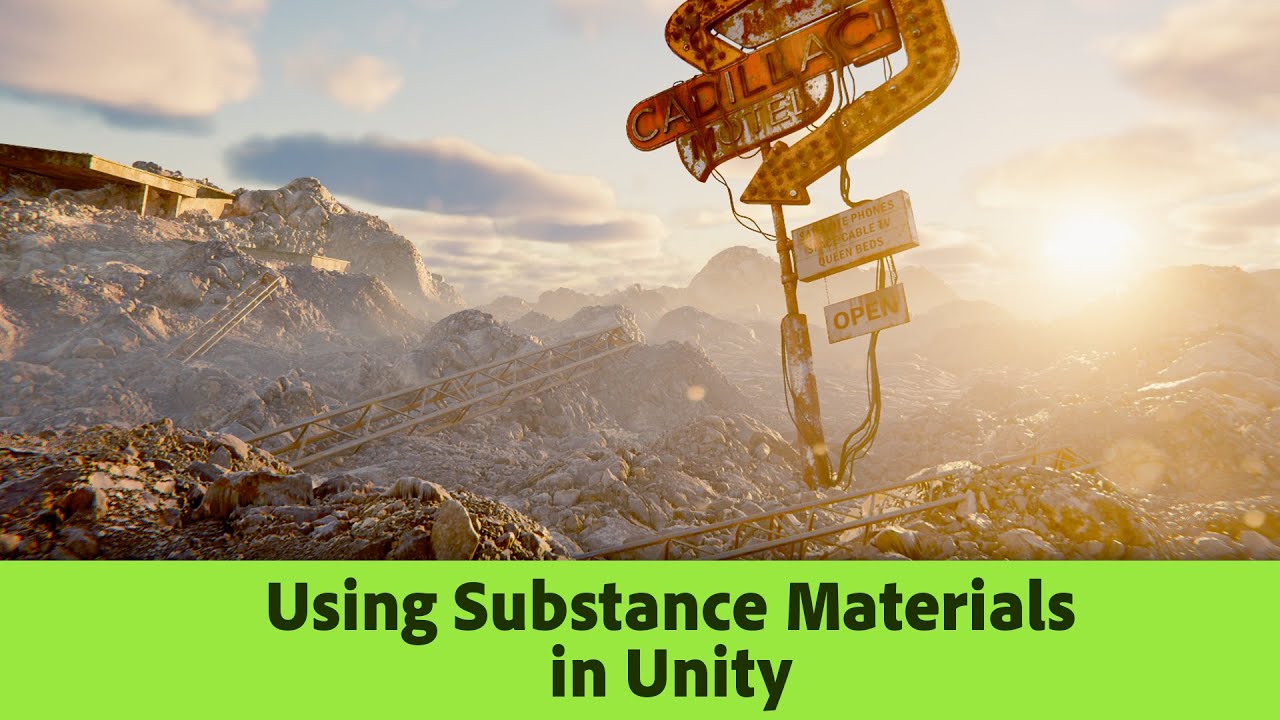
In this video we take a look at using the new Substance Plugin in Unity.
Substance Plugin on Unity Asset Store
https://assetstore.unity.com/packages/tools/utilities/substance-3d-for-unity-beta-213208
Free Substance Materials on Substance Community Assets
https://substance3d.adobe.com/community-assets
twilit swift
Hi, does someone know why when I click on something in the editor it put grey like unselected? Just this: Instead of staying blue when selected like this, it puts grey when I stop clicking.


This issue only happens on this project.
 true zealot
twilit swift
Hi, does someone know why when I click on something in the editor it put grey li...
true zealot
twilit swift
Hi, does someone know why when I click on something in the editor it put grey li...
Is there an issue or do you just not like it?
twilit swift
true zealot
Is there an issue or do you just not like it?
There's an issue because it's auto deselecting itself and I cannot remove it when pressing Supr unless I hold click on the selected objects.
true zealot
twilit swift
There's an issue because it's auto deselecting itself and I cannot remove it whe...
You'll have to record what you mean, because I do not understand (Also no idea what Supr is)
twilit swift
true zealot
You'll have to record what you mean, because I do not understand (Also no idea w...
As you can see when I click on any file it just deselects it self and I cannot delete it or do anything unless I hold click on it, this also happens with the inspector and the whole editor.
true zealot
twilit swift
As you can see when I click on any file it just deselects it self and I cannot d...
Is the project using the same Unity version as things without the issue?
twilit swift
true zealot
Is the project using the same Unity version as things without the issue?
Yes.
true zealot
Then something in your project is likely deselecting things in the project view. Are other things deselected selected too, the Hierarchy window?
 fair heath
Seems like something's taking focus from that browser window every time you click
twilit swift
true zealot
Then something in your project is likely deselecting things in the project view....
As I said it happens everywhere.
true zealot
twilit swift
As I said it happens everywhere.
Make some code that subscribes to https://docs.unity3d.com/ScriptReference/Selection-selectionChanged.html and look at the stacktrace after something gets deselected
twilit swift
Also I need help with this other things, for some reason when I paint on these terrains with two specific layers this happens, how can I fix? The black area only appears in the first created terrain and the second one with the first issue layer, and the second layer that has the issue only affects the first created terrain, how to fix?

 full tendon
Hey there i am still stuggeling to get a working Ui in my VR application.
I am useing HDRP 2022.3.6. I need a Ui that can be controlled by an "operator" on the PC Screen. I used to do that by simply creating a Screen Space Ui. But in 2022 this is no longer possible :/
I tried by setting up a second Ui Camera and compose them with the compositor but i can't get it to work.
twilit swift
Hi, how can I fix normal maps doing this with lighting?
 shrewd moon
twilit swift
Hi, how can I fix normal maps doing this with lighting?
shrewd moon
twilit swift
Hi, how can I fix normal maps doing this with lighting?
Set them to be of type: normal map
If that doesn't work there's something wrong with the normals textures or the shader isn't sampling them as normal maps
twilit swift
shrewd moon
Set them to be of type: normal map
Oh ok, thanks.
 rustic gull
Can HDRP do this kind of fog? my fog is always pixelated
 brave dust
waxen lantern
are you using the adobe substance plugin / package for unity? this tutorial show...
brave dust
waxen lantern
are you using the adobe substance plugin / package for unity? this tutorial show...
this is cool but Im trying to get textures to work in a custom shader, I have a set up to take in maps and allow for ingame customization.
I was able to get height to work after a lot of trial and error and reading docs, AO I just forgot to plug in so that was no problem but the roughness map still seems wrong, it looks much better when I invert it probably because in unity its smoothness as opposed to substance and blenders roughness, but its still far too shiny even after.
I will probably import a bunch of tests to see if just decreasing it by some value across the board fixes this, I cant really find anything on if theres a proper way to use it.
fluid merlin
rustic gull
Can HDRP do this kind of fog? my fog is always pixelated
It can, there's quality on the fog and anisotropy that can be adjusted, there's both local fog and global fog. Color can also be adjusted for the fog as well as height. What it does not do is fog of war (sadly), but there's a few work arounds that can be done and coded for.
rustic gull
What is fog of war?
fluid merlin
rustic gull
What is fog of war?
Fog of war is when fog is clear around a center position, and disappates as the player moves around.
 fluid merlin
it is, but you have to program the fog to move with you and/or use an 3D noise texture in a torrus
rustic gull
This is sad
HDRP fog is really bad
My fog has no volumetrics it just look blurry
No matter what i do
even anisotropy don`t change a thing
fluid merlin
Check out some of the tutorials on YouTube, you should be able to get decent fog.

If it's looking blocky and generally bad, it's possible that the lights are too bright and quality is too low, it comes out looking really bad, blocky, with artifacts.
Also the anti-aliasing can really mess with it as well, TAA is probably not the best for fog, but your mileage may vary
 pearl meteor
On the subject of fog...
Anyone got some pointers of how to achieve the fog-like effect here, ideally without any form of global fog? Parts I'm struggling with is I don't want global fog at all (it doesn't fit my scene and the horizon at Y0 is a big negative), and I need a cylindrical shape (fog seems to be cube only, and only works with spot or point lights for the glow).
Relatively new to HDRP but keen to learn, I'm just at a loss for where to start
(please ping me if you reply I'm terrible at checking channels!)

 hybrid holly
Umm, should I be using probe volumes? 
Instead of light probes?
Recently migrated to HDRP from URP. Looks like probe volumes are the new ish and it looks slick but it also says
"EXPERIMENTAL" when I add the volume to the scene 
But it's on by default in new HDRP projects...
Is it actually experimental? Or pretty stable by now?
hybrid holly
pearl meteor
*On the subject of fog...*
Anyone got some pointers of how to achieve the fog-l...
Google "fake volumetric effect" or something like that, this looks like that would do the trick
Basically you would make like a cylinder mesh that is inside-out and put a faint translucent material on it
hybrid holly
Welp
Baking the probe volume crashed 
So that answers my questions about stability
fluid merlin
Yeah it’s very crash-y, you can increase the memory for probe volumes in the settings which helps a bit.
scarlet hull
pearl meteor
*On the subject of fog...*
Anyone got some pointers of how to achieve the fog-l...
You can use a local fog volume with a 3D texture of a cylinder shape, or if ona recent version, a volumetric fog shader.
Or you could also totally fake it with a cylinder mesh and a transparent+falloff shader.
scarlet hull
 blissful dust
how would i do a bevel shader
blissful dust
how would i do a bevel shader
You can use cross(DDY, DDX) nodes on the position information to estimate the polygon normals, and it should do a one pixel bevel on the edges.
waxen lantern
scarlet hull
You can use a local fog volume with a 3D texture of a cylinder shape, or if ona ...
@pearl meteor yeah i was going to suggest the same. here's the doc for local volumetric fog what it's worth. https://docs.unity3d.com/Packages/com.unity.render-pipelines.high-definition@16.0/manual/Local-Volumetric-Fog.html
though the docs are somewhat misleading to advise "In the image-editing software of your choice, create an RGBA flipbook texture" since most image-editing software is pretty terrible at 3d textures / volumes or creating flipbooks out of them. You'd be better off authoring a volume texture in Houdini, Blender, or even right in Unity using a Custom Render Texture Shader Graph that you just copy into a static texture asset.
there is also the Volumetric Shader Graph / Material though if it's just a static cylinder that may be overkill?
scarlet hull
waxen lantern
though the docs are somewhat misleading to advise "In the image-editing software...
Indeed it is maybe not the easiest method to create the mask texture, but technically, it is possible 😅
scarlet hull
waxen lantern
there is also the Volumetric Shader Graph / Material though if it's just a stati...
Overkill as it is more performance heavy than simple 3D textures mask, yes. But if you want to control a bit more the cylinder form factor, or maybe fuzzyness, it is faster workflow wise.
 topaz ravine
rustic gull
Can HDRP do this kind of fog? my fog is always pixelated
topaz ravine
rustic gull
Can HDRP do this kind of fog? my fog is always pixelated
yes for sure
 open tree
is there any way to use triplanar mapping in HDRP decal projector? I have the triplanar node in the material but it is not supposed to work that way I think.
shrewd moon
open tree
is there any way to use triplanar mapping in HDRP decal projector? I have the tr...
Looks like the only normal vector decal shaders have is their transform orientation
Don't know if there's a way to work around it
fluid merlin
triplanar would be cool for the decal projector... so would animations...
blissful dust
scarlet hull
You can use cross(DDY, DDX) nodes on the position information to estimate the po...
ddx ?
nvm
how would i apply to the shader
do i plug it into normals tangent space
scarlet hull
blissful dust
how would i apply to the shader
the computed normal would be in the same space as the "position" node, and might need to be converted to tangent or object space, depending on the shadergraph setup
scarlet hull
fluid merlin
triplanar would be cool for the decal projector... so would animations...
IIRC, triplanar could be achieved but you need to recompute normal & position from the depth buffer. Animations should work 🤔
 digital spire
Seems like Unity FullScreenSample doesn't work with DLSS at before post process, the result got cropped
 trim stirrup
I am attempting to get some gains by using OnDemand lights for most of my lights. I'm requesting a render if the light is within a certain distance of the camera. It is a huge indoor/outdoor scene. But I am seeing no real benefit to updating these 100 or so lights every frame or on demand. Has anyone had any meaningful success with OnDemand lights?
fluid merlin
 jade coral
https://streamable.com/u7q4n2
What the heck am I seeing, new to HDRP tho
jade coral
https://streamable.com/u7q4n2
What the heck am I seeing, new to HDRP tho
It looks like the shader isn't compatible with the version of HDRP you're using. HDRP has "versions" and the versions often have backwards compatibility issues. So if a dev made a shader for HDRP 10 and you're on HDRP 14, it might not work. What's in the video looks like an artifact from that. Unless you're a shader dev, you should see if the person who made the shader has one for your version of HDRP.
jade coral
fluid merlin
It looks like the shader isn't compatible with the version of HDRP you're using....
thank you so much
 fossil nacelle
What are the things I need to know for converting a shader from the built-in rp to hdrp? I'm trying to create a tmp billboard shader
open tree
how do I create a matrix in shader graph from the direction vector? I am trying to influence the UVs using the light direction. In this guide they are using c# script to input the matrix directly. But I already have the light direction vector (DirectionalLightData light = _DirectionalLightDatas[0]; lightDir = -light.forward.xyz;). So I am thinking there must be a way to do this in shader graph?
 scarlet hull
open tree
how do I create a matrix in shader graph from the direction vector? I am trying ...
scarlet hull
open tree
how do I create a matrix in shader graph from the direction vector? I am trying ...
Only a single direction is not enough to make a rotation matrix, you need 3 orthogonal vectors.
In the shader one solution would be to use the direction and cross products to build those vectors :
- direction X world x = local y
- direction X local y = local x
Then iirc you can build the matrix with
- mat[0] = local x
- mat[1] = local y
- mat[2] = direction
A matrix 3X3 is enough, but I never remember if it is column or row major 😅 (I think column)
open tree
@scarlet hull thanks for the explanation, I will give it a try.
open tree
@scarlet hull how do I get the world x and local y in shader graph? I mean which nodes?
scarlet hull
open tree
<@532477925250039820> how do I get the world x and local y in shader graph? I me...
If the direction is in world space, world X is just (1,0,0) and Y is (0,1,0)
 austere yew
Does anyone know why my camera darkens sometimes (I think due to exposure?) in a build, but not in editor? Disabling exposure and bloom in the volume fixed the issue in the editor, but it didn't fix it in build
there should be no differences
blissful dust
scarlet hull
the computed normal would be in the same space as the "position" node, and might...
this is what i have but it doesnt seem to be working
 scarlet hull
blissful dust
this is what i have but it doesnt seem to be working
scarlet hull
blissful dust
this is what i have but it doesnt seem to be working
The transform node should be in "direction" type
And the preview at least looks like some "bevel edges" normal
blissful dust

 scarlet hull
Hum, well, I was wrong, DDX and DDY don't "bleed" from one triangle to the one on the side, so it doesn't work :/
Maybe just bevel the edges on you mesh, and that's all 😅
blissful dust
maybe that would be the only solution
scarlet hull
There are technically other solutions, but not as simple as that
blissful dust
anything worth looking into
scarlet hull
Normal buffer modification. This needs a custom pass to work, and is no as easy as a simple shader. Really, unless a very specific use, if you want bevels on you mesh, just make bevels on you mesh 🙂
blissful dust
tbh by now yea
twilit swift
Help please, when I select something in the editor, inspector or hirearchy it automatically deselects, it's very annoying because when I create a new object I cannot rename it and I have to manuall right click > rename or go to the inspector to rename, the same for copying files, I have to manually right click > copy because it always deselects, someone could help?
This only happens in one project.
twilit swift
Hi, for some reason my Unity keeps crashing everytime I perform a simple action or do anything else like creating a new object, compiling anything, baking occlussion culling, baking lights, baking NavMeshData, closing an editor tab, etc. It crashes so many times in a week, sometimes it crashes more often sometimes doesn't. How can I fix? This only commonly happens in one specific project.
I mean there's two projects that crash, but this one does more often.
twilit swift
twilit swift
Hi, for some reason my Unity keeps crashing everytime I perform a simple action ...
Help please.
shrewd moon
twilit swift
Help please.
There isn't a lot we can do to your nondescript crashes
Maybe try reimporting the project
twilit swift
shrewd moon
There isn't a lot we can do to your nondescript crashes
Maybe try reimporting th...
Like making a new project and importing everything?
shrewd moon
twilit swift
Like making a new project and importing everything?
I'm referring to deleting the Library folder of your project
It should be the same action as doing Assets>Reimport All
But really without any clues from crash logs this is just a shot in the dark
twilit swift
shrewd moon
I'm referring to deleting the Library folder of your project
It should be the sa...
So I just delete it?
shrewd moon
twilit swift
So I just delete it?
Or move it if you don't want to risk losing something forever on accident
 polar pumice
Has anyone ran across this graphical glitch in the fog? what can be the cause?


here' s my fog settings

 opal horizon
I have a question
I'm upgrading a game from legacy RP to HDRP
I wanna take advantage of the built-in volumetric lighting and decals support
Problem is we have HUNDREDS of materials that use a custom shader that.....adds decal support and other things like the ability to scale and rotate UVs
I don't think we need the custom shader anymore
so I can probably safely change all the materials to use the standard shader and then tell the HDRP wizard to upgrade 'em to HDRP materials
but like I said there's hundreds, so is there a way to do this in bulk
like could I just point an editor script at a directory, have it find all the materials, and have it change the shader for all of them
scarlet hull
opal horizon
like could I just point an editor script at a directory, have it find all the ma...
Yes, you can do that.
You could also use the quicksearch (https://docs.unity3d.com/Packages/com.unity.quicksearch@2.1/manual/search-syntax.html) to find all the materials in the project with your shader, select them all, and bulk set the standard shader to them.
opal horizon
I ended up writing a script that does it
opal horizon
Hmmm my game was getting around 180 FPS in Legacy RP but is now getting around 100 FPS. Looks beatiful, but I'm staring at a static empty scene on a 3060ti... any way to uh
optimize things?
There is UI, and all UI is rendered on a separate UI Camera
I mention this because disabling the UI camera bumps me up to 150 FPS
but obviously I can't see my UI
 minor depot
opal horizon
There is UI, and all UI is rendered on a separate UI Camera
minor depot
opal horizon
There is UI, and all UI is rendered on a separate UI Camera
I'm not sure what the best strategy is, but multiple cameras in HDRP is almost always a terrible idea
Though you could probably make things a lot better by giving the UI camera custom frame settings and gutting almost everything
(Ideally do it some other way, but if you absolutely need another camera, it could probably help)
opal horizon
We need another camera, some UI is rendered in world-space
Anyway
I'm trying to get the game's time of day slider to work with Physically Based Sky
The game expresses time of day values as a float between 0 and 24
and I'm having trouble mapping these values to the X rotation value of the directional light
 fast shard
If you’ve put animator controllers on your UI it will drastically impact performance
Depending on how much
opal horizon
fast shard
If you’ve put animator controllers on your UI it will drastically impact perform...
That's....not the issue here
First of all my UI is being lit by the scene which is unintentional
I don't know how to turn that off in the UI camera
fast shard
Sounds like you need a sun source light with a culling mask
opal horizon
fast shard
Sounds like you need a sun source light with a culling mask
well there's a directional light in the scene that represents the sun
not sure what a sun source light is but it's not a component I can add to a GameObject
fluid merlin
@opal horizon I posted some tips earlier, I too went from built-in to HDRP. In general HDRP has a heavy footprint, in Quality you should have some different HDRP profiles, try Performant. Shadows in HDRP are expensive, directional light being a big one. If you can, try to minimize shadow use, aim for spotlights, set distances. Render textures w/ another live camera or more than 1 live camera should be avoided at all costs, it’s a coffin nail for performance. Baking light gives a performance boost. Avoid all “High Quality” settings for depth of field, volumetrics, or other render based features.
minor depot
opal horizon
We need another camera, some UI is rendered in world-space
I think you should be able to use a Draw renderers Custom Pass. If you exclude the UI layer from normal rendering, you should be able to draw it after post processing.
https://docs.unity3d.com/Packages/com.unity.render-pipelines.high-definition@14.0/manual/Custom-Pass-Creating.html#Draw-Renderers-Custom-Pass
opal horizon
Question about directional lights and also reflection probes
Reflection probes can be set to real time on demand. Can this be done for directional lights as well
I can't really bake lighting. Because this is a UGC game where the full contents of the scene isn't known at build time.
fluid merlin
opal horizon
Reflection probes can be set to real time on demand. Can this be done for direct...
Yeah it can be realtime. You can update shadows on directional lights on demand as well, yes.
opal horizon
Okay
So in that case
If they are on demand
Let's say the player spawns in a new object. Will everything just work or will I need to schedule a shadow update again
opal horizon
minor depot
I think you should be able to use a Draw renderers Custom Pass. If you exclude t...
How do I exclude the layer though?
opal horizon
fluid merlin
<@957043208678940764> I posted some tips earlier, I too went from built-in to HD...
I can't find any of these quality settings
In fairness I'm blind so I can barely read the Unity UI
(I wish Unity's dark theme was higher contrast)
minor depot
opal horizon
How do I exclude the layer though?
You can exclude the UI layer in the main camera settings, then UI won't render at all.
Then you can use a custom pass to render it yourself after post processing
minor depot
But the goal would be to not have a second camera, since having more than one tanks fps in HDRP
I was suggesting how to do it with just one, for performance reasons
opal horizon
Okay, gained an extra 30 FPS by just deleting the UI camera
but what would this custom pass look like?
how complicated is it to set up?
I've never done this before
minor depot
No worries! I'm pretty sure it can be done all through UI (no shader code or anything)
minor depot
minor depot
I think you should be able to use a Draw renderers Custom Pass. If you exclude t...
I linked some docs in a previous message
fluid merlin
It took me 3 years to migrate 😄
and still have a migraine
Overall, you have to get comfortable over time with HDRP, there's no magic "make it go fast" switch, unfortunately.
This is a common post that most of us refer to for perf tuning:
https://forum.unity.com/threads/mega-runtime-performance-tips-thread-unity-hdrp-guide-to-better-runtime-unity-performance.1169837/
Unity Forum
This is HDRP focused, with a focus on HDRP specific optimizations. Like shadow caching.
Most tips on here apply to all render pipelines though.
I'll...
My own suggestions:
- Avoid using code in update and late update if possible if code doesn’t need to run every frame. Invoke or invokerepeating is very handy.
- use distance limits on lights, shadows, volumetric fx
- you can manually update shadows via code on directional lights for a massive perf gain
- turn off shadows on meshes and objects that don’t need them (hair, decals, rope, etc)
- record physics on things if you can from a gameplay perspective with gameobjectrecorder vs. Unity physics during play. Playback with animator instead
- Use gpu based indirect instancing for mass objects (car traffic, asteroids, etc)
- for nature scenes use a 2 shadow cascade for a performance gain
- use object pooling where possible (bullet tracers, impact effects, etc)
- turn on/off layers rather than disabling/enabling meshes or game objects where possible, it’s 100x faster
I went from about 12fps after migrating to HDRP to about 150fps at this point.
opal horizon
I'm already at 130 FPS
Granted, in a mostly-empty scene, on a 3060ti
In LRP, the same setup would be about 200 FPS
Anyway
What's this error say? Can't read it

I'm zoomed in as far as the windows magnifier will let me go
minor depot
opal horizon
What's this error say? Can't read it
"Your HDRP settings do not support ForwardOnly, some objects might not render"?
opal horizon
how do I fix that?
minor depot
It should probably be listed as more of a warning, all it means is that some objects won't work, but UI should be just fine
minor depot
Hmm
I tested it on some text and it seemed fine, what specifically dissapears?

(Don't mind the wildly excessive post effects I used to check it wasn't being affected by)
opal horizon
minor depot
I tested it on some text and it seemed fine, what specifically dissapears?
This game uses Optimized ScrollView Adapter A LOT, and we have a piece of UI that lets the player pick objects to place in the level from a categorized grid view
all the category headers and grid cells are invisible
The game's Pause menu also doesn't render
That might be a layer issue though
minor depot
Try going to your HDRP asset and switching lit shader mode to Both
opal horizon
nvm pause menu shows
minor depot
Maybe the asset only renders in forward mode or something
opal horizon
minor depot
Try going to your HDRP asset and switching lit shader mode to Both
will there be a perf impact for doing that?\
minor depot
opal horizon
will there be a perf impact for doing that?\
Not as far as I can tell, might make build times longer though since it has a bunch of extra variants to include
Not sure if it would help, but it does get rid of that error in the custom pass volume
 minor depot
For me it's in the HD render pipeline asset
 opal horizon
Oh! Different asset
Annnnnd none of the grid items show aaaaaaa
Oh yeah, one other detail, there's a lot of nested canvases
minor depot
Just to check, they did work with the multi camera setup, right?
opal horizon
Yes.
minor depot
I don't have the asset to test anything myself so I might not be able to help too much
But let's see, there must be something else to try
opal horizon
Another thing I noticed is the UI is clipping through level geometry
minor depot
That's weird
opal horizon
But it should all be rendering as an overlay
minor depot
Should the world space UI be rendered over everything?
Through walls & such?
If so you can set the Target depth buffer in the custom pass to none
opal horizon
minor depot
Should the world space UI be rendered over everything?
Yes
This is a 2.5D platformer so
minor depot
Ohh gotcha
minor depot
minor depot
If so you can set the Target depth buffer in the custom pass to none
That should work then
opal horizon
Yep, already did it, it fixed that issue
still not sure about the invisible stuff though D:
Also there seems to be an odd scaling issue
Tooltips (which are rendered in world space) are kinda
bigger
than they should be
And although the grid cells are invisible, I can still hover them and hear the audible select sound...and see the tooltip for the one I'm hovering over. And there seems to be less room horizontally than there should be
minor depot
Was the second camera you were using before at exactly the same position as the normal camera? Or was it shifted back? That's all I can really think of
opal horizon
It might've been shifted back
minor depot
Maybe send a screenshot of both the custom pass settings, as well as the settings for the old second camera
minor depot
I'm totally out of my depth, and don't really know how the asset works, best I could really think of is to ask the asset creator
Oh really?
Wait how
opal horizon
I set the Sorting setting in the Overrides section of the custom pass to Everything
minor depot
So it works now?
opal horizon
Yeah
minor depot
Hell yeah
opal horizon
All the grid items are there
Everything works
at a stunningly bad 17 FPS
what the fuck happened
opal horizon
this isn't specific to HDRP but Unity also likes to crash every time I exit the editor
minor depot
opal horizon
what the fuck happened
Does turning off the custom pass fix the fps?
If it does I'm just totally goddamn confused
opal horizon
I don't think it's the custom pass
this was happening last night too
I wonder if there's some leak, maybe that crash on exit is related.\
minor depot
Maybe reset lit shader mode to deferred in case that might be doing something
minor depot
opal horizon
I wonder if there's some leak, maybe that crash on exit is related.\
I guess try restarting the editor too, see if it fixes anything
opal horizon
yeah, restarted the editor and I'm back at 130 FPS
minor depot
Huh
Only idea is to check task manager over time and leave the editor open
What version are you on? If it's LTS and it turns out to be a memory leak that'd be a really high priority bug
opal horizon
2021.3.23f1
May try upgrading the project eventually
but it's this whole ordeal
yknow
minor depot
yeah
opal horizon
getting the rest of the team to upgrade and all aaaaaaa
minor depot
upgrading unity versions can be hell
minor depot
Oh boy
opal horizon
it's gone from 2020.3.4f1 to 2021.3.6f1 to 2021.3.23f1
it started on Unity 2019.x iirc
but I wasn't lead programmer back then
minor depot
If it keeps happening try reporting a bug / upgrade to a slightly newer 2021 to see if it helps
Anyways, good luck!
opal horizon
I'm still trying to figure out
Someone had suggested I set some quality profile to "Performant"
I....can't find that setting
opal horizon
minor depot
Anyways, good luck!
Also something else is wrong that I found out last night D:
I have a scene where the in-game time of day is set to midnight
so everything's pitch black
can't even see the level ground
so I placed a point light, an in-game placeable one
it ain't....it ain't lighting anything up
It's set to realtime
minor depot
opal horizon
it ain't....it ain't lighting anything up
You would need to change the light intensities a bit, this chart gives a good explanation, since HDRP uses real world light units, and BiRP did not

It might also be to do with exposure, wich can be set in your global volume as an override
opal horizon
I have exposure set to fixed
minor depot
This talk covers everything there is to know about lighting in hdrp, and helps a lot https://www.youtube.com/watch?v=yqCHiZrgKzs

In this video, you'll learn how to create AAA-quality visuals for current and next-gen games. We’ll also show you HDRP’s key rendering features and how to tune settings for anti-aliasing, lights, shadows, exposure, and more.
Speaker:
Pierre Yves Donzallaz (Senior Rendering & Lighting Artist)
Did you find this video useful? Room for improvement...
minor depot
opal horizon
I have exposure set to fixed
You would probably want to set it to a different value when it's night time, to expose for weaker lighting
opal horizon
I suppose the engine could do that automatically?
I think I have it set to like
12 rn
because I noticed that with auto exposure turned on
the night time level ground would appear impossibly bright
as if the Sun was lighting it from below
minor depot
opal horizon
the night time level ground would appear impossibly bright
That's weird, all I can think is maybe shadows aren't enabled for the light, but a workaround could be to disable the sun if it's somehow leaking through the floor at night
Best advice I can give is to watch the talk I linked above, as it covers pretty much everything important in a really easy to understand way
opal horizon
Some key info though
there's not really a floor per se in this scene
this is a 2.%D platformer so the floor is just kinda a border around the level
that level border is being over-exposed to hell at night
but it's also a floating model in an empty void with a physically based sky
opal horizon
WAIT
When I set up the physically based sky
the docs said to set my directional light intensity to 130,000 lux
I don't think....that should be the case for night time
fluid merlin
Depending on your indirect lighting controller, hdri exposure, and light color, night is usually < 30
opal horizon
Yeahhhh
I just need to figure out how to adjust it dynamically via script based on a time of day value that's between 0 and 23
representing the hour of day
I don't know the math I'd need to do to do that though
fluid merlin
Yeah it's a little tough depending on the sky you have because while the physically based sky will dim as you adjust the rotation on the X axis, it doesn't do a starry night or a moon. So you need to code to change the sky HDRI on the advanced panel and increase the intensity and then decrease the intensity of the directional light. It can be done, but it's some programming for sure.
opal horizon
fluid merlin
Yeah it's a little tough depending on the sky you have because while the physica...
I'm just worried about the directional light intensity rn
how would I map the time of day to its intensity value?
like...obviously I know what it should be at in broad daylight, and what it should be at in moonlight
But blending between them based on the time of day.
That's what I'm struggling with
fluid merlin
Might not be ideal, but I'd probably do like a dictionary with the hours of the day and a corresponding float value for the light. Then lerp between the current value to the target value over like 20-30 seconds or so.... like if 1300 is 120000 and noon is 115000 you lerp from 115k to 120k over 20 seconds.
If doing it manually
You can probably look at the code for the physically based sky and see what the calculation is in there
Since it already adjusts the intensity based on x-axis rot
opal horizon
fluid merlin
Since it already adjusts the intensity based on x-axis rot
Dictionary wouldn't be ideal because time of day values in the game are floats
opal horizon
fluid merlin
Just store the time as an int or use a class
I cannot, and will not, change the way the time of day is stored.
There's a reason it's a float between 0 and 23
It's something the player's able to control when making levels in the game through a slider
Anyway
Is there a way to get at the Celestial Body settings of a directional light using script
 fluid merlin
opal horizon
I cannot, and will not, change the way the time of day is stored.
fluid merlin
opal horizon
I cannot, and will not, change the way the time of day is stored.
yeah that was just an example man, you can make it whatever 😅
opal horizon
I was just pointing out that I physically cannot change it because it involves defining a new save file revision and that's a huge pain in the arse for something like this
I wonder if I could use an animation curve for it
fluid merlin
opal horizon
Is there a way to get at the Celestial Body settings of a directional light usin...
There is not, but you can calc it:
https://forum.unity.com/threads/sun-disc-position-for-physically-based-sky.1356452/#post-8831260
Unity Forum
I'm working on determining shadow positioning from a directional light. Is there a way to get the position of the sun disc in the physically based sky?
fluid merlin
That's probably through the directional light component or through the helper component, I think it's called flare color if you just want to change that and not the emitting light
Flare tint and surface tint
dawn sorrel
How can I make the sun not flash the entire screen like this whenever its in the corner of the camera?
opal horizon
Havin' a slight problem. I have a spot light, it's red, and I want to actually see the cone of light and not just the area where it hits the surface

I have the Volumetrics Enabled checkbox checked
opal horizon
nvm, incorrect volume mask on the camera
 iron siren
Hello, I'm using HDRP native physically based Sky + Water. How can I make the water and horizon merge properly? I'd like the cloud and water to touch and not have this large cyan border.

Ok to answer my own question, it was simply my camera far clipping plane which was too short. Changign to 5000 makes the water stretch till theh horizon, nice.
rustic gull
How do i fix this error when updating to unity 2022 lts?

 long wagon
rustic gull
How do i fix this error when updating to unity 2022 lts?
long wagon
rustic gull
How do i fix this error when updating to unity 2022 lts?
Make sure you've updated packages and may need to regenerate Library folder
rustic gull
What do i need to update?
It is all updated and i have removed library already
Using 2022.3.8f1
long wagon
Package version seems correct for Unity version. Remove/add the package, search the error in case there's some other problem. Also make sure there are no other errors.
rustic gull
long wagon
Package version seems correct for Unity version. Remove/add the package, search ...
Fixed after i removed com.unity.render-pipelines.high-definition-config
It installed the right version
rustic gull
But it broke water
My ocean don`t render anymore
Even adding a new ocean
It is all enabled
Water was working before
iron siren
Make sure water is enabled in the HDRP assets and that the water volume is still present in the scene
I'm having trouble to fake a moonlight in HDRP with a physically based sky. For some reason, when it's dusk, the light becomes yellow

If I rotate it further from the horizon, the yellow tint disappear by itself without changing anything to the moon colors...
 rustic gull
iron siren
Make sure water is enabled in the HDRP assets and that the water volume is still...
rustic gull
iron siren
Make sure water is enabled in the HDRP assets and that the water volume is still...
are you on 2022.3.8f1?
iron siren
2022.3.7f1
 torn brook
I don't know why but there is always this shadowy circle thing following camera and I don't know how to fix it can anyone help I'm using unity 2022.3.8f1

it's also visible to main camera
 distant hazel
torn brook
I don't know why but there is always this shadowy circle thing following camera ...
distant hazel
torn brook
I don't know why but there is always this shadowy circle thing following camera ...
Do you have more than one directional light?
torn brook
distant hazel
Do you have more than one directional light?
nope only one
 distant hazel
And what does your shadow cascade editor look like
torn brook
distant hazel
And what does your shadow cascade editor look like
sorry I don't know what that is I'm new at hdrp and graphic works
distant hazel
In your sky and fog volume add a shadow volume override
This will show you the shadow cascades
torn brook
it looked like this


 distant hazel
Yeah, max distance should be enabled by default
torn brook
and cascades changed too
 torn brook
distant hazel
Yeah, max distance should be enabled by default
torn brook
distant hazel
Yeah, max distance should be enabled by default
I see thanks for help
opal horizon
I'm trying to wrap my head around decals in HDRP and my brain hurts
open tree
I am trying to make a post processing shader which will activate once you enter inside a mesh. Kind of like underwater effect but I am having problem creating the mask for it. I got this, which works for simple plane height, where I can set the height using that float. But I have complex geometry or displaced mesh. I also have the world space position from the depth buffer. But I cant figure out how to create this mask from these. closest thing will be underwater effect mask and tried to find solutions for that, but nothing.

 misty portal
I have updated unity to LTS and now screen space global illumination is flickering a lot while moving
Is it a known issue?
 hoary meteor
Hi guys, im using the hdrp terrain demo scene but i have this error, why? The scene not appears like the photo on the assets store


 untold cedar
Like the error says, increase atlas size in hdrp settings
fluid merlin
hoary meteor
Hi guys, im using the hdrp terrain demo scene but i have this error, why? The sc...
Reflection probes and planars have to be loaded into memory and the size of that is based on the resolution and number of probes. Likely the Unity project that they created it in was set to a higher memory footprint for the demo. As for the 1:1 fidelity on the actual scene and the images from the store, Unity probably updated the package but not the store images.
hoary meteor
untold cedar
Like the error says, increase atlas size in hdrp settings
Where i can increase the atlas size? Here?
 untold cedar
Project settings > hdrp
Or open project settings and in search bar write atlas size
I am on phone so cannot show you right now
Ok now i see screenshoot, increasr 2d atlas size
hoary meteor
 hoary meteor
untold cedar
Ok now i see screenshoot, increasr 2d atlas size
hoary meteor
untold cedar
Ok now i see screenshoot, increasr 2d atlas size
I raised to the maximum but nothing happens, the error persists
untold cedar
Are in right quality tier setting?
hoary meteor
I don't know
untold cedar
If i remember correctly each tier have it own settings
hoary meteor
How can I know which are the correct settings?
untold cedar
Your game quality settings, in default: perfomanced, balanced, high fidelity
hoary meteor
Now is high fidelity
hoary meteor
untold cedar
And what is your default setting?

 untold cedar
hoary meteor
untold cedar
hoary meteor
Show me quality settings window where you got all qualities
 untold cedar
Yes, sorry probably can't help you. It looks good for me
Had same problem and After increasing atlas size everything works
hoary meteor
Okay don't worry, thanks
 pulsar panther
How can i check if a light is a Shadowcaster from code?
open tree
#archived-hdrp message @scarlet hull any suggestion for this?
scarlet hull
open tree
https://discord.com/channels/489222168727519232/517108768933281843/1145526252745...
I'd say that the "simplest" way to go would be to use a custom pass to draw you mesh mask into a screen buffer, and pass this to the shader.
open tree
@remy I tried that, but it is a plane with displacement, if I go below it, there's no face to render. So mask wont work.
for closed mesh I can use that technique.
scarlet hull
open tree
@remy I tried that, but it is a plane with displacement, if I go below it, there...
Than I think that for water surface, you need to use the same displacement function to calculate the mask.
open tree
@Remy I was trying to get that from depth because I am using textures for displacement.
scarlet hull
open tree
@Remy I was trying to get that from depth because I am using textures for displa...
I guess you're displacing by sampling the texture based on XZ position ?
Detemine the screen pixel position (not depth, near plan position), and sample the texture to know it is bellow or above the water level.
open tree
@remy near plane screen pixel position, meaning the node that I showed earlier?
this?

instead of float, I sample the texture right?
scarlet hull
open tree
instead of float, I sample the texture right?
Yes, this 🙂
open tree
nice. I will give it a try. The post process is separate from water shader, I am taking one texture and then modifying it in shader graph and using it as displacement. So I have to figure out how to pass that final modified texture from water shader to post process shader. I think one option would be to copy the same nodes and calculate it again on post process shader. I was trying to avoid that, and trying to get the height from depth texture.
scarlet hull
open tree
nice. I will give it a try. The post process is separate from water shader, I am...
Can't you pass the said texture to the shader as property ?
open tree
@remy how do I export the texture from water shader? I mean I have one static texture, I am distorting and moving it uisng shader graph. Then how do I export that texture so that I can use it in other shaders? can we write to render texture in shader graph?
scarlet hull
open tree
@remy how do I export the texture from water shader? I mean I have one static te...
Ah, yes, if you distord the texture you either need to do the same distortion for the mask, or like you mentioned "pre" distord it and store in a render texture.
You can use shadergraph with custom render textures.
open tree
@remy really? I didnt know that!! If I can use shader graph with custom render textures that would open up so much possibilities!
how do I do that?
scarlet hull
open tree
how do I do that?
Custom render texture is a specific target for the shadergraph, that you can select in the graph settings.
Then use it on a material, and assign it in your custom RT
open tree
got it, I will look into it. Thanks again!
also this the best solution. because I was trying to get it from depth but for water I wouldn't have depth info anyway because it is transparent material.
misty portal
can srp batcher batch skinned meshes?
dawn sorrel
you just need to upgrade project materials to HDRP dont worry
 wild oasis
dawn sorrel
you just need to upgrade project materials to HDRP dont worry
wild oasis
dawn sorrel
you just need to upgrade project materials to HDRP dont worry
How bored do you need to be to scroll back 4 years of messages?😅
dawn sorrel
wild oasis
How bored do you need to be to scroll back 4 years of messages?😅
hahahaha i was just looking at how some of yall progressed through time, 😄 found some dogs there aswell hahah
shrewd moon
misty portal
can srp batcher batch skinned meshes?
The frame debugger should reveal that
Let me know if it does if you check it
open tree
@scarlet hull I got this so far. But it is masking red part instead of green which I want. I am using float to adjust the camera near clip plane distance.


what am I doing wrong?
scarlet hull
open tree
<@532477925250039820> I got this so far. But it is masking red part instead of g...
You already have the camera near plane info on the camera object
I don't see where you are masking with the displacement texture ?
open tree
currently I am substracting from world position as you can see. I was trying to achieve this solution mentioned. I tried masking with the displacement also, but couldn't make it work properly.

@scarlet hull the displacement is really complex. it is using different cascades to blend between 3 textures depending on distance from camera. this is the one in the water shader and I just connecting this to vertex position.

this is the node in underwater mask shader.
but I cant figure out how to compare it
 scarlet hull
open tree
scarlet hull
open tree
You muse have some sort of position input in the displacement nodes.
Probably just the XZ world position.
Expose this at the node level, and use the pixel position at the near plane.
The displacement seems to be in the 3 axes, but if you add the Y value to the water plane level you should get a correct approximation or fakery of what is the water height at that givent pixel. You then just have to compare with the pixel Y value to know if it is over or under water
You could even make a meniscus effect based on the distance.
open tree
pixel position at near clip plane, did I get it right?

@scarlet hull I mean output of the get clip plane group right?
scarlet hull
I think so
 upbeat sorrel
Hi guys! Have some of you tried the new feature in beta 2023.2b "HDRP: Added a ShaderGraph output for a physically based sky and added controls to author a moon."? I can't find it in physical based sky component on that beta version.
scarlet hull
upbeat sorrel
Hi guys! Have some of you tried the new feature in beta 2023.2b "HDRP: Added a S...
Here, change "rendering mode" to "material" :
 upbeat sorrel
Thank you @scarlet hull very much ^^
open tree
@scarlet hull so I created a simple water shader to get the clip plane thing correctly. This is just one displacement texture. But if I insert the get clip plane position as UV it is not working.


I am sure I am doing something wrong with the get clip plane position
scarlet hull
open tree
<@532477925250039820> so I created a simple water shader to get the clip plane ...
Use a swizzle node on the clip plane position to output only XZ, else you are sampling with XY
open tree
@scarlet hull really close! but the scale is off.


is there any in-built node that gives screenPos to WorldPos at near clip plane distance?
scarlet hull
open tree
is there any in-built node that gives screenPos to WorldPos at near clip plane d...
The InverseViewProjection matrix would probably be a good start to do this 🤔
 shrewd moon
blissful dust
how would i remove this specular dot
shrewd moon
blissful dust
how would i remove this specular dot
With specular material type you can set the specular color to black to disable specular reflections
open tree
@scarlet hull Finally got it!! the split volume is working now. Now I can add whatever post process effect. For now I am just doing a custom pass with simple depth fog. but is there a way to use this mask for masking HDRP volume effects? 2nd picture is a simple local volume I set up with volumetric fog and little color tint, but it is just a box volume so doesnt follow the water line.

 scarlet hull
open tree
<@532477925250039820> Finally got it!! the split volume is working now. Now I ca...
scarlet hull
open tree
<@532477925250039820> Finally got it!! the split volume is working now. Now I ca...
It looks really nice 🙂
No, the isn't any way to mask HDRP volumes like this, unless you want to pay the cost of two cameras rendering and compositing :/
May I ask why you didn't use the provided HDRP water system ?
open tree
scarlet hull
It looks really nice 🙂
No, the isn't any way to mask HDRP volumes like this, un...
I started experimenting with this way back in 2021. I was looking for a decent looking ocean system and found this https://www.youtube.com/watch?v=kGEqaX4Y4bQ&t=1s
So I spent a lot of time importing it to HDRP. If you dont remember, you helped me back then too 🙂
So from then I am trying to learn how to make shaders and stuff. So this is just an experiment. Recently I am playing with the 2023 HDRP water system and it is more practical in most cases, but I was just trying to learn the sorcery behind these lol. I have made caustics, and interactive ripples too, and now the underwater (kinda).

How does ocean waves simulation with Fast Fourier transform work?
Source code:
https://github.com/gasgiant/FFT-Ocean
Music:
https://soundcloud.com/igor_vaiman
Catlike Coding on Gerstner waves:
https://catlikecoding.com/unity/tutorials/flow/waves/
3Blue1Brown on Euler's formula:
https://www.youtube.com/watch?v=v0YEaeIClKY
3Blue1Brown on Four...
I dont know much about writing shader code, so I try to work with shader graphs only. And the new HDRP water system is actually great because I noticed you can modify them in shader graph. So next I will try to integrate ripple system etc with the HDRP water. It will be a lot easier.
blissful dust
shrewd moon
With specular material type you can set the specular color to black to disable s...
the mirror stopped workin
 shrewd moon
blissful dust
the mirror stopped workin
shrewd moon
blissful dust
the mirror stopped workin
Ah, the mirror relies on specular reflection
Try excluding the lights from the mirror using light layers
If that doesn't work your only option might be to disable the specularity of the light sources themselves
blissful dust
how do i do that
shrewd moon
blissful dust
how do i do that
fluid merlin
Also, depending on what version of HDRP, there's a setting on the lights now for "Affect Specular", I think it's hidden under the advanced three-dot menu under Emission
twilit swift
Hi, so I created a new HDRP project, but when I imported a few things from another project the HDRP just disappeared and no longer working, I can't even select it in the Render Pipeline in graphic settings, I've reinstalled the package 3 times and still nothing, idk what's leading to this issue, I've tried removing each script, shader, everything related to materials or code in the imported folders but still nothing, the materials work under standard material for some reason and HDRP just looks pink.
fluid merlin
twilit swift
Hi, so I created a new HDRP project, but when I imported a few things from anoth...
The HDRP wizard might be able to fix it.... Click Window ->Rendering ->HDRP Wizard and then there's usually like a Fix All or something there.
HDRP is very picky, so if your other project is from a different HDRP version and you're copying the HDRP asset, it will go wonky on you.
twilit swift
fluid merlin
The HDRP wizard might be able to fix it.... Click Window ->Rendering ->HDRP Wiza...
The thing is that HDRP wasn't importing at all, so I just ended up importing HDRP from another project, just copied the folders inside and now it's working great.
twilit swift
fluid merlin
HDRP is very picky, so if your other project is from a different HDRP version an...
Fun fact: the HDRP asset from the project I took the HDRP is version 2020 and imported it in a 2022 project.
 fluid merlin
twilit swift
Fun fact: the HDRP asset from the project I took the HDRP is version 2020 and im...
fluid merlin
twilit swift
Fun fact: the HDRP asset from the project I took the HDRP is version 2020 and im...
I am surprised that worked though... I wouldn't have done it, but fortune favors the bold or something like that 😄
twilit swift
fluid merlin
I am surprised that worked though... I wouldn't have done it, but fortune favors...
I guess.
twilit swift
fluid merlin
Now if only we could get stable Adaptive Probe Volumes....
Lmao.
 onyx lark
My CustomPassVolumes are behaving weirdly. I'm using a DrawRenderers custom pass. It works fine until I enter play mode, at which point the custom pass stops working. I have to add a completely new CustomPassVolume to get something that works again.
Custom passes are enabled on all of my quality presets.
Something about the component just...breaks after entering play mode.
copying and pasting it creates a new, working component (until i enter play mode again)
sour scroll
anyone have an overlay shader subgraph for vector4s
i have a water foam vector4 i want to overlay on top of my water
shrewd moon
I'm a little confused how to use this one
HDRP's mask map uses the format metallic, AO, detail mask, smoothness as RGBA respectively.
This tool generates a texture with
albedo R, normal G, metallic B, roughness A as RGBA
The AO input is not used at all, and as far as I know the albedo and normal maps shouldn't be needed for a mask map at all
PBR material using AutodeskInteractive shader on the left, channel packed with HDRP Lit on the right

 shrewd moon
I noticed it doesn't invert roughness into smoothness so this is with pre-inverted
Still doesn't look right though, way too muddy around the reflection
 onyx lark
My CustomPassVolumes are behaving weirdly. I'm using a DrawRenderers custom pass...
onyx lark
onyx lark
My CustomPassVolumes are behaving weirdly. I'm using a DrawRenderers custom pass...
Just realized that it's only breaking in the scene view.
I guess that's tolerable!
Also, while playing with custom passes, I noticed that Unity wants to do these in forward rendering
so I guess I need to switch to including both forward and deferred shaders
makes the game quite a bit larger 😬
although, I'm a little confused by that: the docs say that Unity still uses forward rendering for "advanced materials", even if the HDRP Asset is set to Deferred Only
fluid merlin
shrewd moon
I noticed it doesn't invert roughness into smoothness so this is with pre-invert...
I think it looks pretty good. Also, no gamer will ever notice this... even 99.9% gamedevs won't notice. I saw three wood floors myself 😅
shrewd moon
fluid merlin
I think it looks pretty good. Also, no gamer will ever notice this... even 99.9%...
I'm starting to think that may be why every HDRP channel packing tool seems to have something off about it, but the thing about PBR materials is that they're supposed to be standardized regardless of rendering engine so the conversion process matters
My parquet needs to be so authentically worn you can almost taste it
fluid merlin
Hahahah
Yeah I've never quite understood why Unity hasn't honored the PBR material set. Plus that mask material it needs is always an extra little step. Tons of engines can do beautiful raytracing with PBR, but for whatever reason, it's like all the channels in the textures for HDRP need something special for this or that. It kind of highlights the approach that Unity has taken with the engine for the last decade in that, they expect a game to be made by specialists in each area to come together and make something. So all the workflow is patterned after this approach... especially with materials.
Back in the day Substance had a huge influence on material use, there was a poorly managed plugin for it as well, I think they've recently updated it again for HDRP. The art and material workflow and tools in Unity is not there... I get most of my stuff from Megascans. Unity used to have that weird Art tool they had, the one that has "AI" in it, but from what I recall it was insanely expensive and there's zero, like 0 tutorials for it. Unity is very bizarre company.
shrewd moon
It's not surprising knowing them or even uncommon with companies of that size
Usually you either struggle with the negative aspects of bureaucracy or the negative aspects of the lack of it
Some of the shaders are useful though, like Autodesk Interactive
It works correctly with my PBR textures, though it lacks the HDRP Lit features
Weirdly enough it requires my textures be in sRGB color space, which I think suggests I didn't export them as non-color
Exporting a linear ramp and using it as displacement produces a perfectly linear ramp on the mesh, so that implies I'm doing it right
twilit swift
Hi, I have a doubt about building a project, so I saw in another project that the developers made everything into one single folder for each file type, so there was one folder for all the sound, all the textures (being around 17k) and the same for mesh and that. The game actually only takes around 4-8GB (it's a VR game) and it's not laggy, even when I made it HDRP, and the build time was like just a few minutes, like maybe 5 or 10. So my question is, does actually getting everything in one single folder makes Unity build faster? Because I have a 50GB game with also a lot of textures but it takes around 12h to build one single scene that is almost empty.
fluid merlin
twilit swift
Hi, I have a doubt about building a project, so I saw in another project that th...
There’s some odds and ends to help speed up a build in the forums. It is frustratingly slow, I suggest having two ssd drives, one that has your project, and one to target the build to. There is incremental built process, but Unity will still go through every line of code regardless of its in any scene or not. I also suggest just building the menu scene for your game and nothing else at first to make failed builds easier to troubleshoot, then slowly add more scenes. Number of folders don’t mean anything, Unity uses its metadata system regardless.
twilit swift
fluid merlin
There’s some odds and ends to help speed up a build in the forums. It is frustra...
I see, so when building the game I just select another disk? I usually work in the HDD since it's a 2TB disk, and the C is 500GB only and always filled up.
fluid merlin
twilit swift
I see, so when building the game I just select another disk? I usually work in t...
Yeah, a lot depends on how your system bus and how your drives are setup. That being said, it cut my build time down by a significant amount.
twilit swift
fluid merlin
Yeah, a lot depends on how your system bus and how your drives are setup. That b...
I see, about baking, do you know if nvidia studio drivers are better than game ready, and if so, are the studio drivers more "Powerful" generally talking about graphic processing? Like I've used both but can't really tell a difference.
fluid merlin
twilit swift
I see, about baking, do you know if nvidia studio drivers are better than game r...
There's been debate over the years because Nvidia has been obtuse about the exact technical difference. The overall difference is that studio drivers are supposedly "more stable" and for day to day applications. Exactly what "more stable" is or what, Nvidia hasn't specifically said. Some research was done by folks trying to go through drivers and testing and some observations were made that the game ready drivers often include smaller workaround fixes when bugs are found and are considered to be hot fixes which after time are then eventually put into Studio when they've found to be "stable". Other than that, there's no major difference unless something was patched very recently for your card for a specific reason.
TLDR: One is not more powerful than the other.
twilit swift
Hi, I'm trying to follow this tutorial but when I'm adding the scoped registry it does makes like if it was loading something, but when I go to Package Manager it won't display "My registries", what can I do? Been having this issue for almost 2 months now.
https://www.youtube.com/watch?v=lLw5hCqSv5Y&ab_channel=AxlRozzSHDW

So Google Maps Platform just released their latest API that includes Photorealistic 3D MAP TILES and an awesome integration with CESIUM for UNITY to make this even easier. This is pretty new and now makes possible to actually have a 3D representation of the world and it's streets inside UNITY. The potential of this is HUGE and I'm really excited...
dawn sorrel
Can someone help point in the right direction on how to redo this grid preview I have?
I don't like how the lines are rendering through walls

GL.Begin(GL.LINES);
cellMat.SetPass(0);
GL.Color(new Color(0,0,0,1f));
int xStart = (int)allocatedPosition.x * chunkSize;
int zStart = (int)allocatedPosition.z * chunkSize;
for (int x = 1; x < chunkSize; x++)
{
// Line right
GL.Vertex3(xStart,0.01f, zStart + x);
GL.Vertex3(xStart + chunkSize,0.01f, zStart + x);
// Line up
GL.Vertex3(xStart + x,0.01f, zStart);
GL.Vertex3(xStart + x,0.01f,zStart + chunkSize);
}
GL.End();```
This is how I do it currently. Please @ me if you have any suggestions 🙂  ThanksComing to HDRP from URP, really struggling to understand why Fog is the way it is here 
What is the purpose of this 'stacked fog' system? with heights?
In URP you select exponential or constant
Why would I need both in one scene, and why would I want them separated by a specific altitude
hybrid holly
Actually
It's even more confusing than that
It seems that the 'lower' fog is the constant fog, but I can't get exponential fog at all
dawn sorrel
Is it possible to somehow import Adaptive volume probes in older versions of HDRP? im on 2020.3.45f , v.10 HDRP
fluid merlin
dawn sorrel
Is it possible to somehow import Adaptive volume probes in older versions of HDR...
I don't believe so... you wouldn't want to anyway, it's very buggy in versions lower than 2022.3. I'm on 2021.3 and it's a hot mess.
dawn sorrel
fluid merlin
I don't believe so... you wouldn't want to anyway, it's very buggy in versions l...
ahh okay then so im not missing on anything?
 eternal laurel
In 2023 it’s pretty damn good, but sadly doesnt fit our use case
hybrid holly
Probe volumes crashed on bake for me every time I tried to use them 
In every version of unity I tried
fluid merlin
dawn sorrel
ahh okay then so im not missing on anything?
It's a workaround unity made to try to deal with some of the pitfalls in global illumination in the decade old system. They have another version they are working on called Dynamic APV which will be much better because it will be able to do night and day indoor and outdoor in the same scene.
dawn sorrel
fluid merlin
It's a workaround unity made to try to deal with some of the pitfalls in global ...
Cool, thanks for all the answers 👍
fluid merlin
dawn sorrel
Cool, thanks for all the answers 👍
Everyone in the "lighting" unity community is hoping Unity will commit to SDF based lighting and stop with all the shenanigans. This would give Unity a lighting system comparable to Lumen.
Until then, we have the APV which is difficult and often crashes the Editor because it has problems with streaming memory management, especially for large open world or large scenes. It works best in very small scenes but your mileage may vary depending on a wide variety of uses.
dawn sorrel
Well im just happy we at least got the ability to make some nice looks in it
hybrid holly
It seems like you just can't do a View Distance effect in HDRP with fog, is that right? I can't get an Exponential fog like i can get in URP no matter how I mess with these settings. Anything I do to increase fog at distance also increases fog at 0 distance
In order to get a fog thick enough to hide anything at distance, it has to be oppressively thick even right on top of the camera
fluid merlin
hybrid holly
In order to get a fog thick enough to hide anything at distance, it has to be op...
Yeah fog in HDRP works different... if you're looking for like fog of war or fog that starts a distance from the camera, it takes some programming and the use of local volumes.
 hybrid holly
Well in that shot the close-up parts still look super washed out
Traditionally you'd use fog to hide transitions between LODs or loading/unloading of chunks of terrain or whatever
But it seems like you can't do that here
fluid merlin
Yeah the fog system in HDRP is not designed as like cinematic fog and has a lot of quirks to it, especially in low light.
hybrid holly
It says
Base Height The height of the boundary between the constant (homogeneous) fog and the exponential fog.
Except for me
There is only fog on one side of this boundary
No matter what
Can anyone make sense of this?
It seems like I only have access to the constant fog, the 'below' the boundary
But anything above the boundary is 0% fog
The High Definition Render Pipeline (HDRP) implements a multi-layered fog composed of an exponential component, whose density varies exponentially with distance from the Camera
fluid merlin
Are you trying to have like low fog to the ground, then a layer of visibility then like high fog?
hybrid holly
No, I Just want one sort of fog, I can't even wrap my head around the purpose of this height-split concept
I just want exponential fog but I seem to only have constant fog
fluid merlin
I haven't seen exponential in HDRP, I wonder if that's like a bug in the doc or something, I've only ever seen height fog with HDRP.
hybrid holly
Well more than anything I'm just trying to make heads or tails of these docs, which describe one thing (a dual fog system with two layers separated at the "base height") but in practice I only have a "fog/no fog" system separated by that base height
Yeah weird, the docs are definitely a mess for the fog page, missing punctuation and stuff that goes back to version 8.0.0
 hybrid holly

shrewd moon
hybrid holly
There is only fog on one side of this boundary
There is two but the border between them is meant to be unnoticeable
shrewd moon
fluid merlin
I haven't seen exponential in HDRP, I wonder if that's like a bug in the doc or ...
The docs aren't incorrect but they don't do much to demonstrate how the effect works
    The region at a distance closer to the Camera than the Base Height is a constant (homogeneous) fog
    The region at a distance further than the Base Height is the exponential fog.
Using a very thick fog and a very sharp height falloff the border between the two becomes apparent

But I don't think this is really anything you practically need to worry about
It's just a fancy fog that also has height blending
hybrid holly
shrewd moon
```Global fog is a height fog which has two logical components:
The region ...
This phrasing is very confusing to me
"Closer/further than the base height"
Height implies vertical, but "closer/further" implies straight-line distance
If I mentally replace "Height" with "Distance" then it all makes sense
fluid merlin
shrewd moon
But I don't think this is really anything you practically need to worry about
It...
Yeah... hmmm interesting, but yeah, fancy height fog 
shrewd moon
The phrasing is not clear to me either tbh
But the fog can be customized to a huge degree
Even a type that just fades stuff into the sky!
 hybrid holly
So you're saying that the red arrow is the constnat fog, and the green arrow is the exponential fog?

And that barrier between near/far is the base height?
I don't even understand why you would want it to be height based instead of distance from camera based
That sharp boundary above/below base height is what I want for distance from camera 
Not distance from world origin
shrewd moon
That seems to be what the docs say
The barrier feels more like a distance to camera, but it's relative to the height value nonetheless
I don't know what kind of fog "constant" is or why it isn't just an exponential fog that fades in both directions but I have to assume there's a reason to doing it that way
Not distance from world origin*
shrewd moon
hybrid holly
I don't even understand why you would want it to be height based instead of dist...
A height fade is a crucial feature of any remotely realistic fog
Or even just of a good looking unrealistic type
Fog is basically always thicker closer to the ground / near the horizon
Otherwise the sky wouldn't be visible at all
The obvious problem which the other render pipelines suffer from is that objects above you are entirely fog colored against the sky
hybrid holly
 so the idea is you have the fog stop just above your head basically?
So the stuff above you remains more clear?
that kinda makes sense but the fog isn't based on distance from ground, but distance from world origin, so you have to have lots of separate volumes for each altitude of your area?
I guess you'd still want it to pool in the deepest parts
shrewd moon
hybrid holly
that kinda makes sense but the fog isn't based on distance from ground, but dist...
No, it's not based on distance from world origin, Base Height is a constant Y axis height or "sea level"
But you can make it higher if you want a lot more fog
Use a constant color fog if you truly want stuff to fade out of view like you may be used to with URP or BiRP fogs

As a bonus it blends the horizon color to that constant fog color so objects don't stick out
hybrid holly
Yeah the problem there is that close-up objects also get super washed
I think I get it now. Using fog in that manner is a dated technique and it's not supported in HDRP
Fog is for proper 'realistic' fog which I must admit does look very nice 
Not for hiding things (pop-in, loading/unloading, LOD transitions etc.)
shrewd moon
You want "linear fog", I assume, which would let you control the start and end of the distance fade
That one hasn't been supported by HDRP for a long time if ever, I think
You could implement it with shaders but I feel like there has to be a better way to hide loading, especially since you're on HDRP
It's a particularly ugly kind of fog
hybrid holly
shrewd moon
You could implement it with shaders but I feel like there has to be a better way...
Exactly
shrewd moon
But maybe you aren't using HDRP for its realism specifically
hybrid holly
I hadn't actually gotten to the point of concluding that it would look like crap, because I was just trying to get my bearings on the system at all by getting it to a 'starting point' that was familiar to me coming from other systems
But yeah the reality is that old school hard draw distance fog is ugly
And I almost certainly wouldn't have ended up liking it anyways
Also I was just thrown way the hell off by the absolutely god awful writing in the docs page on Fog
In the future if someone comes in similarly confused as I was, it will probably instantly clarify for them to just say "Stop trying to use fog to hide things in HDRP, that's not what it's for"
It's a (very, very pretty) visual enhancement, not a tool 
Now that I am not trying to use it to hide stuff and just using it to make the scene prettier, it's gorgeous
And the height thing makes more sense
shrewd moon
hybrid holly
In the future if someone comes in similarly confused as I was, it will probably ...
Hard to make that assumption!
Since it feels that everything in HDRP is a visual enhancement that needs to be bent out of shape in some way to make it fit any kind of gameplay visuals we're familiar with
hybrid holly
Oh I gotcha. I just mean earlier cloverme said people come in here confused about fog a lot, and I'd venture most of them are trying to use it to hide stuff rather than strictly as an image enhancement
If you are using it to make the scene pretty then it's fairly intuitive, my confusion was from trying to get it to do something it's not meant for
And the messy ass docs
shrewd moon
Makes sense
hybrid holly
It's that push towards realism that makes it confusing. You read "fog" and after 30 years of games you think "view distance tool" but when HDRP says fog, they mean real ass fog
 latent narwhal
i just put my project in hrdp to see if i could get the hdrp shaders but i very quickly realized that my computer cant handle it and i need to revert back to an older save or try and go back to urp
any help?
latent narwhal
Well i just need to revert to an older save or last save anyway so
misty portal
shrewd moon
The frame debugger should reveal that
Let me know if it does if you check it
Yes, it is batching skinned mesh renderers
twilit swift
Why does Unity takes so long to import an unity package, like it's reimporting the whole project folder which is around 50-70GB 💀, what's the point of reimporting the whole folder?
 delicate geyser
My skybox went black when I changed to hdrp from default what should I do?
shrewd moon
delicate geyser
My skybox went black when I changed to hdrp from default what should I do?
HDRP uses the Visual Environment volume override to define its sky from a selection of types
 delicate geyser
Are these in lightning settings
shrewd moon
delicate geyser
Are these in lightning settings
No, volume override
https://docs.unity3d.com/Packages/com.unity.render-pipelines.high-definition@14.0/manual/Volumes.html
Volumes are used for a lot of stuff in HDRP so you need to be familiar with them
delicate geyser
shrewd moon
I did it but nothing changed
shrewd moon
delicate geyser
I did it but nothing changed
Works perfectly on my end
Remember that you're in HDRP, so exposure and relative brightness of the sky are hugely important for anything to show up right
delicate geyser
shrewd moon
Works perfectly on my end
Remember that you're in HDRP, so exposure and relative...
Is there anything you reccomend?
shrewd moon
delicate geyser
Is there anything you reccomend?
Study the HDRP sample scene and study the docs so you have a good reference of how a scene and its components should be set up
delicate geyser
Thanks
shrewd moon
HDRP has a lot of moving parts to understand
When I started out I found it useful to rely heavily on the sample scene and other stuff in the HDRP template project
Copying a lot of settings and assets over to my own scenes
fluid merlin
Anyone ever have to deal with like this weird hatching effect on a reflective surface? Here's a material on the terrain that has smoothness at 100% and a reflection probe. If you drop smoothness, the hatching goes away but so does the reflective surface. I've tried adjusting the material some but nothing seems to get rid of the reflective artifacts....
https://i.imgur.com/zSkLZpP.jpg
 misty portal
is HDRP worth it for a stylized game? the performance loss is huge compared to urp
fluid merlin
misty portal
is HDRP worth it for a stylized game? the performance loss is huge compared to u...
Not really no... unless there's something super specific you can only get in HDRP, you're better off sticking with URP for stylized. HDRP is a bit of a strange mix, because you get some nice lighting/shadows, skies, and volumetrics... but you lose a ton of performance without a ton of tweaking.
shrewd moon
fluid merlin
Anyone ever have to deal with like this weird hatching effect on a reflective su...
SSR artifacting
It works upon limited information so it's inaccurate
As far as I know that's pretty much unavoidable, unless you decrease smoothness
If it's lower the artifacts become noised and smudged out of view
fluid merlin
shrewd moon
SSR artifacting
It works upon limited information so it's inaccurate
As far as I...
Yeah, I just noticed that if I kick on SSR and then change the quality to high, it removes the artifacts.
shrewd moon
misty portal
is HDRP worth it for a stylized game? the performance loss is huge compared to u...
Heavily depends on the project's need and performance constraints but if you have to ask the answer is likely no
You can make it work for you even with stylized art, but in that situation it's best to know beforehand what you want out of it and how to manouver around its quirks and limitations
misty portal
shrewd moon
Heavily depends on the project's need and performance constraints but if you hav...
What i want is exactly like v-rising and i know it is HDRP but maybe getting same visuals in URP is not that hard?
shrewd moon
misty portal
What i want is exactly like v-rising and i know it is HDRP but maybe getting sam...
That game seems to be leveraging HDRP features very effectively so I'd say it'd be an uphill battle to shoot for the same result using URP
misty portal
shrewd moon
That game seems to be leveraging HDRP features very effectively so I'd say it'd ...
do u know how v-rising gets this dense fog

and still has no fog where player is?
Is it an HDRP thing?
fluid merlin
misty portal
Is it an HDRP thing?
It’s one of two things… a 3d noise texture applied to local fog volume or an asset that can do “fog of war”.
misty portal
fluid merlin
It’s one of two things… a 3d noise texture applied to local fog volume or an ass...
Maybe raycasting then using something on local fog volume shader?
fluid merlin
misty portal
Maybe raycasting then using something on local fog volume shader?
Hard to say what it might be… if the fog parts as the player moves through it, it’s something very custom. You could build a system of dynamic local fog cubes around a player position, as the player moves toward a set of surrounding cubes, you could fade the fog in that cube, as other surrounding cubes fade in. Then like pool manage the fog cubes in an array around the player… you’d never move a cube, just fade it and out.
misty portal
@fluid merlin https://youtu.be/CA9ivURZRSA?si=XQbeFf7KF_3yDmP7&t=283
With the V Rising update obviously comes the new zone but also now a reworked Cursed Forest, so today we'll be discussing that! I'll be going over when to enter, bosses you fight, mobs you encounter, points of interest, the curse, and resources! Hope you enjoy!
V Rising Reworked Cursed Forest GUIDE! Everything You Need To Know! by Redlaf
Be ...
it has some raycasting
The hard is how to pass the result to fog
Maybe
a 2d texture
that it can sample on custom shader
fluid merlin
Yeah I’ve never seen Unity hdrp do true fog of war like that. There’s an asset that does it, but I haven’t used it so can’t say for sure
So many people come in here asking for it too… it someo Unity should add tbh.
shrewd moon
misty portal
do u know how v-rising gets this dense fog
From this picture it looks like rather ordinary volumetric fog with a radial falloff around the player
HDRP now supports volumetric materials that could be used to create such a radial falloff: https://youtu.be/9D2BPbC0h1A
But there seems to be more going on than that
There's also another type of fog that's projected outward from the player's view against solid objects
 misty portal
shrewd moon
There's also another type of fog that's projected outward from the player's view...
misty portal
shrewd moon
There's also another type of fog that's projected outward from the player's view...
I think they are the same but using raycast to create a mask
shrewd moon
For this I think they used some kind of custom system that implements raymarching to detect areas in 3D space that are occluded
https://youtu.be/hXYOlXVRRL8 Unity also made a tutorial about that topic just now
misty portal
misty portal
shrewd moon
From this picture it looks like rather ordinary volumetric fog with a radial fal...
I think a radial falloff is enought for me
shrewd moon
misty portal
https://ncase.me/sight-and-light/
Raycasting tends to be used against 2D meshes, but it's too expensive in 3D because the number of rays would be orders of magnitude larger
So, raymarching against signed distance fields is used instead
misty portal
But v-rising is "2d"
From what i saw the fog is using player Y position only and not all y possibles
When players jumps it updates
shrewd moon
misty portal
But v-rising is "2d"
The volumetrics seem to be 3D
Sometimes you can cut corners and calculate graphical effects using a 2D representation of the assets but this doesn't seem to be one of those cases
misty portal
I see
shrewd moon
The spherical falloff may be a "pillar" falloff just as well, making it 2D in a sense, but it doesn't change how the fog works really
misty portal
My plan was to use a 2d raycast and create a 2d texture using player eye Y
then pass that to custom shader (volumetric fog)
and the shader ignore Y
shrewd moon
That could work
misty portal
project Y from 0 to 5

I made it works with a "sphere" falloff
Circle in 2d but infinite Y
the only problem i had is

On perfect topdown it is fine
But camera can be between this fog and player if camera is tilted
shrewd moon
misty portal
But camera can be between this fog and player if camera is tilted
Another useful shape is an angled cylindrical falloff that goes through both the player and the camera
Which could be simplified into a 2D circle falloff calculated in screen space
shrewd moon
fluid merlin
So many people come in here asking for it too… it someo Unity should add tbh.
A problem is there are a huge number of different "fog of war" implementations, and types of fog as well
The earlier fog of war question had nothing in common with this one, for example
fluid merlin
shrewd moon
A problem is there are a huge number of different "fog of war" implementations, ...
Yeah that's true... I just wish there was more improvements from Unity on a variety of things. I mean, it's 2023 and we just got water.
shrewd moon
fluid merlin
Yeah that's true... I just wish there was more improvements from Unity on a var...
I wouldn't say just water
https://portal.productboard.com/8ufdwj59ehtmsvxenjumxo82/tabs/18-high-definition-pipeline
This list is pretty long this year
fluid merlin
Well yeah, I meant it took them 7 years to deliver water in HDRP
I hope in Amsterdam they announce the end of the 3 pipelines sooner than later... I think it's set them back in ways they didn't account for.
shrewd moon
fluid merlin
Well yeah, I meant it took them 7 years to deliver water in HDRP
Positively surprised that we got that at all
Usually anything even related to "assets" is completely the user's responsibility
Unless they promised it 7 years ago then I'm just glad I wasn't around then
shrewd moon
fluid merlin
I hope in Amsterdam they announce the end of the 3 pipelines sooner than later.....
That's be catastrophical
They'd basically be starting from scratch again and gain nothing from doing so
Render pipeline separation has perfectly reasonable ideas behind it, and the plan to make it happen was not obviously flawed in any way
The problem is it progressed too slowly
And then they were hit by mass layoffs
 loud leaf
fluid merlin
I hope in Amsterdam they announce the end of the 3 pipelines sooner than later.....
loud leaf
fluid merlin
I hope in Amsterdam they announce the end of the 3 pipelines sooner than later.....
So they can start a 4th pipeline? 😄


 jade coral
I have two problems, one related to the game itself and one related to the editor
Since I cloned my sssd nvme of 256 to one of 1tb and swapped them I am getting really weird behaviors of the editor, like as you're seeing on the video, icons that do not load until I hover them and just general strange behaviors of the editor that before upgrading my SSD NVME I hadn't, and in general the editor is now more buggy
And the problem related to the game itself is that you can see flickering lights even if there are no lights, flickering skybox and camera sometimes flickering black.
(ps. The shaders of these materials gave me problems like "Undefined shadow area algorithm" and I put to all the passes of all the shaders that gave me that problem this #pragma multi_compile_fragment AREA_SHADOW_MEDIUM AREA_SHADOW_HIGH. I'm not experienced in shader programming so I just did copy & paste, tbh I don't even know what this pragma does
like ehm wth is happening
 hybrid holly
What setting causes/fixes these noisy shadow edges?
 shrewd moon
hybrid holly
What setting causes/fixes these noisy shadow edges?
shrewd moon
hybrid holly
What setting causes/fixes these noisy shadow edges?
Lack of TAA
fluid merlin
TAA has come a long way, it's quite better now.
hybrid holly
shrewd moon
Lack of TAA

hybrid holly
shrewd moon
Lack of TAA
It looks like this has to be set on the camera, how do I apply it to the scene view camera as well (in editor) so I'm seeing the same thing?
shrewd moon
hybrid holly
It looks like this has to be set on the camera, how do I apply it to the scene v...

 hybrid holly
Heh, just alt-tabbed in to say I found it! Thanks though 


Absolutely no change in the effect
The other AA modes also don't do anything to fix it
(Yes, always refresh is already on)
This is just terrain btw
But the issue appears on all shadows
shrewd moon
So does it looks smooth through the scene camera despite this
hybrid holly
Not sure what you mean. You're looking at it through the scene camera
shrewd moon
hybrid holly
Not sure what you mean. You're looking at it through the scene camera
Camera, I meant
Not scene view
hybrid holly
Oh lemme see
Oh yeah it's fixed there
So the scene view version doesn't work I guess
shrewd moon
No problem on my end
I don't think there's anything more to it than those two settings
hybrid holly
Yeah absolutely nothing occurs when I change that scene view cam setting
To any of the 3 AA options
But it works in play mode so... whatever I guess 
I'm on 2022.3.7f1 LTS
shrewd moon
hybrid holly
To any of the 3 AA options
Only Temporal Antialiasing would do anything to smooth the shadows to my knowledge
It's also used to smooth out other graphical effects like SSR
hybrid holly
What I meant was that the camera settings for aliasing don't seem to apply
For scene view camera in this version of unity
shrewd moon
hybrid holly
What I meant was that the camera settings for aliasing don't seem to apply
Just to confirm are you changing the AA setting for the camera component, or from the scene window settings
jade coral
jade coral
like ehm wth is happening
just made a thread on the forum
shrewd moon
jade coral
just made a thread on the forum
Looks like either your editor installations are broken or the project Library is
jade coral
shrewd moon
Looks like either your editor installations are broken or the project Library is
I tried to reinstall the editor and even older and newer versions and it happens in all the projects