#🏃┃animation
1 messages · Page 81 of 1
 cloud lagoon
 fluid sage
?
fluid sage
so i still dont know what caused the issue but i know one thing i gotta fix is this wavey feature it has, ive redon it several times and i cant put my finger on what makes it start to go wavey https://gyazo.com/bfed332fb34ded78433965b23c1ac8d4

instead of just being smooth
 agile solstice
fluid sage
so i still dont know what caused the issue but i know one thing i gotta fix is t...
agile solstice
fluid sage
so i still dont know what caused the issue but i know one thing i gotta fix is t...
Let me guess, it's width over trail?
Using trails, especially short ones often causes very abrupt turns and rotations, which is not how gas would behave
Width over trail is very limited on a technical level according to my understanding
The solution is not to use it at all, rather keep the trail width constant and instad have the trail texture taper off
I believe the trails are stripes made of many triangular polygons
You can't accurately map a polygon strip to a width curve, and if you do try, the UV maps go crazy
 snow skiff
It works
Thank you ^^
 celest crag
@hollow spoke For anything related to game-jams use #🕹️┃game-jams . Otherwise collab ads location is on the forums.
fluid sage
agile solstice
I believe the trails are stripes made of many triangular polygons
You can't accu...
Dang, I mean I had something similar before it's just that it doesnt wanna work anymore, which is probably what you mean where itll look like it's good and working but in actuality it break and tapper off and stuff right?
agile solstice
I guess probably!
fluid sage
agile solstice
I guess probably!
Just to make sure, but this would be impossible to make that works with the engine? The smoke comin off it I mean https://gyazo.com/c11334777cdac0f39762a69d93409c29

 edgy oracle
Hello i am new is there a way to do rigs in unity as in blender (with bones)
agile solstice
fluid sage
Just to make sure, but this would be impossible to make that works with the engi...
Well, you can just swap out the tapering trail to a tapering texture on the trail
If it was impossible I guess we wouldn't be looking at a video of it 🤔
fluid sage
Ikr?
It was all working just fine but then when I turned it into a prefab and it just wouldnt work again
fluid sage
agile solstice
If it was impossible I guess we wouldn't be looking at a video of it 🤔
This was a screen video of one of the things I did, which was working, it's super disappointing, it was just a trail that had a smoke effect to it and it goes off of a rotating particle that goes fast
 errant shard
any animators in the 🏠??

Player has 2 speeds slow and fast.. fast = 12 slow is 8..
@ 12 the animation plays @ 4 speed which i expect
but @ walk speed its not like.. 3ish like id expect
do i need a duplicate walk with a different threshold?
 me if anyone knows
errant shard
ok so i figured it out i think.. i just needed a duplicate clip like i was assuming..
but now theres this..
whats up with the bottom walk label..
and why when i hit play it connects them to the same node.. i mean.. its still doing what i want it to do.. but i have a pet peeve about stuff like this..
not knowing and everytihng
 hybrid tinsel
My guess is that it is just a visual bug due to the same clip being used in sequential slots
 astral quiver
does anyone know how to animate falling?
hybrid tinsel
You'll have to be more specific
astral quiver
In this-It will be the Start screen-Start-To an opening of falling "Space to Wake"


I dont know how to really animate falling
like wind on a cloak
hybrid tinsel
I honestly can't tell what I'm looking at.
 upper grove
I'm making a security camera and would like it to switch between scanning clockwise/counterclockwise to following the player upon detecting the player -- is there a way to do that w/ Animator? I'm currently using an AimConstraint but that hard cuts from "searching" to "following" and doesn't seem to allow me to limit how far the camera turns when "following"
fluid sage

ok so i made a new smoke cage, but now im trying to figure out if i can cull it so the smoke it on top and the lines are in the back
so it doesnt do this while inside and outside of it
 heavy reef
Hey guys, new to unity, was doing an assignment where i had to make a small barebones animation, and as soon as i add keyframes to my models, they like fold into themselves as soon as i play it, can you please help me out?
this is what it is like normally

but when i play it
it instantly folds into this

Any help would be appreciated!
Anyone?
hybrid tinsel
Is is a humanoid rig? Is the avatar configured correctly? Are you trying to use a generic clip on a humanoid or vice versa?
hybrid tinsel
Okay, but without that information it is hard to debug it
 slim nebula
I put my rigged 3D character in unity but the mesh is stretched upwards like crazy, I don't know what I'm doing wrong?
astral quiver
hybrid tinsel
I honestly can't tell what I'm looking at.
This is Sorrow, i am trying to get help on how to get animations to look good

 mortal musk
as a pixelartist the fall shouldn't be done in just 2 frames
if the fall is super high the frames should be consistent if you know what i mean
but if the fall is like being smashed down then you should do that but add more frames
also theres something we call force of impact. when something touches the ground from a fall there should be atleast squash and stretch
hybrid tinsel
I still can't tell what it is supposed to be; like a stick in a diaper falling?
astral quiver

 uncut salmon
Isn't that the Hollow Knight? 🤔
astral quiver
This is my draft-10frames
 astral quiver
well...hes not human...
astral quiver
mortal musk
like an "S" formation
Like this?
 mortal musk
astral quiver
Like this?
mortal musk
astral quiver
Like this?

A little study/practice to compare some flag, hair, cape animated movements. Using the C into S curve.
Follow me on instagram: https://www.instagram.com/manzanimator
mortal musk
astral quiver
This is my draft-10frames
the animation is quite okay but the motion should be in unity
in single motion if you know what i mean so that the animation wont look bad
astral quiver
this is just for an opening scene for a .mp4 file
mortal musk
astral quiver
Like this?
they should be unified something like this
mortal musk
astral quiver
this is just for an opening scene for a .mp4 file
oh okays
astral quiver
which is why he is upside down
mortal musk
oh i thought he was falling XD
astral quiver
he is
mortal musk
i thought he was like in a jumping position fallling where his cape is in the air
astral quiver
i understand your confusion
mortal musk
but XD he's litterally upside down lmao my bad
i thought the horns were like cute legs XDD
astral quiver
basically opening scene is him falling into water
next is his jump idk if i should really make him move tho
 mortal musk
well anyway goodluuck and heres some example of constant falling vs smash fall
 astral quiver
 mortal musk
astral quiver
This is my draft-10frames
mortal musk
astral quiver
This is my draft-10frames
oh sorry i just realized
that's a cloak not a cape right?
astral quiver
yeah
mortal musk
astral quiver
my bad don't unify them but, use that smoothness to this
fluid sage
Hey is there a way to make it so that these particles dont continue to snap on top of one another?https://gyazo.com/b76958ac894e05de0cfb147190fa40c7
 mortal musk
since its a cloak its two different capes
not related to anything but just wanted to show off my pixelart xD

 undone linden
not sure if I should be asking in here or the code channel, but I'll shoot...
so I have an animator set up like this to have a character cycle between idling and wandering around

but the problem is when I call Flip, to rotate the sprite around, the next frame on Locomotion briefly shows the previous un-flipped sprite before continuing with the corrected sprite in Pre-Hop
any idea why?
the sprite shouldn't change between the end of Flip and Locomotion... so I don't understand why it would change unless Locomotion somehow has a cached image?
heavy reef
You are recording with an initial rotation offset. This may result in a misrepresentation of euler angles. When recording transform properties, it is recommended to reset rotation prior to recording
UnityEditor.Undo:InvokePostprocessModifications (UnityEditor.UndoPropertyModification[])
Anyone know why this is happening?
i need the recording to start with my character laying down, so i cant start with 0,0,0 rotations
 rocky quail
Hi, may I ask that if I am using the rigging system for a 2D character, can I easily replace the sprites after it is setup.
I wish to reuse 1 skeleton and its animations, but with the ability to swap body parts. (Assuming same size)
I am worried that the skinning is already tied to the original sprite, so swapping of sprite is impossible.
hybrid tinsel
@rocky quail it is not as simple as I would like but it is possible.
@undone linden is there a transition duration?
undone linden
hybrid tinsel
<@96801273969414144> is there a transition duration?
ah... no transition duration, but turning off looping on Flip fixed the single frame from Locomotion at the cost of making Flipped not get flipped at all now... but that might be a code logic issue
 coarse brook
what's the right channel to ask about shaders?
 old kayak
coarse brook
old kayak
coarse brook
oh ok thx
 ebon dirge
Okey I have a problem, I made simple blend trees for running and crouching - now I wanted to make simple layer for aiming weapons etc but my weight is not working and is not transitiong into aiming animations at all, with avatar mask or without and I dont know why 🤔

but animation from second layer is playing

 misty elm
I have made an animation for a physical in world button that simply depressed the button when clicked. The problem is, since it was recorded in a certain location, when i go to put the animation on any other button, the button is teleported to the location where it was recorded. I have seen your meant to add a parent object so the animation is local, but i dont want to do this as it would mean i have to delete all my buttons and start again. Since i made them in blender they are all nicely placed already so i was hoping there is a solution that will let me just drop the animation in and work on anything i put it on without having to duplicate and then move the button to the next location.
 random swift
misty elm
I have made an animation for a physical in world button that simply depressed th...
random swift
misty elm
I have made an animation for a physical in world button that simply depressed th...
I guess you do not have that option. I would use a script to animate it instead of putting an animation clip on it. The other option is as already mentioned only parenting them and use local position.
misty elm
Okay so if i did it with a script would i just use transform.position?
random swift
I would use localPosition, take the startPos of your individual button and animate it as you like with the desired offset.
misty elm
Okay ill try that thanks
random swift
You can still use animationcurves to control the progress of any transition, thats what I do in some of my projects
So you do not rely on fancy easing plugins or linear animations
misty elm
How do you use a animation curve with transform.localPosition?
random swift
you know how to translate an object? With like transform.position = vector3.Lerp or whatever?
random swift
an animation curve is basically just a bezier curve with x and y keys. And if you put one curve from 0 to 1, you got a progress which you can use in a Lerp function instead of the time, you know? the third parameter in lerp is just the progress of the transition
misty elm
So instead of the usual Time.deltaTime, use a custom animation curve?
random swift
And if you make a crazy bezier curve, which not goes just from 0 to 1 linear but with some easing or whateve ryou want, you can use that to control the progress.
random swift
misty elm
So instead of the usual Time.deltaTime, use a custom animation curve?
exactly!
misty elm
Ah okay ill have a look at that thanks
Just quickly is it possible to add a curve graph in the inspector instead of doing it in the code with values?
So instead of this
 random swift
yep, just public AnimationCurve yourcurvename; 😉 then you can just create whatever crazy lines you want as if you would with other inspoector stuff
misty elm
Oh its as simple as making it public 🤦♂️
misty elm
random swift
yep, just public AnimationCurve yourcurvename; 😉 then you can just create whate...
I made a mistake and kept clicking the new button in the curve editor. Is there a way to delete them?
random swift
misty elm
I made a mistake and kept clicking the new button in the curve editor. Is there ...
what you mean? Oh new curve presets? right click, delete?
random swift
All good 🙂 get some good sleep, see ya again here
misty elm
Yeah thanks for the help
random swift
if you use animation rigging, you can use a target to put the hands wherever you want
hybrid tinsel
@undone lindenis your flip using the scale transform or the flip control in the sprite renderer?
@twin muskBoth of your transitions fire on walk == true so it immediately transition back to idle every time it triggers
random swift
depending on the weight, the rigging will override the animation, no matter what animation is playing
 odd pike
hybrid tinsel
<@456226577798135808>Both of your transitions fire on `walk == true` so it immed...
odd pike
hybrid tinsel
<@456226577798135808>Both of your transitions fire on `walk == true` so it immed...
Yes I set the 2nd transition which was false to true but still no effect 😦
 undone linden
hybrid tinsel
<@!96801273969414144>is your flip using the scale transform or the flip control ...
undone linden
hybrid tinsel
<@!96801273969414144>is your flip using the scale transform or the flip control ...
I was actually animating on the rotation because I already had something on scale, but I just changed it to scale and the code feels much simpler
after a good nights sleep I finally realized all I needed to do was flip the flip animation since the parent container is already flipped when it tries to animate
thanks for the help 
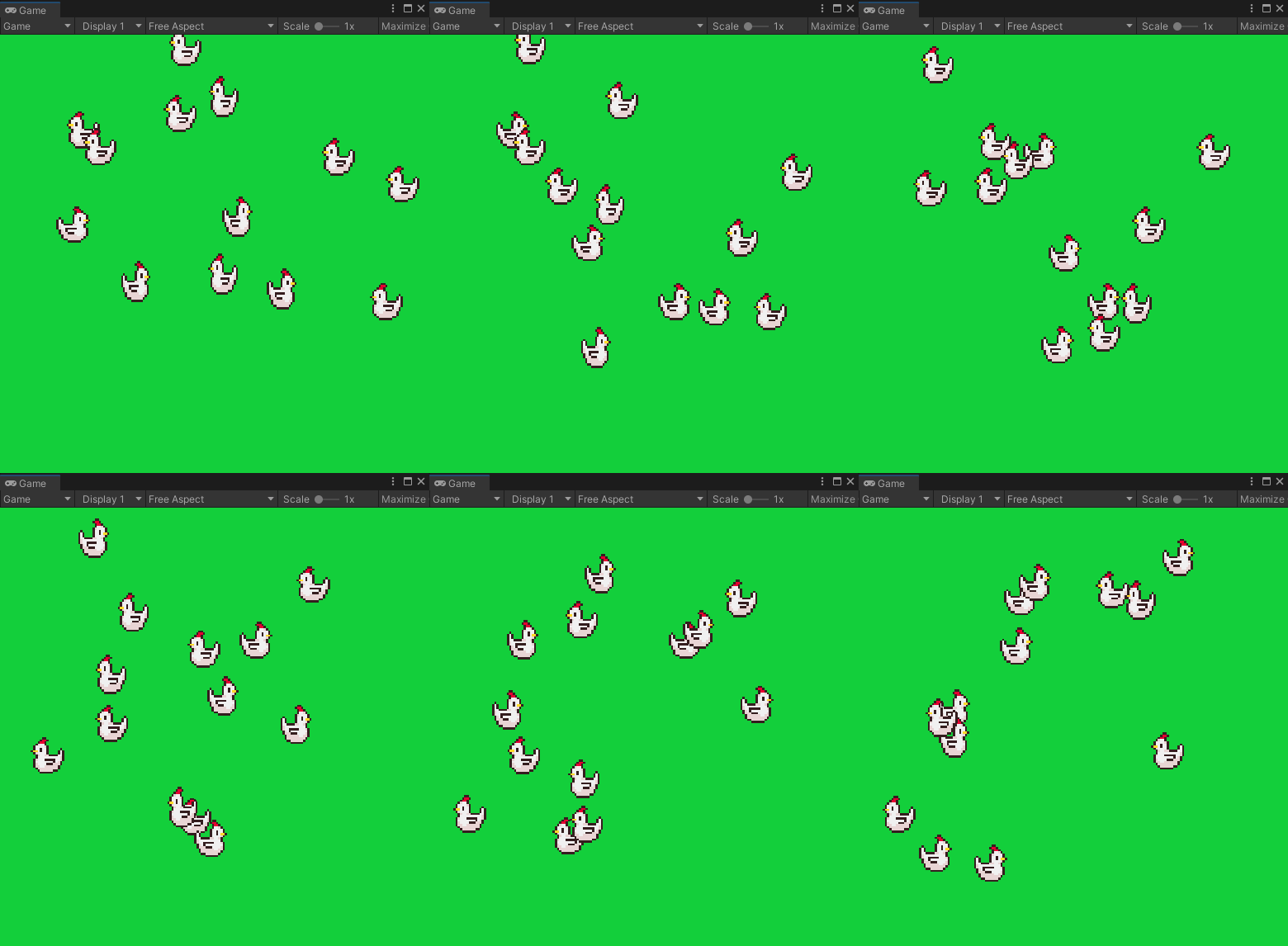
https://i.imgur.com/9rVs8Sf.gif
 slim palm
Hello Guys i am having a confusion what to do after i completed how they did in https://www.youtube.com/watch?v=f2pTkW-1JkE any help on making my character to unity
Blender is Free and Open Source Software
The character Rig will be freely available next week on https://cloud.blender.org
Download: https://blender.org/download
Support core Blender development - https://fund.blender.org
--
This tutorial is part of the Blender Fundamentals series, produced by Dillon Gu.
Find more free tutorials on: https://b...
hybrid tinsel
@undone lindenNo problem, and that is adorable!
random swift
I guess that old standard package is outdated 😄 this neck is breaking with animation rigging
 uncut salmon
They released a new version called Starter Assets, could try that?
random swift
nah i was just doin old route, removed it and got an up to date mixamo char for now until my character is done 🙂 thanks tho for the hint! @uncut salmon
Is animation rigging already product ready, just wondering? Cause I like the IK results:
 hybrid tinsel
Can't view that; try uploading to imgur and linking?
 shy knot
hybrid tinsel
Can't view that; try uploading to imgur and linking?
shy knot
hybrid tinsel
Can't view that; try uploading to imgur and linking?
.
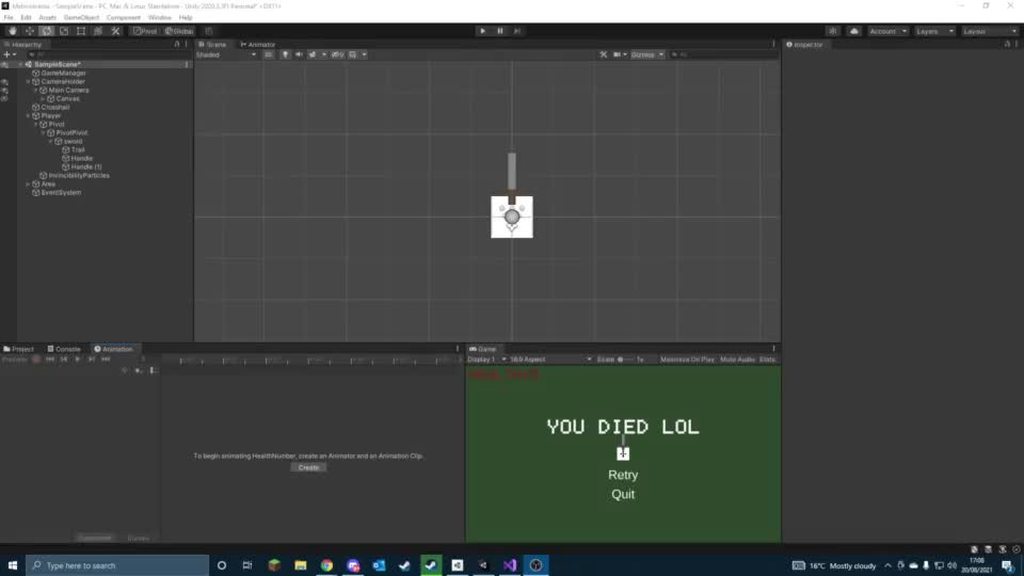
do you have any ideas on how to fix this?
shy knot
I'm using sword.Play("SwordSwing", 0, 0.3f); to call it
oh i'm dumb
the call thing was sword.Play("SwordSwing", 0, 0.3f);
even though the animation was 0.15 long
so I changed it to sword.Play("SwordSwing", 0, 0.15f);
fluid sage
Anyone recommend any good texture sheet websites for trails and what not?
I'd love more tapered off trails different to what I have now that are mainly for looping effects not so much tapering since it just crunches down on itself not leaving a clean trail
 spiral imp
is it possible to zoom timeline curves vertically so I can see whole curve?
https://sfu.dy.fi/ff9b/UlfFrEwleFMCehTN/Unity_oczmiYVEa2.png

 brazen coral
Hey guys, I'm a real beginner at this, so excuse the potentially stupid question.
If I'm skinning and animating a 2d character imported using the PSB file format within Unity, and want to do sprite swaps in the middle of animations (like swapping the asset for the eyes to do a blink, or swapping the hand to a gripped version to grip a weapon), should I incorporate all of the swapped sprites into the PSB file for the character and change the visibility of various parts, or should I instead import separate PNG files for the swapped parts and use the sprite resolver?
The reason I am asking is because I started with option 2, but the moment I tried to use the sprite resolver component on an object in the character, the bones seemed to detach/disappear from that object, so I figure I'm doing something wrong...
hybrid tinsel
spiral imp
is it possible to zoom timeline curves vertically so I can see whole curve?
http...
hit 'f'
hybrid tinsel
brazen coral
Hey guys, I'm a real beginner at this, so excuse the potentially stupid question...
Just remember that with the sprite resolver you still need to have a mesh and bone weights on each of the swap options. If you swap to a sprite that hasn't been set up it will detach from the skeleton.
I've done it both ways, with resolver and with separate objects. There is no real 'right way' to do it.
brazen coral
hybrid tinsel
Just remember that with the sprite resolver you still need to have a mesh and bo...
That makes a lot of sense, I didn't think about that! Do you know how one might be able to attach a sprite from a separate PNG file to the bones from the base rig (the imported PSB file)? Or will I have to import the swap sprites in with the PSB to be able to do that?
For context, this is what I'm looking at. For now, I would simply like to replace the sprite for the eye display with the imported sprites you see at the bottom at different points along the animation (to create a blinking effect). However, adding a resolver will remove the bones from the eyes object, so based on what you said, I imagine I somehow need to give those PNG sprites the bone weight information that they need from the BearBot PSB import.
https://i.gyazo.com/36b00c13098d8d0af5aaff927b3874c9.jpg
Also ignore the messy file structure pls :p
 thin epoch
hey guys, i imported an animation from a free asset pack
and the hand was very messed up

it is supposed to be fully closed
im not sure who to edit the bones in the animation itself
is there any way i can edit these??
 hybrid tinsel
brazen coral
For context, this is what I'm looking at. For now, I would simply like to replac...
hybrid tinsel
brazen coral
For context, this is what I'm looking at. For now, I would simply like to replac...
The way I prefer to do it is to have them all as layers in a single psb file, with the eyes grouped in the sprite editor(which automatically adds a resolver)
I don't know why adding a resolver would remove the bone as long as the sprites have bone information
hybrid tinsel
thin epoch
is there any way i can edit these??
You should be able to in the avatar settings
thin epoch
hybrid tinsel
You should be able to in the avatar settings
so i can animate from the avatar settings?
these:
 hybrid tinsel
I don't believe you can animate the avatar settings, no.
But you can adjust them to make the rig for your character work correctly
thin epoch
hybrid tinsel
But you can adjust them to make the rig for your character work correctly
it's only this animation that is super weird with my rig
every other animation works well
so how can i edit an animation then?
hybrid tinsel
You'll probably wanna take a look in your 3d software, since editing humanoid animations in unity is kinda annoying, but you can duplicate an imported clip to edit it in unity's animation window(you can't edit the clip inside the fbx because it is read only)
thin epoch
hybrid tinsel
You'll probably wanna take a look in your 3d software, since editing humanoid an...
ok, i duplicated it and have the normal animation
but it wont show me the bones
or even edit it via hierarchy
 meager drum
Has anyone messed around with the Sequences package, or the tutorial here: https://learn.unity.com/project/cinematic-content-creation-with-sequences?uv=2020.3
I'd like to pick someone's brain about it if possible

Unity Learn
In this short introductory learning experience, you’ll explore the Cinematic Studio Sample and use some of Unity’s key cinematic features to: Get familiar with a cinematic built on Sequences Create and adjust your own content within the sample Export a video and other data from the sample
 meager drum
The tutorial is pretty easy to follow, but really light on the explanations of "Why are we clicking that"
hybrid tinsel
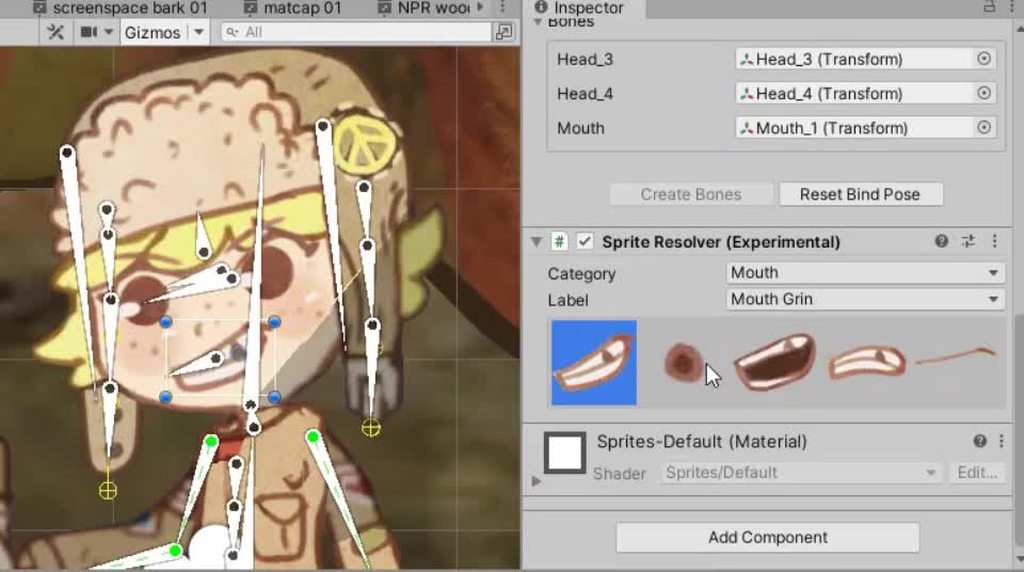
You can see that the bone skinning still works, even if this is a bit of a simple example

 mossy badger
Hey guys, does anyone know if there's a way to lock these 2 points circled in red so I can move an object? I tried several ways to put the bones by the right way but it was unsuccessful.
As it's not hard and that's not too much things to work with in this case i did a little draft to better explain what i'm saying
 astral quiver
 brazen coral
hybrid tinsel
brazen coral
hybrid tinsel
I had no idea you could group/hierarchy there, thanks
I'm going to try that, it should solve the problem
 exotic whale
can someone help me out with the animation, i have all the animations i need i just need to know how to change the animations from idle to walk to run to jump etc.
 warm walrus
alright
warm walrus
exotic whale
can someone help me out with the animation, i have all the animations i need i j...
do you have the antimator window open?
its a tool for setting up triggers and such for animations
exotic whale
yes
warm walrus
it might not make a lot of sense through text
i can send you a video for switching animations tho
exotic whale
can you send the vid and if i got a question just dm you?
warm walrus
alright
exotic whale
does this envolve scripting?
warm walrus
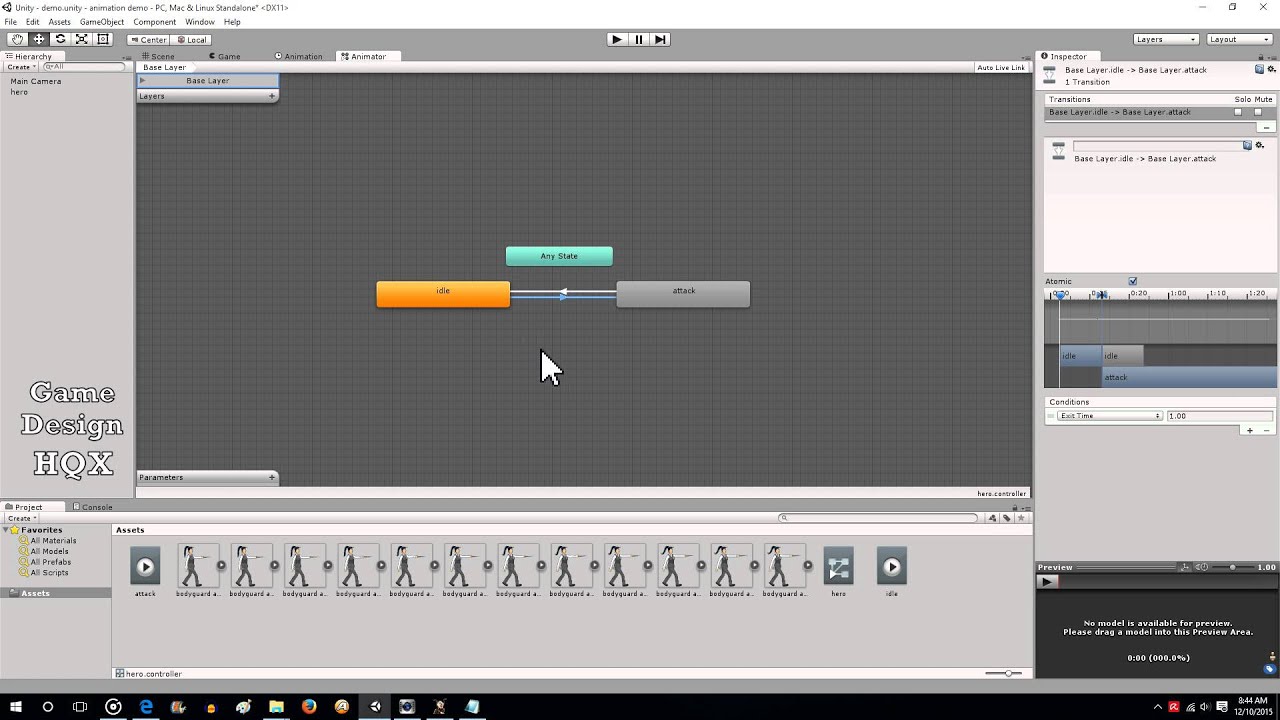
By request, here is a short video that shows how to create player animations and switch between them with a key press.
yes
exotic whale
thats the part i lack
warm walrus
this will cover the scripting part of it im pretty sure
i havent watched it fully
i would send you the one i watched if i could find it
now im gonna go stress myself out for a few hours while trying to make a vr game
brazen coral
hybrid tinsel
You can see that the bone skinning still works, even if this is a bit of a simpl...
Trying this out now, it looks like they actually changed how this worked. There is no longer a category column in the visibility section of the skinning editor, and instead, you must use a Sprite Library Asset. This is incredibly confusing, as each layer still shows up as separate objects in Unity when imported along with the PSB file. Seems counterintuitive to just delete these created objects, I wish this was easier to understand and do...
astral quiver
So i had an idea instead of running they can Phase which allows them to move at 2x speed in any direction- This is the prototype animation

i want it like they have kinda phase out this plane
kinda like a ghost
spiral imp
hybrid tinsel
hit 'f'
I tried that already, but found the reason why it didn't work. Selecting track is not enough, have to select existing keyframe.
hybrid tinsel
@brazen coralhuh, I wasn't aware of the change. I'm using 5.0.4 2d animation and 4.0.2 psd importer
brazen coral
I found their sample project for sprite swap. I think I understand what they are doing, but man, it's kind of ugly.
hybrid tinsel
Let me take a look, because if that's true I'm not happy about it
It worked pretty well the way it was
...and I don't want to break my game by updating
brazen coral
They just put the sprite resolver on the first object from the PSB-generated prefab ("thumbs up hand") and hide the rest of the objects in the PSB-generated prefab (in their case, the only other one, the "open hand").
hybrid tinsel
Oh, right. That's how it normally is? One visible object with multiple states in the sprite library
brazen coral
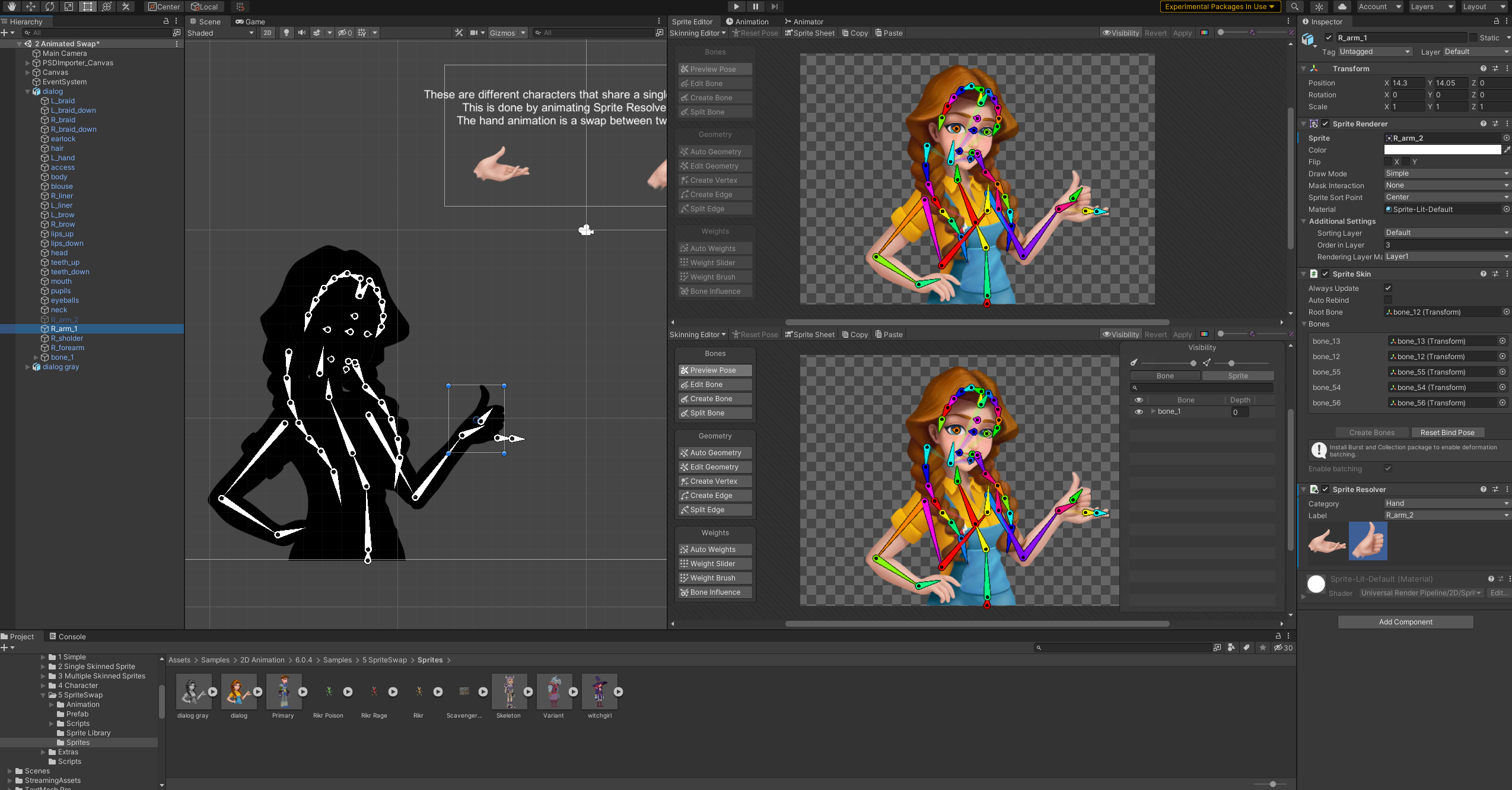
Perhaps it is. I was hoping it would be a cleaner process - something like.... grouping your layers in the PSB file and then having the group become an object with a resolver, and all of the layers within the group becoming sprite swap options in the resolver. Rather than using the first object as the basis for the resolver and just hiding the rest in the scene.
In your example, do all of the extra mouth options show up as objects in the scene that you must hide?
hybrid tinsel
Nope
And you CAN just group them in photoshop
Objects in a group in photoshop will be put into a group in the sprite editor
I'd show you more clearly but right now my unity seems to have broken
I'd not actually seen those example scenes, I'll have to look at them
brazen coral
Ah, it's okay, I really appreciate all the help you've provided so far. This is really new to me.
hybrid tinsel
But yeah, in photoshop I have them in a group called mouth, then in the sprite editor the same
so in the scene you just get an object called mouth with a sprite resolver
and you can swap sprites in it
brazen coral
...yep, I just did that and did not get a sprite resolver on the group.
Maybe I did it wrong
hybrid tinsel
once I get unity working again(totally unconnected error, it seems burst compiler has broken) I'll take a look
brazen coral
I added the resolver manually to the object generated by the group, which can work, but will make the process more tedious and also doesn't seem to preserve the positioning of the sprite from the PSB
Gah
Okay - I got it to work by copying the way the sample project did it. Add the resolver to the first object generated by the set of "options" and hide the rest - no groups. Seems to be dirtier than your method (maybe you'll see what I mean if you get a look at it) but I guess if it works, I'll take it.
hybrid tinsel
Okay, I just installed the most up to date version and it still works for me
In photoshop, I set up the group like this. This step is actually optional.

Then you add them to a category in the sprite editor https://i.imgur.com/WzGsfQl.mp4

Then when I import the sprite prefab into the scene it has the resolver all set up automatically

You can add sprites that aren't in the group too and it works just fine, the groups are just convenient
brazen coral
I'll try this tomorrow! Thank you very much again
hybrid tinsel
no problem!
 river quarry
Has anyone had a problem with Animation where a key refuses to stay set to the number you set it to? E.g. trying to set Rotation X to 0, but it keeps changing it to -0.32 or 1.476 no matter how many times you set it to 0?
brazen coral
hybrid tinsel
Then you add them to a category in the sprite editor https://i.imgur.com/WzGsfQl...
Just another question since you seem like you have a decent bit of experience with this system...
Say you want to modify your character layers (add a new variation of a part, for instance - like a new mouth or eye option). Do you have to re-do all of the skinning work and adding the components each time you re-import the PSB? Or is there an easier way to replace your PSB with more variations of parts (would replacing the base PSB file in file explorer do the trick)?
Also I just want to note that in the newest version of the animation tools package, there is no category option, but I assume it all works the same way through the Sprite Library system which I have been using https://i.gyazo.com/31884c6e00bc2e390950241152119ff5.png
 ebon dirge
Take a look at animations layers this is what are you looking for
hybrid tinsel
@brazen coralI suggest making a backup if you have a very complex rig, BUT it usually is fine with you adding layers as long as you don't do much else
(Specifically, it is internally based on photoshop's hidden layer IDs so anything that doesn't break those usually works.)
hybrid tinsel
brazen coral
Also I just want to note that in the newest version of the animation tools packa...
You have bones selected instead of sprites
 brazen coral
hybrid tinsel
You have bones selected instead of sprites
brazen coral
hybrid tinsel
You have bones selected instead of sprites
Nope, I have sprite selected.
I promise, my bones are named "...bone"
 brazen coral
No right click options on my version... :/
I am on 2D Animation package version 6.04, what is yours?
hybrid tinsel
Might it be a ui issue, the columns off to one side?
huh. It only goes up to 5.0.7 in the package manager to me
brazen coral
Ah, this must be a 6.0 update. I read a forum thread about it saying they "outsourced" the functionality to the Sprite Library Asset to make it not 100% tied to the Unity skinning editor.
hybrid tinsel
...link?
brazen coral

Unity Forum
I'm working in the skeletal animation workflow and recently updated from 2020 to 2021 for a new project. There used to be columns in the Visibility...
hybrid tinsel
Also fucking hell, if they break my whole game I'll be very unhappy
brazen coral
It will probably break animations because they switched from changing Category and Label to a hash combining both of them, as far as I can tell.
But more importantly it seems the grouping stuff you showed off doesn't work, or at least doesn't work the same way anymore
So I guess don't update? :p
hybrid tinsel
I fucking hate it.
 stuck elm
Huh. That will totally break my game too
Time to start writing some angry forum posts nobody will read
 twin musk
if i have a jar which is a tile and i wanna animate it when it gets destroyed, how can i do it?
random swift
Hey everyone, I am using the ragdoll tool from unity and got some weird behaviour. If I turn on the ragdoll and turn off the animator, collider of the character and rigidbody to not use gravity, it somehow animates the ragdoll bones correctly, but it detaches it from the transform root... Here is a screen, you see the bones in the character and the selected gameobject is the root of the transform of the character:

Well, I just fixed it myself, isntead of using the istrigger approach turning it on and off, I just enable and disable the component.
hybrid tinsel
@thorny tigerIs the pelvis the root bone?
 thorny tiger
hybrid tinsel
<@!292759042999320586>Is the pelvis the root bone?
thorny tiger
hybrid tinsel
<@!292759042999320586>Is the pelvis the root bone?
oh crap, forgot to delete my message but I fixed it now. thanks for helping though!
hybrid tinsel
Glad it is fixed 😄
fluid sage
Anyone have any good prefab or examples of those rocks that jet out forward from the ground like I see happening at times with fire rock or ice stuff? I'd like to reverse engineer it for a commission I'm doing
hybrid tinsel
I've seen videos for making such effects but they've a bit more 3d than I usually work with so I didn't really save them
Maybe try searching youtube?
In terms of the unity part of it, I imagine that a particle effect that has each particle jump up and then slowly sink down would do it, with some sort of spiky rock mesh
hybrid tinsel
@fluid sageyeah, did a quick test with some cubes https://i.imgur.com/8x0f0WS.mp4
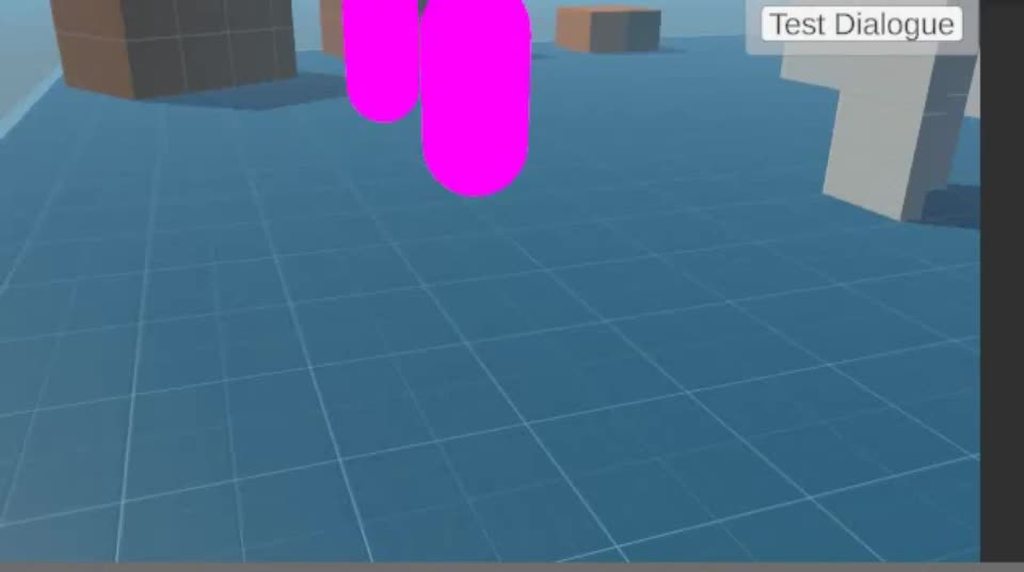
You could obviously do better
All it is is a cone emitter shooting along the ground with a sub-emitter shooting mesh particles(a cube, but you could use rocks if you made some)
That seems like you might be better off asking about those errors in #archived-code-general , @opal skiff
 opal skiff
Sorry i didnt know
hybrid tinsel
No, you didn't do anything wrong.
Just saying that we are mostly artists in here so you are less likely to find a useful answer 😛
 shut axle
I've set up a floating animation which is triggered when a bool parameter (called "Swim") is set to false. However, when I set the parameter to false, it's stuck in the state that's seen on the screenshot. The SetBool is only used once (not being repeated). Does anyone have any idea what's up? If you want more info I can post more screenshots. (This was deleted from the general code channel and reposted here seconds after being posted there).
 opal skiff
What is supposed to do:
https://imgur.com/a/bWiQ1ST
What happen:
https://imgur.com/a/xHfKBuB
The right leg dosen´t go up like in the animation how can i fix it?
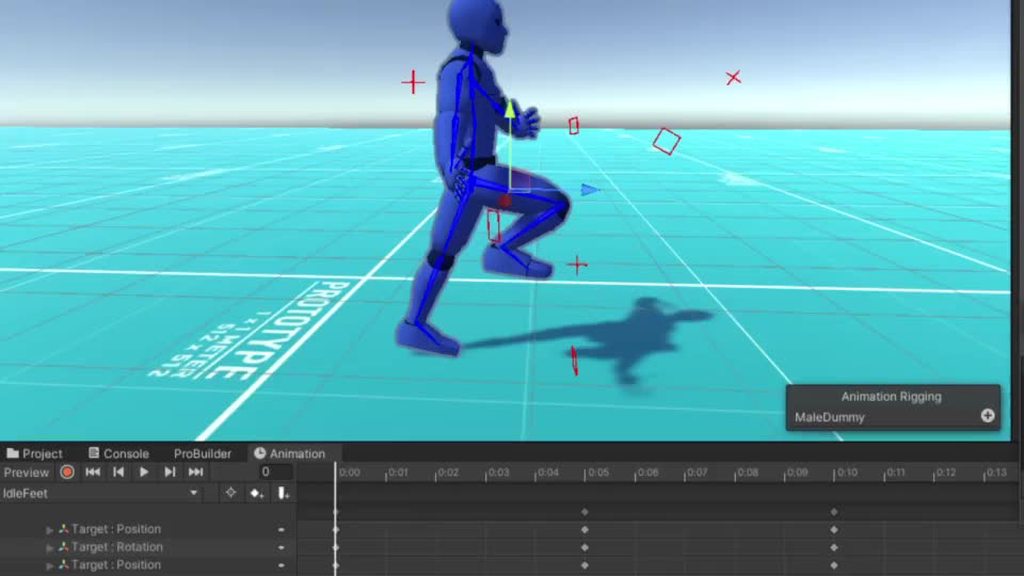

And i get this error:
 hybrid tinsel
@shut axle Is there a transition out of that state? If not, it will stay there forever.
@opal skiff do you have collections and burst updated to the right versions for your unity version?
 shut axle
hybrid tinsel
<@319130008004067339> Is there a transition out of that state? If not, it will s...
shut axle
hybrid tinsel
<@319130008004067339> Is there a transition out of that state? If not, it will s...
Does it need a transition out every time it's triggered with a Bool?
hybrid tinsel
@opal skiff that is the error I got when I gad the wrong version installed for the unity version
Check the documentation, it lists which version if the package works for which u ity version
@shut axle it needs a transition out every time you want it to transition out.
It is a state machine; it only changes states via transition unless you are using something that overrides it.
fluid sage
hybrid tinsel
<@!163470722910519296>yeah, did a quick test with some cubes https://i.imgur.com...
Yeah exactly what un try to do
My customer want roots and vines spike to strike out if the ground so atleast I know its possible
hybrid tinsel
That should probably be exactly the same, just with different models
fluid sage
Yeah, may also make something aswell to have roots swirling and going along with it kinda like vines going out and jetting out the spikes
hybrid tinsel
Just turn on trails on the source particles
will give you vines following the effect
fluid sage
Mhm, and just to be extra I'll add in a particle that follows the vines so it spawns little smikes on the vines :>
opal skiff
hybrid tinsel
<@362298780961210368> do you have collections and burst updated to the right ver...
I updated all and i keep getting this error:
 undone linden
I'm very confused... I accidentally brought up the event inspector as shown in the docs the other day but then immediately lost it and I can only see this:

how do I get it to show like in the docs instead?
 hybrid tinsel
@undone lindenDunno, the docs version is what comes up for me.
undone linden
I actually just figured it out just now lol
I was clicking on the gameobject in the scene that had the animator component
hybrid tinsel
aah
 simple tide
any way to make animation keyframes for position relative in unity?
meaning instead of saying move from -30 to 30
moves 60 positive units on that axis from your current position?

 hybrid tinsel
@simple tideRoot motion.
@exotic whalethat is a very strange setup. What does that blend tree look like?
exotic whale
wym?
hybrid tinsel
I mean how is that tree set up?
You show the tree but not the settings
I really have no idea how the logic of your setup is MEANT to work, it is very odd
exotic whale
 hybrid tinsel
So it is meant to transition to jumping when speed hits 1?
exotic whale
its meant to make me get the jump animation when i hit space bar
hybrid tinsel
Then why is the jump in a blend with the walk and run?
exotic whale
im not sure i had a buddy help me and i guess hes not familar with it
hybrid tinsel
I think it might need a rewrite; maybe check out a tutorial or something?
exotic whale
alrighty
hybrid tinsel
Usually I'd put jumping into a separate state, using a trigger to transition from running to jumping
exotic whale
hybrid tinsel
Usually I'd put jumping into a separate state, using a trigger to transition fro...
would it be a simple script?
exotic whale
this confusing
fluid sage
hey any idea on how to make particles rotate by themselves? im trying ti use velocity over lifetime but that only makes it rotate around the transform, how do i make it so itll go in circles on its own path and not the center axis?

im trying to make something like this ^
fluid sage
also, is there a way to make it so that when i randomize a color its actually random, cause i know with random color on color start randomizes all colors. Is it possible to make choose a large pool of colors that all particles go off of randomly so as an example a fire work that changes from blue sphere, to all green sphere, to all red sphere on each cast. Instead of how random color does which is all greens, reds, and blues all at the same time
 novel glade
I have a 2D platformer where the player's character is a robot that can change out its body parts. Different body parts might have different "use" animations. How do I have each body part tell the player's animation controller what the "use" animation should look like? Should each body part have its own controller? I'm pretty new to this area so I don't understand animation vs animation clip and a lot of stuff like that.
twin musk
fluid sage
https://gyazo.com/49cadc4f81dc6a864c89074c4d8851a0
What are you making?
Is it a star guideb
Guidebook?
ebon dirge
What is the namespace for animation rigging?
Need to set values by code
UnityEngine.Animations.Rigging is not resolved by visual studio
fluid sage
twin musk
What are you making?
I'm making fireworks
shut axle
If I have a looping animation that's triggered with a bool, would .GetCurrentAnimatorStateInfo(<layer>).length return the time of the animation as if it's run once?
fluid sage
twin musk
What are you making?
https://gyazo.com/4be885950a776681c78bb6eec3e4007f here is an example of what im wanting to be more random instea of one set color

 viscid gorge
I'm confused, do I need to use animator to play humanoid rig animations or can I just use Animation component and play the animation via animation clip?
twin musk
Someone know how to rotate feets when player is looking around in an idle position ? thanks !
im using lookat function to make my player rotate on himself and i got an blend tree with my idle pos and 8 movement pos
twin musk
fluid sage
https://gyazo.com/4be885950a776681c78bb6eec3e4007f here is an example of what im...
Oh ok! That looks awesome btw
fluid sage
thanks!, though id love to make it more random cause it just is a set color, it would be mind blowing to make th em change
 trim kernel
Hello, i have a problem with my animations. I have bools set in update, which causes it to spam the transition, reseting the animation instead of allowing it to play all the way through before it begins again. How can i force it to play the animation all the way through before restarting again?
if i use the transition duration. the animation does play properly and looks weird.
 mighty sandal
My player doesn’t play jump animation when jumping, but plays when I double click the button. Any idea to fix it?

 half locust
Does anyone know how to play an animation based on the value of the controller trigger, so when I half press it, the animation is halfway
 hybrid sparrow
guys, how to do simple mix of 2 animations at the same time? without using complex avatars and stuff
for example i want my dude to walk and play separate animation just with hands waving around when he walk
this 2 animations effecting different bones in his armature with keyframes hands and legs

 frail thicket
@trim kernel From what I remember, you have to select the corrupted transitions and under "Settings" uncheck "Can Transition To Self"
agile solstice
hybrid sparrow
guys, how to do simple **mix** of 2 animations at the same time? without using ...
The most convenient way is to put hand waving on another animation layer
Layers are meant exactly for that type of blending
ebon dirge
agile solstice
Layers are meant exactly for that type of blending
So for weapon holding anims is it better to do this with animation layers of with two bone constraint and enable/disable rig when player has weapon or not?
And I need to point weapon with correct direction when player is looking so I also need to use multi aim constraint and I am working on this about week and I do not know if it's the correct way
Or maybe just use weapon holding animations and use avatar masks..
Can you point me out ?:):
agile solstice
@ebon dirge Are you asking about the layers here?
I'm not entirely sure what the goal is, or what the issue you're facing here is
Multi aim constraint has a multiplier which can be used to to smoothly enable/disable the aim without using layers for it
frail thicket
Before I go rambo with it, I would like to ask if anybody know smart solution for my problem. I have tiny pixel art character in a platformer game and I use mouse to aim and shoot so I need arms to rotate freely towards cursor. The problem lies within the animations. I cannot simply parent arms to one point and rotate them because the position in which they should be change across all animations frames. In Clickteam Fusion there was something like action point (secondary pivot point that can be used to attach other object to, or shoot from that position). My idea is to either rig the character or write down arms position for each frame and change it with script but I would like to ask if there is something much simpler.
 high latch
How do I animate?
uncut salmon
What a vague question.
ebon dirge
agile solstice
I'm not entirely sure what the goal is, or what the issue you're facing here is
I will describe my problem later more detailed
viscid gorge
Has anyone used PlayableGraphs plugin in Unity? I'm using it to play animation clip instead of animator, but now I ran into another problem of trying to find a way to know when the animation is finished or completed it's animation cycle.
shut axle
I've got this Think Animation that's being played when a Trigger is activated. When I reset the Trigger, it doesn't seem to return to the Idle animation. How do I solve this?
 uncut salmon
Put a transition going back with it's own parameter.
Sounds like you want to use a bool parameter instead so you can set it to true or false.
shut axle
I don't want the animation to loop though
uncut salmon
If you want it to play once, and return to idle, then just put a transition going back without any parameters.
Then just call the trigger once to initiate the Think Animation.
shut axle
uncut salmon
If you want it to play once, and return to idle, then just put a transition goin...
I wasn't clear enough (my bad). I was the think animation to play once, stay at the end of it (the animation) and when a specific thing happens in the game return to the Idle Animation.
uncut salmon
Then the bool would work. Bool doesn't mean loop, that's the animation asset's job to define that as loopable.
shut axle
Oh. I thought it would still loop.
uncut salmon
Either way, you need a transition back to idle.
shut axle
Even if I set its loop value to false.
Yeah I know how to handle bool parameters. I thought I needed a Trigger in order to stop the loop lol
Thank you very much!
ebon dirge
agile solstice
I'm not entirely sure what the goal is, or what the issue you're facing here is
Okey from the beginning, I have a multiplayer fps shooter and I need to make player anims for weapon holding and I just don't know if doing it by two bone constraint and rigging anims in unity is the correct way to do this. Each player is a prefab and weapon too. So I have two methods to do this: One is by creating pre made anims for weapon holding for each type pistol, rifle, shotgun etc. and then just parent weapon to the hand and make avatar layers or making rig for bones constraint like each tutorial for third person game shows how it should be done - but there they have "pre-placed" weapons on player characters
agile solstice
ebon dirge
Okey from the beginning, I have a multiplayer fps shooter and I need to make pla...
There is no right or wrong way to make setups like that
It's all situational to what it needs to do
Tutorials often try to show the simplest possible way to the result, so their solutions may not be cut for the features you need, like weapon switching, constaint aiming and whatnot
ebon dirge
hmm maybe I will try aiming animation + multi aim constraint on spine
but rigging aiming in unity is more flexible..
 buoyant jacinth
Hi there, I apologize if this isn't the right place for this, but I'm having an issue with a particle system that I just can't figure out on my own. I waned to create a very rudimentary flame effect, and I have everything setup the way I want except for this one issue. I believe the issue has something to do with transparency, but I have no idea how to go about fixing it. I have configured the system to emit particles upward at a steady rate, growing smaller, darker, and more transparent as they progress to the end of their life span. This looks great, but for some reason, at a steady pace around 1 second, the "flame" will grow darker before returning to it's correct color. I've attached an image to hopefully illustrate the issue.
 ebon dirge
yhh why is this happening I don't know how to handle this
 fluid sage
hybrid tinsel
<@!163470722910519296>yeah, did a quick test with some cubes https://i.imgur.com...
fluid sage
hybrid tinsel
<@!163470722910519296>yeah, did a quick test with some cubes https://i.imgur.com...
Just curious, you're using a cone to emit a single particle and have the Cubs sub emit from it going up a little and then having gravity pull them down?
 solemn blade
Hey all! I posted before something about a mounted character and how that couldn’t be Humanoid, but then I had an idea to try mapping the whole mounted rig but just the human to the avatar bits. I am so close but I cannot seem to fix this last part. So what you see, I have my animation tab, with the target model added in the preview, and there everything animates together. But when I view it in the clip inspector separately with the same model, only the rider animates. And of course, doesn’t work in the game either. So does anyone know why the animation tab displays it correctly, and how I could make it do the same in the game? (The reason I want it mapped as Humanoid, is to be able to have mounted anims work with different proportioned characters. I am aware I can use Generic rig type and it will work fine, and that is my backup solution, but I lose the animation sharing and it’s just sooo close…)


 ebon kiln
anyone know why 2 reflection probes just freezes my unity no one knew yet
 bleak harness
I use Paint.net to do my 2d artwork. I'm wanting to animate my character now and have no clue how to go about doing that. Brackey's made it look like they had their character broken down into a tilemap which i dont understand how they did it. do i create each piece of my character in layers? or do I use multiple tiles for one character?
hybrid tinsel
viscid gorge
I'm confused, do I need to use animator to play humanoid rig animations or can I...
'animation' component is obsolete and only there for compatibility with older projects.
hybrid tinsel
novel glade
I have a 2D platformer where the player's character is a robot that can change o...
hybrid tinsel
fluid sage
hey any idea on how to make particles rotate by themselves? im trying ti use vel...
make particles with an offset center
hybrid tinsel
fluid sage
Just curious, you're using a cone to emit a single particle and have the Cubs su...
I'm having the cone emit several particles and each of those particles has a sub emitter for the cubes
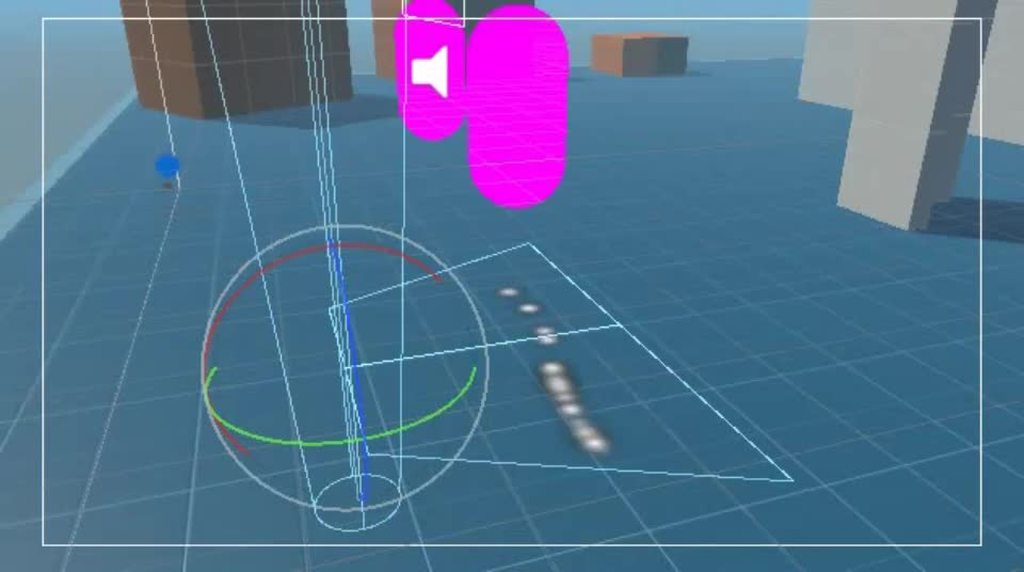
@fluid sagehttps://i.imgur.com/nlYtGBn.mp4
 hybrid tinsel
fluid sage
thanks!, though id love to make it more random cause it just is a set color, it ...
hybrid tinsel
fluid sage
thanks!, though id love to make it more random cause it just is a set color, it ...
Can you just use 'random between two curves' for the color?
Or enable custom vertex streams and use a shader that supports that
fluid sage
hybrid tinsel
<@!163470722910519296>https://i.imgur.com/nlYtGBn.mp4
now im curious how you were able to make a shape like that for the emitter? i only have rectangle or cone, not that which looks really nice and would work with a lot of my particles
hybrid tinsel
It is a cone, flattened on one axis
fluid sage
wait you can do that?!?!?
i thought cones and stuff were just cones and nothing else you cant change them?
hybrid tinsel

The buttons at the bottom give transform gizmos
Or you can just type in your transforms
Those are my settings for that emitter, they work pretty well
hybrid tinsel
bleak harness
I use Paint.net to do my 2d artwork. I'm wanting to animate my character now and...
No idea about paint.net's capabilities but you would either produce your object in layers and convert to a psb file, or separate each layer into a sprite sheet you can reassemble in unity.
 sinful vault
Is there a good series of tutorials you would recommend to get into (3D) animation ? I have no clue how it does work, especially in unity
hybrid tinsel
If you find one let us know :3
opal skiff
I was creating an animation for my character but when i start the game the character dosen´t move like the animation and shows me this error https://pastebin.com/WqE73uQz
Pastebin
Pastebin.com is the number one paste tool since 2002. Pastebin is a website where you can store text online for a set period of time.
ebon dirge
I can't have targets for two constraint bones as childs in weapon object? It should be in rig hierarchy ?
 hybrid tinsel
@flat root are you sure that your mask is correct?
viscid gorge
I'm having issues with the blendshape in Unity.
Our animator has updated the model with new blendshapes to add for our main character in unity. What we have is a complete separate animation model and blendshapes to import. However, when playing the animation, the "display" model does not appear to have any blendshape animating? The bones/armature appears to be working just fine using Animator component, but checking blendshape component, none of the blendshape appears to be "animated", even though previous model prior to update the animation works just fine?
is there any guideline on how to setup and update blendshapes properly in Unity?
fluid sage
hybrid tinsel
Can you just use 'random between two curves' for the color?
It think that just forces them all to be seperate colors so each 100 particles will be 100 different colors each instead of all being 100 of the same color
Unless I'm thinking of it wrong
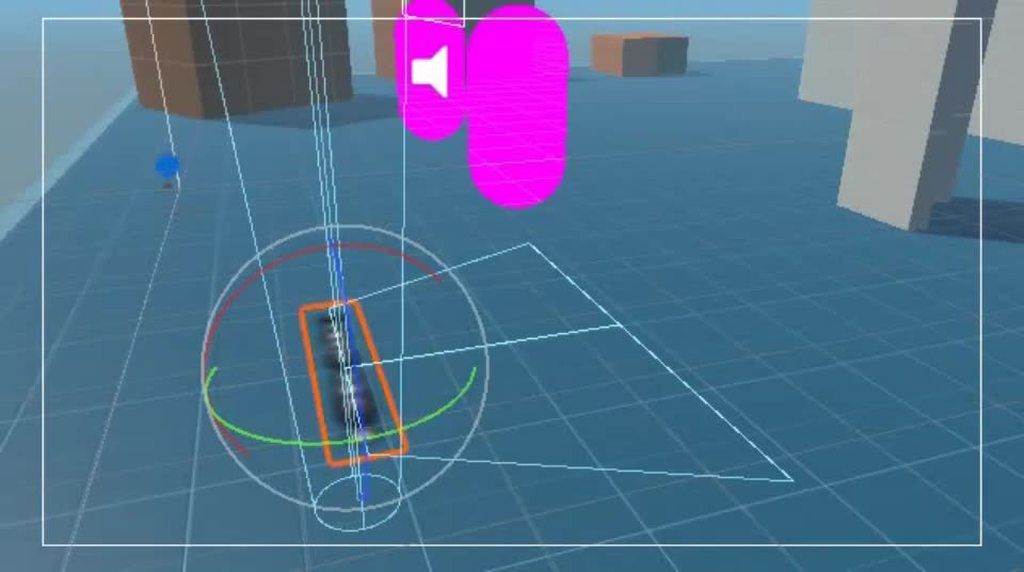
 fluid sage
But I want all the particles to be the same exact one at once, similar how most fireworks explode blue, and then shoot out a big ball of red or something, right there they're all changing different colors
Which yeas I can use that to make more unique fireworks that dont work irl but still not what i truly want sadly
fluid sage
hybrid tinsel
<@!163470722910519296>https://i.imgur.com/FXrY9gW.mp4
But that is interesting idea for some fireworks I can make up
hybrid tinsel
In that case do the exact same thing, but using the random start color
hybrid tinsel
https://i.imgur.com/U5RuyzJ.mp4 @fluid sage
 fluid sage
hybrid tinsel
https://i.imgur.com/U5RuyzJ.mp4 <@!163470722910519296>
fluid sage
hybrid tinsel
https://i.imgur.com/U5RuyzJ.mp4 <@!163470722910519296>
YO WAIT WTF
and im assuming it emits a little circle on death that inherits color?

 finite salmon
Can I ask questions about 2d animation in here?
 finite salmon
hybrid tinsel
Yes.
finite salmon
hybrid tinsel
Yes.
Alr then can i ask why my character when it plays its animation goes up in the air i can send a video if needed
hybrid tinsel
You'll need to provide more information that that but you probably have keyframes on the root of the animation
finite salmon
hybrid tinsel
You'll need to provide more information that that but you probably have keyframe...
Can i send a video itll be easier
finite salmon
hybrid tinsel
You'll need to provide more information that that but you probably have keyframe...
In the keyframes he doesnt go up but in the game he does its weird [Fixed]
hybrid tinsel
Fixed how?
finite salmon
hybrid tinsel
Fixed how?
I used the pivot point thing and set it to every one until one worked and the bottom left worked
hybrid tinsel
Ah, ok
fluid sage
hybrid tinsel
<@!163470722910519296> https://i.imgur.com/cQya9GK.mp4
WTF, i am known for doing fireworks and you just made the best looking ones ive seen in a while just like that, im speechless XD
 dense ledge
Hello all, I've got a question about using the animator component for 2D sprite animation. Is there any way to set the default state of the animator via the gameobject's prefab? I have a number of "simple" gameobjects that share an animation controller, but I would like to have each play a different animation. I'd rather not have to write a script to enable this, but I was just wondering if there was a setting somewhere that could override the default state?
 warm elbow
can someone maybe help me with animation rigging ? i don't understand the problem, must be something in the hierarchy but i am honestly clueless, thanks 🙂

 tawdry linden
 hybrid tinsel
@dense ledgeIf they share a controller, you'd have to change it via script.
Wouldn't have to be a very complex script though
 robust agate
I'm trying to figure out how i would have a tail on a 2d sprite be able to just freely "hang" behind the sprite? So that when the sprite moves the tail follows, but isnt straight.
im guessing it has something to do with rigging?
hybrid tinsel
@robust agateThere are lots of ways. If you are using 2d bones you can use physics, or just a simplified procedural motion.
robust agate
i dont want any "procedural" motion. I just want it to be kind of limb
hybrid tinsel
If you want it to react to movement of the character, that is procedural.
dense ledge
hybrid tinsel
<@!145629969157062657>If they share a controller, you'd have to change it via sc...
Thanks, I made a simple script to allow it. Bit disappointing since this functionality existed in the old animation component
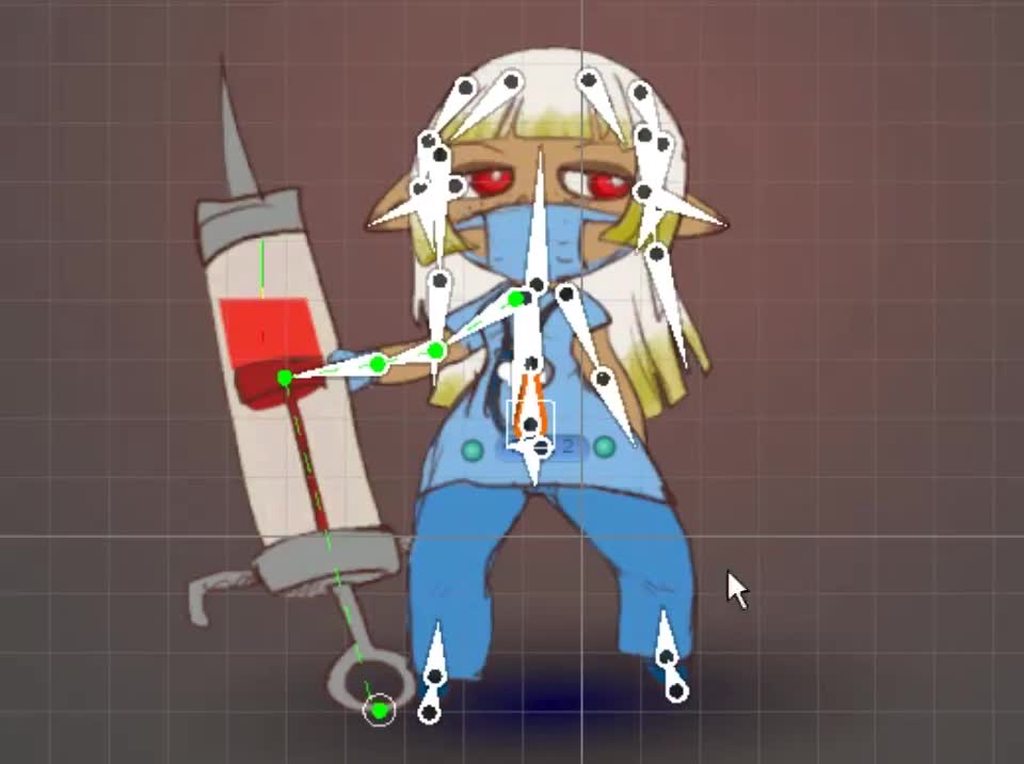 robust agate
hybrid tinsel
If you want it to react to movement of the character, that is procedural.
robust agate
hybrid tinsel
If you want it to react to movement of the character, that is procedural.
oh, i thought procedural was something else.
just so i'm 100% sure you understand. Imagine there's a sphere, at at some point on that sphere there's a long dead tail that is attached. When the sphere moves forward the tail follows (perhabs with some left and right slithery motion if possible)
yeah exactly like the hair on that
How is that achieved?
hybrid tinsel
I don't remember exactly which script I used for that one, I think it was the unity chan jiggle bone but it might've been a custom one(I've experimented with a ton of them, I know the syringe was one I made)
might've been anim toolkit
robust agate
Do you know any words i need to look up for that
cuz im not sure what stuff like it is even called
hybrid tinsel
'damped ocillator'
robust agate
i've been stuck on "unity 2d tail physics"
hybrid tinsel
Pretty much all of them are designed for 3d so take some tweaking
robust agate

Join Thomas Brush's Full Time Game Dev course (40% off with code NOA): https://full-time-game-dev.teachable.com/p/full-time-game-dev/
Owen's Games: https://owensenior.itch.io/
Owen's Twitter: https://twitter.com/OSTSenior
Rotate towards 2D object Tutorial (by Krister Cederlund)...
This looks promising
agile solstice
robust agate
https://www.youtube.com/watch?v=9hTnlp9_wX8
Animation Rigging has capability like this already without any code
Demonstrated in one of the package's samples which can be imported from the package manager
robust agate
Ill look it up, thank you! :)
agile solstice
Only collisions and their related code is strictly 2D or 3D, otherwise you can mix and match techniques
Though 2D sprites will glitch out without an orthographic camera
twin musk
Hi, got a very big problem in Unity. Not sure which Channel this is for but perhaps here is fine. In this gif the Line is very badly Anti aliased, only once the Camera is much closer does it appear as one continuous line. We are using Unity 2019 with HDRP. It is a Object that has an Emissive Lit Shader and we tried FXAA, TAA and SMAA but neither fixes the problem. Anybody here know a solution? Tried rendering in 8k and downscaling, tried making it thicker, changing the clipping plane of the camera...nothing helps.
Any help is appreciated!

 spark wadi
Hey to reduce clipping on custom models, can you use colliders on the hands ?
 exotic olive
hi so i want my boss character to bob up and down but when i make the animation when it finishes and loops back it waits for a split second and doesnt look good ho do i fix
twin musk
when u animate something that has to match frames
do u create the audio on an audio editor like audacity, or u cut small piece of indivual audios and paste them under the frame u wanna match?
agile solstice
twin musk
Hi, got a very big problem in Unity. Not sure which Channel this is for but perh...
One more thing to try is "preserve alpha coverage" with mip maps in texture import settings
There may be more useful settings like "fade out mip map" which turns the texture to a solid color over distance, so vertex antialiasing can take effect
Supersampling (render downscaling) and making it thicker should always give some improvement in this kind of situation
 woeful badge
A couple weeks ago, I watched a tutorial (can't find it now). I thought it talked about how you can add additional bones to a humanoid avatar (or was it animation controller?) These don't work for animation retargeting, but let you have extra bones for your controller, IIRC. Now I don't see anything like that in Unity. Does anyone know what I'm talking about and where to find it? Because now I feel like I'm going crazy, lol
edit: found it. You import a skeleton into an animator mask. The extra bones appear in the list and can be checked/unchecked.
 bleak canyon
help why wont my animation become slower?
I set its speed to 0.25

and its still VERY quick
when I play them while the game is not started
they're VERY slow
 indigo heart
My character artist and I are having a difficult time figuring out why our humanoid rig is behaving oddly with some animations and I was wondering if anyone had any ideas. He posted on the Unity forums but we haven't received an answer yet. The basic problem is that some animations from the store have a lean to them that is not present with other rigs and we can't figure out why. We have tried adjusting the rig in max as well as the humanoid avatar config but nothing we do seems to fix the issue. Would anyone have any thoughts on what might be causing it?
hybrid tinsel
@twin musk is the texture on the line mip mapped?
 lament vessel
Is there a way to group together animation states in the animator? I want to have several attack animations, but in my script I'm interested in knowing if I'm executing one in general, not a specific one
viscid gorge
HI all I need help with Maya's blendshape and Unity's animation stuff. Currently we have a process that the animator do to upload animations into unity to ensure that the animation is up to date. However, we ran into a problem a couple of days ago and now resorted to asking out for help.
Here's my question:
- What is the best and safe practice to update blendshape animation for a production model in Unity ( We have separate FBX stuff, one just for the animation, and the other full production model for display ). We originally had this working where we can just update the animation and it works just fine. However, something happen and now our animation works with the exception of blendshape in Unity.
- Where would I begin to identify the problems and troubleshoot blendshape not animating on the production model? Currently there are no errors inside Unity, but we noticed that the blendshape does not animate from the SkinnedMeshRenderer. When we reload the old animation back, the blendshape works and we can see it change in the SkinnedMeshRenderer component.
Other notes: Yes the new updated animation Blendshapes works. I can manually adjust the slider inside Unity and would see the results happening. Just that the blendshapes have their own animation as part of the clips imported...
hybrid tinsel
lament vessel
Is there a way to group together animation states in the animator? I want to hav...
You could keep a list of all attack states and check the current state against that; not a great solution but it works.
You could also put all your attacking in a sub-state and check that.
You could also add a behavior to every animation state you want to be counter that registers when entering and exiting.
Though you have to be careful with that because you don't want exiting one attack animation into another to overwrite the entrance with an exit because there is some overlap of when animation state behaviors are called.
fluid sage
hybrid tinsel
<@!163470722910519296>https://i.imgur.com/nlYtGBn.mp4
im still trying to figure out how you made the cubes look that good and together and cracked? https://gyazo.com/1693dcb4566e8d5e46c67dc8967129a2
 hybrid tinsel
Not entirely sure what you mean, so hard to say what to suggest
Though having a ground plane would probably help
It'll never look right floating in space
fluid sage
i have something but not as good as that
is it possible if i can see a pic of the setting you have for oyur cubes to make them look so uniform but also broken up like actual ground? https://gyazo.com/6488080c036635aae159d761b1f925f8
hybrid tinsel
Unity cubes aren't very good for this, it would be better if the pivot was at the bottom
I'm not at the computer now. Will try to remember later
Really though I just fiddled till it kinda worked
fluid sage
hybrid tinsel
Unity cubes aren't very good for this, it would be better if the pivot was at th...
so something like this?https://gyazo.com/36553d2abbdc042d69f389ab35841e61

ok now i have a pivot tat the bottom of it
so now i have this https://gyazo.com/7a9906efb5bb9c738608129741f8256d
 hybrid tinsel
I should point out that I DID use the unity cube just because I didn't have anything else
 radiant plinth
Is there any way to change the transparency of an animation on only part of a sprite? Basically I added a shield to my game and I want it to create a wave when hit, where the shield becomes opaque where the wave passes through. I'm guessing it's a matter of editing a sequence of sprites, but I just wanted to check if there was an easier way first.
hybrid tinsel
@radiant plinthThe easiest way do it is probably with #archived-shaders if you don't want to make an entire sprite sequence.
radiant plinth
I'll check that out, I haven't messed with shaders yet. Thanks!
hybrid tinsel
@fluid sage
 fluid sage
hybrid tinsel
<@!163470722910519296>
fluid sage
hybrid tinsel
<@!163470722910519296>
thank you and one more question, for my character i have a laser, and im wondering how to fix it from suddnely shrinking, i know its because size affecting trail but im wondering how to keep it without it shrinking so suddenly
https://gyazo.com/a5c8c36e2becc7ddb1ee882fafdbbd40 this is it not colliding and dying

https://gyazo.com/de28564c8ca73958c9b7345e3dda17e6 this is it after it collides and dies
 fluid sage
that jumps back to the center?
fluid sage
yeah i just made a little test
hybrid tinsel
to distract from it
fluid sage
and this happens

the collisions arent dying even though their deaths are set to collision
never had this happen before lol
hybrid tinsel
I'm confused by what I'm seeing
fluid sage
if i set dampen to 0 it then does this

i th ink th is looks alright https://gyazo.com/a7a155ad1cbf48429d3f784753e8770a
 hybrid tinsel
I dig it
fluid sage
still working on that ground pound to look more like yours
 flat root
Hello! Im hoping today someone can help me I'm still having this annoying issue : \ Layer Mask.. every time enable it the legs animate as effect intended but the upper torso resorts to its original slightly offset , here is example , I tried all sorts of Bake pose settings but no helps
 hybrid tinsel
flat root
Hello! Im hoping today someone can help me I'm still having this annoying issue ...
hybrid tinsel
flat root
Hello! Im hoping today someone can help me I'm still having this annoying issue ...
Can you provide any more information?
flat root
hybrid tinsel
Can you provide any more information?
Okay what would be helpful info? I tried All baking possibilities and its only messed up when mask is enabled otherwise baking works ok
Ohh and I solved it myself...
hybrid tinsel
Let us know how you solved it, for the next person
flat root
hybrid tinsel
Let us know how you solved it, for the next person
Indeed I'm trying to replicate what the issues was but something to do with the mask might of had IK wrongly selected, still new to animator
flat root
Suuuuuper easy noobie oversight...
if you want to have your upper mask baking to work with the root rotation how would it know to get it..this was easy oversight
This needs to be on

 daring stratus
trim kernel
daring stratus
trim kernel
Hello. I bought an animation pack in the unity asset store, and the animations look great and are perfect for my project, except that the models transform position changes during the animation. how can i fix this so that the model stays in place while attacking instead of moving forward during the attack?
twin musk
@agile solstice @hybrid tinsel it isnt a Texture so I cant do anything with Mip Mapping. Its a normal HDRP Lit Shader with Emission turned on... 😛
rocky quail
Hi, how can I still animate sprite animation when using a skinned rig?
Eg: eye blinking. The texture currently is the whole psb file.
hybrid tinsel
twin musk
<@!166982635950702592> <@!172484507788771328> it isnt a Texture so I cant do any...
It isn't a line renderer?
twin musk
@hybrid tinsel no it isnt. Just normal geo cylinders 😆
hybrid tinsel
Ah, ok. You called it a line 😛
twin musk
yeah they are basically lines 😛 Sorry about the confusion.
hybrid tinsel
You could add a line renderer underneath for when it is that small?
twin musk
Yes I think the might be the only other viable option. Im just afraid that due to the Camera moving and coming closer the line renderer will not stay at the same place depending on Camera Angle
hybrid tinsel
You can switch between them based on distance
twin musk
Ok perfect. Will try that. Thank you so much for your help 🙂
twin musk
Will do!
Ah dont know what that is. Ill look it up
 raven summit
hello i'm learning animation i just have a question
do i need all my idle states to go into the run state?
ebon dirge
hey I have a question: Why my weapon holder in rig is changing position to weapon pivot? It is constrainted by multi-aim constraint but I dont know why it sticks to my weapon origin. I need to change it to avoid this strange rotation which is showed on second screen.
 agile solstice
@twin musk So it has no texture? Just a solid color?
twin musk
@agile solstice yes just a Solid White in the Diffuse and Blue Hue in the Emission
agile solstice
Then the flickering is really unexpected to me
MSAA and downsampling definitely should be able to soften it
twin musk
yes MSAA and downsampling does help slightly but it does not work with the entire project. Just gives huge artifacts. But rendering out just the wires and overlaying is helpful
twin musk
@agile solstice @hybrid tinsel btw thanks for all the help. Question about Unity and Rendering. Im using the Unity Recorder to capture PNG Sequences. Is there an actual render asset for Unity? I know of Octane but that only works with the Standard Pipeline.
hybrid tinsel
As far as I know the unity recorder is the closest to an official one
Though I've heard there are third party ones
@ebon dirgeMight be an incorrect offset in the constraint?
twin musk
Ah ok, yeah though the best one I found was Octane but unfortunately its limited 😛
agile solstice
twin musk
yes MSAA and downsampling does help slightly but it does not work with the entir...
Artifacts? I did a test and found that with 8x MSAA and 2x render scale the quality of the line over distance is improved drastically
But beyond that it's pretty difficult to get improvement, after all we're trying to render a line that less than half a screen pixel in relative size
twin musk
yes but the rest of the project was affected negatively 😛
weird artifacting from msaa or forward rendering. no clue

with deferred
 raven summit
is there a good way to rng a idle variant? right now my idle variant calls right after idle. is there a way to 50/50
 agile solstice
Weird, I thought deferred rendering was the one that doesn't deal with antialiasing well
twin musk
yeah the wires look great with 8x MSAA but only when they are in a seperate scene without anything around. Unless I did something wrong
ah its the terrain
agile solstice
How can it even be so messed up
 agile solstice
One trick to improve the lines further is to make a shader that fades them out and/or enlarges them over distance
But if they're just phone lines I'm not sure what kind of effort and resources is worth putting into them
It might be worth it to use a textured quad/ line renderer instead of geometry
Mip mapping can handle transparent thin textures fading over distance
twin musk
yeah unfortunately its not only the wires but other small/transparent objects but I will try your fixes 😄
I think the line renderer solution you and Pinballkitty mentioned is the fastest/easiest fix
btw other objects use textures. Is there any other mipmap setting for these textures that I should enable/disable?
 agile solstice
I'll have to verify that before I know how to answer
twin musk
and you are right. with Forward rendering everything is much crisper/clearer. Weird that my terrain causes Artifacts. Might be worth if I checked out whats causing that issue 😆
agile solstice
Yes
agile solstice
@twin musk textured quads fare much better over distance
first/orange is opaque texture
second/purple is transparent texture
third/cyan is mesh cylinder

With Mip Maps Preserve Coverage enabled the opaque alpha cut-out line is almost perfect without even using transparency
 ebon dirge
hybrid tinsel
<@!474039411584008213>Might be an incorrect offset in the constraint?
ebon dirge
hybrid tinsel
<@!474039411584008213>Might be an incorrect offset in the constraint?
Offset is done by multi-position constraint sticked to the shoulder, each weapon have own offset to position it correctly, it works but as I said problem is with rotating weapons because arms are not rotating and I think the problem is pivot point of the rotation which snaps to weapon pivot I don't know why. When weapon is being picked up it becomes the weapon holder parent but weapon holder sticks to the weapon position
And I tried to make my weapon holder to be at shoulder's position and I thought it will rotate weapon and arms correctly
hybrid tinsel
Hm, dunno then
slim palm
Hello Everyone My name is Alev I am trying to Custom Character Model for My Unity Game I rigged my Model in Blender with amature idk what to do next please suggest me what to do
twin musk
@agile solstice wow amazing work. Thank you so much. Very helpful 🙂
slim palm
@ebon dirge Can I have ur help please
 chrome grail
I'm trying to add mixamo animations to Unity's Starter Asset Armature model but mixamo site says it's not set up right and I can't just add the avatar to the animations in Unity
hybrid tinsel
@chrome grailYou can use the default mixamo model in most cases
chrome grail
hybrid tinsel
<@!102575294849773568>You can use the default mixamo model in most cases
Just wanted to use the starter asset model, like the way it looks 🤷♂️
hybrid tinsel
I mean that the default mixamo model's animations work with the unity starter humanoid model
 signal moat
hey guys, how do we go about setting up weapons that use different bones and hence require different avatars? such as a bow and arrow, which would have a different rig than a pistol. I also found out that you cannot change the animator avatars during run time. Should each weapon have its own animation controller? is that how its done usually?
also i know override controllers are a thing but I don't see how they will help in situations where two weapons use a completely different rig
ebon dirge
animation layers and change the weights?
signal moat
but again, how would that help if the weapons have different avatars? say the bow and arrow has 3 bones (bear with me) and the pistol has two bones, one for the mag one for the whole thing. Wouldn't using the same avatar for the animation controller break the animations?
or do i have this whole thing wrong and I don't even need to create avatars for things such as weapons?
signal moat
well no that doesn't work it doesn't know what to do with the bones if i don't use an avatar. So my question is still the same: how do we set up weapons that have different rigs, do i just use a separate animation controller for all of them?
hybrid tinsel
@signal moatThere are a few different ways to handle it. You could just have the animations for every weapon's bones under the same animator and let it just ignore the missing ones for instance
signal moat
hmm, that actually makes a lot of sense thankyou
hybrid tinsel
There is one catch with that, if you're using a humanoid rig- you need to go into the importer settings to tell it to import extra bones.
Normally it just ignores any that aren't mapped to the humanoid definition
signal moat
Right, I also found out I was wrong about the avatar thing, you can switch out the avatar at run time. I think I'm just gonna do that where I swap out the weapon anim controller's avatar based on the current weapon. What do you think about that @hybrid tinsel ?
hybrid tinsel
I've not done that myself so I don't have a strong opinion =p
Test it and see how it works, I guess!
signal moat
yea i guess so, thanks again!
 signal hearth

Hello I want to create noise radar on unity but I don't find method, phease help me
hybrid tinsel
@signal hearthYou'll need to be more specific about what you need help with; it is a fairly complex sort of thing.
signal hearth
hybrid tinsel
<@!833932439537319986>You'll need to be more specific about what you need help w...
Hello bro, i want to make color streaks like the photo and be able to change its level
hybrid tinsel
That's really more of a #archived-shaders question; but the basic idea would be to use perlin noise, with a gradient for the colors fed into it.
signal hearth
Thank I will test perlin noise
raven summit
how do i stop animations from rotating my character on every loop
 pine badge
Why is my wolf tilted downwards like this when idle? Haha
 raven summit
it only does this when rig is set to humanoid
pine badge
All animation is fine in the import inspector but in game it's like this
pine badge
Like it's actually tilting downwards. This is fresh import, only the idle anim is like this
But some of the other anims also go into the ground

https://3dhaupt.com/3d-wolf-rigged-low-poly-and-game-ready-download-walk-cycle-run-sit-creep-idle-animation/
Model's free from here
Here is my low-poly wolf model with some basic animations. I modeled, textured and rigged this wolf in Blender from 14.03.2011 to 05.04.2011.
hybrid tinsel
@raven summitA root motion issue probably? Might need to bake rotation into pose.
raven summit
yeah i think i might have to do that
hybrid tinsel
@pine badgeHard to say... might the wrong bone be set as root?
raven summit
the problem is doing it for every animation clip
hybrid tinsel
Well, maybe you could do something in the animation software instead I guess
fluid sage
I'm curious, I'm making a particle that has collisions and is suppose to slide off of a plane on my model, but I was told that it wouldt work since it's a mesh render. Is there a way to make a plane of some sort with collision that doesn't have a mesh renderer?
agile solstice
fluid sage
I'm curious, I'm making a particle that has collisions and is suppose to slide o...
Very confusing
Renderer components are entirely unrelated from collisions
pine badge
hybrid tinsel
<@!506792453597167656>Hard to say... might the wrong bone be set as root?
But i imported this fresh, no change in the settings, and this happens
pine badge
Apparently there are some bones that have no keys in 1 action, and has some in other action
So sometimes those bones retain the values from previous action and wouldn't get overridden with the current action
Now that i found the issue... does this mean i have to edit the blend file to key in those unkeyed bones in certain actions?
Or is there a way to... idk. Like assume default values if there's no key?
 nocturne plank
hey does someone know if it’s possible to make mixamo animations that don’t have an “in place” option stand in place?
 crimson cave
is there any way for me to play a PNG sequence in the UI?
uncut salmon
You would animate it the same way you would a sprite, by breaking the sprite sheet up and using an animation.
crimson cave
I see thanks, think ive been trying to go about it the wrong way 🙂
twin musk
help in animation.. I have an animation, i am transitioning to a state, and I put the animation imported with the fbx file to be replaying... yet when I am transitioning to that state, the animation plays only once... and I made sure i am not messing with the animator's variables
 lilac axle
Select that animation in your project files, "Loop Time" must be enabled
If it is enabled, edit your animator so the faulty animation plays immediately (right-click > Set as default state). See if that changes anything
twin musk
lilac axle
Select that animation in your project files, "Loop Time" must be enabled
i have done the first step . but i dont want it to be the default animation
lilac axle
It's for testing only
Like, you hit play, and you see if it works, no need to do something
lilac axle
Show a screenshot of the inspector with the animation selected from your project files
 lilac axle
Try with loop pose enabled. If that doesn't work, I don't have any more suggestions to make
twin musk
thank you i will try it
it did work ... @lilac axle thank you! but what does looping pose do??
it worked and stopped working ... maybe something wrong with my code... i will try to fix it
twin musk
@lilac axle sorry but i must ask you, the animation is acting correctly if i swap between the 2 states quickly 3 or 4 times... then it works fine ... otherwise I get back to the old state... even though i put a condition to not get back there unless a trigger happens
do you have any idea why that's happening
 brittle night
I'm trying to animate the opening of a drawer, I've created the animation clips (simply moving their position on the X axis), I see on the controller that the states are moving to the open animation state and close animation state when I want to, but the animation doesn't actually happen in game, what am I doing wrong?
When playing the clips themselves in the Animation tab, you see the drawer opening as intended.
In the animation controller I dragged the animation clip so it will become a state
While looking at the drawer and pressing E, a bool variable changes to its opposite (True->False, False->True)
Found out, apparently I had to change it so the parent game object (the dresser it self) was the one with the animator, and the drawer has the script
though now I'm unsure how to make it so each separate drawer is openable if the parent only holds 1 controller
do I make a controller for each drawer?
and can I add more than one controller to a single animator?
ebon kiln
hey is there a way to rotate 2 different objects with different parents as if i rotated their same parent in the unity animation system?
so basicly i have a car that a character isn't parent to and won't follow its movements
but when i rotate them both the rotation doesn't adjust since the character pivot isn't in the car's middle
lilac axle
twin musk
do you have any idea why that's happening
I would say transition exit time is enabled on your idle state? This causes the idle state to wait until the animation is finished to switch. Try disabling it on the transition that goes to the faulty animation
 spring turtle
Hello I'm very new to Unity. I'm having a big issue with the built in 2d skeleton rigging. I have 2 very similar sprites which i'll call sprite A and B (latter of which I will rotate in engine to make the character face different ways). I want to copy the skeleton I rigged on sprite A onto sprite B, but no matter how similar I make the PSD files, the skinning editor seems to bug. If I paste the sprite data on B without selecting any sprites from A, nothing happens (yes the sprite names are identical and the amount of sprites in A and B is the same). If I select 1 sprite on A and paste on the same sprite in file B, it pastes them but then everything glitches out. I'm linking a video showcasing the issue. https://www.youtube.com/watch?v=Zaq8UGuIdts

if i try adding bone influences manually after pasting, things get out of control and the sprites distort and stretch outside of the edges of the file
I can't find anything online about this
so yeah any help or alternative solutions would be appreciated
twin musk
lilac axle
I would say transition exit time is enabled on your idle state? This causes the ...
thank you.. i will try it
ebon kiln
nvm solved my problem, just made a fake character model and when the car start driving he would be in the real player position and his parent is the car and the player would be underground
 left timber
Hey, so I am extremely new to rigging and animating and all that. So basically I rigged a model using Auto Rig Pro in Blender, and it looked fine until I try to play animations through the rigged model, when i do theres like.. holes in the model?

Anyone know how I could fix that?
agile solstice
left timber
Hey, so I am extremely new to rigging and animating and all that. So basically I...
If a model is flat shaded, its faces aren't technically connected to each other
Normally this is has no consequence, but if the vertex positions are modified in a non-uniform way the faces will drift apart
The auto rigging you used seems to apply different weights to vertices that share a location, as it possibly wasn't meant to be used on flat shaded meshes
I think changing the mesh to smooth shaded might fix it
Another option is to figure out how to apply the weights uniformly to vertices that are meant to be connected
left timber
I'll give that a shot, thank you
 winter shuttle
hi, I'm new to animation and don't know anything about it at all to be honest. I have set walking animation and attacking animation for my character. However if I'm not moving and I haven't set an idle animation, the character gets in this weird pos and gets underground. Anyone knows why is this happening?

the character is fine when doing walking animation

same for attacking

note that I understand setting and Idle animation will fix this, however I'm just wondering why the character is not in its T-pose. Why the character is underground with a weird pose, when I didn't set an animation for it.
 vale geyser
Hello, can somebody help me out with Animator.CrossFadeInFixedTime?
I am trying to use it as Animator.Play() but with smooth transitions. Cant get it to work.
meager drum
Has anyone built a working cinematic in Unity? I'm looking for a good high level approach as I expect to need a lot of them, but I'm not sure how to be go about it. Stuff like Sequences and Timeline don't (seem?) to deal with game-isms like... "Cinematic might pause to have a user choose a response"
twin musk
I have a question about animation, i am trying to make a grenade throwing animation,which i have done , but now i am trying to add a stop throwing the grenade and put it back ... the animation as you can see is made like this
- you carry the grenade (idle state) which loops till player presses the button
- hand going back to throw the grenade (goes automatically to state 3) starts when player presses the button
3.hand staying back (idle state) loops over and over till player releases the button (goes to state 4)
4.hand goes to the front throwing the grenade then goes back automatically to first state
twin musk
to do the stop throwing, I added a trigger that's used in both 2nd and 3rd state.. which seems legit, but the problem is it works once correctly.. then the controller doesn't take my holding input (the 3rd state doesn't loop if if I keep pressing the button (holding the button pressed) )
hybrid tinsel
@winter shuttleWhen you are using a mecanim humanoid, that curled up pose is the base pose(all muscles at 50% and root at origin)
hybrid tinsel
@twin muskcan you post your code?
twin musk
hybrid tinsel
<@456226577798135808>can you post your code?
sure but i will modify it a bit so it is more readable
@hybrid tinsel
public void ShootingKeyPressed()
        {
            if (Input.GetMouseButtonDown(0))
            {
                if (equippingGrenade)
                {
                    grenadeObj.Use();
                    animator.SetTrigger("shootingKeyPressed");
                    remainingAmmo -=1 ;

                }

            }

            if (Input.GetMouseButtonUp(0))
            {
                animator.SetTrigger("throwKeyReleased");
            }
            else if (Input.GetMouseButtonDown(1))

            {
                animator.SetTrigger("abortGrenadeKeyPressed");
            }
        }
I don't like using triggers for this sort of thing when you might have overlapping inputs. Have you watched the animator to see just what is being triggered and whether triggers are being cleared correctly?
twin musk
hybrid tinsel
I don't like using triggers for this sort of thing when you might have overlappi...
no.. i tried but it is not showing because i am using an animator override because i am changing the animator during runtime .... but what are you suggesting , using bools?
hybrid tinsel
That's what I'd do, probably
maybe use a bool for the 'holding grenade' and a trigger for the 'launch grenade'
And make sure to set the trigger to false explicitly afterwards to make sure it doesn't get stuck on
pine badge
Is it possible to check if animator is mecanim/generic?
I need to do some check if the rig is humanoid or other (quadruped etc)
Ah there's anim.isHuman
 obsidian pebble
Hi Guys i have a problem, the problem is the animation of changing weapons so example like when i reload the gun then i switch next gun and switch back again and the reload animation got stuck, the code that i use is a basic switching gun like disabling the game object then enable the next gun Object, is there a way to solve the animation problem?
hybrid tinsel
obsidian pebble
Hi Guys i have a problem, the problem is the animation of changing weapons so ex...
What is the problem though?
obsidian pebble
hybrid tinsel
What is the *problem* though?
like this
 hybrid tinsel
That sort of problem usually has one of two causes: a trigger or bool is being set incorrectly due to overlapping inputs, or the flow of your states is messed up. Sometimes both. Without knowing more about how your setup works it is hard to make specific suggestions, but you can often debug these things by keeping the animator window open while playing and watching what happens when the bug occurs.
agile solstice
winter shuttle
note that I understand setting and Idle animation will fix this, however I'm jus...
Are those mixamo animations? That could explain it as those apparently have their own strange default poses
twin musk
hybrid tinsel
That's what I'd do, probably
Hello, thank you for replying and sorry I fell asleep, I'll try your suggestion now
 candid shell
Hello everyone... Can anyone here make a very small animation of about less than 1 min... For free?
agile solstice
candid shell
Hello everyone... Can anyone here make a very small animation of about less than...
No
Also, I believe animations are billed in seconds rather than minutes
candid shell
Ok
 calm basin
Guys, is there any way to use damped transform (animation rigging) with the damped rotation only ?
raven summit
can someone teach me how temporarily disable avatar mask on an override layer if i want it to play the original animation while my character isn't moving?
twin musk
raven summit
can someone teach me how temporarily disable avatar mask on an override layer if...
dont disable it, change it to the original one then change it back
raven summit
i ended up doing base.PlayCrossfade(this.animator.GetBool("isMoving") ? "Gesture, Override" : "FullBody, Override", "Slash" + (1 + swingIndex), "Slash.playbackRate", this.duration, 0.05f);
 echo plover
are there any blender discord servers that don't ask for your phone number?
 jolly briar
Hey I'd like to ask why this is happening when I switch from my glock to my axe in the game, in #archived-code-general they said nothing is wrong so it must be the animation
 agile solstice
jolly briar
Hey I'd like to ask why this is happening when I switch from my glock to my axe ...
agile solstice
jolly briar
Hey I'd like to ask why this is happening when I switch from my glock to my axe ...
the switching animation probably has wrong weapon bone rotation
If the switching animation is blending to an axe holding from gun holding, the weapon bone might start blending too fast and rotate to axe position while the gun should be held
 clear orbit
i assume no animation is playing
 serene onyx
Hey, I been recently learning Unity and i am having trouble with a simple animation problem. Every time i press play my animations play, but my camera doesn't follow the animations. - which makes the character's running animation go on off the screen "third person character".
agile solstice
serene onyx
Hey, I been recently learning Unity and i am having trouble with a simple animat...
Going to need more info
Play as in play mode or play in animation window?
How's the camera meant to follow the character and is the character moving by code
 hidden peak
hello guys, is there anyone here knows about animation rigging package?
serene onyx
agile solstice
Going to need more info
Play as in play mode or play in animation window?
How's ...
its basic Player movement with animation
serene onyx
agile solstice
Going to need more info
Play as in play mode or play in animation window?
How's ...
Yes by code. idle works fine probably because there is no movement, but in running animations, the camera stays still while the animation moves into the distance. so the camera doesnt follow the character/Player
I wanted a basic movement animation, where the camera follows that character. on movement waspd
agile solstice
@serene onyx So, how do you move the camera to follow the player?
serene onyx
agile solstice
<@!679473212236759117> So, how do you move the camera to follow the player?
hmm
calm basin
Guys, is there a way to use damped transform of animation rigging locally, so moving the parent wont damp the bones ?
 spare ginkgo
 rustic geode
anyone know how to add just a walk animation
rustic geode
anyone know how to add just a walk animation
Saw your other posts. Turn off root motion. Play with the transition settings and conditions. Do more Animator tutorials. It takes longer than 2 hours to learn how to use Unity's animation system.
rustic geode
spare ginkgo
Saw your other posts. Turn off root motion. Play with the transition settings an...
i don't need a blend tree right, i have a model and a gameobject, my gameobject contains all my movement stuff, the model is a child of the gameoobject
rustic geode
spare ginkgo
Not for it to work.
ok well heres the thing i tried like the main method
but it just isn't working
idk why
ill keep experimenting
do u have any suggestions tho
cuz this is fr a huge roadblock
spare ginkgo
rustic geode
do u have any suggestions tho
I can't suggest anything until I know what's broken.
Other than spending some dedicated time learning and practicing with the Animator Controller and scripting, will help you in the long run. It's a fundamental tool of the engine.
rustic geode
spare ginkgo
I can't suggest anything until I know what's broken.

from idle to walking i have speed greater than 0.1
from walking to idle i have speed less than 0.1

my animations are atteached to my model
"swat"
using System.Collections.Generic;
using UnityEngine;

public class AnimationController : MonoBehaviour
{
    Animator anim;
    // Start is called before the first frame update
    void Start()
    {
        anim = GetComponent<Animator>();
    }

    // Update is called once per frame
    void Update()
    {
        float move = Input.GetAxis("Vertical");
        anim.SetFloat("speed", move);
    }
}```scripted attached to swat
rustic geode
spare ginkgo
So what's the problem?
the walk animation just doesnt play when i move forward, but sometimes it does after sometime but the model just goes forward without my actual gameobject, it's weird
also my raycasts aren't working anymore, weird.
spare ginkgo
Does the character permanently move forward? Or does it snap back when it finishes playing?
rustic geode
spare ginkgo
Does the character permanently move forward? Or does it snap back when it finish...
snap back kinda
spare ginkgo
rustic geode
snap back kinda
And root motion is unchecked on your Animator?
rustic geode
spare ginkgo
And root motion is unchecked on your Animator?
let me try something new, iill lyk if it works
winter shuttle
hybrid tinsel
<@!545434521672351786>When you are using a mecanim humanoid, that curled up pose...
My issue is not with the pose itself, my issue is with the position, because the character’s position is changing every single time.
 random stump
Does anyone have a link to a free model of BotW's Guardian that has an IK rig?
 charred belfry
Sounds illegal
rustic geode
spare ginkgo
And root motion is unchecked on your Animator?
        {
            anim.SetInteger("condition", 1);
        }

        if (Input.GetKey(KeyCode.W))
        {
            anim.SetInteger("condition", 0);
} ``` this worksexcept
i dont want this
i want it to be if i move using wasd then the animation plays and when i dont move there is idle
i tried using Input.GetKey(KeyCode.W) || InputKeyGetKeyCode.A.......etc
but it didn't really work
serene onyx
[Animation issue] Does anybody know a good youtube tutorial on third person camera, with movement with animation, cause i have tried lots, but each camera doesn't wanna follow my character. The tutorials always have top down, or else they don't show the camera script. I have learned how to do first person and a lot of other things. I also tried first person with animation movement, but the camera doesn't seem to want to follow the character once the animation plays. I have spent a few weeks on just this I am sorta stuck. - :/
spare ginkgo
serene onyx
[Animation issue] Does anybody know a good youtube tutorial on third person came...
Check out #🎥┃cinemachine for the camera system. Your character animation should have nothing to do with your camera system, in most cases.
Brackey's has a tutorial for a basic setup I think.
rustic geode
damn it i ran intoa new problem
serene onyx
spare ginkgo
Brackey's has a tutorial for a basic setup I think.
Thank you! 🙏🏽
jolly briar
agile solstice
If the switching animation is blending to an axe holding from gun holding, the w...
They are two different game objects with 2 different animators
calm basin
Guys, is there a way to limit the stretching of damped transform of animation rigging ?
serene onyx
My camera doesn't want to follow my animation?... is it a script problem?
 urban mulch
@serene onyx here
flat root
Anyone know why when i slide weight for animation rigging that particular limb goes back to t-pose ? i watched everyone videos on IK and doesn't happen, instead of regular idle animation in this case he goes to T-pose but works fine starting game with IK disabled
serene onyx
My camera doesn't want to follow my animation?... is it a script problem?
serene onyx
spare ginkgo
serene onyx
It looks like your animation is moving the root bone of the character. You can try to fix this in the import settings.
Unless you're using root motion, then make sure you turn it on on your animator
serene onyx
spare ginkgo
Unless you're using root motion, then make sure you turn it on on your animator
thanks ill give it a try
agile solstice
serene onyx
My camera doesn't want to follow my animation?... is it a script problem?
The camera will always follow the player
The player's animation moves the mesh away from the player itself
As MNMax said this happens because the animation is configured for root motion, but you're not using root motion for movement
If the animation is from Mixamo, you can disable root motion when exporting from there
serene onyx
oh thank you!
 cosmic hill
Hello, i have a sprites for only right side player walking , how i can make an animation for left side? how i can reflect sprites?
clear orbit
@cosmic hill scale them to -1 on the x axis
check players speed and if it is below 0 you set the sprite scale to -1
agile solstice
cosmic hill
Hello, i have a sprites for only right side player walking , how i can make an a...
Scaling works too, but if the sprite object has colliders or effects as child objects, those inherit the scaling and may break or act weird
serene onyx
agile solstice
The camera will always follow the player
The player's animation moves the _mesh_...
TySM!
serene onyx
agile solstice
As MNMax said this happens because the animation is configured for root motion, ...
I cant believe i spent weeks on that haha
 ornate bridge
hello i using animation rigging package and my character don't look at the target
 agile solstice
ornate bridge
hello i using animation rigging package and my character don't look at the targe...
agile solstice
ornate bridge
hello i using animation rigging package and my character don't look at the targe...
Are the Aim and Up axes correct?
ornate bridge
yes dunno i thought we can edit in real time but that don't work
so i use Z axis instead
dunno what to use
agile solstice
You can import samples from the Animation Rigging package in package manager, see how they've done it
flat root
@ornate bridge Here is what settings i have for head
 flat root
ornate bridge
Well your head don't rotate a lot xD<@!286722279969259520>
flat root
ornate bridge
Well your head don't rotate a lot xD<@!286722279969259520>
Z works fine tho, but yeah for some reason other settings with degrees were too much for me his head would go almost 360 looked unnatural, plus my player is a true ragdoll so he kinda stiff.
ornate bridge
true ragdoll?
flat root
ornate bridge
yeah like me
if those settings don't work you must have something not configured correctly , my issues initially was not clicking Animation Riggin >> Bone Renderer setup
that should create a skeleton ontop of your rig
ornate bridge
oh yeahj that what i need
target my aim position
how you did
to know where is your crosshair
@flat root
flat root
ornate bridge
oh yeahj that what i need
I tied my target to a debug sphere gameobject that goes to my Raycast
many approaches to this but yeah just cast a ray to the center of screen
Ray ray = Camera.main.ScreenPointToRay(screenCenterPoint);```have transform of target follow that ray
ornate bridge
yeah i already have something that like
i need to put a gameobject on this position
private void Update()
    {
        Vector3 mouseWorldPosition = Vector3.zero;
        Vector2 screenCenterPoint = new Vector2(Screen.width / 2f, Screen.height / 2f);
        Ray ray = Camera.main.ScreenPointToRay(screenCenterPoint);
        Transform hitTransform = null;
        if (Physics.Raycast(ray, out RaycastHit raycastHit, 999f, aimColliderLayerMask))
        {
            debugTransform.position = raycastHit.point;
            mouseWorldPosition = raycastHit.point;
            hitTransform = raycastHit.transform;
        }

        if (starterAssetsInputs.aim)
        {
            aimVirtualCamera.gameObject.SetActive(true);
            thirdPersonController.SetSensitivity(aimSensitivity);
            thirdPersonController.SetRotateOnMove(false);
            animator.SetLayerWeight(1, Mathf.Lerp(animator.GetLayerWeight(1), 1f, Time.deltaTime * 13f));

            Vector3 worldAimTarget = mouseWorldPosition;
            worldAimTarget.y = transform.position.y;
            Vector3 aimDirection = (worldAimTarget - transform.position).normalized;

            transform.forward = Vector3.Lerp(transform.forward, aimDirection, Time.deltaTime * 20f);
        }
        else
        {
            aimVirtualCamera.gameObject.SetActive(false);
            thirdPersonController.SetSensitivity(normalSensitivity);
            thirdPersonController.SetRotateOnMove(true);
            animator.SetLayerWeight(1, Mathf.Lerp(animator.GetLayerWeight(1), 0f, Time.deltaTime * 13f));
        }

        if (starterAssetsInputs.shoot)
        {
            /*if (hitTransform != null)
            {
                Instantiate(vfxHitGreen, mouseWorldPosition, Quaternion.identity);
            }*/
            Vector3 aimDir = (mouseWorldPosition - spawnBulletPosition.position).normalized;
            //Instantiate(pfBulletProjectile, spawnBulletPosition.position, Quaternion.LookRotation(aimDir, Vector3.up));
            Transform go = Instantiate(pfBulletProjectile, spawnBulletPosition.position, Quaternion.LookRotation(aimDir, Vector3.up));
            go.GetComponent<BulletProjectileRaycast>().Setup(mouseWorldPosition);
            starterAssetsInputs.shoot = false;
        }
    }
@flat root
ornate bridge
flat root
I tied my target to a debug sphere gameobject that goes to my Raycast
what you mean?
flat root
ornate bridge
what you mean?
The Dot you see glowing in crossair is just a sphere object going to ray, it was meant to just debug and see where my ray was m but ended up just using that as parent of my target and it worked, i kept it visible because it resembles a weapon crossair red dot aimer
your code is the same, you already have that spot, you dont really Need the sphere like i have i mean, you can just make the transform go that ray you casted where you see your debugTransform.position = raycastHit.point;
move your follow target to where debugTransform.position is
 ornate bridge
and i think chest + arm have to look at the aim also.
flat root
ornate bridge
you dont have cringe thing when look behind you
I think my settings were only appropriate to the model i was using but I think I may change those values , my 3rd person isn't really a shooter so looking always to cursor isn't important to me it's more about the player finding interacting stuff. You can make a script to also flip the player if cursor reaches a certain point behind player
the unity model/avatar is janky and was messing with my mixamo animations
eg. when i would put IK on his chest his animations would mess up in strange ways
ornate bridge
What you mean by flip
flat root
ornate bridge
What you mean by flip
you could turn the player 180 degrees when the mouse is getting behind the player so he hits his max head rotation and if reach past that it just turns the whole player around so the cursor is never really behind him, just an idea
flat root
ornate bridge
Instead of look behind
ya that's how i have it. some games do have the effect I mentioned though
flat root
ornate bridge
For don't look behind
what do you mean?
if the head is already clamped in Min Limit and Max limit he doesn't look behind with his actual head
 lone hemlock
Dose anybody know where I can view the armature in unity?
agile solstice
lone hemlock
Dose anybody know where I can view the armature in unity?
Animation Rigging package has the Bone Renderer component which does exactly that
 woeful vapor
having a problem with timeline
I activate some gameobjects in a time line, and then deactivate them shortly after with activation tracks, but the problem is that the last one only gets deactivated if I run the timeline in the editor
any idea how to fix it?
spring turtle
reposting cause it's urgent
Hello I'm very new to Unity. I'm having a big issue with the built in 2d skeleton rigging/skinning editor. I have 2 very similar sprites which i'll call file A and B (latter of which I will rotate in engine to make the character face different ways). I want to copy the skeleton I rigged on sprite A onto sprite B, but no matter how similar I make the PSD files, the skinning editor seems to bug. If I paste the sprite data on B without selecting any sprites from A, nothing happens (yes the sprite names are identical and the amount of sprites in A and B is the same). If I select 1 sprite on A and paste on the same sprite in file B, it pastes them but then everything glitches out. I'm linking a video showcasing the issue. if i try adding bone influences manually after pasting, things get out of control and the sprites distort and stretch outside of the edges of the file
I can't find anything online about this
so yeah any help or alternative solutions would be appreciated
https://www.youtube.com/watch?v=Zaq8UGuIdts
agile solstice
@spring turtle That certainly looks like a bug
Are you following along some guide?
spring turtle
I was reading the unity documentation, I'll check more tutorials
agile solstice
spring turtle
I was reading the unity documentation, I'll check more tutorials
https://youtu.be/hoKKFQ2PWMw this looks like the same process
spring turtle
yep that is what i'm doing but the bones don't get pasted
agile solstice
If it simply fails when it shouldn't, it's a tough one
Might be worth using a different editor/package version and trying to repeat the process
spring turtle
i'll see what i can do, thanks
 thin kraken
one on the left has animation but the one on the right is not accepting it
how do i make the one on the right take it ?

 turbid wave
My gun animation gets stuck when switching weapons while reloading. It switches from gunReloading to gunIdle in script onEnable but it is just stuck in place where animation was when u switche the weapon
woeful vapor
@thin kraken gonna have to be more specific
is the model on the right rigged and if yes, is it the same skeleton as the model on the left?
agile solstice
If the skeleton is not exactly the same you'll need to do what's called "retargeting"
https://docs.unity3d.com/Manual/Retargeting.html
thin kraken
woeful vapor
<@!271535622437470208> gonna have to be more specific
is the model on the right ...
it is rigged but the one on the right has a few more skeletons
woeful vapor
you mean more bones?
agile solstice
Retargeting to a different bone layout is not easy, but it's not impossible
hybrid tinsel
woeful vapor
having a problem with timeline
I activate some gameobjects in a time line, and t...
Add an empty event to the end of the timeline to make sure the timeline doesn't end with the last activation track still active?
 teal wind
Trying out the new sprite library stuff for the first time and had a more organizational question.
I've got a spritesheet of 8 directional movement.
Should I make a category for each direction (a la MovementLeft with the left moving sprites and MovementRight with the right moving ones all named like 1,2,3,...)
or should I make one big category called Movement (with all sprites named L1,L2,L3,... for left moving and R1,R2,R3,... for right moving)
Which do y'all feel is cleaner?
 arctic comet
Any common issues related to Animators.Update taking up most of the CPU?
hybrid tinsel
@teal windWhichever makes sense for you really. Unless you need other people to use it too 😄
 oblique stag
how to make characters head rig
affected by look rotation
can i set head rig as children of rotating empty object
pls ping me if someone knows
 obtuse hearth
im rotating the wheels but it rotates all the car with it how can i fix that
agile solstice
obtuse hearth
im rotating the wheels but it rotates all the car with it how can i fix that
You could show where and how you are rotating the wheels
obtuse hearth
just a question should i use an animator to every wheel and the car so 5 animators or all in 1 animator
agile solstice
One animator can control all gameobjects and bones below it in the gameobject hierarchy
obtuse hearth
ok and i add the same animator to all the objects i made an animation for?
or i only put the animator to the car
agile solstice
Usually you have one animator on the object, and the wheels are children of that object, which the parent animator can control
obtuse hearth
ok
agile solstice
The only situation I can think of where the child objects need their own animators is that if they're being instantiated into the hierarchy at runtime
obtuse hearth
ok
teal wind
Thanks @hybrid tinsel
One more quick question.
Same setup, eight directions sliced into eight sprites, let's say categories so all named 1-8.
Right now to make an a animation, I'm stuck making a keyframe, swap sprite, drag forward repeat.
Is there a way I can take advantage of them all being named the same but just category changed?
I tried setting category hash, but it just changes the sprite hash
woeful vapor
hybrid tinsel
Add an empty event to the end of the timeline to make sure the timeline doesn't ...
it worked, though that seems kind of dumb that it'd be a requirement for the last track to work as intended
ornate bridge
I manage to move my head with the rigging animation but afterwards I have trouble with the rest like arms and torso to face the shot I have a character who goes zigzag
Dunno what to settings
 spring turtle
agile solstice
If it simply fails when it shouldn't, it's a tough one
Might be worth using a di...
spring turtle
agile solstice
If it simply fails when it shouldn't, it's a tough one
Might be worth using a di...
update: i reorganized my PSD files, reimported them and pasting the rig worked.
thanks for helping anyways!
agile solstice
spring turtle
update: i reorganized my PSD files, reimported them and pasting the rig worked.
Good to hear!
hybrid tinsel
@teal wind not actually sure. Unity is annoyingly bad at seemingly basic stuff like that sometimes.
teal wind
hybrid tinsel
<@232905744146497536> not actually sure. Unity is annoyingly bad at seemingly ba...
Yeaaaah I figured that lol. Thanks for the response.
hybrid tinsel
@woeful vapor basically, if an activation track is set to active on the last frame it considers that to be the end state of the timeline.
I kinda feel like it would be annoying for someone whichever way they had it work
woeful vapor
there should be a toggle or something, to enable tracks to behave as if they end even if they're on the last frame
hybrid tinsel
Probably.
You could always make your own track type, that's what I did(to solve a similar but different problem)
ornate bridge
Someone can also explain to me what is the UP AXIS ?
 ornate bridge
(Still looking for help : #🏃┃animation message)
agile solstice
ornate bridge
Someone can also explain to me what is the UP AXIS ?
Aim tracking works by pointing one axis of the object towards the target point
But it also needs to try to stabilize another axis of the object, otherwise there's ambiguity what the roll rotation should be
agile solstice
ornate bridge
and what axis i should put on up axis ?
Whatever axis points towards the sky in your head bone's local space
Aim axis should be the axis that matches the face direction in the head bone's local space


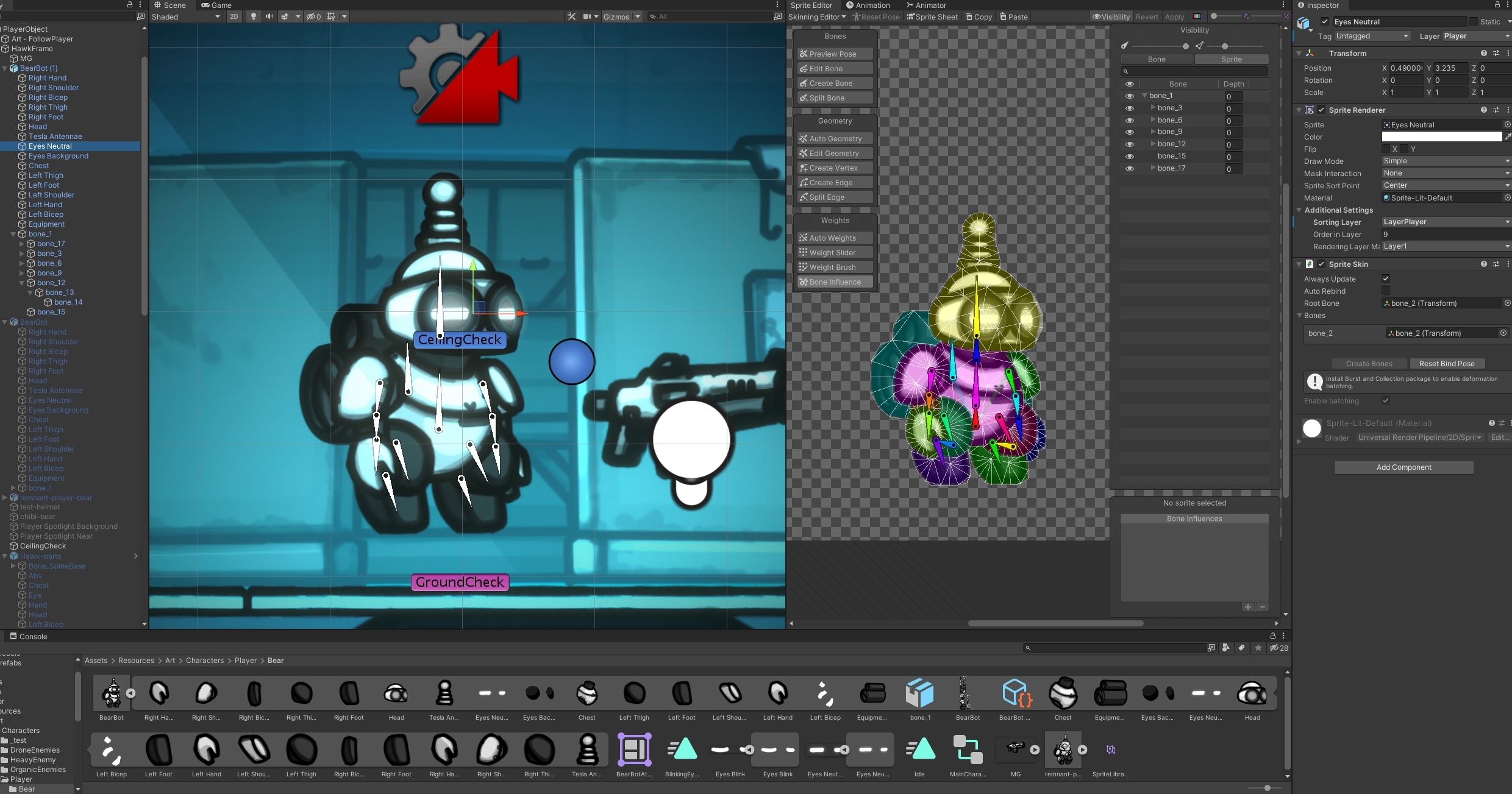
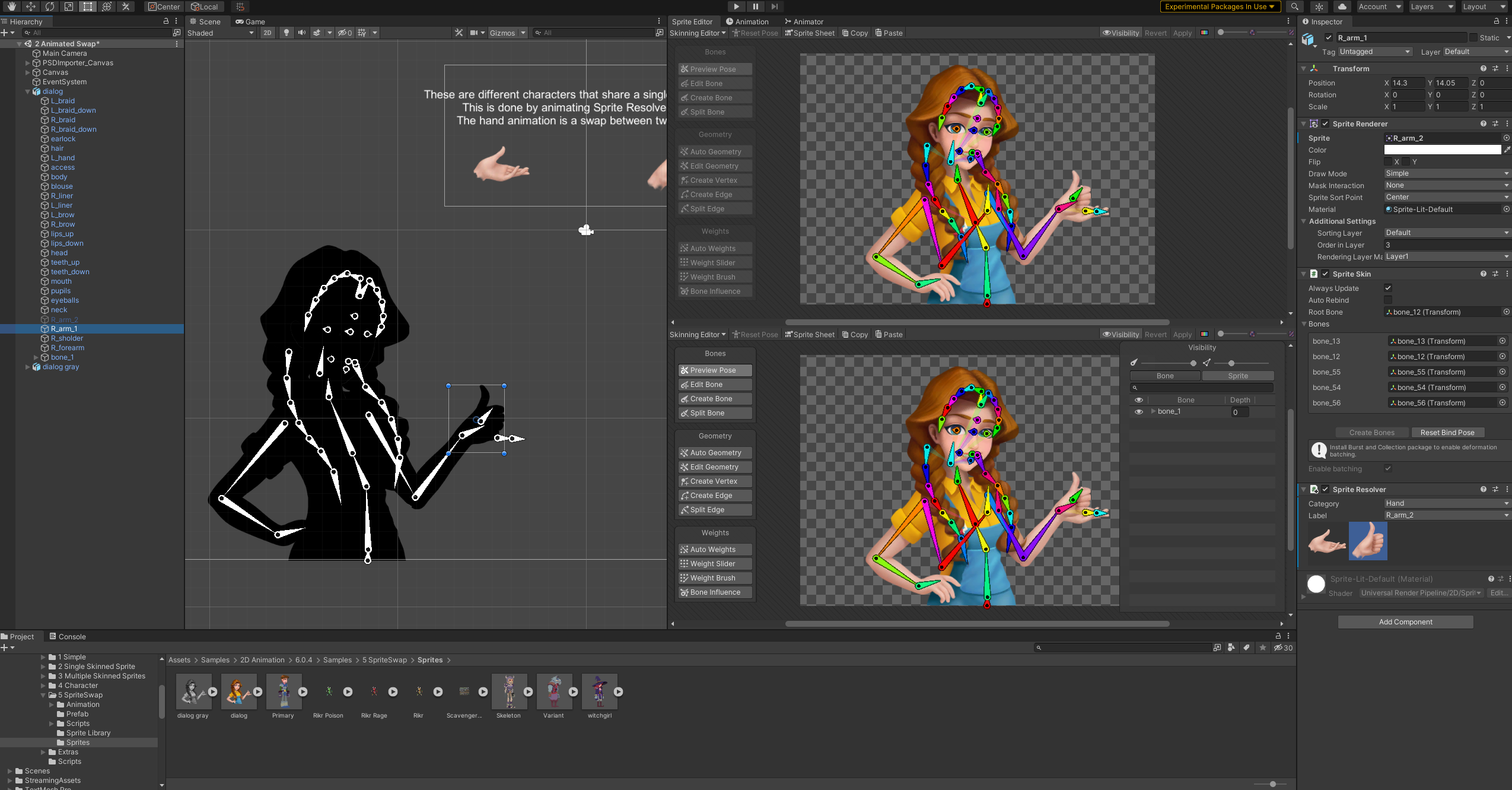
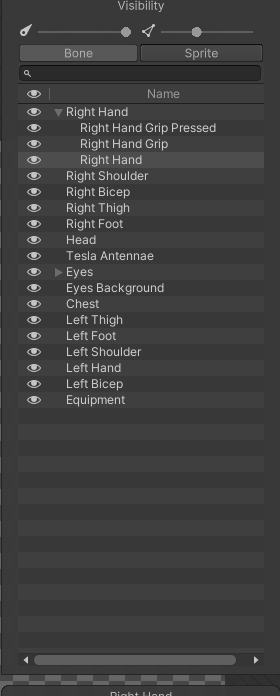 agile solstice
@ornate bridge I would try Z aim, Y up for the head
and for spine_03 -Y aim, -X up
ornate bridge


But if i want my character look at the target crosshair i need to do this with head + the spine 1 to 3 + shoulder + arm + all bones ?
bc my character is broken dunno how to setup

@agile solstice
agile solstice
@ornate bridge Ideally you'd only need to point the head and the gun to the reticle, and using IK constraints the arm and spine would follow
https://blog.unity.com/technology/introducing-the-animation-rigging-preview-package-for-unity-2019-1 There's instructions for that sort of thing ...somewhere in this link I think
Also, in package manager in the Animation Rigging package you can import examples which are incredibly helpful
ornate bridge
They don't have one with my setup
agile solstice
ornate bridge
They don't have one with my setup
They don't have what?
pine badge
Hi, is it possible to change this default transition?
Note this is in a sub state, not the root state machine

Setting another state as default state makes the default state, but there's no way to change the default transition

Oh got it, gotta right click the entry state
ornate bridge
agile solstice
They don't have what?
Exemple for TPS
 stuck iron

hey fellas, any idea why this hand bug happends? its all fine in blender
and animations play fine, this happends when i try to rotate armature bone in Unity
the goal is to make a slight rotation to the rig from code that is not related to the blend tree animation
agile solstice
stuck iron
This usually always means that parts of the limbs are weight painted to some remote bone
Not sure why it works on animations
agile solstice
ornate bridge
Exemple for TPS
TPS?
agile solstice
ornate bridge
for aim your character with your gun.
Well, no, but same techniques
I think how the ninja in the tutorial aims the sword / shuriken throw is the same you would use with a gun
ornate bridge
the video of 30 sec?
@agile solstice
agile solstice
ornate bridge
the video of 30 sec?
<@!166982635950702592>
Video? In the blog I linked there's "vertical aim rig" section
 twin terrace
Hello! I was wondering if someone could point me to a tutorial (or course) that explains how to export fbx-files with animation to Unity and how to set it up properly in both apps. I'm having a lot of problems trying to understand all the settings what to check and not to check. Thanks for any help!
pine badge
Hi, i'm using AnimatorOverrideController but it seems when trying to access AnimationEvent clip.events , it's null?
clear orbit
twin terrace
Hello! I was wondering if someone could point me to a tutorial (or course) that ...
What you want do do?
twin terrace
clear orbit
What you want do do?
I am having trouble understanding the animation pipeline, or flow. How to prepare the model for Unity and how to export and then also apply the correct settings in Unity for it work.
I'm also wondering about Unity's animation tools and if it's a good idea to use them instead of animating in Blender.
clear orbit
twin terrace
I am having trouble understanding the animation pipeline, or flow. How to prepar...
Those are all good questions
What are you making anyway, game?
Unity Cant make bones. So you have to make your bones in Blender
And do you want to animate or do you want to use animation packs?
Blender probably has way better tools for animation, but at some point you will want to bring it in to Unity. And then if its a game you will have to work with the animation system. But before that theres the world up thing you have to worry about. Actually probably CGDive has the best and most series of videos on exporting charachter with rigs and stuff to Unity.
Then theres the materials....I havnt firgured that bit out yet.
It usually comes in white....and then you have to unpack your materials etc.
Thats the tricky bit that i havnt done yet
Then theres the humanoid thing
theres animation rigging if you want to have soem procedural animation.
It's such a long process
so many parts to it
But if you're using Unity as your main thing...you will have to learn the way Unity does it. And still use Blender to make and export what it can't do
 arctic breach
clear orbit
But if you're using Unity as your main thing...you will have to learn the way Un...
arctic breach
clear orbit
But if you're using Unity as your main thing...you will have to learn the way Un...
Damn that was exactly what I was coming here to ask after doing a few Unity IK tutorials lol.
twin terrace
clear orbit
What are you making anyway, game?
Yes, a VR game.