#🏃┃animation
1 messages · Page 14 of 1
 raven coral
 hybrid tinsel
Side note, that mesh looks like it could be improved a lot fairly easily if you ...
hybrid tinsel
Side note, that mesh looks like it could be improved a lot fairly easily if you ...
'tis my first ever attempt at doing it
Although if you have any general rules, that would be great
 potent hatch
hybrid tinsel
How is it supposed to act, and how is it actually acting?
potent hatch
hybrid tinsel
How is it supposed to act, and how is it actually acting?
its supposed to act like #🏃┃animation message
but its acting like #🏃┃animation message
hybrid tinsel
potent hatch
but its acting like https://discord.com/channels/489222168727519232/502171313201...
You need to find out which bone in the skeleton is providing the motion, and set that as the root.
hybrid tinsel
raven coral
Although if you have any general rules, that would be great
Well, first of all and simplest, I suggest putting a mesh vertex at each joint. That provides much better deformation, and also helps unity's weighting algorithm. for this particular sprite, I'd also add more vertices to the overlapping area of the legs to avoid 'mushiness' when moving the limbs.
 agile solstice
I believe Any State transitions (or transitions in general) do not "prefer" anything
When the condition is met, the transition will occur explicitly to the state it's leading to
At a glance it sounds like you might want to be using Animator Override Controllers if you want to replicate a state machine with different motion, so as to avoid a big bunch of possibly conflicting sub-state machines
raven coral
hybrid tinsel
Well, first of all and simplest, I suggest putting a mesh vertex at each joint. ...
Right. That particular sprite isn't supposed to move all that much, so I figured I wouldn't need that many more
but it does deform a fair amount quite quickly
 mellow zealot
agile solstice
I believe Any State transitions (or transitions in general) do not "prefer" anyt...
mellow zealot
agile solstice
I believe Any State transitions (or transitions in general) do not "prefer" anyt...
I've used override controllers before, and its mostly worked
I'll take another crack at it, I've already got a dynamic override thing set up
How does one override states in a blend tree?
Is it the same as any other animation?
hybrid tinsel
raven coral
but it does deform a fair amount quite quickly
This is a rough idea of what I'd do

Though for that front leg I might move the joints a little more
Probably also add a second foot bone given how big it is, and add a foot bone to the back leg
The areas I blacked out are where you'd want to add more geometry because the extra space distorts when bending in a way that doesn't really match the way the limb should move
You could probably be more aggressive with that, but it depends on how much warping you're getting
raven coral
something more like this?
 hybrid tinsel
Better, yes. Though I'd add more internal points at the places I drew
potent hatch
hybrid tinsel
You need to find out which bone in the skeleton is providing the motion, and set...
so, i've tried selecting each of these components but it doesnt change anything.
 hybrid tinsel
raven coral
something more like this?
hybrid tinsel
raven coral
something more like this?
My suggestion is to move the bones around and see how placing vertices affects the distortion
raven coral
It's definitely distorting less, at least
hybrid tinsel
potent hatch
Well, I don't know if that's the correct bone to choose but yes.
hybrid tinsel
raven coral
It's definitely distorting less, at least
Good 😄
potent hatch
hybrid tinsel
Well, I don't know if that's the correct bone to choose but yes.
I've tried each one and checked the animation, but none of them changed the behavior.
hybrid tinsel
I dunno, then. Maybe gremlins.
agile solstice
Sorry it was me
hybrid tinsel
raven coral
something more like this?
I'd probably move the bones like this

You don't want his shin bending
agile solstice
mellow zealot
How does one override states in a blend tree?
I don't have experience of that specific case
I'd expect you can either override the blend tree's individual motions, or the blend tree entirely with any other type of state
Do tell how it works out if you go with that
hybrid tinsel
I'd probably add something like

 keen jolt
What would be a good way to add an animation to the camera itself, as in the camera the player would see the world through? As well as how to import said animation from blender, since the camera is not a model, and doesn't have an armature.
agile solstice
keen jolt
What would be a good way to add an animation to the camera itself, as in the cam...
You can animate other stuff besides just armature bones, and you can parent objects to bones in Blender as well
hybrid tinsel
keen jolt
What would be a good way to add an animation to the camera itself, as in the cam...
No idea about the latter, though unity can import transforms and I believe can support cameras from maya at least(don't know about blender)
For the former, it depends on the type of animation.
agile solstice
They are importable but that seemed mostly superfluous
keen jolt
hybrid tinsel
No idea about the latter, though unity can import transforms and I believe can s...
Does that mean that animating something like an empty in blender, then exporting that as an fbx, and somehow transposing said animation onto the camera is possible?
agile solstice
After all you'll want the player to be able to move the camera with input as well, usually
hybrid tinsel
It is an odd way of doing things, but why not?
hybrid tinsel
agile solstice
After all you'll want the player to be able to move the camera with input as wel...
I'm guessing this is for a cinematic or something?
keen jolt
I'll try to describe my use case in some more detail to help explain what I need to do
agile solstice
If you want to animate something like how camera can move in first person view in addition to player look input, you'd have to set up the hierarchy carefully so they don't try to override each other
keen jolt
My project is a first person game, in which the character can normally control the camera as you would in any other first person game, and I would like to implement an animation on the process of interacting with an object (Eg. pressing a button and an animation plays of your character doing said action, in first person), I have some of the ground work done, such as the ability to switch off and on player input, and manage camera rotation manually, as well as some procedural interpolation that can line up the camera to the exact starting point of the animation, to avoid jumping, but don't know how to actually animate the camera
The good news is that the player doesn't need control of the camera as this animation plays
so no headache to deal with there, just have to switch between the two
agile solstice
Sure, you can have a camera in Blender, animate and export that
That'll let you preview the perspective when animating, and even if you've got a custom camera already in Unity the imported camera will have a transform alll the same
I'd use Cinemachine since that will make it smooth and easy for a camera to jump between two perspectives, which don't have to be hierarchically connected at all
keen jolt
Would that mean having two seperate cameras in unity?
agile solstice
keen jolt
Would that mean having two seperate cameras in unity?
I assume that's what you're doing already but with Cinemachine no
keen jolt
agile solstice
I assume that's what you're doing already but with Cinemachine no
Oh. Not exactly, so far there is only one camera, which is normally controlled by the player, except for when my interaction starts, in which case the player's camera controls are turned off and it can be used by any other script or system that wants to move it
Is adding a second, animation specific camera a good idea?
agile solstice
keen jolt
Is adding a second, animation specific camera a good idea?
It's probably not bad but I'd avoid any unnecessary cameras
If you animate and export a camera in blender, you'll get a gameobject with the camera component
If you wish you can remove the component and use that as just the camera control transform, like you did before
Cinemachine makes this streamlined because its virtual cameras are not cameras, just transforms that can smoothly take over the real camera
keen jolt
agile solstice
It's probably not bad but I'd avoid any unnecessary cameras
If you animate and e...
I'd never actually taken a look at cinemachine, but that does seem really useful
huh
might just need to migrate all my camera code now
agile solstice
keen jolt
I'd never actually taken a look at cinemachine, but that does seem really useful
I think it's one of the genuinely great parts of Unity
Also means that you rarely have to do much any "camera code" at all since it offers so much out of the box
raven coral
So, it's a reasonable approach to add one Sprite Skin to multiple parts of a character, assuming the character consists of multiple images?
For example I could have a character with 4 sprite skins, one for the legs, one for the head, one for the arms, etc?
And then can I have one part, for example a sword, be affected by bones on a different part, for example the arm?
hybrid tinsel
raven coral
So, it's a reasonable approach to add one Sprite Skin to multiple parts of a cha...
Sprite Skin is a component applied to every rigged sprite object. They can share bones.
Though if you are not using psd import package to set it up, you'll need to manually assign the bones.
 violet timber
Hi all! Can I add extra transform to humanoid model rig structure? Model I use misses Upper Chest transform in avatar config, so I want to add it manually, because I have no access to source model.

 brittle mauve
Hi, I have a issue with animations when my animation switches from the walk and transitions to the run it freezes on the walk cycle even though it say its running
violet timber
brittle mauve
Hi, I have a issue with animations when my animation switches from the walk and ...
can you show RunAnimLust state settings?
brittle mauve
 violet timber
brittle mauve
violet timber
brittle mauve
what happens if switch this states? (Make RunAnimLust default one and transition it to walk state)
brittle mauve
violet timber
what happens if switch this states? (Make `RunAnimLust` default one and transiti...
Same thing happens
violet timber
brittle mauve
Same thing happens
Running animation plays but when transitioning to walk it freezes on running end pose?
brittle mauve
No running never plays just freezes, walking work fine even if not set to default
violet timber
Ok, can you test your running animation without any transitioning, just as solo animation?
brittle mauve
Yep, one sec
 void zealot
Hiya, I have a dream where I would be able to hold a hotkey and then slide around the marker on the active timeline, and hold another hotkey which would allow me to move an object on the XZ plane without having to click on the gizmo. It would save me a lot of time and carpal tunnel, does anyone have any recommendations?
brittle mauve
Same thing happens no movement at all
violet timber
brittle mauve
Same thing happens no movement at all
seems like your Run AnimationClip is broken. Check it in import settings of your model (if it comes with model). If unity shows same in preview window, then you need to fix your animation
brittle mauve
violet timber
seems like your Run `AnimationClip` is broken. Check it in import settings of yo...
Thank you I will check it now
brittle mauve
violet timber
seems like your Run `AnimationClip` is broken. Check it in import settings of yo...
It works in the inspector preview
violet timber
brittle mauve
It works in the inspector preview
that's interesting
Do you have any
- layers except base in animation controller?
- scripts which can access to animation controller?
- state behaviours on those states?
brittle mauve
- No other layers only base
2.Yes I have my script changing the bool for running - No state behaviours

 violet timber
last thing I would check is transition settings, but if even controller with one default running state doesn't work, then I would reimport project and see if it helps
brittle mauve
Right so here are my transition settings

 violet timber
brittle mauve
Right so here are my transition settings
violet timber
brittle mauve
Right so here are my transition settings
please, show with opened Settings
 red bramble
switching your animations to be Humanoid is pretty simple
 meager smelt
Hey guys! How can I change an animation humanoid???
red bramble
it's the same process you did on the model
red bramble
select the asset that contains the animation
you should see a similar inspector to before
switch from Generic to Humanoid
then there should be a dropdown with options like...
"create new" / "copy from existing"?
you want the latter
note that this assumes that the animations use the exact same armature as the player model
which they probably did, since they were working in Generic mode earlier...
brittle mauve
violet timber
please, show with opened `Settings`
Sorry here you go

 meager smelt
I think I did it let me test
Well, no longer in the ground and it seems to work, but I still have an error.
 meager smelt
red bramble
which they probably did, since they were working in Generic mode earlier...
meager smelt
red bramble
which they probably did, since they were working in Generic mode earlier...
hmm some of the bones are null?
 red bramble
which one is missing?
violet timber
brittle mauve
Sorry here you go
I see nothing wrong
meager smelt
red bramble
which one is missing?
Well.... Spine and Spin1 is debugging 😄
I have Spine, Chest, and Upper chest as elements tho
red bramble
So it's failing to find "Upper Chest"
that's an optional humanoid bone, so it might not be assigned
meager smelt
Yes it was that
red bramble
If there is an upper chest bone you want to use, go back to the asset for the player model
you need to edit the avatar
assign the upper chest bone, then hit Done
meager smelt
red bramble
iirc you must have hips, spine, chest, neck, head
Yeah I know that one
violet timber
@brittle mauve can you show animation import settings?
brittle mauve
violet timber
I see nothing wrong
Thanks for checking it for me, I will try reimporting
 violet timber
brittle mauve
violet timber
brittle mauve
hmm, see no problem, i've found 7 years old question on reddit with exact same description, but it lacks of answers https://www.reddit.com/r/Unity3D/comments/4wv7cs/why_does_my_transition_freeze_the_second/

reddit
2 votes and 4 comments so far on Reddit
brittle mauve
violet timber
hmm, see no problem, i've found 7 years old question on reddit with exact same d...
Its stumped me, I've never had this issue before
I'm just talking to my 3d modeller to see if its a mesh issue
violet timber
brittle mauve
Its stumped me, I've never had this issue before
can you write back what was the issue? I'm curious
brittle mauve
Yeah defo, thanks for helping
 white quail
I got a human model from sketchfab I rigged himself and added to the scene, I also gave it the animations I downloaded as well as the animator I set it up as well but it's not moving, anyone could help me with possible solutions?
Or just let me know what u think is the problem
 bleak hinge
Can i setup a 2d animation without a sprite and it not beeing locked to a certain location
hybrid tinsel
bleak hinge
Can i setup a 2d animation without a sprite and it not beeing locked to a certai...
Can you be more specific/ rephrase?
bleak hinge
I have a crowbar functioning as a weapon in my game, but i only drew the standard sprite since im pretty bad it drawing in general. If i animate it via the transform component (like the rotation or sth) it cannot be moved
hybrid tinsel
If you use animation on the root node of an animator, that will happen. Put the animator on an empty object as a parent, and animate the child object
hybrid tinsel
@brittle mauve check that your running animation is compatible with your rig- for instance, if your character is a mecanim humanoid make sure the animation is, too. And make sure the clip isn't set to legacy or something.
keen jolt
What is the best (and cleanest code wise) way of doing something once an animation ends?
Animation events seem like a pain
agile solstice
keen jolt
What is the best (and cleanest code wise) way of doing something once an animati...
https://docs.unity3d.com/ScriptReference/StateMachineBehaviour.OnStateExit.html
Probably this
Animation events aren't too bad either
keen jolt
agile solstice
<https://docs.unity3d.com/ScriptReference/StateMachineBehaviour.OnStateExit.html...
Thanks!
 uneven pagoda
quick question

so currently im struggling with an issue where everytime I enable and disable the gun (weapon wheel) since the animation doesnt have time to finish the bones end up in different locations and the offset begins to build up and by the end of a mousewheel spam nothing is where it should be
I've thought up of a simple solution where theres a default keyframe where everything is where it should be
but I don't know how additive vs override and layer prio works to make a simple not ugly piece of code to control that
i've thought of making the weights of every layer except the default one 0 on disable and then setting them all back to 1 afterwards on enable but that seems a bit silly
is that the way i'm supposed to do it?
hybrid tinsel
uneven pagoda
so currently im struggling with an issue where everytime I enable and disable th...
You can just reset the animator to the initial state with Animator.Rebind() followed by Animator.Update(0f)
So that'll remove any accumulated wonkiness
 zenith kindle
Yo!
Anyone know a way to export a timeline animation to fbx (or gltf) for humanoid meshes?
I have created a timeline animation on a character using a number of different animation clips, and want to export to one long clip.
I have tried the gltf anf fbx exporters, but they dont seem to support the timeline or humanoid animations.
Merci
 plain imp
Hi, I had a working character animated from mixamo working with idle + walking + light/right strafes with a blend tree. I'm now changing it to rotate instead of strafe for which I changed the animations from generic to humanoid. The animations in the blend tree inspector works fine, but in the game I get a T pose instead of the correct animations. You can see this happening in the attached clips. Any ideas on how to fix it? Thanks!
Fixed it! I needed to set the avatar in the Animator inspector
 solar sinew
hi can someone help me? im new in Unity and i am struggling to change my sprite from one to another because the first one just couldnt slice up normallymwhen i try to slice it in 16x16 it just divides into 4 parts

and i cant also scale it
why?
 clever venture
willing to work with a beginner or intermediate artist. With Unity i consider myself intermediate. dm if interested
agile solstice
clever venture
willing to work with a beginner or intermediate artist. With Unity i consider my...
!collab
 dusk valeBOT

📢 Collaborating and Job Posting
We do not accept job or collab posts on discord.
Please use the forums:
• Commercial Job Seeking
• Commercial Job Offering
• Non Commercial Collaboration
hybrid tinsel
solar sinew
hi can someone help me? im new in Unity and i am struggling to change my sprite ...
you can slice it manually
 silver nest
Hello, there used to be a way to bake an animation track into an animation clip, however I cannot find it anymore. Appreciate any advise.
hybrid tinsel
silver nest
Hello, there used to be a way to bake an animation track into an animation clip,...
The unity recorder package.
 wanton burrow
 civic coral
I want to learn unity procedural animation. How do I learn? I looked on YouTube but did not find a good tutorial
agile solstice
civic coral
I want to learn unity procedural animation. How do I learn? I looked on YouTube ...
That depends a lot on what kind of procedural animation do you mean exactly
civic coral
agile solstice
That depends a lot on what kind of procedural animation do you mean exactly
As the player interacts with the surrounding environment. It means that the leg changes when going up the stairs or on a hill. When walking near a wall, holding the wall
agile solstice
civic coral
As the player interacts with the surrounding environment. It means that the leg ...
The Avatar system has some IK that can be used for that, but another more extensive and customizable is the Animation Riggin package
https://youtu.be/hs2goLjUz4U
In this video you will learn how the Animation Rigging package can improve animation in your project via better tools and more flexible workflows. Discover how to setup a character, and harness both runtime rigging and animation authoring in this practical demonstration aimed at riggers, animators, and cinematic designers.
Speaker:
Ciro Contini...
civic coral
agile solstice
The Avatar system has some IK that can be used for that, but another more extens...
Ok I will watch this. Thank you @agile solstice 💜️
 paper gust
What app should i use to animate my 2d character
agile solstice
paper gust
What app should i use to animate my 2d character
Did you try the programs that were suggested to you
 abstract turtle
i just imported my animation to blender, however when I start the animation the character turns to be massive, the only scale i have found that is not one is of the imported object. The scale is greyed out though, can i change it somehow?
 mellow zealot
agile solstice
The Avatar system has some IK that can be used for that, but another more extens...
mellow zealot
agile solstice
The Avatar system has some IK that can be used for that, but another more extens...
Animation Rigging has its problems, I find. While it's usually quite helpful for both runtime and editor stuff, it can sometimes cause bones to go funky in the editor. Its easily fixable mind you :P
agile solstice
mellow zealot
Animation Rigging has its problems, I find. While it's usually quite helpful for...
Which part's easily fixable?
mellow zealot
When you back out of previewing an animation, bones are often in random positions/orientations, resembling some part of one of the animation clips you've used recently. Albeit that's what the "restore bind pose" thing fixes
but its just one of those annoying things to me
raven coral
I want to use a lot of sprites for normal frame by frame 2d animation, but also want to use bone-rigged animation. Depending on the frame the character is in, the bones-setup and rig will be different. Is there a common way to solve this? I don't really want to have 50-60 bone objects per character
I was hoping I could swap out the sprite and doing so would also swap out the bones
agile solstice
mellow zealot
When you back out of previewing an animation, bones are often in random position...
Do you use Animation Rigging for authoring animations? I don't recall encountering that, though I only use it runtime secondary motion really
agile solstice
raven coral
I was hoping I could swap out the sprite and doing so would also swap out the bo...
What would you swap out the bones for? I assume in that kind of system you'd usually want to re-use the bones for all the different poses
raven coral
Like, when a character is punching or climbing the sprite itself is swapped out, and I want to use a different skeleton.
agile solstice
raven coral
Like, when a character is punching or climbing the sprite itself is swapped out,...
Why different?
 agile solstice
Not sure why these couldn't share the skeleton with a different sprite
agile solstice
Poses that don't need the arm don't have to have any part of the sprite mapped to it
I'm sure there's many ways to go about it though
raven coral
So to use the same skeleton setup I just copy paste the skeleton from the original?
agile solstice
raven coral
So to use the same skeleton setup I just copy paste the skeleton from the origin...
You don't need an extra set of bones in the scene I believe
If you swap out the sprite of a skinned mesh renderer component it should be able to use a matching set of bones
But I recommend to test that since I haven't
raven coral
So, just set up more bones than I probably need for the animation in case I need them later
paste them into other sprites
and then I can re-use them?
agile solstice
I'd assume so
raven coral
And then I can, when I swap the image out, set the bones to be the correct default position for that sprite?
agile solstice
Sure
I'd have the sprite reference be changed by the animation clip
So the pose and sprite always match with the shared armature
raven coral
The mesh itself doesn't appear to be changed when the texture / sprite is changed
So both images can use the same skeleton, but as the mesh is different it ends up broken even when the bone pose is the same
raven coral
From what I can see, it doesn't look like you can re-use the same bones unless the underlying object is "near identical", like you could swap out a character for something of the same build in the same pose, but not re-use a rig for walking for a different climbing sprite
hybrid tinsel
raven coral
From what I can see, it doesn't look like you can re-use the same bones unless t...
Correct
What I do is just have separate bones when needed
uneven pagoda
hybrid tinsel
You can just reset the animator to the initial state with `Animator.Rebind()` fo...
I put it in the OnEnable() (which I tested with a debug and runs) and the parts still begin to fly off screen.
would having something that "reset" the animation or set all animations to frame 0 on disable work?
 sharp shadow
Import Character from the Asset Store
hybrid tinsel
uneven pagoda
would having something that "reset" the animation or set all animations to frame...
I dunno, since I am not sure why it is breaking
uneven pagoda
hybrid tinsel
I dunno, since I am not sure why it is breaking
Fixed it by setting the keep animator state on disable to true
raven coral
hybrid tinsel
What I do is just have separate bones when needed
In my case I'd end up with like, tens of sets of bones. Is that how you do it?
raven coral
It's no issue when you're doing similar characters, I just don't see how you could do different poses with the same character
Then, since what we are trying to do is not animate the character fully using the skeleton, just slightly add to the animation using bones, we should maybe use one big mesh that covers everything and is not very accurate, and re-use it?
 pliant marten
Hey folks, never used Unity before. I'm thinking of using Unity to create some static poses of a character I made without having to "slice" up the character into layers in Photoshop. Would this be possible? I saw on YT something using the Skinning Editor to accomplish this
 trim hatch
if you export as psb you wont have to cut parts out
raven coral
pliant marten
Hey folks, never used Unity before. I'm thinking of using Unity to create some s...
The sample projects that come with 2d animation are very useful if you want to see Unity do it
 umbral stone
So when i change direction the animation goes back to player blink. how do i make it skip player blink immediately if they are going a different direction
 violet timber
Hi all!
I want to ask an advice. I need to implement both VR body and NonVR (PC / etc platforms) character. For example both have the same humanoid model.
- For VR body I want to have IK hands synced with VR controller, head oriented to VR headset + IK feet when they properly lay on surface
- For NonVR character I want to have Head oriented to camera look direction + IK feet (same as for VR body)
I see that all of that can be made within unity's default Animator functionality. Though there is promoted Animation Rigging package which can provide same solutions but without limiting only on head / hands / foots as it goes with Animator (as I understand it just relays on unity's humanoid Avatar and can do IK for head / hands / feet).
What should I choose? Maybe you know obvious pros and cons of both solutions
 coarse wadi
hello hello, i have a pixelart turret with around 8 sprites for each angle of the turret. How do I best set it up so the programmers can choose the angle? Im thinking an animator with an int for the angle, but then i would have to have 8 different animations? that seems like pain and a memory waste.
trim hatch
probably a blend tree would be best here
1,0 for right facing, 0,1 for up facing, 1,1 for top right facing
@coarse wadi
coarse wadi
yeah i was thinking that, but id still need an seperate anim file for each stance right?
trim hatch
yeah, if the turret doesn't move then you can just switch sprites out
coarse wadi
yeah it will also shoot so theres seperate anims for that
but i feel like there should be a way easier/less taxing way to do that
trim hatch
i cant think of one
agile solstice
coarse wadi
yeah i was thinking that, but id still need an seperate anim file for each stanc...
Animation clips are not taxing
The sprites themselves are the big part most likely
coarse wadi
I mean it wouldnt be that many sprites. Like 8 for the movement snd then maybe 2 per position for shooting so i think like max 30
And its pixelart
So i guess well be fine
 solemn peak
Hey everyone, I spent the day trying to figure out what is happening with the Animation Rigging, but I lost my hopes, so I'm here to ask your help. When I enable the Rig Setup my player sinks into the ground and I have no idea why, it's just a simple head aiming thing.
Can someone help me?


 hot night
having an Issue with My IK using a Mixamo Rig on a Human Avatar
I set up two multi-aim constraints one for the the spine1 and one for the neck so my player can look at the target but now , but now none of my transforms work (cant move or rotate the player even if i move/rotate the parent ) Not really sure how else to change it. anyone have any ideas?
hot night
hot night
having an Issue with My IK using a Mixamo Rig on a Human Avatar
I set up two mul...
disabling the Rig Builder immediatly fixes it so I know the issue is there, On the Animator i get this warning all animations are set to Humanoid and are using the same avatar
 agile solstice
solemn peak
Hey everyone, I spent the day trying to figure out what is happening with the An...
agile solstice
solemn peak
Hey everyone, I spent the day trying to figure out what is happening with the An...
That's the Humanoid default pose when no animation is selected to play
solemn peak
agile solstice
That's the Humanoid default pose when no animation is selected to play
Thanks, I just added an idle animation and it worked, I should have tried it before 🤦🏻♂️
 grim vector
Is there a way to create an animation that will run in an animator, and animate anything that is dictated in the Humanoid Rigging config for a specific bone spot? For example, many models have different rig syntax, and I want to have an animation that would work across a rig that uses Hand_L, and Hand.L, without having to add all the possible syntaxes to a single animation file.
 fallen topaz
is there a better way to handle animations like this?

like every animation will need a transition to human_hurt and human_death for when the player takes damage
for context I'm making a top down 2D game
fallen topaz

 lime helm
fallen topaz
is there a better way to handle animations like this?
lime helm
fallen topaz
is there a better way to handle animations like this?
A system like this if applicable: https://youtu.be/nBkiSJ5z-hE
Or you put hit reacts into a substate machine and handle the relevant animation transition there

► Easily make Platformers using my Unity Asset - http://u3d.as/2eYe
➤ Ultimate 2D CarGame Kit [ON SALE] - http://u3d.as/1HFX
➤ Wishlist my game - https://store.steampowered.com/app/1081830/Blood_And_Mead/
➤ Join the community - https://discord.gg/yeTuU53
➤ Support on Patreon - https://www.patreon.com/lostrelicgames
0:00 Escape Unity Animator ...
 heady harbor
I want to rotate my car so i put 4 keyframe
0, 90, 180, 270, 360
but when the animation loops there is a slight delay between the last and first frame how do i eliminate that?
agile solstice
fallen topaz
You'd use sub-state machines, animation layers and blend trees to group up animations logically
As mentioned a sub-state machine seems like the practical choice here
Idle, walk and run could fit in one blend tree
If death is a one-way state that should take precedence over any other, you could use Any State for it
agile solstice
lime helm
A system like this if applicable: https://youtu.be/nBkiSJ5z-hE
Or you put hit r...
This is basically recreating in code what the Animator already does, but with more effort and less features
Even the "onion layers of conditions" pointed to as a problem of the Animator is faithfully reproduced by the end
Animator gives you the option to interrupt transitions but in this variation they're hardcoded with an Invoke which seems like a setup for problems
lime helm
agile solstice
This is basically recreating in code what the Animator already does, but with mo...
Ah yep, I find it difficult to manage a bunch of variables in the animator coz it gets ... messy
agile solstice
It's a big UX drawback that it's slow to create transitions and that you can't re-use or even copy&paste them, but I don't think the best solution is to scrap the whole system for parts
Especially if the problem people try to solve by doing that is that they don't know about layers, blend trees or sub-state machines
If they assume that they will need to create three hundred identical transitions, it starts to seem logical that you should try to find a way to speed up that grind somehow
lime helm
Right, but even still layers and substate machines don't really address the issue of needing unique parameters for every single animation transition you might need on top of needing to maintain each and every one. I certainly think state machines are needed and useful, but there are a lot of "actions" you might want to perform with animation which you just want to play without having to set a parameter every time.
lime helm
I get that there's AnyState but that can quickly turn to a mess of transitions and afaik the more transitions on anystate the less performant the AC becomes.
agile solstice
lime helm
Right, but even still layers and substate machines don't really address the issu...
If every state has to have its own unique parameter, that's not really something you can get around by coding them instead
The power comes from parameters being able to lead to multiple different states (or clips) in different ways contextually
Though if the state flow itself is detrimental then I suppose it may be more efficient to play clips directly from code
But I wouldn't start coding the state machine back in at that point
But it seems kinda rare to have a huge number or equal priority animations
Most things a character does like moving may involve a lot of clips but be handled very efficiently by layers and blend trees
lime helm
Yes, locomotion is pretty standardized to be handled by blend trees and that's ideal. The pain point i come across most often is animations for gameplay systems which can have a lot of different actions performed by the character. Something like picking up an object you would need to at least have all different states defined by something like an integer to then identify the different hand grip animations you might need to play. You could reuse the arm anim and then have another layer for the hands perhaps. To me it I don't like the idea of different locations to manage and the notion of identifying things via an int requires cross referencing which asset is to be used with which animation. It feels obtuse. I should mention as much as I'm familiar with animation and state machines I'm by no means a programmer. My approach could be all wrong and I'd be happy to be corrected, but my experience thus far has been limiting and clunky.
agile solstice
lime helm
Yes, locomotion is pretty standardized to be handled by blend trees and that's i...
In that situation if you have a "with item" variants of each animation I'd have a synced layer that mirrors the state logic but swaps out the clips
If the holding animations could be handled by a partial override, such as by only taking control of the arm, I'd have an override layer with each clip in it
But it always depends on the situation
Transitions can't be called by a name or string parameter, but named triggers are probably the closest thing
Enum parameters would be really nice but I guess substituting an int for it works, though that is a bit clunky as you say
 lunar geode
I am trying to understand how root motion works in Unity (or just overall). Specifically I have a dodge-back-jump-thingy that I would like to get root motion to work for. Results so far is that the character either jumps back and then returns to origin point. Or it does that and continues forever.
(which is also strange. It plays the animation even if I don't press the dodge button -.-)
Anyone who could point me to an actually good tutorial, that preferably explains the why and not just the how? Extra points if it begins with rig set-up (root configuration etc).
agile solstice
lunar geode
I am trying to understand how root motion works in Unity (or just overall). Spec...
I don't know any specific tutorials, but if the character returns after the animation, that implies the animation is made for root motion but root motion isn't being applied in Unity
Either by not being enabled or by not getting the motion from the correct "root" bone
Or possibly by being applied to the wrong object in the hierarchy
The idea is that whatever keyframed offset the animation adds to the root bone, Unity will instead treat as movement of the gameobject rather than an offset of the animated mesh
lunar geode
What I did for the current rig was to make a secondary root bone (took a note from Auto Rig Pro there). So the ctrl-root is what is moving, and the ROOT is stationary.
Is that even remotely correct thinking?
agile solstice
lunar geode
What I did for the current rig was to make a secondary root bone (took a note fr...
I think that could be a problem, if Unity considers a different bone to be the "root" than the one that has the root motion baked in
It can be a bit ambiguous what gameobject gets moved by default by the root motion, and by which method of motion (which is to say I have no clue about that part)
But you can read and apply the motion in a script any way you need to
lunar geode
yeah, that's what's confusing me I think
add on to it that what I'm trying to do is call a jump, which at the moment is the only one I want root motion for :p
agile solstice
It might need some extra care if you need to switch between root motion and not-root motion on the fly, but I'm not sure
I have a fancy character controller handling that
lunar geode
basically what I need is when the ctrl-root moves (and the animation finishes), the whole game object is set to the position of ctrl-root
agile solstice
When using root motion you don't really want the object origin and character mesh position to be "disconnected"
lunar geode
yeah, and I guess that's what's happening now, and the reason it returns to start position?
lime helm
This is something I'm curious about too, if you wanna use root motion, does that mean your character mesh with the animator component need to be your top level game object?
agile solstice
lunar geode
yeah, and I guess that's what's happening now, and the reason it returns to star...
I'm assuming because you've changed the root bone but the animations don't reflect that, or because root motion is not in use at all
lime helm
agile solstice
If the holding animations could be handled by a partial override, such as by onl...
I see this as the only viable approach. You mentioned synced layers but I have rarely found a use case for this implementation. There are a few cases sure but recreating every single state to create another animation for or ensure is filled out with a new clip is tedious.
agile solstice
lime helm
This is something I'm curious about too, if you wanna use root motion, does that...
That I believe is the default functionality but can be customized
agile solstice
lime helm
I see this as the only viable approach. You mentioned synced layers but I have r...
Synced layers automatically mirror the state machine of the layer they're syncing with, you just need to swap out the motions in the states
lime helm
agile solstice
Synced layers automatically mirror the state machine of the layer they're syncin...
okay, so say I have ten items that I want the player to hold, and have animation sync with the locomotion coz otherwise the arm is stiff and unnatural. Do I then create ten synced layers one for each item? My only other thought is a blend space within the synced layer states for each held item pose and drive a param around depending on what item the player is holding.
agile solstice
lime helm
okay, so say I have ten items that I want the player to hold, and have animation...
What kind of characters and what kind of holding animations are they?
Do you have 10 entire variations of the character's animation set for each item
lime helm
agile solstice
What kind of characters and what kind of holding animations are they?
A humanoid, and they're picking up weapons. Each weapon has a static pose to hold it and I make animations for each weapon which move the arms in time with the locomotion so there is a natural bounce and animation to match the locomotion. These can be two handed and one handed weapons.
I explicitly avoid creating entire locomotion sets for each because locomotion has not just speed variation, but strafe and slope variation totalling close to 100 assets. The intention is then overlay the weapon pose and use a simple blend space parameterised by speed to have the arm motion move in sync with the rest of the fullbody locomotion. so instead of making a full set of 100 animations per weapon I can make three clips one static, one at walk speed and one at run speed so the overhead of being able to hold a new weapon is not a bottleneck
agile solstice
lime helm
A humanoid, and they're picking up weapons. Each weapon has a static pose to hol...
Sure I'd probably make a synced layer for each weapon
Or maybe an animator override controller if you don't need them to exist in the same Animator
That amount of clips is going to be a lot of work to implement no matter how you cut it
Personally I'd try to make them only affect a part of the skeleton and layer them to avoid having to animate the whole character again for each
lime helm
agile solstice
That amount of clips is going to be a lot of work to implement no matter how you...
oh yeah my thoughts exactly, the hold weapon clips are masked to influence the arms only, at least for locomotion and when I'm authoring new clips I use animation layers in Maya 😉 so I only need to animate the necessary parts of the skeleton. My primary issue was getting the animation to syncronise and appropriately assigning a layer. I mean, my preference would be to have a single HoldWeapon Layer which could contain all the necessary states in one place and get the layered performance to be synchronised no matter which weapon state is active, then when we use a weapon that's a fullbody animation, so we blend to that on a different Fullbody Layer, no worries
lunar geode
@agile solstice I got it to work! Not sure how or why it suddenly works, but it works 😅
 glass cloak
Does anyone know a work around for the limited Humanoid Avatar Masking system? I'm using a kit to work with and the required setting is that the player character needs to be humanoid, which is fine, but when it comes to masking the lower body and upper body animations the fine tuning of it is a mess. I can't use the transformation masking because of humanoid reasons. Any solutions?
agile solstice
One float parameter that's updated to velocity and another that's updated to current state normalized time
There rarely is
Parameters must be changed externally, conditions for them you set in the Animator transition as you described them
 reef egret
can someone help me with a animation problem, i posted it in #💻┃unity-talk
agile solstice
reef egret
can someone help me with a animation problem, i posted it in <#49787242428144026...
Why don't you move it here
Discord's not wanting to redirect me properly
reef egret
@agile solstice
 agile solstice
reef egret
<@166982635950702592>
agile solstice
reef egret
<@166982635950702592>
The Animator must be precisely on the correct gameobject of the hierarchy
On the parent object of the HumanoidRig, it looks like
 agile solstice
reef egret
heres a better quality image
agile solstice
reef egret
heres a better quality image
This is only showing that the Animator cannot find HumanoidRig
The tiny empty space suggests to me that the Animator should be on HumanoidRig's parent object as I said, but it's a bit ambiguous to be fair
reef egret
agile solstice
This is only showing that the Animator cannot find HumanoidRig
The tiny empty sp...
oh
ill try shifting the animator
OH
it works now ty
 solar forge
Morning Guys, I could use a bit of help. Im working on my idle animations. I scripted everything and currently focusing on trying to have my character face the direction he was last moving. I set my parameters but its not working any insight would be great. Here's my coded if my code is fine then i know i messed up somewhere in my animator parameters
using System.Collections;
using System.Collections.Generic;
using UnityEngine;
public class PlayerController : MonoBehaviour
{
private Rigidbody2D myRB;
private Animator myAmin;
[SerializeField]
private float speed;

// Start is called before the first frame update
void Start()
{
    myRB = GetComponent<Rigidbody2D>();
    myAmin = GetComponent<Animator>();
}

// Update is called once per frame
void Update()
{
    myRB.velocity = new Vector2(Input.GetAxisRaw("Horizontal"), Input.GetAxisRaw("Vertical")) * speed * Time.deltaTime;

    myAmin.SetFloat("MoveX", myRB.velocity.x);
    myAmin.SetFloat("MoveY", myRB.velocity.y);

    if (Input.GetAxisRaw("Horizontal") == 1 || Input.GetAxisRaw("Horizontal") == -1 || Input.GetAxisRaw("Vertical") == 1 || (Input.GetAxisRaw("Vertical") == -1))
    {
        myAmin.SetFloat("lastMoveX", Input.GetAxisRaw("Horizontal"));
        myAmin.SetFloat("lastMoveY", Input.GetAxisRaw("Vertical"));

    }

}
}
agile solstice
solar forge
Morning Guys, I could use a bit of help. Im working on my idle animations. I scr...
Test your animations and code separately to figure out which one needs fixing
Parameters can be toggled in Animator in play mode to test the state machine, and debug.logs can prove to you if your code is running as it's meant to
If you want someone to read your code, follow code posting guidelines
You've even got spoiler tags in there
 full lagoon
@agile solstice hey men whay the rigid body cant work in my play ?
 charred belfry
full lagoon
<@166982635950702592> hey men whay the rigid body cant work in my play ?
charred belfry
full lagoon
<@166982635950702592> hey men whay the rigid body cant work in my play ?
Do not ping users you are not already in direct conversation with ( #📖┃code-of-conduct ), and this has seemingly nothing to do with animation, post in #💻┃unity-talk if you are not sure about channels
 small sentinel
Any ideas why my animation doesn't play? It enters the state, and it just stops at first frame. When it leaves it's all good
 worthy musk

I want to play Shield Run player but I cant
All of the conditions are true I think
But I cant do it
agile solstice
worthy musk
All of the conditions are true I think
To play ShieldRunPlayer the animator must explicitly be in DefensePlayer state, and none of the Any State conditions must be true
worthy musk
agile solstice
To play `ShieldRunPlayer` the animator must explicitly be in `DefensePlayer` sta...
I am actually
agile solstice
Any State will steamroll everything else
worthy musk
Well while Im playing defenseplayer, im trying to get shieldrunplayer
agile solstice
Those are the two obvious guesses out of the way anyway
agile solstice
I'd confirm that the ShieldRunPlayer animation works alone separate from the other states
Then confirm that you can get it to play without Any State in the way
agile solstice
worthy musk
give me a advice
Hard to give anything very specific advice when we can't see how the animations are supposed to play or what conditions the transitions have
There's a lot, so usually the best way to demo it is to demonstrate a video that shows every transition, every animation, the parameters being changed by code in playmode and the part where it seems to get stuck or fail to work
worthy musk
Well I can make you understand
when defenseplayer is playing my char takes is shield in front of him but doesn't walk or run
When I want to run i play shieldrunplayer
and then he is walking with his shield
agile solstice
I think I I understand what the goal is, but an explanation won't reveal things you might have missed to set up
worthy musk
okay
umm I want to have a look like what i said
then i give a bool for the transfer between any state and the defense player
for using of shield like on or off
agile solstice
That sounds like a problem
Like I said, Any State transitions override everything
worthy musk
I wll thake you photos
 gray flower
hi my model default position is this how can i make it tpose

 solid pendant
gray flower
hi my model default position is this how can i make it tpose
solid pendant
gray flower
hi my model default position is this how can i make it tpose
They will do that when there is no avatar assigned in the Animator Controller or the wrong one.
 main sand
So question, 2d platformer > multiple player weapons. If the player frames are hand drawn, how do you deal with weapon changes? Am I stuck using skeletal animation so the weapon can move with the character's hand properly without having to hand draw each weapon ?
Trying to figure out the best method for me and my graphic artist
 earnest brook
in my 2d platformer the run animation loops properly, and the standstill animation loops properly, but my falling animation for some reason just will not loop right

i made sure that the animation attached to it was set to loop and cant find a difference between transitions
and when i put the fall animation into something like running it loops properly too
this is what my code looks like to incorporate it
 earnest brook
i figured it out
 twin musk
Alright great
earnest brook
the issue was i had something going from any state to it
and had can transition to self ticked
 mighty python
Hey guys, i have this animation that is made from 4 sprites, but instead of having 0.3s it has 0.4s. how do i remove the last frame?
 cedar sonnet
I'm new to Unity and trying to figure out Animation Controllers rn. I cobbled together some code that should flip a boolean to true when D is pressed, which in turn should transition from the idle animation to the walking animation but it doesn't. Unity doesn't spit out any errors so I'm not sure what's going wrong.

looking at the inspector I think it might be something along the lines of the boolean not stopping the idle animation from playing even when it tries to start the walk but im not sure how I'd go about doing that
is there something really obviousa bout animation controllers someone new to unity would probably miss?
 uncut salmon
How have you setup the transition in your animator?
Also, you can drastically shorten your code:
private Animator m_Animator;
private bool m_Forward;

private void Awake()   <<< Use awake for local caching, not start
{
  m_Animator = GetComponent <Animator>();
}

private void Update()
{
  m_Forward = Input.GetKey (KeyCode.D);
  m_Animation.SetBool ("FreddyForward", m_Forward);
}
this is how the idle to walkforward transition looks in the animator

the way idle loops over walkforward is what makes me think im missing something that would disengage the idle animation
cedar sonnet
making the idle animation not loop doesn't seem to bring out the walking animation so maybe there's something wrong with the actual bool
tried using a float instead, if I set it to be less than 1 it'll play the running animation but it seems whatever code I'm using for movement doesn't seem to actually change the speed?
cedar sonnet
im stumped tbh, might just go back to the drawing board. Anyone have a good guide on the basics of making a player character in unity?
 unborn wave
Hi!
I need help with editing my arms for my FPS game. So far, I can only edit my gun its position. I cannot change the scale or rotation of my arms. My problem is that the right arm is not lined up correctly with the gun. Here's how it looks. (picture)
How do I edit this? I've tried so many times to change the positon, scale etc.

 manic wagon
I might be misunderstanding the question, uh.
Meshes follow the animation bones according to the vertices weightpaint data. (as weightpainted in Blender or other 3D programs)
So these hands should move and rotate with the animation bones, provided they were weightpainted right.
Maybe part of it is still following the shoulders or the spine bones shown in the hierarchy?
I think meshes scale with whatever object the meshrenderer is on.
Scaling up a 3D model like this in Unity often leads to some horrific mangling, though, since the bones are still trying to follow the bones, which are now further inside it.
Edit: You can also change size in import settings, which might be a better idea!
 lethal parcel
im having a big issue with my animation right now. i am curently using unity animations to move the huminoid model while holding a gun. however i also wish the model to point in the direction the camera is. is there some way i could get the best of both worlds or do i have to make a sacrifice and drop my animations?
lime helm
lethal parcel
im having a big issue with my animation right now. i am curently using unity ani...
You might find that Animation Rigging can help you. I'd recommend checking out this video: https://youtu.be/LEwYmFT3xDk
One caveat with Anim Rigging is that it is less supported for humanoid avatars.

✅ Get the FULL course here at 80% OFF!! 🌍 https://unitycodemonkey.com/courseultimateoverview.php
👍 Learn how to make BETTER games FASTER by using all the Unity Tools and Features at your disposal!
👇
🌍 Get my Complete Courses! ✅ https://unitycodemonkey.com/courses
👍 Learn to make awesome games step-by-step from start to finish.
🎮 Get my Steam Gam...
lethal parcel
thank!s!!!
 primal sapphire
Is there an easy way to modify animation from mixamo?
In particular I want to rotate it's root
I know nothing about animation/3d IDEs
agile solstice
primal sapphire
Is there an easy way to modify animation from mixamo?
In particular I want to ro...
No, and doubly no if you're not familiar with the necessary tools
When an animation is exported and baked, modifying it becomes incredibly difficult
Your best option might be to use something like the Animation Rigging package to configure a dynamic IK constraint for the limb that lets you override the animation clip's keyframes as needed in a way that looks natural
primal sapphire
it's not about limb
it's actual animation root
as in: character is horizontal
meanwhile I want it vertical
agile solstice
primal sapphire
it's not about limb
My mistake, I misread that
You can retroactively flip a mesh rotation quite easily by giving it a parent gameobject and rotating it within it
If you also use root motion, you might need to reinterpret the motion vector but I'm not sure, might not need just as well
I would assume Mixamo has export settings for specific engines with different axes, but I'm not familiar with it
primal sapphire
no root motion
and flipping mesh rotation a bit troublesome
because that's only related to one specific animation
basically, all animations are vertical (normal), but one specific is horizontal (similiar to lying)
and due to it being horizontal I have troubles merging them in a good way
animation itself is "Flying" (like superman)
agile solstice
primal sapphire
and due to it being horizontal I have troubles merging them in a good way
Merging them?
primal sapphire
I mean blending
if player makes a jump while flying
he rotated by 90 degrees
which looks awful
agile solstice
Modifying just the root transform of an exported clip should be doable
You can duplicate clips with ctrl + D to get them out from within a model asset and to make them editable
agile solstice
But if the rotation is in the character bones rather than the root, you might end up blending to two opposing rotations that try to compensate each other
Which may ensue in weirdness, but it's worth a try
primal sapphire
yeah, I'm looking into it atm
primal sapphire
agile solstice
Which may ensue in weirdness, but it's worth a try
yay, that was it
thank you so much sir
I honestly thought I'd have to download some 30 gb software to do that 😅
 formal schooner
Hi all! I've just started the animation lessons as part of Junior Coding 2 in Unity Learn. I'm previewing animations and all work fine, except for one. I have no idea why. Would anyone care to have a look?
agile solstice
formal schooner
Hi all! I've just started the animation lessons as part of Junior Coding 2 in Un...
Start and end are the same so the animation is one frame in length
 formal schooner
agile solstice
Start and end are the same so the animation is one frame in length
formal schooner
agile solstice
Start and end are the same so the animation is one frame in length
I see, thnx. Is there a way to find its default? I must have accidentally changed it. I even exited Unity without saving, but I guess this stayed.
agile solstice
formal schooner
I see, thnx. Is there a way to find its default? I must have accidentally change...
Probably not
The mesh import settings do not have knowledge about what the animation frames correspond to
But it should be fairly simple to change the start and end and preview once it looks right
formal schooner
agile solstice
Probably not
The mesh import settings do not have knowledge about what the anima...
Allright, then I'll just play around it a bit. Thnx.
agile solstice
When exiting Unity, you may get the prompt to save the scene and separately to apply any import settings changed in the inspector
Other types of assets like prefabs or animation clips are saved on exit without any prompt
Or from File>Save Project
It's a bit confusing at first when Unity saves things
 rugged shell
Hey, I'm a bit confused here.
I'm trying to get some animations to work, in this case Attack, TakeDamage/Defense.
When the attack is executed, it says the parameter wouldn't exist (in the console here)
One section of the script is ```if (gameState.isYourTurn)
{
// Enable the attack trigger for the player's animator.
animators[currentPlayerModel].SetTrigger("Attack");
            // Check if the opponent has a shield active.
            if (shieldCommand.IsShieldActive("Opponent"))
            {
                // Enable the defense trigger for the opponent's animator.
                animators[currentOpponentModel].SetTrigger("Defense");
            }

            else
            {
                // Enable the take damage trigger for the opponent's animator.
                animators[currentOpponentModel].SetTrigger("TakeDamage");
            }
        }```

Am I not correctly referencing the trigger here?
Nevermind. I used the animation name instead of the parameter.
 torn sierra
Hey guys, this is the first time this has happened to me but this animation is offseting the sprite downwards. At first I thought there was just a lot of empty transparent space above the sprites in the animation which would make the true center higher, but this does not seem to be the case. It is only happening with the run animation and not the idle. Any help?

 quasi fable
torn sierra
quasi fable
torn sierra
check the keyframes in your animation
torn sierra
Is this what you are referring to? I can see that these sprites just appear lower, but I cannot figure out why since I am slicing the in what I believe is the correct way
 reef egret
is it possible to play 2 animations at once
if i can how would it work
i have an animation with the entire rig and another one with just the hands
so if i play them at once will the 2nd animation override the 1st animation hand movement
hybrid tinsel
primal sapphire
Is there an easy way to modify animation from mixamo?
In particular I want to ro...
You can change the root offsets in the animation importer inspector.
hybrid tinsel
reef egret
is it possible to play 2 animations at once
Yes, using animator layers.
reef egret
reef egret
so if i play them at once will the 2nd animation override the 1st animation hand...
will this work then
hybrid tinsel
reef egret
so if i play them at once will the 2nd animation override the 1st animation hand...
There are two types of layer- override and additive.
reef egret
so i use override?
hybrid tinsel
torn sierra
Is this what you are referring to? I can see that these sprites just appear lowe...
Check the pivots in the sprite editor. They shou lo d all be in the same relative position.
torn sierra
Thanks I will try tomorrow
hybrid tinsel
reef egret
so i use override?
Yes. You will also want an avatar mask to control what is overridden.
reef egret
hybrid tinsel
Yes. You will also want an avatar mask to control what is overridden.
ok ty
reef egret
hybrid tinsel
Yes. You will also want an avatar mask to control what is overridden.
btw a question, whats the best way to reverse an animation in unity
- change the clip speed to negative whenever the animation needs to be reversed
- duplicate the clip in animator with negative speed and play the reversed animation in runtime
hybrid tinsel
Either works but in most cases the latter is better.
reef egret
alr
hybrid tinsel
Unity animator can play clips at negative speed but can be buggy, especially if you use animation events. Making a reversed clip is more reliable.
reef egret
hybrid tinsel
Unity animator can play clips at negative speed but can be buggy, especially if ...
oh
so do i reverse the clip in blender then import it
hybrid tinsel
Or in the unity animation editor, sure.
reef egret
hybrid tinsel
Or in the unity animation editor, sure.
ok
primal sapphire
So I have this controller.
How can I make it so when Jump triggers during Flip it's reset?

Basically I want to make flip uninterruptable
meanwhile everything else is meant to trigger instantly as it's triggered
interrupting everything except flip
 shy zodiac
Transition out to Idle with 'HasExitTime' and don't place a condition 🙂 unless it's more code focused and requires more thinking
 mortal zealot
Hi. I use blend tree and I only have one animation playing, this is clip N. Separately, animations work in animation, but in the game they don't even change sprite to sprite renderer. I don't know what else to check. The clips are the same between each other: 24 frames, 8 keyframes.

settings tree
 trim hatch
how do I preview animations when they're part of a layer
like i want 2 layer animations to preview
hands and body
agile solstice
trim hatch
how do I preview animations when they're part of a layer
If you are in playmode, you can open the Animator window to manually force layer weights, and right click on states and choose "jump to state"
As far as I know the animation preview window itself cannot play layered animations
trim hatch
Ah i see
Thanks
 main portal
Hello Guys,
whats the trick when exporting Animations from Blender to Unity?
I have a Model with 9 seperate animations, but when importing it in unity, i get like 70 Animation Clips 😮
earnest brook
i figured it out, issue was the any state to it allowed it to go from itself to itself
so it just repeated the first frame
 compact ferry
I'm working on a full body fps controller. How can I go about having the camera parented to my character's head without it shaking around with the animations?
 acoustic thorn
im trying to make root motion move the character forwards but it resets the position of the character when finishing the loop, when the animation plays the character controller does not move with it.
could this be the problem and how could i fix it?
agile solstice
acoustic thorn
im trying to make root motion move the character forwards but it resets the posi...
This is the symptom unapplied root motion
Most likely the Animator and the animation clip do not agree where to read root motion from
If I had to guess the Animator expects to be in the root bone, but root motion is baked to Armature.001
But it's impossible to say from here where the root motion is, and I'm not totally sure how the Animator expects to read it
acoustic thorn
its still lagging back, does this still link with what you were saying?
also its stretching, but one step at a time i guess.
 blazing granite


something is wrong, it's normal size when not move but once it moves the size became the one I imported it
 thin island
Anyone know why i'm getting this error with Aseprite files my friend made for our game?
Failed to load 'C:/Users/Ricky PC/Documents/GitHub/Steam-Story/Assets/Artwork/Animations/Animation Sheets/Battle Sheets/AnimalCompanion.aseprite'. File may be corrupted or was serialized with a newer version of Unity.
UnityEngine.GUIUtility:ProcessEvent (int,intptr,bool&)
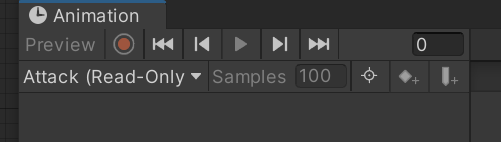
I've tried reimporting the Aseprite importer, deleteing the file and starting again, duplicating the file in unity and deleting the original. I think it has something to do with being read only somehow. https://i.imgur.com/JfzcgTU.png
 tardy cedar
How would i make a character's legs walk based on torso's position ? gonna plug this into VR.
 quasi berry
Does anyone know where I can find a guide on implementing animations such as animations that smooth animation swapping (I.e “run start” or “180 turn around”)
 teal sage
Hey, maybe this is more Blender specific, but when I try to export an object from Blender and import it into Unity, the animation that I have in Blender gets split one clip per object I animated. In the screenshot, I only made a single animation in Blender.
 reef egret
which animation constraint should i use for a reload animation, where i want the hand to take a magazine and put it in the gun
basically tracking the location of the gun
twin musk
how would i get mixamo animation to work with my model thats been pre rigged?
agile solstice
reef egret
which animation constraint should i use for a reload animation, where i want the...
Probably
https://docs.unity3d.com/Packages/com.unity.animation.rigging@1.2/manual/constraints/MultiParentConstraint.html
This if using Animation Rigging
https://docs.unity3d.com/Manual/class-ParentConstraint.html
This if not
 humble robin
So I have a spider robot that's animated, I'm trying to manually control the rotation of the head with a script. To prevent the animation from overwriting that I added a mask to both animation layers that removed control over the head bone from the animator controller, but it doesn't seem to do that? The bone just keeps getting reset to 0 and the head never rotates. Any idea if this is a bug or if there's a standard thing I've missed? I'm on unity's 2019.4.39f1 LTS.
agile solstice
humble robin
So I have a spider robot that's animated, I'm trying to manually control the rot...
https://forum.unity.com/threads/moving-bones-while-it-has-an-animation.527256/
post number four probably suggests the correct workflow
LateUpdate is proposed as a solution but Animator itself acts within it so it could cause conflicts
humble robin
Ah thank you for the suggestion, I just managed to figure it out by masking it out in the animations themselves in the import section. Guess I just needed a breather
 shadow ivy
hi i need help
im working on a 2d game, and the animation is sprite sheet-based
for some reason
one and only one my animations, the run animation, dosent loop, and even if i disable exit time it...still has an exit time
shadow ivy
nvm fixed it (am pro)
 stuck mural
Hello, I'm new to Unity and the Unity Animator. I'm currently working on a 2D Top Down Game. I currently have implemented animations for the player idling in every direction and walking in every direction and it's already pretty confusing as you can see on this screenshot.
As you can see on the screenshot too, I have three more animations for attacking in every direction. If I now would implement that too, it would get way more confusing than it is now. Is there some sort of a method with a return statement like in most programming languages? Because otherwise, I would have to make so many transitions.

Or how would you handle this problem?
trim hatch
use blend trees
stuck mural
Can you please explain that to me? 😄
stuck mural
okay, thank you
trim hatch
also youtube would work to get a visual on how people use it
stuck mural
I think the docs explain it really good as of now
acoustic thorn
Character stretching dont know how to fix.
 cursive hollow
Transform 'Weapon_R' not found in HumanDescription.
 lime helm
I was looking into driving Head Look in LateUpdate as is somewhat suggested in some legacy documentation. But I notice that it doesn't update things like Animation Rigging controls which may be constrained to certain bones, is there any way to have the LateUpdate transforms influence other parts of the Rig?
 agile solstice
acoustic thorn
Character stretching dont know how to fix.
agile solstice
acoustic thorn
Character stretching dont know how to fix.
Animations exported with wrong scale I assume
agile solstice
lime helm
I was looking into driving Head Look in LateUpdate as is somewhat suggested in s...
How "legacy" is some legacy documentation in this case
If you're using Animation Rigging you wouldn't want LookAt or other type of non-animation methods clashing with it
lime helm
agile solstice
How "legacy" is some legacy documentation in this case

I'm using animation rigging quite heavily mostly for IK and space switching. The issues are:
-
use an aim constraint to orient the head where I want it to go, accurate but completely overrides all existing animation
-
I use an override transform constraint to additively influence the head either using another aim constraint or defining some rotated poses that I can throw into a blend tree, keeps the existing animation but is additive to local bone rotation, so any pose I set for the head immediately takes the bone off world axis and the LookAt is no longer accurate
agile solstice
lime helm
I'm using animation rigging quite heavily mostly for IK and space switching. The...
Hm, LookAt with reduced weight?
What kind of animation do you need it to not override?
hybrid tinsel
lime helm
I was looking into driving Head Look in LateUpdate as is somewhat suggested in s...
That isn't legacy documentation. It is documentation for a legacy feature.
Though now that I look at it...
I guess it is both since it had javascript examples >.>
lime helm
agile solstice
Hm, LookAt with reduced weight?
What kind of animation do you need it to not ove...
LookAt would feasibly override all manner of animations. Idle, locomotion, combat actions, dialogue, there are a lot of cases which LookAt is required.
Reduced weight would be inaccurate again, and mute the animation.
hybrid tinsel
But yeah, you can't use the 'Animation' script with the Animation Rigging Package at all, so any scripting of it will be useless.
lime helm
😔
hybrid tinsel
Animation rigging package runs with the animator as far as I recall, between Update and LateUpdate, so if you change something in Update it should affect the rig, assuming it is something that can be updated at runtime.
LateUpdate is for directly updating the transforms after animation has finished, and OnAnimatorIK is for the built-in IK system.
(the latter is what you'd use to change the look direction using mecanim)
lime helm
hybrid tinsel
Animation rigging package runs with the animator as far as I recall, between Upd...
Yes, we update transforms of some rig elements at runtime.
My issue with LateUpdate not updating the rig is there a number of animations with IK Arms in HeadSpace. Imagine the hand contacting the head and we change the look direction. It looks a bit not good if the hands don't follow.
hybrid tinsel
Can you just parent the goals to the head?
lime helm
How do you mean?
Oh the IK goals, they're part of the rig too, so presumably no, they wouldn't update with the changes applied in Late Update
 tight creek
https://gyazo.com/6e43e8996986ec8537a2ae4a718c0fdb ik is cursed

 foggy snow
Hi! Very new to Unity animation stuff, https://i.imgur.com/zPQGFEV.png this already seems unsustainable, are there keywords I should be searching to find docs or writeups on a better approach to animation management?

 vagrant brook
Hello! I have a question. I will be trying to use the oculus quest 2's hand tracking to capture hand motion capture. What i want to as is that is there a way to bake the skeletal animation at runtime to a FBX animation?
How can I achieve this?
agile solstice
foggy snow
Hi! Very new to Unity animation stuff, https://i.imgur.com/zPQGFEV.png this alre...
You'll want to use animation layers (including synced and additive), blend trees (of one or more dimension) and sub-state machines (with generic exit/entry transitions) to group up animations in a logical way that minimizes the need for excess transitions
Try to read about every feature the Animator has in addition to those and use them to optimize your state machine
Ideally your state machine would simply adapt to whatever conditions you feed it by jumping from state to state in a smooth way, without the code having to keep any kind of track about what animations are actually playing
There are a lot of misleading tutorials about how to "improve" the Animator with coded hacky solutions that sidestep it entirely or clumsily replicate its features, all stemming from the people not understanding or not having the patience to learn about Animator features
I think these guides are pretty good
https://unity.com/how-to/build-animator-controllers
https://gamedevacademy.org/unity-animator-tutorial/
But to find all the features you'll need to scour the docs
foggy snow
Yeah, I'd like to have an actual clean thing I don't need shortcuts, its just, just having like 2 attacks and a jump and its already a mess of transitions.
my animator manager does use just listeners for events im invoking to manage animation so its not tied to the logic at all thankfully
Thanks!!
agile solstice
foggy snow
Yeah, I'd like to have an actual clean thing I don't need shortcuts, its just, j...
A criticism I have of the Animator is that even in best circumstances creating transitions is slow, and you can't re-use or even copy them
Even when grouping animations up in sub-states, blend trees and animation layers you still often end up creating dozens of transitions
But using those will save you from creating hundreds
In complex animator setups anyhow
foggy snow
I think this should be, for the most part, fairly simple in terms of number of unique animations aside from like ability animations, but I can swap those animations out in code if I understand correctly, but I do want to make sure I'm doing it right on the smaller projects to be able to even think of a larger project properly
 spice kraken
agile solstice
foggy snow
I think this should be, for the most part, fairly simple in terms of number of u...
spice kraken
agile solstice
foggy snow
I think this should be, for the most part, fairly simple in terms of number of u...
Many ways to "swap" animations depending on the exact sort of the animations, how many there are and how smoothly you need to do the swap
If it's just one or a couple of animations I might make sub-state machines that choose the clip within based on some parameter, such as an int that corresponds to an enum
Synced layers are useful for mirroring all the states but swapping out animations within those states to something else
There's also the Animator Override Controller component which basically does that, but for the entire animator controller if needed
 hybrid tinsel
vagrant brook
Hello! I have a question. I will be trying to use the oculus quest 2's hand trac...
hybrid tinsel
vagrant brook
Hello! I have a question. I will be trying to use the oculus quest 2's hand trac...
If you are doing it in editor you can use the unity recorder package.
 lapis laurel
not sure if this is the right channel but, can anyone recommend some resources to learn artistic 3d modeling for games, specifically anything that helps someone with a mechanical engineering background.. I've got years of experience with Fusion360 and Solidworks but nothing creating art assets in Blender for example. Or I guess a side question is "could I use Fusion360 for some art assets?"
reef egret
is this optimized

 radiant path
hi!
can any1 tell me how to make animation work when it it walking?
anim.SetBool("IsRun", wDown);
    if (wDown)
    {
        anim.SetBool("IsRun", true);
    }

    else
    {
        anim.SetBool("IsRun", false);
    }
I made the code like this and it only works when it is walking front(w key)
radiant path
pls any1
reef egret
radiant path
anim.SetBool("IsRun", wDown);
if (wDown)
{
anim.Set...
anim.SetBool("IsRun", wDown && shiftDown);
anim.SetBool("IsWalk", wDown && !shiftDown);
this is assuming your run key is shift
use this code instead its more optimized
radiant path
Thanks!
 haughty forum
why cant i add keyframes to my animations?
lime helm
reef egret
is this optimized
You could collapse all four states for locomotion Walk, WalkBackward, Run and Run Backward into one state and use a Blendspace to transition between those animation clips with a speed parameter. In this current set up there is no way for your character to animate which matches a speed that is halfway betweeen walk and run. If your character moves at discreet speeds, meaning you can't move at 50% between walk and run speed you could clamp the speeds at certain thresholds.
Out of curiosity is this a 3D game and is this setup intended for strafing?
reef egret
lime helm
You could collapse all four states for locomotion Walk, WalkBackward, Run and Ru...
its a 3d game
theres no strafing
lime helm
reef egret
its a 3d game
okay, then yeah i would say collapsing the locomotion states to a blend tree would make for a simpler state machine to manage.
Do you have discreet speeds? By which i mean, walk is 1 unit/s and run is 3 units/s and there is no in between speeds the player can be in?
reef egret
lime helm
okay, then yeah i would say collapsing the locomotion states to a blend tree wou...
pretty sure its discreet, theres 2 different speeds walk and run speed im using addforce to move and limiting the speed
lime helm
okay, the blend space should behave the same way if you're passing those values through as a parameter. I would just say it's easier to visualise in a blend space and less state transitions to deal with
twin musk
This is a pretty old video, but I want to know how the butterfly in this video was animated. Like how can i make it fly in a certain direction, especially sit on a certain object and fly away. I could do this in AE, but i want to make it within unity and i got no idea. If i download a 3d model it doesn't flap its wings, should i do everything with the model in animator window from scratch?

A collaboration with Passion Pictures, this short shows is the result of an experiment into realtime rendering with Unity to advance its capabilities, for more information see http://unity3d.com/butterfly
Help us caption & translate this video!
 daring vessel
I have a 4 way, top-down movement system set up so the player can go up, down, left, or right. I also have an animator blend tree set up so when you walk in a direction, the animation for walking in that direction will play. (I am using 2D sprites and spritesheets) Right now, when the player stops moving, the animator goes back to a single idle animation where the character is facing down. I have drawn an idle animation for each direction, but I don't know how to implement them so that when you stop moving, the idle animation for the direction you last moved plays. (If you move left, then stop moving, the character should still be facing left.) I'm still a bit new to c# and unity and I don't know how I would implement this with code or the blend tree I already have
help would be appreciated ^^
haughty forum
why cant i add any keyframes to my animation?
agile solstice
haughty forum
why cant i add any keyframes to my animation?
You need to provide more information than that
What exactly is stopping you?
The editor might even give you some clues
haughty forum
the new keyframe button is grayed out and do nothing and i cant drag and drop my sprites into the animator aswell
and i cant create a new animation without right click adding an animation
 agile solstice
haughty forum
and i cant create a new animation without right click adding an animation
agile solstice
haughty forum
and i cant create a new animation without right click adding an animation
Can you show an uncropped screenshot of the whole animator window
Make sure you have selected a gameobject with the Animator you want to create animations for
haughty forum
 agile solstice
haughty forum
agile solstice
haughty forum
It looks like you have not selected any gameobject with an Animator
haughty forum
its wierd because the other animations under my player i can add key frames its only player death that i cant
 agile solstice
You need select the correct gameobject, as you have, and have the Animation window open
haughty forum
i have but the new keyframe button is still grayed out

well its started letting me but the animations in now thanks for your help
 magic crater
i did an animation but for somereason it doesnt wanna work with the rig
it works with default unity model
basically i have an animation and a rig when i use the animation on the rig the rig doesnt move but when i use it on the default unity animation model it works
reef egret
how do i make a layer play no animation
agile solstice
reef egret
how do i make a layer play no animation
Create a new empty state
Animation layer state machines run independently
reef egret
agile solstice
Create a new empty state
Animation layer state machines run independently
ok
agile solstice
In most cases you only need to set layer weight to 0 to hide that layer's animation
 lean lily
So far I've only worked with 2D games, pixelart. So animations would just be a set of frames played. How does 3D differ from that? For instance games like WoW or whatever, it's clearly not just a few frames for each animation. It's a fluid motion as the character attacks etc, how is that done?
agile solstice
3D characters use an "armature" which is a skeleton formed of hierarchically connected transforms
Each vertex of the 3D mesh is mapped to one or more of these transform bones using weighted vertex groups
Animation keyframes are used to store position, rotation and scale of the bones
The movement is smooth because those properties are interpolated between keyframes
 topaz fractal
help ! why it say that their is no animator in the object but I can't add one because one already exist ---> "MissingComponentException: There is no 'Animator' attached to the "NDSweathoxrigonlyarm" game object, but a script is trying to access it.
You probably need to add a Animator to the game object "NDSweathoxrigonlyarm". Or your script needs to check if the component is attached before using it.
UnityEngine.Animator.Play (System.String stateName, System.Int32 layer, System.Single normalizedTime) (at <fd2118e7c6674980875dd898708570ac>:0)
UnityEngine.Animator.Play (System.String stateName) (at <fd2118e7c6674980875dd898708570ac>:0)
AimingScript.Update () (at Assets/anim/AimingScript.cs:26)"
 agile solstice
topaz fractal
help ! why it say that their is no animator in the object but I can't add one be...
agile solstice
topaz fractal
help ! why it say that their is no animator in the object but I can't add one be...
Sure your script is correctly referencing the Animator component that exists already?
topaz fractal
agile solstice
Sure your script is correctly referencing the Animator component that exists alr...
how can I check ?
agile solstice
topaz fractal
how can I check ?
Either NDSweathoxrigonlyarm gameobject is missing the Animator, or you're trying to access it in your script in some incorrect way
topaz fractal
agile solstice
Either `NDSweathoxrigonlyarm` gameobject is missing the Animator, or you're tryi...
 agile solstice
topaz fractal
agile solstice
topaz fractal
NDSweathoxrigonlyarm is not selected here so the picture doesn't show whether it has an Animator or not
topaz fractal
using System.Collections;
using System.Collections.Generic;
using UnityEngine;

public class AimingScript : MonoBehaviour
{

    public GameObject Gun;

    // Start is called before the first frame update
    void Start()
    {

    }

    // Update is called once per frame
    void Update()
    {
        if(Input.GetMouseButtonDown(1))
        {
            Gun.GetComponent<Animator>().Play("AIM");
        }

        if(Input.GetMouseButtonUp(1))
        {
            Gun.GetComponent<Animator>().Play("idle");
        }
    }
}
 agile solstice
Also make sure GameObject Gun has its reference set to the specific NDSweathoxrigonlyarm gameobject that has the Animator
You'll also want to check these components and references in play mode when the error occurs, just in case something's destroying them
You can click on reference fields with the object in it to select that object in scene or project
One possible cause is that the NDSweathoxrigonlyarm in the script's reference field is from the project rather than the hierarchy
topaz fractal
I don't understand everything but let's try 😅
topaz fractal
agile solstice
You'll also want to check these components and references in play mode when the ...
when i play the component don't disepear
 topaz fractal
agile solstice
You can click on reference fields with the object in it to select that object in...
topaz fractal
agile solstice
You can click on reference fields with the object in it to select that object in...
what is reference fields ?
 haughty fulcrum
does anyone know how to fix the change in size
agile solstice
topaz fractal
what is reference fields ?
You made the script, right?
agile solstice
haughty fulcrum
does anyone know how to fix the change in size
If you're using sprites from multiple different sprite sheets or sprite assets make sure their PPU values match
topaz fractal
agile solstice
You made the script, right?
no I follow a tuto
topaz fractal
agile solstice
If you're using sprites from multiple different sprite sheets or sprite assets m...
how can I check that
 cosmic oyster
i have some sprites for animated ui in on a 2000x2000 resolution texture i made a new image for each frame and i dont know if i should make a big 6000x2000 sprite sheet ow or just leave them as seperate images. what is more efficient ?
agile solstice
topaz fractal
no I follow a tuto
public GameObject Gun; will appear as a reference field in the inspector, that reference has to be precisely correct during play mode as well
agile solstice
topaz fractal
how can I check that
That was a reply to someone else
agile solstice
cosmic oyster
i have some sprites for animated ui in on a 2000x2000 resolution texture i made ...
It's more efficient to have them as a sprite sheet but animation with frames that big is going to be horribly inefficient no matter how you cut it
If you want flipbook animated parts to a full screen element you'd prefer to have only the parts that move as their own smaller sprite sheets
If the motion can be replicated by shaders, vertex deformation or other procedural motion then those will almost always be better at that scale
If you need the whole screen's pixels to change frame by frame, then a video player is the most efficient solution for it
cosmic oyster
but each image is only 105 kb large
 agile solstice
cosmic oyster
but each image is only 105 kb large
agile solstice
cosmic oyster
but each image is only 105 kb large
Within Unity after import as well?
cosmic oyster
wait let me try
agile solstice
Unity's textures cannot benefit from PNG or JPG compression
With frames that big you'll very quickly run into maximum size issues
cosmic oyster
is 105 kb that much ?
agile solstice
cosmic oyster
is 105 kb that much ?
No, but is that the size after import
cosmic oyster
after import its 2.4 mb
agile solstice
16K textures are the absolute biggest Unity can support and some platforms might not support even that much
cosmic oyster
cosmic oyster
after import its 2.4 mb
but thats just one image since i didnt make a big sprite sheet so this is only 2000x2000
agile solstice
cosmic oyster
after import its 2.4 mb
That's a lot to fit into memory for just one frame, but you decide if it's worth it
cosmic oyster
it will run at 6fps and its only a total of 3 frames
agile solstice
What kind of animation is 2000 pixels wide but 3 frames long?
 agile solstice
Ah, separate sprites
Normally you'd have each icon's animation as its own spritesheet
cosmic oyster
oh
agile solstice
@cosmic oyster Fortunately though sprites don't really care a lot what sprite sheet they come from, especially if you pack them to a sprite atlas in Unity
Having frames of each animation together in a sprite asset would make them easier to organize though
I would recommend you go with a sprite atlas, that way it doesn't matter what files they come from as Unity can compile them to a single sprite sheet optimized for both file size and dimensions
cosmic oyster
does that mean i need to make a seperate image(sprite sheet) for each element or can i do the atlas thing with what i curently have ?
@agile solstice ?
agile solstice
cosmic oyster
does that mean i need to make a seperate image(sprite sheet) for each element or...
https://docs.unity3d.com/Manual/class-SpriteAtlas.html an atlas is generated from whatever loose sprites and sprite sheets you have and will do its thing automatically
It doesn't do anything you can't do manually, but it may reduce friction from your workflow by handling that stuff for you
The idea is that it packs all the sprites onto one texture together
Even if your sprite assets aren't optimized well the atlas can squeeze them tightly together eliminating empty space, add padding if needed and make the result Power of Two
 normal harbor

I need help with the rigging package
it'ss just not doing what it's supposed to
the hand should be at the axis
I'm doing it exactly the same as before so I don't know what's happening
the legs work btw
 strange wedge
Im trying to add a multi aim constraint to a character but he doesnt seem to react at all to the constraint during the animation? is the animation blocking the constraint? can i disable that somehow?
lime helm
strange wedge
Im trying to add a multi aim constraint to a character but he doesnt seem to rea...
Have you set up the Rig Builder component on your character to ensure the rig is valid in the Rig Builder list?
strange wedge
lime helm
Have you set up the Rig Builder component on your character to ensure the rig is...
yeah i forgot i managed now thanks
twin musk
i have an issue where the fading in and out between levels runs just fine, but as soon as the crosshair activates (my crosshair works by only appearing when hovering over an object), which comes along in a later scene, the fade animations no longer play.
i have tested by manually accessing and playing the fade animations, rather than using a function that contains that code in it, however it just does not work as soon as a crosshair animation is played.
no triggers are used, i removed the triggers as i thought that was the issue but apparently not.
 reef egret
how do i put a keyframe/event at the 3.x mark

i cant seem to move them to decimal places
 gilded bane
what is a good website or thing to make animations
because I cant find any 2d animation things in the unity asset store
that I like
so I want to make my own
daring vessel
I have a 4 way, top-down movement system set up so the player can go up, down, left, or right. I also have an animator blend tree set up so when you walk in a direction, the animation for walking in that direction will play. (I am using 2D sprites and spritesheets) Right now, when the player stops moving, the animator goes back to a single idle animation where the character is facing down. I have drawn an idle animation for each direction, but I don't know how to implement them so that when you stop moving, the idle animation for the direction you last moved plays. (If you move left, then stop moving, the character should still be facing left.) I'm still a bit new to c# and unity and I don't know how I would implement this with code or the blend tree I already have
agile solstice
reef egret
how do i put a keyframe/event at the 3.x mark
You need a higher sample rate and to space out the keyframes
Sample rate defines the smallest possible interval between keyframes and what you have are already as close as they can be
Analoguously you can't draw "between pixels" of an image without resizing it to a larger resolution
reef egret
agile solstice
You need a higher sample rate and to space out the keyframes
Sample rate defines...
ty
 faint sable
yo guys, I quickly made an animated water tile in blender using displace modifier connected to plain axis, imported it to Unity as .fbx, connected animator and animation controller, but nothing seems to work, and on a preview of an imported animation nothing happens, what am I doing wrong?

 tribal owl
So I made a new layer for the aiming part and while aiming the player aims a bow
but the animation is playing on the left side and not directly infront of it, any possible fixes or reasons?

could it be the faceDirection that I made so that the player always faces in front while aiming?


 vocal whale
Newbie question, is there any way to make an animation play in full then thereafter only start from the n-th frame for every loop that follows?
Couldn't find anything on Google, and tinkering with the settings has not helped much.
 sick hollow
vocal whale
Newbie question, is there any way to make an animation play in full then thereaf...
sick hollow
vocal whale
Newbie question, is there any way to make an animation play in full then thereaf...
You could make them two different animations. For example my character has 3 animations for blocking, start up, blocking, and recovery
The Blocking animation is just a loop that starts from the end of the wind up animation
 split thorn
 vocal whale
sick hollow
You could make them two different animations. For example my character has 3 ani...
vocal whale
sick hollow
You could make them two different animations. For example my character has 3 ani...
That was my thought process as well, and it's probably what I'll end up doing, I'm just curious if there's a way to do it within Unity though? At least without hacky and ugly code, since the built in animation player and state machine is easy to grasp, useful, reliable and nearly entirely codeless
sick hollow
Yeah I couldn't think of anything else either
vocal whale
Alright, thanks a lot
gilded bane
what is a good website or thing to make animations
because I cant find any 2d animation things in the unity asset store
that I like
so I want to make my own
lime helm
Is there any way to change the default interpolation method in Unity animation assets?
Both of these keys are the same pose, but because it's part of a larger set of poses in one fbx, it's OVERSHOOTING based on the previous pose. I would prefer to have the curve interpolation be linear and have that be the default behaviour.

 oak kite
Hello, i got a question:
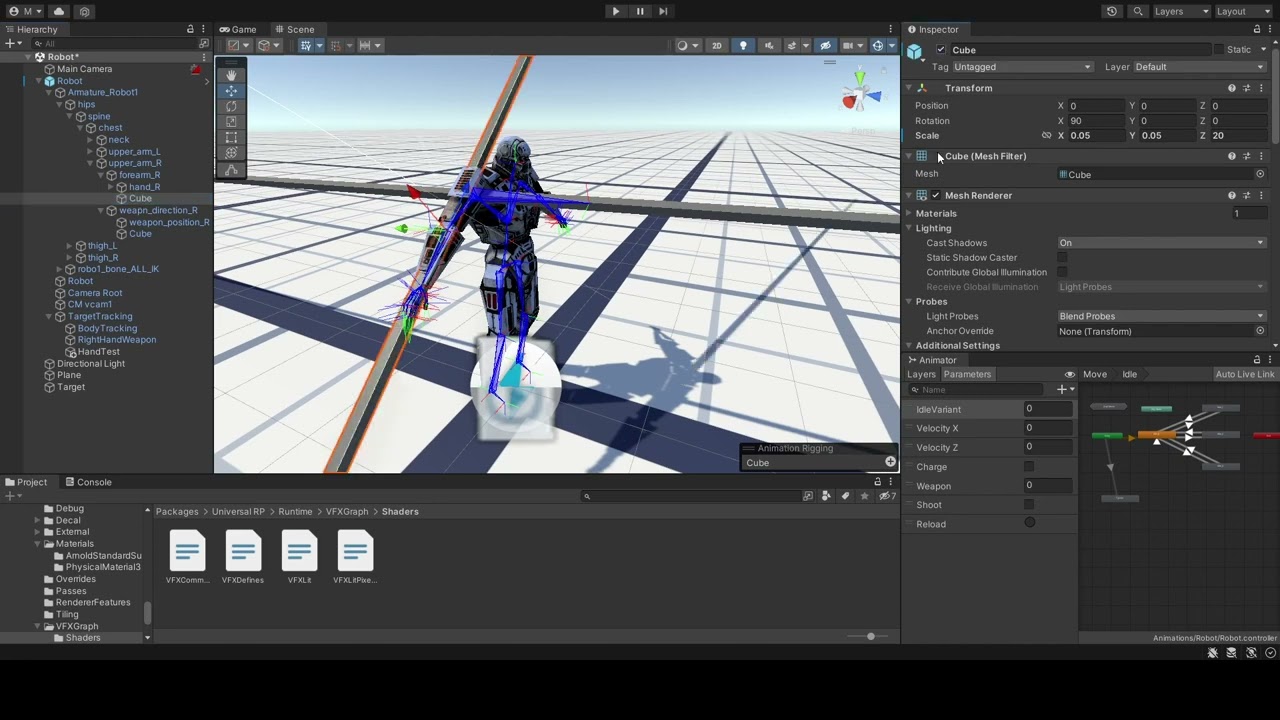 gilded bane
what is a good website or thing to make animations
because I cant find any 2d animation things in the unity asset store
that I like
so I want to make my own
oak kite
gilded bane
what is a good website or thing to make animations
because I cant find any 2d an...
hybrid tinsel
faint sable
yo guys, I quickly made an animated water tile in blender using displace modifie...
Vertex animation is not exported by blender to unity by default.
hybrid tinsel
tribal owl
could it be the faceDirection that I made so that the player always faces in fro...
You probably need to adjust the root rotation offset for that anim file.
hybrid tinsel
vocal whale
Newbie question, is there any way to make an animation play in full then thereaf...
Make two states, one with the full animation and one with a truncated version
 celest crag
@gilded bane Don't spam the same thing over and over. Your previous query is still visible.
charred belfry
See pins in #🖼️┃2d-tools for 2D animation links
🗃️ Documentation
Packages
Animation Rigging
Alembic
PlayableGraph Visualiser
FBX Exporter
Kinematica
📚 Resources
Git
- Image Sequencer
- Mesh Sync
- Animation Rigging Playground
- UnityAnimationWindow (simple extra Animation Window features)
- AnimatorTransitionCopier (copy animation transitions in the Animator)
- Animation Clip Updater (update extracted animations from their source)
Videos and blogs
- Animation rigging
- Procedural motion for animated skeletons
- Tips for building animator controllers
Kinematica @ Unite
💬 Forums
Animation • Animation Previews
🗺️ Roadmap
celest crag
No-one is obliged to answer you. If you want to get a better answer expand your question and include things you've searched already.
 muted latch
So I created this humanoid animation in Maya and as you can see in Unity it does not match. It is using the exact same rig so I'm not sure what might be causing the issue

Some things I've tried:
-Uncheck Resample All in Maya export settings
-Tried same animation on a different character rig(Same result, the rotations are wrong)
-Apply Root Motion in Animator
-Disable animation compression
There are no scripts or anything to overwrite the animation, just an animator with a test controller containing a single motion state
hybrid tinsel
muted latch
So I created this humanoid animation in Maya and as you can see in Unity it does...
Are you using constraints or ik? Unity requires ik to be baked and only imports a small subset of maya constraints(which might not work with a mecanim humanoid rig)
muted latch
hybrid tinsel
Are you using constraints or ik? Unity requires ik to be baked and only imports ...
Constraints. The animation is baked
hybrid tinsel
Unity doesn't support imported constraints well, and in particular they don't play well with mecanim humanoid rigs. So you might be best off baking those too.
 urban pond
Hey guys how would you go about animating something like this? It's supposed to work like a loop belt elevator. Maybe scripting it would be a better idea?
 muted latch
hybrid tinsel
Unity doesn't support imported constraints well, and in particular they don't pl...
muted latch
hybrid tinsel
Unity doesn't support imported constraints well, and in particular they don't pl...
Ah I meant to say that I animated in FK, not IK. All the imported animation has been baked and it still came out that way
I'm gonna look into the animation rigging package maybe that'll have something
hybrid tinsel
muted latch
Ah I meant to say that I animated in FK, not IK. All the imported animation has ...
Are you using mecanim humanoid? If so, you might have a rig mismatch there.
Do you get any warnings on the import?
hybrid tinsel
urban pond
Hey guys how would you go about animating something like this? It's supposed to ...
There are lots of options. One thing a lot of games do it only animate the motion from one position to the next and then do a jumpcut back to the beginning to make it look like a smooth motion
twin musk
I have a blend tree, with animations that are used depending on inputs, how can I access these animations using c#?
I want to trigger an animation to play through an event like this preferably

Then I can stop the animation through the corresponding Exited event
Animator.play seemingly doesn't have a way to access animations inside a blend tree however
hybrid tinsel
twin musk
Animator.play seemingly doesn't have a way to access animations inside a blend t...
What do you mean by 'access' here? Blend trees are a single state as far as the animator is concerned- they are blended together.
twin musk
HI, beginner animator here, how do I line up these parts to work with a mixamo animation?


I have separate animation for mixamo that I want to sort of 'line up' with my current character
twin musk
hybrid tinsel
What do you mean by 'access' here? Blend trees are a single state as far as the ...
Well, the blend tree has 4 animations inside of it, controlled by 2 value inputs on a controller. whenever the player grabs an object (which is what Select Entered does) I want to change from the animation that would have played through the blend tree with that controller input to another animation using the SelectEntered event
does that make sense?
This is all to try and create animations for objects that snap the hand around the collider of the object, its a VR game
instead of making a fist that goes through it
twin musk
twin musk
HI, beginner animator here, how do I line up these parts to work with a mixamo a...
any tips on where to start
 flint basin
hi, is there any way to assign a transform component of a scene object in an animation event when the function needs a Transform parameter ?
 runic fractal
Hey guys, I am working with avatar masks to seperate upper body and lower body animations, however it doesn´t seem like the are taking effect:

Both layers have weight of 1.
But the last layer on the list is prioritized
agile solstice
runic fractal
But the last layer on the list is prioritized
I would expect that you want the base layer to be first in the list
runic fractal
Yes, and turns out that working with Transform constraints instead of the humanoid ones made it work(ish)
 dark wedge
why my curves disappeared? (unity 2d) 💀

i'm kinda new into unity
nvm just fixed, for some reason the "one column layout" on the "project tab" made it disappear
hybrid tinsel
twin musk
does that make sense?
No.
Or, at least, I still don't understand the PROBLEM.
twin musk
hybrid tinsel
Or, at least, I still don't understand the PROBLEM.
The problem is with the way the hands are animated right now, currently, I have a blend tree that blends between 4 animations using 2 triggers on the controller, one of these animations is a grabbing animation. What I want to do is be able to trigger a unique grabbing animation for each object that grabs the bounds of the object, instead of phasing through it.
So, basically i need to figure out how to trigger an animation that is within a blend tree using events
Or create a new animation without a blend tree at all, overwrite the animation that would have played if you grabbed air using the existing blend tree, and trigger the new one
Does that make more sense? If not, ill be back home soon, and can send some screenshots
agile solstice
twin musk
So, basically i need to figure out how to trigger an animation that is within a...
Animations within a blend tree don't play separately as Pinballkitty said
All of the state's animations play at once and are blended by weight parameters
If you don't want blending by parameters, you probably don't want a blend tree
twin musk
agile solstice
Animations within a blend tree don't play separately as Pinballkitty said
All of...
Got it I’ll have to rework how the animations on the hand work but that makes much more sense, Thank you.
This brings up a second question though, I don’t particularly want to have to animate a special grab animation for every single object that I use. Is there a way to automatically create a animation using the collider’s of an object?
maybe by feeding in parameters of the bones of the hand, and then having it morph around the object? it would be much easier to do that then to make a grab animation for every single object
One way that I’ve seen games do this is by using gizmos in the scene. They have a hand gizmo that has joints that you can form around an object and then it’ll interpolate that between the animation key frames. That would be very useful for what I’m doing, but I have no idea how I would implement that haha.
agile solstice
twin musk
This brings up a second question though, I don’t particularly want to have to an...
There's countless ways to do that including calculating finger grip positions with IK and using physics to wrap the joints around colliders
A relatively simple method might be to have two or three squeeze poses in a blend tree, and drive that with the predetermined "thickness" of grippable objects for a fitting blend between the poses
twin musk
agile solstice
A relatively simple method might be to have two or three squeeze poses in a blen...
I'm not sure I follow completely, are you saying that I could set a property on the object I want to grab, to roughly determine how much to grip?
Or I guess it would be a blend tree property, linked to a script on the object
agile solstice
twin musk
Or I guess it would be a blend tree property, linked to a script on the object
That's what I'm thinking
It would be simple, but limited compared to more accurate finger contact solvers
hybrid tinsel
Yeah
twin musk
Probably i'll make a few blend trees, for different objects like spheres and cubes, make the holderpoint separate from the object so I can rotate it around the pivot.
should work


 wheat elk
hi
im having an issue passing animations from blender to unity
im using rigify to make the animation of a character sit and read a book, to make the book follow the hand I followed this video:

Holding Objects in Blender | Quick Tutorial |
how to hold things in blender
Attach Weapon to Character Rig
Discord :- https://discord.gg/g8kMPmh
Website:- https://www.techlyf.in/
Instagram :- https://www.instagram.com/techlyfzone/
Telegram :- https://t.me/Techlyf
FPAGE :- https://www.facebook.com/tech2lyf/
blender 2.8,blender 2.90,blen...
but once I pass it to unity as a prefab... the animation of the book doesn´t work
it says it is because there is no weight in the object but if I put weight in the book it would always appear far away from the obkect
*the hand
"importfbx warnings:mesh 'bookopen_lp' has 243 (out of 243) vertices with no weight and bone assigned (they will be assigned to bone #0 with weight 1). the list of vertices: 0, 1, 2, 3, 4, 5, 6, 7, 8, 9 and so on..." is the message to be specific
twin musk
twin musk
Works pretty damn well actually
New issue:
I have these 2 blend trees

And this script, which controls

the GrabStrength, and switches between them

Works fine in editor, but because both are active, it chooses the main blend tree, how can I choose which to use?
is there a way to do so in script? that would work much better
twin musk
Transitioning between Blend Tree and Grab enables it, but that makes grab the only animation that will play
lean lily
How can i remove these orange squares around particles in scene mode? It doesnt happen in game but i wanna be able to see it normally in the scene when working on it
 twin musk
lean lily
How can i remove these orange squares around particles in scene mode? It doesnt ...
twin musk
lean lily
How can i remove these orange squares around particles in scene mode? It doesnt ...
probably a gizmo
try turning off gizmos in editor
twin musk
Tried doing this, Grabbing is controlled by a script, but it doesn't work, still only uses the main blend tree

 dark wedge
i'm working on this "hurt" effect atm, is there any way to add a blood vfx on the timeline? i have some vfx that i got from the unity store but haven't managed to find a way to implement them as i would like, i come from flash where you just paste a symbol where you want so, that's why i'm wondering
 cold nymph
My friends and I currently have a final project, and I am running into an issue relating to animations. The problem right now is that my running animation gets stuck on the first frame. How do I fix this? thank you
this is in unity 2d by the way
uncut salmon
Are you calling the animation to play every frame, essentially restarting it?
cold nymph
uncut salmon
Are you calling the animation to play every frame, essentially restarting it?
honestly I am not sure how do I check?
uncut salmon
Look at the logic you're using to play it
cold nymph
uncut salmon
Look at the logic you're using to play it
ok so the logic that runs it doesn't seem to be the problem here
dirX = Input.GetAxisRaw("Horizontal") * moveSpeed;
    if (Input.GetButtonDown("Jump") && rb.velocity.y == 0)
        rb.AddForce(Vector2.up * 500f);

    if (Mathf.Abs(dirX) > 0 && rb.velocity.y == 0)
        anim.SetBool("isRunning", true);
    else
        anim.SetBool("isRunning", false);
this is a snippet of the code I am using for this
I believe that the main problem with this here has to do with the animator

as you can see this is the transition from idle to running
but for some reason I do not see the running animation
but still the animation goes into the first frame
hybrid tinsel
cold nymph
dirX = Input.GetAxisRaw("Horizontal") * moveSpeed;
if (Input.GetButtonD...
Is the rigidbody y velocity EXACTLY zero, or approximately zero?
hybrid tinsel
cold nymph
as you can see this is the transition from idle to running
You don't actually show the transition settings so it is hard to guess what might be wrong there.
The run might be so short that it is only a sliver there at the end.
 ebon river
I'm not sure how to keep my character facing in the direction you walk? The animations are working and the player animates walking up, down, left, and right, but snaps back forward after moving.
 hybrid tinsel
ebon river
I'm not sure how to keep my character facing in the direction you walk? The anim...
hybrid tinsel
ebon river
I'm not sure how to keep my character facing in the direction you walk? The anim...
You are setting the direction every frame, instead of only when input is entered. So it goes to zero when there is zero input.
hybrid tinsel
...oh hey I didn't even notice that. There's no reason for that to be in fixed update.
But no, that isn't the problem.
The problem is that you are setting the character's direction even when there is no input.
ebon river
I tried doing an if statement for if (moveX !=0 || moveY != 0 and putting it in there but then the animations were constantly going instead of stopping when I stopped moving. How do you think I should approach this?
hybrid tinsel
Set direction separately from velocity
Only update the direction when there is input.
That way you can distinguish from facing a direction and running in that direction. Right now, your animator doesn't make that distinction.
ebon river
I'm too new and not sure what you mean, I'll have to play around 😅
hybrid tinsel
In mean that your animator should have three inputs- x direction, y direction, and speed.
Otherwise, it will always treat 'facing right' as 'moving right'
ebon river
Watched a tutorial, broke it, and now my player doesn't animate. Been at it for hours so will try again later 🥲
twin musk
dark wedge
i'm working on this "hurt" effect atm, is there any way to add a blood vfx on th...
just make some in ase prite or graphic gale
then code it so everytime you get hurt you play animation with blood or initiate a blood animation
 gritty gale
is it possible to change the character midway in unity with the mixamo animations? I had a character and downloaded a few animations for them, but now i tweaked it a little and would rather not redo everything
hybrid tinsel
gritty gale
is it possible to change the character midway in unity with the mixamo animation...
Is it a humanoid avatar?
 exotic sphinx
I imported my animated model with 2 working animations in preview on the model in the file exporer but any form of putting it in game and using it in a animation clip or animator wont work at all, Its stuck stuck in the pose that it came with

been trying to fix this for hours and i've lost my mind
turns out i was an complete retard because i was placing the animator/animation on the armature of the model which i expected was the place to place it, But placing it on the part that contained everything worked
i hate myself and sorry for posting here 😂
hybrid tinsel
exotic sphinx
i hate myself and sorry for posting here 😂
You posted an intelligible question in the correct channel, and then when you solved it you told us the solution. That's, like, a standard most posters here don't reach 
exotic sphinx
hybrid tinsel
You posted an intelligible question in the correct channel, and then when you so...
Thank you :)
agile solstice
What "resource" do you mean
hybrid tinsel
lean lily
How can i remove these orange squares around particles in scene mode? It doesnt ...
Disable selection outline in the gizmo menu
 toxic viper
How can I play an animation backwards from the exact point where it was playing?
cold nymph
hybrid tinsel
Is the rigidbody y velocity EXACTLY zero, or approximately zero?
hey sorry for not replying but your input was very much appreciated thank you for your help
cursive hollow
https://recordit.co/NkVtzlhSXJ - I`m using Final IK. How to fix this - when i start aiming animation with AIM IK body is start with strange pose
hybrid tinsel
cursive hollow
https://recordit.co/NkVtzlhSXJ - I`m using Final IK. How to fix this - when i s...
Maybe ask the final ik peeps?
cursive hollow
their channel is dead
reef egret
im using a trigger parameter for the transition from None -> Reload, how do i make the transition Reload -> None activate whenever i reset this trigger

nvm solved
 amber orchid
Hey there everybody, unity beginner with maybe a simple question: right now I have a 2D game with little dude using sprites throwing a punch animated by using SetBool() when a button is pressed in my script which triggers the animation transition. I would like to implement a feint where if the button is held down instead of pressed, the animation would only get halfway through and then reverse like faking a punch. Is there a way I can reverse the animation in the Animator in the middle of the state using a variable in the script or something and then transition normally back to idle, or would I have to do something like have a startup animation that transitions into either the rest of the punch or a reverse version of itself depending on how long the button is pressed? The latter seems more intuitive but it would mean the number of my animator states would triple, since each attack animation would need 3 instead of 1, startup, follow through, and reverse
agile solstice
amber orchid
Hey there everybody, unity beginner with maybe a simple question: right now I ha...
It's not possible with just the animator
You'd need a state with negative speed, then when the feint happens store the normalized time of the swing, and start the reversed swing and immediately skip to one minus stored normalized time
Personally though reversing animations often makes them look weird since the timing and velocity of the motion can easily be off
It might be better to skip to skip to a "from feint" animation that's depicts the character pulling away from the swing, or to just skip the animation entirely
That's up to artistic judgement though
amber orchid
Damn okay that makes sense, I was just hoping there could be quick and easy way to do it but sure. And yeah if I have to have the animations separate anyway then I might as well have custom feinting animations too, that way I can just use standard transitions instead of messing with negative speed and all that, thanks!
 green kite
So im using the animation tab to try to make an animation from a seires of pictures that I have
but for some reason I cant see the samples anywhere?
and the only tab I could find on it was like 5 years old and it referenced some settings button that is no longer there
how do I get my samples back?
ok nvm I found it
i tried clicking on the border of the tab and for some reason it worked
OK why does my animation turn invisible as soon as the animator starts working
it looks fine in editor due to sprite renderer but when I play the animator says its playing but its just invisible
I have tried scaling it up but its just not there
my other animation/controller works fine but not this one
I tried showing the sprites (which I can see on the other one) but I cant see it why is this happening?
 mossy sedge
I have an image background of a vignette I added to my main pause menu panel. How can I fade it in when the player pauses the game?
 hybrid tinsel
mossy sedge
I have an image background of a vignette I added to my main pause menu panel. Ho...
hybrid tinsel
mossy sedge
I have an image background of a vignette I added to my main pause menu panel. Ho...
You could have a 'fade in' animation play whenever enabling the gameobject. Or you could fade it via script.
twin musk
anyone knows how would i go about making grass animation when running through it from left and right? Im using a tileset and i cant find a solution how to do it, im new to programming..
 thick anvil
Hey....is it ok to do simple animations of 3d objects with tweening tools?
agile solstice
thick anvil
Hey....is it ok to do simple animations of 3d objects with tweening tools?
I'll allow it
 polar cobalt

sorry if maybe it could be a stupid question, but it's my first time making bones on blender.
I created bones and skinned my character with "auto rig-pro" , since creating bones s manual skinning took too much time and always came out wrong or lag a lot blender when i do it, but when i export my character to unity it shows me all these connections/bones that on blender it doesn't show me.
does anyone know how to fix?
 slow scaffold
This might be a bit of a juvenile question, but I can't find any material on it anywhere. best I got was a bug report but not actually seeing how to get even remotely close. I'm looking for a way to export a rigged mesh out of unity with animations but everything I tried to follow ends up scrambling the mesh entirely, or best result: the animation was baked to a root bone off kilter.
My reasoning for this is to help skinning inside of blender instead of having to export and wait for unity to reimport simple weight tweaks. Being able to see the animation inside of blender would be invaluable in the amount of time I'd be saving. So far the closest result that I got to work is using the exporter in ACII, then converting with Autodesk2013 FBX converter, but it wont retain anything besides the root.
Edit:
Google's been saying you can export the timeline itself but I definitely don't see an option for that in the window.
 split sierra
in the unity animator is there a way to replace a node without having to redo transitions or copy existing transitions to a new node with all the conditions and what not?
hybrid tinsel
polar cobalt
sorry if maybe it could be a stupid question, but it's my first time making bone...
Does it actually affect your animation?
Those auto riggers often stick a bunch of extra crap in there but if it doesn't affect the animation it is probably fine
polar cobalt
hybrid tinsel
Does it actually affect your animation?
don't affect my animation but it's hard to found the right bone
hybrid tinsel
You're using the bone renderer from the animation rigging package?
polar cobalt
there are to many bones so i can't select the leg bone,etc...
polar cobalt
hybrid tinsel
You're using the bone renderer from the animation rigging package?
yes

this
hybrid tinsel
And you can't just remove the transforms you don't want from the bone renderer?
I don't use blender so those pictures are useless to me :3
polar cobalt
i tried to make bones by meself and attach them to the character but there are too many triangles and blender crash
polar cobalt
hybrid tinsel
And you can't just remove the transforms you don't want from the bone renderer?
in blender i have it show me only the mains bones, so leg,arm,spine,etc....
hybrid tinsel
But blender isn't the problem
polar cobalt
it's when i export it in unity that show me all the bones
hybrid tinsel
in the bone renderer in unity, can't you just remove the transforms you don't want to be rendered?
polar cobalt
no
can't modify/delete the model in unity

k
first time with animation in unity
i'm kinda noob rn
🤓
hybrid tinsel
Yeah, but you are directly contradicting yourself.
If you are using the bone renderer, you had to have added it.

It doesn't come from blender.
polar cobalt
oh
hybrid tinsel
So if you added it, it is editable.
hybrid tinsel
Unity doesn't show bone gizmos without it.


 hybrid tinsel
I mean, you use it if you want to render bones
If you don't need to render bones you don't need to use it.
 novel nacelle
How do i get rid of the Idle parts?

im trying to get my object to do the idle animation when not moving and swap to runcycle when moving. i have it working but it jumps back and forth between idle and runcycle while moving
im thinking its because of those idle boxes in the screenshot i provided
hybrid tinsel
novel nacelle
im thinking its because of those idle boxes in the screenshot i provided
Those boxes just show that the idle is looping because it is shorter than the transition.
hybrid tinsel
novel nacelle
im trying to get my object to do the idle animation when not moving and swap to ...
That sounds like you might be accidentally transitioning back to idle somehow- maybe an incorrectly set up transition, or a problem with your movement script
 wintry field

Anyone see the issue? No matter how I move any of the bones this red wonr go away
Seems all green in the editor itself
Applying fails however
 tough ledge
whenever i change the position of my object by animation my object keeps on dissapearing
and i know its because it goes to the position in the scene but is there a way to make it local
agile solstice
tough ledge
and i know its because it goes to the position in the scene but is there a way t...
If you write a specific value to your object's transform using animation, it logically will move there
Transform values are relative to parent gameobject
So make it a child of another gameobject
tough ledge
agile solstice
If you write a specific value to your object's transform using animation, it log...
Its already parented to something but even so it keeps going to the location on the scene
 naive hamlet
How can i fix this????
hybrid tinsel
naive hamlet
How can i fix this????
Assuming 'this' is the weird distortion of the box, don't scale its parent object non-uniformly
twin musk
I'm controlling my hands' finger positions via multiple blend trees, and for some reason when launching the hand reverts to its "default" state from the model, despite me blending between two animations both of which offset the default values
closing the finger works just fine, but I cannot make it open further
agile solstice
tough ledge
Its already parented to something but even so it keeps going to the location on ...
Transform position is relative to parent
It's not enough that it's parented to just "something", but you have to treat the parent gameobject as the actual position of the character
tough ledge
agile solstice
Transform position is relative to parent
It's not enough that it's parented to j...
Well how do I "treat" it as the actual position of my object
agile solstice
tough ledge
Well how do I "treat" it as the actual position of my object
The animated parts of your character (or any object) should be on a child gameobject to that character gameobject
In other words
tough ledge
agile solstice
The animated parts of your character (or any object) should be on a child gameob...
By animated parts u mean like the componens such as animator right
agile solstice
tough ledge
By animated parts u mean like the componens such as animator right
Yes, the Animator and anything it moves around
tough ledge
Ok so wait, i have a sword attached to an empty game object(serves as a pivot) and its attached to the player character. So if i want to move around the position of the sword by animation, where should i attach the animator component
agile solstice
It will make sense once it clicks what it means that transform positions are relative to parent
tough ledge
Player < EmptyGO < Sword
Child of player is empty go, and child of empty go is the sword
agile solstice
tough ledge
Ok so wait, i have a sword attached to an empty game object(serves as a pivot) a...
I'd have the character gameobject that has all the gameplay related scripts, a child gameobject with the Animator and all the components and any further child gameobjects you need for the visual/animated aspects
tough ledge
agile solstice
I'd have the character gameobject that has all the gameplay related scripts, a c...
So
Animator in empty GO?
agile solstice
Yes, though it need not be empty
tough ledge
So the animator that handles all the sword animations goes to empty GO aka the swords parent
agile solstice
Yes
It can handle all animation and act as a container for the visuals of the character
tough ledge
agile solstice
Yes
It can handle all animation and act as a container for the visuals of the ch...
Welp looks like im gonna need to rewrite all my animator references
Btw just so u know im doing this in 2d
What happens if i turn on apply root motion
agile solstice
tough ledge
Welp looks like im gonna need to rewrite all my animator references
Hmm it the Animator's references should only be concerned with the child GOs
If you refactor the Animator to be a child, you may need to move gameplay related components to the parent GO but that's all
agile solstice
tough ledge
What happens if i turn on apply root motion
I'm not very familiar with root motion
By default it might move just the Animator's transform, but really it's just a vector variable for you to read and use in your movement script as you wish
tough ledge
agile solstice
Hmm it the Animator's references should only be concerned with the child GOs
If ...
Nah i mean, i have multiple swords with difference animator controllers, and when i switch id also have to switch the runtime animator controller of the empty GO's animator
So for example, i have Sword 1 as the child of Empty GO
So that means empty GO has the runtime animator controller of Sword 1
If i were to say switch to sword 2 then id also have to switch its runtime controller to that
Which is hard to manage
agile solstice
tough ledge
So that means empty GO has the runtime animator controller of Sword 1
Not necessarily
You can have multiple Animators in a hierarchy, even at the sword itself
tough ledge
So i can have the animator in the sword rather than the empty GO?
agile solstice
I think so
tough ledge
Wouldnt that defeat the purpose of why i should be putting the animator in empty go
U said it was because if any animation that has a position change is part of an animator thats in the empty go then it would change the sword position relative to the parent rather than scene
Cuz i have the animator that controls the posiotion of my sword, in my sword itself. And rn when i for example chsnge the position of my sword to 0,0,0 it doesnt go to where the parent is, rather to 0,0,0 of the scene
twin musk
twin musk
I'm controlling my hands' finger positions via multiple blend trees, and for som...
bump
twin musk
forcing the animator to use an empty animation fixes the finger but swapping it with an open finger animation (Y angle 161, object itself has 161 by default) returns the issue (156, model came with 156)
in-editor


when ran
 twin musk
wdym
 urban cradle
Say a 2d character, how do u animate it?
Using sprite sheets or is there other way too?
twin musk
I mean, you can iterate through multiple 2D sprites, rig it in the sprite sheet and bend it, or make it into separate transforms and animate it this way
urban cradle
Went right over my head
Guess ill look into this topic later
@twin musk you there sir I've got a clearer question now
I'm looking for an artist to create a 2d character for me
But some mention about frames and others about sprite sheets, that what im confused about
twin musk
your sprites are all stored in a sprite sheet and "cut out" of it. Frame speed determines how fast the animation plays
urban cradle
So each frame means a single sprite then?
A character with 12 frames animation will have 12 sprites in a sheet?
reef egret
how do i fix constraints not affecting my left arm's bones, but right arm constraints work, made sure IK was enabled in the avatar masks and constraint weight was 1

 plain sky
animator with empty statemachinedefault state (no other states) for some reason it's not letting rigidbody move, at all. why is that?
twin musk
you sure its the animator?
plain sky
Yes. And it only happens when there are states. If there are no animation states (including empty ones), it works fine.
 pliant marten
Is there any way to add Animation Events to read-only animation clips?
I have several animation clips that I want to add Animation Event to, but I cannot since they are read only and the only solution I have found so far is to duplicate the animclip in the Editor. The duplicated animclip can be edited.
But it kinda feels a bit overkill, If I have 50 animations, then just to add an animation event to them, I will need to duplicate every single one of them? Resulting in 100 animations?
 versed merlin
Is there something i'm doing wrong in setting up this animaton to play? I have the clip, I have it set with the condition

and in the script I call anim.SetBool("EnteredShip", true);
agile solstice
versed merlin
Is there something i'm doing wrong in setting up this animaton to play? I have t...
Well, does it work as you expect?
agile solstice
tough ledge
Cuz i have the animator that controls the posiotion of my sword, in my sword its...
Are you sure that's what happening? Animators should not be able to set transforms to absolute world positions/values
Please type clearly as well
versed merlin
agile solstice
Well, does it work as you expect?
No the animation doesn't work at all
agile solstice
versed merlin
No the animation doesn't work at all
Test the animation first in isolation to confirm it works on its own
During playmode you can select the gameobject with the Animator and right click to jump to a specific state
If I must take stabs at the dark why the transition wouldn't work as you expect, it might be because it Has Exit Time and an Exit Time of 2, meaning the idle must play for two whole seconds uninterrupted before the transition occurs
versed merlin
agile solstice
Test the animation first in isolation to confirm it works on its own
During play...
I did test it to see if the animation its self works, in playmode it works if I don't try to have a condition to change it, the exit time I put as 2 to make it delay the changing of the animation because there's a second while the camera transitions
you think 2 is too long so making it bug out somehow?
agile solstice
versed merlin
you think 2 is too long so making it bug out somehow?
Not sure
You could disable exit time and do the transition without offset to see if it works better that way
hybrid tinsel
tough ledge
Nah i mean, i have multiple swords with difference animator controllers, and whe...
Why do the swords need animators separate from the character?
hybrid tinsel
pliant marten
Is there any way to add Animation Events to read-only animation clips?
I have se...
You add them in the importer inspector rather than to the clip itself.
 thick grail
hey guys! I'm building a game but honestly have almost 0 idea about how do i make it. the thing is i have to submit this project tomorrow, i spent all the week building game mechanics. its a basic game of well climbing. Now i have a player who can climb the ledges on the wall of the well but i want to add water on the end of it and i want the water to increase its level. I have 0 idea and i need some help with it.. honestly it would be great if someone could help me out a bit i only have some hours to do it.
hybrid tinsel
thick grail
hey guys! I'm building a game but honestly have almost 0 idea about how do i mak...
Can't even understand what you're trying to do. It probably isn't even an animation question?
thick grail
hybrid tinsel
Can't even understand what you're trying to do. It probably isn't even an animat...
i see.. well let me try to rephrase it. I want to add a water body and i want it to increase its depth.. its like the well is a cup and i want to pour the water from below so you could see that the cup is getting filled by water
in unity
hybrid tinsel
So just move the surface up over time?
thick grail
yes exactly
hybrid tinsel
thick grail
yes exactly
You could use an animation for that but I'd probably just move it by script
thick grail
hybrid tinsel
You could use an animation for that but I'd probably just move it by script
yea but how do i move the plane up using script
 supple wedge
does anybody know a fix for bones changing location in unity? the left is blender, right is unity

 hybrid tinsel
Don't really have enough info to debug
hybrid tinsel
supple wedge
does anybody know a fix for bones changing location in unity? the left is blende...
Bake all your transforms and constraints?
supple wedge
hybrid tinsel
Bake all your transforms and constraints?
ill try that
twin musk
Im trying to create to small scene around 1-2 mins. I have a model of lizard i made in blender. I want it to have realistic movement and walk around in a custom manner. IS there a simple way to do this rather than animating each and everybone manually? I have been googling this thing for an entire day now
versed merlin
Does anyone know any good tools or assets to make animating arms to press buttons, etc easier?
hybrid tinsel
In most cases, on the parent if that prefab was the one the avatar was created for.
urban cradle
I have a question
What px size is the "fallen one" from Dead cells?
And how many frames does he have?
Any guesses from pros in the field will help.
agile solstice
twin musk
Im trying to create to small scene around 1-2 mins. I have a model of lizard i m...
Another option is to learn to do some type or procedural animation
agile solstice
urban cradle
I have a question
What px size is the "fallen one" from Dead cells?
And how m...
There is no frame animation, it's a 3D mesh
agile solstice
urban cradle
Its not pixel art or sprite?
https://www.gamedeveloper.com/production/art-design-deep-dive-using-a-3d-pipeline-for-2d-animation-in-i-dead-cells-i-
Apparently the animations are converted to sprites after modeling, rather than pixelated at runtime as I recalled
So you can count the frames and pixels but that doesn't do justice to the specific workflow they used
twin musk
agile solstice
Another option is to learn to do some type or procedural animation
can i make a small movie scene with procedural animation?
isn't it only for gameplay?
agile solstice
twin musk
isn't it only for gameplay?
Why would it be?
There's no fundamental distinction between a cutscene and gameplay
 sage saddle
Im trying to figure out a way to set an animation clip's normalised time without using the Play() method, anyone got any ideas?
it seems there used to be a normalised time parameter option in the animator but its no longer there
mellow zealot
I updated my editor and the animation rigging package, and now this happens in play mode.

As well as this, Maintain Offset doesn't do anything, position constraints move the transform to the origin + the influence transform's local position (no clue wtf is going on there), and rotation constraints aren't applying correctly
Updated animation rigging to 1.3.0
still doing exactly the same
please for the love of god, ping me when you're replying
twin musk
agile solstice
Why would it be?
you got any videos/refrence for procedural animations? i cant find something good
mellow zealot
This issue is completely preventing progress on the project. It is interfering with aiming, animation authoring and even just having the player stand there doing nothing
ah yes, the classic "Bitch about it and it works" approach. I loaded up the samples, complained to somebody and now everything is fine.
twin musk
mellow zealot
ah yes, the classic "Bitch about it and it works" approach. I loaded up the samp...
thats happening to me today aswell lmao
mellow zealot
what, with the rigging package, or just in general?
twin musk
mellow zealot
what, with the rigging package, or just in general?
in animation
mellow zealot
fair, it sucks sometimes, but we ball ig
agile solstice
twin musk
you got any videos/refrence for procedural animations? i cant find something goo...
Procedural animation is as broad of a topic as all handmade animation
You could search for procedural quadruped movement or snake/segmented movement if your creature is long
Unity's own procedural animation tutorial should get you familiar with the basics of what you're trying to do
https://youtu.be/acMK93A-FSY
Animation Rigging is not the only way to do procedural animation but it offers tools ready to go for most common types
twin musk
agile solstice
Procedural animation is as broad of a topic as all handmade animation
You could ...
thank you, if i have some problem ill @ you
 hallow palm
Should I be creating an animator per scene or per object that requires animation?
i have a handful of objects that i'm animating, but having them all use the same animator makes them use the same animations
IE: animating the camera position and a separate light color in the same timeline makes both the camera and light move, and I'm assuming if camera had a light color value as well it'd inherent the keyframes from the light
reason i'm asking is because i'm trying to blend bunch of animations to play after eachother, so when one object moves left and ends it's animation then a completely separate object starts playing it's animation