#📲┃ui-ux
1 messages · Page 63 of 1
 cyan sentinel
 low pike
@rapid ferry UI elements should be at 1,1,1 for their scale

it having them at anything else can lead to issues
rendering issues are the only ones I'm aware of
change the width/height values to resize
👍
cyan sentinel
Yes
low pike
yes
cyan sentinel
😄
low pike
It's ok for them to be 0 and lerp/tween up to 1 for an animation.. or animate away from 1 for various animations. But generally, keep all scales at 1,1,1
 long snow
Anyone here knows how do i make a sliding inventory? eg. you have a slider and when you drag it down the inventory slots scroll down too
 sterile wedge
long snow
Anyone here knows how do i make a sliding inventory? eg. you have a slider and w...
sterile wedge
long snow
Anyone here knows how do i make a sliding inventory? eg. you have a slider and w...
that just sounds like an expanding scroll rect. try looking that up
long snow
 low pike
UI is drawn from top to bottom, in hierarchy order.
 long snow
yes
 sterile wedge
drawn from top to bottom. top one in the hierarchy gets drawn first, then the others, so it gets drawn on top
are they all images
or are some spriterenderers
long snow
spriterenderers
long snow
oh okay
 wanton nova
can you make it so world space ui overlap objects?
low pike
it's world space, place it where you want and it'll go behind/infront/in other objects
Scalar parent (with a scale of 0.002)
|- Canvas (with a scale of 1,1,1 and width/ height to what you want (1920x1080 maybe?))
|-- all other UI elements (all with their scales at 1,1,1)
position of the canvas should be 0,0,0.. and use the scalar parent to move it around
wanton nova
well what if I want the world space ui to always stay on top?
does this mean it's not possible?
dman
long snow
im using grid layout group, how do i make them appear on left?
 low pike
they are on the left
low pike
Press T as well, use the UI tool when dealing with UI
look at the grid layout, it's pretty obvious (I don't have one to hand to point it out..)
long snow
oooh thanks


 halcyon sentinel
any idea why my image is getting really bright when i look at it at some distance ?


 wild pebble
halcyon sentinel
wild pebble
halcyon sentinel
Probably either bloom or auto exposure (actually it’s the second one I believe)
wild pebble
wanton nova
does this mean it's not possible?
you could try this shader for images https://paste.myst.rs/xf0q2pur and this for text https://paste.myst.rs/h93e7om4
 soft crow
Hey! I'm trying to make a slider with custom sprites but everything gets weird. Here's what happens:
I'm using sliced images as the fill and background, I expect the fill to scale, not to move.
 pulsar yew
The text in the input field is extemely compressed, what should I do?

 nocturne grove
apparently i only have ui toolkit when i want to use the original unity ui. when i go into package manager, it tells me that unity ui is installed as dependency. anyone know how to help me?
 mint egret
how can add a drag and drop on an item that's inside a scroll view?
sterile wedge
pulsar yew
The text in the input field is extemely compressed, what should I do?
did you scale the parent?
pulsar yew
sterile wedge
did you scale the parent?
You mean the input field? It scales with screen size
And the text box dimensions are exactly the same as the input field
sterile wedge
pulsar yew
You mean the input field? It scales with screen size
i mean, did you modify the scale of your objects?
pulsar yew
Everything in my application is made out of UI, and the canvas is scale with screeen soze
size
sterile wedge
pulsar yew
size
okay, can you show your inspector of the text object?
 jade python
still not enough info, whats the play button invisible in what way
 mild kernel
Again, explain how you got to this point.
The most common issue is human error. If that's the answer you want, then problem solved.
Listen. This is basic conversation rules. You got a menu, and a button. You physically did something to set that all up in Unity. How the fuck did you get to that point. Explain that.
Show a screenshot of the setup of the button in question. Show the code you changed.
 supple vale
Hello, I want to use Horizontal layout group but have problems.

Panel is split into 2

and when I add Horizontal layout group

parent is not half-sized anymore.
How can I fix it? Thank you
 ember magnet
I exported the game to android, in unity all the buttons look exactly at the edges, and when I entered the game, I see this picture

 native vortex
supple vale
How can I fix it? Thank you
native vortex
supple vale
How can I fix it? Thank you
Does your children have a Layout element ?
 sterile wing
How can I make it so that parent scales with the child? I have a text object as child and a panel as parent. Sorry if this is a nobo question, I don't usually do UI stuff.
 real arch
 dense briar
like this
dense briar
like this
make a second text, make it transparent , and scale it out in
real arch
sterile wing
How can I make it so that parent scales with the child? I have a text object as ...
 surreal kiln
Is there a way to just reset the whole ui?
mild kernel
To what? UI doesn't have a default state. It's whatever you set up.
surreal kiln
To what it was before clicking play
mild kernel
Changes to the scene you make during play mode don't stay after you stop.
They return to their pre-playmode state
surreal kiln
Yea ik
So is there a way to reset a ui just like it would when stopping, but without stopping
mild kernel
While the game is running in editor? No.
If you want to do anything like that yourself, you need to save their original positions and such at runtime, so when you want, you can place them back.
surreal kiln
Yea ik
Just thought there could be an easier way
Idk deleting some temp files
surreal kiln
Also Is there a way to limit input field to numbers and minuses
 fierce oak
Hey y'all, been in this position for a long time... we've got an editor tool for items that have use SVGs as the icon, but using the SVG.texture to display a GUIContent in-editor shows up blank
Is there something special you have to do to be able to display SVGs' textures in-editor?
The actual code is CS if (itemManager.itemImages.Length > grabbable.iconID && itemManager.itemImages[grabbable.iconID] != null) { GUIContent itemIcon = new GUIContent(itemManager.itemImages[grabbable.iconID].texture); GUILayout.Box(itemIcon, GUILayout.Width(50), GUILayout.Height(50)); }
Unity itself gets it to display somehow when you select the actual texture object here in the asset window
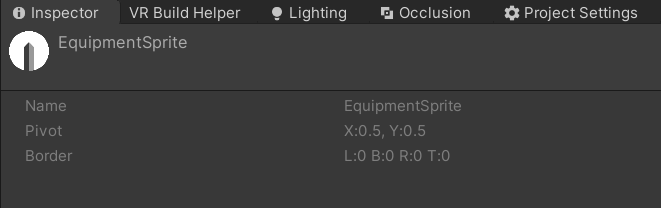
But they're all empty from the above code:

 waxen wing
I center my text, then the score shifts to the left as the score increases, how can I fix it?
low pike
show us things .. a video of the problem. Screenshots of the setup
low pike
the alignment on the text compent is set to 'left' not 'center'
 celest swallow
Been having a hard time making nested layout groups play nice with programmatically-generated content https://answers.unity.com/questions/1896797/cant-dynamically-size-children-in-layout-group-cor.html
Unity is the ultimate game development platform. Use Unity to build high-quality 3D and 2D games, deploy them across mobile, desktop, VR/AR, consoles or the Web, and connect with loyal and enthusiastic players and customers.
low pike
ContentSize fitters for a layout only take into account the size of the child.. not any grandchildren that are outside of the child rect
so if child rect is at 0, but the grandchildren are all higher.. it makes no difference
and ticking the various resize things on the layout group, can end up making the children be of a size 0.. if they have nothing of size on them (eg an image)
 empty juniper
I haven't used TextMeshPro in a while and i am a bit lost now. How can I enable word wrap? I can't seem to find it
 hybrid steeple
Hello1 I'm currently working on a UI and encountered an issue while following a tutorial. They use an outdated method called MovieTexture. The program told me to replace that with VideoPlayer, but that just creates more error messages. I'm unable to surmount this hurdle at my current skill level. Does anyone have advice?

 mortal robin
hybrid steeple
Hello1 I'm currently working on a UI and encountered an issue while following a ...
mortal robin
hybrid steeple
Hello1 I'm currently working on a UI and encountered an issue while following a ...
to use a VideoPlayer you'd have to change the structure of this ompletely
you're better off starting from scratch using VideoPlayer than trying to use this ancient relic of a script
Sounds like you found a very old tutorial
hybrid steeple
It's from 2019.
mortal robin
since that time MovieTexture has been deprecated
so you'll have to either use an old version of Unity or find a newer tutorial that uses VideoPlayer
empty juniper
low pike
it's a drop down on the component
the problem is that i am using an input field
and I can't make that work in an input field for some reason
hybrid steeple
Right, I was looking online for a way to fix it. however, I'm new to C# and was unable to follow the newer guides. They go into far less detail, which means I won't necessarily get the intended outcome. Hence, why I am asking here.
Actually, I asked in the code-beginner chat, but found no help there. So now, I'm here.
low pike
empty juniper
the problem is that i am using an input field
the input field has a child tmp text.. do it on that
hybrid steeple
Would anyone be able to point me in the correct direction?
empty juniper
low pike
the input field has a child tmp text.. do it on that
alright I found it. When I set the wrapping in the inspector as "enabled" after I hit play it gets turned back to "disabled". But if while the game is running, change it by hand to "enabled" it works. So next question, what do i do to make it not change?
low pike
I guess the inputfield does do something with it
empty juniper
low pike
I guess the inputfield does do something with it
I went on the input field and changed "Line type" to Multi line submit and it worked
 limpid shale
what would be a good method of making a horizontal viewport that scrolls be able to snap to the option that is closest to the. center and always align that option to the center even if it is at the end of the viewport?
and making the viewport auto size to the content
 maiden sinew

 surreal kiln
So I got this ui and I wanna display my worlds in the window as a scroll view, the borders tho are half-transparent and I don't quite know how to make it not be visible bellow em, as well as how to make the context size match the worlds list size

 night dove
Are there any up-to-date resources on creating a custom UI mesh by extending Graphic/MaskableGraphic?
https://docs.unity3d.com/2019.1/Documentation/ScriptReference/UI.Graphic.html This example script no longer renders anything, although it doesn't throw any errors

I figure something has changed since UI was moved to a separate package but I have no clue what
 copper patio
is it possible to run the UI in unscaled time?
or would I need to take anything in the UI with animation, make that unscaled, and if I had particles or somesort of camera I would do that all manually correct? all unscaled
mortal robin
copper patio
is it possible to run the UI in unscaled time?
wdym by "run the ui" exactly?
copper patio
canvas layer, or a button on the canvas
like I am using a allin1sprite shader does a cool electricity pulse, on a sprite but when the game is paused the sprite for the button is timescale =0
so would that be possible? do i have to have the sprite do timescale or is there no way at that level to do that?
since timescale = 0 for the game, this is the pause screen, but my whole UI is also timescaled to 0 as well
night dove
copper patio
since timescale = 0 for the game, this is the pause screen, but my whole UI is a...
Are you using an Animator component on your button? You would need to set Update Mode to use unscaled time
copper patio
well some of the sprites are using a shader
so I reached out to the shader author to ask if he knows but I am not sure if there is a flag you can set in a shader to be unscaled or if that makes it outside time? not sure as I am not that experienced in 2D shaders and the UI
night dove
There isn't a built-in shader variable for unscaled time, but you could pass unscaled time manually through Shader.SetGlobalFloat
and then make a copy of the relevant shader and replace references to _Time
copper patio
hmm ok. I do have amplify shader, maybe I can look further into it. I'll see what the author says, if not I will see what I can do scope wise. Thanks~!
night dove

Unity Forum
[IMG]
BETA 3 is now officially available at the Unity Asset Store, if you prefer, you can download it directly from the editor. We would also like to...
This looks to be an example of how to achieve exactly what you're looking for in amplify shader
copper patio
ok awesome. I was using that other sprite shader but I think I can make my own 'electricity' 2D thing and I'll check that out and see what kind of trouble I get into
surreal kiln
surreal kiln
So I got this ui and I wanna display my worlds in the window as a scroll view, t...
Pls
 wanton ivy
how do I get worldspace TMP font to render at the right size? My font renders perfectly in ui at 8px but now when i've set it to 8 px is the wrong size and looks messed up

 remote echo
@wanton ivy how many units is a 10 point font
remote echo
make it 10 points and count lol
wanton ivy
14 pixels tall
remote echo
what's your ppu
remote echo
your ppu is 2.3?
remote echo
ohh
remote echo
you lost me
wanton ivy
the text when its at 10px is 0.875 units and a tiny bit extra
that doesn't help me tho because I would need it exact
also thats just the height of one of the characters idk what you want me to measure exactly
limpid shale
in a scroll view, is there a way to find which object is the closest to the center?
is there a package that improves the functionality oif scroll views
 neat mango
Hey have a question. Been searching youtube, google etc without any luck so far. I have a CANVAS-PANEL and a prefab object. I would like to but the prefab object onto the PANEL and rotate it as a visual effect. Whenever I try to place the prefab onto the UI PANEL or even the OBJECT is will not show it in game view even if I set the prefab layer to UI. Even tried using like an image background for it but nothing I do will show the prefab in game view. Is there something Im missing here or can prefabs not be implemented into a UI element, does it have to be regular images? I want a prefab of the players vehicle so I can spin in so it has a cool 3d view of the vehicle.
mortal robin
neat mango
Hey have a question. Been searching youtube, google etc without any luck so far....
Canvas space and world space are very different things.
If the object doesn't have a CanvasRenderer, it's not going to render on the canvas
e.g. MeshRenderer, SpriteRenderer etc... those render in world space
UI elements render in Canvas Space
so it's mostly an object positioning issue
The best way to do this is if you set your canvas to Screen Space - Camera mode.
Or World Space mode
in either of those modes, the position of the canvas UI elements you see in the world will actually correspond to the world space position they show up in SCene View
Leaving it on Screen Space - Overlay, this will not be the case.
neat mango
@mortal robin Ahh awesome thank you. As soon as I set to Screen Space and added main camera to renderer it shows up perfectly. Many thank you's king fellow Unity person 🙂
LMAO need to remove movement script from the ui prefab lol. It flew away haha.
 gilded knot
I'm having weird issues with the VRChat script I'm supposed to add to my character. This part of the script is unresponsive, I cannot assign anything to the transform nor can I chage the mode. https://puu.sh/IUqcH.png
 low pike
wanton ivy
how do I get worldspace TMP font to render at the right size? My font renders pe...
low pike
wanton ivy
how do I get worldspace TMP font to render at the right size? My font renders pe...
TMP messes up when the scale of the transform is at less than 1,1,1 (the closer to 0, without being 0, it gets the more likely it is to mess up)
surreal kiln
surreal kiln
So I got this ui and I wanna display my worlds in the window as a scroll view, t...
Pls?
copper patio
I am trying to add some post processing to my UI in built in render pipeline. Is there a standard way to have split UI elements between Post and non post? like do you have 2 UI cameras? 1 is higher depth for clean UI and 1 is lower depth for Post processing? My other question is,... my post processing stack has 4 or 5 effects. if i Just want bloom, do i remove bloom from my post processing stack and make a single bloom PP stack? or will this result in 2 post processing draw calls now? and 2x slower performance? or etc?
 onyx fjord
Hey so uh, question. How do I make an image automatically scale in the Y axis if the text gets outside it's border?

 shut escarp
here?
onyx fjord
yes
shut escarp
so when you stretch the image whatll happen to the arrow portion
onyx fjord
 shut escarp
yeah, so you can alleviate that by using sprite 9 slicing
itll make it so portions you predefine arent affected by stretching
onyx fjord
shut escarp
itll make it so portions you predefine arent affected by stretching
uhh, I dont have the mesh type option?\
nevermind
lol
onyx fjord
shut escarp
yeah, so you can alleviate that by using sprite 9 slicing
that but now uh\
 shut escarp
you put it on the child
shut escarp
so now defined another object from the top of the textbox to the bottom
a "viewport" similar to a scrollview
look at how unity defined the scrollview
onyx fjord
shut escarp
so now defined another object from the top of the textbox to the bottom
What do you mean?
shut escarp
look at how the scrollview is defined and see how theres a defined viewport
thats to give like a minimum area I guess? sorta hard to explain into words
essentially the area that actually stretches is the box portion, so you need to define a box area for where the content actually goes
box area as in an empty obj
shut escarp
wrong, as a child
shut escarp
phrased it wrong, the parent should control that area
nothing should be a child of the sprite itself
then any content you want to put in would be a child of that defined area
shut escarp
the root should be that box area with a child sprite
onyx fjord
Okay, so, another issue. The solution you provided works, exept the issue is that I want the text be always in the middle of the thing
and so far I've got thi
this

 azure flame
Add vertical layout group and select center mode, also center the text in the element
 gilded quest
Folks, I'm trying to animate a UI mask component with a greyscale spritesheet set to alpha and I'm just getting some very harsh and odd cutout patterns. Any idea why? https://cdn.discordapp.com/attachments/85593628650504192/963997147504705636/unknown.png
 low pike
@gilded quest There's a shader on here to do that https://github.com/mob-sakai/UIEffect
gilded quest
Oh, that's great! But it's not supported by default in Unity? I thought I'd got 90% of the way there...!
 hoary charm
How can I draw simple shapes in the UI, like triangles and squares?
onyx fjord
azure flame
Add vertical layout group and select center mode, also center the text in the el...
so like this?
 azure flame
yep, make sure it's on the parent
azure flame
this component manages immediate children


 azure flame
onyx fjord
still no
azure flame
onyx fjord
still no
You need to explain what you actually want. In your previous example you had two elements, I showed you how to center them, while aligning vertically
low pike
resize things properly with their width/height values
onyx fjord
azure flame
You need to explain what you actually want. In your previous example you had two...
Yeah, The issue is that it still didn't fix the problem
 azure flame
Experiment with it, understand how it works. If you need to center other button separately, create separate structure
onyx fjord
azure flame
Experiment with it, understand how it works. If you need to center other button ...
wait, so I put it on the whole pop up, right?
azure flame
this component manages immediate children
onyx fjord
I take that as a yes
azure flame
You have 3 main UI components which you can use to format UI however you like. Vertical/Horizontal layout group, Size fitter and layout element.
onyx fjord
Okay I don't know
 hard acorn
Is there a way to make a UI text follow the object position on view but keep the text size constant when orthographic size changes?
 heady ice
im having a odd problem
im instantiaing a ui object
and its visible in scene view
but not in game view
mortal robin
Show screenshots, explain the hierarchy, show the canvas settings, etc
hoary charm
is there a way to fine-tune the position of objects without inputting exact position? Say I want to move a textbox to the left a tiny bit but using the mouse might affect its vertical position
sterile wedge
hoary charm
is there a way to fine-tune the position of objects without inputting exact posi...
Then zero out the y delta of your mouse movement
hoary charm
sterile wedge
Then zero out the y delta of your mouse movement
how can I do so?
sterile wedge
hoary charm
how can I do so?
How were you planning to get your mouse input?
hoary charm
sterile wedge
How were you planning to get your mouse input?
just left click object and drag
 static sedge
can anybody tell me why the text is so much blurry and that much big in scean

 sterile wedge
static sedge
can anybody tell me why the text is so much blurry and that much big in scean
sterile wedge
static sedge
can anybody tell me why the text is so much blurry and that much big in scean
Use textmeshpro if you're not already
static sedge
this?
 sterile wedge
hoary charm
just left click object and drag
sterile wedge
hoary charm
just left click object and drag
Your mouse input should give you a Vector2. You set the y of the Vector2 to 0
sterile wedge
static sedge
this?
No.. Textmeshpro is a UI text object that you create like any other text
sterile wedge
static sedge
can anybody tell me why the text is so much blurry and that much big in scean
Show me the inspector of that text object
static sedge
?
 static sedge
ohh
sterile wedge
Make sure you add using TMPro; in your script, and use TMP_Text, not Text, to declare the type
static sedge
still blurry
 sterile wedge
Is your game view scaled
static sedge
i am on visual scripting i havent learned c# fully yet
sterile wedge
Show inspector for this object


 sterile wedge
Show your full editor. I want to see if your game view is scaled
static sedge
 sterile wedge
The top of your game view says 1.2x scale. Change it to 1 and see
sterile wedge
That's your problem. Your game won't be in 1.2x scale anyway
That's just your view zooming in, not your actual game

 turbid spoke
Also it won't be a tiny 16:9 window either. Considering clicking the drop down that says "16:9 aspect" and add a custom resolution that matches your screen. Or just 1920x1080 if you are unsure.
static sedge
my resolution

 eternal wolf
hey folks, may someone tell me why the y-axis is upside down and the gizmos don't fit?
 surreal kiln
So I got this ui and I wanna display my worlds in the window as a scroll view, t...
surreal kiln
surreal kiln
So I got this ui and I wanna display my worlds in the window as a scroll view, t...
Anyone please help?
 cinder burrow
hi
lil question
I'd like to change the color of the font of my TMP button when clicked kinda like I did with the font
(in the image, you can see how I changed the text's font when clicked)

how can I turn this into a script to make it cleaner ?
azure flame
You are referencing entire fonts here not their materials, which has all of the settings. Also to change text color you don't have to change it on the font material, this will change it for all elements that use it. You can change text color on the text element itself instead.
cinder burrow
Ty
Unfortunately I'm not at Work, I finished my day so i'll note that and test it tuesday
Have a good day
azure flame
If you switching font entirely you might need to set both the font and its material preset variant. But for stuff like color make sure preset is set to white, then you can tint it here to any color on the component.
 cinder burrow
azure flame
If you switching font entirely you might need to set both the font and its mater...
cinder burrow
azure flame
If you switching font entirely you might need to set both the font and its mater...
ty !
surreal kiln
How do I make a scroll view expand with the size of components inside context?
So like it fits em all
sterile wedge
surreal kiln
How do I make a scroll view expand with the size of components inside context?
S...
Look up expandable scroll view unity
It's been asked tons of times
 pallid girder
hello i got a problem
i created a canvas and added a image and nothing shows
i tried restarting unity and making a new scene....
only the game view shows something but the scene view doesnt
pallid girder
 mortal robin
pallid girder
hello i got a problem
i created a canvas and added a image and nothing shows
i t...
mortal robin
pallid girder
hello i got a problem
i created a canvas and added a image and nothing shows
i t...
Are you just looking at it from behind? Or you might have disabled UI in the scene view
pallid girder
mortal robin
Are you just looking at it from behind? Or you might have disabled UI in the sce...
I looked both ways, what do u mean disable ui from scene view?
mortal robin
Check the various drop downs at the top of Scene view
pallid girder
the layers?
pallid girder
mortal robin
Check the various drop downs at the top of Scene view
Layers was not it
pallid girder
for future reference i found the problem
it was the a universal render pipeline asset..... idk why but yeah........
"transparent layer mask"
 nimble eagle
I am completely stuck choosing between two UI layouts for my mobile game
Could you please take this survey to help me decide?

Google Docs
 regal flicker
Is there a better way to sort UI than hierarchy? I really don't like to separate UI elements like a button and its outline in the hierarchy because the sorting is not right...
 rapid ferry
Hey guys, so I wanna fill portions of my Circle image with different colors, portions will be dynamic between 2 - 10 is there a way to do it?
something like this
 wild pebble
rapid ferry
something like this
wild pebble
rapid ferry
something like this
I think there’s two ways to do that: either using one radialy filled ui image per sector or using shaders to shade one image the way you want
rapid ferry
wild pebble
I think there’s two ways to do that: either using one radialy filled ui image pe...
how can I divide image in sector?
any idea 😅 ?
wild pebble
rapid ferry
how can I divide image in sector?
You can use Image Type: Filled and Fill Method: Radial 360 (from the UI Image component)
eternal wolf
Hey folks, has anyone an idea, why the gizmos are upside down on the y-axis?

 distant glacier
Why is my ui look like that in the play mode but like that in the game himself?

 azure flame
The inspector is the relevant part
Show how you scaling them
Also you have another issue here. Your middle part is not contained in the center
Use stretch anchor for the middle part main container and place anchors so they won't go up and further than your "settings" and "Back" elements

Then how you frame middle part would depend on CanvasScaler component mode that is on the root Canvas.
distant glacier
azure flame
Show how you scaling them
like that?
 azure flame
That doesn't look like you main anchor. This one just sits in the middle.
Main configuration you should have "Settings" anchored top middle, "back" anchored down middle. And middle parent container with the menus should have stretch anchor which I screenshot
With its limits set to not overlap with "settings" or back button
Then your 3 panels will be contained in the middle
Decide which CanvasScaler mode you need as well.
Play around with different settings, also set game window to Free Aspect mode and detach it from the panel by dragging. Then you can freely resize it and see how your UI look at different aspects.
 quartz wharf
Is there a way to have a child element that doesn't follow a the parent's Grid Layout... Just one child, I want the others to follow the grid
azure flame
Replace it/switch to a dummy, not render mode just to take space and make its copy parented by something else to move around
quartz wharf
👍 thx
empty juniper
Is there an easier to use way to write text, that an input field?
wild pebble
empty juniper
Is there an easier to use way to write text, that an input field?
Easier in what way? You could make your own system using Input.inputString
empty juniper
wild pebble
Easier in what way? You could make your own system using Input.inputString
as of a user's perspective, because when using it on mobile its just a single line you can write on
wild pebble
So is the problem on the virtual keyboard or on the input field text box?
empty juniper
wild pebble
So is the problem on the virtual keyboard or on the input field text box?
the problem is on the input field text box. When using input fields you are supposed to only write something like a username and thats it. What I want is for the user to be able to write text as freely as possible, for example be able to change line or leave a line blank ect.
wild pebble
empty juniper
the problem is on the input field text box. When using input fields you are supp...
Most likely someone have made asset for that but I don't know any myself. For pc, it would be relatively easy to do yourself but I have no idea of how that would be done in mobile. Maybe this https://docs.unity3d.com/ScriptReference/TouchScreenKeyboard.Open.html could be used (ig multiline = true) but I haven't tried that myself so can't help much further
empty juniper
wild pebble
Most likely someone have made asset for that but I don't know any myself. For pc...
Ok thanks for helping!
 mild dome
anyone know how to make it so i can see worldspace ui elements through objects?


 wild pebble
mild dome
anyone know how to make it so i can see worldspace ui elements through objects?
wild pebble
mild dome
anyone know how to make it so i can see worldspace ui elements through objects?
You could try these shaders #📲┃ui-ux message
wild pebble
onyx fjord
Hey everyone, so this is happening:
Defining ”this” would make it much easier for people to help
onyx fjord
wild pebble
Defining ”this” would make it much easier for people to help
so uh, what should I add
in terms of data so people can help
wild pebble
what’s wrong, what is the expected result, what have you tried to get there etc.
onyx fjord
What's wrong? well, the text is outside the popup even though it's supposed to scale
I tried using uhhh
how was it called
Vertical Layout Group
And
Content Size Fitter
Doesn't work
 paper ice
mild dome
anyone know how to make it so i can see worldspace ui elements through objects?
paper ice
mild dome
anyone know how to make it so i can see worldspace ui elements through objects?
move them on the z axis
 boreal anchor
Man! I've been up and down the internet googling absolutely everything and I swear there is something fundamentally missing from URP camera stacking. What worked perfectly in my original builds before I had to make the hard choice to switch over to URP, now leaves my character selection screens with big black boxes. And yes, I know it's because these cameras aren't set to "Overlay", however URP solution does not appear to have anyway to move stacked cameras in the UI space. Am I crazy?

To elaborate a bit further. If I crate a camera stack like so, every camera is positioned to fill the entire screen and be perfectly center. You can't appear to move them into masked boxes.

And finally, just for some context, here is what the original screen looked like in the default pipeline.
 real arch
boreal anchor
And finally, just for some context, here is what the original screen looked like...
real arch
boreal anchor
And finally, just for some context, here is what the original screen looked like...
why not render the image into a rendertexture and use that in the ui
no more hassle moving camera rects around
 sleek turret
How do I scale a prefab in terms of the size of my canvas? 32 here turns into a huge number like 46000 and I don't really know about a workaround

never mind I was doing something really stupid
my gameobject had it's scale to 1920x1080 instead of 1x1 inside a 1920x1080 canvas ._.
onyx fjord
text leaking out of the popup
boreal anchor
real arch
why not render the image into a rendertexture and use that in the ui
no more has...
Hey Malzibier, yeah? Would that be the way to go about it. Can the rendered texture sit on an alpha background?
real arch
boreal anchor
Hey Malzibier, yeah? Would that be the way to go about it. Can the rendered text...
if i remember correctly if you render the camera into a rendertexture and use that texture in a Rawimage that should get you the result you are after ( only the player model and the rest is transparent)
boreal anchor
real arch
if i remember correctly if you render the camera into a rendertexture and use th...
Wonderful, I'll give that a go. Cheers Mal
 shy herald
sorry, wrong channel.
 brazen oak
how can i fix this https://imgur.com/w3QNYjc

i tried these settings https://i.imgur.com/TK0aB5Z.png
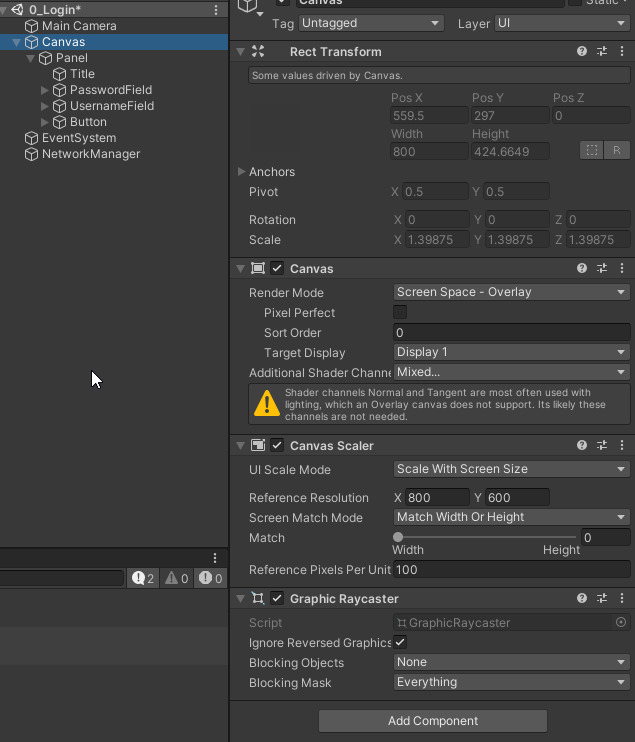 boreal anchor
real arch
if i remember correctly if you render the camera into a rendertexture and use th...
boreal anchor
real arch
if i remember correctly if you render the camera into a rendertexture and use th...
Bloody legend you are.
boreal anchor
brazen oak
i tried these settings https://i.imgur.com/TK0aB5Z.png
So you probably need to set the scaling of the window to something like this. I'm going from memory here, but try some of these and you should be right.

Actually, what is it currently being set to?
brazen oak
boreal anchor
So you probably need to set the scaling of the window to something like this. I'...
hmm.. i never saw that setting. is that on the gameobject ?
boreal anchor
brazen oak
hmm.. i never saw that setting. is that on the gameobject ?
Yes, that should be on the box element that I'm assuming is the one you are having issues with.
brazen oak
boreal anchor
Yes, that should be on the box element that I'm assuming is the one you are havi...
okay i'll look for it and try that 🙏
brazen oak
boreal anchor
Yes, that should be on the box element that I'm assuming is the one you are havi...
ty so much ...it worked !
i looking everywhere for a fix but i guess my problem was too simple and most answers online were for more advanced problems lol
boreal anchor
brazen oak
i looking everywhere for a fix but i guess my problem was too simple and most an...
Fair enough. We all miss things from time to time.
cinder burrow
Hi !
Do you know how I could change a canvas's background color ? ty !
cinder burrow
My code looks like this but I feel I'm not instanciating the objects the right way

or maybe I'm supposed to write that in a Awake() function
low pike
cinder burrow
Hi !
Do you know how I could change a canvas's background color ? ty !
Canvas's don't have a colour
cinder burrow
low pike
Canvas's don't have a colour
yeah I'm using a CanvasRenderer to help that
cinder burrow
what are they used for then ??
sterile wedge
cinder burrow
what are they used for then ??
Think of them as a space that UI elements are rendered on
cinder burrow
Hi again
Wanting to script as much as possible my UI implementation so that my designer can easily modify what he needs in the code, I'm trying to script the colors of a button (a prefab I made so that all button inherit from it)
for now, the code looks like that : https://pastebin.com/HTWKBUs9
and is implemented like that : (image)
Note : my button is named RegularButton, and the Change Font and Color script only affect the TMP_Text affiliated to the button
However, my script doesn't work because the button doesn't take the colors I coded
do you have an idea of what I did wrong ?
Ty !

Pastebin
Pastebin.com is the number one paste tool since 2002. Pastebin is a website where you can store text online for a set period of time.
low pike
wouldn't a designer want to stay away from code?
cinder burrow
it's a very smol company so everyone is going to touch it at some point if they want to modify the app i'm coding :/
that's why the code has such long commentaries
low pike
Look into ScriptableObjects too... settings/ etc for buttons is just data, should be in SO's
cinder burrow
could a ButtonEditor be useful here ?
low pike
I don't know what that is
 obtuse pasture
What are recommended workflows for adding menus to your game
Are there ressources available ?
Does my idea to load in the menu as an entire scene additively, make sense ?
cinder burrow
I'd recommend this guy's channel that explains quite well the basics u need https://www.youtube.com/channel/UCfIiEKtakOPRPnE4iQTLvlA

YouTube
Educational content - tutorials and guides focused mainly on Unity UI, Unity editor and PlayFab services. More stuff to come!
My main topics:
- Unity UI
- Playfab
- Other Unity tips
Videos: 1-2/week
Made by Maciej Maj (Teal Fire company)
low pike
obtuse pasture
Does my idea to load in the menu as an entire scene additively, make sense ?
yep
 timber wind
I’ve made a hi for my game but when I build the project it dose this I have the anchor points set but it doesn’t snap to the top
 low pike
1- Use screenshots, not photos.
2- Does what? "This" is not a useful description for anyone to be able to help you.. we don't know your game and what you want it to do
timber wind
The us like the health(red text) is not in the top left
And the hot bar is not on the bottom of the screen
sterile wedge
timber wind
I’ve made a hi for my game but when I build the project it dose this I have the ...
show us how you have the anchors set up?
doesnt look like they were done correctly
low pike
Don't use 'free aspect' in the game view when working with UI.
Set the anchors for the health to be top left - not center as is default
Set the anchor for the hot bar to the the bottom - not center as is default
 hollow pond
How come I'm not able to drag ScoreText in the Hierarchy to Score Text in game manager script?
 sterile wedge
hollow pond
How come I'm not able to drag ScoreText in the Hierarchy to Score Text in game m...
sterile wedge
hollow pond
How come I'm not able to drag ScoreText in the Hierarchy to Score Text in game m...
Is your ScoreText TextMeshPro
show the inspector of it
hollow pond
 sterile wedge
yeah, that's a TextMeshProUGUI, not a Text, you can just declare the type as TMP_Text. make sure you add using TMPro; at the top. @hollow pond
hollow pond
Ill try that thanks
empty juniper
I have a text mesh pro input field with the content type set as Integer, so that only integers can be typed inside, but when I then go to get the contents through script I get the error:
"Cannot implicitly convert type 'string' to 'int'"
Here is the code:
public class RNGScript : MonoBehaviour
{
    public int result = 0;
    public TMP_InputField InputLower,InputUpper;
    public TextMeshProUGUI ResultText;

    public void generateNumber ()
    {
        int lowerCap = InputLower.text;
        int upperCap = InputUpper.text;
        result = Random.Range(lowerCap,upperCap);
        ResultText.text = result.ToString();
    }
 tall shale
my texts are getting unreadable due to glow in the background how do i fix that ?
low pike
don't glow as much
put an outline on the text
put a background for the text
mortal robin
empty juniper
I have a text mesh pro input field with the content type set as Integer, so that...
       int lowerCap = InputLower.text;
        int upperCap = InputUpper.text;```The things on the right are strings.
The things on the left are intsYou can't assign a string to an int
this isn't javascript 😛
you'd have to parse the string
empty juniper
mortal robin
```cs
int lowerCap = InputLower.text;
int upperCap = InputUpper.t...
i know that I want to know if there is a way to convert to an int
low pike
int.Parse(InputLower.text); I think?
empty juniper
mortal robin
I recommend https://docs.microsoft.com/en-us/dotnet/api/system.int32.tryparse?vi...
that looks to be it, thanks!
low pike
this question was easily google-able btw
mortal robin
"this meeting could have just been an email"
 worn hull
Hey guys, is there a way to update a TMP font atlas without introducing system-generated changes? I added 2 new symbols and a bunch of my old settings got reset.
 crisp nexus
 frail rock
has anyone ever had a problem where OnPointerUp/Down work fine, but On(Begin/End)Drag don't?
Even weirder, Drag events DO work, but i change scenes and return, and that's when they break... ONLY on device too, issue does not occur when I test on PC in editor
I've looked at a LOT to see if I can get to the bottom of this, starting to think it's a unity quirk rather than something wrong in my setup
perhaps something to do with how EventSystem initializes or something
frail rock
this is my whole script >_>

so there are no other dependencies anywhere
pointerUp/Down are work'n fine
and Drag does, until i leave the scene and return to the scene
frail rock
looks like it might have something to do with the fact that this project loads scenes additively
i just tried making 2 new scenes in this project, and loaded scenes the normal way (non-additive) and drag events continued to work after scene changes
so now i need to figure out what it is about additive scenes that cause this... because making the scenes non-additive is not exactly an option (i just work here...)
 jagged monolith
You loading or unloading several event systems perhaps @frail rock?
frail rock
nah, checked for that
no additional EventSystems, only the one that appears in the additive scene
cinder burrow
Hi
So i'm doing this button (image)
I need that, when I click it, the small orange part is animated like a classical toggle (like the gif but i dont want to change its shape)
I'm really struggling to implement the animation
any idea / tutorial ?
ty !! (i dunno if it belongs here or in #🏃┃animation )


Dribbble
low pike
I'd use DOTween to change the anchoredposition.x
cinder burrow
to move the round ?
low pike
Yes... and anything else that was required
cinder burrow
ill look into that ty
frail rock
@jagged monolith seeing as you chimed in on my issue. I ended up reworking the project to not use additive scene loading lol. It works properly now... wonder what it is about that additive scene stuff... 100% no additional EventSystems
had to rework some of the boss's DontDestroyOnLoad, static and other stuff lol which is what I was hoping to avoid, but better now
jagged monolith
I mean, there's nothing that shouldn't work inherently. But it's hard to debug from the outside
frail rock
yeah, im also of the mind there is nothing that shouldn't work inherently. Wondering if it's a bug in this particular 2019 version, shrugs. Ran out of time to fix it properly...
low pike
2019.4.xx ?
 dark widget
I've got a world space Canvas prefab with a Canvas Group component and a panel with some text (TMP) and an input field as a child, when I drop the alpha of the canvas group below 0.5, the text on the panel disappears, but above 0.5 it works fine


How can I keep text from disappearing when I change the alpha below 0.5?
 ivory hornet
dark widget
I've got a world space Canvas prefab with a Canvas Group component and a panel w...
ivory hornet
dark widget
I've got a world space Canvas prefab with a Canvas Group component and a panel w...
what is the canvas group on? do you only have one canvas group? what shader / material is your text using?
Like I said before, I cant recreate this issue
based on what you have described
dark widget
I figured out what was wrong
the text was a child of a viewport image with opacity 0.1 (that I used as a Mask)
ivory hornet
ah
dark widget
and when I changed its opacity to 1, the text appeared
 storm ivy
guys why this looks blurry?
 wild pebble
storm ivy
guys why this looks blurry?
wild pebble
storm ivy
guys why this looks blurry?
hard to tell without knowing what "this" means
storm ivy
the outer image
storm ivy
no the image which text on
that laser ish image
that looks blurry i want it to look like clear
low pike
draw a line along the blur, circle the blur, draw an arrow.. something to make it clear what you think is blurry
 bold bone
How do I keep a UI element belonging to a ScreenSpaceCanvas - Overlay of the same size when it is created in a WorldSpaceCanvas?
 floral berry
for some reason my 9-slice sprites are not showing the border i set
its working in one scene, but not the other
low pike
bold bone
How do I keep a UI element belonging to a `ScreenSpaceCanvas - Overlay` of the ...
Create an empty game object.
Put the world space canvas as a child of this empty object.
Change the scale of the empty object to 0.02 (or whatever works for you).
Change the height/ width of the canvas to what you need it to be (I usually go with 1920x1080).
Use the empty game obejct to move it around and place in the correct place
bold bone
low pike
Create an empty game object.
Put the world space canvas as a child of this empt...
It is one of the possible ways to solve my problem. Another one is to somehow make a UI element stick to a character but work as if it was in an overlay canvas. Is there a way to do it?
low pike
If you want to use an overlay canvas, but track something in worldspace, then you need to use WorldToScreen() .. which I haven't used much/ recently, but it's something for you to go google
bold bone
Oh I see thanx
 frigid vapor
Anyone ever seen a text mesh pro UGUI component be forced into a disabled state? I can't identify what's causing this, it's not my code doing it.
I can't click the enabled tick box on the component to enable it either it just seems to be forced into being disabled.
Never mind. It was the Write Defaults option in an animator acting on it.
 quick wing
I'm trying to make my Player be able to click a button but it only works when the button is really big. I have nothing blocking the button. What's going on?

 cinder burrow
Hi
so, I'd like to active and desactive canvases when I click on a button
For example, clicking the Settings button will show the Settings Canvas containing the elements needed (buttons, text..)
for now I coded that but it doesn't work https://pastebin.com/WuvgRqUJ
Pastebin
Pastebin.com is the number one paste tool since 2002. Pastebin is a website where you can store text online for a set period of time.
I updated the code
yeah OK
i'm just dumb I think I found the prob
quick wing
This can be done with game objects lol
quick wing
GO?
cinder burrow
Game Objects
cinder burrow
im a dummy lmao
cinder burrow
ty you too
low pike
cinder burrow
my script was looking for GO while I only have UI elements
Everything in the scene has a GameObject and a Transform. A UI element is just a GameObject with the various UI components on it
low pike
You can access the GameObject of any component simply by doing canvas.gameObject or the transform someObject.transform
So, don't do this page.GetComponent<GameObject>().SetActive(select);
Just do page.gameObject.SetActive(select);
low pike
quick wing
I'm trying to make my Player be able to click a button but it only works when th...
100x100 is not really big.
If there's text on the button, or an image as a child.. disable 'raycast target' on it
cinder burrow
low pike
Just do `page.gameObject.SetActive(select);`
thanks omg
quick wing
low pike
100x100 is not really big.
If there's text on the button, or an image as a chi...
Tried that, didn’t work.
cinder burrow
low pike
Just do `page.gameObject.SetActive(select);`
How can I do that
but for multiple children ?
like I wanna setActive all the things in SettingsPage
 low pike
use a list, loop through the list
cinder burrow
with a ForEach ?
like
ForEach(page.gameObject)
(or is that only in Java ? dunno)
because i'd like to make my code as reusable as possible without hardcoding the number of element I have in a list etc
sterile wedge
cinder burrow
with a ForEach ?
For loop, foreach, either one works
cinder burrow
sterile wedge
For loop, foreach, either one works
   {
      foreach (GameObject i in page.gameObject.GetComponents<GameObject>())
      {
         i.SetActive(select);
      }

   }```

Did smthing like that
im gonna test it

ty !doesn't work :c
low pike
page.gameObject.GetComponents<GameObject>())
Really? 😐
private void Load(Canvas page, bool select)
page isn't a list. You don't need this here, get rid of it
private void Load(bool select)
{
    foreach (var page in pages)
    {
       page.SetActive(select);
    }
}```goign to test that
cinder burrow
low pike
```cs
private void Load(bool select)
{
foreach (var page in pages)
{
...
still nope
I have that code :
low pike
Your public field, declared at the top of the class needs to be a List..
cinder burrow
   public static Canvas page;
   private GameObject[] kids = page.gameObject.GetComponents<GameObject>();

   public void OnSelect(BaseEventData eventData)
   {
      isSelected = true;
      Load(isSelected);
   }

   public void OnDeselect(BaseEventData eventData)
   {
      isSelected = false;
      Load(isSelected);

   }
   private void Load(bool select)
   {
      foreach (var i in kids)
      {
         i.gameObject.SetActive(select);
      }

}```kids needed it to be static
cinder burrow
dunno the code was grumpy about it
low pike
🤦♂️
cinder burrow
sry I'm bad at explaining T-T
low pike
low pike
```cs
private void Load(bool select)
{
foreach (var page in pages)
{
...
edited this slightly
rename pages and page to be called whatever they actually represent
 uncut folio
Someone know why the child objects dont want to also fade out with the mask?
 uncut folio
Whats the proper way of doing it ?
low pike
Never done it
uncut folio
heck
What about a component that only resizes and sorts children horizontally, and the vertical is freeform?
i tried horizontal layout group but it also locks the vertical positionings
low pike
horizontal layout
- containers, which you change the height of
-- put the content in the containers, align them to where you need vertically
uncut folio
wait, what am i missing
 low pike
I dunno, what are you missing?
uncut folio
no clue 🤔
its resizing it and aligning it horizontaly just fine, but the vertical transform is locked

 green arch
Not sure where to ask this,
Is it possible to set the gradient color here to an image, so the time is spread on the image?

for example:

(right now the image just gets a value and becomes a pure color according to the value on the gradient)
 ivory rune
Hello!
Im having this problem with the multiplayer event system
While having one multiplayerEvent system everything works nicely!
But adding the second one make like i pressed everybutton
Any suggestion?
green arch
ivory rune
Could it be that you have Input System active on both players, so player one detects both player1's input system, and player 2's, while the second player also detects player1's input system and itselfs?
ivory rune
green arch
Could it be that you have Input System active on both players, so player one det...
Disabled the input system and the player input script from unity, theres no change
But when disabling the multiplayer event system in either player makes the difference
green arch
ask in #archived-networking I have no idea
ivory rune
Why would be in networking? all is local lol
low pike
green arch
Not sure where to ask this,
Is it possible to set the gradient color here to an...
#archived-shaders would be the obvious place
 cobalt gull
Can somebody try to help me with why my enemy projectiles upon collision with tower wont change my UI health bar?
sterile wedge
cobalt gull
Can somebody try to help me with why my enemy projectiles upon collision with to...
show the code that's supposed to do that?
stop
and #854851968446365696 on how to post code
cobalt gull
cant work out from that what im supposed to do with my code to share it on here
sterile wedge
cobalt gull
cant work out from that what im supposed to do with my code to share it on here
 cobalt gull
sterile wedge
cobalt gull
https://hatebin.com/qqnvibiskz
cobalt gull
sterile wedge
cobalt gull
https://hatebin.com/qqnvibiskz
okay, have you checked if the OnCollisionEnter actually gets called?
put a Debug.Log inside and outside of the if statement
also.. don't you want to minus the health, and not just modify the UI..?
you're not going to check if the UI is a certain way you find out if you die. You'd check the health
cobalt gull
i do the value in inspector wont change, when ive watched a video, when the value in inspector is dragged, the fill amount moves too, but this doesnt happen for me
so i know pretty much it wont work on play either
sterile wedge
also.. why do you set the health to maxHealth every frame?
cobalt gull
this is what I need some clarity, im still trying to figure it all out
sterile wedge
I'm just really confused on what you're trying to achieve here
are you new to programming?
sterile wedge
uh huh
i'd suggest you go through the beginner scripting tutorial on Unity Learn
thing is, your code compiles, sure. but the logic is really weird
cobalt gull
i want the max health to decrease by 10 upon projectile collision with tower
sterile wedge
okay.. why do you decrease the max health, and not the health?
cobalt gull
ive been through all those, im too deep in what ive done with the coding to try to start all over and apply it again
sterile wedge
trust me, nothing you've written is irreplaceable. same with any code you'll write in your lifetime
let's start with this
sterile wedge
sterile wedge
okay.. why do you decrease the max health, and not the health?
this
cobalt gull
ive deleted, and tried many scripts over and over
sterile wedge
because this isn't a coding issue anymore, this is a logic issue
so why are you reducing the maxHealth, and not the currentHealth?
cobalt gull
im not sure where you are seeing that in the code
all i see is current health / max health
and then current health will equal the divided value
sterile wedge
cobalt gull
i want the max health to decrease by 10 upon projectile collision with tower
you're telling me here that you want to decrease the max health
I dont even know where to start with you..
healthBarSlider.fillAmount = currentHealth / maxHealth;
tell me, what do you think this does?
cobalt gull
fill amount equals the current health divided by maximum health
sterile wedge
so if the currentHealth is 5 and the max is 10, the fill would be at 50%, correct?
cobalt gull
yes
sterile wedge
currentHealth = maxHealth;
Now this line. What do you think this does?
let's open a thread
cobalt gull
Wytea has been very helpful but has gone, anyone available to help carry on with my UI issue?
sterile wedge
you know, if you have an error, it's best that you show and ask about the error?
fix the other things I pointed out also, before you do
cobalt gull
Are you around later to help ?
sterile wedge
nope. don't count on it
cobalt gull
Right. Ok.
quick wing
quick wing
I'm trying to make my Player be able to click a button but it only works when th...
Yo anybody got an answer for this?
cobalt gull
I need help with UI and Collisions
low pike
quick wing
Yo anybody got an answer for this?
show us a video of the issue, show us that it doesn't work.. resize it whilst still in play mode and show us that it now starts working. Click in the same place on the screen
quick wing
Alright
cobalt gull
I have an issue with enemy projectiles colliding with a target and the UI health bar not decreasing in value
low pike
I'm only half here, don't have time to read the 50+ msgs between you and Wytea.. if you give the required info without me having to chase everything up.. I'll probably be able to help
cobalt gull
What info would you like so it's easy for you please ?
quick wing
low pike
show us a video of the issue, show us that it doesn't work.. resize it whilst st...

As stated it only works when the button is really big.
Which is odd as hell.
low pike
You didn't click in the same place.
Small you clicked center of the screen.
Large you clicked off center, outside the size of the small version
Change the colours on the button too - to test, change them to red/ green for highlighted/ pressed
make is super easy for yourself to see if /when events are firing
also, don't maximize the game view.. it hides any info that could possibly be useful
quick wing
alright
cobalt gull
Carwash are you here for a little while though tonight ?
quick wing
so I tested it
clicked in the middle this time
doesnt work
sending the video in a sec

yep something weird is happening with the raycasts and colliders and stuff
Its highlighted when I have my mouse to the far right when its stretched even more
 low pike
which suggests there is something in the way in the middle
quick wing
nothing in the canvas
low pike
but it doesn't look like there 's anything 🤔
quick wing
text raycasts are off
and this isnt with the camera
nothing blocking in the middle of the camera
low pike
disable the monitor object
quick wing
because when I move the button anywhere else, it still has the same problem.
that's the camera
displaying the ui
to the render texture

 low pike
cobalt gull
Carwash are you here for a little while though tonight ?
low pike
cobalt gull
Carwash are you here for a little while though tonight ?
You need to show what you're doing .. how you're doing it ..
screenshots/ images/ code.. whatever is relevant to accurately show to someone who has never seen what you're doing.. what you are doing ..
cobalt gull
I know I will send it to you just was doing something for about 10 mins so was just asking if you'd still be here in 10 mins
low pike
Oh, monitor is a camera, not the monitor object
low pike
cobalt gull
I know I will send it to you just was doing something for about 10 mins so was j...
I don't know.. just post it all anyway. It's not a busy channel, someone else might see what you've posted and help.. or it'll still be visible tomorrow when I return.
quick wing
yeah
low pike
How come you're using a render texture?
cobalt gull
Ok I will do shortly thanks
 mystic oracle
Am i correct in thinking that I will not be able to use Drag and Drop on Gameobjects that are part of a scroll view?
quick wing
low pike
How come you're using a render texture?
So I can display it on the monitor. World Space is crappy and can be messed up easily.
low pike
Have used Worldspace a lot and never had issues with it 🤔
quick wing
ah its tricky for me
atleast
also if you switch it to screen space
its messed it up
and undo doesnt fix it
render texture is also easier
having the canvas be more managable
low pike
easier... but gives you this issue ;p
quick wing
well
low pike
A rendertexture doesn't send events to the UI
quick wing
low pike
A rendertexture doesn't send events to the UI
and it does
as you can see it does
low pike
disable everything so all that is left is the render texture + UI
quick wing
alright
cant disable the cubicle around the render texture
cause its a child of the cubicle
and I dont need to mess up everything
nothing changes
low pike
You're not messing things up, you're troubleshooting.. after the test you can just discard the changes
low pike
dude
low pike
only got 1 more thought, but I'm 99.99% sure it's not this... how close does the camera get to the monitor? near clipping plane not near enough mebbe?
quick wing
when panned out
 low pike
has that chair got a collider?
quick wing
when panned in
 quick wing
low pike
has that chair got a collider?
quick wing
low pike
has that chair got a collider?
no
nothing around it has got a collider
im confusssszledld
low pike
try changing the near clipping plane to 0.01 ¯_(ツ)_/¯
quick wing
low pike
try changing the near clipping plane to 0.01 ¯\_(ツ)_/¯
alr
low pike
it won't work - but confirm it
low pike
shift everything... monitor/ ui/ camera left or right by >2 units
quick wing
alr
low pike
just move it far enough so the center is away from it's current position
This will hopefully tell us if the problem is something blocking the middle of the screen... or if it still doesn't work, then there's something wrong with the events in the center for ... reasons
azure flame
If you debug raycast you would know what it's hitting instead of the button
azure flame
Select event system at runtime and extend bottom window in the inspector
quick wing

it thinks its hitting the wallpaper
obviously something isnt right with the buttons collider
I honestly don't know what to do lmao
azure flame
If it's in world space other world space items would interfere
 low pike
disable the wallpaper
quick wing
plus the sizing doesnt work properly
low pike
it does
quick wing
low pike
it does
not when I tried
I shrinked it to the monitor and made a button
and it was a big a button
low pike
empty game object with a scale of 0.02,0.02,0.02
canvas as a child of that object, scale at 1,1,1... height/width at whatever you need.. I usually go with 1920x1080
scale of everything below at 1,1,1 done
 low pike
the 0.02 and 1920x1080 are what works for me.. tweak as needed
quick wing
yeah no
world space is gonna suck the life out of me
scaling doesnt work properly and the button just scales to the minuses
cobalt gull
this is my issue, the projectiles, upon colliding with tower dont decrease the health bar Ui
azure flame
It's a debugging issue. You need to debug events if they reach your function and if your slider can move at all
quick wing
I'm gonna try debugging my ui with an eventviewer
or sorry
event trigger
if that dont work I dont know what will
cobalt gull
healthBarSlider.fillAmount -= 10; and this keeps causing null reference issue
azure flame
That means you object is not assigned
Also your collision event not firing at all
Are you sure the script is on the object and is capable of capturing collision event
cobalt gull
honestly i dont know where to put the script, ive been assigning it to all manner of game objects just to see if i can get it to work including: Tower, Tower Health Bar UI Image, Enemy Projectile.....
low pike
the script needs to go on the object with the collider - I assume the tower
azure flame
You are trying to get component from tower, and the object is UI
low pike
Remove this healthBarSlider = GetComponent<Image>(); from your script
low pike
It sets healthBarSlider as null
cobalt gull
 low pike
Also, remove this Destroy(gameObject, 3);.. or change it to Destroy(collision.gameObject, 3);
low pike
cobalt gull
Yes, read my msgs.. you're doing a GetComponent<Image>() in start.. but it won't find Image so it will set it to null
cobalt gull
so what script should i have, because i can try and change bits of it like youre telling me to do but i know ill mess it up, a full script would be handy
low pike
You have the script, it needs fixing
cobalt gull
so ill have to go through it with you by section
void Start?
anything in there need changing?
low pike
Jesus.. I've already told you
cobalt gull
god ppl get so crabby with new ppl on here, im just trying to start like you all did
low pike
I'm crabby because you've just ignored everything I've said
cobalt gull
i know youve put information there and i apprecite it, but other ppl have chimed in too
low pike
and then asked a question which was already answered, twice
cobalt gull
so i just dont wanna do anything wrong to script
low pike
You will do things wrong with game dev.. it's OK to do things wrong. It's how you learn
cobalt gull
yea and im sorry i didnt mean to be shirty with you, just been struggling for 5 days to get this health bar to work lol
okay ill have a go at what you put
low pike
low pike
Remove this `healthBarSlider = GetComponent<Image>();` from your script
this first
and add healthBarSlider.fillAmount = 1f; in Start() too
azure flame
cobalt gull
yea and im sorry i didnt mean to be shirty with you, just been struggling for 5 ...
This is why you don't start blindly and work through courses. 5 days is enough to have a reasonable grasp on the engine and much better understand advice given.
low pike
change healthBarSlider.fillAmount -= 10; to currentHealth -= 10f;
cobalt gull
yea i know Fogsight but i Have been going through numerous courses and tutorials just to get up to where I am today
azure flame
Start with actual courses, like the ones in Unity Learn pathways.
low pike
low pike
Also, remove this `Destroy(gameObject, 3);`.. or change it to `Destroy(collision...
I guess this is supposed to be destroying the projectile ... so change, don't remove
low pike
yes
cobalt gull
semi colon i meant at the end of that
low pike
Destroy(gameObject, 3); will destroy the GameObject this class is on
so, the first projectile that hits it will trigger the 3 sec delay and then the tower will disappear
low pike
Hence why I told you to change it..
cobalt gull
oh ok right sorry
Fogsight yea I have but the issue with them is they never apply to projects that you are doing of your own accord
low pike
This is explaining what you've currently got and what it will do. So you can learn and understand..
 cobalt gull
but when I had that code before the tower never disappeared
low pike
because the null error stopped that line being reached
cobalt gull
i still dont fully understand what was causing the null error
low pike
you have Image as a public field, then assigned it in the inspector.
In Start() when the class runs, you did GetComponent<Image> .. but the tower doesn't have an Image component, so the image field gets set to empty
cobalt gull
okay cool but this is great i mean the health bar is indeed decreasing now, but one hit subtracts the bar to zero instantly
low pike
click on the image that you want to change the fill amount of .. show a screenshot of the inspector for it
timber wind
i have my ui but when i maximize the game it doesn't snap the ui to the corners like i want it to (last time i asked about this i wasn't home so i couldn't use screenshots). But i have the anchor points set properly i think

 low pike
don't use free aspect when doing UI.
 cobalt gull
 low pike
timber wind
i have my ui but when i maximize the game it doesn't snap the ui to the corners ...
low pike
timber wind
i have my ui but when i maximize the game it doesn't snap the ui to the corners ...
you're also anchored to the center.. for things in the corners/ along a side.. change to use the appropriate anchor point
 low pike
cobalt gull
low pike
cobalt gull
this is not the image
timber wind
low pike
don't use free aspect when doing UI.
what should i use insted
low pike
timber wind
what should i use insted
16:9
(sorry.. read the wrong bit)
cobalt gull
low pike
cobalt gull
this is not the image
cobalt gull
it must be the code in void Update thats wrong
is it subtracting 10hp over and over straight away ?
low pike
right, yeah. you didn't do what I said
cobalt gull
ok sorry
low pike
low pike
change `healthBarSlider.fillAmount -= 10;` to `currentHealth -= 10f;`
This, is not in Update()
cobalt gull
but at least i kinda saw the problem
low pike
cobalt gull
https://gdl.space/yuqogefeqi.cpp
here
cobalt gull
i have bricks for brains at this point
cobalt gull
low pike
change `healthBarSlider.fillAmount -= 10;` to `currentHealth -= 10f;`
but you said to do this
oh wait was that meant to be in void collision ?
genuinely misread your comment then
cobalt gull
umm ok..... not sure why
low pike
because it's a return type, it has no relevance to referencing a method
cobalt gull
so hang on then ive changed the code back to what it was under update
so now i need to change the code under the collision section
or however you word it
low pike
Yes, do you understand why the change?
cobalt gull
hang on cos youre talking to someone who currently has much for brains, i first need to change the code under collision
ive gotta go back and find it now
in our conversation
mush* for brains
omg finally....
a working health bar
and no i dont understand but i want to
low pike
void Update()
{
  healthBarSlider.fillAmount = currentHealth / maxHealth;
}```

What does this do?health bar fill is equal to the current health divided by the maximum health ???
low pike
yep. the currentHealth / maxHealth normalizes the value (set's it to between 0-1)
cobalt gull
How does that set it between 0 and 1 though ?
low pike
So, in OnCollisionEnter() ... what was this doing? healthBarSlider.fillAmount -= 10;
cobalt gull
There's no reference in there to 0 or 1
low pike
x/100 = a value between 0 and 1
cobalt gull
What if it was a health value of 257 something random like that ?
Still be the same outcome ?
low pike
then it would be 257/100
low pike
look at your code
cobalt gull
I mean what if it was something like 257 / 564 ?
low pike
do the math
cobalt gull
I dunno Carwash you've lost me with the random health values division answer, which I have put above your last message and further lost me with all the coding jargon you just sent me
uncut folio
How do i make it so elements in a panel fade out at the ends like this? I already tried using the masks components but it doesnt seem to be it 🤔
 azure flame
uncut folio
How do i make it so elements in a panel fade out at the ends like this? I alread...
azure flame
uncut folio
How do i make it so elements in a panel fade out at the ends like this? I alread...
It depends if they move at all. You can map the range they travel to the opacity with a Lerp.
uncut folio
azure flame
It depends if they move at all. You can map the range they travel to the opacity...
eeeh i'd prefer if it was for every element
since a digit column is a single text component
azure flame
yes, you can set for every element based how far they are from center


 azure flame
If they don't move you can just put different opacity panel on top of them
azure flame
Then you want each number be a separate text element parented under vertical layout group. And move that group. Each element can check its position relative to the center adjusting opacity.
uncut folio
eh?
azure flame
I would make them a pooled object as well, as you need only a bunch of them visible
and shuffle them around
uncut folio
that sounds like a bad way of doing it, surely theres a better way
uncut folio
azure flame
I would make them a pooled object as well, as you need only a bunch of them visi...
well they arent that many
azure flame
The other way is to access TextMesh Pro shader and set values per letter. There might be built-in tools for that in TMP
Research TMP tutorials, there's a lot of them on YouTube by original creator for every little thing
Would be tricky to measure exact position this way though
uncut folio

This tutorial/guide will show you how to mask Unity UI elements very easy and simple way! I'm also using wonderful asset from mob Sakai that allows us to easily soft mask. I'll show you everything based on three examples:
- Basic Unity Rect Mask 2D
- Unity Mask and SoftMask to create smooth corners
- SoftMask to create nice fade in scrolling ani...
this is what im looking for, but hopefully without the need of an extra package
low pike
image with a gradient over the top of the text
center of the image is alpha 0, top/ bottom of the image is alpha 1
low pike
uncut folio
Someone know why the child objects dont want to also fade out with the mask?
the inverse of this
low pike
 low pike
uncut folio
so i need a gradient where its the center thats alpha'd?
low pike
uncut folio
so i need a gradient where its the center thats alpha'd?
yes
black is the gradient
 uncut folio
@low pike what component do i even use then for the mask so it fades out?
low pike
nothing built-in with Unity
Using an image + sprite with the gradient you want will do it
uncut folio
im a bit confusued now
low pike
I hadn't thought of this way when Nevaran originally asked their question nearly 12hrs ago - even though I'll frequently use this method
uncut folio
yeah...leave me to be the 10/10 explainer, eh?
azure flame
You don't need any mask even. Panel with the gradient. Transparent in the middle and darker on the sides. Place it on top.
uncut folio
seems to have the opposite effect
 azure flame
on top
low pike
because you haven't set the hierarchy up correctly
uncut folio
but thats just gonna cover it up 😄
low pike
 low pike
uncut folio
but thats just gonna cover it up 😄
low pike
uncut folio
but thats just gonna cover it up 😄
.. that's what you want
uncut folio
i should specify that i want the background box to not be visible
its just there to show where i want the fade out to be of the children
low pike
right, so you want the text to fade out to alpha 0
you'll have to do it with what Fogsight was saying before
azure flame
Could use a mask for that, to apply only to numbers
uncut folio
ugh...such a dirty way of doingn it
uncut folio
azure flame
Could use a mask for that, to apply only to numbers
hm?
azure flame
I think there's a solution here. https://gamedev.stackexchange.com/questions/176170/how-to-use-a-sprite-mask-or-shader-to-mask-a-text
Only you need to apply mask on the gradient to cut out everything but the text
low pike
this is softness
 uncut folio
low pike
this is softness
uncut folio
low pike
this is softness
expected as much, doesnt do anything for me though
uncut folio
azure flame
I think there's a solution here. <https://gamedev.stackexchange.com/questions/17...
so a sprite rennderer 🤔
azure flame
There's for UI there as well
uncut folio
ah so there is
this is the same thing i have though
without the gradient alpha
and t hey use an extra component
azure flame
uncut folio
everyone seems to be going for SoftMaskForUGUI
azure flame
Works out of the box
uncut folio
azure flame
Works out of the box
yeah, its instant transition 🤔
azure flame
Text element must have Mask component on it and have gradient panel parented.
It's not the transition. I'm showing that panel is masked and drawn only on top of text
uncut folio
the mask gradient also needs a mask?
azure flame
only this
Text element must have Mask component on it and have gradient panel parented.
uncut folio
yeah this isnt working.
 mossy orchid
cobalt gull
yea i know Fogsight but i Have been going through numerous courses and tutorials...
mossy orchid
cobalt gull
yea i know Fogsight but i Have been going through numerous courses and tutorials...
Your best bet is to stare at an analyze the codes your copying from these videos untill you understand them well enough to teach some one how to do what's in the code. Use your comments and teach yourself what is happening in your comments
azure flame
In your case you would need gradient anchored though, to not move as you move its parent around
mossy orchid
And then eventually you can start combining bits and pieces of different scripts