#📲┃ui-ux
1 messages · Page 60 of 1
 chilly lion
 hexed bay
Hi, does anyone know if there is a way to acess this value trough code?

 jagged monolith
Only through the LoadScebe method it calls
 mild kernel
We don't allow discussing decompiling on this discord.
 cloud lintel
Is it possible to change a specific word's color with text mesh pro?
 still path
cloud lintel
Is it possible to change a specific word's color with text mesh pro?
still path
cloud lintel
Is it possible to change a specific word's color with text mesh pro?
Yes, it is easily done with TMPro
You can find an answer here: http://digitalnativestudios.com/textmeshpro/docs/rich-text/
Rich text documentation for TextMesh Pro.
cloud lintel
ty should have looked there, didn't realize color would be a part of that formatting but makes complete sense
 elfin prairie
mild kernel
We don't allow discussing decompiling on this discord.
elfin prairie
mild kernel
We don't allow discussing decompiling on this discord.
i meant as in extracting from .unity and not .unity3d
 devout sphinx
Is this an okay place to get feedback on a small ui video?
 azure flame
devout sphinx
Is this an okay place to get feedback on a small ui video?
azure flame
devout sphinx
Is this an okay place to get feedback on a small ui video?
#archived-works-in-progress would be more appropriate. You can create a thread for replies there.
cloud lintel
A text mesh pro input field seems to return the wrong text after setting the text to a default value through code, then typing after. Am I missing something?
I even tried using SetTextWithoutNotify(), but it always returns the default value I set in code no matter what I type.
cloud lintel
Nevermind it was a bug on my end
 sullen thicket
I'm trying to learn the basics of ui, I made a button that turns off a panels image, but it only works once. If I tick the box in the onclick() section and press the button again it brings it back. What is that box? and how do I make it so I dont have to forcibly click it to make the button work?
 humble finch
Is there any possibles i can use pixel perfect without thier annoying update method that makes UI jitter ?, its the only way i can get crispy text, i tried to use textmeshpro but thier outline option is the sadest thing i seen cant get it to look like the old.
 simple pewter
is possible to set a png image to be transparent in unity?
jagged monolith
Yes... Either use transparency in the PNG itself or lower the alpha of the sprite/image
simple pewter
jagged monolith
Yes... Either use transparency in the PNG itself or lower the alpha of the sprit...
where can i do this? I would like to remove the white bg from the image sprite to be like the others, but Im not sure if I can do this in unity

 craggy osprey
Is there any way to make unity remember the state of a toggle after you switch scene and then come back? I've been using Playerprefs but I wanted to hear if there's a better way to do it
 mortal robin
craggy osprey
Is there any way to make unity remember the state of a toggle after you switch s...
mortal robin
craggy osprey
Is there any way to make unity remember the state of a toggle after you switch s...
Save files
Any data not tied to a scene
It will not cause lag
Your code is unecessarily verbose and duplicated though
e.g.
if (PlayerPrefs.GetInt("CurrentCliqqerEnabled") == 1) {
  cliqqerEnabledToggle.isOn = true;
}
else
  cliqqerEnabledToggle.isOn = false;```
Could be simplified to
```cs
cliqqerEnabledToggle.isOn = PlayerPrefs.GetInt("CurrentCliqqerEnabled") == 1;```Also you use an if/else in the GemCounterToggleChanged() method, and == true is extraneous
mortal robin
it's exactly what PlayerPrefs was made for
craggy osprey
great
 frank goblet
What's the best way to sanitize rich text? I know you can just surround it with <noparse>, but someone could just put an ending tag to bypass it. (it would look like this: <noparse> This is user supplied text: <b>test</b></noparse><b>bypassed user text</b> </noparse>) Is there anything I can do?
(here's the bypass example above, except italicized too to make it more obvious that it is changed)

 rapid ferry
Where would the setting to change the color of that white stuff be? I feel like i've been everywhere (It's a TMP dropdown)

 real arch
rapid ferry
Where would the setting to change the color of that white stuff be? I feel like ...
real arch
rapid ferry
Where would the setting to change the color of that white stuff be? I feel like ...
you mean the background behind the options?
that would be the image of the Dropdown List object itself its the background for the options
rapid ferry
Okay ty
 velvet dome
could someone tell me why my characterdisplaycamera is not only rendering the player
rapid ferry
I have this sprite cut up into 9 pieces

How can i make it so that when i use it on a button, it extends the middle piece?
this is not working
 rapid ferry
It turns out i needed to have a border on automatic, not grid by cell size
and set the image type to sliced
it works now
 wanton cloud
Why is the scroll rect viewport not working?
 mortal robin
wanton cloud
Why is the scroll rect viewport not working?
mortal robin
wanton cloud
Why is the scroll rect viewport not working?
what are your anchor settings?
wanton cloud
mortal robin
what are your anchor settings?
anchor settings?
mortal robin
wanton cloud
anchor settings?
Yes, how is your RectTransform configured
what anchor preset is it using
and where's the pivot, etc?

 mortal robin
wanton cloud
of the scroll or the content?
mortal robin
wanton cloud
of the scroll or the content?
idk, all of it. That's the stuff you need to look at to recenter this thing
wanton cloud
mortal robin
idk, all of it. That's the stuff you need to look at to recenter this thing
recenter this thing?
 plain totem
Hi! What do I need to look into to set focus to my scene's buttons to enable navigation using keyboard or non–mouse inputs?
mortal robin
plain totem
Hi! What do I need to look into to set focus to my scene's buttons to enable nav...
EventSystem.current.SetCurrentlySelectedGameObject should get you started
plain totem
Thanks! Will look that up.
 thin bridge
Hello, I am making the buttons of my interface.
I put buttons at corner with anchor as shown on screenshot.
Works on pc, but buttons aren't visible on phone...

Someone know why?
jagged monolith
In the game view, change the resolution to your phone resolution @thin bridge. Then you can see what it will look like on device
 tranquil estuary
I am able to press my button from the bottom, but not from the top. What should I do?
wanton cloud
Why is the scroll rect viewport not working?

 proven path
How do I make the pivot point for the player the center of it's base ("foot position")?
rapid ferry
wanton cloud
Why is the scroll rect viewport not working?
How do you set like how much you want to scroll?
 proud spire
When using a slider i made a script that changes the color of slider, but when running in the game it doesn't show up. It shows up in the inspector though. Just showing the slider background not the slider fill part
 mortal robin
proud spire
When using a slider i made a script that changes the color of slider, but when r...
mortal robin
proud spire
When using a slider i made a script that changes the color of slider, but when r...
the alpha of that orange color is 0. Is that intentional?
proud spire
Oh, i made a mistake when picking my colors. Thank you overlooked that
plain totem
proven path
How do I make the pivot point for the player the center of it's base ("foot posi...
I won't be able to explain it correctly because I can barely remember how I did that but I believe it can be done by placing a game object where you want the pivot point to be and then moving the player game object relative to that one. I think you can search something like "change game object pivot point" and find the right steps to do that.
Edit: if it's a Rect then look at the Pivot fields.
 lone rapids
hey!
can anyone tell how can I make scroll UI for text of unpredictable lenght?
just for me scrolling sometimes ends too early / scrolling stops in the middle of the text
plain totem
lone rapids
just for me scrolling sometimes ends too early / scrolling stops in the middle o...
Could you share what it looks like? I'm thinking the text is not fitting correctly inside the parent with the scroll view component.
lone rapids
plain totem
Could you share what it looks like? I'm thinking the text is not fitting correct...
well, i almost fixed it and can't really show what was before
but i still have tiny problem left
the text is just starting, but the scroll wheel isn't completely up. if i drag it up, the text moves away with it

well i guess i'll just ignore that, because it isn't really that big problem
plain totem
Don't remember that happening to me, but if you think it was caused by a change you made then I'd suggest creating a new Scrollview game object and place everything back. I know it's not the best help because you won't understand what happened.
 solemn trellis
alright this is a really stpid question and its hard to explain but just hear me out:
ok, how do you have like a bunch of different windows in the ui? like how do you edit them? just group them and enabled/disable?
mild kernel
@eager flower Job postings belong on the forums, #📖┃code-of-conduct has the links.
rapid ferry
why my text resolution is low
 azure flame
Are you using TextMeshPro?
plain totem
solemn trellis
alright this is a really stpid question and its hard to explain but just hear me...
Do you mean something like a HUD? Where you have a mini map that can be toggled on/off?
rapid ferry
azure flame
Are you using TextMeshPro?
just text
azure flame
Old text resolution related to atlas resolution it created, I think. Should use TextMeshPro it uses sdf.
 low pike
@glass prawn you're trying to use normal transforms with a layout group, this doesn't work. Layout groups are for UI elements, which use RectTransform.
 glass prawn
low pike
<@!678699241442639890> you're trying to use normal transforms with a layout grou...
glass prawn
low pike
<@!678699241442639890> you're trying to use normal transforms with a layout grou...
omg
tysm
 static moss
is there any text wrapping function?
 bronze marlin
i'm working on an app that has screenspace and worldspace ui and want to reuse ui prefabs between screenspace and worldspace, but when dropping a ui prefab designed for a screenspace canvas (like a button) into worldspace it's huge. is there a way to have it scale down automatically so i can make a single prefab and use it in both canvases?
 fiery viper
Hi
How do I anchor my UI elements
I don't understand what I've done wrong to make Unity zoom into a corner of the screen after building the project

like so
@frank osprey if you're available could you please let me know what to look out for in the project
 frank osprey
Sorry I can't. I just redirected you here so you could get more relevant answers
lone rapids
i tried to make a scroll ui, it works just fine, but it has a problem. whenever i try to scroll my text, it jsut scrolls it back to it's prev pos. @frank osprey now it's in #📲┃ui-ux .
low pike
static moss
is there any text wrapping function?
TMP has a setting to wrap / truncate / overflow text
lone rapids
@low pike if you are able to help, copuld you tell me what did i do wrong?
lone rapids
lone rapids
i tried to make a scroll ui, it works just fine, but it has a problem. whenever ...
in here.
low pike
you haven't given any information about it, or screenshots of the setup, or videos of the issue.. sooo.. nope, got no idea
perhaps the rect being scrolled isn't big enough .. it needs to be the same size or bigger than the text
lone rapids
low pike
you haven't given any information about it, or screenshots of the setup, or vide...


even tho there is much more space to scroll, the "content" still moves back do original position
low pike
I can't see anything useful from those screenshots
How big is the rect for the text?
How big is the rect for the content?
How big is the rect for the scoll area?
How come there's a content size fitter on the scroll area?
 turbid gorge
I tried designing some UI for a coffee shop management game, this is the scheduling tab. The player will be able to choose the shift colors. Thoughts?

 eager flower
mild kernel
<@198564059988099072> Job postings belong on the forums, <#497867528488484864> ...
eager flower
mild kernel
<@198564059988099072> Job postings belong on the forums, <#497867528488484864> ...
Ah hmm i see ok
 nocturne marsh
turbid gorge
I tried designing some UI for a coffee shop management game, this is the schedul...
nocturne marsh
turbid gorge
I tried designing some UI for a coffee shop management game, this is the schedul...
it's pretty nice
plain totem
Maybe if you set the Canvas' Render Mode to World Space
bronze marlin
I can't seem to get my ui to batch draw calls with different sprites. To test, i tried creating a sprite atlas, but Unity still only batches images with the same sprite.
I'm testing in editor with two unique sprites, both of which are added to a sprite atlas. I tried screenspace and worldspace canvas. I tried with sprite atlas v1 and v2. I tried restarting the project. Sprites are not in resource folder.
Does it look like I'm doing anything wrong? Any common beginner mistakes?

 rapid ferry
Hey guys, does anyone know how to replicate the bubble effect from Spongebob?
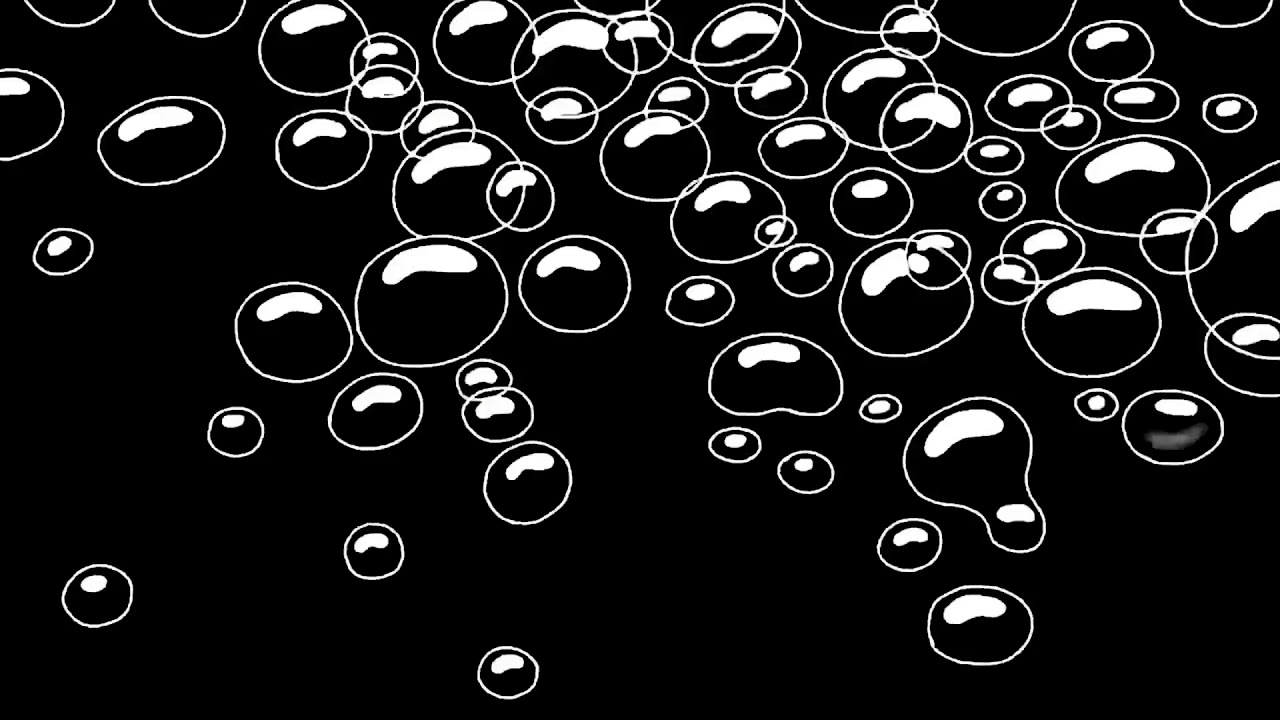
Spongebob Bubble Transition
#greenscreen #spongebob #transisi #transition
green screen
green screen hd
efek video
efek bubble
bubble transisi
bubble transition
video efek
edit video
#sisigelap
@SISI GELAP
Like this. I would import this as a movie, but I want to make this by hand
 sand plume
Hi folks I have a bit of an issue, I can't seem to scroll my list, I can only scroll when I hover on the handle of the scroll bar
it worked fine yesterday night but now it doesnt
lmao
any help?
 merry wing
I've got a Texture2D that I'm creating a bunch of Sprites out of in code. But even though the coordinates of the Rect I'm using to specify where the Sprite is on the image look right, they're coming out in the wrong order.
This should be sequential

this is the image it's getting them from

If I create a Sprite using this Rect:

then I should see a 1, but I see a 16
ah - I was thinking (0,0) is the top left of the image, but it's the bottom left
lone rapids
well... does anyone know how can i make the scrollbar to appear on the top instead of middle when i change the text?

just i have code with unpredictable amount of text, but the scrollwheel always moves to the middle .-.
that is just a bit annoying
sand plume
lone rapids
just i have code with unpredictable amount of text, but the scrollwheel always m...
Not sure if u still have the issue, but u just need to change the pivot point to 1 for the handle, that is what worked for me
rapid ferry
How do I add my custom font to textmeshpro?
lone rapids
sand plume
Not sure if u still have the issue, but u just need to change the pivot point to...
thanks but... it didn't really change anything. when i try to manually drag the scrollbar value to 1, after text changes, it's back in the middle
sand plume
lone rapids
thanks but... it didn't really change anything. when i try to manually drag the ...
And the anchors?
lone rapids
sand plume
And the anchors?

i do not really know what these do, i am a nob o_O
i tried changing all those to 1, but still when i change amount of text, the scrollbar moves
sand plume
are you changing the handle settings or something else
lone rapids
sand plume
are you changing the handle settings or something else
the scrollbar settings itself
btw if you are gonna answer, could you pin me...?
sand plume
@lone rapidshttps://youtu.be/ZI6DwJtjlBA try this vid see if anything works
lone rapids
sand plume
<@!705479139016310835>https://youtu.be/ZI6DwJtjlBA try this vid see if anything ...
okay, gonna take a look
 sinful ingot
anyone knows how to fix this?
 rapid ferry
Hey guys, does anyone know how to replicate the bubble effect from Spongebob?
https://www.youtube.com/watch?v=I50cWpN3G7Y
Spongebob Bubble Transition
#greenscreen #spongebob #transisi #transition
green screen
green screen hd
efek video
efek bubble
bubble transisi
bubble transition
video efek
edit video
#sisigelap
@SISI GELAP
Like this. I would import this as a movie, but I want to make this by hand
nocturne marsh
should be fairly easy with particles
 night valley
is the textmeshpro "reveal one character at a time" feature documented anywhere?
only seen it referenced elsewhere but i can't even find a scripting API for TMP
mortal robin
night valley
is the textmeshpro "reveal one character at a time" feature documented anywhere?
yes it's in the docs
night valley
ah, thank you! and somehow i couldn't find my way to those docs
i guess the search i did was localized to the core api
mortal robin
Yeha when you want to see docs for a package, you can usually find it by searching on google like "textmeshpro package"
Then make sure you're going to the link that says "packages" in it like here

 sweet cedar
Im not sure if this is the right place to put this, but whatever. In unity, my ui looks fine, but in the build, its messed up. Why?


On the top is unity, on the bottom is the build file
The healthbar adjusts for screen size, but the ammo and text doesnt
Does anyone know why this would be happening?
mortal robin
sweet cedar
Im not sure if this is the right place to put this, but whatever. In unity, my u...
none of them look like they're adjusting properly for resolution.
Use the game view resolution options to play with different resolutions in the editor
and configure your Canvas Scaler component(s) and your RectTransforms such that they respond properly to different resolutions
sweet cedar
Could I make it so that the ui auto changes to fit the resolution?
mortal robin
yes
I recommend reading this first, it will give you the tools to do so: https://docs.unity3d.com/Packages/com.unity.ugui@1.0/manual/UIBasicLayout.html
That plus understanding the CanvasScaler scaling modes
plain totem
How can I make the button navigation system ignore a non Interactable button? I thought that just by toggling the Interactable field to false it would be ignored. I do have that set of buttons set to Explicit navigation so I don't know if that forces the system to select a non Interactable button.
 broken sedge
guys i want to make ui like this
 night valley
is the textmeshpro outline really only available by making your own script? and apparently not compatible with some font asset types, i tried setting outlineWidth and outlineColor and it just doesn't show up
low pike
You don't need a script to do outlines on TMP
night valley
yeah i looked around and the setting's in the shader but i'm using purposely pixelated bitmap fonts and it just isn't available there apparently
 gloomy zephyr
Anyone got any idea why my Kill-feed is not moving with each other? Im wanting to make it so it will move to the left at all times. However it keeps over lapping another without moving the other text componets. Please ping me
 sterile wedge
gloomy zephyr
Anyone got any idea why my Kill-feed is not moving with each other? Im wanting t...
sterile wedge
gloomy zephyr
Anyone got any idea why my Kill-feed is not moving with each other? Im wanting t...
Just make it a single text, and combine the string. Align text to the right.
Use textmeshpro so you can use rich text to change the color of the words
gloomy zephyr
👍 Thanks will do
low pike
Use layout groups
combining the string will be annoying because of the colours (even with rich text)
Horizontal layout group with 3 TMP textboxes
 smoky cliff
Hey Im not sure if this is the right place to post but I have this issue where the font on the vfx graph (also on shader graph)comes up like this, it becomes really difficult to read anything when my screen is zoomed out. Thanks in advance.

 reef canopy
Hello all. I know this isn't a code question, but not sure where else to put it. I want to add a scene with a level select map (think something like Candy Crush level select) where there is a scrolling map. I would like to lock the scroll to only scroll up and down. To do this, I added a Scroll View to my canvas. I stretch/anchor the scroll view about 3 time higher than the visible display screen. In the Viewport->Content area, I add a Panel (which has the map image). The viewport is also stretched/anchored to match the Scroll View parent. The Content area is stretched/anchored to match the Viewport parent, and the Panel is also stretched/anchored to match the Content parent. The image shows fine, but when I drag to scroll the image, it only moves very little. How can I create a view that allows the user to drag the map up and down?
 inland latch
Is there a way to make it so you cant navigate a UI with keyboard input
so i cant go left or right in a ui with my keyboard at all and its strictly limited to just my mouse
reef canopy
@inland latchthis isnt really UI question, but in Project Settings, select Input Manager. There you can map your keyboard
inland latch
reef canopy
<@!339851575776378910>this isnt really UI question, but in Project Settings, sel...
where abouts in there can i directly say that in a ui the keyboard cant navigate it though?
reef canopy
just capture the events and do nothing with them
inland latch
like since W A S D and arrow keys navigate and i believe both enter and space select
reef canopy
and you want to disable those?
inland latch
i want it so that in a ui no keyboard input can do anything with a ui
reef canopy
Im not sure I understand the question? So, you want to disable keyboad for just UI interactions? Like in a Dialog? Just dont add any listeners to the UI elements
rapid ferry
Hi I have a problem designing my progressbar.
I use the Slider component and have a background and a fill image.
The fill is a rounded rectangle and tiled with the sprite editor.
I have attached a screenshot how it looks like with fill amount of 1.
However when I change the fill amount to 0 the fill bar gets squished into the left side.
Is there a way to make it disappear "cleanly"?


 prime echo
Add a white sprite shaped like you want it to disappear between the green thing and the red thing
Don’t know if it was understandable
mortal robin
rapid ferry
Hi I have a problem designing my progressbar.
I use the Slider component and hav...
Don't use a slider
Just use a normal Image component in Filled mode
Slider's the old fashioned way to do it and requires you to mess with a bunch of pivots and anchors to set it up properly
 magic walrus
i have a canvas that holds unit health bars, when i have it set either to scale with screen size or constant pixel size it looks like it does on the left, and if i put it to constant physical size it looks how i want it to on the right
the difference is kinda subtle, but if you look at the bottom of the blue mana bar on the left side you cant really see the black outline under it that should show. whereas it does show when im using constant physical size.
does anyone know why that might be and what i could try doing? constant physical size isnt gonna work for some lower resolutions...itll look too big
 plain totem
Should I use the Event Trigger component instead of a button's OnClick()? I see that Event Trigger is more robust and can practically do the same thing.
rapid ferry
Anyone here knowing how to disable the Selected function and reset the pressed function of this button?
 mortal robin
plain totem
Should I use the Event Trigger component instead of a button's OnClick()? I see ...
mortal robin
plain totem
Should I use the Event Trigger component instead of a button's OnClick()? I see ...
Using a Button component gives you the built in Transition effects and makes your UI element Selectable if you care about UI navigation
plain totem
mortal robin
Using a Button component gives you the built in Transition effects and makes you...
I was thinking of keeping the Button component and just using the Event Trigger for the click events and all the other events it has. Is that fine?
mortal robin
plain totem
I was thinking of keeping the Button component and just using the Event Trigger ...
It's fine sure doesn't make much difference as far as the actual pointerclick event
If you need it for other events seems reasonable
 feral slate
Hello, could anyone explain to me how i could make my TextMeshProUGUI show text mixed with a image. I want to display the heart count with text and hearts graphically. for example "lives remaining: (heart picture) "
plain totem
mortal robin
It's fine sure doesn't make much difference as far as the actual pointerclick ev...
Got it, thank you!
sterile wedge
feral slate
Hello, could anyone explain to me how i could make my TextMeshProUGUI show text ...
look into sprite assets
That's exactly what you need

Unity Learn
In this tutorial, we’ll learn about the Sprite Asset, a direct analog to the Font Asset.
 torpid yew
I'm using a scroll rect to display the profiles of connected users.
These profiles consist of images and some TMP text, the problem is that TMP does not adhere to the boundaries I set, while the images do.
Replacing TMP with a text component works, so how do I force TMP to stay within the bounds of my rect transform?
plain totem
@torpid yew Could you show what it looks like?
torpid yew
yeah sure one sec
torpid yew
plain totem
<@!789206881968193569> Could you show what it looks like?
This issue doesn't arise if I were to use text components over tmp
plain totem
Which object has the image and which one has the TMP?
torpid yew
Empty has the image, label the tmp
A player UI card has two states for no player in the lobby, and one for when a player joins that'll show the information and what not.
That's why it's set to inactive right now


lmk if more information or screenshots are required
plain totem
If you have the desired layout and seems like a TMP issue, you could re import the TMP Resources and see if that helps.
plain totem
torpid yew
Could you show a bit more of the space below the scroll view? Just want to see if all the texts are visible below it or just a small portion.
rapid ferry
so like
yall know
how u can layer the viewmodel infront of the real view
well
if ur in multiplayer looks VERY wird
*weird
so how do i
have the cake and eat it at the same time
i couldnt find a damn tutorial on that
torpid yew
plain totem
Could you show a bit more of the space below the scroll view? Just want to see i...
 quick saffron
when i put this uv map in it just fills the empty space with black, is there any fix for that?


 long bramble
hey would anyone know how i make it so if you collide with a gameobject (which is a key in my game), it will add 1 to a text UI to make it 1/5 keys or like 3/5 keys so on
sterile wedge
long bramble
hey would anyone know how i make it so if you collide with a gameobject (which i...
Break it down to steps
1)how to detect collisions between objects
2)how to do something on collision
3) how to set text of a UI text
 signal pelican
My TMP clickable text notices the click (I used debug.log to check) but I can’t get the index from -1 to 0. can anyone help?
 lone brook
Hello! Has anyone encountered this problem? I want to remove it but i dont know how to find it. Thanks!

 nocturne violet
hey is this the best way to do this? Sorry kinda trash at UI
 nocturne violet
lone brook
Hello! Has anyone encountered this problem? I want to remove it but i dont know ...
nocturne violet
lone brook
Hello! Has anyone encountered this problem? I want to remove it but i dont know ...
go to your panel and check there
not in game mode, in scene mode
lone brook
nocturne violet
not in game mode, in scene mode
What should i search?
nocturne violet
you should have something like this in your hierarchy

check if there are extra ones, or the manager of the panel is adding new lines and deleting the old ones(in code)
lone brook
Thank you
nocturne violet
Fixed it? @lone brook
lone brook
nocturne violet
Fixed it? <@!649960299201560586>
I will try later haha
nocturne violet
ah aight. Gl
lone brook
nocturne violet
ah aight. Gl
is it in game manager?
 nocturne violet
ummmmmm
i dont think its game manager
it should say UI manager/ canvas manager/ panel manager
its a script
lone brook
 lone brook
Hello! Has anyone encountered this problem? I want to remove it but i dont know ...
lone brook
lone brook
Hello! Has anyone encountered this problem? I want to remove it but i dont know ...
i want to remove it because even i eliminated the enemies and reached the area, i still cant proceed to the next level
nocturne violet
lone brook
its probably a script then
you have to find the gameobject that handles that canvas
and then check the script of that canvas
 rocky pelican
how to fix:
I have panel1 and panel2 i made so the panel1 is active = false but if i press where the change scene button was on the panel one the button works hard to explain
lone brook
thanks!
night valley
is there a way to get textmeshpro to just export an image file of the generated font atlas? they all seem to be packaged into the font asset things and inaccessible and unmodifiable externally
like i want to get it out, do external editing and put it back in
using a bitmap font fwiw
and i guess this is all in the service of getting pixel perfect bitmap font outlines without rendering like 4 or 8 copies of the text mesh, in case there's better ways to achieve that ...?
night valley
also i apparently have to wait a frame before using GetParsedText for textmeshpro after setting the .text field for the result to actually be updated according to the new text, is there a way to force that sooner? which seems like a crazy thing to ask
apparently the parsing is just happening in update for some reason instead of (or in addition to, at least) when you specifically ask for it
 quiet merlin
why is this player sliding off the platform?

there is box collider on the floor & player
along with rigidbody on the player
both collider and rigidbody are 2d
 gilded wraith
Hey does anyone know how to set up a scroll rect?
When I move my content the scroll bar moves, but I can't click it in game mode
Please @ me if you can
broken sedge
guys this all placeholder are in different hierarchy , should i make one empty object and put the gun and attachment info in one script
 reef canopy
Hello All. Is there a reason why when I add a sprite to the Content area of Scroll View, it will not show up? I can see it in the Scene view, but not in the actual game
mortal robin
reef canopy
Hello All. Is there a reason why when I add a sprite to the Content area of Scr...
If you're trying to use a SpriteRenderer for UI that's incorrect
You should use the UI Image component
 tender musk
Hello. I've got a problem. I followed Thomas Brush tutorial to make the buttons jump a little when you hover over it. Everything worked fine, so I wanted to apply the same thing to other canvas, but instead all the buttons jumps in one place. I've googled and found nothing. I even closed unity and didn't saved it. But the problem stays.
reef canopy
@mortal robinCan you think of a better way to accomplish this goal: I want to create a scroll able level select map (2d) but add parallax layers as well as some animations. Can this not be done in Scroll View?
 rough gull
is this UI good enough for my game?

 coral cape
I have a question regarding of scrollView, button, and DragHandler.
The Viewport is the viewport of the scroll view, the backdrop is the "content" of the window. The main timeline contains a script that handles drag events. The problem I'm running into in Unity, is that when I add a button on the backdrop (That covers the whole window view), my drag handler no longer sees the main timeline. Instead, it sees the backdrop when raycasting ( EventSystem.current.RaycastAll() ). I need to find a way so that the raycast can detect main-timeline first before checking the backdrop. Is there a way to do this or am I'm missing something here?
 mortal robin
reef canopy
<@!179367739574583296>Can you think of a better way to accomplish this goal: I ...
mortal robin
reef canopy
<@!179367739574583296>Can you think of a better way to accomplish this goal: I ...
Probably easier to do this with Sprites rather than UI elements
 silk coral
how do i set a spriterenderer's render priority (spriteRenderer.rendererPriority) to the last one to be rendered?
 jade fern
I'm looking for some UI related asset I can use to create battle systems UI akin to https://www.youtube.com/watch?v=qM2EUBOjRis . I can organize out the windows with what Unity provides, but I just was wondering if there's an asset somewhere in the store that would handle such scenarios easier than default. Or at least some assets to help with that experience.
 merry estuary
When creating elements for UI in another program (photoshop, aseprite etc), would the size of the things matter or can I just resize if needed inside of unity?
broken sedge
tender musk
Hello. I've got a problem. I followed Thomas Brush tutorial to make the buttons ...
use verticle layout
 carmine cliff
hi... I have an canvas which is set to scale to screen size and within that canvas, i have an element anchored to the bottom. In unity it works perfectly but when I do an android build, it doesn't anchor to the bottom. Setting the Match To Height (1) will snap it to the bottom but the width is messed up... Setting it to 0.5 does nothing. I even tried to put the element in a parent which is stretched on all anchors and put the bottom anchored element in it...doesn't work either.
any ideas before I force it to the bottom with a script?
jagged monolith
Have you tried setting your game view resolution to the same as your phone @carmine cliff?
carmine cliff
jagged monolith
Have you tried setting your game view resolution to the same as your phone <@!79...
I didn't... I don't really wish to considering not all phones have the same resolution. I set a base one 1080 x 1920 (portrait)
jagged monolith
Well it's an easy way to try and recreate the same behaviour so I don't see why not
I always leave match to 0.5 and anchor things normally and it behaves as it should
carmine cliff
the ui elements that i have slide in from the phone's edges so "approximate" is not good enough...I guess forcing it using code is the way to go then huh ?
low pike
@carmine cliff are you using the device simulator? Use this for mobile dev, you can easily switch between devices and check that you're UI is updating correctly for different screen sizes
what you're doing shouldn't require a class to resize anything
carmine cliff
low pike
<@!798864217670549515> are you using the device simulator? Use this for mobile d...
I'm not actually but yeah very good tip... I'll check it out. Is that a package or something?
carmine cliff
found it ... thanks 😄
low pike
no problemo
 raw nest
is it possible to create images dynamically? I want to create a menu that spawns an object (like this AND gate), and i want the button to contain the image OF this AND gate. I could spawn this AND gate into the button, but in the future i want the player to be able to create custom gates, and i dont want to spawn a whole mess of circuits just to use as the image of a button
 azure flame
You would want modular components comprised from preset images. Not a good idea to allow freestyle drawing, especially if it will be shared. Unless the game is freestyle drawing.
raw nest
what do you mean by "freestyle drawing"?
azure flame
... in the future i want the player to be able to create custom gates
You don't have to bake into an image, just have a module displaying constructed gates from components
raw nest
gotcha, thanks fogsight
 mellow crag
in unity

in paint.net

how can i make the texture look like how it actually is in unity?
 raven coyote
How can I enable the display of UI elements for editing ?
 gilded wraith
raven coyote
How can I enable the display of UI elements for editing ?
gilded wraith
raven coyote
How can I enable the display of UI elements for editing ?
Make sure gizmos are turned on
low pike
I assume they mean the images aren't visible
Is there a canvas group in the hierarchy above? Alpha of it set to 0?
raven coyote
low pike
Is there a canvas group in the hierarchy above? Alpha of it set to 0?
Thank you, yes, it was set to 0.
 proven haven
Hello, Can anyone provide a little info on how child elements can be scaled and positioned properly when their parents scaled? Once I added the parent to vertical / horizontal layout groups and after they got scaled down I get something like this. I'd like the elements to be constrained to the border of the parent but also scaled up/down appropriately.

 lean drum
I changed my camera from screen space to world space but there is nothing on camera preview although my canvas is in front of camera

 timber elbow
lean drum
I changed my camera from screen space to world space but there is nothing on cam...
timber elbow
lean drum
I changed my camera from screen space to world space but there is nothing on cam...
There are things that vertex and me pointed out in the other channel
 frosty pewter
it still isn't inside of the camera's frustum
the camera is like 950 units high, and only sees 50 units away right now
the white box is all the camera can see
lean drum
frosty pewter
> it still isn't inside of the camera's frustum
> the camera is like 950 units h...
Can you please guide what can I do to take it into the frame? I am sorry I am very unfamiliar with the design side.
 lean drum
frosty pewter
lean drum
frosty pewter
Thank you.
low pike
or move the canvas to 0 on Z
 clever prairie
Left is an image of text with bilinear filtering, right is TextMeshPro text... it's not super easy to tell with the amount of compression artefacts in the video, but when I pull out the TMP gets... what's the technical term... ugly and weird? Anything I can do?
low pike
Is the scale for the TMP GameObject at 1,1,1 ?
clever prairie
low pike
Is the scale for the TMP GameObject at 1,1,1 ?
It's multiple levels deep, but they're all at 1,1,1
low pike
unfortunatel that's all I've got.. other than make the font larger
clever prairie
low pike
unfortunatel that's all I've got.. other than make the font larger
Thanks, I'll keep looking. Maybe the Render Mode or something will help when you create the font asset.. I'll just keep clicking random buttons for now
low pike
@ocean pollen you're game view is zoomed in x3
 low pike
change it to x1 and show us
 ocean pollen

i played with font size, scaling of the canvas/text
pixel multipliers
nothing works
low pike
show us the inspector for the canvas
ocean pollen

it looks completely fine in scene space
but i want it in world space to tilt the buttons
the only time the text looks good is when i make it super big
ocean pollen
right, i also tried making it big and moving camera back
what size would u recommend
low pike
How I do world space canvases is..
ocean pollen
ill try
low pike
Empty Parent normal game object
- scalar empty game object, scale set to 0.002
-- Cavnas set with scale at 1,1,1 and width/height at 1920x1080
ocean pollen

i tried having an empty game object inside the canvas and the button inside that
but not the canvas inside an object
low pike
ocean pollen
i tried having an empty game object inside the canvas and the button inside that
this is still <100pixels
it doesn't change anything
the way I suggest does, as the canvas is the 1080p instead of the size of a stamp 😄
Which also means, if you're designing things in photoshop, you have the canvas in PS at 1080p, and then bringing it into Unity will have the asset at the same size/ positioning
ocean pollen
ok cool
so what about the camera
since now the canvas is super small compared to the camera


canvas
 low pike
depends how far away it is..
ocean pollen
ok
now i set the camera to -1 and i can see the button
but

again, super blurry/pixellated
low pike
you in 2022.1 ?
 ocean pollen
so if u try to do the steps u described, do you get a crisp text?
low pike
2019.4
2020.3
Both of those are LTS and stable/ best for long term projects
2021.2 is tech stream, and will be dropped when 2021.3 is released, which is this years LTS
2022.1 is beta
ocean pollen
can u show a screenshot
low pike
How big is the button now you've changed the setup
ocean pollen
 low pike
because if you haven't changed it's height/width.. then it's still tiny
ocean pollen
yes but the idea is that i want this button to fit around 10% of the screen
low pike
move the canvas back so that the corners of the white square of the canvas meet the camera frustrum
then increase the size of the button
ocean pollen
yeah the canvas is like
100x smaller than camera frustum

that's the canvas
in red circle

 low pike
change the scale of 0.002 up to what works for you then
your button is too small at 100
you'll need to play with
- the distance from the camera to the canvas
- the scale of the canvas parent
- the height/width of the button
all of those to get the size you want
ocean pollen
i tried all that and it's pixelated again

my button is 1000x300 now
text is size 100
still pixellated

i just dont get it
low pike
might be something wrong with the version of TMP/ the version of Unity
ocean pollen

i'll try downloading that one
i tried all thse tips and tricks from videos and just nothing works, no matter how you play with distance/scale it always ends up pixellated
low pike
remove TMP and re-add it
ocean pollen
same thing
we shall see

discord struggling with file uploads..
but same thing in 2020.3.26
 shrewd socket
Heya folks, I've been trying to do something using unity's UI system and I'm stumped at this point.
I just want to have a pannel with two elements in a layout group (horiz or vertical, doesn't matter).
one element that has a min size, and a max size, and for the other element it just fills the remaining space.
Is this possible in unity UI?
I've been trying to use a layout group with child force expand set for the correct axis, and control child size set for both, and then I am trying to use layoutelements on the two child elements, but they don't seem to expand to prefered size or at all when the parent's size changes 😦
rapid ferry
how do i deal with multiplayer viewmodels ????
itll look weird if i put all the viemodels in one layer then overlay them
since u can see
the other player's viewmodel
shrewd socket
I'm getting what I assume is a bug with the Horizontal layout group.
I seem to have it set up properly, but the first child element is actually centered, not aligned to the left for some reason:


Posision X here should stay the same, but changes, and the column (the field name fields content) slides instead of staying on the upper left, adding padding to both sides of the element
There's no elements between the layout group, and the column either
pannel columns has the group, and column a is the column

A side note, the above DOES work if I switch to a grid layout group, however, a grid layout group doesn't have support for elements with dynamic width, so I can't use that.
 noble cradle
Hey! I'm thinking of having a book as a central piece of ui with pages you can go through. These pages will be animated when moving through the book. Is there any good way to render the UI to the texture used for the pages, and retain interactions? Any thoughts on performance impact?
Feel free to @ me if you have ideas/questions 🙂
Perhaps simply displaying the UI a bit above the pages would save me some hassle
 cursive path
hi
my text is not appearing in the panel, although it shows that it is on from the heirarchy menu
although i used the same script
for another panel
and it works fine
its triggered on collision
the pannel is appearing, just the text isn't
azure flame
make sure that your panel is not obscuring it. UI Items are sorted by order in hierarchy
cursive path
but it works fine for the other panel
azure flame
Examine and compare their structure
cursive path
i did they are identical
even the layers are
man my brain hurts now
i always get stuck on simple stuff
the text is appearing
but its hidden by something
omg it works now
it was just toooo small bruhuuuhrurh3uqbof
im so dumb
ty fogsight
lone rapids
i have a lil text problem, when i make new text and there is jsut 1 letter, text cross each other. but when there are more letters, it turns back to normal. i used content size fitter to fit all texts properly (it is inside parent of texts)


 ionic wharf
Someone can help me?
I need to put an outline in the text like the first image
But, I try to use the Outline but I can reach in the same result
I tried to use TMPro too, but doesn't work too
How can I add an thick outline like that?


 low pike
what font size is that? What scale is the rect transform?


 ionic wharf
Is possible to do it with normal text? Or only in TMPro?
(I don't know how to speak english very well :/)
low pike
I dunno, normal text is rubbish.. I only use TMP
 next orchid
is there an easy way to add a gradient to the alpha of a panel?
ionic wharf
My thickness are maximized, but very thin yet :/
I not have idea how to solve it :/


I don't know how to use TMPro here
I'm trying to do it since weeks
But I don't know how to set the outline like this image
 proven path
why is my shadow not moving? It just stays in that one spot and it's annoying the crap out of me
mortal robin
proven path
why is my shadow not moving? It just stays in that one spot and it's annoying th...
Where are you expecting it to go?
proven path
mortal robin
Where are you expecting it to go?
It doesn't matter what direction I'm facing, the shadow just stays facing that one direction. The "AI" capsule that I have moving around, its shadow works fine.
mortal robin
proven path
It doesn't matter what direction I'm facing, the shadow just stays facing that o...
What kind of light source are you using?
If it's a directional light, this is normal/expected
proven path
mortal robin
If it's a directional light, this is normal/expected
yup that's what I'm using
mortal robin
proven path
yup that's what I'm using
That's how directional lights work. They're considered infinitely far away with perfectly parallel light rays. If you want the shadow to move as you move you'll need a Point light
proven path
mortal robin
That's how directional lights work. They're considered infinitely far away with ...
thank you! That fixed it!
lone rapids
low pike
you want horizontal to be preferred size
there was still same issue even after i changed horizontal to preferred size
ionic wharf
Someone can help me?
There another way to set outline in a text?
I want to do it

But using basic Text and Outline I only reach on this way

And here with TMPro :/
 low pike
When TMP looks like that, you've set it up wrong
either the SDF you created for the font is too small/close together, or the font size on the TMP component is too small, and/or the scale is not 1,1,1
 quasi cosmos
why doesnt my button onclick show the normal window?

I can't execute scripts like this
frosty pewter
quasi cosmos
why doesnt my button onclick show the normal window?
Your inspector is in debug mode
quasi cosmos
lmfaooo thx
 tidal pelican
how to make the 3rd and 4th processor inside the scrollview

 heavy echo
Hey!
I have a 'problem' with my circle. I don't find it smooth at all and it's quite disturbing to the naked eye. I tried many parameters in unity but nothing works...
(Circle made with Photoshop in .PSD in 1024x1024)

 brazen cradle
how do i make a gameobject point towards the mouse pointer?
i have this currently, and it technically works, but not in the correct direction most of the time...
Vector3 diff = Camera.main.ScreenToWorldPoint(Input.mousePosition) - transform.position; diff.Normalize(); float z = Mathf.Atan2(diff.x, diff.y) * Mathf.Rad2Deg; transform.rotation = Quaternion.Euler(0f, 0f, z - 90);
oh sorry wrong channel :(((
 somber pivot
I want to make an input field and when you type in some special word it would do sth
feral slate
Hello, could anyone tell me how i can attach a text file to a 3d object?
 silk coral
can someone explain raycasts to me?
is there any reason why i would want to keep blocksRaycasts on?
on a canvas group
 rain briar
Would love you all's thoughts:
Been polishing up the UI of The Callisto. These things are part of it: In this, when the player looks at an item for more than a quarter of a second, a UI popup appears over the item, potentially with selectable options for children. When the player pulls back on the triggers (which we currently don't use), you can trigger events. In this example, they keyboard has a "log in" option.
 split prism
rain briar
Would love you all's thoughts:
Been polishing up the UI of *The Callisto*. Thes...
split prism
rain briar
Would love you all's thoughts:
Been polishing up the UI of *The Callisto*. Thes...
looks awesome
feral slate
I have this problem, the text should be attached to the 3d object but still is displaying on the UI. Could anyone help?
 real arch
feral slate
I have this problem, the text should be attached to the 3d object but still is d...
real arch
feral slate
I have this problem, the text should be attached to the 3d object but still is d...
You could make a seperate layer for your world space ui
feral slate
real arch
You could make a seperate layer for your world space ui
I made a separate layer and applied it to all of the children of the object but nothing changed 😦
real arch
feral slate
I made a separate layer and applied it to all of the children of the object but ...
is it only in the scene view?
feral slate
real arch
is it only in the scene view?
i got no clue but i managed to fix it, thank you for your help
 lavish stream
Hey is there a way to fix this? Where the Slider Fill warps out of shape when closer to its 0 value

 mortal robin
lavish stream
Hey is there a way to fix this? Where the Slider Fill warps out of shape when cl...
mortal robin
lavish stream
Hey is there a way to fix this? Where the Slider Fill warps out of shape when cl...
Using a slider is an old hack. You can just use a normal Image component in Filled mode
Then you don't have to deal with weird anchoring and alignment issues
shrewd socket
Do layout groups not have the "Child Controls size" checkbox anymore? I see it referenced in a lot of forum posts but there's no box with that name
I'm just trying to make a vertical container that expands for multiple text objects that can be various line lengths:

trying to make something like this but with multiple rows/inputs that can handle an input name that's multiple lines long without overlapping

i've almost got it using layout elements and flexible height/width, but it doesn't expand when more text is added:
https://gyazo.com/2468dcb3146f1ffb29fadfcb61f0bf2c

I can't even calculate it myself because it's not giving me an accurate size in anything I can find for the textmeshpro text that's actually displayed either, so if anyone can even think of a way to calculate it manually i'd be up for that.
mortal robin
shrewd socket
Do layout groups not have the "Child Controls size" checkbox anymore? I see it r...
Show where you're looking. I believe it has been renamed at least once
 honest belfry
Can anyone explain why this is happening? The final layout is correct, but the first two times the ui appears it is not formatted correctly
shrewd socket
mortal robin
Show where you're looking. I believe it has been renamed at least once

Control child size would be my guess but it does the opposite of what seems to be implied of "child controls size" in all the forums i've read lol
mortal robin
shrewd socket
It's the "Control Child Size". The old name was extremely confusing because it does the opposite as you noted
shrewd socket
Oh... so maybe I was reading people being confused too xD
mortal robin
Yep
shrewd socket
I think i may have figured it out though using content size filters with layout groups, despite the warning not to
mortal robin
Yeah sounds familiar 😂
shrewd socket
That warning i think added like 2 days to my work time on this ;w; lol
I wish it had more contextual info
Also sometimes the locking of the height/width/x/y position of rectransforms is super wonky with layout groups in play mode
 unkempt dirge
anyone know why my coin is rendering above my text? the coin is set to the sorting layer default 0, and the text is on a canvas set to UI 2, which is below the default layer

the coin is a gameobject with a sprite renderer
mortal robin
unkempt dirge
the coin is a gameobject with a sprite renderer
Sprite renderers and UI elements are on totally different systems basically
I'd guess you're using a Screen Space Camera canvas?
unkempt dirge
is there a way to get around that ?
unkempt dirge
mortal robin
I'd guess you're using a Screen Space Camera canvas?
yes
mortal robin
Then you just need your coin to physically be further from the camera than the canvas's plane distance
Or use a screen space overlay canvas
unkempt dirge
well for some reason when the camera is resized based on the players aspect ratio it changes the position of alot of stuff
in the z axis
i mean
mortal robin
Shouldn't
unkempt dirge
but it does tho
mortal robin
Show it


 mortal robin
unkempt dirge
yellow is coins
mortal robin
unkempt dirge
yellow is coins
no idea what these screenshots are supposed to show.
 wispy shell
can anyone help me understand why my text is getting cut off by my terrain?
I want my UI layer to be visible in the front at all times. notice the GOGO in the top left
 frosty pewter
wispy shell
can anyone help me understand why my text is getting cut off by my terrain?
I wa...
frosty pewter
wispy shell
can anyone help me understand why my text is getting cut off by my terrain?
I wa...
Then use Screen Space - Overlay instead of camera
wispy shell
well dont i feel silly. thanks
frosty pewter
or reduce your plane distance so that it's always going to be in front, but depending on the nature of your game that could be complicated'
unkempt dirge
is there a way to snap the scale of an object to the grid along with the position?
sterile wedge
tidal pelican
:(
You can look up how to make parents expand with their children. A content size fitter is involved, but since we don't know your hierarchy setup, hard to tell you what to do
 fleet glacier
This is for inventory UI so i need the panel to not scale or else it messes up the item placement
Like even without the canvas scaler it still scales im so confused?


top imagine is what I want I think xD
honest belfry
Ok the position of this element is controlled by the top left point... this is the pivot point... right? However, no matter what i change the pivot values to, it doesnt move the pivot. Can anyone help?

 primal trellis
is this Roll! ?
honest belfry
primal trellis
is this Roll! ?
yeah
primal trellis
I love that game
honest belfry
i'm working on new descriptions cause theyre pretty bad atm
primal trellis
is the pivot connected to the objects?
primal trellis
honest belfry
i'm working on new descriptions cause theyre pretty bad atm
yeah, some can be confusing
honest belfry
primal trellis
is the pivot connected to the objects?
what do you mean by this?
primal trellis
does it have influence on the objects you're trying to move?
also, did you make roll?
honest belfry
primal trellis
also, did you make roll?
yeah
primal trellis
sweet!
honest belfry
primal trellis
does it have influence on the objects you're trying to move?
also now i'm seeing the issue, the rect transform has a height and width of 0 so the pivot can't move 🤦♂️
honest belfry
primal trellis
well glad to meet an idol of mine haha
Thanks so much :), I'm really just a dude trying to make a game about dice haha
honest belfry
Stay tuned for more updates! There's still a long way to go for the game
primal trellis
honest belfry
Stay tuned for more updates! There's still a long way to go for the game
it's gonna be great I can feel it
primal trellis
game is addicting lmao
sand plume
Hi guys, I have an issue with my scroll list
I can't scroll it
not sure why, changed heights of things from what I read on forums, but nope othing worked
low pike
that's not UI, it's #🖼️┃2d-tools .. but you should find a tutorial for it first and follow that, a beginners tutorial should teach you..
night valley
is there some way i can access the state of a button corresponding to the transitions you can set up for one? like the normal, highlighted, pressed, selected, disabled thing
... and the actual UnityEngine.UI namespace seems to be missing from the scripting api docs online for 2020.3?
low pike
the docs have moved, and are.. not as good
night valley
oof yeah it's the separate package docs thing even though this is still supposed to be the supported default way to do UI right?
low pike
because the UI is a package now, it's moved to the package docs place - https://docs.unity3d.com/Packages/com.unity.ugui@1.0/manual/index.html
and those docs miss out info that was in the old docs (still accessible by changing the versin to 2019.4)
night valley
yeah that version of the site is awful to use
low pike
UIToolkit hasn't taken over yet - its not ready
night valley
good lord, especially for UI classes that are inherited like 10 deep
anyway any idea for my actual question?
night valley
oh the current state is protected for ... some reason
low pike
was in a meeting
What are you trying to do?
Using IPointerEnterHandler, IPointerExitHandler, IPointerDownHandler, IPointerUpHandler, ISelectHandler, IDeselectHandler might be able to do it instead
night valley
i ended up just making my own class inheriting from Button to access the state since it was protected, i just wanted the transition color tints to also apply to the text (TMP) of the button
there seems to be a material/shader prerequisite (i guess?) for the colorMultiplier (in color tinted buttons for example) to actually work in setting colors brighter than their base color ... any ideas why it wouldn't be working?
i have the default ui material on the default button you add from the create menu and it doesn't work
like a 50V gray does result in the original color but pushing it above that doesn't make it white like i expect it should
low pike
I never use the tint
You'll want the graphic to be white, and then set the colour as whatever the tint is set to
night valley
that doesn't work for what i'm going for but i guess i can use the sprite substitution instead
 analog spire
I have an issue with a scrollrect. So I have a panel that i'd like to be able to scroll. It contains an other panel which have a vertical layout.
Depending on where i add the scrollrect (either in parent or child panel) and which content i feed, i have either :
- Bouncing back immediately with no scrolling.
- Infinite scroll
- Nothing
If i try to add a content size fitter in prefered size setting, the panel shrinks immediately :/
mild kernel
There's a very specific set up and pivot requirement to get dynamically sized content to work within a scroll rect (and masked for that matter).
It's too much to explain on mobile, I suggest just finding a video in YouTube for it.
low pike
Using a canvas group to fade things out, is it possible to stop this from happening ? Without combining the sprites in ps
 sterile wedge
low pike
Using a canvas group to fade things out, is it possible to stop this from happen...
sterile wedge
low pike
Using a canvas group to fade things out, is it possible to stop this from happen...
I think I found a few resources.. see if they help
https://www.reddit.com/r/Unity3D/comments/m27ab8/is_there_a_way_to_fade_out_a_group_of_overlapped/?utm_source=amp&utm_medium=&utm_content=post_body
reddit
2 votes and 10 comments so far on Reddit
Unity is the ultimate game development platform. Use Unity to build high-quality 3D and 2D games, deploy them across mobile, desktop, VR/AR, consoles or the Web, and connect with loyal and enthusiastic players and customers.
low pike
excellent - cheers @sterile wedge
clever prairie
I'm fading TMP (mesh renderer/in 3D space) in and out using color.a ... it works great, but it seems pretty slow

Is there a better approach?
I guess I could stagger the fade steps more? But it'd be great if it was pretty smooth
mortal robin
How are you doing the fading? How many TMP objects are there?
clever prairie
1 TMP object, with a decent chunk of text
Using LeanTween

Also tested it quickly just fading it in Update() and very resource heavy
 atomic maple
Do you guys know of a good way to handle tables in Unity for UI? Currently I have a UI screen where I instantiate a UI prefab for every row of the table, but of course it takes ages to open or close the screen if there are more than ~500 rows. There's gotta be a better way
sterile wedge
low pike
excellent - cheers <@!244756049637146625>
Which link did you end up following?
 rustic warren
For anyone who is using the Localization package, what is the best practice for structuring the asset files. I notice that when I create a string table, it puts all the assets in one directory (that you choose) and its flat. Is it possible to move around the assets so it follows a locale language per directory with the table reference in the root or something?
low pike
sterile wedge
Which link did you end up following?
Neither yet - I didn't see your suggestions until the end of the day. Will be looking into it on Monday now
low pike
clever prairie
I'm fading TMP (mesh renderer/in 3D space) in and out using color.a ... it works...
Put a canvas group on a parent (or the TMP itself) and fade that instead... see if that makes a difference for you.
I use DOTween and only ever fade canvas groups
 pale pollen
My UI Button looks like this on the 16:9 screen. How do I make it look the same on the 18:9 screen

 low pike
show the inspector for it
 rapid drift
Is there any react / flutter like MVU framework for uGUI?
 small grove
Hi, I am having some trouble setting up button colors.
it's working fine but when I press the button it stayed dark until I changed selected color to invisible and now when I click on the button it doesn't stay dark but it doesn't change the color next time I click on it till I click somewhere else on the screen and then it works
these are color settings I used

 solemn pivot
Just starting to learn Canvas and UI stuff in unity for the first time, beginner question:
After adding a Canvas and UI camera, my game view now only shows the UI elements and none of the game elements.
Game elements return if I turn off the canvas game object

How do I get both to render together?
solemn pivot
Thats not what the tutorial I was following said
If I remove it, I wont be able to continue these tutorials
If I remove it, now I see my game again, but I dont see any of my UI
solemn pivot
low pike
remove the UI camera
How do I get my UI to overlay my game without a second camera?
low pike
Should just show up, unless you've changed the culling mask on the camera to disable UI?
 solemn pivot
I haven't done anything but add the UI canvas
low pike
show me the tutorial
solemn pivot

Watch on the official Unity learn pages here -
The Canvas is the root component for rendering all UI objects in Unity.
theirs just works, mine doesn't
low pike
The first button he adds, there's only 1 camera
Are you doing anything fancy with your UI? Or just keeping it 2d?
solemn pivot
low pike
Are you doing anything fancy with your UI? Or just keeping it 2d?
Just 2D
low pike
ok, delete the UI camera it's not need
then share screenshots of
- the inspector for the camera
- the inspector for the canvas
solemn pivot

I got it to combine, but now I have this stupid enormous canvas directly over top of my game scene
with no option to reposition it
low pike
that's correct
solemn pivot
this will not be usable in a game scene with any actual content in it
low pike
in the scene view, the canvas is HUGE
but in the game it renders correctly
solemn pivot
low pike
in the scene view, the canvas is HUGE
but in the game it renders correctly
That kind of sucks. I get it wont be big in game but trying to debug the scene when crap like this is overlapping it wont be fun

and turning off the UI every single time I want to debug game content will add up to a tedious time waste
low pike
you either need to use 2 scenes, and have the UI in it's own scene.. don't load it while you edit the game scene..
or disable the UI parent
You can have more than one scene open at the same time
solemn pivot
Wow and everyone who does UI in Unity puts up with this?
I feel like I am suffering culture shock here, ive always heard canvas and UI sucks but I didnt realize how fundamentally unfriendly it is until now
 maiden fable
Anyone know why my UI would turn grey and not be usable? I haven't edited it in a while, besides adding 3 elements(Slider and 2 texts). But now all of them are grey and unusable??
low pike
it's not interactable
one of the various components in the hierarchy has been set to not interactable
solemn pivot
I am working on a dialog box UI element but I just discovered some of my math is somehow dependant on the resolution of the UI canvas

        Vector2 direction = bubbleBody.transform.position - bubbleTail.transform.position;
        float degree = FindDegree(direction.x, direction.y);
        degree = 360 - degree;
        float distance = direction.magnitude;

        float distanceExponent = Mathf.Pow(distance * 10f, exponent) * 0.1f;
        float tailWidth = Mathf.Clamp(initialScale / (distanceExponent + 0.1f), 0.01f, 1f);

        Vector3 rotation = new Vector3(0, 0, degree);
        Vector3 stretch = new Vector3(tailWidth, (distance * (scaleFactor * 0.01f)), 1f);

        bubbleTail.eulerAngles = rotation;
bubbleTail.localScale = stretch;```How do I make this code not affected by canvas size?
My guess is Distance is the problem, because its using transform.positions?
all the random multiplication can be discarded, that is just debug me trying to get the effect to look right

it looks like this makes it work at any resolution, though for some reason I still need to calculate the direction the old way to aim the tail, using viewport positions the tail angle degree is wrong
Hmm nevermind, that didnt actually work

for some reason, distance is greater up/down than it is on left/right
I used to use Transform.positions to check distance, but that value changed depending on the size of the Canvas
but ScreenToViewportPoint changes depending on the aspect ration of the Canvas
I need a value that doesnt change ever, not "realative" to anything, a single "distance" that is always right
solemn pivot
I cant seem to find the formula to eliminate the aspect ratio's influience

I was pretty sure this would work, but it doesnt
rustic warren
How does one remove a localization string table used by the localization package? They don't have any documentation on how to remove localization tables/assets the right way. I don't want to manually have to remove stuff in the file system.
solemn pivot
solemn pivot
I cant seem to find the formula to eliminate the aspect ratio's influience
https://cdn.discordapp.com/attachments/497874004401586176/939254930873651210/fixMe.gif Still stuck on this, made no progress in the intermin

 light birch
Hi there!
So I have this problem with buttons. Sometimes they simply can't be clicked in a build, but when resetting that same build, they work fine. The buttons are in world space and work perfectly fine in editor.
Could it be some kind of layering issue? But if so, why does it always work fine in editor? 😵💫
nocturne marsh
solemn pivot
I cant seem to find the formula to eliminate the aspect ratio's influience
what is the bubble tail?
an image?
what's the size of the image?
 whole cape
can i have some help? i want to make it so that my ui stays in the same position relative to the camera, no matter the dimensions of the window, atm i get this wierd stuff. is there a way i can achieve this?
nocturne marsh
whole cape
can i have some help? i want to make it so that my ui stays in the same position...
Move the anchor
solemn pivot
nocturne marsh
what is the bubble tail?
its a UI sprite. Its size is irrelevent, I only reference its position
nocturne marsh
It's size is relevant since you are scaling it :)
solemn pivot
nocturne marsh
It's size is relevant since you are scaling it :)
In that case, the size is not known, it could be 10px it could be 1000px
I dont see why it matters, when I scale something I am affecting the scale value of the UI sprite, I am not manually setting its dimensions
nocturne marsh
Your goal is to scale something so that it has a certain desired size
You know the target size and you are trying to find the scale factor
For that you need the original size
It's simply targetSize / originSize
whole cape
nocturne marsh
Move the anchor
i set the anchor values to 0 and changed some stuff in canvas scaler, and it seemed to work! thanks
on another note, how do you properly use a scrollview?
small grove
Hi, is that text white background just a visual bug in the editor or am I doing something wrong here?

 frail jewel
if i want to overhang this off the canvas, because i dont want to see that left side, is this the best way to do it? Or is there a "proper" way?
 small grove
when I zoom in it goes away
frail jewel
small grove
Hi, is that text white background just a visual bug in the editor or am I doing ...
you need to edit your TMP font asset to give more padding, more atlas space or a better SP/D ratio.
small grove
frail jewel
you need to edit your TMP font asset to give more padding, more atlas space or a...

what should I change?
frail jewel
Nothing in there. you need to go to the font asset creator, and play with the things i mentioned.


 frail jewel
I don't know the specifics, just how to fix it
small grove
ok
maiden fable
Anyone know why my UI would turn grey and not be usable? I haven't edited it in a while, besides adding 3 elements(Slider and 2 texts). But now all of them are grey and unusable??
It also says missing at the top of the canvas even though my other UI elements don't
 rapid ferry
whats a good darkmode contrast for buttons
mortal robin
maiden fable
It also says missing at the top of the canvas even though my other UI elements d...
The screenshotted one is deactivated (empty checkbox)
maiden fable
Ye ik that. I’m talking about when it’s on. It’s just off by default and turned on by script
mortal robin
Can you show what you mean by "grey and unusable"?
maiden fable
 maiden fable
mortal robin
Can you show what you mean by "grey and unusable"?
maiden fable
mortal robin
Can you show what you mean by "grey and unusable"?
It's like it's got this grey layer on top. It's my second canvas if that means anything
mortal robin
maiden fable
Looks there's another semitransparent UI panel in front of it
maiden fable
mortal robin
Looks there's another semitransparent UI panel in front of it
That's what i thought, but i tried changing the sort order and it still didn't change anything
mortal robin
Hierarchy order is the main thing that matters for UI
Could be another uI element on the same canvas
maiden fable
Another ul element??
I recreated the entire canvas and it's still not working. No idea
Even turned off my other canvas and it's still not working
mortal robin
do you have any canvas groups?
maiden fable
mortal robin
do you have any canvas groups?
Like are they under a parent object?
mortal robin
No there's literally a component called Canvas Group
maiden fable
Oh no
I added one to both but it hasn't changed anything. Although i think the problem is something else because even in the editor the UI is "greyed out"
mortal robin
Basically you need to disable everything in the scene except your UI and then start disabling things in the UI itself
eliminate all possible sources of the problem until you find it
maiden fable
mortal robin
eliminate all possible sources of the problem until you find it
Aight th
thx
solemn pivot
solemn pivot
https://cdn.discordapp.com/attachments/497874004401586176/939254930873651210/fix...
Still desperately in need of help solving this
Getting nowhere on my own
maiden fable
Fixed it. Had a panel above the UI elements
 trail spruce
Sometimes I really wish Unity allows for some of the Handles and Gizmos to be used in the game view..
Or rather as part of the game proper..
Instead of having to write my own code to just draw wire circles around a thing
solemn pivot
I have my Canvas set to 'Scale with Screen' and I noticed my UI elements scale VERY differently if my Game window is set to 'Free Aspect' vs if its set to any fixed aspect
Which should I be testing my game in? How can I make sure everything is "the same size" on different resolutions?
solemn pivot
Hmm
I am having some scale issues between the UI canvas and the camera
when my game gets narrower, canvas scales smaller
when my game gets shorter, game camera scales smaller
so depending on the size of the window, the game world and canvas UI arent to scale with eachother
I can find very little decent doccumentation on unity UI and canvas
it seems kind of, broken and half baked, teetering on completely nonfunctional?
How does anyone use canvas for anything?
rapid ferry
how do i only change the outline size of 1 text
not all at the same time
am using TMpro
idk if right channel
sterile wedge
rapid ferry
how do i only change the outline size of 1 text
I think, this.
https://learn.unity.com/tutorial/textmesh-pro-working-with-material-presets#5fa309bfedbc2a00219210c9

Unity Learn
Much like other GameObjects, text created with TextMesh Pro can have multiple Materials applied to it. These Materials are powered behind the scenes by a Shader and determine the look of your text in ways that ordinary font weights can’t.
 vale viper
Guys, anyone here knows a fix for having a stretch UI when importing to mobile devices? I want my UI to have a 16:9 aspect ratio always, the UI should shrink or expand depending on the size of the device, anyone knows how?
 mild pilot
Is there a way to disable the default effect of escape key on InputField focus?
I dont want it to unfocus, and wanna handle it manually
 terse edge
hey, i'm currently trying to get my webcamtexture have pixelated filter on it with render texture and raw image over it, but it doesnt work. how do i make it so that the render texture works on ui objects like images too?
i did a test with normal 2d sprites (not ui) and it looked pixelated but when i tried with images it doesnt get pixelated
btw things i tried: canvas setting render mode to screen space. i did that and the ui now looks tiny for some reason
not only the ui looks tiny, it also disappears on the game view
 median iris
vale viper
Guys, anyone here knows a fix for having a stretch UI when importing to mobile d...
median iris
vale viper
Guys, anyone here knows a fix for having a stretch UI when importing to mobile d...
Is your CanvasScaler having the correct settings? (Scale with Screen Size)
mortal robin
mild pilot
Is there a way to disable the default effect of escape key on InputField focus?
...
You can remove the Cancel binding in your Input Module (a component on your Event System)
median iris
terse edge
hey, i'm currently trying to get my webcamtexture have pixelated filter on it wi...
If you want a RenderTexture in your UI, you gotta use RawImage instead of Image, iirc
Idk if I understood that part of your question correctly
 magic plank
is it possible to have a ui like this in edit mode that i can interact with?
(image taken from another engine)
 mortal robin
magic plank
is it possible to have a ui like this in edit mode that i can interact with?
(im...
mortal robin
magic plank
is it possible to have a ui like this in edit mode that i can interact with?
(im...
yep
You can do all kinda of stuff through editor scripting. See #↕️┃editor-extensions
rustic warren
So I have a panel with a horizontal layout and two child panels that have their own vertical layouts and a TMP text. I have the horizontal layout manage the width of the two child panels and because the two text elements have different length strings, they throw off the even distribution of space of the two panels. Any tricks to correct this? I wouldn't expect the parent panels layout to be affected by child components two levels deep. The left panel is ~915 and the right is ~850 width

 obsidian crag
rustic warren
So I have a panel with a horizontal layout and two child panels that have their ...
obsidian crag
rustic warren
So I have a panel with a horizontal layout and two child panels that have their ...
Hi, just to confirm: You want both panels to have the same width, right?
To do so, you can disable the "Control Child Size" in the first Horizontal Layout Group and then set the Width manually on the panels.
rustic warren
@obsidian crag I do want them to be the same width but I want them to scale with the screen. So setting them manually would defeat the purpose.
obsidian crag
rustic warren
<@215472356632690689> I do want them to be the same width but I want them to sca...
Ok,
Does the panels inside have Content Size Fitter? If yes, try to remove them. This way the text labels should not affect one panel's width anymore.
rustic warren
They don't have content size fitters.
solemn pivot
Is there like a master reference resource tutorial series on Canvas/UI? Because so far its been an absolute shit show, I cant get it to a single thing
its a completely different alien creature compared to the rest of all of Unity
and its 100% because it uses completely alien logic to decide its dimensions
if your aspect ratio changes, if your resolution changes, if your pixel depth changes, if your unity units change, if its tuesday, it doesnt matter, if any single thing changes anywhere at any time, its entire system of units completely rescales itself
and renders every single value you try to give it completely meaningless as one second 0 to 1 could be the entire screen, and then the second second 0 to 1 is only the distance of half the screen
or its not even the distance of the screen at all, suddenly it converts itself spontaniously to world space and flies off to world 0,0
Canvas fucking sucks, nonstop grief and frustration
 echo bear
very, VERY weird question but hear me out:
i want to extract the default unity knob sprite, but its in a file with no extension, would there be any way to export this as an image
 fallow rock
echo bear
very, VERY weird question but hear me out:
i want to extract the default unity ...
fallow rock
echo bear
very, VERY weird question but hear me out:
i want to extract the default unity ...
Open the file in its location
 soft vigil
Hi for some reason my UI overlay is not showing up when I play the game
soft vigil
I am not sure what I could be doing wrong
night valley
is there a reason a Selectable's current selection state and even the SelectionState enum itself are protected?
now i'm having to write pointless code to effectively duplicate their functionality because i don't want to do everything in a mega class inheriting from Selectable
solemn pivot
When I run this code, it spawns a Canvas image at the dead center of the viewport. This is the expected behavior.


when I run JUST this on the spawned object, it places it in the bottom left corner of the canvas
I don't understand why this is the case, why is it not the same?
sterile wedge
solemn pivot
I don't understand why this is the case, why is it not the same?
If you're trying to position RectTransforms, use anchoredPosition
solemn pivot
sterile wedge
If you're trying to position RectTransforms, use anchoredPosition
Why does it work not with anchored position in the first block but not the second?
solemn pivot
sterile wedge
Do they have different parents?
Nope, they both refer to the exact same object
the only difference is I moved the code from where I spawned it, to the object itself after it gets spawned
which shouldn't make any difference in a logical world
sterile wedge
No clue. Can't help
solemn pivot
Anchored positon seems to work
except 1 time out of 10 it spawns in the wrong spot
and I have no answer as to why
solemn pivot
sterile wedge
If you're trying to position RectTransforms, use anchoredPosition
Its still not working. I am setting to RectTransform's Anchored Position, and its positoning itself relative to world space coordinates

lerp positon A to B over time, simple animation.
it spawns at dead center 0.5, 0.5, despite no where in my code telling it to spawn there
and then refuses to move
it moves, but it moves over worldspace coordinates
so it moves like 1 unit, instead of from one entire side of the viewport over
I cannot believe anyone, anywhere, uses canvas for UI, for any game, ever
Its compeltely nonfunctional
how does anyone do anything with this utter piece of shit?
Every single time I try to tell it to do anything, it always does some other thing, not the opposite thing, just some OTHER thing, completely at random
you press play, press stop, press play again
and it does two entirely differnet things
despite nothing changing
canvas is so fucked
are there alternatives to unity's Canvas?
Because this is just fucking awful, its unusable
rapid ferry
TextMeshPro looks fine in scene but in game mode looks blurry AF, changed ratios etc nothing is working.
 quartz wharf
Haaalou! Hope y'all are having a fantastic day. I was wondering if anyone has a setup where you have a scrolling panel and a grid layout with some items in it? I can't get my UI to work...
EDIT: Nvm, got it to work...
terse edge
median iris
If you want a RenderTexture in your UI, you gotta use RawImage instead of Image,...
basically i want my raw image render texture work not only for 2d sprites, 3d cube, but also ui like images, button, text
 wise prairie
How to turn off/on TextMesh Pro's Glow via code at runtime?
 cedar ember
Does anyone know how to fix this? The texts are a bit blurry. I'm using Text TMP
 frosty pewter
cedar ember
Does anyone know how to fix this? The texts are a bit blurry. I'm using Text TMP
frosty pewter
cedar ember
Does anyone know how to fix this? The texts are a bit blurry. I'm using Text TMP
change the scale of your game view to 1x
cedar ember
I changed it to 1x a while ago
frosty pewter
it's not 1x in your screenshot
cedar ember
I managed to make the text sharper by increasing its font size to 128 and reducing its scale to 0.25

Anyway, thanks!
night valley
trying to match the size of a background image to a textmeshpro text object's text as it changes, and it seems the TMP members that give info about the size of the visible text simply only report correct values a frame late (regardless of script execution order etc.)
am i missing something or is this intended behaviour, it seems like a glaring flaw to me
like frame stepping through it, i see the text has changed, after that point in the same frame it's logging incorrect values for the bounds/renderedwidth/etc., which only then update for the next frame
or i can wait for the end of frame in a coroutine for the correct values but at that point it's also too late to make changes to the images since at that point they'll only get reflected in the next frame
ForceMeshUpdate() seems to have made the values update, though i would have imagined the "mesh" would have already "updated" considering the new text was already visible on screen ... this thing's quite janky for having been made official, lol
 spring lark
How do you display UI on top of sprites ?
I have a world space canvas on my unit with a little health bar and I'd like for it to render above any object in the game
like, not hiden by this little fairy there
 solemn pivot

With a rect transform, what are these two boxes?
The arrow one is the anchors? But it wont move when I try to move the rect transform itself
How do I "move" or "scale" rect transforms the "right way" ?
solemn pivot

how do I edit instanced prefabs of UI elements?
there's no canvas so I can't see it
sticking a canvas inside of every instanced UI prefab is not good either
solemn pivot
Okay I finally have a lead on the absolute insanity that is Canvas

the physical size of the "game" window at the moment I run the game somehow is a factor of the size of the UI in game
smaller window physically scales up the UI assets
but only when I hit play
after its running, the spawned UI then scales to the canvas scale if the game window is resized
mortal robin
solemn pivot
the physical size of the "game" window at the moment I run the game somehow is a...
It is shown in scene view as 1 pixel = 1 unit
so as you resize the game window, that changes the game resolution which changes the apparent size of the canvas in scene view
if you se tthe game to a specific resolution in game view, it will stay at that size
 visual bane
can anyone link me a good course to learn the UIElements library?
 boreal storm
@sand prism What I'm making is an app for the HoloLens, so i'd somehow have to create a collider around all those objects in order to drag them.
 sand prism
I don't use VR/AR but would assume you want a world UI canvas in that case.
boreal storm
Will look into that, thanks.
raw nest
im getting this issue with an image on my canvas. when in edit mode it looks fine, but when i go into play mode it mostly disappears (you can see specks of it in the bottom image)


it kind of appears more when i shake it around a bit
raw nest
I found a fix for it by going into shadergraph and changing it from unlit -> sprite unlit
wise prairie
wise prairie
How to turn off/on TextMesh Pro's Glow via code at runtime?
How to turn off/on Lighting or Underlay of TextMesh Pro Material/Shader with code? How to access shader/material properties of TMP via code?
wise prairie
Is this the place to ask TextMesh Pro questions?
jagged monolith
@boreal storm for the HoloLens MRTK has a huge toolkit you can pick and choose from
 deep scaffold
Hey, I don't know if this is the right channel or not, but I'll move if it's not...
Basically, I am doing a project as a school assignment (for the end of the year) and I wanted to make a roulette kind of game, where I would model the picture below. I was wondering whether it's better for me to make a 3d cuboid or just use a blank image as the roulette table
 trail spruce
Does anyone know how they'd go about creating a UI window that has 3D content of its own? Is a RenderTexture ideal?
$000
 inner zealot
anyone tell me why text isnt appearing when maximizing screen?


 dusky lichen
It looks like you're just trying to line up your canvas with the free-aspect ratio cam. Set the appropriate ratio and see if its still in frame
inner zealot
wdym?
inner zealot
dusky lichen
It looks like you're just trying to line up your canvas with the free-aspect rat...
.
dusky lichen
In the first screenshot see up in the top left it says free aspect
And the scale is also not 1
inner zealot
yeah
dusky lichen
Set that to what ratio you're actually going to use
inner zealot
idk what ratio i am going to use?
i am following a brackeys tutorial so thats why
@dusky lichen
nvm
full hd 1920x1080
dusky lichen
My point is you have this super tall camera, but when you full screen it, it might not be showing the text anymore since it wont be that tall
free aspect changes the camera to whatever your game view shows, its not the actual camera if that makes sense
azure flame
You should checkout manual page on UGUI it explains how to use it. There also tutorials on Unity Learn.
jagged monolith
You don’t just move transforms around with UI @inner zealot, you use anchors. Here’s a video https://youtu.be/w3sMD-3OJro
 frozen thorn
Hey guys I have a problem with the main camera that is useless.. I see a blue background (tying to learn)
inner zealot
send a screenshot
frozen thorn
 inner zealot
2d right?
azure flame
@frozen thorn What canvas mode are you using? Default screen space mode does not use the camera.
frozen thorn
inner zealot
2d right?
yep
inner zealot
sorry i cant help
frozen thorn
azure flame
<@!812624271456337931> What canvas mode are you using? Default screen space mode...
what does that mean
azure flame
In that mode you position UI elements inside the canvas rectangle to see them
frozen thorn
Well I am watching a tutorial he did the same thing and his camera is working
azure flame
Double click on canvas to display its rectangle gizmo
inner zealot
check the comments they have solutions
azure flame
And place UI elements within the rectangle
frozen thorn
azure flame
Double click on canvas to display its rectangle gizmo
Can't resize it tho?
azure flame
In default mode canvas is your screen not camera
frozen thorn
Well what is default mode
azure flame
Camera is only to display world positioned objects and canvas only in world mode.
Follow the tutorial more closely. And #📲┃ui-ux message
frozen thorn
Sure and how could I resize a canvas
frozen thorn
So you are saying that camera is useless rn?
azure flame
For UI display, yes
frozen thorn
Oh I got it thank u so much
azure flame
If the tutorial you are following is unclear you should checkout courses on Unity Learn.
There's a search for tutorials and courses and new learning routes.
frozen thorn
Thank u so much for info
 smoky echo
i dont have a text tab
 wise prairie
Please help: How to change a TextMesh Pro Shader's parameters via script?
 dusk linden
Hi all! Hoping someone knows about canvas. I have constructed a widget that has a few components and made it into a prefab. When rendering this prefab, it looks like this:

And until I updated my project to a new Unity version, the layout in the prefab editor looked exactly like that too
But after updating, when I go to edit the prefab, it looks like this:

Everything is out of alignment, nothing is sized properly, etc. Is there something simple I'm missing? maybe a "conform to real size" button or something?
 brittle marsh
smoky echo
i dont have a text tab
brittle marsh
smoky echo
i dont have a text tab
It's under legacy. But I'd install text mesh pro instead
smoky echo
brittle marsh
It's under legacy. But I'd install text mesh pro instead
yea tnx i found it yesterday
brittle marsh
Oh good 😄
 crude sonnet
Is it possible for my UI element to keep itself as a square while I change the height of it's parent HorizontalLayoutGroup? HorizontalLayoutGroup controls the child Height but not the Width. So what I want is, when I change the height of HorizontalLayoutGroup my buttons gets higher, but also can get wider as well to keep their ratio?
crude sonnet
crude sonnet
Is it possible for my UI element to keep itself as a square while I change the h...
Okay this can be answered with AspectRatioFitter I believe
crude sonnet
Okay so second question comes related to this, how should I be scaling my text in a button like this? Best fit gives different font size values for different letters (w and i for example) and fixed font size doesn't scale with the parent
 high thunder
I have a mock browser I'm using in a game. I have it setup so that if you click the head, you can drag it, but after adding the scale handles, I realize it might not be the best approach to do what I'm doing atm (see below imgs). What's a good method to scale this 'mock browser/window' ingame?
Here's what the window looks like (handles around the edge, light gray is head)

And here's a bit of what I have at the moment

I think that manually changing the anchor point and the scale factors would be cumbersome-- especially for 8 different handles
There some built in thing?
 near jungle
is it possible to scale my canvas to the scene in the blue circle? for some reason the canvas has a fixed size and i cannot edit it.
 azure flame
near jungle
is it possible to scale my canvas to the scene in the blue circle? for some reas...
azure flame
near jungle
is it possible to scale my canvas to the scene in the blue circle? for some reas...
That's why I recommended you to start with the tutorials on UI. Default canvas mode is a screen space, where its viewport is screen resolution dependent and not camera.
You can also find canvas modes in the manual.
near jungle
azure flame
That's why I recommended you to start with the tutorials on UI. Default canvas m...
Is it that much complicated then?
near jungle
Since i only want to have it pretty simple
azure flame
It's all simple once you study a tutorial covering it.
near jungle
I know, i will check the manual then.
near jungle
i managed to fix it 🙂
 humble finch
How do i get sharp text with TextMeshPro? i tried default settings but everything looks really bad
dusk linden
Does anyone skilled with Unity UI know what might be going on here? I've got a CanvasRenderer game object that has 2 child game objects and looks like this:

And when you scale HeroItem in the editor, everything scales perfectly
But, when I add HeroItems to a ScrollView at runtime, it looks like this:


What I think is going on, is the HeroItem itself is being scaled to fit the size of a listView item, but its children are not scaling
Anyone know why that might be?
This is how they are created:
  private void UpdateHeroItems() {
    var heroes = _store.Heroes;
    for (int i = 0; i < heroes.Count; ++i) {
      HeroModel model = heroes[i];
      if (!model.IsEnabled) {
        continue;
      }

      GameObject newButton = _buttonPool.GetObject();
      newButton.transform.SetParent(_contentPanel.transform, false);

      HeroItem heroItem = newButton.GetComponent<HeroItem>();
      heroItem.Setup(model, this);
    }
  }
A meta data file (.meta) exists but its folder 'Assets/TextMesh Pro' can't be found, and has been created. Empty directories cannot be stored in version control, so it's assumed that the meta data file is for an empty directory in version control. When moving or deleting folders outside of Unity, please ensure that the corresponding .meta file is moved or deleted along with it.
anyone know whats this?
 neon bane
Hi everyone. I've got a question. I'm currently working on a game where you have a scrollview with quite a few elements in it. Each item in the scroll view contains an image element, a button and a text label. And for me it seems kinda performance heavy. Means that in my case the FPS are dropping from ~400 FPS to ~40FPS when scrolling.
Do you have any idea what I could do about it?
low pike
You'll need to pool the buttons and reuse them. There are assets on the store for doing this
eg: https://assetstore.unity.com/packages/tools/gui/enhancedscroller-36378
_I haven't used this, it is one that pops up in my searches often though - just showing an example.. _
neon bane
Thank you very much. I will look that up 🙂
mortal robin
Change the game resolution from the game view window to be more like a mobile device
near jungle
mortal robin
Change the game resolution from the game view window to be more like a mobile de...
i am sorry, but in my context i dont really know what you are trying to say
mortal robin
near jungle
i am sorry, but in my context i dont really know what you are trying to say
Unity has a game view window
This is where you see your game running when you hit play
That window has a drop down menu in the top left to change the current game resolution
By default it's set to "free aspect" but you can change it to whatever you want
That will let you see how your game looks on a device of any resolution you want
mortal robin
Wdym by "actual configuring it"
 worldly mural
I'm having some fun will scrollrects and now I'm a bit stuck. in editor my "subpanel" scrolls the button content just fine (well ... fine enough for the girls I go out with)

but in build ... nooothing. no drag, no scrollwheel ... I'm missing something obvious [and not a single fuck was given ... thanks]
sand prism
any UI experts, what would you call a dialogue/inspect thing like this?

and what would be the best way to do that.. programmatically even if that's the way
wise prairie
sand prism
any UI experts, what would you call a dialogue/inspect thing like this?
"callout" is name of these things. Programmatically... not fun.
sand prism
heh.. maybe I can find something open source, or an asset worst case.. thanks man
broken sedge
guys how do i make this loading effect on ui image
 broken sedge
its look like its a progressbar with undetermined time
which class should i looked in
solemn pivot
Sprites have Sprite Mask, does UI elements have an equivalent?
Rect Mask 2D is a rectangle, it can't contour to a sprite
 warm wolf
I can't believe I can't find a simple tutorial for this:
How do you create a Multiline textarea input which will allow for scrolling if overflowing down?
Just using the default inputfield scroll works, but because the text rect doesn't expand, I cannot actually click the text that is out of the text field.
Adding a content size fitter to the text object for some reason completely screws up the scrolling.
Does anyone know of a example of a multi-line Inputfield with scrolling?
 limpid monolith
I have a question about the XR Interaction Toolkit, it seems that if I want the Ray Interactors to be able to Point-and-Click on both UI and 3D objects, that the behavior is behaving unexpectedly in this specific case:
- Place a 3D object in the scene
- Place a world-space canvas with a button in-front 3D object.
- Add necessary scripts to canvas (
Tracked Device Graphic Raycaster) and 3D object (XR Simple Interactable) to allow selecting them. - Point-and-Click on UI button and observe that the selection was confirmed.
- Point-and-Click on the 3D object and observe that the selection was confirmed.
- Try to point-and-click on the 3D object going through the Canvas. Observe that the selection was not confirmed (Canvas is blocking the raycast)
- Move the canvas behind the 3D object.
- Point-and-Click again on the 3D object, observe that the selection is confirmed.
- Point-and-Click on the 3D object while also aiming towards the button behind it. Observe that Selection is confirmed both for the 3D object AND the UI Button (3D object is NOT blocking the raycast)
Is this intended behavior? I've tried multiple configurations of the Ray Interactor, including but not limited to "Hit closest only" etc. But it seems that the UI will get selected even if blocked by a 3D object
honest belfry
Is there anyway to make a content size fitter that fits a non-child or a child of a child?
honest belfry
or to anchor a ui element to a non-parent?
quiet merlin
trying to create a tile palette from a image. its a tile sheet, and I've selected "Multiple" in the inspector, its not letting me put it in.
 solemn trellis
i am unbelievably confused. why is it that with these settings, which worked for me before, make the items show up like how they do (in the scene view, left side. it doesn't show everything)

also, any unity ui alternativs? it makes no sense and is unbelivably bad
rapid ferry
solemn trellis
i am unbelievably confused. why is it that with these settings, which worked for...
You aren't controlling any of the properties (height or width)
dusk linden
honest belfry
or to anchor a ui element to a non-parent?
You could probably write some code that binds two disjoint objects in that way manually, but what are you actually trying to do? There's probably a better way
honest belfry
dusk linden
You could probably write some code that binds two disjoint objects in that way m...
I found a hacky way around it... basically i wanted to place an image at the end of some text and have the background resize to fit the image if it is there
dusk linden
Ahh I see, well glad you figured something out 🙂
honest belfry
dusk linden
Ahh I see, well glad you figured something out 🙂
I just added a margin on the right of the text and anchored the image to the empty space
analog spire
is there any wysiwyg rich text editor ?
SOnething i could download, type and format text in and it would give me the Rich text equivalent with all the <> inside
Like <b> This is bold </b>
frozen thorn
Hey guys I have an issue my image covers a sprite (it's over it) and i don't know how to solve it

 misty fossil
what is this? to showcase UI of a project?
low pike
misty fossil
what is this? to showcase UI of a project?
What is what?
low pike
frozen thorn
Hey guys I have an issue my image covers a sprite (it's over it) and i don't kno...
What you have selected is a 'Sprite Renderer', that's not for UI. If you want an image for UI do not drag it into the scene from the project window, that creates the sprite renderer. Instead rmb -> UI -> image -> then drag the sprite from the project window into the sprite field on the image component
frozen thorn
Can I move it after that like in an animation?
misty fossil
Cuz it says ui - ux and i thought here you could showcase ui and ux designs people are making but i think i am wrong 
low pike
misty fossil
Cuz it says ui - ux and i thought here you could showcase ui and ux designs peop...
All you have to do is
- read the channel topic to see what this channel is for
- scroll up a bit and look at what others are talking about, there is not a single message about showcasing UI
#🔎┃find-a-channel for a list of channels, and you'll find #archived-works-in-progress #502171626805133312
low pike
frozen thorn
Can I move it after that like in an animation?
This question isn't completely clear...
UI can be animated though, if that's what you're asking
 thick sundial
I am having trouble with content size filters and scroll rect.
I want to add a bunch of elements programmatically and then scroll through them.
I cant seem to get the Scroll Rect to adapt to the content size.
low pike
Does the scroll rect have a layout group?
The elements you add, do they have a height / width? (check this after they're instantiated.. the layoutgroup will resize them if you have some things ticked)
If the new elements have a size of 0, the content size fitter has nothing to go off
 sly skiff
I'm having a problem where users in other languages ( other than english/us ) can't use decimal points in my InputFields ( in some cases they are able to type a comma to get the decimal value ).. from some research i see this is an old issue but still a problem - anybody know if there's a way to address this problem?
mortal robin
sly skiff
I'm having a problem where users in other languages ( other than english/us ) ca...
Sounds like a culture issue
You're probably parsing the number using the system culture (which happens when you don't specify a culture in your parse call)
sly skiff
mortal robin
You're probably parsing the number using the system culture (which happens when ...
Thanks yeah i think it might be this.. the ui stuff was written over a year ago, one of those painful to revisit things.. thanks for the suggestion i'll give it a whack
 dense rose
Guys, i need help. I am trying to make mobile game, and i want try my game on ios, but when i start unity remote, and try game, its just dont react.. :/ i am on new input system
 mortal robin
dense rose
Guys, i need help. I am trying to make mobile game, and i want try my game on io...
mortal robin
dense rose
Guys, i need help. I am trying to make mobile game, and i want try my game on io...
The new input system doesn't support Unity Remote as far as I'm aware
dense rose
mortal robin
The new input system doesn't support Unity Remote as far as I'm aware
Oh okay thanks, and another problem.. When i use old, and tap on input field, it dont shoe keyboard on ios…
low pike
The Unity Remote was never fully supported and was extremely temperamental
 tough wind
Hey, bit of a beginner for UI things, how do you make it so your button gets unselected whenever you hold click and drag your mouse off the button?
Cause I have a button and if I hold it, nothing happens cause I need to let go of left click, but if I drag my mouse off the button while holding left click and then let go of left click, nothing will happen because my cursor left my button but it's still selected (I can hit enter and it will use the button)
I hope I explained it well, so is their anyway to make sure it does not stay selected?
 silver summit
Hey, can someone hint me in the right direction on how to capture a "screenshot" of a specific object (with its content) in Canvas? To bring context:
User will be able to create a photo collage.
He selects images from a grid, that will appear as children of a Panel.
User can manipulate the selected images inside the Panel to create his final composition.
User can then save the created collage as a 1080x1920 .jpg file

Everything is fairly simple except taking the photo, which then also has to be 1080x1920, but the user can be on a mobile device like iphone 11 that has 828 x 1792 res