#📲┃ui-ux
1 messages · Page 44 of 1
 pastel trellis
lol gimme a sec Orang and Ill have a look at your colours in just a minute
 lilac crystal
The Overlay is a canvas.
Popup is a sprite renderer which is the sign looking thing.
pastel trellis
you added a sprite renderer to your canvas?
lilac crystal
Uhh... yeah.. is that wrong? 😄
pastel trellis
That should either be an image or a panel, that would make it a lot easier to anchor your different text items to it so thy scale all together. You don't want to resize your canvas like that, it should generally be the size of your game view. Anyway though- if you go to the canvas and change UI scale mode from constant pixel size to scale with screen size then it should stay the same relative size
lilac crystal
Alright i'll try it out later i appreciate the help. I keep getting stuck at these "stupid" things then i give up 😄
pastel trellis
@main iron so what is the actual problem, I thought you just wanted to get rid of the white dropdown box?
 main iron
Well not rid completely like just change the color to transparent dark cyan
I use a Canvas, and a Dropdown UI element
pastel trellis
maybe have a look at a tutorial for a settings menu or something similar as they usually cover a lot of UI elements and how to stack and scale them
yeah, so what are you having trouble with?
pastel trellis
the big massive white boxes that you changed the alpha on, those are how you change the colour
Normal colour, Highlighed colour, Pressed colour etc
the box should change as you change the colour on them, or if you have an exact colour you want you can type in the RGB values
main iron
I know right, but since I changed them all to 0 alpha, why is the menu not transparent ?
And also
I can't see the dropdown menu if the game isn't on Play mode
pastel trellis
It is, it's the words that aren't transparent
main iron
Look I do it in real time complete red and see, no red
oh
that's the words wait
Hmmm this is the options I have for the words
ok got it
but it's in real time view tho
Why is that when I hit stop, the 'Dropdown List' disappear from my Hierarchy
so if I do modifications in real time, they aren't gonna be saved
pastel trellis
no, modifications in play mode are never saved unless you are using scriptable objects
pastel trellis
click on the little arrow
main iron
The Dropdown List only appear when I open the dropdown menu in game
So if I want to make modifications to the 'Dropdown List' it needs to be on play
x)
pastel trellis
I don't know why that happens sorry
main iron
ok thanks anyways @pastel trellis
pastel trellis
sorry 😦
main iron
it's ok I'll figure out ^^
Actually I figured out that I can do pretty much what I want with the dropdown menu, I only got to figure out why I can't see the content of it other than pressing play and opening it
I'm currently reading on internet that I should simply use this:
Debug.Log(Dropdown.options[Dropdown.value].text);
But where xD
 dawn jolt
if the red part of the health bar is it's own image, just parent it to an empty gameobject that acts like it's pivot, etc
yeah
put that empty game object where you want it to shrink from
then move the bar back over to where you want it visually
I was thinking put the empty game object here and parent the health bar to it
but honestly you could probably mess with anchor points to do the same thing now that I think about it
this is a panel that I moved the pivot to be in the middle left, and here I am scaling that panel on it's X to .33, I think it's sizeDelta that you would modify in script to do this to the panel scale
good to hear
main iron
how can I access to the content of a dropdown menu other than pressing play and opening it ? Like I have some colors to change in it, and when the game is not on Play mode, even if I expend completely in the Hierarchy there is not the content of the dropdown menu
Actually if there was a way with no code at all involved it would be so nice
dawn jolt
@main iron it just seems like you can add 'options' in the inspector (title, sprite only it seems), and change the 'value' to see in the un-expanded window what option you have chosen, but that's it.
@dire vault another option for UI is to do that stuff in a material, here is an example https://gfycat.com/slightediblehart of your health bar, it's harder to set up but can be a lot more powerful, and in this case the health bar filler doesn't stretch, I am just exposing it over the health value, so if you had some graphics on it like vertical lines, those would stay intact.

@dire vault yeah, that way is definitely the smarter way to go, this material way is something to look into in the future
I made a health meter once that was a bottle of whiskey, it actually went up and down depending on your 'health' which I called 'Gumption', and when you moved around it sloshed 😛
not sure, this is 3d only in a canvas ui

there is the whiskey, it was on my gfycat 🙂
dawn jolt
yeah, not perfect for sure, I'd probably just have it go up and down with a big of jiggle if it were production
getting close to real physics might be beyond a few UV tricks 🙂
 jovial yacht
I need an help regarding crosshair icon switch when pointed towards interactable object
crosshair.gameObject.GetComponent<Image>() = interactionCrosshair;
this should be the code
problem is that I have issues regarding getting the image
jovial yacht
I know how to do it using sprites but then I have problem too see them in the editor
 frosty pewter
Your code doesn't make any sense
The page I linked shows the correct way to set the value of an image
jovial yacht
should the image object also has the sprite renderer?
jovial yacht
ok solved the problem was actually stupid, used <SpriteRenderer>().sprite instead of <Image>().sprite
 topaz mountain
Anyone been using UIElements? Do you build your whole main menu into one uxml or do you keep different for different sections of the menu?
lilac crystal
Maybe this is a stupid question. But i got a Image object in Unity.
What's the object called when i am scripting for it?
lilac crystal
I got this image with some text objects on it.
But when i start game it's gone.
dawn jolt
when in play mode select the objects and either see where they are, or if their text field is empty
lilac crystal
The text field is not empty
dawn jolt
and it's in the same place as it was before, it's not off screen or something like that?
lilac crystal
I am looking at it's position and it doesnt seem to change
Seems to be an issue with TextMeshPro that i am using.
When i use normal text it's working good.
dawn jolt
ah, sorting I imagine
 restive hill
Ah, I suffered a similar bug with TextMeshPro that for some reason it only worked when I loaded a different scene then came back... Never figured out what it was
Maybe in your case it's a sorting issue, check also the Z position of the GameObject
 violet hemlock
how can i automatically scroll to text?
i want to go it down to follow text
i mean when my text overflow i want to scroll to it
restive hill
Are you using TextMeshPro?
violet hemlock
no
restive hill
Then check this page out please. It's what you need. https://docs.unity3d.com/Manual/script-ScrollRect.html

TLDR is, use Scroll Rect. Whatever you put as a children of the Viewport, will be displayed, but it will never be outside of that area. And sliders will appear.
violet hemlock
its not working, also i dont want slider
i want to create console
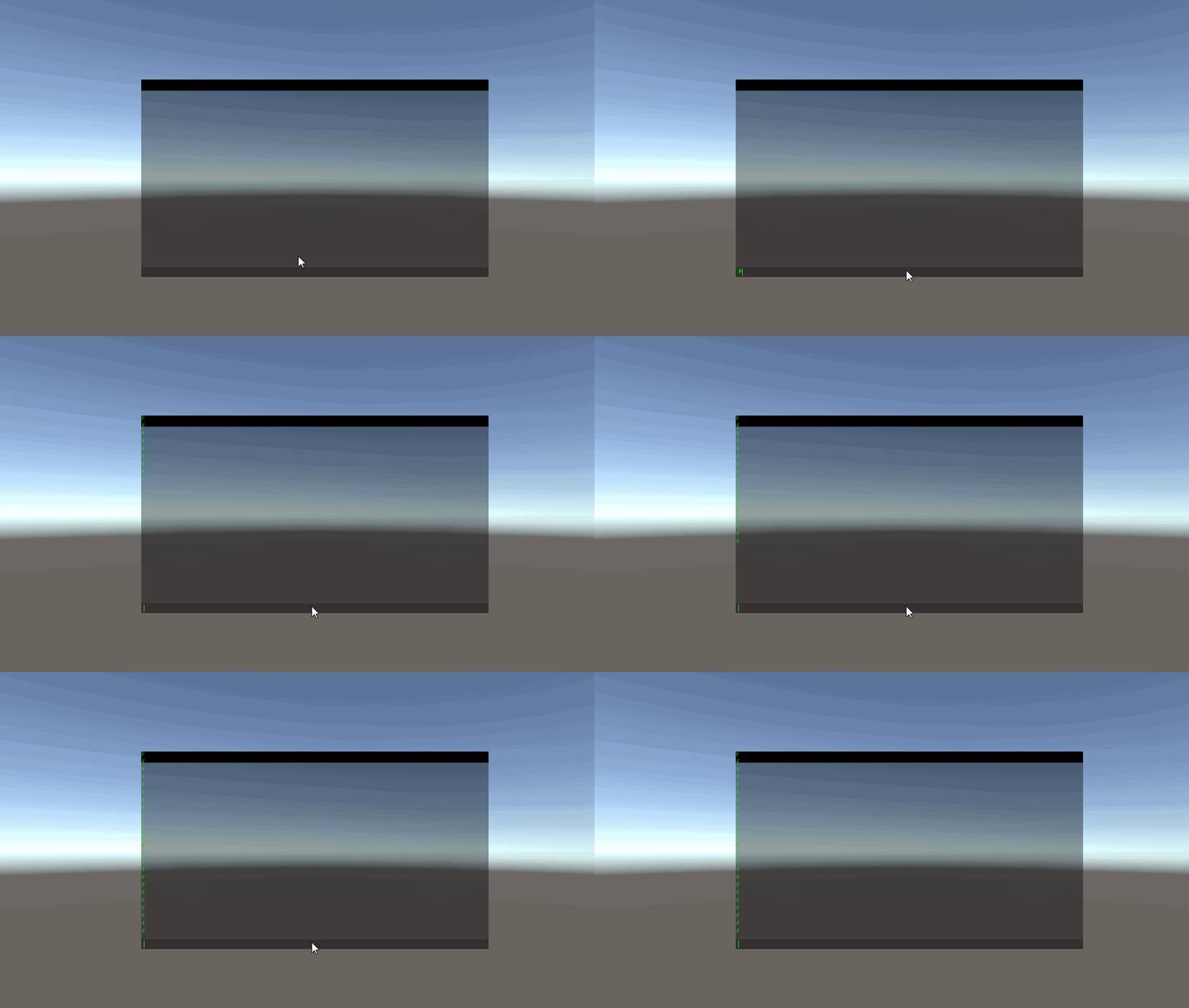
when there is too much text it's being truncated (text is going from top to down) but i want to scroll with text
so automatically scroll down to follow text going down
dawn jolt
what do you mean 'so automatically scroll down to follow text going down', where do you want the current line to always be?
violet hemlock
so you have text that is going down from top
dawn jolt
so you type in the bottom, and it starts to show up at the top and goes down, but your typing is always on the bottom?
violet hemlock
ff <- 1st line
f
f
f
f <- console end
f <- you cant see it
i want to scroll down so i can see last line
line that i cant see
you still not understand?
dawn jolt
I still don't know where you want to type in the console commands, you say '1st line', but in the graphic your text field is on the bottom
violet hemlock
leave text field alone wtf
im talking about text
nevermind with my english you cant help me
dawn jolt
alright, good luck
restive hill
Ah you want to make a proper command console
You'll probably have to make sure that after every "enter" you make the scroll view go all the way down through scripting. You can hide the bars so nobody sees them too and just controll the scrolling via code.
violet hemlock
no
restive hill
No?
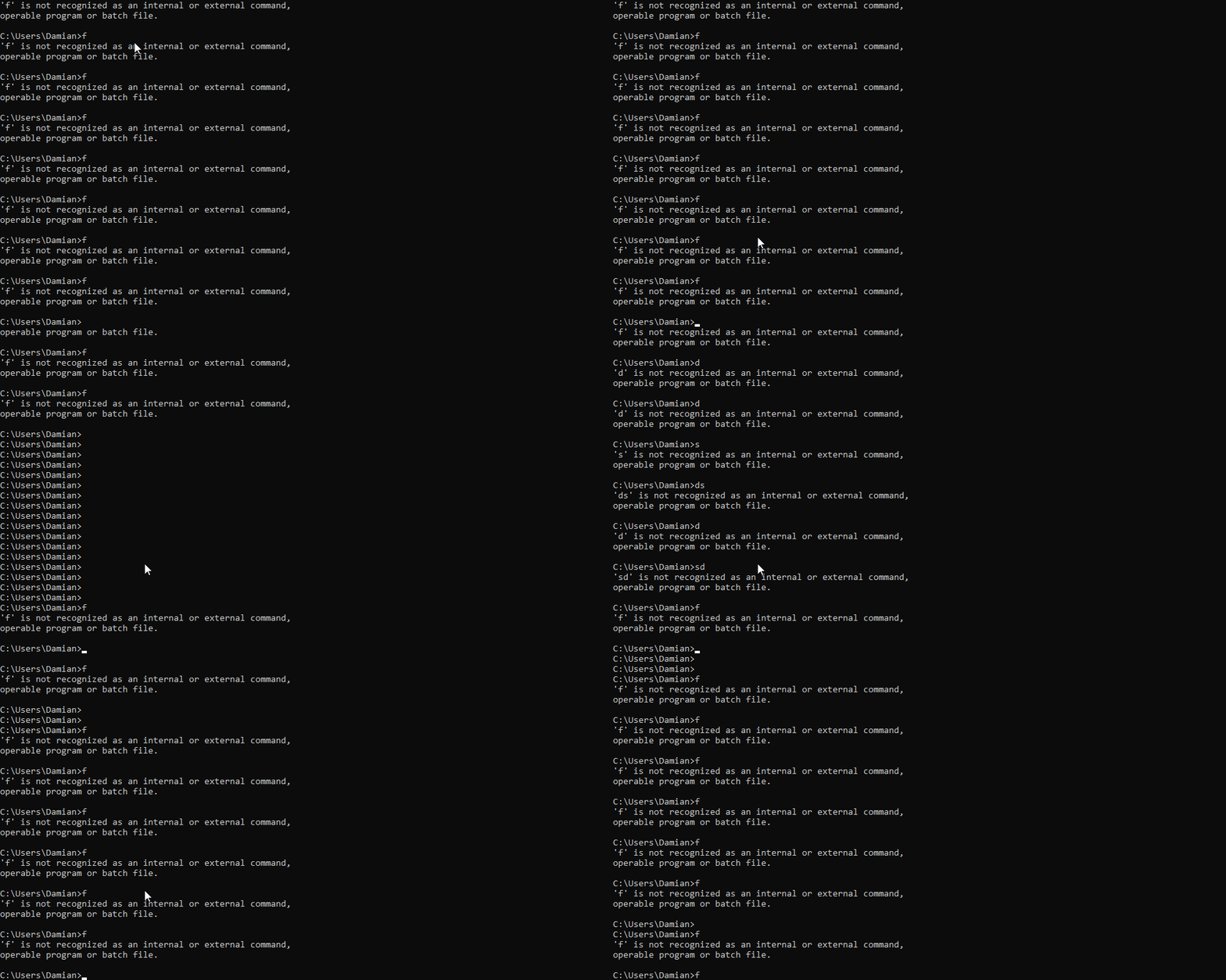 restive hill
Yes. You should be able to do that. Whenever someone presses ENTER, you also tell the scroll view "hey, go all the way down."
Unity Forum
I'm using a ScrollRect and when I add an item to it, I want the ScrollRect to scroll down so that the latest item is visible at the bottom. (Imagine a...
Though it's old, It's what you want to do I believe.
violet hemlock
i should use it in OnGUI ?
restive hill
You shouldn't need that, unless you're creating the rect inside OnGUI.
What Unity version are you using?
violet hemlock
2019.3.0b11
restive hill
Then this is the property you want to change to make the scroll view scroll.
Unity Forum
I'm using a ScrollRect and when I add an item to it, I want the ScrollRect to scroll down so that the latest item is visible at the bottom. (Imagine a...
violet hemlock
its not working maybe i dont know how to setup ScrollRect
restive hill
oh, wait. I sent the same link lol
violet hemlock
yea
restive hill
Unity Forum
I'm using a ScrollRect and when I add an item to it, I want the ScrollRect to scroll down so that the latest item is visible at the bottom. (Imagine a...
This... whoops, wrong again
Sorry, I'm sleepy
^ This
Do something like
//When text is appended:
consoleText.text += '\n' + inputText;
scrollRect.verticalNormalizedPosition = 0; //Either 0 or 1
Try that
violet hemlock
you stil didnt responded i need to use it in Update or where
restive hill
That depends on where you are handling the input being caught. You could use Update just fine. For example, have a component named something like "ConsoleInputReader" where it has:
void Update(){
  if(Input.GetKeyDown(Keycode.Enter){
    consoleText.text = '\n' + inputText.text;
    scrollRect.verticalNormalizedPosition = 0;
  }
}```

With proper variables assigned to the consoleText, inputText (where you write your line) and scrollRectThis doesn't have to be on Update. For example you could have a BUTTON and then have that code run when the button is pressed to submit. But that's entirely up to you.
I would also keep in mind that too much text in the same place can consume memory, specially if you make a new string often or append things to one. Consider limiting the number of "lines" that you let someone pile up on that console, or it could waste a lot of precious memory.
dawn jolt
you could do a Queue https://docs.microsoft.com/en-us/dotnet/api/system.collections.queue?redirectedfrom=MSDN&view=netframework-4.8 on each line (separate text ui elements for each line), not sure if that'd help with garbage, but you could just keep feeding it, updating each text ui element, and just keep a log to go backwards

Represents a first-in, first-out collection of objects.
violet hemlock
@restive hill still not working
restive hill
Sadly I'm off to having some sleep. Perhaps you didn't set up the ScrollRect properly
Hopefully someone else can lend you a hand
Alternatively, there is this tutorial you could check out. https://hub.packtpub.com/making-game-console-unity-part-1/amp/

Packt Hub
This article is intended for intermediate-level Unity developers or above. One of my favorite tools that I learned about while working in the game
violet hemlock
restive hill
Good luck, I really need some sleep. It is 4:30 in the morning here.
 strange pumice
Reading up on some of the latest UIElements info. Can anyone clarify that basic support for data binding in the runtime version will be included in the preview release for 2019.3?
topaz mountain
You can copy and use it from demo,
 brazen sun
how do I add a png image to the image object?
dawn jolt
make it a sprite, I imagine it's Default as Texture Type
you can use Raw Image if you want it to stay a regular Texture
 modern sandal
Hey guys, i would love your feeback on which of these 2 boarder/line styles you like or dont like more. (you may need to expand the image to get a better view)
dawn jolt
or just mention what the difference is, as for me, I like the bottom one
modern sandal
ya i relized i forgot that and updated my post just as you commented xD
dawn jolt
oh, I thought the lower one was a slightly off-white than the top one 😛
dawn jolt
yes
I would definitely fade the background when that menu is up, it's hard to discern what is what
modern sandal
ya it does draw your attention a bit to much,
dawn jolt
you weren't looking for that, but I thought I'd throw my opinion around 😛
modern sandal
your right though
even just adding color to the buttons i think helps
they felt way to "part of" the comic before then of the comic being a background
dawn jolt
it does, just gets noisy
I'd do something like the panels in the background swiftly peel off the screen when you jump to the menu 🙂
of it it's a comic book theme, it turn the page to some cheesy ads for toys to mail order
dawn jolt
🙂
dawn jolt
modern sandal
hahaha
dawn jolt
@rapid ferry take it here
dawn jolt
the canvas is always the same size as the screen, I am sure you have it set to Screen Space - Overlay?
dawn jolt
🙂
 rapid ferry
😄
 versed gazelle
My UI/camera is REALLY big compared to everything else and it means my teleporting joystick is usually SOOO far away from where im clicking
dawn jolt
it's just that way, you need to translate a click on the game screen into the world if I am reading that correctly
what are you using to get the position?
versed gazelle
controlDisplay.transform.position = new Vector3(Input.mousePosition.x, Input.mousePosition.y, Camera.main.nearClipPlane);
dawn jolt
yeah, you are getting screen values, which depends on your resolution
I imagine you are getting values like 800, etc?
versed gazelle
400-700
dawn jolt
https://docs.unity3d.com/ScriptReference/Camera.ScreenToWorldPoint.html I think this is what you want, if you want the position of the actual click on the camera place
plane
versed gazelle
Ill check it out, thanks!
 chrome silo
dunno where to put this question, is there a method to know what type of device user are using?
and adjust button size accordingly?
i know we can use canvas scaling together with size reference for default
but the question is, what if user is using small + high resolution phone
wouldnt that also too small to interact with?
target platform atm:
- webgl (not sure if phone can open it or not)
- android phone
- android tablet
- iphone
- ipad
i know some games prepared 2 version for their game, although mostly is about SD vs HD texture.
basically i just want to know if there is a way to know ppi (pixel per inch) or something like that (dpi i think what it called)
dawn jolt
the physical size of the button would be a tricky one, you'd have to do some ratio math of the size of the button compared to the screen, with some knowledge of the phone screen sizes
you can stretch or change the button size at any time, no matter the res of the phone so I don't think you'd need SD vs HD textures
 wheat wagon
dawn jolt
wheat wagon
dawn jolt
is that Screen Space - Overlay?
pastel trellis
you have your starry background, which you want behind your player and stuff, on the same canvas as the panels you want over them. Is there a reason you have the background on a canvas and not just as a sprite for a background?
dawn jolt
something is weird
pastel trellis
then remove it and just have it be a sprite, that way you're not trying to sandwich elements between 2 layers on the same canvas
wheat wagon
actually yes
pastel trellis
it will make life easier
dawn jolt
so yeah, that's something 🙂 just wondering why the text is not on screen, all I can think is it's been pushed off the canvas, can you select the canvas and show that scene view?
wheat wagon
dawn jolt
so like @pastel trellis is saying, add your starry background as a sprite itself and sorted to be behind, as for the canvas,I am interested in why you aren't seeing the score, like there is a scale thing going on
dawn jolt
I don't know what that is
wheat wagon
basically u can control other peoples computers
like i can give an id and password
and u can control my computer
dawn jolt
nah, let's just step through something here
disable that previous canvas and make another one not parented to the camera
wheat wagon
tell me step by step wat to do
dawn jolt
leave as Screen Space - Overlay, add a text element
pastel trellis
I didn't even realise it was parented to the camera
dawn jolt
I just find it odd you aren't seeing your score in game view, maybe it's just got weird rect
you can also select ScoreText on the old canvas and show us the inspector
dawn jolt
not sure what you mean, with the new Canvas I had you make, and disabling the old one?
pastel trellis
the background should just be a sprite now, nothing to do with any canvas
and you should have 1 canvas that is disabled and 1 canvas that is completely empty
dawn jolt
Canvas's and it's elements can get wonky when you bounce back and forth and move/scale elements, so I want to start from scratch
wheat wagon
basically before i made the new canvas anything on the old canvas did not show
dawn jolt
did you disable the other?
dawn jolt
ok
add a text element
and let me know if you see it in game view, you might need to make it a bit bigger
the text, not the canvas 🙂
dawn jolt
you can add a panel too if you want, just color it red or something so you know it's working
and see if that panel shows up over the rocket
then as @pastel trellis is saying, the starfield should be NOT part of the canvas, it should just be a standalone sprite sorted properly
wheat wagon
shud i put the star field inside the canvas
wheat wagon
yes
pastel trellis
good
dawn jolt
!
wheat wagon
but my backdground does not show
dawn jolt
so I wonder if the old canvas, when going back and forth with overlay and camera, scaling things, things just got out of whack with the rects
pastel trellis
now right click in the hierachry > 2D object > sprite and make that your starry backgound
We know that because you haven't put the bg in yet
yeah you can't move canvases about, parenting them and unparenting them etc, they are frigile and break. Sometimes a new one is just the way to go
Do NOT try to put the starry background sprite onto the canvas, they should stay separate
pastel trellis
NO
wheat wagon
ok
dawn jolt
🙂
wheat wagon
i get u
pastel trellis
the background isn't a UI element, it doesn't convey info or become interactable by the player so it shouldn't be on a UI canvas it isn't needed there, just being an image is plenty
you'll need to adjust that sprite etc and put it into the correct layer or whatever but that should be you sorted. now very important do not put anything that isn't specifically a UI element onto that canvas, and do not parent that canvas to anything at all
wheat wagon
how can i make the background fit the canvas
dawn jolt
it has nothing to do with the canvas, you just scale it up to fill the screen in game view and sort it correctly
pastel trellis
look at the width and height of the canvas and set the size of the sprite to fit if you actually want it to match
dawn jolt
hrm, that's in pixels though, won't it be humongous?
wheat wagon
where do i put the sprite because the rocket is not in the canvas
this is how it looks now
the big thing is the panel
and inside the small box is the rokcet
the rocket appears but tnot the background
pastel trellis
you have to actually size everything correctly and stuff
set your canvas to Screen-Space camera again and put your main camera in the slot
your background goes behind your player
dawn jolt
the sprite for the background should just be scaled to game view to be full screen, then set it's 'Order in Layer' to -1
pastel trellis
use sorting layers or adjust the z value to make sure they show up in the correct order
dawn jolt
if the ship is above that in Order in Layer, it'll draw in front
pastel trellis
and you probably want your UI score text to be part of the canvas
if you need it more visual then again you can look in 3d view and physically move each of the elements back into the right order
but I would use sorting layers
wheat wagon
it is not appearing on game menu the background
pastel trellis
have you put the sprite in?
show us the view with the correctly sized canvas and everything
dawn jolt
did the canvas go back to screen space - camera?
wheat wagon
yes
pastel trellis
scoretext needs to be part of the canvas
dawn jolt
I think it's position is still out in Screen Space - Overlay land too, so that needs to be corrected if we are staying on Screen Space - Camera
wheat wagon
its in screen space -camera
dawn jolt
so I think we need to work on one thing at a time, either we work out the Canvas with ScoreText or we work on getting the sprites (ship and background) setup and ordered correctly
pastel trellis
can you just disable everything except the camera and the background sprite and see if it shows up- is the starry image set to Sprite (2D and UI)
Literally the score text just needs dragged into the canvas- at the moment they're got it above it and not part of it
dawn jolt
yeah
wheat wagon
dawn jolt
select the background object and show the inspector please
wheat wagon
dawn jolt
about what?
wheat wagon
why are we back at the start?
dawn jolt
we aren't
pastel trellis
can you please put your score text in the right place I've mentioned this 3 times
wheat wagon
i fixed the rocket
pastel trellis
seriously
pastel trellis
see there's a reason i said about it ages ago- because now you have to fix its position
pastel trellis
obviously- because it's a UI element that belongs on the canvas
 exotic schooner
Hi guys, I want to achieve a hover text over characters in a rpg. I singled out two methods: First is to use world space canvases, the second one to use textmeshes. Performancewise, which method is better? I found contrary information on the internet
 mighty monolith
So can we use UIElements in runtime yet?
frosty pewter
"com.unity.ui.runtime": "0.0.3-preview"
https://docs.unity3d.com/Packages/com.unity.ui.runtime@latest
dawn jolt
@rotund vector chat about ui stuff in here, no more DMs
pastel trellis
it's a component
 light sleet
I'm trying to make a UI but I have a noobish question, do I need to make a new script for each button, or is there a way to make all child objects of the menu use the same script in its parent? I can't figure out how to do the latter and all the searches I do on the subject return different issues
pastel trellis
you can put the same script on all the buttons
you can either write different methods for each button and connect them up, or you can write one method that takes what button it was and calls the methods from there- but either way there's no need for many different scripts
light sleet
thanks, I was just trying to have a script on the parent and have them all access that
pastel trellis
you can do that
put the script on the parent (or anything) and then when you set OnClick for each button you drag in the object that has the script- so you still have to connect them up but you don't have to duplicate the script
light sleet
ahhhhhhhhh, that makes more sense I was just dragging the button itself in there haha, thanks a ton
pastel trellis
usually it means you're trying to drag in the wrong type of thing
like you're trying to drag in a game object when it wants a text object for example
 rotund vector
how do I select which scene the players will see first?
pastel trellis
I assume you got that sorted already now?
frosty pewter
Yeah, please don't cross post, I've already warned you once before.
rapid ferry
Hi! I've got a world point and a camera canvas with an image that I wanna place on it (not the canvas, the image) how should I go about that?
pastel trellis
you're trying to create it using code?
create a prefab of the image, then use the Instantiate() method to create it and use Transform.SetParent() to parent it to the canvas
pastel trellis
try in #🏃┃animation
dawn jolt
take off the outline and see
most likely the black with the white outline is just blending into grey
thicken up the font, or make it bigger
or pull it closer and see
the text is there, you can see it
just make the text bigger for a test
show the tmp material
yeah, this, expand the material
so ui elements that are on the same level of hierarchy are sorted by their order on that level
the way you have it is right to have the text appear over the box
what are the settings on the new sprite
ah, it's not ui?
ok, put -1 in the order in layer on the sprite
 rich mantle
any workaround for this?
dawn jolt
have you played with the anchor presets to anchor your elements where you want them?
rich mantle
yes but im not entirely sure to where precisely anchor them since i want the UI to just scale down and remain in one place dependently to a spot of an ingame object.
dawn jolt
try setting your canvas to '
rich mantle
to scale with screen size?
cuz its already that
it would work if i dont have a script that auto resizes the camera to fit the entire scene of the level. somehting like a letterbox
 ashen olive
Hey, is there any programmer here that can help me out with UI stuff (especially scaling content lists, etc.) PM please! 🙂
pastel trellis
just actually post your question lol
ashen olive
I want to have a list of outfits/costumes/armours which can scroll so it will use a vertical scrolling list and a vertical layout group. I want to be able to start with having no content in there and stack it up when unlocking stuff so the list gets longer and longer (and also has the dividers in there for head, body, etc.) so that the scrolling areas content areas size dynamically changes. Any idea how to do that?
Really lost since my coding knowledge is more about static stuff and not dynamic content lists and such
pastel trellis
One way to do it, especially if you're not so confident with coding stuff, is to have all of the options in the list right from the start- and just have the image of some of them be 'locked'. That's quite common in games and it provides the player a little taste that there are more things they can get
this way you don't have to start scripting and dealing with dynamic lists etc
If you still want to start with it empty and add to it over time then try this as a place to start https://www.folio3.com/blog/creating-dynamic-scrollable-lists-with-new-unity-canvas-ui/
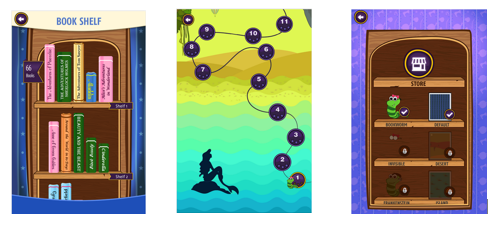
folio3
The post helps us in understanding how to create dynamic scrollable lists with Canvas UI by Unity
Also try this series the first 5 videos are about UI scroll menus and part 3 is specifically about how to use a script to populate the list @ashen olive
https://www.youtube.com/playlist?list=PLL8DeMf3fIgFSJj6OTxXceaMtD5vWFER5

YouTube
All Unity tutorials covering controlling the game, specifically the user interface and any player or camera controls.
ashen olive
Alright thank you very much @pastel trellis !
 outer herald
Hi any way to use nested tags with textmeshpro gui like <link=description <link=description>name</link>>name</link> ?
 halcyon heron
Hey, I got text on a prefab, and its font size changes to 36 completely randomly. In one playthrough none of the prefabs will change, and on the next one 2 out of 3 prefabs will have their text font size changed, without me changing anything...
I guess I should precise, one of the text is set to 36, the others to 20. the one in 20 will occasionnaly change to 36.
dawn jolt
are you doing any font size changes in script? do any of those items have that automatic font size toggle set?
topaz mountain
Is this pure text, or part of some text field?
 hot crane
hello, may i know why are the words so compact?
topaz mountain
Maybe you scaled it?
ashen olive
I am having issues with advanced buttons clipping out of my list view. The list view itself works as follows: Its a mask area which dynamically fills with a vertical layout group and a slider (I did not use the standard scroll area, but rather this tutorial: https://www.youtube.com/playlist?list=PLL8DeMf3fIgFSJj6OTxXceaMtD5vWFER5) It works fine with normal buttons, but the ones that I am using clip through it. They are set up as follows: It is the button itself (which is a slider since it fills when you hold to purchase) with the text, icons, etc. on it and then there is a second version of the contents which is the color it will have once the slider is filled and that is done with a mask. Soo lots of masks.. anyone has an idea what cause that clipping problem and how I could fix it? I will send another screenshot to show what I mean by the buttons filling!
 timber patio
Is there a type of UI button that instead of activating when you click it, it activates whenever your mouse hovers over the button area
dawn jolt
@timber patio you can just add an Event Trigger component to the button, then detect the PointerEnter and PointerExit events to do stuff
timber patio
I am doing something that isn't going to be a button.
But just an invisible rect area that triggers
dawn jolt
yeah, you can add Event Triggers to any object or rect
dawn jolt
hrm, what type of ui object are you using?
timber patio
I spawned in an epty
*empty
it has a Rect Transform, an Event Trigger, a script the event calls, and I added a canvas renderer in case that was related
cull transparent mesh is turned off
dawn jolt
yeah, you need something in there to catch the ray
just make an invisible panel
which is just the Image added to it, but transparent
timber patio
got it to work, thanks
dawn jolt
cool!
halcyon heron
@dawn jolt @topaz mountain Sorry for the late reply, I do not change font size through script, the font size is not automatic, I do not understand what you mean by "pure" text, the whole text will go to 36 if it does. Also, Iforgot to mention I'm using TMPro, I don't know how important that is.
@topaz mountain Because I did not understand it 🙂
Answered a ghost 😮
ahaha
topaz mountain
nvm, I thought you were the other person. Is the text part of a text field?
Like input field*
topaz mountain
It's where the user can type their own text, if I remember correctly, it has text script, and then a "master" script that also controls font size.
halcyon heron
I never type any text, the text "value" is set through script
I don't have any input field component so I guess I'm not using it?
topaz mountain
It would be on a parent object to the text.
But if not, not sure. It would seem you're changing through script.
halcyon heron
Yeah it's not
I'm not =(. And the worst is the unconsistency of the bug...
I'm pretty sure it's an issue related to the fact I'm using prefab, seeing as I never had any similar issue before.
See what I mean
These are the same prefabs... the item name is 36 always, as it should be, the rest is 20
I guess I could set the the font size through script again and that would probably solve the issue, but it feels like cheating. Would you recommend me writing a ticket for a bug?
topaz mountain
@halcyon heron You're not overwriting font size in prefab variants?
 raven quarry
Hey guys, I have an inventory being made and I couldn't find how could I do it so only like the first 3 rows are visible when running the game and I can like scroll through, can anyone help me out with that? (I'm pretty new to Unity)
dawn jolt
Scroll view I think is what you want
 rose zephyr
One question, I've created a second canvas that is World Space and I want to put healthbars in them instead of having them directly in the game.
Why am I able to see the text in the scene and in the game (when not playing) but whenever I pres play, the text disappears from the WorldSpace canvas?
The black text across the land is what I am talking about.
And once I click play, it disappears, like this:
 regal coyote
Ah quick question related to UI regarding fonts - how does Unity's CharacterInfo compute the bearings from the font for glyph metrics? I'm trying to determine the the top bearings so I can do custom text rendering 🤔
 rose zephyr
Well, once I was told to make it on UI instead of directly in game, I am now trying to put the healthbars on the World Space canvas instead for better performance
But for future reference, how did you make it work?
dawn jolt
it's a sprite that follows the character, and the sprite faces the camera, but I have a moved pivot for it using an empty game object as a parent, so it rotates from the center mass of the character
let me show you an image
rose zephyr
That would be appreciated 😄
dawn jolt
see, the actual health sprite rotates from within the character
    void LateUpdate()
    {
        transform.LookAt(transform.position + m_Camera.transform.rotation * Vector3.forward,
                         m_Camera.transform.rotation * Vector3.up);
        transform.position = player.transform.position;
}```as for the world based text stuff disappearing, if you select the text and focus on it, what do you see?
you might need to do the same thing with the world UI health bar as I did above to keep it always on top of the character from the camera pov
I don't think moving to UI will change that fact, but using UI will give you more flexibility otherwise
rose zephyr
I'll try that one out on the current character as I haven't removed the healthbars yet completely. Yeah, I think I will have to do that too as I am attaching the canvas on top of the character anyways
I'm trying another workaround and I'll see how that one goes if the text will display properly
dawn jolt
yeah, so make an empty game object, put it in the middle of the character, then parent the world ui element on 'top' physically of the enemy, then add that logic above adding your camera as a public variable (m_Camera)
rose zephyr
Either way, I still have in mind the fact that I am binding the healthbar directly to the model and someone said that I should have empty object as a parent to both, the model and the healthbar, that way, whenever the model rotates, the healthbar doesn't have to
Ok, it works now, I have no idea why tho
@dawn jolt I don't think moving to UI will change that fact, but using UI will give you more flexibility otherwise What "more flexibility" will it give to me when using canvas instead of putting the sprite directly above the character?
dawn jolt
@rose zephyr just you get all the cool UI stuff that sprite actors don't have
images, buttons, etc
rose zephyr
I see, thanks!
dawn jolt
did you figure out why you lost your world UI text?
rose zephyr
I feel like the reason for it because I didn't scale the canvas down, other than that no idea because once I put that canvas as a child to the parent, it worked normal (and works)
dawn jolt
ah cool
dawn jolt
weird you don't have one thing I have in mine
so if you turn off 'Control Child Size and lower your spacing, what happens?
 forest charm
I don't notice any difference when I turn it off, hmm...
Maybe I have an older version of Unity? I use a 2018 version
(My game uses very specific terrain functions, so I'v avoided updating Unity for a while)
dawn jolt
what is the height of the the things behind?
I think messing with those buttons can sometimes get the children to stay that way
forest charm
This is my heirarchy, PlayerNotifications is the same size as the Canvas!
(Wait no it's not, it's the same size as the box)
I think UseChildScale is from a newer version of Unity, it appears in the documentation
If I need to, how do I update my Unity version?
dawn jolt
just use the Unity Hub, you have that?
forest charm
I do!
@dawn jolt , do you have any ideas on how I can fix it without updating if possible?
dawn jolt
so what is the size of those new notification setting objects?
forest charm
Their height is normally bigger, but it is being enforced to be 10!
Their height should be 44, but it's 10!
The prefab looks like this!
dawn jolt
yeah, they can get squished, can you try to make them 44 again?
even if you have to turn off the vertical thing before
dawn jolt
I found that I needed to go back and forth a few times testing out the different parameters, it was annoying and I ended up doing my own thing 😮
dawn jolt
sweet!
halcyon heron
@topaz mountain I'm not, as I said, it happens randomly for each prefabs as I start playing, this wouldn't happen then =/. Feels like a bug.
 south zinc
I got a little issue here. I got a "Tablet" with text on it. But that text changes transparency at different viewpoints. If anyone knows how to fix this problem please ping or dm me! Example video: https://gyazo.com/2d699e210918ee24b74cb9af60d14fd7
The text is not inside of the tablet and got some space between them.

 azure flame
You still haven't described the setup. There's not information to go by.
south zinc
Yeah, I am trying to do that rn
Taking pictures etc.
So, I got this Tablet, "InspectionTablet" is the transparent blue plate itself (Material Transparency (A) is 160). Name, Rarity, Origin etc. are 3D Text that are transparent too ((A) is 200). It isn't the fault of the transparency that's something I am sure of. https://gyazo.com/37a119cefda13b0796d1983d8d01d51b


Properties of the 3D Text

Tablet properties
If you need more information ping or dm me, ty.
dawn jolt
could possibly be some result of the .01 scale on the tablet, could cause zfighting or weird mip map results
frosty pewter
Transparency is sorted by object center
you'll need to change the render order of the material manually to specify what's on top
Or not use a transparent material
 opaque wharf
Anyone got some suggestions for ways to "beautify" a counter? Example: I've got a lil currency popup for when the player picks up coins, at the moment it just jumps to the value (0 coins --> 10 coins). I want it to "count up" to the new amount rather than just jump right to it
azure flame
@south zinc Try using TextMeshPro instead, it may not have those problems.
south zinc
Alright ty, will try that
 true shore
Quick Question
How do you move items to front or back on 2D? As in when I have several images overlapping in the wrong way
https://gyazo.com/8c6b592165b043e127d8c90369c685e2

 stark badge
Hello! Any idea why my Buttons are not clickable when inside a Panel with default values and Vertical Layout Group attached to it?
If I move them outside it works but obviously I want the auto arrange functionality 😛
 steel mesa
Is raycast ticked on the panel?
stark badge
Oops... somehow I had a Canvas component in my "Panel" GO
I'm pretty sure I didn't put that there myself 🤔
Also Raycast Target only enables the panel getting trace events 😄 Looks like enabling/disabling it doesn't affect the children...
Today I learned 👍
 icy vessel
Does anyone know of any tutorials on how to use custom mesh objects as UI elements? Either with or without Canvas?
timber patio
I made some world space UI to simulate a Tablet. When the player looks down and interacts with the tablet, it snaps your view to your handheld tablet, and you can push the buttons, but if you mouse out of the tablet view, it goes out of the tablet. However, even if you don't interact with it, you can still look down to see what is on the screen, like a camera feed or a minimap. Problem is that now I have added another world canvas I am using for a Terminal, which you can use to access more information, and or some reason I can't use the buttons on the terminal or the tablet anymore
It doesn't seem to register the mouse
nvm I got it. I accidentally deleted the event system
dawn jolt
@true shore how are your items ordered right now, and what kind of ui elements are they?
true shore
Images. And I just need to move one in front of the other to make a manual hex map
dawn jolt
depends on the order they are in the scene hierarchy, lower ones draw latest
 stable hull
So I'm trying to be able to draw with the mouse on a ui that sits in front of the player's camera. I want the lines to be there for a second or two, then erase from beginning to end. I'm not sure if any of this is possible, but I was wondering if anybody here could lend a hand.
true shore
How would I go about making a button Hexagonal?
All of these tiles are Buttons, but their sprites overlap, so it often clicks on the wrong one.
 trail terrace
@true shore buttons are rectangular. If you want to do this you need to raycast the mouse position onto a collider and manually handle the button press as an intersection of the collider and the raycast of the cursor
true shore
Okay. I have no idea how to do that
 cinder inlet
Create a script and add the function OnMouseEnter() inside
put that script on the desired target GameObject
magic happens, you may have to tweak few things to make it work correctly
dawn jolt
@true shore another option is to just read the button sprite texture and if your mouse is not over a part of the texture that isn't transparent, ignore.
@true shore ```cs
using UnityEngine;
using UnityEngine.EventSystems;
using UnityEngine.UI;
public class ButtonPressPosition : MonoBehaviour, IPointerDownHandler
{
public RectTransform buttonRect;
private Sprite buttonSprite;
private void Awake()
{
    buttonRect = GetComponent<RectTransform>();
    buttonSprite = buttonRect.GetComponent<Image>().sprite;
}

public void OnPointerDown(PointerEventData eventData)
{
    float xRatio = 1 - ((buttonRect.position.x - Input.mousePosition.x + (buttonRect.sizeDelta.x / 2)) / buttonRect.sizeDelta.x);
    float yRatio = 1 - ((buttonRect.position.y - Input.mousePosition.y + (buttonRect.sizeDelta.y / 2)) / buttonRect.sizeDelta.y);

    int x = Mathf.FloorToInt(buttonSprite.texture.width * xRatio);
    int y = Mathf.FloorToInt(buttonSprite.texture.height * yRatio); ;

    if (buttonSprite.texture.GetPixel(x, y).a >= .02f)
    {
        Debug.Log("HIT");  //Do what you want
    }
}
}```
just make the sprite read/write enabled and that it actually has an alpha channel in use for transparency
true shore
@dawn jolt
Oh damn. Thank you!
dawn jolt
@true shore this probably won't work for you as they still work on selecting the rects, and they can overlap 😮, just realizing
true shore
Oh no
I was literally just trying to figure out how it would work
@dawn jolt Do you have any other suggestions?
dawn jolt
I think somebody else was mentioning how to just make them sprite meshes and detect collision that way
true shore
Yeah. Sadly I have zero idea how to go about that
How about OnMouseEnter() which reacts directly with the target texture?
dawn jolt
I imagine that would still work on square rects
true shore
Yeah. You are right, it would still overlap, just not register
trail terrace
@true shore create custom colliders, probably mesh colliders or a combination of boxes would work. and do a raycast (probably 2d will work) onto the meshes. place a public UnityEvent OnClick on that object and call that function when the raycast collides
or 2d colliders actually
true shore
@trail terrace I came up with a new solution! I will make an automatic harvasting system
trail terrace
@true shore sure, but thats kinda avoiding the issue tho xD
true shore
@trail terrace It looks cooler
trail terrace
alright, its your game, do what you want to do 😄
 little rapids
Does anyone know how to make a curved UI?
I am trying to get that You are Wearing a Helmet Effect
pastel trellis
just make your art image and leave the visor section transparent
little rapids
what?
No like
I need unity UI
but with a curved effect
Like heres a game called GTFO, see how their UI has a curved effect?
 midnight spruce
Hi guys I'm having a problem with Text and also TextMeshProUGUI. I have multiple text lines over game objects in the game and while I'm moving the camera it looks a light or something like that is modifying the pixels inside the text. It looks even worse when I'm adding outline.
There is a small video about the problem.
I also set the quality to Hinted Raster and tried also unicode but it doesn't help.
modern sandal
Hello all, would love some feedback on this UI:
Important notes about the game:
1, character focused/story driven
2, comic book theme
3, no direct character control, the player can only select the general objective of a character, (Attack, Loot, Hide, Build,) and what weapon they have.)
 woeful lintel
Hey guys, i have a question, i am trying to make screen adjustment of a canvas panel containing images. when i made the anchor of the images stretched both on width and height, but the images disappear when i switch between resolutions. here are screenshots that can explain what i'm having:
any help would be appreciated
i'm clearly doing something wrong
pastel trellis
are your image set to stretch as well? Try them on all 4 corners not just left and right see if that makes a differene
woeful lintel
when i try on all 4 corners the disappear when i switch between resolution
is it maybe because of the inner panels maybe?
i made the the images of the circles inside the inner panels also stretch to all 4 corners
but once the height of the screen is changing they disappear
pastel trellis
if it's all 4 corners it shouldn't matter if the height changes
try stretching it to height and see if that changes it. otherwise you could set it to centre for your images depending where they are in the panel. Honestly you're going to have to fiddle about with the anchor points on this one...
The image is set as active isn't it? because it looks inactive in the screenshot
woeful lintel
yeah it set as active
it just disappear (height of inner panel images which are the circles changes )
pastel trellis
Honestly other than testing out some different anchor configurations I haven't got much advice for you sorry. 😦
woeful lintel
thank you 🙂
 serene sinew
can someone help with a hud
dawn jolt
what kind of help?
 sonic garnet
@little rapids if you're still looking for a curvedUI solution, this package works pretty well. https://assetstore.unity.com/packages/tools/gui/curved-ui-vr-ready-solution-to-bend-warp-your-canvas-53258

CURVEDUI IN A NUTSHELL
The only true curved interface system on asset store. Tested by thousands of developers. Made for Unity Canvas. Supports TextMeshPro.
10-seconds setup - just add a script to your canvas and choose how you want to interact with it.
✔ Mouse
✔ Ga...
little rapids
I got it to work thx!!
 modest viper
Has anyone dealt with this bug where an Image in a screen space Canvas is not visible until the window is resized?
https://gyazo.com/32a1b50a48bb096984fec63e76607db8
 cinder inlet
@modern sandal Your game looks gorgeous! I personally prefer the first layout but you shouldn't split players' icons on both sides of the screen, we lose in clarity here (like, we could think these are 2 different teams, or whatever, you see?). Are you planning to put players' avatars in place of the black portraits? If not, I would do so!
modern sandal
thanks @cinder inlet! good points. the black portrates will be action cams of the characters, i.e. dynamic portrates which will be updateing as things happen to your characters.
sonic garnet
@modest viper i have seen that a few times. it has something to do with rebuilding the layout. have you tried forcing it? Sometimes that can help
unfortunately i've never found a more satisfying solution than rebuilding manually with one of these methods: https://docs.unity3d.com/2019.1/Documentation/ScriptReference/UI.LayoutRebuilder.html
 dusty lintel
Hi, I was wondering if anyone here had gotten SVG images using the experimental SVG importer package working in a Unity Dropdown Menu before. I'm trying to get it set up but the Unity Dropdown script only takes Image objects so hoping there's another way than writing my own dropdown script.
 proud zenith
How does this look. Took me a bit to import into unity from photoshop and piece together
 lucid lotus
I would add some spacing
 fickle cypress
It feels like either the text or lines for HP and MP are too large tbh
lucid lotus
^
proud zenith
So I should make that text smaller?
lucid lotus
This or add some spacing, make box bigger. It's up to you. Now it feels cramped
Maybe do bars in the middle?
@proud zenith
proud zenith
Im kinda limited on how large i can make it as it already is large. I will look at the text and see if i can make it smaller. But i should add that is not the final design. Its just something I put in to make it look nicer than my old version
Thank you though for the suggestions
 nimble summit
Hello! Quick question. I'm using the new Input System, and I've created an Input Map with an Action Map and a few Actions. I have also checked that I have input devices that work in the Input Debug panel (the live polling of the data works). However, when I click on the binding (which reads < No Binding> right now), the Properties pane is blank and I can't actually bind anything. Is there something I've forgotten?
(I'm following along with https://youtu.be/hw3Gk5PoZ6A )

Learn about the long-anticipated way to manage input controls in Unity with one of the developers behind it. This new system focuses on ease of use and consistency across devices. In this session you'll find out what the new Input System does and how you can use it.
Speaker:...
nimble summit
nevermind, it randomly started working after closing the window and reopening. Must have been a bug.
lucid lotus
Closing and Reopening Unity?
It's normal and relates to backend stuff. It's said when you import the package
 quasi steppe
com.unity.ui.runtime 0.0.4-preview is there
 mossy phoenix
Hey anybody know what version of the engine I should be using if I want to fiddle with ui elements in-game?
Okay, I found out from this video https://www.youtube.com/watch?v=t4tfgI1XvGs it sounds like 2019.3 is the minimum, does anybody know if there are significant benefits in Unity 2020.x for UI Elements or should I stick with 2019.3 for stability?
 tropic oyster
right now I'd stick with 2019.3 until 2020.1 goes into beta.
the runtime samples from earlier work ok for me, will check out 0.0.4-preview tomorrow
 tranquil stirrup
I need some help getting started building something really heavy and dynamic like this:
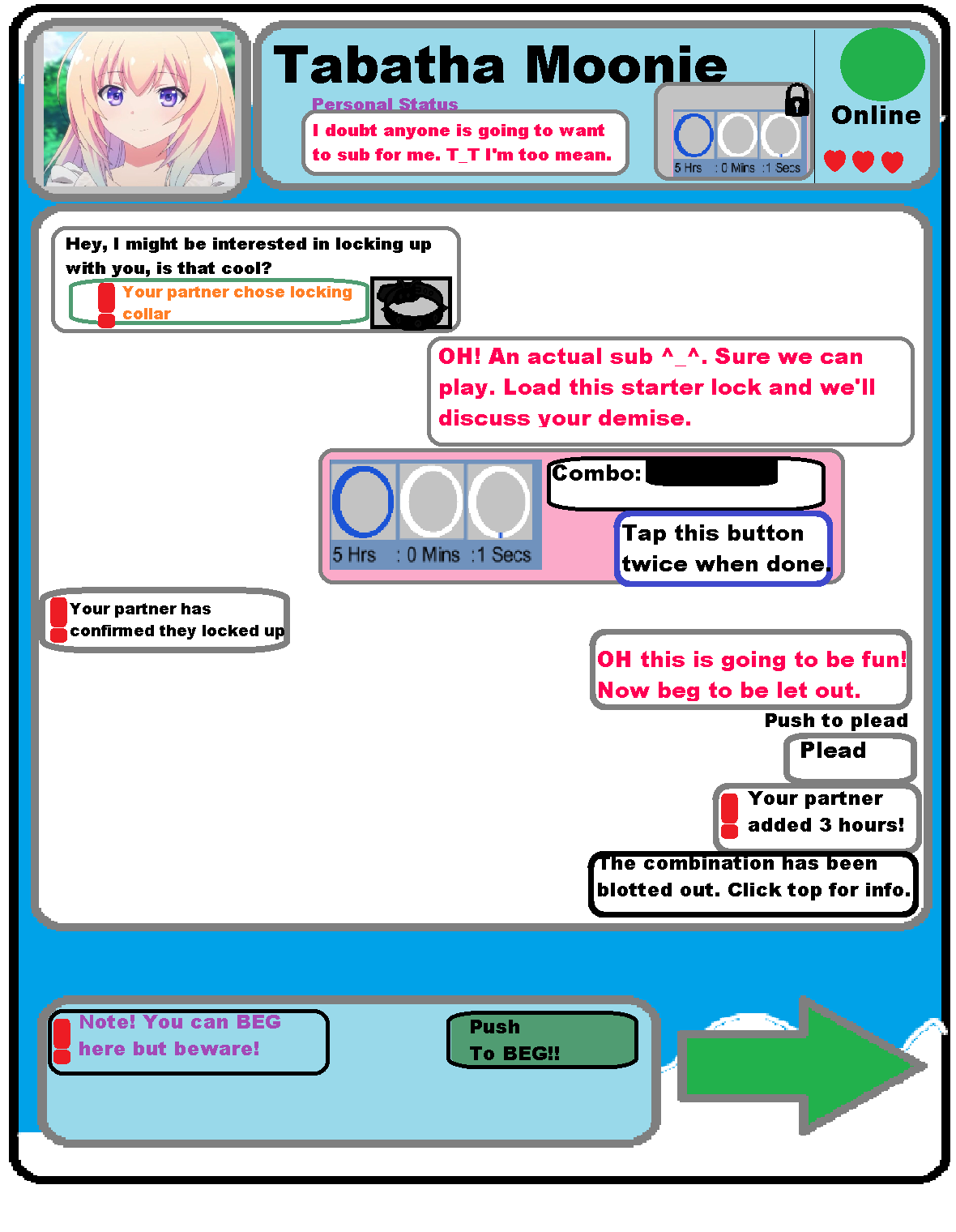
😦 no helps
(btw I can code but I have issues with the UI/UX objects not really co operating with me, I'm in the middle of updating to 2019 because 2019.f.3 just keeps being stupid)
tranquil stirrup
My power went out at the launch of 2019 rip
 timber elbow
@tranquil stirrup I'm looking at the scroll rect component now. What problem did you have with it?
tranquil stirrup
I couldn't get the scrollbar to make it scroll. That was my newest problem and in the middle of converting my projects the power went out so rip.
I linked the scrollbar and everything also the scroll rect wasn't auto scrolling either for incase you answer later. (I had some code that worked on the scrollbar before and stopped working)
I sound vauge because I'm not at my PC but I made a panel have a scroll rect and the child as a panel with a vertical layout, and gave the scrollrect the scrollbar reference and then the scroll bar did nothing to the view.
Maybe panels cannot be effected as a scrollable item... ?... But it worked to generate everything.. all my prefabs stretched out.
Panels with a vertical layout should be able to also be scrollable ... If I understand the unity UI right
Ehh I'll probably go at it tommorow when my head is clearer if the powers back on.
Feel free to tell me how wrong I am about panels in the meantime.
timber elbow
@tranquil stirrup well, I don't know what you did wrong, but it works perfectly for me. I just quickly created a canvas, added new scroll view, under content added several panels and under them some random ui elements. everything scrolls and fits the size of the scroll view.
here's the setup
that's on 2019.3 btw
tranquil stirrup
I didn't use a scrollview only a panel with a scroll rect attached with a child that was a panel that had a vetical layout group
Powers back :D also yeah I was using 2018.3.f or whatever and I think it's more buggy / broken..
Thanks for showing me your setup
timber elbow
Did you read the docs about scroll rect component and how to use it?
@tranquil stirrup you could just vreate the scroll view object and then adjust it to whatever you need. This way you'd at least have a starting point that works.
 stuck bison
Hey I found these very cool UI Bar Ideas https://www.youtube.com/watch?v=q1lABSDgGaY and tried to recreate one of them (Number 4 in the video) in Unity. Here is the result:

Animated Tab Bar Designs for Inspiration
Credit:
http://bit.ly/tabbardesign
Video by:
Thehotskills - Web Design Inspiration Gallery
Follow us:
Website - https://www.thehotskills.com
Facebook - https://www.facebook.com/thehotskills
Instagram - https://www.instagram.com/Th...
Here is the Scene in a Unitypackage if you are interested how it is made. Note: this package includes "DoTween" for Animation wich can be downloaded from the assetstore for free.
lucid lotus
@stuck bison // This looks awesome
lucid lotus
@stuck bison // By the way, do you have any idea on how to make icon animations like in video?
stuck bison
Which number in the video?
stuck bison
@lucid lotus Yes it depends on the kind of animation but if you're interested I can try out one or two of these later today and send you a quick video how I made them
lucid lotus
Thanks, that would be awesome @stuck bison :D
lucid lotus
@stuck bison // I checked your package, and I must say, never though about doing this sliding bar thingy this way
stuck bison
Haha yes I would normally prefer to use a package like the one I developed https://assetstore.unity.com/packages/tools/gui/procedural-ui-image-52200 to avoid all the weird sprites. But I did not want to force someone to buy the packe just to check out the example
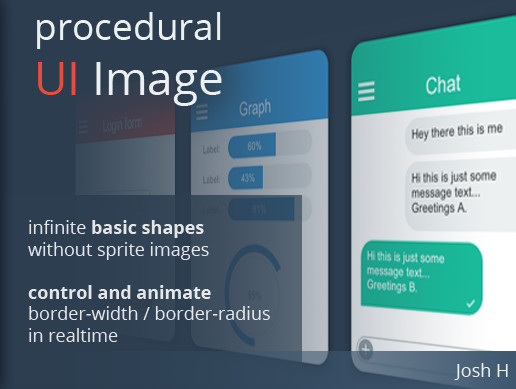
Create an infinite number of basic shapes without a ton of image resources. Control and animate border-width and border-radius.
It is perfect for creating flat styled UI. Easy to understand and well-commented code along with a PDF documentation will keep this package extenda...
lucid lotus
Hopefully this will not be needed in new UI Element
stuck bison
Yes as far as I know it should be much easier due to the css styling
But I have not yet tried UI Elements in depth
lucid lotus
I have not tried it yet too
While looking at this example I was like "How he made this mask, it does not work like that in UI"
And then I noticed 3 sprites
I would probably still do generic component for that, or something
But the idea is fresh and awesome to me
Biggest issue with Unity UI I have is poor anchoring options
stuck bison
I actually think the anchoring powerful but tedious to work with. I never had a problem with not beeing able to express what I need. But it takes so long setting these values especially in a cool animation where anchoring might animate as well
lucid lotus
Let me use your bar as example:
You use this strange anchoring system
But what would be better? To just "glue" red sprites to orange one
Basically anchor one side relative to some selected object and not the parent
stuck bison
I see what you mean. Yes that is what I often use. But as I am mainly a programmer, I usually use custom components for this stuff. But you are right this is a common use case
 swift glacier
is anyone using UI Elements for production yet?
stuck bison
I have used UI Elements for Editor extensions in production but not for Game UI
stuck bison
Here is my take on Number 3 from the Video. In the end I show the Animation in Slow motion. The animation is pretty much just some fading and resizing
lucid lotus
There is no masking involved, right?
Hmmm... are SVG files supported in UI at this point?
I would love some vectors in UI
And it would be even better if it would support animation
stuck bison
Here is the same one, but with elastic easing applied. It gives it a wobbly feeling 😄
@lucid lotus no there are no masks in this one
Yes SVG is supported but has some restrictions. You can download SVG support from the package manager
lucid lotus
I know, but last time I checked it was not working for UI I think
stuck bison
Just set the the SVG as sprite to your image and set the "use sprite mesh" to true
But last time I used it it had some weird behaviour. So I dont think it was tested for UI a lot
lucid lotus
Oh, it's in preview... who would have expected this :P
Oh, stuff changed in vector package
This is new
Yeah, I found interesting issue related to SVG in unity
Worse quality than PNG
Left or Right?
@stuck bison // Do you happen to know how to add AA to UI?
Because adding camera just for that feels like cheating
exotic schooner
guys, I have a button and it displays a default caption "Button". I want to remove it. I know I can do it by script, but is there really no way to do it in the inspector? I checked google and youtube already but i only find it by script (which is not a problem, but i'm just curious)
exotic schooner
oh yeah im offcially blind 😄 haven't noticed the child. thank you very much!
stuck bison
@lucid lotus I don't have a great solution for AA in UI yet. The asset I mentioned above (ProceduralUIImage) has built in anti aliasing. I implemented using a one pixel fall off. For text using TMP is pretty good
lucid lotus
Ok, so only option is to wait for Unity until they add distance field vector graphics
stuck bison
Yes or develop it ourselves
 faint torrent
lucid lotus
faint torrent
lucid lotus
Sounds like hacking around the problem
And I feel like it would be massive pain in the butt
 cold plinth
Can someone help me with UI in a 3D game? (Probably works for 2D too). I want to make a horizontal scrollable area and so I followed a tutorial, but it's not scrolling. Everything is there but not scrolling 😢
timber patio
I am trying to make a list of buttons i can scroll through, but I want to create a variable amount of buttons, like an inventory of items
rapid ferry
Hey guys. I'm having a little problem with the UI panel. It flickers when I resize the game window. Anybody having an idea what's going on?
 icy warren
What's the best practice for displaying dialogue boxes (any UI elements, really) but only in specific parts of the scene? Should I just disable them and enable them when needed or is instantiating them from a prefab a better option?
lucid lotus
I would guess it depends on how often you do this
If it's something like dialogue box, probably disabling would be better
restive hill
So quick annoying question but, I have an HDRP project with Cinemachine...
And the Screen Space mode for Canvases, does not work, or so I have read on forums and also found out by trial and error.
And I'm working with Worldspace as a workaround for now, but
I was also told that, when working with Canvases, I should always tell the game which Camera I'm using instead of leaving it blank
Because apparently, leaving it blank, makes the Canvas check for Camera.main every frame, and that's bad for performance.
My issue is, with Cinemachine, if I select the Main Camera (that acts as a Cinemachine Brain) for the Canvas, the raycasts/interaction do not work. They only work as intended when I have the Canvas without a Camera set.
Is there any way to make ScreenSpace Canvases work with HDRP, or at the very least a better way to use WorldSpace with Cinemachine?
frosty pewter
What's your issue with worldspace?
If you're looking for Screen-Space Overlay, and that's not working in the render pipelines, you should still be able to use Screen-Space Camera.
If you're not getting mouse events then you're probably just missing an Event System
restive hill
The Screen Space Camera wasn't working also, and I checked. The EventSystem is there and I did not mess with it
I already closed the project for today though, so if there's another suggestions or advice I will gladly try tomorrow
I think that... maybe the Screen Space Camera could have not been working because of the same issue with Cinemachine. Will check tomorrow.
 dreamy plank
@restive hill use separate camera for UI
timber patio
I am trying to make a menu that scrolls through buttons. I have figured out how to instantiate buttons and how to create a scroll rect properly. Now my problem is figuring out how to create a button in script, add it a certain distance between each button, how to determine where the first button goes, and then extend the rect of the thing I scroll with the scroll rect based on the number of buttons
restive hill
Ok, so I'm back to the project today, finally. And I have tried Screen-Space Camera and it worked just fine today. Literally have 0 idea why it wasnt working yesterday. Thank you very much @frosty pewter
restive hill
Now a new problem that seems to come back to the same issue. How do I disable post-processing effect for the UI, in the HDRP + Cinemachine project?
Because I read online that it's fixed by simply using Screen-Space Overlay instead of Screen-Space Camera, which makes sense. Except Screen-Space Overlay is not available for HDRP at the moment
timber patio
?
oh I guess it just dissappeared
...what?
Something keeps deleting my question
 proven mortar
Hi, I've got an Issue with my UI. I use this canvas scaler bit it seems weird, that my whole canvas gets scaled by 2 in every direction. when i set it to constat pixel size i jumps to a 4k resolution and all my UI is messed up (smaller)
Did i do bad practice or something?
rapid ferry
What version of Unity are you using?
 limber knoll
Hey guys, does the gradient editor not provide the HDR Color Picker in Unity 2019.3.0f3 for anyone else? I, some how, have HDR gradients, but when I click color it takes me to a regular Color Picker. Please help, I am trying to work on my own Wallpaper Engine wallpaper using Unity.
rapid ferry
2019.3.0f3 is not out, no?
proven mortar
@rapid ferry I'm using 2018.4.12f1
limber knoll
I don't know what you mean by not out. I consider something out if it available for download. Not to mention, if I recall, some of Brackeys videos shows him using it.
That screenshot is from Unity Hub.
rapid ferry
I mean, it's in pre-release (beta)
it's not an official release
@proven mortar have you referred to https://docs.unity3d.com/Packages/com.unity.ugui@1.0/manual/script-CanvasScaler.html?
limber knoll
Ah, I get what you mean now. It is not "officially" out, but it is out for testing uses.
rapid ferry
Yeah, see if it appears in the latest stable (2019.2.19f1)
If it does, then its probably a bug
limber knoll
Will see, also I see f5 is out, might try that since that new UI design is just, perfect.
proven mortar
@rapid ferry i always kinda forget about it, sorry. okay, so the canvas scaler adjusting to double the size just means, my laptop has a 4k resultion which is double the FullHd I'm trying to use?
the second question was just, if this is bad practice doing an UI like this
rapid ferry
I wouldn't know as regards to bad practice as I'm not too involved with that, but I know that I've seen a similar question posted elsewhere was answered in the docs.
I'd say if you don't have much luck on that, I'd recommend posting on the UI subforum as a lot of the devs are there
proven mortar
okay, thank you. I'm just a programmer atm, (got the comment from my teacher lately, that our UI looks like it was designed by a programmer, which is right, but somehow i find it amusing). So I hope it will work for now. Thank you @rapid ferry
limber knoll
HDR Color picker for gradient doesn't show up in 2019.2, also of note, 2019.2 doesn't like 2019.3 projects. After it popped up showed like 20 errors that I had to go through one by one to fix.
 fierce hawk
Hey guys, Does anyone know the best approach for having a panel that acts as a touch pad for aiming, and a button for shooting which are both interactable at the same time? Am i going to have to use a graphics raycaster to find both objects and pass the event data to each particular UI control? Thanks in advance!
An example of what im talking about is on PuBG mobile - where you can shoot and aim with the same touch essentially
 worldly igloo
Hey, I'm using Joystick Pack for a game of mine but I'm trying to disable it's rotation, how can I do so?
 gritty citrus
So I have been messing around for a bit with the UI Builder in 2019.3 and I can't seem to find info on how to use the generated UI in my scene
can anyone point me to some helpful info all I am finding is info on how to customize the inspector I want to use UI Elements for my game menu
frosty pewter
@gritty citrus Add "com.unity.ui.runtime": "0.0.3-preview", to your manifest
gritty citrus
Thanks @frosty pewter I got it working I can't wait until this is a verified package. Makes UI so much easier
rapid ferry
Does unity compile UXML to something more efficient when building a project?
Not that it matters much for performance but id like to know
 worn marten
Does anybody know about how Unity batch breaking works???
I have a problem with some of my UI...
quasi steppe
Anyone have a working setup for UIElements with new InputSystem? Can't find anything on the net
 pseudo apex
I read about the input system getting an upgrade, have yet to try it sadly. And I also need to check what the UIElements are about...people keep talking about new and old ui elements and I don't even know the difference, I just do my thing ^^;
I found this though:
https://blogs.unity3d.com/2019/10/14/introducing-the-new-input-system/

Unity Technologies Blog
The Input System is available in preview for Unity 2019.1 and later. This new system focuses on ease of use and consistency across devices and platforms. I...
 brazen terrace
Strange UI question:
I'm trying to have text fit a circular area in Unity. I want it to scale and be aligned to the circular area of the text bubble. (Example image linked)
Anyone know how I'd go about doing this considering the text will always be a bit different?
I'm not comfortable on having multiple UI boxes and splitting the text up to fit.
quasi steppe
@pseudo apex if you replied to me, I know what UIElements and new InputSystem are 🙂 I'm asking if anyone have a working scene where UIElements get input from InputSystem and not the (soon to be) legacy Input.
rapid ferry
Does anyone know how to get UI width?
worn marten
Hello everyone, I have an interesting question.
I have a scrollview that is breaking batch because of the mask attached to the viewport.
My batch is breaking because of different material instances set by the mask.
The mask uses different stencil instances on all child game objects and this causes it to break batching.
What should I do in this case???
@rapid ferry Try doing this:
var rectTransform = GetComponent<RectTransform>();
float width = rectTansform.sizeDelta.x;
rapid ferry
this returns the value that is in inspector
rich mantle
why does it react like this? when its an exact copy of most of the solution that i found on the internet
i've been trying to figure out reorderable list for days
 brazen sphinx
@rich mantle could you share the full Editor code?
brazen sphinx
Are the entries in your list empty? It wont show anything if the object reference value is null
rich mantle
there are at least names on each elements
but i would also expect atleast a plus and minus on the reorderable list GUI but it only appears when the list is empty
brazen sphinx
It could be that the waves property is not found. Check it is not null when you do FindProperty
brazen sphinx
Can you share the code for the class you are editing?
rich mantle
its basically the first image that i sent
brazen sphinx
oh yes. The error means that the items in the list are null. They are not referencing any Wave assets
at line 40, you should check if the reference is null before you create the SerializedObject
if its null then maybe show an ObjectField instead
rich mantle
u mean like this?
brazen sphinx
yes
brazen sphinx
Could you share a project with the scripts so I can take a look?
rich mantle
oh boy its kinda alot differnet now cuz im trying a different approach and the only problem about the previous approach was not being able to use the objectReferenceValue, maybe because the Target script im refering to is a monobehaviour and not a scriptable object idk, but right now it seems it's kinda working
my end goal is to have a reorderable list inside a reorderable list XD
if there is another way of getting an objectReferenceValue it would fix the whole problem i guess
worn marten
@rapid ferry I'm not sure what you are trying to achive here? The value that is in the inspector IS the size of the UI game object. If you're trying to get the original image size, then you should make a referance to the sprite that is in your assets folder.
 thorny cipher
Hey! I am building a UI at the moment, but I am struggling with scrollable areas. If someone knows a really good video that explains it or is willing to get in a call and share screens, that would be great! (Please mention me. (Unity 2018.3.14f1 ||Will upgrade to 2019.3 after a while||))
pseudo apex
@thorny cipher I literally just made a scrollable area, I'll DM you.
thorny cipher
Thx
thorny cipher
 Solved!
rich mantle
Is it possible to remove label of a propertyDrawer?
icy warren
How do I make buttons with Color Tint keep registering Highlighted even after 1 button click?
restive hill
I already posted on #💥┃post-processing but I'll post it here again just in case.
I'm in HDRP with Cinemachine, and I have a Canvas using Screen Space - Camera as the Render mode. However, it seems the UI is affected by the Post-processing of the scene, which is something I do not want to happen. I have read that switching to Screen Space - Overlay is the way to fix this issue, but that option doesn't work in HDRP as far as other people have told me, and I've tested to confirm as much. How would I disable Post-Processing for the UI?
rapid ferry
Is changing siblings order with buttons a good way to manage UI?
icy warren
@rapid ferry Why would you change siblings order?
rapid ferry
So I can switch between tabs
icy warren
If you want to only have one visible at a time, just deactivate them via script
Not sure what you mean by that
rapid ferry
Like Google Chrome tabs
You click on one and it displays a different window for you
I'm trying to make an UI like that
 green osprey
How do i add animated UI backgrounds
 graceful birch
Does anyone know a good way to animate the maxVisibleCharacters property of a TextMeshProUGUI component?
 acoustic pulsar
Hi, I have problem with my dialogues in PSX style first person game. So I was doing dialogue system from Brackeys but I want it to be that the dialogue will show up when player and presses E. It just doesnt work, I have the trigger setted up cause I have made that on the trigger that shows UI with "Press E to Interact". I have done all the things from tutorial but I want it to bea thet thet dialogue starts when player triggers the cube iv made and presses E and that the button for the next part off the dialogue is also E. Thanks for replys
 acoustic island
does anyone know of a problem where it wont let you use text, even though you have all of the requirements?
 sudden ridge
hello ,
i'm new in unity , using 2019.3 , tried to see Slider in Editor and couldn't
can anyone help me with this
azure flame
Slider is a UI component, make sure it is under Canvas hierarchy.
sudden ridge
It is
using UnityEngine.UIElements;
public class FinishBar : MonoBehaviour
{
public Slider slider;
this is the begining of my script normally this should show in the inspector right?
i've Realized using UnityEngine.UI; is replaced with ".UIElements;" tho
azure flame
not quite replaced yet. Slider is a UGUI component. It has to be enabled in package manager to be used.
sudden ridge
okay how do i do that ?
azure flame
UGUI usually imported by default, check it in package manager
azure flame
https://learn.unity.com/tutorial/ui-components#5c7f8528edbc2a002053b4d8 This will explain how UI components work. Also you should do the Basic scripting tutorial pinned in #💻┃unity-talk to familiarize yourself how to add Unity components from script, etc.
 bronze marlin
does the width and height of a worldspace canvas matter?
rapid ferry
How can I make it so clicking on the UI won't trigger for example GetButtonDown("Fire1") but if I clicked it on the actual game field and keep it held down then move over to UI I want it to still fire
azure flame
EventSystem knows when you are over UI
rapid ferry
Yes, I've restricted world interaction when mouse is on top of UI but that also ceases all the inputs that have been held before I dragged mouse on top of it
acoustic pulsar
Hi, I have problem with my dialogues in PSX style first person game. So I was doing dialogue system from Brackeys but I want it to be that the dialogue will show up when player and presses E. It just doesnt work, I have the trigger setted up cause I have made that on the trigger that shows UI with "Press E to Interact". I have done all the things from tutorial but I want it to bea thet thet dialogue starts when player triggers the cube iv made and presses E and that the button for the next part off the dialogue is also E. Thanks for replys
 viscid thistle
@acoustic pulsar Can you show some code?
acoustic pulsar
Allright can I PM you?
viscid thistle
Sure
 eager mist
Hey i need some help with google cloud in unity,can anyone help,please tag me,would appreciate some help.
I need to upload an image and text file to Google cloud,and then it must be accessible for ML use and get that data back,how do i do it? And I've got a bunch of more questions
 keen sigil
I'm having a problem with post-processing layers
I have a bunch of world-space canvases that I'm using to hold the player's and objects' healthbars
Currently I have their layer set to "UI".
I want my post processing to only run on the environment, not this world-space UI
Changing the camera's "Volume Mask" doesn't do anything.
Any ideas on fixing this? I'm using the Universal Render Pipeline.
(I've also posted this to #💥┃post-processing)
keen sigil
Still haven't found a solution 🙁
@eager mist #📲┃ui-ux probably isn't the best place to ask. Maybe ask #💻┃unity-talk
 low bone
Hi, is there a way to build a UI like this with the Hor Layout Group?
those with the F are fixed, the only one that should expand is the one with the D
pseudo apex
Is Unity trying to retire the UGUI and replace it with the UI Builder?
I'm having all kinds of weird issues with the ScrollRect not resizing after new items are added and was wondering if I should make a switch for the builder instead
low bone
Anyone knows why the layout looks good in unity but doesn't respect the rules in the phone? tried with 2019.2 and 2019.3
OK Could reproduce...
pseudo apex
Do you have the canvas fitting the screen?
low bone
It was my mistake
viscid thistle
Isn't the Unity Editor using UGUI?
dreamy plank
no it indeed isn't
 shell trout
The unity editor is moving to UIElements
dreamy plank
from current IM base; not UGUI
 willow summit
Hey guys
can I trouble someone to help me with my UI
maybe via screenshare/ voice call? I will gladly pay for your valuable time!
 mighty ingot
Does anyone know how can I increase the yoffset of underlay in text mesh pro?
I edited the shader to make the slider range to -5 to 5
But its doesn't do anything beyond it's original -1 to 1
Edit: Solved it! No issue here 🙂
pseudo apex
Anyone know if it's possible to use the new UI elements with the UI builder to bind the bottom of a game object to the top of a UI container?
I basically have a phone game where the aspect ratios can be quite varied. so I want the bottom bar to be constrained to the bottom of my came object that will be the play area. Is this possible?
Up until now I've been using UI elements placed in the world space to get this effect since it's easier to position them, but this also means that it's not automatically scaling to the screen size as well.
pseudo apex
just for reference:
http://prntscr.com/qzrqpr
The bottom bar is what I want to align with the ground hitbox which is right under the ball like in this image not matter the resolution.

 timber flint
Hey guys. I'm currently developing a 2D game and added a menubox (panel) to my game in which i want to scroll through the various upgrades I created for it. So I added the scrollrect component to the panel (parent) and set everything up but for some reason it doesnt quite work as expected. I technically can scroll but everytime I release my finger off the mouse it directly moves to the initial position where I started to scroll down. I selected elastic as the movement type. When I switch to unrestricted the scrolling works but there are no borders. I already searched for a solution in the internet but I didnt find anything that helped me out so far. I would be super glad if someone could help me 🙂
pseudo apex
it sounds like your item container is not tall enough to fit the items @timber flint
Make sure it expands along with the amount of items you have.
I kinda have another problem regarding these scrollrects too.
When adding items programatically they don't adjust for the amount of items in the container, so it ends up looking like this:
http://prntscr.com/qzvo1y
But if I target the itemContainer and interract with it in any way, it corrects itself...
timber flint
Thanks for the response. I tried it but it still wont work. Another weird thing that is happening now is that all my items are placed somewhere in the middle of my menubox after I select them as the scroll content...
 brisk lotus
if anyone can help me can you i have a ui scaling problem
my scroll view in a canvas is not scaling down when the game view scales down
timber flint
So if I have a scrollview with several different buttons, how can I make those buttons interactable (clickable)? My EventSystem shows me that the game thinks it is a scroll action when I click on the button. I already tried out to increase the drag threshold with no effect.
pseudo apex
I see a pattern here, scrollviews in unity seem to cause most issues 😄
 rigid fossil
is it possible to make a ugui element like button not consume a input and let it pass through
dreamy plank
does it not when it is non interactable ?
trail terrace
I am coding my portfolio and looking for some help making it look good. Do any of you have any knowledge of webpage design and willing to give me some feedback here. Some pages are filled others are blank. Im still trying to figure out what I wanna put where and how... https://grimzero.github.io/Portfolio/
its not unity-ui related, but it wont hurt to ask feedback on it either way. If you have suggestions, ideas, or want me to restart completely with a different thing do let me know.
sonic garnet
@rigid fossil for letting things pass through, you're looking to not block raycast. In components that inherit from UI.Graphic that will appear as a RaycastTarget bool in the inspector. if you have a few components you're looking to deal with at once you can use the BlocksRaycast field to get the same work done across all of them at once
rigid fossil
@sonic garnet i wanted something like overlapping buttons where top one wont consume the event so that bottom can also respond to it and then eventually consume the input event.
raycast target doesnt allow me to have that sort of setup
 viscid summit
would anyone happen to know how to make an in-game UI tied to the inspector? I have some fields that i can modify in the inspector via a script, but would also like the player to be able to modify them. I am unsure how to go about this.
acoustic pulsar
Hi, I need help with my UI system. So the customImage is for press e to interact UI that shows up when you go into the trigger. So I based my dialogue system from it, but as you can see it does not work. The thing with "Press E to interact" works good so I do not get why that dialogue box thing does not. Please someone help I daont want to scrap my game only because dialogue boxes
Thanks for Replys
 velvet seal
How in the heck do layout elements, content fitters and layout group components work together
there's no max size on the Layout Element and there seems to be no actual way to scale between the min and "preferred" (wth is that) size
it's either shrink to min or increase size to preferred
flexible size is extremely misleading and unclear, appearing to do essentially nothing unless 0 or 1
I simply want to make a vertical layout group of text items which will widen out the group up as needed to fit text, up to a maximum size.
the Layout Group component Control Child Size is actually more like "let children set their own size"
These controls are unbelievably nonsensical
 alpine cave
You can think preferred size as max size,
flexible size matters when there are multiple elements in the layout, if element 1 has flexible size of 1 and element 2 has flexible size of 2 then element 1 will take 33 and element 2 will take 67 out of 100 available space.
Make a vertical group, put your elements in it, check Control Child Size and check Force Child Expand.
Control Child Size means that that layout group will control the size of its' children.
Yes, it can be hard to get used to it.
There is a new UI framework Unity is working on, its called UIElements, its inital release was for editor only but now there is a UIElements Runtime as well, i am actively using it, however there is only overlay mode availabe, camera mode and world space is not supported. It is pretty great to be honest, but its on 0.0.4 version
If you are learning Unity in general, or an hobbyist you coud check it out.
@velvet seal
velvet seal
I write editor stuff with UIE, but i prefer UI for runtime. UIE isn't stable for runtime yet.
I gave up and just fixed the size. Can't spend an hour trying to figure out how this spaghetti is supposed to work.
alpine cave
Well those layout components are hard to get into thats why i moved to UIE even if its preview, and i am using it on a game that (hopefully) i will release in 1-2 months, my UI is simple so no fancy stuff, its working good so far.
rapid ferry
I have a weird issue where the UI is showing in game but when it's built, the UI is out of place. Why is that?
The top is the built version and the bottom is the in-game version.
 arctic pike
Anyone have menu example / tutorial for menu animation and transition. Ping me.
 real arch
I have a weird issue where the UI is showing in game but when it's built, the UI is out of place. Why is that?
@rapid ferry make sure your chat box is anchord correctly to the lower left corner of the screen
 wanton nimbus
Anyone have menu example / tutorial for menu animation and transition. Ping me.
@arctic pike search for tutorials on youtube or on Unity Learn
 candid laurel
I'm having trouble updating alpha values on GUI sprites.
hpBarColor = hpGUI.transform.Find("HealthBG/HealthBar").GetComponent<Image>().color
hpBarColor.a = 0.0f;
I'm using the same Find to change the fill amount immediately after this bit and that's working just fine, so I know I'm point to the proper object, it's just the color that doesn't seem to be changing.
What am I doing wrong?
 golden hazel
im trying to make a UI with auto layouting. it has 3 layers. a big box, medium boxes (red), and small boxes (blue).
big box works perfectly. small boxes work perfectly. middle boxes, with same settings, let their contents flow outside of them, as shown here. it also only allow height to be set manually, doesnt care about its contents.
any ideas what am i doing wrong?
meant to close up that image component to show these settings, sorry
oh ok found it. i spent half an hour looking for it, i just had to ask somewhere and i immediately spotted it
rich mantle
any other way of doing this? the property field is a sprite variable.
being able to edit a Sprite property through costume editor? *wrong chat
velvet seal
Where has the world space canvas options gone in 2019.3?
There is only Auto, Important and Not Important render modes now
The documentation does not reflect the current values
timber flint
my buttons are getting blocked by a parent gameobject (panel). Is there any way to easily fix that without changing much of the order of my hierarchy (as the panel also functions as a scrollview for the buttons)?
viscid thistle
@acoustic pulsar not sure if you fixed it already but the code for the input should be inside a function.
viscid thistle
No problem
 cosmic crescent
Is there a way to group UI elements without having the parent anchor affect the child anchors?
I have buttons anchored to the lower left and right corner. However they dont scale correctly with different screen sizes because the buttons move according to the anchor of the parent rect transform, so they do not "stick" to the corners
rapid ferry
Hey! How can I add glow to a text?
 modest jetty
Is it possible to make text justify vertically?
so...
here 'time' element is central
and it is now too
however if moved vertically the ui element disappears can this be fixed?
topaz mountain
Anyone know how to make a selector of multiple combinations in ui-builder?
like I want both from class and children of class to be color X
topaz mountain
Also, anyone know why UIBuilder doesnt produce same colors as in game?
alpine cave
@topaz mountain https://docs.unity3d.com/Manual/UIE-USS-Selectors.html , in manual it says ">" is used for descendancy, so perhaps something like"
".classname .classname>*" could work ?
not sure about the color, never had that problem, maybe you accidentally set background as a solid color ?
topaz mountain
there is selector list in that same manual. But you can't put commas in UIBuilder selector
alpine cave
or maybe unity's default USS does that idk
hmm no idea then, but i believe UIBuilder had its own complex selector manual
alpine cave
yeah i think so, or just override unity's default selectors in your USS
topaz mountain
I thought UIElements == UIBuilder basically
alpine cave
well hope you find your answer there
and i hope i remember right, that manual actually exists 😄
You can also just manually change USS file
UIBuilder doesnt support align-self for example so if i want align-self i just manually edit USS
topaz mountain
Yeah, I tried that. But then it wont load it
alpine cave
hmm 🤔
topaz mountain
Or, well it modifies away the selector list x)
so basically removes everything after comma
alpine cave
ah yeah maybe thats why
forest charm
I want text to appear above NPC's, like their name and chat text that they say. However, for some reason when I add text to the canvas I made above the NPC the text resolution is really low and fuzzy, and looks bad; How do I make it so the text/UI is crisp and clean looking?
azure flame
Should be using TextMesh Pro text for this.