#📲┃ui-ux
1 messages · Page 42 of 1
 unique pier
 sinful gull
you're welcome, how is the ecs coming along?
unique pier
come to off topic
 golden oyster
Is it possible to get the "decreasing in size" grid layout box to move the "hidden" items all the way up if they are being viewed? Like how it does when you expand it
Trying to accomplish the likes of this
 glass crest
Needing some help with TMP
Underlay Dilate is doing this on an imported font asset
this is the desired effect, which works properly on the default Liberation Sans
 tropic oyster
how scaled is the transform hierarchy from root to your label?
Some fonts break down faster than others when heavy scaling is applied
like, if the TMP object is a TextMeshProUGUI, it's best to not have any scaling applied on the hierarchy, and use the RectTransform anchor/sizing stuff instead
 rapid ferry
hi, I have problem with white parts of my UI. I made some of buttons with white frame and white background with transparency. In photoshop it looks nice, but in Unity it's suuuper white and transparency isn't visable anymore - if that makes sense 😛 for example in photoshop white background has 50% transparency but when I add it to unity it looks like it's almost 100% of white.. everything looks like it's more white than it is in PS. Also it looks like it has white overlay or some kind of blur on it and I wanted to have this sharpness that I can make in PS. I checked postprocesses but it looks like that's not the problem. Is there any solutions to this? maybe someone has similar situation and find a way to make white parts of gui looks better/sharper?
 maiden ember
hi everyone ! quick question. im trying to make a fade in fade out animation for when i change scenes in my game. im doing this using a panel with an animation on opacity like in brackeys tutorial which is a cool way , however it causes me a problem. my scenes are in the menu with a bunch of buttons to click to navigate the menu and the panel makes it so you cannot click those panels.... doh! and I cannot desactivate the panel in the animation since its the ''root'' (not sure if correct term) of it.
anyone run into something similar?
tropic oyster
@rapid ferry - first thing to do is check your texture import settings and make sure they're set to 2d/UI, there are several settings to control how the texture is imported
If you're using the PSD directly, I recommend exporting it as image(s) instead, you'll have more granular control
@maiden ember - Look at CanvasGroup, you can toggle both the interactivity and raycast blocking on/off while also controlling the panel opacity.
maiden ember
@tropic oyster oh thanks didnt know that! Meanwhile I had switched to an image instead which accomplished my purpose but will keep that in mind.
rapid ferry
@tropic oyster I'm always importing as a png file and the settings also are 2d/ui so I have no clue why it still looks so bright :c but thanks anyway for the answer:)
tropic oyster
@rapid ferry - is your project set to linear or gamma color space? Are you using any special materials or have any post-processing that could somehow be bleeding into the UI layer?
rapid ferry
@tropic oyster it's linear, none special materials
tropic oyster
hmm, check the resolution of the image vs the Max Size import setting. If the texture is larger than that max size, it'll get reduced to fit and that at least would explain the blurring
rapid ferry
in some places I tried change the resolution and in some parts it got better but still looks kind of blurry... well I'll be trying to fix my problem if I find the answer I'll put the info here. It seems like it's not so common problem 😧 @tropic oyster thanks for your time ❤
 cold sapphire
I have a button in a layout. Is there a way to set the button to inactive, but have it take up all the space it would if it were active?
I guess I could put an empty GO in there with a layout element and swap between them. Is there a better way?
 slim radish
there should be an active checkbox
 frosty pewter
Interactable
cold sapphire
I'd prefer it to be hidden though
slim radish
could disable the button component and set the bitmap to clear i guess
should still 'take space'
cold sapphire
ah
frosty pewter
or make a parent rect transform that controls the layout and then disable the child button
cold sapphire
ok, I like that better than swapping a GO in and out
slim radish
had another idea but the more i thought about it the more i decided it wouldn't work hehe
cold sapphire
wait, set the bitmap to clear? You mean the color? That still leaves the text
which is straight forward to solve
but, maybe there's a way to hide both with one line?
I think I've done this before actually
private IEnumerator FadeAway()
    {
        yield return new WaitForSeconds(2);

        var images = gameObject.GetComponentsInChildren<Image>();

        for (float alpha = 1f; alpha >= 0; alpha -= 0.1f)
        {
            foreach (var image in images)
            {
                Color color = image.color;
                color.a = alpha;
                image.color = color;
            }
            yield return new WaitForSeconds(.1f);
        }
}```you should also be able to set the inactive colour to be 0 alpha
frosty pewter
but that might only affect the graphic targetted
cold sapphire
yeah it does
but then I'm comfortable grabbing the text and setting it to inactive in a script
slim radish
yeah i was just thinking about the background. text would need handled too
cold sapphire
UI always confuses me
I've got this layout:
I feel like this should mean the two children are equally spaced apart, horizontally
but they're right on top of each other. Why is my assumption wrong?
frosty pewter
They should be. I mean you may want to control child width
you haven't shown what's happening but it should be doing layout to make them horizontally aligned, it doesn't make them the same width or anything, just makes the remaining layout be allocated to the left and right margin per child as I see it
depending on your child alignment, in your case it would be putting the remaining layout in the right margin because it's left aligned
cold sapphire
@frosty pewter I want to show you, but my sprite is a woman in a bikini which some consider NSFW
slim radish
 frosty pewter
Just replace the sprite with the dog temporarily
slim radish
use this cute adorable picture of a puppy in a sweater
nobody can be offended by sweater puppies 😛
cold sapphire
hah, sweater puppies
I figured it out. I had to do this:
and put blank layout elements on each child
the significance of that pic is the "Middle Center"
but without the layout elements, they were placed on top of each other, dunno why
cold sapphire
ok you know, on second thought, this still isn't working
let me show you the children
I want the children to take up as much room as possible, so I set them to stretch in all directions, but when I do that, they both take up 100% of the space and overlap
anyone know what I'm doing wrong?
 autumn spire
1.) your layout element isn't saying anything - usually you'll want a min/max in there
2.) can you screen cap the layout group they're a part of?
cold sapphire
the layout group is above, but I'll paste it again
frosty pewter
If you want them to take up as much room as possible just set it to child controls size
cold sapphire
autumn spire
that's rarely correct im practice I think
frosty pewter
you may need actual content for the content to work
cold sapphire
my understanding is "child controls size" means the layout elements are used
frosty pewter
child controls size is actually a shit name and it was changed to Control Child Size in 2019.1+ I think
cold sapphire
wat. How is that better named?
though I completely agree that child controls size is a terrible name
frosty pewter
because it makes the layout control the size of the children
autumn spire
"Child Controls Size" => implies the element gets to dictate its size
"Control Child Size" => implies the group gets to control the element's size
cold sapphire
wouldn't, "use child layout element" be even more accurate?
frosty pewter
no, because that's not what that tick box does
cold sapphire
well I've misunderstood this whole time then
honestly, I've never "got" UI
and I can't find a thorough tutorial anywhere
but yeah, checking those Child Controls Size boxes fixed it, I believe
frosty pewter
you may only want width, but you can figure that out
cold sapphire
I feel like this should be obvious, but what does it mean to have those boxes unchecked?
frosty pewter
that the width used is the width of the children
the layout is allocated into the margins around the children
whereas when you tick them the layout is allocated to the children entirely
cold sapphire
"that the width used is the width of the children" So what does the group do for you in that situation?
sounds the same as not having one at all
frosty pewter
the group aligns all the children by allocating the remaining layout to the margins
cold sapphire
lol, that breaks my brain
I'm trying to translate that into css terms
which is probably a mistake
yeah I don't think I can get this unless I can find an in depth tutorial. And I've looked for a while 😦
 winged prawn
ok so i'd like to instantiate these squares onto the screen but the amount will vary each time
i'd like to have them centered on the screen
i made an example
idk if itll help
frosty pewter
use VerticalLayoutGroup
frosty pewter
Yes, it only works under a Canvas
winged prawn
oh ok
it works, thanks
And one more question, is a UI button's "hitbox" based on the sprite?
frosty pewter
It's based upon raycastable graphics underneath the content - I think the button may be a raycastable rect already? I'm unsure. Either way it's the Raycast Target flag that controls that
winged prawn
okay
winged prawn
Any way to have a shadow behind UI images without having to have a shadow on the sprite?
cold sapphire
why aren't these boxes "packed tight?" There's a lot of space between them:
here's the parent:
and text:
oh I get it
it's because the content has unused height
content size fitter to the rescue
 thick sundial
so I'm instantating UI elements at runtime, but they don't scale with screen size, what am I supposed to do to make them scale correctly?
 shadow merlin
dunno if either of these are good ways of doing it, but off the top of my head, you could
-
change the canvas to its reference size before instantiating and then set it back to what it was (easy, lazy but not the most performant way of doing it)
-
make a function that will calculate and set the size of your instantiated item to the correct size according to the current screen dimensions, and call it after you instantiate it
@thick sundial
 mighty elbow
Does anyone know if there's a layout group (or similar) which will hide elements if there's insufficient room to render them?
 mild kernel
If the rect containing the layout elements doesn't scale with the content, could you put a mask on it so that the falloff ones are hidden?
 upper wagon
Unity Forum
I generally don't like building GUI. I'm a programmer, not a designer, and I don't want to have to drag and drop layouts by hand and wire references up...
cold sapphire
I may not understand the unity UI system correctly, but it seems to me the MOST COMMON rect transform you'd want is to have the anchors at the 4 corners of the GO. Why the heck is this not a choice here?
is there a library that gives me this option?
 dreamy plank
what are your anchor values ?
cold sapphire
depends on the size and position of each ui element
dreamy plank
well that kind of explains it then no : the anchor presets are just predefined anchor values
if you want to dynamically position stuff you use layouting
cold sapphire
"The numbers would be different depending on context" is not a good justification for the design of the UI tools. It shouldn't be based on that, it should be based on, "what would be useful to the user of this tool?"
frosty pewter
If you hold alt it shows alternate options
cold sapphire
afaict, none of those put the anchors at the corner of the GO
autumn spire
this boi should -
frosty pewter
It'll put them in the corners relative to the parent
cold sapphire
let me try that boi
no that's not what I want
that puts them at the corners of the parent
I want the corners of the current GO
isn't that what you usually want? Am I using the UI wrong?
dreamy plank
by GO you mean root RectTransform - how far do you want to go ? 0 to canvas, or some other 'current' GO would suffice ? ]
autumn spire
those rect transform settings always mean "relative to my parent"
anchoring a game object relative to itself doesn't make too much sense
cold sapphire
I'll show you
I want this:
that text is the selected GO
I've only created one UI element in my whole game where I didn't want that
autumn spire
where does that text appear? in a dialog?
cold sapphire
yeah
cold sapphire
I mean, in this case that would also work
but in general, I want things to be visible regardless of the screen ratio
and putting the anchors at the corners of the GO achieves that, afaict
autumn spire
"regardless of screen ratio" - generally the way you want to handle this is by scaling the root canvas
cold sapphire
putting the anchor to the lower left corner situationally achieves that
autumn spire
it's impossible to make sure your UI lays out correctly on every conceivable screen ratio (i.e. 1 px by 1000 px will never make sense). It's good to define a reference resolution and a range of supported aspect ratios - then crank on that "match" value until it looks good on either extreme of your ARs
cold sapphire
I've tried to learn about this in the past, but the docs are too terse for me
any suggestions on where I can find a tutorial on it?
for someone really dumb like me
autumn spire
rect transforms took me like a month to figure out personally
mostly since it was so different than ngui 😛
the anchor UI is somewhat unintuitive just keep building with it and you'll get the hang of it
dreamy plank
I skipped ngui completely
cold sapphire
well I've been using it for like 3 months, and what I've learned is that every GO should have anchors at its corners and then it looks good in the major aspect ratios. I think I've reached the end of what I can learn on my own
autumn spire
yeah - I mean the first thing to realize is rect transforms always anchor to their parents and not themselves
dreamy plank
yes i bought ezgui at the beginning of that craze, opened it prob 2x, ported a (text based) game using imGUI completely ]
cold sapphire
I'm thinking of buying this thing called doozyui
but I don't think it works with this UI system, not separate
dreamy plank
i think those assets based on ugui don't bring much to the table - except fancy skins
found that most of the complications with anchors/deltaSizes & co e.g. dotween handles quite satisfactory
autumn spire
for the canvas scaler - I'll say this is another area you will need to kinda fiddle with. Assuming you're supporting mobile landscape mode (guessing just by your reference resolution)
iPad Mini (4:3) -- This is likely your "fattest" AR
iPhone 6/S6 (16:9)
iPhoneX (19.5:9) -- This is likely your "skinniest" AR
Put these into presets and just set the match setting until you stop seeing UI get cut off on all 3
autumn spire
ok - so the extremes you want to support for aspect ratio are something like
34' Ultrawide - 1.60:1 (Likely your skinniest AR)
22' - 16:9 (Likely your fattest AR)
looks like you're already set for 16:9 as your reference - which presumably means you're having problems staying on screen for skinnier ARs
which likely means you just need to move that slider to the right
cold sapphire
sorry, I don't mean to frustrate you, but without understanding how this thing works, these are just numbers to me without context
I mean I understand monitors have different aspect ratios
but I don't get how this canvasScaler deals with that
anyway, I tried what you suggested and it doesn't work that well (yet?) I'll make a gif
if I take that slider and move it all the way to the left, things are squashed at the height
but if it's on the right (shown in the gif), things get cut off on the left/right
cold sapphire
ah that was becasue of incorrect anchoring of those lock icons
this is easier than I thought
cold sapphire
I have these arrows and lines as separate game objects in my tutorial. What technique could I use to ensure they're attached to each other, regardless of the resolution?
 open bay
Does the canvas renderer support HDR? I've done some testing and it doesn't look like it does. Am I doing something wrong?
rapid ferry
@cold sapphire I would put it in a rect transform that's anchored in the center and make a script that scales it based on screen.width / screen.height
cold sapphire
damn... I need to write code for this?
ok
I think it's simpler than that
I think if I anchor them all center, then the canvas scaler script set to 0 does it
rapid ferry
Well what that does is to just make it so that the canvas acts like its width is always whatever you put in
cold sapphire
can you elaborate on what that means? I don't get this UI stuff at all 😦
rapid ferry
If you choose Scale with Screen Size as the scaling mode, it asks you for a reference resolution
For example 1920x1080
Setting the slider to 0 will tell the canvas to always treat the width of the canvas as if it's 1920
The opposite happens if you set it to 1
cold sapphire
ok so taking the 0 example
rapid ferry
Meaning your canvas will stretch horizontally (not expand) if your screen is beyond 1920 (and shrink if it's below)
cold sapphire
ah
rapid ferry
For a landscape oriented game, I find that setting it to match the height (1) is much better
Because you get ultrawide support out of the box
(opposite for portrait oriented games)
cold sapphire
yeah but what I'm noticing with height of 1 is that if the aspect ratio changes, all the arrows scale and their pieces split apart
so you're saying that's normally not an issue
but for arrows, it is, and the best solution is a script
rapid ferry
The best solution is to make a 9-sliced arrow sprite
so they will never ever separate
You already have an arrow sprite anyway
cold sapphire
hm...
if you said 8 sliced, I'd know what you meant
but what's a 9 sliced arrow sprite mean?
rapid ferry

If you want to keep your current arrow setup, I would just set the canvas scale to match the height and fix the arrows
Then see if they split again
Another thing
Assuming they are Canvas objects
You can just put the arrow head as a child of the body
 undone bear
Hello!
Best way to import animated HUD graphics from After effect without flood memory?
 west jewel
i'm having this incredible thing where
a grid of ui buttons doesn't get mouse input quite right
so when i put my mouse on the first button, it highlights the second one
i increased the spacing and the same thing happens - basically if the mouse is in this range, it highlights the second button
which is weird and i have no clue why or how to fix it
i decreased the spacing and there's a y-offset too? so like if the mouse is in the red area it targets the third button and if it's in the black area it targets the button below the third one
 timid ingot
@west jewel can you send a image of this in scene view so i can see the size of the rect?
west jewel
@timid ingot like that?
timid ingot
yuppp
@west jewel can you try taking the buttons out of the grid and seeing if there is same issue?
west jewel
@timid ingot the hitbox is still way bigger than it should be
OH
i found it
the TEXT was humongous somehow
timid ingot
@west jewel sorted now? 😃
cold sapphire
I still haven't figured out the UI stuff that well. I just commissioned a background artist. My game is PC only. What resolution should I ask him to make the background so that it fits any aspect ratio?
I feel like this question is so dumb I need to learn something before I know how to ask it correctly. Any guidance would be appreciated
slim radish
not dumb but hard to answer definitively
depends what you want
you could make it the widest width you plan to support and cut off the sides for narrower aspect ratios
or make it the narrowest, and have black bars on the sides
or make it something in between and have black bars all around
cold sapphire
is 1280 a reasonable widest width?
slim radish
kind of low really
i don't think anyone these days runs on anything less than 1920x1080
it's like the lowest end resolution you can get
on the high end people are going to 4k montiors and such
that being said, i'd probably plan on supporting at lowest 800x600
(i do anyway)
slim radish
and so if you wanted middle ground 1920x1080 is probably your best bet
yes, if you want to do the highest and downrez
downrezzing will definitely work better than uprezzing
autumn spire
^
if you can afford it, authoring assets at higher fidelity than you need in game almost always winds up paying dividends
slim radish
yeah unless you get someone spanning 3 monitors or something odd
but those are the rare exception
3840x2160
is considered full rez 4k
cold sapphire
gotcha
@slim radish and that canvas scaler is responsible for making it grow or shrink, right?
slim radish
for the most part yes
cold sapphire
alternatively, it could zoom in and out, but that could easily be weird, depending on the background
slim radish
you can play with the settings and find what you like
i made a build and tried various resolutions once just to see
of course you can't test the high resolutions if you don't have a monitor that high 😃
cold sapphire
hm... is mipmaps a key detail here?
or whatever it's called?
I usually turn that off
cold sapphire
hm
cold sapphire
I feel like I'm on the cusp of understanding something. Why, in my prefab, does my text look like this:
but when I use the prefab, everything's in a different position:
I mean, I know it's because my width/height are all messed up in the latter picture (shown below), but why?
 coral cobalt
When dealing with sprites I notice a property "Pixels Per Unit". Up to this point I have been setting it to the highest value in the sprites dimensions. So for a 75x75 sprite I set Pixels Per Unit to 75. The default value is 100. Am I using this property incorrectly? I read a little on it, but I'm still unsure. Thank you!
 warm crane
You'd generally have them all the same value. I use 1, so that 1 pixel is 1 unity world space unit. Using your method, each sprite will appear the same size in world space, but with a different density of pixels
coral cobalt
Which ultimately impacts performance? Does more pixel density = higher quality?
warm crane
Not necessarily, it depends on the size of the camera. If your camera is rendering an area of 1920x1080 world space units, then having a setting of 1 pixels per unit will make your sprites pixel perfect
coral cobalt
Thanks @warm crane
upper wagon
Sorry to post here, just thought I'd come back while it's quiet since I've had a few mentions here before
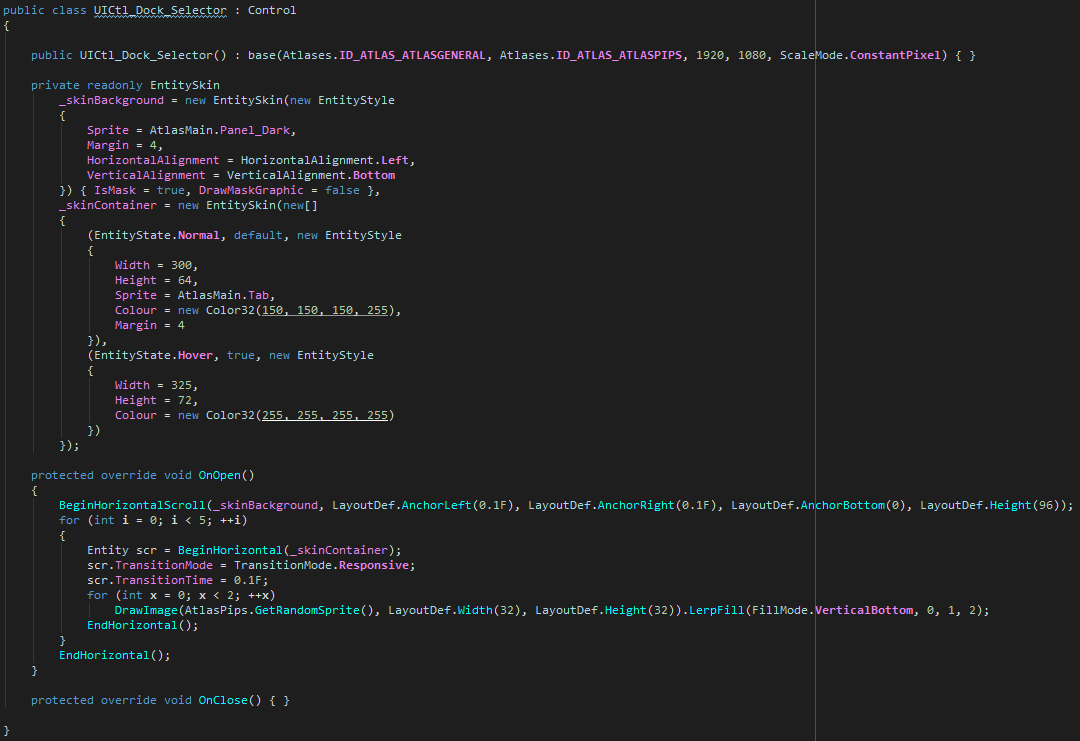
Anyhow, little worldspace demo of a UI library I'm building for Unity, no components, fully programmatic ^^
Whole thing is built with < 30 lines of code
autumn spire
I saw this on /r/unity3d the other day I think. I was curious what you perceive to see as the advantages of having your UI be fully implemented in code. It kinda flies in the face of where a lot of recent UI development has gone which is enabling designers to do your pixel pushing for you
upper wagon
For me it's the fact that I have to do UI myself, no designers on hand, and I don't want to spend ages wiring things up by hand with the inspector, you have to manage references manually, they break easily, and it just takes way longer (personally) to build anything with drag and drop than something IMGUI-like
The workflow is basically a mix between IMGUI and WPF
Unity Forum
I generally don't like building GUI. I'm a programmer, not a designer, and I don't want to have to drag and drop layouts by hand and wire references up...
I haven't gone into tons of detail on the workflow yet but there's more info there if you're interested ^^
Also, you can't really do MVVM setups with Unity, it's possible ofc but then you need a separate abstraction layer for bindings, doing it programmatically easily lets you handle data however you need
 obsidian willow
Hi,is there any way to make ui elements that are moving (with an animation) "motion blurred"? I have tried using a different camera for rendering (with higher depth) UI with both Post Processing Stack motion blur and the legacy motion blur methods but the only one that actually does something is the Color Accumulation one and it blurs the entire screen,not just the ui.
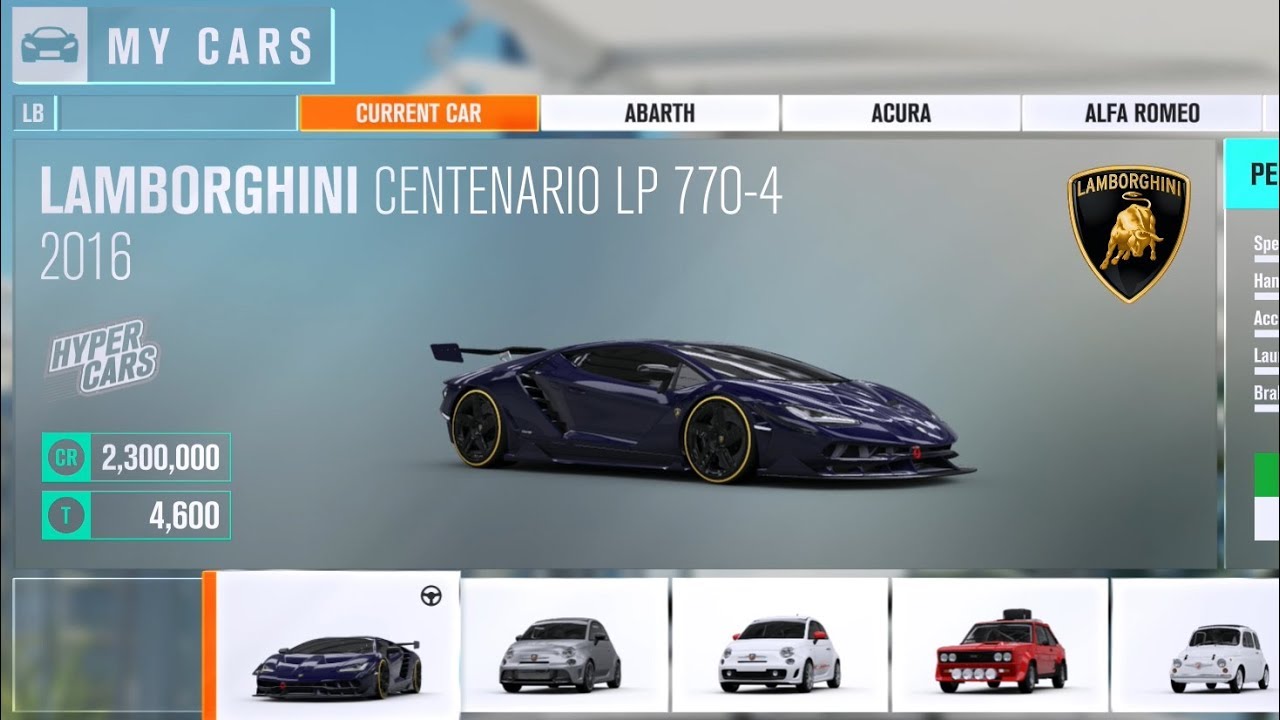
The motion blurred UI effect that i want to achieve is the one like in Forza Horizon 3.
https://www.youtube.com/watch?v=moKRRx-m7KQ example reference (its just someone seeing his garage and notice how the cars image gets blurred as he moves the ui) (starts moving the Ui at min 1:34)
Don't forget to like and subscribe if you enjoy the videos. Also don't forget to follow me on other socials. Second Channel: https://www.youtube.com/user/DUB...
Also i dont know where to post it ( #📲┃ui-ux or #💥┃post-processing ?)
slim radish
it's UI
this is nothing but a gaussian blur on a plane behind the car
it's the background behind that which is moving
obsidian willow
No,i meant the car sprites under the main selecting menu
these "blur" when he changes the selected car
slim radish
yeah it's just a side scroll selector
obsidian willow
i meant this blur
So do you think i should just use a blur ui mask and change its intensity with the animation?
Im not looking for a garage animation though
obsidian willow
well i said he STARTED to move the cars at that moment. not like changing them like he did when i took the screenshot
sorry
i will try the ui blur thing
thanks
slim radish
i figure it's probably faked
it's a similar trick to how racing games fake wheel spin
(which makes sense someone who made a racing game would know that technique)
they replace the image with a blurred version during the move to simulate 'speed'
obsidian willow
So that means the cars all have a blurred sprite? Or maybe its just a horizontal blur applied when it moves
slim radish

New Unity trick tutorial about wheel spin effect using some standard assets. Hope you enjoy it guys! Download Tutorial Files : http://corneey.com/wC1Gw9 If t...
is an example of the wheel trick
(acutally a really bad example lol)
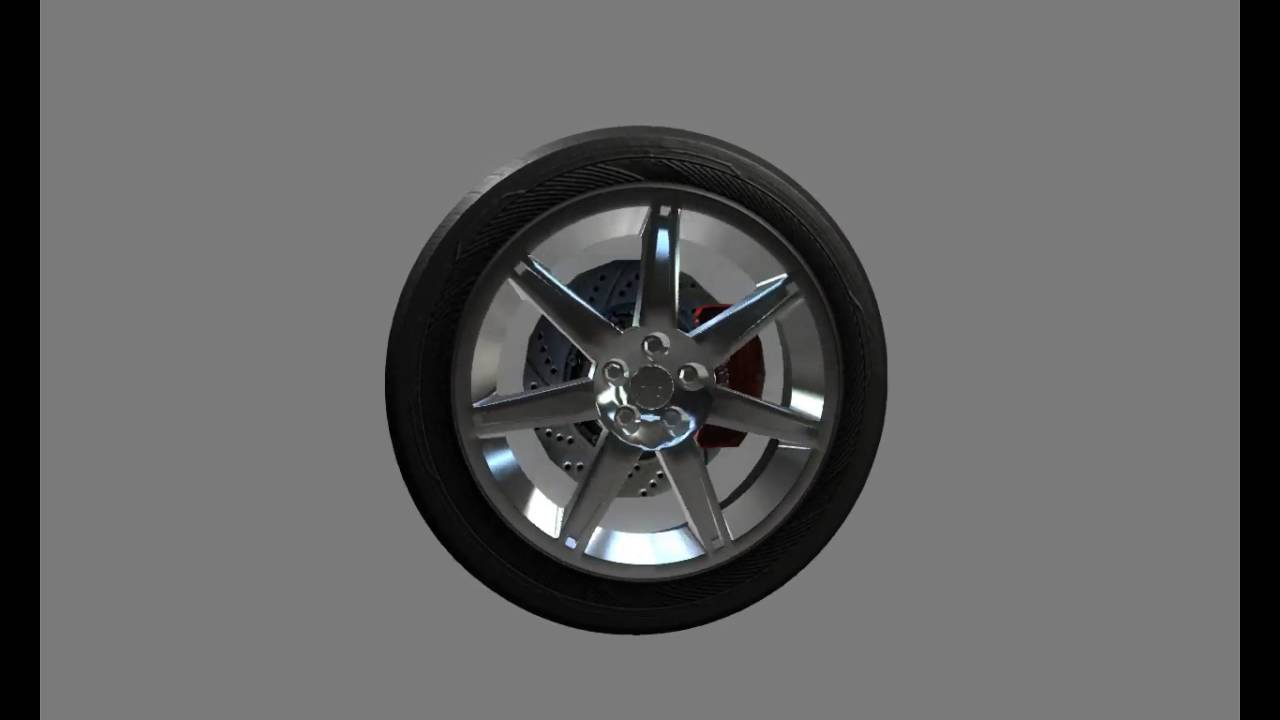
Trying to get a good "fake motion blur" effect for spinning wheels.
better example
but yeah you just switch to a pre-blurred version
cheap but effective trick
obsidian willow
oh,thanks for the ideas
obsidian willow
I made a blur mask that increases blur when the image height is lower than x value and decreases it when its over that value because the UI animations i have change the height. Thanks anyways
 faint torrent
well, I doubt they store the baked blurred images on drive for Forza
it could still be done on shaders on that example
if you have motion blur enabled and you spoof the motion vectors in Unity, you'd get that effect
there's example how to do this for spinning wheels in cinematic effects or PPv1, either one
that being said, I think you probably would need the UI to exist in 3D space for the motion blur to have any effect
so some custom effect would probably do the trick better for UI
slim radish
I don't know, I don't think making blurred versions of 50 icons is something beyond Forza's capability.
(or anyone's really)
trying to use PP stack for that sounds like overkill
obsidian willow
I tried to use the default Motion blur,i tried amplify motion,which is free on GitHub and none of these work. I think is something about motion vectors on the UI shaders. I even tried changing the UI material to the Standard Shader and things like that,and none of these worked. well as i said before i used a masked ui blur to fix the problem. i modified the shader to "exaggerate" horizontal blur so it looks like horizontal motion blur
 hexed sand
That feeling when you add a button and the convas that comes into being just says "Nope!"... ~_~
I do get a button but the canvas is much larger than the rest of the stuff on screen.
Meaning that I seemingly have to scale everything up to suit the canvas....
Plus the canvas seems alien to the concept of rotating.
Please DO correct me on any misconceptions!
This appears to be helpful... https://stackoverflow.com/questions/48868132/i-can-not-scale-my-canvas-in-unity

Stack Overflow
I can't scale my Canvas in unity. Where i normally do it, it like this:
I can't scale it or any thing.
OK. My little rant led to some learning.
Changing the canvas' render mode to 'Screen Space - Camera' where the camera is the main camera - seems to have fixed the scaling issue.
(for this project)
 shell crest
@hexed sand I'd recommend having a UI camera to render the canvas (set as your screen-space canvas' camera) and leaving your main camera to render your world objects. This way your UI is rendered separately.
The canvas will automatically be scaled to fit the UI camera i.e. you don't need to scale it.
hexed sand
Thank you for the recommendation. @shell crest . :c) So - this could mean having two cameras in the same default position?
shell crest
np. Two cameras yes. But once your screen-space camera is set as the canvas' camera, you can position it wherever you want in the scene. Unity will automatically move the two together for you. I usually position them somewhere further back from my main objects so it doesn't get in the way in the scene editor.
hexed sand
Oh. Thanks for the tip! :c)
shell crest
Don't forget to disable "UI" in your main camera's culling mask. So your main camera will ignore any UI layers.
hexed sand
One more thing... What if I wanted to use multiple scenes? Would there be other considerations?
shell crest
No I don't think so.. I often use multiple scenes and it works fine. (I actually store each of my UI screen-space canvases in its own scene too and this works fine)
hexed sand
Oh? 🤔 'Can' a UI canvas from one scene exist in another scene?
shell crest
You can load scenes additively in Unity. So yes you can load many scenes at once.
hexed sand
This would be great btw. Allowing for cleaner design.
And ^^^ is awesome to hear. I'll look into it! ^_^
Thanks!
shell crest
No worries! Have fun 😃
 pulsar basin
@frosty pewter can you tell me in the simplest way you can how to make it scroll based on the knowledge you already have about the situation.
another reference image
frosty pewter
Why haven't you even tried what I've told you repeatedly?
You want to put the content you want scrollable under the Content transform.*
pulsar basin
i dont know what the content transform is, its another keyword i dont know where your talking about but if you mean here then it only takes in 1 parameter of content
frosty pewter
That's already set up, as we concluded. What do you want to scroll? Button and Pickaxe panel. Put them under that transform.
That transform is in the hierarchy
clicking on the variable will take you to that transform
pulsar basin
ok uhm i think i got it working
i put it under scrollrect, viewport, content
how do i make it stay where the scroll is
so it doesnt automatically go back to the top
dont worry
frosty pewter
you have to make the content rect the size of your content
frosty pewter
Explain to me what you've been thinking so I can understand why you haven't been understanding what I've been saying
Content Transform can only mean one thing, and you can only put things under a transform in one way so I'm unsure how I could have better phrased it to explain the action
@pulsar basin I'm serious, it'd help knowing what I could have done to explain it better without detailing every action like I resorted to
pulsar basin
well its not an issue with you its more of an issue with what i know, and i dont fully know what content transform means, so if there were a way to let me know the specifics of what your talking about tat would be good
 rare dune
i have a dropdown within a vertical layout group. is there a way to make the contents of the dropdown fit within the layout group instead of rendering on top of it?
faint torrent
there probably isn't any way to get the direct control for the float values under the mouse cursor from the properties on the inspector? 😄
I was thinking of something... different but I don't think it can be easily done
I have this midi controller with sliders and knobs, I'd love to just bind random inspector property values to individual sliders for example, for faster editor tuning for PP, lights etc
of course I can do this by case basis by hardcoding but was wondering is some more generic binding solution would be possible
would be easier to use it just randomly on any property field that takes floats or ints in
hmmm, I guess one option would be to just make a tool that inputs SO's and digs thought the possible fields through reflection etc and lets you bind them from some tool menu
 river jacinth
can't seem to find a way to add padding to a simple test element, i can add spacing and padding on a parent container of it, but not on the element itself? i would have assumed it would be somewhere in the LayoutElement component
what am i missing
winged prawn
umm
on the right i have my spliced image and on the left i have its appearance in game
it looks awful
(it's that black box with the small yellow circle inside)
it looks better now but the top borders are weird
 shadow plover
Hello, I need a bit of help with something!
I have a UI item that i am dragging using the IDragHandler and OnDrag function. Works perfectly except when i drag the item over any part of the screen not covered by a UI element, it creates a weird ghost item trail?
I can quickly make a gif if someone would like to help me and needs to see the problem.
frosty pewter
fuck yeah my dreams
frosty pewter
not that I know of
faint torrent
I haven't really followed much what happens with UIElements
frosty pewter
what version are you using to get it? I can't seem to get it to work on 2019.2
faint torrent
2019.2.0.a11
but it's only on staging
{
  "registry": "https://staging-packages.unity.com",
  "dependencies": {
"com.unity.ui.builder": "0.1.0-preview",```that's what I have on top of my manifest
frosty pewter
Ah, that'd be it
I forget that not all of my manifests have that
I love how they've made a tool for building UIs and it looks like it's been thrown together with very little style
Just to clarify for others not in the loop:
UIElement is currently an Editor-only stateful alternative to IMGUI
much more performant and flexible, having USS, which is a subset of CSS including a flexbox implementation
There are plans for it to become Runtime too in the future
faint torrent
I hope they improve this editor a lot before that 😄
right now it feels more like some programmer tool
I'm not saying it's not an improvement on pure code editing, but it doesn't seem like some freeform place things quickly kinda thing like the game ui editors usually are
frosty pewter
oh my, they've copied an assmdef from another project and haven't renamed the Name field
this is a bit of a mess 😛 - the most 0.1.0 package I've seen so far! haha
 spark breach
I'm assuming it's meant for editor ui only since we already have canvas for runtime
faint torrent
afaik, the "new ui" from Unity 4 days will be replaced with this at runtime too
I sure hope so as having UI objects in your scene is a mess IMO 😃
also they need something different for DOTS
autumn spire
you don't like having 10,000 update calls just to render a dialog?
faint torrent
they got "Runtime Support" listed on in development, no ETA
(slide from GDC roadmpa)
 vapid bronze
The UI Builder was never shown before.
In the Unite LA Roadmap UI Elements at runtime was listed for 2019.2
Maybe they will be able to make that deadline or sometime during the 2019.3 Alpha or Beta cycle.
Actually happy to see it's getting close to being in preview since it's now on staging
 mint vale
I am moving a UI image that uses a sprite with point filter mode. It looks like the pixels don't contain the same size. Does anyone know how to avoid this?
autumn spire
is it packed or a single sprite?
mint vale
a single sprite
It doesn't happen in build. Guess it is not a problem then, but still annoying in the editor.
 fast meadow
Editor: Renamed the Child Controls Size property to Control Child Size in the Horizontal Layout Group and Vertical Layout Group components. (1090329)
THANK YOU
frosty pewter
yeah, that is such a small but meaningful change
tropic oyster
from discussion in the forum, the earliest runtime UI elements is probably a preview in 2019.3
shell crest
Unity Forum
Hello,
I've been testing the UIElements for two days, and with the lack of examples I'm kind of stuck in doing the things I want. I was hoping someone...
 delicate sundial
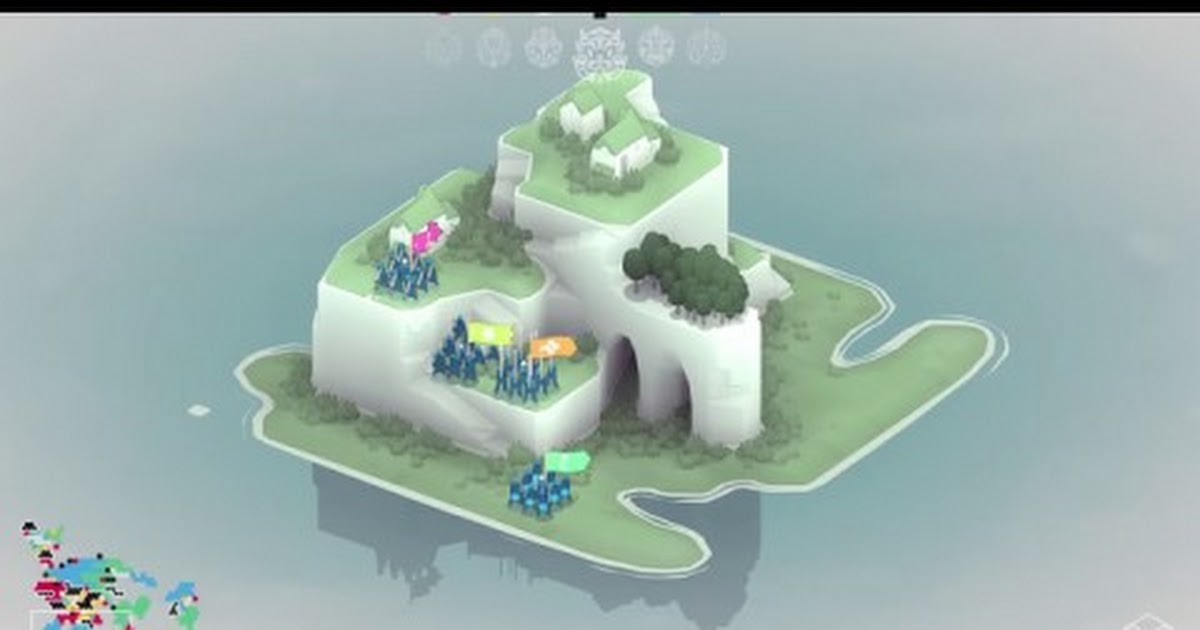
So I want to create a UI for my game and I have done it in illustrator and animated in after effects.
Now I want to jump into Unity and I have like 0 experience and I wanted to ask if there is a way to work with vectors? Or I m supposed to work with sprites and its more optimized?
Here's what I want to convert.
https://drive.google.com/file/d/1uycSt4g7QkZi9jIGB1aGINoYGdXzfMzx/view?usp=sharing
https://drive.google.com/file/d/1TmHesIxf3LSlv1HZxycPQahgiPS8rIJU/view?usp=sharing
https://drive.google.com/file/d/1fxEW0poQPpnaKStTlPIlOL9gIjJoATFh/view?usp=sharing

 frosty pewter
There is a package called "Vector Graphics" that should be in the package manager that can import SVG files, which will get you a lot of the way
you will have to enable preview packages to see it
delicate sundial
@frosty pewter but is it better options than sprites in this case? Or SVG files with the package is just less viable and optimized in the end for UI? Also animating doesnt change, right?
frosty pewter
As far as I understand nothing changes but the importer creates a texture that a special shader uses to enable the sprites to be vectorised (enabling the classic crisp edges and zooming)
They're basically treated like sprites once imported but will display as vectors if that makes sense
delicate sundial
oh, so it converts those SVG's to rasters?
but the file sizes are less heavy because of it?
But it sounds like it processing it and make it CPU more heavy?
frosty pewter
I'm not totally sure how it's imported, but the file sizes are small - I have something that is 4kb and very crisp
delicate sundial
Oh okay, thank you sir
frosty pewter
I thought it was textures and a special shader but it may actually import things as meshes, I can't tell taking a look at it again. It just imports things as a special Sprite asset that behaves exactly the same in practice once imported
fast meadow
Would there be any reason not to set your Canvas's "reference resolution" to the target device?
 cedar sentinel
@delicate sundial in those examples there is nothing that would make me say: "yes, you have to embark on unity untested and probably hair-loosing SVG journey". I would not go there, if you ask me. And I work in Affinity Designer 99% of the time.
The only problem with using sprites instead of vectors here would be "do not scale my stroke".
To fight that, you will have to pick your path (pun):
- you need to export both hexagons (outer and inner, and those 3 inside inner one) separately because you can't just export the biggest one and scale it down - lines would become thinner.
or - export few sides of that big hexagon separately and make each as "sliced" sprite. Then recreate hexagons inside Unity with those sliced sprites. You will retain stroke width, but it will not be 1:1 representation of your image. If you care about every single wiggle on that hexagon (you should not, you just need the feel of that), this is not the way to go.
Anyway, export those sprites white (even if you designed it in another color) so you can colorize them, inside of Unity, on demand.
 strong sable
Not sure if this is the place to ask this but, I need to place a Video Skip button on top of a Video Player, but the video player is always on top. has anyone had this issue before? ( Unity2D )
faint torrent
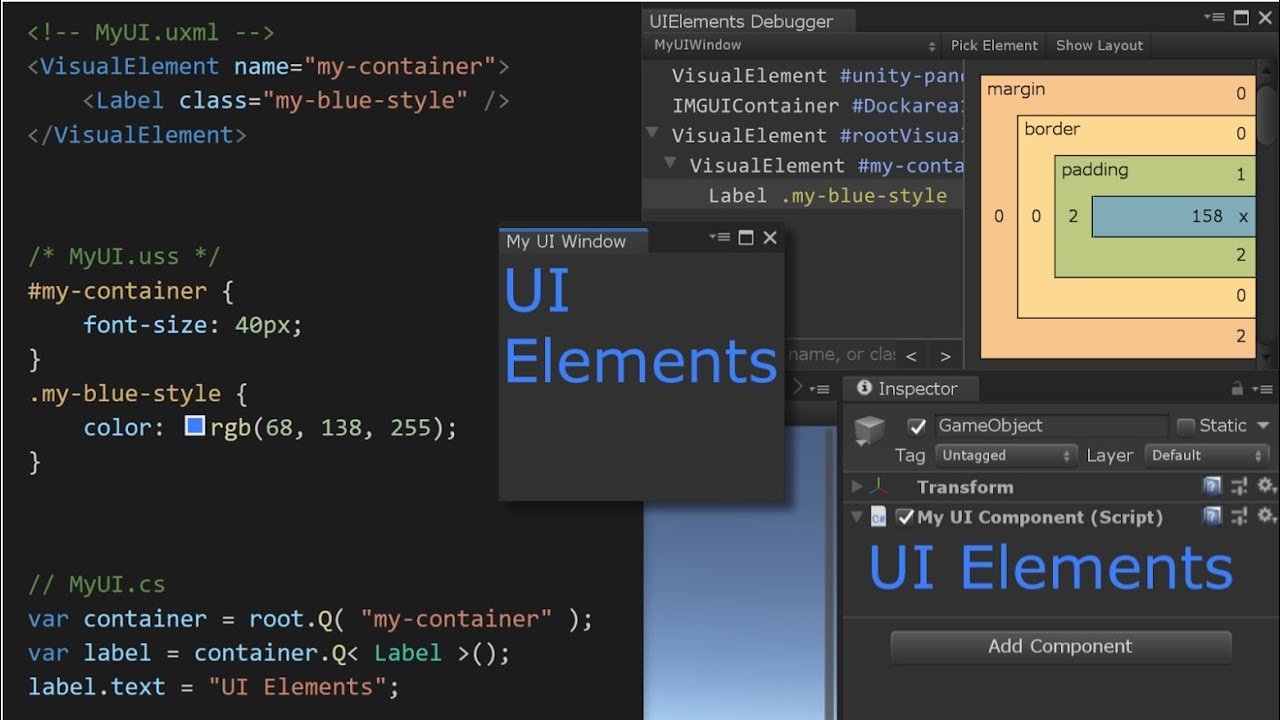
UIElements is a new retained mode UI framework for Unity. In Unity 2019.1, UIElements is releasing as a production ready UI API for extending the Editor. Mor...
shell crest
Oh wow, I love the quick sneak peak at the end of the new visual authoring tool for building UIElements layouts. Been rebuilding one of my tools recently with UIElements and it's fantastic. Really pleased to see it's coming to in-game UI in the future too.
 half vortex
So many cool announcements of things I'd love to use with no dates 😦 . Wish we could get some tentative timelines for these things. Even if it's a "Sometime in the summer" like for havok physics
If any Unity staff are lurking around, would it be possible to use in game UIElements to open another window? Say like popping out a chatbox to put on another monitor?
faint torrent
that's not really ui specific thing
there's a support for multi-display but it's not commonly used afaik
cold sapphire
I have a UI prefab, and it's kind of disorienting how it looks one way as a prefab (left) and looks completely different when used (right). Is there anything I can do about that?
i'm not sure why it works like this. The text is anchored to the top and the buttons are anchored to the bottom, yet in the prefab, it's almost reversed
shell crest
@cold sapphire It's because the parent rect is of size zero. The text is anchored X units from the top and X units from the top of a zero size rect is below it. Likewise in reverse for the button. You should be able to resize the parent rect in the prefab if you want it to look more like the runtime version.
river jacinth
I'm trying to use a PSD in Unity 2019.1 and its not showing up correctly in the preview window, is there a trick to this? i looked at the documentation and it says that it takes the alpha from the first layer, so i flattened all my layers, and backed up the source in a hidden group and it still doesn't show up properly in Unity. Played with pretty much all the settings too, at a loss here 😦 (saved with CS6)
i know i can just make a PNG or whatever and it will work fine but why does this not 'just work' for psd?
 gusty pine
@river jacinth You need to export as PNG, yeah
there was some change in recent versions of Unity where Unity no longer applies a certain colour format to PSDs like it used to
(I ran into this issue in recent months, don't remember the exact specifics other than being annoyed at the change 😃 )
river jacinth
hmm, okay, thanks!
ill submit a bug, im sure there's someone out there who needs ammunition to get this prioritized 😃
gusty pine
Yeah do submit a bug report, might be something different
Searching around... so it seems the Unity Feedback site has been taken down, now it's back to forums
Found a couple threads of what I was thinking of regarding PSDs and white matte transparency being bad...
https://forum.unity.com/threads/psd-color-matte-change-in-2018-2.540060/
https://forum.unity.com/threads/bring-back-psd-matte-feature.637039/

Unity Forum
From the release notes:
Editor: When importing PSD, we no longer tweak its colors to remove white matte color impact. That means that texture colors...
Unity Forum
Hello there!
The PSD Matte feature was removed without much of an explanation in 2018.2. This was an optional feature, and so could be turned on or...
I see a Unity rep last month has said,
Hi everybody, thanks for bringing this to our attention. After considering your feedback, the team decided to revert the removal of this functionality and it will be brought back to 2018.3 and onward in the following weeks.
So maybe related or not, sounds like they're letting PSDs be imported properly again soon anyway
 shy wedge
I hope this is the right Discord page to use. If not I am sure there will be someone along to 'tell me where to go...' :-)
Using the FPS controller, looking level I see this with the swords on the wall:
On panning up, there is an element of zoom (e.g. swords are now larger). How can this zoom be turned off as building for VR will make the user ill?
strong sable
Is there a way I can make an event trigger like Pointer Enter only do something if the button is interactable?
shell crest
@strong sable You can trigger the event on the object yourself, thus if the button isn't interactable it won't respond. E.g. Something like:
var target = yourButton.gameObject;
var pointer = new PointerEventData(EventSystem.current);
ExecuteEvents.Execute(target, pointer, ExecuteEvents.pointerEnterHandler);
ExecuteEvents.Execute(target, pointer, ExecuteEvents.pointerDownHandler);
Hey, basic question.
I have button Romans and I want to link image with animation to it. So when I hover on Romans button, the image animation will appear and link with highlight state of a button? Is it possible without scripting/coding?
frosty pewter
@delicate sundial https://docs.unity3d.com/Manual/UIAnimationIntegration.html this could be what you need
but also, you can use an Event Trigger to fire off stuff as you please - but I'm not totally certain on how well that works if you want to play longform animations based on the state
delicate sundial
Oh, thanks man ❤ Ill take a look at it
cold sapphire
if someone can help me with this, I feel like I'll understand the UI system a lot better.
I've got a scene like this:
I want to move that dialog to the top
in play mode, I discovered that that's a Y pos of 840:
but this code moves it way above where it should be:
    public void MoveSayDialogToTop()
    {
        var sayDialog = GameObject.Find("SayDialog").transform.Find("Panel").GetComponent<RectTransform>();
        var pos = sayDialog.localPosition;
        sayDialog.localPosition = new Vector3(pos.x, 840, pos.z);
    }
When this is run, it looks like this in the scene:
it even has a different Y from what I'm setting, it has a 1440
what am I doing wrong?
 graceful owl
@cold sapphire it's local, so it depends on the parent, and also in the current anchor
graceful owl
So you're saying that the initial state is that of the 1st pic, then the code runs & you get the 2nd one?
graceful owl
oh I meant, you get the 3rd one?
cold sapphire
yes
graceful owl
from the 1st pic, after running the code?
cold sapphire
yep
cold sapphire
i have not
I have asked this question before, and I have LITERALLY not found a single person anywhere that knows how to move UI elements in code
graceful owl
Well try with position
cold sapphire
shouldn't this be explained in a tutorial somewhere? This feels like a fundamental concept
I shall
cold sapphire
I've tried for 1+ hours to do this
there's 100s of ideas you can come up with to move this
graceful owl
lol
graceful owl
how about translate?
cold sapphire
ok, but I'm not trying your 3rd idea if this doesn't work unless you try it yourself. Like I said, I've already spent over an hour trying ideas just like this 😛
cold sapphire
I know, I'm not trying to be a dick
but after googling and trying for 1+ hour, I need someone who's done this before at this point
translate didn't work
I've literally wanted to know the right way to do this for 5 months
 prime ermine
@cold sapphire I tend to run in fear when i see hard coded values to set positions at extremes within a space 😛 What you can do is get the height of the parent canvas using its rect, and set the child position based on that. You might also find Canvas.scaleFactor is useful
prime ermine
fair enough, i'd still be thinking scaleFactor might be at play here
cold sapphire
how? Especially considering that number works correctly in play mode
prime ermine
because when you set a localposition it's not in the rect space
so it'll do extra calculation to look at the camera, canvas and then set the value to what it thinks it should be
cold sapphire
ok assuming I want to hardcode that y field to be 840, what code would I write to do that?
fix: Change localPosition too anchorPosition.
I have no idea why, and I care more about that than getting this working
prime ermine
@aof this also worked for me
    private void Start()
    {
        float startY = 50f;
        float endY = 470f;

        box.position += Vector3.up * (endY - startY);
    }
box is RectTransform
also yeah anchor position is in that "Rect" space while localPosition is not
cold sapphire
"also yeah anchor position is in that "Rect" space while localPosition is not" I'm not sure what that means
what "Rect" space?
graceful owl
it might be a difference between screen and world position
so it would work with position/localpos if the canvas was worldspace, but not screenspace
That's what I got from it
prime ermine
@aof sorry I'm not sure how to explain it well, because I don't understand the underlying system in detail. I just know that when you want to set something to an exact position like you are, you would want to use anchoredPosition because it doesn't get transformed like position does.
this thread points out a couple things that might start to steer you in the right direction:
https://forum.unity.com/threads/whats-the-best-practice-for-moving-recttransforms-in-script.264495/
Unity Forum
Final testing revealed MASSIVE performance hits from Tweening my UI controls. Profiling (Unity Pro) showed this was a result of setting the tranforms...
cold sapphire
i'll check it out, thanks
 tropic kite
i'm trying to add particle system on the canvas, but for some reasons it's always behind my UI elements and I can put in front of everything. is there some good tutorial on how to work with particle systems on canvas?
sorting layer for particle set to 0, in canvas set to 1
gusty pine
@tropic kite Particle sort order needs to be higher than the Canvas' sort order
tropic kite
welp, yes, looks like reversing this values fixed the issue, thanks for pointing out on that!
tropic kite
there is a problem with particles scaling, it changes size every time resolution changes and did not scale properly unlike UI elements
 civic kestrel
@tropic kite https://forum.unity.com/threads/free-script-particle-systems-in-ui-screen-space-overlay.406862/

Unity Forum
I haven't been too active in the Unity forums, but I am a professional dev who has been working with Unity for several years. I've recently been...
tropic kite
@civic kestrel thank you, i'll check it out!
 deft steeple
Does anyone have any good tutorials on using Vertex Helper to create UI effects?
 twin geyser
asking here because its the closest match: Does anyone know why this results in a yellow line, instead of a gradiating yellow-red line? ```cs
for (int i = 0; i < guiPoints.Length; i++)
{
if (i != guiPoints.Length - 1)
{
Gizmos.color = Color.Lerp(Color.yellow, Color.red, i / guiPoints.Length);
Gizmos.DrawLine(guiPoints[i], guiPoints[i + 1]);
}
}
You're doing integer division, put a (float) in there @twin geyser
 jade seal
Hi all - Can someone tell a newbie what he is doing wrong? I create a new project, add a Panel, drop a TextMeshPro text on it; and in the editor its super crisp. But in the game view, its fuzzy on the edge. what am i doing wrong?
twin geyser
ahhh thanks @frosty pewter
@jade seal maybe check your AntiAliasing, also is the panel set to scale to resolution, and is it worldspace or screenspace UI?
jade seal
@twin geyser Ok, i will look for antialiasing; it certainly looks like that is happening (and i will set scale to resolution) Its in screenspace UI. Thanks for the tips!
jade seal
The only AntiAlias settings i could find were in ProjectSettings->Quality; i changed all the levels to disabled and ran it - same issue. Crisp in the editor, blurry in the game window. I also tried changing the canvas to fixed, no luck there either. it has to be a newbie mistake im making...
dreamy plank
- that's usually mipmaps on textures being turned off, but with TMP... hm
jade seal
I wonder if it has to do with my running 4k monitors - maybe i have to use different font with TMP to handle that
delicate sundial
So, I m having this issue, when I click 'go back to main menu' it reverse playing the animation and suddenly on highlighting options the text disappears 😢
Also, some animations mess up when I reverse animation on going back... Feels like something is overriding opacity instantly...
timid ingot
@delicate sundial Hey! So how do you want this to look? Are you purposefully using reverse animations? Are you setting speed in animator to -1?
timid ingot
@delicate sundial also, when the text fades out when you return to main menu, is that an animation? or script? Is the animation being called by code? It could be that which is overriding your highlight animation.
delicate sundial
@timid ingot Hey, yea I've done everything in animator, no scripts, using -1 speed. I kinda fixed it, I just removed everything and redo this from scratch again and somehow it works... Idk...
timid ingot
@delicate sundial it's good you fixed it - i was going to say to send the project over for me to take a look, but if you have done it then it's cool!
 silver summit
Anyone familiar with UITween asset for UI animations?
The plugin lets me set start and end values for the animation, but it triggers the animation only from those positions, so if it didn't finish, and you click the button again it starts from where the end is not where it was at the moment
I could probably disable the button for the duration so you can't click untill it finishes, but then it's getting less responsive.
 faint cargo
i am making a mobile game scene (it's tile based) and making a sketch to figure out what to do but it's 20:9 aspect ratio with 32x32 tiles. Am I doing it correct?
it will be pixel art game
tropic kite
Hey guys, I need advice about the connection between objects on the scene and canvas UI - in my project, I load object positions and their state from the json file and I need to interact with them through the list on UI. I can create separate UI prefab connected to objects that I load and main canvas, but I have a hard time in understanding how to properly connect and structure all those things because I'm not very experienced in c# programming. Are there any good examples and tutorials on how to create modular UI with proper interactions with objects on the scenes?
 twin nymph
I am attempting to add an animated sprite to my canvas. It appears in scene view to be working but not in game view. Any thoughts?
twin nymph
Ahh, I got it. You apparently cannot have an animated sprite in the Canvas space but you can animate an image to show the same sprite frames, so I just remade it and it works. Thanks!
 alpine trout
any of you is familiar with tilemap and ui button?
 untold scroll
Extreme noob easy question: Should you organize your UI with one canvas per independent window or just a single canvas per scene?
autumn spire
it's a fair question - the answer is "somewhere in between"
basically every canvas is a draw call
so having many canvas = many draw calls
however the trade off is everytime an element within a canvas changes - that entire canvas needs to be rebuilt (i.e. meshes regenerated and combined)
untold scroll
I'm not asking really for an answer in terms of efficiency
I'm just asking if something will be broken if I do it the wrong way
untold scroll
ok, thanks!
 long nest
Heya. Anyone know how to fix the error with Cinemachine in the latest HDRP (6.5.3) .
I get this error after installing Cinemachine from the package manager:
Library\PackageCache\com.unity.cinemachine@2.3.3\Runtime\Behaviours\CinemachineStoryboard.cs(4,19): error CS0234: The type or namespace name 'UI' does not exist in the namespace 'UnityEngine' (are you missing an assembly reference?)
I know that Unity is aware of the issue : https://issuetracker.unity3d.com/issues/cinemachine-assembly-reference-missing-error-on-importing-cinemachine-package
Steps To Reproduce: 1. Create a project 2. Window > Package Manager > Cinemachine > Install Expected Result: Cinemachine pa...
But it seems like a simple error. related to the UI being extracted as a package. Anyone know how to fix the script?
faint torrent
replied in #archived-hdrp
long nest
Thanks sorry for double posting- wasn’t sure which channel to put it in
 clear aspen
Hi friends! Making a VR game that requires lots of arm movements, but a completely still head. question: Have you seen any effective methods for ensuring the user keeps their head in a certain position/encourages them to not lean forward/sidetoside etc?
Or do you have any ideas/tips?
 near turtle
@clear aspen Have you thought about applying a dark vignette based on the head position? i.e. if the user is in an upright position the vignette is not visible - but if the more the user leans forward, the vignette grows stronger?
 keen sigil
Any thoughts on this UI I'm working on?
autumn spire
I feel like the "giant pastel colored square with small icon" went out of favor when everyone decided they hated windows 8
clear aspen
@near turtle ah thanks for that idea, it could be intuitive because it's like setting up binoculars correctly—that definitely would help for 1 direction, i.e. going too far forward. How could I create feedback as to where they need to put their head? arrow particles haha?
keen sigil
@autumn spire Yup, I hate Windows 8 too. But just because Windows 8 was bad, that doesn't mean "giant pastel colored square with small icon" has to be bad as well.
autumn spire
no thats fair, I was just being smarmy
I personally don't like it since it feels like a lot of wasted real estate
near turtle
@clear aspen are you requiring the user to keep their head rotated the same way in addition to its position?
clear aspen
For now just the xyz not rotation @near turtle
near turtle
I would image the vignette would be affect for xyz position, as the farther you stray from the origin point in any direction, the stronger the vignette is.
As far as feedback, you could mask the part of the vignette where the general direction that their head should move towards. Light = good, dark = bad
faint cargo
Can I show a sprite on 3D objects without changing its Z axis?
 woeful remnant
faint torrent
woeful remnant
faint torrent
wonder what this is about https://bintray.com/unity/unity-staging/com.unity.uiwidgets/1.0.0-preview
(besides ui widgets obviously)
frosty pewter
So it's using traditional UI I assume
faint torrent
## Introduction

UIWidgets is a plugin package for Unity Editor which helps developers to create, debug and deploy efficient,
cross-platform Apps using the Unity Engine.

UIWidgets is mainly derived from [Flutter](https://github.com/flutter/flutter). However, taking advantage of
the powerful Unity Engine, it offers developers many new features to improve their Apps
as well as the develop workflow significantly.


#### Efficiency
Using the latest Unity rendering SDKs, a UIWidgets App can run very fast and keep >60fps in most times.


#### Cross-Platform
A UIWidgets App can be deployed on all kinds of platforms including PCs, mobile devices and web page directly, like
any other Unity projects.

#### Multimedia Support
Except for basic 2D UIs, developers are also able to include 3D Models, audios, particle-systems to their UIWidgets Apps.


#### Developer-Friendly
A UIWidgets App can be debug in the Unity Editor directly with many advanced tools like
CPU/GPU Profiling, FPS Profiling.
I have no idea tbh 😄
frosty pewter
the powerful Unity Engine
I should add an adjective whenever speaking about the robust Unity Engine
faint torrent
I think that is translated from chinese readme that also ships with the package
frosty pewter
Ah that would make sense
rapid ferry
Hello, complete UX noob here. How would I make this UI prettier? (I ommitted the title and company logo so there's empty space but more in terms of the buttons and other stuff):
frosty pewter
Solid block colours, get rid of the images (the ones in the buttons and toggles). Give more vertical space to the toggle button text, and give them more horizontal space too, consistency in that is also key.
Active should be white, inactive should be darker, so reverse the toggle colours, it's clearer that way.
Grid content is often better the squarer it is, rectangles are better as list content, so choose one or the other, and either way reduce the padding, it's almost as large as the items themselves!
Also serif fonts aren't great for UI, so I'd find a better font for the content
Aligning the back button against the corner or the panel, or at least with a consistent distance between the top and right will make it sit better
There's a lot you could fiddle with, UI's a detailed thing 😃
rapid ferry
Thank you!
near turtle
Flutter is a really amazing toolkit
I'm excited that unity is including support for it!
Or rather, making a UI system derived from it.
For mobile cross-platform support, I've mainly developed UI using React + Typescript in a WebView. However there is a lack of native-mobile feel because of the limitations you have as a web-developer. Flutter has the most native-feeling cross-platform features I've seen out of any option. I'm really stoked about those UI Widgets
 lucid isle
is it just me or has the way things like layout element fundamentally changed in 2019?
i feel like i don't know how the ui system works anymore -__-
hmm, i guess just some new options
and spacing i forgot i'd turned on in the parent group
glass crest
How does one do batching with Unitys UI? I've got absolutely nothing batching and triple digit draw calls :/
lucid isle
@glass crest https://forum.unity.com/threads/should-we-still-use-sprite-atlas-for-performance.543142/
Unity Forum
Hi, I'm using Unity 2018.1.3f1 and I heard that with the new UI we don't need to use atlas anymore in order to reduce drawcalls in canvases because...
 jaunty drift
Im sure this has been answered a million times, but im coming back to unity after a long break for a project and was wondering if 3rd party UI like NGUI is still necessary for sanity or if the new uGUI is solid.
jaunty drift
Relatively
gusty pine
@jaunty drift I'm using Unity's Canvas UI okay, no huge issues to make me want to use a third-party thing like NGUI
jaunty drift
Thanks @gusty pine I’ve dove into it and while it seems a bit odd to me and feature light compared to UE4 ui I am sorting it out.
faint torrent
Unity is going to replace current game ui setup eventually with UI Elements
gusty pine
I haven't tried any UI stuff with UE4 before so dunno how it compares
faint torrent
it's now being used for editor
but they will do runtime support soon
also from what I've heard, ngui hasn't been community favorite for a long time anymore like it was in the old days
I dunno what are the reasons behind that, like if it's been left so much behind or what
I personally dislike the idea on Unity's solution that you edit the UI in scene view itself, would prefer separate setup for it
gusty pine
yeahhhh the way the UI is kind of slapped onto the Scene tab in a HUGE fashion is weird, would be nice if it could be in its own separate tab somehow if desired
but, it's good at displaying images and text, I like the anchoring system, though it's weird to get used to
Some of the layout group stuff is finnicky but not impossible
like I've got this going for my UI:
strong sable
Looks pretty good man
 frigid parcel
What would you guys think of a cmyk color scheme?
 bleak osprey
Is my planning UI good? how you guys plan your UI?
And what about the design?
What advices you guys can give me to improve myself?
gusty pine
Looks solid @bleak osprey
Just keep in mind how to cater for different screen resolutions and UI/text sizes/scaling too, if desired
bleak osprey
@gusty pine thank you for the feedback.
 hard spruce
How would i go about creating ui elements that follow gameobjects (think healthbars etc). I dont need a step by step, but maybe a general place to start
Is it possible to attach ui objects to normal gameobjects? Im assuming no
frosty pewter
Here is one way of doing it https://www.stevestreeting.com/2019/02/22/enemy-health-bars-in-1-draw-call-in-unity/
hard spruce
Naïvely id just get a reference to any ui elements i create, and update position on the canvas in update, but im wondering if there is a more elegant "built-in" way to handle this (seems like it would be a common enough thing)
frosty pewter
And he mentions another other way of doing it near the top
hard spruce
Ok ill take a look (to be clear im not actually using health bars though. it just seemed like the best example. Mostly it would be some icons and some number-text)
frosty pewter
there isn't any elegant built-in way of doing it
hard spruce
alright
a simple example would be something similar to the strength indicators on the units here: https://www.youtube.com/watch?v=D2H6pnOZCUg

This is me, playing some old-school Panzer General (1994). Yeah this game takes a lot of time, so i couldn´t finish the Poland mission.
Id just need a few more things. Looking at that article now
cold sapphire
hello
i've got a prefab that's shown in play mode. Whenever I drag the play mode window and stop, there's this one field in the prefab that permanently shifts its position. Can anyone explain why this is happening? If I do the same thing in the prefab editor, it doesn't happen. Only play mode messes it up.
silver summit
Hey, I'm looking for a way to display a screenshot preview properly depending on the device resolution. Any guides? Are there any components that would help me with this?
Context: I need to capture a screenshot from AR view and display it to the user so he can choose to share it or take another.
The problem lies with different resolutions (smartphones, tablets). I've tried dividing the width/height to get an aspect ratio and pass this to the aspect ratio fitter. But it looks like it doesn't work in runtime?
silver summit
Actually nevermind, this doesn't work if during runtime I change the resolution and then try to capture screenshot with different resolution/ratio. This shouldn't be a problem because no one suddenly switches from 16:9 to 3:4
Or wait... folds do that
faint torrent

Introduction
The source code of this asset is hosted at https://github.com/UnityTech/UIWidgets .
UIWidgets is a plugin package for Unity Editor which helps developers to create, debug and deploy efficient, cross-platform Apps using the Unity Engine.
UIWidgets is mai...
fast meadow
Does text mesh pro not work well with the new prefab system? It doesn't matter if I click on a prefab, change a text mesh pro component, and "Override" it. The override persists still. Unity still thinks there is a change that the prefab can override
 broken frost
instantiating stuff on this camera-space canvas causes random -z positions
just using default instantiation options.
mission.button = (GameObject)Instantiate (ListPrefab, Vector3.zero, new Quaternion (), ListPrefab.transform.parent);
frosty pewter
is your camera at roughly 900z from the origin?
Because if you provide position and rotation values they're in world-space https://docs.unity3d.com/ScriptReference/Object.Instantiate.html
broken frost
hmm.. ok. i guess i should pass the parent's position instead just to be closer.
frosty pewter
Or not provide the positions and just set the localPosition after you instantiate
 random escarp
@broken frost you are doing dynamic Instantiates on these things? I think there is a parameter true/false that allows it to inherit the parents transform which messes things up dramatically
cold sapphire
why can't I highlight this journal button after I click on it the first time? https://imgur.com/h6bpvL1
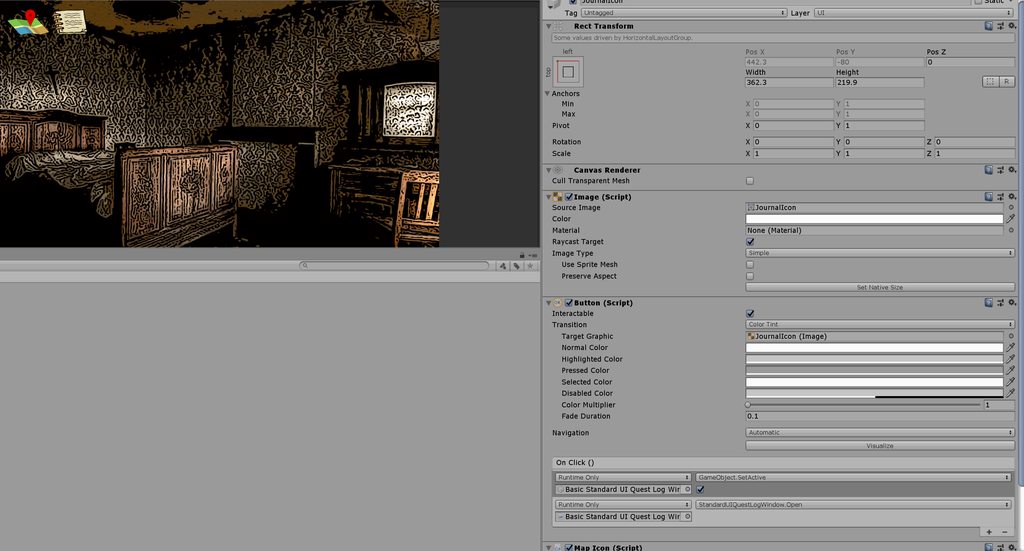
oh, that's its selection color. In this case, that makes the UX worse.
How do you deselect a button or make it so it can't be selected?
figured it out:
 lavish stream
Hey guys, how do you make it so an icon appears next to whatever button you have selected?
 zinc yew
Assuming you just want the hand pointing at the selected option, the cheapest and easiest (but least maintainable/reusable way) is probably just to put an empty rect of the right size in the UI and move the image there, or even just put the image next to each element and only show the one that's currently selected @lavish stream
 wispy stream
Or just make it a child
lavish stream
so its move per rect when its selected, or turn on or off the image corresponding to selected button huh
cold sapphire
i'm told this is a known bug that causes a prefab to always say it can be overriden even when you've just overridden it? " ... it's a known issue in Unity that still isn't fixed in Unity 2019. If a UI element has an auto layout component of some type, such as Horizontal Layout Group or Content Size Fitter, the Rect Transform values in the scene may be slightly different from the prefab due to floating point precision." Is there any workaround to this? It's super annoying
cold sapphire
let's say you've got a bug where you click and nothing happens. You suspect there is something in the scene receiving that click that shouldn't be. How do you troubleshoot that?
 unborn hull
 tribal swan
is there anyone from the unity here?
frosty pewter
the unity? no idea
tribal swan
The thing is that I found that that font rendering when color space is set to Linear is completely wrong, font rendering shouldn't be affected by color space switch
it's super annoying since you can't even render smaller font sizes like 15 and below
instead of being black they are all gray
frosty pewter
If you think you have found a bug, use the bug reporter
tribal swan
well i've done this few years ago and the answer was that it's not a bug, but after years now I see that's still there, that's why I was looking for a dev to chat with 😃
upper wagon
While it's quiet in here
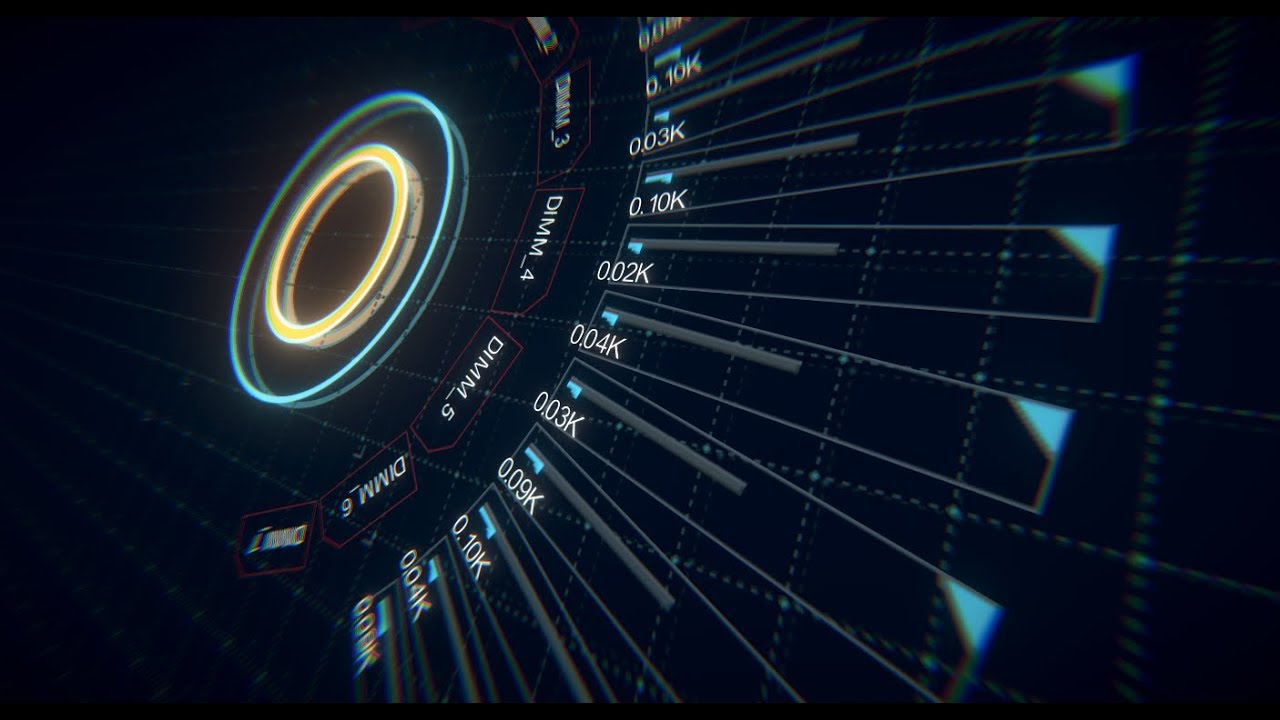
Testing out a geometry duplication shader as part of the user shader pipeline. This effect implemented entirely in a single HLSL file; RMGUI automatically ta...
tribal swan
looks nice 😃
also, @upper wagon I suggest using monospaced font for numbers when they are changing fast like in this demo, you will get much smoother feeling when animating them
upper wagon
Thanks, yeah I should grab a better demo font actually, it's just arial since it's builtin
hexed sand
In the meantime I'm (still) struggling with the very basics.
Implemented a button with 0 off-set to center of screen - with canvas assigned to screen view/ main camera.
Yet the result is a button offset to the left.
Any idea why this may be happening?
Yes its a small project meant to teach myself the absolute basics of buttons, screen UI and sounds. ^_^;;;
(side-note: Used pixel perfect to eliminate blur at the acceptable expense of mild pixelation)
frosty pewter
@hexed sand you need to show the button's RectTransform's settings
hexed sand
These @frosty pewter? (thanks)
frosty pewter
Anchors too!
hexed sand
(one moment while I check what anchors are)
frosty pewter
@hexed sand also, you need to zoom out your game view using the slider at the top
So that you're definitely looking at the whole thing
frosty pewter
Yeah, once I noticed that I suspected it was your issue :P
hexed sand
Sorry for taking up your time - I think it was just a quirk of the run-time in the unity ui :cP
frosty pewter
The anchors control the point on the screen position offsets from
 green wraith
I'm making my first UI in VR and I have the Canvas set to World Space Render Mode obviously for that VR affect of it being in the world with you, I'm just not sure how to get the canvas to rotate around my camera as I turn my head etc to look in different places, I did
void Update()
    {
        gameObject.transform.eulerAngles = playerCamera.eulerAngles;
        gameObject.transform.position = new Vector3(playerCamera.position.x, playerCamera.position.y, playerCamera.position.z + distanceOffset);
    }
Which works kind of, it keeps the Canvas X amount away from the camera, and it rotates and tilts as I move my camera, but if I turn my body to the right the canvas still will stay in place but it will just rotate to look where I'm looking but its no longer in view
tribal swan
@green wraith what about nesting canvas under camera?
green wraith
If you have little tips that pop up like for example if its a jumping game and you collide with an object and it pops up on the screen "You hit the bars!" what is the best way to manage these tips popping up, like should I make events in the UI that can be driven by other things such as the trigger script for the bar or something
I'm just not sure what the best practice is for driving UI elements to show / hide from trigger events
rapid ferry
If anyone has a few moments.
I have no experience in Unity.
I was recently hired to redo the UII for a game.
I wanted to learn a few things about how simple or complicated it would be for me to learn how to do some of these in unity so I can better design the UI for my Employer.
I was curious what kind of understanding I would need in order to recreate something As simple as this Drop Down list as a camera UI. ( https://gyazo.com/6a25a1dc5c622a08fafdecf686583aa9 )
That way I can better understand what the developers are going to have to do with what I create. That way I can use that knowledge and understand how I want the end user to interact with the elements.
 cold sapphire
can someone explain this behavior to me? I've got a hierarchy like this:
I want to know why the WaitIcon isn't to the right of the Journal Icon
and why the Panel has a size of 10x10 instead of the size of the WaitIcon
here's what TopLeftIcons looks like:
here's panel:
here's waiticon:
first, why is Panel locked in 10x10 when it has a contentsizefitter for preferred size, and the waiticon's preferred size is much larger than 10x10?
I mean, I have a lot more questions, but i'll stop there
 hollow atlas
Making a school-based adventure game and I've started making a save system and a main menu. Here, you can see the load save page from the main menu.
The save file boxes under load a save have text that changes depending on the save file assigned to it (atm it's just the date of the last time you saved, but i want it to have the last mission completed etc)
Problem is, the text will overflow and there's not enough space for me to do wrapping since it'll end up squashing the text up too much. Obviously, the solution is to use a content size fitter but since the buttons are a child of a panel (the chalk board background) with a Vertical Layout Group, I'm not sure how to go about doing this.
cold sapphire
what is the correct way to take a canvas in world space and make it span across the camera?
I need it world space because i have a library that can only do something in world space
but when I take the canvas and shrink it down to fit within the camera, if I create a button, it's 1000x larger than it should be and is really blurry when I shrink it to the correct size:
 frosty pewter
@cold sapphire if you use Screen Space - Camera does everything work correctly?
cold sapphire
yes in the game mode
but the library doesn't work
sigh, it's becoming easier to just rewrite the library by hand because of my complete ignorance of this stuff
 lucid lotus
Use scale of canvas instead of width and height
 silk fern
Hallo! Do some sliced UI elements not get displayed properly in prefab mode?
is this a known issue?
I think it's an issue if you don't specify the full 4 slices
The black background image in the scene/prefab view is the selected sprite. I don't set a top and bottom slice as it's always the same height (I don't want the pixels stretched in the y axis)
rapid ferry
@silk fern is it an Image from UI? if yes, you have to change the Image Type of the object to "Sliced"
silk fern
@rapid ferry yes, it is sliced. It renders correctly in the normal scene view, just not when in prefab mode
hexed sand
Noob question of the day ~_~ I am trying to attach a simple gradient image to either an Image or a Raw Image in the UI canvas.
I fail to attach this png gradient image to Image components - and while I manage to attach them to Raw Image components - there are no options for fillers.
Yes its a simple heath bar - and I'm stuck again :c/
frosty pewter
You need to import your image as a sprite
Just change the texture type at the top of the importer
hexed sand
Thanks! Will try that.
 forest grotto
so... I'm using the new prefab editor workflow for the first time and having trouble with this Canvas (Environment) that's un-editable. Since the prefab editor scene's canvas lacks a canvas scaler, all my transforms are not visualized correctly in scene view (red "x"'s).
if I include a canvas on every single prefab it's fine, but usually when working with screenspace overlay UI, I only use one canvas per view, with multiple un-nested prefabs in it.
it's just a workflow issue, but it looks like i have to make a choice between 1. nesting all my UI prefabs (icky) 2. not touching transforms in prefab editor mode (icky but ok) 3. putting a canvas on each un-nested UI prefab (bad perf)
frosty pewter
@forest grotto if it's the default UI prefab stage that you're concerned about you can change that in Project Settings/Editor/Prefab Editing Environments
forest grotto
haha hahaha
oh my
so i went there, and unity crashed and I hadnt saved in awhile
but thats exactly what I needed thanks 😃
hexed sand
By the way it totally worked ^_^
silver summit
Hi, is there a MS Word shift + enter equivalent in Text in Unity?
I want to move my single letters to the next line and have it that way in multiple resolutions as well
hexed sand
you mean vertical
t
e
x
t
?
silver summit
nono
something like this:
"I'm wondering if
I should"
instead of
"I'm wondering if I
should"
In polish language we have a lot of prepositions, and it's a spelling mistake if you leave the preposition at the end of the line
so I need to figure a way to move them to the next line if they end up at the end of current line
Maybe a more graphical example
rapid ferry
@silver summit do you have a localisation system?
the best way to fully manage it is to set the text directly the way you want
silver summit
No, the app will be in polish only
rapid ferry
how do you manage your text so? Set it directly on the scene?
silver summit
yeah, in a text component
rapid ferry
so you can just return on the line where you want?
silver summit
not really, I tried that but when I change the resolution to tablet it will look like this
I could remove stretch so it doesn't change width but then the text looks dumb on the tablet
frosty pewter
🗃️ Documentation
TextMesh Pro: https://docs.unity3d.com/Packages/com.unity.textmeshpro@latest
Scripting API: https://docs.unity3d.com/Packages/com.unity.ugui@latest/index.html?subfolder=/api/index.html
Layout: https://docs.unity3d.com/Packages/com.unity.ugui@latest/index.html?subfolder=/manual/UIBasicLayout.html
Resources
Optimisation tips for Unity UI: https://unity.com/how-to/unity-ui-optimization-tips
📑 Forums
Unity UI (uGUI) & TextMesh Pro: https://forum.unity.com/forums/unity-ui-ugui-textmesh-pro.60/
✨ UGUI input issues
https://unity.huh.how/ui/ugui/input-issues
TextMesh Pro Issues
https://unity.huh.how/ui/textmesh-pro
 midnight grove
Hello I have a pattern for my UI which consists of solid color middle part and tiling horizontal pattern. What I want is to scale UI vertically only its center preserving the circlular pattern from skewing (just like vertically scaling 9 slice sprite) but at the same time I want to tile the pattern horizontally. How I can go about achieving this result?
 vivid apex
Do you guys think these buttons look too cheap/clunky?
rapid ferry
@vivid apex they look like they're from a boring 90s strategy. I'm sorry 😨
vivid apex
@rapid ferry don't be sorry, that's excellent feedback, thank you!
dreamy plank
I like them
 hearty wyvern
ive got a UI slider, but the handle seems to have a weird hitbox as in it triggers with the mouse off to the bottom right
anyone know what gives?
rapid ferry
@hearty wyvern non 1 scale, invisible image as hitbox with the icon being a child with an offset, what else..
Just pick the rect tool and you can see its location and shape.
silver summit
Hey, can anyone help me fix this
My rect is not updating itself to the right size automatically, but If I just click on it it will then resize :/
The text is set via script depending on the item clicked. The text rect is resizing properly via content size fitter, but the parent which is the scroll view content is not automatically adapting to this.
silver summit
OMG I fixed it
But seriously ....
GameObject.GetComponent<VerticalLayoutGroup>().enabled = false;
GameObject.GetComponent<VerticalLayoutGroup>().enabled = true;
Hey, anyone able to tell me the difference between the Selectable transition states Highlighted and Selected?
oh, seems like highlighted is when something is rolled over with a mouse or something
...no docs that i can find though
 low pike
@silver summit You probably want to be using this: https://docs.unity3d.com/ScriptReference/UI.LayoutRebuilder.ForceRebuildLayoutImmediate.html
And try to avoid doing GetComponent so often, you'd be better off caching it so you can do it just once
silver summit
@low pike Awesome, thanks!
 rigid summit
@silk fern its mainly done for controllers, since you can have some item selected and still scroll through other items that needs to be highlighted
silk fern
@rigid summit that would have been real helpful a year ago before I wrote my own thing for it 😅
Thanks though
hearty wyvern
is there an easy way to get the 'real' view of menus while creating them
having to fiddle with the scene camera or view it from the game tab seems very inelegant so i must be missing something
rapid ferry
Hello i need a suggestion please look in #archived-game-design
 jade abyss
Hello. I have a vertical layout group, and I instansiate its children runtime. How do I make it so that they automatically fit the width?
I believe I have managed to tackle it
 west wind
Hey Guys, how can i change public variables from one script in a gameobject from a other scene?
and not with DontDestroyOnLoad
because i want to change some options in my mainMenu scene
 versed lantern
hello, I can't seem to fit an image to the screen size
when I do it with anchor, the image disappears for some reason
any help pls?
 wintry estuary
If I have a 1920x1080 sprite that I use for a Canvas UI Sprite, but in game it is only 192x108 is it as slow as the original file? In other words should I make something smaller before I import it into unity or does making it smaller in the scene accomplish the same effect
 mild salmon
Set the max size on the imported texture, no need to do it outside of Unity.
@wintry estuary
Scene doesn't change it, but import settings do
wintry estuary
@mild salmon makes sense, thanks a lot
 loud sand
This one is driving me crazy - I noticed that in canvases of 2019 (could be earlier but just noticed on projects in 2019), there is some type of automatic sorting done in order to batch elements.
That is, the render order IGNORES HIERARCHY and batches elements according to their materials where possible.
Now, I want to reproduce this WONDERFUL functionality in my other projects (also 2019 btw) but I can't seem to get it to work!
I can't even find any information / documentation on what this new / not so new system IS!
Does anyone have any info on this functionality? anything would help. Thanks!
loud sand
Found the issue that prevented batching in my other setups - the problem was small non zero Z position values on some elements, which were interfering with the batching process. Still would like to see some information on how this batching system works if anyone has any pointers
 thorn wharf
My UI keeps randomly stretching. And when I hit play it stretches. Im using version 2019.3
 heady sluice
So I've never really done anything UI based, so should I only have one canvas and everything else is a child being activated and deactivated? Or how should I do it?
 weak moat
Hey guys, does anyone happen to know why this happens to my texture when I use it in Shader Graph?
It has transparency on it. Is it because of my import settings?
Should look like that ^
 brazen sphinx
Yes try ticking the import option for Alpha is Transparency
 placid mason
@upper wagon Looks nice, when we could try this ?
upper wagon
Thanks @placid mason , hoping to have it wrapped up in the next few weeks
Some info up here https://forum.unity.com/threads/rmgui-next-gen-gui-suite.611884 if you want to read more about it
Unity Forum
[MEDIA]
I generally don't like building GUI. I'm a programmer, not a designer, and I don't want to have to drag and drop layouts by hand and wire...
rapid ferry
@upper wagon Dude. Get outta my head! I dropped in here with questions driven by the exact same motivation you describe in your thread. Nevermind that though. I'll bookmark your thread instead. Finally someone gets it, and with perfect timing.
placid mason
@rapid ferry same, luckily @upper wagon already have some foundation. I'll be happy to contribute, will keep an eye on the thread 👍
 red plinth
i'm having issues with my UI. I have a scope sprite in front of my camera, but it's wobbling, kind of shaking. The smaller and closer I put it from my cam, the more it shakes. How can I fix that ? (can't obviously put it kilometers away)
here's the agencement :
placid mason
@red plinth Didn't see your project but my guess would be that the sprite isn't being updated using the right coordinates before rendering. If you are using code try placing the object transformation logic before before render, or inside late update.
red plinth
i'm not moving the sprite through code, it's juste a child object of my camera (which can move) thus it's supposed to always be in front and not move whatever happens
@placid mason
placid mason
@red plinth Do you get the same problem in a empty project, using only the camera and scope sprite ?
red plinth
no it's fine if i only spawn my camera and sprite
i guess it's due to some float appoximation in the world when moving
placid mason
@red plinth Try adding stuff slowly back in until something breaks it, then you know what is the cause of the problem ( well at least that would be my approach 😛 )
Also good practice is to always try new mechanics / effects in an empty project so it won't be a suprise when something can't be migrated / don't work suddenly
 night dove
So this is really strange, but I've somehow managed to change the tint of the default UI material to (1,1,1,0), which is making all new objects invisible, even in editor
How would one go about fixing this? Think it was caused by an asset store script grabbing the shared material and changing its alpha for a fade effect
frosty pewter
Restart
 vast rover
Anyway to fix this weird box behavior on fonts with TMPro?
I can switch the shader TextMeshPro/Bitmap and works fine, but in my other projects Distance Field looked normal in older versions of Unity for the same font.
Looks like this in my other project with distance field.
 sonic garnet
i've seen that in the past with fonts imported at a very different pixel value than their screen size. i know SDF mitigates/prevents that by design, but i've had success all the same with an import at a closer size to how i want to render it.
vast rover
Yeah that was it, thank you for the tip. I was confused because the Font Asset Creator menu naming of things and UI was changed a bit but I got all the settings correct this time around and when generating the font atlas it looks great. Thanks again.
 iron sage
idk if this goes here, but i'm trying to create in-game usable phone, but i can't assign this phone image to a panel, how can i do it?
 knotty turret
Set the texture as a Ui texture then add it to an Image panel
iron sage
thanks i'll try it
 hollow sleet
New to using Unity, how would I create curved squares like this?
or just where I should start looking
 lone ermine
@hollow sleet if you look at your button theres a sprite defining its background/outline. You can create such sprites yourself by slicing sprites:
https://docs.unity3d.com/Manual/9SliceSprites.html
I think the buttons just extend out of the screen hiding the border that attaches to the screenbroder
hollow sleet
ty
 small oracle
Anyone experience with world space UI's? I'd like to DM someone who could give me some consultancy so to speak on the approach. I'm making desktop environment, but I'm struggling with the frames.
 harsh cradle
Does anyone here truly understand Textmesh Pro font generation?
Im trying to get a font that is crisp at small resolutions with some padding and just not succeeding 😄
sonic garnet
@harsh cradle this is old as hell, but it's served me pretty well for getting fonts https://youtu.be/qzJNIGCFFtY he goes through the options pretty deeply
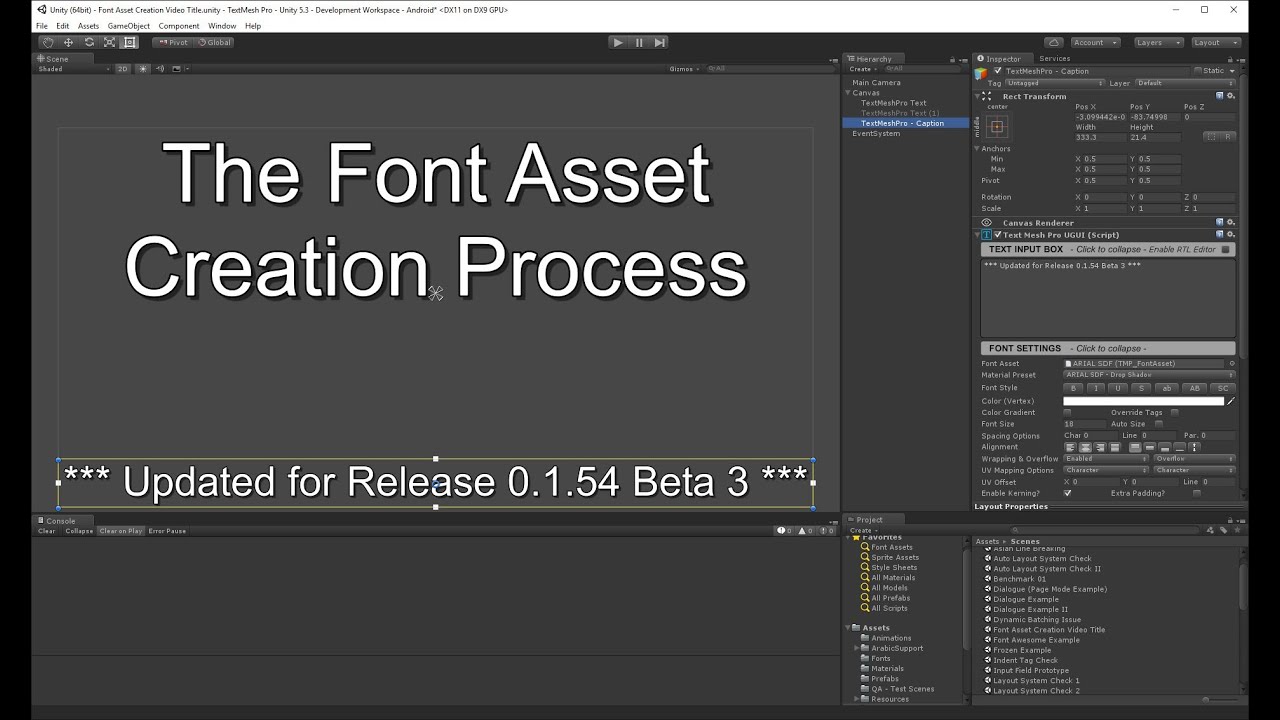
In this updated video, I go over all the options of the TextMesh Pro Font Asset Creator including some of the recently added features which improve the workf...
harsh cradle
Thanks for the reply kPan! After hours of fiddling I’ve got everything in a much better position and it makes a world of difference
night dove
Anyone know why a button would default to highlighted state when the parent canvas group is set uninteractable then interactable again? don't have any navigation enabled in the scene
 rustic cove
Is it feasible to make an original font for unity to use in my game?
It's only numbers but I've never created a font before
 gray wasp
Font forge is easy to pick up if you know the equivalent tools from Photoshop
faint torrent
faint torrent
 azure canyon
Should I be using world space canvase elements for things like these in-game target indicators, or is that the less optimal route compared to a simple textured plane?
sonic garnet
you don't really gain anything from having it in the UI, unless you expect those indicators to be more complex in the future. i'd probably make them planes
 stray rock
Is it possible to use the debugger to see what is causing a UI value to change? I have a button flickering whenever I move a touch off of it and I can't figure out what the cause is. I've looked in all the obvious places.
harsh cradle
Hey gang, I have a little issue that is being caused by, you guessed it, content size fitters and layout groups. Whenever our dialogue system transitions the content size fitter and vertical layout groups trigger and cause this weird expanding/flickering effect. Do you guys think this could be solved by giving it an initial height or some other method?
https://gyazo.com/a3907f0b4a07baf7d8debb3343ce55d9

 mild kernel
Content size fitters and layout groups are so hard to get working right. Such an odd ocombination of trial and error to get it to work. >.<
It's not very performant, but maybe you could try refreshing the canvas after updating it, and before showing it?
https://docs.unity3d.com/ScriptReference/Canvas.ForceUpdateCanvases.html
Or, there's a ForceRebuildLayoutImmediate (or something along those lines)
hollow sleet
Anyone have any personal suggestions for the basics of UI-Design?
https://cdn.discordapp.com/attachments/193863930693550080/610354875548696627/unknown.png
im not happy with my UI and i want to learn why its bad and how I should improve it
 mild kernel
Few things:
-
It's massive. Your text does not have to be that big. Have a look at other games, or even mobile games, and you'll be surprised how small you can get away with.
-
Look up inspiration on things like Pinterest and just general google searches
-
Font. Get something nicer. There's a ton of free ones by https://fonts.google.com/
-
They're white boxes, so they're as lifeless as you can make them. Consider just purchasing a UI pack to get things started (you can always change it later) https://graphicriver.net/game-assets/user-interfaces
 valid meadow
In Unity UI, is it recommended to just keep all possible UI in the scene at all times and just enable/disable as needed?
We have a ton of UI and it's all in the scene at runtime, just turned off.
Is this recommended?
Tag me if you know
 steep dragon
Is it possible to get the usual unity gui working using a Sprite cursor instead of the normal one?
I have a cursor Sprite which is controlled by a stick on my controller, would it be possible to fake the events the mouse would do on the gui? I'm looking for (mouseover, click and release) events.
I wish I could explain better
placid mason
@steep dragon is this something similar to what you mean ?
https://forum.unity.com/threads/solved-virtual-mouse-cursor-that-triggers-ui-events.396937/

Unity Forum
[Solved: Here's the code to create a virtual mouse cursor that triggers UI events.]
Is it possible to create a virtual mouse cursor (as a UI element...
steep dragon
yes. However the solution is so outdated that unity doesn't include the docs referenced anymore
even searching for it on google is pointing me to the error page
placid mason
( Assuming you were looking for the StandaloneInputModule docs in the screenshot above ☝ )
The person who asked the question made a modified version of StandaloneInputModule, i didn't check it out before so i wouldn't know if it works
https://github.com/AmyDentata/VirtualInputModule

GitHub
A modified StandaloneInputModule that is driven by a virtual mouse cursor. - AmyDentata/VirtualInputModule
spark breach
You could possibly trigger the IPointer* events manually
 echo ore
Hello, I was searching on google for a solution about this but couldn't find anything, and I was wondering if someone else got into the same issue.
There is a function on UI.Image.SetNativeSize(), but it is actually ignoring the MaxSize defined on the import settings and using the real original size of the image.
Is there a way to set the image to the import size and not the real native size?
steep dragon
the important thing to note is actually the ppu not whatevers down there
if your sprite is 256 pixels big you would want to use a ppu of 256
otherwise the sprite will be bigger or smaller than you want it to be
echo ore
The thing here is that we get the assets higher than what we need so we can resize in unity.
So we get an asset in like 1024x1024, and then scale down to 256x256 since it is easier to scale down than to scale up.
and then we use the UI.Image.SetNativeSize() to have the image on the UI to the size it should be, but it actually sets it to 1024x1024 on the UI
steep dragon
i'm wrong actually
steep dragon
I'm too tired sorry good luck
echo ore
Its fine! Thanks for the effort anyways!
 round steeple
qq: is there a way to get the position of a raycasted pointer cursor on a world space UI Image, and translate that to the local position on the UI Image?
(using VRTK_UIPointer for the pointer raycast)
 wooden gale
How do I make a popup only appear once
so like a bug report popup
I want it to appear once and then they close it and it wont popup until I update the game
This help would be highly appreciated.
wooden gale
Sort of like a what's new tab
sonic garnet
one way to do it would be to:
have a value representing the current version of the content within the popup. (datetime, program version, just a number you increment, that's up to you)
When when the player closes the popup, store the current version of the popup as their last read version of the popup.
When you update your contents, change that version to represent it. Use that difference to decide whether or not to show this popup
 grim grotto
Cross-posted in shaders and mobile: Can anyone here talk about the cost of SpriteRenderers? I'm creating a mobile VR title where every draw call counts and I'm currently using spriterenderers to build the UI. My UI elements are for the most part not atlased as of now. What's correct protocol for managing this? Is this a bad idea?
random escarp
@grim grotto In general you want to pack all assets that draw on a particular canvas to optimize the number of draw calls, if they can't be packed into a single canvas you break them up into multiple
you also want to limit actual x,y,z movement on a canvas (as well as other things) that set the canvas to dirty because when you change the size of 1 element all other elements have to get redrawn
beyond that you probably want to experiment with the overdraw mode in the scene/game view to see how much transparency is being rendered ontop of one another as that can create some very dramatic slowdowns even with basic 2d games.
Unitys got a new section up on their website on how to figure out if your app is GPU/CPU bound and with 2018.3+ the tools available make it easy to figure out.
Oh also use anchors on your canvases instead of that auto layout crap
The layout groups take up a ton of performance to do their jobs
grim grotto
That's fantastic information, thank you,
hollow sleet
Not sure if it should go in here or code, but with teshmeshpro, how should I make the text dynamiclly smaller when it overflows? or better yet, teach a man to fish moment if you had a decent overall guide / documentation of practical TMP tips for me
random escarp
I don't know if it's specific to TMP but you should be able to define a draw area and have the mesh draw in it
frosty pewter
@hollow sleet just tick the Auto Size tickbox
hollow sleet
💯
 novel bluff
How do i make pixel stuff scale in ui? Like if i have a image that is 10x10, how can i make it look crisp in a 1920x1080 game?
this is a 10x40 imagee but its very blurry when i scaled it up
ooh all i had to do is change the filter mode to point
 patent jay
When I change resolution, Panel scaling seems to go off of pixels, how do I standardize?
 golden parcel
Change uim canvas settings. There should be option to width match height, shrink, expand or something
 daring oracle
Using text mesh pro 3d text, the text is overlayed on top of everything
is this normal?
this is my gameobject
I mean I guess it's because the render queue is 3000
 stuck grove
How to make my UI fit on most resolutions?
 elfin smelt
Set positions using anchors


 gilded path
Is it set to additive in the shader?
 astral torrent
@stuck grove using Anchors with the Canvas Scaler is one way. https://docs.unity3d.com/Manual/HOWTO-UIMultiResolution.html I personally like NGUI, and i'm able to do what I want much easier and better. I keep hearing Unity plans to get rid of UGUI or revise. Now being a UX/UI designer, I personally always hated UGUI, since doing some of the basic things are time consuming and annoying in Unity. Hence why I use NGUI for years now. You also can use a nice combo of both if you wanted. But to get the basics use Anchors and Canvas scaler.
strong sable
I'm developing a game that uses a lot of like "flash cards", and I have them in a Resources folder and load them programmatically, however, I've read it's a bad practice, is it much better to load the objects into a public variable in a GameObject? I think it's what's bloating my builds too :/
 placid forge
hi anyone know how to make the dropdown list bigger?
random escarp
@strong sable I mean if it's just flash cards why not make them all scriptable objects? You replace one scriptable object another on the fly and change the text mesh pro text... call it a day.
It's really not too much different from the GUI skinning talk they did with scriptable objects at I think it was 2017 unite
you could even switch text mesh pro fonts if you wanted
Most of the loading stuff I've seen for C# and Unity has a ton of string garbage generated as it parses stuff... store it in a native unity format and avoid all that mess
placid mason
@gilded path not sure, how do i check it ?
strong sable
@random escarp I should've mentioned they're images and not textual, my bad..
golden parcel
how to fix that. I don't want to those colors to blend
random escarp
@strong sable you can still use scriptable objects to ref the images on disk
one sprite to rule them all
spriterenderer.image = nextscriptableOjbects.image
strong sable
I moved them to streaming assets and reference them from there but the build size remained the same, so i'm not sure it has to do with them being on resources, do you think it might still be that?
random escarp
Any asset you have to physically load is going to take time to load
strong sable
also, a windows build size is not necessarily the same as an android one right? There's more compression going in there and whatnot
random escarp
file IO is the slowest thing you can do on a computer
add in string parsing or what ever else it is you are using it's going to make it slower
A SO just contains a reference to the object on disk it should in theory be dramatically faster
If you are concerned about build size. yea that's always going to be a problem unless you compress the assets with something like 7zip or the like
but doing so means you need to uncompress them on read
strong sable
I'll take a look at SO then, thanks for the help! 🙂
gilded path
@placid mason check what?
placid mason
@gilded path if the shader is using additive operation ?
gilded path
Um, look at the material on the object and see which shader it is using
placid forge
anyone know how to scale the dropdown in Unity?
 long wave
edit the template in a dropdown @placid forge
 deep scaffold
I am trying to fit this text to my box so any part of the text that is outside this rectangle should get removed, how can I accomplish this?
placid forge
@long wave i figured out how to scale the font but i cna't figure out how to make the drop down longer
long wave
change the template
placid forge
how?
do i get a different graphic from the unity store?
long wave