
#📲┃ui-ux
1 messages · Page 17 of 1
 deft vigil
 honest saffron
it does look perfect, im only talking about everything that isnt the background btw
whats the screen bounds tho?
like in game view with different resolution
can u show that
did u make background envelope parent btw? cause thats how u fix that i think
and anchor stretch to parent size if that still doesnt fix it
deft vigil
honest saffron
it does look perfect, im only talking about everything that isnt the background ...
Where do I found that sorry?
honest saffron
deft vigil
Where do I found that sorry?
show in game view?
deft vigil
honest saffron
did u make background envelope parent btw? cause thats how u fix that i think
yeah the background is fine


this?
honest saffron
deft vigil
wait the blocks never move right if the ball moves? i didnt realize that
in that case shouldnt u anchor everything to middle and have entire canvas as 'width controls height'?
and remove aspect ratio fitter from everything except the canvas?
what does that look like in game view?
deft vigil

 honest saffron
well damn
honest saffron
deft vigil
 low pike
It IS terrible for performance.
And "easily" solved depends on the complexity of the UI.
Regardless, UI isn't for gameplay, that's what the 2D is for
deft vigil
low pike
It _IS_ terrible for performance.
And "easily" solved depends on the complexity...
i switched to ui from sprites for the reason that sprites cant scale with screen but i would have been doing something wrong
low pike
They can, it's just not automatically done
 rain marten
So if I have a scene where my UI buttons suddenly no longer can be clicked on or interacted with what are the likely causes of this issue? I do have an EventSystem and it's enabled
If I set one of the buttons to selected by default in the event system i can deselect it by clicking but cannot reselect it
and no onCLick methods fire
 mortal robin
rain marten
So if I have a scene where my UI buttons suddenly no longer can be clicked on or...
mortal robin
rain marten
So if I have a scene where my UI buttons suddenly no longer can be clicked on or...
Does your event system have an input module?
Does your canvas have a Graphic Raycaster?
rain marten
mortal robin
Does your event system have an input module?
Does your canvas have a Graphic Ray...
yes (Input System UI Input Module) and yes
mortal robin
rain marten
yes (Input System UI Input Module) and yes
Check the event system preview window at runtime. Possibly you have a UI element blocking the others
rain marten
the preview window matches what i see. it starts off on the default selection until i click, at which point it is unselected and nothing can be selected again
doesn't matter where i click, it can be on or off the button, same thing happens
it's a simple scene too

the Lobby Buttons object runs this:
[SerializeField] private Button backButton;
public Button readyButton;
private void Awake()
{
backButton.onClick.AddListener(MultiplayerManager.Instance.ReturnToMenu);
readyButton.onClick.AddListener(MultiplayerManager.Instance.ReadyUp);
}```
and is linked correctly to the buttons in the editor kindred stag
Is there some built in method to determine whether or not a child RectTransform is larger than the bounds of its parent's RectTransform?
...and the child is using a Content Size Fitter by the way.
 frank shadow
Anyone know why when i scale up the size of my screen all my gameobjects scale up with it but my text my buttons any canvas element doesnt scale up in size and doesnt move to the correct position of the scaled up screen
 sterile wedge
frank shadow
Anyone know why when i scale up the size of my screen all my gameobjects scale u...
sterile wedge
frank shadow
Anyone know why when i scale up the size of my screen all my gameobjects scale u...

This tutorial/guide will show you how to resize your Unity UI canvas, GameObjects, text, button and images. You will learn:
- How to fix Unity UI for every resolution
- How to adapt UI for mobile devices
- How to change Unity UI canvas scaling
💜 Join our Discord: https://discord.gg/hNnZRnqf4s
Timestamps:
0:00 - Intro
0:20 - Fixing main UI
3:23...
because it's based on your canvas scaler
 tawdry ferry
Is there any way to access TMP_Dropdown's option by its index? So that I can set its value to ^1 and make last option's height 0, so that I'll be invisible. This way "no option'll be selected".
 nimble silo
quick question
in my 3d project i wanna have a 2d main menu, like a 2d scene. is that somehow possible or do i have to create it in a scene in 3d view?
mortal robin
nimble silo
in my 3d project i wanna have a 2d main menu, like a 2d scene. is that somehow p...
There's no difference between a 2d project and a 3d project
You can do whatever you want
honest saffron
deft vigil
are u sure u set anchors to middle and removed the aspect ratio fitter component from everything except the canvas here?
honest saffron
low pike
It _IS_ terrible for performance.
And "easily" solved depends on the complexity...
so making stacklands for example entirely in the ui is bad? its been done and there have been no problems. and its more convenient to do it in the ui due to eventsystems
whats bad about it?
nimble silo
mortal robin
You can do whatever you want
ok cool 😄
thanks!
honest saffron
@low pike i dont understand, is the canvas updating thing the reason its bad? or are there any other reasons? and how bad is stacklands made entirely within ui? im genuinely curious
tawdry ferry
When I change TMP_Dropdown's Content's size manually, all its items are dragged to the top. I want them to be dragged to the bottom, so that lowest items will dissappear when decreasing its size, not highest.
How do I do that? In the editor or in the script?
 mortal robin
tawdry ferry
When I change `TMP_Dropdown`'s `Content`'s size manually, all its items are drag...
mortal robin
tawdry ferry
When I change `TMP_Dropdown`'s `Content`'s size manually, all its items are drag...
Change the pivot on the Content rect transform
honest saffron
if u put literally everything on a separate canvas, is the issue is eliminated completely?
the issue where canvas is refreshing everything when something is changed
tawdry ferry
mortal robin
Change the pivot on the Content rect transform
It's (0.5, 1) right now, what should it be?
mortal robin
tawdry ferry
It's `(0.5, 1)` right now, what should it be?
Change y to 0
tawdry ferry
mortal robin
Change y to 0
it's (0.5, 0) now, still the same behavior
(1, 1) also doesn't work
(0, 0) and (0.5, 0.5) don't work too.
frank shadow
sterile wedge
https://www.youtube.com/watch?v=QnT-2KxVvyk
Ive been struggling with this problem for so long and it was this simple 😅 thanks 👍
 short gale
Made a healthbar using Brackeys' video. (https://www.youtube.com/watch?v=BLfNP4Sc_iA) Trying to tween the UI so I can get a smooth effect. it's a slider and when I call the TakeDamage(); function, the slider works and everything works as it should. I just want to be able to make it smooth as it decreases. If anyone can help me, It would make me very happy. thanks

Let's create a simple health bar using the Unity UI-system!
Get up to 91% OFF yearly Hostinger Plans: https://hostinger.com/brackeys/
Code: "BRACKEYS"
● Brackeys Game Jam: https://itch.io/jam/brackeys-3
● Project Files: https://github.com/Brackeys/Health-Bar
···················································································...
kindred stag
I'm looking for a way to find out if a child's RectTransform is larger than (extends outside of) it's parent's RectTransform.
The specific scenario is that I have text that will scroll itself. However, I don't want it to scroll, if it doesn't need to. It should only scroll if the child's Content Size Fitter has made its RectTransform so large, that it extends outside of the parent (who has a Mask).
sterile wedge
short gale
Made a healthbar using Brackeys' video. (https://www.youtube.com/watch?v=BLfNP4S...
You can look into coroutines, or lerp
This seems like a better tutorial
https://youtu.be/cR8jP8OGbhM?si=TCHXWtDsS5FATbhp
You shouldn't use sliders for health bars. An image will do
This is also useful
https://gamedevbeginner.com/the-right-way-to-lerp-in-unity-with-examples/
kindred stag
sterile wedge
You can look into coroutines, or lerp
I'm not sure what you mean by "You shouldn't use sliders for health bars. An image will do"
Brackeys tutorial does use an image. He simply uses the Slider component to control the image.
His tutorial is perfectly fine. However, I do agree there is a better way. You can simply set the Fill Image's Image Type to Filled, and control that value via code (instead of the Slider's value).
sterile wedge
kindred stag
I'm not sure what you mean by "You shouldn't use sliders for health bars. An ima...
Yes that's what I mean exactly by using an Image instead of a slider. I should have said "just an image will do"
Not using the slider component
sterile wedge
kindred stag
I'm looking for a way to find out if a child's RectTransform is larger than (ext...
Does using the recttransform sizeDelta not work?
kindred stag
sterile wedge
Does using the recttransform sizeDelta not work?
I can't say whether it does or doesn't for sure, but that's unnecessary work. The Image component already has a way to implement this with just 1 line of code.
//Example if player has 50% health remaining.
imageComponent.fillAmount = 0.5f;
And you just set it to fill Horizontally starting from the Left.
sterile wedge
kindred stag
I can't say whether it does or doesn't for sure, but that's unnecessary work. Th...
I was referring to your problem
I understand how using the image fill amount works. Thank you
kindred stag
sterile wedge
I was referring to your problem
OH! Sorry... Thanks for trying to help! 😅 From what I've read on the topic already, using .sizeDelta doesn't work, when it comes to parent and child. To use .sizeDelta both RectTransform have to have the same parent. Again, that's just what I've read. I've also read that .sizeDelta won't work if both RT's don't have the same anchor, and in my use case, they don't.
sterile wedge
Is there a scroll Rect being used?
For scrolling the text
I'm wondering if you could just use scroll Rect, since it won't scroll if the child size isn't larger than parent.
kindred stag
Nah. I'm doing it via code (mainly because I clone the text object and place it at the end of the original text object)...it creates a looping effect. Like a news ticker. It's a scrolling marquee.
I don't mind sharing the code... It's nothing proprietary. 😅
 snow junco
What's the status of ui toolkit / builder? and the uxml/uss? It looks interesting, especially coming from a web background, back there's still little resources. I wonder how to deal with multiple menus (there's some comment in one of the demo projects that it's recommended to have a single panel renderer?)
How do you deal with "first selected" to make sure menus work fine on consoles?
low pike
 old bane
Hey guys, I have an issue selecting a few buttons on the right hand of the screen after I has built out my application. In the editor everything worked fine, but in build, the issue started to show.
To me it seems to be an issue related to the resolution, but I am unclear as to what is causing the click area to appear shifted. This issue is also more noticeable when the width is longer than the height. So i built this grid of buttons to demonstrate this issue even more clearly, which is in the attached video.
If anyone has an idea as to what is causing this issue, please let me know. Any potential fixes are welcomed too. Many Thanks.
honest saffron
low pike
It _IS_ terrible for performance.
And "easily" solved depends on the complexity...
can u elaborate on how its terrible?
 meager stream
 brittle heath
The panel on the left and the right both contain scroll rect parents in pretty much the exact same hierarchy, same settings too

The buttons both click and let me drag on the left, but on the right it just clicks. Anyone know what could be the problem?
mortal robin
brittle heath
The panel on the left and the right both contain scroll rect parents in pretty m...
wdym by "let me drag"?
brittle heath
mortal robin
wdym by "let me drag"?
I have no scrollbar, I'm trying to scroll down by clicking on the panel (which means also clicking on the buttons), and then dragging my mouse
Works for the left panel, but not the right
Found this Drag Threshold variable which is seemingly related, but changing it only seems to have affected the left panel
 mortal robin
brittle heath
I have no scrollbar, I'm trying to scroll down by clicking on the panel (which m...
mortal robin
brittle heath
I have no scrollbar, I'm trying to scroll down by clicking on the panel (which m...
That means you have a scroll rect on the left
Oh sorry oyu said that
what are the scroll rect settings and what are the settings on the things inside including the viewports etc
Possibly related to the things ont he right being buttons too
 tidal burrow
So I set up a button which change the resolution, 2 buttons actually, they will loop all avaliable resolutions, the resolution changes immediately I press.

But for some reason, It took 2 press to change the resolution again.
mortal robin
tidal burrow
So I set up a button which change the resolution, 2 buttons actually, they will ...
sounds like a code error
 mortal robin
/shrug you'd have to show the code
tidal burrow
Maybe later, currently in a lecture
 turbid garden
Whenever I use the TMP_Dropdown, The first option never works. Any Idea why?
mortal robin
turbid garden
Whenever I use the TMP_Dropdown, The first option never works. Any Idea why?
wdym by "the first option never works"?
turbid garden
I've noticed this anytime I've used it, I've had to settle with the first option being Pick this then my generated options through scripts. However what im doing now that wont really work and its finally got me think what am I doing wrong here.
For Example.
Right now I'm populating with Classes that can be choosen.
Option 2 -5 work flawlessly
option 1 No on click reponse unless you click to another option and back to Option one
Its like since it Defualt on the first option it never registers a click response.
mortal robin
turbid garden
I've noticed this anytime I've used it, I've had to settle with the first option...
you'd have to show your code
and how the dropdown is set up in the inspector
brittle heath
mortal robin
what are the scroll rect settings and what are the settings on the things inside...


Inspector image on left was for the EmployeeList, on right was for the OptionsScroll


Content has a grid layout group component, ScrollContent does not.
mortal robin
brittle heath
Inspector image on left was for the EmployeeList, on right was for the OptionsSc...
might have sometjhing to do with that extra layer of hierarchy there
is there another layout group on Content under ScrollContent?
brittle heath
Yes
brittle heath
Figured it out, these specific buttons all have an eventtrigger component attached, removing it fixes it. But, still need the functionality from that, so I don't know what to do lol
brittle heath
brittle heath
Figured it out, these specific buttons all have an eventtrigger component attach...
Fully fixed it by just implementing the event system in the actual existing script rather than having it be part of the component, probably should've been doing it like this anyway but I didn't realize it'd be a decision that'd steal multiple hours of my life lol
 mortal robin
brittle heath
Fully fixed it by just implementing the event system in the actual existing scri...
mortal robin
brittle heath
Fully fixed it by just implementing the event system in the actual existing scri...
Ah yeah EventTrigger eats all of the event system events
i.e. it was eating the OnDrag
brittle heath
 lesson learned lol
tidal burrow
For some reason, I build the game, the array id need to be doubled to get some result (ignore the chinese characters I am chinese dev :3)

I set the 10 make the resolution become 1360*768, but in the build version it requires 20
 sonic frost
Hey, I'm having trouble with TextMeshPro and arabic symbols (or maybe just font asset creation in general). I'm using NotoSansArabic.ttf. I generated the Font Asset Atlas using these Unicode ranges (based on this Wikipedia article )
20-21,31,35-36,61F,621,623,625-639,641-64B,64E,0600-06FF,0750-077F,0870-089F,08A0-08FF,FB50-FDFF,FE70-FEFF,10EC0-10EFF
Whenever I paste the text from arabic_text.txt into a TMPRO text field, it spits out errors about not being able to find characters uFBFD, uFED6, uFEFC and so on. I've checked the original font, and those characters are, in fact, present. Those characters also fall into the range given above. The Characters missing from font file list in Glyph Report.txt do not include these characters. And yet the characters are still not found and show up as squares. Any clue or hint as to what could be the problem?
My original project is on version 2021.3.16f1, but I made a quick demo project to double check and it's reproducable in 2022.3.4f1


 frank shadow
The grey thing behind my start button is a panel i want it to act as a background to it the problem is that you can see the platforms through the panel any way to make it so that any game object behind the panel is invisible
 sterile wedge
frank shadow
The grey thing behind my start button is a panel i want it to act as a backgroun...
sterile wedge
frank shadow
The grey thing behind my start button is a panel i want it to act as a backgroun...
Show the inspector of this panel
And are the GameObjects in the background SpriteRenderer or Image
 wet hollow
Hello, i have a HUD on a canvas that overlays my "real" 3d world. I want to give this HUD a screen-like flicker effect to make it feel like an actual HUD.
I tought i would write a fragment shader, but im not sure where to connect it.
Google tells me how to add a shader to a material, but i want to apply the shader to the whole canvas after it was rendered.
Can someone point me in the right direction?
 outer widget
Is it possible to do something similar to this picture but inside a Unity TextMeshPro Text Component ? I have a similar photo added between text segments like this : <size=95%><space=12.5em><sprite="mural" index=0></size> . I would like the picture to be bigger and to be able to be slided left and right so the user can see it completely.
 mortal robin
outer widget
Is it possible to do something similar to this picture but inside a Unity TextMe...
mortal robin
outer widget
Is it possible to do something similar to this picture but inside a Unity TextMe...
You can add sprites inline but little control over them otherwise:
https://docs.unity3d.com/Packages/com.unity.textmeshpro@3.2/manual/RichTextSprite.html
probably best to build it as a real UI - separate image component etc
you definitely won't get a scrollbar
 old girder
hey friends so I made a canvas and entered a "knob" icon inside so I can replicate joystick controls on-screen, but whenever I change the game window a bit, the knob icon also changes, how can I lock it to always be on the same position?
mortal robin
old girder
hey friends so I made a canvas and entered a "knob" icon inside so I can replica...
sounds like a basic UI anchoring problem.
https://docs.unity3d.com/Packages/com.unity.ugui@1.0/manual/UIBasicLayout.html
old girder
so my canvas is supposed to change sizes all the time?
I can see it change on the scene window
frank shadow
sterile wedge
Show the inspector of this panel
 frank shadow
sterile wedge
And are the GameObjects in the background SpriteRenderer or Image
frank shadow
sterile wedge
And are the GameObjects in the background SpriteRenderer or Image
SpriteRenderer
mortal robin
old girder
so my canvas is supposed to change sizes all the time?
the canvas is always the size of the game window
if/when you change the size of the game window, the canvas will change with it
sterile wedge
frank shadow
Just set the alpha of the image to max? It looks half
That's why it's see through
If you want grey, then set it to grey, not a translucent black
 sharp furnace
If I define a popup field like this, how do I reduce the space between "Denosier" and "ASVGF"?


just setting.width cuts off the right side instead of shrinking it
frank shadow
sterile wedge
Just set the alpha of the image to max? It looks half
Ah thanks it worked
kindred stag
sterile wedge
Does using the recttransform sizeDelta not work?
It looks like the information I got about using sizeDelta between parent and child with different anchors was wrong. It worked out. Thanks.
sterile wedge
kindred stag
It looks like the information I got about using sizeDelta between parent and chi...
Hey, glad you figured it out
 shut escarp
am i doing this right for tabbed pages? trying to do something like this atm, but im struggling to do so without somehow using multiple masks

so far ive got this, but im struggling to find how i add in the tabs now

ive already got a mask to cut off the top bit, so when i try to use another mask to then only include the tab portion it doesnt work
shut escarp
alright i got a weird janky solution, i duplicated the background mask (to cut off the top portion and keep the gradient), and had a separate background specifically only to mask from a tab and got it working
then when i want to switch tabs i just switch which tab mask the background is a child of
sorta like this

the 2 background gameobjects are the exact same image (top one is for masking of the background, bottom one is the one that gets reassigned based on which tab is selected)
outer widget
mortal robin
probably best to build it as a real UI - separate image component etc
you defini...
Thank you !
 supple vale
is there any extension for vs-code / vs for UI toolkit to write USS better?
old bane
old bane
Hey guys, I have an issue selecting a few buttons on the right hand of the scree...
Anyone?
frank shadow
on the left is what my game is supposed to look like then when i build and run it it looks all distorted and my character just keeps on constantly dying(i put a perimeter around the camera (if the camera doesnt change in sizes) that would kill my caracter if he went there but i guess he is constantly touching the perimeter since everything is distorted) why the heck does it do this ? I made sure to change the screen sizes in the player settings before building and running but im almost 100 percent sure that changes nothing.. how do i fix this ?

 low pike
Have you set the window size in the player settings to the same as the editor?
 frank shadow
I did my resolution is 9 by 16 and i did 1080 by 1920 (width by height) but then i realized that it was too thick which made no sense so i lowered the width to 720 still no difference then all the way down to 100 and it still had the same width as 1080
low pike
building fresh? Or over the top of a previous build?
frank shadow
low pike
building fresh? Or over the top of a previous build?
I dont know? i guess over the top of a previous build
low pike
You don't know if you delete the previous build and build into an empty folder?
frank shadow
oh then over the top of the previous one
frank shadow
low pike
Building over a previous one doesn't always refresh everything
okay i built fresh at a 720 width size and i still got the same width and my game objects arent aligned
Is there any other setting that could be messing up the final screen resolution?
Image
 low pike
No more ideas
 glass star
how do I select a button without it clicking immediately
eventSystem.SetSelectedGameObject(next, new BaseEventData(eventSystem)); this appears to click the button, when I just want to select it and "click" it with space
mortal robin
glass star
how do I select a button without it clicking immediately
You don't need the second parameter
glass star
thanks, but unrelated to the question
mortal robin
glass star
thanks, but unrelated to the question
It might be related
Did you try it?
glass star
I just checked and it did not help
mortal robin
Selecting it won't click it normally
So something else is going on here
Perhaps you are using OnSelect instead of OnClick by accident or something
glass star
could the button, after being selected, react to a key release (tab in this case)
mortal robin
Possibly... what key do you have set as the submit key?
In your input module
Also are you just trying to set up navigation? Navigation is built into the event system
glass star
this project is not using the inputSystem package
mortal robin
I never said it was
glass star
yeah, tab navigation

Unity Forum
Thanks for posting this code folks, I can confirm it works for InputField navigation in WebGL builds (5.2.2).
This is the version I am using, it is...
mortal robin
And I didn't ask anything to do with the input system
glass star
similar to this solution
if this can be solved within unity without additional code that would be preferable
project settings has submit as enter, return or space
mortal robin
Perhaps you have a stray input device with one of those buttons held or something
glass star
someone suggested disabling the event system while selecting the button but even that does not help
oh
theres a onEndEdit handler on the previous text field
the selectzable order is determined by unity, right?
can you adjust it?
I have username, password, login in that order from top to bottom
loginbutton has no selectable in the down direction, instead its up goes back to username for some reason even though the next up would be back to password
ah, that is the explicit option
 marsh wraith
I'm making a main menu but I can't figure out how to make it show?


 kind storm
heey, does anyone knows how could i do this image to have the same size in all screens?

 mortal robin
marsh wraith
I'm making a main menu but I can't figure out how to make it show?
mortal robin
marsh wraith
I'm making a main menu but I can't figure out how to make it show?
Open the scene window.
Select the rect rool
Click your canvas in the hierarchy
Press F
Arrange your UI based on the canvas
Your UI actually is visible in your second screenshot.
Very tiny, bottom left
mortal robin
kind storm
heey, does anyone knows how could i do this image to have the same size in all s...
Change canvas scaler settings
 mortal robin
scale with screen size is what you want
but "same size in all screens" is vague
it's unclear if you mean "same number of pixels", "same portion of the screen size", or "same physical size"
all of those are different

 rapid ferry
How to make this thing, use it's child's height without layout group?


I always do a vertical/horizontal layout group for them even though there's just one item and i feel like it's getting nasty
sterile wedge
rapid ferry
I always do a vertical/horizontal layout group for them even though there's just...
I'm not sure there's a way without layout group but that page would list most of the possible ways to make an object expand
rapid ferry
sterile wedge
Check out this page
https://docs.unity3d.com/Packages/com.unity.ugui@1.0/manual/...
yea, that link just used a horizontal layout group as well, ig no other way to do it that manual and layout groups
deft vigil
Is it possible to recreate the transform tool but at runtime? I want a sort of photo editor where I can add text and move, scale, and rotate it.

I want to imitate this diagonal scaling and I’m just wondering if there’s any sources that I could be directed to. Cheers!
I’ve looked a bit at code and just methods that could help and I can’t seem to get it to work using the dots. I tried a method before with multi touches and checking there distance which worked but I want to add on that
 fickle torrent
Hi, I'm making an application which uses Indian language texts which have diacritics and ligatures
According to what I found on the internet, diacritics and ligatures use GPOS and GSUB tables which aren't supported by Unity
Unity Forum
Hi folks,
We want to share with you an update about the future of our Text technologies.
First of all, @Stephan_B has transitioned to a new role at...
According to this blog post though, they should be supported in the latest preview versions of TMP
I've tried installing that, and it still doesn't display properly
I've used Hindi and Telugu text so far and diacritics display incorrectly
There isn't much documentation on this either, the docs haven't updated that Kernel Pairing is replaced with Font Features in 4.0.0-pre.2
anyone know a fix?
 upper raft
Hello. Im painting my own sprite (main character, gameobject). Any easy way to create a spritesheet, or would i have to paint them all manually and create a spritesheet from that?
 soft sail
Unity has sprite atlas support, but you'll need your own painting software to paint them
 nova silo
Mornin' all. Could anyone give me an idea of what I'm doing wrong with assigning a material to a UI Image please? This is something that I've never been able to get working and just made do, but now I kinda need it. Created a very simple shader (hdrp shadergraph), but it's just being weird.
 mortal robin
nova silo
Mornin' all. Could anyone give me an idea of what I'm doing wrong with assignin...
mortal robin
nova silo
Mornin' all. Could anyone give me an idea of what I'm doing wrong with assignin...
The shader needs to have explicitly been made for the UI
nova silo
Ah okay. Which 'option' do I use for shadergraph?
mortal robin
nova silo
Ah okay. Which 'option' do I use for shadergraph?
Seems like a pretty bleeding edge feature
nova silo
Ah cool thanks. I did go looking but couldn't find anything relevant.
ah crap, tis only for 2023. I'm on 2022. 😦
Okay tbh, I'm really confused now.....................because this..........

A quick run through of setting up the new node based shader system and now to create an unlit UI image shader
The guys audio is terrible, but he makes a shader graph shader and applies it. lol.
mortal robin
nova silo
The guys audio is terrible, but he makes a shader graph shader and applies it. ...
He's using LWRP
You're using HDRP
(LWRP was renamed to URP)
nova silo
ah, yeah. Sorry. Been trying this for a while so a bit cabbaged. lol.
 sterile wedge
kind storm
Does anyone knows why this TMP text is like blur?
sterile wedge
kind storm
Does anyone knows why this TMP text is like blur?
show the inspector of your tmp text object?
kind storm
and when you scroll on it it makes clear
 kind storm
sterile wedge
show the inspector of your tmp text object?
kind storm
sterile wedge
show the inspector of your tmp text object?
Ok
 sterile wedge
how does it look in game view
 sterile wedge
looks fine? i think you shouldnt bother with how it looks in scene view
game view is how it'll be seen
if you zoomed in on something, it probably will affect quality
but i found this thread, idk if it's relevant
https://forum.unity.com/threads/text-appears-different-in-scene-and-game.500370/
kind storm
sterile wedge
looks fine? i think you shouldnt bother with how it looks in scene view
Yeah, but i don't know what i've touched and i'm brokening my head... a few days ago it looked good
but thanks for your help
 tough tide
why I can put a text in this box in the inspector ?
the way I declare the text :
public Text Amo;
Wrong type
tough tide
ah ok
mortal robin
you used UnityEngine.UI.Text in your script
The text object you created is a TMPro.TextMeshProUGUI
change your script to use TMPro.TMP_Text or TMPro.TextMeshProUGUI
tough tide
mortal robin
change your script to use `TMPro.TMP_Text` or `TMPro.TextMeshProUGUI`
can i use both
using UnityEngine.UI;
and
using TMPro.TMP_Text;
?
tough tide
ok thx
tough tide
mortal robin
and yeah why not?
I don't really know 😅
maybe their could have issue or something like that XD
tough tide
mortal robin
it would just be `using TMPro;`
I put using TMPro; in my code but it still dont work. Do I have to change this line ? public Text Amo; ?
mortal robin
tough tide
I put `using TMPro;` in my code but it still dont work. Do I have to change this...
yes
as I said you have to change the type of that variable
mortal robin
mortal robin
change your script to use `TMPro.TMP_Text` or `TMPro.TextMeshProUGUI`
like this
tough tide
ah ok
frank shadow
my ui elements react well to screen changes but not my gameobjects, how do i fix this?

 mortal robin
frank shadow
my ui elements react well to screen changes but not my gameobjects, how do i fix...
mortal robin
frank shadow
my ui elements react well to screen changes but not my gameobjects, how do i fix...
you'd have to adjust the zoom level (orthographic height) of your camera depending on the screen aspect ratio
frank shadow
mortal robin
you'd have to adjust the zoom level (orthographic height) of your camera dependi...
id do that with code ? (i use cinemachine btw)
mortal robin
yes
 analog plinth
I want a background image to scale with the height of a Vertical Grid Layout. I tried making it a child of the layout, and Ignoring the layout which doesnt quite work, it isn't snapping the height to match the amount of items in the Grid

if I remove items from the grid, the height doesn't change
I'm using a Rect Mask 2D
mortal robin
analog plinth
I want a background image to scale with the height of a Vertical Grid Layout. I ...
it should be a parent of the grid and have a ContentSizeFitter.
The Vertical Grid Layout should also have a ContentSizeFitter
(ignore the warnings it gives)
or I guess it could be a child of the grid with ignore layout and then full expand
analog plinth
mortal robin
or I guess it could be a child of the grid with ignore layout and then full expa...
this one is working, the other is being finicky i'm sure i've just got the settings wrong. for the second way, is there an easy way to add padding around it?
 mortal robin
analog plinth
this one is working, the other is being finicky i'm sure i've just got the setti...
mortal robin
analog plinth
this one is working, the other is being finicky i'm sure i've just got the setti...
yep just in the rectTransform settings
analog plinth
I've managed to make a very unorganized setup for my character objects. The player is composed of sprites and thus not part of the UI, but sits inside a Canvas that uses Camera Space... and as a child of this character prefab I have UI components like the HUD that pops up as i was showing above.
I've made a Sorting Layer for this canvas called Character Layer, and somehow now the UI components that are children are nested underneath the sprites? I'm kinda lost as to how I made this happen.
As you can see in the image, the popup UI is behind the character. Any ideas how I might fix this? Lol
 kind storm
The object selected in the hierarchy is the canvas that contains the blue image from the back, how could i move it to the front?

cause there are more canvas... but the blue one i want it to be on the front
mortal robin
kind storm
The object selected in the hierarchy is the canvas that contains the blue image ...
Sort Order on the Canvas component
kind storm
Thankksss
analog plinth
mortal robin
Sort Order on the Canvas component
that actually answered my question too, thanks
Is a better way to setup, to always separate the UI and non-UI into different areas?
Or is it acceptable to put them all in the same Canvas
it seems like I have to add Canvases to these UI children, and then override the ordering in order to get them to show

The sorting layer doesnt appear if these are prefabs either, so then I'm not sure how to fix that for procedurally Instantiated prefabs
(I guess by script is the answer)
mortal robin
Canvases should ONLY contain UI generally except for very rare exceptions
analog plinth
hmm yea
it definitley makes things all weird when you start combining them. issue is, i was learning unity when i started my project, and it's now very large... to refactor everything seprately would prob take a long time. it seems there are workarounds.
even still, I think that having combine UI & non-UI objects in prefabs makes sense in some cases. if you're procedurally instantiating enemies, what would be a better way if you need separate popup UI for each enemy for individual enemy stat information?
maybe i'm thinking about this wrong. You could still have a prefab but inside it have a Canvas for your UI and a separate container for your non-UI?
 storm wharf
Hey, how can I make scroll view contain grid layout(or vertical layout) view that don't have fixed height?
Currently as I add items the container moves up(so the Y axis is at -300px for example instead of being at 0)

I want the content to be stuck to the top left always when new item is added.
Also it doesnt even let me scroll in the first place, even if I make a new empty and add a large image, the scrolling doesnt work as expected.
storm wharf
No matter what I try, I can't make Content resize, because I have a game object that stores other objects inside.
Content -> GameObject -> Images(those determine the content height)
I cant have 2 Content Size Fitter.(1 for scroll rect and 1 for image container)
sterile wedge
storm wharf
Hey, how can I make scroll view contain grid layout(or vertical layout) view tha...
Show the inspector of the content size fitter and layout group
Oh.. you're using grid layout group
Should use vertical layout group
Honestly I don't understand your question though
But a vertical layout group, with the pivot of the layout group recttransform set to 1 for y and 0 for x should do it
Should also probably set the content size fitter to preferred for vertical
storm wharf
Let me explain what I want to do to help.
Scroll view content is going to be a prefab of a "party" which contains list of "Characters"
Player can switch between parties, showing only currently selected party.
Each party might contain various amount of Characters.
I want the scroll view to work with that.
I tried a lot of different things, but there is no easy way other than replacing "Content" game object in a Scroll Rect component at runtime.
Second best option is to have 2 layout groups + 2 content size fitters, but this only works if you manually disable/enable component of the content size fitter so it updates the Height of the content.
Which is not good.
Third option is to not use "Party" container and just hide/show Characters as needed...
Fourth option is to use separate Scroll Views for each party.
@sterile wedge
https://forum.unity.com/threads/layout-group-and-contentsizefitter-in-child.343082/
Even there, this person is using 2x content size fitters with 2 layout groups, but that is not possible afaik, even Unity will show warning that the parent object is already using content size fitter and I already tried that.
https://docs.unity3d.com/Packages/com.unity.ugui@1.0/manual/HOWTO-UIFitContentSize.html
This probably explains it, I will have to try, but its complicated.
storm wharf
So the solution, which is not perfect is to add Layout Element to a "Character" and set minimum width/height.
But this minimum width/height is actually real width/height, since the content doesn't scale it.
I wish there was a way to make it resize the the parent automatically based on the above requirements.
old girder
hey yall I made a health bar thingy and used the rect transform to anchor it to the bottom of my scren and it works fine, but my actual health fill object (doesn't use a sprite, just a color fill) doesn't seem to scale the same way as the sprites do, making it so in different window sizes the health kind of shrinks inside the bar or straight out inflates out the bar's boundries.
I think it's because the sprites have a set aspect ration so they don't stretch badly when the window size changes, but the health bar doesn't have the option to lock a certain size to it so it stretches too much. is there any solution to this other than creating a .png to use as a sprite for the health itself?


 meager quartz
I made symbols for all of the stats and keywords n shit that could appear on item ui

rn its color coded to the rarity of the item
but when theres a lot of symbols near eachother (like on the spiked tower shield) it looks kind of overwhelming? Reckon i should make mana and cooldown be seperate distinct colors regardless of item rarity? Or is there a better solution
mortal robin
old girder
hey yall I made a health bar thingy and used the rect transform to anchor it to ...
Are you not using a UI Image?
soft sail
Looks fine
rapid ferry
how to make an autolayout system that looks like this?

actually, better question is how to determine if a UI object is touching the borders of this panel?
 mystic oracle
Question: Why doesn't reordering an Object in the Hierarchy change how a Mesh is displayed over another? Ex. I'm spawning Damage Text, but I want to make sure the newest attack shows over the old text. I thought maybe changing the order in the Hierarchy would do something but it doesn't.

When I multi-liner hits it just starts looking like crap cause the newest hit won't show above the last. I am changing the Z for these tho. The very bottom text starts at 0 and then each extra line -1

I feel like it would be neigh impossible to keep up with how many are on the screen and changed the Order In Layer. Unless someone can think of something?

 copper abyss
Hello guys im searching with what technologie i will make a projet for a client, i might need to let the user to manipulate data (= showing data in table, and being able to modify or filter it)
I'm worrying about that because i don't really find ressources online, do you think it will be a problem with Unity ? Thank you
 exotic minnow
How do I transition an image from black to invisible? Top down.
sterile wedge
exotic minnow
How do I transition an image from black to invisible? Top down.
You can Google how to fade out a UI image
rapid ferry
exotic minnow
How do I transition an image from black to invisible? Top down.
Easiest approach is to use Canvas Groups and play with alpha
 silver valley
How to make external outline for text mesh pro rather than the internal one
 stone ice
what is some good free apps for making UI elements
 finite granite
hi simple question how do you add a video to say like a cube in unity?
mortal robin
finite granite
hi simple question how do you add a video to say like a cube in unity?
 white solar
What kind of art is this called? Im trying to find references for UI/UX
 mortal robin
white solar
What kind of art is this called? Im trying to find references for UI/UX
mortal robin
white solar
What kind of art is this called? Im trying to find references for UI/UX
Dithering?
 frosty pewter
Halftone is also related if you're looking for more general references outside of computer graphics
kind storm
even this canvas size works with the most devices, is there any way to fix it when i use tablets without changing movile canvas?


It would be a solution to change this value deppending on the screen size?

 somber walrus
Hey so I’m trying to make a mobile game and everything looks fine on the computer but when I play on my phone the screen is squished down a bit. How can I fix this ? I want it to look how it does on the computer screen

 mortal robin
somber walrus
Hey so I’m trying to make a mobile game and everything looks fine on the compute...
mortal robin
somber walrus
Hey so I’m trying to make a mobile game and everything looks fine on the compute...
wdym by squished down?
Maybe try setting your game window in Unity to the same aspect ratio as your phone screen to test with
somber walrus
mortal robin
Maybe try setting your game window in Unity to the same aspect ratio as your pho...
Ok I did that it works now but I want to make sure it works on all phone screens
mortal robin
somber walrus
Ok I did that it works now but I want to make sure it works on all phone screens
"all phone screens" is quite a lot of different aspect ratios
you'll want to test with a wide variety of them
and perhaps write some code to zoom the camera appropriately per the current aspect ratio
somber walrus
For example I have a 12 mini if I were to make the aspect ratio suited for that it would work fine but on all other iPhones and iPads the view would be distorted wouldn’t it? Is there an aspect ratio that works on on all mobile devices?
Because I noticed on mobile games I have played before weather I play on my iPad or iPhone the game is is fitted properly for the screen
mortal robin
somber walrus
For example I have a 12 mini if I were to make the aspect ratio suited for that ...
no, every mobile device has its own aspect ratio
there is no common aspect ratio for all devices
mortal robin
mortal robin
"all phone screens" is quite a lot of different aspect ratios
They achieve that by doing this kind of thing
 crude oxide
Hey, is it possible to achieve a 2d sideways perspective for ui? something lke the bo3 zombies menu, i know u can achieve it with world space ui easily, but was wondering if u can do it with screen space, something like this for reference:
 mortal robin
crude oxide
Hey, is it possible to achieve a 2d sideways perspective for ui? something lke t...
mortal robin
crude oxide
Hey, is it possible to achieve a 2d sideways perspective for ui? something lke t...
It could be done through postprocessing but it complicates the event system/graphic raycaster situation. You'd have to implement a custom raycaster that is aware of the distortion
or just disable pointer interaction with the menu entirely and rely on directional UI navigation
crude oxide
ill just do it world space i think ahaha
analog plinth
I have a Horiz Layout Group and the child alignment isn't working properly, could this have to do with the anchors or something?

setting to middle center should mean, if there are 3 items, the middle item is at the X pos?
yet that is not happening
changing min X anchor to 0, max X to 1 appears to fix it, why? no idea
mortal robin
analog plinth
I have a Horiz Layout Group and the child alignment isn't working properly, coul...
what are you trying to accomplish?
analog plinth
i got it working, but i was unclear why changing the X anchors to 0 and 1 fixed it
mortal robin
the x anchors of what
analog plinth
i wanted the child alignment to work
mortal robin
work how?
analog plinth
of the GO holding the horiz layout group, work as in make the child alignments do what they're supposed to
i guess the anchors need to be reset to get the horiz layout group to set the alignment properly
but it just wasn't clear
 potent gust
How does one go about having the UI be affected by things like lights? I'm trying to do a puzzle UI in a 3D game and I want there to be a light on it that switches from red to green when the puzzle is complete.
mortal robin
potent gust
How does one go about having the UI be affected by things like lights? I'm tryin...
With great difficulty and custom shaders I guess.
 mild kernel
If it's on UI, you probably can get away with emission instead of an actual light
potent gust
mild kernel
If it's on UI, you probably can get away with emission instead of an actual ligh...
Would that even look close to the same effect though?
mild kernel
Depends entirely what you're trying to achieve. If the UI is in screenspace and you want the lights to glow then yes.
If the UI is in world space on a panel, then a mix of emission on the UI and placing a point light at the same position would probably be enough.
potent gust
mild kernel
Depends entirely what you're trying to achieve. If the UI is in screenspace and ...
I'm trying to create something like this puzzle from the original Resident Evil 3, https://youtu.be/jgICA0A03Q0?si=sR801Nqv5KizN2sH
Not literally the same puzzle but using pretty much the same elements (buttons, updating text, lights on UI).

Low Power The Buttons Are: Red, Blue, Blue, Blue
The Code is : 50, 65, 55, 40, 20
mild kernel
Those are actually modelled though, which you can do. But otherwise, if you want to do it in 2D with UI, emission flickering its intensity would look good.
potent gust
mild kernel
Those are actually modelled though, which you can do. But otherwise, if you want...
How can you tell it is 3D modeled? Considering the era this is made and the fact that the entire screen changes (and you can see the sides don't quite match up to the environment when you access the puzzle), I thought for sure it was a 2D canvas of some sort.
How would it even be possible to model something like that? Especially with the dynamic text?
potent gust
@mild kernel ?
mild kernel
Sorry, I'm out. It just looks modelled even if after it was rendered as an image. Still I think the approach of modelled with UI (for the text) in world space will work fine.
potent gust
Well, I'm going to have to do it all 2D since I don't know how a canvas in world space works nor do I have someone to model, unfortunately.
soft sail
Probably going to work on this a little later, but currently I've tooltips that appear when hovering over selected gameobjects. Now, I want to populate the functionality of these tooltips, such that I can hover over specific parts of the text to spawn another tooltip with additional info. Not entirely sure how'd I go about this with tmpro, beyond grabbing the vertices of each word. Even then, I'm not too sure how to converge it all into other gameobjects that easily so I can throw on an IPointerHandler on it.
 solemn pivot
Does anyone have a really good, really clear, reall efficient tutorial on unity's Canvas layer?
The documentation has only been confusing me further and further, nothing seems to function like non-canvas game objects and absolutely nothing looks correct no matter what I do

everything has a zillion values and none of them do anything and everything is just wrong and I am stressed out and overwhelmed and not coping because its so incredibly unclear
mortal robin
solemn pivot
Does anyone have a really good, really clear, reall efficient tutorial on unity'...
very concise, gets the basics out of the way
 analog musk
I have a window with a Layout Group component and 3 children. I want child_2 to be in the middle but be 'rendered' in front of the other two. (It scales up and overlaps the other children). Is this possible without removing the Layout Group Component?
mild kernel
You can try putting a canvas component on it and override the sort layer so it's higher than the parent.
white solar
Im running into a issue with text. What is a good way to fix this? The resolution of the screen is hd. 1920x1080
 somber walrus
How can I fit the text with more words into the button?


 oblique totem
somber walrus
How can I fit the text with more words into the button?
oblique totem
somber walrus
How can I fit the text with more words into the button?
- make the button bigger
- make the font smaller
kind storm
!code
 onyx flowerBOT

Posting code
📃 Large Code Blocks
Use links to services like:
https://gdl.space/, https://paste.ofcode.org/, https://hatebin.com/, https://paste.myst.rs/, https://hastebin.com/
📃 Inline Code
Surround code with three backquotes. Not quotation marks.
To format as C#, add cs to the first line:
```cs
// Your code here
```
Add a comment with a line number if there is an error message.
 bold shell
i'm having a weird bug, and i don't work with sprites a lot so i'm not sure what's causing it, here is the sprite i'm using in the inspector window

however when i set it as the background for a ui image asset it looks like this

i'm trying to make a tiled grid, it works fine when it's not set to tiled but i'm getting some very odd results

 nimble orbit
I changed my UI from screen space overlay to screen space camera, and it broke everything related to drag and drop
Mouse delta values are all out of whack
 merry breach
Hey guys I have horizontal layout group that works with a scroll rect. Right now when I click an element on it, it appears on the right side and not being fully visible. How do I make it so that the icon is always visible when I click an element on it.
low pike
Rather than attempting to describe your visiual issue.. share a screenshot/ video of it
merry breach
 low pike
The container rect probably isn't the right size
merry breach
Maybe, I will check
 mystic python
How do I get my crosshair to work? It is currently a canvas in front of the camera which has a few issues - one, the URP post processing like bloom and motion blur cause issues with it, and two, it can clip through objects that are too close
low pike
Sounds like you're using a worldspace canvas for it? When you shouldn't, probably
 nimble galleon
how can make an scrolling background for a main menu? i now have a panel in which i put the bg image that is static
 elfin ore
nimble galleon
how can make an scrolling background for a main menu? i now have a panel in whic...
elfin ore
nimble galleon
how can make an scrolling background for a main menu? i now have a panel in whic...
Remove the static flag on the panel. Add an animator to your panel, create a new animation for it. Have the animation scroll your panel the direction you want it.
OR you can just lerp the panel.
 gray seal
I created a button, but it doesn't show up.
 mortal robin
gray seal
I created a button, but it doesn't show up.
mortal robin
gray seal
I created a button, but it doesn't show up.
wdym by "doesn't show up"?
gray seal
It's just not there
 mortal robin
What are we llooking at there?
gray seal
Where the button is supposed to be
gray seal
The background? Hm, lemme see if I can delete it
mortal robin
just disable it for a sec
gray seal
Oh yea! It does cover it up! Thanks!
gray seal
I have a few images for a hover animation for my button. How do I make this animation and how do I make it so it plays the player either hovers over it, or has it selected via "Up," or "Down" (which I will add later)?
mortal robin
gray seal
I have a few images for a hover animation for my button. How do I make this anim...
Use the SpriteSwap transition: https://docs.unity3d.com/Packages/com.unity.ugui@1.0/manual/script-SelectableTransition.html
or the Animation one if it's more complex
gray seal
mortal robin
Use the SpriteSwap transition: https://docs.unity3d.com/Packages/com.unity.ugui@...
I assume I have to make an Animation first?
mortal robin
naturally
 gray seal
Why can't I drag my animation in here?
 low pike
because nothing there wants a type of animation
gray seal
How do I add it? I managed to create an Animation somehow, but I don't know how to have it play when the user hovers over/has the option selected
low pike
 mortal robin
gray seal
How do I add it? I managed to create an Animation somehow, but I don't know how ...
mortal robin
gray seal
How do I add it? I managed to create an Animation somehow, but I don't know how ...
switch to the animation transition type for one
gray seal
Did that, I already tried with Auto Generate Animation and then put the Animation into both "Highlighted" and "Selected" but it still won't play
mortal robin
put the Animation into both "Highlighted" and "Selected"
What do you mean by this?
Show exactly what you did
gray seal
- With the button selected, I pressed "Auto Generate Animation"
- I saved it
- I double clicked it, which opened the Animator view
- I selected "Highlighted" and in "Motion" set my Animation
- I pressed play, but it did not play the animation
- I stopped the game
- I went back into the Animator view
- I selected "Selected"
- In "Motion" set my Animation
- I pressed play, but it did not play the animation
- I came here to ask.
mortal robin
gray seal
1. With the button selected, I pressed "Auto Generate Animation"
2. I saved it
3...
I selected "Highlighted" and in "Motion" set my Animation
How did you do this? You have animation clips? can you show screenshots of those?
gray seal
mortal robin
> I selected "Highlighted" and in "Motion" set my Animation
How did you do this?...
I created the animation previously when I selected the button, opened the Animation window, and then dragged the frames into the animation.

 gritty cloak
this might be a dumb question but how can i set this sprite to be in front of the background:

Heres what happens
 gray seal
gritty cloak
Heres what happens
gray seal
gritty cloak
Heres what happens
Adjust this setting
 gritty cloak
gray seal
Adjust this setting
gritty cloak
gray seal
Adjust this setting
What do i adjust
i tried setting the order in layer to multiple values but none worked
-5, 5, -1, 1
gray seal
What's the Order in Layer value of the background?
gritty cloak
 gray seal
I unfortunately don't know any further. I hope you can figure it out 😅
gritty cloak
gray seal
I unfortunately don't know any further. I hope you can figure it out 😅
alright thank you
gray seal
Ok I somehow got it to work. I again selected the button, made a new Animation, dragged the frames in, then removed it from the Inspector, generated Animations from the inspector, put the animation into the "Highlighted" and "Selected" parts, and now it works... confusing, but I'll take it!
low pike
gritty cloak
this might be a dumb question but how can i set this sprite to be in front of th...
You’re mixing 2D game elements with UI, which is why you had to make the scale so large.
SpriteRenderer is for gameplay.
Image (the component) is for UI, swap to use that.
 silent sundial
so if you can see the red x on the scene since my gizmos are on when i pressed ctrl + s it changed the position to that spot ALWAYS
low pike
1- All UI scale should be kept at 1,1,1. Use the height / width to resize.
2- That big red X means it's backwards, you've got the height set to a negative value for some reason.
silent sundial
low pike
1- All UI scale should be kept at 1,1,1. Use the height / width to resize.
2- Th...
the height? wait i will check
oh yeah
silent sundial
low pike
1- All UI scale should be kept at 1,1,1. Use the height / width to resize.
2- Th...
still not even tho i did everything i made the scale 1, 1, 1 and it is not negative anymore
this is for a scroll bar
low pike
"did everything" -> those two weren't going to fix it. They're 2 basic things that needed doing to work towards fixing
You need to show the hierarchy setup and their inspectors.

 silent sundial
cause
when you are playing
you can still see the scene
idk how to explain but its like this

you can see the scene in the background
- why would it matter
silent sundial
low pike
`Content` doesn't have a scroll rect on it
why do i need that?
it is just a parent for the button
low pike
silent sundial
why do i need that?
My point was... you showed two screenshots that aren't related to each other.
What is on the Content game object
low pike
silent sundial
+ why would it matter
It's a silly way to setup UI, and could cause performance issues if you're moving the camera around.
silent sundial
low pike
My point was... you showed two screenshots that aren't related to each other.
W...
 silent sundial
low pike
It's a silly way to setup UI, and could cause performance issues if you're movin...
silent sundial
low pike
It's a silly way to setup UI, and could cause performance issues if you're movin...
the camera is just in one place
low pike
Layoutgroups control the position of their children
ALL your UI scale needs to be at 1,1,1 .. this isn't, even though you said you did it
also, press T, so that you're using the UI scene tools
silent sundial
low pike
ALL your UI scale needs to be at 1,1,1 .. this isn't, even though you said you d...
that is because
it wasn't working
so what was the point on keeping it at 1, 1, 1
low pike
because it's the correct thing to do
a height of 71 isn't 71 if you've changed the scale
silent sundial
 low pike
When you have different scales on all your elements, resizing anything won't be consistent - which is the main concern
silent sundial
low pike
When you have different scales on all your elements, resizing anything won't be ...
dude

what happen to my message
why can't i send there
silent sundial
low pike
When you have different scales on all your elements, resizing anything won't be ...
alr
low pike
silent sundial
Now do this for ALL your UI
silent sundial
but the main issue is when i save it is changing the POSITION
low pike
I'm aware
low pike
But to fix that, you need to have the UI setup correctly..
because this has a layout group, and I have no idea if you have a layout group on anything else
in fact, you haven't even shown where this object is in the hierarchy.. I've just assumed it's in the correct place under content
silent sundial
low pike
because this has a layout group, and I have no idea if you have a layout group o...
i don't
 silent sundial
silent sundial
silent sundial
look at this too
low pike
so .. button is just a child of canvas
silent sundial
low pike
so .. button is just a child of canvas
yeah
what about it?
it isn't even affecting it
low pike
Your msg, that you cross posted, you said the button ..
silent sundial
low pike
Your msg, that you cross posted, you said the button ..
huh?
amyway
im just gonna go to the bathroom first
silent sundial
low pike
Your msg, that you cross posted, you said the button ..
what?
i never said that
@low pike i am using a scroll view
i found out why is it changing positions but not exactly
when i don't assign the content in the scroll rect it stops
but i need it assigned
I DON'T UNDERSTAND UNITY'S UI ANYMORE!
@low pike you have made my situation even worse I HATE YOU!
OMG!!!
@low pike WHY????
TELL ME?
 azure flame
@silent sundial Don't spam the channel, please
See tutorials on how to use UI properly. !learn
onyx flowerBOT
:teacher: Unity Learn ↗
Over 750 hours of free live and on-demand learning content for all levels of experience!
silent sundial
azure flame
See tutorials on how to use UI properly. !learn
I WAS ASKING FOR HELP
azure flame
!warn 983606011556425728 Do not spam offensive emoji on the server.
onyx flowerBOT
 sungbean.jr has been warned.
silent sundial
I WASN'T EVEN SPAMMING EMOJIS
 sonic scarab
Lashing at people trying to help you is a great way to no longer get helped
silent sundial
i have been trying to get help way back
5 months ago
the only thing they helped me was absolutley nothing
this server really is useless
azure flame
@silent sundial I see a pattern there. You being provided help and completely ignoring it, refusing to put a minimal effort into understanding and research.
silent sundial
azure flame
<@983606011556425728> I see a pattern there. You being provided help and complet...
i am asking for help help
just go to the point
you guys keeps saying this that why can't you guys not just help directly it would be faster too
azure flame
You need to make at least some effort to understand and solve the problem, not asking everything spoon fed to you.
silent sundial
i ain't
i am only doing it IF i really cannot solve it
that is why THIS SERVER is my specifically LAST RESORT why? cause i can barley get a DIRECT and STRAIGHT TO THE POINT answer
azure flame
Not looking to hear your excuses. Go through UI tutorials, and ask an informed question then.
That's not invitation for discussion either.
silent sundial
azure flame
Not looking to hear your excuses. Go through UI tutorials, and ask an informed q...
"Not looking to hear your excuses. Go through UI tutorials, and ask an informed question then." i literally said everything you need to know i hope one day the community gets better and not just says "OH WElL JUsT ReAD THiS"
and then the documentation takes 2 hours just to find the answer
sonic scarab
You were getting proper help until you decided to bash the person helping you. If you don't have the patience to listen to the help you're being given then maybe you're better off not asking it at all.
silent sundial
sonic scarab
You were getting proper help until you decided to bash the person helping you. I...
"help" HELP??? THE UI IS NOW BROKEN I CAN'T FIX IT BECAUSE OF HIM
sonic scarab
Maybe if you shared the issue instead of complaining they could have helped you some more in fixing it.
I really doubt Carwash has any interest in doing so now, though.
Look at the conversation. The only piece of information you have shared is that it's broken. We don't know how it's broken, and instead of explaining this you would rather lash out at them for suggesting the change.
silent sundial
sonic scarab
I really doubt Carwash has any interest in doing so now, though.
still i spent so much time on this project and it was just RUINED???? JUST LIKE THAT
silent sundial
sonic scarab
Look at the conversation. The only piece of information you have shared is that ...
and what are you gonna help just "Oh ReAD tHis
sonic scarab
If your project is being ruined by changes then maybe consider adding some sort of version control, such as Git, which prevents these type of things. It's pretty mandatory you have this to begin with.
sonic scarab
I have no idea what you're talking about
silent sundial
you don't understand?
sonic scarab
Your message makes no sense, it's not me not understanding it
silent sundial
some ppl haven't heard about it yet what im trying to say or doesn't have enough time to learn it
sonic scarab
I would consider Git very much mandatory if you undertake a project, no matter if this is with a group or by yourself. It can save massive headaches like this one.
But this is beyond the point of this channel so unless you still want to specify the problem you're facing it's probably better to leave it at this.
silent sundial
alright so first i will just calm down
 quartz night
Hello everyone,
I encounter two issues with Canvas :
First one, when player 1 spawn, the canvas "Selection_Color&Number" appear on top of the camera of player 1. When player two spawns, the canvas spawn too but at exactly the same position of the canvas of the first player.
Why the canvas of the second player doesn't appear at the top of the camera of the second player ?
Second issue. I can't interact with the canvas in game. As if something was in front of the dropDown menu and as a result, it did not detect the mouse click. But as you can see in hierarchy, no other canvas enabled or something else to block the mouse to interact with the canvas :/ Can some one help me please ? Regards, Val
 low pike
@quartz night it looks like you have a split screen? And your UI is probably ignoring the fact there are two cameras, you need to find out how to set the UI to adhere to a specific camera.
I assume changing from Screen Space to Camera space, and assigning a camera is the first thing you need to do
quartz night
perfect it works perfectly Thanks @low pike .
But I still can't intereact with the drop down list ... :/ I don't see what block the interaction
 tulip niche
which method do we use for refreshes of editor ui if we are using ui elements?
CreateInspectorGUI only gets called once
i want to refresh the ui if i change a field's value
quartz night
quartz night
Hello everyone,
I encounter two issues with Canvas :
First one, when player 1 ...
I've looked again and again at my hierarchy but I really can't see what's blocking interaction with the DropDownList. Can anyone help me please?
 jagged monolith
quartz night
I've looked again and again at my hierarchy but I really can't see what's blocki...
jagged monolith
quartz night
I've looked again and again at my hierarchy but I really can't see what's blocki...
Have the event system selected to see what's blocking the interaction
 coral wasp
does anyone know why my font isnt working in unity

it's for numbers
it looks fine opening hte otf file
but in unity it looks blurry no matter what settings I use

 hushed spindle
Hello! Is it possible to create a curved UI using XR Interaction Toolkit? Maybe with an asset store asset or something. I have already surfed and tried to import assets that claim to have a way to create a 3D UI, but they never work for me.
elfin ore
So I have made a UI using a reference resolution of (portrait) 1080x1920. It looks proper, how I want it. However, my phone has a weird resolution (720x1520, aspect ratio 19:9). And the UI is well, broken. So how do I make it so I can have like a black "safe area" that itself expands or shrink depending on aspect ratio, then resizing the "middle part" while preserving their aspect?
This is the proper UI I want.

This is how it appears on my phone.

And this is how I want it. Notice that the spacing (padding) is done on the top and bottom parts, while the middle is still proportional to how it's supposed to be.
 elfin ore
Everyone? Disregard. You see, there's this thing called "Aspect Ratio Fitter" that does exactly what I want.
low pike
coral wasp
but in unity it looks blurry no matter what settings I use
Are you using TMP or legacy Text?
Are you zoomed in at all?
Is your scale at 1,1,1?
Is your font size at >1 ?
low pike
hushed spindle
Hello! Is it possible to create a curved UI using XR Interaction Toolkit? Maybe ...
The assets on the store work, you just need to learn how to use them properly.
hushed spindle
low pike
The assets on the store work, you just need to learn how to use them properly.
Ok. I just don't want to pay for any though. Can you send me some free ones?
low pike
nope
 ruby plank
Whats the process of detecting whether the mouseClick was over a UI object or a normal gameObject in the New Input System. In the old input system, IsPointerOverGameObject() but that doesn't work for NewInputSystem.
soft sail
ruby plank
Whats the process of detecting whether the mouseClick was over a UI object or a ...
public class CanvasRaycaster : MonoBehaviour
{
    GraphicRaycaster m_Raycaster;
    PointerEventData m_PointerEventData;
    EventSystem m_EventSystem;

    void Start()
    {
        //Fetch the Raycaster from the GameObject (the Canvas)
        m_Raycaster = GetComponent<GraphicRaycaster>();
        //Fetch the Event System from the Scene
        m_EventSystem = GetComponent<EventSystem>();
    }

    public bool IsPointerOverCanvas()
    {

        //Set up the new Pointer Event
        m_PointerEventData = new PointerEventData(m_EventSystem);
        //Set the Pointer Event Position to that of the mouse position
        m_PointerEventData.position = Input.mousePosition;

        //Create a list of Raycast Results
        List<RaycastResult> results = new List<RaycastResult>();

        //Raycast using the Graphics Raycaster and mouse click position
        m_Raycaster.Raycast(m_PointerEventData, results);

        //For every result returned, output the name of the GameObject on the Canvas hit by the Ray
        if (results.Count > 0)
        {
            return true;
        }

        return false;
    }
}
Stole this from somewhere I forget
I think IsPointerOverGameObject() does still work, but you have to use it in update cause it complains otherwise
ruby plank
soft sail
```cs
public class CanvasRaycaster : MonoBehaviour
{
GraphicRaycaster m_Rayc...
So GraphicRaycaster.Raycast() only registers UI elements?
I think IsPointerOverGameObject() does still work, but you have to use it in update cause it complains otherwise
Yeah It doesn't give an error but it doesn't work as expected too.
soft sail
ruby plank
So `GraphicRaycaster.Raycast()` only registers UI elements?
You should have a GraphicRaycaster on your canvas
ruby plank
soft sail
You should have a GraphicRaycaster on your canvas
Yeah, I was just asking about that function. I googled it, and yeah It registers only UI elements. Thanks a lot ^^
mortal robin
ruby plank
Whats the process of detecting whether the mouseClick was over a UI object or a ...
The better approach is to simply use the event system for your in game clicks too and you get this for free
 analog kelp
The first time I press the button 3, it highlights the color green, but the second time i hover over it, it doesn't highlight?
 mortal robin
analog kelp
The first time I press the button 3, it highlights the color green, but the seco...
mortal robin
analog kelp
The first time I press the button 3, it highlights the color green, but the seco...
Selected color overrides the hover color
analog kelp
mortal robin
Selected color overrides the hover color
how do i fix this?
meager quartz
not sure if i should have a bestiary avaliable in the pause menu or not. 
Also, i'd like some thoughts/advice on this UI setup/design idea.
The first one is the regular pause menu. The pink area shows where the transparent black overlay would go (its not really visible when drawing in illustrator so I made it pink here)
I feel like there's a lot of empty space and not much to put there? Idk.

 wicked hamlet
Do i really need to call a function on change... and get that function to check a reference to the slider to get the value. Or can i send the value as an argument 🙏
 mortal robin
wicked hamlet
Do i really need to call a function on change... and get that function to check ...
mortal robin
wicked hamlet
Do i really need to call a function on change... and get that function to check ...
OnValueChanged sends the value as a parameter but you've hooked it up incorrectly
You have it set to send a static value of 0 always
ruby plank
mortal robin
The better approach is to simply use the event system for your in game clicks to...
Hey sorry for late response. I dont understand this very clearly. Can you maybe give more context or some terms that I need to look up? Thanks.
mortal robin
ruby plank
Hey sorry for late response. I dont understand this very clearly. Can you maybe ...
IPointerDownHandler, Event System, Physics Raycaster, EventTrigger
wicked hamlet
mortal robin
OnValueChanged sends the value as a parameter but you've hooked it up incorrectl...
figgured it out. there is an extra section for dynamic float at the top of the dropdown
mortal robin
indeed
 scarlet ether
hey guys .. I am creating a button but always the area of the button doesnt fit the image.. how to fix that?
 mild kernel
Stretch to fit the rect transform of the object
quartz night
jagged monolith
Have the event system selected to see what's blocking the interaction
Ok I'll try as soon as possible !
 neon mica
Hi
I have a nice font in Adobe animate (with outline 5000 percent and glow), and I don't know how I could import it into Unity, does anyone have any ideas?
meager quartz
idk man it just feels unprofessional and I dont know why
maybe getting an actual logo will help but the pause menu itself just feels flawed and i dont know what about it
 soft sail
If I learned anything from UI design it's that containing your text into more boxes makes it look sharper, and if that doesn't work then you add another layer of boxing
Also some fancy font for the title is fine too
 void basin
blur
low pike
Use https://www.gameuidatabase.com/ to research what looks good, and analyse what they do and how they present UI

Game UI Database
The ultimate screen reference Tool for game interface designers. Explore over 1000 games and 42,000 individual images, and filter by screen type, material, layout, texture, shapes, patterns, genre and more!
soft sail
Oh damn that's a neat site
 pliant juniper
Hi, I found this warning in one of my canvas. I tried to disable the Normal and Tangent option and it gave me some FPS in a potato laptop. But the problem is that when I change it and then click play, it goes back with the tree options that are selected in the screenshot (TexCoord1, Normal, Tangent), and whhen I stop the game, it stays like that. Any idea why? Its just a Unity bug?
 mortal robin
pliant juniper
Hi, I found this warning in one of my canvas. I tried to disable the Normal and ...
mortal robin
pliant juniper
Hi, I found this warning in one of my canvas. I tried to disable the Normal and ...
Just leave it alone
it's for TextMeshPro
the warning doesn't realize TextMeshPro uses these channels
pliant juniper
mortal robin
the warning doesn't realize TextMeshPro uses these channels
ooh, ok, tysm
 pallid stump
anyone here who knows about an ui blur which works in v2023?
kawase blur is outdated and im too stupid to fix it thanks 🙂
or maybe have an fix for kawase with the new RTHandle stuff
mortal robin
Depth of Field works - you may want to explain which render pipeline you're using though
sonic frost
Is there any way to make an entire World Space Canvas render on top everything, including geometry in URP?
I'm working in VR and want the menu to pop up inside specific objects when pointing at them and clicking a button.

I tried making a custom sprite shader to use on the UI components, but from what i've read TextMeshPro works a different way, and the entire process would be quite messy
Or is my best bet just making the menu a Screen Space canvas and giving the impression that it's in world space?
mortal robin
sonic frost
Is there any way to make an entire World Space Canvas render on top everything, ...
One simple way is to render it on a separate overlay camera
sonic frost
mortal robin
One simple way is to render it on a separate overlay camera
Put it on another layer, exclude it from the main camera, and make the secondary camera only render it?
How much of a performance overhead would that be?
mortal robin
sonic frost
How much of a performance overhead would that be?
There's only one way to find out!
 keen roost
I have problems with scaling... i have "scale with screen size" activated, but its not fully working for me... any ideas how to get it done better?


 mortal robin
keen roost
I have problems with scaling... i have "scale with screen size" activated, but i...
mortal robin
keen roost
I have problems with scaling... i have "scale with screen size" activated, but i...
looks like your UI elements are not anchored properly
 low pike
that your width/height is a negative value
low pike
You've probably got things anchored to the center of the screen, when you want them at the corners/ edges
mortal robin
keen roost
ok thank you
depends how you want it to behave
elfin ore
Guys, this is my UI layout as it is, now. Notice the highlight.

This is a layout I have in a prefab, They're buttons. These buttons are made depending on context of the prefab, so I will have a bunch of these for different gameobjects.

I want to fit the "button Ui" into the highlighted part of the "whole UI".
How do I do that? Is it even possible?
mortal robin
elfin ore
How do I do that? Is it even possible?
make them children of that highlighted object
give it a VerticalLayoutGroup
elfin ore
mortal robin
make them children of that highlighted object
You mean by changing parents?
From the instantiated prefab to the canvas ui?
mortal robin
elfin ore
You mean by changing parents?
Not sure I understand what you mean. Instantiating them as children to the highlighted section
elfin ore
mortal robin
Not sure I understand what you mean. Instantiating them as children to the highl...
Thanks, fam. I got it kinked out. Aye, instantiating them directly into the highlighted part was it.
 shadow reef
hey guys, is there any way to reference a TMPro Button and check whether or not its being clicked via a script? The reason I'm doing this is because I'm making my own UI element loader function thingy and I was wondering whether or not its possible or if I need to write my own script to check for mouseinput relative to the position of UI elements. Forgive me if it seems silly to even bother with this instead of just making a bunch of difference canvas layers etc
mortal robin
shadow reef
hey guys, is there any way to reference a TMPro Button and check whether or not ...
Use IPointerDownHandler to detect clicks on UI elements
shadow reef
mortal robin
Use IPointerDownHandler to detect clicks on UI elements
thank you!
mortal robin
Or the event trigger component
sonic frost
I have a radial menu composed of 4 full-circle sprites, each one using Image Type: Filled Radial 360 with Fill Amount = 0.25. Problem I'm having is that each of the spheres are completely blocking raycasts to the ones below. I tried changing Image.alphaHitTestMinimumThreshold = 1, but it seems like it just checks the Sprite of the Image, not taking the Filled into account... any way to resolve this without just making 1/4th circle sprites?

 twilit wave
sonic frost
I have a radial menu composed of 4 full-circle sprites, each one using `Image T...
twilit wave
sonic frost
I have a radial menu composed of 4 full-circle sprites, each one using `Image T...
This may not solve the problem directly but why use raycasts for a radial menu? Usually you would select a menu item via a joystick (no need for raycast) or you would drag your cursor into the direction you want to select (no need for raycast). You would do that by comparing the initial cursor position with the current one
sonic frost
.....you have a very good point
.........especially considering how im doing this for VR
 languid cradle
Hello
Im trying to add a slider to a UI element
the canvas
But when I play the scene
My mouse seems to be unable to move the slider at all
I didnt add or change anything
But shouldnt the slider already work
 ionic beacon
Do you have an event system in the scene?
ionic beacon
The input system isn't related to UI elements
ionic beacon
It's in the same menu where you add other UI elements
mortal robin
languid cradle
How do I add an evetn system?
it should have been added automatically when you added any UI element to the scene
Usually when you don't have one it's because you copied UI from another scene or something
or you deleted it
languid cradle
ye i deleted it cuz there was an error regarding it or smth
mortal robin
yeah that was a mistake
languid cradle
Shoot
mortal robin
not a big deal
languid cradle
Is there a way to add it again
mortal robin
just create a new one
GameObject -> UI -> Event System
and then you will need to click on it and make sure it has the proper input module for the new input system
 ionic beacon
Did you do what the error tells you to do?
mortal robin
languid cradle
Do I Standalone Input Module
just press the button to replace it
languid cradle
Ur gonna be suprised that I did
2 seconds ago
When I finalyl read the error
Do i need to change anything else/
mortal robin
languid cradle
When I finalyl read the error
Such magic that can happen when we read!
languid cradle
Hahaha
mortal robin
languid cradle
Do i need to change anything else/
should be fine now
mortal robin
something might be in its way
 mortal robin
languid cradle
mortal robin
languid cradle
what are these Return and Fade objects
languid cradle
I put a fade blanket
mortal robin
You can disable "raycast target" or "block raycast" on the Fade thing
and it will no longer block
elfin ore
Why does unity tries to delete the recttransform instead of the gameobject when I call Destroy?
I can't delete the buttons from the UI because it tells me that "Image(script) depends on RectTransform"
I'm calling a simple Gameobject.Destroy(t) on it.
ionic beacon
presumably t is a reference to a recttransform instead of a gameobject
mortal robin
elfin ore
I'm calling a simple Gameobject.Destroy(t) on it.
It destroys whatever you pass in as the parameter. If you passed in the RectTransfrom, it will try to destroy that.
mortal robin
elfin ore
I'm calling a simple Gameobject.Destroy(t) on it.
BTW there's no such thing as GameObject.Destroy
Destroy is a function on UnityEngine.Object
GameObject.Destroy will compile because GameObject inherits from Object, but ultimately it's a generic Object.Destroy
elfin ore
mortal robin
BTW there's no such thing as `GameObject.Destroy`
Yeah. Well I did a foreach (Transform t in ButtonParent) {GameObject.Destroy(t,1f); just like I do any other gameobject
mortal robin
elfin ore
Yeah. Well I did a ```foreach (Transform t in ButtonParent) {GameObject.Destroy(...
t is a Transform
not a GameObject
Transform t
elfin ore
Yup
mortal robin
See^? The type is right there
mortal robin
so what you are trying to destroy is the Transform
meager quartz
which of these dialogue box placements do people genreally prefer?
I was going to have the health bar in top left, hotbar bottom left/right
 elfin ore
meager quartz
which of these dialogue box placements do people genreally prefer?
I was going t...
elfin ore
meager quartz
which of these dialogue box placements do people genreally prefer?
I was going t...
Bottom. Always. Unless it's short comic style dialog bubbles. But for dialogues like this? Always at the bottom with a full portrait.
BTW? Love your environment. How did you achieve that style? Reminds me of PS1 games like ToP and Xenogears.
meager quartz
fair. for the environment its just a heightmap done in gaea with camera locked at a certain angle
hopefully it doesnt look ps1 era style once I add in other models n post processing 
tidal burrow
Is this possible to change the pivot of the image after the fill amount move

 north sonnet
anyone know how to add bloom to UI? I want the white rings to have the same sorta blue-ish purple glow that the pistol has

also I need to know how to actually add the emmisive material
because when I do it looks like a square
elfin ore
north sonnet
because when I do it looks like a square
Just create a new material normally, then put it in the image inspector
Use the mask and emmissive normally
 sturdy stag
Hello!
We got a MP4 running in the background, but as you can see in the video. Between the splash screen and the start of the MP4 is a tiny half a second of sky seen. Any way how to fix this?
 median iris
Easiest solution would probably be to have a Black Background Image in that Scene where the Sky is visible
I'm having a single Blackscreen MonoBehaviour in my Bootstrapper which persists between Scenes and which only purpose it is to fade a Blackscreen in and out between changing Scenes
 hollow ravine
hey I'm not sure if this is the right channel for this, but how can you get lines rendered via GL in a camera's OnPostRender() to show up in render textures? I can see the lines if the camera renders to screen, but not if it renders to a texture
mortal robin
hollow ravine
hey I'm not sure if this is the right channel for this, but how can you get line...
which RP?
hollow ravine
mortal robin
which RP?
built-in
mortal robin
hmmm not sure why that wouldn't work
hollow ravine
mortal robin
hmmm not sure why that wouldn't work
if the render texture is quite small, is it possible that a line isn't thick enough to be seen at a smaller size? for some context, i'm trying to show the main camera's viewport boundaries in a minimap
analog musk
Is there a way to block objects from being navigatable? I have a grid of buttons with smaller buttons inside and don't want the small buttons to be navigatable with the controller.
mortal robin
analog musk
Is there a way to block objects from being navigatable? I have a grid of buttons...
disable navigation on them
analog musk
that only blocks navigation away from them, but not to them
mortal robin
set up explicit navigation on the buttons nearby
analog musk
mortal robin
disable navigation on them
nvm this worked
mortal robin
thought so
north sonnet
elfin ore
Just create a new material normally, then put it in the image inspector
What shader should I use?
 hot token
 low pike
Don't use sliders for health bars, use an image set to "fill"
 ionic wharf
Have some way to make my Vertical Layout Group expand only to bottom when I add a new item?
Actually when I add some item the layout group expand in Top and bottom at same time
 supple basalt
Does the object have a parent that has a layout group?
e.g.
Parent <- VerticalLayoutGroup
TheObject <- VerticalLayoutGroup
ionic wharf
My parent is "content"

When I add a new QuestSlot, are expanding in both directions
But I want to expand only the bottom, like a list
supple basalt
ah, this is a scroll rect
ionic wharf
supple basalt
ah, this is a scroll rect
Yep
ionic wharf
Yeah
 supple basalt
I would suggest rearranging it like this:
Scroll <- ScrollRect
Viewport <- Mask, Image
Content <- ContentSizeFitter, VerticalLayoutGroup
ionic wharf
Okay
supple basalt
it's complaining that you have a ContentSizeFitter on a child of the ScrollRect
 supple basalt
I would suggest rearranging it like this:
Scroll <- ScrollRect
Viewport <- Ma...
supple basalt
supple basalt
I would suggest rearranging it like this:
Scroll <- ScrollRect
Viewport <- Ma...
Note that if you do this, the Viewport will not change in size.
But that's usually the point of a scroll rect -- it shows more content than can fit
ionic wharf
supple basalt
I would suggest rearranging it like this:
Scroll <- ScrollRect
Viewport <- Ma...
Done, but the layout keep expanding in both directions :/
 supple basalt
Do you want the scroll view to stay in place as you add more items?
ionic wharf
supple basalt
Do you want the scroll view to stay in place as you add more items?
Yeah
Only expanding in the bottom
Not move the top
supple basalt
Is the problem that the scroll view starts in the middle?
Or are you actively adding new items as you go?
back at my computer now. try adjusting the Pivot point of the Content object

I'm not sure if that matters, actually, but it looks like I did it when setting up my own scrollrects :p
ionic wharf
The idea is: When I open the quest log, will show the first quest (First item in the list) at the top
When I got more quests, will add to the list, but need to scroll to bottom to see them
"Works" when I set Unconstrained, but with this option, when I add items to the list, there's not inside the content viewer, then is impossible to reach at the list when scroll

 supple basalt
yeah, since that means that it won't be updating the size of the Content object
so its children will just be falling off the end
an alternative would be to just manually scroll it up when you open the screen
ionic wharf
My idea is to do a list like that
Start at the first item, and new items appear at bottom
 ionic wharf
I tried this tutorial, but doesn't works
http://gyanendushekhar.com/2019/08/11/scroll-view-dynamic-content-size-unity-tutorial/

In this tutorial, we will see how to add a scroll view with dynamic content size in unity application. First,
 lavish sluice
I’ve been using Screen space overlay and world space for camera for a very long time, but not the Screen space camera. What use does it have, or any is there reason to use it over screen space overlay when they are very similar, except for being able to adjust the canvas distance?
 obsidian talon
I'm having a problem with unity when building on phone, The UI appears on PC but when i build it on phone I get nothing at all:
Any Idea what could be causing that?

 obsidian talon
I'm having a problem with unity when building on phone, The UI appears on PC but...
obsidian talon
obsidian talon
I'm having a problem with unity when building on phone, The UI appears on PC but...
Unity 2022
 remote nexus
im tryna create a restartbutton after you die but it seems when my mouse clicks on the button it does not detect any button and the game does not restart
does anybody have any idea how to fix
sterile wedge
remote nexus
im tryna create a restartbutton after you die but it seems when my mouse clicks ...
Check that link to figure out why your button isn't being detected
obsidian talon
obsidian talon
I'm having a problem with unity when building on phone, The UI appears on PC but...
I've tried using raw images aswell, it didnt work, When i did the raw image to stretch across the enitre canvas, it showed on phone but other than that it didnt
sterile wedge
remote nexus
Can it be because I have multiple canvases?
you need to make sure those canvases have GraphicsRaycaster component on them then
like it says at 2.?

you should also confirm if it's the button not being detected at all, or that it's being detected, but the code in it in not working correctly
remote nexus
sterile wedge
you need to make sure those canvases have GraphicsRaycaster component on them th...
Yup I have em
I did a debug log it is not detecting the button
mystic oracle
When building for mobile, and forcing landscape. Is it best to keep Canvas Scaler to Match Width or Height, and have the slider on Width?

 shrewd meteor
Why is it when I rotate any UI elements, they get jagged edges? I've tried mipmaps, all filter modes, no compression and nothing seems to work.
 upbeat moon
How annoying would a curved slider be in terms of the fill aligning the whole time

 warm moth
Hey! I get this when I try change fonts on TMPro
 sterile wedge
remote nexus
Yup I have em
sterile wedge
remote nexus
Yup I have em
Then follow through with the rest of the guide?
remote nexus
sterile wedge
Then follow through with the rest of the guide?
yes im trying to do it
meager quartz
I have a few questions.
-
Why is my screen view in unity so god damn wide? Its the red rectangle. Is that unnaturally wide? I'm anchoring UI elements to left and right of screen but im worried it will look shit in a normal sized computer scren
-
So I want to have a layout like this top one for my bestiary page, though I feel like maybe its overloaded.
BESTIARY IS JUST A LORE BOOK for unlocked creatures. do you reckon its better to have something thematic like reading it from books, or would it be better to have it displayed in plain text that makes it easier to read. -
Can anyone think of a better selector for the page you want to travel to than a slider like i've got currently
 mortal robin
meager quartz
I have a few questions.
1) Why is my screen view in unity so god damn wide? Its ...
mortal robin
meager quartz
I have a few questions.
1) Why is my screen view in unity so god damn wide? Its ...
1 it's based on your game window resolution
 tulip rock
why doesn't my ui element fit in game view as it does on the left? 2022.3.9f1

nevermind, the zoom level wasnt 1
mild kernel
You're probably zoomed in on your game view. Make sure the slider is to the left.
 naive vortex
meager quartz
I have a few questions.
1) Why is my screen view in unity so god damn wide? Its ...
naive vortex
meager quartz
I have a few questions.
1) Why is my screen view in unity so god damn wide? Its ...
you made the art?
crude oxide
how should i make my player interact with the world ui? i have a few cameras that interact with the ui but they're static, later in game i have my player seated and hes supposed to interact with the ui, but he cant really interact with it, im guessing its because its not the cursor interacting but yes the camera's center, am i doing something wrong?
I made a raycast script to detect if he's hitting a specific layer and all, and it would work that way, but i cant really use any of the default ui behaviours like onclick, hovering, selected and so on, i could write the code for it but im second guessing if i'm just doing something wrong and there's a way i can make it interact directly
 jovial relic
Why can't I drag my Sprite (2D and UI) into the 'source image' box on my image component?


(Yes, I hit apply)
I'm so confused, did they for some reason change the way that images work??
jovial relic
crude oxide
I made a raycast script to detect if he's hitting a specific layer and all, and ...
you could be lazy and just re-enable the mouse cursor when needed so you can get all that functionality
mild kernel
Crosspost. Answered in #archived-code-general. Please don't crosspost in the future.
mortal robin
jovial relic
I'm so confused, did they for some reason change the way that images work??
no nothing has changed. It doesn't look like you have the 2D sprite package installed though.
 fervent yarrow
So I'm trying to pass an input from InputField into my CheckString function however it is returning null. For some reason my input = s goes null once I hit enter... any thoughts?
Here is the setup:
public void ReadString(string s)
{
    input = s;

    // This checks to see if the string written is the same being read
    CheckString(currentWord, input);
}

 mortal robin
fervent yarrow
So I'm trying to pass an input from InputField into my CheckString function howe...
mortal robin
fervent yarrow
So I'm trying to pass an input from InputField into my CheckString function howe...
what do you mean by "it is returning null"?
What's returning null?
It's unclear based on the code you shared where the logs are coming from. Doesn't appear to be in ReadString
fervent yarrow
    private void CheckString(string read, string write)
    {
        Debug.Log("read: " + read);
        Debug.Log("write: " + write);


        if (read == write )
        {
            Debug.Log("Read equals write");
        }
    }
The read variable stores the value as intended correctly (i.e. "cat") but then will be null upon enter
mortal robin
Where are you getting null from?
Based on your log it appears to be an empty string
fervent yarrow
Yeah that's what I meant, it goes empty upon enter
mortal robin
a video might help? It's unclear when you're pressing enter - what other code is involved - where the read string is coming from (currentWord?)
A log statement inside ReadString may help as well
fervent yarrow
sure give me a second
Mic cuts in and out for some reason but it should be okay
mortal robin
fervent yarrow
show the rest of the inspector for the InputField
i.e. all the event subscriptions
fervent yarrow
 mortal robin
what's going on here? @fervent yarrow
 crude oxide
jovial relic
you could be lazy and just re-enable the mouse cursor when needed so you can get...
crude oxide
jovial relic
you could be lazy and just re-enable the mouse cursor when needed so you can get...
i did try that, no luck tho, i locked the cursor and enabled it so it would stick to my camera center, but yee no luck
fervent yarrow
mortal robin
what's going on here? <@160460238011629568>
    // This resets the input field's value and sets focus
    private void OnEndEdit(string text)
    {
        if (Input.GetKey(KeyCode.Return) || Input.GetKey(KeyCode.KeypadEnter))
        {
            // Reset the input field's value
            //inputField.text = "";

            // Set the focus back to the input field
            inputField.Select();
            inputField.ActivateInputField();
        }
    }
had to write down some code for a raycast and exit/enter/click "events"
as far as i managed to google, its something unity hasnt worked on yet
fervent yarrow
That's a quality of life feature, it resets the field value upon enter and also the focus back to the input field
Otherwise you have to manuallly enter in on the form
mortal robin
crude oxide
how should i make my player interact with the world ui? i have a few cameras tha...
The normal way - using Unity's event system and graphic raycaster
fervent yarrow
and erase the text yourself
crude oxide
mortal robin
The normal way - using Unity's event system and graphic raycaster
ye i do have all that, it just wouldnt interact with the ui for some reason
mortal robin
fervent yarrow
That's a quality of life feature, it resets the field value upon enter and also ...
aren't you complaining about the field value being reset?
mortal robin
crude oxide
ye i do have all that, it just wouldnt interact with the ui for some reason
You have mouse cursor locked/disabled?
You can make your own input module to handle locked cursor: https://gist.github.com/EmmaEwert/fad38a248f62e1c7267daa4e778468b1
fervent yarrow
mortal robin
aren't you complaining about the field value being reset?
I commented that out, that's not it
crude oxide
was one of the first things i tried, i locked it since it to middle to see if it would detect, i want to be able to move my camera as a player but also kinda "use" my crosshair to point at the button
mortal robin
fervent yarrow
I commented that out, that's **not** it
What happens if you comment out the whole function
crude oxide
so simulating that with the cursor locked (since it keeps it at the center) didnt rly do the trick
mortal robin
You tried this? #📲┃ui-ux message
crude oxide
no not rly, i made a raycast, added colliders to my buttons and did all the enter/exit/click with that
i should try that tho..
fervent yarrow
mortal robin
What happens if you comment out the whole function
commenting it out does nothing
crude oxide
crude oxide
no not rly, i made a raycast, added colliders to my buttons and did all the ente...
this was the last thing i did lol
crude oxide
ye ye
meager quartz
naive vortex
you made the art?
the character on the right is AI generated, and the gui components that arent plain boxes are part of a gui starter kit
crude oxide
that did the trick yes
thanks man, that was a lot of hours wasted T_T
had no clue the cursor being locked would stop the input from working
i tried building the game and it seems to not work on my built version
crude oxide
mortal robin
Try the thing
yeah apparently it works in unity but once u build the game it doesnt anymore
fervent yarrow
@mortal robin so the issue was that I was declaring the word twice, once in the header area and another in Start, causing the variable to reset upon enter
 honest belfry
My game uses a Resizable Window. In the editor game view it works fine, but when I build the project and and resize the window too quickly, the UI doesnt update properly.
I check the values of Screen.width and Screen.height to detect changes in the window size
if (resolutionX == Screen.width && resolutionY == Screen.height) return;
How can I get my resizeable elements to work in the build version as well?
 regal monolith
Same problem, I need to fit my game to any smartphone device
It gets too zoomed when converting it to apk
 plucky gulch
Hey
Any tips on how to solve this issue ?
The beginning and the end of the video is how I would like the UI to be
Screenshots for anyone who doesnt want to download the video (looks like discord doesnt want to embed it)
screen 1: how it should be
the rest: how it looks when streching to much vertically or horizontally


 old bane
plucky gulch
Hey
Any tips on how to solve this issue ?
The beginning and the end of the video...
old bane
plucky gulch
Hey
Any tips on how to solve this issue ?
The beginning and the end of the video...
It looks like you are not using the rectTransform Anchor Nodes. The sizes are then fixed, so when the screen resolution changes there won't update with the change in screen resolution.
old bane
plucky gulch
Hey
Any tips on how to solve this issue ?
The beginning and the end of the video...
https://www.youtube.com/watch?v=FeheZqu85WI&t=354s
Have a look at this quick tutorial from unity on the rect transform, it will highlight what i'm talking about.
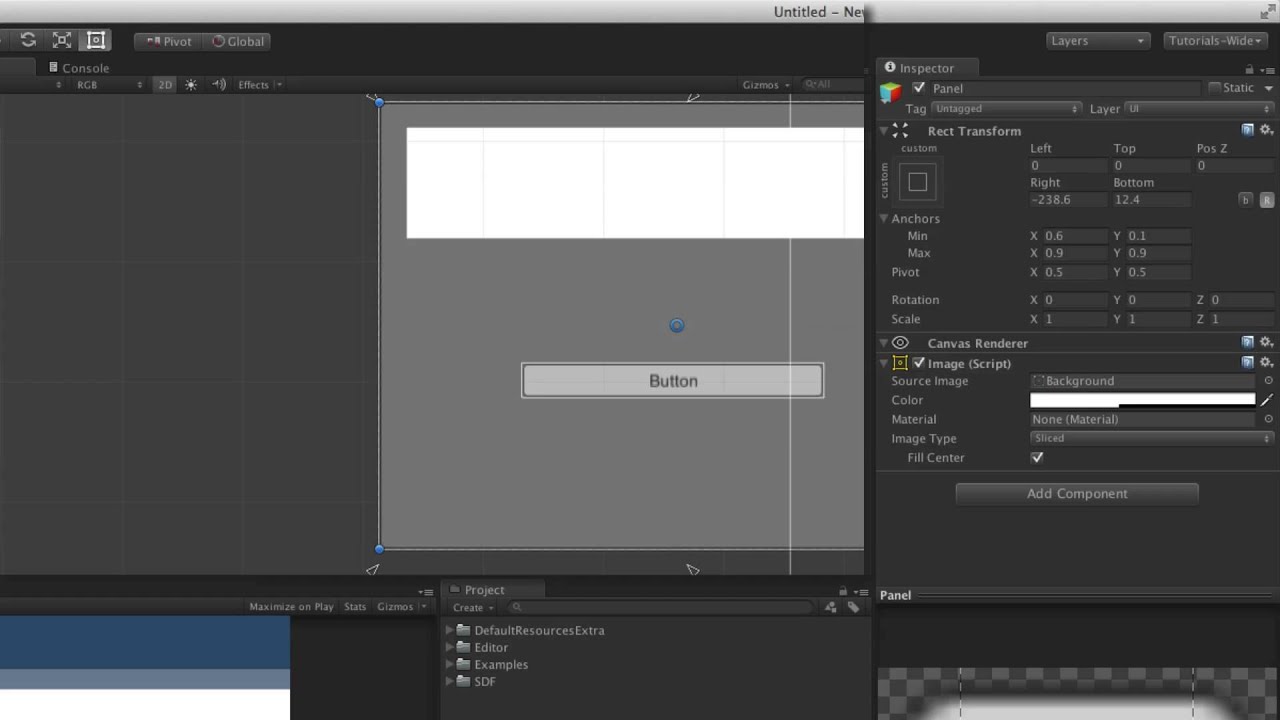
Watch on the official Unity Learn site -
The Rect Transform is the positioning component for any UI element within a Canvas and is used to adjust positioning, anchoring, pivots and more.
I have an issue regarding the click area of buttons when the screen resolution changes, i'm not sure what is causing this issue, but I hope someone could point me in the right direction.
I made a video with a grid of buttons to illustrate the issue. Please see attached.
mortal robin
old bane
I have an issue regarding the click area of buttons when the screen resolution c...
My guess is there's some other UI element or object of some kind blocking the buttons
due to anchoring settings etc it doesn't happen until you reach that resolution - see what the event system preview window says?
old bane
mortal robin
due to anchoring settings etc it doesn't happen until you reach that resolution ...
It works as expected in the editor, even when using free aspect, but once I built it out, the issue shows it self, when the aspects is not 1080p. Around 30s in the video you can see the mouse highlighting the cell that is above it about the cell it is over.
As this is a fresh scene with nothing but buttons, there isn't anything to block the ui when changing resolution. I'm a little stumped with this one. As the application has to be a re-sizable window, which could be what is contributing to the issue. But i'm not fully sure.
mortal robin
old bane
It works as expected in the editor, even when using free aspect, but once I buil...
have you tried checking the event system preview window?
old bane
In the editor the event system preview, shows the correct button that the cursor is over.
Is there away to test this in a build, as this is where the issue is visible?
If I build it out as a fully screen application, there it goes away, but my boss needs it to be a resizable window application, which is when the issue shows. Because we exporting for 1080p, but because out monitors are QHD, we see a slight shift in the buttons on the right edge of the screen. Which is more exaggerated as the resolution move away from the initial base resolution. But in full screen it just get scaled i'm guessing.
old bane
I just built out the same example on a new version that i had installed, and the issue is gone. As the main project was using an older editor, I didn't want to upgrade it, but I think I will have to on this occasion.
@mortal robin Thanks again for your help, appreciate it.
mortal robin
Np, weird issue
honest belfry
My game uses a Resizable Window. In the editor game view it works fine, but when I build the project and and resize the window too quickly, the UI doesnt update properly.
I check the values of Screen.width and Screen.height to detect changes in the window size
if (resolutionX == Screen.width && resolutionY == Screen.height) return;
How can I get my resizeable elements to work in the build version as well?
 river kestrel
anyone have any idea what could be causing this artifacting? on the left (scene view) the text is crisp and clean, but when displayed on the right (game view) it has this weird artifacting around the characters. i've run in to this issue in the past as well and was never able to fix it

closeup of the game view text

 remote yarrow
Guys, my TMP_Text looks awesome in a 9:16 aspect ratio but for some reason it looks really weird in a 16:9 ratio


I'm just using Unity's default Roboto Font
 fresh seal
hi
how to get the effect from image 1 onto image 2, currently in image 2 its just a glass texture (Panel) with alpha down.
iam using a normal 3d project with mostly ui elements (not urp or hdrp)


is it possible to get the blur effect?
old bane
honest belfry
My game uses a Resizable Window. In the editor game view it works fine, but when...
Hey not sure if you'll see this, but if you want, you can set a base resolution variable for height and width as 1920 and 1080. Then you can use the canvas to so check its height and width is it changes from the bases, then work out a ratio for the height or width, depending on which you want to use for the initial ratio.
With that you can use another private variable that checks the in the canvas height or width changes with the resizable window then update that value before performing the update for the UI width and height operation.
private float valueCheck;
private canvas cVas;

private Update(){
  if (cVas.GetComponent<RectTransfom>().rect.width != valueCheck){
    valueCheck = cVas.GetComponent<RectTransfom>().rect.width;
    //Other operations
  }
}
Above is just a quick example .
honest belfry
old bane
Hey not sure if you'll see this, but if you want, you can set a base resolution ...
Thanks I’ll give it a try!
upper raft
Hello. Does unitys Particle system work in 2d?
low pike
remote yarrow
Guys, my TMP_Text looks awesome in a 9:16 aspect ratio but for some reason it lo...
Make sure the scale of all your UI is at 1,1,1.
Only the canvas can be lower, you don't have a choice for non-world canvases anyway
meager quartz
Looking for ideas/feedback for my bestiary layout before I start making it in unity

Most of it I'm happy with, though I don't like the filters page.
Basically how it works is there's a bunch of the creature entries you can scroll through using the bottom slider, but you can filter the ones that appear using the filter system on the left.
I'm not sure how to flavour it, right now its just going to be a little card or something, with the filter options sorted into subcategories...
but maybe it would be better to just have a "view filters' button which is a normal type of GUI popup with all the filters listed out? Idk... neither feel right to me
 granite grotto
Hi I cant seem to navigate the UI with the d pad on the steam deck , any idea? thank you
 solid grail
Hey guys, i am very new to Unity and I'm having some display issues, So i am creating child objects inside of a panel, on the panel i have a spacer with vertical layout group and control child size: width, use child scale width and height, and child force expand width selected. attaching screenshot. When i run my code to create child object buttons they are getting stretched way outside of the panel and I am not sure why.

 elfin ore
Guys, this might be a stupid question for some, but...
You know when we use RenderTextures, we make a raw image on the UI and we put that texture to render what a camera sees, right?
Can we modify that image?
I found a Sprite Shader in github that does many fancy effect to sprites
Things like mozaic, sepia, greyscale, etc
Can we use that on a RenderTexture?
mortal robin
elfin ore
Things like mozaic, sepia, greyscale, etc
use postprocessing effects
 burnt jolt
elfin ore
Can we use that on a RenderTexture?
burnt jolt
elfin ore
Can we use that on a RenderTexture?
You can push the screen through a shader using custom passes, though they may just be a HDRP thing
I believe there is a 'blit' plugin by cyan that works for non HDRP workflows
elfin ore
burnt jolt
I believe there is a 'blit' plugin by cyan that works for non HDRP workflows
Oh that's interesting.
Let me look it up. Thanks, fam.
 thick eagle
did anyone have the same problem using IPointerEnterHandler and IPointerExitHandler to show tooltips
mortal robin
thick eagle
did anyone have the same problem using IPointerEnterHandler and IPointerExitHand...
MP4 embeds properly in discord, mkv does not
but if it's the "rapidly flashing on and off" problem, that's quite common yes
the fix is easy - disable "raycast target / blocks raycast" on the tooltip UI itself
thick eagle
mortal robin
MP4 embeds properly in discord, mkv does not
where i find this option ?
mortal robin
thick eagle
where i find this option ?
The raycast target option? On the UI graphic elements such as Image etc
remote yarrow
low pike
Make sure the scale of all your UI is at 1,1,1.
Only the canvas can be lower, y...
The text now looks better but I still have the weird box outline
 old bane
remote yarrow
The text now looks better but I still have the weird box outline
old bane
remote yarrow
The text now looks better but I still have the weird box outline
Sometimes you get that type of artifacts if you don't have enough padding in the font atlas. So you can try generating the font again and increasing the padding between characters. Also play a bit with the size of the atlas by increasing it incrementally to say 512, then 1024 and see how that affects this artifact.
 worn pine
how do i display all unicode emojis in TMP
ive tried this but i dont have the TMP > FontAsset > Color option nor do i have the project settings > tmp > fallback emoji text assets
remote yarrow
old bane
Sometimes you get that type of artifacts if you don't have enough padding in the...
Thanks, it worked!
 nocturne ibex
Lets say I want to use this font in unity. How would you import an already generated Font atlas ? So far i've only seen ways to generate font atlas not import them

 prisma pendant
This is just example of object with SpriteRenderer, imagine it is enemy
I need enemy to have name below their portrait, what is the best way to do it?
I have been using TextMesh before but have to set font size to 0.003 (or something like that)
Example on image uses Canvas with TextMeshUI object, is it problem for example to have 20 enemies where each has canvas on it?

Still have to make canvas scale to 0.009

so text font is something normal like 36 in example
I mean it works, my question is, is that good practice or there are better ways to make it work?
meager quartz
Before I go ahead and make a whole load of these bestiary pages, does anyone have any thoughts or suggestions on them?
Tonight I also finished off the filtering system. Obviously, the buttons are placeholder (Same with its background), but any other suggestions would be appreciated so I can finalize it all tomorrow. Thanks!
 boreal remnant
Does anyone have an asset that does a UI carousal like this
https://i.pinimg.com/originals/d1/64/23/d164233e15a37b0dd67307ee133dc10a.gif

 mild kernel

Discover the best assets for game making. Choose from our massive catalog of 2D, 3D models, SDKs, templates, and tools to speed up your game development process.
old bane
remote yarrow
Thanks, it worked!
Awesome, glad I could help.
 gleaming maple
im trying to have a text box that auto-grows depending on how much text is in it
now i've got that part working with some layout groups and a content size fitter
but I can't figure out how to grow the element 'upwards' only
i.e.
it grows in both 'upward' and 'downward' directions

i want to basically parent the position of the element to the top of the character
and have it grow only vertically from there, so the box doesn't grow into the character
does anyone know how to do this?
here is my setup:


ah i was able to do so with this setup

 tawdry ferry
Hello, why is my custom cursor, which is a UI GameObject, is under Dropdown's Dropdown List, even though its z position is definitely nearer to the camera?
 tawdry ferry
gleaming maple
and have it grow only vertically from there, so the box doesn't grow into the ch...
tawdry ferry
gleaming maple
and have it grow only vertically from there, so the box doesn't grow into the ch...
have you tried to adjust the pivots?
mortal robin
tawdry ferry
Hello, why is my custom cursor, which is a `UI GameObject`, is under Dropdown's ...
UI order is determined by hierarchy order if on the same canvas
Otherwise canvas depth
gleaming maple
tawdry ferry
have you tried to adjust the pivots?
yeah the layout group didn't allow me to change the pivot, so removing it in the outer layer resolved it
tawdry ferry
mortal robin
UI order is determined by hierarchy order if on the same canvas
Changing the hierarchy order doesn't place my cursor above the Dropdown List, it does work for other canvas objects though
mortal robin
tawdry ferry
Changing the hierarchy order doesn't place my cursor above the Dropdown List, it...
Well is your cursor on the same canvas or not
And is it a UI Image
tawdry ferry
mortal robin
Well is your cursor on the same canvas or not
yes, on the same
it's a UI RawImage
mortal robin
Then hierarchy order should do it, unless something you said wasn't accurate
tawdry ferry
oh, actually it's a UI GameObject with a UI RawImage child
mortal robin
To be clear things UNDER in hierarchy are drawn on top
sonic scarab
tawdry ferry
Hello, why is my custom cursor, which is a `UI GameObject`, is under Dropdown's ...
May I ask why you are creating a fake cursor? If the point is to style it then you can just change the real cursor you know
tawdry ferry
sonic scarab
May I ask why you are creating a fake cursor? If the point is to style it then y...
I know, you cannot change the size of the real cursor
tawdry ferry
mortal robin
To be clear things UNDER in hierarchy are drawn on top
yes, my cursor is under in the hierarchy
sonic scarab
tawdry ferry
I know, you cannot change the size of the real cursor
You can't use a bigger texture and adjust the hotspot instead?
tawdry ferry
sonic scarab
You can't use a bigger texture and adjust the hotspot instead?
no, it doesn't work like this
the real cursor has some annoying limitations
sonic scarab
Okay 🤔
tawdry ferry
I've tried to import images of different sizes, but it just sets them a specific size