#📲┃ui-ux
1 messages · Page 11 of 1
 steady robin
 hexed pulsar
steady robin
What do u mean and want kind sir?
hexed pulsar
steady robin
What do u mean and want kind sir?
you know, normaly when using scroll view you spawn all elements inside, and use mask to show only ones you want. Lets say there are 1000 objects listed, and you want to scroll down over them. It looks pretty with default scrollview implementation, but it also have 900+ not needed objects enabled.
Similar how UI toolkit do with their ListView. Spawn only amaunt of visible elements, and the reuse it while scrolling again and again.
steady robin
hexed pulsar
you know, normaly when using scroll view you spawn all elements inside, and use ...
ok so this is an optimisation query right? U smartly want to not spawn or "set active" the hidden scroll items right? And want them to be available when they are in the visible window.
I dont really think that's necessary or even possible. But maybe you could use colliders for de/activating them.
hexed pulsar
steady robin
ok so this is an optimisation query right? U smartly want to not spawn or "set a...
thank you. I believe it is needed, even it is just text messages for example, having 1000 history is just waste of resources webgl already dont have 😄
I will think about your solution, that would most definetly work with some cpu cost.
steady robin
hexed pulsar
thank you. I believe it is needed, even it is just text messages for example, ha...
yeah i meant that it's not viable or whatever u say, coz when u r scrolling the UI, u want all the options to be live and ready to preview.
 haughty hemlock
does anyone know why some raw images might start shaking in the ui?
 mortal robin
haughty hemlock
does anyone know why some raw images might start shaking in the ui?
mortal robin
haughty hemlock
does anyone know why some raw images might start shaking in the ui?
postprocessing motion blur perhaps
 lapis pumice
I am running into an issue where I want to switch a Text Mesh pro material with Animation states. For some reason the Material Switching is not showing up properly, even though I am sure its keyed correctly
steady robin
 onyx ruin
do i use text mesh pro or the legacy text?
onyx ruin
do i use text mesh pro or the legacy text?
TMP is high quality and more optimised ig
 low pike
Text is legacy for a reason. Biggest (noticeable) thing between the two is that Text will go v.blury as it gets larger in size
onyx ruin
steady robin
TMP is high quality and more optimised ig
i see
 supple basalt
i was reminded of a problem i'm having with my UI
i'm desigining my game to work with both mouse+keyboard and a controller
my menus work pretty well with both: I have navigation set up properly, and I make sure to select something when the menu is pulled up
but I have problems with stuff like an errant mouseclick deselecting buttons and then leaving the controller useless
or with the mouse getting left in a random spot on the screen and causing buttons to be highlighted
what do people do about that? perhaps you can lock the cursor when controller input is detected, and the unlock it when the mouse moves?
 green kite
Does anyone know how to get the trees behind the hill? I've tried so many things
 supple basalt
later siblings are drawn on top of earlier siblings
put the trees before the Hill object
green kite
supple basalt
put the trees before the Hill object
Still doesnt work
green kite
 supple basalt
that will not interact correctly with images in a canvas
green kite
The "Trees" object that's open is a canvas
and the "Tree for rigging" is a prefab with sprites and bones in
supple basalt
i'm not sure how that's going to behave
green kite
but i need it as a prefab to be able to rig it
do you have any advice on how to put prefabs in UI elements?
mortal robin
green kite
do you have any advice on how to put prefabs in UI elements?
"prefab" is not the relevant thing here
the relevant thing is if it's a UI Image or a SpriteRenderer
if you want to mix UI elements with SpriteRenderers you have basically two options:
- Use a canvas in Screen Space - Camera mode, set the plane distance to a particular value, and put your sprite in front or behind that plane distance
- Use a world space canvas and position everything in world space
Third option is you make everything out of SpriteRenderers
green kite
Canvases in my "MainMenu" canvas look like this

How do I change that?
Never mind, I got it
Thank you very much for your help
 rapid ferry
Is using layout group just for a single item valid just for making an object have edge padding that content size fitters cant add?
I feel like doing this is kind of overkill isnt it? (The border have layout ignore btw)
 rapid ferry
green kite
Does anyone know how to get the trees behind the hill? I've tried so many things
rapid ferry
green kite
Does anyone know how to get the trees behind the hill? I've tried so many things
What is the name of that font? Looks neat 😍
 steel bluff
how do I control layers?


I want portrait to be child of dialoguepanel
but once it becomes the child, it clips in front of the panel
mortal robin
steel bluff
but once it becomes the child, it clips in front of the panel
Drawing order of UI is determined by hierarchy.
Lower things in hierarchy are drawn later.
So yes if you make it a child it will draw on top.
 bright bridge
Is it possible to have an input field where typing will always type in that field, even if I click on something else with my mouse?
rapid ferry
bright bridge
Is it possible to have an input field where typing will always type in that fiel...
depends on the setup and how it should behave
you can try selecting the inputfield again via Selectable.Select() onEndEdit, but that is ugly as it looks like
 lucid reef
Anyone able to take a look at my project and figure out why some of my elements are invisible? Sometimes if I restart Unity, they become visible, but otherwise, there doesn't seem to be any pattern that would clue me into what's going on
Well now it's resolved itself, so..
Now I can't replicate it
 blazing jetty
is there a good tutorial on how do I go about creating a pause menu? do I make it its own scene or do I add it to all my existing scenes?
 hoary kettle
blazing jetty
is there a good tutorial on how do I go about creating a pause menu? do I make i...
hoary kettle
blazing jetty
is there a good tutorial on how do I go about creating a pause menu? do I make i...
I added mine to all existing scenes since it's transparent and so you can see the scene behind it
besides the menu scenes ofc
blazing jetty
so what's the best practice, do I make it its own scene or do I add it to existing ones?
hoary kettle
that I do not know since I've been using unity for almost 3 months now but I feel like you should add it to existing ones
since you'll have to reload the scene if the player presses continue

 fervent mulch
@low sluice So what would you recommend instead to achieve the effect I mentioned? (Hovering over card in hand, having it scale and appear in front of the adjacent cards)
bright bridge
Is there a way to put a background color on a multiline text box so that when it goes to a new line, the background extends to contain the new line?
 sterile wedge
bright bridge
Is there a way to put a background color on a multiline text box so that when it...
sterile wedge
bright bridge
Is there a way to put a background color on a multiline text box so that when it...
Yes
Feel free to Like and Share to show support for this channel.
Don't forget to leave a comment if anything comes to mind.
Have a nice day :)
#Unity #TextBg #UGui
bright bridge
ah, thanks
 earnest gust
problem, I wanted to build my game for android devices, but just as I clicked "switch platform" all the fog broke... I uninstalled my library file, restarted the project, everything was fixed, but it returned the same when i switched platforms again.
 twin shard
Hey everyone, how can I move specific letters in text of textmeshprougui?
 proud sandal
twin shard
Hey everyone, how can I move specific letters in text of textmeshprougui?
proud sandal
twin shard
Hey everyone, how can I move specific letters in text of textmeshprougui?
What do you mean by ‚move‘ exactly?
twin shard
proud sandal
What do you mean by ‚move‘ exactly?
change position. I found this on reddit but the author made each letter an individual text so I think there's a simpler solution with textmeshpro.
proud sandal
twin shard
change position. I found this on reddit but the author made each letter an indiv...
You can just animate the vertices of each glyph‘s quad in the text mesh to achieve that. TMP gives you access and info about all that.
twin shard
proud sandal
You can just animate the vertices of each glyph‘s quad in the text mesh to achie...
does this use lots of resources or not?
proud sandal
twin shard
does this use lots of resources or not?
No
twin shard
ok, thanks
proud sandal
Well it uses as much as a mesh animation normally would. So it’s not free but also not overly expensive
Note that DOTween pro has a bunch of such effects and tools to make animating that kind of thing easier.
earnest gust
earnest gust
problem, I wanted to build my game for android devices, but just as I clicked "s...
someone?
 nova silo
Hi all, could someone take a quick look at the attached image and gimme an idea on where I'm going wrong please? I've done this so many times, but for the life of me I can't figure out why my mask isn't working. 😕
 earnest gust
problem, I wanted to build my game for android devices, but just as I clicked "s...
earnest gust
earnest gust
problem, I wanted to build my game for android devices, but just as I clicked "s...
some1?
onyx ruin
i cant seem to see the margin box with the yellow when selecting a text mesh pro so how would i chnage the margins?
sterile wedge
onyx ruin
i cant seem to see the margin box with the yellow when selecting a text mesh pro...
it's the margins under the advanced options of your textmeshpro inspector
onyx ruin
i pressed that but the yellow box didnt appear
 unreal marsh
Buttons not lining up
 sand mantle
Hey, so in my code, I instantiate gameobjects inside a GridLayoutGroup at runtime. Only thing is they appear invisible at first, same thing in scene view inside and outside playmode. An easy work around is to go in the scene and enable, disable or change any one of the objects in the grid layout group and they all suddenly appear. It doesn't work if I just SetActive to false then true in the code instead. Thoughts on how I could fix or hotfix this? Thanks! SOLVED
twin shard
Does TextMeshPro has a system for special characters? For example I have "Blah blah blah <text to shake> blah". I want to save text to shake in an array to manipulate its vertices later but I don't want to display "< >".
twin shard
twin shard
Does TextMeshPro has a system for special characters? For example I have "Blah b...
ok, I guess I'll use links system. But is it possible to search for a line with a specific link without TMP_TextUtilities.FindIntersectingLine?
 magic walrus
what is it about this TMP prefab object here that the color tag is not changing the color? no matter what i change it to, the text remains white

changing the opacity affects it but not the colors
supple basalt
magic walrus
what is it about this TMP prefab object here that the color tag is not changing ...
you've got a color tag

oh, I misread you
I thought you said the color field didn't work
you have mismatched tags, which might be causing problems
actually, i'm not sure if that matters here
yeah, it handles that fine on my end

 empty matrix

 mild kernel
You need to change the code to use TMP_Text instead of Text. They're two different components.
 outer widget
What could be causing the "O" letter showing differently than the rest of the letters ? Using **TextMeshPro ** and Roboto-Bold SDF font
 low pike
1- Press T and use the UI gizmo's when working with UI
2- Show the inspector for that TMP component
 humble patrol
why are there lines between images that I dont want


hmm seems that when I uploaded it it got compressed
gotta do it again
love compression
 astral current
How might go about making sure my buttons reset their selection state when moving back and forth between menus? Currently, my MenuManager is simply hiding and showing menus based on the buttons the user clicks.
Oops, false alarm folks. I forgot to set the normal animation state back to the original scaling. It's not a selection issue at all 👍
 inland cobalt
Text background color
outer widget
@low pike

 outer widget
After searching around I found out the the uppercase O letter is missing from the Roboto font, weird. Probably that's why it appears like this

that is for Roboto Bold

interesting
 lapis dirge
is hdrp canvas buggy or am i trippin
especially the slider
i change the handle position for example
and then it goes somewhere else when the game starts and then when i stop it different again
and sometimes isnt even shown
i press cntr z
and it just goes nowhere near my last move
why do the values on the slider change on play?
this is before play

and thats when i press play

it changes to stretch
nvm
 floral pebble
guys i created a simple main menu with a buttonmeshpro i want to change the text color from white to red when hovering it, there is a built in option for the border but i aint want the border just the text color
sterile wedge
floral pebble
guys i created a simple main menu with a buttonmeshpro i want to change the text...
You can Google in two steps
- how to detect when mouse is on text mesh pro unity
- how to change text mesh pro color unity
blazing jetty
is setting the alpha for a canvasGroup to 0 the same as setActive(false) ? which one is better to use
rapid ferry
it'll still block raycasts so either deactivate that as well with canvasGroup.blocksRaycasts = false; or just do setActive(false)
it's effectively the same for most cases though
 soft sail
From experience with debugging my mobile game, you'd want to always deactivate any unused/unseen canvas components as they'll still contribute to the total drawcalls and eat your frames.
outer widget
@mortal robin I just redownloaded a Roboto font and now it works properly. Weird but it's fixed now. Thanks for your input !
 novel kraken
Why would I use multiple Sprite Atlasses? If I can also just put all my sprites in one
low pike
because you might not want all the sprites at the same time
If you have 10 sprites used in level 1, and 100 used in level 2... why would you put them in 1 sprite atlas and load 110 when you don't need to?
novel kraken
Does it have a downside?
low pike
I don't know for certain.
There's a small possibility it could increase the build size a little bit.. but that will be dependant on the packing of the atlas and if 1 atlas can be packed tighter/ neater so it's a bit smaller file size. However, it'll be better to have a slightly larger build and lower memory usage at runtime
 errant brook
Is there a reason some of my UI elements randomly disappear and won't reappear even if I ctrl z?? It's really frustrating and seems like a bug
Example, I was adding a slider and I changed the slider handle size, and suddenly it disappeared. I ctrl z ed loads of times and it just never came back 😭
low pike
define "disappeared" .. was it just not visible? But the GameObject was still in the heirarchy?
 buoyant zephyr
how do i make my vertical layout group fill from the top properly? elements don't get tighter until more are in. This is on a scrollview too
 low pike
Use a content size fitter, with vertical set to 'preferred'
buoyant zephyr
solved, thanking thee! 🙂
 crude island
hi everyone! I'm having an issue getting my project to use masking for my text. trying to figure out why my text blinks out existence upon fully exiting the rect2d mask, rather than being affected by the softness and the edge of it like the images are.


 low pike
your text is extremely small

1- Use TMP
2- Always have the scale at 1,1,1.. use the height/ width to change the size of the Rect
3- Press T to use the UI gizmo tools
Depending on how much work you've done, 1 might take a while to do. However, TMP is suprior
@crude island ☝️
crude island
low pike
1- Use TMP
2- _Always_ have the scale at 1,1,1.. use the height/ width to change...
thanks much! i tried to use TMP originally but it wasn't behaving well with my custom font. It's a basic font with no italics, bolds, etc so the features of TMP aren't that useful.
tried 2, it broke for some reason with the scaling, i couldn't get it down to size properly by multiplying the scale and dividing the width/height. this is probably because it's nested into lower scale parent objects, for now i'll leave that because it's working (including pixel scaling on screen size).
just before the response i solved the issue. I had to remove the material from existing text instances while keeping the custom font itself selected, which resulted in the desired behavior, see pic. i have no idea why this fixed shaders and the text stayed intact.

 low pike
TMP won't blur , Legacy Text will (which is why it's legacy)
2 probably didn't work because you'll have parents that aren't 1,1,1. When you don't have a uniformed scale (1,1,1 throughout) weird shit happens and you make things difficult for yourself.
With text, you also have to change the font size, not just the width/ height. Or select the 'Best Fit' option (I think it is) .. on TMP it's 'AutoSize'
crude island
low pike
With text, you also have to change the font size, not just the width/ height. Or...
thanks a bunch, i'll definitely take a stab at fixing the scales. i've been improvising around it, i know the weirdness you're talking about.
 tulip niche
how do you figure out the right size for ui ? i typically used fixed size because using scale with screen size causes things to be so small that its unusable on small screens but if i dont then it covers so much of the screen
sterile wedge
tulip niche
how do you figure out the right size for ui ? i typically used fixed size becaus...
scale with screen size is fine. it usually means you didnt set it to match height or width correctly, or didnt set the reference resolution correctly
or didnt set your UI to stretch where it was necessary
soft sail
I'd just use as much screen space as possible and accommodate it for the largest resolutions, then work your way down from there.
As for mobile UIs, portrait mode seems to create some problems for me, as no matter how reusable I try to make my UI, there's always a freakishly long phone where my UI just wont extend to.
low pike
Use the canvas scalar to set a reference resolution, then set that to match your designs. I usually just go with 1920x1080. And then move the scale with screen size width/height slider to where it works
 random pond
Any idea why my TextMeshPro text is being hidden behind the image/sprite background? I tried everything I know. Changing z position, layers, orders, putting it at the bottom of the scene hierarchy etc. Can't figure out why it's not showing 😦
 low pike
That TMP is the 3d text, so it doesn't require a canvas.
What is the background?
Only showing a part of the editor like you have, isn't useful.. you've cut off a lot of information that could have provided the answer to us straight away.
random pond
low pike
That TMP is the 3d text, so it doesn't require a canvas.
What is the background?
Sorry here is the full view and I selected the background

 jagged monolith
random pond
Sorry here is the full view and I selected the background
jagged monolith
random pond
Sorry here is the full view and I selected the background
Create a new text object by going to GameObject>UI>Text
Right now you have a meshrenderer text object which is not intened to be used with UI
 glad meadow
Hi guys. I'm making up the interface in IU Builder. Please help me add effects (partial systems). How can this be done? Adding texture render to the background. But the particles are not displayed correctly.
random pond
jagged monolith
Create a new text object by going to GameObject>UI>Text
That helped. Weird. No idea why I was going with a MeshRenderer
low pike
random pond
That helped. Weird. No idea why I was going with a MeshRenderer
Because when you created the other one, you used the 3D TMP, that’s for world space placement - not Ui
 kindred stag
Looking for tips on building a successful canvas/UI when it comes to mobile and the various devices (i.e. iPhones 9 and up and Galaxy S 10+) that have components that block portions of the screen), without having to design different UIs for specific devices (if it's possible to avoid).
low pike
You can use this to work out what's safe for each device: https://docs.unity3d.com/ScriptReference/Screen-safeArea.html
kindred stag
low pike
You can use this to work out what's safe for each device: https://docs.unity3d.c...
I'll keep that in mind. However, that requires coding, which goes back to wanting to avoid design device specific UI's ...if possible.
low pike
It requires coding, of course.. you won't achieve this without coding.
I don't see how it goes back to "wanting to avoid design device specific UI's" ? It's dynamic.. you're not coding for each device..
kindred stag
low pike
It requires coding, of course.. you won't achieve this without coding.
I don't ...
I don't think you're understanding what I'm asking. I'm talking about designing the UI itself (the placement of elements in the canvas, using things like anchoring, and having a canvas that scales with screen size). It's entirely possible to achieve what I'm talking about without code.
Even with code, I'm aware it's not coding for each device. The code would simply check to see which device is in use, and make adjustments accordingly. However, that requires designing a UI layout that's specific for that device. For example, if the user is on an iPhone 9, X, 11, 12, or 13, we would have to have a UI layout that accounts for the rounded edges, as well as the ear-speaker. As opposed to other devices that are perfect rectangles.
...or shrink our entire resolution area to be within the screen bounds that would fit a rectangle on that device. ...I'm just seeking other options/tips (if any exist).
sterile wedge
dont quite understand the issue, but i personally use this asset that handles the safe area calculation for you
https://assetstore.unity.com/packages/tools/gui/safe-area-helper-130488

Use the Safe Area Helper from Crystal Pug on your next project. Find this GUI tool & more on the Unity Asset Store.
low pike
kindred stag
...or shrink our entire resolution area to be within the screen bounds that woul...
this is what the Screen.SafeArea is for.
I understand what you're asking.
My comment that it requires code isn't about the design and layout, it's about the auto changing that on device.. using the safe area API.
The Simulator even has a built in guide you can toggle on/off
 kindred stag
Yeah... Right now I use the Simulator for layout purposes. One of the biggest problems I'm having is maintaining the desired look of an area of our game that is EXTREMELY HEAVYILY reliant on the UI working just right.
low pike
I haven't tried this, had the tab open for months.
https://forum.unity.com/threads/canvashelper-resizes-a-recttransform-to-iphone-xs-safe-area.521107/
 gusty ocean
I had what was previously a very large texture (about 6000x3000) which Unity scaled down to (2048x992). The problem that I'm having is that sprite.textureRect.width returns 2048 now, but the size that this sprite takes up when I draw it is if it were still at a width of 6000. How do I find what the original width of the texture was (through code)?
Oh, I was able to find a workaround using sprite.bounds.
 ebon fiber
What kind of Ui frameworks does unity actually has to implement complex ui.
proud sandal
ebon fiber
What kind of Ui frameworks does unity actually has to implement complex ui.
it has 3. IMGUI, XML/CSS and GameObject based. All can be used for complex UI. The Unity editor itself used to be entirely made with IMGUI, most game's UI is made with the GO based one and for example Timberborn is made with the XML/CSS one.
 faint heath
is it possible to have my lives look like this?

so there will be another 2 hearts, and whenever my player dies one of them disappaears?
sterile wedge
faint heath
is it possible to have my lives look like this?
You mean like in a row?
Definitely. Check out horizontal layout group or grid layout group
faint heath
sterile wedge
You mean like in a row?
yeah
i just want the text to show
and i want the hearts inside the text xontainer if thats possible
 sterile wedge
Yeah what I said earlier will work
You can actually make the text also part of the layout group
faint heath
im also struggling with adding a script that makes 1 heart disappear everytime my player dies
sterile wedge
So something like
LayoutGroup
- Text
- heart1
- heart2
- heart3
That's the hierarchy, roughly
sterile wedge
faint heath
im also struggling with adding a script that makes 1 heart disappear everytime m...
Just get a reference to the heart object, and deactivate it based on the lives left
faint heath
sterile wedge
So something like
LayoutGroup
- Text
- heart1
- heart2
- heart3
ok thank you
sterile wedge
Experiment with it
faint heath
sterile wedge
Just get a reference to the heart object, and deactivate it based on the lives l...
👍
magic walrus
im not really satisfied with the readability/look of my UI here, wondering if anyone has some tips just from looking at the screenshot. the sprite icons dont really stand out is one thing, and in general it just looks a little messy i think

 glad sentinel
How do I stop the scrolling ui from scrolling back the content to its original position when attempting to move it?
faint heath
magic walrus
im not really satisfied with the readability/look of my UI here, wondering if an...
maybe its the white
low pike
magic walrus
im not really satisfied with the readability/look of my UI here, wondering if an...
Too much text
The font is too stylistic to read on the space given
magic walrus
yeah i think i agree about the font, need to play around with some and see what i ilke but this seems like a slight improvement i think?

 halcyon basin
Hey, is there a way to use half resolution textures and render that properly? Such as 1024x512; 1024x128; etc. It looks like the alpha breaks/corrupts the file when trying to use half resolutions and I'm not sure how to allow that if its possible (easier to design certain UI elements)
glad sentinel
Anyone know why this is happening?
shit
there we go
UI seems to be moving around with the cameras world position?
 rose cargo
Following a tutorial by Stellar Studio and for some reason my text is showing up blurry in the game view. Im new to blender so Im not sure why this is
 low pike
This has nothing to do with Blender, what with it being in Unity..
You have the scale of the game view set to x1.2
rose cargo
Oh ty lol
I didn't know that zooming in would make it so blurry I thought I did something wrong
low pike
It's not making the rendering blury, that zoom is only for that window
so in a build it'll be fine regardless of what the scale is set to
glad sentinel
glad sentinel
there we go
Still have not found a solution, does anyone have any tips?
 willow prairie
how do i get my TextMeshPro font (size 11) to look the way it does at the same size in another software such as Paint.net? Top is TMP, bottom is paint.net text imported into unity as a sprite

I know it has to do something with being pixel perfect but i'm unsure of how to do pixel-perfect spacing with textmeshpro text
 turbid plume
I have to make my UI now and I'm scared of it. I need some health bar and ammo icons. Where do I start?
The ammo icons need to be specific for my game but I have no idea how to do this properly
soft sail
step 1: draw the icon
step 2: realize that it's too time consuming and find art resources online
turbid plume
I can't, I need something specific for my game unfortunately
sterile wedge
turbid plume
I can't, I need something specific for my game unfortunately
Okay, what do you need?
turbid plume
sterile wedge
Okay, what do you need?
I need icons for specific kinds of ammo
I have a double barrel shotgun with buckshot, birdshot and slugs
I'd need them as separate icons
along with a health potion and dynamite icon
sterile wedge
ok
look for them
if it's just specific art you need, sounds like something you should be paying for
your game doesnt stop working just because your art isnt perfect
turbid plume
but it does become shittier 😄
I'll check this out
ok maybe this has what I need
I guess this could be buckshot and birdshot
sterile wedge
that's up to you
be creative
you can even hide certain layers
that site is useful
turbid plume
thank you for the resource
 spiral seal
Does anyone know of a "turnkey" existing package/solution for UI that can handle BOTH item pooling for large lists, AND drag-and-drop for said items?
blazing jetty
how do I make my UI scale with screen resolution? I built it for 1080p but when I tried to decrease that to 720p everything stayed the same size and everything turned to a mess
mortal robin
blazing jetty
how do I make my UI scale with screen resolution? I built it for 1080p but when ...
blazing jetty
mortal robin
https://docs.unity3d.com/Packages/com.unity.ugui@1.0/manual/UIBasicLayout.html
...
turns out I forgot to configure my canvas scaler, thank you for the help though
 meager quartz
tryna work out buttons for main menu
we got the typical twitter/facebook icons + links
start, settings, help etc
do people prefer the start/play button to take them to a profile select page
or do most games have a 'new game' button but replace it with continue after?
 grim breach
Hey everyone, I'm working on a Game which is suppose to have quite a versatile UI System. I keep researching but not finding a good best practices for UI and Canvases. So is it the best way to use for every canvas an own Camera? and then split the Ui up in different layers like overlay UI backgroundUI, Interaction Button UI?
soft sail
What is this about multiple cameras
Usually that's done for specific cases like a hud in a spaceship and stuff
mortal robin
grim breach
Hey everyone, I'm working on a Game which is suppose to have quite a versatile U...
What are you hoping to achieve by putting each canvas on its own camera?
 karmic basalt
So the first is how I want it to be normally, but because of the way the box can shrink vertically, it won't follow the dialogue box


@rapid ferry
rapid ferry
karmic basalt
So the first is how I want it to be normally, but because of the way the box can...
what is the box that change size?
the brown box?
karmic basalt
mhmm
karmic basalt
eeyup
karmic basalt
Yeahhh that's the problem. Because the way i'm dynamically changing the box is through a vertical layout that also pads the text
 karmic basalt
wouldn't that still make it a problem with the vertical layout group?
 opaque trail
Can someone help me? I have rounded frame borders and I want to squeeze my ability icon into it and mask away any part that sticks out. I create a game object to contain the frame border and a child game object to contain the ability icon but the ability icon sits on top no matter what I do.

If I put a mask component on the frame border sprite, it does the following:

- How do I put my frame border on top of the ability icon and 2) Any part of ability icon that sticks out, how can I mask/crop them away?
soft sail
opaque trail
Can someone help me? I have rounded frame borders and I want to squeeze my abili...
Swap your hierarchy ordering between the frames and icons, or create two groups with their own canvas components which will then let you change the render order
 hollow hearth
Heyo, currently making a lobby for my game, I need to somehow make a container that will move the prefab of a newly created lobby under the lobbies that are already created. Does anyone happen to know a video or atleast what I can search for?
sterile wedge
hollow hearth
Heyo, currently making a lobby for my game, I need to somehow make a container t...
look at the vertical layout group component

Learn how Layout Groups can make creating and maintaining your UI a whole lot easier in Unity. Using layout groups often removes the need for layout logic in scripts or multiple versions of very similar UI.
If you enjoyed this tutorial and you're looking for something fun to play, show your support by buying Castle Invasion: Throne Out.
Steam: ...
grim breach
mortal robin
What are you hoping to achieve by putting each canvas on its own camera?
I'm hoping to build a system that is really performant and doesnt render unnecessary UI.
Also just want to have a good UI workflow which is scalable for bigger UI Projects
hollow hearth
sterile wedge
look at the vertical layout group component
Thanks that is exactly what i needed :D
 golden rapids
I have a simple image covering the whole game screen but the top part of the game doesn't get covered by the UI.


this is what it's supposed to look like
it only happens on some aspect ratios. my canvas is set to scale with screen size with 1920*1080 as reference
golden rapids
sterile wedge
can you show the image's inspector
 sterile wedge
what's the canvas's inspector
golden rapids
 golden rapids
just tested on an Android with the same aspect ratio and it looks perfectly fine. So it just happens in the editor, weird but i can live with it.
mortal robin
grim breach
I'm hoping to build a system that is really performant and doesnt render unneces...
How does multiple cameras help that?
grim breach
mortal robin
How does multiple cameras help that?
Well if I would know that I wouldn't ask. It's dangerous half knowledge from differtent tutorials. Thats why I'm asking for a best practices from people who have more experience with UIs
soft sail
You can just disable the UIs and forgo the extra cameras.
low pike
grim breach
Well if I would know that I wouldn't ask. It's dangerous half knowledge from dif...

Unity
Discover how to create optimized Unity UI Elements for your content.
 steady phoenix
Hello. What is that swirly arrow thing? I didnt add it. It seems to imply a relation between the two elements, but none (should) exist
 low pike
It's the visualisation of the navigation
steady phoenix
Like the tabindex in html?
low pike
no idea
mortal robin
steady phoenix
Like the tabindex in html?
yes
sort of
It's when you use the arrow keys / joystick navigation
it's showing you where it will go
I believe also tab navigation but not sure
steady phoenix
How do you make something like this, responsive:

I've now used the RectTransform and set it like so:
- Red = align left+middle & Scale=0.6
- pink = align right+middle & Scale=0.4
That seemed to do the trick, but it turns out also scales its content (makes sense in retrospect). How do I achieve "percentages" so it stays responsive, regardless of the screen width? What is the name for this I can Google?
(also, this limits me to max 3 buttons, maybe I want 4? Then I'd need to create children in children which isnt very convinient)
sterile wedge
steady phoenix
I've now used the RectTransform and set it like so:
- Red = align left+middle &...
What are you trying to make responsive
The width of the buttons?
You should check out horizontal layout group
And NEVER scale UI. Only adjust the width and height
mortal robin
steady phoenix
I've now used the RectTransform and set it like so:
- Red = align left+middle &...
Horizontal layout group with LayoutElements with flexible width on the things
hollow hearth
Hello, I am working on my UI and I stumbled upon a problem, where when I press a button I disable the parent of the button group (the whole menu) and enable a different menu in this other menu I have a "BACK" button which returns you back to main menu (again by disabling itself and enabling main menu) however whenever I transition between these menus the "PLAY" and the "BACK" buttons stay in the Pressed animation and do not switch back to normal. The animator says that the normal animation is playing but it is not
low pike
Let the animation finish before you transition between screens
steady phoenix
Thanks @sterile wedge and @keen flame ,ill look into it
 keen flame
steady phoenix
Thanks <@244756049637146625> and <@588705756296249355> ,ill look into it
keen flame
steady phoenix
Thanks <@244756049637146625> and <@588705756296249355> ,ill look into it
@mortal robin not me🫣🤧
steady phoenix
keen flame
<@179367739574583296> not me🫣🤧
Oh right. Must've clicked too soon
keen flame
Anyways welcome
 livid anchor
image explains the problem, but pretty much my UI render texture isn't really showing up at all when my project is built despite it working perfect fine in the editor. I tried finding search online and I could not find any good answer. I put together the image showing as much relevant info as I could. If anyone has any clue, help would be greatly appreciated.

 grim fog
is there a way to draw gizmos for a gameobject that allows the gameobject to be selected when its clicked?
magic walrus
ive been having an issue where when my character moves around the FPS temporarily drops down, from like 144 to 70-90, and when i stop moving it goes back up. the player character has a canvas nested with some UI elements, i noticed if i disable the two highlighted in the screenshot that when i move there's no FPS drop. havent run into this issue before, can anyone explain why it causes the fps to drop and how i can handle this?

i leave the GO enabled but scaled to 0 when not visible, disabling it fixes the fps issues
disabling pixel perfect on the canvas also fixed the issue, but just curious why that happens
 red fiber
Anybody else experienced wired Unity not show single button when used in a canvas in a multi canvas setup on Ui Camera URP, ordered by Layers and Cancas Ordering? Simply put- if you place a large top header and move it way up, out of the view - only then that canvas is recognised and being drawn
low pike
grim fog
is there a way to draw gizmos for a gameobject that allows the gameobject to be ...
low pike
magic walrus
disabling pixel perfect on the canvas also fixed the issue, but just curious why...
You have A LOT of UI there. UI is badly optimised, if you change anything on one of the UI objects, the entire tree is updated.
Watch this entire video. Though I've linked directly to the UI bit
https://youtu.be/_wxitgdx-UI?t=1409
Mark and Ian from Unity's Enterprise Support team run through performance best practices drawn from real-world problems. Learn the underlying architecture of Unity's core systems to better understand how to push Unity to its absolute limits.
For more information on Unite Europe and future Unite events visit this page. https://unite.unity.com/
...
Your Player object is also really weird.. why does it have an enemy as a child? Does all that UI really need to be part of the player?
magic walrus
low pike
Your Player object is also really weird.. why does it have an enemy as a child? ...
there's no enemy, this project was going in one direction then i changed it and got lazy about renaming some stuff. the character was originally an enemy but is now the player 😛 thanks for the info on the UI
hollow hearth
Hello, is there anyway way wot make some kind of button group I am just finishing a lobby system and I want the player to be able to click on the lobby he wants to join, this selects it than when he presses a JOIN button he would join the lobby however whenever I click the JOIN button it deselects the selected lobby and in turn I cant join the lobby does anyone know how I could only make selections between the lobbies?
mortal robin
hollow hearth
Hello, is there anyway way wot make some kind of button group I am just finishin...
you'll need to implement your own concept of a "selected" lobby rather than relying on the event system's inflexible concept of selection.
hollow hearth
I gave up on it, it took too long :D I might implement it if there is time later on
low pike
Just have a property on the lobby manager, each button sets the value of that property when clicked.
sterile wedge
 grizzled bison
I made a button but text don’t show
grizzled bison
I made a button but text don’t show
was there an option to import textmeshpro
did you use button - textmeshpro
grizzled bison
button no work now haha
supple basalt
My navigation is behaving weirdly on my Steam Deck. I have an options menu that has a bunch of toggles, followed by sliders. The last row of toggles are all set to navigate to the first slider when you hit "down", but, on my deck, it jumps to a slider at the bottom of the screen. If I navigate to the first slider, I get stuck when I try to hit "up", even though the slider is set to navigate to a toggle.
This is a giant shot in the dark, but any clue what would cause this? I guess I need to figure out how to attach a debugger to the Deck...
magic walrus
i have these tmp sprite assets as part of the building description for what each does, but i feel like they dont really stand out as much as id like them to. is there anything i can do from inside Unity to make these stand out more, or do I have to edit them in photoshop and reimport?
 supple basalt
so the text is one sprite, and the background is another?
feels like it needs an outline
magic walrus
it's a tmp sprite asset, so in the text box i just do <sprite name="NAME> for it to show up
i could probably add an outline to the sprites in photoshop and reimport, was just curious if there was anything within Unity i could do to improve the visibility before doing that
supple basalt
I'd darken the background tbh
maybe lighten it when you hover over it
or vice-versa: darken the thing you're hovering on, so that you can very easily read the text
magic walrus
ill give that a shot, thanks for the suggestions
low pike
magic walrus
i have these tmp sprite assets as part of the building description for what each...
They're too small
The background images are too bright, when the focus is on the info on top of them
magic walrus
think this is okay? i added a thicker stroke and a bit of a outer glow in case it's on a darker background
 low pike
yep better - what does it look like with a black glow?
supple basalt
supple basalt
My navigation is behaving weirdly on my Steam Deck. I have an options menu that ...
This may be user error. I discovered that all of my toggles are missing explicit navigation information...
So, not a UI bug. Just a...
i'm figuring that part out
supple basalt
oh man, what a weird bug that was
the tl;dr:
- a prefab was instantiated
- a method on that prefab's component was called to spawn toggles and sliders
- the prefab's component's Start method gathered up the toggles and sliders and assigned navigation data
somehow, that last step missed the Toggles, and only on my Steam Deck
the solution was to IMMEDIATELY gather the components and assign navigation data
i.e. don't want until Start() ran
i honestly cannot understand that.
i'd dig into it further, but it's a bit of a pain in the arse to debug on the deck
doing it this way definitely feels "better" -- there's no reason to wait around for Start() when I can set the navigation data up instantly
but...just the toggles being missing??
(i was using GetComponentsInChildren to retrieve all of the Selectable components from every entry in the settings list)
 torn marlin
If I make it so that a menu in my game scrolls off screen, leaving the camera's field of view, is there a reason why I would want to disable it afterwards, or is the fact that you cannot click on icons that are not onscreen sufficient?
soft sail
torn marlin
If I make it so that a menu in my game scrolls off screen, leaving the camera's ...

Unity
Discover how to create optimized Unity UI Elements for your content.
 severe drum
hello I've been directed to UX-UI. How does one go about applying a gaussian blur to a canvas in 2020.3.30f1? I heard that it kindof changes based on the unity version.
red fiber
Efficient blur on UI
 stone jetty
I'm encountering a visibility issue with the TouchScreenKeyboard on Android, Meta Quest 2
Any insights or solutions to this issue would be greatly appreciated. Thank you in advance!

Unity Forum
I'm encountering a visibility issue with the TouchScreenKeyboard while working on my Android device, Meta Quest 2. Here's the problem I'm facing:
The...
 blazing rapids
how can i make an image glow?
 ashen dove
what is the current cool thing people are using for making UI quickly and painlessly? particularly for prototypes.
 karmic stag
how logical would it be to make my UI in HTML?
karmic stag
idk
ashen dove
karmic stag
idk
https://www.youtube.com/watch?v=BG6NCgkbbiA
yes it is similar
Learn how to set up a UI built with UI toolkit for use during gameplay. This tutorial shows the creation of the UI document, basics of stylesheets styling, how to query UI visual elements, and how to create an event callback on button clicks with UI toolkit UIs. Video is meant to be a introductory guide for beginners.
Scripts and Assets ➣ https...
karmic stag
I see
karmic stag
ashen dove
https://www.youtube.com/watch?v=BG6NCgkbbiA
yes it is similar
thanks will check
well it's similar
but I wanted to have a framework like react to handle UI
it's much more versatile
ashen dove
slow down, pointdexter
i guess that depending on your game you could always add webviews
literally web pages
karmic stag
ashen dove
slow down, pointdexter
Exception thrown: ReferenceNotFoundException
willow prairie
hey so uh
my UI is invisible in-game, except for text and such
but in the editor it looks fine
wait nvm it's an issue with me
 tiny geyser
Why cant I drag my png image to Source Image?
 sterile wedge
tiny geyser
Why cant I drag my png image to Source Image?
sterile wedge
tiny geyser
Why cant I drag my png image to Source Image?
Show your png inspector
tiny geyser
sterile wedge
Show your png inspector
You mean this right?

 wanton spruce
tiny geyser
You mean this right?
wanton spruce
tiny geyser
You mean this right?
Change Texture Type to Sprite
tiny geyser
Thanks!
 modern temple
as you can see, the cursor is not on either of the buttons, but i can still interact with them @sterile wedge
sterile wedge
okay give me a while to look through the video
okay i have some suspicions. need you to help me test them out
modern temple
okay
sterile wedge
the Play and Customize objects are text, right?
 modern temple
yes
sterile wedge
can you show me the inspectors of the play button and the Customize button
modern temple
sterile wedge
can you show me the inspectors of the play button and the Customize button
the text attached to it or the button itself?
im guessing the button
modern temple

 sterile wedge
that is very weird anchoring
could you set both of them to not stretch, and set the scales to 1
you never want to scale UI
you only adjust their width and height
modern temple
okay lemme see
modern temple
sterile wedge
could you set both of them to not stretch, and set the scales to 1
how do i set them to not stretch?
sterile wedge

click that

then select that
do it for both buttons, and adjust their position and size using this
 sterile wedge
can you temporarily disable the text for both buttons and see if it's the same issue still
modern temple
sterile wedge
can you temporarily disable the text for both buttons and see if it's the same i...
that fixed it, so i guess the texts are causing the issue
sterile wedge
yeah, i'm guessing their bounds are beyond the button
so just adjust them correctly
no changing scale
anchor or stretch them instead
modern temple
got it! thank you so much
sterile wedge
you're welcome
modern temple
@sterile wedge you here? i need help with buttons again lol
modern temple
okay so
i created a pause menu ui in the "SamepScene" which im using as my level 1.
it works great, and so i copy pasted the same ui to the other levels, but in the other levels the ui is working as expected but apparently the buttons cant be interacted with
modern temple
sterile wedge
https://unity.huh.how/ui/ugui/input-issues
ive been through that
sterile wedge
okay, show me the scene hierarchy?
modern temple
sterile wedge
okay, show me the scene hierarchy?
i know its not active, but i have a script that makes it active when pressed the escape key so yeah

 sterile wedge
modern temple
sterile wedge
modern temple
you skipped step 1
read again
usually when you create a UI, it automatically adds the EventSystem for you
but if you copy paste into a scene, it won't do that
modern temple
right. event system. that fixes it, i apologize for bothering you lol, thank you
modern temple
sterile wedge
usually when you create a UI, it automatically adds the EventSystem for you
i see, thanks for letting me know that
sterile wedge
yeah i figured that was the issue, that's why I directed you to that link immediately
because I've made the same mistake before 😆
modern temple
i thought event systems were just for testing, but now i guess i know how useful they are
 frosty pewter
 rocky holly
Hi there. I am having an issue where if I drag my player to a different slot, it no longer highlights correctly.
At the start I demonstrate how a player in the bottom box gets highlighted when the mouse is over it.
After I drag the player, it stops being highlighted from the bottom side of the graphic.
It is not the text component on the object, because otherwise it wouldn't work to begin with.
I verified there is no overlapping text components, or other things to block my UI hover events.
low pike
rocky holly
It is not the text component on the object, because otherwise it wouldn't work t...
Make sure the text has raycasting disabled anyway
rocky holly
@low pikeI did that, but no change.
I also removed the text altogether, and still no change.
low pike
Use the event system to see what the graphics caster is hitting
Select the evet system game object, expand the bottom if it isn't already, and watch it as you mouse over things
 frosty wharf
how do I stop the on screen mobile keyboard from hiding when focus has been lost? I've looked everywhere, seems to be a common issue.
rocky holly
frosty wharf
how do I stop the on screen mobile keyboard from hiding when focus has been lost...
You can implement your own keyboard design.
It's how some games do it.
It would be pretty easy to do.
frosty wharf
so there's no way to do it with the native keyboard?
low pike
That's not what was said
rocky holly
@low pikeTHANK YOU. I figured it out.
I had no idea the event system had that kind of functionality.
low pike
What was the problem
rocky holly
It is a drag and drop system, and I do this by just changing the parent. So I have an invisible parent object which follows my mouse.
And I forgot about that.
mortal robin
how to do it depends on your render pipeline but you want "camera stacking"
low pike
not a UI issue 😬
 shut karma
low pike
not a UI issue 😬
shut karma
low pike
not a UI issue 😬
sorry I didnt know where to put my question:(
low pike
 glacial aspen
How can I pin the main camera preview to my viewport?
A bunch of results on Google tell me to lock the camera in the Inspector, but when I click off of the camera, the Inspector panel stays and the preview leaves.
mortal robin
glacial aspen
How can I pin the main camera preview to my viewport?
Make a game view window
glacial aspen
mortal robin
Make a game view window
Ah, not what I was looking for, but that works too. Thank you
meager quartz
tryna make UI templates based on the ones I was using in my minecraft server, just for when you mouse over items
but these look really shit. I used adobes colour thing but maybe this background colour is just flawed?
and maybe i should use a non calibri text? what do you guys think

idea was to have the star system be independant from the rarity (rarity just signifies how difficult the item is to acquire), while star system determines how much its been upgraded / if its usable at your current point in the game
 atomic helm
Hello, How to move a UI element placed next to a Text, as the text expands? like there are more characters being added into that text and it overlaps the UI element next to it
frosty pewter
I haven't used UGUI in a while but usually you would add a layout group of some sort on the parent and a content size fitter on the text iirc
supple basalt
you will be interested in https://docs.unity3d.com/Packages/com.unity.ugui@1.0/manual/comp-UIAutoLayout.html
along with a content size fitter on the parent

a rough setup


Layout components will control the size and position of their children
A content size fitter adjusts the size of the parent based on what the children want
I believe that TextMeshPro components have a preferred size based on how much text they contain
it is very important to have Control Child Size checked
otherwise, the layout group will not correctly resize the children
atomic helm
The problem is not with the size of the text or the parent, it's the text overlapping this coin icon the moment the number becomes larger

Naturally, the coin icon won't shift to the left because there's nothing connecting both elements with eachother
There's a solution to make the text write from left to right but that will make it look uncentered
atomic helm
frosty pewter
I haven't used UGUI in a while but usually you would add a layout group of some ...
Tried, doesn't work
supple basalt
what did you do?
atomic helm
supple basalt
a rough setup
Same as this, coin icon is not being shifted + it's stretching the icon


 supple basalt
you'll probably need some changes to make it work for this use-case
first thing: you'll need to tell the icon how large to be
This looks like what you want.

As I add more text, the icon is shoved to the left
and the pivot point is the right side
first: put the image before the text in the hierarchy (you have it after the text)
second: add a Layout Element to the image, and then configure its preferred with and height
this will tell the horizontal layout group how big that thing wants to be
in my case, with an empty image, the layout group tried to make it 0x0 by default
third: switch the horizontal layout group to align middle-left
actually! that is unnecessary, since there's going to be no free space
so you can skip that
third, for real: adjust the pivot point of the holder to x=1, y=0.5
this way, the pivot is on the right side
In this example, the top two have a pivot of X=1, Y=0.5

When I added more text, the image got pushed to the left, and the right side of the text remained fixed in place
the bottom two have a pivot of X=0.5, Y=0.5
Adding more text made the element grow in both directions
Which is probably not what you want.
so:
- image before text
- layout element component on the image
- adjust pivot
that oughta do it
it takes a little time to learn how the UI system works, but it's very useful once you do
i get pretty reliable results with only a little bit of extra fiddling
atomic helm
It's quite working, but not right, the text is being pushed to the right instead of staying in the middle and pushing the icon to the left

The Icon has alayout element
 supple basalt
How's the horizontal layout group configured?
atomic helm
 atomic helm
I unchecked the control child size beause the icon wass being scaled
supple basalt
I think you can prevent that by setting the flexible width/height to 0
The flexible values tell the UI how willing the element is to be grown
although, in my case, the image only got stretched after explicitly setting the flexible height to 1
i'm a little unsure on what the defaults are
atomic helm
What do you mean by "Flexible width and height"
supple basalt
up here, in the Layout Element
 supple basalt
You probably haven't changed the pivot.
atomic helm
 supple basalt
atomic helm
supple basalt
atomic helm
The holder's pivot point is where it will be transformed around.
atomic helm
But you said to keep the pivot at 0.5, 0.5 to achieve similar to the bottom 2 cases in your screenshot
supple basalt
I was under the impression you wanted the text to stay anchored in place.
so that the ones digit doesn't move
atomic helm
Although I have changed the pivot of the holder to 1, 0.5 and still same issue
atomic helm
supple basalt
I was under the impression you wanted the text to stay anchored in place.
Yes exactly
supple basalt
try editing the text again and seeing how it changes
atomic helm
I only want the icon to be shifted
supple basalt
atomic helm
Yes exactly
Then the bottom half of that example is wrong, no? The text is being shoved to the right
You want the top half.
atomic helm
supple basalt
When I added more text, the image got pushed to the left, and the right side of ...
This one
supple basalt
For that behavior, the pivot must be at [1,0.5]
note that changing the pivot won't cause an immediate visual change
Unity will automatically move things around to preserve the positions of everything
turning on "raw edit mode" (the little R button in the RectTransform) will suppress that
atomic helm
Oh I see, gimme few minutes please
supple basalt
it can be useful for seeing how different pivots and anchors work
 limber matrix
To my UI object i got this line even trought it is not there in the png or in the UI creator tool i used. It is now visible from far away but t really anoys me. Are theere any fix?
 mortal robin
limber matrix
To my UI object i got this line even trought it is not there in the png or in th...
mortal robin
limber matrix
To my UI object i got this line even trought it is not there in the png or in th...
show us how you set this up
limber matrix
mortal robin
show us how you set this up
ButtonContainer is a gameobject. I also use TM Pro
 mortal robin
limber matrix
ButtonContainer is a gameobject. I also use TM Pro
mortal robin
limber matrix
ButtonContainer is a gameobject. I also use TM Pro
huh?
mortal robin
limber matrix
To my UI object i got this line even trought it is not there in the png or in th...
I'm asking about this big black thing
is that ButtonContainer?
what components are on it?
limber matrix
That is the button
or the image componnent that use the same objects as the button commponent

 atomic helm
supple basalt
turning on "raw edit mode" (the little R button in the RectTransform) will suppr...
atomic helm
supple basalt
turning on "raw edit mode" (the little R button in the RectTransform) will suppr...
Tried it, didn't work either, but I noticed something, as I changed the text, the pivot remained in the same place, but it was on the top right side before changing it


Oh well, which is still the same position, but in the second picture ( Before) it seemed like it's anchored to the right
It worked, my issue was that the holder's width was very small, causing the icon to stay in place, increasing the width of the holder helped
@supple basalt @frosty pewter Thanks!
severe drum
Hi all I'm using this very specific kawase blur plugin and I'm lost. I put it on my background panel and instead of blurring it is like really opaque black and the stuff in front of it is blurred. I know this is a hard question to answer but any help would be much appreciated. Link to program:
https://github.com/tomc128/urp-kawase-blur/releases/tag/v1.2


GitHub
Changes
Added masked shader variants
For use with UI elements with rounded corners
How to Use
Open the .unitypackage file with a Unity project open, and simply click Import.
 cinder dagger
Why is my button not working

Everything is in place it just does not do anything. It is not changing the highlight color and not registering On Button Click
low pike
Got an active Event System in the scene?
cinder dagger
low pike
Got an active Event System in the scene?
Yes
 warped fjord
how can I automaticly scale background to cover all elements?

elements are put freely so Aspect Ratio Fitter and Content Size Fitter doesnt really work
 near kraken
Hey there, I was wondering if there was a way to get the buttons to use sprite renderer component instead of the image component. I found a way to get my button sprite, which is square, to tile beautifully with sprite render since it has a few extra settings which work great! Unfortunately, the image component does not have these settings.
near kraken
Huh, appears that the sprite renderer doesn't get affected by the canvas. I guess my next question would be how I could get those tiling settings since they're really nice.
warped fjord
why do you even want to use sprite renderer over image in button?
 fading sun
I am using Unity UI (uGUI) in Screen Space - Overlay mode. I rotated a panel a little bit and the edge of the panel is jittery. Is there no anti-aliasing for the UI?
 wild pebble
fading sun
I am using Unity UI (uGUI) in Screen Space - Overlay mode. I rotated a panel a l...
wild pebble
fading sun
I am using Unity UI (uGUI) in Screen Space - Overlay mode. I rotated a panel a l...
I think in order for anti aliasing to work, you must attatch the ui to camera (Screen Space - Camera) that uses post processing anti aliasing (like FXAA)
fading sun
hm weird right? So the overlay just doesn't get any antialiasing?
I guess maybe the assumption is if you are doing the overlay then you can just generate your UI with pregenerated images
wild pebble
fading sun
hm weird right? So the overlay just doesn't get any antialiasing?
Afaik no. Overlay mode is not affected by post processing volumes and MSAA cant do much about sprite based objects
fading sun
cool thanks for confirming!
 fathom stream
How would I go about making a filling bar for a non rectangle shape?

The big one is health, the small one is stamina
mortal robin
fathom stream
How would I go about making a filling bar for a non rectangle shape?
Filled image component
fathom stream
Oh I see
mortal robin
The shape of the image itself can be whatever you want
 frigid matrix
every time I parent this canvas to my rotated plane it messes with it so that even a square image will stretch to the same aspect ratio.

help?
I'll make a normal worldspace canvas like this

and then the second I parent it to the plane gameobject it goes all wacky and stretches itself and anything in it ESPECIALLY IF I ROTATE IT
 modern temple
Uh so i created a new canvas, and attached image files to it. it displays in the scene, but the ui doesnt display when the game starts. i tried adding the image files to my older canvas as well which has working text objects, but it still could not display the image files
modern temple
so the problem is only with spirite renderer, rawimage works fine
 twilit ginkgo
if I want the enemy object to "blink" when hit, should I look into using shaders or coding it as a coroutine that changes the material for fraction of a second is ok too?
cinder dagger
What is the easiest way to make text smoothly get larger and smoothly change colors?
cinder dagger
I want to only call a single action
mortal robin
cinder dagger
What is the easiest way to make text smoothly get larger and smoothly change col...
use DOTWeen
warped fjord
is there way to achieve this? some elements in layout will have different height so layout group probably need to have custom spacing depending on element height, how can i do it?
 soft sail
horizontal layout group, but dont touch the constraints on that, but rather let the children decide their dimensions. May or may not need to stick layout elements on them, depending if you can resize the main panel.
mortal robin
warped fjord
is there way to achieve this? some elements in layout will have different height...
Yes with LayoutElements
And vertical layout group
warped fjord
i found a way to do it without layout elements but i have another problem now

how can i get this value? because sizeDelta.y return 0
 faint gust
Hello, i can't drag my text object in to my game manager i've been searching old forums and its been more than 1 hour xd. I'm using untiy's normal Text object it's not Text mesh pro so thats not causing it and i've tried doing it with both normal text and text mesh pro but i can't drag that object to the game manager
warped fjord
can you show some code?
faint gust


i've tried doing it with both textmeshpro and normal text object but i can't drag it into my game manager
warped fjord
text is legacy so i suggest to use text mesh pro
faint gust
should i just try creating a new script for score only and try accesing that idk if thats gonna change anything tho
warped fjord
its not
with textmeshpro you have to import it
using TMPro;
and then declare it
public TextMeshProUGUI scoreTxt;
it should work
anyway, what object are you dragging?
faint gust
warped fjord
anyway, what object are you dragging?
the text itself like the place where the score should show up
warped fjord
Can you show it?
faint gust
ok i "fixed" it
it happens because my game manager is in a different scene
and that text is in "level1" scene
grim fog
is it possible to draw handles within a previewRenderUtility window?
near kraken
warped fjord
why do you even want to use sprite renderer over image in button?
Sprite render gives way more options for how to display tiled images and the main thing is the image component simply stretches the middle tile instead of repeating it.
This image shows the slight difference between the two.

Left is image, right is sprite renderer.
Exaggerated version.

Actually, it appears the image component can do tiled but it doesn't connect the sides and centre smoothly.
supple basalt
Having a weird issue with a UI prefab

It doesn't have a Canvas above it in the prefab view, and the little anchors visualizer in the inspector is not there
 supple basalt
hm, it started behaving once i added a child
near kraken
near kraken
Sprite render gives way more options for how to display tiled images and the mai...
I figured out that sprite renderer does not work with UI which is why I can't use it. Now my question is how can I get rid of that stretching and make it so that the tiling connects smoothly.
I fiddled around with just now and I found out how to fix that problem, but it requires me to change the pixel per unit multiplier instead of having it automatically connect like the sprite renderer. I wish the image component had those settings.
 dark hazel
Hey there! Im trying to build my game but it gives me the error "Cannot initialize non-default texture with negative or zero width." Im not sure what this really means though
the full error log is Cannot initialize non-default texture with negative or zero width. UnityEngine.Texture2D:Resize (int,int,UnityEngine.TextureFormat,bool) TMPro.TMP_FontAsset:ClearAtlasTextures (bool) (at ./Library/PackageCache/com.unity.textmeshpro@3.0.6/Scripts/Runtime/TMP_FontAsset.cs:2846) TMPro.TMP_FontAsset:ClearFontAssetDataInternal () (at ./Library/PackageCache/com.unity.textmeshpro@3.0.6/Scripts/Runtime/TMP_FontAsset.cs:2726) TMPro.TMP_PreBuildProcessor:OnPreprocessBuild (UnityEditor.Build.Reporting.BuildReport) (at ./Library/PackageCache/com.unity.textmeshpro@3.0.6/Scripts/Editor/TMP_PreBuildProcessor.cs:26) UnityEditor.BuildPlayerWindow:BuildPlayerAndRun ()
So I PRESUME it has something to do with textmesh
cinder dagger
I just got dotween but whenever I call to increase scale and text color nothing happens?

 plucky rune
Does anyone know how to make a battle hud like this? I can't find anything and I'm not really good at Unity
mild kernel
Are you asking someone to do it for you? Because nobody will be doing that.
mild kernel
Start by learning the basics of Unity UI then?
plucky rune
I just wann know how to do it
plucky rune
mild kernel
Start by learning the basics of Unity UI then?
ok
plucky rune
mild kernel
Start by learning the basics of Unity UI then?
know any good videos or articles
mild kernel
Nope
frosty pewter
You could try googling about 3D carousel menus, but you'll have to learn how to make UIs generally, probably starting at !learn
 onyx flowerBOT
🧑🏫 Unity Learn can offer you over 750 hours of free live and on-demand learning content for all levels of experience! Make sure to check it out at https://learn.unity.com/
 vital root
Hi, can I get some help with this panel? Its corners are being stretched and I can't figure out why. You can see what it looks like in the editor here:

and here you can see what I want the corners to look like:

I added borders, as you can see, and I've set the sprite type to sliced under the panel's menu.
mortal robin
vital root
I added borders, as you can see, and I've set the sprite type to sliced under th...
Show the image component inspector
vital root
this?

or this?

The image was much smaller before. I thought the problem might be that the center and the edge borders were too small, so I tried making them larger. Didn't help lol
@mortal robin did that help?
wowee
so uh i deleted the object and created it again and it fixed itself
i have no idea what i did wrong, i wasnt playing with the scale or nothing
🤷♀️
mortal robin
vital root
this?
This, but I need to see the transform as well
Scale was my curiosity
meager quartz
thoughts on the item tooltip UI
 low pike
#archived-works-in-progress and don't cross post (you already (incorrectly) posted the same thing in #💻┃unity-talk )
meager quartz
i've made the colours of the names brighter (which was the feedback i got then) but theyre slightly off palette now which idk if i like
cinder dagger
Why is it that whenever I open up a dropdown everything in my vertical layout group falls apart?


 thorny venture
I'm afraid the resolution change will make the UI awkward. Has this kind of issue not been a problem?

Do I have to prepare the game for all possible resolutions?
thorny venture
wow thanks
 keen holly
i using TMP for my UI, it work normaly on editor, but when i build it to device Android, on the first time open app, it not display, any pro know how to fix this?

 low pike
show the inspector for that TMP
keen holly
here,sir

 keen holly
low pike
show the inspector for that TMP
keen holly
low pike
show the inspector for that TMP
.
it actualy display, but not display on the first time open game :/
every first time
low pike
I wouldn't expect the Y pos of that to be so high
It's probably off screen
Change the editor to use the 'Device Simulator'

set it to the device you're testing on, if it's on there (if not, any device will do)
keen holly
it still display
 low pike
Is the Settings TMP object a child of that white box?
keen holly
no
low pike
Make it a child of that white box
The Y pos will prob change to something close to 0
That might sort it out in build
You generally don't want elements arond the edges anchored to the center of the screen
keen holly
but sir, if i re-open game, it display as normal
it only not display on the first time i open it
low pike
Is there anything that is toggling that game object on/off
keen holly
no
 primal sierra
Does someone have an idea how to achieve this? The font subtracts the button.

 chrome widget
does anyone know how to fix the problem that if you olay on different resolutions your ui does get scaled to?
 stiff sinew
I have a WS canvas. I need to give it a custom layer to deal with some transparency sorting issues.
It seems like if I change the canvas's (and its children) layer, unity's UI hierarchy sorting is ignored.
e.g. have a canvas, first child is an image, second is a textmesh. The text mesh will be drawn over the image, because of its order in the hierarchy
If the canvas's layer is set to anything but UI, the entire canvas is z-fighting.
Is this expected behaviour? Can I retain hierarchy sorting properties whilst using another layer?
Nevermind, it seems like it renders properly, but if the layer is rendered via a render pass, then that's where the ugly happens
yuck
mortal robin
chrome widget
does anyone know how to fix the problem that if you olay on different resolution...
And the canvas scaler
chrome widget
Thanks
fading sun
anyone know if the ColorTint transition option for buttons is supposed to work when TimeScale is set to 0? https://docs.unity3d.com/2022.3/Documentation/Manual/script-SelectableTransition.html
 mortal robin
 glacial fossil
ah sorry I guess?..
magic walrus
how do you make text fade in left to right instead of all at once modifying the alpha?
soft sail
magic walrus
how do you make text fade in left to right instead of all at once modifying the ...
https://www.youtube.com/watch?v=FgWVW2PL1bQ
Not sure if tmp has support for that, but otherwise you can run a gradient over each mesh's vertices like this guy shows.

Github: https://github.com/Madalaski/TextTutorial
Pastebin for the final effect: https://pastebin.com/EwhzJuhZ
Pixelsmith Itch Page: https://madalaski.itch.io/pixelsmith
UPDATE: You don't need to separate the text using spaces, the textInfo field also has a wordInfo array which you can use in place of the characterInfo array. Use my code if y...
 jovial relic
How can I make it so that I select a button when a canvas appears?
mortal robin
jovial relic
How can I make it so that I select a button when a canvas appears?
Select it in OnEnable
jovial relic
mortal robin
Select it in OnEnable
Is there an interface that gives Button Select()?
because I dont want to have to make a script for toggle, slider, button, etc
mortal robin
jovial relic
because I dont want to have to make a script for toggle, slider, button, etc
Those are all Selectables
jovial relic
ah, selectable thats what the type is
mortal robin
They all work with ISelectHander
jovial relic
mortal robin
They all work with ISelectHander
So I put an event trigger on everything for when you press cancel so that it will back out, I'm not really sure if thats the way you're supposed to use it
it is very time consuming though so I'm wondering if there's a faster way that I'm missing
besides just duplicating the event trigger component
 terse hinge
I'm currently working on my first tool, Has anyone any ideas on how to make this inspector layout better?
 low pike
Use a custom property drawer
terse hinge
low pike
Use a custom property drawer
so for example changing the use scriptable Object on the variable itself and not in a different section in the top. I'm new to this but thats what he's doing in 2:40 right. https://www.youtube.com/watch?v=a4hQ76HvjKs
Check out the Course: https://bit.ly/3i7lLtH
Learn how to customize properties in the inspector with simple PropertyDrawer scripts. I'll cover a simple integer propertydrawer first, then move onto a more complex example with a dropdown menu to toggle between constant and variable values via scriptableobjects.
More Info: https://unity...
low pike
I mean, that's one example of what you can do with a property drawer
 gloomy umbra
so my canva have this mesurement, but i would like to change it, and i dont see to figure how to do it
 mortal robin
gloomy umbra
so my canva have this mesurement, but i would like to change it, and i dont see ...
mortal robin
gloomy umbra
so my canva have this mesurement, but i would like to change it, and i dont see ...
As long as you are using a Screen Space canvas, the size of the canvas is the same as the game resolution
so it will cahnge when you change the resolution of your game view in the editor
or the game resolution itself in a build
gloomy umbra
mortal robin
As long as you are using a Screen Space canvas, the size of the canvas is the sa...
hmmmm i only have a "canvas"
mortal robin
I don't understand your response
gloomy umbra
it's not a "screen space canvas" its just a canvas xD
 mortal robin
gloomy umbra
it's not a "screen space canvas" its just a canvas xD
mortal robin
gloomy umbra
it's not a "screen space canvas" its just a canvas xD
this image shows me nothing
click on it and look at the Canvas component in the inspector
gloomy umbra
mortal robin
click on it and look at the Canvas component in the inspector
oh! i have scree, space overlay
mortal robin
gloomy umbra
oh! i have scree, space overlay
ok now refer back to here #📲┃ui-ux message
gloomy umbra
or camera :/
mortal robin
And then explain exactly what you are trying to do
why are you trying to change the size of the canvas
generally there is no reason to change the canvas size
it will always be the size of the full screen. That is expected and desirable
gloomy umbra
mortal robin
As long as you are using a Screen Space canvas, the size of the canvas is the sa...
if "screen space canvas" is enlarging to get the same size as the game, then, i dont have any probleme ahah... except.. how do i parameter the size of the game ? XD
mortal robin
gloomy umbra
if "screen space canvas" is enlarging to get the same size as the game, then, i ...
in the editor you do so by changing the game view resolution
in a build you do so in build settings first and through Screen.SetResolution
low pike
Do not design your UI while the game view is set to 'free aspect'
gloomy umbra
low pike
Do not design your UI while the game view is set to 'free aspect'
Where can i see if it is in free aspect ?
low pike
around the game view window
gloomy umbra
low pike
around the game view window
OK i changed that, now its in 16:9
But its just the unity viewer right. Not the game?
low pike
That's a code issue, probably, not a UI one. Delete from here and ask in #💻┃code-beginner
rapid ferry
ok
 inner yacht
I have a question about the difference between a UI/UX Designer and a developer. Currently, we have a collection of UI/UX assets from the Smallburg UI Pack by Almostapixel (link: https://almostapixel.itch.io/smallburg-ui-pack). While I have trouble designing, I would like to find someone who can design and potentially implement the UI/UX in Unity. Alternatively, I can handle the implementation if the designer focuses on the design aspect. Could someone please clarify what exactly we need? If this is not the appropriate place to ask, just scream at me 🙂
 low pike
Designer -> does the art and layout/ animation states/ etc
Developer -> Implements it and makes it funtion
inner yacht
low pike
Designer -> does the art and layout/ animation states/ etc
Developer -> Implemen...
Ah thank you
hollow hearth
Does a culling mask on a camera not work on UI raw images?
mortal robin
hollow hearth
Does a culling mask on a camera not work on UI raw images?
Is your canvas actually being drawn by the camera?
Check what your canvas's render mode is
if it's Screen Space - Overlay, it's not being drawn by a camera.
hollow hearth
mortal robin
Is your canvas actually being drawn by the camera?
Yeah I found a thread on it, unfortunately SSO is the only thing that works me and I found a workaround already but thanks :D
 carmine path
how can i get the text mesh pro tab again to download more fonts
i closed it and idk how to get it
 eternal fable
carmine path
how can i get the text mesh pro tab again to download more fonts
i closed it an...
eternal fable
carmine path
how can i get the text mesh pro tab again to download more fonts
i closed it an...
You will have to download the fonts yourself, then convert them with the Font Asset Creator panel
carmine path
cant i just get the text mesh pro tab it has a button to download more fonts??
eternal fable
carmine path
cant i just get the text mesh pro tab it has a button to download more fonts??
You mean the example fonts?
carmine path
i think yes
eternal fable
carmine path
i think yes
Then go to edit > project settings and you will see the textmeshpro tab, you will find the download button there.
carmine path
oh thanks it worked
 haughty sigil
Hi, how do I currently play or stream videos and show images by getting them from the URLs in my Unity vr application?
Since youtube / vimeo cant be put, what type of urls work?
Can I manage it calmly using only Unity built-in features?
 little hazel
Does anyone have experience with TextMeshProUGUI.GetPreferredValues?
var size = _textMesh.GetPreferredValues(text, _maxWidth, Mathf.Infinity);
Debug.Log($"max width: {_maxWidth}, size: {size}");
max width: 250, size: (394.39, 73.28)
The docs say:
Function to Calculate the Preferred Width and Height of the text object given a certain string and size of text container.
But here I'm giving a maximum width of 250 and getting back 394.39
I also have wrapping enabled (that feels like an obvious thing to check)
So given all of this, is it just the case that GetPreferredValues doesn't work?
Ah yes, it is the case.
https://forum.unity.com/threads/there-seems-to-be-an-issue-with-getpreferredvalues-and-word-wrapping.783473/#post-5213972
Unity Forum
Hello everyone, I seem to have encountered a problem with TextMeshPro, in which it 'lies' to me regarding the expected values and the values it gives....
:-( this sucks
steady robin
carmine path
how can i get the text mesh pro tab again to download more fonts
i closed it an...
check this out - https://www.notion.so/wisdomkhan/Font-Asset-Creator-8c56fa6cf726435480495effb640015f?pvs=4
 wanton ivy
Does anybody know how to make a low resolution pixel perfect 2d game and still have the UI work? Pixel perfect camera is not working for me so ive been using my own method with a render texture
however it seems ui is only interactible when its either on screenspace overlay or if its rendered to a camera thats rendering directly to the screen. Does anybody know how eventsystems actually work because I just need it to act as if im clicking from the render texture camera since its all in the same spot
 wanton ivy
OK I got it working with a world space canvas but now I can't make it pixel perfect
which might be fine
but if somebody has a better option let me know
little hazel
wanton ivy
Does anybody know how to make a low resolution pixel perfect 2d game and still h...
Ah, I've done this before... It is possible.
I think I just positioned the canvas relative to the camera, but put it on a layer that was not rendered.
It was years ago though so I can't easily check.
You can set the canvas to pixel perfect btw, you don't need a render texture for it.
(how effective that is I'm not sure though tbh)
 queen tartan
Hi I used this method to add sprites inline with textmeshpro, but now I need to add more sprites to the list, which means recreating the asset atlas with the settings everytime, do you know of a way to update it without restarting from 0? Or maybe an other asset that does that? https://www.youtube.com/watch?v=gJt6vSSlG3I
Setting up and using sprites in Text Mesh Pro is much easier than you might think and I will show you how. All you need is a sprite sheet and a few minutes of time. It is easy to set up and works well together with style tags, too! Typical use cases are sprites of buttons that need to be clicked, small icons of items, or even small portraits.
D...


 mortal robin
 azure stirrup
why cant i change the location of the canvas? this cornors are blocking me
azure stirrup
why cant i change the location of the canvas? this cornors are blocking me
canvas locations cannot be changed
unless it's a world space canvas
screen space overlay canvas is locked in place, and screen space camera canvases move with the camera
why do you want to move the canvas
azure stirrup
i wanted the world space canvas :v
ty
its vr and i have to place the canvas in the hand
low pike
You'll want the parent scale < 1 for a world space canvas. Keep all the children at a scale of 1,1,1
 devout nimbus
- I have a vertical layout group, inside of which there are several elements that are supposed to be squares but they get strectched on a number of screen aspect ratios instead. It's not okay to use aspect ratio fitter on them since they're controlled by the group, so how else can i maintain their "squareness"?
 trail fox
I have attached a textmeshpro on vertexName but it isnt showing up in scene view and gameview
 mortal robin
trail fox
I have attached a textmeshpro on vertexName but it isnt showing up in scene view...
mortal robin
trail fox
I have attached a textmeshpro on vertexName but it isnt showing up in scene view...
Ok and... what are these objects?
Is this UI?
Where are they in the scene?
Are you looking at the correct side (it will only show one side by default)
Is there any text?
Etc..
just a picture of a hierarchy is not enough to help with
trail fox
mortal robin
Are you looking at the correct side (it will only show one side by default)
yes
i discovered that they are being drawn before the image
mortal robin
what is the image
trail fox
how do i make that the text is drawn after thei image is being drawn
mortal robin
you have to show components of these things
otherwise impossible to tell what's going on
low pike
trail fox
image has the sprite renderer component attached
Sprite renderer isn't for UI
mortal robin
you haven't shared the components on these objects so I can't tell for sure but it sounds like you might be mixing UI and non UI


 mortal robin
ok so
since none of these objects are UI elements
it's going to be through distance to the camera
trail fox
mortal robin
please don't make this like pulling teeth
i am sorry today isnt my day with unity
mortal robin
if you want the TextMeshPro to show in front of the sprite, you need to simply place it closer to the camera than the SpriteRenderer
It's also possible TextMeshPro uses 2D sorting rules in which case you can use the sorting layer and order in layer to order them (on both the SR and the TMP)
 trail fox
thanks the order in layer fixed it
didnt knew it was there
also i am guessing this is not the right way to do ui
where am i wrong ?
low pike
What you're doing isn't UI at all
If you want to do UI, use the UI objects Create -> UI
low pike
mortal robin
Are you looking at the correct side (it will only show one side by default)
TMP can be viewed from behind by default
mortal robin
trail fox
also i am guessing this is not the right way to do ui
where am i wrong ?
not using any of the UI systems or components at all 😉
trail fox
oh, will learn how to use them properly
low pike
!learn
onyx flowerBOT
🧑🏫 Unity Learn can offer you over 750 hours of free live and on-demand learning content for all levels of experience! Make sure to check it out at https://learn.unity.com/
devout nimbus
devout nimbus
\- I have a vertical layout group, inside of which there are several elements th...
bump
mortal robin
devout nimbus
\- I have a vertical layout group, inside of which there are several elements th...
Aspect ratio fitter should work. Just uncheck control child size and/or child force expand on the group
severe drum
I'm having an issue where I imported some fonts but they're not available when I go to select a font. Has anyone else had this problem? Here is what it looks like:

all the fonts it's offering me are sdfs
does it have to be an sdf?
severe drum
:<
mild kernel
Not sure what the issue is, those are generated via TMP, and yes they're SDFs so that they render crisp.
Fonts are not automatically turned into font assets you can use. You need to create one:
 severe drum
mild kernel
Fonts are not automatically turned into font assets you can use. You need to cre...
severe drum
mild kernel
Fonts are not automatically turned into font assets you can use. You need to cre...
Oh that’s the issue for sure, thank you!
 pastel violet
Why is my video player rendering weird colors in the compiled windows build?

in the editor it loads just fine

 main meteor
Hey guys, I've been trying to find a clean way of making a shop system, and I'd like to come up with a cleaner way of focusing the player's input's to only be in the shop. By this, I mean I don't want the player to be able to move around while the shop window is open, use items, move their camera, etc.
One solution I've thought of was to just set the timescale to 0, but I'd like the game to continue playing while the shop window is opened. Of course I've considered making some sort of Shop script with a boolean that will alert other scripts that the shop is open, but I'd rather not have to remember to reference the shop script in every single script I want to disable.
Is there a better structure for making this kind of system?
 knotty wraith
Any idea why these weird black boxes are appearing in-game with a UI shader but not in scene view while the game is running?
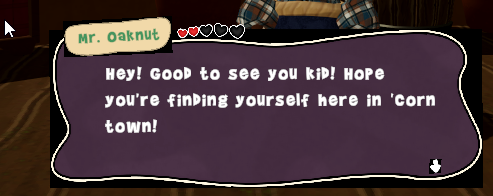

game vs scene view
has something to do with the shader but im stumped to which direction to even look in at this point
odd that the shader appears ok in scene view and no longer does in game view
this only started occurring after updating to 2022lts
mortal robin
main meteor
Hey guys, I've been trying to find a clean way of making a shop system, and I'd ...
Use the new Input system and disable the action map for normal gameplay
main meteor
mortal robin
Use the new Input system and disable the action map for normal gameplay
Gotcha, I'll try it out! Thank you!!
severe drum
does anyone have a cute rounded corners sprite thing
rapid ferry
severe drum
does anyone have a cute rounded corners sprite thing
Maybe try making your own and then use the background remover website
Just a suggestion
 gloomy marten
what do you think about hiding a menu that 'pops in' from the edge of the screen as player move the mouse to that edge? I leave part of the button halfway just as a hint that there's a menu there player can hover.
I do this since I want to facilitate both keyboard and mouse user as well as gamepad user(which can show the menu by a button shortcut)
Here's an example of how the menu buttons behave
 errant thunder
Hello, someone know if i have a UI with a button for animations, the animation start only if one half of the button is highlighted, on the other half it doesn't trigger the animation
or easier, can i just use a button but trigger the animation on a different game objects?
sterile wedge
errant thunder
Hello, someone know if i have a UI with a button for animations, the animation s...
Second one, yes? Just change the target graphic in the button component
 wraith cairn
Hello, what is the way to scale the UI no matter what you set your project's resolution? I tried scale with screen size but my images, texts on the canvas all change position when i switch from window mode to fullscreen mode or change the resolution. What's the ultimate solution to fix the UI elements to stay in the same size and position no matter what you set the screen size?
mortal robin
wraith cairn
Hello, what is the way to scale the UI no matter what you set your project's res...
You need to anchor the UI elements properly
There's no such thing as same size and position no matter what because proportions are going to change when there's a different aspect ratio
wraith cairn
mortal robin
You need to anchor the UI elements properly
so which anchor should i choose and according to what do i set the anchor points?
errant thunder
sterile wedge
Second one, yes? Just change the target graphic in the button component
How? if i choose Transition animation, the button component doesn't have a target graphic
 mortal robin
wraith cairn
so which anchor should i choose and according to what do i set the anchor points...
mortal robin
wraith cairn
so which anchor should i choose and according to what do i set the anchor points...
It depends on your desired layout
Your best bet is to understand the anchoring system
wraith cairn
mortal robin
https://docs.unity3d.com/Packages/com.unity.ugui@1.0/manual/UIBasicLayout.html
thx
devout nimbus
- Is canvas scaler a must-have for scalable ui, or just anchors are enough?
mortal robin
Without a canvas scaler you're basically using canvas scaler in "constant pixel size" mode I believe
But... It's pretty much a must have
 unborn vector
I have a panel that has a textbox with the same dimensions. I want to instantiate buttons dynamically so that the textbox height shrinks whenever a new button is made (like in the 2 images, basically make these ui elements all fit within the panel with no overlap). I know i would just have to subtract the button's height from the textbox's height whenever a button is instantiated, but i really don't understand RectTransform, and anytime i instantiate the button it's insanely tall no matter how i change the instantiate's vector positions (last image is the button in question). How do you instantiate UI elements (specifically buttons), and how would i change the textbox's height in the script?


 sterile wedge
errant thunder
sterile wedge
errant thunder
sorry, not familiar with that transition type
sterile wedge
unborn vector
I have a panel that has a textbox with the same dimensions. I want to instantiat...
look into the layout groups and content size fitter
mortal robin
unborn vector
I have a panel that has a textbox with the same dimensions. I want to instantiat...
you should be using a vertical layout group
with the correct settings on the layout group you get this behavior for free
 zealous ginkgo
How should my UI canvases be structurued? as in should i have just one canvas per scene, make everything a child of camera or what? Also i added some UI and now my main camera seems to be kind of choppy like it cuts to specific coordinates
mortal robin
zealous ginkgo
How should my UI canvases be structurued? as in should i have just one canvas pe...
Definitely not a child of the camera.
Multiple canvases are encouraged. Separate it into functional areas of the UI
zealous ginkgo
mortal robin
Definitely not a child of the camera.
Multiple canvases are encouraged. Separate...
then i just turn the canvases on and off independantly?
mortal robin
Sure if you have cause to
 fringe jay
for those that have played Visual Novels, where does it make sense to place the Log or Skip Button?
doing some UI design
 fading jungle
How to elimanate connection of navigation between elements that are in different containers?
mortal robin
fading jungle
How to elimanate connection of navigation between elements that are in different...
Stop using auto navigation
 slender pasture
how would i go about making a ui arrow that points at a gameobject in 3d space?
soft sail
On the UI or in 3D space
tmpro has options for both half asleep here., but Tarodev on youtube has a good tutorial on adding 3D objects onto the UI
assuming you want like an arrow that guides to you an objective and stuff like that
 winter bison
devout nimbus
winter bison
devout nimbus
- I heard many people complaining about animating on canvases, but i can't find any articles on that in the internet. Should i avoid it or treat it in a special way?
jagged monolith
devout nimbus
\- I heard many people complaining about animating on canvases, but i can't find...
Animating with the animator sets the whole canvas as dirty, forcing a redraw every frame, which is bad for performance
sterile wedge
jagged monolith
Animating with the animator sets the whole canvas as dirty, forcing a redraw eve...
What's the better alternative?
DOTween? Or is it the same thing
jagged monolith
Yes, that's my preferred solution
devout nimbus
- But won't the script-driven tweening still force a canvas to redraw? Not every frame ofc, but still
jagged monolith
Ah I misspoke, here is the relevant docs https://unity.com/how-to/unity-ui-optimization-tips#optimal-use-animators-ui-elements
Animators will dirty their UI Elements on every frame, even if the value in the animation does not change.
 novel stag
why does it display the attack text in middle in game but in perfab not

 low pike
sterile wedge
What's the better alternative?
low pike
sterile wedge
What's the better alternative?
It's nothing to do with the animator, it's the rect getting changed. The same performance issues happen no matter how you move them
This chap is brilliant and details ways to have performant UI
https://youtu.be/_wxitgdx-UI?t=1410
Mark and Ian from Unity's Enterprise Support team run through performance best practices drawn from real-world problems. Learn the underlying architecture of Unity's core systems to better understand how to push Unity to its absolute limits.
For more information on Unite Europe and future Unite events visit this page. https://unite.unity.com/
...
low pike
novel stag
why does it display the attack text in middle in game but in perfab not
we can't tell from this
Probably anchored incorrectly
 low pike
Not stretched.. anchor it to the bottom
 gloomy marten
novel stag
why does it display the attack text in middle in game but in perfab not
gloomy marten
novel stag
why does it display the attack text in middle in game but in perfab not
the easier way is to make it unresponsive with fixed width and height
gloomy marten
 novel stag
i dont understand
low pike
You want it set to this one
 novel stag
i did
low pike
you're not giving any information to us, so it's just guess work
novel stag
what info do you need il give u
low pike
everything about this tmp..


 low pike
Your rect height is only 11
Your font size is only 9
That's tiny
novel stag
is there some video that explains all of the anchor stuff
low pike
!learn
onyx flowerBOT
🧑🏫 Unity Learn can offer you over 750 hours of free live and on-demand learning content for all levels of experience! Make sure to check it out at https://learn.unity.com/
novel stag
and those postions etc
low pike
There's UI stuff on there
gloomy marten
novel stag
i dont understand
I'm not referring the text, I'm referring the whole card prefab.
If you don't need it to be adaptive/responsive, just make the card have fixed size
It will get more complicated if it need to be adaptive though 😅
novel stag
eh idk thing is i have like 6 diffrent prefabs
like difrrent ones for ui and for the game
low pike
only 6?