#📲┃ui-ux
1 messages · Page 9 of 1
 lunar pecan
 pastel halo
hey guys how do i make an image automatically fill the whole screen?
for example, the transparent dark image that can be put as a backround for the whole screen when paused which is what im doing
 low pike
 pastel halo
yes
 mortal robin
pastel halo
ive been told that so many times it doesnt work
mortal robin
pastel halo
ive been told that so many times it doesnt work
Show what you tried
low pike
this stretches the RectTransform to the size of its parent RectTransform
pastel halo
mortal robin
Show what you tried
all ive done at the moment is made the darkness bigger than the vanvas but thats just disorganised
pastel halo
oh ok so if i put it with canvas as the parent it would stretch to the whole screen size?
mortal robin
If you set up the rectransform anchors properly
low pike
yes, because the canvas is the parent
pastel halo
so how do i set up the rect transform
ive made it to stretch now what
im quite new to unity
mortal robin
Then you're good
pastel halo
well im good at programming at least
low pike
!learn
 onyx flowerBOT
🧑🏫 Unity Learn can offer you over 750 hours of free live and on-demand learning content for all levels of experience! Make sure to check it out at https://learn.unity.com/
low pike
there are UI tutorials on there
pastel halo
yeah but it will take ages to find out just how to make an image fill the screen automatically
because thats all i need to do
mortal robin
We just told you how
pastel halo
yes and i dont understand
low pike
Don't be like that kid earlier..
pastel halo
if i sort out all of the rect transform stuff then the image isnt automatically filling the screen, im just scaling it to the canvas
mortal robin
pastel halo
if i sort out all of the rect transform stuff then the image isnt automatically...
The canvas is the screen
pastel halo
yes i know
mortal robin
Assuming it's a screen space canvas
pastel halo
 pastel halo
mortal robin
Assuming it's a screen space canvas
pastel halo
mortal robin
Assuming it's a screen space canvas
yes
mortal robin
pastel halo
Se how your left/top/right bottom are not 0?
pastel halo
dont worry the game looks shit because i've followed a flappy bird tutorial on yt and now im just adding in my own stuff to it
mortal robin
pastel halo
i set them to 0 and now its filled
mortal robin
see how they're suppsoed to be 0
pastel halo
yes
ok that makes sense
so when you make the anchors on the corners, the whole length is just "1"
low pike
what length?
pastel halo
wait no its not nevermind
ignore that idk what im on about
its worked now
so now for any screen size it will accurately fill the screen right?
low pike
Press T, so you're using the UI gizmos
In this case, yes
On your 'Game View' what resolution/ aspect ratio is it set to?
low pike
there's no "max" option, that I've seen
pastel halo
no i meant max as in maximum res
low pike
show a screenshot of it
 low pike
You worded it in a way that wasn't answering my question
pastel halo
ok well its 1920 by 1080
low pike
Just making sure you didn't have it set to 'Free Aspect'.. doing UI when it's set to this is going to lead to problems
 pastel halo
oh alrigt
low pike
It's on 'Free Aspect' by default, and most beginners don't change this
 quartz wharf
Feedback appreciated!
https://twitter.com/solysdesign/status/1643910121754357761?s=20


What do you guys think of this UI + VFX I made for it, looking kinda sick, likes and retweets appreciated!
#RobloxDev #Roblox #robloxart #RobloxGFX #RobloxUI #robloxdevs
 Twitter
·
low pike
Twitter
·
low pike
#archived-works-in-progress and #502171626805133312 are the chans for asking about feedback
 timid forge
How would i implement "bottom sheets" in unity? The screen is from google material 3 and i really need something similar.
They can normally be expanded to take like 3/4 of the screen.
Any idea where to start? Any libs or frameworks for this?
 timid forge
Anyone?
 proper lagoon
timid forge
Anyone?
proper lagoon
timid forge
Anyone?
My guess is that you should seperate your image in 3 parts with the middle one expanding to fit the content (you can achieve this with a content size fitter comp)
Or in 9 part if you want it to scale in height / width
Like so
 timid forge
proper lagoon
My guess is that you should seperate your image in 3 parts with the middle one e...
timid forge
proper lagoon
My guess is that you should seperate your image in 3 parts with the middle one e...
Thanks! Thats very usefull ! 😄
Would you do this in uGUI or in UI-Toolkit?
That "sheet" should also expand, the user should be able to pick it at the top to draw it out to its full extend.
proper lagoon
You can do it with Unity's layouts !
As long as you only scale parts that can be scaled without being deformed, it will work (meaning that in my previous schema, parts can only be scaled in arrows direction)
(not sure if I'm clear enough aha)
timid forge
proper lagoon
You can do it with Unity's layouts !
As long as you only scale parts that can be...
Alright thanks! 🙂 (Unity layouts = The gameobjects stuff, correct? )
How would you implement that "draw to extend" logic? On android it behaves like... well... you pick it, pull it up and when it reached some extend, it snaps to like 3/4 of the screen. I actually have no clue if thats more like an animation... or requires a lot of coding
proper lagoon
By layouts I mean this stuff : https://docs.unity3d.com/Packages/com.unity.ugui@1.0/manual/UIBasicLayout.html
Actually I think coding it shouldn't be that hard if you got some dev background, it's like a classic drag & drop stuff
As long as the user clicked on the button, you should scale the middle part to be the difference between user's input pos and the top of your button
and if it reached the 3/4 of the screen, the middle part snap to a certain scale
timid forge
proper lagoon
By layouts I mean this stuff : https://docs.unity3d.com/Packages/com.unity.ugui@...
Thanks ! ^^
Im gonna try it... however, its kinda annoying that unity does not support such common UI elements by themself. That makes non game dev extremely hard. In my case its for an AR app, not every damn unity app is a game dammit
 lavish tapir
any reason this 2d square is not getting its colour ?
 low pike
Sprite Renderer isn't for UI
 indigo smelt
how do i layer so that my image wont be blocking my buttons?
low pike
UI is drawn in hierarchy order, top is first, bottom is last
lavish tapir
any way to not show the ui over my scene without having to disable it every time ?
 mortal robin
lavish tapir
any way to not show the ui over my scene without having to disable it every time...
mortal robin
lavish tapir
any way to not show the ui over my scene without having to disable it every time...
click in the margin to the left of the object in hierarchy
you can get an eyeball thing
that hides it in scene view only
lavish tapir
works like a chime!
lavish tapir
Are there also text features that i can put in a scene instead of a canvas ?
low pike
rmb -> create -> 3d -> TMP
lavish tapir
is that an issue in 2d ?
lavish tapir
kinda looks a bit stretched, u think so too ?
 low pike
looks like you've done it wrong
 rapid ferry
why can i not import an svg?
when i try to drag it into assets it's like this:

and then i try to do assets->import new asset
it doesn't show up
 strong river
Does anybody have any ideas for why my game's UI components can't be interacted with in fullscreen, but can when I hit play normally? I can press the buttons on full screen, but I cannot type in any of my text fields, even when the cursor is blinking in the text field.
I've tried clicking on the elements
low pike
rapid ferry
why can i not import an svg?
Unity doesn't support SVG's by default. There was an SVG package, I believe.. don't know anything about it though
rapid ferry
low pike
Unity doesn't support SVG's by default. There was an SVG package, I believe.. do...
yea i just converted to png
 devout crypt
is there a way to expose the default unity selectable transitions in a custom Selectable subclass?
 dull saffron
Okay, I need some urgent help and I'm close to solving this issue.

I'm trying to make a tooltip feature where the user can mouse over a UI element and it'll display a tooltip off to the side.
But the problem is that normally, the tooltip appears underneath the button like this:

And when I try to set the tooltip canvas's sort order to anything above 0, the tooltip flickers and sometimes freezes in place when I mouse over the button.
How do I go about fixing this?
dull saffron
No one?
 sly wind
how can I make a grid in a canvas element?
I tried using a shader, but I ran into the problem that the position passed to the shader is always the same, even if I move the object (there is no such thing as an "object" position, its always the position relative to the canvas.
I also thought about using images for the lines, but seems like a mess if I ever want to adjust the size of the canvas.
Any alternatives?
the other option is just using a grid image, but it has the same problem as using images for the lines, its hard to adjust the size of the canvas
also i'd like it to be visible on edit mode too. Because I could use components to position the images, but thats also not ideal
 fickle torrent
Hey, so I'm using the Unity slider component, and I want the slider to slide wherever I click, not when dragging the handle
i.e currently I have to drag this handle

I want to be able to tap here and the slider handle immediately goes there

oh nvm
it already does that
I guess I'm not clicking properly
 sullen axle
how would i be able to make a button interactable through other ui elements? right now its behind a bunch of panels and is unclickable
 topaz compass
im using a Scroll Rect in order to create a panel that I can scroll through, but I want it to hide elements not visible? how do I do that? I assign the proper viewport but it doesnt seem to work
 astral current
topaz compass
im using a Scroll Rect in order to create a panel that I can scroll through, but...
astral current
topaz compass
im using a Scroll Rect in order to create a panel that I can scroll through, but...
I think you also need a Rect Mask, iirc!
topaz compass
thanks i fixed it yesterday and that was the problem.
astral current
Ah I'm sorry I answered you late. I'm glad you fixed it.
astral current
sullen axle
how would i be able to make a button interactable through other ui elements? rig...
Hey Zokaper, you should be able to turn off the raycast interaction on a number of different elements. It depends on which one exactly, but I think Panels are "Raycast Target"
 acoustic oasis
Is there a tutorial somewhere on how to use uxml to make tooltips? Like a small little text box when you hover over an item?
 stone gulch

How do I make only the sprite be the raycast target?
As you can see there are some portions of the objects that overlap and it messes up my OnPointer...() code
rapid ferry
I am using tilemap to make the map and everything looks fine but when I enter the "game" part, the tiles are separated
any help?
 split finch
I've been having this problem with TMP for a long time and I never knew how to fix it

text is never fully transparent
 agile grove
So I have UI buttons that used to work, I have event triggers that run functions, and for some reason my clicking doesn't work anymore
 sterile wedge
agile grove
So I have UI buttons that used to work, I have event triggers that run functions...
sterile wedge
agile grove
So I have UI buttons that used to work, I have event triggers that run functions...
Do you have an EventSystem in your hierarchy
agile grove
yes
 frosty pewter
agile grove
frosty pewter
agile grove
I'm not getting an error it just stopped working
sterile wedge
frosty pewter
https://unity.huh.how/ui/ugui/input-issues
Blessed be vertx
frosty pewter
(both of these prev links are pinned btw)
sterile wedge
Pay attention to the bottom part about troubleshooting @agile grove
agile grove
that's just it, that panel at the bottom isn't showing anything
the rest of the stuff on that page is right
agile grove
I click on the event system in the inspector and try to click things in game and the inspector window only shows EventSystem as selected
 rotund ledge
thats generally how the inspector works
game view doesnt affect what you have selected
only scene view and scene hierarchy
agile grove
no the page they just sent me says the event system window will show what I've clicked on
rotund ledge
where?
agile grove
when you click on the event system in the hierarchy a window is at the bottom of the inspector showing what is selected
the page they sent me says that when I click on something, that window will show what I clicked on
but it isn't
rotund ledge
anyways its probably because something is wrong...
agile grove
...
rotund ledge
agile grove
the page they sent me says that when I click on something, that window will show...
where on the page though, i dont see that
agile grove
at the bottom
agile grove
yes
rotund ledge
ok then show it all
go through each step and show like a screenshot or applicable showing thats the case, or just check it yourself
 rotund ledge
is that even enabled
agile grove

Graphic Raycaster is in canvas
EventSystem would be grayed out if it wasn't enabled
agile grove

that bottom window does not change when i click on anything, the webpage says it should show what I'm clicking on
rotund ledge
while the game is running right
agile grove
yes
rotund ledge
alright so is raycast target enabled on the button you are testing
agile grove
yes
frosty pewter
So what's the event system showing when you hover?
rotund ledge
do you have overlapping elements?
rotund ledge
frosty pewter
So what's the event system showing when you hover?
he said it doesnt change
agile grove
the picture above does not change when I hover or click on anything
it always says Selected: EventSystem
I don't have overlapping elements
rotund ledge
are you using input system or input manager?
 frosty pewter
Is there a reason you're not using the Button component?
agile grove
doesn't matter this worked the last time I opened it
rotund ledge
agile grove
doesn't matter this worked the last time I opened it
what have you changed since you last opened it
agile grove
no
rotund ledge
what do you mean "no"
agile grove
oh I haven't changed anything sorry
I opened it and tested it and it wasn't working
and it worked last time
rotund ledge
what did you change between the last test and when you last closed the project
if you remember
something has 99% changed, even something that seems completely unrelated
agile grove
I don't know
rotund ledge
alright
agile grove
I last worked on this a week ago
rotund ledge
well i have no other real ideas for now so
agile grove
nevermind, I'm sorry
I hate when I'm wrong and I always am
ugh
I was in the middle of making a pause button last time
and I made a panel that covered the whole screen with 0 alpha
and it blocked all my buttons, sorry
thanks for helping though
Overlapping elements
ugh
thank you all so much
 fathom roost
what are min size and preferred size in content size fitters? can't find a THING about them anywhere
I get that CSFs rect transforms expand to include newly added or resized children, but that's about it
mortal robin
fathom roost
what are min size and preferred size in content size fitters? can't find a THING...
Probably the same as in Layout Element component
It only matters when using the auto layout groups
sterile wedge
mortal robin
Oh I see it's for when the children of the CSF use LayoutElement
fathom roost
but both min size and preferred size just seem like enums, do you set these values somewhere? I don't understand
mortal robin
On LayoutElement
fathom roost
at least in layout elements the toggles open a field
mortal robin
Yes
mortal robin
It's referring to the layout elements of the children of the CSF
fathom roost
mortal robin
It's referring to the layout elements of the children of the CSF
wow.
I really doubt I would've ever figured that out on my own. Lmao
rotund ledge
agile grove
I hate when I'm wrong and I always am
dont beat yourself up about it, everyone here is always wrong sometimes, sometimes being very frequently
there are some people who wont accept being wrong as an answer and think that for some reason the programming language that millions of people have used is broken
rapid ferry
I am using tilemap to make the map and everything looks fine but when I enter the "game" part, the tiles are separated
any help?
look

}

 mortal robin
rapid ferry
this is how it looks in scene
mortal robin
rapid ferry
this is how it looks in scene
how is this related to UI?
rapid ferry
good point
 tidal flume
How would you learn ui?
rotund ledge
tidal flume
How would you learn ui?
What does that mean
mortal robin
tidal flume
How would you learn ui?
Try it out and practice


 young meteor
Hmmm anybody knows why my scrollview doesn't scroll when the pointer is on a image in the viewport? :S
Weird thing is.. if I add the images by script it scrolls, but when I add the images in the hierarchy the scroll isn't functioning.
astral current
Hey guys, is it even possible to have a grid layout within a scroll rect with dynamic size? I cannot get this to behave correctly. I need the different grids (Images are placeholders) to be vertically aligned within the Content box for my Scroll / Rect Mask, but I can't use a Content Size Fitter because the Content needs to have a Vertical Layout Group... How am I supposed to work around this?
If I create a game object to hold the Grid, I can use the Content Size Fitter, but the game object itself isnt sized right and its back to square one.
Im trying to get a style like:
Header
[GridObj][GridObj][GridObj][GridObj]
Header
[GridObj][GridObj][GridObj][GridObj][GridObj]
[GridObj][GridObj][GridObj][GridObj]
etc.

Like am I missing a component or something?
astral current
Im trying to replicate this behaviour, but each subcategory is its own group, essentially
 topaz compass
how would i go about making a tree view ui where a class representation of a tech tree is turned into actual nodes that I can click on and are connected? Im mostly wondering if there is some built in way/libraries that hel;p with that, and im struggling with a way to connect them with lines?
 rancid trellis
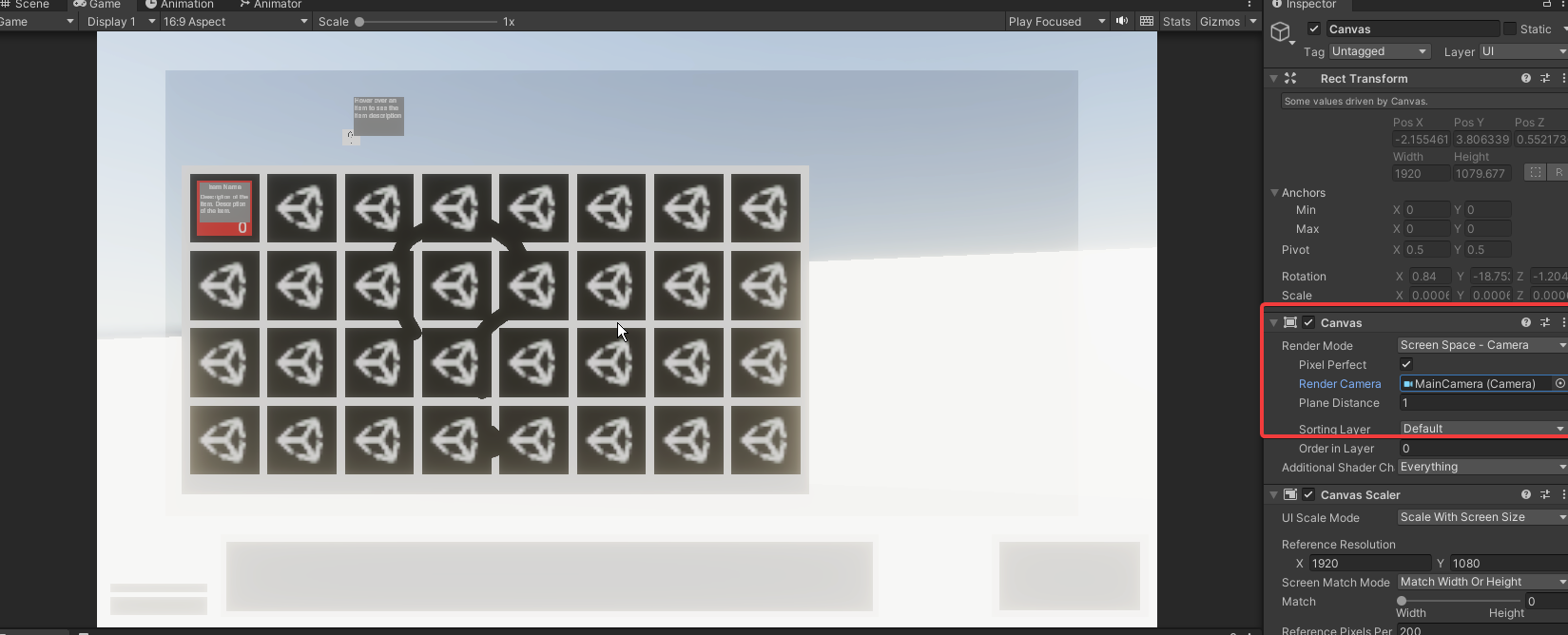
when the render mode is set to screen space overlay, it works fine, however when i set it to screen space - camera, the ui does not react. how do i set up interactable ui with a screen space - camera canvas? i would like to be able to set the render mode to screen space - camera as i am creating pixelated visual effect through a render texture
mortal robin
rancid trellis
when the render mode is set to screen space overlay, it works fine, however when...
Make sure you have an event system
Make sure the camera is set on the canvas
Make sure the canvas has a graphic Raycaster
Make sure nothing is blocking it
 narrow slate
i guess this is the right channel? i have a rawimage in 3D world space and for some reason it glows in the dark and when i assign a material to it "UI/unlit" all i can see is the material and not the texture i assigned
rancid trellis
ok so, the UI camera that i set on the canvas is parented to the main camera. the UI camera is for rendering the UI components over the world, otherwise the UI will be blocked by the objects in the scene. and the main camera is rendering to a render texture. then there is the third camera that views a quad with the render texture on it-- this is the camera that is the actual game view
the main camera:

the UI camera:

ok i see, the third camera that actually views the quad with the render texture on it has to be the camera that is set for the canvas. the issue is, the ui components wont have the pixelated effect as its not going through the render texture. is there a way around this besides pixelating the actual ui itself? i would still like the canvas to go through the render texture
 reef cairn
So I have this issue with the game being too zoomed in. This is 1920x1080 but it's still cropped. So this has to be a scaling issue. This is a WebGL build and it works fine on play mode. I encountered this problem before but I forgot how to fix it. Any ideas?

Oh got it. For anyone struggling, check your aspect ratio
 median iris
Hey, I have a Problem with my Swiper Component, and I'm trying to find the issue for hours now
I think it's related with the Display Cutout that my Mobile Device has, but I'm not sure, it works on PC Builds and InEditor on the Emulator
The issue only appears for the non-fullscreen Swiper..
Anybody any ideas? You'll probably hear this on a daily basis, but my RectTransform Hierarchy and Code are 100% not the issue! :x
It happens after the first movement, but the positions have been calculated and applied in OnEnable already, before any movement, and they don't change after that, so they should be the same
Also, the Current and Self Positions should, in my understanding, be equal, because Current is a Child of Self which stretches to it's complete size
I've set "allow render outside safe area" (or how it's called) to false, but even when it was true, i got the same behaviour...
Notice the indicator text, it doesn't move, that means that the position actually stays correct because it's anchored to the bottom of the swiper, but still the graphics are pushed down
Also, movement is via DOTween, but the same jump happens when instantly applying the positions
Also, I tried using the Self position as root for the calculations, it gave me the opposite result, the swiper was pushed up by the amount of my displays Cutout, before any movement happens, but didn't change position when movement happened
Mayyyyybe it IS my code, I am calculating screen positions via transform.position instead of getting the RT and using the anchor and sizeDelta properties,
I'll rework it later and test again
low pike
 grizzled inlet
Why might it not be displayed in the game tab?
grizzled inlet
Why might it not be displayed in the game tab?
SpriteRenderers aren't for UI. You need to use the Image component.
 terse hinge
This might be a dumb question. Does the game object of an selectable need to be active to be selected?
mortal robin
terse hinge
This might be a dumb question. Does the game object of an selectable need to be ...
definitely
terse hinge
so the selectable that gets selected first by the Event Sytem has to be active at start?
@mortal robin
mortal robin
Seems logical...
grizzled inlet
low pike
SpriteRenderers aren't for UI. You need to use the Image component.
I do not know how to properly configure the Image layer;(
low pike
grizzled inlet
I do not know how to properly configure the Image layer;(
Time to go and !learn then
onyx flowerBOT
🧑🏫 Unity Learn can offer you over 750 hours of free live and on-demand learning content for all levels of experience! Make sure to check it out at https://learn.unity.com/
grizzled inlet
low pike
Time to go and !learn then
I have a button and it overlaps another one, if I swap them, it doesn't look very good, because you can't set a layer there like in a sprite render
median iris
median iris
Hey, I have a Problem with my Swiper Component, and I'm trying to find the issue...
i fixed my problem simply by initializing in Start instead of OnEnable
my next question is, why do i get different results with this code? 😕
https://pastebin.com/Q8Cxcm5z
it's nice to have it fixed, but i'd prefer to understand why it's happening in the first place
i found this thread, quite a few years old, it describes the same issue, some suggestions were that its caused by LayoutGroups etc, but in my test example i simply used empty gameObjects
https://forum.unity.com/threads/rect-transform-not-yet-set-when-referencing-in-awake.282806/

Pastebin
Pastebin.com is the number one paste tool since 2002. Pastebin is a website where you can store text online for a set period of time.

Unity Forum
I have a script which is trying to reference the RectTransform of a child object in the Awake method. I am referencing the child simply using a public...
 lofty oar
Hey guys, i was wondering. When you create menu as scene, is there any option to load that menu without breaking state of the level you are currently in ?
median iris
#1 would be to have a way to save your level
#2 would probably be Additive Scene Loading
#3 if it's some overlay menu (for example, a pause menu), you gotta implement a way to actually pause and resume your game
 sharp belfry
er..?
 median iris
sharp belfry
er..?
median iris
sharp belfry
er..?
any chance there's whitespace before the letter? :x
how does it look if you center it by geometry?
sharp belfry
median iris
any chance there's whitespace before the letter? :x
how does it look if you cent...

 median iris
o.O
i have no good ideas, honestly
may it be related to the outline?
also, try centering by geometry
for the alignment property:
first row - last option
second row - 5th option
sharp belfry
Nope, nothing works. Though I just pulled out a prefab which uses the same font and everything, and it seems to work perfectly despite having the same settings as far as I can tell
 sharp belfry
we have a winner XD
 median iris
nice! 😄
 haughty drift
im using sprite swap to highlight buttons when hovering, but I also want to beable to use the up down keys. I am unsure how to do this before i switched to sprite swap i was using this EventSystem.current.SetSelectedGameObject(null); // EventSystem.current.SetSelectedGameObject(targetButtons[0].gameObject);but this no longer works
 supple basalt
doing that will deselect the button
there will no longer be a selection, so the navigation buttons will not work
haughty drift
yh, So is there no option for me to use sprite swap for the hover and create my own select for keyboard input?
 nocturne junco
Hi! Complete beginner here. I'm pretty confused about this: I've changed the position of the child object (a capsule), but when I click the parent object (empty), the transform gizmo stays in the same place, even though its position is different to its child's. What am I missing?
mortal robin
nocturne junco
Hi! Complete beginner here. I'm pretty confused about this: I've changed the pos...
Press Z
nocturne junco
mortal robin
Press Z
bruh thanks
What is this slider that you get when pressing the right mouse button while rolling the middle button? Can't find it anywhere.
 frosty pewter
nocturne junco
What is this slider that you get when pressing the right mouse button while roll...
frosty pewter
nocturne junco
What is this slider that you get when pressing the right mouse button while roll...
The speed of the camera movement when in FPS control mode (holding right click and moving with WSAD)
 light rose
So I'm trying to make a map using a tileset yet for some reason the edge of some tiles keep disappearing

notice how the bottom tiles have no white line
same with the ones on the left
im not sure why
is it because the tiles are 16 x 16?
 fading jungle
What do I need to do for the game world Ui that can be visible through the walls?
haughty drift
haughty drift
im using sprite swap to highlight buttons when hovering, but I also want to beab...
Bump
timid forge
Im using a vertical layout group and a textfield... this is my UI on my phone...

This is it on another...

How do i make the text behave correctly? When the text is part of the vertical layout group, we can not use the anchors to make it scale correctly... so how the heck should we solve this?
low pike
set the 'canvas scalar' (on the Canvas game object) to scale with screen size, set a reference resolution and then use the slider to set what % you want it to scale with the width or height
timid forge
low pike
set the 'canvas scalar' (on the Canvas game object) to scale with screen size, s...
I love you, thanks... that instantly worked xD And i legit have never heard about that solution. Why does uGUI suck so bad?
low pike
It doesn't, it's just you don't know how to use it properly
timid forge
But its so complex. E.g. css and html are much easier to get something properly working. And UI Elements is not there yet (it works, but is still missing plenty of stuff)
E.g. this case, Theres a title and a description (the second title). The description should take the rest of the available space and fill it automatically.
How would i do this and make it also work with multiple resolutions?
 low pike
In this case, don't change the padding on the TMP component
I think you'd probably need a 'layout element' on the description with 'preferred size' ticked
not 100% sure on that without trying, and I don't have Unity open atm
timid forge
low pike
In this case, don't change the padding on the TMP component
So thats what i mean basically... looks fine here, element takes up the right amount of space

And here it suddenly looks shit on an other resolution... As you can see in the other image, i set the preffered size ^^

And thanks for helping me btw, its incredible hard to google this actually
low pike
untick preferred.. change to flexible
timid forge
low pike
untick preferred.. change to flexible
That didnt worked either. I also tried to enable "Child control size" in the layout group... and now it is kinda working, but looks like this :

Which is not really what i want, well yes. It makes use of the space correctly now, but the first title is way to big now... i also set its min size and preffered size to 100 but that did not change anything
 timid forge
low pike
content size fitter on the title
timid forge
low pike
content size fitter on the title
Well that works now ^^ However... the spacing is terrible now :

Those are the layout group values

Thanks again for helping*
Why the heck is that spacing there? Dammit how hard can that be
Got it... Description also required a contentsize fitter with unconstrained vertical size. The panel needs to be set to expand. Description requires flexible height. Done, finally.
timid forge
Is there a way to get the size of an ui element? .sizeDelta.Y is zero for some reason... however i need the real size of the element 😦
 low pike
IIRC .sizeDelta gives a different value depending on what the anchor setting is. It'll be zero if you've got it stretched, because you want the value to be stretched with 0 distance from the parent

You'd need to change that to the default anchor setup and then get the .sizeDelta
timid forge
low pike
IIRC `.sizeDelta` gives a different value depending on what the anchor setting i...
Thanks! 🙂 That kinda sucks however... so i need to set it to default for one frame, get the size delta and then i need to set it to the previous value to make the ui fit accordingly. Thats weird, isnt there another way to determine the height?
low pike
If there is, I dunno
timid forge
The thing is... this is my "ui". I need the size of that ui to animate it, i wanna animate a down movement to slide that thing out and back again.
I just set the anchor to default values, force canvas to update to get its size... then it will mess up the whole ui.
 low pike
What animation are you doing? Movement?
timid forge
Yep, i need some sort of slide animation ^^ It should move from some hidden state under the ui to the state visible in the picture above
And i have no idea how i should do that
low pike
Cache the .anchoredPosition.y .. move it off screen (value will depend on the pivot).. animate it on screen to the cached pos
timid forge
low pike
Cache the `.anchoredPosition.y` .. move it off screen (value will depend on the ...
Thats the plan, however i do not know how far i need to move it off the screen... since i can not get the height of that stupid element xD I did what you said and set the anchor to default values during runtime, forced a canvas update and it tells me... the height is 1 for some god damn reason
            var anchorMax = rectTransform.anchorMax;
            var anchorMin = rectTransform.anchorMin;
            rectTransform.anchorMin = new Vector2(0.5f,0.5f);
            rectTransform.anchorMax = new Vector2(0.5f,0.5f);
            Canvas.ForceUpdateCanvases();

            _height = rectTransform.sizeDelta.y;
            rectTransform.anchorMax = anchorMax;
            rectTransform.anchorMin = anchorMin;
            Debug.Log(_height);
            Debug.Log(rectTransform.sizeDelta);   // <--- Size is 1 ?!
            Canvas.ForceUpdateCanvases();
 winter helm
hi! I have a problem with fonts, i`m trying to make a game UI in different languages, here is Latin, Cyrillic, japan hieroglyphs. I downloaded google NOTO sans font, because it says multi-languages, set it in fonts parameters, but still have squares instead symbols in russian language and japan. What did i miss?
low pike
timid forge
Thats the plan, however i do not know how far i need to move it off the screen.....
try .rect.size from the RectTransform component
 frigid zephyr
Does unity support multi layer images
I want to use eye textures in such a way that the whites are separate from the pupil so they aren’t colored when recoloring the pupil
low pike
for UI?
You'd have separate sprites and image components, then use masking.. I assume
supple basalt
this isn't a question, just an observation
it feels REALLY nice to have a solid enough grasp of the UI system that I can click a button and get the expected result most of the time
instead of just randomly setting values, adding components, and praying to various deities
learning stuff is good, actually
 steady robin
winter helm
hi! I have a problem with fonts, i`m trying to make a game UI in different langu...
steady robin
winter helm
hi! I have a problem with fonts, i`m trying to make a game UI in different langu...

Stack Overflow
Cyrillic is not displayed in TextMeshPro, squares are displayed instead of Russian letters. I looked on the Internet for analysis of the same issue from other people, but I did not understand anyth...
steady robin
supple basalt
this isn't a question, just an observation
so post it in #💻┃unity-talk ig😅
encourage people to learn
 distant copper
Does anyone else tear their hair out everytime you have to get a scroll view working?
steady robin
distant copper
Does anyone else tear their hair out everytime you have to get a scroll view wor...
learn this https://youtu.be/Q-G-W93jhYc
If you've ever needed a scrollable container of items in your Unity game menus, keep watching! Confine any number of items to the limits of a container and mask the overflow.
Learn about the different settings of the scroll view/rect as well as how to use the 'Content Size Fitter' to dynamically resize your content.
❤️ Become a Tarobro on Patr...
supple basalt
distant copper
Does anyone else tear their hair out everytime you have to get a scroll view wor...
yeah
I was just implementing one a few minutes ago, lol
I eventually worked out that I needed a content size fitter to make sure that the content was getting sized correctly
distant copper
content size fitters are great
my only problem is that for some reason, the UI prefabs ive made dont seem to obey the same rules, or i havent set up their bounds correctly
i'll take a look at that video and then just keep trying to make sure all the anchors and rects and stuff are properly sized
yeah part of the problem is that my content is this case is recursive, in the sense that its a tree with a root node and then child nodes, and those child nodes have their own child nodes, etc
 alpine nimbus
I have a PNG sequence. I can import it into a scene no problem, it shows up as a SpriteRenderer.
But the problem is that I want it to show up in UI. And that seems impossible? I can't convert the SpriteRenderer to an Image, that breaks the animation.
What do?
supple basalt
has anyone noticed that having something open in Prefab Mode that has navigable UI elements screws up navigation in the Game View?
i can navigate off the end of a list and wind up on null, but it only happens if I have one of my UI prefabs open
mortal robin
alpine nimbus
I have a PNG sequence. I can import it into a scene no problem, it shows up as a...
Images are for UI
SpriteRenderers are for the game world
YOu can't use a SpriteRenderer in the UI
I can't convert the SpriteRenderer to an Image, that breaks the animation.
Wdym by this
just change your animation code to use Image instead.
alpine nimbus
I found a workaround, but I don't have the vocabulary to articulate the problem I had. Thanks for trying though!
 rare sky
Hello, in Text Mesh Pro do we have a shared font like this? Because I have to make a duplicate with different name file so whatever changes that I made with the first font doesn't affect the other font.

 stark elk
What exactly is a rect
 turbid plume
How would I change the gradient color of a mouse cursor? I have a mouse cursor and simply don't know how to get a gradient color. Not with microsoft paint or sketch.io and I don't have photoshop
any online free tools or anything?
mortal robin
stark elk
What exactly is a rect
Rectangle
 smoky seal
Hi, is it possible to create a click-through UI? For example Button A and Button B is layered on top of each other and when the user click on them i want both of them to clicked and not blocked by the one on top
low pike
You would have to code that yourself
smoky seal
low pike
You would have to code that yourself
I see.. is there something you recommend checking out that might help me with the coding part, basically where to start type of post
low pike
https://docs.unity3d.com/2018.3/Documentation/ScriptReference/EventSystems.IPointerClickHandler.html
 smoky seal
low pike
https://docs.unity3d.com/2018.3/Documentation/ScriptReference/EventSystems.IPoin...
smoky seal
low pike
https://docs.unity3d.com/2018.3/Documentation/ScriptReference/EventSystems.IPoin...
i'm assuming i have to send a raycast to detect all gameobject with this ipointclickhandler?
low pike
no, that is why the example code does not use a raycast
smoky seal
low pike
no, that is why the example code does not use a raycast
wait, so you're telling me ipointerclickhandler works regardless of how many UI elements are stacked on top of each other?
low pike
no
No need to write your own code, actually..
Just have button B reference the same thing button A does
or have button A listen to B's onclick
You do not need to "pass through" any UI to achieve this
timid forge
Im using a scrollview, put a contentsizefitter onto the content.
Works fine in editor, during runtime however... it often happens that it does not resize and not update properly.
Is this normal? What could i do?
 smoky seal
low pike
No need to write your own code, actually..
Just have button B reference the same...
smoky seal
low pike
No need to write your own code, actually..
Just have button B reference the same...
well, the thing is this is just an example so you can understand what i'm trying to do, i'm actually trying to get some logic to work by using some other scripts + event trigger
rotund ledge
anyone got good tutorials or info on anchors, and UI scaling? im not sure how to approach this problem and i want to support different resolutions

this is more how i want it to look
 smoky seal
low pike
or have button A listen to B's onclick
smoky seal
low pike
or have button A listen to B's onclick
as i mentioned above i'm not really using buttons but even if i were to use buttons this would be a messy approach but it does work i guess
but i'll try to raycast on click position to get all UI elements hit so i can run all the logic in these elements
low pike
The class that is listening to the clicks, should not be doing anything else. It listens for the click and sends out its own event.
Your classes that then do something, should have a list for that ^ class and listen to all those events.
raycast isn't for UI
UI uses graphics cast, there is no need to use it for what you want to do
smoky seal
low pike
raycast isn't for UI
it doesn't work for even 3D canvases?
 west oyster
Hey I have an icon like this that is seeming to render behind the background UI even though it's a child of it and infront of it what is it i'm doing wrong?
 low pike
smoky seal
it doesn't work for even 3D canvases?
low pike
smoky seal
it doesn't work for even 3D canvases?
there's no such thing as a "3D canvas"
A canvas in world space.. is still a 2d canvas
timid forge
timid forge
Im using a scrollview, put a contentsizefitter onto the content.
Works fine in e...
Anyone? ^^
low pike
timid forge
Anyone? ^^
toggle it off -> set the content -> toggle it on
timid forge
low pike
toggle it off -> set the content -> toggle it on
Ugh... so i also need to do that during runtime?
That kinda sucks actually... especially since i use databinding and i dont really know when something new is inserted
low pike
Ugh... so i also need to do that during runtime?
Sometimes
there's also the force rebuild layout function
that might work
That kinda sucks actually... especially since i use databinding and i dont really know when something new is inserted
This doesn't make sense.
Surely you have some code that's basically label.text = someNewText;
This should:
1- be only in 1 place and not multiple
2- can have the toggle on/off wrapped around it, OR, force rebuild after
timid forge
low pike
> That kinda sucks actually... especially since i use databinding and i dont rea...
Yeah but decoupling also plays a role... I feed that stuff in some sort of datasource.
I will just try to toggle it on or off at some point
rotund ledge
rotund ledge
anyone got good tutorials or info on anchors, and UI scaling? im not sure how to...
bump
rapid ferry
this is my heirarchy

@supple basalt
it goes like this, UI->GameplayScene->endScene
everything works fine until I reach endScene
it pops up but I cant interact with it
and if I start from the endScene, everything in it works fine
low pike
something is possibly left over blocking it at runtime
low pike
I dunno what it could be, haven't seen it at run time.
You can easily test it.. at run time
the event system also tells you what it's interacting with as you move the mouse around
 lusty ridge
Hi, does anyone know any course or website which teaches how to create GUI?
low pike
!learn has a few
onyx flowerBOT
🧑🏫 Unity Learn can offer you over 750 hours of free live and on-demand learning content for all levels of experience! Make sure to check it out at https://learn.unity.com/
rapid ferry
low pike
the event system also tells you what it's interacting with as you move the mouse...
for some reason it isnt showing anything wherever I hover
frosty pewter
lusty ridge
no not how to use inside unity
i mean to create UI icons and 2d game ui kits etc...
supple basalt
rapid ferry
this is my heirarchy
Are you additively loading several scenes?
I'm guessing that unity is not enjoying having two EventSystems simultaneously
timid forge
Honest opinion...
Does this look "native"? I tired to copy the material 3 style as good as i could... but i actually think it still looks not native. And i have no clue why
 low pike
no it doesn't
partly because it's not crisp (view scale is at 0.3)
The title looks wrong. I don't know the standards, but I don't think it would ever go on to 2 lines like that, and would probably be aligned middle?
spacing between the white line at the top + title, title + description and description + next button look too small
timid forge
Thanks! The view scale can not be changed (or can it) ?^^
Yeah i should really try to middle align it, that line wrap is intended though since the title can vary in length.
Im gonna play around with the spacings, i think spacings were always like 64 px and similar or?
What about the color? Do they match?
I found this :
https://m3.material.io/theme-builder#/custom and took those colors... however, the material 3 design site is a bit confusing about the aplliance of those colors. But i took what "looked" the best for some sort of contrast.

Material Design
Build beautiful, usable products faster. Material Design is an adaptable system—backed by open-source code—that helps teams build high quality digital experiences.
low pike
The view scale can not be changed (or can it) ?^^
What do you think that slider is for? 🤔
timid forge
Well yes... however i can not set it to 0. Its stuck at 0.3... thats the lowest i can go
low pike
it should be 1
1 is no zoom
It won't fit on screen then.. so you use the scroll bar that appears to scroll down so you can see the area
timid forge
Ahh i see, thanks ^^
rapid ferry
rapid ferry
this is my heirarchy
in the end it was a cursor problem 
low pike
@timid forge going off that link, your button is the wrong colour ?
timid forge
low pike
<@507208990300569600> going off that link, your button is the wrong colour ?
Is it? What have i missed? 😮
Ah this?
 low pike
Mebbe
I use a Pixel 6 (XL?) as a dev device at work. I don't see any purple any where in the o/s UI
timid forge
low pike
Mebbe
Well there different color schemes, totally depends on the app and its "feel".
Im gonna try that botton color, probably it looks better ^^
That material 3 guideline stuff is just horrible confusing. E.g. Bottons on "surfaces" like popups or that "bottom sheet" im replicating... change their color to something else... and this depends on the color of the surface the button is on. Its horrible to replicate actually xD
low pike
I'd get a screenshot of this UI from an actual app and just copy that
timid forge
Thats kinda smart... now i just need to find one app that already uses that style. Its actually "brand new", so lets see what we got there
timid forge
The adjusted example, looks better now... or?
 low pike
Better, but still not there
the description font size looks too big?
and aligned weird (because of the right side)
There's probably too much text for what this would typically be used for in the native UI
low pike
low pike
There's probably _too_ much text for what this would typically be used for in th...
Not saying to not do this, just that could be a factor as to why it doesn't quite look right
timid forge
low pike
Better, but still not there
Thanks ^^
Well yeah the font size... im gonna look at that directly 🙂 I also just discovered WHY it looks so untypical... because of the font alignment. Once fixed it now looks "cleaner" like you would expect that from a native UI :
 timid forge
On the right my figma prototype, on the left my unity design.
I set the exact same colors on my unity ui elements... e.g. the panel or button. However, the unity onse is always some shards darker.
Why is that?

(The color picker confirms this)
The colors are always a bit off... and i dont get why
low pike
as a test, put a grey background around the one in Unity (hide the skybox/ other things)
timid forge
low pike
as a test, put a grey background around the one in Unity (hide the skybox/ other...
Nope, still two different colors... only slightly, but i have the feeling that unity modifies colors a bit. Is this possible?
How do i get the desired real colors?

Left is unity, right is figma in this case.
The damn unity panel (without an source image of course) has the exact hex code as from figma.
mortal robin
timid forge
Nope, still two different colors... only slightly, but i have the feeling that u...
One possibility is gamma color space vs linear color space
Another possibility is your thing is transparent
timid forge
mortal robin
One possibility is gamma color space vs linear color space
Another possibility i...
Thats interesting, can we change this in unity?
 timid forge
Alright its already set to linear, im gonna change it to gamma for a quick test ^^
mortal robin
also postprocessing and HDR could be in play as well depending on your project configuration
timid forge
No postprocessing or hdr used in my case ^^ lets see if gamma changed something
Yep thanks! Gamma did the trick! 😄
mortal robin
that probably means Figma is also operating in gamma space or something
timid forge
Besides that... the design i have in figma are 900x400 (more or less)...
Does that mean i should set my canvas settings also to a 900x400 reference solution?
Its currently at 1080x2400 (common android resolution). When i wanna recreate my ui from figma, i should set it to the figma 900x400 or? Otherwhise i need to estimate the pixel distances...
Is a 900x400 canvas reference solution "bad"? Does this cause unsharp ui?
 mortal robin
timid forge
Besides that... the design i have in figma are 900x400 (more or less)...
Does th...
mortal robin
timid forge
Besides that... the design i have in figma are 900x400 (more or less)...
Does th...
You can use any reference resolution you want. All it does is determine the scale of the numbers used in canvas space
e.g. when reference resolution is 100 x 100, the canvas positions will range from 0 - 100 at the extremes of the screen
The canvas scaler will ultimately scale the UI to the actual game resolution
timid forge
Ah alright thanks, that sounds great 🙂
Damn finalllyyy... it finally looks like the design in figma and therefore somewhat professional.
Damn... now onwards to animation
low pike
You want to match the reference resolution with the resolution of your designs, makes it easier to implement the design in Unity.. all the values will be the same
supple basalt
I like setting mine to 1920x1080 because I'm used to it
but i also have no real designs, being a solo developer smashing things together with a big hammer
rotund ledge
rotund ledge
anyone got good tutorials or info on anchors, and UI scaling? im not sure how to...
bump, would really like some clean reactive UIs
rapid ferry
rotund ledge
this is more how i want it to look


 rapid ferry
be creative, Unity UI is complex
you can do a lot, but it can be annoying sometimes (actually most of the time)
rotund ledge
yeah im also still not sure on my design yet, like maybe I want buttons on the side so I can move items between chests and inventory
rapid ferry
rotund ledge
like what if someone wants to play on their TV Remote??
in this case; change your grid layout, to be flexible
rotund ledge
but I might need to have buttons on the bottom for some reason
well now it looks like this, which I personally dont like
 rapid ferry
idk what you want to happen, make a layout of what you want it to look like first
rapid ferry
rotund ledge
but I might need to have buttons on the bottom for some reason
these statements can change a lot in your UI, make your decision first
rotund ledge
sure
rapid ferry
rotund ledge
sure
Something as simple as this can help people help you achieve what you want
 rotund ledge
alright
 rain kayak
how can i improve this?
rotund ledge
rain kayak
how can i improve this?
i dont like that the text is bigger than the actual bar
rain kayak
rotund ledge
i dont like that the text is bigger than the actual bar
oh no thats an example, the text is going to be a pixel art
rotund ledge
ok well it looks fine then depending on what you are trying to conjvey
frigid zephyr
ive got some objects in a group


the issue is that the objects arent centered
compared to the whole bottom, they arent centered
 rotund ledge
@rapid ferry this is my layout

the blue is where i have no idea what to put there and decration recommends would be nice or something like that
rapid ferry
rotund ledge
<@456226577798135808> this is my layout
these 3 are completely different from each other, you'ld have to make 3 ui layout for that
then use ratio to decide which layout fomat to use
rotund ledge
the thing is, the only reason i need the tall layout is because what if someone plays on a tall monitor, not sure if i want that though
rotund ledge
rapid ferry
then use ratio to decide which layout fomat to use
is this a manual process or is there a component that handles it
rapid ferry
Actually most players play in 16:9 ratio
rotund ledge
anyways how do i get any of these to scale nicely
rotund ledge
rapid ferry
Actually most players play in 16:9 ratio
yes, but i own a few box resolution monitors
rapid ferry
except for anfdroid maybe
rotund ledge
so i want it to work there
mortal robin
rotund ledge
anyways how do i get any of these to scale nicely
using UI anchoring and autolayout stuff
rotund ledge
im only targetting PC and maybe in 34587345083475834 years if my game is good console
rotund ledge
mortal robin
using UI anchoring and autolayout stuff
wdym by autolayout? because i cant find a good anchor yet
mortal robin
rotund ledge
wdym by autolayout? because i cant find a good anchor yet
you will need to use/know both of these
rotund ledge
i already mostly understand the basic one but yeah thanks
mortal robin
The main thing people don't understand about AutoLayout is how Layout Element works
that's how you do stuff like "I want this element to take up 33% of available space" for example
rotund ledge
thats very cool
unfortunately i need to sleep now, gn, hopefully I can work on UI more tommorow
rapid ferry
mortal robin
The main thing people don't understand about AutoLayout is how Layout Element wo...
yea that's the layout element I barely understand, only used that thing for the ignore bool
 signal lion
Is it just me or is the text a little bit blurry or something? If so, how can I make that much clearer?
 low pike
right, now show the setup
because TMP isn't like that by default
You've either got the settings wrong on the TMP
Or perhaps some post processing going on that's affecting it


 low pike
Change to the default font, is it still low quality?
signal lion
Looks a bit less low quality.
 mortal robin
signal lion
Is it just me or is the text a little bit blurry or something? If so, how can I ...
mortal robin
signal lion
Is it just me or is the text a little bit blurry or something? If so, how can I ...
honestly the whole game looks slightly blurry not just the text
probably you have zoomed in the game view or something
low pike
That's what I'm thinking
signal lion
No haven't zoomed into the game. The scale is set to original.
signal lion
Can't I've turned it off for lunch. I show the screen when I get back. xD
 green crag
Hi, I have problem.... I changed the aspect ratio to 16:9 from Full HD (dont know why I had it like that) and all of UI got messed up.....so I fixed it....but now I cant click any buttons or get to input fields.
I can provide any data required
I tried to check layers, colliders and any other things making them unclickable
mortal robin
green crag
Hi, I have problem.... I changed the aspect ratio to 16:9 from Full HD (dont kno...
- missing event system
- missing input module (or wrong input module)
- other UI element(s) blocking them
colliders are not relevant for UI
green crag
Oh? How you make then several layers bellow each other unclickable
west oyster
Is it possible to have when I select a UI element it scales down but still keeps readability and opens a window on the side for like description? not asking anyone to make it for me just is it possible and maybe point me to a scripting reference if you're really nice?
 mortal robin
west oyster
Is it possible to have when I select a UI element it scales down but still keeps...
mortal robin
west oyster
Is it possible to have when I select a UI element it scales down but still keeps...
Are you asking how to show a tooltip window?
mortal robin
green crag
Looks like... you don't have a canvas? Unless it;s on the UI object?
green crag
yeah canvas is on UI obj
west oyster
I'm not 100% sure what that is, but I did a quick paint diagram of what i'm meaning idk if it'll be helpful or it's just obvious in my head but
 green crag
but everything worked even before when I had canvas on UI and these things on the top
OH
I think I accidentally deleted Graphic Raycaster
I re-added it and now it at least reacts
(Had to load backup of the project)
Thanks for help!
green crag
mortal robin
colliders are not relevant for UI
How to make UI elements not click-throughable then?
Or any element really
mortal robin
green crag
How to make UI elements not click-throughable then?
as long as they have Block Raycast on they will block lower objects from receiving pointer events
green crag
all of them have to have that?
mortal robin
I thought your problem was they aren't getting clicks
not that the clicks were passing through
green crag
You mean Raycast Target ?
mortal robin
how dare you
 dense hornet
Got myself a variable called playerName in Player Manager. How do I pass it onto that textmeshpro that says NAME so it displays the player name?
 green crag
GetComponent<TextMeshProUGUI>().text = playerName on the object
dense hornet
SKRT SKRT thanks man
Ok and like, if I have a general UI manager script attached to all my UI elements, how do I specify that I only want to change that specific one?
timid forge
Are there any fancy unity databinding libs for uGUI?
Im currently using MRTK3 - Databinding... for AR & VR and it sucks... it cant even remove set values.
E.g. i create a list, fill the data... wanna update the list... and nope, i can not remove damn items from it. I can not remove items from the databinding.
SOOO... searching for something more useful
Are there any databinding libs? Dont let me hanging
 proud sandal
timid forge
Are there any databinding libs? Dont let me hanging
proud sandal
timid forge
Are there any databinding libs? Dont let me hanging
no, but depending on what specifically you want from your databound UI; you can make one yourself; its not gonna be super generic though but for a specific project it works quite well imo, as long as you embrace the nature of uGUI
west oyster
I feel like UI is by far the hardest, eerything seems so clunky and hard to do from my perspective
timid forge
proud sandal
no, but depending on what specifically you want from your databound UI; you can ...
Oh damn... :/ Hoped there would be a nice drop in solution...
timid forge
west oyster
I feel like UI is by far the hardest, eerything seems so clunky and hard to do f...
Yep... it is, UI is the worst part of unity. Even UI-Toolkit is not a good replacement rn
proud sandal
the UI solution that is not a massive PITA which eats 80% of your budget has not yet been invented
rotund ledge
proud sandal
the UI solution that is not a massive PITA which eats 80% of your budget has not...
i wish it was
 charred fog
uis are mean
rotund ledge
im using a horizontal layout group, how do I get the left panel to be shorter than the right panel? I dont see any way to control it

 paper spire
Hello so im using a scroll view with a grid arrangement. When i place an object into the grid it resizes the objects but none of the objects attached to the initial i think this picture will display what i mean better

the card object resizes but the text and images of that object do not resize

the card resizes but all else doesnt
haughty drift
haughty drift
im using sprite swap to highlight buttons when hovering, but I also want to beab...
bump
 mortal wharf
paper spire
the card object resizes but the text and images of that object do not resize
mortal wharf
paper spire
the card object resizes but the text and images of that object do not resize
try setting the anchor settings on the card to fill
 low pike
you've got it set to stretch (this is the correct term, there is no "fill"). Set the left/top/right/bottom values to 0
 dawn rain
Hello everyone, I'm trying to change this value through code but it is not updating... Do you guys know why?


image.sprite = sprite;```argh sorry for the indentation Discord did it I swear...
low pike
!code
onyx flowerBOT

Posting code
📃 Large Code Blocks
Large code blocks should be posted as links to services like:
https://gdl.space/, https://paste.ofcode.org/, https://hatebin.com/
https://paste.myst.rs/, https://hastebin.com/
📃 Inline Code
Surround code with three backquotes. Not quotation marks.
To get C# formatting the first line should only contain cs or csharp.
Add a comment with a line number if there is an error message.
```cs
// Your code here
```
Do not share screenshots of code unless requested.
low pike
nm, it's only 2 lines.. readable anyway
you're setting the ppu on the sprite it won't change the value on the image component
I assume
dawn rain
Oh yes, thats why...
So how would I change it in the image?
I couldnt find a SetPixelsPerUnit
Nvm, found it
image.pixelsPerUnitMultiplier = temp;
it seems to be a public property
I assumed it would have been a function
dang
thank you though!
dawn rain
Do you guys know how to change the outline size in a TMPro uGUI text ?
Im doing the following but I don't think its the correct way to do it.

Also would like to know how to change its color
west oyster
Is there a way to edit the text box size of a textmeshpro text? I don't see the text box so some boxes i can't fit anything in and stuff
 halcyon heron
Hey, I'm kinda getting lost in unity docs and layout components. I want to make a vertical layout group where each element is a textbox with a panel (image) behind that fits it. Anyway I can do that?
mortal robin
halcyon heron
Hey, I'm kinda getting lost in unity docs and layout components. I want to make ...
yep - just make the things children of the VLG
VLG
  Row 1 (Image)
    Text
  Row 2 (Image)
    Text
  ... etc
you can make any number of things you want as children of the rows too
halcyon heron
How do I make the image fit the text tho?
mortal robin
wdym exactly
halcyon heron
I can't put a content size fitter on the child
Cos it's supposed to be handled by the layout group
I think I'm supposed to use a layout element but I don't know how to make it do what I want
What I'm missing is how do I make each element behave as if its size is the text component's preferred size .
mortal robin
Are you saying you want each row to have a different size?
based on the text there?
halcyon heron
Yeah, according to its text
Or maybe according to the max prefered size of all the texts
mortal robin
I think you pretty much use Layout Element + Content size fitter
and just ignore the warnings
Unity Forum
I have a dialogue system that's already working. It's easy to write and is full of options, to interact with the player.
I was asked to change the way...
halcyon heron
mortal robin
and just ignore the warnings
Maybe that's what I was missing aha
I'll try it out thanks
 opaque zealot
Hey uh, so I've got 2 questions 👀
First of all, is it a good idea to use an animator to animate an UI ?
And second one, how do you usually do fade-in and fade-out effects on UI elements, like buttons, text inputs, etc ? I've come to something that can work by simply changing the material alpha of the elements I want to fade, but is there a better, easier alternative to this ?
mortal robin
opaque zealot
Hey uh, so I've got 2 questions 👀
First of all, is it a good idea to use an ani...
Use DOTWEEN for all of that
Super simple, much easier to work with than animations and supposedly more performant
opaque zealot
How about the fade thingy ?
 limber cape
Is it actually possible to localise dropdowns using the localisation package?
mortal robin
opaque zealot
How about the fade thingy ?
As I said, _all of that _
mortal robin
limber cape
Is it actually possible to localise dropdowns using the localisation package?
Sure why not?
limber cape
I tried myself, but since it's using an array to get the string of each option, I can't assign each option in the array to a localisation string reference.
 west oyster
what is easier to use, leantween or dotween?
proud sandal
west oyster
what is easier to use, leantween or dotween?
Dotween
west oyster
do you know if dotween happens to work with a UI that is made for screen overlay not in world space/screen space camera?
proud sandal
west oyster
do you know if dotween happens to work with a UI that is made for screen overlay...
Dotween doesn’t care what you use it for. So yes, it works.
west oyster
perfect thankyou
I've been trying to make my UI go from like invisible to scale up with animation to a big screen but not able to do that with leantween in overlay
light rose
So Im trying to make it so the player can pan the map around, however the camera that renders the map only moves in the x and y axis
    {
        PointerEventData pointerData = (PointerEventData)data;
        Vector2 position;
        RectTransformUtility.ScreenPointToLocalPointInRectangle((RectTransform)canvas.transform,pointerData.position,canvas.worldCamera, out position);

        camView.transform.position = canvas.transform.TransformPoint(position);
}```how do i make it so the camera can move on the x and z axis?
 terse lotus
apologies if this isn't specific enough but this TMP element is not appearing in game view, any ideas? It is on the card prefab which i have 6 copies of in the scene

okay i just had to play and stop the game twice for it to show, weird
but now the text is centered on the screen but i want the text to be on the card objects themselves
my overarching goal is to just simply have mutable text on the card object in the scene
terse lotus
light rose
So Im trying to make it so the player can pan the map around, however the camera...
use a vector 3 to capture the z value, vector 2 to my knowledge is only x,y
light rose
i kinda got it working
light rose
terse lotus
you dont happen to have any clue on my issue right lol
Idk maybe you did something with the material/ shader?
 timid tartan
I have a general question. I'm working on an RPG, and am now starting on the battle UI.
Since I plan to have a party of which the size varies throughout the game, the battle UI will changes as well.
I plan to have each character's panels spread out evenly from everyone else's, and this is where the issue comes up.
I don't want to have to create UI prefabs for every possible party size and UI position, but I don't really know how else to do it, as UI isn't really my strong suit.
Any advice?
Feel free to ping if anyone answers, as I'm getting off for the night.
mortal robin
timid tartan
I have a general question. I'm working on an RPG, and am now starting on the bat...
This is what layout groups and Layout Elements with flexible size are for
light rose
So for some reason when I try to pan the map around the camera moves farther away from where i clicked once i start dragging
    {
        camView = GameObject.Find("MapCamera"); //finds the map camera
        cmDefPos = camView.transform.position;
        canvas = GetComponentInParent<Canvas>();
        viewCam = camView.GetComponent<Camera>();
    }
    public void OnDrag(PointerEventData data)
    {
        Difference = viewCam.ScreenToWorldPoint(data.position) - camView.transform.position;
        camView.transform.position = cmDefPos - Difference;
}```notice how once i drag the mouse the map jumps away
light rose
update: Using scroll rect works, but now I got to figure out a new way to handle zooming in and out of the map
because zooming in uzing the camera would just cause the map to move up
 spiral granite
so when i build my game some of my ui elements are positioned differently compared to the editor in unity, how can i fix this?
 dense rapids
How does the Button navigation property work exactly? I have a horizontal layout group with 4 buttons but when I set Navigation to horizontal i acts weird and doesn't wrap around (wrap is checked). I have to explicitly set up the button navigation.
more specifically my question is if the navigation looks at all the buttons in the canvas or only the siblings of the button
indigo smelt
does the canvas scaler work with stretch res?
 iron raft
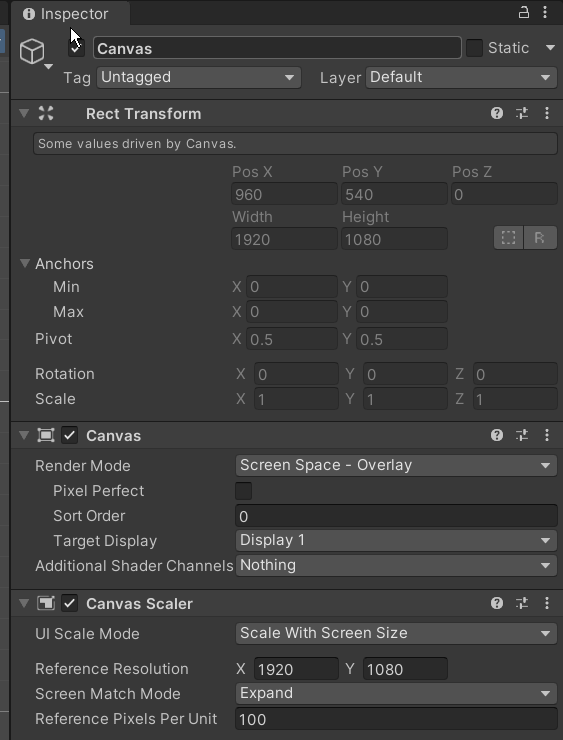
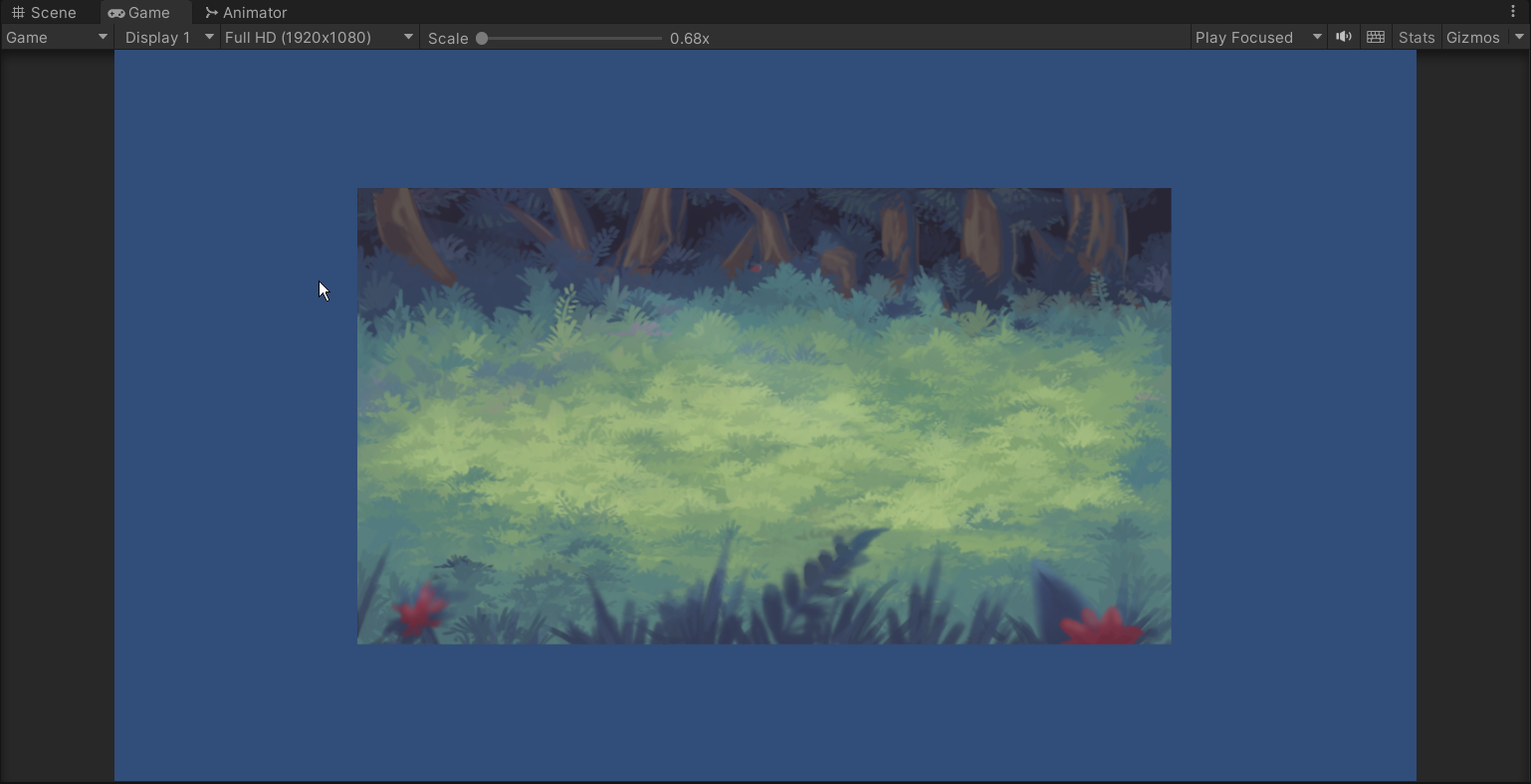
So I am making a 2D RPG and up until now have been using tiled backgrounds without issue. However, I'm making the battle scene now and struggling getting my background image to match my screen size. I am obviously doing something wrong but after a good bit of digging I still don't understand why it isn't filling the screen. Could someone point me in the right direction?
https://i.imgur.com/3z3ww4k.png
https://i.imgur.com/ss6q5wm.png
https://i.imgur.com/jVLWafH.png


 supple basalt
I want to be able to input a Cancel (i.e. hit the back button on my controller) and have it be received by my game menu. Currently, it seems like I have to attach an EventTrigger to every single selectable thing in the menu (mostly buttons) to receive that
is there any way I can just listen in one place?
I can certainly staple EventTriggers onto everything, but it feels a little goofy..
timid forge
Anyone ever experienced the same?
Using many nested layouts and contentsizefitters often do not update accordingly. Even with Canvas.ForceUpdate(); Or the layoutbuilder stuff.
In my current project i need to update all of them manually and it still jitters. Sometimes the UI jitters during that update noticeable. Any solution to this?
 stray marten
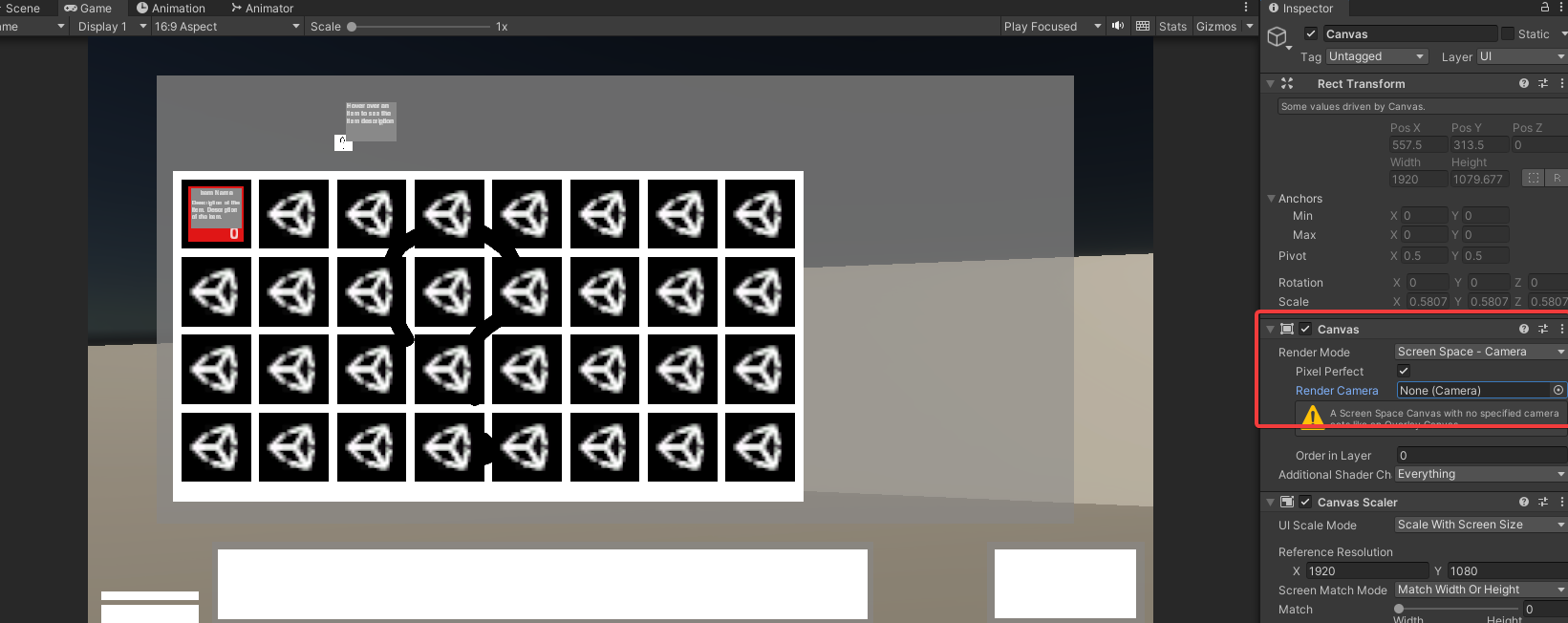
Does anyone know a work around.
I want it too look like this https://i.imgur.com/ickt5Tw.png but when I add a camera it goes like this https://i.imgur.com/J7FvJfT.png
 meager quartz
doing UI for a shooty phone game
something about the life bar (top left) is bothering me, but i'm not sure what. Any ideas?
 mortal robin
meager quartz
doing UI for a shooty phone game
something about the life bar (top left) is both...
mortal robin
meager quartz
doing UI for a shooty phone game
something about the life bar (top left) is both...
The colors are too saturated relative to the rest of the UI
including the 100% black
mortal robin
That's the main thing bothering me.
The other thing would be the vertical line on the left part of it
vs all the angled stuff elsewhere
meager quartz
ill add the angle shit to the shield
i think also displaying the shield number feels weird?
maybe it should just be a visual effect with no visible nmbers attached to it
rotund ledge
timid forge
Anyone ever experienced the same?
Using many nested layouts and contentsizefitt...
- dont use a whole ton of nested layouts on one canvas, thats bad for performance according to unity's docs
mostly the having so many UI elements on the same canvas
lavish tapir
my background object is hiding my other game object though its layer is lower than the others :

if i disable it i can see just fine

for example the other objects are in layer 3

any clues as to why ?
nvm another object was messing with it and the z should be at 0
fixed it: )
timid forge
rotund ledge
1) dont use a whole ton of nested layouts on one canvas, thats bad for performan...
Yeah... but how should i structure my complex ui otherwhise? I literally need layout groups and contentsize fitters
rotund ledge
timid forge
Yeah... but how should i structure my complex ui otherwhise? I literally need la...
What does your UI look like?
timid forge
rotund ledge
What does your UI look like?
Not game like... more like some native android app. Which normally has a lot of layouts n stuff. A lot of responsive ui
rotund ledge
timid forge
Not game like... more like some native android app. Which normally has a lot of ...
Then make a native android app
timid forge
rotund ledge
Then make a native android app
Which is not possible... and we can not use unity as a lib either. So we are stuck with complex UI and unity.
rotund ledge
Which isnt a good combo
timid forge
Yeah which kinda sucks since there other use cases besides game ui's
rotund ledge
Why cant you make a native android app anywayd
timid forge
Because that would require ton of rewriting and especially an insanely huge API (since the communication between android and unity sucks with unity as a lib, basically everything must be mirrored).
timid forge
Its a complex AR/VR App which depending on the case also has some mobile UI integration.
And dont tell me now that i should develop it using Android AR core manually now, those are just excuses. Its like reinventing the wheel
low pike
@timid forge this may be useful https://unity.com/how-to/unity-ui-optimization-tips

Unity
Discover how to create optimized Unity UI Elements for your content.
timid forge
low pike
<@507208990300569600> this may be useful https://unity.com/how-to/unity-ui-optim...
Thanks! ^^
One more question
How do we actually make Images scale and crop accordingly? Like preserving aspect, not stretching and filling the whole image?
Thats one image i loaded from picsum... however, its stretched. With preserve aspect it looks even more weird...

Thats preserve aspect.

Im looking for preserve aspect + scale till it fills the image object completly.
E.g. like something that is normally called "fitCenter"

Is there anything like this in unity?
low pike
not built in, afaik
timid forge
Ah damn it... and how could i simulate this properly?
low pike
Dunno, preserve aspect has always been enough for me
there's an asset on the store called Flexbox IIRC.. which may be useful for you
timid forge
low pike
Dunno, preserve aspect has always been enough for me
Can that also be done with preserve aspect and a aspect ratio ?
low pike
I don't understand the question
rotund ledge
timid forge
Its a complex AR/VR App which depending on the case also has some mobile UI inte...
Oh i see so it is sort of like a game
rotund ledge
low pike
<@507208990300569600> this may be useful https://unity.com/how-to/unity-ui-optim...
Anyways yeah this is the best you can do if you have to stick with unity
This article is what i was referencing earlier when i was talking about big canvases being a problem
 elder rain
Hey! Why is my text disappearing from another angle? It doesnt show it in the game either.


 buoyant lotus
Rate UI /10, ignore the player it is not finnished
 meager quartz
having an attack cooldown bar is very weird(?)
i dont think games usually do that because its not usually information that should be important to the player
also the font is uhhh.... well its there
 wild pebble
meager quartz
having an attack cooldown bar is very weird(?)
i dont think games usually do tha...
wild pebble
meager quartz
having an attack cooldown bar is very weird(?)
i dont think games usually do tha...
Id definitely rather make the cooldown clear from the animation if thats the style you are going for
low pike
attack abilities quite often have a cooldown visualized - though more common in some genres than others
as you know, it is important to the player to know when they can attack
timid forge
meager quartz
having an attack cooldown bar is very weird(?)
i dont think games usually do tha...
I think i only saw this as a concept of mana in some games...
Is there a plugin/lib for unity to embedd a real video player with controlls and stuff?
Unitys default video player does not have time controls or similar stuff
proud sandal
timid forge
Is there a plugin/lib for unity to embedd a real video player with controlls and...

Get the AVPro Video - Core Edition package from RenderHeads Ltd and speed up your game development process. Find this & other Video options on the Unity Asset Store.
proud sandal
this is mainly used for being able to consume any video source at very high quality
timid forge
proud sandal
this is mainly used for being able to consume any video source at very high qual...
Yeah probably, but that price sucks. Basic elements like video players should not costs that much.
Furthermore... you could just purchase uniweb for like 30$ and use that webplayer :p
But isnt there something open source like for poor people like me?
Actually i dont even know if im allowed to purchase stuff for my bachelor thesis
proud sandal
you can build your own player controls with the builtin video player component if you don't need to use external video assets
timid forge
Yeah but the problem is that this costs time... my bachelor thesis topic is not "building a webplayer in unity" and i cant spend days for that... i mean, there must be something open source like
 bitter maple
Does anyone know how to tie a rect transform to a specific aspect ratio?
 distant night
How can I fix this
low pike
First, press T and use the UI gizmos
You've probably got the slider rect bigger than the area you want it in
distant night
It doesn't help
low pike
This is wrong, it needs to be positioned and sized to the area you want the fill to be.
The image you keep changing, should not be edited

 steep aurora
can you advice multilanguage sci fi fonts?
distant night
low pike
ALWAYS keep the scale at 1,1,1 for UI

Use the height/ width to change the size of things
 low pike
by not letting values go into negative
distant night
distant night
It still happen same like this video
I already change scale to 1,1,1
low pike
there are going to be multiple issues with your setup
 sharp dome
hey so im pretty new to unity and i wonder how i could add a background image to my 2d game… just dropping it in the game makes it an object and i fear that it could somehow interfere with my other objects in the game… is there a way to just set it as a background? help would be much appreciated ^^“
rapid ferry
how to make sure that I always have something selected?? if I click empty space, the selected gone, then I cant navigate with keyboard anymore
 sterile wedge
sharp dome
hey so im pretty new to unity and i wonder how i could add a background image to...
sterile wedge
sharp dome
hey so im pretty new to unity and i wonder how i could add a background image to...
how are you worried it'll interfere? As long as you don't give it a collider or rigidbody, it won't interact with any other object
 tidal spruce
I have a simple question:
Why is "wrap around" option in selectables navigation not working at all?
low pike
If you click the 'visualize navigation' (IIRC) it'll show yellow gizmo arrows to show the navigation.. should be able to tell from that if there is a wrap around
tidal spruce
yeap! There is no wrap around, despite i set it to true (and navigation automatic ofc)


 bitter hearth
hello, how can i make my canvas scale depending on screen's width?

 low pike
Select the game object with the canvas on. Change the 'Canvas Scalar' to 'Scale with Screen Size' -> change the reference resolution to the one you want -> put the slider all the way to width
 bitter hearth
thank you!
 supple warren
guys how do i make the sprite scale with an image
low pike
explain better
because an image component has a sprite assigned to it, so changing the RectTransform height/ width would change the size of everything on that GameObject
supple warren
low pike
explain better
ok nvm that actually, i instead want to ask how do i get the width and height of an ui element in the script
low pike
recttransform.sizeDelta I believe.. check the docs to confirm
supple basalt
I have a variety of structs that are all just
struct WeightOfX {
  public X x;
  public float weight;
}
I have several duplicate property drawers for these
is there any way I can just write one property drawer and then use it for all of 'em?
all that changes is the names of the fields
oh right...of course I can. I just need to make a class that iterates over all the properties and draws them in a row
🦆
ah, I should be in Editor Extensions for this. Whoops!
 echo edge
51235
mortal robin
- pixel perfect camera(s)
- disabling texture compression
- point filtering on textures
echo edge
mortal robin
- pixel perfect camera(s)
- disabling texture compression
- point filtering on t...
51235
 native spruce
If I'm creating a "game over" screen, should I store it as a prefab (canvas included) and instantiate it when the game is over, or should I have the "game over" elements parented to the existing canvas (used during gameplay) and disabled, then enable them when the game is over? I imagine the prefab approach is easier to design on, but all the resources I find online show the second approach.
mortal robin
native spruce
If I'm creating a "game over" screen, should I store it as a prefab (canvas incl...
Keep in mind that most tutorials showcase a pretty simplified way of doing things just for the purpose of it being easy for beginners to work with or easy to make a video about. They're not necessarily good or maintainable ways of doing things.
A prefab sounds like a pretty good idea, especially if you want to reuse this thing across many scenes.
iron raft
How can I make a sprite sit in front of the UI? I would have thought I could use the Layer but that doesn't seem to work. I have it set higher than the image in the Hierarchy that doesn't seem to matter and I have it on a sorting layer that is the highest - none seem to make a diff.
https://i.imgur.com/Ccd7a9n.png
https://i.imgur.com/YkNYodA.png
https://i.imgur.com/Sagedzg.png
https://i.imgur.com/cS4lEze.png
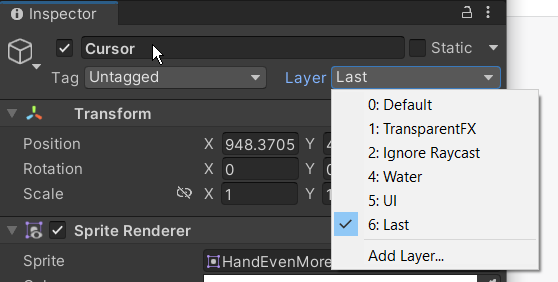
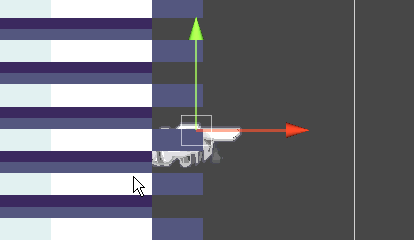
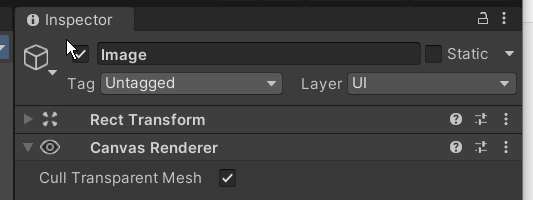
it just doesnt make any sense even bringing it out closer to the camera does nothing
even making the image a child of the cursor does nothing
sterile wedge
iron raft
How can I make a sprite sit in front of the UI? I would have thought I could use...
ui is always on top of sprites
sterile wedge
unless you use a world canvas i think
you can google
how to make sprite on top of ui unity
iron raft
i did
sterile wedge
it makes sense. you dont want buttons behind your characters
UI should always be on top unless they're part of the world
iron raft
so what i'm trying to do is have a cursor that tracks where you are at in the UI - and I tried making the sprite and image instead - but that never even showed up.
sterile wedge
why is your cursor a sprite renderer though
i've never used a custom cursor before, but doesnt it work with Image?
iron raft
yeah but it's not like the mouse cursor it's just following around the buttons as you navigate them
no mouse controls at all
come to think of it buttons are game objects on the UI
and they use image
so why can't my regular game object with an image draw on the UI?
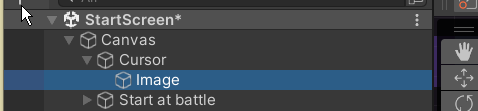 iron raft
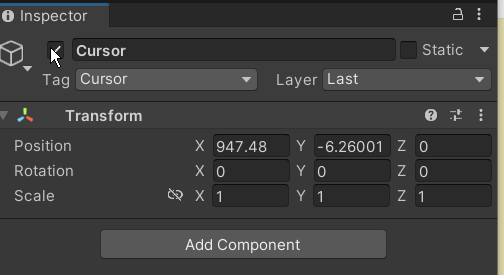 sterile wedge
it should be RectTransform
delete it and create the empty game object under Canvas
 wanton cedar
do unity UI buttons automatically work on mobile phone touch presses? Google isnt giving me a straight answer
sterile wedge
wanton cedar
do unity UI buttons automatically work on mobile phone touch presses? Google isn...
yes
you could always build and test though
or you can use the simulator window in the editor
wanton cedar
sterile wedge
https://docs.unity3d.com/Packages/com.unity.device-simulator@3.0/manual/DeviceSi...
thanks!
wanton cedar
Why are outline settings applying to every object of same font? Is this a glitch?
 sinful oasis
Does anyone know what Reverse Arrangement do
 mortal robin
sinful oasis
Does anyone know what Reverse Arrangement do
mortal robin
sinful oasis
Does anyone know what Reverse Arrangement do
reverses the arrangement
so the first element is on the bottom instead of the top
sinful oasis
mortal robin
reverses the arrangement
Ty 🤗
bitter maple
Alright so I’m using a canvas object and I want to keep track of touch drags on it, is the best way to just use IDragHandler on it?
That’s the solution I’ve come up with thus far, but the fact there is no 2023.2 documentation for it is concerning 😂
mortal robin
bitter maple
That’s the solution I’ve come up with thus far, but the fact there is no 2023.2 ...
the documentation is in the UI package now
 marble mural
Hey all, when building your UI in Linear color space how do you ensure a 1:1 color when designing in Photoshop? In the provided image this is just changing the color space and noticing the effects on an image component

For context I'm creating a design pipeline from either figma/Photoshop and establishing work environments to ensure my team's designers can build UI that will be accurately reflected in Unity's Linear color space. I'm assuming I need to account for this via the unlit UI shader...but I don't want to get into weeds just yet
mortal robin
Can Photoshop or figma not be set to use linear?
 naive dune
Say the red circle is an image element on the UI. The masked area need to be transparent. How can I achieve this, since image elements won't allow Visible Outside Mask like sprites do

 azure flame
naive dune
Say the red circle is an image element on the UI. The masked area need to be tra...
azure flame
naive dune
Say the red circle is an image element on the UI. The masked area need to be tra...
UI has own mask components https://learn.unity.com/tutorial/ui-masking?uv=2019.4
naive dune
azure flame
UI has own mask components <https://learn.unity.com/tutorial/ui-masking?uv=2019....
Yeah I've done exactly that. Thing is, Raw Images, unlike Sprites, won't allow Mask Interaction -> Visible from Outside.
I need whatever is outside the mask to be visible, and the area inside the mask to be transparent
low pike
The area outside the mask shouldn't be a child of the mask then?
naive dune
It is
azure flame
Flip the sprite or the shader https://www.youtube.com/watch?v=XJJl19N2KFM
✅ Get the Project files and Utilities at https://unitycodemonkey.com/video.php?v=XJJl19N2KFM
Let's learn how to make a Inverse Cutout Mask in the UI!
👇
🌍 Get Code Monkey on Steam!
👍 Interactive Tutorials, Complete Games and More!
✅ https://store.steampowered.com/app/1294220/
If you have any questions post them in the comments and I'll do my bes...
naive dune
azure flame
Flip the sprite or the shader https://www.youtube.com/watch?v=XJJl19N2KFM
I'm not using sprites, I'm using raw image
I'll look into it, thanks
But if it uses sprites, I don't think that will work because everything is on the UI layer. For whatever reason, when I try to use sprites, it shows underneath everything else, even if I make a new layer over UI and/or mess around with layer order
azure flame
you can't mix sprites with UI, use one or the other
 small grove
Hi, I am trying to create a settings menu that's in world space but I am having issues with components acting weird, they are really big and then when I scale them down they completely break, what am I supposed to do?

 low pike
Empty Parent -> scale down to something around 0.002, 0.002, 0.002 after putting the canvas as a child
- Canvas -> leave scale at 1,1,1
-- Canvas elements -> scales should ALWAYS be at 1,1,1.. no matter world or screen canvas
Never change the scale of a UI object to change its size* .. always height / width. In the case of a World Canvas have an empty parent to control the position and scale.
- unless animating
small grove
low pike
Empty Parent -> scale down to something around 0.002, 0.002, 0.002 after putting...
I managed to do something very similar by adding a panel and set it's size to .025 which does work for scaling but I am wondering if there are any downsides to my approach compared to yours?
low pike
Having non-uniformed scaling in your UI hierarchy will lead to issues like you've had
It's best to just have the empty parent be the object that you scale, and everything else left at 1,1,1
0.002 is what I've found works well in most situations for me, with a canvas res of 1920x1080... you'll want to play around with this and see what fits your needs
small grove
So I've kind of ran into an issue, not sure if it's because I am using a really small panel as I described above but my dropdown opens up instead of opening down.
Is it some kind of auto detection of the component if it's too close to the bottom of the screen that makes it open up?
If yes is it possible to disable that?

ok, that's not it, I just went with your approach but instead of using canvas I used panel and the issue still persists:


here it is with the canvas and approach you described, have a parent object whose scale I set to .025 after adding the canvas as a child and leaving that canvas's scale at 1 and then adding objects as a child of that canvas:

if you are able to help me with this please @
 waxen zenith
I'm trying to get NPC names to float over their heads like this, but it seems a little finnicky and I can't figure out exactly how to do this. Does anyone have any suggestions or resources they could point me to on this?
 waxen zenith
figured it out :)
low pike
waxen zenith
figured it out :)
I'd just use the 3d TMP (no canvas required) and have it as a child of the NPC game object
waxen zenith
i have like 3 ui elements grouped together here, is there any way to adjust the transparency of all 3 of them at once?

 steep patio
for some reason my level select screen is SUPER buggy and i cant seem to figure it out
mortal robin
waxen zenith
i have like 3 ui elements grouped together here, is there any way to adjust the ...
mortal robin
steep patio
for some reason my level select screen is SUPER buggy and i cant seem to figure ...
Check the RectTransforms of those buttons
waxen zenith
mortal robin
https://docs.unity3d.com/Packages/com.unity.ugui@1.0/manual/class-CanvasGroup.ht...
thanks!
steep patio
mortal robin
Check the RectTransforms of those buttons
what do I check in rect transform?
mortal robin
steep patio
what do I check in rect transform?
Check what they look like in scene view
steep patio
it looks normal in scene view?
mortal robin
Define "normal"
steep patio
like the buttons look the same in scene view as it did in game view
steep patio
what about the rectangles do you want to know?
mortal robin
What they look like in scene view
steep patio
this is what it looks like
 mortal robin
Show the rects for the buttons
steep patio
 mortal robin
Not the inspector
mortal robin
steep patio
this is what it looks like
If this is one of the buttons obviously that's the issue
It's covering almost the whole screen
steep patio
??? it isnt though....
mortal robin
Show it?
mortal robin
steep patio
this is what it looks like
In this screenshot if the button is selected it certainly appears that the rectangle is almost the entire screen
Look at the white rectangle
steep patio
wdym 'white rectangle'
steep patio
you mean the white rectangle that is the camera?
mortal robin
Ok so it's the camera. I've been asking you to select a button and show its rect for like 10 minutes
Can you do that?
steep patio
where is the 'rect' of the button
mortal robin
It will show in the scene view when you select it....
steep patio
you mean this??
 mortal robin
And have the rect tool chosen
Thank you
Finally. Ok that one looks ok. Are all of them ok?
steep patio
yes
mortal robin
Ok now look at any other UI elements in the scene
Possibly something is overlapping
Another possibility is you've set the target graphic incorrectly on the button components for the other buttons
steep patio
the only other thing is the scene transition but that goes away after it plays
mortal robin
When you say "goes away" what does that mean exactly?
Destroyed? Disabled? Alpha faded?
steep patio
like the circle that i use for the transition moves off the screen and fades away
mortal robin
So couldn't it still be there, invisible?
mortal robin
Ok yeah
steep patio
thanks for your help
 solid crane
does anyone know how to fix this color gradient issue? im using a blur on my UI and im not sure whats happening but it looks terrrible

 kind swift
solid crane
does anyone know how to fix this color gradient issue? im using a blur on my UI ...
kind swift
solid crane
does anyone know how to fix this color gradient issue? im using a blur on my UI ...
it doesn’t have to do with the blur, it’s simply because there is not enough colors to make it look good. here is a good video by tom scoot about this topic https://youtu.be/h9j89L8eQQk

Dark scenes in television, YouTube, and streaming platforms all look pixelated and blocky. Here's why.
Animation by William Marler: https://wmad.co.uk
I'm at https://tomscott.com
on Twitter at https://twitter.com/tomscott
on Facebook at https://facebook.com/tomscott
and on Instagram as tomscottgo
small grove
Hi, I have a mask that works for some elements but not for the others, any clue as to why?


if you need any more info please @ me and I'll provide it.
it happens in the editor too, I can move it to a certain point and then it just appears:


 restive umbra
I can't figure out why my buttons are not working. I created the buttons, then created my menucontroller script. Then I linked them together. (I also tried making it work with a onClick Listener). The buttons don't even highlight on mouseover. I've created buttons before and never had an issue.
Code: https://hatebin.com/rhrudhznwb
Inspector:
 rapid ferry
restive umbra
I can't figure out why my buttons are not working. I created the buttons, then c...
rapid ferry
restive umbra
I can't figure out why my buttons are not working. I created the buttons, then c...
You sure that thing is in a canvas? And have an event system in the scene?
mortal robin
Probably missing event system yeah
 primal heron
I want to use a windows font but when I import it the file type is .fon which isn't supported by unitys font system, how do I fix this?
 sturdy quail
@primal heron Window > TextMeshPro or Text (depending on what you're using) > Font asset creator. The rest is pretty simple.
When I run my game in Unity, the menu is well proportioned to any screen size, but when I build and run the game, the start menu clips out of the display. Anybody know what's going on?
I've tried setting the UI scale mode to scale with screen size, but it doesn't work.
This is what I mean, if is wasn't clear.
primal heron
sturdy quail
This is what I mean, if is wasn't clear.
You need to change the anchor points in the buttons properties menu.
primal heron
sturdy quail
<@451613631784943616> Window > TextMeshPro or Text (depending on what you're usi...
like I said, .fon is not supported so the font asset creator doesn't work.
I ended up converting it to a .ttf online but that made the text very small, and when increasing the scale in unity it was off centered and low res. So I'll just have to use .tff files.
sturdy quail
Where did you get the fonts from?
primal heron
Windows, like I said.
sturdy quail
Its a default windows font?
lavish tapir
Do layers help with 2d priorty ? I have 2 canvases one to be the background and one i can overlay the entire screen with the way i see it is that 1 > 2 > 3 such that if 3 is shouwn it will always be in the front but right now 3 doesnt show at all
 primal heron
sturdy quail
Its a default windows font?
primal heron
sturdy quail
Its a default windows font?
Yes
lavish tapir
1 has layer 1, 2 has layer 3 and 3 has layer 5
sturdy quail
Ok. I think you can get windows fonts online in the file type unity supports. Just search for the font name on Google.
lavish tapir
for reference I disabled the suppose background but the machine is actually in front of the canvas_front

any clues on how to force that canvas_front torwards the front of the screen
small grove
small grove
Hi, I have a mask that works for some elements but not for the others, any clue ...
can somebody please help me with this, I provided all the necessary info(and willing to provide extra) yet I got completely ignored.


 low pike
 meager palm
How do I change the area a slider's fill fills up?
meager palm
How do I change the area a slider's fill fills up?
Press T and use the UI gizmo tools
Then you can click on each side of the RectTransform and drag to the size you want
restive umbra
rapid ferry
You sure that thing is in a canvas? And have an event system in the scene?
It's on a canvas and I have an event system. Those were the first things that I checked through my search on Google.
meager palm
low pike
Press T and use the UI gizmo tools
Thanks 🙂
small grove
small grove
Hi, I have a mask that works for some elements but not for the others, any clue ...
after some more testing I've discovered that it's fill only, background and handle are hidden just fine, any clues as to why?

I would really appreciate somebody helping me w this because I honestly have no clue what the reason behind this is.
small grove
small grove
after some more testing I've discovered that it's fill only, background and hand...
and just to avoid an unnecessary question, the fill's image component is maskable:

it seems like it was the material I used causing this issue, any clues as to why?
This is the said material's shader graph:

 mossy sundial
so i start to use the shader graph and I wanted to make a texture that scrolls on itself but I don't understand why the texture doesn't give a mosaic effect

 small grove
mossy sundial
so i start to use the shader graph and I wanted to make a texture that scrolls o...
small grove
mossy sundial
so i start to use the shader graph and I wanted to make a texture that scrolls o...
well your time node doesn't seem to be plugged into anything+even if it was and you set your Time.timeScale to 0(for example pause menu) it wouldn't work because the shader graph time is scaled and there is no native node that isn't scaled
also this is more of a #archived-shaders question so you are more likely to get the help needed there
mossy sundial
small grove
also this is more of a <#497874081329184799> question so you are more likely to ...
ha ok sorry for the mistake
 final vault
Why is this TMP Text rendering in world space? It's on the same canvas as all the other UI like the timer
mortal robin
final vault
Why is this TMP Text rendering in world space? It's on the same canvas as all th...
Because you're not using the UI version of the component
so it's not actually a UI element
Notice the MeshRenderer
The simplest way to create the UI text is GameObject -> UI -> Text (TextMeshPro)