#📲┃ui-ux
1 messages · Page 1 of 1 (latest)
 robust lion
 sage widget
How can I get rid of these distorted waves in the line?
It is just a simple canvas rendered in "Screen Space - Camera", with some white lines on it

 frosty pewter
Antialiasing will help, but you may still face this issue as it's somewhat fundamental
The terms aliasing and moiré are both relevant
sage widget
ah yes I was looking for that term. Thanks! I'll look up some alternatives or maybe just switch to 3d lines
 scenic stream
All of my sprites are significantly lower quality than the assets. How do I fix this
 copper patio
robust lion
Whats a good software to make UI?
copper patio
robust lion
Whats a good software to make UI?
SketchApp. Adobe Photoshop. Adobe Illustrator. Gimp. etc
@scenic stream right click the sprite / image in unity and goto properties. make sure the Max Size is bigger, set the quality up, etc.. those are where your settings are to make a pixelated crappy image look better. I've had this happen when i imported large images and they import janky and pixely (lower res)
thats also where you can generate Mip Maps if thats what someone suggested but I didn't need to for my UI images i brought in
scenic stream
hmm, i tried that earlier and it didnt seem to do anything
copper patio
 scenic stream
copper patio
thats also where you can generate Mip Maps if thats what someone suggested but I...
scenic stream
copper patio
thats also where you can generate Mip Maps if thats what someone suggested but I...
someone else mentioned this, but it was difficult to understand what they were talking abt
copper patio
you can see the "Generate Mip Maps" checkbox but i havent ever messed with that, since im doing mostly 3D games and this is just for my UI canvas i used sprites
 scenic stream
copper patio
you can see the "Generate Mip Maps" checkbox but i havent ever messed with that,...
scenic stream
copper patio
you can see the "Generate Mip Maps" checkbox but i havent ever messed with that,...
did you have any of these issues, or was it not too necessary for them to be sharp
copper patio
i mean i made my images 1920x1080 but 4k
so i was bringing in a 4k res image, and scaling to a 1920 canvas. so i am all at a 1:1 or 1:2 or 1:4 ratio
so i dont have anti-aliasing problems, per se...
but if i zoom down to some random size in the editor i can create jagged lines
but its not realistic for my game since its assumed its a UI overlay on the whole screen, there is no scaling down beyond just what is your monitor size = full screen
scenic stream
my source assets are pretty high quality for how small the sprites are
its so weird. Ive got the exact same ssettings
scenic stream
compression helped, but bilinear is better than point filter

 tidal socket
 rapid ferry
https://cdn.discordapp.com/attachments/355466055004717087/1000102334115885167/un...
rapid ferry
https://cdn.discordapp.com/attachments/355466055004717087/1000102334115885167/un...
Nice
rapid ferry
Gotta do the left panel next which will be unit selection but I just finished the right
 signal plover
when I design a main menu in Unity it looks great

but whenever I build and run it, it immediately looks awful

is there any way to have it scale appropriately so they don't become smaller the larger the aspect ratio you have?
 mortal robin
signal plover
is there any way to have it scale appropriately so they don't become smaller the...
mortal robin
signal plover
is there any way to have it scale appropriately so they don't become smaller the...
experiment with the various canvas scaler modes
and make sure your anchors/pivots etc are set up nicely
signal plover
aaah, "scale with screen"?
rapid ferry
Yes scale with screen size
 limpid shale
how do i add toggles to a togglegroup?
figureditout
just needed to access the group property
limpid shale
if I have several toggle groups, what can i do to only have 2 toggles enabled max over the 8 groups?
 brazen cradle
2d ui text using tmp, it shows up above sort layer 0 objects, but not above 1 and higher. what should i do
text is childed to canvas, and canvas using graphic raycaster
anybody?
 timber wind
asked this question in #💻┃code-beginner and was referred to here. So i have this strange problem that both code and ui related. So im using the grid layout group for the grid in the players inv, and the player can move the items in the inv perfectly fine but when dragging the items it sometimes goes behind the the slots or other items. So i just used SetAsLastSibling(). But this causes a problem the grid layout group moves the slots when i do this. so i looked online for a way that wouldn't change the hierarchy, and found a solution where i would add a canvas component to all the slot object and change the sort order when the player would drag the item but that prevented the player from moving items in the inv and i cant seem to find another way to solve this problem.
 vagrant kiln
Hey.
I've got a Textmesh Pro component with a content size fitter. My desired behaviour is that the textbox will expand horizontally - but only AFTER text wrapping fills the box vertically.
From everything I've tried, I seem locked into having it so that the content size fitter expands the textbox before the text wrapping kicks in.
 timid forge
Is it somewhat possible to bring material design 3 into unity ?
 worthy karma
grid snapping for rect not working when object is rotated

should I toggle it somewhere?
or unity is not capable of it...
 modern frost
What is happening with my sprite? Top one is what it is suppose to look like, bottom one is what it looks like in Unity.

 modern frost
What is happening with my sprite? Top one is what it is suppose to look like, bo...
modern frost
modern frost
What is happening with my sprite? Top one is what it is suppose to look like, bo...
Here is the import settings

 sterile wedge
modern frost
Here is the import settings
sterile wedge
modern frost
Here is the import settings
Try setting the compression to none. It's near the bottom
modern frost
sterile wedge
Try setting the compression to none. It's near the bottom
Thanks
 modest rover

when i tried to scale the white panel
why does it belong to the grid with the blue dots as edges
and not on the white panel itself

 fossil oasis
why is my camera view so small compared to everything else?

 floral crow
becuase with overlay the screen resolution = 1 unit
switch canvas to camera space if you don't want that
 charred rover
How do i make an image stay in the same spot even if the screen size would chnage ?
 frigid cobalt
charred rover
How do i make an image stay in the same spot even if the screen size would chnag...
rapid ferry
charred rover
How do i make my button not look like that
frigid cobalt
charred rover
How do i make an image stay in the same spot even if the screen size would chnag...
rapid ferry
charred rover
How do i make my button not look like that
Look like what? And what’s the button, the circle?
charred rover
I figured it out.
 safe fjord
is it possible to add a delay to an onclick event?
I’m attempting to switch between VR origin cameras temporarily by enabling/disabling one or the other. I’m doing this using UI OnClicks and so would like to add delay between switching. I’m rubbish with code and learning from the start at the moment! Would like a simple fix for the time being
 low pike
There is no pre-built solution. You'll need to code it
mortal robin
safe fjord
is it possible to add a delay to an onclick event?
start a coroutine from your on click callback
 unborn violet
I'm making a visual scripting editor for C#, and I want to let's say, get the name of a GameObject in Start()
this is how VRChat's UDON does it

by connecting the Start() event to the Debug.Log Node
however, for my editor
I don't just have event nodes

I have groups
and I need some way to define lines
do I just add a number to each one
and determine it based on height?
is that a good approach?
 shadow fulcrum
Hi, I am making a game UI with Figma, and I would like to put it in unity soon. Since I am not an advanced graphic designer, I would love to get some feedback on this UI. Don't worry too much about the features, because I want feedback specifically for the UI and user experience
Any feedback would be helpful.


 low pike
#archived-game-design and #archived-works-in-progress for feedback
 vale mason
Is it possible to route the interaction with one canvas to another canvas?
I'm working on a game where the player can shrink. When the player gets too small however, the text on all my menus turns to squares. To resolve this, I rendered the canvas with a second camera which follows the first, but does not scale. The canvas in turn, also does not scale. This however is messing with my raycasts because the canvas is in reality further away from the player than it appears to be thanks to the two camera setup.
So, I want to have two canvasses. One which always remains the same size and has all my UI elements on it with all their scripts that make them change as needed, and another which renders an invisible canvas that shrinks with the player and catches the raycasts and reports the locations of its hits to the elements attached to the first canvas.
Though as I was writing this out, I just thought of a potential solution. I'm not sure if it will work, but I might be able to parent the UI elements to the shrinking canvas, so they get its events, but attach them to parent object of their own which is itself parented to the canvas that does not change scale (or another object that doesn't change scale... I guess it doesn't have to be a second cnavas) via a parent constraint. However, my game is in VR and when I tried using parent constraints to render this second UI camera, it jittered like crazy, and I'm not sure why, so I'm concerned that's gonna happen here as well. I think the VR camera script is updating more often or later than the constraint is updated.
 late maple
is there a hacky way to change all sprite renderers to Image?
Because I have several Sprite Renderer objects that I want to render on the canvas but apparently canvas doesnt render sprites, only images
 mild kernel
late maple
is there a hacky way to change all sprite renderers to Image?
Because I have sev...
mild kernel
late maple
is there a hacky way to change all sprite renderers to Image?
Because I have sev...
Not without some custom code. But it would probably be faster to just select all the objects and add the Image component to all of them at once and delete the SpriteRenderer component

 mild kernel
Because you're in free aspect mode and you didn't set up your UI using a proper aspect ratio, and probably didn't set your canvas to a decent reference resolution.
rapid ferry
mild kernel
Because you're in free aspect mode and you didn't set up your UI using a proper ...
how can i set up my canvas to a decent reference resolution?
mild kernel
On your canvas, set the reference resolution to 1080*1920 for example. Then set your game view to that.
Then position, and properly anchor your UI. Then switch between different game views to test.
rapid ferry
where is reference resolution?
 mild kernel
UI Scale Mode, use scale with screen size
rapid ferry
ok
even worse now

i changed UI Scale mode back and changed and the game resolution to Full HD ( 1920 X 1080 ) but now there are gray lines on the edges
 mild kernel
You need to use a reference resolution. 🤷♂️
You might manually make it look fine in one resolution, but it'll break in another aspect ratio if you don't have scaling and anchors set up.
rapid ferry
i see that people on youtube use free aspect
rapid ferry
mild kernel
You need to use a reference resolution. 🤷♂️
how
mild kernel
mild kernel
Ok, you do you
rapid ferry
i had to change the reference resolution
 low pike
rapid ferry
i see that people on youtube use free aspect
low pike
rapid ferry
i see that people on youtube use free aspect
A lot of YT tut's are beginners thinking they know what they're doing
 mild kernel
You're in free aspect again
rapid ferry
yea but what should i select
 rapid ferry
also now the ui is really small
rapid ferry
rapid ferry
also now the ui is really small
no cuz UI is small like here in full screen too
mild kernel
You can add custom ones too. Such as the same resolution your reference is set to so you can position things exactly.
low pike
rapid ferry
no cuz UI is small like here in full screen too
You need to change it.
rapid ferry
- gray bars on edges
low pike
the gray bars are not part of the game
mild kernel
Because you haven't set it up right. It's such beginner ignorance to think that "it's worse now" means it's wrong. It was never right to begin with, which is why you're asking for help here.
mild kernel
- Set a reference resolution
- Use that resolution on your game view
- Position, scale and anchor your UI
- Test different resolutions to see results
rapid ferry
so i have to use HD 1920 x 1080?
mild kernel
We're talking in circles, so I leave you with that list. Google tutorials if this confused youm
rapid ferry
k i'll use 1920 x 1080
 hearty mulch
my image (ui image) shows in the editor but not the game, does anyone know why?
hearty mulch
what info do you want
 reef cairn
Is there an alternative to a TextMeshPro that is a gameobject? So basically I want to count something, but its also part of the gameplay. It gets messy cause TextMeshPro refers to the Canvas for its location
mortal robin
reef cairn
Is there an alternative to a TextMeshPro that is a gameobject? So basically I wa...
Huh?
TMP is a component on a GameObject
like all components in Unity
Are you asking if there's a world space version of TMP instead of a canvas/UI version?
The answer is yes. In fact it's literally the thing that's called TextMeshPro
the UI version is called TextMeshPro - UI
reef cairn
So does the world space version refer to its transform in the game scene?
And not the canvas?
low pike
doesn't use a canvas
 reef cairn
Ohhh that’s where I messed up. I got the UI one. Thanks
reef cairn
I'm new to TextMeshPro. What do I drag around to change the size?
 mortal robin
reef cairn
I'm new to TextMeshPro. What do I drag around to change the size?
mortal robin
reef cairn
I'm new to TextMeshPro. What do I drag around to change the size?
change the font size
 half thorn
https://i.imgur.com/5uBsY5I.png any idea why its doing this? https://i.imgur.com/9OnuGTz.png https://i.imgur.com/LIVXGrm.png
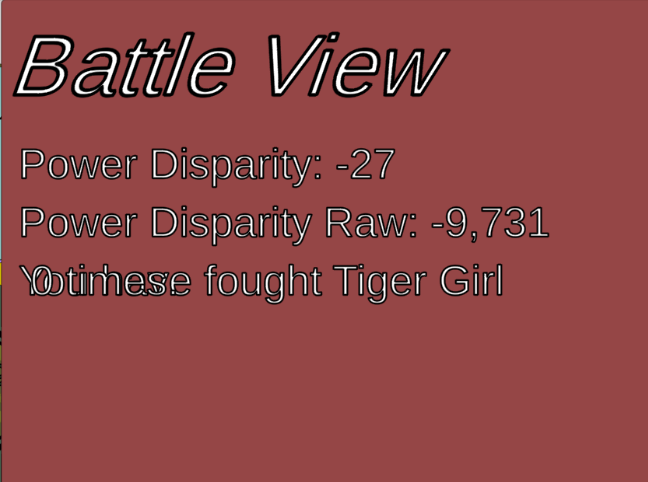
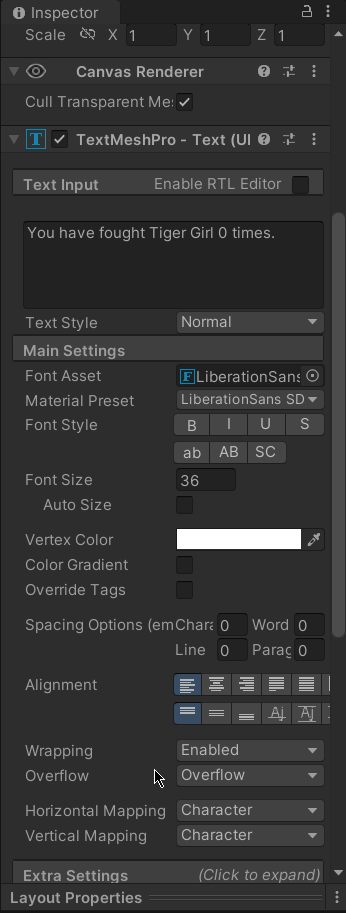

i remember that i tihnk i had this issue before and it had something to do with a special character in the text files? 🤔
dont remember exactly
nvm found it!
low pike
half thorn
https://i.imgur.com/5uBsY5I.png any idea why its doing this? https://i.imgur.com...
You should use... hmmm... the term isn't coming to mind (tired)
But when dealing with strings, it's bad to do "sometihing " + someVar + " blah blah " +
You can (and should) do: $"something {someVar} blah blah {someOtherVar}" .. the $ at the start lets you put vars in { } and the value will be used
So you'd do:
battleScreenData[3].text = $"You have fought {bm.opponent.alias} {bm.opponent.timesFought} times";
half thorn
thanks car!
low pike
 flat crystal
It seems like that post processing turned that fake-black background into a solid black background that is not trnasparent
 verbal holly
How can i make animation in the grid ?
 haughty drift
Hi, I have a dialog system and i am using anchor position bottom stretch and i have a bool called dialog top, if that is selected i want to move the position to top. whats the best way to achieve this? i tried GetComponent<RectTransform>().anchoredPosition = new Vector2(969.5f, 859f); but it goes of canvas I'm guessing its because the default position is bottom?
low pike
the default position doesn't matter
it matters where it is anchored to
If the anchors are in the center still, then moving to 859 on Y will (probably) be too high

 low pike
Shouldn't the new position be 0 on X?
haughty drift
yes thanks, So i set the y to 316f, and change the anchor to middle stretch, it looks ok in my game in play mode but could it look off position in other people monitors?
 haughty drift
looks great in 19:6 and 1920 x 1080 but free aspect its not touching the top or bottom.
like so
 low pike
don't ever use free aspect
Free aspect is just the size of the game view, it will never be a real world resolution or ratio. All it does is mess up your UI and waste your time.
haughty drift
ok, thanks. So is there away to make sure its allways at the very bottom rather then giving it a wierd number like 317f
low pike
anchor to the bottom, set Y to 0
haughty drift
ok thanks, last question that will work great for bottom but not for top, So can i reset this icon in code?
 haughty drift
whats it called so i can google it, is that the anchor position
maybe anchor presets?

thanks for your help
low pike
that sounds about right
haughty drift
thank you so much
 wicked patio
rapid ferry
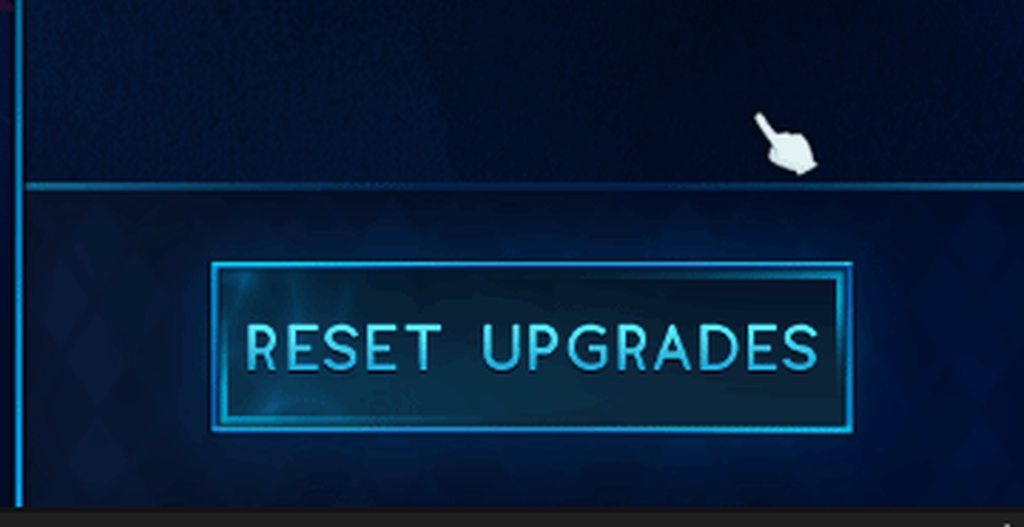
thoughts?
wicked patio
rapid ferry
thoughts?
looks good
the s is maybe too close to the border though
actually not, it just looks like its too close because that moving effect is next to it, on the still image
sterile wedge
rapid ferry
https://imgur.com/QiRCwjP
How did you get the smoke effect
rapid ferry
Panning texture
 violet sandal
rapid ferry
https://imgur.com/QiRCwjP
violet sandal
rapid ferry
https://imgur.com/QiRCwjP
good job
low pike
and the lines that move around the edge, how did you do that?
rapid ferry
low pike
and the lines that move around the edge, how did you do that?
Rotating UVs with a clamped texture on a mask
half thorn
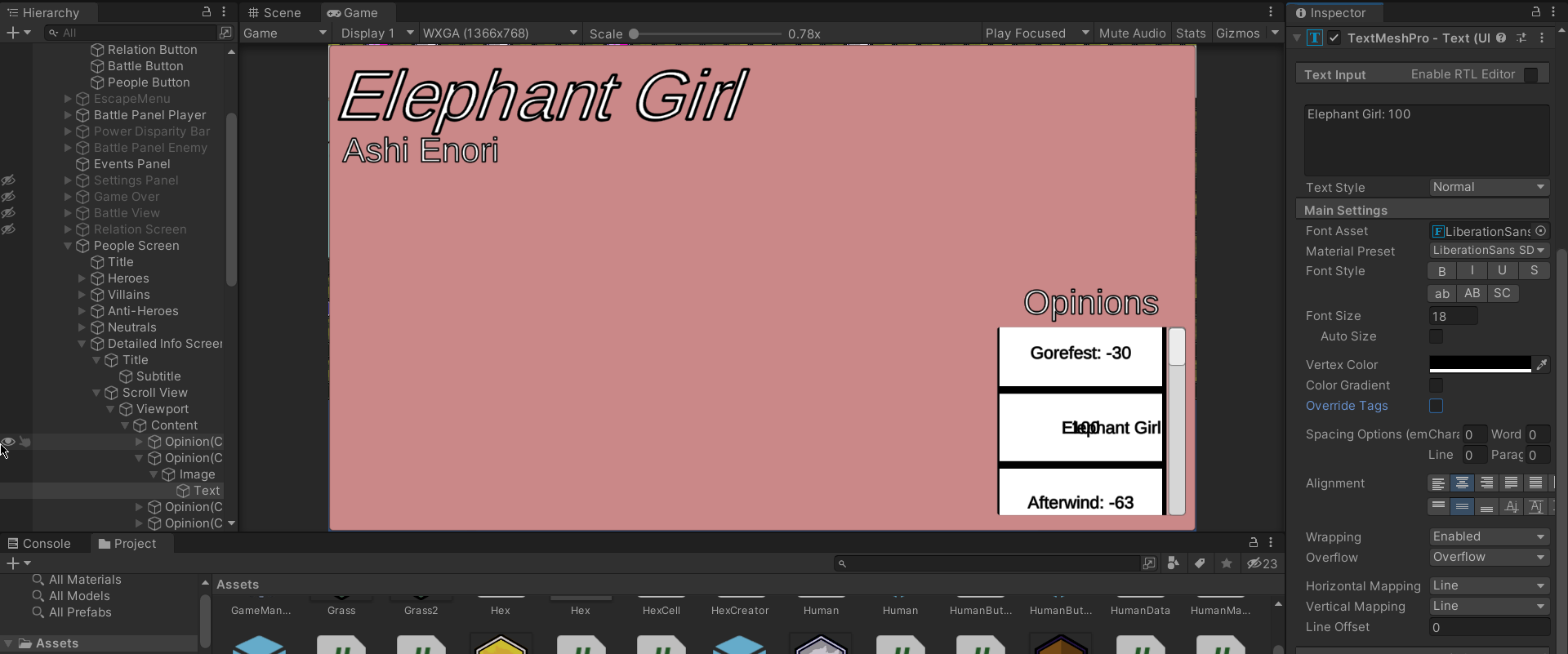
how come the text is coming out like that in the scroll view?
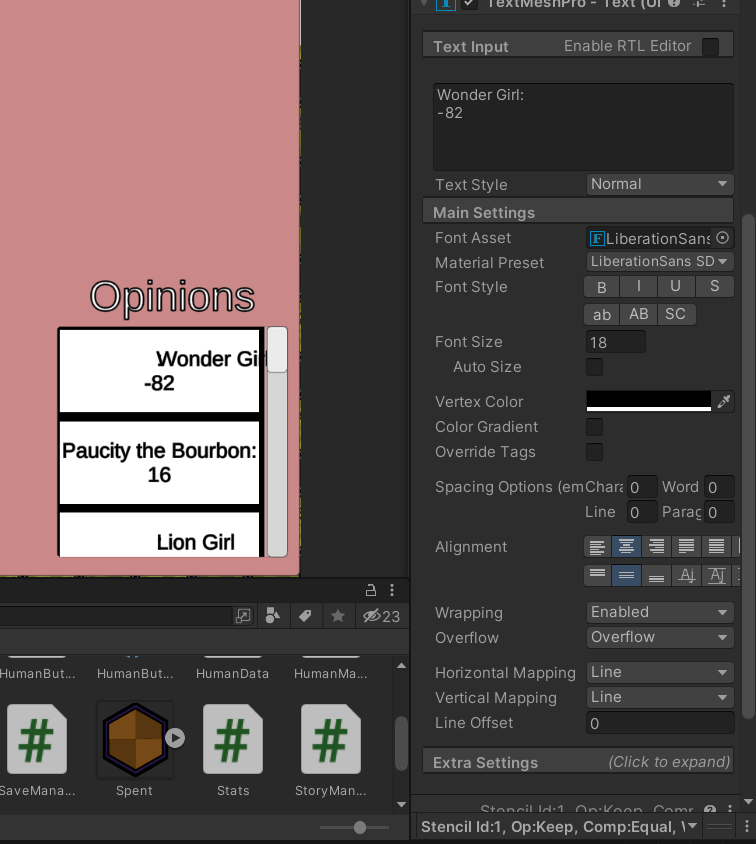
i added a \n in the code and now it looks like this
opinionText.text = $"{currentHuman.alias}:\n{targetHuman.opinions[currentHuman.ID]}";
scrolling through, it looks like only 10ish percent of them are looking weird
vale mason
I have a menu with a button as a child, and when clicked the button calls a method on the menu to set a variable. But I'd also like to get a link back to that button so I can change its color. I think someone told me before that Unity would handle that automatically? Maybe by creating a single parameter that is a gameobject? Does this need to be formatted a specific way? And can anything besides a gameobject be passed automatically in this way? Like the button component itself?
Nevermind, I found the original place I asked about this. Apparently you do just make a GameObject field on the method being called and it will get passed to it: #archived-code-general message
[edit]
Well, shoot... I apparently can't easily pass TWO parameters with OnClick(). It only allows one. That sucks. I don't want to make a script just to hold the value of the button, then pass the gameobject instead, then get the script component to read the value... Ugh. And having two OnClick() events one after the other calling different methods, one to set the value and one to pass the gameobject is also not a very clean solution.
Hm... I suppose I could also have OnClick() call a method on the button itself with the value I want to pass to my menu, which would then have access to the Button's gameobject, which it could then pass along to the menu's method with the value. But that's also kinda messy, requiring a second script.
half thorn
half thorn
how come the text is coming out like that in the scroll view?
fixed! had to trim special characters from the original name list
 distant fiber
Is there a good way to fit a chat log into a scrollable canvas? The content holder is not expanding when I add Text xD Help pls
 low pike
put a content size fitter on it
distant fiber
low pike
put a content size fitter on it
🙂 Thanks
 copper meadow
i wanted to keep background inside the phone frame
so i made background a child of phone frame and added mask on phone frame object

result being... did i miss a step or something?
 distant fiber
xD
copper meadow
;-;
nvm. solved it

made another gameobject and resize it manually so it doesnt go outside the inside frame and repeated the previous step
not the best solution but it works for now
worthy karma
what funny here is that when I manually update the text in editor the UI updates correctly and text does not overlay other verticalgroup elemenets. Do you know the event which I can trigger realtime to update my UI layouts?

here is how it should look btw (not overlayed)

what should I do?
violet sandal
worthy karma
what funny here is that when I manually update the text in editor the UI updates...
You want your text to begin here?
 worthy karma
yes exactly
and it does
but at 50% chance
during runtime
layout is not detecting that its element has grown in size
cringe
violet sandal
Do you have a content size fitter on the Parent (image) and the child (text) ?
 violet sandal
And a Vertical Layout Group on the Image?
worthy karma
yes, correct
I mean
I have watched how to make images stretch that have text inside and it works great
but it does work at 50% rate when you change the text through script
violet sandal
worthy karma
but it does work at 50% rate when you change the text through script
https://forum.unity.com/threads/content-size-fitter-refresh-problem.498536/
Did you find this one?
Unity Forum
Hi guys,
I am fixing an old tooltip system of mine, and I am going nuts on an apparently fairly simple issue. What it should to, is basically that the...
mild kernel
@worthy karma No memes here
violet sandal
Mostly every problem was solved somewhere.. if not, its a unity bug 😄
or a feature.. lol 😄
worthy karma
mild kernel
<@379508146768707584> No memes here
it makes me cry but I accept the rules
worthy karma
@violet sandal perfection

LayoutRebuilder.ForceRebuildLayoutImmediate(itemInfoScrollView.GetComponent<RectTransform>());
this line of code fixed the whole item info panel, if you ever need it ☺️
worthy karma
yeah 🚬
 azure flame
I've had a case when one of the rebuild layout methods didn't work or work not every time, solution was, to reliably repaint UI after updating some element under Content Size Fitters had to run both LayoutRebuilder.ForceRebuildLayoutImmediate and LayoutRebuilder.MarkLayoutForRebuild on the root element, in that order.
sterile wedge
azure flame
I've had a case when one of the rebuild layout methods didn't work or work not e...
Just to be sure I've got that right, you ForceRebuild, then Mark the layout for Rebuild?
because i've also had a situation where sometimes it doesn't work to just do ForceRebuild, but i hadn't heard of MarkLayout until now
azure flame
I recall trying many thing and in different order, even putting many LayoutRebuilder.ForceRebuildLayoutImmediate at once... That was a combination that was the most reliable.
I think turning off entire hierarchy and skipping frame, turning on also works, but those method seems to be designed to have the least impact on performance.
sterile wedge
yeah I usually do the "turn off", wait for end of frame, "turn on" thing as a last resort
 molten vale
hi, im trying to move a rect transform by 32pixels on X position in code, settings rect.position = Vector3(32,0,0); I am using Canvas scaler, and with Scale With Screen Size, whenever the resolution is smaller it multiplies my value, or larger it divides, is there a way to ignore Canvas Scaler when setting position?
 low pike
rect.position = Vector3(32,0,0);
This will set the position TO 32 not move by 32
use .anchoredPosition to set the position
molten vale
thanks @low pike , it somehow didn't work before with anchoredPosition, guess I miss spelled something, works like a charm now
low pike
Your IDE (VS?) should be giving you autocomplete suggestions and errors .. if it isn't, #854851968446365696 -> IDE configuration
molten vale
Not that, I mean I used it incorrectly
 quick wing
Does anyone know why the raycasting and stuff is messed up with the UI on a Render Texture attached to a Plane?


basically when I put my mouse in certain spots the button highlights and I can click it but when I go for the middle of the button and where the button is actually at it doesn't highlight and I can't click it
azure flame
Open event system debug area at runtime and see what's blocking it
quick wing
azure flame
Open event system debug area at runtime and see what's blocking it
how do I do that?
azure flame
it's on the bottom of the evenet system inspector
quick wing
azure flame
Open event system debug area at runtime and see what's blocking it
Also I don't think it's something block it, if I have the Mouse off of the button to the left it highlights it but directly on the button it doesnt
I changed the size around a bit but its doing the same thing
On some spots of the button It enters the "panel"
Some spots outside of the button it's the button
low pike
disable 'raycast target' on the text
 rancid magnet
Any idea of what tool is able to re-create this 3d image or something similar?
 azure flame
@novel stag #854851968446365696 on how to ask questions.
 novel stag
azure flame
<@852892070339018763> <#854851968446365696> on how to ask questions.
novel stag
azure flame
<@852892070339018763> <#854851968446365696> on how to ask questions.
I know i got help already
azure flame
@novel stag Use appropriate channel next time
shadow fulcrum
Hi everyone, I have a question, I have a complete UI with figma, but now I would like to convert this quickly and easy into unity. Does anyoe know how to do this, because I wouldn't find it very effective to completely rebuild this UI in Unity. It should also be a free solution.
frigid cobalt
shadow fulcrum
Hi everyone, I have a question, I have a complete UI with figma, but now I would...
Can figma export out your items as images? If you can then unity can import images and has a tool to slice into 9 (corners and edges) and use them as a ui elements.
shadow fulcrum
frigid cobalt
Can figma export out your items as images? If you can then unity can import imag...
Yeah but that’s a lot of work because the ui has like 200 elements
frigid cobalt
Manually converting is the only ‘free’ way I know.
rapid ferry
im trying to convert the scrollbar into a scroll view so that i can click anywhere, the scrollbar's value changes as i slide my pointer/touch up and down. but Im unable to do it

however when i add a scroll view, it oddly morphs my scroll bar and changes the dimensions
 rapid ferry
how do i fix this?
quick wing
low pike
disable 'raycast target' on the text
Tried that still messed up.
shadow fulcrum
Hello everyone I have a question do u think this ui and game fit well together?


 heady fable
how do i assign a Healthbar via scirpt?
violet sandal
heady fable
how do i assign a Healthbar via scirpt?
No offense, but there are several tutorials on YouTube which are very good explained. They offer more than Someone can here.
heady fable
yea i know the problem i had was not explained in any of those tutorials but gladly i already received help but ty
 green arch
 brave magnet
I can't find the "text" in the UI create thingy
brave magnet
I can't find the "text" in the UI create thingy
you can't make it in the project window.
Right click anywhere under your scene name (in the hierarchy tab) and click on UI from there. (Text and all the relatives should appear)
green arch

Also try TextMeshPro (from the Package Manager)
It's basically text but more User Friendly and extra features.
Does anyone know what is a Gradient Object? (https://docs.unity3d.com/ScriptReference/Gradient.html)
 mortal robin
TMP is installed by default on new unity projects in recent versions
green arch
mortal robin
TMP is installed by default on new unity projects in recent versions
Really? That's awesome
mortal robin
green arch
Does anyone know what is a Gradient Object? (https://docs.unity3d.com/ScriptRefe...
It's... a gradient that you can use to create color transitions for... whatever you want.
green arch
mortal robin
It's... a gradient that you can use to create color transitions for... whatever ...
sorry, I meant what is this object.
I can't find any way to use it in a 3D project
mortal robin
sort of like AnimationCurve, but for Color instead of numbers
mortal robin
green arch
sorry, I meant what is this object.
I can't find any way to use it in a 3D proje...
public Gradient myGradient;``` then look in the inspectorpoof you have a gradient
3d/2d is irrelevant
green arch
I feel like I'm doing this wrong
 mortal robin
green arch
I feel like I'm doing this wrong
mortal robin
green arch
I feel like I'm doing this wrong
it's not a component
green arch
ohhh It's something I apply to an object that is using a Color.
green arch
mortal robin
it's not a component
Thanks
 warm ore
How come my 'Bank' canvas is not showing but the 'Withdraw' and Notification do? I've messed around with the Sort Order and it still wont display, it's like its gone invisible.

Ah, i had my scale set to 0
fixed
 foggy heron
i'm making a map on a canvas by tiling together these images but i'm getting these seams

any clue how to resolve them?
brave magnet
Might be a problem with your image
Make sure there's nothing on the edges of the texture @foggy heron
foggy heron
there's nothing
it tiles well most of the time
just that when I move it around, it sometimes creates these lines
I make sure to only move them in whole pixels as well
brave magnet
Are you using a shader for the tiling?
foggy heron
nope
uh what i'm doing is manually placing these gameobjects with recttransforms in the correct place
each gameobject has an image component
foggy heron
foggy heron
uh what i'm doing is manually placing these gameobjects with recttransforms in t...
manually* as in instantiating in code
brave magnet
Are you sure that the positions are right?
foggy heron
yup
brave magnet
Like there's no space
foggy heron
precisely in whole pixels, and the sizes of the rect transforms are precise as well
most of the time it looks fine
 brave magnet
Hm that's weird, might be just a problem with the preview?
foggy heron
happens in play and build as well
for context this is a resizable map and it happens at certain scales
I do constrain the scales to certain numbers only but i'm still having the issue
 inner dagger
Is there a way to set the UI Canvas to render to a specific resolution size independant of the game window resolution? Canvas Reference Resolution doesnt seem to effect the resolution at which it draws the UI, only the scaling of units for things such as position and scale.
I wish to draw the UI at a resolution of 640x360 while allowing the game window resolution to be at any resolution. The only way I have found to achieve this is with a full screen shader effect, which is making the pixel perfect UI I created have rendering issues as it scales incorrectly.
This shows the issue I am having, the top shows the desired effect, the bottom shows what the fullscreen shader effect is causing

 inland gyro
This is probably obvious but I've been pounding my head into a wall for two hours while looking through google and trying stuff out so I might as well ask where someone may help.
I'm trying to get the position of the mouse and position of a UI image and calculate some stuff based on that. However nothing I do will get me the positions in the same layout. Mouse position for whatever reason is working in Q1 instead of Q4 (mouse pos has inverted y). Then the UI's position is for some reason also wrong compared to that. I got Mouse position to be correct just by taking it away from Screen.height but the UI position never aligns to it.
(Note that rect is the RectTransform of the ui object)
I've tried
Vector2 topleft = new Vector2(rect.anchoredPosition.x - rect.rect.xMin, rect.anchoredPosition.y - rect.rect.yMin);
Vector2 bottomright = new Vector2(rect.anchoredPosition.x + rect.rect.xMax, rect.anchoredPosition.y + rect.rect.yMax);
Originally I was using this from an old project that used new input and had ui calculations but it also doesn't work
Vector2 topleft = new Vector2(rect.transform.position.x - rect.rect.xMin, rect.transform.position.y - rect.rect.yMin);
Vector2 bottomright = new Vector2(rect.transform.position.x + rect.rect.xMax, rect.transform.position.y + rect.rect.yMax);
Even the seemingly seemingly proper
Vector2 topleft = new Vector2(rect.position.x, rect.position.y);
Vector2 bottomright = new Vector2(rect.position.x + rect.rect.width, rect.position.y + rect.rect.height);
doesn't work at all.
I'm using the new input system and the mouse position is correct based on the 1920x1080 resolution I have the UI on (i.e. the mouse position is between 0 and 1920 or 1080). The UI's canvas's render mode is set to Screen Space - Overlay and it's UI scale mode is Scale With Screen Size, and I'm using Unity 2021.1.22f1.
 inland obsidian
How do I make this panel fit exactly into its child? (a text component). I currently have attached a Content Size Fitter with Preferred Size on the panel but it's not working as you can see
 sterile wedge
inland obsidian
How do I make this panel fit exactly into its child? (a text component). I curre...
sterile wedge
inland obsidian
How do I make this panel fit exactly into its child? (a text component). I curre...
Put a horizontal/vertical layout group on it as well
inland obsidian
sterile wedge
Put a horizontal/vertical layout group on it as well
Ohhhh that was a simple solution, tysm :)
But now I have the problem that there is no Padding option in the Content Size Fitter, but my panel has got this border. How do I add a margin left and right?

 hearty yacht
I switched the Render Mode of my Canvas to Screen Space - Camera so I could use Post-Process effects but now the Canvas resolution is affected by the Render Scale.
Is there a way to make it so that the UI is always rendered at native resolution?
sterile wedge
inland obsidian
But now I have the problem that there is no Padding option in the Content Size F...
There's a padding option in the layout group..
 misty kernel
How would I use the horizontal layout group outside of a canvas or ui in general?
misty kernel
welp, guess I gotta make a custom script, was only planning to use it for debugging anyway as i wanted to make interfaces later, but guess I'll have to do it early now
sterile wedge
You could try and see if you can
misty kernel
i did, thats how i know it doesnt
which is why i thought there might be some hacky workaround or something
misty kernel
My textmeshpro (not ugui) overlaps other objects, how do I disable this?
 outer depot
Hi guys. I noticed that if I lose focus by clicking the mouse outside the window and then I click a UI button in my scene, the event is not registered and I have to click a second time. Is it possible to solve the problem without using event triggers? Thank you.
 next dust
I'm unsure if this is the wrong channel, I apologise if I'm incorrect but I need advice on how to start with something, I want to represent a shape using squares, like a country shape and be able to change the colour of each pixel individually and also change a random one, what would be the best way to do this in unity?
 sinful arch
Hi there! Anybody knows, how to make splashscreen fullscreen for android devices? On some screen resolutions there are black indents and the picture is not stretched to full screen
mortal robin
next dust
I'm unsure if this is the wrong channel, I apologise if I'm incorrect but I need...
sounds like you want to make a paint app basically
there's tutorials on youtube for it probably. It's just modfiying a texture pixel by pixel basically
 regal thorn
Hey yall, I'm trying to make a scrollable list on a tablet in unity, and as soon as I add a RectMask2d component to the parent of my content, all of the content disappears. Any suggestions?
frigid cobalt
regal thorn
Hey yall, I'm trying to make a scrollable list on a tablet in unity, and as soon...
I'm not sure how you're building your list, but if you just use a Scrollview UI gameobject, that pretty much does everything for you. You don't need to add a mask because it already has one in the Viewport child object.
violet sandal
 barren mica
I need help with how to fix it
barren mica
I need help with how to fix it
You should consider to add some more Infos, Screenshots or a Video of your problem 👍🏻
 wraith sluice
hi guys, i have a question. I need a button how makes the UIDocument disapear and set the view on main cam. . the method is needed button and stuff around is already there.
 ionic drum
Anyone ever had problems with Unity UI buttons not responding properly in low frame rate conditions?
Got an iOS AR app with very unsteady performance, and if I try to navigate the UI when the performance is bad, buttons will seemingly fail to register input, or perhaps register multiple inputs
The result is that the button I press becomes deselected, and then there is no way to press the button again afterwards
 quaint hazel
How does one put a gradient over a whole section of text instead of on a per letter basis with TMPro
mortal robin
quaint hazel
How does one put a gradient over a whole section of text instead of on a per let...
quaint hazel
mortal robin
https://docs.unity3d.com/Packages/com.unity.textmeshpro@4.0/manual/ColorGradient...
Thats not over the whole text, its only each letter
mortal robin
So it is
quaint hazel
mortal robin
So it is
? this is the kind of result your ressource and I already had it

it goes red blue red blue red blue
i want a smooth red to blue over the whole textr
mortal robin
I get it
 long plinth

How do I make this text centered?
or do I have to create a new sprite with play text?
these are two sprites attached to a button for pressed and highlighted state
quaint hazel
long plinth
You want the text to move ?
long plinth
no. I just want it to appear in the middle when pressed
quaint hazel
Well I think you need to either code this behavior, or the simpler/portable way is to just put your text directly on your button sprite
Maybe with some content fit you could also do it
long plinth
so I think the better way is to just create different sprites
I have another question. isn't it in efficient to create sprites for different ui elements e.g. play, quit and options
or it's ok?
also it will be a button group and I cannot place content fitter on the child
 north smelt
guys I need help
https://forum.unity.com/threads/how-to-make-image-visible-in-another-object.1318065/
Unity Forum
I don't know if i'm in the right category, so if it isn't - please move this thread in the right category or tell me where should I start this thread....
my tread tho
sterile wedge
north smelt
guys I need help
https://forum.unity.com/threads/how-to-make-image-visible-in-an...
People probably won't help if to get the info they have to go to a thread, and in the thread they have to download a picture to help. On mobile anyway. Try showing the picture here instead
low pike
There's a reply with the answer in that thread
north smelt
low pike
There's a reply with the answer in that thread
yeah i checked it
low pike
If you need further help with it, reply to that thread and/or ask in #🧰┃ui-toolkit - that's the place for the new UI
north smelt
low pike
If you need further help with it, reply to that thread and/or ask in <#892762498...
actually i mistakenly created this thread in this category
so it's actually fully UI related
north smelt
sterile wedge
People probably won't help if to get the info they have to go to a thread, and i...
just in case I wanted to get info how to make this effect with objects where one object can be seen while being in another
 north smelt
low pike
"fully UI" .. what does that even mean?
north smelt
low pike
"fully UI" .. what does that even mean?
not only depends on UIToolkit
low pike
It uses UIToolkit OR UGUI.
north smelt
k thanks
low pike
If you are using UGUI, then you just need to use a mask
which you can find info on in the docs
north smelt
low pike
If you are using UGUI, then you just need to use a mask
this one is working
very helpful, thanks
low pike
What? Why are you randomly pinging me ? 😄
 plucky wedge
low pike
What? Why are you randomly pinging me ? 😄
plucky wedge
low pike
What? Why are you randomly pinging me ? 😄
I need some help
low pike
Oh right. I did see your msg.. but as it has no information as to how you have implenented anything.. I didn't reply, because I'm working and don't have the time to be chasing info that should be given with a question. Sorry.
also, read the rules #📖┃code-of-conduct it says don't ping people not in convo with you.
 wild matrix
[QUESTION]
Hey, can someone tell me how to deactivate the gizmos for reflection probes? (See image) I tried deactivating them in the gizmo menu, but unticking it has no impact?
 quaint hazel
How does one put a gradient over a whole section of text instead of on a per let...
quaint hazel
quaint hazel
How does one put a gradient over a whole section of text instead of on a per let...
.
 worthy arrow
Guys, for Menu with options on top like this, It's just multiple scenes like normal?
 low pike
No, you wouldn't have those in multiple scenes
low pike
It's a warning, not an error. And not related to UI. Delete from here and ask in #💻┃unity-talk
 mortal robin
 lean fog
hey how can i make the camera fit the grid ?
lean fog
hey how can i make the camera fit the grid ?
you don't - you make the ui fit the camera
lean fog
mortal robin
you don't - you make the ui fit the camera
so how do i do that ?
mortal robin
lean fog
so how do i do that ?
with anchors and pivot settings on all your UI elements
and selecting an appropriate canvas scaler mode
lean fog
mortal robin
with anchors and pivot settings on all your UI elements
i need the camera to fit the tile map
not the yu
ui
mortal robin
lean fog
i need the camera to fit the tile map
you need to do a little math with:
- world space size of the tilemap
- camera's orthographic size
- camera's aspect ratio
and decide if you want to fit the width or height of the tilemap (you can't do both)
lean fog
mortal robin
you need to do a little math with:
- world space size of the tilemap
- camera's ...
i use a scrip for this but it dose not fit
mortal robin
then your script is broken
lean fog
no shit sherlock
 rich ether
low pike
It's a warning, not an error. And not related to UI. Delete from here and ask in...
rich ether
low pike
It's a warning, not an error. And not related to UI. Delete from here and ask in...
Oh, oke, sry. I don't know about this
rapid ferry
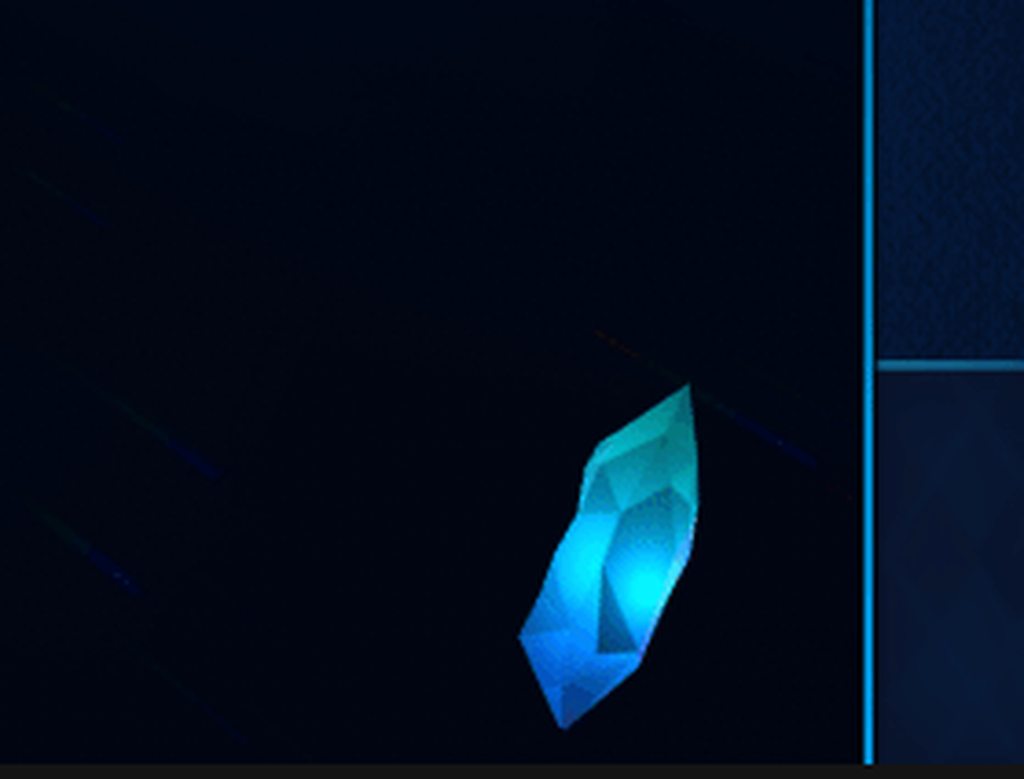
Close button UI finished I think
I wanted something a little more creative than just an "X" button
violet sandal
rapid ferry
https://i.imgur.com/q6nAS8y.gif
looks nice. How did you do the crystal?
rapid ferry
lean fog
no shit sherlock
And you expect him to be nice and help you after that 🤔
violet sandal
barren mica
?
i have no clue. Its hard to tell without seeing all the settings there.
low pike
rapid ferry
I wanted something a little more creative than just an "X" button
Difficult to tell from this gif, but does the UX work with a crystal? An X is used because it's clear what it means.. a crystal doesn't clearly show back/ close/ exit (from what little we can see here).. so it looks fantastic, but how much does it hinder the UX?
rapid ferry
low pike
Difficult to tell from this gif, but does the UX work with a crystal? An X is us...
With some more context: It's an incremental game and the crystal is the main thing you click. The individual units you upgrade have their own talent trees that are accessed by right clicking them. In order to close the panel you "return to the crystal" which I thought I'd represent with the crystal itself. Because you see the crystal so much, I figured that representing it as an icon of itself would work because of familiarity
I can have a pop up explaining/indicating for clarity (I have a tooltip already) but when I was talking to my friend UX was the one thing I wasn't sure about if it would be too obtuse
I'm playtesting an early version at the end of this month so I will have to see how people interact
rapid ferry
violet sandal
looks nice. How did you do the crystal?
The crystal is a rawimage with a render texture
low pike
rapid ferry
I can have a pop up explaining/indicating for clarity (I have a tooltip already)...
I don't think it's a massive issue. Once the player has learnt what it does, it's then fine moving forward.. it's just how much of a hinderance/ learning curve is it to learn it the first time. In the context of the game it might fit right in and not make any difference. Again though, looks ace
low pike
horizontal layoutgroup on their parent
 livid bay
ty
rapid ferry
low pike
I don't think it's a _massive_ issue. Once the player has learnt what it does, i...
Thanks!
mortal robin
 near folio
I just noticed something; my project is in linear color space, and I have a GameObject with a sprite that is just a flood-filled png with color (8,8,8) (very dark grey). I have a canvas with an object that has an Image component with no source image. When I set the color value of that Image component to (8,8,8), I get a lighter shade of grey than the sprite has, specifically (13,13,13).
This leads me to believe that even if the player is set to linear color space, canvas elements are still in gamma. Is this a known issue, and if so, is there a fix?
Update: If I use a sprite in the Image component, instead of just the color setting, this problem seems to go away. So it seems to be an issue with the color setting in particular. This workaround is fine for me.
 junior silo
Hey, how do you guys work with dark tilesets? Cause I don't find where to change the TilePalette Window's background color in Unity, and the solution I found doesn't work anymore since Unity's code has changed
For example, I don't think I'll go through the pain of working with a dark background and that tileset haha

 elfin vale
Hi, I am having trouble trying to display some text on top of the what the camera displays on the screen, I am using a pixel perfect camera to display the camera. I don't want the text to interfere/block what is displayed by the camera
 junior silo
Hey, how do you guys work with dark tilesets? Cause I don't find where to change...
junior silo
junior silo
Hey, how do you guys work with dark tilesets? Cause I don't find where to change...
After 8 hours of searching, I found out it was a default setting in 2022 beta version. kill me.

 fresh galleon
is anyone aware of anything that might be causing my rect transform to increase up to my player size when its created?

even though the prefab is a lot smaller
never mind if fixed it, in the script instead of setting the parent using a variable i set it directly in the instantiate

it must be fullscreen by default so when its instantiated without a parent briefly it gets too big
 graceful ember
The png I imported don't look the same. Colors aren't matching. Any suggestions?
 haughty drift
Hi needs some help please, im making a quest/misson ui panel where i can see current quests. So i have a list and i have a ui panel if i instantiate the panel, how can i get them to stack under one another?
mild kernel
Use a vertical layout group
haughty drift
Cheers
    {
        var list = QuestManagerPlayer.instance.questMarkerNames;

        for (int i = 0; i < list.Count; i++)
        {
            questMarkerNames.Add(list[i]);
        }

        for (int i = 0; i < questMarkerNames.Count; i++)
        {
            Instantiate(questPanel);

            quest.text = questMarkerNames[i];
        }
}``` what am i doing wrong here? Im try to duplicate the quest panel on the ui on every item in the list, what im getting is only one panel and displaying the last quest in the listare all the lists actually containing the things you think they are?
haughty drift


i think my instantiate is wrong

The list only populates when i click the button, Could it be that its too slow?
low pike
Nothing to do with speed. Sounds like you're only calling it on the button click
haughty drift
So if i do this on update instead do you think that could fix it, Does the code look ok to you?
low pike
public void ShowQuests()
{
  int nameCount = QuestManagerPlayer.instance.questMarkerNames.Count;

  for (int i = 0; i < nameCount; i++)
  {
    Instantiate(questPanel);

    quest.text = QuestManagerPlayer.instance.questMarkerNames[i];
  }
}```No, this should not be in Update() ... you only want it running at specific times, not all the time.
oh, wait
of course!
quest.text = QuestManagerPlayer.instance.questMarkerNames[i]; this sets the text to the thing you give it.
quest.text += $"{QuestManagerPlayer.instance.questMarkerNames[i]}\n"; this will add to the text
haughty drift
Im trying to add a new panel on each quest, thats why i thought instanciate was the answer, If im reading your comment correctly it will put it into the same panel with a new line?
 low pike
Right, but you're using the same quest label for each one
low pike
low pike
`quest.text += $"{QuestManagerPlayer.instance.questMarkerNames[i]}\n";` this wil...
So you don't want this. You want something like questLable[i].text = ...
haughty drift
ah ok i see
questLable being the text element inside the panel, not the panel its self?
haughty drift
 low pike
well , maybe not..
You probably want to be doing something like this https://bronsonzgeb.com/index.php/2021/05/01/unity-architecture-pattern-structured-prefabs/
So you'd be doing
var questPanel = Instantiate(questPanel);
questPanel.SetQuestLabel(QuestManagerPlayer.instance.questMarkerNames[i]);
You obviously can't just throw [] on something that isn't a list/array..
haughty drift
of course sorry, just copy and paste without thinking my bad
low pike
Have a read of that link I just shared
haughty drift
just reading now
haughty drift
ok so it does instantiates but out side of the ui
 low pike
gotta give it a parent with the instantiate
haughty drift
Thanks that worked, But now every time i press that ui button it clones it?

    {
        int nameCount = QuestManagerPlayer.instance.questMarkerNames.Count;

        for (int i = 0; i < nameCount; i++)
        {
            Instantiate(questPanel, questPanel.transform.parent);
        }
}``` this is what im down tojust learning the Instantiate, before i move onto the text part. questmakersname should only be one at this stage, but just adds one each time
elfin vale
elfin vale
Hi, I am having trouble trying to display some text on top of the what the camer...
Could someone please tell me how to do this
low pike
haughty drift
Thanks that worked, But now every time i press that ui button it clones it?
So you now need to think about the logic behind when this is getting called
haughty drift
Yes so i thought that i could maybe delete all quest panels on open and then it will only clone the amount inside the list, but of course if there is no list it will delete the original then ill get the error, cant find instance of object as its deleted
 novel stag
Hello everyone ! I have some issue regarding my UI ... I'd like to make an overlay with a scroll view containing 3D objects. So far I have that as hierarchy. Basically I made a canvas with "screen space - camera" with a render camera, a basic scroll view with 3d spheres in the content. The "cube" you see is a mask I created with shaders to hide the cubes outside of the UI.
Now the issue is that I cannot find how to scale the cube with the UI (that scales with the window's size) ...

Here's the result so far

But when I reduce the window :
 novel stag
Ok just got an idea to fix it after writing the question and it works ...
 low pike
1- Don't use GetComponent<T>() in Update()
2- change the field - public GameObject viewport; to public RecTransform viewport; .. so you don't need the GetComponent<T>(). Re-assign the RectTransform in the inspector
haughty drift
low pike
So you now need to think about the logic behind when this is getting called
    {
        for (int i = 0; i < questPanelParent.transform.childCount; i++)
        {
            if(questPanelParent.transform.GetChild(i).name == "Quest Panel(Clone)"){
                Destroy(questPanelParent.transform.GetChild(i).gameObject);
            }
        }

        int nameCount = QuestManagerPlayer.instance.questMarkerNames.Count;

        for (int i = 0; i < nameCount; i++)
        {
            Instantiate(questPanel, questPanel.transform.parent);
        }
}``` i did this it works, is it the correct way?"correct" way.. is a way that works.
What's left is good/bad/optimised/efficient ways
haughty drift
ok thanks for your help today
low pike
@void solstice #💻┃code-beginner message
Built in Menu system?
 void solstice
the EventSystem I guess
 void solstice
low pike
step size is 10% .. don't see a way to change/ set it
void solstice
low pike
step size is 10% .. don't see a way to change/ set it
where is that?
I can just change that 0.1f to 0.05f
void solstice
on the event system?
low pike
no, the slider
void solstice
ah...
low pike
neither of the components on the event system game object will have an effect on this for the slider
void solstice
well thats annoying... I might have to just do some hacky stuff then.... make it so everytime the value changes, see if it was < or > previous value, and set it to previous value +- whatever increment I want
low pike
Perhaps an extension of the class and override OnMove(AxisEventData eventData)
 void solstice
its a bit beyond me on how to implement that honestly
I'm just going to do it within my menu script
junior silo
Anyone knows the shortcut that allows me to go to next or previous object in my scene? Would be very handful to draw several layers quickly!
 haughty drift
What does it mean when the text as disappeared and you get a red x instead i seen this a few years ago but i can't remember the fix
 frigid cobalt
haughty drift
What does it mean when the text as disappeared and you get a red x instead i see...
frigid cobalt
haughty drift
What does it mean when the text as disappeared and you get a red x instead i see...
It's usually seen when one of your Rect's has a negative value.
haughty drift
thanks
elfin vale
Can someone please tell me how to display some text on top of the what the camera displays on the screen, I am using a pixel perfect camera to display the camera. I don't want the text to interfere/block what is displayed by the camera
 frigid cobalt
elfin vale
Can someone please tell me how to display some text on top of the what the camer...
frigid cobalt
elfin vale
Can someone please tell me how to display some text on top of the what the camer...
The UI will have to obscure some part of the screen because the UI sits on the screen and needs to be seen by the camera.
So add a Canvas and to that a panel. Anchor the panel to the top of the screen and set the height to whatever you need it to be. Then add you text, buttons, etc. to the panel.
elfin vale
frigid cobalt
The UI will have to obscure some part of the screen because the UI sits on the s...
Oh so it isn’t possible. Thank you anyways!
frigid cobalt
It might be possible with a render texture, but it will just cause more more issues than are necessary.
elfin vale
Ok
 feral drift
im making a start menu for my game. im making the options menu currently, and i just want the main menu to disappear but it wont. even clicking on the eye symbol wont work. nothing disappears. It disappears in the editor, but when in play mode it wont disappear. im using tmp for my text and the button is a component of my tmp text.
frigid cobalt
feral drift
im making a start menu for my game. im making the options menu currently, and i ...
Yes, the eye icon just hides the gameobject in the editor, the gameobject will still be enabled in the game.
You need to tick/untick the Enable checkbox of the gameobject that in the inspector panel:

 worn hull
has anyone ad any issues with TMP dropdowns specifically with it not being able to find the toggle in the template?
GetComponentInChildren<Toggle>() is returning null for some reason even though the toggle is clearly there
Having one dropdown with the template name unchanged works fine, but as soon as I change its name, it is unable to properly fetch the Toggle component from the its child "Item"
mortal robin
worn hull
GetComponentInChildren<Toggle>() is returning null for some reason even though t...
Is it deactivated?
There's a second parameter for GetComponentInChildren to find deactivated components
Iirc
feral drift
frigid cobalt
Yes, the eye icon just hides the gameobject in the editor, the gameobject will s...
Ah thank you. I assumed one was α shortcut to the other but I guess I can’t assume anything with unity 🤷♂️
 wise elk
I'm getting some pretty bad banding, is this the simulator or actually color compression on unity side? Top is unity bottom is windows


 exotic coyote
Hey! What's the best way to make particles appear on top of the UI images? I only found 2nd camera workarounds in google... Thanks!
mortal robin
exotic coyote
Hey! What's the best way to make particles appear on top of the UI images? I onl...
If you use Screen Space - Camera or World Space canvases, you can simply place the particle system between the camera and the UI
haughty drift
Hi i need some help please, im creating a misson/quest list so the list comes from my game manager, Then what i want is when i press the quest button it displays the list of quests.
    {
        for (int i = 0; i < questPanelParent.transform.childCount; i++)
        {
            if(questPanelParent.transform.GetChild(i).name == "Quest Panel(Clone)"){
                Destroy(questPanelParent.transform.GetChild(i).gameObject);
            }
        }

        //2
        questTextObjects.Clear();

        int nameCount = QuestManagerPlayer.instance.questMarkerNames.Count;

        for (int j = 1; j < nameCount; j++)
        {
            Instantiate(questPanel, questPanel.transform.parent);
        }

        for (int i = 0; i < questPanelParent.transform.childCount; ++i)
        {
            questTextObjects.Add(questPanelParent.transform.GetChild(i).gameObject);
        }

}```So what im doing is deleting all quests on start, then if the list is only 1 it wont instantiate, but if the list is higher than one clone. So the issue is i can't seem to inject the text to each quest panel. What is happening it will register the first quest. ill press the button its on the list. then ill talk to another npc to get second quest. press the button both quests are on there. But then if i press the quest button one more time both quest become the last one registered the

this is the best i could achieve. the one above i thought i could create a new list and add the text game object to it and then loop through that way, but just no luck
    {
        for (int i = 0; i < questPanelParent.transform.childCount; i++)
        {
            if(questPanelParent.transform.GetChild(i).name == "Quest Panel(Clone)"){
                Destroy(questPanelParent.transform.GetChild(i).gameObject);
            }
        }

        //2
        int nameCount = QuestManagerPlayer.instance.questMarkerNames.Count;

        for (int j = 1; j < nameCount; j++)
        {
            Instantiate(questPanel, questPanel.transform.parent);
        }

        for (int i = 0; i < nameCount; i++)
        {
            Text ButtonText = questPanelParent.transform.GetChild(i).GetComponentInChildren<Text>();

            ButtonText.text = QuestManagerPlayer.instance.questMarkerNames[i];
        }
}```man you are doing this in a way overcomplicated way
var instance = Instantiate(questPanel, questPanel.transform.parent);
instance.GetComponent<Text>().text = QuestManagerPlayer.instance.questMarkerNames[j];
you don't need a second for loop
Instantiate returns the object it created
that being said the fact that you seem to be instantiating from an existing object in the scene is really weird
Use a prefab
haughty drift
The thing is because i already have and original quest panel, i don't want to call instantiate until there is more then one quest added because then i would have an extra quest panel.
mortal robin
haughty drift
The thing is because i already have and original quest panel, i don't want to ca...
what does this have to do with using a prefab or not
haughty drift
mortal robin
what does this have to do with using a prefab or not
No what im saying in your code snippet, that is in the loop for instantiating, meaning if i only have one quest then it will never be called.
and i also get this from your snippet
 mortal robin
haughty drift
and i also get this from your snippet
mortal robin
haughty drift
and i also get this from your snippet
probably your object doesn't have a Text component on it
haughty drift
its a child sorry
mortal robin
which makes sense because your code was using GetComponentInChildren
 mortal robin
right so use GetComponentInChildren
low pike
@haughty drift didn't bother following that guide, for spawning prefabs correctly, I gave you then
 weary umbra
Hello every body
I am working on a simple project to create a pong game for android.
I wanna add a movement controller to the left paddle (Like the Football games do) but i feel it gonna distract the player from tracking the ball in his side.
Any suggestions ?

 haughty drift
low pike
<@729436109704134746> didn't bother following that guide, for spawning prefabs c...
haughty drift
low pike
<@729436109704134746> didn't bother following that guide, for spawning prefabs c...
Hi yes sorry i read it, but maybe its my lack of understanding, the quest panel its on the ui which is already a prefab, So i don't no in this case . i could create the quest as another prefab? to my understanding on that article was to instantiate a prefab at root, that would then be the ui, could that work?
 rotund dawn
Hello, how do i create textmeshpro object that is lighted? its always emissive.
haughty drift
mortal robin
which makes sense because your code was using GetComponentInChildren
Thanks. that worked cheers, i knew i was over thinking it but was trapped in that zone
 pliant hound
So I'm trying to set up controller navigation on my UI but I seem to have run into an issue. When I try to force select a Button It stays stuck on the previous button. And if I try to make select null, to then set the target button as selected I get "Attempting to select while already selecting an object." Any easy solution for this?
 remote birch
are there some good GUI tutorials. that also show scripting possibilities (eg: opening and closing a gui via cs)
 rain tinsel
Hi. I'm making a world space UI. I find it very hard to edit because each component uses world units (the UI is small). Is there a workflow where I edit it in 2D for it to display in 3d?
Also, alignement doesn't work

Btw, my use case is basically a screen that is inside the cockpit of a ship
rapid ferry
i wasnt really sure where to put this but i was wondering how i would take something like this and import it into unity as a font asset? i made this in adobe illustrator if that helps
 mortal robin
rapid ferry
i wasnt really sure where to put this but i was wondering how i would take somet...
mortal robin
rapid ferry
i wasnt really sure where to put this but i was wondering how i would take somet...
 pine radish
Does anyone know if TMPro supports variable fonts?
sterile wedge
pine radish
Does anyone know if TMPro supports variable fonts?
What are variable fonts?
pine radish
sterile wedge
What are variable fonts?
Basically they're a .tff that has all the variant weights/styles all in a single file
So rather than having to manually create a seperate font asset for each permutation TMPro would ideally just load the one file and extrapolate from there
low pike
No. TMP only uses the SDF asset you create from your font
 jagged monolith
rain tinsel
Hi. I'm making a world space UI. I find it very hard to edit because each compon...
jagged monolith
rain tinsel
Hi. I'm making a world space UI. I find it very hard to edit because each compon...
Is your canvas scale 1? I usually scale mine down to 0.01 or lower, which helps with the values
low pike
parent scale should be small (my goto is 0.02) and then every child scale remains at 1,1,1
 faint bane
Hey, does somebody know how to achieve this?
 sterile wedge
faint bane
Hey, does somebody know how to achieve this?
sterile wedge
faint bane
Hey, does somebody know how to achieve this?
probably have to use some scripting to get the width of the grid area and distribute that to resize the elements in the grid
i'm assuming you're using a grid layout group
low pike
should be able to do it with nested layout groups
Parent with a vertical horizontal layout group.
Two children for the rows, each row has a horizontal layoutgroup on it.
faint bane
I've never heard of layout groups
I was doing this

Pixelated was my camera
"Image" is a transparent rectangle, that fills the entire screen
and there are 3x21 buttons
rain tinsel
jagged monolith
Is your canvas scale 1? I usually scale mine down to 0.01 or lower, which helps ...
Also, is there a way to position the scene in 2d facing the canvas? Like it happens with Overlay UI?
rain tinsel
faint bane
I've never heard of layout groups
https://www.youtube.com/watch?v=HwdweCX5aMI tcheck this on LayoutGroups. This will change your life 😛
low pike
faint bane
I was doing this
this doesn't show us anything, we have no idea what components are on any of these GameObjects. As far as we know they're all empty GameObjects
rain tinsel
a question on TMPPro. I'm using a script to set the colors of the TMPPro material to an HDR color consistent with the rest of the UI (for it to consistently glow). However, the color is not consistent although they are exactly the same color (the 1387 should be the same color / glow as the blue health bar). How can I fix this?

 urban token
So for a UI image is it possible to edit the Raycast Target or is just fixed as a rectangle?
 tame escarp
Im using Cinamachine for my camera but when I use it my healthbar also moves even though it's supposed to stay still can someone please help me with this issue?
 crisp oracle
currently, the way my tabs system works is by dragging all the tabs GOs into the "on click" event on each tab button and setting the other tabs to "disable"
This feels like a very tedious way to implement a tab system, is there an easier way to do tab UI?
mortal robin
 thick anchor
How do i fix
thick anchor
How do i fix
change the color of the Image to not be transparent.
frigid cobalt
crisp oracle
currently, the way my tabs system works is by dragging all the tabs GOs into the...
If your tab gameobjects were in a parent, that parent gameobject could iterate over the children and activate/deactivate as required. Each tab prefab could call a script on the manager to do this when it is clicked.
 low pike
 barren barn
that's not a UI issue.
Find out what is on line 38 and null.. then make it not null.
I assume that's not your code though, perhaps an asset you bought? Contact the developer of the asset.
 weak dew
Running into an issue, I cant really describe it but the position of a UI element is different depending on whether I'm in full screen or not. Has anyone ran into this?
 worthy dragon
weak dew
Running into an issue, I cant really describe it but the position of a UI elemen...
worthy dragon
weak dew
Running into an issue, I cant really describe it but the position of a UI elemen...
Set the anchor position in the inspector for the UI-Element? 🤔
low pike
weak dew
Running into an issue, I cant really describe it but the position of a UI elemen...
Yes, everyone.. that's what the anchors are for
Make sure you're not using 'Free Aspect' on the game view
weak dew
I'm messing around with the anchors but they are still being set in the wrong positions depening on full screen. Is it because I'm hard coding its position?
CardToolTipParent.position = cardTransform.position + new Vector3(150,70);
mortal robin
weak dew
I'm messing around with the anchors but they are still being set in the wrong po...
probably. You shouldn't generally mess with position. You should use the RectTransform properties like anchoredPosition sizeDelta etc...
low pike
Don't set the position on UI, set ... that ^
.postition sets the world position, not the UI's RectTransform.position.. the two are different
weak dew
What should I be setting the anchors to if I want to make its position consistent? Basically, I have different card positions but I want them to appear on the X,Y of the hovered card all the time

 rocky quartz
Hi, I use a 2d sprite for a crosshair and its slightly compressed in scale when im in game tab. Is it just because the game tab is also not fullscreen or is something buggy?
low pike
weak dew
What should I be setting the anchors to if I want to make its position consisten...
in the screenshot what are you anchoring?
 potent ore
Can someone explain why the onClick menu looks like this and how can i get it back to the old one?
 weak dew
low pike
in the screenshot what are you anchoring?
weak dew
low pike
in the screenshot what are you anchoring?
The tool tips on the right of the card. So if the player hovers the card on the right it will show the tooltips on the right of that card
low pike
weak dew
The tool tips on the right of the card. So if the player hovers the card on the ...
right, you want their anchors to be on the card
well, I'd have a "tooltip" parent, which has it's top left anchored to the top right of the card... then the tooltips are children of this parent. Put a vertical layoutgroup on it
weak dew
low pike
well, I'd have a "tooltip" parent, which has it's top left anchored to the top r...
How does it know that its on the top right of the card?

Also, I have the setup you mentioned atm minus the anchor
 low pike
It would have to be a child of the card
 weak dew
low pike
It would have to be a child of the card
weak dew
low pike
It would have to be a child of the card
ahhh that sucks... i was hoping i didnt have to do that
It's because the card its parenting to is tweening sometimes so the scale will be inconsistent unless i make a coroutine that checks its current scale
low pike
well, not a child of the card... a child of something that also has the card as a child
weak dew
low pike
well, not a child of the card... a child of something that also has the card as ...
oh i see, Im using something that holds a ll the cards called HandGrid
Why is that different than having the tooltip be a child of the same canvas? They are both using the same scaling
low pike
why is what different
weak dew
I have a recttransform called handgrid which contains all the cards
the canvas object of the grid is called CanvasCardGrid
is there a difference between me having the tooltip be a child of HandGrid vs CanvasCardGrid
the reason I ask because I want to use this tooltip object for EVERYTHING, not only cards
low pike
right, so what would probably be best(?), at least easiest.. would be to set the pivot of the tooltop top left, anchors set to top right. And when you spawn it, set it as a child of the thing it's a tool tip for, and set it's position to 0,0 + any offset you want
move it around, keep changing the parent
void solstice
Hey, I'm working on a map system for a 2D metroidvania. I already have the minimap functioning and the map is going to use the same camera/render texture to display the map.
The game will definitely be paused when accessing the map screen, but my question is
is it acceptable ux design to have the map be accessed by first pausing, then pressing a button to switch the menu over to map mode? or should I really work on giving the map its own dedicated button that can be pressed during play to pause the game and go directly to the map screen?
mortal robin
void solstice
Hey, I'm working on a map system for a 2D metroidvania. I already have the minim...
this is the kind of thing you need to figure out through playtesting and gathering feedback from playtesters and A/B testing
void solstice
definitely will do that, I'm just indecisive on my starting point
but I think I will go with pause game > press Right bumper/some keyboard button to access map
ooh, or maybe I could rework my map UI all together... have different tabs for map, equipment, stats, options... and have it remember which tab you were on when you last paused
I like that idea more, my current pause menu is kind of a first iteration anyways
worthy dragon
There a plenty of options UX wise. In general: Use behavior that Users already know (Key "M" usually opens a map). Use the fastest possible way to get to the goal. (One Button press instead of two).
void solstice
yea, I'm not trying to reinvent the wheel of pause screens
just thinking of what will work best for my game
worthy dragon
mortal robin
this is the kind of thing you need to figure out through playtesting and gatheri...
Thats always the best way
jagged monolith
potent ore
Can someone explain why the onClick menu looks like this and how can i get it ba...
Looks like your inspuector is in debug mode
 blissful chasm
Hello! For everyone here working on UI, check out this message in the announcements channel:
*`Hi everyone,
We’re continuing to develop the functionality and experience of ui-toolkit, our newer UI Framework, and The UI team is looking to understand users’ needs and workflows in order to identify areas of opportunity for improvement.
If you have experience with building or designing UI, we would love to get your input via a brief survey which is designed to take no more than 15-25 minutes of your time.
At the completion of the survey, you will have the possibility to opt-in for a follow up interview, where you share more in-depth feedback directly with the team. If interested, you might also be involved in providing feedback on potential prototypes of new features as we address the feedback received.
As always, we value your feedback and ask that you provide your candid and honest opinion.
Please click on the link below to start the survey: https://unitysoftware.co1.qualtrics.com/jfe/form/SV_9Ldsz0Ral8nndNs?channel=Forum`*
low pike
why are you asking in the UI channel? 🤔
Delete from here and ask in#🔀┃art-asset-workflow
weak dew
What is the cause of positions getting messed up when converting from Screen Space overlay to ScreenSpace camerea?
I created all the positons and movements while testing with ScreenSpace Overlay but now I need to use ScreenSpace camera to use the trail renderer effect for my UI
 balmy yacht
Camera space uses a distance and can also be either perspective or orthographic. Based on those settings, you'll get wildly different results.
weak dew
So I need to adjust the values of everything? Also I'm simply using a transform position of an element yet the element being set is no where near it
Both are using camera space
It seems like Input.MousePosition might be a good clue to why its doing this. Input Mouse Position is not accurate under camera space
balmy yacht
So, an overlay canvas uses pixel size, which is why it's so huge. It's set to your game window size or your monitor size if you're using an aspect ratio instead of a constant pixel size. It has no relation to the camera at all. Camera space, on the other hand, is driven by the camera, and will change depending on the camera settings. Therefore, the positions you set in overlay have no relation I'm aware of to the positions you set in camera space. Maybe Unity tried to approximate them or something when you switch back and forth, I'm not sure.
As for Input.MousePosition, you probably need to convert it using ScreenToWorldPoint, but that's just a guess without seeing your implementation.
weak dew
balmy yacht
As for Input.MousePosition, you probably need to convert it using ScreenToWorldP...
All elements are not using world space, no spriterenderes
balmy yacht
What are the elements if not sprites? 3D objects?
weak dew
balmy yacht
What are the elements if not sprites? 3D objects?
They are using Images

one thing I noticed is that when turning on pixel perfect, only the text is displayed everything else is hidden
balmy yacht
Images on a camera space canvas exist in world space. You can see this if you place a 3D object in your scene and change the Z position of your image so that the image moves in front of or behind your 3D object.
low pike
This looks like you're both getting wires crossed.
weak dew
So its like a sprite? I have made sprite versions of the card before. I tried moving the Background of the Z axis but it still remains the same
 low pike
UI is still in world space, in the scene. It may not be set to a world space canvas, but it's still in it.
The SpriteRenderer here, isn't relevant.
weak dew
I will try using ScreenToWorldPoint for the mouse position and see what happens
This appears to be working:
https://i.imgur.com/W6UO2f5.png
Thoughts on this UI design?
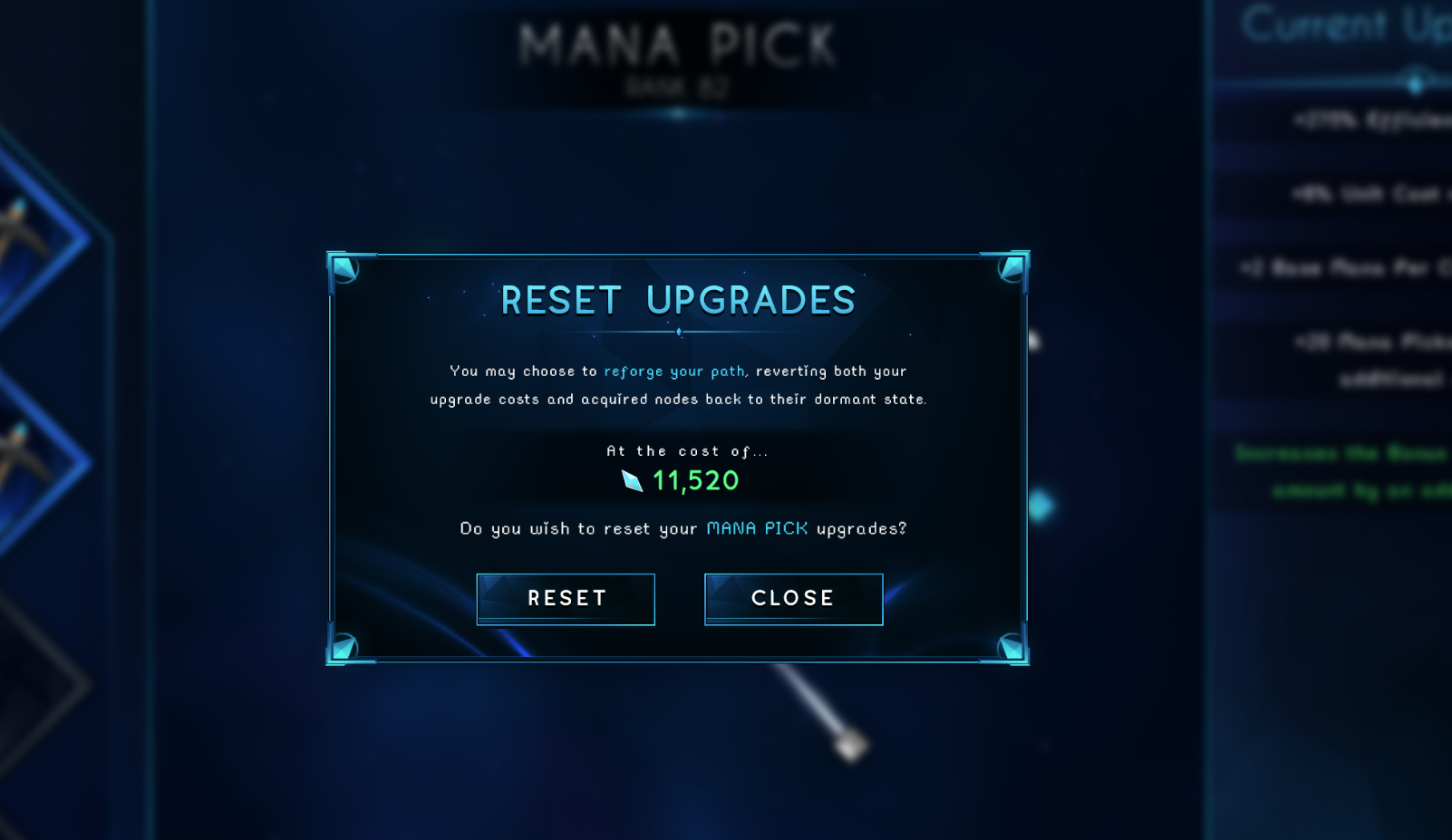
I'll be animating it a bit, I just hope it's not too visually noisy
 primal tusk
For some reason, I can't see my UI until I move any setting on my camera, and I can't do it through animations either. Any fixes for that?

 half thorn
i hope this is the right channel. https://i.imgur.com/3ChohNK.png any fix to overlapping lists? i already tried restarting
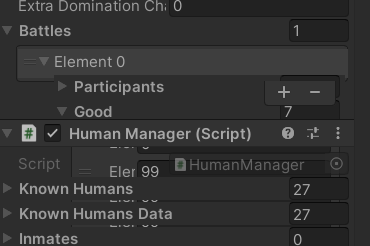 sterile wedge
half thorn
i hope this is the right channel. https://i.imgur.com/3ChohNK.png any fix to ove...
sterile wedge
half thorn
i hope this is the right channel. https://i.imgur.com/3ChohNK.png any fix to ove...
Add [NonReorderable] to the list, or upgrade to 3.5
What's your current unity version
It's a unity bug. They fixed it in a later version
 rapid ferry
weak dew
rapid ferry
weak dew
Pixel perfect has a bug where if the image's Z scale is 0 it won't show
(I had this issue before)
Also make sure you check the parents and that their scale on the z axis is not 0
weak dew
got it
sterile wedge
half thorn
Yeah that version has that bug. 2021.3.5 fixes it
 viral trout
Hi! Can anyone tell me why my text is so blurry in splitscreen? It works fine with only one player

 gentle rune
Stupid question, but how do i lock the window size/scale the game acordingly?
i want it to look like this, game on the left, UI on the right, but if i play it in fullscreen mode, the window expands on both sides, making it look a bit to zoomed out!

Any way to work around that?
mortal robin
gentle rune
Stupid question, but how do i lock the window size/scale the game acordingly?
i...
Two things you need to be aware of:
- Aspect ratio
- canvas scaler mode
if you allow any aspect ratio, your layout is going to be able to be skewed by different aspect ratios
And if you want the proper UI proportions at any resolution, you will need to set the canvas scaler mode appropriately
sterile wedge
viral trout
Hi! Can anyone tell me why my text is so blurry in splitscreen? It works fine wi...
Are you using the UI text, or TextMeshPro's UI text
If you're using the former, use the latter
viral trout
@sterile wedge It's textMeshPro
 quick willow
Anyone know how to make the Hitbox of the Slider larger? it has a really weird hitbox. and i can only click and drag it from the completly left side of the Slider.
 torn marlin
I'm using Textmeshpro for my text in game, but it's causing a major problem. My HUD elements are in camera space so I can use shader effects on certain aspects of it, but these materials break when certain shaders are activated in canvas, when a textmeshpro object is activated, however, it overides the canvas settings to forcibly turn these settings on.
Is there a way to make my canvas keep all additional shaders disabled, or, barring that, a way to overide the canvas shader settings for specific UI element objects?

Do I need to bite the bullet and make an entirely seperate canvas just for my text, so it doesn't override my shader settings in the canvas?
Nevermind, I found a solution. If I add a canvas component to a UI element, it overides the parent canvas settings for additional shaders.
 frank talon
(2021.3.7f1) When I create new font via Font Asset Creator I cant assign it in Font Asset Component. On an older version (2020.3.37f1) everything is fine. (TextMeshPro)
 cold root
I followed this tutorial to make a menu bar but the panel is hiding when I mouse from the first button in the dropdown to the second https://www.youtube.com/watch?v=-FcrLi49RTg&t=297s

A quick a dirty tutorial showing how to build a drop down menu in the new unity UI system in less then five minutes. Made with Unity 4.6.
Feel free to ask questions in the comments and I will respond as soon as I'm able. You can find source code for all of these tutorials over at https://bitbucket.org/BoredMormon/youtube-tutorials
If yo...

 silk coral


why isnt the white box appearing at the top right of my screen?
i set its anchor to the top right but its barely budging
**top left
not top right
ah nvm figured it out, its a child of an empty
 smoky tendon
Does anybody know how I would make something like what I have in the diagram? Sorta like a slider that outputs different values, but you can click on the plus and minus to make the "slider" go up and down. I'm not sure if something like this already exists or not.

like the thing at the top, but in this brackeys video he never actually uses or explains how to do that.
 mortal robin
smoky tendon
like the thing at the top, but in this brackeys video he never actually uses or ...
mortal robin
smoky tendon
like the thing at the top, but in this brackeys video he never actually uses or ...
Two ways:
- a bunch of individual Images that you enable/disable
- a single Image that is just in Horizontal Fill mode
smoky tendon
mortal robin
Two ways:
- a bunch of individual Images that you enable/disable
- a single Imag...
The individual images sounds tedious. Could you explain how using horizontal fill mode would work for this?
mortal robin
smoky tendon
The individual images sounds tedious. Could you explain how using horizontal fil...
you just increase/decrease the fill amount as you press the +/- buttons
smoky tendon
oh I get what you're saying, I was thinking of something different
So I can make a really simple image like that and set the horizontal fill, and it will give the appearance as if it's individual buttons

oh god those circles look abysmal
wait I'm stupid, I just need one circle and can set the texture mode to repeat 🤦♂️
mortal robin
smoky tendon
So I can make a really simple image like that and set the horizontal fill, and i...
yeah exactly
smoky tendon
I've got it figured out. Tyvm.
 smoky tendon
that looks really clean
rapid ferry
Thank you!
exotic coyote
Hi I'm having problems with OnMouseOver since I added the canvas. Inventory canvas has Graphic raycaster off. EmptyCards don't react when I hover over. Any help would be appreciated
 mortal robin
exotic coyote
Hi I'm having problems with OnMouseOver since I added the canvas. Inventory canv...
mortal robin
exotic coyote
Hi I'm having problems with OnMouseOver since I added the canvas. Inventory canv...
You should really be using IPointerEnterHandler
exotic coyote
mortal robin
You should really be using IPointerEnterHandler
I'm actually trying to do this with gameobjects over the UI
exotic coyote
mortal robin
Yep, you should use IPointerEnterHandler
Thanks, I'll try this now
exotic coyote
mortal robin
Yep, you should use IPointerEnterHandler
So I used IPointerEnterHandler and IPointerExitHandler. Didn't work still. I reverted to git commit where everything worked (with no scrollbar). And now it doesn't work even there!
cold root
I have a panel with a pointerexit event set to make the panel inactive but for some reason it's triggering when the mouse goes halfway down the panel
rapid ferry
Why was I pinged here wtf lol
cold root
found out it's because the pointer exiting a child element triggers it
is there a way to make that not happen
potent ore
is there an option to make the buttons on a menu being tilted to the right side?
 sterile wedge
potent ore
is there an option to make the buttons on a menu being tilted to the right side?
sterile wedge
potent ore
is there an option to make the buttons on a menu being tilted to the right side?
like buttons on the monitor?
world space UI
 near coyote
how do i make this TextMeshPro text stay the same size throughout multiple resolutions?

 jagged monolith
Is the canvas set to scale with screen size?
potent ore
sterile wedge
like buttons on the monitor?
yes, so the buttons would appear on the monitor
thank you
 azure tinsel
What determines view priority in the ui, I am playing around with toggling and even though I have an element closer to the camera that should block another one behind it the one behind it is coming out on top of the one in front. Why is this? (only happens in render mode)
mortal robin
azure tinsel
What determines view priority in the ui, I am playing around with toggling and e...
- If they're on the same canvas it's determined by hiearchy order (lower down in hiearchy is drawn on top
- If on different canvases it's done by canvas depth
azure tinsel
mortal robin
- If they're on the same canvas it's determined by hiearchy order (lower down in...
What about the objects children?
mortal robin
azure tinsel
What about the objects children?
Children are lower in the hierarchy than their parents
 worthy arch
Hey there, we are looking for some Agencys that want to try out our B2B UX/UI Design service. We are a Designteam from germany and want to connect to some more development focused Agencys, to colaborate on some client projects. Working together is often super benefitial as clients tend to be willing to pay mare for software, that looks nice and is well thought through. Pls DM me if you would be interested in working with us 🙂 ! https://www.knguru.de

Wir sind die Architekten für deine App! Über 100 Startups uns Scaleups haben bereits mit uns ihre Apps konzeptioniert und designen lassen. 5 Sterne auf Google - 100% zufriedene Kunden
 dapper idol
Is it possible to set transparency for a panel and all its contents?
sterile wedge
dapper idol
Is it possible to set transparency for a panel and all its contents?
CanvasGroup is exactly what you need
 inland gyro
I'm having issues making the ui detection work properly for something I'm working on. Currently the detection has weird gaps at the top and right where it doesn't detect but should. This is what I'm using for the detection rn but I've tried sizedelta and all sorts of other things, nothing works. I only just got the position working and luckily it does, but the height/width doesn't.
Vector2 tl = new Vector2(rect.offsetMin.x, rect.offsetMin.y);
Vector2 br = tl + new Vector2(rect.rect.xMax*2, rect.rect.yMax*2);
 mortal robin
inland gyro
I'm having issues making the ui detection work properly for something I'm workin...
mortal robin
inland gyro
I'm having issues making the ui detection work properly for something I'm workin...
UI detection?
Wdym by that
inland gyro
mortal robin
Wdym by that
I have to have the ui calculate stuffs using regular numbers rather than ui elements. So I'm using the new-input-systems's mouse x/y and then the rects to figure it all out. So by detection I mean calculating mouse/point being inside the bounds of the ui boxes.
My bad for not good terminology ;-v-
mortal robin
inland gyro
I have to have the ui calculate stuffs using regular numbers rather than ui elem...
Why can't you use the built in stuff
This is what IPointerEnterHandler etc are made for
inland gyro
mortal robin
Why can't you use the built in stuff
Mouse needs to move stuff around and hover without tonnes of ui objects for every grid space.
Though, besides; why wouldn't there be a way to do this in the first place, it's a simple calculation...
mortal robin
I mean I have no idea what you're trying to do
Probably recreating the functionality that exists in RectTransformUtility?
mortal robin
inland gyro
Mouse needs to move stuff around and hover without tonnes of ui objects for ever...
I don't really buy this 🤔
inland gyro
I'm just trying to get the proper width and height of a rect...
mortal robin
mortal robin
Probably recreating the functionality that exists in RectTransformUtility?
👆
inland gyro
That's for converting screen space to rect-space as far as I can tell, the rect.sizedelta and xMax/yMax sorta stuffs end out negative which is most certainly not correct.
I've already got the positional calculations working, it's literally just acquiring the width/height that's the issue
mortal robin
inland gyro
That's for converting screen space to rect-space as far as I can tell, the rect....
Isn't screen space to canvas space and vice versa what you're trying to do
inland gyro
mortal robin
Isn't screen space to canvas space and vice versa what you're trying to do
I already have the positions correct, I just need to have the correct measurements of a rect's width and height. it shows up on the inspector so I'm sure it exists, I just can't figure out what the variable or combination of such actually is.
While it's not exactly what I was looking for; seems that RectTransformUtility.RectangleContainsScreenPoint works for what I'm doing. Thanks for pointing me in the right direction and apologies for seemingly spinning around so much/being confusing ;-v- PraetorBlue.
rapid ferry

I just finished this shader for resetting my upgrade tree, it wipes across the screen - resetting upgrades nodes as the effect passes over it
frigid cobalt
rapid ferry
https://gfycat.com/UltimateClassicBluetonguelizard
Very nice!
rapid ferry
I have a small error I have to fix but other than that I am satisfied
 alpine barn
Is it possible to have multiple rect transforms for a UI element?
Use case: I want a panel to scale with resolution / aspect ratio but have a minimum size before stuff starts overflowing
 sharp furnace
hey, so I'm trying to make damage numbers for 2D game, and they won't display above the tilemap, even if I put them on canvas with the highest sort order :/
 low pike
because you've used worldspace canvas, and set it to -2 on Z
sharp furnace
hmmm
 sharp furnace
low pike
because you've used worldspace canvas, and set it to -2 on Z
sharp furnace
low pike
because you've used worldspace canvas, and set it to -2 on Z
ok
what kind of canvas should it be?
low pike
You can have it as world space if you like, just bring it forward on Z
this isn't relevant.. it only matters for the children of the canvas
sharp furnace
I set it to -2 on the z but nothing changed :/
low pike
it already is -2
put it 0 or higher
and play with different values.. don't just do one thing then stop
sharp furnace
ok
low pike
If it disappears, it's either gone behind the game, or behind the camera
sharp furnace
my cameras z is -10
my grid is 0
so it must between these values
except it isn't
it just disappears
and the highest I can set it is 7676 before it disappears
and the lowest I can set it is -0.01
low pike
The camera will still render world space UI even if one isn't assigned, that's for events.. and it doesn't even need to be assigned.
sharp furnace
hmmmmmm
low pike
select the floating points game object and show the inspector for that
sharp furnace
 low pike
.. the one under UI
sharp furnace
oh
lol
sorry
I don't use UI much
bruh
if I make it a TMP UI it doesn't even appear 😞
if I make it TMP text it does, but I get the same issues as before
low pike
sharp furnace
if I make it a TMP UI it doesn't even appear 😞
then you're doing something else incorrectly
sharp furnace
grrrrrrrrr
low pike
sharp furnace
if I make it TMP text it does, but I get the same issues as before
if you use this, don't use a canvas, and change the Z on this ¯_(ツ)_/¯
sharp furnace
ok that'll prolly work 🙂
nope
I switched the game to 3D view so I could see where they actually were
and I moved the text so I could see it was between the grid and camera and it did nothing 😭
 fast sky
i have made a background image i want that image to cover full height and width without stretching it even if the edges are not visible how can i do that
the height is not enough so the black part is visible
 low pike
Either add additional height in photoshop (increase the canvas size and add more sky/ ground), or you'll need to make the image fill the height of the canvas, and lose some of it on the left/right
 pine crypt
I'd like to add a frame to one of my scene in the UI, so the whole screen is framed. Thing is, I don't want a transparent sprite covering 100% of the screen with opaque sides. It would be too costly for our game. I'd like to have a frame sprite but with nothing in the middle (no transparency, just nothing), how would someone do this ? Thank you
mortal robin
pine crypt
I'd like to add a frame to one of my scene in the UI, so the whole screen is fra...
use vertical/horizontal layout group with three children:
- border image with layout element
- empty layout element
- border image with layout element
use the flexible width/height of the layout elements to get the correct ratio of the three
pine crypt
is this what you are describing ? @mortal robin

The frame we want will be 4-sided, but thank you for your answer, it convinces me having 4 tight images is the way to go !
Horizontal
Border
-Nested Horizontal with Border, empty, border
Border
 mortal robin
pine crypt
is this what you are describing ? <@179367739574583296>
mortal robin
pine crypt
is this what you are describing ? <@179367739574583296>
yep. I've done this before for letterboxing to a desired aspect ratio
 pure hatch
Hi everyone, what is a good example of a nice keybinding settings UX to take inspiration from?
 stoic jackal
Anyone know what this type of UI element is called ?
 rapid ferry
stoic jackal
Anyone know what this type of UI element is called ?
rapid ferry
stoic jackal
Anyone know what this type of UI element is called ?
Text or a label?
stoic jackal
rapid ferry
Text or a label?
I'm talking about the UI element that offers the ability to choose from multiple options
Not the label
rapid ferry
Isn't that just a cycling list?
frigid cobalt
stoic jackal
Anyone know what this type of UI element is called ?
Could be called a stepper/counter or carousel.
Basically just two buttons to increment or decrement a list of text.
rapid ferry
Like a variant of a drop-down menu except you cycle through the elements
Carousels are different, they usually have the options visible on adjacent sides
frigid cobalt
Sometimes they might do that, but carousel just means it goes round and round.
 lament cliff
hello, im coming from ue background.
I have no idea where and how I should build an interface. In unreal there's the widgets editor where i can place the UI components visually and then plug it to game logic.
Do i use a manager object and write everything inside OnGUI()?
Is there an editor like the unreal widgets editor?
I'd appreciate some high-level pointers for going on about this 🙂
low pike
read the pinned msgs
http://learn.unity.com for tutorials too
 potent patio
lament cliff
hello, im coming from ue background.
I have no idea where and how I should buil...
potent patio
lament cliff
hello, im coming from ue background.
I have no idea where and how I should buil...
welcome to the untiy club
 sharp oracle
If I have a UI element anchored to a custom width (say, 25% of screen width), is there an easy way I can make its height always match the real width? So if the screen resizes then I just have this thing being as tall as it needs to be to be a perfect square at 1/4 the width of the screen?
 digital orchid
hello, i want to make a menu with tabs, that can be controlled using arrow keys
what the tabs have is decided before runtime
but if a tab is "available" is decided in runtime
my issue is how do i change the color so it's obvious something is selected/unavailable?
 errant totem
why is my text under the image

 digital orchid
my issue is how do i change the color so it's obvious something is selected/unav...
digital orchid
digital orchid
my issue is how do i change the color so it's obvious something is selected/unav...
i was thinking having 3 sprites per tab, for each color
low pike
errant totem
why is my text under the image
UI is drawn from top to bottom in the hierarchy. Things that are at the top, in the hierarchy, are behind those that are below.
errant totem
ok
low pike
digital orchid
i was thinking having 3 sprites per tab, for each color
Either 3 sprites, and swap.. or 1 and change its colour.
Whichever works for you..
 grave surge

Why can I see a little bit of the progress bar when the value is set to 0?
How do I remove that?
How do I start the progress from nothing instead of seeing a tiny bit on the bar?
low pike
is it a slider?
are you sure that's the bar and not the handle?
grave surge
ah, yeah it is a handle
grave surge
ah okay
low pike
Use an image, with a sprite assigned -> set it to filled
grave surge
okay
 gaunt kiln
hi, i have 4:3 game, im making a main menu ui, everything is fine in unity, but when building, most of the thing are streched out and font is really small
anyone know if its known and easy to fix?
 sinful flare
I asked over in coding, and was pointed here. Something seems to be happening when I try to use Russian Font on strings. This is the scene with and without wordwrapping, and the debug for the words.

Here is a font asset I tried to use.

I tried the initial Unity font. as well.

I have 5 Font sets for 19 languages. Only Russian causes problems. I do not switch scenes for a language, just swap font asset and strings.

Certain letters seem to be acting as new line characters and I do get the occasional Invalid AABB in AABB error, but not with every time it is happening. This is the XML for the word "accomplished", one of the words that is not working. If anyone has any ideas to try, I would appreciate it.

 eager saddle
sinful flare
Certain letters seem to be acting as new line characters and I do get the occasi...
eager saddle
sinful flare
Certain letters seem to be acting as new line characters and I do get the occasi...
i think it's using a regular y instead of cyrillic y
you should be using 1 font for all the languages
sinful flare
eager saddle
i think it's using a regular y instead of cyrillic y
I will have to look into that. Since my fonts were different, I just created different Font Assets. It worked without a problem until Russian and in the end only 2 will be used at any given time. It is for a cross language learning RPG, base and target language can be changed. I actually have the word list for nearly 100 languages, most are Latin based alphabet, thankfully.
sinful flare
Doing 00-2FFF did not help. I am just going to put Russian on hold. Not even Chinese took this long to get working. Tried 4 different Fonts, all size combinations, and limited up to the bigger range of characters.
 raw sleet
I'm trying to make a custom slider and Handle but I'm not sure how to make the borders for the gameobject whatever I try the handle always goes to far or not far enough how do I make the borders so the handle stops at a certain point when it hits 0 and 1?
 sand wagon
can i know why my button appear in the scene but not in game ?

 jagged monolith
Because you're positioning it in scene view, not game view @sand wagon. Try adding a button to the canvas again but this time leave it on game view when you adjust
The scales of canvas space and scene space are very different
sand wagon
ok i'll try
mortal robin
sand wagon
can i know why my button appear in the scene but not in game ?
It's showing up
mortal robin
sand wagon
can i know why my button appear in the scene but not in game ?
Look it's right here

in the bottom left corner of the canvas
right where you put it
low pike
it's probably just moving the recttransform
 eager saddle
sinful flare
Doing 00-2FFF did not help. I am just going to put Russian on hold. Not even C...
eager saddle
sinful flare
Doing 00-2FFF did not help. I am just going to put Russian on hold. Not even C...
i would ticket it with textmesh pro
sounds like you found a real bug
sinful flare
eager saddle
sounds like you found a real bug
I will do that.
rapid ferry
Hello I have a problem. When I start my game and the scene changes, I can't press buttons in the UI because the mouse pointer doesn't appear. I have the event system in the scene
mortal robin
rapid ferry
Hello I have a problem. When I start my game and the scene changes, I can't pres...
your cursor is locked probably
 spring wyvern
does anybody know how to change the hitbox of the button? I want to make is as big as it actually is

 wary mauve
spring wyvern
does anybody know how to change the hitbox of the button? I want to make is as b...
wary mauve
spring wyvern
does anybody know how to change the hitbox of the button? I want to make is as b...
It is weird that your hitbox is not the same size as your image, normally it is the exact same size as far as I know.
But you can change your UI Raycast Padding in your Image component.
 spring wyvern
It worked, thanks :)
wary mauve

low pike
spring wyvern
does anybody know how to change the hitbox of the button? I want to make is as b...
make sure 'raycast target' isn't enabled on the text
spring wyvern
there is no text because its a part of the image, I couldnt find a good font 🤷♂️
low pike
oh right
The white lines for the RectTransform don't like right, would expect to see them hugging the image, but they're much larger height wise
scale of everything at 1,1,1 ?
spring wyvern
low pike
scale of everything at 1,1,1 ?
268.7476, 268.7476 cause it would be too small
low pike
UI should always be at a scale of 1,1,1. Use the height/ width values to change the size
 spring wyvern
oh okay thanks
 marsh cliff
Can someone show me how to keep the scroll text to always start at the top..
 weary flare
Why does Unity have such a back-ass way of linking the ui resolution with the game resolution? So when you set the resolution to normal or low it pixellates all the ui? Is this just a web GL issue
Basically trying to keep the game resolution and the ui resolution independent from each other. Is that possible at all?
I found this but not much help - https://gamedev.stackexchange.com/questions/201053/ui-quality-drops-when-changing-canvas-resolution-in-unity

Game Development Stack Exchange
I am making a game for android using unity. The problem is that the resolution of the UI drops drastically when the canvas resolution is changed(for testing purposes).
Joystick(UI component) with
mortal robin
weary flare
Why does Unity have such a back-ass way of linking the ui resolution with the ga...
play with the various canvas scaler modes
but yyeah if the actual game resolution is low and you're upscaling the window or in fullscreen, you will get pixelation
weary flare
Is there any smart way to disconnect the two? Like in normal unity games, if i change the resolution of the game it doesnt do that with the ui right
or maybe it does and I'm just having a selective memeory
mortal robin
if you want a "pixellation" effect on the gameplay you would either use postprocessing or you would render the game itself in a RawImage on the UI with a Render Texture
weary flare

mortal robin
is this for the 64x64 game jam or something
weary flare
I just wanted it to stay sharp (icons text boxes etc) independent of resolution changes
Now just for web gl game.
mortal robin
Oh
weary flare
Is that different then
mortal robin
actually you're struggling with web browser canvas weirdness sounds like
not really a Unity thing
Like I think you'd need some javascript that sets the canvas resolution properly to keep it 1:1 with actual screen resolution? I'm not a web dev expert
weary flare
The ui is created in Unity. I'm actually a prodcut designer.ux person so I'm just curious really
We have some react elements of the ui and ofc that stays super sharp
mortal robin
Yes I know that but the web page/Canvas itself may be upscaling things to keep the canvas at the size prescribed in the CSS on the web page for example
weary flare
but unity turns into a blurry mess with any resolution and graphics change
mortal robin
weary flare
but unity turns into a blurry mess with any resolution and graphics change
are you actually changing the game resolution, or just changing the size of the browser window/canvas?
mortal robin
to a lower resolution?
weary flare
to a lower one yes as a test
mortal robin
but without changing the size of the canvas element in the HTML/DOM?
weary flare
You have lost me I'll have to check
mortal robin
basically the unity game renders within a CAnvas which is an HTML element
if that element doesn't change size, but the internal resolution of the game changes... something has to give - the browser will probably upscale/downscale the game to match the canvas size
something like that
mortal robin
that can result in pixelization
you'd have to simultaneously change the size of the canvas and the game resolution to keep it in parity
weary flare
Unity is the ultimate game development platform. Use Unity to build high-quality 3D and 2D games, deploy them across mobile, desktop, VR/AR, consoles or the Web, and connect with loyal and enthusiastic players and customers.
Is that answer in this correct do you think?
Yes, set all of the textures used in the UI to GUI type in the project window and that should exclude all of those textures from getting downsampled.
?
rocky quartz
Hi, does someone know how I can make "animated" Hitmarkers ? I dont know if you achieve this by just scaling and rotating a 2d sprite or in another way.
mortal robin
rocky quartz
Hi, does someone know how I can make "animated" Hitmarkers ? I dont know if you ...
The Animator seems like a natural choice.
Or you can use AnimationCurves and do it yourself in code
Or use DOTWeen
rocky quartz
DOTWeen looks interesting, thanks i'll give it a try
 primal heron
I am rendering a camera onto a plane, the camera is also rendering this ui but the ui is underneath the objects the camera is rendering, how do i make the ui be overtop of the objects?
 mortal robin
primal heron
I am rendering a camera onto a plane, the camera is also rendering this ui but t...
mortal robin
primal heron
I am rendering a camera onto a plane, the camera is also rendering this ui but t...
Are you using a RawImage? How's the plane rendered? What's the canvas render mode
 tall shale
How do I scale the UI to cover the camera ??
 primal heron
mortal robin
Are you using a RawImage? How's the plane rendered? What's the canvas render mod...
primal heron
mortal robin
Are you using a RawImage? How's the plane rendered? What's the canvas render mod...
Yes, a normal plane object, The canvas is set to render to a camera.
primal heron
@mortal robinnvm just had to set plane distance to 1
 hollow karma
I'm trying to make a game that replicates the chat window from Gunpoint. Does anyone know what kind of tools/tutorials would point me in the right direction? https://youtu.be/kP6Uz5wnRb4?t=1242
Many thanks for watching. Subscribe for more full games.
Please note that any cross-fades in the video are cuts in the recording.
» Get "Gunpoint": http://bit.ly/buy_Gunpoint
» Game Description (Wikipedia):
Gunpoint is divided into a number of missions, between which the player, as Richard Conway, interacts with others through a PDA to accept m...
 empty juniper
TMPro
How the f does the color of the outline work? I have spent 20 minutes trying to get the color I want and i don't get what i am doing wrong
smoky tendon
Does unity have a drop down menu that doesn't require a toggle? I want a drop down menu that's basically just a way to hide some gameobjects
edit: nvm just gonna make my own
empty juniper
empty juniper
*TMPro*
How *the f* does the color of the outline work? I have spent 20 minutes ...
To be precise on the left are the colors I input and on the right the ones I get
 frigid cobalt
hollow karma
I'm trying to make a game that replicates the chat window from Gunpoint. Does an...
frigid cobalt
hollow karma
I'm trying to make a game that replicates the chat window from Gunpoint. Does an...
This can be done in most dialogue tools. I know this would quite easy to set up in Ink, but there is quite a learning curve with that software.
If you're used to Unity UI components and C#, then Ink is pretty powerful, and free.
 cosmic herald
Do the standard UI components have the option of scaling compared to their parent object? like i want the width to be 2/3 of the panel object that is a parent for example
Like here i have a simple loading screen and want to make sure it scales well on all different formats, i already use my canvas with the height matching

So here i would like to make sure the loading bar is always 2/3 for example of the total screen width
mortal robin
cosmic herald
So here i would like to make sure the loading bar is always 2/3 for example of t...
Yep this is what the layout groups and Layout Element are for
Read the doc page on "auto layout"
hollow karma
frigid cobalt
This can be done in most dialogue tools. I know this would quite easy to set up ...
Thanks for the help! I'll look up ink.
gaunt kiln
hi, i have 4:3 game, im making a main menu ui, everything is fine in unity, but when building, most of the thing are streched out and font is really small
anyone know if its known and easy to fix?
mortal robin
gaunt kiln
hi, i have 4:3 game, im making a main menu ui, everything is fine in unity, but ...
use the game window resolution settings to test your game at various aspect ratios and resolutions
And learn this stuff and the canvas scaler to layout your UI properly https://docs.unity3d.com/Packages/com.unity.ugui@1.0/manual/UIBasicLayout.html
low pike
dont have the game window set to 'Free aspect' when working with UI
 rugged atlas
I have a problem with the TextMeshPro Input Field. Every time I input stuff and then click another TMP Button I can't go into the Input Field again. Do I have to enable something or what's the Problem ?
 crystal plank


 north reef
Hey guys! I just learned that Animators set Canvas to dirty and force it to rebuild itself every frame. Does anybody know if this also happens if using Animation component instead?
 open vector
Are there any referenceable resources for making a scroll view where the current focused item is the brightest and largest, with the other items scaling down like a wheel of some kind? 
 tidal osprey
hello, do you know why my canvas and it's content are not visible in the scene when I press play ? The canvas is set to world but it's position seems correct.
Even if I move in the scene (so not using the camera) the canvas showing the lifebar is empty, and the values are correctly set. Any idea what could be wrong ?


the fill value is also set to 550