
#⛰️┃terrain-3d
1 messages · Page 9 of 1

 reef bayBOT
:thinking: Asking Questions
:mag: Search the internet for your question!
:book: Use the API Scripting Reference and User Manual and this troubleshooting site for commonly posted issues.
:wrench: Attempt to debug your issue.
:thought_balloon: Find an appropriate channel by reading the name and description in #🔎┃find-a-channel
:grey_question: And don't ask to ask, ask a full question illustrating with screenshots if needed.
-# For more posting guidelines, go to #854851968446365696
 thin hearth
 burnt fern
hey does anyone knows that why is this rendering broken. some grass is rendering...
burnt fern
hey does anyone knows that why is this rendering broken. some grass is rendering...
This looks like on the grass mesh's material you have it set to transparent, rather than cutout, which is a bad idea for a variety of reasons.
It should be opaque + cutout (or alpha clipping, or alpha testing, it can also be called)
 burnt fern
No bro i am familiar with alpha clipping and the problem is not that.
The problem is that from some angles an grass patch renders correctly and from some angles the grass patches behind it render first.
Like in the image the grass patch behind is rendering above the near one and from an specific angle some of it is fixed.
And i tried many diffrent ways to fix it
The only thing working is if i turn of GPU instancing in grass settings but turning it off makes grass look very very bad.
@thin hearth
 winter minnow
burnt fern
No bro i am familiar with alpha clipping and the problem is not that.
The proble...
winter minnow
burnt fern
No bro i am familiar with alpha clipping and the problem is not that.
The proble...
It is what transparency often does
Polygons in a transparent meshes are not sorted in any particular order unless the renderer determines the sorting manually
GPU instancing combines the grasses into one mesh, so they lose per-object depth sorting that transparent geometry usually has to rely on
Maybe Terrain can do per-instance sorting for transparent grass, but I'm not aware of the requirements if that's a possibility
Usually features related to Terrain's detail or tree rendering require shaders designed for that
 hollow jacinth
Hi, does anyone know, why my textures only render when im a certain distance from them?
It looks pretty bad, when its not rendered properly

 cinder sluice
Hey all,
I'm having such a weird issue with the terrain toolbox.
I'm trying to use an image as the heightmap for a terrain (if I can avoid using Raw the better tbh), but I'm having weird resolution issues, it want's the image to be 4097x4097, but, it won't allow non-powers of 2 images. Absolutely baffled. Would anyone have any ideas? (Every 'solution' I've looked at has been for Raw files which I'm really trying to avoid). Texture resolution in the image was just for testing.
 cinder sluice
hollow jacinth
Hi, does anyone know, why my textures only render when im a certain distance fro...
cinder sluice
hollow jacinth
Hi, does anyone know, why my textures only render when im a certain distance fro...
Possibly this?
Right Side 🙂
 winter minnow
hollow jacinth
Hi, does anyone know, why my textures only render when im a certain distance fro...
winter minnow
hollow jacinth
Hi, does anyone know, why my textures only render when im a certain distance fro...
Where are there supposed to be textures? Most of the assets in sight have nothing but solid colors
burnt fern
winter minnow
Maybe Terrain can do per-instance sorting for transparent grass, but I'm not awa...
it was already fixed when I switched to opaque mode
but thx
 solid lantern
Please help a brother out - my first time around here. I am trying to create a terrain around my roads or even a plane. Currently the world is flat so I knew I needed to added some slope roads. I modelled a simple test sloped plane in Blender. I just don't know the correct answer here?! How can I get the plane/terrain around the road to match the roads slope. I know there's a lot of variables to consider here but surely someone can give me a simple answer here. Just like, just I do it in Blender or in Unity with C# scripting? I don't want to use EasyRoads but if you guys think it would be benefital to go and learn it please let me know. I am trying to stay far away from any plugin. Please, someone surely can help me out here. Please, it would be highly highly appreciated. 😅😊
 thin hearth
solid lantern
Please help a brother out - my first time around here. I am trying to create a t...
thin hearth
solid lantern
Please help a brother out - my first time around here. I am trying to create a t...
Of course you could implement something like EasyRoads yourself but it's a hard problem and the terrain API makes even experienced programmers pull their hairs out.
thin hearth
I'd check out the asset store and compare different solutions
solid lantern
It's like a fairly simple task for game devs but I just can't get my head around it ahah.
solid lantern
thin hearth
I'd check out the asset store and compare different solutions
Perfect. Thank you Wolfos ❤️ legend
thin hearth
Confirming terrain to mesh isn't that simple
solid lantern
thin hearth
Confirming terrain to mesh isn't that simple
Yeah I just assumed it was. I am proven wrong with this task at hand
Thanks again, appreciate it. This discord seems awesome for support
 dry ivy
I have this grassblade from blender but as soon as I use it as a mesh detail for terrain the size gets all messed up does anyone have any idea why


 opaque rover
dry ivy
I have this grassblade from blender but as soon as I use it as a mesh detail for...
opaque rover
dry ivy
I have this grassblade from blender but as soon as I use it as a mesh detail for...
Yes, because the mesh detail uses a scaling of 1
You probably had to scale it down (probably to 0.01)
You need to export it such that it's the desired size at scale 1
dry ivy
opaque rover
You need to export it such that it's the desired size at scale 1
Thanks for the help
I was applying the scale and rotation but I didn't select the object
so it never got applied
 astral lintel
I am trying to use the Tree terrain tool. I got my tree asset added to the trees for the brush to use, but when I place the trees with the brush, only the trunk is placed. When I imported the tree model (fbx), it looks like it's in two pieces, and I think that has something to do with the issue


 thin hearth
astral lintel
I am trying to use the Tree terrain tool. I got my tree asset added to the trees...
thin hearth
astral lintel
I am trying to use the Tree terrain tool. I got my tree asset added to the trees...
Add a LOD group to the tree
astral lintel
thin hearth
Add a LOD group to the tree
I added a LOD group, but I am only able to add either the tree’s trunk or the tree’s leaves to each LOD slot, which is bad because when each LOD kicks in, it makes only that one element of the model visible. Not sure how to fix that. It’s basically two meshes. Even tried combining them in Blender, but when I import to unity it’s still two parts. How can I fix that?
astral lintel
thin hearth
You can have as many meshes in a LOD as you want
Added a LOD group to Tree02 but getting same result. It's also saying there isn't a LOD group when there is.

 thin hearth
Have you tried hitting refresh?
astral lintel
Yes, nothing happens
Do I need to change the tree hierarchy or something? I already tried to unpack the prefab, and make the two meshes children of one container game object, but that didn't work either.


 spare valley
My object is hidden behind the tilemap for some reason, but only if the tilemap is a child of its grid

Human

Tilemap

Hierarchy

What should I do to fix it?
I tried messing with order in layer and sorting layers but no effect
I also tried assigning different layers

All GO are Z=0
 azure furnace
Hellooo!
I've never designed a map before and i wanted to make a cave-map for my game.
Can I completely design it in unity with unity's own assets, do I need to make my own assets, then use them in unity or do I need to make the whole map somewhere else then import it?
 rancid geode
Hello
I want to make my ground with perspective in 2D and so, I put a flat design into the trapezoid below. The issue is how can I make it repeatable without make it weird ?
Or, is there a way in Unity to create a trapezoid and put a flat texture repeatable on it ?
 thin hearth
Why not just us a 3D plane and texture?
 tardy lark
azure furnace
Hellooo!
I've never designed a map before and i wanted to make a cave-map for m...
tardy lark
azure furnace
Hellooo!
I've never designed a map before and i wanted to make a cave-map for m...
if you are talking about a cave where players can walk in it would have to be done externally in your 3d modeling
thin hearth
azure furnace
Hellooo!
I've never designed a map before and i wanted to make a cave-map for m...
You'd make (or buy) reusable cave assets then lay them out in Unity
winter minnow
rancid geode
Hello
I want to make my ground with perspective in 2D and so, I put a flat desi...
Not possible
Pespective projections are dependent on camera position
You could mimic orthographic projection, like oblique cabinet projection instead
 tidal scarab
hello all, I need some help with making Transparency sorting work, i enabled it in project settings, and put the tilemaps i want into the same render layer along with the player sprite, but the player still keeps on rendering in front of the props, no matter the Y position


 thin hearth
tidal scarab
thin hearth
tidal scarab
Now I’ve never used URP or tilemaps but
It’s telling you these settings don’t do anything
Maybe try the other tab?
winter minnow
tidal scarab
URP defines custom sorting axis in the 2D renderer asset
#🖼️┃2d-tools , not terrain
 sleek ridge
solid lantern
Please help a brother out - my first time around here. I am trying to create a t...
sleek ridge
solid lantern
Please help a brother out - my first time around here. I am trying to create a t...
I did that manually. Adjusted each vertex to the road and excluded them from the vertex group inside blender when sculpting the terrain.
To avoid too much vertex make sure to reduce the vertex on the edge of the road mesh.

 solid lantern
sleek ridge
I did that manually. Adjusted each vertex to the road and excluded them from the...
solid lantern
sleek ridge
I did that manually. Adjusted each vertex to the road and excluded them from the...
Thanks for your input and that's really smart but for my game the terrain tools have worked out well
sleek ridge
solid lantern
Thanks for your input and that's really smart but for my game the terrain tools ...
Unity terrain was a bit heavy on mobile, That's the reason I did it this way. But I have to find an alternative soon. It's pretty time consuming.
solid lantern
sleek ridge
Unity terrain was a bit heavy on mobile, That's the reason I did it this way. Bu...
Yeah really time consuming man... wishing you the best in finding a alternative!
 last swallow
I'm passing the height map texture into my material, but it's only returning a pure white value. Does anyone know the values can be extracted?
 thin hearth
last swallow
I'm passing the height map texture into my material, but it's only returning a p...
thin hearth
last swallow
I'm passing the height map texture into my material, but it's only returning a p...
I haven't touched the heightmap specifically, but for the splat textures this approach definitely worked.
last swallow
last swallow
I'm passing the height map texture into my material, but it's only returning a p...
I ended up getting it to work using this method in a stand alone script that executes on awake instead of in editor. That's the only real difference I can identify that was causing me issue
Interestingly GetAlphamapTexture for the splat control also worked for me without requiring the work around. That's why I was so confused about the heightmap
 dark sand
Get this free tool from UNITY in the next 3 days. Use coupon code PROCEDURALWORLDS2025. (It only works if you plug in your personal information first).
https://www.youtube.com/watch?v=miW-Q8EuRWU

❤️ Get Gaia FREE with coupon PROCEDURALWORLDS2025 https://cmonkey.co/unitypublishersale
🌍 FREE Beginner Lunar Lander Course Soon! https://cmonkey.co/lualandercourse
🌍 Learn the MOST VALUABLE Skill! https://cmonkey.co/problemsolvingcourse
✅ FREE Game Dev Report https://cmonkey.co/gamedevreport
❤️ FREE Complete Courses https://cmon...

Discover the best assets for game making. Choose from our massive catalog of 2D, 3D models, SDKs, templates, and tools to speed up your game development.
winter minnow
dark sand
Get this free tool from UNITY in the next 3 days. Use coupon code PROCEDURALWORL...
<@&502884371011731486>
 amber cape
dark sand
Get this free tool from UNITY in the next 3 days. Use coupon code PROCEDURALWORL...
amber cape
dark sand
Get this free tool from UNITY in the next 3 days. Use coupon code PROCEDURALWORL...
PROCEDURALWORLDS2025NEW is the new code , that one wasn’t working
dark sand
winter minnow
<@&502884371011731486>
I'm sharing this information because "free" is very nice. I tested what that YouTuber instructed his audience to do, but the coupon code didn't work. Not until I was ready to input my personal information for Unity to capture. I feel a bit uneasy about it, but I figure, the tool is only available for a short time for free.
I specifically mention what Code Monkey didn't about filling in an online form for payment then reducing the amount to 0$.
Whatch the video yourself. Realize that the links I dropped are from YouTube and Unity themselves.
Then you don't have to cry to <@&502884371011731486>.
 drifting crown
dark sand
I'm sharing this information because "free" is very nice. I tested what that You...
drifting crown
dark sand
I'm sharing this information because "free" is very nice. I tested what that You...
For future reference when sharing a free resource, put it in #1179447338188673034 . There's no promotion of any kind outside of few dedicated channels.
winter minnow
dark sand
I'm sharing this information because "free" is very nice. I tested what that You...
It helps if you don't type your post exactly as scammers and advertisers do, and in the wrong place
Sorry for the undue alarm though
 neat idol
My scene map is normal, but there are gaps in my game mode. Idk why


 undone lark
Not terrain related #🖼️┃2d-tools , however the issue is that you need to use a pixel perfect camera.
Fortunately Unity has a package for one and that's something you can research about.
 karmic gust
What are y'alls favorite way to make poly maps? I'm diving into this unity skill and wondering a good tool to use to create maps like these
Maybe it's best to create chunks of your world using blender for optimization?
 safe crown
hello I need help, Im having a problem where my tiles are getting blurry when I open the sprite editor can someone help me plss
 winter minnow
safe crown
hello I need help, Im having a problem where my tiles are getting blurry when I ...
winter minnow
safe crown
hello I need help, Im having a problem where my tiles are getting blurry when I ...
"Filtering" to "point"
#🖼️┃2d-tools
 long bridge
Has anyone come across a shiny/glossy terrain before?
 thin hearth
long bridge
Has anyone come across a shiny/glossy terrain before?
thin hearth
long bridge
Has anyone come across a shiny/glossy terrain before?
Yep, looks like the smoothness property isn't set correctly on the grass layer.
long bridge
thin hearth
Yep, looks like the smoothness property isn't set correctly on the grass layer.
I've messed around with both layers Metallic and Smoothness here with the same shiny result

Is there somewhere else I have to set the smoothness?
thin hearth
Grass is not a metal, so metallic should be 0
Smoothness 1 makes things very shiny and reflective
Just read this tbh:
https://marmoset.co/posts/physically-based-rendering-and-you-can-too/
long bridge
Smoothness was at 0 in the original screenshot, adjusting it in the editor doesn't seem to make a difference. Note that when I initially created the grass layer, everything looked normal, but after opening the project for a second time, it appears glossy
long bridge
thin hearth
Just read this tbh:
https://marmoset.co/posts/physically-based-rendering-and-you...
I'll take a look, thanks!
thin hearth
long bridge
Smoothness was at 0 in the original screenshot, adjusting it in the editor doesn...
Oh, huh
long bridge
thin hearth
Oh, huh
Found the issue! Had to slide down the AO under 'Channel Default Values'. These last two sliders only appeared in the terrains inspector window, but not the layers own inspector window.

Not sure how that option ending up getting switched up, but I'm glad I found it
 half gyro
i assume this is the right place since the channel name is terrain-3d but im looking for help to make the proper terraformation tools (such as a smooth, fill , and remove like i have, and flatten), cause the only one i got is the "smooth" fill / remove tool that is slower when filling previously removed terrain leaving this unwanted effect.
 gilded glen
Hello! Does anyone know how to fix this?
 thin hearth
gilded glen
Hello! Does anyone know how to fix this?
thin hearth
gilded glen
Hello! Does anyone know how to fix this?
If it's this then you should find the URP package in the main folder and extract it.
sleek ridge
long bridge
Has anyone come across a shiny/glossy terrain before?
Add your smoothness texture in the alpha of the texture.
It solved my problem.
Or try generating a alpha channel from the gray scale of the image in the texture properties.
 candid rapids
doing mapdesign my first time, do we rly create maps like this? duplicating the prefabs over and over? the hierachy is overflowing lol

 terse lark
There’s different ways to organise or reduce it but eventually kinda yeah
Levels are a lot of different things and at some point that mess has to be represented somewhere
thin hearth
candid rapids
doing mapdesign my first time, do we rly create maps like this? duplicating the ...
Yes 
 ripe spire
candid rapids
doing mapdesign my first time, do we rly create maps like this? duplicating the ...
ripe spire
candid rapids
doing mapdesign my first time, do we rly create maps like this? duplicating the ...
Add an empty object in the hierarchy and switch those prefabs to the empty object. You can hide them everytime so you can see other important things
 hollow dew
hey guys, how can I generate a big terrain with grass and trees? is there a quick way of doing it
thin hearth
hollow dew
hey guys, how can I generate a big terrain with grass and trees? is there a quic...
There's a bunch of very expensive and poorly working stuff in the Asset Store for this. Generating terrain, grass, and trees are three separate things too.
thin hearth
I made my own tooling for the other two. Took some effort.
hollow dew
cool
thin hearth
Trees aren't too difficult, you can programatically spawn tree instances on the terrain. What I did was go over the area of a spline then decide based on some parameters (largely perlin noise) where to spawn a tree.
Grass mostly works the same, but I based it on the underlying layer. Also the API is a bit weird. It takes some very big 2D arrays. Kinda weird how you're sending gigabytes of data into the API but it doesn't cost even nearly that much in memory 
 dusk coyote
Does anyone know why the background isn't 100% transparent? The texture file is a psd with an alpha channel, is there any way I can fix this?

 exotic parrot
does anyone know how to make caves in unity?
exotic parrot
hello
thin hearth
dusk coyote
Does anyone know why the background isn't 100% transparent? The texture file is...
The issue you see is having "preserve specular lighting" checked.
However, this is the wrong type of transparency for this material. You want to use a cutout, not alpha blending.
Alpha blending is much better for performance and sorting so unless you have semitransparent pixels it's always preferred
thin hearth
exotic parrot
does anyone know how to make caves in unity?
You can use the terrain holes feature to make a hole in the terrain, then you use meshes to make the cave.
 verbal compass
does anyone know of any good assets to better render trees in a forest environment?
right now in my game, my FPS tanks when looking into the forest because it's so dense. I've heard there are 3rd party renderers you can use to add-on to unity's terrain system. But I'm having a hard time finding one that I am extremely confident in.
thin hearth
verbal compass
does anyone know of any good assets to better render trees in a forest environme...
GPU instancer pro, Amplify Impostors and The Visual Engine + module is what I use for my trees. Works like a charm. Over 70,000 tree instances at 60FPS on console-grade hardware.
Also there's another 25% off right now with coupon YW86GYBU8S (from the asset store homepage)
verbal compass
thin hearth
[GPU instancer pro](<https://assetstore.unity.com/packages/tools/utilities/gpu-i...
to be clear, you use all 4 of these together?
or you just kinda pick 1 of the way depending on the project
thin hearth
verbal compass
to be clear, you use all 4 of these together?
Yes, all four.
verbal compass
thin hearth
Yes, all four.
okay, the total is a bit expensive for me for this project. Do you have a "favorite" 1 or 2 so its a bit cheaper/
i appreciate this recommendation a lot though regardless, this is at least giving me something to consider 😂
thin hearth
GPU Instancer Pro is what you need to make it stop ruining the framerate, and Amplify Impostors also provides a performance benefit since it makes billboards look so much better that you can switch to them earlier.
verbal compass
thin hearth
GPU Instancer Pro is what you need to make it stop ruining the framerate, and Am...
thanks a lot :p
thin hearth
TVE is just a really nice flexible foliage shader that doesn't break every time Unity updates.
 deep ravine
hello everyone, I seem to be encountering an issue here. For some reason I am seeing a visual bug of some of the meshes in my game being massively enlarged, this only happens in runtime and these weird meshes are only visible sometimes when I move my camera (whether it's the scene camera or my actual in game camera), any idea why this is happening?

i am also randomly seeing enlarged item meshes 💀
 thin hearth
deep ravine
hello everyone, I seem to be encountering an issue here. For some reason I am se...
thin hearth
deep ravine
hello everyone, I seem to be encountering an issue here. For some reason I am se...
What a strange bug. You could use Renderdoc to narrow down where in the pipeline the issue occurs.
 brisk wolf
no matter what value i set this to, it always gets reverted back to 64 (note that i have tried to change this value when my detail resolution value is 1024 and 2048)

what could be causing this?
deep ravine
thin hearth
What a strange bug. You could use Renderdoc to narrow down where in the pipelin...
yeah, turns out it has something to do with me removing LOD for my map and my camera's max clipping plane being too large
very weird, fixed now tho
just re-added LOD
thin hearth
brisk wolf
no matter what value i set this to, it always gets reverted back to 64 (note tha...
It needs to be a divisor of 1024 or 2048. So 8, 16, 32, 64 and 128 are valid values.
However, 64 is a good value to just leave it on
brisk wolf
thin hearth
It needs to be a divisor of 1024 or 2048. So 8, 16, 32, 64 and 128 are valid val...
I tried 128 and 32 but it just got reset to 64
 woeful drift
hello everyone, I need help, I'm placing a tree on the terrain using a brush, but it gives me an error instead: The tree fir_tree_ed couldn't be instanced because the prefab contains no valid mesh renderer.
UnityEngine.GUIUtility:ProcessEvent (int,intptr,bool&), I tried to install the component mesh renderer, but nothing changed.
. I've been thinking about this for a long time, and since I made my prefab myself, I tried to group all the parts of the tree into one, and after that, instead of the old error, a new one appeared: The tree elka must use the Nature/Soft Occlusion shader. Otherwise billboarding/lighting will not work correctly.
UnityEngine.GUIUtility:ProcessEvent (int,intptr,bool&)
Please help me.
woeful drift
 thin hearth
woeful drift
hello everyone, I need help, I'm placing a tree on the terrain using a brush, b...
thin hearth
woeful drift
hello everyone, I need help, I'm placing a tree on the terrain using a brush, b...
A mesh renderer with no mesh filter is indeed invalid. But this is for the legacy tree system. Instead of a mesh renderer, at the top level of the prefab you should setup a LOD group.

Doesn't necessarily need more than one LOD
woeful drift
thin hearth
A mesh renderer with no mesh filter is indeed invalid. But this is for the legac...
So I need to add a mesh filter and a LOD group to my tree?
thin hearth
woeful drift
So I need to add a mesh filter and a LOD group to my tree?
Just the LOD group, to replace the mesh renderer
exotic parrot
Hey there, everyone. I am trying to make a valley using Map Magic 2, but I do not know how to make the left tiles face inwards. Does anyone know how to do this.
 woeful drift
anyone know how to do a grass for terrain?
tardy lark
yes , what do you need
 blazing chasm
i have been a whole day tring to add a fk tree to unity. No matetr what i do nothing works, i already put the pipeline in defeault but nothing. There is not a turotial in unity neither in youtube i do not know what more to do. this is depressing i am not feeling well if someone could just tell me what to do

now i discovered that trees only have their textures if i delet render pipeline, but i lose all my the textures of the other things as characters, some 2D trees and the terrain
 chrome mango
blazing chasm
i have been a whole day tring to add a fk tree to unity. No matetr what i do not...
chrome mango
blazing chasm
i have been a whole day tring to add a fk tree to unity. No matetr what i do not...
need more info. Looks like you borked your URP renderer so fix that first
blazing chasm
NullReferenceException: Object reference not set to an instance of an object
SampleDependencyImporter.LoadAssetDependencies (System.String assetPath) (at ./Library/PackageCache/com.unity.render-pipelines.core@47a0d8baabbd/Editor/SampleDependencyImportSystem/SampleDependencyImporter.cs:122)
SampleDependencyImporter+SamplePostprocessor.OnPostprocessAllAssets (System.String[] importedAssets, System.String[] deletedAssets, System.String[] movedAssets, System.String[] movedFromAssetPaths) (at ./Library/PackageCache/com.unity.render-pipelines.core@47a0d8baabbd/Editor/SampleDependencyImportSystem/SampleDependencyImporter.cs:42)
System.Reflection.RuntimeMethodInfo.Invoke (System.Object obj, System.Reflection.BindingFlags invokeAttr, System.Reflection.Binder binder, System.Object[] parameters, System.Globalization.CultureInfo culture) (at <4780199c95764436ade50bbd58f63488>:0)
Rethrow as TargetInvocationException: Exception has been thrown by the target of an invocation.
System.Reflection.RuntimeMethodInfo.Invoke (System.Object obj, System.Reflection.BindingFlags invokeAttr, System.Reflection.Binder binder, System.Object[] parameters, System.Globalization.CultureInfo culture) (at <4780199c95764436ade50bbd58f63488>:0)
System.Reflection.MethodBase.Invoke (System.Object obj, System.Object[] parameters) (at <4780199c95764436ade50bbd58f63488>:0)
UnityEditor.AssetPostprocessingInternal.InvokeMethod (System.Reflection.MethodInfo method, System.Object[] args) (at <69b3d6d52aae4582b50cf8910df7f043>:0)
UnityEditor.AssetPostprocessingInternal.PostprocessAllAssets (System.String[] importedAssets, System.String[] addedAssets, System.String[] deletedAssets, System.String[] movedAssets, System.String[] movedFromPathAssets, System.Boolean didDomainReload) (at <69b3d6d52aae4582b50cf8910df7f043>:0)
UnityEngine.GUIUtility:ProcessEvent(Int32, IntPtr, Boolean&)
well that is an error
blazing chasm
chrome mango
need more info. Looks like you borked your URP renderer so fix that first
i reisnatlled and set everything again ask me what you need to see and i will send it
chrome mango
so what's the problem now? if it's magenta, something is wrong with the shader. Probably this custom shader the tree has is for built-in or has broken, so you need a shader for URP
blazing chasm
chrome mango
so what's the problem now? if it's magenta, something is wrong with the shader. ...
every tree i downlaod has the same problem
it does not let me upgrade it to URP
chrome mango
the material upgrader is super basic and will just convert a built-in standard material to the equivalent URP material+shader. It doesn't actually edit shaders
blazing chasm
but how is possible every tree has the same problem
chrome mango
are the trees from different packs or what? which trees?
blazing chasm
i downloaded them from unity the most downlaoded ones this discord let me send links? or well it is called realistict tree 10
chrome mango
released 2016 with no updates, so it's set up for built-in renderer. If it doesn't use the standard material, create a new material and assign the right textures
blazing chasm
how do i do that
a material i know how to create
but how do i asign the textures
chrome mango
drag them into the slots in the inspector
blazing chasm
but if the textures are violet how do i drag them
chrome mango
how are the textures violet? show them
 chrome mango
they aren't magenta. The prefabs and materials are
blazing chasm
but when i drag the textures to the material i can not do nothing
chrome mango
the way you phrase that makes me think you're not doing it right. When you click and drag on "Leaf18" texture and put it into the little square next to "Base Map" it does nothing?
blazing chasm
chrome mango
the way you phrase that makes me think you're not doing it right. When you click...
it show a circule red with a cross
i have this
 chrome mango
and which thing from the bottom are you dragging specifically?
chrome mango
show leaf18's inspector now
blazing chasm
 blazing chasm
chrome mango
show leaf18's inspector now
blazing chasm
chrome mango
show leaf18's inspector now
there it is
chrome mango
are you 100% sure you're clicking on the right thing? click the circle on the material instead of dragging and assign it that way
you're dragging to the square slot next to the circle right?
blazing chasm
chrome mango
you're dragging to the square slot next to the circle right?
i am dragging it to the circle
chrome mango
that's not the texture slot. You might benefit from some tutorials
blazing chasm
chrome mango
that's not the texture slot. You might benefit from some tutorials
yea but the material does not have a texture slot
how do i do then
chrome mango
your most recent image shows 4 texture slots, so you must be doing something terribly wrong
blazing chasm
when i click in material there are surface options but not the options of the purple material
to add textures
chrome mango
yes, because they're different shaders...? you'll need to update that shader or find a new one compatible with URP
the URP lit one will get you started but won't have any extra features that custom one probably does
blazing chasm
i downloaded a tree from a guy how did it to URP but it had the same a result
chrome mango
then the shader was probably broken if it was for URP. Unity breaks a lot of stuff with shaders between updates, so choose something relatively recent
blazing chasm
chrome mango
then the shader was probably broken if it was for URP. Unity breaks a lot of stu...
even if we did not solve the problem i want to thank you for taking the time to help me. i might no be able to use old assets, but now i tried one whichh says URP and it is new and for now is working everyhing, maybe the only porblem it is that when it is too far from the camara it loses it texture but i can fix it. see ya
 latent linden
Hi guys nice to meet you.
not sure that is the right channel, but I wanted to share with you an add I stumbled upon (see screenshot attached).
Setting aside that those ads usually promote games that are completely different than the add itself, I wanted to ask you about the art displayed here.
The kind of drawing style, thinly outlined 3Dmodels and the color pallet is gorgeous.
How do you think they have acheived that ?
I guess in Unity most of it would be Post-processing + lighting but I have no clue on the details of the technical part.
Would some of you care to share how you think this is made ?
I'm trying to have a slightly different artstyle, but knowing how to do this would be a very good starting point to tweak a few things to reach my desired art style !
Looking forward to your responses


 winter minnow
latent linden
Hi guys nice to meet you.
not sure that is the right channel, but I wanted to ...
winter minnow
latent linden
Hi guys nice to meet you.
not sure that is the right channel, but I wanted to ...
It's AI generated, so they didn't really achieve anything here
It's a mishmash of existing drawings and 3D scenes originally made in differing styles, so it can't be analyzed technically
latent linden
@winter minnow ok I should've at least found that out myself. Sorry for the trouble, I didn't take the time to look in the details the picture and was just focused on the global visuals..
Knowing that, is there a method known that helps approach an artstyle that you can find somewhere on pinterest whatsoever ?
Or is it really testing effects step by step with a bit of luck here and there letting you approach that
winter minnow
latent linden
<@166982635950702592> ok I should've at least found that out myself. Sorry for t...
A similar scene could be drawn digitally in fully 2D, which case the line and light style are fully in the realm of drawing techniques
Or it could be a 3D scene that's fully textured and lit by drawing
Or one that has hand drawn textures but dynamic lighting using shaders
Or that but also with outline / sobel / whatever effects made with shaders that would otherwise be drawn
Or all 3D and shaders with procedural textures rather than drawn
Similar results can be reached in many ways
 left moth
Hi Guys, i ran into problem importing fbx from blender into unity
there is weird distorted heart-shaped bush as you can see, in comparison to the blender file, is there is something wrong?
the water (surface made from planes with 0.2 colour alpha also missing)

 winter minnow
left moth
Hi Guys, i ran into problem importing fbx from blender into unity
there is weir...
winter minnow
left moth
Hi Guys, i ran into problem importing fbx from blender into unity
there is weir...
Inverted normals
Instructions pinned in #🔀┃art-asset-workflow
Embedded materials that can be stored in FBX are limited, and probably don't do transparency by default
Typically you'll want to extract and modify the embedded materials, or make and assign entirely new ones when you import meshes
left moth
winter minnow
Inverted normals
Instructions pinned in <#497873833043296277>
Embedded material...
thanks for the help, now im fixing the inverted normals
left moth
now i ran into another problem testing using the starter aset, already joined all the environtment mesh, seting the mesh collider with convect checked, the character still falling through, any solutions? including re-setting the encirontment group
my objective is to make the character able to walk, not nocliping with the building
 left moth
the mesh seems to be abnormal as i inspect
 winter minnow
left moth
the mesh seems to be abnormal as i inspect
winter minnow
left moth
the mesh seems to be abnormal as i inspect
You'd typically add the Mesh Collider component to the gameobject that has your Mesh Filter and Mesh Renderer components
So "Tree.206" in gameobject hierarchy, I expect
 marble dragon
hi, would anybody be kind enough to tell me how I can disable this terrain change based on camera distance?
thin hearth
marble dragon
hi, would anybody be kind enough to tell me how I can disable this terrain chang...
Increase base map distance of the terrain?
marble dragon
thin hearth
Increase base map distance of the terrain?
it still happens when i increased it to 10,000
 gloomy knot
Hello, how are u
I was testing my game on my android oppo a15 and suprisingly the lighting was broken. I also tested it on Samsung galaxy s9 and Samsung note4 and this time the lighting was working correctly.
On my appo device there seems to be a large sphere of darkness around the camera. If i moved the camera to a high point i can see the ground under the player with correct lighting
If i removed the skybox reflection the ground becomes totally black instead of just refelcting
I tried adding normal maps and changing alpha source to none and changing compression method on android but none worked
I am quite new to unity lighting and this is the first time i face this issue
Can u suggest any solution?
I will send some images for the game and lighting settings next
This is my oppo device where lighting is broken. U can see lighting works correctly when standing on high point


This is samsung note4 where lighting works correctly

The only light in scene

Lighting settings

 thin hearth
gloomy knot
Hello, how are u
I was testing my game on my android oppo a15 and suprisingly th...
thin hearth
gloomy knot
Hello, how are u
I was testing my game on my android oppo a15 and suprisingly th...
Probably Mediatek's infamous Vulkan support.
I don't know how to enforce OpenGL on a specific SoC. Should ask #📱┃mobile
 vagrant bridge
GUYS this is my first terrain .d

 scarlet frost

When i duplicate a terrain, the texture appears a different color (brighter) even though the settings and texture are identical. Any idea how to fix?
thin hearth
Are they using the same material?
 thin hearth
Hmm, if you duplicated it doesn't that mean they both share the same terrain data?
They don't appear to in the screenshot
scarlet frost
The only thing missing in the duplicate is this thing, but idk what it is
 scarlet frost
But how
scarlet frost
its not copied over to duplicated terrain?
scarlet frost
thin hearth
Or re-bake and both should have it
I removed it and rebaked but its still the same
thin hearth
Did you actually duplicate it?
Because if you do that, you have the same terrain twice and they're linked
scarlet frost
some textures appear the same color but new textures are brighter
scarlet frost
thin hearth
Because if you do that, you have the same terrain twice and they're *linked*
I did CTRL + D and immediately the new duplicated one the textuers look a different color
thin hearth
Yeah you should create a new terrain through the neighbor system
I think that's part of the terrain tools package
scarlet frost
thin hearth
Yeah you should create a new terrain through the neighbor system
if i do that its the same issue
no matter how i add new terrain, the color texture is off
gloomy knot
thin hearth
I don't know how to enforce OpenGL on a specific SoC. Should ask <#5346322935207...
I tried removing the entire Vulkan api but still it is the same
I dont know know if this is the right way to enforce OpenGl API though
 thin hearth
gloomy knot
I tried removing the entire Vulkan api but still it is the same
I dont know kno...
thin hearth
gloomy knot
I tried removing the entire Vulkan api but still it is the same
I dont know kno...
Yeah that should do it
Ask #📱┃mobile anyway
 pine plover
anyone use gaia? i cant get the demoscene to work
 thorn tendon
yo. I have been looking for so long at this point, I have no clue how to rotate my damn brushes 🙃 plz hlp
I saw pages saying it's [d] but heavens almighty I tried every variation of [d] I could think of and even searched key binds to find the button
there's no way a tool like Unity has gone this long without the ability to spin a brush 😭 😂
thorn tendon
🎶🎵 im all aloone,
there's no one here, besiiiiiiiiide me 🎶🎵
drifting crown
@thorn tendon Don't spam. The window has to be selected for shortcuts to work. Just like for everything in Unity.
thorn tendon
I didn't think that was spam 😅
drifting crown
thorn tendon
I didn't think that was spam 😅
Read #📖┃code-of-conduct
thorn tendon
right. sorry
thorn tendon
i have terrain tools and window selected, still can't rotate brush
drifting crown
What OS are you running?
thorn tendon
win 11
drifting crown
and what Unity build?
thorn tendon
 drifting crown

This is a quick tutorial on how to install and use the new terrain brushes/tools for Unity3D 2020... Hope it helps!!
Old tutorial, some packages might be out of preview already, just lookup the tools installed
thorn tendon
thanks
 dapper ruin
How can I make it so the grass mesh aligns with respect to the terrain's slope while using the 'paint trees' option?
 winter minnow
dapper ruin
How can I make it so the grass mesh aligns with respect to the terrain's slope w...
winter minnow
dapper ruin
How can I make it so the grass mesh aligns with respect to the terrain's slope w...
I think that's not a feature in Terrain
An alternative is to mitigate it by extending the foliage prefab below ground, and converging its geometry towards the middle, away from the slope effectively
dapper ruin
That sucks. Unity has such basic terrain features compared to Unreal
I can't even randomize rotations
Is there a plugin that does the job better?
winter minnow
dapper ruin
Is there a plugin that does the job better?
Many, I'm sure
Terrain has never been cutting edge, or very robust at all
scarlet frost
What does it mean if grass shows up in the editor but not in the build? (Unity 6 URP)
thin hearth
dapper ruin
Is there a plugin that does the job better?
There's some plugins that hack some stuff in but it's hacky, breaks constantly and not a great workflow
But yeah terrain is not shippable out of the box
And with plugins you can only barely get it there
thin hearth
winter minnow
Many, I'm sure
Terrain has never been cutting edge, or very robust at all
The worst part is that there's a terrain implementation in GPU Gems 2, which predates Unity altogether, that's far more optimized than this ass system we've been stuck with for two decades.
 solar swan
dapper ruin
Is there a plugin that does the job better?
solar swan
dapper ruin
Is there a plugin that does the job better?
all of the commonly recommended terrain detail renderers + shaders from the asset store (leveraging instanced indirect drawing for grass/trees etc) can align grass with the surface, some even have a "blanket" distortion feature to not only rotate the prefab but also distort the mesh to fit the terrain shape. some can even spawn grass on top of GPU instantiated objects that are dynamically placed as terrain trees. you can get quite adequate terrain if you spend some (serious) money on assets, if you want free terrain features and build a massive open world, go unreal.
thin hearth
You should really use the grass system for grass though
Tree instances use a lot more data
https://docs.unity3d.com/6000.0/Documentation/ScriptReference/TreeInstance.html
288 bit struct, by my count
Which doesn't sound like much until you realize how much grass is on a field of grass
dapper ruin
Why am I getting shadows on a flat part of my terrain?
 winter minnow
dapper ruin
Why am I getting shadows on a flat part of my terrain?
winter minnow
dapper ruin
Why am I getting shadows on a flat part of my terrain?
Looks like they're from your normal map
It may be misconfigured
 dim python
Hi, i am having a weird behaviour where the terrain textures automatically "downsample", depending on how far the camera is away from the terrain. Since its top down, the camera is angled 45°, resulting in the upper half of the viewfield being further away from the camera, while the lower half is closer to the camera. This results in the effect taking place at roughly half of the screens viewfield, depending on players camera zoom (fir the image, i used editor zoom so that the effect is closer visible):

What i checked:
- camera settings
- urp renderer
- post-processing
- project settings -> graphics & quality
- removing a terrain shader from asset store
- disabled mipmaps on terrainlayer texture
Until now, i can not get the effect to go away and would be happy if ssomeone knows where the issue's at. EDIT: the effect is also same for the scenview/editor free fly camera.
...
Another image, this time editor is not zoomed, but the camera zoom of the player was changed (thus, the distance to terrain changes, the effect moves more upwards, i marked the border of where the unsharpnes starts):

EDIT:
It may has todo with texture settings- more specific mipmaps when looking at the google description:


So that was also not it, still looking for a solution.
winter minnow
dim python
You don't want to disable mip maps, rather change filtering from bilinear to trilinear to improve mip level blending
In this case the problem is not in your color texture, but your normal map so that's the one you should be tweaking
But no matter how much you tweak it I expect your issue is that the normal map has just way too harsh values, which potentially aren't normalized either
So mip maps can't deal with them, despite them being necessary to have
 desert rock
Terrain Shader Graph support is coming in 6.3, lets goooo

Additionally on a recent unity stream showcasing some unity 6.3 shader graph improvements I spotted this option

 karmic nebula
Hey does someone know why my terrain is shining ? i'm beginner
 dapper ruin
karmic nebula
Hey does someone know why my terrain is shining ? i'm beginner
dapper ruin
karmic nebula
Hey does someone know why my terrain is shining ? i'm beginner
You have to remap the channels of the texture that is appearing glossy
Like this for example

Select the texture that is appearing glossy/shiny & then play around with the Metallic & Smoothness sliders till you get the desired look
ALso, you have to add a mask map, which IMO can just be a simple black texture
winter minnow
desert rock
Terrain Shader Graph support is coming in 6.3, lets goooo
I wonder how that actually works
To recreate what the Terrain shader does would take like 50 nodes
And it still couldn't do multi-pass terrain painting
desert rock
winter minnow
I wonder how that actually works
To recreate what the Terrain shader does would ...
I mean, the code is publicly available, so take a look if you know your stuff
 errant ledge
When I add texture layers and paint the textures on the terrain, the textures glitch (like black holes or overlapping)
someone had this problem with Unity 6 HDRP before? (for me it started to happened in Unity 6.0, 6.1 and now 6.2)
- I tried to make a project directly in HDRP, but nothing changed
- Then i tried to create a Built-In Project and installing HDRP after, and sometimes is good and sometimes is not
- I even uninstalled Unity and Unity Hub and re-installed, but nothing is changed
- I never surpassed the 8 Layers
- The only thing different from other times is that i added the "Unity Terrain Tool" (update the problem keeps happening even without it)
- I also use Nature Manifacture Forest, Meadow and R.A.M 2 assets
should i just let go of HDRP for now and try making Environment designs in URP or Built-In?
Also, i didn't check if the problem is in URP and Built-In too
winter minnow
desert rock
I mean, the code is publicly available, so take a look if you know your stuff
Not enough, best I can tell it exposes height blending factor but other than that just implements a lot of "hidden" properties and keywords
Don't know if the UI is actually different
What I'm hoping would change is how the graphs don't provide or they lock down functionality the real shaders have
It takes a lot of nodes ot match the functionality of Lit shader with the Lit Graph
And even more to modify the shader code that's integrated into Lit Graph, which in practice means recreating that from scratch too
Terrain shader has even more going on within it
dim python
winter minnow
You don't want to disable mip maps, rather change filtering from bilinear to tri...
Thank you very much - the normal map was a great hint 🙏 With that, i was able to solve it from there on. (i removed the mipmaps only from the normal map, reduced normal map quality to 512 and fiddled with Resize Algorithm Mitchel vs. Bilinear). The outcome is as desired and the weird border and downsampling of terrain in general, is not seen anymore:

 glacial mauve
Hi all, having a weird issue with painting terrain layers, very inconsistent results, having a lot of trouble replicating consistently, I’ve messed with normals, masks, clearing terrain data, import settings on the textures, I have no clue why this is happening when I paint on my terrain, Unity 6 URP 6000.1.6f1

If it wasn’t obvious the black is not supposed to be there, happens regardless of 8 layers or 2 layers inconsistently
thin hearth
glacial mauve
Hi all, having a weird issue with painting terrain layers, very inconsistent res...
This is a bug, please check if it's fixed in .7 - .16 (release notes).
If not it should be reported.
glacial mauve
thin hearth
This is a bug, please check if it's fixed in .7 - .16 ([release notes](<https://...
I ended up spending 20 bucks on microsplat, at least I can use my full texture palette for my terrain with that with ease
thin hearth
Ah, yeah, the default shader is definitely not good enough for more serious productions and Microsplat works.
 amber stirrup
Any hotkey I assign for raise/lower terrain wont work on 6.0.48
winter minnow
amber stirrup
Any hotkey I assign for raise/lower terrain wont work on 6.0.48
!bug
reef bayBOT

🪲 To make bug reporting as quickly as possible, we made a bug reporting application for you. When running Unity choose Help->Report a Bug in the menu, or you can access it directly through the executable in the directory where Unity is installed. It will also launch automatically if you experience a crash.
📝 If your bug report is to do with Documentation, either an error, typo, or omission, you can report it by scrolling to the bottom of the page where you found the issue and click ‘Report a problem on this page’!
💡If your report is to do with a new feature idea, you can check the Unity Product Roadmaps page to see if your idea has already been planned.
For more complete instructions on how to report bugs, access: https://unity3d.com/unity/qa/bug-reporting
drifting crown
amber stirrup
Any hotkey I assign for raise/lower terrain wont work on 6.0.48
You are quite a few versions behind as well. If it is a bug it might have been fixed already.
amber stirrup
Sure is, on .54
 wanton temple
how do i make the same rock material in that cylinder?


 dapper ruin
In the second tab there is the option to paint texture
 worldly haven
but there is no option like this
 thin hearth
worldly haven
but there is no option like this
thin hearth
worldly haven
but there is no option like this
I think it's the + here

The terrain tools package you have installed changes the UI a lot
Who labeled that list "preview" though 😏


 vocal flower
Seeking ideas for my custom terrain tool, Voro
 mint pebble
can unity terrain's texture blending between materials be tweaked to be something other than soft gradients?
desert rock
Yes
mint pebble
mint pebble
can unity terrain's texture blending between materials be tweaked to be somethin...
googling this question all I can find are people suggesting completely different asset packages, total alternatives to unity Terrain, which isnt exactly where I wanted to start
desert rock
mint pebble
can unity terrain's texture blending between materials be tweaked to be somethin...
There is height based blending
mint pebble
desert rock
There is height based blending
https://youtu.be/-KrTYnCApC0 Oh something like this, I see

Hi :) Very often in my videos, I use height-blending when creating terrain, and I also often get questions on how to set and use it. So this time I decided to prepare a tutorial about Height- based blending, that anyone who doesn't know this technique yet, can create even more realistic terrain:)
Have a nice week:)
- This is a tutorial for begi...
desert rock
Note that this is still in alpha stage, it was a bit tricky to set up, and it seems you have to make your own terrain layer blending atm, but given that this version also adds templates to shader graphs, I will guess they will add a template with all the layer support set up soon.
 delicate tapir
does anyone know how to completely turn off the aliasing? new to unity

it makes my foliage look terrible
thin hearth
delicate tapir
does anyone know how to completely turn off the aliasing? new to unity
You don't turn off aliasing, you use an anti-aliasing technique to mitigate it.
Which... well, you can look that up.
Also you're rendering on 1.8x scale so your pixels are bigger. But yeah that one definitely needs some AA
 delicate tapir
thank you
 waxen pewter
hi
i was wondering which approach/asset would be best for mobile large terrain open world game?
I understand that open world on mobile is quite challenging and I heard that using meshes instead of unity terrain system is best in this regard.
is this true?
tardy lark
this was already posted here: #💻┃unity-talk message
waxen pewter
yeah i think this conversation is better suited here, right
 mental wing
Anyone ever extended Sebastian League's procedural terrain generation system to also support biomes with different height and noise settings?
 sudden topaz
Is there anyone who knows a course or has a video on YouTube explaining how to learn Unity?
 gleaming belfry
so I drew this 2d map and was wondering if I can upload the image on unity and mask it on a 3d platform and then teraform from there?
or anything close to that
winter minnow
sudden topaz
Is there anyone who knows a course or has a video on YouTube explaining how to l...
!learn
reef bayBOT
:teacher: Unity Learn ↗
Over 750 hours of free live and on-demand learning content for all levels of experience!
winter minnow
gleaming belfry
so I drew this 2d map and was wondering if I can upload the image on unity and m...
You can import .raw image files as height maps into the Terrain component to build upon, if that's what you're asking
gleaming belfry
winter minnow
You can import .raw image files as height maps into the Terrain component to bui...
".raw image files"? is that like a format? like png and pfd?
winter minnow
gleaming belfry
".raw image files"? is that like a format? like png and pfd?
It is an image format, though not much like png
Gimp for example can export raw images
gleaming belfry
i'll look into how to do that. thanks. when i get it in that format, would I just upload it? is there a video on youtube or somthing that i can watch?
winter minnow
gleaming belfry
i'll look into how to do that. thanks. when i get it in that format, would I jus...
There's documentation
https://docs.unity3d.com/6000.2/Documentation/Manual/terrain-Heightmaps.html
Typical image formats are a method to standardize the output and input data, but raw does not have that
So matching the settings took a bit of trial and error but wasn't complicated
gleaming belfry
Thanks!
gleaming belfry
winter minnow
Typical image formats are a method to standardize the output and input data, but...
Sorry. When I create a terrain. There’s no simple way of just pasting an image on the terrain?
winter minnow
gleaming belfry
Sorry. When I create a terrain. There’s no simple way of just pasting an image o...
Not really
A decal projector could work there
gleaming belfry
What component would that be under or where would I find it?
winter minnow
gleaming belfry
What component would that be under or where would I find it?
First I wonder what kind of image masking you have in mind
gleaming belfry
I don’t know if I’m using the term “masking” correctly. But all I want to do is take a 2d image and lay it on top and scale it to the size of a 3D space so I can then terraform from there. Like a stencil
I drew a map and want to use it as a stencil on the 3D space is all
winter minnow
What kind of stencil?
gleaming belfry
I can send you the picture if you want
winter minnow
Yes
winter minnow
Here
 winter minnow
gleaming belfry
winter minnow
gleaming belfry
So just as a reference for the height sculpting, nothing "permanent"?
gleaming belfry
Yes!
Like. I’d use it as a stencil on top of the actual 3D space
For scaling purposes
winter minnow
I think in that case too the imported height map or the decal projector methods are your best options
Decal may be easier and less technical, provided your project is on URP or HDRP
winter minnow
gleaming belfry
No clue what those are haha
https://docs.unity3d.com/6000.0/Documentation/Manual/visual-effects-decals.html
Decals project an image in 3D space onto 3D objects
When creating a new project I think the editor recommends using the "universal" template for it which installs URP
https://docs.unity3d.com/6000.0/Documentation/Manual/render-pipelines.html
gleaming belfry
Ima look into it! Thanks!
 severe pumice
am i able to stop texture stretching on steep inclines?

or should i try using meshes with a shader instetad
 half trench
severe pumice
am i able to stop texture stretching on steep inclines?
half trench
severe pumice
am i able to stop texture stretching on steep inclines?
this stretching is normal for the built in shader. Hiding it with a mesh is a typical way to approach it. you can also use triplanar mapping to fix this issue, but it drives the cost way up due to all the extra samples.
gleaming belfry
I opened up a 3D object from blender to unity and I want to use terrain tools on it like you would when you create a new 3D terrain object in the hierarchy…. I’m assuming my file is missing some information or I need to add a component or something
winter minnow
gleaming belfry
I opened up a 3D object from blender to unity and I want to use terrain tools on...
Not an option
Terrain components are wholly unique procedural meshes not compatible with other types of meshes
The only way is to convert your mesh into height data and import as .raw heightmap into the Terrain
 spiral garden
gleaming belfry
By converting it I can use the tools to teraform or no?
spiral garden
gleaming belfry
By converting it I can use the tools to teraform or no?
You can, yes.
gleaming belfry
Lemme see if I can figure that out
Wait. You guys think there’s a tutorial on that?
spiral garden
On some parts of it. Separately. Probably yes.
gleaming belfry
I’m at like fetus comprehension skills when it comes to unity and blender
Well… “understanding” skills because I know nothing
So on blender I just save it and export it to unity as “raw” file?
gleaming belfry
Ok thanks.
I really appreciate your guys help here today.
Stay blessed ✌🏽
I’ll be back with more questions
 livid tide
hi
i need help with terrain generation so i am trying to build a map that generate infinitely and has trees and every thing with a road on which we can drive i tried the unity documentation but under terrain section there wasn't any thing about that can some one help
spiral garden
livid tide
i need help with terrain generation so i am trying to build a map that generate ...
Procedural generation is a pretty advanced topic and the terrain system might not be the best tool for that. Especially not for an infinite terrain.
 unique siren
Hey guys, I need help with world level design. I've designed a world, and I got feedback saying that it looks okay, but needs some work. Here's a few screenshots:


What are your guy's thoughts?
livid tide
@spiral garden i am a uni student and was trying to create a game with procedural terrain generation but i am still new to unity so i guess your reply explain why all youtube tutorials were this complex. Any suggestions what i should do?
spiral garden
livid tide
<@209684227720085505> i am a uni student and was trying to create a game with pr...
Lower your goals or follow a tutorial/research the topic.
karmic nebula
Hey, i'm beginner in unity and i built a terrain and my treee look lore bright when i back up how can i fix that
gleaming belfry
unique siren
Hey guys, I need help with world level design. I've designed a world, and I got ...
What kind of game are you making?
unique siren
gleaming belfry
What kind of game are you making?
It's an anime slice of life game similar to Animal Crossing
I redid some of the rendering colors to make it more cartoon like.

 gleaming belfry
Hey, this may have already been answered. But I built a map in nomad sculpt on my iPad and I’m trying to transfer it over to unity to add water and trees and such. But whenever I transfer it over I can’t like terraform or anything on it. I feel like I’m either messing up when I transfer it over or I’m missing some components or properties in unity.
I’m saving at as a FBX file
gleaming belfry
unique siren
It's an anime slice of life game similar to Animal Crossing
I’m literally doing the same thing but it’s more so focused on fighting but also has that cozy feel to it if you don’t wanna fight.
unique siren
Nice! I'm mainly aiming for more of the cozy feel, story focused on connections and relationships.
unique siren
gleaming belfry
I’m literally doing the same thing but it’s more so focused on fighting but also...
Do you have some screenshots? I am curious to see
gleaming belfry
I just started working on the map last night getting familiar with Nomad Sculpt. This is what I got so far 😆
@unique siren
Video is loading lol
unique siren
You gotta start somewhere 🙂 I mainly have been using the builtin terrain editor with Unity for the map creation.
gleaming belfry
I can send you the video. Cool with that?
gleaming belfry
Hey, this may have already been answered. But I built a map in nomad sculpt on my iPad and I’m trying to transfer it over to unity to add water and trees and such. But whenever I transfer it over I can’t like terraform or anything on it. I feel like I’m either messing up when I transfer it over or I’m missing some components or properties in unity.
I’m saving at as a FBX file
(Repost Not trying to spam, sorry)
unique siren
gleaming belfry
I can send you the video. Cool with that?
That would be great!
winter minnow
gleaming belfry
Hey, this may have already been answered. But I built a map in nomad sculpt on m...
There is no other way besides creating a height map from your mesh, and then importing that as the Terrain's height map
As we discussed before
Or using something else for trees and details besides Terrain's
gleaming belfry
create a hight map in unity? or in the other program?
winter minnow
gleaming belfry
create a hight map in unity? or in the other program?
Unity has no tools for it so it'd be a bit tough
Blender doesn't have them directly either but it has tools to create any kind of render output
https://blender.stackexchange.com/questions/191253/how-to-render-height-map-in-blender
I prefer the second method over the first (using height material instead of camera depth buffer)
After that you'd convert the rendered image to .raw in gimp
gleaming belfry
i'll see if I can do that! thanks!
 mental pasture
(sorry for my english) I have a problem, i printed the tree with the terrain brush, now i have to use NavMesh, but when i bake, the navmesh don't see the tree as obstacle. someone who know this problem can help me?
thin hearth
mental pasture
(sorry for my english) I have a problem, i printed the tree with the terrain bru...
Yeah, this is a known limitation. I used this script to get around it back when I still used built in navmesh:
https://gist.github.com/Wolfos/234522b89d40ca564dcefa48a6fe624b

Mind that this relies on Odin functionality, so if you don't have that you'll have to edit it.
mental pasture
thin hearth
Yeah, this is a known limitation. I used this script to get around it back when ...
thanks so much
 warm spoke
Can someone help me, I've transform URRP to HDRP and now I have everything pink. I can change in terrain/Material Render pipeline becouse is locked..
Is there any fix or I need to re do map?
Yes I do Wizad HDRP fixall
 winter minnow
warm spoke
Can someone help me, I've transform URRP to HDRP and now I have everything pink....
winter minnow
warm spoke
Can someone help me, I've transform URRP to HDRP and now I have everything pink....
Don't try to change the shader of the built-in Terrain material there
Make a new material using the HDRP Terrain shader and assign it to your Terrain from its settings
 drifting raft
hey so like how do you actually make terrain like hills/mountains etc in unity?
thin hearth
I just sculpt them with the official terrain tools package
warm spoke
winter minnow
Don't try to change the shader of the built-in Terrain material there
Make a new...
Thanks
thin hearth
I pretty much only use the second and third brush.

For a mountain I start with brush 2 to raise the terrain, then I branch out of it (like the roots of a tree) with brush 3 to model hydraulic erosion.
amber stirrup
marble dragon
it still happens when i increased it to 10,000
Try increasing the pixel error slider
thin hearth
That's for controlling the LOD. Lower is higher quality.
 runic steeple
Hey, do you know how I can put colliders on the trees when I put them on the ground? I put the mesh collider and it says mesh collider not supported and it's like that in all of them
 inner halo
can you paint detail on things that arent terrain? like regular meshes? I know about decals
thin hearth
inner halo
can you paint detail on things that arent terrain? like regular meshes? I know a...
No.
thin hearth
runic steeple
Hey, do you know how I can put colliders on the trees when I put them on the gro...
Only capsule colliders are supported.
winter minnow
inner halo
can you paint detail on things that arent terrain? like regular meshes? I know a...
Polybrush has a prefab placement tool like it iirc
But it won't be Terrain or use its instancing
inner halo
winter minnow
Polybrush has a prefab placement tool like it iirc
But it won't be Terrain or us...
Well I'm not trying to paint prefabs onto something. Moreso paint a path texture on the material of a prefab in unity
winter minnow
inner halo
Well I'm not trying to paint prefabs onto something. Moreso paint a path texture...
Ah, in terrain terms "detail" refers to detail meshes
Polybrush can paint vertex colors similar to how terrain painting paints splat maps, but you'll need a shader that blends textures based on that vertex color
Vertex color painting isn't the best for "paths", so maybe you'll want to use blender's texture painting for the splat map instead, or any similar external tool
thin hearth
inner halo
Well I'm not trying to paint prefabs onto something. Moreso paint a path texture...

Get the MicroSplat - Mesh Workflow package from Jason Booth and speed up your game development process. Find this & other Painting options on the Unity Asset Store.
Splats are a lot heavier than the vertex color stuff Spazi describes though
More VRAM use, more shader complexity.
livid tide
hey does any one know how can i get height map of real world location for free
winter minnow
thin hearth
Splats are a lot heavier than the vertex color stuff Spazi describes though
Manually tessellating areas that need more vertex paint detail would be the best of both worlds
But most effort too and not applicable if grid topology is required for some purpose
thin hearth
livid tide
hey does any one know how can i get height map of real world location for free
IIRC I used this https://danielnichols.me/CS2-heightmap-generator/
livid tide
well i wanted a height map of a island named tinian i tried using qgis(3.40.10) to create a map but cant get to anything just 4gb sized tif file and unity isint even picking up the .raw files for some reason the files ispector is blank
solar swan
livid tide
well i wanted a height map of a island named tinian i tried using qgis(3.40.10) ...
low quality R8 version of any place of the world at 30-90m resolution https://tangrams.github.io/heightmapper/
for higher quality you need to google for LIDAR DEM of the specific area/feature, which you can get at 0.5 - 3m resolutions, only a few countries have LIDAR mapping programs. Mostly smaller countries or regions. Heuristically: if google maps/earth has a LIDAR resolution 3D view, you can probably find it in some repositoriy by googling.
if 30m resolution is 'good enough' the 'best' source to get 16bit heightmaps is through the https://www.maptiler.com/ API. ideally through a custom API client, but iirc there are some Assets/SDKs/Demos for unity that you can copy & modifiy to your needs.

Mapping platform designed for developers. Publish interactive maps in your web applications and on mobile devices.
 noble peak
how can i add navmesh surface on just specific places of your game?
winter minnow
noble peak
how can i add navmesh surface on just specific places of your game?
Of my game?
I guess you'd block the non-walkable areas with meshes/colliders when you bake, if you want to exclude areas that would otherwise be walkable on the navmesh surface
But they may know better at #🤖┃ai-navigation
 frigid narwhal
if i am building a terrain or level should i do it on blender or unity? low poly
same with the grayboxing
solar swan
frigid narwhal
if i am building a terrain or level should i do it on blender or unity? low poly
You should flip a coin and do what it says.
thin hearth
It said the fun module is disabled in this server
 winter minnow
frigid narwhal
if i am building a terrain or level should i do it on blender or unity? low poly
winter minnow
frigid narwhal
if i am building a terrain or level should i do it on blender or unity? low poly
You can only make Terrain component terrains in Unity, an non-Terrain mesh terrains outside of it (unless you transfer using height maps), so that choice comes down to whether you want to use Terrain tools and features or not
There's a lot of functionality out of the box, but if you want something very specific or particularly good performance, it's not a good choice as the system can't be modified or improved
(Though I think there are paid assets that can make Unity Terrains with better tooling and performance, or maybe they're entirely custom Terrain systems altogether)
winter minnow
frigid narwhal
same with the grayboxing
This is more of a complex question though the answer is simply "it's up to your preference"
Unity doesn't have any very smooth workflow to transfer between Blender and itself, so you generally want to decide if you greybox in Unity with ProBuilder or similar, export as FBX to Blender and refine the level
Or greybox in Blender with better tools but not being able to test it so quickly
You lose some data when jumping through the import/export between them, so it's best to have a strategy of what you want to do in either program at which stage to reduce the need for it
Mostly probably depends on how much you need to modify the level for gameplay reasons while greyboxing, or if you have visuals specific to either program that you might lose going back and forth
Scripts can be used to convert Blender objects into specific Unity objects so you can add gameplay stuff even in Blender, but it takes a bit of extra time to make those scripts so you have to judge if it's worth the effort for a given project or if it even helps much
thin hearth
winter minnow
(Though I think there are paid assets that can make Unity Terrains with better t...
While there are a few assets that improve performance of tree rendering in particular (it's not instanced by default), there's nothing that meaningfully improves the base performance of terrain.
Maybe better fragment shader performance but I never found that to be an issue compared to all the huge textures it's slinging around.
 dull raven
Hello everyone, I am developing levels for my game and I have a problem.
I use the plugin "CSG Realtime" to create levels.
"CSG Realtime" allows you to do many things, but it is very old and has many, many bugs.
The more I use it, the more bugs appear, and the more bugs I fix, the more there are.
This plugin drives me crazy and I wonder if there are any good analogs of this plugin in our time?
solar swan
dull raven
Hello everyone, I am developing levels for my game and I have a problem.
I use t...
the authors are working on a new version, no capable CSG modeller exists in unity at this time, but some people have great success with 'opinionated' mesh modellers like UModeler and external tools like Plasticity https://www.plasticity.xyz/, shapr3D https://www.shapr3d.com/ or even Autodesk Fusion360 https://www.autodesk.com/products/fusion-360/overview. you can also do voxel based CSG in 3DCoat https://3dcoat.com/. There is also ConjureSDF (in dev) for blender https://www.artstation.com/artwork/blqmBr and ofc MudBun https://assetstore.unity.com/packages/package/177891

Design better every step of the product design journey with Shapr3D’s adaptive UI and Siemens Parasolid kernel, achieving design vision with built-in precision.

3DCoat is now an application in 70 languages that has all the tools you need to take your 3D idea from a block of digital clay all the way to a production-ready, fully textured organic or hard surface model. It combines different technologies: voxels and polygons - for 3D model creation. 3DCoat in various versions has been taken to learn at 300...

ArtStation
ConjureSDF is an SDF based modelling addon I've been working on for the past year. It is currently still in a closed pre-alpha state, with a Public Alpha release coming soon.
Pre-Alpha testers showcased in this post (with permission)
https://www.artstation.com/bhenry
https://www.artstation.com/hubertkrzykalski
https://www.artstation.com/luische...
dull raven
solar swan
the authors are working on a new version, no capable CSG modeller exists in unit...
There are no tools for level design like in Unreal Engine 5?
It's just that all these tools are very inconvenient since you're not doing it in Unity but in a separate program, and this creates problems with texturing.
solar swan
dull raven
There are no tools for level design like in Unreal Engine 5?
Unity has these tools:
- Polybrush https://unity.com/features/polybrush
- ProBuilder https://docs.unity3d.com/Packages/com.unity.probuilder@6.0/manual/index.html
- Terrain Tools https://docs.unity3d.com/Packages/com.unity.terrain-tools@5.3/manual/index.html
- Microverse (asset) https://assetstore.unity.com/packages/tools/terrain/microverse-core-collection-232976
- Gaia (asset) https://assetstore.unity.com/packages/tools/terrain/world-building-bundle-for-unity-6-gaia-pro-vs-194633

Unity
Learn about the many features of Polybrush, which lets you blend textures and colors, sculpt meshes, and scatter objects in the Unity Editor. It’s now part of Unity, with ProBuilder and ProGrids.

Get the MicroVerse - Core Collection package from Jason Booth and speed up your game development process. Find this & other Terrain options on the Unity Asset Store.

Get the World Building Bundle for Unity 6 & Gaia Pro VS package from Procedural Worlds Inc and speed up your game development process. Find this & other Terrain options on the Unity Asset Store.
solar swan
dull raven
It's just that all these tools are very inconvenient since you're not doing it i...
its important to understand that unity does not try to be a content creation tool like unreal, it is an engine/framework that you use to build your own tools. There is some debate where exactly that boundary between tool/framework/engine should lie, and unity definitely errs on the side of "too bare bone".
dull raven
solar swan
its important to understand that unity does not try to be a content creation too...
I created this gorge with CSG and I wonder if it is possible to do the same with any tools or addons

0 models created in 3D programs, all in Unity
solar swan
dull raven
I created this gorge with CSG and I wonder if it is possible to do the same with...
not easily, but you can fudge it with probuilder, if you want to do stuff like this (non-greybox) you would be generally advised to use tools external to any game-engine.
dull raven
this breaks my understanding of level design a lot
solar swan
dull raven
this breaks my understanding of level design a lot
the "correct" way is to make models in external app, use engine-tools for placeholders/greybox, replace those placeholders incrementally with 'finished' versions. However you model terrain has to be decided on a project-by-project basis
the unity editor is meant for placing prefabs or assembling a scene, not for modelling stuff.
dull raven
I think the right way is suitable for giant studios, but for a small indie team, where there are 2-3 people, it is very time-consuming to switch from one program to another
 arctic forge
Most of all this looks dope honestly
dull raven
don't like unreal engine 5 because it's too demanding in terms of hardware, but I like how they treat level design. Unity just makes me depressed
solar swan
you should be using unreal then if you think constant in-editor iteration on models is that beneficial to you. in practice, in-editor changes to assets are often a serious issue that needs to be curtailed in teams of more than 1 person. you would only want to use in-editor modelling for greyboxing, which is where the benefits are not outweighed by the costs of churn. Also, you can use blender or maya models natively in unity, by the time you save in blender and switch to the unity window its already updated in-engine.
thin hearth
Yeah pretty fast to work with .blend files. And you can even reload them while the game is playing
I love that for animations
 twilit ember
yo guys i dont know who to ask i am sad rn beacuse i cant work with the MB Road system and i dosent work i really need help i dont know what to do if anonye knows how to use it pls @twilit ember (ME) thanks
 polar zodiac
my terrain is adding weird black artifacting when I try to paint. I am using a default brush and the default terrain shader. anyone have any ideas what is happening?

things I have tried include messing with the quality of the textures and clearing my baked lighting, the black artifacts can be painted over but more appear randomly when I paint in different areas
thin hearth
polar zodiac
my terrain is adding weird black artifacting when I try to paint. I am using a d...
I’d advise just grabbing Microsplat off the Asset Store. It’ll be on sale in a few hours
Although it looks like the splat data may be corrupted. Re-creating it may help
Black means the shader is receiving a layer where it has no albedo texture assigned.
 red lance
hii
i am new to unity
i have made games in roblox studio for over 3months
i am a map builder
i use free asects
i am new to unity i dont how to use it can anyone please help me ?
dm
 light bloomBOT
drifting crown
!collab
light bloomBOT
drifting crown
!collab
:loudspeaker: Collaborating and Job Posting
We do not accept job or collab posts on Discord.
Please, use Discussions to promote yourself as job-seeking, advertise commercial job offers, or look for non-commercial projects to participate in:
• ** Collaboration & Jobs**
 dreamy nebula
Ok hi im new to unity ive been trying to learn blender the past month and would like to transition into coding (the reason I started learning to model) however transporting from blender to unity is just bringing issue after issue. My current one is my model has no exterior

its like its inside out
 tepid raven
red lance
i am new to unity i dont how to use it can anyone please help me ?
tepid raven
red lance
i am new to unity i dont how to use it can anyone please help me ?
Check out unity learn. It's a massive and great resource.
polar zodiac
thin hearth
Although it looks like the splat data may be corrupted. Re-creating it may help
Worryingly I actually deleted the terrain entirely and the saved terrain data, closed unity, restarted, reopened, made a new terrain with new terrain data and reapplied my existing terrain layers and the problem is still occuring
I do feel like the problem is splat data
Because I can repaint over the artifacting
So it doesn't seem rendering related
If it were a bad renderer or shader or something then it would be broken regardless of what I paint
I'll try a new project just to be sure. I'm using purchased terrain layers from assets I've been using for years and they work on my other prototypes no problem...
thin hearth
polar zodiac
I do feel like the problem is splat data
Yeah I made my own terrain shader. Pretty much convinced it’s that since I encountered a bunch of this during development. But one thing to still rule out would be the base map. I don’t think it’s that, but if you set it to the max value and it still appears at least that’s ruled out.
polar zodiac
thin hearth
Yeah I made my own terrain shader. Pretty much convinced it’s that since I encou...
sorry, just to be sure, basemap set to max means this?

if so unfortunately the artifacting still occurs
thin hearth
No the distance
polar zodiac
hm. just tried, still happening
opening up a brand new project now. I am on Unity 6.2 (6000.2.3f1) if it comes up
light bloomBOT
thin hearth
!bug
Reporting bugs
🪲 To make bug reporting as quickly as possible, we made a bug reporting application for you. When running Unity choose Help->Report a Bug in the menu, or you can access it directly through the executable in the directory where Unity is installed. It will also launch automatically if you experience a crash.
📝 If your bug report is to do with Documentation, either an error, typo, or omission, you can report it by scrolling to the bottom of the page where you found the issue and click ‘Report a problem on this page’!
💡If your report is to do with a new feature idea, you can check the Unity Product Roadmaps page to see if your idea has already been planned.
For more complete instructions on how to report bugs, access: https://unity3d.com/unity/qa/bug-reporting
thin hearth
This is definitely not on you after all
 frail abyss
Heya im new to unity and learning things still and ive been seeing a lot of probuilder tool creations for making 3D environments and some people using blender for making maps in unity as well, just wanted to know the pros and cons between the two or what most map designers use?
thin hearth
frail abyss
Heya im new to unity and learning things still and ive been seeing a lot of prob...
Probuilder is integrated in the engine. You can use it to quickly prototype level designs.
Blender is more intricate. Harder to learn, but has everything you need for production-ready models of any kind.
frail abyss
I see thank you 🙂↕️
dreamy nebula
Ok hi im new to unity ive been trying to learn blender the past month and would like to transition into coding (the reason I started learning to model) however transporting from blender to unity is just bringing issue after issue. My current one is my model has no exterior

its like inside out
thin hearth
dreamy nebula
Ok hi im new to unity ive been trying to learn blender the past month and would ...
Every vertex has a “normal” property. This is a vector that tells the renderer which direction it’s facing.
Your normals are facing inwards. In Blender you can easily fix this by using the “flip normals” function.
Hit F3 in edit mode and type “normals”
dreamy nebula
thin hearth
Every vertex has a “normal” property. This is a vector that tells the renderer w...
Omg thankyou so much now I just have to figure out how textures work but thats a future problem
 shrewd delta
first time editing terrain and I am getting these black areas when applying the first layer - I am doing it to basically erase other things. I'm assuming there is a better way?

 thin hearth
shrewd delta
first time editing terrain and I am getting these black areas when applying the ...
thin hearth
shrewd delta
first time editing terrain and I am getting these black areas when applying the ...
Someone just a few messages above had the same issue. Guessing it’s a brand new engine bug.
What version are you on?
shrewd delta
6.1
 ocean lance
shrewd delta
first time editing terrain and I am getting these black areas when applying the ...
ocean lance
shrewd delta
first time editing terrain and I am getting these black areas when applying the ...
Have you turned off auto lighting and tried to rebuild the lighting, it almost looks like the light didn't update correctly
shrewd delta
ocean lance
Have you turned off auto lighting and tried to rebuild the lighting, it almost l...
I don't know how to do that, I am just started a new scene and it happened right away
light bloomBOT
thin hearth
!bug
Reporting bugs
🪲 To make bug reporting as quickly as possible, we made a bug reporting application for you. When running Unity choose Help->Report a Bug in the menu, or you can access it directly through the executable in the directory where Unity is installed. It will also launch automatically if you experience a crash.
📝 If your bug report is to do with Documentation, either an error, typo, or omission, you can report it by scrolling to the bottom of the page where you found the issue and click ‘Report a problem on this page’!
💡If your report is to do with a new feature idea, you can check the Unity Product Roadmaps page to see if your idea has already been planned.
For more complete instructions on how to report bugs, access: https://unity3d.com/unity/qa/bug-reporting
gleaming belfry
I have a 3D map that I created on blender that I terraform and stuff with. I tired a few different and never made progress. I was told that I need to add a collider or something. Are there services on here from people that will do it? Or is there a simple way to like… add a collider?
ocean lance
You can import the mesh as an fbx then in editor add a mesh collider
gleaming belfry
ocean lance
You can import the mesh as an fbx then in editor add a mesh collider
The mesh collider will mask the map?
ocean lance
The mesh collider will cover the entire mesh structure (usually used for complex meshes)
gleaming belfry
Can I PM you if I have questions pertaining to this or prefer to stay in feed?
ocean lance
my DM is open for any and all people
noble peak
how can i make it more darker?

it supposed to be something like a dungeon beneat the ground but the directional light still makes the area bright how can i make it more darker without removing the directional light outside
thin hearth
Transitioning to a different scene for dungeons saves a lot of hassle
Also seems your walls are stretched @noble peak
 noble peak
thin hearth
Transitioning to a different scene for dungeons saves a *lot* of hassle
noble peak
thin hearth
Transitioning to a different scene for dungeons saves a *lot* of hassle
I see thanks
thin hearth
Yeah, has a lot of benefits. You can make things bigger inside than they are outside. For level design that's actually really nice.
 lilac glen
noble peak
I see thanks
lilac glen
noble peak
I see thanks
If you really want the Caves/Dungeons in the same scene you can try out sunblockers of any kind.
Worked for my conversion from an old game.
(Mesh Only)
 mellow plover
hey guys, does anybody know the max subdivision for a terrain mesh?
I'm trying to turn my terrains into a mesh - I purchased a tool off of the asset store but it only goes up to 170 subdivisions. I want to see if I can try to fiddle with it to export a 1 to 1 max resolution version of the terrain for LOD purposes.
polar zodiac
shrewd delta
first time editing terrain and I am getting these black areas when applying the ...
holy crap thank god it's not just me
polar zodiac
shrewd delta
first time editing terrain and I am getting these black areas when applying the ...
I submitted a bug about this but you should too it's really been driving me absolutely crazy
is there a way to remove the soft shadows underneath the grass on terrain? perhaps by editing the terrain grass shader?
 winter minnow
polar zodiac
is there a way to remove the soft shadows underneath the grass on terrain? perha...
winter minnow
polar zodiac
is there a way to remove the soft shadows underneath the grass on terrain? perha...
To exclude something contributing to SSAO its rendering would have to be delayed after opaques, after DepthNormals texture has been generated
Not sure but I think Terrain doesn't let you change that in any way, so the next option is to make the material Transparent
shrewd delta
polar zodiac
is there a way to remove the soft shadows underneath the grass on terrain? perha...
we do I submit bugs?
polar zodiac
I filed mine from the Unity Editor, under I think Help -> Report a bug
shrewd delta
ok right, that looks familiar, it kept coming up when unity was crashing a bunch the other day.
 unborn glacier
Hello gentlemen,
I'm looking for the best way to create my scenes, especially regarding terrain.
I just tried tiles... with 2D Tiles and the palette... but I'm not convinced. (cf screenshot)
Is it a good idea to create your terrain in Blender and import it into Unity or not?
 solar swan
unborn glacier
Hello gentlemen,
I'm looking for the best way to create my scenes, especially r...
solar swan
unborn glacier
Hello gentlemen,
I'm looking for the best way to create my scenes, especially r...
it depends
 jaunty cypress
Does anyone know why my textures are black when im painting with texture paint? some textures work but some doesn't and idk why. someone knows?
 winter minnow
jaunty cypress
Does anyone know why my textures are black when im painting with texture paint? ...
winter minnow
jaunty cypress
Does anyone know why my textures are black when im painting with texture paint? ...
If you scroll up a bit you can see you're the third person to mention this within a few days
Could be a bug in some specific Unity version
thin hearth
I suspect using Microsplat would fix this
What I guess is happening is that they changed something in the terrain code, so that splat maps after the fourth layer are no longer uploaded.
You can write a script to do this yourself. Just need to loop through the splats and Material.SetTexture to the proper name (which is defined in the shader somewhere)
@jaunty cypress Which layer index is the black one?
 scenic acorn
yall prefer a node-editor or a stamp approach when it comes to terrain making?
thin hearth
Sculpting
scenic acorn
what if u want something that wont take weeks
thin hearth
What if it deserves the effort
winter minnow
Sculpt brushes can be efficient if they also have controls for automatic erosion, cavity/depth/normal masking, or are used to paint specific terrain types or features
Can be non-destructive too
thin hearth
I never did come to terms with the erosion tooling. Always just sculpt it by hand.
winter minnow
But it really depends on project's needs whether you need or want the power to create the whole terrain procedurally in one swoop versus granular control over each shape
scenic acorn
Lemme be more specific, my game allows players to make their own terrains and i want something simple but allowing creativity. Im between nodes and stamps
Id like it to be useable for those who want something fast and easy but also those who wanna make something more advanced
thin hearth
Stamps are simpler
polar zodiac
jaunty cypress
Does anyone know why my textures are black when im painting with texture paint? ...
not just you - report the bug so Unity can fix it!!
polar zodiac
winter minnow
To exclude something contributing to SSAO its rendering would have to be delayed...
how can I do this? I don't think I can change the material for Unity's terrain grass easily
polar zodiac
this is grass on Terrain grass, it's not a Tree or Detail object
I know you can set the material for the terrain itself in the details tab of terrain
but the grass seems to use a specific shader in the Terrain folder of the URP package
and I'm not sure where that's set
thin hearth
Right. Just do them as detail meshes
thin hearth
Has a lot of advantages too. You can make them not entirely straight so they don't look like planes when the player looks down
polar zodiac
I have already edited the shader itself to stop the color change from 'wind'
something that is apparently impossible to disable
from looking around SSAO is a global config and can't be disabled locally on a per-shader basis by exclusion keywords (I think) and the old method of rendering a separate object after SSAO doesn't appear to work completely anymore
honestly I feel like I'm just going to disable SSAO globally and call it a day, I think this grass looks great and I don't want to keep touching it

 winter minnow
Which "old method"?
polar zodiac
put the terrain on a layer, and then in your URP settings asset, exclude that layer from opaque rendering
winter minnow
Preventing a renderer from contributing to SSAO is different from not applying it on the shader
polar zodiac
and then add a Render Objects pass
featuring that layer
am I missing something dumb here? If so please let me know, I'm very new to this kind of thing and I'd love to be corrected so I can move on with new knowledge 🙂
the non-billboarded grass shader has the screen space occlusion keyword in it but the billboarded version doesn't
so I have no idea where it's even getting this data from
#pragma multi_compile_fragment _ _SCREEN_SPACE_OCCLUSION
that's probably the keyword to have it apply to the object, rather than the keyword to have it apply to other objects, now that I think about it
thin hearth
SSAO doesn't apply to objects
It works in screen space. Whatever is in the depth buffer will get included.
polar zodiac
maybe I am using the wrong terminology then
I guess if I had to zoom out and sum up my thoughts into a big question - if I have a shader (not a shader graph if it matters) is there some way to have that shader not contribute to SSAO? or if not, is there a way to exclude certain layers from SSAO?
winter minnow
I would assume to totally exclude something from SSAO you need to both render it after depth / depth normals texture is rendered which SSAO is generated from, then also prevent it from applying SSAO on itself on the shader
polar zodiac
that second part is probably why the Render Objects method didn't work
since it's casting on itself
winter minnow
If it's not included in depth, but then calculates the SSAO into its lighting the SSAO would show through

It can't really carve a hole in the shadows where it resides if it's excluded entirely
polar zodiac
sorry but am I missing something silly here? I just have Render Objects
 winter minnow
There's just Render Objects, but I've renamed it since I have multiple
polar zodiac
ahhhh ok
ok so with the main renderer excluding my layer, then that layer being rendered after opaques, SSAO still appears, which means that something in the shader itself is doing this
winter minnow
The thread that talks about this method later has posts instructing how to additionally remove AO's effect on the specific material
https://discussions.unity.com/t/remove-urp-screen-space-ambient-occlusion-on-specific-layer-gameobjects/947831/6
polar zodiac
ahhh I found the same one
that keyword appears in the non-billboard shader for grass but not the billboard one
and unfortunately removing it doesn't actually remove the AO on non-billboarded grass too which makes no sense
at this point I think I'm just gonna disable SSAO and call it lol, who needs it anyway right? 🙃
winter minnow
Making the grass transparent is the simplest solution, if you want to keep SSAO
polar zodiac
is there a way to do that from just the shader itself?
ack wait transparent materials can't recieve shadows right
winter minnow
They can
polar zodiac
also I should mention a big ol THANK YOU for answering my questions
OMG that did it
winter minnow
I don't know how possible it is to modify Terrain's built in shaders
Might be able to make it transparent if the renderer doesn't enforce its render queue somehow
polar zodiac

my absolute hero
I can't thank you enough
I just had to change the render queue
on the shader
you gotta admit that looks way better than with SSAO, look at that difference

AND it still takes shadows too
amazing
winter minnow
Transparent queue is susceptible to overdraw though, which is something to keep an eye on
polar zodiac
oh wow you were not kidding
this actually might not be a great solution
hmm never mind that was me messing with density too much
thank you so much for your advice
 grave tapir
hi all - sorry, is this the right thread to ask about shaders? I'm using a water shader and don't like how large the waves are. Looking for advice on how to change that.
ocean lance
The sine function is usually used for waves, there may well be a multiplier (Sine function is a wave that goes from 1 to -1 over a period of time - using a multiplier you can change its amplitude and frequency)
solar swan
grave tapir
hi all - sorry, is this the right thread to ask about shaders? I'm using a water...
#1390346776804069396 and potentially #⚛️┃physics if the waves aren't flat and stuff floats on top of them.
 vivid fog
Unity is showing these errors after installing Terrain Tools Sample package:
 winter minnow
vivid fog
Unity is showing these errors after installing Terrain Tools Sample package:
winter minnow
vivid fog
Unity is showing these errors after installing Terrain Tools Sample package:
Importing a package tends to show all errors from all packages
Those two don't seem related to Terrain at all
vivid fog
winter minnow
Importing a package tends to show all errors from all packages
Those two don't s...
So now what should I do? Do I delete Terrain Tools Sample package?
winter minnow
vivid fog
So now what should I do? Do I delete Terrain Tools Sample package?
Are the errors preventing you from entering play mode or anything else?
vivid fog
winter minnow
Are the errors preventing you from entering play mode or anything else?
I didn't tested play mode with that package
winter minnow
vivid fog
I didn't tested play mode with that package
If nothing seems to break, you don't have to worry about unity's internal errors
If they are breaking something, especially if preventing play mode from running, I'd close Unity, delete project's Library folder and launch the project to let Unity re-generate it
vivid fog
Ok
vivid fog
How to connect these roads? I am using road architect:

 dense hatch
Hello, so I have a problem whit trees that I made in Blender.
Unity didn't apply the mesh to the "T4" tree but I have it in Blender and even when I do try to apply it
the trees are really small and without leaves
please help 🥲


 solar swan
dense hatch
Hello, so I have a problem whit trees that I made in Blender.
Unity didn't apply...
solar swan
dense hatch
Hello, so I have a problem whit trees that I made in Blender.
Unity didn't apply...
#🔀┃art-asset-workflow, did you read the docs how to make trees? did you look at one of the (free) unity tree packs for examples how a functioning tree is set up?
dense hatch
solar swan
<#497873833043296277>, did you read the docs how to make trees? did you look at ...
Where do I find the docs?
ocean lance
!docs
light bloomBOT
ocean lance
!docs
 hollow timber
Trying to figure out why my terrain is blending even though the splat I'm trying to import is 100% each colour on each colour channel.
Like I am just beyond confused at this point.
Cause I can manually paint the layers just fine.


 solar swan
hollow timber
Trying to figure out why my terrain is blending even though the splat I'm trying...
solar swan
hollow timber
Trying to figure out why my terrain is blending even though the splat I'm trying...
thats just how the builtin terrain shader interprets the splat map. If you want a sharp edge you need to modify the blend function to a step function
hollow timber
Didn’t even think about changing up the shader
hollow timber
I realized I can't do that because it needs to be compatible with TVE shader
solar swan
hollow timber
I realized I can't do that because it needs to be compatible with TVE shader
you could just use the TVE terrain module and if that doesn't already have the hard-edge function, add it yourself, the shader is pretty modular and editable with Amplify Shader Editor
hollow timber
yeah I made one it's pretty good but it could use some blending, I just don't remember unity terrain being like this at all. Like I don't think i've ever had this problem, if I did it was a simple fix
 ocean lance
huh they look like countries
 steep light
Does anybody know why terrain painted grass in number 2 has dark patches? 1 is the prefab used
 solar swan
steep light
Does anybody know why terrain painted grass in number 2 has dark patches? 1 is t...
solar swan
steep light
Does anybody know why terrain painted grass in number 2 has dark patches? 1 is t...
Because the vertex normals point in the wrong direction. You need to make them all face upwards on grass like this. What you probably have is normals that are aligned with the mesh triangles.
 hollow timber
solar swan
you could just use the TVE terrain module and if that doesn't already have the h...
hollow timber
solar swan
you could just use the TVE terrain module and if that doesn't already have the h...
The textures need to be packed. Basically the actual image needs to be deleted and only the channels remain. Idk how to do this in gimp, so I made a script to strip the splatmaps and it works.

 vapid heart
Is it better to use unity hdrp or urp for terrain?
thin hearth
Doesn't matter. You'll want to change the shader either way
thin hearth
steep light
Does anybody know why terrain painted grass in number 2 has dark patches? 1 is t...
Looks like the tinting system instead of lighting
Since it doesn't show up on the prefab and all the instances are differently coloured
steep light
thin hearth
Looks like the tinting system instead of lighting
how do I disable that?
thin hearth
On the terrain where you setup detail prefabs there's two tint colors. If you set them both to white it won't do anything
vapid heart
thin hearth
Doesn't matter. You'll want to change the shader either way
I want to add volumetric fog but I’m not sure how to do that in urp as opposed to hdrp
thin hearth
Then use HDRP
dense hatch
dense hatch
Hello, so I have a problem whit trees that I made in Blender.
Unity didn't apply...
I don't understand what am I supposed do with the documentation,
I read it and it doesn't help.
Can someone help?
 solar swan
dense hatch
I don't understand what am I supposed do with the documentation,
I read it and i...
solar swan
dense hatch
I don't understand what am I supposed do with the documentation,
I read it and i...
download one of the unity asset packs that contains trees, study how they are set up, then replicate what you see with your custom trees. Alternatively get SpeedTree and use the SpeedTree importer.

Get the Book Of The Dead: Environment | HDRP package from Unity Technologies and speed up your game development process. Find this & other Tutorial Projects options on the Unity Asset Store.

Elevate your workflow with the Conifers [BOTD] asset from forst. Find this & other Trees options on the Unity Asset Store.

Elevate your workflow with the Unity Terrain - URP Demo Scene asset from Unity Technologies. Find this & other Environments options on the Unity Asset Store.
dense hatch
solar swan
download one of the unity asset packs that contains trees, study how they are se...
I did all that and I did try to study the unity trees but I got the error shown on right and I don't know how to add a working mesh
solar swan
steep light
are these normals preserved during import in unity or recalculated?
steep light
solar swan
are these normals preserved during import in unity or recalculated?
Tested it again made a new mesh with new normals now its fixed
for some reason the fbx is not importing the normals
vapid heart
thin hearth
Then use HDRP <:catshrug:770049584688791572>
There ain’t a notable difference between the two right
At least from what I know
solar swan
vapid heart
At least from what I know
gleaming belfry
anyone know why I cant scale the map?
ocean lance
gleaming belfry
anyone know why I cant scale the map?
its a terrain, you have to change terrain size using the option provided
 jagged creek
This is a Simple Race Track modeled in Blender and created Unity package


 thin hearth
jagged creek
This is a Simple Race Track modeled in Blender and created Unity package
thin hearth
jagged creek
This is a Simple Race Track modeled in Blender and created Unity package
Kinda reminds me of Jeddah Corniche circuit with the tall fences
jagged creek
Are you also an artist?
dense hatch
dense hatch
Hello, so I have a problem whit trees that I made in Blender.
Unity didn't apply...
Never mind I figured it out
If you use alt + d in blender to duplicate the branches and "Try to save memory" it will copy the same mesh for every branch which unity terrain system won't recognize.
You have to use ctrt + d to duplicate all the branches whit there seperate meshes.
(Maybe this helps someone later)
ocean lance
jagged creek
This is a Simple Race Track modeled in Blender and created Unity package
If I start having visions of people while playing that racetrack, do I warn them or just let fate take over
jagged creek
ocean lance
If I start having visions of people while playing that racetrack, do I warn them...
You should warn then, lol
That would be better
ocean lance
jagged creek
You should warn then, lol
That would be better
Nah, I've seen the movie thanks
jagged creek
ocean lance
Nah, I've seen the movie thanks
Ohh, thats great 👍
 sudden pelican
hi,I just made a forest with gaia 6, and it's really costly,How could I make it lighter for computers that are less powerful?
the terrain is big, has water, and also has runtime lighting
spiral garden
You'll need to provide more details, just like you've been told in the other channel.
 wind dove
sudden pelican
the terrain is big, has water, and also has runtime lighting
wind dove
sudden pelican
the terrain is big, has water, and also has runtime lighting
What kinda runtime lighting? Is all the foliage Lit or Unlit?
Texture resolution, terrain resolution, "render distance" like Minecraft fog
Occlusion culling, frustum culling, baked lighting, baked reflection probe for water
Those are some basics to start with
 vale berry
Hi!
I'm sorry if this question have already been answered but I couldn't find any info online : is there a way to not affect the rotation of my grass in the terrain ? I would like my grass to all face toward with no rotation and I cannot find a solution. I tried via Csharp and with ASE but nothing works. Thank you so much in advance ! (I use built-in 2022 in case that relevent)
 mild stirrup
Also how do i rotate my tools in terrien editor?
mild stirrup
Also, why are my tectures so repeating?
 mild stirrup
How do i actually use this?
 dapper ruin
mild stirrup
Also, why are my tectures so repeating?
dapper ruin
mild stirrup
Also, why are my tectures so repeating?
Under layer properties, you can change the tiling of the textures. Also, the "repeating" of textures is a normal thing.
mild stirrup
dapper ruin
Under layer properties, you can change the tiling of the textures. Also, the "re...
Can you link me a video spacifically for the second issue
dapper ruin
mild stirrup
How do i actually use this?
It's kind of hard to understand what you are trying to convey with the arrows, but from what I can understand, you want to use the textures you have circled on your terrain, is that it?
mild stirrup
dapper ruin
It's kind of hard to understand what you are trying to convey with the arrows, b...
So I want to put all the maps of textures. Normal Mpa, Diffusion, Roughness etc into the materaila
But I can't quite grasp how
dapper ruin
Unity doesn'y follow the usual workflow with different maps for metalness & roughness. Instead, it has the MetalSmoothness workflow, where in the metallic is stored in the RGB channels while the roughness is stored as it's inverse in the Alpha channel
Also, for Terrain, you only need a Diffuse, Normal & a mask map.
Mask map is where the metalness & roughness information is stored
mild stirrup
dapper ruin
Also, for Terrain, you only need a Diffuse, Normal & a mask map.
I didn't get a mask map, or at least one labled mask map, maybe it had differnet lable I donno
dapper ruin
Right, so here's what I can find online about the mask map, hoping it's the correct info

Yup, just confirmed it on Unity's official site

You will have to create the mask map in Photoshop while keeping these guidelines into consideration
mild stirrup
Hey like is it okay or normal for devleopers to make games purely using others assets? Like would anyone mind or call me out for using a very popular free asset in the Unity Asst store, even if it was meant to be used roylaty free?
Like I just get this feeling that if I'm making a game, that all assets or at leat most assets must be created by me for me to feel like I made the game, and not got most assets else where
 dire shell
hi, I put 4 terrain objects like this and the default billboard grass looks different on all of them even tho they're all just duplicates. Why does this happen and how can I fix it?
looking at this more, it might just be an optical illusion cuz the intersections have more grass. not exactly sure tho
edit:
OK so it seems to be the wind changing the grass tint and the scene was just not in play mode so it didn't update.
 spiral garden
mild stirrup
Hey like is it okay or normal for devleopers to make games purely using others a...
spiral garden
mild stirrup
Hey like is it okay or normal for devleopers to make games purely using others a...
This is not really terrain related question. #🔀┃art-asset-workflow
But to provide a short answet: it depends on how you use these assets. If you just tout them in your scene as is, your game will look generic and there would be an inconsistency of artistic styles. Both would likely get bad receptions from the players. If you use the assets wisely(picking matching assets, modifying their shaders and materials, using extra effect on top), it is totally fine. If the assets blend naturally into your game, no one is gonna notice they are from the asset store.
mild stirrup
Also how the heck do i dock the ProBuilder editor panel with all the tools ?
I went to "Windows" on the top panel but didn't find ProBuilder dock option, I went to the Package manager, and it onl;y had optino to install or remove, and in the "Tools" there was no optino to "Dock" the PB
thin hearth
mild stirrup
I went to "Windows" on the top panel but didn't find ProBuilder dock option, I w...
Like you dock everything else, you drag it. Specifically the tab part.
 haughty walrus
Helloo, how does sculpt/clone work? I want to copy part of an area from a seperate terrain into my new terrain but it's acting funky
haughty walrus
haughty walrus
Helloo, how does sculpt/clone work? I want to copy part of an area from a sepera...
More like I have a terrain that's perfectly set up to use the village prefab for me at specific height for each building. I want to use this village prefab in another terrain without having to remap the height
 ruby ferry
Hey guys! not a question but Ill be happy to answer some of them about this demo I did of an Oak forest: https://www.youtube.com/watch?v=crKiDNtYfXQ All assets and lighting from scratch in HDRP.

Oak Forest merging the "Forest Oak Trees" and "Mossy Cedrus Forest" all of this with the help of the wonderful asset "Microverse - Core Collection"
I used Microverse to create Terrain shape and scatter all the vegetation and objects over the terrain. 90% of the objects are placed procedurally
Here the List of Assets on the Unity Asset Store:
M...
winter minnow
ruby ferry
Hey guys! not a question but Ill be happy to answer some of them about this demo...
#1180170818983051344 is for projects and feedback
 gleaming spear
ruby ferry
Hey guys! not a question but Ill be happy to answer some of them about this demo...
gleaming spear
ruby ferry
Hey guys! not a question but Ill be happy to answer some of them about this demo...
this is awesome
insanely realisti
ruby ferry
Thank you!
 broken olive
hey is anyone here knowing how light in 6.2 Beta works ? i put lights in but nothing happend
winter minnow
broken olive
hey is anyone here knowing how light in 6.2 Beta works ? i put lights in but not...
Not any different from the other versions
broken olive
i am new and no tut works :/
winter minnow
broken olive
i am new and no tut works :/
Can't really help with no information to go on
A stab in the dark you might have created the project with Universal 2D template and are attempting to use 3D lights
broken olive
winter minnow
Can't really help with no information to go on
A stab in the dark you might have...
yes i started it in 2d and change it to 3d
i mean i can show it to you
winter minnow
broken olive
yes i started it in 2d and change it to 3d
There's a bunch more than one setting to change if you want to swap, so it would be easier to make a new project with the right template
winter minnow
 brisk saddle
most are hdrp
brisk saddle
most are hdrp
HDRP is the only project render pipeline / project template that includes a configurable water material
With other render pipelines you have to implement such an asset yourself, or use a third party solution
thin hearth
Or Crest Water if you want a really fancy solution with rivers, lakes, etc.
brisk saddle
winter minnow
HDRP is the only project render pipeline / project template that includes a conf...
Aw i guess ill use a blue plane instead
I just puta hidden collider to prevent plaher going nearby XD
brisk saddle
Hello guys , anyone knows how to paint a terrain
Like I have one terrain but want different colors in it
 wintry sapphire
is there a way to export terrain from unity to blender with textures?
 arctic belfry
Anyone know a fix for when using the brush it'll sometime paint outside of the brush size on the z axis?
thin hearth
brisk saddle
Like I have one terrain but want different colors in it
DuckDuckGo. Privacy, Simplified.
thin hearth
wintry sapphire
is there a way to export terrain from unity to blender with textures?
It's technically possible. But you'd have to replicate the splat mapping part of Unity's terrain shader in Blender.
This is a texture map you paint where the R channel is the first terrain layer, G is the second, and so on.
Probably something along these lines for the shader. First texture is the splat map, the others are the terrain layers.

For the height you can use the displacement modifier.
wintry sapphire
thin hearth
It's technically possible. But you'd have to replicate the splat mapping part of...
ok thanks
also, is there a way to bake it ?like split the terrain in parts and each part having its texture , like a puzzle, because i think i cant bake a very high resolution image
brisk saddle
thin hearth
https://duckduckgo.com/?q=unity+terrain+tools+tutorial
Oh thanks but I decided to do the terrain in blender and import it
vivid fog
I unable to know why terrain tree paint is not working?:
vivid fog
vivid fog
I unable to know why terrain tree paint is not working?:
I have added mesh renderer component in oak01prefab but it is still showing that warning
vivid fog
Can we get the force in OnCollisionEnter?
brisk saddle
vivid fog
I unable to know why terrain tree paint is not working?:
Might be cause it doesnt have valid mesh to render according t that pop-up at side
Though I wouldnt know much maybe not

I guess someone else may respond
thin hearth
This can be a little wonky. I’ve had it a few times and never really remember what the fix is.
 eternal knot
when i was editting my terrain, my tiles appear to have come unlinked and now i cant edit them together and i have this weird seam, i looked only and it said there was like a stitch button but i wasnt able to find it, i have terrain tools downloaded but still wasnt able to get it back together
 thin hearth
eternal knot
when i was editting my terrain, my tiles appear to have come unlinked and now i ...
thin hearth
eternal knot
when i was editting my terrain, my tiles appear to have come unlinked and now i ...
There's a "reconnect" button in the terrain component's settings tab
That should connect it back to its neighbors
 dim harness
Why unity is laggy
thin hearth
thin hearth
That should connect it back to its neighbors
Once that's done you can use the smooth tool to get rid of the seam.
thin hearth
dim harness
Why unity is laggy
You will have to troubleshoot that using the profiler.
dim harness
eternal knot
when i was editting my terrain, my tiles appear to have come unlinked and now i ...
Need help to make login interference
thin hearth
That seems unrelated to this channel.
dim harness
thin hearth
You will have to troubleshoot that using the profiler.
When i make terrain it always corrupts all though i use low polly asset
dim harness
dim harness
When i make terrain it always corrupts all though i use low polly asset
@thin hearth hey buddy can u tell solution?
thin hearth
No, I don't have enough info to solve that. Try debugging the problem some more. Is the issue due to this asset you use?
 glass rapids
Hey can Someone help me to create an Dark Fantasy Game I aint good with the Maps
thin hearth
glass rapids
Hey can Someone help me to create an Dark Fantasy Game I aint good with the Maps
Not the place for this.
!collab
light bloomBOT
thin hearth
!collab
:loudspeaker: Collaborating and Job Posting
We do not accept job or collab posts on Discord.
Please, use Discussions to promote yourself as job-seeking, advertise commercial job offers, or look for non-commercial projects to participate in:
• ** Collaboration & Jobs**
wind dove
mild stirrup
Also, why are my tectures so repeating?
try using Procedural Terrain Painter - it can help with that. (the Curvature thing in particular)

Get the Procedural Terrain Painter package from Staggart Creations and speed up your game development process. Find this & other Terrain options on the Unity Asset Store.
thin hearth
Are you lost?
Like, I'm not hating but this is the Unity server. For Unity discussions and support.
 vernal crag
thin hearth
Like, I'm not hating but this is the *Unity* server. For Unity discussions and s...
vernal crag
thin hearth
Like, I'm not hating but this is the *Unity* server. For Unity discussions and s...
Ohh, I got it wrong. My bad
 vagrant bough
hey i made a marching cube mesh "terrain" generator and it works (kinda) and i wanted to add some variation to it by implementing a seed to my mathf.PerlinNoise. how would i do that? i read i could just add a random value to my x and y cords of my noise but this doesnt work because my mesh is updated once a second
 zinc stirrup
i know i sound like an idiot when i ask, but how do i use the built in unity terrain to place trees with their material/color on them without individually placing each game object
winter minnow
zinc stirrup
i know i sound like an idiot when i ask, but how do i use the built in unity ter...
Have you looked up instructions how to do so?
winter minnow
vagrant bough
hey i made a marching cube mesh "terrain" generator and it works (kinda) and i w...
How is updating once per second related to adding values to the generation? The connection is not obvious
vagrant bough
winter minnow
How is updating once per second related to adding values to the generation? The ...
i added a random value once per second. i fixed the problem now and i also switched to a different noise but thanks
 obsidian halo
hello guys, how are you?, my name is lucas and i live in uruguay, im a novice game developer
im sorry if my english is not good
in the next msg i use google translate because i dont know how to say some words
I built a house in Blender and was able to export it to Unity. The idea is to be able to explore the inside of the house. Any ideas on how to add colliders without overloading the processor?
 spiral garden
obsidian halo
I built a house in Blender and was able to export it to Unity. The idea is to be...
spiral garden
obsidian halo
I built a house in Blender and was able to export it to Unity. The idea is to be...
If it's just this one house and it's not gonna move, then a mesh collider would work.
 jagged juniper
Hey, guys! I am trying to add a terrain data to the terrain data option of my terrain but I dont see any changes in the terrain itself. What could be the problem>?

Here
 vital ingot
Here's my overworld terrain update for now, I also have to make the map so much bigger with so other places to include! I'm figuring out on how I should update the ground, but let me know if you like it and if you want I would appreciate some advices! (that's my third day using Unity)

that's also the same terrain seen from another view
 solar swan
vital ingot
Here's my overworld terrain update for now, I also have to make the map so much ...
waxen pewter
solar swan
vital ingot
Here's my overworld terrain update for now, I also have to make the map so much ...
waxen pewter
I have a technical question
how to get the a decent quality splatmap from unity terrain?
I tried to export splatmap it came out 33x33 , is that even useable for close up scenes? I think things would be pixelated
thin hearth
waxen pewter
I have a technical question
how to get the a decent quality splatmap from unity...
It should just be the resolution you set in the terrain settings
obsidian halo
spiral garden
If it's just this one house and it's not gonna move, then a mesh collider would ...
hahahah oh no, this is the FIRST house, 1/200, if i use mesh collider god bye pc xd
spiral garden
obsidian halo
hahahah oh no, this is the FIRST house, 1/200, if i use mesh collider god bye pc...
Well, no. The amount of mesh colliders in the scene is not a problem. It would be a problem if they were all potentially colliding with each other. Unity physics are not as dumb to check collisions againt every object in the scene. On objects in close proximity get full collision checks.
thin hearth
Best practice is to fill it with primitive colliders.
The broad phase test obviously doesn't care what kind of collider it is. The additional cost for MeshCollider is paid when there are (non-sleeping) Rigidbodies inside the house's bounding box.
There's also an extra cost for initializing scaled mesh colliders since the bounding box has to be recomputed.
waxen pewter
thin hearth
It should just be the resolution you set in the terrain settings
Thank you.
 sonic socket
why are heightmaps the most annoying thing ever
why cant i just import a greyscale png like every other software 😔
thin hearth
sonic socket
why cant i just import a greyscale png like every other software 😔
Like the “import heightmap” button?
sonic socket
thin hearth
Like the “import heightmap” button?
that asks for raw, and if i put in an image it freaks out
ended up just converting the heightmap to a 3d model and importing that
thin hearth
sonic socket
that asks for raw, and if i put in an image it freaks out
Yeah it wants high bitness but it’s still just an image
sonic socket
well if i put an image in its either completely flat, or super spiky
 trim mason
 ocean lance
trim mason
ocean lance
trim mason
Looks awesome, one slight feedback the wood looks a little felt like
trim mason
ocean lance
Looks awesome, one slight feedback the wood looks a little felt like
thats my rendering unfortunately, I was watching netflix while it was running and the quality is a bit noised out still
ocean lance
trim mason
thats my rendering unfortunately, I was watching netflix while it was running an...
Hey no worries just thought it looked like felt, the model is fab though. So I like to give feedback on little things I note
 upbeat harbor
so I created like a "planet" (rlly rn just a big sphere) in blender with a relativly small tunnle in it, however when i try to add a collider to it in unity it doesnt add anything, how cna I fix this? (I can send the blender asset if its needed or rlly anything, also im not sure if this is the cforrect channel or not but this seems to be the closest one to what I need)
spiral garden
upbeat harbor
so I created like a "planet" (rlly rn just a big sphere) in blender with a relat...
What do you mean b "doesn't add anything"? Doe sit not let you add the collider component?
Also, how is that related to the terrain system?
shrewd delta
what is the easiest way to get the trees out of the terrain into scene as game objects?
spiral garden
shrewd delta
what is the easiest way to get the trees out of the terrain into scene as game o...
A small editor script.
 severe reef
anyone know why adding a fifth terrain layer isn't working?

Doesn't HDRP support eight layers?
thin hearth
Not working how?
shrewd delta
when games give you settings for graphics such as high and low detail, what are they changing on the coding side. are the changing LOD distances on the assets? do they have separate assets with less tris?
thin hearth
shrewd delta
when games give you settings for graphics such as high and low detail, what are ...
LOD bias. It’s a multiplier on the size a LOD can be on screen before switching to a higher LOD.
winter minnow
Mip map bias too, for textures
Texture mip levels are generated automatically and mesh LOD levels can be created automatically now too in newer editor versions
Sometimes you prefer to do it manually anyway
 cunning basin
Does anyone want to build a map for the game I’m making please
spiral garden
cunning basin
Does anyone want to build a map for the game I’m making please
!collab
light bloomBOT
spiral garden
!collab
:loudspeaker: Collaborating and Job Posting
We do not accept job or collab posts on Discord.
Please, use Discussions to promote yourself as job-seeking, advertise commercial job offers, or look for non-commercial projects to participate in:
• ** Collaboration & Jobs**
 hot mauve
is there a way to randomise every trees seed when painting?
additionally, it seems to randomise their rotation i have to use an LOD group, but that seems to disable wind affecting the trees that are painted?
 frail kraken
Hello,
I tried the Terrain Toolbox to split my terrain
I have a problem with trees painted on the terrain
If i let the trees and split the map, le editor crash immediately when i enter on playmode
If i remove the trees prototypes and split, than works, but if i add a tree prototype again (juste add on the inspector, not place on the terrain), than crashes again
Someone have faced this issue already ?
 humble veldt
Hi everyone! Is somebody knows how to fix that black textures while painting terrain textures ?

 wild valve
Hey guys! 👋 Completely new to unity terrain. Have only been coding so far - which was fun! Today I figured I'd look into the terrain tools, and I was wondering is it possible to extrude/intrude to the sides as well? Kinda imagining like a rock coming out of a mountain, or would this be done through resized models or a custom mesh imported from blender as example?
thin hearth
humble veldt
Hi everyone! Is somebody knows how to fix that black textures while painting ter...
Known engine bug in 6.2
thin hearth
wild valve
Hey guys! 👋 Completely new to unity terrain. Have only been coding so far - whi...
Terrain is based on heightmaps, so it only goes up or down. Cliff faces and rocks are typically meshes but if you’re smart about it you can get away without that. See World of Warcraft, using variance in height and accentuating it by texture to create rock faces.

It still looks better if you use meshes though
wild valve
thin hearth
Terrain is based on heightmaps, so it only goes up or down. Cliff faces and rock...
Cheers thanks, yeah I took a look at some example levels as well from some assets whch unity offers, explained a lot. Thanks!
 twilit torrent
Hi, I need a bit of help. I've painted around 100 of this tree prefab I have onto my unity terrain. Now this prefab has a capsule collider, and the terrain has a Terrain Collider component with the "Enable Tree Colliders" checkbox ticked. Now for some reason, it seems that only the first 50 or so trees I place have colliders, the rest have no collision at all. I've tried tweaking a bunch of the terrain settings but nothing seems to change. Been scratching my head at this for a while now.
**EDIT: ** nvm, turns out its unity bug, updating to 6000.2.9f1 seems to fix it
thin hearth
Yeah, they're actively working on terrain. Lots of bugs in 6.2
 fresh flint
@spiral garden i added a layer and it's still pink
 thin hearth
fresh flint
<@209684227720085505> i added a layer and it's still pink
thin hearth
fresh flint
<@209684227720085505> i added a layer and it's still pink
Can you select the three dots on the material and “select shader”?
It’s throwing errors, that’s why it’s replacing it with the magenta error shader
fresh flint
thin hearth
Can you select the three dots on the material and “select shader”?
i just had to go here

sorry i was confused by terrain for first time.. it seems pretty simple
errant ledge
Someone have this issue were if you use DX12 and you paint textures on the terrain, it creates black sqares?
Until now the only "Workaround" i know is to swap from DX12 to DX11, but i wanted to know if someone had found a solution
I even made a post on the community: https://discussions.unity.com/t/terrain-layer-textures-glitch-black-spots-overlapping-flickering/1677984
thin hearth
errant ledge
Someone have this issue were if you use DX12 and you paint textures on the terra...
Yes, known engine bug in Unity 6.2.
Curious how this is only an issue in DX12 though
errant ledge
thin hearth
Yes, known engine bug in Unity 6.2.
this is so reassuring because until now i though my GPU was cooked
thin hearth
They're actively working on the terrain shader and it's a bit broken.
If you get Microsplat from the asset store it'll be fixed.
Do recommend.
errant ledge
oh so the swap they suggested me is the right thing for now?
errant ledge
thin hearth
If you get Microsplat from the asset store it'll be fixed.
i think i got it when it was very low price or even free, but not sure
errant ledge
thin hearth
Do recommend.
is it difficult to learn it (never tried it)
thin hearth
There's a little more to it, but not necessarily very difficult.
It's mostly just a different terrain shader with more features
errant ledge
oh ok it's like another type of terrain render more or less?
if i can i'll give it a try
thin hearth
It's still the same terrain system.
errant ledge
thin hearth
It's still the same terrain system.
oh ok
thin hearth
It's just a different shader and the layer config is a bit more complicated now
But generally more fully featured. More layers, for one.
errant ledge
thin hearth
But generally more fully featured. More layers, for one.
oh nice
Anyway, thank you so much @thin hearth. I spent two months thinking it was a problem with my PC (unfortunately, no one commented that it was "normal" at the time). You don't know how this information alone has relieved me. Thank you so much 😊
I'll also try MicroSplat if I can
 alpine moat
Guys i need help with terrain, i guess i broke it and i can't figure out how to set this density to normal without breaking unity. Unity version is 22.3.62f2
 solar swan
alpine moat
Guys i need help with terrain, i guess i broke it and i can't figure out how to ...
alpine moat
solar swan
See here https://docs.unity3d.com/2022.3/Documentation/Manual/terrain-OtherSetti...
solar swan
alpine moat
Guys i need help with terrain, i guess i broke it and i can't figure out how to ...
alpine moat
solar swan
See here https://docs.unity3d.com/2022.3/Documentation/Manual/terrain-OtherSetti...
Is this ok having 1million density on 512 resolution?
solar swan
alpine moat
Is this ok having 1million density on 512 resolution?
Can be ok, it’s a typical value. Seems like a lot for the size of the terrain, but it depends on scale and purpose of the terrain.
alpine moat
solar swan
Can be ok, it’s a typical value. Seems like a lot for the size of the terrain, b...
Thanks!
 grand gyro
Is there an easy way to paint a terrain (with grass, but painting a single texture is fine too) and then generate a mask from the terrain?
I need to know for a project where I apply grass via VFX graph and need a mask to tell it where to apply
thin hearth
alpine moat
Is this ok having 1million density on 512 resolution?
Mine is 260 million for 1000x1000 and seems to have no measurable impact on performance.
solar swan
alpine moat
Thanks!
The number that is shown in the inspector is the possible number of detail positions that can be used on the terrain. How many of them are used depends on the draw distance for details. Performance depends on what you actually draw in these positions. The whole thing is a mechanism to procedurally generate positions without allocating millions of Vector3s.
 hybrid jackal
Hi guys I've been trying to solve this problem for 3 days but can't figure it out!
I've added a mesh renderer to my "tree2" prefab as well as made its LODS but when I try to paint that tree onto my terrain it says the following :
"The selected tree does not have an LOD group, so it will use the default imposter system and will not support rotation"
as well as "The tree tree 2 couldn't be instanced because the prefab contains no valid mesh renderer."
What can I do to fix that??


 hybrid jackal
thank you
hybrid jackal
Sorry to bother again but now it just gives me this error message all though all of my LODs have a mesh renderer : "The tree tree 2 couldn't be instanced because one of its LODs contains renderer of type other than MeshRenderer and BillboardRenderer".
 thin hearth
Is one of the LOD renderers unassigned?
hybrid jackal
they are all assigned
hybrid jackal
I fixed the issue, thank you guys
thin hearth
hybrid jackal
I fixed the issue, thank you guys
What was the issue?
hybrid jackal
thin hearth
What was the issue?
Turns out some of my LOD renderers weren't assigned correctly. I had assigned them to the main mesh instead of assigning each LOD level to its own mesh I had previously made, my bad
 worldly token
ey guys this is kinda the map i made its big but also flat so im not rly good at creating maps so any ideas how i could imrpove the map so it looks better i mean like terrain and so (also those walls rocks on left i thought to replace those other walls but idk)
 thin hearth
worldly token
ey guys this is kinda the map i made its big but also flat so im not rly good at...
thin hearth
worldly token
ey guys this is kinda the map i made its big but also flat so im not rly good at...
Verticality, and texture variation. Have a look at this WoW screenshot I posted earlier, for example; #⛰️┃terrain-3d message
worldly token
thin hearth
Verticality, and texture variation. Have a look at this WoW screenshot I posted ...
Ur looks pretty good il try to add some little bumps some hills like u thanks!
winter minnow
worldly token
ey guys this is kinda the map i made its big but also flat so im not rly good at...
Referencing real life terrain of relevant biomes to see what kind of variation they have
Referencing other games or 3D art with the kind of terrain you like
worldly token
winter minnow
Referencing real life terrain of relevant biomes to see what kind of variation t...
ye first i draw picture of how map would look with biomes (like in picture top right is snowy left sand thought like rocky or mountain if corner left and something in corner right but ye i just try to do so the whole terrain isnt just flat some hills or something but not fully random need to make it look good and natural
 fluid tartan
did the lastest 6.2.10f1 break terrains? trying to do anything with terrains in the editor is crazy slow. both standard terrains and microverse. just clicking and dragging is taking like 5-10+ seconds. ive created multiple projects both urp and hdrp, everything is unusable. not sure when this happened, but 6.2.7f2 worked mostly fine.
 keen vortex
Huuuh so why do most of my trees have colliders
But theres some that dont have them??
Okay it seems to work with the brush but not with mass place trees
games are weird
 half cloud

I created a new Terrain Layer.
Documentation says: The first Terrain Layer you apply to a Terrain automatically becomes the base layer and spreads over the whole landscape.
But it seems like it is applied to only one tile by default?
thin hearth
half cloud
But it seems like it is applied to only one tile by default?
One tile is one terrain.
half cloud
When it says "whole landscape", doesn't it mean all the Terrain tiles?
thin hearth
half cloud
When it says "whole landscape", doesn't it mean all the Terrain tiles?
No, each tile is its own terrain with its own set of layers. They're just kinda linked to eachother in the editor so you can paint larger terrains.
hybrid jackal
When I zoom out of my scene just a little bit all of my trees dissapear, does anyone know why?


 light pebble
Can you mask off certain parts of the terrain so that the brushes don't effect them?
 burnt shore
does anyone know how to scale trees when painting them? The prefabs are set at 40x40x40 which is the correct size I need and when I bring in individual prefabs they look fine, however when I paint them they are significantly smaller.
 terse lark
modifying the meshes
burnt shore
terse lark
modifying the meshes
I modified the size of the meshes in maya however this didn't have any effect, the prefabs themselves have been edited and are the correct size however this doesn't transfer when paitnting the trees
terse lark
modifying the meshes in maya should absolutely work
your likely experiencing problems with adjusting the size in the prefab as afaik the painting brush controls the scale of the prefab
burnt shore
adjusting the tree height and width doesn't have any effect on the size of my prefabs and my modified mesh doesn't show anyh difference either, grass painting works fine though and I'm able to scale that easily
Okay I figured it out
Only issue is that the trees are halfway in the ground
 next linden
am trying to move camera with wsad but its not working with w and s but a and d working
next linden
when i select an object its not even selecting
working fine with new project tho
i disabled this then re enable this but now its not working

it showing like this way
winter minnow
next linden
i disabled this then re enable this but now its not working
You are in orthographic mode
Clicking this cube toggles between orthographic and perspective

An orthographic camera visually cannot move forward or backward, rather you see the clipping planes moving indicated by the ground being cut off
next linden
thank you
 vast niche
So ive been Working an Zombie RPG Game Lately iam not quite of sure How will i make the map can any one suggest some ideas?
 burnt lintel
hey guys i have a tree prefab on my terrain, I use the same one for like all of my maps. for some reason, it stopped having collisions (only noticed recently, could be related to the project being updated from like 2020 to unity 6 over the years). Now no matter what I do the colliders just dont exist for my trees, even tho they have capsule colliders. The weirdest thing is that the only way Ive found to fix it is to
1: delete the tree prototype so all my trees are gone
2: make a new one, using the same prefab
3: place trees
4: turn "enable tree colliders" on and off
and now it works. this doesnt make much logical sense ...
 limber cove
I hope this is the right channel to ask this question.
Is it possible to make a tree for the WindZone, using an imported 3D Model of a tree?
It's my first time trying this stuff out, and so far, it looked almost like I have to make the tree from scratch in the tree editor, rather than simply importing the tree model into Unity.
limber cove
This tutorial says to use the "Nature/Soft Occlusion" shader.
Except, when I try, the render pipeline isn't compatible...

In this video, I will show how you can make a tree outside of Unity in a modeling software like Blender and how you can use Unity's windzone to affect that tree. If you enjoyed this video or if you learned something new from this video I would appreciate it if you would hit the LIKE button and if you want to continue to see more videos like this...
Is there an alternative way – in Universal Render Pipeline – to render the leaves, branches, and trunks so that they can be affected by the wind?
Speaking of which, I'm trying to properly texture the leaves meshes, but I'm having trouble with asssigning the opacity image.


 limber cove
Hello again. So, I'm currently attempting to use the Shader Graph to texturize the leaves (and later apply it in the windzone simulation). But I encountered something like this...
It doesn't look right. The leaves are supposed to be transparent around the edges. Not pink. What's going on?

 limber cove
I'm afraid nobody knows the answer then...
Nevermind, I found the problem. There was an "extra layer" for materials. And it was empty.
Now I'm currently experiencing an issue where the leaves aren't on the branches.
I tried to follow this tutorial. https://www.youtube.com/watch?v=alPzRZEybdk


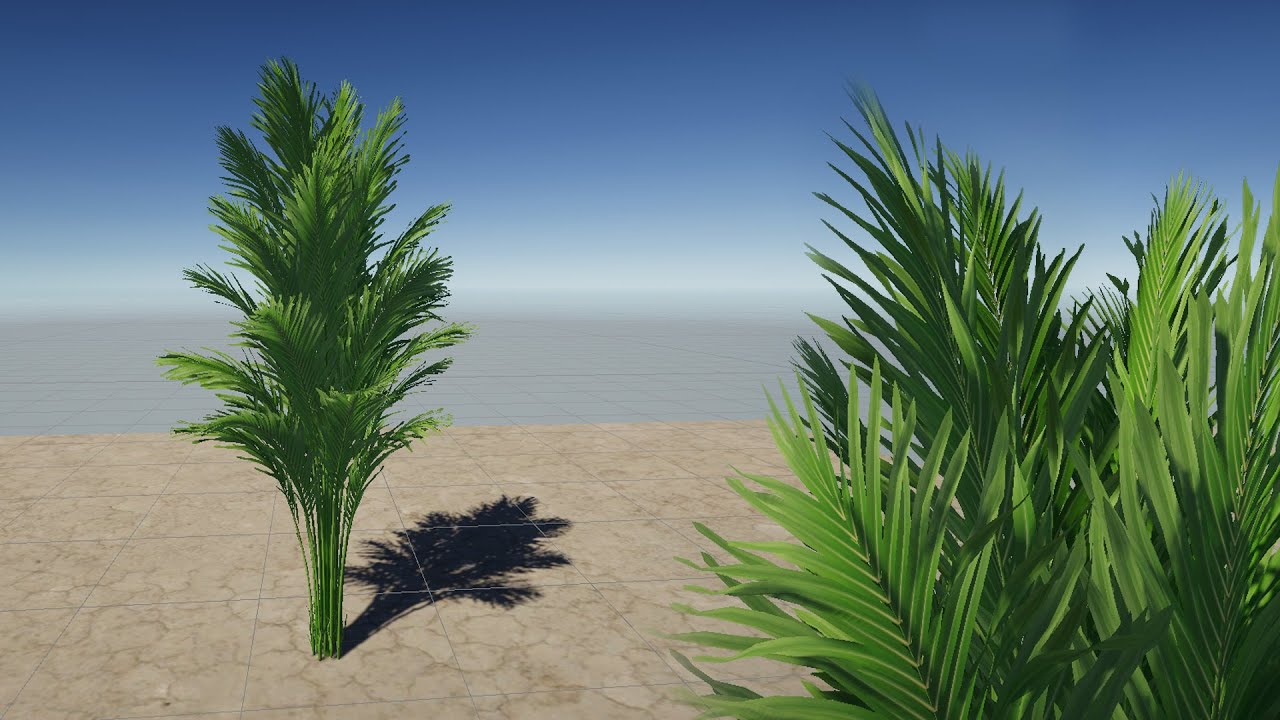
In this project, we will be doing a shader graph simulating the effect of the wind effect on the leaves of a plant. Before you can get more efficiency from this course we suggest you watch our "UNITY SHADER GRAPH BASICS -8 (palm bend animation)" video.
winter minnow
limber cove
This tutorial says to use the "Nature/Soft Occlusion" shader.
Except, when I tr...
Soft Occlusion shaders aren't but shaders under Universal Render Pipeline/Nature/ would be and I believe have the expected features
winter minnow
limber cove
Hello again. So, I'm currently attempting to use the Shader Graph to texturize t...
Typically when you have a texture with alpha, you plug the sampled texture alpha into fragment block alpha
But using another texture works
If you plug an (RGBA) output into (A) input, or likewise any multi-dimensional vector into an input with fewer dimensions, the extra dimensions will be discarded
So your texture's red channel will become alpha in this case
winter minnow
limber cove
Now I'm currently experiencing an issue where the leaves aren't on the branches....
When modifying vertex positions in a shader you have to be mindful what value you are modifying them with and what the displacement will be relative to, be it vertex object space position, world space position, dependent or independent of the vertex original position or some other factor
limber cove
Got 'em! Thanks again for your time and help @winter minnow !
Turns out, the last problem was because I was using Vector2 instead of Vector1 a.k.a Float. Though, nobody told me that "Float" is Vector1.
 grim valve
 elfin ferry
https://youtu.be/ZW8gWgpptI8?t=755
Hi, anyone know what tool is being used here? And how I can get it to work like this?

In this 2020 GDC Virtual Talk, Adam Robinson-Yu talks about how he decided to put a major project on the back burner in favour of a new prototype, which ultimately became A Short Hike
Join the GDC mailing list: http://www.gdconf.com/subscribe
Follow GDC on Twitter: https://twitter.com/Official_GDC
GDC talks cover a range of developmental top...
solar swan
elfin ferry
https://youtu.be/ZW8gWgpptI8?t=755
Hi, anyone know what tool is being used here...
a couple of custom tools.
elfin ferry
solar swan
> a couple of custom tools.
im talking about the tool right the timestamp
he mentions custom tools after
solar swan
unity‘s default terrain painting tools
elfin ferry
elfin ferry
https://youtu.be/ZW8gWgpptI8?t=755
Hi, anyone know what tool is being used here...
And how I can get it to work like this?
solar swan
Like what? He just paints in the default ways.
 brave crag
How can i achieve this type of beautiful terrain with only noise and height position in shader ?

My current result
 limber cove
I have an interesting question to ask: Has anyone ever been able to make a 3D object, say a tree “age” as it grows in Unity? Like from sapling to a fully grown tree, with its leaves changing colors and regrowing? Just asking.
If so, then what’s the process in the scriptwriting? I’ve already searched on Google and the results from its AI weren’t all helpful…
thin hearth
limber cove
If so, then what’s the process in the scriptwriting? I’ve already searched on Go...
It sounds like you're not ready for this sort of thing. Study shaders, learn the raster pipeline. And some basic 3D modeling.
Once you understand how to talk to the GPU you'll have the tools to tackle problems like this. Like most things, it's achievable in multiple ways.
Or just swap the model when the player isn't looking 😏
solar swan
brave crag
How can i achieve this type of beautiful terrain with only noise and height posi...
You also need slope angle derived from the heights
thin hearth
If you're doing it in a shader, you have the world space normal.
grim valve
how do i avoid this texture stretching? i tried triplanar maps but it dont work
 solar swan
grim valve
how do i avoid this texture stretching? i tried triplanar maps but it dont work
solar swan
grim valve
how do i avoid this texture stretching? i tried triplanar maps but it dont work
your only option is to use a terrain shader that can use bi/triplanar world-space UVs. What did you try? Terrain resolution also looks quite high, you should aim for 1 to 4 pixels per world-space unit.
thin hearth
Well, that, or you can do like me and slap a mesh on it 😏
 brittle iron
How do I break up the light math into chunks? Like let’s say I have a 1000 meter area I want to lightmap. How do I break that into lets say 8, 125 meter areas?
 viral tulip
Hi, I’m looking for the channel for the Unity Creator tool kit for Spatial.io
winter minnow
brittle iron
How do I break up the light math into chunks? Like let’s say I have a 1000 meter...
If you are using separate mesh renderers, they can have different Size in Lightmap properties
If you are using a single mesh, it can be divided into UV islands of different sizes which you use as custom lightmap UVs
If you are using Terrain, maybe neighbor Terrains can have different sizes in lightmap, but not sure
Actually disregard, I don't know why I read that as you wanting different size lightmap chunks
One mesh is one "chunk" on the lightmap atlas, so you would use separate mesh renderers or neighbor terrains in this case and it should work fine
woeful drift
how to lower the terrain to make rivers and lakes
grim valve
solar swan
your only option is to use a terrain shader that can use bi/triplanar world-spac...
GitHub
Unity's standard shader with triplanar mapping. Contribute to keijiro/StandardTriplanar development by creating an account on GitHub.
is there a better tutorial out there?
solar swan
grim valve
https://github.com/keijiro/StandardTriplanar
Terrain shaders are more complicated than standard unity shaders due to many conventions you need to deal with. There are no tutorials or even documentation. You need to be able to figure that stuff your from source yourself of buy an asset that has solved it for you.
People typically just use microsplat (asset). Other alternatives exist, but you need to evaluate them yourself or maybe someone else has a an additional recommendation.
terse lark
anyone know where this color int per terrain layer is actually stored?
