#🥽┃virtual-reality
1 messages · Page 28 of 1
 median pasture
 woeful wigeon
hey could someone help me with some basics scripts. If so I would be happy about an dm.
woeful wigeon
I would be very grateful.
 visual root
woeful wigeon
hey could someone help me with some basics scripts. If so I would be happy about...
visual root
woeful wigeon
hey could someone help me with some basics scripts. If so I would be happy about...
Post them here and we can check them out. You can start a Thread if you want
woeful wigeon
Alr
 crude frost
Any tips on getting the XR Device Simulator let me move the controllers? It controls the HMD just fine. BUt, when I switch to either controller, it doesn't let me rotate or translate them
Aha! I couldn't find the answer online, but I had a hunch. Its the XR Interaction Manager in my scene. I needed to disable it when using simulator
it was actually my Player Input component. not the XR Interaction manager (if you disable that, you break other interactions)
 placid sparrow
is there a basic "turn to player" script somewhere in the xr interaction toolkit that I can attach to an UI panel (has a grab handle)? I don't want lazyfollow behaviour though 🤔
placid sparrow
placid sparrow
is there a basic "turn to player" script somewhere in the xr interaction toolkit...
EDIT nevermind, noticed the position follow can be turned off from lazyfollow
 zealous oyster
hey i am just messing around with the vr multiplayer templete and i am trying to move the room info screen but cant so what do i do

 light raft
zealous oyster
hey i am just messing around with the vr multiplayer templete and i am trying to...
light raft
zealous oyster
hey i am just messing around with the vr multiplayer templete and i am trying to...
did you try moving the parent object?
light raft
zealous oyster
Yes, I tried moving the blue circle
it might be a different parent object
 formal parcel
Anyone know where I can get a good script for player cosmetics to equipt and unequip
 buoyant jolt
formal parcel
Anyone know where I can get a good script for player cosmetics to equipt and une...
buoyant jolt
formal parcel
Anyone know where I can get a good script for player cosmetics to equipt and une...
That's usually custom made for each game. Maybe the asset store
 rancid shuttle
Does anyone know how to solve this occlusion problem?
light raft
Installed the XR stuff but I can't find the objects that support hands


 formal parcel
Hey yall so I made a 3d modle in blender and you know how in unity you can only see one side of it how do I fix it?
 boreal raven
Hi, I’m building a VR project for Quest 3 using Unity URP and facing an issue with rendering modes:
Unity: 6000.3.30f1
Render Mode: Multiview (via Meta XR)
Graphics API: OpenGLES3
Canvas: World Space UI (TextMeshPro, transparent panels)
Transparent 3D objects: used for visual effects
Everything is working fine using multiview in Quest 2.
When Multiview is enabled, 3D models render fine, but UI and transparent objects are completely invisible.
If I switch to Multipass, everything becomes visible — including UI and transparency.
However, in Multipass mode, if any 3D object is placed in front of the transparent object, it flickers or jitters(likely z-fighting).
Questions:
Is this a known limitation of Multiview with transparent objects in URP?
Are there any workarounds that allow transparent UI and objects to render properly in Multiview without switching to Multipass?
Is the z-fighting in Multipass expected behavior, and is there a clean way to fix it?
Thanks for any help!
rancid shuttle
formal parcel
Hey yall so I made a 3d modle in blender and you know how in unity you can only ...
If the model is 1 sided, change the material Render Face to Both.
rancid shuttle
rancid shuttle
Does anyone know how to solve this occlusion problem?
Some extra images, does anyone know how to fix?? Yes I already cleared and baked again.

 formal parcel
rancid shuttle
If the model is 1 sided, change the material Render Face to Both.
formal parcel
rancid shuttle
If the model is 1 sided, change the material Render Face to Both.
How ?
rancid shuttle
formal parcel
How ?
On the material
rancid shuttle
Please show canvas settings
Overlay canvas doesn't work in VR
Only world space
So you're showing the bones and joints in real world space? What is the canvas for?
Do you want to show it normally, like in the world on a screen? Or do you wan to show it as an overlay on the entire view?
For an overlay I used a world space canvas somewhere off in the distance, then set an other camera infront of that, then put that camera as an overlay on the main camera.
But keep in mind overlays can be very annoying to view in VR.
If you just want to show the image the user took, I would do that on a screen in world space.
I never made anything like that so I wouldn't know sorry.
rancid shuttle
rancid shuttle
For an overlay I used a world space canvas somewhere off in the distance, then s...
This is how I did an overlay in my game. You do what is best for your project. But know that only world space canvas works in VR.
rancid shuttle
Descale the canvas
formal parcel
rancid shuttle
On the material
In blender or unity
rancid shuttle
rancid shuttle
Descale the canvas
Or text/any parent obj
Oh then try descaling that obj
Scale down the label prefab
Yea set it to 0.1 0.1 0.1 or something
 tropic garden
Which interaction profile for quest 2 controller?

 sick trellis
I need help with getting out of Debug Draw Mode
formal parcel
can anyone show me how to make a cave in blender for my unity project im tweekin over here
 cosmic orchid
tropic garden
Which interaction profile for quest 2 controller?
cosmic orchid
tropic garden
Which interaction profile for quest 2 controller?
add each oculus profi;e
boreal raven
#🥽┃virtual-reality #🚙┃unity-industry Dear unity team, If no one is answering my question .. what is the point of posting my question. I have been trying to get some solution related to UI issue in oculus 3 from almost 1 month.
 primal trout
tropic garden
Which interaction profile for quest 2 controller?
primal trout
tropic garden
Which interaction profile for quest 2 controller?
Its the oculus touch ctlr profile
formal parcel
Does anyone know ow how to fix the player from sicking to the ground like the hands arnt letting me jump like gorilla tag
 sand bolt
Hey does anyone have any idea on how to render a stereo image on a plane in VR?
Simple rendering the left part for the left eye and the right part for the right eye doesn't seem to give the best quality.
I know something has to be done with the depth map of the image and the camera distance to the image but I'm not sure exactly how?
rancid shuttle
formal parcel
Does anyone know ow how to fix the player from sicking to the ground like the ha...
If you're using the XRI Toolkit XR rig. That doesn't use physics at all.
tropic garden
With XRI Toolkit, is teleportation supposed to be able to work with trigger colliders? When I set the collider to trigger it doesn't work.
 ember lintel
I just upvoted this bug report. Do you know if the issue has been fixed or is it still present in Unity 6.1?
 safe dragon
ember lintel
I just upvoted this bug report. Do you know if the issue has been fixed or is it...
safe dragon
ember lintel
I just upvoted this bug report. Do you know if the issue has been fixed or is it...
They rejected it last time I checked. I had to use an asset from the store
ember lintel
safe dragon
They rejected it last time I checked. I had to use an asset from the store
One that works in HDRP? Do you remember which one?
safe dragon
Nah, I went back to standard pipeline because of that and used this asset https://assetstore.unity.com/packages/vfx/shaders/fullscreen-camera-effects/mirrors-and-reflections-for-vr-212493#description

Add depth to your project with Mirrors and reflections for VR asset from Tom Goethals. Find this & more VFX options on the Unity Asset Store.
ember lintel
safe dragon
Nah, I went back to standard pipeline because of that and used this asset https:...
Thank you very much. I would really like to stay with HDRP…what a shame
 sacred bane
Can someone help me with making joystick movement for vr???
 austere cedar
sacred bane
Can someone help me with making joystick movement for vr???
austere cedar
sacred bane
Can someone help me with making joystick movement for vr???
Joystick movement for VR:
UnityEngine.XR.InputDevice handRDevice = InputDevices.GetDeviceAtXRNode(XRNode.RightHand);
bool stickRSupported = handRDevice.TryGetFeatureValue(UnityEngine.XR.CommonUsages.primary2DAxis, out Vector2 stickR);
//example get input from joystick
if (stickR.x > 0.35f) bRight = true;
if (stickR.x < -0.35f) bLeft = true;
 worn escarp
Just found out that when running my project if there's no controllers detected it's using hand tracking (kind of, my controller visuals are shown, rotated). I'm using OpenXR and XRI 3.x. Do you know how can i disable hand tracking? In the openxr settings I don't have the Hands interaction profile added and there are no features related to hands selected.
 north path
There likely are hands in the prefab you used from XRIT then @worn escarp
 narrow briar
what's the performance delta in 6.1 6.2 and 6.3?
light raft
how do I fix the head clipping issue in vr
where I put my head through a wall and move so I would move into the wall
formal parcel
Is it possible to get a gorilla tag mod into my unity project and how?
worn escarp
north path
There likely are hands in the prefab you used from XRIT then <@72387943476284625...
The visible hand models when no controllers are found are the custom ones I have for my game. I think it might have something to do with input actions.
north path
narrow briar
what's the performance delta in 6.1 6.2 and 6.3?
Performance is similar, maybe a bit better for later versions due to optimizations in render graph.
6.2+ do have MeshLOD and Project Auditor, which is great
north path
light raft
how do I fix the head clipping issue in vr
where I put my head through a wall an...
There are solutions for this online. You can do this by reading out collision from the head and moving the player away from the wall normal or fading the screen
narrow briar
north path
Performance is similar, maybe a bit better for later versions due to optimizatio...
6.2 has lod? super nice! ok im importing
rendergraph requires URP. this might be a bit much. at least meta audio works ... maybe
north path
URP is very scalable as well.
But MeshLOD is great and more efficient than Lodgroups for how it works
narrow briar
yes it's pretty dope, you've tested it on quest 2?
hardware is so low end on these things that weird bottlenecks creep up
 mild pelican
I'd like to get the VR unity certification. Does anyone have a link to the most current Courseware and the certification test?
formal parcel
How do I add mods into my unity project?
 jagged marsh
Hi, i came from the VRChat official discord, came across this bug and ive gotten everything set up for compatability for the current vrchat creator companion, but it just bugs out when i try to import my package, ive tried the Dragn n Drop and the Import Custom Package methods, any idea why it bugs out and says its successful but doesnt actually import?

Please @ reply me, ill probably be busy or asleep.
north path
formal parcel
How do I add mods into my unity project?
Wdym? Unity is an engine. Content you add isn't a mod, it's in the source.
If you want to add mod support, addressables can help if people use Unity. Using mono is easier for mod support, but there also are mods possible for il2cpp
 old pendant
Same as the guy above, I'm also coming from the VRChat discord server, but this time I'm having a really hard time getting this interactive menu set up for both vr and non vr players, it doesn't register any inputs for some reason even though I tried every XR input modules and the regular ones


 atomic trout
Anyone know the device limitations of Meta Quest3 for Unity applications?
What kind of affect it could have on the development direction and evolution of a app?
lets assume I am creating a application with virtual tour
 unique matrix
i have a renderTexture on a quad acting as sort of a menu of sorts, using the poke interactor stuff, and im trying to get this menu so that when u touch it at a certain spot, it will spawn a GO on a gameboard, seperate from everything, and it will spawn at the POS where u touched on the menu, into the gameboard. Simplest way I could think of is just some sort of simple math or raycasting that takes the local space where u touched the menu, and just translating that to the bigger game board localspace , but is there some hidden tech here that might make this streamlined ?
sacred bane
If anyone can help me with movement in my game can you dm me and no there is no pay
austere cedar
sacred bane
If anyone can help me with movement in my game can you dm me and no there is no ...
People are not often willing to dm. You should explain better what you want to achieve and show some code... I have answered once on joystick movement you asked about earlier.
 sleek rampart
austere cedar
People are not often willing to dm. You should explain better what you want to a...
sleek rampart
austere cedar
People are not often willing to dm. You should explain better what you want to a...
whats he is asking is he needs someone to help him set up the movement
unique matrix
Im trying to get a slider UI component set in world space to work with poke interactor, the UI interaction checkbox is enabled, but my sliders wont work with it ? Am i missing something, like colliders or something (because its set in world space? ) It works with buttons on my UI map just fine, but not sliders
unique matrix
nvm, I think it was just a selection size thing, but its still major buggy, sometimes it works perfectly, sometimes you gotta finness the finger around correctly, and other times it just stops working. Kindaa sucks but eh lol
unique matrix
actually yea, anyone have any suggestions why my headset gets VERY pixalted sometimes, unity lagging af, its very difficult to playtest anything, and the longer i work with it, the more frequency this stupid bugginess works while doing dev work. Weird thing is im on an entirely seperate scene, very minimal logic, it feels more of a hardware thing than anything, but has anyone else experience this and have suggestions ?
unique matrix
unique matrix
nvm, I think it was just a selection size thing, but its still major buggy, some...
https://discussions.unity.com/t/vr-ui-slider-issues/821416/15
apparently its pretty common, has anyone ran into any possible way to have a more accurate result ? Its hilarious how when im trying to slide the bottom slider, the top most one out of the 3 gets selected instead, not the one im directly touching lol
I changed the values before, and it at least works now, but the values were wicked low, yet still, like my example above where a far off slider would get selected, idk if its certain values I should only be changing
 unique matrix
painnn

 wispy marsh
anyone have a idea about decode ffmpeg video stream in unity
north path
Colocation is still exclusive to the Meta SDK, right?
Not in XRIT yet
 vestal spire
What is wrong with my burst? "2025/07/30 22:15:54.610 10428 10495 Debug Unity Failed to load native plugin: Unable to lookup library path for '_burst_0_0'."
 oak pilot
Hello, does anyone know why my game object is gone after I grab it?
 drowsy steeple
Hey I'm working on a HDRP Unity 6 OpenXR Project, I'm using the Quest 2 with Virtual Desktop (which uses SteamVR) to test in PCVR. I have enabled the pushing of Forwarding Data from VD and have got some hand tracking to work. However, there seems to be an issue with the thresholding where the hands stop tracking too easily if there is not enough movement picked up by the headset. On the Quest2 the hands are still tracking as when I turn my palms towards the headset the hand-tracking menu buttons overlay over the Demo but this only means that for whatever reason Unity/SteamVR are not accepting the handtracking due to some threshold. They just stop tracking in the input debugger unless there is a large increase in hand activity. My belief is that this is caused by the translation layer between Meta -> SteamVR and it has effected the hand tracking threshold. For some reference this is the hand visualizer sample provided in the XR Hands plugin. Anyone run into a similar issue?
drowsy steeple
oak pilot
Hello, does anyone know why my game object is gone after I grab it?
Its falling through the floor due to physics check that your colliders are properly setup they probably need to be convex if they’re mesh colliders - you can also make your own
 remote wedge
hello!
i need somehelp in something, why is there a random black bar here that wouldn't go away?

i'm using the quest 3 btw
 shy linden
How do I get my zombie walking it is just looping
 swift zenith
Does anyone know how to change device based to action based when it wont show up?
 unique matrix
has anyone used the voice SDK ? Trying to get voice recognition into my game, but im having trouble accessing what I said to write to some UI. Im calling my WriteAnswer() function here (img1, the voice manager), which is just some simple debugs, but the output is the intent title, not the contents of what I said (img2)
public void WriteAnswer(string[] transcription)
{
    quizAnswer[0].text = transcription[0];
    Debug.LogWarning(" transcription: " + transcription);

    Debug.LogWarning("Transcribed Text: " + quizAnswer[0].text);

}


 versed needle
anyone tried to add pressure plate (put object on to activate) to the poke button?
 low ingot
by any chance can someone help me with an error that I am having?
 remote wedge
i need somehelp in something, why is there a random black bar here that wouldn't...
remote wedge
remote wedge
i need somehelp in something, why is there a random black bar here that wouldn't...
sorry for repeating myself, could someone help me with this, its been 2 days....
swift zenith
Does anyone know how to change device based to action based when it wont show up?

 prisma stratus
When making my unity game with my freind uvc dose not show anything i do or anything he dose but when he updates a setting in project settings and checks in i can see the update that he did in the change seats
 zealous niche
Can anybody help me with the rig in my game? whenever i load in, im really small and i stick to the ground. i try to fix it, it just never works
 scarlet cosmos
swift zenith
Does anyone know how to change device based to action based when it wont show up...
scarlet cosmos
swift zenith
Does anyone know how to change device based to action based when it wont show up...
These do not work any more, if you are using a tutorial, find one for unity 6. If you are using gorilla tag movement, just switch it to tracked XR device or whatever it’s called.
scarlet cosmos
remote wedge
i need somehelp in something, why is there a random black bar here that wouldn't...
If you have test builds enabled (for horizon os) in the quest mobile app, update so you can have the new navigator UI, then go to navigator, and hit hide portable windows, or if you aren’t wanting to use that, then I have no idea what you should do. Is this running standalone or connected to a PC? If so what OS is your pc? What version of unity do you have?
 merry terrace
does anyone have any tips to optimize VR for HDRP? Would like to share.
 sly steppe
Building my apks (i’m using unity 6.1) does not let me install nor launch them on my headset. Trying to install through sidequest gives me the error “Premature end of stream, needed 1 more bytes” And through mobile vr station i don’t exactly remember the error but it wouldn’t download. I made sure to test with a working apk and sure enough it worked perfectly. I would appreciate if someone could help me out
scarlet cosmos
merry terrace
does anyone have any tips to optimize VR for HDRP? Would like to share.
Not to be rude or negative but HDRP is hard on pcs, but standalone vr is basically a mobile phone. If it was possible, every android and iOS game would look AAA
You have little hope my friend
merry terrace
Wait, I thought this section was for PC too
I'm developing for PC release, not mobile.
merry terrace
scarlet cosmos
Not to be rude or negative but HDRP is hard on pcs, but standalone vr is basical...
I know it's trickier than standard pipeline but it's not impossible.
scarlet cosmos
I didn’t know, most people here are targeting quest
But you have a chance
You can try in urp and get much better performance if you just port over the shaders
Why are you using hdrp?
I mean I’m not trying to be that guy who answers with an answer that just is stupid like “just switch to urp” but I made this switch for my game
Looks the same except for about 3 pixels
merry terrace
scarlet cosmos
Why are you using hdrp?
mostly because i'm making an atmopsheric horror game and saw the fidelity on HDRP being very good. Thought that since my game involves no character movement (basically waves of npcs coming to you and you shooting them) i could do something with HDRP VR
scarlet cosmos
Interesting, so I assume you are using heavy amounts of raymarching? (Volumetric like clouds, fog, etc)
merry terrace
scarlet cosmos
Interesting, so I assume you are using heavy amounts of raymarching? (Volumetric...
Yes, lightning is a key contributor to our project's atmopsheric goal
And HDRP lightning is just exactly what we're looking for, albeit harder on VR.
scarlet cosmos
If you would like (because raymarching is terrible performance, say the display you are going for is the quest 3 just for example, then it’s 4k, so think about every single pixel of those millions being simulated) I can share some resources I’ve made that run on standalone vr at 465 fps
Not even kidding
For volumetrics
It’s all mostly noise, it’s animated, and looks very similar to volumetrics
merry terrace
scarlet cosmos
If you would like (because raymarching is terrible performance, say the display ...
That would be awesome, any share is godsend right now. Pretty hard to find optimizations for VR on this pipeline tbh
scarlet cosmos
Let me finish it first and add some notes to the shader graph
So it’s readable
You can optimize it further by using dithering, but it looks like how 3d was looking when it was still ascii in a terminal
merry terrace
Yea, everyone in my team has a quest 3 so we basically aiming for that display res 😅
scarlet cosmos
You can also apply it to clouds also
That’s what I created it for
You just input a texture for it to base off of and assign a script to a plane
5 clicks plus some time in adobe illustrator or photoshop (or if you’re broke like me photopea) to design a texture for it or if you’re fancy you can use shaders to generate one, then you have your fog.
merry terrace
wow, that sounds impressive. although the project is 70% interior-based 😅
scarlet cosmos
merry terrace
wow, that sounds impressive. although the project is 70% interior-based 😅
My -4 brain cells are confused
scarlet cosmos
Oh
Still confused (I am hanging on from a triple shot of espresso)
Very loosely
I am only sane because of my little code helper (cat)
merry terrace
scarlet cosmos
You can also apply it to clouds also
You said you could also apply it to clouds as in exterior right? 😅
Just wanted to point out that most of our game's action happens within 4 walls
scarlet cosmos
I meant use it al clouds
scarlet cosmos
scarlet cosmos
I meant use it al clouds
As clouds*
scarlet cosmos
It blocked my message when I corrected myself for the first time
It is quite efficient and looks amazing as long as you have high quality textures
Like for the whole thing based on how close you are I recommend mipmaps or whatever it’s called when you have lower texture resolutions to lessen stress on the gpu
I mean the less system requirements needed the more players right?
I honestly wish I could be going for steam VR and PCVR but the meta market just has more players
I have to hit at least 72 fps on my games for 20 mins straight
And that’s for them to consider publishing the game
merry terrace
scarlet cosmos
I mean the less system requirements needed the more players right?
that's true, yea. On Steam from what we surveyed most VR players have a mid-to high end rig
scarlet cosmos
Also developing on an i7 14700k, a 4060, and a dash of hope is the maximum I can afford
I could barely afford the pc but it accelerated the speeds so much
I literally tried to use a laptop that was $450
And that’s in CAD
merry terrace
scarlet cosmos
Also developing on an i7 14700k, a 4060, and a dash of hope is the maximum I can...
that's actually a good minimum for PCVR
with medium graphics on VD for example
scarlet cosmos
merry terrace
that's actually a good minimum for PCVR
When you are developing a game all you hear is just airplane
As soon as I tried minecraft with shaders all I heard was ✈️✈️✈️✈️✈️✈️✈️✈️✈️✈️✈️✈️✈️✈️✈️✈️✈️✈️✈️✈️
merry terrace
lel, i see. I'm not really advanced in developing, i'm just learning and coding through our roadmaps, im basically the creative director to our project and also tehnical artist with the lightning
and music too
scarlet cosmos
By the way, I am currently working on making the volumetrics have support for additional lights too
This should probably be taken to some kind of dm, other people deserve a vr thread too 😅
prisma stratus
Dose anyone know how to fix this i cant see anything my freind dose in uvc: https://drive.google.com/file/d/1jT58FsVqTf91kJ9BlvUmfFpBM0xquz_k/view?usp=sharing
Google Docs
sly steppe
Building my apks (i’m using unity 6.1) does not let me install nor launch them on my headset. Trying to install through sidequest gives me the error “Premature end of stream, needed 1 more bytes” And through mobile vr station i don’t exactly remember the error but it wouldn’t download. I made sure to test with a working apk and sure enough it worked perfectly. I would appreciate if someone could help me out
 solar pendant
im makinig a vr game with hand colliders but i cannot go through is trigger objects. they just act as normal colliders. how do i fix this?
sly steppe
solar pendant
im makinig a vr game with hand colliders but i cannot go through is trigger obje...
you have to give your objects with is trigger a special layer and in your physics tab under settings turn off the collisions between your special layer and the layers on your hands
solar pendant
sly steppe
you have to give your objects with is trigger a special layer and in your physic...
thanks
sly steppe
solar pendant
thanks
👍
solar pendant
sly steppe
you have to give your objects with is trigger a special layer and in your physic...
ok so it works but the trigger objects dont work
actually thats a me issue nvm
sly steppe
solar pendant
actually thats a me issue nvm
So it works?
solar pendant
i just changed some of my scripts but yeah
 crimson granite
re: Meta Quest 3 and Texture2DArray in URP shaders, are there any performance implications to be aware of? I'd like to implement UDIM textures by simply converting the integer u coordinate to a UDIM index in shader graph and then sampling the texture2darray. There could be a relatively large number of small textures in the array. Does anybody have experience with this vs. atlasing the UDIMS into a single texture? I would prefer to simulate UDIMs instead of atlasing for the solution I am working on, but am worried about performance issues, specifically for Meta Quest 3. I found some google results claiming that texture2darrays were not performing well on Quest (1), but didn't find any info on Quest 3.
swift zenith
scarlet cosmos
These do not work any more, if you are using a tutorial, find one for unity 6. I...
thank you
 wary birch
sly steppe
Building my apks (i’m using unity 6.1) does not let me install nor launch them o...
wary birch
sly steppe
Building my apks (i’m using unity 6.1) does not let me install nor launch them o...
Probably means you don’t have enough storage on your Quest
sly steppe
wary birch
Probably means you don’t have enough storage on your Quest
it’s not that. I thought it was initially. But after deleting quite a few games it didn’t work
wary birch
How much storage do you have left?
 true citrus
Hello!
 torpid ginkgo
@true citrus If you have a question !ask
 ornate questBOT
:thinking: Asking Questions
:mag: Search the internet for your question!
:book: Use the API Scripting Reference and User Manual and this troubleshooting site for commonly posted issues.
:wrench: Attempt to debug your issue.
:thought_balloon: Find an appropriate channel by reading the name and description in #🔎┃find-a-channel
:grey_question: And don't ask to ask, ask a full question illustrating with screenshots if needed.
-# For more posting guidelines, go to #🌱┃start-here
unique matrix
im having trouble using the poke interactor to work with sliders correctly. Has anyone else experienced buggy sliders with the poke interactor? Basically the touching action isnt very accurate at all, when touching the slider it would go either all the way down or all the way up with no real precision, and even just touching it to "select" it, ud have to finess the finger movement to get it working properly. It seems no matter what type of values are in the XRPoke Interactor inspector can adjust the accuracy of it to a great extent either, the issue kinda remains
 mystic depot
I'm trying to get climbing to work on a moving physical object. This is easier said than done, because the ClimbProvider in the XRIT sets the player in world space I guess, because parenting it doesn't work. I haven't got it working. Other things I tried include using a FixedJoint after switching to Rigidbody XR Origin, and manually setting an offset.
The object that im trying to parent to is a train on a spline that is being moved with transform.position (snap on spline) and rb.velocity(as a force to move it)
Has anyone done this before, or has an idea on how to do this? Thank You
wary birch
Make a VR Physics-based character controller and climbing magically works
narrow briar
i switcehd to openXR and now quest link doesn't full screen the app in the editor when i press play
 stiff python
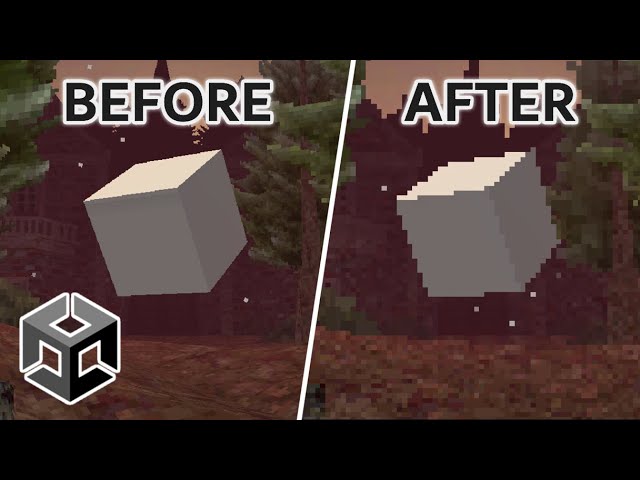
helloo!! been looking for someone to help with an hypothetical question, keeping in mind i never used unity before and that i want to make a vr game for my thesis with a pixelated look, i've found out that it's possible to make said style on unity that's for sure, but i got a doubt now, would this tutorial work if i were to make a vr game instead of a first person game? https://youtu.be/WKTZgf7ZDGs?si=l6kiCjWJeEdm2pJB
✨ My Links ✨
Discord: https://discord.gg/zMTrPg8ZFB
itch: https://hacktic.itch.io/
Patreon: https://patreon.com/hacktic
🎵 Music 🎵
Music by Purrple Cat
https://purrplecat.com/
Songs:
Birds of a Feather
Business inquiries: hackticdev@outlook.com
 unkempt loom
lol
 rigid cove
I’ve been experimenting with a simple tactile glove (coin cell motors for haptic feedback) controlled via Arduino. So far I’ve gotten the glove working with rumble patterns through Arduino’s IDE, using code adapted from earlier experiments. The system includes:
Arduino Elegoo Uno R3

Coin cell vibration motors sewn into glove fingertips

2N2222 transistors for motor control

Diodes and a breadboard for circuit protection and layout

Basic wiring and connectors
No public repo or Unity integration yet—this is very much a “first steps” build. My next goal is figuring out Unity integration so I can link motor activation to VR events. If folks want, I can post updates as I work toward Unity integration.


For those who’ve done this before—what’s your go-to method for linking haptic hardware to Unity for real-time feedback?
sly steppe
wary birch
How much storage do you have left?
Like 12 gigs
wary birch
stiff python
helloo!! been looking for someone to help with an hypothetical question, keeping...
I would recommend getting some experience with Unity before going for a VR game. And if you install URP there’s a render scale slider. You can drag that down to like 0.1 and use low quality textures to achieve a pixelated look. As to your question, you can do what they did in that video you just have to be careful with single vs multi pass rendering. Use multipass rendering to be safe. Should be in the OpenXR settings.
 alpine elm
Hey everyone! 👋
I'm working on a Unity VR project with Meta Quest headset detection and running into a frustrating issue with OVRManager events. Hope someone can help me out!
My Setup:
Unity 6 with OpenXR
Meta XR SDK v77.0.0 (com.meta.xr.sdk.all)
Trying to automatically switch between VR and Desktop modes when headset is put on/taken off
The Problem: I'm using OVRManager.HMDMounted and OVRManager.HMDUnmounted events to detect when the headset is physically on/off the user's head. Here's what happens:
HMDMounted event - Works perfectly! When I put the headset on, it fires and switches to VR mode
HMDUnmounted event - Never fires when I take the headset off! My app gets stuck in VR mode
My Theory: I suspect this happens because when the headset is removed, the XR subsystem becomes inactive, which causes OVRManager to stop updating, so the HMDUnmounted event never gets a chance to fire.
Code Snippet:
var hmdMountedEvent = ovrManagerType.GetEvent("HMDMounted");
var hmdUnmountedEvent = ovrManagerType.GetEvent("HMDUnmounted");

hmdMountedEvent.AddEventHandler(null, OnHmdMounted);
hmdUnmountedEvent.AddEventHandler(null, OnHmdUnmounted);
Questions:
Has anyone else experienced this with Meta XR SDK v77+?
Is there a known workaround for reliable headset unmount detection?
Should I be using a different approach like OVRPlugin.userPresent or Unity XR device monitoring instead?
Any advice would be super appreciated! I've been banging my head against this for hours 😅
austere cedar
alpine elm
Hey everyone! 👋
I'm working on a Unity VR project with Meta Quest headset dete...
I use older Unity and older SDK without the events, so I can't say if it should work. This is what works for me both Quest and PCVR (to pass the Meta tests), so you can test if you like.
bPauseNow = (!OVRPlugin.hasInputFocus || !OVRPlugin.hasVrFocus);```
I never got this to work: ```bool presenceFeatureSupported = headDevice.TryGetFeatureValue(UnityEngine.XR.CommonUsages.userPresence, out bool userPresent);```This also pauses when the MetaButton is pressed.
alpine elm
austere cedar
I use older Unity and older SDK without the events, so I can't say if it should ...
Oh, oh.
Thank you, My issue has been resolved!
Thank you so much; I've been stranded here for two days. 😂
tropic garden
I want a camera that strictly renders to VR and not to the game window, how can I achieve this?
 foggy tundra
Yo guys
 thorny olive
hello guys i want to make a game on vr with multiplayer with adressables for NFTs and i have no experiance
any buddy help?
for now i just used a template from unity hub known as vr multiplayer
kindly help me its been 3 weeks i am stuck also i used UMA 2 for character creation
north path
thorny olive
any buddy help?
We cannot help if you cannot describe the issue
If you want collaboration:
!collab
ornate questBOT
:loudspeaker: Collaborating and Job Posting
We do not accept job or collab posts on Discord.
Please, use Discussions to promote yourself as job-seeking, advertise commercial job offers, or look for non-commercial projects to participate in:
• Collaboration & Jobs
north path
tropic garden
I want a camera that strictly renders to VR and not to the game window, how can ...
Add a second camera, put it to render to Display 1, and disable XR rendering
Did so here: https://assetstore.unity.com/packages/tools/camera/vr-spectator-camera-vr-view-smoothing-243930

Get the VR Spectator Camera - VR View Smoothing package from Dev Dunk Studio and speed up your game development process. Find this & other Camera options on the Unity Asset Store.
tropic garden
north path
Add a second camera, put it to render to Display 1, and disable XR rendering
Di...
Won't the XR camera still technically render to the main window though?
north path
tropic garden
Won't the XR camera still technically render to the main window though?
Not too sure if both are set to Display1
I believe the PC screen just shows one of the eyes, not hurting performance too much, but not fully sure
tropic garden
north path
Not too sure if both are set to Display1
I believe the PC screen just shows one ...
So there is this:
https://docs.unity3d.com/ScriptReference/XR.XRSettings-gameViewRenderMode.html
When I set it to none, it jitters the last view of the mirror. Which is weird...

Also if I turn on a Screen Space Overlay Canvas in this mode, it renders to the left eye of the headset and not the main window
Very strange
north path
I would have to dive into it again, but I got monitor-only UI and seperate output to VR and monitor working in the asset
Not 100% sure about the exact settings atm
tropic garden
north path
I would have to dive into it again, but I got monitor-only UI and seperate outpu...
I can render a UI no problem to the main window, however I believe the scene is still being rendered to the main window behind the canvas. I am trying to disable the rendering of the camera to the main window to help with performance.
Btw thanks for your responses!
north path
Have you checked the profiler/frame debugger if it does that?
tropic garden
north path
Have you checked the profiler/frame debugger if it does that?
Can the frame debugger be hooked up to a build?
north path
I think so, but not sure if I ever tried
Profiler for sure
3rd party GPU profiling tools also might be worth a shot. Like NSight on PC
thorny olive
north path
We cannot help if you cannot describe the issue
If you want collaboration:
alright first of all will UMA character works fine with vr
north path
Not sure what uma characters are
versed needle
anyone got this error when building for Quest 3? I notice it only happen when I add my android library that uses gson
`FAILURE: Build failed with an exception.
- What went wrong:
Execution failed for task ':launcher:mergeExtDexRelease'.
Could not resolve all files for configuration ':launcher:releaseRuntimeClasspath'.
Failed to transform recognizer-debug-.aar (:recognizer-debug:) to match attributes {artifactType=android-dex, asm-transformed-variant=NONE, dexing-enable-desugaring=true, dexing-enable-jacoco-instrumentation=false, dexing-is-debuggable=false, dexing-min-sdk=29, org.gradle.status=integration, org.gradle.usage=java-runtime}.
Execution failed for DexingNoClasspathTransform: C:\Users\Phuong Doan.gradle\caches\transforms-3\b3b8a1fcfbf558ce8a610d3078812a83\transformed\jetified-recognizer-debug-runtime.jar.
Error while dexing.`
 stiff basin
Has anyone noticed in their games sometimes around the outside edges there's blue or black? This has occured in my own games, and also a game called battle talent for me. Not sure how to fix this.. If I do something like stretching the camera I can see it repeating
It appears to be the background settings

If I change it to solid color and change the color, it changes.
It's like my camera isn't rendering everything it can see
I suppose a work around is making my background type solid color and making it black?
thorny olive
north path
Not sure what uma characters are
ok how can i use a humanoid character instead of default
and how can i setup the hands IK with respect to controllers and procedural walking
north path
stiff basin
Has anyone noticed in their games sometimes around the outside edges there's blu...
Make sure Unity is updated and you have stable performance (use OVR Metrics)
north path
thorny olive
ok how can i use a humanoid character instead of default
and how can i setup th...
I used FinalIK for that
 sudden elk
I just realized that the audio sampling rate for my metaquest app is 24000, which I'm assuming is for performance reasons. Is there a way to change this to 44100 and is that a bad idea?
thorny olive
north path
I used FinalIK for that
it costs money
north path
Yes, but it might save you a crap ton of time. I'm just telling what worked for me
stiff basin
north path
Make sure Unity is updated and you have stable performance (use OVR Metrics)
uhh im unity 6000 something. this doesnt happen in beatsaber, vrchat, and like any other game i load up in vr. just my own game and ive notice it happens in battle talent aswell, outside edges of my screen being able to see the environment / skybox
but yeah ig i just fixed it by setting the environment to solid color black
cant tell its there
north path
stiff basin
uhh im unity 6000 something. this doesnt happen in beatsaber, vrchat, and like a...
Then maybe your game has bad optimization. Check performance in OVR Metrics
stiff basin
what optimization..
there is no optimization..
that is not the issue
has nothing to do with performance
merry terrace
anyone know why when using shader graph vfx from the unity's github the decals using a particle (i.e. blood decals on the floor)don't show in VR but they shown in scene and game display?
also when using them with VR the particles follow the camera even in the demo scene provided. Even the default camera from GooBall scene, if you move it around, the particles follow it.
EDIT: nvm fixed it

GitHub
Visual Effect Graph - Samples Project. Contribute to Unity-Technologies/VisualEffectGraph-Samples development by creating an account on GitHub.
 storm ether
Hey, I want to implement grabbing items from a holster parented to the XR rig; how can I achieve this?
unique matrix
storm ether
Hey, I want to implement grabbing items from a holster parented to the XR rig; h...
idk if unity vr stuff has functionality built in for this, but if not, u could just parent / copy the transform + an offset of the object to the hand
and colliders for the actual detection
thorny olive
north path
Yes, but it might save you a crap ton of time. I'm just telling what worked for ...
hello i am now using Final IK
i have Added VRIK to the character
now how do i tell it to follow the VR
north path
Best to ask their dev, I'm not doing your project for you
thorny olive
ok
 cursive timber
How do I add hands that actually open and close?
cursive timber
When the button is clicked
wary birch
animation
lerp between a close animation and a open animation based on the grip input value
alpine elm
Why does my Unity VR project (for Meta Quest 2) take so long (more than 15 minutes) the first time I enter Play Mode?
I’m using Unity 6.1 with XR/OVR setup for Quest 2. Every time I open the editor and press Play for the first time, Unity freezes for over 15 minutes before Play Mode actually starts. After that, it runs normally.
Is this normal for Quest 2 VR development? Has anyone else faced this issue, and what can I do to reduce the wait time?
 sterile furnace
hello everyone, I was working with AVPro media player and Meta sdk all in one asset but there is this thing where I am stuck. In my simulator when I run video on stereoMode it does run on stereo... but as soon as I build it on meta quest 2, it runs in top bottom(2 video running top and bottom)
I want it to run on stereo.. I have tried every permutations but couldnt get it right.... So please if anyone could help me with this.
On simulator


on meta quest 2
 pine bison
sterile furnace
hello everyone, I was working with AVPro media player and Meta sdk all in one as...
pine bison
sterile furnace
hello everyone, I was working with AVPro media player and Meta sdk all in one as...
You're using the Android package version of AVPro? And in your screenshot the packing is set to none, presumably you've already tried setting that to top/bottom?
sterile furnace
pine bison
You're using the Android package version of AVPro? And in your screenshot the pa...
i have tried all packing combination.. It doesnt do anything
pine bison
I haven't used AVPro since V2, I guess there's no longer separate packages per platform
sterile furnace
I am using this package
sterile furnace
pine bison
I haven't used AVPro since V2, I guess there's no longer separate packages per p...
I am using v3 free version
sterile furnace
pine bison
I haven't used AVPro since V2, I guess there's no longer separate packages per p...
why is that it runs on Stereo mode in simulator but in metaquest it runs like this?
pine bison
Probably not, I can't speak for V3 specifcally
sterile furnace
ok...
pine bison
Oh no I see it's still split in platform packages
Are you sure stereo is supported in the trial version though?
sterile furnace
pine bison
Are you sure stereo is supported in the trial version though?
idk about that...
sterile furnace
pine bison
Oh no I see it's still split in platform packages
whats that?
sterile furnace
uhh.. i have a deadline tomorrow
north path
Why doesnt the meta SDK just have 1 grabbable component which works on an object with mesh collider and rigidbody. It just never seems to work...
sterile furnace
sterile furnace
hello everyone, I was working with AVPro media player and Meta sdk all in one as...
anyone else can help me with this
 woeful dune
floor detection in vr is working with same build in one vr device but not working in other device (unity oculus vr)
 solid sentinel
Hi, I'm working in a XR film for the PSVR2 but I'm having some issues with a pause system that switches between two XROrigins such that when you pause then unpause the experience disables the head tracking logic.
storm ether
unique matrix
idk if unity vr stuff has functionality built in for this, but if not, u could j...
i want it to stay in the hand if youre holding the trigger if ykwim
 broken jacinth
does anyone know how to deobfuscate a global-metadata.dat
ping me if you can help
cursive timber
We’re can I find a step by step tutorial that is not outdated and is in the newest version of unity that shows me how to add hands that make a certain hand gesture when a certain button is pressed
Ping me if u can help pls
 solid panther
Out of curiosity. Is this possible to develop a game that start with a stereo video and then switch to the game itself, and then whenever needed switch between both VR video, to actual 3d space ?
 opal willow
cursive timber
We’re can I find a step by step tutorial that is not outdated and is in the newe...
opal willow
cursive timber
We’re can I find a step by step tutorial that is not outdated and is in the newe...
there is not really a tutorial i know , but its easy. [if you are using OpenXR]
first -> read input from user controller, for example the [A] on the oculus quest controller , you will check first if its in the Input map , if not you will add it
second -> in the hand animate your custom gesture , and make an animator bool parameter that is when the input is checked it will change the parameter
third -> connect all [Input -> Change Animation Bool -> Play Hand Custom Gesture Animation]
 opal willow
solid panther
Out of curiosity. Is this possible to develop a game that start with a stereo ...
opal willow
solid panther
Out of curiosity. Is this possible to develop a game that start with a stereo ...
yes , you just need to change the skybox to a video and then change it back to its org skybox , and ofc activate and deactivate the environment
https://www.youtube.com/watch?v=1WDU0RHOBsA

Gear up for unparalleled immersion as we delve into the creation of a 360 Video Player using Unity and the XR Interaction Toolkit in this comprehensive tutorial. Elevate your virtual experiences by teleporting players into the limitless worlds of your imagination, making every moment truly unforgettable.
🍤Check Out My Patreon🍤
https://www...
 silver pewter
OpenXR is the best api for VR on linux, but Unity does not support OpenXR for Linux. Is this going to change at some point?
north path
Best to go to the Unity roadmap and request this as a new feature @silver pewter
atomic trout
hi guys, I'm using Meta All in one sdk for my project and using Networked Avatars, I'm trying to persist the Networked Avatar in different scenes but its not working, it only loads for the scene it loaded and then if I go in next scene, it won't load there and when I come back to my first scene it won't load the Avatar either.
solid panther
opal willow
yes , you just need to change the skybox to a video and then change it back to i...
Thanks you !
 frank scarab
yo so i tried getting this xr unity thing for a tutoriol and i put in the url but i need to change the version from 3.2.1 to 2.0.2 could someone help me im very new to unity

at the xr interaction toolkit
solid panther
So, I have another question 🙂 Yesterday I went to discover this exhibition / experience with my kids: https://www.youtube.com/watch?v=bjlJKSHKT1s // It was interesting and done with Unity.

Based on the great myths of horror, this chilling experience invites the audience to delve into the origins of fear and become the protagonist of a story that is lived (and endured) firsthand.
I was not sure, how the whole thing was working technically.
In my mind, the experience would be streamed on each headset, so basically, the program is not on the headset, per se. and everybody would be sync. But it appears its not the case, as from what I understood from the guy who were putting the headset on people, each people have there own session running on the headset, but could still see other people around ?
So it seemed multiplayer, but without being multiplayer ?
 spiral ravine
Yea it seems like its local multiplayer
solid panther
even if each player is in their own session ?
solid panther
So, the game is streaming from a server multiple session ?
Hum interesting.
That would explain why it was so low rez in term of polygon and texture.
spiral ravine
I mean I don’t know for sure as I wasn’t one of the devs but I would hazard a guess it is being played locally multiplayer
 half valve
can we get tech / dev support in this channel? i'm messing around with a quest 3 and the create with VR tutorial stuff and have a few questions
basically, I've got a grabbable object with a socket interactable on it, and whenever I attach something to it and pick it up, physics seems to break - when i drop the object it flies towards the wall
the object and its attachment both behave normally on their own, its when I put the two together that things get weird, is this a settings issue or are these types of interactions just not supposed to mix
my (admittedly beginner) intuition is telling me that its got something to do with the rigidbody / box colliders overlapping, but i'm still kinda new to this
spiral ravine
half valve
basically, I've got a grabbable object with a socket interactable on it, and wh...
If I was to hazard a guess I would think that one of your objects is not being set to kinematic
half valve
neither of the objects are kinematic to begin with
"is kinematic" - means that physics will apply to it?
spiral ravine
half valve
"is kinematic" - means that physics will apply to it?
Kinematic pretty much just means it will only move when your telling it too
Ie grabbing and moving it around
For your grabbable are you using one of the pre existing grabbable components from either openxr or meta etc?
half valve
ok im gonna try it in a sec
now, when I let it go it just hovers in mid air

i ticked the "is kinematic" checkbox on both objects
ignore the "new text" lol
spiral ravine
half valve
now, when I let it go it just hovers in mid air
under your grabbable component does it have an option like kinematic when selected?
 half valve
lemme check
nope. i'm guessing I'm gonna have to add it?
i think i found a better way, actually. the XR component has an events tab, I just set the "select entered" event to make the object's rigidbody's isKinematic property "true' and the "select exited" event unsets it
the combined object still bounces / flips on the table when I let it go, but behaves like expected when it hits the floor of the room
OH there we go i got it. so it seems like only one needs isKinematic = True
half valve
got a different question now - i've made a separate scene to act as the title scene for my little VR app. i've got a Canvas->Panel with a few buttons on it , but where does the XR origin go? without it unity just complains that no cameras are rendering
spiral ravine
Since it’s vr you would want the ui to be in world space rather than how you would traditionally set it up. You would need a bit of an environment to hold the Start scene than place the player(xr origin) within the scene
spiral ravine
half valve
I take it that all UI would need to be like that?
Yes I mean you can but having it like traditional feels really bad in vr as you will have elements blocking your view
shy linden
how do I connect my controllers
 echo cobalt
shy linden
how do I connect my controllers
echo cobalt
shy linden
how do I connect my controllers
what type of controllers?
and what headset
echo cobalt
what controllers are you trying to connect?
shy linden
quest 3
echo cobalt
shy linden
quest 3

Step by step tutorial on how to pair a new controller with your Meta Quest 3 headset.
↓↓Amazon links↓↓
►Meta Quest 3 128GB: https://amzn.to/3RUcGtL
►Meta Quest 3 Elite Strap: https://amzn.to/3FdVwjw
►Meta Quest 3 Charging Dock: https://amzn.to/46Jjjn3
►Meta Quest Active Straps: https://amzn.to/46ObpJb
►Meta Quest 3 Elite Stra...
shy linden
no how do i connect them to unity
@echo cobalt
can someone help? I don't know how to connect Controllers to Unity i have a Meta Quest 3
austere cedar
shy linden
can someone help? I don't know how to connect Controllers to Unity i have a Meta...
Example of how to get the A-button.
UnityEngine.XR.InputDevice handRDevice = InputDevices.GetDeviceAtXRNode(XRNode.RightHand);
bool button1RSupported = handRDevice.TryGetFeatureValue(UnityEngine.XR.CommonUsages.primaryButton, out bool button1R);
But if you want to show hands and use other features you should probably use a toolkit.
austere cedar
In Update() for your player, or FixedUpdate().
half valve
so I've got a question - i'm checking out other games on the quest store and i'm guessing that if it doesn't explictly support teleport movement it can't be enabled elsewhere?
i get motion sick whenever I try to play something that requires movement
spiral ravine
half valve
so I've got a question - i'm checking out other games on the quest store and i'm...
Yes the movement is implemented by the developer. i would watch out for the green comfortability rating in the quest store
half valve
right got it
 quasi jolt
Hi all, anyone know how to show a video with transparent background in VR app?? the only format that save transparent BG is MOV but I didn't know why Unity is not accepting the file. It accepts MP4 but contains black background. I got this error when importing the MOV file
 north path
quasi jolt
Hi all, anyone know how to show a video with transparent background in VR app?? ...
north path
quasi jolt
Hi all, anyone know how to show a video with transparent background in VR app?? ...
VP8/9 worked for me last time: https://docs.unity3d.com/6000.2/Documentation/Manual/VideoTransparency-codecs.html#webm-with-vp8
You can also have 2 clips. 1 for color and 1 single channel video for transparancy.
Or if you're green screening you can green screen in real time with a shader
The Unity video player can definitely be buggy tho. AVPro is a great alternative, but rather expensive
quasi jolt
north path
VP8/9 worked for me last time: https://docs.unity3d.com/6000.2/Documentation/Man...
I choose VP8/9 choice before exporting from Adobe Premiere before and it gave me the previous error
north path
Maybe it cannot play on windows but it can on Android? Maybe a different file type can be used?
Which error?
quasi jolt
quasi jolt
Hi all, anyone know how to show a video with transparent background in VR app?? ...
this one
 jagged orbit
Hello, I'm using a Meta Quest Pro. And I have taken ove the work of someone else. What is already done is based on Open XR with Meta XR feature group. The plug in used is in the scree.
My ultimate goal is to make a digital twin of a physical object appear on top of it, giving the user the sensation of holding the digital object when he takes the real one.
For example, detecting a remote control and spawning a digital remote control on top of it.
The method I’m being asked to use is the following:
The physical remote control must have a QR Code or an image on it that the headset can identify. When the image is detected, it triggers the creation of the digital object.
My problem is that no matter how much I search online, I can’t find a solution to do that with the plug in I use.
I thought I had something with MRUK, but in the end it doesn’t work.
So if anyone has an idea on how I can do that event without the image detection, I would be grateful.
Thank you fir taking the time to read.

 chrome gull
Hi everyone. I'm using Meta Quest 3 and I was using a simple code to take input from the XR controller. In editor, when the simulation stars, the code works, while if I build the scene and run the exe in administrator mode the inputs don't work. Here I will an extract of the code
InputDevice activeDevice;
TextmeshProUI textInfo;

void Update() {
 if (activedevice.TryGetFeatureValues(CommonUsage.primaryButton, out bool primaryButton) && primaryButton))
 {
   textInfo.text = "Button pressed";
 }
}
I'm writing from my phone so it maybe have some errors, but the method I used is that one. Can someone help me?
austere cedar
chrome gull
Hi everyone. I'm using Meta Quest 3 and I was using a simple code to take input ...
What if you set activedevice = InputDevices.GetDeviceAtXRNode(XRNode.RightHand) just before, in Update(). How do you set it now?
chrome gull
I have something like this
using System.Collections.Generic;
using UnityEngine;
using UnityEngine.XR;

public class Test : MonoBehaviour
{
    private InputDevice activeController;

    void OnEnable()
    {
 InputDevices.deviceConnected += OnDeviceConnected;


    }

    void OnDeviceConnected(InputDevice device)
    {
        if (device.characteristics.HasFlag(InputDeviceCharacteristics.Right) &&
            device.characteristics.HasFlag(InputDeviceCharacteristics.Controller))
        {
            activeController = device;
        }
    }

    void Update()
    {
        if (activeController.isValid)
        {
# code I put in the other message
        }
    }
}
The thing is, why does in editor work, but not in build?
austere cedar
chrome gull
The thing is, why does in editor work, but not in build?
I don't know why but I would log to a screen Text that OnDeviceConnected actually is called so that activeController is set. Or try the line I mentioned.
spiral ravine
Could be a missing assembly or an incorrect assembly
Although you should get errors if you look in your log with that
austere cedar
In the device build the log is harder to get.
 old yoke
https://itch.io/jam/reality-jam-2025
This is a VR jam my indie studio is hosting!
There will be prizes and all submissions will be played/given feedback!
It starts a little less than a week

itch.io
A game jam from 2025-09-01 to 2025-09-15 hosted by Plus2Studios. Work alone or with a team of up to 5 members total to make the best VR game in any engine you want based on the given theme within 1 week! The theme f...
half valve
so I've pulled a gun prefab from the unity store, slapped an XR interactable component on it and when I load into the scene it's just floating there. i thought anything with a rigidbody would automatically start falling?
nevermind! figured it out lol turns out the mesh collider + rigidbody doesn't work
 halcyon goblet
Im working on a vr game in unity using portals but right now that portals camera follows my heads motion making an broken scene so does anybody know how to fix this?
 halcyon goblet
Actually this is @unborn barn project from github do you think you can help Daniel?
spiral ravine
you could probably just use a second static camera
Rather than one on the player for the portal
 sweet ember
XR hands dont work for me at all, im using the XR controller input action manager
 halcyon goblet
spiral ravine
you could probably just use a second static camera
halcyon goblet
spiral ravine
you could probably just use a second static camera
There is one on the portal
I just need to stop rotation and that’s all I care about
spiral ravine
Does the portal move to face the player?
halcyon goblet
spiral ravine
Does the portal move to face the player?
No
halcyon goblet
spiral ravine
Does the portal move to face the player?
I could share the GitHub to the project Im using to learn so you can see the issue yourself
spiral ravine
Sure I can take a look
halcyon goblet
spiral ravine
Sure I can take a look
GitHub
Functional portals in Virtual Reality (VR) for Unity 2019.3.22f1. - Croydon/unity-portals-vr
this is the one im using because its a port to a newer version
spiral ravine
And the behaviour you don't want is for the portal to rotate with the player's head movement, correct?
halcyon goblet
spiral ravine
And the behaviour you don't want is for the portal to rotate with the player's h...
Yes
Like tilt
spiral ravine
Gotcha I will look when I get a chance may be able to find something
halcyon goblet
spiral ravine
Gotcha I will look when I get a chance may be able to find something
Ok
Other axis are fine I just want tilt gone so it stays flat because tilting your head ruins it rn
frank scarab
yo i tried makeing a hand for my player model but it came out like this ive tried a bunch of things and dont know what to do can someone give me tips or have had the same promblem or could send me a hand for blender would be appreciated
 halcyon goblet
frank scarab
yo i tried makeing a hand for my player model but it came out like this ive trie...
halcyon goblet
frank scarab
yo i tried makeing a hand for my player model but it came out like this ive trie...
Join the blender discord there really helpful
They could 100% help you with hands
frank scarab
thnaks
crude frost
Using XR Origin, I'm trying to use the Ray Interactor prefab. I have the ray casting and interacting with my UI, but for some reason I can't click any buttons. I can hover them, but clicking isnt' working. What am I missing? I'm used to Unity 2022, where I just grab the sample XR rig and i'm good to go. But, in Unity 6 samples, it uses all this extra stuff, and the Ray Interactor isn't included in the sample scene.
old yoke
old yoke
https://itch.io/jam/reality-jam-2025
This is a VR jam my indie studio is hosting...
Quick update to this, our prize pool is now $700 total with a prize of $300 for first place and with only 22 people entered so far, your odds are pretty good!
halcyon goblet
old yoke
Quick update to this, our prize pool is now $700 total with a prize of $300 for ...
someday il join a gamejam lol
old yoke
halcyon goblet
someday il join a gamejam lol
Some day as in... 3 days from now? 😉
halcyon goblet
old yoke
Some day as in... 3 days from now? 😉
Nah sadly Im not good enough but that’s my goal to someday join one
 timid silo
I'm trying to build my game into an apk, but i keep getting errors i don't know how to fix. and it make a message file and folder named (mygame_BurstDebugInformation_DoNotShip) any fixes?

 old yoke
halcyon goblet
Nah sadly Im not good enough but that’s my goal to someday join one
old yoke
halcyon goblet
Nah sadly Im not good enough but that’s my goal to someday join one
We werent good enough for our first jam, but we did it anyways! Jams are a great place/time to learn new things and stay motivated
halcyon goblet
old yoke
We werent good enough for our first jam, but we did it anyways! Jams are a great...
Yeah
old yoke
timid silo
I'm trying to build my game into an apk, but i keep getting errors i don't know ...
Unfortunately, most of my experience is with Unreal Engine (the jam we're hosting is for any engine though). So I can't help ya out other than suggest throwing those error messages into chatgpt or google searching them
timid silo
old yoke
Unfortunately, most of my experience is with Unreal Engine (the jam we're hostin...
i tried googling and asking chat gpt, but it just gave me answers to problems i didn't have
old yoke
timid silo
i tried googling and asking chat gpt, but it just gave me answers to problems i ...
Sounds about right
crude frost
Unity makes really weird choices with its XR components sometimes.
Like why choose on the XRInteractorLineVisual to force a min and max line width?
I'm just going to remove the Range from the field, but seems silly the choice was made.
public class XRInteractorLineVisual : MonoBehaviour, IXRCustomReticleProvider
{
    const float k_MinLineWidth = 0.0001f;
    const float k_MaxLineWidth = 0.05f;
    const float k_MinLineBendRatio = 0.01f;
    const float k_MaxLineBendRatio = 1f;

    [SerializeField, Range(k_MinLineWidth, k_MaxLineWidth)]
    float m_LineWidth = 0.005f;
 inner ice
I'm encouring an issue with the Meta XR Simulator controllers on MacOS. Basically: controllers work the first time I start the game, then they stop working the second time I start it. I've recorded a video reproducing the issue here: https://www.loom.com/share/2f5b521e553c49b6a1dd0e4540b7a33b (recommend watching at 1.5x and skipping the build stages) - I'm new to Unity and XR in general so maybe I don't understand something obvious.

In this video, I’m addressing an issue I’ve encountered with the MetaQuest 3 simulator, specifically regarding the controllers. They function correctly during the first run of the project but fail to work on subsequent attempts. I’ve created a new VR core project and installed the latest all-in-one SDK, yet the problem persists after resta...
unique matrix
does anyone have experience with VR UI interactions ? I added these canvas buttons (took me a minute to realize I need a graphics raycaster component for buttons to work with poke interactors), but the tracking stuff is not too consistent. With buttons kinda close like the image above, sometimes another button triggers near the vacinity, even though the hand is clearly much closer to the one im actually trying to click. Img2 has my poke interactor settings, but it seems no matter what values I have there, I cant seem to find a good combination. Has anyone else had trouble with VR UI issues like this ?

 merry terrace
how do you guys make VR Hands collide with each other in unity?.. I tried a lot of things but i feel like i'm losing my mind.
I have my XR Origin > hand object > hand physics > fingers with capsule colliders.
I add rigid body to hand parent with kinematic off but they spin around when touched.
wary birch
merry terrace
how do you guys make VR Hands collide with each other in unity?.. I tried a lot ...
You want to move the hands through forces and torques, just like in the real world.
 rough musk
Hey can you guys help me and my friend make a VR game it is only 2 off us
old yoke
My little indie studio is hosting a VR game jam and it just started today! There's a $700 prize pool and the theme is "Trials of the Heart". You can use any pre-existing assets or plugins you have, you just have to list them on your itch page so we can judge on what you made during the jam period (which is 1 week). You can go here to read more details/sign up! https://itch.io/jam/reality-jam-2025
itch.io
A game jam from 2025-09-01 to 2025-09-15 hosted by Plus2Studios. Work alone or with a team of up to 5 members total to make the best VR game in any engine you want based on the given theme within 1 week! The theme f...
half valve
i have a question re: dev setup - every time I take my headset off it goes into sleep mode (meta quest 3) and when I put it back on it has to reconnect to my PC and restart SteamVR. how do you guys get around this? I don't see a setting in either steamvr or the quest to change this behavior
i've tried just working with the virtual desktop that steamVR provides but not only is it blurry but with 2 monitors 1 of them will never display my mouse pointer
i could probably get some masking tape / painters tape to cover the proximity sensor but that's really jank IMO
pine bison
half valve
i have a question re: dev setup - every time I take my headset off it goes into ...
Download Meta Quest Developer hub on your desktop. It has a toggle to disable this
 steel shadow
Hi. I'm facing this "not enough memory to run" error whenever I increase the number of scenes in my build. This comes before the game even starts, in the three dot loading screen of the meta quest 3/3s/2. Any idea why this may be happening and how can I fix it?
I do have split application binary enabled
 hard latch
Looking to make a game with someone
 hollow pumice
guys i need some help
half valve
pine bison
Download Meta Quest Developer hub on your desktop. It has a toggle to disable th...
nice. it worked. thanks!
half valve
someone tell me if I got this right - if I want one object to obstruct another (i.e movement) they just both need to have colliders and the engine takes care of the rest, right? you only need rigidbodies if you want the physics engine involved
wary birch
half valve
someone tell me if I got this right - if I want one object to obstruct another (...
what do you mean by this?
half valve
ykw? nvm. i was having trouble because i was somehow able to teleport into this giant desk in my scene and I thought the problem was with colliders interacting/not interacting correctly, turns out I just needed to set the correct teleport layer on the teleportation area, and disable every other area
seems to work correctly now
 keen root
: O
north path
!Collab @hard latch
ornate questBOT
:loudspeaker: Collaborating and Job Posting
We do not accept job or collab posts on Discord.
Please, use Discussions to promote yourself as job-seeking, advertise commercial job offers, or look for non-commercial projects to participate in:
• Collaboration & Jobs
north path
hollow pumice
guys i need some help
Don't ask to ask, just ask
north path
steel shadow
Hi. I'm facing this "not enough memory to run" error whenever I increase the num...
Optimize for memory? This isn't enough information to help you fix the issue
steel shadow
north path
Optimize for memory? This isn't enough information to help you fix the issue
My code isn't eating up memory, the game isn't reaching that point where my stuff kicks in so I'm not sure how to optimize. My guess is that maybe the apk processing/bit mapping is spiking the cpu load and hence less scenes -> less apk size seems to work?
I'm sorry I haven't been able to provide enough information, what else should I look into and provide so we can debug this better?
north path
steel shadow
My code isn't eating up memory, the game isn't reaching that point where my stuf...
Could be that you're loading too much content. Again, we dont know your project.
Make a debug build, autoconnect profiler and logcat if possible to check more logs, use OVRMetrics to see available memory, keep Unity updated, if possible use the memory profiler, start the app with an empty scene, which transitions to the full scene (crash) later, so you can log better
half valve
is there some trick to installing a specific version of the XR interaction toolkit? I've got 2.3.2, i need 2.4.3 to get the ladder climbable prefab, but later versions aren't in the registry (even with the pre-release package option enabled), and adding the package by name gets me version 3.2.something and that breaks my project
torpid ginkgo
@bitter frost #1180170818983051344
half valve
so I opened my project today and all the surfaces now look like this. why are all the surfaces so ... grainy now

i don't recall messing with the lights or anything
 midnight girder
Hey guys, I am using hurricane VR and this to sync it over network: https://www.soft-evolution.com/multiplayer-for-hvr/index.html
Did anyone had the problem of objects being frozen in initial spawned/placed position (client side only) until somebody grabbed the object?
Host sees them fall down by gravity as intended.
I have tried a bunch of different solution for it and it made it worse.
half valve
So I've got two objects that are on a GrabInteractable Layer (magazine and gun, so as to disable the physics between the two when they're connected), but I can no longer pick them up in the scene. The Left/Right controllers on the Rig are both on the Default layer, and the interaction masks for all involved objects are "Default. am i missing something here? I thought I'd be able to pick them up, and that interaction layers don't consider the object header layer
 granite fox
Hi guys, I was trying to do the following tutorial https://www.youtube.com/watch?v=DLXLT6YCD6c&t=2s for my bachelor thesis. The main goal is firstly to get my set up ( HTC Vive Cosmos Elite and Valve Index Controllers) working and I wanted to replicate the tutorial 1:1. with a few changes (I've downloaded a free 3D Model for the hand and rigged it in Blender). I was using the newest version of Unity (6.1) but the problem was that the hand firstly just wasn't shown and greyed out in the hierachy. I've tried a couple of things in the project but also tried the same with other versions e.g. the version that Mubanga used (2020.3.24f) and one from 2021. Also I’ve tried to use a different hand model which was already rigged. All with the result that going into play mode in all of the different projects only shows a still screen in my VR glasses. I have no clue what's going on. Did someone experience something like this or has an idea what the problem could be?

In this video I explain how I modelled, rigged and animated hands using Blender and Unity.
00:00 Intro
00:43 Modelling
11:05 Creating materials
12:07 Rigging
18:04 Posing
23:00 Unity VR setup
26:50 Adding the hands
30:11 Setting up the Animator
32:50 Input script
35:40 Input Action Map
37:40 WORKING HANDS!
38:00 Seperate Index and Thumb touch a...
storm ether
skidz
half valve
so I'm trying to bind the A button on the right meta controller to a specific action, but I don't know how to intercept that press in a script. I know the grip sends the "select" event, and the trigger sends "activate" but what do the A, B, X, and Y buttons send?
half valve
does anyone have a good tutorial on how to make the shotgun from HL alyx?
 worthy mortar
been at this issue for multiple days, i cant seem to get all this mem usage down no matter what i do

this is oculus quest 3 creating too much eye textures or swapchains upon scene load. everything clears up if the scene manages to load properly. ive tried disabling xr as a whole while it loads but nothing seems to work
 cold ether
Is it possible to play a vr game in unity Mac without buildihn the game every time
north path
cold ether
Is it possible to play a vr game in unity Mac without buildihn the game every ti...
You can use VR emulators/simulators to test stuff and then build to see how it feels. Not ideal, but possibly
north path
worthy mortar
this is oculus quest 3 creating too much eye textures or swapchains upon scene l...
- Is this an issue if it clears up?
- Is there only 1 camera active?
- Is Unity updated?
worthy mortar
north path
1. Is this an issue if it clears up?
2. Is there only 1 camera active?
3. Is Uni...
- yes, most people crash because of it
- most of the time yes, on rare occasions i have jumpscare cameras
- yes
 wise forge
Hello everyone. Currently working on visionOS and having some hard times using transparent shaders over opaque objects. Whenever I look through a transparent object, the rendering of the opaque objects is kind of "stuttering" or delayed rendered. Are there any tips on how to set up shaders or similar to avoid this issues?
silver pewter
How to control the monitor screen when you play SteamVR? The issue the monitor screen always shows such a small portion of the VR
 glacial patio
should i expect _CameraDepthTexture to be 0 on a quest 3, urp? shader is in the transparent queue, everything looks fine in the editor. depth texture is enabled in the render pipeline asset.
glacial patio
this 6yo meta blog post loosely implies that _CameraDepthTexture is not a thing on the quest, but unity doesn't seem to mind me trying to use it, not even so much as a warning. there are also explicit declarations from unity staff that it is in fact supported, though they are equally dated
so i'm not sure what the state of play actually is, using URP in 2025 ?
silver pewter
glacial patio
should i expect `_CameraDepthTexture` to be 0 on a quest 3, urp? shader is in th...
I had issues with _CameraDepthTexture in 6000.2, where in 6000.1 the same shaders worked. I had to downgrade Unity back to 6000.1
I am talking about Windows, and maybe Linux, didn't try it native on Quest yet
Windows VR at least
But I have to mention I wasn't able to get a copy of the color buffer in 6000.2 URP, where it did work in 6000.1
glacial patio
i see, thank you that might be helpful. we're on 6000.0, so maybe when i have a moment i'll see if an engine upgrade changed anything
north path
I cannot get passthrough to work in Unity 6, latest OpenXR & OpenXR Meta packages, URP
Already added the AR Cam manager to the camera, put the alpha at 0, enabled camera passthrough in the OpenXR settings, and followed the guide multiple times. Any clue to what I could be missing?
Oh HDR is off as well
wise forge
north path
I cannot get passthrough to work in Unity 6, latest OpenXR & OpenXR Meta package...
Whats your current result? Black, or skybox?
north path
wise forge
Whats your current result? Black, or skybox?
Black
Tries messing with the manifest as well, no luck
wise forge
And you are following this guide: https://developers.meta.com/horizon/documentation/unity/unity-passthrough-gs/ ?
This document contains instructions that get you started using passthrough.
north path
wise forge
And you are following this guide: https://developers.meta.com/horizon/documentat...
I use XRIT with the OpenXR For Meta Package. The app has to be using cross platform tools, to not be locked into the Meta SDK
https://docs.unity3d.com/Packages/com.unity.xr.meta-openxr@2.2/manual/features/camera.html
But the settings from that are applied and the composition layer is in the scene (optional, but worth a shot)
wise forge
And you also did all those sub steps like configure the URP asset? https://docs.unity3d.com/Packages/com.unity.xr.meta-openxr@2.2/manual/get-started/graphics-settings.html#universal-render-pipeline
north path
Yep
wise forge
And also added the ar camera background comp?
Oh no, wait, misread that its necessary. its not
north path
Indeed not needed, but did add the AR Camera Manager, which is required
wise forge
Just to be sure, you only have one camera in your scene. Also did you check that the passthrough gameobject is created?
north path
Only one cam and I made the passthrough object manually in case it could not be created (not sure how to debug that on Quest)
wise forge
I would not create it manually first and just check on runtime if the gameobject is there frequently
north path
Gotcha, ill write a logger
Hmmm in logcat I get 2025-09-10 11:29:49.544 17295 17384 Warn Telemetry [OpenXR] PassthroughLayerGetId failed;
 knotty hatch
hey all. I'm having a bit of an issue with OpenXR. We usually use Github to create pulls and push updates to the game.
However... my colleague updated it yesterday, and now that I pulled it i can't move in VR when testing. Could someone help me with this issue? I'm on 6.1 6000.1.10f1 version of Unity
pine bison
knotty hatch
hey all. I'm having a bit of an issue with OpenXR. We usually use Github to crea...
Clearly your colleage made an error and it's them you should ask to fix it? 😅
 true meteor
north path
I cannot get passthrough to work in Unity 6, latest OpenXR & OpenXR Meta package...
true meteor
north path
I cannot get passthrough to work in Unity 6, latest OpenXR & OpenXR Meta package...
Did you use Building blocks?
north path
true meteor
Did you use Building blocks?
No, I don't use the Meta SDK at all
true meteor
north path
No, I don't use the Meta SDK at all
Are you using XR Interaction Toolkit$?
north path
Yep
true meteor
north path
Yep
Did you check the alpha value of the camera
north path
Yes, followed all the steps from the OpenXR Meta package multiple times
half valve
so I'm working through this tutorial on making a realistic gun in VR, but it's a little out of date. I can't get the configurable joint working correctly even with the stuff in the comments. is there anything out there that's more up-to-date?

How to pull the slider to reload a gun!
Learn in this video how to make realistic fire weapon in Unity using the XR Interaction Toolkit.
▶ Get access to the source code: https://www.patreon.com/ValemVR
▶ Join the Discord channel: https://discord.gg/5uhRegs
Download the Gun Sounds and the XROffset Grab Script :
https://drive.google.com/dri...
he does this thing with the "auto-configure anchor" option that i can't replicate because it zeros out when I un-tick the box
another thing is that he's put the gun and the mag on their own physics layer and disabled physics interactions within that layer via the project settings menu, so when I have multiple mags on a table they just clip through one another instead of stacking up. if physics interactions are enabled then a loaded gun will start spinning randomly, and fly off into the room somewhere. I'm guessing that's due to interactions between the rigidbody / box colliders but idk for sure (i'm trying to sort the slide action out first)
north path
true meteor
Did you check the alpha value of the camera
Not sure if you saw, but the alpha is 0 yes
 edgy moss
Guys I'm having issues uploading my VR game to meta since I can't use the website anymore and every time I try to upload it with the dev hub it says invalid APK and when I try to upload it to PC it says couldn't install
Version
Unity (2022.3.62f1)
austere cedar
edgy moss
Guys I'm having issues uploading my VR game to meta since I can't use the websit...
There is another option to upload. "ovr-platform-util upload-quest-build ......" from cmd line, if you haven't tried.
But likely there is something wrong with the apk like it says, you should find out what exactly is wrong with it. Some of the tools should provide more info.
What do you mean upload it to PC?
edgy moss
austere cedar
There is another option to upload. "ovr-platform-util upload-quest-build ......"...
PC store for rift
Also I have to remake it now my file corrupted but I didn't have much
austere cedar
Aha. For PC there should be no apk, only a directory containing the .exe.
 dry minnow
Anyone know whether you can to program an APK (on Quest OS) to quit and restart itself? Would like to have this behavior for end of a short, linear app. I've tried some code I found but it didn't work.
austere cedar
dry minnow
Anyone know whether you can to program an APK (on Quest OS) to quit and restart ...
Can't you just go to the start in the app when the end is reached?
pine bison
dry minnow
Anyone know whether you can to program an APK (on Quest OS) to quit and restart ...
You need to run native android code to do this, it's not trivial

 modest lynx
If I want to code in VR which headset do people recommend buying. Assuming money isn't an issue: Quality over value
light raft
modest lynx
If I want to code in VR which headset do people recommend buying. Assuming money...
code in vr?
if you mean playtest I just use whatever headset I have
which for me is the Meta Quest 3
modest lynx
yeah I mean, to code for VR etc, perhaps I worded that a little poorly
light raft
whatever headset you have on you should be good enough
modest lynx
I dont have one, so im looking at buying one, but no point in buying something for people to be like "That wont work" etc. I was looking at the SteamVR headset first
light raft
modest lynx
I dont have one, so im looking at buying one, but no point in buying something f...
one of metas headsets should do fine
 modest lynx
ill add it to the list, and do comparisons
light raft
ive only ever used HTC Vive which I never used Unity with and the Meta Quest 3 and Oculus Quest
the Quests ive used unity with
 patent otter
I am.looking for some VR testers, Quest 2/3
DM me for more information if you are interested
pine bison
modest lynx
If I want to code in VR which headset do people recommend buying. Assuming money...
If your goal is to make a game to launch online, then you should get a Quest. Unfortunately the current state of the industry is that the market outside of Quest is very small
wise forge
Agree. if you want to target a wider audience, quest is currently the way to go, if its about standalone. Other headsets are mostly for SteamVR or other VR solutions or things like visionPro, which are way to expensive for consumer market but provide excellent quality.
modest lynx
Had a quick look at visionPro. Seems pointless unless I'm working with MacOS
pine bison
That would be correct
modest lynx
So either SteamVR or MetaQuest3 is the viable options
pine bison
I just assumed your goal in my response, what would you say your goal is?
modest lynx
Well in general learn the vr aspect of the unity code, but hard to test without a vr headset, so the better options which seem to be Metaquest or steamVR
pine bison
It's when it comes to distribution and market that the scales tip vastly in favour of Quest
And to be clear if you want to publish on quest, you do need a quest to test and profile on. But that can be a later concern if it becomes relevant
Since both Quest and SteamVR plug into the OpenXR standard now, the actual development experience isn't as different as it used to be
modest lynx
I'll add it to my shopping list
pine bison
the alternative that hasn't been mentioned yet is the Pico 4, which is quest-like but doesn't come with the Meta attachments
It also has an OpenXR plugin provider and has the same ability to run as a PC tethered VR headset
modest lynx
I'll have to pay off my electric bill first, but self Christmas gift it us
pine bison
With regards to PCVR dedicated headsets... I don't know what to recommend in 2025 tbh. The Valve Index is still the same as when it was released, which includes the best controllers in the game, but I don't know if the price is worth it anymore. The same could be said for the HTC Vive Pro 2, but that one is so heavy and also ships with the worst controllers. The HP Reverp was pretty neat but I don't know how it works after Windows Mixed Reality was deprecated. Might be worth a look for used offsers for these though
 lean harbor
pine bison
With regards to PCVR dedicated headsets... I don't know what to recommend in 202...
lean harbor
pine bison
With regards to PCVR dedicated headsets... I don't know what to recommend in 202...
When was there a vive 2 😭
woeful dune
how can i disable menu icon during hand tracking in unity oculus for quest 3.
north path
You cannot (without the enterprise version) @woeful dune
Enabling the experimental wrist menu can help however
woeful dune
north path
You cannot (without the enterprise version) <@1115925246009163846>
Enabling th...
yeah i have read some threads this is not possible to disable menu icon.
north path
Nope
unique matrix
What does the dynamic occlusion checkmark under a mesh renderer component actually do ? I'm having some issues with a textmeshpro GO (just a number on the top left of a canvas) clipping in and out depending on my player's position in the world space as well as how I'm orienting the headset in the scene, and thought unchecking it would help but it didnt. Anyone have a fix suggestion for this ?
wary birch
I believe this disables rendering a mesh when offscreen without set up.
unique matrix
thats what I thought it was, which I was hoping was gonna fix my issue when I saw that option, but it didnt :/
pine bison
unique matrix
What does the dynamic occlusion checkmark under a mesh renderer component actual...
Can you show the behaviour in a video?
unique matrix
pine bison
Can you show the behaviour in a video?
a bit hard to get the angle right but the vid shows the issue regardless
austere cedar
Maybe it is not occluded, but has to do with Z ordering (sort order).
unique matrix
like z fighting ? I thought of that too, so i brought it up slightly further than its background circular border, started small, and when that didnt work, I went -5, furthest I could go without the number comically popping out
austere cedar
I don't know if it's a good solution, but try and add a "sorting group" component. It's not exactly Z-fighting. But the distance from the camera to the object center determines the order normally.
pine bison
So this is on a canvas? Are you certain you’re using the text mesh pro UI component, and not the mesh version?
hard latch
Making a vr game and need help, will pay once game has relised and will pay weekly
merry terrace
anyone here who's a big VR horror fan?
 quaint leaf
Hi when i try click the playmode it dosnt work it says something like attempt to add unity.xr.oculus.oculusLoader for andriod while in Play mode. XR Plug-in Management can not make changes to the loader list when running.playmode, etc. How do i fix this ? 
 next needle
quaint leaf
Hi when i try click the playmode it dosnt work it says something like attempt to...
next needle
quaint leaf
Hi when i try click the playmode it dosnt work it says something like attempt to...
I'm a total newbie beginner here but I had a similar error when I started. Not sure if this will help but I added the All in One Meta XR SDK https://developers.meta.com/horizon/downloads/package/meta-xr-sdk-all-in-one-upm. Once you get the SDK installed in the package manager, it has a Project Setup Tool that will let you just click buttons to fix any issues. I also needed to use Windows instead of Android in my Project Settings for OpenXR - The tool will help you config all that.

 oak pilot
Hello, does anyone know how to fix this?
If I'm changing Scriptable Render Pipeline Settings, all of my asset will be pink.
Right now, whenever I play it on editor using VR my custom shader will be pink, but in editor it's normal.


 north path
merry terrace
anyone here who's a big VR horror fan?
north path
merry terrace
anyone here who's a big VR horror fan?
Making yes, playing depends haha
north path
oak pilot
Hello, does anyone know how to fix this?
If I'm changing Scriptable Render Pipel...
Either remove it from both the Graphics and ALL quality tiers (then you use the build in render pipeline, which is obsolete atm, so keep that in mind), or add your URP asset to all the fields and use URP
next needle
I tried asking in beginner but not having much luck getting help.
Does anybody here know how to make the player right hand controller able to have physical action with game objects?
I'm trying to learn Unity and I'm just making a box that when touched by the player's controller will trigger an explosion.
I have it all working where all other objects will trigger the box and it explodes, but can't get the player controller/hand to do it. It always just passes through.
Even my head will make the box explode but not my hand. Is tehre something special about the controllers that is different than everything else?
wary birch
I recommend learning Unity first before going into VR development. However if you want true physics interaction you need rigidbodies on the hands and drive them with forces and torques. If you simply want something to explode when the hand is in a box trigger, try Physics.CheckBox.
next needle
wary birch
I recommend learning Unity first before going into VR development. However if yo...
Thanks for replying. Did you mean kinematic checkbox? If so, I've done that. I'm using the Meta XR Tools -> OVRInteractionComprehensive and tried adding a rigid body with kinematic checked and unchecked. I also tried adding a collider with isTrigger checked and unchecked. I've been adding these to the OVRRightControllerVisual. Should I be putting it on a different Interactor object? I've tagged the hand "player" and added debug statements with object.tag and object.name. The output is "untagged" and "ControllerGrabLocation" which seems wrong.
I've done most of the Unity tutorials and am a software engineer in my regular job so thought VR would be a fun place to start. If you think there might be better tutorials for me to learn VR development, please let me know what you'd suggest.
wary birch
Close, but a kinematic rigidbody does not move, you want a non kinematic rigidbody
wary birch
Also the OVR extra stuff is not needed lol. You simply need to calculate a PD controller so that the hands try to reach the controllers. A basic PD controller is: spring * (targetpos - currentpos) + damper * (targetvel - currentvel)
solid panther
Im trying to create a small Freeroaming experience with pointscloud geometry for quest 3. I loaded one of my asset fine. But I was wondering, for bigger scene, would it be better to fake pointcloud via texture instead of using true pointcloud ? Im afraid of the framerate going down.
FIY thats the look Im looking for - right now it only looks like this:

 crude frost
anyone using Polyspatial and Unity? When I have my volume camera enabled, it makes my world Canvas not visible. what am I missing? I haven't noticed this issue before.
Edit: reinstalling the packages and rebooting unity fixed it apparently. Fingers crossed build works
north path
solid panther
Im trying to create a small Freeroaming experience with pointscloud geometry for...
One way to find out tbh.
If you render it efficiently it could go very far, especially if the points are opaque (maybe using the new beta shader RSUV for insane performance https://discussions.unity.com/t/renderer-shader-user-value-customize-your-visual-per-renderer/1682526)
A texture can be optimized further, but I feel like it's a bit of a downgrade compared to your vision
solid panther
north path
One way to find out tbh.
If you render it efficiently it could go very far, espe...
Thanks, Im gonna check that. Im thinking I could use narrative and fade out to load different levels in order to be more efficient. Separate the experience in different chapter.
north path
If you do implement RSUV I'd love to hear your performance numbers!!!
 verbal kiln
Hello, someones does know how to force the use of the camera on meta devises ? I got problems when the app pauses and the passtrhough seems to be disable. It also happend when i lunched for the first time the app on Quest, the authorization pop up and "pauses" the game. I tried to disable/renable the AR Camera Manager but it doesnt work. Every time the passtrough wanna stop (paused, or whatever), it cant be enable after. Should i disable properly the ar manager at pause ?
I use Unity 6.0, OpenXR Plugin (1.15) with OpenXR Meta (2.2.0), the AR Fundation (6.2). Thank you !
    IEnumerator RestorePassthroughNextFrame()
    {
        //Toggle ARCameraManager to restart the camera subsystem (passthrough)
        ARCameraManager arCameraManager = Camera.main.GetComponent<ARCameraManager>();
        if (arCameraManager)
        {
            arCameraManager.enabled = false;
            yield return null;                 // wait 1 frame
            arCameraManager.enabled = true;
        }
    }

    void OnApplicationPause(bool paused)
    {
        Debug.Log("App focus: " + !paused);
        if (!paused) return;
            StartCoroutine(RestorePassthroughNextFrame());
    }

    void OnApplicationFocus(bool hasFocus)
    {
        if (hasFocus) return;
            StartCoroutine(RestorePassthroughNextFrame());
    }
 sterile turtle
Hellooo, I have been trying to run my game on vr (meta quest 3) for a while but its just an infinite loading screen in, i have XR initialized on run, all the packages should be installed and the game runs fine when i run it on unity app using the xr device simulator prefab, but when I built/run it on the vr its just an infinite loading screen, is there anything else I should check? because I feel like I have tried everything and I am lost
crude frost
sterile turtle
Hellooo, I have been trying to run my game on vr (meta quest 3) for a while but ...
try installing Android Logcat from Unity Package manager. Then plug in your headset, run your build, and see if you get any logs in logcat that clue you in to the issue
sterile turtle
crude frost
try installing Android Logcat from Unity Package manager. Then plug in your head...
alright thank you Il check with that then
sterile turtle
crude frost
try installing Android Logcat from Unity Package manager. Then plug in your head...
it seems to be this on loop

 crude frost
sterile turtle
it seems to be this on loop
crude frost
sterile turtle
it seems to be this on loop
Can you tell me a bit about your app? What features of the headset are you using? Passthrough? Scene Presence...etc
sterile turtle
idt it uses any fo that, its just a beat saber copy practically
 crude frost
is there some type of XR simulator gameobject in your scene that needs disabled before build?
have you tried rebooting headset?
sterile turtle
crude frost
is there some type of XR simulator gameobject in your scene that needs disabled ...
might be xr deviice simulator actually let me disable it
sterile turtle
crude frost
is there some type of XR simulator gameobject in your scene that needs disabled ...
didnt seem to work (neither did the reboot) , the vr ran out of charge so Il come back to it later 😓
 gray ibex
Just curious has anyone tried to access files from the Meta Quest 3 (like videos) through a build? I've sideloaded several videos in the Download as well as the DCIM folders on the headset, my code is looking for pathway : /sdcard/Download, or /sdcard/DCIM/Camera, and then the video file name. I've turned on all the permissions (I believe) on my headset - and no luck. Any Suggestions?
true citrus
Hello!
Does anyone have resources to start VR development, thank you.
Valem's tutorials aren't for 6.0
 warm bloom
Hi there everyone, is it possible to "invert" the controllers for an XR Grab interactable? specially for rotation tracking, it seems really hard to make an object move "naturally"
north path
true citrus
Valem's tutorials aren't for 6.0
They might still apply
And a good start is Unity Learn, it even has a VR pathway
north path
gray ibex
Just curious has anyone tried to access files from the Meta Quest 3 (like videos...
They're in a different folder. I believe Oculus or movies or something?
But it's not a common place
 winter sedge
hi beginner here, how do i stop the GameObject with XR Grab Interactable from FLINGING everywhere when I press play </3
warm bloom
winter sedge
hi beginner here, how do i stop the GameObject with XR Grab Interactable from FL...
Is it a physics object? You may be placing it somewhere where the physics system thinks it's colliding against something and sending it flying
That, or the throwOnDetach property
oak pilot
How do we know if an object with a tag is being grabbed by a controller? I use meta building blocks.
 true meteor
oak pilot
How do we know if an object with a tag is being grabbed by a controller? I use m...
true meteor
oak pilot
How do we know if an object with a tag is being grabbed by a controller? I use m...
Hello,
When creating a new interactable (an object to be grabbed), you need an Interactor (such as a Grab Interactable or a Hand Grab Interactable).
To detect when the interactor/controller triggers an interaction with the interactable/object, one option is to add a PointableUnityEventWrapper component to the object and set the references to the interactor in the pointable field.
This way, you will have access to the event that lets you know when an object is grabbed.
 oak pilot
true meteor
Hello,
When creating a new interactable (an object to be grabbed), you need an I...
oak pilot
true meteor
Hello,
When creating a new interactable (an object to be grabbed), you need an I...
thank you so much
oak pilot
north path
Either remove it from both the Graphics and ALL quality tiers (then you use the ...
which URP should I use?
Do I need to add it on both graphic setting and quality setting?


 true meteor
oak pilot
which URP should I use?
Do I need to add it on both graphic setting and quality ...
true meteor
oak pilot
which URP should I use?
Do I need to add it on both graphic setting and quality ...
Just by using the project setup tool, it will handle all the settings for you, so you don’t need to configure them manually.
https://developers.meta.com/horizon/documentation/unity/unity-upst-overview/
Overview of the Unity Project Setup Tool
oak pilot
true meteor
Just by using the project setup tool, it will handle all the settings for you, s...
so I just need to apply all?
true meteor
oak pilot
so I just need to apply all?
Yep, Fix All and Apply All, unless you need a specific configuration
oak pilot
true meteor
Yep, Fix All and Apply All, unless you need a specific configuration
I'm not sure it will solve my custom shader problem. I think I need to assign URP rendering but I'm not sure which one
north path
oak pilot
which URP should I use?
Do I need to add it on both graphic setting and quality ...
Urp asset with renderer, or you likely already have some in the Settings folder
There use Mobile or Low as a base
oak pilot
north path
Urp asset with renderer, or you likely already have some in the Settings folder
If I change it all of my asset will be pink, how to convert it to URP all at once?
north path
Use the render pipeline converter to convert compatible materials
 humble jackal
Is vivox voice chat latency as bad as the rumors? Is it still suitable for vr?:)
 sage osprey
I added some audio to this avatar and it works in unity and in desktop mode but when I load into pcvr mode it stops working I don't know what to do
 unique matrix
HI, trying to test out pushing a build to a release channel and im getting this error. I was working on the project on 2022, but decided to upgrade to Unity-6. Im a little confused if this is a unity issue or meta issue, but found this response from a unity employee: https://discussions.unity.com/t/gradle-build-issues-for-android-api-sdk-35-in-unity-2022-3lts/1502187/4
So 2022 NOW supports android 35, but meta itself does not support android 35 itself ? And because I upgraded, Im assuming Unity-6 uses android 35 by default, so now I cant build to meta, am I understanding that correctly? How do I revert to an earlier version on Unity-6 ?
 wary birch
unique matrix
HI, trying to test out pushing a build to a release channel and im getting this ...
wary birch
unique matrix
HI, trying to test out pushing a build to a release channel and im getting this ...
I’ve had this before, I believe it means your minimum API level is too high in the player settings, set it to something like level 34
oak pilot
north path
Use the render pipeline converter to convert compatible materials
after converting to URP I got this error
 north path
That likely is from custom scripts/tools
Contact those devs @oak pilot
pine bison
unique matrix
HI, trying to test out pushing a build to a release channel and im getting this ...
You can install API version 34 next to where 35 is installed, and then select it in the player settings before you build
oak pilot
Does anyone know why I can't install build apk on my Meta Quest 3S? It says that "this type of file is unsupported".
I'm using OpenXR and Meta All in one SDK
Anything wrong with my project settings.
 oak pilot
Do I need Side Quest app on my computer?
wise forge
oak pilot
Do I need Side Quest app on my computer?
No, you dont. Usually when running a project from Unity to Quest, it can be as easy as Build and run.
oak pilot
wise forge
No, you dont. Usually when running a project from Unity to Quest, it can be as e...
I want to try build and run but it seems I can't find my Quest device on the option thou it's already connected
If I build my apk then move it to quest and install, it says this type of file is unsupported"
 wise forge
Is your build profile meta quest or android?
oak pilot
wise forge
Is your build profile meta quest or android?
where do I check it?
wise forge
oak pilot
where do I check it?
Unity => File => Build profiles?
oak pilot
Android
 wise forge
oak pilot
Android
wise forge
oak pilot
Android
Than you need to install the correct build profile with meta quest, not android
oak pilot
do you mean I need to add unity module?
wise forge
you can google on how to install the meta sdk for unity builds. cant exactly remember cause my last project setup is some time ago
oak pilot
I already install Meta All in One SDK
humble jackal
humble jackal
Is vivox voice chat latency as bad as the rumors? Is it still suitable for vr?:)
If any 1 knows lmk
wise forge
humble jackal
If any 1 knows lmk
I was testing it with some headsets some weeks ago, latency was fine for me. Its not realtime of course, but that was only obvious when being in the same room with others.
humble jackal
wise forge
I was testing it with some headsets some weeks ago, latency was fine for me. Its...
Alr ty for the help🦦
verbal kiln
Hello, i give it a new try : someones knows how to force the use of the camera on meta devises ? I got problems when the app pauses and the passtrhough seems to be disable. It also happend when i lunched for the first time the app on Quest, the authorization pop up and "pauses" the game. I tried to disable/renable the AR Camera Manager but it doesnt work. Every time the passtrough wanna stop (paused, or whatever), it cant be enable after. Should i disable properly the ar manager at pause ? (How?)
I use Unity 6.0, OpenXR Plugin (1.15) with OpenXR Meta (2.2.0), the AR Fundation (6.2). Thank you !
    IEnumerator RestorePassthroughNextFrame()
    {
        //Toggle ARCameraManager to restart the camera subsystem (passthrough)
        ARCameraManager arCameraManager = Camera.main.GetComponent<ARCameraManager>();
        if (arCameraManager)
        {
            arCameraManager.enabled = false;
            yield return null;                 // wait 1 frame
            arCameraManager.enabled = true;
        }
    }

    void OnApplicationPause(bool paused)
    {
        Debug.Log("App focus: " + !paused);
        if (!paused) return;
            StartCoroutine(RestorePassthroughNextFrame());
    }

    void OnApplicationFocus(bool hasFocus)
    {
        if (hasFocus) return;
            StartCoroutine(RestorePassthroughNextFrame());
    }

Hello! Can someone please help me understand why my attach isn't working?


Last photo is my attachpoint, and I made it a empty child of the basketball
oak pilot
wise forge
https://docs.unity3d.com/6000.2/Documentation/Manual/xr-meta-quest-build-profile...
Is it only available for Unity 6?
wise forge
oak pilot
Is it only available for Unity 6?

 remote grotto
Hi,
Why does it appear as "Not Connected" and "UNKNOW" even though my device is connected?
I am new to VR and it would be nice if someone could help me.

 pallid sonnet
I have some issue with decals for Meta Quest 3 doesn't work (URP 17.2, Unity 6.2)
In pics there is my settings about the implementation of Decal Renderer Feature and the decal in my scene.
In play mode all works fine but when I try to build on Meta Quest 3 his behaviour is very weird, it seems like the decal is moving on the surface and it happen when I move the camera so when the perspective change.
I try to follow this thread on Unity Forum, the only one who talks about this problem
https://discussions.unity.com/t/oculus-quest-2-urp-decal-projector-shows-in-play-mode-but-not-in-build/884021/24


 void glacier
Is it possible to switch between Mixed and Virtual Reality?
 humble sinew
Hi, does anyone know if there's a way to fix the following in unity 2018.2 (im hardlocked to this version): When reloading the scene every second time on my Oculus Go (ancient I know), I get weird pixels spread throughout the whole display. So the first time it's fine, second time pixels, third time fine, etc..
I tried reloading the scene again each second time, but that doesn't really work well
oak pilot
Hello, does anyone know how to reduce lag whenever I move to scene to another one?
pine bison
oak pilot
Hello, does anyone know how to reduce lag whenever I move to scene to another on...
The problem here doesn't seem to be the loading itself, but that you get really poor performance on the second scene?
The fact that the framerate is ok at 1:35 indicates that it's the scene itself is heavy. Like that tree for example, how is that made? And do you have may of them?
 wet prism
Hi,
I’m trying to implement a custom behavior for an XR Grab Interactable:
The object should always follow its parent’s transform, even while grabbed.
The user should only be able to manipulate the local X position relative to the parent.
Rotation and other axes should remain locked to the parent.
I attempted a custom script inheriting from XRBaseGrabTransformer like this:
using UnityEngine;
using UnityEngine.XR.Interaction.Toolkit;
using UnityEngine.XR.Interaction.Toolkit.Transformers;
public class ParentRelativeXConstraints : XRBaseGrabTransformer
{
private Vector3 localStartPos;
private Transform parent;
public override void OnGrab(XRGrabInteractable grabInteractable)
{
    parent = grabInteractable.transform.parent;
    localStartPos = grabInteractable.transform.localPosition;
}

public override void Process(XRGrabInteractable grabInteractable, XRInteractionUpdateOrder.UpdatePhase updatePhase, ref Pose targetPose, ref Vector3 localScale)
{
    if (parent == null) return;

    Vector3 worldTarget = grabInteractable.interactorsSelecting[0].GetAttachTransform(grabInteractable).position;
    Vector3 localTarget = parent.InverseTransformPoint(worldTarget);

    localTarget = new Vector3(localTarget.x, localStartPos.y, localStartPos.z);
    grabInteractable.transform.position = parent.TransformPoint(localTarget);
    grabInteractable.transform.rotation = parent.rotation;
}
}
However, this didn’t work as expected: when I grab the object and move the parent, the object’s transform still changes after releasing it. I’m unsure which method of XRBaseGrabTransformer I should use or if there’s a better approach to achieve this behavior.
Would appreciate guidance on whether it’s possible to implement this fully with a custom transformer, or if there’s another recommended way to achieve parent-relative grabbing along a single axis.
Thanks!
oak pilot
pine bison
The problem here doesn't seem to be the loading itself, but that you get really ...
My batches really high, I found out that deactivated my terrain from my scene reduce it up to 2500. How to optimize terrain material?
 oak pilot
Does anyone know why my UI is showing up on Editor but not on build apk?

 wet axle
[DO PING ME] Hi, I'm trying to get into Android XR with Unity but I'm not sure how to test it. Is there any way to test it with Unity? Like this https://developer.android.com/develop/xr/jetpack-xr-sdk/studio-tools.
I did see this note on that link saying It's not currently supported for OpenXR or Unity applications of any kind., so what's the alternative if I choose to work with Unity for Android XR?
wary birch
wet axle
[**DO PING ME**] Hi, I'm trying to get into Android XR with Unity but I'm not su...
Are you wanting to use an emulator because you don’t own a Quest headset?
wet axle
wary birch
Are you wanting to use an emulator because you don’t own a Quest headset?
Yeah, also wondering if Android XR build would work in Quest or not coz I think Android XR is a different OS, please do correct me if I'm wrong.
wary birch
wet axle
Yeah, also wondering if Android XR build would work in Quest or not coz I think ...
Yes it would
If you’re using OpenXR, you just have to enable Meta Quest support
wary birch
wet axle
So how about developing for Android XR? Like it's a different thing right?
Not exactly, if you’re wanting to make an application for Android XR you’re most likely either going to use OpenXR or Oculus plug-in
wet axle
wary birch
Not exactly, if you’re wanting to make an application for Android XR you’re most...
Ah got it. Gotta do more research, was just wondering about the testing 😅
wary birch
wet axle
Ah got it. Gotta do more research, was just wondering about the testing 😅
Do you have a PCVR headset?
wet axle
wary birch
Do you have a PCVR headset?
Nope
oak pilot
oak pilot
Does anyone know why my UI is showing up on Editor but not on build apk?
Play on Editor
oak pilot
oak pilot
Does anyone know why my UI is showing up on Editor but not on build apk?
Play on Build APK, UI suddenly gone
oak pilot
oak pilot
Does anyone know why my UI is showing up on Editor but not on build apk?
What I've already tried and didn't work :
- Delete all the scene on build setting and re add
- Canvas render mode World Space
- Canvas scaler, scale with screen size can't be change due to UI scale mode set to World
And why It's really hard to click button with XR Raycaster? I should spamming then it work.
oak pilot
oak pilot
What I've already tried and didn't work :
1. Delete all the scene on build setti...
Does High Batches will have an effect on my UI Canvas?
silver pewter
Why Unity doesn't have support for OpenXR on Linux?
I don't see it in the roadmap too.
north path
silver pewter
Why Unity doesn't have support for OpenXR on Linux?
I don't see it in the roadma...
It should be there under XR or platforms. Otherwise a new feature request also is possible
north path
wet axle
[**DO PING ME**] Hi, I'm trying to get into Android XR with Unity but I'm not su...
If you use XRIT or another cross platform framework adding Quest support isn't hard
north path
oak pilot
My batches really high, I found out that deactivated my terrain from my scene re...
Yikes. It's mainly the setpass calls which you need to get down. Check in the frame debugger why it doesn't batch, and if possible bake terrain to mesh chunks with LODs
 pastel robin
Hello I would like to ask the Unity community here if there is someone familiar and good with using Unity Animation rigging and more specifically the IK for VR games for Free-Roam. I'm having several issues that I can't understand from where are coming and would be great if someone can assist me
wary birch
pastel robin
Hello I would like to ask the Unity community here if there is someone familiar ...
I’ve made some full body estimations in the past, what do you need help with?
pastel robin
wary birch
I’ve made some full body estimations in the past, what do you need help with?
Can I DM you my question if that is convenient for you
void glacier
is it possible to hide VR objects from MR?
north path
void glacier
is it possible to hide VR objects from MR?
Do you mean occlusion? If so, yes
Meta has depth occlusion and you can also add the Spatial Occluder shader onto the world mesh etc
void glacier
north path
Do you mean occlusion? If so, yes
Meta has depth occlusion and you can also add ...
what I mean is this:
- I must have a interaction on the MR;
- Completing this interaction will send you to the VR;
- I want to separate objects between MR and VR.
I am using Meta Bulding Blocks
north path
What do you mean with interaction on the MR?
If it is the same app you can just switch off passthrough and enable a 3D world, with certain objects staying enabled
Both are just in 3D space, theyre not exclusive
void glacier
north path
What do you mean with interaction on the MR?
If it is the same app you can just ...
basically passing an object between players at the Mixed Reality.
void glacier
north path
What do you mean with interaction on the MR?
If it is the same app you can just ...
do you mean "object.SetActive"?
is this what you mean?
 north path
That's an example yeah
Basically, what is the issue you're having when trying this?
It's all in the same scene, so there shouldn't be any issues with that
 somber delta
I feel like theres such good devs but none of them have good ideas
void glacier
north path
Basically, what is the issue you're having when trying this?
It's all in the sam...
I want to know to if there is already a tool that does that
north path
somber delta
I feel like theres such good devs but none of them have good ideas
Ouch😂 😂
north path
void glacier
I want to know to if there is already a tool that does that
Yes, it's called Unity. Objects are persistent in a scene, so if you enable/disable passthrough/your world object, everything else stays
Give it a go, it's not a complex issue to tackle
void glacier
alright
north path
Start with just disabling the passthrough and see how that behaves. If you run into a wall, then ask for help
 glad temple
We've started recently getting a weird bug. The screen blacks out but the game continues running the background. Seems to happen randomly and is more common in MP sessions, we managed to repro it a few times when establishing a MP session and disconnecting quickly. Today I haven’t managed to repro it yet, spent two days on this already :/ After the error occurs, we get the following error spam but the game doesn’t crash, just black screen (you can still hear SFX):
Screen position out of view frustum (screen pos 0.000000, 0.000000) (Camera rect 0 0 3664 1920)
UnityEngine.SendMouseEvents:DoSendMouseEvents(Int32)
Anyone seen something like this? Looking at issue tracker I can spot some reports related to this, but they’re related to Editor tooling, no Android builds
Unity 6000.0.58f1, Vulkan, Android (Meta Quest S3), packages:
"com.unity.render-pipelines.universal": "17.0.4"
"com.unity.inputsystem": "1.14.2"
"com.unity.xr.core-utils": "2.5.3"
"com.unity.xr.meta-openxr": "2.1.1"
"com.unity.xr.openxr": "1.15.1"
 upper coyote
Anyone here exploring Gaussian Splatting lately?
I’ve got a short hands-on deck if you want a reference!
https://speakerdeck.com/hiroga/gaussian-splatting-hands-on

I have summarized the mechanism, how to create, and application examples of Gaussian Splatting.
glad temple
glad temple
We've started recently getting a weird bug. The screen blacks out but the game c...
We managed to repro it again, wtf >.> This time before connecting logcat and not doing anything in the game... and ofcourse we cannot repro it again
09-29 17:14:04.689 18940 18965 E Unity   : Screen position out of view frustum (screen pos 4128.000000, 0.000000, 3000.000000) (Camera rect 0 0 4128 2208)
09-29 17:14:04.689 18940 18965 E Unity   : UnityEngine.XR.XRDisplaySubsystem:GetCullingParameters(Camera, Int32, ScriptableCullingParameters&)
09-29 17:14:04.689 18940 18965 E Unity   : UnityEngine.Experimental.Rendering.XRSystem:CreateDefaultLayout(Camera, XRLayout)
09-29 17:14:04.689 18940 18965 E Unity   : UnityEngine.Rendering.Universal.UniversalRenderPipeline:RenderCameraStack(ScriptableRenderContext, Camera, Boolean)
09-29 17:14:04.689 18940 18965 E Unity   : UnityEngine.Rendering.Universal.UniversalRenderPipeline:Render(ScriptableRenderContext, List`1)
09-29 17:14:04.689 18940 18965 E Unity   : UnityEngine.Rendering.RenderPipelineManager:DoRenderLoop_Internal(RenderPipelineAsset, IntPtr, Object)
Okay we can somewhat semi consistently get this error on one of our S3 headsets, however it's a faulty one which has constant issues with GPU overheating. Other S3's (we have 4 in total) are fine (note that our players are also reporting this error).
sly steppe
Hello, I have just switched to unity 6000.1.8 and am having trouble running the apk on my headset. I have made multiple and every time I install and try to open it on my headset it gives me an error. Anyone that can help?
north path
Why did you switch to an old version? Go to 6.2 @sly steppe
If it happens then, check logcat for errors
sly steppe
north path
Why did you switch to an old version? Go to 6.2 <@959824709166444706>
when i installed unity 6 that was the latest version. I’m sorry i didn’t clarify. I went from older versions like unity 2021 and 2022 to unity 6
north path
sly steppe
when i installed unity 6 that was the latest version. I’m sorry i didn’t clarify...
And now 6.1.8 is old, so update to 6.2 to see if the bug has been fixed
Otherwise stay on 6.0 lts
 strong remnant
Guys, I also need help please, I just received my bachelor's thesis for college and I need to make a shooter in VR, I've used unity before but never with VR, do you know any tutorials or anything helpful to get started? youtube/learn.unity or anything that might have helped you understand better and to have a starting point?
glad temple
Valem tutorials are good for quick and dirty setup. Go with OpenXR and Meta plugin (search for these keywords). Use XR interaction toolkit for grabbing and locomotion. I think the starter VR template Unity provides can give you some good examples. Also find out if its PCVR or Standalone. If its PCVR it should be a lot easier, if Standalone, you’ll need to disable pretty much every rendering feature and you’ll have to use URP and make Android builds
north path
strong remnant
Guys, I also need help please, I just received my bachelor's thesis for college ...
Unity learn is good to get a proper understanding yeah
XRIT has good samples to get you set up quickly as well
For performance, feel free to use my base project: https://github.com/smitdylan2001/Unity-6-URP-XR-Base
GitHub
Base project for Unity 6 for XR apps and games using Universal Render Pipeline - smitdylan2001/Unity-6-URP-XR-Base
glad temple
north path
Unity learn is good to get a proper understanding yeah
XRIT has good samples to...
Oh, I watched this one, really good tips. Vouch for this tutorial as well 😄
pine bison
strong remnant
Guys, I also need help please, I just received my bachelor's thesis for college ...
The demo scene for XRIT can get you quite far along the way https://github.com/Unity-Technologies/XR-Interaction-Toolkit-Examples
Demo here https://youtu.be/dCVAYB2jkEYA
If you're gonna work in multiplayer there's also a good starting point with this template https://discussions.unity.com/t/new-vr-multiplayer-template-available/1488824
strong remnant
thx thx a lot for helping
I should make some kind of shooter that's as realistic as possible
 fallow hatch
HI! I am super new, sorry if this is a dumb question- almost done with my first VR set up. I'm being asked to : Still in Project Settings, click the Graphics panel on the left.
For the Scriptable Render Pipeline Settings property, use the object picker to select the URP-Balanced option.
If URP-Balanced is not an option (I only see URP high, medium and low) can I select MediumQuality in place of URP-balanced ? Chat GPT said I could but it seems to lie to me alot with Unity stuff. using unity 2020.3
 sly steppe
north path
And now 6.1.8 is old, so update to 6.2 to see if the bug has been fixed
Otherwi...
sly steppe
north path
And now 6.1.8 is old, so update to 6.2 to see if the bug has been fixed
Otherwi...
Okay i updated to 6.2 but when trying to install it to my headset it says "Premature end of stream, needed 1 more bytes" which is a recurring issue, the issue is unrelated to headset storage though and im not sure what it is.
north path
Gotta give more logs
north path
fallow hatch
HI! I am super new, sorry if this is a dumb question- almost done with my first ...
Low is the safest best for standalone VR
But know that this setting will get overridden if a quality tier has a different URP asset
 sterile wyvern
Hello everyone, does anyone know how to set up the integration of the Meta Quest 3S controllers on a Unity 3D URP project ? because I currently have the Meta all in one SDK but when I use the controllers (via the integrated building block) when I press B or Y I am supposed to display an interactive menu using a script and nothing happens 😭. thanks for the feedback :)
 vernal verge
Hey guys 👋
Do you have any tips for creating VR environments? I am looking to create the type of environment that just acts as a infinitely large room to toy around in
Similar to how the environment in Substance Modeler VR, OpenBrush and these types of applications is
techarthub
A versatile grid shader is a vital part of any level designer’s toolkit. Here is an in-depth look at how I made mine.
I am thinking about combining this shader for the floors material with a hdri skybox to have some more interesting lighting. But I dont want a real environment to be visible. It should really be that neutral surrounding
Wasnt able to find guides on how people usually go about creating these
Or would you guys recommend using a procedural skybox material?
strong remnant
anyone know any link to explain in details how data transfer work from pc to oculus? step by step, what package have etc? i found that : https://developers.meta.com/horizon/blog/how-does-oculus-link-work-the-architecture-pipeline-and-aadt-explained/ but i want more details
With the upcoming release of Oculus Link, learn more about how this innovative technology works, its architecture and the techniques that enable the connection.
north path
sterile wyvern
Hello everyone, does anyone know how to set up the integration of the Meta Quest...
- Update Unity and your XR Plugin management
- You can add touch plus controllers in the OpenXR settings when using the OpenXR plugin
- Do other controllers work? Could it be that the code is faulty?
north path
strong remnant
anyone know any link to explain in details how data transfer work from pc to ocu...
What kind of data?
glad temple
glad temple
We've started recently getting a weird bug. The screen blacks out but the game c...
Linking the solution in-case anyone else encounters something like this: #1390355039272439868 message
 glossy edge
Hello, I am a beginner in unity. I have a finished project (VR game) given to me , and i need to make it playable as a Desktop Game as well (keyboard/mouse). Do you have any suggestion or source i can follow for making a game playable for both platforms?
north path
If it uses the input system, remapping time for basic movement!
Other than that, it depends too much on the game itself
austere cedar
Simply remapping input may not be possible, but if it's suitable to do so you can look-around with the mouse while holding right button, and move the pointer while not holding the button. That would work for emulating VR with one hand. But it all depends on the game if it is ok to do.
austere cedar
glossy edge
Hello, I am a beginner in unity. I have a finished project (VR game) given to me...
What movements do you have in VR? Do you need looking around in non-VR?
 flint sedge
Anyone know any discords that are specifically oriented around unity & android sdk for the Oculus Quest 3/2
austere cedar
flint sedge
Anyone know any discords that are specifically oriented around unity & android s...
There is the 'Meta Horizon Start' discord that you can apply to if you have started creating an app. The level is very high, not for beginners in coding.
flint sedge
Yeah I am doing a Research projects with robotics so I don't expect it to be for beginners. I'm new to Android and Oculus Development so I am trying to understand quickly what limits/blockers I have.
I'll have a look at the 'Meta Horizon Start' discord
 young rune
flint sedge
Yeah I am doing a Research projects with robotics so I don't expect it to be for...
young rune
flint sedge
Yeah I am doing a Research projects with robotics so I don't expect it to be for...
Some quick blockers for Android dev. Android devices have fewer resources and cannot produce all of the fun graphics a normal Unity project can. For example, VFX graph will be off limits. Compiling to Android can be finnicky at best with lots of failure in Gradle or other compile time areas. Sideloading to your device is also finnicky. Lots of testing will be in order.
If you've never done VR development either, well that's also it's own can of worms. What UI do ou want? Is it comfortable? Did you do user testing on that?
My recommendation is you start with normal VR app via Oculus Link before you try to shoot for a mobile game.
glossy edge
austere cedar
What movements do you have in VR? Do you need looking around in non-VR?
I’ve got continuous walking and snap turning in VR (using the thumbsticks), plus grabbing/interacting with objects using the controllers. For the desktop version, yeah I’ll need normal mouse look to look around, and WASD for movement, with mouse/keyboard for interacting instead of VR controllers.
 regal hawk
can someone help me im getting an error when publishing
austere cedar
regal hawk
can someone help me im getting an error when publishing
On what platform, and what error?
low ingot
Is there any professional in unity that could help me with my project. Please DM
buoyant jolt
low ingot
Is there any professional in unity that could help me with my project. Please DM
I dont dm strangers or do private one on one tech support. But if you post the error in here I'm sure someone can help.
low ingot
buoyant jolt
I dont dm strangers or do private one on one tech support. But if you post the ...
I have a few issues in my project currently and need a professional to show me or help me to fix it. Im willing to pay depending on the price
buoyant jolt
low ingot
I have a few issues in my project currently and need a professional to show me o...
Ah fair enough, I'm not really sure where you can go for that kind of thing. Its a lot to learn, and its very sensitive to configuring properly - so I get it.
low ingot
buoyant jolt
Ah fair enough, I'm not really sure where you can go for that kind of thing. It...
Would you be available for this type of thing?
buoyant jolt
low ingot
Would you be available for this type of thing?
Sorry, no, but I appreciate asking
sick trellis
low ingot
I have a few issues in my project currently and need a professional to show me o...
What are the few issues?
glossy edge
glossy edge
Hello, I am a beginner in unity. I have a finished project (VR game) given to me...
@buoyant jolt Hey lloyd, do you have any suggestion source for this issue of mine?
 upper axle
If I may offer some answers... it will require quite a fundamental understanding of input controls, and grabbing logics of VR, and how it differs from the standard desktop set ups:
If you have access to the original Unity project (not just the built game), here’s a general direction to make it desktop-compatible:
-
Input System:
The first step is to replace the VR input logic. If it uses the XR Interaction Toolkit or similar, you’ll need to remove or disable it and switch to Unity’s standard Input System or the legacy Input Manager for keyboard/mouse controls. -
Interaction Logic:
Most VR interactions (like grabbing or pressing buttons) depend on XR components. Once you remove XR, many scripts will break due to missing dependencies. You’ll need to rewrite or replace these with desktop equivalents, for example, replace hand-grabbing with raycast-based interactions (like a crosshair or cursor) since desktop players can’t move their hands in 3D space...
If your game uses more advanced interactions (not just "grab gun and press trigger button A") like the player holding a pistol on their right hand and having to use their left hand to flick the safety button on the pistol (which requires a dual hand interaction), then that whole logic of how to interact with objects will have to change as well.
- UI & Camera Setup:
VR UIs are often world-space and likely curved; for desktop, you’ll need to convert them to screen-space flat UIs and reposition elements for normal monitors. Also, replace the VR camera rig with a standard camera.
Ah, I realise you wanted to make it playable for both VR and Desktop in the same project?... I'm not sure (but there are answers online on detecting input methods on runtime) 
glossy edge
@upper axle First of all, thank you for your detailed expalnation on how to convert VR Unity project to make it playable for Desktop!
glossy edge
upper axle
Ah, I realise you wanted to make it playable for both VR and Desktop in the same...
Yes I need to use both controls and have the original unity project repository access. Also, I am totally free to choose the method to do that in my project.
I was thinking about making a start menu to let player choose whichever they want to play with, then i was thinking that maybe creating dublicated scenes with modifiated only for VR and Desktop (so interaction always be correct and the scenes wont have 2 different input interaction components)
To be honest I didn't find any source about this specific issue (using both vr and desktop mode) probably i am first
upper axle
glossy edge
To be honest I didn't find any source about this specific issue (using both vr a...
I'm still a beginner, so I'm not too sure; but I overheard phasmophobia does it: https://gamedev.stackexchange.com/questions/195127/unity-2020-3-15f2-choose-between-vr-and-desktop-at-launch

Game Development Stack Exchange
Lots of games have options for launching in VR or Desktop modes, either through steam launch options ("Play game", or "Play game in VR") or command line flags (-vrmode none, --n...
glossy edge
That's a very useful source!! Thank you so much, maybe I can make something with this. At least i know now it was possible to have both 🙂
glossy edge
glossy edge
I was thinking about making a start menu to let player choose whichever they wan...
@upper axle What do you think about this idea? 🙂
upper axle
sounds a bit worrying depending on how big the scenes are...
if it works it works
but generally not recommended I suppose... the toggling of input method is fine, but the use of duplicated scenes... technically it works I think.
upper axle
glossy edge
<@226720389424873475> What do you think about this idea? 🙂
but yes, I think that (duplicate scenes) will be the faster way to do it for an already-built project, but the project will be hard to maintain later on...
By intuition, I'm assuming these design choices have to done early on in the project development; such as abstracting the interactions for game objects such that any input methods can interact with them the same way.
glossy edge
Funny story, this project is focusing on someone else's work and which is also continuation of someone else's work. Basicly this project doesn't have this design choices and the supervisor just gave features requested for next person's contribution to the project
But I agree that for the next person after me, or for me also, in future this duplicating idea will be troublesome. Better if i solve it without dublication
upper axle
scary 
buoyant jolt
glossy edge
<@226720389424873475> First of all, thank you for your detailed expalnation on h...
What we do, is we have a PlatformController that just enables the appropriate player stack. This way you can handle web, AR, VR, desktop and general mobile all in one.
We have a layer over Unitys XR Interaction stuff, as we needed something more abstract (so it could respond to an Xbox remote, clicking, VR input etc).
The main difference is how the camera is controlled and how input is happening.
Most of our projects just enable VR or Desktop. It sounds complicated but it isn't so bad once you get into it
We usually turn off VR enabling itself automatically and just try turning it on via script. If it fails, we default to desktop mode.
And yeah you can also enable and disable VR mode via command line for PC, and add it as options for launch in Steam VR.
 stone stratus
Hey, is it possible to have some kind of vr simulator for testing on Linux?
I know https://github.com/ValveSoftware/openvr is for actual vr things, but for testing that's annoying

GitHub
OpenVR SDK. Contribute to ValveSoftware/openvr development by creating an account on GitHub.
 tall island
Hey everyone!
I’m diving into VR development with Unity and trying to move beyond tutorials into scripting custom interactions — especially combat mechanics like a sword that deals damage based on swing speed, with haptics and polish like you’d see in AAA games.
I’ve been exploring the XR Interaction Toolkit and docs, but I’m looking for advice on how to effectively learn and modify these scripts. For example:
• Do you usually subclass XRGrabInteractable or add extra MonoBehaviours?
• How do you approach digging into toolkit code without getting overwhelmed?
• Any recommended patterns for quickly prototyping interactions (like hit detection, cooldowns, haptics, etc.)?
I’ve already tried a basic VR sword script that applies damage on collisions, but I’d love feedback on how to improve my workflow and make mechanics feel polished.
Any tips, workflows, or sample resources you’ve found helpful would be super appreciated!
buoyant jolt
tall island
Hey everyone!
I’m diving into VR development with Unity and trying to move beyon...
- Yes I often subclass, basic VR 101 is often ignored by the XR Interaction Toolkit. Just fading out between teleporting, which is a standard to avoid motion sickness but doesn't exist in it, needs you to now interject things. And if you want to build a cross platform game (I.e. VR and NonVR) you essentially need to rethink their entire toolkit. Some versions of the XRIT also made the mistake of not allowing you to override core functions, and you'd actually need to move the entire thing into your project to change permission on a single script to let you override. And some like their OpenXR Hands is a mess of unnecessarily nested things.
- I dont like their toolkit, so I dont really have advice on learning it. They substantially throw everything out every major update and it is years behind many of the other frameworks. But it is a good starting point.
- For quickly prototyping, I dont use the toolkit. I have my own scripts that just directly connect to controller position, rotation and input. And it sits in an abstraction layer so I can use the same scripts for controllers, hands, non VR, touch etc. I made it a quick template that we use for making things. I dont like to use the toolkit directly if it can be avoided - it also causes major version upgrades to be a nightmare
That said, it can work for a project. Its just not, for me anyway, the most efficient way to do things. It is a thousand times better than it was. It just is more or less best used as a loose concept.
Don't get me wrong, its very interesting to dive into tracking controllers, inputs, hands, and all of that and OpenXR is super cool. Its just the XRIT that to me is a bit of a convoluted mess at times that just undermines the purpose of the toolkit.
 vapid vortex
Hey,
I'm having this problem: my application looks great in the editor and via Link, but as soon as I create a build, the built version becomes slightly blurry and has some flickering textures and lights. Does anyone know what could be causing this? My quality settings were set to ultra.
crude frost
vapid vortex
Hey,
I'm having this problem: my application looks great in the editor and via ...
This may be related to your lighting settings. And how many lights you are using. Is your project set to use Baked Lighting? Did it bake? Are your lights set to mixed or baked onlly?
tall island
buoyant jolt
- Yes I often subclass, basic VR 101 is often ignored by the XR Interaction Tool...
First, thank you so much for putting effort into responding to me second do you mind if I ask you for one of the games that you built just to play test it and see how you built it and compare scripting between it and unity XR toolkit.
buoyant jolt
tall island
First, thank you so much for putting effort into responding to me second do you ...
I can't im afraid, all our games have proprietary stuff
tall island
buoyant jolt
I can't im afraid, all our games have proprietary stuff
Totally understand! Do you happen to have any games on Steam I could check out, just to get a feel for the kind of work you’ve done?
buoyant jolt
tall island
Totally understand! Do you happen to have any games on Steam I could check out, ...
Ah I gotcha, this was my fav one so far:
https://www.meta.com/experiences/muffin-fight/5375257132495819/
But for that one we were using the VRTK 🙂 (https://www.vrtk.io/)
VRTK is a toolkit to rapidly build VR solutions.
tall island
Thank you
 ashen valley
buoyant jolt
- Yes I often subclass, basic VR 101 is often ignored by the XR Interaction Tool...
ashen valley
buoyant jolt
- Yes I often subclass, basic VR 101 is often ignored by the XR Interaction Tool...
Rethink the entire toolkit? My approach was much simpler in XRITK 3.x (I haven't tried 4 yet). I detect the presense of the headset and if it's not there, disable all that and use a 3rd person character controller. All my UI had to be duplicated because I didn't have access to world space UI Toolkit yet.
buoyant jolt
ashen valley
Rethink the entire toolkit? My approach was much simpler in XRITK 3.x (I haven'...
It probably isn't a big issue if you don't have a lot of projects to manage.
I think we had ~30 that were originally built with XRITK 1.x, so updating each manually through the toolkit, then openxr, reconfiguring each scene, etc. The ones we had after that used our own thing, so no changes needed to upgrade from say 5.6 all the way to 6.2. It's not impossible work, but definitely not ideal. But, I will say, 3.x and 4.x were huge improvements. It's generally the upgrade path down the road isn't ideal when you need to update things if you have a lot of them.
Then, we have games that run on console, mobile, web, PC, and VR. And at that point, the XR interaction toolkit isn't as valuable.
And, don't get me wrong, we moved our business clients all over to Unreal earlier, and that's a whole other level of crazy 😄
ashen valley
oh...I know. 🙂
narrow briar
when recording gameplay on quest, the camera framing is very tight. How do you record gameplay that's not so cloaustrophobic? When I change the camera FOV it gets reset and cannot find a single script that does that, so it seems to be done by the oculus plugin itself.
buoyant jolt
narrow briar
when recording gameplay on quest, the camera framing is very tight. How do you ...
I don't think you can override the built-in camera recording on the quest. If you are doing your own recording using a plugin or something, you could feed it another camera. But if I'm recording a trailer for example, I do that from my desktop wtih a second camera that has some smoothing - so it follows the main headset without the jitter, and you can change the display properties...
narrow briar
buoyant jolt
I don't think you can override the built-in camera recording on the quest. If y...
Do you record off the editor?
Even with a 4070 ti super, off editor, the framerate is not as smooth as inside the headset
buoyant jolt
narrow briar
Do you record off the editor?
Even with a 4070 ti super, off editor, the framera...
I usually record it out in the editor, but I sometimes use my vive or index, which might be why? When I record from my Quest 3 I use the link cable and not wireless. A 4070 ti should be more than fine - thats more or less what I use
narrow briar
buoyant jolt
I usually record it out in the editor, but I sometimes use my vive or index, whi...
I'll try again, thanks.
i might need to unplug a few screens
buoyant jolt
narrow briar
I'll try again, thanks.
I also do it from desktop/editor mode, because you can have a game-view UI overtop. This is more a SteamVR era thing, but it lets you run a separate camera with your own on-screen UI branding stuff
But like, to be able to put the watermarks on the non-VR "display" screen.
narrow briar
buoyant jolt
But like, to be able to put the `watermarks` on the non-VR "display" screen.
I see how this can be better than compositing in cases where the display must represent realtime data
and oh wow I'm so surprised that Unity recompiled the old 2020 just for that security alert!
 limber roost
Is there a way to fix that I can't press buttons made with OnGUI whenever vr is on?
vapid vortex
crude frost
This may be related to your lighting settings. And how many lights you are using...
I think its mixed. I don't have many lights. Just a sunlight and a point light. And a skybox.
Maybe the problem was also that the default quality was medium instead of ultra (but it still should have selected ultra...) idk I will test it again today
north path
limber roost
Is there a way to fix that I can't press buttons made with OnGUI whenever vr is ...
Likely got the non XR input module on as well
limber roost
north path
Likely got the non XR input module on as well
I don't really get what you mean
north path
When using XR input you need a graphic raycaster (or something similar) on the canvas and an XR event system for the UI input. I'd suggest to check the sample scenes and check those
Oh wait, with OnGUI. That's debug and editor windows, my bad
Mixed it up with ugui
Does it work again after you click the windows key? Then it might be an issue with the game view having the focus maybe
wise forge
anyone in here worked with visionos and videos. I get some weird crashes when using videos and addressables while loading and unloading them
north path
wise forge
anyone in here worked with visionos and videos. I get some weird crashes when us...
Using AVPro or Unity's own solution?
If it's a bigger project, definitely check out AVPro!
glossy edge
buoyant jolt
What we do, is we have a PlatformController that just enables the appropriate pl...
I am made some script like that, when you start the game you have a ui asking you which game mode will you continue to play with. After that there is another script called RigSpawner which takes the info of game mode chosen and spawns the correct rig to the scene.
This is my solution so far. Thank you for your comment on this!!
Also, the game mode data is saved in Bootstrap object, and i added in other scenes too. That helps the game keep spawning correct Rig to the other scenes!
glossy edge
buoyant jolt
And yeah you can also enable and disable VR mode via command line for PC, and ad...
Yes I am basicly checking if the VR is off or no as well!
Thank you @buoyant jolt & @upper axle for your support and time!! Really appreciated! Have a nice they all!
wise forge
north path
Using AVPro or Unity's own solution?
If it's a bigger project, definitely check...
Unitys own solution. Did not have the time to look into AVPro for this project.
north path
wise forge
Unitys own solution. Did not have the time to look into AVPro for this project.
If possible, use AVPro with TLS video streaming (or packing and unpacking the asset if it's locally stored)
If you stick with the Unity player, good luck, post on the discussions for support, and please make bug reports so it can become usable😅 😂
wise forge
north path
If possible, use AVPro with TLS video streaming (or packing and unpacking the as...
Yeh, no luck for the last couple of days 😄 But the price for AVPro Ultiimate, holy 😄
north path
Yepppp, that's why I said if it's a bigger project lol
Using Core myself, and for my projects it's worth it, but that depends per project of course
I've struggled a lot with a smaller project last year loading transparent video on Quest Ended up just making a green screen shader instead haha. Luckily my bug reports came through and now it should be possible
Haven't tried working with the vision Pro tho
wise forge
Lets say, the proejct is def. big enough, but the timespan is not that much anymore and out of a sudden, it started happening, that the video spazzes out, weird audio glitch is incoming (had that before already 1 year ago when load was too high or visiionos just bugging out :D) and the entire os restarts...
unique matrix
hi, looking into meta's guidelines for pushing an app into their store, and while I havent used VR applications myself too much, apparently VRC.Quest.Packaging.3 does not allow you to have access to bluetooth or camera access? Am I confused as to how permissions work, or would I be able to have unity take a screenshot for example without requesting camera access ? I just thought something like camera access would be often needed as a permission for an app to use, or is this not the case ?
 crude frost
unique matrix
hi, looking into meta's guidelines for pushing an app into their store, and whil...
crude frost
unique matrix
hi, looking into meta's guidelines for pushing an app into their store, and whil...
bluetooth shouldn't be a problem. camera access is a 'no no'. if a player wants to take a screenshot and capture their passthrough camera, they would use the native oculus screenshot tool
 gritty rain
guys, can i just skip unity cve issue and just continue dev and build, my unity is 2022.3.24f1
crude frost
gritty rain
guys, can i just skip unity cve issue and just continue dev and build, my unity ...
You could, but my guess would be unity services wouldn't work, and any official store would probably reject it. It may be against Unity Terms of Service though to use compromised unity versions outside of internal testing though.
 plucky kestrel
On the Quest headsets, can you create a separate viewport specifically for spectators when you cast to a display?
 bleak flintBOT
 @jp.89123 muted
Reason: Multiple channels spam.
Duration: 29 minutes and 57 seconds
 stray jackal
Has anyone been able to get Metas Xr Simulator to work on macos? Unity says the simulator is activated but nothing happens when I press the play button
 sudden oxide
hey guys i am trying to make a vr STEALTH game where user try to run from enemy
but i have so many errors
1- i added a rock to throw and the enemy runs for it (not working )
2- tried to make the stone destroyed when it hits the ground (not working )
3- tried to make enemy cannot see the player behind the wall (not working )
4- enemy track the player some times work and some times no
i tried my self and with chat and every thing but its not working
could any one help me ?
narrow briar
does XRSettings.renderViewportScale = targetScale;
work?
 junior torrent
Hi, i found a bug with XR toolkit, super easy to reproduce, and kinda silly in Unity 6000.0.59f2
If you open "properties" tab oa a gameobject with XRGrabIntefractable when you click play gives Missing Reference
Done this in the demo sample scene of toolkit
buoyant jolt
sudden oxide
hey guys i am trying to make a vr STEALTH game where user try to run from enemy...
You need to learn the Unity basics first i think
This place is better for code issue => solution, not really one on one help
north path
junior torrent
Hi, i found a bug with XR toolkit, super easy to reproduce, and kinda silly in U...
Good find, report it in Help -> Report a bug
junior torrent
north path
Good find, report it in Help -> Report a bug
I did thanks!
tall island
Hey Lloyd, I hope you’re doing well.
I wanted to ask for some direction. When I was working on a first-person shooter, it was easy to figure out what scripts to edit — like blocking movement while climbing a ladder or controlling movement directions.
But in VR, it feels a lot more complicated. There are so many scripts — XRGrabInteractable, XRDirectInteractor, XRLocomotionProvider, etc. — and it gets overwhelming trying to figure out where to make changes or what’s controlling what.
I remember you mentioned once that you have your own VR scripts and that Unity’s XR Toolkit updates can cause issues. I was wondering if you could give me some guidance on how to approach this — like how to structure or organize things so I don’t get lost every time I add something like a ladder or elevator.
Also, I’d love to know how you personally go through documentation without getting overwhelmed. XR docs can get pretty dense, and I want to get better at pulling out the info that actually matters.
Any advice or workflow tips would really help. Thanks a lot, man.
north path
 azure nimbus
hey guys how do i make a tornado vr game im a beginn
azure nimbus
hey guys how do i make a tornado vr game im a beginn
You gotta be more specific haha
Try and find out, ask for help where you get stuck
 nova onyx
Hey guys, Im trying to submit my game to the Meta Store
But I am having issues for the last 5 hours
I want my game to be paid and in order to do that I have to provide them with an IBAN
But no matter what I do I get an error that This IBAN isnt a valid one for my country
I contacted my bank to make sure im not crazy and everything is normal
PLEASE if someone can shed some light I would appreciate it
I spent hours in the ridiculous meta/facebook pages rabbithole
pine bison
nova onyx
Hey guys, Im trying to submit my game to the Meta Store
But I am having issues f...
You should probably chat with meta dev support about that
 little ferry
Hey guys so i want to start a VR driving simulation project using a logitech G pro wheel but i don't find any resources online on getting started any help?
torpid ginkgo
@midnight shuttle This is not the #🤝┃introductions channel, and no need to enlarge your posts with spaces, it's spammy.
Please read #📖┃code-of-conduct , there's no off-topic on the server as well.
north path
little ferry
Hey guys so i want to start a VR driving simulation project using a logitech G p...
Their SDK has the steering wheel tools: https://assetstore.unity.com/packages/tools/integration/logitech-gaming-sdk-6630
It doesn't really matter if your game is VR or not for that (except alignment, which you likely have to do manually)

Use the Logitech Gaming SDK from Logitech Gaming on your next project. Find this integration tool & more on the Unity Asset Store.
 narrow vine
Can somebody pretty please help me make a game? It’s called whispering apes
 void oyster
i need help setting up the controllers cause i cant seem to get them to work, can someone help?
ive added the input action manager script to my xr origin and ive added a left and right hand object with the "controller input action manager" script attached to them, ive also used the presets on those scripts
i have no idea what else to try, the camera is working and can turn and stuff its just that when i move the controllers the cubes that i attached to them just stay in place at 0 0 0


 sly steppe
void oyster
i need help setting up the controllers cause i cant seem to get them to work, ca...
sly steppe
void oyster
i need help setting up the controllers cause i cant seem to get them to work, ca...
Hey there luca i was having the same issues, turns out it’s not the setup you have. For me in the xr setup in your project settings, under where you have the checks to check oculus or the new one i forgot what it’s called but the one underneath that, you either need to check oculus and the one underneath it, or just the one underneath it. Sorry for very brief detail, i’m in the car and can’t see what everything is called. Hope this helps!
 cinder thorn
hi, how big of a task would it be to make a little VRChat type VR game for me and a friend? in terms of features i obviously want it to have voice chat and avatar selection but also full body Blade and Sorcery/Boneworks type physics, soft body physics to deform and give elasticity to certain parts of avatar meshes, and whatever fluid sim shaders or scripts i want
austere cedar
cinder thorn
hi, how big of a task would it be to make a little VRChat type VR game for me an...
My bet is thousands of hours with many different skills. Even if you buy assets to shorten the time.
cinder thorn
austere cedar
My bet is thousands of hours with many different skills. Even if you buy assets ...
i should clarify those features i mentioned would pretty much be the only ones it would need
so for example no SDK or anything, avatars (only planning on having like 3 right now) will be added to the game like any other asset
austere cedar
How would you get "Boneworks type physics" and "deformation" in Unity? I haven't done it so I don't know, but it would be complicated to get it working with avatars you just add like any other asset? You also need controller hands interactions?
cinder thorn
austere cedar
How would you get "Boneworks type physics" and "deformation" in Unity? I haven't...
woops i thought blade and sorcery just used unity's default physics and it turns out it doesn't, could the "active ragdoll" technique with the default physics work for a full body tracked player?
austere cedar
Now you need input from others, I know too little about it...
But if you want your game on a store and not just for 2 people, there are maybe a hundred hours in that too.
cinder thorn
austere cedar
Now you need input from others, I know too little about it...
But if you want ...
yeah i don't plan to put it on a store any time soon
wary birch
cinder thorn
woops i thought blade and sorcery just used unity's default physics and it turns...
Yes very doable. I’ve done it in Roblox before lol
buoyant jolt
cinder thorn
hi, how big of a task would it be to make a little VRChat type VR game for me an...
You could get started on something super basic with low effort using just normcore. The phsycis etc and combat etc, you start getting into very expensive and time prohibitive work.
You could try whipping something up in meta horizons or something. But its a significant effort to do properly
 lunar trail
austere cedar
My bet is thousands of hours with many different skills. Even if you buy assets ...
lunar trail
austere cedar
My bet is thousands of hours with many different skills. Even if you buy assets ...
Na it'd be more than thousands of hours you know
austere cedar
lunar trail
Na it'd be more than thousands of hours you know
Yeah, multiplayer alone doubles the time maybe.
cinder thorn
buoyant jolt
You could get started on something super basic with low effort using just normco...
it won't have combat or any type of damage mechanics
whole reason i'm considering making it is cause VRChat doesn't have the physics i want for what i like to do in that game
buoyant jolt
cinder thorn
it won't have combat or any type of damage mechanics
Honestly, if you start messing with the normcore vr demos, it'll probably get you going fairly quick. This wouldn't be the same amount of work for someone like me (because we are working on a big multiplayer game with this stuff in it). But its misleadingly complex, especially if you are new to unity.
Its hard for me to judge how long it would take you, but we've been working on ours for about a year (in conjunction with all our other projects). We are currently using pure nakama and now experimenting with nakama + fishnet (i like self hosting & not paying monthly fees). That said, ours is more serious (matchmaking, user content, lots of combat etc). And ive already redone the art style 3 times...
I would recommend just downloading any multiplayer VR sample and go from there. Normcore, photon, unitys multiplayer etc. It's worth it just for the experience imo. All three of these, iirc, have free tiers im sure you'd fit under with only a handful of friends. Photon is one of my favs, but normcore does have a quick start for multiplayer (but becomes a pain on the butt later)
I want to express that I think its awesome you want to learn it, and aren't loving the off the shelf options. I love creativity and exploration - im going to strongly encourage you exploring it. But, set expectations. Most people learn unity. Game design. Art, animation, music etc. Then learn VR. Then learn multiplayer. So jumping right into the deep end could get overwhelming if you aren't careful.
cinder thorn
buoyant jolt
Honestly, if you start messing with the normcore vr demos, it'll probably get yo...
anything subscription based is off the table for me, not sure about session time limits
buoyant jolt
cinder thorn
anything subscription based is off the table for me, not sure about session time...
No worries, All three of these, iirc, have free tiers im sure you'd fit under with only a handful of friends.
cinder thorn
cool, do they all use their own dedicated servers? i'd prefer peer to peer if the performance is still good
 strange forge
hi, i want to make a simple game in unity. I want to build a vr set with my phone, like vr google cardboard. I just wanna know how to create a game for it
buoyant jolt
strange forge
hi, i want to make a simple game in unity. I want to build a vr set with my phon...

Google for Developers
Learn how to create virtual reality experiences with the Google Cardboard XR Plugin.
strange forge
thanks, that will be very useful my friend
tall island
tall island
Hey Lloyd, I hope you’re doing well.
I wanted to ask for some direction. When I...
@buoyant jolt if I may ask is there anything wrong with my questions I genuinely was curious and meant them with respect
buoyant jolt
tall island
<@229302061840203786> if I may ask is there anything wrong with my questions I g...
Sorry, no, your questions are fine and very welcome 🙂 I just forgot to reply
I also dont check in here all that often and forget about this discord a lot. Its all me not you
tall island
buoyant jolt
I also dont check in here all that often and forget about this discord a lot. I...
No worries at all! Thanks for clarifying — I totally get it, life gets busy. You can answer whenever you can, I really appreciate you taking the time!
cinder thorn
just started my project with the VR multiplayer template, how do i set up relay?
 untold grail
Hey, out of curiousity, does anyone have a link to a tutorial or resource for setting up custom hands for hand-tracking in VR? I have tried out a few different rigged hand models and I can't seem to get it working. I'm guessing it's some kind of hierarchy issue, but I'm not sure where to find the info so I can correct it
wise forge
untold grail
Hey, out of curiousity, does anyone have a link to a tutorial or resource for s...
You need to have the same hierarchy the default hands are using and of course have them bound correctly to the bones in that hierarchy. Also a quick description what your result was after trying out other hands would be good to know.
untold grail
wise forge
You need to have the same hierarchy the default hands are using and of course ha...
How would I change the hierarchy within unity? I rigged the hands in Blender, but according to the internet, when you export from Blender it adds an extra bone. I remember changing the hierarchy on a humanoid model so I could reference correctly, but I'm having trouble finding it under the generic animator
wise forge
untold grail
How would I change the hierarchy within unity? I rigged the hands in Blender, bu...
I am not sure, if you can remove that extra bone easily or just have a blender export option to not do so
untold grail
wise forge
I am not sure, if you can remove that extra bone easily or just have a blender e...
Just realized the hand I was using was uh... well, it wasn't anything like this haha. (This is the default that came with Unity XR, mine was a more traditional connected bone rig)
Gonna see if I can try using these bones on an alternate hand model, fingers crossed
 untold grail
----Fix Found!----
Took me way longer than I'd like to admit.
But basically, you have to import the object, unpack prefab (NOT unpack completely), reorder it so the hierarchy matches the original. (Basically, just getting rid of the empty "armature" object. Here, you can see a comparison between the original (not working) and the new version (working)
I also did not modify the mesh or skin in any way, those just don't appear in the scene hiararchy
Also, trying to replace or reconnect prefab did not work for me (just reverts to the original)
Idk if it's the best fix in the world, but hopefully it helps if anyone else has a similar issue
 void oyster
i need help setting up the controllers cause i cant seem to get them to work, ca...
void oyster
void oyster
i need help setting up the controllers cause i cant seem to get them to work, ca...
can someone still help me with this? i cant seem to figure it out 😭
wary birch
void oyster
i need help setting up the controllers cause i cant seem to get them to work, ca...
Use a tracked pose driver
 short nova
untold grail
----**Fix Found!**----
Took me way longer than I'd like to admit.
But basical...
short nova
untold grail
----**Fix Found!**----
Took me way longer than I'd like to admit.
But basical...
There are also some custom FBX exporters for Blender that we have found to remove this Armature bone during export so you don't have to fuss with it on the Unity side. The 2 we have used are Better FBX: https://superhivemarket.com/products/better-fbx-importer--exporter, which comes at a small license fee, but another option is this open source exporter: https://github.com/A-Ribeiro/CustomBlenderFBXExporter.
Superhive (formerly Blender Market)
A Unique Market for Creators that love Blender
short nova
void oyster
can someone still help me with this? i cant seem to figure it out 😭
Have you compared your solution against the Starter Assets sample in the XR Interaction Toolkit? This has a fully configured rig you can use directly, or use as a reference if you are going through some tutorials.
untold grail
short nova
There are also some custom FBX exporters for Blender that we have found to remov...
Thanks, I'll have to check that out! I actually tried the Ribeiro exporter, but for some reason didn't work for me.
 storm sparrow
In Unity VR, when I grab any object and move it, the object in my hand starts to jitter. The object has the following components: Box Collider, Rigidbody, XR Grab Interactable, and XR Hand Poser. I'm using the XR Interaction Toolkit Starter Kit asset. How can I fix this jittering issue?
Hi, Did you solve this problem?
untold grail
storm sparrow
In Unity VR, when I grab any object and move it, the object in my hand starts to...
Do you have video footage + screenshots of your inspector? It might help us know better what is going on
I vaguely remember something about kinematic objects possibly affecting grab, but it's been a while
vernal verge
Maybe in here someone encountered this issue before
Its only the editors preview windows (scene + game) that are affected
untold grail
Hey folks, absolutely at my wit's end with this recent Unity XR bug I've been experiencing.
My Unity works fine in editor, but lately, it absolutely refuses to build to my headset in VR mode. Instead, it keeps building as though it were a mobile phone. I have tried starting brand new projects from scratch, and using every setting to optimize for VR, but nothing seems to be working.
I also tried installing some legacy XR packages, as well as installing the XR core legacies, XR legacy input helpers, and Oculus XR, but nothing, same issue.
The most baffling part is, is that I tried building some of my other XR projects, and those worked. I even tried looking at my player settings side-by-side, but I can genuinely not tell what I've done wrong or differently.
Has anyone else experienced this issue?
(bad MS paint drawing of what I see whenever I build)
 pine bison
untold grail
Hey folks, absolutely at my wit's end with this recent Unity XR bug I've been ex...
pine bison
untold grail
Hey folks, absolutely at my wit's end with this recent Unity XR bug I've been ex...
Sounds like you might have something missing in the android manifest. Try comparing the final manifest that you find in the build folder under Library
untold grail
pine bison
Sounds like you might have something missing in the android manifest. Try compar...
Forgive my ignorance, but how would I do that? I see a BuildPlayerData folder, is that the correct one? I see on efolder that says "Editor", and one that says "Player", with one JSON in the former, and one in the latter.
Would I be comparing the TypeDb files? Again, I'm sorry I'm unfamiliar with this, just never had this problem before
pine bison
If you search for “unity built android manifest” I think you should find it. It’s something weird like Library/Bee/BuildCache/…
And it’s a file called AndroidManifest.xml you’re looking for
untold grail
pine bison
And it’s a file called AndroidManifest.xml you’re looking for
Hey, so I think I found the path: \Library\Bee\Android\Prj\IL2CPP\Gradle\unityLibrary\src\main
Some of my settings definitely seem a bit strange though. What should I be comparing them to?
[realized I jsut added the wrong file text, whoops]
I can share my other XML file as well, just not sure if that's allowed. They are vastly different though
Checked another file where it actually built to my headset, and yeah, something is definitely weird. It seems like somehow all my custom settings are getting overwritten, and replaced with some kind of default android settings. I have no idea why though, I've never even built for a phone before.
pine bison
The file will contain a bunch of things that are generated on build, that’s expected. The important thing for quest it that there should be a field saying that the app is VR.
<category android:name="com.oculus.intent.category.VR" />
untold grail
One of my files has it, the other one doesn't. My theory is the issue might have something to do with plastic / version control overwriting something, as I never had an issue with my builds before installing it (didn't want to use it, came with files for a game jam)
I've tried to remove it multiple times, but it keeps reinstalling itself, even in all my singleplayer projects files that never touched the cloud. I'm going to attempt to do a clean install of unity, I think, but feeling pretty discouraged right now. Thank you for trying to help, though.
(And if this clean install doesn't work, I don't know what I'm going to do lol)
 amber mountain
Having issues since updating to the latest Unity 6 and render graph where the same project built for PSVR2 is running worse than one build for Quest 3 even when sharing the exact same render settings and such. Anyone have any experience in this area or recommendations of thing to look into?
untold grail
Update: Clean install seems to have fixed the issue. Still not 100% sure what the issue was, but I am able to build now without a problem.
north path
amber mountain
Having issues since updating to the latest Unity 6 and render graph where the s...
Usually there are some new settings which you need to disable.
Here are some tips:
https://youtu.be/Vlmy0JJ_E3c
Otherwise share your XR and URP settings

Unity is still one of the leading Game Engines for XR (Virtual Reality, Augmented Reality, Mixed Reality, etc). Many projects still have poor settings, especially with the Universal Render Pipeline (URP). Optimizing these settings can easily improve performance or improve battery life. This guide also works great for mobile devices!
Subscribe i...
amber mountain
north path
Usually there are some new settings which you need to disable.
Here are some tip...
All those settings are as expected, the project settings appears to match yours directly. Specifically the problem is a PSVR2 build with those same settings performing so much worse than quest. Profiling suggests its rendering twice the amount even with the correct view and no depth etc. Appreciate the response and will continue diving into this.
north path
amber mountain
All those settings are as expected, the project settings appears to match yours ...
Havent worked with PSVR, but if you need help diving deeper shoot me a message.
 fresh lintel
Hello, I dont understand why the camera and camera strap are moving laggy. I use the samples XR Origin and as a child Body Inventory that has only this script
using UnityEngine;

namespace IRM.Utility
{
    internal sealed class FollowBody : MonoBehaviour
    {
        private Transform _transform;
        private Transform _cameraTransform;

        private void Awake() =>
            _transform = transform;

        private void Start()
        {
            var mainCamera = Camera.main;

            if (mainCamera != null)
               _cameraTransform = mainCamera.transform;
        }

        private void LateUpdate()
        {
            var position = _transform.position;
            var cameraPosition = _cameraTransform.position;

            _transform.position = new Vector3(cameraPosition.x, position.y, cameraPosition.z);

            var cameraEulerAngles = _cameraTransform.eulerAngles;
            _transform.rotation = Quaternion.Euler(0f, cameraEulerAngles.y, 0f);
        }
    }
}```
 frank oasis
fresh lintel
frank oasis
fresh lintel
Hi, please can you show the children attached to the Camera Offset gameobject under the XR Origin? I’m concerned you have two cameras in your scene. If there are two, which camera are you using?

 frank oasis
Ah cool. I believe inputs occur before Update() does in the event call order. Have you tried using Update() instead of fixed update out of curiosity?
also any idea what frames you’re running at?
fresh lintel
frank oasis
Ah cool. I believe inputs occur before Update() does in the event call order. Ha...
yep, but still the same
fresh lintel
frank oasis
also any idea what frames you’re running at?
40-50
frank oasis
fresh lintel
40-50
oh right. Yeah that probably isn’t enough frames to update it perfectly via setting the position each frame. Try making it a child of the XR rig and let unity handle following you?
I.e don’t use a script to set position
fresh lintel
frank oasis
oh right. Yeah that probably isn’t enough frames to update it perfectly via sett...
it is alreadty a child of the xr rig, but it wont follow it

 lone knoll
north path
Usually there are some new settings which you need to disable.
Here are some tip...
lone knoll
north path
Usually there are some new settings which you need to disable.
Here are some tip...
nice
 tough vortex
Hi
 quasi pewter
Hello VR Enthusiasts!
I'm working on VR project on Pico 3.
I want to scan QR code with passthrough mode
Did anyone managed to do something similar on Pico or Quest?
I need to be able to use the headset "front" cameras buffers.
[UPDATE] - I have the plugin for that and it worked with WebCam
silver pewter
Is there a reason why OpenXR isn't implemented on Linux?
buoyant jolt
silver pewter
Is there a reason why OpenXR isn't implemented on Linux?
I suspect just the amount of effort - they've been pretty silent on it.
https://discussions.unity.com/t/openxr-linux-support/909788/19
cinder thorn
hi, i know the vr multiplayer template has those virtual players but is there something i have to do before i get an actual person to test it out?
is it already ready to go and i can just hit "build"?
narrow briar
Finished my first solo VR game. That was intense.
It's an Arena Survival game like vampire survivor.

https://www.meta.com/en-gb/experience...
In a world filled with strange machines, battle flying swarms and shielded worms and if you survive long enough, you might even meet the Mother Of Swarm.
Flesh & Bone is a hard arena survival game where you chose your strategy: Hand of bone for range necro magic and enemy brain hijacking, hand of flesh ...
lone knoll
spend some time yesterday upgrading to 6000.0.x : https://github.com/nukadelic/unity-application-spacewarp if anyone is interested
atomic trout
hi guys, I can't see or interact in my Meta XR simulator
Can't see any controllers or rays.
Can someone gudie me on how to fix this as I could see the controllers and rays to interact with my ui and environment
 atomic trout
works fine in meta quest build
 weak goblet
does any one know if there are issues with unity 6.x and meta sdk core when using quest link in editor? I've been using native OpenXR for a while now and want to just check meta's latest package but it seems to break meta link functionality in editor? I think it has something to due with meta xr feature group, it goes back for a bit as if its going to load on headset but then just shows as desktop panel in link
buoyant jolt
narrow briar
Finished my first solo VR game. That was intense.
Damn, im beyond impressed. Well done.
nova onyx
Hey everyone! I'm a solo dev that just released VAULTLINE RUSH, a VR Physics-Based Fullbody Parkour Game in which you complete Trials and unlock new ones.
It features an advanced automantle/vault system that is a step above anything else on the market currently.
I figured out a way to determine hand pressure on surfaces, paired that with a couple more checks and the result was zero jank physical climbing.
I'm curious what you guys will think of it!
https://www.youtube.com/watch?v=r8e4BDOZCoQ
VAULTLINE RUSH just released on the Meta Quest Store a couple of days ago and today I pushed an update which improves it even more.
https://www.meta.com/experiences/vaultline-rush/24345876715113049/
Cheers!

Physics-Based VR platformer made for speedrunning. Complete Trials as fast as you can.
VAULTLINE RUSH is available for purchase on Meta Quest Store
narrow briar
lone knoll
spend some time yesterday upgrading to 6000.0.x : https://github.com/nukadelic/u...
Amazing! your repo was my goto. 6000.0.x only because 6.2+ work out of the box ?
narrow briar
buoyant jolt
Damn, im beyond impressed. Well done.
Fantastic! Coming from you it means a lot!
It's my final game.
lone knoll
narrow briar
Amazing! your repo was my goto. 6000.0.x only because 6.2+ work out of the box ?
it does builds with 6.2 , but there are too many visual anomalies rendering it essentially unusable
narrow briar
lone knoll
it does builds with 6.2 , but there are too many visual anomalies rendering it e...
spacewarp doesn't work out of the box in 6.2?
lone knoll
no
narrow briar
Unity is wild
short nova
cinder thorn
is it already ready to go and i can just hit "build"?
Basically, yes, it should work out of the box to hit build and deploy to a couple of headsets or even test using Multiplayer Play Mode. Depending on if you walked through the tutorials, the biggest thing to make sure is that your Unity Cloud services are connected and set up. For example, you'll have to at least open and click in the Vivox window to get it to register with the service and turn on voice chat, but just check your project is cloud-enabled/connected when you created it or the hosting/joining stuff will not work.
short nova
lone knoll
it does builds with 6.2 , but there are too many visual anomalies rendering it e...
I reached out to the team internally to see if they are aware of what's going on here. I'm not a part of the team that handles spacewarp, but I don't think it should be this way at all. If it's noticeably worse in 6.2 than 6.0, feel free to grab some screen captures of the stuff you are seeing and file a bug. I can help make sure it gets into the right hands on our end.
 dry hollow
yo im looking for somone to make a game whit me for now i wanan just to make a map but the idea is cool its a vr game (like gorilla tag) so if u wnat dm me
cinder thorn
short nova
Basically, yes, it should work out of the box to hit build and deploy to a coupl...
i want it to run on every headset VRChat supports (except stand alone Quest for now) so what platforms should i select in the build settings?
 lone knoll
short nova
I reached out to the team internally to see if they are aware of what's going on...
lone knoll
short nova
I reached out to the team internally to see if they are aware of what's going on...
All of the forks are been maintained by a single guy from the oculus team over the past year ( the repo is not officially maintained by Unity ) , the latest is a fork of 6000.0 , what I have attempted to do , is force import that version of URP to the 6.2 version of the editor - the fact that its broken isn't surprising since the fork is of an older version . ( URP 17.0.4 vs URP 17.3.0 )
The repo is simply missing a newer implementation.
In the past I have manually implemented motion-vectors to a clean fork of the URP graphics repository , In case anyone is willing to attempt and do the same for Unity6.2 , here is more or less everything you need to change : link : all necessary changes are visible on that page . Just keep in mind that particular commit was aimed for urp16 , and you would have to manually config it to match urp17.3 , probably would be a good idea to browse the latest 6000.0 commit for reference as well.
lone knoll
@short nova Quick question about Unity's official appSW support - any ideas if this should be used with a custom RP or the default one already supports motion vectors ?
north path
lone knoll
<@952976100710043708> Quick question about Unity's official appSW support - any ...
URP in 6.2+ should support it I believe
Maybe it was 6.3?
Don't have time to look though the change logs, but the fork shouldn't be necessary anymore unless you're making different optimizations
Sorry if you already know reading the message again. Wasn't sure about the exact question
lone knoll
north path
URP in 6.2+ should support it I believe
Maybe it was 6.3?
Don't have time to lo...
huh that might explain the visual anomalies , tried with 6.2 the other time , but from what i remember the performance was way worse then if u would use the oculus plugin . should probably give it a another shot with proper benchmarking to compare the two
north path
lone knoll
huh that might explain the visual anomalies , tried with 6.2 the other time , bu...
Take a look at the Quest specific settings, like 2 channel spacewarp texture and optimize buffer discards
That could help a lot
buoyant jolt
cinder thorn
i want it to run on every headset VRChat supports (except stand alone Quest for ...
I cant speak for everyone else, but typically ill do two build platforms
The first is an OpenXR build for PC (supports vive, index, and all those desktop headsets) - thats the one you toss in steam. Its most likely the only thing you want (from your post).
Then I build using android with openxr for all the mobike headsets I want to support. I do have a template the team can use with instructions & a universal android manifest for all headsets we support - but we switch some of the smaller XR plugin settings between headsets. So it'll get different APKs for Quest, Pico, Focus etc.
But we are behind the curve now, and still assessing if 6.x is stable enough for all the platforms we support. Its reduced priority as we moved all our industrial stuff & console stuff to Unreal (licensing & vendor support).
cinder thorn
buoyant jolt
I cant speak for everyone else, but typically ill do two build platforms
The fi...
OpenXR isn't listed in the screenshot i sent
do i need to install something for that?
 abstract tulip
hey guys im trying to make a vr game if anyone can help please let me know!
 vast bobcat
not if you don´t ask something
i don´t think anyone will dm you and offer you 1on1 help if you mean that
untold grail
abstract tulip
hey guys im trying to make a vr game if anyone can help please let me know!
Atomic Shrimp and Valem's VR tutorials on Youtube are a great way to get started. I went from knowing basically nothing about VR to having a job working in VR within about a year or two thanks to those two.
abstract tulip
untold grail
Atomic Shrimp and Valem's VR tutorials on Youtube are a great way to get started...
Thank you!
 balmy locust
530am Supernatural session. Good to move a little after sitting all day yesterday.
Thinking about latency in boxing games. It matters how responsive the trigger of the glove/target hit is, the sound effect, and the particle system. It's a feel thing.
cinder thorn
in the architecture dropdown in build settings there's only intel 64 and 32 bit available, is that a problem? will it not run on AMD systems?
 hard void
cinder thorn
in the architecture dropdown in build settings there's only intel 64 and 32 bit ...
hard void
cinder thorn
in the architecture dropdown in build settings there's only intel 64 and 32 bit ...
nah its just 32 bit and 64 bit x86. No idea why unity used "intel" in these option names 💩
(AMD are who first made 64 bit extensions initially for x86 anyway so its not even accurate)
cinder thorn
hard void
nah its just 32 bit and 64 bit x86. No idea why unity used "intel" in these opti...
and the platform should be windows, mac, linux to support all the steamvr supported headsets right?
hard void
Im only sure of Windows and Linux support myself (for steam vr)
cinder thorn
hard void
Im only sure of Windows and Linux support myself (for steam vr)
i'll just assume yes, so to turn it into an exe for someone else to test with me do i select build and run or just build?
cinder thorn
got the exe, anyone wanna test it out so i know the multiplayer works?
 tribal coyote
guys can anyone explain why my vr hand cant grab an object
hand
XR Direct Interaction ✅
Collider sphere(is trigger) ✅
give an input ✅
improve with collider ✅
input configuration ✅
red sphere
Grab interactble ✅
but still cant grab it
balmy locust
shot in the dark - has anyone had any luck running Horizon's desktop creator software under a VM on a mac?
or alternatively anyone with experience running any kind of 3D creation software on a cloud host?
3dsmax, unity's editor..etc
weak goblet
weak goblet
does any one know if there are issues with unity 6.x and meta sdk core when usin...
if anyone has this issue, it could be due to conflict with vive xr runtime even if you have set meta link as default. https://discussions.unity.com/t/vr-not-launching-in-my-quest-3-since-unity-meta-xr-all-in-one-sdk-v74-update/1639431/12
tribal coyote
tribal coyote
guys can anyone explain why my vr hand cant grab an object
hand
XR Direct Inter...
anyone who can help pls
 hot cedar
I am working on a VR open world MMORPG, and I am modeling trees and other props, would y'all say that 7k tris per tree is optimized?
VR tends to be finicky when it comes to performance
This is the tree


Doesn't look too bad when I un-subdivide, I might just run with this
 amber mountain
Struggling to prewarm shaders for Quest 3 and headsets in general. I assumed it was because the SVC's I was creating were missing stereo keywords. But that does not seem to have helped. Anyone have any advice on how they have approached this in the past?
 fickle kettle
Sup guys,
This is a random questiona nd I am not sure where to ask it truth be told. I am a 5 year personal VR dev (dabbled in multiple projects) but never shipped anything. I am looking to get my hands dirty on the side to for some income. Where can I find VR job postings while I work on my main project?
buoyant jolt
fickle kettle
Sup guys,
This is a random questiona nd I am not sure where to ask it truth be...
!collab
bleak flintBOT
buoyant jolt
!collab
:loudspeaker: Collaborating and Job Posting
We do not accept job or collab posts on Discord.
Please, use Discussions to promote yourself as job-seeking, advertise commercial job offers, or look for non-commercial projects to participate in:
• ** Collaboration & Jobs**
buoyant jolt
You just gotta apply and look at job boards i imagine.
But industry wide is tough still right now, with a lot of uncertainty (politics, cost, game sales, AI, etc). So itll be quite hard without shipped titles, I think anyway.
cinder thorn
cinder thorn
got the exe, anyone wanna test it out so i know the multiplayer works?
anyone?
short nova
tribal coyote
guys can anyone explain why my vr hand cant grab an object
hand
XR Direct Inter...
If you are using the simulator to try and grab, then it won't grab. The simulator updates the hand poses to visualize what the hands are doing, but the pose data is not being piped in to do what you are wanting. It's a pain that the interactivity is not integrated yet, but support for this is currently in progress by my team. We wanted to drive thoes inputs in a way that used the actual XRHandDevice poses, but the XR Hands package didn't have the API to inject the data yet, so we had a couple of problems to solve in the other package first before making the simulator work. We'll be making a post about it once that officially ships. We're hoping to release the preview version of this soon, but the Hand updates need to land first.
buoyant jolt
cinder thorn
anyone?
Personally, I don't like to install .exe's from people - but you can set it up so that your players instantiate with or without VR for spot testing... That way you can run two builds see if the basic multiplayer is working. For day-to-day, I have a VR laptop and VR PC, which is super helpful when I want to test out multiplayer.
cinder thorn
buoyant jolt
Personally, I don't like to install .exe's from people - but you can set it up ...
i mean i'm gonna need to get someone to test it with me eventually so is there a safer way to go about it? they can always run it through a virus scanner if they don't trust it
of course i can get friends to test it but they're rarely available
buoyant jolt
cinder thorn
i mean i'm gonna need to get someone to test it with me eventually so is there a...
No worries, I dont think there is an easy way, and I def agree youll need/want someone to play test with you. Finding folks is always a bit tough
Also, exciting you got your first build going