#⚛️┃physics
1 messages · Page 18 of 1
 sage gate
 timid dove
sage gate
Hello, does anyone know why this jitteriness is happening?
the "hider" is an age...
timid dove
sage gate
Hello, does anyone know why this jitteriness is happening?
the "hider" is an age...
because you gave it a dynamic Rigidbody
when it collides it's picking up a velocity
which is fighting with the navmeshagent
sage gate
timid dove
because you gave it a dynamic Rigidbody
ok yeah I see what is happening, anything to prevent that?
timid dove
sage gate
ok yeah I see what is happening, anything to prevent that?
Don't mix two completely different movement methods (Rigidbody and NavMeshAgent)
sage gate
the thing is I kinda need to because I need it to interact with the hinge joint doors
timid dove
sage gate
the thing is I kinda need to because I need it to interact with the hinge joint ...
make the rigidbody kinematic
sage gate
yeah thats one of my solutions, works well just trying to figure out if it can be resolved without that
I guess its too much lol, ill stick with kinematic
 thorny plover
Hello !
Do you know if it's possible to make something collide only with objects that has a certain tag ,
for exemple, I made this scene in blender and i made a simpler mesh for the collison to have smoother controle with the caracter , but i want the bullet, grenade... to collide with the actual terrain and not with the simpler collision mesh and I want the player to collide with the simpler collision mesh and not the actual terrain.
How can I do ?

 timid dove
thorny plover
Hello !
Do you know if it's possible to make something collide only with object...
timid dove
thorny plover
Hello !
Do you know if it's possible to make something collide only with object...
Not tags. Layer based collision
thorny plover
timid dove
Not tags. Layer based collision
ok Thanks ! 😁
 tender crow
this is the message: Severity Code Description Project File Line Suppression State
Error (active) CS8377 The type 'PhysicsWorldSingleton' must be a non-nullable value type, along with all fields at any level of nesting, in order to use it as parameter 'T' in the generic type or method 'SystemAPI.GetSingleton<T>()' Assembly-CSharp.Player project\Assets\Scripts\ECS\SystemStructurePlacement.cs 51
 hushed pewter
Is there a circle collision primitive for 3d
 wraith junco
#1062393052863414313 is the correct channel for that
 unique cave
hushed pewter
Is there a circle collision primitive for 3d
unique cave
hushed pewter
Is there a circle collision primitive for 3d
no, only sphere collider
hushed pewter
unique cave
no, only sphere collider
I ended up using a super short box instead
unique cave
sounds fine
 trim ore
Hey not sure if my q got deleted or just never sent yesterday, but does anyone know how I could prevent a ragdoll riding my physics Vehicle to affect its momentum ? (the vehicle)
I don't want to use IgnoreCollision because I would still like the Vehicle to affect the physics of ragdoll but not other way around.
Any suggestion how I could tackle this problem?
example, if my vehicle gets air off a platform jump , I would not want the ragdoll attached falling with it to affect the physics of the landing vehicle
timid dove
trim ore
Hey not sure if my q got deleted or just never sent yesterday, but does anyone k...
Not to toot my own horn but you could do this with Selective Kinematics in BetterPhysics #1247284826835517450 message
Basically the vehicle could act as if it's kinematic according to the player
But still be an active dynamic Rigidbody
As long as it's 3D physics
trim ore
timid dove
Not to toot my own horn but you could do this with Selective Kinematics in Bette...
very nice asset! this is pretty much the behavior I need haha .
Will speak to my project partner, and hopefully convince them to get it lol
timid dove
very nice asset! this is pretty much the
 coral harbor
I want to blow up a ship I made in unity made out of many different gameobjects
the idea I had would be to make every part of the ship have a kinematic rigidbody and right before the explosion hits I uncheck that iskinematic with a script
is there a better way of doing this? it feels kind of like a waste of performance having all these rigidbodies around for 99% of playtime or does that not matter
timid dove
coral harbor
is there a better way of doing this? it feels kind of like a waste of performanc...
Replace the regular ship which is a single object with the many objects right at the moment you destroy it
 somber bone
I have a question about the physics behavior of bumping objects against objects in multiplayer.
When there is an object with a given coordinate and vector in multiplayer, how can I make sure that the physics result when that object collides with another object is the same on all communication terminals?
I know it is called deterministic-physics, but are there any assets in the asset store, for example, that satisfy the above?
timid dove
somber bone
I have a question about the physics behavior of bumping objects against objects ...
This is really more of a #archived-networking question than a #⚛️┃physics question, but generally no. There's no completely perfect way to do this. Even if you have perfect determinism across all hardware in the physics engine, as long as it's a realtime interactable system, there's no way to get around the fact that a user's input will change things on one machine compared to the others.
The robust solution is to use client-side prediction, lag compensation, and a rollback mechanism
Photon Fusion has this stuff accounted for https://www.photonengine.com/fusion
somber bone
timid dove
This is really more of a <#497874116246896640> question than a <#497874196274348...
Thank you for your reply.
I was thinking of making a multiplayer game where people can enjoy the physics-based behavior.
But it seems to be difficult to do so...
timid dove
Yes, networked games in general are very difficult, and physics games with networking doubly so.
 novel light
somber bone
I have a question about the physics behavior of bumping objects against objects ...
novel light
somber bone
I have a question about the physics behavior of bumping objects against objects ...
You can try Netick.
It's a free networking solution that has accurate (as far as PhysX can be) physics prediction built-in. Making a networked predicted physics-based game in it is pretty straightforward.
However, note that PhysX is not deterministic, but due to continuous corrections from the server + error correction smoothing, it will not be noticeable at all.
If you must need deterministic physics (for whatever reason), then the best option would be to use a deterministic physics engine like what's included in Quantum.
somber bone
novel light
You can try [Netick](https://github.com/NetickNetworking/NetickForUnity).
It's ...
What I was looking for was a way to not synchronize the coordinates of the object on each terminal (minimizing the amount of communication).
This required deterministic physics.
Netick looks like a good library, but it does not satisfy the above requirements, so I could not use it in this case.
novel light
somber bone
What I was looking for was a way to not synchronize the coordinates of the objec...
So you want full determinism? So that you can sync your simulation using only inputs so as less bandwidth as possible?
Today, the two most popular networking approaches are state-sync, and input-sync (with full determinism).
With state-sync, you will have to sync all vital state in the game for correct prediction. With many rigidbodies, this will quickly become unscalable. With input-sync (with full determinism), you can sync 1000 rigidbodies and still stay at the same bandwidth usage, since you only sync the inputs needed for the simulation.
With input-sync, which requires everything, gameplay-wise, to be fully deterministic, you can only sync inputs and each client can simply simulate the whole world itself and reach the same state as all other clients.
Since it looks like you are looking for the second approach, the only off-the-shelf solution for this is Photon Quantum.
somber bone
I gave up on Photon Quantum because it was too expensive for an individual....
novel light
somber bone
I gave up on Photon Quantum because it was too expensive for an individual....
Can you tell me more about your game, maybe it's actually feasible with state-sync. How many rigidbodies, etc.
somber bone
novel light
Can you tell me more about your game, maybe it's actually feasible with state-sy...
I'm not sure I can convey this well, but I'll try to describe the details.
Players fire bullets from cannons and attack voxel castles.
I would like to implement this by synchronizing only the firing angle and speed of the bullets.
The number of rigid bodies will be less than 300 at most. (but this may increase).
novel light
somber bone
I'm not sure I can convey this well, but I'll try to describe the details.
Playe...
Do you really need them to be rigidbodies? You can make the destroyed blocks as just visual, maybe even just particles.
That's what games like BattleBit do.
somber bone
novel light
Do you really need them to be rigidbodies? You can make the destroyed blocks as ...
I am trying to put in a mechanism that makes sense for a bounced voxel.
(like Angry Birds, for example).
 celest fern
I have an animation in ym 2d game where my character lifts the sword and then swings it down. I want to check for collisions with physics.Boxcast or something similar to get reliable results. How do I time the collision checks to only occur when the sword is swinging down in the last part of the animation?
Do I have a timer in update to wait until the first part of the animation is over?
Do I do the same but in FixedUpdate?
Do I call events from keyframes of the animation?
The attackspeed changes the speed of the animation and therefore how early/ Late and for how long the collision detection should happen. Any Inputs on what is the best approach here?
novel light
celest fern
I have an animation in ym 2d game where my character lifts the sword and then sw...
For accurate, predictable, and controllable animations you would want to build your own animation system using the Playable API, so you can have full control of how and when the animation is playing. Especially if you want this to work in multiplayer too.
 mossy stratus
Does anyone else generally have issues with collision detection in unity? I have a capsule collider on a mesh surface and the capsule falls through the mesh from time to time. Is this a standard issue? I've put in workarounds with raycasts to try to stop this happening. Is this what needs to be done or is there a better approach?
novel light
mossy stratus
Does anyone else generally have issues with collision detection in unity? I have...
Use continuous collision detection
mossy stratus
@novel light currently using continuous speculative. Is just 'continuous' better?
novel light
mossy stratus
<@295671758114258945> currently using continuous speculative. Is just 'continuou...
timid dove
mossy stratus
<@295671758114258945> currently using continuous speculative. Is just 'continuou...
Yes unless your object rotates wildly.
mossy stratus
@novel light @timid dove tried continuous instead but the capsule collider still falls through the mesh collider. Reducing physics timesteps helps but I'm wondering how much I can reduce this i.e. if I make it too small it could take too much time to run the fixed loop right?
novel light
mossy stratus
<@295671758114258945> <@179367739574583296> tried continuous instead but the cap...
Smaller timestep means more physics steps per second, so more CPU usage, so lower FPS.
mossy stratus
I assume it's falling through because either the fixed loop or update loop aren't completing in time and so the physics calcs aren't completed... something like that?
I've put in ray casts so if it starts to fall through then it gives it a small upward velocity until it's not falling through anymore... this helped it a lot but it can still happen
timid dove
mossy stratus
<@295671758114258945> <@179367739574583296> tried continuous instead but the cap...
How are you moving the object?
mossy stratus
rigidbody.velocity = new Vector3(speed, rigidbody.velocity.y, rigidbody.velocity.z);
timid dove
Is that the only way you're moving it?
mossy stratus
where speed is just a constant... does get moved around with incremental speed or acceleration or deceleration or whatever. Platforms are meshes and can be sloped as they're random y vertice values creating a wavy type surface. I rotate the capsule using a raycast and rotate towards which seems to work
timid dove
mossy stratus
where speed is just a constant... does get moved around with incremental speed o...
RotateTowards is a math function, it's not a method of rotating a body
mossy stratus
so can be constant speed, accelerate or decelerate
timid dove
You're either rotating or with the Rigidbody or the Transform
If you're using the Transform that can be a problem
mossy stratus
transform.rotation = Quaternion.RotateTowards(transform.rotation, targetRotationAir, Time.deltaTime * jumpRotationPerSecond);
using this
mossy stratus
oh right... so you think that's enough to stop collision detection?
timid dove
Yes
mossy stratus
dang lol.... what's an alternative I can use to rotate the capsule towards the slope?
timid dove
That will also break interpolation BTW
timid dove
timid dove
Set the angular velocity of the Rigidbody instead
This is the alternative
Or adding torque
Which is less convenient
mossy stratus
so try using this function? Rigidbody.angularVelocity
can I do that using a raycast... I.e. getitng the normal to the ground to get the angle and then set angular velocity as a function of that
timid dove
Of course
Why wouldn't you be able to
The Raycast part isn't related to how you rotate
It's also relevant if you have rotation constrained
mossy stratus
so is it a rule of thumb to just not use rotate towards for rigidbodies altogether? And just use angular velocity in all cases instead? I got some other rigidbodies using rotate towards
I'm fairly new to unity and coding altogether so there's a lot I don't know! haha
I thought I would need a raycast coming from the centre of the capsule towards the ground in order to find the angle between the capsule and the ground to then set the rotation
@timid dove just googled what you said.... if this sorts my issue will be mega happy! So from what I gather you should never apply movements/rotations to a transform on a rigidbody otherwise it conflicts with the physics collision detection? Instead use the rigidbody physics methods like rigidbody.velocity, rigidbody.angularvelocity etc. for all movement. On that basis I will go through everything in all my scripts for my game and change all to use rigidbody physics methods alternatives... that sound right?
timid dove
mossy stratus
<@179367739574583296> just googled what you said.... if this sorts my issue will...
Yes exactly
timid dove
mossy stratus
so is it a rule of thumb to just not use rotate towards for rigidbodies altogeth...
Again RotateTowards just calculates a rotation. You still need to apply that rotation to the body somehow.
It's just math
timid dove
mossy stratus
I thought I would need a raycast coming from the centre of the capsule towards t...
You probably still do
You're confusing the "figuring out what rotation I want" part with the "applying that rotation to my object" part
mossy stratus
okay I think I'm better off redoing all rotation at this point haha I did this when I was brand new to unity and pretty much coding so now looking at it I think I've got a lot of unnecessary things in there
thanks for your help! going to re-do a few bits and see how it goes!
mossy stratus
@timid dove appreciate the help! Things are working much better. Used to have jittery movement on higher fixed time steps too but now it's smooth. Appreciate it!!!
timid dove
mossy stratus
<@179367739574583296> appreciate the help! Things are working much better. Used ...
Yep you're no longer breaking interpolation by modifying the transform directly
mossy stratus
yeah it seems simple now haha but when I first started and I coded for player movement I literally had no idea about unity or coding so was just using whatever I could find to get things to move. Makes complete sense now. Need to use functions that work with the physics engine
 clear hill
Does anyone know why this might be happening? I expect the ball to follow the same path every time I press the Play button again. I pause/stop by setting Time.timeScale to 0f, when reset I also revert the position and set the ball's rigidbody.velocity and angularVelocity to 0. Play just sets the timeScale back to 1. I also always set fixedDeltaTime to the original * the current timeScale.
timid dove
clear hill
Does anyone know why this might be happening? I expect the ball to follow the sa...
I also always set fixedDeltaTime to the original * the current timeScale.
This part is a little suspicious
Are you dealing with time scales other than 1 and 0?
clear hill
timid dove
Are you dealing with time scales other than 1 and 0?
No, it's always either 1 or 0. I think I just read in the docs to update fixedDeltaTime when changing timeScale but I could be missing something...
timid dove
clear hill
No, it's always either 1 or 0. I think I just read in the docs to update fixedDe...
There's no need to do that if only dealing with 1 and 0
clear hill
timid dove
There's no need to do that if only dealing with 1 and 0
I removed that and I think it works now! Thank you!!! I still don't really understand why/when you're supposed to update fixedDeltaTime though
timid dove
clear hill
I removed that and I think it works now! Thank you!!! I still don't really under...
You don't really need to, but the idea generally is to keep the same physics update cadence when slowing down or speeding up time.
Problem is it will definitely break determinism if that's important for your game
 spice marsh
Hi!
I'm making a skating game, and my player is, shape-wise, a sphere. I'm using a Spherecast to tell when the player is on the ground
This is all kinematic, im using a character controller to handle collisions
currently, I'm aligning the player's velocity and facing direction to the normal that Spherecast gives back
spice marsh
spice marsh
currently, I'm aligning the player's velocity and facing direction to the normal...
the issue with this is, if i go up a vertical ramp intending to get air, this happens

the spherecast, just as it's lifting off the ground, casts a bit further and ends up returning a slightly off normal
that launches the player slightly forward, which leads to this
you could say this is a small thing but this would royally upset me because it's just so annoying to see in a skating game

how could I fix this? I know the cause is that I'm projecting the player's velocity onto the ground below them, so they always move flush with it, but I'm reluctant to remove it for stability reasons, keeps the player sticky on the ground y'knoe?
 neat quest
How would I make the player not stick to walls, but also make it so the player isn't slippery. I use a physics material to give it friction to solve the slipperiness but that makes the player stick to walls.
timid dove
neat quest
How would I make the player not stick to walls, but also make it so the player i...
Disallow air influence, or at least disallow it in the direction of a wall you're touching
 south wadi
Im not sure where to ask this, so I may just copypast this into #💻┃unity-talk as well, but what is the best way to research and create rope physics in unity? A good example would be the grapple pack in poppy playtime, where you can wrap the rope attached to the hand around electrical objects to complete puzzles, and hang from it like a grappling gun.
timid dove
south wadi
Im not sure where to ask this, so I may just copypast this into <#49787242428144...
Obi rope is a really good asset.
Other than that, basically a chain of Rigidbodies connected by hinge/configurable joints.
south wadi
cool! Thank you
with that said, if i wanted to give it collisions, would it be no different than setting up collisions between objects in C# script?
since its still an object
south wadi
right right
mossy stratus
Hi - i'm trying to rotate rigidbodies smoothly. I've been using rigidbody.moveRotation but it snaps to the rotation in one fixed time step. I need to be able to rotate from current rotation to a new set rotation gradually. What's the easiest way to do this?
 plain pelican
hey I'm trying to set up a tail rig of softs using character joints, but the rig itself doesnt seem to respect the rotations of the achor. here is a video better showing what i mean, the intended result is for it to swing with the body but it instead just hangs limply
 wispy hemlock
!code
 flint portalBOT

Posting code
📃 Large Code Blocks
Use links to services like:
https://gdl.space/, https://paste.ofcode.org/, https://hatebin.com/, https://paste.myst.rs/, https://hastebin.com/
📃 Inline Code
Surround code with three backquotes. Not quotation marks.
To format as C#, add cs to the first line:
```cs
// Your code here
```
Add a comment with a line number if there is an error message.
wispy hemlock
Hi all, I'm having an issue with collisions and I can't for the life of me figure out what I'm doing wrong. Weird thing is that my bullet & enemy collisions are working fine on other enemies but for some reason, the turret collisions aren't being registered at all and it's annoying me.
I have a collider on the Turret Prefab, as well as a Rigid Body, collider on the bullet (which works fine with the other enemies) and I'm using the exact same collision code for both types of enemy (moving enemies and turrets) but the collision on the turrets doesn't register at all and I'm very confused.
    private void OnCollisionEnter(Collision collision)
    {
        if (collision.transform.gameObject.CompareTag("PlayerBullet"))
        {
            Debug.Log("Bullet Hit");
            enemyStats.currentEnemyHealth = enemyStats.currentEnemyHealth - GameManager.Instance.PlayerStatsManager.gunFireDamage;
            Quaternion randomSmallExplosionRotation = Quaternion.Euler(0, Random.Range(-360, 360), 0);
            GameObject newSmallExplosion = Instantiate(explosionPrefabs[Random.Range(0, explosionPrefabs.Length)], transform.transform.position, randomSmallExplosionRotation);
            newSmallExplosion.transform.position = new Vector3(collision.transform.position.x, collision.transform.position.y + 1.5f, collision.transform.position.z);
            newSmallExplosion.transform.rotation = randomSmallExplosionRotation;
            newSmallExplosion.transform.localScale = new Vector3(0.35f, 0.35f, 0.35f);
            collision.transform.gameObject.SetActive(false);
        }
    }
Can anyone see where I'm going wrong?


 timid dove
 elder cave
omg sorry
 topaz acorn
public class BodyPart : MonoBehaviour
{
    [SerializeField] private GameObject bloodEffectPrefab;
    [SerializeField] private float impactThreshold = 5.0f;

    void OnTriggerEnter(Collider other)
    {
        Rigidbody rb = other.attachedRigidbody;
        if (rb != null && rb.velocity.magnitude >= impactThreshold)
        {
            GameObject bloodEffect = Instantiate(bloodEffectPrefab);
            bloodEffect.transform.position = other.ClosestPoint(transform.position);
            bloodEffect.transform.LookAt(new Vector3(other.transform.position.x, bloodEffect.transform.position.y, other.transform.position.z));

            Destroy(bloodEffect,5.0f);
        }
    }
}
When the bullet hits the bodypart, nothing happens, why?
timid dove
topaz acorn
```c#
public class BodyPart : MonoBehaviour
{
[SerializeField] private GameO...
Add Debug.Log to make sure this function is even running (add it outside the if statement)
topaz acorn
timid dove
Add Debug.Log to make sure this function is even running (add it outside the `if...
ok
topaz acorn
timid dove
Add Debug.Log to make sure this function is even running (add it outside the `if...
the function is not even running
what function should i use to make the blood instatiate when the bodypart gets hit?
 honest granite
why isnt my mesh collider not shaped out as intended?(tried without convex, also doesnt work)

 timid dove
topaz acorn
the function is not even running
timid dove
topaz acorn
the function is not even running
That means you didn't set thjings up properly in the scene for OnTriggerEnter to run
timid dove
topaz acorn
what function should i use to make the blood instatiate when the bodypart gets h...
that depends entirely on how your objects are composed.
topaz acorn
timid dove
that depends entirely on how your objects are composed.
let me make a video on obs so i can show you what the project is about ok?
timid dove
honest granite
why isnt my mesh collider not shaped out as intended?(tried without convex, also...
convex colliders cannot have holes, naturally
I assume we're talking about the "doorway"?
timid dove
topaz acorn
let me make a video on obs so i can show you what the project is about ok?
screenshots of the inspectors of the two objects you expect to interact would be good enough
honest granite
timid dove
I assume we're talking about the "doorway"?
yes we are, i tried without convex turned on, but it also doesnt work
timid dove
honest granite
yes we are, i tried without convex turned on, but it also doesnt work
Can you explain more what you mean by "doesn't work"?
What ar eyou expecting to happen and what happens instead?
topaz acorn
timid dove
screenshots of the inspectors of the two objects you expect to interact would be...
ok
honest granite
timid dove
Can you explain more what you mean by "doesn't work"?
well, i expect the player(character on picture) to be able to walk trough, character colliders arent a problem since when i have widen the doorway i also couldnt get trough
topaz acorn
timid dove
screenshots of the inspectors of the two objects you expect to interact would be...


 timid dove
topaz acorn
timid dove
topaz acorn
neither of thoise objects has a trigger collider
so OnTriggerEnter will not run
topaz acorn
timid dove
neither of thoise objects has a trigger collider
how do i add one
timid dove
topaz acorn
how do i add one
Are you certain you want to?
A trigger collider is not a solid collider
it will pass through objects
honest granite
honest granite
well, i expect the player(character on picture) to be able to walk trough, chara...
so i tested it out, if i make the player 2x smaller it can pass, but otherwise it cant even if the player colliders could easely fit trough(based on the gizmos), any idea why?
 topaz acorn
timid dove
Are you certain you _want_ to?
topaz acorn
timid dove
Are you certain you _want_ to?
oh, no no. Nevermind i will use a oncollisionenter
timid dove
honest granite
so i tested it out, if i make the player 2x smaller it can pass, but otherwise i...
`maybe your issue is the skin width?
Anyway for that doorway I would probably not use a MeshCollider. I would probably make the collider out of 3 BoxColliders
 marble turret
Hi everyone. Completely new to this discord so sorry if I'm asking my question in the wrong channel. I've been using Unity for about two months now to import 3d models into EmuVR (www.emuvr.net). In order for the models to be compatible, they need to be run through Unity 2018, so my question is based on this versions functions. I've started importing animating models and now I have a furniture piece with drawers that open and close. I've added colliders to the drawers and found that I can put smaller models (casette tapes, action figures, etc) into the drawers and open and close them. The problem I'm facing right now is this: The surface of the collider of the bottom of the drawers acts too slippery. So the only force acted on the models inside the drawer are the front and back colliders of the drawer, while I want the models inside the drawer to basically move back and forth with the same speed as the drawer. Because emuvr allows anyone to import and share models the models that I put into the drawers are not my own making, so I cannot adjust any behaviour/scripting on the part of the smaller models, I can only influence the drawers themselves). I've already tried applying a physic material to the collider of the drawerbottom and assigning it a high friction value, but this does not seem to have any effect. Does anyone have any tips for me on how to go about this?
topaz acorn
marble turret
Hi everyone. Completely new to this discord so sorry if I'm asking my question i...
u could try to make a script where those gameobjects's velocity is equal to the gameobject's velocity they are on
marble turret
topaz acorn
u could try to make a script where those gameobjects's velocity is equal to the ...
Sounds good, thanks. Most of the googling I did on scripting required scripting on the side of the smaller gameobjects that go into the drawer, which like I said is not possible for me. I'll try to see if I can find anything that only requires scripting on the drawers.
It doesn't help that I'm still a newb on most Unity functions, scripting included. But always fun to learn new things
marble turret
Google isn't helping much. ChatGPT came up with the following though
using UnityEngine;
public class DrawerAttachment : MonoBehaviour
{
private void OnTriggerEnter(Collider other)
{
// Make the object interactable when it enters the drawer trigger zone
if (!other.GetComponent<FixedJoint>()) // Check if a FixedJoint is not already attached
{
FixedJoint joint = other.gameObject.AddComponent<FixedJoint>();
joint.connectedBody = GetComponent<Rigidbody>();
}
}
private void OnTriggerExit(Collider other)
{
    // Stop making the object interactable when it exits the drawer trigger zone
    FixedJoint joint = other.GetComponent<FixedJoint>();
    if (joint != null)
    {
        Destroy(joint);
    }
}
}
I added this script to the drawerobject and gave it an overlapping boxcollider with a Trigger, but that still doesn't seem to do anything..
 solar plank
 echo marlin
How can I prevent this from happening? 😅
echo marlin
How can I prevent this from happening? 😅
on the RigidBody component you have constraints tab, open it and check the rotation boxes
wispy hemlock
wispy hemlock
Hi all, I'm having an issue with collisions and I can't for the life of me figur...
Anyone? So very very confused.
 stuck bay
Hello everybody, as you can see in the video I'm trying to bounce the ball with the cube that player is controlling. But issue is that I'm not getting same result everytime when I'm trying to bounce the ball. What kind of path should I follow to get same bounce distance? Here is the code maybe it would be helpful somehow;
using System.Collections;
using System.Collections.Generic;
using UnityEngine;

public class Boucen : MonoBehaviour
{
    public LayerMask layerMask;
    public float ApplyForce;
    bool canForce;
    Rigidbody rb;
    float a = 2;
    private void Start()
    {
        rb = GetComponent<Rigidbody>();
    }
    private void Update()
    {
        Ray ray = new Ray(transform.position,Vector3.down);

        RaycastHit hit;
        a += Time.deltaTime;
        if(Physics.Raycast(ray, out hit, .5f, layerMask) && a > .5f )
        {
            Debug.Log("Hit");
            canForce = true;
            a = 0;
        }
    }

    private void FixedUpdate()
    {
        if(canForce)
        {
            rb.AddForce(Vector3.up * ApplyForce, ForceMode.VelocityChange);
            canForce = false;
        }
    }
}
it's belongs to the cube that I'm trying to bounce. Don't mind the mispell i was lazy to correct it
I have change the Interpolate and Collision Detection in rigidbody for proper settings
 crude notch
Last I asked on a specific topic of how to get some objects to smoothly make their way around to a target I was suggested a PID controller, and that looks like it's a perfect fit.
My question on Pid (zero physics skills here 😅) is can I make the logic a static helper or would each game object require its own dedicated pid instance?
I'm not sure if I'm missing something but it looks like if I pass in the deltatime current value and target value, I'll get a response without having to track dedicated values for each object in the pid itself. Asking for clarification mostly, I'm a bit out of my depth 🙏
 gilded fossil
Okay, this is driving me crazy. I'm having an issue where Physics.Raycast, cast from a camera onto a static surface, is returning a different hit location when casting the exact same ray in the exact same place.
Debug.DrawRay is CONFIRMING that the ray is not changing from cast to cast, and it happens SPECIFICALLY when I cast a ray in one location, then cast it again in the exact same location, and the difference between the two hit locations is substancially different, not lending credence to the theory that it's a rounding error.
timid dove
gilded fossil
Okay, this is driving me crazy. I'm having an issue where Physics.Raycast, cast...
Show the code and show screenshots etc?
gilded fossil
timid dove
Show the code and show screenshots etc?

Hastebin is a free web-based pastebin service for storing and sharing text and code snippets with anyone. Get started now.
See how it "jumps down"?
When I click the same spot twice, (and the debug log confirms it's the exact same spot on screen) the hit location it outputs is different by a set amount
timid dove
gilded fossil
When I click the same spot twice, (and the debug log confirms it's the exact sam...
Have you loggd which object the raycast is hitting? I'm noticing you're not using a layermask. Maybe the raycast is hitting the targetting reticle the second time?
gilded fossil
I AM using a layermask
timid dove
Where?
if (Physics.Raycast(ray, out hit, mask) && !IsPointerOverUIElement())```oh
well
Your mask is going in the wrong place I think
public static bool Raycast(Ray ray, out RaycastHit hitInfo, float maxDistance = Mathf.Infinity, int layerMask = DefaultRaycastLayers, QueryTriggerInteraction queryTriggerInteraction = QueryTriggerInteraction.UseGlobal);
The third parameter is the maxDistance
not the layermask
gilded fossil
...I can't believe I missed that.
timid dove
It's a pretty common pitfall.
It doesn't help that LayerMask automagically converts to int which automagically converts to float
which makes this not be a compile error
 dreamy summit
hey so, i have an enemy, a skeleton, and i have it set so when it sees the player, it moves towards the player, ive fixed it floating through the air to the player. but now its whole model aims up to the player is your standing on a ledge above it. heres my code https://paste.mod.gg/kwdltcwlkuzl/0
A tool for sharing your source code with the world!
it has rigidbody and 2 box colliders, one is istrigger for the collision of player and enemy
actually, would i fix this by making the rotate towards player not rotate on the x or z? how would i restrict that in the code?
crude notch
If I'm using a PID controller for a 2d object do I have to compute the two axes by separate calculations? Seems like it but maybe there are optimisations somehow?
timid dove
Depends on the implementation of a PID you're using
 solid copper
I am experimenting with using Physics.ContactModifyEvent and I have a small amount of metadata I'd like to have exposed (mapping between rigid body IDs and wheter or not to suppress a contact). I would like to update that mapping in a Mono Behaviour event (e.g. FixedUpdate or OnTriggerEnter/Exit), but the threading model has me a bit confused here.
Since the event is happening as a part of the internal physics update (I think?) is it guaranteed to not be running at the same time as the MB events that happen before / after it? I understand that the event subscriber itself may be called multiple times on different threads, the subscriber will only read data. I'm trying to understand if I can have writers in mono behaviour events for this, and if so, I should be able to use a NativeHashMap since all the wirters are on the main thread right?
timid dove
solid copper
I am experimenting with using `Physics.ContactModifyEvent` and I have a small am...
none of your monobehaviour stuff will run during ContactModifyEvent
yes it's part of the internal physics update
solid copper
Great, thanks!
 slim sierra
hello i have a question, why the red one is stronger than blue one, and how can i fix this?
timid dove
you'd have to share how it's all set up
slim sierra
timid dove
you'd have to share how it's all set up
what? the rope or the player
timid dove
everything
slim sierra
rope

thing that is connected of blue

i mean this

and thing of blue one

blue

red

 night plinth
slim sierra
rope
night plinth
slim sierra
rope
It seems related to BreakForce Infinity.
slim sierra
night plinth
It seems related to BreakForce Infinity.
okey so i have to lower it?
night plinth
yeah
slim sierra
night plinth
yeah
for how many?
night plinth
Step by step, with testing.
slim sierra
night plinth
Step by step, with testing.
you know infinite is a big number
night plinth
yeah
 vestal steppe
Is there like
A better physics engine than Unity's physX?
It really just sucks ass.
timid dove
there are lots of physics engines
vestal steppe
Yeah, I'm struggling to find direct comparisons to evaluate them
timid dove
What issues are you having with PhysX?
slim sierra
oh and another question how to stop this thing when the one driver is far from the other the rope is getting glitchy????

like this
slim sierra
night plinth
yeah
robert......please help me ;-;
slim sierra
night plinth
and how?
i mean the second one is one i need to help
slim sierra
slim sierra
oh and another question how to stop this thing when the one driver is far from t...
this
night plinth
slim sierra
this
I don't think it's glitchy. What do you want?
slim sierra
night plinth
I don't think it's glitchy. What do you want?
i dont wanna that so my rope is start to just fly? i dont know how to call it
it just do what rope dont do
slim sierra
night plinth
perhaps related with mass
no its becouse the how far the one is
i mean the player
night plinth
first, change the mass. Let's test it. okay?
slim sierra
night plinth
first, change the mass. Let's test it. okay?
okey :)
slim sierra
night plinth
first, change the mass. Let's test it. okay?
so lower mass of rope?
slim sierra
oh sorry
night plinth
of course blue and red same
slim sierra
night plinth
of course blue and red same
not working
night plinth
same with prev?
slim sierra
prev?
night plinth
fly yet?
vestal steppe
timid dove
What issues are you having with PhysX?
It's just ass, is what issues I'm having. I know loads of games made with Unity's PhysX that simply break down at some points. Especially joints.
Joints are the worst. Even stiff joints don't always stick
slim sierra
night plinth
fly yet?
fly
vestal steppe
On the matter of physics though, I happen to have a relevant question
If anyone wants to help
 silver moss
vestal steppe
Joints are the worst. Even stiff joints don't always stick
silver moss
vestal steppe
Joints are the worst. Even stiff joints don't always stick
An alternative to FixedJoint is making the rigidbody kinematic and making it a child of the other RB
IIRC that should work
I could be wrong 🤔 Not sure if the parent has to be kinematic too
 maiden belfry
I'm "puppeting" a ragdoll by attaching it to empty objects with ConfigurableJoints. I'm wondering if this is the right way to do that, though, because joints generally have a non-zero distance between the two rigidbodies
I've had some headaches with getting the rotation to behave the way I want it to
maiden belfry
maiden belfry
I've had some headaches with getting the rotation to behave the way I want it to
(partially beacuse i still don't understand how the original rotation between the two rigidbodies is stored -- it's very mysterious)
silver moss
maiden belfry
(partially beacuse i **still** don't understand how the original rotation betwee...
Not sure if relevant but if you're fiddling with configurablejoints then this might be helpful:
https://gist.github.com/mstevenson/4958837
Came in handy when I had to make joints mimic an animated character when making an active ragdoll
maiden belfry
The joint transform's world rotation must be cached on Start and passed into this method.
God joints are so cursed
There's some kind of evil joint-space in there that you're not allowed to see
 simple cloud
Anyone an idea why this happens? The skeleton(NPC) has a navmesh
I dont want the player to go on top of the npc
The player doesnt steps up when hes walking straight at it
Player has a character controller but stepoffset is 0.1 or sth like that and slope angle is 30degrees

 dapper arch
what is the Character Controller using to detect whenever the character is grounded or not (the .isGrounded bool) ? does it just use a raycast or something else?
timid dove
dapper arch
what is the Character Controller using to detect whenever the character is groun...
The docs say what it does. It tells you if the last Move call collided with the ground
dapper arch
ok
 oblique basin
I'm trying to make a ragdoll stand with angular drive but he just keeps falling
I was following a tutorial and in the video works
 solemn sparrow
i have an object with an armature and bones and im trying to make it wiggle a bit upon movement. i tried spring joints, but that locks the jointed part of the object onto the ground and wont move with the object.
anyone know how to turn the anchor off, or another way of making the object wiggle?
 rough dome
I am developing an archery game and I want to make the target print the number of the area that the arrow hits, but as you can see the colliders are overlapping and no number is printed except (1, 6, and 9) only.
Does anyone know a solution to the problem?

 inner thistle
Use only one collider. Measure the distance from the center of the target to the hit point which lets you calculate which area was hit
simple cloud
simple cloud
Anyone an idea why this happens? The skeleton(NPC) has a navmesh
I dont want the...
Does anybody has an idea about this(isGrounded is not the problem i logged it and its false during the "climb")
 abstract carbon
Hi Everyone, I'm noob in physics, so need advise from experienced people.
Im trying to create a Gachapon game in 2d,
1- How should i approach the balls container? are these going to be one sprite with 3 colliders ? (left, right and bottom)
2- and how should i approach balls so i instaniate them from top centre, and thery start filling the container one by one untill container is filled.
Please advise
 timid dove
abstract carbon
Hi Everyone, I'm noob in physics, so need advise from experienced people.
Im try...
timid dove
abstract carbon
Hi Everyone, I'm noob in physics, so need advise from experienced people.
Im try...
My advice is - fake the physics. Is there a good reason you need realistic physics for your gachapon?
abstract carbon
timid dove
My advice is - fake the physics. Is there a good reason you need realistic physi...
I'll be adding balls based on user input, so if user chooses 100 , ill scale down (so it should fit) and then fill the container, so it looks like it filled realisticly.
My assumption is, that will be running on desktop so i dont think performance could be an issue?
physics will also give me ability to for example rotate the whole container (all sides closed) and balls will then move and positiont them selves outpting random behaviour.
 rotund briar
Finally it is written in plural! Curious, when did this change happen? I remember being annoyed at reading "Physic material" last time I used Unity 😅

 robust yacht
Hello chat, im making a Pong game in unity as part of a c# course im doing but im having a problem with the ball, whenever it hits more than 1 time one of the rackets
this happens
and it happens randomly, even if i dont move the rackets at all
it can happen at 2-4 hits
but if it hits the walls it works fine
i can show the code of the scripts if needed
robust yacht
also, i did the exact same thing as the course said
but it gives me that physics problem
idk why
If theres anything i can do to fix it (or a better way to code the same thing), tell me
and if theres a way to prevent that from happening as well
i cant continue without fixing it
timid dove
robust yacht
i can show the code of the scripts if needed
You would have to show your code, yea
robust yacht
timid dove
You would have to show your code, yea
Ok, let me get the screenshots
@timid dove Code for the ball "Collision Detection" + the movement


oh wait, i think i fixed it somehow
the float y part
the parentesis was supposed to have inside only the subtraction
and not the division
it was supposed to say
float y = (BallPosition.y - RacketPosition.y) / RacketHeight;
and not
float y = (BallPosition.y - RacketPosition.y / RacketHeight);
 wet mantle
im having trouble making a chain work in my game. i have chainlink prefabs dynamically generated and its connected from my player to my lantern object. im trying to have it act more like a chain than a rubber band so that i can drag the lantern around.
wet mantle
 knotty turret
Hi chat. In my 2D project i need to click throw object(Clickable Area) on Table. I processing clicks on objects with physics raycaster 2D with IPointerClickHandler event. How can i do that? Because it can process only first intersection.

 carmine basin
currently using this code down below
RaycastHit[] hits = Physics.RaycastAll(manager.AttackOrigin.position, manager.AttackOrigin.TransformDirection(spreadDirection), hitscanRange, attackLayermask);
If I declare the array size, will it cause anything untoward?
timid dove
carmine basin
If I declare the array size, will it cause anything untoward?
How would you declare the array size? That doesn't make sense.
RaycastAll creates the array in this form, you don't.
vestal steppe
I need to (temporarily) parent a rigidbody under another rigidbody. It will be kinematic
I did this, expecting it to act like a normal collider parented under a rigidbody (that is, it is solid and provides collisions, but it did not
Workaround?
Yeah, I was looking for ways around this
That would be expensive, wouldn't it?
vestal steppe
VR attachments
Joints suck balls
There can't be any visual disconnect
or any disconnect, for that matter
Weapon attachments
 frigid pier
@vestal steppe Keep the commentary out of it. You've been told this already. And joints do not have to be visually represented.
vestal steppe
frigid pier
<@716636796695478292> Keep the commentary out of it. You've been told this alrea...
What fucking commentary man?
frigid pier
If you want to be pissy, go somewhere else. Keep it civil here
frigid pier
vestal steppe
Joints suck balls
Are you really that not self aware.
Anyway. Last warning
vestal steppe
Am I not allowed to speak and discuss?
That is a response to a suggestion to use joints
My point was that joints suck balls, so I will not use them for this case
You are inventing a problem
Is commentary banned from this server?
novel light
Maybe there are children reading 😆
frigid pier
!mute 716636796695478292 3d This is you last warning before ban. If you come back with this attitude next time you'll be removed.
flint portalBOT
 nyropyro was muted.
frigid pier
novel light
Maybe there are children reading 😆
It's about them acting like a child and constantly being aggravating. Which was mentioned several times already.
 autumn mica
I am trying to make a roomba that pushes around small boxes, however if I animate the object via the transform, the collision does not work. When I inspect in in the scene view, the collider moves smoothly exactly how I want it to, but it just passes through the box I want it to push around. How can I fix this or work around it?
frigid pier
autumn mica
I am trying to make a roomba that pushes around small boxes, however if I animat...
If you want to have interactable physics, you need to move things using physics methods, forces or https://docs.unity3d.com/ScriptReference/Rigidbody.MovePosition.html, inside FixedUpdate.
Through forces entirely if you want feedback
autumn mica
So I can't use the animation stuff, I have to write a script to move the object?
frigid pier
Animation can't drive position authoritatively.
autumn mica
Alright, thanks for the help
 rotund wing
Heyho, got a problem with a SphereCastNonAlloc. I never used one and I tried to use it like this:
RaycastHit[] hits = new RaycastHit[10];

// origin is transform.positon,
// wallclimbThresholdRadius is 1.25f
Physics.SphereCastNonAlloc(origin, wallclimbThresholdRadius, Vector3.down, hits, 1f);

foreach (RaycastHit hit in hits)
{
    Debug.Log($"Hit {hit.collider.gameObject.name}!"); /* <--- I get a NullReferenceException here */

    if (hit.collider.gameObject.CompareTag("Environment"))
    {
        isWallclimbing = true;

        return;
    }
}
What am I doing wrong?
unique cave
rotund wing
Heyho, got a problem with a SphereCastNonAlloc. I never used one and I tried to ...
So what is the problem?
rotund wing
unique cave
So what is the problem?
I get a NullReferenceException here in the debug line
timid dove
you're ignoring the return value of your SphereCastNonAlloc call
This is how it's meant to be used:
int hitCount = Physics.SphereCastNonAlloc(origin, wallclimbThresholdRadius, Vector3.down, hits, 1f);

for(int i = 0; i < hitCount; i++) {
  var hit = hits[i];
  // Do stuff with hit
} ```I wanted to use SphereCastAll and intelliJ suggested this one, I dont understand this one tho
Oh I see
Let me try it like that
timid dove
rotund wing
Heyho, got a problem with a SphereCastNonAlloc. I never used one and I tried to ...
Btw I hope RaycastHit[] hits = new RaycastHit[10]; is not actually inline in the function as it is in your code here
The point of NonAlloc is to allocate the array one time in e.g. Start or Awake and reuse it over and over again
if you allocate an array every time you call it, you defeat the purpose.
rotund wing
Uhhhh of course not :D
rotund wing
timid dove
if you allocate an array every time you call it, you defeat the purpose.
Tho I dislike the idea of having a fixed array size, what happens, if it find 12 colliders that one frame? (In this example)
timid dove
rotund wing
Tho I dislike the idea of having a fixed array size, what happens, if it find 12...
Is that really a possibility in your game?
And if it did happen, what would you want to happen?
Could there really be 12 different walls in range?
rotund wing
No but like 12 flowers with a hitbox
They dont bcs that gets messy
But from a theoretical pov
what WOULD happen in the code?
Would it choke?
timid dove
Here's what you do:
- Set a reasonable default that's like the max you ever possibly expect to hit at once
- Add 5 to that
Use that number as your array size
rotund wing
I see
timid dove
rotund wing
Would it choke?
no, it would return the length of the array
and only give you that many
timid dove
If you really want - you can have a failsafe like:
if (hitCount == myArray.Length) {
  // Do the allocating version instead
}``` but generally not needed at allEssentially random. Not documented
Look - everything has limits
you can't hit infinity colliders at once
set a reasonable limit and don't worry about it imo.
Remember you only need one of these arrays in the whole program
rotund wing
Yeah
timid dove
if you give it a length of 50 for example, that's like 400 bytes of memory, which is not a big deal and it's no skin off your back.
rotund wing
I mean what I want to do with this is check if I am stuck to a wall with less than 90 degree, but more than my slope limit in the character controller. I can currently walljump, as I dont slide down. Currently I am trying to check if there is a wall very close to my body slightly above my feet and make the player not able to jump. Is there a better way if you know one?
rotund wing
timid dove
if you give it a length of 50 for example, that's like 400 bytes of memory, whic...
Yeah I saw optimization really begins when working with a LOT of stuff simultaneously
timid dove
Well it begins when you do a lot of casts. Doing a SphereCastAll every frame for example can really add up quickly.
So it's usually worth it to use the nonalloc version
rotund wing
Yeah it works great for this case
When I do a sphere cast, is the center of the sphere at the maximum distance or does the furthest sphere tangent it?
timid dove
rotund wing
When I do a sphere cast, is the center of the sphere at the maximum distance or ...
the center
it starts at the origin point
and "moves" to the distance specified, in the direction specified
and reports anything it touches along the way
rotund wing
Yea I watched that one amazing video where every possible cast was visualized
Just didnt remember the details
Thanks a lot for your help!
 reef stratus
Not sure if this is right channel, but, can someone help? I made my own model (for the first time lol) and trying to use mesh collider, but it doesnt show collider
No colliders :/
 knotty turret
How to click throw objects using Physics 2D Raycaster?
knotty turret
knotty turret
How to click throw objects using Physics 2D Raycaster?
I mean Component which used to process clicks with IPointerClickHandler
timid dove
reef stratus
Not sure if this is right channel, but, can someone help? I made my own model (f...
It's there it's just really small
notice how the child object has to have a scale of 100 to be a reasonable size
Just put the MeshCollider on the child object.
reef stratus
timid dove
Just put the MeshCollider on the child object.
okay ill try, thanks
 spiral idol
Hey, can someone confirm this is intended or do I have a bug:
OnTriggerEnter on an object that has a trigger collider will detect collisions with both trigger and non trigger colliders ?
I want my object to only act as a "trigger detector" so I've set it also to be a trigger so nothing collides with it physically, but then it detects both triggers and non triggers and calls OnTriggerEnter
inner thistle
OnTriggerEnter will detect collisions where at least one of the objects is a trigger. If the script is on a trigger then that's always true
spiral idol
Then the naming is misleading
Because no trigger ENTERED
should be OnTriggerCollision
timid dove
spiral idol
Hey, can someone confirm this is intended or do I have a bug:
OnTriggerEnter on...
Use layer based collisions to separate the collider interactions as you please
or just filter them out in your code
spiral idol
yeah, I was doing a snap zone where you can leave an item and the item had both collider and trigger on it which got called twice even after checking if the item has a Snappable tag
so I'm now doing separate game object for the triggers
 narrow hemlock
using built in physics, I am moving a kinematic rigidbody via rb.MovePosition, however the children (the actual meshes) are not moving with it. Any ideas?
and no, they don't have their own rigidbodies
actually the object itself isn't moving either
the rigidbody is but not the gameobject
narrow hemlock
it seems like the rigidbody just doesn't have control over it's object's transform. Turning kinematic off and gravity on, makes the object spin around it's pivot instead of actually moving with gravity
inner thistle
Is the object marked as static by any chance?
 vast plinth
Hey, the collision occurs even though there is a gap between the bullet and the wall. Colliders are the size of the objects.
The bullet should not collide with the wall on this path.
What do you think causes the problem?
 vast plinth
Hey, the collision occurs even though there is a gap between the bullet and the ...
vast plinth
vast plinth
Hey, the collision occurs even though there is a gap between the bullet and the ...
I changed bullet rigidbody collision mode from "Continuous Speculative" to "Discrete" and problem fixed
unique cave
vast plinth
I changed bullet rigidbody collision mode from "Continuous Speculative" to "Disc...
I have still no clue why that happens but apparently speculative collision detection causes ghost collision messages for fast moving or fast rotating objects. I don't know whether it's somehow intended behaviour but atleast it has not been fixed for a while. I remember there were some way to identify the ghost events atleast in my case (might have been collision.impact being zero vector, collision.contactCount being 0 or something like that). update: it is indeed a feature of speculative collision detection, not a bug
unique cave
vast plinth
I changed bullet rigidbody collision mode from "Continuous Speculative" to "Disc...
@vast plinth oh wait no, don't use Discrete for bullets, it will go through thin objects without notification. Use Continuous or Continuous Dynamic instead, they should give the correct collision messages and not go through objects no matter how fast the bullet goes (look up "tunneling"). Continuous Speculative also prevents tunneling but causes those ghost collisions mentioned above (speculative collision detection is basically a cheap alternative to those continuous ones with its downsides)
 devout token
Something seems to have changed in 2D physics between 2021.3. and 6000.0. and I can't figure out what
The video can't capture it but it's vibrating rapidly more so than sinking into the wall
As far as I can tell they both move by overriding the velocity of the Rigidbody2D
devout token
Occurs against static rigidbodies only
timid dove
devout token
Occurs against static rigidbodies only
Are they using interpolate or extrapolate on the rigidbody?
devout token
timid dove
Are they using interpolate or extrapolate on the rigidbody?
Interpolate, but no meaningful difference between the options
Extrapolation makes it squeeze through much deeper, which at least seems to prove they're not moving by Transform methods
Interpolate and extrapolate according to my tests are merely a visual effect rather than anything that interacts with physics
stuck bay
Would you suggest to use gravity as mass in Rigidbody2D? I have a **Rigidbody2D **and i am moving that via AddForce() overloads. When i add force to up, which meant to be jump, the object falls too slow and increasing mass has no effect for slow falling but increasing gravity scale does.
I think i will use gravity as mass and think mass as a power that affects on other things.
stuck bay
devout token
Something seems to have changed in 2D physics between 2021.3. and 6000.0. and I ...
I thought the problem was in my configuration. Have you found solution? (Unity 6000.0.2f1)
devout token
stuck bay
I thought the problem was in my configuration. Have you found solution? (Unity 6...
Didn't get a chance yet but I'd first try to update to newest 6 if thats not your .2f1 and then do a repro setup with just rb pushing against a static collider via .velocity override
timid dove
as far as I can tell this momentum code doesn't do anything
timid dove
stuck bay
Would you suggest to use **gravity** as **mass** in **Rigidbody2D**? I have a **...
Mass and gravity are two completely different things.
the object falls too slow and increasing mass has no effect for slow falling but increasing gravity scale does.
Yes have you never heard of the famous hammer/feather experiment? Under the effects of gravity all objects fall at the same rate no matter what their mass is.
 vagrant steeple
timid dove
as far as I can tell this momentum code doesn't do anything
vagrant steeple
timid dove
as far as I can tell this momentum code doesn't do anything
I fixed it by using extrapolate instead of interpolate
and also, yes the code is literally instrumental to staying on moving platforms and interacting with other rigidbodies
timid dove
vagrant steeple
I fixed it by using extrapolate instead of interpolate
That should only be a visual thing and have no effect on the actual motion of the object
timid dove
vagrant steeple
and also, yes the code is literally instrumental to staying on moving platforms ...
The code you showed writes some data to the momentumX and momentumY variables but it never uses those variables
so as far as I know, it doesn't do anything.
vagrant steeple
good for u pal 😉
timid dove
Just saying you'll need to share all the relevant details when you want help with something
vagrant steeple
roger 🫡
 upper vapor
Anyone here has any kind of experience with hair physics on vroid models used in unity? Long hair works HORRIBLY in my game and editing the hair physics parameters is not helping much, only making it way too stiff. The issue is that any minimum movement make the hair float wildly up as if it was REALLY windy, when it would be normal to just move the hair a bit.
Would messing with Unity's physics help with that? Or is there a better way? Considering just removing hair physics altogether at this point =/
Feel free to PM or @ me if you think you can help!
stuck bay
timid dove
Mass and gravity are two completely different things.
> the object falls too slo...
Hhahhaa yeah you are absolutely right thank you
 royal briar
Not sure if this is the right channel:
Spent my evening programming a rigid body character controller..
I use playerRigidBody.linearvelocity = movementVelocity;
To set the players velocity, but it somehow doesn’t feel good (and also it feels super slow even tho it’ should be like 2m/s? At least that’s what i‘d expect)
Initially I thought about accelerating and decelerating but seeing this idk..
Additionally how do people handle the y axis with rigid body? I‘d like to enable gravity but don’t wanna slam into the ground nonstop what the elegant solution to this?
 sand oxide
I made a simple vehicle using a rigidbody, problem is that when I bump/collide into something it spins and rotates waaay too much, is there a way to reduce this effect without modifying the normal behavior?
crude notch
How come between the editor and the android build I'm seeing a much slower rotation speed with the following script:
        [SerializeField] private float rotationSpeed = 0.1f;
        [SerializeField] private bool localSpace;

        private void Update()
        {
            targetTransform.Rotate(new Vector3(0,0, rotationSpeed),
                localSpace ? Space.Self : Space.World);
        }
I'm an idiot... I need to include Time.deltaTime 😆 🤣 No wonder the desktop is spinning that bastard like crazy!
unique cave
crude notch
How come between the editor and the android build I'm seeing a much slower rotat...
Just make sure not to spam it everywhere, try to understand why it’s needed and where. There are many cases where you do not need it and therefore shouldn’t use deltaTime to make things framerate independent (in this case you definitely do need it though)
crude notch
Yeah, had a brain fart moment 😂
 fluid galleon
Hello.
I have a simple physics question. Is there a way to decouple physics collisions from GameObject layers? Because they are used both in rendering and physics which is quite problematic for me at the moment. I want certain gameobject to be in certain layer for rendering purposes but another layer for physics purposes.
Is that possible?
timid dove
fluid galleon
Hello.
I have a simple physics question. Is there a way to decouple physics col...
Put the renderer and the Collider on separate GameObjects
They can be separate children of the main object
fluid galleon
Yup that what I've did, thanks. Its silly that Unity does not offer to set up layer inside RigidBodies/Colliders.
 slender bone
Does anyone know what the red circles are considered?
 timid dove
slender bone
Does anyone know what the red circles are considered?
timid dove
slender bone
Does anyone know what the red circles are considered?
Gizmos?
devout token
stuck bay
I thought the problem was in my configuration. Have you found solution? (Unity 6...
Here's a repro scene if you want to poke at it
@timid dove or you
2022.3. doesn't seem to be affected
devout token
Good or bad news is that the jitter is reproduced in only two out of three 6.0.7f1 projects I have
All three made just for testing so I'm a bit puzzled
topaz acorn
using System.Collections;
using System.Collections.Generic;
using UnityEngine;

public class CopyMotion : MonoBehaviour
{
    [SerializeField] private Transform targetLimb;
    [SerializeField] private bool mirror;
    ConfigurableJoint configurableJoint;

    private void Start()
    {
        configurableJoint = GetComponent<ConfigurableJoint>();
    }

    private void Update()
    {
        if (!mirror)
        {
            configurableJoint.targetRotation = targetLimb.rotation;
        }
        else
        {
            configurableJoint.targetRotation = Quaternion.Inverse(targetLimb.rotation);
        }
    }
}
Why does he do that? if i turn off copymotion this doesn't happen.


Basically the one on the left has configurable joints and them should copy the rotations of the one on the right but it glitches
 kind minnow
Hello, I have a problem with a Rigidbody. Basically, when I walk into another Rigidbody which is kinematic, my player character slides on top of it and when it gets off, it falls but very very slowly, so you are basically flying. I can provide any info, the Rigidbody for the player character is on screen.
timid dove
kind minnow
Hello, I have a problem with a Rigidbody. Basically, when I walk into another Ri...
This will be due to your code
If you want further help, you'd have to share your code.
As for the slow falling - most likely due to your code setting the y velocity to 0 every frame.
 neon widget
Question: Is it advisable to use a Rigidbody for camera rotation in a First Person Controller?
I have a first-person character that I move with Rigidbody velocity, and my camera experiences jitter/lag. I’ve fixed the left/right rotation by using rigidbody.rotation instead of transform.rotation. However, the up/down rotation still has the same issue because I rotate the camera using transform.rotation. Is it acceptable to add a Rigidbody to the camera and set its position and rotation using Rigidbody? Or what is the better way?
// To align it with player rotation in the Y axis.
camRb.rotation = Quaternion.Euler(xRotation, yRotation, 0);
// Set the position to follow the parent (which only tracks position).
camRb.position = camRb.transform.parent.position;
The typical setup would be:
Player Object (Rigidbody)
  Camera (Camera)
Then you would do something like:
pitch += mouseVerticalInput * sensitivity;
pitch = Mathf.Clamp(....);

playerBodyRb.rotation *= Quaternion.Euler(0, mouseHorizontalInput * sensitivity, 0);
camTransform.localRotation = Quaternion.Euler(pitch, 0, 0);```Yes That's what I tried first but using camera transform for rotation causing the jitter when rotation verticaly
timid dove
neon widget
Yes That's what I tried first but using camera transform for rotation causing th...
It won't if you do as I just mentioned, and if your Rigidbody has interpolation enabled and you are moving in a physics friendly way.
I have done this many times
You don't want the camera to have a Rigidbody, certainly
devout token
@stuck bay I can't find any way to reliably repro our phantom collider jitter issue
But since it seems to be gone when making another fresh project and importing the assets into that, maybe try that as well
neon widget
timid dove
It won't if you do as I just mentioned, and if your Rigidbody has interpolation ...
cameraTransform.localRotation = Quaternion.Euler(xRotation,0, 0);
rb.rotation = Quaternion.Euler(0, yRotation, 0);
this is exactly what I've tried before asking here
when I rotate while moving there is jitter
and the rigidbody is interpolate
timid dove
neon widget
when I rotate while moving there is jitter
what is your hierarchy setup with this code
And which components are on which objects
and where does this code run
etc
more details are needed
neon widget
timid dove
what is your hierarchy setup with this code
my script for movement and rotation both are in Player. I rotate the CameraHolder.

the reason I have CameraHolder and Rotating that is for trying something else
topaz acorn
topaz acorn
```c#
using System.Collections;
using System.Collections.Generic;
using UnityEng...
Can someone answer please? I've been trying to solve this for days
stuck bay
devout token
<@456226577798135808> I can't find any way to reliably repro our phantom collide...
Weird. It should get investigated by an Unity engineer if that happens over time. Ah currently i couldn't resist another Unity bug, i will live with it...
devout token
stuck bay
Weird. It should get investigated by an Unity engineer if that happens over time...
If the bug can't be replicated in a fresh project, there's nothing for unity engineers to fix really
stuck bay
devout token
If the bug can't be replicated in a fresh project, there's nothing for unity eng...
Yeah you are right
devout token
No idea what's wrong with my other test projects but apparently they aren't fresh enough
 tacit laurel
Physics.SphereCast isn't detecting a concave mesh collider, is this expected?
timid dove
tacit laurel
Physics.SphereCast isn't detecting a concave mesh collider, is this expected?
Not expected, no.
Unless your SPhereCast is starting out inside the collider
is that possible?
tacit laurel
timid dove
is that possible?
not in this case, otherwise the character controller would be shot outside the concave collider
ill change the logic to cc.isGrounded and see if it even works
and i tried convex decomposition, same result, so it might not be a spherecast to concave problem
character controller detects grounding properly 🤔
collision works... mmm never seen raycast detect less than collision before
timid dove
tacit laurel
collision works... mmm never seen raycast detect less than collision before
maybe you're just not spherecasting in the right place or with the right parameters
tacit laurel
timid dove
maybe you're just not spherecasting in the right place or with the right paramet...
It wouldn't work for box colliders though
timid dove
That sounds even more like you're not spherecasting with the correct parameters
tacit laurel
timid dove
That sounds even more like you're not spherecasting with the correct parameters
how would spherecast working for another type of collider bring you to this conclusion?
timid dove
tacit laurel
how would spherecast working for another type of collider bring you to this conc...
You said it wouldn't work for box colliders
a statement that honestly confused me a lot
not sure what you were trying to say
tacit laurel
timid dove
You said it _wouldn't_ work for box colliders
yes, if parameters were wrong
debug lines show that all's fine
parameters wise at least.
tacit laurel
just found this jewel: Vertx.Debugging.DrawPhysics.SphereCast() that'll show gizmos of all *casts
 thin quiver
Hi! Does anybody know or have a method to limit a rigidbody's velocity without setting it (as in rb.linearVelocity = limitedVelocity or whatever). I'm currently working on a controller that uses AddForce and I set the drag to 0 in the air so that the player doesn't fall really slowly.
Here's my code if it's needed:
https://hatebin.com/grkiupplem
timid dove
Hi! Does anybody know or have a method
 sharp lava
For an effect of a seamless teleportation I want the player to enter a trigger and teleport to an identical area in the game, but the teleportation isn't really teleportation. It is so slow, that the player can visually see being moved. How do I fix that?
stuck bay
sharp lava
For an effect of a seamless teleportation I want the player to enter a trigger a...
Can you disable the player graphic and reenable it when they reach the new location?
Hide this behind a magical effect?
Depending on your game vibe, might give the game some juice.
silver moss
sharp lava
For an effect of a seamless teleportation I want the player to enter a trigger a...
If you use rb.MovePosition then it will use interpolation if it is enabled. Try rb.position instead
sharp lava
stuck bay
Hide this behind a magical effect?
it is supposed to be an infinite stair type of thing, it shouldn't be noticed
sharp lava
silver moss
If you use rb.MovePosition then it will use interpolation if it is enabled. Try ...
I am using other.transform.position
silver moss
sharp lava
I am using other.transform.position
Did you try rigidbody.position yet?
sharp lava
No, I haven't tried that. I do not have a rigidbody on my Player.
Just for info: I have a different script that does the exact same thing, except that the target only has a different y value instead of all different and it works seamlessly with other.transform.position
silver moss
Ok, I just assumed that you have a rigidbody since this is the physics channel
sharp lava
Oh my bad, I never know where to post 
topaz acorn
can someone send physic lessons because i need more knowledge to do what i need to do
like a playlist idk
what i need to know for unity
timid dove
topaz acorn
what i need to know for unity
Basic Newtonian physics.
Mass, inertia, forces, velocity, acceleration, kinetic and potential energy, friction, elasticity, gravity.
I'm sure there's a YouTube crash course of these somewhere...
This playlist looks pretty good actually. And focuses a lot on vector math which is very important for game dev
https://youtube.com/playlist?list=PLX2gX-ftPVXVCw9WxxEA4yD14k8yskTSj&si=bWIrfhXWcz_yAIAK

YouTube
 regal pollen
Does anyone know why doubling the force in Rigidbody2D.AddForce doesn't double the distance traveled by the object even if the Linear Drag in the Rigidbody2D component is set to 0?

I use Rigidbody2D.AddForce(transform.up * force, ForceMode2D.Force)
timid dove
regal pollen
Does anyone know why doubling the force in ``Rigidbody2D.AddForce`` doesn't doub...
With drag set to zero the distance should be infinite in all cases
Barring an external force
Such as gravity or friction
Forces change velocity not "distance"
unique cave
@regal pollen Constant force causes constant acceleration, constant acceleration causes linearly increasing speed and linearly increasing speed causes quadratically increasing position. That's how math works (velocity is integral of acceleration and position is integral of velocity). If you want constant speed, you have to give the rigidbody a velocity and not add any more forces to it. As praetor said, external forces may change this but this is how it should be without them.
 topaz acorn
timid dove
Basic Newtonian physics.
Mass, inertia, forces, velocity, acceleration, kinetic ...
topaz acorn
timid dove
Basic Newtonian physics.
Mass, inertia, forces, velocity, acceleration, kinetic ...
thank you
vestal steppe
Are convex mesh colliders still really bad for performance?
 gentle spoke
Hello, I've been trying to get some help on VR forums but maybe I'll have more luck here. I'll share a detail post I made on the Unity Forum. Basically, I'm looking to move a robot's articulations in VR by grabbing its end part. It's basically a medical device that you would grab with your left hand, place on the patient and move its articulations by simply grabbing the end of the last articulated arm. My goal is to create a simulation of this particular device in Unity, but I'm having a lot of trouble with the physics of it all. I've tried using Joints and the Articulated Bodies but they either do not work with the XR Grab scripts or they just completely blowup.
https://forum.unity.com/threads/articulation-body-with-xr-grab-interactable.1604487/
Unity Forum
Hello everyone,
I'm currently working on a small project in VR where the user should be able to interact with a small crane like robot. Basically my...
unique cave
vestal steppe
Are convex mesh colliders still really bad for performance?
Never heard of them being particularly bad. Neither are concave ones but convex should be quite good. Depends on the use case but often changing the collider type (from box to mesh for example) doesn't matter noticeable because the broad phase collision check will eliminate most of the potential collision pairs anyways. Is there some specific reason you are worried about their performance impact?
vestal steppe
unique cave
Never heard of them being particularly bad. Neither are concave ones but convex ...
Playing Blade & Sorcery has changed how I see mesh colliders. It's a VR game made of what seems to be 100% mesh colliders
You can't find a single primitive in it
I know this, because the climbing system is based on edge detection on colliders. Every little crack can be grabbed.
I thought before that mesh cols were super expensive and not to be used a lot
unique cave
vestal steppe
I thought before that mesh cols were super expensive and not to be used a lot
definitely not "super expensive" but they have their own impact to the performance. There's a lot of things that can affect the physics performance so there's no single yes or no answer but personally I do use mesh colliders quite much though I like to use simplified meshes for the colliders whenever possible. I don't know how PhysX handles mesh colliders but in theory at least static mesh colliders should be quite cheap because one could create a Bounding Volume Hierarchy from the collision mesh to cut down the amount of triangles to check against dramatically. I have no information about that but I would guess PhysX/Unity does that automatically for all static mesh colliders (ones without rigidbody)
stuck bay
**OnTriggerStay2D **getting called even after **GameObject **already destroyen... Still cant find it and will do a test project tomorrow. From my current inspectation, it looks like it is an Unity bug. I hope it is not due to Unity 6 physics updates like Spazi did encounter. I just managed to get the error by destroying/disabling the GameObject's suddenly. Basically, if there is >=5 **OnTriggerStay/Exit **observer, there was >=2 invoker. The >=2 invokers getting destroyed/disabled suddenly and it creates that problem. Who knows? maybe because it is due to the modified layers since people are not usually touching them and nothing crazy happens???
 tacit laurel
what's a good tool for convex meshcollider decomposition?

 ivory orbit
not sure if this should be in here
#archived-code-general message
topaz acorn
guys how do i do that when an npc get shot it transform in a ragdoll but with animations?
stuck bay
I'm creating an airplane simulator and it has this piece of code:
rb.AddForce(transform.right * maxThrust * throttle);
here, maxThrust is set to 200f, throttle can be increased or decreased using space or shift.
The problem is; in flight if I reduce the throttle, the plane abruptly decreases its velocity. I want it to smooth over the change in throttling speeds over time and not abruptly.
How do I achieve it?
timid dove
stuck bay
I'm creating an airplane simulator and it has this piece of code:
```
rb.AddForc...
The problem is; in flight if I reduce the throttle, the plane abruptly decreases its velocity. I want it to smooth over the change in throttling speeds over time and not abruptly.
This means you have either very high drag or some other code that is also modifying the velocity.
Simply reducing the throttle should not reduce the velocity
it should stop increasing the velocity
Rigidbodies obey the first law of thermodynamics
So the fix will deal with whatever that other code is or those drag/damping settings
stuck bay
timid dove
So the fix will deal with whatever that other code is or those drag/damping sett...
Okay ill try it out
dapper arch
is it possible to modify the Character Controller's collider shape?
timid dove
dapper arch
is it possible to modify the Character Controller's collider shape?
Only through the settings on the CharacterController
it will always be capsule shaped
and always standing upright
dapper arch
timid dove
Only through the settings on the CharacterController
are these the settings, or are they located somewhere else?
 timid dove
dapper arch
are these the settings, or are they located somewhere else?
timid dove
dapper arch
are these the settings, or are they located somewhere else?
those are the settings
Center, Radius, Height and Skin Width
dapper arch
timid dove
those are the settings
ok, i thought there could be a way to change the Character Collider's collider shape to a cylinder instead of capsule. thanks for help
stuck bay
Hello
I'm confused about Unity.Physics.PolygonCollider
Is it designed for 3D projects as a surface collider or 2D project as well just collider?
timid dove
stuck bay
Is it designed for 3D projects as a surface collider or 2D project as well just ...
It's all 3D afaik
silver moss
A non-2D polygoncollider exists? Why can't I find the docs for that?
timid dove
silver moss
A non-2D polygoncollider exists? Why can't I find the docs for that?
it's in Unity.Physics
not the regular unity physics
stuck bay
 tulip prawn
Hello, in my projet, i would like to increase the effect of friction of my rigidbody in 2 specific directions (sideways). I wanted to know where in the code is the most suitable place to "patch" the velocity just after the computation of the friction. I guess it will be in the physics loop, possibly in the OnCollisionXXX. I dont really get what's the content of Collision.impulse, is it something i should change to solve my issue?
maiden belfry
Is there any way I can adjust a joint's settings without it recalculating its connected anchor?
It looks like every change you make in the inspector causes it to re-calculate that, which means the joint starts wandering all over the place
If I unchecked "auto configure connected anchor", the connected anchor resets to [0,0,0]
and god knows what's happening with rotation
(i still don't think anyone actually knows how joint rotation works)
maiden belfry
maiden belfry
Is there any way I can adjust a joint's settings **without** it recalculating it...
I'm trying to dial in some spring and damper settings for a system.
okay, good news: i can just read the auto-configured anchor in a script
maiden belfry
undoing still causes some very weird behaviors, however
 night vigil
Hello! Anyone here that could maybe explain some odd or unexpected behaviour I'm seeing while playing around with some joints.
I have 4 fixed joints set up, each of which are anchored to the same platform but with an offset anchor point. The joints share the same settings. Most notably, their break force is set to 640 each.
A picture of the setup, the four spheres being the joints.

In addition, I have a simple spawner script that spawns physics cubes (mass of 1), which spawns the cubes at a constant height from the platform but rotates the cubes randomly.
Now, for some reason, sometimes it takes only one box for the joints to break. Other times, it takes 4-5 boxes. I fail to see how such a large desparity can exist. In general, some of these break force numbers etc. feel extremely arbitrary. Is there any resource available that explains how these forces are used or can be calculated so one gets a consistent result (e.g., it always takes exactly 4 boxes) to break the physics joints?
silver moss
maiden belfry
If I unchecked "auto configure connected anchor", the connected anchor resets to...
Joints really need some rework in this regard
maiden belfry
I find it very weird that I can't have a ConfigurableJoint where the linear limit is 0, yet still have spring and damper forces
(when the limit is 0, it gets locked linearly)
 burnt osprey
Hi, I'm trying to make a tvOS build, and noticed some extreme spikes with physics. After seeing no real reason why, I created a blank project, with just 2 default cubes with box colliders, one dynamic and one kinematic. No scripts. And that's it. Default physics settings. Profiling tvOS I still get spikes making 60fps impossible every few frames.
Anyone having encountered something similar with tvOS and might have any idea of how to get physics to perform on the device?
Checking the profiler, PxScene.simulate takes 28ms for the selected spiked frame in the screenshot, but that doesn't help much.

 stone ferry
where to learn proper math?
timid dove
stone ferry
where to learn proper math?
I think this is a really good youtube series: https://youtube.com/playlist?list=PLX2gX-ftPVXVCw9WxxEA4yD14k8yskTSj&si=bWIrfhXWcz_yAIAK

YouTube
stone ferry
concepts of math explained through physiscs?
 dapper ember
Is it normal behavior that adding 1 million torque on the y-axis to a normal cube, will make it rotate only this fast?
I want it to rotate faster
angular drag is 0:

 gentle glade
dapper ember
Is it normal behavior that adding 1 million torque on the y-axis to a normal cub...
gentle glade
dapper ember
Is it normal behavior that adding 1 million torque on the y-axis to a normal cub...
yeah it's limited by default in project settings-> physics
you can change it there
 slender hawk
has OnTriggerEnter always required an RB to work? I seem to recall it working without one on triggering objects.
silver moss
slender hawk
has OnTriggerEnter always required an RB to work? I seem to recall it working wi...
Yes, you need at least one rigidbody
https://unity.huh.how/physics-messages/trigger-matrix-3d
I also remember it working without rigidbodies in some version but maybe that's just Mandela effect
slender hawk
Ha, I've either always had an RB on triggers before now, or it worked without one in the past because I don't remember ever putting an RB on non-player trigger events.
anyways, ty
unique cave
dapper ember
Is it normal behavior that adding 1 million torque on the y-axis to a normal cub...
You can override the maximum angular velocity per object via Rigidbody.maxAngularVelocity though. Putting the global max velocity much higher than the default may result in numerical stability issues so per object for those that really need higher velocities is the preferred solution
timid dove
slender hawk
has OnTriggerEnter always required an RB to work? I seem to recall it working wi...
It has always been required as far as I know, the one exception I believe being that it also works with CharacterController
 quick wigeon
okay so I got a weird issue
i want to attach 2 meshes together
one is a cloth
the other is just a cube
and in blender it works perfectly
but in unity, the top of the cape wont stick to the back of the cube
wait
wrong channel
this is code physics
mb. i copied this message into #🏃┃animation
carry on lol
 true sand
i'm having trouble figuring out why my OnTriggerEnter2D function isn't working. I have a a circle2d collider on a tower with trigger enabled. and an enemy with both boxcollider2d and rigidbody2d. but it when the enemy collides with the circle, it doesn't trigger any of the debug messages.
 timid dove
true sand
i'm having trouble figuring out why my OnTriggerEnter2D function isn't working. ...
timid dove
true sand
i'm having trouble figuring out why my OnTriggerEnter2D function isn't working. ...
Can you show the inspectors of the two objects which you expect to interact?

 timid dove
true sand
timid dove
true sand

I mean
you unchecked "Simulated"
so, it won't be in the physics simulation at all
true sand
in a tutorial i follow a long time ago, i was told to uncheck simulated. i thought that just made it so it didn't move on its own to other forces
timid dove
true sand
in a tutorial i follow a long time ago, i was told to uncheck simulated. i thoug...
No that's what Kinematic does
unchecking simulated literally takes it out of the physics simulation. That includes collision/trigger detection.
true sand
ah i see, thank you. i haven't messed much with the physics but i understand now
 normal leaf
I have this jumper like game and there is an ability where a sword spawns around the player is attached to him using a hinge joint and spins around the player when the player moves. However when the sword is on the player, the rigidbody weights him down and the force of the swinging sword moves the player. How I can stop the child rigidbody from affecting the parent?
stuck bay
I am using AddForce() and Continuous Collision in my Player but even tho the player is slow, it still passes through 2D Collider does not works as expected. It just collides once and passes through after a millisecond.
- The Z of collider is zero.
- Layer Matrix is default.
- Merge operation is None
stuck bay
stuck bay
I am using **AddForce()** and **Continuous Collision** in my Player but even tho...
Hm it seems working when i add a Kinematic Rigidbody2D to the other collider2D. But i thought this wasnt needed. The problem here, Using Static Rigidbody2D creates the problem i mentoined.
Lets change question: Do i need to use Kinematic Rigidbody2D for every collider object to make collision work properly?
- MelvMay says that "Every Collider must have Rigidbody" but this does not answers the question at all
- Turns out it is a bug of Unity 6000.0.2f1 - https://forum.unity.com/threads/dynamic-rigidbody2d-passing-through-box-collider2d-after-one-collision-6000-0-2f1.1609146/#post-9921225
 native kraken
Is there any way to keep joint's state when changing anchor or connectedAnchor. It seems that all the tension resets. I want to joint to push object X meters, then snap anchors X meters back and continue pushing it. This is my solution for my makeshift "gear constraint" where I put a joint at the point where gears mesh and update it as the gears move.
unique cave
stuck bay
Lets change question: Do i need to use **Kinematic Rigidbody2D** for every colli...
Just to answer your question, no, static objects shouldn't have a rigidbody, that's likely a bug as you found out
 coral moat
guys please help me working on this for 5 hours now somehow my player randomly flies in the air and falls through the map afterwards but it has nothing to do with my scripts he does it even if all of them are deativated but when i delete the rigidbody it works i have no idea whats happening at all al i changed was freezing the rotations and set interpolate to interpolate end collision detection to continous
 coral minnow
I have a object that has a rigid body in the root GO, and in a child GO it has a collider, If I put a monobehaviour with OnCollisionEnter in the rigidbody GO then it works, but if I put the OnCollisionEnter in the GO that has the collider it is not being called, reading the documentation and from what I remember this used to work, you could put the OnCollisionEnter either on the rigidbody GO or the colliders GO.
Am I reading something incorrectly?
 tribal aurora
is it allowed to upload and post my project into this chat so people can help me better?
timid dove
tribal aurora
is it allowed to upload and post my project into this chat so people can help me...
Probably will be too big for Discord, but that's a really inefficient way to get help and very few people are likely to download and open a whole project
coral moat
please use the back tics or what its called for large code blocks like this: hello world
three of those: `
tribal aurora
so just write ''' before my code?
tribal aurora
like this?
coral moat
no three before your code and three behind
like this
wait
nah i cant show it properly cause it turns into code blocks instantly
 tribal aurora
ohhhhhhhhhhhh
coral moat
shift and the key left from backspace
took myself around 15 mins to figure this out the first time haha
tribal aurora
So I am new to Unity and tried making an online 2d Multiplayer game using Photon Engine. The Character Controller is working fine but I tried adding a magnet to the game. Every Player should be able to activate a magnet and pull the other player towards himself. Until now I just started making the magnet (that's why only one of the two players has the magnet script attached to it and the magnet is active all the time). The script worked fine for a while but now it doesn't anymore (from the perspective of the attracted player it is working but from the perspective of the attracting player the attracted player is bugging around). I would really apprechiate it if someone could help me with this prolem because I am stuc. ```using Photon.Realtime;
using UnityEngine;
public class MagnetP1 : MonoBehaviour
{
public GameObject player2;
public Transform player2transform;
public Rigidbody2D player2rb;
public float influenceRange;
public float intensity;
public float distanceToPlayer;
Vector2 pullForce;
private void Start()
{

}

void Update()
{

    player2 = GameObject.FindGameObjectWithTag("Player2");
    player2transform = player2.GetComponent<Transform>();
    player2rb = player2.GetComponent<Rigidbody2D>();

    distanceToPlayer = Vector2.Distance(player2transform.position, transform.position);
    if (distanceToPlayer < influenceRange)
    {
        pullForce = (transform.position - player2transform.position).normalized / distanceToPlayer * intensity;
        player2rb.AddForce(pullForce, ForceMode2D.Force);
    }


}
}
"Player2" is the tag of the second player.```
coral moat
yessir
tribal aurora
thank you 😄
coral moat
im not good at coding either but how long have you been working with unity? i think an online game is really hard in the beginning and insanly much debugging too
tribal aurora
I mean it is not my first game I have tried making some solo-player games before but I am not that good at coding 😅
coral moat
yeah im a beginner to kinda but online multiplayer is crazy buggy and ive seen many senior gamedevs struggling with this
tribal aurora
yeah it is but it worked perfectly and then I restarted my computer and it didn't anymore but I don't want to lose all my progress
coral moat
oh ok thats bad did you save your progress before shutting down?
tribal aurora
of course
coral moat
huh
like i said im not that good at this im just checking for the most basic problems
tribal aurora
I will ask in a few more forums maybe someone knows something about it
coral moat
yeah good idea
 lime flint
https://youtu.be/1gVbDrNNXI8?feature=shared
I was trying to make somehing like this. Working on it for weeks but found nothing. Most probably i have to make it by using triangles and vertices but couldnt figure out how. Wanna make fruit ninja mechanic but it should look like this. When i seperate two object physic should applied on these two objects respectively like a laser gun

Does anyone has an idea
 vapid sundial
hey fellas, i'm working on a top down game and struggling to implement bullets that travel in a straight line from where they're shot. any ideas on how to do this? do i need raycasts? i'm also planning to make them bounce llater, so there's that
timid dove
vapid sundial
hey fellas, i'm working on a top down game and struggling to implement bullets t...
What problems are you running into?
Are you trying to make projectiles or Raycast based bullets?
vapid sundial
projectiles. we're really going through it over in #💻┃code-beginner lol
 wooden pawn
Any ideas on why the colliders for my hinge joint door would get stretched/offset the further it rotates? More off by the further it goes
Edit: Oh wait, this is the rigidbody that is highlighted... its moving away from the model and looks longer?


Answer: Parent game object had x scaling on it, must have messed up the calculations
unique cave
wooden pawn
Answer: Parent game object had x scaling on it, must have messed up the calculat...
Non-uniform parent scaling often results to visual stretching bugs as well therefore it should be avoided anyways
 spare mulch
Do compound colliders (constructed from box, sphere, and cylinder colliders) work with continuous collision detection? I can't find the answer in the documentation.
coral moat
hey somehow my rigidbody is bugging i checked my code and deactivated each part to seperate the error but even after deactivating all of my scripts the problem is still there. deactivating the rigidbody fixes it but adding a new one doesnt fix it. somehow my rigidbody launches me in the air a bit and im falling through the floor afterwards
timid dove
coral moat
hey somehow my rigidbody is bugging i checked my code and deactivated each part ...
You'd have to show what components are on the object and what their settings are
unique cave
spare mulch
Do compound colliders (constructed from box, sphere, and cylinder colliders) wor...
They indeed should, do they not in your project?
spare mulch
unique cave
They indeed should, do they not in your project?
They work better in continous mode than in discrete mode so I assume they work. BTW. I'm observing similar behaviour (better quality of collision in continous mode) for compound colliders composed of convex mesh colliders. Documentation says that continous collision work only with primitive colliders, but there is no word about compound colliders composed of primitive colliders or composed of convex mesh colliders.
Same for single convex mesh colliders. They work much better in my tests in continous mode than in discrete mode but the documentation says that continous mode works only with Box, Sphere and Capsule collider ( "CCD is supported for Box, Sphere and Capsule colliders" )
maybe convex mesh colliders (single or compound) just work with continous mode in newer versions but the documentation wasn't updated?
unique cave
Weird if collision detection modes aren't available at all for mesh colliders, I always thought there should be no problem with that though the docs seems to suggest it only works for primitives
 velvet orbit
lime flint
https://youtu.be/1gVbDrNNXI8?feature=shared
I was trying to make somehing like ...
velvet orbit
lime flint
https://youtu.be/1gVbDrNNXI8?feature=shared
I was trying to make somehing like ...
very cool mechanic, I've tried myself in my previous projects but couldn't make it. Good Luck to you brother. Does anyone know how can we make this ??
frigid pier
Don't spam random messages across the server, please. Read #📖┃code-of-conduct and if you have a question - #854851968446365696
coral moat
timid dove
You'd have to show what components are on the object and what their settings are
its just a capsule with a capsule collider and a rigidbody. the only things i changed on the rb is to freeze all rotation and interpolate to interpolate and collision detection to continous
timid dove
coral moat
its just a capsule with a capsule collider and a rigidbody. the only things i ch...
It's clearly not just that, as your player is rotating around with the mouse. That implies the existence of at least one other component.
Please share screenshots of the inspector of the object and any objects in its hierarchy
coral moat
timid dove
Please share screenshots of the inspector of the object and any objects in its h...
it doesnt matter as this problem still accures with no scripts i tested it without my camera move script and litteraly any other script but the problem stays. deactivating the rigidbody "fixes" it so it has to be the rb
timid dove
coral moat
it doesnt matter as this problem still accures with no scripts i tested it witho...
Well if you refuse to share further context it's not really possible to help you
You'd need to share more information about the scene etc
coral moat
ok just have to boot up my editor again
coral moat
timid dove
You'd need to share more information about the scene etc
idk if this helps at all but here you go. as mentioned before the scripts i used dont manipulate the bug at all. the only difference is i can move a bit and look but the force to one side is still going


oh wait
im so stupid
why tf is there a giant capsule collider on my cylinder representing the water
omfg im feeling so stupid right now sry for this
 sweet sable
What are some reasons that a raycast isn't hitting in 2d? If the ray and the object are on the same Z pos it should hit right?
It should hit the player when in range, but it isn't. I have tried taking off the layer restriction and it still hits nothing... not sure

Gonna try debugging in a clean scene. If anybody has any ideas then this is for you: ❤️
timid dove
sweet sable
What are some reasons that a raycast isn't hitting in 2d? If the ray and the obj...
You're using a 3D Raycast
That would be the primary reason
Check Physics2D
sweet sable
oh damn! ❤️
 clear remnant
Hello, could use some assistance. I have a character that I am moving with Rigidbody.MovePosition(). I have this in my script under FixedUpdate. This is a line to handle lateral movement using inputs, and another line to handle a slightly custom gravity system. These two lines are actually working fine:
rb.MovePosition(transform.position += moveDir.normalized * moveSpeed * Time.deltaTime);
rb.MovePosition(transform.position += transform.up * jumpVelocity * Time.deltaTime);
However, I noticed that I probably didn't need to use += inside. So I tried changing to this:
rb.MovePosition(transform.position + moveDir.normalized * moveSpeed * Time.deltaTime);
rb.MovePosition(transform.position + transform.up * jumpVelocity * Time.deltaTime);
And suddenly the player does not move at all. I tried looking up documentation on the MovePosition function, and they are using it like this:
m_Rigidbody.MovePosition(transform.position + m_Input * Time.deltaTime * m_Speed);
I can't see a difference... I've tried checking the other components. moveDir.normalized * moveSpeed * Time.deltaTime is outputting pretty normal values. I had it put it's value in the logs, and I'm seeing pretty expected numbers while input keys are pressed, like (0.15, 0.00, -0.10).
This isn't urgent, because I can just use the +=. But I'm confused why that's the only way it works...
timid dove
clear remnant
Hello, could use some assistance. I have a character that I am moving with Rigid...
There's a LOT wrong with what you have here
- When you do transform.position += that in and of itself is moving the player, and bypassing the physics engine
- You cannot have more than one Rigidbody.MovePosition call per FixedUpdate. The second one will simply overwrite the first
The only reason it's working at all is because you're actually just moving the Transform directly with the position += thing
- a character should likely be moving via velocity or forces if you actually want it to appropriately respect collisions
clear remnant
Thanks for the feedback. I actually ended up going with some different methods entirely, so I won't be using this. But your answer does bring up some questions.
If the second just overwrites the first, then why doesn't my character move from this line:
rb.MovePosition(transform.position + transform.up * jumpVelocity * Time.deltaTime);
All of those values were working as intended. I don't understand why this doesn't do anything at all.
 jolly lion
I'm having the weirdest issue
one of my colliders is refusing to behave like a trigger (as I need it to) or a collider
It's like it's not even there
nevermind
it was unity being unity
unique cave
jolly lion
it was unity being unity
or you not understanding unity?
jolly lion
no, unity changed the layer to a layer that the player doesn't interact with
unique cave
I don't think unity changes layers for you but whatever
Sorry if you felt that way. "unity being unity" just sounds like user error
timid dove
No idea from these screenshots what they're trying to show or explain so hard to say
 pallid gust
Hello everyone
I have been struggling with this issue for quite some time, how I can make a rigidbody based character controller
While remaining physics based, i.e. no weird damping or hard setting velocity
There is the issue of acceleration and deceleration. Simply adding force makes my character accelerate off into the sun, because there is nothing counteracting the force.
This is my question. How do I go about naturally limiting movement speed?
timid dove
pallid gust
There is the issue of acceleration and deceleration. Simply adding force makes m...
"naturally" limiting it would be done via drag forces and/or friction. That's what limits things in real life
there is nothing counteracting the force
There's nothing stopping you from adding forces that counteract it in a realistic way.
However drag and friction can be complicated. I actually built a tool to solve this exact problem https://www.youtube.com/watch?v=dRtHHhhKUn4
pallid gust
timid dove
"naturally" limiting it would be done via drag forces and/or friction. That's wh...
Yes, I have tried simply adding a lot of friction to the surfaces, but this doesn't seem to work well. It affects the acceleration
I will look at the video
pallid gust
timid dove
> there is nothing counteracting the force
There's nothing stopping you from ad...
How can I do this, though?
timid dove
pallid gust
How can I do this, though?
AddForce to add forces.
pallid gust
timid dove
AddForce to add forces.
Clearly, it isn't so simple, if you made an entire asset for this
How do I add a counteracting force in a way that limits my movement, and decelerates me?
timid dove
pallid gust
Clearly, it isn't so simple, if you made an entire asset for this
My asset doesn't simulate drag, it's different.
timid dove
pallid gust
How do I add a counteracting force in a way that limits my movement, and deceler...
Following the physical drag formula from real life
pallid gust
timid dove
Following the physical drag formula from real life
Please, elaborate. I am not a physicist.
timid dove
pallid gust
Please, elaborate. I am not a physicist.
Here I elaborated 4 years ago
https://forum.unity.com/threads/air-resistance.868990/#post-5719369
Unity Forum
I wasn't sure whether to post this here or underneath the physics section. However, I have been trying to apply the formula Fd = 1/2pv^2CdA in C# to...
pallid gust
timid dove
Here I elaborated 4 years ago
https://forum.unity.com/threads/air-resistance.86...
Okay, but I need help with how to limit the speed. How do I apply it?
timid dove
Drag will naturally Limit the speed. The higher the drag you apply the lower the speed limit will be, since the drag force is proportional to the velocity squared
The alternative is a solution like my asset or just clamping the magnitude of the velocity with Vector3.ClampMagnitude
normal leaf
I have a game where the player can move left and right and jump similar to flappy bird. I want a sword ability where a sword with appear around the player and with swing around the player depending how the player moves. Basically the player has to swing the sword using its movement. I've tried doing this using a hinge joint but the rigidbody of the sword just ways down the player and it starts to glitch and the sword moves away from the player. Is there a way for a child rigidbody to not affect the parent and so that the sword stays connected to the player at all times?
 pallid gust
timid dove
Drag will naturally Limit the speed. The higher the drag you apply the lower the...
pallid gust
timid dove
Drag will naturally Limit the speed. The higher the drag you apply the lower the...
I understand now, I will implement it later. Spasibo.
pallid gust
@timid dove I realized that your suggestion has effectively the same problems as using Unity's drag
I do not want to limit the overall speed of the rigidbody, just the speed that the character can accelerate at using his legs
Now, I tried applying this drag to the input, so that the input lessens out the faster you go, but then you can't change directions at top speed. the input is near zero
And then I tried using a dot product to weigh it, some other fixes, and it opened up a whole series of exploits you can do so I just think it is a bad solution overall
So, can anybody help to make this kind of movement? I did not think it would be so hard just to naturally limit character speed
But here.. for example.. the speed of a car is naturally limited. How do I apply the same thing to a not car?
https://www.youtube.com/watch?v=QQs9MWLU_tU

I'M BACK! I asked the denizens of the Discord server (link below) for ideas for an easing back into things video and here we are; basic car movement in Unity! This tutorial should be suitable for just about any level of beginner and shows how I get from a static car model to a functioning vehicle that accelerates, reverses, brakes, and even has ...
timid dove
pallid gust
I do not want to limit the overall speed of the rigidbody, just the speed that t...
right that's what my asset solves. It's a complicated problem that took me a couple months.
pallid gust
I am not buying your asset
pallid gust
Okay
timid dove
And will take time
pallid gust
What is the premise behind it, though?
timid dove
the premise is apply certain limits when adding forces in the same direction that you're already moving
basically don't add too much force in the same direction you're moving if you're going to break the speed limit by doing so
this involves calculating what speed your force will get you to and a bunch of vector projection etc
pallid gust
I see
So not far off from what I tried with the dot product, but the issue with that is you could zig-zag to get around it and still propell yourself forward
timid dove
no amount of zigzagging works with what I made
pallid gust
I need to figure out how to apply the limitation to the final add force. How can I do this? To basically subtract from the vector a certain direction?
timid dove
yes, using vector projection
pallid gust
timid dove
yes, using vector projection
I don't understand how to apply this here
 oak trout
pallid gust
I am not buying your asset
oak trout
pallid gust
I am not buying your asset
ouch
oak trout
timid dove
right that's what my asset solves. It's a complicated problem that took me a cou...
what took you months to solve? not sure i understand
pallid gust
It just sounded a little bit like he is trying to convince me to buy it, but I want to learn it, not buy everything 🙂
oak trout
pallid gust
It just sounded a little bit like he is trying to convince me to buy it, but I w...
you should not have responded with that, he's out here helping everyone for free
pallid gust
I know he was not, but I thought he was
oak trout
pallid gust
I do not want to limit the overall speed of the rigidbody, just the speed that t...
u can have a graph that gets sampled at current velocity, and use it to apply the acceleration
nice video
i think people should just learn physics though, i thought everyone learns newton laws in high school
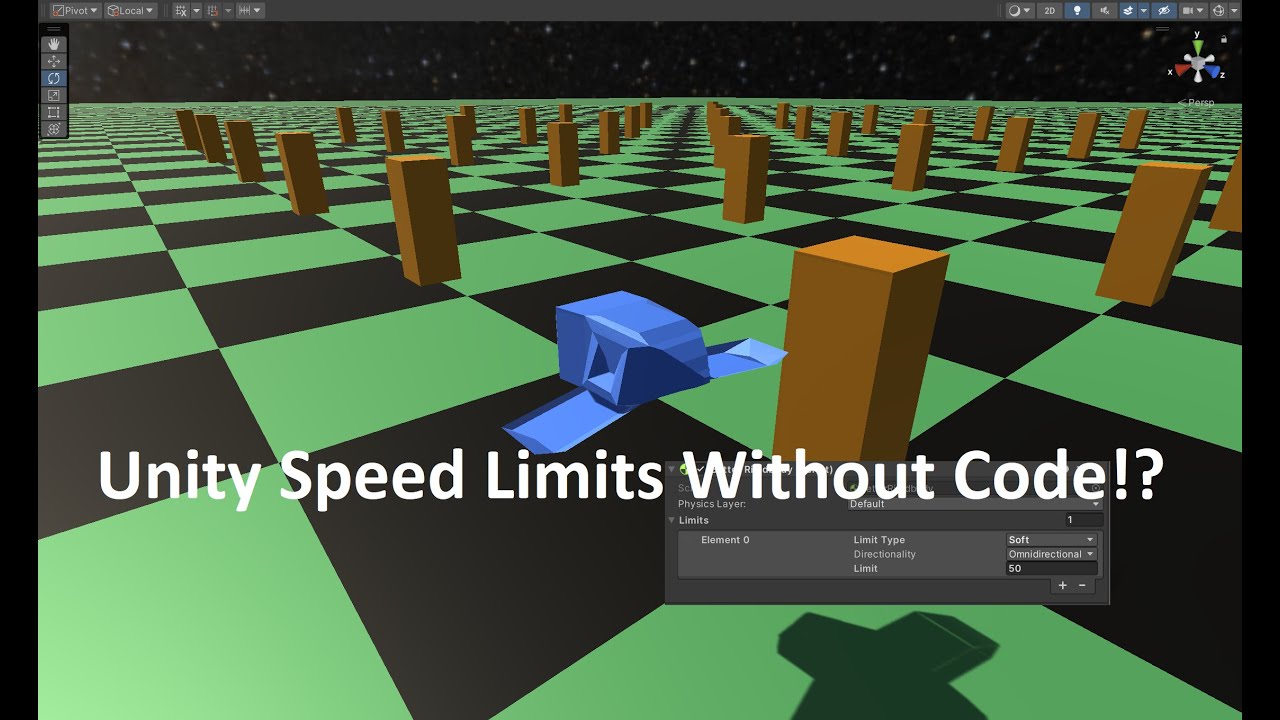
A more in-depth view at the Speed Limits feature of BetterPhysics
BetterPhysics is a must-have physics asset that adds essential features to Unity's physics engine. In this video we take a closer look at the Speed Limits feature which lets you create and configure speed limits for your Rigidbodies.
- Create Soft limits which limit the speed yo...
oak trout
oak trout
https://youtu.be/dRtHHhhKUn4
nice video
i think people should just learn physi...
so instead of the random limits
make the pendulum momentum very strong
make the player character not as heavy, give it small forces for normal movement, smaller than what the pendulum will apply when it hits
problem solved, just need to stop applying hard-coded non-physical limits
 heavy jewel
hey am i stupid or something im trying to stop my rigidbody player from sliding down slopes
setting velocity.y to zero every frame apparently doesnt work, fixedupdate or update
only thing that does work is locking y position but that feels a bit hacky, i dunno why setting velocity.y every frame doesnt work
as a test i removed player deceleration and freeze the player if they stop moving, and yeah that works i instantly come to a stop but i still slide down the slope somehow wtf?
frigid pier
If you are using dynamic physics then use physics. It's all about handling corner cases. If your character on a slope touching it, you can alter friction for the character when controls are not touched, for example.
frigid pier
heavy jewel
hey am i stupid or something im trying to stop my rigidbody player from sliding ...
Just don't forget to reduce it back on movement so it will be consistent on slopes.
 signal willow
I have a player with rigidbody, I was wondering if anyone knows how to accurately calculate the needed jump force to make the player land on top of an object. All of my attempts are unsuccessful.
Regular jump:
  private void Jump()
  {
      exitingSlope = true;

      // reset y velocity
      rb.velocity = new Vector3(rb.velocity.x, 0f, rb.velocity.z);

      rb.AddForce(transform.up * jumpForce, ForceMode.Impulse);
  }
For example JumpOnObject(GameObject gameObject) that calculates the required jumpForce.
Files: PlayerMovementAdvanced.cs. Full Project, from this YouTube tutorial .
My game is an endless runner, so always verticalInput = 1f with moveSpeed = walkSpeed, input disabled (sprint/crouch/etc not used).

MediaFire

MediaFire
SLOPE MOVEMENT, SPRINTING & CROUCHING - Unity Tutorial
In this video, I'm going to show you how to further improve my previous player movement controller by adding slope movement, sprinting and crouching. (You can also use your own player controller if you want to)
If this tutorial has helped you in any way, I would really appreciate it if you...
 viral kindle
I have a player with rigidbody and the gun is in the Camera, which is in a Camera holder, but the gun shakes a lot and looks weird
any help?
 timid dove
viral kindle
I have a player with rigidbody and the gun is in the Camera, which is in a Camer...
timid dove
viral kindle
I have a player with rigidbody and the gun is in the Camera, which is in a Camer...
The image looks like motion blur.
"Shaking" or "stutterring" sounds like perhaps some mismatch between your camera update mode and your Rigidbody and/or your player movement/rotation code.
 coral loom
I was following a tutorial and was trying to do boids algorithm (the video was a tutorial for 2d boids), i keep getting these capsule colliders in a circle collider combining and making it weird, despite having an avoidance behaviour (i tried rigidbody, but it just made the bodies dart around sharply and unnaturally)
timid dove
coral loom
I was following a tutorial and was trying to do boids algorithm (the video was a...
Well without knowing the code and how the objects are set up etc it's really hard to say
But also there are no circle colliders in 3D. Sphere?
 gleaming vessel
can someone explain why a rigidbody with linear velocity cant be kinematic?
timid dove
gleaming vessel
can someone explain why a rigidbody with linear velocity cant be kinematic?
In the 2D physics engine kinematic bodies actually do move with velocity.
In the 3D physics engine they don't.
The reason is that's how the physics engine was programmed.
tacit laurel
OnTriggerEnter doesn't detect objects already in the trigger volume. How do you guys auto on trigger on scene play?
timid dove
tacit laurel
OnTriggerEnter doesn't detect objects already in the trigger volume. How do you ...
Hmm afaik OnTriggerEnter works on scene start 🤔. I guess I could be mistaken?
tacit laurel
timid dove
Hmm afaik OnTriggerEnter works on scene start 🤔. I guess I could be mistaken?
and if a new object appears in it? I might need to run a test
 sacred urchin
I have an object setup with a rigidbody in its root as well as the physics defining colliders and several different types of colliders on different layers as children.
The colliders, including some mesh colliders, that are children are mainly on a PlayerInteraction layer, they are only used for interaction raycasting through the player.
The root object is on a layer called Physics and the PlayerInteraction layer has all physics interactions in the collision matrix turned off. Still, I get the error about non-convex mesh collision not being supported that is pointing to an object on the PlayerInteraction layer. So it seems unity still wants to include those colliders in the physics calculations.
What am I missing here? Am I doing a stupid? 🤔
timid dove
sacred urchin
I have an object setup with a rigidbody in its root as well as the physics defin...
What error are you getting exactly? Share it
If you have a concave mesh Collider on a dynamic Rigidbody it's expected for you to get an error
 wooden raft
pallid gust
wooden raft
pallid gust
How to make good ragdolls? I have the basic setup now, but it is awful and goes crazy when I turn it on
 empty tartan
Had a problem where you can jump mid-air endlessly
Followed this tutorial, https://youtu.be/f473C43s8nE?feature=shared I've compared the script side by side and nothing seems to be wrong so I'm thinking it has something to do with the rigidbody, besides I really don't know where else to ask this

FIRST PERSON MOVEMENT in 10 MINUTES - Unity Tutorial
In this video I'm going to show you how to code full first person rigidbody movement. You can use this character controller as final movement for your game or build things like dashing, wallrunning or sliding on top of it.
If this tutorial has helped you in any way, I would really appreciate...
empty tartan
empty tartan
Had a problem where you can jump mid-air endlessly
Followed this tutorial, https...
settings

 sacred urchin
timid dove
What error are you getting exactly? Share it
sacred urchin
timid dove
What error are you getting exactly? Share it
It's the standard non-convex non-kinematic error.
Non-convex MeshCollider with non-kinematic Rigidbody is no longer supported since Unity 5.
I am not confused why the error exists, collision calculations on non-convex mesh colliders are expensive and don't make a lot of sense to do. I get that and agree with it.
I thought though, that setting the collision matrix to ignore the layer would not include this layer in physics computation at all. Am I wrong? Is there a way to copletely exclude those colliders from physics?
unique cave
sacred urchin
It's the standard non-convex non-kinematic error.
`Non-convex MeshCollider with ...
Would setting the collider as trigger be an option? You can enable raycast hits with triggers with the queryTriggerInteraction parameter
sacred urchin
unique cave
Would setting the collider as trigger be an option? You can enable raycast hits ...
Unfortunately only convex mesh colliders are allowed to be trigger colliders as well.
unique cave
oh that's weird...
sacred urchin
The only thing I've found so far is to attach a kinematic rigidbody to each mesh collider I want to be excluded from physics. This fixes the problem since nested rigidbodies are excluded from master rigidbodies, it just seem horribly inefficient/messy.
timid dove
sacred urchin
The only thing I've found so far is to attach a kinematic rigidbody to each mesh...
That's precisely the workaround I would recommend
Note that the Collider will otherwise affect the body's center of mass and inertia tensor as well
sacred urchin
timid dove
Note that the Collider will otherwise affect the body's center of mass and inert...
That would have been the next part of the problem, good point.
I can't say that I'm happy about that but I guess it is what it is. Find it not really acceptable that we're not allowed to specify what colliders shall be used for physics, not even reflection does help since all of the assignments happen on the low level side of the engine.
It's good enough for now though since it's really mostly for a development step and will not stay that way. I will eventually have to move to a isolated proxy physics system anyway since my world is simply way to large for accurate server based physics calculations.
 open pond
hey! I am writing a gaze tracking system in Unity for a Meta Quest Pro, following this tutorial: https://www.youtube.com/watch?v=RpHAZ0N5W1s
I’ve got the system working, which has three parts: the OVR gaze interactor, a collider based gaze interact-able, and scripts to make everything work. Right now, the interactor sends a physics ray and the interactable changes material if the ray hits the collider.
However, most of the time, even though the ray hits the collider, the material flashes between the two possible materials.
How do I fix this?
I've attached some screenshots/videos/code that i think would be useful. I'm not sure where this belongs (was thinking physics bc it's using raycast), so please lmk if it belongs somewhere else.
thanks!


 agile marsh
https://imgur.com/a/E1phBsi
I have some problems:
- Why blue is jittery moving when spinning? When using discrete collider it moves nice (now it is continuous). Is it problem because using complicated mesh collider?
- Why does red player rod spin so weird? Pivot is in mesh center and I am rotating them with adding torque. (Rods are rigidbody with configurable joint)
- Also when using really high rotation i think ball doesn't get hit sometimes (both continuous collider on ball and player).
 pallid gust
Hello. What is this.
I set velocity in FixedUpdate, like this
            rb.linearVelocity = (targetPosition - grabPoint.position) / Time.deltaTime;
rb.angularVelocity = angle * Mathf.Deg2Rad * axis.normalized / Time.deltaTime;```Do you have interpolation enabled on all Rigidbodies?
pallid gust
timid dove
Do you have interpolation enabled on all Rigidbodies?
This is an interpolation problem?
I do not
timid dove
pallid gust
I do not
You should enable interpolation
pallid gust
timid dove
You should enable interpolation
I enabled interpolation and it resolved the jitter. Thanks.
 timid grove
i want to create a 2d game where a boulder (polygon collider / circle collider) stays aligned and connected to an line (edge collider ) while being able to be pushed and has effects of gravity on it.. is there a way to achieve this?
perhaps getting contacts of edge collider and circle/polygon collider on collision enter/stay and making it 0 ?
 void cargo
timid grove
i want to create a 2d game where a boulder (polygon collider / circle collider) ...
void cargo
timid grove
i want to create a 2d game where a boulder (polygon collider / circle collider) ...
I know nothing about this really but it's there a slider joint?
timid grove
just what i needed to know!
 terse moth
Hi! I'm trying to have "physics accurate" animations. I notice here that there's two things I need to do:
- Fix the movement to impart actual velocity rather than updating the position directly
- Fix the animation to ??? rather than updating the rotation directly
Is there a way to still use keyframes but to automatically infer the right velocity etc?
timid dove
terse moth
Hi! I'm trying to have "physics accurate" animations. I notice here that there's...
There's an "animate physics" checkbox on the Animator
terse moth
timid dove
There's an "animate physics" checkbox on the Animator
my goodness it's that simple 😮 beautiful! Thank you!
 verbal geyser
is rb.AddRelativeTorque(Vector3.up...
and rb.AddTorque(transform.up...
the same? Or have I misunderstood AddRelativeTorque?
 jolly perch
verbal geyser
is ``rb.AddRelativeTorque(Vector3.up...``
and ``rb.AddTorque(transform.up...``
t...
jolly perch
verbal geyser
is ``rb.AddRelativeTorque(Vector3.up...``
and ``rb.AddTorque(transform.up...``
t...
AddTorque is used for global rotation, while the other one rotates the object around it's axis system.
silver moss
verbal geyser
is ``rb.AddRelativeTorque(Vector3.up...``
and ``rb.AddTorque(transform.up...``
t...
Yes, those should work identically as far as I know
 keen granite
I’m having trouble with my character getting stuck against walls when holding a directional input towards them. From searching around I’ve tried low to no friction physics materials with minimal friction combine (did not work). I thought about using a raycast to check if there was a wall in front of the player and disable their ability to move, but that caused many other problems and disrupts the gameplay. Is there a solution or method to avoiding this?
timid dove
keen granite
I’m having trouble with my character getting stuck against walls when holding a...
The two things you mentioned in your question are the ways to fix it
keen granite
Tried with the physics material stuff for like half an hour with various frictions levels and it never fixed the issue. Ill give the raycast another try and see if I can implement it without disrupting the gameplay
timid dove
keen granite
Tried with the physics material stuff for like half an hour with various frictio...
It's unclear exactly what you tried though. Both solutions work in general.
keen granite
timid dove
It's unclear exactly what you tried though. Both solutions work in general.
I made a physics material with 0 dynamic friction (also tried other values) applied it to both the player and various walls(even though friction combine is on minimal) and while it is smoother walking by the wall, you still hang mid-air against it while holding forward into it
pallid gust
Why my ragdoll explode
It is so annoying
I followed like the tutorials tell me to
What may be causing this?
 unique cave
pallid gust
unique cave
pallid gust
I see no explosion in the video but the colliders clearly overlap with each other so if self collisions are enabled, the body parts will try to get as far from each other as possible
Often there’s no need for the body parts to collide with each other because you can simply limit the joints so that they can’t overlap with each other
pallid gust
unique cave
Often there’s no need for the body parts to collide with each other because you ...
Well.. this would mean an arm would pass through the chest
very obvious
and it is not the issue. I set the colliders to a non self colliding layer and it still has the problem
It calms down and works well after freaking out. The turning on is the problem.
pallid gust
Wait
silver moss
pallid gust
It calms down and works well after freaking out. The turning on is the problem.
I would put a Debug.Break when you activate the ragdoll, so it pauses and you can see what kind of pose it starts at
pallid gust
It could be the overlapping collider
I deleted fore arms and appendages and it does not spaz out
silver moss
And yes I would also use OnCollisionEnter to detect unwanted collisions
pallid gust
@unique cave @silver moss I have found the issue really is overlapping colliders
why does it do that though
self collision is disabled in the layer, it should not matter
silver moss
Did you figure out what colliders are colliding?
pallid gust
Additionally, it does not care that these colliders are intersecting.

Only the arms and legs
silver moss
Why ping me and then ignore the clarifying question I asked?
pallid gust
silver moss
Did you figure out what colliders are colliding?
I don't know what you mean by this
silver moss
Add a script to each bodypart that prints what it collides with in OnCollisionEnter
To identify unwanted collisions
I'm assuming that you have some scripting knowledge here though
pallid gust
silver moss
Add a script to each bodypart that prints what it collides with in OnCollisionEn...
There are no apparent collisions with limbs here.

..as could be assumed by turning off inter collision with the layer it is on
silver moss
Cube.2 is one of the walls?
I would also enable Collapse in the console to hide duplicates
silver moss
silver moss
I would put a ``Debug.Break`` when you activate the ragdoll, so it pauses and yo...
Do this too^
And are you adding some forces to the ragdoll?
 bold aspen
I can't find anything about Triggers in the manual, nor about QueryTriggerInteraction(s), I assume they behave the same as with PhysX?
As in whenever querying against colliders that are trigger I can expect the same behavior?
I'm still in the process of migrating things so I haven't done a "try it and see" but I just don't see it anywhere in any query type?
There's uh, https://docs.unity3d.com/Packages/com.unity.physics@1.3/api/Unity.Physics.TriggerEvent.html in the Scripting API and that's about it
well and https://docs.unity3d.com/Packages/com.unity.physics@1.3/api/Unity.Physics.TriggerEvent.html but that doesn't explain much
timid dove
bold aspen
I can't find anything about Triggers in the manual, nor about QueryTriggerIntera...
What are you wanting to know exactly? The difference between trigger Colliders and regular colliders is explained in the manual section for colliders
Oh wait sorry you're talking about Unity Physics
bold aspen
Yes, Unity.Physics, not UnityEngine
 spiral glade
Hello, friends. How are you? I'm starting with unity 3d and I'm starting with the Learn with Code tutorial. And the problem is: When my car collides with the crate, the crate slips over the car instead of being pushed. And I did everything the tutorial video told me to do

these are the same configs used in the video too. He just add rigidbody and everything works
 pallid gust
silver moss
And are you adding some forces to the ragdoll?
pallid gust
silver moss
And are you adding some forces to the ragdoll?
Nope.
pallid gust
silver moss
I would put a ``Debug.Break`` when you activate the ragdoll, so it pauses and yo...
It starts... at the pose it died in.
What am I looking for here?
Advancing frame by frame it just starts freaking out.
pallid gust


 pallid gust
spiral glade
pallid gust
spiral glade
Well.. it looks like your mesh collider has a ramp shape at the front of the car. That would cause this.
Try using a different collider if you don't want it to slip
silver moss
spiral glade
This is what is happening
And you expect the box to be pushed forward?
What code are you using to move the car?
pallid gust
It is most certainly this ramp causing the problem
 silver moss
Ah, didn't see the previous post
spiral glade
pallid gust
Try using a different collider if you don't want it to slip
Ohhh, I guess you are right
but even without a mesh collider this keep showing up

no matter what mesh collider I choose
pallid gust
It looks like you have some other object that is just... in the shape of a ramp
search for "collider" in the hierarchy. it will give all objects with collider component.
spiral glade
Thank you very much, solved it
pallid gust
👍
spiral glade
but now the box goes through the car at some point, instead of being sent flying like in the video
I think the tutorial is too outdated
silver moss
Might want to use continuous collision detection
pallid gust
nuh uh
silver moss
To have stable collisions for fast moving objects
pallid gust
silver moss
Might want to use continuous collision detection
He might be using simple translation? I think I remember this in Unity learn
First, you move with translate
silver moss
Although could you share how you are moving the car
silver moss
pallid gust
He might be using simple translation? I think I remember this in Unity learn
That's why I'm asking how it's being moved
spiral glade
pallid gust
He might be using simple translation? I think I remember this in Unity learn
yes, correct
silver moss
The whole collision impulse looked a bit weird, not just the ramp part
pallid gust
there we go
silver moss
spiral glade
yes, correct
When you work with physics/rigidbodies you should not move them with transform.
Use rb.AddForce/AddRelativeForce/velocity/etc instead
Otherwise you will run into glitches and odd physics
Wait, Unity Learn is telling you to move the car via transform? 🤦♂️
It's viable only if you don't want any physics
spiral glade
Yes, they are. But it's just a first explanation I think
pallid gust
silver moss
Wait, Unity Learn is telling you to move the car via transform? 🤦♂️
They are not this stupid. It does the work correctly, but maybe he skipped ahead about something
spiral glade
just a moment, I'm trying to share the video
but basically, he used: transform.Translate(Vector3.forward * Time.deltaTime * 20); to move
and added rigidbody
nothing else
pallid gust
Do they correct this later? I know some tutorials teach like this

 silver moss
pallid gust
They are not this stupid. It does the work correctly, but maybe he skipped ahead...
silver moss
pallid gust
They are not this stupid. It does the work correctly, but maybe he skipped ahead...
I'm looking at the page and they just slap a rigidbody on it at the end
spiral glade
pallid gust
Do they correct this later? I know some tutorials teach like this
I don't know because I'm stuck at this part so I didn't move on
spiral glade
maybe it's the unity version?
silver moss
spiral glade
I don't know because I'm stuck at this part so I didn't move on
Get a reference to the rigidbody and move the car with that.
In FixedUpdate (where physics stuff goes), something like this would work:cs rb.velocity = new Vector3(0, 0, speed);
But first you'd need to learn to create a reference to the rigidbody, not sure if that was already covered
silver moss
spiral glade
maybe it's the unity version?
Nope it's not that
Just a sloppy tutorial it seems
spiral glade
silver moss
But first you'd need to learn to create a reference to the rigidbody, not sure i...
No, not yet
silver moss
Other than the rigidbody it might be fine
spiral glade
And thank you both for helping me, I really appreciate it
silver moss
spiral glade
No, not yet
Alright, continue learning and maybe come back to this when you learn to reference and create your own variables
spiral glade
Do you think I should just complete this tutorial or try finding a better one then?
pallid gust
@silver moss It has nothing to do with the turning on/off

Here is a simple rigidbody for testing I made with the wizard, same thing. It freaks out
It doesn't even have arms
Turning off the legs makes the issue go away.
So that's where the problem is
This issue is driving me crazy
silver moss
Tbh I always made my ragdolls manually, not with the wizard
Try a higher number for solver iterations in the physics settings (Default solver iterations, maybe also Default velocity iterations)
And perhaps a smaller fixed timestep in the Time settings
pallid gust
silver moss
Try a higher number for solver iterations in the physics settings (Default solve...
Iterations is 32
I do not understand why this is a problem
It is the simplest ragdoll ever. Physics settings shouldn't be the issue
silver moss
Stop pinging me if you dont want suggestions then
pallid gust
I tried your suggestions
pallid gust
pallid gust
<@136926228341850112> It has nothing to do with the turning on/off
Would appreciate if someone could help troubleshoot this problem.
frigid pier
@spiral glade Read #📖┃code-of-conduct about off-topic and pinging people.
tacit laurel
some code that does hundreds of overlapsphere and tens of closestpoint+raycast runs at 0.3ms nornally now runs at 1100ms when in-editor Rider-debugging is on. Is that a known thing? and what's hte workdaround? when debugging is needed?
tacit laurel
ok found it: fixeddelta time was being set super low by the VR physics and my computer wasn't fast enough with the debugging overhead.
so it keps accumulating more physics loops to catch up with as more frames were getting skipped
lame solution is to lower maximumallowedtimestep

(discord is the new forum now that they killed that thing)
 wide nebula
Discussions is the new forum now that they're migrating it*
 tardy rampart
Hello, i have a question related to the new contact pair api, and some internal fields, i can send the link to the unity discusions web, so i dont need to rewrite it here
https://discussions.unity.com/t/how-to-access-m-relativevelocity-when-using-the-new-contactpair-api/372830
If someone knows whats the correct way of retrieving this value that not incurs in using reflections or modifying a dll, i would be greatly appreciated
If someone knows, please ping me
timid dove
tardy rampart
Hello, i have a question related to the new contact pair api, and some internal ...
If you instead use https://docs.unity3d.com/ScriptReference/Physics.ContactModifyEvent.html it gives you https://docs.unity3d.com/ScriptReference/ModifiableContactPair.html which exposes the two object velocities directly.
tardy rampart
timid dove
If you instead use https://docs.unity3d.com/ScriptReference/Physics.ContactModif...
is there the downside of using this way? what differs from using the ContectEvent? isnt this supposed to be modifiable? so would it make procesing bursted or jobs slower than readonly data?
for me feels weird to get the contact data through a modifiable event, than from the ContactEvent api designed specifically for this.
timid dove
tardy rampart
is there the downside of using this way? what differs from using the ContectEven...
I imagine it's the same data, just more of it presented
the downside is probably... the struct is larger?
tardy rampart
uh, then i dont understand the purpouse of the ContactEvent api, if this can be used instead
tardy rampart
i could try it but in the worst case, would modify the managed UnityEngine.PhisicsModule.dll be agains TOS actually? just for putting an internal field as public?
timid dove
That seems like overkill vs just using the public api that works
tardy rampart
in our case we have sooooo many collisions so event the last bit of optimization and memory posible would be beneficial in our case
timid dove

tardy rampart
will try
tardy rampart
tardy rampart
i could try it but in the worst case, would modify the managed UnityEngine.Phisi...
anyways i would also like to know the response for this, if someone knows
ok i just tried it and it has some apis that we need like getting bodies and so, so we can actually just use the modifiable pairs, we need to use the ContactEvent api 😭
timid dove
tardy rampart
ok i just tried it and it has some apis that we need like getting bodies and so,...
you can or you can't? This message confused me
tardy rampart
i mean i tried, but the things it offer doent work for us
we need the body, it only gives que body id
which ofcourse would need to make more work on registering all bodies to a dictionary, when unity makes that under the hood for the ContactPairHeader
which is used by the unity Collision class
timid dove
tardy rampart
we need the body, it only gives que body id
both of them only gives the body id
The reason for this is you are not allowed to access managed objects in the job system
oh I see what you mean
 weary holly
I'm making a building system where whenever a preview object collides with something, building is disabled to prevent from placing stuff inside of objects. The preview is being triggered when it is touching a surface but not overlapping it very much. Is there a way to set a minimum activation threshold to prevent this from activating the trigger function? Essentially the opposite of the contact offset property.
timid dove
weary holly
I'm making a building system where whenever a preview object collides with somet...
Using a trigger Collider is a poor approach for this
Use physics queries instead
 bleak umbra
weary holly
I'm making a building system where whenever a preview object collides with somet...
bleak umbra
weary holly
I'm making a building system where whenever a preview object collides with somet...
You may need a separate set of smaller/larger blocking colliders to mark up your objects and filter your trigger hits against those. If you need a non-trivial snap/build logic (more than snap to grid) you may need to think about marking up objects with ‘magnets’ for snapping and configuring identity/include/exclude rules for them. With magnets you’d use a pointer/camera raycast to find a surface point and ‘search’ via overlap queries in the vicinity of that surface hit for magnets, evaluate their poses and the allowed poses of your preview object. This way you can make your snapping/blocking as loose or tight as you want. This would implicitly give you your desired ’offset’.
 blazing fulcrum
Player + NPC physics collision.
I'm trying to have the player and NPC not able to be 'inside' of each other. Currently the NPC/player sometimes run into each other and neither can shoot eachother. Simple fix is to add a rigidbody and collider so that they run into eachother's collider and the NPC would get pushed back. However, this is not working - I'm doing something wrong
Player is an XR headset, so I need the player to be 'pushing' any NPC out of its collider
timid dove
blazing fulcrum
Player + NPC physics collision.
I'm trying to have the player and NPC not able t...
Missing from your explanation is how the enemies and player actually move
tardy rampart
timid dove
oh I see what you mean
Ok so i have been investigating and i got an unsafe way that does not incur on modifying the dll, and also in some cases can be even more efficient than direct acces
I will leave the code here in case someone finds it useful, and once the Discussions web isnt readonly i will post it there
// To access relativeVelocity field of ContactPairHeader in a fast way (can me more efficient than direct access in some cases)
// It could be generic but for performance reasons and easy warmup it isnt.
public unsafe readonly struct UnsafeFieldAccessor
{
    readonly int _valueOffset;
    public UnsafeFieldAccessor(string fieldName)
    {
        var fieldInfo = typeof(ContactPairHeader).GetField(fieldName, BindingFlags.NonPublic | BindingFlags.Instance);
        _valueOffset = (int)Marshal.OffsetOf<ContactPairHeader>(fieldInfo.Name);

        unsafe //WarmUp, This is needed because of the JIT to avoid a first call being x200 of the normal execution time
        {
            var tempInstance = new ContactPairHeader();
            var stop = Stopwatch.StartNew();
            GetPrivateFieldValue(&tempInstance); // Forces JIT Compilation
            stop.Stop();
            double t = stop.Elapsed.TotalMilliseconds;
            UnityEngine.Debug.Log($"WarmUp UnsafeFieldAccessor for ContactPairHeader took: {t} ms");
        }
    }

    [MethodImpl(MethodImplOptions.AggressiveInlining)]
    public Vector3 GetPrivateFieldValue(in ContactPairHeader* instance) => *(Vector3*)((byte*)instance + _valueOffset);
}```

Then in the job i do read from the unsafe field accessor
```csharp
[BurstCompile]
public struct ComputeCustomCollisionJob : IJobParallelFor
{
    [ReadOnly] public NativeArray<ContactPairHeader>.ReadOnly rbPairs;
    [ReadOnly] public NativeArray<int> offsets;
    [NativeDisableParallelForRestriction] public NativeArray<JobResultStruct> resultsArray;
    [ReadOnly] public UnsafeFieldAccessor unsafeFieldAccessor;

    [BurstCompile]
    public unsafe void Execute(int index)
    {
        ContactPairHeader rbPair = rbPairs[index];
        Vector3 relativeVelocity = unsafeFieldAccessor.GetPrivateFieldValue(&rbPair);
        /// rest of the code
    }
}
I have tried with dynamic IL method generation, delegate reflection baking and different variations and optimizations for it, and i find that after extensive performance benchmarking is the closest way you can get to direct access if not even faster
stuck bay
Using 2D Physics engine, it was calling OnTriggerExit2D when object was destroyed.
Now using 3D Physics engine, it wont call OnTriggerExit.
Is it normal behaviour?
timid dove
stuck bay
Using 2D Physics engine, it was calling `OnTriggerExit2D` when object was destro...
yes
normal
stuck bay
How could i achieve that behaviour?
timid dove
whatever you were doing in OnTriggerExit, also do that when you destroy the object
tardy rampart
stuck bay
Using 2D Physics engine, it was calling `OnTriggerExit2D` when object was destro...
Unity doesn't call OnTriggerExit when a trigger is disabled. In fact, when you destroy an object, it is first disabled, which is why the exit methods are not called. This can be a significant issue in games where you need to keep a registry of the current colliders inside a trigger.
To address this, I recommend the following approach: if you are using a Rigidbody in that trigger, set the detectCollisions property to false, wait for a fixed frame, and then disable the trigger. This ensures that the exit method is called.
There are other methods as well, such as changing the layer and waiting for a fixed frame, but the method described above is generally the most reliable, as restoring a boolean gives less headaches than restoring the layer (other systems can be changing the layers on your game and so)
but i didnt know that in 2D it calls the exit, thats curious, i think is because 2D physics uses a diferent physics pipeline than the 3D
topaz acorn
guys help, i've put a hinge joint component on my Gameobject and didn't set a connected body but it still doesn't move , what am i doing wrong
timid dove
topaz acorn
guys help, i've put a hinge joint component on my Gameobject and didn't set a co...
If you don't set a connected body then it's attached to "the world" basically
topaz acorn
timid dove
If you don't set a connected body then it's attached to "the world" basically
oh ok
 echo hawk
Hello, I have a question. When I use rigidbody.velocity to move the player, what is the best way to move the platform so that the player can stand on it and run at standard speed?