#⚛️┃physics
1 messages · Page 10 of 1
 split dew
split dew
split dew
For anyone curious, I fixed the issue. I just had to make it so that the movement system is executed after the boyancy calculations in Fixedupdate
 onyx olive
nice
also instead of doing moverotation you could add a rotational force
might make it feel better
split dew
ye definitely wanna do that. Want to add acceleration as well, and other stuff to make the whole movement system better in general cause right now its very wonky
 lost lagoon
hey, perhaps I did not explain things properly so I'll try again.
- I move objects using Transform.position and Transform.rotation.
- I detect collision by using Physics.OverlapSphereNonAlloc everytime an object is moved
- and then I perform corrections if collisions are detected.
I've been informed recently, that altering the position of objects (which has a collider but no rigidbody) causes Unity to recalculate its physics scene (which can be performance intensive). I don't utilize forces or rigidbodies in my game but I do need colliders.
I'm trying to verify
- If Unity even runs their physics simulation if no rigidbodies are actually being used.
- Whether moving an object(with a collider but no rigidbody) would indeed impact said physics simulation
lost lagoon
Found some information which answers my questions.
- Yes the physics simulation is still being ran (duh)
- Moving an object which has a collider but no rigidbody is fine and has been since Unity 5
Sources:
https://unity.com/how-to/enhanced-physics-performance-smooth-gameplay#move-static-colliders
https://blog.unity.com/technology/high-performance-physics-in-unity-5
https://forum.unity.com/threads/is-it-bad-to-move-static-colliders-by-changing-their-localposition.926888/
first link has important information.
Note: This is not accurate for 2DPhysics
 stuck bay
Is it possible to calculate the initial y velocity for a rigidbody2d given different rising and falling gravity scales and a duration that I want the jump to be?
I keep getting 2 unknown variables in my calculations, the apex height of the jump and either the falling or rising time
 timid dove
stuck bay
I keep getting 2 unknown variables in my calculations, the apex height of the ju...
timid dove
stuck bay
I keep getting 2 unknown variables in my calculations, the apex height of the ju...
There are inherently multiple options there
There are infinite combinations of rising and falling gravity scales that will get you the same overall jump duration
You will need to pin one of the gravity scales in the calculation to calculate what the other will be
E.g. 5up and 2 down might have the same overall duration as 2 up and 5 down.
And those might both have the same duration as 3 both ways
So total Jump duration is not enough information
You probably need to pin apex jump height as well
stuck bay
timid dove
You probably need to pin apex jump height as well
That's what I ended up doing
My ultimate goal was writing a function to jump to a specific position, so it ended up being
JumpTo(Vector3 targetPosition, float jumpTime, float jumpHeight);
 fallow shadow

 topaz fox
HI guys, i have a problem with my tilemap collider. I have a player with edge collider, then terrain made with tilemap, with an tilemap collider, u can look those picture. The last picture show the bug, i'm litteraly into the tilemap collider. I success to be in the bug when i fly on the left or right side, not in front


 timid dove
topaz fox
HI guys, i have a problem with my tilemap collider. I have a player with edge co...
timid dove
topaz fox
HI guys, i have a problem with my tilemap collider. I have a player with edge co...
- Use PolygonCollider not edge collider
- Make sure you're moving via physics/Rigidbody2D
stuck bay
Is there a way to prevent my object from slightly intersecting another object on collision? In the video, the white is the player and when I hold D (move right), the player temporarily slightly intersects the blue rectangle before it is moved back outside of the collision.
timid dove
stuck bay
Is there a way to prevent my object from slightly intersecting another object on...
move it via physics
currently you're using transform.position / Translate
that ignores the physics engine
stuck bay
Thank you that makes sense! This might be out of scope here, but is this a dangerous path to take for a top-down 2D JRPG? I'm looking for the simplest movement + simple collision handling for when the player moves into NPCs. Physics-based movement seems overkill, but I'm too new to Unity to know if this is actually the correct path.
timid dove
stuck bay
Thank you that makes sense! This might be out of scope here, but is this a dange...
Not sure, as I don't play or make many JRPGs, but don't most of them use a grid based system?
stuck bay
timid dove
Not sure, as I don't play or make many JRPGs, but don't most of them use a grid ...
I think the environment lives on a grid, but the player's/NPC's positions can live between spaces on that grid (e.g., half in one cell, half in another). This is my first one, though, so I also don't know the correct answer.
If I was to avoid physics movement, would an alternative be to set everything up as a Kinematic body and check for collisions (and handle them) myself?
timid dove
stuck bay
If I was to avoid physics movement, would an alternative be to set everything up...
i'd just stick to using a dynamic body, it will be much simpler
stuck bay
Thanks I will give it a go! Much appreciated.
stuck bay
Absolutely perfect, @timid dove , thank you!
 high ether
Hey guys, I’m working on a off road project. I have the vehicle in game and drivable using NWH vehicle physics 2.
I have issues when it comes to animating my suspension. When I try and use the LookAt constraint on some of my parts to look at the target the mesh rotates either 90 degrees or 180 degrees or sometimes even in random directions.
I am using the unity FBX exporter so it imports fine it’s only when I use the LookAt constraint
Can anyone tell me what I’m doing wrong please? I’m sure I just need to orient the model in blender in a different way but I can’t figure it out
topaz fox
timid dove
1. Use PolygonCollider not edge collider
2. Make sure you're moving via physics/...
Oh ok i move with translate thx
 terse trout
I'm generating chunk meshes from voxel terrain data and I was using the mesh collider component for collision, but I want to add non-solid blocks. Is there a good way to do collision directly from voxel data and decouple collision from the mesh altogether? Thanks in advance.
 unique cave
terse trout
I'm generating chunk meshes from voxel terrain data and I was using the mesh col...
unique cave
terse trout
I'm generating chunk meshes from voxel terrain data and I was using the mesh col...
Unless you do that yourself, no, its not possible, PhysX doesnt support voxel based physics. You could generate different mesh for the collider only so you can include just the meshes you want tho
 tough path
If I have 2 box colliders right next to each other without any spacing between them, and then my Rigidbody player runs right over the part where they connect, the player gets pushed up just slightly, as if they just hit a speedbump. Does anyone know why this is?
timid dove
tough path
If I have 2 box colliders right next to each other without any spacing between t...
this has been a thing forever. It just has to do with default contact offsets and how physx handles collisions
tough path
How do devs get around this?
timid dove
reduce default contact offset, merge multiple colliders into one, move colliders around to make sure objects aren't going over seams
one or more of those^
terse trout
unique cave
Unless you do that yourself, no, its not possible, PhysX doesnt support voxel ba...
If I want the non-solid blocks to still have colliders for raycasting (like plant blocks in Minecraft), would pooling some box colliders and positioning them and resizing them during runtime have a lot of overhead? Thanks for your response.
 idle sluice
In need of some 2D help; I need a way to "attach" the player (with a Dynamic rigidbody) to a moving platform (also with a Dynamic rigidbody) so that the platform carries me as it slides along the ground. I know that parenting one of the objects works when the platform has a Kinematic rigidbody, which makes things much easier, but I need the platform to adhere to physics, so that's not an option.
timid dove
idle sluice
In need of some 2D help; I need a way to "attach" the player (with a Dynamic rig...
Could use a joint if you wish
Or high friction material
idle sluice
what kind of joint?
timid dove
I'll say onr thing though it looks like your platform is simply not moving via physics currently
Make sure you move it either with velocity or MovePosition
You should get some friction based movement automatically then
Oh wait you are getting a small amount currently
idle sluice
I'm not sure what you mean
I'm not manually moving the platform at all
I'm pushing it
The platform has a zero-friction material on it; the decrease in speed is from the slope
idle sluice
I want to avoid high-friction materials since they create weird unwanted effects like awkward pacing and wall-sticking
timid dove
no friction means it's not going to move the player with it of course
anyway - a joint is a possibility as mentioned. I guess FixedJoint2D?
idle sluice
There's definitely some configuration of joints that will work properly
I just don't know which ones
FixedJoint doesn't really do what I want. It just sticks me on top and I stay there regardless of whether I want to move or jump.
timid dove
idle sluice
FixedJoint doesn't really do what I want. It just sticks me on top and I stay th...
destroy the joint when you move/jump
idle sluice
then i'll fly right off when I move
and I don't want that either
What I'm looking for is a joint (or alternative setup) with which the platform carries the player as if it were Kinematic.
In my head it doesn't sound that complicated.
stuck bay
Is there a way to retrieve a collider's mesh for visualization?
timid dove
stuck bay
Is there a way to retrieve a collider's mesh for visualization?
in general, from any generic COllider? No.
most colliders don't use meshes
stuck bay
Then how does Physics debug view visualizes them?
timid dove
each collider is a special case
MeshCollider of course has a mesh
the others are drawn based on their characteristics
stuck bay
Okay so, I would need to create new mesh for each of them?
stuck bay
I need to draw gizmos for custom volumes in editor
stuck bay
Yeah I was hoping I could just get the mesh instead of finiding the collider type
timid dove
¯_(ツ)_/¯
stuck bay
But thanks for the help
timid dove
The colliders all have gizmos already so it's unclear what you need to do
stuck bay
I want the gizmos to be clicakble, so I can select them in scene view
The collider gizmos are only visible when they are selected
timid dove
stuck bay
I want the gizmos to be clicakble, so I can select them in scene view
then you need to build a custom scene view editor tool using the Handles class
this is really an #↕️┃editor-extensions question
stuck bay
One last question, is there a way to get the convex baked/cooked mesh from mesh collider?
 simple hearth
idle sluice
In need of some 2D help; I need a way to "attach" the player (with a Dynamic rig...
simple hearth
idle sluice
In need of some 2D help; I need a way to "attach" the player (with a Dynamic rig...
just detect that the player is on the platform, and update it's position by the platform's
I think that would work
for example
if the player is on ground and the ground is the platform, then add the platform's velocity to player
they technically could move synchronized
idle sluice
Thought of that. I only see it working for one frame, because then it's going to add the platform's velocity again, and again, and again until I just zoom right off the side.
simple hearth
idle sluice
Thought of that. I only see it working for one frame, because then it's going to...
you have to reset and calculate the velocity every tick
I don't know how though
welp
maybe you can just manually push the velocity to player
and not update the player's velocity
like
you can teleport the player to position by the velocity of the platform
so it won't touch player velocity
but still could move it
for example put a field that adds the platform velocity to player position in case the player is on platform
if you just put it to player velocity, since the player velocity will stack up it'll cause problems naturally
 dark moss
I would suggest maintaining a list of objects you are touching (Use the normal vector to see if it's something you're standing on or just a wall you ran into), and if they have a "moving platform" script or something then move the player (with rb.moveposition()) every frame the exact amount that the platform will move that frame. Probably avoid messing with velocity.
You could probably make it preserve momentum when you're jumping off a moving platform by adding the right amount of force in the OnCollisionExit callback
idle sluice
the exact amount that the platform will move that frame
How can I get this? multiplying velocity by delta time?
 tender grove
im adding wheel colliders to my mesh but they just go straight through the floor
only my box collider on the body of the car hits the ground
so my wheels are half in the ground
https://www.youtube.com/watch?v=QQs9MWLU_tU following this tutorial

I'M BACK! I asked the denizens of the Discord server (link below) for ideas for an easing back into things video and here we are; basic car movement in Unity! This tutorial should be suitable for just about any level of beginner and shows how I get from a static car model to a functioning vehicle that accelerates, reverses, brakes, and even has ...
simple hearth
idle sluice
`the exact amount that the platform will move that frame`
How can I get this? mu...
yes that's what I also tried to say, It may work in your case
You can do that in fixed update I think
 heavy valve
anyone know why the cube is clipping through the larger sphere while the smaller one seems to be colliding perfectly fine with it
 obsidian night
idle sluice
In need of some 2D help; I need a way to "attach" the player (with a Dynamic rig...
obsidian night
idle sluice
In need of some 2D help; I need a way to "attach" the player (with a Dynamic rig...
Maybe use Transform.SetParent ?
https://docs.unity3d.com/ScriptReference/Transform.SetParent.html
 topaz fox
Hello, is that possible to have collider in this sprite, only on the red, i don't succed to do it

 floral river
Possibly, but I just wouldn't do it. What are you trying to achieve?
 native igloo
what I have here is that I have a rope with armatures that works like a wire, how do i make it so that the end tip of the wire is attached to the nozzle? since im very new to physics, I have no idea how to do this, thank you

 topaz fox
floral river
Possibly, but I just wouldn't do it. What are you trying to achieve?
topaz fox
floral river
Possibly, but I just wouldn't do it. What are you trying to achieve?
i have a script to this empty circle, it's reduce scale until it's 10f;
i'm trying to make a 2D battle royal it's the damage zone
native igloo
native igloo
what I have here is that I have a rope with armatures that works like a wire, ho...
update: I figured it out, although the next one is the trickiest part for me, since assigning the body of the first bone to the nozzle makes the whole wire to follow the nozzle, how about like sticking the other end on the container? (yellow capsule) so it works like moving the nozzle with the other end is in the container always, kinda like a cable

 native igloo
update: I figured it out, although the next one is the trickiest part for me, si...
native igloo
native igloo
update: I figured it out, although the next one is the trickiest part for me, si...
update: fixed it with one simple button xd, i just enabled the kinematic option on the last bone and it worked.
floral river
topaz fox
i have a script to this empty circle, it's reduce scale until it's 10f;
i'm try...
Could you not track every player and test a radius?
topaz fox
I'm pretty new, that the first Idea i had
But i will try this
stuck bay
is there a way to define boxcasts by start and end point instead of direction+maxdistance etc ?
kind of like a linecast or something
(just for convenience sake)
timid dove
stuck bay
is there a way to define boxcasts by start and end point instead of direction+ma...
you could write your own wrapper function to do this. WOuldn't be difficult
 placid nimbus
Both the wall and Bonzi Buddy have colliders (bonzi has a cube attached to him, as you can see,) but yet he still phases through walls? pls help
 wide nebula
placid nimbus
Both the wall and Bonzi Buddy have colliders (bonzi has a cube attached to him, ...
wide nebula
placid nimbus
Both the wall and Bonzi Buddy have colliders (bonzi has a cube attached to him, ...
 twin nebula
Can anyone tell me why the hell this happens?


Please ignore how... weird.. the worm looks
I'm not the best modeller
All bones are connected via config joints
Colliders overlap I don't know if that's why

If I move back and fourth the joints are REALLY weak
Like they compress into eachother
 half creek
Hello, I noticed that Physics2D.RacastAll does't hit colliders that have offset the collider component. So for exaple a BoxCollider2D with offset (0, 0) is being detected by RaycastAll just fine, but the same collider with offset (-6.1875, 0.34375) is not detected. Is it a bug or should it be like that? Maybe it should be reported to Unity staff? I digged in documentation and didn't found a word about such behaviour
stuck bay
Anyone have an idea of why my mesh collider on this map is completely off when i try an apply a mesh collider for colission with my characters?
https://www.models-resource.com/gamecube/spongebobsquarepantsbattleforbikinibottom/model/51644/
GameCube - SpongeBob SquarePants: Battle for Bikini Bottom - Bikini Bottom Hub - The #1 source for video game models on the internet!
timid dove
stuck bay
Anyone have an idea of why my mesh collider on this map is completely off when i...
define "off"? Did you happen to check the "convex" checkbox by chance? That would obviously make the collider convex which would be very different from the shape of this very concave model.
timid dove
half creek
Hello, I noticed that Physics2D.RacastAll does't hit colliders that have offset ...
If that is truly the case it's definitely a bug, but it's much more likely to be an error in your code or your assumptions about where the raycast actually is. If the collider is offset such that the raycast does not actually hit it, of course it won't hit.
half creek
yeah, it might be a mistake on my side since a couple of rays also didn't detect colliders with no offset. I have no idea what might be the couse - at this point results seem random
timid dove
half creek
yeah, it might be a mistake on my side since a couple of rays also didn't detect...
You'll have to debug it. Question all your assumptions. Use Debug.DrawRay/DrawLine and Debug.Log
you may also have improperly set up a layer mask or contact filter or something of that nature
stuck bay
timid dove
define "off"? Did you happen to check the "convex" checkbox by chance? That woul...
yes i did, im so stupid i thought convex would be the exact thing of it
 rare juniper
I’m building an fps game and have a character controller for my player currently. I want the player to be able to get in and out of aircraft. Should I use a rigidbody for the aircraft so that I can apply drag? Or should I make the aircraft a character controller as well? What do most people do typically when combining vehicles and players?
timid dove
rare juniper
I’m building an fps game and have a character controller for my player currently...
the player itself should basically be disabled while flying the plane. There doesn't need to be any relationship between how the player controller works and the airplane controller
rare juniper
timid dove
the player itself should basically be disabled while flying the plane. There doe...
Makes sense. That’s what I was planning. However would you suggest a rigidbody for an aircraft or character controller? I know the answer for players is usually mixed. But I was wondering if there is a recommendation for vehicles or if it also depends
I know I can add drag affects to the aircraft similar to how I can add that to a player character controller. But idk if an aircraft needs to be as snappy, so I’m thinking maybe a rigidbody would make more sense? Idk
timid dove
rare juniper
Makes sense. That’s what I was planning. However would you suggest a rigidbody f...
It really depends how you want the aircraft to work.
But idk if an aircraft needs to be as snappy
Only you can answer that question, since it's your game
 half sky
Hey guys!
My game started getting lag spikes even though its still barely has any scripts. I went on the profiler and I see this:
On the spike, theres like 8 physics.processing and I dont know from where they are coming from. I dont use Physics.Simulate and the only physics I use are raycasts & rigidbodies for the player. I dont understand why this is happening and I need some help please
 timid dove
half sky
Hey guys!
My game started getting lag spikes even though its still barely has a...
timid dove
half sky
Hey guys!
My game started getting lag spikes even though its still barely has a...
That is just the normal operation of the physics engine
it's running 8 times that frame presumably because the previous frame took a long time to process
half sky
So my game getting a huge lag spike every 40 seconds is normal?
timid dove
no
but the physics engine running multiple phsyics simulation steps when your framerate spikes is normal
half sky
so you are saying that because my game spiked the physics engine had to run more
timid dove
check the frame before that one
half sky
so its not directly the reason
I desperately need help with this im new so I was confused
timid dove
half sky
so you are saying that because my game spiked the physics engine had to run more
yes - let's say you have a frame that takes 0.1 seconds to run and the physics timestep is set to run every (0.02) seconds. It has to run 5 times to catch up
 timid dove
half sky
timid dove
half sky
yeah just looks like the editor doing editor stuff
(161ms of EditorLoop)
This is annoying, but it won't be present in your build
so I wouldn't worry too much about it
half sky
WAIT REALLY?
timid dove
really
half sky
bro ive been shitting myself for the past few days 😭
half sky
timid dove
really
so im looking at the 0ms what does the stuff on the right and left mean?
is that 1ms after the current frame?
thank you tho legit was stressing so much over this
timid dove
half sky
so im looking at the 0ms what does the stuff on the right and left mean?
not sure I understand what you mean
half sky
so at this current frame I can see whats processing but why is there stuff on the left and right:
 timid dove
half sky
so at this current frame I can see whats processing but why is there stuff on th...
timid dove
half sky
so at this current frame I can see whats processing but why is there stuff on th...
the left arrow is the previous frame
the right arrow is the current frame you're looking at
the thing along the top is a timeline
half sky
so this editor loop is taking more time than usual
timid dove
yes
half sky
so this is normal with lag spikes when playing from editor since its both on same thread?
timid dove
yeah pretty much
half sky
ahhhhhh okay good to know, thank you so much again 🙂
stuck bay
Kind of confused about RaycastHit.point. If you're doing a 2d boxcast, and the edge of the box is parallel to the edge of the collider, aren't there infinite points along that edge of contact? Does it just take whichever point it happens to draw first?
timid dove
stuck bay
Kind of confused about RaycastHit.point. If you're doing a 2d boxcast, and the e...
Try it out and tell us what happens. "Drawing" is not anything that the physics engine does so no I don't think it has anything to do with drawing
it might take an average, or pick an arbitrary point
it's not clear
stuck bay
on the case !
timid dove
stuck bay
on the case !
it's an interesting question, I'm curious to know the results!
rare juniper
Anyone successful in using Jobs/burst to render thousands of bullets/projectiles? How would I go about detecting hits doing this? It seems like most solutions I have found rely on gpu instancing and DrawMeshInstancedIndirect; however, these are no longer gameobjects, so I'm not sure how to do hit registration on other players
timid dove
rare juniper
Anyone successful in using Jobs/burst to render thousands of bullets/projectiles...
#archived-dots allows the use of physics
You can also use the job system with GameObjects and https://docs.unity3d.com/ScriptReference/Jobs.IJobParallelForTransform.html
rare juniper
Thanks @timid dove! I was thinking the job system with gameobjects might still be too much overhead if I have say 64v64 players in a close area all shooting
I might give it a shot though
 onyx elm
hello so my player has a character controller and i wanted to make the player push a box so i parented the box to the player so that it follows the player but when doing so now the box goes through other colliders any idea how to fix that
timid dove
onyx elm
hello so my player has a character controller and i wanted to make the player pu...
If you want to do this kind of complex physics interaction you're better off using rigidbodies
onyx elm
timid dove
If you want to do this kind of complex physics interaction you're better off usi...
that would mean a scrap the current way of doing it then and use rigidbody.addforce on the box itself right ?
i could also do a boxcheck to check for collisions and push the box away from the wall its colliding with
timid dove
onyx elm
that would mean a scrap the current way of doing it then and use rigidbody.addfo...
No I figured you'd move your player as normal which would naturally push the box.
It kinda depends on your requirements for how "pushing" works
onyx elm
not sure but just parenting the box so it follows the player was easy until i saw that it didn't collide with other colliders
timid dove
you're not sure how you want it to work?
then it's not really possible to give you a solution
onyx elm
timid dove
you're not sure how you want it to work?
i would want the easy solution of just parenting the box to the player but i just need to figure out how to make it not clip through walls when its being pushed
stuck bay
onyx elm
i would want the easy solution of just parenting the box to the player but i jus...
sounds like what you're describing is making a collision system, which is a lot of work
stuck bay
timid dove
it's an interesting question, I'm curious to know the results!
does appear to be the average
onyx elm
stuck bay
sounds like what you're describing is making a collision system, which is a lot ...
best think that came out to mind is a boxcheck on the box itself and then pushing it the opposite direction of the wall its colliding with so the wall's normal for example, shouldn't be hard
timid dove
stuck bay
does appear to be the average
interesting, thanks for checking it out
stuck bay
onyx elm
that would mean a scrap the current way of doing it then and use rigidbody.addfo...
If your box has a rigidbody, then it will be pushed via collision as long as your character has a collider, and will be stopped by the wall as long as the wall has a collider.
stuck bay
onyx elm
best think that came out to mind is a boxcheck on the box itself and then pushin...
This would probably work okay as long as all of your walls were 90 degrees and all of the objects you would be pushing are rectangles with 0 rotation, otherwise i think you'd have to do some minkowski wizardry to find out how far to move the box
onyx elm
stuck bay
If your box has a rigidbody, then it will be pushed via collision as long as you...
i tried that and didn't work, isn't child rigidbody's collision stop working when its transform is being modified or am i missing something
lemme check again
stuck bay
Do you need the box to be the child of the player
onyx elm
stuck bay
Do you need the box to be the child of the player
yeah that's the easy way of doing it
stuck bay
If you're using a rigidbody then the collider will push the box, so it wouldn't need to use the player as a parent to move anymore
onyx elm
i wanted more control over the box cause its supposed to be for puzzle solving
it has to be precise
stuck bay
If you want exact 1:1 movement with the player, then you could set Rigidbody.velocity = (whatever your character controller is using to represent velocity) every fixedupdate
onyx elm
so push, pull, side movement
onyx elm
stuck bay
If you want exact 1:1 movement with the player, then you could set Rigidbody.vel...
oh didn't think of it
good idea too
stuck bay
just thought about it and there will probably be desync if your character controller is not using fixedupdate (which it prob should be)
onyx elm
hmmmm
yeah the player is using a character controller
wait what i tried again and its not going through a wal lol
but the movement is messed up the rigid body is acting weird gonna have to dig more thx for your help buddy i'll consider everything you said
i figured it out so locking the Y position fixed the weird movement now the box follows the player correctly and collides with other colliders

 river bronze
Hey guys I'm fairly new to unity and I'm trying to set up a 3d platform where everything has a locked z position and locked x and y rotation. I tried creating a ragdoll with configurable joints which seems to work when it's not locked in any way but as soon as I lock the z position and x and y rotation on all the body parts it freaks out. Is there a better way to do this?
 gilded latch
Hello, everyone. I just don't know what to do anymore. When I use addForce to make my character jump, he just fly away from the screen. It doesn't matter how much force I apply. Can anybody give my some direction?
timid dove
gilded latch
Hello, everyone. I just don't know what to do anymore. When I use addForce to ma...
Only add force once instead of continuously
If you're doing it continuously it's like a jetpack
You need to just think about what your code is doing. It's not magic nor a mystery. It does what you say
gilded latch
Right. I'll try
 midnight dagger
Hi guys, I'm having a problem with player collision with tilemaps. I have 5 layers inside the Grid, the first layer is in Order in Layer 0 and so on. The player is in layer 1. In the layers that I want to have collision with the player I have the components shown in the image. Can anyone help me understand why this is not working?
 timid dove
midnight dagger
Hi guys, I'm having a problem with player collision with tilemaps. I have 5 laye...
timid dove
midnight dagger
Hi guys, I'm having a problem with player collision with tilemaps. I have 5 laye...
Order in layer has only to do with rendering
Collisions are based on the layer of the GameObject and whatever you set up in the physics 2d settings for the layer collision matrix
You would also have to show the components on the player and explain or show how the players movement code works
The short of it though is make sure your player is actually moving in a physics aware way
midnight dagger
timid dove
You would also have to show the components on the player and explain or show how...
In used this, I'm beginner with Unity so this is from tutorial

 timid dove
midnight dagger
In used this, I'm beginner with Unity so this is from tutorial
timid dove
midnight dagger
In used this, I'm beginner with Unity so this is from tutorial
That's for input handling
That's not the movement
Ah I see the code now
midnight dagger
timid dove
That's not the movement
my problem is that it has no collision with anything, but walks and does the animations
timid dove
You're using MovePosition which doesn't respect collision
You have to use velocity or adding forces to get collision
midnight dagger
timid dove
You're using MovePosition which doesn't respect collision
Oh ok, I have this code before
if (movement.x != 0 || movement.y != 0) rb.velocity = movement * speed;
can this solve it?
midnight dagger
timid dove
Unclear to me why the if is required though
it still doesn't collide
do you think it may be another problem?
timid dove
midnight dagger
do you think it may be another problem?
Show more info.
You have not shown the layers of the objects yet
Also show the full code
As well as the gizmos for the colliders on both objects
Does the player actually even have a. Collider?
midnight dagger
timid dove
Does the player actually even have a. Collider?
it's the player info
 midnight dagger
timid dove
Show more info.
You have not shown the layers of the objects yet
Also show the...
midnight dagger
timid dove
Show more info.
You have not shown the layers of the objects yet
Also show the...
the first image is the layers info, do you talk about another info?
midnight dagger
timid dove
Show more info.
You have not shown the layers of the objects yet
Also show the...
full code about the player move, is the only code I'm have in the project now
 timid dove
midnight dagger
the first image is the layers info, do you talk about another info?
timid dove
midnight dagger
the first image is the layers info, do you talk about another info?
The first image doesn't show any object layers
The code is ok
timid dove
midnight dagger
it's the player info
You have to scroll to the top of the inspector to see the object layer
midnight dagger
timid dove
The first image doesn't show any object layers
so I don't know what you talk about, how do I see that?
Oh forget it, I'm confused hahahah
The objects layers is default for all
and don't have tags neither
midnight dagger
here? No

 fringe olive
Question:
As far as i know, Unity events and physics are NOT multithreaded.
Which means, that no OnTriggerEnter calls can ever happen in parallel, right?
Also, there is no way an Update-Call happens while OnTrigger-calls are happening, right?
Tell me if i am wrong.
midnight dagger
fringe olive
**Question:**
As far as i know, Unity events and physics are NOT multithreaded.
...
I don't know, I'm using Unity for like 1 week and I get this problem
So I'm necessarily need the OnTriggerEnter?
timid dove
fringe olive
**Question:**
As far as i know, Unity events and physics are NOT multithreaded.
...
Yes
No multithreading
timid dove
midnight dagger
here? No
I mean in the collision matrix tab there
midnight dagger
timid dove
I mean in the collision matrix tab there
 timid dove
midnight dagger
timid dove
midnight dagger
ok now show your collider gizmos that are suppsoed to be colliding
midnight dagger
timid dove
ok now show your collider gizmos that are suppsoed to be colliding
is the circle icon right?
timid dove
to show gizmos yes
midnight dagger
timid dove
to show gizmos yes
is that?
 midnight dagger
timid dove
just toggle it on
midnight dagger
timid dove
just toggle it on
is already on all time
 fringe olive
midnight dagger
I don't know, I'm using Unity for like 1 week and I get this problem
fringe olive
midnight dagger
I don't know, I'm using Unity for like 1 week and I get this problem
Hey. It looks like you interpreted my unrelated question as an answer to your issue. Sorry, i didn't mean to confuse you.
midnight dagger
fringe olive
Hey. It looks like you interpreted my unrelated question as an answer to your is...
Oh, no problem
midnight dagger
timid dove
so show me the gizmos
if doesn't have a solution for this, that's fine, I'll try to create another project following another tutorial to learn better
timid dove
midnight dagger
is that white line you talk about?
no the collider gizmos will be green
midnight dagger
timid dove
no the collider gizmos will be green
so I don't have anything green
timid dove
midnight dagger
so I don't have anything green
so there is no colldier thenb
those tiles look like you probably need to create custom physics shapes for them
since they're totally opaque
midnight dagger
timid dove
those tiles look like you probably need to create custom physics shapes for them
so the composite collider 2D and tilemap collider 2D are doing nothing here?
timid dove
midnight dagger
so the composite collider 2D and tilemap collider 2D are doing nothing here?
they're doing something
probably putting one giant rectangle on the very edge of the map
because you haven't defined physics shapes for your tiles
midnight dagger
timid dove
because you haven't defined physics shapes for your tiles
how do I do that?
timid dove
midnight dagger
how do I do that?
midnight dagger
timid dove
https://docs.unity3d.com/Manual/CustomPhysicsShape.html
thx 🙂
wait but I do that in the intire tilemap right?
thank you very much for the time invested in helping me @timid dove  but I think I'll follow another YouTube tutorial, I have been stuck for about 3 days with this problem and want to learn the right way
 cinder umbra
hey, having a strange isssue with an animator where if it's not constantly doing anything, the avatar will sink into the floor. I am attempting IK for the avatar's legs and the feet meet the floor fine, but the legs go beneath the floor, with their target points below as well. I have no idea what's causing this, I just added a change that makes the walking animation the IK is based on only activate when the character is under motion, but I have no idea why it would cause this.https://i.imgur.com/2KRN2tk.png
{ animator = GetComponent<Animator>(); newPos = GetComponent<Transform>(); animator.SetTrigger("Moving"); animator.ResetTrigger("Moving"); } private void Update() { if (animator!= null) { if (newPos != oldPos) { animator.SetTrigger("Moving"); } else { animator.ResetTrigger("Moving"); } oldPos = newPos; } }
this is the new code that seems to have caused the issue
cinder umbra
let me know if you know what's going on or how to help. Didnt know which channel to post this in since it seems like a combination of things. Thanks!
timid dove
cinder umbra
let me know if you know what's going on or how to help. Didnt know which channel...
cinder umbra
timid dove
<#502171313201479681>
thanks
 dim fulcrum
Can I have a "isTrigger=true" collider used for picking the object up, and colliders & rigid body on the same object, or should I nest them somehow to avoid having multiple on the same object?
dim fulcrum
I'm attemting to throw an object from a third person character like this:
        var rb = item.GetComponent<Rigidbody>();
        rb.isKinematic = false;
        rb.velocity = Vector3.zero;
        rb.angularVelocity = Vector3.zero;
        rb.AddForce(direction * maxForce, ForceMode.Impulse);```
But the thrown object still picks up momentum from the throwing character, I'd like there to be no difference if the character is idling or running or jumping what else can I zero on the rigidbody?Make sure they're not colliding as you release it. You can use Physics.IgnoreCollision if necessary
dim fulcrum
timid dove
Make sure they're not colliding as you release it. You can use Physics.IgnoreCol...
oh that's a good shout! that might be it.. although there's still a very pronounced Y velocity if I release the object while my character is jumping
I'm doing all of this releasing in Update() I'm now thonking this has something to do with it?
dim fulcrum
I tried with a courutine waiting for fixedupdate first but it made no difference. I think, setting parent to null, THEN waiting for nextfixedupdate does the trick but I've been starring for this for so long I'm going to need to fix a couple other issues to be confident that's what I wanted
dim fulcrum
One more: Add a Player and Items layers. Assign my player character and an item to the layers, and disabled their collisions in the collision matrix. Still my character get's stuck on the items rigidbody?
timid dove
dim fulcrum
One more: Add a Player and Items layers. Assign my player character and an item ...
You haven't actually shown where "item" comes from
dim fulcrum
@timid dove turned out I miss assigned something, separating the player and items worked. (Actually ended up swallowing them to a projectile layer as they re are thrown, and assigning back to items layer on collision)
 dusky sapphire
How would I go about creating collisions for the rim? I tried mesh collider but it did not work out
 timid dove
dusky sapphire
How would I go about creating collisions for the rim? I tried mesh collider but ...
timid dove
dusky sapphire
How would I go about creating collisions for the rim? I tried mesh collider but ...
Don't make your mesh collider convex
dusky sapphire
But I need it if I want a rb to collide with it
timid dove
No
It only needs to be convex if has its own dynamic Rigidbody
Which this won't since it doesn't need to move
Do you know what convex means? Google it
topaz fox
Having a lot of collider Can mess UP with performance ?
unique cave
topaz fox
Having a lot of collider Can mess UP with performance ?
Sure, depends
 gray sentinel
Not sure if this is the right spot for this question.. but here goes. I have a gameobject with a sprite and rigidbody, with some additional child objects with sprites (no rigidbody). I have the rigidbody set to interpolate and it moves ok but all the attached sprites do not, they tend to jitter a bit. I'm not entirely sure what the fix is for this, do I need to put rigidbody's on all child sprites too? That seems like an inefficient solution.
timid dove
gray sentinel
Not sure if this is the right spot for this question.. but here goes. I have a ...
child objects will move perfectly with their parent. There should be no jittering
Sprite is an asset btw, not a component. Maybe you mean SpriteRenderer?
putting Rigidbodies on the children would make them separate physics objects, which I doubt you want.
gray sentinel
@timid dove Yes SpriteRenderer is what I meant. Maybe jitter is the wrong term, it seems to be updating it's position correctly, it's just the per pixel movement is very noticable. I think the child objects would need to blend a bit between pixels. I have no idea what that is called or if it's even a thing.
timid dove
gray sentinel
<@179367739574583296> Yes SpriteRenderer is what I meant. Maybe jitter is the w...
You might want to look into the Pixel Perfect camera
gray sentinel
I am using that one
gray sentinel
I'ts only really noticable when the rigidbody is moving at slow speeds, as the attached gameobjects hop over to the next pixel.
 wheat pike
Hello guys can I ask here some help about some issues of clothing simulation?
dim fulcrum
I have a throwable item with a box collider and a rigidbody I can throw around, I'd like to make it so if it hits with a specific part it'll stick to other objects (it's an axe). I thought I can add another boxcollider (possibly trigger?) and in oncollisionenter I could manually check if the item I collided with also collides with my "blade" collider, but...
seems I can't have 2 boxcolliders? (actually if the blade is trigger I can?) and there's no way to "manually" determine a collition as far as I can see in the docs?
dim fulcrum
(I tried putting a trigger on a child object, but it seems regardless of the configuration, the parent collider always hits before the child's ontriggerenter)
dim fulcrum
(I made some silly mistake, and the child object approach works, also found a thread somewhere saying that by design unity doesn't expose the collision api from the underlying physics engine, so it's not possible to use the colliders directly to determine if they're overlapping / colliding)
 stuck bay
Hello, I am making a 2d infinite runner.
I am having an issue with the physics of the objects that move from the right to the left side of the screen.
The problem is that the objects movement feels jittery/laggy and I dont know how to fix this.
(I already tried turning on Interpolate, but it only makes things worse)
All the game objects have this script:
using System.Collections.Generic;
using UnityEngine;

public class Movement : MonoBehaviour
{
    [SerializeField] private float MovementSpeed = 5;
    private Rigidbody2D rb;

    void Start()
    {
        rb = GetComponent<Rigidbody2D>();
    }

    private void Update()
    {

    }

    void FixedUpdate()
    {
        rb.velocity = new Vector2(-MovementSpeed, rb.velocity.y);
    }
}```Every game object has this settings in its rigid body:

I thought that this might be a camera issue so here are it's settings:
 stuck bay
Oh right, I wrote this message so many times that I just forgot
I just edited the first message
timid dove
Does your camera move?
stuck bay
Nope, it's always on the same coordinate
All the other objects move, but not the camera
timid dove
Can you show a video of the problem? Are there any other scripts involved? From the description so far it sounds quite basic and there should be no jittering
stuck bay
I can't show a video right now, I am gonna send it later
stuck bay
Here is the video:
stuck bay
timid dove
Can you show a video of the problem? Are there any other scripts involved? From ...
It might be a bit hard to see the lag, but it's pretty annoying when the game becomes faster
timid dove
stuck bay
Honestly not seeing it at all. Maybe it's a pixel perfect camera thing? Which object am I meant to be looking at?
stuck bay
timid dove
Honestly not seeing it at all. Maybe it's a pixel perfect camera thing? Which ob...
Everything does this, but it is mostly noticeable on the grey pillars
 kind sky

Watch Untitled and millions of other Requested videos on Medal, the largest Game Clip Platform.
how can i fix this bouncy problem on the cube
i have it freeze on land then the player just bounces off
 tough pelican
Hi, I'm trying to implement health and ammo pickups in 3D. Each pickup contains a rigidbody and collider with IsTrigger set to true. I have a script with an OnTriggerEnter method that checks if the pickup collides with the player. It works well, except pickups pass through the floor when I have gravity on. Is it possible to have it where pickups will pass through the player, but not pass through anything else?
stuck bay
timid dove
Honestly not seeing it at all. Maybe it's a pixel perfect camera thing? Which ob...
Hello, I tried doing some random stuff and I managed to fix the issue that I talked about yesterday, sadly I noticed that there is also another thing that causes some issues.
I noticed that at first the game is really smooth and everything works (almost) perfectly, but after about a minute the game starts to have some random lagg and I don't understand why this happens.
I noticed that when the game starts to lag, in the statistics I can see that "saved by batching" increases, but I don't know if the lag is cause by this because I don't even know what does this mean
timid dove
stuck bay
I noticed that when the game starts to lag, in the statistics I can see that "sa...
you're guessing
use the profiler
it's probably just the editor though
stuck bay
What the heck is the profiler...
Gonna check on google
Uhhhhhh I'm not really understanding much
stuck bay
timid dove
use the profiler
Oh okay I am starting to understand.
I noticed that after a bit of time the rendering part starts to do some weird stuff

 tranquil shadow
how performance-heavy is it to have alot of active physics joints?
im talking hundreds at once
unique cave
tranquil shadow
im talking hundreds at once
Only one way to find out
tranquil shadow
also, how can i make fixedJoints not bend and actually be y'know, Fixed?

 vague fjord
Hello! I'm in need of some little help! I'm trying to align a rigidbody to the ground normal. I have tried tons of things and my current code is something like this:
rigidbody.MoveRotation(Quaternion.FromToRotation(transform.up, normal) * rigidbody.rotation);
This works kinda nice, BUT, when the rigidoby changes to a new plane or hits a collision, the rotation does not go back to normal, instead it gives me a little deviation:
In the image below, you can see what I'm talking about. I'm standing on a plane with normal 0,1,0 and after a collision it's not getting aligned (Rotation should be 0, x, 0). I don't know what to do more or what is even the cause of the problem!

 arctic hearth
Hey, @verbal monolith , how'd you make that interaction system? I made one but my physics objects don't have collision when held.
 verbal monolith
arctic hearth
Hey, <@794515507767803914> , how'd you make that interaction system? I made one ...
verbal monolith
arctic hearth
Hey, <@794515507767803914> , how'd you make that interaction system? I made one ...
I use a PID controller to control the movement

I dont understand half of this myself lol.
If you want, I can send you the code in dms
arctic hearth
Eh, I'm strictly VS only for now, I was just hoping I would be able to translate it into VS from C# lol
verbal monolith
arctic hearth
Eh, I'm strictly VS only for now, I was just hoping I would be able to translate...
Visual scripting?
arctic hearth
Yeah
verbal monolith
oh ok
arctic hearth
Basically C# but visual
arctic hearth
I do, I'm just not familliar with what a PID controller is
verbal monolith
arctic hearth
I do, I'm just not familliar with what a PID controller is
Ok, I honestly had WAY more fun making this tutorial than I should have. This kind of movement is so addicting. In this video I use a basic PID controller and Hooke's Law to add Gorilla Tag's physics based movement to our Unity VR project. Run, climb, and launch your way around in this new Unity XR tutorial! We're using Unity 2021.2.7f1 and the ...
this is the best explaination i could find lol
i also partially use the code from this tutorial
arctic hearth
verbal monolith
https://youtu.be/5D2bN7xL5us?t=238 3:58
This could be very useful to me, I tried making a Mario VR game but I couldn't figure out physics stuff
 deft orbit
i'm trying to apply a torque to get an object to a specific rotation as fast as possible
https://discussions.unity.com/t/determining-the-torque-needed-to-rotate-an-object-to-a-given-rotation/15484/2
the closest thing I've found is this, but it doesn't actually stop the object from rotating
Unity Discussions
Fun question. Just like F = m a for linear forces, T = I alpha for angular forces. T is the torque, I is the inertia 3x3 tensor, and alpha is the angular acceleration. So basically your question amounts to finding an angular acceleration from a given change in rotation, and then multiplying that by I to get T. Angular acceleration is a Vector3...
targetDirection = Vector3.Slerp(currentDirection, targetDirection, 0.5f);
var x = Vector3.Cross(currentDirection.normalized, targetDirection.normalized);
float theta = Mathf.Asin(x.magnitude);
var wd = x.normalized * theta / Time.fixedDeltaTime; // desired ang. vel
var wr = rigidbody.angularVelocity; // current ang. vel
var q = transform.rotation * rigidbody.inertiaTensorRotation;
var t = q * Vector3.Scale(rigidbody.inertiaTensor, Quaternion.Inverse(q) * (wd - wr));
return t;```
this is my current version, it still oscillates a lotwhat do you mean by "as fast as possible" exactly?
like - with some maximum amount of torque? Or literally in one frame if you can manage it?
deft orbit
timid dove
what do you mean by "as fast as possible" exactly?
within a limited amount of torque (though one frame would be the best case scenario ofc)
timid dove
deft orbit
within a limited amount of torque (though one frame would be the best case scena...
if you want it in one frame you do rigidbody.MoveRotation(desiredRotation)
deft orbit
This is for a relatively detailed simulation, so simply changing the rotation is unfortunately a no-go.
timid dove
you're going to need at least two torques then
one to speed up to a rotation towards the desired orientation
another to slow down back to zero
this is essentially a PID controller for desired orientation
deft orbit
the code above can reach wd in optimal time without any problems, so yeah, it's probably me not understanding maths
I've tried clamping wd to the sqrt of 2 * a * s in accordance with the braking formula (https://en.wikipedia.org/wiki/Braking_distance , mu * g = a, d = s)
it significantly reduces the braking speed, but doesn't completely cancel out the oscillations
Is there maybe something wrong with my code? I'm not used to working with angular velocity and torque, so I doubt this is 100% correct
Vector3 a = Quaternion.Inverse(q) * Vector3.Scale(Inv(rigidbody.inertiaTensor), q * maxTorque);
float maxw = Mathf.Sqrt(2 * a.magnitude * Vector3.Angle(currentDirection, targetDirection) * Mathf.Deg2Rad);```(wd is clamped to maxw)
 ripe hull
hi, i would like a little help please!
in my 2d platformer, i've noticed that whenever the character is just moving sideways, not jumping or falling, their Y veocity somehow reaches a really, REALLY low number. would anyone have any explanation and/or way to stop it?

nevermind, i just realised that's a really small number :/
 jagged nacelle
I have an object which needs to move continuously in a given direction. However, it seems to stutter sometimes. Does anyone know why this could be?
Currently I'm making it move by setting its rigidbody velocity during every Update frame. Is this a poor implementation?
Rigidbody component attached
Movement code:
private void Update() { rigidbody.velocity = speed * Time.deltaTime * transform.forward; }
 jagged nacelle
I have an object which needs to move continuously in a given direction. However,...
jagged nacelle
jagged nacelle
I have an object which needs to move continuously in a given direction. However,...
Nevermind, I was using Update instead of FixedUpdate. Stupid!
 sharp ruin
Hi 🙋🏻♂️
Newbie simple question: ¿How can I "reset" the velocity (to zero) of a game object?
In a 2D game where I have a simple ball, when the game starts it fall because the gravity, but I have a script that when my gameobject reach y=-500 it move it to the position y=0.
That works! but it continue moving from that point (y=0) but it travel near to speed of light 😅
How can I reset that "property" so when I move it to y=0 it start to fall down slowly (like when the game start)?
Thanks in advance 🙏🏻
Here is a video:
Here is the simple script I use to relocate the fireball below the dragon when it reach y=-500
https://paste.ofcode.org/344KgjXkj4xXYpziZB3Gu3w
Solved! -> #💻┃code-beginner message
stuck bay
I'm having collision problems with an engine.
Does continuous collision work even when you manually change the transforms?
 wide nebula
stuck bay
I'm having collision problems with an engine.
Does continuous collision work ev...
wide nebula
stuck bay
I'm having collision problems with an engine.
Does continuous collision work ev...
Physics doesn't work (reliably) if you're not using physics to move somehow.
timid dove
jagged nacelle
I have an object which needs to move continuously in a given direction. However,...
You should not multiply deltaTime into your velocity
Even in FixedUpdate
fringe olive
Hey, which **types of layer **do you create and why?
I got
- Player
- Actors
- Projectiles
- Weapons ( camerastacking on top render )
- Level-Static
- Level-Dynamic
Have you ever subdivided a category you had for technical purposes?
Hve you ever regrettet splitting objects into categories?
timid dove
Use layers as needed for specific interactions
 north summit
Hi, I need help with configurable joints, I saw a tutorial about joints and it's working, but when I duplicate the object with the same properties the configurable joint just breaks, it just falls to the ground or teleports somewhere else in the map.
north summit
Ping when reply.
 patent isle
is it better to have continuous or discrete collision detection on the player character
in a 2D game
 floral hazel
Continuous is more accurate but takes more processing power.
But yeah so long as you don't put it on everything it can be really useful.
Not that the processing cost of the collider is gonna be relevant in most indie games. Except maybe on really weak mobile devices in some exteme scenario...
timid dove
patent isle
is it better to have continuous or discrete collision detection on the player ch...
There's a reason it's a setting. It depends
if there was a "better" one, the other setting wouldn't exist.
 dense sky
I installed Unity (v2022.3.4f1) on a new PC and I'm having an issue that I've never encountered before with the Custom Physics Shape editor. I'm not able to select or create points. Whenever I try to drag a point to move it or select somewhere on an edge of the shape to create a new one nothing happens.
dim fulcrum
I'm trying to transition an animated model to a ragdoll in unity and it looks "explosive". I already set each rigidbody's velocity and angular velocity t; zero. what else can I try?
timid dove
dim fulcrum
I'm trying to transition an animated model to a ragdoll in unity and it looks "e...
make sure the bones aren't all colliding with each other. You may want to disable collisions between adjacent bones for example
dim fulcrum
timid dove
make sure the bones aren't all colliding with each other. You may want to disabl...
Thanks.. I don't like how lt looks with collisions disabled... I guess I can play around witn the joint limits? but I get better results when the ragdoll is transltioning from idle vs fron walking so its tne animator putting the skeleton in a position that violates the joints constraints
Wild idea: call physics simulate manually after the anim ends then zero the forces ? but I'll try making the ragdoll colliders smaller first..
 hexed violet
Hi there people, I would like to ask for your opinion on a situation I have, so let me explain. I am moving a hovership over a track using Unity Physics engine. I have 2 functins that calculate the torque for the hovership this way:
// Do some inputs and other stuff
private void FixedUpdate() {
  Vector3 torque = CalcSteeringTorque();
  // Do some methods to check if there is track bellow the ship
  if (trackDetected) {
    torque += CalcStabilityTorque();
  }
  rb.AddTorque(torque, ForceMode.Acceleration);
}
Now
This is the CalcSteeringTorque() method:
private Vector3 CalcSteeringTorque()
{
    currentSteer = Mathf.MoveTowards(currentSteer, targetSteer, steeringSettings.acceleration * steeringSettings.accelerationMultiplier);
    steerRollAngle = -currentSteer;
    Vector3 torque = transform.up * currentSteer;
    return torque;
}```And this is the CalcStabilityTorque() method which uses a PID to apply the right torque to align the Y axis of the ship with the Normal vector of the face bellow it:
private Vector3 CalcStabilityTorque()
{
    Vector3 headingError = Vector3.Cross(Vector3.up, transform.InverseTransformDirection(hit.normal));
    Vector3 headingCorrection = stabilityPID.Update(headingError, Time.fixedDeltaTime);
    Vector3 torque = headingCorrection * stabilitySettings.torqueMultiplier;
    return torque;
}```And this is the FixedUpdate method:
private void FixedUpdate() {
    Vector3 torque = CalcSteeringTorque();

    trackDetected = Physics.SphereCast(raycastOrigin.position, hoverSettings.sphereRadius, -transform.up, out hit, hoverSettings.rayDistance, layerMask);

    raycastOrigin.localPosition = raycastOriginStartPos + transform.InverseTransformDirection(rb.velocity.normalized) * rb.velocity.magnitude * 0.025f;

    if (hit.transform != null && hit.transform.tag == "Track")
    {
        torque += transform.TransformDirection(CalcStabilityTorque());
    }

    rb.AddTorque(torque, ForceMode.Acceleration);
}```And this works just fine, it gets the job done but....
As you can see in this line of the CalcStabilityTorque() method:
Vector3 headingError = Vector3.Cross(Vector3.up, transform.InverseTransformDirection(hit.normal));```
It can be changed to to simplify it like this:
```haskell
Vector3 headingError = Vector3.Cross(transform.up, hit.normal);```And here, the line which has this command:
torque += transform.TransformDirection(CalcStabilityTorque());```
It has to to be changed to:
```haskell
torque += CalcStabilityTorque();```Which avoids some estra steps in the calculation process
The issue with removing all that extra calculations is that after running over the track for a while, it makes the ship to slowly and constantly turn into one direction
Any idea why can this be happening?
twin nebula
How would one make a detached rigidbody affect another rigidbody?
In this case I want to have a rigidbody following an XR controller and I want to make it so the rigidbody can affect the main body rigidbody
Like for example you slam your hand into a wall you get pushed back or when you hang on a ledge
 high imp
hi, i probably posted this question in the wrong channel. i'm having a RigidBody2D problem when trying to collide with a CompositeCollider2D. any chance someone can help me? here are the details: #💻┃code-beginner message
i think it's something simple, but i really can't tell. none of the OnCollision events are being called on the Player GameObject
wait... do i need OnCollisionEnter to be on the same object that has the RigidBody2D? 
that's exactly what it was disregard
 tacit laurel
how is havok compared to unity's physx?
stuck bay
tacit laurel
how is havok compared to unity's physx?
Havok is better im pretty sure. You can use Havok with Unity too
tacit laurel
stuck bay
Havok is better im pretty sure. You can use Havok with Unity too
no more extra license required?
stuck bay
im not sure
tacit laurel
ok just read about it. it's ECS only and pro or enterprise license
stuck bay
Oh that’s sad
tacit laurel
it's meant to replace unity's broken attempt at physics 😆
 spare cove
hiii are there any algorithms that can suggest the optimal shot in a snnoker game ?
 tidal pelican
Hi guys, hope someone here is expert of Inverse Kinematics
I have a robotic arm, I set the Two Bone IK and works fine if I don't move the target on z axis.
The main issue when I start to move the target on z axis it's that my Two Bone IK rotate obviously on its axis but my base that rotate thanks to Aim Constraint have different position. I tried to put my arms child of base, so the arm rotate refers to the center point of base, but in this way my arm take the rotation of the parente (the base) and also the rotation of Two Bone IK.
Video attached
timid dove
tidal pelican
Hi guys, hope someone here is expert of Inverse Kinematics
I have a robotic arm...
If you want an animation solution with IK #🏃┃animation would be the place to ask for help.
If you want a physics solution you should be using probably Articulaton Body not inverse kinematics:
https://docs.unity3d.com/Manual/physics-articulations.html
 late path
not sure if this the correct place to ask, but how do i make my rigid body only be able to go around a specific range on the x axis? For example: only allow the rigid body to go from x=-5 to x=5
 devout token
late path
not sure if this the correct place to ask, but how do i make my rigid body only ...
devout token
late path
not sure if this the correct place to ask, but how do i make my rigid body only ...
Simple way you add colliders there to block it
late path
devout token
Simple way you add colliders there to block it
i was thinking maybe clamping the x axis would be better but i did consider that
devout token
late path
i was thinking maybe clamping the x axis would be better but i did consider that
Colliders would handle all that automatically, and they can be separated by the collision matrix
Clamping a rigidbody position in code isn't simple to do without throwing off the physics engine
late path
devout token
Colliders would handle all that automatically, and they can be separated by the ...
and they can be seperated by the collision matrix
what does that part mean?
devout token
late path
> and they can be seperated by the collision matrix
what does that part mean?
If you don't want any other objects interact with the boundary colliders, they can be separated by layer with the collision matrix in Project Settings>Physics
https://docs.unity3d.com/Manual/LayerBasedCollision.html
hexed violet
Hello there, I am moving an object by applying forward force (800) to move it forward and I also apply force to move it sideways (20), the problem is that the faster the object is traveling forward, the less effective the force applied sideways is
when the object is still, the object can be moved sideways, but as it approaches the max speed, it is almost impossible to move it sideways
Any way to fix this?
timid dove
hexed violet
Hello there, I am moving an object by applying forward force (800) to move it fo...
the faster the object is traveling forward, the less effective the force applied sideways is
not really true... you probably just notice it less because it's a smaller proportion of the velocity
I am moving an object by applying forward force (800) to move it forward
This is a huge force amount. You are probably doing something kinda fishy here - like using the incorrect ForceMode or something along those lines
hexed violet
timid dove
> the faster the object is traveling forward, the less effective the force appli...
Also thank you for replying
this is the FixedUpdate():
private void FixedUpdate()
{
    Speed = Mathf.Sqrt(rb.velocity.x * rb.velocity.x + rb.velocity.y * rb.velocity.y + rb.velocity.z * rb.velocity.z);

    Vector3 force = CalculateThrustForce() + CalculateStrafeForce();
    Vector3 torque = CalculateSteeringTorque();

    if (DetectTrack())
    {
        hovercraftAnchor.position = hit.point;
        torque += transform.TransformDirection(CalculateAligmentTorque());
    }
    else
    {
        hovercraftAnchor.position = raycastOrigin.position - (transform.up * 10f);
    }

    hovercraftAnchor.rotation = Quaternion.Lerp(hovercraftAnchor.rotation, raycastOrigin.rotation, Time.fixedDeltaTime * 100f);

    rb.AddForce(force, ForceMode.Acceleration);
    rb.AddTorque(torque, ForceMode.Acceleration);

    CalculateStabilityInfluence();

    transform.position = Vector3.Lerp(transform.position, hovercraftPivot.position, Time.fixedDeltaTime * 80f);
}```And these are all the other methods:
private float currentThrust;
private Vector3 CalculateThrustForce()
{
    currentThrust = Mathf.MoveTowards(currentThrust, targetThrust, thrustSettings.acceleration * thrustSettings.accelerationMultiplier);
    Vector3 force = transform.forward * currentThrust;
    return force;
}

private float currentSteer;
private Vector3 CalculateSteeringTorque()
{
    currentSteer = Mathf.MoveTowards(currentSteer, targetSteer, steeringSettings.acceleration * steeringSettings.accelerationMultiplier);
    Vector3 torque = transform.up * currentSteer;
    return torque;
}

private float currentStrafe;
private Vector3 CalculateStrafeForce()
{
    currentStrafe = Mathf.MoveTowards(currentStrafe, targeStrafe, strafeSettings.acceleration * strafeSettings.accelerationMultiplier);
    Vector3 force = transform.right * currentStrafe * strafeSettings.forceMultiplier;
    return force;
}

private Vector3 CalculateAligmentTorque()
{
    Vector3 headingError = Vector3.Cross(Vector3.up, transform.InverseTransformDirection(hit.normal));
    Vector3 headingCorrection = stabilityPID.Update(headingError, Time.fixedDeltaTime * 8f);
    Vector3 torque = headingCorrection * stabilitySettings.influenceMultiplier;
    return torque;
}

private void CalculateStabilityInfluence()
{
    if (rb.velocity.magnitude > 100f)
    {
        float influence = MathUtils.Remap(rb.velocity.magnitude, 0f, 1000f, 0f, 200f) * stabilitySettings.influenceMultiplier;
        Vector3 velocity = transform.forward * rb.velocity.magnitude;
        rb.velocity = Vector3.Lerp(rb.velocity, velocity, Time.fixedDeltaTime * influence * 10f);
    }
}

private bool DetectTrack ()
{
    trackDetected = Physics.SphereCast(raycastOrigin.position, hoverSettings.sphereRadius, -transform.up, out hit, hoverSettings.rayDistance, layerMask);
    float offset = Mathf.Clamp(rb.velocity.magnitude * 0.015f, 0f, 5f);
    raycastOrigin.localPosition = raycastOriginStartPos + transform.InverseTransformDirection(rb.velocity.normalized) * offset;
    return hit.transform != null && hit.transform.tag == "Track";
}```To help you understand:
- Calculate thrust and strafe force based on inputs
- Detect track (cast a ray under the hovercraft)
- If track is detected, align hovercraft up vector to the normal of the face hit by the ray by applying torque
- If track detected move hovercraft anchor to the hit point, if no, then move it to start casting point -10 (so it always stays below the ship)
- The hovercraft anchor has a pivot point hat the anchor's position + 10 over it's local z (just where the hovercraft should be)
- Rotate the hovercraft to fit the pivot point rotation
- Apply forces to move the hovercraft
- Apply torque to rotate the hovercraft
- Move the hovercraft to the pivot point
Let me shot you a video
As you can see in the video, strafe force is not enough to push the ship sideways the faster it goes
The ship roll is just an animation of the mesh, it does not affect movement
timid dove
hexed violet
this is the FixedUpdate():
```haskell
private void FixedUpdate()
{
Speed = M...
uhhh
Speed = Mathf.Sqrt(rb.velocity.x * rb.velocity.x + rb.velocity.y * rb.velocity.y + rb.velocity.z * rb.velocity.z);
can just be
Speed = rb.velocity.magnitude; 😉
You don't need to do the pythagorean theorem yourself.
What's transform.position = Vector3.Lerp(transform.position, hovercraftPivot.position, Time.fixedDeltaTime * 80f); about? What object is this moving?
Also CalculateStabilityInfluence() seems to be doing some damping stuff that could easily wipe out the horizontal velocity
hexed violet
how do you quote in discord?
timid dove
>
hexed violet
Speed = rb.velocity.magnitude; - Thanks
hexed violet
got it
Let me show you what I mean with:
transform.position = Vector3.Lerp(transform.position, hovercraftPivot.position, Time.fixedDeltaTime * 80f);
- Green balls and line are the rays casted to find the track
- Cyan line is hovercraft's velocity direction
- Purple line is hovercraft forward direction
- Red ball is the anchor that is placed on the point where the green ray hits the track
- Blue ball is the hovercraft pivot that is directly above the hovercraft anchor
I used to use a mechanic that implies using a PID controller to apply up and down force to keep the ship hovering over the track, but it didn't work for high speeds, the ship used to lose the track constantly or crashed into it, so I came out with the anchor-pivot idea
An anchor is placed where ever the ray hits the surface on the track and the pivot distance from the anchor defines the distance I want the hovercraft to be away from th track
So that's why I do:
hovercraftAnchor.rotation = Quaternion.Lerp(hovercraftAnchor.rotation, raycastOrigin.rotation, Time.fixedDeltaTime * 100f);
transform.position = Vector3.Lerp(transform.position, hovercraftPivot.position, Time.fixedDeltaTime * 80f);
Now about this:
CalculateStabilityInfluence()
If I apply force to make the ship move forward and then stop applying it, then proceed to turn the ship, the ship won't change direction like a normal car would because it has no contact with the ground, it will keep going the same way. Now to fix this I added CalculateStabilityInfluence() which rotates the rigid's body velocity to the ship's forward direction by time * some influence value. This way the ship will change direction of movment without appying force at a cost of speed lose
But even if I disable the CalculateStabilityInfluence(), something else affects the strafe at high speeds
 meager trout
I was wanting my player to pick up a ragdoll by a limb, however there's only one slot for a connected body. If I connect it to the player's Rigidbody hand, it goes there but it's no longer connected to the ragdoll. If I connect the player's rigidbody hand to the limb, the limb doesn't seem affected by it. Is there a joint or a method that would connect both of these together, so the dragged limb looks attached to the hand?
timid dove
meager trout
I was wanting my player to pick up a ragdoll by a limb, however there's only one...
any joint will do that
you have to configure everything properly of course
the connected body, the anchor position etc
Also the objects need to be moving via the physics engine to work properly with the joint
you can't teleport them around via Transform or animations or VR rigs etc
meager trout
So my CharacterController would be a problem
meager trout
So I have a Rigidbody in the player hand, it has a joint but its joined to the forearm. The ragdoll has a joint in its hand, which is joined to its forearm. Would I then have to anchor the ragdoll's hand joint to the player's hand joint position?
timid dove
you would make a joint that connects the player's hand body to one of the bodies in the ragdoll
meager trout
I have Rigidbody.Move() on the ragdoll's hand, which moves it to the position of the player's hand, but as you can imagine it's not exactly smooth, and the limb joints don't exactly stretch out like they would if you were pulling the hand from the body
timid dove
the internal connections of each thing don't really matter much
meager trout
Oh ok. I tried the connecting the player's hand body from its forearm to the ragdoll's hand, but it didn't work. Which I'm assuming would be due to the CharacterController then
 slow shuttle
Hi everyone,
I'm looking for a good guy who can help me understanding a rigidbody / animation rigging package issue, is this is the right channel for that ? Thank's
 dense spire
Hi, currently running into an issue with my player model seemingly getting caught on the terrain (completely flat)
This didn't happen when I was using a capsule for my player, but now that I have imported my own player model, when its moving around it will feel like its getting caught on something (speed instantly reduces to 0 for a frame). When I turn off gravity and permanently set the model to be off the ground, it works fine. Is there something I need to do to my model or the terrain to fix this?
timid dove
dense spire
Hi, currently running into an issue with my player model seemingly getting caugh...
Even when using your own player model you should 99% of the time still be using a capsule collider for it
dense spire
Hmm... Alright I guess.
dense spire
timid dove
Even when using your own player model you should 99% of the time still be using ...
I'm assuming theres no way to scale it down to be thinner on one axis and thicker on another
timid dove
A capsule is always capsule shaped
dense spire
Got it. Guess accurate hitboxes aren't too important for what I'm doing.
Thanks for the help
 mint surge
Anyone know why my character falls through the ground?
I’ve got it as rigid body with a mesh collider but it isn’t interacting with anything
Wait if it’s an animation does it act the same as an object?
 viral beacon
does anyone know where I could find the raw code for the physX sphere collider?
timid dove
mint surge
I’ve got it as rigid body with a mesh collider but it isn’t interacting with any...
The other things would need to also have their own colliders
Also the Rigidbody needs to be moving via physics, not in any other way, for collisions to work
timid dove
mint surge
Wait if it’s an animation does it act the same as an object?
I have no idea what this question means.
mint surge
Sorry basically I meant since I imported it from an animation website would I treat it as if I created a new 3D object
Like would the same stuff apply
timid dove
i still don't really understand the question
collisions are the domain of Rigidbodies and colliders
the place you got your art from isn't really relevant
and I don't know how you would treat a "new 3D object" so unsure how to answer that
 vital crane
how would i make a one sided platform tile
 split shale
Not sure if this is the best channel to ask this question, but it didn't feel right in scripting areas and does affect my physics.
Inside of Project Settings > Time : I edit the Fixed Timestep to 0.01 instead of the default 0.02 value for more frequent physics updates.
However, whenever I make a build of my game, I don't think it is using that new timestep value but instead the default one, which effects all of my physics including player jump height.
Any ideas why my project settings wouldn't be carrying over into my build? I would really like to be able to use the more frequent timestep.
First obvious silly reason I made sure was that my project was saved before making the build.
 inner thistle
You've misdiagnosed the problem; even if the timestep was wrong in the build, it wouldn't affect how physics work (that drastically)
More likely it's because the build runs faster outside the editor and the code doesn't account for that with deltaTime or it's used wrong
 cursive glen
Hi guys, I am encountering a problem when setting a rigidbody to be kinematic. I have a car that passes through trigger colliders acting as checkpoints. When I pause and resume the game, the car's rigidbody is set/unset to kinematic. The problem is that changing the rigidbody's isKinematic property while inside a checkpoint (it already got triggered) triggers the checkpoint again. How can I avoid this?
    {
        velocityOnSleep = rb.velocity;
        angularVelocityOnSleep = rb.angularVelocity;
        rb.velocity = Vector3.zero;
        rb.angularVelocity = Vector3.zero;
        rb.isKinematic = true;
    }
    private void WakeUp()
    {
        Rb.velocity = velocityOnSleep;
        Rb.angularVelocity = angularVelocityOnSleep;
        velocityOnSleep = Vector3.zero;
        angularVelocityOnSleep = Vector3.zero;
        Rb.isKinematic = false;
    }
Could add a check to the checkpoint to make sure it can't be triggered twice consecutively, or twice within a delay
Or perhaps do pausing using a different technique instead, such as timescale
Or perhaps with https://docs.unity3d.com/ScriptReference/SimulationMode.html to set physics simulation to Script temporarily
cursive glen
Thanks, I'll try this
 dark prawn
cursive glen
Hi guys, I am encountering a problem when setting a rigidbody to be kinematic. I...
dark prawn
cursive glen
Hi guys, I am encountering a problem when setting a rigidbody to be kinematic. I...
I think setting the rb to kinematic will cause you more headaches than it's worth. Are you sure you don't want to apply a force so that the car appears "paused" ?
split shale
inner thistle
You've misdiagnosed the problem; even if the timestep was wrong in the build, it...
Thanks for the reply, yeah I have been trying to see where else the issue might be and debugging a couple other common areas.
When I switch the timestep back to 0.02 in my editor, it feels identical to my build is the only reason I figured it might be the timestep.
But I wrote a gamemanager script that manually switches the timestep to 0.01 at runtime and that still didn't fix the problem, so I think you are right that the problem lies elsewhere.
I was curious about the multiplying by fixeddeltatime, but I made sure in documentation that I don't have to multiply Time.fixedDeltaTime inside rigidbody.AddForce.
I'll keep checking for other possibilities in my code. At the moment my code is pretty standard jump script that doesn't have any areas that need multiplied by deltaTime or fixedDeltaTime that I can tell. It's all Vectors with speeds that don't apply until rigidbody.addforce() inside of the fixed update which you shouldn't have to multiply by fixedDeltaTime right?
inner thistle
"Vectors with speeds" sounds a bit suspicious
It would be easier if you showed the scripts related to jumping
devout token
You never should multiply by fixedDeltaTime
 frank cedar
is there a way to freeze rotation every time by default in a 2d game? I keep forgetting to do it sometime and it messed up my sprite

and also if I want a immovable boss
do I just put the mass really high?
or can I make it not movable by other objects?
devout token
frank cedar
and also if I want a immovable boss
Body type: kinematic
 silent bronze
I have a 2D softbody made of 4 bones each with rigidbodies. I have them all set to interpolate. They're fine when tested in editor but when exported to iphone, they become very jittery. Any idea as to how I can fix this?
split shale
inner thistle
"Vectors with speeds" sounds a bit suspicious
Apology in advance for the messy code. I said "standard jump", but honestly I just remembered I'm doin some other stuff in there that isn't really standard.
https://replit.com/@TylerDavis27/PlayerController#PlayerController.cs

TylerDavis27
Run C# code live in your browser. Write and run code in 50+ languages online with Replit, a powerful IDE, compiler, & interpreter.
inner thistle
Is there some reason why adding the jump force is that complex instead of just rb.AddForce(jumpSpeed * Vector3.up, ForceMode.Impulse)? Not sure if that's causing the problem though
frank cedar
for kinematic body, is there an easier way to stand on ground, instead of raycasting and stopping there?
split shale
inner thistle
Is there some reason why adding the jump force is that complex instead of just `...
In regards to zeroing out the velocity.y, I'm doing that so that when the player is falling at a fast rate, the jump just interrupts the fall and the player jumps the normal fixed height rather than just "slowing down by the jump speed amount" if that makes any sense. In regards to all the boolean checks, I imagine I probably have 1 too many and was over complicating that with the "hasJumped" and "isJumping" for example. I wouldn't be surprised there's a bit too much complexity that could be cleaned up there.
inner thistle
I don't see anything else that would be obviously wrong there
split shale
inner thistle
I don't see anything else that would be obviously wrong there
Hey, I'm really appreciate you took the time to look! And took the time to help me debug. I'm sure I'll figure out it's something really silly I missed
cursive glen
dark prawn
I think setting the rb to kinematic will cause you more headaches than it's wort...
I ended up using a coroutine to stop it completely instead of using kinematic. Thanks
 upbeat cobalt
I have a Rigidbody car and a kinematic character controler. How can i get rid of this behaviour where kinematic character controler is moving cars like a feathers? I want a car to stay rigidbody and dont want to set it to kinematic.
split shale
@inner thistle I think I found the fix. I know you never should multiply fixedDeltaTime inside of addforce. But I think because I was doing all of that extra stuff like adding speed to current velocity.y value, that stuff was becoming inaccurate when the FPS changed. (my fps was running around 240 inside the editor, but locked 60 fps in the build)
Adding fixedDeltaTime here made everything feel normal again:
    private void FixedUpdate()
    {
        float jumpSpeed;
        rb.AddTorque(movement * speed);
        rb.AddForce(movementForce * speed * 0.15f);

        if (isJumping)
        {
            jumpSpeed = Mathf.Max(rb.velocity.y + jumpAmount, jumpAmount) * Time.fixedDeltaTime; // Here is the change
            rb.velocity = new Vector3(rb.velocity.x, 0.0f, rb.velocity.z);
            jumpForce = new Vector3(0.0f, jumpSpeed, 0.0f);
            isJumping = false;
            rb.AddForce(jumpForce, ForceMode.Impulse);
        } else if (dropPressed && !isGrounded && rb.velocity.y > - 20.0f)
        {
            rb.AddForce(-Vector3.up * 20.0f, ForceMode.Force);
        }
    }
(In short you were dead on I think about missing a fixedDeltaTime somewhere and a hunch at that area. Thank you!)
 upper quest

wondering whats happening here
the AI is meant to just walk aimlessly towards the PC, thats fine, but i mean the other collision related shenanigans
silent bronze
silent bronze
I have a 2D softbody made of 4 bones each with rigidbodies. I have them all set ...
anyone know the answer to this?
north summit
north summit
Hi, I need help with configurable joints, I saw a tutorial about joints and it's...
Can someone help me? ^^^^^
 cedar helm
I was told. This is either physics or post processing so here goes: A volume's colliders are interfering with a raycast. But if I set the volume layer to anything but default, the volume stops working. So I can't mask it.
timid dove
What kind of volume are you talking about? A postprocessing volume?
cedar helm
Yeah a box volume
timid dove
If it's a postprocessing volume your real question is not "how do I not use a LayerMask" your question is "how do I make the postprocessing volume keep working when I change its layer"
Which is why I suggested #💥┃post-processing
cedar helm
Yeah but I was thinking there was something like Physics.IgnoreCollision but with ray casts I could use as a work around.
cedar helm
"Fixed" it. I set the layer to "Ignore Raycast" at runtime. The box volume stop working if you change the layer in the editor so that's clearly a bug.
timid dove
cedar helm
Yeah but I was thinking there was something like Physics.IgnoreCollision but wit...
The thing that does that is the layer mask
 frosty palm
please can someone help me, how can I stop kinematic objects from cliping into each other and kinda meshing together? I dont want them ocupying the same space. they already have colliders, but it doesnt seem to work
arctic hearth
The physics system itself seems to behave differently depending on framerate; all of my player movement calculations use time.deltaTime (Minus mouse movement of course) but the player behaves differently at slower/higher framerates?
 timid dove
frosty palm
please can someone help me, how can I stop kinematic objects from cliping into e...
timid dove
frosty palm
please can someone help me, how can I stop kinematic objects from cliping into e...
Kinematic objects ignore all collisions and forces. That's what makes them kinematic. If you want them to respect collisions you need to make them dynamic
 inner palm
Hi, have q about physics
How can I simulate physics on some selected or a group of objects ? (without disabling / enabling the other's rigidbody)
Do you have any idea ?
 bleak umbra
inner palm
Hi, have q about physics
How can I simulate physics on some selected or a group...
bleak umbra
inner palm
Hi, have q about physics
How can I simulate physics on some selected or a group...
The options you have to include/exclude things from physics are rigidbody (forces & collisions), collider (trigger or not), layer (collision matrix) and scene (each scene can have its own physics world). You can also selectively remove collision pairs with
scripting via Physics.IgnoreCollision
 hasty igloo
Is it possible to make rigidbodies immoveable only to specific/layer rigidbodies? Without having either being kinematic, so that A can push B around, but B cannot push A around.
Ideally without setting either to a ridiculously high or small mass
timid dove
hasty igloo
Is it possible to make rigidbodies immoveable only to specific/layer rigidbodies...
it will be when I eventually get around to completing my asset store asset 🤣
otherwise no
hasty igloo

 queen rivet
Can you just use 2 rigidbody ?
Also, I think we are using 2 collider for our setup here.
1 is bigger than the other.
Yeah, we have 2 rigidbody and 2 collider on different layer.
-> Character [Rigidbody (Non-Kinematic), Collider, Layer=Enemy]
--> InterCharacterCollider [Rigidbody (Kinematic), Collider, Layer=CharacterCollider]
Enemy collide with CharacterCollider
Player do not collider with CharacterCollider
It result in:
Boss can move Player, Player cannot move Boss.
rare juniper
How do devs commonly handle hit reg when the local client model is just floating arms but the remote model is a full humanoid? How do you ensure the floating arms line up with the remote humanoid model so that hit reg is accurate?
dense spire
Hi! Currently working on redoing the camera/movement system for the game I am making.
Trying to make the camera always look at the character on the y axis(imagine something like dead by daylights camera system).
Tried a bunch of different inputs for the y rotation, but can't seem to find one that works. Any suggestions?
        float mouseX = Input.GetAxisRaw("Mouse X");// * Time.deltaTime * sensX;
        float mouseY = Input.GetAxisRaw("Mouse Y");// * Time.deltaTime * sensY;
        yRotation += mouseX;
        xRotation -= mouseY;
        xRotation = Mathf.Clamp(xRotation, 0f, 25f);
playerCam.transform.rotation = Quaternion.Euler(xRotation, **?**, 0);
- YOu shouldn't be multiplying mouse input by deltaTime
- You should really just use cinemachine FreeLook
 real obsidian
rare juniper
How do devs commonly handle hit reg when the local client model is just floating...
real obsidian
rare juniper
How do devs commonly handle hit reg when the local client model is just floating...
The hit object is usually owned by the player interacted with it. It makes theirs the truth that network syncs out. Floating arms only matter to you, the networked players should see the full avatar which should be networked synced to your transforms. If that makes sense. The multiplayer frameworks handle all of that for you though
dense spire
timid dove
1. YOu shouldn't be multiplying mouse input by deltaTime
2. You should really ju...
-
Alright noted.
-
I will look into it, thanks!
 inland jetty
I have a scenario where i dont know why the mass of an object has no affect on a collision. I have a spinning object that rotates around a point, so it swings up/down and hits the player, the player gets tossed. The fixed point is a kinematic rb, the golf club is attached via fixed joint. I wanted to customize how far it hit the player based on the golf clubs mass but its just not affecting anything
1 thing I noticed was setting it extremely low like less than 1 made me not move as much, but a mass of 1 and 999999 had the same outcome, as in my player reached pretty much the same distance/velocity
How can I set this up so mass matters?


 rich trench
Hello, I have an issue in my 2D game. I implemented a ledge grab which works with 2 collisions : one to detect the ledge to grab, and another one which verify that there is no "Ledge" layer above (so the player will grab the ledge at it's top). When I jump it's working pretty well, however if my character is too fast (-20 y velocity is the max), the box starts bugging and will sometimes detect the ledge and sometimes not. Does someone know how to fix this ? https://streamable.com/wfhc7k

 broken zinc
can anyone help me understand how to use the drive forces in the configurable joint? like what values are and arent in world space, does it matter which object has the joint and which is the connectedbody, how are the forces apply to both objects?
the documentation doesnt have much info
timid dove
broken zinc
can anyone help me understand how to use the drive forces in the configurable jo...
- the joint applies forces to both bodies
- the one that owns the join determines the axes for the joints. for example
x driveis around the local x axis of the object that owns the joint
broken zinc
timid dove
- the joint applies forces to _both_ bodies
- the one that owns the join determi...
thanks. is there a way to have the forces to only one? and how does targetposition and targetvelocity work? what gets moved to the targetposition and is it in local space? how does targetvelocity work? can it be left at zero if i dont care about the speed, does it need to point to targetposition, what happens if it points away from targetposition
timid dove
broken zinc
thanks. is there a way to have the forces to only one? and how does targetpositi...
it wouldn't be much of a joint if it only applied forces to one object.
what are you trying to accomplish
 stiff tinsel
im new to unity and im trying to make a ball fall onto a plat form without going through it, unity is saying i need to turn kinematic on for it to not go through it but when i do turn it on it doesnt move
 tawny raft
oh ok just add a circlke collider/sphere collider to the ball (2d/3d respectively same with the box, but for square/cube, and turn off kinematico n the rigidbodyu @stiff tinsel
timid dove
stiff tinsel
im new to unity and im trying to make a ball fall onto a plat form without going...
kinematic bodies don't react to forces nor move on their own without code moving them
not sure what you mean by "unity is saying i need to turn kinematic on for it to not go through"
stiff tinsel
tawny raft
oh ok just add a circlke collider/sphere collider to the ball (2d/3d respectivel...
how do i add a sphere collider to the ball?
broken zinc
timid dove
what are you trying to accomplish
im making a mod for blade and sorcery so im having to work with their system. i dont know if applying forces to one object is necessary but i dont know how i want to approach this so im trying to get an understanding of the joints
stiff tinsel
tawny raft
click add component
thx : D
 marsh quarry
rich trench
Hello, I have an issue in my 2D game. I implemented a ledge grab which works wit...
marsh quarry
rich trench
Hello, I have an issue in my 2D game. I implemented a ledge grab which works wit...
Lol seems pretty realistic. If I was falling that fast there is a good chance I wouldn’t grab it either. It’s not a bug, it’s a feature.
rich trench
marsh quarry
Lol seems pretty realistic. If I was falling that fast there is a good chance I ...
seems legit xD
 subtle sequoia
Does anyone know of a way to change the underlying physX restOffset of a collider without pulling out native plugins?
timid dove
subtle sequoia
Does anyone know of a way to change the underlying physX restOffset of a collide...
What is restOffset?
subtle sequoia
it's basically the distance at which the impulse for a contact starts being applied. (link that covers a bit of it) https://docs.nvidia.com/gameworks/content/gameworkslibrary/physx/guide/Manual/AdvancedCollisionDetection.html
Essentially I need a way to get a primitive collider to fake deforming in a fairly simple way. Goal is to set contact offset significantly higher and I was hoping to basically stretch out the distance the surface contact force is scaled up over to that whole fake contact offset range. Would heavily prefer to have the physics engine doing this, because otherwise I'm basically going to be reimplementing the surface contact handling in C# just to change one variable which is a waste of cpu time.
Worst case if I could get read access to it I could at least do some faking of things by modifing the separation distance in modifycontactevent but afaik the restoffsets are different based on the colliders being used so I can't really use a const.
devout token
subtle sequoia
Essentially I need a way to get a primitive collider to fake deforming in a fair...
Deform in what way exactly?
subtle sequoia
devout token
Deform in what way exactly?
Say I have a sphere of radius 1, I would reduce the collider radius to 0.7 and leave mesh at 1.0 and also set collision offset on collider to 0.3. The behaviour I want is to get a small amount of the collision force to start occurring when the sphere is 1.0 away from the surface and ramp up to a normal collision force once at 0.7.
I dont actually need a mesh on this ofc, the only thing I really need is for it to reach equilibrium a bit away from the collider.
devout token
subtle sequoia
Say I have a sphere of radius 1, I would reduce the collider radius to 0.7 and l...
That'd be a pretty interesting effect
I don't know a huge deal about unity's physics but I've never seen a way to do a "partial" collision, either the contact happens and forces get transferred or it doesn't
Maybe there's something you can do with these
https://docs.unity3d.com/ScriptReference/ModifiableContactPair.html but if not then you'll probably have to code in forces that resemble a kind of soft collision
subtle sequoia
Yeah using those atm, but technically the collisions are always partial since the engine does ramp up the collision force as distance decreases to make things smoother.
basically I'm spoofing the separation value with that event to try and trick it to applying the force I want it to but it's very very sensitive
devout token
subtle sequoia
Yeah using those atm, but technically the collisions are always partial since th...
Distance of what decreases?
subtle sequoia
Seperation between colliders
if you have contact offset of 5 or something, the contact is generated at 5 units away from surface, but that contact does not start applying force until about 0.1 units away, and that force increases until the surfaces are in contact.
the 0.1 value is related to the restoffset, which is another value defined alongside contactoffset in physX that isn't directly accessible through unity api (in any way I can find at least)
devout token
I see, so colliders are more like signed distance fields functionally?
subtle sequoia
Afaik it's a combination, the slowing down force is there to allow things to be stable on top of eachother since otherwise the contact force would constantly be flipping on and off
devout token
Also sounds like it should be technically very easy to allow for squishy colliders 
 civic wave
hello, i am creating a car game in unity and i've just made a car controller that follows a torque curve, has gears etc. and my question is on how i can get it to drift? i want it to be more realistic drifting than arcade drifting. i'm using wheel colliders, so i've tried making the extremum slip value less, which causes it to drift, but it is too "arcadey"
 thorn pond
If I wanted to make a cart that I could put items into and drag along, how would I go about doing that?
timid dove
thorn pond
If I wanted to make a cart that I could put items into and drag along, how would...
make the collider up out of several, BoxColliders, throw a Rigidbody on it, and just make sure it only moves in physics-friendly ways
that's pretty much it
 umbral anvil
hi guys any one have an idea how to split a line renderer lazer reflection into pultiple lines? like this?
 timid dove
umbral anvil
hi guys any one have an idea how to split a line renderer lazer reflection into ...
timid dove
umbral anvil
hi guys any one have an idea how to split a line renderer lazer reflection into ...
You would need one LineRenderer per ray
umbral anvil
its difficult ... instatiating 3 line renderers at the lazer hit point how to keep threr start point at the same position as the reflection hit point position ?
timid dove
umbral anvil
its difficult ... instatiating 3 line renderers at the lazer hit point how to ke...
just set the positions as needed in code
 floral wraith
Are there any rumour or knowledge about HAVOK getting support for object-oriented projects?
 daring terrace
Hi! I am currently learning about configurable joints (and how to use them to stab rigidbodies), and I'm having a slight problem. As the video showcases, when testing the two objects, only the long beam is able to pass through (whilst jittering), and the dagger cannot penetrate at all. While the issue may in my script, I think the issue may be the connected anchor.
I'm trying to replicate a system shown in the image above. The solution was to apply the config joint at the green sphere (which starts at the tip of the sword and moves with the contact point); however, I don't know how I can implement this. If anyone has any tips or can point me in the right direction, that would be amazing! Thank you!
 viral beacon
does anyone know how to compute the resistance to angular acceleration from a collider in contact with a surface depending on its friction
bleak umbra
viral beacon
does anyone know how to compute the resistance to angular acceleration from a co...
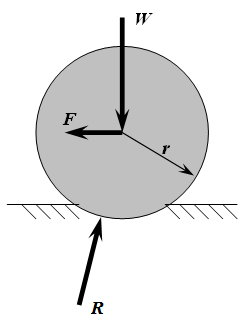
Rolling resistance, sometimes called rolling friction or rolling drag, is the force resisting the motion when a body (such as a ball, tire, or wheel) rolls on a surface. It is mainly caused by non-elastic effects; that is, not all the energy needed for deformation (or movement) of the wheel, roadbed, etc., is recovered when the pressure is remov...
mint surge
Anyone know why my mesh keeps falling through the ground even though I’ve just made a sphere and it doesn’t fall?
Nvm I worked it out
 dusty ermine
hey guys! Is it possible to see the physics 3d colliders in the Scene view all the time without manually selecting an object?
Thank you in advance!
timid dove
dusty ermine
hey guys! Is it possible to see the physics 3d colliders in the Scene view all t...
There's a physics debugger which has all kinds of options for displaying physics shapes, queries, etc.
viral beacon
bleak umbra
Maybe this? https://en.m.wikipedia.org/wiki/Rolling_resistance
Is there anything that unity has internally to get these values? I assume it will be complicated to constantly retreive these every fixedupdate for a car
dusty ermine
timid dove
There's a physics debugger which has all kinds of options for displaying physics...
Thank you! I thought maybe there is an option in gizmo like for 2d colliders 'show always' or something.
 steel raven
How do i stop longer rigidbodies from rocking back and forth when they land on the ground? For example, when a crowbar hits the ground it rocks back and forth like a seesaw. I have the physics material set to 0 bounciness but it still happens.
timid dove
steel raven
How do i stop longer rigidbodies from rocking back and forth when they land on ...
can you show a video of this behavior? Not sure what you mean exactly
timid dove
steel raven
What kind of collider is it using?
Kinda looks like you have a capsule collider on it
steel raven
There is a capsule collider on it and 2 box colliders
steel raven
timid dove
That's why it's rolling
It rolling is not the issue, the issue is that the entire thing is rocking, or bouncing, back and forth
timid dove
Yes it's because of the capsule shape
steel raven
I have tried without capsules and it did not solve the issue
bleak umbra
viral beacon
Is there anything that unity has internally to get these values? I assume it wil...
It’s not particularly complicated, typically if you want to simulate something accurately you have to extend (sometimes even replace) the engine physics with our own force calculation. Depending on how accurate you want to get, stuff gets more complicated.
timid dove
steel raven
I have tried without capsules and it did not solve the issue
show the colliders
steel raven
Its on all long objects, not just the crowbar
 timid dove
steel raven
Its on all long objects, not just the crowbar
timid dove
steel raven
Its on all long objects, not just the crowbar
looks like you still have a capsule on the top
steel raven
I still have the capsule colliders because changing them did not work
timid dove
I'm assuming the large box is a trigger?
steel raven
yes
timid dove
steel raven
Its on all long objects, not just the crowbar
why does the collider need to be so detailed? What hppens if it's just one box?
steel raven
If it is just one box it fixes the rocking, though the ends of the object clip through the ground.
 median gull
I think this is the right place, if not please lmk:
I've tried to do a number of things like scaling objects to simulate growth over time as well as just grabbing and holding the transfrom of a ragdoll. Whenever I do anything with the transforms like that, the bones act like there's nothing holding them together and just drift off. Any help is deeply appreciated
timid dove
median gull
I think this is the right place, if not please lmk:
I've tried to do a number of...
present some context here? What are you trying to do?
median gull
timid dove
present some context here? What are you trying to do?
Thanks for responding! An exact example would be this:
https://www.youtube.com/watch?v=W3x143cYF88&t=197s
I followed this video to the T and it works great. So the end resutl is a rigged sprint with physics. My problem is I wanted to make the jelly balls grow with time, which isn't difficult to do. However, with the jelly balls, whenever you change their transforms/scales, they just sort of fall apart, like their spring joints arent holding anything together anymore

Soft Body 2D Tutorial Jelly Effect - Unity (Easy)
Tutorial from Binary Lunar: https://youtu.be/H4MTeKT0QFY
Music used in this video
Boogie My Woogie no copyright Piano Boogie, royalty free 1940s Swing
royalty free Music by Giorgio Di Campo for FreeSound Musi...
but the second the growing stops, it immediately goes rigid again
 wind lagoon
I need help!!! I have a platform which moves using a timeline. I have a player using a character controller. When the player steps on the platform, it childs the player to the platform in runtime. But then the player doesn't move with the moving platform aNd I dON'T KNOW WHY!!!!
timid dove
wind lagoon
I need **help**!!! I have a platform which moves using a **timeline**. I have a ...
because your player is using a CharacterController which overwrites the position
devout token
steel raven
If it is just one box it fixes the rocking, though the ends of the object clip t...
And if it's multiple boxes with no capsules?
I'm thinking if maybe their weight or bounciness values could be wrong since the crowbar almost seems to gain momentum when it rocks back and forth
steel raven
devout token
And if it's multiple boxes with no capsules?
I'm thinking if maybe their weight ...
With multiple boxes and no capsules it still rocks back and forth. I do not think it is weight or bounciness since i have bounciness set to 0 and changing weight does not effect how bouncy it is
daring terrace
Hi! If you're referring to the movement system in Gorilla Tag, I think you should check out the video links I'm sending. One of them outlines a controller script that allows for movement like that, and the other will showcase how to recreate the arms AND 'bounciness.' If you'd like to create your own script, you should check out "PID" controllers and Hookes Law. One of the videos has a discord server linked with a PID script ready, if you'd rather copy/paste. Hope this helps!
https://www.youtube.com/watch?v=fqdwVY8KPXw&t=213s and https://www.youtube.com/watch?v=qv6w9AwoKPo&t=607s

Wishlist Project Impulse on Steam: https://store.steampowered.com/app/1916360/Project_Impulse/
Discord Link: https://discord.gg/gqVh8FG3ss
David Wu's Paper: https://bit.ly/31dPIpd
I'm going to be showing how I did my physics based hands and climbing for my upcoming game. I used David Wu’s Stable Backwards PD Controller to control the hands mov...

Set up a VR project: https://youtu.be/yxMzAw2Sg5w
Modell: https://www.mixamo.com/#/?page=1&type=Character
Modellname: Mannequin
Discord: https://discord.gg/r8tjCUUHxK
Chapters:
intro 0:00
core principle 0:35
modell setup 1:25
ragdoll setup 5:15
code 10:24
outro 16:40
 hollow echo
 rare slate
how do i get rid of this
(code) https://hatebin.com/czktqlnmaj
rare slate
how do i get rid of this
(code) https://hatebin.com/czktqlnmaj
Have you tried commenting out your stepClimb function? It looks very suspicious, you likely shouldn't be directly modifying rb.position
timid dove
rare slate
how do i get rid of this
(code) https://hatebin.com/czktqlnmaj
probably due to the direct rb.position modification you're doing in stepClimb()
Damn vertx was too fast
hollow echo
Doesn't hurt to double down and confirm 😉
rare slate
timid dove
probably due to the direct rb.position modification you're doing in stepClimb()
i just added the stepClimb function to do that, and there comes the bounciness
so how do i fix stepClimb()?
timid dove
what's it supposed to do?
rare slate
timid dove
what's it supposed to do?
climb stairs
timid dove
I'd probably start by making sure you're actually on stairs before doing it
rare slate
i am using a rigidbody controller
timid dove
clearly
timid dove
rare slate
climb stairs
I think the simplest approach for stairs with a Rigidbody controller is to simply use a ramp-shaped collider
rather than an actually jagged stair-shaped collider
hollow echo
You can also look into how to properly make a kinematic rigidbody character controller so you don't have to deal with rigidbody jank imo.
There are also prebuilt controllers that handle all of these things and can be customised too. By going kinematic all of these things are controlled much more formally so you can't possibly introduce bounciness like what happens when you quickly stop or bump into stuff. It does mean you've got to have a different approach when programming dynamic responses to things, but it's ultimately less painful
Can depend on the game and what you want to do though so it's not a "100% do this" sort of thing
rare slate
hollow echo
You can also look into how to properly make a kinematic rigidbody character cont...
do you know any tutorials for a kinematic rigidbody cc?
hollow echo

Investigating how players move in games with Unity.
Try out the demo at https://nickmaltbie.com/OpenKCC
GitHub project at https://github.com/nicholas-maltbie/OpenKCC
OpenKCC Series Playlist - https://youtube.com/playlist?list=PLFlu9cd6nGXt64a-N063t5hZdpjdIl76p
How a player moves through a virtual space is not always clear and straightforward. ...
 mint vault
rare slate
how do i make it kinematic?
mint vault
rare slate
how do i make it kinematic?
In the rigidbody component, in the inspector, there is an option
rare slate
mint vault
In the rigidbody component, in the inspector, there is an option
it wont move when i make it kinematic
what code do i modify to make it move?
mint vault
rare slate
what code do i modify to make it move?
Your addforce should be changed to rigidbody.MovePosition
half sky
https://gyazo.com/6bb054b20071c10bc9b511f4af7dc315
Hey guys, I made a boat for my player and they both use rigidbodies. The player becomes a child of the boat and ONLY the boat moves. Yet this is happening and I dont know why. (The boat is a clone so it acts weird but if I use the normal original gameobject it reacts perfectly normal) I spent the past few days on this and I have no idea how to fix it
The video basically shows that the player does not follow properly the boat. if the boat moves 100m for example, the player will move 20m
If i literally enable the original gameobject before i press play, the boat works properly but if I set it active DURING the game, it breaks and acts like in the video. I have 0 idea how to fix this

I tried to enable kinematics to disable the rigidbody and that works when I enable the object or keep is on before I press PLAY but it does NOT work when the boat is created after play (even though the rigidbody is still becoming kinematics)
rare slate
hello?
inland jetty
rare slate
hello?
honestly i doubt anyones gonna be going through 250 lines of your code to debug for you which part is causing this. you really should just throw some debugs in there and see whats causing your player to move up. Theres like 8 different places you are moving the rigidbody
 candid sparrow
Can anyone help me with making the ball fly higher the further I pull back? It's not working as expected in my project.
ballcontroller help
mint surge
I've got a plane model but it leans back and then falls backwards is there anyway to keep it in one position?
stuck bay
Is there a rigidbody setting that has clipping but disables transfer of energy so that rbs cannot push/be pushed by each other?
devout token
stuck bay
Is there a rigidbody setting that has clipping but disables transfer of energy s...
What does it mean to "clip" without transfer of energy?
stuck bay
If I run into you, I will be stopped without moving you, if you run into me, you will be stopped without moving me
as if each rb pretends that every other rb is static
like you know in a lot of mp games how players can block each other, but cannot move each other
(i know according to physics that decelerating something technically counts as "moving" it)
 steep shard
Hi i was trying to make my first car Controller Script, so i decided to follow a youtube tutorial the thing is i had to make the radiaus of the wheel colliders smaller so that the car whould touch the plane and also i m having this bug where when i acelerate the car turn always to the same direction and i cant understand why...
in the tutorials i m whatching what they do seems pretty hard to mess up but somehow my car turns. I made the car from scracth but i dont think that anything is missing. I only have this one script attached to the car. Can some one help me understand whats wrong. ty!!
 inland jetty
stuck bay
If I run into you, I will be stopped without moving you, if you run into me, you...
inland jetty
stuck bay
If I run into you, I will be stopped without moving you, if you run into me, you...
sounds like u just want to check for collision and stop moving, because what youve described is not how physics works. You'll probably have to move via transform.position or rb.moveposition then
stuck bay
inland jetty
sounds like u just want to check for collision and stop moving, because what you...
Yeah that's what I was fearing. I know it's not real physics, but i feel like it's more commonly how collision is handled in games that i've played than realistic physics simulation. Just an opportunity to learn more tho 🙏
dim fulcrum
I'm trying to do path prediction for a thrown projectile, Tried a simulated scene but was getting different results, and since my movement is simple I'm now simulating "by hand" calculating velocities and positions, my only problem now is in my simulation version, I'm checking if I hit a target with Physics.BoxOverlap, while the actual object is using OnTriggerEnter, While moving the objects in sync by simulating in FixedUpdate, I can see my simulated object registers the box overlap earlier than the simulated physics object? Does that sound right? Is there a way to better match the actual physics simulation behaviour? (If it was the other way around, that my simulated object was "late" and registering the hit later than the real simulation I was planning to swap my BoxOverlap for BoxCast, but since it's early I don't think it's going to help...
 maiden root
Hello I'm using the unity tilemap gameobject brush and each gameobject is a plane with a mesh collider for my floor

when the player which has a sphere collider moves on it it randomly moves it around and I dont understand why
rb.AddForce(movementDirection * movementForce, ForceMode.VelocityChange);
player moves like this and when I stop moving it moves in random directions for a bit then stops
this didn't happen before when my floor was just one massive plane
dim fulcrum
Sounds like it's a result of interaction with the tiles, did you try making the tile colliders static?
 hushed egret
Why is it that when I insert an animator controller into the animator, the character half falls under the platform?

without animator controller
 timid dove
hushed egret
Why is it that when I insert an animator controller into the animator, the chara...
timid dove
hushed egret
Why is it that when I insert an animator controller into the animator, the chara...
your animation is putting the character there
hushed egret
timid dove
your animation is putting the character there
what should I do to prevent this from happening?
hushed egret
timid dove
modify your animation
if I delete the animations and leave the animator controller, then the problem will remain. I've already checked 5 times
hushed egret
timid dove
this is an <#502171313201479681> question btw
Mixed up, I'm sorry
viral beacon
is it possible to use addtorque multiple times and not losing the effect of drag?
Ive noticed that if you addtorque twice, the second operation does acceleration completely ignoring drag
its screwing up some of my computations, since I want an object that adds torque to itself, while receiving forces from another object.
maiden root
dim fulcrum
Sounds like it's a result of interaction with the tiles, did you try making the ...
yea that didn't help unfortunately
maiden root
I think it's because of the plane mesh colliders overlapping? but idk why they all have the same Y coordinate and same size perfectly next to each other
dim fulcrum
I'm still new to physics in unity, but I did have mixed results with plane meshes, if you're up for trying random stuff I'd try giving them box colliders instead, lining the top with the tile.
maiden root
I tried that too and still the same
 shut tendon
viral beacon
its screwing up some of my computations, since I want an object that adds torque...
shut tendon
viral beacon
its screwing up some of my computations, since I want an object that adds torque...
Why not collect the torque values and then apply them together at once?
timid dove
viral beacon
Ive noticed that if you addtorque twice, the second operation does acceleration ...
Shouldn't make any difference. Note that AddTorque itself is not affected by drag. Angular drag will slow the rotation over time after torques are added
 errant umbra
Does anyone know any existing solution to cut softbody meshes (like tearing). Obi PDB solutions don’t support mesh cut due to shape matching high cost and rematching in real time seems to be really hard to make. I got the recommendation to tetrahedralize the unity meshes but I found nothing for unity excepting using external programs like fTetWild + GMS. I saw a C++ repo of nvidia flex but it’s not compiling so I can’t really check how it actually works. Any idea?
 robust sail
I don't know how to fix this error. And when I start the game the airplane fell into the void, idk why the plane doesn't stop it. Both of them have mesh filter, mesh collider and mesh render.
 timid dove
robust sail
I don't know how to fix this error. And when I start the game the airplane fell ...
timid dove
robust sail
I don't know how to fix this error. And when I start the game the airplane fell ...
Read the glaring error
also your use of the word "plane" here is kind of hilariously ambiguous
robust sail
timid dove
also your use of the word "plane" here is kind of hilariously ambiguous
yeah i know sorry
how can i make it kinematic?
timid dove
robust sail
how can i make it kinematic?
that is the wrong conclusion to draw here
you can't use a concave mesh collider on the airplane
you need to change the collider(s)
 fringe heron
when I hit play, one side of wheels are rotated, why?? Wheel collider's meshes

this is how it should be:

can you help please?
this is hierarchy:
 timid dove
fringe heron
this is how it should be:
timid dove
fringe heron
this is how it should be:
isn't this correct? So that the hub is facing outwards?
timid dove
one solution is put the renderer on a child and rotate it
timid dove
rotate parent with the WheelCollider pose thing
fringe heron
 timid dove
rotate child manually in the scene relative to its parent
fringe heron
Yes I did that
look this is parent


this is tire
and it has children meshes too
timid dove
but what is the code posing?
 timid dove
(btw you can use _wheelMesh.SetPositionAndRotation(pos, rot); it will be slightly faster)
timid dove
fringe heron
wheel mesh is parent
ok then you should be able to fix it just by rotating Tire in the inspector
fringe heron
tire is rotated
one thing I notice is that
some tires have y -90
some y 90
and I think it snaps to 90 or -90 only
timid dove
wdym by snapping?
fringe heron
I mean it rotates like this
timid dove
aren't you just setting it manually?
fringe heron
 fringe heron
timid dove
aren't you just setting it manually?
fringe heron
timid dove
aren't you just setting it manually?
Yes but
when I go into play mode
it rotates one side of wheels
timid dove
right so
rotate Tire on that one side the opposite way in the scene
and it should be sorted
 fringe heron
When 180

and in scene it is like this
I think there is some kind of orientation mistake
so it depends on global maybe and ignores locally set rotations
Thank you for your time, I will recreate hierarchy of it. maybe some weird mistake
timid dove
fringe heron
Thank you for your time, I will recreate hierarchy of it. maybe some weird mista...
I would just see what pose the WC is putting the parent in at runtime.
Put your parent in that pose in the editor. Then just position the wheel visuals as necessary underneath
should work
fringe heron
Thanks, it worked!)
 shy acorn
Hey, I am trying to work with Configurable Joints to recreate a gorilla tag type movement that can also grip onto objects, I have everything setup including the gripping feature. However, my configurable joints that allow me to walk around have this odd springiness to it that makes it hard to move, how can I make it more rigid? Right now, my script just moves the target position and target rotation of the joint to the players respective hand.
I've tried increasing the weight of the hands which does help but it makes any objects you whack or grab onto OBSCENELY light, and making those objects heavier doesnt seem to help much.
shy acorn
So, what can I try?
maiden root
does anyone know what could be causing this?
it's fixed when I unfreeze the rotation of the box's rigidbody
it just goes through the floor and moves around for no reason I can think of
timid dove
maiden root
does anyone know what could be causing this?
no idea without seeing your code
 lofty patrol
Cogs has kinematic rigidbodies and player a dynamic one, both has colliders, how can I prevent the after-force on the player? I tried setting the player rigidboyd force and velocity to 0 when touching ground but still the same and there is nothing on the code that affects any movement on collision with the cog's collider or any other colliders
lofty patrol
lofty patrol
Cogs has kinematic rigidbodies and player a dynamic one, both has colliders, how...
I don't know how but its fixed now
 quartz wyvern
how can we have a 2D circle collider but in XZ plane
sphere collider is fine but i need a flat circle
timid dove
quartz wyvern
how can we have a 2D circle collider but in XZ plane
unity 2d physics is on the xy plane, always
if you want to use 2D physics components that is your only option
what are you trying to accomplish
quartz wyvern
i want to ray cast on to a circle collider in my 3d world that is on the floor surface
or rather just above the floor surface
a sphere obstructs other colliders so i cant use that
timid dove
quartz wyvern
a sphere obstructs other colliders so i cant use that
You can use a sphere with layers and layer masks set up appropriately
 final kraken
hey how would you get the normal vector of a sphere with a just the sphere and another part
 mild thicket
i think this is the right place to share this issue. I'm trying to work with some wheel colliders but I can't move forward from stop unless I reverse beforehand. Not really sure what the issue could be
 timid dove
final kraken
hey how would you get the normal vector of a sphere with a just the sphere and a...
timid dove
final kraken
hey how would you get the normal vector of a sphere with a just the sphere and a...
the normal of a sphere at any point on the surface is just (surfacePoint - centerOfSphere).normalized
 faint jungle
is there a good way to make a 1 way platform so that it does not register collision on the sides at all?
timid dove
faint jungle
is there a good way to make a 1 way platform so that it does not register collis...
in 2d or 3d?
In 2d you can use an edge collider with a platform effector
faint jungle
is there any way to define that for tiles? when I try to make a custom physics shape for tiles, it seems to only let me make polygon colliders.
viral beacon
is there a version of collision.impulse that gets the rolling resistance torque?
timid dove
viral beacon
is there a version of collision.impulse that gets the rolling resistance torque?
Torque would be force * distance.
So I would try...
- calculate the force from the impulse (the docs explain this small calculation)
- project the force along the plane of the surface to get only the friction part
- multiply that force by the radius of the wheel to get the torque?
viral beacon
It seems odd that it would give a linear impulse but not an angular one
timid dove
well there is no angular impulse
torque is an emergent property of linear forces being applied at a distance over a fulcrum
also rolling resistance isn't really fully simulated in unity. At most you get a friction force. But rolling resistance basically has to do with deformation of tires and other things lioke that that are too complex to be simulated
viral beacon
I remember once someone pulled up the physX spring equation, can someone tell me where I could find that?
timid dove
viral beacon
I remember once someone pulled up the physX spring equation, can someone tell me...
 noble crown
using unity's ragdoll tool messed up my rigging, and moved the joints to the wrong places
it moved them to the center of their respective limbs
timid dove
noble crown
it moved them to the center of their respective limbs
are you sure your tool handle rotation isn't just set to Center?
 light cradle
hey, this is way stronger after build: enemyRb.AddRelativeForce (500, 0, 0, ForceMode.Impulse); why does this happen?
timid dove
light cradle
hey, this is way stronger after build: ```enemyRb.AddRelativeForce (500, 0, 0, F...
you're probably doing it in Update
physics should only happen in FixedUpdate
Otherwise, faster framerate => more updates => more force
light cradle
timid dove
you're probably doing it in Update
no i just do it once
timid dove
light cradle
no i just do it once
show the code
light cradle
timid dove
show the code
{
                      damageCenter = attackCenter.transform.position;
                   Collider[] hitColliders = Physics.OverlapSphere(damageCenter, radius);
                   foreach (var hitCollider in hitColliders)
                   {
                       IHealth health = hitCollider.GetComponentInParent<IHealth>();
                       if (hitCollider.gameObject.tag == "Enemy")
                       {
                            enemy = hitCollider.gameObject;
                          if (health != null)
                       {
                            health.GetDamage(damage);
                            rb = enemy.GetComponentInParent<Rigidbody>();
                            rb.AddRelativeForce (side, 0, 0, ForceMode.Impulse);   <-- here
                       }
                       }
                   }

} ```where is this code running from? Share the full script.
also that formatting is 😵💫
Please share in a paste site
!code
I cannot download files on this computer
light cradle
ok idk
Use this simple tool that performs copy and paste functions. Copy several texts or favorite items and share privately with others. Get started for free now.
never used a site for that before soo
timid dove
where are hitAction1 and hitAction2 called from?
timid dove
It could have, if that was being called in an Update function somewhere else for example
light cradle
but that wouldn't change it
light cradle
it's just calling a function not more
light cradle
light cradle
no i just do it once
.
timid dove
yes I know you said that
I was verifying
people say things all the time on here that turn out not to be true. Don't take it personally
light cradle
also
 timid dove
I'm not sure then. How different is it?
light cradle
like twice
timid dove
Could it just be a perception thing based on the game resolution?
I would make a development build, add logs or attach a debugger and make sure it's only running once
timid dove
then perhaps something else is different?
maybe there's an object that is or isn't being collided with?
viral beacon
Im trying to use the formula listed in the physX docs for calculating spring force
rate * (targetPosition - position) + damping * ( targetVelocity - velocity);
from my tests it seems that the damping value has half the effect its supposed to, and im not sure why.
 paper musk
can unity work as a physics engine
timid dove
paper musk
can unity work as a physics engine
Unity has a physics engine
a few of them actually
it is not, in and of itself, a physics engine
 viral beacon
Im trying to use the formula listed in the physX docs for calculating spring for...
viral beacon
viral beacon
Im trying to use the formula listed in the physX docs for calculating spring for...
Upon some further tests, the issue seems to be that theres a base damping value on springs that is relative to the spring force
When I set the damping on a spring joint to 0, it does not infinitely oscillate
it seems like a base damping of springrate * fixedTimeStep is pretty close
now im only off by about .001
 stoic lynx
Hey guys, im not sure if this is the correct location but i really needed some help with a model i was working on 😦
hollow echo
stoic lynx
Hey guys, im not sure if this is the correct location but i really needed some h...
Does it have anything to do with Physics?
stoic lynx
i think so :X, springbones and warnings coming up reguarding roots and bones
does that count?
hollow echo
Sounds like an #🔀┃art-asset-workflow problem. And you should ask your question there instead of getting people to ask you what's wrong.
stoic lynx
i am new here and wasnt sure the correct location. thanks ill ask there
 sweet sorrel
Dear Unity community, I have a scene with a lot of zombies roaming around on a Navmesh, for some unclear reason, sometimes, some agent jitter rotationally when arrived at their location. When I turn off the NavMeshAgent component, they stop jittering. Does anyone have any experience with this "jitter"? I have tried a multitude of different setting on the agent and the navmesh itself, but that seems to have no influence at all.
https://gyazo.com/317aa518b0993300e4c5f6351b1e4b4f
An example of the jitter 🙂
Thanks!


 rich whale
I want to make a vault or ledge-grab function for my FPS.
I made some simple animation via unity, attached an animator on my Player. and I use script directly let animator play those ledge animation.
I mean, it works, after I set rigidbody's interplation to inter or extra. If set to none, the player won't move, but it's camera animation still works.
I just wonder why i need to toggle on rb's interpolation to make this works
kind of busy now, i would like to add some vid later
viral beacon
does unity have a struct/class for handling rigidbody physics manually? Would I be able to just create a script instance of a rigidbody and modify it?
bleak umbra
viral beacon
does unity have a struct/class for handling rigidbody physics manually? Would I ...
You can move you objects manually and use (link) to handle collisions https://docs.unity3d.com/ScriptReference/Physics.ComputePenetration.html
viral beacon
This seems to not quite be what im looking for. I am pretty much handling collision forces completely manually, I just need a medium to treat as a script sided rigidbody.
bleak umbra
Any kind of kinematic rigidbody is to some degree a custom physics engine when moved by your own scripts
viral beacon
Im using a trigger as a collision bounds, and Im taking the contact point and feeding it through an equation representing my desired shape to get my collision force, then applying it to the simulated body. All for the sake of making my own wheel collider, so certain forces are being applied to a real rigidbody representing the chassis.
viral beacon
Right now all of my variables like the simulated body's velocity, position, etc are in this one script, I feel like it would benefit me to create a more abstract environment for these values so im hoping to make whats essentially a script sided Rigidbody.
Im not sure how to handle the simulation lifecycle, whether I should have a manual trigger like a Simulate() method. Overall I was just asking if unity had something like this already. If not Ill just go about it.
I also have expressions for calculating the acceleration caused by forces so I could package those in the simulation environment too
bleak umbra
viral beacon
Right now all of my variables like the simulated body's velocity, position, etc ...
viral beacon
does having the simulation mode equal to script disable all scene simulation?
bleak umbra
viral beacon
does having the simulation mode equal to script disable all scene simulation?
Script : Use this enumeration to instruct Unity to execute the physics simulation manually when you call Physics.Simulate.
viral beacon
ah, I need this to run parallel to scene physics so I guess ill just go with the custom rigidbody idea
also using a custom script instance makes it so that I dont need child gameobjects for the script to work
viral beacon
is there a way I can see how "Physics.ComputePenetration" works? Ive been browsing the physx docs for a while and cant seem to find it.
 mighty peak
Hey, I had a project in unity 2021.3.10f1 and i have upgraded it to the 22 lts version that has just been come up. It seems to have upgraded the colliders, Before it, we couldn't see an option named as PROVIDE CONTACTS. Now it has another bool "Provide Contacts". This makes me think that something has be changed, but after the version upgrade, the project's colliders are messing everything up they have resized and are getting stuck in each other, all the animations are now just some jerks. Can anyone help with something?
timid dove
mighty peak
Hey, I had a project in unity 2021.3.10f1 and i have upgraded it to the 22 lts v...
Yes Unity has some new physics features in the new versions but none of that should have affected the size of your colliders or anything like that
 elfin heart
Guys. I'm using a rigidbody controller with a capsule. But I have a problem where I slide off edges. Anyone know I could fix it?
viral beacon
What do people mean when they use the term "proxy shape" for a shape related to collision?
timid dove
viral beacon
What do people mean when they use the term "proxy shape" for a shape related to ...
Likely a simpler shape that doesn't perfectly match the object but is good enough for gameplay purposes and simple enough for performance
viral beacon
ah, okay thanks
 split solar
I'd like to write a tool that can take a complex prop mesh that could be concave, and split it into multiple convex collision meshes that I can pop into Mesh Colliders. How could I do that?
The idea would be to do it at development time and save the colliders into an asset
I'd rather implement it myself but I have no idea where to begin
 stiff roost
How could i measure the aceleration on a Rigidbody without knowing the force value
timid dove
stiff roost
How could i measure the aceleration on a Rigidbody without knowing the force val...
Acceleration is the change in velocity over time
So just subtract the old velocity from the new and divide by the time between them
 golden crane
Soooo, I have like 2000 rigidbodies and I have this code, modifiying their velocity and rotation every fixed update.
this code take 3ms on my machine which is unacceptable considering the physics system also take around 3ms to simulate them.
Is there a way to optimize this?

This is the behaviour
timid dove
golden crane
Soooo, I have like 2000 rigidbodies and I have this code, modifiying their veloc...
if you want to deal with thousands of objects like this you should look into ECS/DOTS and boids
golden crane
UwU all roads lead to DOTS, I was trying to avoid it as much as I can but.... even the new physics event doesn't cut it
 zinc aspen
Is there a way to reduce the impact of the Physics2D on the performance if there are many missiles flying around? With 900+ missiles my FPS is barely at 20~30
Each has a trigger Collider2D and a Kinematic Rigidbody2D and I currently have no idea how to optimize this

 inner thistle
Same answer as here: #⚛️┃physics message
zinc aspen
I see, thanks, I'll take a look into this 
Also, a second thing to note is that I've noticed the biggest lag spike when the missiles were concentrated in one place, as if the physics engine was checking collisions between the missiles (missile/missile layer collision is turned off in the project settings, but I suppose it still has to filter them out?) while the enemy missiles need to only look for collisions with one object only - the player.
So idk if there is a way to completely turn off collisions between the missiles
 hardy gazelle
I have a very good momentum based controller and I've been having issues with crevices. i'm talking 0.00000001 wide crevices that get created because of my modular approach to making envoriements. As an example i have a line of perfectly aligned railings that all have absolutely no gaps inbetween colliders as the colliders are literally perfect and on the right there is one big collider.
As you can clearly see the player sometimes gets caught up in those crevices and jumps a little bit which results in a very unpleasant player experience and sometimes can lead to the player not being able to jump when they have to
The same thing happens on different types of grounds that also have singular colliders to each part and while the player is going at high velocities
golden crane
zinc aspen
Also, a second thing to note is that I've noticed the biggest lag spike when the...
Dont use rigidbody for missile. And yes when they concentrate there will be more contact event, which equal to perf drop
Also is that image component 🤔 why not use sprite renderer?
zinc aspen
golden crane
Also is that image component 🤔 why not use sprite renderer?
image cuz it's on a canvas
I remember having some issues with sprite renderer there
golden crane
zinc aspen
I see, thanks, I'll take a look into this <:UnityChanClever:885169594715746394>
You dont nees dots btw if you are making 2d and doesnt require collision and gravity simulation like my worms. XD
My own bullet system use Particle to spawn and do simulation for me, but doing raycast to check hit my self
zinc aspen
golden crane
Dont use rigidbody for missile. And yes when they concentrate there will be more...
Only added a Rigidbody2D so that they could call OnTriggerEnter2D and remove themselves from the MissileManager and let it pool them
golden crane
It doesnt matter, as long as u have hundred of ridigbody2d or collider and they r moving your frame is gonna drop.
Try create like 500 rigidbody 2d and collider2d then put them as child to spinning transform, it will become apparent in the profiler
zinc aspen
Unless I can tell the difference between one Transform and another, then I could remove the rigidbody
Cause right now each missile has it's ID so it can be removed from the Managers Array
I could just call the Manager method for the missile from within the players OnTriggerEnter2D instead then
golden crane
zinc aspen
Unless I can tell the difference between one Transform and another, then I could...
You can use InstanceID
zinc aspen
Oh, true
But still, I'd have to check hundreds of array elements to find the right instanceID, instead of accessing the item by it's custom ID
But it would probably remove the issue with the rigidbody, so I'll try anyways
golden crane
If u could use dictionary it will be fast to access large collection
<int instance id, data>