
#archived-shaders
1 messages · Page 191 of 1

 digital hamlet
⚠️ oh no! dont use Gameobject.find
not in Update()
it runs every frame
and it's hella demanding
use reference in the script
 dreamy pewter
really ! so i just drag them in the inspector
btw here is the modified grayscale effect shader
 shell thorn
bruh, I have a problem but solution should be simple as heck, can't come to it, can anyone help me with math a bit?
I have a normal map that generated from height map from simple noise.
I have a lot of stars they are generated in shader too, question, how exactly I need to combine them (normal map and stars) with dot product to get proper shadows?

those shadows incorrect
 willow pike
I have a color palette I'm using to assign vertex colors to a player character

But when I get the mesh colors via script it returns these colors to the list

Any idea why they are so much darker?
 warped vigil
why is it that low alpha pixels have their RGB values set so low?
im trying to make a 2d metaball like thing with a transparent image and whenever the alpha gets really low, the shader seems to think that the pixel is black or white or something...
im not sure i understand
willow pike
Try changing the alpha clip threshold?
warped vigil
i just wanna know why the pixels are read as black at low alpha
shell thorn
warped vigil
im not sure i understand
because color space not linear its a gamma.
warped vigil
annoying
shell thorn
 shell thorn
warped vigil
im trying to make a 2d metaball like thing with a transparent image and whenever...
shell thorn
warped vigil
im trying to make a 2d metaball like thing with a transparent image and whenever...
and if you multiply on very low value color like 0.01,0.01,0.01 it should be closest to black, will be better if you tell more.
warped vigil
im trying to set the shade of colors by alpha.
eg alpha below cutoutt is clipped, alpha below X is darker than than above X
the color itself is set by the sprite color
the issue seems to be when the alpha gets too dark, the color is always black
looks like ive got it for the most part now
time to figure out how to make the colors consistent within the blob but also allow for a colossal variety

 simple violet
I have a shader that takes colors from vertices and the fragment function applies that color to the output
it's for gradients
but the problem is that the gradient is too smooth
Is it possible to make the fragment be less smooth?

this is the type of gradient I want to achieve
 swift loom
is there any "limit" to how many passes you can/should have in a shader? i'm looking to add a third and i'm not sure if that's a bad idea or not.
 low lichen
swift loom
is there any "limit" to how many passes you can/should have in a shader? i'm loo...
low lichen
swift loom
is there any "limit" to how many passes you can/should have in a shader? i'm loo...
There shouldn't be any limit. The GPU doesn't have any concept of "shader passes". That's just something Unity made up. Each pass gets compiled as its own separate shader, so having multiple passes in one shader is no more limiting than defining them as separate shaders.
swift loom
ok thanks.
 smoky spire
is this where I can ask questions about shader graph?
 shadow locust
this is a good place
 river pawn
Aye, someone know what this means? Is the issue to do with objects textures or what?
 smoky spire
so I have an object that I spawn smaller objects on, the smaller objects are the same prefab, and they all share the same shader from shader graph
I've exposed a property called fade on this shader, can I control this fade property per instantiated prefab, or will it apply it to each one
imagine apples on a tree
in the editor if I change the value on one apple, all the apples fade
shadow locust
smoky spire
I've exposed a property called fade on this shader, can I control this fade prop...
If they are using the same material, and you modify the shared material, they will all change
smoky spire
this same fade is also applied based on their distance, and scale, and in those cases they act differently
shadow locust
If you use material it will create a new material and if you modify that it will only affect the one object
if you use sharedMaterial it will affect them all (because it doesn't make a new material)
smoky spire
awesome thanks man
shadow locust
np
 polar ruin
Hi im a bit confused. Why does the preview not look the same?

Left is from my Project, right is from hdrp material samples pack.
I try to recreate the Diffusion Profile Setting for a skin material
The values are exactly the same but it shows a different result? How is this possible?
low lichen
I know nothing about this, but the Max Radius is slightly different. 20.4 vs 32.7
polar ruin
yes its strange, the docs (https://docs.unity3d.com/Packages/com.unity.render-pipelines.high-definition@7.1/manual/Diffusion-Profile.html) say max radius cannot be adjusted manually and is being calculated from the hdr color above.
But the hdr color on both assets is the same
on both assets its set to this value

maybe this shows it better
 willow pendant
i did a object where are all triangles is separated from each others.
How to make a shader that will move those triangles our from old position to make something like disappear effect?
If use position node and assign it to mesh itself, then it will move each triangles in one direction . But i would like to move triangles out without scale yet 
If its possible in shader graph
 low lichen
willow pendant
i did a object where are all triangles is separated from each others.
How to mak...
low lichen
willow pendant
i did a object where are all triangles is separated from each others.
How to mak...
This is all one mesh?
willow pendant
low lichen
This is all one mesh?
yea. one mesh where are each triangle is separate form each others
low lichen
If you want to move triangles one by one, you need some way to identify which vertices are a part of which triangle.
willow pendant
ouch, will try to face triangles normal vert to one direction and use tangent position node
low lichen
Am I understanding your requirements correctly? Do you want to be able to have full control of each triangle separately, possibly through a float array passed into the material?
Or do you want all triangles to move outwards at the same distance?
So you only have one float parameter to control all the triangles
willow pendant
low lichen
Am I understanding your requirements correctly? Do you want to be able to have f...
yea, like i want to move triangle outside without change scale
low lichen
All the triangles at the same time?
Or just one of them at a time?
I assumed you wanted separate control over each triangle since that's the effect you have in your screenshot. Some triangles haven't moved at all and some farther than others.
I didn't expect this to be a difficult question
willow pendant
all triangles at same time
low lichen
Then disregard what I said before. If the normals on the vertices are facing the same direction as the triangle, then you just need to move the vertices along their normals.
willow pendant
state A -

State B

yea, and cant find a way why its not working 😄
Some reason no matter with position node i assign, its move whole objects at once
low lichen
I thought that's what you wanted
willow pendant
in Unity its more looks like it scale whole object instead of move each faces by normal direction
low lichen
Then your normals are probably smooth.

 dusky stirrup
Hi folks, I'm trying to use this shader.
https://github.com/Shrimpey/UltimateOutline
It works fine on the Cube Prefab but looks awful on my chair FBX model.
Would anyone be able to help me understand why?
@me with a reply if you can help please :)


GitHub
The easiest way to achieve outlines in unity. Contribute to Shrimpey/UltimateOutline development by creating an account on GitHub.
 manic nacelle
dusky stirrup
Hi folks, I'm trying to use this shader.
https://github.com/Shrimpey/UltimateOut...
manic nacelle
dusky stirrup
Hi folks, I'm trying to use this shader.
https://github.com/Shrimpey/UltimateOut...
Most outline shaders just flip the polygons and offsets them depending on direction. You could try adding some smoothing to the mesh to make them connect.
low lichen
dusky stirrup
Hi folks, I'm trying to use this shader.
https://github.com/Shrimpey/UltimateOut...
Looks like this shader is scaling from the center of the object. This works perfectly for the cube, where there's a clear center. But for the chair, there's no one center that makes sense for all the faces.
It's just a bad way to do outlines
dusky stirrup
low lichen
It's just a bad way to do outlines
Ah. It's the first one I found on google lol. Know of any decent outline shaders I could use?
low lichen

GitHub
Unity asset for adding outlines to game objects. Contribute to chrisnolet/QuickOutline development by creating an account on GitHub.
 limber fossil
Hello.
When I assign a material to my UI image, transparency of it goes. What should I make it to transparent
dusky stirrup
low lichen
<@!178572820626800642> https://github.com/chrisnolet/QuickOutline/tree/master/Qu...
Works much better, ty

 sick vapor
I guess that belongs here... I have this texture from below. If I drag it on a sprite shape, it turns white in editor and grey (the color it previously had) in the game window. What is wrong?

This is the setup

 icy osprey
i decided to add a Stencil check to the default URP Unlit shader, but it only works in the editor for some reason


any ideas on what i might be doing wrong?
i decided to add a Stencil check to the default URP Unlit shader, but it only works in the editor for some reason
low lichen
There's some chance that for some reason the game camera isn't rendering to a texture with a stencil buffer in it.
icy osprey
low lichen
There's some chance that for some reason the game camera isn't rendering to a te...
you mean the material that writes to the stencil isnt rendered?
low lichen
No, to use stencils, the depth buffer used during rendering has to have extra space to store the stencil numbers for each pixel
It's possible to tell it to not make any space for stencils if you don't intend to use them and save on memory
icy osprey
low lichen
It's possible to tell it to not make any space for stencils if you don't intend ...
i mean i have another scope that uses stencils that works
so stencils in general work
low lichen
hmmmm
It could be the order its drawing the two things is wrong
It must draw the scope first and then the crosshair
Sorting is often different between scene and game view, which usually doesn't affect the final look, except in this case
icy osprey
ok, so i imported the glass object from the scope that worked and now it renders
lol
both objects were using the exact same material tho
to write to the stencil buffer
ok, i found the problem
i forgot to change the layer to the weapon layer
lol
 brisk prism
Shader "ACustom/Add_AlphaBlend" {
Properties {
_Color ("Main Color", Color) = (1,1,1,1)
_MainTex ("MainTex", 2D) = "white" {}
_ColorMul ("Color Multiplier", float) = 1
_Alpha ("Alpha (A)", 2D) = "white" {}
}
SubShader {
  Tags {
  "IgnoreProjector"="True"
  "Queue"="Transparent"
  "RenderType"="Transparent"
    }
  ZWrite Off
  Blend SrcAlpha OneMinusSrcAlpha
  ColorMask RGB
  Pass {
    Name "FORWARD"
    Tags {
    "Queue"="Transparent"
    }
    ZWrite Off
    Cull Off
    Blend One OneMinusSrcAlpha
    CGPROGRAM
#pragma vertex vert
#pragma fragment frag
#pragma fragmentoption ARB_precision_hint_fastest
#pragma target 2.0
#include "UnityCG.cginc"
uniform float4 _Color;
uniform sampler2D _MainTex;
uniform float4 _MainTex_ST;
uniform float _ColorMul;
struct appdata {
  half4 vertex : POSITION;
  half2 texcoord : TEXCOORD0;
  half4 color : COLOR;
};
struct v2f {
  half4 pos : POSITION;
  half2 texcoord : TEXCOORD0;
  half4 color : COLOR;
};
v2f vert(appdata v)
{
  v2f o;
  o.pos = UnityObjectToClipPos(v.vertex);
  v.color *= _Color;
  o.texcoord = TRANSFORM_TEX(v.texcoord, _MainTex);
                float alphaBlendFactor = 1.0f - saturate(max(max(v.color.r, v.color.g), v.color.b) * 2.0f - 1.0f); // 1 = alphablend, 0 = additive blend

                o.color.rgb = v.color.rgb * v.color.a * lerp(_ColorMul, 2.0f, alphaBlendFactor);
                o.color.a = v.color.a * alphaBlendFactor;
                return o;
            }
            fixed4 frag(v2f i) : COLOR
            {
                fixed4 color;
                fixed4 tex = tex2D(_MainTex, i.texcoord);
                color = tex * i.color;
                return color;
            }
            ENDCG
        }
    }
    FallBack "Diffuse"
Guys, i'm still new to shader, how do i give this shader an alpha mask ?
 grand jolt
hey
can someone help me fix this shader? it has alot of parse errors
i cant send it
rip
 compact plume
Does anyone know how I can take a Color 4 (RGBA) and convert it into a Texture2D using only Shader Graph? As in, take color output and turn it into the input for a Texture2D sampler.
Am using Shader Graph and I have a subgraph that takes in a texture property and outputs an effect (such as stroke) by offsetting the original texture in eight radial directions. I have another shader that produces distortion effects to create toon projectile FX but doesn't use textures at all (and thus far, implementing them has been a real pain since they don't work the way they ought to), so it just spits out color data based on noise, tiling, and an ellipse.
I would like to add the stroke effect to it, but I don't see any way to take a Color 4 output and turn it into a Texture2D input using Shader Graph alone. Looking online, people have suggested turning it into a Render Texture, but this means I'd need a separate camera for each material I plan to create, which obviously isn't performance friendly.
 cinder chasm
compact plume
Does anyone know how I can take a Color 4 (RGBA) and convert it into a Texture2D...
cinder chasm
compact plume
Does anyone know how I can take a Color 4 (RGBA) and convert it into a Texture2D...
Re: RT, you can use Graphics.Blit
Anyone know why StructuredBuffer<> might not be working for me? I'm trying to set its values from C# but GetDimensions is reporting 0 size
struct Hit
{
  float3 position;
  float size;
  float strength;
};
StructuredBuffer<Hit> _Hits;
//...
  _Hits.GetDimensions(bufferSize, stride);
C#:
            Hit[] hits = HitQueue.DequeueMany(Mathf.Min(MaxDequeueCount, HitQueue.Count));
            ComputeBuffer buffer = new ComputeBuffer(hits.Length, Marshal.SizeOf(hits[0]));
            buffer.SetData(hits);
            DamageMaterial.SetBuffer("_Hits", buffer);
Was hoping to find a solution that works soley in Shader Graph to avoid coding. This is the solution I managed to come up with and it works, but is still spaghetti:
 cinder chasm
compact plume
Was hoping to find a solution that works soley in Shader Graph to avoid coding. ...
cinder chasm
compact plume
Was hoping to find a solution that works soley in Shader Graph to avoid coding. ...
Like.. avoid literally any coding including C#?
Are you using the visual scripting thing?
compact plume
I'm not using Bolt, but I moreso have a mind for this sort of thing than for coding.
This is what the "Eightfold Color Subgraph" looks like, btw:

I have a similar one that is wholly self-contained that takes in a Texture2D and spits out a nice Vector4. Obviously, I can't use that here because Ellipses aren't textures and the Ellipse is integral to other part of my graph. Am trying to refactor the rest of the code to work with a Texture2D mask instead of the built-in ellipse, but that's been giving me problems on the opposite end.
Either way, the mask itself would be modified to produce the flame effect so even having the stroke effect that works on textures wouldn't help unless I could somehow convert the distorted mask into a texture asset.
cinder chasm
This seems unnecessarily complicated. :V
compact plume
I know
cinder chasm
Blitting is really easy, honestly
I still don't entirely know what you mean by turning a colour into a texture though. Is the output of the material what you want to turn into a texture, or some subnode of the material?
compact plume
This is the section between the distortion nodes and the stroke nodes. As you can see, I made a subgraph that does the same thing as my spaghetti graph, but it only works on Texture2Ds. I would like to be able to take either the multiply section above which has pure color data, or the ellipses, and with a single node or chain of nodes, turn them into a Texture Asset that I can plug back into the input of this subgraph:

The subgraph here just takes basic tutorials you see online and applies offset to the texture in the eight compass directions to create a stroke effect.
 tawdry otter
Hi guys
I have aproblem
there is no hight node in unity shader graph in URP
What should i do?
 thick fulcrum
@compact plume once you have sampled a texture2D, it is effectively just data packed into Vector4's much the same as your data coming from your other graph. The only difference maybe in the contents of the data. You may need to ensure that it's linear in the 0-1 range, to match a sampled texture or it could be missing data like alpha. I'm only throwing out ideas here as I'm not about to study that spaghetti but it's all data in an array in the end 😉
thick fulcrum
tawdry otter
Hi guys
depends what you want this "height node" to do, it may already exist in shader graph under a different terminology. But if you are certain there is always a Custom Node which allows you to code in just about any missing functionality you would like.
tawdry otter
thick fulcrum
depends what you want this "height node" to do, it may already exist in shader g...
Well I want a simpe height just to connect the texture to it

And there is no height node anymore =(
compact plume
@thick fulcrum Hmm ... am wondering if maybe I can just replace every instance of "Sample Texture 2D" with a more generic Vector4 and then, if I need a texture, I can just plug it in from the outside instead. Would be nice to know what the Sample Texture 2D node actually does internally.
@tawdry otter Are you talking about the position node?
thick fulcrum
compact plume
<@!181788534301130752> Hmm ... am wondering if maybe I can just replace every in...
ah think that's HDRP only, check under the properties section in shader graph you may need to enable it as an output (assuming you are in HDRP and not URP)
thick fulcrum
compact plume
<@!181788534301130752> Hmm ... am wondering if maybe I can just replace every in...
I know you like doing it in graph format, but it maybe one of those times when code is needed in a custom function.
compact plume
Ok, I think I just figured it out. If I ensure that the subgraph uses a basic white square texture for its internal calculations, I can do something like this, which will work with all the Vector4 types:
 thick fulcrum
if it works, all good. you could always use a branch node too if one wanted to conditionally swap between texture or not.
compact plume
That wasn't so much the issue as refactoring my subgraph to go from requiring a texture asset explicitly to a more generic Vector4.
tawdry otter
compact plume
<@!545658014607343617> Are you talking about the position node?
No the height node which is not in the fragment shader right now
swift loom
How heavy is a Tex2D sample?? Would I tank the performance by checking colors like 30+ times per pixel?
thick fulcrum
swift loom
How heavy is a Tex2D sample?? Would I tank the performance by checking colors li...
the sample would not be the issue so much in that situation, as the fact you are running an array of data 30 times.
Dare I ask what you are trying to achieve as there maybe a simpler solution
swift loom
i'm just brainstorming ideas for 2D light and shadows as the 2D URP lighting systems arent quite what i want. i was just thinking about raycasting to the light position and checking against a black and white shadowmap by basically "raycasting" and using the same logic as a collider
i've read a lot of approaches and they all seem pretty heavy regardless
thick fulcrum
raycasting is heavy, if it's for mobile you want to bake as much as possible with respect to shadows and just have a few dynamic objects per view
swift loom
No mobile
thick fulcrum
this opens up more power, but it's still going to tank performance. raycasting is too perfect, which is why it will slow things down
swift loom
yeah, i figure
thick fulcrum
reducing the number of rays (blockier shadows) will make it more manageable
swift loom
yeah its pixel art so i'd only check every 0.01 in the coords or whatever (my lingo is lacking lmao)
thick fulcrum
it maybe worth a shot, but perhaps limiting the number of lights per object. e.g. currently URP has max of 8 (I think) per object, which is more than enough imo for most games
swift loom
yeah if it's not like an obvious yikes that wont work i think ill give it a go
thick fulcrum
I'm sure it's doable, just balancing quality and performance as ever 😉
swift loom
👍 thanks for the input
 sleek zealot
is a hair shader in URP possible ?
thick fulcrum
sleek zealot
is a hair shader in URP possible ?
I don't see why not, is there anything specific which you feel may be a hurdle?
sleek zealot
my graphicstyle is Anime with a real touch
and urp have a few shadow bugs i can fix the flicker but not 100% by increas near to 2.5
the thing is i use anime style chars but want a real looking hairalso more detailed hair in anime style
and i will switch to HDRP it works better for that what i need
thick fulcrum
switching to HDRP just for hair sounds like overkill to me, as the workflow and scene setup etc. is much more involved. but it's your decision 🤷
what is your current hair shader setup attempt?
i.e. is it a custom lighting and shadows, shader graph / code. transparent / opaque workflow
 noble crown
Can anybody help with why the Main Preview is showing as Pink for my shader graphs in URP?
HDRP works fine without any issues, but I want to make this for mobile so won't be able to use HDRP
Note i'm using 2020.2.5f1
 thick fulcrum
noble crown
Can anybody help with why the Main Preview is showing as Pink for my shader grap...
thick fulcrum
noble crown
Can anybody help with why the Main Preview is showing as Pink for my shader grap...
ensure you have setup URP correctly especially creating an URP render asset and assigning it as per documentation https://docs.unity3d.com/Packages/com.unity.render-pipelines.universal@11.0/manual/InstallURPIntoAProject.html
sleek zealot
thick fulcrum
i.e. is it a custom lighting and shadows, shader graph / code. transparent / opa...
The thing is i use not just for hair HDRP. i use HDRP because i want to make player feel in another world and for the game play is a good graphic needed.
iam not a beginner in Game dev self but iam a beginner in shading. i learned over 4 years befor i ik what i want to do. so yea its an rpg and i have industry software too
i just need to know how HDRP work and i dont finde a complete explaination
noble crown
thick fulcrum
ensure you have setup URP correctly especially creating an URP render asset and ...
Thank you so much, I can't believe it was something as simple as this 🤦
 hushed gull
can someone please tell me how I can manage to have two completley different effects in my scene view from my game view, like how do I activate the render pipeline in my scene view

 desert orbit
@hushed gull Check that you have everything selected in Layers top right corner.
sleek zealot
ok urp fits better for my style. btw can anyone tell me ho i can fix the shadow flicker on bigger terrain ?
thick fulcrum
sleek zealot
ok urp fits better for my style. btw can anyone tell me ho i can fix the shadow...
on the URP asset are some shadow settings, I believe they are what you need but can take some tweaking to get the correct
compact plume
simple violet
how do I pixelate an rgb
Code Monkey has a great tutorial about this on his channel. Would recommend looking at that.
sleek zealot
thick fulcrum
on the URP asset are some shadow settings, I believe they are what you need but ...
i tried something the issue is yet in a big area its a bit darker at the point i move. but the shadow fall from objects works great what i want is smooth shadows from montains or from the entir enviroment
the problem is stylized but real lighting
or better light setting
 stark condor
How do you deactivate a shader, I tried myRend.material.shader != selectedShader; But I know that that inst how != is suppose to be used
 regal stag
stark condor
How do you deactivate a shader, I tried ``` myRend.material.shader !=...
regal stag
stark condor
How do you deactivate a shader, I tried ``` myRend.material.shader !=...
!= is for comparing, so this would just return a bool if the shader is not equal to the selectedShader.
You cannot "deactivate" a shader. You either swap the material out for a different one (e.g. myRend.sharedMaterial = otherMaterial), or disable the Renderer (myRend.enabled = false) if you're trying to make the object disappear.
stark condor
So the best bet is to make two identical materials but one having the shader and the other not
stark condor
regal stag
`!=` is for comparing, so this would just return a bool if the shader is not equ...
Additionally, for actual gameObjects would each model material also need its own second material for the shader or could I make a material that doesn't actually affect the gameObjects appearance and just the shader
 carmine cedar
Is there a document where I can compare functions from the old unity shaders to shader graph?
A bunch of tutorials are outdated and I'm trying to recreate the shaders in URP but I'm not sure what all the new terms are
 sinful arrow
https://unity3d.com/get-unity/download/archive Under downloads click 'Built in shaders', you can view any shaders from even old Unity versions

Unity
Unity is the ultimate game development platform. Use Unity to build high-quality 3D and 2D games, deploy them across mobile, desktop, VR/AR, consoles or the Web, and connect with loyal and enthusiastic players and customers.
carmine cedar
Not sure if that's exactly what I was looking for
Basically I have an old custom shader created before LWRP/URP, and I'd like to recreate the same functionality using shader graph, but there are some things I can't seem to find, such as creating a float array
 alpine goblet
Hey guys, I'm trying to achieve a shader where i can have one main color and then have some sort of "path" with another color like in this image, would be rly helpful if i could get some ideas on how to approach this. (I'm using URP)
 sinful arrow
Any reason you cant do it with terrain?
alpine goblet
Yes im using a procedural generated terrain
sinful arrow
Its basically how terrain is done, you have a control texture(defines where path/grass is) where one channel red is the path and another green is the grass and you use the texture value to lerp between the 2 colors/patterns.
code would be like
finalColor = lerp(grassColor, pathColor, tex2D(_PathTexture,uv).x)```Thanks yea a Lerp does make sense, what im unsure of is how i would create a texture with this kind of information
only way i can think of is creating a bunch of vector3s to create some kind of line, create a float[,] with these values and then turn it on a a texture
just not sure if that´s the best way to go about it
sinful arrow
Generally you draw it yourself just like painting terrain.
regal stag
You could try using vertex colours instead of a texture. The result would likely depend on how tessellated the procedural terrain is though.
alpine goblet
eh well i can´t do it by hand since i would like it to be procedural generated too
regal stag
carmine cedar
Basically I have an old custom shader created before LWRP/URP, and I'd like to r...
Shader graph doesn't really do arrays, or loops. You can handle them in a custom function though :
https://docs.unity3d.com/Packages/com.unity.shadergraph@11.0/manual/Custom-Function-Node.html
Need to use the file mode, as the array will need to be defined outside the function scope, something like
float _Example[10];
Can then set it from C# using Shader.SetGlobalFloatArray. The syntax for them hasn't really changed, so this article should be useful : https://www.alanzucconi.com/2016/10/24/arrays-shaders-unity-5-4/
(I recommend only using global though as it doesn't really work if you try to set different arrays on different material instances due to batching)
alpine goblet
can you create a texture in c# and then use it on a shader code ?
sinful arrow
yep @alpine goblet https://docs.unity3d.com/ScriptReference/Material.SetTexture.html
 alpine goblet
thanks, in the example provided in docs they are using textures provided by the inspector, so instead could i invoke a c# function to get the texture instead? (sorry if this should be obvious im only starting in shader code and all that stuff)
 swift loom
what kind of values does _TexelSize contain? Like, is it affected by the PPU so a 20x20 texture returns width as 0.2 with 100 PPU or?
swift loom
mm ok, thanks
 jaunty flame
hey guys im working on a ps1 shader and im trying to implement per vertex lighting with point lights. is there a guide somewhere on how to get data from the lights in the scene?
sinful arrow
depends are you using HDRP or URP
jaunty flame
URP for now
sinful arrow
Copy URP package outside your packages folder so it doesnt get over written when unity restarts, then make your modifications to Lighting.cginc in the URP/Shaders folder.
jaunty flame
there isnt a URP package in my packages folder
just 2 text files
well, json files
sinful arrow
Can just do it from Unity's file menu, but if you want its in PackageCache
jaunty flame
Oh okay i see
i found the file, but i have no idea what any of this is. I have a custom vert/frag shader and I just want to get the position, the radius, and the color of point lights in the shader so i can do the lighting calculations myself.
sinful arrow
Inside Lighting.cginc is a function called like 'UniversalFragmentPBR' and inside it is a loop that goes through all lights.
jaunty flame
Ah okay. Thanks for the help! I appreciate it
thick fulcrum
alpine goblet
thanks, in the example provided in docs they are using textures provided by the ...
if you didn't find it, the way to create a texture from scratch in c# https://docs.unity3d.com/ScriptReference/Texture2D.SetPixels.html
 spark rapids
I cant get a water shader to work can someone help
Was following this Tutorial:
https://www.youtube.com/watch?v=Vg0L9aCRWPE
The shader looks good in the URP Configuration thingy but it wont get on the plane

Let's make some simple cartoon water!
82% OFF for Web Hosting and FREE Domain included!: https://www.hostinger.com/brackeys
Coupon Code is "BRACKEYS" for an additional 15% discount.
The shader is based on this amazing video: https://youtu.be/jBmBb-je4Lg
GduX: https://www.gdux.me/
Game Dev Unchained: https://www.gamedevunchained.com/
·········...
swift loom
Does anyone know any good reading material for 2D raycasting in the fragment shader? Hope this counts as a shader question.
Specifically not for the new 2D rendering pipeline stuff
 lost kernel
if you use URP , is it right that i can only use shadergraph shaders?
and does that mean you can't use geometry shaders at all?
shadow locust
lost kernel
if you use URP , is it right that i can only use shadergraph shaders?
you can use shadergraph or manually written shaders
however, any manually written shaders must be written for URP
you can't use any old shader from the builtin render pipeline
lost kernel
ok thanks @shadow locust
 slim steppe
Hi shader wizards
How could I create a under water effect with water line?
swift loom
Does anyone know a good way to limit shader fragment calls? I just want to run it every actual pixel instead of getting stuff like this

since it's pixel art and we're avoiding gradients there's a lot of unnecessary passes
swift loom
oh it just glitches like this in the scene view not in the game view
 bitter elm
Hey,
I have an issue with the shader graph tool:
I am working along a fairly recent Youtube-tutorial (https://www.youtube.com/watch?v=Frx8FNkt9HU) but in using the code the author linked in the description for the custom function I am getting an error message:
Is this a problem with my setup? I created the .hlsl file by simply creating a .txt file and changing the file ending, which has worked in the past. The code is also just copy pasted in there. The Tutorial is from late 2020, but maybe there have been some relevant changes to the engine since?

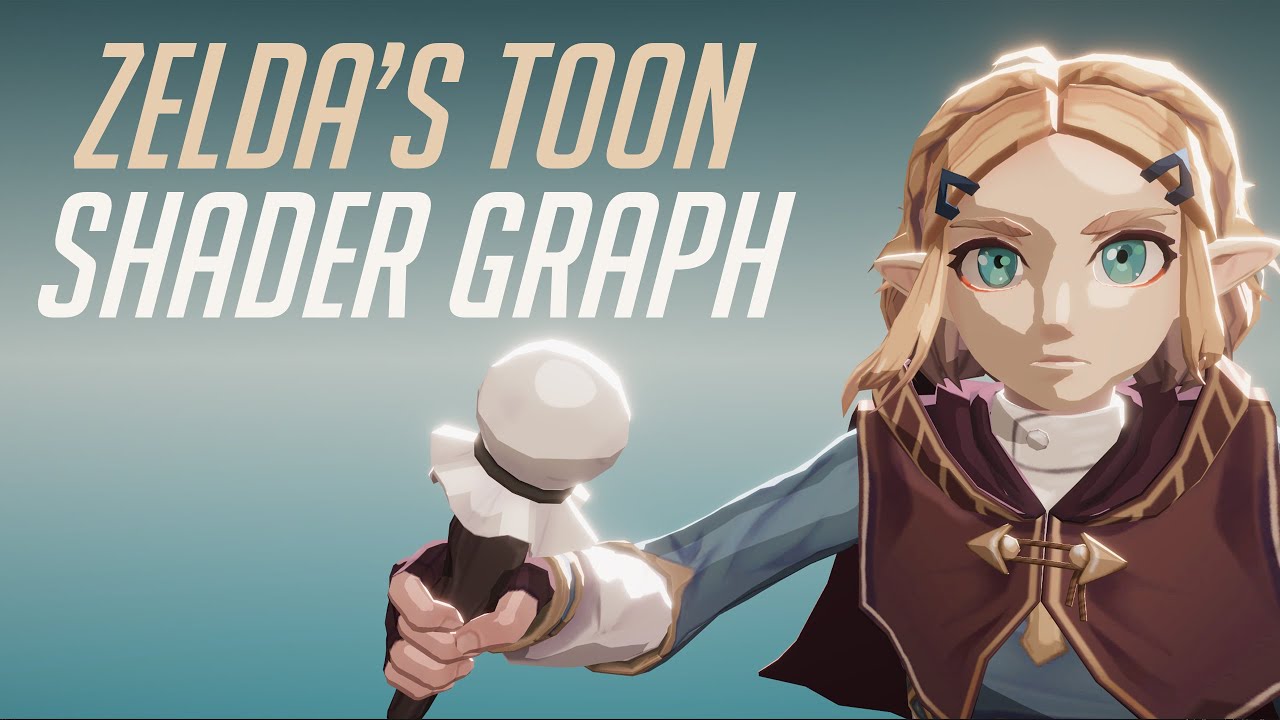
In this video we will show how to re-create Zelda Zelda Breath of The Wild Toon Shader Graph in Unity engine.
Download project files (Patrons only): https://www.patreon.com/BinaryLunar
00:00 Intro.
02:00 Setting up the scene and the character.
03:50 Creating a Custom Function node to get the main directional light data.
05:25 Calculating the p...

 bitter elm
 tacit quartz
anyone know how to fix skybox shader material stretching along one axis?
tacit quartz
anyone know how to fix skybox shader material stretching along one axis?
It's probably not what you want to hear, but the stretching in the first image I find quite charming actually. Once you get it to behave the way you want, consider iterating on that a little bit.
bitter elm
bitter elm
Hey,
I have an issue with the shader graph tool:
I am working along a fairly r...
Line 50 only contains an
#if
so I really don't know where to start looking for the problem.
regal stag
bitter elm
Line 50 only contains an
```#if```
so I really don't know where to start lookin...
If it's #if SHADERGRAPH_PREVIEW, then it needs to be changed to #ifdef SHADERGRAPH_PREVIEW in newer versions. Not sure if that's the only problem though
grand jolt
help here
 bitter elm
regal stag
If it's `#if SHADERGRAPH_PREVIEW`, then it needs to be changed to `#ifdef SHADER...
bitter elm
regal stag
If it's `#if SHADERGRAPH_PREVIEW`, then it needs to be changed to `#ifdef SHADER...
It was indeed only an #if SHADERGRAPH_PREVIEW but it's still not working overall. Could you maybe help me troubleshooting this? I have very little experience with the shader graph tbh.
grand jolt
idk why my lightning is black
bitter elm
grand jolt
idk why my lightning is black
Try baking the light, that might help
grand jolt
oh ok but how, i am new to unity
regal stag
@grand jolt Try baking it, button in the Lighting window. This'll probably fit better in the #archived-lighting channel if that doesn't work
grand jolt
umm i still can't see the Bake option
regal stag
bitter elm
It was indeed only an ```#if SHADERGRAPH_PREVIEW``` but it's still not working o...
It's hard to troubleshoot without being able to see the code. But I have some custom lighting functions of my own that you could try. They also should work better in an unlit graph because of added keyword defines which allow the cascades + soft shadows to function. (The only problem is mine currently requires shadow cascades to be 2 or higher as it errors with none/1). https://github.com/Cyanilux/URP_ShaderGraphCustomLighting
bitter elm
regal stag
It's hard to troubleshoot without being able to see the code. But I have some cu...
I'd be perfectly happy to share my screen or something, I'm just worried that a bot will kick my rear if I start pasting lots of code and images in here^^''
Although there does not seem to be a voice channel as far as I can see.
regal stag
As long as it's posted in the code tags it should be fine
If it's long, could always use hastebin and paste a link here
bitter elm
Okay then, here's the actual code (of the custom function I'm using inside the shader graph): https://github.com/Unity-Technologies/ShaderGraph-Custom-Lighting/blob/master/Assets/Includes/CustomLighting.hlsl
It's from Unity, apparently, that's why I suspect that something about my setup isn't right instead.

GitHub
A sample project showcasing a simple method to calculate custom lighting inside of Shader Graph for the Lightweight Render Pipeline. Includes a sample toon shaded scene and example assets. Built fo...
regal stag
Ah I think I see the problem, inside your graph the "Name" of the Custom Function should match one of the names in the file. So "MainLight" should be used here, as then it'll select the _float or _half versions based on the precision of the node.
bitter elm
Could you give me the line?
regal stag
In the graph, not the code
The #if SHADERGRAPH_PREVIEW should still be changed to #ifdef though too
Referring to this box, in case I wasn't very clear. Should be "MainLight" to match the function name in the file.
 bitter elm
regal stag
The `#if SHADERGRAPH_PREVIEW` should still be changed to `#ifdef` though too
bitter elm
regal stag
The `#if SHADERGRAPH_PREVIEW` should still be changed to `#ifdef` though too
Edit: That cleared up my question!
That part I did^^
The other issue I can't seem to find tho (and sry for being so slow-.-): The custom function's name is 'CustomLighting', the file is called CustomLIghting.hlsl - where does the 'MainLight' go? As the function name?
Now it'S working, thanks a lot!
 late juniper
Hey people.
Sorry if this has been asked before, but I was unable to find a solution through online searching.
Unity 2021, shader graph. I want to instance the shader/material. Is that possible, and are there certain nodes that prevent instancing/make it worse?
regal stag
late juniper
Hey people.
Sorry if this has been asked before, but I was unable to find a solu...
As far as I'm aware, there's a tickbox on the material to enable it but it won't work with any properties. I think the SRP Batcher is kinda meant to replace it.
late juniper
Thanks you! I'll read into SRP right away, just what I needed. I appreciate it.
bitter elm
A question out of curiosity: Why won't the shader graph let me pick colors in color nodes or color properties? It remains pitch black (0,0,0). I can change it in the actual material parameters, no problem, but it makes the work a bit slower and more cumbersome since I only see changes once I save the asset.
regal stag
bitter elm
A question out of curiosity: Why won't the shader graph let me pick colors in co...
It's meant to show a colour picker when clicked, but I know it has been bugged for others to. Can try restarting Unity, may need to update URP/Unity.
bitter elm
Okay, I'll try that, thanks again!
 lusty badger
Has anyone noticed this before? I thought pow in hlsl works with zero

Oh. The noise doesnt produce 0-1 values but goes to negative. I though the negative value spots would be bigger
bitter elm
How come negative values to the power of two give out... whatever that is?
regal stag
hlsl's pow doesn't support negative values
bitter elm
Okay, so that's why multiplying works then.
regal stag
Yeah, you can also Saturate to clamp the noise between 0 and 1 before putting it into the power node. (Or Absolute it I guess)
 summer shoal
so im making a foam for my water shader, but im too dumb.
I want to make the white parts aka the foam with a gradient noise, but i dont know how to...
 regal stag
summer shoal
so im making a foam for my water shader, but im too dumb.
I want to make the whi...
regal stag
summer shoal
so im making a foam for my water shader, but im too dumb.
I want to make the whi...
Try adding (Add node) the noise before the Clamp. Can multiply the noise by a value before that to adjust its strength too
summer shoal
regal stag
Try adding (Add node) the noise before the Clamp. Can multiply the noise by a va...
thanks for your help, do you mean like this?

 nocturne nebula
Im trying to create a thin outline on 3d models similar to this unity tutorial https://learn.unity.com/tutorial/custom-render-passes-with-urp/?tab=overview#5ff8d886edbc2a001fd0b4d4
using unity version 2020.2.2f1 and the URP and no matter what i try, the Render Objects Feature on the URP renderer will not cause the effect to be applied

Unity Learn
In this tutorial, you will learn how to use custom render passes to render a toon outline post processing effect on selected objects
slim steppe
Hi shader wizards
How could I create a under water effect with water line?
 wanton hazel
Where can I go to learn more about rendering hair in Unity? I'm having trouble understanding the workflow for hair cards. In Blender's Eevee renderer, it's as simple as setting my hair material to use "alpha hashed" transparency and it looks beautiful. My project uses HDRP, and it doesn't seem to be possible to replicate "alpha hashed transparency" in Unity from my research, so what do I do?
willow pike
How would I allow light to pass through an opaque object? It's a grass blade material I made in shader graph.
I have a scene I'm using a toon shader on and I want all of the grass within the light's range to appear lit but the grass itself is obscuring the light facing the camera.

Any way to make that light pass through so the front side appears lit within the point light range?
 junior gazelle
hi i'm a complete noob and came across this unity shader https://github.com/dsoft20/psx_retroshader

GitHub
Shader that "emulates" the rendering style of ps1. Contribute to dsoft20/psx_retroshader development by creating an account on GitHub.
could someone guide me on getting this in my project
shadow locust
willow pike
Any way to make that light pass through so the front side appears lit within the...
Lights have culling masks
if your obstacle is not within the light's culling mask, it will not block the light (or be illuminated by it)
oh nevermind I don't think that will fix your issue
🤔
willow pike
shadow locust
Lights have culling masks
Yeah I did try that, part of the issue is that the shader is using custom lighting so culling is not working. But even if it was it wouldn't solve my issue. I do want it to be illuminated by the light, I just want both sides to be illuminated if its within the light range.

 regal stag
 hazy sage
Hi everyone, with URP, how do I have a alpha node ?
hazy sage
Hi everyone, with URP, how do I have a alpha node ?
For the Sprite Master nodes, the alpha is the fourth component of the Color, since it's a Vector4 rather than a Vector3 like the regular Unlit Master. You can use a Split your current result and use a Combine node to set each channel separately.
hazy sage
I don't really understand what you mean, but just to clarify, I want an alpha node for the first image
(thanks for the help :p)
regal stag
hazy sage
I don't really understand what you mean, but just to clarify, I want an alpha no...
I think you mean Alpha port. The whole thing is a node. That is what I was referring to though, the Sprite Unlit Master does not expose the Color (3, RGB) and Alpha (1) separately, it is combined into the Color (4, RGBA) port.
 regal stag
Use a Split node on the (3) output, you can then connect them and set A separately
hazy sage
Im back again xD @regal stag (sorry for the ping), If I want to have the sprite of my player here, how can I do it?
 regal stag
hazy sage
Im back again xD <@!357936113983291393> (sorry for the ping), If I want to have ...
regal stag
hazy sage
Im back again xD <@!357936113983291393> (sorry for the ping), If I want to have ...
Change the reference to "_MainTex"
willow pike
How would I color a mesh based on nearby objects (ground color below it)?
 rigid silo
one way is by passing the scene colors through it,
another could be by having a color volume, set the colors of meshes in an area using triggers or a field of points of colors
willow pike
rigid silo
one way is by passing the scene colors through it,
another could be by having a ...
Yeah I think using the scene colors is what I'd like to. I'd prefer to do it all in shader rather than passing global variables to it from code. What would I plug into the scene color node in order to find the color of the ground below? I'm trying to get blades of grass to pick up the color of the ground below them.
rigid silo
unfortunatly in that case, That's logical code; you may need to sample the ground underneath it using code and pass the values to the grass. I'm unsure of another way, since the shader of one object doesn't know what's underneath itself
willow pike
Shoot alright, thanks! Hopefully I can figure this out.
 vast timber
Can I ask a compute shader question here or is there a more appropriate place? If so, is there a method to asynchronously get an append buffer from a compute shader?
 earnest willow
i am extremely new to unity so this may sound stupid
i gave this cube a generic placeholder crate texture as seen from the inspector, but it shows up black? how do i fix this
 wanton hazel
Does it have UVs?
junior gazelle
junior gazelle
hi i'm a complete noob and came across this unity shader https://github.com/dsof...
could someone help me with this?\
wanton hazel
junior gazelle
could someone help me with this?\
Create a subfolder in your project called PSX Shader or whatever
Drop all items from the repo's Assets folder into it
junior gazelle
@wanton hazel like so?
 wanton hazel
Should be good, yeah
junior gazelle
i get this while tryna open the test scene
 wanton hazel
I had not tested myself until now, instead only outlining the usual steps. It appears that particular repo is not compatible with modern Unity. Use this fork instead: https://github.com/brunurd/psx_retroshader

GitHub
Shader that "emulates" the rendering style of ps1. Contribute to brunurd/psx_retroshader development by creating an account on GitHub.
Loads into my editor as expected
 junior gazelle
@wanton hazel you're a life saver,t hanks a bunch
summer shoal
is there any way to negate the scene depths y axis?
 thick fulcrum
wanton hazel
Where can I go to learn more about rendering hair in Unity? I'm having trouble u...
thick fulcrum
wanton hazel
Where can I go to learn more about rendering hair in Unity? I'm having trouble u...
having read the description in Blender docs, you may want to lookup "dithered transparency" I suspect this maybe a similar technique and should be simple enough to implement.
low lichen
summer shoal
is there any way to negate the scene depths y axis?
You mean invert? One Minus should do that.
summer shoal
low lichen
You mean invert? One Minus should do that.
no, i meant just the y axis. but i think i have to do this completely different...
low lichen
Then you One Minus the Y UV to flip it.
summer shoal
imma explain it better: I want to make foam for my water shader and already made a depth subgraph, but i dont know how i can make it, so the foam moves away from the black to the white value
 tacit quartz

anyone know how to fix skybox shader material stretching along one axis?
Does it have anything to do with the voronoi noise being 2d?
thick fulcrum
summer shoal
imma explain it better: I want to make foam for my water shader and already made...
the general technique for controlling liquids in textures is "flow map", there's an example I found somewhere which used depth to do a similar thing but I found it hacky and prone to issues. It's not a simple problem to solve, but there are ways.
 hasty hare
Any idea why adding Fallback "Sprites/Default" to simple sprite renderer shader causes it to be transparent in editor? its optional anyway but just wondering what causes it
 jovial raptor
Im trying to create raymarch using custom pass, I was able to get world space view direction, by using built in function above, but I need to inverse the view direction to ray from camera to the object, how I do this in HDRP ?
 summer shoal
thick fulcrum
the general technique for controlling liquids in textures is "flow map", there's...
summer shoal
thick fulcrum
the general technique for controlling liquids in textures is "flow map", there's...
if you remember the link, can you maybe send it to me?
thick fulcrum
summer shoal
if you remember the link, can you maybe send it to me?
sadly I don't it was probably 6 months to a year ago, it was just a blog post which gave a brief description of the technique if I recall. There are many ways to attack this but most use some additional geometry which allows you to manually setup uv's so you can simply pan them. Crest is one of the best assets for oceans which have just added a spline tool to allow for waves to shore effects.
Cyan has a good post on how to create your own geometry and shader for this sort of effect.
It's not a simple nut to crack I'm afraid
regal stag
summer shoal
imma explain it better: I want to make foam for my water shader and already made...
When you say moves away from black to white, are you referring to the foam being animated?
Or do you just want to replace the black with white and vice versa? (as MentallyStable mentioned the One Minus node would be what you would want in that case but you don't want to flip the entire screen, just the Vector1 output)
regal stag
jovial raptor
Im trying to create raymarch using custom pass, I was able to get world space vi...
Wouldn't reversing the direction just be -GetWorldSpaceViewDir(pos)?
summer shoal
regal stag
When you say moves away from black to white, are you referring to the foam being...
I already figured out how to do it... played around with it and found this solution for the moving foam
 regal stag
tacit quartz
anyone know how to fix skybox shader material stretching along one axis?
Does it...
regal stag
tacit quartz
anyone know how to fix skybox shader material stretching along one axis?
Does it...
Correct, the skybox uses 3D uvs (the same as the Position node), unlike a regular sphere mesh which is UV mapped. The Voronoi node only handles 2D. You could remap that coordinate into something similar to latitude/longitude though. This should be useful : https://medium.com/@jannik_boysen/procedural-skybox-shader-137f6b0cb77c
regal stag
earnest willow
~~i am extremely new to unity so this may sound stupid~~
i gave this cube a gene...
I don't deal with HDRP a lot, but this might be a lighting problem. If you've installed HDRP into a previous project the lighting values it uses are different units and need to be much much higher. Something like 10,000 (More info https://docs.unity3d.com/Packages/com.unity.render-pipelines.high-definition@7.1/manual/Physical-Light-Units.html)
summer shoal
summer shoal
I already figured out how to do it... played around with it and found this solut...
this solution works fine, but the white value at sine stays for too long, so it looks a little odd, is there a way to fix this?
regal stag
Multiplying the time by a value before putting it into the Sine node will adjust the frequency of the wave
summer shoal
regal stag
Multiplying the time by a value before putting it into the Sine node will adjust...
yeah, but then my waves would be too fast, wouldnt they?
regal stag
summer shoal
yeah, but then my waves would be too fast, wouldnt they?
I guess so, I'd try something like this instead
 summer shoal
regal stag
I guess so, I'd try something like this instead
summer shoal
regal stag
I guess so, I'd try something like this instead
thanks, ill try that!
hazy sage
Hey everyone, how could I edit the color variable in my character shader ? I tried that but that doesn't work

Im trying to edit that
 regal stag
Change the reference box to match what's in the C#, so "_Color". It's the reference that's used, not the name
hazy sage
Oh, thanks again Cyan X)
summer shoal
regal stag
I guess so, I'd try something like this instead
The thing about this one is, that there is no fade between black and white values and thats necessary for my shader... but thanks for helping! :)
 trail dirge
Guys, I cant understand, how to tile my textures into material, so texture absolute size would be same for different objects' scales. How can I figure out this problem?

 lapis hearth
Is there any way to upgrade my own shaders to urp and if not is there any good toon shaders that works with urp out there?
jovial raptor
regal stag
Wouldn't reversing the direction just be `-GetWorldSpaceViewDir(pos)`?
Tried that, but the effect is still broken, there's must be something wrong somewhere else
summer shoal
Is there a way to combine Color and UV in the shadergraph?
vast timber
trail dirge
Guys, I cant understand, how to tile my textures into material, so texture absol...
You could try getting the object scale in the shader, then scaling the material to the size of the object, so there's no stretching
trail dirge
Would it work on different objects individually?
earnest willow
fixed my lighting issue, i was accidentally using HDRP instead of universal RP, but now the texture is is only in the inside of the cube?

well no, its on both sides, but you see through the faces the editor camera is directing
thick fulcrum
earnest willow
fixed my lighting issue, i was accidentally using HDRP instead of universal RP, ...
is that a unity cube or custom?
earnest willow
thick fulcrum
is that a unity cube or custom?
unity cube
thick fulcrum
strange, must be something in your shader code I'm afraid. Is this made using shader graph?
earnest willow
i just dragged the .jpeg to the cube for unity to make the material itself
vast timber
trail dirge
Would it work on different objects individually?
Yup, or you could use triplanar mapping
 timid dagger
Hey, I'm making a rain ripple effect following a tutorial. When my shader material is set to the shader graph material, I get no affect. It just stays like a default material with no texture. Im new to nodes in unity so let me know if I did something wrong please

 regal stag
timid dagger
Hey, I'm making a rain ripple effect following a tutorial. When my shader materi...
regal stag
timid dagger
Hey, I'm making a rain ripple effect following a tutorial. When my shader materi...
If you're in URP, the Scene Color node will need the Opaque Texture option to be enabled on the URP asset. I'm unsure if it'll show in the Main Preview window though, you will likely need to test it in the scene.
timid dagger
Thanks, that fixed on problem, how would I go about making the grey part transparent
 lavish star
I need help building a simple shader, i can pay anyone who is able to lend a hand!
I need a transparent Fade shader that automatically changes it's HDR color over time, cycling through a list of color or all the RBG colors.
 hollow crystal
I am trying to make a shader that will outline my objects whether it is visible or not. I have been trying to modify the Silhouette Outline shader Outline Only variant
http://wiki.unity3d.com/index.php?title=Silhouette-Outlined_Diffuse
But I have had no success having just an outline that is visible at all times.
I have never touched shaders before so I honestly have no idea what I am doing, anyone able to give me a hand?
earnest willow
implicit truncation of vector type Compiling Vertex program with _ADDITIONAL_LIGHTS_VERTEX Platform defines: UNITY_ENABLE_REFLECTION_BUFFERS UNITY_USE_DITHER_MASK_FOR_ALPHABLENDED_SHADOWS UNITY_PBS_USE_BRDF1 UNITY_SPECCUBE_BOX_PROJECTION UNITY_SPECCUBE_BLENDING UNITY_ENABLE_DETAIL_NORMALMAP SHADER_API_DESKTOP UNITY_LIGHT_PROBE_PROXY_VOLUME UNITY_LIGHTMAP_FULL_HDR Disabled keywords: DOTS_INSTANCING_ON _SCREEN_SPACE_OCCLUSION LIGHTMAP_ON DIRLIGHTMAP_COMBINED _MAIN_LIGHT_SHADOWS _MAIN_LIGHT_SHADOWS_CASCADE _ADDITIONAL_LIGHTS _ADDITIONAL_OFF _ADDITIONAL_LIGHT_SHADOWS _SHADOWS_SOFT LIGHTMAP_SHADOW_MIXING SHADOWS_SHADOWMASK INSTANCING_ON FOG_LINEAR FOG_EXP FOG_EXP2 UNITY_NO_DXT5nm UNITY_ENABLE_NATIVE_SHADOW_LOOKUPS UNITY_METAL_SHADOWS_USE_POINT_FILTERING UNITY_NO_SCREENSPACE_SHADOWS UNITY_PBS_USE_BRDF2 UNITY_PBS_USE_BRDF3 UNITY_NO_FULL_STANDARD_SHADER UNITY_HARDWARE_TIER1 UNITY_HARDWARE_TIER2 UNITY_HARDWARE_TIER3 UNITY_COLORSPACE_GAMMA UNITY_HALF_PRECISION_FRAGMENT_SHADER_REGISTERS UNITY_LIGHTMAP_DLDR_ENCODING UNITY_LIGHTMAP_RGBM_ENCODING UNITY_VIRTUAL_TEXTURING UNITY_PRETRANSFORM_TO_DISPLAY_ORIENTATION UNITY_ASTC_NORMALMAP_ENCODING SHADER_API_GLES30
what does this error mean
 balmy oasis
hollow crystal
I am trying to make a shader that will outline my objects whether it is visible ...
balmy oasis
hollow crystal
I am trying to make a shader that will outline my objects whether it is visible ...
You might check out this free asset to see if you can either use it as-is or tweak it to your liking...
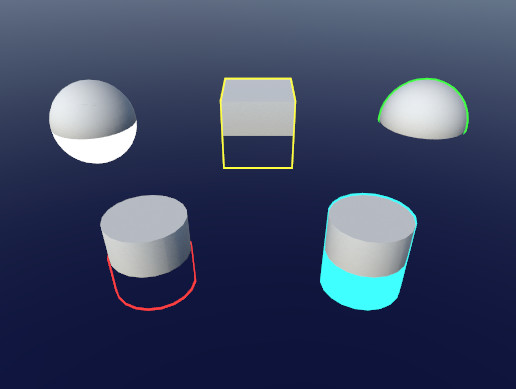
Use the Quick Outline tool for your next project. Find this and more particle & effect tools on the Unity Asset Store.
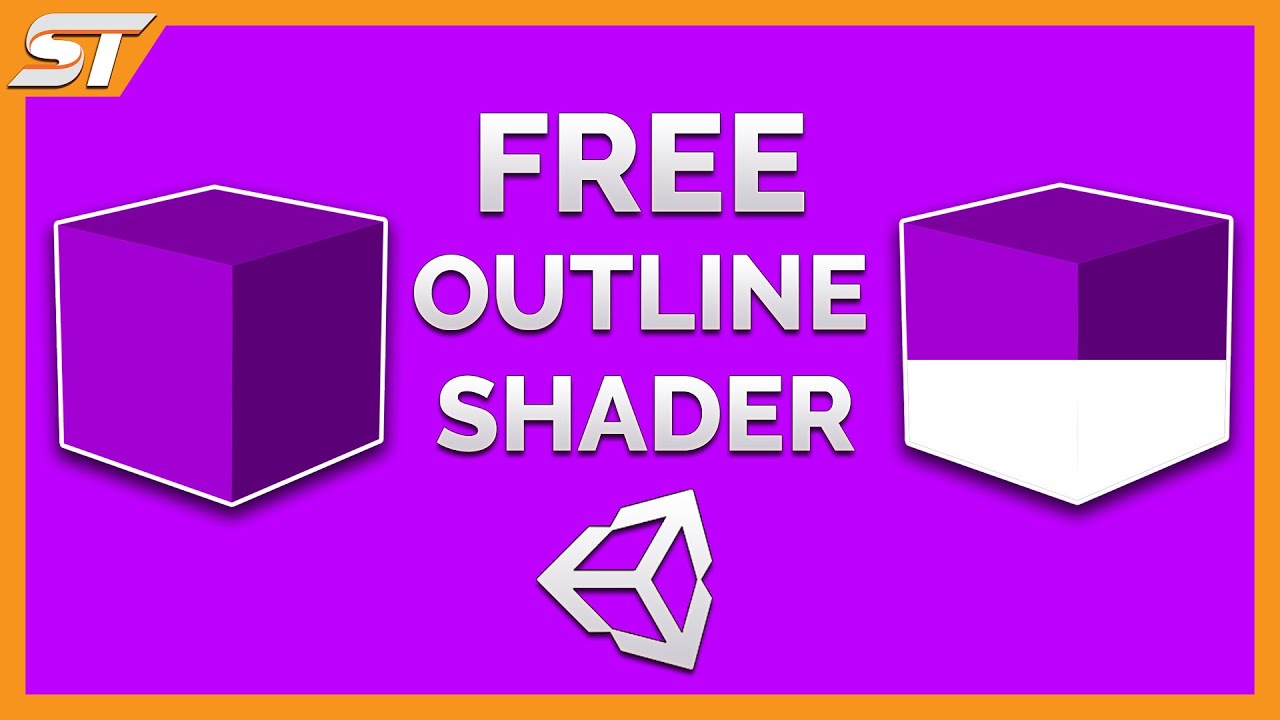
This is the showcase of the FREE Quick outline shader for Unity 5.6 and above, suitable for all versions including: Standard pipeline, with the possible compatibility for URP and HDRP (But cannot confirm - May need modifications). This asset allows you to either create a outline or a silhouette, through or over the top of 3D objects, it's easy t...
hollow crystal
I am loading the textures and shaders from an assetbundle used in modded a game, so I don't have access to using assets from store unless they can be packaged inside asset bundles as well? I don't think so since you can't package a script but it gives me a good base to learn from so thanks.
balmy oasis
Yep. Hopefully you can get it to work or find what you need. I just downloaded it and played around with it and it seems pretty nice. I can't get it to preview in the scene view, however.
 vast timber
Is there an efficent way to move a lot of data (10k) between compute shaders and the main thread without a stall? I am currently trying to use AsyncGPUReadback but I use an append buffer, and I don't know how to use it with an append buffer
shadow locust
vast timber
Is there an efficent way to move a lot of data (10k) between compute shaders and...
reading back from the gpu is always going to be slow
vast timber
Yea I know, though I tried to make a normal shader that reads from a compute buffer and all sorts of things went wrong (Shadows were bugged basically) so I'm going the lazy way and reading it back to the CPU
shadow locust
I have a normal shader reading from a compute buffer
that is working fine
(it's an append buffer too)
vast timber
Oh, mind explaining me how you did it? I had to scrap switching to only GPU because of that so that would be pretty appreciated
wanton hazel
thick fulcrum
having read the description in Blender docs, you may want to lookup "dithered tr...
Thanks for the response, but what I'm finding in regards to dithered transparency doesn't really match. Perhaps you could help me out there.
Referring to the Blender documentation I suspect you read, the primary problem I'm looking to solve is sorting
As a real world example, here is my hair mesh in Blender using alpha hashed transparency

Hm...
This is so strange, I've loaded up my Unity project to capture a comparison and the problem is just gone...
compact plume
Really proud of how this shader turned out. Only thing is, I wish I could use a texture2D instead of an ellipse. I can put a circle texture in easily enough to replace the ellipse alpha mask. The tricky part has been stretch the UVs to generate the same effect as the width / height properties of the ellipse node.
Either the flame gets badly distorted, or there's a line through the middle, or it's offset in some funky way or stretched too big. 🤔

This is the main issue in question. Currently, am using a Vector4 to create the width and height for both the main flame shape and its darker outline. The UVs are coming in from the Posterization section below:

Not sure what combination of nodes to use to give the same effect.
 trail dirge
I am trying to create a shader using shader graph. But I have a problem, as you can see on screenshot. How can I fix that?

 vocal narwhal
You need to be using either URP or HDRP to use shadergraph
trail dirge
Can I change my existing project to new template?
vocal narwhal
Yes, upgrade/config instructions are pinned to #archived-hdrp
trail dirge
Ok, thanks
thick fulcrum
@wanton hazel good that the problem had gone, generally an opaque alpha cutout shader is used for hair and things where we don't want z-fighting / depth issue that a "transparent" shader brings. "dithered transparency" is a bit of a bad name as it is just an opaque alpha cutout which has a dithered (hashed) effect applied to the alpha. Which closest fit the blender description as these avoid z-fighting / depth issues.
But since it's sorted no need to worry about all that 😉
 quaint grotto
any one know what this means:
texture wasn't created with the UAV usage flag set!
in a compute shader? I have set it to enable random write:
_buffer.enableRandomWrite = true;
so i dunno what causes this error
solved it nevermind
swift loom
So currently I've got these pixel art point lights going and they work just fine, except that I can't set any values on each individual light such as size, as it's all set in a shared material. I've been looking at some stuff on the web how to get the range value of a point light object but I can't get it to do anything.
Is there any smart way of getting external light info into the shader? Best I've found right now is writing a custom renderer and I just want to see if there's something easier before I dive in. 😔
 elder fog
Hey there!I am starting out in unity and in my tutorial the objects look a lot more "clean" than in my unity project
Tutorial:

Project:

Any way to fix this?
desert orbit
Nothing to fix. It's lighting color and bloom postprocessing on different settings.
elder fog
emm i would like to have the clean look how do i set it to it?
desert orbit
Follow the tutorial. Learn about lighting and postprocessing.
You can find more tutorials pinned in #💻┃unity-talk and #💻┃code-beginner also pinned manual references for #archived-lighting and #💥┃post-processing in respective channels.
 dreamy wagon
Hi, I have a problem with my new Terrain Shader: I created a shader with rain ripples (from a YT tutorial), but I used that shader on my Terrain, not a Plane (like the tutorial), because I want that effect on my Terrain. Now I have that problem: I can't paint no more. My terrain will use only the shader texture, 1 texture for the entire terrain. Any way to fix that, or any sugestion ? Thanks.
 thick fulcrum
dreamy wagon
Hi, I have a problem with my new Terrain Shader: I created a shader with rain ri...
thick fulcrum
dreamy wagon
Hi, I have a problem with my new Terrain Shader: I created a shader with rain ri...
terrain shaders as you have probably discovered use splatmaps to designate painted areas, I believe 4 textures blending between them etc. it can get quite complex to replicate.
For rain effects it maybe easier to do this as vfx / particles system, which happens locally around the player for performance reasons. you could spawn a small quad which plays the ripple effect just above the terrain aligned to surface normal.
This avoids messing with the terrain system and is one less thing to maintain by having it modular you can easily re-use in other projects etc.
it may also be doable as a screen space effect 🤔 but that may have quirks / limitations
summer shoal
how would i be able to make the red (for an example) over the green one, so everywhere where red is cant be green, so it doesnt blend... i dont know how to describe it

is this the only solution, or is there a node that combines that?
 regal stag
@summer shoal Lerp, (or Blend node with Overwrite mode) can handle this. It has 3 inputs, a, b and t. It's equal to (1-t)*a + bt.
summer shoal
regal stag
<@!320634785133363200> Lerp, (or Blend node with Overwrite mode) can handle this...
If using lerp, how would I be able to use two different maps?
like it only works 50/50 because i cant get the black value i need, or am i doing it wrong?
 regal stag
@summer shoal It would only simplify the last four nodes of the graph you posted before. With these sections as the A B and T inputs :
 summer shoal
oh, I understand, thanks!
regal stag
If you wanted to control the colour of the black parts too, you'd replace the Multiply in group B with another Lerp
summer shoal
thanks for the tip :)
using the blend mode you meantioned before, how would i make the black parts the alpha value?
 regal stag
Oh whoops, might have gotten the A and B groups the wrong way around in that image, should still get the point across though.
summer shoal
regal stag
Oh whoops, might have gotten the A and B groups the wrong way around in that ima...
No problem
regal stag
summer shoal
using the blend mode you meantioned before, how would i make the black parts the...
I'm not too sure what you mean
The Blend node with Overwrite is identical to a Lerp, so they'd be used in the same way.
 signal rapids
Is there any way of getting tension info from a mesh in shader graph? Tension maps for wrinkles seem like an obvious thing to be part of a game engine, but I can't find a single thing about it for Unity
Maybe by comparing edge lengths to the mesh's neutral state, somehow
 wanton yarrow
Is there any way to enable GPU instancing to TextMeshPro related materials?
low lichen
wanton yarrow
Is there any way to enable GPU instancing to TextMeshPro related materials?
That's not going to be very helpful though. Whole point of TextMeshPro is to generate a unique mesh for each text. GPU instancing assumes drawing the same mesh multiple times.
wanton yarrow
My issue comes from the dynamic batching of tmp objects though. They are set to automatically adjust their materials upon loading based on a preset language. However...
The moment these materials are assigned in the code, they create separate instances and thereby add to the draw call count.
I'm trying to figure out how to reduce this by keeping each text object set to the same instance of a material.
low lichen
I think if you use MaterialPropertyBlocks, even if you're not using instancing, dynamic batching will see that as the same material and batch them.
I may be wrong about that though, never tried that.
wanton yarrow
TMP does not seem to support Material Property Blocks from what I've looked up.
low lichen
MaterialPropertyBlocks don't need to be supported. You're thinking of instancing.
You can use MPBs just as an alternative to changing material properties
Works with any shader.
 toxic flume
I have written a shader (fbm and dual fbm) to simulate wavy movements. To achieve an acceptable result, I have to combine two statement with at least 3/4 iterations and finally combine them with another fbm. Therefore, I have to sample a noise texture 9/10 times, it is huge. How can I optimize it? the object with this shader is huge and has a big size, suppose a dead wall zone
I want it for android devices
wanton yarrow
I dont see any properties or methods that allow text materials to use "GetPropertyBlock"
low lichen
It's on the renderer component
All renderer components have a SetPropertyBlock method
wanton yarrow
How do I use that with "this.text"
Can it be done on their canvas renderer?
Sorry. This.text is a TextMeshProUGUI component.
low lichen
@wanton yarrow Looks like CanvasRenderer is different from regular renderers and doesn't support property blocks.
wanton yarrow
Exactly. I can't quite figure out how else to reduce draw calls for TMP when adjusting their materials.
low lichen
What properties do you need to change?
wanton yarrow
Seems incomplete to exclude property blocks from a canvas renderer.
Just the material for changing fonts. I am including Asian languages, which are not supported in specific stylish fonts.
low lichen
So you need to change the texture?
wanton yarrow
So I have to have the game readjust to a lesser font for such characters.
Based on the multiple fonts, they need their own atlases, so probably yes.
low lichen
I see CanvasRenderer has a SetTexture method, which will set the _MainTex property without modifying the material
It could be it's using property blocks internally for that
I believe TextMeshPro also names its font texture _MainTex, so it should work.
wanton yarrow
So if I had the name of the material, how would I type the line to assign it to _MainTex? Example: this.text...GetComponent<CanvasRenderer>().SetTexture(???)
low lichen
You'll need more than just the name of the material
wanton yarrow
Got the canvas renderer to work
Unfortunately, it still regards the font materials as separate instances.
I did it this way: this.text.gameObject.GetComponent<CanvasRenderer>().SetTexture(material.GetTexture("_MainTex"));
willow pike
Is it possible to manipulate bloom post processing to quantize or step the results so it’s “banded” rather than a smooth transition? Or create a shader effect to approximate something similar?
 hazy rampart
Hi guys, I'm trying to glow only the edges of the cube. How I could do that?
This is my shared and the result, it's completely different
 grand jolt
is there any reason why specifying alpha
would make the things transparent even at alpha=1
thick fulcrum
grand jolt
is there any reason why specifying alpha
is it transparent or a sorting / z-fighting issue you are seeing?
willow pike
How would I alter a shader graph effect I've made to not appear on flat surfaces? I have a toon shader with a rim light effect and it's working great except at certain angles it covers entire surfaces if they are flat.
grand jolt
thick fulcrum
is it transparent or a sorting / z-fighting issue you are seeing?
this is on alpha=1 https://i.imgur.com/TitGtu4.gif
 willow pike
How would I alter a shader graph effect I've made to not appear on flat surfaces...
willow pike
willow pike
How would I alter a shader graph effect I've made to not appear on flat surfaces...
It looks correct here
 grand jolt
i have ```
Tags
{
"RenderType"="Opaque"
"Queue"="Transparent"
}
#pragma surface surf Standard fullforwardshadows vertex:vert alpha:fade
o.Alpha = _Alpha;
But it's washing out the entire surface on the top here.

Would it be possible to make the effect only appear on surfaces with smoothed normals?
thick fulcrum
grand jolt
i have ```
Tags
{
"RenderType"="Opaque"
"Queue"="Transparent"
}
#pragma surfac...
I'm not sure what I'm supposed to be seeing in the gif, but I can see it's transparent. Generally to avoid depth issues and other problems, your better off using opaque cutout. Where you need transparency, lets say fade a building when camera too close it's better to use "dithered transparency" (which is still an opaque cutout shader) there are a few terms for it but that should point you in right direction I think.
willow pike
So I could define where the rim light works
grand jolt
thick fulcrum
I'm not sure what I'm supposed to be seeing in the gif, but I can see it's trans...
i mean on the gif its alpha=1 which should be not transparent
thick fulcrum
grand jolt
i mean on the gif its alpha=1 which should be not transparent
it's set to 1 on material?
then it's strange, maybe something else interfering with the final alpha or altering material during play?
grand jolt
yes its set to 1
thick fulcrum
grand jolt
yes its set to 1
have you specified a Blend mode?
grand jolt
i tried that too yes
thick fulcrum
willow pike
So I could define where the rim light works
might want to look at unities built in rim lighting, I based my version on that as I was having issues rolling my own
summer shoal
Is there a way to organize the values of a shader better? like the same with [Header("Name")] in scripts?
 thick fulcrum
summer shoal
Is there a way to organize the values of a shader better? like the same with [He...
thick fulcrum
summer shoal
Is there a way to organize the values of a shader better? like the same with [He...
if your on built in / hand coding then you can write your own custom inspector for the editor.
if shader graph then can try https://github.com/needle-tools/shadergraph-markdown

GitHub
Markdown-like syntax for ShaderGraph properties, to make better material inspectors - needle-tools/shadergraph-markdown
summer shoal
thick fulcrum
if your on built in / hand coding then you can write your own custom inspector f...
im on a shadergraph editor, so imma try the github one, thanks!
grand jolt
how to fix it ?

 sonic bear
Hey I am curious about how to modify the vertex position of a mesh with a uv based texture
like a heightmap but for vertex positions
due to the fact most instances of vertex postion editing shaders seem to be based on position which wouldn't work for what i am trying to do
like a bump map but...actually modifying the surface of the mesh
earnest willow
im trying to load the default Ethan model for testing, but his shaders and materials are all wonky any suggestions on how to fix this?
 sonic bear
@earnest willow try adding a different material?
regal stag
sonic bear
Hey I am curious about how to modify the vertex position of a mesh with a uv bas...
What you are referring to is usually called displacement mapping. You can easily sample a texture in the vertex stage of a problem but it requires using tex2Dlod / Texture.SampleLevel or SAMPLE_TEXTURE2D_LOD(texture, sampler, uv, lod) macro.
Or for shader graph, the Sample Texuture 2D LOD node. Here's an example that alters the Y axis using a heightmap texture. Black/0 results in no offset, White/1 results in an offset of 1 unit. Multiply node changes/remaps that range.
 sonic bear
Yeah I had been using texture 2s lod for it but how i tried was not getting correct results
 regal stag
You shouldn't be using the UV node. You need to use the Position node to obtain the vertex positions from the mesh and offset them based on the texture result.
earnest willow
sonic bear
<@!269147013654773762> try adding a different material?
ethan comes with materials meant specifically for him
sonic bear
You can simply just
make a new material
and put the texture in it
and it will work just fine
@regal stag I followed along but it seems to have an interesting effect, here is it without adding the displacement

Yet it shifts everything down
 regal stag
sonic bear
Yet it shifts everything down
regal stag
sonic bear
Yet it shifts everything down
That's because your offsetting the Y position of the vertices. My displacement was just an example, I don't know exactly what you're trying to achieve. If you want to push it out from the mesh instead you'd usually multiply the texture result with the Normal Vector (object space) instead of using the Vector3 node. It still needs to be added with the Position node.
sonic bear
thaaaanks for the help, worked perfectly
dreamy wagon
Is there any way to create Terrain shader with amplify ? https://www.youtube.com/watch?v=32VeEzhQ3Ys (I want to create that shader, in this tutorial is for plane, and I want for Terrain)

Bonjourno, today we're re-creating the English summer with a shader in Unity, using the Amplify Shader Editor (you can follow along with Shader Graph too).
It's a raindrop water ripple effect combined with a "puddle" that we can also control. It's pretty sweet, you should check it out.
The flipbook texture sheet you'll need:
● https://goo.gl/...
summer shoal
so ive made a vertex position node for my wave shader, but my plane (where the material is on) is scaled 250 x and 250 z, so the waves are really stretched, the thing i dont get tho, is that if i higher the RippleScale its still stretched, but the same Voronoi texture works for the Normal Map...
 regal stag
summer shoal
so ive made a vertex position node for my wave shader, but my plane (where the m...
regal stag
summer shoal
so ive made a vertex position node for my wave shader, but my plane (where the m...
Is this the default unity Plane mesh? It's only a grid of 10x10 squares and you can only displace vertices the mesh has, hence it looks stretched as parts in-between won't be displaced. If you want more to be displaced you would have to use a more tessellated/subdivided plane mesh.
summer shoal
regal stag
Is this the default unity Plane mesh? It's only a grid of 10x10 squares and you ...
oooh, that makes sense, ill try to subdivide a plane in blender, thanks!
 timid timber
Hi guys, can anyone recommend a realistic ocean shader for default hdrp?
 loud remnant
grand jolt
loud remnant
grand jolt
can someone fix a corrupted shader for me? please
 still lynx
Trying to learn Shadergraph and I've been stuck at this first step somehow, could someone tell me why the preview isn't black?:
 still lynx
urp
vocal narwhal
make the graph using the urp options

Otherwise you need to make sure your targets are set in the graph settings
 still lynx
I did 😦 is there a way to check that I am in fact URP?
vocal narwhal
If there is a URP pipeline asset assigned in the graphics settings
still lynx
I know I started my proj as URP, but maybe I messed that up somehow
vocal narwhal
 vocal narwhal
still lynx
vocal narwhal
still lynx
does this mean I already have it?
 vocal narwhal
You still have to do the rest of the setup
that just means the package is installed, nothing more

 errant atlas
Did you ever figure this out? I ran into this same issue today
 devout spoke
errant atlas
Did you ever figure this out? I ran into this same issue today
devout spoke
errant atlas
Did you ever figure this out? I ran into this same issue today
Oh wow that was so long ago lol. I'm afraid I no longer have access to that project anymore. I can't even remember the circumstances of that issue. The project I'm working on right now is URP so I am just a farcry for you right now. I really hope you find your resolution man, I know it must be frustrating.
 leaden radish
hi is t here any particular thing i need to do for URP
like if i make my model in blender and put texture
and bring it in
urp going to work fine?
i see lot of times the model looks pink
devout spoke
No, it's not as straightforward as that. You will particularly need to pay attention to the texture channels. The Standard vs URP vs HDRP shaders interpret textures differently. It's not that bad once you understand this concept, you'll be able to jump between render pipelines very easily. Hang on a moment, i"ll retrieve the docs on this for you.
So the URP has a bit of different types of shaders for materials, and you'll mainly be working with the Lit shader.
Here are the docs on the Lit shader's Surface Inputs
The other thing you'll need to understand is something called Texture Packing and in the URP it's pretty much only for the Metallic / Specular Map where it will use the Alpha channel for Smoothness map.
https://docs.unity3d.com/Packages/com.unity.render-pipelines.universal@7.1/manual/lit-shader.html#surface-inputs
Let me know if this is enough to make sense or if you need more explaining.
 silk frost
So I've got a dissolve particle shader that I'm using on my particles, but when I switch the particle system to use a sprite sheet the dissolve seems off, I've heard that it's something to do with the shader using the size of the sprite sheet rather than the individual sprite itself, and to solve on shader graph you use the world position rather than the UV.
How do you solve this issue without shader graph?
toxic flume
I have written a shader (fbm and dual fbm) to simulate wavy movements. To achieve an acceptable result, I have to combine two statement with at least 3/4 iterations and finally combine them with another fbm. Therefore, I have to sample a noise texture 9/10 times, it is huge. How can I optimize it? the object with this shader is huge and has a big size, suppose a dead wall zone
I want it for android devices
low lichen
@toxic flume Doesn't really sound like you can optimize it.
The technique you're using is inherently slow
The alternative would be to use some kind of baked data, like an animated texture.
silk frost
Was wondering if anyone knows the solution for using shaders with sprites on particles, I've got the world position working, but now the effect is completely different.
I can see the issue which is I'm not using the texture UVs to apply to distortion but using the world Position instead, which in turn makes it look like the distortion texture is not relative:
https://i.gyazo.com/e0076a27b15ec275346d9f83fca94593.gif

 dusky mountain
why cannot I select a color in shader graph?
I made a color node but when I want to selcet a color the color selection doesn't pop up
regal stag
dusky mountain
I made a color node but when I want to selcet a color the color selection doesn'...
I think it's a bug, quite a few others have had the same thing. Try restarting Unity. If that doesn't work, you may need to try updating URP/HDRP.
dusky mountain
already tried restarting
ok its working now
but when I drag a shader on a material the material just gets white
eventhough in my main preview of shader graph my shader looks completely different
@regal stag do you know how to fix this?
regal stag
@dusky mountain If you are using properties, make sure they are set on the material asset
regal stag
On the Material, in Unity's Inspector window
 regal stag
Then the graph isn't using any exposed properties.
Make sure you have saved it, with the Save Asset button in the top left of the graph.
 rocky chasm
I have a small big problem. I want to use the Virtual Camera form OBS as a Webcam inside Unity. Unity detects the Camera but when I press play it only shows a black screen. My real Webcam works just fine. Any Ideas how to fix that?


I just found out that Unity also shows a black screen by the real web cam if it is already in use (in obs for example) so maybe unity thinks another program is already using the OBS Virtual Camera?
 fervent tinsel
you expect people to figure out what your issue is with that?
you have to explain the issue further
 echo solstice
fervent tinsel
you expect people to figure out what your issue is with that?
echo solstice
fervent tinsel
you expect people to figure out what your issue is with that?
Ooo
Should I add shader here
In plain text
fervent tinsel
you should tell what is wrong, instead of assuming people will figure it out looking at your code

 fervent tinsel
and still nobody knows even what your error is
you can't expect people to actually setup and run your shader to know what you are struggling with 🙂
 rotund vector
im trying to make my shader 2 sided i need help if anyone can help can you dm me
low lichen
@rotund vector You add Cull Off in the ShaderLab part of the shader if you're writing shader code
regal stag
Make sure it's in the ShaderLab part as Mentally mentioned (in SubShader or Pass), not in the CG/HLSL part.
low lichen
@rotund vector You can upload it to https://hatebin.com and post the link here
rotund vector
low lichen
@rotund vector This shader shows up as pink?
low lichen
There are two instances of Cull Off already in that shader
Look at where they are defined, and put them in a similar place in the other passes.
rotund vector
this is what the shader looks like https://gyazo.com/764cd587d611ea120876f30cf6389089
 low lichen
I understand, and I said what you need to do to fix it.
low lichen
low lichen
Look at where they are defined, and put them in a similar place in the other pas...
_ _
rotund vector
im new with shader stuff and dont really understand what your saying to do
low lichen
rotund vector
im new with shader stuff and dont really understand what your saying to do
In the shader you posted, there's already an example of Cull Off in one of the passes:
Pass
{
    Name "META"
    Tags { "LightMode"="Meta" }

    Cull Off

    CGPROGRAM
        ...
    ENDCG
}
do i need to add to all passes
low lichen
I think you might be able to define it once in the SubShader section
So somewhere in here, the order doesn't matter, so long as it's in its own line
SubShader
{
    Tags { "RenderType"="Background" "Queue"="Background" "PerformanceChecks"="False" }
    LOD 300

        Stencil {
            Ref 2
            Comp always
            Pass replace
        }
(And not inside the Stencil block)
rotund vector
so like this?
low lichen
Put in inside a block like this:
```
code here
```
Otherwise a bot in here will see it as spam and remove it
 noble olive
Is it possible to have tesselation/make use of depth textures for planes/simple mesh’s in URP?
I have seen such functionality in HDRP but I wanna use URP
thick fulcrum
noble olive
Is it possible to have tesselation/make use of depth textures for planes/simple ...
yes and yes
although no tesselation in shader graph for URP as yet.
noble olive
so how’d I accomplish that now?
Or is that functionality coming for PBR master and time soon in URP?
I see

https://assetstore.unity.com/packages/vfx/shaders/lwrp-urp-tessellation-displacement-157851 found an asset for that

Add depth to your next project with LWRP / URP - Tessellation & Displacement from Nicolás Ezcurra. Find this & more VFX Shaders on the Unity Asset Store.
 tall ridge
Hi all. Is the proper way of adding VFX in Unity to basically spawn a prefab with a Shuriken system on it when something gets hit, etc?
Like, if someone could give me a 1 sentence walkthrough of how to add a "hit fx" to an enemy when struck, that would be wonderful.
 carmine zenith
Hi! I'm following a toon shader tutorial: https://roystan.net/articles/toon-shader.html
Got everything down but am stuck at the "What if we wanted more than two discrete bands of shading?" step
Where exactly am I supposed to add the float2 uv = float2(1 - (NdotL * 0.5 + 0.5), 0.5); line?
If anyone has followed this tutorial before and knows the answer, I'd appreciate your help!
Learn to write a toon shader for Unity engine with specular reflections, rim lighting and shadow casting.
regal stag
carmine zenith
Hi! I'm following a toon shader tutorial: https://roystan.net/articles/toon-shad...
It would be somewhere in the fragment shader after defining the NdotL variable, since that uv calculation uses it. The purpose of the uv is then to sample a ramp texture (as shown in that section. Using the tex2d function, you'd need to pass the texture in using a property too). The result of that sample would be for the lightIntensity , replacing the NdotL > 0 ? 1 : 0; part.
still lynx
Does anyone know how I'd go about scaling a billboarded sprite in Shader Graph? It would preferably match the object scale, but not a huge deal. If I try to scale it using inspector while the billboard shader is enabled it gets all kinds of weird
carmine zenith
regal stag
It would be somewhere in the fragment shader after defining the `NdotL` variable...
I follow, but not completely. This is the code so far. Where would I put ```float2 uv = float2(1 - (NdotL * 0.5 + 0.5), 0.5);
```float4 frag (v2f i) : SV_Target
{
float3 normal = normalize(i.worldNormal);
float NdotL = dot(_WorldSpaceLightPos0, normal);
float4 sample = tex2D(_MainTex, i.uv);
float lightIntensity = NdotL > 0 ? 1 : 0;
return _Color * sample * lightIntensity;
}```
I tried commenting out some lines and moving the line up and down too, didn't get it to work though.I believe it would be something like :
float4 frag (v2f i) : SV_Target
{
float3 normal = normalize(i.worldNormal);
float NdotL = dot(_WorldSpaceLightPos0, normal);

float2 uv = float2(1 - (NdotL * 0.5 + 0.5), 0.5);
float4 ramp = tex2D(_RampTex, uv);

//float lightIntensity = NdotL > 0 ? 1 : 0;
float lightIntensity = ramp.x;

float4 sample = tex2D(_MainTex, i.uv);
return _Color * sample * lightIntensity;
}
You'd also need to add sampler2D _RampTex; outisde the function scope, and add the _RampTex to the Properties section of the shaderlab (top of the shader file). That's assuming the ramp isn't already provided by the _MainTex, I'm not too sure what that is set to here.
 full sentinel
I've got some *.fx DX9 (I believe) shaders that I want to try and get into Unity but I'm not sure where to start. Here's one of the shaders: https://pastebin.com/LRiWMYK5
Any tips on how to get started with this? Is it possible?
regal stag
full sentinel
I've got some \*.fx DX9 (I believe) shaders that I want to try and get into Unit...
You'd have to rewrite the shaders using the syntax that Unity expects. If you aren't sure how to do that, you'll have to look up shader tutorials. (If you're using URP/HDRP, be aware that it will require different shader code, which isn't very well documented)
full sentinel
regal stag
You'd have to rewrite the shaders using the syntax that Unity expects. If you ar...
Okay thank you, I will look into doing that.
carmine zenith
regal stag
I believe it would be something like :
```
float4 frag (v2f i) : SV_Target
{
flo...
_MainTex is set to _MainTex("Main Texture", 2D) = "white" {}
What is the correct syntax for _RampTex?
(Unity shaders are all very new to me, excuse my noob questions)
regal stag
Would be the same, but with the variable and display name swapped out.
_RampTex("Ramp Texture", 2D) = "white" {}
This is my (shortened for discord) full script now:
Shader "Roystan/Toon"
{
    Properties
    {
        _Color("Color", Color) = (0.5, 0.65, 1, 1)
        _MainTex("Main Texture", 2D) = "white" {}
        _RampTex("Ramp Texture", 2D) = "white" {}
}
   ...
            sampler2D _RampTex;
            sampler2D _MainTex;
            float4 _MainTex_ST;

            v2f vert (appdata v)
            {
                v2f o;
                o.pos = UnityObjectToClipPos(v.vertex);
                o.worldNormal = UnityObjectToWorldNormal(v.normal);
                o.uv = TRANSFORM_TEX(v.uv, _MainTex);
                return o;
            }

            float4 _Color;

            float4 frag (v2f i) : SV_Target
                {
                float3 normal = normalize(i.worldNormal);
                float NdotL = dot(_WorldSpaceLightPos0, normal);

                float2 uv = float2(1 - (NdotL * 0.5 + 0.5), 0.5);
                float4 ramp = tex2D(_RampTex, uv);

                //float lightIntensity = NdotL > 0 ? 1 : 0;
                float lightIntensity = ramp.x;

                float4 sample = tex2D(_MainTex, i.uv);
                return _Color * sample * lightIntensity;
                }


            ENDCG
        }
    }
}
No errors - nothing is complaining
But the sphere is appearing like this:

I don't see any ramping 
Ahhhh
regal stag
You need to set the texture in the material inspector
 ocean bison
When applying multiple materials to a simple mesh with no sub-meshes, a warning appears notifying me that this is inefficient, and I should use multiple shader passes instead.
I’m using HDRP and shadergraph for my various materials. How do “use multiple shader passes instead”? Do I really need to pull all those shadergraphs into a single new shadergraph, and add ALL the various material parameters, and combine their outputs in there- then manually create and populate a new material using that combined shader? Or is there someway to do this automatically: e.g. specify a few materals (shader +shader params), and have it generate the appropriate “multi-pass” shader and associated material?

(My output is currently exactly how I want it to look- just trying to improve efficiency)
regal stag
I'd just ignore the warning. I'm not sure it's actually correct for URP/HDRP shaders to use multi-pass, as it would break the SRP Batcher compatibility afaik.
ocean bison
oh, interesting. thanks for reply!
I'm ashamed to admit I pronounced it "Kyan" for ... decades. @regal stag 😉 thx agan
grand jolt
Does anyone here happen to have poiyomi pro shader 7.1.00 and could send me the package?
still lynx
In shader graph is it possible to see the values that are being passed around rather than the color? Trying to debug and I don't know the exact values
I'm working with camera rotation stuff and seeing a weird shade of red isn't helping me figure out the forward vector lmao
regal stag
still lynx
I'm working with camera rotation stuff and seeing a weird shade of red isn't hel...
If the value is constant for every fragment/pixel, the following node library contains a "Debug Value" sub-graph which can display the value as text. Should be able to download and include the library in your assets, then the subgraph will be available. https://github.com/RemyUnity/sg-node-library
still lynx
🥲 tyvm
still lynx
@regal stag have you used it before? Just wondering if I should be seeing something with these default values:
 regal stag
still lynx
<@!357936113983291393> have you used it before? Just wondering if I should be ...
regal stag
still lynx
<@!357936113983291393> have you used it before? Just wondering if I should be ...
You need to input the UV node into the UVs input.
Also not sure if it'll show on the 3D preview very well. Might be better to output it to the master node (color/albedo) and use the Main Preview window with a Quad mesh.
still lynx
ah cool, would it have the same effect if i just switched to a 2d preview?
ok it did

finished product 🙂
 sharp coral
how would i have a texture tile? i have tiling X set to 1 and tiling Y set to 1. It still just stretches. How would i fix this?
wait nvm
i just figured it out
 sterile sigil
in shader graph, is there a way to affect the result of a blend node's UV? like you would a Sample Texture 2D?
regal stag
sterile sigil
in shader graph, is there a way to affect the result of a blend node's UV? like ...
The Blend node doesn't use UVs. Whether UVs affect the result would be dependant on whatever is passed into it's inputs
sterile sigil
Makes sense - is there then a way to Sample a blend node?
regal stag
sterile sigil
Makes sense - is there then a way to Sample a blend node?
No, you only Sample textures. The Blend node just combines two colours (Vector4) in specific ways. How you get those colours to use as inputs doesn't matter, it could be Color nodes/properties, Texture samples, etc.
It might help if you explain what you are trying to achieve
vast timber
Okay, so if I pass a buffer from a compute shader to the CPU, does having a lower stride count make it faster?
 noble cradle
Anyone know why I'm getting these weird artifacts on my sprites? They're getting imported correctly and don't normally have artifacts when I use them as, say, a UI image.

Hmm nevermind, I think normally the alpha cuts that out, and I wasn't handling that correctly
 twilit cargo
I'm using the Universal Render Pipeline, and I am getting pretty low quality shadows when turning at certain angles, or sometimes constantly. Does anyone know why this is? I've turned up the Anti-aliasing and enabled HDR

 noble tree
AA and HDR will not fix this. you need to increase the shadow resolution in the URP asset
 small elbow
Guys, I had made a scene asset bundle, When I extract it to another scene , Im getting pink color only, I checked graphics api, all are selected, checked shaders- nothing is missing, when i extract the scene, I tried checking every shader, If suppose one shader is Mobile/Diffuse, If I just select Mobile-.Diffuse manually it working fine, any help will be appreciated
quaint grotto
im getting this compute shader error but not sure why:
: 'GetDimensions': no matching 0 parameter intrinsic method; Possible intrinsic methods are: RWTexture2D<float4>.GetDimensions(out uint width, out uint height)
Code:
    uint N, PASSES;
    _buffer.GetDimensions(out PASSES, out N); // buffer is RWTexture2D
any one have any ideas on my mistake ?
small elbow
small elbow
Guys, I had made a scene asset bundle, When I extract it to another scene , Im g...
Guys? someone?
 opaque bloom
Idk
summer shoal
is there anything like the normal mode from hdrp in urp?

 fresh vigil
I have a custom line procedural mesh which always faces to the camera, is there any trick to make seamless UVs ?
 slim steppe
Iam trying to create this in shader graph


This is what I created:

And it doesn't work.... yeah ... I wouldn't be here if it did.
regal stag
slim steppe
This is what I created:
You aren't too far off
- You're missing a
Sinenode, before the multiply with amplitude - Should remove the
Transformnode, it's not needed here - Delta Time doesn't do what you want it to here. In C# you have a variable (offset) that is being increased by deltaTime each frame. Shaders don't have variables that count up like that. Instead a value is passed into the shader. Using the Time output instead will give you that.
- The result of the amplitude needs to be put into a
Vector3node, depending on which axis you are displacing, in this case the Y axis. That Vector3 can be added with the original vertex position (Positionnode, Object space). The result of the add goes into the master node.
slim steppe
regal stag
You aren't too far off
- You're missing a `Sine` node, before the multiply with ...
Thank you so much!
 sudden pivot
Ok, I totally am ignorant on shaders but I have a question
I have this rain image effect from "Camera Filter Pack", and I want to whitelist areas around my level where rain drops shouldn't spawn

_Value8 being the float controlling the spawning of rain drops
zero exp with shaderlab, but the logic for the vector location of rain drop spawns would live in the shader code, not the monobehavior, right?
if that's the case, can anyone point me in the right direction of where exactly this happens?
alpine goblet
    if(grassSample.x > _GrassRange)
return;``` Im doing a geometry mesh and im spawning a mesh in each vertex , i want to be able to mask where i spawn the mesh. _GrassMap is a black and white texture and input[0].positionOS.xy is the location of the mesh. Im placing this code in the start of the geometry pass so that if the mesh was gonna spawn in a "white" area it would stop and not spawn anythingim using this texture, but im getting real weird results so if anyone has any idea what im doing wrong it would rly help

what im currently getting

 ivory sun
hey how to swap between shaders realtime or enable mine from code side? I mean i have pulsating shader and I want to enable it only on gameobiects that i have on List.
earnest willow
i made a really simple low poly barrel in blender, but the materials arent working in unity
 toxic flume
low lichen
The technique you're using is inherently slow
toxic flume
low lichen
The technique you're using is inherently slow
Do you know the technique used in COD mobile blue zone effect? or pubg
https://www.youtube.com/watch?v=YNYBJqoZCGw
1:15

Highlights of a 30 Kill Squad Game.
If you like the video, please Like, Share and Subscribe.
Music Credits - You Say Run (My Hero Academia)
 onyx delta
hello ive been trying to get shader forge to work with unity for the past hour and its just refusing to work nothing on the internet is helping
low lichen
@toxic flume I'm seeing a probably tiled texture for the basic "electric" arcs which appears to be scrolling downwards. Then there's some scrolling noise that is determining how bright and visible that electric texture is
Counting two textures so far, but if you want to be fancy, you can have two noise samples scrolling differently to create a less repetitive effect.
You can actually see pretty obviously where the sparks texture mirrors and repeats
 earnest willow
i want to add this barrel i made in blender to my unity project, but

when i do it loses its materials

i mean, they're still there, but they become blank

 knotty juniper
earnest willow
they aren't textures though, they're proceduraly generated
knotty juniper
earnest willow
they aren't textures though, they're proceduraly generated
you will need to bake the procedual texture data to a texture file to unity can read it.
earnest willow
knotty juniper
you will need to bake the procedual texture data to a texture file to unity can ...
it wont let me bake it
 knotty juniper
like this? maybe? i dont use blender so
https://www.youtube.com/watch?v=reCLguyStR4
Create cool procedural materials in Blender and make them 2D textures to use wherever you want. Unity, Unreal, Photoshop, Affinity, anywhere.
Free ebook and Newsletter: https://www.virtualtweakers.com/freebook.
https://www.patreon.com/kevbcg
Follow Me on:
earnest willow
knotty juniper
like this? maybe? i dont use blender so
https://www.youtube.com/watch?v=reCLguyS...
is max ray distance the same as ray distance?
knotty juniper
"i dont use blender so" ----> I dont know
earnest willow
oh...
 wet lance
So I made this shader that is supposed to make the bottom half of the player transparent

But it doesn't work in game for some reason, anyone know what could cause this?

 rough grotto
https://www.youtube.com/watch?v=iASMFba7GeI&list=PLK68wAV-YbsMnW87SFrZzFeIcD7feAb9q&index=3
Anyone have any clue how to do this effect in shader graph? The example screenshot in the description AND the comments under the video don't actually work

Here's a tutorial describing the process of using a quadmesh-to-billboards approach for making foliage, and how you set up the content for it to work in your own projects.
This approach offers a streamlined way to make fluffy trees without too much of a complex setup. Once the shader is working, it can easily be applied to any mesh that is unwra...
 icy spindle
wet lance
So I made this shader that is supposed to make the bottom half of the player tra...
icy spindle
wet lance
So I made this shader that is supposed to make the bottom half of the player tra...
Is your character using a sprite atlas?
wet lance
icy spindle
Is your character using a sprite atlas?
What exactly is that?
nocturne nebula
is anyone familiar with an issue where front culling isnt working?
icy spindle
wet lance
What exactly is that?
https://docs.unity3d.com/Manual/class-SpriteAtlas.html storing multiple images of a sprite animation in a single image is common practice. I ask because you would need to map your alpha differently if that was the case.
wet lance
Oh like a spritesheet
No I use individual sprites
and a regular sprite renderer
I really dont know why this is happening it's so frustrating
icy spindle
Does making the swim texture black have any effect? (In game)
wet lance
No
icy spindle
wet lance
No
Interesting. And you can confirm the in game asset is using a material with the desired shader?
wet lance
Yes
It's so weird because it shows it correctly in the preview in shadergraph, but doesn't work in game
Well Im gonna go to bed now, thanks for trying to help. If you think of anything let know and I'll check in the morning
icy spindle
wet lance
Well Im gonna go to bed now, thanks for trying to help. If you think of anything...
Sorry nothing obvious comes to mind at the moment. Good luck!
wet lance
Ok thanks! Good night
 tepid finch
Hi, is it possible to load a compiled shader at runtime ?
 wooden vortex
anyone know how to make one of those "unit selected" visualization. Like a circle around a unit that is proejcted on the terrain below? Using URP
 low lichen
@wooden vortex I can think of 4 ways to do it.
- Probably the most common, is a post processing decal, usually using the depth buffer to project a texture onto any surface.
- Custom terrain shader that can draw X many projected decals on itself. This would be more performant than post processing, but more limiting.
- Script that generates a mesh that wraps around the terrain. More complicated to implement but less heavy on the GPU.
- A custom shader on the decal object that samples the terrain heightmap to displace its vertices to wrap around the terrain. This would require a high poly mesh, same as the third solution, but should be much easier to implement and likely more performant overall, assuming you have a heightmap texture for the terrain.
I've only recently learned about the fourth solution and I think it is the best one overall, so long as you have an accurate heightmap texture for the terrain.
Here's an asset that does it with post processing. Not very mobile friendly.
https://assetstore.unity.com/packages/tools/utilities/ultimate-decals-deferred-forward-urp-139080

Use the Ultimate Decals (Deferred, Forward, URP) from Bear Roll Studios on your next project. Find this utility tool & more on the Unity Asset Store.
I doubt there are premade assets for the other 3 solutions
 proper cradle
Hello ! I have created a Mandelbrot fractal on unity. Everything works, it's great, I have a lot of options to have fun with it but...
I can't zoom without losing image quality. How can I fix this?
Do i need to affect this task to GPU ?
Please help haha
 naive pendant
proper cradle
Hello ! I have created a Mandelbrot fractal on unity. Everything works, it's gre...
naive pendant
proper cradle
Hello ! I have created a Mandelbrot fractal on unity. Everything works, it's gre...
How much zoom?
There's something called floating point precision
which limits you heavily
proper cradle
naive pendant
There's something called floating point precision
I dont know . For see like 10 times the same fractal when we zoom in
Rn i can see just 2 times @naive pendant
naive pendant
well can you send a screenshot?

 proper cradle
ohh okayyy
naive pendant
While doubles would make it more precise, double arithmetic is slow on a GPU
proper cradle
How can we fix the precision issue
naive pendant
You could try and introduce hierarchies but I am not mathematically capable enough to do that with fractal mathematics
low lichen
I mean, it just repeats right? Couldn't you slowly fade into a zoomed in version that is closer to the 0-1 range?
naive pendant
that's not how fractals work when calculating them
what you're suggesting is faking it with a texture
proper cradle
What do you mean by hierarchies ? @naive pendant
low lichen
I mean, you're going to need some kind of mip mapping like behavior to be able to render such high frequency data
That's what the second screenshot looks like to me. Just so many small fractals that the space between each pixel is a big jump in which fractal gets drawn there.
proper cradle
If i need a double i need to rework that ? 0,0 is pos and 4,4 is the scale

yeahhh i seee
 hushed sluice
can someone help me upgrade this material to HDRP?
 low lichen
It's a custom shader. There's not one single conversion fix for all shaders, it depends what they do.
hushed sluice
low lichen
It's a custom shader. There's not one single conversion fix for all shaders, it ...
do i have to be a professional scientist to do that? this is really annoying, if there is a tutorial to fix problems like that can u link it?
low lichen
There probably isn't a tutorial for this.
Is it an unlit shader? Does lighting affect how it looks at all?
hushed sluice
not sure tbh
grand jolt
I want to learn shaders but I have no idea about shaders.
What shader types are there ?
And where to start ?
naive pendant
proper cradle
If i need a double i need to rework that ? 0,0 is pos and 4,4 is the scale
you don't need double nor do you want it
GPU double arithmetic is slow
wooden vortex
low lichen
<@!207945811592478720> I can think of 4 ways to do it.
1. Probably the most comm...
thanks for you input. Need to process these. Currently trying a shader that uses the scene dept and find the intersection between a sphere and it's surrounding. My idea is that if I only find the intersection between the terrain I can get basically a circle shape and make that some kind of glowy thing which is good enough
low lichen
That sounds like a derivate of the first solution, but simpler because you're not projecting a 2D texture
wooden vortex
so far though it is not going well 🙂
Trying to follow Brackeys tutorial which however is using older graph editor. So I think the PBR Master is replaced by the URP lit
 naive pendant
wooden vortex
so far though it is not going well 🙂
naive pendant
wooden vortex
so far though it is not going well 🙂
Most of the times it is just a quad that is being rendered slightly hovering over the terrain. Reason being it is cheaper to do so.
wooden vortex
 low lichen
@wooden vortex Does this need physically accurate lighting though? Isn't it just an unlit decal?
wooden vortex
low lichen
<@!207945811592478720> Does this need physically accurate lighting though? Isn't...
no I mean this would work well

doesn't need to interact with anything else, beside adapting for terrain so the circle isn't INSIDE the terrain
it would be nice if it could be SLIGHTLY glowing but again, not affected by anything else and not affecting anything
low lichen
You're targetting PC for this game?
naive pendant
I have a potential solution
but
it is a bit computationally expensive compared to just using a decal
low lichen
@wooden vortex This method might end up being too expensive for mobile
naive pendant
render a slightly bigger quad.
In the shader, reproject down to hit the depth of the terrain, then draw a circle based on that inside the shader
wooden vortex
yeah that is fine. I mean it is for only a few models AT MOST
low lichen
Then I'd do this in the terrain shader instead
wooden vortex
ohh hmm, this is abit above my level but I will write it down so I can google further
low lichen
What shader are you using now for the terrain?
wooden vortex
the built-in. I have purposely avoided that part
low lichen
You mean the one that was designed for PC quality?
wooden vortex
mostly because I will probably need to find a big asset pack for environment that I can use
sorry?
naive pendant
It's a non-trivial problem and most games don't care for intersections with terrain much
low lichen
I assume the built-in default terrain shader is going to be similar to the Standard shader in terms of quality and performance
And the Standard shader is terrible performance for mobile.
wooden vortex
game is aimed at PC only
low lichen
My bad, I read this:
yes
no mobile
as "yes, no wait, I mean mobile"
I see what you mean now
wooden vortex
ohh sorry for the confusion.
naive pendant
also RTS games tend to utilize bumpmaps more for terrain effects than actually displacing the terrain vertices unless it is a real height difference
but if you have actual vertex displacement then your problem is nearly unsolvable for every case
and you want to avoid huge branches
low lichen
Where did vertex displacement come in? We're just talking about drawing a circle on the terrain surface
wooden vortex
yeah the normal raise/lower terrain is applicable in this scenario
naive pendant
How many people work on that project?
wooden vortex
all the examples I have seen used "projector" but as far as I can tell that doesn¨t work for URP
naive pendant
because before you try to solve something that not even AAA-RTS games care to solve you might want to work on more important parts of the game xD
wooden vortex
maybe I am better of just ignoring the fact it can go straight through the terrain
low lichen
Projector has terrible performance, so you wouldn't want to use it anyway. It will draw the terrain again with a custom shader on top of the regular terrain.
low lichen
If you're already using post processing, then doing decals with post processing is not going to be much heavier on performance.
wooden vortex
this is the original reference (doing sort of a spiritual successor)
 naive pendant
They are drawing quads
low lichen
Those look flat and slightly above the ground
naive pendant
hovering
wooden vortex
yeah, it is 19 years old so i wwas hoping for a bit less dated approach 🙂
naive pendant
in general this is done with a hovering quad (slightly above so it doesn't clip unless it's the worst case)
wooden vortex
and that can be a circe too?
wooden vortex
do you happen to have a reference for doing it that way?
just something I can google for?
or maybe i can just use like a torus without any specular light
naive pendant
https://thebookofshaders.com/07/
not unity specific
wooden vortex
so it looks more flat?
naive pendant
why does it need lighting?
wooden vortex
no I mean it doesn't need any lightning
wooden vortex
gtg meet the family, thank you very much for your insights. I need to look further
thick fulcrum
@wooden vortex I'd recommend a decal shader, I'm doing a hybrid TBS game and I've probably got 50 or more in my test scenes it hardly affects performance. This is a custom decal I've written in shader graph which handles lighting so technically costs more.
A good simple version to get you started which does not have lighting is https://github.com/ColinLeung-NiloCat/UnityURPUnlitScreenSpaceDecalShader
For the shader graph version I started with https://github.com/Harry-Heath/URP-Decal-Node
I then modified it for my needs, it does not have to be transparent you can use opaque cutout to make it perform better and handle depth issues.
GitHub
Unity unlit screen space decal shader for URP. Just create a new material using this shader, then assign it to a new unity cube GameObject = DONE, now you have unlit decal working in URP - ColinLeu...

GitHub
A node for Shader Graph that allows you to create custom decals. - Harry-Heath/URP-Decal-Node
 pale tapir
Hi there 👋
I have a small question but yet might be more complicated than it appears at first...
I am trying to figure out a way to render underwater correctly with back face in shader graph. The shader itself is already done but what I am trying to polish is the render order... Basically some triangles of back face are rendered after front face, making the result weird.
How could I force back face always render before front face?
What would fix that is by using a second mesh for underwater which would have render queue lower than front face... But that would require a second mesh... and I'm not a fan of such solution.
tepid finch
Any idea how to load a shader (compiled or not) at runtime ?
 fickle obsidian
I'm having problems with shaders, I'm using a PBR shader graph. It shows the shader in shader graph but not in the game or in the scene
thick fulcrum
fickle obsidian
I'm having problems with shaders, I'm using a PBR shader graph. It shows the sha...
make sure you have saved the graph and applied a material using your new shader
fickle obsidian
Can I save a shader as a separate file and then put it in a different project
thick fulcrum
if it's using Unity URP / HDRP then yes you can share it between projects, to built in no
low lichen
tepid finch
Any idea how to load a shader (compiled or not) at runtime ?
Why do you need to be able to do this?
tepid finch
Because i use unity from c++
low lichen
So you want to be able to write shaders also outside of Unity?
tepid finch
yep, i compile them outside
low lichen
I mean, if you are already using the graphics library directly in a native plugin, then you should be able to load shaders and draw things the same way you would outside of Unity.
tepid finch
Yep but i would have more control if i load them via unity engine no ?
low lichen
How so? If anything, Unity takes control away from you
But you probably can't easily use shaders you load in manually with normal Unity renderers and materials
What's so bad about letting Unity compile the shaders?
Wouldn't you want to be able to take advantage of Unity's material system and everything?
tepid finch
I use unity material system but at runtime, via c++ and direct calls to in memory functions so i have to load shaders at runtime
Or you mean Unity can compile shaders at runtime ?
I saw it was possible but i read they removed that
low lichen
There's a native plugin interface that exposes the DX11 shader compiler, but I don't know how capable that is
https://docs.unity3d.com/Manual/LowLevelNativePluginShaderCompilerAccess.html
hushed sluice
any HDRP material experts here?
 tepid finch
I will see how it works thanks
wooden vortex
thick fulcrum
<@!207945811592478720> I'd recommend a decal shader, I'm doing a hybrid TBS game...
Thank you, I will look into those. Will be doing foot steps from characters also which seems doable
thick fulcrum
wooden vortex
Thank you, I will look into those. Will be doing foot steps from characters also...
while you could do footsteps with decals, I've been looking into making tracks for my own game and I'm tempted by an asset store product to achieve this which uses a modified terrain shader system that should be better for tracks in the long run.
However I'm hesitant as I've been stung by assets losing support, so this maybe a to-do later for me. While I could write something myself, it becomes "yet another thing to maintain" which eats into development time.
wooden vortex
that is very true. I don thave much experience with terrain assets but afraid that if I get one of those I would be dependent on it for a lot of other stuff as well
shell thorn
ehm, is any tessellation exists in URP shaders? I have a detalization problem and currently have no idea how to increase resolution because planets fully generated through shader without any texture.

5m tris is cool.. but budget per one planet around 100k so..
thick fulcrum
shell thorn
ehm, is any tessellation exists in URP shaders? I have a detalization problem an...
tessellation is still tris and will cost performance wise, you say it's fully generated in shader. is this done in a compute shader?
shell thorn
thick fulcrum
tessellation is still tris and will cost performance wise, you say it's fully ge...
nope, regular lit shader graph.
I'll have in plans to optimize shaders generated by graphs and then use optimized versions but still has issues with details.
thick fulcrum
there are ways, but I've not looked into generating planets so I'm definitely not best person to speak on this. I'd look into other techniques / tricks generating normals over tessellation maybe more efficient route. SDF's maybe an option but then your effectively raytracing so depends on other factors.
You can write tessellation shaders in URP, just not in shader graph if you want to explore that route.
wooden vortex
thick fulcrum
while you could do footsteps with decals, I've been looking into making tracks f...
ok so ehh, to solve the circle selection problem I went for a linerenderer that forms a circle. And then I set it a bit above the unit feet, so, unless the terrain is very steep it will not intersect with it. And I don't see that as a problem since a very steep terrain would not be walkable anyway. Of cause if the unit stands next to a box or something it might be inside it, but, well.
I am curious however, I have seen like a lot of magic spells assets that seem to create different circles on the ground.
shell thorn
@thick fulcrum I've significantly reduce amount of tris, by default unity add smooth group for imported model, and it will increase amount of tris, so I just disable few things and tris hass fall down from 5m to 61k lol
 thick fulcrum
wooden vortex
ok so ehh, to solve the circle selection problem I went for a linerenderer that ...
thick fulcrum
wooden vortex
ok so ehh, to solve the circle selection problem I went for a linerenderer that ...
depends on the magic asset, I've seen some use both. I have one I purchased myself which uses decals for various effects and a variant which creates illusion of fissures in the ground without modifying the terrain. which is why I ultimately went for decals, however at the time said asset dropped behind URP support so had to roll my own and feel better for it in the long run.
For my unit selection and showing range of vision / shots I modified NiloCats decal to create a dynamic circle which allows for better width control, scaling and cleaner crisper display regardless of scale / distance as it's not reliant on a texture asset.
Just depends on your requirements and game style I guess in end 😉
shell thorn
I suppose I've too optimistic to optimize this one.
 wooden vortex
thick fulcrum
depends on the magic asset, I've seen some use both. I have one I purchased myse...
wooden vortex
thick fulcrum
depends on the magic asset, I've seen some use both. I have one I purchased myse...
ohh, reminds me that I have to do AoE effects, show Visual code of enemy . I think I have to go back to some multiplayer programming to "cool" my brain down 😛
thick fulcrum
😆 shader compiling can be the worst at times in Unity, however I believe there are some options to pre-compile and do which will save time as well as variant discarding. it's well worth looking into the options, often first compile is worst then it's usually quick @shell thorn
fickle obsidian
What does it mean when a shader says Hidden/InternalErrorShader
shell thorn
fickle obsidian
What does it mean when a shader says Hidden/InternalErrorShader
in few of my cases that means unity or drivers not so fresh. Try to update them that would help.
fickle obsidian
shell thorn
in few of my cases that means unity or drivers not so fresh. Try to update them ...
What if I have 2 different versions, one is just a new project without template, without the shader graph and I'm trying to put a shader from one version to another, could the problem be in that I took one from the project with a template and I put it into the one without the template
shell thorn
if you downgrade version yes it Must be, but if you upgrade then recompile all pipeline related stuff.
Here for example

@fickle obsidian
shell thorn
fickle obsidian
What if I have 2 different versions, one is just a new project without template,...
basically if you have shader created with Shader Graph in one of those pipes UR or HDR or LWR you must have in another one project any of those pipes. Without rendering pipeline they not work.
fickle obsidian
but HDRP?
shell thorn
what about it?
shell thorn
yes u can
fickle obsidian
It popped up multiple selections more, do I choose 3DSMaxPhysicalMaterial for best results
sorry, Just started to create shaders today
If I put a shader as a file to another project and it made an object pink, that's bad right
 honest bison
Can someone explain this surface gradient derivative mapping to me?
honest bison
article here:http://jcgt.org/published/0009/03/04/
 still saffron
Hello! I am really really new to shader programming. I copied the standard shader from unity and wanted to change the name of the Albedo Property. When i then click on the shader in the editor, i can see the different name. However, when i apply it to a material, the shader hasn't any changes applied
How can i fix this?
thick fulcrum
still saffron
Hello! I am really really new to shader programming. I copied the standard shade...
you probably need to ensure the shader name at top of file is changed to something distinct, to avoid conflicts. Then ensure that this is the shader selected on the materiel and not the built in one.
still saffron
The name is good i think ("standard_border")
And the shader on the material is definetely the new one, not the build in one
@thick fulcrum any other ideas?
thick fulcrum
I can't think of anything, it's a strange occurrence. Unless it's something to do with the editor inspector script overriding.
I remember doing similar before, but I believe I used an example from catlikecoding site perhaps because I too had problems similar to yours. @still saffron
still saffron
Its really weird
 sacred patio
Hello everyone, I am not sure if any of you have seen this tutorial https://www.youtube.com/watch?v=MHdDUqJHJxM&t=158s but I have been trying to follow it but I cannot complete even half of it properly to save my life
How it is supposed to look like vs how it keeps looking for me after many tries in different projects

I really made sure to recheck every step I was doing but that foggy effect just isn't showing up

There are several people in the comments with the same issue but no answer after many months and I am just so lost
regal stag
@sacred patio Make sure the "Depth Texture" option is enabled on the URP Asset. The graph should also be set to Transparent surface mode (using the small cog on the master node).
You might also want to set your Distance property to a default value of 1 (since dividing by zero is producing that magenta error in the node preview). Make sure the distance is set on the material too.
The refraction part of the tutorial (Scene Color node) will also need the "Opaque Texture" option on the URP Asset enabled.
sacred patio
The graph is set to transparent yup but the URP part... oh oh, where do I set it up?
 regal stag
The setting is on the URP Asset. It's the asset assigned under your Project Settings. If you are using the URP template it's in the Asset/Settings folder I think. Might be multiple for each Quality setting.
sacred patio
regal stag
The setting is on the URP Asset. It's the asset assigned under your Project Sett...
You mean project settings?
 regal stag
sacred patio
You mean project settings?
regal stag
sacred patio
You mean project settings?
Yeah, this. If you double click it, it should show in the inspector. Or find the asset in your Project window.

 turbid holly
Question: I'm editing a TextMeshPro shader, but it seems a value I'm handling is in gamma space instead of linear. Is there a macro to convert between spaces, or is there a simple '2.2' exponent defined somewhere that I can use?
I'd rather not define it locally in this shader if it's globally available somewhere
regal stag
turbid holly
Question: I'm editing a TextMeshPro shader, but it seems a value I'm handling is...
If you're in the built-in RP, UnityCG.cginc includes functions for converting between gamma/linear. e.g. https://github.com/TwoTailsGames/Unity-Built-in-Shaders/blob/6a63f93bc1f20ce6cd47f981c7494e8328915621/CGIncludes/UnityCG.cginc#L95
regal stag
sacred patio
regal stag
Yeah, this. If you double click it, it should show in the inspector. Or find the...
Thanks for clearing it out! I wasn't aware of those settings. I see a difference in other shaders but this one still doesn't want to move for some reason
 turbid holly
regal stag
SRP's have this : https://github.com/Unity-Technologies/Graphics/blob/master/com...
turbid holly
regal stag
SRP's have this : https://github.com/Unity-Technologies/Graphics/blob/master/com...
Thanks a lot! 🙂
regal stag
sacred patio
Thanks for clearing it out! I wasn't aware of those settings. I see a difference...
Double check that the object in the scene is actually using the correct material/shader.
sacred patio
regal stag
Double check that the object in the scene is actually using the correct material...
It turned black o.o. But at least it did something x). I will try to remake it one more time perhaps


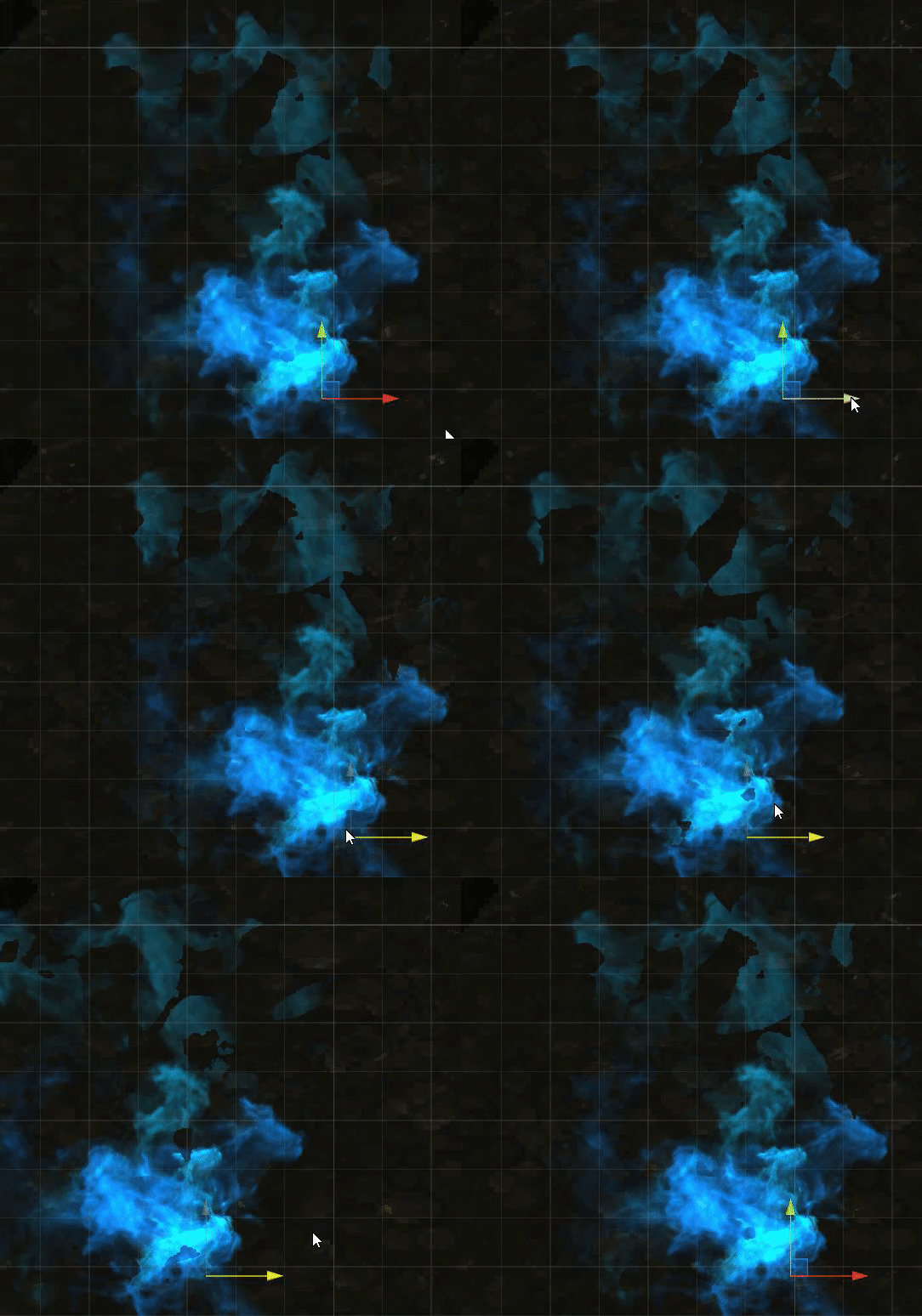
 fluid peak
Crystal shader (going for a high-res star craft 2 protoss nexus look for a close up FPS kind of thing, don’t have the main building complete yet but this came out very nice). There is only a single mesh, no internal geometry or actual refraction calcs. A lot of subtle stuff going on to make it look like theres stuff inside. And it still looks correct when zoomed out to the traditional sc2 viewpoint. Anyway let me know what you think. I will post a picture of the shader graph when i get home, its kinda a rats nest right now

playing around with remaking starcraft 2 elements in unity, as much higher definition.
sacred patio
 minor shadow
Water shader, with shader graph
minor shadow
Water shader, with shader graph
Oh wow I was thinking how to turn my simple plane into a moving shader similar to this but expected it to be a little shorter x). I am planning to create puddles, really shallow water that the player is gonna walk on(which will need to be reactive to the steps somehow) so usually the dramatic kind of waters I find on the internet are too much for such :/
 midnight spade
Hey guys, I'm struggling to figure out why I can't connect two nodes in shader graph
Removing some of the outgoing connections from my input node seems to fix the issue but I'm not sure why that is
I don't think it makes sense to duplicate all of the input nodes to get around this
Is there a standard approach to debugging this?
fluid peak
@midnight spade
Is it possible there is a connection loop where something further down the line is feeding into something that feeds it, you cant have loop connections. Just a quick thought
midnight spade
OHHH you might be onto something
Could it be that the output node is feeding into the vertex shader and that this is creating some kind of loop?
Actually that shouldn't be the case cause all of the inputs belong to the vertex shader
This is the connection I'd like to make:

It doesn't seem like I should have an issue. All of the nodes leading up to the lerp should be avaiulable in the vertex shader
I wish there was a good centralized ressource to read up on what can and can't be done in shader graph
 marble zealot
Does unity enforce some sort of pixel padding on textures? I'm testing out moving some stuff over to Unity that I did in UE4 and I'm getting this strange pixel padding on my mask textures shown in the image below

here's the shader graph I made

I know its not optimal lol Its just a test 🙂
The color textures are both 512x512 and both mask textures are 64x64
Am I doing something in my shader that's causing that?
its as if its leaving what would be the quad lines of the uv map unmasked
icy spindle
marble zealot
Am I doing something in my shader that's causing that?
I’m just guessing here, but are you downsizing the mask in unity? It looks almost like the mask has a soft edge. Could try adding a step to the mask to define its crispness as well.
marble zealot
I did all the edits outside of both Unity and UE4. The internet gaps are expected, its just the padding on the outer edges of the mask thats unexpected
Is there something in the shader I should be doing do sharpen the masks edges?
vocal narwhal
Have you tried importing the texture with point filtering and seeing if that helps?
marble zealot
I'll give that a shot. tbh I didn't even know that was a thing lol Still learning Unity. Loving it though. Coding against UE4's engine is a pain in the balls. Such a messy inconsistent api
@vocal narwhal ah yep that was exactly it. Thank you so much!
nice and crispy edges now
regal stag
midnight spade
This is the connection I'd like to make:
Not sure exactly what that "TileDataFromIndicies" subgraph contains, but there are certain nodes that can't be used in the vertex stage. The most common being Sample Texture 2D, use the Sample Texture 2D LOD version instead!
I believe Sample Texture 2D Array is fragment only too, and not sure there's a vertex version. Might have to use a Custom Function instead for that, with SAMPLE_TEXTURE2D_ARRAY_LOD(texture, sampler, uv, index, lod).
Some other nodes that are fragment-only : Is Front Face, Triplanar, partial derivatives (DDX, DDY, DDXY)
lusty badger
Hi. I was following Daniel Ilett's world-space dissolve shader tutorial and I noticed that there is a seam in the simple noise. I am guessing that's caused by the UVs.
Is there some universal way to get rid of it? Maybe with some world-space coords used instead of the UV0?
I tried using world XZ cordinates as UV in the noise but the result was more wavy without the smalll "bubbles" in mid air.

 amber saffron
The solution is to use either a 2D tillable noise, or a 3D noise (to input the xyz world position)
lusty badger
I will look for some 3D noise online and use custom function.
Thanks. 🙂
amber saffron
I have some in my node library if it can help : https://github.com/RemyUnity/sg-node-library


GitHub
Node library for ShaderGraph. Contribute to RemyUnity/sg-node-library development by creating an account on GitHub.
lusty badger
Ohh. Thanks!
fluid peak
@lusty badger The other option is using a noise texture that tiles in at least that direction (render noise command in photoshop creates tileable noise, you can save and use as texturemap). The second step is making sure those UVs line up on the left and right side of the UV coordinates so the tile-able texture can flow across the seam. As a side bonus sampling a 2d texture is cheaper computationally than procedural noise calculations
amber saffron
Yes, I didn't mention this solution as I assumed he would like to animate the noise, and this generally ends up in a simple scroll that ca be very obvious, unless you multiply the number of noise texture sample and overlay them
 violet sage
i have made a simple water vertex position shader but it only changes the vertice height in the y axis creating long line waves

Please help
amber saffron
Water shader can be a very long topic ... What do you want to achieve ?
violet sage
waves that isnt just long waves and is like the image but at the other axis too
english isnt my main language so im bad at explaining
but this is kinda what i want to achieve
 amber saffron
Then I guess you need any form or 2D "noise-ish" input to generate that form, instead of a 1d one like you seem to have
lusty badger
fluid peak
<@117778824749514758> The other option is using a noise texture that tiles in at...
Lining up UVs by hand wouldnt be an option since this shader will be used on 40 different models of trees. The noise part will be a "scorching" effect that will be hidden under some fire VFX and it will leave behind a charcoaly texture of the burnt tree.
I used Remy's 3D noise for the main dissolve. Then I started experimenting how would some voronoi look on it and I used this as the UVs. I thing there should still be some seam line visible because arcsine produces -π/2 ... π/2 values but I don't see it so I guess it's fine. And since the trees end usually with a point on top and the bottom is underground, this solution somewhat works. 😄
 midnight spade
regal stag
Not sure exactly what that "TileDataFromIndicies" subgraph contains, but there a...
midnight spade
regal stag
Not sure exactly what that "TileDataFromIndicies" subgraph contains, but there a...
That subgraph actually does have a lot of texture sampling

I think that it's all allowed though. The texture array stuff outputs to a different port used only by the fragment shader
Maybe they aren't allowed to share inputs or smt? idk
Anyways I'm gonna try restarting today if nobody sees anything obvious