hello. i am using unity 2022 with urp. i don't understand someting: in my shader graph I explicitly transmit a custom color to the fragment shader. all is well, the gameobject is rendered with said color, but the light affects the final color of the pixels. why is that? shouldn't the fragment shader have the last say regarding the pixel colors?
#archived-shaders
1 messages · Page 49 of 1
 waxen ridge
 lunar valley
waxen ridge
hello. i am using unity 2022 with urp. i don't understand someting: in my shader...
lunar valley
waxen ridge
hello. i am using unity 2022 with urp. i don't understand someting: in my shader...
well if you are using a lit shader you are using unity lighting system which in the background inside of the shader is going to have light and ligthing color affect the color of your gameObject
waxen ridge
lunar valley
well if you are using a lit shader you are using unity lighting system which in ...
thanks a lot!
 leaden shadow
I'm super stumped. I cannot get Unity to consistently provide reflection probe values. It seems to simply provide black at some camera positions/directions. In fact, the only time I can get the reflections to work consistently is with the editor camera; any enabled cameras during playmode result in objects sometimes receiving black reflections. Code, with all details here: https://www.reddit.com/r/Unity3D/comments/13xrdsa/unity_does_not_consistently_provide_reflection/
I would appreciate any help from any shader wizards out there!
reddit
0 votes and 0 comments so far on Reddit
 grand jolt
I have this simple dithering transparent shader (using shader graph) but it obviously results in overlapping with itself, kinda breaking the illusion. I've looked for possible solutions but they're either from 2012 or don't work whatsoever

 dim yoke
grand jolt
I have this simple dithering transparent shader (using shader graph) but it obvi...
dim yoke
grand jolt
I have this simple dithering transparent shader (using shader graph) but it obvi...
Is it lit or unlit shader graph? I dont think dithering transparency should suffer with overlappings generally…
grand jolt
unlit

dithering is applied to alpha channel with a threshold to make it less of a gradient color
dim yoke
grand jolt
Is that transparent or opaque/cutout tho?
grand jolt
transparent
dim yoke
Why would you use transparent with dithering?
grand jolt
...because I use dithering to apply alpha instead of hiding certain pixels?
dim yoke
So is the dithering used just to make it look cooler or what?
grand jolt
yes
while it works fine with the shader being set to opaque (albeit becoming far brighter as expected), doing so breaks render ontop feature


I am using it to display player's controller position in case if the distance between them and the physical hand objects becomes too large
dim yoke
In that case its just the transparent object ordering issue, nothing to do with dithering exactly. The only way to prevent it in this case that I know of would be to first render the hand only to the depth buffer and then render it again with the regular ztesting or something like that so only the top most faces of the hand will be drawn
 regal stag
grand jolt
while it works fine with the shader being set to opaque (albeit becoming far bri...
regal stag
grand jolt
while it works fine with the shader being set to opaque (albeit becoming far bri...
I would assume it "breaks" it because the graph is now opaque but the feature is set to Filter->Queue for Transparent. Change that to Opaque too.
grand jolt
ah, damn
dim yoke
Ah, I think I didnt understand what you meant bt render on top feature
grand jolt
dim yoke
In that case its just the transparent object ordering issue, nothing to do with ...
yeah I also thought of that but I'm not experienced enough with shader graph or unity's shader system in general to know how to do that
alright, I'll stick to opaque for now then
dim yoke
I think with urp and sjader graph youd need to make two shaders/materials for the hand and apply both in sequence
grand jolt
I guess increasing alpha threshold can make it paler
dim yoke
But yeah, Id definitely go for the alpha cutout strategy in case it doesnt completely ruin the visual appearance (I mean it can look bit scuffed but at the same time can make a cool effect)
 quaint grotto
any one know why i get this error

my function uses a paramter float time
but thats not the same as _Time
so i am kinda confused
 scarlet crater
how might you achieve soft outlines like this through post process?

my thinking right now is create a mask by running a blur algorithm over the stencil buffer but like
idk if that would work / be the best way to do it
quaint grotto
thats a bloom but you would need some kinda exponential fall off
scarlet crater
quaint grotto
thats a bloom but you would need some kinda exponential fall off
yeah i guess what im struggling with is obtaining a mask of certain objects on the screen
is it possible to visualize the stencil buffer in a fragment shader?
 half thicket
How do I deal with the Time node becoming more and more inaccurate over time? It's a float, so after a few dozen hours the precision loss is actually so high that the shaders are getting all messed up and stutter. And at some point they just completely stop working. I think it's extremely common that games run for 100+ hours, because you can just suspend them on consoles. But I've never seen a game's shaders just break after a while
 meager pelican
scarlet crater
is it possible to visualize the stencil buffer in a fragment shader?
meager pelican
scarlet crater
is it possible to visualize the stencil buffer in a fragment shader?
Well, you can view what passes thru the stencil test. And of course set the stencil test to what you want to view.
And just return, say, red for whatever passes.
Stencil operation is a test/filter. The frag() won't be called if the test fails. IDK if you can even map it as a texture; I think of it as an internal hardware buffer that we don't have access to but can set filter parameters for.
meager pelican
half thicket
How do I deal with the Time node becoming more and more inaccurate over time? It...
You'd pass in your own timer value. But what aspect of the time node? The time should be coming from the system clock. So how will you get a more accurate time to pass in?
scarlet crater
someone gave me a smart idea of using alpha values to mask objects, but now im having the issue of my comparisons not passing when they theorhetically should be the same value?
like if i write an obj with an alpha val of lets say 128, and then create a mask in the post process shader that returns 1 if the screen textures alpha is == 128. I don't know why thats not working
im sure its something simple but its 4am and my brain no worky
it was absolutely something stupid nvm
thanks floats
 warm rapids
is there a way to generate seamless noise textures in the shader graph?
i'm using simple noise for this cloud material but because it doesn't tile it's causing visible seams like this to appear

I thought I would be able to use photoshop to generate some noise textures that do tile and then use a Sample Texture 2D, but these don't seem to be compatible with the float variables I have that determine the scale of the noise
 stone fox
I hate baked lightings
 low lichen
stone fox
I hate baked lightings
low lichen
stone fox
I hate baked lightings
It lets me get nice lighting on low tier devices, so I like it.
stone fox
but it bake my PC
so I use low quality lightings
like default direct light
oh and how to make the player start with quality select option
regal stag
warm rapids
I thought I would be able to use photoshop to generate some noise textures that ...
You'd put the float variable into the Tiling of a Tiling And Offset node for the UV port of the texture sample
warm rapids
brilliant, thanks
 stark forge
So I started making a game using models in blender. It was a bit to late when i realized blender textures/shaders don't transfer to unity. Does anyone got recommendations for what tutorials to learn to learn unity shading?
scarlet crater
scarlet crater
how might you achieve soft outlines like this through post process?
https://streamable.com/wwflvt
https://streamable.com/u2xov3
got it figured out!
took a lot longer than i hoped but it looks neat if i do say so myself


the blur algo is from here https://www.ronja-tutorials.com/post/023-postprocessing-blur/
Summary A effect that’s useful for example to show exhaustion or to make transitions is a blur. To blur the screen we take the average of the surrounding pixels. You can use the effect in many places, but the easiest and most straightforward is probably as a postprocessing effect, so it’s best for you to know how to write postprocessing effects ...
 tender tusk
I made a shader graph to dissolve a 2D sprite, but I want to make it so that it starts dissolving from the top of the sprite going down and I tried adding this (basically I multiply the alpha of the resulting image with a step function that takes in account the Y position of the pixel as you can see), but the result is.. nothing.. Like I can't see the sprite anymore
 regal stag
tender tusk
I made a shader graph to dissolve a 2D sprite, but I want to make it so that it ...
regal stag
tender tusk
I made a shader graph to dissolve a 2D sprite, but I want to make it so that it ...
Object space isn't really a thing with sprites due to the way they batch. Assuming it's not rotated, could use the vertical axis of the UV instead of the Position node.
If it is in an atlas, you'd also need min/max Y coords so you can remap back into the 0-1 range to compare against the percentage property.
tender tusk
regal stag
Object space isn't really a thing with sprites due to the way they batch. Assumi...
Oh ok thanks, I'll try
 vocal narwhal
Huh... neat


 ashen linden
Can I apply a normal and depth map to a unlit shader?
 rare wren
ashen linden
Can I apply a normal and depth map to a unlit shader?
rare wren
ashen linden
Can I apply a normal and depth map to a unlit shader?
With a custom shader sure, but you gotta process the maps yourself
ashen linden
rare wren
With a custom shader sure, but you gotta process the maps yourself
there is any tutorial in how to apply the depth texture?
rare wren
ashen linden
there is any tutorial in how to apply the depth texture?
Is it not just a normal map with extra steps?
Maybe you can use the vertex shader to pull out the details more?
regal stag
ashen linden
there is any tutorial in how to apply the depth texture?
Do you mean a height map? If so, that's usually applied with parallax mapping - used to offset the uv coordinates when sampling other textures (such as albedo, normals,etc).
A depth texture is something different, i.e. stores distances from camera. Might be used for post process stuff.
regal stag
ashen linden
Can I apply a normal and depth map to a unlit shader?
You also wouldn't need a normal map, unless you're actually using the normals in the unlit shader calculations (perhaps custom lighting?)
ashen linden
Im planning on adding a normal map as well, and yep, custom Lighting
 past beacon
How can I color vertices of mesh in shader graph according to current color input, so the color is saved after I switch the color?
lunar valley
past beacon
How can I color vertices of mesh in shader graph according to current color inpu...
you can use vertex colors
past beacon
lunar valley
you can use vertex colors
yep but how can I preserve vertex colors if the current color is changed? I have tried modifying vertex color in script, but because this is Probuilder bezier curve - I can not set UV Mode to auto so I can not impact vertex colour in code.
 buoyant geyser
Anybody here familiar with compute shaders? I'm trying to write a super basic compute shader that blurs a render texture over time, but running into a lot of issues
// Each #kernel tells which function to compile; you can have many kernels
#pragma kernel CSMain

// Create a RenderTexture with enableRandomWrite flag and set it
// with cs.SetTexture
RWTexture2D<float4> _RippleTex;
float _BlurDist;
float _BlurRate;
float _Fadeout;
float _DT;

[numthreads(1,1,1)]
void CSMain (uint3 id : SV_DispatchThreadID)
{
    float4 colIn = float4(0, 0, 0, 0);
    float4 col;
    float range = _BlurDist;

    for (float dist = 0.0; dist < range; dist++)
    {
        col = _RippleTex[int2(clamp(id.x + dist, 0, 1999), id.y)];
        colIn += (col.r + col.g) * float4(1, 0, 0, 1);

        col = _RippleTex[int2(clamp(id.x - dist, 0, 1999), id.y)];
        colIn += (col.r + col.g) * float4(0, 1, 0, 1);
    }

    float4 colOut = colIn / (_BlurDist * 2) - _Fadeout;

    _RippleTex[id.xy] = colOut;
}
this runs once per frame, and it just averages colors based on a blur distance value, but for some reason after a few frames it always reaches an equilibrium and stops blurring
for instance, with a blur distance of 2 it reaches this point and never gets any further

 prisma cloud

 echo lily
Given a distance from a given point to the camera center, how can I reconstruct clipSpace.z and clipSpace.w from that?
half thicket
meager pelican
You'd pass in your own timer value. But what aspect of the time node? The time...
But shaders work in 32 bit, so this wouldn't change anything. The issue is that after a certain amount of time you'll have less and less decimal places, because floats just cannot hold that many. At some point you'll have exactly 0 decimal places, which will completely break everything
meager pelican
half thicket
But shaders work in 32 bit, so this wouldn't change anything. The issue is that ...
Then pass TWO variables. One for number of hours, and another for total seconds after the hours. And use them accordingly, Maybe use a double if you need to. Maybe you need a date too. IDK.
But why do you need that large of a range? Can't you "just" reset it at some interval? What are you doing?
That's you programming, and solving problems. Maybe make a custom function and use some shader globals.
There's nothing that Unity Tech can do about the resolution of a 32 bit float.
 obtuse basin
hey so i'm finding myself in the awkward position of not knowing any shader code but needing to make minor edits to shader assets i've already bought and downloaded. specifically i'm trying to add a simple 3d skew effect like shown here in this shadergraph shader to two .shader shader assets. one is a palette swapper that should mostly or entirely be a fragment shader and the other is just one of the Unity standard shaders with shadows enabled. can you point me towards any learning materials that will help me figure out how to accomplish that?

 grizzled bolt
obtuse basin
hey so i'm finding myself in the awkward position of not knowing any shader code...
grizzled bolt
obtuse basin
hey so i'm finding myself in the awkward position of not knowing any shader code...
What render pipeline would the shaders be for ultimately?
obtuse basin
built in
i already got one working actually but the other doesn't seem to have a vertex function????
oh it might be in an #include
yeah it includes UnitySprites.cginc which has a vertex shader.
obtuse basin
does that mean I need to remove the include and replace it with any function definitions that the shader calls? or is it more complicated than that?
 severe hollow
not sure if this has been reported yet. However Shadergraph in 2022LTS URP is half broken. Can't copy/paste properly
regal stag
obtuse basin
does that mean I need to remove the include and replace it with any function def...
I'd keep the include in case there's other functions in there that need to be referenced, but copy the vertex shader specifically to your code, change it's name slightly and update the vertex pragma to match. Then you can edit it.
 sour flint
Hey does anyone know why my camera cant see my performantive renderer here?

weirdly deleting this automatically selected performantive renderer for me.
 fierce ether
Does I really need HDRP just to get access for ray tracing?
(I am willing to try URP but HDRP sounds a bit to much for me)
But I really would like to have a raytracing option for my game...
also, DLSS 2 or higher would be cool to support, because it can increase the players FPS..
 sour flint
fierce ether
Does I really need HDRP just to get access for ray tracing?
(I am willing to try...
sour flint
fierce ether
Does I really need HDRP just to get access for ray tracing?
(I am willing to try...
HDRP has more features so yes it seems HDRP is needed
fierce ether
sour flint
HDRP has more features so yes it seems HDRP is needed
damn, because even if, some assets I use are only build-in and URP compatible.
sour flint
Depends what you are trying to do and what the trade off is
fierce ether
but what exactly is the issue with shaders?
can I not just use every shader while also adding ray tracing?
sour flint
I am not 100% sure myself
Do you 100% understand what ray tracing is?
its for higher end consoles and the latests graphics cards
fierce ether
sour flint
Do you 100% understand what ray tracing is?
its the "lite" version of that, what blender calls "cicrles rendering"-
casting many invisible rays of light instead of faking it like "Eevee" in blender does.
sour flint
theres 100s of graphics card
and it only a small percentage of thewm
actually support it
its up to you but personally if this is a personal game i am making
Its just not needed
but if you're really wanting to try out ray tracing
i recommend making a new project
and messing around with it
fierce ether
sour flint
theres 100s of graphics card
I have a 3060 Ti, so it should not be an issue. and I want to make it as toggle option in the settings for the game, so if the game see it have supported hardware, the option for it is interactable and not greyed-out.
sour flint
understandable but if your whole game is in URP
either start working on the whole game being in HDRP
or give it a miss
fierce ether
sour flint
understandable but if your whole game is in URP
its not made yet. not this game I am planning now. but I made some earlier games before that used build-in.
I want to start until Unity 2023LTS is out, as soon I plan what assets I need to buy and I test some mechanics in lower versions of Unity, because I really want to support Windows arm.
 teal hornet
Alright so I'm sampling 3 different gradient files, how can I combine them all into 1 gradient file and sample the correct gradient?

Like a top, middle, bottom structure basically
sour flint
Would a subgraph work?
fierce ether
sour flint
either start working on the whole game being in HDRP
so, what is the reason why everyone is feared to use HDRP if they are not a really big studio with 100+ programmers?
(Because I am alone)
how bad would it be, if I only use build in and URP textures and shaders?
And does OpenXR work with it, if I use ray tracing?
sour flint
fierce ether
so, what is the reason why everyone is feared to use HDRP if they are not a real...
what do you mean by feared to use?
Its just how the game engine is built the High Definition Render Pipeline has more features that can be used within this pipeline
fierce ether
its compared to a big: "OHH HELLL NOOO!" if someone says he wants to use HDRP.
explained with, that its made for only high end graphics what only makes sence if you are a big studio with many developers on your boat.
sour flint
No ones feared
its just more
majority of users using unity like you said
arent massive companies
so they already may have projects setup with other pipelines
fierce ether
does the performance be worse if you use HDRP instead of URP or build-in? or why are not more peoples using it?
And I am still able to make the game OpenXR compatible?
its like buying a RTX 4090 just to watch youtube videos with it all the time.
Even if you have the money for this one-time purchase, the energy-costs would be still higher compared to a PC with just a APU.
(And using HDRP feels like buying a 4090 for Youtube videos...)
sour flint
fierce ether
does the performance be worse if you use HDRP instead of URP or build-in? or why...
This just entirely depends on what features you're trying to use
Its just not worth it for many people atm
as many people can't even run the high end features
fierce ether
features that mostly would be filled with build-in or URP...
Only this Ray tracing and DLSS thing seems to need that high level pipeline.
and I dont even know if I truely need URP?
atleast some videos means it would cause a way higher framerate than build-in:
https://www.youtube.com/watch?v=wn8h_ryomIY

Here is a scene from my upcoming game without any other optimization, just the raw scene.
With the Build-in pipeline (Default) it was 12+ Fps and with URP we achieved 45+ Fps
I think if we add further optimizations then we can easily achieve 60+ FPS.
Unity's URP surely worth a try!
Let me know in the comments if you guys like to see some vid...
fierce ether
sour flint
This just entirely depends on what features you're trying to use
It would be great if I could support everything like publishing for the plattforms:
Windows x64 / arm64, Linux x64 and Mac (Intel & Apple Silicon).
- Ray tracing + OpenXR.
obtuse basin
okay so it looks like i didn't think this shader all the way through, big surprise there lol.
on the right is a tree simply angled 45° so it faces the camera. on the left is a vertical tree going through a shader that skews like this;
            {
                // Apply the world space coordinate skew
                v.vertex.z += v.vertex.y;

                v.vertex = UnityFlipSprite(v.vertex, _Flip);

                #if defined(PIXELSNAP_ON)
                v.vertex = UnityPixelSnap(v.vertex);
                #endif


                UNITY_INITIALIZE_OUTPUT(Input, o);
                o.color = v.color * _Color * _RendererColor;
            }```

as you can see the rotation looks perfect and the skew looks bad and stretched on 2d sprites. but the environment is also skewed in a similar way and looks fine. and i need the sprites to go through a similar shader as the environment or else the z positions will not align properly if y != 0. i think i'm on the right track though. just need a slightly smarter vertex shader, right? one that angles but doesn't stretch.
huh also my shadows seem to be gone
 ember wigeon
For enemies that die in my game (a 2d survivors-like) I'm currently using a dissolve shader that works with a cloud texture. I'm looking for more sprite shaders to use on dying enemies. I've tried shadertoy but without success. Can someone recommend another site?
Here's a gameplay video that shows the effect https://youtu.be/TLSC0ua4RiI
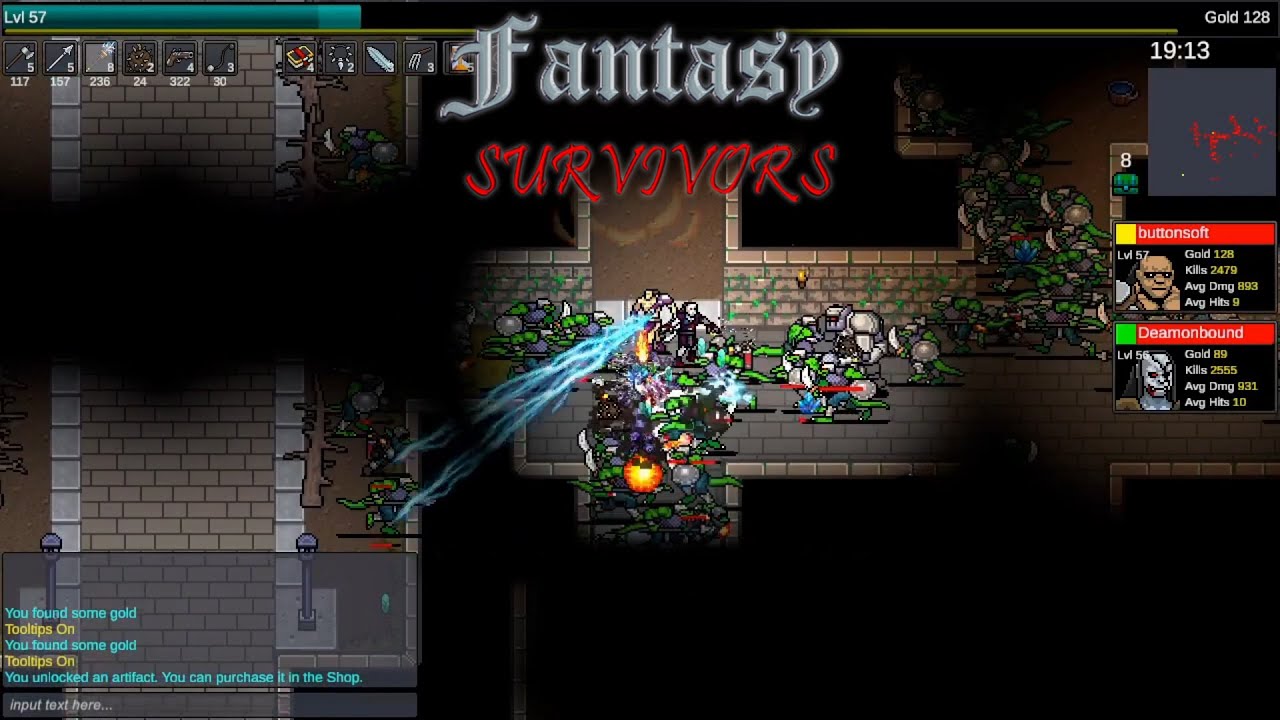
Highlights from the video where we escape from the new map, Castle Ruins.
https://store.steampowered.com/app/2220870/Fantasy_Survivors/
I want different effects for enemies dying from different types of damage.
lunar valley
obtuse basin
okay so it looks like i didn't think this shader all the way through, big surpri...
if I understand correctly, you want to rotate the trees to be facing the camera, for that just use a matrix multiplication which contains the cameras transforms
obtuse basin
thank you that gives me something to google. but it's not enough to rotate or i would do that in the inspector. the world coordinates need to be changed too or else there will be problems interacting with large environmental objects because of the Z offset
lunar valley
obtuse basin
thank you that gives me something to google. but it's not enough to rotate or i ...
I guess you can just once you rotated your sprites offset the vertecies on the forward direction some amount
obtuse basin
yeah i'm going to have to make some diagrams or something to work this out, spatial reasoning is not my strong poiny
obtuse basin
okay so i figured out how to unstretch the sprites using basic trig. turned out to be very simple:
v.vertex.z += v.vertex.y;```

but i think i'm doing my transform in object space instead of world space because my objects still don't align properly in the z axis if they are on a raised or lowered elevation. i took a quick video to demonstrate.

https://www.youtube.com/watch?v=OB1NJZAlm3I

see how things mostly work (except for the culling on the tree) when on the ground, but once i go up the ramp my z offset doesn't match the environment?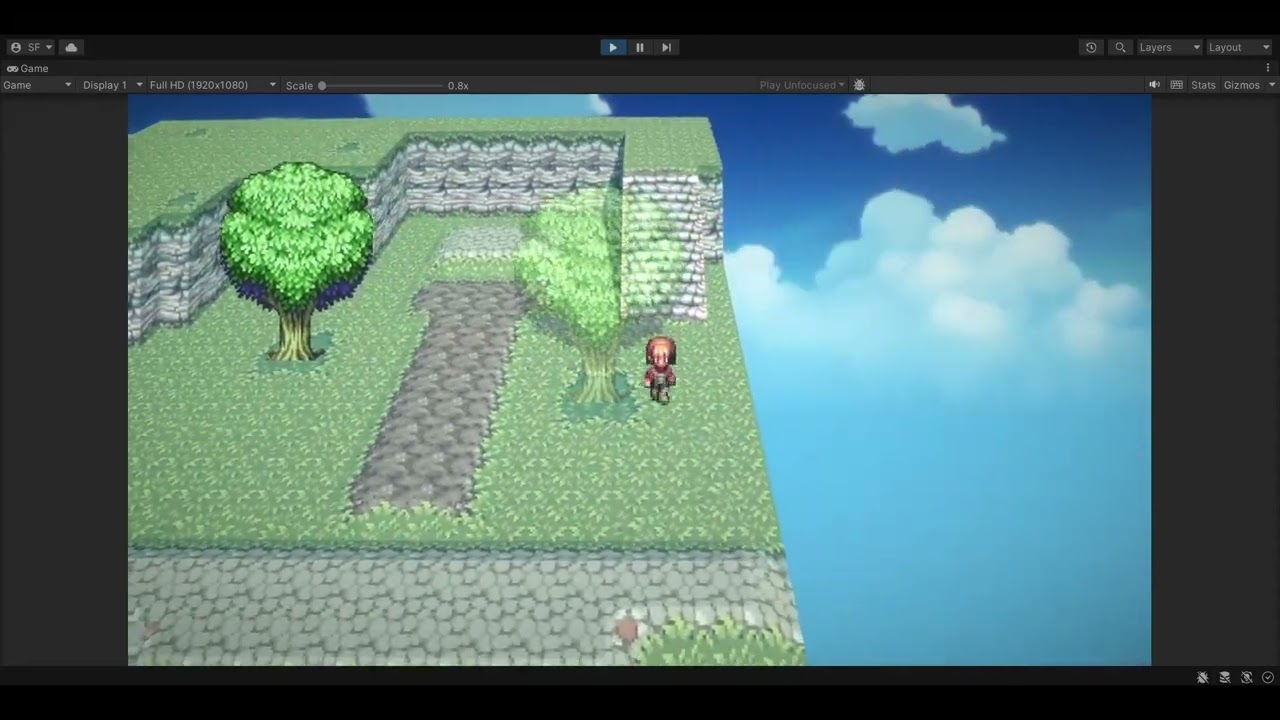
 grizzled meadow
is there a way i could "blend" materials? like in the terrain editor where they fade into eachother
 vale estuary
How would I go about/is there already, a shader that if the object moves the texture stays in place? Like I want a disc at the players feet for that has the ground texture. I want the disc to move with the player looking like the ground is moving bellow them(while really the disc is moving with and the ground texture is staying relative to global/panning).
 unique raven
In Shadergraph, how do I get a vertex's local position(just need the y) before any transforms (rotation/scale)?
quaint grotto
grizzled meadow
is there a way i could "blend" materials? like in the terrain editor where they ...
maybe combine render textures together but thats expensive
dim yoke
grizzled meadow
is there a way i could "blend" materials? like in the terrain editor where they ...
Not really you can blend colors etc. in shaders but blending materials isnt really possible in any reasonable way
vale estuary
grizzled meadow
is there a way i could "blend" materials? like in the terrain editor where they ...
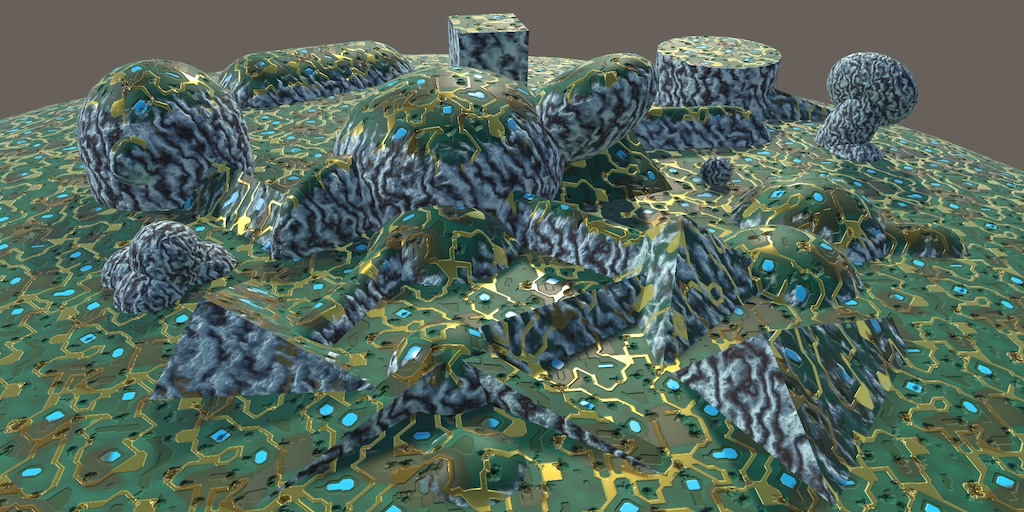
A Unity Advanced Rendering rendering tutorial about triplanar texture mapping.
Or you would feed in a color map, split it so specific colors are specific alphas, and then apply the color for each alpha/combine them back together.
Performance would be a huge consideration, but yes other games do it and it is posible.
lunar valley
vale estuary
How would I go about/is there already, a shader that if the object moves the tex...
you just need to sample the texture with world space coordinates and make sure your texture has tilling enabled
lunar valley
unique raven
In Shadergraph, how do I get a vertex's local position(just need the y) before a...
the position node gives you such I think and then just use a split bode to get you y position
vale estuary
lunar valley
you just need to sample the texture with world space coordinates and make sure y...
Ah yeah thanks. I got it working in shaderGraph. Also had to rotate the World position so it projects down.
 round plume
assigning a material with custom shader to sprite makes it unselectable in editor window
while everything else act's as it should, can still select it in hierarchy
using any shader than custom also lets me select it in 2d window
hm, it's caused when flip x is enabled

so i guess it makes backface unselectable?
regal stag
round plume
so i guess it makes backface unselectable?
Maybe need Cull Off is in the SubShader then?
regal stag
Oh it's a graph. Is it using one of the Sprite types? I would assume they'd handle this 😦
meager pelican
obtuse basin
thank you that gives me something to google. but it's not enough to rotate or i ...
The term to search for is "Camera facing billboard"
https://gamedevbeginner.com/billboards-in-unity-and-how-to-make-your-own/

Learn how to use Billboard sprites in Unity. Using scripts, shaders & built-in tools to display 2D images in a 3D world.
 toxic flume
Hey, I would like to know my way is standard and OK or not.
In a voxel/tile game, each voxel has a texture.
Now, I would like to consider textures of neighbors for each voxel in the edges kinda blending instead of rectangular shape.
For example, a voxel has texture grass and 4 neighbors are rock, sea, soil and sand.
I have created a sample mask for it. For each vertex, these data (4 texture ids for each neighbor + main texture id) are sent to the shader.
Then, the shader samples the mask texture and get the index and then the respective texture id and finally sample it.
 obtuse basin
meager pelican
The term to search for is "Camera facing billboard"
https://gamedevbeginner.com/...
obtuse basin
meager pelican
The term to search for is "Camera facing billboard"
https://gamedevbeginner.com/...
thank you but that's not my problem. i have the camera at a fixed angle so billboarding is as simple as angling the sprites the same amount.
my problem is...well, i have a couple problems now.
https://www.youtube.com/watch?v=llr-aYVLmsk
everything in this scene is drawn with 3d skew shaders but they aren't working together well. notice how the trees jump in and out of position or disappear entirely and sometimes don't properly cast shadows. also at about 0:12 you can see the problem i was trying to explain, where the character appears to fall through the floor because the skewing effect offsets the position of the upper level. then at about 0:27 i show the opposite where you can walk on what appears to be thin air because of the z offset on the upper level. i need objects at a higher y to draw at a higher z than their actual location if they will properly line up with the environment.
 buoyant geyser
I'm getting a kernal error when trying to index a StructuredBuffer, any ideas?
struct Ripple
{
    int offset;
    float rad;
    float mult;
};

StructuredBuffer<Ripple> _Ripples[16];
...

float offset;
float val;
float4 rippleCol = float4(0, 0, 0, 1);

for (int i = 0; i < 16; i++)
{
  offset = _Ripples[i].offset;... //Error occurs here
replacing _Ripples[i].offset with any other arbitrary int does not cause any errors
 tropic badger
- Hello. My problem must be trivial. I use a custom shader in trail renderer component, and i can't seem to make the color property from its inspector affect my shader. I've used the color semantics, but it works only for sprite renderers sadly. How can i make it work with trail renderers as well?
low lichen
buoyant geyser
```
struct Ripple
{
int offset;
float rad;
float mult;
};
Structur...
Structured buffers are not meant to have a hard coded length, like arrays. It should just be defined as: StructuredBuffer<Ripple> _Ripples;
buoyant geyser
tropic badger
\- Hello. My problem must be trivial. I use a custom shader in trail renderer co...
it's probably vertex color
how can i read the length that i'm passing in then?
low lichen
buoyant geyser
how can i read the length that i'm passing in then?
If you know it's always going to be 16 from the C# side, you can continue to use 16 in the for loop. Otherwise, you can pass the length as a parameter, or use GetDimensions: https://learn.microsoft.com/en-us/windows/win32/direct3dhlsl/sm5-object-structuredbuffer-getdimensions
buoyant geyser
i see, perfect thank you
tropic badger
buoyant geyser
it's probably vertex color
- I do read values from vertices and pass them straight to fragments, it doesn't work. For specifically trail renderer, sprite renderer's property does affect my output
- No, wait, i've been wrong all this time. Color does work, but not alpha. I guess it's because my shader is in default opaque queue, right?
low lichen
tropic badger
\- No, wait, i've been wrong all this time. Color does work, but not alpha. I gu...
Specifying a blending mode is the first thing you need for transparency, but order is also important.
tropic badger
- Hopefully next time i will remember this. Thank you
meager pelican
obtuse basin
thank you but that's not my problem. i have the camera at a fixed angle so billb...
Will this help?
https://www.gamedeveloper.com/programming/adding-some-perspective-to-your-unity-2d-game-
note that it's not a total-shader solution, but rather, getting the camera projections to work for you in this style (if that's even the same style you're after).
You should clarify that you're in Unity 2D or 3D and that you're trying for either a lot of billboarding to to emulate that look of 2.5D or whatever. I'm sorry to be dense, but "3D skew shader" isn't specific enough for me, but I'm not an expert in sprite stuff.

Game Developer
Learn how to recreate some classic 2D projections in your Unity games and even add some perspective without breaking a sweat.
 grave vortex
Is it possible to use Material.SetFloat or any of those other functions to set a variable in shader code within a command buffer?
I blit several times with the same shader, and need different values each time
meager pelican
Not really: https://forum.unity.com/threads/command-buffers-settexture-setfloat-for-materials-instead-of-global.1185514/
BUT... you might be able to emulate it. If your blit passes "know" their index, perhaps you can use a structured buffer that has a structure containing all the variables for one pass, and each instance in the buffer is the pass index (0 is first blit, 1 is 2nd blit, etc.). You could set them up before hand, and then set that structured buffer as a global or something that's just on all relevant materials.

Unity Forum
Hello,
Command buffers can send results only using SetGlobalTexture/SetGlobalFloat/etc.
Is any way to send results to a material?
For example, I want...
@grave vortex
grave vortex
meager pelican
Not really: https://forum.unity.com/threads/command-buffers-settexture-setfloat-...
Interesting, I wonder why that functionality doesn't exist. Your solution seems pretty handy for some applications, but in my case, I call the same shader pass several times, and don't know how I would have the shader choose which set of values to use
(If they were separate passes each time, it would be really trivial to hard code it)
meager pelican
There IS a way to set a global value from a command buffer. Maybe you can set that before each call?
grave vortex
Looks like it's gonna have to be that for the time being
I tried to use those global shader functions a while ago, but it didn't work, do I need to do anything specific with the variables in the shader for it to work? (like put them in properties or something?)
meager pelican
grave vortex
I tried to use those global shader functions a while ago, but it didn't work, do...
NO, that might even mess it up. Not sure, but a material property might override the global. It should be defined in the shader, and the engine should "just" set its value automagically, IIRC.
grave vortex
Got it, thanks for the help!
 haughty siren
i can't wrap my head around this, i legit set the xyz of the return value to 1 at the end of frag, why are the corners rendering as black? i tried different blending modes but nothing seemed to help. help??


here's the blend method just in case it's relevant

 icy nymph
So if i have the following shadergraph, how can I use the top black and white part as an alpha mask for the bottom?
 dim yoke
icy nymph
So if i have the following shadergraph, how can I use the top black and white pa...
dim yoke
icy nymph
So if i have the following shadergraph, how can I use the top black and white pa...
I mean do you just get the r, b and g from the bottom and a from the upper one?
icy nymph
that's what i thought i could do but it doesn't sem to work, the upper alpha seems to have no effect
dim yoke
icy nymph
that's what i thought i could do but it doesn't sem to work, the upper alpha see...
Show how you tried that
icy nymph
I split the bottom, then did a combine where i used the top for the a channel, and the bottom did the rgb
Sorry I have something else going right now
This is what i have now, I thought a simple add would put these two together
 meager pelican
haughty siren
i can't wrap my head around this, i legit set the xyz of the return value to 1 a...
meager pelican
haughty siren
i can't wrap my head around this, i legit set the xyz of the return value to 1 a...
It's the alpha.
icy nymph
What i am trying to do it highlight the center color, while leaving the outside alone
haughty siren
meager pelican
It's the alpha.
shouldnt it be white tho
meager pelican
No, you only set col.rgb = 1
your col.a is the result of that expression above. The one with 1/sqrt(.....
You can set col.xyzw = 1 (or col.rgba = 1) to see the diff.
xyzw and rgba are the same, but usually with colors you'd use rgba not xyzw. Just for clarity. The compiler doesn't care.
And of course it depends on what you're blending it onto. You're apparently blending it onto something black. @haughty siren
haughty siren
meager pelican
And of course it depends on what you're blending it onto. You're apparently ble...
i figured it out, alpha is -1 to 1, not 0 to 1. those black corners has negative alpha and therefore inverted the colors? i fixed it by applying an if statemtn to all alpha pixels that have value < 0 and setting those to 0
meager pelican
FYI - There's a built-in cg keyword for that called Saturate. Probably faster than an if. It will clamp values to 0-1 range. And there's a node for it too, of course.
 terse flicker
Is there a way to disable (frustum) culling?
I have around 2000 objects that are all always visible on the screen, but it seems like Unity still spends 2-3ms per frame culling them
 dim yoke
terse flicker
Is there a way to disable (frustum) culling?
dim yoke
terse flicker
Is there a way to disable (frustum) culling?
No afaik, try to ask on #💻┃unity-talk
terse flicker
dim yoke
No afaik, try to ask on <#497872424281440267>
Thanks, seems like you beat me to it
icy nymph
how do these 2 things add up to make what it does?
 dim yoke
icy nymph
how do these 2 things add up to make what it does?
dim yoke
icy nymph
how do these 2 things add up to make what it does?
Only way I think thats possible is so that the black color is not just (0, 0, 0) but actually negative for some of the channels. If you saturate the nodes before adding, you should get the expected result
 radiant charm
Still stuck on this with no answers on why its happening. Tried every variable in the book but I'm getting 0 APV data
 heavy stirrup
any good VS2022 extensions for .shader files? HLSL Tools for Windows seems to give random red underlines for .shader Unity files
haughty siren
meager pelican
FYI - There's a built-in cg keyword for that called Saturate. Probably faster t...
thanks
 cosmic prairie
so one multiple is black next is white? multiply color by 255, modulo it with 2, then floor the value
should work
meager pelican
Emissive? Why not base color multiplier?
IDK, there IS a debugger for APV, but I haven't used the system at all. IDK if it's a node problem or a baking problem.
https://github.com/Unity-Technologies/Graphics/blob/2021.2/staging/com.unity.render-pipelines.high-definition/Documentation~/Probe-Volumes.md
https://forum.unity.com/threads/adaptive-probe-volumes-apvs-experimental-release-for-hdrp-in-2021-2.1238824/
And I assume you're in HDRP.

GitHub
Unity Graphics - Including Scriptable Render Pipeline - Graphics/Probe-Volumes.md at 2021.2/staging · Unity-Technologies/Graphics
Unity Forum
Hi everyone,
Welcome to the Probe Volume discussion thread. You can use this thread to ask for help, share feedback, and have discussions about this...
radiant charm
meager pelican
Emissive? Why not base color multiplier?
IDK, there IS a debugger for APV, but ...
I've used the debugger and the probes are baked, thats how the left sphere is entirely being lit with right now. Also I'm not multiplying by base color because that's then just overlayed with the shading, emissive confirms nothing is passing through besides the blue hue.
I'm using URP for my project, which as far as I've seen has basically the same features. There's no documentation on the Shader Graph use anyways so any disclaimers wouldn't be visible. A mod in the Unity forum confirmed its been a feature for over a year so it should be working

 amber saffron
float doubleOutline = ( v.color.x < 0.01953125 && v.color.x > 0.00390625 )? 1 : 0;
Maybe ? 🙂
Looks like random hardcoded magic numbers though 😅
low lichen
It depends on the platform and the screen resolution. For mobile GPUs, post processing costs way more than on desktop GPU, due to the differences in GPU architecture making it more expensive to read the screen texture back.
cosmic prairie
in shader? check out geometry shaders. May be easier to just have an extra mesh tho, depending on what you need
what are you trying to achieve?
but which part of your outline needs a new mesh?
usually it's the same mesh with the culling inverted
ah, but wouldn't a texture map be better for that purpose?
allright, but I'm not sure how would you render that on the edges
without an extra mesh
how do you determine where to place those extra faces?
oh wait, do you mean where the normal is sharp?
like.. the geometry is not smooth, but a sudden cutoff
this will be mobile, right?
I'm not sure if geo shaders are properly supported there
oh geo shaders are supported
may be still better than geo shaders
 fast lark
I am new to shaders and i've been following a basic tutorial and i don't know why but the shader will only work if the render queue is set to Transparent
regal stag
fast lark
I am new to shaders and i've been following a basic tutorial and i don't know wh...
Is only working in the transparent queue a problem? What is the shader doing? Maybe link the tutorial
fast lark
if is set to From Render as it should it shows like this
 cosmic prairie
not sure how costly exactly, theres a discussion over this https://community.khronos.org/t/does-the-use-of-geometric-shaders-significantly-reduce-performance/106326

Khronos Forums
Instead of computing in the vertex shader, I used the geometric shader to calculate the three point pixel coordinates of the triangle.What is the cause of the significant drop in performance found? gl_Position = projection * view * model * gl_in[0].gl_Position; EmitVertex(); gl_Position = projection * view * model * gl_in[1].gl_Position; EmitVe...
fast lark
From Shader*
regal stag
fast lark
if is set to From Render as it should it shows like this
Is this in URP? With a shader written from code (not graph)?
regal stag
fast lark
Is in URP yes
Then it's likely related to depth priming. The shader might technically be working, but the skybox is drawing over it as the object doesn't have a DepthOnly pass so isn't priming the depth buffer.
See here for info : https://www.cyanilux.com/faq/#urp-depth-priming
cosmic prairie
maybe you could use the same pass just displace the mesh at the edge outwards
regal stag
@grand jolt Haven't been following this convo entirely, but really seems like you should just have an extra mesh for the hull outline. That way you have full control over the faces. Extra passes or geometry shaders will likely be more expensive than that.
fast lark
regal stag
Then it's likely related to depth priming. The shader might technically be worki...
It seems to work thx
cosmic prairie
where the mesh ends extend it there
cosmic prairie
kindof
haughty siren
light is visible in scene view but not in game mode? i draw that light with a shader using Blend Zero SrcColor. as u can see it works in the scene mode as it should but in game view it disappears. this problem is present only with Blend Zero SrcColor, for example if i set the blend mode to one one it fills both screen white. tried googling but didn't find anything. help??

 regal stag
Depends on the pipeline, but if it's URP/HDRP and a MeshRenderer they use the SRP batcher, so different materials using the same shader (and shader variant, so same keywords) are batched together.
They're still technically separate draw calls, but the SRP batcher optimises it. (Though just 5 draw calls probably isn't enough to matter really)
For built-in RP you typically want to use the same materials where possible, yes
regal stag
haughty siren
light is visible in scene view but not in game mode? i draw that light with a sh...
I would assume that HDR isn't enabled, so the values in the shader are clamped to 1 before blending, resulting in 1 * dst so doesn't really alter the destination.
haughty siren
regal stag
I would assume that HDR isn't enabled, so the values in the shader are clamped t...
scene view renders with hdr on but game view doesn't?
regal stag
haughty siren
scene view renders with hdr on but game view doesn't?
Maybe HDR is disabled in the Project Settings->Graphics / Quality levels, or URP asset. That would cause the game view to not render with a HDR target. I guess the scene view always does.
haughty siren
damnaight let's see
haughty siren
regal stag
Maybe HDR is disabled in the Project Settings->Graphics / Quality levels, or URP...
it worked omg
thanks bro u saved me
i could not have figured that out myself lol
 surreal locust
Hi, i'm trying to enable gpu instancing on my shader

these groups are by 2 or 3 objects
but they should be on the same group
what am I failing?
low lichen
surreal locust
what am I failing?
It says "Why this draw call can't be batched with the previous one": "Non-instanced properties set for instanced shader".
So there are one or more non-instanced properties that are different between those groups.
 low lichen
surreal locust
low lichen
surreal locust
For GPU instancing, you must use the same material and change the instanced properties using MaterialPropertyBlock in script. I can't see from your screenshot if these properties are being affected by a material property block or not.
 storm cloud
I'm moving this plane's vertices using noise, why does these weird errors happen? They only happen when the shader (unlit) is set to transparent
 surreal locust
low lichen
For GPU instancing, you must use the same material and change the instanced prop...
surreal locust
low lichen
For GPU instancing, you must use the same material and change the instanced prop...
yes, I do
low lichen
storm cloud
I'm moving this plane's vertices using noise, why does these weird errors happen...
The shader is drawing on top of itself. When z writing is disabled, like for transparency, then the order of the triangles determines which are drawn on top of which.
storm cloud
low lichen
The shader is drawing on top of itself. When z writing is disabled, like for tra...
I think i see what you mean, but its a bit strange how "striped" the effect is and how its mostly just visible from one angle. Is there a way to fix it?
surreal locust
low lichen
For GPU instancing, you must use the same material and change the instanced prop...
not all these properties are affected by materialpropertyblock, but all the properties highlighted that are values different from the default value in material are changed through MaterialPropertyBlock
this is a problem?
low lichen
surreal locust
not all these properties are affected by materialpropertyblock, but all the prop...
Yes, it must be the same material or Unity's batching will split them.
low lichen
storm cloud
I think i see what you mean, but its a bit strange how "striped" the effect is a...
You will need to enable z writing, or have another pass just before this one that only writes to the depth buffer.
storm cloud
low lichen
You will need to enable z writing, or have another pass just before this one tha...
thank you! got it working:)
surreal locust
Ho can I debug which property is the guilty?
low lichen
surreal locust
Ho can I debug which property is the guilty?
Even if all the non-instanced properties are identical, Unity will still split batches if it's not the same material instance. Unless you mean you may have non-instanced properties that you are changing in the MaterialPropertyBlock.
surreal locust
i mean:
- all objects comes from the same prefab duplicated multiple times with Ctrl+D (so they have the same material)
- all instanced properties are changed through the MaterialPropertyObject Pattern
- the non instanced properties are not changed
still have batching of only 2 or 3 instances instead of 16
surreal locust
Ok, I found the bug
when i moved one property from non instanced to instaced i changed it from float to vecotr, but the code that changes the property block was still setfloat
waxen ridge
hello. i am building my grass, and for that i'm using mesh clumps that i place via the cpu, and i color / move the grass with the wind via an unlit shader. is there a good and simple way to achieve grass displacement (for when the player walks over the grass), but for several objects? (perhaps even ~10 at some point)?
 tidal wind
Will shaders work in default pipeline
The other programmer says he used shaders once in the project but doesnt remember setting up HDRP or URP
lunar valley
tidal wind
The other programmer says he used shaders once in the project but doesnt remembe...
no if its for hdrp or urp it won't work on built in stimply just out of the box
lunar valley
waxen ridge
hello. i am building my grass, and for that i'm using mesh clumps that i place v...
yeah just pass over the 10 positions to the shader and then loop over those and then do your grass curving calculations
tidal wind
lunar valley
no if its for hdrp or urp it won't work on built in stimply just out of the box
Will the shader graph work, I will make shader idc
waxen ridge
lunar valley
yeah just pass over the 10 positions to the shader and then loop over those and ...
is there a more elegant / scalable solution? let's say i have 50 objects
lunar valley
tidal wind
Will the shader graph work, I will make shader idc
well the shader graf file won't work but you can just copy and paste the nodes to one that works on the pipeline so yeah thats ususally possible
tidal wind
lunar valley
well the shader graf file won't work but you can just copy and paste the nodes t...
Means I need to get a shader that works on that pipeline and then I could copy urp shader noodes to it and make it work?
lunar valley
waxen ridge
is there a more elegant / scalable solution? let's say i have 50 objects
look where do these possitions lie? exactly on the cpu, so you will need to bring them over to the gpu, if you update these positions on the cpu you will need to pass them over to the gpu again because it doesn't have the changes. If you update those on the gpu and never on the cpu but I doubt that because you mentioned player and etc, you wouldn't need the transfering data to the gpu every frame but could only do it once. And if you have 50 objects you need to do it for each object if you want to do it for each object, if the objects are static or would have the same movement all the time which could be baked in (but I doubt because you said player) then there could be other solutions
waxen ridge
lunar valley
look where do these possitions lie? exactly on the cpu, so you will need to brin...
ok, so no obvious alternatives as far as i can tell from your response. good to know. thanks for the help!
lunar valley
tidal wind
Means I need to get a shader that works on that pipeline and then I could copy u...
well you can just right click on your project settings and create a shader graf if you have that package installed from the package manager and then simply copy the nodes from the other urp shader graf to that new one
tidal wind
lunar valley
well you can just right click on your project settings and create a shader graf ...
Alr thanks
I actually want to make shader just wanted to confirm if I could use shadsr graph as idk how to do it otherwise
lunar valley
you can also code shaders in hlsl
 glossy verge
Why the boolean is not working as intended? Dont know much about shaders but this should work right I think

if i put it in false its red anyways
instead of the other color
it turns out that this kind of bools doesnt work with branch

 tender sorrel
Hello I'm new to shaders and suppose my problem is something quite trivial! I'm writing a shaderlab shader and I'm getting inconsistent results between different mobile devices(iOS/android). I'm just trying to make a circle. But there are strange artifacts that I don't even know the names of so I don't even know what to google. I'm creating a RenderTarget with a RenderTextureFormat.ARGBFloat and using Graphics.Blit(texture, renderTexture, material) to render the texture to a renderTexture. It's strange as it works perfectly fine in the editor and most mobile devices I tested on. I want to create a texture to a circular by setting the alpha to zero on the edges to create a circle with the original texture. I'm going to share my shader as well and a screenshot of the strange artifacts I'm getting. - https://pastebin.com/r2z5ACUt
Thanks in advance for any suggestions as to what might be the problem.

Pastebin
Pastebin.com is the number one paste tool since 2002. Pastebin is a website where you can store text online for a set period of time.
regal stag
glossy verge
Why the boolean is not working as intended? Dont know much about shaders but thi...
This looks okay to me? The boolean should be exposed to the material where it can be toggled (or via script with SetFloat/Integer using same _Boolean reference and a value of 1 or 0)
glossy verge
regal stag
This looks okay to me? The boolean should be exposed to the material where it ca...
looks like the shader graph is bugged when using custom booleans, i restarted unity and started to use a different color than those 2
cant really use this
 tacit parcel
glossy verge
cant really use this
tacit parcel
glossy verge
cant really use this
boolean in shadergraph is just a wrapper for float, so I think for color, you can simply use lerp
https://docs.unity3d.com/Packages/com.unity.shadergraph@14.0/manual/Boolean-Node.html
quaint grotto
does shader graph have some kinda portal thing so i dont have lines literally everywhere
where i can duplicate a node and it will just be a reference
and then link it to other stuff
 civic onyx
Hi Guys
I want to write a unity shader code for procedural wireframing texture on mesh through vertex positions
i asked Chatgpt to write this code for me, i am sharing it here, i am 3d artist and has no experience of code.

this code doesnt work on mesh btw
this is what i want to create, but in Unity without using Textures
 lunar valley
quaint grotto
does shader graph have some kinda portal thing so i dont have lines literally ev...
lunar valley
quaint grotto
does shader graph have some kinda portal thing so i dont have lines literally ev...
if i unserstand you correctly, no lines is how shader graf works l

A Unity Advanced Rendering tutorial about flat and wireframe shading, using derivative instructions and a geometry shader.
lunar valley
civic onyx
here this tutorial shows you how to do that
flip the normals when they are still in world space and then just transform them to clip. Or transform them back to world invert and then transform back to clip if they are in clip space by default or something
haughty siren
regal stag
Maybe HDR is disabled in the Project Settings->Graphics / Quality levels, or URP...
that worked for me but now the lights in game view are less bright than the ones in scene view, fix??

 civic onyx
lunar valley
here this tutorial shows you how to do that
civic onyx
lunar valley
here this tutorial shows you how to do that
is it possible to fine a compiled code somewhere?
lunar valley
somewhere maybe
civic onyx
yeah found one on youtube.

Extending our quad wireframe shader to render on top of a surface shader. This gives us a model which can have colour and texture as well as the wireframe.
To achieve this result we just have to add the front-facing pass from the quad wireframe shader as an extra rendering pass to a standard surface shader. The only modification required is to ...
 umbral hemlock
civic onyx
this is what i want to create, but in Unity without using Textures
umbral hemlock
civic onyx
this is what i want to create, but in Unity without using Textures
The good news is that’s pretty easy to do! You just use Mesh.SetIndices(Toplogy.Lines) or something like that. The important part is using Topology.Lines.
civic onyx
actually i dont have any knowledge of coding, so i just downloaded the code and using it as it is, now i want to add the emission feature in it, but i dont know what to add in the code lol
umbral hemlock
I’m working on a modeler so I had to do that same thing. If you want to render the wireframe over a mesh efficiently, you can reuse the same vertices. Just figure out the indices of which vertices you want and set them.
umbral hemlock
civic onyx
actually i dont have any knowledge of coding, so i just downloaded the code and ...
Oh I see. Well I’m not sure how to do it without coding sorry 😅
civic onyx
umbral hemlock
I’m working on a modeler so I had to do that same thing. If you want to render t...
thats what i wanted to do, because blender does it with just one single node, but in unity i have to download a whole coding script for it
civic onyx
umbral hemlock
Oh I see. Well I’m not sure how to do it without coding sorry 😅
no problem, what u saying is same as he does or is it something different?
right now there is 168 lines of code, if ur method shrink it, then i will use it happily lol
waxen ridge
hello, noob question: i have grass that uses my custom lit shader in URP. objects can cast shadows on it, but i hate the way it interacts with light. I would like to keep it displaying shadows (cast on it by other objects; the grass itself doesnt cast shadows), but would like not to have it reflect light. how do I achieve this? do i need to use an unlit shader and handle shadows / light myself?
lunar valley
waxen ridge
hello, noob question: i have grass that uses my custom lit shader in URP. object...
what do you mean it shouldn't reflect light like it should not be shaded? or should it not be specular? or..
regal stag
quaint grotto
does shader graph have some kinda portal thing so i dont have lines literally ev...
Not built-in, but... https://github.com/Cyanilux/ShaderGraphVariables
quaint grotto
regal stag
Not built-in, but... https://github.com/Cyanilux/ShaderGraphVariables
Perfect thanks
Any perf costs?
warm rapids
I'm having some trouble with this shader graph. The current state it's in works (it's a cloud skybox) but I want to replace the non-tiling simple noise with custom noise textures that do tile. However, it seems the Texture 2D nodes are causing some issues further into the graph, because I am unable to connect the Power node (circled in blue) to the Multiply node above (presumably due to conflicting input and output types). Does anyone know a workaround that would allow me to implement my tiling textures into this material?
 regal stag
quaint grotto
Any perf costs?
regal stag
quaint grotto
Any perf costs?
No, it shouldnt affect performance at all. It's actually just using two empty subgraphs and hiding the connection between them.
I mean, there might be some editor overhead idk
regal stag
warm rapids
I'm having some trouble with this shader graph. The current state it's in works ...
It won't let you connect because the noise is used in the Vertex stage. That requires you to use a Sample Texture2D LOD node, not the regular one.
warm rapids
oh
so if i just use that instead, it should be fine?
anything else I might need to know about the LOD node?
regal stag
It means it samples a specific mipmap of the texture rather than having automatic mipmaps
regal stag
warm rapids
so if i just use that instead, it should be fine?
You could also duplicate that part of the graph and separate the vertex and fragment stages completely. Use the LOD node in vertex and regular sample in fragment.
warm rapids
awesome, thanks
waxen ridge
lunar valley
what do you mean it shouldn't reflect light like it should not be shaded? or sho...
sorry for my poor explanation. i meant it should not be specular
lunar valley
waxen ridge
sorry for my poor explanation. i meant it should not be specular
then just set it to 0 on your material or shader if you are using a surface shader and the property isn't exposed
 wise igloo
Hey im trying to recreate this kind of shape in a shader for vfx graph. How would i go about doing this? Is this easier to do with a hand drawn texture or can i do this procedurally?

 ebon basin
That's very stylistic and would be harder to generate something completely like that without some actual drawing.
low lichen
This could be a cone-like mesh with a transparent texture on it.
ebon basin
Oh, I'm blind. Didn't see the arrows, yeah a cone sounds like a good idea actually
Especially if you want to 'animate' it in a sense
 craggy dune
hi guys is there a channel for helping ?
wise igloo
ebon basin
That's very stylistic and would be harder to generate something completely like ...
Ok so my plan is that i will take half sphere mesh and draw a texture(recreating the shapes from the example image) for that mesh. Then in shadergraph i would just push the alpha values outwards to make it feel like it is moving.
ebon basin
Yeah, that sounds like the idea if you're going to throw it into the vfx graph after
then throw a curve node on it
Another idea is the use of the tiling and offset node and just let the texture loop around
wise igloo
ebon basin
Another idea is the use of the tiling and offset node and just let the texture l...
yeah tried it with the whole texture applied to the mesh didnt look good
surreal locust
does skinnedmeshrenderer support multi instancing?
low lichen
surreal locust
does skinnedmeshrenderer support multi instancing?
No. Instancing works by rendering the same mesh multiple times. SkinnedMeshRenderer generate unique meshes for each renderer.
But with a custom implementation, it could be done. Only the vertex positions, normals and tangents need to be skinned, so you would just need to feed those to the shader in one big combined buffer, and use the instance ID to sample the right part of it for each instance.
Skinning can also be performed directly in the vertex shader if you feed in the bone data. But most cases I've seen of GPU instanced skinned meshes use baked vertex animations encoded into textures, instead of true rig based skinning.
ebon basin
vfxgraph can override the locality of particles, so make sure you're setting the particles in the correct space inside of it
also #✨┃vfx-and-particles
wise igloo
ebon basin
vfxgraph can override the locality of particles, so make sure you're setting the...
sorry ill move it
haughty siren
craggy dune
hi guys is there a channel for helping ?
watchu need help with
craggy dune
haughty siren
watchu need help with
i've followed code monkey tutoiral for outline on 2d sprite and its work but i have black background not in transprent and i don't rly know shader and don't find any things on that
haughty siren
craggy dune
i've followed code monkey tutoiral for outline on 2d sprite and its work but i h...
hop in my dms i can help u wit that in a sec
 smoky widget
Hi
could anyone explain to me how the ddx and ddy on tex2D method affects the sampling of a texture in unity?
And how could I include those two variables to affect it similarly when doing UNITY_SAMPLE_TEX2DARRAY
lunar valley
do you mean depth texture?
no it isn't a post processing shader is also just a quad in front of the screen
how you sample it might be different, but the texture itself is the same
what should be cheaper than what?
if you are not declaring a _CameraDepthTexture anywhere unity is not going to render the depth of the objects to a texture in a seperate pass, if you do, unity is going to do that, its worth to note that this is not the actuall depth buffer unity uses for its pixel sorting. This is a texture where unity renders the objects to a texture on a different pass prior to the pixel sorting if you declare it in one of the shaders(built in)
lunar valley
smoky widget
Hi
could anyone explain to me how the ddx and ddy on tex2D method affects the sa...
I think this is a pretty good explenation/tutorial of ddx: https://www.ronja-tutorials.com/post/046-fwidth/
 cloud orchid
Im working on a skybox shader for a top down view game.
I dont like the way that the skybox follows the camera position, it looks weird since the camera doesn't rotate like in a fps game.
Is there a way to add some sort of parallax to my shader to fake a sense of depth?
I know that creating a inverted sphere around the playable area would do the trick but I'm curious if it could be done directly in the shader.
smoky widget
lunar valley
I think this is a pretty good explenation/tutorial of ddx: https://www.ronja-tut...
Neat thanks!
I have some other problem however, for some reason, it seems that UNITY_SAMPLE_TEX2DARRAY, even when the texturemode is clamped, is not clamping it


Not sure why it would wrap around like that
Even if the texture wrap mode is on clamp, it acts like it was on repeat
My bad, i need to set the settings on the texture array 2d too
quaint grotto
@regal stagany chance i can pick your brain about some confusing shader math you seem to be quite knowledged on advanced stuff
regal stag
quaint grotto
<@357936113983291393>any chance i can pick your brain about some confusing shade...
Would be better if you phrased questions to everyone. But I might help out if I have time & feel confident I can help.
quaint grotto
well basically im generating a noise on my sphere mesh and then im using the height map to normal node and plugging that into the normal in tangent space, it works, except when the light is becoming more shallow angled to the mesh then suddenly i get this annoying bright pixels:

i dunno why its happening or how to fix it
the lighting calculations is all unity's doing so i presume thats not the issue but rather its an issue with my normals
 slender wren
Does anyone know how to render outlines using the edge detection filter?
I am attempting really hard to use whatever I have on youtube
but creating a custom render pass is an extreme pain and I can't seem to be able to go through with it
 hollow wolf
hi, i found this weird error when trying to use costume function node

the weird part is the error was come from "Name" so for example if i change the name to b, the error would be undeclared idintifier B
 slender wren
change the function name to GaussianBlur_float
hollow wolf
tried that too

someone say it's bcs the precision didnt match up, but after i change all of the precision, it's still error
slender wren
have you also noticed that you've returned rgb which is a float3?
and not float2
at least if I got that right
hollow wolf
can i fix it if i change it from color.rbg to color.rg?
slender wren
I am not sure this error hasn't occured to me before
but trying is worth a try
- if _float doesn't work maybe you should write _half instead
oh wait
change it to void
instead of float2 or float3
make it void
and instead of returning Color.rgb
Make one of the parameters "out float3 outputColor"
and assign "outputColor = Color.rgb"
hollow wolf
still error even after adding those
slender wren
it still needs to have the _float or _half
 slender wren
according to what I just saw
If I just copy and paste your code raw as a string
it recognizes it
but not in a file
hollow wolf
damn, tbh i kind suspect it, because before this i downloaded some subshader that use file too in the costume function, and it keep throwing this same error, but suddenly it fixed after 5 time closing and open the file
slender wren
 hollow wolf

yeah, probably bcs i use chatgpt, lol, guess i really need to do it by myself
it was a mistake
slender wren
there are a lot of things that chatgpt really can't help with
don't search for outlines in unity in chatgpt
it will just tell you to use a post processing effect that doesn't exist
hollow wolf
true, i just want to try can it convert from shadertoy, but now i know the answer
oh, and thanks for the help 
slender wren
no prob
couldn't really tell what exactly was wrong since it seems to be parsing through it and not identifying ( correctly
hollow wolf
nah it's alright, i mean if i cant make this works i can just use full shasdergraph node
slender wren

apparently you could just write the body directly

and what you wrote should've worked

here
for more info
hollow wolf
yeah but i cant debug it, and didnt have intellisense feature (i kinda have it in my VS, sure it didnt have all the dictionary but it workd for void,float,vec,etc), and consider how tiny it is, that's why i kinda avoid it, but it didnt sound bad if you dont plan to write much code
slender wren
I'll be going to have nightmares now about custom renderer features and passes and how RTHandles make no sense to me and I have no idea how it's null
btw make sure to implement that #ifndef
slender wren
hollow wolf
yeah but i cant debug it, and didnt have intellisense feature (i kinda have it i...
yeah
tho imma go now
hope someone else can help you
or me
I hate rthandles
hollow wolf
slender wren
hope someone else can help you
thanks man

 grave vortex
hollow wolf
thanks man <:UnityChanThumbsUp:885169594808029275>
grave vortex
hollow wolf
thanks man <:UnityChanThumbsUp:885169594808029275>
I can probably help a little with RTHandles, but I'm not at my pc right now, so I probably can't give you too much concrete code
What kind of problem are you having?
hollow wolf
grave vortex
What kind of problem are you having?
tbh my main problem is my lack understanding of shader code , this "blur" shader was only for research purpose, just to see which one is more faster ( i already create semi blur shader for the UI and already buy asset called translucent image), and my senior told me to try this shader from shadertoy, and then comparing each others which one is faster,so yeah
thanks for your offer tho, much appreciate it
grave vortex
hollow wolf
tbh my main problem is my lack understanding of shader code , this "blur" shader...
I see, I assume you're using URP from the mention of RTHandles, and when it comes to understanding shader code, and specifically what changes with URP, this website is basically the best resource I've found.
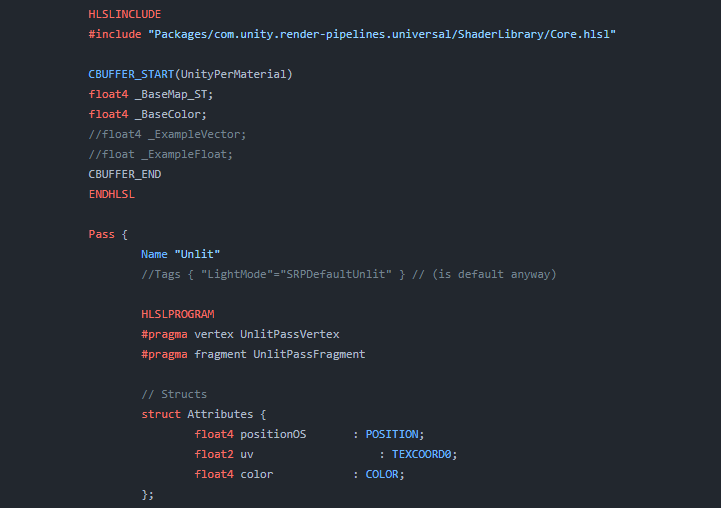
Explains how shader code (ShaderLab & HLSL) is written to support the Universal RP

An introduction to what a Mesh, Shader and Material is in Unity, how to set Shader Properties from C#, a brief look at Forward vs Deferred rendering and some information about Material instances and Batching
I wish you luck with shader programming, and if you have any sort of specific follow up questions you can ping me
hollow wolf
grave vortex
I wish you luck with shader programming, and if you have any sort of specific fo...
thanks for the help man ,instanly bookmark the website
 jade locust
For those familiar with the game Destiny, I was wanting to use a shader to make an effect similar to the Taken enemies, but not exactly like it. Could someone point me in a good direction?
 olive hinge
i feel like maybe this is a stupid question because I can't find any examples online so maybe im missing something obvious...
in URP, in a ScriptableRenderPass, how can I pass the main camera's depth texture to a shader? For example, if i want to use blit to change the color of any pixel past a certain depth to red.
lunar valley
quaint grotto
the lighting calculations is all unity's doing so i presume thats not the issue ...
plug the normals into the output so that you can see if they are correct, but maybe you just forgot to normalize your normal
 lone stream
dumb question, how do i create this in shader graph?
float3 UVVector = mul(rotation, normalize(ObjSpaceViewDir(v.vertex)));```
mostly the TANGENT_SPACE_ROTATION; parti dunno how to intepret the normals in color output

but i guess it looks fine?
if i normalize my normals then all the normals have the same strength which wouldn't make sense
lunar valley
quaint grotto
if i normalize my normals then all the normals have the same strength which woul...
no that would make sense you want that, you don't want to have any blown out lighting
quaint grotto
i want them normalized ?
how then would i make different areas of my landscape more bumpy if they all have the same magnitude
tacit parcel
normal map values are supposed to be direction.
you'll want to add heightmap for 'bumpiness'
lunar valley
lone stream
dumb question, how do i create this in shader graph?
```TANGENT_SPACE_ROTATION;
...
what is that Tangspacerotation even supposed to be
tacit parcel
quaint grotto
im using unity's node of get normals from height map
will there be displacement (be it pom or geometry)? if no displacement is needed, then no need for heightmap
quaint grotto
tacit parcel
normal map values are supposed to be direction.
you'll want to add heightmap for...
i dont have a height map i just said im using noise generation
but i want the land to look non smooth etc
lone stream
lunar valley
what is that Tangspacerotation even supposed to be
    float3x3 rotation = float3x3( v.tangent.xyz, binormal, v.normal )```
i guess i just gonna recreate this manuallyhow else would i do it
lunar valley
lone stream
``` float3 binormal = cross( normalize(v.normal), normalize(v.tangent.xyz) ) ...
ok so its a 3x3 matrix I don't know if shadergraf has such a type tbh.
lone stream
lunar valley
ok so its a 3x3 matrix I don't know if shadergraf has such a type tbh.
yeah i might need Custom Function for this
tacit parcel
quaint grotto
but i want the land to look non smooth etc
the normal map 'smoothness' doesnt alter the shape of the mesh it self, only the lighting on the surface. if you want a real 'bumpiness' which change the mesh shape itself, then you'll need heightmap/displacmentmap, the source could be your noise above
quaint grotto
i know it doesn't alter the shape im far too far away to worry about vertex displacement
its a simple sphere i was using normals to make the landscape look bumpy from afar
it looks like a coloured marble if i dont apply some kinda bumpiness to it
tacit parcel
are you using standard shader? you can just use the normal map as, well, normal texture. The shader should handle the light calculation
quaint grotto
its a shader graph standard urp lit shader
tacit parcel
maybe you can just plug your normal map output to normal input
quaint grotto
the unlit side of my sphere shows lighting

i dont understand
these normals are making no sense at all
my only guess right now is because the noise is a 2d plane but im on a 3d sphere
the normals from height map is not calculated relative to the shape of the mesh
but unity has no provided way to resolve that and that sounds like a complicated math problem beyond my understanding
tacit parcel
are you using height to normal node? try lowering the strength
quaint grotto
its as low as it can go
and yes im using that node
i think its because that node is assuming the height map is of a flat surface not a spherical one
tacit parcel
🤔 seems like even the example in unity's page show the same issue
https://connect-prd-cdn.unity.com/20200915/learn/images/3848430a-41d3-4f59-88e4-10bf4dd49185_image4.png.2000x0x1.png
 tacit parcel
wait, you mean the normal from height?
are you using world? try tangent space
quaint grotto
you able to make a quick test in your unity, use a sphere and say perlin noise and the normals for height in tangent space and see if you get lighting issues from main light
im using tangent
i tried both - world was a total mess 😄
tacit parcel
I'm not in a pc that have unity rightnow 😅
surreal locust
is this possible someway?
#ifdef Feature_Rim || Feature_Metallic
surreal locust
surreal locust
is this possible someway?
`#ifdef Feature_Rim || Feature_Metallic`
Unity Forum
Hi,
So i'm in the process of writing a shader and using various references to add aspects such as Keyword defines as well as 'normal' defines(?) and...
 hushed vigil
There's no way to tell without trying & measuring
There's literally no way to tell based on this information
some post processing is very expensive and some is very cheap
tacit parcel
this is true, especially on weaker device
surreal locust
with shader is cheaper if it is written good
in the worst case you will have same performance
tacit parcel
btw, I'm trying to output skinnedMotionVector in shader
            struct appdata
            {
                float4 vertex : POSITION;
                float4 prevVert  : TEXCOORD4;
            };

            struct v2f
            {
                float4 vertex : SV_POSITION;
                float4 vcolor : COLOR;
            };

            v2f vert (appdata v)
            {
                v2f o;
                o.vertex = UnityObjectToClipPos(v.vertex);
                o.vcolor = UnityObjectToClipPos(v.vertex - v.prevVert);
                return o;
            }

            fixed4 frag (v2f i) : SV_Target
            {
                // sample the texture
                float4 col = i.vcolor;
                col.a = 1;
                return col;
            }
but it seems it doesnt give expected result, like when the mesh is standing still, it should be all black (I guess)
Any idea what I've might missed?
ebon basin
Is there any general resource page out there with all unity macros and helper functions for coding in hlsl? The documentation seems pretty bare unless I'm blind to be honest.
tacit parcel
It should be possible
https://forum.unity.com/threads/get-access-to-skinnedmeshrenderers-prev-vert-pos.1119997/#post-7204324
Unity Forum
Unity docs say skinning is double-buffered mesh verts.
So how do I get access to the last-frames verts in a shader?
This doesn't work for example. So...
 Oops!! It turned out that my laptop graphic card doesn't support motionvector 😵💫
That's weird though, I though SystemInfo.supportsMotionVectors only applies to fullscreen motion vector buffer 🤔
 young rampart
haughty siren
young rampart
haughty siren
i apply an almost black dark texture on the whole screen and multiply (Zero SrcColor) blend it with a custom shader. i'm so done with unity at this point honestly, any help?


i realized that scene view doesn't render with the same graphic settings as game view for example scene view renders with hdr regardless if u have it on or not, i figured maybe it's a problem with those settings but i can't find the preset of settings that scene view uses so it'd be trial and error with 100+ different dropdowns
obtuse basin
i have a shader that is applying a z- offset to the position of the object it is drawing. it's mostly working except the object disappears when its original position would have been off camera, not when its adjusted position is off camera. is there a way to fix this?
lunar valley
obtuse basin
i have a shader that is applying a z- offset to the position of the object it is...
so unity is culling the object at its original position? if so either set the bounding box to be bigger or dissable unitys frustum culling and do it yourself manually
lunar valley
tacit parcel
btw, I'm trying to output skinnedMotionVector in shader
```
struct a...
whats prevVert?
lunar valley
ebon basin
Is there any general resource page out there with all unity macros and helper fu...
it isn't that bare it should have all of the stuff just the layouting is a bit weird-ish? sometimes. It doesn't have the hlsl stuff of the shader coding tho so for that you need to look at microsofts documentation for hlsl
ebon basin
Yeah, its got the basic macros and functionalities, but I guess I was looking more about the functions for lighting and stuff since im not sure what I'm looking at most of the time when viewing snippets of code lol
Kinda found something though
lunar valley
thats kind of cool, its also like showing a bit how all of these functions work, didn't know this existed thanks man
ebon basin
yeah, the problem is there's just a lot of packed functionality that's included upon included in a lot of what I'm looking at
just gotta follow the rabbit hole
lunar valley
still worth adding to your browser bookmark tho
ebon basin
yeah totally
lunar valley
oh damn I just realized if you click on the highlighted stuff it brings you to their definition, somebody put some work into this
oh but it seams to be for urp... :(
ebon basin
D:
lunar valley
what a true chad
tacit parcel
lunar valley
whats prevVert?
it should be previous vertex position, but does the name matter? I though that as long as it use TEXCOORD4 stream, it should return correct value
lunar valley
tacit parcel
it should be previous vertex position, but does the name matter? I though that a...
no I was just wondering what that was suppoed to be, but thanks. I don't think its because of your shader how are you passing that data over there
tacit parcel
lunar valley
no I was just wondering what that was suppoed to be, but thanks. I don't think i...
the mesh renderer should fetch the data (which is previous vertex position) if the Skinned Motion Vector is checked on
lunar valley
tacit parcel
btw, I'm trying to output skinnedMotionVector in shader
```
struct a...
wait I just realized you shouldn't transform it to clip space
tacit parcel
I think, it doesnt matter, I've tried in object space and world space.
the prevVert should have almost the same value with the vertex position, but while the vertex gives the right value, the prevVert is not, I think it gives value which looks like uv instead of vertex position
grizzled meadow
made a shader that determines the vertex position depending on a texture, is there a way i can do a higher resolution version of this without having to subdivide the plane?

 lunar valley
tacit parcel
I think, it doesnt matter, I've tried in object space and world space.
the prevV...
lunar valley
tacit parcel
I think, it doesnt matter, I've tried in object space and world space.
the prevV...
It does matter depending on what you want to do, for simply visualizing it so that as you said it should be black when not moving and something else when moving. If you have tested that tho and it doesn't make a difference than there is something wrong with prevVert. Have you tried simply otputing your raw prevVert which is in object space? What does it give you?
tacit parcel
tacit parcel
I think, it doesnt matter, I've tried in object space and world space.
the prevV...
Eh, it works, it seems that I need to force the camera to use MotionVectors mode
cam.depthTextureMode = DepthTextureMode.MotionVectors;
as mentioned here
 lunar valley
grizzled meadow
made a shader that determines the vertex position depending on a texture, is the...
lunar valley
grizzled meadow
made a shader that determines the vertex position depending on a texture, is the...
no
grizzled meadow
aw
tacit parcel
lunar valley
glad it works now
thanks 🙂 👍
glossy verge
Making a custom boolean is very buggy, anyway to access this bool via code?
 dim yoke
glossy verge
Making a custom boolean is very buggy, anyway to access this bool via code?
dim yoke
glossy verge
Making a custom boolean is very buggy, anyway to access this bool via code?
Would love to hear what you mean by ”buggy”. I have faced no issues with booleans in shader graph. The way you can toggle that in the code is by making a boolean property and plug that there. You can then change that property using theMaterial.SetFloat(”_PropertyName”, value); value being either 0 or 1
glossy verge
dim yoke
Would love to hear what you mean by ”buggy”. I have faced no issues with boolean...
I discovered that what the shader graph display as "default" for bools or colors are not what im seeing for real. I have to change it manually on the Material Asigned
So I can change that with setfloat as intended but I cant know if it works unless I go to the specific thing instead of changing values on the shader
and of course runtime now I know where to see those values
dim yoke
glossy verge
I discovered that what the shader graph display as "default" for bools or colors...
Im not sure I understand
glossy verge
when I change this color, nothing happens if I have a branch (the branch was my problem rn) and the bool default state doesnt care too if its a property but I can see those changes if I modify those values inside the material asigned to a gameObject

here

Those are the values that work if I have a branch
If you dont have a branch then they work as intended
dim yoke
Maybe you should file a bug report
regal stag
glossy verge
I discovered that what the shader graph display as "default" for bools or colors...
That's how properties work. "Default" is what the values are set to when a new material is created. Those values are also used for previews in the graph itself.
glossy verge
regal stag
That's how properties work. "Default" is what the values are set to when a new m...
So its intented that you cant see any changes in the scene, only in the graph preview?
regal stag
Changing the default value won't change any currently existing materials
 quaint grotto
had to turn off normals because of this annoying visual bug i can't fix -_-
why does it work fine in blender but in unity it looks complete garbage
this is unity's idea of calculating normals from height

totally broken
dim yoke
quaint grotto
this is unity's idea of calculating normals from height
Show what you did
quaint grotto
generate noise > normal from height in tangent space > normal output
my strengths are tiny like 0.0001
looks like this

im pretty sure the issue stems around the fact the black patches are 0 then pixels around it are not because it only glitches on the coastline of water to land
@dim yokei used a step node to mask out land so the normals apply to water
which is the black parts
in blender using the same logical process it all worked fine
dim yoke
There seems to be quite harsh edge between the water and land, that will make quite strong normals around the edges
dim yoke
Having sudden drop on the height map doesnt make much sense anyway
quaint grotto
cliffs?
the land has much stronger normals to sea so i used a mask to seperate teh areas before applying the normals
dim yoke
quaint grotto
the land has much stronger normals to sea so i used a mask to seperate teh areas...
The color doesnt need to be that much different. Sudden drop from black to white means theres vertical drop between the land and the water. If you want the water to have less noticeable normals, you need to make it have less variance in the height map, not make it completely different height
dim yoke
quaint grotto
how would i do that
I think thats problem for you to solve
quaint grotto
im not that good at shaders lol
toxic flume
Can you explain a correct way to handle it?
buffer.GetData is time consuming if data length is huge for example 100,000.
I want to dispatch in update loop and then get the result data.
private void Update()
{
            computeShader.Dispatch(0, _threadGroupNum, _threadGroupNum, 1);
            buffer.GetData(data);
}
not getting the data back every frame if possible
toxic flume
lunar valley
not getting the data back every frame if possible
Yes, I know but I thought I have another way
It is cellular automata (water simulation for a voxel game). I have implemented it in a compute shader
but now, I have doubt if it should be implemented in compute shader or using the job system cpu side
lunar valley
you mean you have doubt that a compute shader would be faster than job?
toxic flume
yes
in my scenario
Updating my 3d world data using compute shader and get back data or using job system
lunar valley
btw. why do you even need to get the data back, if its something that doesn't interact with dynamic objects you can probably just do it all on the gpu side
toxic flume
lunar valley
btw. why do you even need to get the data back, if its something that doesn't in...
No, I cannot
it is not just about representing
Characters in the game, can dig and change the world or carry buckets of water, build pool, etc.
lunar valley
well I guess I will believe you
and I wouldn't really know what would be faster probably gotta test it out
toxic flume
If characters fill their buckets, the level of water should change.
Behaviours like changing water level is in cpu side or change the world, digging
lunar valley
then why do you need to get it back from gpu if you are doing it on the cpu?
toxic flume
lunar valley
then why do you need to get it back from gpu if you are doing it on the cpu?
Which part do you mean?if you are doing it on the cpu?
lunar valley
you just said baheaviours like... is on cpu
toxic flume
In gpu, just calculate the level of blocks of waters using cellular automata, propagate water
Surely, it is faster to put it in a compute shader but sending data from/to cpu/gpu back and forth
lunar valley
yeah not sure
toxic flume
I had implemented something like it before but there, just one time sent data to the compute shader and then a standard shader rendered based on compute buffer data
toxic flume
lunar valley
yeah not sure
thanks.
Another question. Writing in one index through different threads in a compute shader can lead to unstable wrong result, right?
but accessing (reading) is OK
lunar valley
so you want to write to data from a different thread to another thread?
grave vortex
I have a pretty complex question to do with URP's Lighting.hlsl and additional light shadows. I've written the code to generate a basic VSM (variance shadow map), which is written to a different renderTarget than the regular shadowmap. Looking at urp's Lighting.hlsl, It looks like I might need to write my own version of the huge function that is half4 UniversalFragmentPBR() Is this the correct way to go about this? It looks like I'll have to make my own version of most of Unity's lighting shaders if I want a different shadow technique.
cosmic prairie
lol
dim yoke
You can calculate the linear equivalent of the vertex position, but thats obviously not the same value you get from the depth texture
dim yoke
I mean how are you supposed to know the depth to the earlier drawn scene if you dont access the texture that stores that information?
Without that you can only access information about the geometry you are currently drawing, with the depth texture you can access the depth to the scene behind that
cosmic prairie
what is it you are trying to achieve?
civic onyx
hi Guys is it possible to use Position mapping in Unity instead of Uv Mapping for Object?
for Material Shaders
rare wren
@grand jolt yep, removing shadowCaster pass should work. In shader graph there's an option which does the same
lunar valley
civic onyx
hi Guys is it possible to use Position mapping in Unity instead of Uv Mapping f...
just use the position node for sampling textures in shader graf
civic onyx
thanks, done that
quick question, i am using Shader Graph is Unity Standard Version in version 2021...
Dev i am working with is using Standard 2020 version
is it possible to use Shader Graph there?
regal stag
Shadergraph only supports Built-in RP from 2021.2+ afaik
tacit parcel
x = abs(x)
 winter timber
is there anyway to get alpha rendering order correct easilly? Like a shader that checks each vertex in the mesh for some sort of depth number, or something? (can't I just sort it by the z axis?)
 winter timber
is there anyway to get alpha rendering order correct easilly? Like a shader that...
winter timber
winter timber
is there anyway to get alpha rendering order correct easilly? Like a shader that...
by changing transparency sort mode to orthagraphic instead of z axis it has for some reason done the exact opposite, and has started sorting by z axis, which is what I want, so yay!
winter timber
winter timber
by changing transparency sort mode to orthagraphic instead of z axis it has for ...
problem is that orthagraphic sorting is inconsistent, sometimes it does sort by z axis, and other times it sorts by negative z axis.... Weird
 sudden mountain
(URP)
How can I best use the alpha from one texture as the alpha for another texture?
I currently have this in my frag:
float4 frag(VertexOutput IN) : SV_TARGET
{
    float2 uv = IN.uv;
    float4 color = SAMPLE_TEXTURE2D(_GradientTex,sampler_GradientTex,uv);
    float4 alpha = SAMPLE_TEXTURE2D(_AlphaTex, sampler_AlphaTex, uv); //AlphaTex is a grayscale version of the alpha channel of _GradientTex
    return float4(color.r,color.g,color.b,alpha.a);
}
but that gives a different result as opposed to using the _GradientTex texture's alpha directly
regal stag
sudden mountain
(URP)
How can I best use the alpha from one texture as the alpha for another tex...
Afaik the code looks fine here. I would assume any differences is due to the textures themselves (maybe related to the sRGB or other settings?)
sudden mountain
regal stag
Afaik the code looks fine here. I would assume any differences is due to the tex...
These are the two textures' settings, they were both made in the same image editing software

 snow forge
Hi all, back to messing about with my Asteroid/Ore Shaders.
Would anyone be kind enough to give me an opinion on my idea/visual please? 🙂

 ebon basin
breddy cool
snow forge
Thankies, keep changing my mind about what I want. lol.
sudden mountain
sudden mountain
These are the two textures' settings, they were both made in the same image edit...
after closing and opening Unity again, it works now. No clue why or how
ebon basin
I'm actually dealing with that now for some sprite shader I'm making
I'm not sure I'm going about it the right way, but it seems like I can't use unity's functions for it
as far as coding it in urp goes
umbral hemlock
I think this tutorial is pretty good https://catlikecoding.com/unity/tutorials/custom-srp/directional-shadows/ but it only covers directional shadows. So idk I’d stick with the Unity implementation if possible 😅. But maybe by reading it you’ll learn something that’ll help you debug your current problem 🙂
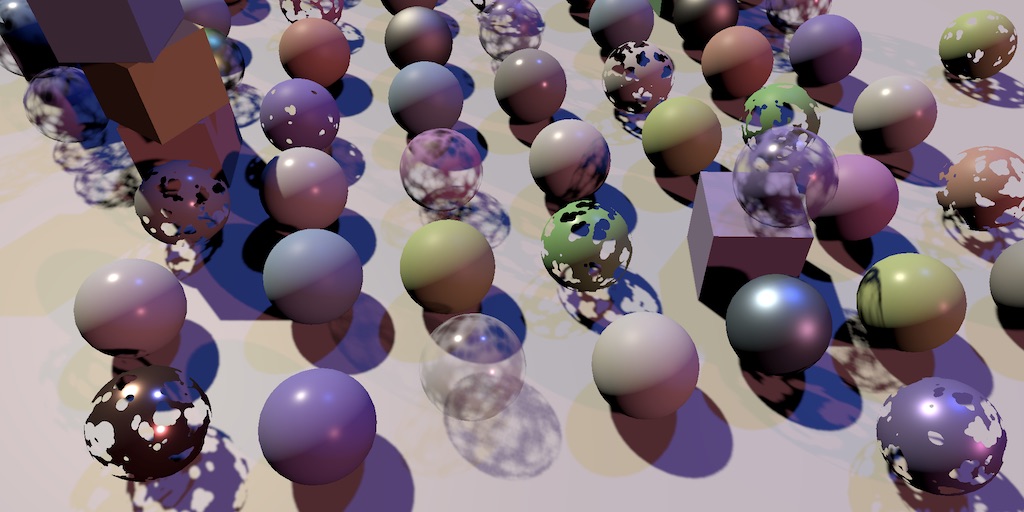
A Unity Custom SRP tutorial about applying shadows to directional lights.
ebon basin
So, I've only started with hlsl for urp and I've a question about the sprite renderer and how it still requires the texture property to still be passed as _MainTex, yet a large amount of these libraries pass around this property as _BaseMap instead. Is there something I'm missing here, or am I supposed to just copy and paste all this functionality to change that over?
 wooden canopy
I’m having an issue using a custom shader & material with GPU Instancing. Unity seems to be batching them into very small groups, usually of sizes between 2-6 despite having a much larger number of instances to draw. I can’t find any information about this, but it appears to be the same problem posted here: https://answers.unity.com/questions/1544649/frame-debugger-gpu-instancingbatching-why-does-uni.html
Does anyone know how Unity determines batching sizes and how I could force it to keep my instanced objects together in a single draw call? It only seems to split them up when I have other objects rendering, and those get inserted randomly in between.
I know I could manage the rendering myself with “DrawMeshInstanced” but this would be a huge refactor and I would much rather have Unity do this properly for me, and I’m not even sure it would fix the problem because Unity could still split it into smaller batches... Any clues or anecdotes would be appreciated!
Unity is the ultimate game development platform. Use Unity to build high-quality 3D and 2D games, deploy them across mobile, desktop, VR/AR, consoles or the Web, and connect with loyal and enthusiastic players and customers.
low lichen
wooden canopy
I’m having an issue using a custom shader & material with GPU Instancing. Unity...
The question you linked shows draw calls in the transparent queue. Transparent objects must be drawn in a back-to-front order. It's important enough that Unity prioritizes it over batching. Without correct ordering, the objects will not render correctly; objects behind could be drawn in front of objects that are in front.
This is not a problem for opaque objects, because they can rely on the depth buffer to render pixels correctly, even when drawing them out of order. Transparent objects don't write to the depth buffer, so they don't have that luxury.
wooden canopy
low lichen
The question you linked shows draw calls in the transparent queue. Transparent o...
That doesn't appear to be the issue for me... the queue is set to Geometry and I see it as such in the Frame Debugger.
low lichen
wooden canopy
That doesn't appear to be the issue for me... the queue is set to Geometry and I...
In that case, can you check what the Frame Debugger says? It should show a reason for why each draw call couldn't be batched with the previous.
wooden canopy
low lichen
In that case, can you check what the Frame Debugger says? It should show a reaso...
It just says the objects have different materials or meshes, which is technically correct because Unity is inserting some other random draw calls in between, but it shouldn't be doing that.
low lichen
wooden canopy
It just says the objects have different materials or meshes, which is technicall...
Does it appear as though Unity is sorting the draw calls based on distance? Or are the random draw calls at random depths, too?
wooden canopy
low lichen
Does it appear as though Unity is sorting the draw calls based on distance? Or a...
It seems to be sorted by distance from the origin
low lichen
wooden canopy
It seems to be sorted by distance from the origin
Is this in the built-in render pipeline?
wooden canopy
low lichen
Is this in the built-in render pipeline?
Yes, although I'm using custom shaders, not any standard ones.
low lichen
wooden canopy
Yes, although I'm using custom shaders, not any standard ones.
It sounds like Unity is still prioritizing a front-to-back order over draw call batching. Front-to-back order can be useful for minimizing overdraw (which also affects opaque objects). But one way you could force your draw calls to render first or last, is to change the render queue of your material, to either less than or greater than 2000.
wooden canopy
Interesting, let me try that...
wooden canopy
low lichen
It sounds like Unity is still prioritizing a front-to-back order over draw call ...
Setting it to 2001 still causes it to sort. Sorting doesn't make sense for my application since it's all based on vertex shaders, so wherever unity thinks the mesh is wrong. If there's a way to disable sorting entirely that would work for me.
low lichen
wooden canopy
Setting it to 2001 still causes it to sort. Sorting doesn't make sense for my a...
You could try setting the Camera.opaqueSortMode to NoDistanceSort.
https://docs.unity3d.com/ScriptReference/Rendering.OpaqueSortMode.html
wooden canopy
low lichen
You could try setting the `Camera.opaqueSortMode` to `NoDistanceSort`.
<https://...
That fixed it! Thank you so much, I had no idea that opaque meshes would be sorted by default.
 primal prawn
Is it possible that the normal shaders in unity cause lag in Android phone?
toxic flume
My voxel world is 400,100,400.
I have implemented a 3d cellular automata using compute shader in GPU side and use draw mesh instanced api to render cubes.
But the world is huge and it has many voxels.
Do you know any better way to handle it?
My another problem is that the world is dynamic, characters can dig. So, sometimes it is required to pass 3d world data to compute shader
 near karma
toxic flume
My voxel world is 400,100,400.
I have implemented a 3d cellular automata using c...
near karma
toxic flume
My voxel world is 400,100,400.
I have implemented a 3d cellular automata using c...
You're instancing cube meshes instead of generating simplified mesh[s] for it?
winter timber
winter timber
is there anyway to get alpha rendering order correct easilly? Like a shader that...
ok ye sorting by z axis is seemingly not possible, or atleast very very difficult....
ebon basin
So, I've got my sprite shader (urp) going pretty well, but I've found myself stuck with some lighting issues. Currently, I've got some billboarding with zdepth vertex modifications, such that it always renders facing the camera. However, grabbing the shadowCoords via TransformWorldToShadowCoord does not update the sprite's received shadow when rendered beyond its default position. If anyone can give me a lead on what I should look into next I'd appreciate it.
tacit parcel
ebon basin
So, I've got my sprite shader (urp) going pretty well, but I've found myself stu...
maybe try adding addshadow pragma?
winter timber
winter timber
ok ye sorting by z axis is seemingly not possible, or atleast very very difficul...
the rendering depth must be stored somewhere, is there someway I could write to it?
ebon basin
tacit parcel
maybe try adding addshadow pragma?
Documentation says it's used with custom vertex modifications, but doesn't seem like it's doing anything for me. Unless it's for casting shadows, and in which case I've got going already with a shadow cast pass.
winter timber
winter timber
the rendering depth must be stored somewhere, is there someway I could write to ...
Shader graph doesn't appear to have a way to set the depth, but perhaps when I'm creating my mesh I can store the depth on the mesh somehow
surely there must be a better way... So many people make 2d games, there surely must be a well known way to render stuff by z axis order, so transparent objects work well
winter timber
winter timber
surely there must be a better way... So many people make 2d games, there surely ...
ok from googling it seems that most places recommend writing to something called a depth texture... It doesn't look easy, but it probably is easier than anything else...
ebon basin
winter timber
ok from googling it seems that most places recommend writing to something called...
What pipeline are you using
winter timber
ebon basin
What pipeline are you using
urp
ebon basin
winter timber
ooh no I haven't seen those yet, I'll mess around with them thanks... Still don't get why 2d rendering is such a pain lol
ebon basin
yeah, shadergraph is limited on stencil and depth stuff usually
winter timber
ebon basin
yeah, shadergraph is limited on stencil and depth stuff usually
that is annoying, but I'm still surprised there isn't a default urp shader for this, as it seems like something a lot of 2d games would run into
ebon basin
Is changing the queue on your shader not good enough for how you want to sort it though?
winter timber
I'm creating the mesh at run time, so all sprites are on the same mesh, and as far as I know I can't have per vertex queue
 low bridge
so im trying to learn how shaders work, and somehow i even failed a tutorial on how fluid shaders work, anyone know if im missing something?
ebon basin
oh, huh that's interesting
winter timber
ebon basin
oh, huh that's interesting
ye... Having 1 material per sprite type, and then having 1 submesh per sprite type isn't very good for performance unfortunately, so shader queue is really not viable it seems
surely depth must be stored somewhere though? Can't I just grab it and manually write to it myself when I'm creating the mesh?
winter timber
winter timber
surely depth must be stored somewhere though? Can't I just grab it and manually ...
it seems it stored it somewhere in something called a depth buffer, but it really seems to be hidden, and not able to just be grabbed...
ebon basin
Beyond hlsl and the render objects I'm not too sure, but those way seem the most accessible
winter timber
ebon basin
Beyond hlsl and the render objects I'm not too sure, but those way seem the most...
I'll try those thanks, I'm hopeful I'll be able to trick it into accidentally giving me access
ebon basin
hehe
Actually, there is the scene depth node on the shader graph, but I've not really touched any of that either. But I know for sure you can't access the stencil buffer on it unless they've added that feature yet.
winter timber
ebon basin
Actually, there is the scene depth node on the shader graph, but I've not really...
the scene depth node appears to be read only, with no apparent way to write to it sadly
low bridge
low bridge
so uh, why doesnt this work?
context: it appears all pink like the shaders broken, which it might very well be and the step value doesnt update (i belive, i have no idea what im doing)
ebon basin
Fluids shaders are actually pretty technical, especially when starting out
low bridge
oh?
its not like im trying to make the vertexes move, just scaling the level of the mesh up and down and tract the rotation
i know vertex movement is something i shouldnt even try
ebon basin
But it being pink sounds like a pipeline issue, but it being on the shader graph like that seems unusual. Maybe make sure the settings have targeted universal (assuming you're using a srp)
low bridge
so this is where im at
 ebon basin
keep going lol
low bridge
on what?
shouldnt there be a render pipeline assest? since you know i already installed the universal
ebon basin
Need to create a new settings asset from the asset menu for the pipeline
low bridge
i love when i make everything pink and more difficult yet it still doesnt want to work
 viscid hearth
oh nvm found asnwer


 grizzled bolt
 finite tree
is this a depth test fail or something?
finite tree
is this a depth test fail or something?
It looks like your ground is also transparent when it should be opaque
Transparent materials are depth sorted by their origin
finite tree
grizzled bolt
It looks like your ground is also transparent when it should be opaque
Transpare...
it has instanced material with full alpha.. 🤔 im gonna do opaques for now anyways, but thanks for the info
grizzled bolt
finite tree
it has instanced material with full alpha.. 🤔 im gonna do opaques for now anywa...
Even if the alpha is full it'll still be rendered as a transparent if it's of type transparent
 grim bloom
Why I can't create PBR Shader? Do I need to install something? I have unity URP 2021
grizzled bolt
grim bloom
Why I can't create PBR Shader? Do I need to install something? I have unity URP ...
It's "lit" now
grim bloom
grizzled bolt
It's "lit" now
Thanks!!!
finite tree
grizzled bolt
Even if the alpha is full it'll still be rendered as a transparent if it's of ty...
Oh yes, that makes sense, thanks!
winter timber
winter timber
I'll try those thanks, I'm hopeful I'll be able to trick it into accidentally gi...
ok I have managed to stumble across this thread https://forum.unity.com/threads/writing-to-the-z-depth-buffer-in-urp.896942/ which at the end seems to write to the depth using some sort of function called frag. Currently I don't know where to put this function, but it seems like once I work it out that this might allow me to chuck vertex z positions into it!
Unity Forum
From a few days of research on this forum, I've yet to find a definitive answer to this problem, though I'm certainly not the only person who's run...
ok it seems that shadergraph is weird and doesn't use vertex or fragment stuff as I searched the entire generated shader file and found neither, so I guess I'll have to just write the shader manually, weird
(really wish visual studio supported shader language...)
the vertex position is in the vertex function and not the frag function, hmmm.... So either I'm going to have to get the depth into the vertex function somehow, or get the vertex into the frag function
meager pelican
winter timber
the vertex position is in the vertex function and not the frag function, hmmm......
You would benefit from a better overview of shaders/GPU functioning. See the stick-pin at the top.
The vertex function IS USED by SG. It's the vertex stage in the stack. The frag function is represented by the fragment section of the stack. What you connect to those areas goes into those functions.
The vertex function outputs something called clip-space position of each triangle's vertex. The values are passed from the vertex function to the frag function in something called interpolators which is expressed as a structure such as "v2f" in many examples, although it can be named anything. The values for these THREE points (so three calls to the vert() for each triangle) are collected up by the GPU and then, after rasterization into pixels, are mapped to the screen and the pixels are lit by calling frag() for each pixel.
So you can pass any value from the vert() stage to the frag() stage via this "v2f" process and the values are INTERPOLATED across the triangle for each pixel automatically. SG has something called "custom interpolators" for this purpose. But it's probable (IDK your use case) that you can "just" set the depth of the triangle's verts in your vert stage, and let the frag take care of itself. Unless, for some reason, you insist on setting depth on a pixel-by-pixel basis, they're usually the result of interpolating across the verts.
winter timber
meager pelican
You would benefit from a better overview of shaders/GPU functioning. See the st...
thanks a ton, I shall check the pins then, and I think I understand it a bit more now! So if I understand what you are saying I should be able to just access depth in the vertex shader? Is there any manual anywhere for this btw, so I could search for depth related stuff that can be accessed in the vertex shader?
toxic flume
near karma
You're instancing cube meshes instead of generating simplified mesh[s] for it?
Yes, for water, I have decided to instancing them using Graphics.Draw but for other voxels I create a combined mesh using greedy mesh algorithm on cpu. It is chunk based.
winter timber
winter timber
thanks a ton, I shall check the pins then, and I think I understand it a bit mor...
if there is a manual it must be hidden, I can't find it.... And I don't have auto complete, so I'm kind of stuck... Anyone got a link to the manual, or any form of documentation?
I suppose I could manually brute force the shader file like a password, except that would take an extremely long time, so I'm hopeful there is documentation
edit: found docs yas! https://docs.unity3d.com/2022.3/Documentation/Manual/shader-shaderlab-commands.html
ok I managed to turn ZWrite on which feels like a good first step, I might not know how to write to it yet, but I'm getting closer!
tacit parcel
winter timber
I suppose I could manually brute force the shader file like a password, except t...
wait are you using shader graph or shader code?
winter timber
tacit parcel
wait are you using shader graph or shader code?
a bit of both, currently I'm messinag around with shader code though
tacit parcel
oh, you are extending shadergraph? nice 🙂 👍
winter timber
I just want a way to render alpha stuff in the order of the z axis lol, didn't realise it was going to be so difficult
winter timber
tacit parcel
oh, you are extending shadergraph? nice 🙂 👍
somewhat, but not really, I have 2 seperate shader files, so I'm sort of learning what shader files look like based off of shader graphs generated shader files
tacit parcel
🤔 if you really need to z order transparent polygon, your best bet would be reordering your polygons from c#, iirc, you created the mesh from code right?
iirc, unity renders polygon by their sequence in the mesh
winter timber
I do create my mesh via code, so I suppose I could? That seems quite painful though, I just want to be able to have non-square sprites, that is all I want lol
tacit parcel
if your sprite doesnt need to have alpha blending, you could also use alpha test, alphatest writes to zbuffer and automatically z sorted
winter timber
tacit parcel
if your sprite doesnt need to have alpha blending, you could also use alpha test...
I don't know what alpha blending is, but my sprites are only ever 0 or 1 alpha if that is what you mean?
tacit parcel
winter timber
I don't know what alpha blending is, but my sprites are only ever 0 or 1 alpha i...
yep, I suggest you use alpha test then
winter timber
ok how would I do that in the least painful way possible?
tacit parcel
maybe its alpha clip setting (I dont use shadergraph often so I forgot)
https://docs.unity3d.com/Packages/com.unity.shadergraph@15.0/manual/images/GraphSettings_Menu.png
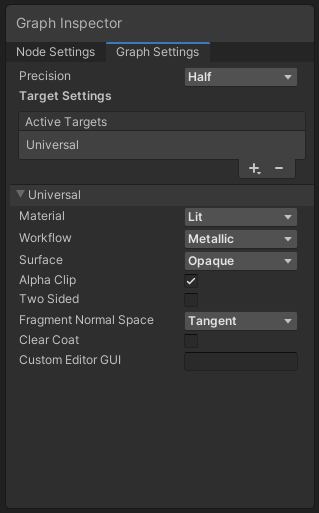 winter timber
tacit parcel
maybe its alpha clip setting (I dont use shadergraph often so I forgot)
https://...
winter timber
tacit parcel
maybe its alpha clip setting (I dont use shadergraph often so I forgot)
https://...
brute forced all the depth settings I could find in shader graph, and it turns out that doing this worked, thanks so much, everything is awesome now!!!!!

 frosty linden
Hello, I'm creating a simple new hair shader for HDRP but when I check to compile, it says there are 63 variants? There are many keywords I don't need for this shader. Is it possible to disable some in shader graph?


This seems like an insane amount for such a simple shader. I don't need refraction for example

 tribal badger
I have a shader graph that does some custom vertex displacement and samples a texture. I'd like to complicate the texturing part to be more "standard" include a normal map, maybe bump map and anything the standard deault shader does.
Is there a way to include / combine the "standard" shader in shader graph with my custom displacement, or is the only way to redo the default behavious in shader graph?
 warm pulsar
I've also been interested in that more than a few times!
The problem is that the built-in shaders are...a lot of shader code
amber saffron
frosty linden
This seems like an insane amount for such a simple shader. I don't need refracti...
Variants that are not used in the project will (or should at least) be stripper during project build.
amber saffron
tribal badger
I have a shader graph that does some custom vertex displacement and samples a te...
You have to re-do the behaviour of the standard shader.
Feel free to use this as a base, it's an old repo but should still work : https://github.com/RemyUnity/SG-HDRP-Lit
GitHub
Shadergraph version of the HDRP/Lit shader. Contribute to RemyUnity/SG-HDRP-Lit development by creating an account on GitHub.
 heavy relic
I'm trying to recreate the proximity based vr boundaries you see on oculus and steam vr. Can anyone point me in the right direction to recreate this effect?
 mental bone
A spheremask would be the simplest approach
heavy relic
So far I've managed to get the effect on the exact intersection, but I'm trying to have it fade out smoothly instead of only rendering over the object
grave vortex
Off the top of my head, try computing distance from the center of your sphere, then use a bunch of remap nodes to control which distances correspond to being fully within the effect, and which distances are partially faded.
You could map the distances where it should be fading to an alpha between 0-1
frosty linden
amber saffron
Variants that are not used in the project will (or should at least) be stripper ...
Indeed, but doesn't the shader gets compiled before the build?
I just clicked Compile and a huge pile of code appeared using all variants.
Isn't there anyway to disable keywords since I already know which keywords I won't need ?
amber saffron
frosty linden
I just clicked Compile and a huge pile of code appeared using all variants.
https://docs.unity3d.com/Manual/class-Shader.html
Compile and show code button :
Manually compile all shader variants for a selected graphics API.
frosty linden
Also, is there a way to expose the _CullMode variable through Shader Graph, without compiling, so that I can change it at runtime?
frosty linden
amber saffron
https://docs.unity3d.com/Manual/class-Shader.html
Compile and show code button :...
Got it. Too bad then. That could help reduce compile time.
amber saffron
This is only for this specific editor button.
Like I said, when building the project, unused variants are stripped
(unless they are multi compile)
frosty linden
amber saffron
This is only for this specific editor button.
Like I said, when building the pro...
Ah, interesting, thanks for the clarification.
amber saffron
frosty linden
Also, is there a way to expose the _CullMode variable through Shader Graph, with...
Depends on the render pipeline, HDRP exposes de double side toggle, I don't remember if URP also does it
frosty linden
amber saffron
Depends on the render pipeline, HDRP exposes de double side toggle, I don't reme...
Yes, double sided is exposed but when I use the HDRP hair shader in transparent mode, only one side gets displayed.
I was told it's a alternative solution to avoid the transparency depth issue and we have to duplicate the model and invert the cull mode to replicate the double sided effect.
So far, I simply duplicated my shader graph and changed the cull mode in the new one and the hair works really well now, but I was wondering if I could change cull mode at runtime to avoid having two shaders which will both compile during build.
Or would you have another suggestion to get a nice hair shader with proper transparency by any chance ? 😄
amber saffron
Enable transparent depth prepass and tweak the depth pass clipping values
amber saffron
frosty linden
Or would you have another suggestion to get a nice hair shader with proper trans...
Did you look at the hair shaders in the hdrp material samples ?
frosty linden
No, I didn't know there were samples for that :x I'll take a look, thanks.
mental bone
I would say that is simply not true
At least it’s a very ambiguous statement. A compute shader is just a general purpose program that can run in parallel on the gpu. A regular shader also runs in parallel but does very specific things
cosmic prairie
it can be faster
you avoid the rasterization stage and vertex stage
what do you want to use it on?
 tough glade
How can I keep Translucent materials from making thicker patches when they overlap
 warm pulsar
that doesn't really make sense
a compute shader is used to perform non-rendering work on the GPU
cosmic prairie
oh no those won't be faster, also compute shader is not for geometry most of the time... unless you are applying toon as a post processing effect or doing deferred rendering you can't use it
cosmic prairie
warm pulsar
a compute shader is used to perform non-rendering work on the GPU
well some use it for deferred rendering
lunar valley
you can do it in a compute shader tho if you really want it
warm pulsar
that sounds very big brained
lunar valley
to each his own
smoky widget
I need some help. How can I use derivatves when sampling from a texture2darray with UNITY_SAMPLE_TEX2DARRAY?
I just had to use the version with lod and addup the derivatives

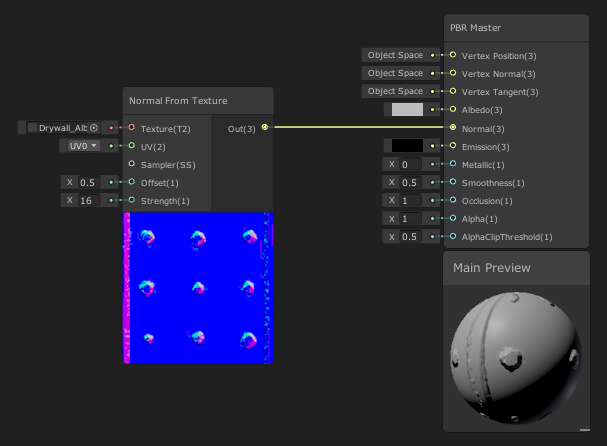
 smoky widget
I just had to use the version with lod and addup the derivatives
smoky widget
smoky widget
I just had to use the version with lod and addup the derivatives
But now i get artifacts at certain distances
smoky widget
 untold blade
Why is it Pink when I selct the standard shader?
untold blade
Why is it Pink when I selct the standard shader?
are u using urp?
untold blade
smoky widget
are u using urp?
im using hdrp
smoky widget
then you need to make sure that the shader you are selecting as standard, is the standard form HRDP
untold blade
but I want to switch from hdrp to a the standard shader. (I wanna convert it in a mobile game)
smoky widget
Then you need to first change the lighting pipline to be the default one (or URP) and then change all the shaders. But i've never worked with those, so proablt someone else can help you
 glossy hornet
why does the shader graph/material im trying to attach to a cube cause it to flicker?
was following a tutorial...
i downloaded/imported this guy's project into my own, and the sample cube he made dont flicker
but when i make my own (with identical settings in the inspector as his) it does flicker
heres the shader graphs:
https://cdn.discordapp.com/attachments/497872424281440267/1116764611878846505/image.png https://cdn.discordapp.com/attachments/497872424281440267/1116764650218999950/image.png https://cdn.discordapp.com/attachments/497872424281440267/1116764705764159518/image.png https://cdn.discordapp.com/attachments/497872424281440267/1116764739444420618/image.png


heres a video of the shader working fine when importing a tutorial asset but it flickers when i do the exact same settings in the inspector:
screenshots of the inspector for both objects:
right cube (imported)

left cube (created)

 desert orbit
glossy hornet
desert orbit
glossy hornet
It seems like projection on the top of your cube is scaled. This flashing is actually animated lines zoomed in and moving
glossy hornet
desert orbit
It seems like projection on the top of your cube is scaled. This flashing is act...
hmm.. interesting
i set both cubes to the same size now
but the flickering still exists
desert orbit
It's not size, it's shader code has top scaling wrong
glossy hornet
okay i set them to the same orientation/scale and now the flickering is gone
how should i make this flickering go away though
desert orbit
If you want to keep effect local to the object you need to use local projection.
desert orbit
When you rotating it, world projection would differ with rotation
glossy hornet
is the texture image causing this issue?
should i just remove the texture image and use something else
smoky widget
I need some help. How can I use derivatves when sampling from a texture2darray with UNITY_SAMPLE_TEX2DARRAY? I thought i found a way but not really
glossy hornet
desert orbit
If you want to keep effect local to the object you need to use local projection.
how do i do that?
tried googling, didnt find much :/
desert orbit
glossy hornet
how do i do that?
The usual way applying something like that is using triplanar node. I don't think it has a local position switch though
Or it's just for normals support it doesn't. Take a look at it. https://docs.unity3d.com/Packages/com.unity.shadergraph@6.9/manual/Triplanar-Node.html
glossy hornet
desert orbit
Or it's just for normals support it doesn't. Take a look at it. <https://docs.un...
thanks
untold blade
smoky widget
Then you need to first change the lighting pipline to be the default one (or URP...
Why is it still pink?

 near karma
I've been having so much trouble understanding numthreads and Dispach thread counts, no matter the resources people have shared. I know that I can't go over 1024 in numthreads, but I'm trying to convert from 10^3 voxel chunks to 16^3 chunks. I obviously can't put numthreads(16*16*16, 1, 1) or numthreads(16, 16, 16). So I put numthreads(16, 16, 4). Only problem now is that I don't know exactly how to decide the threads for Dispatch() and how to make sure that the actual thread knows which dispatch group it's in so that the shader still samples the noise accurately.
I need 16^3 chunks for octree LOD, which I can't do nearly as easily or optimally in 10^3 chunks.
 tribal karma
Hi, i followed Brackeys tutorial on Grass Sway and it works so far but when the player is moving, the grass sway becomes way faster. When player is idle the grass has the normal speed again. Does anybody know why that might happen?
in hdrp shader graph
near karma
tribal karma
Hi, i followed Brackeys tutorial on Grass Sway and it works so far but when the ...
Do you have a node that depends on camera position? If you do, parameters of your shader will change when the camera moves
tribal karma
near karma
Do you have a node that depends on camera position? If you do, parameters of you...
No, only world position nodes
near karma
tribal karma
No, only world position nodes
Can you send a picture of the graph?
near karma
That's the plan
tribal karma
 tribal karma
near karma
That's the plan
tribal karma
near karma
That's the plan
hope you can read everything with this res
tribal karma
near karma
That's the plan
idk if you still tryna help but i fixed it
near karma
tribal karma
idk if you still tryna help but i fixed it
What was the issue? (I was working on my own problem)
tribal karma
near karma
What was the issue? (I was working on my own problem)
Hm i tried some settings and eventually switched every position node from world to object and that seemed to fix it
tribal karma
near karma
What was the issue? (I was working on my own problem)
But i appreciate the help
 urban lodge
Is there a way to remove specular highlighting when using Shader Graph with the built-in RP? I activated the "Allow Material Override," but changing the Specular Color block to black, or whatever color, does nothing. Is it broken in the built-in RP, or is there any additional option I need to toggle?
 urban lodge
There is no workflow mode in the built-in for some reason. I switched to URP, and the option does show up there. I guess it's missing.
 frigid bramble
Hey hey, was directed here since I need help figuring out how to make an animated gradient background for a project
Is that uh - something really complicated to try and do?
meager pelican
frigid bramble
Is that uh - something really complicated to try and do?
More info is necessary. What type of gradient? Is it from the gradient editor in the inspector with multiple key points? Or just a gradient between two colors?
What type of background? A skybox?
frigid bramble
2D background but actually I think I found a cheat
I made a gradient and basically just made it so it spins very slowly to make it seem like the colors are cycling
 chilly robin
I have a question regarding SRP Batching. In my scenario I have characters that have the same outfit and textures, but tinted different colors. I realize that if I make different materials with different color tints, that the batcher will work on them. However that limits me to making a handful of preset materials. Is there no way I can change the color at runtime and still preserve the batching?
chilly robin
Correct
No, changing material property breaks batching.
I was curious if there was a workaround that I maybe didn't know about.
snow forge
Mornin' all,
So, I'm playing around with an Asteroid Shader (HDRP ShaderGraph) that uses Tesselation to add detail/shape to a standard Unity Sphere.
I'm running into an issue with the Tesselation side. I'm using a simple noise node to drive the displacement but I'm getting 'splits' in the sphere when I increase the displacement amount. (I suspect it's something to do with the UV's on the sphere as the splits are 'straight lines'.
Would anyone have any ideas on how (or if it's possible) to fix this issue?
((Example and ShaderGraph attached))

 lunar valley
You can just docs float3 forward = mul((float3x3)unity_CameraToWorld, float3(0,0,1))``````cs float3 up = mul((float3x3)unity_CameraToWorld, float3(0,1,0))``````cs float3 right = mul((float3x3)unity_CameraToWorld, float3(1,0,0))
_WorldSpaceCameraPos
idk really, but I mean a matrix multiplications are just a fiew multiplications which usually is cheap, but I guess with your second option you are retrieving their values directly without needing to do any calculations so I am gonna guess it is
you don't really do much with that bottom row in 99% of the cases you will have 0,0,0,1 sitting there.
But if you want greater info I wouldn't be able to tell since I never had to deal with it
 teal breach
Anyone tried adding a custom target to shader graph before?
(so you can add custom passes, change base calculations, etc)
low lichen
chilly robin
No, changing material property breaks batching.
SRP Batcher wants you to use material instances. If you use Renderer.material from script, it will automatically create an instance for you.
chilly robin
low lichen
SRP Batcher wants you to use material instances. If you use `Renderer.material` ...
Oh, do instances get batched? I didn't know this.
low lichen
chilly robin
Oh, do instances get batched? I didn't know this.
Yeah, SRP Batcher combines draw calls based on shader variants. So it's best to use the same shader with the same features/keywords enabled to ensure you're using as few shader variants as possible.
chilly robin
That part I knew, but I didn't realize instances qualified for batching as well. I'll experiment with this. Thank you
unique raven
how do I get the transformations of a model from an animated skinnedmeshrender to pass into shadergraph? When I put a monobehaviour to output the model's transform values whilst it's animating, the values never change and I don't know why as it's very clearly changing in position/rotation/scale from the animation. Any ideas?
meager pelican
chilly robin
I was curious if there was a workaround that I maybe didn't know about.
What you really want is instancing rather than batching. And I mean material property blocks, not unique material instances. But with SRP batcher, last I knew, instancing breaks the SRP batcher....but then again you get instancing. The problem seems to be in how the instancing stuff is passed around/indexed and how shader graph works. I'm not sure if you can do it when hand-writing shaders in URP but I suspect you can. The SRP batcher isn't really set for instancing, and it usually wins out in priority over instancing unless it is disabled. I'm STILL confused on all this. And I shouldn't be, frankly.
I THINK you can disable SRP batching for that shader and enable GPU instancing, but you may have to write the instancing code by hand. Maybe. Kinda. IDK, when in doubt, punt, and ask the wizard named @regal stag
And in a puff of virtual smoke, he appears....
regal stag
Afaik instancing is only really useful if you're rendering thousands of the same mesh. The SRP batcher is meant to perform better in other cases, that's why it takes priority too.
I'd just use material instances and let the SRP batcher do it's thing (also assuming you're in URP/HDRP, using a shader that supports it, and avoid using material property blocks).
The only case where I've used instancing is rendering of grass blades, where a DrawMeshInstancedIndirect call also removes the overhead of needing gameobjects.
meager pelican
regal stag
Afaik instancing is only really useful if you're rendering thousands of the same...
Yeah, I could see it for things like, say, trees where you have maybe 5 or 10 tree types but many instances of them in a forest and different tints and heights/ages passed in, set in script, not contrived based on something static like world-space position.
regal stag
meager pelican
Yeah, I could see it for things like, say, trees where you have maybe 5 or 10 tr...
Perhaps yeah. It might be different for instanced GameObjects, but I know with Graphics.DrawMeshInstanced/DrawMeshInstancedIndirect calls you also don't get sorting by distance from camera and frustum culling, so even then it could be cheaper (or at least easier) to rely on the SRP batcher instead.
I imagine you probably wouldn't have a different material for every tree though but a handful of different ones that get reused (enough variation to not be noticeable, without each needing to be unique). Though since trees don't tend to move, using some world position mapped noise in the shader doesn't seem too crazy to me 😅
regal stag
 fringe timber
How to make toon shades?
fringe timber
How to make toon shades?
Should be able to find some tutorials if you look. For URP & shadergraph, maybe https://www.youtube.com/watch?v=GQyCPaThQnA
I've also got https://github.com/Cyanilux/URP_ShaderGraphCustomLighting which might help, and includes a toon example.
regal stag
unique raven
how do I get the transformations of a model from an animated skinnedmeshrender t...
Kinda sounds like more of an #🏃┃animation question. I think the animation would need "root motion" enabled so that the Transform component (and so model matrix in shader) actually gets updated.
teal breach
I've almost managed to add a custom pass to shadergraph
chilly robin
@meager pelican @regal stag Thank you both for the responses! Helpful information 👍
smoky widget
How can I use derivatves when sampling from a texture2darray with UNITY_SAMPLE_TEX2DARRAY?
 queen vortex
Hey guys, a quick question, I was wondering if there is any way to tiling a texture in worldspace only on one axis, for example, I want a texture to always be at the bottom in the UV, that tiles sideways but not upwards. That respects the scale of the object but that it does not repeat upwards, only to the sides. Any tips on what I can do to achieve this?
regal stag
smoky widget
How can I use derivatves when sampling from a texture2darray with UNITY_SAMPLE_T...
Depends on the target platform but that macro ends up using tex.Sample. Can't see a similar macro for a grad version, but could try just using tex.SampleGrad(sampler, float3(uv, index), ddx, ddy)
smoky widget
what should I use as sampler?
This is how I defined the array before UNITY_DECLARE_TEX2DARRAY(baseTextures);
Also, where did you see what the macro is actually using?
@regal stag
regal stag
smoky widget
Also, where did you see what the macro is actually using?
The macros are defined in the built-in shader includes, such as : https://github.com/TwoTailsGames/Unity-Built-in-Shaders/blob/master/CGIncludes/HLSLSupport.cginc
regal stag
smoky widget
This is how I defined the array before UNITY_DECLARE_TEX2DARRAY(baseTextures);
I'd probably define it as Texture2DArray tex; SamplerState sampler_tex; instead
smoky widget
Thank you!
regal stag
queen vortex
Hey guys, a quick question, I was wondering if there is any way to tiling a text...
I don't know which Unity version this was added, but in 2022 lts at least, you can specify a per-axis wrap mode in the texture import settings.
 queen vortex
regal stag
I don't know which Unity version this was added, but in 2022 lts at least, you c...
queen vortex
regal stag
I don't know which Unity version this was added, but in 2022 lts at least, you c...
Thanks a lot, I'll take a look, I never noticed that option
smoky widget
@regal stag any idea? Unexpected identifier "Texture2DArray". Expected one of: typedef const void inline uniform nointerpolation extern shared static volatile row_major column_major struct or a user-defined type
regal stag
smoky widget
<@357936113983291393> any idea? Unexpected identifier "Texture2DArray". Expected...
Not to sure, might need #pragma require 2darray (or #pragma target 3.5)
smoky widget
I think I needed to have #ifdef SHADER_API_D3D11
regal stag
That makes sense too as it's the DX11 syntax
smoky widget
@regal stag actually, i need all of this
#if defined(SHADER_API_D3D11) || defined(SHADER_API_XBOXONE) || defined(UNITY_COMPILER_HLSLCC) || defined(SHADER_API_PSSL) || (defined(SHADER_TARGET_SURFACE_ANALYSIS) && !defined(SHADER_TARGET_SURFACE_ANALYSIS_MOJOSHADER))
to work, any idea?
(it's the same that HLSLSupport.cginc has)
regal stag
smoky widget
<@357936113983291393> actually, i need all of this
```
#if defined(SHADER_API_D...
If it works, it works.
Might be able to use the only_renderers or exclude_renderers pragmas to simply which APIs the shader is complied to (https://docs.unity3d.com/Manual/SL-ShaderCompilationAPIs.html). But not sure. I tend to work in ShaderGraph these days
 lilac mist
Have a strange issue in the shader graph.
It looks like my shader graph produces different results compared to the tutorial I'm watching.


Even with exactly the same input values, my results are darker overall in the example output window
Anyone encountered this before?
It is not limited to the voronoi node, all nodes appear darker
ebon basin
If you can't replicate it, I'd just fool around with the values until you get the desired results since it doesn't seem like you're far off
cosmic prairie
lilac mist
Have a strange issue in the shader graph.
It looks like my shader graph produce...
try to multiply the value by itself, or pow()
should make it similar or the same
they probably removed an operation to make it cheaper and have it like that in case you need "more raw" values
cosmic prairie
lilac mist
It is not limited to the voronoi node, all nodes appear darker
it may also be a colorspace difference too
oh yours is the darker one
yeah gotta be colorspace
yours is probably in linear (as it should be) and the tutorial in gamma (some older mobile devices need that)
in gamma colorspace colors may appear lighter and washed out
lilac mist
I see, so then is it safe to ignore?
Like the input values are the same so it was a bit confusing to see the output values vary so
 real vale
Hi, I am not shure if this question is right here, but
I have a mesh I made using blender, it is very simple, I tried using shadergraph to add effects on it but the objectspace is not working.
the whole mesh gets colored with the same color, when I trie using a noise on it, in the emmission section
I can't get it to work, I tried researching , but the post I found on the forum wasn't usfull.
Adding to that there was a feature mentioned in that thread abount mesh preview, but for some reason meshpreview is not a thing in unity 2021.3.25f1
I really don't know what to do anymore, please help

this is my shadergraph, with a sphere i get the intended behavior
but not with my mesh
 grizzled bolt
real vale
Hi, I am not shure if this question is right here, but
I have a mesh I made usin...
grizzled bolt
real vale
Hi, I am not shure if this question is right here, but
I have a mesh I made usin...
Two of your Voronoi nodes are using mesh texture UVs for their mapping, so you need to make sure your mesh has valid UVs
Also note that unlike in Blender by default, Unity's Voronoi and other procedural noises are 2D
real vale
grizzled bolt
Two of your Voronoi nodes are using mesh texture UVs for their mapping, so you n...
Thank you, I am a complete beginner with blender, but I am shure I can somehow figure out how to make a working UV. The 2D vornoi I knew, but I hadn't expected that I have to generate a new UV, when exporting the mesh from blender
queen vortex
Hey guys, I have a question, I have an atlas with 4 textures as you can see there, I remapped the uvs to occupy one of the textures in the atlas, so far so good, but is there any way to make only this texture be "tileable" based on the position of the world without repeating the others as in the example below ?

 real vale
grizzled bolt
Two of your Voronoi nodes are using mesh texture UVs for their mapping, so you n...
real vale
grizzled bolt
Two of your Voronoi nodes are using mesh texture UVs for their mapping, so you n...
Thank you so much I got it. Thanks for your help!
grizzled bolt
queen vortex
Hey guys, I have a question, I have an atlas with 4 textures as you can see ther...
You can use modulo or fraction with some maths on the UVs to repeat parts of the UV range
queen vortex
grizzled bolt
You can use modulo or fraction with some maths on the UVs to repeat parts of the...
You're a god man, thank you so much ! ❤️ using a modulo node resolved

I need to learn more about shader graphics nodes, didn't even know this one existed or what it does 😛
grizzled bolt
queen vortex
I need to learn more about shader graphics nodes, didn't even know this one exis...
Worth going through the docs of each of them at least once
https://youtu.be/84A1FcQt9v4 here's many of them explained helpfully with typical use examples for many
Though there are still some new ones
@queen vortex Oh and I forgot about the Flipbook node
It does much the same thing but you can have unequal number of rows and columns, and it lets you go through all the "cells" row by row without any extra math
queen vortex
grizzled bolt
<@477897450808410124> Oh and I forgot about the Flipbook node
It does much the s...
Many thanks for the info! I will take a look
 pale python
hey,
i have a couple of shaders that requires few common functions that are currently written in a cginc file name math.cginc.
some shaders only uses 1 or two functions from the math file, and I still need to referer to all of it in each shader of them via #include "math.cginc".
so im wondering if referring the file in all shaders would have a negative performance impact ? and if Im better off making file for each shader and only referencing the common functions among them all?
ebon basin
Discord being weird and not allowing me to post a code block x_x
ebon basin
pale python
hey,
i have a couple of shaders that requires few common functions that are cur...
I doubt it would be a problem, the compiler should just discard what you're not using anyway, but if you're just using a few functions from another library I guess it wouldnt hurt to just copy them over to your script if you wanted to.
ebon basin
// billboard mesh towards camera
float3 vpos = mul((float3x3)unity_ObjectToWorld, IN.positionOS.xyz);
float4 worldCoord = float4(unity_ObjectToWorld._m03, unity_ObjectToWorld._m13, unity_ObjectToWorld._m23, 1);
float4 viewPos = mul(UNITY_MATRIX_V, worldCoord) + float4(vpos, 0);

// view to clip space
OUT.positionCS = mul(UNITY_MATRIX_P, viewPos);

// calculate distance to vertical billboard plane seen at this vertex's screen position
float3 planeNormal = normalize(float3(UNITY_MATRIX_V._m20, 0.0, UNITY_MATRIX_V._m22));
float3 planePoint = unity_ObjectToWorld._m03_m13_m23;
float3 rayStart = _WorldSpaceCameraPos.xyz;
float3 rayDir = -normalize(mul(UNITY_MATRIX_I_V, float4(viewPos.xyz, 1.0)).xyz - rayStart); // convert view to world, minus camera pos
float dist = rayPlaneIntersection(rayDir, rayStart, planeNormal, planePoint);

// calculate the clip space z for vertical plane
float4 planeOutPos = mul(UNITY_MATRIX_VP, float4(rayStart + rayDir * dist, 1.0));
float newPosZ = planeOutPos.z / planeOutPos.w * OUT.positionCS.w;

// use the closest clip space z
#if defined(UNITY_REVERSED_Z)
newPosZ = max(OUT.positionCS.z, newPosZ);
#else
newPosZ = min(OUT.positionCS.z, newPosZ);
#endif```
So I've been marathoning a bunch of urp shader tutorials this week as I try to modify some shader code I've obtained from the forums. It's for billboarding meshes, so the z value is being changed throughout vertex function. However, I am having a problem when it comes to retrieving shadows correctly, as they appear to render as if the vertices are never changed.My assumption is that the world space (or object space?) position has to change as there seems to be a lot of functions related to getting the shadow coords from that. By messing around and rotating the WS/OS by a direction, I do seem to get some results that come close, but perhaps my values are off. I'll probably eventually solve it this way, but I was wondering if this is generally the way I should go about it, or am I solving this in a backwards way?
I do actually solve this problem outside the shader, but that's cheating and I'd rather just do it all in here ;)
lunar valley
you don't have uv bitangent and tangent vectors
 worthy marsh
Anyone knows how i would go on about Isometric walls
and making them disappear when the player is behind them?
what im doing rn is having a shared shader with a _PlayerPosition property which i update using a script
i am currently drawing a vector from the vertex position, (world space) to the player position
and then based on the direction, i'm making them transparent
the obvious problem with that is, that it makes "jumps" from opaque to transparent withint he same object, ie cut in half
Is there a way is could get the "Southern most" point of the object and then discard the whole rendering at once
because i could theoretically just change the Pivot and base the vector off of the pivot instead of the vertex position, but i wanna calculate it just once and then decide if i want to keep it or discard it
because i don't really think calculating the same thing many times for no reason is a smart idea
has anyone a better, faster or smarter solution?
I'm very new to ShaderLabs
cosmic prairie
queen vortex
You're a god man, thank you so much ! ❤️ using a modulo node resolved
does it not get messed up around seams from far away? I've struggled with texture atlases and mipmapping
 weary plinth
Hi hi, this may seem really stupid so apologies in advance. Made a game for school, set up a menu etc. I have a level select button to choose levels. Whenever you choose a level it runs the appropriate scene. Pretty simple and it works. Only issue is that whenever I run said scene, the lighting/shaders look terrible. Furthermore, the actual player material (transparent thingy) shows as completely matte, as well as the trail having no colour. If it helps, its on URP.
If I go into the scene by itself and run it, works perfectly no issues. Why is this and how can i fix it haha
(idk if this should go here)
cosmic prairie
weary plinth
Hi hi, this may seem really stupid so apologies in advance. Made a game for scho...
not rly a shader issue, I'm pretty sure you need to create a lightingsettings asset for every scene ( in windows>lighting> environment menu I think or something similar) and you also have to bake the lighting for every scene even if you use not baked lighting
I think Unity only loads the lighting settings then
weary plinth
ahhh okay thank you
cosmic prairie
tangents are baked into a mesh (if you need a procedural mesh there's mesh.RecalculateTangents)
bitangents are the cross product of tangents and normals
I think there's also a bitangent facing flag in tangents "w" component to tell which way the bitangent will face after the cross product
it's basically a parallel vector to the quad / triangle that I think faces in the direction of the vertical uv component

based on this random image I found it could be the horizontal
it looks as if bitangent is vertical
a lot of green on the sides