#archived-shaders
1 messages · Page 27 of 1
 astral spade
 tame topaz
@astral spade Enough already. Contact the developer of the asset or delete your project, either way, stop this spam.
And I'll remind you, you've been warned for spam before. Next is a mute.
 amber saffron
I'm surprised that a popular asset like this has a shader compilation error, like I said before, the best is probably to contact the asset developer, it it's duty to fix those issues.
astral spade
amber saffron
I'm surprised that a popular asset like this has a shader compilation error, lik...
It has lots of them.
 amber saffron
Those are warnings, not compilation errors, they don't prevent the shaders to work
astral spade
tame topaz
And I'll remind you, you've been warned for spam before. Next is a mute.
So creating a thread is not considered spam?
astral spade
amber saffron
Those are warnings, not compilation errors, they don't prevent the shaders to wo...
I know.
tame topaz
astral spade
So creating a thread is not considered spam?
Being annoying is considered spam, and will be moderated.
astral spade
Being annoying should be considered being annoying imo.
tame topaz
Thankfully we're not here for your opinion. Keep this up and you'll be moderated. We don't need to go over this. Contact the developer of the asset and move on please.
amber saffron
I’ll tell you in more detail I generate
 tacit parcel
fresnel? a dot product of viewdir and mesh normal assigned in to the alpha should yield a result similar to glow
 dry onyx
Hey I just made a shader graph for 2d and i'm having some trouble with the whole player sprite "glowing" and not just the emission map. Anyone have ideas on what the problem could be?
 wicked niche
tacit parcel
fresnel? a dot product of viewdir and mesh normal assigned in to the alpha shoul...
wicked niche
tacit parcel
fresnel? a dot product of viewdir and mesh normal assigned in to the alpha shoul...
No. It turns out just a translucent strange tube
wicked niche
tacit parcel
fresnel? a dot product of viewdir and mesh normal assigned in to the alpha shoul...

Like this

I want to get this from sahader
From this

To this

 quaint coyote
Hello everyone, can someone please tell me how I can render an object using second or third pass in a shader using a scriptable render pass?
quaint coyote
quaint coyote
Hello everyone, can someone please tell me how I can render an object using seco...
@vocal narwhal can you point me to someone who can shed some light on the same?
 vocal narwhal
quaint coyote
<@332468003151282176> can you point me to someone who can shed some light on the...
vocal narwhal
quaint coyote
<@332468003151282176> can you point me to someone who can shed some light on the...
no
 quaint coyote
oh okay, thanks. I thought a moderator might be knowing. anyways thanks 😉
I think you might be the moderator for the community and not this channel.
tacit parcel
wicked niche
Like this?
that red streak is actually a cylinder with inverted fresnel applied to alpha.
the viewdir is using from inverted camera's forward instead of cameraPos - vertexPos since I'd like the cylinder looks the same regardless the position against camera
 quaint coyote
Okay I got the pass working. but it only renders with the LightMode "UniversalForwardOnly"
wicked niche
tacit parcel
Like this?
that red streak is actually a cylinder with inverted fresnel applied ...
yes, only i have a slightly curved shape
 wicked niche
tacit parcel
Like this?
that red streak is actually a cylinder with inverted fresnel applied ...
wicked niche
tacit parcel
Like this?
that red streak is actually a cylinder with inverted fresnel applied ...
could you show how it's done with a shader?
tacit parcel
fixed4 col = tex2D(_MainTex, i.uv) * _Color;
float3 viewDir = mul((float3x3)unity_CameraToWorld, float3(0, 0, -1));
col.a = pow(dot(viewDir, i.normal), 2);//fresnel strength
is it in the vertex function?
tacit parcel
in the fragment
wicked niche
tacit parcel
in the fragment
How is the normal calculated in this case?
tacit parcel
Ah right, the normal is actually in worldspace
o.normal = UnityObjectToWorldNormal(v.normal);
that goes to the vert function
I should name it worldNormal instead
wicked niche
tacit parcel
Ah right, the normal is actually in worldspace
```o.normal = UnityObjectToWorldN...
what type is this in v2f struct?
tacit parcel
NORMAL
float3 normal : NORMAL;
wicked niche
tacit parcel
NORMAL
```float3 normal : NORMAL;```

 tacit parcel
🤔
show full shader? or maybe the v2f structure?

 tacit parcel
did you add 'alpha' to the pragma?
Also might need to add blend mode
Blend SrcAlpha OneMinusSrcAlpha
wicked niche
tacit parcel
did you add 'alpha' to the pragma?
Also might need to add blend mode
```Blend Sr...
Is there any way to make it flatter?
 tacit parcel
🤔 it should be flat, I mean, there's no lighting calculation there
but it still looks solid, maybe need more polygon
or using baked normal instead
 wary horizon
#include "Packages/com.unity.render-pipelines.universal/ShaderLibrary/Core.hlsl" trying to convert a URP shader.hlsl to HDRP, whats the HDRP include instead of this?
quaint coyote
instead of pipelines.universal, you have to do pipelines.high-definition
also check the packages folder in your project window. you'd get a clue
Okay, guys, I've tried enough but unable to set the shader properties during a draw call while using a different pass
How to I make sure to get the same result by not using an override material but using a different shader pass? Please help!


 regal stag
quaint coyote
How to I make sure to get the same result by not using an override material but ...
regal stag
quaint coyote
How to I make sure to get the same result by not using an override material but ...
Should have the ExecuteCommandBuffer line after the SetGlobalX functions
quaint coyote
regal stag
Should have the ExecuteCommandBuffer line after the SetGlobalX functions
Omg 😳
Thank you @regal stag

 regal stag
 restive radish
simple question: those two do the absolute same, right?
restive radish
simple question: those two do the absolute same, right?
Should be equivalent yes, though depends what the W component of that Vector4 is set to. (0 for directions/vectors, 1 for positions)
 hazy sage
Hey everyone! Anyone knows how you call this type of shader that modifies the way a light shines on an object? I wanted to make a lightning working kinda like that, but I don't know what to look for online, or how it is even called

 frigid vine
cell shading / toon shading
hazy sage
Thank you!
frigid vine
Guys I need help from someone with some really good knowledge in this subject. Im fresh as I just started reading about shaders like 2 weeks ago and just implemented my first one (with strong help from online tutorials). It worked great until I pushed changes and used my new shader to beautify scene my friends were working on, and then it broke somehow. Im trying to debbug and fix it for like 2 days now, with help from people much more experienced in shaders than me, but we got literally nowhere so problem seems to be a bit complex.
When i was implementing and testing my shader i made a demo scene with up to 7 lights as I recall and it was all great.
Now when I used this shader in an actuall scene things go crazy with only 2 lights (not counting directional/main). For some reason whenever both of these lights are on the screen, EVERY object influenced by one of these lights goes dead black. If I disable one of them, or simply move camera in such position that only one light is on the screen, everything is fine.
Every setting in camera, URP, lighting etc. I already tested, for 2 days straight i was clicking and checking/unchecking like a monkey every option that could affect that, with no result, so the problem might be in implementation itself, but I really understand only basics, so I cant really search for the problem in details :/
some warning appeared on shader that were absent before, but I dont know if they mean something in case of this problem

ask me anything, code, ss of shader graph, material setting, ill share anything if someone will be willing to help
I really need to get this working, in a month from now ill have to return it to the university as it is my diploma work, well.. not the visual part of it, but its important to me to show it in a good light anyway
 cobalt totem
I'm using the built-in render pipeline with shader graph and was wondering if it's possible to access the grab pass texture? Or if there is some other way of accessing the pixels "behind" the object the shader is on?
 humble robin
would rendering many 3d models (around 10-12) at a low resolution (something like 96x96) be performance intensive?
 signal pollen
Shader "Unlit/ToonShader2"
{
    Properties
    {
        _Albedo("Albedo", Color) = (1,1,1,1)
        _Shades("Shades", Range(1,20)) = 3
        _InkColor("InkColor", Color) = (0,0,0,0)
        _InkSize("InkSize", float) = 1.0
    }
     SubShader
    {
        Tags { "RenderType" = "Opaque" }
        LOD 100

        Pass
        {
            Cull Front
            CGPROGRAM
            #pragma vertex vert
            #pragma fragment frag


            #include "UnityCG.cginc"

            struct appdata
            {
                float4 vertex : POSITION;
                float3 normal : NORMAL;
            };

            struct v2f
            {
                float4 vertex : SV_POSITION;
            };

            float4 _InkColor;
            float _InkSize;

            v2f vert(appdata v)
            {
                v2f o;
                o.vertex = UnityObjectToClipPos(v.vertex + _InkSize * v.normal);
                return o;
            }

            fixed4 frag(v2f i) : SV_Target
            {

                return _InkColor;
            }
            ENDCG
        }


        Pass
        {
            CGPROGRAM
            #pragma vertex vert
            #pragma fragment frag


            #include "UnityCG.cginc"

            struct appdata
            {
                float4 vertex : POSITION;
                float3 normal : NORMAL;
            };

            struct v2f
            {
                float4 vertex : SV_POSITION;
                float3 worldNormal : TEXCOORD0;
            };

            float4 _Albedo;

            float _Shades;

            v2f vert(appdata v)
            {
                v2f o;
                o.vertex = UnityObjectToClipPos(v.vertex);
                o.worldNormal = UnityObjectToWorldNormal(v.normal);
                return o;
            }

            fixed4 frag(v2f i) : SV_Target
            {
                float cosineAngle = dot(normalize(i.worldNormal), normalize(_WorldSpaceLightPos0.xyz));
                cosineAngle = max(cosineAngle, 0.0);

                cosineAngle = floor(cosineAngle * _Shades) / _Shades;

                return _Albedo * cosineAngle;
            }
            ENDCG
        }
    }

        FallBack "VertexLit"
}
``` hello this is my code however the outline part is not working and i can't figure out why. The toon shader part does workbasically if i enable the outline part then it just goes all over my object

this is how it looks with outline commented

 shadow locust
humble robin
would rendering many 3d models (around 10-12) at a low resolution (something lik...
shadow locust
humble robin
would rendering many 3d models (around 10-12) at a low resolution (something lik...
depends on the model, the shader, the number of them, the material settings, and the target hardware
humble robin
so if i only render 1 model that is low poly, with unlit shader and target pc hardware, around 15 times per frame it shouldn't be very performance intensive right?
hazy sage
Hey everyone! Does anyone know how I could make a shader like this one, a toon shader, but with point lights? I tried googling it and didn't find anything :/

 scarlet pulsar
Is it possible to use Scene Depth Node in shader graph with Legacy render pipeline? May be i should enable getting depth from camera?
 knotty juniper
scarlet pulsar
Is it possible to use Scene Depth Node in shader graph with Legacy render pipeli...
knotty juniper
scarlet pulsar
Is it possible to use Scene Depth Node in shader graph with Legacy render pipeli...
if not sure what renderpipline a node is supported in you can see that in the node documentation
https://docs.unity3d.com/Packages/com.unity.shadergraph@6.9/manual/Scene-Depth-Node.html
scarlet pulsar
problem i don't know where to check or enable depth buffer in Built-in Render Pipeline
knotty juniper
scarlet pulsar
problem i don't know where to check or enable depth buffer in Built-in Render Pi...
the node will not work with the build in pupline
 regal stag
scarlet pulsar
problem i don't know where to check or enable depth buffer in Built-in Render Pi...
regal stag
scarlet pulsar
problem i don't know where to check or enable depth buffer in Built-in Render Pi...
For BiRP you'd set Camera.depthTextureMode. Can probably do it in Start() method of a MonoBehaviour.
https://docs.unity3d.com/ScriptReference/Camera-depthTextureMode.html
Whether that will make the Scene Depth node work though, IDK. I don't work in BiRP.
But if not, should still be able to create a global texture property in the blackboard with the _CameraDepthTexture reference & sample it (with Screen Position as uv input). And use Custom Function with Linear01Depth/LinearEyeDepth functions to replicate the mode.
 dense crown
not too good with shadergraph so bear with me but how would I make this shader slowly scroll down like scanning lines?
 shadow locust
dense crown
not too good with shadergraph so bear with me but how would I make this shader s...
shadow locust
dense crown
not too good with shadergraph so bear with me but how would I make this shader s...
add to the y coordinate of the uv input to that checkerboard
either with a parameter, or from the time node
 grand jolt
is there a way to have fog appear underwater using shadergraph?
not post processing
like being able to see it under the surface with the shader
without having to enter
for 2D
 hollow wolf
hi, i following shader intersetion tutorial, it works very well in scene editor, but when i change to game it become like this

on scene mode :

is it because i use scene position node?
hollow wolf
nvm, forget to turn the depth on
dense crown
how would i add some noise or distortion affect to the lines

 lean lotus
What does a unlit shader need to get rendered into the deffered depth buffer?
 tranquil cipher
I guys, I'm trying to make a super simple sss shader.
That is just using normal dot light dir to determine :
front to the light : no sss, back to the light : has sss


My problem is not the back, but when the light is left side, sss on

the calculation is that simple, how to I offset it to get the desired result ?
tranquil cipher
It's not as bad if using dot normal light dir
but still I'm open to more suggestion to improve this


best I can come up with
 tranquil cipher
my boar now have sss fur

now must go to blender to separate the material ID to match the skin with the fur.
quaint coyote
@tranquil cipher what is the desired result you're looking at? Here's a document I'd like to share with you. Also do read about wrap lighting and half lambert terms.
https://technology.riotgames.com/news/valorant-shaders-and-gameplay-clarity
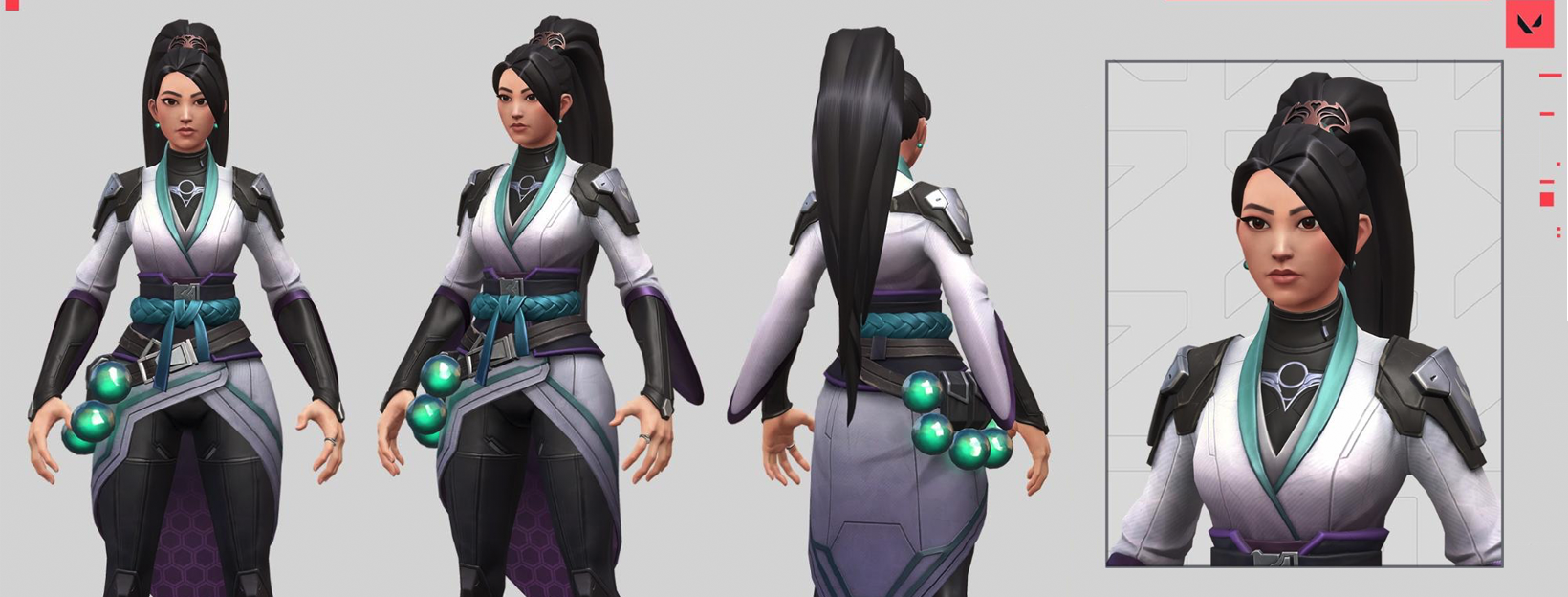
VALORANT had three graphics priorities - competitive integrity, high performance, and a sweet art style. This article describes how we balanced these pillars by using cool shader techniques and a collaborative team philosophy.
tranquil cipher
quaint coyote
<@665113055834931220> what is the desired result you're looking at? Here's a doc...
I just want sss appear in the back of the face toward light
I solved it in sub-sequence screenshot
thanks for the article
quaint coyote
Great! Whats that fur? some planes/quads?
tranquil cipher
quaint coyote
Great! Whats that fur? some planes/quads?
yes that's quad based fur generated by the tool Fluffy groom
made my own shader for it to get more custom look
quaint coyote
thats nice! thanks for sharing the info 🙂
 cobalt grove
anyone know how i can get similar visual/post processing as seen in this video? https://www.youtube.com/watch?v=lohu-9gO2E0&t=8s
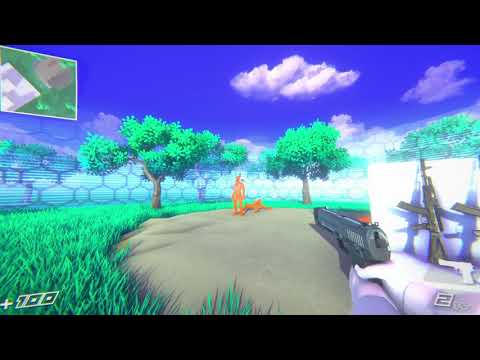
nice
credits for models:
"AK74M Assault Rifle" by creationwasteland
"Shooter: Revived - 9mm Pistol" by nyctomatic
"Gloves for fps game" by bobeer
quaint coyote
cobalt grove
anyone know how i can get similar visual/post processing as seen in this video? ...
you mean the colors?
vocal narwhal
cobalt grove
anyone know how i can get similar visual/post processing as seen in this video? ...
don't cross-post.
quaint coyote
vocal narwhal
don't cross-post.
what is cross-post?
vocal narwhal
 quaint coyote
vocal narwhal
quaint coyote
vocal narwhal
ohh! thanks 🙂
Damn, so many jargons 😄
 inland ibex
Hey guys.
So, I am trying to create a circular vignette effect using Unity's Shader Graph for a specific texture, but I am having difficulty figuring it out. I have searched online for resources and tutorials, but haven't been able to find anything that is helpful. I am wondering if anyone here might be able to provide guidance or point me in the direction of some good resources. I appreciate any assistance you can offer.
I think it should be a relatively simple task, but I'm having trouble figuring it out on my own. Any help would be greatly appreciated!
quaint coyote
inland ibex
Hey guys.
So, I am trying to create a circular vignette effect using Unity's Sh...
hey! there's something I had done earlier that yielded a circular vignette shader. I can share the video with you. But you will have to convert that logic to shadergraph.
It creates a vignette like this:

 inland ibex
I was able to get something similar working, but it's an oval shape instead of a circular one. Additionally, I'm having trouble making the white color completely transparent. I don't want to apply any white to my 2D texture, I just want to achieve the vignette effect.
quaint coyote
inland ibex
I was able to get something similar working, but it's an oval shape instead of a...
yeah its oval because of the screen resolution. You will have to tweak that. Also its not using any textures. Its simple maths with uvs
vocal narwhal
black and white is just 0 and 1, you just multiply it with your color to darken it
quaint coyote
or maybe use lerp as well 🙂
inland ibex
Hmm...
quaint coyote
quaint coyote
yeah its oval because of the screen resolution. You will have to tweak that. Als...
I mean, the reference values and not screen resolution itself so that the ratio is 1:1 and it draws a radius that remains the same which draws it as a circle
cobalt grove
vocal narwhal
don't cross-post.
Srry just wasn’t sure which channel to put it in
quaint coyote
inland ibex
Hmm...
some code:
 cobalt grove
quaint coyote
you mean the colors?
cobalt grove
quaint coyote
you mean the colors?
Yeah just to kinda try and replicate how that looks in my own urp project
Like the colors/skybox/post processing and lighting
quaint coyote
cobalt grove
Yeah just to kinda try and replicate how that looks in my own urp project
This might not be the right answer, but urp has post-process volumes and all with color adjustments, LUT etc.
inland ibex
quaint coyote
It creates a vignette like this:
Got it working after all, and it's circular now. 🙂

Here's the graph in case it's of any use to anyone.

 mossy crest
Hello, anyone having issues when installing UTS (Unity Toon Shader) on fresh 3D URP project (2021.3.16f1)
 tacit parcel
🤔 I'm actually not sure if making vignette using post-process is more effective than UI overlay, I mean, with all the distance calculations done every frame compared to a texture lookup...
wicked niche
how can i render a 3d object completely flat first, and only after that apply alpha fading to 0 smooth on the sides at the edges? Now if you apply an alpha change, the object looks like 3d. I don't really like it, I want to achieve a glow effect by duplicating the mesh, zooming in a little and fading the edges
quaint coyote
tacit parcel
🤔 I'm actually not sure if making vignette using post-process is more effectiv...
yeah had the same thoughts, with the distance etc. nodes being used 😐
 grizzled bolt
tacit parcel
🤔 I'm actually not sure if making vignette using post-process is more effectiv...
grizzled bolt
tacit parcel
🤔 I'm actually not sure if making vignette using post-process is more effectiv...
A custom post process effect is also an option
Might save overdraw if it's rendered in the same go with other post processing effects
wicked niche
Good afternoon, could you please explain a bit what is going on here? I will be very grateful)
 quaint coyote
wicked niche
Good afternoon, could you please explain a bit what is going on here? I will be ...
quaint coyote
wicked niche
Good afternoon, could you please explain a bit what is going on here? I will be ...
rim light or fresnel calculation based on view direction. 1: calculate object space view direction, 2: get the fresnel (dot normal, viewdir) 3: pow it up for a crisp line 4: 1.0-fresnel is to get the fresnel value which is away from user/camera
what are you trying to do @wicked niche
 gray panther

This is a glass material which is intended to look like this

How can I make it look like glass?
amber saffron
gray panther
How can I make it look like glass?
- transparency
- reflections
- refraction
 sacred stratus
I coppied a tesselation shader and Im wondering if there a way you can use gpu instancing for meshes?
amber saffron
sacred stratus
I coppied a tesselation shader and Im wondering if there a way you can use gpu i...
Same as you would do it for non-tesselation shader
sacred stratus
okay then what is gpu instancing because if I enable it I get this error
 amber saffron
 sacred stratus
#pragma surface surf Lambert vertex:dispNone tessellate:tessEdge tessphong:_Phong nolightmap
Can someone explain to me what this line does?
knotty juniper
sacred stratus
#pragma surface surf Lambert vertex:dispNone tessellate:tessEdge tessphong:_Phon...
as far as i understand it:
#pragma //sets some defines following it
surface // uses the unity surface shader functions this does a lot of stuff in the background
surf Lambert // use the Lambert shading model for the lighting
vertex:dispNone // use for the vertex shader the function called dispNone
tessellate:tessEdge // use for the tesselation the function called tessEdge
tessphong:_Phong // use for the tesselation shading the function _Phong
nolightmap // does not incude support for lightmap
most options are interpreted by the unity suface shader compiler
sacred stratus
so #pragma is like defining a function?
amber saffron
sacred stratus
so #pragma is like defining a function?
No, it gives directives to the compiler
shadow locust
Here's a list of what various pragma commands do:
https://docs.unity3d.com/Manual/SL-PragmaDirectives.html
the most important thing is telling the compiler what kind of shader program is coming up
e.g. is it a vertex shader? fragment shader? surface shader?
sacred stratus
so inside here will be like 6 different #pragmas for vertex, fragment etc
 shadow locust
A typical basic shader will just have vertex and fragment
Also surface acts as both vertex and fragment
sacred stratus
what about tesselation?
shadow locust
i have no idea what that is
above my paygrade
but I know you don't need it to write a typical shader
sacred stratus
Tesselation seesm to be some way of taking a mesh or just a single triangle and subdivide it, Im like one day old to shaders so I have no idea how to implement it but the idea is to upload a mesh to the gpu, then subdivide it and then move the vertices however you need them and all of that inside the gpu
shadow locust
well yeah i know what the concept of tesselation is I just don't know how it works in a shader
sacred stratus
what is a shader program ?
grand jolt
I don't know how to make a shader that's like cutout but with the edges being drawn like those smooth clean edges you get in transparent mode.
I'd like to draw a texture that has alpha channels as is in a shader, however, when suing transparent mode, the texture would slightly reveal things behind it which makes sense, and when using cutout mode, the areas with alpha channels are being drawn in a different way than what the texture looks like.
how would one have those 2 features being: clean transparent-like alpha channels and the solidity of a solid colour altogether in a shader?
here's what the texture looks like on its own:

with cutout:

and finally transparent:
 wicked niche
when i move my background a bit higher it starts to draw on top of my translucent mesh, how could i fix this?
 gray panther


The window is supposed to look like this, but for some reason in Unity it is cutted, though I fixed it in Blender.
 mint mango
does anyone know how to use a video texture to just past the video over the 3d object rather than wrapping it with the UV? i'm trying to avoid these seams and just have the video applied as if it were a green screen
 gray panther

Fixed, and for those who will have similar problems, I recommend this video as an answer.
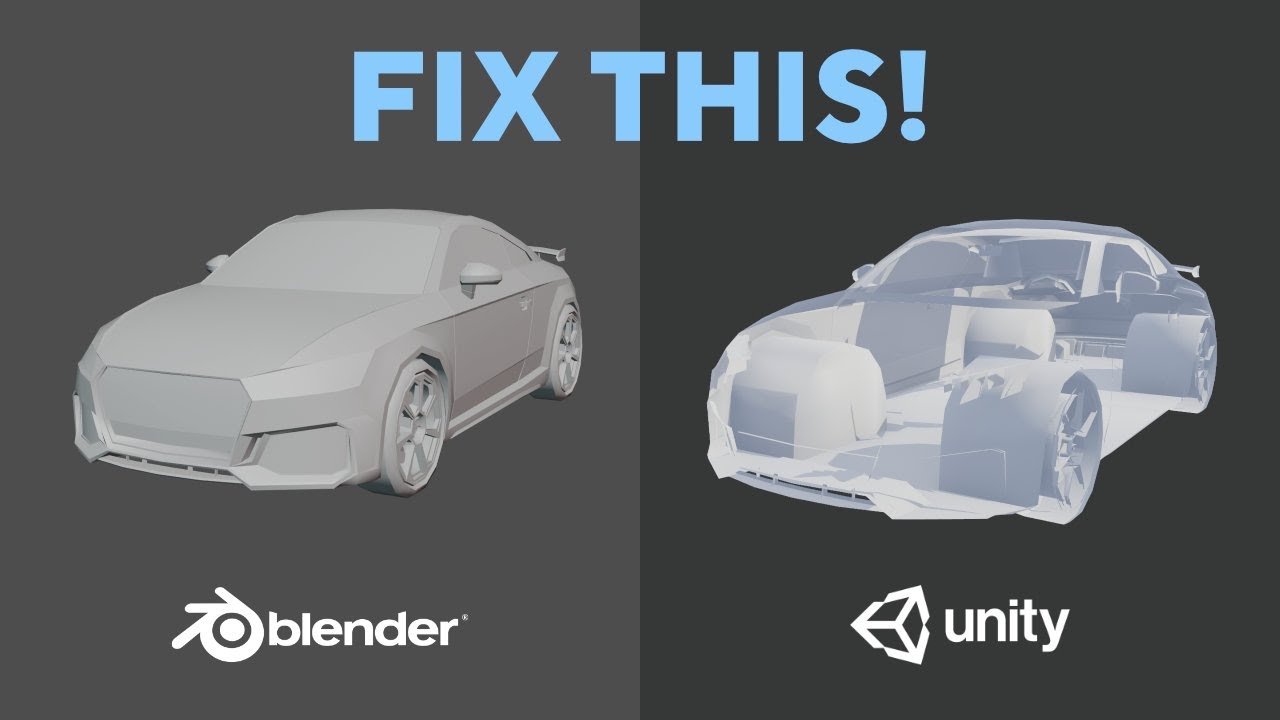
Sometimes when you import the game asset mesh from Blender to Unity, it looks like the mesh normals are flipped inside-out. Follow this video tutorial to learn why it happens and how to fix it!
Tutorial post on my website:
https://www.lmhpoly.com/tutorials/how-to-fix-flipped-normals-in-blender-unity
👉Subscribe to my channel: https://bit.ly/32a...
restive radish
I am trying to add a bump map to create some rim light effect on a billboard sprite. In short, that should add some light to the edges when sprite is between light and camera (and thus, shadowed).
How can I do that in a way that doesn't do the opposite, adding shadows to the edges when sprite is illuminated normally (light from the direction of camera)
 eager vigil
How can I change the white from this shader to a transparent color? I want the brown color to stay and will change by a value and the white should be transparent. Thanks.
 frigid vine
I have literally no knowladge about it but I would guess you just plug it into alpha or smth... but then you will need to change render queue for this shader and something with z write/read (from what ive heard)
 south acorn
Anyone know if there'd be a way to make wobbly arms not to dissimilar to the game called Nock in VR?
Not asking for a shader just wondering if its even possible or if I should just add a ton of bones to the arm

YouTube
5 seconds · Clipped by Ethan Barron · Original video "Nock VR - Gameplay, First Impressions" by substatica
Just a quick example of it
 static meteor
Im trying to figure out how to mirror my texture upwards and combine both into a taller texture, it seems possible but is it really?
tacit parcel
eager vigil
How can I change the white from this shader to a transparent color? I want the b...
Not sure with shadergraph, but the logic would be
alpha = step(color, 0.999);
there should be a step node for shadergraph
static meteor
I've blocked out close to what im looking for, but the resulting uv isn't combined so offsetting the texture will offset both halves instead of scrolling as one tile

 rare charm
How would I go about making a vertex shader that can displace the top surface like this but without separating the seam at the edge? I have the displacement part done, I just don't know how to keep it from literally coming apart at the seams
 quaint coyote
rare charm
How would I go about making a vertex shader that can displace the top surface li...
quaint coyote
rare charm
How would I go about making a vertex shader that can displace the top surface li...
A quick thought that comes to my mind is if you can paint the displacement map black where the seams are, it wont displace the the edges
quaint coyote
static meteor
I've blocked out close to what im looking for, but the resulting uv isn't combin...
mirror texture upwards and merge into 1 texture? I've mostly dealt with POT(power of 2) textures. So maybe, you can get a 512x512 texture with half of the upper part empty. Then just invert the texture (like you've done above). Then you can add both the textures. Don't lerp.
quaint coyote
eager vigil
How can I change the white from this shader to a transparent color? I want the b...
just invert the color mask node and connect it into the alpha of the fragment node. You can also add an offset to it.
quaint coyote
Guys, isnt it possible to render different meshes with GPU instancing? Even after switching on dynamic batching?
This opengl document says its possible though: https://www.khronos.org/opengl/wiki/Vertex_Rendering#Instancing
shadow locust
quaint coyote
This opengl document says its possible though: https://www.khronos.org/opengl/wi...
this is specifically talking about the same mesh not different meshes
sacred stratus
Is it possible to use a function from shader B in shader A
Example:
Shader B has function _C with input float2(x,y) and the properties a,b,c and I want to use the function in shader A with just entering _C(x,y);
 strange sonnet
You can define your function in an .hlsl file and #include it in both shaders
quaint coyote
shadow locust
this is specifically talking about _the same mesh_ not different meshes
Hmm I see… that’s not possible then
Even with dynamic batching, it won’t be possible because then logical grouping won’t be possible here.
quaint coyote
strange sonnet
You can define your function in an .hlsl file and `#include` it in both shaders
Yeah it .cginc if using the BIRP
sacred stratus
strange sonnet
You can define your function in an .hlsl file and `#include` it in both shaders
Okay but how do you make an hlsl file for unity, because all I can create are .shader files
quaint coyote
Hehe, just create a new file and rename the extension
shadow locust
sacred stratus
Okay but how do you make an hlsl file for unity, because all I can create are .s...
just create it
like any other file
it's just text
sacred stratus
and now what do I just paste in my function?
strange sonnet
yes
sacred stratus
 strange sonnet
ah, you're using CG, then it must be another extension
- Create a .cginc file and paste your function there
- Add
#include {PATH TO .CGINC FILE}after#pragma target 5.0
sacred stratus
This is my cginc file

and that s my shader

the including is not working apperatly
strange sonnet
sacred stratus
Tesselation seesm to be some way of taking a mesh or just a single triangle and ...
I would advise against trying to implement tesselation yourself if you don't have in-depth knowledge of graphic programming.
HDRP is shipped with shaders that support tesselation, and the only place you'll ever want to use it anyway is in high fidelity rendering
strange sonnet
It can be used for procedural generation to some extent, but in the vast majority of cases you'll want to do it on the CPU through C# instead for several reasons:
- You probably don't want to redo generation from scratch every frame several times (shaders are stateless, they by their nature cannot store any data for future use)
- You probably want your generated meshes to have collision
- Unity's C# API for creating meshes is much, much more robust than anything you can even theorethically achieve with shaders
quaint coyote
Just fyi, this guy explains tessellation very well: https://www.youtube.com/watch?v=63ufydgBcIk

✔️ Tutorial tested in Unity URP 2020.3, 2021.3
Hi! Tessellation shaders are advanced shaders which can subdivide triangles in a mesh, creating new vertices. You can move these around for a variety of cool effects! This tutorial aims to give you a deep understanding of tessellation shaders in Unity by first explaining how to write your own and t...
also check out the documentation on Microsoft's website (related to DirectX). But if you're beginning coding shaders now. I'd advise getting a bit familiar with the basics first 😉
 karmic hatch
south acorn
Not asking for a shader just wondering if its even possible or if I should just ...
karmic hatch
south acorn
Not asking for a shader just wondering if its even possible or if I should just ...
yes i think you could do it with a shader by playing with the vertex position
karmic hatch
eager vigil
How can I change the white from this shader to a transparent color? I want the b...
put (1 - Color Mask) into alpha
quaint coyote
karmic hatch
yes i think you could do it with a shader by playing with the vertex position
yeah right, looks like a simple sinewave
karmic hatch
quaint coyote
yeah right, looks like a simple sinewave
Maybe multiplied by a parabola so the end-points are fixed to where they're supposed to be
quaint coyote
I am still surprised how its Christmas and new year still lots of people here 😄
sacred stratus
One you change the vertex position, suddently you need a new normal, how do you calculate that?
 narrow iron
can you use ComputeShader.SetInt() to set a uint?
 thick schooner
i need help whenever i make a new unity 3d project i get this
Shader error in 'Skybox/Procedural': Internal error communicating with the shader compiler process. Please report a bug including this shader and the editor log.
Why is my sky just purple
quaint coyote
narrow iron
can you use ComputeShader.SetInt() to set a uint?
I think yea, that’s how you set the value.
narrow iron
quaint coyote
I think yea, that’s how you set the value.
reason i ask is because theres no explicit funtion to set a uint. theres setint, setfloat etc but nothing like setuint. at least in the unity docs.
quaint coyote
narrow iron
reason i ask is because theres no explicit funtion to set a uint. theres setint,...
Yeah set int will do it. It’s just unsigned integer so setint will do it
strange sonnet
thick schooner
`Shader error in 'Skybox/Procedural': Internal error communicating with the shad...
because 'Skybox/Procedural' shader contains an error, the log should contain more information
if I have to guess, there's something wrong with graphics settings in your project
sacred stratus
how much more calculation power does 3d noise use up?
 dim yoke
sacred stratus
how much more calculation power does 3d noise use up?
dim yoke
sacred stratus
how much more calculation power does 3d noise use up?
Depends, you can check the implementation to see how much math they do behind the scenes
quaint coyote
sacred stratus
how much more calculation power does 3d noise use up?
A lot if you’re thinking to use it on mobile devices
 hot lagoon
Why here the texture is moving, but when i apply it to an object it won't?
 knotty juniper
hot lagoon
Why here the texture is moving, but when i apply it to an object it won't?
knotty juniper
hot lagoon
Why here the texture is moving, but when i apply it to an object it won't?
in game or scene view that its not moving?
hot lagoon
knotty juniper
in game or scene view that its not moving?
both
knotty juniper
hot lagoon
both
does it work with a minimal scroll setup?
just one texture to the output no public variables or other stuff
the screenshot is kind of hard to read
the numbers are very small
hot lagoon
knotty juniper
does it work with a minimal scroll setup?
just one texture to the output no publ...
minimal scroll setup?
knotty juniper
hot lagoon
minimal scroll setup?
a minimal test example
hot lagoon
knotty juniper
a minimal test example
well, it draws to the object
and that's it
it draws to the object


 knotty juniper
hot lagoon
knotty juniper
hot lagoon
so the speed is determind by the vertex color and the scroll speed multiplicator
what happens if you replace the vertex color with just the value 1 (just for testing)
hot lagoon
lemme try
hot lagoon
knotty juniper
what happens if you replace the vertex color with just the value 1 (just for tes...
it moves, but only when i'm in the game tab and the game is running, if i go to the scene tab while the game is running, it's still
 teal breach
Is there a way in shaderlab to determine if a shader is being rendered in the Inspector preview window?
(text or shadergraph)
knotty juniper
hot lagoon
it moves, but only when i'm in the game tab and the game is running, if i go to ...
for the scene view you can enable this to force unity to allways update the view
 sacred stratus
my shader looks like this.
 sacred stratus
okay I will give some details, this is a tesselation shader so my idea was that it might be based on missing normals or sth
Im really new to shaders that s why Im asking for advice and it would be great if someone could tell me what I need to fix
 onyx talon
Is there anyone who knows how to recalculate normal in vertex fragment according to the vertex displacement?
sacred stratus
onyx talon
Is there anyone who knows how to recalculate normal in vertex fragment according...
same question but I found this https://gamedevbill.com/shader-graph-normal-calculation/

How to calculate normal vectors inside Unity Shader Graph. Examples include code and Shader Graph normal calculation.
 buoyant oriole
Does anyone know how to convert a lwrp frag shader to hdrp? (also i know literally nothing about shaders)
this is the shader /\
for context its from a 6 year old tutorial, from a comment from 3 years ago so im not completely sure if it works for ana up to date version of lwrp since my computer doesnt have enough storage to test that (https://www.youtube.com/watch?v=XjH-UoyaTgs&lc=UgyKyDSNQhK7f2AJ1MZ4AaABAg) (highlighted comment)
i have tried to convert it to a shader graph but had problems since the Texture2DArray requires a Texture2DArray<float4> which i couldn't find for the shader graph so im just trying to convert the frag shader instead
 analog karma
why did that got deleted
 drowsy crest
analog karma
why did that got deleted
drowsy crest
analog karma
why did that got deleted
i figured it out
analog karma
oh ok
 calm wave
im really new to unity and i cant figure this out
close up


far away
i have adjusted the lods but that did nothing
 tiny quarry

Hi, trying to make, a hair shader using dither in shader graph, how do i reduce this noise?
i have this plugged into alpha clip threshold

i tried to use blue noise instead of the defualt dither to try and reduce it but its not much improvement
 pliant storm
hello! i'm not very experienced in shaders or shader graph, but how could i achieve an effect like blender's cavity (image 1) in unity?

 onyx talon
sacred stratus
same question but I found this https://gamedevbill.com/shader-graph-normal-calcu...
onyx talon
sacred stratus
same question but I found this https://gamedevbill.com/shader-graph-normal-calcu...
I already try this before. Maybe I am doing some thing, it just not works for me.
The normal vector it turns out is same as the normal vector that not bean modified.

 sacred stratus
what is your specific use case, Im having the same issue but I have math class now so I'll ask my teeacher
onyx talon
Recalculate the normal vector for the water
I know the cross product of ddx and ddy can solve the problem. However, derivative is not working in vertex fragment.
sacred stratus
I wrote this code, but it kinda doesn t work, is there a way to debug the shaders so I can find the issue easily
 onyx talon
you can use render debugger and switch to Normal on common material properties.
sacred stratus
the issue actually seems to be in this at line 56, where the vertex coordinates don t exist, do you know how I can enter the vertex coordinates into the fragment shader?
 onyx talon
You don't have a variable that's named vertex in your input structure.
 sacred stratus
my current formular does this, maybe that s helpfull to you but Im not too sure xd
 sacred stratus
now it looks like this

 pseudo narwhal
pliant storm
hello! i'm not very experienced in shaders or shader graph, but how could i achi...
pseudo narwhal
pliant storm
hello! i'm not very experienced in shaders or shader graph, but how could i achi...
curvature cannot be efficiently calculated in realtime, you'd typically bake a curvature texture map or use a approximation techniques via post-processing (edge detection, partial derivatives, maybe others)
onyx talon
pliant storm
hello! i'm not very experienced in shaders or shader graph, but how could i achi...
Actually, you can use (delta n / delta p) to calculate curvature. Only one line of code can solve the problem
Where n is normal vector and p is position
onyx talon
sacred stratus
now it looks like this
Same as you. Totally wrong result.
buoyant oriole
any tips on learning hdrp fragment shaders?
im just gonna see if i can convert my shader myself
 mild ether
Quick question. Applying Graffiti images to my ingame 3d walls. Best performance with sprite textures or decals?
 echo thistle
Hey all! I'm working on my first shader, which I'm hoping to use to give a grass texture a sense of movement in my isometric game. Note that I'm not trying to move individual grass sprites, but rather give a single flat texture the sense of moving due to the wind.
I'm blending some voronoi noise with the UV, but doing that results in the texture being warped at the corners. How should I go about doing this to avoid the distortion?

 knotty juniper
echo thistle
knotty juniper
echo thistle
what is your value for cell density?
i cant get the result you get
echo thistle
knotty juniper
what is your value for cell density?
i cant get the result you get
It was set at 100. I just changed it to 10 and the distortion isn't as obvious, but it still distorts more in the middle than at the corners. And, a value of 10 distorts creates too dramatic of distortion.
 knotty juniper
echo thistle
knotty juniper
echo thistle
you have to tone down the distortion if you want a effect like wind interactions
echo thistle
Hmmm alright, I'll try playing around with it. If you have any suggestions on how to best do that, I'd appreciate it.
My first thought is to somehow blur the output of the voronoi effect so it's not so drastic.
knotty juniper
i have the cell density at about 0.01 to get ok results
amber saffron
echo thistle
Hey all! I'm working on my first shader, which I'm hoping to use to give a grass...
Don't blend the voronoi with the UVs .
Add it.
And to controll the intensity, multiply the voronoi by a value
amber saffron
Note that by doing this, it's the borders of the cells that will appear "moving". You might want to do a "one minus" on the voronoi output
echo thistle
@amber saffron You're right, adding them did the trick. Managed to add a scrolling noise map to it to simulate larger waves of wind, with voronoi being useful to add smaller more localized movement. Thank you very much for your help!
sacred stratus
onyx talon
Same as you. Totally wrong result.
did you fix the normals yet?
sacred stratus
this is my current result

Im not sure if this is perfect but it seems better than nothing
this is where I calculate the height, and then the normals

worldgen is whatever function, that you use to generate whaterver you want to ligth,
Pos is the position of whatever vertex you want to calculate the normal
The Radius is the checking radius around the pos point, and o is just a parameter for the world gen
worldGen(posn,o) is multiplied by 15 because I multiplied the height of the vertices on the y level by that in the first screenshot

 hollow talon
is it possible to make a shader for 2D urp, for 3d meshes that uses vertex normals to simulate what we do with normal maps with standard sprites?
onyx talon
sacred stratus
this is where I calculate the height, and then the normals
Thanks, I will try it.
 willow pike
Anyone know of a good solution for handling blood splatters in Unity? Thought I'd give the new(ish) URP Decal Projector a shot but quickly discovered some problems
 tame topaz
I'm pretty sure the decals got an update in the recent 2022 version that supports layers to fix that problem specifically?
willow pike
tame topaz
I'm pretty sure the decals got an update in the recent 2022 version that support...
Oh interesting! We're on 2021 LTS still. Waiting on the LTS version. Hmm I wonder if there are any workarounds in the meantime...
tame topaz
Not sure myself, sorry
willow pike
Np, ty!
 polar granite
Hi Everyone, I have a shader that is not build correctly (works fine in editor) since its applied in runtime. I contacted the creator of this shader and he said:
Open the shader and find all "shader_feature", "shader_feature_local" "shader_feature_fragment", shader_feature_vertex" to "mutil_compile"
Does this mean
shader_feature_local_vertex
to
mutil_compile
or
shader_feature_local_vertex
to
mutil_compile_local_vertex
 compact pine
Hello. Why would this visual issue happen when I use mobile/diffuse shader, but not when I use default-sprite shader?

 grizzled bolt
compact pine
Hello. Why would this visual issue happen when I use mobile/diffuse shader, but ...
grizzled bolt
compact pine
Hello. Why would this visual issue happen when I use mobile/diffuse shader, but ...
mobile/diffuse doesn't implement alpha transparency
cobalt totem
Any ideas on how I can blend the top of the tornado funnel in with the clouds behind it? The clouds are rendered by a separate asset:

I tried decreasing the alpha value as the y axis increased in object space using the smoothstep function, but when the camera enters the volume the top 80% of the funnel is cut off
 near crater
Hello!
Just a quick question, how do I get the world matrix in shader graph?
The 4x3 World Matrix to be exact.
Anyone know?
Unless the world Matrix is also 4x4 like the view project matrix.
Would I need to do Model to World transformation?
buoyant oriole
So ive got 2 questions,
First off, how do i use fixed variables in a custom shader(fixed3,4) that uses hlsl since i cant find that anywhere.
Also, how do i use UNITY_DECLARE_TEX2DARRAY in hlsl aswell?
Thank you!
 young rampart
Is there any way to add your own node types to shader graph?
grizzled bolt
young rampart
Is there any way to add your own node types to shader graph?
"Custom Function" node
young rampart
I mean natively
It looks like it should be easy to add new nodes but everything is private
grizzled bolt
young rampart
I mean natively
https://github.com/RemyUnity/sg-node-library
https://github.com/JimmyCushnie/Noisy-Nodes
I think these implement some?
strange sonnet
young rampart
Is there any way to add your own node types to shader graph?
Without directly modyfing unity packages, only through subgraphs, sadly.
onyx talon
You can make your own shader graph node by using c#
AbstractMaterialNode, IGeneratesBodyCode
attribute [SRPFilter] and [Title]
You can check out the source code of srp to learn how to write your own node.
quaint coyote
I am writing a custom RP and writing custom shadows for directional light
Can someone please take a look at this: https://forum.unity.com/threads/directional-light-view-matrix-computation.1313001/#post-8306979

Unity Forum
Hello everyone,
I've been trying to create view and projection matrix for directional light so that it can be used for shadow casting.
Here's what I am...
Requesting help with creating directional shadows
quaint coyote
just some code and SS. This casts the shadow of capsule on the capsule itself.

View Matrix:

sorry to spam 😦


 valid badger
Heya, I have this variable in a shader
[Toggle(_HASTEXTUREOVERLAY_ON)] _HasTextureOverlay ("HasTextureOverlay", Float) = 0
I'm trying to set it's value at runtime for a certain material, but I can't get it working.
material.SetFloat("_HasTextureOverlay", 1);
if you are setting it by code you need to set the flag "_HASTEXTUREOVERLAY_ON" manually
onyx talon
sacred stratus
did you fix the normals yet?
I just found out that unity has the normal recalculation method built-in. It's in the render-pipeline-core package and its name is NormalSurfaceGradient.hlsl
willow pike
So I'm trying to create a subgraph node in Shader Graph to make a flipbook material pick a random texture based on object position. In this case it's a blood splatter material that changes the mask of the shape of the splatter. Problem is I'm getting this strange issue that seems to be some kind of floating point problem where the object position is unstable and the material can flicker even when stationary. Can anyone point me in the right direction? Maybe I'm going about this the wrong way.


 humble robin
how can i create an outline shader that doesn't use vertices. I tried this method where i check if the difference of depth betwen 2 pixels are too big make it a outline (i made the color 0-1 to test) and place it on a blit renderer feature here is my fragment shader code:
           void frag(v2f i, out float4 nearestColor: COLOR) {
            {
                float depth, nearestDepth, selfDepth;
                float2 ppos;
                float raw_depth;
                float2 pShift = float2(1, 1);
                nearestDepth = 1;
                float2 rawDepth = tex2D(_CameraDepthTexture, i.scrPos.xy);
                nearestColor = 0;
                selfDepth = Linear01Depth(rawDepth.r, _ZBufferParams);
                bool alreadyOutlined = false;
                [unroll]
                for (int u = -1; u <= 1; u++)
                {
                    [unroll]
                    for (int v = -1; v <= 1; v++)
                    {
                        float shiftx = u * pShift.x;
                        float shifty = v * pShift.y;
                        float2 ppos = i.scrPos.xy + float2(shiftx, shifty);
                  raw_depth = tex2D(_CameraDepthTexture, ppos);
                  depth = Linear01Depth(raw_depth.r, _ZBufferParams);
                  bool drawOutline = abs(depth-selfDepth)>0 && !alreadyOutlined;
                  // this line makes it draw everything white
                  //alreadyOutlined = drawOutline ? true : alreadyOutlined;
                  // draw black when outline, draw white when not outline
                  nearestColor = drawOutline ? 0 : 1;
               }}}
i have no idea why this doesn't work and i am a beginner. The issue is when alreadyOutlined exists, it doesn't draw anything at all and when i make the >0 in bool drawOutline bigger than 0, it makes everything white. when i make it 0 it just draws the meshes, and doesn't create an outline. I have no idea why is it that way. Can someone help me?
young rampart
onyx talon
You can check out the source code of srp to learn how to write your own node.
The shader graph allows the srp assemblies to see it's internals, but I was able to work around that with an assembly definition reference, works great
quaint coyote
quaint coyote
sorry to spam 😦
Can Anyone help me fix the view matrix for directional light shadows ?
eager vigil
Why is it that if I apply my shader to a mesh in looses a lot of it's geometry?


 dire hinge
I have an Issue what seems to be a shader issue:
Both objects in the scene have the same material applied on them.
Both have the exact same settings, the only difference is that on the left it is a default Sphere, and the right is a custom procedural generated mesh.
What could be the issue with the texture/Material/shader?

 young rampart
eager vigil
Why is it that if I apply my shader to a mesh in looses a lot of it's geometry?
young rampart
eager vigil
Why is it that if I apply my shader to a mesh in looses a lot of it's geometry?
The geometry is still there, it's just all the same colour, the second image is using segmented normals and lighting to create a square effect
young rampart
dire hinge
I have an Issue what seems to be a shader issue:
Both objects in the scene have ...
Look at your UVs in the inspector (double click your generated mesh and then change the bottom section to uv layout)
eager vigil
Ok...but how can I make my shader (first image) to look like my second?
young rampart
Calculate the lighting using the mesh normals
eager vigil
Ok thanks.
dire hinge
young rampart
Look at your UVs in the inspector (double click your generated mesh and then cha...
Guessing this is not good
 young rampart
hmm, that doesn't look bad because it's using all the texture space, but there could be verts bunched up
can you try the uv checkerboard?
wait your mesh doesn't have UVs
dire hinge
Indeed i think that is the problem
young rampart
I dunno where that grid is coming from
dire hinge
young rampart
I dunno where that grid is coming from
not perfect yet but atleast it renders the texture now:

thanks for the tip, that was the solution
young rampart
look up "triplanar" texturing
dire hinge
Yep, familiar with it
thanks a lot for your help
rebuilding the uv vertices was the solution
sacred stratus
onyx talon
I just found out that unity has the normal recalculation method built-in. It's i...
Thanks
 reef owl
how can I get the orthographic view direction of a camera in world space?
 pliant grove
anyone knows why the shader preview isn't the same as in the game view
 sacred stratus
where do you put functions in compute shaders
 swift loom
I put them above csmain I think @sacred stratus
 shadow locust
sacred stratus
how do I assign a value to "_S"
shadow locust
sacred stratus
how do I assign a value to "_S"
with =
sacred stratus
no I mean I wanted to set the struct from the c# script so something simmilar to
computeShader.SetFloat("_S",_sstructure)
shadow locust
sacred stratus
no I mean I wanted to set the struct from the c# script so something simmilar to...
You can't. You can set 4 individual floats, or your can set a buffer
sacred stratus
okay
sacred stratus
Is there a way I can pass a function as an argument in hlsl?
near crater
So I have an error I wrote out in a comment in my code, but I am not sure how to fix it, thoughts?
// Unexpected token out. Expected one of: typedef const void inline uniform nointerpolation extern shared static volatile row_major column_major struct or a user-defined type.
        out float2 oT0 : TEXCOORD;
Am I missing something in order to define this and pass it along to the surface shader?
static meteor
im still on the hunt on doing a simple sphere imposter, most sources end up being perspective scaling tho, this is the closest i've got to orthographic/ latitude longitude scaling, but clearly i need the other quarters of the circle

cant say i remember enough math voodoo
onyx talon
@sacred stratus Finally, I have the right normal

 hard star
Is there an API documentation for the Built-In Unity-Shader API?
Like:
I've copied the following variable definition: float4x4 unity_ProjectorClip; - and it seems to be some variable defined by unity during runtime which gives information about the projector clipping plane(s).
I cannot find any documentation regarding this variable though. Am i maybe looking at the wrong place?
sacred stratus
onyx talon
<@470656100828708874> Finally, I have the right normal
what is all that stuff on the screen, the terrain looks great
onyx talon
sacred stratus
what is all that stuff on the screen, the terrain looks great
It's water. Currently I'm in direct diffuse light debug mode
sacred stratus
there s a debug mode for shaders?
onyx talon
Yes
sacred stratus
do you have an idea as of why there are black spots?
 onyx talon
Is this water?
onyx talon
this is because of how unity calculate shadow
sacred stratus
so what do I do my own shaddows, or is there some kind of smooth shaddowing?
onyx talon
the face on the opposite side of light will be black
onyx talon
If you don't want it to be competently black, you need to add environment light or bake gi
since urp does not support ibl
sacred stratus
okay, I just found out it can t be due to shaddows
when I turn shadow intensity down, it doesn t go away
 meager pelican
Self shadowing then, use a min ambient light value in your n dot l calc
pliant grove
Hello there
can anyone help me with this issue? I've been having it for a while but couldn't figure out what could resolve it.
When I set the shader graph to Sprite Lit, the preview of the material works as intended.
When I set the shader graph to Sprite Unlit, the preview doesn't match the material view anymore
I'd assume it has something to do with Sprite Unlit not handling the alpha channel correctly. Does anyone know why this happens?

 karmic hatch
meager pelican
Self shadowing then, use a min ambient light value in your n dot l calc
karmic hatch
meager pelican
Self shadowing then, use a min ambient light value in your n dot l calc
iirc Inigo Quilez uses 1/2 (dot(normal, up) + 1) to modulate the ambient light so it's mostly coming from above
(corresponds to a uniformly lit sky)
 hearty obsidian
I have the following code in a custom node, yet the output is a constant 0 no matter what the global value is set to. Any idea where I could be going wrong?
#ifndef GRAYSCALE_INCLUDED
#define GRAYSCALE_INCLUDED

float4 _Grayscale;

void GetGrayscale_float(out float Grayscale)
{
    Grayscale = _Grayscale;

}
#endif
If unclear, I'm trying to get a global var inside of a subgraph. I don't want to expose it as a normal property and then manually hook it from the main graph, since I'll be using that subgraph across a lot of shaders
 regal stag
hearty obsidian
I have the following code in a custom node, yet the output is a constant 0 no ma...
regal stag
hearty obsidian
I have the following code in a custom node, yet the output is a constant 0 no ma...
Looks good to me. How are you setting it?
regal stag
You're using SetGlobalFloat but float4 in the shader. Should probably use SetGlobalVector or change to float. That might be why it doesn't get set properly.
hearty obsidian
Oh wow, huge oversight from me
Thank you, been at this longer than I care to admit @regal stag
 mighty moon
Hey guys, is anyone able to help with my shader? I use this shadergraph for my background shader, when my texture is 16x16, it works perfectly but when I change the texture to 256x256 it gets super small, would I need to scale up the texture in the shader? If so, how? I tried putting a float into my tiling & offset's tiling but that didn't work
 hearty obsidian
all fixed on my end
karmic hatch
mighty moon
Hey guys, is anyone able to help with my shader? I use this shadergraph for my b...
The reason it's smaller is because you're sticking 4x as many pixels in the same space. Put a float property into the Tiling input on the Tiling and Offset node, and then set that value to 1/4 what it was if you switch to a 4x larger texture
Actually no that wouldn't work
You're using the world position to sample the texture but setting the tiling to zero makes the tiling and offset node entirely redundant
just remove it
Split the xy components of world position into a float2 and then divide those by 4 for the 256x256 texture (add a multiply node and feed a float property into the other side, then set it manually)
mighty moon
Cheers
Did this, then set multipleof16 to 16 since the image is 256

I could probably calculate it for me actually
Awesome yeah, did it like this
 grizzled bolt
@mighty moon is it a sprite shader?
mighty moon
Yes
grizzled bolt
I'm quite sure the sprite renderer is supposed to handle the tiling and offset for sprite shaders
mighty moon
My shader works so idm
static meteor
the last part of my shader is pixelating it after the distortion, which i have with the standard uv->multiply->round->divide, then masking it into a circle,
but my circular mask has revealed that the pixelation isnt resulting in an accurate, circle like in my screenshot (the white section of the sprite ends abruptly and the unmasked pixels bleed on the edge)
using round vs floor vs ceiling fixes neither, right, or left in the calculation

 peak dagger
using urp, how can I render specific layers rendered by a camera with a certain shader.
grizzled bolt
peak dagger
using urp, how can I render specific layers rendered by a camera with a certain ...
Render Objects feature allows you to render specific objects with shader overrides I think
peak dagger
Thanks! I`ll look into those.
narrow iron
what's the right way to load a compute shader in a c# script?
karmic hatch
static meteor
the last part of my shader is pixelating it after the distortion, which i have w...
Can you just make the circle slightly smaller? Or make the area of the texture you shouldn't see the same color as the border so a couple pixels further in or out won't make it look different?
 vocal narwhal
gray panther
For which texture slot in unity is the roughness map?
vocal narwhal
gray panther
For which texture slot in unity is the roughness map?
Unity uses smoothness, which is inverted roughness. You can see which source it's using for smoothness in that dropdown.
Alternatively you can use another shader like the autodesk one
buoyant oriole
so ive got a question that i cant find anything online for,
how do you add shadow support for a custom shader using CGPROGRAM in URP?
LIGHTING_COORDS, TRANSFER_VERTEX_TO_FRAGMENT, LIGHT_ATTENTUATION in v2f, vertex, fragment respectively doesnt seem to work so is there another way or a way that UniversalForward uses?
grand jolt
Hello guys
I just got back to unity after 2 years

but how do I add my shader to my sphere
regal stag
buoyant oriole
so ive got a question that i cant find anything online for,
how do you add shado...
URP shaders should use HLSLPROGRAM so they can include the URP ShaderLibrary files (instead of UnityCG.cginc). You'd then have access to shadow functions like the ones found here : https://github.com/Unity-Technologies/Graphics/blob/master/Packages/com.unity.render-pipelines.universal/ShaderLibrary/Shadows.hlsl
It's usually easier to use Shader Graph though.
grand jolt
I just created my shaper graph
buoyant oriole
is it possible to do it with cgprogram though? i dont want to rewrite my shader for hlsl and ive got some texture things that dont work with shader graph
regal stag
grand jolt
but how do I add my shader to my sphere
Create a Material that uses that shader. Then assign it to the Materials list under the Mesh Renderer component.
regal stag
buoyant oriole
is it possible to do it with cgprogram though? i dont want to rewrite my shader ...
Not really. I suppose you could try copying some of the functions from there.
But assuming it's a vert/frag shader (not a surface shader), it shouldn't be too difficult to convert, then you could just use the ShaderLibrary functions that URP provides.
buoyant oriole
alright well i may aswell give it a shot and since its in hlsl it should work in hdrp aswell right?
well thanks 👍
regal stag
No, URP and HDRP shaders are different
buoyant oriole
just wondering, how do you use the fixed type in hlsl? i keep on getting the error:
unrecognized identifier 'fixed4'
also, anyone know the equivalent to this in hlsl aswell?
unrecognized identifier 'UNITY_DECLARE_TEX2DARRAY'
 simple violet
Isnt text mesh pro a cg shader but still works in urp
regal stag
buoyant oriole
just wondering, how do you use the fixed type in hlsl? i keep on getting the err...
You'd use half or float instead of fixed.
The URP equivalent should be TEXTURE2D_ARRAY(name)
I've also got a article which goes over some basics : https://www.cyanilux.com/tutorials/urp-shader-code/
At the very least, the summary and templates at the end might help
Explains how shader code (ShaderLab & HLSL) is written to support the Universal RP
regal stag
simple violet
Isnt text mesh pro a cg shader but still works in urp
Unlit vert/frag shaders can still function in other pipelines yes.
(Though they wouldn't support the SRP Batcher)
buoyant oriole
regal stag
You'd use `half` or `float` instead of `fixed`.
The URP equivalent should be `TE...
this is i swear the only and best documentation for urp shaders
thank you so much for this
buoyant oriole
i dont want to ask for help again but im going to ask for help again
so ive got a weird issue with my shadows where ill get this type of thing (attached image) wherever the camera moves.
I was just wondering if anyone has either had this issue before, or if there is a way for an object to not cast shadows onto itself
thanks 🙂
 tacit parcel
buoyant oriole
i dont want to ask for help again but im going to ask for help again
so ive got ...
tacit parcel
buoyant oriole
i dont want to ask for help again but im going to ask for help again
so ive got ...
Not sure if I could see the problem
wherever the camera moves
maybe you should post a video
||it looks like a nice ink like effect btw||
buoyant oriole
tacit parcel
Not sure if I could see the problem
> wherever the camera moves
maybe you should...
Here is a video of the error and the shader itself
tacit parcel
I was just wondering if anyone has either had this issue before, or if there is a way for an object to not cast shadows onto itself
thanks 🙂
iirc, there is an option to make an object doesnt receive or cast shadow. But I'm not sure if there is any (easy) way to disable self-shadowing.
But for your terrain, maybe you can just set so it doesnt cast shadow.
That said, iirc on skyrim, I can "disable" self-shadowing by adjusting shadow bias, maybe it can be applied in unity too...
buoyant oriole
alright thanks
buoyant oriole
ive actually found the problem
it seems to have something to do with my rendering settings and it being the radius where shadows are being rendered at a higher resolution
i cant seem to fix it though might have to mess with the shadow cascades
dire hinge
Shader.Find("HDRP/lit") doesn't seem to find the shader, what is the correct way of finding it?
karmic hatch
dire hinge
Shader.Find("HDRP/lit") doesn't seem to find the shader, what is the correct wa...
Might be something else but I'm pretty sure it's capitalised (so "HDRP/Lit")
peak dagger
Is there any way I can incorporate fading between materials with render objects.
dire hinge
karmic hatch
Might be something else but I'm pretty sure it's capitalised (so "HDRP/Lit")
Thanks, that was actually it...
shadow locust
peak dagger
Oh sorry, I forgot to look at the channels.
dire hinge
Say I have a very rough texture of a rock, Is it possible to blend a resource texture into it? If so, how would you go about it? And is there a resource to read/watch how to. I have no clue on what the terminology is regarding shaders.
With resource texture I mean Iron, copper, etc kinda resources
 dense rune
Got this script from a tutorial, am I supposed to make it a .hlsl script or a .shader script?
.hlsl correct me if I'm wrong

Getting this weird ERROR

 normal valley
is this where i ask about normal/height/AO maps?
karmic hatch
dire hinge
Say I have a very rough texture of a rock, Is it possible to blend a resource te...
you could lerp between your rock texture and your resource texture based on the latter's alpha
grizzled bolt
normal valley
is this where i ask about normal/height/AO maps?
If you're developing shaders, then yes
Otherwise #🔀┃art-asset-workflow or one of the render pipeline specific channels might be a better fit
normal valley
Thank you 👍
 simple pagoda
Is there a name for this type of effect? I am trying to find a tutorial or asset store product that can help me make this kind of burn in-out effect for a game I am making.

I found the name! It's a dissolve shader!
 glad coral
You guys reckon mesh deformation (using a 2D mesh in a UI canvas) would be more or less efficient than changing pixels of a texture? I'm still trying to find the best solution to drawing an audio waveform like this.

I think its possible to do mesh deformation without requiring any if-statements in the compute shader, but I don't know if it is with the pixel drawing metohd
but I don't know the cost of either
simple pagoda
I am trying to make a dissove shader, but it is entirely MAGENTA
please help
 regal stag
simple pagoda
I am trying to make a dissove shader, but it is entirely MAGENTA
please help
simple pagoda
regal stag
simple pagoda
I am trying to make a dissove shader, but it is entirely MAGENTA
please help
simple pagoda
Is there a way to stop these edges from appearing? Could I use the real world coordinates as a 3d input for the noise instead of the UV?

Right down the center separates the two sides
Also can I set default values so the preview isn't completely black with all values zero?
karmic hatch
simple pagoda
Is there a way to stop these edges from appearing? Could I use the real world co...
yep use the world coordinates (though you'd need 3D noise, accept distortion, or instead use triplanar mapping with a noise texture)
dire hinge
karmic hatch
you could lerp between your rock texture and your resource texture based on the ...
Thank you, gonna give it a try
simple pagoda
I have a material that works as a mesh renderer but I need it to work as a skinned mesh renderer. Is there any way to achieve this? The box is surrounding the skinned mesh renderer with the same mesh and renderer as displayed on the right
 shadow locust
simple pagoda
I have a material that works as a mesh renderer but I need it to work as a skinn...
shadow locust
simple pagoda
I have a material that works as a mesh renderer but I need it to work as a skinn...
There wouldn't be any difference in the material. If it's the same mesh the material will work just fine. The only thing that's different about the skinned renderer is vertex displacement
 mental torrent
Hi people! Is there an alternative to ShaderLab usable with URP?
I am experienced and have written tons of GLSL shaders. I'm just looking for a way to avoid learning ShaderLab 😁
meager pelican
mental torrent
Hi people! Is there an alternative to ShaderLab usable with URP?
You're kicking against the goads.
Besides, URP is HLSL.
There's not much to shaderlab. It's just a bit of syntax/organization around the parameters, shader passes, etc. The vert/frag/etc. functions are pretty standard. The engine has some "magic names" for variables, but meh.
Learning ShaderLab-ish syntax is the way to go, IMHO. Unity uses ShaderLab. Period. You have to work WITH the engine. Otherwise, write your own and do all the state/context management yourself. (Oy!) You can always write your own engine or work directly with, say, the direct3D api or Vulkan.
hollow wolf
is there a way to make sine time only play once?
hollow wolf
nvm, i use loop on fixed update and set value for vector 1 and put it on "time" clamp max value
 past bear
so is there anyway to make your game assest render from both side in unity and not just one side
dim yoke
past bear
so is there anyway to make your game assest render from both side in unity and n...
Yes, Cull Off command
past bear
dim yoke
Yes, `Cull Off` command
how do you do that
dim yoke
Define that in your shader code, if you dont want to make shaders yourself, you gotta find asset that does that for you
past bear
man
dim yoke
Yea?
past bear
but if its my own how could i do that then
past bear
dim yoke
Yea?
got it in the store it had two sided sharder pack
dim yoke
past bear
but if its my own how could i do that then
The docs page has examples about it https://docs.unity3d.com/Manual/SL-Cull.html. Same works with vertex/fragment and surface shaders. Shader grapj also has double sided toggle in it
past bear
i got it works prefect
 mellow wasp
Quick question. I am testing some things for a 2D game, but I am stuck on something. How do I make it so the sprites affected by light in game?
dim yoke
mellow wasp
Quick question. I am testing some things for a 2D game, but I am stuck on someth...
Are you making the sprite shader yourself? If this is only about setting up 2d renderer in the editor, #archived-urp would be better channel
mellow wasp
Oh alright
dense rune
Got this error for this script I don't know what to do 😐

 pliant field
So i am making PBR shader for URP roughness is invert smothness right ?
I tried to invert roughness to make smoothness but i am getting specular on right i used metallic smothness map from substance on left i used custom shader to make PBR

 regal stag
dense rune
Got this error for this script I don't know what to do 😐
regal stag
dense rune
Got this error for this script I don't know what to do 😐
Seems to be a strange mix between a surface shader as you have the #pragma surface .. line - not sure why you'd have that in a post processing shader.
But it's also missing a Pass & HLSLPROGRAM?
Pass {
HLSLPROGRAM
#pragma vertex VertDefault
#pragma fragment Frag
ENDHLSL
}
thank you
regal stag
As it's a post process shader this might also be useful, https://docs.unity3d.com/Packages/com.unity.postprocessing@2.1/manual/Writing-Custom-Effects.html
dense rune
It's supposed to draw outlines around objects, but it doesn't... 
Another obvious mistake I made?
*first time I use shaders XD
knotty juniper
pliant field
I tried to invert roughness to make smoothness but i am getting specular on rig...
is this texture just used for smoothness / roughness or something else too?
pliant field
knotty juniper
is this texture just used for smoothness / roughness or something else too?
it was my bad i forgot to uncheck sRGB it is fixed .
sacred stratus
how do you dispatch a computeshader from a background/new Thread?
humble robin
            void CheckOutline(v2f i, float shiftx, float shifty, float4 currentNearestColor, float selfDepth, float currentNearestRawDepth, float nearestDepth, out float4 nearestColor, out float nearestRawDepth)
            {
          // do stuff
            }
     // in frag

        CheckOutline(i, -1, 0, nearestColor, selfDepth, nearestRawDepth, nearestDepth, out nearestColor, out nearestRawDepth); // line 73
how can i make this function output 2 values? I am getting errors when i use out

its my first time using a function in shader code so i don't even know if it is possible or not
 heavy stirrup
how do I get a compute shader's workgroup (not thread id)?
sacred stratus
what s a workgroup?
heavy stirrup
sacred stratus
what s a workgroup?
unity calls it threadGroup
it's the group the threads your dispatching belongs to
sacred stratus
you mean like the
[8,8,1] thing?
heavy stirrup
sort of, those threads, xyz, belong to a group
each group will have 8 x 8 x 1 threads
sacred stratus
yes in that case, but I thought you wanted to read the numbers in the []
heavy stirrup
nah i think unity passes that into your compute shader as uint3 id
sacred stratus
, okay so what was your question again?
heavy stirrup
my question was if you wanted to dispatch 2 groups of 8 x 8 x 1 threads for example
how do you know which group your thread is in
sacred stratus
isn t this for what kernels are made for?
heavy stirrup
no that refers to which function your threads will run in your CS
sacred stratus
so you want to dispatch the same computeshader twice?
karmic hatch
heavy stirrup
how do you know which group your thread is in
It should have either x or y >= 8
id.x or id.y
Though the id should be all you need
If it decides to run it in some weird order the id still tells you where in the image/buffer you are whereas the group might be something weird
And a compute shaders results should be independent of the order over which the ids are looped, ideally
 elfin patio
Hi guys, I'm trying to animate UI elements with a shader using position of x and y but the texture gets alot of "aliasing" even with no displacement movement, how can I keep smooth edges?
EDIT: NVM forgot to link alpha channel of the sample texture 😅
elfin patio
Anybody knows why alpha is not working (shows as black) for UI image? Working in Unity 2020 but not in 2021 Sprite Unlit shadergraph
regal stag
elfin patio
Anybody knows why alpha is not working (shows as black) for UI image? Working in...
Shader graph doesn't really support UI yet. (It especially doesn't work well when a Canvas is using Screenspace-Overlay mode at least)
Might be better to switch to a vert/frag code shader, can use the UI-Default shader as a template. https://github.com/TwoTailsGames/Unity-Built-in-Shaders/blob/master/DefaultResourcesExtra/UI/UI-Default.shader
 quasi tundra
am new into shader i have stupid question
i created a shader that mix colors and output the color
now i wanna get the mixed color results from c# script
i know i can do mixing colors inside c# alone but i have my reasons
 twilit crescent
how would i go about creating a grass shader that works with procedurally generated terrain? any specific tutorials that cover it
 real totem
Hello everyone, sorry for the inconvenience, could someone please explain to me why this is happening?
Shader error in 'Unlit/CircleAuraShader': undeclared identifier '_Color' at line 34 (on d3d11)
Version: Unity 2021.3.1f1 URP
Code:
Shader "Unlit/CircleAuraShader"
{
    Properties
    {
        _Color ("Color", Color) = (1,1,1,1)
        _Time ("Time", Float) = 0
    }

    SubShader
    {
        Tags { "RenderType"="Opaque" }

        Pass
        {
            CGPROGRAM
            #pragma vertex vert
            #pragma fragment frag

            struct appdata
            {
                float4 vertex : POSITION;
            };

            struct v2f
            {
                float4 vertex : SV_POSITION;
                float4 color : COLOR;
            };

            v2f vert (appdata v)
            {
                v2f o;
                o.vertex = UnityObjectToClipPos(v.vertex);
                o.color = _Color;
                return o;
            }

            fixed4 frag (v2f i) : SV_Target
            {
                fixed4 c = i.color;
                c.r = sin(_Time + i.color.r / 2) / 2 + 0.5;
                c.g = sin(_Time + i.color.g / 2) / 2 + 0.5;
                c.b = sin(_Time + i.color.b / 2) / 2 + 0.5;
                return c;
            }
            ENDCG
        }
    }
}
you need to declare float4 _Color in a cbuffer in your pass
real totem
It works. Thank you very much
peak dagger
I have a material for an invisibility effect and want to make a smooth transition from the normal materials of the player to the invisibility material. How can I do this in unity?
swift loom
Why do I get this error:
Shader error in 'NewComputeShader': cannot use casts on l-values at kernel CSMain at NewComputeShader.compute(1018) (on d3d11)
When setting a boolean to false in my compute shader??
it's literally not doing anything other than setting the value of the bool using bool X = false;
shadow locust
swift loom
Why do I get this error:
Shader error in 'NewComputeShader': cannot use casts o...
you'd have to show the code
karmic hatch
swift loom
Why do I get this error:
Shader error in 'NewComputeShader': cannot use casts o...
did you do something like bool(variable) = something or (bool)variable = something?
swift loom
No I have a bool X; declared at the top and then I just do X = false; in the code. There's nothing else.
This works

not this

I just switched it to an int but
still found it strange
grand jolt
Hello
Im having an issue with my shader
As you can see from the clip above, the UV is split in 2
not too sure whats going on
Its supposed to do this
karmic hatch
There's a seam in the UVs, because you can't map a square (UVs) onto a sphere without a seam somewhere
You just need to find a value for how twisty it can be that makes it line up
@grand jolt
humble robin
how can i write on depth buffer in a fragment shader?
mental torrent
humble robin
how can i write on depth buffer in a fragment shader?
As far as I know it's not a good idea, performance wise, at least for some backends
mental torrent
@humble robin check out this https://stackoverflow.com/questions/50659949/hlsl-modify-depth-in-pixel-shader

Stack Overflow
I need to render an image (with depth) which I get from outside. I can construct two textures and pass them into a shader with no problem (I can verify values sampled in a pixel shader being correc...
humble robin
thanks
 maiden sapphire
I'm using 2D URP and I'm trying to make a material that can make this square glow. I've followed a tutorial to make a shader to do it, but it's not working. my camera has post-processing enabled, HDR is enabled, but it just won't glow

here's the shader for the material

no matter what color I change the material in the inspector, the color of the square doesn't change either
maiden sapphire
I've since fixed my issue. all I needed was to add a global volume with a bloom override and threshold set fairly high above 1, and with the addition of the high intensity HDR color on my rectangle, allowed it to glow while everything else remained un-glow
 grand jolt
Not sure where to ask but, why is a circle made from line renderer WAY cheaper than a circle png sprite I made?
shadow locust
grand jolt
Not sure where to ask but, why is a circle made from line renderer WAY cheaper t...
define "cheaper"?
grand jolt
shadow locust
define "cheaper"?
Causes a lot less lag. It's like the LineRenderer circle wasn't even adding any load to the game's rendering compared to sprite even though they looks almost the same
quaint coyote
Applying a color to a mesh is definitely cheaper because you save on the texture reads. So in the fragment shader, for each fragment, you don’t need to fetch the color from the texture.
But, a texture shouldn’t lag your whole gameplay.
So do check the resolution and compression. Ofcourse 2k+ textures will cause issues.
shadow locust
grand jolt
Causes a lot less lag. It's like the LineRenderer circle wasn't even adding any ...
How did you measure this?
grand jolt
shadow locust
How did you measure this?
I have a mapPanning script, then feel which takes more of my patience :> , when I drag the screen
shadow locust
grand jolt
I have a mapPanning script, then feel which takes more of my patience :> , when ...
Have you used the profiler? What does that panning script have to do with sprites and linerenderer?
grand jolt
shadow locust
Have you used the profiler? What does that panning script have to do with sprite...
The panning script works per frame, and it would be noticeable if the map is panning slow (without the use of profiler)
shadow locust
What you're saying makes no sense sorry
a single LineRenderer or SpriteRenderer isn't going to have any noticeable effect on performance in any case
grand jolt
shadow locust
What you're saying makes no sense sorry
Ye sorry
grand jolt
shadow locust
a single LineRenderer or SpriteRenderer isn't going to have any noticeable effec...
I have 1000 of them

then i pan the map left and right
knotty juniper
grand jolt
at that scale it might be a option to make one script that handels all of them
 sleek kite
Any tips as to why my spriterenderer's aren't being batched?
Each one is a separate batch in the frame debugger
(they are all in an atlas)
According to the frame debugger the texture being drawn is also the atlas texture

Ah, there's a Batch cause field, I'll see if I can get it to work with that 👍
sleek kite
I've not done much work with the new scriptable pipelines, what's the fastest way to draw many sprites with some material properties changed in URP?
Is there an "easy" way to get them to batch nicely or am I better off with ditching the SpriteRenderer and combining stuff myself
 real perch
Hello, I'm trying to use the RenderDoc tool to debug my shaders, however when I try to debug my HLSL source the button is grayed out with the text "Source debugging unavailable", I've already included the "#pragma enable_d3d11_debug_symbols" directive in my shader as per the unity docs.
OS: Windows 10
Unity version: 2021.3.14f1
RenderDoc v1.24
sleek kite
Are there any performance considerations when using large textures that aren't "square"?
e.g. instead of 4096*4096, using 256*65536?
Nevermind, unity won't even let me create the texture 
 twin valve
as someone who is very new to shaders. can someone explain how I can take a shader I made in shader graph and use it in another project. whenever i try to do this. the project tells me the pipeline does not match. whenever I set the pipline up in the old project. all my textures turn purple minus the material i created.
shadow locust
twin valve
as someone who is very new to shaders. can someone explain how I can take a shad...
You just need to be using whatever pipeline the shader was created for
If it was created for URP, it only works in URP for example
twin valve
ok. so i guess i have quite literally no idea what im doing. how would I even know what my old project is using. where would I look
the material I made is using URP
but the old project. isnt.
I checked the pipeline. it has none. so when I add one to it it breaks everything
shadow locust
twin valve
I checked the pipeline. it has none. so when I add one to it it breaks everythin...

You just look at the target in the graph inspector
 sleek kite
If I pass a Color32 as a vertex color, how can I convert the float value back to the exact same byte value in the shader?
 low lichen
sleek kite
If I pass a ``Color32`` as a vertex color, how can I convert the float value bac...
low lichen
sleek kite
If I pass a ``Color32`` as a vertex color, how can I convert the float value bac...
Multiplying them by 255 and flooring it should work
sleek kite
Will the precision be high enough if the value is half?
I basically need to pass a ushort to my shader via the vertex properties, not sure what the best way to do that though while avoiding precision issues
low lichen
You could pack 4 bytes into a single int/uint and unpack them in shader, but it sounds more expensive than multiplying and flooring. Is there any reason you can't define the COLOR input as float4? Worried about performance?
sleek kite
I'm not sure if I'm just being stupid but I seem to be having precision issues with float as well.
Renderer.color = new Color(remap.RemapIndex / (float)ushort.MaxValue, 0, 0, 0);
surfaceData.albedo = _RemapTex.Sample(sampler_RemapTex, float2(surfaceData.albedo.r, input.color.r * 65535 / 255));
hits the incorrect texel
(the texture is 256 high)
Dividing by 255 and multiplying by 255 in the shader hits the correct one
low lichen
If the texture is only 256 pixels high, why are you trying to pass a ushort value instead of a byte?
sleek kite
It might be bigger
I can store 65535 "unique" 256x1 textures in a 4096x4096 texture
which is the maximum I'm targeting
The texture ID is the ushort
low lichen
I don't see why you need to do any modification in the shader. You're using Sample, so it expects a normalized UV and the color you're passing has already been normalized
Dividing by 255 and then multiplying by 255 cancels out
sleek kite
My bad, I misspoke. Using only 255 as the "maximum" and not doing anything to the value works
sleek kite
low lichen
You could pack 4 bytes into a single `int`/`uint` and unpack them in shader, but...
Can I define the COLOR property as something other than float and half? e.g. int?
low lichen
sleek kite
Can I define the COLOR property as something other than float and half? e.g. int...
I don't think so. But you should be able to interpret the float as an integer, with asuint
That's assuming the color data isn't being modified at all before it reaches the shader, which I'm not certain of
sleek kite
I'd assume it's being modified since the renderer property is Color meaning it casts the Color32 to floats immediately
low lichen
Then you should avoid using Color32. There are some ways to reinterpret cast between types in C#, either with unsafe or some helper method.
sleek kite
I think you mean unchecked?
low lichen
No, that's just to avoid overflow checks
low lichen
Yes
It's possible Unity might do automatic gamma correction on vertex colors, but you could also use one of the eight UV channels.
sleek kite
Something else I'm still not 100% sure on before I even do this: I'm trying to move some material property block data to vertex data so the SRP batcher can pick them up. Does that even work if vertex color is unique between two draw calls? Or can the SRP batcher also not batch them in that case
The reason I'm asking is because even without using any MPBs myself, I still get this message on the object using the material:
 low lichen
sleek kite
Something else I'm still not 100% sure on before I even do this: I'm trying to m...
low lichen
sleek kite
Something else I'm still not 100% sure on before I even do this: I'm trying to m...
In those cases, it's up to dynamic batching to combine the meshes. That's how sprites are generally batched.
sleek kite
I feel like it can't be correct that 500 onscreen sprites use 500 batches & 500 setpass calls
low lichen
sleek kite
The reason I'm asking is because even without using any MPBs myself, I still get...
SpriteRenderer uses a material property block internally to set the sprite texture.
low lichen
sleek kite
I feel like it can't be correct that 500 onscreen sprites use 500 batches & 500 ...
The Stats window can't be trusted when using SRP Batcher last I checked
sleek kite
Well, they can't be SRP batched if they use a MPB
that's the whole reason I'm trying to get rid of them

I don't understand what the "correct" way to optimize sprite rendering is given GPU instancing is also not ideal with meshes that have a small amount of vertices
low lichen
I don't know much about SRP Batcher and SpriteRenderer compatibility. But normally SpriteRenderer relies on dynamic batching to combine the meshes
This comment says SRP Batcher doesn't support sprites. It's from 2019, but I can't find anything more recent.
https://forum.unity.com/threads/srp-batcher-in-2018-2.527397/page-2#post-470
Unity Forum
SRP Batcher enabled in edit mode is in 2019.1. Sorry 2018.3 didn't have that feature, and you have to click PLAY as you described.
sleek kite
Any idea if GPU instancing works with the dynamic batches? I'm guessing no
low lichen
sleek kite
Any idea if GPU instancing works with the dynamic batches? I'm guessing no
No, it's either or. And you generally can't use GPU instancing with SpriteRenderers, or at least not if you're changing the sprite renderer color or using Tight Mesh type instead of Full Rect.
Or if you're using sprite atlases, since that relies on modifying the mesh UVs, meaning it's no longer instances of the same mesh. Sprite Atlas was made for dynamic batching.
sleek kite
Yes I'm using version 2 of the atlasing system
I'm just confused on what the best way to optimize this is
My objects are made up of many small sprites and I fear that that will become a problem
low lichen
Dynamic batching works great as long as you can avoid changing material properties and just use the same material on all of your sprite renderers. MPB will break dynamic batching too. You can use SpriteRenderer.color to pass in whatever 4 floats you want instead of material properties.
The only other thing you need to be wary of is sorting order. That can really mess up your batching. Since sprites are usually transparent, Unity must respect the sorting order you specify, which limits how much it can batch together.
It would be really nice if there was an exposed API to modify the mesh generated by SpriteRenderer, similar to Unity UI's Graphic.OnPopulateMesh. Then we wouldn't be limited to just the color property.
sleek kite
low lichen
Dynamic batching works great as long as you can avoid changing material properti...
I thought the SpriteRenderer also uses MBPs? So anything drawn by a sprite renderer can't be dynamic batched?
low lichen
Sorry, I meant MPBs with different property values. Since SpriteRenderer only sets the _MainTex property to the sprite texture (or the atlas if it's part of one), it can still batch together renderers that share the same sprite or atlas texture.
sleek kite
But sending "data" to the shader using the vertex colors is fine for dynamic batching?
low lichen
Yes, since dynamic batching is just dynamically combining meshes that share the same material
Static batching is the same, except not dynamic :P
sleek kite
low lichen
The only other thing you need to be wary of is sorting order. That can really me...
I guess this will also be an issue for me then, since I uses a lot of sorting groups. e.g. an actor will have a sorting group, and each weapon will also have a sorting group as its "parts" need to sort together on one level, and then the parts of the actor need to sort against all other actors
low lichen
sleek kite
I guess this will also be an issue for me then, since I uses a lot of sorting gr...
If they all share the same material and sprite atlas, it's fine. But if you're sorting it "actor1 -> weapon1 -> actor2 -> weapon2" etc... and actor and weapon use different materials or atlases, then you have a problem.
sleek kite
They all use the same atlas and same material
low lichen
Then you're all good
sleek kite
So I just need to get rid of my MPBs
Is there a way to check if stuff is actually getting batched? The frame debugger only shows SRP batching afaik
low lichen
Not a bad idea to check that dynamic batching is enabled in the SRP asset. I think it might be a hidden option only visible in Debug mode in the inspector.
 low lichen
If I remember correctly, dynamic batched draw calls will appear in Frame Debugger as something like "Dynamic mesh"
sleek kite
low lichen
If they all share the same material and sprite atlas, it's fine. But if you're s...
iirc I currently have an entity and item atlas, so I assume I should be merging those
low lichen
sleek kite
iirc I currently have an entity and item atlas, so I assume I should be merging ...
Yeah, if you can
It's a bit inconvenient and doesn't scale very well though. Technically, sorting by "actor1 -> actor2 -> item1 -> item2" would be fine most of the time. It's only problematic when actors overlap. Unfortunately, I don't think Unity is smart enough to detect that and only use the less optimal "actor1 -> item1 -> actor2 -> item2" sorting when there is an overlap (assuming actor and item are different materials/atlases)
But in theory it's something you could implement yourself.

 low lichen
Yeah, that looks like dynamic batching.
I checked my basic URP project and it looks like dynamic batching was disabled by default. I had to switch to Debug inspector mode to see this, including the Use SRP Batcher option.
 sleek kite
Is this on the pipeline asset?
low lichen
Yeah
sleek kite
What's odd is that the frame debugger still shows each sprite drawn separately. The setpass count went down a lot though
low lichen
What reason does Frame Debugger give for why those draw calls can't be batched?
sleek kite
For the SRP batcher?
low lichen
No, those Draw Dynamic calls
sleek kite
I don't see anything about dynamic batching
just "batch cause"
which I think pertains to the SRP batcher
low lichen
So it doesn't say something like "Draw call uses different material" when you select one of those draw calls?
sleek kite
 low lichen
I haven't used the updated Frame Debugger UI yet. Can you see something like this section anywhere?
 sleek kite
I think that is the batch cause actually. Removing the DisableBatching tag from the shader batches them. Now I'm confused on why that was even there in the first place
Pretty sure I copied this shader from the unity shader archives
low lichen
There can be some shader compatibility issues with dynamic batching because it's combining the meshes. The name is a bit confusing because it's specifically about dynamic batching, not batching in general.
This is useful for shader programs that perform object space operations. Dynamic Batching transforms all geometry into world space, meaning that shader programs can no longer access object space. Shader programs that rely on object space therefore do not render correctly. To avoid this problem, use this SubShader Tag to prevent Unity from applying Dynamic Batching.
It's possible it was added by mistake to that shader though
low lichen
sleek kite
Is this on the pipeline asset?
I placed some sprite renderers in the scene and I'm still seeing them combined into one Draw Dynamic call in the Frame Debugger, so that hidden property probably isn't used or is ignored for sprite renderers like you said.
sleek kite
low lichen
There can be some shader compatibility issues with dynamic batching because it's...
 low lichen
sleek kite
low lichen
sleek kite
Why does it need to do this? Isn't this just a lit sprite shader?
sleek kite
It's for a custom shadow system I wrote. It's pretty simple, it just props up the sprite and then renders shadows as if they were 3D objects
It needs to do some offsetting to the object though depending on rotation and height on the "parent" object
low lichen
So this is in a separate shadow pass?
sleek kite
Yea
I guess that part could just be not-batched
I'm also having trouble passing my MPB values to the vertex color of the SpriteRenderer, I'm guessing it clamps values to [0, 1] somewhere?
 upbeat steppe
hey sorry for the silly question but I've been trying for so long to get a good mirror that works with vr android
can somebody please help me
?
low lichen
sleek kite
I'm also having trouble passing my MPB values to the vertex color of the SpriteR...
Oh yeah, that's the other annoying thing I was trying to remember
sleek kite
Is there an easy way to use the texcoord channels on a sprite renderer?
low lichen
Not that I know of, but that would be great
sleek kite
I guess I'll divide them by some arbitrary max value, they aren't that big
low lichen
Unity Forum
Hi is it possible to add the local 0..1 coordinates into the sprites uv2 channel?
Its quite annoying that we cant use the second channel for...
sleek kite
Well now to figure out why my shadows broke. Thanks so much for explaining / helping me with these things though @low lichen , I really appreciate it!
tfw you come back to your shader after ages and have no idea what you calculated since you didn't add any comments:
 sleek kite
low lichen
https://forum.unity.com/threads/add-local-sprite-uv-coordinates-in-uv2.1218384/
sleek kite
low lichen
https://forum.unity.com/threads/add-local-sprite-uv-coordinates-in-uv2.1218384/
What does the sprite renderer actually do that's special besides updating the vertex values in the mesh with the color and setting the selected sprite with a MPB?
low lichen
sleek kite
What does the sprite renderer actually do that's special besides updating the ve...
It will change the UVs if you're using a texture atlas.
And texture atlases support rotated sprites, which isn't possible with a simple tiling and offset.
sleek kite
Color being clamped is really annoying
Means I can't even reinterpret bytes or anything
I'm surprised I can't find any asset store assets that are just a better sprite renderer. I've also found posts from 2015 from Unity saying they want to add access to other UV channels in SpriteRenderer 😬
I'm still not sure what the best way to set per-frame values required by shaders is though. Is setting something like the UV coordinates of the mesh each frame really the best way? Or maybe using shader arrays or something?
Shame material property blocks are such a hindrance to batching, they really make that easy
swift loom
haven't really followed so not sure what you're trying to do but
i do some bitwise stuff in the frag shader via color channels
is it that kind of stuff?
sleek kite
I want to use dynamic batching for my sprites, but I also need to provide some CPU data to the shader
Currently it's using material property blocks, but those break the batching
And it seems impossible to access any other vertex channels from a sprite renderer
sleek kite
Wouldn't that also break batching? Since it's not part of the vertex data
swift loom
i have broken and discarded batching entirely so i'm not sure, but i think the normaltex works like the maintex so you can just set it per object without instancing or anything
 drowsy linden
okay, I am making an eye shader that will make the eye texture point in a direction I give it with code. however, I'm not sure how to go about doing this? I've tried a couple times, and I think the secret is using the dot product somehow, but I can't quite wrap my head around it. The surface the eyes are on is mostly flat with slight curvature. Can someone help me with this?
low lichen
sleek kite
I'm still not sure what the best way to set per-frame values required by shaders...
That is an option actually. You could use the vertex color as just a place to store a unique index for this sprite renderer, which can then be used to access any number of global arrays where the actual data is stored.
sleek kite
I'm not sure how efficient setting a very large global shader array is per frame? I've rarely used them
low lichen
sleek kite
I'm not sure how efficient setting a very large global shader array is per frame...
Regular shader arrays are limited to 1024 elements I believe, but you can use a ComputeBuffer to increase that. And there are faster options to writing to ComputeBuffers, like with NativeArray and C# jobs.
But not supported on all platforms, like WebGL.
sleek kite
It's a DOTS project, so NativeArrays / jobs shouldn't be a problem 😅
sleek kite
low lichen
Regular shader arrays are limited to 1024 elements I believe, but you can use a ...
What's the size limit on computebuffers?
low lichen
sleek kite
What's the size limit on computebuffers?
Big enough to not worry about basically. I think it shares the same memory limits as textures.
And nice thing about compute buffers is that they can be any type you want, including custom structs.
sleek kite
That sounds like it could work, thanks for letting me know 👍
I guess the only thing would be how large the buffer can be before using the float and multiplying it with it's size becomes too inaccurate to hit the correct buffer index
low lichen
sleek kite
I guess the only thing would be how large the buffer can be before using the flo...
Well, you have three more floats to use if that becomes a problem 👀
But yeah, very annoying that it's normalized.
Doesn't even make sense, HDR colors are a thing
sleek kite
Yep
low lichen
Actually, that's probably the most convincing argument for Unity to fix it. Might make a bug report for it 🤔
@sleek kite Actually, can you tell if it's just being clamped or if it's maybe being converted to Color32 internally?
low lichen
Well, worst case scenario, you can still pack a 32-bit integer into a Color32.
sleek kite
And then multiply each value with 255 and bit shift to combine to a value?
(since they arrive as floats / halfs)
low lichen
sleek kite
And then multiply each value with 255 and bit shift to combine to a value?
Yeah
sleek kite
Then I just gotta fix my object space usage somehow, if possible
(or disable batching for the shadow pass I guess)
Wait nvm, you can't disable it per pass
drowsy linden
drowsy linden
okay, I am making an eye shader that will make the eye texture point in a direct...
or at least, what do I need to look up?
low lichen
sleek kite
Then I just gotta fix my object space usage somehow, if possible
With the global buffers and indices in place, you could pass the worldToLocalMatrix to each renderer.
low lichen
drowsy linden
okay, I am making an eye shader that will make the eye texture point in a direct...
So do you already have an eye shader that just looks forward?
drowsy linden
low lichen
So do you already have an eye shader that just looks forward?
Yeah it’s just a texture, I just need to move it
sleek kite
low lichen
With the global buffers and indices in place, you could pass the worldToLocalMat...
But won't the pivot point be incorrect? When dynamically batched the entire thing will be a single mesh, meaning I can't "rotate" around the proper pivot. Unless I'm misunderstanding something
low lichen
sleek kite
But won't the pivot point be incorrect? When dynamically batched the entire thin...
I'm trying to understand the code you posted before. I'm not seeing what the issue with dynamic batching could be, because you're not doing the calculation in object space. You convert to world space to do the calculation and then convert back to object space.
sleek kite
Nvm, I'm an idiot. I kept visualizing the batch as a huge square, but all of the vertices are still there
low lichen
drowsy linden
Yeah it’s just a texture, I just need to move it
Have you tried adding an offset to the UV? Whether that works depends on how the model is UV mapped.
sleek kite
low lichen
I'm trying to understand the code you posted before. I'm not seeing what the iss...
This is basically what the shadow pass is doing, that should be fine with batching right?
 drowsy linden
low lichen
Have you tried adding an offset to the UV? Whether that works depends on how the...
drowsy linden
low lichen
Have you tried adding an offset to the UV? Whether that works depends on how the...
Yes, but 1 there’s tiling and 2 what do I offset it by to point in a direction? I know it probably involves a dot product but I’m not sure what I should take as the x and y axis
sleek kite
(basically tilting them 90° up)
low lichen
sleek kite
This is basically what the shadow pass is doing, that should be fine with batchi...
Yeah, that should be fine with batching, since the rotation is applied in world space
low lichen
drowsy linden
Yes, but 1 there’s tiling and 2 what do I offset it by to point in a direction? ...
That all depends on the mesh. Is it a perfect hemisphere, or full sphere? Or more realistic eye shape?
drowsy linden
low lichen
That all depends on the mesh. Is it a perfect hemisphere, or full sphere? Or mor...
it's a slightly curved plane
drowsy linden
wait, I had a brain blast. It sorta works now, but the texture repeats at the edge because I clamp it. I'll work it out eventually I think
wait nevermind, it doesnt work lol
 distant wadi
Is this the use of shaders? (like overall and also the yellow dispersing in the border)

 mental bone
Could be a shader could be just a sprite made like that or a sprite sheet animation
No way to tell
dim yoke
distant wadi
Is this the use of shaders? (like overall and also the yellow dispersing in the ...
Yes, shaders draws everything 😅
sleek kite
Is this not the correct way to rebuild a 32 bit integer inside a shader from a float4?
const float4 colorBytes = input.color * 255;
int id = (int)colorBytes.x | ((int)colorBytes.y << 8) | ((int)colorBytes.z << 16) | ((int)colorBytes.w << 24);
C# side is just
public static (byte _0000, byte _0008, byte _0016, byte _0024) ToBytes(this int value)
    => ((byte)value, (byte)(value >> 8), (byte)(value >> 16), (byte)(value >> 24));
no because:
- Downcasting an int to a byte will preserve the bit pattern
- casting a float to an int will NOT preserve the bit pattern because float uses the IEEE 754 representation
 shy atlas
Does anyone now how to do this using shader lab ? https://answers.unity.com/questions/1784024/how-to-swap-out-rgb-colors-of-a-sprite-using-shade.html?childToView=1784296#answer-1784296
Unity is the ultimate game development platform. Use Unity to build high-quality 3D and 2D games, deploy them across mobile, desktop, VR/AR, consoles or the Web, and connect with loyal and enthusiastic players and customers.
Shader lab Unity 5.6
shadow locust
shy atlas
Does anyone now how to do this using shader lab ? https://answers.unity.com/ques...
based on a cursory reading just looks like some simple arithmetic, no?
although coor mask node might be the more complex part
shadow locust
not really sure what color mask does
shadow locust
shy atlas
I ve search it up but couldn’t find anything
there's examples in the unity docs
shy atlas
shadow locust
there's examples in the unity docs
I tried the code in the forum but it doesn’t work
shy atlas
Unity 5.6 doesn’t have it I believe
shy atlas
shadow locust
that's ancient
Yeah
But I need to use it for a school project so there’s no other choice
sleek kite
shadow locust
no because:
- Downcasting an int to a byte will preserve the bit pattern
- casti...
Isn't the float->integer at that point a value from 0 to 255, like a byte, which is then shifted? I'm not trying to "keep" the float bitpattern
shadow locust
sleek kite
Isn't the float->integer at that point a value from 0 to 255, like a byte, which...
Basically I'm wondering why you're using float4
why not use uint4
or for that matter
why not just use int in the first place
shadow locust
no
casgting wont work
because it's not going to preserve the bit pattern when going between integral and floating point types
shadow locust
const float4 colorBytes = input.color * 255;
int id = (int)colorBytes.x | ((int)colorBytes.y << 8) | ((int)colorBytes.z << 16) | ((int)colorBytes.w << 24);```this doesn't look like just getting the number
sleek kite
Take the 4 floats which are [0,1] , multiply by 255 so it's in [0,255], cast to int, shift each byte
shadow locust
this looks like you're trying to recreate a single integer treating each channel as a byte
to do this properly you'd need to have the bit pattern preserved
sleek kite
Yes, that's exactly what I'm trying to do 😓
Why do I need to preserve the float bit pattern?
shadow locust
but if you want to use float as an intermediary, the most straightforward way would be if you just preserved the bit pattern all the way through
but a simple cast won't do that
it will rearrange the bits
low lichen
asuint is what you need
sleek kite
shadow locust
but if you want to use `float` as an intermediary, the most straightforward way ...
But that's not what I'm doing is it? Since it's an int, then shifted
Like I said, I don't care about the float bit pattern
sleek kite
low lichen
`asuint` is what you need
To just reinterpret the Color32? What if unity does something like gamma correction in between
I don't know what exactly happens to the color besides being clamped
low lichen
Actually, I'm not certain. I'm testing it myself.
sleek kite
low lichen
Actually, I'm not certain. I'm testing it myself.
Awesome, thanks!
I don't think I'm getting the correct index from what I can tell by calling asuint(color) from the Color32(byte0000, byte0008, byte0016, byte0024)
low lichen
sleek kite
Awesome, thanks!
I've confirmed there is gamma correction being performed.
With the color set to Color32(6, 0, 0, 0), the shader just receives zeros.
sleek kite
That's very annoying, since it means I can't even pass in a color and multiply it
low lichen
I'm seeing if I can pre-correct it, but the operation will likely mess with the precision even further.
The alpha channel is not corrected though
sleek kite
Also something I wanted to make sure, once I set the compute buffer with SetBuffer, I don't need to set it again after modifying right?
e.g. with SetData
low lichen
I don't think so
@sleek kite Pre-correcting the color seems to work. I just used the color.gamma property.
I'm testing for precision errors manually, but I haven't found any errors, even with huge numbers.
sleek kite
So just set the color and subtract the gamma correction difference?
I've never done anything with gamma correction, not sure how the math works exactly
low lichen
No, I'm setting the sprite renderer color to color.gamma.
Gamma correction is just pow(color, 2.2)
sleek kite
Ah, from the color I built, got it, my bad
sleek kite
low lichen
Gamma correction is just `pow(color, 2.2)`
Interesting, thanks!
low lichen
I ended up using a different method to get the bytes in C#. I'm going to try your method to confirm that isn't part of the problem.
sleek kite
low lichen
No, I'm setting the sprite renderer color to `color.gamma`.
Wouldn't that pow the color value again?
Or does it know that it's "already" corrected somehow
low lichen
I used color.linear first because I thought that would reverse it, but gamma ended up being the correct one. I'm not sure why.
Maybe Unity is expecting a gamma corrected color and is doing the linear conversion, so we have to gamma correct it ourselves.
sleek kite
Huh, odd
low lichen
Also, I'm using uint in all of this, because in HLSL, buffers are indexed with uint
sleek kite
Are you just calling asuint on the float4 Color in the shader?
low lichen
No, I copied your shader
sleek kite
Ah
low lichen
Your C# byte conversion also works. So the problem was just the gamma correction.
sleek kite
Cool, I'll test it once I'm done eating. Thanks again!
low lichen
Just so you know, I used RenderDoc to see the exact color values being set on the mesh and that's how I was able to confirm the gamma correction issue. When I passed in 0.5, it got turned into 0.217 something, which I confirmed is approximately equal to pow(0.5, 2.2)
sleek kite
That sounds like a tool I need to immediately purchase
And it's actually open source!
humble robin
I used SV_DEPTH to write on depth buffer but using _CameraDepthTexture on another shader gets the unmodified depth shader. Am i doing something wrong?
i change it on a pass that gets executed AfterRenderingTransparents and use it on another pass that gets executed BeforeRenderingPostProcessing
so it should be changing before i call it too
low lichen
humble robin
I used SV_DEPTH to write on depth buffer but using _CameraDepthTexture on anothe...
This is because _CameraDepthTexture is not referencing the actual depth buffer but another texture that was rendered previously in a depth pass. In that render pass, all renderers in the scene are drawn with their DepthOnly shader pass, which is just a simple shader that calculates the depth and outputs it as the color.
So you need to modify the DepthOnly pass in your shader to match what you're doing with SV_Depth
low lichen
If you're using deferred rendering or are using Depth and Normals, you may have to modify other passes
humble robin
how can i modify it from another render pass
low lichen
Unless the only modification you're doing is changing some pixels to be closer to the camera than they actually are, you can't make the modification after the depth pass has been rendered.
Or what I mean is, you can modify the _CameraDepthTexture if you want, but all information about what pixels belong to what objects is lost at that point.
Ok, I think I'm just misunderstanding. I thought you were modifying the depth of a specific object, but it sounds like you're doing a fullscreen pass. In that case, you should be able to set _CameraDepthTexture as the render target and draw to it. The only difference is you don't need to output SV_Depth, because it isn't a depth buffer. You just need to output a shade of grey.
humble robin
low lichen
Ok, I think I'm just misunderstanding. I thought you were modifying the depth of...
so i should output my depth map as color and use it as _cameraDepthTexture, right?
is there a way i can have multiple outputs, the way i get the final depth texture is kinda expensive
low lichen
humble robin
is there a way i can have multiple outputs, the way i get the final depth textur...
You could modify the _CameraDepthTexture first and then read from it to modify the actual depth buffer. Can't do it the other way because you can't read from a depth buffer.
humble robin
thanks
i guess i'll mix my outline and pixelization shaders then
that way there shouldn't be any problems
thanks a lot for the help, it would take ages to realize that
 gusty horizon
hey all - i would love to learn more about shaders, specifically targeting 2D. I have almost no knowledge of what’s actually going on between the CPU/GPU and the relationship between textures/mats/shaders for 2D sprites. can anyone recommend some resources I could look into to help solidify my understanding?
also - I’m a professional C# developer, so I think I’ll be fairly comfortable with HLSL. Would it be worth going down that route or is shadergraph the way forward for unity?
sleek kite
low lichen
And has integrated support in Unity
Can I inspect the contents of the structured buffer in RenderDoc?
low lichen
sleek kite
Can I inspect the contents of the structured buffer in RenderDoc?
Yes. You can even type in the structure definition in HLSL syntax to view it correctly
Because by default it assumes float4
strange sonnet
gusty horizon
hey all - i would love to learn more about shaders, specifically targeting 2D. I...
I've started with ShaderX by Wolfgang Engel, but I'm reasonably sure there are more up-to-date books these days.
As of shader graph, to be blunt: it sucks. Just don't bother.
Ned Makes Games is writing a series of articles about writing HLSL shaders for URP: https://nedmakesgames.medium.com/writing-unity-urp-shaders-with-code-part-1-the-graphics-pipeline-and-you-798cbc941cea
Also I recommend CatLikeCoding: https://catlikecoding.com/, they too have some cool resources

Medium
In this tutorial series, I will walk you through writing a fully featured, general purpose shader for Unity’s Universal Render Pipeline.
Ah, wait, ShaderX is a different series by the same author
I was talking about "Beginning Direct3D Game Programming". ShaderX is a cookbook with tips and tricks.
gusty horizon
strange sonnet
I've started with ShaderX by Wolfgang Engel, but I'm reasonably sure there are m...
hey Alice, thanks so much for these resources! yeah, from what I've seen so far, shadergraph seemed pretty meh - I tend to avoid the flowchart-y code-free solutions.
I'll take a look at ShaderX Beginning Direct3D Game Programming, and some more up-to-date books. Completely noob q but, anything that applies to 3D applies to 2D also?
strange sonnet
At least within Unity, 2D objects are pretty much 3D objects with quads.
gusty horizon
got you. alright, thanks so much, v appreciated!
low lichen
gusty horizon
hey Alice, thanks so much for these resources! yeah, from what I've seen so far,...
Yes. GPUs only support 3D, 2D is just flattened 3D. The main differences are the Unity specific ones, how it handles SpriteRenderers differently from MeshRenderer and etc...
gusty horizon
low lichen
Yes. GPUs only support 3D, 2D is just flattened 3D. The main differences are the...
yeah that makes sense. is there anything specifically I should know about the difference between how unity handles sprit renderers from mesh renderers when writing shaders?
swift loom
@gusty horizon I have been doing a lot of hlsl for pixel art and it's not overly complicated. Don't overlook compute shaders if you are doing any pixel art stuff as well because it can save you a lot of processing not working over the same pixel multiple times on scaled resolutions. You can also download the unity shader pack and look at the sprite default shader and work a lot out that way.
low lichen
The Color property in SpriteRenderer is passed in as vertex color, so you need to take that into account when making sprite shaders if you want that property to do anything.
gusty horizon
swift loom
<@647235864254087208> I have been doing a lot of hlsl for pixel art and it's not...
that's the same purpose I'm hoping to use shaders for - pixel art being about the only style I can draw with any competency 🥲 watched a few nice videos on compute shaders to wrap my head around them, defo will keep that in mind when learning. I'm guilty of copy pasting unity's sprite default shader up until this point haha
low lichen
There's no shame in copying and editing. There's so much boilerplate, especially in lit shaders.
gusty horizon
low lichen
There's no shame in copying and editing. There's so much boilerplate, especially...
agreed!
swift loom
@gusty horizon on phone now so can't really show much but it's really simple.
But typically don't really need to care about the extra performance but I do a lot of raymarching and stuff so it mattered a lot (120 to 400 fps)
gusty horizon
swift loom
<@647235864254087208> on phone now so can't really show much but it's really sim...
no worries - thanks for all the help 😊
sleek kite
Are there huge performance detriments to having an unused property from an MPB lying around in a shared file that isn't used by all functions?
Or should I move the function to a second file to get rid of the property for that subshader
low lichen
sleek kite
Are there huge performance detriments to having an unused property from an MPB l...
If it isn't ultimately being referenced in the code, the compiler should remove it.
sleek kite
Is it normal to have a setpass call per batch with sprites?
I feel like it should be less, since I'm reusing the material
e.g.
 humble robin
i want an object to draw exactly 1 pixel if it is not behind something entirely, how can i do it?
hearty obsidian
Is my understanding correct : a mesh will not be factored in the opaque texture, even if it's rendered as opaque, if the render queue is manually set beyond 2500?
and follow up Q, if so, is there a way for the opaque texture to be updated later down the rendering process?
dim yoke
hearty obsidian
Is my understanding correct : a mesh will not be factored in the opaque texture,...
TLDR: yes. It doesnt really matter what the render type is, the color buffer values (everything thats already rendered to the screen) are just copied to the opaque texture after all objects with opaque queue have been rendered. There are ways to capture textures from the color buffer via code but its highly render pipeline dependent, you can probably find something by googling or asking on the rp specific channels (#archived-urp , #archived-hdrp , and maybe #💻┃unity-talk for birp), I have no experience doing that myself
hearty obsidian
@dim yoke Thank you so much
reef owl
Trying to implement deferred lighting. How can I get unity to pass all current transformation matrices to a compute shader?
I have a kind of jank system that works right now where I calculate the relevant matrices manually in c# and pass them to the GPU, but I'm wondering if there's a better system?
low lichen
sleek kite
Is it normal to have a setpass call per batch with sprites?
Yeah, I think it makes sense. "Saved by batching" is the number you would have if you didn't have any batching going on.
I'm not sure what scenarios SetPass calls would be lower than Batches. I guess maybe if there's too many meshes with the same material that it can't combine them all into one mesh and has to split it. Then it will be two batches, but only one SetPass call since they share the same material.
sleek kite
Alright, just wanted to make sure 👍
The compute buffer approach worked really well btw, everything works as before and is batching now. Thanks again for all the help 🙂
And RenderDoc is really cool, lets you see so much about what is going on during rendering
hearty obsidian
Im trying to render a plane according to the scene depth (present plane excluded) with eye mode. If I set the render queue to 2500 or less, it factors itself in the depth buffer and returns an undesired result. If I set the depth write mode to force disabled, I still get the undesirable result, the object factors itself in the depth buffer. Is there anything I can do to have it work while preserving the render queue of 2500 or less?
 hollow cargo
Hi, trying to do a shader graph for a sun effect, but I have an issue that each sun has the same timer. I've tried using the absolute world position to augment the time, but that seems to mess it up.. what's a good way to offset the time a little?
Just using literal Time atm, not sure if I should be using something else there too. But yeah, the only different between the objects is their position, so it feels like the only thing I can use to modify the effect

Just as a reference for what I mean. Different positions, same effect timing. Need them to all move a little differently

 proven sail
Hey yall, I never make shaders so I'm pretty braindead here - I have a shader that's unlit and I want it to look like a sort of portal/oval shape on the wall when I put it onto a quad/plane. How do I go about doing this? Should I just make a portal shape with geometry, or is that less efficient than having the shader draw it with a bunch of wacky math? I can post the code if necessary. Thanks in advance.
 frank swift
Quick Issue Here:
The Material has decided to place its self on either side of the cylinder, the cylinder had its normals flipped and I want to clarify this is a unity sprite not a custom one.
 proven sail
is backface culling off or on in the shader?
frank swift
unsure its the Legacy Shaders/Diffuse provided by unity.
proven sail
does it still have both faces rendered if you use another shader?
or is it only with that shader
frank swift
Nope multiple shaders produce same result.
 hazy zinc
How do I make something that acts like a mask with grayscale effect, so I could add that sprite/world space image to places where I want this grayscale effect? Followed tutorials, but they are either outdated or something beyond my level of understanding
Or they simply show how to add grayscale effect to a sprite
frank swift
proven sail
or is it only with that shader
also like to mention the texture is very tall but only 1000 pixels wide (16383x1000 i think)
grizzled bolt
hollow cargo
Hi, trying to do a shader graph for a sun effect, but I have an issue that each ...
Using object world position to offset the time will work, but if they move the offset will change
If it doesn't work when they're stationary you're probably not doing it right
You can also use a property for the offset and randomize it with a script if you don't mind producing material variants
Vertex colors are a handy way to get unique arbitrary variables, but a little more code to set procedurally
hazy zinc
@grizzled bolt okay! the question is - what is wrong with my shader? The idea was to change this code, which gives me almost exactly what I need, something I can put(in this case - raw image+render texture) in my scene so that an area becomes -> but in the following code(https://github.com/zephyo/UI-Blur-LWRP-2020/blob/master/Assets/Shader/UIBlur.shader) it is blur, not grayscale which I need. So I tried to change the shader, and, well, it does not work. Sadly, I have no idea why. Do you per chance have an idea?
http://pastie.org/p/3yvXEwMSNGd7otVTjkY4ZE
hazy zinc
@grizzled bolt ookay, I think I got it partly. I get the render texture grayscaled, but it shows not what's under but rather a bit different area of my scene, and also flipped. Do you know how to fix that?
meager pelican
Who says that's an actual hole?
Could be done as light projectors (think of them as light bulbs, but calcing the angle from some distant point behind that door's plane).