#💻┃code-beginner
1 messages · Page 779 of 1
 mild furnace
 gloomy heart
yes, i have a main DB class that stores all the const variables and the file is some lines long but it goes for each variable and its too hard to see the actual declared variable
 naive pawn
mild furnace
Is that also responsible for showing the asset references near the class definit...
naive pawn
mild furnace
Is that also responsible for showing the asset references near the class definit...
the tips between lines are called codelens in general. different extensions can provide info for codelens separately
it seems like the references one is from c# and the serializedfield is from unity, so they should be separately configurable i think
mild furnace
Restarting now, that seems to be the fix!
naive pawn
though, "Unity Message" here is probably from the same provider. i don't think it'd have that amount of granularity to enable that but disable the serialized field one
mild furnace
"Look at all this functionality guys! Here, have some functionality!" - Unity probably
naive pawn
mild furnace
Restarting now, that seems to be the fix!
what option was it specifically?
mild furnace
Under Unity, its Enable Code Model
naive pawn
this one, right?

 naive pawn
well, it says it does something for Hover too, so... not sure what that entails. thought hover stuff would be handled just through c# docs
mild furnace
I'm sure it could be useful but I'd like some extra settings on there,
maybe there could be a place for feedback on that
naive pawn
well, at least i found out what to blame for... messages autocompleting halfways
 tired sandal
which channel can i ask for help?
 slender nymph
naive pawn
naive pawn
well, at least i found out what to blame for... messages autocompleting halfways
slender nymph
naive pawn
naive pawn
well, at least i found out what to blame for... messages autocompleting halfways
like, how does this shit happen lmao
mild furnace
I disabled code model and performance got worse
Its using all my cpu again when tabbing back into the editor and trying to play
naive pawn
huh, that's weird. i'd think it'd be doing less
gloomy heart
Why are my scripts just gone
 naive pawn
gloomy heart
Why are my scripts just gone
naive pawn
gloomy heart
Why are my scripts just gone
you moved or renamed it, probably
gloomy heart
The entire Scripts folder is gone
naive pawn
could be any number of things, none of which would be related to unity specifically
 polar acorn
gloomy heart
The entire Scripts folder is gone
polar acorn
gloomy heart
The entire Scripts folder is gone
So you moved, renamed, or deleted it
What does it look like in the file browser
naive pawn
or something else did. is your project in onedrive
gloomy heart
They're back suddenly, im using git from now, can't lose them after this incident also my ssd sapce is low
 gloomy heart
polar acorn
So you moved, renamed, or deleted it
gloomy heart
polar acorn
So you moved, renamed, or deleted it
Haven't touched the project since yesterday
 restive canyon
guys if i want to create a building system like scrap mechanic alone is it even worth trying im a beginner or should i just give up on it, i find like 0 tutorials on it
polar acorn
You are unlikely to find tutorials on how to make exactly the game you want to make. The point is to actually learn how the systems work and synthesize new information from multiple sources
naive pawn
gloomy heart
They're back suddenly, im using git from now, can't lose them after this inciden...
why are those IntegerDB members public and settable
why is it possible to change the value of one
 wicked cairn
gloomy heart
They're back suddenly, im using git from now, can't lose them after this inciden...
wicked cairn
gloomy heart
They're back suddenly, im using git from now, can't lose them after this inciden...
Just an interesting idea that I used in my db is stored the number as a string, for example 1,4,6,1,2 and in code split the numbers by , another thing you could possibly do with that is read it to put it into array and swap a number
 twin pivot
restive canyon
guys if i want to create a building system like scrap mechanic alone is it even ...
twin pivot
restive canyon
guys if i want to create a building system like scrap mechanic alone is it even ...
!learn and start with the basics
 radiant voidBOT
twin pivot
!learn and start with the basics
radiant voidBOT
twin pivot
!learn and start with the basics
:teacher: Unity Learn ↗
Over 750 hours of free live and on-demand learning content for all levels of experience!
restive canyon
just a stupid question if i watch alot of tutorials and just do them and try to learn will i even learn?
naive pawn
if you only copy tutorials you won't learn
you gotta treat tutorials as learning resources rather than just following them blindly
polar acorn
Learning isn't something that just happens. You have to actually put in effort.
restive canyon
oki
why dosent this work if (Input.GetKeyDown(KeyCode.Space) && isGrounded)
{
rb.linearVelocityY = 2f * jumpPower;
}
restive canyon
my 2d character isnt jumping i have a working groundcheck and all that
naive pawn
are you getting an error
polar acorn
restive canyon
my 2d character isnt jumping i have a working groundcheck and all that
Is this code running at all
restive canyon
lemme check
polar acorn
Try logging the values before you check them
restive canyon
lol my brain is dead i didnt call the function
 ivory bobcat
restive canyon
just a stupid question if i watch alot of tutorials and just do them and try to ...
ivory bobcat
restive canyon
just a stupid question if i watch alot of tutorials and just do them and try to ...
Depends. You'll probably pick up minor patterns like the Unity callback functions (Start, Update, etc), control statements (if/case statements, loops etc) and properties of certain types by repetition but unless you're actually aware of why these statements are a solution to the particular problem.. you'll likely not be able reuse what you've seen elsewhere.
What exactly are you trying to learn?
restive canyon
im just honesty trying to learn how to make games without searching up every single part and solve things myself
oo my code worked
yay
ivory bobcat
So.. are you trying to learn the unity api, programming in general, how others approach game development problems, how a certain feature is implemented, the game development life cycle or ...?
Game development is a very broad subject and overlaps a large array of skills. It's normal to lookup/learn new things you've never seen or implement before.
restive canyon
Well Unity game development, i want to be able to make games on my own and in the end maybye release them on steam. I can do gameart so thats fine. but the part im tring to learn is understanding unity so for an example i dont have to look up "how to make a 2d movement script" so i can just come up with it myself
 wintry quarry
restive canyon
Well Unity game development, i want to be able to make games on my own and in th...
wintry quarry
restive canyon
Well Unity game development, i want to be able to make games on my own and in th...
i dont have to look up "how to make a 2d movement script" so i can just come up with it myself
This only comes with months or in fact years of experience
ivory bobcat
Alright, so repetition. Just be aware that it's normal to lookup the docs or tutorials for behaviors like the input system as changes are common with updates.
 mint flicker
Hey i need some Help is there Logical way to make the camera not fly across i have two cameras and the one on the other side swings depending on wich way you enter
 timber tide
set the position of the camera
wintry quarry
mint flicker
Hey i need some Help is there Logical way to make the camera not fly across i h...
What does this have to do with code?
Is this cinemachine? Ask in #🎥┃cinemachine
mint flicker
it has code
wintry quarry
Then maybe share the code!
mint flicker
yes
mint flicker
timber tide
set the position of the camera
the camera i did postion it but it just flys for some reason
timber tide
well, would like to see code but if you're just juggling virtual cameras then it will always lerp to the next priority
mint flicker
oh i will serch lerp
timber tide
nono, it lerps it for you already
mint flicker
ohh
wintry quarry
mint flicker
ohh
What you actually need to read about is this https://docs.unity3d.com/Packages/com.unity.cinemachine@3.1/manual/ControllingAndCustomizingBlends.html
mint flicker
blends yes i will reserch
wintry quarry
assuming you're switching cinemachien cameras here
mint flicker
yes
 final fjord
Can I get eyes on a code I made for a ‘potion making’ sim? It’s a script meant to recognize items as ‘ingredients’ and change the potion color accordingly and also make a potion when given the correct ingredients and delete the ingredients when they collide with the cauldron
(Sorry that may sound supper convoluted)
 silk night
final fjord
Can I get eyes on a code I made for a ‘potion making’ sim? It’s a script meant t...
silk night
final fjord
Can I get eyes on a code I made for a ‘potion making’ sim? It’s a script meant t...
If there are issues you can ask about them here, for code reviews this might not be the right server
naive pawn
!code
radiant voidBOT
naive pawn
!code
Posting code
📃 Large Code Blocks
Use links to services like:
https://paste.mod.gg/, https://hastebin.skyra.pw/, https://paste.ofcode.org/, https://paste.myst.rs/
📃 Inline Code
Surround code with three backquotes. Not quotation marks.
To format as C#, add cs to the first line:
```cs
// Your code here
```
Add a comment with a line number if there is an error message.
final fjord
using UnityEngine;

public class CauldronTrigger : MonoBehaviour
{
    [Header("Liquid")]
    public Renderer liquidRenderer;         // The material that will change color
    public Color defaultColor = Color.black;

    [Header("Ingredient Colors")]
    public IngredientColor[] ingredientColors;

    [Header("Potion Crafting")]
    public string ingredientA = "Herb";
    public string ingredientB = "Crystal";
    public GameObject potionPrefab;
    public Transform spawnPoint;

    private bool hasA = false;
    private bool hasB = false;

    private void Start()
    {
        if (liquidRenderer)
            liquidRenderer.material.color = defaultColor;
    }

    private void OnTriggerEnter(Collider other)
    {
        // Check if it's an ingredient
        IngredientData ingredient = other.GetComponent<IngredientData>();
        if (!ingredient) return;

        // Change liquid color if this ingredient has a color defined
        foreach (var entry in ingredientColors)
        {
            if (entry.ingredientName == ingredient.ingredientName)
            {
                liquidRenderer.material.color = entry.color;
            }
        }

        // Track crafting ingredients
        if (ingredient.ingredientName == ingredientA)
            hasA = true;
        if (ingredient.ingredientName == ingredientB)
            hasB = true;

        // If both are present → make potion
        if (hasA && hasB)
        {
            SpawnPotion();
            hasA = false;
            hasB = false;
        }

        // Destroy the ingredient that fell in
        Destroy(other.gameObject);
    }

    void SpawnPotion()
    {
        if (potionPrefab && spawnPoint)
            Instantiate(potionPrefab, spawnPoint.position, spawnPoint.rotation);
        else
            Debug.LogWarning("Potion prefab or spawn point missing.");
    }
}

[System.Serializable]
public struct IngredientColor
{
    public string ingredientName;
    public Color color;
}
sorry- im a student and specialize in 3d modeling not really code
The issue is that literally none of it is functioning, the potion isnt changing colors, it isnt deleting ingredients, and it isn't creating the prefab its given
slender nymph
what calls SpawnPotion? ah nevermind, is see this inside OnTriggerEnter now
also for making sure OnTriggerEnter is called go through these troubleshooting steps: https://unity.huh.how/physics-messages
 slender nymph
the link i sent walks you through all of the things you need to check, so just pay attention to it
wintry quarry
final fjord
All of these colors have 0 alpha, btw
(I am just jumping in at the end here so idk if that's relevant but I bet it's not intended)
final fjord
yeah i fixed them so they're emission instead of base
final fjord
wintry quarry
All of these colors have 0 alpha, btw
oh my gosh, good catch, youre the best
 dry anchor
Is there a good way to decouple your input code from a player script? I was trying to use events, but I'm still kind of new to the input system so I kept getting errors. Also when I perform a jump action, I know that functionality should go into FixedUpdate method since I'm using a rigidbody, but I'm not sure how to implement that without making my code a mess. Any suggestions would be appreciated thanks.
A tool for sharing your source code with the world!
wintry quarry
dry anchor
Is there a good way to decouple your input code from a player script? I was tryi...
Also when I perform a jump action, I know that functionality should go into FixedUpdate method since I'm using a rigidbody, but I'm not sure how to implement that without making my code a mess.
For a one-off force like a jump (assuming it's just a one-off in your game), it's fine to add the force at any point. FixedUpdate is not necessary.
But even if it was, all you have to do is store the player's intent to jump in a variable and consume that intent in FixedUpdate
Also I'm not really seing anything in here that needs decoupling
you are already using events.
dry anchor
wintry quarry
> Also when I perform a jump action, I know that functionality should go into Fi...
Okay cool
I was just trying to have the input functionality in a different script
instead of inside the player script
using an event but I kept getting a null reference error
wintry quarry
dry anchor
I was just trying to have the input functionality in a different script
Can you be more specific about what "the input functionality" is?
and why you feel it needs to go in a different script?
dry anchor
I'm still new to unity and was just trying to recreate Flappy Bird since I figured it would be an easy project
wintry quarry
dry anchor
using an event but I kept getting a null reference error
I can't possibly comment on any errors from some hypothetical code that you're not showing. Show the code that caused the error and the error message itself and then I can help you with that
dry anchor
The only input I have rn is a mouse left button down
wintry quarry
dry anchor
I'm still new to unity and was just trying to recreate Flappy Bird since I figur...
That doesn't really answer my question
wintry quarry
wintry quarry
Can you be more specific about what "the input functionality" is?
this question
dry anchor
wintry quarry
Can you be more specific about what "the input functionality" is?
When I press mouse left down I want to jump or fly up
wintry quarry
Flappy bird is very simple. I don't see why you'd want to complicate it with extra scripts
wintry quarry
dry anchor
When I press mouse left down I want to jump or fly up
Why does that need to be in a separate script?
the script you shared doesn't do anything except that
so what would be left in this script when you remove that?
that's literally the one thing this script is doing
dry anchor
I'm just starting the project. I was just trying to make the code clean
Figured it would be nice to have that functionality in different scripts
dry anchor
One for input from the input actions and a seperate one for just player functionality
wintry quarry
dry anchor
One for input from the input actions and a seperate one for just player function...
that doesn't make sense
you don't have any input code here
you have player functionality here
dry anchor
Its because I did the C# generate option for the new input system
wintry quarry
But if you really wanted to just remove any and all mentions of "input" from here, you could just make this exact code but instead of calling the Rigidbody stuff directly, you call a function on a separate player script
dry anchor
There's like 5 different approaches
wintry quarry
I'm well aware
wintry quarry
dry anchor
Figured it would be nice to have that functionality in different scripts
especially for such a simple script with so little code already, I highly recommend not making things more complex just for the sake of making it more complex
but what you're describing is ultimately just "call a function on another script".
dry anchor
wintry quarry
but what you're describing is ultimately just "call a function on another script...
Yea I was trying to do that, but I kept getting a null reference error when I put the InputAction instance in a different script and assigned the flyup method to the delegate in there
wintry quarry
dry anchor
Yea I was trying to do that, but I kept getting a null reference error when I pu...
Here this is basically what you're looking for:
paste.mod.gg/qvsqgasvdeos/0
A tool for sharing your source code with the world!
And again, if you need help with a specific error you would have to share the specific code you tried
I can't help you with a vague error without seeing the code that caused it
As you can see this is almost twice as much code to do the same thing (and you need to attach two scripts)
not worth it when the script is so simple
dry anchor
I was just trying to follow good coding principles and not mix up code even if the project is simple. Let me revert my code back to what I had and then I'll post what I had initially
A tool for sharing your source code with the world!
wintry quarry
dry anchor
I was just trying to follow good coding principles and not mix up code even if t...
Unless you have a good reason like you're doing networked multiplayer with client prediction, or your game involves some kind of swappable characters or AI that requires adding an abstraction layer to "drive" the character with, I would argue good coding principles would preclude adding an extra layer of complication here.
wintry quarry
dry anchor
https://paste.mod.gg/nngxawpfjoqh/0
This code has a race condition with the two Awake methods. If the GameInput one runs first, you will get an NRE when you try to do:
_inputActions.Player.FlyUp.performed += Player.Instance.FlyUp; because Player.Instance won't have been assigned yet.
I think using a singleton pattern for this reference is poor practice
These are presumably two components on the same GameObject. There's no reason not to use normal Unity dependency injection such as a serialized field or GetComponent
dry anchor
Yea it looks like the Awake methods were the issue thanks. Yea the singleton pattern was probably unnessary I could of just created a simple instance like you did
 edgy sinew
Hi all, I am wondering what is your recommendation to solve weapon aiming/equipping, likely with IK, using code?
Thus far I have written some basic IK / armature related code,
Like for attaching an item to armature hand onto a specific point on the item, with some specified rotation (Euler angles), etc
Indicating where to attach the left hand onto said weapon, if item requires two handed equip
(assign target position every frame, since "change target GameObject of IK" required Rig re-building and such.)
An issue has come up with aiming, where, the animations move the item too much, for example steadily aiming a 2-handed rifle,
Though I have had some success avoiding animations altogether and simply assigning OverrideTransforms to "aim" an item.
Thank you
 timber tide
for one I wouldnt use eulers
 frosty yarrow
i have a problem in my code tht's the enemy when hits the ground the score doesn't go up
enemy script: using UnityEngine;
using UnityEngine.UI;
public class enemytestcode : MonoBehaviour
{
float minx = -8.5f;
float maxx = 8.71f;
float fixedy = 5.03f;
public GameObject enemy;
public Movement player;
void spawn()
{
float x = Random.Range(minx, maxx);
Vector2 spawnpos = new Vector2(x, fixedy);
GameObject enemy_instance = Instantiate(enemy, spawnpos, Quaternion.identity);
}
public void Update()
{
    player.UpdateScore();
}
private void OnCollisionEnter2D(Collision2D col)
{
    if (col.gameObject.CompareTag("floor"))
    {
        spawn();
        Destroy(enemy);
        player.score_num++;
        player.UpdateScore();
    }
    if (col.gameObject.CompareTag("Player"))
    {
        player.score_num = 0;
        player.UpdateScore();
    }
}
}
Player function update score part:public void UpdateScore()
{
score_text.text = "Score: " + score_num.ToString();
}
edgy sinew
timber tide
for one I wouldnt use eulers
I wasn't able to configure in the first place, with what rotation to attach the item, any other way
edgy sinew
frosty yarrow
i have a problem in my code tht's the enemy when hits the ground the score doesn...
Please don't post such large blocks of code, we're in the middle of talking thanks
!code
radiant voidBOT
edgy sinew
!code
Posting code
📃 Large Code Blocks
Use links to services like:
https://paste.mod.gg/, https://hastebin.skyra.pw/, https://paste.ofcode.org/, https://paste.myst.rs/
📃 Inline Code
Surround code with three backquotes. Not quotation marks.
To format as C#, add cs to the first line:
```cs
// Your code here
```
Add a comment with a line number if there is an error message.
edgy sinew
timber tide
for one I wouldnt use eulers
Well thanks for the help I guess  how else to pre-configure some rotation to then use when equipping the item?
frosty yarrow
edgy sinew
Well thanks for the help I guess <:notlikethis:1068134558123442236> how else to...
A tool for sharing your source code with the world!
timber tide
I dont really use realtime IKs. I usually just bake my animations from blender
I'd assume you'd need to do a lot of clamping if values are exceeding what you're expecting
I'll get back to you when I finally get time to do the procedural spider animations I've been holding out on
edgy sinew
timber tide
I'd assume you'd need to do a lot of clamping if values are exceeding what you'r...
Hm? No it's just that any animation I have, has too much shaking included, to steadily aim a weapon.
timber tide
some dampening then?
edgy sinew
So far I've been avoiding like, controlling the weapon's position directly and just using some Two-Bone constraints to slap the hands on.
edgy sinew
timber tide
some dampening then?
What do you mean by that?
frosty yarrow
https://paste.mod.gg/ydjlimrnhlty/0 can someone help me in this because the score in not scoring
A tool for sharing your source code with the world!
timber tide
Similar to what cinemachine does to prevent the camera from sperging out when lerping
like you don't want the camera to shake like crazy when you're driving a vehicle, ect
edgy sinew
frosty yarrow
https://paste.mod.gg/ydjlimrnhlty/0 can someone help me in this because the scor...
Add some Debug.Log to the different sections of code that are supposed to be reached
It's probably more than the score that's not working. Are the objects even colliding properly such that the OnCollision is reached?
frosty yarrow
edgy sinew
Add some Debug.Log to the different sections of code that are *supposed* to be r...
i already did and everything is working perfectly except the score is getting up but not showin in the score section in the ui
edgy sinew
timber tide
Similar to what cinemachine does to prevent the camera from sperging out when le...
Ah okay. Honestly just getting the shoulder/elbow/wrist rotations configured to "aim without any aim animation" was already so tough
Probably just controlling the weapon's transform directly is the easiest solution. And simple Two-Bone IK for both hands of character
edgy sinew
frosty yarrow
i already did and everything is working perfectly except the score is getting up...
Have you reviewed some UI related videos? I've seen this exact kind of thing, to show some value on the UI, and it was a little tricky.
If you add the score variable in an OnGUI, it shows the correct score there?
        GUI.Label(new Rect(10, 10, 100, 20), "The score is ", score);
}```i made as a string with a int it is "score: " + socre_num.tostring();
edgy sinew
I see, so that shows the score fine. So we can conclude the UI is not properly connected to the variable then.
 scenic lotus
Hello
frosty yarrow
edgy sinew
I see, so that shows the score fine. So we can conclude the UI is not properly c...
when i tried to change the num from the main code it worked so now we know the problem from the enemy code
scenic lotus
I am new to game development in unity, where do i start?
frosty yarrow
scenic lotus
I am new to game development in unity, where do i start?
check a video tells you what the defult buttons and ui do then do a game from a tutorial
scenic lotus
frosty yarrow
check a video tells you what the defult buttons and ui do then do a game from a ...
Yeah I considered that, I mean in a deeper level starting from C#
timber tide
from the very bottoms of c#?
scenic lotus
timber tide
from the very bottoms of c#?
Mhm
timber tide

W3Schools offers free online tutorials, references and exercises in all the major languages of the web. Covering popular subjects like HTML, CSS, JavaScript, Python, SQL, Java, and many, many more.
frosty yarrow
scenic lotus
Yeah I considered that, I mean in a deeper level starting from C#
learn the normla c# first
edgy sinew
C# is not really gonna get in your way, it's a pretty modern language & configured to be able to do all the cool stuff required
timber tide
Do everything up to classes (including classes)
scenic lotus
timber tide
https://www.w3schools.com/cs/index.php
Is that just general C# or unity game development oriented course?
I can't tell the difference yet my bad
edgy sinew
I recommend you determine what kinda game you wanna build and start watching YouTube (Unity 6 videos only, avoid low view channels)
timber tide
that's the 'you probably want to know that otherwise unity will confuse the heck out of you' development course
scenic lotus
edgy sinew
I recommend you determine what kinda game you wanna build and start watching You...
Yeah I already have the plan ready, I got sketches and models I prepared in blender. All I need to do rn is start building it
scenic lotus
timber tide
that's the 'you probably want to know that otherwise unity will confuse the heck...
So they're not the same
edgy sinew
scenic lotus
Yeah I already have the plan ready, I got sketches and models I prepared in blen...
You can start planning out the actual game systems too, esp. with diagrams
That route is invaluable and effectively game-engine-independent
In any game engine you move an object, rotate it, attach stuff to it, assign some "runtime values" to it like Health or Mana points
 sour fulcrum
scenic lotus
Yeah I considered that, I mean in a deeper level starting from C#
sour fulcrum
scenic lotus
Yeah I considered that, I mean in a deeper level starting from C#
I think the fastest way to learn what your trying to learn is to just throw yourself at small parts of your project and figure out what specifically you don't know how to achieve in c# in Unity. From there you can research or ask here about those things specifically
scenic lotus
edgy sinew
You can start planning out the actual game systems too, esp. with diagrams
That ...
Yeah am leaving engine related stuff for now until I am comfortable with the system
timber tide
You can do a lot with the editor tools, but this isn't like Unreal where you can get by with visual scripting
you'll be doing a lot of coding
scenic lotus
sour fulcrum
I think the fastest way to learn what your trying to learn is to just throw your...
Yeah I followed some yt videos for post processing and light baking and a little bit of programming tricks
edgy sinew
Always try to use the best method up front rather than "hack together" a solution that "just works"
sour fulcrum
edgy sinew
Always try to use the best method up front rather than "hack together" a solutio...
I completely disagree with this
edgy sinew
For example
scenic lotus
timber tide
you'll be doing a lot of coding
Agreed, visual scripting is limited that's why I avoided it
sour fulcrum
Fail fast and fail often, doing it the bad way first is the fastest way to prove the concept and figure out if this is the kinda thing you want
edgy sinew
sour fulcrum
I completely disagree with this
Okay 👍 I found that hacking stuff together quickly just to see a result yields future headaches /
Ohh yeah liek that? yeah of course fail fast
sour fulcrum
If your new doing the jank way fast also helps in learning stuff initially and coming to the conclusions that would justify doing the better ways
edgy sinew
As long as you fully wipe the 'janky new code' once you've proven that it'll work, and then re-write it using proper concepts
done that a hundred times
scenic lotus
sour fulcrum
If your new doing the jank way fast also helps in learning stuff initially and c...
Alr
sour fulcrum
Plus most games have a ton of permanent "temporary" solutions 😛
frosty yarrow
edgy sinew
As long as you fully wipe the 'janky new code' once you've proven that it'll wor...
so did you find out what is wrong with my code ?
edgy sinew
frosty yarrow
so did you find out what is wrong with my code ?
You saw the score show correctly on the GUI right? For realsies?
frosty yarrow
edgy sinew
You saw the score show correctly on the GUI right? For realsies?
onlt when i try in the main code but my system need it form another code but when i do it from another code it doesn't work
edgy sinew
frosty yarrow
onlt when i try in the main code but my system need it form another code but whe...
So you got a reference to the "main code" in the "another code" right?
So then you can access with mainScriptReference.score ?
frosty yarrow
edgy sinew
So you got a reference to the "main code" in the "another code" right?
So then y...
i did that and you can check here too https://paste.mod.gg/ydjlimrnhlty/0
A tool for sharing your source code with the world!
edgy sinew
frosty yarrow
i did that and you can check here too https://paste.mod.gg/ydjlimrnhlty/0
You added the Debug.Log in both if statements, in OnCollisionEnter2D, and that prints?
Does everything else work - spawn, Destroy, etc?
frosty yarrow
edgy sinew
Does everything else work - spawn, Destroy, etc?
debug . log working and everything is fine
edgy sinew
frosty yarrow
debug . log working and everything is fine
I'm not sure honestly. Need more details, any one thing could be the issue
What does the score_num look like, what does the .UpdateScore look like?
frosty yarrow
edgy sinew
I'm not sure honestly. Need more details, any one thing could be the issue
i gave all the details
frosty yarrow
edgy sinew
What does the score_num look like, what does the .UpdateScore look like?
score num: [HideInInspector] public int score_num = 0;, uodate score: public void UpdateScore()
{
score_text.text = "Score: " + score_num.ToString();
}
edgy sinew
frosty yarrow
score num: [HideInInspector] public int score_num = 0;, uodate score: public voi...
So if you add a Debug.Log in UpdateScore,
That will show up when it is called from the OnCollisionEnter2D?
when you do player.UpdateScore()
frosty yarrow
yeah that is what i did
edgy sinew
In other words, trying to verify that the enemy MonoBehaviour is successfully calling the player.UpdateScore()
I see. Well, it sounds like witchcraft then! I'm sure something is off somewhere along the line.
There's no way you call a function and then nothing happens 🤷♂️
Isn't it a bit strange to be doing player.UpdateScore() every frame in Update() - and then even more in OnCollisionEnter2D?
frosty yarrow
edgy sinew
Isn't it a bit strange to be doing `player.UpdateScore()` every frame in Update(...
i did that because i was hopeless because i tried for 3 hours
frosty yarrow
sour fulcrum
where is the textmeshprougui in the scene view
yess
sour fulcrum
can you show that
frosty yarrow
sour fulcrum
can you show that

 ashen sorrel
uhh help i have made the unknown

 ionic sorrel
I've been trying over and over to figure out how to work this out and it still hasn't been working.

I've been trying to use different methods to do this since those that tried explaining it to me didn't work either.
No matter what I do... The player is still able to jump midair 
frosty yarrow
ionic sorrel
I've been trying over and over to figure out how to work this out and it still h...
are you new ?
ionic sorrel
frosty yarrow
are you new ?
Yes?
frosty yarrow
ionic sorrel
Yes?
add the = true in the ()
frosty yarrow
ionic sorrel
Yes?
it is okay rookie mistakes
frosty yarrow
ionic sorrel
Yes?
sorry make it == true not one =
ionic sorrel
frosty yarrow
sorry make it == true not one =
... Now there is a... Compiler error?
frosty yarrow
ionic sorrel
... Now there is a... Compiler error?
show me plz
ionic sorrel
frosty yarrow
show me plz

 frosty yarrow
ionic sorrel
frosty yarrow
ionic sorrel
nothiung is wrong
ionic sorrel
In the screenshot it doesn't show... But it says "possible mistaken empty statement"...
At the bottom of the screen.
frosty yarrow
ionic sorrel
In the screenshot it doesn't show... But it says "possible mistaken empty statem...
oh you shouldn't add ; in the if statement
frosty yarrow
ionic sorrel
In the screenshot it doesn't show... But it says "possible mistaken empty statem...
you can only add in for loops and in spesific stuff
ionic sorrel
frosty yarrow
oh you shouldn't add ; in the if statement
Wait really? :O
frosty yarrow
ionic sorrel
Wait really? :O
yes
frosty yarrow
ionic sorrel
Wait really? :O
i prefer for better c# and no weird ide errors use visiual studio is more advanced and full packeged but a little clanky
ionic sorrel
frosty yarrow
i prefer for better c# and no weird ide errors use visiual studio is more advanc...
But... I am using VS? 
frosty yarrow
ionic sorrel
But... I am using VS? <:5_ak_girl_think:1306064422564790392>
you are in vs code
ionic sorrel
frosty yarrow
you are in vs code
What? There's a different VS? :O
Alright hang on Imma get this.
Alright, I'm installing VS.
frosty yarrow
ionic sorrel
What? There's a different VS? :O
vs code has all of the langs but in c languages including c, c++, and c# is so hard to use and setup and doesn't support everything you will need but vs is more heavier and support all c triangle langs and to setup just choos the language and press download and that it and you can do any thing with it like c# program
frosty yarrow
ionic sorrel
Alright, I'm installing VS.
i think you will need a little help in it
ionic sorrel
frosty yarrow
i think you will need a little help in it
How do you mean? :O
frosty yarrow
ionic sorrel
How do you mean? :O
you will need to open vs modifer then download c# package then unity link package and then open unity and change the ide
ionic sorrel
frosty yarrow
you will need to open vs modifer then download c# package then unity link packag...
I see :O
frosty yarrow
ionic sorrel
I see :O
i just want to say unity is still hard and sometimes you will hate your life with it like me 1 hour ago because a problem especially in newest version because the neww input system doen't match the tutorial and you will need to change and do and do stuff but you will be able to make codes without even knowing
ionic sorrel
frosty yarrow
i just want to say unity is still hard and sometimes you will hate your life wit...
I must admit, I have been feeling a bit frustrated trying to figure this all out on my own. 
frosty yarrow
ionic sorrel
I must admit, I have been feeling a bit frustrated trying to figure this all out...
i wasted 2 years learning and i am still a junior💀💀💀
ionic sorrel
So... This C# package in the modifier... Is that the Unity one? Or is it a different one?
radiant voidBOT
 teal viper
!ide
teal viper
!ide
💡 IDE Configuration
If your IDE is not autocompleting code or underlining errors, please configure it.
Select one:
•  Visual Studio (Installed via Unity Hub)
• Visual Studio (Installed manually)
•  VS Code
•  JetBrains Rider
• :question: Other/None
frosty yarrow
ionic sorrel
So... This C# package in the modifier... Is that the Unity one? Or is it a diffe...
C# package is for normal c# and doing program but after installing it download unity package
teal viper
Though, it does look configured. Why is there no error there🤔
frosty yarrow
ionic sorrel
So... This C# package in the modifier... Is that the Unity one? Or is it a diffe...
you will find all in the modifer
ionic sorrel
frosty yarrow
you will find all in the modifer
I think I got it set up? :O

I decided to rewrite the code as well.
frosty yarrow
ionic sorrel
I think I got it set up? :O
niceee
frosty yarrow
ionic sorrel
I think I got it set up? :O
are you using unity 6
ionic sorrel
frosty yarrow
are you using unity 6
Indeed!
frosty yarrow
ionic sorrel
Indeed!
try learning new input system
wicked cairn
ionic sorrel
I think I got it set up? :O
Thats a lot of movement code, you may need a short break!
ionic sorrel
wicked cairn
Thats a lot of movement code, you may need a short break!
I appreciate that you're concerned ^^
ionic sorrel
 spring snow
what did you rewrite though
spring snow
what did you rewrite though
Just in case that it doesn't work.
frosty yarrow
ionic sorrel
Indeed!
there is an easier way to make a ground check
spring snow
ionic sorrel
Just in case that it doesn't work.
what
there isn't any code though other than the built in script
ionic sorrel
frosty yarrow
there is an easier way to make a ground check
Is that right? :O
 real thunder
So, shooting, tracers, bullets...
I am shooting projectiles, from a gun, and a gun using smaller FoV than anything else
The obvious issue is that projectiles spawn where real gun is, I fixed that by just manually making starting point deeper but then I found a post saying code like:
shooting_pos = main_fov_cam.ViewportToWorldPoint(weapon_fov_cam.WorldToViewportPoint(barrel_pos));
would work and it does seem to work, however two issues arise
first is that if a gun is inside a wall projectile fly backwards, what would be a common fix?
second is that it needs a camera and I don't have a camera stack I use URP render feature, is there a formula or something which just use fov instead of a whole camera?
ionic sorrel
spring snow
what
Well idk. I had errors when I reopened the project. I don't mind though, its not like I'm on a time limit or anything 
frosty yarrow
ionic sorrel
Is that right? :O
the code is write but you can just give the floor a tag and check if the play on the floor if make a var called grounded make it true if not on ther floor make it fals and mkae when the player jump and grounded == true then add force
ionic sorrel
frosty yarrow
the code is write but you can just give the floor a tag and check if the play on...
You don't say...
real thunder
on second thought
shooting_pos = main_fov_cam.ViewportToWorldPoint(weapon_fov_cam.WorldToViewportPoint(barrel_pos));
might overstretch it on Z axis but I am not sure how does fov work
frosty yarrow
ionic sorrel
You don't say... <:5_ak_girl_think:1306064422564790392>
IT IS GOOD
ionic sorrel
frosty yarrow
IT IS GOOD
I'll do the best I can 
frosty yarrow
ionic sorrel
I'll do the best I can <a:Nodders:1255938854897061970>
why yoy descreption say i am a femboy
spring snow
frosty yarrow
why yoy descreption say i am a femboy
dont look in the description bro
frosty yarrow
spring snow
dont look in the description bro
why
spring snow
it's not worth it
spring snow
frosty yarrow
why
dont
frosty yarrow
spring snow
dont
why
frosty yarrow
spring snow
cuz
ok]
spring snow
frosty yarrow
ok]
thank you bro
frosty yarrow
ionic sorrel
Thank you guys for helping me at least.
alr
real thunder
oh, it seems like to grasp those concepts I would need to get into projection matrixes which I don't want to
I feel like I am missing something
spring snow
real thunder
oh, it seems like to grasp those concepts I would need to get into projection ma...
the phrase projection matrixes already scares me enough im not getting anywhere close to that
real thunder
doesnt look very hard but like
there gotta be an easier solution somewhere! right?
because it feels like I am doing the most basic thing ever
yet somehow every time I try to do most basic things ever I usually realize that somehow, somehow doing it right is very hard
 azure forge
i was following a tutorial on youtube for adding sliding to an fps game but ended up with a null reference exception. i did a bit of research and found out that it's a very common error and found a guide to fixing these errors. im very inexperienced with code though and im not sure how to re write the code to find the null object.


 rich adder
azure forge
i was following a tutorial on youtube for adding sliding to an fps game but ende...
rich adder
azure forge
i was following a tutorial on youtube for adding sliding to an fps game but ende...
did you assign rb ?
azure forge
rich adder
did you assign `rb` ?
im pretty sure i did on line 10

unless that isn't how to assign it
slender nymph
azure forge
im pretty sure i did on line 10
!ide 👇 you need to get visual studio configured
radiant voidBOT
slender nymph
!ide 👇 you need to get visual studio configured
💡 IDE Configuration
If your IDE is not autocompleting code or underlining errors, please configure it.
Select one:
• Visual Studio (Installed via Unity Hub)
• Visual Studio (Installed manually)
• VS Code
• JetBrains Rider
• :question: Other/None
slender nymph
also no, that is not an assignment, that is a declaration
rich adder
azure forge
unless that isn't how to assign it
not thats not assignment
real thunder
find the null object that sounds kinda funny
anyway, like, don't treat is as an abstract error, it just means that code tries to do something which is null so... figure out why the variable is null
it's either you forgot to assign it before use or it got destroyed on the way or unassigned
azure forge
slender nymph
also no, that is not an assignment, that is a declaration
ah i see
real thunder
tho destroying is unassigning under the hood I suppose....
slender nymph
it's not. it doesn't unassign, and destroyed objects don't throw a NullReferenceException, they throw a different exception altogether
real thunder
ah ok, do they do that only at Editor btw?
slender nymph
they don't even get unassigned in the editor, they just turn into a "Missing" object (assuming you are referring to what you see in the inspector) and that object is still literally the same object on the C# side, it's just that the object on the native side no longer exists
real thunder
I just got something like a suspicious memory in my head saying that on builds there is no such thing
rich adder
real thunder
ah ok, do they do that only at Editor btw?
"Destroy" is a unity thing anyway
rich adder
real thunder
I just got something like a suspicious memory in my head saying that on builds t...
its native code in the engine, its the same thing
if you checked Player Log file you will get the same message as console in editor
slender nymph
there is no such thing as that "Missing" object you see in the inspector during builds because naturally that is drawn purely for the inspector. destroying an object does nothing at all to the variable that referenced that object, the variable will just now reference the destroyed object which is only "destroyed" on the native side because that's not a concept that C# has. you have to manually set it to null if you want it to be null.
This is actually precisely why the null conditional operators and pure null checks don't work properly for unity objects
rich adder
its like trying to look for the same object at specific "area" but no longer finds it so its missing, unlike null saying it was never there to begin with..assuming you don't set it to nothing yourself ofc with = null
slender nymph
eh, you can technically still perform some operations on destroyed objects, provided anything you are doing never touches the native side so it's more like finding a broken object there rather than a missing one
rich adder
azure forge
im pretty sure i did on line 10
back to this, did the tutorial not show you assigning rb? surely they didn't post a video with errors ?
azure forge
rich adder
back to this, did the tutorial not show you assigning rb? surely they didn't pos...
im working on getting visual studio configured right. im assuming that this was the problem and not any issues with the script...
rich adder
azure forge
im working on getting visual studio configured right. im assuming that this was ...
the code editor has nothing to do with how the script is run so no, but yeah you should configure that first
after read up on this https://unity.huh.how/references
🤔 Unity, Huh, How?
Choose the best way to reference other variables.
real thunder
azure forge
im working on getting visual studio configured right. im assuming that this was ...
I mean, where are you assigning the rigidbody? show it
If I were you I would just use [SerializeField] and put it right in the inspector
rich adder
ideally
azure forge
real thunder
I mean, where are you assigning the rigidbody? show it
im pretty sure here
 rich adder
still, lookup what assignment is / does
configured editor now tells you whats wrong with your start
hover the green underline
real thunder
not capital letter start, rip
rich adder
void Awake(){ start(); } 😆
azure forge
real thunder
not capital letter start, rip
oh my god.... it was that simple...... i literally scoured my code like 3 times over comparing it to the tutorial guys code and i was so sure every single character was correct
rich adder
rb is probably one the only acceptable variable you can abbreviate like that
real thunder
I got plenty of those
rich adder
using abbreviations esp 2 letter variables is pretty smelly
real thunder
"parsys"
rich adder
your future self will hate you for it
real thunder
is rndrr acceptable in your book
rich adder
if its a serious q, no cause I can't read it and know exactly wat it is
real thunder
a renderer of course
rich adder
thats a pretty gross abbreviation lol
real thunder
no idea where did I pick this up but I use "no-vovel-case" time to time
well, probably as long as I am not sharing my code it's fine
rich adder
not a fan, but its your code do as you wish.. as long as you know what it is and ain't workin with a team having to explain to everyone what the hell it is
real thunder
I have indeed hated myself for vague abbreviations
rich adder
annoyingly unity still has legacy code where renderer was built in property
real thunder
yeah
rich adder
same with light
real thunder
let there be lght
azure forge
rich adder
using abbreviations esp 2 letter variables is pretty smelly
that was a result of me copying the tutorial guys code as closely as i could. you're probably right that abbreviation probably does suck...
rich adder
azure forge
that was a result of me copying the tutorial guys code as closely as i could. yo...
true..but yeah its a bad habit imo (and shared across good code conventions)
variable names should be descriptive as possible
if its PlayerMovement component then playerMovement you know exactly what that variable is for instead of pm ? is this a clock ? time? peeMan?
real thunder
speaking of code conventions I realized I hate CamelCase and like snake_case
using latter in Unity feels... illegal
rich adder
pretty common in c++
real thunder
since it exists I am pretty sure it's pretty common at some spaces
rich adder
unity engine has the most mixed up conventions ever
real thunder
My code have the most mixed up conventions ever
rich adder
camel case properties, c++ conventions for fields like m_ prefix etc
in the end it doesn't matter, as long as you can read it and works for you . They are suggestive to keep consitency across devs, not really hard set rules
real thunder
hey m_! exists, good to know that I am not crazy
I just randomly started to name fields I am not meant to use outside of properties like _field
by randomly I mean always but I invented it for myself
rich adder
C# conventions says you prefix private fields with _ but barely see that anymore, i myself don't like code looks nasty with _ everywhere.. does help find fields in IDE but just looks messy
not even C# docs does it anymore
real thunder
those _fields just hanging near properties in code and never used anywhere(unless weird stuff) so
doing it ever since I accidentally used a field over a property
rich adder
to me, if its Pascal its either a property or a method, plus naming convention (they are pretty much similar anyway)
naming convention also help distinguish them anyway from classes.. eg ActionsDescription vs Object names
(methods are mostly verbs)
real thunder
since I started using snake_case for variables it made it so easy to distinguish CamelCase methods and long_ass_self_explanatory_variables
rich adder
yup as long as the variable name is descriptive, the casing is less important how you do it
real thunder
rich adder
https://unity.com/how-to/naming-and-code-style-tips-c-scripting-unity
great, I diagnosis myself with sever "using" underusing
or am I
this example is so vague
rich adder
oh jeez I never noticed this part..
Use meaningful names. Don’t abbreviate (unless it’s math): Your variable names should reveal their intent. Choose names that are easy to pronounce and search for – not just for your colleagues but also to provide extra context to the code for when using AI tools, as this can contribute to more accurate code generation and suggestions
🙄
real thunder
can we promptinject something by posting variables with prompts as their names on github
anyway if a class using alot of other class's stuff using won't help if it's an exemplar right?
I know it's not a nice practice to begin with, but...
at least I limit myself with just one layer of doing that
rich adder
you talking about using directives?
real thunder
I suppose
rich adder
I mean if you fully qualify every class, your dependency does not change..
its just convenience for you
real thunder
I don't really care about dependencies (and somehow getting away with it)
but if I use another class's variable instead of calling it's method it's... fine
however if I use another class's linked class's variable it's not fine
I feel like I am mixing up classes and other types of fields here but like u got the idea
real thunder
anyone can save me much time describing how does WorldToViewportPoint works internally?
real thunder
someone else's code work but it's always sliiightly off, good enough I guess
nvm it's not off it was on me
public static Vector3 Test(Vector3 aCamPos, Quaternion aCamRot, float aFov, float aAspect, Vector3 aPos)
    {
        Vector3 p = Quaternion.Inverse(aCamRot) * (aPos - aCamPos);

        float f = 1f / Mathf.Tan(aFov * Mathf.Deg2Rad * 0.5f);
        f /= p.z;
        p.x *= f / aAspect;
        p.y *= f;

        p.x = p.x * 0.5f + 0.5f;
        p.y = p.y * 0.5f + 0.5f;

        return p;
    }
Is this really necessary for proper shooting using 1 camera an different fovs? Sigh, it seems so
wicked cairn
real thunder
Is this really necessary for proper shooting using 1 camera an different fovs? S...
It’s only necessary if you are using more than one camera or trying to have a different fov than what’s actually being seen
It depends on your other setup, can’t judge by just that function
 light cave
please someone tell me what the hell am i supposed to do
im a patient man and thought unity finishes it
but it compiles the empty file FOR 18 MIN
and i pressed cancel hoping it does something but it didnt
and i know if i use task manager i will lose mah work
twin pivot
Yea every time that happens i just kill it with task manager and hate myself for not saving
twin pivot
Never tried that actually
gloomy heart
You can get help from The Multiplayer Category, there are various links and resources
 slate badge

Let's get replying to our NPCs with dialogue options and branches these responses into conversations! So when our NPC asks a question, a Dialogue Box will open with response options for us to reply with!
Previous NPC Video: https://youtu.be/eSH9mzcMRqw
We'll be building from our previous NPC tutorial - and tidying up a bit of that code by addin...
I recently followed this youtube tutorial to add dialogue choices in my game but, I don't know how to make the wrong choice go back to the question.
For example, if a person chooses "no", how do i make the dialogue box say smth lk "let me try again" and then asks the question again
Thank you if u can help!
wintry quarry
slate badge
https://youtu.be/zbYuLu_8spI?si=Hr8iy9vNA4bfIxiP
I don't think anyone's going to watch this whole tutorial just to help you. You should post the relevant code snippets.
In general you would just make that dialogue option point to a path in the dialogue graph that loops back to the decision point again
If this tutorial isn't modelling dialogue as a graph, then it's not a very good framework
Rough sketch of the dialogue graph

 glass summit
hey for my VN project, i want to make it so that the person that is speaking should be set active on screen, but the other characters should not. however when a scene starts, there is a fading animation for all the characters, from visible to invisible. so when i try to set certain characters active for specific moments, the fading animation always plays while the text is moving. How can i modify my code so it doesn't animate when they're speaking, but only when the scene starts?
this is my code
sour fulcrum
did you make this code
glass summit
sour fulcrum
did you make this code
yes
it might be repetitive since i'm new to programming and idk a better way to make loops while having the speak texts different
naive pawn
well, note the parts that are different. a loop can count up or go through a list, so you can detect a change in each iteration. that can be what makes each iteration different
 queen adder
yo
glass summit
naive pawn
well, note the parts that are different. a loop can count up or go through a lis...
yeah dw i don't mind repeating the same lines of code (at least for now)
i kinda need help with what i mentioned above
naive pawn
fair, but you should keep it in mind
removing unnecessary repetition makes it easy to tweak or fix, and you remove the risk of "X1 works but X2 doesn't because they're slightly different"
naive pawn
glass summit
hey for my VN project, i want to make it so that the person that is speaking sho...
where's the fading animation handled?
is it an Animator that does that when the gameobject is activated?
glass summit
naive pawn
is it an Animator that does that when the gameobject is activated?
yes i made the animation from Unity's animation window
naive pawn
then either
a) don't deactivate and reactivate your gameobjects, you'd do something like enabling/disabling the spriterenderer or set an animator trigger to show/hide the sprite
b) don't have it fade on active/inactive, use triggers to control the fade
or both
glass summit
naive pawn
then either
a) don't deactivate and reactivate your gameobjects, you'd do someth...
how could i do these? 😅
i want to try the second option since that sounds easy enough, but not sure how to do it yet
naive pawn
do you know what animator parameters are
glass summit
naive pawn
do you know what animator parameters are
well no 😅
I only know what animator controllers are
naive pawn
try googling those
 spare saddle
Do you follow a course or just search up whatever you currently want to code in your projects? Is it worth taking courses?
twin pivot
!learn
radiant voidBOT
twin pivot
!learn
:teacher: Unity Learn ↗
Over 750 hours of free live and on-demand learning content for all levels of experience!
gloomy heart
spare saddle
Do you follow a course or just search up whatever you currently want to code in ...
Self learning is useful is you know the basic fundamentals or building specific projects and know the Environment like what the editor does and what are the options, courses are good when you want step by step guide or you're new to a topic
 dusty sail
so i got a question gng why does my object go to the canvas corner when i am trying to move it??
    {
        pt=transform.parent;
        transform.SetParent(transform.root);
        transform.SetAsLastSibling();
    }
    public void OnDrag(PointerEventData eData)
    {
        transform.position=SharedData.MousePosition;
    }
    public void OnEndDrag(PointerEventData eData)
    {
       transform.SetParent(pt);
    }
snippet of the actual code (learning form youtube)
wintry quarry
dusty sail
so i got a question gng why does my object go to the canvas corner when i am tr...
first off what kind of object is this? Is it a UI element in a canvas?
wintry quarry
You're doing this:
transform.position=SharedData.MousePosition;
Mouse position is generally in screen space.
The Transform.position for a UI element is going to be in a different coordinate space. Exactly how that relates to screen space depends on what your Canvas and CanvasScaler settings are
also I would highly recommend getting the position from the PointerEventData directly
e.g. eData.position
rather from elsewhere
dusty sail
how to use onDrop to add to someother slot hmm?
cuz the pointer is not dropping if i do that
is there another way to add to a slot?
spring snow
spare saddle
Do you follow a course or just search up whatever you currently want to code in ...
i just watched a few vids to understand unity and c# then whenever i get stuck i research new mechanics so it's a mix of both
dusty sail
wintry quarry
rather from elsewhere
what to do for drop the item to a inv slot?
light cave
i have issue
sound plays twice when colliding
void OnCollisionEnter2D(Collision2D collision)
{

    float collisionForce = collision.relativeVelocity.magnitude;
    float collisionVolume = collisionForce * 0.1f;
    collisionAudioSource.volume = collisionVolume;
    collisionAudioSource.pitch = Random.Range(0.95f, 1.05f);
    if(!collisionAudioSource.isPlaying)
        collisionAudioSource.Play();

}
What script is this on
light cave
Car object has rigidbody and boxcollider2d
light cave
polar acorn
What script is this on
on the car object
polar acorn
light cave
on the car object
Are there multiple copies of this script on that object, or on both objects involved in the collision?
polar acorn
Are there multiple instances of this script between the two objects involved in the collision?
light cave
i only use this script once
polar acorn
Then it's probably colliding with two things. Try logging collision.transform.name to see what you're colliding with
polar acorn
How do you know there is one collision?
dusty sail
wintry quarry
e.g. `eData.position`
Nah i used this cursed thingy (which i came up on my own)transform.position=new
Vector3(SharedData.camera.WorldToScreenPoint(SharedData.MousePosition).x,SharedData.camera.WorldToScreenPoint(SharedData.MousePosition).y,transform.position.z);
and allowed raycast and added some canvas group thingy
(chatgpt helped me,i was hell bent on not using ai but sadly i gab in)
naive pawn
dusty sail
Nah i used this cursed thingy (which i came up on my own)transform.position=new...
why would you do the calculation twice
hey, at least you're doing it yourself
ionic sorrel
My grounding code works now! :D
 naive pawn
that's.. cool and all, but.. did you just not process any of the advice about using parentheses
polar acorn
ionic sorrel
My grounding code works now! :D
Why are you checking isGrounded twice in the same if statement
gloomy heart
polar acorn
Why are you checking `isGrounded` twice in the same if statement
his intentions are beyond our comprehension..
 frail hawk
ionic sorrel
My grounding code works now! :D
frail hawk
ionic sorrel
My grounding code works now! :D
now implement flipX
ionic sorrel
frail hawk
now implement flipX
flipX? :O
frail hawk
so your player looks into the direction you move
ionic sorrel
frail hawk
so your player looks into the direction you move
Oh! That! :O
I don't have a fully drawn character at the moment, the character is only a box... But I will get there, I promise ^^
ionic sorrel
polar acorn
Why are you checking `isGrounded` twice in the same if statement
Wait... You mean I didn't need the OnCollisionEnter and the OnCollisionExit? :O
polar acorn
ionic sorrel
Wait... You mean I didn't need the OnCollisionEnter *and* the OnCollisionExit? :...
I literally have no idea how my question led to this conclusion
Like, how did you get from point A to point B
This is a completely different sentence
naive pawn
ionic sorrel
Wait... You mean I didn't need the OnCollisionEnter *and* the OnCollisionExit? :...
no, on line 29. parens are a thing
ionic sorrel
polar acorn
This is a completely different sentence
Look I'm new to coding, so I have no idea what you're trying to tell me 
polar acorn
ionic sorrel
Look I'm new to coding, so I have no idea what you're trying to tell me <:FriskH...
I'm asking why you're checking isGrounded twice in the same if statement
There is literally only one line in the code you've shown that checks isGrounded at all
naive pawn
ionic sorrel
Look I'm new to coding, so I have no idea what you're trying to tell me <:FriskH...
we get that, but these are basic sentences. you can't use that as an excuse for not understanding a basic sentence
you also can't use that as an excuse for not understanding basic math, ive tried to explain operator precedence to you already
if there is a specific word or phrase you don't understand, ask instead of jumping to wildly incorrect conclusions
 zenith cypress
ionic sorrel
Look I'm new to coding, so I have no idea what you're trying to tell me <:FriskH...
zenith cypress
ionic sorrel
Look I'm new to coding, so I have no idea what you're trying to tell me <:FriskH...
Instead of this back and forth nonsense. He means this:
// this has the IsGrounded check twice
if (Input.GetButtonDown("Jump") && IsGrounded || Input.GetKeyDown(KeyCode.W) && IsGrounded) {}

// that can just be this
if (isGrounded && (Input.GetButtonDown("Jump") || Input.GetKeyDown(KeyCode.W))) {}

// or this
if (isGrounded) {
  if (Input.GetButtonDown("Jump") || Input.GetKeyDown(KeyCode.W)) {}
}

// etc
#💻┃code-beginner message even gave him the soloution cause he was struggeling for hours
ionic sorrel
zenith cypress
Instead of this back and forth nonsense. He means this:
```cs
// this has the Is...
Oh! I see! :O
Thank you.
naive pawn
naive pawn
frail hawk
https://discord.com/channels/489222168727519232/497874004401586176/1445841121564...
you were pretty much given that same thing yesterday
ionic sorrel
naive pawn
you were pretty much given that same thing yesterday
Well... Either way, thank you for trying your best to thoroughly explain it to me
naive pawn
do you understand operator precedence at this point
you really should
and you already do, just maybe not with that name
ionic sorrel
naive pawn
and you already do, just maybe not with that name
Possibly... But Imma get back to my project later. Thank you for your constructive feedback, guys 
naive pawn
frail hawk
for advanced you could visit #1390346827005431951
naive pawn
because it's archived
 slim solar
Hey where can i ask about UI components like Input?
Would that be here or is there a more general unity area?
zenith cypress
slim solar
zenith cypress
<#502171135350407168> <#892762498464374796>
I didn't have those channels visible, thanks!
wintry quarry
slim solar
Hey where can i ask about UI components like Input?
input is not a UI component.
There's #🖱️┃input-system for input related matters
slim solar
Sorry I meant toggle lol, not input
But great, just customized all my channels, didn't realize so many were hidden by default
 pliant dome
What is the GetAxis == 0 equivalent to GetButton?
slender nymph
well what type does GetButton return?
 proper compass
Can anyone with a high knowledge in Photon PUN, Playfab and C# help me? I am trying to make quite a hard script (at least for me) and i am not too sure how to do it.
slender nymph
proper compass
Can anyone with a high knowledge in Photon PUN, Playfab and C# help me? I am try...
 proper compass
slender nymph
[Don't Ask To Ask](https://dontasktoask.com)
also <#1390346492019212368>
proper compass
slender nymph
[Don't Ask To Ask](https://dontasktoask.com)
also <#1390346492019212368>
oh
nvm then ig
slender nymph
don't crosspost, but also this question probably belongs in a thread #1390346827005431951 (which means you need to delete it from other channels when posting it there)
proper compass
slender nymph
[Don't Ask To Ask](https://dontasktoask.com)
also <#1390346492019212368>
but it also links to codding not just networking
slender nymph
and yet it's still networking related. did you know that network related code still belongs in the networking channel on account of it being networking?
proper compass
slender nymph
and yet it's still networking related. did you know that network related code st...
Did you know a question regarding codding can also go here?
Its not just network related
slender nymph
proper compass
Did you know a question regarding codding can also go here?
how about you post your questions in the correct place so you can get correct information
that was not directed at you
proper compass
slender nymph
how about you post your questions in the correct place so you can get *correct* ...
ionic sorrel
@zenith cypress thank you again for telling me the thing earlier.
polar acorn
ionic sorrel
<@162189038965489664> thank you again for telling me the thing earlier. <a:Nodde...
What about the people who told you the exact same thing yesterday
ionic sorrel
polar acorn
What about the people who told you the exact same thing yesterday
Well... Thank them too ^^
 frigid swift
can somebody tell me what im doing wrong here?

 slender nymph
!ide 👇
radiant voidBOT
slender nymph
!ide 👇
💡 IDE Configuration
If your IDE is not autocompleting code or underlining errors, please configure it.
Select one:
• Visual Studio (Installed via Unity Hub)
• Visual Studio (Installed manually)
• VS Code
• JetBrains Rider
• :question: Other/None
frigid swift
ill keep that in mind but may i get an actual explanation of what im doing wrong please
slender nymph
if you configure your IDE you'll have an easier time realizing what you did wrong. it is also a requirement to have a configured IDE to get help with your code here
slender nymph
frigid swift
i see the links ur trying to send me but idk what specific things its trying to tell me to do thats the problem 💔
i have it linked to unity and ive got the unity extension for vscode and everything
slender nymph
did you try reading the linked guide to find all of the steps you need to complete?
because the issue is that vs code is not linked to unity, at least not fully
frigid swift
i already have the visual studio package and i have it set as my external editor i dont know whats happening
slender nymph
okay and what about the other steps
frigid swift
is this the right page??
 slender nymph
yes, try reading all of the steps on that page
 slender nymph
and have you installed the "Unity for Visual Studio Code" extension from the Visual Studio Marketplace?
 slender nymph
then pay attention to the errors in vs code
frigid swift
im trying to get some help seeing what to change based off of this error because i have no idea what ive done thats wrong

 slender nymph
you need to get vs code configured first.
frigid swift
can i have a more in depth explanation of how to do that than being pointed towards something that clearly isnt helping me?
slender nymph
hey remember when i said "pay attention to the errors in vs code" and you completely ignored that?
frigid swift
theres no errors in here at all
 slender nymph
if you see no errors at all including in the Output panel or whatever it's called (and no, i don't mean errors in the code right now, i am referring specifically to *within vs code) then you probably just need to restart your computer
frigid swift
i restarted my computer and opened vscode and this error popped up, could this be the problem?
 slender nymph
yes, that is exactly the problem. make sure that the .net sdk is actually installed
frigid swift
ok yeah it works now lmao sorry for being snarky it was frustrating me abit
slender nymph
great, if vs code is now properly underlining your errors, you should retype that line you're having trouble with making sure to use the intellisense to help you
 wide fable
I'm planning to make a RPG engine should i make the player a prefab?
slender nymph
not exactly a code question, but probably
frigid swift
can someone tell me why calling the audiosource component is making the variable not exsist

ok its just not exsisting at all even without calling it somebody help
 rich adder
frigid swift
ok its just not exsisting at all even without calling it somebody help
rich adder
frigid swift
ok its just not exsisting at all even without calling it somebody help
what do you mean "not existing"
frigid swift
its greyed out and when i tried referencing it later in the script i was getting an error telling me it doesnt exsist
 radiant voidBOT
rich adder
!code
radiant voidBOT
rich adder
!code
Posting code
📃 Large Code Blocks
Use links to services like:
https://paste.mod.gg/, https://hastebin.skyra.pw/, https://paste.ofcode.org/, https://paste.myst.rs/
📃 Inline Code
Surround code with three backquotes. Not quotation marks.
To format as C#, add cs to the first line:
```cs
// Your code here
```
Add a comment with a line number if there is an error message.
frigid swift
using UnityEngine;
using UnityEngine.SceneManagement;

public class PlayerController : MonoBehaviour
{
    public float moveSpeed;
    private float horizontalInput;
    private float verticalInput;
    public bool isDead;
    private SpriteRenderer sprite;
    public Sprite Deathsprite;
     AudioSource playerAudio;
    // Start is called once before the first execution of Update after the MonoBehaviour is created
    void Start()
    {
        sprite = GetComponent<SpriteRenderer>();
        playerAudio = GetComponent<AudioSource>();
    }

    // Update is called once per frame
    void Update()
    {
        horizontalInput = Input.GetAxis("Horizontal");
        verticalInput = Input.GetAxis("Vertical");
       if(isDead == false)
        {
             transform.Translate(Vector2.right * moveSpeed * horizontalInput * Time.deltaTime);
        transform.Translate(Vector2.up * moveSpeed * verticalInput * Time.deltaTime);
        }
    }
    public void OnCollisionEnter2D(Collision2D collision)
    {
        if (collision.gameObject.CompareTag("Kill"))
        {
            Invoke("Die", 0f);
        }
    }
    void Die()
    {
        Debug.Log("works");
        sprite.sprite = Deathsprite;
        playerAudio
        isDead = true;
    }
}
so you need to access a property or method on it...
frigid swift
i deleted that on accident hold on
 fallow ether
yo guys how do you save scenes? I had to remake a ton of shit when I clicked onto a new scene (despite saving the whole project a ton) and I really dont want a repeat experience
 torn mango
how does one change color of the material?

 rugged beacon
no you dont need to, default is private
the field does exist there
try .volume or smt
frigid swift
wjat
rugged beacon
your error
rich adder
torn mango
how does one change color of the material?
what shader is that?
frigid swift
what is .volume gonna do?
rugged beacon
to prove the field exist
rich adder
fallow ether
yo guys how do you save scenes? I had to remake a ton of shit when I clicked ont...
ctrl + s
frigid swift
rugged beacon
to prove the field exist
oh. where do i put that im dumb
torn mango
it says URP
rugged beacon
just use the audio variable like normal
rich adder
torn mango
it says URP
uhm after that
torn mango
when I change to standard my 3d asset turns transparent
rugged beacon
the error saying you are typing as a type not as a variable
fallow ether
rich adder
ctrl + s
no but like ive saved the whole project a ton and booted it back up and then wiped 3 days of unity work when I went to make a menu screen
torn mango
sprite lit default
rich adder
fallow ether
no but like ive saved the whole project a ton and booted it back up and then wip...
wdym "saved the whole project "
fallow ether
ctl + s a ton
frigid swift
rugged beacon
the error saying you are typing as a type not as a variable
im sorry i stull dont understand what your telling me to do 💔
rich adder
frigid swift
im sorry i stull dont understand what your telling me to do 💔
!learn
radiant voidBOT
rich adder
!learn
:teacher: Unity Learn ↗
Over 750 hours of free live and on-demand learning content for all levels of experience!
rugged beacon
ignore the error, and just your variable normal
frigid swift
i cant playtest the game if theres an error
rugged beacon
fr
frigid swift
i know kinda how the variables work im in a class for it rn
torn mango
why did my plane turn transparent
 frigid swift
i have no idea why this isnt working
rich adder
fallow ether
ctl + s a ton
use version control and see if its registering the changes / saves
fallow ether
aight
rich adder
frigid swift
i have no idea why this isnt working
you need to learn the basics of dot operator and access its properties / methods
fallow ether
i have been able to close and boot up the project a ton without issue tho
rugged beacon
frigid swift
i know kinda how the variables work im in a class for it rn
rn you just having a single word staying there doing nothing man
frigid swift
rugged beacon
rn you just having a single word staying there doing nothing man
because its telling me it doesnt exsist im trying to figure out why it doesnt exsist 💔
rugged beacon
it exist, read the error again, it saying the type doesnt exist
rich adder
torn mango
why did my plane turn transparent
which pipeline you have selected in graphics in project settings
rugged beacon
it even link to the field
frigid swift
im trying to do something like this tutorial
 torn mango
 rugged beacon
yeah and type out the rest man
torn mango
should I just use standard?
rich adder
frigid swift
im trying to do something like this tutorial
the tutorial is accessing the method on the variable
rich adder
torn mango
should I just use standard?
no
why dont you just make a default material, why did you change shader on it
torn mango
I cant change the color of the default mat I created
 rich adder
torn mango
I cant change the color of the default mat I created
rich adder
torn mango
I cant change the color of the default mat I created
because you have selected a 2D sprite shader
normally the color for that is changed through sprite renderer
torn mango
I see
rich adder
otherwise it has to be done through code using _Color in the method directly messing with shader
frigid swift
ok ignore squidward how do i move the layers on the ui
 rich adder
hierarchy order. also not a coding question
frigid swift
sorry
fallow ether
yo me and a friend are about to check in a buncha work on the same project
is that gonna overwipe anything if we didnt do anything on the same scene
slender nymph
if you were not working on the same files then there will be no merge conflicts. also not a code question
teal viper
If you can't find the right channel( #🔎┃find-a-channel ), ask in #💻┃unity-talk .
Assuming it's really unity related question.
fallow ether
thank you!
sour fulcrum
i've tried googling this but my brain is blanking please forgive me, how would i format an int to a string with two places? eg 7 -> 07 & 12 -> 12
I see a lot for decimal related stuff but i can't figure out how to do it out of decimal context
 eternal needle
sour fulcrum
i've tried googling this but my brain is blanking please forgive me, how would i...
eternal needle
sour fulcrum
i've tried googling this but my brain is blanking please forgive me, how would i...
ToString("D2") should be it
this is everything for string formatting
https://learn.microsoft.com/en-us/dotnet/standard/base-types/standard-numeric-format-strings
guess its easy to skip over because its called decimal
sour fulcrum
🙏
 upbeat forum
As someone who is new to C# but has some basic understanding of coding concepts (variables, functions, loops, a bit a of classes and Inheritance) would you guys consider the coding learning path on unity learn worth going through?
 keen dew
yes
fallow ether
definately
ive tried a bajilillion different ways, I just cant stop my first person player from being able to turn around and shoot itself beucase the object doesnt rotate with the camera
since its for a game jam ive sorta just resigned myself to the fact I just have to make levels all face only one direction and hope to god the player doesnt turn their camera
upbeat forum
fallow ether
ive tried a bajilillion different ways, I just cant stop my first person player ...
Have you tried attaching the camera to the object and rotating the object instead?
fallow ether
currently this is the setup

very indicative of someones first ever 1st person cam whose also on time crunch
 blazing kiln
hello! for an isometric tactics game where I'll need to do tile distance-based calculations, allow the player to click on a certain tile to move a character to, apply logic based on what tile a character is on etc. is an isometric tilemap more trouble than it's worth or is it appropriate? The alternative I was thinking of being just having a bunch of gameobjects with a quad mesh
fallow ether
upbeat forum
Have you tried attaching the camera to the object and rotating the object instea...
that actually works a bit better!
only problem is got is the nozzel position aint following now
got it working:D
thanks!
 wicked pulsar
blazing kiln
hello! for an isometric tactics game where I'll need to do tile distance-based c...
wicked pulsar
blazing kiln
hello! for an isometric tactics game where I'll need to do tile distance-based c...
You might want to take a look at the grid component, which is really all about enforcing that objects keep configured in a grid of N dimensions. Tilemaps are solely responsible for tiling sprites.
blazing kiln
wicked pulsar
You might want to take a look at the grid component, which is really all about e...
right, I'm trying to figure out which configuration would make aligning visuals with game logic easier/harder. In particular idk how easy it is to change things about the tilemap using scripts. But I've found another problem which is that I'd like to have smooth camera rotation and an isometric tilemap doesn't seem to be suited to that
wicked pulsar
blazing kiln
right, I'm trying to figure out which configuration would make aligning visuals ...
A tilemap is just a container for instances of TileBase, so you could take a look at TileBase and see if extending it would give you the features that you want.
All Tilemap really does offer methods to modify and retrieve TileBase. It's a really simple collection class with minimal controls for positioning child objects.
upbeat forum
fallow ether
that actually works a bit better!
Glad I could help!
fallow ether
ay guys I dont use IEnumerators much so trying to figure out where I went wrong here

 midnight plover
fallow ether
ay guys I dont use IEnumerators much so trying to figure out where I went wrong ...
midnight plover
fallow ether
ay guys I dont use IEnumerators much so trying to figure out where I went wrong ...
Please paste your code
!code
radiant voidBOT
midnight plover
!code
Posting code
📃 Large Code Blocks
Use links to services like:
https://paste.mod.gg/, https://hastebin.skyra.pw/, https://paste.ofcode.org/, https://paste.myst.rs/
📃 Inline Code
Surround code with three backquotes. Not quotation marks.
To format as C#, add cs to the first line:
```cs
// Your code here
```
Add a comment with a line number if there is an error message.
gloomy heart
fallow ether
ay guys I dont use IEnumerators much so trying to figure out where I went wrong ...
Add using System.Collections;
fallow ether
using UnityEngine;

public class Cannibal Attack : MonoBehaviour
{
    [Header("test")]

    public GameObject turretBulletPrefab;

    public Transform nozzle;

    public float reloadTime = 0.6f;
    public bool reloading;

    public EnemyRadar radar;

    // Start is called before the first frame update
    void Start()
    {
        radar = GetComponent<EnemyRadar>();
    }

    // Update is called once per frame
    void Update()
    {
        if (radar.isActive && !reloading)
        {
            Debug.Log("Fire!");
            Instantiate(turretBulletPrefab, nozzle.position,
           nozzle.rotation);
            StartCoroutine("Reload");
        }
    }

    IEnumerator Reload()
    {
        reloading = true;
        yield return new WaitForSeconds(reloadTime);
        reloading = false;
    }
}
yee got it
lmk if ya perfer it in one of the sites
midnight plover
fallow ether
lmk if ya perfer it in one of the sites
your IDE should tell you, that the fix is to add the collections namespace as akgamzer suggested
midnight plover
fallow ether
thats a IEnumerator thing right?
Whats an IENumerator thing?
fallow ether
IEnumerator Reload() this thing, first time trying to use em
midnight plover
First of all, its not the best idea to start a coroutine from Update, but I still dont get your question. IENumerator is an IENumerator 😄 its a coroutine you start which can yield its execution
 fallow ether
i have found the issue and I honestly deserve this
I tried reusing some code I knew already worked so that messed it up in a buncha fun unforseen ways
unity was like "nuh uh we doing this by hand again"
midnight plover
Glad you found the issue
fallow ether
tyy for the help:))
 warped valve
I'm trying to make a retro resident evil style door system, the player should be able to go up to a door, press E, then the camera will switch, the door animation will play, then the camera should go back to the player camera. At the moment, nothing happens when you go up to the door for an unknown reason.
Here is the gate animation script:
https://paste.mod.gg/thvkchqyvfju/0
Here is the camera transition script:
https://paste.mod.gg/pyvmjkwmduxw/1
A tool for sharing your source code with the world!
A tool for sharing your source code with the world!
gloomy heart
Is the door collider set to trigger, and your player's tag is "Player"
warped valve
gloomy heart
Is the door collider set to trigger, and your player's tag is "Player"
Good point, I changed the Player tag to player from default, although it's still not working. The door collider is set to trigger
gloomy heart
warped valve
Good point, I changed the Player tag to player from default, although it's still...
Does it register the TriggerEnter? also you can remove the else{} from the OntriggerEnter cuz its not needed when the collider isn't the "Player."
warped valve
gloomy heart
Does it register the TriggerEnter? also you can remove the else{} from the Ontri...
How can I check if it's registered?
gloomy heart
Log it to console
warped valve
gloomy heart
Log it to console
I did a print function in the 'OnTriggerEnter' function and it prints in the console so it must be registering
wintry quarry
warped valve
I did a print function in the 'OnTriggerEnter' function and it prints in the con...
Ok OnTriggerEnter itself is running. But u haven't shared where you put your log so that doesn't guarantee the rest is
You need to do more debugging
warped valve
wintry quarry
Ok OnTriggerEnter itself is running. But u haven't shared where you put your log...
whoops, this is the camera transition code https://paste.mod.gg/txgwaesnhodt/0
A tool for sharing your source code with the world!
wintry quarry
warped valve
whoops, this is the camera transition code https://paste.mod.gg/txgwaesnhodt/0
Add more logging
When you start the coroutine, and at various points within the coroutine
 tiny island
hi , does someone know where i can find a document on how to change a sprite permantely even after the game is closed?
keen dew
The simplest way is to save a value to playerPrefs, and check if it's set at game start and set the sprite then
sour fulcrum
Ideally good to not use playerprefs for that kinda stuff tho
silk night
tiny island
hi , does someone know where i can find a document on how to change a sprite per...
Look for savegame system, there are several tutorials out there on how to save and serialize gamestate into a file and load it on game start
the knowledge about that can be easily transfered to saving and loading config files
 little meteor
The new PT pacakge has a neat save system too that works across platforms and is very easy to use.
tiny island
rn i'm trying the PlayerPrefs thing as i only need to save a bool but it doesn't seems to work.
i get the "nuhuh" message when i launch the game but the gameobject isn't getting destroyed

am i doing something wrong?
keen dew
You're not doing anything with val
wintry quarry
yep, definitely doing something wrong
 rough granite
tiny island
rn i'm trying the PlayerPrefs thing as i only need to save a bool but it doesn't...
rough granite
tiny island
rn i'm trying the PlayerPrefs thing as i only need to save a bool but it doesn't...
Some how i dont think this is the whole class what makes Saved true?
Nvm i see it in Save()
wintry quarry
I mean the code just doesn't make any sense and the Saved variable is pointless, as written
rough granite
But this would mean that to load you must save in that same instance before hand
tiny island
sound about right , time to read again
rough granite
tiny island
sound about right , time to read again
Wait no i think you just gotta change the if(Saved) to use your bool variable declared in load
tiny island
tkx , i didn't notice the val not being used
the facepalm is real
wintry quarry
yeah but like

look at this
Saved is pointless here, and so is the ternary operator
it will always be true, so you will always be setting to 1
you can delete all of this except PlayerPrefs.SetInt("Bot_Sprite", 1);
tiny island
wintry quarry
you can delete all of this except `PlayerPrefs.SetInt("Bot_Sprite", 1);`
if i delete the : 0 unity say there is a syntaxe error
wintry quarry
tiny island
if i delete the : 0 unity say there is a syntaxe error
look more carefully at what I put
it's not just deleting the : 0
tiny island
oh...mb
slim solar
Hey guys what's the proper way to load a map without blocking/freezing?
SceneManager.LoadScene("Main");
Freezes until the level loads
even if I put a black 'loading' screen on first, it's frozen
 verbal dome
slim solar
Hey guys what's the proper way to load a map without blocking/freezing?
`SceneMa...
wintry quarry
verbal dome
slim solar
Hey guys what's the proper way to load a map without blocking/freezing?
`SceneMa...
wintry quarry
!collab
radiant voidBOT
wintry quarry
!collab
:loudspeaker: Collaborating and Job Posting
We do not accept job or collab posts on Discord.
Please, use Discussions to promote yourself as job-seeking, advertise commercial job offers, or look for non-commercial projects to participate in:
• ** Collaboration & Jobs**
 sudden hamlet
wintry quarry
!collab
sudden hamlet
wintry quarry
!collab
yes
tiny island
wintry quarry
look more carefully at what I put
it's working as intended now , tkx
 raven smelt
I have a problem with this code. I don’t have much programming experience and I need help. The issue is that the animations won’t change, not even when using an integer variable. I already asked ChatGPT before, but it didn’t solve the problem. Can someone help me, if possible?
 naive pawn
raven smelt
I have a problem with this code. I don’t have much programming experience and I ...
naive pawn
raven smelt
I have a problem with this code. I don’t have much programming experience and I ...
how are you trying to change the animations?
raven smelt
raven smelt
I have a problem with this code. I don’t have much programming experience and I ...
And here is the rest of the code. About 70% of it was generated by the AI. I may have made a mistake somewhere in the code.
I can’t upload the code directly because I don’t have Discord Nitro, but I shared a Google Docs link. I hope that’s not a problem.
https://docs.google.com/document/d/1Qj3Zfvt_7qFFMxXVhSvpAa4Z7wEsS-t_LQvuZXtIsLA/edit?usp=sharing

Google Docs
using UnityEngine; public class PlayerAnimationMaster : MonoBehaviour { [Header("Referencias")] public Animator anim; public EnemySmoothLook lookScript; public CharacterController controller; [Header("Armas / Settings")] public int seleccionArma = 0; public bool star...
gloomy heart
raven smelt
And here is the rest of the code. About 70% of it was generated by the AI. I may...
New code sharing method unlocked
radiant voidBOT
naive pawn
!code
Posting code
📃 Large Code Blocks
Use links to services like:
https://paste.mod.gg/, https://hastebin.skyra.pw/, https://paste.ofcode.org/, https://paste.myst.rs/
📃 Inline Code
Surround code with three backquotes. Not quotation marks.
To format as C#, add cs to the first line:
```cs
// Your code here
```
Add a comment with a line number if there is an error message.
naive pawn
share it properly
raven smelt
naive pawn
how are you trying to change the animations?
yes I also passed the code retrofit; if there's another problem
naive pawn
and.. yeah, not many people will want to help with AI bs code
it's such a pain to work with because you, as the asker, have no idea what's going on
you should ditch the AI and learn for yourself
sour fulcrum
Especially when generally the goal when helping is to teach the person not just the solution but ideally how they could have come to that conclusion themselves
fixing ai code doesn’t help that
raven smelt
naive pawn
and.. yeah, not many people will want to help with AI bs code
I understand what you mean. I don’t want the AI to do all the work for me; I’m using it as guidance while I learn programming. I’m learning gradually, but I’m stuck with the animation system. I’m doing it on my own, but as I mentioned, I’m not an expert in Unity programming.
 peak flame
Guys I'm new to C#. What should I start with as practice? Also would it be possible for me to make a full game by 2026 despite only now starting to learn script In Unity
naive pawn
peak flame
Guys I'm new to C#. What should I start with as practice? Also would it be possi...
make something simple
Also would it be possible for me to make a full game by 2026
depends on what you mean by "full". that's a very vague description
but many marketable games take multiple years to complete even for people with a ton of experience
raven smelt
naive pawn
!code
Thank you, now you can pass commas, details, the programming👍
https://paste.mod.gg/wdqeuqnaxugb/0
A tool for sharing your source code with the world!
naive pawn
raven smelt
I understand what you mean. I don’t want the AI to do all the work for me; I’m u...
I’m using it as guidance while I learn programming
you shouldn't
naive pawn
naive pawn
how are you trying to change the animations?
you also didn't actually answer this
raven smelt
naive pawn
you also didn't actually answer this

naive pawn
...are you actually gonna answer that
or are you unable because AI has done that and you don't know how anything is supposed to link up
rough granite
radiant void
Why is it that none if these sites work on my phone
naive pawn
they aren't really designed for it
raven smelt
naive pawn
or are you unable because AI has done that and you don't know how anything is su...
This selects the box but it's not changing the animation, I don't know why.
 naive pawn
why would that change an animation
raven smelt
I don't know if the AI passed it to me incorrectly.
naive pawn
are you using layers in place of animation states?
rough granite
rough granite
Why is it that none if these sites work on my phone
They load i can see the code but then if i tap anywhere to scroll it bring up my keyboard and it goes all black and reloads the site -_-
raven smelt
naive pawn
why would that change an animation
The problem is that I have several animations, and when the character is close to an enemy or aiming at them, the animation should switch from 2D to a 4-direction 2D animation.
When the character aims or locks onto an enemy, the animations don’t blend or combine correctly, and I don’t know why.


 naive pawn
raven smelt
The problem is that I have several animations, and when the character is close t...
naive pawn
raven smelt
The problem is that I have several animations, and when the character is close t...
ok, you can use different states for that. layers are the wrong tool
Unity Learn
Free tutorials, courses, and guided pathways for mastering real-time 3D development skills to make video games, VR, AR, and more.
there's also this
https://learn.unity.com/course/creative-core-animation/tutorial/control-animation-with-an-animator?version=6.0
Unity Learn
Free tutorials, courses, and guided pathways for mastering real-time 3D development skills to make video games, VR, AR, and more.
queen adder
Is there a way to customize what the template script looks like when one is created and opened for the first time?
Ie instead of the start and update functions with two comments on top, I could put whatever I'd prefer myself
gloomy heart
queen adder
Ie instead of the start and update functions with two comments on top, I could p...
Like a custom boilerplate
i also want that
queen adder
C:\Program Files\Unity\Editor\Data\Resources\ScriptTemplates
Figured it out
They're all in there
The path might look a little different for some of you, but you'll find your way
gloomy heart
found them

 swift crag
slim solar
Hey guys what's the proper way to load a map without blocking/freezing?
`SceneMa...
swift crag
slim solar
Hey guys what's the proper way to load a map without blocking/freezing?
`SceneMa...
note that LoadSceneAsync will still cause a noticeable hitch: it just prevents the game from freezing while the assets are loaded
unity still needs to throw out the old scene's objects and instantiate the new ones
and there's generally a garbage collector pause in there, too
slim solar
Yeah for sure, it's just so the load screen can have a bit of animation 😛
swift crag
I play a very brief transition animation, let the scene activate, and then reverse the animation
when I use the Recorder, the giant hitch goes away, and it looks really nice
shame that it's not so good in practice
 astral sentinel
is this course good for learning unity? also is there any course you guys suggest.

 midnight tree
astral sentinel
is this course good for learning unity? also is there any course you guys sugges...
midnight tree
astral sentinel
is this course good for learning unity? also is there any course you guys sugges...
For beginning of learning Unity everything is good actually.
If you want to learn something specific then that's another question.
 charred monolith
I got a question, how i can get the components from another gameobject.
so like i got a script that gets the component but i need component from another gameobject.
that means GetComponent doesnt work.
in my case, im case i instantiate the Prefab and i ALSO get the component but the component is not on the gameobject.
its on the child. Also it has to be on child due to my other scripts.
Here is my single line of code where i need help at:
https://paste.mod.gg/iuzseitxvefy/0
A tool for sharing your source code with the world!
polar acorn
charred monolith
I got a question, how i can get the components from another gameobject.
so like...
Call GetComponent on it
charred monolith
btw please do not hate on me what i did wrong
charred monolith
polar acorn
Call `GetComponent` on it
the component i want to call, is not on the gameobject.
polar acorn
charred monolith
the component i want to call, is not on the gameobject.
Then call GetComponent on the object that has it
charred monolith
polar acorn
Then call `GetComponent` on the object that has it
but right now i am instantiating a parent with 3 childs
frail hawk
do you want to call the GetComponent on a instantiated prefab?
polar acorn
charred monolith
but right now i am instantiating a parent with 3 childs
Is the component you want on the parent or the child objects?
raven smelt
naive pawn
ok, you can use different states for that. layers are the wrong tool
Yes, the merge works, but now I have another problem: the animation mask isn't working correctly.
Also, as I mentioned, I still have some experience, but the AI made mistakes because it typed some things in lowercase.
 charred monolith
polar acorn
Is the component you want on the parent or the child objects?
charred monolith
polar acorn
Is the component you want on the parent or the child objects?
its on the child object. i instantiate the parent with those 3 childs. and the 1st child has the component i need for the script.
charred monolith
raven smelt
Yes, the merge works, but now I have another problem: the animation mask isn't w...
please write at #🏃┃animation
charred monolith
polar acorn
Is the component you want on the parent or the child objects?
hold on imma try this
 polar acorn
charred monolith
its on the child object. i instantiate the parent with those 3 childs. and the 1...
polar acorn
charred monolith
its on the child object. i instantiate the parent with those 3 childs. and the 1...
Either put a reference to it on a script on the parent, then go through the parent's script to reference the child, or use GetComponentInChildren
charred monolith
polar acorn
Either put a reference to it on a script on the parent, then go through the pare...
yea i just did it works
but thanks for helping me anyway
im so glad that theres a getcomponentinchildren function
frail hawk
something is legacy in your code (veraltet) i can read
polar acorn
charred monolith
im so glad that theres a getcomponentinchildren function
It's slower than a normal get component, so if the child object's component is always present, you could make a public reference on the prefab parent and drag in the reference, then you can access it through the parent object.
charred monolith
frail hawk
something is legacy in your code (veraltet) i can read
idk why it says that i think it was without those <> in the past. but i choosed the right one so dont worry.
charred monolith
polar acorn
It's slower than a normal get component, so if the child object's component is _...
do u mean It takes more time to get the component in children or do u mean performance issues?
polar acorn
charred monolith
do u mean It takes more time to get the component in children or do u mean perfo...
That's the same thing. Taking more time to do things is what causes performance issues
 nocturne kayak
Hello guys why is the cooldownUntilNextPress having + 5 each time i press the button when i set CooldownTime to 1 ? script :
`public float CooldownTime = 1f ;
float cooldownUntilNextPress = 0f ;
private void Awake()
{
m_click = InputSystem.actions.FindAction("MouseClick");
m_item_1 = InputActions.FindActionMap("Player").FindAction("Item1");
}
void Update()
{
   m_clickAmt = m_click.ReadValue<float>();


    print(Time.time);
    print(cooldownUntilNextPress);

    //TKT SCR
    if (m_item_1.WasPressedThisFrame() && cooldownUntilNextPress < Time.time)
    {

        print($"Has been pressed : "+ isItemHold);
        isItemHold = !isItemHold;
        cooldownUntilNextPress = Time.time + CooldownTime;

    }
}
}`
zenith cypress
Is the inspector value set to 5
nocturne kayak
oh i didnt think of that let me check
frail hawk
cooldownUntilNextPress < Time.time this would make more sense if it was Time.time > cooldownUnitlNextPress
nocturne kayak
zenith cypress
Is the inspector value set to 5
Yeah, that was my problem. It sucks 😭 .i thought the value automaticly updated
nocturne kayak
frail hawk
cooldownUntilNextPress < Time.time this would make more sense if it was Time.t...
yeah your right :)
thanks guys
zenith cypress
nocturne kayak
Yeah, that was my problem. It sucks 😭 .i thought the value automaticly updated
The value in the script is basically the "default value" when it is first created, then it works off of the serialized value when the object itself loads. Mainly a unity object thing, normal classes use the "new" value like you'd expect.
nocturne kayak
zenith cypress
The value in the script is basically the "default value" when it is first create...
Oh okay it make sense now .
frail hawk
and when resetted
nocturne kayak
frail hawk
cooldownUntilNextPress < Time.time this would make more sense if it was Time.t...
wait i dont think this would work
frail hawk
as soon as time is higher than your cooldown it shoudl allow your press
 undone wolf
https://gyazo.com/2b1af54c9b86516f3d5f31b94f832c59 hey, my game has some weird flickering effect going on in my tiles. any suggestions?
 frail hawk
undone wolf
https://gyazo.com/2b1af54c9b86516f3d5f31b94f832c59 hey, my game has some weird f...
frail hawk
undone wolf
https://gyazo.com/2b1af54c9b86516f3d5f31b94f832c59 hey, my game has some weird f...
disable anti aliasing
there are a few ways to solve this however.
undone wolf
frail hawk
disable anti aliasing
already disabled for me unfortunately, i did only hook up my camera to my player as a child for a quick'n'easy follow. think that's the problem?
undone wolf
frail hawk
<@1137152276578963528> this should solve the problem.
it did, thank you very much
 supple phoenix
whats the best way to save informations between scenes?
should i just add to thing that i want to save:
private void Awake()
{
if (instance == null)
{
instance = this;
DontDestroyOnLoad(gameObject);
}
else Destroy(gameObject);
}
or should i make GameData script that saves information that i need in variables then it loads everything at the start of the scenes.
or maybe both?
wintry quarry
supple phoenix
whats the best way to save informations between scenes?
should i just add to thi...
Both, all of the above, either
it depends
frail hawk
many ways, it depends on the data you want to save
wintry quarry
Jsut saying "DDOL Singleton" would suffice, you don't need to share the code
supple phoenix
yhym ty yall for help.
 north walrus
When should I consider ServiceLocator pattern for wiring system in a game compared to singleton managers?
 short gust
for 3D objects/scenes: at runtime, does toggle on and off isKinematic and Colliders when I need/don't need to use physics per object positively affects performance in general or it will introduce some overhead with jumping in and out of simulation (I don't know if it's even a thing, lol)?
oh, I forgot about rigidbody's Sleep/WakeUp thing, so my question is kinda stupid, heh
eternal needle
short gust
for 3D objects/scenes: at runtime, does toggle on and off `isKinematic` and `Col...
if you're temporarily disabling something just because, that's probably just a waste of time to think about. use the profiler to see what your performance issues are
imo its a design issue if you have so many rbs that your game has performance issues. If an object just doesn't need a RB from the start, that's different
timber tide
north walrus
When should I consider ServiceLocator pattern for wiring system in a game compa...
When you want to overcomplicate a project. But for real, if you feel like you've too many singletons then service locator could be seen as another abstract layer for your singletons.
 thorn ginkgo
I have a prefab that I can see when looking at just the prefab. However, I do not see it when I put it in a parent component--that is itself in a canvas.


Does anyone have any tips to resolve this? Please note I just want the inspector to show the prefab. I am still working on the game portion
timber tide
Your hierarchy on the left there is disabled
naive pawn
thorn ginkgo
Does anyone have any tips to resolve this? Please note I just want the inspecto...
I just want the inspector to show the prefab.
you mean the scene view?
thorn ginkgo
naive pawn
> I just want the inspector to show the prefab.
you mean the scene view?
yes
naive pawn
it kinda already is
it's just not showing up because the object is inactive
probably due to a parent being inactive, considering the large swath of inactive gameobjects visible in the hierarchy (which i think mao was trying to point out)
spare saddle
Does anyone know what Im doing wrong here? Why the if statement is having red underline? I'm trying to make a script for my weapon model to make a basic weapon bob animation if the movement buttons are pressed (in this case I'm trying to make "w" which is foward.
 thorn ginkgo
ah, I copy-pasted from a deactivated gameobject to make the root element
naive pawn
spare saddle
Does anyone know what Im doing wrong here? Why the if statement is having red un...
that's not how you use KeyCode
slender nymph
KeyCode is an enum, not a method
thorn ginkgo
that checkbox did the trick. Thank you
spare saddle
slender nymph
KeyCode is an enum, not a method
This better?

Yeah I'm still learning what enums are
naive pawn
the error message there should tell you what's wrong
hint: ||( needs to be paired with )||
spare saddle
Whoops. Easy to forget
wintry quarry
spare saddle
This better?
after you've been programming for a while unbalanced parentheses like this will look unnatural and wrong to you
rough granite
spare saddle
This better?
This makes me this you dont have your ide co figured
rough granite
spare saddle
This better?
!ide
radiant voidBOT
rough granite
!ide
💡 IDE Configuration
If your IDE is not autocompleting code or underlining errors, please configure it.
Select one:
• Visual Studio (Installed via Unity Hub)
• Visual Studio (Installed manually)
• VS Code
• JetBrains Rider
• :question: Other/None
rough granite
Might be wrong though
naive pawn
rough granite
This makes me this you dont have your ide co figured
nothing there would imply that
errors are showing up as they should
rough granite
naive pawn
nothing there would imply that
Aint there normally a swiggle across a whole statement is it isnt closed?
rough granite
hmm seems so mb
naive pawn
the error message should give you a hint as to how they're analyzed
 tranquil forge
anyone used unitask?
whats the different between the .switchToThreadPool and the .runOnThreadPool?
and what is this .create i cant find it mentioned anywhere else
 wintry quarry
tranquil forge
anyone used unitask?
whats the different between the .switchToThreadPool and the...
wintry quarry
tranquil forge
anyone used unitask?
whats the different between the .switchToThreadPool and the...
SwitchToThreadPool you call within a task to switch itself to that pool.
RunOnThreadPool starts a new task on the pool.
naive pawn
rough granite
This makes me this you dont have your ide co figured
also, KeyCode and Input there seem to be highlighted appropriately as types, rather than unknown members as they sometimes appear in unconfigured setups.
though, that's kind of a guess, since im not familiar with light themes at all
tranquil forge
same function just different style?
wintry quarry
tranquil forge
same function just different style?
Did you read what I wrote? Not the same function.
rough granite
naive pawn
also, KeyCode and Input there seem to be highlighted appropriately as types, rat...
yeah i can see that now, i didn't notice at first since i also dont use any light themes
tranquil forge
wintry quarry
Did you read what I wrote? Not the same function.
i think i get it, what about the .create
wintry quarry
tranquil forge
i think i get it, what about the .create
I don't know off the top of my head. I recommend checking the docs
tranquil forge
is there more to this readme on github? i ctrl f the unitask.create thats the only place it mentioned
 wintry quarry
IDK what it is
tranquil forge
is there another doc ?
 grand snow
tranquil forge
is there more to this readme on github? i ctrl f the unitask.create thats the on...
grand snow
tranquil forge
is there more to this readme on github? i ctrl f the unitask.create thats the on...
UniTask.Create just invokes the delegate arg right away and returns the task
it is annoying that they dont document stuff more than the readme
tranquil forge
ah so this but return then, but why is it recommended to use this over .runonpool?
 grand snow
Its that you should make sure you actually need to execute code on a different thread with those or not
you could use Create() and await another function to "move" to an alternate thread too
frigid swift
how do i even call this???

 teal viper
frigid swift
how do i even call this???
teal viper
frigid swift
how do i even call this???
Depend on which part of it you are talking about...
frigid swift
im trying to change the text through the code
teal viper
text should be the right field property name if I remember correctly. You can confirm in the docs.
teal viper
frigid swift
how do i even call this???
Also, configure your ide to avoid needing to ask at all.
!ide
radiant voidBOT
teal viper
!ide
💡 IDE Configuration
If your IDE is not autocompleting code or underlining errors, please configure it.
Select one:
• Visual Studio (Installed via Unity Hub)
• Visual Studio (Installed manually)
• VS Code
• JetBrains Rider
• :question: Other/None
 slender nymph
presumably nothing is assigned to your text variable
https://unity.huh.how/runtime-exceptions/nullreferenceexception
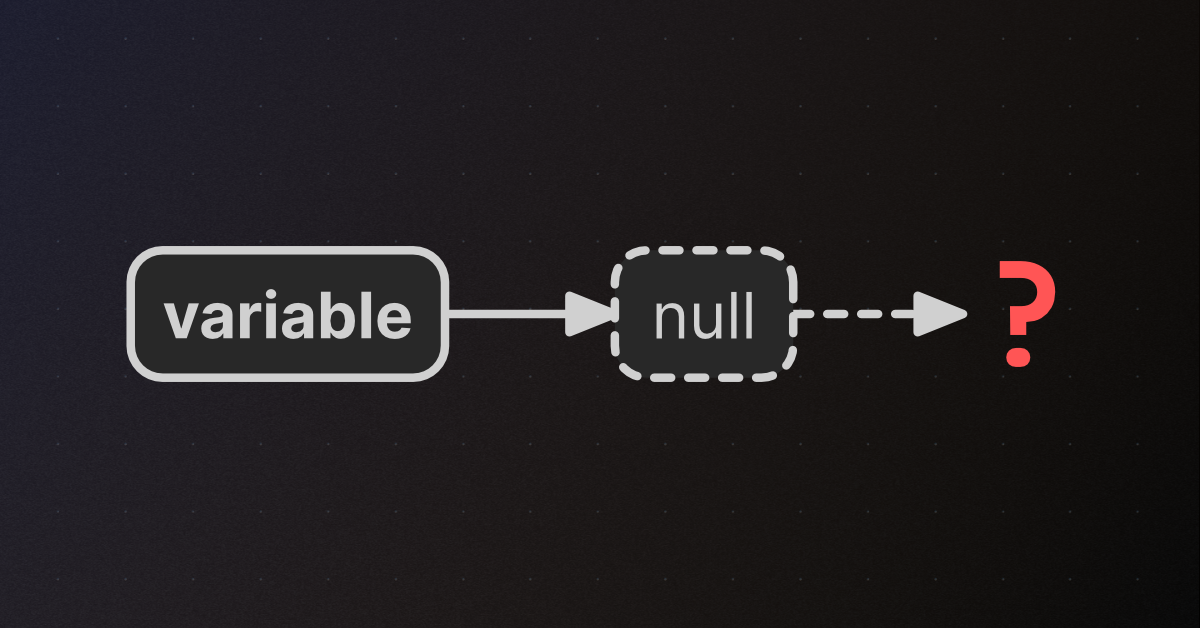
🤔 Unity, Huh, How?
A NullReferenceException (NRE) occurs when code tries to access a member of an unassigned variable.
teal viper
frigid swift
This is a runtime error, not a compile error.
frigid swift
let me send my code hold on
teal viper
!code
radiant voidBOT
teal viper
!code
Posting code
📃 Large Code Blocks
Use links to services like:
https://paste.mod.gg/, https://hastebin.skyra.pw/, https://paste.ofcode.org/, https://paste.myst.rs/
📃 Inline Code
Surround code with three backquotes. Not quotation marks.
To format as C#, add cs to the first line:
```cs
// Your code here
```
Add a comment with a line number if there is an error message.
frigid swift
using TMPro;
using UnityEngine;

public class NextDialogue : MonoBehaviour
{
    private int textNumber;
    public TextMeshProUGUI text;
    // Start is called once before the first execution of Update after the MonoBehaviour is created
    void Start()
    {
        textNumber = 1;
        text = GetComponent<TextMeshProUGUI>();
    }

    // Update is called once per frame
    void Update()
    {
        if(textNumber == 2)
        {
            text.text = "test";
        }
    }
    public void NewDialogue()
    {
        textNumber += 1;
    }
}
im trying to get a button to increment up the integer and change the text
i have the TextMeshProUGUI variable assigned to the text i wanna change
teal viper
frigid swift
i have the TextMeshProUGUI variable assigned to the text i wanna change
It's likely not assigned at the time of the error. Pause the game, switch to scene view and click the error to jump to the object that throws it.
frigid swift
it highlighted the canvas where the script is located
 slender nymph
that object likely has this component attached to it when it shouldn't be
frigid swift
should i try attatching it to the textmesh instead?
slender nymph
the component uses GetComponent to get the TMP Text object, GetComponent is being called on the same object, if the Canvas does not have the TMP Text object on it then GetComponent will return null. So you need to either remove the GetComponent line and drag the reference into the slot in the inspector, or remove the component from the canvas and put it on the TMP object
fallow ether
yo this might be the wrong channel but does anyone know a good tutorial for coding an npc that runs away from the player? like in a hunting game context or something
not having much luck online
 placid jewel
fallow ether
yo this might be the wrong channel but does anyone know a good tutorial for codi...
placid jewel
fallow ether
yo this might be the wrong channel but does anyone know a good tutorial for codi...
I don’t know any specific tutorials, but you might want to look into nav meshes or other forms of path finding (depending on your setup)
fallow ether
oo ok thanks!
ashen sorrel
g'day yall i have sprite sheet of my player in diffrent positons how do I split it when I need to use the diffrent directions
slender nymph
not a code question. but use the sprite editor
slender nymph
what is that even supposed to mean
 slender nymph
you can drag individual sprites into individual slots in the inspector. which means you'll need either a separate variable for each or an array.
or just use animations and animation parameters
ashen sorrel
im stupid
 ashen sorrel
slender nymph
you can drag individual sprites into individual slots in the inspector. which me...
ashen sorrel
slender nymph
you can drag individual sprites into individual slots in the inspector. which me...
also HOW DO I STOP IT FROM BEING SO BLURRY
slender nymph
filter mode and/or compression on the texture's import settings. also not a code question.
slender nymph
ashen sorrel
not there
ashen sorrel
slender nymph
filter mode and/or compression on the texture's import settings. also not a code...
this please
slender nymph
ashen sorrel
not there
wdym
slender nymph
read the information in the channel
ashen sorrel
i did sorry my reading is not good
ashen sorrel
slender nymph
filter mode and/or compression on the texture's import settings. also not a code...
i dont know what this means
slender nymph
have you considered looking at the import settings for your texture? you might find what you are looking for there
ashen sorrel
close but "dumber"
slender nymph
instead of playing this game where you pretend you know nothing at all and expect people to spoon feed you the answer, try actually asking clarifying questions about the parts you do not understand
ashen sorrel
i do not understand the import settings im sorry
slender nymph
but do so in the proper channel so someone interested in continuing this can help you because i'm done.
ashen sorrel
Ok
 celest mesa
hi there I need help with scripting Im having a project and im just now working on coding and making a small game but when ever im ready to do script or code the C# Script doesn't show only create empty and when i click on that one it takes me to visual studios but it doesn't show me the pre set up if this makes sense
teal viper
celest mesa
hi there I need help with scripting Im having a project and im just now working ...
Doesn't make much sense. A screenshot or a video of an issue could help.
celest mesa
teal viper
Doesn't make much sense. A screenshot or a video of an issue could help.
here normaly when i watch videos or see it at school it opens a list of coding and when i do it i get this
 teal viper
celest mesa
here normaly when i watch videos or see it at school it opens a list of coding a...
teal viper
celest mesa
here normaly when i watch videos or see it at school it opens a list of coding a...
I'd assume that your ide(visual studio) is not configured correctly.
!ide
radiant voidBOT
teal viper
!ide
💡 IDE Configuration
If your IDE is not autocompleting code or underlining errors, please configure it.
Select one:
• Visual Studio (Installed via Unity Hub)
• Visual Studio (Installed manually)
• VS Code
• JetBrains Rider
• :question: Other/None
teal viper
Go through the "installed manually" guide.
 bronze fossil
Hiii
I was looking at optimizing my code
my game uses only one camera(main) and it is 2d game
is it recommanded that i put it as a static prop in GameConstants/GameManager
rather than calling Camera.main everytime in some scritps(most of the scripts only use Camera.main for one time so no need to store it there)
frail hawk
create a reference to the Camera
it is not a good idea to call Camera.main every frame.
bronze fossil
frail hawk
it is not a good idea to call Camera.main every frame.
it's not calling it every frame
any script that needs to have Camera.main
only calls it one time
should i still put it as a static prop for all script to access?
frail hawk
i have no clue what you mean with static prop, can you show some of the code
are you using a singleton?
bronze fossil
frail hawk
are you using a singleton?
yes
frail hawk
yeah that is fine
bronze fossil
public static GameManager Instance { get; private set; }
public static Camera MainCamera;
void Awake()
{
    if (Instance == null)
    {
        Instance = this;
        DontDestroyOnLoad(gameObject);
    }
    else Destroy(gameObject);

MainCamera = Camera.main;
}
so if other script wanted to have Camera.main then they would
GameManager.MainCamera
bronze fossil
frail hawk
yeah that is fine
oh ok
frail hawk
is your script called MainCamera?
bronze fossil
frail hawk
is your script called MainCamera?
no GameManager
 hot wadi
Camera is the component
frail hawk
ah ok at very top i see now. you had some empty lines. i think there is no need to make the Camera static. you will have to assign it via inspector because it is part of tha Instance.
hot wadi
There is always 1 main camera so I don’t see the point of static ref here
frail hawk
[SerializeField] Camera maincam;
Ye
but i saw in some ai that it is costly to use Camera.main
so you can put it as a static prop
hot wadi
Camera.main already does the work
bronze fossil
frail hawk
```cs
[SerializeField] Camera maincam;
```
oh ok
hot wadi
bronze fossil
Ye
but i saw in some ai that it is costly to use Camera.main
so you can put it ...
How costly? Never heard of that
bronze fossil
hot wadi
How costly? Never heard of that
from what response i got
`It is highly recommended to cache it, but the reason has changed over the years.
The Short Answer
Yes, put it in your GameManager. Even though Unity has optimized Camera.main in newer versions (2020+), caching it is still faster and, more importantly, safer for your code architecture.
The "Why" (History Lesson)
In Old Unity (Pre-2020): Camera.main was incredibly slow. Behind the scenes, it literally searched through every object in your scene to find the one tagged "MainCamera" every single time you typed it. Using it in Update() was a performance crime.
In New Unity (2020+): Unity now does a bit of internal caching. It is much faster, roughly the same speed as GetComponent<Camera>().`
frail hawk
it says caching but nothing with singleton
caching simply means to create a reference one time and then use that instead of calling Camera.main every frame
hot wadi
If it’s a scene object, it’s better to serialize it. Static can get a bit confusing