#💻┃code-beginner
1 messages · Page 760 of 1
 tired python
 grand snow
We need em but you dont have to understand how to make them
tired python
or i am very stubid
grand snow
They do. euler angles!
tired python
grand snow
They do. euler angles!
but i only saw how to use it in 3d
i can't find repos which use it in 2d....
 fast relic
tired python
i can't find repos which use it in 2d....
fast relic
tired python
i can't find repos which use it in 2d....
in 2d you'd only use the z rotation
tired python
fast relic
in 2d you'd only use the z rotation
i know!!!
grand snow
so in fact you do need vector3 for a 2d euler rotation 🧠
tired python
wot the hell naw
grand snow
hell yes
 hot wadi
Quick question: Is hitInfo.distance supposed to be the distance from the sphere's center to that hit point?
 tired python

hot wadi
No wait
fast relic
hot wadi
Quick question: Is `hitInfo.distance` supposed to be the distance from the spher...
well no, origin - hitInfo.point is a vector between those two points, while hitInfo.distance is the distance between them (so the magnitude of that vector)
 wicked venture
How can an object detect if I clicked anywhere in the screen other than this object (using new input system) (2D game )
grand snow
Raycast and if it doesnt hit that object then happy days?
wicked venture
happy days indeed , i will look up Raycast thanks
grand snow
wicked venture
happy days indeed , i will look up Raycast thanks
you will want a 2d physics raycast and your object will then need to have a 2d collider
(3d and 2d have seperate physics systems)
wicked venture
why 2d collider?
I am just confused on why collider if i am going to detect clicks on anything else
grand snow
A 2d physics raycast can only hit colliders
wicked venture
ok i am stupid collider is to identify the object itself
grand snow
yep. its the special shape that the raycast can hit
wicked venture
grand snow
A 2d physics raycast can only hit colliders
wait so everything in the scene needs to have a collider so the raycast works?
grand snow
Just the thing you want to either hit or not hit
wicked venture
let me show you an example i am just confusing me and you XD
grand snow
e.g. a button with a box collider 2d
you perform a raycast, if you hit something, check if it was this button or not
The point is that when you do this raycast you can determine if you hit this special object or not
wicked venture
this is my scene here , what I am trying to achieve is after I click on anywhere else on the screen I want to destroy the "Shield" tooltip object
 wicked venture
grand snow
The point is that when you do this raycast you can determine if you hit this spe...
wicked venture
grand snow
The point is that when you do this raycast you can determine if you hit this spe...
oh ok i see i see
grand snow
Wait is this UI?
wicked venture
ye
tired python
float rotation = Quaternion.Euler(MousePos - transform.position).z;
rb.angularVelocity = rotation;
this does not work
the euler method returns a value which tells you by how much you need to rotate something along all the axes
grand snow
tired python
```
float rotation = Quaternion.Euler(MousePos - transform.position).z;
rb.angul...
yea you are trying to convert a direction into a Quaternion
A direction is not a euler rotation...
grand snow
re read... a DIRECTION is not a euler rotation
tired python
oh
grand snow
An euler rotation may use Vector3 but that doesnt mean its the same as a direction
tired python
oh wait, so i just put in the angular roation i want into the z part
fast relic
tired python
```
float rotation = Quaternion.Euler(MousePos - transform.position).z;
rb.angul...
but a rigidbody2d's angular veloctiy is just a float in degrees per second, no need for quaternions there
grand snow
wicked venture
this is my scene here , what I am trying to achieve is after I click on anywhere...
The best idea I have for this is to also have a large button behind this tooltip to detect the click to close
Or you use pointer exit to close the tooltip instead
tired python
how do i make this better then?
grand snow
use this to convert a "direction" into a rotation
https://docs.unity3d.com/ScriptReference/Quaternion.LookRotation.html
 wicked venture
grand snow
The best idea I have for this is to also have a large button behind this tooltip...
wicked venture
grand snow
The best idea I have for this is to also have a large button behind this tooltip...
Yeah this was my next option or make a Click handler manager for UI in general
hot wadi
fast relic
well no, `origin - hitInfo.point` is a vector between those two points, while `h...
So the distance is measured along the cast direction, right?
tired python
i can't figure it out for the love of god. i have two vector, mouseposition and transform.position. if i find their difference, it gives me the vector i need to rotate towards. that's fine. but then how the hell do i make it such that the rotation is snappy!
fast relic
hot wadi
So the distance is measured along the cast `direction`, right?
should be yeah
wicked venture
grand snow
Or you use pointer exit to close the tooltip instead
ye I do for hovering
 shell sorrel
tired python
i can't figure it out for the love of god. i have two vector, ``mouseposition an...
shell sorrel
tired python
i can't figure it out for the love of god. i have two vector, ``mouseposition an...
mouse pos and a world pos togeather make no sense unless you use the camera type to convert teh mouse position to a world position
how you do that depends on if its a perspective camera or ortho camera
tired python
shell sorrel
mouse pos and a world pos togeather make no sense unless you use the camera type...
wait
umm...oh wait
maybe u r onto smth
lemme try
shell sorrel
grand snow
shell sorrel
mouse pos and a world pos togeather make no sense unless you use the camera type...
its done correctly here: #💻┃code-beginner message
no idea what the perspective is though
shell sorrel
was it confirmed a ortho camera?
grand snow
they didnt moan about that yet 😆
shell sorrel
k so just bad var naming
shell sorrel
i saw them talking mousePos
grand snow
something something thread
shell sorrel
well if its ortho you can just adjust the z but yeah perspective without a collider to hit Plane type is the way
tired python
grand snow
no idea what the perspective is though
umm...was the video i linked not enough?
dunno what perspective you guys are talking abt though
shell sorrel
tired python
dunno what perspective you guys are talking abt though
its a camera setting
 turbid plover
im black btw
tired python
i mean....checks out

 midnight plover
dont ask to ask. Describe your issue and provide details
Did you do any research yet? Or follow any course from !learn ?
Well, find out what your issue is. Where it started failing, show the code. But first of all, go through the unity courses, they are explaining good basic practices
Seems like the bot is dead. !learn

Unity Learn
Free tutorials, courses, and guided pathways for mastering real-time 3D development skills to make video games, VR, AR, and more.
fast relic
midnight plover
Seems like the bot is dead. !learn
it needs to be at the beginning now i think
!learn
 radiant voidBOT
fast relic
!learn
radiant voidBOT
fast relic
!learn
:teacher: Unity Learn ↗
Over 750 hours of free live and on-demand learning content for all levels of experience!
midnight plover
Ahhh , thanks for clarification 😄
tired python
here's the thing, i tried to just use the magnitude of the diff b/w MousePos and transform.position and assigned it to snapmovement, guess what, the ship starts spinning like crazy when the mousepos is too far away than the rigidbody
radiant voidBOT
 No
No
Be mindful, if someone requests your code as text, don't send a screenshot!
fast relic
!code 👇 for code
radiant voidBOT
fast relic
!code 👇 for code
Posting code
📃 Large Code Blocks
Use links to services like:
https://paste.mod.gg/, https://hastebin.skyra.pw/, https://paste.ofcode.org/, https://paste.myst.rs/
📃 Inline Code
Surround code with three backquotes. Not quotation marks.
To format as C#, add cs to the first line:
```cs
// Your code here
```
Add a comment with a line number if there is an error message.
tired python
oh ya, paste here
fast relic
and for the editor just take a proepr screenshot
tired python
tired python
here's the thing, i tried to just use the magnitude of the diff b/w ``MousePos``...
any suggestions?
should i place an upperbound for angular velocity then?
radiant voidBOT
fast relic
!code
Posting code
📃 Large Code Blocks
Use links to services like:
https://paste.mod.gg/, https://hastebin.skyra.pw/, https://paste.ofcode.org/, https://paste.myst.rs/
📃 Inline Code
Surround code with three backquotes. Not quotation marks.
To format as C#, add cs to the first line:
```cs
// Your code here
```
Add a comment with a line number if there is an error message.

 torpid spindle
hi guys
when i try to animate
and drag something into the animator, it says
sprite renderer
and movement
how do i add something? it won tlet me
 naive pawn
remove the backslashes

 tired python
fast relic
if you wanna go the easy route haha
tired python
fast relic
if you wanna go the easy route haha
oh hell naw, i have been tryingt o fix this thing for two days, easier route pshhh
fast relic
otherwise you might wanna look into something like a pid controller..?
tired python
but if ez does work, that's fine too
i got another idea
how about i just blast the thing if it ever touches the boundary
torpid spindle
tired python
<@861136838601605120> doesn't this look very weird
looks awesome btw
tired python
a useful bug
tired python
torpid spindle
looks awesome btw
i meant the movement but thanks!!!
tired python
tired python
how about i just blast the thing if it ever touches the boundary
@fast relic should i do it? or would that be bad for my growth in the long run?
gigantic O_O

 rough granite
tired python
***g***i***g***antic O_O
rough granite
tired python
***g***i***g***antic O_O
Ah yes jaif
tired python
jif
rough granite
tired python
jif
Uh no this is saying it would be jaif, since the gi in gigantic is saying jai

 fast relic
tired python
<@861136838601605120> should i do it? or would that be bad for my growth in the ...
fast relic
tired python
<@861136838601605120> should i do it? or would that be bad for my growth in the ...
if you want haha
fast relic
tired python
***g***i***g***antic O_O
-# yes that's the joke
tired python
don't haha me...
rough granite
Does your mass got any mass to it?
tired python
that was a thing previously btw, it blasted before i added tags to it xD
rough granite
Well makes sense your player is a toothpick
tired python
friction is a force and force = mass * acceleration...so yeah
rough granite
Though i've never messed with friction in unity just basing of physics
rough granite
tired python
friction is a force and force = mass * acceleration...so yeah
Well that is not correct but yes more mass
tired python
also, it might work if you can also change the frictional coefficient
tired python
rough granite
Well that is not correct but yes more mass
it is though?
rough granite
tired python
it is though?
No, force does not equal mass * acceleration that is net force there is a difference
tired python
then what's the eqs for force according to you
rough granite
tired python
then what's the eqs for force according to you
Its dependant on the force, the force of friction is the coefficient of friction times the normal force
tired python
tired python
also, it might work if you can also change the frictional coefficient
i do know, that's why i said this
frictional force ain't mass * acceleration
force is
rough granite
tired python
force is
No, net force is
fast relic
give it some linear damping i guess? i'm not sure what the issue is, looks fine to me
well you're overriding its linear velocity entirely so gravity isn't gonna do much
i'm confused on what you're trying to do
give it some linear damping
then you're probably giving it too much linear damping
midnight plover
how is this related to code?
torpid spindle
midnight plover
how is this related to code?
ohhhh... sorry....
thanks for pointing it out joe
joer

 fast relic
hot wadi
I'm not even in play mode...
fast relic
hot wadi
I'm not even in play mode...
well yeah, which is why _collider isn't assigned
and you're trying to access it in OnDrawGizmosSelected
 real thunder
what was that math function which increases the value but also clamps?
fast relic
real thunder
what was that math function which increases the value but also clamps?
MoveTowards?
real thunder
yeah thanks
 swift crag
https://docs.unity3d.com/ScriptReference/Mathf.html here's the whole list of Mathf functions!
lots of useful stuff in there
 mint imp
Any idea how i could draw a line around tiles in a tile grid.
Specifically around groups of tiles?
 keen dew
Loop through all tiles. If there isn't another tile left, right, above or below the tile, draw a line there.
swift crag
If you want a continuous line, it gets more annoying
but that'll work great if you just need to visibily outline an area
keen dew
also you need to define what constitutes a "group"
swift crag
yeah – this might involve doing a flood-fill to identify the group
if you already know the tiles you want to outline, then you just do what Nitku said
this would actually be a great place to use Rule Tiles
create another tilemap used for drawing outlines
then just make a few tiles for the various combinations of outlines (none, one side, opposite sides, corner, T-shape, and all four sides)
 shadow rain
Hi this is prolly a stupid question and that but could someone tell me how i can get my model to stay up right instead of doing what its doing in the video
 hot wadi
shadow rain
Hi this is prolly a stupid question and that but could someone tell me how i can...
hot wadi
shadow rain
Hi this is prolly a stupid question and that but could someone tell me how i can...
Provide some code (if there are). And probably don't conveniently hide the Inspector parameters of the object in question
shadow rain
!code
radiant voidBOT
shadow rain
!code
Posting code
📃 Large Code Blocks
Use links to services like:
https://paste.mod.gg/, https://hastebin.skyra.pw/, https://paste.ofcode.org/, https://paste.myst.rs/
📃 Inline Code
Surround code with three backquotes. Not quotation marks.
To format as C#, add cs to the first line:
```cs
// Your code here
```
Add a comment with a line number if there is an error message.
shadow rain
shadow rain
whats that then
shadow rain
the codes there it doesnt matter
naive pawn
what are you talking about
hot wadi
shadow rain
There we go
https://paste.mod.gg/qokfqyknuqwv/0
A tool for sharing your source code with the world!
Oh wait, I messed it up
swift crag
Your object's "up" vector probably doesn't point the way it should
Select the fish object and make sure your scene view is set to show local directions, not global ones

The green arrow is the up direction
(and the blue arrow is the forward direction)

If the model doesn't line up correctly, an easy fix is to parent the model to an empty object
Rotate the model so that it lines up properly, then move and rotate the parent to make the fish swim around
shadow rain
thanks a lot works perfectly
swift crag
nice (:
It's common for models to have a weird rotation offset (e.g., when coming from Blender with default settings, there's a -90 degree X-axis rotation)
I almost always parent the visual to another object anyway, even if I don't need to fix the rotation
It's nice to have it separate -- you can wiggle it around without changing the "logical" position of the object (that is, the position of the empty parent)
tired python
if i usetransform.InverseTransformPoint(MousePos), will MousePos have different values before i transformed it from world space to local space if i were to click the mouse at the same point?
grand snow
erm what
naive pawn
not sure what you're asking. if you click the same point, and nothing else changes,MousePos will probably be the same
but you haven't said where MousePos is from
grand snow
yea that is unclear
naive pawn
and MousePos will probably not be the same as the output of its InverseTransformPoint
but after calling the function, it'll still be the same
the function doesn't mutate, it can't mutate MousePos
tired python
then what does it do?
naive pawn
did you read its docs or signature
 molten dock
why are the other code channels archived
tired python
i tried printing it, and it gave the same output
tired python
naive pawn
did you read its docs or signature
docs
naive pawn
tired python
ya...i did read it.
naive pawn
tired python
i tried printing it, and it gave the same output
what do you mean by "it"
naive pawn
molten dock
why are the other code channels archived
they've been consolidated into #1390346827005431951
tired python
naive pawn
it returns a Vector3
ahh
naive pawn
Note that the returned position
 tender mirage
Does anyone know how i can unfreeze both the x and y at the same time?
//UnFreeze object
playerMovement.playerRigid.constraints = ~RigidbodyConstraints2D.FreezePositionX | ~RigidbodyConstraints2D.FreezePositionY;
do i have to use unfreeze all + freeze rotation?
grand snow
I think you can xor them to "remove them"
tender mirage
grand snow
I think you can xor them to "remove them"
it's like a data table, wasn't sure if you could remove a individual part from it.
i've been able to overwrite what it contains and that's pretty much it.
keen dew
playerMovement.playerRigid.constraints &= ~(RigidbodyConstraints2D.FreezePositionX | RigidbodyConstraints2D.FreezePositionY);
that should do it, not sure if there's a more direct way
tender mirage
keen dew
```cs
playerMovement.playerRigid.constraints &= ~(RigidbodyConstraints2D.FreezeP...
oh woah. &=? now that's a first for me.
grand snow
Bitwise operators
tender mirage
and equals. so you add something that equals?
shell sorrel
tender mirage
and equals. so you add something that equals?
it just short hand so you do not have to stutter the part on the left
keen dew
a &= b is the same as a = a & b just like += and *= and so on
tender mirage
shell sorrel
it just short hand so you do not have to stutter the part on the left
oooooh!
Got it.
thanks guys
👍
yeah that makes so much sense now
 warped sierra
Experimental .HEIC .AV1F Codec
 warm sapphire
Hey ! I'm a new developer and I start this script for a RTS Camera (with Cinemachine) and the problem is that when I start the game, the camera takes instantly place In 0, 0, 0 and with a rotation of 0, 0, 0 and that is not the goal of the script, can someone helps me pls !


 slender nymph
!code
radiant voidBOT
slender nymph
!code
Posting code
📃 Large Code Blocks
Use links to services like:
https://paste.mod.gg/, https://hastebin.skyra.pw/, https://paste.ofcode.org/, https://paste.myst.rs/
📃 Inline Code
Surround code with three backquotes. Not quotation marks.
To format as C#, add cs to the first line:
```cs
// Your code here
```
Add a comment with a line number if there is an error message.
slender nymph
warm sapphire
Hey ! I'm a new developer and I start this script for a RTS Camera (with Cinema...
!ide 👇 also you need to get your IDE configured
radiant voidBOT
slender nymph
!ide 👇 also you need to get your IDE configured
💡 IDE Configuration
If your IDE is not autocompleting code or underlining errors, please configure it.
Select one:
•  Visual Studio (Installed via Unity Hub)
• Visual Studio (Installed manually)
•  VS Code
•  JetBrains Rider
• :question: Other/None
 fringe river
@slender nymph
public class PhysicsObjects : MonoBehaviour
{
    float pushPower = 2.0f;

    // Start is called once before the first execution of Update after the MonoBehaviour is created
    void Start()
    {

    }

    // Update is called once per frame
    void Update()
    {

    }

    void OnControllerColliderHit(ControllerColliderHit hit)
    {
        Rigidbody body = hit.collider.attachedRigidbody;
        Debug.Log(hit);

        // if no rigidbody
        if (body == null || body.isKinematic) return;

        if (hit.moveDirection.y < -0.3) return;

        // Calculate push direction from move direction,
        // we only push objects to the sides never up and down
        Vector3 pushDir = new Vector3(hit.moveDirection.x, 0, hit.moveDirection.z);

        // If you know how fast your character is trying to move,
        // then you can also multiply the push velocity by that.

        // Apply the push
        body.linearVelocity = pushDir * pushPower;
    }
}
and what object did you put this component on?
fringe river
slender nymph
and what object did you put this component on?
I put this script on the object that has physics.
slender nymph
now why would you go and do that? you are using the CharacterController.OnControllerColliderHit message here. it needs to go on the CharacterController
fringe river
oh
my bad
I realized the code was actually making the physics object detect that it’s getting hit
I mixed up what it was supposed to do XD
sorry
warm sapphire
radiant void
What I'm supposed to do ?
 raw shore
I want to make a throwing and pick up system but character controll doesnt work and I tried learning rigidbody movement but dosent work
raw shore
throwing and pick up doesnt work with characther controll so I tried Rigidbody
but I cant find a good tutorial that isnt just just copy paste
I am watching one with player Input but I cant look left/right even if in the video he can
warm sapphire
slender nymph
!code
Don't understood what I'm supposed to do
slender nymph
you're supposed to read the bot messages to see how to properly share code and also how to configure vs code
 polar acorn
warm sapphire
Don't understood what I'm supposed to do
polar acorn
warm sapphire
Don't understood what I'm supposed to do
Share the code properly not a bunch of screenshots
warm sapphire
ok and how (sorry I'm new)
slender nymph
polar acorn
warm sapphire
ok and how (sorry I'm new)
If only there were several bot messages that came up with exact instructions
warm sapphire
ok thanks
Hey ! I'm a new developer and I start this script for a RTS Camera (with Cinemachine) and the problem is that when I start the game, the camera takes instantly place In 0, 0, 0 and with a rotation of 0, 0, 0 and that is not the goal of the script, can someone helps me pls !
https://paste.ofcode.org/aakmvBWGD6NEkdGDDyZfbL
polar acorn
warm sapphire
Hey ! I'm a new developer and I start this script for a RTS Camera (with Cinema...
What's the position and rotation of the object before starting?
warm sapphire
The virtual camera of cinemachine is in 463, 9, 414 with a rotation of 23.2, 0, 0
And the Camera Target is in 463, 0, 437 with a rotation of 0, 0, 0
this give me a RTS/city builder Camera
and the script was working before I had the Orbital follow and Orbit sensitivity
polar acorn
What are the properties of the Orbital Follow? Does it allow for that much distance from the target?
warm sapphire
Here are the script parameters but i'm not sure to clearly understand your question

Ho... The radius of the orbital follow is 25
 manic spire
Heya Yall, is this the correct channel to discuss HLSL coding?
I’ve got a quick HLSL problem with my shadow caster pass
fast relic
maybe #💥┃post-processing or #1390346776804069396 I guess
manic spire
fast relic
maybe <#497873924504420362> or <#1390346776804069396> I guess
Thank you
 fierce shuttle
raw shore
I want to make a throwing and pick up system but character controll doesnt work ...
fierce shuttle
raw shore
I want to make a throwing and pick up system but character controll doesnt work ...
I can understand that throwing might require a rigidbody, though how is pickup and throwing related to movement? Why do you need input for that? Is your character the one being picked up and thrown by something else?
raw shore
fierce shuttle
I can understand that throwing might require a rigidbody, though how is pickup a...
I want the player to be able to interact with those objects by pushing
not really a need but to have it
I found a tutorial for rigidbody that works and now I am at the pickup system
 raw lava
Hello hi howdy I have a problemmm~
I've opened Unity for the first time in about 5 months and I've got this error! And I don't know why. It's a fresh project I haven't ddone anything yet:
error CS0006: Metadata file 'Library/PackageCache/com.unity.collab-proxy@2.10.0/Lib/Editor/PlasticSCM/Unity.Plastic.Antlr3.Runtime.dll' could not be found
error CS0006: Metadata file 'Library/PackageCache/com.unity.collab-proxy@2.10.0/Lib/Editor/PlasticSCM/Unity.Plastic.Newtonsoft.Json.dll' could not be found```-# if there's a better channel to ask in i'll go there i just haven't talked here in a while. hi
Okie dokie I closed and reopened unity everything's fine now 
 blazing sphinx
im getting this error message and i have no clue why, i barely know how to code
 polar acorn
blazing sphinx
im getting this error message and i have no clue why, i barely know how to code
polar acorn
blazing sphinx
im getting this error message and i have no clue why, i barely know how to code
- Do you have any errors in your console
- Is
InputManagera MonoBehaviour
blazing sphinx
i don't know how to check 2.
 polar acorn
blazing sphinx
i don't know how to check 2.
polar acorn
blazing sphinx
i don't know how to check 2.
You'll need to fix your compile errors
Look at what's underlined in red and fix those
blazing sphinx
can you help me do that?
polar acorn
Should be pretty obvious if you look at where the errors are. The IDE should tell you what you need to do. Start at the top because having one compile error can often confuse it as to what the rest of the code is supposed to be doing
blazing sphinx
im so confues bro :(

 polar acorn
blazing sphinx
im so confues bro :(
polar acorn
blazing sphinx
im so confues bro :(
!ide
radiant voidBOT
polar acorn
!ide
💡 IDE Configuration
If your IDE is not autocompleting code or underlining errors, please configure it.
Select one:
• Visual Studio (Installed via Unity Hub)
• Visual Studio (Installed manually)
• VS Code
• JetBrains Rider
• :question: Other/None
 crisp tulip
lf help with my game im making
fast relic
crisp tulip
lf help with my game im making
just ask your question right away
crisp tulip
can i screen share my screen causxe idk whats going on?
fast relic
you can just send some screenshots (not for code tho! use a codeblock for that)
crisp tulip
its more of a soft ware thing
i dont know why it doesnt save as a thing thats not a prefab
it keep saving as a prefab and its weird
i am trying to make a ground pallet for my pixel game
but i dont understand why when i go to save it to my tiles folder it goes to a prefab
i dm u tho @fast relic
fast relic
why dm??
crisp tulip
idk
fast relic
crisp tulip
but i dont understand why when i go to save it to my tiles folder it goes to a p...
pretty sure that's intended behaviour
crisp tulip
so hold up how do i paint with my pixel blocks
im trying to make the floor but i dont know how to set it up
able to help me/.
crisp tulip
k i downloaded the tile maps
so i think i have a problem
im using built in render pipeline
so i isnt possible i dont think
fast relic
i doubt that would affect anything?
crisp tulip
it says in the manual
crisp tulip
no im just new to making stuff so i thought thats what i should use?
so now i cant make my game?
fast relic
there are ways to convert it
crisp tulip
can it ruin the project?
fast relic
you should make a backup before doing it obviously but it should be doable
crisp tulip
so how do i do it?
fast relic
you can probably find some stuff online
fast relic
somewhere in your project settings
can't recall exactly where tho
probably under graphics?
crisp tulip
im on the project paje
fast relic
send a screenshot i guess?
i can't recall exactly what the categories are
actually it should be in graphics
crisp tulip
 fast relic
just send a screenshot of the graphic page
crisp tulip
this is what my screen looks like rn
fast relic
that's unity hub, not the project settings
open your project and go to edit -> project settings
in the menu bar
crisp tulip
 fast relic
yeah so it is the built in render pipeline
crisp tulip
:/
that sucks
thats why my stuff wouldn;t work
what dfo i look up for chaning it to the right
fast relic
try this https://docs.unity3d.com/6000.2/Documentation/Manual/urp/upgrading-from-birp.html but make sure to backgrup your project beforehand
crisp tulip
so just like saving the project
fast relic
make a copy of it and put it in another folder
crisp tulip
how u copy the project
crisp tulip
this is complicated
i already have all these assets saved cant i just make a new project and paste all of my assets and code into it>
fast relic
which is why i sent a page on how to convert it
crisp tulip
i see the page but thats complex
crisp tulip
im just bad at following directions
fast relic
can't help you there, just gotta do what the page shows
 faint osprey
im using unity graph toolkit and im trying to get a reference to a node in my graph how would i do that
 fading marten
Anyone think they could help me? I'm trying to make it so a camera pans to the left after pressing a certain button and then once the button isn't held down anymore it recenters, I'm using cinemachines and I noticed that I can't rotate the camera
 copper jasper
How do i fix this jitter
 thorn holly
copper jasper
How do i fix this jitter
thorn holly
copper jasper
How do i fix this jitter
There’s many possible causes, can you post ur code
radiant voidBOT
<:error:1413114584763596884> Command not found
There's no command called
codr.
thorn holly
!code
radiant voidBOT
thorn holly
!code
Posting code
📃 Large Code Blocks
Use links to services like:
https://paste.mod.gg/, https://hastebin.skyra.pw/, https://paste.ofcode.org/, https://paste.myst.rs/
📃 Inline Code
Surround code with three backquotes. Not quotation marks.
To format as C#, add cs to the first line:
```cs
// Your code here
```
Add a comment with a line number if there is an error message.
thorn holly
People on mobile can’t read that :/
copper jasper
Oh 😭
I dont wanna get on my pc again its 4 am 😭
Hold up ima copy paste it on my phone
radiant voidBOT
thorn holly
!code
Posting code
📃 Large Code Blocks
Use links to services like:
https://paste.mod.gg/, https://hastebin.skyra.pw/, https://paste.ofcode.org/, https://paste.myst.rs/
📃 Inline Code
Surround code with three backquotes. Not quotation marks.
To format as C#, add cs to the first line:
```cs
// Your code here
```
Add a comment with a line number if there is an error message.
copper jasper
Oki gimme a sec
copper jasper
thorn holly
Use one of the paste bins
When i try to paste my code it all goes into 1 line
thorn holly
copper jasper
When i try to paste my code it all goes into 1 line
Maybe try a different paste bin? Idk I’ve never had that problem
Sorry
copper jasper
I found one js tryna figure out how it works
thorn holly
radiant void
@copper jasper there’s a bunch linked here
copper jasper
Pastebin
Pastebin.com is the number one paste tool since 2002. Pastebin is a website where you can store text online for a set period of time.
Pastebin
Pastebin.com is the number one paste tool since 2002. Pastebin is a website where you can store text online for a set period of time.
thorn holly
copper jasper
<@921537124505882697>
https://pastebin.com/0c0WWWrn
https://pastebin.com/d6xMHc...
If you fix the camera in place does it still seem to jitter
Like if you make the camera not move/rotate
copper jasper
Lemme check rq
So should i js remove the part that moves and rotates the cam
@thorn holly if i dont move + rotate my cam it looks perfectly fine
From the looks of it the issue is from the line that sets the rotation of the camera
Cause if i only set the position of the camera i dont see any jitter
thorn holly
copper jasper
From the looks of it the issue is from the line that sets the rotation of the ca...
Try moving your set cam pos and rotation code to fixed update
 thorn holly
copper jasper
thorn holly
copper jasper
what happens if you put the set pos code in there too
 formal gull
can someone make me a pong game but you control the paddles like flappy bird
im new to unity and ive been trying to do it for like 3 days now but i cant figure out how
i managed to make a normal pong game but thats pretty much it
thorn holly
copper jasper
ok i think the problem is that the cam pos is being set after the player pos is set
is it possible for the player movement handler to call the cam handler's UpdateCamPos once its done moving?
thorn holly
copper jasper
Am i dumb or did u js say the opposite of what u js said
the issue is that the cam moves to the player, then the player moves
so now the cam isnt in the right spot
so instead of calling your UpdateCamPos in FixedUpdate/LateUpdate, make the movement handler call it AFTER the player is done moving for that frame
copper jasper
So should i handle the rotation and movement in the movement handler after i set the velocity
thorn holly
formal gull
can someone make me a pong game but you control the paddles like flappy bird
im...
nobody's gonna make it for you but if you have a specific issue we can help you work through it
formal gull
thorn holly
nobody's gonna make it for you but if you have a specific issue we can help you ...
tried asking for help yesterday and nothing really worked
thorn holly
copper jasper
So should i handle the rotation and movement in the movement handler after i set...
yes, just make your MovementHandler have a reference to your CamHandler and then do something like camHandler.UpdateCamPos()
thorn holly
copper jasper
and then move the code in fixed update back to where it was before
copper jasper
Aight ima test that rq
thorn holly
formal gull
tried asking for help yesterday and nothing really worked
you didnt have a specific issue you just asked for the code
when you are trying to make your flappy bird game what SPECIFIC issue are you running into that is preventing you from making it
formal gull
thorn holly
you didnt have a specific issue you just asked for the code
rigidbodies for the walls and stuff
thorn holly
formal gull
rigidbodies for the walls and stuff
ok thats not specific enough whats the actual problem
is the ball not hitting the wall?
formal gull
thorn holly
when you are trying to make your flappy bird game what SPECIFIC issue are you ru...
paddles go past the walls even though theres a collider
 paper delta
What shall i do after learning basic C#
formal gull
i need to get rid of normal pong paddle code and get code for like
copper jasper
It didnt work @thorn holly its doing the same thing as when i put it in fixed update
thorn holly
formal gull
paddles go past the walls even though theres a collider
ok well make sure that:
Both colliders have IsTrigger as false
The paddle has a rigidbody
The layers are the colliders are on are compatible
thorn holly
copper jasper
It didnt work <@921537124505882697> its doing the same thing as when i put it in...
can you share ur code just so i can make sure you understand what i said cause i phrased it kinda bad so there might have been a misinterpretation yk
copper jasper
I already got rid of it thooo
Basically i js made the rot and pos stuff run after the player movement is added
Like after the rigid body velocity is set
thorn holly
copper jasper
Basically i js made the rot and pos stuff run after the player movement is added
hmm, imma be honest i got nothing im really sorry
copper jasper
Aight ima sleep ig it's 5 am 😭
thorn holly
the only thing i can think of is putting ur player movement in update and ur cam code in late update but that would be bad since ur player movement uses physics so idk
sorry
copper jasper
🙏🏻
thorn holly
copper jasper
🙏🏻
Oh yeah try interpolate/extrapolate on ur player rigidbody
That sometimes fixes jitter depending on the problem
 grave frost
How do I get the built in c# documentation to appear for me in my IDE? For years I've used unity without it and i just want to figure out how to include the built-in c# docs so I don't have to look up what methods do when I use them 😭

Yes my IDE is set up correctly, that's not what the issue is. Been like this for years through multiple IDEs and even no one at my job knows how to do it but I know it's possible.
 teal viper
grave frost
Yes my IDE is set up correctly, that's not what the issue is. Been like this for...
teal viper
grave frost
Yes my IDE is set up correctly, that's not what the issue is. Been like this for...
What ide is that? Missing intellisense is typically a sign of ide not configured.
grave frost
im not missing intellisense in a general sense, I'm missing intellisense specifically for c# System types.
it's Rider
teal viper
grave frost
im not missing intellisense in a general sense, I'm missing intellisense specifi...
That's part of intellisense and is related to ide config. Though I can't say much about rider, since I've never used it.
I know that in VS there's a direct relation.
grave frost
i mean no one at my job has xml documentation for System types either, both rider and VS
teal viper
Then perhaps no one has it configured correctly. 😅
grave frost
I know I used to be able to grab the xml from the .net install on my computer and drop it next to the .net dll the unity installation uses and it would work, but that no longer works
teal viper
You can tell easily by looking at the assembly field appearing in VS.
grave frost
Ive never been able to
can you double check you can? It's only an issue with the System namespace. As far as I know you had to do weird things to get it to show up since like unity 5 but the tricks i knew don't work anymore.
teal viper
grave frost
can you double check you can? It's only an issue with the System namespace. As f...
I can in a bit. Though I wouldn't be able to share a screenshot since I'm at work. I do know for sure that I was able to though.
teal viper
grave frost
can you double check you can? It's only an issue with the System namespace. As f...
Never had to do any weird manipulations. Just configure the ide properly.
grave frost
see for example the instantiate method lets me do it totally fine. And for packages.


 teal viper
Hmm... I'll check and let you know.
teal viper
grave frost
It does seem to detect that it's from Microsoft though, so perhaps it's just a matter of rider config.
grave frost
well even if I decompile the dll it doesn't show documentation as if it can't find the xml file, which of course it can't because it's not there, but now dropping one in there doesn't work 😭
teal viper
grave frost
well even if I decompile the dll it doesn't show documentation as if it can't fi...
Hmm... It seems like it's missing in VS as well. Looking at the dlls, the xml files missing indeed.
 tidal lily
so I'm struggling to make a decent/fancy AI player for my game.
my game is about maneuvering a drone a doing tricks fast.
I tried to make a bot using splines, but it looked very inhuman.
I thought about rule based but it might get complicated.
Any idea to use Reinforcement learning, or at least the compute budgets for training a simple model that can run locally within the game?
I think if I dig deep enough, I could make a decent one, but it would be hard to run and costly to train.
I already took a look at rlbot.org
tho currently I think best option is a rule based one.
 elder canyon
Why does the local position of a child object does not change, if I increase the scale of it parent? I can clearly see the childObject going backwards and forwards while I scale, but it's local position is not changing
keen dew
The local position is also scaled
elder canyon
Local position is also scaled?
I set my parent object scale to 0.5, the child object's 'z' is 4.
I set the scale to 3, the child objects 'z' is still 4.
tidal lily
elder canyon
Local position is also scaled?
I set my parent object scale to 0.5, the child o...
if you clicked and dragged to unparent you would notice it changing, but when it is already parented, it doesn't need to show you that.
 solemn bobcat
elder canyon
Local position is also scaled?
I set my parent object scale to 0.5, the child o...
solemn bobcat
elder canyon
Local position is also scaled?
I set my parent object scale to 0.5, the child o...
Local values are meant to be constant. Only world values change. Local means relative to its parent.
keen dew
Yes, the local position is always in relation to the unscaled size. If you set the scale to 3 the child's world position Z changes by 8 (from 4 to 12) but the local position stays the same.
elder canyon
I'll just rely on finding the local position by manually computing it then.
keen dew
If you need to do that it sounds like it should be a sibling instead
naive pawn
solemn bobcat
Local values are meant to be constant. Only world values change. Local means rel...
no, definitely not
you can move/rotate/scale stuff in local space as well, transforming stuff relative to their parents
for example, the basic first person 3d setup involves a camera rotating on X in local space, having an overall rotation based on the parent's Y rotation and its own X rotation
solemn bobcat
naive pawn
you can move/rotate/scale stuff in local space as well, transforming stuff relat...
Yeah. Probably I could word it differently. My point was that values remain relative to its parent's when parent's values change.
solemn bobcat
elder canyon
I'll just rely on finding the local position by manually computing it then.
There are methods that let you convert world position to local position and vice versa.
fierce shuttle
tidal lily
so I'm struggling to make a decent/fancy AI player for my game.
my game is about...
When you say "AI" do you specifically mean LLM training, or patterns like FSM, Behaviour Tree, GOAP, etc with your gameplay logic?
tidal lily
fierce shuttle
When you say "AI" do you specifically mean LLM training, or patterns like FSM, B...
I specified reinforcement learning
But I’ll most likely go with rule based
 cedar cliff
hey guys im new to C# and unity and im making a gmod game but im not familiar with C# im familiar with lua
fierce shuttle
tidal lily
I specified reinforcement learning
I asked because in game dev "AI" can refer to a lot of different things, and you also mentioned splines, for LLM AI, I dont see how splines would help there, but for behaviour-logic based AI, I can see how maybe some easing your states control could help, but if you have an approach already for your use case then great
grand snow
cedar cliff
hey guys im new to C# and unity and im making a gmod game but im not familiar wi...
You want to start with some c# learning material such as
https://www.codecademy.com/learn/learn-c-sharp
tidal lily
fierce shuttle
I asked because in game dev "AI" can refer to a lot of different things, and you...
it's alright, but I meant something like autopilot.
in my code I have the current barebone rule based called autopilot. not AI to more clear too
but I've wondered about something like this it looked nice to watch a video like this
https://www.youtube.com/watch?v=NUl6QikjR04

I trained an AI in Trackmania with reinforcement learning, and tried to make it learn the hardest technique in this game: the noseboost.
To support my work on Patreon:
• https://www.patreon.com/Yoshtm
Note: This video was re-uploaded a few hours after the original upluoad due to a copyright issue with the music
Contact
• Discord: yosh_tm ...
but that is not easy, and needs retraining every now and then I'd guess
cedar cliff
grand snow
You want to start with some c# learning material such as
https://www.codecademy....
thanks
grand snow
cedar cliff
thanks
Once you understand the basics you can move into unity specific material 🔽
!learn
radiant voidBOT
grand snow
!learn
:teacher: Unity Learn ↗
Over 750 hours of free live and on-demand learning content for all levels of experience!
cedar cliff
grand snow
Once you understand the basics you can move into unity specific material 🔽
also is there like an addon or plugin idk that lets you code using lua
grand snow
Nothing pre made that i know of.
You can however integrate lua yourself but that is very custom and more to allow end users to do scripting with whatever you set up.
cedar cliff
interesting
grand snow
So no you need to learn c# to make something in unity. Visual scripting also exists but is restrictive
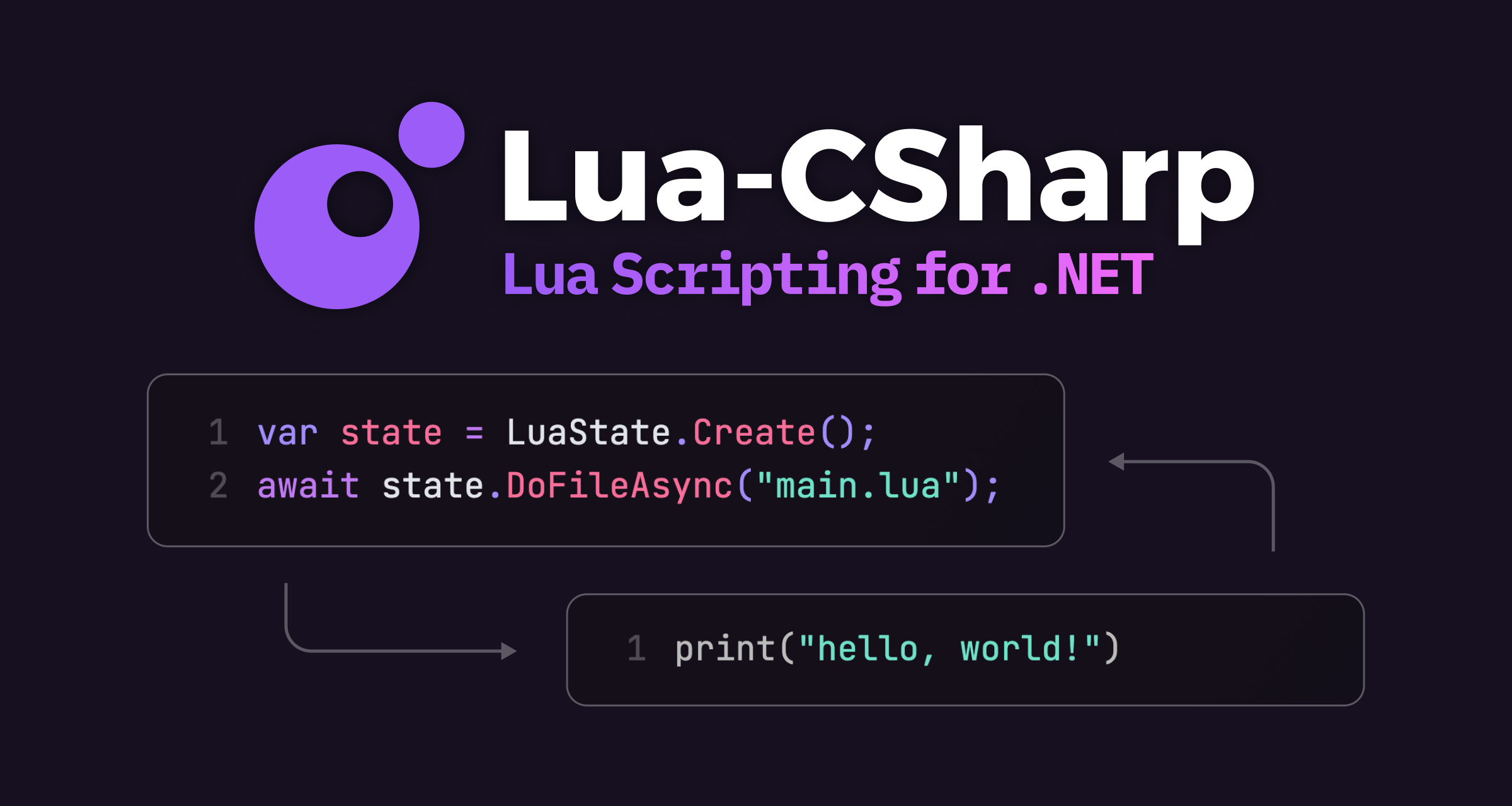
GitHub
High performance Lua interpreter implemented in C# for .NET and Unity - nuskey8/Lua-CSharp
tender mirage
is it possible to grid snap ui elements? i'm working on a pixel art game and working on some ui, but the ui elements in the editor are moving freely.
tender mirage
cedar cliff
also is there like an addon or plugin idk that lets you code using lua
ahh, i remember lua, keywords like and, end, or are just words and indexes start from 1 i also ones got an virus installing a .lua file.
wicked venture
Yo guys I had a problem where I could not interact with the buttons on a certain object , they felt non interactable until I looked around on google and added these 2 components into the main container that is holding all the buttons and other objects inside this big tooltip object
what exactly did these 2 components change I don't understand what happened for it to suddenly start working after adding these 2

 wintry quarry
wicked venture
Yo guys I had a problem where I could not interact with the buttons on a certain...
wintry quarry
wicked venture
Yo guys I had a problem where I could not interact with the buttons on a certain...
Canvas group isn't necessary
You just needed the Graphic Raycaster
 sharp bloom
while (!completed)
        {
            transform.position = Vector3.MoveTowards(transform.position, points[pointIndex], 0.1f * Time.deltaTime);
            if (Vector3.Distance(transform.position, points[pointIndex]) < 0.01f) completed = true;
}
What am I misunderstanding with the Vector3.MoveTowards() function? This code instantly teleports the object instead of excepted incremental movement.
wintry quarry
wicked venture
Yo guys I had a problem where I could not interact with the buttons on a certain...
The graphic Raycaster works with the Event System and provides UI raycasts so it can interact with UI elements.
wintry quarry
sharp bloom
```cs
while (!completed)
{
transform.position = Vector3.Move...
It's not Move towards you're misunderstanding
It's the while loop
Where did you put this code?
wintry quarry
It's all running inside a single frame
 ivory bobcat
sharp bloom
```cs
while (!completed)
{
transform.position = Vector3.Move...
ivory bobcat
sharp bloom
```cs
while (!completed)
{
transform.position = Vector3.Move...
In a while loop, that will come to completion immediately
sharp bloom
Ok, rookie mistake
ivory bobcat
sharp bloom
Ok, rookie mistake <:notlikethis:1068134558123442236>
Maybe try changing it to an if-statement
wicked venture
wintry quarry
The graphic Raycaster works with the Event System and provides UI raycasts so it...
thanks now I understand what happened
cedar cliff
guys i almost finished my PhysCool (my gmod game) prototype Alpha 1 and i wanna share it with you guys after i finish it, is that possible?
you can give me tips and what to add
sharp bloom
ivory bobcat
Maybe try changing it to an if-statement
I changed it coroutine and added yield return new WaitForEndOfFrame inside the while loop, it works
 polar dust
Isn't a = MoveTowards(a, b, t) similar to wronglerp?
sharp bloom
Is it doing any lerping?
sharp bloom
sharp bloom
I changed it coroutine and added `yield return new WaitForEndOfFrame` inside the...
Ah but now I've tied the movement speed to the frame rate haven't it?
Should probably just use FixedUpdate() for this
keen dew
If you still have deltatime there it's fine. Doing it in FixedUpdate is not a good idea
also should be just yield return null, EndOfFrame is needed for niche uses only
 hexed terrace
don't cross post - delete from here
 fickle plume
@tame charm Don't cross-post, please.
naive pawn
sharp bloom
I changed it coroutine and added `yield return new WaitForEndOfFrame` inside the...
you probably want yield return null instead to wait a frame
 tame charm
sorry, I am new here, I didn't knew that, I'll take care next time
 distant cipher
void Update()
{
if (Input.GetKeyDown(KeyCode.Space) == true)
{
myRigidbody.velocity= Vector2.up * 10;
}
} it states that myRigidbody.velocity is outdated, what do I write instead?
sharp bloom
distant cipher
void Update()
{
if (Input.GetKeyDown(KeyCode.Space) == true)
{
m...
myRigidbody.linearVelocity
distant cipher
I see thank you
sharp bloom
Also should maybe use .addForce() instead of modifying the velocity directly
distant cipher
I dont know how to do so 😅 Following my first tutorial
hot wadi
distant cipher
void Update()
{
if (Input.GetKeyDown(KeyCode.Space) == true)
{
m...
Didn't it say use linearVelocity instead?
 frosty rose
using UnityEngine;
public class PlayerCamera : MonoBehaviour
{
[Header("Camera Settings")]
[SerializeField] private float sensitivity = 1f;
[SerializeField] private float tiltAmount = 8f;
[SerializeField] private float tiltSpeed = 5f;
[SerializeField] private float inertia = 10f; // сила инерции — чем больше, тем дольше будет догонять
[Header("References")]
[SerializeField] private Transform playerBody;

private float _xRotation;
private float _currentTilt;
private float _horizontalVelocity; // текущая скорость по X (инерция горизонтального поворота)
private float _verticalVelocity;   // текущая скорость по Y (инерция вертикального поворота)

void Start()
{
    Cursor.lockState = CursorLockMode.Locked;
}

void Update()
{
    // Получаем "ввод" мыши
    float mouseX = Input.GetAxis("Mouse X") * sensitivity;
    float mouseY = Input.GetAxis("Mouse Y") * sensitivity;

    // Добавляем скорость инерции (камера продолжит крутиться после отпускания)
    _horizontalVelocity = Mathf.Lerp(_horizontalVelocity, mouseX, Time.deltaTime * inertia);
    _verticalVelocity = Mathf.Lerp(_verticalVelocity, mouseY, Time.deltaTime * inertia);

    // Поворот камеры по вертикали
    _xRotation -= _verticalVelocity;
    _xRotation = Mathf.Clamp(_xRotation, -90f, 90f);

    // Плавный завал камеры при движении мыши по X
    float targetTilt = -_horizontalVelocity * tiltAmount;
    _currentTilt = Mathf.Lerp(_currentTilt, targetTilt, tiltSpeed * Time.deltaTime);

    // Применяем поворот камеры (X — вверх/вниз, Z — наклон)
    transform.localRotation = Quaternion.Euler(_xRotation, 0f, _currentTilt);

    // Поворот тела игрока по горизонтали
    playerBody.Rotate(Vector3.up * _horizontalVelocity);
}
}
Please help, the Z-axis dips depend on the FPS (the lower the FPS, the more pronounced the dips).
distant cipher
hot wadi
Didn't it say use `linearVelocity` instead?
it did you're right, I didnt notice it
fast relic
frosty rose
Please help, the Z-axis dips depend on the FPS (the lower the FPS, the more pron...
yeah, doing a = Mathf.Lerp(a, b, speed * deltaTime) is not framerate independent
grand snow
lerp abuse
hot wadi
Yeah, that is definitely not a proper way to apply inertia
 soft ibex
Hi guys, need some help. so im trying to change images from a few components by doing this:
Image[] actionPoint = APPanel.GetComponentsInChildren<Image>()
            .Where(img => img.gameObject.name.StartsWith("RemainingAP"))
            .OrderBy(img => img.gameObject.name)
            .ToArray();
        for (int i = 0; i < actionPoint.Length; i++)
        {
            if (i < amount)
            {
                Debug.Log($"Setting {actionPoint[i].gameObject.name} to {APOn} sprite");
                actionPoint[i].sprite = APOn;
            }
            else
            {
                Debug.Log($"Setting {actionPoint[i].gameObject.name} to {APOff} sprite");
                actionPoint[i].sprite = APOff;
            }
            actionPoint[i].SetAllDirty();
        }
My problem is: when i run the game, the image doesn't change. even worse, it becomes null and shows a square (by default it has an image attached). why does this thing happens and how to fix?
i've validated the Sprite, it is correct and loaded successfully
wintry quarry
soft ibex
Hi guys, need some help. so im trying to change images from a few components by ...
YOu said it doesn't change
but then you contradicted yourself and said it changes to null
so which is it
soft ibex
uhh i meant it changes but Image.sprite becomes null, but when i debug APOn/APOff it says there is a sprite
wintry quarry
Can you show the logs that print when you run this?
fast relic
when anything weird like this happens, you should probably step through the code with a debugger
grand snow
soft ibex
Hi guys, need some help. so im trying to change images from a few components by ...
Do yourself a favour and use a serialized list instead of that nasty linq
sorting by the name? blehhh
soft ibex
ah nvm, weird that it becomes null but it doesn't show as null when i i check it at Start()

 soft ibex
grand snow
Do yourself a favour and use a serialized list instead of that nasty linq
soft ibex
grand snow
Do yourself a favour and use a serialized list instead of that nasty linq
kekw lemme search what is that thing
wintry quarry
soft ibex
ah nvm, weird that it becomes null but it doesn't show as null when i i check it...
Can you turn off Collap[se in your console window?
frosty rose
hot wadi
Yeah, that is definitely not a proper way to apply inertia
What should I do? Help.
 lost maple
Will nobody explain me why it's forbidden in switch statement to name variably the same way in different cases?
i supposed that since case 0 not executed it's of no matter how variables there were named.
but no for some reasons it's forbidden to have variable "time" in case 1

 floral garden
i am curious too 😄
swift crag
The different cases are all part of the same statement, and they share a single scope.
You can add extra block statements to get different scopes
frosty rose
Gays
floral garden

 swift crag
you're free to add block statements wherever you want
 solar hill
floral garden
[fuhuanotes](https://cdn.discordapp.com/emojis/900212007704334346.webp?size=48&n...
solar hill
floral garden
[fuhuanotes](https://cdn.discordapp.com/emojis/900212007704334346.webp?size=48&n...
all the case labels share the same scope
floral garden
that what i thought but can tehy share it between state ?
swift crag
floral garden
that what i thought but can tehy share it between state ?
why shouldn't they?
for a more obvious example
int x = 123;
goto foo;
foo: int x = 123;
using UnityEngine;
public class PlayerCamera : MonoBehaviour
{
[Header("Camera Settings")]
[SerializeField] private float sensitivity = 1f;
[SerializeField] private float tiltAmount = 8f;
[SerializeField] private float tiltSpeed = 5f;
[SerializeField] private float inertia = 10f; // сила инерции — чем больше, тем дольше будет догонять
[Header("References")]
[SerializeField] private Transform playerBody;

private float _xRotation;
private float _currentTilt;
private float _horizontalVelocity; // текущая скорость по X (инерция горизонтального поворота)
private float _verticalVelocity;   // текущая скорость по Y (инерция вертикального поворота)

void Start()
{
    Cursor.lockState = CursorLockMode.Locked;
}

void Update()
{
    // Получаем "ввод" мыши
    float mouseX = Input.GetAxis("Mouse X") * sensitivity;
    float mouseY = Input.GetAxis("Mouse Y") * sensitivity;

    // Добавляем скорость инерции (камера продолжит крутиться после отпускания)
    _horizontalVelocity = Mathf.Lerp(_horizontalVelocity, mouseX, Time.deltaTime * inertia);
    _verticalVelocity = Mathf.Lerp(_verticalVelocity, mouseY, Time.deltaTime * inertia);

    // Поворот камеры по вертикали
    _xRotation -= _verticalVelocity;
    _xRotation = Mathf.Clamp(_xRotation, -90f, 90f);

    // Плавный завал камеры при движении мыши по X
    float targetTilt = -_horizontalVelocity * tiltAmount;
    _currentTilt = Mathf.Lerp(_currentTilt, targetTilt, tiltSpeed * Time.deltaTime);

    // Применяем поворот камеры (X — вверх/вниз, Z — наклон)
    transform.localRotation = Quaternion.Euler(_xRotation, 0f, _currentTilt);

    // Поворот тела игрока по горизонтали
    playerBody.Rotate(Vector3.up * _horizontalVelocity);
}
}
What should I do? Z drops differ from FPS (the lower the drop, the more severe they are)
swift crag
use Mathf.MoveTowards to steadily approach a target value
the way you are using Mathf.Lerp is framerate-dependent
the lower the framerate, the faster it goes
lost maple
frosty rose
using UnityEngine;
public class PlayerCamera : MonoBehaviour
{
[Header("Cam...
делай короче в FixedUPdate() и не парься
swift crag
if you want a smoother approach, you can use Mathf.SmoothDamp
 brave compass
swift crag
you're free to add block statements wherever you want
brave compass
swift crag
you're free to add block statements wherever you want
error CS0622
public float hp = { 4 };
you lied to me 
swift crag
brave compass
> error CS0622
```cs
public float hp = { 4 };
```
you lied to me <:catcrymic:106...
anywhere that a statement is legal 😉
swift crag
lost maple
делай короче в FixedUPdate() и не парься
using FixedUpdate would cause input issues, because the mouse is checked every frame
swift crag
swift crag
anywhere that a statement is legal 😉
Everyone here must now read the entire C# standard. Everything will be on the exam. Class dismissed!
brave compass
swift crag
anywhere that a statement is legal 😉
error CS1525: Invalid expression term '{'
public void Method() => { Debug.Log("hello"); }
swift crag
13.10.5!
actually, i guess this error is actually noted in 13.2, which talks about end points
it is forbidden for a non-void function member to have a reachable end-point
 tidal coral
Hey
Please unity hub refuses to add the editor but the editor is install and I don't want to locate an editor if not i won't be able to add modules.
I almost try everything
Any ideas
🙏
swift crag
tidal coral
Hey
Please unity hub refuses to add the editor but the editor is install and I d...
ask about this in #💻┃unity-talk ; this channel is for code questions!
Check for the log files before you do,though – there might be useful information.
Restart the Hub to clear the log file, try to install an editor, and then look at the logs
I think you want the "info-log.json" file
tidal coral
swift crag
ask about this in <#497872424281440267> ; this channel is for code questions!
C...
Ok thanks
swift crag
The error may not make any sense, but you can share it, at least
You can open the log folder by opening the "Run..." dialog and pasting in %UserProfile%\AppData\Roaming\UnityHub\logs\
tidal coral
I don't see any error in the log
swift crag
that'll open it in Explorer
tidal coral
Just info and debug ("lazy too read everything")
swift crag
brave compass
> error CS1525: Invalid expression term '{'
```cs
public void Method() => { Debu...
ah, but the problem here is that you tried to insert a statement where the compiler expects an expression
i forgot that you couldn't write a statement like that at all
(i was thinking of how you can either do get => 3; or get { return 3; })
 kindred flame
I am changing to unity , where can i learn
radiant voidBOT
:teacher: Unity Learn ↗
Over 750 hours of free live and on-demand learning content for all levels of experience!
swift crag
brave compass
> error CS0622
```cs
public float hp = { 4 };
```
you lied to me <:catcrymic:106...
now this is the good stuff
public int Why => ((Func<int>) (() =>
{
    return 3;
}))();
interestingly, a lambda expression on its own is not a delegate, and you can't just invoke it directly
brave compass
swift crag
ah, but the problem here is that you tried to insert a statement where the compi...
Oh okay, Debug.Log("hello") is considered an expression statement in this context. Though in other contexts it would be considered a statement. 13.7.
No, never mind, it's always considered an expression statement. So is it an expression or is it a statement?
polar acorn
Yes
swift crag
An expression statement is a statement that evaluates an expression! Invoking something is one kind of valid expression statement
some expressions may not be placed in expression statements (e.g. 1; is not legal)
brave compass
swift crag
anywhere that a statement is legal 😉
In that case, I still got you
swift crag
in that case, you weren't even allowed to put a statement there in the first place
you can only place an expression there
brave compass
public void Method() => Console.WriteLine("hello"); is valid
swift crag
that's an expression
expression statements contain expressions
but this is not an expression statement
it's just an expression on its own
brave compass
fine 
frosty rose
@swift crag Bro, what do you suggest I do with my problem?
swift crag
swift crag
if you want a smoother approach, you can use [Mathf.SmoothDamp](<https://docs.un...
use this function to smoothly change your velocity
see the example – you need to add a field to remember how quickly it's changing
_horizontalVelocity = Mathf.SmoothDamp(_horizontalVelocity, mouseX, ref horizontalAccel, 0.5f);
this will quickly approach the mouseX value
 tight fossil
I have an audio source that plays one of 12 songs whenever the player is in a certain area, the tracks are all the same minus some minor differences instruments depending on the area the player is in.
I have a variable that records the resource.time as they are all the same length, so when the track changes, it can pick up where it left off on the other track.
The issue I'm facing is that there seems to be a problem loading the tracks, as when I change area the game stops for half a second then resumes as normal, it also is fine and changes seamlessly when I go back to an area I've been to before.
It might have something to do with loading the tracks into the memory, does anyone know how I could go about loading all these tracks to avoid the hiccups?
 sour fulcrum
i forgot the setting off the top of my head but its streaming related
iirc its on the clips
tight fossil
load in background?
i suppose with a name like that it makes sense haha let me check
never mind its not load in background its still hiccuping
tight fossil
sour fulcrum
i forgot the setting off the top of my head but its streaming related
its the Load Type I changed it to Streaming and now its working thanks!
Only issue is there seems to be a little click noise whenever the track changes, almost unnoticeable but still
 languid pagoda
https://dotnetfiddle.net/POWsD8
am I doing something incorrect or is this just not supported by c#? if you click run it always returns "Failed to find mapped value"
 timber tide
tight fossil
its the Load Type I changed it to Streaming and now its working thanks!
Only iss...
timber tide
tight fossil
its the Load Type I changed it to Streaming and now its working thanks!
Only iss...
What platform
Oh you solved it ;p
https://docs.unity3d.com/6000.2/Documentation/Manual/AudioMixer.html
Unity has some utility for mixing tracks for the click noise though, doesn't work on web unfortunately. But I'd double check your tracks don't have any artifacts at the start/end due to stuff like compression
Alternatively, just control the volume at the ends instead of abruptly changing
languid pagoda
tight fossil
its the Load Type I changed it to Streaming and now its working thanks!
Only iss...
If you stop playing the audio before changing the clip im pretty sure the click will go away
tight fossil
languid pagoda
If you stop playing the audio before changing the clip im pretty sure the click ...
it's still doing it :/
languid pagoda
Oh wow mixer may be your best bet then
tight fossil
i might do some fade out fade in business
languid pagoda
Or using two different audi sources
languid pagoda
tight fossil
i might do some fade out fade in business
Yes that too could work especially if what your hearing is from your audio clip itself
For my vehicle audio I have an on throttle sound and an off throttle sound. Also different clips for different rpm ranges so I got 2 audio sources I cycle through for all the clips
 glossy cosmos
guys, help me pls. I just started use unity and I don't know how to move UI elements with mouse. I choose element and I can't move it
 timber tide
Dragging elements isn't something easily setup on the editor. You'll need to start digging into the scripting API and implement stuff like IDragHandler
glossy cosmos
omg I thought it's a base thing. ok, thanks
timber tide
I think you can manage how the event system calls these elements on click and drop, but the actual visuals of dragging needs some logic by you
keen dew
Are you talking about moving the elements in the editor, or making them movable by the player in the game?
languid pagoda
glossy cosmos
guys, help me pls. I just started use unity and I don't know how to move UI elem...
do you mean at runtime or edit time?
glossy cosmos
at edit time, and I understood how to solve it, thanks
languid pagoda
glossy cosmos
at edit time, and I understood how to solve it, thanks
yeah you just need to open the scene tab and then you ccan click on it
timber tide
Oh sorry, I should have asked that beforehand lol
I always assume it's the more technical problem
keen dew
The answer you got earlier was for making it move in the game. This is a code channel, the expectation is that the questions are about code
copper jasper
How do I fix my jitter
https://pastebin.com/C2RtPHpq
https://pastebin.com/8zMFTnqr
Pastebin
Pastebin.com is the number one paste tool since 2002. Pastebin is a website where you can store text online for a set period of time.
Pastebin
Pastebin.com is the number one paste tool since 2002. Pastebin is a website where you can store text online for a set period of time.
wintry quarry
copper jasper
How do I fix my jitter
https://pastebin.com/C2RtPHpq
https://pastebin.com/8zMFTn...
- Make sure interpolation on the Rigidbody is turned on.
- Replace:
transform.rotation = Quaternion.LookRotation(FlatDir);
with
RB.rotation = Quaternion.LookRotation(FlatDir);
copper jasper
wintry quarry
1. Make sure interpolation on the Rigidbody is turned on.
2. Replace:
`transform...
Done that but it didnt fix the issue im still getting the same jitter
wintry quarry
as a rule of thumb you NEVER want to touch the Transform of a Rigidbody directly
wintry quarry
copper jasper
Done that but it didnt fix the issue im still getting the same jitter
Did you turn on interpolation?
Do you have any other code affecting the player?
copper jasper
wintry quarry
Did you turn on interpolation?
Do you have any other code affecting the player?
i have interpolation on and i my game only has those 2 scripts also heres my heiarchy for reference
 wintry quarry
copper jasper
i have interpolation on and i my game only has those 2 scripts also heres my hei...
wintry quarry
copper jasper
i have interpolation on and i my game only has those 2 scripts also heres my hei...
Waiut you also need to take deltaTime out of your mouse look code
        MousePos = InputHandler.GetInput("Look").ReadValue<Vector2>();
        HorizontalLook += MousePos.x * NewSensitivy * Time.deltaTime;
        HorizontalLook = (HorizontalLook + 360) % 360; // Cap to 360

        VerticalLook -= MousePos.y * (NewSensitivy / 2) * Time.deltaTime;
        VerticalLook = Mathf.Clamp(VerticalLook, -MaxY, MaxY); // Limit cam vertical```
needs to become:
```cs
        MousePos = InputHandler.GetInput("Look").ReadValue<Vector2>();
        HorizontalLook += MousePos.x * NewSensitivy;
        HorizontalLook = (HorizontalLook + 360) % 360; // Cap to 360

        VerticalLook -= MousePos.y * (NewSensitivy / 2);
VerticalLook = Mathf.Clamp(VerticalLook, -MaxY, MaxY); // Limit cam vertical```Note that when you're using a joystick you want the deltaTime.
When using a mouse you don't
copper jasper
same issue again 😭 i changed my sensitivty to 0.1 cause 5 was too fast without delta time
swift crag
copper jasper
How do I fix my jitter
https://pastebin.com/C2RtPHpq
https://pastebin.com/8zMFTn...
what is actually moving that stick in front of the player?
copper jasper
I feel like its not even my code cause ive tried everything
copper jasper
swift crag
what is actually moving that stick in front of the player?
its a child of my player
but the actual capsule is jittering too as u can see on the collider
copper jasper
swift crag
when do you move the camera?
wdym
swift crag
something is causing the camera to move and stay behind the player
I'm interested in whether it runs in Update or LateUpdate
copper jasper
Quaternion TargetRot = Quaternion.Euler(VerticalLook, HorizontalLook, 0f);
Vector3 TargetPos = Player.position + TargetRot * Offset;
    // Set camera position and rotation
    CamHolder.SetPositionAndRotation(TargetPos,TargetRot);
late update but getting inputs etc is in update
swift crag
I think you're seeing jitter because you're using the target rotation to move the camera
When you enable "Interpolate" on a rigidbody, it will lag slightly behind where it's supposed to be
the rigidbody calculates what position and rotation it should have 50 times per second
it blends between the last two frames when using Interpolate
copper jasper
swift crag
I think you're seeing jitter because you're using the target rotation to move th...
what am i supposed to use instead of that
swift crag
So there are two ways to deal with this
copper jasper
i feel like its the target rot too tbh cause i tested with removing it and making the player auto spin around etc and it was fine
swift crag
One is to not rotate the player physically at all
you'd use a rigidbody for moving around, but rotation would be purely visual
Otherwise, you'll want to use the player's current rotation to rotate the camera around the Y axis (the vertical axis)
The X axis (the right axis) can still be controlled by user input directly, since that doesn't actually cause the rigidbody to rotate
swift crag
swift crag
Otherwise, you'll want to use the player's *current rotation* to rotate the came...
that'd be as simple as doing rb.rotation.eulerAngles.y to fetch a euler angle
copper jasper
if i use the players rotation to rotate the camera how am i supposed to rotate the camera to look around
Oh could i check if ur moving and change the method to rotate cam based on that
swift crag
Does the player rotate to face the direction they're moving in?
copper jasper
yes
wintry quarry
swift crag
I think you're seeing jitter because you're using the target rotation to move th...
yeah i think this is correct
copper jasper
The move direction also uses the mouse position
wintry quarry
should use the actual player's rotation
swift crag
ah, so you're rotating the camera and rotating the player in that example video?
copper jasper
ye
ig
MoveDirection = Quaternion.Euler(0, CameraHandler.HorizontalLook, 0) * new Vector3(MoveInput.x, 0f, MoveInput.z) * CurrentSpeed;
i want to make sure i understand what your game is doing first
copper jasper
basically in the cam handler it gets ur mouses horizontal position to and then it applies that to the move direction based on ur move input like wasd
swift crag
okay, so your player is calculating a direction to move in relative to the camera's Y-axis rotation
copper jasper
ig so
like the x axis of the mouse
// Get Mouse look direction
        MousePos = InputHandler.GetInput("Look").ReadValue<Vector2>();
        HorizontalLook += MousePos.x * NewSensitivy;
        HorizontalLook = (HorizontalLook + 360) % 360; // Cap to 360
        MoveDirection = Quaternion.Euler(0, CameraHandler.HorizontalLook, 0) * new Vector3(MoveInput.x, 0f, MoveInput.z) * CurrentSpeed;
        // Rotate player
        Vector3 FlatDir = new Vector3(MoveDirection.x, 0f, MoveDirection.z);
        RB.rotation = Quaternion.LookRotation(FlatDir);
I was mistaken about what your were doing here. This wouldn't be helpful if you want the camera to freely orbit around
This would be correct if the camera was locked behind the player
So the issue is that the camera is rotating every frame, and the player is getting rotated based on that, but winding up a frame or two behind (because of rigidbody interpolation)
copper jasper
I done this and the jitter is gone
Quaternion TargetRot = Quaternion.Euler(VerticalLook, Player.eulerAngles.y, 0f);
Like instead of using the horizontal mouse position for rotating the cam and the player
im using it only to rotate the player
and then using the new player rotation to make the camera follow that
all i gotta do now is make that only happen if ur moving
so that u can look freely
ima test it and return the results
@swift crag is this correct?
Angle YRot = MovementHandler.MoveInput != Vector3.zero ? Player.eulerAngles.y : HorizontalLook;
ye its wrong damn it
ah i gotta make it a float
alr i can test it now
swift crag
That would make the camera lock behind the player when moving. It should avoid jittering.
sounds kind of annoying to control, though!
copper jasper
- I can feel some shake or jitter
- Also since i rotate the player based on the move direction if i turn around it snaps into place
Im tryna go for that mega bonk feel so ur player faces your move direction but also walks in your camera direction
@swift crag
Its so annoying this is the same reason why i quit making games last year ive not had any sleep at all trying to fix this yet it still doesnt work even AI couldnt save me 😭
swift crag
If the player's rotation isn't physically important, I'd just make the rotation non-physical
So, you'd have a rigidbody that never rotates, and then you'd have a child object that rotates.
- Player <-- has the rigidbody; moves
- Visual <-- has the renderer; rotates
copper jasper
so are you saying i should rotate the actual body instead of the whole player object
swift crag
Right. You could also just update the player's rotation in LateUpdate to overwrite whatever the rigidbody did
copper jasper
That didnt work
I rotated the capsule instead of the whole player and got the same issue
swift crag
That should work fine, as long as the rigidbody is not rotating
copper jasper
but it didnt work 😭
copper jasper
swift crag
That should work fine, as long as the rigidbody is not rotating
from my testing ive seen that the cameras position values update alot slower than the players position values btw
swift crag
what does that mean? do you mean that it takes an extra frame for the position to start changing?
copper jasper
like the players position values go up smoothly but the cameras go up in big intervals
tender mirage
Is he using fixedupdate?
copper jasper
copper jasper
How do I fix my jitter
https://pastebin.com/C2RtPHpq
https://pastebin.com/8zMFTn...
my code is here
swift crag
I see no reason for that to happen. You set the camera holder's position to the player's position in LateUpdate
I also don't see any evidence of that in the videos. It would look really jerky if that was happening
copper jasper
@swift crag Nvm for some reason that stopped happening
both positions change at the same time now
but afew hrs ago it was like that
swift crag
(i have to run on errands; post a thread in #1390346827005431951 if you're still having issues later on)
copper jasper
aight thanks for everything
copper jasper
thanks but it doesnt work correctly
tender mirage
Yeah, today i was writting a generation system too. It’s working. But i’m not completely sure why.
Feels terrible when not everything is sorted perfectly.
 quick plank
hey! i hope this is the right channel to post this and if not please correct me, but i have an issue in my game where when i load scenes in a specific order, the ReadValue method called from my inputsystem ceases to register anything. I've implemented a Debug log that simply prints the value that the readvalue method returns and it's just always 0 no matter what i do.
All event based movements called with the OnAction methods continue to work, and if i load the scene by itself it works too. just not if i load it from another scene
faint osprey
whats the best way to get the input values of a node in graph toolkit.
GetInputPort(1).TryGetValue<float>(out amplitude);```
this works great for getting the serialized values in the input ports but it doesnt work if its connected to anything or a constant
 limber phoenix
Hello, Im new to unity and am trying to figure out how to use the palette window to create a 2D level, but I cannot figure out how to get my sprites to line up perfectly, they are always slightly off. I wanted to use this asset pack: https://assetstore.unity.com/packages/2d/environments/isometric-tower-defense-pack-183472
Hopefully its not because of the sprites in there, but if anyone has experience making 2D games, I would appreciate some help. Ive been trying to follow youtube guides but it always seems to go so smoothly for them and for me it doesnt work

Elevate your workflow with the Isometric Tower defense pack asset from Artyom Zagorskiy. Find this & more Environments on the Unity Asset Store.
Im not sure what info would be useful, so lemme know
 reef bramble
so guys, i'm trying to learn the unity navmesh agent thingy. And I've got no idea on how I can build a navmeshsurface via code. I found some stuff on google but it didnt work. I guess it was old or something.
languid pagoda
is there a way I can prevent a file from being deleted within the unity editor?
languid pagoda
reef bramble
so guys, i'm trying to learn the unity navmesh agent thingy. And I've got no ide...
are you trying to do this at runtime or edit time?
reef bramble
languid pagoda
are you trying to do this at runtime or edit time?
during runtime
I want to make it a function which I can call whenever the map updates
swift crag
limber phoenix
Hello, Im new to unity and am trying to figure out how to use the palette window...
can you show an example of the problem?
languid pagoda
reef bramble
during runtime
swift crag
It's possible that your tilemap has the wrong size
limber phoenix
@swift crag
 swift crag
that would cause tiles to overlap a bit
limber phoenix
im struggling to line them up
swift crag
Yeah, your tiles are supposed to be fitting into those grid cells
limber phoenix
ah
swift crag
It also looks like the angle is not quite right
limber phoenix
you mean like the cell size? or the layout
swift crag
You'll want to get the size right first. This requires you to adjust either:
- The size of the tiles (making each cell larger)
- The pixel-per-unit setting on the sprites (making them smaller by increasing the density)
reef bramble
is this the right import for navmesh ```using UnityEngine.AI;
Before messing with it too much, see if the asset has instructions for setting up your tilemap
swift crag
reef bramble
is this the right import for navmesh ```using UnityEngine.AI;
```
This namespace includes some relevant classes, yes.
Note that you don't need to "import" anything. using directives are just there to save you some typing
You can write UnityEngine.AI.NavMesh, or you can add using UnityEngine.AI and then just write NavMesh
reef bramble
I tried to use this ```public NavMeshSurface surface;````and it doesnt let me
swift crag
limber phoenix
you mean like the cell size? or the layout
also, you should ask about this in #🖼️┃2d-tools -- it's a better fit there
reef bramble
I added this using UnityEngine.AI; then I added this: public NavMeshSurface surface; then surface.BuildNavMesh(); at the end of my start routine. But I get the error ```namespace 'NavMeshSurface' could not be found
Make sure you have the package installed as well
reef bramble
double checked and I got it
slender nymph
are you using asmdefs? if so you need to make sure your references the ai navigation package one
reef bramble
slender nymph
are you using asmdefs? if so you need to make sure your references the ai naviga...
whats asmdefs
slender nymph
you would know what they are if you are using them. is this happening in your own code files or are you modifying code in some asset?
reef bramble
its my own code.
slender nymph
also is the error appearing in the unity console or only in your IDE?
reef bramble
in my unity console
swift crag
reef bramble
I added this ```using UnityEngine.AI;
``` then I added this: ```public NavMeshSu...
share the entire script; that error doesn't make sense in that context
sour fulcrum
Is the code correctly recompiled since adding the using? Maybe close and open the project
slender nymph
oh you know what, they're using the wrong namespace
it's a newer package so it doesn't use the UnityEngine namespace, it's Unity.AI. of course a properly configured IDE would have added the correct using directive
swift crag
ah, good catch. it's split into two separate namespaces for reasons
swift crag
swift crag
You can write `UnityEngine.AI.NavMesh`, or you can add `using UnityEngine.AI` an...
i didn't register that it was NavMeshSurface
reef bramble
oh yeah that removed the error in my console.
slender nymph
reef bramble
oh yeah that removed the error in my console.
!ide 👇 make sure your IDE is configured
radiant voidBOT
slender nymph
!ide 👇 make sure your IDE is configured
💡 IDE Configuration
If your IDE is not autocompleting code or underlining errors, please configure it.
Select one:
• Visual Studio (Installed via Unity Hub)
• Visual Studio (Installed manually)
• VS Code
• JetBrains Rider
• :question: Other/None
reef bramble
currently im using VSC, would yall recommend visual studio above VSC?
I was using this and it doesnt give me any help in coding. Also im not sure if its supposed to either.
 timber tide
VSC works just as fine
slender nymph
reef bramble
I was using this and it doesnt give me any help in coding. Also im not sure if i...
that's not the only step in configuring vs code. make sure you follow all of the steps. and if you struggle with getting it working check this out https://unity.huh.how/ide-configuration/visual-studio-code#if-you-are-experiencing-issues
sour fulcrum
You can get VSC doing about just as much with tweaking but honestly if your new yeah id just get community
timber tide
once they added the debugger it pretty much replace VS for me
swift crag
I switched to Rider because it's a lot more comprehensive
(amazing ShaderLab + HLSL support!)
it even tries to warn me to not manually edit unity asset files (i do it anyway)
copper jasper
can someone please help me i still cant find out why my camera is jittering
https://discord.com/channels/489222168727519232/1433151316107984918
languid pagoda
copper jasper
can someone please help me i still cant find out why my camera is jittering
htt...
does this happening when moving or only rotating your video only shows rotation
copper jasper
languid pagoda
does this happening when moving or only rotating your video only shows rotation
It happens when rotating the player body i dont have to move for it to happen
languid pagoda
copper jasper
It happens when rotating the player body i dont have to move for it to happen
does it also happen when you move though
languid pagoda
    private void UpdateCamPos()
    {
        // Set target rotation and position for camera
        Quaternion TargetRot = Quaternion.Euler(VerticalLook, HorizontalLook, 0f);
        Vector3 TargetPos = CamPos.position + TargetRot * Offset;

        // Set camera position and rotation
        CamHolder.SetPositionAndRotation(TargetPos,TargetRot);
        Orientation.rotation = Quaternion.Euler(0,HorizontalLook,0);
    }
you are not applying any sort of smoothing to your camera code.
copper jasper
        CamHolder.position = Vector3.Lerp(CamHolder.position,TargetPos,Time.deltaTime * 10);
        CamHolder.rotation = Quaternion.Lerp(CamHolder.rotation,TargetRot,Time.deltaTime * 10);
wait
I just watche;d the video
again
only the object your holding is jerky
how is the object attached?
copper jasper
nah if u look at the capsule its jittering too
copper jasper
languid pagoda
how is the object attached?
its a child
the actual player body jitters too

@languid pagoda If u look closly at the lines on the capsule its jittering
languid pagoda
honestly I am not sure then. I really do not think this has something to do with your camera code though because why arent the background objects jittering.
languid pagoda
honestly without the project opened in front of me debugging that will be a pain in the ass
try disabling the script and attaching the camera as a direct child of the player
if it keeps happening then we know the player rotation is whats jittery and maybe smoothing that will make it look better when you re enable your script
copper jasper
could i give u the project and u could test it maybe
languid pagoda
nope
copper jasper
😭
ima testing it where i dont change the position and js make it a child of the palyer
copper jasper
languid pagoda
nope
languid pagoda
is interpolation on on your rigidbody?
copper jasper
yep
 eternal needle
copper jasper
yep
eternal needle
copper jasper
yep
skimming through the thread, you are setting the rotation within the physics loop but moving the camera in lateupdate. Setting the .rotation isn't gonna interpolate from what i remember. Maybe try MoveRotation or really just use cinemachine and try out its different camera update modes
copper jasper
do u think cinemachine could save me
languid pagoda
Oh moverotation is a good point
it wont interpolate throught he rigidbody setting when setting rotation directly hes right
eternal needle
copper jasper
do u think cinemachine could save me
if you use it properly, sure. either way this is clear jittering from the camera and object moving in different loops
copper jasper
languid pagoda
Oh moverotation is a good point
what should i use moverotation on tho
languid pagoda
your player
copper jasper
eternal needle
if you use it properly, sure. either way this is clear jittering from the camera...
i dont wanna use cinemachine ive never been a fan of it but then again i rlly want this stupid jittering to go it must be 1 simple mistake causing everything
eternal needle
you have this in your code RB.rotation = Quaternion.LookRotation(FlatDir);. the idea would be to use MoveRotation instead of directly setting .rotation
copper jasper
       Vector3 FlatDir = new Vector3(MoveDirection.x, 0, MoveDirection.z);
        RB.MoveRotation(Quaternion.LookRotation(FlatDir));
that didnt fix it
languid pagoda
Orientation.rotation = Quaternion.Euler(0,HorizontalLook,0);
move this to update
eternal needle
copper jasper
```c#
Vector3 FlatDir = new Vector3(MoveDirection.x, 0, MoveDirection.z);...
are u sure interpolate is on for the rb? you could try it by setting the transforms rotation in update but that should be the same thing if the rb is interpolating anyways
copper jasper
eternal needle
are u sure interpolate is on for the rb? you could try it by setting the transfo...
 copper jasper
languid pagoda
Orientation.rotation = Quaternion.Euler(0,HorizontalLook,0);
move this to updat...
copper jasper
languid pagoda
Orientation.rotation = Quaternion.Euler(0,HorizontalLook,0);
move this to updat...
didnt fix it either
languid pagoda
languid pagoda
Orientation.rotation = Quaternion.Euler(0,HorizontalLook,0);
move this to updat...
did you try this @copper jasper
ok
atp i would personally run a deep research on chatgpt and see what it says
copper jasper
I tried that already
languid pagoda
copper jasper
I tried that already
you tried a deep research?
eternal needle
Wasting time on a spam generator isnt going to get you anywhere
languid pagoda
then maybe there is something else interfering like I originally suggested. because i still am not sure why only the player/gun is jittering but none of the background objects
eternal needle
Nothing about the background objects could jitter in the first place. They arent moving...
copper jasper
languid pagoda
then maybe there is something else interfering like I originally suggested. beca...
I only have 2 scripts the cam hnadler and movement handler
copper jasper
eternal needle
Nothing about the background objects could jitter in the first place. They arent...
I tested by moving them in scene view and even rotated them but they didnt jitter
eternal needle
It wouldn't matter. Those background objects are completely unrelated to your object that is jittering
languid pagoda
eternal needle
It wouldn't matter. Those background objects are completely unrelated to your ob...
if the camera is jittering the background objects jitter no?
eternal needle
copper jasper
I tested by moving them in scene view and even rotated them but they didnt jitte...
If you really want to experiment, make a minimal scene with a new setup. Simply rotate an object around in update, and have the same camera setup look at it with lateUpdate
Don't waste time hunting the boogeyman on chatgpt or other unrelated objects
copper jasper
at one point i tested auto rotating my player in a circle motion and it was perfectly fine no jitter
eternal needle
I couldn't see close enough to look at the scene view, but the objects individually dont seem to be jittering (making slight movements left/right constantly). Maybe thats something they need to look into.
It really just looks like two objects (camera and player) running at different times
 brisk robin
Howdy! I'm still learning all the options of c#.
Right now, I'm spawning in multiple enemies using the same prefab. Each enemy is instantiating a randomly selected "card" gameobject from a deck, as a child.
How can I have a function in the child object run only when the collider on its parent is entered? I want to avoid cards on the other enemies having their functions called by raising an event, if, for example, 3 out of 6 enemies have card #1 as a child, and the other 3 have card #2
I would imagine there should either be some way for the card to respond when the collider on its parent is entered, or a way for the parent to tell its child to run a function. But currently, the methods I know for telling an object to run a function require knowing the "class" of that object's script, which is going to be different depending on which card is drawn.
(Unless I just put every single card effect into a single monobehaviour script, but that seems unnecessary)
copper jasper
eternal needle
I couldn't see close enough to look at the scene view, but the objects individua...
eternal needle
copper jasper
Your camera isnt following the rotation in this so ofc its not going to jitter
copper jasper
copper jasper
eternal needle
Your camera isnt following the rotation in this so ofc its not going to jitter
so how do i fix it 😭
ivory bobcat
copper jasper
Does the stick have a rigid body component as well?
eternal needle
brisk robin
Howdy! I'm still learning all the options of c#.
Right now, I'm spawning in mul...
the parent object needs to reference the child object and call a function on it. either through passing the reference to the child, or maybe the child can subscribe to an event
copper jasper
ivory bobcat
Does the stick have a rigid body component as well?
nah its attached to the body capsule or whatever but the capsule jitters too
eternal needle
copper jasper
so how do i fix it 😭
did you try with just having the transform rotate in update, and the same camera code following the object?
ivory bobcat
copper jasper
nah its attached to the body capsule or whatever but the capsule jitters too
It doesn't look like the capsule is jittering imo
copper jasper
ivory bobcat
It doesn't look like the capsule is jittering imo
it is if u look closely at the lines like the collider lines u can see its jittering
languid pagoda
So wouldn't the update code inside the player script always have to execute before the cameras update method
copper jasper
eternal needle
did you try with just having the transform rotate in update, and the same camera...
so should i update pos and rot for cam and player in update()
eternal needle
copper jasper
it is if u look closely at the lines like the collider lines u can see its jitte...
the capsule itself isnt jittering. Look at the individual object in scene view, its running perfectly fine. in game view u see it jittering because now you have camera code attached to it
ivory bobcat
copper jasper
it is if u look closely at the lines like the collider lines u can see its jitte...
Not sure what you think jittering is but it doesn't look like it's jittering in the video. If anything, it simply looks like it's following the camera rotation with some variable offset.
eternal needle
copper jasper
so should i update pos and rot for cam and player in update()
interpolate on the rb should cause it to update every frame. thats why im saying you can test it like this
copper jasper
after putting all movement and cam rot and pos in update
languid pagoda
copper jasper
after putting all movement and cam rot and pos in update
I am pretty sure he was only suggesting putting the rotation in update
copper jasper
what about cam position
swift crag
eternal needle
the *capsule* itself isnt jittering. Look at the individual object in scene view...
the problem is that the capsule's rotation doesn't quite match the direction of the camera, which looks unpleasant
agenta is rotating the Rigidbody to face the direction of motion, and I believe they're constantly moving forward while turning the camera in that example
copper jasper
or just rotation
can yall just fix my code please ive not slept for over 24 hrs my brain doesnt work 😭
languid pagoda
copper jasper
can yall just fix my code please ive not slept for over 24 hrs my brain doesnt w...
Go to sleep
swift crag
swift crag
the problem is that the capsule's rotation doesn't quite match the direction of ...
This is caused by the rigidbody's interpolation: it will always be slightly behind the latest physics step, becausae that's how interpolation works. Thus, you see it slightly lagging behind when steadily changing its direction
copper jasper
all my code is in here https://discord.com/channels/489222168727519232/1433151316107984918
copper jasper
languid pagoda
Go to sleep
I have to finish this first
languid pagoda
You're highly unlikely to fix this when you're on 0 sleep
swift crag
it's true (:
 frosty hound
Realistically, nobody is reading 100 lines of code and just mentally parsing it. We're not compilers.
swift crag
swift crag
This is caused by the rigidbody's interpolation: it will always be slightly behi...
This isn't trivial to solve
copper jasper
frosty hound
Realistically, nobody is reading 100 lines of code and just mentally parsing it....
Its the last few lines
swift crag
Personally, I would ask myself if I actually need a physically-simulated player
in most cases I'd just reach for a CharacterController
copper jasper
After putting UpdateCamPos(); in update instead of late update way better but still some jitter but only on the red part?
swift crag
this should be slightly worse, since it's updating the camera position before the rigidbody updates the position + rotation of the object
languid pagoda
have you ensured that the update method inside of your player script is executing before the update in your camera script btw?
copper jasper
the update in the movement handler js does this
    private void Update()
    {
        Vector2 RawMove = InputHandler.GetInput("Move").ReadValue<Vector2>();
        MoveInput = new Vector3(RawMove.x, 0f, RawMove.y);
    }
update in cam handler does this
    private void Update()
    {
        bool UsingStick = InputHandler.GetDevice() == "Gamepad" ? true : false;
        float NewSensitivy = UsingStick ? Sensitivity * GamepadSensitivity : Sensitivity;

        // Get Mouse look direction
        MousePos = InputHandler.GetInput("Look").ReadValue<Vector2>();
        HorizontalLook += MousePos.x * NewSensitivy;
        HorizontalLook = (HorizontalLook + 360) % 360; // Cap to 360

        VerticalLook -= MousePos.y * (NewSensitivy / 2);
        VerticalLook = Mathf.Clamp(VerticalLook, -MaxY, MaxY); // Limit cam vertical
        UpdateCamPos();
    }
Trying to call a function using the child gameobject doesn't seem to work, without knowing the class of the script on the child.
Is there some wording to subscribe exclusively to events invoked by a specific object?
languid pagoda
copper jasper
update in cam handler does this
```c#
private void Update()
{
bo...
ok nvm i thought you were getting your camera input in the other script for some reason.
copper jasper
😭 Idk what to do anymore
Ive tried everything possible
every single combination
nothing works 😭
damn everyones gone
languid pagoda
is there a way to hide the + - button that are there automatically for lists in the inspector?

or am I gonna have to render out the whole list myself
swift crag
brisk robin
Trying to call a function using the child gameobject doesn't seem to work, witho...
If you have a variety of component types, one option is to use a UnityEvent. This lets you set up a list of functions to invoke (possibly on a child object!) in the inspector
It would look very loosely like this
public class CardSensor : MonoBehaviour {
  public UnityEvent OnHit;

  void OnTriggerEnter(Collider other) {
    OnHit.Invoke();
  }
}
in each card prefab, you'd then wire up that sensor to run whatever function(s) you need on other components
brisk robin
Would the cardsensor script be in the card gameobject?
swift crag
Yes, on the same object as the collider
brisk robin
Thats my problem. The collider is on the parent
If thats not workable, I'll use your solution, just wondering what the options are
swift crag
brisk robin
Howdy! I'm still learning all the options of c#.
Right now, I'm spawning in mul...
ah, i see: you're instantiating a card prefab and attaching it to an object with the collider, right
I was thinking of cards with "effect" components on their child objects or something
An important thing to realize is that you can reference prefabs as any component type on the root of the prefab
brisk robin
Yeah, the enemy game object is instantiating a child card on awaken, but the collider is on the enemy
swift crag
not just GameObject
For example, if every card has a Card component on it, you can reference the prefab as a Card
timber tide
languid pagoda
is there a way to hide the + - button that are there automatically for lists in ...
UIToolkit ;p
swift crag
after instantiating it, you can invoke any public methods on the Card class
If you have a variety of card classes, you could create an abstract class that they all inherit from
public abstract class CardBase : MonoBehaviour {
  public abstract void Activate();
}
Anything that derives from CardBase must implement the Activate method
public CardBase cardPrefab;
private CardBase card;

void Awake() {
  card = Instantiate(cardPrefab, transform);
}

void OnTriggerEnter() {
  card.Activate();
}
e.g.
the prefab could be an ExplosionCard or a HealCard or whatever
or you might do something composition-based, where cards are just lists of effects
either way, you'd reference the prefab as that component type, rather than as a GameObject
brisk robin
If I want all the card effects to be in the card Card class, would that mean I need every card effect written as a function in the same script file? Thats what I'm hoping to avoid
languid pagoda
timber tide
UIToolkit ;p
no thank you
swift crag
You could have many classes for specific kinds of cards.
swift crag
swift crag
either way, you'd reference the prefab as that component type, rather than as a ...
I almost never reference prefabs as GameObjects
public class ExplosionCard : CardBase {
  public override void Activate() {
    // idk make a big explosion here
  }
}
you can then attach an ExplosionCard component to the root of the card object
this prefab can now be stored in a field of type CardBase
The enemy has no clue what kind of card it actually has
it just knows that it can instantiate the prefab and then call Activate()
with varying consequences
reef bramble
what is the absolute easiest way to add saving to a game?
swift crag
it depends quite a bit on what "saving" means!
if you just need to remember which checkpoint you're up to and how many points you have, use PlayerPrefs to record those values
if you need to store more data, you'll want to use something like Json.NET to write and read .json files containing all of your data
reef bramble
like saving / loading, player position rotation inventory, enemy position rotation health. Everything
swift crag
Saving the full state of the world is a lot more work
you need to be able to instantiate and configure every actor in your scene correctly
brisk robin
swift crag
you can then attach an `ExplosionCard` component to the root of the card object
I guess I'm not understanding how the script would be able to tell the difference if multiple enemies had all drawn different cards. If the enemy doesn't know the class of its child, how do I make sure the "correct" card is overriding the abstract "Activate" function
swift crag
brisk robin
I guess I'm not understanding how the script would be able to tell the differenc...
The enemy has a reference to the specific card that it instantiated
which has a specific component on it (e.g. an ExplosionCard)
it's true that the enemy does not know what its card does
all it has is a reference to a CardBase
when the enemy calls Activate, the code for the actual type of the card executes
in this case, ExplosionCard
The technical term for this is polymorphism. The exact consequence of calling Activate() on a CardBase depends on the actual type of the object
the classic example:
public abstract class Animal {
  public abstract void Speak();
}

public class Cat : Animal {
  public override void Speak() {
    Debug.Log("Meow");
  }
}

public class Dog : Animal {
  public override void Speak() {
    Debug.Log("Bark");
  }
}
then
Animal animal = new Cat();
animal.Speak(); // logs "Meow"
animal = new Dog();
animal.Speak(); // logs "Bark"
I do not need to know that I have a Cat or a Dog. I only know that I have an Animal
brisk robin
Ah, that makes sense. It's being able to change the "monobehavior" side of the class line thing. I'm still really new, so I'm still grasping the definitions
swift crag
That's the class you're inheriting from
brisk robin
But that solves my problem!
swift crag
public class Child : Parent {

}
notably, anything you can attach to a GameObject must inherit from MonoBehaviour
The abstract class lets us say we want:
- something more specific than a
MonoBehaviour - something less specific than an
ExplosionCardor aHealingCard
the more specific the type, the more you can do with it
but the fewer kinds of things you can fit into the field!
brisk robin
I followed along making a state machine to control a timer, but didn't realize how the same override stuff could be used here. Thanks for your help!
swift crag
no problem (:
grand snow
we explaining oo programming here now?
 chrome pond
Do you usually make separate scripts in unity like MovingState, Jumping state, or whatever for animations
 remote wave
Hi,
I'm from Germany and currently training to be an IT specialist for application development. I'd like to start a game development project.
I'm looking for people who are interested in working with me on this project. I'd also love to hear from people who have relatively little experience in game development or programming, like me, so we can grow together and learn new things.
If you're interested, please get in touch. I'd prefer people who also speak German.
Best regards
chrome pond
Or do you just use the built in animator cuz our Prof has made different scripts for each state
wintry quarry
remote wave
Hi,
I'm from Germany and currently training to be an IT specialist for applicati...
!collab
radiant voidBOT
wintry quarry
!collab
:loudspeaker: Collaborating and Job Posting
We do not accept job or collab posts on Discord.
Please, use Discussions to promote yourself as job-seeking, advertise commercial job offers, or look for non-commercial projects to participate in:
• ** Collaboration & Jobs**
chrome pond
And I'm trying to implement a dash mechanic but now I not only have to edit the player movement script, but I also have to edit the idle, moving, and jump scripts
fast relic
chrome pond
Do you usually make separate scripts in unity like MovingState, Jumping state, o...
well thsoe scripts would usually have behaviour
so it'd become a state machine