#💻┃code-beginner
1 messages · Page 715 of 1
 sharp junco
the setting was collapsed under lens 😅
I'm sorry. I'm still pretty new to all this, not 100% familiar with my way around the inspector. thanks for the help
quick question though, random. What is the [Don'tDestroyOnLoad] gameobject that appears when running it?
 slender nymph
That's a scene, not a GameObject. and it's where anything that is marked as DontDestroyOnLoad goes so that it is not destroyed when the other scene is unloaded
 tiny holly
its working tysm
 quartz anvil
anyone know why my Character controller is moving faster when my character is faced a certain direction in world space? I know it has something to do with how im handling the imput but I dont really know another way.
slender nymph
!code
 eternal falconBOT

Posting code
📃 Large Code Blocks
Use links to services like:
https://paste.mod.gg/, https://hastebin.skyra.pw/, https://paste.ofcode.org/, https://paste.myst.rs/
📃 Inline Code
Surround code with three backquotes. Not quotation marks.
To format as C#, add cs to the first line:
```cs
// Your code here
```
Add a comment with a line number if there is an error message.
quartz anvil
damnit
 polar acorn
` not '
 grand snow
` is what you want
quartz anvil
whoops didnt use back quotes
 private void HandleInput()
    {

        // Rotation with the mouse
        float mouseX = Input.GetAxisRaw("Mouse X");
        float mouseY = Input.GetAxisRaw("Mouse Y");

        // Rotate the player (capsule) around the Y-axis based on mouse X movement
        transform.Rotate(Vector3.up * mouseX * rotationSpeed);

        // Rotate the camera around the X-axis based on mouse Y movement
        float newRotationX = cameraTransform.localRotation.eulerAngles.x - mouseY * rotationSpeed;
        cameraTransform.localRotation = Quaternion.Euler(newRotationX, 0f, 0f);


    }

    private void MovePlayer()
    {

        // Player movement using keyboard input
        float horizontalInput = Input.GetAxisRaw("Horizontal");
        float verticalInput = Input.GetAxisRaw("Vertical");

        Vector3 moveDirection = (controller.transform.forward * verticalInput + controller.transform.right * horizontalInput);

        controller.Move(moveDirection * moveSpeed);


    }
much better
 cosmic dagger
quartz anvil
whoops didnt use back quotes
cosmic dagger
quartz anvil
whoops didnt use back quotes
Don't forget to remove the previous posts (with the incorrect code) . . .
 wintry quarry
quartz anvil
whoops didnt use back quotes
wintry quarry
quartz anvil
whoops didnt use back quotes
Maybe show the full script
At least currently the main problem I see is that if MovePlayer is called in Update it is going to be framerate dependent
That's probably the issue actually
The faster direction is probably the direction with less stuff to render
You need to multiply by Time.deltaTime
quartz anvil
wintry quarry
The faster direction is probably the direction with less stuff to render
it is in update. and you are correct, it is faster when facing lass clutter on the scene. ty
 next orchid
Good afternoon! I'm trying to put an object in a first-person game in the player's hand (like a weapon in an fps, or a health kit or whatever). I can get it working, but it always seems to be jittery and a frame behind where it actually should be. The camera updates in LateUpdate() to account for player movement and looking around and such, but even if it updates in Update(), the item is always lagging slightly behind.
I tried setting the item to be a child of a gameObject attached to my player. I also tried setting the item to be a child of a gameObject attached to my Camera. I also tried setting the item's transform and rotation directly to an offset of the Camera in LateUpdate(). All of these seemed to produce the same weird jittery effect. The only thing that kinda works is setting the transform directly and Slerping it every frame, but it still obviously has a delay effect.
I tried searching, and people seem to indicate there might be a way to do it with a separate Camera that only renders the object in your hand and overlays it onto the main view, but that means lighting no longer works on the item in hand. Anyone know another way to fix it? Thank you in advance for anyone that can help!
Also, I can provide some code if needed, but I keep adjusting it every 5 minutes to try something new and they all end up with the same delay.
wintry quarry
next orchid
Good afternoon! I'm trying to put an object in a first-person game in the player...
Does the object happen to have a non kinematic rigidbody?
next orchid
Yes. But when I pick it up, I set GetComponent<Rigidbody>().isKinematic = true;
If it's false, it goes absolutely crazy lol
Should I disable the Rigidbody entirely when picking it up? I also set detectCollision = false; currently, but that's it.
 ivory bobcat
Might be related to this
#💻┃code-beginner message
next orchid
Hm, it does look possibly related. I've tried turning Interpolation on and off and that didn't fix it. I don't have jitter issues with my player itself, though. I'll try to remove the networkObject component from the object and see if that changes anything.
ivory bobcat
next orchid
Hm, it does look possibly related. I've tried turning Interpolation on and off a...
I'm assuming the item has got an rb and moving? Setting the item's rb to interpolate mode should fix it teleporting, relative to the camera's perspective.
next orchid
Yeah it has an rb and moves. It works as a prop when I spawn it and it drops on the ground and stuff. I'm currently using the method where I parent it directly to an empty gameObject on the Camera, set to where I want it to appear. Setting it to Interpolate made it do weird stuff. It kinda floats off on its own now. Not really sure why that is.
I'm making a copy of the prefab I use to spawn it and removing any extra components on it to narrow down what it could be.
ivory bobcat
Yeah, I'm going to assume the jittering will be removed and without slerp, the random behavior will be eliminated.
 rich adder
 naive violet
Hey guys!
Does anyone know how i can make an built in browser?
naive violet
Hey guys!
Does anyone know how i can make an built in browser?
check out how others have done it
Voltstro
Recently, I wanted to have a web to be displayed within my game. Ok, no problem, I'll get a web browser engine, get it to render to an image and boom and I will be done.
next orchid
Hm. It's still delayed/jittery. This is my code, which doesn't do much except parent it.
private bool isHeld = false;
private Transform holdPoint;
private Rigidbody rb;

protected override void Interact(GameObject player)
{
    if (!isHeld)
    {
        //Find HoldPoint gameObject under the player's camera.
        holdPoint = Camera.main.transform.Find("HoldPoint");
        if (holdPoint != null)
        {
            transform.SetParent(holdPoint);

            //Make sure we have no local position or rotation to the parent - I already set it in the editor.
            transform.localPosition = Vector3.zero;
            transform.localRotation = Quaternion.identity;
        }
        else
        {
            Debug.LogError("HoldPoint not found under the camera!");
        }

        rb = GetComponent<Rigidbody>();
        if (rb != null)
        {
            rb.isKinematic = true; //Stop physics simulation while held
            rb.detectCollisions = false;
        }

        isHeld = true;
    }
}
Aw, dangit. I figured it out. It wasn't related to the parenting or the camera or any of the networking or the scripts. I just needed to move my thing I was using to draw an effect on the object into LateUpdate instead of Update. I must've moved everything but that. Yeah that code above actually works great for it. Thank you for the help and sorry for not providing the extra context!
naive violet
rich adder
check out how others have done it
Thanks
 uneven mulch
I'm making an isometric building system, and while coding i found these editors. I am following a tutorial.


I do not know where i got it wrong, and neither do i know why it looks different in both screenshots. (left is the tutorial, right is my screen)
 frosty hound
You're not supposed to copy that faint grey text. That's coming from their IDE.
 frosty hound
You haven't declared an array called tileBases
frosty hound
It probably did. It'll likely be at the top of their script.
Or you're jumping videos and not watching the previous ones fully. Which is also another common thing.
uneven mulch
(my apologies, i am self taught for coding and my highschool is just now teaching C script.)
uneven mulch
frosty hound
Or you're jumping videos and not watching the previous ones fully. Which is also...
nope, the person made the script in the tutorial video
oh she is just now talking about it
a couple minutes later
:/
Okay now this is weird.
She talks about you having to do some stuff in the editor but
(mine is left, hers is right)


this is the same, no?

 rich adder
uneven mulch
this is the same, no?
rich adder
uneven mulch
this is the same, no?
you probably have a compile error
frosty hound
Either errors or you haven't saved your script.
uneven mulch
frosty hound
Either errors or you haven't saved your script.
i saved
Unity says it too


though
rich adder
that would be a compile error indeed..
polar acorn
uneven mulch
Unity says it too
You need to fix all compile errors in order to see any changes in the inspector
uneven mulch
well, how do i fix it?
rich adder
uneven mulch
well, how do i fix it?
check your capitalization it seems
polar acorn
uneven mulch
well, how do i fix it?
What is tileBases?
polar acorn
This tutorial doesn't look like one that is meant to be teaching you the basics of C# syntax
You shouldn't assume it will
uneven mulch
mhm
well i'd like to get some recommended videos for Unity, but you don't need to give some
polar acorn
!learn
eternal falconBOT
:teacher: Unity Learn ↗
Over 750 hours of free live and on-demand learning content for all levels of experience!
polar acorn
And also the pinned tutorials in this channel
uneven mulch
A completely different question now, the college course for game development in my country teaches Unreal Engine, would that still help with Unity or no?
polar acorn
It wouldn't really help you learn unity but it might help learn programming.
There's not a lot of difference between programming languages, most of it is just understanding procedural logic
uneven mulch
alrighty
wintry quarry
These belong in #🏃┃animation
 patent hazel
wintry quarry
These belong in <#502171313201479681>
patent hazel
wintry quarry
These belong in <#502171313201479681>
oh my bad, should i delete them
 still ingot
How would I go about slope movement in a 3D platformer? I figured out how to detect slopes by the angle using raycast. Now I'm a little stump on the actually movement for going up and down the slope and sticking (without slideing)
    {
        isOnSlope = Physics.Raycast(transform.position, Vector2.down, out slopeHit, 1.25f);
        Debug.DrawLine(this.transform.position, new Vector3(transform.position.x, transform.position.y - 1.25f, transform.position.z), Color.red);

        if (isOnSlope)
        {
            float angle = Vector3.Angle(Vector3.up, slopeHit.normal);
            Debug.Log($"Slope Angle: {angle}");
            return angle < maxSlopAngle && angle != 0;
        }

        return isOnSlope;
    }

 rough granite
still ingot
How would I go about slope movement in a 3D platformer? I figured out how to det...
rough granite
still ingot
How would I go about slope movement in a 3D platformer? I figured out how to det...
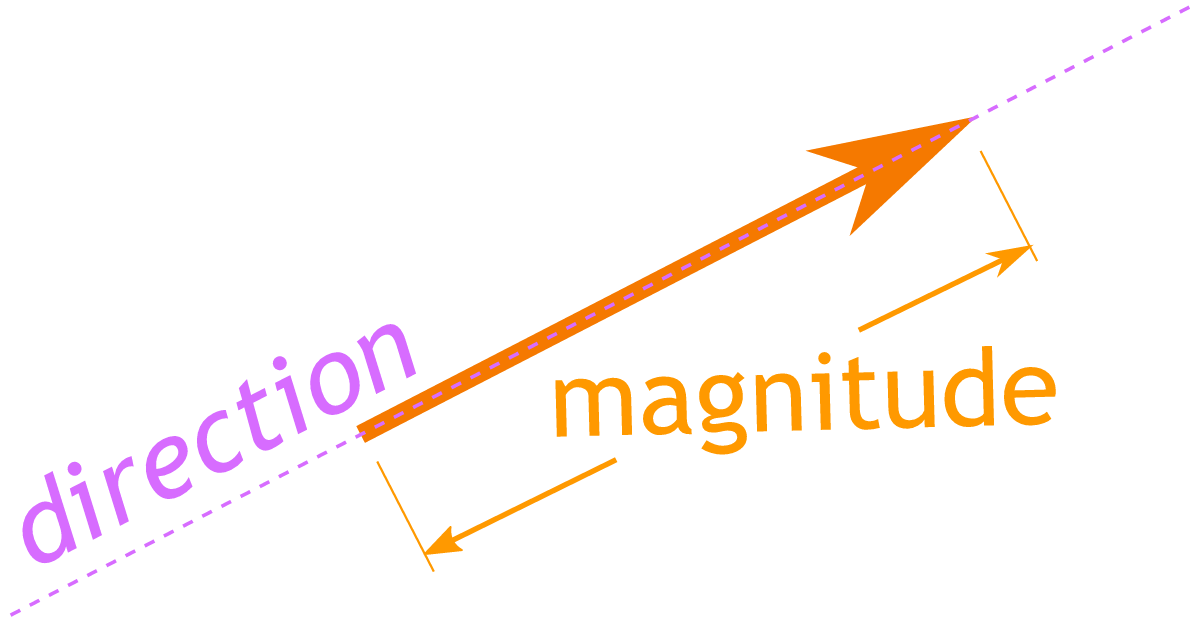
Math is Fun
A vector has magnitude (how long it is) and direction: Two vectors can be multiplied using the Cross Product (also see Dot Product).
 naive plank
still ingot
How would I go about slope movement in a 3D platformer? I figured out how to det...
naive plank
still ingot
How would I go about slope movement in a 3D platformer? I figured out how to det...
I got a good video for that, one second
https://www.youtube.com/watch?v=xCxSjgYTw9c, I this this one is pretty solid
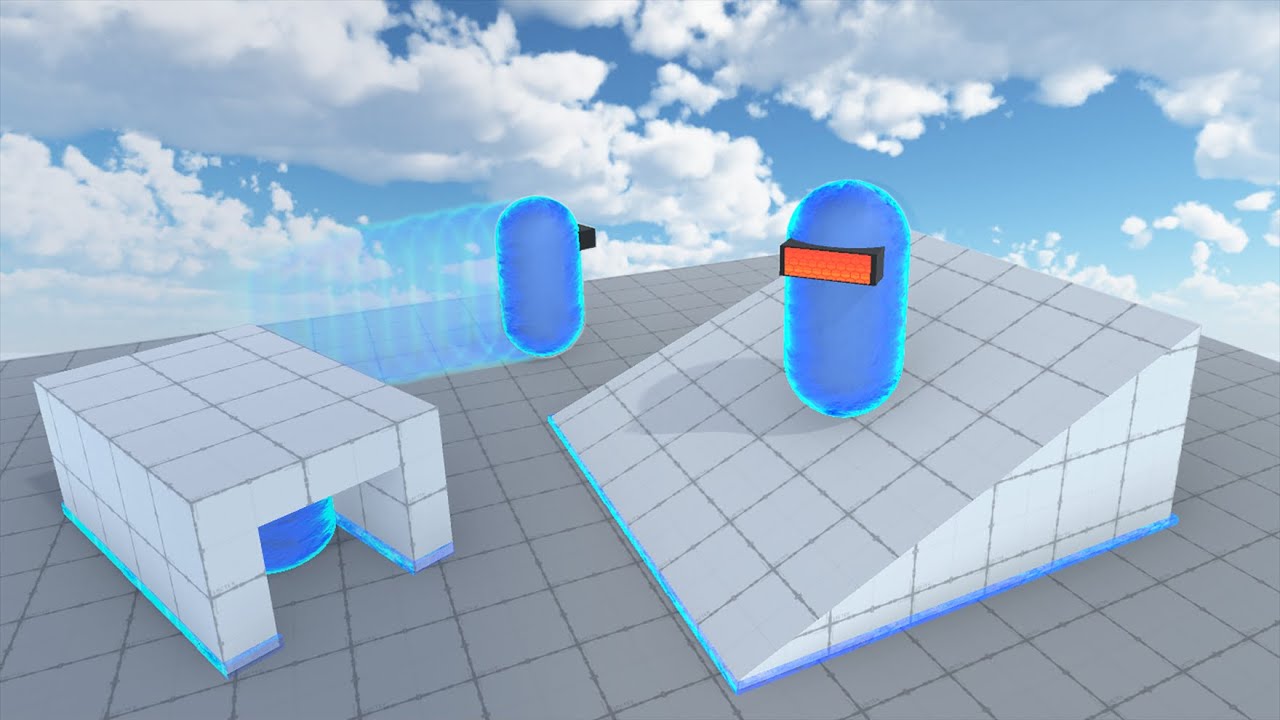
SLOPE MOVEMENT, SPRINTING & CROUCHING - Unity Tutorial
In this video, I'm going to show you how to further improve my previous player movement controller by adding slope movement, sprinting and crouching. (You can also use your own player controller if you want to)
If this tutorial has helped you in any way, I would really appreciate it if you...
still ingot
thank you
 unique turtle
I think I'm being dumb, but why can't I see this Debug.DrawRay?
private void Update() {
    Debug.DrawRay(transform.position, transform.right * 10f, Color.red);
}
 polar dust
Because transform.right will be at (1,0,0)
You need to add transform position to it also
unique turtle
private void Update() {
    Debug.DrawRay(transform.position, transform.position + transform.right * 10f, Color.red);
}
Like so?
polar dust
seems right to me
 eternal needle
polar dust
Because transform.right will be at (1,0,0)
eternal needle
polar dust
Because transform.right will be at (1,0,0)
no it isnt. the 2nd parameter is a direction and transform.right is not (1,0,0)
rich adder
unique turtle
I think I'm being dumb, but why can't I see this Debug.DrawRay?
```
private voi...
is gizmos on ?
unique turtle
Gizmos should be on?
 polar dust
Then fade gizmos off
unique turtle
Still nothing it seems

Gizmos work in the scene view, but debug draw does not work in game view :/
still ingot
naive plank
I got a good video for that, one second
Thanks was able to get the movement for the player down with this tutorial!
unique turtle
Oh so Debug.DrawX doesn't draw gizmos through the camera only whilst running and viewing it from the scene view?
cosmic dagger
☝️ <@&502884371011731486>
unique turtle
Looking at the documentation it states that the line will be drawn in the scene view, if gizmo drawing is enable in the game view it will also be drawn there. Is this not enabled properly?

 rocky canyon
Debug.Draw is different than OnDrawGizmos
unique turtle
rocky canyon
Debug.Draw is different than OnDrawGizmos
Understood, I was just trying to debug why it's not displaying at all. I can view both Ray's from the Scene view, however the Debug.DrawRay is not visible in the game view and I'm trying to understand why
rocky canyon
if thats the case, not sure just pointing it out..b/c i saw u showing Debug.DrawLine in the code
rocky canyon
unique turtle
Understood, I was just trying to debug why it's not displaying at all. I can vie...
ya, thats what im saying.. Debug.DrawRay wont work in GameView at all
you'd use OnDrawGizmos() or OnDrawGizmosSelected()
 unique turtle
rocky canyon
ya, thats what im saying.. Debug.DrawRay wont work in GameView at all
unique turtle
rocky canyon
ya, thats what im saying.. Debug.DrawRay wont work in GameView at all
Why not? the documentation says that it should :/
 rocky canyon
hmm.. well i didn't know that tbh
unique turtle
I think it's a bug...
https://issuetracker.unity3d.com/issues/gizmos-are-not-rendering-in-game-view
How to reproduce: 1. Open the “IN-100345.zip“ project 2. Open the “Game“ Scene 3. Open the Game view 4. Enable the “Gizmos“ in the t...
rocky canyon

ya nvm it works in game-view as well.. my mistake
TIL.. i usually always use ondrawgizmos for gameview
unique turtle
rocky canyon
ya nvm it works in game-view as well.. my mistake
What version are you using?
rocky canyon
6000.1.1f1
you could try using Debug.DrawLine() instead
both work tho
oh im mixing it up
unique turtle
It's definitely that bug I linked before, I just installed 6000.0.55f1 and it's working as expected
rocky canyon
ahh coolio 👍
unique turtle
I was using a newer versioin for 6000.1 than you
I also tried the latest release 6000.2.0f1 and same issue. Looks like it's under review for 6000.3.X
Nothing better than a mini crisis thinking you're an absolute dimwit and then learning it was the engine all along.

Thanks for everyone's input though!
unique turtle
rocky canyon
you'd use OnDrawGizmos() or OnDrawGizmosSelected()
I will bite though, if you're using OnDrawGizmos should this also show in the GameView?
 sour fulcrum
assuming you have gizmos enabled in the game view
unique turtle
And not using a version > 6000.1 😉
sour fulcrum
I'm hesitant to believe this is unity related tbh but if it works for you thats what matters
oh there is a open ticket
my bad
pre-morning coffee 😄
unique turtle
I know the feeling haha
So what's the difference between OnDrawGizmos and Debug.DrawX?
Other than the latter draws during playmode only
sour fulcrum
unique turtle
Other than the latter draws during playmode only
debug can draw in editor
unique turtle
Interesting I would've thought it was the opposite?
sour fulcrum
oh i think debug drawing commands are also stripped in build right
gizmos stuff is designed to be non build though
which is why ondrawgizmos functions exist so all that related code is isolated to that one area
rather than being interwoven with actual code
unique turtle
Right, so I guess Debug.DrawX is just another quick and dirty way to visualise values when debugging. Whereas OnDrawGizmos is more for tooling
eternal needle
unique turtle
So what's the difference between OnDrawGizmos and Debug.Draw**X**?
the difference is that you can do different things in OnDrawGizmos
https://docs.unity3d.com/ScriptReference/Gizmos.html
unique turtle
eternal needle
the difference is that you can do different things in OnDrawGizmos
<https://docs...
Ah I see, Debug just draws lines thanks!
eternal needle
I did also just find this is a thing https://docs.unity3d.com/ScriptReference/DrawGizmo.html
to separate gizmos code from your components
I usually just use Gizmos to draw a sphere and show a radius when needed
sour fulcrum
yeah in an ideal world thats the route, but ondrawgizmos is a nice compromise between separation and convenience
 hallow bough
How could I create a basic pathfinding script? I want to try and tackle this challenge without a tutorial, but don’t know where to start. Thank you in advance
-# please ping me when responding, otherwise I may miss the message
eternal needle
hallow bough
How could I create a basic pathfinding script? I want to try and tackle this cha...
what answer do you expect to receive here that isn't similar to what a tutorial would tell you?
use a pathfinding algorithm if you want pathfinding
or use premade tools like navmesh or any 3rd party assets that do it for you
hallow bough
I mean, I have no idea what a pathfinding algorithm would look like. I really am jumping into this blind
And don’t want to use much 3rd party assets, unless for stuff I could do myself, and is just optimized
eternal needle
hallow bough
I mean, I have no idea what a pathfinding algorithm would look like. I really am...
consider what you're asking here. you want to code something from scratch that you have no clue about. you also dont want to use tutorials to learn
asking here is essentially the same as googling for a tutorial. you either use a tutorial, learn how pathfinding algorithms work, use a premade tool, or do nothing
hallow bough
Ok, that you for your help. Would YouTube be the best resource, or would I have better luck on other websites?
 naive pawn
youtube is a collection of other resources, not really a single coherent thing, so i wouldn't consider youtube itself as a good/bad resource, just a directory
eternal needle
hallow bough
Ok, that you for your help. Would YouTube be the best resource, or would I have ...
depends what you're trying to find. youtube will have more step by step guides geared towards beginners. other websites will go more indepth for the actual algorithms. If you're gonna use something like navmesh then anything will probably suffice assuming its not out of date
 glad shore
is it bad to use AI in coding?
rich adder
glad shore
is it bad to use AI in coding?
 lethal meadow
glad shore
is it bad to use AI in coding?
lethal meadow
glad shore
is it bad to use AI in coding?
well you're not coding so yes
lethal meadow
if the ai does code you aint coding
glad shore
well i know how to write it, i make ai do the writing, then i just tweak it heavely
im telling the ai very detailed information on what to do 🤷♂️
lethal meadow
unfathomable levels of cope
you're not coding
if you hire someone on fiver to do the code for you would you still say you did it?
glad shore
Sorry boss
i dont know how to explain the way im using AI
but i only use it for small peices of code up to 3 lines
eternal needle
theres a dedicated forum for this for a reason, which nav linked above
https://discord.com/channels/489222168727519232/1352599815770341479
glad shore
Sorry boss il move to there
 halcyon moon
guys what is the command similar to this but to change scene from its index number not the active scene? i wanna make a level choose scene for this.

 zenith briar
anyone have any idea why my trees are pink? I figured it was a problem with my shaders but even build in unity stuff keeps them pink

https://www.youtube.com/watch?v=WbZpj8WcjN0 following this tutorial
In this short tutorial, I show all of the steps for making a beautiful 3D open world in Unity. This tutorial is updated for Unity 6 and uses the URP pipeline. In only a few minutes, you can learn all of the basics for creating a nature environment from complete scratch, and starting building that custom open world you've always wanted!
—-----...
halcyon moon
halcyon moon
guys what is the command similar to this but to change scene from its index numb...
ok i figured it out and it worked right but why does it say this? i hard coded it in the script.

 gentle bone
zenith briar
anyone have any idea why my trees are pink? I figured it was a problem with my s...
gentle bone
zenith briar
anyone have any idea why my trees are pink? I figured it was a problem with my s...
Window -Rendering -> Pipeline Converter ...then select material upgrade... should convert your materials to URP


otherwise you can select a material.. and convert it under edit-> rendering

 sleek sage
 plush bronze
using System.Collections.Generic;
using UnityEngine;

public class pipeMoveScript : MonoBehaviour
{

    public float moveSpeed;
    // Start is called before the first frame update
    void Start()
    {

    }

    // Update is called once per frame
    void Update()
    {
        transform.position = transform.position + (Vector3.left * moveSpeed) * Time.deltaTime;
    }
}
Why DeltaTime is not working btw I am using Unity 2021 for understanding it
 keen dew
Not working in what way?
plush bronze
keen dew
Not working in what way?
Well, I am building a flappy bird project and for moving the pipes I am wrtting the script and after adding this code Time.deltaTime nothing moves
keen dew
So it moves if you remove only the * Time.deltaTime part?
 nimble apex
im actually guessing, is it because of moveSpeed being too small?
nimble apex
plush bronze
``` using System.Collections;
using System.Collections.Generic;
using UnityEngin...
can you show us the movespeed value u tuned on inspector?
screenshot is fine
uneven mulch
So i was following this tutorial, and when i got to the end, it kind of worked, but not really. When i placed a gameobject, it places it right under where i asked it to be placed.
https://youtu.be/gFpmJtO0NT4?si=PZEV4NuWnq4fhGNQ

An easy tutorial on how to make a grid based building system in Unity. You don't need to write a custom grid! The system works with standard Unity tilemaps. It implements grid snapping and placement checking. As an example, I used an isometric grid but it will work for any 2d grid.
Get the project files - https://www.patreon.com/posts/project-...
there's nothing wrong with the code
 paper vine
I'm going nuts with a supposedly super simple problem, can I somehow make a script that adds a freaking Sticky Note to the current Visual Effect Graph window, lmao
grand snow
uneven mulch
So i was following this tutorial, and when i got to the end, it kind of worked, ...
If this object is a prefab then check if the graphics are correctly positioned. Also no one will watch a tutorial just to help you so share relevent code if you want code help !code
eternal falconBOT
Posting code
📃 Large Code Blocks
Use links to services like:
https://paste.mod.gg/, https://hastebin.skyra.pw/, https://paste.ofcode.org/, https://paste.myst.rs/
📃 Inline Code
Surround code with three backquotes. Not quotation marks.
To format as C#, add cs to the first line:
```cs
// Your code here
```
Add a comment with a line number if there is an error message.
uneven mulch
grand snow
If this object is a prefab then check if the graphics are correctly positioned. ...
it is a prefab, yes
paper vine
paper vine
I'm going nuts with a supposedly super simple problem, can I somehow make a scri...
I have a script that successfully logs for me all the Editor Windows which are open at the moment.. and I get that the Visual effects windows open have this type:
Type: UnityEditor.VFX.UI.VFXViewWindow
but I can't for the life of me figure out a way to interact with that window through code
grand snow
uneven mulch
it is a prefab, yes
Then check if your graphcs are positioned correctly in the prefab to be placed as you desire
uneven mulch
grand snow
Then check if your graphcs are positioned correctly in the prefab to be placed a...
it's x0 y0 z0
the coordinates
the gameobject places under the desired grid space though?
i don't understand
grand snow
make sure in the scene window its set to pivot instead of centre
uneven mulch
grand snow
make sure in the scene window its set to pivot instead of centre
that doesn't do much
grand snow
Share how the instantiated prefab is positioned
Its probably that the position you use is just not what you want so it needs some offset or adjustment
uneven mulch
 uneven mulch
uneven mulch
uneven mulch
 uneven mulch
uneven mulch
uneven mulch
that's the prefab
keen dew
Your mouse cursor isn't visible in the video so it doesn't really show what the issue is. Is the problem that the green highlight doesn't go in the right place? Or that the model doesn't go where you want it?
 uneven mulch
grand snow
I presume its this not being placed er somewhere
uneven mulch
grand snow
I presume its this not being placed er somewhere
it's placed on the grid space under it
for some reason
keen dew
or show a screenshot of the tutorial where it's correct
uneven mulch

the blue is where i want it placed
the red is where it places for some reason
the blue is where i clicked for it to be placed
 slow idol
where could i get help for shaders?
keen dew
So the problem is where the dark green tiles go, not the alien?
grand snow
Now we are getting somewhere. Your cursor not being recorded didnt help
How does cursor input to tile highlighting happen?
uneven mulch
grand snow
How does cursor input to tile highlighting happen?
i click where i want the monster to be placed, and the monster gets put there. When i place it (i type the space button) it places, but it places under the monster's selected grid space
the white spaces are empty
eternal falconBOT
Posting code
📃 Large Code Blocks
Use links to services like:
https://paste.mod.gg/, https://hastebin.skyra.pw/, https://paste.ofcode.org/, https://paste.myst.rs/
📃 Inline Code
Surround code with three backquotes. Not quotation marks.
To format as C#, add cs to the first line:
```cs
// Your code here
```
Add a comment with a line number if there is an error message.
uneven mulch
everything or
idk, does this work?
A tool for sharing your source code with the world!
A tool for sharing your source code with the world!
the first one is the GridBuildingSystem, the second one is the Building script
the GridBuildingSystem gets put on the grid, the Building on the monster
grand snow
You use LocalToCell() but give a world position which may explain the problem
GridBuildingSystem line 57
uneven mulch
ah
grand snow
try using this instead: https://docs.unity3d.com/ScriptReference/GridLayout.WorldToCell.html
grand snow
well this "temp" object has some offset added to the position its given for some reason
uneven mulch
mhm
i've been trying for weeks to figure something out for an isometric grid building system but i'm too bad to do this
grand snow
converting from mouse position to a grid cell is already a major part but the logic this uses is a little odd but not unexpected from a yt tutorial
plush bronze
keen dew
So it moves if you remove only the `* Time.deltaTime` part?
yeah
plush bronze
nimble apex
can you show us the movespeed value u tuned on inspector?
it's 0.01
nimble apex
plush bronze
it's 0.01
its way too small
keen dew
Well if you've set it to move 0.01 units per second then it's so slow that you can't see anything move
nimble apex
lets assume u have a constant framerate of 60 per second, in update, such function will be called 60 times, so ur actually moving 0.01X60 units => 0.6 units per seconds
plush bronze
nimble apex
its way too small
I tried other but still it does not make any difference
nimble apex
if u * time.deltatime, it cancel out the 60 , now ur moving 0.01 unit per second
which is "barely moving"
nimble apex
plush bronze
I tried other but still it does not make any difference
with the * time.deltatime on, try values thats more than 1 and u will see
plush bronze
nimble apex
if u * time.deltatime, it cancel out the 60 , now ur moving 0.01 unit per second
When I will open unity I will let you if changing the number with a larger moveSpeed works or not
plush bronze
nimble apex
with the * time.deltatime on, try values thats more than 1 and u will see
sure thanks
nimble apex
plush bronze
sure thanks
btw 0.01 unit is this big
 uneven mulch
It works
uneven mulch
uneven mulch
It works
 plush bronze
nimble apex
btw 0.01 unit is this big
plush bronze
nimble apex
btw 0.01 unit is this big
Exactly the size of the Atoms
 left musk
Hello guys, is there a way to use Velocity over Lifetime module reference in Particule system to make my own bezier/hermites Splines ? to make random but controlled cool curves
grand snow
left musk
Hello guys, is there a way to use Velocity over Lifetime module reference in Par...
Not sure what you actually mean but unity has a splines package to let you make and use bezier splines
left musk
With particules ? okay I'll check that thank you !
grand snow
No but if you want particles to follow a curve you may want to look at VFX graph or modify the particles yourself
 median mortar
Hey guys, I've got a Hinge Joint to implement some kind of swing but I'm struggling with implementing a slow down when the swing reaches apex (around 0 angular velocity). I want to make it slow for a short period of time before it swings into the other direction.
I've added a ConstantForce component and deactivated UseGravity on Rigidbody to better control the forces.
Already tried messing around with increase damping and lower downward force (gravity), but still won't work nicely.
Any ideas, maybe some kind of Slerp?
unique turtle
I cannot for the life of me find a way to resolve this warning, I've tried reinstalling the packages and clearing the library folder neither has worked.
Missing types referenced from component UniversalRenderPipelineGlobalSettings on game object UniversalRenderPipelineGlobalSettings:
    UnityEngine.Rendering.LightmapSamplingSettings, Unity.RenderPipelines.Core.Runtime (1 object)
    UnityEngine.Rendering.RenderingDebuggerRuntimeResources, Unity.RenderPipelines.Core.Runtime (1 object)
    UnityEngine.Rendering.VrsRenderPipelineRuntimeResources, Unity.RenderPipelines.Core.Runtime (1 object)
Turns out I should've talked to my rubber duck, downgrading is not supported 🫠 fair enough
 tight fossil
how do you give an Image on a UI component an 'order in layer' like sprite renderers do, because I have a ton of objects ive imported for the background and they need to be in a specific order.
lethal meadow
tight fossil
how do you give an Image on a UI component an 'order in layer' like sprite rende...
not sure how to exactly what you're asking but you can order ui elements based off parenting
if your suggestion isnt an option
 hexed terrace
tight fossil
how do you give an Image on a UI component an 'order in layer' like sprite rende...
hexed terrace
tight fossil
how do you give an Image on a UI component an 'order in layer' like sprite rende...
this isn't a code question, should have been in #📲┃ui-ux
UI sorting order is based on the hierarchy, draw in order from top (first) to bottom (last) - if you want to do this via code, then you'd need to set each transforms child index in the order you want
 alpine fog
unique turtle
I cannot for the life of me find a way to resolve this warning, I've tried reins...
alpine fog
unique turtle
I cannot for the life of me find a way to resolve this warning, I've tried reins...
I had this when I upgraded to unity6 on another project
just removing the affected components from the urp file got rid of the warning
had to do it via editing the file directly as they werent shown in the ui
 primal trench
okay so i have a bunch of vaulting logic and it all works but my problem is actually movin the player...do i move them directly? do i lerp tje player? do i play an animayion
 worthy coral
primal trench
okay so i have a bunch of vaulting logic and it all works but my problem is actu...
worthy coral
primal trench
okay so i have a bunch of vaulting logic and it all works but my problem is actu...
It depends. Some movement systems use rigidbody, some use rootmotion, some use charactercontroller. In each case it could be different. Use a mix of animations, IK, and logic, fine tune everything until it looks good
 slender quiver
Whats best practice for where to define public enums that are accessible from various different ScriptablleObjects in my project? In my case, I have EquipmentData, WeaponData, VehicleData, all have a Nationality property - obviously its redundant and wet (not dry :P) , but where/what/how should those sorts of enums be stored?
wintry quarry
slender quiver
Whats best practice for where to define public enums that are accessible from va...
just put it in its own file
slender quiver
just a .cs for enums?
wintry quarry
I mean - potentially yes^
If a Nationality comes with a name, a flag, a motto, a theme song, etc.
not a bad idea
sour fulcrum
i am modding traumatised and anything thats even a hint of being content always bumps up from enum to scriptableobject in my projects
can be overkill sometimes but also sometimes just nice
enums are goated for multiple choice logic states but anything else ehh
slender quiver
It doesnt make sense to have one file where you store all the public enums that could be referenced by multiple SOs?
wintry quarry
slender quiver
It doesnt make sense to have one file where you store all the public enums that ...
why would you put a bunch of different unrelated types in a single file?
slender quiver
i feel like a file-per-enum is bloated in its own way
slender quiver
youre right
sour fulcrum
it is comparatively bloated but the consistency outways that relatively minor inconvience imo
slender quiver
but there are also pitfalls
primal trench
worthy coral
It depends. Some movement systems use rigidbody, some use rootmotion, some use c...
it's first person so all i need is too move the player smoothly too the top of the shape, and ive been trying to figure out how for days
worthy coral
primal trench
it's first person so all i need is too move the player smoothly too the top of t...
Oh well then that makes it easier. If you're using rigidbody you can disable the input from the player (to not interfere with the vaulting) and then use rigidbody.moveposition and vector3.lerp to smoothly move the player over the obstacle
Use raycasts to detect the height of said obstacle
primal trench
worthy coral
Oh well then that makes it easier. If you're using rigidbody you can disable the...
i tried that and it wa ssuper jittery but i can trt again
worthy coral
primal trench
i tried that and it wa ssuper jittery but i can trt again
It shouldn't jitter if you use FixedUpdate instead of Update
also use fixedDeltaTime instead of deltaTime
primal trench
worthy coral
It shouldn't jitter if you use FixedUpdate instead of Update
how would i tell when the vault is done..?
worthy coral
Many ways. If the vault has a fixed duration in seconds, you can use a coroutine to end the vaulting after a set amount of time. Otherwise you can for example shoot a raycast behind the player, if it hits the obstacle it means the player is in front of it and the vault should be over. Or you could perform a ground check, many ways to do it
ivory bobcat
worthy coral
also use fixedDeltaTime instead of deltaTime
I'd only ever recommend using the property fixed delta time if you're wanting to modify it.
Delta time returns the same value as fixed delta time in the fixed update
When this is called from inside MonoBehaviour.FixedUpdate, it returns Time.fixedDeltaTime.
https://docs.unity3d.com/ScriptReference/Time-deltaTime.html
slender quiver
using System.Collections.Generic;
using System.Runtime.CompilerServices;
using UnityEngine;

public enum TurretMountSection
{
  Front,
  Rear
}

public enum TurretMountType
{
  Primary,
  Secondary
}

public struct TurretMount
{
  public string mountName;
  public TurretMountSection turretMountSection;
  public TurretMountType turretMountType;
  public float minRotation;
  public float maxRotation;
}

[CreateAssetMenu(fileName = "ShipData", menuName = "Ship/Ship Data")]
public class ShipData : ScriptableObject
{
  [Header("General Information")]
  public string shipName;
  public GameObject shipPrefab;
  public Nation nation;
  public ShipClass shipClass;
  public int levelRequirement;
  public int shipCost;
  public int maxRepairCost;
  public float maxDisplacement;

  [Header("Turret Mounts")]
  public int primaryTurretMounts;
  public int secondaryTurretMounts;

  public List<TurretMount> primaryTurrets;
  public List<TurretMount> secondaryTurrets;

  [Header("Sailor Slots")]
  public int bridgeOfficerSlots = 1;
  public int primaryGunnerSlots;
  public int secondaryGunnerSlots;
  public int supportCrewSlots;

  [Header("Usable Equipment")]
  public List<TurretData> usableTurrets;
  public List<LauncherData> usableLaunchers;
  public List<FCSData> usableFCS;
  public List<EngineData> usableEngines;
}
Can anyone help me understand why I am not seeing the lists in the inspector for the primary/secondary turrets in the Turret Mounts section?
 naive pawn
TurretMount is not marked [Serializable]
slender quiver
oh i thought it being a public was sufficient
naive pawn
ah no, that's for fields
slender nymph
the type must be marked as serializable
naive pawn
public or [SerializeField] on a field marks what should be serialized
[Serializable] is on the type, marking that it can be serialized
slender quiver
so for the struct def then
naive pawn
yeah
sour fulcrum
structs and poco classes ya
slender quiver
[Serializable] public struct TurretMount isn't happy
whats the syntax on this one?
naive pawn
that is the syntax
make sure to also read why it isn't happy
perhaps you did not add the import?
Serializable is in the System namespace
naive pawn
(btw, what are you importing System.Runtime.CompilerServices for?)
 cerulean bear
!code
eternal falconBOT
Posting code
📃 Large Code Blocks
Use links to services like:
https://paste.mod.gg/, https://hastebin.skyra.pw/, https://paste.ofcode.org/, https://paste.myst.rs/
📃 Inline Code
Surround code with three backquotes. Not quotation marks.
To format as C#, add cs to the first line:
```cs
// Your code here
```
Add a comment with a line number if there is an error message.
cerulean bear
https://paste.mod.gg/fxhtslpxdbet/0 why does this work only the first time but not anymore after that
A tool for sharing your source code with the world!
after the first time none of the buttons appear
slender nymph
pro tip: make sure to include the file extension on that site when you click the add button so it actually provides syntax highlighting
anyway, is that on some DDOL object?
keen dew
You'll have to explain what you mean
 arctic flame
The API reference, how every method is described
I'm a godot user and sometimes ive been confused by the docs and that made me dislike programming
keen dew
Ok and the question is?
hexed terrace
The docs are fine, some bad pages, some good.
grand snow
arctic flame
I'm a godot user and sometimes ive been confused by the docs and that made me di...
Its something you have to learn to understand as documentation is a thing for all libraries and game engines
arctic flame
keen dew
Ok and the question is?
How are the unity docs
grand snow
most things have a good description and many things have example code
much better than unreal cpp docs (many things have no description at all)
cosmic dagger
If you need it, use it. Don't understand smth? Explain where you're confused and we'll help. Albeit, with a little sass, lol . . .
primal trench
do yall have any dialogue solution suggestions? or is a home-grown solution best?
frosty hound
Spare yourself the headache and just go with a time tested, highly reviewed asset:
https://assetstore.unity.com/packages/tools/behavior-ai/dialogue-system-for-unity-11672

Get the Dialogue System for Unity package from Pixel Crushers and speed up your game development process. Find this & other Behavior AI options on the Unity Asset Store.
primal trench
ik i sound stupid but antthing less than a full priced game
polar acorn
> Good
> Fast
> Cheap
Pick two
frosty hound
Beggars can't be choosers. In your case, "home-grown" is "best".
grand snow
ive done my own dialog systems with inky and yarnspinner. If needed it can be done and using these systems as a base helps a lot.
(once i used inky, another time i used yarnspinner, not together at once😆 )
zenith briar
gentle bone
Window -Rendering -> Pipeline Converter ...then select material upgrade... shou...
Thank you for showing me exactly where to go that is very appreciated! :D
the option 2 was greyed out and im not sure if i fully understand 1. Do i check the box that says material upgrade and then click initialize converters?
 zenith briar
Thank you for showing me exactly where to go that is very appreciated! :D
the o...
zenith briar
zenith briar
Thank you for showing me exactly where to go that is very appreciated! :D
the o...
or initialize and convert. Also im getting these errors
grand snow
If its a custom shader and not "Standard" the upgrader wont do anything
All it can do is change materials from Standard to an equivilent in URP/HDRP
If a custom shader was made for the old render system its not going to work with URP/HDRP
(make sure you are using urp if this foliage is made for that)
slender quiver
quaternion/euler angles make my brain hurt
wintry quarry
3D rotation can be tricky to think about
rich adder
slender quiver
quaternion/euler angles make my brain hurt
98% of the time you only need to worry euler angles , unity has convienient Euler to Quaternion methods
slender quiver
Im rotating the turrets on my ship based on player input, but they need to be clamped to within certain angles to prevent just free traversal in 360 degrees - the clamping to certain rotation values is proving difficult
rich adder
slender quiver
Im rotating the turrets on my ship based on player input, but they need to be c...
clamp a separate variable not directly the rotation value , if you get what I mean
slender quiver
mmm not sure
 rough sluice
What I have to check to make jump function to don't add force if player clicking Jump/Space rapidly?:
public void Jump(InputAction.CallbackContext context)
{
    if(context.phase == InputActionPhase.Performed)
    {
        player.AddForce(Vector3.up * 5f, ForceMode.Impulse);
    }
}
what i was doing, which worked but didnt clamp:
public void Legacy_RotateYaw(float input)
    {
        if (yawPivot == null)
        {
            Debug.Log($"yawPivot is null!");
            return;
        }

        float yawDelta = input * turretData.rotationSpeed * Time.deltaTime;

        yawPivot.Rotate(Vector3.up, yawDelta, Space.World);
    }
what im trying to do now:
    public void RotateYaw(float input)
    {
        if (yawPivot == null)
        {
            Debug.Log("yawPivot is null!");
            return;
        }

        // calculate candidate yaw
        float currentYaw = Normalize(yawPivot.localEulerAngles.y);
        float yawDelta = input * turretData.rotationSpeed * Time.deltaTime;
        float candidateYaw = currentYaw + yawDelta;

        // clamp with wrap-aware logic
        float clampedYaw = ClampAngleWrap(candidateYaw, minRotation, maxRotation);

        // apply rotation in local space
        yawPivot.localRotation = Quaternion.Euler(0f, clampedYaw, 0f);
    }
Probably a ground check
slender quiver
rough sluice
What I have to check to make jump function to don't add force if player clicking...
perform a check to ensure the player is in contact with ground again?
rough sluice
polar acorn
Probably a ground check
Yes, thats what I am asking. How can I check if player is grounded or not?
polar acorn
Probably a raycast of some sort but there's many ways to do this
https://www.youtube.com/watch?v=c3iEl5AwUF8
✅ Get the Project files and Utilities at https://unitycodemonkey.com/video.php?v=c3iEl5AwUF8
Let's look at 3 different methods for doing a Ground Check which is a necessity if you're making a Platformer.
If you have any questions post them in the comments and I'll do my best to answer them.
🔔 Subscribe for more Unity Tutorials https://www...
slender quiver
you could do a raycast
polar acorn
More than even this video goes into as well
slender quiver
or if ur using 3d character controller, use CharacterController.isGrounded
naive pawn
slender quiver
or if ur using 3d character controller, use CharacterController.isGrounded
(they are not)
well, hopefully not..
polar acorn
Not with a Rigidbody on there as well hopefully
slender quiver
if you have your terrain layer tags set, you could do this?
bool isGrounded;

void OnCollisionEnter(Collision col) {
if (col.gameObject.CompareTag("Ground")) { isGrounded = true; }

void OnCollisionExit(Collisioon col) {
if (col.gameObject.CompareTag("Ground")) { isGrounded = false; }
that would be attached to the player character collider
naive pawn
and then you jump into the underside of a platform and spam space to stick to the bottom of the platform
or you jump into a wall and then you can scale the wall
slender quiver
yee built-in 'sploits
hexed terrace
but first, you have compile errors for mismatched {}
slender quiver
lol
then go ask chatgpt to write it, but if youre here for those authentic hand-written errors, imyour man
xD
any advice on how to better handle my RotateYaw() function?
I'm trying to basically clamp against entering the red zones, clamping to either green or blue max angle depending on direction rotating from
 rich adder
slender quiver
any advice on how to better handle my RotateYaw() function?
I'm trying to basica...
rich adder
rich adder
slender quiver
any advice on how to better handle my RotateYaw() function?
I'm trying to basica...
what is happening with your current solution ?
slender quiver
Legacy function works fine, no clamping... Current one seems to have broken completely but im not sure where the problem is
rich adder
broken I'm what way ? You have to explain it or show a visual
slender quiver
hehe the turrets just stopped rotating entirely. The yawDelta and candidateYaw values are sitting around +/- 0.1 to +/-0.2ish, clampedYaw is holding fast at 0, as is currentYaw
naive pawn
slender quiver
what i was doing, which worked but didnt clamp:
```c#
public void Legacy_RotateY...
you should not use transform.eulerAngles to store state, since it's converted from the quaternion
store the current yaw yourself
rich adder
slender quiver
hehe the turrets just stopped rotating entirely. The yawDelta and candidateYaw v...
I'm on mobile can't look at code proper but you probably want something like currentYRotation -= mouseY;
currentYRotation = Mathf.Clamp(currentYRotation, minYRotation, maxYRotation);
Instead of =
slender quiver
@naive pawn I dont believe I am using transform.eulerAngles...?
naive pawn
you're using localEulerAngles which has the same issue
slender quiver
oh
naive pawn
i shouldve been more explicit, mb
slender quiver
no ur good
    public void Legacy_RotateYaw(float input)
    {
        if (yawPivot == null)
        {
            Debug.Log($"yawPivot is null!");
            return;
        }

        float yawDelta = input * turretData.rotationSpeed * Time.deltaTime;

        yawPivot.Rotate(Vector3.up, yawDelta, Space.World);
    }
this works fine for rotating the turrets - is there a simple/safe way to clamp to those angles without getting all funky?
rich adder
Use the accumulated value
 tiny crag
how do you make code blocks in discord?
eternal falconBOT
Posting code
📃 Large Code Blocks
Use links to services like:
https://paste.mod.gg/, https://hastebin.skyra.pw/, https://paste.ofcode.org/, https://paste.myst.rs/
📃 Inline Code
Surround code with three backquotes. Not quotation marks.
To format as C#, add cs to the first line:
```cs
// Your code here
```
Add a comment with a line number if there is an error message.
tiny crag
naive pawn
!code
forgot to say thx
slender quiver
im using localRotation in the version that doesnt work
rich adder
what I suggested has nothing to do with using local or global rotation, it's more clamping the accumulated value separately
tiny crag
collision isn't being detected here?
A tool for sharing your source code with the world!
wintry quarry
tiny crag
collision isn't being detected here?
Add a Debug.Log("Code got here!"); on the very first line of OnCollisionEnter2D
or even better:
Debug.Log($"Collision detected with {collision.gameObject.name} with tag {collision.gameObject.tag}");
tiny crag
wintry quarry
or even better:
`Debug.Log($"Collision detected with {collision.gameObject.name}...
nothing happens

picture of the enemy prefab
wintry quarry
tiny crag
can you expand the collider inspector there?
And also show the inspector of the player

 wintry quarry
tiny crag
wintry quarry
tiny crag
ok well big problem here
your enemy doesn't have a Rigidbody2D
and you're moving the player via the Transform
do the enemies move?
Also can you expand the Rigidbody of the player?
tiny crag
chatGPT said only one of the objects that collide need to have a rigidbody :(
tiny crag
wintry quarry
do the enemies move?
not yet
wintry quarry
yeah but is the enemy moving?
ok that's fine then
ewxpand the player's rigidbody inspector
slender quiver
@rich adder forgive me for being dense, but i guess i dont fully understand what you mean regarding clampig the accumulated value separately
wintry quarry
if the player's Rigidbody is not dynamic, it's an issue
 tiny crag
can i set the gravity to 0?
wintry quarry
collisions only happen for dynamic bodies
wintry quarry
tiny crag
can i set the gravity to 0?
you can do whatever you want with the gravity, it's not relevant to this issue
wintry quarry
tiny crag
i used kinematic for gravity to go away
Yeah that's not what kinematic is for
a small side effect of it, perhaps
tiny crag
so the body type was the problem the whole time?
wintry quarry
yes
tiny crag
ah
wintry quarry
Collisions are only for dynamic bodies
rich adder
slender quiver
<@968604165150507078> forgive me for being dense, but i guess i dont fully under...
yaw += input * turretData.rotationSpeed * Time.deltaTime;
yaw = Mathf.Clamp(yaw, min, max)```
also if input comes from mouse, remove Time.deltaTimeyou still will want to rework your movement script to use the Rigidbody
tiny crag
wintry quarry
you still will want to rework your movement script to use the Rigidbody
does it work when i just want the player to "teleport" by one coordinate in any direction?
isnt it just easier to set the vector 3 to a value changed by inputs?
wintry quarry
tiny crag
does it work when i just want the player to "teleport" by one coordinate in any ...
if you're doing teleportation style movement, physics collisions don't really make sense at all
what are you trying to accomplish with this code
what kind of game are you making
Is this like a grid based game?
tiny crag
wintry quarry
Is this like a grid based game?
yes
my first own type of game to learn unity
wintry quarry
The physics engine is almost certainly the wrong choice for a grid based game
tiny crag
oh..
wintry quarry
usually to detect collisions in a grid based game you just keep a table or array tracking the objects at all the coordinates in the grid. To check for a collision you just check that grid space to see if it's occupied.
tiny crag
ok ill try making a coordinate based collision system
tiny crag
wintry quarry
usually to detect collisions in a grid based game you just keep a table or array...
also thanks for the help!!
 zealous talon
hi, i have this problem: basically i'm making my player's movement with rigidbody and when i jump on a wall and keep moving he doesn't fall off and stays stuck. This is my controller and jump movement, i made a modular action-system so than i can add more action in the future
naive pawn
zealous talon
hi, i have this problem: basically i'm making my player's movement with rigidbod...
see !code for posting large code blocks
eternal falconBOT
Posting code
📃 Large Code Blocks
Use links to services like:
https://paste.mod.gg/, https://hastebin.skyra.pw/, https://paste.ofcode.org/, https://paste.myst.rs/
📃 Inline Code
Surround code with three backquotes. Not quotation marks.
To format as C#, add cs to the first line:
```cs
// Your code here
```
Add a comment with a line number if there is an error message.
wintry quarry
zealous talon
hi, i have this problem: basically i'm making my player's movement with rigidbod...
it's ap retty common issue. Imagine pushing a block into a wall. It won't slide down because of friction right? Same concept here.
You can fix it with physics materials without friction, or by not allowing the player to push into walls midair
zealous talon
wintry quarry
it's ap retty common issue. Imagine pushing a block into a wall. It won't slide ...
yeah i added a new physics material without friction
thx a lot the example with the block was perfect
 vivid dagger
Hey community!
I'm currently building a isometric game, and I'm trying to implement a San Andreas like entrance indicator. I'm not sure how to actually make somthing like this yet. I was thinking of adding a collider to my doors, make it a trigger and probably create a script that set's another object (the cone model) to active?
 wintry quarry
This does not look isometric to me 👀
vivid dagger
wintry quarry
This does not look isometric to me 👀
Haha no, this is a image from San Andreas 😛
wintry quarry
anyway I'm not sure I understand what the collider has to do with anything?
vivid dagger
wintry quarry
anyway I'm not sure I understand what the collider has to do with anything?
I guess to know when you're near the door?
wintry quarry
I guess maybe a video of this in action in SA would help to understand

I mean sure if the behavior you want is to show a 3D indicator in the game world when the player is nearby, a trigger collider with OnTriggerEnter/Exit is a fine way to handle it
vivid dagger
How would I go about creating that 3d indicator itself in Unity? Just a 3D object?
wintry quarry
sure
you can make it in ProBuilder inside Unity
or make it in Blender and import it
or find an existing model and import it
vivid dagger
Let me take a look at ProBuilder
 round mirage
hello i have a question does Awake() will launch lauch for every script and then launch start() for every script or just awake() then start() and then another script ? sorry if i dont explain myself correctly
wintry quarry
round mirage
hello i have a question does Awake() will launch lauch for every script and then...
If you mean at the start of the scene it's sort of like this:
For each object:
Awake()
OnEnable();
For each object:
Start();
round mirage
ok ty 🙂
 paper swan
hi, I am new to unity and when I made a tile palette and these dividing lines between tiles don't show up, how can I fix it?
 slender nymph
this is a code channel
rough granite
paper swan
hi, I am new to unity and when I made a tile palette and these dividing lines be...
Wrong channel but you gotta slice it first in the sprite edtior
 slow blaze
!learn
eternal falconBOT
:teacher: Unity Learn ↗
Over 750 hours of free live and on-demand learning content for all levels of experience!
primal trench
frosty hound
Beggars can't be choosers. In your case, "home-grown" is "best".
Alright, I’ve done it a ton before. I was just wondering if there was a ‘definitive’ free dialogue manager. Thanks ^_^
Always good to check
primal trench
grand snow
ive done my own dialog systems with inky and yarnspinner. If needed it can be do...
I always just built them from scratch :/// I tried inky but i didn’t like it
grand snow
primal trench
I always just built them from scratch :/// I tried inky but i didn’t like it
Guess it depends but they do have useful features meaning you dont need to do it yourself
primal trench
grand snow
Guess it depends but they do have useful features meaning you dont need to do it...
Any resources on it?
grand snow

If you're new to Yarn Spinner, or want a refresher on getting started or navigating the documentation, then this is the place to be.
As used to author Heaven's Vault, 80 Days and Sorcery!: produce interactive scripts by writing in pure-text with ink markup.
primal trench
does string.trim remove spaces?
rich adder
primal trench
does string.trim remove spaces?
leading and trailing.
otherwise you can use string.Replace(" ", "")
wintry quarry
primal trench
does string.trim remove spaces?
https://learn.microsoft.com/en-us/dotnet/api/system.string.trim?view=net-9.0#system-string-trim
Removes all leading and trailing white-space characters from the current string.
rich adder
!RTFM
 tough shard
Hi, can I use both Visual Scripting (Bolt) and C# for similar things in the same project?
(For example, I have basic (WASD) character movement in Bolt, then I have Jump and Flying in C#)
How well would they perform together?
frosty hound
You can use both, and probably as well as anything you'd do in either.
tough shard
frosty hound
You can use both, and probably as well as anything you'd do in either.
I understand that one of the rules is to not direct attention to other channels (Like a post) but I'd like to ask, I'm currently facing this weird constraint clash (In Bolt), which normally shouldn't be a problem. If I move one of those 2 parts to C#, would I maybe have more flexibility to solve the issue? Or would I reach the same problem even in C#? (I've returned to Unity after 5 years so I have no idea the differences between these 2 scripting formats)
frosty hound
If you code in C#, you have absolute control. Using a plugin will mean you're bound by whatever restrictions and issues you have with it. I haven't used Visual Scripting myself.
tough shard
frosty hound
If you code in C#, you have absolute control. Using a plugin will mean you're bo...
(I made my own v.scripts) I'm using the basic jump system.
Get player position -> Raycast to detect surface underneath -> Apply Force (Impulse) -> Multiply with Up -> and only IF the Raycast hits something (Aka Ground) -> Apply the force to the Rigidbody
And if you were in this situation, where your Y was set to 0 in another script, would you try to rewrite that script or change the jump script so that it overwrites that specific rule?
frosty hound
I would handle all the movement in one place, personally. You can't have two things with the authority to make decisions.
If you must have two, then one script needs to send requests to the other which will then handle the results.
tough shard
So do you suggest I remake these two scripts into a single one, to handle all the movements?
Because even if I just copy and paste jump into my movement graph, it would still have the same issue, remaking is the only proper option here
frosty hound
I do, yep
 crude compass
I have a problem that I can't seem to find documentation for. How can you exclude the player model from appearing in the camera (without using Culling Masks) so that you can see other players locally?
polar acorn
crude compass
I have a problem that I can't seem to find documentation for. How can you exclud...
Using CullingMasks
crude compass
polar acorn
Using CullingMasks
the problem is there are other players that appear locally on split screen. I want their model not to appear on their own cameras, but appear on the other player's camera.
polar acorn
crude compass
the problem is there are other players that appear locally on split screen. I wa...
So then you'd exclude that player's layer from that player's camera, but not from other player's cameras
crude compass
polar acorn
So then you'd exclude that player's layer from that player's camera, but not fro...
Are culling masks the only way?
polar acorn
crude compass
Are culling masks the only way?
This is literally what they're designed to do
crude compass
polar acorn
This is literally what they're designed to do
alright ty.
naive plank
crude compass
I have a problem that I can't seem to find documentation for. How can you exclud...
I disable the player model if im the owner of the object -> I wont see my own character's model
polar acorn
naive plank
I disable the player model if im the owner of the object -> I wont see my own ch...
Disabling an object means no one could see them
cerulean bear
slender nymph
pro tip: make sure to include the file extension on that site when you click the...
oh yeah I fixed it https://paste.mod.gg/npjxcszruyan/0
A tool for sharing your source code with the world!
cerulean bear
slender nymph
anyway, is that on some DDOL object?
what is ddol
 tidal tide
cerulean bear
what is ddol
tidal tide
cerulean bear
what is ddol
Don't Destroy On Load, it stops objects from being unloaded as you go from scene to scene and they also keep their state
cerulean bear
tidal tide
Don't Destroy On Load, it stops objects from being unloaded as you go from scene...
I dont think I did anything special to any gameobjects but I got it working the problem was that start only runs the first time its set active so I just made a public method instead
naive plank
polar acorn
Disabling an object means _no one_ could see them
no, not if you're basing it on authority. When you do multiplayer gaming each player object is owned by the client, if you check for ownership you can disable the model, else keep it on -> you only disable your own
polar acorn
naive plank
no, not if you're basing it on authority. When you do multiplayer gaming each pl...
They specifically said local multiplayer
As in, same instance of the game, multiple cameras
naive plank
doesnt say same instance of game, locally i interpret as LAN
 naive plank
That message I did not see, my apologies sir :)=
slender quiver
im still struggling with this issue regarding clamping the rotation of my ship's turrets to within a certain portion of a full circle, so they can't cross pie-shaped region depending on which turret is in question. i am struggling to the point i made this infographic describing my problem and showing my code 🙂
 naive plank
The turrent, like the actual rotating object, is it a child of a non rotating object? Im using world of warships as a reference when looking at this
slender quiver
here is the prefab hierarchy - Empty Parent Object, then another Empty positioned for transforming Yaw, then the mesh and an empty for transforming the pitch angle of the gun barrels, then the gun barrel meshes themselves, then empties for where to spawn the projectile/muzzle flash
 naive plank
The yaw piviot, is the rotation fixed in relation to the ship?
slender quiver
no, it is what rotates
naive plank
Then I suppose the root is fixed in realation
slender quiver
my function for rotating the turrets worked before i started trying to make them clamp
yea
naive plank
Okey, today i made I similar thing but for view angle of my monster. If you use transform.forward on the DevTurret_Dual you would get the direction the "base" of the turret is facing in world space, which is fixed to the rotation of the ship, you could then check if the "angle" between that direction vector and the desired rotation of the turret, if its greater than "angle" then dont move
 sly shard
uh my rig is funky, i added it to my char and it just goes up up and away, also it messes and pushes everything related (the children of object) upwards for some reason??
naive plank
naive plank
Okey, today i made I similar thing but for view angle of my monster. If you use ...
you also need to make sure you're only checking the angle on xz plane since you only care about the turret rotation on a flat plane
    bool IsWithinCone(Vector3 referenceDirection, Vector3 testDirection, float maxAngle)
    {
        // Project onto XZ plane
        Vector3 refXZ = new Vector3(referenceDirection.x, 0f, referenceDirection.z);
        Vector3 testXZ = new Vector3(testDirection.x, 0f, testDirection.z);

        // Prevent zero-length vectors
        if (refXZ.sqrMagnitude == 0 || testXZ.sqrMagnitude == 0)
            return false;

        refXZ.Normalize();
        testXZ.Normalize();

        float cosAngle = Vector3.Dot(refXZ, testXZ);
        float cosMaxAngle = Mathf.Cos(maxAngle * Mathf.Deg2Rad);

        return cosAngle >= cosMaxAngle;
}``` The reference direction is the forward direction vector of my monster, aka the direction its looking forward in worldspace, in your case it would be the base of the turret, the testDirection would be the direction the turret it self would be facing in world direction, the max angle is the maximum angle in degrees between the turret rotation and the base direction normalthen you can limit the rotation of α angle which is the angle between the turret base and turrect to the maximum rotation, if you want it to be able to rotation 150 degrees in relation to the blue like, that would be your max angle
naive plank
sly shard
uh my rig is funky, i added it to my char and it just goes up up and away, also ...
Could you show?
naive plank
Do you mean it floats away?
sly shard
naive plank
Do you mean it floats away?
it goes up and the children move up out of original positions
naive plank
Do you have a rigidbody?
sly shard
naive plank
Do you have a rigidbody?
yes
naive plank
Could you get a video of what's happening
sly shard
sure ill try
 remote vault
hey im following this tutorial for rollaball and for some reason i cant move the player anymore
i have no clue whats wrong it just suddenly stop moving after i randomly tested it
naive plank
naive plank
then you can limit the rotation of *α* angle which is the angle between the turr...
 remote vault
bro someone help me out
naive plank
I cant help you unless you show some more, do you have any errors, is it only one thing that isnt working, what are you using to move the player, the script for moving the player etc
wintry quarry
remote vault
i have no clue whats wrong it just suddenly stop moving after i randomly tested ...
the answer is you changed something.
To figure out what you changed incorrectly you will need to debug your code.
 pine imp
I suggest you write some console prints to make sure your script is doing what's supposed to
remote vault
im finished 😭
sly shard
here
https://outplayed.tv/media/gXmX87 sorry for audio bieng uhh

Outplayed - The ultimate capture app for gamers. While playing, it automatically captures your best moments and biggest plays. When the match is over, relive your best (and not so best) moments by watching them in the match timeline.
naive plank
Yes, unsless you pinpoint the problem a bit more
naive plank
sly shard
here
https://outplayed.tv/media/gXmX87 sorry for audio bieng uhh
you really need a louder mic 🙂
sly shard
naive plank
you really need a louder mic 🙂
im very quiet and yeah true
sly shard
naive plank
you really need a louder mic 🙂
up your volume
im using my laptop in-built mic 😭
i can hear it perfectly at 40 volume
pine imp
sly shard
here
https://outplayed.tv/media/gXmX87 sorry for audio bieng uhh
do you have the animator controller empty? That looks like your character can't find any animations so it goes to that state like crouching wich is the default pose from the humanoid rig
naive plank
Ahaha, since the collide floats up, unless you change the center or any of those propterites, it sugguests a force is being added to the rigidbody, thats my first thought. Or something with root moition. Try to turn of rigid body, does the same thing happen?
sly shard
pine imp
do you have the animator controller empty? That looks like your character can't ...
 sly shard
naive plank
Ahaha, since the collide floats up, unless you change the center or any of those...
sly shard
naive plank
Ahaha, since the collide floats up, unless you change the center or any of those...
lets see...
sly shard
without rigidbody (move script uses rb)
 naive plank
Clip count 0 -> no animations
naive plank
naive plank
Clip count 0 -> no animations
I did have that issue at one point when I added an avatar
sly shard
pine imp
I meant inside the Char1 animator asset
wydm
naive plank
sly shard
without rigidbody (move script uses rb)
okey, so the collider doesnt move, that suggests that the movement, floating, caused the rigid body to float somehow XD
pine imp
go to that asset (the animator controller) in your project window and then double click
sly shard
pine imp
go to that asset (the animator controller) in your project window and then doubl...
its empty
naive plank
Set it up with an idle animation
naive plank
Its possible that the movement of the armature, or the root bone or something adds some sort of momeent to the player object
 naive plank
pine imp
if you have that without any animation, the avatar goes to that "crouch" positio...
naive plank
pine imp
if you have that without any animation, the avatar goes to that "crouch" positio...
my courch pos is worse, I cant get rid of it lol
pine imp
wym haha
naive plank
sly shard
when u press the idle state, you need to add an animation to that state aswell
if you dont have an aniamtion, get one, either use the one u got with it, or use mixamo
sly shard
naive plank
when u press the idle state, you need to add an animation to that state aswell

like this?
its an empty anim that does well nothing
naive plank
yep, the locate that idle animaiton and enable loop
naive plank
sly shard
its an empty anim that does well nothing
where'd you get the aniaiton
sly shard
naive plank
where'd you get the aniaiton
just made a new animation
right click and create
naive plank
sly shard
just made a new animation
honestly I could try help you live if you'd like
patent hazel
Hey guys, im planning to add combat system and my first idea to how to do it is, i will attach empty gameobjects with colliders ( trigger) as bones child so it moves with animation, then add scripts to these gameobjects and on OnTriggerEnter, i will check if what entered is something that deals damage, if it is i will do damage according to what part it hit, then start a timer and make my character invulnerable in that time so one swing doesn't hit more than one collider and deal absurd damage
thats it so far, am i on the right path or should i change it
i rely on tutorials so much right now but will try to do it myself as much as i can
sly shard
naive plank
honestly I could try help you live if you'd like
i like living
naive plank
Ill call you
naive plank
as in call, alot easier to help
sly shard
naive plank
as in call, alot easier to help
idk
naive plank
Im 20, im not* scary Xd
pine imp
patent hazel
Hey guys, im planning to add combat system and my first idea to how to do it is,...
that sounds good, the common approach is to have a deactivated game object with a collider, then activate it whenever you want the attack to have a damage window, and then deactivate it again
sly shard
naive plank
Im 20, im not* scary Xd
lol
so like the problem is, why is it going up like that... could it be the mesh?
cause its normal
until i add rig builder
and the rig component
patent hazel
pine imp
that sounds good, the common approach is to have a deactivated game object with ...
so instead of isInvulnerable should i deactivate the gameobject
slender quiver
I am capable of doing VC for help with turret rotations 😉
naive plank
I have had that particular problem, but it's really hard to tell unless I have a complete overlook of the whole system honestly
pine imp
patent hazel
so instead of isInvulnerable should i deactivate the gameobject
since you are using OnTriggerEnter(), it shouldn't create more than one hit
naive plank
slender quiver
I am capable of doing VC for help with turret rotations 😉
Sure thing
patent hazel
pine imp
since you are using OnTriggerEnter(), it shouldn't create more than one hit
but what if it enters another collider
both head and body lets say
pine imp
ahh you have multiple collisions
naive plank
naive plank
Sure thing
Gave you a call
patent hazel
pine imp
ahh you have multiple collisions
and i will also make isInvulnerable true when dodging
sly shard
this is ironicly similar to what happens after rig builder added
 pine imp
patent hazel
but what if it enters another collider
pine imp
patent hazel
but what if it enters another collider
is your game going to have different damage values depending on the body part that was hit, right?
patent hazel
pine imp
is your game going to have different damage values depending on the body part th...
yes
patent hazel
i would rather not call it a game since im only doing it to learn and dont plan to create something xD
pine imp
xD well
i mean you can either do it with a timer
or just deactivating that collision
i suppose the attack comes from an enemy
for your case i think you're on the right track
making the player invinsible for some seconds, maybe throwing some vfx to tell the player about his invulnerability
depends on what you're looking for
patent hazel
invulnerability will last for very little time so i dont think i need to tell the player, its only for avoiding multiple damage with one swing
pine imp
you could also deactivate the player's colliders
patent hazel
i will consider that
pine imp
one good way to learn is just doing it, and then see if that works for you 😁 the best solution its a conspiracy lie, it doesn't exist xD
pine imp
sly shard
this is ironicly similar to what happens after rig builder added
you need a humanoid animation for it to work and to not do that weird pose
you can download one from mixamo
sly shard
pine imp
you need a humanoid animation for it to work and to not do that weird pose
i have come to a conclusion
"banana man"
pine imp
🗣️
sly shard
i will use a new object
sure it wont have anims
but im hoping
that it will work to have the procedural anims
cause idk how to animate
sly shard
pine imp
you need a humanoid animation for it to work and to not do that weird pose
so i need to do a humanoid animation (its still floating to space)
pine imp
yes, it's easier to import one
sly shard
pine imp
yes, it's easier to import one
ok

 pine imp
yes because what you're doing is retargeting that mixamo animation to your own avatar
probably if you pick a random animation without a rig, it will be a generic animation, and that doesn't work with humanoid avatars
also check that when exporting from mixamo, you have the option to select the format "FBX for Unity(.fbx)"
sly shard
yes i did that, i did the idle animation from mixamo
it still
flies
up
im going to crash out and somehow work on this and solve this shit at 1am suddenly
bye
 dull grail
Not sure if i should ask it here or in ui channel but is there any easy way to find what affect selectable behaviour in scripts? I've did something that doesn't allow me to change currently selected element and even if i'll try to do so they all will try to be selected at once and it'll not change anything. Click on text field don't work too and only red panel would blink for a moment

For whatever reason i put SetSelectedGameObject to Update() without conditions 
 timid ferry
I have a turret in my game and I want to make an upgrade menu for it. I want the menu to be within the turret, but to always apear on the left side of the screen no matter where the turret itself is. Is it possible to do that?
wintry quarry
timid ferry
I have a turret in my game and I want to make an upgrade menu for it. I want the...
what do you mean by the menu being "within" the turret?
anyway yes anything you want to do is possible, with the right code and setup.
timid ferry
like part of the turret prefab instead of its own object
wintry quarry
Just curious why that is a requirement
timid ferry
I think it would make the upgrading easier if the menu was part of the turret but I could be wrong I dont realy know a lot about unity
wintry quarry
I feel like there would generally only be one upgrade menu, since only one can be shown to the player at a time, right?
The typical approach would be to have a single upgrade menu and just configure it to show the data for whichever tower the user has selected.
timid ferry
yes but I dont know how to make it so only one turret is selected for upgrading at a time, or how to tell the menu which upgrades are available for each turret so I tohught it would be easier if the menu was just part of th turret
oh
timid ferry
wintry quarry
The typical approach would be to have a single upgrade menu and just configure i...
how do I do that then
wintry quarry
that's a very vague question
it really depends on how your game works
but basically - make a function on it that sets it up
pass the tower in as a parameter to the function
and have the menu set itself up for the tower
timid ferry
I see
timid ferry
I dont know how to do that
 toxic crypt
guys is there any way to fetch the time of unity cloud servers? or something else, which is just not client side time?
 zenith wren
for some reason the OnTriggerEnter event runs all my code twice, is there a way to stop this from happening?
sour fulcrum
somethings entering the trigger twice
zenith wren
Even if it's destroyed right after?
 rugged beacon
toxic crypt
guys is there any way to fetch the time of unity cloud servers? or something els...
rugged beacon
toxic crypt
guys is there any way to fetch the time of unity cloud servers? or something els...
pull a region clock api from random website iguess
toxic crypt
rugged beacon
pull a region clock api from random website iguess
hmmm will try that 🫡
naive pawn
zenith wren
for some reason the OnTriggerEnter event runs all my code twice, is there a way ...
perhaps add some logs to see what's triggering each time
keen dew
I'm guessing the script with OnTriggerEnter is on both objects or twice on one
zenith wren
naive pawn
perhaps add some logs to see what's triggering each time
It just triggers twice from the same line
zenith wren
keen dew
I'm guessing the script with OnTriggerEnter is on both objects or twice on one
Only one object is using the function
keen dew
Yes but is the script added twice as a component on the object (check, don't assume)
 teal viper
zenith wren
Even if it's destroyed right after?
teal viper
zenith wren
Even if it's destroyed right after?
The object is not destroyed until the end of the frame.
If for example both the colliding objects have the same script, both would get the collision message, even if you destroy one.
Logging thoroughly or using breakpoints would help identify the cause.
keen dew
Oh yeah what does "only one object is using the function" mean, is the function on multiple objects and how are you making sure only one of them is using it? Destroying the object isn't enough
 cedar token
Hey, so i have this problem, i can't show the code or the animation right now, but i figured i could ask anyway since i feel like it's a common problem.
I have this wall grab mechanic, and you are supposed to grab onto a wall and slowly fall, and you can only grab onto a wall tagged as "wall".
However, i have this problem where if i keep moving (like, keep holding the right arrow to move) and jump into a wall, no matter if it's tagged as "wall" or not, the character will stick onto the wall while playing the idle animation or the falling animation.
If the wall is tagged as "wall", the player won't do the wall grab unless i stop pressing the right arrow, and if it's a regular wall you are not supposed to grab onto, the character will stick to the wall, and not fall as supposed unless i stop pressing the right arrow button.
cedar token
cedar token
Hey, so i have this problem, i can't show the code or the animation right now, b...
In a few words:
Unless i stop moving my character, they won't stop sticking to a wall.
 worn peak
In my sprite renderer, when I set the Mask Interaction to Visible Inside Mask, the sprite is not being shown. What could be the issue?
 vocal night
hey guys! i'm learning how to make shaders and i'm making this basic image overlayer (through some googling and stuff online). for some reason, the shader seems to be ignoring the red channel. any idea why? i haven't used any of the properties aside from the _MainTex (since i want to get the texture right first) so _Color, _Gloss, _Metallic are all white, 0.5 and 0.5 respectively. i've attached the shader in case anyone wants to take a look
grand snow
vocal night
hey guys! i'm learning how to make shaders and i'm making this basic image overl...
#1390346776804069396 is the place
vocal night
i see
 coral crag
hello does anyone know how to generate 2d terrain like altos odyssey or any tutorial ?
 junior basin
Hey all, I've just found out you can change the colour of your console log text which is really helpful, but I'm also wondering if there's a way to change the actual background colour of the log itself?
wintry quarry
coral crag
hello does anyone know how to generate 2d terrain like altos odyssey or any tuto...
Use the SpriteShape package
 pliant lion
what is best way to handle audio in game using audio manager that instantaite the audiosource and destroys it or making audiomanager play sound
coral crag
wintry quarry
Use the SpriteShape package
is it paid or free?
wintry quarry
coral crag
is it paid or free?
Free
wintry quarry
pliant lion
what is best way to handle audio in game using audio manager that instantaite th...
Really depends on your game, and potentially neither of those
Or even both
coral crag
wintry quarry
Free
thankyou can you suggest me a tutorial i am new to unity and i dont know how to use that tool.
grand snow
coral crag
thankyou can you suggest me a tutorial i am new to unity and i dont know how to ...
a little old but from unity https://learn.unity.com/tutorial/working-with-spriteshape
Unity Learn
Free tutorials, courses, and guided pathways for mastering real-time 3D development skills to make video games, VR, AR, and more.
wintry quarry
coral crag
thankyou can you suggest me a tutorial i am new to unity and i dont know how to ...
Start by going to the getting started page for it in the package docs
 acoustic belfry
hi, is there another method for timing than coroutines or than timers?
wintry quarry
"timing" is pretty vague, there are lots of things related to timing
But direct competitors to coroutines include async and UniTask
 low copper
@acoustic belfry : https://www.youtube.com/watch?v=WY-mk-ZGAq8

The C# async / await workflow can simplify your code and give you more granular control over your game in Unity.
Learn how to convert your current coroutine workflow, what a task is, how to run sequential and synchronous code and how to return data from an asynchronous function.
UniTask: https://github.com/Cysharp/UniTask (Provides an efficien...
I'm looking to add a UI Slider to my scene. I currently have it setup / working as a script as a compontent to my slider and then having assigned to "On Value Changed". I'm not a huge fan of having scripts scatter in my scene (Canvas->SettingPanel->TunerSlider in this case). Do I have any options here? Is there a standard approach? I'd like to have all scripts attached to my "Controller" gameobject but I can't seem to assign them to "On Value Changed" if I do that.
acoustic belfry
mmm, idk, i just want that when a func is called there's a delay of 0.15F for make it jump
acoustic belfry
wintry quarry
"timing" is pretty vague, there are lots of things related to timing
Async is better than Coroutines?
frosty hound
There is no better. You asked for alternatives, that's an alternative.
But using coroutines/async for something like movement, is not the approach to begin with.
frosty hound
low copper
I'm looking to add a UI Slider to my scene. I currently have it setup / working ...
Could maybe make a generic SliderComponent on your sliders that have a UnityEvent that you drag an object onto that calls a function if you want it to talk "up" to the root Controller.
grand snow
async can be tricky for beginners to use correctly so id suggest sticking to coroutines
frosty hound
acoustic belfry
thats why im searching what else to do
For movement, you always want to use timers handled in floats and updates, so that they can be interrupted and modified easily.
 scarlet skiff
when i try to change the parent of a ui elemnt it changes position no matter if the second parameter is true or false, how so i make keep its exact position after reparenting?
slotScript.fullPanel.transform.SetParent(hotbar.transform.parent, false);
Beyond that, you also want it to be state driven so that you can queue what the player intends to do, but handle the results in what the controller actually does (ie, player attempts a jump, but it's blocked because the player is currently in a specific state like stunned)
frosty hound
scarlet skiff
when i try to change the parent of a ui elemnt it changes position no matter if ...
 acoustic belfry
frosty hound
For movement, you always want to use timers handled in floats and updates, so th...
acoustic belfry
frosty hound
For movement, you always want to use timers handled in floats and updates, so th...
mmm, makes sense, my issue with timers is that is slighty more stuff written in
but i guess i will keep using it, thanks
frosty hound
Writing more != worse
scarlet skiff
frosty hound
You can : https://docs.unity3d.com/ScriptReference/Transform.SetSiblingIndex.htm...
this is for sibling index, isnt that to change what renders first? im trying to keep the same position or did i misunderstand
frosty hound
Maybe I misunderstood, you want it to be in the same spot in the hierarchy? Or the same position on the screen? Or something else?
acoustic belfry
frosty hound
Writing more != worse
makes sense
low copper
frosty hound
Could maybe make a generic SliderComponent on your sliders that have a UnityEven...
Thanks for the idea. I would not have thought of that. Can I just ask, when you drag a script to multiple gameObjects does it generate new instances of the script class (object)?
I'm assuming yes, is there a way to prevent that?
frosty hound
They're their own instance, yep.
low copper
I'm assuming there is no way to stop that right? If you want shared data you would just another class?
frosty hound
No, that's just how components work. Each object is its own instance, thus anything on it is part of that instance.
If you want shared data, you would have a static class yeah. Or have a manager that everything can request whatever data from.
scarlet skiff
frosty hound
Maybe I misunderstood, you want it to be in the same spot in the hierarchy? Or t...
like same spot on my screen, same position on the screen
low copper
Thanks!
frosty hound
scarlet skiff
like same spot on my screen, same position on the screen
Are you parenting these objects to a new object that contains a layout group of some sort?
scarlet skiff
frosty hound
Are you parenting these objects to a new object that contains a layout group of ...
nope just a rect transform
low copper
@frosty hound : I'm not getting something basic. So, I have a controller script, a sliderScript, and a glitch script (as in the visual effect). I want the slider to modify the glitch and report to the controller if a specific value is set. If I drag the glitch script to the sliders, I will end up with two instances of the glitch script. I'd like to be shared. For example, if I have a private int, that they would be updated / viewable by both sliders. Do you have any suggestions on this? I'm new to Unity and having trouble understandinging the best practices
I think its the same issue as the controller...I'd like the glitch and the slider script to be able to update data in it. However, my current approach of dragging the controller script to the glitch/slider(2x) objects will create unique instances?
 eager elm
low copper
<@140305629238657025> : I'm not getting something basic. So, I have a controller...
eager elm
low copper
<@140305629238657025> : I'm not getting something basic. So, I have a controller...
adding a script to a gameObject creates a new instance. What you want is to only add it to a single gameObject and then add a reference in your other scripts.
 tiny bloom
im moving my player through rigidBody
i have this logic in my CameraManager
private void LateUpdate()
{
    if (_target == null) return;

    Vector3 followPosition = new Vector3(
        _target.position.x,
        _target.position.y,
        transform.position.z);

    transform.position = followPosition;
}
in this lateUpdate method if i try to add any sort of lerp to make camera follow player smoothly, it seems jagged
i tried doing this in fixed update, update but it's still the same
i even tried following _rigidBody.position instead of transform, still the same
any tips?
 trail gulch
hi guys,
I’d like your opinion on a script we’re working on, specifically about how the classes are structured.
my friend thinks it’s better to keep all the classes in one file, since he believes we’ll never reuse them.
I, on the other hand, think it’s better if each class has its own file for the sake of organization and maintainability.
we’d like a third opinion on which approach makes more sense.
scarlet skiff
when i try to change the parent of a ui elemnt it changes position no matter if the second parameter is true or false, how so i make keep its exact position after reparenting?
slotScript.fullPanel.transform.SetParent(hotbar.transform.parent, false);
@eager elm : That sounds right but I'm not sure how to add a reference? Do you have a search term or an example I could use to learn how to do it?
eager elm
low copper
<@165158777178423297> : That sounds right but I'm not sure how to add a referenc...
eager elm
scarlet skiff
when i try to change the parent of a ui elemnt it changes position no matter if ...
Do you use layout components like VerticalLayoutGroup?
low copper
@eager elm : Wow really? I thought SerializeField was for passing components. If you use it on a script/object it will create a new instance?
eager elm
scripts are components. It won't create a new instance if it is MonoBehaviour, it will just add an inspector field where you can assign a reference.
hexed terrace
scarlet skiff
when i try to change the parent of a ui elemnt it changes position no matter if ...
what components are on the new parent game object?
scarlet skiff
Only "Slot" has a group layout


itemWindow is the object i am reparenting
so the parent of it only has rect transform
low copper
@eager elm : Thanks for explaining
scarlet skiff
https://paste.ofcode.org/rVmT85m5WQYzTr6apGQCm4 here is the method in the canvas script that instantiates the slot ("itemSlot") prefab
eager elm
scarlet skiff
https://paste.ofcode.org/rVmT85m5WQYzTr6apGQCm4 here is the method in the canvas...
not related to your problem but you can make slotPrefab of type 'Slot', than you don't need to use GetComponent()
scarlet skiff
wouldnt that create just the script? i need the visual part too
 cosmic quail
scarlet skiff
wouldnt that create just the script? i need the visual part too
cosmic quail
scarlet skiff
wouldnt that create just the script? i need the visual part too
no, it creates the prefab and instantly gets you the component without you needing to use GetComponent
hexed terrace
it's the best way to instantiate a prefab
scarlet skiff
noted
hexed terrace
Slot slotScript = Instantiate(slotPrefab, parent, false);
its to instantiate the first 5 slots under a certain parent and the other slots udner a different parent, that way i can have a little gap between them and disable all but the hot bar when needed

is something wrong with it?
hexed terrace
you tell me?
scarlet skiff
i mean, the slot is spawned under something that does have group lay out, so when we unparent... that affects the position?
hexed terrace
possibly, I've no idea if the layout is actually setting the anchor values for the rect of its children or positioning them in some other way
scarlet skiff
wait i dont even have that line
its
GameObject go = Instantiate(slotPrefab, parent, false);
Slot slotScript = go.GetComponent<Slot>();
to be exact
hexed terrace
I know..
do you not know how to follow a chat? 😄
It was an example of what JohnSmith and I had just said..
remote vault
hey guys this might be a silly question but i just opened a new file and do i have to keep these other files?
 scarlet skiff
oh if i make is Slot instead of GameObject ye
hexed terrace
remote vault
hey guys this might be a silly question but i just opened a new file and do i ha...
this is a code channel, for code questions and that's not related. delete and move to #💻┃unity-talk
remote vault
alr mb
scarlet skiff
bro i still dont know what do do about this
when i remove hte line that reparents they stay in the cirrect position but i need to reparent em cuz otherwise their order in the hierchy is gonna stop the panel from appearing infront of everything
hexed terrace
why aren't you just parenting them in the correct place in the first place?
scarlet skiff
they are a part of the slot prefab because it need to reference the components in the slot script, also i want to spawn one per slot spawned, its just very convenient to have them as such, skips head aches, that is, until this mysterious issue makes it all not worth it
 uneven citrus
Is there a way to see on an animator through an event that the state has changed (and which state that was by name)?
pine imp
uneven citrus
Is there a way to see on an animator through an event that the state has changed...
you can check de doc of StateMachineBehaviour and use its methods to try and get when the state has changed
https://docs.unity3d.com/6000.2/Documentation/ScriptReference/StateMachineBehaviour.html
hexed terrace
hey - this is a code channel. Delete from here and ask in #1390346776804069396
grand snow
!code
eternal falconBOT
Posting code
📃 Large Code Blocks
Use links to services like:
https://paste.mod.gg/, https://hastebin.skyra.pw/, https://paste.ofcode.org/, https://paste.myst.rs/
📃 Inline Code
Surround code with three backquotes. Not quotation marks.
To format as C#, add cs to the first line:
```cs
// Your code here
```
Add a comment with a line number if there is an error message.
rich adder
 simple hawk
umm, I've no idea how the code format works
simple hawk
umm, I've no idea how the code format works
large code best you just paste it in one the links shown above #💻┃code-beginner message
save and send link
you can remove that big wall of text for less clutter
rich adder
simple hawk
https://hastebin.skyra.pw/jipeyunaha.csharp
Like this?
now which line is the error and what is the error saying
simple hawk
I just realised the code isnt complete
But it's Line 49, I meant to write isWalking = moveDir != Vector3.zero and it would've said something like "isWalking doesn't exist"
naive pawn
hm, sounds like your !ide isn't configured
eternal falconBOT
💡 IDE Configuration
If your IDE is not autocompleting code
or underlining errors, please configure it.
Select one:
•  Visual Studio (Installed via Unity Hub)
• Visual Studio (Installed manually)
•  VS Code
•  JetBrains Rider
• :question: Other/None
simple hawk
I'll have to check that when the pc is available, thnx
rich adder
simple hawk
I'll have to check that when the pc is available, thnx
ya def get it configured, its important. if you're following a video , check the video a couple of times btw usually its a copying issue, especially as beginner it can be easy to tunnel vision and miss obvious things
simple hawk
rich adder
ya def get it configured, its important. if you're following a video , check th...
I thought so too, but i spelled it correctly, even tried copying and pasting the bool name itself
naive pawn
(especially when you're a beginner and you don't have the experience to know what it should look like, or what to look for)
polar acorn
simple hawk
I thought so too, but i spelled it correctly, even tried copying and pasting the...
It isn't what you're putting it's where
round mirage
hello i always get this error who say i didnt set the sprite but it is supposed to be set and i dont understand why it does this to me public void appearInfo(int itemID, int amount, bool reduced, Sprite sprite) { inv.getAppearInfo(itemID, reduced); nameItem.text = Name; Icon.sprite = sprite; redu = reduced; inv.infoOpened = true; if (!reduced) { amo = amount; slot.SetActive(true); sliderOBJ.SetActive(true); desc2.text = ""; desc1.text = desc; slider.value = 0; slider.maxValue = amount; amountTXT.text = slider.value + " / " + amount; scriptSlot.sprite = sprite; scriptSlot.numb = amount; scriptSlot.maxCapacity = maxCapacity; scriptSlot.itemID = itemID; scriptSlot.taken = true; scriptSlot.ReloadSlot(); scriptSlot.taken = false; }
{
infoScript.appearInfo(itemID, numb, false, sprite);
}
else
{
infoScript.appearInfo(itemID, numb, true, sprite);
}``` naive pawn
which one is line 85?
polar acorn
round mirage
hello i always get this error who say i didnt set the sprite but it is supposed ...
Something on line 85 is null but you're trying to do stuff to it anyway
What's line 85?
rich adder
round mirage
hello i always get this error who say i didnt set the sprite but it is supposed ...
we cant see lines when you send code like this so we have no idea what is on line 85 but whatever it is its null but you tried to access anyway
also " supposed to be" is usually something you need to verify with hard facts
things like Debug.Log / breakpoints exists for that reason
naive pawn
btw, that if statement is unnecessary
maxCapacity > 1 is already either true or false, so you can just do
infoScript.appearInfo(itemID, numb, maxCapacity > 1, sprite);
Hey guys, sorry to interrupt, but I had a quick question. Which camera mode is arguably the easiest to configure? First Person, Third Person Locked or Third Person Freelook?
naive pawn
don't worry about which is easiest, use the one that gives the effect you want
polar acorn
tough shard
Hey guys, sorry to interrupt, but I had a quick question. Which camera mode is a...
It's not really a question of ease of configuring, it's the one you actually want to use
They do different things
rich adder
subjectively, they're all pretty easy to configure. Agree that you should use whatever works for your needs
Cinemachine will make things easiest
naive pawn
also if they're all from the same system (which it sounds like it is), they'll all be pretty much on the same level of configuration, no?
tough shard
I'm currently struggling with Freelook because my Movement Script is fighting my Jump script. The error log gives nothing, the script flow is working perfectly but every time I jump the character turns into a missile (2x Gravity, 10 jumpforce and default 1 mass)
naive pawn
that doesn't sound like an issue of freelook
tough shard
It's Freelook but the character rotation orients with the camera's direction
rich adder
what does camera have to do with turning / jump
simple hawk
polar acorn
It isn't _what_ you're putting it's _where_
Is it because it's not in the Update function? I tried that and got the same error
polar acorn
simple hawk
Is it because it's not in the Update function? I tried that and got the same err...
It's because it's not in any function at all
Put the whole line in a function, don't look for errors before you finish typing it
naive pawn
tough shard
It's Freelook but the character rotation orients with the camera's direction
so it's not an issue of freelook - just an issue of managing rotations
make sure the player is only yawing, and pitching would be only on the camera or head or whatever you need to point
tough shard
rich adder
what does camera have to do with turning / jump
See the thing is, I have to hardlock Y because if I don't, the character starts floating if I press "S" (Backwards) while looking down at an angle. That messes with the jump, then if I set linear velocity, it completely bugs out
naive pawn
naive pawn
so it's not an issue of freelook - just an issue of managing rotations
make sure...
make the body's "forward" direction only horizontal
rich adder
tough shard
See the thing is, I have to hardlock Y because if I don't, the character starts ...
sounds like you should be fixing this first before anything else
naive pawn
tough shard
See the thing is, I have to hardlock Y because if I don't, the character starts ...
so that doesn't have anything to do with camera mode, you've just configured your player's rotation incorrectly
naive pawn
naive pawn
so it's not an issue of freelook - just an issue of managing rotations
make sure...
see above ^
tough shard
Isn't this what I should be doing?
 rich adder
VS 🥵
naive pawn
oh god
tough shard
(Grounding Y occurs later)
naive pawn
yeah no this isn't the part with the issue
naive pawn
naive pawn
so it's not an issue of freelook - just an issue of managing rotations
make sure...
read this
tough shard
rich adder
VS 🥵
I moved from unreal, it's hard to leave that behind
naive pawn
it's wrong in design
rich adder
tough shard
I moved from unreal, it's hard to leave that behind
no worries lol its just rare to see in the wild
naive pawn
naive pawn
so it's not an issue of freelook - just an issue of managing rotations
make sure...
you should keep the body's forward horizontal for ease of movement
only pitch the part you need to
tough shard
I'm sorry it's really hard for me to understand, my brain is completely in the dump (I've been working with Blender...). Could you please elaborate?
I'd really appreciate the help
naive pawn
consider: if you look straight up, should going "forwards" make you go into the air?
that's what you have right now (if you didn't have the extra grounding logic)
right now, you only consider 1 "forwards" direction, the one you're looking in
tough shard
Quick question, you can read and understand uVS right?
naive pawn
well, it's designed to be readable, so i guess i understand it enough
i wouldn't be able to write though lol
tough shard
Here's the complete movement script (Sorry my monitor isn't wide enough to show the full flow in one screenshot without sacrificing clarity)

 grand snow
ah, #1390346878394040320 <-
tough shard
Yes rob, I understand that. But this is still code, and I need help with code.
grand snow
Yea and if i was to give an example it would be in code
naive pawn
true
grand snow
and tbh I hate trying to read visual code its quite a pain
naive pawn
naive pawn
right now, you only consider 1 "forwards" direction, the one you're looking in
but you generally would have 2 separate "forwards"
the body "forwards" - kept strictly horizontal, on the xz plane (only rotates horizontally)
that defines which cardinal direction you're facing, which direction you'd move in when pressing 'W', etc
then a separate camera/head/etc "forwards", which inherits the body's horizontal rotation, and applies an additional vertical rotation
that one would be used for what you're looking at
tough shard
naive pawn
but you generally would have 2 separate "forwards"
the body "forwards" - kept st...
Alright, thank you so much! I'll try to apply that.
naive pawn
why have i explained this so many times, i don't even do 3d
grand snow
I usually just rotate the input vector using the rigidbody/player rotation and then use it
(global rotation)
naive pawn
yeah but if the rigidbody/player rotation is also vertical you'd also be getting some verticality in your movement
 timber tide
damn, imagine trying to debug a flow chart
grand snow
Id only rotate the player on y
naive pawn
which is what i was explaining
grand snow
naive pawn
which is what i was explaining
Yea it's a good method to use
tough shard
So basically I apply basic FirstPerson Camera logic but to freelook? (Sorry if that's the wrong assumption)
naive pawn
this isn't firstperson camera logic
this is just, separating pitch from yaw
first person cameras would use that too, yes, but it's not exclusive to those
tough shard
Alright, that makes more sense
grand snow
Third person I took a similar approach to how the player is rotated and how input is rotated and did other stuff for the camera
tough shard
Also since I'll be remaking the flow. Should I just implement jump straight into it instead of keeping it a separate graph?
grand snow
These kinds of graphs get messy fast to if say keep separate
tough shard
Yeah, I'm just worried of logic interfering. But I guess the new method you guys advised me to use would solve that
grand snow
Jumping can be done on its own, checking if ground conditions are met. If so, add force
tiny crag
is it true that prefabs cant remember their references in the inspector?
tiny crag
sorry youre gonna have to read this but i try to use chatGPT for debugging when i cant figure stuff out
cosmic quail
what is true is that you can't reference scene stuff in your prefab's inspector
naive pawn
tiny crag
sorry youre gonna have to read this but i try to use chatGPT for debugging when ...
alright, stop with that then
naive pawn
yikes
tiny crag
im a beginner
naive pawn
ok, and what about the times it doesn't 😆
tiny crag
cant come in here every 30 minutes
naive pawn
you absolutely can
naive pawn
naive pawn
ok, and what about the times it doesn't 😆
you as a beginner have no idea about what it's saying
it doesn't either
don't rely on it for anything other than filler text
tiny crag
alr then so why does the prefab get the code from the gamemanager when its in the hierarchy but not when i drag it back into the map with prefabs?
naive pawn
what do you mean by "get the code"
but yes this sounds like the issue of prefabs not being able to reference scene objects
 magic pagoda
every time I saw a script, press play within unity or just randomly sometimes... the variables of the script disappear until I change the inspector mode to debug and then back to normal, and its starting to be really inconveniant... can anyone help?
 tiny crag
naive pawn
what do you mean by "get the code"
tiny crag
naive pawn
what do you mean by "get the code"
i made a serialized field of the type "gameManager" which is the name of the codefile for managing enemies
tough shard
Hey Chris, quick question (You can just answer with yes or no). Should I just use C# for the character movement and camera rotation instead?
naive pawn
tiny crag
i made a serialized field of the type "gameManager" which is the name of the cod...
the name of the file doesn't particularly matter
it's the class that matters
tiny crag
the class and file names are the same
polar acorn
magic pagoda
every time I saw a script, press play within unity or just randomly sometimes......
When you say "disappear" do you mean the values disappear, or the entire variable in the inspector just vanishes?
naive pawn
prefabs exist outside scenes - ie, regardless of what they're loaded
scenes objects only exist when the scene is loaded
prefabs can't reference something that doesn't exist
naive pawn
tiny crag
the class and file names are the same
doesn't matter, noone will understand "get the code" as getting a class instance lmao
naive pawn
naive pawn
prefabs exist outside scenes - ie, regardless of what they're loaded
scenes obje...
it's this
magic pagoda
polar acorn
When you say "disappear" do you mean the _values_ disappear, or the _entire vari...
entire variable. thats the whole thing, and when I do inspector to debug to inspector they reappear
 tiny crag
ok
naive pawn
naive pawn
it's this
you can probably use a singleton for the gamemanager
polar acorn
magic pagoda
entire variable. thats the whole thing, and when I do inspector to debug to insp...
Is there any sort of custom inspector script? I can't say I've ever seen the default inspector just blanking out
naive pawn
magic pagoda
entire variable. thats the whole thing, and when I do inspector to debug to insp...
this is a known issue iirc
you can also reselect the same object or select some other object and reselect the first to basically "refresh" the inspector
polar acorn
But a custom inspector script throwing an error would do that
magic pagoda
polar acorn
Is there any sort of custom inspector script? I can't say I've ever seen the def...
nope, nothing...
naive pawn
ive lived with that bug for like, 4 months at this point 😔
polar acorn
naive pawn
this is a known issue iirc
you can also reselect the same object or select some ...
Is it on a new version? I've never run into it
magic pagoda
naive pawn
this is a known issue iirc
you can also reselect the same object or select some ...
yeah that helps too...
tiny crag
naive pawn
it's this
so i need to "create a bridge" between the prefab and the gamemanager gameobject in start()?
polar acorn
tiny crag
so i need to "create a bridge" between the prefab and the gamemanager gameobject...
Or have whatever spawns the prefab set the variable after making it
naive pawn
polar acorn
Is it on a new version? I've never run into it
iirc it was fixed in 6 but persists in 2022 (which im using)
@magic pagoda what version are you using?
magic pagoda
naive pawn
ive lived with that bug for like, 4 months at this point 😔
this all happened when I switched to a new install... should I just try downgrading..?
magic pagoda
naive pawn
iirc it was fixed in 6 but persists in 2022 (which im using)
<@11070294799661138...
2022 god damn it...
naive pawn
yeap
magic pagoda
I was fine with my install of 2021 :(
naive pawn
it was a regression, yeah
polar acorn
naive pawn
iirc it was fixed in 6 but persists in 2022 (which im using)
<@11070294799661138...
Ah, I skipped straight from 2021 to 6 so I guess that tracks
magic pagoda
maybe I should downgrade my project I have like 5 scripts so far its a very new project
naive pawn
tbh, for me, ive just gotten used to it and it hasn't been any further issue
but it certainly was a great annoyance before i got used to it
polar acorn
magic pagoda
maybe I should downgrade my project I have like 5 scripts so far its a very new ...
Or upgrade it to 6
naive pawn
magic pagoda
maybe I should downgrade my project I have like 5 scripts so far its a very new ...
if you're changing version you may as well upgrade
magic pagoda
I dont wanna use 6 I dont like the UI...
I mean its a ver small project, only 5 scripts and 3 prefabs rn...
naive pawn
@magic pagoda what platform are you on
magic pagoda
wdym?
naive pawn
windows/mac/linux, the one you're using unity editor on
magic pagoda
windows
magic pagoda
think its just some damn bug...
magic pagoda
2022.3.62f1