#💻┃code-beginner
1 messages · Page 684 of 1
 pallid nymph
 frosty hound
Unity has !Learn you can use as a starting point.
 eternal falconBOT
:teacher: Unity Learn ↗
Over 750 hours of free live and on-demand learning content for all levels of experience!
 lapis parrot
can someone send me the link to the thing where you can copy and paste your code onto
frosty hound
lapis parrot
can someone send me the link to the thing where you can copy and paste your code...
!code
eternal falconBOT

Posting code
📃 Large Code Blocks
Use links to services like:
https://paste.mod.gg/, https://hastebin.skyra.pw/, https://paste.ofcode.org/, https://paste.myst.rs/
📃 Inline Code
Surround code with three backquotes. Not quotation marks.
To format as C#, add cs to the first line:
```cs
// Your code here
```
Add a comment with a line number if there is an error message.
lapis parrot
tyty
so i'm trying to make something where if the player walks into the range of an item, they can press "e" to pick it up, here's my code can someone please help? here's my code https://paste.mod.gg/pmhtzbddblyq/0
A tool for sharing your source code with the world!
 frail hawk
you would have to use OnTriggerStay in this case or use a boolean as trigger
something like inRange true OnTriggerEnter and !inRange OnTriggerExit
 sharp bloom
lapis parrot
so i'm trying to make something where if the player walks into the range of an i...
sharp bloom
lapis parrot
so i'm trying to make something where if the player walks into the range of an i...
The way you have it written is that you have to press "E" the exact millisecond when you enter the item range
lapis parrot
sharp bloom
The way you have it written is that you have to press "E" the exact millisecond ...
Oh no
lapis parrot
frail hawk
you would have to use OnTriggerStay in this case or use a boolean as trigger
can you send a unity link teaching boolena
booleans
 naive pawn
it's not a unity thing
frail hawk
booleans can be true or false, in yourcase you simply declare the boolean at very top so it is reachable from the OnTriggerEnter and OnTriggerExit
naive pawn
it's a general programming thing
lapis parrot
frail hawk
booleans can be true or false, in yourcase you simply declare the boolean at ver...
at the top would i just bool A true; bool B false;
im confused on how'd i'd implement that
frail hawk
you will have to learn some c# mate
nothing to worry about, we all had to do it, you can do it too
lapis parrot
true true
 acoustic belfry
hey, i dont know why my enemies after i turned them into StateMachines walk backwards and they display their shooting animation instead of patrol animation, i specify the StateMachine thing cuz this means the external functions work well
 rocky canyon
are you in the correct states? have u debugged and tested with validation?
acoustic belfry
i mean, it would be weird if it mixed states but i will try it now
rocky canyon
in mortemtrooperChase() ur always calling dispararmortem()) and playing "mortemrifleshooting" even when enemy is chasing and not in firing range
rocky canyon
and ur sight logic may just be backwards as wel
acoustic belfry
rocky canyon
and ur sight logic may just be backwards as wel
backwards?
acoustic belfry
acoustic belfry
but thats not the issue
shooting anim should play when chases
is a gameplay issue not a coding issue, i will think of something better later
the issue is when patrols
acoustic belfry
i mean, they walk as they intend, but when they walk, their object size is made negative, for flip them whole
the issue, now flips them whole when dont need to
rocky canyon
i think its just a logic problem.. not really a code issue
acoustic belfry
    {
        if (detectoValeria == false)
        {
            contador -= Time.deltaTime;
            if (contador <= 0)
            {
                contador = tiempoParaCambiar;
                moverDerecha = !moverDerecha;
            }
            if (moverDerecha)
            {
                mortemRb.linearVelocity = new Vector2(speed, mortemRb.linearVelocity.y);
                transform.localScale = new Vector3(1, 1, 0);
            }
            if (!moverDerecha)
            {
                mortemRb.linearVelocity = new Vector2(-speed, mortemRb.linearVelocity.y);
                transform.localScale = new Vector3(-1, 1, 0);
            }
        }
}```the patrol method plays riflepartrol.. but ur mortemtropper chase also plays rifleshooting always even when too far to shoot
acoustic belfry
o no it always shoots
rocky canyon
so if u ever accidently land in Chase while far they'll still shoot
acoustic belfry
the far thing is for check if should chase or stay in place
rocky canyon
acoustic belfry
o no it always shoots
oh okay
yea for the walkin backwards thing i would guess u flip based on the player position and not its current movement
soo u get like a moon-walkin trooper
acoustic belfry
yep
rocky canyon
u could flip by velocity
acoustic belfry
velocity?
rocky canyon
void flipByVelocity(Rigidbody2D rb)
{
    if (rb.velocity.x > 0.01f)
        transform.localScale = new Vector3(1, 1, 1);
    else if (rb.velocity.x < -0.01f)
        transform.localScale = new Vector3(-1, 1, 1);
}```ya the direction ur enemy is moving basically
if X velocity is positive ur moving ->
if X velocity is negative ur moving <-
acoustic belfry
o h
rocky canyon
also debug ur states while working
it'll help ... maybe even a little overlay TextMeshPro
Debug.Log(currentState); textMeshPro.text = currentState.ToString();
acoustic belfry
I discovered the issue, wasn't coding, i forgot that i tried to use the animator for the scripts, instead of just put the play
now i check the transitions made this issue
well, thanks anyways, atleast now i can debug my states, and i know how to flip better :3
rocky canyon
yup
acoustic belfry
rocky canyon
```cs
void flipByVelocity(Rigidbody2D rb)
{
if (rb.velocity.x > 0.01f)
...
you meant linearVelocity, right?
 waxen adder
Looking into adding my project to git. Found this premade gitignore file. Any thoughts on it? Anything to add? Remove?
https://github.com/github/gitignore/blob/main/Unity.gitignore

GitHub
A collection of useful .gitignore templates. Contribute to github/gitignore development by creating an account on GitHub.
 rich adder
waxen adder
Looking into adding my project to git. Found this premade gitignore file. Any th...
rich adder
waxen adder
Looking into adding my project to git. Found this premade gitignore file. Any th...
not unless you need additional things to add.
 gleaming haven
using UnityEngine;

public class Gravity : MonoBehaviour
{
    [SerializeField] private CharacterController controller;    //reference to CharacterController component of FPS_Controller
    [SerializeField] private float gravity = -9.81f;            //gravity in m/s²
    public float downwardVelocity = 0f;                         //downward velocity gradually increases during free fall

    // Update is called once per frame
    void Update()
    {
        //reset downwardVelocity if player is on the ground
        if(controller.isGrounded && downwardVelocity < 0){
            downwardVelocity = 0f;
        } else {
            //increase downward velocity using the gravity value
            downwardVelocity = downwardVelocity + gravity * Time.deltaTime;
        }

        //create vector from downward velocity along Y axis
        Vector3 gravityVector = new Vector3(0f, downwardVelocity, 0f);

        //apply gravity vector to the player
        controller.Move(gravityVector * Time.deltaTime);
    }
}
does anybody know a quick fix to why the downwardVelocity still increases while standing on the ground? it should only increase when the player is mid air, but I cant get it to work
waxen adder
The first thing I can say is double check your logic surrounding controller.isGrounded. Could add some debug.logs to see what state it's in as well
gleaming haven
i tried that, it seems to only spit out debug logs when i move the character, so it appears to not update when the character is standing still
waxen adder
Where'd you put the logs?
gleaming haven
into the first "if"
waxen adder
Put it out in update land
So like:
void Update()
{
Debug.Log("Is grounded value: " + controller.isGrounded);
...stuff
}
oh yeah wait
it says false even if im on the ground, thats odd
maybe it's wrong to check isGrounded on an empty object
because my controller is an emptyobject with the charactercontroller component
waxen adder
Personally I haven't messed with physics/jumping logic, so I can't say what's the best there, but yeah, from what it seems there's at least something wrong with the logic around isGrounded
gleaming haven
ill look into it, ty
 wintry quarry
CharacterController.isGrounded is notoriously bad
almost everyone uses their own separate grounded check implementation
usualy with raycast or capsulecast
 magic knoll
Hey guys, I wasn't really regarding on my console during my last modifications, and I have those errors that spawns on my game start.
I think i checked all my prefab serialize objects, and everything seems clear.
Do you have any suggestion to help localize this kind of errors ?

I tried to remove almost all prefab ref of my scene, but still occurs
And it doesn't prevent the game to run
rocky canyon
looks like Editor issues.. and not anything you've done..
u can try restarting the project/ editor/ perhaps the PC
can also try deleting the Library folder w/ the project closed and re-open it to allow Unity to rebuild its Library.. (sometimes that sorts out unknown errors)
naive pawn
waxen adder
Looking into adding my project to git. Found this premade gitignore file. Any th...
.DS_Store if you or someone you're working with is on mac
rocky canyon
if u dont have editor scripts.. then its most likely a unity thing and not a you thing
magic knoll
Yeah, I saw that but i don't know, i thought i made some really terrible script that was breaking something ^^
magic knoll
Just restarted the editor and it fixed 😄
rocky canyon
magic knoll
Just restarted the editor and it fixed 😄
should jot that down on a notepad..
General Troubleshooting 101:
Turn Off -> Turn On
magic knoll
Noted!
 harsh haven
Hi, need some basic physics help:
Basically, making a simple basketball game.
I am implementing jumping and picking up the ball, and to do jumping i had to use rigidbody and allow the character to be affected by forces. Both jumping and ball pickup work fine, but not together, as
The ball while dribbling makes contact with the player, and so pushes the player in weird directions and messes up movement. I fixed this by excluding the ball layer from the player's rigidbody. However, if I exclude this layer, the player's ontrigger component no longer recognizes the ball when the two make contact and the ball needs to be picked up after shooting. How can I allow the player and ball to register collisions (so ball pickup can happen), but the physics of the two don't affect eachother when in contact?
rocky canyon
well sounds like ur onto a solution already
u can change layers, and rigidbody settings @ runtime..
settings that allow pickup -> then once picked up -> change settings that allow dribbling
harsh haven
rocky canyon
settings that allow pickup -> then once picked up -> change settings that allow ...
Hmm so like
When ball is dribbling, exclude the ball layer from rigidbody
When the ball needs to be picked up, include it
ok yea true lol i just didn't know if this was the best solution, cause like
since im a beginner i dont wanna bring up bad habits or work around solutions in weird ways
thought there was maybe a more direct way to fix it universally
rocky canyon
there probably is.. but it'd be more convoluted and more complex than using the settings/ layers/ and tickboxes they already have
or u could have a pickup ball thats different than ur play ball
harsh haven
oh yea thats an interesting idea too
rocky canyon
thats how most games actually do pickup objects in general
theres a pickup thats basically a trigger
when u pick it up.. u despawn (destroy) /disable that object
and spawn in the real object that pickup represent
lapis parrot
ok so my script for picking stuff up kinda works? it only works sometimes when i spam "e" https://paste.mod.gg/bvqcqbnsasop/0 please help
A tool for sharing your source code with the world!
rocky canyon
dont poll for inputs in trigger function
that only runs X amount of times / second.. UNLESS u hit it EXACTLY when that function gets called its pointless
instead use a boolean or something to toggle when and when not to poll for input
lapis parrot
rocky canyon
that only runs X amount of times / second.. *UNLESS* u hit it EXACTLY when that ...
oh.
wait
i kinda understand what you mean
rocky canyon
lapis parrot
i kinda understand what you mean
    void Update()
    {
        if (Input.GetKeyDown(KeyCode.Space))
        {
            if (isInTrigger)
            {
                Debug.Log("Space key was pressed and we're in the trigger");
            }
            else
            {
                Debug.Log("Space key was pressed but we're not in the trigger");
            }
        }
    }

    void OnTriggerEnter(Collider other)
    {
        isInTrigger = true;
    }

    void OnTriggerExit(Collider other)
    {
        isInTrigger = false;
}```does this clear things up?
void Update()
{
    if (Input.GetKeyDown(KeyCode.Space) && isInTrigger)
        Debug.Log("Space pressed & in trigger");
}``` or combine the two conditions...point being that Update() runs every frame... so when u press the input it gets grabbed.. regardless
and then u check also if ur in the trigger (if ur not it gets ignored) and let the code run
this doesnt mean anything in ur code...
its set to true.. and it'll always be true b/c u dont change it anywhere..
isInRange can be exactly what i used up above ^
if u enter trigger set it to true..
when exit trigger set it to false..

then do ur input like regularly in Update().. and check that boolean
 boreal night
frosty hound
Unity has !Learn you can use as a starting point.
boreal night
frosty hound
Unity has !Learn you can use as a starting point.
preciated
lapis parrot
rocky canyon
then do ur input like regularly in Update().. and check that boolean
Oh my God you're a genius
 spiral night
Hi, I'm brand new to unity and coding. I'm just starting the book that advertised this group.
I'm literally a complete noob, but I've realised that visual studio for mac used in the book isn't supported anymore so I have to use visual studio code. I feel quite dumb saying this but I'm finding it quite difficult to follow along with the instructions in the book because visual studio code doesn't have the start method I'm told to put the debug.logs inside of.
Does anyone have any advice? Should I just copy the diagram in the book into visual studio code?
 polar acorn
spiral night
Hi, I'm brand new to unity and coding. I'm just starting the book that advertise...
polar acorn
spiral night
Hi, I'm brand new to unity and coding. I'm just starting the book that advertise...
!ide
eternal falconBOT
💡 IDE Configuration
If your IDE is not autocompleting code
or underlining errors, please configure it.
Select one:
•  Visual Studio (Installed via Unity Hub)
• Visual Studio (Installed manually)
•  VS Code
•  JetBrains Rider
• :question: Other/None
polar acorn
But the Start method is not related to your IDE
polar acorn
It'll be in the default script template no matter what IDE you're using
spiral night
Thank you, I will try configure this.
rocky canyon

you'll also want a few extensions to help out.. the c# devkit.. unity/ unity snippets
spiral night
Thank you very much! Have you completed the book at this stage?
rocky canyon
ive been using unity for 5 years now
lapis parrot
rocky canyon
```cs
void Update()
{
if (Input.GetKeyDown(KeyCode.Space))
...
but now it's saying that the bool does not exist in the current context
rocky canyon
well, did you declare a boolean to use?
polar acorn
lapis parrot
but now it's saying that the bool does not exist in the current context
Which bool?
rocky canyon

they dont just exist... u have to declare a boolean
and use that to set true and false in ur trigger functions
spiral night
rocky canyon
ive been using unity for 5 years now
Wow that's sick. Do you have any released games or are you working on any at the moment
rocky canyon
    public class TriggerCheck : MonoBehaviour
    {
        public KeyCode interactKey = KeyCode.Space;

        private bool isInTrigger;

        void Update()
        { ....```
i didn't post the full script.. (just an example)im more of a hobbyist... i make art assets [3d models n such] mostly
rocky canyon
gotta think outside that box a bit
 ivory bobcat
spiral night
Hi, I'm brand new to unity and coding. I'm just starting the book that advertise...
ivory bobcat
spiral night
Hi, I'm brand new to unity and coding. I'm just starting the book that advertise...
When you create a new mono behavior script from the Unity Editor, the script will be populated with the default necessities (basic imports, inherits mono behavior, have a Start and Update method etc)
spiral night
oh okay I thought I was following the book but I must have made a mistake. I will go back and redo this properly. thank you very much
rocky canyon
like-so
pro-tip rename the script during creation and the class name will match in the script..
avoiding problems like forgetting to rename the class
spiral night
oh yes I got that in my notes 😂 I think my problem was I went into scripting and chose empty c# script instead of monobehaviour
lapis parrot
rocky canyon
```cs
public class TriggerCheck : MonoBehaviour
{
public KeyCode...
this kinda works, but since bools are constantly false it just says that it's false all the time, basically saying it's not in range
rocky canyon
then ur trigger must not be setting it to "true"
polar acorn
lapis parrot
this kinda works, but since bools are constantly false it just says that it's fa...
Where do you set it to true
lapis parrot
 private void OnTriggerEnter2D(Collider2D other) //Player entering item range
    {
        bool isInRange = true;
    }
Are you also setting it to false anywhere? You declared a local variable there, in that method, and assigned it the value true.
polar acorn
lapis parrot
```
private void OnTriggerEnter2D(Collider2D other) //Player entering item rang...
You're setting a local variable, then doing nothing with it
When the function ends, that variable ceases to exist
rocky canyon
   void OnTriggerEnter(Collider other)
    {
        Debug.Log($"We collided with: {other.name}");

        if (other.CompareTag("Player"))
        {
            Debug.Log("We tested and collided with the player!");
            isInTrigger = true;
        }
}```the boolean needs to be declared at the top
outside the functions
that way the entire class can use it
^ and if u put [SerializeField] in front of it.. it'll expose it in the inspector.. that way u can physically watch it change during testing
 lapis parrot
wait so is this not outside the functions https://paste.mod.gg/jwpwmdxursyz/0
A tool for sharing your source code with the world!
lapis parrot
rocky canyon
^ and if u put `[SerializeField]` in front of it.. it'll expose it in the inspec...
seriously? dang
rocky canyon
well ya but ur not assigning the bool at the top

ur creating a NEW one... in the triggers..
dont do that
polar acorn
lapis parrot
wait so is this not outside the functions https://paste.mod.gg/jwpwmdxursyz/0
You have created one outside the function, then you're making new ones inside of the functions
Don't declare new variables.
Assign the one you already have
rocky canyon
just set the isInRange boolean you already have
ivory bobcat
You'd only usually see the type when declaring a new variable. You'd just use the variable name when wanting to access a variable.
rocky canyon
public class PickUpScript : MonoBehaviour
{
    public GameObject StartSwordPickup;
    public GameObject StartSword;

    public KeyCode interactKey = KeyCode.E;

    private bool isInRange;

    void Update()
    {
        if (Input.GetKeyDown(interactKey))
        {
            if (isInRange)
            {
                Debug.Log("Picked Up!");
                StartSwordPickup.SetActive(false);
                StartSword.SetActive(true);
            }
            else
            {
                Debug.Log("You're not in range!");
            }
        }
    }

    void OnTriggerEnter2D(Collider2D other)
    {
        isInRange = true; // Correct: modifying the class field
    }

    void OnTriggerExit2D(Collider2D other)
    {
        isInRange = false; // Correct: modifying the class field
    }
}``` this is what u *should* be doing..in this situation ^ ur declaring (1) boolean to use within the ENTIRE class
its the same one u set in the trigger functions.. and the same one u check in ur update conditionals
anywho.. that should set you up for success.. my freebies have been exhausted for today 😈
lapis parrot
oh my God it's because i kept on putting "bool" behind them
 teal viper
It's called variable declaration. You're basically saying "there's gonna be a new variable with this name here"
polar acorn
lapis parrot
oh my God it's because i kept on putting "bool" behind them
Yes, that creates a variable. You were creating a new one inside the function.
ivory bobcat
Whereas without the type, you're saying that you've got a variable already by a particular name and are wanting to do something with it.
rocky canyon
lapis parrot
oh my God it's because i kept on putting "bool" behind them
    // this bool belongs to the entire class
    bool thisClasssBool = false;

    void MyFunction()
    {
        // this bool only belongs to MyFunction
        bool thisFunctionsBool = true;

        thisClasssBool = thisFunctionsBool;
}```so anywhere outside of MyFunction() thisFunctionsBool can not be accessed
you'll sometimes want to have variables that the function may need to execute w/e it is that its trying to do.. but those variables aren't needed anywhere else..
like for example if u had a function that did alot of math and spits out a number
you may need to use variables to temporarily store numbers to calculate with later on in the funciton
but those variables aren't needed elsewhere
 outer coral
kind of odd question but:
If i have a virtual method that I am overriding and in the subclass implementation I use the base.MyFunction(); call is there a way i can return out of both from inside the base method? For example I want to check a condition on every object that uses that class but I dont want to rewrite the check for them all I just want it to short circuit but since I have other implementation after the base call it would still run. Any way to do this without copy pasting
 red rover
Just a sanity check, continue will continue in the closest loop, right? The z loop in this case?
for (int x = -4; x <= 3; x++)
{
for (int y = -4; y <= 3; y++)
{
for (int z = -4; z <= 3; z++)
{
if (l > 0 && CheckGapRange(x, y, z)) { continue; }
}
}
}``` past yarrow
!code
eternal falconBOT
Posting code
📃 Large Code Blocks
Use links to services like:
https://paste.mod.gg/, https://hastebin.skyra.pw/, https://paste.ofcode.org/, https://paste.myst.rs/
📃 Inline Code
Surround code with three backquotes. Not quotation marks.
To format as C#, add cs to the first line:
```cs
// Your code here
```
Add a comment with a line number if there is an error message.
past yarrow
Hey,
I tried to optimize my GenerateOtherTiles() method to use nested loops instead of alot of if statements but for some reason it broke my game, reavealing all the tiles in the grid when I click on a tile and also not displaying the numbers on the the tiles when I click on a tile. Does anyone know why please ?
Here's the optimized code that I wrote for that method:
private void GenerateOtherTiles()
{
  for (var i = 0; i < GRID_WIDTH; i++) {
    for (var j = 0; j < GRID_HEIGHT; j++) {
      if (tiles[i,j].Value == -1) continue; // If it's a "Mine" tile, skip all the code below

      var minesAmount = 0;

      // Loop on every neighbour around the current "Tile"
      for (var h = -1; h <= 1; h++) {
          for (var v = -1; v <= 1; v++) {
              if (h == 0 && v == 0) continue; // This is ourselves, not a neighbour, so "continue"
              if (!IsInGrid(h, v)) continue;  // The coordinates "h,v" are outside the grid, so "continue"
              if (tiles[h, v].Value != -1) continue; // If the neighbour isn't a mine, "continue"

              minesAmount++; // It's a mine, so add 1 to "minesAmount"
          }
      }
      tiles[i, j].Value = minesAmount;
    }
  }
}
Here's the previous code that I backed up before doing that change : https://paste.mod.gg/tlzuqzajpsnu/0
All the rest of the code is the same in both 🙂
A tool for sharing your source code with the world!
I think I know why 🤔 I forgot to add h and v to i and j 😬
Yup, that's the issue, thanks 👍 🙂
 heady herald
hey yall, can anyone help me figure out how to make this code not freeze up unity? I think im doing a memory leak or underestimating how expensive this code is, but its freezing unity indefinitely and i do not want it do that
using System.Linq;
using TMPro;
using UnityEngine;

public class ClockScript : MonoBehaviour
{
    public TMP_Text ClockText;
    public int TicksTilNextUpdate = 150;
    public static OurUniversalClasses.OurDateFormat CurrentDateTime;

    private void Awake()
    {
        CurrentDateTime = new OurUniversalClasses.OurDateFormat();
    }
    void Start()
    {
        ClockText = GetComponent<TextMeshProUGUI>();
    }
    void FixedUpdate()
    {

        if ( ((float)TicksTilNextUpdate)/25f % 1 == 0 && ClockText.text.ToList().Contains(":".ToCharArray()[0]))
        {
            //Debug.Log("yep");
            ClockText.text.Replace(":", " ");
        }
        else if(((float)TicksTilNextUpdate) / 25f % 1 == 0)
        {
            ClockText.text.Replace(" ", ":");
        }

        TicksTilNextUpdate--;
        if( TicksTilNextUpdate < 0 )
        {

            CurrentDateTime.AddSeconds(60);

        }
    }
tysm
what this is supposed to do is make a clock do that thing where the ":" blinks in and out
ideally it would do that every half second
 sour fulcrum
Can't see anything in this that would freeze unity 🤔
heady herald
hm weird
sour fulcrum
by the way, string has a contains function directly
heady herald
im pretty sure its this script causing it but maybe i should do a more thorough check
heady herald
sour fulcrum
by the way, string has a contains function directly
oh...
sour fulcrum
if (text.Contains(':'))
probably should have checked before doing that jank 😭
yeah it runs fine until i turn on the script
then immediately starts freezing
fixed update gets called 50 times a second by default right?
it takes a bit to start crashing so it feel memory leak to me but also idk what could even be leaking
these are all local varriables so they should get automatically dissmissed
sour fulcrum
Also hope you don't mind the feedback, but you don't need to do that check twice, you could just do
        if (((float)TicksTilNextUpdate) / 25f % 1 == 0)
        {
            if (ClockText.text.Contains(':')
                ClockText.text.Replace(":", " ");
            else
                ClockText.text.Replace(" ", ":");
        }
or
        if (((float)TicksTilNextUpdate) / 25f % 1 == 0)
        {
            (string,string) swap = ClockText.text.Contains(':') ? (":"," ") : (" ", ":");
            ClockText.text.Replace(swap.Item1, swap.Item2);
        }
might be worth commenting out specific parts of the code and seeing if you can pinpoint the issue?
heady herald
hm maybe
sour fulcrum
tbh could also just have two textmeshprougui's where one has it and the other doesnt
and flip their activity
heady herald
yeah maybe thats easier
the ticking works fine
when i comment out the if
which was kinda expected
nvm i lied to you
the editor frozen when i was typing
uh oh
should i just not be calling fixed update
sour fulcrum
no that should be very harmless
usually full freezing stems from either while loops or recursion
heady herald
yeah this is weird
commenting out the incrementing of TicksTilNextUpdate seems to work to stop crashes
but also
i really need that...
oh wait intresting
it only crashes when ticks hits 0
i think its a problem with my datetime function
yeah its just the datetime function which is broken apparently
okay yep its just sleep deprived function writing
ty for your help!
sour fulcrum
Glad you got it working 😄
 lusty viper
Anyone know how to find the acceleration for an object given its mass and the strength of a force being applied to it? I tried doing just acceleration = mass / force, but I guess I'm not sure what units are being used because the resulting number didn't seem to line up at all with the actual change in magnitude of velocity over time
heady herald
what are you using this for?
dependin on your use case, you could just get acceleration by comparing velocity at two different times
calculate it as a change in veloctiry
unless you need to predict aceleration, its imo best to just compare two velocities and times
lusty viper
Yeah, that's what google says a lot haha. I'm using it to try to know the potential acceleration possible given you apply a certain force. Basically I've got a little spaceship guy and I want to have it accelerate towards a target, and at every tick, figure out whether it should be accelerating forwards or decelerating such that it reaches the target with velocity 0
 eternal needle
lusty viper
Anyone know how to find the acceleration for an object given its mass and the st...
eternal needle
lusty viper
Anyone know how to find the acceleration for an object given its mass and the st...
the addForce formulas arent anything special. you should get the same result as addForce with velocity += force * fixedDeltaTime / mass
assuming no friction or other interferences
lusty viper
heady herald
how set are you on using physics over translation?
I'd definitely prefer it, hoping for a more physics based game w/ no friction and stuff
eternal needle
you also cant compare the results right away as addForce actually changes the velocity duing the physics loop, if you were doing that
heady herald
i see
lusty viper
eternal needle
the addForce formulas arent anything special. you should get the same result as ...
Ahhh maybe the fixedDeltaTime part is what I was missing, I was calculating it as just force / mass
I'll try that out, thanks!
eternal needle
lusty viper
Anyone know how to find the acceleration for an object given its mass and the st...
not sure if it was a typo but initially you wrote mass / force
lusty viper
Oh it was, mb
 coarse stag
Can someone link me a good C# course, that shows every step piece by piece
 cyan crescent
Hi, just started learning to code using c# in Unity to create a game. I'm still having a hard time understanding codes like functions and symbols (like the difference between (), {}, =, . and others) using visual studio. Are there any good tutorials to familiarize myself to basic code functions?
Currently using this tutorial as my first guide, very helpful but wanna know if there is anything more basic than this one. Thanks
sour fulcrum
cyan crescent
Hi, just started learning to code using c# in Unity to create a game. I'm still ...
To be 100% it's something you def. learn with abit of time but maybe some interactive tutorials (eg. codeacadamy, learncs etc.) might help abit?
the usage of those characters is very consistent so it's easy to pick up on when and where you'd use it based on the context
cyan crescent
sour fulcrum
the usage of those characters is very consistent so it's easy to pick up on when...
Thank you for the recommendations, I was really excited when I was able to move an object using a code, then got frustrated as soon as errors occur. Still excited as this is a new realm that's a bit far from what I'm used to.
 visual linden
cyan crescent
Thank you for the recommendations, I was really excited when I was able to move ...
visual linden
cyan crescent
Thank you for the recommendations, I was really excited when I was able to move ...
If you're new to programming entirely I'd recommend checking out something like Harvard's CS50: Introduction to Computer Science (https://youtu.be/LfaMVlDaQ24)
Learning programming through Unity can be a bit of a painstaking process since you're essentially learning two (three?) domains at once. Watching a few of the CS50 lectures and maybe a brief C# tutorial would probably get you writing code confidently much quicker.
sour fulcrum
visual linden
If you're new to programming entirely I'd recommend checking out something like ...
Though worth mentioning this absolutely is not for everybody
 young niche
hey im trying to make an elevator in my game, however i use a character controller component, and when im in the elevator my character is like boucing when it goes down. Im guessing this is a gravity issue, but im not sure how to fix it since i dont want to use a rigidbody. Somebody know any easy solutions to this?
naive pawn
sounds like your elevator is going faster than gravity?
young niche
yeah, i think so, but i slowed it down a bunch so now it goes really slow, but i still bounce. Is there a way to like "glue" me to the floor of the elevator?
 grizzled crag
what do you mean by bouncing
young niche
or right now i calculated that my elevator is going 1.5 units per second, while gravity is 9.81 units per second. So gravity sohuld be able to pull me down, but maybe since the elvator is a "steady" constant movement downward. While gravity accelerates velocity from 0 upward. Therefore it will bounce, however im not sure how to fix it
teal viper
young niche
hey im trying to make an elevator in my game, however i use a character controll...
The simplest solution is to parent your character to the elevator and disable physics(make the rb kinematic) during that time.
grizzled crag
teal viper
The simplest solution is to parent your character to the elevator and disable ph...
I think this is your best bet
minus the rb of course
since you're using character controller
young niche
im not using a rigidbody, since i have my character controller
teal viper
Disable the character controller then.
young niche
yeah i tried to parent but it didnt really help
maybe, but i would like my character to still move in the future if im standing on objects that animate downward
grizzled crag
mmmm okay what if
make a script that forces the character to copy the y level of the elevator + an offset
and turn off the character controller's gravity
this should still allow you to move on the xz plane
while following the elevator's y position
teal viper
young niche
maybe, but i would like my character to still move in the future if im standing ...
Then you'll need to sync your CC update with the object that it stands on.
sharp bloom
cyan crescent
Hi, just started learning to code using c# in Unity to create a game. I'm still ...
Just keep coding. They will become muscle memory.
My favourite C# resource is https://www.geeksforgeeks.org/c-sharp/csharp-programming-language/ , nice clean examples and explanations for all the basic stuff

GeeksforGeeks
Your All-in-One Learning Portal: GeeksforGeeks is a comprehensive educational platform that empowers learners across domains-spanning computer science and programming, school education, upskilling, commerce, software tools, competitive exams, and more.
sharp bloom
What's the best approach of implementing "generic" animations like reload, take aim, shoot across multiple types of weapon?
AnimatorOverrideController? I don't quite get how to use it.
 static breach
uiCanvas = canvasObj.AddComponent<Canvas>();
why does my game, even when i have this in my code always creates my generated ui elements inside an already existing canvas? i want a new canvas to be created
oh i might found the issue
        if (uiCanvas == null)
        {
            Debug.Log($"Creating new Canvas for client {NetworkManager.Singleton.LocalClientId}");
            GameObject canvasObj = new GameObject($"MinimapCanvas_Client_{NetworkManager.Singleton.LocalClientId}");
            uiCanvas = canvasObj.AddComponent<Canvas>();
            uiCanvas.renderMode = RenderMode.ScreenSpaceOverlay;
            canvasObj.AddComponent<CanvasScaler>();
            canvasObj.AddComponent<GraphicRaycaster>();
        }
        else
        {
            Debug.Log($"Using existing Canvas for client {NetworkManager.Singleton.LocalClientId}");
        }
        ```
how do i tell him what canvas to use?perhaps ask in #🏃┃animation
 queen adder
I have a problem that when I added a code to make my character dash It stopped moving left and right
here's the script:
https://gist.github.com/bielo1656/02920ebd582adf83941b6da1f49b8f04
I tried to move the "body.linearVelocity = new Vector2(horizontalInput* speed, body.linearVelocity.y);" line to a FixedUpdate method but it didnt fix it
Also the player settings in the editor


 static breach
fixed my problem
naive pawn
queen adder
I have a problem that when I added a code to make my character dash It stopped m...
you set isDashing to true from the start
queen adder
OOOH MY GOD
I hate when I search for hours for an error just for me that I've done something stupid
naive pawn
sounds like you should learn debugging then
just putting Debug.Logs in the right place to see what's going on
queen adder
naive pawn
sounds like you should learn debugging then
Im a beginner and I wonder; what is debugging?
Like yea searching for bugs and errors but it of course is something other than smashing my head through wall with internet
 knotty night
Debugging is really just you asking your computer, "wth is wrong here?" When your code isn’t working
its about
Figuring out what’s messed up
Understanding why it's happening
Fixing it so it actually works
Sometimes it’s just a stupid typo, like forgetting the semi colon (;), and other times it’s a tricky logic issue. just be patient, and ready to do some Googling, theres nothing wrong about it\
 burnt vapor
queen adder
Im a beginner and I wonder; what is debugging?
Like yea searching for bugs and e...
burnt vapor
queen adder
Im a beginner and I wonder; what is debugging?
Like yea searching for bugs and e...
I suggest you read about debugging your code using the top three links listed here: https://unity.huh.how/debugging
The other points are less relevant, but very useful nonetheless.
We can't explain debugging any better than those pages do.
knotty night
burnt vapor
I suggest you read about debugging your code using the top three links listed he...
is this page always been here? or is it new?
burnt vapor
Been here for a long time
knotty night
oh, this is the first time i opened the page
burnt vapor
It is referenced very often
knotty night
i see, i guess i have a documentation now
sharp bloom
Looked into factory pattern, this script does basically that you suggested.
public class ProjectileFactory
{
    public GameObject RealizeProjectile(SO_ProjectileConfig config)
    {
        if (config.itemPrefab == null)
        {
            Debug.Log("Projectile has no prefab.");
            return null;
        }

        GameObject newObject = config.itemPrefab;
        GameObject realObject = Object.Instantiate(newObject);
        realObject.GetComponent<IItem>().Initialize(config);
        return realObject;
    }
}
Now I don't have to make both the prefab and the scriptable object manually, just need to have the generic projectile script on the prefab. This works for me 👍
 final kestrel
!ide
eternal falconBOT
💡 IDE Configuration
If your IDE is not autocompleting code
or underlining errors, please configure it.
Select one:
• Visual Studio (Installed via Unity Hub)
• Visual Studio (Installed manually)
• VS Code
• JetBrains Rider
• :question: Other/None
heady herald
hey yall, im running into some problems where InputField.isFocused always returns false
I was under the impression that it would be true when the InputField is being edited and false when its not
but that doesn't seem to be happening
    public void Update()
    {
        bool anyEnter = Input.GetKeyDown(KeyCode.KeypadEnter) || Input.GetKeyDown(KeyCode.Return);
        if (anyEnter && inputField.isFocused == true)
        {
            Debug.Log("hit");
            Lines.Add("");
            inputField.text = "";
        }

        //stupidly expensive. its ok
        Lines[^1] = "> " + inputField.text.Replace("\u2588", "");
        ReloadText();
    }
huh
my code for referance
 slender nymph
why manually poll for enter+focus when you can just subscribe to its onSubmit event instead?
heady herald
slender nymph
why manually poll for enter+focus when you can just subscribe to its onSubmit ev...
oh is that what that does?
ill check that out, ty
 gaunt solstice
Hello, I need help with a 2d platformer I'm making. I want to have a mechanic similar to mario or sonic where the player can jump on an enemy, and when they do they bounce off the enemy a little. I was able to get the bounce working fine but I want to make it so the height of their bounce is dependant on how fast they're falling and that doesn't seem to be working. Here's the code I have so far
    {
        float fallingSpeed = Mathf.Abs(rb.velocity.y);
        float bounceForce = fallingSpeed * bounceMulti;

        rb.velocity = new Vector2(rb.velocity.x, bounceForce);
}```log the fallingSpeed when it gets called , most likely you need to track vertical velocity in fixed update, before collision happens
gaunt solstice
so is it cause when the collision happens the falling speed decreases?
rich adder
gaunt solstice
so is it cause when the collision happens the falling speed decreases?
if you collide something you could be grabbing the velocity when it has collided so the velocity is not what it used to be before colliding
gaunt solstice
so how do i log it before the collision happens
 delicate zinc
is there any way to make ontriggerenter detect a boxcollider of a child instead of just every boxcollider on the object
rich adder
gaunt solstice
so how do i log it before the collision happens
track it in a separate variable as I mentioned earlier, in fixed update
delicate zinc
i have it set up where the player hitbox is a seperate object thats animated when the player attacks, but since the player spins when they attack, the player hitbox sometimes clips into the enemy and activates a hit anyway
 rich adder
probably using Layers / Collider filtering
delicate zinc
is there any way to get the hitbox specifically from this
 rich adder
delicate zinc
is there any way to get the hitbox specifically from this
rich adder
delicate zinc
is there any way to get the hitbox specifically from this
what like other ?
delicate zinc
other is checking for the enemy so idk how to check for my hitbox
rich adder
you would need a reference to it but don't think that will do what you want
you want that to ignore something why not change the Layers filtering or am I not understanding what ur issue was
delicate zinc
wait a sec lemme try find a better way to explain it lol
the enemy has a script that checks for playerhitbox when it takes damage (screenshot 2), and the player hitbox has that, but the script that i put on the player to apply recoil and knockback still goes off sometimes without dealing damage, since the players hitbox clips into the enemy (screenshot 3)


 rich adder
delicate zinc
the enemy has a script that checks for playerhitbox when it takes damage (screen...
rich adder
delicate zinc
the enemy has a script that checks for playerhitbox when it takes damage (screen...
how exactly is it making it do that though ?
delicate zinc
do what
rich adder
recoil and knockback still goes off sometimes without dealing damage, since the players hitbox clips into the enemy
delicate zinc
lemme get a video
at least i think the player hitbox is clipping into the enemy since idk what else would be causing it
i do it at like 0:09
rich adder
delicate zinc
at least i think the player hitbox is clipping into the enemy since idk what els...
the red trigger is supposed to hit the enemy but doesn't knock back ?
delicate zinc
no its meant to hit the enemy and deal damage but in the video i somehow knockback without the red trigger hitting it
so the enemy doesnt take damage
lusty viper
What's causing the knockback? Is it a separate collider?
delicate zinc
i found a way to consistently trigger it if i run into the enemy near the end of the animation
rich adder
delicate zinc
no its meant to hit the enemy and deal damage but in the video i somehow knockba...
you mean this ?
 delicate zinc
rich adder
you mean this ?
delicate zinc
rich adder
you mean this ?
yea
rich adder
you have different triggers on the player ?
delicate zinc
lusty viper
What's causing the knockback? Is it a separate collider?
its meant to be the red trigger but the player hitbox is causing it too
delicate zinc
rich adder
you have different triggers on the player ?
nou
rich adder
cause that knockback only waits for Triggers
lusty viper
Sounds like you need the script that causes the knockback to be on a different nested gameobject with the red collider so that onTriggerEnter would only trigger for that one
rich adder
does the enemy have regular collider or trigger?
lusty viper
That's my first guess anyways, probably other solutions
delicate zinc
rich adder
does the enemy have regular collider or trigger?
regular collider
rich adder
a rigidbody also ?
delicate zinc
yeah
rich adder
could be colliders going into eachother rather then knockback itself, you could try to comment out the knockback part or put a log to see if thats the one causing it
delicate zinc
it is the knockback tho since it causes the game to slow down and play the sound effect
delicate zinc
lusty viper
Sounds like you need the script that causes the knockback to be on a different n...
im trying this rn
lusty viper
I would say one gameobject per thing that colliders are supposed to do is generally a good idea but I'm not an expert idk
 gentle merlin
iam getting this errer
InvalidOperationException: Nullable object must have a value.
System.Nullable`1[T].get_Value () (at <d6e80b37d98246a5859a00c653f9fdf3>:0)
BotAI.MakeMove () (at Assets/Scripts/BotAI.cs:115)
BotAI.TryMakeBotMove () (at Assets/Scripts/BotAI.cs:619)
BotAI.Update () (at Assets/Scripts/BotAI.cs:623)
and its coming from var bp = best.Value; here
A tool for sharing your source code with the world!
and i canno't for the life of me trace it down
naive pawn
it's telling you where the source is
best doesn't have a value, it's being used on line 115
gentle merlin
ik that bp is returning as 0, but i can't find where it becomes 0
naive pawn
that's not what it means, no
gentle merlin
naive pawn
that's not what it means, no
oo i see okay
polar acorn
gentle merlin
iam getting this errer
```
InvalidOperationException: Nullable object must have...
You should probably make a struct for this and make a list of that struct instead of this tuple
 naive pawn
also have p as Chessman instead of GameObject
gentle merlin
naive pawn
also have `p` as `Chessman` instead of `GameObject`
okay i made both of those changes
i placed alot of print(....) of different places i think could be causing best to stay null but still no dice
https://paste.mod.gg/pptkfdcilfay/0
A tool for sharing your source code with the world!
not a single one goes off
naive pawn
gentle merlin
not a single one goes off
then GetAllPieces is returning an empty list, or dMax is less than 1, or the time thing doesn't pass
gentle merlin
naive pawn
then `GetAllPieces` is returning an empty list, or `dMax` is less than 1, or the...
i just found what might the reason as u sent this
public void GetAllPieces(string playerColor)
    {

    }
(why do you have the dMax loop anyways, it doesn't do anything)
gentle merlin
this shit is empty
i was trying to trace each variable back to its soucre when i found this, let me fill it in and see
gentle merlin
naive pawn
(why do you have the `dMax` loop anyways, it doesn't do anything)
idk at this point i have been gutting this code back and forth fixing some stuff before i gotta clean it all up
looking back that section of code has always beem empty, and it had been working until now so i don't think thats the error
 torn dragon
guys am new to unity and this scene looks fine here but

 polar acorn
torn dragon
i cannot see anythibng when i
polar acorn
torn dragon
i cannot see anythibng when i
What is your camera currently looking at?
torn dragon
polar acorn
What is your camera currently looking at?
Cinemachine cam is focused on the player model
polar acorn
torn dragon
Cinemachine cam is focused on the player model
Go into 3D mode, take a look at the camera's boundaries and see what is inside it
torn dragon
polar acorn
Go into 3D mode, take a look at the camera's boundaries and see what is inside i...
i did something and now i cannot zoom in 😭
how much should this value be
 polar acorn
torn dragon
how much should this value be
polar acorn
torn dragon
how much should this value be
The zoom speed? Whatever you want it to be.
Scroll wheel while moving to adjust
But from this view, select your camera and see what's in its view
torn dragon
polar acorn
Scroll wheel while moving to adjust
am scrolling its not zooming in
polar acorn
torn dragon
am scrolling its not zooming in
Scrolling while moving changes the move speed of the camera instead of zooming.
torn dragon
polar acorn
Scrolling while moving changes the move speed of the camera instead of zooming.
i used middle button to look around and scrolled and now i cannot zoom in no matter how much i scroll
naive pawn
press F to focus
torn dragon
naive pawn
press F to focus
ty
naive pawn
you're currently either way too zoomed in or out
torn dragon
why is my main camera moving
the z coordinates are changing constantly

its nowhere near the main thing
player
and its going further away in z axis
polar acorn
torn dragon
the z coordinates are changing constantly
Probably because you have something moving it
And yes, that does indeed seem very far away
torn dragon
polar acorn
Probably because you have something moving it
hhow do i find out
polar acorn
Check your code
torn dragon
i don't have a code for camera though
polar acorn
But you have cinemachine that is presumably following something, and probably code that moves that thing
torn dragon
polar acorn
But you have cinemachine that is presumably following something, and probably co...
oh wait i didn't have the player on focus
this is fine ig

so this player model is supposed to move in a linear path but its not
 kindred iron
torn dragon
so this player model is supposed to move in a linear path but its not
kindred iron
torn dragon
so this player model is supposed to move in a linear path but its not
wdym
acoustic belfry
what diferences, animator.play and animator.crossfade have?
for direct logic usement of animation wich one's better?
kindred iron
acoustic belfry
what diferences, animator.play and animator.crossfade have?
for direct logic us...
crossfade has a fade the animations play smoother
u can see the difference between them in yt ig
torn dragon
kindred iron
wdym
can i paste links here
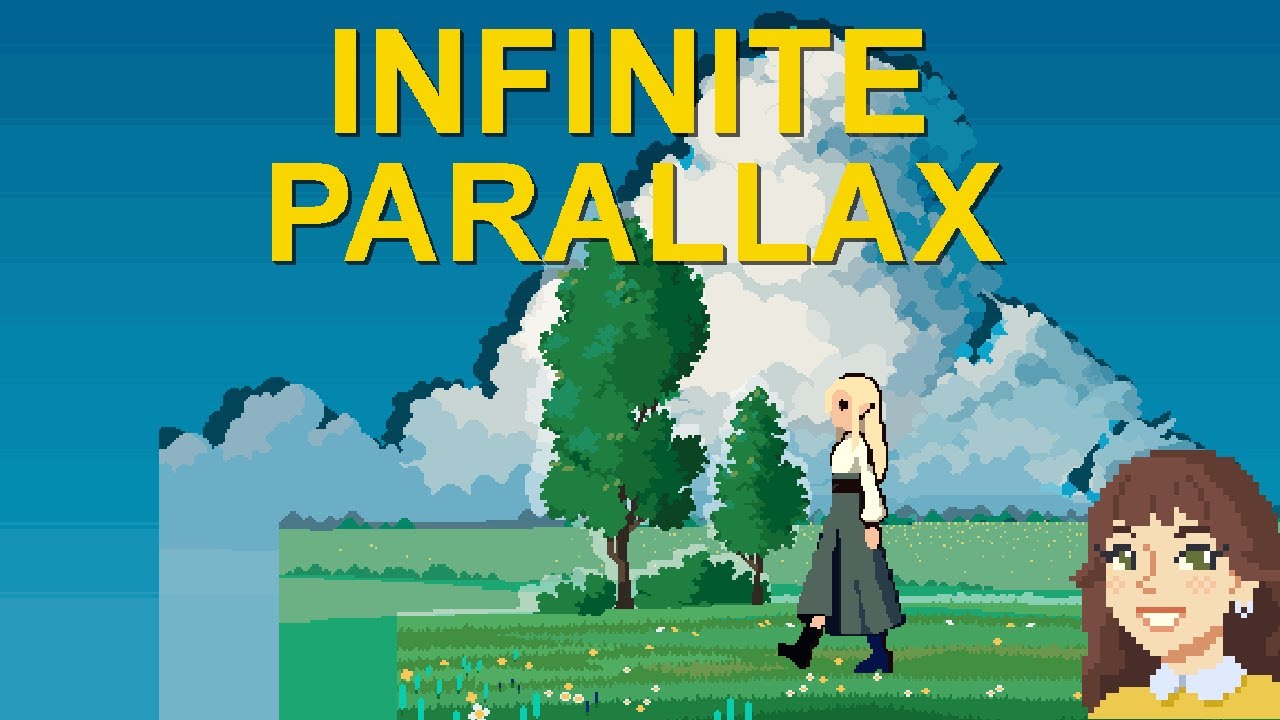
We're going to add parallax to our 2D scene's background layers, then make it endlessly scroll!
This is a complete tutorial - from adding player, setting up the camera - to a beautifully scrolling background! Basically make a whole endless runner / side scroller in 7 minutes :o
FREE Player Package: https://www.patreon.com/posts/102090173
FULL P...
0:45
the player model moves on x axis
she has the asset and i imported it
kindred iron
torn dragon
she has the asset and i imported it
can u come vc?
torn dragon
kindred iron
can u come vc?
sure i don't have a mic though
kindred iron
torn dragon
sure i don't have a mic though
i called you
acoustic belfry
kindred iron
crossfade has a fade the animations play smoother
i just need to play pixe-art sprites in my game, wich one is smarter in theory?
naive pawn
@kindred iron @torn dragon we'd rather you discuss here, fyi
going to private chats defeats the purpose of having a community server
naive pawn
acoustic belfry
i just need to play pixe-art sprites in my game, wich one is smarter in theory?
crossfade wouldn't make a difference in changing sprites, since they're discrete
just use Play for simplicity
fyi that kind of question would be better suited for #🏃┃animation
torn dragon
naive pawn
<@903238367033049088> <@706758718305599509> we'd rather you discuss here, fyi
go...
okioki
kindred iron
naive pawn
<@903238367033049088> <@706758718305599509> we'd rather you discuss here, fyi
go...
no it doesnt actually. In this Chat i can see who needs help
and thats the purpose
and
we dont discuse in private
but instead he streams in private and he shows me the problem
its better like that
acoustic belfry
naive pawn
fyi that kind of question would be better suited for <#502171313201479681>
oh, ok, well, thanks :3
naive pawn
kindred iron
but instead he streams in private and he shows me the problem
that is indeed discussing in private
naive pawn
kindred iron
and thats the purpose
the purpose of a community server is to have multiple people available to help any given person - multiple people able to see potential issues, perhaps point out things that will be an issue in the future as well
with private help, DMs, calls or streams, that's completely lost - and if that one helper happens to become unavailable or is unable to help, it then becomes the asker's problem to ask everything all over again for someone else
kindred iron
naive pawn
the purpose of a community server is to have multiple people available to help a...
yeah but its easier to handle it in vc
and i increase my english too when i speak
naive pawn
additionally, with a public discussion, other people in the chat can benefit from the conversation as well, and other members can check answers, and moderators can do their job
kindred iron
so i prefer talking tbh
naive pawn
ok, live with the conscience that you're harming other people by taking the "easy" option i guess
idk why you'd say it's easier to handle in VC either tbh, i find it wayyyy easier when stuff is laid out in text or images
video and especially audio is a pain to check through when trying to find issues
being able to communicate issues in text is a skill that definitely needs way more practice than talking
these things are standardized for a reason 
gentle merlin
is there a reason this code is nto stopping for friedly pieces? (gave up on the other bot so iam using my second bot i had made but this pesky issue i the only thing it as rn)
public void LineMovePlate(int xIncrement, int yIncrement)
    {
        Game sc = controller.GetComponent<Game>();

        int x = xBoard + xIncrement;
        int y = yBoard + yIncrement;

        while (sc.PositionOnBoard(x, y))
        {
            GameObject piece = sc.GetPosition(x, y);

            if (piece == null)
            {
                MovePlateSpawn(x, y);
            }
            else
            {
                if (piece.GetComponent<Chessman>().player != player)
                {
                    MovePlateAttackSpawn(x, y);
                }
                // Stop for either friendly or enemy piece
                break;
            }

            x += xIncrement;
            y += yIncrement;
        }
    }
thank u for the advice
gentle merlin
I have one piece thats like the queen in chess, and it uses this method to move. So far tho its first move in the game its to jump over its friends and eat my pawn
naive pawn
gentle merlin
is there a reason this code is nto stopping for friedly pieces? (gave up on the ...
try debugging some stuff, check if piece is what you expect it to be in each given x, y position
also, like before, you should have piece as a Chessman instead of a GameObject so you don't need to do GetComponent on it
might also apply to controller if that happens to also be a GameObject
acoustic belfry
what is hashing?
Someone knows a way to check the quality of a script? Or how re-organize it?
Cuz im trying to enchance my player's script but i dont know how
naive pawn
"quality" is a quite subjective and, well, qualitative
pallid nymph
You can always ask ChatGPT 😅
I'm sorry, I couldn't help it. You probably shouldn't do that.
naive pawn
the main things i'd look for at a beginner level would probably be
- repeated code or things that could be generalized with math
- numbered variables
- indirection/magic strings/magic numbers
naive pawn
pallid nymph
You can always ask ChatGPT 😅
last time someone tried it had like a 50% accuracy 😆
pallid nymph
I should try it as well, I'm sure it would be fun 😄
naive pawn
naive pawn
last time someone tried it had like a 50% accuracy 😆
i take it back, it was actually worse lmao
mostly moot points and a few actually harmful recommendations
 brave robin
"Hi, I can totally help you with your Unity code! First off, it is wasteful to cache your GetComponent calls in Start, you should instead call GetComponent in Update..." - ChatGPT
acoustic belfry
naive pawn
last time someone tried it had like a 50% accuracy 😆
thats something i wanted to ask but i was scared
for check Script's readability, what AI is better?
... sorry
polar acorn
It's not really a quantifiable thing
acoustic belfry
naive pawn
"quality" is a quite subjective and, well, qualitative
readable, and easy to understand
atleast readable
im trying to modify and check my player's script, yet...i dont even understand what i did
or i should just follow the joke fused with advise
"If it works, leave it alone"
polar acorn
You just kind of decide how much you hate yourself looking at the code. If it's a little bit, you're probably fine. If it's a lot, you should fix it. If it's not at all, then you probably don't yet know why you should hate it and should probably take another look
acoustic belfry
i hate myself
acoustic belfry
polar acorn
Right, but like the normal programmer amount
dang it, i wanted to make the pun first, xd
but now returning to seriousness, well
i dont...understand it, and i feel like i should do it
acoustic belfry
polar acorn
Right, but like the normal programmer amount
more
like im not made for this yet i want to
Hiccup but for coding
gentle merlin
naive pawn
try debugging some stuff, check if `piece` is what you expect it to be in each g...
i checked and yeah all the pieces are where they are supposed to be, it says it breaks out of the loop when it encounters a friedly piece but then dosen't? its checks board positions not in the assigned increments as well, and then jumps to a position which it previously indicated there was a friedly piece in that line and that it had broken out of the loop.
 public void LineMovePlate(int xIncrement, int yIncrement)
    {
        Game sc = controller.GetComponent<Game>();

        int x = xBoard + xIncrement;
        int y = yBoard + yIncrement;

        while (sc.PositionOnBoard(x, y))
        {
            GameObject piece = sc.GetPosition(x, y);
            print($"Checking position ({x},{y}): piece = {(piece == null ? "null" : piece.name)}");

            if (piece == null)
            {
                MovePlateSpawn(x, y);
                print($"MovePlateSpawn at position: ({x}, {y})");

            }
            else
            {
                if (piece.GetComponent<Chessman>().player != player)
                {
                    MovePlateAttackSpawn(x, y);
                }
                else
                {
                    Debug.Log($"Blocked by friendly piece at ({x},{y}), stopping move generation");
                }
                Debug.Log("Breaking the while loop now.");
                break;
            }

            x += xIncrement;
            y += yIncrement;
        }
    }
its not checking the board like a queen, its literly just scanning the whole board
naive pawn
are you calling LineMovePlate multiple times? the logs might be confusing if you are
gentle merlin
naive pawn
are you calling `LineMovePlate` multiple times? the logs might be confusing if y...
its supposed to be once per direction but it seems like it calls it twice per spot with a friedly piece and 20 times per empty/enemy

 split plover
Quick question, if a coroutine is in an if statement will it still fully go through the full coroutine if the if statement isn't active after the coroutine starts
naive pawn
split plover
Quick question, if a coroutine is in an if statement will it still fully go thro...
the coroutine was never in the if statement
the coroutine call was in the if statement
once it's called, the if statement becomes irrelevant, it's not gonna be checked again automatically from inside the coroutine
split plover
naive pawn
the coroutine was never in the if statement
the coroutine *call* was in the if s...
i probably should've made the code first before asking cause i completely forgot you use startcoroutine in an if statement and you dont actually put a coroutine in the if statement
naive pawn
gentle merlin
its supposed to be once per direction but it seems like it calls it twice per sp...
check out why that's happening, make it only call once so you can better debug a single call
split plover
Did i make this array wrong? I dont know why this is happening cause it was just working not too long ago
int[] DamageArray = [20, 40, 20, 60, 100];
 split plover
polar acorn
You need the `new int[] {}` syntax
split plover
polar acorn
You need the `new int[] {}` syntax
Question on this, why would i need to put new?
polar acorn
Because that's how you create a new array in the version of C# Unity uses
split plover
What do you mean by create a new array?
im just gonna look it up cause it gives me a warning if i use new but if i dont use new it doesn't give me a warning
polar acorn
split plover
What do you mean by create a new array?
I mean... create a new array
split plover
but i wanna use the array i made not make a new array
polar acorn
split plover
but i wanna use the array i made not make a new array
What array you made
where did you make it
ivory bobcat
split plover
but i wanna use the array i made not make a new array
The array you made was a new array.
split plover
polar acorn
where did you make it
above start
ivory bobcat
Collection expression isn't available in C# 9.0
polar acorn
split plover
above start
The line you showed? The one that doesn't work? I told you what to do instead of that
split plover
polar acorn
The line you showed? The one that doesn't work? I told you what to do instead of...
well now that i've changed the [] to {} its working but it gives me a warning if i try to put new instead of just leaving it
ivory bobcat
Reminder that Digi provided the syntax not what to copy and paste into your script.
slender nymph
split plover
well now that i've changed the [] to {} its working but it gives me a warning if...
what is the warning
polar acorn
split plover
well now that i've changed the [] to {} its working but it gives me a warning if...
What warning
naive pawn
did you put new at the start of the line...?
split plover
slender nymph
what is the warning
it says it ddoes not hide an accessible member and says the new keyword isn't required but digiholic said that i have to use new so im confused
naive pawn
yeah you didn't put it in the right place
slender nymph
you put the new on the wrong part
polar acorn
split plover
it says it ddoes not hide an accessible member and says the new keyword isn't re...
What does your line of code look like
naive pawn
- new int[] x = [...];
+ int[] x = new int[] {...};
its exactly like how you put it in syntax, new int[] DamageArray = {}
polar acorn
split plover
its exactly like how you put it in syntax, new int[] DamageArray = {}
That's not what I put
split plover
polar acorn
You need the `new int[] {}` syntax
but up here it is
slender nymph
not quite
polar acorn
split plover
but up here it is
Notice how I put new int[] {} and not new int[] DamageArray = {}
split plover
well it says i don't need the new keyword so im just not gonna use it
seems like its working fine without it
polar acorn
split plover
well it says i don't need the new keyword so im just not gonna use it
Because that's not how you declare a list
naive pawn
buddy i think you're conflating a few things
polar acorn
and is not what I said to use
I told you what to use instead of the expression syntax that isn't available in Unity's C# version
at no point did I say to change how you declared the variable.
Just what you assign it to
Notice how what I said to do does not have an = in it
because everything before your = was correct and shouldn't have changed
split plover
Im confused though
slender nymph
split plover
Im confused though
split plover
yeah no
i understand that
but im confused on why i'm being told that i wasn't supposed to do what i was told to do
polar acorn
split plover
but im confused on why i'm being told that i wasn't supposed to do what i was to...
No one told you to do what you did
split plover
im feeling like im getting conflicted answeers
polar acorn
You did something else that was not what I said to do
split plover
polar acorn
You need the `new int[] {}` syntax
You said this was the right syntax but never explained to me in any way that i did not need to add new to it
slender nymph
you misread what was told to you, you were not told to do something you shouldn't be doing
polar acorn
split plover
You said this was the right syntax but never explained to me in any way that i d...
It is the right syntax. It's the thing you should set your variable to
naive pawn
there are 2 ways to instantiate an array in c#
a collection expression, [...]
an instantiation expression, new T[] { ... }, which has a shorthand, { ... }
the former is not available in the version of c# that unity uses
polar acorn
It's the thing that goes after the =
slender nymph
split plover
You said this was the right syntax but never explained to me in any way that i d...
you do still need to use the new keyword. you're still misunderstanding even the thing you said you understood
naive pawn
split plover
You said this was the right syntax but never explained to me in any way that i d...
you do have to add new in the full form - you added it in the wrong place
in the specific usage you have, new int[] can be omitted - but it's still the same form, an instantiation expression
split plover
polar acorn
It's the thing that goes _after the `=`_
Well ignoring the fact there wasn't an = in your example at all, you didn't tell me that until i had figured out i didn't need new in the first place
slender nymph
#💻┃code-beginner message
this literally shows you what you had wrong and what it should look like
ivory bobcat
Are you creating drama for no reason whatsoever? They're actually trying to inform you that you cannot use [ ... ] with c#9 and that you'd use the new int[]{...} pattern instead.
polar acorn
split plover
Well ignoring the fact there wasn't an = in your example at all, you didn't tell...
Yes, exactly, because I was telling you what to set the variable to, not the entire line. And you do need new
slender nymph
split plover
Well ignoring the fact there wasn't an = in your example at all, you didn't tell...
there wasn't an = in what they showed because what they showed belongs entirely on the right side of the = operator
split plover
naive pawn
```diff
- new int[] x = [...];
+ int[] x = new int[] {...};
```
I dont get it whats wrong with the first one here
naive pawn

Store multiple variables of the same type in an array data structure in C#. Declare an array by specifying a type or specify Object to store any type.
naive pawn
split plover
I dont get it whats wrong with the first one here
the former is not available in the version of c# that unity uses
polar acorn
split plover
Well ignoring the fact there wasn't an = in your example at all, you didn't tell...

You should actually read answers you're given
split plover
While i was chatting here i finished my code i was making and it works perfectly fine
naive pawn
and let me guess, you don't actually understand the array initialization
naive pawn
naive pawn
https://learn.microsoft.com/en-us/dotnet/csharp/language-reference/builtin-types...
@split plover go give this a read
there's an entire infobox with ! Important about using collection expressions
split plover
i just put it as int[] DamageArrray = {} and it works perfectly
But if it works why am i being told to fix it.
naive pawn
split plover
But if it works why am i being told to fix it.
you aren't lmao
split plover
thats my question
naive pawn
we're trying to get you to understand
split plover
naive pawn
we're trying to get you to *understand*
I understand why my code works, what i dont understand is why im being told to do something that from my knowledge i dont even need to do
naive pawn
your knowledge is lacking then lol
ivory bobcat
split plover
thats my question
Who told you {} doesn't work?
People have definitely told you [] wouldn't with C#9
polar acorn
split plover
I understand why my code works, what i dont understand is why im being told to d...
You wanted to create it with values right?
torn dragon
if i create a button why is this so big
 split plover
polar acorn
You wanted to create it _with values_ right?
split plover
polar acorn
You wanted to create it _with values_ right?
not wanted, i DID create it with values
split plover
torn dragon
if i create a button why is this so big
just scale it down
polar acorn
torn dragon
if i create a button why is this so big
How big is your canvas?
naive pawn
torn dragon
if i create a button why is this so big
not a code question, see #💻┃unity-talk or #📲┃ui-ux
polar acorn
It looks like a reasonable size for a normal overlay canvas
slender nymph
torn dragon
if i create a button why is this so big
because it is on your canvas which is much larger than you are expecting it to be because you appear to have gizmos disabled so you can't see its actual bounds
split plover
polar acorn
It looks like a reasonable size for a normal overlay canvas
but its bigger than the entire map it looks like they're making
naive pawn
split plover
but its bigger than the entire map it looks like they're making
it doesn't exist beside the entire map (if it's an overlay)
polar acorn
split plover
but its bigger than the entire map it looks like they're making
Yes that's how canvases tend to work
They're the size of the screen, not the size of the world
slender nymph
split plover
but its bigger than the entire map it looks like they're making
if you don't understand how UI works you shouldn't go and try answering questions about UI
polar acorn
Where the button is in the actual world space doesn't matter, it's where it is in relation to the canvas
torn dragon
slender nymph
because it is on your canvas which is much larger than you are expecting it to b...
how do i scale it down
am making a start menu and it was fine before
now its super large
naive pawn
naive pawn
not a code question, see <#497872424281440267> or <#502171135350407168>
@torn dragon
polar acorn
torn dragon
how do i scale it down
You don't
sour fulcrum
Is there a official way to do the equivalent of
List myList get; private set;
But where they can only reference the list to iterate and etc? Not add/remove etc.
Usually i’d have a function that returns a copy of the list but ideally it would be nice to not make a whole copy every time
It’s fine if there’s no preferred way either i just don’t know
polar acorn
sour fulcrum
Is there a official way to do the equivalent of
List myList get; private set;
Bu...
You would need to create your own implementation of list with different accessors
slender nymph
use IReadonlyCollection<T> as the type rather than List<T>, List implements that interface
 kindred axle
torn dragon
if i create a button why is this so big
kindred axle
torn dragon
if i create a button why is this so big
its in a canvas, check the game tab. you'll see how it fits with the screen.
double click the canvas object so you can fiddle with your ui
sour fulcrum
slender nymph
use IReadonlyCollection<T> as the type rather than List<T>, List implements that...
Then remake it when i need to modify privately? (Which I’m guessing is kinda the same cost as modifying a list anyway(?))
slender nymph
just have a private field that you expose through the property. also use IReadOnlyList<T> rather than IReadOnlyCollection<T>, i forgot that the latter doesn't allow you to index into it
split plover
quick question, is it even possible to set an array's values to another array
been trying to find a way for nearly 30 minutes
ivory bobcat
New array with the other as an argument for the constructor
Assuming you aren't just wanting to reference the same instance
split plover
ivory bobcat
New array with the other as an argument for the constructor
im gonna pretend like i know what this means and im gonna look up what an argument and constructor is really quick
slender nymph
there are beginner c# courses pinned in this channel, perhaps start there
split plover
ivory bobcat
New array with the other as an argument for the constructor
okay got it im gonna do that
split plover
slender nymph
there are beginner c# courses pinned in this channel, perhaps start there
did the entire beginner unity c# courses and it did not go over how to set an array to another array from what i know
slender nymph
and you still don't understand basic things like what an argument or constructor are. so perhaps learn c# separately from unity
split plover
im good seems like a waste of time for me when i only need c# for unity and nothing else
usually i dont need to ask here for my questions and i can just look it up but with arrays there is very little online 😭
sour fulcrum
(I get what you guys are trying to teach to Fusion but also the basic tutorials don’t teach you how you could use constuctors to copy an array)
sour fulcrum
split plover
usually i dont need to ask here for my questions and i can just look it up but w...
There is so much online
slender nymph
split plover
im good seems like a waste of time for me when i only need c# for unity and noth...
refusing to learn the basics of the language you need to know for unity is going to fuck you over in the long run. but good luck or whatever, i block people who refuse to bother learning 🤷♂️
split plover
sour fulcrum
There is so much online
I couldn't find anything
split plover
slender nymph
refusing to learn the basics of the language you need to know for unity is going...
im fine with learning
sour fulcrum
What did you search
ivory bobcat
split plover
im gonna pretend like i know what this means and im gonna look up what an argume...
You could clone and cast to your specific type instead since you're using a primitive array
https://learn.microsoft.com/en-us/dotnet/api/system.array.clone?view=net-9.0
sour fulcrum
Googling is unironically a very crucial skill to build up
split plover
sour fulcrum
What did you search
I just searched up how to set an array to another array
sour fulcrum
What did it come up with
split plover
a bunch of unity discussion forums that were on an entirely different topic
like one that is asking how to copy an array (not set an array to another array just straight up cloning an array without changing the name or anything)
ivory bobcat
For example cs int[] arr = {...}; int[] clone = (int[])arr.Clone();//Shallow copy
split plover
ivory bobcat
You could clone and cast to your specific type instead since you're using a prim...
slightly confused on this
oh
nvm
split plover
ivory bobcat
For example ```cs
int[] arr = {...};
int[] clone = (int[])arr.Clone();//Shallow ...
i didn't know you could use it like that honestly
naive pawn
split plover
did the entire beginner unity c# courses and it did not go over how to set an ar...
unity c# courses teach c# in unity.
there's still normal c# things you have to learn that aren't related to unity.
split plover
naive pawn
unity c# courses teach c# in unity.
there's still normal c# things you have to l...
but if i have to learn it to use it in unity wouldn't that be related to unity
naive pawn
no
torn dragon
why can i not see OnStartClick() there

 slender nymph
torn dragon
why can i not see OnStartClick() there
slender nymph
torn dragon
why can i not see OnStartClick() there
unrelated to your issue, but related to the rules of getting help in this server: you need to get your !IDE configured 👇
naive pawn
split plover
but if i have to learn it to use it in unity wouldn't that be related to unity
you're not gonna learn much about general things like int vs long or structs or linq or inheritance or constructors in "c# for unity", because those aren't unity things. those are c# things. and there are c# articles that cover that, so there's no need to repeat all that content in unity-specific guides
eternal falconBOT
💡 IDE Configuration
If your IDE is not autocompleting code
or underlining errors, please configure it.
Select one:
• Visual Studio (Installed via Unity Hub)
• Visual Studio (Installed manually)
• VS Code
• JetBrains Rider
• :question: Other/None
split plover
man this would be so much easier if i didn't have to try to set one array to different arrays based on what is happening 😭
naive pawn
also, do you actually need a clone
if you just need a reference you can just.. assign the array
split plover
naive pawn
if you just need a reference you can just.. assign the array
I tried assigning the set array to the array it has to be set to but it didn't work
naive pawn
i have no idea what you're trying to say there lmao
stop saying "didn't work", that's not really useful
give some info about what the issue is
ivory bobcat
What're you trying to do exactly?
split plover
ivory bobcat
What're you trying to do exactly?
At this point i dont even know i just want something set up so that i can change stuff like movement speed based on what character is selected and right now im trying to set an array to another array but its super confusing
slender nymph
classic XY problem
naive pawn
- why are you using an array for that (why not a struct)
- why are you using an array for that (why not an SO)
- so.. you can just assign that, no need to clone
split plover
fuck this i don't care about optimization im just gonna copypaste code like i was trying to avoid
split plover
naive pawn
- why are you using an array for that (why not a struct)
- why are you using an ...
wdym struct?
naive pawn
split plover
fuck this i don't care about optimization im just gonna copypaste code like i wa...
optimization is nowhere near a concern
the issue is you're painting yourself into a corner
naive pawn
split plover
wdym struct?
and that's why you also do the normal c# courses instead of just the unity-specific ones
naive pawn
structs are bundles of data, like arrays
the difference is you get names and you can have different types
naive pawn
split plover
if optimization isn't an issue im gonna just copypaste some code really qucik
the issue with the copypaste is not optimization
the issue is you're fucking over your future self
and we've been trying to stop you from doing that and you're just hellbent on doing it apparently
rocky canyon
torn dragon
why can i not see OnStartClick() there
did you add the monobehaviour to a gameobject and drag that gameobject into the slot in the button?
or did u drag the script itself (from the project window)
ivory bobcat
We're not sure what they're using their array for though - other than holding values.
split plover
naive pawn
and we've been trying to stop you from doing that and you're just hellbent on do...
im just copypasting stuff to other scripts so i can do attacks and stuff since they will have varying cooldowns and damage in different scripts
naive pawn
why are you even asking stuff here if you're just going to ignore everything we recommend lmao
not gonna waste my effort if you refuse to accept help, cya
split plover
naive pawn
why are you even asking stuff here if you're just going to ignore everything we ...
i would've never come to the conclusion that my idea was stupid if i didn't know the problem was me being stupid in terms of what im trying to do and not me not being able to do it
torn dragon
rocky canyon
did you add the monobehaviour to a gameobject and drag that gameobject into the ...
i fixed it, i did not add scene management in the code
ivory bobcat
I do not believe anyone called you or referred to you as unintelligent 
split plover
ivory bobcat
I do not believe anyone called you or referred to you as unintelligent <:UnityCh...
i did
i called or reffered to myself as unintelligent
sour fulcrum
Anyone trying isn’t stupid 🫡
split plover
sour fulcrum
Anyone trying isn’t stupid 🫡
im trying and im stupid though
naive pawn
split plover
i called or reffered to myself as unintelligent
but that's not the issue, the issue is you're refusing to put any effort into changing that
split plover
I already know what im going to do and its going to be much easier than what i was trying to do anyways so
 vast cairn
should i manipulate the color via script
ivory bobcat
That's fairly interesting, although not code related #💻┃unity-talk
Perhaps you've got some lighting/shader in the scene that alters the color presented (how it looks like after fully rendered).
Either way, it isn't a code question.
vast cairn
ivory bobcat
That's fairly interesting, although not code related <#497872424281440267>
Perh...
sorry i didnt know where to ask lol
ivory bobcat
#💻┃unity-talk would be the general non-coding channel 
lapis parrot
!code
eternal falconBOT
Posting code
📃 Large Code Blocks
Use links to services like:
https://paste.mod.gg/, https://hastebin.skyra.pw/, https://paste.ofcode.org/, https://paste.myst.rs/
📃 Inline Code
Surround code with three backquotes. Not quotation marks.
To format as C#, add cs to the first line:
```cs
// Your code here
```
Add a comment with a line number if there is an error message.
lapis parrot
when i use IEnumerator, it's saying i'm using the wrong namespace or type in my code (https://paste.mod.gg/tcphzgwrnwjh/0) i know that this is usually affiliated with misspelling, so if you can please help i don't see what i did wrong
A tool for sharing your source code with the world!
ivory bobcat
Maybe post the specific error as well
An image of the console error in detail would suffice
split plover
lapis parrot
when i use IEnumerator, it's saying i'm using the wrong namespace or type in my ...
I dont know if it will help much but you should still add System.Collections
from what i know you need using System.Collections at the top of your script to actually use IEnumerator
split plover
might not fix your error but you do still need it from what i know anyways
lapis parrot
probably why it cant be found
lapis parrot
it did
 sour fulcrum
the idea is you don't need to search for something specific if only one of it exists
 rocky gale
oh
sour fulcrum
if your looking for a guy named bobby who knows what kinda answer your looking for
if your looking for the current president of america theres only one result
if that makes any sense
sour fulcrum
Google isn't giving me any answers that involve the interfaces themselves inheriting; Can I not do this kinda thing?
    public interface IBaseTest
    {
        public string GetCoolString();
    }

    public interface IEpicTest : IBaseTest
    {

    }

    public interface IRadicalTest : IBaseTest
    {

    }

    public class FullySickClass : IEpicTest, IRadicalTest
    {
        public string IEpicTest.GetCoolString() => "so cool":
        public string IRadicalTest.GetCoolString() => "woah";
    }
i know i can do
    public interface IEpicTest
    {
        public string GetCoolString();
    }

    public interface IRadicalTest
    {
        public string GetCoolString();
    }

    public class FullySickClass : IEpicTest, IRadicalTest
    {
        public string IEpicTest.GetCoolString() => "so cool":
        public string IRadicalTest.GetCoolString() => "woah";
    }
damn
eternal needle
sour fulcrum
Google isn't giving me any answers that involve the interfaces themselves inheri...
both are IBaseTest so just public string GetCoolString() => "so cool"; is needed. If you are purposely trying to have 2 different method implementations then I think they should be separate interfaces
sour fulcrum
I do have two different answers yeah, theres some other stuff in here that makes me wanna keep them not-seperate so if i can't do it like i wanted there i'll have to think of another way to handle this
eternal needle
sour fulcrum
I do have two different answers yeah, theres some other stuff in here that makes...
well you want separate method implementations so it should be separate. im not sure what you're trying to do here so its hard to say. think of it like this if that code compiled: what should happen if a class references your FullySickClass as type IBaseTest? Which of these 2 get called?
sour fulcrum
ah that makes more sense
 ripe dock
using UnityEngine;

public class HumanControl : MonoBehaviour
{
    public float moveSpeed = 5f;
    public Rigidbody2D rb;
    private HumanControls humanControls;
    private Vector2 moveInput;
    private void Awake()
    {
        humanControls = new HumanControls();
    }

    private void OnEnable()
    {
        humanControls.Enable();
    }

    private void OnDisable()
    {
        humanControls.Disable();
    }

    void Start()
    {
        rb = GetComponent<Rigidbody2D>();
    }

    void Update()
    {
        Vector2 moveInput = humanControls.Land.Move.ReadValue<Vector2>();
        Debug.Log(moveInput);
        if (humanControls.Land.Dash.triggered)
        {
            Debug.Log("Dash");
        }

    }
    void FixedUpdate()
    {
        rb.AddForce(Time.fixedDeltaTime * moveSpeed * moveInput);
    }
}
My character is not moving when there's any input, but it's still moved with gravity and such. What am I doing wrong?
My goal is to make an addforce-driven 2D top-down game character control
Both Debug.Log seem to be correct
 slender nymph
you're creating a local variable called moveInput and assigning the input to that, logging it, then throwing that value away because you don't use it.
you also never assign to the field called moveInput so it's always the same as Vector2.zero when you use it in AddForce
ripe dock
slender nymph
you're creating a local variable called moveInput and assigning the input to tha...
Thanks, I just removed Vector2 and it helped
 chrome shadow
i currently have a rigidbody character controller, and i want the player to fall faster, i tried doubling the mass and jump force, meaning it should theoretically fall faster while jumping to a similar height, but the jump and fall speed ended up the same. How can i fix this?
My jump code:
    private void Jump()
    {
        // Apply jump force
        Ctx.Rb.linearVelocity = new Vector3(Ctx.Rb.linearVelocity.x, 0f, Ctx.Rb.linearVelocity.z);
        Ctx.Rb.AddForce(Ctx.transform.up * Ctx.JumpForce, ForceMode.Impulse);

        // Reset jump input and set cooldown
        Ctx.Input.jump = false;
        Ctx.JumpCooldownDelta = Ctx.JumpCooldown;

        // Trigger jump animation
        Ctx.Animator.SetBool(Ctx.AnimIDJump, true);
    }
 keen dew
Gravity famously affects all objects the same regardless of mass
If you want to fall faster you'll have to either increase gravity or apply downward force while falling
chrome shadow
ahh ok
keen dew
Also check that the scale is correct, often when the objects look like they're falling too slow it's because they're too big. The player model should be about 2 units high which makes it feel the most natural
chrome shadow
the scale of the object with rigidbody is 1,1,1
chrome shadow
well uh its a squirrel and its pretty tiny
keen dew
How tall is pretty tiny in numbers?
chrome shadow

the squirrel rig is scaled up 3 times
and its parented to an empty
with a scale of 1,1,1
chrome shadow
uhhhh wdym
keen dew
Ok let's put it this way. When you jump, pause the game. What is the Y coordinate of the squirrel at that point?
when the jump is at the highest
chrome shadow
around 2.4
keen dew
Ok that's somewhat normal
chrome shadow
alr nice
 topaz mortar
How does Physics2D.CircleCast work exactly?
Does it just return the first target hit in general? Or the first target for each "point" on the circle?
So if I had a target in front and behind me, would a circle cast return both? Or just the one hit first?
pallid nymph
topaz mortar
How does `Physics2D.CircleCast` work exactly?
Does it just return the first targ...
I'd recommend reading the docs and/or just testing it.
There are different overloads - some get a single hit, some get all hits. I don't remember if it'll count the initial objects overlapping as hits, or only if the circle would hit something as it's moving. It's only moving in one direction, so it wouldn't hit something "behind" unless if it maybe overlaps the start point circle and those hits are included.
 rich ice
topaz mortar
How does `Physics2D.CircleCast` work exactly?
Does it just return the first targ...
rich ice
topaz mortar
How does `Physics2D.CircleCast` work exactly?
Does it just return the first targ...
 topaz mortar
yeah I checked the docs, just wasn't sure, thx
ripe dock
Trying to add player character dashing to my game, and I dont want it to poll the inputs every single frame whether or not they are pressed, so its not "if pressed" but instead "when pressed". So it's not as messy and more performant
This is what I have atm
    {
        Debug.Log("kek");
    }
etc
The debug message is not displayed
How do I fix it?


Full relevant files
WDYM
Sorry, I'm very new to both Unity and C#
I guess the solution to it would be using the input events system. When pressed - invoke event, perform a dash
Oh, this
eternal needle
ripe dock
Trying to add player character dashing to my game, and I dont want it to poll th...
https://unity.huh.how/unity-events/incorrect-assignment
the unity event part there seems wrong
you definitely could do it through c# events as well but if you're very new to both then this unity event is easier for now
eternal needle
yes thats not what you want to do. you want the unity event to reference your specific component as the link above shows in a video
ripe dock
eternal needle
<https://unity.huh.how/unity-events/incorrect-assignment>
the unity event part t...
You're a life savior ❤️
Took me multiple hours to try and fix it myself
Maybe trying to make it event-based as a beginner was a bad idea 😁
eternal needle
ripe dock
*Maybe* trying to make it event-based as a beginner was a bad idea 😁
the new input system definitely has a learning curve to. one file you sent is the generated c# class for that input action asset. You might not need that if you don't plan to subscribe things in code (c# events) for now. It might just confuse you more atm
 nimble apex
ripe dock
You're a life savior ❤️
nimble apex
ripe dock
You're a life savior ❤️
new system input is quite different , but it really helps a lot by making all the mapping clear
eternal needle
though i see your code does actually use that HumanControls class
ripe dock
I completed the essentials tutorial and it used the old system. While simpler for beginners, it's just bruh
 strong creek
I use camera relative movement and whenever I press backwards on the movement my character spins left or right
 nova bluff
Hello everybody, i'm kinda new in unity development. i have a problem with my game. when i'm moving the character and camera, there is a jitter effect (i don t know if it's the correct term). I added a script for movement (https://pastebin.com/PA1v253c). do you have any ideas how could i solve this issue? thanks!
naive pawn
nova bluff
Hello everybody, i'm kinda new in unity development. i have a problem with my ga...
use mp4 so it embeds in discord
nova bluff
nova bluff
changed, thanks
moving keyboard input to FixedUpdate and mouse input to LateUpdate fixed the jitter effect, but the camera is still not as smooth as i want to be.
do you use Cinemachine?
past yarrow
Is there a Data Structure that combines both the stack and the queue concepts together so I can push / pop at the start and push / pop at the end please ?
wintry quarry
past yarrow
Is there a Data Structure that combines both the stack and the queue concepts to...
You want a Linked List
sharp bloom
How much performance is lost by calling Animator.Play() with a string instead of hash?
Or does it matter very much?
 hexed terrace
You'd probably need to be doing thousands of calls per frame for it to make a difference
sharp bloom
Yeah I thought it might be like that
sharp bloom
eternal needle
the new input system definitely has a learning curve to. one file you sent is th...
Yeah I was super confused for the first few days I used it, then suddenly it just clicked.
I found the PlayerInput component unintuitive, for me it was much easier to use the provided C# class directly
sharp bloom
wintry quarry
You want a Linked List
Ah yes, the thing every CS class makes you to implement
eternal needle
sharp bloom
How much performance is lost by calling `Animator.Play()` with a string instead ...
https://docs.unity3d.com/ScriptReference/Animator.Play.html
When you use the stateName parameter, this method calls Animator.StringToHash internally
seems to be the only difference. the docs for StringToHash says it uses CRC32 so you could find performance related to that. or just run Animator.StringToHash() a bunch of times using the profiler to see the effect of calling it like 100, 1k, or 10k times per frame
nova bluff
hexed terrace
The CM brain needs to be set to use the same Update method as your movement
thanks
wintry quarry
sharp bloom
Ah yes, the thing every CS class makes you to implement
One of many
naive pawn
past yarrow
Is there a Data Structure that combines both the stack and the queue concepts to...
this is called a deque (pronounced like "deck"), for double ended queue
c# implements it with linkedlist as mentioned above
past yarrow
naive pawn
this is called a deque (pronounced like "deck"), for double ended queue
c# imple...
Thanks 👍
 charred spoke
hexed terrace
You'd *probably* need to be doing thousands of calls per frame for it to make a ...
charred spoke
hexed terrace
You'd *probably* need to be doing thousands of calls per frame for it to make a ...
It’s more like hundreds before the garbage from the string becomes a problem
charred spoke
sharp bloom
How much performance is lost by calling `Animator.Play()` with a string instead ...
It’s always better to use a hash
nova bluff
Still can't find a proper solution for jittering. If the other objects does not jitter, the character body it's jittering. If the character body does not jitter, the other objects will (as shown in video). I just can't make it work. https://pastebin.com/ztV4U3H9. Do you please have any ideas? Thanks!
wintry quarry
nova bluff
Still can't find a proper solution for jittering. If the other objects does not ...
You're makijng a classic error here
transform.rotation = Quaternion.Euler(0f, yRotation, 0f);```we need a bot command everytime this issues comes up lol
nova bluff
should use slerp?
wintry quarry
If you have a Rigidbody you should not be touching or modifying the Transform directly, period
wintry quarry
nova bluff
should use slerp?
no
rotate the Rigidbody, not the Transform
Rigidbody.rotation = Quaternion.Euler(0f, yRotation, 0f);```ALso you are doing this rotation in FixedUpdate
FixedUpdate is not synchronoized with the rendering loop
character rotation should happen in Update
So two things:
- rotate in Update
- rotate with the Rigidbody not the Transform
also ensure that interpolation is enabled on your Rigidbody
nova bluff
same problem.
- Interpolation it's enabled on Rigidbody
- I moved
Rigidbody.rotationinUpdatefunction - Removed
transform.rotation
    void Update()
    {
        ListenMouseMovementInput();
        CameraHolder.transform.SetPositionAndRotation(RigidBody.position + CameraHolderOffset, Quaternion.Euler(xRotation, yRotation, 0f));
        RigidBody.rotation = Quaternion.Euler(0f, yRotation, 0f);
    }

    private void FixedUpdate()
    {
        ListenKeyboardInput();
        MovePlayer();
}```show MovePlayer
nova bluff
    void MovePlayer()
    {
        if (moveDirection != Vector3.zero)
        {
            float speed = MoveSpeed * (Keyboard.current.shiftKey.isPressed ? RunSpeedMultiplier : 1f);

            Vector3 targetPosition = RigidBody.position + speed * Time.deltaTime * moveDirection;
            RigidBody.MovePosition(targetPosition);
        }
}```you sure you want to be using MovePosition?
Instead of just setting velocity?
MovePosition is really only a thing for kinematic bodies
wintry quarry
I'm not telling you to make it kinematic
I'm telling you you shouldn't be using MovePosition unless it's kinematic
e.g. instead of:
            Vector3 targetPosition = RigidBody.position + speed * Time.deltaTime * moveDirection;
            RigidBody.MovePosition(targetPosition);```
You would do this:
```cs
Vector3 velocity = speed * moveDirection;
velocity.y = Rigidbody.linearVelocity.y;
Rigidbody.linearVelocity = velocity;```should rb.rotation be .MoveRotation, or is that just for interpolation ?
rocky gale
wintry quarry
e.g. instead of:
```cs
Vector3 targetPosition = RigidBody.position +...
Whats difference between linearVelocity and just velocity
wintry quarry
rocky gale
Whats difference between linearVelocity and just velocity
It was renamed to linearVelocity in Unity 6
naive pawn
velocity is the old version of linearVelocity
wintry quarry
it's the same thing
rocky gale
Oh really?
frail hawk
yeah, a major and very important thing unity had to change..
rocky gale
😂
wintry quarry
rich adder
should rb.rotation be .MoveRotation, or is that just for interpolation ?
You can do MoveRotation only if you're doing it in FixedUpdate but then you have a nightmare with how to handle mouse input. So it's easier to just use rotation directly and put it in Update
rich adder
ahh that makes sense ty
rich adder
frail hawk
yeah, a major and very important thing unity had to change..
clarity.
Linear means moving straight line
Angular means rotation
rocky gale
It wasn’t angular before tho
naive pawn
it was
rich adder
rocky gale
It wasn’t angular before tho
rb.angularVelocity
nova bluff
    void MovePlayer()
    {
        if (moveDirection != Vector3.zero)
        {
            float speed = MoveSpeed * (Keyboard.current.shiftKey.isPressed ? RunSpeedMultiplier : 1f);

            Vector3 horizontalVelocity = moveDirection * speed;
            RigidBody.linearVelocity = new Vector3(horizontalVelocity.x, RigidBody.linearVelocity.y, horizontalVelocity.z);

        }
    }```

Jittering it's still present and my character it's bouncyrb.velocity can be ambiguous if u are more technical with physics functions
rocky gale
Did they change rb.velocity or rb.angularVelocity
rich adder
no
naive pawn
before, we had velocity, angularVelocity, drag, angularDrag
after unity 6, it's linearVelocity, angularVelocity, linearDamping, angularDamping
rich adder
@rocky gale im saying they put linear to better distinguish it from from angular functions
rocky gale
Ok
torn dragon
how do i add a death screen and respawn key after my characters dies in game
the game is almost done
rich adder
torn dragon
how do i add a death screen and respawn key after my characters dies in game
create a script and a gameobject for the visuals 🤷♂️
torn dragon
rich adder
create a script and a gameobject for the visuals 🤷♂️
didnt help
rich adder
torn dragon
didnt help
break it down.
how do i add a death screen?
-- pretty vague question, but  " how to make activate/deactivate object in unity"
respawn key after my characters dies in game?
-- vague af still but, "how to capture a keypress in unity"
DeathMethod()
ShowDeathScreen()
WaitForKeyPress()
HideDeathScreen()
RespawnCharacter()```it works!! 💪
    [Serializable]
    public class BindingSaveData
    {
        public string actionName;
        public string overridePath;
    }

    [Serializable]
    public class BindingsSaveFile
    {
        public List<BindingSaveData> bindings = new List<BindingSaveData>();
    }``` this is how im keeping up with the data. (and can see the text file next door)
just wondering if this is reliable +/or the way u guys would do it

- if you start and the file is there it loads in the file
- if you start and the file is missing it starts with the default binds in the actionmap
- once u finish it always loads the json..
(probably need a button for defaults but i **think** i shouldnt need to keep data on the defaults b/c they're already stored in the map..)i currently using an actionmap with just a few button actions..
im actually unsure how the system works.. but the action maps all have just 1 bind..
that way when we rebind we can use keyboard, mouse, or gamepad (and all together)
only needing to overload the 0. i guess is whats stored in the memory
ive taken snippets here and there and built it up.. the syntax is something im still getting used to
and soo far i've only made it work with Button inputs... i figure the composite stuff is gonna be a bit harder

https://www.nombin.dev/sws7e79c5cgc9868harn2ltd my full rebind method if anyone wants to check and see if its pretty normal looking 😅
TLDR: im pretty sure im on the right path.. but i was just thinking of default values..
from what i understand the new system (if rebinding) just uses values in memory and doesnt actually change the map.. soo for default settings i actually dont really need to store those anywhere b/c they'll always be there..
 proper compass
I need help, this is my Locomotion script but i slide when i hit off stuff. it is simular to Gorilla tag locomotion. However, it is in zero gravity etc. please see the code. if anyone can help me please let me know 🙂
naive pawn
proper compass
I need help, this is my Locomotion script but i slide when i hit off stuff. it i...
!code
eternal falconBOT
Posting code
📃 Large Code Blocks
Use links to services like:
https://paste.mod.gg/, https://hastebin.skyra.pw/, https://paste.ofcode.org/, https://paste.myst.rs/
📃 Inline Code
Surround code with three backquotes. Not quotation marks.
To format as C#, add cs to the first line:
```cs
// Your code here
```
Add a comment with a line number if there is an error message.
proper compass
naive pawn
you set it to not have gravity in `Start`
No, i want zero gravuity but when i am fly around, if i go to hit off a wall or smth it doesnt work. i either slide, or i push my self out and i only go asd far as my arm extention
proper compass
naive pawn
you set it to not have gravity in `Start`
can u help?
 final trellis
how come when i try to make this line renderer not align with view it just vanishes

 final trellis
or do i not understand the Transform Z Alignment option
 scarlet tundra
Whats the best way to get a normal / curvature of an object, the normal with raycasting or?
rocky canyon
scarlet tundra
Whats the best way to get a normal / curvature of an object, the normal with ray...
thats how i do..
raycast from camera forward.. or raycast with an offset vertically and raycast down
scarlet tundra
I guess I just answered my own question I'll be doing that then
rocky canyon
use the RaycastHit and just grab the .normal from it
scarlet tundra
Yeah, thanks!
What if I didn't want to use a mesh collider? ( I need to find the mesh's curvature ) it's kind of hard to explain, I can't use basic primitive colliders (e.g. box, sphere, capsule, and not mesh as it would be too performance heavy for what I'm trying to do.
scarlet tundra
Yeah I know that's why I'm at a dilemma
rocky canyon
ya, that im not exactly sure of..
scarlet tundra
I could use spline to get the curvature but I'm not sure that would do exactly what I'd want
rocky canyon
ya i wouldnt know how to do that either.. i can google around a bit.. maybe someone else can chime in 🔔
scarlet tundra
You don't really know the context though, how would you?
scarlet tundra
Basically, VR, hand I already made the grabbing system with a pole that is flexible (as in size) it's just that it didn't quite handle curvature at all nor did it handle
rocky canyon
rocky canyon
https://docs.unity3d.com/6000.1/Documentation/ScriptReference/Mesh-normals.html
im not sure how u'd go about sorting thru it tho
scarlet tundra
rocky canyon
^ might be something to this
I'll look into that
Yeah I don't know how I'd be able to take the speccific normal with raycasts
rocky canyon
ahh yea... this is like shader territory
scarlet tundra
Yikes I'm not ready for that
rocky canyon
im seeing things that say using a mesh collider and raycasts would probably be more performant than you'd expect
and alternative methods of going thru all the vertices and stuff would actually be less performant
unity, surface normal of mesh without collider is what im using to search with
scarlet tundra
rocky canyon
im seeing things that say using a mesh collider and raycasts would probably be *...
Yeah I'm seeing that now maybe It'd be just better to do that
And yeah since I'm literally only doing it one frame it wouldn't be that performance heavy
rocky canyon
but i did learn something.. that bary thing seems like a default way..
if you have a TRI.. u have 3 verts.. and using those verts u can calculate the normal
rocky canyon
scarlet tundra
And yeah since I'm literally only doing it one frame it wouldn't be that perform...
could just test to see ¯_(ツ)_/¯
scarlet tundra
rocky canyon
but i **did** learn something.. that bary thing seems like a default way..
if yo...
But again calculating the closest vertex would be costly
rocky canyon
u never know
scarlet tundra
Yeah I'd better try hopefully using mesh colliders won't be performance heavy in general in the long run 🤷
rocky canyon
if ur concerned about them.. im not sure the operation ur doing...
but if its only needed at a certain time.. u could probably just leave it disabled until u need it
enable it.. do ur thing.. and then disable it again
final trellis
final trellis
how come when i try to make this line renderer not align with view it just vanis...
any help with this?
rocky canyon
theres really only 2 options.. (align with Z and align with Cam) afaik
scarlet tundra
rocky canyon
if ur concerned about them.. im not sure the operation ur doing...
but if its on...
Most if not everything will be physics based related to the player, ex. an item on the ground
That's why I'm concerned for performance just random items around
rocky canyon
as long as u dont have 1000s of em im sure ur fine..
unity is pretty optimized in regards to physics
scarlet tundra
Alright thanks for your contribution!
final trellis
rocky canyon
theres really only 2 options.. (align with Z and align with Cam) afaik
yeah ik, but like, what even does 'align with Z' even mean, ik its prob a dumb question but i cant get it for the life of me 😭
rocky canyon
it means like if ur looking at it from its local Z axis ull see it as it should be
if u end up looking DOWN it.. for example.. it'll be a sliver of pixel..
or the backside.. = nothing
final trellis
i should prob mention what its even for if the answer isnt gonna be as simple as i thought ( unless theres just a thing im missing that makes it work idk )
im trying to make a simple sword slash effect, where theres a list of points and every frame those points are added to the list of points a line renderer, so it gives the effect of a sword slash
final trellis
rocky canyon
or the backside.. = nothing
i assume unless the material being used is double sided
final trellis
final trellis
i should prob mention what its even for if the answer isnt gonna be as simple as...
the reason why it cant align with view is bc it'd look really odd from the wrong angles
final trellis
rocky canyon
it means like if ur *looking at it from its local Z axis* ull see it as it shoul...
now im confused, bc that sounds like exactly what im expecting it to do, but it wont
but rn its all weird and jittery
rocky canyon
heres best example i can give
with Z option chosen when we rotate the linerenderer object itself you'll see that it can only be seen from the front.. (0,0,-10) or something...
with the Align with View option.. we can rotate all the way around it.. (and it'll still be visible)
as its then acting like a billboard.. (like a 2D tree that rotates to always face the camera)
final trellis
how come its just.... not visible at rotation 0, 0, 0
for my end
im using a double sided material and at 0, 0, 0 rotation, theres no angle where its visible
rocky canyon
well, for 1 im showing an example thats rotating the linerenderer object..
ur not rotating the actual line renderer object..
ur just rotating the sword
final trellis
but its rotating alongside it? or does that not count
rocky canyon
final trellis
im using a double sided material and at 0, 0, 0 rotation, theres no angle where ...
🤔 hmmm
i dont believe that counts.. its LOCAL would still always be the same
if its set to 0,0,0 and its a child of the sword.. no matter how u move the sword around.. its still gonna be 0,0,0 rotation.. relative to the sword
im not sure if that matters... or if its the global values its using..
final trellis
final trellis
i think its gotta, bc you can see it rotating in and out of existence
this shits really weird
rocky canyon
im not gonna lie.. im not the best with line renderers 😄
i usually find a setup that looks good and move along
final trellis
it looks like how a 2d creature would percieve a 3d object moving along the axis it cant comprehend
rocky canyon
i believe they kinda work the same
but i dont know the specifics
a trail renderer would be what i assume ur looking for
if u want a trail for a swinging weapon
final trellis
lesson learned: someone mightve already done the thing youre looking to make and its even built-in
rocky canyon
😄
trails are set to automatically align with view..(iirc) so it may work right out the box..
 modern aurora
complete beginner here, could use a hand with something simple that im a bit too dense to figure out atm.
using UnityEngine;

public class TileController : MonoBehaviour
{
    public GameObject endPos;
    public GameObject startPos;
    public GameObject tile;

    // Update is called once per frame
    void Update()
    {
        if (endPos.transform.position.z = 48);
        {
            Instantiate(tile, new Vector3(0, 0, transform.position.z), transform.rotation);
        }
    }
}
im getting an error CS1612 in the if statement. trying to spawn a new tile whenever endpos reaches z = 48
scarlet tundra
modern aurora
complete beginner here, could use a hand with something simple that im a bit too...
= is to assign, == is to compare
so it'd be endPos.transform.position.z == 48 (in your if statement)
modern aurora
🤦 thank you
scarlet tundra
Happens from time to time don't worry
naive pawn
don't beat yourself up, it's a rite of passage lol
still happens to me with a solid 4 years of experience
scarlet tundra
Exactly
wintry quarry
modern aurora
complete beginner here, could use a hand with something simple that im a bit too...
checking for an exact magic number position like that is also... it's not good practice
this code is very weird
modern aurora
wintry quarry
this code is very weird
i dont doubt it, i have absolutely no idea what im doing
the code is now spawning a tile on every frame
 stuck field
Should head to !learn then, will teach you a lot going through the pathways
eternal falconBOT
:teacher: Unity Learn ↗
Over 750 hours of free live and on-demand learning content for all levels of experience!
wintry quarry
modern aurora
the code is now spawning a tile on every frame
yes, that's expected with this code
Update runs every frame
It's not clear what the intent of this code is at all
modern aurora
infinite runner game. rather than moving the player, im moving the world around the player, so when a tile reaches a certain point im trying to spawn a new tile in its original place
 glossy current
Trying to turn my character, but for some reason I cant turn right or left? Up and down works just fine, even though the scripts are almost the same.

 scarlet tundra
Use the new input system for one (its powerful in some scenarios) and for another don't separate the different euler rotations into different classes
glossy current
Am I not using the new input system? I looked up a guide and I thought I was. I separated them because the up and down moves the characters head and the left and right moves the entire character.
scarlet tundra
Hold on
naive pawn
yeah that's the new input system
scarlet tundra
Yeah I just realized it was
But in general the rotations shouldn't be handled in two separate scripts
glossy current
How should I then separate it if I want one to rotate the whole body and the other to only rotate the head?
rich adder
btw you should not be using Time.deltaTime on mouseInput
do you have any other scripts on the player ? also use links don't use screenshots for !code 👇
eternal falconBOT
Posting code
📃 Large Code Blocks
Use links to services like:
https://paste.mod.gg/, https://hastebin.skyra.pw/, https://paste.ofcode.org/, https://paste.myst.rs/
📃 Inline Code
Surround code with three backquotes. Not quotation marks.
To format as C#, add cs to the first line:
```cs
// Your code here
```
Add a comment with a line number if there is an error message.
glossy current
Ok, can you explain why? I'm a little confused on how it works, I get it standardizes things between frame rates but i'm just a little confused on when to use it and when not to
I have an unused character health script and template script that only contain a few variables right now.
no methods or anything
rich adder
glossy current
Ok, can you explain why? I'm a little confused on how it works, I get it standar...
normally time.deltaTime is used to give you the time it took since last frame to render, to give consistent increase/decrease of values so its framerate independent.
MouseInput is already returning the delta (movement between frames) so its already framerate independent
naive pawn
glossy current
Ok, can you explain why? I'm a little confused on how it works, I get it standar...
deltaTime is the time in seconds since the last frame, so it's in units of seconds per frame - it's a conversion factor
sometimes you have things in x per second, and you need to convert that into x per frame - that's where you use deltaTime
but sometimes you don't need to convert
sometimes you want things in x per second, like rb velocity
sometimes you already have things in x per frame, like mouse input
glossy current
Oh ok I see
Ok I got rid of that but any idea why I'm getting the stuttering and lockup?
and if I should combine the two rotation scripts, how should I split movement between the head and body
rich adder
glossy current
Ok I got rid of that but any idea why I'm getting the stuttering and lockup?
where exactly did you put these scripts, which gameobject
 hollow field
Does Input.GetKeyDown() only return true on the first frame the key is pressed?
rich adder
glossy current
and if I should combine the two rotation scripts, how should I split movement be...
I would
rich adder
hollow field
Does Input.GetKeyDown() only return true on the first frame the key is pressed?
yes
glossy current
the left and right rotation is on the body, which is the parent to the head. the head has the up and down rotation script
hollow field
rich adder
yes
thats what I thought but it appears to be running things twice
rich adder
glossy current
the left and right rotation is on the body, which is the parent to the head. the...
i would combine them into one script and just create a reference of each transform
eg: [SerializeField] private Transform headTransform [SerializeField] private Transform bodyTransform
and put them on the root of player
rich adder
hollow field
thats what I thought but it appears to be running things twice
how do you mean? in what way did you test this
hollow field
else if (Input.GetKeyDown(KeyCode.Space) && gameRunning) {
    Debug.Log("[SPACE] pressed during game!");
    if (score + 0.5 <= currentTimer.timer && currentTimer.timer <= score + 1.5) {
        currentTimer.timer = 0.0f;
        rotateMark.direction *= -1;
        score++;
        infoText.text = "Click when the timer reaches " + (score + 1) + " seconds.";
        rotateMark.resetMarker();
    }
    else{
        Debug.Log("TOO EARLY!!!");
        GameOver();
    }
}```
If player presses space while game is running, check if they pressed it within a certain time window. If they press too early, run the GameOver() method. The issue is, it triggers the first if but then re-runs the whole thing and since the first if sets the timer to 0, it will trigger the else segmentare you getting two ?
Debug.Log("[SPACE] pressed during game!");