#💻┃code-beginner
1 messages · Page 613 of 1
 frigid sequoia
That's pretty alright to me
I just wanted to know how much of a common practice that is
 eternal needle
frigid sequoia
??? I only place the if and the code afterwards in the same lane if they are bot...
eternal needle
frigid sequoia
??? I only place the if and the code afterwards in the same lane if they are bot...
yes thats exactly what i said with "forcing the entire if statement on 1 line"
frigid sequoia
I don't find a need to enumerate what happens if X if it's only gonna be one thing
eternal needle
🤷♂️ i mean i cant force you to change it, im just telling you that its simply not readable to people who follow standard c# style
 versed light
when using ExecuteAlways how do you skip code if in prefab mode?
 sour fulcrum
though if you are going to keep it as a bool, you mayaswell do
defense = isMagicDamage ? target.entityStats.magicResist : target.entityStats.armor;
 teal viper
What makes you think it's not modifiable? It mentions that you can change it at runtime even in the docs:
https://docs.unity3d.com/6000.0/Documentation/ScriptReference/RenderSettings-skybox.html
 hot harbor
Is using state machines for weapons (i.e. attack state, reload, etc) overkill?
sour fulcrum
teal viper
What makes you think it's not modifiable? It mentions that you can change it at ...
Yes but this i believe only gets & sets you the latest non-additive scenes skybox
teal viper
sour fulcrum
Yes but this i believe only gets & sets you the latest non-additive scenes skybo...
It should probably get you the active scene settings. The one that are actually applied. So if you want to change it, you need to change the active scene.
teal viper
Test it🤷♂️
sour fulcrum
i have
versed light
hm tried this:
if (PrefabStageUtility.GetCurrentPrefabStage() != null && PrefabUtility.GetPrefabInstanceStatus(gameObject) == PrefabInstanceStatus.Connected)
                return;
``` yet the code doesn't return when looking at the prefab in prefab modecant figure out what function to use
frigid sequoia
sour fulcrum
though if you are going to keep it as a bool, you mayaswell do
`defense = isMagi...
Yeah, I just find these way less readable for me
Although I do understand it and it's more organized
teal viper
sour fulcrum
i have
And?
sour fulcrum
sour fulcrum
Yes but this i believe only gets & sets you the latest non-additive scenes skybo...
this seems to be the result
teal viper
sour fulcrum
this seems to be the result
Did you actually change the active scene? And how?
sour fulcrum
SceneManager.SetActiveScene() and i logged the active scene via SceneManager.GetActiveScene() right before getting and setting the rendersettings skybox
have to dip for abit before i can mess with this more unfortunately
teal viper
sour fulcrum
`SceneManager.SetActiveScene()` and i logged the active scene via `SceneManager....
Okay then.
sour fulcrum
(i did mention i tested this earlier though, I know i've been told off for unintentionally hiding context in the past :P)
teal viper
sour fulcrum
(i did mention i tested this earlier though, I know i've been told off for unint...
Missed that message as I had to scroll through a lot of messages. My bad.
 rugged beacon
without adding 0.5 in the Instantiate position, is there a way to make it place object at the center of cell rather than its bottom left ?
 teal viper
Just to make it clear, you called DynamicGI.UpdateEnvironment as they mention in the docs after setting the skybox? Waiting a frame or two might be required too(I'm not sure).
frigid sequoia
So what would be more optimal, to add an interface to differenciate between positive and negative status effects or have a variable on the status effects that tells if it's a good one or a bad one?
I want to get lists from other scripts of both by GetComponents<>() so I can remove them when needed
 slender sundial
could someone teach me how to make this lock that only opens when you click down on it for a certain amount of time
I have the design and animation from blender but after that I'm fresh out of luck
frigid sequoia
slender sundial
I have the design and animation from blender but after that I'm fresh out of luc...
Use an animation event at the end of the action
slender sundial
frigid sequoia
Use an animation event at the end of the action
im trying but so far the animator controller and script arent agreeing with me
let me send you screenshots
 frigid sequoia
If u just have a single animation you don't really need an animation controller
slender sundial
this is what my code looks like for the trigger
 slender sundial
frigid sequoia
If u just have a single animation you don't really need an animation controller
slender sundial
frigid sequoia
If u just have a single animation you don't really need an animation controller
so how do I make it trigger then?
I have more of a complicated trigger
You have to click on and hold the shackle of my lock for like 2 seconds before it unlocks
frigid sequoia
Add an animation, code it so it only plays while u have the click pressed, if you release, restart and stop it. At the end of the animation add an event that does whatever u want to happen when it opens
slender sundial
should i name the animation for my shackle opening or is there a choice for that?
I'm completely new to unity coding
why do you think im here
frigid sequoia
You can name it whatever you see fit
slender sundial
mk
frigid sequoia
Just like u would name any other folder or file
Just make sure you know what it is
slender sundial
alright hold on
i put in the code and attached it to my shackle but it still plays the animation automatically

ive looked at websites to see what I did wrong and tried to fix stuff
But it just didn't work
@frigid sequoia
frigid sequoia
Have u checked that out?
 frigid sequoia
slender sundial
frigid sequoia
slender sundial
And u don't need a holdTime variable
If u attach an animation to an object with one or more scripts, any public method of any of the scripts can be called by the animation itself
Place that at the end of your timelime, and call the event u want from the inspector
 frigid sequoia
slender sundial
frigid sequoia
slender sundial
And why are u even checking for an animator at the end when I told u don't need it?
slender sundial
frigid sequoia
And why are u even checking for an animator at the end when I told u don't need ...
fair point
slender sundial
frigid sequoia
And why are u even checking for an animator at the end when I told u don't need ...
gonna tweak out
I thought I had a good code but it just didn't work
double checked and everything
frigid sequoia
Do something like this....
 slender sundial
frigid sequoia
Do something like this....
slender sundial
frigid sequoia
Do something like this....
alright ty
 nimble apex
this is a piece of native java code from android studio that obtain data from NFC and store them in a specific class
Parcelable[] elements = getIntent().getParcelableArrayExtra(NfcAdapter.EXTRA_NDEF_MESSAGES);
NdefMessage msg = (NdefMessage) elements[0];
NdefRecord record = msg.getRecords()[0];

byte[] payload = record.getPayload();```

how to rewrite the code above using androidjavaobject?
```cs
AndroidJavaObject allMessage = intent.Call<AndroidJavaObject>("getParcelableExtra", "android.nfc.extra.TAG");

                if (allMessage == null)
                {
                    nfcContent.text = "nfc data cannot be obtained!";
                    tagFound = true;
                    return;
                }

nfcContent.text = Convert.ToBase64String(allMessage.Call<byte[]>("getId"));```this is C# in unity btw
teal viper
nimble apex
this is a piece of native java code from android studio that obtain data from NF...
You need to write your own wrapper in java I think.
That you will be calling from C#.
 flat holly
i copy tutorial for player scripts, and i dont understand how it works at all
like you didnt define anything and change its position/rotation like doing it in lua
i dont get it how do i do those at all 😭

c# concept is confusing me
i want a clean explain but non tutorial do it well
 wintry quarry
flat holly
i copy tutorial for player scripts, and i dont understand how it works at all
li...
wintry quarry
flat holly
i copy tutorial for player scripts, and i dont understand how it works at all
li...
Wdym by "you didn't define anything"?
Also Time.deltaTime shouldn't be used there for mouse input
It's going to make things jittery
flat holly
like i do
local apple = game.workspace.apple
but in c# scripts i dont see anything
wintry quarry
You do that in the inspector in this example
flat holly
do i just like do public parameter
 rich ice
flat holly
do i just like do public parameter
rich ice
flat holly
do i just like do public parameter
public, but usually [SerializeField] private
flat holly
saw some tutorial say that you can change parameter in inspector but its "private"?
wintry quarry
Yes you assign values in the inspector
As you did here
What part of that is confusing you?
rich ice
flat holly
saw some tutorial say that you can change parameter in inspector but its "privat...
private variables wont show up in the inspector unless you put the [SerializeField] attribute before or above the variable.
flat holly
2-3 scripts all like they change rotation of camera
and i dont understand how they just change the x/y rotation they defined without "apply"? to the camera
or i just missed it somewhere
wintry quarry
flat holly
2-3 scripts all like they change rotation of camera
and i dont understand how t...
Lines 25 and 26 of the script you shared are rotating the player object and the camera object
Not sure what "apply" means in your statement exactly
wintry quarry
It's part of the MonoBehaviour class your class derives from
flat holly
i see
wintry quarry
It means "the Transform component of the GameObject this script is attached to"
So you don't need to assign that, because it has a well defined meaning already
wintry quarry
wintry quarry
It means "the Transform component of the GameObject this script is attached to"
It is this. Nothing more nothing less.
 worthy olive
does anyone have experience with coding quake movement, mainly air strafing?
I watched vids of how it works and everything and I also found this really good study
but I cannot seem to get it working in my code and there isnt like a tutorial on how to do this.
 dusk prism
so I tried to make some platforms that move and move together with it and not slide, do you have any idea if it doesn't work
 teal viper
worthy olive
but I cannot seem to get it working in my code and there isnt like a tutorial on...
teal viper
worthy olive
but I cannot seem to get it working in my code and there isnt like a tutorial on...
Why not?
Did you debug your code?
worthy olive
uhm, it works kinda. and because i do not understand the code fully fully i dont really know how should i debug it.
the air strafing kinda works with really big angles, like 90
teal viper
worthy olive
uhm, it works kinda. and because i do not understand the code fully fully i dont...
Then start from understanding how it works.
worthy olive
yea, i am doing that
teal viper
dusk prism
so I tried to make some platforms that move and move together with it and not sl...
If the play has dynamic rb, it would not follow the parent, as it's controlled by physics.
 red cedar
Hello, I'm working on my project to bundle scene (level 1 and level 2) using asset bundle. When load scene 1 and 2 seems fine and work, but when I reopen scene 1 it gave me this error
The AssetBundle 'Memory' can't be loaded because another AssetBundle with the same files is already loaded.
UnityEngine.WWW:get_assetBundle ()
does anyone know how to resolve it?
rich ice
flat holly
linearDamping?
it got renamed in unity 6
flat holly
seems unity 6 is a big update they rename alot things
 native widget
what's the correct deltatime to use in webgl builds?
 real thunder
native widget
what's the correct deltatime to use in webgl builds?
real thunder
native widget
what's the correct deltatime to use in webgl builds?
I don't think it usage anyhow altered on web builds, why?
hot harbor
Is there a way to pass in the object calling on a method as a function argument?
myObj.Function();

// I want
private Object thing;
private void Function() {
  this.thing = callerObject;
}
!code
 eternal falconBOT

Posting code
📃 Large Code Blocks
Use links to services like:
https://paste.mod.gg/, https://hastebin.skyra.pw/, https://paste.ofcode.org/, https://paste.myst.rs/, https://scriptbin.xyz/
📃 Inline Code
Surround code with three backquotes. Not quotation marks.
To format as C#, add cs to the first line:
```cs
// Your code here
```
Add a comment with a line number if there is an error message.
teal viper
hot harbor
Is there a way to pass in the object calling on a method as a function argument?...
in C#, there's the this keyword. Look it up
hot harbor
I previously tried this but apparently you can only use this on static functions
I'll look up the documentation again
teal viper
hot harbor
I previously tried this but apparently you can only use this on static functions
No. You can't use it on static methods. Do your research
 kindred iron
guys why cant i use transform without using it in a function
when i use transform not inside of a function then i cant why?
 keen dew
apart from because that's how C# works, also because it doesn't exist yet at that point
rich ice
kindred iron
guys why cant i use transform without using it in a function
when i use transfor...
wdym? can you show an example?
kindred iron
keen dew
apart from because that's how C# works, also because it doesn't exist yet at tha...
why does it exist when i use it in a fuction
kindred iron
rich ice
wdym? can you show an example?
ok ima write hold on
keen dew
Because any functions run after it has been created
wintry quarry
kindred iron
guys why cant i use transform without using it in a function
when i use transfor...
You generally can't write any code outside of a function at all.
The only exception is field initializers and those are limited to statics and constants.
kindred iron
GetComponent<T>() vs GetComponent("ComponentName")
whats the difference between, guys?
wintry quarry
kindred iron
GetComponent<T>() vs GetComponent("ComponentName")
whats the difference between,...
the one on the left gives you compile time type safety
Use it
wintry quarry
You will get a compile error if you make a typo in the one on the left
this is a good thing
thje one on the right will not give you an error until you run the code
this is a bad thing
kindred iron
wintry quarry
You will get a compile error if you make a typo in the one on the left
what is a compile error
wintry quarry
Also just FYI there is a third form, which takes a Type parameter
wintry quarry
kindred iron
what is a compile error
😭
kindred iron
wintry quarry
😭
;(
 frosty hound
When you save and you see that loading bar "applying the changes" you made in the script. That is compiling.
wintry quarry
it's an error the compiler gives you telling you that you have written code that is not valid.
frosty hound
And that is where it will stop and give you a red error in your console telling you there's a mistake.
wintry quarry
By the way you are omitting the third form of GetComponent from your question here, which takes a Type object as a parameter
the generic form (the one with <T>) actually calls that one inside it
kindred iron
wintry quarry
You will get a compile error if you make a typo in the one on the left
is that the only difference between them?
wintry quarry
no, the string one is also slower
kindred iron
wintry quarry
no, the string one is also slower
hm why?
wintry quarry
because it needs to figure out what type you're talking about from the string
kindred iron
what happens if there is 2 types who named the same
kindred iron
guys is there any fast way to move to the next letter instead of using end and using mouse
frosty hound
Next letter of what?
wintry quarry
Maybe you should look into learning VIM bindings for your IDE of choice
It's full keyboard navigation
kindred iron
wintry quarry
It's full keyboard navigation
ty sir
 cosmic dagger
Wouldn't pressing the right arrow (->) move to the next letter? I'd argue that's the fastest way unless I'm misunderstanding . . .
 queen adder
rb.AddRelativeForce(punchType.forceDirection * punchType.forceMultiplier, ForceMode.Impulse);
How do you think I would make it to be in relative to my coordinate system (the camera's) instead of the Rb's cords.
And I cannot just use Vector3.Forward
wintry quarry
queen adder
```js
rb.AddRelativeForce(punchType.forceDirection * punchType.forceMultiplier, ...
use regular AddForce and then for the direction use myCamera.transform.TransformDirection(forceDirection)
If you just want forward according to the camera then it's just cam.transform.forward
if it's not forward, then you use TransformDirection with the local direction
queen adder
wintry quarry
use regular AddForce and then for the direction use `myCamera.transform.Transfor...
Yes that works, thats smart, thank you.
 crystal bridge
Hello Gang, I have objects as images that can drag and drop (from Code Monkey). Everything works, but since the objects are images and not sprite renders, they have the layer issues. I know layers can be sorted by how you list the objects in the hierarchy, but I want the object that the player grabs to 'take priority' and move in front of everything on screen for the duration of the drag. Any ideas? I'm not sure if this is something that needs to be coded or if their is adjustment to components (or maybe both).
crystal bridge
crystal bridge
Hello Gang, I have objects as images that can drag and drop (from Code Monkey). ...

✅ Get the Project files and Utilities at https://unitycodemonkey.com/video.php?v=BGr-7GZJNXg
Let's make a very simple Drag and Drop in Unity, great for an Inventory System.
Simple Inventory System in Unity (Store, Use, Stack and Drop Items)
https://www.youtube.com/watch?v=2WnAOV7nHW0
If you have any questions post them in the comments and I'll...
queen adder
crystal bridge
Hello Gang, I have objects as images that can drag and drop (from Code Monkey). ...
Are your objects UI images?
crystal bridge
yes
wintry quarry
crystal bridge
Hello Gang, I have objects as images that can drag and drop (from Code Monkey). ...
- move it to another canvas that's in front while dragging
- rearrange it in the hierarchy while dragging
- draw the "dragging" version of the texture with Graphics.DrawTexture instead of an image
queen adder
Moving it to another canvas is def the easiest
crystal bridge
Ok, so I currently have my original UI canvas set-up as per Code Monkey. This Canvas is called "Canvas_Locker" and contains an image component of the backdrop art. This is layered as 'Behind' in the Canvas Component- Sorting Layer.
I created a second canvas labeled "Canvas_Priority_Drag" which has all the same settings as the other canvas except the Sorting Layer is set to 'Default' which is supposed to be in front of the 'Behind' layer.
Is this the correct set-up you mean?


 queen adder
What is the current way to rename a project in unity? As in the project files and the name that shows up in unity hub? I already know how to make the build.exe a different name
rich ice
queen adder
What is the current way to rename a project in unity? As in the project files an...
afaik, remove the project from unity hub, rename the root folder, re-add it to unity hub
queen adder
queen adder
What is the current way to rename a project in unity? As in the project files an...
- Go to the project folder.
- Rename.
- Add the renamed one in the Hub
- You can also change the sln name to make everything consistent


 queen adder
1. Go to the project folder.
2. Rename.
3. Add the renamed one in the Hub
4. You...
queen adder
queen adder
1. Go to the project folder.
2. Rename.
3. Add the renamed one in the Hub
4. You...
thanks
kindred iron
guys why hit.collider.tag == null doesnt work?
if (hit.collider.CompareTag("Door"))
{
    Cursor.color = Color.green;
    if (canOpen)
    {
        if (Input.GetKeyDown(interact))
        {
            if (!isOpened)
            {
                doorAnimator.Play("DoorOpen");
                isOpened = true;
            }
            else
            {
                doorAnimator.Play("DoorClose");
                isOpened = false;
            }
        }
    }
}
else if (hit.collider == null || hit.collider.CompareTag("Untagged"))
{
    Debug.Log("Hallo nigga");
    Cursor.color = Color.white;
}
wdym by "doesn't work"?
kindred iron
else if part doesnt work
wintry quarry
what about it doesn't work
kindred iron
even tho its hit.collider null
wintry quarry
what is it supposed to do?
kindred iron
else if part supposed to work when its hit.collider null but it doesnt
wintry quarry
if hit.collider is null you will be getting a NullReferenceException on the very first line of this code snippet
 naive pawn
well you're trying to use hit.collider before you check if it's null
wintry quarry
YOu cannot ignore exceptions/errors you are getting
kindred iron
naive pawn
well you're trying to use `hit.collider` before you check if it's null
but it doesnt give me error and it works perfectly fine without checking it
wintry quarry
kindred iron
but it doesnt give me error and it works perfectly fine without checking it
if you're not getting an error here then hit.collider is not null
or this code is not running at all
one of those two things
kindred iron
wintry quarry
if you're not getting an error here then hit.collider is not null
i used debug.log and when i do look at the air then there is no name
kindred iron
wintry quarry
or this code is not running at all
it does
kindred iron
wintry quarry
show the code with the log
just nothing
wintry quarry
hit.collider will NEVER be null inside this if statement
if (Physics.Raycast(CamTransform.position, CamTransform.forward, out hit, rayLength))```Raycast returns true only if it actually hit something
if you want to do something when you don't hit anything you will need an else for this
if (Physics.Raycast(CamTransform.position, CamTransform.forward, out hit, rayLength)) {
  // hit something
}
else {
  // didn't hit anything
}```in other words - as I said before - the code was not actually running at all
 swift crag
a useful pattern is...
if (!Physics.Raycast(...))
  return;
just give up and return early if it doesn't find anything
kindred iron
wintry quarry
hit.collider will NEVER be null inside this if statement
it worked ty my brothe
 inland cobalt
Hey all, I'm trying to make it so that my projectile is fired to where the crosshair is looking, here's my code:
private void PointInCrosshairDirection()
{
Transform cam = Camera.main.transform;
RaycastHit[] hits = Physics.RaycastAll(cam.position, cam.forward, _rayTargetMask);
foreach(RaycastHit hit in hits)
{
if(hit.collider.isTrigger || hit.distance < _minRayHitDistance) continue;
transform.LookAt(hit.point);
break;
}
}```
This works when shooting at walls, but when i shoot at an enemy, for some reason it still aims at the wall behind it. Attached is the sphere collider for the enemy, and projectiles themselves can actaully collide with it, just not the raycast, which is why im so confused. Im 99% sure its not the layer mask as when removing it, it still ignored it, the minRayHitDistance is also set to 0, so that shouldn't be a problem either, anyone know what i'm doing wrong? wintry quarry
inland cobalt
Hey all, I'm trying to make it so that my projectile is fired to where the cross...
wintry quarry
inland cobalt
Hey all, I'm trying to make it so that my projectile is fired to where the cross...
show how you set up your layermask and what layer the enemy is on
also start using Debug.Log
to see:
- how many things your raycast hit
- which things your raycast hit
inland cobalt
wintry quarry
show how you set up your layermask and what layer the enemy is on
I was using debug.log for testing, i just ommited it from the snippet as i figured it wasn't necessary and was only temporary

 wintry quarry
inland cobalt
I was using debug.log for testing, i just ommited it from the snippet as i figur...
wintry quarry
inland cobalt
I was using debug.log for testing, i just ommited it from the snippet as i figur...
Explaining what debugging steps you took and what the results were is extremely necessary
we're in the debugging phase
inland cobalt
just had debug logs before and after the if statement, when before if it went through any trigger zones it skipped them, and hit the wall after the room, otherwise it only logs the wall as expected. If there's an enemy between, it just gets ignored
wintry quarry
need more info here
is the enemy's collider ever getting in the expected place?
Is the collider directly on the root enemy object? (what does the hierarchy and full inspector of the enemy look like?)
inland cobalt
its not a child of any other game objects, everything is on a single object, and i have disabled the pathfinding so that it stays in one place to ensure it isnt anything to do with collision detection when moving. The enemy collider is where i'd expect it when the game is ran

 shrewd swift
@burnt copper
 burnt copper
hello !
wintry quarry
- The collider is quite small
- Just start with some basic debugging:
RaycastHit[] hits = Physics.RaycastAll(cam.position, cam.forward, _rayTargetMask);
foreach (RaycastHit hit in hits) Debug.Log($"Hit {hit.collider.name}");```
@inland cobaltDebug.DrawRay may be useful as well
to make sure your ray is in the correct place
inland cobalt
wintry quarry
1. The collider is quite small
2. Just start with some basic debugging:
```cs
Ra...
ah doing a separate for each has actually found something, i am hitting the enemy, that just never showed up previously when i had the logs in the original loop which is curious
is the array always in the correct order of distance, or random?
burnt copper
Came onto the server on @shrewd swift 's counsel cause I've got an error that I don't quite understand in a program i'm using for a game.
in this script, Unity signals this error, and we don't understand what's wrong
 wintry quarry
inland cobalt
is the array always in the correct order of distance, or random?
wintry quarry
inland cobalt
is the array always in the correct order of distance, or random?
random
burnt copper
Assets\MyScripts\ObjectInteract.cs(6,46): error CS0246: The type or namespace name 'IInteractable' could not be found (are you missing a using directive or an assembly reference?)
 fleet venture
How do i make my textmeshpro input field only allow numbers (floats)
burnt copper
and here's the error
wintry quarry
is there a good reason you're using RaycastAll here @inland cobalt ? Finding the nearest object is simple with a refular raycast
 rich adder
burnt copper
Assets\MyScripts\ObjectInteract.cs(6,46): error CS0246: The type or namespace na...
rich adder
burnt copper
Assets\MyScripts\ObjectInteract.cs(6,46): error CS0246: The type or namespace na...
so do you have that script ? IInteractable?
inland cobalt
wintry quarry
random
that explains it then, im guessing ill have to push all colliders to a new list and then find the one with the shortest distance in that case, unless there's a better way? Thanks
 polar acorn
burnt copper
Assets\MyScripts\ObjectInteract.cs(6,46): error CS0246: The type or namespace na...
polar acorn
burnt copper
Assets\MyScripts\ObjectInteract.cs(6,46): error CS0246: The type or namespace na...
What is IInteractable?
rich adder
fleet venture
How do i make my textmeshpro input field only allow numbers (floats)
there is setting on the TMP componeont
burnt copper
rich adder
so do you have that script ? IInteractable?
yep it's above
inland cobalt
wintry quarry
is there a good reason you're using RaycastAll here <@569860318608490496> ? Find...
i have trigger zones in between that im using for my A* algorithm tracking the positions of enemies in rooms, so i did raycast all to filter out the trigger zones
shrewd swift
IInteractable is pubicly declared in a script containing a unrelated mono class
polar acorn
burnt copper
yep it's above
Show it
burnt copper
at least it's one of two scripts which are referenced by the error
rich adder
burnt copper
yep it's above
is the error only in unity?
wintry quarry
inland cobalt
i have trigger zones in between that im using for my A* algorithm tracking the p...
but don't we not care about those for this raycast?
burnt copper
rich adder
is the error only in unity?
yes it doesn't appear in VS
inland cobalt
wintry quarry
but don't we not care about those for this raycast?
no, i dont
wintry quarry
So this is a silly way
shrewd swift
rich adder
is the error only in unity?
yup, we restarted the editor but nothing changed
wintry quarry
inland cobalt
no, i dont
Use either the layerMask or queryTriggerInteraction parameter to ignore them in your raycast call: https://docs.unity3d.com/6000.0/Documentation/ScriptReference/Physics.Raycast.html
rich adder
burnt copper
yes it doesn't appear in VS
show how its declared IInteractable
fleet venture
rich adder
there is setting on the TMP componeont
changing it to email doesnt seem to do anything
polar acorn
shrewd swift
`IInteractable` is pubicly declared in a script containing a unrelated mono clas...
Show !code of IInteractable
eternal falconBOT
Posting code
📃 Large Code Blocks
Use links to services like:
https://paste.mod.gg/, https://hastebin.skyra.pw/, https://paste.ofcode.org/, https://paste.myst.rs/, https://scriptbin.xyz/
📃 Inline Code
Surround code with three backquotes. Not quotation marks.
To format as C#, add cs to the first line:
```cs
// Your code here
```
Add a comment with a line number if there is an error message.
rich adder
fleet venture
changing it to email doesnt seem to do anything
wdym? you want numbers only ?
set it to integer
shrewd swift
// ObjectInteract.cs
public class ObjectInteract : MonoBehaviour, IInteractable
{
    virtual public void Interact(GameObject player) { }
}

// Interact.cs
public interface IInteractable
{
    void Interact(GameObject playerObject);
}

public class Interact : MonoBehaviour
// ...
do you think IInteractable should be in its own Interactable.cs file ?
fleet venture
rich adder
wdym? you want numbers only ?
i do but i also have an email
so i thought i would try that
but it doesnt seem to do anything
the password does work pretty well tho
polar acorn
shrewd swift
```c#
// ObjectInteract.cs
public class ObjectInteract : MonoBehaviour, IInterac...
IInteractable.cs yes, but also check if it is part of an assembly definition. Are these two scripts in the same folder?
shrewd swift
yes, same folder
inland cobalt
wintry quarry
Use either the layerMask or queryTriggerInteraction parameter to ignore them in ...
I see, i never realised that was possible, cheers
rich adder
fleet venture
i do but i also have an email
and whats the issue with it ?
polar acorn
shrewd swift
yes, same folder
Put it in its own file, then Unity should be able to see it then
shrewd swift
okay
polar acorn
In general, don't put more than one Type in a file
fleet venture
rich adder
and whats the issue with it ?
the email content type doesnt seem to change anything
burnt copper
okaaay
rich adder
fleet venture
the email content type doesnt seem to change anything
haven't used it in a while.. probably just checks if it has the correct @ format
 maiden basin
I want to access a dictionary on another game object but i can't find the right method, I've used .getComponent but it doesn't work. Can anyone help me please ?
polar acorn
maiden basin
I want to access a dictionary on another game object but i can't find the right ...
Do you have a reference to the object or the component the dictionary is on
maiden basin
I have object.getComponent<component>
polar acorn
Is component the component with the dictionary you want to access
maiden basin
yes
wintry quarry
maiden basin
I want to access a dictionary on another game object but i can't find the right ...
What's wrong with GetComponent
Are you calling it on the correct GameObject?
polar acorn
maiden basin
yes
then just... access the dictionary
cosmic dagger
maiden basin
I have object.getComponent<component>
You need to put the name of the script as the type when using GetComponent . . .
wintry quarry
what does "doesn't work" mean
polar acorn
With .
wintry quarry
Basically:
- Show your code
- Explain what you want it to do
- Explain what is going wrong when you try
rich adder
hopefully it wasn't spelled .getComponent lol
maiden basin
how do you show your code ?
wintry quarry
!code
eternal falconBOT
Posting code
📃 Large Code Blocks
Use links to services like:
https://paste.mod.gg/, https://hastebin.skyra.pw/, https://paste.ofcode.org/, https://paste.myst.rs/, https://scriptbin.xyz/
📃 Inline Code
Surround code with three backquotes. Not quotation marks.
To format as C#, add cs to the first line:
```cs
// Your code here
```
Add a comment with a line number if there is an error message.
crystal bridge
crystal bridge
Ok, so I currently have my original UI canvas set-up as per Code Monkey. This Ca...
I sorted images between the canvases, but dragging objects over other objects still slides them under objects.
rich adder
crystal bridge
I sorted images between the canvases, but dragging objects over other objects st...
if they are on other canvas, did you change sorting order of canvases ?
maiden basin
here's my code : https://paste.mod.gg/xbyqokqpotix/0 Visual studio tells me "Unable to convert 'GetComponent' method group to non-delegated 'EntityData' type. Did you want to call the method?"
A tool for sharing your source code with the world!
crystal bridge
Yes. Locker Canvas which has background is behind the default canvas with no image
rich adder
maiden basin
here's my code : https://paste.mod.gg/xbyqokqpotix/0 Visual studio tells me "Una...
you're missing calling the actual method
()
eternal needle
maiden basin
here's my code : https://paste.mod.gg/xbyqokqpotix/0 Visual studio tells me "Una...
you didnt call the method, as the error is teling you. add the () to the end
you should maybe take a look at c# basics first if you dont know how to call a method
crystal bridge
rich adder
if they are on other canvas, did you change sorting order of canvases ?
Unless you mean the layering numbers
rich adder
crystal bridge
Unless you mean the layering numbers
no idea. I honestly didn't scroll through the whole problem lol
wintry quarry
maiden basin
here's my code : https://paste.mod.gg/xbyqokqpotix/0 Visual studio tells me "Una...
There is no reasoin for you to do this bntw
Instead of:
    public GameObject input;
public EntityData inputData;``` and using GetComponent. You should just delete the first one@rich adder This one if you wanted to see and my above reply has screenshots of the two canvases
wintry quarry
And assign inputData directly in the inspector @maiden basin
maiden basin
i need it for later use
wintry quarry
YOu can always do inputData.gameObject if you need the GameObject
but it's not likely you need it
you're making this overcomplicated
maiden basin
thanks
rich adder
crystal bridge
<@968604165150507078> This one if you wanted to see and my above reply has scree...
what did you change to fix it? I missed the last part
wouldn't the easiest thing to be when you grab to do grabbedObj.transform.SetAsLastSibling();
crystal bridge
crystal bridge
Ok, so I currently have my original UI canvas set-up as per Code Monkey. This Ca...
@rich adder This, but didn't add any coding if that's needed
under Void Update?
crystal bridge
Ok so just one line, not a line for each object
rich adder
crystal bridge
Ok so just one line, not a line for each object
Don't you have an OnBeginDrag method already?
crystal bridge
rich adder
Don't you have an OnBeginDrag method already?

I know grabbedObj isn't identified in code
rich adder
crystal bridge
I mean logically You don't copy and paste random variables that are made up
apply it to the object itself
rectTransform probably
crystal bridge
yes it worked! You rock 🙂
 obtuse basin
Hi, I get this issue where my character moves with the camera (x2)
 rich adder
obtuse basin
Hi, I get this issue where my character moves with the camera (x2)
rich adder
obtuse basin
Hi, I get this issue where my character moves with the camera (x2)
remove Time.deltaTime from mouse inputs
mouse delta is already the distance between each frame. Its frame rate independent
need to turn down the sensitivity after
rich adder
huh? teleporting how? this would not touch movement at all..
obtuse basin
bending time and space
ill just send my movement script
ho damn
1 sec
i found smomethng red, i have not seen this before
 faint osprey
does disabling the whole gameobject trigger ondisable or just the disabling the script?
kindred iron
guys i made pixel looking render effect but not drag and drop script doesnt work why?
rich adder
faint osprey
does disabling the whole gameobject trigger ondisable or just the disabling the ...
both
faint osprey
cool thanks
    {
        Debug.Log("working");
        anim.Play("Mining");
    }```

would anyone know why the debug is calling multiple times but the animation is only playing once in the animator its just its own state theres no transitions connected to itPretty sure if it's already in that state, it's not going to start over
faint osprey
polar acorn
Pretty sure if it's already in that state, it's not going to start over
so then how do i make it play everytime i click
polar acorn
faint osprey
so then how do i make it play everytime i click
Try passing 0 as the normalizedTime parameter for the play function
faint osprey
thank you
and how do you check for holding down the mouse under the new input system
do i have to use something other than .performed
rich adder
faint osprey
and how do you check for holding down the mouse under the new input system
Input.current.isPressed
faint osprey
where would i put that im doing it like this atm
playerInput.Player.Use.performed -= Handle_Use;
rich adder
faint osprey
so how would i do it with events
same thing performed
faint osprey
that only calls once tho when i click
rich adder
faint osprey
that only calls once tho when i click
what action type set to?
faint osprey
button
thats probs why
i shod just set to value
then check for 1
that makes sense
rich adder
yea set value
faint osprey
cool thanks
 primal cliff
Hi, I've got a piece of code which basically makes the canvas SetActive(false) on Start and it works fine, however when I load the scene in from another scene it appears and I can no longer toggle it on or off (you're supposed to be able to with a button), what could be causing it & what code do I need to show?
I've also tried putting it in awake
obtuse basin
obtuse basin
i found smomethng red, i have not seen this before
Didn't work.
Here's my movement script.
 polar acorn
obtuse basin
Didn't work.
Here's my movement script.
polar acorn
obtuse basin
Didn't work.
Here's my movement script.
Don't call .Move more than once per frame. Accumulate all the movement you want into a variable, then use the total movement as the parameter to Move
Actually, I don't even know what the problem is
crystal bridge
rich adder
yea set value
Hello again, I ran into a new problem. While the layer is working good, my Canvas Scaler for objects is having issues. When dragging objects, the image is still held, but 'escapes' the cursor. I remembered that I likely needed to change my object's canvas field within the script from the previous canvas to the new one, but it has not corrected the issue. I set the new canvases settings to the same as the previous one which didn't have this issue.
rich adder
crystal bridge
Hello again, I ran into a new problem. While the layer is working good, my Canva...
what you mean bu escape? like its laggy ?
crystal bridge
Because the scaling is off, the item is being dragged, but the image moves at a faster rate. See 5:06 of video.
✅ Get the Project files and Utilities at https://unitycodemonkey.com/video.php?v=BGr-7GZJNXg
Let's make a very simple Drag and Drop in Unity, great for an Inventory System.
Simple Inventory System in Unity (Store, Use, Stack and Drop Items)
https://www.youtube.com/watch?v=2WnAOV7nHW0
If you have any questions post them in the comments and I'll...
rich adder
crystal bridge
Because the scaling is off, the item is being dragged, but the image moves at a ...
not sure if its correct or not but for me last time I did this I just set a bool in OnBeginDrag / OnEndDrag and use it to move it in Update() with regular.transform.position = mousePos
this makes me not worry about canvas scale, but seems to work ok
 hearty valley
So I have this basic script that pretty much just takes the CameraHolder and makes it follow the cameraPos object thats inside the players head although when I start the game even though it does follow along it locks itself all the way up here instead of inside of the head where the cameraPos object is
public class MoveCamera : MonoBehaviour
{
    public Transform cameraPosition;

    private void Update()
    {
        transform.position = cameraPosition.position;
    }
}
 rich adder
check pivot points
hearty valley
wdym?
cosmic dagger
Check the pivot point of the cameraPosition object. The transform.position is set to that object . . .
crystal bridge
rich adder
not sure if its correct or not but for me last time I did this I just set a bool...
This is what it looks like pre-changes. Is the "regular.transform.position=mousePos" after drag paragraph?

 hearty valley
cosmic dagger
Check the pivot point of the `cameraPosition` object. The `transform.position` i...
hearty valley
cosmic dagger
Check the pivot point of the `cameraPosition` object. The `transform.position` i...
 rich adder
crystal bridge
This is what it looks like pre-changes. Is the "regular.transform.position=mouse...
rich adder
crystal bridge
This is what it looks like pre-changes. Is the "regular.transform.position=mouse...
bool isHeld;

void Update(){
if(isHeld == false) return;
  var mouseWorld = Camera.main.ScreenToWorldPoint(Input.mousePosition);
  mouseWorld.z = 0;
  transform.position = mouseWorld;
}```everything looks fine to me
rich adder
hearty valley
everything looks fine to me
thats cause you configure everything on Center mode of course it does
it wouldnt show you if something had an offset
 hearty valley
how do I change it ?
cosmic dagger
Happens all the time . . .
 umbral bough
bump
queen adder
Where do I post these?
rich ice
crystal bridge
rich adder
```cs
bool isHeld;
void Update(){
if(isHeld == false) return;
var mouseWorld ...
Code accepted (no error), but no changes. Does the scalefactor line need to be removed?
 polar acorn
crystal bridge
Code accepted (no error), but no changes. Does the scalefactor line need to be r...
polar acorn
crystal bridge
Code accepted (no error), but no changes. Does the scalefactor line need to be r...
You have a function in your function
 edgy prism
!code
eternal falconBOT
Posting code
📃 Large Code Blocks
Use links to services like:
https://paste.mod.gg/, https://hastebin.skyra.pw/, https://paste.ofcode.org/, https://paste.myst.rs/, https://scriptbin.xyz/
📃 Inline Code
Surround code with three backquotes. Not quotation marks.
To format as C#, add cs to the first line:
```cs
// Your code here
```
Add a comment with a line number if there is an error message.
edgy prism
Hello, I was here yesterday talking about my game crashing when I spawn multiple gameObjects at the same time I was assured that this is due to an infinite loop in my code but I cant for the life of me find where I am causing the loop, any help is greatly appreciated.
A tool for sharing your source code with the world!
polar acorn
edgy prism
Hello, I was here yesterday talking about my game crashing when I spawn multiple...
Are you spawning objects that spawn objects that spawn objects that spawn objects that--
edgy prism
polar acorn
Are you spawning objects that spawn objects that spawn objects that spawn object...
I am pretty confident im not, there is only one instance of the spawn object that gets destroyed after the function runs
I should've probably added this too but this is how im triggering the spawning
public void OnTriggerEnter2D(Collider2D col)
    {
        PlayerController player = col.GetComponent<PlayerController>();

        if (player != null)
        {
            ApplyEffect(gameObject, player); // Call derived class logic
            SpawnPowerUpUI();

            gameObject.GetComponent<BoxCollider2D>().enabled = false;
            gameObject.GetComponent<SpriteRenderer>().enabled = false;
        }
    }
Is this spawning an object that might be already overlapping with the player, causing this to fire again and spawn another one, and so on?
edgy prism
polar acorn
Is this spawning an object that might be already overlapping with the player, ca...
Shouldn't be this is a type of "power up" that is spawning coin type objects
 valid terrace
any1 know how to code Waves in Unity for a 2D game and each waves gets harder
primal cliff
primal cliff
Hi, I've got a piece of code which basically makes the canvas SetActive(false) o...
what should be happening (loading from the scene) vs what is actually happening (transitioning to scene from another)
edgy prism
edgy prism
Hello, I was here yesterday talking about my game crashing when I spawn multiple...
Note on this even if I spawn my objects slower it seems to always crash towards what should be the end of my function
 void dawn
ok so i have this problem i think is simple to fix , right now im making a quake like fps game , and i made this plataform the player is supposed to move when the player presses E , as of now that part works , the problem is that when the player is standing on the plataform he wont move with it , it just slides throw his feet , can someone help me fix that
polar acorn
void dawn
ok so i have this problem i think is simple to fix , right now im making a quake...
How are you handling the player movement?
Is it a rigidbody, character controller, something else?
void dawn
character controler
polar acorn
Then you're going to need to handle it manually. You'll need to move the player at the same speed as the platform
 pliant void
Hello, I'm making an inventory using event trigers. But I can only select the item one time. When i clicked one time in the button, I can't press it again. Can you help me please
Here's how i do it :
I have a Selected() method wich I call from the button with Event Trigger.
Can you help me please

 slender nymph
Note that being selected is not quite the same as a click because once a UI object is selected it can't be selected again until it has been deselected by selecting something else
pliant void
but isnt the Deselect function suposed to do that?
polar acorn
If you don't change what object is selected, neither will run again until you do
If you keep clicking the same object, it's going to remain selected, not get selected again
pliant void
but how am I supposed to do unselect it?
polar acorn
Do you want this code to run when you click on the object, or only when it becomes selected?
There should be an OnPointerDown if it's the former
pliant void
when it becomes
slender nymph
so then why are you worried that it isn't being selected again when you click it while it is already selected?
polar acorn
pliant void
when it becomes
Okay, so then it's doing that already
pliant void
because I have 6 slots in my inventory and when I click to one then an other and whant to come back to the first, the function isnt called
slender nymph
ah so you just assumed we would read your mind and know that was the issue instead of what you actually said was the issue
polar acorn
Okay, that is a different problem. When you said it stopped working after the first you hadn't mentioned you clicked something else in between
cosmic dagger
Details, details, details . . .
pliant void
sorry i'm really bad at expriming myself 😅
polar acorn
Can you show the code for the Select and Deselect functions?
pliant void
public void Selected() {
            selected = true;
            Debug.Log(activeInventorySlotId);
            InventoryController.selectedItemId = Id;
        }

        public void Deselected() {
            Debug.Log("Deselected");
            selected = false;
           InventoryController.selectedItemId = -1;
        }
how have you confirmed it isn't working
polar acorn
pliant void
```cs
public void Selected() {
selected = true;
Debug.Lo...
Okay, assuming InventoryController.selectedItemId is static, it's possible it's running select on the new object, then running deselect on the old object, so it's changing to the new ID then immediatly back to -1
pliant void
because the debug.Log only prints one time
polar acorn
You should check if InventoryController.selectedItemId is equal to Id, and if it is, then set it to -1
if it's not, don't change it
slender nymph
pliant void
because the debug.Log only prints one time
screenshot the entire console window when you test this
pliant void
polar acorn
You should check if `InventoryController.selectedItemId` is equal to `Id`, and i...
okay
 slender nymph
what was the last thing you clicked for that final deselected log? was it one of the other objects or was it none?
also you can look at the EventSystem in your scene, during runtime it will have a little preview window showing information about what it is doing
pliant void
slender nymph
what was the last thing you clicked for that final deselected log? was it one of...
it was the last case of the inventory
slender nymph
what do you mean by that
pliant void
slender nymph
also you can look at the EventSystem in your scene, during runtime it will have ...
where is it?
slender nymph
look in the hierarchy and find out?
pliant void
slender nymph
what do you mean by that
I clicked that one
 polar acorn
Whatever object has the EventSystem component. Probably named EventSystem
slender nymph
pliant void
I clicked that one
this means absolutely nothing to me
pliant void
polar acorn
Whatever object has the EventSystem component. Probably named EventSystem
yup found it
polar acorn
pliant void
I clicked that one
That's what you're clicking, but checking the status window of the Event System will show what unity thinks you're clicking
which might not be the same thing
slender nymph
but also if that is the one with the id of 5 then i asked what you clicked after that one to get the 6th Deselected log
pliant void
polar acorn
That's what you're _clicking_, but checking the status window of the Event Syste...
I don't understand what I'm supposed to see in the EventSystem
slender nymph
are you looking at its preview window during runtime
pliant void
I think I'm an asshole
void dawn
also i have another problem , for some reason the player wont trigger events that are set to trigger when touching , like ammo pick ups or lava damage , it cant be hard to fix this right ?
 slender nymph
this is why i specifically asked you what you had clicked when you showed the logs. and also why i asked you to test it and show the logs
pliant void
I know it's not an excuse but I'm french and still doesnt know very well to understand english
slender nymph
void dawn
also i have another problem , for some reason the player wont trigger events tha...
void dawn
slender nymph
<https://unity.huh.how/physics-messages>
i tried making a log message appear when it was supposed to trigger , no message appeared so i guess nothing is being triggered , what do i do ?
slender nymph
go through the troubleshooting steps that page walks you through
crystal bridge
Ok, I've tried several things to get a different drag/drop to happen. Please note this is separate from previous issues as this is a different script for something else.
In this case, I am trying to get image A (bottle laying) to start on the scene. When you click on it to drag, I want it to change to image B (bottle standing). It should be dragged around as image B until destroyed OR if the player lets go before it being destroyed, the objects spawns back to the origin as image A. I tried recording here both images present at the start (not good) and then they flip between the two with each click. No dragging happens, but the sound effect for grabbing does play.


 stray thorn
guys how do i use ml agents i thought theyre built in it somewhy highlights it in red
 slender nymph
#1202574086115557446
and make sure you have the relevant package installed
 hexed terrace
add the package, probably
stray thorn
from where
slender nymph
the package manager . . .
surely if you are trying to do machine learning in unity you've actually used unity before, right?
stray thorn
hey big guy lets not use fonts alr
ofc ik how to install packages but look when i put the git link it does this
 hexed terrace
you mean formatting?
slender nymph
stray thorn
ofc ik how to install packages but look when i put the git link it does this
that is not even the mlagents package
stray thorn
im aware
polar acorn
stray thorn
im aware
So what's it got to do with the current issue
stray thorn
idk why it takes me there when i click this and put the git link
 polar acorn
What git link are you using
slender nymph
and also what documentation did you read that said to add it via git url and not add it by name?
swift crag
stray thorn
idk why it takes me there when i click this and put the git link
probably because AI Navigation is the first package in the list
an error is happening, and then it's defaulting to selecting the first package in the list
flat holly
use Time.timescale can easily slow/accelerate time?
sour fulcrum
Is there an accessor that let's you like re-define the accessor for later on inheritance?
eg. NGO has this notable function that's public override
public abstract class ContentBehaviour : NetworkBehaviour
{
    public override void OnNetworkSpawn()
    {

    }
}
but i'd like to prevent things inheriting from ContentBehaviour from overriding it
wintry quarry
sour fulcrum
Is there an accessor that let's you like re-define the accessor for later on inh...
Use sealed to prevent further overriding.
It's not an access modifier though

sealed modifier - C# Reference
sour fulcrum
ah I'm misusing that term? heard. tyvm
wintry quarry
You're thinking of access modifiers which is a subset of modifiers, but there are other modifiers that aren't access modifiers such as sealed, static, extern etc
frigid sequoia
Ok, so wtf, I was touching how some skills are states are handled on a script that should not impact anything else and now, my sprites are deciding on their own that they want to rotate on random directions
It stats on 0,0,0 rotation. As soon as I make the scripts run, it's flipped to this, making it totally invisible as a 2D sprite


The thins is, I was assuming it was the NavMesh what was doing it, but nope, it's this one script the only one that when dissabling it makes it not do that (this does interact with the agent, but the agent is active and basically with the same configuration as it would be without that script dissabled)

The thing is, these scripts are EXACTLY THE SAME AND REUSED over like 5 other objects that do not do that
frigid sequoia
But if do copy those, the ones that work fine, they are suddenly, also turning
And I don't know why
teal viper
frigid sequoia
And I don't know why
Debug it.
frigid sequoia
teal viper
Debug it.
Debug what? Like... I don't think I get any useful data from anywhere on the code
Like that should not be doing that, just straight up
 fierce shuttle
flat holly
use Time.timescale can easily slow/accelerate time?
fierce shuttle
flat holly
use Time.timescale can easily slow/accelerate time?
For things that are frame independent, yes changing TimeScale can affect their rate of execution: https://docs.unity3d.com/6000.0/Documentation/ScriptReference/Time-timeScale.html
 teal viper
frigid sequoia
Debug what? Like... I don't think I get any useful data from anywhere on the cod...
teal viper
frigid sequoia
Debug what? Like... I don't think I get any useful data from anywhere on the cod...
Start from sharing the code
frigid sequoia
That should just be setting the stopping distance, and none of the interactions of that should have changed since I last touched it
It was working before
teal viper
frigid sequoia
https://pastecode.io/s/svms9wtw
So, does the issue happen when you set the stopping distance? Can you confirm that but commenting it out?
frigid sequoia
I mean.... it's they only thing there that could even become close to rotating the sprite on that script, it shouldn't but....
Let me check
Well, yeah, that is causing the flip
HOW??????
 wintry quarry
frigid sequoia
Debug what? Like... I don't think I get any useful data from anywhere on the cod...
wintry quarry
frigid sequoia
Debug what? Like... I don't think I get any useful data from anywhere on the cod...
The obvious place to start would be any code that is rotating the object
frigid sequoia
wintry quarry
The obvious place to start would be any code that is rotating the object
Not a single thing does, the only thing that could is the NavMesh and NavMeshAgent that do so automatically
Could that be a thing that happens if the distance is like 0 or negative or something?
Cause it shouldn't be the case either
But Idk
wintry quarry
frigid sequoia
Not a single thing does, the only thing that could is the NavMesh and NavMeshAge...
Then the data you're feeding into the nav mesh agent is the problem.
But Navmesh is for 3D
So how are you using it in 2d
teal viper
frigid sequoia
HOW??????
Here's a question: did you actually confirm that the navmesh is working as expected at all in your setup?
frigid sequoia
I am using a 2D NavMesh, yeah
I checked for a way to use it on 2D and downloaded some libraries
It has been working perfectly for like... a month?
teal viper
Share the NqvmeehTargetSetter script then
Does this navmesh 2d asset has a way to define the plane axes?
frigid sequoia
I think that basically all that it does it rotate the axis of the Mesh so it just proyects over a 2D plane of your choice
And it has a button to basically adjust the rotation of the axis automatically
And, yeah, I did that at the very start and it was working fine
Haven't touched it since
I am assuming if anything this should be causing the issue?

But that has remain there untouched from the very start and worked so....
Idk
It should also be called by every instance of the script, so makes no sense some of them are not rotated
teal viper
frigid sequoia
But that has remain there untouched from the very start and worked so....
Possibly, it was an issue from the very start, but because of execution order, this code was overriden somewhere else. Then the execution order changed for some reason, causing the issue to manifest.
frigid sequoia
Yeah, I thought so
But if it's by executiion order, it should happen kinda randomly isn't it?
teal viper
frigid sequoia
But if it's by executiion order, it should happen kinda randomly isn't it?
Not necessarily. Computers are mostly deterministic. But they're also very complex. If the ordering is not guaranteed, even something like adding a single line of code in an unrelated script or the ordering in the hierarchy at a specific point in time, could affect the order.
The issue is, that you don't know what could affect it and what couldn't.
Because it's too complex.
frigid sequoia
Well, the thing that I touched that make it appear is that I added the isDead status to characters, before that I just destroyed them
That made me so I have to alter some of the updates for logical, and add a bunch of virtual and override methods
But nothing that could alter the rotation of anything on itself
teal viper
I don't know how that 2d navmesh asset works, but the code you mentioned definitely looks sus. The best way to tell us to comment it out and test.
teal viper
frigid sequoia
But nothing that could alter the rotation of anything on itself
It's probably the navmesh trying to align the object with it's axes.
Anyways, it's nearly impossible to tell what the issue is from here, without seeing all the relevant code and setup or knowing how the mentioned asset works.
frigid sequoia
Yeah, which is weird, cause the generalBehaviour calls the NavMeshTargetSetter, enabling the Agent and triggering the issue
But activating the Agent manually with those same parameters does not cause any
teal viper
Then there must be something you're missing. Humans are bad at noticing things that could be changing on a frame basis.
That's where debugging comes in. If you have a suspect property or methods, just log when they are changing or being called to see if they are working as expected.
frigid sequoia
Commenting that out makes it not flip, so I dunno
 teal viper
And if you're sure the issue is caused by the navmesh, it would be a good idea to look through it's code(if it's available) to see where exactly it could be rotating the object.
frigid sequoia
Probably is not the issue and it's just changing exeuction order somehow
Cause that should not do that
teal viper
frigid sequoia
Cause that should not do that
Well, enabling/disabling an agent is a huge complex thing that could change many things. I'd start with checking what value(true/false) causes the issue to happen. Then look through all the references to that property/variable to see if any of it is related to rotating the object.
If it's a property, it might have some logic of its own, so don't forget to look at it as well.
This is all assuming that the asset is open source
frigid sequoia
Should be
 broken nest
Hey, I'm struggling to initialize an array, I'm doing this which gets me an NRE
    public int seed;
    Node[,] mapNodes;

    void Start()
    {
        CreateNodes();
    }

    public void CreateNodes()
    {
        mapNodes = new Node[5, mapLength];
mapNodes[0, 0].nodeType = NodeType.Fight;```{
public NodeType nodeType;
public int eventNumber;
public string[] monsterNames;
}```you didn't initialize the Node inside the array
mapNodes = new Node[5, mapLength]; creates an array filled with null entries
 wanton epoch
Could use someones help on why I am not able to change my sensitivity with the sliders:
3 scripts:
PlayerCam
SpawnPlayers
SettingsMenu
https://paste.mod.gg/ikvsquexeotn/2
I get NullReference errors when trying to assign the values of my player cams sensivity to the sliders.

A tool for sharing your source code with the world!
wintry quarry
before you can do:
mapNodes[0, 0].nodeType = NodeType.Fight;```
You would have to do:
```cs
mapNodes[0, 0] = new Node();```those errors ar3 pointing to SettingsMenu.cs lines 112 and 128
you would have to look there
the script you linked doesn't seem relevant
always read the error message to see in which file and which line number it's on
wanton epoch
Im not sure what could be wrong
 wintry quarry
oh i see all 3 are in the link
wanton epoch
ye lol
wintry quarry
line 112 is if (photonView.IsMine)
if you got an NRE there that can only mean photonView is null
wintry quarry
You are trying to assign it on line 25 I see, in Start, with GetComponent
so either:
- Start hasn't run yet
or - There is no PhotonView component attached to the same GameObject as this script
wanton epoch
im gonna guess the latter
wintry quarry
Well don't guess - check 😛
also it's possible start hasn't run yet if this object or script has not yet been enabled at any point
wanton epoch
would I put the photon view on the panel and the gameobject or just the on the gameobject with the script only?
wintry quarry
I don't have the context to understand what "the panel" is in this situation but:
photonView = GetComponent<PhotonView>();```
This code will only work properly if the PV is on the same GameObject as the SettingsMenu scriptJust tried it and the error is still present
 broken nest
wintry quarry
before you can do:
```cs
mapNodes[0, 0].nodeType = NodeType.Fight;```
You would ...
broken nest
wintry quarry
before you can do:
```cs
mapNodes[0, 0].nodeType = NodeType.Fight;```
You would ...
Thanks works like a charm
wanton epoch
wintry quarry
I don't have the context to understand what "the panel" is in this situation but...
it had to be the panel
thanks for the suggestions that led me to the fix
wintry quarry
broken nest
Thanks works like a charm
you could also do this:
mapNodes[0,0] = new Node {
  nodeType = NodeType.Fight
};```
This is called an object initializerSee here for more info https://learn.microsoft.com/en-us/dotnet/csharp/programming-guide/classes-and-structs/object-and-collection-initializers
Object initializers in C# assign values to accessible fields or properties of an object at creation after invoking a constructor.
broken nest
wintry quarry
you could also do this:
```cs
mapNodes[0,0] = new Node {
nodeType = NodeType.F...
Good to know thanks
wintry quarry
broken nest
Good to know thanks
Another thing to note is that if Node was a struct instead of a class you would not need to do this.
that doesn't necessarily mean struct makes more sense here or not, just a thing to note.
 obtuse ether
hi, im in the middle of learning to code a simple platformer and im trying to make a check on whether you're colliding w the ground

and can someone tell me why its fine with ontriggerstay but not oncollisionstay
and how i could prolly fix it
 vagrant mist
obtuse ether
and how i could prolly fix it
vagrant mist
obtuse ether
and how i could prolly fix it
I use a RaycastHit2D array and cast it downward to see if its colliding with the ground below
are you open to using it?
obtuse ether
vagrant mist
I use a RaycastHit2D array and cast it downward to see if its colliding with the...
i mean im willing to learn how anything works tbh lol
as long as i can understand it itll prolly be fine
 north kiln
obtuse ether
and can someone tell me why its fine with ontriggerstay but not oncollisionstay
north kiln
obtuse ether
and can someone tell me why its fine with ontriggerstay but not oncollisionstay
Because Collider2D isn't the same as Collision2D, they are different types
obtuse ether
north kiln
Because Collider2D isn't the same as Collision2D, they are different types
oop i didnt notice that
north kiln
Get the gameObject or collider from the Collision2D and compare its tag
 rocky canyon
facts^.. you'll just need to dig a bit to get to the gameobject
vagrant mist
well it seems I learned something about another way to check for the ground
obtuse ether
north kiln
Get the gameObject or collider from the Collision2D and compare its tag
tried changing to collider2d but u just said this so i gotta figure out how to get the gamobject
north kiln
You can't just change the type
rocky canyon
.gameObject
north kiln
because the types are required to be different for each of the messages
obtuse ether
north kiln
You can't just change the type
yeah lol
 rocky canyon
i dont see nay errors
thats a good sign
i prefer to set bools on in Enter and off in Exit tho
but that shuld work..
vagrant mist
rocky canyon
but that shuld work..
just curious, but is there a reason (other than still learning because I still am), that you would use this method instead of Raycasting?
rocky canyon
Triggers?
i use them like "areas" door ways, pressure switches, volumes etc
or things like projectiles (so they can continue through)
obtuse ether
rocky canyon
but that shuld work..
well it does change CanJump to true
rocky canyon
but i Prefer Raycasting over all methods
obtuse ether
it just never sets it back to false
so i might just use on enter and exit
lmao
wanted to try it out but a
obtuse ether
rocky canyon
b/c the else never runs
yeah
rocky canyon
when ur not grounded ur not colliding
vagrant mist
I'm still learning myself, but my isGrounded check is done with raycasting so I was curious
rocky canyon
so.. thats why i said earlier it'd probably be better to have Enter() and Exit()
rocky canyon
vagrant mist
I'm still learning myself, but my isGrounded check is done with raycasting so I ...
it may be fine for you.. may need more raycasts later on for better detection.. or swap to something else..
vagrant mist
rocky canyon
it may be fine for you.. may need more raycasts later on for better detection.. ...
I do have an issue myself if I may ask
rocky canyon
wats that?
https://github.com/Jan-Ott/CharacterMovementFundamentals
this guy is giving away this one now..
it can be switched thru 3 different ones raycast, raycast array, or a spherecast
obtuse ether
another issue lets go, how do i check if the bool is true, and then if one of the jump keys is used

should i just split them into 2 if statements
or is there some other weird way to do it lmao
slender nymph
()
vagrant mist
and yes, I have not activated my windows yet
slender nymph
not a code question. but you can change the physics shape of a tile by using the sprite editor
rocky canyon
thats #💻┃unity-talk or #🖼️┃2d-tools stuff i think
obtuse ether
obtuse ether
another issue lets go, how do i check if the bool is true, and then if one of th...
decided to just split into 2 if statements
 rocky canyon
obtuse ether
decided to just split into 2 if statements
rocky canyon
obtuse ether
decided to just split into 2 if statements
thats how i was gonna suggest anyway
obtuse ether
rocky canyon
thats how i was gonna suggest anyway
ye lol
rocky canyon
if(!CanJump) return;
Player.AddForce
CanJump = false;```What does this do
obtuse ether
Oo alr
rocky canyon
if the bool is false it skips the rest
nimble apex
just curious , do we have class level of this preprocessor command
#if OS1 && OS2
#endif```?like [executeineditmode]
i have a script that must be used on built android app only, because it search native content that only exists on android OS (activity/intent)
teal viper
nimble apex
like [executeineditmode]
Not by default. These 2 are basically different things entirely. #if is a preprocessor directive that is evaluated before the code is compiled. [ExecuteInEditMode] is an attribute that is used by unity's reflection system, possibly at runtime too.
They are not the same.
Also, you can use preprocessor directives anywhere in the code, so is there any issue with using it?
nimble apex
currently dont have problem, because i have isolated all the code that is working only on android
thx just asking if theres better solution
👍
teal viper
You could write a custom attribute for that purpose, but you'll also need to modify the build pipeline to make use of it and not include the specific scripts in a build
nimble apex
public class NFCcore : MonoBehaviour
{
    [SerializeField] private TMP_Text NFCdisplay;

    [SerializeField] private Button normalMode;
    [SerializeField] private Button dispatchMode;
    [SerializeField] private Button batchReadMode;

    private bool isNFCread = true;

#if UNITY_ANDROID && !UNITY_EDITOR
func1();
func2();
......
#endif
}```

i just gonna do this insteadIs there a way to assign an event Action<Type> to a variable with the same type?
bool someVar;

public event Action<bool> someAction;
OnEnable() {
  someVar => someAction; // not sure if there's a notation for this, so I used lambda notation sort of...
}
Wdym by assign? What's the intention?
hot harbor
Right, the intention is to have someVar's value be whatever the parameter is when the event is raised
previously I did
public bool someVar;
public Action<bool> boolAction;
processEvent(bool b) {
  this.someVar = b;
}

OnEnable() {
  boolAction += processEvent
}
Adding a variable as an event listener? Not sure this is the right term
teal viper
Still not sure what you're trying to do. A bool and an action are 2 completely unrelated types, so you can't assign an action to bool variable
teal viper
hot harbor
previously I did
```cs
public bool someVar;
public Action<bool> boolAction;
proc...
If you can only subscribe a method to an action/event. In that method you can do with your variable whatever you want.
hot harbor
My bad I'll try to rephrase, I want someVar's value to be assigned by whoever's invoking the "boolAction" event, and I was wondering if there was a way to avoid writing another function "processEvent" to be the middleman
teal viper
hot harbor
My bad I'll try to rephrase, I want someVar's value to be assigned by whoever's ...
Can't you assign that variable from wherever you invoke the event?
 charred spoke
You want a way to check what is the current scene ?
Or rather what is the current active scene ? Or if a specific gameObject is part of a certain scene ?
red cedar
!code
eternal falconBOT
Posting code
📃 Large Code Blocks
Use links to services like:
https://paste.mod.gg/, https://hastebin.skyra.pw/, https://paste.ofcode.org/, https://paste.myst.rs/, https://scriptbin.xyz/
📃 Inline Code
Surround code with three backquotes. Not quotation marks.
To format as C#, add cs to the first line:
```cs
// Your code here
```
Add a comment with a line number if there is an error message.
red cedar
Hello, I'm working on a Unity project where I have two asset bundles containing different scenes. When I click the level 1 button, it should load the asset bundle scene for level 1, and so on for level 2. But when I go back to the main menu and reopen level 1, it gives me an error message: The AssetBundle 'Memory' can't be loaded because another AssetBundle with the same files is already loaded. Does anyone know how to resolve it?
 IEnumerator LoadSceneFromBundle(string bundleUrl, string sceneName)
    {
        using (WWW web = new WWW(bundleUrl))
        {
            if (remoteAssetBundle != null)
            {
                remoteAssetBundle.Unload(false);
            }
            yield return web;

            if (!string.IsNullOrEmpty(web.error))
            {
                Debug.LogError("Failed to download AssetBundle from " + bundleUrl + "! Error: " + web.error);
                yield break;
            }

            remoteAssetBundle = web.assetBundle;
            if (remoteAssetBundle == null)
            {
                Debug.LogError("Failed to load AssetBundle from " + bundleUrl);
                yield break;
            }

            if (remoteAssetBundle.isStreamedSceneAssetBundle)
            {
                string[] scenePaths = remoteAssetBundle.GetAllScenePaths();
                foreach (var path in scenePaths)
                {
                    Debug.Log("Scene in bundle: " + path);
                }

                SceneManager.LoadScene(sceneName);
            }
            else
            {
                Debug.LogError("Asset Bundle does not contain scenes!");
            }
        }
    }
 rare basin
hi, how to change the Intensity of a HDR Color in code?

 ripe shard
rare basin
hi, how to change the Intensity of a HDR Color in code?
ripe shard
rare basin
hi, how to change the Intensity of a HDR Color in code?
Intensity is simply a multiplier applied to the color values. Just change those in code directly. HDR colors are composed of floats outside the 0 - 1 range.
rare basin
ripe shard
Intensity is simply a multiplier applied to the color values. Just change those ...
turned out it's just 4th value of the Color
(r,g,b,intensity)
as there is no alpha
worthy olive
my try on making air strafing, i tried to combine normal movement with code that makes air strafing possible. Cannot really get it to work, maybe someone can see into this better?
 graceful fractal
On what button on the keyboard is the Cancel command automatically assigned to by this module?
The Unity API isn't very helpfull in the regard and I am, not sure how to create a log to test for which button it is.
Does anyone know the assigned input?
 north kiln
graceful fractal
On what button on the keyboard is the Cancel command automatically assigned to b...
north kiln
graceful fractal
On what button on the keyboard is the Cancel command automatically assigned to b...
Look at the Actions Asset and what's assigned to UI/Cancel
graceful fractal
north kiln
Look at the Actions Asset and what's assigned to UI/Cancel
Thank you
 robust harness
I have this code in StartBattleSpawns.cs and i want to have multiple enemies or players in a scene (for example currently there is only 1 enemy and 1 player) How should i go about making this since i cant really put instancedObj1 and playerUnit = InstancedObj1 .GetComponent<Unit>(); in a class```csharp
public class StartBattleSpawns : StartBattleState
{
public static Unit playerUnit;
public static Unit enemyUnit;
private int hp;
void SetupBattle(BattleStateManager battle)
{
    GameObject instancedObj1 = GameObject.Instantiate(battle.playerPrefab, battle.playerBattleStation.position, Quaternion.identity) as GameObject;
    playerUnit = instancedObj1.GetComponent<Unit>();

    GameObject instancedObj2 = GameObject.Instantiate(battle.enemyPrefab, battle.enemyBattleStation.position, Quaternion.identity) as GameObject;
    enemyUnit = instancedObj2.GetComponent<Unit>();


    battle.playerName.text = playerUnit.unitName;
    battle.playerLevel.text = playerUnit.unitLevel.ToString();
    battle.playerMp.text = playerUnit.currentMp.ToString();
    battle.playerHp.text = playerUnit.currentHp.ToString();
    battle.enemyName.text = enemyUnit.unitName;
    battle.enemyLevel.text = enemyUnit.unitLevel.ToString();
    battle.enemyMp.text = enemyUnit.currentMp.ToString();
    battle.enemyHp.text = enemyUnit.currentHp.ToString();
    battle.hpSlider1.maxValue = playerUnit.maxHp;
    battle.hpSlider1.value = playerUnit.currentHp;
    battle.hpSlider2.maxValue = enemyUnit.maxHp;
    battle.hpSlider2.value = enemyUnit.currentHp;

    battle.mpSlider1.maxValue = playerUnit.maxMp;
    battle.mpSlider1.value = playerUnit.currentMp;
    battle.mpSlider2.maxValue = enemyUnit.maxMp;
    battle.mpSlider2.value = enemyUnit.currentMp;

    battle.SwitchState(battle.playerMoveState);
}
}```
The ui will be updated based on what enemy i have selected
 faint sluice
cant figure out what its expecting me to do, any help pls

the issue occured only after importing Google Ad services
 sand swift
I can't understand what's going on, does it have to do with the raycast being in a MonoBehavior and not being part of the DOTS world? Still, why do the Colliders stay in position even when we see the rigid bodies colliding correctly? https://youtu.be/nOh_l4pQSGI
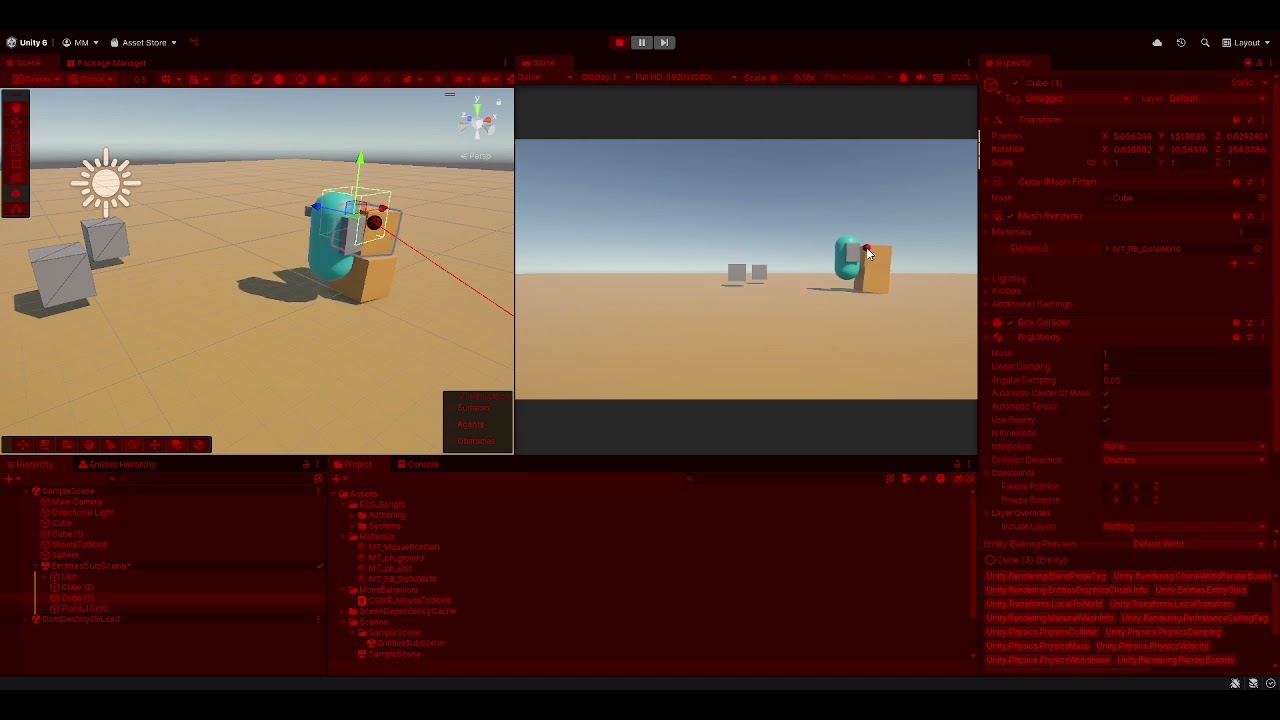 hexed terrace
faint sluice
cant figure out what its expecting me to do, any help pls
hexed terrace
faint sluice
cant figure out what its expecting me to do, any help pls
Like it says, see console for details.. it'll give you more info. And then after you've done some searcing/ investigating for yourself.. continue with help for this in #📱┃mobile
faint sluice
hexed terrace
Like it says, see console for details.. it'll give you more info. And then after...
i did try tho, it says something about Manifest merger failed because two libraries using same attribute property. but this has never happened in any other projects before so im lost. but thanks ill ask in #📱┃mobile
 late burrow
wait so can i convert char array of invalid characters to base64?
polar acorn
I feel like at this point answering that question is just irresponsible
 silk night
you can also run into a wall at full speed, doesnt mean you should 😄
late burrow
i would just use blockcopy but this certain use case i cant
eternal needle
robust harness
I have this code in StartBattleSpawns.cs and i want to have multiple enemies or ...
use an array or list of your objects
robust harness
eternal needle
use an array or list of your objects
how is an array or a list any different from a class? just asking
eternal needle
robust harness
how is an array or a list any different from a class? just asking
you can store any amount of your objects in an array or list. like a
List<Unit> myUnits;
each element in your list would be one unit in your game
you should realllllly consider going through c# basics if you havent heard of a list before
also for your code above,
        GameObject instancedObj1 = GameObject.Instantiate(battle.playerPrefab, battle.playerBattleStation.position, Quaternion.identity) as GameObject;
        playerUnit = instancedObj1.GetComponent<Unit>();
you can pass the component into Instantiate as the first parameter rather than a GameObject, and it will spawn the entire prefab for you but return the Unit. Changing battle.playerPrefab to be of type Unit rather than GameObject would simplify down to
playerUnit = Instantiate(battle.playerPrefab, battle.playerBattleStation.position, Quaternion.identity);
 ashen geode
Hii, how do i assign NavMeshAgent component to a clone of sprite that i spawn using inistiate?
I mean the original sprite already have the component but i dont know why the clone doesnt have it too.. anyone could help?
 verbal dome
ashen geode
Hii, how do i assign NavMeshAgent component to a clone of sprite that i spawn us...
verbal dome
ashen geode
Hii, how do i assign NavMeshAgent component to a clone of sprite that i spawn us...
If the original sprite (presumably a prefab) has an agent then the child will have it also
So make sure that you are instantiating the correct object
 frigid aurora
anybody tryna help me? Im trying to make solitaire, maybe a text in private?
slender nymph
!ask
eternal falconBOT
:thinking: Asking Questions
:mag: Search the internet for your question!
:book: Use the API Scripting Reference and User Manual and this troubleshooting site for commonly posted issues.
:wrench: Attempt to debug your issue.
:thought_balloon: Find an appropriate channel by reading the name and description in #🔎┃find-a-channel
:grey_question: And don't ask to ask, ask a full question illustrating with screenshots if needed.
-# For more posting guidelines, go to #854851968446365696
ashen geode
verbal dome
So make sure that you are instantiating the correct object
Yes there is only one name of the object
Im using prefabs
verbal dome
How do you reference the prefab?
You have show nothing so we can't really help. The cloned object gets a copy of every component of the prefab
verbal dome
Show the prefab with its components visible too
 verbal dome
ashen geode
Actually i use visual script , i hope thats fine
verbal dome
ashen geode
Actually i use visual script , i hope thats fine
Well, not really, this is a C# channel
ashen geode
Rip
verbal dome
Most people here dont use it but check out #763499475641172029
 ashen geode
ashen geode
ashen geode
I dont know what to do anymore, why the component isnt inherited
 frigid aurora
Im creating solitaire for my school project and its my first time ever doing this kind off stuff.
Im going off this yt video https://www.youtube.com/watch?v=IfG6YtqJoLk and im on the second part.
Got stuck on 5.26 where on his screen it displays all the cards face up but on mine its just one card backside up.
Yes ik i found some comments on the video with some possible fixes but i just dont understand them as it is my first time doing this.
Hoping that somebody can guide me or anything cause i just dont understand what the fixes mean.
verbal dome
Indicated by that plus symbol
ashen geode
verbal dome
You haven't applied the Navmeshagent to the prefab
How do i do that
Actually that makes sense
verbal dome
Right click > Added component > Apply
ashen geode
Lemme try
ashen geode
verbal dome
Right click > Added component > Apply
Bravo, thank you very much
Impressive how you able to spot easily
verbal dome
Well, it was the only reason I could think of :p
ashen geode
HAHAHA tyy
slender nymph
frigid aurora
Im creating solitaire for my school project and its my first time ever doing thi...
you're gonna need to show relevant context, like your setup for the scene and relevant code. i doubt anyone is going to watch the tutorial only to guess at what part(s) you didn't follow
frigid aurora
Well I can tell you that it gives me this message: NullReferenceException: Object reference not set to an instance of an object
UpdateSprite.Update () (at Assets/Scripts/UpdateSprite.cs:39)
I don't really know what else i can tell except like go in a vc and share my screen
 eternal falconBOT
Posting code
📃 Large Code Blocks
Use links to services like:
https://paste.mod.gg/, https://hastebin.skyra.pw/, https://paste.ofcode.org/, https://paste.myst.rs/, https://scriptbin.xyz/
📃 Inline Code
Surround code with three backquotes. Not quotation marks.
To format as C#, add cs to the first line:
```cs
// Your code here
```
Add a comment with a line number if there is an error message.
frigid aurora
alr sorry
frigid aurora
slender nymph
<https://unity.huh.how/runtime-exceptions/nullreferenceexception>
will try this
 red igloo
when I move and let go of the keys the player doesn't stop moving instantly there's a sort of delay how can I fix this?

Watch "PlayerController - SampleScene - Windows, Mac, Linux - Unity 2022.3.26f1_ DX11 2025-02-27 14-54-45" on Streamable.
slender nymph
use GetAxisRaw instead of GetAxis. GetAxis applies input smoothing (that delay to stopping you are feeling)
oh and if you are using AddForce you'll still feel it take time to slow down because that's how forces work, other forces have to act on the body to make it stop (friction, drag, and collisions)
red igloo
slender nymph
use GetAxisRaw instead of GetAxis. GetAxis applies input smoothing (that delay t...
Thanks for that, when I jump I don't jump high enough because I increased the drag is there a way to get around this?
slender nymph
use more force or reduce drag while jumping
rare basin
hi, how to change the Intensity of a HDR Color in code?
wintry quarry
rare basin
hi, how to change the Intensity of a HDR Color in code?
make it brighter.
A really systematic way is to use https://docs.unity3d.com/6000.0/Documentation/ScriptReference/Color.RGBToHSV.html and https://docs.unity3d.com/6000.0/Documentation/ScriptReference/Color.HSVToRGB.html
basically - convert to HSV, increase the "value", then convert back to rgb
rare basin
wintry quarry
make it brighter.
so there is no way to access this Intensity slider in code?

how can you make something brighter than 255,255,255 im confused
wintry quarry
no because that intensity slider is basically just a multiplier on the values
wintry quarry
rare basin
how can you make something brighter than 255,255,255 im confused
that's how HDR colors work
they can go beyond the normal 0-1 values of colors
wintry quarry
 tardy musk
where do i learn coding
tardy musk
where do i learn coding
!learn
eternal falconBOT
:teacher: Unity Learn ↗
Over 750 hours of free live and on-demand learning content for all levels of experience!
tardy musk
is there a download
queen adder
red igloo
Thanks for that, when I jump I don't jump high enough because I increased the dr...
Do you have a ground check implemented?
Make sure to have the drag be low when youre not grounded, and higher when you are, so that you fly realistically and not like a feather.
Also, certain counter movement solutions dont require you to have high drag when youre on the ground
crystal bridge
I have a drag/drop script where the bottle switches positions. Everything is working, but the standing position has an unexpected transformation. I tried incorporating transforming coding to fix it, but nothing is changing it.

 hexed terrace
crystal bridge
I have a drag/drop script where the bottle switches positions. Everything is wor...
hexed terrace
crystal bridge
I have a drag/drop script where the bottle switches positions. Everything is wor...
You're changing the size of it, don't do that
crystal bridge
How should I shift the bottle so it is standing and not squished?
 west garnet
Why is this starting with the right canvas but when i press the buttons its not working? im honestly without ideas on how to fix it


 hexed terrace
crystal bridge
How should I shift the bottle so it is standing and not squished?
hexed terrace
crystal bridge
How should I shift the bottle so it is standing and not squished?
it's squished because you change the size (rt.sizeDelta) and it's not standing because it's rotated... rotate it to standing
 grand snow
west garnet
Why is this starting with the right canvas but when i press the buttons its not ...
grand snow
west garnet
Why is this starting with the right canvas but when i press the buttons its not ...
share your ChangeCanvas function as text here
!code
eternal falconBOT
Posting code
📃 Large Code Blocks
Use links to services like:
https://paste.mod.gg/, https://hastebin.skyra.pw/, https://paste.ofcode.org/, https://paste.myst.rs/, https://scriptbin.xyz/
📃 Inline Code
Surround code with three backquotes. Not quotation marks.
To format as C#, add cs to the first line:
```cs
// Your code here
```
Add a comment with a line number if there is an error message.
crystal bridge
The sizeDelta is a response to the squish, which doesn't change it with or without those 2 lines of recTra
polar acorn
west garnet
Why is this starting with the right canvas but when i press the buttons its not ...
All three of those buttons are calling "ScrollDown"
west garnet
polar acorn
All three of those buttons are calling "ScrollDown"
oh yeah i change it already
and didnt work still
 hallow ruin
my name is Infimer
west garnet
grand snow
share your ChangeCanvas function as text here
!code
yeah give me a sec
hallow ruin
Do you have a channel for receiving feedback?
polar acorn
west garnet
oh yeah i change it already
and didnt work still
What isn't working about it
polar acorn
hallow ruin
Do you have a channel for receiving feedback?
As in, feedback on a game you are making? Make a thread in #1180170818983051344
west garnet
polar acorn
What isn't working about it
i want to, when you press a certain button on a certain canvas it changes it but its not even going through the first one
grand snow
Do something like this @west garnet
int currentCanvas = 0;

public void RefreshCanvasStates()
{
  for(int i = 0; i < canvases.Count; i++)
  {
   canvases[i].enabled = i == currentCanvas;
  }
}
The sizeDelta is a response to the squish, which doesn't change it with or without those 2 lines of recTra
west garnet
grand snow
Do something like this <@875529454909284372>
```cs
int currentCanvas = 0;
publ...
let me try,
also do u want to see the file?
i honestly just want to smash my head rn
grand snow
eh no need its probably done in a funny way
polar acorn
west garnet
i want to, when you press a certain button on a certain canvas it changes it but...
First thing's first - put some debug logs in there and make sure the functions are running at all
west garnet
polar acorn
First thing's first - put some debug logs in there and make sure the functions a...
what do you reccomend putting and where? sorry quite new in programming and this is a uni project
polar acorn
Put a debug log as the first line of the functions you're trying to run, and see if they're running at all
hexed terrace
crystal bridge
The sizeDelta is a response to the squish, which doesn't change it with or witho...
2 things.. 1 unrelated to the issue.
Instead of .GetComponent(typeof(RectTransform)) as RectTransform; this is long, and no one does it this way, just do GetComponent<RectTransform>() (RectTransform can be replaced by any type (component) you want to get
secondly - remove these two lines of code and show what happens pls
grand snow
(RectTransform)transform is best
hexed terrace
it was more about how to do GetComponent best, rather than best way to get the rect..
crystal bridge
hexed terrace
2 things.. 1 unrelated to the issue.
Instead of `.GetComponent(typeof(RectTrans...
I removed the lines and nothing changes. Do you want to see whole script?
hexed terrace
Yes !code
eternal falconBOT
Posting code
📃 Large Code Blocks
Use links to services like:
https://paste.mod.gg/, https://hastebin.skyra.pw/, https://paste.ofcode.org/, https://paste.myst.rs/, https://scriptbin.xyz/
📃 Inline Code
Surround code with three backquotes. Not quotation marks.
To format as C#, add cs to the first line:
```cs
// Your code here
```
Add a comment with a line number if there is an error message.
crystal bridge
hexed terrace
Yes !code


 hexed terrace
oh ok, ignore the bot
west garnet
polar acorn
First thing's first - put some debug logs in there and make sure the functions a...
i put a debug log, andthe only one that gave me something, even when i pressed the buttons was the onenable that worked on the beginning


 crystal bridge
hexed terrace
oh ok, ignore the bot
crystal bridge
hexed terrace
oh ok, ignore the bot
I'm the bot? :0
rocky canyon
ouch, as a mobile user let me scroll around ur images for 30 minutes or so
rocky canyon
crystal bridge
I'm the bot? :0
no the bot has alternatives to screenshots, like paste-bin websites
#💻┃code-beginner message this is bot
grand snow
west garnet
i put a debug log, andthe only one that gave me something, even when i pressed t...
why are you casting the array to ICollection wtf
hexed terrace
crystal bridge
I'm the bot? :0
the bot..
 west garnet
grand snow
why are you casting the array to ICollection wtf
west garnet
grand snow
why are you casting the array to ICollection wtf
it was a suggestion, the code that u sent didnt work, honestly i had no idea on what it did
hexed terrace
What does the sprite used for imageB look like
crystal bridge
hexed terrace
the bot..
Gotcha, wanted to make sure that's what you meant XD
grand snow
west garnet
it was a suggestion, the code that u sent didnt work, honestly i had no idea on ...
That was my mistake. its .Length for arrays
hexed terrace
crystal bridge
Gotcha, wanted to make sure that's what you meant XD
it's obvious what I meant 😄
.. unless you're completely new to using Discord, i guess
hexed terrace
hexed terrace
What does the sprite used for imageB look like
anyway.. back to the issue... ☝️
west garnet
grand snow
That was my mistake. its .Length for arrays
oh tyty
let me see if it works now
grand snow
west garnet
oh tyty
let me see if it works now
Yea i just wrote it from memory i always mix em up 😆
crystal bridge
hexed terrace
anyway.. back to the issue... ☝️
The laying bottle is A, standing is B

 west garnet
grand snow
Yea i just wrote it from memory i always mix em up 😆
west garnet
grand snow
Yea i just wrote it from memory i always mix em up 😆
nah dont stress men, you're helping me
cant complain
crystal bridge
Script is attached to the laying bottle object
hexed terrace
crystal bridge
The laying bottle is A, standing is B
show the inspector for the image component that these sprites get assigned to - make sure to include the rect transform
west garnet
grand snow
Yea i just wrote it from memory i always mix em up 😆
still doesnt work, it debugs the on enable but doesnt debug the rest, so ig is smth related to the on enable?
grand snow
west garnet
nah dont stress men, you're helping me
cant complain
If your scroll up/down functions then either +1 or -1 from the active canvas index value before you refresh them you will have it cycle through them all.
Make sure to wrap the value though if you do this.
if(currentCanvas >= canvases.Length) currentCanvas = 0;
else if(currentCanvas < 0) currentCanvas = canvases.Length - 1;

 west garnet
grand snow
If your scroll up/down functions then either +1 or -1 from the active canvas ind...
west garnet
grand snow
If your scroll up/down functions then either +1 or -1 from the active canvas ind...
sorry if this question sounds dumb, should i add that on both of the scrollUp and scrollDown?
polar acorn
west garnet
i put a debug log, andthe only one that gave me something, even when i pressed t...
Then it looks like the input actions aren't working. Not sure the specific idiosynchrasies of InputActionReference, but you probably need to enable the map somewhere? Might be a better question for #🖱️┃input-system and make sure to post !code using a bin, not screenshots.
eternal falconBOT
Posting code
📃 Large Code Blocks
Use links to services like:
https://paste.mod.gg/, https://hastebin.skyra.pw/, https://paste.ofcode.org/, https://paste.myst.rs/, https://scriptbin.xyz/
📃 Inline Code
Surround code with three backquotes. Not quotation marks.
To format as C#, add cs to the first line:
```cs
// Your code here
```
Add a comment with a line number if there is an error message.
hexed terrace
crystal bridge
Scale for UI should always be 1,1,1 .. change width/ height to size UI correctly. This is probably why a different sprite looks all wrong when switched in
You'll also want Z rotation to be 0
west garnet
polar acorn
Then it looks like the input actions aren't working. Not sure the specific idios...
yep sorry
grand snow
west garnet
sorry if this question sounds dumb, should i add that on both of the scrollUp an...
Scroll up can be -1 and scroll down can be +1 for example. The point of this is so your scrolling input can scroll forwards or backwards through the canvases array.
but yea if your inputs dont get called it wont do anything just yet
west garnet
grand snow
Scroll up can be -1 and scroll down can be +1 for example. The point of this is ...
yeah alright makes sense
west garnet
grand snow
but yea if your inputs dont get called it wont do anything just yet
yeahhh its weird
im completly out of ideas im going to also ask in #🖱️┃input-system like someone suggested
rocky canyon
if its an input issue i'd also suggest that
crystal bridge
hexed terrace
Scale for UI should always be 1,1,1 .. change width/ height to size UI correctly...
The laying bottle looks a little better, but doesn't change the issue. Also note the standing bottle on the scene (which is hidden via Alpha 0) is normal size and shape.
west garnet
rocky canyon
if its an input issue i'd also suggest that
well i got no idea tbh
i just know that the first fuction is working the rest isnt
hexed terrace
crystal bridge
standing bottle has a scale of 0,0,0
crystal bridge
hexed terrace
standing bottle has a scale of 0,0,0
As per your previous suggestion, I changed to 1,1,1
 hexed terrace
show the updated rect transform for the one with the issue
crystal bridge
The one above
hexed terrace
let's also create a thread, as this atm is looking to be not code related
 smoky river
why does my character STILL jump even when hes in the air? (i want him to only jump when hes touching the ground)
using System.Collections;
using System.Collections.Generic;
using UnityEngine;
public class movement : MonoBehaviour
{
[SerializeField] private float speed;
[SerializeField] private float jumpForce = 10f; // Separate jump force
[SerializeField] private LayerMask groundLayer;
private Rigidbody2D body;
private BoxCollider2D boxCollider;
private void Awake()
{
body = GetComponent<Rigidbody2D>();
boxCollider = GetComponent<BoxCollider2D>();
// Force groundLayer to use the correct "Ground" layer for debugging
groundLayer = LayerMask.GetMask("Ground");
Debug.Log("Ground Layer Mask Value: " + groundLayer.value); // Debugging line
}
private void Update()
{
float horizontalInput = Input.GetAxis("Horizontal");
body.velocity = new Vector2(horizontalInput * speed, body.velocity.y);
if (Input.GetKeyDown(KeyCode.Space) && isGrounded())
{
Debug.Log("Jump Condition Met!");
Jump();
}
}
private void OnCollisionEnter2D(Collision2D collision)
{
}
private bool isGrounded()
{
Vector2 start = boxCollider.bounds.center;
Vector2 size = boxCollider.bounds.size * 0.9f;
float distance = 0.6f;
Vector2 direction = Vector2.down;
Debug.DrawRay(start, direction * distance, Color.red, 0.1f);
RaycastHit2D raycastHit = Physics2D.BoxCast(start, size, 0, direction, distance, groundLayer);
Debug.Log("Is Grounded: " + (raycastHit.collider != null));
if (raycastHit.collider != null)
{
Debug.Log("Ground detected: " + raycastHit.collider.gameObject.name);
return true;
}
return false;
}
private void Jump()
{
Debug.Log("Jumping!");
body.velocity = new Vector2(body.velocity.x, jumpForce);
}
}```
i';ve been trying to fix the issue for SO LONG both the character and the ground are set on the ground layer
rocky canyon
well first thing debug "isGrounded()" is it always true?
hexed terrace
if it can jump while in the air, then isgrounded is true
rocky canyon
seems like it would be
smoky river
hexed terrace
if it can jump while in the air, then isgrounded is true
i know
i've been trying to fix this but i couldn't find a solution
smoky river
hexed terrace
size of raycast is probably too big
what should i set it to
crystal bridge
hexed terrace
if it can jump while in the air, then isgrounded is true
Update: Rotation issue is fixed, but width still off. Video shows the standing bottle with Alpha 1 (so you can see). It disappears when I drag the bottle.

 ocean dove
smoky river
why does my character STILL jump even when hes in the air? (i want him to only j...
ocean dove
smoky river
why does my character STILL jump even when hes in the air? (i want him to only j...
Set player to Ignore Raycast, or force the raycast to ignore the player, I've had this issue once before
also, overriding the velocity can lead to bugs so I recommend to do AddForce(force, ForceMode2D.Impulse)
smoky river
ocean dove
Set player to Ignore Raycast, or force the raycast to ignore the player, I've ha...
how do i do that?
ocean dove
change the player gameobject's layer to IgnoreRaycast
crystal bridge
hexed terrace
size of raycast is probably too big
Sorry, I meant that to be a video
hexed terrace
crystal bridge
Sorry, I meant that to be a video
like I said up above, let's thread this as it's not code related atm - delete this and post in the thread I just created
smoky river
ocean dove
change the player gameobject's layer to IgnoreRaycast
thank you SO MUCH THE ISSUE IS FINALLY SOLVED
 floral salmon
{
    RectTransform rectTransform;

    void Start()
    {
        //Fetch the RectTransform from the GameObject
        rectTransform = GetComponent<RectTransform>();
    }
I assume this doc example is a typo since rects are not game objects and finding the rect transform of a rect transform returns the parent transform instead
eternal needle
floral salmon
```public class Example : MonoBehaviour
{
RectTransform rectTransform;
...
it never states that a rect transform is a game object. GetComponent searches the current gameobject and returns the type specified between the <>. A rect transform is a transform
slender nymph
floral salmon
```public class Example : MonoBehaviour
{
RectTransform rectTransform;
...
- you absolutely can use GetComponent to get a RectTransform because GetComponent gets a component attached to the object that you call the method on (in this case, it is this.GetComponent)
- this will get this object's RectTransform, not a parent object's RectTransform because it is calling GetComponent on this, not on its parent GameObject
- the only thing wrong about the example code is that you don't need to use GetComponent to get a RectTransform, you can just cast the
transformproperty to RectTransform (and even still, the code is perfectly functional as is)
 hearty glade
Hi, I have a "Card" script attached to GameObjects that are in a list(cards) and they have an enum(cardElements). I'm trying to sort them by using this script, but it doesn't work.
 polar acorn
floral salmon
```public class Example : MonoBehaviour
{
RectTransform rectTransform;
...
polar acorn
floral salmon
```public class Example : MonoBehaviour
{
RectTransform rectTransform;
...
What makes you think this doesn't work?
polar acorn
hearty glade
Hi, I have a "Card" script attached to GameObjects that are in a list(cards) and...
What doesn't work about it
hearty glade
polar acorn
What doesn't work about it
it doesn't sort the list.
polar acorn
hearty glade
it doesn't sort the list.
It does. Are you putting it anywhere?
How are you sure it isn't? Where do you check it?
This will create a list with the elements in order
It doesn't modify the list in place
 fast fern
so I want to do a calculation, but allow the player to write numbers in the input field (height, weight), whats the best way to script how to get the input numbers from the input field?

 hearty glade
polar acorn
This will create a list with the elements in order
hearty glade
polar acorn
This will create a list with the elements in order
I seee. Thank you so much!!
polar acorn
fast fern
so I want to do a calculation, but allow the player to write numbers in the inpu...
Set your input field's OnSubmit to a function that takes a string. Use float.TryParse (or int) to get a number for it if possible
floral salmon
polar acorn
What makes you think this doesn't work?
It works, but returns second parent's rect, which is counterintuitive
polar acorn
floral salmon
It works, but returns second parent's rect, which is counterintuitive
No, it doesn't. It returns the RectTransform on the object this script is on
slender nymph
floral salmon
It works, but returns second parent's rect, which is counterintuitive
wtf do you mean by "returns second parent's rect"? it will get the RectTransform of the object that GetComponent is called on
grand snow
hearty glade
I seee. Thank you so much!!
List has a sort function to sort in place so you should use that instead of Linq
rocky canyon
fast fern
so I want to do a calculation, but allow the player to write numbers in the inpu...
you could also check as they type to only allow numbers and w/e mathmatical grammar u want
using onValueChanged i believe
or u can allow them to type anything and use Regex to sort thru and pull out the numbers//
or Linq char.IsDigit() i believe. one sec let me see what me ide recommends..
    [SerializeField] TMP_InputField theInputField;
    public void ReadAndPrintInputField()
    {
        // clean the string
        string numbersOnly = new string(theInputField.text.Where(c => char.IsDigit(c) || c == '.').ToArray());

        // try to display numbers
        if(float.TryParse(numbersOnly,out float result))
            Dbug.Log($"Extracted Float: {result}");
        else
            Dbug.Log("No valid float found."); // no numbers in the field
}```I tried this so far, didn't work
public string weightStr;
public Text weight;
public void ReadInputWeight(){
if (Input.GetMouseButton(0)) {float.TryParse(weightStr, out playerWeight);}
}``` cold mist
hello, is there any way to set a bool to true using unity events?
fast fern
fast fern
I tried this so far, didn't work
``` public float playerWeight;
public stri...
it didn't take effect
 wintry quarry
cold mist
hello, is there any way to set a bool to true using unity events?
wintry quarry
cold mist
hello, is there any way to set a bool to true using unity events?
yes of course, what did you try and what's stopping you?
fast fern
rocky canyon
or Linq `char.IsDigit()` i believe. one sec let me see what me ide recommends..
...
I will try this, thanks
wintry quarry
you can literally write any code you want inside an event listener.
polar acorn
fast fern
I tried this so far, didn't work
``` public float playerWeight;
public stri...
Okay, so what is this supposed to do
you aren't using the result anywhere
queen adder
cold mist
hello, is there any way to set a bool to true using unity events?
Yes just do this, im just using GameObject.SetActive as an example, you can use any function
 polar acorn
Ah, wait, it's a field, I thought that was the class name since it was less indented
cold mist
wintry quarry
yes of course, what did you try and what's stopping you?
im trying to use UnityEvent<bool> onChangeBool, i invoke it by using a OnEnterTrigger2D method
rocky canyon
fast fern
I will try this, thanks
worked for me
cold mist
queen adder
Yes just do this, im just using GameObject.SetActive as an example, you can use ...
ill try it out
rocky canyon
i do prefer to monitor the field tho
and not allow letters and stuff
thats a bit more involved tho and not sure its necessary for ya
fast fern
polar acorn
Okay, so what is this supposed to do
I'm trying to get the wight and height number, then print out the BMI calculation in the console
BMI = playerWeight/(playerHeight*playerHeight);
wintry quarry
cold mist
im trying to use UnityEvent<bool> onChangeBool, i invoke it by using a OnEnterTr...
Ok and what's going wrong with it?
hexed terrace
rocky canyon
thats a bit more involved tho and not sure its necessary for ya
there's a drop down to select what can be added
cold mist
wintry quarry
Ok and what's going wrong with it?
it won't change to true
rocky canyon
hexed terrace
there's a drop down to select what can be added
really? 👀
polar acorn
fast fern
I tried this so far, didn't work
``` public float playerWeight;
public stri...
What is calling ReadInputWeight? It doesn't take a string parameter, so what's changing weightStr?
rocky canyon
hexed terrace
there's a drop down to select what can be added
for how long? 😭 lmao
 quick pollen
I'm pretty sure I asked this before, but how could I create a list of objectpools?
 hexed terrace
forever?
 wintry quarry
quick pollen
I'm pretty sure I asked this before, but how could I create a list of objectpool...
wintry quarry
quick pollen
I'm pretty sure I asked this before, but how could I create a list of objectpool...
List<ObjectPool<Projectile>>
rocky canyon
nevermind what i sed about filtering out the input
quick pollen
wintry quarry
`List<ObjectPool<Projectile>>`
the problem is that each objectpool should have different objects
rocky canyon
i wasn't even aware we had this dropdown
quick pollen
I have a list of all the objects I want
cold mist
oops
wintry quarry
quick pollen
the problem is that each objectpool should have different objects
What's the benefit of putting them in a list then
hexed terrace
rocky canyon
i wasn't even aware we had this dropdown
it's crazy that you hadn't even looked for one! 😄
quick pollen
    [Serializable]
    struct Projectiles{
        public Projectile projectile;
        public int minProjectiles;
        public int maxProjectiles;
    }
    [SerializeField] List<Projectiles> projectileInfos;
    List<ObjectPool<Projectile>> ProjectilePools;
    // Start is called once before the first execution of Update after the MonoBehaviour is created
    void Start()
    {
        for(int i = 0; i < projectileInfos.Count; i++){
            ProjectilePools[i] = new ObjectPool<Projectile>(

            )
        }
}```you mean different TYPES of objects, or just different projectiles?
quick pollen
wintry quarry
What's the benefit of putting them in a list then
because I'll wanna be able to go through all of the objectpools
rocky canyon
hexed terrace
it's crazy that you hadn't even looked for one! 😄
im an idiot at times 😦
the first thing i ever did in unity as create a Password prompt.. learned about all the linq and regex stuff
fast fern
polar acorn
What is calling `ReadInputWeight`? It doesn't take a string parameter, so what's...
this thing
 quick pollen
wintry quarry
you mean different TYPES of objects, or just different projectiles?
quick pollen
wintry quarry
you mean different TYPES of objects, or just different projectiles?
different projectiles
the types remain
rocky canyon
i never ever thought to check if there was something like that
wintry quarry
quick pollen
different projectiles
then there's no problem with List<ObjectPool<Projectile>>
fast fern
rocky canyon
<@787657279691423744> ^ TIL lol
I'll check it out, a lot of reading to do
quick pollen
wintry quarry
then there's no problem with `List<ObjectPool<Projectile>>`
but how can I set the creation function? I'd need it to have a parameter, but you can't do that
cold mist
@wintry quarry im invoking this function but it won't bother
 wintry quarry
quick pollen
but how can I set the creation function? I'd need it to have a parameter, but yo...
wintry quarry
quick pollen
but how can I set the creation function? I'd need it to have a parameter, but yo...
What do you mean? You need to provide the parameters in the constructor.
https://docs.unity3d.com/6000.0/Documentation/ScriptReference/Pool.ObjectPool_1-ctor.html
what's stopping you from providing parameters?
cold mist
 rocky canyon
fast fern
I'll check it out, a lot of reading to do
rocky canyon
fast fern
I'll check it out, a lot of reading to do
just a simple Content restriction.. u can mark ur stuff as numerical and u wont have to worry about anything like that..
wintry quarry
cold mist
<@179367739574583296> im invoking this function but it won't bother
Is it running? Add Debug.Log to make sure
rocky canyon
no need to even check if u entered letters b/c they're just not allowed
cold mist
wintry quarry
Is it running? Add Debug.Log to make sure
it is, if i use print it works fine
fast fern
alright, gonna give it a shot
wintry quarry
cold mist
it is, if i use print it works fine
then it is working
either something else is setting that variable to false, or you are setting the variable to true on a different object than you expect
quick pollen
wintry quarry
What do you mean? You need to provide the parameters in the constructor.
https:...
 rocky canyon
fast fern
alright, gonna give it a shot
rocky canyon
fast fern
alright, gonna give it a shot
all u need to do is parse the textInput.text to float
then do ur normal math
cold mist
wintry quarry
either something else is setting that variable to false, or you are setting the ...
ill check it out
rocky canyon
👍
polar acorn
fast fern
this thing
Okay, so, what changes weightStr?
wintry quarry
quick pollen
you need to pass in a function. You can use a lambda here like () => CreateProjectile(1)
polar acorn
You're parsing that field, but where do you change it?
wintry quarry
quick pollen
although with this you'll need to be careful about lambda variable capture
polar acorn
cold mist
<@179367739574583296> im invoking this function but it won't bother
Show where you're invoking it
fast fern
polar acorn
You're parsing that field, but where do you change it?
the input the player write becomes the new value (reeeeeeeeeeeeeeee sorry I'm a noob)
quick pollen
wintry quarry
although with this you'll need to be careful about lambda variable capture
yeah, I know about that, I struggled with lambda expressions before
polar acorn
fast fern
the input the player write becomes the new value (reeeeeeeeeeeeeeee sorry I'm a ...
Okay, but where do you do that
wintry quarry
quick pollen
yeah, I know about that, I struggled with lambda expressions before
so you probably want this:
int temp = i;
ProjectilePools[i] new ObjectPool<Projectile>(
  () => CreateProjectile(temp),
  // the rest
)```the temp is necessary to avoid vvariable capture issues
quick pollen
 polar acorn
cold mist
<@153950686088921088> right here
polar acorn
cold mist
<@153950686088921088> right here
All right, and where do you add SetHeadBool to onHeadHitEvent?
wintry quarry
quick pollen
that's not what I wrote
not sure why you did that
follow my example
fast fern
polar acorn
Okay, but where do you _do_ that
aaaah, ye the code is messed up and missing stuff
cold mist
polar acorn
All right, and where do you add `SetHeadBool` to `onHeadHitEvent`?
the events are in the same codes where they are invoked
 fast fern
its broken
polar acorn
fast fern
aaaah, ye the code is messed up and missing stuff
You should make the function take the string as a parameter
and parse that
fast fern
yeee
polar acorn
cold mist
the events are in the same codes where they are invoked
Okay, so where do you add SetHeadBool to onHeadHitEvent?
cold mist
cold mist
the events are in the same codes where they are invoked
and i call the functions using the inspector
 fast fern
will try the other guy thing in a bit
quick pollen
wintry quarry
not sure why you did that
ah nevermind, the problem was the type
but what does () represent?
wintry quarry
quick pollen
ah nevermind, the problem was the type
but what does `()` represent?
an empty parameter list
quick pollen
thats still weird to me
wintry quarry
why is it weird
we're creating a function that doesn't take any parameters, and returns the result of CreateProjectile(temp)
and passing that to the pool as the "create object" function
polar acorn
cold mist
and i call the functions using the inspector
Okay, so, you're calling SetHeadBool on P1 (Cowboy) whenever this object collides with something tagged "Head".
quick pollen
wintry quarry
we're creating a function that doesn't take any parameters, and returns the resu...
ahhh I see
well, theres no real "creating" is what's weird