#💻┃code-beginner
1 messages · Page 586 of 1
 grand snow
 timber tide
the camera on the player could be creating some problems too if it's being moved in fixed
try just playing with what cinemachine has first
grand snow
then move the UI positioning to late update or change the monobehaviour execution order: https://docs.unity3d.com/Manual/class-MonoManager.html
but as we all keep saying, the order is clearly wrong
Update() and FixedUpdate are often enough but you have a few things to juggle here
Id personally use the event i sent twice but im gonna sleep soon
 cosmic dagger
you shouldn't mess with the script execution order. there isn't a need to . . .
 frigid sequoia
It's normal that this method is blacked out if I just call it from the InvokeRepeating?

 fast copper
How hard is it to make a decent basic inventory system?
frigid sequoia
fast copper
How hard is it to make a decent basic inventory system?
A lot, look for one already made and import it
cosmic dagger
fast copper
How hard is it to make a decent basic inventory system?
there is no way to rate "decent" as that means something different to everyone. a basic inventory system can be created from YouTube tutorials . . .
how hard it is to implement depends on your knowledge of C# and Unity . . .
 eternal needle
frigid sequoia
It's normal that this method is blacked out if I just call it from the InvokeRep...
eternal needle
frigid sequoia
It's normal that this method is blacked out if I just call it from the InvokeRep...
this seems like something you realllly dont wanna do. you'll call this method every frame, in 1 second from now, and it will repeat every second. PER frame
also if you use nameof(method name here) itll probably show as being used
fast copper
cosmic dagger
there is no way to rate "decent" as that means something different to everyone....
i meant decent as in works and useable, and my knowledge is little but im going to try it i just wanted to know if its going to be hard and ngl it sounds like it is
cosmic dagger
frigid sequoia
It's normal that this method is blacked out if I just call it from the InvokeRep...
you do understand that you're calling a new IRIModifyResources every frame in Update and repeating that every 1 seconds, multiplying the call every frame, right?
frigid sequoia
eternal needle
this seems like something you realllly dont wanna do. you'll call this method ev...
Isn't the whole point of InvokeRepeating to be used like that?
Then I just do it once?
cosmic dagger
frigid sequoia
Isn't the whole point of InvokeRepeating to be used like that?
no, the 3rd param repeatRate will repeat, as in, call the method every n seconds; in your case, every 1 second. this method would only be called once . . .
frigid sequoia
Like do I place that on Start?
cosmic dagger
i would check out the method in the Unity docs to see how it's used . . .
frigid sequoia
I did, I do not understand
cosmic dagger
fast copper
i meant decent as in works and useable, and my knowledge is little but im going ...
the problem is there are sooooo many different inventory systems. each one you find will be made differently . . .
frigid sequoia
I just place it on start?
And it would repeat the call every second until I cancel it?
 slender nymph
put a log in the method invoked by InvokeRepeating to see when it is called
cosmic dagger
frigid sequoia
I did, I do not understand
then i would definitely try and understand the method before using it . . .
slender nymph
then you can try different ways of using InvokeRepeating to see which suits your needs best
cosmic dagger
frigid sequoia
I just place it on start?
what part about it confuses you? let's start there . . .
fast copper
cosmic dagger
the problem is there are sooooo many different inventory systems. each one you f...
I really like Resident evil inventory systems, i have a mug of coffee and a dream
cosmic dagger
fast copper
I really like Resident evil inventory systems, i have a mug of coffee and a drea...
eeek, that one is a doozy! you'll definitely need some basic C# knowledge when tackling that . . .
frigid sequoia
cosmic dagger
what part about it confuses you? let's start there . . .
Like calls the method after X seconds then again every Y seconds. So.... that would make me think that if I place it on start, it would just do it once, and since it happens only in one frame it never comes to count up to a second at all
slender nymph
frigid sequoia
Like calls the method after X seconds then again every Y seconds. So.... that wo...
frigid sequoia
And yes, I can blindly add prints and try for like half an hour to see how it exactly works, for sure, but it's always like way clearer if I ask people that already know the stuff, u know?
cosmic dagger
frigid sequoia
Like calls the method after X seconds then again every Y seconds. So.... that wo...
but you just said, "then again every Y seconds." if it calls it again every Y seconds, that would mean it keeps calling it again and again every Y seconds, right?
slender nymph
frigid sequoia
And yes, I can blindly add prints and try for like half an hour to see how it ex...
you can read the documentation and actually test things to see how they work, yes. and if that information is not sufficient asking clarifying questions instead of just straight up asking people to pretty much repeat the documentation is a good idea. but right now you're basically just asking people to repeat what the documentation says
cosmic dagger
that sounds like it repeats, as in, InvokeRepeating . . .
frigid sequoia
cosmic dagger
that sounds like it repeats, as in, Invoke**Repeating** . . .
If your response to me asking "how does this work?" is "read the documentation" u are not really answering anything. That's like you asking the teacher and them just telling you to read the book, that's an awful teacher imo
But besides, that's not even what I asked in the first place
slender nymph
what part of "Invokes the method methodName in time seconds, then repeatedly every repeatRate seconds." is not clear?
cosmic dagger
also, the description says it invokes (calls/executes) the method in the time you specify (1 sec), and then repeatedly every n secs (1 sec) . . .
frigid sequoia
I asked if it's intended for a method that is called from an InvokeRepeating to be balcked out
slender nymph
you're not calling the method anywhere in your code, so yes.
the compiler has no idea that the string you are passing to InvokeRepeating has anything at all to do with the method in your code
cosmic dagger
frigid sequoia
If your response to me asking "how does this work?" is "read the documentation" ...
first i said read the docs because you never mentioned that you did and just tried using the method without understanding it
then i ask you to clarify what part confuses you so we can start from there
then i explained what each parameter does and how it works . . .
slender nymph
because it uses reflection rather than an Action. if you want something with better compile time checking, then write a coroutine instead
frigid sequoia
cosmic dagger
first i said read the docs because you never mentioned that you did and just tri...
Well, I understand now, but I have read that before, and I didn't understood it at all
cosmic dagger
i was feeding you information the entire time to help explain what it does. never did i say, "read the book, and just figure it out . . ."
frigid sequoia
slender nymph
because it uses reflection rather than an Action. if you want something with bet...
I usually do, but since I just want this to happen all the time pretty much regardless of anything InvokeRepeating seemed like the right way to do it
cosmic dagger
frigid sequoia
I usually do, but since I just want this to happen all the time pretty much rega...
if you want it to occur constantly, use a Coroutine instead . . .
frigid sequoia
So in what case should I use the InvokeRepeating then?
slender nymph
When you want to use strings and reflection instead of a better option
cosmic dagger
you also asked if you should use it in Start and the docs show it being used in Start . . .
frigid sequoia
slender nymph
When you want to use strings and reflection instead of a better option
But why would I even ever want that???
cosmic dagger
frigid sequoia
So in what case should I use the InvokeRepeating then?
this would be a case to use it, but since you have or need parameters for the method, coroutines is a better option, and you have more control over the flow of the coroutine . . .
 night mural
frigid sequoia
But why would I even ever want that???
night mural
frigid sequoia
But why would I even ever want that???
consider it a relic of an earlier time. There's also stuff like https://docs.unity3d.com/6000.0/Documentation/ScriptReference/GameObject.SendMessage.html which, yeah don't ever use that! but someone thought it was a good idea a long time ago so it stays around
frigid sequoia
So this is a right way to use it or in this case should be more like.... making the Corourine loop indifently without stopping it?

Cause I always used it like that, and I realize now I might have been using it entirely wrong
Like that's intended to be always running on the background right?
This would be a better use of it???

 earnest wind
frigid sequoia
So this is a right way to use it or in this case should be more like.... making ...
earnest wind
frigid sequoia
So this is a right way to use it or in this case should be more like.... making ...
Wait what
Are u calling the IEnumerator every frame??
 rich adder
frigid sequoia
This would be a better use of it???
rich adder
frigid sequoia
This would be a better use of it???
better alternatives are Time.time or Time.deltaTime timer
frigid sequoia
earnest wind
Are u calling the IEnumerator every frame??
No. What? Just once, but never stopping it
earnest wind
frigid sequoia
No. What? Just once, but never stopping it
Daleo, can i know what u are tying to make? What is this for?
frigid sequoia
I used to just clear it entirely after each iteration
cosmic dagger
frigid sequoia
So this is a right way to use it or in this case should be more like.... making ...
If you want it to run forever, use a while loop . . .
frigid sequoia
earnest wind
Daleo, can i know what u are tying to make? What is this for?
As simple as adding a resource generation to the resource pool each second
earnest wind
frigid sequoia
As simple as adding a resource generation to the resource pool each second
But u dont need to make a loop? Just trigger the UI and data change when a resource gets generated
There is no need for loops
 void thicket
frigid sequoia
So this is a right way to use it or in this case should be more like.... making ...
void thicket
frigid sequoia
So this is a right way to use it or in this case should be more like.... making ...
Why the variable you check and variable you assign is different 🤔
cosmic dagger
frigid sequoia
So this is a right way to use it or in this case should be more like.... making ...
The issue with this is you are checking one coroutine variable and then assigning a different one. Why are there two different coroutines?
frigid sequoia
Oh, ya, I am fucking dumb, I duplicated it
frigid sequoia
earnest wind
But u dont need to make a loop? Just trigger the UI and data change when a resou...
This script is precisely what is supposed to generate it???? Like I don't understand you
 strong wren
earnest wind
frigid sequoia
This script is precisely what is supposed to generate it???? Like I don't unders...
strong wren
earnest wind
frigid sequoia
This script is precisely what is supposed to generate it???? Like I don't unders...
Im sorry i think i didnt understand, wdym by adding resource generation, as in just changing a value and updating something based on it?
frigid sequoia
earnest wind
Im sorry i think i didnt understand, wdym by adding resource generation, as in j...
Like... you have 50 current health, and a maximum of 100, you regenerate 5 each second; a second passes, now you have 55....
earnest wind
frigid sequoia
Like... you have 50 current health, and a maximum of 100, you regenerate 5 each ...
Ah so this IS the function which regenerates?
frigid sequoia
Of course
 sand schooner
I have a Sphere Collider on a game object as well as the game object having the tag "JumpPowerUp", and in my player controller I have a onCollisionEnter method. In that method I have: if (collision.gameObject.CompareTag("JumpPowerUp") //Change scene but when my player bumps into the game object, the scene does not change. Any ideas?

 rich adder
sand schooner
I have a Sphere Collider on a game object as well as the game object having the ...
rich adder
sand schooner
I have a Sphere Collider on a game object as well as the game object having the ...
log the collision first, put log before the tag check
void thicket
sand schooner
I have a Sphere Collider on a game object as well as the game object having the ...
Check if the event is called at all
rich adder
also why LoadAsync in a Synchronous method..
sand schooner
The event does get called, but its saying the colliders gameObject is the parent of the parent of the actual game object
void thicket
sand schooner
The event does get called, but its saying the colliders gameObject is the parent...
That's where you have Rigidbody?
sand schooner
The parent object has a rigidbody yeah
rich adder
sand schooner
The event does get called, but its saying the colliders gameObject is the parent...
what is saying what?
sand schooner
And the logs said the colision was with "Cube" whenever my player colides with "JumpPowerUp"
 void thicket
That's not how Rigidbody should be set up
sand schooner
Would removeing the rigidbody from Cube solve it?
rich adder
sand schooner
And the logs said the colision was with "Cube" whenever my player colides with "...
if cube has the rigidbody then thats normal
child colliders become part of parent rigidbody
 sonic osprey
Does anyone know how to code with C#
sand schooner
Cube is pretty much the ground, it spins and the player has to stay on it
sonic osprey
and is willing to help me with my vr game
rich adder
sonic osprey
Does anyone know how to code with C#
stop crossposting
sonic osprey
Ok
rich adder
no need to spam all the channels
rich adder
if you want to learn there are resources pinned
sand schooner
Looks like removing the rigidbody from cube fixed it, tbh not sure why cube has a rigidbody in the first place
void thicket
sand schooner
Cube is pretty much the ground, it spins and the player has to stay on it
The physics platform is bit of pain to make but parenting is not a good way
rich adder
if it spins then you should keep it as rigidbody but rotate using the MoveRotation or angularVel
void thicket
You have to play with Math ™️
sand schooner
I tried to find a good way to make it work, and the best way I found is to have the player as a child of the cube, that way when the cube rotates, the player moves with the cube
but open to suggestions
rich adder
sand schooner
I tried to find a good way to make it work, and the best way I found is to have ...
that only works okay if player is character controller not rigidbody
sand schooner
how do you mean?
rich adder
sand schooner
how do you mean?
if player is rigidbody you should not use parenting between two rbs
as mentioned you have to do a bit of math between both velocities and whatnot
void thicket
Unity hierarchy and physics simulation world works separately
You need something like https://catlikecoding.com/unity/tutorials/movement/moving-the-ground/
sand schooner
interesting
strong wren
I didn't look at the actual problem you were trying to solve, but saw the CM related execution order discussion and figured it could be helpful.
 mellow zenith
ive just started game development and am working on a dummy game but its not working is someone able to help me
Im trying to make a building system similar to Hay Day or Clash of Clans and I have a tilemap and grid, but I cant figure out how to move/place objects
sand schooner
also thank you @void thicket and @rich adder
rich adder
mellow zenith
ive just started game development and am working on a dummy game but its not wor...
what is not working
rich adder
show code
mellow zenith
in here?
rich adder
yea ⏬
 eternal falconBOT

Posting code
📃 Large Code Blocks
Use links to services like:
https://paste.mod.gg/, https://hastebin.skyra.pw/, https://paste.ofcode.org/, https://paste.myst.rs/, https://scriptbin.xyz/
📃 Inline Code
Surround code with three backquotes. Not quotation marks.
To format as C#, add cs to the first line:
```cs
// Your code here
```
Add a comment with a line number if there is an error message.
mellow zenith
A tool for sharing your source code with the world!
im not sure if i have linked everything correctly in unity I believe thats the problem because i followed a tutorial
 rich adder
mellow zenith
im not sure if i have linked everything correctly in unity I believe thats the p...
rich adder
mellow zenith
im not sure if i have linked everything correctly in unity I believe thats the p...
the Event system part is kinda strange since this is a Tilemap not UI
unless you were supposed to put physics raycaster
can you send tuto link
mellow zenith

An easy tutorial on how to make a grid based building system in Unity. You don't need to write a custom grid! The system works with standard Unity tilemaps. It implements grid snapping and placement checking. As an example, I used an isometric grid but it will work for any 2d grid.
Get the project files - https://www.patreon.com/posts/project-...
idk if I have to do isometric bc thats what she did, but I want to have my game 3d so i used rectangular tilemap
rich adder
mellow zenith
https://www.youtube.com/watch?v=gFpmJtO0NT4&list=PL0FALXGqi7wJSZxRGD63S9jVWT9v5z...
Oh seems like its probably to not place something when clicking on UI
rich adder
yes
mellow zenith
maybe i cant move it because the whole screen is UI
maybe i should follow this video instead?
https://www.youtube.com/watch?v=l0emsAHIBjU

In this Unity 3D tutorial start creating a Grid Building System. First we will use Grid component to calculate a cell position for our mouse pointer position to use it in our placement system. Next we will expend the system with a custom grid shader and an object placement and removal system. At the end of this tutorial you will have a grid plac...
rich adder
its possible, you can just place logs and see whats happening
mellow zenith
yeah ive done a ton of debugging
rich adder
mellow zenith
maybe i should follow this video instead?
https://www.youtube.com/watch?v=l0emsA...
if you're doing 3D maybe this is better, this is probably custom grid though tilemap dont work in 3D only Grid component
also are you using Orthographic or Perspective
Perspective is better to use Plane or ScreenToRay instead of ScreenToPoint
mellow zenith
rich adder
also are you using Orthographic or Perspective
Erm where do i check sorry
im pretty sure Prospective
rich adder
mellow zenith
Erm where do i check sorry
on the camera
rich adder
mellow zenith
of right yeah Prospective
read this https://unity.huh.how/screentoworldpoint
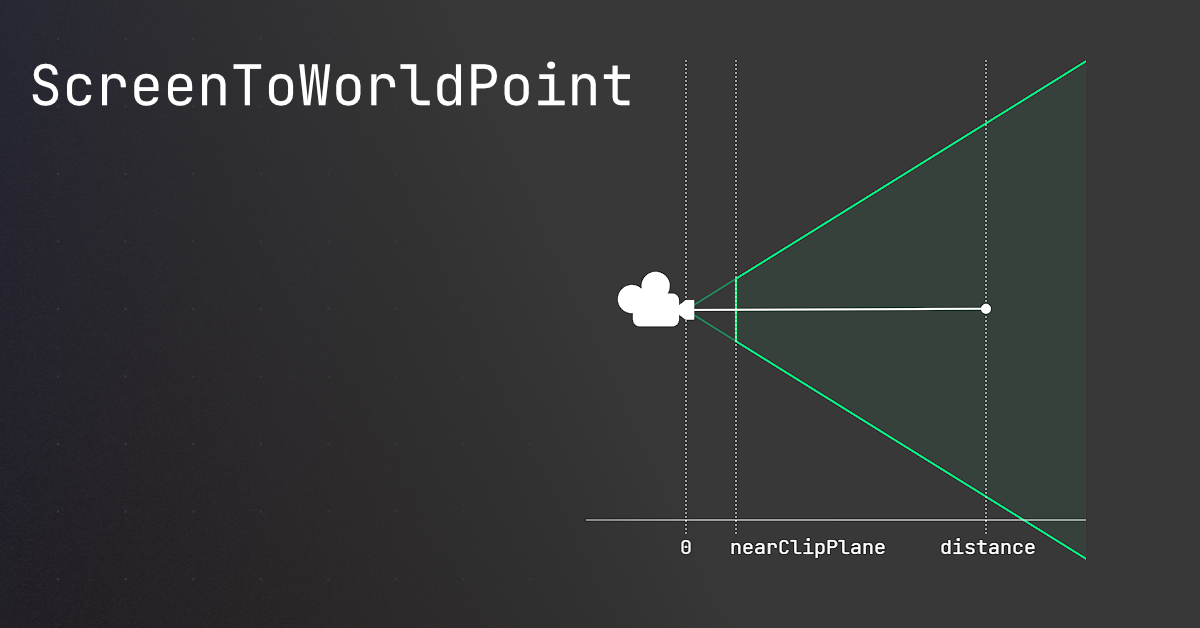
🤔 Unity, Huh, How?
Common ScreenToWorldPoint issues, and similar alternatives that may be better.
rich adder
mellow zenith
so you would recomend Prospective?
if you want depth you use Perspective, if not you use Ortho
they both have their own look
3D Ortho comes out to something like Hades
void thicket
Perspective view*
mellow zenith
YAYYY i got something working
frigid sequoia
What would be the best way to... make an entity begin the cast of an spell onto a target, but if midway, the target moves out of range, or dies, the cast is canceled early?
I could do a Coroutine and stop it if any of those cases happen, but... checking that every frame seems kinda like not the best choice...
rich adder
frigid sequoia
What would be the best way to... make an entity begin the cast of an spell onto ...
have event invoked when enemy dies or out of range react by stopping the cast whatever that is ,Stop coroutine or bool in update?
mellow zenith
rich adder
have event invoked when enemy dies or out of range react by stopping the cast wh...
can you help again 😭
I got the mouse position in the game represented by a sphere but cant get CellToWorld working
rich adder
mellow zenith
I got the mouse position in the game represented by a sphere but cant get CellTo...
CellToWorld?
mellow zenith
determining what cell is selected
mellow zenith
mellow zenith
maybe i should follow this video instead?
https://www.youtube.com/watch?v=l0emsA...
at 9:15 of this video
rich adder
mellow zenith
at 9:15 of this video
did you write rest of code the same
what exactly isn't working
frigid sequoia
I mean, I have an script that manages like all the skills and which they should be using, then one separate script for each skill on it's own. I am thinking I could make the specific skill just send back a order to the manager to tell it that it's casting something that needs X seconds and needs X target and once the casting time is finished it could send a proper confirmation to the skill to send the actual effect, or cancel it before hand, cause checking the Update of just the manager is way better than for each different skill
The issue I see there is that I couldn't really tell later on wtf it's supposed to be casting, since pretty much all casts would use the same
So probably supermessy if I want to add visuals for it later
mellow zenith
rich adder
what exactly isn't working
well i need to pay if I want to access his prefabs and game objects so i made my own to show what cell the curser is on but its not showing anything
night mural
it sounds like you should have a casting system a la WoW which allows for interrupts and stuff
frigid sequoia
night mural
it sounds like you should have a casting system a la WoW which allows for interr...
Well I had in mind that players could indeed interrupt
Not for enemies though
night mural
while the cast is active, it's totally reasonable to check for invalidation every frame (but also up to you how you want to do that specifically, like WoW lets you finish the cast even if they go out of range and does an extra, more generous range check at that point)
especially so if you want to let players interrupt, since you want immediate feedback for something like that
frigid sequoia
night mural
while the cast is active, it's totally reasonable to check for invalidation ever...
I can check for whatever it is that is casting to be in range without much issue
The issue comes when I do it on the update on the skill itself
Since it would mean I am doing it simultaneously for every casteable skill, no matter if they are even being casted
night mural
no, i wouldn't do that
frigid sequoia
If I can avoid it I would rather not have an update for those
night mural
you'd want each unit to be able to do a cast, which would be for a particular skill, but they should only have one cast active at once
one update running for the current cast
(per unit)
frigid sequoia
The Update of the AbilityManager just straight up stops early if it's casting something, meaning anything under there would not be even considered, since it's casting something already
 frigid sequoia
That's on all of them
night mural
I guess I'm not seeing the issue then
frigid sequoia
The issue is where the fuck do I check for the "target is no longer valid" to stop a cast early
night mural
probably what you want to do is replace the IsCasting boolean with some kind of 'Current cast' data structure which references the active skill, current time, etc. and can be interrupted by this, instead of trying to have each skill manage itself
frigid sequoia
That.... would kinda mean I need to do a superclass for all casteable abilities, so I can pair them together
night mural
frigid sequoia
That.... would kinda mean I need to do a superclass for all casteable abilities,...
nah, you just need an interface with a Tick method and you've already back to where unity has you
you don't have to do it that way, you could alternately just reference the monobehavior that is the 'current' skill
since it sounds like monobehavior is already a 'superclass' that all your abilities derive from
frigid sequoia
Then how I get data like... how long it takes or how much range it has?
I kinda need that to do the checks
night mural
you could read it off the monobehavior or have some kind of Validate method that you pass the relevant data into
maybe the Tick method of a skill accepts parameters
frigid sequoia
I cannot see that, can you provide an example?
night mural
I'm not sure that would help since your approach of just handling everything in the tick for the ability seems like it would be ok
night mural
frigid sequoia
The Update of the AbilityManager just straight up stops early if it's casting so...
like I think what you want to do is just change this code from doing nothing when a skill is being cast to checking if the cast is still valid and cancelling it if not (or some skill script, since this one looks mostly focused on basic attacks)
timber tide
frigid sequoia
I cannot see that, can you provide an example?
public class SpellSO: ScriptableObject
{
  [field: SerializeField] public int Damage { get; private set } = 1
  [field: SerializeField] public float CastTime { get; private set } = 1
}

public class Spell: Monobehaviour
{
  [field: SerializeField] public SpellSO { get; private set }

  public void Initialize(SpellSO spellSO)
  {
    SpellSO = spellSO;
  }

  public bool Cast(Vector3 point)
  {
    //If we want to use a cast time that can be interupted the easiest way is to just
    //let the manager access the SO/Data and grab the cast time directly then coroutine
    //on the manager and if it succeeds then we Cast()
  }
}
Few ways I can think of doing it but the comment probably easiest
I don't think there should be any sequencing local to the Spell
https://paste.mod.gg/inxqppblndae/0
And that would be for the player
A tool for sharing your source code with the world!
Actually dont like the coroutine idea
frigid sequoia
Ok, so here what I did, and think it should kinda work? But surely it will not, but I am way too tired to debug it now, so it's gonna be tomorrow to see if it actually does the job


 icy sluice
does anyone have a code for RCS?
or a way to calculate force required to NOT flip vehicle when thrusters are not directly under center of mass
 west lynx
I just did the delete of shame... looked at how the old code worked and decided to remake it from scratch better was so far into the version of how I wanted to build my code then realized that no matter how I hammered it, it was just never going to work like I wanted... so I finally decided to pull the plug and bulk deleted 2 days of work on it and will build it from the old version piece by piece rather than trying to start from scratch 😭
@icy sluice
ultimately any thrust not pointed directly AT the center of mass is just applying a torque (as well as pushing the mass) to it so if its flipping it over you have to counter that torque with other thrusters that add up to the desired anti-torque value
icy sluice
west lynx
<@873714386848587786>
ultimately any thrust not pointed directly AT the center ...
im trying to calculate uneven placement of thrust without giving torque to a rocket
frigid sequoia
frigid sequoia
Ok, so here what I did, and think it should kinda work? But surely it will not, ...
In fact, now in bed, I am just noticing I am setting the time since last cast to 0 both at the beggining and at the end, and I am not sure what would be more correct, but surely not both at the same time. AND I am not even deducing the cost of the abilty from the pool. I keep forgetting even the most basic of stuff, great me
west lynx
right. you have to break each thruster down into its pushing and torque components you can do sin/cos with the angles or the dot product from the thruster angle (normalized) and the direction to the COM. (normalized) it will be from 0 to 1 0 means its pure torque, 1 means its pure thrust. just do this calculation for every thruster you have. if you end up with uneven torque values (meaning it will try to flip) you can see how adding a new thruster will change it if you calculate it as you go
icy sluice
im moving to #⚛️┃physics
 buoyant finch
https://paste.ofcode.org/g2dAAQSBufP3RiYPTGjG2W hello everyone so I basically wanted to make my player move grid based I tried this but it doesn't work pls help
slender nymph
be more specific than "it doesn't work"
buoyant finch
slender nymph
be more specific than "it doesn't work"
it doesn't work means that the player doesn't move a fixed speed it has a variable speed and doesn't necessarily align to the next tile of the grid
 untold shore
Hey, quick problem I'm having. I have a script in which my variable is supposed to change by checking another script (both are bools, so just checking if they should change to false/true), but even if the other is true when the new script is called on. Both scripts related are in this paste of code, being separated with ///. https://paste.ofcode.org/pP26Fg6c2Na9nv7w5mJrhn
The thing that I want to change is "SpecialCardScriptCelestialBond", which continuously says false even after the other script is called. Any ideas? Please @ me if you respond, thanks!


 coral junco
!code
eternal falconBOT
Posting code
📃 Large Code Blocks
Use links to services like:
https://paste.mod.gg/, https://hastebin.skyra.pw/, https://paste.ofcode.org/, https://paste.myst.rs/, https://scriptbin.xyz/
📃 Inline Code
Surround code with three backquotes. Not quotation marks.
To format as C#, add cs to the first line:
```cs
// Your code here
```
Add a comment with a line number if there is an error message.
 dreamy wren
Can someone help please? I want to make it so when I press M my charecter stops moving in all directions for a set amount of time then can move again https://paste.ofcode.org/mU7nWjiBvTeW99ASY79C9X
 earnest bear
Hello,
I have a very very strange problem.
I am using the default Unity character controller, and moving it with the "Move" function.
I am having a problem that, even if I pass a Vector3.zero to "Move", if the player is in certain positions, he starts to move a little and after a couple of minutes you can definitely see it moved
I am sure the problem comes from the Move function because if I don't call it, there is no movement. I tried passing a Vector3.zero but it still moves.
If that helps, the CharacterController has a parent GO that never moves, just for organization purpose.
Has anyone encountered anything like that? At first it looked like a float error, but it doesn't make sense?
mellow zenith
@rich adder THANK U FOR HELPING ❤️
 ivory bobcat
earnest bear
Hello,
I have a very very strange problem.
I am using the default Unity characte...
ivory bobcat
earnest bear
Hello,
I have a very very strange problem.
I am using the default Unity characte...
Seeing the code would make things easier. Maybe log the value before moving.
I'm assuming you're passing a value that you believe is zero but isn't.
earnest bear
The code is very simple and I am sure it is correct.
I used a debugger breakpoint, the value is zero
I even changed the code to controller.Move(Vector3.zero) and moved the player using the editor gizmos, same problem.
Commenting the Move fixes the problem
The change is very small but adds over time, that's why I thought it was some floating point error problem
I will share the code later if it can help, but it is very simple, I get the player input as a vector2 and us it in the Move
 verbal dome
earnest bear
The code is very simple and I am sure it is correct.
I used a debugger breakpoin...
verbal dome
earnest bear
The code is very simple and I am sure it is correct.
I used a debugger breakpoin...
What other components does the character have?
ivory bobcat
earnest bear
The code is very simple and I am sure it is correct.
I used a debugger breakpoin...
Unless the vector zero has been arithmetically acquired, it would simply be a vector of zeros without any floating point errors.
Does commenting the line out and moving the object with Gizmo still reproduce the unwanted behavior?
buoyant finch
hello can someone pls help me in making a grid based movement for my player https://paste.ofcode.org/g2dAAQSBufP3RiYPTGjG2W so I tried this but it doesn't work like the player doesn't align to the tile and has variable speed upon moving
btw each tile is 12*12
verbal dome
You left out some important code, like what are you setting targetPosition to
 foggy crypt
Hello. I have this problem with Animator Transitions.
When the player turns to the right, and turns back to Idle State - The position of the camera is a little off.
Like the animation did not complete or something.
Here's the video for more context
buoyant finch
verbal dome
You left out some important code, like what are you setting ``targetPosition`` t...
I didn't understand mind explaining clearly
verbal dome
buoyant finch
I didn't understand mind explaining clearly
Where are you changing targetPosition
buoyant finch
verbal dome
Where are you changing ``targetPosition``
In 4th line
verbal dome
You are setting it to its own position. How would that make it move?
buoyant finch
verbal dome
You are setting it to its own position. How would that make it move?
Hmm ok so what do I set it to then?
verbal dome
To the position you want to move to, obviously
Where did this code come from? Do you understand what it does?
buoyant finch
verbal dome
Where did this code come from? Do you understand what it does?
yeah I saw a website on lerp
not on targetPosition seeing it just now
thx a lot
verbal dome
If you want grid based movement, you should not do whatever you are doing in HandleInput.
A key press should set your targetPosition to a position on the grid
And I see nothing related to a grid here. You can use the Grid component or an array
buoyant finch
verbal dome
And I see nothing related to a grid here. You can use the Grid component or an a...
I saw many videos and in it only lerp was used
verbal dome
Lerp has nothing to do with grids
It just lets you smooth the movement between grid cells
buoyant finch
verbal dome
It just lets you smooth the movement between grid cells
oh ok thx a lot for guiding me
 soft creek
Hi i have a porble, i don't have any audio source and i receive an message, what i can do for the mesage desapear? Thanks
 verbal dome
soft creek
Hi i have a porble, i don't have any audio source and i receive an message, what...
verbal dome
soft creek
Hi i have a porble, i don't have any audio source and i receive an message, what...
It's not saying audio source, read again
Type t:audiolistener in the hierarchy search to find them quickly
soft creek
oh, thanks 😅

 buoyant sentinel
all my drivers are up to date
 fickle plume
@buoyant sentinel Also not a code question #💻┃unity-talk
verbal dome
Unity went into braille mode lol
buoyant sentinel
fickle plume
<@1222240541467607171> Also not a code question <#497872424281440267>
sorry
i am new here
 broken lintel
need some help with my dialogue system, for some reason, once the dialogue is done, I can't close the dialogue box. I'm such a noob <.< been stuck on this for so long
ivory bobcat
This is the coding channel, you'd provide any necessary code with your question.
broken lintel
DialogueUI: https://paste.ofcode.org/SKmyFbVcytJmUNZyNxrsZD
DialogueObject: https://paste.ofcode.org/qWVXLJc8GkgxKQiZLRmuzX
Response: https://paste.ofcode.org/i8YiGu5LGiwf6BGYafVRbf
ResponseHandler: https://paste.ofcode.org/k5h9BXnprTueD6uxN9GAnC
ivory bobcat
Where do you attempt to close the dialogue box?
I'm assuming line 52 of the dialogue ui script
broken lintel
yea
 stuck field
ResponseHandler > Line 90: Calls dialogueUI.CloseDialogueBox()
If the response object is null
 keen owl
Set it to false once the dialogue is finished
stuck field
broken lintel
need some help with my dialogue system, for some reason, once the dialogue is do...
Pretty sure it's because there is no option that takes you, as, it closes in "OnPickedResponse" if the next dialogue is null
Meaning at the end, your method would need another option "Close" and, they click that, no more dialogue after that (returns null, so it closes)
Although you do that when no responses are there as well
broken lintel
oh, I get it now :0
stuck field
tempResponseButtons.Count > 0
But that's the response box
So I'd say, yeah, just add a reponse "Close" that has no more valid dialogue after it
stuck field
np
 tiny wind
my console keeps saying theres a null reference in line 69, but I dont see anything wrong here, or Im not seeing what is wrong here, can anyone jhel

 verbal dome
I see like 4 things that could be null on that line
Although the first two would throw an error on the previous line
tiny wind
please do tell
 tawdry nymph
you are calling methods that could also be null somewhere
if you click the error there might be more lines
verbal dome
tiny wind
please do tell
Melee component and components
ivory bobcat
Anything before a dot operator (member access operator) could potentially be a null and throwing those errors
tiny wind
verbal dome
``Melee`` component and ``components``
using UnityEngine;

public class Melee : MonoBehaviour
{
    [SerializeField] private float speed;
    private float direction;
    private bool hit;
    private float lifetime;

    private Animator anim;
    private BoxCollider2D boxCollider;

    private void Awake()
    {
        anim = GetComponent<Animator>();
        boxCollider = GetComponent<BoxCollider2D>();
    }
    private void Update()
    {
        if (hit) return;
        float movementSpeed = speed * Time.deltaTime * direction;
        transform.Translate(movementSpeed, 0, 0);

        lifetime += Time.deltaTime;
        if (lifetime > 1) gameObject.SetActive(false);
    }
    private void OnTriggerEnter2D(Collider2D collision)
    {
        hit = true;
        boxCollider.enabled = false;
        anim.SetTrigger("hit");

        if (collision.tag == "Enemy")
            collision.GetComponent<Health>().TakeDamage(2);
    }
    public void SetDirection(float _direction)
    {
        lifetime = 0;
        direction = _direction;
        gameObject.SetActive(true);
        hit = false;
        boxCollider.enabled = true;

        float localScaleX = transform.localScale.x;
        if (Mathf.Sign(localScaleX) != _direction)
            localScaleX = -localScaleX;

        transform.localScale = new Vector3(localScaleX, transform.localScale.y, transform.localScale.z);
    }
    private void Deactivate()
    {
        gameObject.SetActive(false);
    }
}
this is the Melee and Components is just a [Serializedfield] Transform
verbal dome
This doesn't prove that slashes[FindSlash()] has a Melee component.
It also doesn't prove that components is assigned
ivory bobcat
With A.b.c.e.f, characters A to e can be null and throw an exception
ivory bobcat
tiny wind
```cs
using UnityEngine;
public class Melee : MonoBehaviour
{
[SerializeFie...
Just debug each of the four possible null references on line 69
tiny wind
oh wait no I see it now
FindSlash is missing a thing
idk how to describe it but I know whats missing
thanks yall
okay nvm it did not fix it
dammit
ivory bobcat
Have you figured out what was null? (far more important than trying random things)
To figure out what was null, log the parts before using them. An example: cs Debug.Log($"A: {A}"); Debug.Log($"b: {A.b}"); Debug.Log($"c: {A.b.c}"); Debug.Log($"e: {A.b.c.e}"); A.b.c.e.f = ... //NRE thrown
If any were blank, they would be the null
 narrow tinsel
I am new, is there easy way to save something that I did when the game was started (tweaking some
values)
ivory bobcat
You could probably write it on disk or if in the Editor, to some Scriptable Object instance.
 charred spoke
narrow tinsel
I am new, is there easy way to save something that I did when the game was start...
charred spoke
narrow tinsel
I am new, is there easy way to save something that I did when the game was start...
You can copy the component
narrow tinsel
charred spoke
You can copy the component
ou thx
tiny wind
ivory bobcat
If any were blank, they would be the null
I found out the rpoblem, its working now, thanks
If you wanted to know, it was supposed to say slash[FindSlash()] not slashes[FindSlash()]
thats what I get for uncaringly doing ctrl c and ctrl v ig lmao
unrelated but how do you type like this?
 verbal dome
Put `` on each side
 tropic dust
Why can't I import things into nor play this animation?
 tawdry nymph
it needs to be in an animation controller which is assigned to an animator on a scene object in order to play it
tropic dust
can you walk me through that I'm pretty new lol
tawdry nymph
first you add an animator component to the gameobject you want to animate
that gameobject also needs to have a sprite renderer in this case since you're trying to animate a sprite
tropic dust
mhm
tawdry nymph
you then create a new animationController asset
and assign it to the animator component
then open the animationcontroller (double click) and drag the animation into it
 hard lodge
does this wok on gui? becaus it doesent even print. Any idea?

 astral falcon
hard lodge
does this wok on gui? becaus it doesent even print. Any idea?
astral falcon
hard lodge
does this wok on gui? becaus it doesent even print. Any idea?
MouseDown on what?
hard lodge
on a gui
astral falcon
GUI in terms of OnGUI() or a Canvas UI?
OnMouseDown expects a collider to be present tho: https://docs.unity3d.com/6000.0/Documentation/ScriptReference/MonoBehaviour.OnMouseDown.html
 fickle plume
@upper yoke #🖼️┃2d-tools
 upper yoke
Ah sure thanks
 cunning hornet
Hi! Imma attach a video down below. So ,everything was fine until i added a animator to my weapon script. In the video , when i pick up the weapon ,( when i didn t have the animator in the script) it would pick up the weapon at my camera view and i could shoot ,relaod etc. Now , i can still shoot, reload , but , the weapon with the idle animation is all the way up , as you can see in the video. I ve no ideea how to make it so that i can pick up the weapon , have the idle annimation and still be at my camera view
 rocky canyon
cunning hornet
Hi! Imma attach a video down below. So ,everything was fine until i added a anim...
rocky canyon
cunning hornet
Hi! Imma attach a video down below. So ,everything was fine until i added a anim...
bro.. the sound fx got me 💀
rocky canyon
cunning hornet
Hi! Imma attach a video down below. So ,everything was fine until i added a anim...
if u have any animation on the transform its gonna overwrite anything else u got going on..
its best to animate the gun within a container.. (outter gameobject wrapper).. that way all the animations are relative to that object..
for example reload animation would be red.. (within the green object)
the green object wouldn't be animated.. (for example it'd be rotated up and down for when u look up and down)
the green can rotate w/o affecting the animation of the red.. and the red can animate w/o affecting the transform of the green

also not sure ive ever seen someone rotate the actual capsule up and down when looking in a particular direction..
that would also follow similar guidelines
rocky canyon
cunning hornet
Ooh okay
no prob.. good luck 👍
buoyant finch
cunning hornet
Ooh okay
You can also rotate it in an animation clip
rocky canyon
ya, thats' how u'd do "Recoil" for example
but it still applies. (do this within a wrapper object)
- Gun Object
- Actual Graphics <-- animate this
 desert plinth
Will my code not work if I use an "obsolete" function / variable?
rocky canyon
possibly. but unity/ide will complain about it until ur not
like rb.velocity still works..
altho u should be using rb.linearVelocity by now (if ur using newer versions)
desert plinth
rocky canyon
like `rb.velocity` still works..
altho u should be using `rb.linearVelocity` by...
I see. But the issue I'm having is that I'm trying to change the emission rate and start speed of a particle system. If I use the outdated versions of the variables, VS gives me no errors, but if I write it like this:
ParticleSystem.MainModule main = new ParticleSystem.MainModule();
main.startSpeed = Mathf.Sqrt(speed);
ParticleSystem.EmissionModule emission = new ParticleSystem.EmissionModule();
emission.rateOverTime = Mathf.Sqrt(speed);

particle.main = main;
particle.emission = emission;
... which is the "proper", "newer" and not outdated way, VS gives me the errors you can see in the image.
It just says that the attributes are read only. Is there another way to change the attributes that isn't outdated?
 rocky canyon
desert plinth
I see. But the issue I'm having is that I'm trying to change the emission rate a...
rocky canyon
desert plinth
I see. But the issue I'm having is that I'm trying to change the emission rate a...
oh particle systems and similar systems are always changin stuff 😩
rocky canyon
desert plinth
I see. But the issue I'm having is that I'm trying to change the emission rate a...
unity6?
desert plinth
rocky canyon
unity6?
Yes, Unity 6.
rocky canyon
desert plinth
Yes, Unity 6.
i'll probably have to go hands-on to see..
sources are always radically different on these types of things
verbal dome
desert plinth
I see. But the issue I'm having is that I'm trying to change the emission rate a...
I can't read german but you aren't supposed to assign a value to .main
It never was like that
And I doubt it has changed
 swift crag
You never assign to it, yes
rocky canyon
verbal dome
I can't read german but you aren't supposed to assign a value to ``.main``
doesn't the {get;} mean its read-only?
swift crag
the particle system modules are a bit funny!
desert plinth
swift crag
the particle system modules are a bit funny!
Yeah, I figured.
verbal dome
Yeah they are structs and I guess they just work as a "handle" to the actual data
swift crag
Correct. The struct is just a way to interact with the particle system.
It doesn't actually contain the data
rocky canyon
ya, i hate dealing w/ particles/postprocessing/materials etc
i always have to fiddle with it til i get it workin
rocky canyon
lmao.. irony
swift crag
😭
desert plinth
Well. The intended use works. With the outdated variables.
rocky canyon
swift crag
is it mean to say `S K I L L I S S UE`
mean and factual
desert plinth
But I don't mind, as long as it works.
swift crag
desert plinth
I see. But the issue I'm having is that I'm trying to change the emission rate a...
where are you getting any of this from?
rocky canyon
problem would be upgrading to a version that DOESN'T respect the obsolete stuff
swift crag
constructing your own main module struct makes no sense. there is no particle system it's associated with
earnest bear
ivory bobcat
Does commenting the line out and moving the object with Gizmo still reproduce th...
If I comment the Move, and move the player with gizmos, there is no problem.
In the screen, you can see the vector is really zero
The second screen, is before the function call
The third is after stepping in the Move function
It moves slightly and it absolutely makes no sense


 desert plinth
swift crag
where are you getting any of this from?
desert plinth
swift crag
where are you getting any of this from?
Idk, when VS told me that that is the new way to change it.
 swift crag
earnest bear
Hello,
I have a very very strange problem.
I am using the default Unity characte...
swift crag
earnest bear
Hello,
I have a very very strange problem.
I am using the default Unity characte...
If the character controller has a minimum move distance of 0, then it will attempt to perform depenetration even if you give it a movement vector of zero
swift crag
desert plinth
that's just telling you the correct way to set the start speed property
See here for an example.
rocky canyon
lol.. "depenetration" added to my lexicon
swift crag
It is a bit of a non-conventional workflow. You get a struct, modify it, and then...don't assign it!
earnest bear
swift crag
If the character controller has a minimum move distance of 0, then it will attem...
That would be ok for me, if it wasn't moving the player, each frame, forever
desert plinth
swift crag
It is a bit of a non-conventional workflow. You get a struct, modify it, and the...
Ah. Got it. So kinda like reference data types in Java?
earnest bear
earnest bear
That would be ok for me, if it wasn't moving the player, each frame, forever
And always to the left, lol
swift crag
desert plinth
Ah. Got it. So kinda like reference data types in Java?
It has reference-type behaviors, despite being a value type. how wacky!
grand snow
Hooray for native code wrappers
swift crag
earnest bear
That would be ok for me, if it wasn't moving the player, each frame, forever
I wonder if there's another collider that the controller is banging into
desert plinth
swift crag
It has reference-type behaviors, despite being a value type. how wacky!
Okay, I see. Thanks a lot!
earnest bear
swift crag
I wonder if there's another collider that the controller is banging into
It isn't, near it there is only the floor

But, the charactercontroller is a child of a non moving gameobject
And I discovered now that if I put the character controller in the root of the scene, this problems disappears.
What could it be?!
 serene barn
Hello, so I'm stuck on a 3d input system and I'm getting now where following a tutorial on yt. So if possible I would like some help.
Im new and I don't know a lot of it
spent hours trying to get it to work by it has fallen to the floor real quick
I gotten rid of it, rather just start from scratch
Basically the goal right now. Move the character and have it pick up or Move an object
grand snow
Good solution! I'm glad they account for this and let you update things manually
serene barn
yea, and if possible (you dont have to do it) can we do a screen share. I have troubles following word for word.
unity invoke system, yes.
 left sail
hello ! I would like to know why when I play I spawn with the car under the map, and when I move forward it controls my character instead of the car
 tawdry nymph
left sail
hello ! I would like to know why when I play I spawn with the car under the map,...
tawdry nymph
left sail
hello ! I would like to know why when I play I spawn with the car under the map,...
how does your car spawn and how does the player move?
astral falcon
left sail
hello ! I would like to know why when I play I spawn with the car under the map,...
So much information missing (the channel is called code)
left sail
tawdry nymph
how does your car spawn and how does the player move?
ah well that jsp I would like to understand x)
astral falcon
did you WRITE any code?
left sail
astral falcon
did you WRITE any code?
no I don't know how to CODE
astral falcon
then !learn is your place before coming here.
eternal falconBOT
:teacher: Unity Learn ↗
Over 750 hours of free live and on-demand learning content for all levels of experience!
astral falcon
These channels are meant to be for devs bringing their code and getting help with it. Not to teach you how to code in general
left sail
astral falcon
These channels are meant to be for devs bringing their code and getting help wit...
except that I asked for help the other time no one complained
astral falcon
Well, feel free to stick to your attitude.
left sail
tawdry nymph
how does your car spawn and how does the player move?
Anyway, do you know why it does that?
tawdry nymph
left sail
Anyway, do you know why it does that?
not without any scripts
earnest bear
grand snow
Please make a thread my guys
Is it possible? How?
left sail
tawdry nymph
yeah, lets move to a thread
yes
tawdry nymph
hello ! I would like to know why when I
earnest bear
Character controller moving when passing a Vector3.zero to Move
 pure drift
does anybody know why my scene looks like this when i play it works all fine
 astral falcon
pure drift
does anybody know why my scene looks like this when i play it works all fine
astral falcon
pure drift
does anybody know why my scene looks like this when i play it works all fine
top right of your scene view, swithc between orthographic and perspective and PLEASE go through the unity learn tutorials first...
you should at least know the UI of the software you are using
pure drift
yep i should do that thank you though for the answer
serene barn
so how would I check if player is on the ground, and then have them jump from the ground and only from the ground
rocky canyon
 lament harness
i cant find it in project settings
lament harness
i cant find it in project settings
if its Built-InRenderPipeline it'll be just below where the URP asset would be
 lament harness
rocky canyon
if its **B**uilt-**I**n**R**ender**P**ipeline it'll be just below where the URP ...
lament harness
rocky canyon
if its **B**uilt-**I**n**R**ender**P**ipeline it'll be just below where the URP ...
ty
rocky canyon
explain urself a bit more..
3d, 2d.. side scroller/platformer/ fps?
capsule or box? etc
rocky canyon
capsule are usually best colliders for a character.. jus sayin
serene barn
im just starting with this
lament harness
rocky canyon
explain urself a bit more..
3d, 2d.. side scroller/platformer/ fps?
capsule or b...
hi, is there any tutorial you can recommend for me to begin coding a 2d game in unity
I just started and i need to make a game for a school project
rocky canyon
theres many methods u can use..
Raycasts
SphereCasts(etc)
OverlapSphere
rocky canyon
lament harness
hi, is there any tutorial you can recommend for me to begin coding a 2d game in ...
i always tell ppl to try FlappyBird or AngryBirds first
those are the two most simple
lament harness
rocky canyon
i always tell ppl to try FlappyBird or AngryBirds first
okay
ty ill try following a tutorial on that
astral falcon
serene barn
im just starting with this
please do not cross post
serene barn
So I got ray casting to work and to detect the ground but I'm not happy with the results as the capsule keeps tipping over. Is there any other solution with ray casting I can use?
timber tide
clarify what you mean by tipping over
serene barn
Like gravity decides to tip it over
timber tide
are you using any unity* physics
rich adder
serene barn
Like gravity decides to tip it over
what does that have to do with raycast?
if you have a rigidbody, you have to lock your rigidbody rotation constraint
serene barn
rich adder
if you have a rigidbody, you have to lock your rigidbody rotation constraint
That's what I probably forgot
 last edge
question, so i have a gun and bullet script it successfully collides and destroy when attacking enemies yet it phases through walls and platforms.
how can i get the bullet to destroy on impact? (i set the bullet as destroy on collision yet it is not detecting the terrain.
any guesses on what im doing wrong? (they are also on the same layers)
i also tried to add in a collider2D to my objects as well
swift crag
Does your bullet have a Rigidbody2D on it?
last edge
yes
 humble quarry
hey guys, i want to get into procedural animation sometime in the future, how advanced is it?
swift crag
https://unity.huh.how/physics-messages/collision-matrix-2d
If it's non-kinematic, then it should be able to collide with anything
last edge
 last edge
swift crag
<https://unity.huh.how/physics-messages/collision-matrix-2d>
If it's non-kinema...
last edge
swift crag
<https://unity.huh.how/physics-messages/collision-matrix-2d>
If it's non-kinema...
yeah thats the weird part i never had this issue before lol it usually just run into everything for me
swift crag
It's a kinematic rigidbody.
That means that it will not produce collision messages when it strikes a collider without a rigidbody
(or a collider with another kinematic rigidbody)
You can use a separate trigger collider. This will let you receive messages when you hit any collider
last edge
gotcha ty
fixed
but now new issue lol how do i make my bullet so that it doesnt send enemies and objects flying upon contact?
rich adder
last edge
but now new issue lol how do i make my bullet so that it doesnt send enemies and...
increase their mass or make bullet a trigger
last edge
rich adder
increase their mass or make bullet a trigger
ty ty
 strong sorrel
I'm coding an volume slider for my game. What should the range be for the audio mixers? 0dB -80dB? is there a formula i should use?
 rich adder
strong sorrel
I'm coding an volume slider for my game. What should the range be for the audio ...
rich adder
strong sorrel
I'm coding an volume slider for my game. What should the range be for the audio ...
if you want to use a UI slider you'd have to use Log10 iirc
I think its Mathf.Log10(sliderValue) * 20;
strong sorrel
rich adder
I think its `Mathf.Log10(sliderValue) * 20;`
is that with a slider set to 0-100? or 0-1
rich adder
strong sorrel
is that with a slider set to 0-100? or 0-1
I think 0-1
havent used Slider in ages, i usually use Image component set to Slider mode lol
strong sorrel
haha okay perf
strong sorrel
rich adder
havent used Slider in ages, i usually use Image component set to Slider mode lol
how do you set an image to slider mode?
rich adder
strong sorrel
how do you set an image to slider mode?
you need to put a sprite, i usually use a white box like 2x2 or 4x4 etc.

then it stretches as big as you need and looks crisper than slider
ofc you can use circular sprites and all that too
 lean lichen
how do I set a integer to be a specific number when I start the game? I want WeaponHealth to start at 100
 grand snow
lean lichen
how do I set a integer to be a specific number when I start the game? I want Wea...
grand snow
lean lichen
how do I set a integer to be a specific number when I start the game? I want Wea...
public int WeaponHealth = 100;
this is c# basics...
rich adder
lean lichen
how do I set a integer to be a specific number when I start the game? I want Wea...
note that anything changed here will not change once its serialized in the inspector , because its exposed public and inspector takes precedence of value once initialized
so in the future if you want it to start at 200 you need to do that in the inspector, unless the script is reset thru inspector or deleted and added again
serene barn
private void Jump_started(InputAction.CallbackContext context)
{
    Debug.Log("I've Tried to Jump. ");

    Ray ray = new Ray(transform.position, -Vector3.up);

    Debug.DrawRay(transform.position, Vector3.down * playerHeight, Color.red);

    if (Physics.Raycast(ray, out hit))
    {
        if (hit.collider.tag == "ground")
        {
            float height_above_ground = hit.distance - 0.5f;


            if (height_above_ground > 3)
            {
                input.CharMov.Disable();
            }
            else if (height_above_ground < 1)
            {
                input.CharMov.Enable();
                playerBody.AddForce(Vector2.up * jumpPower);
            }
        }
    }
}
is there any better way of doing this?
rich adder
serene barn
```cs
private void Jump_started(InputAction.CallbackContext context)
{
Debug...
what is "doing this "? what do you want to do and what isn't working
why did you use -Vector3.up with Ray but Vector3.down for DrawRay..
weird inconsistency there
serene barn
thats is what im wondering
is there a better way to keep the player to the ground to prevent endless jumping
rich adder
I mean it works the same it just weird
rich adder
serene barn
is there a better way to keep the player to the ground to prevent endless jumpin...
yes use a boolean
isGrounded = Physics.Raycast(etc..
 hot laurel
and layermasks insted of tags
 sand sonnet
If i want to make a mobile game, what should i choose when making a new project (This is a clicker game btw)
serene barn
hot laurel
and layermasks insted of tags
you think i know this?
rich adder
serene barn
you think i know this?
well now you do
serene barn
im kinda done going down that rabbit hole
rich adder
eh 10 shit videos can do more harm than good
hot laurel
its not rabbit hole
serene barn
i've been down the video hole for weeks on end before and im not going back
sand sonnet
cant find it on the unity list...
hot laurel
rabbit hole would be using dissasembler to read managed .dll IL code to see how it works
rich adder
serene barn
i've been down the video hole for weeks on end before and im not going back
seems you're trying to run before knowing how to crawl
serene barn
rich adder
seems you're trying to run before knowing how to crawl
no no no, i know how to crawl, i just keep crawling with out a chance of learning how to walk
rocky canyon
anything you're learning about is a rabbit hole...
if u dont wanna go down it.. then shouldn't expect to learn whats at the bottom
serene barn
they also just thrown everything i had known out the window
rocky canyon
no.. its still important.. maybe not for the exact thing ur currently doing..
but no knowledge is a waste
rich adder
serene barn
no no no, i know how to crawl, i just keep crawling with out a chance of learnin...
exactly so learn by taking baby steps, you want to use a raycast without knowing anything about it, check things like docs and related threads on it
lean lichen
grand snow
``public int WeaponHealth = 100;``
this is c# basics...
im learning this from scratch i'm normally a python coder...
rich adder
lean lichen
im learning this from scratch i'm normally a python coder...
suggest you check the c# basics courses pinned here
 open folio
The type or namespace name 'CanvasScaler' could not be found (are you missing a using directive or an assembly reference?)
i get this error even though i imported using UnityEngine.UI
anyone know the fix?
serene barn
rich adder
exactly so learn by taking baby steps, you want to use a raycast without knowing...
I've never used ray cast before, so im down to learn. Reading is gonna slow down the learning process
sand sonnet
Should i choose 2D Mobile when wanting to make a game for mobile (clicker game)
lean lichen
rich adder
suggest you check the c# basics courses pinned here
nah i'd win (im doing this very thing)
rich adder
lean lichen
nah i'd win (im doing this very thing)
how would it make sense to add " " to a number ?
the other ones are properly initialized what made you think to also add equality check in initializer? ==
you're not on a good start
hot laurel
serene barn
I've never used ray cast before, so im down to learn. Reading is gonna slow down...
well reading and understanding what you want to use basicly save your time
serene barn
hot laurel
well reading and understanding what you want to use basicly save your time
I don't learn well when I read. I get lost and confused on what they mean.
 visual linden
Let's remember that everyone learns differently and in different paces,
and try not to be too rude or dismissive 
swift crag
serene barn
I don't learn well when I read. I get lost and confused on what they mean.
then you need to deal with that problem
lean lichen
rich adder
how would it make sense to add `" "` to a number ?
the other ones are properly i...
brother chill let me cook
rich adder
serene barn
I've never used ray cast before, so im down to learn. Reading is gonna slow down...
there are also videos on this a specific topic
swift crag
you need to be able to look at new information and learn from it
rich adder
lean lichen
brother chill let me cook
I'm just letting you know refusing to learning the bare essentials and coming here asking basic c# questions constantly is against #📖┃code-of-conduct
sand sonnet
@edgy sinew ur saying that if i want to make a mobile clicker game, you want me to do Universal 3D?
oh ok, so it woul dbe the right choice. Sorry dont want to mess anything up lol.
visual linden
Universal 2D is probably what you want. But these are presets regardless and just sets up some packages and editor layouts for you. You can easily start with Universal 3D and do 2D, or vice versa, if you're somewhat at all familiar with Unity.
swift crag
The important difference is that the 2D template will set your project up with a special 2D renderer, which supports things like 2D lights.
(at least, it will in newer versions of Unity -- I forget when that was introduced)
sand sonnet
visual linden
Universal 2D is probably what you want. But these are presets regardless and jus...
yeah i have just finished the essentials program which i suggest everyone does as its really helpful
rich adder
still debatable if BiRP might be more lightweight for mobile than 2DURP
sand sonnet
oh yeah, and you can rename projects after you start one as ive got 0 clue on what the name should be
lean lichen
rich adder
I'm just letting you know refusing to learning the bare essentials and coming he...
ive asked a single question?
anyways im still learning
sand sonnet
lean lichen
anyways im still learning
have you done the unity essientals?
rich adder
lean lichen
ive asked a single question?
I get it, I'm just telling you for future mate. Those are basic c# questions you can avoid by just doing the c# courses first
lean lichen
sand sonnet
have you done the unity essientals?
ive made a game before in unity im just forgetful as all hell
grand snow
rich adder
still debatable if BiRP might be more lightweight for mobile than 2DURP
i've found urp is better as being able to use simple lit is already better in some situations
sand sonnet
rich adder
still debatable if BiRP might be more lightweight for mobile than 2DURP
true, just had a read of both of them, but from what ive read urp sounds better right?
rocky canyon
sand sonnet
oh ok, so it woul dbe the right choice. Sorry dont want to mess anything up lol.
I build 2D sometimes but i'm more comfortable in a 3D workspace..
so I just use a 3D template and add in 2D components as needed
 rich adder
grand snow
i've found urp is better as being able to use simple lit is already better in so...
rich adder
grand snow
i've found urp is better as being able to use simple lit is already better in so...
makes size slightly bigger and also adds PostProcessing out the box which might be unwanted
sand sonnet
lean lichen
ive made a game before in unity im just forgetful as all hell
oh haha thats fair enough lol
rocky canyon
just another possibility
rich adder
sand sonnet
true, just had a read of both of them, but from what ive read urp sounds better ...
urp is the newer pipeline it has more features yes, idk better is a matter of needs
sand sonnet
rocky canyon
just another possibility
hm yeah, i think the hardest part is choosing what the game should be about and like how to get started as once you get started your kind of on a role really.
visual linden
rich adder
makes size slightly bigger and also adds PostProcessing out the box which might ...
It adds 1mb in upscalers,
but Post Processing is stripped if you don't use it.
( I recently did a comparison in Unity 6 for AppClip and Instant Apps )
grand snow
rich adder
urp is the newer pipeline it has more features yes, idk better is a matter of ne...
I encountered a lovelly bug with addressables and shader stripping forcing me to change some projects from URP to BIR (shaders in addressables would strip fully even if used 😦 )
rich adder
visual linden
It adds 1mb in upscalers,
but Post Processing is stripped if you don't use it. ...
hmm i need to test again with newer ones then, it added about 10 mb extra stuff for me idk how but that was a year or two ago tbh
it also tanked my FPS for some reason for the urp renderers
sand sonnet
rich adder
urp is the newer pipeline it has more features yes, idk better is a matter of ne...
well because its newer i think im going to go with it. Do you know if theres any tutorials about clicker games 2D? (Thanls for everyones help BTW)
rocky canyon
sand sonnet
hm yeah, i think the hardest part is choosing what the game should be about and ...
oh yea.. thats def the harder part...
best to brainstorm for a while..
keep notes and make sure you have a pretty good idea of what u want before u start
you'll have an easier time knowing what to do first, next, and so on..
and also when searching up mechanics, logics, etc..
easier to search for things directly
rich adder
sand sonnet
well because its newer i think im going to go with it. Do you know if theres any...
I'm sure theres plenty of them, its the easiest form of game you could make
sand sonnet
rich adder
I'm sure theres plenty of them, its the easiest form of game you could make
yeah thats true lol but good for a beginner anyway!
rich adder
yea! though personally I would go with something inbetween like Flappy Burd and alike
rocky canyon
fun fact: all unity games are "technically" 3D 🙂
rich adder
physics are funn to play with
sand sonnet
@rich adder if you type up Business Empire Richman, thats the sort of game im going to base it off of
rich adder
yeah those seem more involved
visual linden
sand sonnet
<@968604165150507078> if you type up Business Empire Richman, thats the sort of ...
Sounds like a fun concept though
rocky canyon
thats a business/economy simulator basically
sand sonnet
visual linden
Sounds like a fun concept though
yeah but i know where to go if i need any help 
sand sonnet
rocky canyon
thats a business/economy simulator basically
yeah, im expanding it (hoepfully)
verbal dome
I watched that game's trailer and it has an AI generated voice aah
rocky canyon
Idle game basically
rich adder
had gamearts that use AI generated images tho
rocky canyon
sand sonnet
yeah, im expanding it (hoepfully)
just found this guy.. but it may be something useful
rich adder
this new trend needs to die
visual linden
rich adder
this new trend needs to die
Trend? Oh buddy
sand sonnet
rocky canyon
just found this guy.. but it may be something useful
oo thank you will defo have a look
rich adder
visual linden
Trend? Oh buddy
half the Steam games now have AI Generated images as their banner art
rocky canyon
rich adder
had gamearts that use AI generated images tho
hopefully we're all contributing to making this stuff stop..
I instantly "Do Not Recommend" and dislike anything that uses AI voice-over
visual linden
rich adder
half the Steam games now have AI Generated images as their banner art
I know, its awful
Sadly I doubt there's any rolling this back
rich adder
yeah the flood waters have been open
rocky canyon
rich adder
ban AI movement
foreach (garbage in AI_Dumpster) {credibility--;}
rich adder
rocky canyon
`foreach (garbage in AI_Dumpster) {credibility--;}`
error: stackoverflow
swift crag
Yummy!!! Slop!!!
rocky canyon
i miss when AI voices sounded like computers
swift crag
more slop please!!
rich adder
rocky canyon
i miss when AI voices sounded like computers
Hi, I am microsoft Sam.
serene barn
i really can't get this, i got a layer mask and a if statement checking if the player is less then or equal to 1 but that is where i got stuck
swift crag
serene barn
i really can't get this, i got a layer mask and a if statement checking if the p...
what does "checking if the player is less than or equal to 1" mean?
rich adder
serene barn
i really can't get this, i got a layer mask and a if statement checking if the p...
wdym less or equal to 1?
serene barn
swift crag
what does "checking if the player is less than or equal to 1" mean?
idk my brain is cooked
rich adder
show what you wrote
serene barn
it should probably be equal to 1
swift crag
Okay, so step back and describe what you want to do
No code: just what the game is going to do
rocky canyon
u only need a raycast with a length of (long enough to reach the ground)
if it hits anything in the ground Layer ur grounded..
rich adder
Im hoping you actually use a layermask and not a layer int..
serene barn
 private void Jump_started(InputAction.CallbackContext context)
 {
     LayerMask ground = LayerMask.GetMask("ground");
     if (player.transform.position.y <= ground)
     {

     }
 }
all im doing is checking if the player is on the ground (or on any flat ground surfaces) and allowing them to jump. if they're not on the ground they continue to fall till they hit ground
rich adder
"how to overcomplicate a ground check with jump 101 " lol
serene barn
rich adder
"how to overcomplicate a ground check with jump 101 " lol
that is all i do
swift crag
serene barn
all im doing is checking if the player is on the ground (or on any flat ground s...
So, the game lets you jump when you are on the ground
rich adder
isGrounded = Physics.Raycast(etc..
swift crag
So, you need a way to decide if the player is on the ground.
There are several ways to do that. One of them is to shoot a ray downwards and see if it hits anything.
 true owl
serene barn
```cs
private void Jump_started(InputAction.CallbackContext context)
{
La...
true owl
serene barn
```cs
private void Jump_started(InputAction.CallbackContext context)
{
La...
why don't you use
  if (isGrounded) {
    // jump physics code
}
}```input system
true owl
someone correct me if im wrong but isnt the new input system the standard now
rich adder
serene barn
input system
that doesnt change the fact you still need a Grounded type bool
serene barn
i will just not right now
swift crag
swift crag
So, you need a way to decide if the player is on the ground.
There are several...
A raycast needs several bits of information:
- Where does it start from?
- Which way does it go?
- How far should it go?
- What can it hit?
You need to figure out all of these things before you can perform one.
rocky canyon
[SerializeField] LayerMask groundLayer; <-- can assign in inspector
  // get position to start raycast
    Vector3 rayOrigin = transform.position;
    rayOrigin.y += characterController.height / 2;

    // set distance raycast will travel
    float rayLength = characterController.height / 2 + 0.2f;

    // check if raycast hits or misses
    if (Physics.Raycast(rayOrigin, Vector3.down, out RaycastHit hitInfo, rayLength, groundLayer))
    {
        // we hit something in the ground layermask
        // we can assume we're grounded
        // we can use hitInfo for details about the hit
    }
    else
    {
        //not grounded
    }
ah i was busy typing, thnky
true owl
is a good way of checking if the player is dead from falling down a hole, to just make a big trigger under the stage or is there a better way?
rich adder
also would probably put the raycast in Update with a bool so you can use that bool in jump method. @serene barn
verbal dome
true owl
is a good way of checking if the player is dead from falling down a hole, to jus...
That's pretty common, yeah
rocky canyon
if the hole is X deep.. u can just check if players Y position is less than that
or a death trigger at the bottom..
true owl
i guess that's true, i just thought of it myself so i was wondering if that's the standard
rich adder
true owl
is a good way of checking if the player is dead from falling down a hole, to jus...
if you have a level with different heights trigger is great, otherwise even position Y check is ok
true owl
rich adder
if you have a level with different heights trigger is great, otherwise even posi...
yeah diff heights in the level
i think i'll use the trigger
rich adder
yeah go for trigger
true owl
alr 👍
verbal dome
Probably want to add a Y check anyway in case something goes wrong and you fall down where there's no trigger
swift crag
It's a decent idea to include a "kill plane"
serene barn
playersetting?
rocky canyon
^ lol facts
swift crag
A last resort that shouldn't ever be needed.
But you might as well make your game break more gracefully.
serene barn
rocky canyon
`[SerializeField] LayerMask groundLayer;` <-- can assign in inspector
```cs
//...
still dont get it
swift crag
Bonus points if you prompt the player to submit a bug report (:
rich adder
serene barn
still dont get it
which part dont you get?
serene barn
rich adder
which part dont you get?
playersetting
rich adder
serene barn
playersetting
they just stored it in a diff script
you can just use that variable there instead from same script
rocky canyon
serene barn
still dont get it
serene barn
swift crag
A raycast needs several bits of information:
- Where does it start from?
- Whic...
this makes a bit of sense
rocky canyon
rich adder
they just stored it in a diff script
exactly.. playerSettings would be just a class that stores settings
rich adder
ah yeah its good idea especially for saving movement speeds and such later, meant to say class lol
rocky canyon
serene barn
this makes a bit of sense
i changed it.. u can ignore the playersettings part..
its just a Layermask
as seen in the vid i just sent
serene barn
reading fens post
rocky canyon
layermask just makes it easier to deal with...
if u didnt have it, it could collide w/ anything with a collider
including the player..
serene barn
float rayLength = characterController.height / 2 + 0.2f;
dumb questing but what is the importance of this line
rich adder
layers is so you're not dealing with tags on everything.
rocky canyon
that would mean u'd have to check to make sure what u actually hit was the ground..
the layermask just makes it automatic.. (if ground is the only thing in layermask ground is the only thing the raycast would detect)
rocky canyon
serene barn
```cs
float rayLength = characterController.height / 2 + 0.2f;
```
dumb questing...
it takes /half my height of my player and adds just a tiny bit to it
so it only reaches a little farther out from the collider
serene barn
rocky canyon
it takes /half my height of my player and adds just a tiny bit to it
so how do u find the height of the player?
visual linden
serene barn
so how do u find the height of the player?
characterController.height
rich adder
though personally I'd go for an overlap or spherecast to match the bottom half of the collider
if you are standing on an edge it might incorrectly say its Not grounded
rocky canyon
^ this works too.. thats fair..
swift crag
You want to fire the ray from a little above the player's feet
Otherwise, it might start below the floor
serene barn
visual linden
characterController.height
is this an acual thing that i didnt know or is this an variable
rich adder
its a property of the character controller component
but I think you are use Rigidbody
rich adder
so you have to tap into the collider
serene barn
rich adder
but I think you are use Rigidbody
should i use the character controller instead of ridig body
 hushed root
Hi, i was practising with the frog plataformer in unity and made a box collider to check if i am on the ground so it can jump, the problem its that when i collide from above with the collectibles the collider takes its as if it isGrounded and let me jump again, i want it to only have one jump.
rich adder
serene barn
should i use the character controller instead of ridig body
thats a million dollar question
there is no right answer
they both have their pros and cons @serene barn
sand sonnet
Do you think doing documentation is a really important aspect to the game?
rocky canyon
once u figure out (1) ray. u could always add more to improve the accuracy..
but as was said way way earlier..
theres more than 1 way to do ground detection..
SphereCasts, OverlapSphere, A basic trigger, etc etc
 rich adder
sand sonnet
Do you think doing documentation is a really important aspect to the game?
rich adder
sand sonnet
Do you think doing documentation is a really important aspect to the game?
um yeah games used to come with detailed manuals..what the fuck happened...
games tripled in price and we dont even get a cd anymore let alone a manual
rocky canyon
i still have dozens of PS1 manuals 💪
rich adder
hushed root
Hi, i was practising with the frog plataformer in unity and made a box collider ...
you need to use layers and exlcude that layer from trigger
layer-based collision matrix and such
OR just use a physics query which lets you already filter out layers
sand sonnet
so how would you suggest i even start the game, firstly im guessing i need to make the main page right?
hushed root
thanks tho how do i exclude a layer from the trigger
i found exclude layer but it does not appear the layer in which the apples are.
 serene barn
rocky canyon
`[SerializeField] LayerMask groundLayer;` <-- can assign in inspector
```cs
//...
serene barn
rocky canyon
`[SerializeField] LayerMask groundLayer;` <-- can assign in inspector
```cs
//...
now time to figure out where to keep the always update code
rich adder
hushed root
thanks tho how do i exclude a layer from the trigger
i found exclude layer but i...
well youd put the collectibles into their own Layers first
also the ground check collider needs its own layer too
the collider that does ur ground check and do Exclude layers but tbh I never used that since its new and have used the collision matrix and did it globally
rich adder
serene barn
now time to figure out where to keep the always update code
always update code ?
sand sonnet
right ok so you would suggest to design the main screen first?
swift crag
Start with the gameplay.
You want to start poking at that core gameplay loop as soon as possible
what do you do in the game? start with that
notably, you don't fire up a game for the menu (:
(you can spend/waste 20 hours on a cool menu system later, like me!)
sand sonnet
right ok, so would anyone be willing to help me get started, like im guessing the square should fill up the entire display only a part of it?
 rancid tinsel
if I want to have a check if an actual job was found, would it make more sense to make this return a bool instead of void?
 rocky canyon
serene barn
now time to figure out where to keep the always update code
rocky canyon
serene barn
now time to figure out where to keep the always update code
https://www.spawncampgames.com/paste/?serve=code_977
heres a little raycast toy script i made a while back.. kinda helps visualize whats happening..
with local - world spaces, layermasks or no layermasks, detecting triggers or not..
debuging and caching the object hit.. as well as some gizmos being drawn..

SpawnCampGames Code Paste
rancid tinsel
rancid tinsel
if I want to have a check if an actual job was found, would it make more sense t...
*the check would be outside the method
rich adder
rancid tinsel
if I want to have a check if an actual job was found, would it make more sense t...
why not return the job ?
swift crag
rancid tinsel
if I want to have a check if an actual job was found, would it make more sense t...
I'd expect a bool to tell me whether or not it managed to start the job
also, "No job found" is a pretty misleading error
you gave it null!
rancid tinsel
rich adder
why not return the job ?
hmm i actually dont know why lol, i guess it achieves the same thing i just for some reason thought a bool (successful/unsuccessful) was more appropriate in this case
rich adder
both are good
swift crag
(also, this will lose your paused job if you start three jobs in a row)
true owl
using Unity.Cinemachine;
using UnityEngine;

public class PlayerCameraSettings : MonoBehaviour
{
    CinemachinePositionComposer cinemachinePositionComposer;
    [SerializeField] float cameraOffset = 0.13f;
    [SerializeField] GameObject cameraObject;
    // Start is called once before the first execution of Update after the MonoBehaviour is created
    void Awake()
    {

        cinemachinePositionComposer = cameraObject.GetComponent<CinemachinePositionComposer>();

    }
    // Update is called once per frame
    void Update()
    {
        Vector2 screenPosition = cinemachinePositionComposer.Composition.ScreenPosition;
        cinemachinePositionComposer.Composition.ScreenPosition = new Vector2(transform.localScale.x > 0 ? cameraOffset : -cameraOffset, screenPosition.y);
    }
}
what's wrong with this
it says my line with the Vector2 screenPosition = cinemachinePositionComposer.Composition.ScreenPosition;
is null
rich adder
true owl
```
using Unity.Cinemachine;
using UnityEngine;
public class PlayerCameraSettin...
idk whats it supposed to do
rancid tinsel
swift crag
(also, this will lose your paused job if you start three jobs in a row)
dont worry they wont be that hardworking 🤣 good catch tho
visual linden
rancid tinsel
hmm i actually dont know why lol, i guess it achieves the same thing i just for ...
You could also return the job in an Out parameter. That might make it convenient code-wise depending on how you're using it.
rich adder
best of both worlds
swift crag
i should point out that no job is being created in that method
you give it a job and it runs it
rancid tinsel
swift crag
also, "No job found" is a pretty misleading error
i thought it would be better as a warning as its easier to see, and its meant to signal that something is likely not properly filled out in the inspector
true owl
nvm
 polar acorn
true owl
it says my line with the ```Vector2 screenPosition = cinemachinePositionComposer...
polar acorn
true owl
it says my line with the ```Vector2 screenPosition = cinemachinePositionComposer...
If by "says the line is null" you mean "Throws a NullReferenceException", then either cinemachinePositionComposer or cinemachinePositionComposer.Composition is null
true owl
i fixed it thx
sand sonnet
should i do these with him or just take notes on what hes saying?
visual linden
swift crag
i should point out that no job is being created in that method
I missed that, wopsie
true owl
i put the object in the inspector while the thing was running
swift crag
visual linden
I missed that, wopsie
It's what I was expecting after hearing them ask about returning a bool (:
rich adder

swift crag
but yes -- I do enjoy myself a Try* method
My current procgen system is littered with stuff like
public abstract bool TryGetPosition(out Vector3 result);
If it fails, false is returned
rancid tinsel
swift crag
i should point out that no job is being created in that method
oh yeah true so you wouldnt really return the job as it would always be not null
swift crag
I may replace that with a "result type" at some point
either "okay, here's the answer" or "error, die"
then I could chain them together
shit, i'm inventing monads
monoids? in the subcategory of endofunctors? in my codebase...?
visual linden
Do love a nice results object though
swift crag
yeah, I'm looking around for a good way to do that right now
C# has...some pattern matching
hushed root
rich adder
well youd put the collectibles into their own Layers first
It worked, thanks
swift crag
Inheritance is a tempting way to do this, but it often winds up shooting you in the foot
most obviously if you ever wind up wanting an item that does two things
 mystic lark
Hi im still learning C# and unity and i have this script of a bow im trying to make but i have no idea how do i make the arrow fly the arrow spawns but when i hold the right click and click the left click it doesnt go any suggestions?

 visual linden
When I need flexibility in code, I usually tend to end up with something like this.
 sand sonnet
So just wondering, how would I make a loading screen?
Like when you load up a game, how would I design that?
swift crag
visual linden
When I need flexibility in code, I usually tend to end up with something like th...
All of that downcasting starts feeling icky
sand sonnet
No I mean, how would I add it onto the unity project
swift crag
I keep running into it when coming up with inventory systems, though
visual linden
I've only ever turned to scriptable objects when I've had really boring content tasks, like creating new item or skill variants- there, scriptable objects can be useful as a non-coder alternative that lets you offload the work to designers or interns.
But nowadays I'd expect this stuff to live online somewhere and not in the project.
sand sonnet
Oh what how to add photoshop files onto a project?
visual linden
swift crag
All of that downcasting starts feeling icky
Nah, do it in closed scopes,
let's you easily composite variants without unexpected behaviours.
dreamy wren
Can someone help please? I want to make it so when I press M my charecter stops moving in all directions for a set amount of time then can move again https://paste.ofcode.org/mU7nWjiBvTeW99ASY79C9X
no when i did it if i was moving I would stay moving in that direction
rich adder
so you just undid everything and wrote the same code?
why would someone waste time helping again
visual linden
rich adder
why would someone waste time helping again
What, I'm not allowed to procrastinate from working on my own stuff?
dreamy wren
Im newer so if you dont want to help im not forcing you
rich adder
dreamy wren
Im newer so if you dont want to help im not forcing you
never said its forced, just a waste
slender nymph
ew if you're gonna use the input manager, you should at least be using keycodes rather than strings if you're working with keys directly rather than buttons/axes
rich adder
would've been easier to just state what was not working with the newer solution then we could've gone from there 🤷♂️
visual linden
rich adder
never said its forced, just a waste
Helping is Optional
Being kind is Mandatory
😇
slender nymph
and spoonfeeding is apparently compulsory
rich adder
events is not exactly beginner topic
dreamy wren
If that makes it easier then yes, how do I switch?
visual linden
rich adder
how to overcomplicate a simple boolean check 101
dreamy wren
Will it help even if im doing a 2d style?
visual linden
dreamy wren
Will it help even if im doing a 2d style?
It's just inputs at the end of the day, but I think what Vengeful was getting at was that if you're going to learn one of them anyway, it might as well be the newer system that'll serve you well knowing in the future.
hot laurel
store items as ScriptableObjects and implement interfaces for functionalities, so you can have base items and their wariants easy to configure 🙂
sand sonnet
wait so how do i make different kind of like pages, im guessing i can link them up from buttons
visual linden
sand sonnet
wait so how do i make different kind of like pages, im guessing i can link them ...
That sounds like a great question for #📲┃ui-ux :D
slender nymph
technically you wouldn't even need to do that if you reference the input actions directly which can be pretty convenient for some
sand sonnet
you should make a document of anything you know haha
dreamy wren
Ok i will, thank you all who helped
sand sonnet
visual linden
That sounds like a great question for <#502171135350407168> :D
done it lol
slender nymph
dreamy wren
Ok i will, thank you all who helped
just FYI, there's also documentation pinned in #🖱️┃input-system if you want to learn how to use it, including some info regarding migrating from the old input manager
mystic lark
mystic lark
Hi im still learning C# and unity and i have this script of a bow im trying to m...
hlp
 small shale
im a beginner and I made this script to make the player move left and right using a tutorial. But it doesn't seem to work, any solutions?
Image

ill try it!
slender nymph
a velocity of 1 will move, if it isn't moving at all then something else is wrong
small shale
yall are some much more welcoming that the ue5 discord they all bully me lol
slender nymph
and a velocity of 100 is way too fast
small shale
okay
where would i put that in the code?
ok
yeah i think you found the issue nothing is coming thrpough.
sand sonnet
Vengeful you any good with ui
oh lol as i just wanna get this one thing done lol and i cant find it on the tutorial or its not really on the chapters
small shale
so what should i do from this point (sorry to interuptt danny) because i dont really know C# as i JUST started and I cant seem to fix the problem
all im trying to do is make it so you move
left and right
in a 2d space
that it lol
wasd
the video said it will be automatic in the settings input as wasd if you do the move code or whatever
ill look at that
hey vengeful! Im not sure if you will see this but I have been troubleshooting for a while and I dont understand how to fix this still I managed to call the input through the info on the website you sent but I dont know how to make it so I can use those inputs in the code later, any help?
lament harness
can someone explain to me what GetComponent<> Means i foudn definitions online but idk what it means
small shale
lament harness
can someone explain to me what GetComponent<> Means i foudn definitions online b...
i literally started 2 hours ago but doesnt it literally mean you like calling the component
youre like "getting" it
slender nymph
lament harness
can someone explain to me what GetComponent<> Means i foudn definitions online b...
https://docs.unity3d.com/6000.0/Documentation/ScriptReference/GameObject.GetComponent.html
Retrieves a reference to a component of the specified type, by providing the component type as a type parameter to the generic method.
lament harness
yo i need a dumbed down definition bro
slender nymph
lament harness
yo i need a dumbed down definition bro
you should start by learning the basics of the engine if that is not clear. there are beginner c# courses pinned in this channel and the junior programmer pathway on the unity !learn site will teach you how to use c# with unity
eternal falconBOT
:teacher: Unity Learn ↗
Over 750 hours of free live and on-demand learning content for all levels of experience!
lament harness
slender nymph
you should start by learning the basics of the engine if that is not clear. ther...
yea im learning it rn and i came across this
small shale
i mean its basically the same screenshot i had earlier but ill send anyways
slender nymph
lament harness
yea im learning it rn and i came across this
if whatever source you are learning from is not explaining what it does then you need to use a better source
small shale
 lament harness
ok i get that kinda, but what does accessing it do
small shale
lament harness
ok i get that kinda, but what does accessing it do
it allows you to do stuff to the object you are calling like move it but you would need more code for that (i think i know what im talking about)
slender nymph
lament harness
ok i get that kinda, but what does accessing it do
the same thing as accessing any reference
lament harness
small shale
it allows you to do stuff to the object you are calling like move it but you wou...
yea
nice one
lament harness
slender nymph
the same thing as accessing *any* reference
are u here to be helpful or show ur ego
 lean sandal
Hey there everyone I just have a basic question here I want to learn more about.
Say for example I’m moving a player or object.
What’s the difference in using
transform.translate vs. transform.position
slender nymph
lament harness
are u here to be helpful or show ur ego
this is part of the bare minimum you need to already understand by the time you start using unity. stop crying about not being spoonfed information and go make an effort to actually learn
lament harness
slender nymph
this is part of the *bare minimum* you need to *already understand* by the time ...
yea i havent started making anything so
im trying to learn
the bare min
before starting
isnt that how it works?
lean sandal
Theef i highly recommend you get on udemy.com and find you some good basic courses to take.
So they basically both do the same thing?
small shale
and is this meant to print something in the colsole when you hold the w key?
slender nymph
lean sandal
Hey there everyone I just have a basic question here I want to learn more about....
neither of those are actually very good for moving objects as they both effectively teleport it with assigning transform.position being more explicitly teleporting to a specific position while Translate teleports it in a specified direction
slender nymph
lean sandal
So one is more accurate
no, there is no difference in "accuracy", the difference is whether you specify a desired position or desired direction
lean sandal
slender nymph
no, there is no difference in "accuracy", the difference is whether you specify ...
Okay that makes sense 🙂
So whats better to use for player movement for example? And why
small shale
so uhhh i put that somewhere and it still doesnt work where do you suggest i put it in the code
slender nymph
lean sandal
So whats better to use for player movement for example? And why
using a Rigidbody or CharacterController would be better as both of those have methods to move while respecting collisions
small shale
its in there already 
i pretty sure lemme check
oop 🫢 its not connected to the player how do i do that again
wait
the entire thing should work now
i just fixed it lol
i cant believe i forgot that lol
slender nymph
using the AddComponent menu. but it sounds like you should go through the beginner pathways on the unity !learn site if that was something you overlooked
eternal falconBOT
:teacher: Unity Learn ↗
Over 750 hours of free live and on-demand learning content for all levels of experience!
lean sandal
Its always nice to find the mistake you made in your code thats part of making you better I think especially when starting out 🙂 gives you a skill or inspecting it and learning the language or how to operate the editor etc
I rlly have so much to learn 😭
 true owl
    Vector2 startPosition;
    [SerializeField] GameObject deathBox;
    Animator animator;
    // Start is called once before the first execution of Update after the MonoBehaviour is created
    void Start()
    {
        startPosition = transform.position;
        animator = deathBox.GetComponent<Animator>();
    }

    /* if we've collided with the death box, ie, fallen off the stage
     reset player back to start position */
    void OnTriggerEnter2D(Collider2D collision)
    {
        if (collision.gameObject.CompareTag("DeathBox"))
        {

            Debug.Log("respawn");
            animator.SetTrigger("dies");
            StartCoroutine("ResetTriggerCoroutine");
        }
    }

    IEnumerator ResetTriggerCoroutine()
    {
        yield return new WaitForSeconds(1f);
        animator.ResetTrigger("dies");
        transform.position = startPosition;
    }
is there a way to make it so I don't need a coroutine and once that animation is done, it just does the respawn instantly?
slender nymph
use an animation event
true owl
👍
 severe onyx
Im using this bit of code to show a little damage number on an enemy that's hit by an attack
dmg.rectT.anchoredPosition = Camera.main.WorldToScreenPoint(d.transform.position) + new Vector3(Random.Range(25f, -25f), Random.Range(25f, -25f));
but it seems to break when the game is running in a resolution other than 1920x1080. is this an issue with the code or with the UI panel Im anchoring the number to?
these are the canvas settings, for reference - although if it's not the code I suppose I shall take this to #📲┃ui-ux
 rocky canyon
https://docs.unity3d.com/6000.0/Documentation/ScriptReference/RectTransformUtility.ScreenPointToLocalPointInRectangle.html ive had good luck using this method
severe onyx
interesting
how would I translate the enemy's position to the screen point for the second parameter?
rocky canyon
i use it for mouse cursor positioning
and seems to work well w/ scaling
theres a WorldToScreen function i think
https://docs.unity3d.com/6000.0/Documentation/ScriptReference/Camera.WorldToScreenPoint.html maybe something like this
instead of using AnchorPosition you end up only needing to use localPosition
 grand snow
if the canvas is in overlay mode you can do world to screen and set .position on the rect transform.
rocky canyon
ya, i sorta just tinker around w/ screen stuff until it works correctly 😅
severe onyx
grand snow
if the canvas is in overlay mode you can do world to screen and set .position on...
isnt that what I was already doing in the code I posted
grand snow
dunno i didnt check it 😆
rocky canyon
 grand snow
severe onyx
isnt that what I was already doing in the code I posted
grand snow
severe onyx
isnt that what I was already doing in the code I posted
no don't set anchored position, .position
rocky canyon
i also had problems using anchoredPosition w/ scaling
so thats why i ended up using the RectTransformUtility funciton
severe onyx
grand snow
no don't set anchored position, ``.position``
still of the RectTransform or just of the general transform?
rocky canyon
no clue how i got there.. it was a multi-step process for sure lol
grand snow
well rect transform inherits position from transform so yes set .position on your rect transform
rocky canyon
it really helped me to debug my values too..
severe onyx
this seems to have improved things, but Ill have to test again tomorrow with a screen with a real, physically higher resolution
but it behaves consistently now no matter what resolution I set the unity game window to at least
god I hate UI stuff sometimes
grand snow
It will always work because .position is the global position and for overlay canvases that is pixel
swift crag
grand snow
if the canvas is in overlay mode you can do world to screen and set .position on...
Correct.
It's pretty straightforward for an overlay canvas.
grand snow
other canvas render modes are different so there you have to fudge more but overlay its all good 😄
severe onyx
I cant really tell you how Ive arrived at using the anchoredPosition ngl
rocky canyon
you may also need to tweak ur offset as well.. depending on how much scaling ur wanting to allow on ur screen
swift crag
For other canvas modes, you'd just need to transform back from world space to the appropriate local space
severe onyx
Im sure I had some reason at the time
maybe I WAS using a different canvas mode at the time
swift crag
swift crag
For other canvas modes, you'd just need to transform back from world space to th...
(or...just set the position property of the RectTransform anyway)
severe onyx
but it's definitely overlay now
swift crag
since that is, indeed, a world-space position
grand snow
awesome. ive done ui stuff a lot so i know a lot of the quirks
severe onyx
ty for the help, I may or may not show up again tomorrow after testing on my desktop
this has been bugging me so long and I kept thinking "I should really post on the discord about this" and just never did lol
rocky canyon
lol.. my UI system is held together with hopes and dreams..
severe onyx
duct tape and a lot of spit over here
grand snow
rocky canyon
lol.. my UI system is held together with hopes and dreams..
🎵 Field of Hopes and Dreams
rocky canyon
as long as i don't touch it anymore it'll continue to work >8)
severe onyx
Im just doing one last round of cleanup before building a demo I wanna show my friends
which is equally exciting and terrifying lol. but very glad to have this thorn in my side sorted out (hopefully)
swift crag
If you haven't already, you should give these two pages a read:
https://docs.unity3d.com/Packages/com.unity.ugui@2.0/manual/UIBasicLayout.html
https://docs.unity3d.com/Packages/com.unity.ugui@2.0/manual/UIAutoLayout.html
UI is much nicer when it's not developed via trial and error (:
grand snow
when trying to make layouts work, often you need to add a layout element to override stuff that comes from image or tmp text
grand snow
unity moans like "noo dont use a content size fitter here bad" but it works 😐
swift crag
the secret is that you don't have to use content size fitters there
just put more layout groups in!
let the layout system do its job!
grand snow
yea thats true it will size that from the preferred height/width too
swift crag
every object needs to understand how much space it needs
if it has children of varying sizes, then it should have a layout group so that it can ask its children how much space they want
if it doesn't, it should have a layout element that explicitly tells it how much space it needs
content size fitters only belong where you don't have a parent that cares about your size
e.g. on the content object of a scroll view, or on the very top level of a floating window
severe onyx
swift crag
If you haven't already, you should give these two pages a read:
<https://docs.u...
will check it out, thanks! I have a bullet point on my to do list that's basically "go down the UI rabbit hole" but it hasnt felt worth it yet since Im only working with placeholders rn
swift crag
Unity has managed to engineer the UI system so that auto layout is impossible to use by default
Layout groups are set to force expand their children and to not control child size
Every single preset object (e.g. the Button) implodes when subjected to automatic layout
(because they don't have layout groups)
grand snow
yea there are probably times i could do it properly.
Tbh id rather swap to the new way and use flex 🙂
swift crag
the Button object doesn't understand how much space its child Text object needs
therefore it turns into a ridiculous 1x1 pixel
grand snow
i think im just used to the bullshit
swift crag
it's nice to create a UI and know that it's going to work right
instead of randomly hitting it with a hammer and force-updating the layout 30 times per frame
grand snow
some game i work on has some animating bars that open with layout groups inside (masked) and that has to be forced to update
 fringe plover
Why
UnityEngine.UI.LayoutRebuilder.MarkLayoutForRebuild(layout);
doesnt return null object reference exception if layout is null?
severe onyx
swift crag
the Button object doesn't understand how much space its child Text object needs
cant that be solved with a content size fitter
swift crag
Sort of
You get a UI that only sometimes works
If the parent of the button cares about the button's size, the objects have to update in exactly the right order
You should just put a vertical or horizontal layout group on the button (either works)
then set it to control child size and not to force expand the children
Content Size Fitter should be used when your parent does not try to control your own size
for example, in a scroll view, you have a "Content" object that's moved around
the Content object can get really big, but the scroll view doesn't change in size
so the Content object needs a ContentSizeFitter on it
fast copper
im i able to send large scripts in if so do i just send the file?
swift crag
!code
eternal falconBOT
Posting code
📃 Large Code Blocks
Use links to services like:
https://paste.mod.gg/, https://hastebin.skyra.pw/, https://paste.ofcode.org/, https://paste.myst.rs/, https://scriptbin.xyz/
📃 Inline Code
Surround code with three backquotes. Not quotation marks.
To format as C#, add cs to the first line:
```cs
// Your code here
```
Add a comment with a line number if there is an error message.
swift crag
Use a paste site.
fast copper
https://paste.mod.gg/xksayvbtcfyw/0
The issue is ive used NavMeshComponents for my enemy script which is outdated and wont work with current unity, is there a way around this that isnt go back to a old release. I wrote the code from a tutorial i was following ill link it if wanted. (ignore my code notes and now that I see it all there isn't a lot of script)

A tool for sharing your source code with the world!
swift crag
Just use the "AI Navigation" package.
AFAIK it's just a continuation of that original NavMeshComponents repository
fast copper
swift crag
Just use the "AI Navigation" package.
Is it on github?
slender nymph
it's in the package manager
swift crag
It is found in the Unity Registry section of the package manager.
(it's not even one of those weird invisible packages)
fast copper
swift crag
It is found in the Unity Registry section of the package manager.
ohh okay thank you
sand schooner
Hello, so I have a game object which is just a 3d cube. It spins and rotates slowly randomly. I have another game object called power up that I want to spawn on one of the cube faces randomly, and it can spawn anywhere on the cube face. Then every 10 seconds move it to another random face, and random location on that face. Any recommendations on the best way to go about this?
sand schooner
face as in the cube has 6 sides (faces)
timber tide
if it's a 3D object, just define a bunch of empty gameobject as points you can reference
or do math
 old bolt
Hello can someone explain to me why this give a error:
    {
        PlayerControls = new PlayerControls();
        PlayerControls.Enable();

        PlayerControls.PlayerActions.Enable();
        PlayerControls.PlayerActions.SetCallbacks(this);
    }

    private void OnDisable()
    {
        PlayerControls.PlayerActions.Disable();
        PlayerControls.PlayerActions.RemoveCallbacks(this);
    }
Severity Code Description Project File Line Suppression State
Error CS0120 An object reference is required for the non-static field, method, or property 'PlayerControls.PlayerActions.Enable()' Assembly-CSharp F:\dev\3D project\Assets\Scripts\PlayerLocomotionInput.cs 15 Active
Error CS0120 An object reference is required for the non-static field, method, or property 'PlayerControls.PlayerActions.SetCallbacks(PlayerControls.IPlayerActions)' Assembly-CSharp F:\dev\3D project\Assets\Scripts\PlayerLocomotionInput.cs 16 Active
Error CS0120 An object reference is required for the non-static field, method, or property 'PlayerControls.PlayerActions.Disable()' Assembly-CSharp F:\dev\3D project\Assets\Scripts\PlayerLocomotionInput.cs 21 Active
Error CS0120 An object reference is required for the non-static field, method, or property 'PlayerControls.PlayerActions.RemoveCallbacks(PlayerControls.IPlayerActions)' Assembly-CSharp F:\dev\3D project\Assets\Scripts\PlayerLocomotionInput.cs 22 Active``` north kiln
!code
eternal falconBOT
Posting code
📃 Large Code Blocks
Use links to services like:
https://paste.mod.gg/, https://hastebin.skyra.pw/, https://paste.ofcode.org/, https://paste.myst.rs/, https://scriptbin.xyz/
📃 Inline Code
Surround code with three backquotes. Not quotation marks.
To format as C#, add cs to the first line:
```cs
// Your code here
```
Add a comment with a line number if there is an error message.
sand schooner
timber tide
if it's a 3D object, just define a bunch of empty gameobject as points you can r...
would that work since the cube is always spinning/rotating?
north kiln
The game objects would be parented
sand schooner
yeah the cube is the parent of the power up object
So you reccoment having a bunch of game objects all of the cube that are inactive, then randomly pick one to be active?
north kiln
old bolt
Hello can someone explain to me why this give a error:
``` private void OnEna...
why do you have a field called PlayerControls and a class named PlayerControls, it makes it very hard to know what the code is doing
PlayerControls = new PlayerControls();
old bolt
PlayerControls is C# script made by the input system
north kiln
sand schooner
So you reccoment having a bunch of game objects all of the cube that are inactiv...
I'd recommend doing the maths. Which is simply choosing a random rotation for the 6 faces, an offset to the depth of the face, and two random offsets for where on that face.
Then use that as a local position
north kiln
old bolt
PlayerControls is C# script made by the input system
yes, and PlayerControls also seems to be a field/property you've made
sand schooner
north kiln
I'd recommend doing the maths. Which is simply choosing a random rotation for th...
So something like this?
 north kiln
That's the very verbose and hard to work with version of what I said, yeah lol
old bolt
north kiln
yes, and `PlayerControls` also seems to be a field/property you've made
i guess but thats not the problem is it ?
sand schooner
north kiln
That's the very verbose and hard to work with version of what I said, yeah lol
makes sense, since ai wrote it haha
north kiln
old bolt
i guess but thats not the problem is it ?
Hard to tell, you've only sent one method. I would guess because you've named your field the same as the class you're abusing it in a way that's caused the errors
old bolt
north kiln
Hard to tell, you've only sent one method. I would guess because you've named yo...
https://paste.mod.gg/cogksrimwahx/0
Thats the whole script
A tool for sharing your source code with the world!
north kiln
I would start by renaming your PlayerControls property to anything else, so it's differenciated completely from the class Unity generated
sand schooner
tbh the lots of game object solution sounds simpler. The code I posted is causing the game object to spawn super far from the cube
north kiln
It's certainly simpler if you don't put in the effort to write and understand code yourself
old bolt
north kiln
I would start by renaming your `PlayerControls` property to anything else, so it...
https://paste.mod.gg/sebieyqrcssk/0
I updated the scrript but now i get even more errors it seems?
A tool for sharing your source code with the world!