
#💻┃code-beginner
1 messages · Page 530 of 1
 placid oxide
In what case you wouldn't know the name. If you just want to turn it into a string, just use
string name = yourobject.name.toString();
 languid spire
name is already a string so why would you use ToString() ?
 hexed terrace
you spawn the card at 0,0,0 , then set it as a child of grid.transform.. don't see anywhere where you are actually changing the position
placid oxide
languid spire
name is already a string so why would you use ToString() ?
I always put it just in case )))
placid oxide
hexed terrace
you spawn the card at 0,0,0 , then set it as a child of grid.transform.. don't s...
weird thing is I get this

 past spindle
I get error on name when I use
private string shapeClassF = object.name;
languid spire
omg object is the variable you want to get the name of
placid oxide
past spindle
I get error on name when I use
private string shapeClassF = object.name;
put your object name instead of "object"
hexed terrace
object is a reserved name, you can't use it willy nilly
past spindle
Ok, so my object and the class that I'm coding in share the same name. This appears to be a problem.
placid oxide
hexed terrace
you spawn the card at 0,0,0 , then set it as a child of grid.transform.. don't s...
Wait, I know the problem, I get the position of the grid instead of the child
hexed terrace
past spindle
Ok, so my object and the class that I'm coding in share the same name. This appe...
share your !code (read bot msg 👇 )
 eternal falconBOT

Posting code
📃 Large Code Blocks
Use links to services like:
https://gdl.space/, https://paste.ofcode.org/, https://hatebin.com/, https://paste.myst.rs/, https://hastebin.com/
📃 Inline Code
Surround code with three backquotes. Not quotation marks.
To format as C#, add cs to the first line:
```cs
// Your code here
```
Add a comment with a line number if there is an error message.
 steep rose
what is the error you are receiving
languid spire
past spindle
The code I'm having issues with is in the bottom half
you do not have an object called Cube
hexed terrace
why wouldn't you just give us the line number?
past spindle
line 33
error: An object reference is required for the non-static field, method, or property 'Object.name'
hexed terrace
you haven't declared a var called Cube so you can't use it like that.
A class doesn't have a .name
past spindle
languid spire
you do not have an object called Cube
Cube is the name of the object that this code is attached to
languid spire
past spindle
Cube is the name of the object that this code is attached to
then that is gameObject not Cube
hexed terrace
code doesn't know the scene names of things.
past spindle
languid spire
then that is gameObject not Cube
I tried gameObject.cube
languid spire
ffs gameObject.name
 spiral narwhal
        private async Task DecreaseTimesEverySecond()
        {
            if (_activeStatusEffects.Count <= 0) return;

            await Task.Delay(1000);
            DecreaseTimeOfAll();
            await DecreaseTimesEverySecond();
        }

        private void DecreaseTimeOfAll()
        {
            Debug.Log("Is called"); // <-------------- HERE
            List<StatusEffect> runOutList = new();
            foreach (var pair in _activeStatusEffects)
            {
                _activeStatusEffects[pair.Key]--;
                if (_activeStatusEffects[pair.Key] <= 0) runOutList.Add(pair.Key);
            }

            runOutList.ForEach(statusEffect =>
            {
                _activeStatusEffects.Remove(statusEffect);
                OnStatusEffectLost?.Invoke(statusEffect);
            });

            Debug.Log("Not called"); // <-------------- HERE
        }
How is it possible that one statement is called and one is not
hexed terrace
An error
spiral narwhal
hexed terrace
An error
What do you mean
 rocky canyon
an error, stopping code execution could cause that
spiral narwhal
Nope no errors
 rocky canyon
oh,, u should avoid directly modifying the dictionary while iterating over it
past spindle
private string shapeClassF = GameObject.name;
Error: An object reference is required for the non-static field, method, or property 'Object.name'
hexed terrace
gameObject.name not GameObject.name
rocky canyon
gameObject is this one
languid spire
past spindle
private string shapeClassF = GameObject.name;
Error: An object reference is requ...
will you please pay attention to what you are doing
spiral narwhal
rocky canyon
oh,, u should avoid directly modifying the dictionary while iterating over it
I'm only modifying the value. I explicitly cache the removal
 past spindle
languid spire
will you please pay attention to what you are doing
past spindle
languid spire
will you please pay attention to what you are doing
Hey chill out. I'm trying to wrap my head around this
spiral narwhal
rocky canyon
no ur modifying the dictionary within the loop
Thats not the dictionary. That's the cached list. _activeStatusEffects is the dictionary
past spindle
I still get an error with the case fixed
Error:A field initializer cannot reference the non-static field, method, or property 'Component.gameObject'
rocky canyon
why not use a second foreach loop?
You are modifying the dictionary (_activeStatusEffects[pair.Key]-- and later Remove) while iterating through it. This is a common source of InvalidOperationException in C#. Modifying a collection directly while iterating it is not allowed, even if the modification happens in a deferred part of the loop.
hexed terrace
past spindle
I still get an error with the case fixed
Error:A field initializer cannot refere...
I can't remember now.. you may not be able to use gameObject outside of a method
rocky canyon
tbh im out of my skillset
past spindle
hexed terrace
I can't remember now.. you may not be able to use `gameObject` outside of a meth...
I was afraid of that
rocky canyon
hexed terrace
I can't remember now.. you may not be able to use `gameObject` outside of a meth...
like this?
 hexed terrace
I guess.. you've clevely cropped it awkwardly 😛
rocky canyon
this works

i just assigned it above start
doesn't like that
i've been practicing my crop-game.. been learning from all the newcomers in here
past spindle
Actually, this is part of get set demonstration, so I may just work it into the set brackets if I can
steep rose
rocky canyon
i've been practicing my crop-game.. been learning from all the newcomers in here
tall narrow columns of code is what you are looking for, I'll give your cropping skills a 7.5 out of 10
 wicked locust
hi , how to change main light (directional light) shadow resolution URP from C# ?
rocky canyon
i think im confusing it w/ something else tho..
the example i shown was just b/c a field initializer cant be set like that b/c unity hasnt finished up the GameObject when initializers run
 steep rose
actual photo cropping prodigy, that's what I like to see 10/10
rocky canyon
wicked locust
hi , how to change main light (directional light) shadow resolution URP from C# ...
i think you have to get the graphics settings somehow first and then change the values
var urpAsset = GraphicsSettings.renderPipelineAsset as UniversalRenderPipelineAsset;
urpAsset.shadowAtlasResolution = newShadowResolution;
unsure of the casted var but its similar i know
and you'll need the UnityEngine.Rendering.Universal using statement for URP i believe
you can also do it per light
 burnt vapor
rocky canyon
i think im confusing it w/ something else tho..
the example i shown was just b/c...
burnt vapor
rocky canyon
i think im confusing it w/ something else tho..
the example i shown was just b/c...
Your cropping sucks
I can still read the code here
Downscale the resolution
hexed terrace
take a photo, from the other side of the room
steep rose
burnt vapor
Downscale the resolution
nah, more like this
 rocky canyon
if i were making a pulse-width modulation simulation
it wouldn't work in Unity or any other game engine for that matter would it?
like a light blinking on an off at fast speeds isnt ever gonna appear dim would it?
i'd have to have my logic simulating the PWM.. and then probably still use the dutycycle clamped between 0 - 1 to have a faux type simulation of PWM
    void Start()
    {
        period = 1f / frequency;
    }

    void Update()
    {
        float cycleTime = Time.time % period;
        bool pwmSignal = cycleTime < (dutyCycle * period);
        targetLight.intensity = Mathf.Clamp01(dutyCycle);
    }``` for example this is what i came up w/
will test shortly.. hopefully i've finally figured out **when** i can use modulo.. b/c besides this use-case i cant for the life of me wrap my head around itturning a light on and off in a game engine should not make it appear dimmer, you would have to somehow simulate the cutting off of AC voltage to create a dimming effect (if you want to simulate it of course, if not then just fake it 😁)
 rocky canyon
thats how PWM is tho... soo for a light or a motor to run at half speed / half brightness.. u toggle the power on and off really fast

ya, thats y i'll have to do psuedo- stuff.. to make it appear dim by using a constant .5 value
but the code will be toggling a bool on and off half the time of the duty cycle
steep rose
rocky canyon
well yes in real life, in a game engine they probably did not go that in depth 😅
rocky canyon
for just debugging purposes.. or i might make a little led light actually togggle on and off that fast just to see what it appears like 😄
steep rose
a game engine only knows if its off or on, I do not think it changes the intensity of it based off of that
rocky canyon
i'll do both side by side.. (the on and off going really fast is what im curious about)
i wonder if it'll stay off.. or if it just stay on
probably also depends on my frame-rate too
steep rose
are you making an oscilloscope in unity or are you just trying to simulate real life lighting?
rocky canyon
steep rose
are you making an oscilloscope in unity or are you just trying to simulate real ...
just playing around right now.. i work w/ real-life electronics.. and im just curious if i can find any interesting overlaps
oscilloscope would probably be easy enough
steep rose
neato burrito
ah now that I'm looking at it, it might work if you can actually get the percentages and the light pulsing fast enough
I'm now intrigued and if you get it to work, I would love to see how you did it.
rocky canyon
steep rose
ah now that I'm looking at it, it *might* work if you can actually get the perce...
bool pwmSignal = cycleTime < (dutyCycle * period); this will get my pulse width.. (on/off)
im just gonna use the dutyCycle as its already a percentage basically..
soo as long as those two correspond to each other i can fake it
im just curious if i toggle a light on and off 6 times a second for example.. what it looks like 😄
my guess is if its an even interval it'll either stay off or stay on..
if its an odd interval it'll flicker.. (probably still not consistently)
 cosmic dagger
oooh, i'm 'bout to try that . . .
rocky canyon
cosmic dagger
oooh, i'm 'bout to try that . . .
let us know!
cosmic dagger
with my understanding of PWM, you just set an interval for switching on/off correct?
rocky canyon
cosmic dagger
with my understanding of PWM, you just set an interval for switching on/off corr...
prettty much..
u have ur dutyCycle (how often it goes on and off)
in the cycle.. (the frequency?) idk lol
using UnityEngine;

public class PWMSimulation : MonoBehaviour
{
    public Light targetLight;
    [Range(0, 1)] public float dutyCycle = 0.5f;
    public float frequency = 60f; // Set to 50 or 60 Hz

    private float period;

    void Start()
    {
        period = 1f / frequency;
    }

    void Update()
    {
        float cycleTime = Time.time % period;
        bool pwmSignal = cycleTime < (dutyCycle * period);
        targetLight.intensity = Mathf.Clamp01(dutyCycle);
    }
}```this may help visualize it
ur period would be how long it stays on or off depending on ur frequency
ur frequency is how long a cycle lasts
ur dutyCycle is how much of the cycle is it on for?
50 for Europe 60 for USA
tieing the light to either full on or full off using the pwmSignal is what i was talkin about being curious of the outcome
cosmic dagger
hmmm, i see . . .
 rocky canyon
tieing the light to either full on or full off using the pwmSignal is what i was...
rocky canyon
rocky canyon
tieing the light to either full on or full off using the pwmSignal is what i was...
b/c this is technically how it'd work in real life..
either sends full power.. or no power.. (but the dutyCycle would cause it to be dim if it wasnt a full 100% duty cycle)
 deft zephyr
    public SpriteRenderer screen;
    public Sprite defaultSprite, lookUp, lookDown, defaultLookUp, defaultLookDown;
    [Header("Sprite position")]
    public Vector2 offset;
    public float smoothSpeed;
    private Vector2 currentOffset;
    [Header("Wheel rotation")]
    public GameObject wheel;
    public float rotateSpeed;
    private float lastVelocity;
    void Update()
    {
        float delta = Time.deltaTime;
        flipScreen();
        rotateWheel();
        screenChanges();
    }
    private void screenChanges()
    {
        screen.sprite=lookUp;
}```Any idea why my screen sprite doesn't change to the lookUp sprite, despite assigning the correct reference and the function running?
rocky canyon
@cosmic dagger @steep rose
it almost does something..
The white light is my pseudo-signal (0-1)
the green light is the PWM signal (on or off)
inconsistent
steep rose
you need to make the pulses really fast for the PWM signal as that is what happens in real life, it should not be noticable
but it looks good so far
rocky canyon
ya, thast the point.. it is really fast.. just doesnt render it like that
the green light is technically turning itself on and off 60 times a second in that clip
thats y i figured it wuldnt work.. (the white light is the fake pwm) but still runs the code before converting it to a static value
 silk night
i mean... how many frames does your monitor display?
rocky canyon
10,000 fps
lol.. ya, i was just curious of what the outcome would be..
didnt ever expect the actual PWM to be readible
rocky canyon
silk night
you wont see it blinking past your refresh rate
ya, just kinda stutters around 😭
ohh well.. live and learn
steep rose
well to make it exactly realistic you need a monitor with a refresh rate of the speed of light
which is not possible
the closest you could probably get is a refresh rate of maybe 500 to 1000 hertz to make it look pretty good
silk night
steep rose
well to make it exactly realistic you need a monitor with a refresh rate of the ...
uhh one is a speed, the other a rate, explain 😄
rocky canyon
for visuals i'll just use the actual dutyCycle variable..
good enough
next step is to code in the voltage
deft zephyr
deft zephyr
Any idea why my screen sprite doesn't change to the lookUp sprite, despite assig...
Surely this isn't that hard
rocky canyon
so voltage can also play a role
rocky canyon
deft zephyr
Surely this isn't that hard
are there animations on the screen object?
steep rose
silk night
uhh one is a speed, the other a rate, explain 😄
temporal rate is the rate of time which and the definition of speed is the rate at which someone or something is able to move or operate. so you could probably transfer rate to speed but you get what I mean 😅
rocky canyon
so in fact: it isnt that hard 🙂
rocky canyon
steep rose
temporal rate is the rate of time which and the definition of speed is `the rate...
could probably get pretty close to simulating the speed of sound..
for example, a rocket ship taking off in the background
wicked locust
rocky canyon
i think you have to get the graphics settings somehow first and then change the ...
my unity version is 2022.1 and URP version is 13.1.8
It's like can't change the shadows resolution , is that read only
urpAsset.mainLightShadowmapResolution
rocky canyon
wicked locust
my unity version is 2022.1 and URP version is 13.1.8
It's like can't change th...

i always have trouble getting URP assets
rocky canyon
wicked locust
my unity version is 2022.1 and URP version is 13.1.8
It's like can't change th...
using UnityEngine;
using UnityEngine.Rendering;
using UnityEngine.Rendering.Universal;

public class ShadowResolutionAdjuster : MonoBehaviour
{
    public enum ShadowResolution
    {
        Low = 256,
        Medium = 512,
        High = 1024,
        VeryHigh = 2048,
        Ultra = 4096
    }

    public enum CascadeCount
    {
        One = 1,
        Two = 2,
        Four = 4
    }

    public ShadowResolution shadowResolution = ShadowResolution.High;
    public CascadeCount cascadeCount = CascadeCount.Four;

    private UniversalRenderPipelineAsset urpAsset;

    void Start() // get the urpAsset in start
    {
        urpAsset = GraphicsSettings.defaultRenderPipeline as UniversalRenderPipelineAsset;
    }

    void OnValidate() // could swap out to do it wherever you want
    {
        if (urpAsset != null)
        {
            urpAsset.mainLightShadowmapResolution = (int)shadowResolution;
            urpAsset.shadowCascadeCount = (int)cascadeCount;
        }
    }
}``` radiant meteor
i have a few scripts that only exist one per scene, like gui/hud stuff, could i reference them in a static variable in a main manager script so it's easier on myself so i can just reference it once instead of multiple times?
or is it bad practice
as a get private set of course
rocky canyon
i load all my canvas's and UI before the game starts.. and keep them in a DDOL object.. so they can remain persistent
hexed terrace
this is a code channel, and that doesn't look like a code question. Delete from here, post in the correct channel (prob #💻┃unity-talk ) and give some actual details of wtf you're talking about so you can actually get help
rocky canyon
even if u assign something to a static variable.. if it only exists in a single scene.. as soon as u load into a new scene that reference isnt gonnna be the same is it?
wicked locust
rocky canyon
```cs
using UnityEngine;
using UnityEngine.Rendering;
using UnityEngine.Renderin...
 rocky canyon
wicked locust
rocky canyon
wicked locust
ya, i didnt come across this.. it must be different versions
wicked locust
rocky canyon
ya, i didnt come across this.. it *must* be different versions
i thinking i need update the unity
 rocky canyon
wicked locust
rocky canyon
wicked locust
show where u assign the urpAsset
wicked locust
what your unity version ?
 wicked locust
rocky canyon
wicked locust
rocky canyon
So I need to update.
rocky canyon
i mean.. i wouldnt necessarily say that.
    void Start() // get the urpAsset in start
    {
        urpAsset = GraphicsSettings.defaultRenderPipeline as UniversalRenderPipelineAsset;
}``` are u assigning it similar to this?yeah
radiant meteor
rocky canyon
even if u assign something to a static variable.. if it only exists in a single ...
yeah, but say, if i create a new scene and put a bunch of keycards, i'm gonna have to go to every keycard and reference it to the hud script that shows the keycards you have, or link the player's stamina and health to the their respective hud scripts, every time i create a new level/scene i would have to reference a bunch of things again, when i could reference everything just once
rocky canyon
is ur Universal RP asset up-to-date
 rocky canyon
radiant meteor
yeah, but say, if i create a new scene and put a bunch of keycards, i'm gonna ha...
rocky canyon
radiant meteor
yeah, but say, if i create a new scene and put a bunch of keycards, i'm gonna ha...
i simply load up everything that im gonna need to be across- scenes in its own scene Bootloader.. then i load and unload my other scenes additively..
that way everything i need remains accessible
rocky canyon
radiant meteor
yeah, but say, if i create a new scene and put a bunch of keycards, i'm gonna ha...
i've seen it done w/ a singleton gamemanager too.. could load everything you need as you come to them.. (move them to a DDOL object)
rocky canyon
wicked locust
yeah
ya, i see some threads in unity discussions saying that updating the RP fixed it for them but again, not 💯 sure
wicked locust
rocky canyon
is ur Universal RP asset up-to-date
 rocky canyon

ya, it must have been changed since that one
i'll do some digging in the mean-time to see if i can't figure out how to do it w/ the older version
radiant meteor
rocky canyon
i simply load up *everything* that im gonna need to be across- scenes in its own...
ok wow i didnt know i could have two scenes on at once
rocky canyon
radiant meteor
ok wow i didnt know i could have two scenes on at once
ya, i didnt either until about the 2nd year of learning unity
game-changer
SceneManager.LoadSceneAsync(_targetScene,LoadSceneMode.Additive); this is how i load in my new scenes
radiant meteor
so the canvas with all the UI/HUD stuff stays there, how would i put the prefabs in the main scene while they stay referenced to those in that scene?
 queen adder
Nvm
radiant meteor
yeah it doesnt seem to allow cross scene referencing
rocky canyon
radiant meteor
yeah it doesnt seem to allow cross scene referencing
you can't even reference scene items in a prefab.. regardless of what scene its in..
for referencing in general.. u can reference from one scene to another (when they're both loaded) it acts a single scene
when u instantiate a prefab u then have to assign the references.. or have them w/ the prefab already
cosmic dagger
you can use OnBecameVisible and OnBecameInvisible . . .
rocky canyon
i keep all my UI in that boot scene i shown earlier..
if i need to assign references later on i have references to them in my gamemanager (which is also in that same scene)..
i just dont enable them until they're needed

but thats just my take on it..
not necessarily right or wrong..
now i'll step bak and let perhaps some better coders/game designers chime in 😄
rocky canyon
cosmic dagger
you can use `OnBecameVisible` and `OnBecameInvisible` . . .
amazing that i'm still learning little behaviours like this 👀
cosmic dagger
true, there is always something new (to you) around the corner . . .
radiant meteor
so should i make a singleton with static references to the bootloader scene's scripts?
i'm not sure on how to access their values mid-game
rocky canyon
radiant meteor
so should i make a singleton with static references to the bootloader scene's sc...
yourGameManager.instance.YourReference
yourGameManager.instance.DoSomething();
Etc
https://gamedevbeginner.com/singletons-in-unity-the-right-way/ check this out if u want to consider using a singleton or two

down towards the bottom is how i use mine, Master Singleton i guess.. it holds all the references to everything i need
for the complete game, AudioManager, PlayerManager, UIManager, etc.. the singleton is just a way for me to have those references easily accessible w/o need to find them, and assign them.. they're just there from the getgo
 quiet dagger
hello! i have a problem installing unity hub can someone help me i have had this for 30 min and i have already restarted my computer

 rich adder
quiet dagger
hello! i have a problem installing unity hub can someone help me i have had this...
rich adder
quiet dagger
hello! i have a problem installing unity hub can someone help me i have had this...
wait till it fails (if it does) then check logs
also not a code question #💻┃unity-talk
hexed terrace
quiet dagger
hello! i have a problem installing unity hub can someone help me i have had this...
this is a code channel.. for code questions.
 wintry quarry
quiet dagger
hello! i have a problem installing unity hub can someone help me i have had this...
radiant meteor
wintry quarry
quiet dagger
hello! i have a problem installing unity hub can someone help me i have had this...
radiant meteor
alright, so as long as i use the singleton for referencing it should be fine, if i make a function that everyone uses and change it later, that would be a pain to change, while references are just "its this script", boom, done
then again, if i change something in the script itself, its the same problem
rocky canyon
ii say try it out start simple.. set up a function or two and then see if it works for you for now
 valid vector
i followed a tutorial for animations and im getting this

im sure i didnt miss anything
cosmic dagger
did you rename the script?
valid vector
no
cosmic dagger
or the name of the class?
valid vector
no
 polar acorn
valid vector
i followed a tutorial for animations and im getting this
polar acorn
valid vector
i followed a tutorial for animations and im getting this
You have a component on an object that refers to a script that either no longer exists or was renamed. You'll need to look through all of your objects manually, it can't actually tell what object it's on (since that would require the component to exist to read that property from)
cosmic dagger
was the current script deleted?
valid vector
no
steep rose
what is the error right above the warning
spiral narwhal
Does anyone have an idea why updating this image's fill amount is so jiggery?
For more context, this only happens in the game view, in the scene view it looks fine.
Code:
        private void LateUpdate()
        {
            if (!_isRunning) return;

            _borderImage.fillAmount = Mathf.Lerp(1f, 0f, _elapsedTime / _targetDurationTime);

            _elapsedTime += Time.deltaTime;

            if (_elapsedTime < _targetDurationTime) return;
            ResetDuration();
        }

 stuck palm
how can I change the target of an animation channel programmatically in code? I have some bones that are named incorrectly, so the animations don't work. if I change the bone names though other names don't work. can I programmatically change channel targets in a script?
queen adder
@normal tapir
 agile oracle
i've seen some videos that recommend not using transitions to avoid having a messy complex web of states for your animations. if you were making a 3d game and have animations that you'll be using for stuff like combat, would this be a good idea?
 slender nymph
that sounds like a question for the #🏃┃animation channel
agile oracle
i was considering it, but this would take it from using the editor to a code-based approach which is why i asked it here. if it's more suited for #🏃┃animation then i'll move it there
 lofty sequoia
I'm trying to lerp the z-axis from 500 to 0 on a rect transform that is under a horizontal layout group. Is there a way I can only manipulate the z-axis so it doesn't think I'm trying to change the x and y position?
...
  float zDepth = Mathf.Lerp(500, 0, t);
  var newPos = new Vector3(startPosition.x, startPosition.y, zDepth);
this seems to be setting the x and y to 0
queen adder
everyone spawns in when someone else asks a question lmao
slender nymph
lofty sequoia
I'm trying to lerp the z-axis from 500 to 0 on a rect transform that is under a ...
you can't assign to just a single axis. but so long as you have the current anchoredPosition3D and are also assigning to the anchoredPosition3D rather than its transform.position or something, then that would work just fine
valid vector
steep rose
what is the error right above the warning
its those errors from before that refuse to leave
 rich adder
valid vector
its those errors from before that refuse to leave
rich adder
valid vector
its those errors from before that refuse to leave
you have to select it and show the stack trace, it will tell you which function is calling that . Show the script
valid vector
just highlighted the object
 rich adder
valid vector
just highlighted the object
rich adder
valid vector
just highlighted the object
idc about the object, you have the select the error and look at the bottom of it
its split in 2
 slender nymph
does this object even have an Animation component? or does it perhaps have an Animator
rich adder
they want animator for sure, thats what they have
they were told earlier which component they should be using
lofty sequoia
slender nymph
you can't assign to just a single axis. but so long as you have the *current* an...
Using rect.anchoredPosition3D.x, rect.anchoredPosition3D.y produces the same result, I think it's a conflict with the parent HorizontalLayoutGroup readjusting after the x or y value is touched even though it should be the same.
queen adder
may somebody please help me with this issue
rich adder
queen adder
may somebody please help me with this issue
what are you expecting to happen? what is happening instead
queen adder
rich adder
what are you expecting to happen? what is happening instead
the ball is running away and i expect to not?
rich adder
break its legs
jk ofc . are you setting the rigidbody to be locked?
parenting wont work well with dynamic rigidbodies
polar acorn
valid vector
its those errors from before that refuse to leave
Did you put an Animation component on this object since the last time we told you there wasn't one
or perhaps changing the type to the correct one as we had already stated
steep rose
you should 100% use an animator component over an animation component, the animation component is legacy anyway
polar acorn
steep rose
you should 100% use an animator component over an animation component, the anima...
They actually are, but they don't seem to recognize that the words "Animator" and "Animation" are not the same word because they keep putting Animation in code
queen adder
rich adder
jk ofc . are you setting the rigidbody to be locked?
i need the ball to bounce so why would i lock it
rich adder
queen adder
i need the ball to bounce so why would i lock it
then you need a better way to stick the rb position according to the pivot holding pos
parenting wont work for dynamic rb
queen adder
but the ball is running and the holding code isnt being executed.
valid vector
polar acorn
Did you put an `Animation` component on this object since the last time we told ...
yeah but what is that
i have an animator component
polar acorn
valid vector
i have an animat**or** component
So, why is your code still trying to get an Animation
valid vector
i dont think it is
 polar acorn
valid vector
i dont think it is
polar acorn
valid vector
i dont think it is
Did you save and clear the console before trying to run it again?
rich adder
so you didn't clear the console
rich adder
the button marked clear?
valid vector
oh
polar acorn
valid vector
this is an entire new script
Did you remove the old one?
valid vector
yes
laso this came back

also the animation isnt playing
so im thinking its correlated
polar acorn
valid vector
laso this came back
So, again, you have a component on an object that refers to a script that was deleted or renamed
valid vector
oh
my model is made of multible objects
one of those might have the thing
ok i checked and its not
 stone zealot
yo im trying to do the unity starter course i input the asset but they are purple so im wonding if the asset are just broken or what template i use?
 swift elbow
stone zealot
yo im trying to do the unity starter course i input the asset but they are purpl...
swift elbow
stone zealot
yo im trying to do the unity starter course i input the asset but they are purpl...
thats a pipeline issue, and fairly common, there are lots of tutorials on how to fix that
polar acorn
stone zealot
yo im trying to do the unity starter course i input the asset but they are purpl...
It means you're using a shader that is not compatible with your current render pipeline
slender nymph
stone zealot
yo im trying to do the unity starter course i input the asset but they are purpl...
not a code question. but you've downloaded an asset not made for your render pipeline. you are probably using urp so just upgrade the materials
https://docs.unity3d.com/6000.0/Documentation/Manual/urp/upgrading-your-shaders.html
valid vector
polar acorn
So, again, you have a component on an object that refers to a script that was de...
ok back to this
no
i cant find anything that does
polar acorn
Show the inspector of the object that had your previous script on it
valid vector
valid vector
ok wait the warning is gone
i removed something
but it fixed it
but didnt fix the animations
polar acorn
Put a log in your script when you set the trigger, make sure it is running at all
valid vector
doesnt look very animated
 polar acorn
valid vector
doesnt look very animated
polar acorn
valid vector
doesnt look very animated
Okay, so the log is running, which means the trigger is getting set. Is your animator actually using that trigger
valid vector
yeah but the idle animation isnt playing either
 polar acorn
valid vector
yeah but the idle animation isnt playing either
polar acorn
valid vector
yeah but the idle animation isnt playing either
Are you waiting for the Idle animation to end?

 strong wren
Keep the animator window open in play mode with the animator gameobject selected to see what is going on
polar acorn
valid vector
what
Your transition is waiting for the animation to end before checking the condition. It'll only transition into Run when the animation ends while the condition is true
valid vector
strong wren
Keep the animator window open in play mode with the animator gameobject selected...
this is what it looks like when the game is running
 slender nymph
are you even using this animator controller on your animator component?
valid vector
yes
polar acorn
Show a screenshot of the inspector of this object
valid vector
 polar acorn
valid vector
polar acorn
valid vector
okay, now, doubleclick that PineappleZombie controller from this screen
valid vector
it goes to the already opened animator
polar acorn
valid vector
it goes to the already opened animator
Can you show a screenshot of the full unity window, while the game is playing, with the console window visible, and with the object that isn't animating selected?
valid vector
 polar acorn
valid vector
polar acorn
valid vector
Did you actually assign animation clips to the states in the animator?

 polar acorn
Okay, so everything checks out. Does the animation clip actually contain an animation for this mesh?
valid vector
yep

 polar acorn
Well, that shows that it has an animation, is it an animation for this mesh?
valid vector
oh
polar acorn
You should be able to change which mesh this is applied to, I think you right click on it?
valid vector
right click on what
polar acorn
On the preview window
I'm not sure where the option is, but I know there's a way to change the display model
valid vector
it just spins the model
right clicking the model
i changed the model

it doesnt work with the animation
polar acorn
So then the animation is not set up for this model
valid vector
so how do i set it up
polar acorn
How did you set it up for the previous model?
valid vector
thats the default unity model
polar acorn
So where did you get the animation
polar acorn
Does your mesh have a Mixamo rig
valid vector
no it has my rig
because its multible meshes
and mixamo rigs are for one mesh models
polar acorn
So that would be why you can't use it
Animations don't just magically apply to any model, you have to rig it
This is no longer a code question, but you'll need to use an animation for this object's rig, or change the rig
 foggy crypt
Is there any way to use more than one object from an array in one line?
 toxic yacht
foggy crypt
Is there any way to use more than one object from an array in one line?
toxic yacht
foggy crypt
Is there any way to use more than one object from an array in one line?
like a one line iterator? or as in access a few specific indices? What context are you trying to do that in?
foggy crypt
toxic yacht
like a one line iterator? or as in access a few specific indices? What context a...
I want all the objects in that array to go inactive in the same time, and I dont want to repeat the same line for each one of them.
So I want to make it happen in 1 exact line of code to optimize the code
 frosty hound
That's not optimizing
polar acorn
foggy crypt
I want all the objects in that array to go inactive in the same time, and I dont...

W3Schools offers free online tutorials, references and exercises in all the major languages of the web. Covering popular subjects like HTML, CSS, JavaScript, Python, SQL, Java, and many, many more.
frosty hound
Make a for loop and turn them off
 sour fulcrum
I'm using a third person character controller off the asset store that handles camera rotation from the mouse, Before I dive deep into it's code, Is it relatively easy to feed a similar kind of input result from a controller instead? Just curious if I even need to change how the charactercontroller processes input
i assume it's going to be relatively similar values right? Just maybe better controller support has a few more niche features to handle it better?
toxic yacht
foggy crypt
I want all the objects in that array to go inactive in the same time, and I dont...
using a for loop is what you'd want to do. Just to clarify, fewer lines of code doesn't necessarily mean that it's optimized. Things like one line iterators are just quality of life features that are still just doing a for loop.
foggy crypt
toxic yacht
using a for loop is what you'd want to do. Just to clarify, fewer lines of code ...
Thanks, that worked
toxic yacht
sour fulcrum
i assume it's going to be relatively similar values right? Just maybe better con...
depends on how the controller is made, but I believe stick input is normalized, normally wasd input direction is normalized so it'll be pretty easy to add controller support there. Mouse input is normally gotten as a delta, so dropping in stick input you might need to tweak the sensitivity. Beyond that there's unity's input system, which I'd imagine the controller supports https://docs.unity3d.com/Packages/com.unity.inputsystem@1.11/manual/index.html.
radiant meteor
whats the best/most reliable/used way to store a game's save data?
 teal viper
radiant meteor
whats the best/most reliable/used way to store a game's save data?
teal viper
radiant meteor
whats the best/most reliable/used way to store a game's save data?
Reliable in what sense?
rocky canyon
i use JSON.. and JsonUtility not a competitive, multiplayer, nor any other type of game that i have to worry about cheating/exploiting
radiant meteor
no problems when saving/loading, not easy to modify it outside of the game, and not unnecessarily complex
rocky canyon
welp, my solutions out
teal viper
radiant meteor
no problems when saving/loading, not easy to modify it outside of the game, and ...
There wouldn't be problem during saving/ loading with any method if it's implemented correctly.
You can only guarantee non modifyiability if you save on the cloud that the user doesn't has access to. Saving in binary and maybe encrypting can make it more difficult for the user to modify a file on their device.
radiant meteor
well, my game has a score system, so not being able to cheat is definitely a must
seems like json utility
rocky canyon
ya, the cloud or a database is gonna be about the only way someone couldnt cheat if they really wanted to..
theres definitely ways to store it locally tho, and to be clever about where and how u store the score
teal viper
radiant meteor
seems like json utility
Json utility is just a way to serialize the data a text. This is probably the very easy for the user to modify, as it's intended to be modified.
radiant meteor
rocky canyon
i use JSON.. and JsonUtility not a competitive, multiplayer, nor any other type ...
oh wait i read that wrong lol
i meant JSON
rocky canyon
JSON is easily modify tho.. ^
 radiant meteor
alright, for now i'll do JSON, i'll figure out a server to send the json files to later when the game is more fleshed out and competitive
for now its just a college project
rocky canyon
radiant meteor
alright, for now i'll do JSON, i'll figure out a server to send the json files t...
just learned something.. you can use a password/string/key + hashing and salting to give urself a little bit of security..
the normal user isn't gonna go thru the trouble to change the score.. ur game would know if its been tampered with..
just learned this soo im not 100 percent sure but it seems promising

 naive pawn
you could also do what piratesoftware did
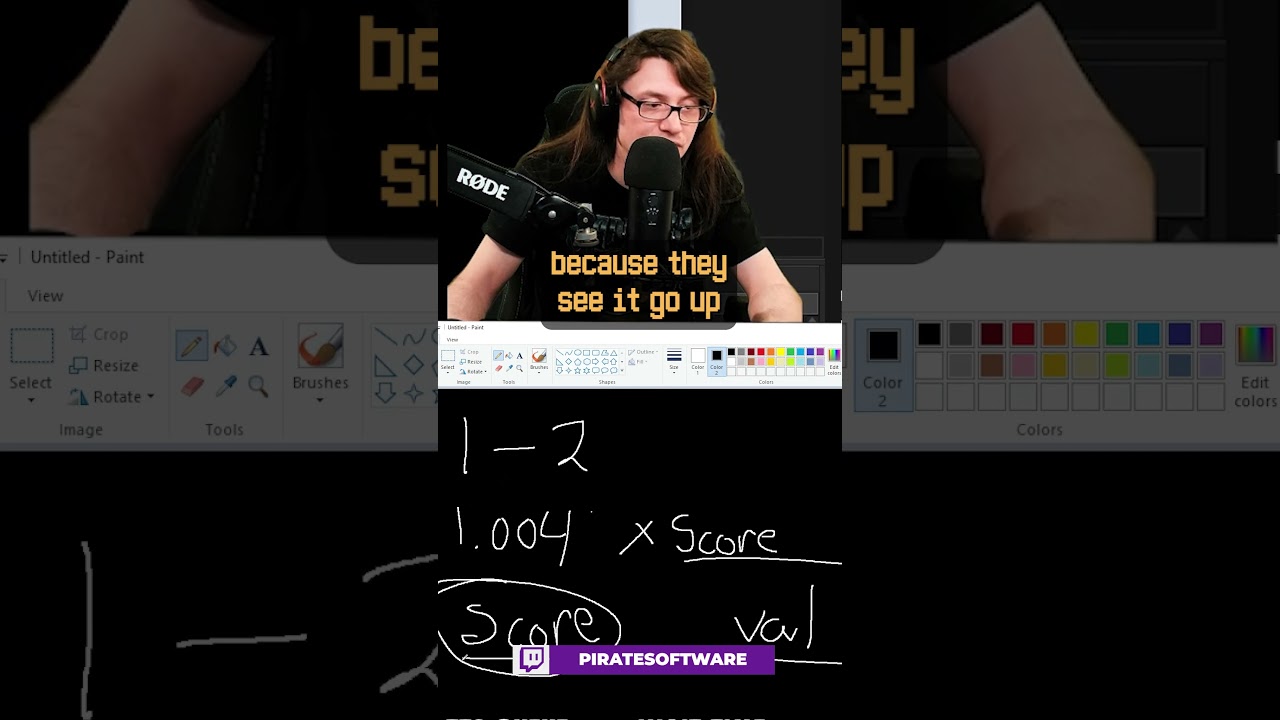
Watch the stream here:
https://piratesoftware.live
Join the community here:
https://discord.gg/piratesoftware
#Shorts #GameDev #PirateSoftware
steep rose
haha that's a pretty clever way of detecting cheats
rocky canyon
rocky canyon
theres definitely ways to store it locally tho, and to be clever about where and...
ya, something like that is what i meant by this ^
def out of hte box solutions ppl wouldnt ever suspect
then add some mechanics int he game to troll the player.. and checkmate 😄
 eternal needle
steep rose
haha that's a pretty clever way of detecting cheats
eternal needle
steep rose
haha that's a pretty clever way of detecting cheats
yea for one day until people realize to also just modify the 2nd value. then suddenly theres a cheater issue again and nothing is achieved, other than adding unnecessary complexity
eternal needle
naive pawn
https://www.youtube.com/watch?v=J2Vy05aDKqQ
a lot of the "game dev advice" shorts ive seen from this guy has been awful advice tbh. its mostly content farming and all he does is present these seemingly simple solutions. since its a short he ofc doesnt include the part where it doesnt work in the real world
naive pawn
eternal needle
yea for one day until people realize to also just modify the 2nd value. then sud...
the issue is never cheating, the issue is normal players having to compete with cheaters
this is just a way of detecting and segregating them 🤷
(i don't think this is really the place to discuss this though)
radiant meteor
should i create a different save file for preferences (mouse sensibility, vsync, etc.) that is separate from game progress (levels beaten, weapons obtained, etc.)?
naive pawn
probably
importing/exporting preferences would be much easier since you could just override the whole preferences file
eternal needle
naive pawn
(i don't think this is really the place to discuss this though)
i just wanted to bring it up because a lot of his advice is aimed at beginners and is wildly misleading or just wrong. i wont go too in depth, mainly cause i dont wanna go through his channel again, but it really just feels like hes trying to seem cool instead of presenting correct information.
steep rose
eternal needle
yea for one day until people realize to also just modify the 2nd value. then sud...
well yes, but all I was saying is it was clever.
 formal escarp
Hey guys i have some code where if the player dies they respawn on their last checkpoint, but my problem is the rest of the scene stays the same, but i want to make it so the enemies go back to their original place. How can i go about this?
eternal needle
radiant meteor
should i create a different save file for preferences (mouse sensibility, vsync,...
i find it easier having these things separate. it might not apply to your case, but having a giant save file can get annoying if you need to load all the game data just to adjust something like vsync.
teal viper
formal escarp
Hey guys i have some code where if the player dies they respawn on their last ch...
The easiest way would be to just reload the scene.
eternal needle
formal escarp
Hey guys i have some code where if the player dies they respawn on their last ch...
you could just load the scene, using the scene manager, and then place the player at wherever this checkpoint is. otherwise everything that can be reset will need some functionality to record their initial position/rotation and be notified when they need to reset
formal escarp
teal viper
The easiest way would be to just reload the scene.
But if i do that, the player would too go back to their "starting" point instead of their last checkpoint no?
The checkpoints are in the same level. Let´s say i have checkpoint 1,2,3 in the same scene.
teal viper
formal escarp
But if i do that, the player would too go back to their "starting" point instead...
You'll need to persist that data outside of the scene.
eternal needle
formal escarp
But if i do that, the player would too go back to their "starting" point instead...
maybe remove the player from the scene, so they arent spawning with the scene in the first place. or have some way to reference the player when the scene starts and move them to the correct checkpoint after its loaded. some object (probably in DDOL) should keep track of which checkpoint you're at
formal escarp
man that sounds complex but ill try
teal viper
Resetting all the objects to their initial positions might be even more complex(or rather tedious).
sour fulcrum
Is there a way to get Input.GetAxis without having a virtual axis setup in the input manager? / exclusively through code?
teal viper
sour fulcrum
Is there a way to get `Input.GetAxis` without having a virtual axis setup in the...
Wdym? Without the setup, there's no "axis". If you mean querying a key press, then sure, that's possible with just GetKey/Up/Down/Pressed or whatever the correct API was.
sour fulcrum
I kinda want a press but i don't think I can
working on a package i use between projects and wanted to get some controller inputs that are buttons but axis based without having to re-do the input manager stuff on every project
eg. dpad and l2/r2
👀
 zenith cypress
If you use the new input system you could define the entire binding in code via a binding string.
teal viper
sour fulcrum
I kinda want a press but i don't think I can
working on a package i use between...
You can probably save the input manager setup as a preference and load it in the new project. Check the context menu in the input manager.
zenith cypress
sour fulcrum
Tyty.
 fierce plume
im just starting coding and im lost on how i make it so the jump only happens once im using
idk why it formatted like that
if (Input.GetKey(KeyCode.Space)) { Debug.Log("SpaceBar pressed"); rb.AddForce(Vector3.up * JumpForce); }
thats better
naive pawn
use 3 backticks for a codeblock
GetKey checks if the key is currently being pressed
use GetKeyPressed so it's only triggered on the frame that it's pressed
fierce plume
ohhh thanks
 coral bear
fierce plume
` if (Input.GetKey(KeyCode.Space))
{
Debug.Log("SpaceBar pressed");
r...
coral bear
fierce plume
` if (Input.GetKey(KeyCode.Space))
{
Debug.Log("SpaceBar pressed");
r...
you'll wanna use GetKeyDown
GetKey will make it print every frame it's held down
 mint echo
I'm making a game in which the player can craft spells, and they can choose a base spell form and an auxillary effect (so many possible combinations when i end up adding more aux effects in the future). when the player casts the spell, I was originally going to spawn in the spell object and attach the chosen aux effect script to the projectile at runtime, but after being suggested to use prefabs this might be what I'm lookiung for, but I;m still confused about them. from my understanding, i can create a prefab for each base spell form, but creating a prefab for each base spell form/aux effect combo seems completely unnecessary, which is why i was originally going to attach the aux effect script at runtime. how can i attach a specific script to a prefab?
or could I make prefabs of each base spell form, and when the player crafts their spell, i use their chose spell form prefab and add their aux effect script and make that a new prefab for their completed spell?
teal viper
mint echo
I'm making a game in which the player can craft spells, and they can choose a ba...
A complex/composite system like that is often implemented with Scriptable objects and runtime objects that combine different behavior and data using composition pattern. It's not really something simple for a beginner.
mint echo
gotta start somewhere. i would have asked this in #archived-code-general but since im relatively new to unity and when i did ask in that channel earlier i was suggested to maybe use prefabs. ive done some reading on it and am trying to figure out if prefabs are what im looking for. thats why im askiung about them here since it seems prefabs are a basic part of unity
or is this not the right channel to be asking about understanding prefabs? if its not ill move my question to the correct channel
 quick oasis
im trying to use a tilemap that can be destroyed by a gameobject as it moves through the tilemap, but for some reason it just stops when it collides and doesn't destroy anything. so far this is my code for the tilemap:
public class DestructibleTiles : MonoBehaviour
{
public Tilemap destructibletilemap;
// Start is called before the first frame update
void Start()
{
destructibletilemap = GetComponent<Tilemap>();
}
// Update is called once per frame
void Update()
{

}

private void OnCollisionEnter2D(Collision2D collision)
{

    if (collision.gameObject.CompareTag("CanBreakWall"))
    {
        foreach (ContactPoint2D hit in collision.contacts)
        {
            Vector2 hposition = new Vector2(
                hit.point.x - 0.01f * hit.normal.x,
                hit.point.y - 0.01f * hit.normal.y
            );

            Vector3Int cellPosition = destructibletilemap.WorldToCell(hposition);

            // Destroy the tile immediately
            if (destructibletilemap.HasTile(cellPosition))
            {
                destructibletilemap.SetTile(cellPosition, null);

            }
        }
    }
}
}
naive pawn
!code
eternal falconBOT
Posting code
📃 Large Code Blocks
Use links to services like:
https://gdl.space/, https://paste.ofcode.org/, https://hatebin.com/, https://paste.myst.rs/, https://hastebin.com/
📃 Inline Code
Surround code with three backquotes. Not quotation marks.
To format as C#, add cs to the first line:
```cs
// Your code here
```
Add a comment with a line number if there is an error message.
naive pawn
have you tried debugging those conditions and such
quick oasis
yes, i just did. It just isn't setting the tiles to null for some reason.
it just keeps outputting the same coordinates
 vale chasm
How can i optimize/combine these into one?
Files removed, added to #💻┃code-beginner message
 ivory bobcat
vale chasm
How can i optimize/combine these into one?
Files removed, added to https://ptb.d...
ivory bobcat
vale chasm
How can i optimize/combine these into one?
Files removed, added to https://ptb.d...
Use the links as suggested from the Large !code blocks section
eternal falconBOT
Posting code
📃 Large Code Blocks
Use links to services like:
https://gdl.space/, https://paste.ofcode.org/, https://hatebin.com/, https://paste.myst.rs/, https://hastebin.com/
📃 Inline Code
Surround code with three backquotes. Not quotation marks.
To format as C#, add cs to the first line:
```cs
// Your code here
```
Add a comment with a line number if there is an error message.
cosmic dagger
mint echo
gotta start somewhere. i would have asked this in <#763495187787677697> but sinc...
yes, it would be a combination of prefabs with ScriptableObjects (SOs). instead of adding a script at runtime, you would assign an SO asset to a variable on the base spell (instantiated prefab). that SO will have the data and logic for the aux effect. that's the gist of it . . .
mint echo
ok thank you very much
cosmic dagger
vale chasm
https://github.com/NFLD99/FluffumsPackages/tree/main/Editor
what's this? just use a paste site to post the code and send us the link . . .
vale chasm
github, a standard used code host, way better than any paste site
cosmic dagger
i know. it use it myself, but the page goes to a 404 . . .
 naive pawn
yeah i think you mightve linked a private repo
vale chasm
no?
 naive pawn
yep that's a private repo
 cosmic dagger
well, it's not working for us, so we can't help without the code . . .

 sick jay
Is the best way to store a variable that never changes and is used by multiple scripts in a script with others like it that initializes them as public readonly static variables? What I'm using is a maxInteractDistance for the player(distance a raycast travels when player clicks a button). Or should i just make private readonly variables with the same number in each script that needs it?
Actually in this case I should just put both actions in the same script so it doesn't matter
 timber tide
You can do a property like
public float MaxInteractDistance
{
    get
    {
        return maxInteractDistance;
    }
}

[SerializeField] private readonly float maxInteractDistance = 5;
Also similar
public float MaxInteractDistance => maxInteractDistance;
[SerializeField] private readonly float maxInteractDistance = 5;```Or even similar
[field: SerializeField] public float MaxInteractDistance { get; } = 5;```
Edit: Forgot you only want readonly ;pThis is assuming only the player cares for this InteractDistance, and that if needed you pass the player reference with this property. Now, if say more than just the player uses this value, then you can consider some static value in a utility class assuming it never changes and everything abides by it.
sick jay
Thank you!
Would this code work properly based on how i explain it in the green text? (assume the methods for PickupObject, MoveObject, and DropObject function as intended)
 timber tide
Sure, if you want to take input in update that would work
sick jay
would it be better to take it somewhere else? What would be the best way to check if an object is grabbed
timber tide
If you're not interested reading into Unity's "new" standard input system then doing it in update is fine, but since this all has to deal with buttons I would make each button press an event with its own logic checking.
sick jay
I did most of the input stuff in that already using a tutorial, its very confusing for a beginner
I will try to add this code to it
timber tide
Yeah, event though there's cleaner ways to do this stuff, just getting it work with what you know is probably best for now
radiant meteor
i put my canvas with my all my hud objects in another scene that plays with the main scene since it will stay throught other scenes, with a singleton to handle references, but it just does not want to reference anything
should i have the singleton in DontDestroyOnLoad instead of the "canvas" scene?
timber tide
radiant meteor
i put my canvas with my all my hud objects in another scene that plays with the ...
What I do is have a load scene with all my singletons at the start of my game so this way I can flag them as DontDestroyOnLoad immediately
radiant meteor
putting it in dontdestroyonload didnt change anything
timber tide
Well, check that the singleton is the one that is loading first before referencing it. I'd also debug the first script that references it and make sure the singleton itself is not null
radiant meteor
i've changed so the scripts themselves gave the reference to the singleton, no changes
timber tide
How's the script looking like for the singleton being instantiated
radiant meteor
is that the problem? i have to instantiate it? he already exists as an object i put there myself and gets every reference from the respective scripts in awake
timber tide
Right, if it's already on the scene then you've already have an instance instantiated but wondering if you're setting the instance correctly.
And flagging DontDestroy*
timber tide
timber tide
What I do is have a load scene with all my singletons at the start of my game so...
Have you tried that yet? I assure you it fixes a lot of execution ordering problems which may be related
Otherwise, if you are instantiating it directly on the scene it's being referenced on, you may run into dependencies executing first which would reference something not loaded yet. You can fix this by going into the project settings and manually changing the execution ordering on scripts if you want to do it that way.
Other than that, I can't really help without seeing anything
 static cedar
Encountering this bug right after i opened the project.

Seems to taking literally forever.
radiant meteor
how do i tell it what components to reference?
like, how do i tell it that the player is x from scene 1, while also telling it that the main hud is y from scene 2?
its basically the same problem
i need the references to tell it what to reference, but if i had the references anyway then there's no point in doing this
static cedar
static cedar
Encountering this bug right after i opened the project.
Ok, i deleted all of my scripts. (Put them in a zip first obviously).
Ok i unzipped it, and the infinitely long "awaiting for unity's code to finish executing" is back.
radiant meteor
i've done so many different things, i've created scripts to give references forwards, backwards, sideways, i've made new ones with the references i need from each scene, playing before the rest of the scripts but after the singleton, nothing, not a single changed result
this is making me rip my hair out of my head, and its really late, i'm going to sleep
i'll definitely realize i'm stupid by tomorrow
 faint osprey
im trying to make a simple rope swing at the moment using rigid body distance joints but its not behaving as expected ``` void Start()
{
m_CanGrapple = true;
CharacterMovement.StartGrapple += ReadyToGrapple;
    m_grappleJoint = player.AddComponent<DistanceJoint2D>();
    m_grappleJoint.enabled = false;
    m_grappleJoint.autoConfigureDistance = false;
}

// Update is called once per frame
void Update()
{
    if(m_isSwinging)
    {
        player.GetComponent<LineRenderer>().SetPosition(0, player.transform.position);
        m_grappleJoint.connectedAnchor = gameObject.transform.position;
        m_grappleJoint.distance = Vector2.Distance(player.transform.position, transform.position);
        m_grappleJoint.autoConfigureConnectedAnchor = false;
    }
}```
this is what ive got so far if anyones got any ideas to make it better that would be nice
 real thunder
okay so basically I have an IEnumerator DoRegen()
so if I am doing that
healingRoutine = DoRegen();
StartCoroutine(healingRoutine);```
I assume that while the coroutine is running, that healingRoutine is occupied with that coroutine, and when it yield breaks it becomes null, right?
I am doing that to be able to check if it's not null to see if the coroutine is running, feel like it's more elegant than making a bool, does that makes sense? north kiln
real thunder
okay so basically I have an IEnumerator DoRegen()
so if I am doing that
```priva...
north kiln
real thunder
okay so basically I have an IEnumerator DoRegen()
so if I am doing that
```priva...
There is no mechanism to automatically make something null
Only UnityEngine.Object does that, and it's not really null, it's fake (and awful)
real thunder
also how do I make a big box around the code like above
north kiln
If you want to use it to track the state of the coroutine you would have to set it to null manually
north kiln
real thunder
also how do I make a big box around the code like above
Three backticks
real thunder
added the string I forgot
naive pawn
would probably be better to set the coroutine in case you want to stop it later
real thunder
I can stop it using that var tho
StopCoroutine accepts either string or IEnumerator or Coroutine
naive pawn
oh, true
real thunder
string sounds pretty clunky but I am not sure what is better IEnumerator or Coroutine
naive pawn
welp that aside, storing the coroutine kinda makes more sense imo
it's more clearly a coroutine rather than a random enumerator
real thunder
I just went with IEnumerator because I am clueless and it was mentioned earlier than a Coroutine
to my shame I have no clear understanding what they are
just the work principle
do I have to use bool to check if coroutine working?
 slender sinew
just set the variable to null inside the coroutine once it's done
naive pawn
real thunder
do I have to use bool to check if coroutine working?
you do use bools
x == null is a bool
real thunder
Yeah I know
I ofc meant an outside variable
Nullifying the coroutine variable makes sense tho, I would rather do that
 willow shoal
using System.Collections;

public class gravitych : MonoBehaviour
{
    public bool gravitySwitch;
     void Update()
     {
        if (Input.GetKeyDown(Keycode.Space)) //Detect if player press G key. You can learn more at Unity Input. If you want
        {
            gravitySwitch = !gravitySwitch;
            if (gravitySwitch)
            {
                Physics.gravity = new Vector3(0, 9.81, 0); //Invert
            }
            else If(!gravitySwitch)
            {
                Physics.gravity = new Vector3(0, -9.81, 0); //Default unity
            }

        }
     }
}
how to fix error cs1002; expected 16,36
somethink is wrong with "else If(!gravitySwitch)"
real thunder
there is less than 36 strings tho
willow shoal
so what i should add
real thunder
willow shoal
somethink is wrong with "else If(!gravitySwitch)"
yeah... it's "If"
I mean
big I
should be "i"
where do you code?
 fickle plume
willow shoal
```using UnityEngine;
using System.Collections;
public class gravitych : MonoBe...
fickle plume
willow shoal
```using UnityEngine;
using System.Collections;
public class gravitych : MonoBe...
You need to setup your !ide then it will tell you exactly what's wrong.
eternal falconBOT
💡 IDE Configuration
If your IDE is not autocompleting code
or underlining errors, please configure it.
Select one:
•  Visual Studio (Installed via Unity Hub)
• Visual Studio (Installed manually)
•  VS Code
•  JetBrains Rider
• :question: Other/None
 fringe plover
I like how you didnt give us proper explanation whats wrong and how u call it, didnt use ` symbol to make code look preety, and didnt even tell what are types are those values.
 lunar hollow
Are there any ways to load Anim files at Runtime? As in, you have a path to a .anim file and you can apply that .anim file to an Animator
languid spire
lunar hollow
Are there any ways to load Anim files at Runtime? As in, you have a path to a .a...
I dont think you can load a .anim by itself however you can wrap one in an asset bundle and load it that way
lunar hollow
And you can save asset bundles to a file?
languid spire
of course, that is what they are for
 sand swift
why is my code greyed out / fadedout?
 languid spire
sand swift
why is my code greyed out / fadedout?
languid spire
sand swift
why is my code greyed out / fadedout?
bug in latest version of VS
sand swift
but is render only or affects the code?
languid spire
only affects what you see on the screen
@sand swift this may help
https://developercommunity.visualstudio.com/t/Private-Unity-messages-incorrectly-marke/10779025

Developer Community
 verbal dome
What is "hertz value", how are you getting it
quick oasis
can somebody help me with my destructible tilemap code? it doesn't seem to be working even though it keeps printing the same coordinates
private void OnCollisionEnter2D(Collision2D collision)
{
   if (collision.gameObject.CompareTag("CanBreakWall"))
   {

       foreach (ContactPoint2D hit in collision.contacts)
       {
           Debug.Log("collision at " + "" + hit.point.x + " " +hit.point.y);

           Vector2 hposition = new Vector2(
               hit.point.x - 0.01f * hit.normal.x,
               hit.point.y - 0.01f * hit.normal.y
           );

           Vector3Int cellPosition = destructibletilemap.WorldToCell(hposition);

           // Destroy the tile immediately

               destructibletilemap.SetTile(cellPosition, null);


       }
   }
}
so i added this and somehow it keeps not existing
if (destructibletilemap.HasTile(cellPosition))
{
destructibletilemap.SetTile(cellPosition, null);
}
else
{
Debug.Log("doesn't exist somehow");
}
 rancid tinsel
quick oasis
if (destructibletilemap.HasTile(cellPosition))
{
destructibletilemap.SetTi...
rancid tinsel
quick oasis
if (destructibletilemap.HasTile(cellPosition))
{
destructibletilemap.SetTi...
have you tried debugging the cellPosition? maybe something is going wrong there
Debug.Log($"Cell Position: {cellPosition}");
before the if ofc
rancid tinsel
how does the tilemap check if it HasTile?
does it check in children? in a dictionary?
quick oasis
im not sure
ill go read up
ok all it does is if there is a tile at the position, it returns true
rancid tinsel
yeah but I mean how does it check
it has to keep track of what tiles exist in some way
quick oasis
i dont know
rich adder
thats a unity built in function
rancid tinsel
rich adder
thats a unity built in function
ah
rich adder
I would make the vector3 a field then use OnDrawGizmos/ Gizmos.DrawSphere, and draw where the point is
quick oasis
what is ondrawgizmos / gizmos.drawsphere?
rich adder
are you sure you painted them in the correct tilemap ?
 rich adder
quick oasis
i want it to be able to destroy all walls + floor
rich adder
quick oasis
i want it to be able to destroy all walls + floor
is the on collision message actually firing?
 rich adder
ok so draw the gizmos and see whats happening visually
rich adder
if the collision is firing there are only 2 possibles,
the position is wrong or that tilemap doesn't have any tiles
quick oasis
foreach (ContactPoint2D hit in collision.contacts)
{
Debug.Log("collision at " + "" + hit.point.x + " " +hit.point.y);
 Vector2 hposition = new Vector2(
     hit.point.x - 0.01f * hit.normal.x,
     hit.point.y - 0.01f * hit.normal.y
 );
i mean this is the position code
ill do the gizmo thing tho
rich adder
You'd have to make cellPosition a field not a local variable
then pass that in the Gizmos.DrawSphere method (as shown in docs example this goes in the OnDrawGizmos method also Gizmos must be enabled in your scene/game view)
quick oasis

for some reason its only making 1 sphere
but regardless shouldn't it be deleting it and moving on
rich adder
yeah just realized you had a loop. You'd have to make a small list of vector3s and add them in for each
rich adder
quick oasis
would i use points.count for the length of the list
yea for a for loop, or use foreach
 rich adder
quick oasis
rich adder
quick oasis
can you show your current code?
also I'd make those radius smaller like 0.12 or .15
quick oasis
like the whole thjing?
rich adder
quick oasis
like the whole thjing?
yes use a code pasting share site from below
eternal falconBOT
Posting code
📃 Large Code Blocks
Use links to services like:
https://gdl.space/, https://paste.ofcode.org/, https://hatebin.com/, https://paste.myst.rs/, https://hastebin.com/
📃 Inline Code
Surround code with three backquotes. Not quotation marks.
To format as C#, add cs to the first line:
```cs
// Your code here
```
Add a comment with a line number if there is an error message.
quick oasis
rich adder
quick oasis
https://paste.ofcode.org/V7qPmrfadhStxRpFWqSvDd
oh you know what, i know what it is..
your slight offset you added
rich adder
quick oasis
whats wrong with it
well its making it not work lol
rich adder
just do cellPosition = destructibletilemap.WorldToCell(hit.point);
that offset always struck me odd since i saw it lol
 rich adder
quick oasis
doing the same thing
rich adder
quick oasis
doing the same thing
did you write hit.point?
quick oasis
!code
eternal falconBOT
Posting code
📃 Large Code Blocks
Use links to services like:
https://gdl.space/, https://paste.ofcode.org/, https://hatebin.com/, https://paste.myst.rs/, https://hastebin.com/
📃 Inline Code
Surround code with three backquotes. Not quotation marks.
To format as C#, add cs to the first line:
```cs
// Your code here
```
Add a comment with a line number if there is an error message.
quick oasis
 calm yarrow
how do i make my flipping first person camera look left and right
wintry quarry
Usually for a first person camera you actually just rotate the player itself, and the camera is a child
calm yarrow
idk how to do that
rich adder
quick oasis
https://paste.ofcode.org/3aU2emNmJLj87rXtFasLBEk
thats odd. I tried it and it works for me


 wintry quarry
calm yarrow
idk how to do that
wintry quarry
calm yarrow
idk how to do that
Any basic first person character controller tutorial will go over it
rich adder
quick oasis
are all my settings correct?
You might be running the OnCollision on the wrong gameobject
since you are checking tag CanBreakWall and your tilemap is tagged as Wall
how do you enable/move the other object that hits it? show that code too and inspector for gameobject. (Btw you can submit multiple screenshots in one message no need for this vertical madness)
calm yarrow
wintry quarry
Any basic first person character controller tutorial will go over it
okay thanks
quick oasis
ok
public class purplemove : MonoBehaviour
{
// Start is called before the first frame update
public Rigidbody2D rb;
void Start()
{
    rb = GetComponent<Rigidbody2D>();
}

// Update is called once per frame
void Update()
{
    rb.velocity = new Vector2(30, 0);
}
}


yeah and the spirte image was the only good one i could find
rich adder
quick oasis
yeah and the spirte image was the only good one i could find
try this real quick
 Vector2 hposition = new Vector2(
                hit.point.x + 0.5f,
                hit.point.y + 0.5f
            );
cellPosition = destructibletilemap.WorldToCell(hposition);```doing the exact same thing
wait
1 sec
ok so ist destroying a single tile

it was doing something similar earlier too
rich adder
if you want this to pass through you probably want it to be a trigger btw
ig then the issue comes where you cannot get contact points
quick oasis
how do i delete then if the trigger is in teh ball
like how will the tilemap know
if i do on trigger enter will it detect
like from the non-trigger object
rich adder
quick oasis
if i do on trigger enter will it detect
yes
the flying object should be trigger


 quick oasis
how do i get all points of overlap with the trigger
rich adder
quick oasis
how do i get all points of overlap with the trigger
thats the tricky part
so IMO you're better off using the appropriate physics queries and forget this rigidbody and MB signals
something like OverlapBox or Boxcast
Overlap probably better
rich adder
rancid tinsel
any idea what might be happening?
love how you cut the log right before the error
rancid tinsel
rich adder
love how you cut the log right before the error
sorry, the log returned 0
added dataList[index] to the log and now the debug line throws the error
rancid tinsel
the length is logged correctly (currently at 2)
so the array is definitely not empty
rich adder
btw should usually pass the second parameter for logs like ("log", this)
this would tell you which exact object is calling the log
 short hazel
The array is empty on the prefab, seeing how the Inspector says it's modified. If you Instantiate this via code, make sure you applied the changes to the original prefab!
rancid tinsel
rich adder
btw should usually pass the second parameter for logs like ("log", this)
this wo...
could you explain what you mean? I don't get it
rancid tinsel
short hazel
The array is empty *on the prefab*, seeing how the Inspector says it's modified....
it's a static prefab in the scene
as in, it doesn't get instantiated
not actually static i need to be careful with my wording
rich adder
rancid tinsel
could you explain what you mean? I don't get it
Debug.Log has a second context parameter for the gameobject it applies to
rancid tinsel
rich adder
` Debug.Log` has a second `context` parameter for the gameobject it applies to
oh, had no idea thanks
rich adder
try to always pass that so you have assurance which object is exactly calling the logs
rancid tinsel
i always did it manually instead but this is cleaner
rich adder
rancid tinsel
as in, it doesn't get instantiated
SFX manager?
rancid tinsel
rich adder
SFX manager?
wdym?
ohhh, the object the script is on
yeah it's already in the scene
the only "moving" it could be doing is DDOL but I don't think that should cause any issues
ok i changed it like this and while in awake the dataList.Length is populated, when debugging it again its 0

really weird - I'll have to see if there is anything interacting with the UISoundManager but there shouldn't be
rich adder
this is why its wise not to make everything public
not saying its the issue but its one less thing to worry about being modified elsewhere somehow
rancid tinsel
yeah I get that
I think I can actually make the array private in this case
but the same thing happens
also to be clear the array is still populated in the inspector at all times
rich adder
make it [SerializeField] private, save and see anything else errors
languid spire
then you are calling PlaySound on the wrong object
rancid tinsel
i just did, same issue ocurred
rancid tinsel
languid spire
then you are calling PlaySound on the wrong object
that should be irrelevant - I'm calling it via buttons anyway
languid spire
how can it be irrelevant?
rancid tinsel
it plays the sound on the audio source thats on the same object as the script
languid spire
using the datalist on the same object
rancid tinsel
also its a singleton so its the only one in the scene
languid spire
Log InstanceId in Awake and in PlaySound
rancid tinsel
like this?
 languid spire
yes

 rancid tinsel
oh I see what you mean
wait but that's so weird - so I have to assign the buttons at runtime or what?
rich adder
for sanity check the Logs in PlaySound should have the context added to Log..
I didn't say it for my health
Debug.Log("stuff", this)
rancid tinsel
rich adder
`Debug.Log("stuff", this)`
where do I see the "this" part in the log?

oh wait
im an idiot
rich adder
rancid tinsel
where do I see the "this" part in the log?
click it and it should highlight the script/component
where is the code question?
rancid tinsel
rich adder
click it and it should highlight the script/component
its not highlighting anything for me on neither message (awake or the logerror)
but it does say what method called it
on what script
rich adder
doesnt - instance ID mean the gameobject was spawned and not part of scene already?
rancid tinsel
I think what's happening is that it is a prefab in the hierarchyu
languid spire
no, just means runtime, + is an asset
rancid tinsel
and in playmode it turns into a normal gameobject?
thats why the instanceID is different?
rancid tinsel
languid spire
your UI buttons are referencing the prefab not the gameObject in the scene
wtf you're right
but I have no idea how that could have happened
wait so let's say I assigned the object to the buttons, but then I changed a part of the script and let it compiled - would that cause this?
 stiff pollen
hello, I tried to learn some scripting but I think something is wrong with mine. I saw in few tutorial that the MonoBehaviour will be in green but mine is not and when I tried to type GameObject it just doesn't work. anyone know how to fix this?
 rancid tinsel
because aside from that I have no idea - I just assigned them the same way I did before except now it works
 cosmic quail
stiff pollen
hello, I tried to learn some scripting but I think something is wrong with mine....
cosmic quail
stiff pollen
hello, I tried to learn some scripting but I think something is wrong with mine....
!ide
eternal falconBOT
💡 IDE Configuration
If your IDE is not autocompleting code
or underlining errors, please configure it.
Select one:
• Visual Studio (Installed via Unity Hub)
• Visual Studio (Installed manually)
• VS Code
• JetBrains Rider
• :question: Other/None
languid spire
rancid tinsel
wait so let's say I assigned the object to the buttons, but then I changed a par...
no
stiff pollen
cosmic quail
!ide
I just need to update?
languid spire
@rancid tinsel It is maybe possible that you created the prefab AFTER assigning the UI buttons
rancid tinsel
languid spire
<@216599096981454848> It is maybe possible that you created the prefab AFTER ass...
that's impossible since that prefab was made days ago, and was one of the first things in this scene
I'm genuinely scratching my head at how they could have been assigned to the prefab
maybe instead of dragging I used the dropdown menu
and that selects the prefab rather than gameobject?
 frail hawk
stiff pollen
I just need to update?
frail hawk
stiff pollen
I just need to update?
your intellisense function is missing.
rancid tinsel
iirc the dropdown looks through assets right?
languid spire
yes, that could be it
stiff pollen
frail hawk
your intellisense function is missing.
how can I get the intellisense?
frail hawk
in the preferences choose Visual studio. this is the most common problem.
it might have other reasons why it is not working but try this first
rancid tinsel
languid spire
yes, that could be it
either way thanks for the help!
stiff pollen
why it doesn't auto enabled and most of beginner tutorial didn't mention anything about this
frail hawk
it is auto enabled
steep rose
you always have to configure your ide
frail hawk
you might have installed unity and Vs seperately
past spindle
Shouldn't the input field be editable when you first put it in your scene? I know for everything else you need coding, but I thought you could click on it and edit the text before that.
 keen dew

 woven summit
How can I make it so my camera is like this:
Camera Width = 600
Camera Height = 240
Camera X = floor(player.x/600)*600
Camera Y = floor(player.y/240)*240
in 2d
lunar hollow
What does Win32 IO returned 14 mean?
vale chasm
vale chasm
How can i optimize/combine these into one?
Files removed, added to https://ptb.d...
any ideas?
 runic lance
vale chasm
any ideas?
runic lance
vale chasm
any ideas?
what do you want to do exactly?
vale chasm
runic lance
what do you want to do exactly?
optimize/combine them
Scrips so you don't have to scroll
https://github.com/NFLD99/FluffumsPackages/tree/main/Editor

GitHub
Contribute to NFLD99/FluffumsPackages development by creating an account on GitHub.
runic lance
🤷♂️
please explain your use cases, what do you want do optimize, why you want to optimize, what do you want to combine, why do you want to combine, what have you already tried... otherwise it's too vague and no one can help you
vale chasm
Use case: they are for organizing the stuff I use in my scenes
Reason for optimizing: because everything should be optimized
What to combine: everything
Why combine: so it's more organized
What I have tried: putting it all in one file, but I suck with C#
rich adder
lunar hollow
What does Win32 IO returned 14 mean?
show the complete error
lunar hollow
rich adder
show the complete error
Well thats the complete error from the Exception.
rich adder
lunar hollow
Well thats the complete error from the Exception.
screenshot the error
lunar hollow
Well i cant, this only happens in my build
slender sinew
vale chasm
Use case: they are for organizing the stuff I use in my scenes
Reason for optim...
I am going to be honest, the most that anyone could tell you is to "put them in one file if you want them to be in one file"... there is no trick to copy pasting code from one place to another. Not sure what you need help with.
you are probably missing some fundamentals, in which case you should learn the very very basics (what are classes, what are methods) before trying to optimize anything
vale chasm
Probably should, it's been ~10 yet since I've used c# at all, was more just asking if the janky code I have could be optimized
slender sinew
unless you are running into actual performance issues, I wouldn't worry about it. Everything you sent is code that only runs in the editor, and most of it only runs when you click a menu item. The code seems fine for that purpose, not much you can optimize
 north merlin
is this the correct syntax volumeProfile.GetComponent<ColorAdjustments>().postExposure.value = amount;
rich adder
north merlin
is this the correct syntax ```volumeProfile.GetComponent<ColorAdjustments>().pos...
pretty sure you need a tryGet
 if(vol.profile.TryGet(out ColorAdjustments ca ))
        {
            ca.postExposure.value = amount
}```VolumeComponent actually inherits from ScriptableObject so GetComponent would not work (components are attached to gameobjects)
 supple wasp
Hi, can you help me with this code? According to this code, the player is automatically detected and this happens.
How was it to be able to pass a code that I can't put so much?
rich adder
supple wasp
How was it to be able to pass a code that I can't put so much?
haven't you been here long enough to know how to share code?
supple wasp
No, it's just that I have another account that I always see and that's why I don't remember.
rich adder
use link sites in !code
eternal falconBOT
Posting code
📃 Large Code Blocks
Use links to services like:
https://gdl.space/, https://paste.ofcode.org/, https://hatebin.com/, https://paste.myst.rs/, https://hastebin.com/
📃 Inline Code
Surround code with three backquotes. Not quotation marks.
To format as C#, add cs to the first line:
```cs
// Your code here
```
Add a comment with a line number if there is an error message.
 heavy knoll
Anyone know how i can make my character less slippery and more responsive? i tried adding ground drag to make my player less slippery but when i add ground drag and increase player speed my character moves way too fast in the air .And if i set my drag to be some value while in the air, my player falls really slowly
steep rose
you would want to limit air speed as well by limiting the velocity (X and Z only) of which your character moves, you could do this for character controllers or rigidbodies which I'm assuming you are using
heavy knoll
steep rose
you would want to limit air speed as well by limiting the velocity (X and Z only...
so its fine to make my player less slippery and still fast by upping my ground drag and player speed?
also do you know how to go about limiting the x and z velocity in the air? i can send my code if that helps
https://hatebin.com/yghdazlazm
steep rose
heavy knoll
so its fine to make my player less slippery and still fast by upping my ground d...
that will do quite the opposite of what you want, also it seems you have a SpeedControl function which should do exactly what you want to do, And the inconsistency of movement is most likely you are modifying the RB drag from its original value (I believe it is 1) and is messing with things a bit.
heavy knoll
steep rose
that will do quite the opposite of what you want, also it seems you have a `Spee...
hmm, i tried making my rb drag just 1 but my player keeps sliding for a little bit after i let go of my move key
steep rose
ah do you have a physics material on your player?
heavy knoll
i have a no friction material on my player, but i think i added that to fix another problem where the player would get stuck to walls if they walk against them or jump into them

although i just took it off
and i still seem to slide a tiny bit when i let go of my move key
rich adder
you need to play around with drag
or make your own deceleration with addforce to counter your movement
supple wasp
https://hatebin.com/rajrjzhuod I don't know if this leads to the code I posted but here it is
I'm going to tell you the context of this code
rich adder
supple wasp
https://hatebin.com/rajrjzhuod I don't know if this leads to the code I posted b...
whats happening vs what you expect to happen
supple wasp
!code
eternal falconBOT
Posting code
📃 Large Code Blocks
Use links to services like:
https://gdl.space/, https://paste.ofcode.org/, https://hatebin.com/, https://paste.myst.rs/, https://hastebin.com/
📃 Inline Code
Surround code with three backquotes. Not quotation marks.
To format as C#, add cs to the first line:
```cs
// Your code here
```
Add a comment with a line number if there is an error message.
steep rose
heavy knoll
i have a no friction material on my player, but i think i added that to fix anot...
If you attach a physics material to your collider with such settings it will act like that collider is always sliding on ice, if you go down that route you have 2 options, 1 is to make your own friction, 2 make another collider solely for walls with said physics material on it, but I would recommend instead ignoring input by using a raycast and check if that hits and if it does check if you are off the ground, and the surface it just hit is a wall either by using layermask's or calculating the angle between the hit.normal and Vector3.up.
heavy knoll
steep rose
If you attach a physics material to your collider with such settings it will act...
oooh alr
supple wasp
https://hastebin.com/share/aqivazivuz.csharp Now it's done, well, the code according to what it does is that the code detects the player by his name in the game object but it doesn't do it
Hastebin is a free web-based pastebin service for storing and sharing text and code snippets with anyone. Get started now.
steep rose
heavy knoll
oooh alr
Also when you removed the physics material and it still slides a little bit, do you mean the rigidbody is sliding to decelerate and to come to a stop shortly after (after input) or do you mean if you let go of input it acts like it is sliding on ice and never stops?
heavy knoll
steep rose
Also when you removed the physics material and it still slides a little bit, do ...
just sliding to decelerate and come to a stop shortly after input was released
what im going for ig is just a more snappy/responsive movement feeling
where the movement basically comes to a spot the instant i let go of my move key
i just tried a game demo and the movement felt rlly nice it in compared to the one i was working on, so im kinda trying to change it to match that a lil bit
and the movement in that game was pretty snappy and stopped when the movement key was released, at least i think that's how it works
steep rose
if you want really snappy movement, consider directly modifying the velocity of the rigidbody
you could use velocity change from add force as well, although I do not know the type of movement it could create
heavy knoll
ok, thx ill see how that works
supple wasp
It tells me this when it is supposed to detect it just like that

Hastebin is a free web-based pastebin service for storing and sharing text and code snippets with anyone. Get started now.
rich adder
supple wasp
It tells me this when it is supposed to detect it just like that
botonSalirCarro Gameobject isn't found so you cannot GetComponent on it
screenshot the hierarchy
supple wasp
 rich adder
supple wasp
rich adder
supple wasp
that doesn't say Hierarchy at the top of the tab now does it?
supple wasp
This is the player's gameobject private
rich adder
supple wasp
This is the player's gameobject private
what? can you just like screenshot the whole inspector at least.
supple wasp
 supple wasp
is that the one marked in blue
rich adder
in the script you're using Find by name to get Button on the same gameobject?
thats strange to do, use a serialized reference
also GameObject.Find doesn't work with disabled objects anyway so another reason not to use it
link them in the inspector like you did for the public ones. make it public or even better keep them private and expose in inspector by using [SerializeField] attribute before private
heavy knoll
Anyone nkow how to go about implementing a slight camera tilt left and right when moving left and right? I tried looking up some resources on it, and the only thing i could rlly find, was ppl using a DOTween asset to make it smoothly tilt. Is there a simple way to achieve this without an asset?
rocky canyon
heavy knoll
Anyone nkow how to go about implementing a slight camera tilt left and right whe...
Dedicated Container for the camera,
transform.rotation = Quaternion. Slerp/Lerp
heavy knoll
rocky canyon
Dedicated Container for the camera,
transform.rotation = Quaternion. Slerp/Lerp
do you know how i can link that up to my movement?
and should that be in a new script on my camera holder?
rocky canyon
just use input
heavy knoll
or in my already made camera move script
rocky canyon
 rocky canyon
heavy knoll
and should that be in a new script on my camera holder?
rocky canyon
heavy knoll
and should that be in a new script on my camera holder?
mines not linked to my movement other than uses its movementSpeed to increase the tilt when running
heavy knoll
rocky canyon
mines not linked to my movement other than uses its movementSpeed to increase th...
so i should just have it in this script?
 rocky canyon
i wouldnt..
the whole point of the dedicated container is u can tilt it w/ actually changing the way ur cameras rotate left and right
Player
- Camera Look <-- left right-->
- Camera Tilt
heavy knoll
so just make another script on the camera holder? this is how my stuff is organized atm
 rocky canyon
is cameraholder what rotates the camera?
if so.. it would go
- Camera Holder
- Camera Tilter
- Player Cam
- Camera Tilter
heavy knoll
oh, yea i think it is. I have my player look script on my player, and that controls the camera holder
rocky canyon
heavy knoll
oh, yea i think it is. I have my player look script on my player, and that contr...
this setup would work for u then
then u tilt the Camera Tilter
heavy knoll
ok nice
 cerulean bear
If I know C# syntax and just finished editor essentials what course would you guys recommend I take next so that I can make a game in 2d
rich adder
cerulean bear
If I know C# syntax and just finished editor essentials what course would you gu...
 proper bobcat
cerulean bear
If I know C# syntax and just finished editor essentials what course would you gu...
proper bobcat
cerulean bear
If I know C# syntax and just finished editor essentials what course would you gu...
I wouldn't even recommend another course. I'd say just get in there with a really small scope and finish something. Google every small step you don't know
cosmic dagger
you're hoping for a lot on that last part . . .
rocky canyon
im guessing ur pickup and drop key is the same key..
and im also guessing that when u press it it spaz's tf out
drop,pickup,drop,pickup,drop
check ur if statements and think thru the logic. (unless im wrong) idk this codemonkey specific
 vale karma
Thats what im trying @rocky canyon . It seems straightforward, I dont click once it gets stuck, also, it happens more frequent on the first placement interaction, so it may have to do with the default setting i have no f'in idea. continuing forward lol
if the player spams, (which they will discover), it could cause alot of bugs down the road. I dont want stuff layering on top of a bug if it has to be fixed down the road. Its getting too cumbersome to ignore now
rocky canyon
whats the rest of the logic.. whats the input stuff that calls things like public void Grab(Transform grabPoint)
rocky canyon
vale karma
if the player spams, (which they will discover), it could cause alot of bugs dow...
thats pretty easy to solve w/ a cooldown timer
vale karma
wouldnt that be a bandaid fix though? Since it could happen more often on the first placement interaction I dont think itd fix the issue
Ive tried swapping placement of different interactions, Ive dealt with this for about 3 - 5 months now haha. I commented on the vid a bit ago its long now DX
rocky canyon
oh sure, for that one issue.. but any mechanic that can quickly be used can benefit a bit from a cooldown.. even some of the most perfectly coded mechanics could go haywire w/o atleast a miniscule one
vale karma
of course i ask and then i fix it, it still has the symptoms of the rotation. shoot now im just curious what is overriding that issue. dundunDUNNNN
vale karma
rocky canyon
oh sure, for that one issue.. but any mechanic that can quickly be used can bene...
If its on top i send it back XD
 hushed rain
Hi, I'm having an issue with my code rn can anyone help? Basically I'm making a dash mechanic but the FOV isn't getting reset right. During the dash I want the FOV to be 123 then reset to 103 after the dash ends. But now the second I press the dash key my FOV goes to 123 then immediately back to 103
vale karma
!code
eternal falconBOT
Posting code
📃 Large Code Blocks
Use links to services like:
https://gdl.space/, https://paste.ofcode.org/, https://hatebin.com/, https://paste.myst.rs/, https://hastebin.com/
📃 Inline Code
Surround code with three backquotes. Not quotation marks.
To format as C#, add cs to the first line:
```cs
// Your code here
```
Add a comment with a line number if there is an error message.
hushed rain
Hastebin is a free web-based pastebin service for storing and sharing text and code snippets with anyone. Get started now.
vale karma
so far just skimming it looks like this is all just residing in one frame
could be helpful to use a Coroutine until the timer reaches 0... its kind of hard to read for me im not used to diagnosing code
try debug logs in the important code to see when and what changes during that frame
hushed rain
yea so i was trouble shooting earlier and i was using debug logs and it worked fine in the console but it doesnt work ingame
queen adder
if i override a method in a class, does other class that inherit the class will also have the override method ?
hushed rain
hushed rain
yea so i was trouble shooting earlier and i was using debug logs and it worked f...
basically i just put a debug log in dash method saying "fov set to 123" and another in the reset dash method saying "fov set to 103" it was timed correctly in the console but the timing is still all off ingamme
languid spire
rather than logging literals why not log values like fov and dashDuration
hushed rain
how would that help though?
languid spire
because it would tell you what is actually being used rather than what you assume is being used
hushed rain
is this what you mean?
Debug.Log("set fov to" + dashFov);
languid spire
that and more, log all variables which have an effect on your logic
hushed rain
i dont think i have a variable for the normal fov
hushed rain
wait how can i not find 103 in my code at all
i even remember setting it to 103 specifically
languid spire
line 93
hushed rain
im blind asf mb
i dont understand why this isnt working as intended, the reset dash method is set correctly and then i invoke my reset dash method immediately after dash duration ends
which i set in my inspector do be way longer than its supposed to be just to see its effect
it has no effect, its like it just ignores the invoke and resets when it wants to
languid spire
did you log dashDuration?
hushed rain
no? i thought i wouldnt need to log it at all as its explicitly set in the inspector
languid spire
do not assume
languid spire
just before you use it
hushed rain
when i log my reset dash to the normal fov do i just type cam.fieldOfView
languid spire
yes, before and after changing it
 flint iris
queen adder
if i override a method in a class, does other class that inherit the class will ...
flint iris
queen adder
if i override a method in a class, does other class that inherit the class will ...
If you override a method in a base class, the derived classes will not automatically inherit the override method. However, they will inherit the method itself, and if the derived class does not override it, the base class's version of the method will be called.
hushed rain
my 3 debug logs rn are
("set fov to " cam.fieldOfView) in ResetDash()
("set fov to " dashFov) in Dash()
(dashDuration) in Start()
languid spire
did I not say 'just before you use it'?
hushed rain
sorry i kind of didnt understand what u meant by "just before you use it"
languid spire
and you should log cam.fieldOfView in both Dash and ResetDash
here
Invoke(nameof(ResetDash), dashDuration);
is where you use it, log before
hushed rain
ohh i interpreted "before" as in the whole method
languid spire
the only time the value of dashDuration is important is when you call Invoke so logging it anywhere else would be useless
vale karma
languid spire
did I not say 'just before you use it'?
steve steve, gentle now
hushed rain
languid spire
and you should log cam.fieldOfView in both Dash and ResetDash
here
```cs
Invoke...
so ill have 2 logs in dash()?
languid spire
4 preferably, the number of logs is irrelevant
hushed rain
what is the 4th one
languid spire
- Cam fov before changing
- value to change by
- Cam fov after changing
- dashDuration
hushed rain
what is "value to change by"
queen adder
flint iris
If you override a method in a base class, the derived classes will not automatic...
uhh so if the derived class does not override the method, then it will call the override method in base class ?
flint iris
queen adder
uhh so if the derived class does not override the method, then it will call the ...
Yeah you are right
queen adder
Okay thanks
languid spire
hushed rain
what is "value to change by"
dashFov. The value you change the fov by
hushed rain
but isnt the cam fov after changing the dashFov?
languid spire
that is what it should be, yes. So check that it actually is
hushed rain
how would i write that debug log?
languid spire
you already have it ("set fov to " dashFov) in Dash()
hushed rain
then arent the 2 debug logs the same
languid spire
the result should be the same, yes
hushed rain
the result, but how about how you write the log what should the log for "value to change by" look like (sorry if this is a dumb question)
fringe plover
!code
eternal falconBOT
Posting code
📃 Large Code Blocks
Use links to services like:
https://gdl.space/, https://paste.ofcode.org/, https://hatebin.com/, https://paste.myst.rs/, https://hastebin.com/
📃 Inline Code
Surround code with three backquotes. Not quotation marks.
To format as C#, add cs to the first line:
```cs
// Your code here
```
Add a comment with a line number if there is an error message.
languid spire
Debug.Log(dashFov);
hushed rain
isnt the only difference adding "set fov to"?
sick jay
I'm going to have a bunch of objects with scripts that need to reference a "controller" script and want to know the best way to do it.
I have objects that when you look at them, it will display information as text on the screen. I have a script that will do this called DisplayObjectProperties that will be attached to a UI controller gameobject in the scene. Each object will have an ObjectProperties script attached that calls the DisplayObjectProperties script. What is the best way to reference the script? I currently have a line in the ObjectProperties script:
Is this the best way to reference it so that its the same one on every object with this script? (NonMenuUI is the controller gameobject)
languid spire
I dont think you are understanding the debugging process at all
- Log the current value of the variable I am going to change
- Log the value of the variable I am using for the change
- Change the value of the variable to change with the variable to change by
- Log the value of the changed variable after the change
fringe plover
I dont know whats wrong, but the version and download text breaks in build
https://hatebin.com/ialbcgqqwc - Manager
https://hatebin.com/ifoduouaqs - Download script and version check
It says "Download" and ver text is empty (like in case if Global.buildState was set to noBuild)
I did debug in in build trough player log, build state is set to upToDate, i have no idea whats wrong, but it does launch game when i click download button
hushed rain
languid spire
I dont think you are understanding the debugging process at all
1) Log the curre...
regarding the 3rd one how should that look like
languid spire
hushed rain
im sorry but i completely dont understand the 3rd one and this is my current debug log with missing stuff
Invoke(nameof(DelayedDashForce), 0.025f);
    Debug.Log(dashDuration);

    Invoke(nameof(ResetDash), dashDuration);
    Debug.Log(fov);
    Debug.Log(dashFov);
    Debug.Log("set fov to" + dashFov);
    Debug.Log("")
Dash()
Debug.Log($"Changing Camera FOV from {cam.fieldOfView} using {dashFov}")'
cam.fieldOfView = dashFov;

Debug.Log($"Start Reset using {dashDuration}");
Invoke(nameof(ResetDash), dashDuration);
Debug.Log($"Camera FOV is {cam.fieldOfView}");

ResetDash()
Debug.Log($"Camera FOV was {cam.fieldOfView}");
cam.fieldOfView = 103;
Debug.Log($"Camera FOV is now {cam.fieldOfView}");
What I am doing:
I got slots on my player where different stuff out of a couple of varians can be, and that's an enum like this
    {
        none = 0, shield = 1, superShield = 2, magnet = 3
    }```
and I got a pickupable item prefab which can be any of those
it got a big enum with all possible player stuff incoded into it
so while I picking it up it... a big silly switct thingie, here is the part if it

```          case Pickupable.pickType.shield:
              playerUnlocks.thingie = PlayerUnlocks.thingieType.shield;
              break;
          case Pickupable.pickType.superShield:
               playerUnlocks.thingie = PlayerUnlocks.thingieType.superShield;
              break;
          case Pickupable.pickType.magnet:
              playerUnlocks.thingie = PlayerUnlocks.thingieType.magnet;
              break;```
How would you do that but better?this item can also be an armor, or boots, or something like that
fringe plover
fringe plover
I dont know whats wrong, but the version and download text breaks in build
https...
anyone?
hushed rain
languid spire
```cs
Dash()
Debug.Log($"Changing Camera FOV from {cam.fieldOfView} using {dashF...
its just giving errors
i dont understand what you are trying to write
hushed rain
no i didnt
ok i think i know what you mean in the reset dash
you are writing to explain right? not actual code
languid spire
no, this is actual code
hushed rain
oh i just pasted a line in and it gave no errors
i think we write logs differently
thats why i didnt understand
what is the dollar sign doing there?
fringe plover
hushed rain
what is the dollar sign doing there?
allows youto add values in {}
languid spire
it is saying to use string interpolation so the {} syntax in the string can be used
hushed rain
what does that do and why do you need it
languid spire
so you can display variable values in your log output
hushed rain
cant you just write Debug.Log("Start Reset using " + dashDuration)
languid spire
same result, using string interpolation is neater and cleaner
sick jay
how do i reference whether or not there was a RaycastHit in the if statement? I want the raycast to be done on Update so I can reference it in another script
 hushed rain
ohh ok thats why i was confused cuz i learned it this way
languid spire
and now you have learned how to do it properly
hushed rain
Debug.Log(Camera FOV is now {cam.fieldOfView}"); this code is to say fov 123 --> fov 103 right?
im getting an error
sick jay
sick jay
how do i reference whether or not there was a RaycastHit in the if statement? I ...
decided to go with if(hit.collider != null)
eternal needle
sick jay
decided to go with if(hit.collider != null)
https://docs.unity3d.com/ScriptReference/Physics.Raycast.html
Returns
bool Returns true if the ray intersects with a Collider, otherwise false.
it directly tells you if it hit anything
languid spire
hushed rain
im getting an error
I missed a couple of $"
hushed rain
i tried to fix it
is it supposed to be like this? Debug.Log($"Camera FOV is now {cam.fieldOfView}");
languid spire
yes
sick jay
eternal needle
<https://docs.unity3d.com/ScriptReference/Physics.Raycast.html>
> Returns
> bool...
doing if(hit) wasn't working on its own but i realized the hit itself isnt a bool
the Physics.Raycast() is the bool
the hit is the object it hits
eternal needle
sick jay
doing if(hit) wasn't working on its own but i realized the hit itself isnt a boo...
the method returns a bool, hit is type RaycastHit. you need to store the result of the raycast in a bool
bool rayHit = Physics.Raycast...
where should this line be in the dash method incase its relevant
Debug.Log($"Changing Camera FOV from {cam.fieldOfView} using {dashFov}")'
cam.fieldOfView = dashFov;
sick jay
eternal needle
the method returns a bool, hit is type `RaycastHit`. you need to store the resul...
would it be better to do this or just keep it what i did? it wouldnt get a hit if there were no collider anyway
languid spire
hushed rain
Debug.Log($"Changing Camera FOV from {cam.fieldOfView} using {dashFov}")'
cam.fi...
Do you not recognise your own code? I included YOUR code for reference
eternal needle
sick jay
would it be better to do this or just keep it what i did? it wouldnt get a hit i...
im not sure if theres any negatives with doing what you wrote, but logically it makes more sense to do what i said
fringe plover
sick jay
would it be better to do this or just keep it what i did? it wouldnt get a hit i...
then there will be (almost) no way to check if there is no hit
You need to record the result from Physics.Raycast or put it in if, so, it will automaticaly use result from it:
  if (Physics.Raycast...)
  {
    // Do Thing
  }
i dont know where i should put this line of code, i originally only had 1 line of code there, do i just put it above the Debug.Log($"Start Reset using {dashDuration}");
sick jay
fringe plover
then there will be (almost) no way to check if there is no hit
You need to reco...
Thank you. Originally i had the raycast in the if statement, but its nested in another if statement and only activates if you mouse click. im writing another script that shows information on an object when you look at it and for that it needs to be always raycasting instead, which is why i moved it
fringe plover
Okay, np
languid spire
hushed rain
i dont know where i should put this line of code, i originally only had 1 line o...
look, I wrote
Debug.Log($"Changing Camera FOV from {cam.fieldOfView} using {dashFov}")'
cam.fieldOfView = dashFov;
the second line there is YOUR code, so my line (the first) goes immediately above yours
sick jay
I was going to have it do a different raycast in the other script but i realized it would be better to do one raycast from one script to be able to do a lot of different stuff rather than a bunch of constant raycasts from different objects
languid spire
so run it and screenshot the console output
hushed rain
 languid spire
OK, so that tells us the FOV is being changed somewhere else
languid spire
look at the 4th log statement, that should read 123 not 103
hushed rain
ohh yea
hushed rain
languid spire
look at the 4th log statement, that should read 123 not 103
i know you shouldnt give me a direct answer for my problems but can you give me maybe a hint as to which few lines could be giving me the problme
languid spire
none of the code you posted. That is all working exactly as intended. You need to search in your code base for where else you set the FOV
hushed rain
code base as in other scripts that could be overriding this?
languid spire
that is what code base means, yes
eternal falconBOT
Posting code
📃 Large Code Blocks
Use links to services like:
https://gdl.space/, https://paste.ofcode.org/, https://hatebin.com/, https://paste.myst.rs/, https://hastebin.com/
📃 Inline Code
Surround code with three backquotes. Not quotation marks.
To format as C#, add cs to the first line:
```cs
// Your code here
```
Add a comment with a line number if there is an error message.
hushed rain
the only other script that affects the fov is my wallrun script
Hastebin is a free web-based pastebin service for storing and sharing text and code snippets with anyone. Get started now.
languid spire
hushed rain
https://hastebin.com/share/sanujerewu.csharp
well, there is your problem then
{
        CheckWall();

        if(CanWallRun())
        {
            if (wallLeft)
            {
                StartWallRun();
            }
            else if (wallRight)
            {
                StartWallRun();
            }
            else
            {
                StopWallRun();
            }
        }
        else
        {
            StopWallRun();
        }

    }
what is the second StopWallRun() for?