#💻┃code-beginner
1 messages · Page 284 of 1
 silver girder
 rare basin
silver girder
this is a play sound script
It Doesnt work when the handball falls
doesnt play s...
rare basin
silver girder
this is a play sound script
It Doesnt work when the handball falls
doesnt play s...
then debug it
to see what exactly is failing and why
 fossil gulch
so I wanted to check whether there was a grid point in the direction that the player tries to move, but I've been unable to figure out how to do so
silver girder
rare basin
then debug it
i dont understand what is debugging
silver girder
rare basin
you can look it up "debugging in unity"
i just did
rare basin
then read about it
 polar acorn
silver girder
i dont understand what is debugging
polar acorn
silver girder
i dont understand what is debugging
Debug Log should literally have been the first line of code you ever wrote. If you don't know what that is, then you're progressing too fast and you should fall back to the basics, like the ones pinned here or on !learn
 eternal falconBOT
:teacher: Unity Learn ↗
Over 750 hours of free live and on-demand learning content for all levels of experience!
 tidal kiln
i think the issue might be with CanMove / FindClosestTarget
fossil gulch
just got it working
 merry spade
Hi @tidal kiln its me again with the tetris problem. I used the fix u suggested and It works perfectly thank you again!
tidal kiln
oh what was it
fossil gulch
well I was snapping the player back to the last grid point if they tried to move off of the grid
and it was doing that infinitely
tidal kiln
merry spade
Hi <@286746573658914816> its me again with the tetris problem. I used the fix u ...
nice man
fossil gulch
so I added a check
tidal kiln
yea thats what i thought it was
fossil gulch
lemme show you rq
this also means I can save on colliders as all I have to pay attention to is the grid points
 tidal kiln
nice looks great
fossil gulch
now I can stop caring about all that and just go to a basic test map 😂
for enemies, etc
tidal kiln
lets gooo
fossil gulch
also thinking of adding mod support, done it in past projects and I think it'd be fun. Thanks a lot for your help!
tidal kiln
no problem
fossil gulch
@timber tide (Sorry for ping but also just wanted to thank you for helping me out a few hours ago)
tidal kiln
btw i dont see the player stopping but i think might be an issue with resettingn the animator
fossil gulch
tidal kiln
btw i dont see the player stopping but i think might be an issue with resettingn...
what do you mean with stopping?
tidal kiln
this
fossil gulch
oh, that's happening because a targetPosition is set upon making input, which is reached using the transform.position = Vector3.MoveTowards(transform.position, targetPos, baseMoveSpeed * Time.deltaTime); line in the MoveRoutine, and that makes it so the player stops
 blissful spindle
Hi, I ran into a little confusing problem for me, the thing is, that I am instantiating an empty object(floating DMGnumber) which works pretty much perfectly, but when it instantiates it turns by 180 degrees and I have no idea why can someone pls help me?
if something isnt clear juts ask me and I will provide everything you need 🙂


 fossil gulch
also why I wanted to stop the MoveRoutine from finishing in the first place, or wanted to alter the targetPos to 2 points ahead if the button was being held down, but I was unable to do that
if that makes sense
tidal kiln
did you fix it
fossil gulch
I did not
but your script found a work around
I'll revisit the issue if it pisses me off in the future but this is fine
 timber tide
blissful spindle
Hi, I ran into a little confusing problem for me, the thing is, that I am instan...
timber tide
blissful spindle
Hi, I ran into a little confusing problem for me, the thing is, that I am instan...
you are using lookat for rotation there so I'd look into that
tidal kiln
fossil gulch
I'll revisit the issue if it pisses me off in the future but this is fine
ok cool
blissful spindle
timber tide
you are using lookat for rotation there so I'd look into that
ye, I am little bit confused why would that be the problem, and to be fair I have no idea how to resolve this but ye you are right.
timber tide
shouldnt be instantiating a new canvas per text either
one canvas, instantiate the string onto that
blissful spindle
timber tide
shouldnt be instantiating a new canvas per text either
will that be a problem in the future?
timber tide
it's more that canvas is actually pretty terrible for floating combat text but that's something you can probably look into later
but one canvas per text isn't a good solution for right now
blissful spindle
timber tide
it's more that canvas is actually pretty terrible for floating combat text but t...
I see... well I guess now I need to see why is it turnin back on my camera first then I will look into those canvases then.
blissful spindle
timber tide
but one canvas per text isn't a good solution for right now
ok, also can you please give me an explanation on why is it a bad for floating combat text? I am curious
timber tide
each canvas is an additional draw call for one
for performance comparisons, usually mobile games try to stick around 100 drawcalls
now for a single canvas solution, it does a full redraw everytime something moves on that canvas
blissful spindle
will it be hard to make it work with one canvas with how it works now (what I mean is: do I need to rewrite the whole code?)
timber tide
I'm just saying there's better solutions out there, but until you run into performance problems it's nothing to worry about.
but you'd see the implications quicker if you stick to a one canvas one text solution
 wind raptor
I'm struggling to understand how sprites scale and how they correspond to scene coordinates. I have a png which is 225x225 pixels. I put it on a sprite renderer, and it is tiny in the scene. I know I can scale it up, but I'm just trying to wrap my head around how the units convert/relate to one another.
 wintry quarry
wind raptor
I'm struggling to understand how sprites scale and how they correspond to scene ...
wintry quarry
wind raptor
I'm struggling to understand how sprites scale and how they correspond to scene ...
In the sprite import settings there is a Pixels Per Unit setting
That's what determines the size, along with the sprite resolution of course
so if you set PPU to 225, your 225x225 sprite will be 1x1
 sleek orchid
Ey! I don't know if this is the proper place. However, any ideas of starter games just to get Unity's grasp. I've made a crappy version of Flappy Bird so far. I am mainly looking for 2D projects
wintry quarry
if PPU is 100, it will be 2.25 x 2.25
wind raptor
wintry quarry
That's what determines the size, along with the sprite resolution of course
ah, k. I thought the units corresponded to pixels
1 to 1
wintry quarry
no the conversion factor is the PPU setting
If you set that to 1, it will be 1 to 1
 edgy needle
hello, so i have school work to do, im making game like jetpack joyride, i made almost everything but 2 things are killing me so bad, first being map generation, i understand how it works but even chat gpt cant help me, can someone help me write chunk map gen?
 summer stump
edgy needle
hello, so i have school work to do, im making game like jetpack joyride, i made ...
summer stump
edgy needle
hello, so i have school work to do, im making game like jetpack joyride, i made ...
even chat gpt cant help me
Yeah. Of course it can't
edgy needle
summer stump
> even chat gpt cant help me
Yeah. Of course it can't
i even bought gpt 4 
summer stump
Chat gpt is a spam machine that doesn't understand anything and lies to you while providing garbage
Even 4
edgy needle
summer stump
Chat gpt is a spam machine that doesn't understand anything and lies to you whil...
ik i hate it but i tried everything
blissful spindle
timber tide
but you'd see the implications quicker if you stick to a one canvas one text sol...
Ok then, well thank you for helping me. 👍
summer stump
edgy needle
ik i hate it but i tried everything
Impossible to try everything. Explain the things you HAVE tried though
edgy needle
i cant fix it for month now, i coded coin spawn, score, everything, even animation stuff on ground n shi, but map gen is js trolling atp
edgy needle
summer stump
Impossible to try everything. Explain the things you HAVE tried though
writing it myself, googling, chatgpting n shi
summer stump
edgy needle
writing it myself, googling, chatgpting n shi
That explains nothing
What specific methods did you try
polar acorn
Well, first off, you're going to need to decide what "map gen" even is. That's a vague term. What are you trying to do
 cosmic quail
edgy needle
i cant fix it for month now, i coded coin spawn, score, everything, even animati...
cosmic quail
edgy needle
i cant fix it for month now, i coded coin spawn, score, everything, even animati...
did u find this by googling https://www.youtube.com/watch?app=desktop&v=ofZtyysHp1s maybe that has map gen in it

In this tutorial, I make a very simple version of Jetpack Joyride using Unity in half an hour.
Source code: https://github.com/wkwan/jetpack-joyride-tut
Features implemented:
- Jetpack acceleration/gravity
- Ceiling/floor
- Zapper obstacles
edgy needle
summer stump
That explains nothing
there are always gaps and it wont spawn
edgy needle
cosmic quail
did u find this by googling https://www.youtube.com/watch?app=desktop&v=ofZtyysH...
yeah, no few background scrolling like i want
summer stump
edgy needle
i have bg 1, 2 and 3, and player is static, i first tried when x seconds passed, based on movement, remove bg1 and when is he on bg2, make next 2 random bgs in front, when time passes, remove bg2 and assign 2 random etcc
timber tide
blissful spindle
Ok then, well thank you for helping me. 👍
Some other ideas is to just use 3D text (text in world space) and use lookat with those
cosmic quail
edgy needle
i have bg 1, 2 and 3, and player is static, i first tried when x seconds passed,...
can u do this but make it for 2d https://www.youtube.com/playlist?list=PL0WgRP7BtOez8O7UAQiW0qAp-XfKZXA9W
YouTube
Learn How To Make an Endless Runner Game From Scratch With Blender And Unity. All code is written entirely in C#. https://play.google.com/store/apps/details?...


 blissful spindle
timber tide
Some other ideas is to just use 3D text (text in world space) and use lookat wit...
blissful spindle
timber tide
Some other ideas is to just use 3D text (text in world space) and use lookat wit...
oh, you mean this?
 edgy needle
my player is also static, like flappy bird does
blissful spindle
timber tide
not using the canvas
oh. I see I tought you ment just the world space ye I gort you now sorry 😄
polar acorn
edgy needle
i have bg 1, 2 and 3, and player is static, i first tried when x seconds passed,...
Okay, that seems reasonable. Seems like all you need to do is find a way to know when you've "left" a background, and how to spawn a background from a queue. What is the part you don't know how to do
edgy needle
polar acorn
Okay, that seems reasonable. Seems like all you need to do is find a way to know...
everything i deleted everything now, it was supposed to be my friends part but he kinda did sum and teacher gave it to me, even tho im just a designer, and i struggle one month to fix it
polar acorn
If you need to know "everything" then you're never going to reach it. Start thinking about what specific things you need to do, and do them one at a time
edgy needle
polar acorn
If you need to know "everything" then you're never going to reach it. Start thin...
i just want exact copy of jetpack joyrides map generation to work, and get grade i already did 90% of the job
polar acorn
edgy needle
i just want exact copy of jetpack joyrides map generation to work, and get grade...
Learning how to break a problem into smaller ones is basically the single most important skill you will ever have in any endeavor for the rest of your life. So, start on it. Define what, specifically, you need to do, and do one thing at a time until you run out of things to do
edgy needle
polar acorn
Learning how to break a problem into smaller ones is basically the single most i...
i did just that, it just dont work bro nor do i need it anytime in life, even teacher knows that so he told me that i can copy it, im a sound designer and artist i really dont need coding
polar acorn
edgy needle
i did just that, it just dont work bro nor do i need it anytime in life, even te...
"it just dont work bro" is not an answer
What, specifically, isn't working, and what is the code that led to that
sleek orchid
sleek orchid
Ey! I don't know if this is the proper place. However, any ideas of starter game...
Anyone can give me a hand?
 ornate lynx
i'm sorry to bother but can anyone help me in #🖼️┃2d-tools
 queen adder
how to stop my rigidbody character from sticking to walls when i move into them?
edgy needle
polar acorn
What, specifically, isn't working, and what is the code that led to that
is there any channel i can pay a person to write me whole bg scroll script?
 ivory bobcat
queen adder
how to stop my rigidbody character from sticking to walls when i move into them?
ivory bobcat
queen adder
how to stop my rigidbody character from sticking to walls when i move into them?
Probably add a physics material with no friction
polar acorn
edgy needle
is there any channel i can pay a person to write me whole bg scroll script?
no
queen adder
nope
 rich adder
queen adder
how to stop my rigidbody character from sticking to walls when i move into them?
rich adder
queen adder
how to stop my rigidbody character from sticking to walls when i move into them?
prevent movement with raycasts if blocked or try the physics material no friction
queen adder
ivory bobcat
Probably add a physics material with no friction
I want to be able to walk on top of them, I am making a platformer
ivory bobcat
edgy needle
is there any channel i can pay a person to write me whole bg scroll script?
!collab
eternal falconBOT

📢 Collaborating and Job Posting
We do not accept job or collab posts on discord.
Please use the forums:
• Commercial Job Seeking
• Commercial Job Offering
• Non Commercial Collaboration
blissful spindle
edgy needle
is there any channel i can pay a person to write me whole bg scroll script?
you really dont live up to your nickname lol
summer stump
sleek orchid
Anyone can give me a hand?
Battleship, brickbreaker, snake, roll-a-ball, 2d platformer, 3d platformer
rich adder
queen adder
I want to be able to walk on top of them, I am making a platformer
they mean on the character's collider
sleek orchid
summer stump
Battleship, brickbreaker, snake, roll-a-ball, 2d platformer, 3d platformer
Cheers! That was of great help ❤️
queen adder
but I will still slip right?
rich adder
queen adder
but I will still slip right?
are you moving with AddForce or Velocity
rich adder
that answered neither
queen adder
wdym
blissful spindle
its better to sned the whole code as printscreen if you can
rich adder
so velocity then
edgy needle
ivory bobcat
!collab
ty
edgy needle
blissful spindle
you really dont live up to your nickname lol
ahahah i js hate coding man thats it
 chilly moat
How does one play an audio clip with a random starting time? Setting audiosource.time to a random value between 0 and clip.length does not work, it throws an error 😦
rich adder
chilly moat
How does one play an audio clip with a random starting time? Setting audiosource...
what is the error?
blissful spindle
edgy needle
ahahah i js hate coding man thats it
understood, and noted 📔 🖊️
ivory bobcat
chilly moat
How does one play an audio clip with a random starting time? Setting audiosource...
Maybe tell us what the error is?
 bitter carbon
for some reason this says game object with animator inactive even though i instantiate it the line before, could anyone help me please
Image
polar acorn
chilly moat
How does one play an audio clip with a random starting time? Setting audiosource...
What error
bitter carbon
 rich adder
queen adder
player.velocity = new vector2
rich adder
queen adder
player.velocity = new vector2
put the no friction physics material on the collider then
polar acorn
bitter carbon
for some reason this says game object with animator inactive even though i insta...
You're accessing the prefab
not the thing you just spawned
summer stump
bitter carbon
for some reason this says game object with animator inactive even though i insta...
Again, you are accessing the PREFAB (redGuy)
I just told you that on the other channel
queen adder
friction set to 0 does nothing, it slips if I walk on the object
bitter carbon
summer stump
Again, you are accessing the PREFAB (redGuy)
I just told you that on the other c...
sorry i was about to say that
queen adder
why does my character even stick to the wall in the first place?
summer stump
bitter carbon
sorry i was about to say that
thing = Instantiate(prefab)
thing.GetComponent
rich adder
queen adder
friction set to 0 does nothing, it slips if I walk on the object
because thats how real physics work
queen adder
I get it
rich adder
if you kept applying Velocity towards a wall why should it slide down
bitter carbon
summer stump
thing = Instantiate(prefab)
thing.GetComponent
ok thanks
queen adder
in other platformers you cant stick to walls and still walk on same surfaces fine
rich adder
the best solution is the one i mentioned imo
normally a Physics cast is done to check the direction of movement if its blocked or not
if its blocked you prevent movement in that direction
ivory bobcat
queen adder
in other platformers you cant stick to walls and still walk on same surfaces fin...
The rigid body component adds rigid body physics to your game object.
queen adder
yes I have raycast for isGrounded
have to figure out how to do the one for walls then
rich adder
..ok so the concept is similiar
instead of checking solid down, check in front of you / behind n whatever
queen adder
and if touching, x movementSpeed = 0?
rich adder
raycasts can be used as "Sensors"
queen adder
is that how it works in other games like supermario?
rich adder
probably not
there is never one way to do something
some games the walls aren't even colliders, they are just 1s and 0s on a grid
queen adder
I think I could make 2 box colliders for object and put different friction values on the top (floor) and its wall
what do you think about that?
bitter carbon
summer stump
thing = Instantiate(prefab)
thing.GetComponent
seems to work thank you
also i have another question, i need to add a animation controlller but the wya i tried did not work
 rich adder
queen adder
what do you think about that?
rich adder
queen adder
what do you think about that?
i think you should try the physics material how you had it before
just increase the players drag
polar acorn
bitter carbon
seems to work thank you
also i have another question, i need to add a animation ...
Do you have a component named Controller
bitter carbon
no but unity has one built in, doesnt it
queen adder
very weird there arent any tutorials on yt about it
bitter carbon
 polar acorn
bitter carbon
no but unity has one built in, doesnt it
polar acorn
bitter carbon
no but unity has one built in, doesnt it
No
rich adder
bitter carbon
no but unity has one built in, doesnt it
thats a property/field of the Animator component
polar acorn
bitter carbon
That's an Animator
 willow scroll
polar acorn
Do you have a component named `Controller`
willow scroll
polar acorn
Do you have a component named `Controller`
Well, the answer should be why the Animator should have a Controller component
willow scroll
bitter carbon
This's Animator's property, so you access it via Animator.controller
polar acorn
willow scroll
Well, the answer should be why the `Animator` should have a `Controller` compone...
You can call GetComponent on a component just fine, it checks the object the component is on
willow scroll
polar acorn
You can call `GetComponent` on a component just fine, it checks the object the c...
Oh, exactly
bitter carbon
willow scroll
This's `Animator`'s property, so you access it via `Animator.controller`
oh ok thanks
blissful spindle
can someon help me to afjust this line of code to face this object away from my camer instead towards? transform.LookAt(Camera.main.transform, Vector2.up);
rich adder
blissful spindle
can someon help me to afjust this line of code to face this object away from my ...
-
polar acorn
rich adder
~~`-`~~ nvm that 😅
Can't negate an object for LookAt, it's not like LookRotation
blissful spindle
rich adder
~~`-`~~ nvm that 😅
I tried it like this -transform.LookAt(Camera.main.transform, Vector2.up); and like this transform.LookAt(-Camera.main.transform, Vector2.up); neither worked
fossil gulch
Does anyone know why the movement is so jittery?
https://gyazo.com/f3008793a9a9d010e9f8a4d1684089d9
using UnityEngine;

public class FreeMovement : MonoBehaviour
{
    public float speed = 5f;
    public float rotationSpeed = 10f;
    public Animator animator;
    public string movementParam = "forward";

    Rigidbody rb;

    void Start()
    {
        rb = GetComponent<Rigidbody>();
        rb.useGravity = false;
    }

    void FixedUpdate()
    {

        float horizontal = Input.GetAxisRaw("Horizontal");
        float vertical = Input.GetAxisRaw("Vertical");


        Vector3 direction = new Vector3(horizontal, 0f, vertical).normalized;


        rb.velocity = direction * speed;


        if (direction != Vector3.zero)
        {
            Quaternion targetRotation = Quaternion.LookRotation(direction);
            transform.rotation = Quaternion.Slerp(transform.rotation, targetRotation, Time.deltaTime * rotationSpeed);
        }


        animator.SetFloat(movementParam, direction.magnitude);
    }
}
 fossil gulch
the camera movement is very smooth but the player is jittering
rich adder
blissful spindle
I tried it like this -transform.LookAt(Camera.main.transform, Vector2.up); and ...
yeah nvm that lol forgot LookAt does its own thing
polar acorn
blissful spindle
I tried it like this -transform.LookAt(Camera.main.transform, Vector2.up); and ...
What you want to do in that case is get the direction between the two objects by subtracting them and then using LookRotation to look in that direction times -1
 fossil gulch
the camera movement is very smooth but the player is jittering
fossil gulch
fossil gulch
the camera movement is very smooth but the player is jittering
I know that this often happens with bad parenting stuff but this is what my hierarchy looks like
 blissful spindle
rich adder
yeah nvm that lol forgot LookAt does its own thing
blissful spindle
rich adder
yeah nvm that lol forgot LookAt does its own thing
ye, its ok,np 😄
fossil gulch
the movement script is on the Child Player and the Parent player is just an empty gameobject
blissful spindle
polar acorn
What you want to do in that case is get the direction between the two objects by...
thnaks, I ll look into it, much appreciated
bitter carbon
willow scroll
This's `Animator`'s property, so you access it via `Animator.controller`
makes me do runtimecontroler instead. idrk what that means so i tried to make it work anyway but it doesnt like it
 polar acorn
bitter carbon
makes me do runtimecontroler instead. idrk what that means so i tried to make it...
polar acorn
bitter carbon
makes me do runtimecontroler instead. idrk what that means so i tried to make it...
runtimeAnimatorController is not a string
So why are you trying to set it to one
rich adder
bitter carbon
makes me do runtimecontroler instead. idrk what that means so i tried to make it...
wtf is going on here lol
bitter carbon
im trying to set its value to it
summer stump
bitter carbon
makes me do runtimecontroler instead. idrk what that means so i tried to make it...
Did you look up the docs?
polar acorn
bitter carbon
im trying to set its value to it
How are you intending to set an animator controller to a string of text
bitter carbon
polar acorn
How are you intending to set an animator controller to a string of text
idrk
like there is one called New Animatoe Controller
so i thought it would assign it
summer stump
bitter carbon
like there is one called New Animatoe Controller
Stop. First of all, did you look up the docs?
bitter carbon
summer stump
Stop. First of all, did you look up the docs?
no, i can never find what im lookjing for on there
summer stump
bitter carbon
no, i can never find what im lookjing for on there
Well you can for this, and it should always be your first stop
rich adder
bitter carbon
no, i can never find what im lookjing for on there
its literally written by the people who made the components you are using
you just have to actually learn how to read the documentation
summer stump
The manual may be easier for you? Here
https://docs.unity3d.com/Manual/class-Animator.html
tidal kiln
fossil gulch
Does anyone know why the movement is so jittery?
https://gyazo.com/f3008793a9a9d...
ive never done it like this before but maybe its an issue with setting the velocity every frame (just guessing)
fossil gulch
nah it was the rigidbody not being set to interpolate and continuous
tidal kiln
oh nice
rich adder
fossil gulch
nah it was the rigidbody not being set to interpolate and continuous
input capturing should go in Update btw
tidal kiln
you have it in fixedupdate
fossil gulch
oh lmao
I changed it
was already changed in my script so that's why I was confused

 eternal needle
bitter carbon
can anyone telll me what does between these two
eternal needle
bitter carbon
can anyone telll me what does between these two
You should do some c# basics if you're really unsure. This is a basic declaration, you have the access modifier, and a name but no type
rich adder
bitter carbon
cant find it in the docs
look at the type that comes out of Animator
sleek orchid
Hello guys!
I have an issue, I am trying trying to do a BrickBreaker game, in which I want my player not be able to move if his next move would overlap the boundaries. I thought that doing a invisible box collider to check collision is a good idea, is there any other way to approach this problem?
bitter carbon
rich adder
look at the type that comes out of Animator
? im confused'
bitter carbon
eternal needle
You should do some c# basics if you're really unsure. This is a basic declaratio...
ik there is no type, just dont know what type im supposed to do
rich adder
bitter carbon
? im confused'

 languid spire
bitter carbon
? im confused'
languid spire
bitter carbon
? im confused'
a variable declaration is
modifier Type name
you are missing the Type
rich adder
you look at the docs just like I did
bitter carbon
i did.. i dont get where it tells me'
rich adder
the type is literally on the screenshot
you're gonna have trouble if you don't learn the basics of c#
 delicate venture
sorry to bring this up again but if anyone could help me out
 rich adder
bitter carbon
rich adder
bitter carbon
 bitter carbon
oh fuck me i spelt it wrong
yea i tried that at the start but i kept spelling it wrong
rich adder
what are you trying to do here anyway, what is the end goal?
bitter carbon
make a animation play
rich adder
why are you storing the controller then
just assign it directly to Animator in the inspector
you don't need a field for it
bitter carbon
i cant its a prefab
rich adder
yes you can , Animator Controller are just assets..
they can put on Prefabs just fine..
 rich adder
bitter carbon
idk my prefabs are all wierd
rich adder
bitter carbon
idk my prefabs are all wierd
this is not Animator
thats just the Animation clip inside the Model(unity treats them as Prefab)
bitter carbon
so this isnt my prefab?
rich adder
this is the model
You need an Animator component on a GameObject that contains the model
you should really be following a tutorial or something..
takes 5 minutes
bitter carbon
rich adder
You need an Animator component on a GameObject that contains the model
yea the gameobject is constantly deleted and spawned in
rich adder
what does that have anything to do with animations
bitter carbon
rich adder
You need an Animator component on a GameObject that contains the model
i have that
sleek orchid
How do I check collision on a Children Object?
rich adder
sleek orchid
How do I check collision on a Children Object?
put script on child , send message to parent
bitter carbon
what im trying to do is change the animation controller everytime the gameobjkect is added otherwise it is blank
and it wont work
sleek orchid
rich adder
put script on child , send message to parent
What about collision in grandchildren?
bitter carbon
idr understand any better ways to do this
sleek orchid
Something like this...
rich adder
bitter carbon
what im trying to do is change the animation controller everytime the gameobjkec...
Make an actual prefab
sleek orchid
 rich adder
sleek orchid
What about collision in grandchildren?
rich adder
sleek orchid
What about collision in grandchildren?
same thing.. reference the Root object u want,s end method to it
 charred heart
bitter carbon
idk my prefabs are all wierd
charred heart
bitter carbon
idk my prefabs are all wierd
drag the fbx file (the model) to the scene. Then drag the created gameobject to the project tab again to create a prefab.
bitter carbon
charred heart
drag the fbx file (the model) to the scene. Then drag the created gameobject to ...
omg thanks so much
i have had so many problems cuz of this
sleek orchid
rich adder
same thing.. reference the Root object u want,s end method to it
I will try ❤️ Thanks
bitter carbon
that makes sence
rich adder
bitter carbon
i have had so many problems cuz of this
you have many problems because you refuse to take the learning path properly
tidal kiln
sleek orchid
How do I check collision on a Children Object?
you can have a rigid body on the parent and collider in children
rich adder
think they want to know which child was hit
tidal kiln
oh then yea send the message up manually
 ashen hatch
Hello! I have a problem and I can't find an answer for it. I have a list of objects, right?
What I want to do is if list.count is bigger or equal 30, I want to remove all game objects from index 30 all the way to the end of the list, while also removing them from the list itself. So say I have list of count 45, I want to remove 15 objects from it.
timber tide
you sound like you got the idea, go for it
 lost anvil
bump
ashen hatch
also I'm not sure if this is the right place to ask this question
tidal kiln
ashen hatch
Hello! I have a problem and I can't find an answer for it. I have a list of obje...
if list.Count > 30
for (start count at 30 to end)
destroy(list[i])
list.RemoveAt(i)
ashen hatch
tidal kiln
if list.Count > 30
for (start count at 30 to end)
destroy(list[i])
list.RemoveAt...
I did this:
            {
                //Destroy(_waterInstances[_waterInstances.Count - maxWaterInstances]);
                _waterInstances.RemoveRange(maxWaterInstances, _waterInstances.Count - maxWaterInstances);

}```Close, but if you're modifying a list while looping over it, you should loop backwards from the end back to 30
that way you don't accidentally skip ones
ashen hatch
I have no clue how to do it and I've been at it for hours now
rich adder
funfact, if you type forr in IDE it gives you a reverse for loop
timber tide
the secret is to just forloop over the list and remove the 0 element by count
tidal kiln
polar acorn
Close, but if you're modifying a list while looping over it, you should loop _ba...
this
 uneven locust
rich adder
funfact, if you type `forr` in IDE it gives you a reverse for loop
uneven locust
rich adder
funfact, if you type `forr` in IDE it gives you a reverse for loop
Mind = blown
unironically
polar acorn
timber tide
the secret is to just forloop over the list and remove the 0 element by count
That works if you just need to remove n things from the list, but if you specifically need to remove from the end of the list you have to do the backwards loop
ashen hatch
loops always throw me for a... loop
its hard for me to understand them but I do know how to do foreach
rich adder
same thing
ashen hatch
later in code I do this
            {
                //we make sure each water has its own unique ID

                water._waterGUID = water.CreateWaterInstanceID();
                // then we force update for it to take effect and so each water actually spawns properly
                water.ForceUpdateWaterSettings();
}```are you able to help me by writing me an example? I know this is super lazy but this is how I've learned some programming. I apologise if it is, it's not my intention to seem like I'm unwilling but I really need some example.
For some reason I can't wrap my head around it.
rich adder
You already written it pretty much by words
polar acorn
If the count is greater than 30, loop backwards from the end of the list back to 30. Destroy the element there, and removeAt that index
ashen hatch
tidal kiln
if list.Count > 30
for (start count at 30 to end)
destroy(list[i])
list.RemoveAt...
This is clearest example, but how do I do the for(start count at 30 to end)?
that's what actually makes me confused
tidal kiln
its from end to start
polar acorn
ashen hatch
This is clearest example, but how do I do the for(start count at 30 to end)?

W3Schools offers free online tutorials, references and exercises in all the major languages of the web. Covering popular subjects like HTML, CSS, JavaScript, Python, SQL, Java, and many, many more.
rich adder
ashen hatch
This is clearest example, but how do I do the for(start count at 30 to end)?
start wuld be assigning the index of loop to that
rich adder
ashen hatch
so hold on:
for (int i = 30; i > 30; i++)
{
}
you need < list.count-1
but backwards loop is what you need
ashen hatch
im sorry for being so annoying btw, not trying to be
tidal kiln
for (int i = list.Count - 1; i > 30; i--)
{ }
ashen hatch
so that's how you do it? :o
rich adder
 for (int i = myList.Count - 1; i > 30; i--)
 {
     Destroy( myList[i].gameObject);
     myList.RemoveAt(i);
}```so plugging in my variables
one second!
(I appreciate btw, this is what I'm talking about, now I can see how its done and I can just do it in future myself)
I'll plug my variables
tidal kiln
ok but make sure you know why it works
it seems like youre missing some fundamentals
about c#
or coding in general
rich adder
well yeah you learn by making mistakes too
ashen hatch
I do, but its actually incredible that I was able to somewhat program a working character controller
rich adder
like trying regular for loop and seeing why removing that way isn't as good as backwards etc.
tidal kiln
yup i made that mistake before
tidal kiln
and i made it today again lol
rich adder
ashen hatch
I just never had to actually use loops
Literally use them every day
ashen hatch
this is piece of code I wrote for zooming in camera, its nothing special but it makes me happy:
    {
        //Debug.Log("Zooming in");
        lockStoredValues = true;
        currentLerpTime += Time.deltaTime;

        if (currentLerpTime > lerpTime)
        {
            currentLerpTime = lerpTime;
        }

        float perc = currentLerpTime / lerpTime;
        offset.x = (Mathf.Lerp(offset.x, maximum, perc));
        offset.y = (Mathf.Lerp(offset.y, maximum, perc));
        distanceTarget = (Mathf.Lerp(distanceTarget, maxDistance, perc));
        cam.fieldOfView = (Mathf.Lerp(cam.fieldOfView, 30f, perc));


        yield return new WaitForSeconds(1f);
        //Debug.Log("This is Done zoom In");
        currentLerpTime = 0f;
        canZoomOut = true;
        canZoomIn = false;
        yield break;
}```anytime you got to do something more than 1 thing you need loops
ashen hatch
then at zoom out i do the reverse, except going back to stored values
rich adder
ashen hatch
this is piece of code I wrote for zooming in camera, its nothing special but it ...
the lerp is wrong
ashen hatch
it is?
strange, because it actually works
it is supposed to move camera offsets to 0,0, bcs camera is slightly offset
rich adder
should be in a while loop currentLerpTime += Time.deltaTime;
example of proper Lerp
ashen hatch
oh while loop I know, I should look into it
(sry my code is a mess lol but im still happy to improve it)
tidal kiln
are you goingn for a smooth zoom?
ashen hatch
yes
tidal kiln
i dont understand how it works then
ashen hatch
it smoothly zooms in when ragdolled, then when character gets up, zooms back out
rich adder
cinemachine has that built in btw if you switch between 2 cameras
ashen hatch
nope, use singular camera
tidal kiln
theres no way that code you wrote is smooth zooming
ashen hatch
it does work, idk why
ivory bobcat
tidal kiln
theres no way that code you wrote is smooth zooming
I'm guessing they're starting the coroutine again after finishing in Update based on some bools
ashen hatch
ivory bobcat
I'm guessing they're starting the coroutine again after finishing in Update base...
yes, exactly
sleek orchid
At this moment I am trying to define some boundaries that if they collide my player can't move towards that direction. I am thinking that the only way to do this is by attaching one script to the GrandChild BoundLeft; another script to the GrandChild BoundRight then compare it in the PlayerMovement script. Is this the most optimal way?
 tidal kiln
oh i dont think you should be starting a coroutine every frame
ashen hatch
tidal kiln
oh i dont think you should be starting a coroutine every frame
oh no its not
only when certain conditions are met
it should be triggered
and then only once
tidal kiln
ok nevermind i dont get whats happening or how its working lol
ivory bobcat
You really should use a loop though to avoid having to maintain bools and checking when to start again
rich adder
sleek orchid
At this moment I am trying to define some boundaries that if they collide my pla...
no the optimal way is using Raycasts
ashen hatch
ivory bobcat
You really should use a loop though to avoid having to maintain bools and checki...
I will do, but I will say that I have a looong way
sleek orchid
Raycasts... Okay I will try to learn hem'
Thanks in advance ❤️
ashen hatch
I code or try to code in like 2-3 months?
tidal kiln
youre doing good so far keep up the learning 🙂
ashen hatch
I admit one thing, for character physics
I use PuppetMaster XD
its actually kinda fun to work with
ashen hatch
tidal kiln
youre doing good so far keep up the learning 🙂
        {
            StartCoroutine(camZoomIn());
            blockingRadius = 0.1f;
}```those are conditions
ashen hatch
rich adder
```cs
for (int i = myList.Count - 1; i > 30; i--)
{
Destroy( myList[i].ga...
I have plugged my variables into this. This is how it looks:
{
Destroy(_waterInstances[i].gameObject);
_waterInstances.RemoveAt(i);
}``` twin granite
When i put my blender object in unity . In Hiearchy it look like packet not like cube.
Is it good
tidal kiln
twin granite
When i put my blender object in unity . In Hiearchy it look like packet not like...
what
rich adder
ashen hatch
I have plugged my variables into this. This is how it looks:
``` fo...
does it work?
rich adder
twin granite
Is it good
this is not a code question
 flint heath
how would I go about modifying a specific tilemap tile at the point where the player is? something like what is below
public void Swing()
{
    if (Tilemap.GetTile(playerBody.transform.position))
    {

    }
}
allow me to check, I kinda need to restart my PC due to Win 10 update -.-
rich adder
flint heath
how would I go about modifying a specific tilemap tile at the point where the pl...
SetTile
twin granite
rich adder
this is not a code question
Where can i ask that
flint heath
rich adder
SetTile
ah, but how would I go about getting the specific tile that the player is on?
what i posted above has an error message because what is inside the parentheses isn't a vector3 integer or something
 rich adder
twin granite
Where can i ask that
rich adder
twin granite
Where can i ask that
probably in #💻┃unity-talk or #🔀┃art-asset-workflow
twin granite
Thank you
ashen hatch
rich adder
does it work?
Sir you and @tidal kiln are saviors. It works. So let me explain what I tried to do. I am learning to spawn instances. As a measure, I wanted to limit amount of water instances in my scene as optimisation to make sure it works smoothly.
I could use object pooling, I know
but I want to learn pooling later
wintry quarry
 autumn tusk
how do i concatinate multiple strings in a for loop
autumn tusk
how do i concatinate multiple strings in a for loop
use a StringBuilder
Or just string.Join
ashen hatch
as its much more difficult.
 spiral narwhal
How would I go about doing a wheel selector? Like the weapon wheel in GTA or Red Dead?
I'm assuming I take the mouse position and divide it into N sections? Then checking which section the mouse is in? Or is there a better way?
tidal kiln
rich adder
built in
i had no idea
ashen hatch
Yes but if you have procedural generation based on prefabs and each prefab can be spawned x amount of times, then it kinda can break things
rich adder
spiral narwhal
How would I go about doing a wheel selector? Like the weapon wheel in GTA or Red...

In ths tutorial we make a radial menu. The principles really work for pretty much every type of menu, so you can extrapolate from this.
DoTween Pro
https://assetstore.unity.com/packages/tools/visual-scripting/dotween-pro-32416
Previous Tutorial
https://youtu.be/rVeS7oh3oug
(づ ̄ ³ ̄)づ ~(˘▾˘~)
TWITCH ( ͡° ͜ʖ ͡°)
https://www.twitch.tv/Pab...
ashen hatch
I need to implement anti-intersection measure next
whats the best way to ensure rooms dont intersect?
rich adder
probably colliders and doing overlap checks
tidal kiln
ashen hatch
I need to implement anti-intersection measure next
you got this 🦾
timber tide
use an alg that doesnt intersect
ashen hatch
tidal kiln
you got this 🦾
thank you sir, know that you've saved me a ton of headache.
ashen hatch
rich adder
probably colliders and doing overlap checks
Would it be possible to make some sort of "room volume"?
I will do it myself but I try to feel out the best way to do it
Collisions are expensive, I take
rich adder
thats how I did it a few times , had to resort to colliders because my doors are connected through opening
Physics overlaps are fairly cheap with non-alloc
also you only doing it when generating
ashen hatch
That's exactly what I want todo, connect rooms through aligned doors that snap to grid
rich adder
some algos i used expected same sized rooms / shapes so I had to resort to physics
as I often do
ashen hatch
I will not restort to room door sizes, so any differencies will be covered up by geometry
I think this would be solely because I want it to be as random as humanly possible.
rich adder
https://youtu.be/rfKcpp8UDQ0 this is what i watch a few years back when i did t
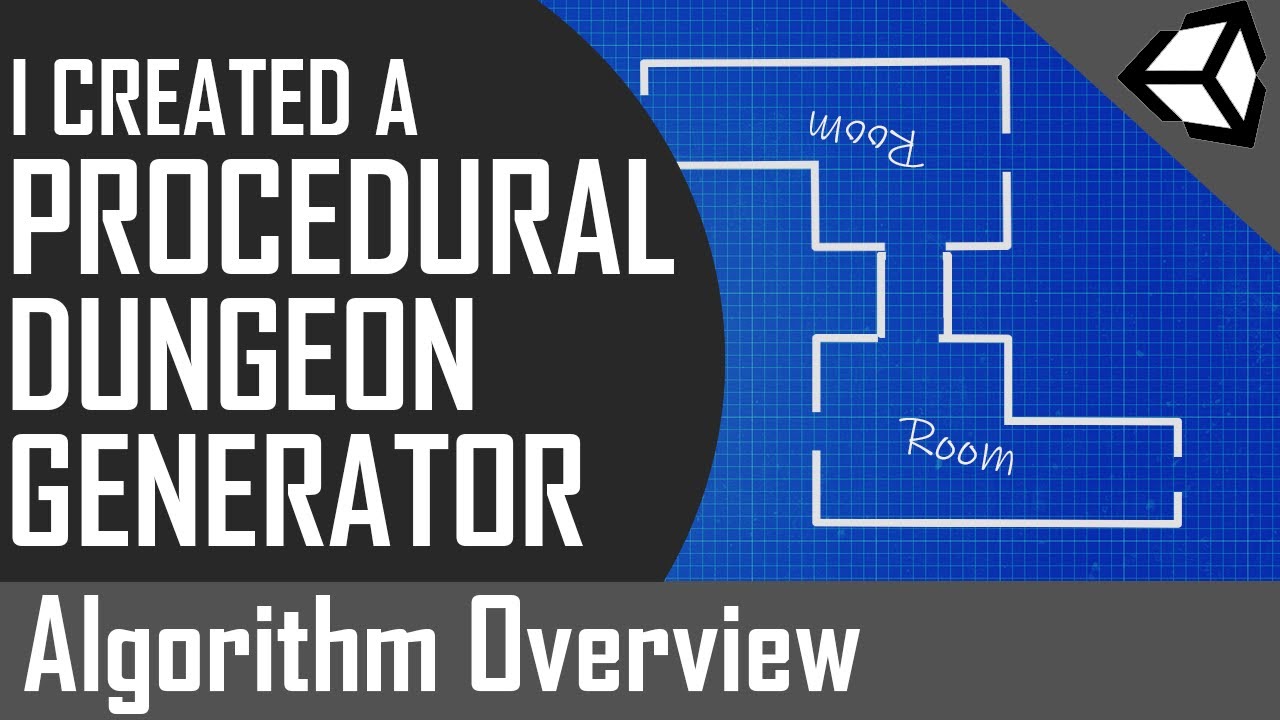
In this video I go over my approach to breaking down a large problem like procedural dungeon generation into an algorithm of smaller more simple steps. I follow the high-level steps outlined below to randomly create a top-down dungeon with various rooms, hallways and chambers. The tools I used to create this video are as follows.
- Unity 3d
- ...
I did something similiar basically with colliders
sleek orchid
I've tried using Raycasts as Mr. Navarone told me. However, It doesn't seem to be working as intended. It is always printing out "False"
using System.Collections;
using System.Collections.Generic;
using Unity.VisualScripting;
using UnityEngine;

public class PlayerMovement : MonoBehaviour
{
    public int moveTiles = 2;

    [Range(0, 10)]
    [SerializeField] int maxRay = 2;

    public GameObject objectBoundaries;

    void Awake(){
        Debug.DrawLine(transform.position, new Vector2(-maxRay, 0));
    }
    void Update()
    {
        print(CanMoveRight());

        if((Input.GetKeyDown(KeyCode.D) || Input.GetKeyDown(KeyCode.RightArrow)) && CanMoveRight()){
            transform.Translate(new Vector2(moveTiles, 0));
        } else if((Input.GetKeyDown(KeyCode.A) || Input.GetKeyDown(KeyCode.LeftArrow)) && CanMoveLeft()){
            transform.Translate(new Vector2(-moveTiles, 0));
        }
    }
    bool CanMoveRight(){
        if(Physics2D.Raycast(transform.position, new Vector2(maxRay, 0))){
            return false;
        }
        return true;
    }

    bool CanMoveLeft(){
        if(Physics2D.Raycast(transform.position, new Vector2(-maxRay, 0))){
            return false;
        }
        return true;
    }
}
 ashen hatch
rich adder
https://youtu.be/rfKcpp8UDQ0 this is what i watch a few years back when i did t
ashen hatch
rich adder
https://youtu.be/rfKcpp8UDQ0 this is what i watch a few years back when i did t
My friend allowed me to port his map from Source Engine to Unity, this is why I'm basically trying to make it procedural, because it's liminal spaces hahaha
flint heath
rich adder
use the `tilemap.WorldToCell` method first
dude i feel like a god right now i just used the unity documentation and wrote a bunch of random lines of code and it worked first try
    public void Swing()
    {
        GridLayout gridLayout = cropMap.GetComponent<GridLayout>();
        Vector3Int cellPos = gridLayout.WorldToCell(playerBody.transform.position);
        Debug.Log("Swung At" + cellPos);
    }
ty for help 🙏
 rich adder
flint heath
dude i feel like a god right now i just used the unity documentation and wrote a...
rich adder
flint heath
dude i feel like a god right now i just used the unity documentation and wrote a...
pretty sure tileMap alreayd has WorldToCell you don't even need GridLayout component reference, but hey if it works lol
autumn tusk
i tried putting in square brackets but i dont want to set an index
flint heath
rich adder
pretty sure tileMap alreayd has WorldToCell you don't even need GridLayout compo...
there was nothing on unity docs called "tilemap.worldtocell, only gridlayout.worldtocell" with correct capitalizeation cos im dumb
rich adder
string.Join
rich adder
flint heath
there was nothing on unity docs called "tilemap.worldtocell, only gridlayout.wor...
yeah the docs is kinda weird on that , but there is ! believe me
just incase you don't believe me 😛

you know why it works?

Tilemap is GridLayout :p
flint heath
rich adder
Tilemap is GridLayout :p
ohh
sleek orchid
sleek orchid
I've tried using Raycasts as Mr. Navarone told me. However, It doesn't seem to b...
After some tweaking I've managed to solve it ❤️
The Raycast was pointing ↖️ hehehehe
flint heath
How can I add a variable to each tile in a tilemap individually?
eternal needle
autumn tusk
i have no idea what it wants me to do here
https://learn.microsoft.com/en-us/dotnet/api/system.string.join?view=net-8.0
best to look at the docs always, they have examples.
Also you should really use stringbuilder if you need to do this often
autumn tusk
im basically just making a wordle clone that generates a series of 5 random numbers
i only need one string for this
eternal needle
do you even need to concat individual numbers then? why not just 1 random 5 digit number
autumn tusk
actually yeah
was gonna say its a bikelock system but actually im not thinking straight
wintry quarry
autumn tusk
im basically just making a wordle clone that generates a series of 5 random numb...
5 random numbers of how many digits each?
autumn tusk
it would work near perfectly
alright that was easy
but yeah i should learn how string.join works
rich adder
flint heath
How can I add a variable to each tile in a tilemap individually?
what kind of variable
flint heath
rich adder
what kind of variable
a float
rich adder
you can make custom tiles
flint heath
I'm trying to make something so that when you click when you are on top of a tile, it decreases the value of a variable on that tile, and then the value of that variable is kept proportional to the darkness of that tile, so when you click repeatedly on top of a tile, it gets darker
rich adder
public class CoolTile : Tile {
public float MyFloat```yeah use custom tiles
then when you GetTile
you can do cs var tile = tilemap.GetTile<CoolTile>(Tilepos); tile.MyFloat += 1;
or whatever
flint heath
there's going to be a lot of the tiles though... I don't think i'd be able to name each of them individually
rich adder
flint heath
there's going to be a lot of the tiles though... I don't think i'd be able to na...
what?
each tile is its own Instance of Tile
idk what you mean by naming
flint heath
rich adder
each tile is its own Instance of `Tile`
so it's not on a tilemap?
rich adder
tilemap is a container for Tiles
 dusty silo
I have a list of custom objects that I am iterating through. Is there a way to better visualize how it's working? Could I use something like coroutines to show a visual "replay" of what happened?
rich adder
dusty silo
I have a list of custom objects that I am iterating through. Is there a way to b...
how's what working ?
wintry quarry
dusty silo
I have a list of custom objects that I am iterating through. Is there a way to b...
You're iterating them and doing what?
Is this a card game?
dusty silo
I'm trying to make a shape less concave
dusty silo
wintry quarry
Is this a card game?
No, I'm doing a second pass of a sorting method
sleek orchid
ey ey! I am trying to learn TileMaps, while doing a Brick Breaker, any idea how to only destroy 1 tile when the ball hits it?
 rich adder
sleek orchid
rich adder
sleek orchid
tilemap.SetTile(cellPos, null)
why are you using tilemap for that though
dusty silo
Currently, I have three variables lead, follow and tail that run through the list and look at the triangle formed by the three. If it determines that the triangle is concave/vex it will then consider swapping either tail and follow or follow and lead. To stop it from creating self-intersections, I am running several checks to see if the hypothetical new configuration will intersect with any surrounding lines. However, my system does not seem to work at all. It will make swapping decisions that intersect through the entire shape while leaving obviously concave parts alone. Can I use co-routines to show me, on a human-visible delay what happened?

 rich adder
sleek orchid
I am..
rich adder
sleek orchid
I am..
the question was "Why"
rich adder
nah it will be cumbersome
if you want it for the Grid, you can use that with regular prefabs
interacting between worldObjects and TIlemap is a pain because of the different coordinate systems
rich adder
yeah its better for static maps
rich adder
sleek orchid
Imma go back to learning
oh btw your tiles look bit blury make sure you uncheck Filtering and compression on spritesheet
keeps the crisp pixel perfect
sleek orchid
rich adder
oh btw your tiles look bit blury make sure you uncheck Filtering and compression...
I've deleted them, but I will remember that in the future
rich adder
ohh..why you could still use those tiles lol just put them on the sprite renderer.
just make sure your Pixel Per Unit , matches original slices size
sleek orchid
rich adder
ohh..why you could still use those tiles lol just put them on the sprite rendere...
🫡
Mr. Navarone?
Is having +100 Blocks a problem?

xdd
rich adder
ur fine lol
sleek orchid
rich adder
keeps the crisp pixel perfect
(That made those pixels look so much better 🫡 )
 carmine sierra
This is my current code for detecting colliders, right now it seems to only detect one collider at a time, I assume this is because it is triggered when a collider enters it, one at a time. But how could I detect multiple colliders at a time?

The long way would be to detect this script's gameobject's collider from the other collider's instead of this way round
BASICALLY: I want to detect multiple colliders at a time
eternal needle
carmine sierra
This is my current code for detecting colliders, right now it seems to only dete...
the collision messages will trigger once per collider, you can use the built in physics functions if you want an array of them all at once.
though this code looks very weird that you are comparing to a different collider instead of some layer, tag, or if a script exists
 tribal pendant
hey quick question, what is the difference between "Input.GetKeyDown(KeyCode.Mouse0)" and "Input.GetMouseButtonDown(0)"?
rich adder
tribal pendant
hey quick question, what is the difference between "Input.GetKeyDown(KeyCode.Mou...
ones called GetKeyDown ones called GetMouseButtonDown
tribal pendant
rich adder
ones called GetKeyDown ones called GetMouseButtonDown
understandable have a good day
tribal pendant
rich adder
ones called GetKeyDown ones called GetMouseButtonDown
no but fr is there no difference at all?
rich adder
nope
carmine sierra
eternal needle
the collision messages will trigger once per collider, you can use the built in ...
what built in physics will trigger an array of colliders?
carmine sierra
eternal needle
<https://docs.unity3d.com/ScriptReference/Physics2D.html>
so istouchinglayers?
that would definetly allow for multiple colliders at once to be detected?
I need both at the same time, or one, or either
if you get what i mean
eternal needle
carmine sierra
so istouchinglayers?
no, scroll down further. there is a bunch of overlap methods you can use
eternal needle
yea it will fill an array you give it with the results
carmine sierra
how would I get these in an array?

just the bottom 3
I haven't used an array yet in unity
eternal needle
the physics functions will fill the array of whats currently overlapping. you dont fill it yourself
carmine sierra
oh okay
so i can return that array
and then compare it within an if statement
if (arrayname == [array]) something like this?
eternal needle
carmine sierra
I haven't used an array yet in unity
you should reallly do c# basics first if you havent used arrays. this all seems backwards because you are comparing to specific colliders. This will become a pain to do if you suddenly want to have another woodCollider, or 10 of them
polar acorn
carmine sierra
if (arrayname == [array]) something like this?
What, specifically are you trying to do?
carmine sierra
there will be many wood colliders as they will be instantiated multiple times
polar acorn
Why are you trying to compare arrays?
polar acorn
carmine sierra
there will be many wood colliders as they will be instantiated multiple times
Then this plan definitely won't work
eternal needle
Yea so how are you gonna drag these in inspector for the user at runtime?
carmine sierra
basically I can only spawn wood in my game on the condition it is touching/not touching certain colliders
carmine sierra
eternal needle
Yea so how are you gonna drag these in inspector for the user at runtime?
I assume i can group my wood collider's into an array?
each time they are spawned
by just appending them
everytime a new wood spawns in
if that sounds right I'll try it out
polar acorn
If you just need to check if the collider you've hit is wood, why not use tags
carmine sierra
and that array will be appended onto the colliders array
carmine sierra
polar acorn
If you just need to check if the collider you've hit is wood, why not use tags
different to layers?
eternal needle
carmine sierra
I assume i can group my wood collider's into an array?
so everytime you overlap with something, you are gonna compare it to every single spawned collider? just use layers, tags, or have a script on the object and GetComponent it
polar acorn
carmine sierra
different to layers?
Tags and Layers are indeed different things
carmine sierra
eternal needle
so everytime you overlap with something, you are gonna compare it to every singl...
okay ill check out what tags are then
carmine sierra
eternal needle
so everytime you overlap with something, you are gonna compare it to every singl...
yeah that was the original plan lol
summer stump
carmine sierra
okay ill check out what tags are then
They're the things right below the name of the gameobject in the inspector, on the left of layers. There is more to it than that, but you must have seen that before, right?
carmine sierra
summer stump
They're the things right below the name of the gameobject in the inspector, on t...
so it is essentially a grouping mechanism#
summer stump
carmine sierra
so it is essentially a grouping mechanism#
Sure. It's a way to say a gameobject belongs to a group I guess
It is "tagged". You can then check that tag in conditionals
Use .CompareTag("myTagName")
 thorn crater
I have a weird behaviour in my in my Editor right now, for some reason when i play, the objects in the scene are getting "refreshed" and it says: "This GameObject only exists at runtime", anyone else had this behaviour? If yes, is there a way to fix it?
carmine sierra
should i make a tag for every collider i want to check or separate them (not every collider will have the same effect)
eternal needle
carmine sierra
so it is essentially a grouping mechanism#
Basically like a group, but this grouping really is just a value (the tag name) thats assigned to it. Then you are doing logic based on the tag.
polar acorn
thorn crater
I have a weird behaviour in my in my Editor right now, for some reason when i pl...
What do you mean by "refreshed"?
carmine sierra
carmine sierra
should i make a tag for every collider i want to check or separate them (not eve...
but every wood will have the same result so those should be tagged i assume
summer stump
carmine sierra
should i make a tag for every collider i want to check or separate them (not eve...
Depends on how complex things will be. You get up to 32 tags.
As many objects as you want can be one of those 32
You may want to consider checking if the object has a script though, if it is very complex. I think that was recommended above along with layers and tags
thorn crater
Well lets say i selected a gameobject inside the hierarchy, and while its selected i press play. Then suddenly my inspector is empty and there is only a text saying:
"This GameObject only exists at runtime"
And when i select this Object again, my Editor UI is gone, as i build the whole ui inside the editor and for some reason the object gets reinstantiated i believe
carmine sierra
summer stump
Depends on how complex things will be. You get up to 32 tags.
As many objects as...
well there are just 3 types of colliders i will be checking for, and there will be two outcomes (flip on/off a bool)
summer stump
carmine sierra
well there are just 3 types of colliders i will be checking for, and there will ...
Alright. Perfectly fine use of tags then
polar acorn
thorn crater
Well lets say i selected a gameobject inside the hierarchy, and while its select...
Can you send a screenshot of your entire editor window before and after hitting play?
carmine sierra
summer stump
Alright. Perfectly fine use of tags then
no scripts within the colliders
sorry I understand what tags are now but I don't understand how this will allow for multiple colliders to be detected at the same time
summer stump
carmine sierra
sorry I understand what tags are now but I don't understand how this will allow ...
Each collider would need to be on a different object
Is that the case you are using it for?
polar acorn
carmine sierra
sorry I understand what tags are now but I don't understand how this will allow ...
Why do you need multiple colliders to be detected at once
summer stump
It is non-trivial to detect specific colliders on the same object unless they are different types (like you could check if it is a sphere or capsule).
thorn crater
polar acorn
Can you send a screenshot of your entire editor window before and after hitting ...
carmine sierra
summer stump
Each collider would need to be on a different object
im not sure what you mean by case but yes each collider will be on a different object
summer stump
carmine sierra
im not sure what you mean by case but yes each collider will be on a different o...
Then what is the issue?
carmine sierra
polar acorn
_Why_ do you need multiple colliders to be detected at once
because in the case my object is touching a valid collider and an invalid collider, I want the bool to be false (so the user cannot place the wood down in that position)
summer stump
Check each collision for the tag
carmine sierra
 polar acorn
thorn crater
polar acorn
thorn crater
This is something with a custom inspector. That inspector appears to be broken. Is this your own custom inspector script?
carmine sierra
carmine sierra
in the case I used && here (which doesnt work as one collider is detected at a time), I intend for both colliders to be detected at once
lost anvil
bump
polar acorn
carmine sierra
because in the case my object is touching a valid collider and an invalid collid...
So you would do an OverlapAll and check if any of those colliders contain an invalid tag
carmine sierra
when I use or (which works) I want either collider to have the same effect when entering the gameobjects collider
thorn crater
polar acorn
This is something with a custom inspector. That inspector appears to be broken. ...
i had this issue with the gameobject in runtime before already, but it started to get annoying with the custom editor
carmine sierra
polar acorn
So you would do an OverlapAll and check if any of those colliders contain an inv...
ohh okay
 slender nymph
summer stump
Depends on how complex things will be. You get up to 32 tags.
As many objects as...
slender nymph
summer stump
Depends on how complex things will be. You get up to 32 tags.
As many objects as...
Just FYI it is only layers that is restricted to 32 (since that uses a 32 bit int for the mask). The max tags is something crazy high like 100k 10001
carmine sierra
polar acorn
So you would do an OverlapAll and check if any of those colliders contain an inv...
before I search how to do this, would this still require ontriggerenter2d
polar acorn
thorn crater
i had this issue with the gameobject in runtime before already, but it started t...
So if this is an editor script you wrote yourself, you should probably ask this in #↕️┃editor-extensions
polar acorn
carmine sierra
before I search how to do this, would this still require ontriggerenter2d
Search first, then ask
carmine sierra
fair
summer stump
slender nymph
Just FYI it is only layers that is restricted to 32 (since that uses a 32 bit in...
Oh woah. I had always just assumed! I honestly never use many tags at a time
Thanks!
thorn crater
polar acorn
So if this _is_ an editor script you wrote yourself, you should probably ask thi...
no this is just a script which got affected aswell, but this behaviour of GameObjects getting refreshed or reinstantiated is a behaviour which also appears in regular components / scripts
polar acorn
thorn crater
no this is just a script which got affected aswell, but this behaviour of GameOb...
That "This GameObject Only Exists At Runtime" window is itself a custom inspector. That's not a built in Unity thing
thorn crater
polar acorn
That "This GameObject Only Exists At Runtime" window is _itself_ a custom inspec...
its none of my scripts , and i imported this inside another Project with different version and it happens again
polar acorn
thorn crater
its none of my scripts , and i imported this inside another Project with differe...
Unless it's part of some package I haven't used, that error window is not something provided by unity. I can't even find anything online about it. It's probably custom to some asset you're using
queen adder
Hey guys, I'm currently learning C# on CodeCademy and i have a small question ig, what's the difference between C# for websites and GameDev (Unity)?.
 iron mango
hey, is there a way to use an interface but not do
public int Team
    {
        get { return team; }
        set { team = value; }
    }
for every single value? i have a huge code block because i did that for like 20 variables
or is that normal xD
rich adder
queen adder
Hey guys, I'm currently learning C# on CodeCademy and i have a small question ig...
the framework specific api
polar acorn
queen adder
Hey guys, I'm currently learning C# on CodeCademy and i have a small question ig...
The language is the same. The libraries are different
polar acorn
iron mango
hey, is there a way to use an interface but not do
```cs
public int Team
{
...
public int Teams {get; set;}
iron mango
polar acorn
`public int Teams {get; set;}`
can i just use the same value?
polar acorn
iron mango
can i just use the same value?
I don't know what you mean
iron mango
thought i have to use a different one
polar acorn
You can use an auto-property if all you're doing is getting and setting it
queen adder
polar acorn
The language is the same. The libraries are different
ah alright, thx
iron mango
polar acorn
You can use an auto-property if all you're doing is getting and setting it
hm ok
iron mango
polar acorn
You can use an auto-property if all you're doing is getting and setting it
now i can't use a header anymore idk why

ah
it's not visible anymore
iron mango
iron mango
hey, is there a way to use an interface but not do
```cs
public int Team
{
...
yup i have to do that ._.
or i can't see them in the inspector
rich adder
iron mango
now i can't use a header anymore idk why
because you cannot put that attribute on property
it expects a field
iron mango
yeah i want to edit it in the inspector
iron mango
iron mango
hey, is there a way to use an interface but not do
```cs
public int Team
{
...
so i have to do that i guess
rich adder
iron mango
yeah i want to edit it in the inspector
why is it property anyway
iron mango
rich adder
why is it property anyway
wdym
iron mango
huh?
i mean i have multiple spaceship scripts but they have to have the same values, also for mod support,
idk ._.
rich adder
what does that have anything to do with a field vs property
rich adder
you seem confused what they even are lol
iron mango
rich adder
you seem confused what they even are lol
i am
idk don't question my brain
but everything works, multiplayer and mod support, so i am not dumb i guess
rich adder
you made multiplayer but don't know difference between fields and props 
summer stump
public int thing; <-- not property
public int thing { get; set; } <-- property
iron mango
yes, i mean i use an interface, so i can use the values from there
that's why
-> the unity docs told me to so don't hate me pls
rich adder
yes interfaces cannot have fields
iron mango
rich adder
you made multiplayer but don't know difference between fields and props <:UnityC...
i can speak perfectly, better than many ppl but i am not sure what a verb is
xd
a do word i think
XD
iron mango
rich adder
yes interfaces cannot have fields
sooo, i do have to make huge code blocks then
rich adder
iron mango
sooo, i do have to make huge code blocks then
I guess ? idk your project
summer stump
iron mango
sooo, i do have to make huge code blocks then
Those are called properties. And yes, you must use properties for interfaces
iron mango
summer stump
Those are called properties. And yes, you must use properties for interfaces
ok.
summer stump
iron mango
ok.
You can do what digi said though
public int Teams { get; set;}
iron mango
iron mango
ok.
just looks weird because i want all scripts with that interface to access all values (like 20 or more) and that's what i use for mods, a custom ship just has to use that interface but can have it's own script
summer stump
Then put [field: SerializeField] above it
iron mango
summer stump
Then put [field: SerializeField] above it
uh ok i try
iron mango
summer stump
Then put [field: SerializeField] above it
nice, thank you
summer stump
carmine sierra
what is contactfilter2d?
summer stump
carmine sierra
what is filtering?
Like the word itself?
https://www.merriam-webster.com/dictionary/filter
It's exactly the same in and out of unity
carmine sierra
no in terms of unity
summer stump
carmine sierra
no in terms of unity
It's exactly the same in and out of unity
It rejects some results, FILTERING what it returns
carmine sierra
so a contact filter would mean what do I want to detect overlaps for?
summer stump
carmine sierra
so a contact filter would mean what do I want to detect overlaps for?
Yeah I guess so
Yes, i get what you mean now. That is correct
carmine sierra
the overlap functions want a second parameter of 'Colliders2D[] results'
what does this mean?
summer stump
carmine sierra
the overlap functions want a second parameter of 'Colliders2D[] results'
You create an array variable, and pass it in. Overlap fills the array with the results
carmine sierra
ohhh okay
Collider2D overlapingColliders = collider.Overlap(ContactFilter2D.NoFilter, collider, )
so instead of this
I can put 'overlapingColliders' as the second parameter
Sorry, not 'instead', as that is wrong
but yeah
summer stump
Well no, because it needs to be an array, and overlapingColliders is a single collider
carmine sierra
so what is wrong about my conclusion
there is no data type for multiple colliders is there?
collider.Overlap(ContactFilter2D.NoFilter, overlappingColliders);
what is wrong with this?
summer stump
carmine sierra
collider.Overlap(ContactFilter2D.NoFilter, overlappingColliders);
what is wrong...
Is overlappingColliders an array now?
Are you getting an error or something?
carmine sierra
contactfilter2d.nofilter is the error
summer stump
Wait... it just says Overlap... can you link the docs for the method you are trying to use?
I don't use 2d that much
summer stump
carmine sierra
https://docs.unity3d.com/ScriptReference/Collider2D.OverlapCollider.html
Ok, can you send the EXACT code you've written then, because that was not this
 summer stump
What does the error say?
carmine sierra
and put their gameobjects into the overlappingcolliders array
Argument 1: cannot convert from 'method group' to 'ContactFilter2D'
summer stump
I haven't used it before, but try ContactFilter2D.NoFilter()
carmine sierra
doesnt work
 rocky canyon
new ContactFilter2D().NoFilter()
carmine sierra
collider.OverlapCollider(new ContactFilter2D().NoFilter(), overlappingColliders);
}
rocky canyon
very, the documentation has no examples
carmine sierra
doesnt work
summer stump
Ahh yes, I see it's a steuct
rocky canyon
i had to find examples on threads
rich adder
You don't use New() btw it already has one for NoFliter
https://docs.unity3d.com/ScriptReference/ContactFilter2D.NoFilter.html
 teal viper
carmine sierra
doesnt work
teal viper
carmine sierra
doesnt work
Error?
summer stump
teal viper
Error?
rocky canyon
rich adder
You don't use New() btw it already has one for NoFliter
https://docs.unity3d.com...
ahh, ive never seen this so im figuring it out too
summer stump
That was the old one at least
teal viper
summer stump
https://discord.com/channels/489222168727519232/497874004401586176/1224496995969...
That's before turning it into a method
carmine sierra
Non-invocable member 'ContactFilter2D' cannot be used like a method.
collider.OverlapCollider(ContactFilter2D().NoFilter(), overlappingColliders);
summer stump
teal viper
That's before turning it into a method
Yeah, just wanted to make sure you were caught up. Sorry for the confusion
polar acorn
carmine sierra
collider.OverlapCollider(ContactFilter2D().NoFilter(), overlappingColliders);
You either need the new and the () or you need neither of them
Either new ContactFilter2D().NoFilter() or ContactFilter2D.NoFilter()
teal viper
carmine sierra
collider.OverlapCollider(ContactFilter2D().NoFilter(), overlappingColliders);
You should probably create the struct ahead of time.
carmine sierra
polar acorn
Either `new ContactFilter2D().NoFilter()` or `ContactFilter2D.NoFilter()`
second has red lines, first gives yellow underneath the whole line
carmine sierra
teal viper
You should probably create the struct ahead of time.
what does that mean?
polar acorn
carmine sierra
what does that mean?
Create a ContactFilter2D and store it in a variable. Then use that inside the Overlap call
instead of trying to do it all in one line
carmine sierra
damn why do they need all of this
summer stump
carmine sierra
what does that mean?
 summer stump
carmine sierra
damn why do they need all of this
summer stump
carmine sierra
damn why do they need all of this
Reduces allocations I guess?
polar acorn
carmine sierra
ContactFilter2D NoFilter = new ContactFilter2D.NoFilter();
Just create an empty one, don't worry about the NoFilter yet
carmine sierra
collider.OverlapCollider(new ContactFilter2D().NoFilter, overlappingColliders);
if you mean like this, it doesnt work
ContactFilter2D NoFilter;
and that is nofilter
polar acorn
No, I mean create an empty one and store it in a variable
and pass that variable to the function
summer stump
carmine sierra
if you mean like this, it doesnt work
As we said, do not do it inside the method
rocky canyon
ContactFilter2D contactFilter = new ContactFilter2D();
polar acorn
carmine sierra
is this empty though
That's not empty that's nonexistent
rocky canyon
lol
polar acorn
there's a difference between a shoebox with nothing in it and the cosmic nothingness of the void
polar acorn
carmine sierra
no such thing as nothingness
Oh no, nothing is definitely a thing. It's just not a ContactFilter2D
rocky canyon
void is nothingness
polar acorn
Which makes it not work for your purposes
carmine sierra
collider.OverlapCollider(contactFilter, overlappingColliders);
this should have worked right?
rocky canyon
TIL about contactfilter2d
carmine sierra
sorry whats TIL
rocky canyon
Today I Learned
carmine sierra
fair enough
rocky canyon
just waiting for the working result 🍿
carmine sierra
'Collider2D.OverlapCollider(ContactFilter2D, Collider2D[])' is obsolete: 'OverlapCollider has been renamed to Overlap (UnityUpgradable) -> Overlap(*)'
and unity is asking for script changing consent 👀
rich adder
nice
rocky canyon
carmine sierra
collider.OverlapCollider(contactFilter, overlappingColliders);
you need 3 parameters dontcha?
carmine sierra
really?
rocky canyon
i think so.. collider contactfilter2d array
 grim stream
is there a code event in the Animation class for when the animation is done playing. i know the timeline (cutscene) thing has one of those
carmine sierra
rocky canyon
i think so.. `collider` `contactfilter2d` `array`
documentation just says: Declaration
public int OverlapCollider(ContactFilter2D contactFilter, Collider2D[] results);
rocky canyon
u can put an animation event on the last frame
rocky canyon
carmine sierra
documentation just says: Declaration
public int OverlapCollider(ContactFilter2D ...
which documentation are you looking at? mines different
carmine sierra
theres also a physics2d one, not sure which to use
 rocky canyon
ohh, Im looking at Phsyics2D.OverlapCollider
carmine sierra
yeah but what is the appropriate use case? I have no idea
rich adder
what are u trying to do
rocky canyon
me neither 
rich adder
Collider2D.OverlapCollider works fine
carmine sierra
rich adder
what are u trying to do
i want the script's gameobject to detect colliders it touches
rich adder
carmine sierra
i want the script's gameobject to detect colliders it touches
show the full line you wrote
carmine sierra
collider.OverlapCollider(contactFilter, overlappingColliders);
rocky canyon
ahh, its the same way,, just two different syntax's
carmine sierra
ContactFilter2D contactFilter = new ContactFilter2D();
teal viper
Why not OnCollisionEnter then?
carmine sierra
teal viper
Why not OnCollisionEnter then?
idk if it's the same, but i tried ontriggerenter2d
but it is not appropriate for my use case
summer stump
carmine sierra
ContactFilter2D contactFilter = new ContactFilter2D();
collider.OverlapCollider(contactFilter.NoFilter, overlappingColliders);
?
rocky canyon
^ yea i wouldnt see why that wouldnt work
teal viper
carmine sierra
but it is not appropriate for my use case
Why not?
teal viper
summer stump
collider.OverlapCollider(contactFilter.NoFilter, overlappingColliders);
?
NoFilter is a method
carmine sierra
summer stump
collider.OverlapCollider(contactFilter.NoFilter, overlappingColliders);
?
doesnt work, lemme check the error
summer stump
rocky canyon
^ yea i wouldnt see why that wouldnt work
I don't know anything about it haha
rich adder
rocky canyon
^ yea i wouldnt see why that wouldnt work
it should
carmine sierra
cannot convert from 'method group' to 'ContactFilter2D'
summer stump
Ah, well, it was just a guess, sorry
carmine sierra
np
rocky canyon
summer stump
I don't know anything about it haha
me neither.. im just using process of elimination at this point 😄
carmine sierra
appreciate any help
teal viper
We went over it already
rocky canyon
NoFilter() ?
carmine sierra
teal viper
Why not?
I want to detect multiple colliders at a time, as otherwise the game's function doesn't work properly
teal viper
Can you explain why OnCollision/TriggerEnter is not good enough for you?
rocky canyon
hehe, im interested as well
carmine sierra
i don't just want to detect one collider at a time
teal viper
carmine sierra
I want to detect multiple colliders at a time, as otherwise the game's function ...
You can with the collision message
You just need to cache whatever you're colliding with
rocky canyon
wats the odds that multiple colliders will enter at the same frame? ^
carmine sierra
zero
teal viper
Even if they do, the function would be called for all of them afaik
rocky canyon
well it should still work for u like dlich mentioned
rich adder
OnCollisionEnter add to list of colliders
OnCollisionExit remove it from list
carmine sierra
teal viper
Even if they do, the function would be called for all of them afaik
if they enter at two different frames it would call the function?
rocky canyon
each one would call it
carmine sierra
rich adder
OnCollisionEnter add to list of colliders
OnCollisionExit remove it from list
give me a second to think how that would work
rocky canyon
and add themselves to the list
carmine sierra
ohh and then compare to the list?
rich adder
thats if you want to store them, or just call your functions directly. i
carmine sierra
like if both colliders are in the list, then so and so
rocky canyon
if(!inList){AddToList()}
rocky canyon
carmine sierra
like if both colliders are in the list, then so and so
you could do w/e logic u want to do afterwards.. comparisons or whatnot
each time one enter the collision -> add to list -> now that its in the list do logic to check stuff
carmine sierra
okay cool that sounds good
carmine sierra
What is wrong with this:
Collider2D[] overlappingColliders;
...
void OnTriggerEnter2D(Collider2D otherCollider)
{
if (!overlappingColliders.Contains(otherCollider))
{
}
it's missing debugging
carmine sierra
but overlappingcolliders is not valid
in the if statement
so not sure how to debugf
says there is no definition for contains
 crude prawn
carmine sierra
What is wrong with this:
Collider2D[] overlappingColliders;
...
void OnT...
crude prawn
carmine sierra
What is wrong with this:
Collider2D[] overlappingColliders;
...
void OnT...
there is something wrong with this line if (!overlappingColliders.Contains(otherCollider))
timber tide
arrays dont have contains I believe without linq
crude prawn
its probaly overlappingcolliders cuz you put a ! infront of it so its a bool or smthing
 frosty hound
Arrays don't have a Contains function
frosty hound
Iterate through it and check
timber tide
ye old fashion way
frosty hound
That would be a contains function
summer stump
carmine sierra
What is wrong with this:
Collider2D[] overlappingColliders;
...
void OnT...
Why use an array for this instead of a List
Oh, you're going over that now
 undone harbor
what editor do yall use?
carmine sierra
summer stump
Why use an array for this instead of a List
Oh, you're going over that now
i thought they were initialised the same way
summer stump
carmine sierra
i thought they were initialised the same way
Nope
carmine sierra
Collider2D[] overlappingColliders;
summer stump
Collider2D[] <- array
List<Collider2D> <- list
carmine sierra
oh okay
summer stump
undone harbor
what editor do yall use?
Like IDE? I use visual studio
Vs code is common, as is Rider
 faint osprey
    {
        if(other.GetType() == typeof(SphereCollider))
        {
            inMagnetRadius = true;
        }

        if (other.GetType() == typeof(MeshCollider))
        {
            Player.BroadcastMessage("CoinPickup");
            Destroy(gameObject);
        }
    }```

how come the first if statement is called but the 2nd one never isthats my object
 carmine sierra
summer stump
Collider2D[] <- array
List<Collider2D> <- list
carmine sierra
summer stump
Collider2D[] <- array
List<Collider2D> <- list
it works now 🙏
undone harbor
summer stump
Like IDE? I use visual studio
Vs code is common, as is Rider
I see, thanks
rocky canyon
undone harbor
what editor do yall use?
Started with Visual Studio, I use Rider when it's Freebie Giveaway season, and recently Installed and swap between VSCode and Visual Studio.. Visual Studio is my favorite so far.. and the editor that got me thru my beginning unity learning
 vale karma
is there a difference when using the name 'Game Manager' for a script compared to a different name? This one changes the script to a cog wheel, and it looks cool, i just dont wanna mess anything up
 gaunt ice
You can customise the icon iirc
rocky canyon
thats what its meant for.. ^
 vale karma
i shouldnt have asked. im doing it now
rocky canyon
Other and go crazy
 cosmic dagger
yep, you cna create custom icons for any of your scripts or assets . . .
vale karma
oh im gonna put phalises everywhere
rocky canyon
Rabbit-Hole Discovered!
vale karma
lollll, thanku for the tip guys. Unity is much more fun now
cosmic dagger
rocky canyon
Rabbit-Hole **Discovered**!
i already went there . . .

 vale karma
oh i was gonna put like an old timey script, and probably forget waht it really was
probably like a banana for a game object
rocky canyon
cosmic dagger
i already went there . . .
nice, mines more flair.. urs is useful
whats the inspiration from? or is that ur own custom icon set
cosmic dagger
i kept mine simple. CS is a regular script. ED is an editor script. SO is a ScriptableObject . . .
custom icon set . . .
rocky canyon
noice 👍
vale karma
That helps alot
cosmic dagger
different colors to easily see which is what. i added types to see if it was too much or not . . .
E for enum, T for generic, I for interface, {} for class. Folder is an actual folder icon, but that can be confused for an actual folder to click on . . .
eternal needle
vale karma
is there a difference when using the name 'Game Manager' for a script compared t...
Name a script Folder
vale karma
😮 omg what happensss
IT BECOMES A FOLDER?
BUT ITS A SCRIPTTT
ohh what does it meaaannn
 silent valley
This warning has gotten me a bit confused. I remember having this exact warning months ago and I never found a solution. Any help


 tacit birch
I'm trying to set up a script so that my projectile does damage to an enemy.
For some reason though, it doesn't seem to be detecting collisions at all.
Both of the GameObjects have a Rigidbody 2D and a BoxCollider 2D.
Can anyone help me figure out what's wrong with this? D: It's actually driving me crazy
Enemy:

Projectile:

I also added this bit of code for the Projectile:
private void OnTriggerEnter2D(Collider2D collision)
    {
        Debug.Log("Collision detected with: " + collision.gameObject.name);
    }
 vale karma
having the object discrete would probably cause issues
interpolate and collision detection should most likely be changed
tacit birch
For Interpolate, should I use Interpolate or Extrapolate?
vale karma
using UnityEngine;
public class GameManager : MonoBehaviour
{
    [SerializeField] private GameObject[] cards;
    [SerializeField] private GameObject gridLayoutEmpty;


    private void Start()
    {
        for (int i = 0; i < cards.Length; i++)
        {
            Instantiate(cards[i], gridLayoutEmpty.transform);
        }
    }

    public void FlipCard()
    {
        // Based on which card/button clicked, change sprite to that index #.
    }
}
im wondering if i could somehow store an index number along with each button, and pick it out once i click on one of the buttons
vale karma
tacit birch
For Interpolate, should I use Interpolate or Extrapolate?
inter
cosmic dagger
vale karma
using UnityEngine;
```cs
public class GameManager : MonoBehaviour
{
[Serial...
!code
eternal falconBOT
Posting code
📃 Large Code Blocks
Use links to services like:
https://gdl.space/, https://paste.ofcode.org/, https://hatebin.com/, https://paste.myst.rs/, https://hastebin.com/
📃 Inline Code
Surround code with three backquotes. Not quotation marks.
To format as C#, add cs to the first line:
```cs
// Your code here
```
Add a comment with a line number if there is an error message.
vale karma
woopsie
cosmic dagger
tacit birch
For Interpolate, should I use Interpolate or Extrapolate?
try each one and see if either work . . .
vale karma
i feel like ``` cs
int index = #;
in a for loop would just recreate the same variable... i know there has to be something better than making a bazillion buttonsHmmm I changed both of the objects to have Interpolate/Extrapolate as well as set the Collision Detection to Continuous. It doesn't seem to detect anything still
vale karma
post some some of the relevant code
cosmic dagger
tacit birch
Hmmm I changed both of the objects to have Interpolate/Extrapolate as well as se...
how fast is the projectile moving?
tacit birch
tacit birch
I also added this bit of code for the Projectile:
```cs
private void OnTriggerE...
this was the only code I was using to test collisions
gaunt ice
Use lambda expression to capture the index
tacit birch
cosmic dagger
how fast is the projectile moving?
it isn't moving at all. I'm just using the Player to lure the Enemy AI into the object with the collisions atm
because for the projectile, I wasn't able to get it to move either lmfao
vale karma
lambda? i heard the term before , ill give it a search
silent valley
silent valley
This warning has gotten me a bit confused. I remember having this exact warning ...
could I get help please 🥺
gaunt ice
You probably have used it ()=>{}
vale karma
i see how its written yea, but ive never used it. It seems simpel enough, but i still dont see how it pulls specific indexes out the hat
gaunt ice
Or making a struct/class (you can use monobehavior) associate with the button and store the index, when onclick, inform the game manager its index
cosmic dagger
tacit birch
it isn't moving at all. I'm just using the Player to lure the Enemy AI into the ...
your code and image are for the projectile. not sure how we can help fix the projectile if you're not moving it to collide with the enemy . . .
gaunt ice
Int index=i
Onclick.addlistener(()=>{gamemanager.somemethod(index);});
You must assign i to local variable
tacit birch
cosmic dagger
your code and image are for the projectile. not sure how we can help fix the pro...
i wasn't aware that the projectile had to move in order to detect collisions
The provided examples above were to test collisions.
I kept the projectile's movement static to check if the enemy moving into the object will be detected
vale karma
gaunt ice
Int index=i
Onclick.addlistener(()=>{gamemanager.somemethod(index);});
You must ...
Its so weird. It looks easy, i go to type it, then its like, where, what and how do i type this. Its annoying bc it seems so easy
summer stump
silent valley
This warning has gotten me a bit confused. I remember having this exact warning ...
Show the string you pass in and the state
cosmic dagger
silent valley
could I get help please 🥺
make sure the animation name (variable) matches the states in Mecanim . . .
gaunt ice
Unity Forum
Today I learned about lambda expressions but I don't know when to best use them....

 vale karma
haha thats perfect thanku
silent valley
summer stump
Show the string you pass in and the state
I managed to fix it. If i changed the name. it worked. I have it to "Roll" or anything else, it works. If i set it back to "Roll_Foward_01" it gives me those warnings.
summer stump
silent valley
I managed to fix it. If i changed the name. it worked. I have it to "Roll" or an...
Do you have a state called Roll_Forward_01 exactly, including capitalization and the underscores?
 vale karma
gaunt ice
https://forum.unity.com/threads/not-sure-when-to-use-lambda-expressions-can-some...
vale karma
gaunt ice
https://forum.unity.com/threads/not-sure-when-to-use-lambda-expressions-can-some...
i realized thats the same exact page i was reading. Its not giving any option to add the .addlistener method after. give me a lil bit i might find out
silent valley
 summer stump
silent valley
summer stump
silent valley
Can you not crop that please. Is that actually a state?
Sorry, missed the icon, that is a state
Is the state in the animator though?
You should probably just be asking in #🏃┃animation honestly
gaunt ice
It is a method of button.onclick (unity event)
vale karma
got eeet, im gonna watch a few videos to get the meaning of it. No point in asking all them questions
carmine sierra
anyone know what's wrong with this
 polar acorn
carmine sierra
anyone know what's wrong with this
polar acorn
carmine sierra
anyone know what's wrong with this
You say what's wrong, we try to find out why's wrong
carmine sierra
so it looks right?
polar acorn
What is the problem
cosmic dagger
carmine sierra
anyone know what's wrong with this
you should be telling us what the problem is, not us guessing . . .
carmine sierra
Object reference not set to an instance of an object
ColliderChecker.OnTriggerEnter2D (UnityEngine.Collider2D otherCollider) (at Assets/ColliderChecker.cs:30)
polar acorn
carmine sierra
Object reference not set to an instance of an object
ColliderChecker.OnTriggerEn...
What is line 30
carmine sierra
Line 30 is the if statement
cosmic dagger
we have no line numbers. post the actual error message . . .
cosmic dagger
carmine sierra
Line 30 is the if statement
there are two if statements, c'mon . . . 🤦♀️
polar acorn
carmine sierra
Line 30 is the if statement
Where do you create the list overlappingColliders
carmine sierra
cosmic dagger
there are two if statements, c'mon . . . 🤦♀️
the one i highlighted
but fair enough
carmine sierra
polar acorn
Where do you create the list `overlappingColliders`
the top line i highlighted
polar acorn
carmine sierra
the top line i highlighted
That's where you declare the variable. Where do you create the list
cosmic dagger
carmine sierra
the one i highlighted
i don't see either highlighted . . .
carmine sierra
polar acorn
That's where you _declare the variable_. Where do you _create the list_
oh okay cool, assumed it was fine since there were no red lines
but yeah i thought the list had to be made first
cosmic dagger
carmine sierra
the top line i highlighted
start over. post link of the !code so we can see the actual lines . . .
eternal falconBOT
Posting code
📃 Large Code Blocks
Use links to services like:
https://gdl.space/, https://paste.ofcode.org/, https://hatebin.com/, https://paste.myst.rs/, https://hastebin.com/
📃 Inline Code
Surround code with three backquotes. Not quotation marks.
To format as C#, add cs to the first line:
```cs
// Your code here
```
Add a comment with a line number if there is an error message.
polar acorn
carmine sierra
oh okay cool, assumed it was fine since there were no red lines
It's not a syntax error to create a blank variable you intend to fill in later. The error comes from trying to use it before filling it in
carmine sierra
polar acorn
It's not a syntax error to create a blank variable you intend to fill in later. ...
yeah
tacit birch
tacit birch
I'm trying to set up a script so that my projectile does damage to an enemy.
For...
still need help with this D: I can also stream to make things easier
vale karma
bro learning a new concept is so draining.. I wanted one lil mechanism and now i see the new terms 'delegates, action, func, and like 8 different ways to write a lambda
carmine sierra
do box colliders need to be on the same layer or z position to interact (unity 2d)
cosmic dagger
carmine sierra
do box colliders need to be on the same layer or z position to interact (unity 2...
on, as long as the layers can interact with each other. can't remember about the z position, but just keep at the default 0 . . .
carmine sierra
the line renderer spawns only at negative z for some reason
teal viper
tacit birch
still need help with this D: I can also stream to make things easier
Can you record a video demonstrating the issue, showing the objects that you expect to collide?
tacit birch
sure
teal viper
Can you enable gizmos so that we see the colliders?
carmine sierra
how can I check in an if statement if one list contains any items in another list
cosmic dagger
carmine sierra
how can I check in an if statement if one list contains any items in another lis...
you need to loop through the first (one) list and check if the current element is contained within the second (another) list . . .
teal viper
Okay. Can you print something in OnCollisionEnter2d instead and see if it prints?
carmine sierra
cosmic dagger
you need to loop through the first (one) list and check if the current element i...
sorry im quite new to this but instead of doing if (list1.Contains(list2)), how would I use a loop to help
tacit birch
teal viper
Okay. Can you print something in OnCollisionEnter2d instead and see if it prints...
Tried, nothing printed
Code:
    private void OnCollisionEnter2D(Collision2D collision)
    {
        Debug.Log("Collision detected with: " + collision.gameObject.name);
        if (collision.gameObject.CompareTag("Enemy"))
        {
            EnemyManager enemyManager = collision.gameObject.GetComponent<EnemyManager>();
            if (enemyManager != null)
            {
                // Calculate damage and critical hit status using PlayerManager methods
                int calculatedDamage = (int)playerManager.Damage();
                bool isCriticalHit = (bool)playerManager.Critical();

                // Call the TakeDamage method on the enemyManager
                enemyManager.TakeDamage(playerManager, calculatedDamage, isCriticalHit); // Adjust parameters as needed
            }

            // Destroy the projectile after damaging the enemy
            Destroy(gameObject);
        }
    }
If nothing printed, a collision never occurs with this object
tacit birch
yeah that's what i'm trying to figure out
polar acorn
The Three Commandments of OnCollisionEnter2D:
- Thou Shalt have a 2D Collider on each object
- Thou Shalt not tick
isTriggeron either - Thou Shalt have a 2D Rigidbody on at least one of them
tacit birch
polar acorn
The Three Commandments of `OnCollisionEnter2D`:
1. Thou Shalt have a 2D Collider...
Thou has followed all 3 Commandments and it still doesn't work
polar acorn
tacit birch
Thou has followed all 3 Commandments and it still doesn't work
Show the inspectors of both objects

 teal viper
tacit birch
Enemy:
teal viper
tacit birch
Enemy:
Is the enemy parented to a UI canvas..?
cosmic dagger
carmine sierra
sorry im quite new to this but instead of doing if (list1.Contains(list2)), how ...
well, first, you need to create a for loop to iterate through each element of the first list . . .
tacit birch
no, it's parented onto a different Canvas
cosmic dagger
wait, they're on a Canvas?
tacit birch
 teal viper
tacit birch
no, it's parented onto a different Canvas
teal viper
tacit birch
no, it's parented onto a different Canvas
Wdym by "a different canvas"?
polar acorn
tacit birch
no, it's parented onto a different Canvas
wait why are they parented to any canvases if they're physics objects
teal viper
Is it a UI canvas component?
cosmic dagger
colliders are for actual GameObjects, not UI . . .
carmine sierra
cosmic dagger
well, first, you need to create a for loop to iterate through each element of th...
thanks ill try that, where would that go though?
tacit birch
I took it off of the Canvas and it still doesn't work
cosmic dagger
carmine sierra
thanks ill try that, where would that go though?
any coding website, google, or youtube to learn about for loops. you'll need c# basics to get any of this done . . .
carmine sierra
alr thanks
teal viper
tacit birch
I took it off of the Canvas and it still doesn't work
Take a screenshot of the whole inspector of enemy when it's in the hierarchy root