#💻┃code-beginner
1 messages · Page 230 of 1
 tender stag
i mean sometimes i was jumping higher and lower

it was only happening when i was standing still
 teal viper
I really think the concept of counter movement is not great
tender stag
yeah that was just quickly scrapped so the player would slow quicker
im gonna do it properly later
for now i increased friction
teal viper
tender stag
yeah that was just quickly scrapped so the player would slow quicker
Did you try using drag instead?
tender stag
teal viper
Did you try using drag instead?
doesnt stick with me

i did this for now
works alright
i mean it works and feels smooth
 sly wasp
I have a script I made in an attempt to try to move the eyes of a character move according to a bone.
The script detects for a white vertex color (the eyes) so it finds the UV of those, when I use this script what happens in the first image happens. It only goes to the color where the UV would be at a very small scale, so it's like a base color. The second image is what it should appear like.


Pastebin
Pastebin.com is the number one paste tool since 2002. Pastebin is a website where you can store text online for a set period of time.
 sterile moon
Uh, duh, thanks LOL, totally didnt think about that
 quaint crystal
is EventSystem a good place to put your scripts? whats the common gameobject to use?
scripts that will always be used i should say
 gleaming nymph
I want to keep object in front of player (first person game).
transforming with this code:
//Statistics.MovedObject.transform.position = CameraTransform.transform.position + CameraTransform.transform.forward * distance;
isnt doing it smoothly (but fully working)
someone said, if i use rigidbody i should use rb.MovePosition. So ok, i tried some ways but cant figure out how should it looks.
Actual code:
public float distance = 2;
public Rigidbody rb;
public float m_Speed = 5f;
rb = Statistics.MovedObject.GetComponent<Rigidbody>();
rb.MovePosition(CameraTransform.transform.position * Time.deltaTime * m_Speed);
rb.MovePosition(CameraTransform.transform.forward * distance * Time.deltaTime * m_Speed);```
And object is destroying (i think object is "crashing") or isnt moving how should (somewhere far). frigid sequoia
I think you don't really need to move anything with code just, some parenting
gleaming nymph
So only
            Statistics.MovedObject.transform.parent = Player.transform;
            Statistics.IsMovingObject = true;
            rb.isKinematic = true;
            rb.detectCollisions = false;```
Will works?To place something in front of the camera, just parent it to an empty object with the offset you want which is parented to the camera
gleaming nymph
Can i parent it to player?
frigid sequoia
gleaming nymph
So only
``` rb = Statistics.MovedObject.GetComponent<Rigidbody>();
...
Why are you setting all this with code and not the inspector?
frigid sequoia
gleaming nymph
Can i parent it to player?
Depending of your setup, but yes
gleaming nymph
bcs its water bottle lol
frigid sequoia
Probrally can do that
frigid sequoia
If it is parented to the player it is for sure moving at the same speed as the player
gleaming nymph
i send u code and im telling you its not moving at the same speed as the playerr
its really slow i think bcs of rigidbody
frigid sequoia
gleaming nymph
i send u code and im telling you its not moving at the same speed as the playerr
Show the editor, is probaly more usefull
 fathom mist
So I have a pickup that is only supposed to be allowed to be interacted with once a tracker hits 4 which then triggers a scene change but the interaction isn't working and I'm not sure what I'm doing wrong? I can send screenshots of the code in a moment
frigid sequoia
gleaming nymph
its really slow i think bcs of rigidbody
You propably don't want a rigid body for what you are doing
But it depends of what you are actually doing


 gleaming nymph
bottle is now parented to player, and was attached in cursor position. I moved some and its not on cursor
sly wasp
sly wasp
https://pastebin.com/VxKJxYU6
I have a script I made in an attempt to try to mo...
May I have help with this please?
frigid sequoia
fathom mist
Start by adding a Debug.Log to make sure the stuff is being called
gleaming nymph
bro its moving but very slow so its parented
frigid sequoia
gleaming nymph
bottle is now parented to player, and was attached in cursor position. I moved s...
If you want it to move something EXACTLY at the cursor position in should be done via transform, not physics
If you do want to have physics still, just increase the force been applied lol
gleaming nymph
gleaming nymph
I want to keep object in front of player (first person game).
transforming with...
bro can u read?
fathom mist
like this? I forgot how to properly add a debug log aaa

If it is then it isnt calling it
 barren wing
if i want to ignore a function in a inheritance, do i use Virtual and Override in the inherited file?
gleaming nymph
frigid sequoia
If you want it to move something EXACTLY at the cursor position in should be don...
i EXACTLY wrote i tried it via transform
 gleaming nymph
and unity wiki and someone said if i want rigidbody i should use MovePosition
frigid sequoia
gleaming nymph
i EXACTLY wrote i tried it via transform
Yeah, but you are now telling that it is too slow with physcis... bro, just increse the force
gleaming nymph
frigid sequoia
Yeah, but you are now telling that it is too slow with physcis... bro, just incr...
tell me how
i just parented object to player
Statistics.MovedObject.transform.parent = Player.transform;
maybe i should parent it to camera?
but it will not work too
frigid sequoia
fathom mist
like this? I forgot how to properly add a debug log aaa
Probably want it BEFORE the thing that is supposed to be failing, but yeah, that should be called at the same time that the load scene unless you have a script error on the SceneManager line
gleaming nymph
when i will move player it will move (even slow) but when i will stand, water will be not moving if its not parented to camera
i think
fathom mist
I'm not getting any errors which is the strange thing
gleaming nymph
bad idea daleo with parenting
i think i should use MovePosition or transform but i want to transform it smoothly, with transform its tremble
fathom mist
Yeah it's giving me nothin
teal viper
barren wing
i want to ignore this function, what do i do?
Wdym by "ignore"?
frigid sequoia
gleaming nymph
i just parented object to player
I though you wanted somethig to stay in front of the player like a gun or something like that, if you want a drag and drop feature, yeah, just get the point at which the cursor is pointing and apply force to the object towards that direction every frame
Just mess with the values
barren wing
teal viper
Wdym by "ignore"?
that function manages the damage that an enemy recieves
im using the same script for an enemy that has health, but also a shield
i cant change the first script, because every enemy will now have a shield
frigid sequoia
gleaming nymph
bad idea daleo with parenting
Still, I did do something like this on my previous game and still used parenting if I am remembering correctly
frigid sequoia
fathom mist
Yeah it's giving me nothin
Then the error is just those conditions are never met at all
gleaming nymph
frigid sequoia
I though you wanted somethig to stay in front of the player like a gun or someth...
if u read code i get camera transform forward and multiply it by distance, in transform it works but not smoothly (trembling)
teal viper
barren wing
so, i want to redo the function, but in another script
If you want to redefine the function in an extending class, override it.
barren wing
like this?
 frigid sequoia
gleaming nymph
if u read code i get camera transform forward and multiply it by distance, in tr...
frigid sequoia
gleaming nymph
if u read code i get camera transform forward and multiply it by distance, in tr...
Are you using LateUpdate?
teal viper
barren wing
like this?
Yes. Assuming that's the logic you actually want to run by the extending class.
fathom mist
which im not sure why? Is the tracker getting deleted?

 barren wing
teal viper
Yes. Assuming that's the logic you actually want to run by the extending class.
barren wing
teal viper
Yes. Assuming that's the logic you actually want to run by the extending class.
yas
oka, ill try
muchas gracias
frigid sequoia
fathom mist
which im not sure why? Is the tracker getting deleted?
Seems that you are only adding and seeking for exactly floor you may be overshooting the score
gleaming nymph
frigid sequoia
Are you using LateUpdate?
lateupdate fixed problem
i can use transform now
everything working
lol thanks
fathom mist
can I get the tracker to carry through into this scene?
frigid sequoia
gleaming nymph
lateupdate fixed problem
With physics you always have to try all updates to see which is smoother...
frigid sequoia
fathom mist
can I get the tracker to carry through into this scene?
Like keep the object between scenes?
 fathom mist
No not really
Because I dont want the actual objects to remain in this scene
I want the tracker to stay the same
frigid sequoia
fathom mist
No not really
Then you should store that data in something that you are not going to destroy
fathom mist
But the pickups need to dissapear ;^;
frigid sequoia
Then how the hell are you counting up to 4 if the counter is on the pcikup that you are destroying? XD
Doesn't the player or some other game manager component that is permanent store that data?
barren wing
another question @teal viper, sorry 2 annoy you xd
since the script im trying to do inherits from the script "Enemigos", if i use this line to send a number, it will work?, o i have to change the name of the getcomponent to the new script?
detections[i].collider.GetComponent<Enemigos>().RestarVida(3);
 eternal needle
fathom mist
which im not sure why? Is the tracker getting deleted?
eternal needle
fathom mist
which im not sure why? Is the tracker getting deleted?
this is some truly cursed code, this doesnt need to be a singleton.
you should be able to keep another object in the dont destroy on load scene to keep track of the data as suggested above
fathom mist
like i pickup stuff outside in the previous scene and then move inside to pickup the mask but I dont want the sprites of the pickups to remain loaded in and made visible on this scene if they werent grabbed by the player qwq
 summer stump
fathom mist
like i pickup stuff outside in the previous scene and then move inside to pickup...
summer stump
fathom mist
like i pickup stuff outside in the previous scene and then move inside to pickup...
You can do that quite easily without code like that
frigid sequoia
fathom mist
like i pickup stuff outside in the previous scene and then move inside to pickup...
What I am assuming you want to do here is. When the player collides with the pickup, destroy it and add 1 to a counter, that counter should definetly be on the player object, not the pickup. Do you have it on the pickup?
fathom mist
frigid sequoia
What I am assuming you want to do here is. When the player collides with the pi...
no its on the player
frigid sequoia
fathom mist
no its on the player
Then the player does remain between scenes ?
fathom mist
yeah
frigid sequoia
Like the same object, not another prefab of the player
sly wasp
I have a script I made in an attempt to try to move the eyes of a character move according to a bone.
The script detects for a white vertex color (the eyes) so it finds the UV of those, when I use this script what happens in the first image happens. It only goes to the color where the UV would be at a very small scale, so it's like a base color. The second image is what it should appear like.


Pastebin
Pastebin.com is the number one paste tool since 2002. Pastebin is a website where you can store text online for a set period of time.
frigid sequoia
fathom mist
it should?
If you want the score to remain between scenes the player object should not be destroyed on load and should keep the score count if that's the case
fathom mist
I dont 100% understand the scripting behind it
this is my player controller if it helps
 eternal needle
sly wasp
https://pastebin.com/VxKJxYU6
I have a script I made in an attempt to try to mo...
eternal needle
sly wasp
https://pastebin.com/VxKJxYU6
I have a script I made in an attempt to try to mo...
what are you trying to do? if you're just trying to have the eyes look at an object, you dont need most of that code
"move the eyes of a character move according to a bone" doesnt really make sense
barren wing
barren wing
another question <@209684227720085505>, sorry 2 annoy you xd
since the script i...
it works
frigid sequoia
fathom mist
this is my player controller if it helps
Do you... have the score tracker on the SoundController? Why?
barren wing
ty dawsi for inspiring me to try it and see
fathom mist
that's what the professor had us do
frigid sequoia
Why is not just an int on the player script?
fathom mist
so ,, idk
sly wasp
barren wing
it works
im moving the uv of the eyes
the uv of the eyes must track the bone
barren wing
sly wasp
im moving the uv of the eyes
que
summer stump
Ah, I think EpikFishy meant to respond to Bawsi (right above that comment Regular)
eternal needle
barren wing
ty dawsi for inspiring me to try it and see
👍 always best to try it first. you can also get component<interface> and it'll work just like it did in your child class scenario
frigid sequoia
fathom mist
that's what the professor had us do
.... Why would he say that?... Are you getting rid of the SoundController between scenes?
sly wasp
summer stump
Ah, I think EpikFishy meant to respond to Bawsi (right above that comment Regula...
ohhh yes, im sorry @barren wing
eternal needle
sly wasp
im moving the uv of the eyes
describe your problem in terms of the game, not what you are doing as a solution.
barren wing
sly wasp
ohhh yes, im sorry <@342626337317584896>
np xd
fathom mist
I dont know why she would do that and the sound controller doesnt have a very practical name atp
sly wasp
eternal needle
describe your problem in terms of the game, not what you are doing as a solution...
I have an eye focus bone animated, and my face model has everything in one mesh. the eyes are not fully modeled to save performance so the next step would be making the uv of the eyes track the bone
fathom mist
this is the soundd controller script
 sly wasp
The code that detects for white on the mesh works, and it knows where to target the UV at, the only problem I am having is tracking it
Converting the bone's position to UV x and y
fathom mist
 teal viper
barren wing
another question <@209684227720085505>, sorry 2 annoy you xd
since the script i...
teal viper
barren wing
another question <@209684227720085505>, sorry 2 annoy you xd
since the script i...
If the component actual type is a child class, it would call the overriden function. Is that what you're asking?
fathom mist
yeah idk I just want the cutscene to play so i can be done witht this assignment im so tired and i still have a midterm to do
barren wing
teal viper
If the component actual type is a child class, it would call the overriden funct...
yap
eternal needle
sly wasp
I have an eye focus bone animated, and my face model has everything in one mesh....
"to save performance" was this suggested to you somewhere? Sounds like a major hassle to avoid having 2 more bones to your rig. With what you are doing in update, i have doubts this is more performant, or that you even had a performance issue to begin with.
barren wing
i already tested it, ty anyway uwu
teal viper
sly wasp
I have an eye focus bone animated, and my face model has everything in one mesh....
Honestly it would be more performant to just have your eyes as a separate mesh.
sly wasp
eternal needle
"to save performance" was this suggested to you somewhere? Sounds like a major h...
Keeping the eyes in one model seems a bit more organized because what if I were to make a button to change materials? I would have to assign both the face and the eyes
Plus I think it would be better with the eyes on one mesh, plus tracking the uv with a bone may help me later on in development
teal viper
And the issue is still the same as what I mentioned yesterday: bone position doesn't map to uv positions one to one. You'll need some kind of remapping function for it to work as you intentend.
frigid sequoia
fathom mist
this is the soundd controller script
Add DontDestroy on load to that
Should be enough to keep the score
 teal viper
sly wasp
Keeping the eyes in one model seems a bit more organized because what if I were ...
teal viper
sly wasp
Keeping the eyes in one model seems a bit more organized because what if I were ...
These reasons really don't justify what you're trying to do imho.
eternal needle
sly wasp
Keeping the eyes in one model seems a bit more organized because what if I were ...
again, was this suggested to you to do? in the first part you are acting as if assigning 2 things is a hassle. In the 2nd you are basically saying you dont know why you are doing this but it may help
all of this could just be done with transform.LookAt(whatever); (or by setting the rotation directly)
sly wasp
eternal needle
again, was this suggested to you to do? in the first part you are acting as if a...
No, i thought it would be fine to do
sly wasp
eternal needle
all of this could just be done with `transform.LookAt(whatever);` (or by setting...
Okay that's for the bone, what about the actual UV tracking part?
teal viper
No, that's for the whole eye object. You don't need a bone if you do it correctly.
And don't need to mess with uvs.
sly wasp
The eyes are attached to the head and are not fully modeled
I need to move the UVs so the eyes look around
teal viper
That's exactly the problem that you should be focusing on: making the eyes into a separate model.
 timber tide
most 2D eye stuff ive seen usually has multiple different frames
dynamically animating them seems like a pain but I guess you can offset the texture uvs
teal viper
That's what they're trying to do. The problem is that they just map bone local position to uvs directly. Obviously that's not gonna work.
Not to mention, that it's probably gonna be slow - modifying the whole character l mesh data every frame just to move the eyes.
timber tide
vr chat peeps probably got some ideas
sly wasp
teal viper
That's exactly the problem that you should be focusing on: making the eyes into ...
I'd like not to
sly wasp
teal viper
That's what they're trying to do. The problem is that they just map bone local p...
Well what do you suggest the best way to move UVs is without modifying mesh data every frame?
And without separating them
timber tide
if they're using transform values I wouldnt use shader
sly wasp
 rocky canyon
do u just need the eyes to follow something?
rocky canyon
do u just need the eyes to follow something?
Yes..
rocky canyon
why not cut the eyes out, add two spheres and actually rotate em (like ur own eyeballs)
sly wasp
I just said I'd like not to
sly wasp
I'm ok with that
timber tide
that's basically what dilch was suggesting
rocky canyon
alrighty then.. keep trying. unfortunately i can't help out with that
teal viper
sly wasp
Well what do you suggest the best way to move UVs is without modifying mesh data...
A custom shader.
sly wasp
Okay, suppose I do that, how would I make it follow the eye bone?
 shell sorrel
so whats the issue, like wanting to adjust the uv's to nudge towards a certain direction
teal viper
sly wasp
Okay, suppose I do that, how would I make it follow the eye bone?
The shader?
shell sorrel
would have to feed its position back into the shader as a vector
then do the math in there
teal viper
You'll calculate the uv offset in C# and pass it into the shader.
Or calculate in the shader I guess.
shell sorrel
yeah i would pass it as a directinal vector
teal viper
I think calculating on the C# side would be better, as you probably would need to have most of the logic in the fragment shader.
shell sorrel
well uvs i would do in the vertex shader anyways
teal viper
They only need to adjust the uvs for the eyes part though. The wouldn't be able to do that in the vertex shader
shell sorrel
but yeah would create a vector in C# first, for the look at direction, and use it to offset uvs in the vertex shader
teal viper
My suggestion was a mask for the eyes, sample it in the fragment shader and runt the adjustment logic there.
sly wasp
Is there a way to make an instance copy of the material just for the eyes in the script, and then adjust the material offset?
 whole idol
why does my vsc have no autocomplete?
shell sorrel
can mask them via vertex color
summer stump
whole idol
why does my vsc have no autocomplete?
!vscode
 eternal falconBOT

Visual Studio Code guide
If your IDE is not underlining errors in red or autocompleting code,
please configure it using the link below:
sly wasp
teal viper
My suggestion was a mask for the eyes, sample it in the fragment shader and runt...
A mask?
shell sorrel
sly wasp
Is there a way to make an instance copy of the material just for the eyes in the...
would make sure eyes use there own material slot in the dcc side
teal viper
shell sorrel
can mask them via vertex color
Hmm... Maybe, though, then triangle interpolation might be a problem.
 queen adder
I can’t find the fly in GoGoLoco Beyond by Frandera 1.8.3
shell sorrel
sly wasp
You can mask parts based on the vertex color?
very simply, choose a channel and you can multiply by that vertex color channel
teal viper
sly wasp
A mask?
I was thinking a texture.
shell sorrel
its just a matter of having the data on the verts
teal viper
But it would be simpler indeed if eyes were a submesh.
shell sorrel
but yeah like jut make the eyes be a submesh with its own material slot
shell sorrel
what you want is one of those things that has no indvidual hard part to it. but does mean you need to understand a little about alot
on both the dcc and engine side of things
timber tide
usually people use shrinkwrap for 2D eyes in blender
easier to change the UVs when it's just a quad
rocky canyon
sly wasp
A submesh?
one object can have multiple meshes.. (when u import a model and it has children)
sly wasp
Ohh
rocky canyon
multiple pieces
sly wasp
Ik what you mean
sly wasp
but that means the eyes would be a separate object..
timber tide
who cares if it's a seperate object
sly wasp
Me
shell sorrel
also why would you care if eyes are a seperate object
timber tide
just reference it
rocky canyon
why?
teal viper
Submesh is when a part of the mesh is using a different material. You need to define that part in your modeling software.
rocky canyon
do u have any logical reason to have it all one piece?
shell sorrel
its very common for a character to be multiple transforms and meshes
sly wasp
teal viper
Submesh is when a part of the mesh is using a different material. You need to de...
OH
Ohhh
rocky canyon
Oooo
teal viper
That wouldn't fix your issue if you keep on using the current code though
The issue is fundamentally you not mapping position to uvs correctly.
sly wasp
So in blender (my software I use) I will assign a material called eyes and I will put the same texture on it and in the script I will reference the material to move the offset of the UV based on the bone's position?
The eyes will have the eyes material of course
timber tide
dont need to assign it in blender, but you need to separate the model in it for the eyes
sly wasp
I am fine having another material ig
sly wasp
timber tide
dont need to assign it in blender, but you need to separate the model in it for ...
I'm not wanting to do that
This material method seems to be a great approach
teal viper
sly wasp
I am fine having another material ig
That's basically the same as having them as a separate object though. Performance wise
As it's gonna make a separate draw call.
shell sorrel
yeah but would not worry about draw calls at this point
sly wasp
Thanks for the idea
shell sorrel
its common for a character to need a few for features like this
teal viper
I just assumed they do it this way mainly for performance reasons. Which is a misunderstanding
sly wasp
I see that modifying the UV on a mesh every frame may not be so good 😅
shell sorrel
like if its a rts character yeah i want that ultra cheap
but like a first or 3rd person rpg character can afford more on it
teal viper
The point is, why do it harder if you can make it simpler. And more performant.
summer stump
iirc, this is an endless runner
Unless it's a different project now
shell sorrel
but yeah eyes are rigid anyways
so i also see no reason not to just have them rotate, could even do it via a ik target
or simply do it in engine wiht logic
timber tide
Im not a fan of doing materials in blender as I run into more problems with that
sly wasp
summer stump
iirc, this is an endless runner
Unless it's a different project now
Still an endless runner 👍
I am just big on the little details like eyes moving and facial expressions etc
rocky canyon
timber tide
Im not a fan of doing materials in blender as I run into more problems with that
ya, i just assign white materials and be done with it.. blender materials dont cross over very well..
is that wht ur talkin about
shell sorrel
yeah its just about getting slots on the right faces
rocky canyon
^ 👍
gosh, i wish i could move blender materials over to unity 🤤
i have sooo many procedural materials that are awesome
timber tide
beyond being stuck to basic specular shaders and such, you can't really edit the matieral further once it's in unity
sly wasp
rocky canyon
i have sooo many procedural materials that are awesome
Moving blender type nodes to unity would be awesome
shell sorrel
rocky canyon
i have sooo many procedural materials that are awesome
had a job where we had a big uber shader in maya, that was indentical to our in engine shaders
rocky canyon
youd think they'd have a plugin by now that converted blender materials over to shadergraph
shell sorrel
was really nice
rocky canyon
sly wasp
Moving blender type nodes to unity would be awesome
facts
sly wasp
You can only move just materiasls tho
sly wasp
rocky canyon
youd think they'd have a plugin by now that converted blender materials over to ...
Thats such a good idea
rocky canyon
lol make it for us fam 😄
gleaming nymph
            {
                if (Input.mouseScrollDelta.y > 0)
                {
                    Statistics.MovedObject.transform.localRotation = Quaternion.Euler(30, 0, 0);
                }```
its setting 30 * rot, but i need to add 30 * to rotationcan u help me
 wintry quarry
gleaming nymph
``` if (Input.mouseScrollDelta.y != 0)
{
...
wintry quarry
gleaming nymph
``` if (Input.mouseScrollDelta.y != 0)
{
...
why two if statements that mean the same thing lol
rocky canyon
well ones a bit more precise but yea ;D
wintry quarry
            if (Input.mouseScrollDelta.y != 0)
            {
                if (Input.mouseScrollDelta.y > 0)```
If it's > 0 it's clearly not 0There's no need for the != 0
gleaming nymph
i want to add if < too
            {
                if (Input.mouseScrollDelta.y > 0)
                {
                    Statistics.MovedObject.transform.localRotation = Quaternion.Euler(30, 0, 0);
                }

                if (Input.mouseScrollDelta.y < 0)
                {
                    Statistics.MovedObject.transform.localRotation = Quaternion.Euler(-30, 0, 0);
                }
}```Even less reason for the != then
gleaming nymph
full code
wintry quarry
if (y > 0) {

}
else if (y < 0) {

}```...transform.localRotation *= Quaternion.Euler(30, 0, 0);
^ this would add even tho it looks like multiplication
thats just how quaternions work
wintry quarry
gleaming nymph
``` if (Input.mouseScrollDelta.y != 0)
{
...
*= instead of = to compose it
if (y != 0) {
  Statistics.MovedObject.transform.localRotation *= Quaternion.Euler(Mathf.Sign(y) * 30, 0, 0);
}```
all in one line 😉ok ok i understand with this only
dont need to explain that much
sly wasp
TIL Not everyone here thinks everyting is about them 😄
gleaming nymph
and can u tell me why its rotating in only one axis?
I want to rotate it in face of player (its parented to player)
wintry quarry
gleaming nymph
and can u tell me why its rotating in only one axis?
I want to rotate it in face...
wdym by "rotating in only one axis"?
"rotate it in face of player" is very vague
gleaming nymph
i will show u wait
shell sorrel
rotate to face player would just get a directianl vector and make a look rotation from it
 wintry quarry
well it depends on what its local rotation starts as
If you want to rotate around some specific axis the easiest thing might be to use world space rotation and use Quaternion.AngleAxis to generate the relative rotation
rocky canyon
        float scrollDelta = Input.mouseScrollDelta.y;

        if (scrollDelta != 0)
        {
            // Rotate the object based on the scroll wheel input using local rotation
            transform.localRotation *= Quaternion.Euler(Vector3.up * (rotationSpeed * scrollDelta));
}```this is how id do it.. i have a similar mechanic
 lusty flax
I've been trying to make a program that makes a 2D platformer character squash and stretch based on its velocity, but have had no luck. Can someone help?
This is my current code:
float xSize = 1 + Mathf.Abs(rb.velocity.x * 0.05f);
float ySize = 1 + Mathf.Abs(rb.velocity.y * 0.05f);
if (xSize > ySize)
{
    ySize = 1 / xSize;
}
xSize = 1 / ySize;
spriteParent.transform.localScale = new Vector2(xSize, ySize);
spriteParent refers to the GameObject which holds the sprite for the character.
rocky canyon
lusty flax
I've been trying to make a program that makes a 2D platformer character squash a...
cool feature
lusty flax
rocky canyon
cool feature
thanks, i think it's essential for game feel
rocky canyon
does it have to be fine tuned?
i feel animation could work if its just jump / ground
wintry quarry
lusty flax
I've been trying to make a program that makes a 2D platformer character squash a...
wdym by "had no luck"?
what's going wrong here
rocky canyon
shit wont work 😅
lusty flax
rocky canyon
i feel animation could work if its just jump / ground
i mean, then there's the issue that I want the character to be squashed while falling, or reaching high speed
lusty flax
wintry quarry
what's going wrong here
it dont work xd i'll make a video or something
rocky canyon
u can use a blend tree in the animator...
could blend between full squish/ moderate squish
shell sorrel
i would be tempted to use blend trees as well
rocky canyon
pass in the y velocity of the rigidbody for example
shell sorrel
since you dont want to do it per direction on velocity since it will look wrong not maintaining volume
like if you strech vertically you always want to squash horzontally for example
lusty flax
shell sorrel
like if you strech vertically you always want to squash horzontally for example
yeah i want to have those ratios
gleaming nymph
rocky canyon
```cs
float scrollDelta = Input.mouseScrollDelta.y;
if (scrollD...
ye but i want to scroll to player axis
gleaming nymph
gleaming nymph
player is holding water bottle
here screen
wintry quarry
lusty flax
it dont work xd i'll make a video or something
"it don't work" is incredibly vague. In what way isn't it working? In what way is it supposed to work?
Is your code even running?
lusty flax
does this channel have embed perms (i want to upload the video of what's gone wrong as an embed link)
it's that when it shifts between squashing and stretching, it's too violent and instant

nevermind
also dont mind the terrible animations which are not done
it shifts too instantly between squashing and stretching and looks unnatural
shell sorrel
so to make it not instant, you want to set a stretch target and move towards it over time
or like smoothDamp towards it
 swift crag
for squash and stretch, maybe you want something like...
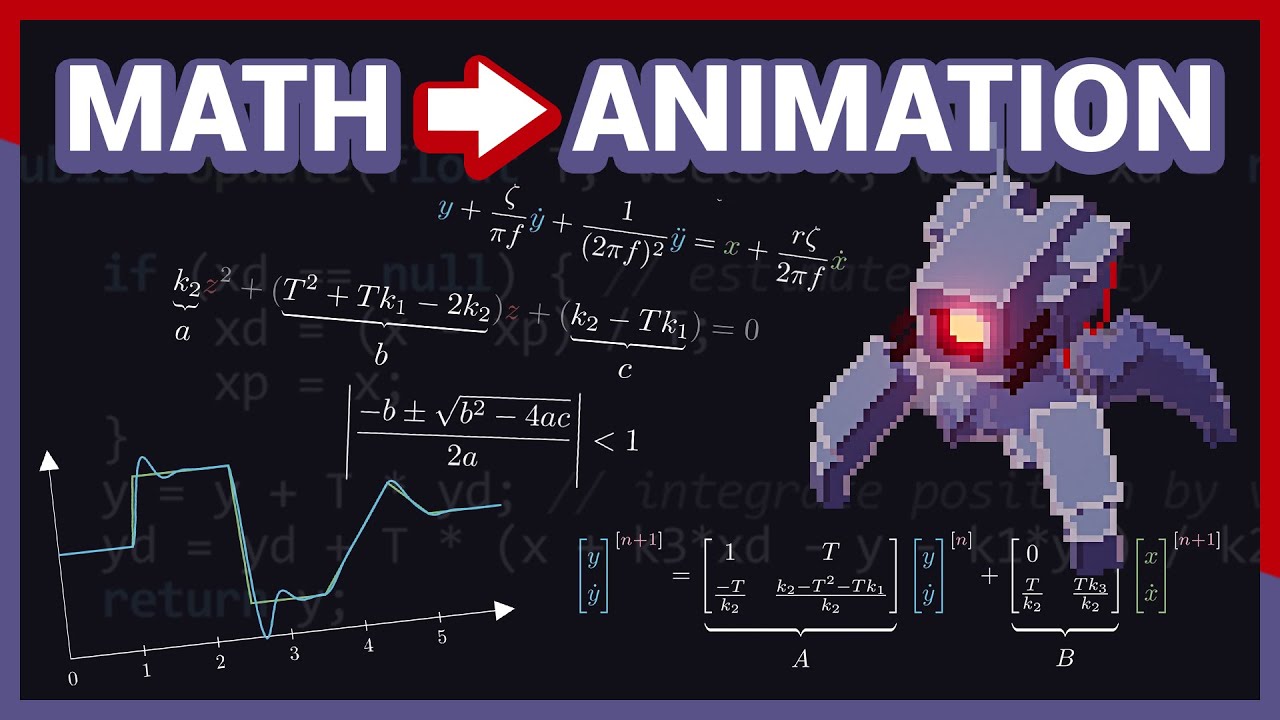
It's been a while since the last video hasn't it? I've made quite a bit of progress since the last update, and since one of the things I worked on was some procedurally animated characters, I decided to make a video about the subject. In particular, this video highlights the entire process from initial motivation, to the technical design, techni...
shell sorrel
so instead of applying it directly each update calculate the ratio you want, save it to a field then over time move towards those values
swift crag
I use something that's stolen adapted from the code shown in this video
shell sorrel
also yeah t3ssel8r knows there stuff, watch that video
swift crag
it's great for making wiggly motions
i use it to animate UI elements
unfortunately, fun, bouncy buttons are not tonally consistent with a horror game
but hey..buttons..
swift crag
actualy, if you want to see what I use: https://gdl.space/eticivuqaj.cpp
shell sorrel
the idea of having a target you move to over time you will hit alot
swift crag
if you need a Vector2 you can just copy-paste SecondOrderDyanmicsVector3
I had to do that because the version of C# that unity supports doesn't have numeric interfaces yet
so I can't just say "any type that you can add and multiply"
Serialize a SecondOrderDyanmicsFloat and set it up in the inspector, then call Update on it every frame (in your own Update function)
and call Setup on it before you use it
rocky canyon
lusty flax
https://gyazo.com/50503fefa7655418f47f46952b261d5b
lol, looks like hes doing the backpack kid dance as he walks
swift crag
        sizeDynamics.Update(Time.unscaledDeltaTime, sizeGoal);
        transform.localScale = sizeDynamics.Position * Vector3.one;
e.g.
swift crag
i need to go re-learn differential equations so that i fully understand the theory here, lol
(and implement the cool preview that the video has, so you can see what the impulse response looks like)
lusty flax
there is actually no way a smooth damp just fixed the entire problem
i refuse to believe
swift crag
smooth damp is pretty cool (:
whole idol
using System.Collections;
using System.Collections.Generic;
using UnityEngine;

public class PlayerLife : MonoBehaviour
{
        private void OnCollisionEnter(Collision collision)
        {
            if (collision.gameObject.CompareTag("Enemy Body"))
            {
                Die();
            }
        }
    void Die()
    {
        GetComponent<MeshRenderer>().enabled = false;
        GetComponent<RigidBody>.isKinematic = true;
        GetComponent<Player_Movement>().enabled = false;
    }
}

 swift crag
It's a special case of the second order dynamics from that video I linked
it's critically damped, so it doesn't overshoot
swift crag
whole idol
```c#
using System.Collections;
using System.Collections.Generic;
using UnityEng...
File names are irrelevant.
There must be a class named Player_Movement
swift crag
swift crag
File names are irrelevant.
(in the eyes of the C# compiler, at least! unity requires that the filename matches the class name when defining a MonoBehaviour)
whole idol
I thought my error was that I wrote PlayerMovement like this... but now im not sure what the error is
swift crag
If you declared a class named PlayerMovement, then you can't refer to it as Player_Movement.
rocky canyon
that is one of the issues yes.. bc ur script is player_movement
whole idol
not sure I understand what you're saying, are you implying that perhaps the way my public class is defined is wrong ?
rocky canyon
ur filename and class have to match
player_movement is not the same as Player_Movement
swift crag
That won't cause a compile error.
swift crag
whole idol
not sure I understand what you're saying, are you implying that perhaps the way ...
show us the contents of this "player movement" script
rocky canyon
once u fix that u'll see any other errors that were blocked from showing
swift crag
file names do not matter to the compiler.
shell sorrel
not to the compiler, but will to unity when referencing
shell sorrel
this just seems like referencing something by the wrong name
 slender nymph
also file names don't really matter in 2022+
swift crag
It's confusing to suggest that the compile error is caused by the file name.
rocky canyon
2022+ gotta remember that version number
swift crag
slender nymph
also file names don't really matter in 2022+
huh, I thought it was 2023+. good to know!
lusty flax
yo what if i want to make one axis smoothdamp faster than the other?
(at a faster rate)
whole idol
rocky canyon
`player_movement` is not the same as `Player_Movement`
you're right. I fixed that but there's still a howler
 swift crag
lusty flax
yo what if i want to make one axis smoothdamp faster than the other?
swift crag
lusty flax
yo what if i want to make one axis smoothdamp faster than the other?
You'll need to just damp the two axes separately
slender nymph
whole idol
you're right. I fixed that but there's still a howler
fix your spelling
swift crag
it's the same error as the last one
 zinc tusk
!vscode
eternal falconBOT
Visual Studio Code guide
If your IDE is not underlining errors in red or autocompleting code,
please configure it using the link below:
lusty flax
swift crag
You'll need to just damp the two axes separately
so then, for the argument on the target vector, what do i do?
new Vector2(what do i write here, sizeY)
slender nymph
lusty flax
so then, for the argument on the target vector, what do i do?
`new Vector2(what ...
just damp the axes separately.
https://docs.unity3d.com/ScriptReference/Mathf.SmoothDamp.html
swift crag
you'll need to keep two floats for the velocities
well, actually...
can you pass a struct field by reference?
I haven't actually thought about that
lusty flax
slender nymph
just damp the axes separately.
<https://docs.unity3d.com/ScriptReference/Mathf.S...
k so i just dont need to use Vector2.SmoothDamp. got it
slender nymph
swift crag
can you pass a struct field by reference?
i don't think so
shell sorrel
you can
swift crag
foo.x = Mathf.SmoothDamp(foo.x, target.x, ref vel.x, 1f);
that's what I'm thinking of
shell sorrel
swift crag
```cs
foo.x = Mathf.SmoothDamp(foo.x, target.x, ref vel.x, 1f);
```
that should work
though its on the lines i of needing to test to be confidient
slender nymph
just tested on dotnetfiddle and it does seem to work
swift crag
yep, the compiler is happy
shell sorrel
well knew the compiler would be happy
more about did it reference a coppied value
thus not writing back to the same one
swift crag
You wouldn't be able to.
A property doesn't give you an lvalue
an lvalue being a thing you can assign to, basically
shell sorrel
swift crag
an lvalue being a thing you can assign to, basically
i meant on the ref vel.x part
swift crag
shell sorrel
i meant on the `ref vel.x` part
x is a field on vel; vel.x is not a "copy" of anything
 crimson ibex
Hello, I have a theoritical doubt- should I not use Navmesh agent with Colliders? When my Navmesh agent collides with a gameobject, it becomes jittery. Its position and rotation keeps on changing 0.0x values. Both gameobjects have colliders and rigibbody set.Should I handle this somehow or not use colliders here ?
swift crag
(unless x is a property, in which case you've run a function that returned a value)
gleaming nymph
gleaming nymph
ye but i want to scroll to player axis
I tried function transform.LookAt(Player)
And in editor i see, that when im moving camera bottle is every time in front of player,
X axis is changing when moving, Y axis is always -180 and Z axis is 0.
How it works then, i thougth that X axis is up and down, now left/right.
How can i face bottle to player and rotate with scroll? @rocky canyon
swift crag
crimson ibex
Hello, I have a theoritical doubt- should I not use Navmesh agent with Colliders...
If you want to use rigidbodies, the NavMeshAgent should be set to not control the position and rotation of the object
 languid relic
Whats up guys just found this discord on google and im about to lose my mind on my game if anyone can help
crimson ibex
swift crag
If you want to use rigidbodies, the NavMeshAgent should be set to **not** contro...
Thanks, I will try that. though, I am using NavMeshAgent to easily handle position of my player. I will check and get back
sly wasp
Possible silly question
Im using a material for something and trying to set the offset
I have face.material.SetTextureOffset
That works but how do I get the material for element 1?
 dusky dirge
update: just had to update my Unity version LOL
shell sorrel
sly wasp
Possible silly question
Im using a material for something and trying to set the...
there is a materials array you can access instead
 ivory bobcat
sly wasp
Possible silly question
Im using a material for something and trying to set the...
ivory bobcat
sly wasp
Possible silly question
Im using a material for something and trying to set the...
Depends on the context but without knowing absolutely anything, something like this perhaps:cs var materials = renderer.materials; ... renderer.materials = materials;
shell sorrel
or even better figure out which material it is and directly reference it
sly wasp
shell sorrel
there is a materials array you can access instead
oh nevermind
i just access the material directly
(materialName).SetTextureOffset
shell sorrel
keep in mind, you might want to instance the material first then assign it back
that way your changes to it only effect the one character
ivory bobcat
If you modify the material from a renderer reference, it would automatically create a new instance for that object.
shell sorrel
yeah that or via a constructor
ivory bobcat
Make sure to free the material though...
Returns the first instantiated Material assigned to the renderer.
Modifying material will change the material for this object only.
If the material is used by any other renderers, this will clone the shared material and start using it from now on.
Note:
This function automatically instantiates the materials and makes them unique to this renderer. It is your responsibility to destroy the materials when the game object is being destroyed. Resources.UnloadUnusedAssets also destroys the materials but it is usually only called when loading a new level.
https://docs.unity3d.com/ScriptReference/Renderer-material.html
whole idol
using System.Collections;
using System.Collections.Generic;
using UnityEngine;

public class player_movement : MonoBehaviour
{
    Rigidbody rb;
    [SerializeField] float movementSpeed = 6f;
    [SerializeField] float jumpForce = 5f;
    [SerializeField] Transform groundCheck;
    [SerializeField] LayerMask ground;

    void Start()
    {
        rb = GetComponent<Rigidbody>();
    }

    // Update is called once per frame
    void Update()
    {
        float horizontalInput = Input.GetAxis("Horizontal");
        float verticalInput = Input.GetAxis("Vertical");
        rb.velocity = new Vector3(horizontalInput * movementSpeed, rb.velocity.y, verticalInput * movementSpeed);
        if (Input.GetButtonDown("Jump") && IsGrounded())
        {
            rb.velocity = new Vector3(rb.velocity.x,jumpForce,rb.velocity.z);
        }
    }

    bool IsGrounded()
    {
        return Physics.CheckSphere(groundCheck.position, .1f, ground);
    }
}
 slender nymph
you probably have a duplicate script
whole idol
these are all the scripts
 slender nymph
oh my mistake. of course. then your error is resolved
but seriously, you have a duplicate class called player_movement (also bad name, c# uses PascalCase for types not snake_case)
use the search feature in your configured IDE to find the duplicate
ivory bobcat
Or did a bad move and the meta files are all screwed up
rocky canyon
gleaming nymph
I tried function ``transform.LookAt(Player)``
And in editor i see, that when im ...
if it were me i'd use two empty's to hold the object.. (the first one) to look at the player.. and then the second one to rotate it on whichever axis u want (this would be local rotation)
whole idol
slender nymph
but seriously, you have a duplicate class called player_movement (also bad name,...
its a very small block of code, I dont find any duplicate classes here #💻┃code-beginner message
slender nymph
have you used the search feature in your IDE to find duplicates in the project?
ivory bobcat
Did you move the script recently?
 cosmic dagger
whole idol
these are all the scripts
cosmic dagger
whole idol
these are all the scripts
Is this the only place or folder where you have scripts?
cosmic dagger
whole idol
as in make changes to it?
Not make changes, they asked if you moved the script, like from a different folder, or did you rename it?
whole idol
also I just noticed all my files are named with a .cs at the end. Not sure if they should be named as .c# or not but this looks sus
slender nymph
cs stands for c sharp
ivory bobcat
Or is the class defined else where - in another script
whole idol
ivory bobcat
Or is the class defined else where - in another script
in another script?
its not ( I just checked )
ivory bobcat
It's one of the above.
slender nymph
again, have you used the search feature in your code editor
whole idol
using System.Collections;
using System.Collections.Generic;
using UnityEngine;

public class player_movement : MonoBehaviour
{
    Rigidbody rb;
    [SerializeField] float movementSpeed = 6f;
    [SerializeField] float jumpForce = 5f;
    [SerializeField] Transform groundCheck;
    [SerializeField] LayerMask ground;

    void Start()
    {
        rb = GetComponent<Rigidbody>();
    }

    // Update is called once per frame
    void Update()
    {
        float horizontalInput = Input.GetAxis("Horizontal");
        float verticalInput = Input.GetAxis("Vertical");
        rb.velocity = new Vector3(horizontalInput * movementSpeed, rb.velocity.y, verticalInput * movementSpeed);
        if (Input.GetButtonDown("Jump") && IsGrounded())
        {
            rb.velocity = new Vector3(rb.velocity.x,jumpForce,rb.velocity.z);
        }
    }

    bool IsGrounded()
    {
        return Physics.CheckSphere(groundCheck.position, .1f, ground);
    }
}
but there's no duplicates
ivory bobcat
The block of code isn't the issue
slender nymph
whole idol
but there's no duplicates
if you are so certain about that, then you do not have an error. congrats, you fixed it!
ivory bobcat
You've either got a duplicate script, class in another script or the meta file was corrupted
whole idol
slender nymph
if you are so certain about that, then you do not have an error. congrats, you f...
Im not certain. I used the search thing a thousand times
I got nothing
slender nymph
i'm gonna go ahead and bet that the IDE isn't configured so it isn't showing them errors or including all of the files in the project which is why they are so adamant that there is no duplicate
slender nymph
whole idol
Im not certain. I used the search thing a thousand times
show it
whole idol
 slender nymph
this is not searching the entire project. this is searching the open document
expand the search box to see all of the options
the arrow isn't just for pointing at the text box
whole idol
you mean that arrow?
 slender nymph
i mean the one that is literally pointing at the text box . . .
whole idol
This is Replace. It's not doing any global IDE searches. I think
slender nymph
okay i give up. good luck.
whole idol

you mean this??
im confused 
player_movement is only cited again here in the...
using System.Collections;
using System.Collections.Generic;
using UnityEngine;
using UnityEngine.SceneManagement;


public class PlayerLife : MonoBehaviour
{
        private void OnCollisionEnter(Collision collision)
        {
            if (collision.gameObject.CompareTag("Enemy Body"))
            {
                Die();
            }
        }
    void Die()
    {
        GetComponent<MeshRenderer>().enabled = false;
        GetComponent<Rigidbody>().isKinematic = true;
        GetComponent<player_movement>().enabled = false;#here
        ReloadLevel();
    }
    void ReloadLevel()
    {
        SceneManager.LoadScene(SceneManager.GetActiveScene().name);
    }
}
but no duplicate classes at all (?)
slender nymph
give this a shot since you cannot follow instructions. i will not be helping further. but there 100% is a duplicate script in your project.
whole idol
slender nymph
give [this](<https://www.google.com/search?q=search+in+project+vs+code>) a shot ...
Ohhhh shit, I found it
Bro all you had to say is Ctrl+Shift+F
gleaming nymph
Can someone help me, how can i rotate object up and down with scroll, but object will facing to player?
Statistics.MovedObject.transform.localRotation *= Quaternion.Euler(30, 0, 0);
Actually im using this ^ but its rotating only one way, not checking player angle
slender nymph
but its rotating only one way, not checking player angle
what do you mean by this
cosmic dagger
whole idol
Bro all you had to say is `Ctrl+Shift+F`
You should have been able to find it without using it though, like we said . . .
rocky canyon
i mentioned it earlier.. (unless u wanna do math and add subtract rotations and stuff) it'd be nice to have 1 container that faces the player.. and then spin the thing in a child container
point the root at the player.. rotate the child on a certain axis (locally)
gleaming nymph
rocky canyon
if it were me i'd use two empty's to hold the object.. (the first one) to look a...
ok i will try
whole idol
cosmic dagger
You should have been able to find it without using it though, like we said . . .
True but it's a good to know now that I can do that through the ide👍🏻
gleaming nymph
rocky canyon
if it were me i'd use two empty's to hold the object.. (the first one) to look a...
Now what should second one? I dont get it
rocky canyon
the second one should only rotate on a local axis of ur choice..
the outer container would face towards ur player
rocky canyon
gleaming nymph
Now what should second one? I dont get it
no matter where u rotate the Main parent.. the child would only rotate on its local axis like so
im having trouble myself with the Root looking at the camera.. gimbal lock stuff.. (weird rotations) its always trial and error for me when working with quaternions and rotations 😅
rocky canyon
i thought u wanted something like this
gleaming nymph

fast paint
i need to face object everytime to player and unable it to spin left or right with scroll, only up and down
i have water always in center of screen, i need it to be always facing player, and when i scroll it will rotate up or down

And it cant be in one axis, because in this case it can rotate left or right (will not be facing player)
rocky canyon
if its attached to the player.. i dont understand why it isnt always facing the player 🤔
slender nymph
seems like the problem is they are rotating the object around its own local X axis when in reality they want to rotate it around the X axis for the containing object (assuming they are using some parent object to keep it in relation to the player)
rocky canyon
ya, thats how im thinking about it.. but im confused tbh. when he said no earlier.. thats not what he wants.. and every time he explains it I think of hte same thing
maybe a video of what he has.. and then some context w/ that may be helpful
no offense but ur drawing did me no good 😅
 gleaming nymph
When i turn around (im not moving, in screens i just turned right) object need to be faced still to player.
And when im scrolling, object is turning up or down.


oh i know what im doing wrong
or no, i dont know
bruh its hard
 thick jetty
so i am following a tutorial online to get used to unity, and i see somthing with the IDE that i cant fix. been tryiong for about an hour now. if you could throw me a bone i would be greatful. i went and ,made sure to set preferences properly in unity and went to the visual studio installer and made sure unity 2d and 3d was installed but when i start typing code the Intellisense is not working, further more when i do things like Camera cam; the word Camera is not changing colors like in the video so i am not sure if somthing is not hookedf up properly or it is not recognizing unitys library.


I know how to code, I know nothing about unity
or its librarys
 static cedar
thick jetty
so i am following a tutorial online to get used to unity, and i see somthing wit...
static cedar
thick jetty
so i am following a tutorial online to get used to unity, and i see somthing wit...
!code
eternal falconBOT
Posting code
📃 Large Code Blocks
Use links to services like:
https://gdl.space/, https://paste.ofcode.org/, https://hatebin.com/, https://paste.myst.rs/, https://hastebin.com/
📃 Inline Code
Surround code with three backquotes. Not quotation marks.
To format as C#, add cs to the first line:
```cs
// Your code here
```
Add a comment with a line number if there is an error message.
eternal falconBOT
💡 IDE Configuration
If your IDE is not autocompleting code
or underlining errors, please configure it.
Select one:
• Visual Studio (Installed via Unity Hub)
• Visual Studio (Installed manually)
• VS Code
• JetBrains Rider
• Other/None
thick jetty
thanks ill do a dive
turns out studio may not be updated, updating now hopfully that works!
teal viper
thick jetty
turns out studio may not be updated, updating now hopfully that works!
I don't think VS version update would change anything.
thick jetty
does unity have documentation like Godot? i find there documentation to be fairly easy to navigate through and straight forward on the "how to" front
thick jetty
teal viper
I don't think VS version update would change anything.
i guess ill find out
teal viper
thick jetty
does unity have documentation like Godot? i find there documentation to be fairl...
Sure !docs
eternal falconBOT
 thick jetty
i thought it could because on the unity exxternal tools the visual studio listed is a different one then i am using because of it not being up to date
thanks
going to favorite that
teal viper
thick jetty
i thought it could because on the unity exxternal tools the visual studio listed...
Did you try selecting the correct one?
thick jetty
wont let me so i am updating it to the correct one lol
i have been out of school for a bit due to medical issues getting rusty, have not touched it for a bit. last semester was very heavy in theory
teal viper
Maybe you should delete the other installation too. They might fight each other.
thick jetty
ill try that if this doesnt work, start from scratch again
fun game btw
clicked your link
so i have done everything by the book and according to the documentation, are there any extentions that people commonly miss or that are common to add to fix these issues
GPT is telling me to get this OmniSharp extention
teal viper
thick jetty
so i have done everything by the book and according to the documentation, are th...
Take a screenshot of unity workload installed in vs and the correct ide selected in external tools.
thick jetty
i cant find it in the manager in VS
teal viper
Omnisharp is for vs code. Not VS.
summer stump
thick jetty
i cant find it in the manager in VS
As usual, GPT is incorrect.
thick jetty
I was actually at fault i did not tell it VS directly
slender nymph
if you have followed the guide for configuring visual studio then close it, regenerate project files, then open it again by double clicking a script in unity
summer stump
thick jetty
I was actually at fault i did not tell it VS directly
Still is not a good tool for something like this
thick jetty
deffinatly not with how many updates and changes this software goes through
i find gpt performs much better in a static environment
i am making a new project
scrapping the last one
once the IDE works properly ill have no problem getting up running
timber tide
chat gpt is ok-ish at learning concepts when there's actual mechanical documentation to back up its spaghetti, but otherwise you'll get parroted the first post from a google search or it'll spew out bullcrap and people will follow through with it.
thick jetty
timber tide
chat gpt is ok-ish at learning concepts when there's actual mechanical documenta...
I agree with this, you just have to be able to work with it
i find it immensly helpful as long as you are carful
timber tide
not that I think google has been that helpful lately either, and stackoverflow posts sometimes are very outdated
thick jetty
ill probably train it later on unitys documentation for more costomized help
thick jetty
timber tide
not that I think google has been that helpful lately either, and stackoverflow p...
its all kindof wish wash. I find people on stack write attrocious code
absolutly ugly code
so unreadable
timber tide
The biggest gripe I've with stackoverflow is there's no vote decay, so you always need to scroll to the bottom to find the most recent post which is usually the most correct post of the time
thick jetty
well readable but takes more effort then it shoudl
thick jetty
timber tide
The biggest gripe I've with stackoverflow is there's no vote decay, so you alway...
yes
this to
I hate all the abbreviations people use . in my opinion it is not needed we have 1080p monitors now not 420 we can spare the extra realestate to enunciate a more sensable name and include better docstrings
rant over sorry, dont want to fill the chat with that
lol
does componant hiarchy in the inspoector window matter at all?
slender nymph
if you are referring to the order of the components on a gameobject, then no
 rocky canyon
thick jetty
rocky canyon
thick jetty
collapse em 😄

this particular gameobject i have to scroll for dayz... lol (but no order doesnt matter in this.. cept the transform it always stays at top no matter what you try)
thick jetty
how easy are rts games to make? assuming i am good at programing
rocky canyon
like a full feature one would be quite alot..
design, and balancing, and the ai etc
thick jetty
idk if i would start with that i need to learn unity and its library
i would work up to that after like 10 small games
rocky canyon
good luck lol 🍀
thick jetty
thanks, i have some cool AI ideas i want to impliment!
timber tide
rts is actually pretty technical
thick jetty
that is why i like it
i like to think
i like code heavy work
its so satisfieing when you solve tough problems
timber tide
it's not so much just the pathfinding, it's how to make it so your units correctly path together (preventing deadlock)
thick jetty
yea. we had to do that in the reesearch group we are apart of, we had to make a drone AI engine to run drills with drones so we could plug them into actual embedded systems. it was tricky took like 5 of us to solve the issues of keeping them close together and not dragging off wierdly
we got them to fly in a total of 8 different formations though
timber tide
ah, sounds like a good project for you then
thick jetty
yea i am pretty excited!
 little rock
I am using vscode and getting this error what do i do ? In the other projects this particular doesnt arise...

 timber comet
little rock
I am using vscode and getting this error what do i do ? In the other projects th...
timber comet
little rock
I am using vscode and getting this error what do i do ? In the other projects th...
This is the wrong way to do that
summer stump
little rock
I am using vscode and getting this error what do i do ? In the other projects th...
Look up the docs
You have an error in capitalization (and not just one)
 feral trout
hello everyone first time here, I have an image which is an atlas. i import it in the editor i select multiple in sprite mode and I put it in a field of a script.
but now. how do i access individual sprites ? I saw a lot in internet people saying about puting it in resources so we can access it by resource.Load but we got an array of sprites and i want to select just one spritee by name
timber comet
feral trout
hello everyone first time here, I have an image which is an atlas. i import it i...
You could do a foreach in the array and get what you want from there, and do an if getting what you want from there
little rock
timber comet
This is the wrong way to do that
ok so what should i do to fix this?
feral trout
hum ok i see i didnt know sprite had the name on it
timber comet
little rock
ok so what should i do to fix this?
translate to Translate for example
summer stump
little rock
ok so what should i do to fix this?
Look up the documentation. It literally has example code
little rock
timber comet
translate to Translate for example
oh ok
summer stump
little rock
oh ok
That is one issue. Not the only one
little rock
summer stump
That is one issue. Not the only one
well looks like it got fixed
 summer stump
little rock
well looks like it got fixed
summer stump
little rock
well looks like it got fixed
You fixed the other error
Which was Transform needed to be transform 👍
little rock
summer stump
You fixed the other error
the horizontal one? yes that too
timber comet
feral trout
hum ok i see i didnt know sprite had the name on it
Idk how it works ‘cause I don’t have Unity rn with me, but I think you can get the sprite name
timber comet
timber comet
Idk how it works ‘cause I don’t have Unity rn with me, but I think you can get t...
I think you can do something like this:if(name == image.sprite.name) …
summer stump
little rock
the horizontal one? yes that too
No, not that. But now that you say it, something weird is going on with the horizontal line still.
I would make sure both sets of quotation marks are double quotes, not single
Because the string is not closing properly in that most recent screenshot
 brazen canyon
Hey guys, do you know where can we get free maps ?
Not something too luxury
summer stump
brazen canyon
Hey guys, do you know where can we get free maps ?
Not something too luxury
Not really a code question. But it depends on what you're looking for. The assets store has tons of stuff, but "maps" is too vague to really suggest much.
Ask more specifically in #💻┃unity-talk
feral trout
timber comet
Idk how it works ‘cause I don’t have Unity rn with me, but I think you can get t...
i tried it works the .name of the sprite is its actual name in the atlas thanks buddy
 umbral gazelle
Hey is there anyone that can help me with a simple error I’m having on a school project it’s due Friday and am struggling on this one little thing to get my game finished
timber comet
feral trout
i tried it works the .name of the sprite is its actual name in the atlas thanks ...
Np
timber comet
umbral gazelle
Hey is there anyone that can help me with a simple error I’m having on a school ...
Send the error here, also the faulty snippet of the code
 visual hedge
Question about serialization: when I write to json file, basically all tge saved classes have bunch of floats, ints and strings. One list is a list of SOs. When reading the data in file (reading by eyes) it says about those SOs: InstanceID "1234567". So question: while it saves the data and also loads it correctly in editor, will it still load and save in Build?
 cosmic mural
i was trying to put an animation i made in piskell into untiy but the colours got butcheered when i put the file in. The origional file is fine but not when i put it in untiy. how do i fix this?
umbral gazelle
timber comet
Send the error here, also the faulty snippet of the code
It’s on the computers we have at school I can send you what I had and what I was trying to do
timber comet
umbral gazelle
It’s on the computers we have at school I can send you what I had and what I was...
Ok
umbral gazelle


i had to take pictures of it as i had no way of sharing so sorry for no screenshot
but im trying to make my character take damage using my take damage function but when i just put take damage in my triggerenter i just get error codes
eternal needle
visual hedge
Question about serialization: when I write to json file, basically all tge saved...
Are you ever using that ID to do anything? I would save another class which only contains the data I want.
eternal needle
umbral gazelle
i had to take pictures of it as i had no way of sharing so sorry for no screensh...
Discord has a web version. Not many people will be inclined to read that code.
Also share the errors
umbral gazelle
ok i will take a picture of the errors
eternal needle
cosmic mural
i was trying to put an animation i made in piskell into untiy but the colours go...
Maybe a #🏃┃animation question? Definitely not a coding question
umbral gazelle
but is it just that its two different scripts and should just put the on trigger enter in the health script
eternal needle
umbral gazelle
but is it just that its two different scripts and should just put the on trigger...
You can do that if you want 🤷♂️ hows anyone supposed to answer that if we dont know what's wrong?
umbral gazelle
well i was just saying to avoid having to reference the TakeDamage between script would it be easier if i just put it into one script?
eternal needle
umbral gazelle
well i was just saying to avoid having to reference the TakeDamage between scrip...
Easier until you need to take damage from something other than OnTriggerEnter.
umbral gazelle
yeah all i need is for my player to take damage from the enemy collision so in the on triiger enetr what exactly would i put if it were in the same script with all the health stuff
eternal needle
umbral gazelle
yeah all i need is for my player to take damage from the enemy collision so in t...
honestly i dont even know what you're asking. Take a moment and rethink what you are doing. Try to follow SOLID principles, especially Single Responsibility Principle here. It doesnt make sense for everything that deals damage to add logic to this script when this scripts sole responsibility is managing the health.
Also you still havent shown the errors for some reason
umbral gazelle
eternal needle
honestly i dont even know what you're asking. Take a moment and rethink what you...
because i do not have access to the school computers when im home
 burnt vapor
Once you have access again you are going to have to configure your !ide first @umbral gazelle
eternal falconBOT
💡 IDE Configuration
If your IDE is not autocompleting code
or underlining errors, please configure it.
Select one:
• Visual Studio (Installed via Unity Hub)
• Visual Studio (Installed manually)
• VS Code
• JetBrains Rider
• Other/None
visual hedge
eternal needle
Are you ever using that ID to do anything? I would save another class which only...
Yeah, I use ids for other things. I guess I should also use ids of those SOs and fill the list after deserialization based on SO DB (in this case those are skills that unit has). So yeah, I guess I found 1000% working solution to my question. Will only serialize the ids of those SOs
Thank you
visual hedge
umbral gazelle
but im trying to make my character take damage using my take damage function but...
Hmm... I might be wrong, but as soon as you collide and stay in the collider, it will call the function each frame? So your health will go to 0 in like 5 frames and then will go below.
So if it doesn't have a code line that prevents health from going lower than 0, your healthbar will prolly start throwing errors. Because I am not sure that fillAmount works with negative values
I might be wrong though with high chance
 verbal dome
visual hedge
Hmm... I might be wrong, but as soon as you collide and stay in the collider, it...
verbal dome
visual hedge
Hmm... I might be wrong, but as soon as you collide and stay in the collider, it...
That would be the case if it was OnTriggerStay
visual hedge
Oh... okay. So trigger enter fires just once?
verbal dome
Yep. Enter -> Stay -> Exít
visual hedge
Unless user doesn't enter that trigger over and over again... Okay. Makes sense, ty
 sage mirage
umbral gazelle
sage mirage
umbral gazelle
Why you people do that every time? Why to send photos? What's the sense of that? Either get a screenshot or just use a link for sending large code. How many times we have to repeat and repeat that? Just to refer you live in 2024!
That's useless because we don't even see what you write there XD
 craggy oxide
yap yap yap
 acoustic crow
How can I make my game look the same no matter what resolution no matter how many pixels
timber tide
research
 night mural
have your game be just one solid color at all times
acoustic crow
timber tide
research
is that for me?
night mural
research is for everyone
 static bay
night mural
have your game be just one solid color at all times
static bay
night mural
have your game be just one solid color at all times
Surprise your game is a png.
burnt vapor
acoustic crow
How can I make my game look the same no matter what resolution no matter how man...
What does this even mean
Your assets have a resolution and that's what they will look like, and if you want to make them pixelated or something use a shader
acoustic crow
So on my computer the image is on the top right and now I go to the cell phone, then the image is on the right, but more to the left and on another cell phone the image is somewhere else again. I want the game running on someone else's device to look exactly the same, no matter how many pixels the object has
Wait, I'll make a video
night mural
this should help https://web.archive.org/web/20240208073845/https://www.febucci.com/2018/10/unity-ui-tutorial/

Febucci Tools
You can set your Unity UI for different resolutions and devices by controlling different Components, like the
burnt vapor
acoustic crow
So on my computer the image is on the top right and now I go to the cell phone, ...
That is a completely different question compared to the initial one.
But yes, this sounds like a UI question related to anchors and the way your canvas is actually set up, because the canvas is also important for this
Next time you should ask in #📲┃ui-ux
night mural
night mural
this should help https://web.archive.org/web/20240208073845/https://www.febucci....
and then maybe this https://www.hallgrimgames.com/blog/2018/10/16/unity-layout-groups-explained
acoustic crow
Parkus, I kiss you, if you need anything, write to me
you are good person
static bay
amazing
 frigid flume
hello, is there a way to replace all instances of a word by another in a script ?
burnt vapor
frigid flume
hello, is there a way to replace all instances of a word by another in a script ...

Returns a new string in which all occurrences of a specified Unicode character or String in the current string are replaced with another specified Unicode character or String.
frigid flume
i mean directly in code like when i want to change the name of a variable ^^
night mural
frigid flume
hello, is there a way to replace all instances of a word by another in a script ...
if the 'word' is a symbol (variable name, function name, etc) you can rename it universally by right clicking it and hitting 'rename' (usually f2)
frigid flume
when editing the code i mean
night mural
frigid flume
i mean directly in code like when i want to change the name of a variable ^^
yep, right click it and 'rename'
burnt vapor
frigid flume
i mean directly in code like when i want to change the name of a variable ^^
 frigid flume
Thanks :D
 quartz granite
hi so like i follwed the steps of this video stp by step to 2.8 in https://learn.unity.com/tutorial/moving-the-player?uv=2022.3&projectId=5f158f1bedbc2a0020e51f0d#650b1ec9edbc2a263aa43ebd
after i play it the ball doesn't roll for some reason

Unity Learn
In the second Roll-a-ball tutorial, you’ll: Add a Rigidbody to the Player sphere, so you can use the Unity physics engine Write your own PlayerController script in C#, to make the sphere respond to player input Test your script and fix errors
 vale cradle
Hi guys so i am making a game and i used the [SerializeField] so i can do changes directly in unity and i saved the code but it's still not giving me the option in unity inspector
burnt vapor
quartz granite
hi so like i follwed the steps of this video stp by step to 2.8 in https://learn...
Please share the relevant !code that you wrote to achieve this and possible share errors that might appear
eternal falconBOT
Posting code
📃 Large Code Blocks
Use links to services like:
https://gdl.space/, https://paste.ofcode.org/, https://hatebin.com/, https://paste.myst.rs/, https://hastebin.com/
📃 Inline Code
Surround code with three backquotes. Not quotation marks.
To format as C#, add cs to the first line:
```cs
// Your code here
```
Add a comment with a line number if there is an error message.
 modest dust
vale cradle
Hi guys so i am making a game and i used the [SerializeField] so i can do change...
modest dust
vale cradle
Hi guys so i am making a game and i used the [SerializeField] so i can do change...
Make sure that there are no errors and the variable you want to serialize is actually serializable
vale cradle
 burnt vapor
vale cradle
Hi guys so i am making a game and i used the [SerializeField] so i can do change...
burnt vapor
vale cradle
Hi guys so i am making a game and i used the [SerializeField] so i can do change...
The field should be private and either a primitive type or a class that is serializable
Otherwise share the !code so we can take a look
eternal falconBOT
Posting code
📃 Large Code Blocks
Use links to services like:
https://gdl.space/, https://paste.ofcode.org/, https://hatebin.com/, https://paste.myst.rs/, https://hastebin.com/
📃 Inline Code
Surround code with three backquotes. Not quotation marks.
To format as C#, add cs to the first line:
```cs
// Your code here
```
Add a comment with a line number if there is an error message.
vale cradle
modest dust
Make sure that there are no errors and the variable you want to serialize is act...
so if there is an error anywhere on code it won't give the option?
quartz granite
burnt vapor
Please share the relevant !code that you wrote to achieve this and possible shar...
using System.Collections;
using System.Collections.Generic;
using UnityEngine;
using UnityEngine.InputSystem;
public class PlayerController : MonoBehaviour
{
public float speed = 0;
private Rigidbody rb;
private float movementX;
private float movementY;

// Start is called before the first frame update
void Start()
{
    rb = GetComponent<Rigidbody>();
}

void OnMove(InputValue movementValue)
{
    Vector2 movementVector = movementValue.Get<Vector2>();

    movementX = movementVector.x;
    movementY = movementVector.y;
}

void FixedUpdate()
{

    Vector3 movement = new Vector3(movementX, 0.0f, movementY);

    rb.AddForce(movement * speed);
}
}
burnt vapor
quartz granite
using System.Collections;
using System.Collections.Generic;
using UnityEngine;
u...
Please use a paste site like the bot indicated, or use proper formatting...
vale cradle
burnt vapor
The field should be private and either a primitive type or a class that is seria...
My field is private i got what error i have i'll solve that now
quartz granite
burnt vapor
Please use a paste site like the bot indicated, or use proper formatting...
there are many which one
modest dust
vale cradle
so if there is an error anywhere on code it won't give the option?
It won't compile if there are any errors. So you won't see any changes until you resolve any errors you have
burnt vapor
quartz granite
there are many which one
Doesn't matter just pick one and replace the current message
vale cradle
modest dust
It won't compile if there are any errors. So you won't see any changes until you...
okay thankyou so much
vale cradle
burnt vapor
The field should be private and either a primitive type or a class that is seria...
Thankyou
vale cradle
burnt vapor
Otherwise share the !code so we can take a look
I got the error that i have i have to make a private float for it
burnt vapor
Sounds like a different issue
Please share the code and the exception if you can't figure it out
vale cradle
yes i will
quartz granite
burnt vapor
Doesn't matter just pick one and replace the current message
done whats next
burnt vapor
Link the code
 burnt vapor
It feels weird having to explain this but yes
teal viper
Try it and see
quartz granite
burnt vapor
It feels weird having to explain this but yes
💀
burnt vapor
The whole point was to avoid flooding the chat with a massive list of code but I guess we have achieved this with simply explaining how to share code now
quartz granite
oh my
bro i tried typing uhh
and it said i couldn;t type that before
anyways i tired but it still didn't work
burnt vapor
Still waiting for that code to be linked through a paste site
 pearl lodge
quartz granite
using System.Collections;
using System.Collections.Generic;
using UnityEngine;
u...
pearl lodge
quartz granite
using System.Collections;
using System.Collections.Generic;
using UnityEngine;
u...
Did you change the speed in the inspector?
burnt vapor
quartz granite
https://paste.myst.rs/2p4ggpnu
Thank you, please use a paste site next time or properly format your code
teal viper
I feel like we've seen that code a few days ago and it was ai generated 🤔
quartz granite
teal viper
I feel like we've seen that code a few days ago and it was ai generated 🤔
huh
bruh its from this website
Unity Learn
In the second Roll-a-ball tutorial, you’ll: Add a Rigidbody to the Player sphere, so you can use the Unity physics engine Write your own PlayerController script in C#, to make the sphere respond to player input Test your script and fix errors
quartz granite
huh
quartz granite
teal viper
Anyways, what's the issue?
uhh so in when i play the ball is not rolling
burnt vapor
Please check what rb.AddForce(movement * speed); actually takes in my logging what the values of movement and speed are above the method.
https://unity.huh.how/debugging/logging/how-to
quartz granite
but its rolling in the video
burnt vapor
After that come back and share the results
quartz granite
ok
 remote path
Hello, I have a question. What is the best way to hide/use API keys from for example openAi from your project since if I push to a private repo on git, openAi immediatly blocks the api key
teal viper
remote path
Hello, I have a question. What is the best way to hide/use API keys from for exa...
Have it in a text file or SO and add that file to gitignore
remote path
How would other people on the project use the key if it is ignored/ not on the repo?
teal viper
remote path
How would other people on the project use the key if it is ignored/ not on the r...
Share it privately
Although, I feel like the fact that you're sharing it with other people is what makes them block it.
There's no way they can tell that you uploaded it to a private repo, unless someone else used it.
burnt vapor
remote path
How would other people on the project use the key if it is ignored/ not on the r...
You should probably store them as environment variables. .NET has the Environment class that allows you to fetch these keys and you can set them through the commandline I believe.
That's what I did when I deployed my application, and using a compiler directive I pointed it to the environment variable rather than looking into configuration like is possible during development.
There are libraries that allow you to store these more secure, if you want.

Learn how to store and retrieve sensitive information during the development of an ASP.NET Core app.
 ruby python
!code
eternal falconBOT
Posting code
📃 Large Code Blocks
Use links to services like:
https://gdl.space/, https://paste.ofcode.org/, https://hatebin.com/, https://paste.myst.rs/, https://hastebin.com/
📃 Inline Code
Surround code with three backquotes. Not quotation marks.
To format as C#, add cs to the first line:
```cs
// Your code here
```
Add a comment with a line number if there is an error message.
remote path
I never used environment variables before, how do they work?
burnt vapor
It just stores key-value pairs on the user's pc
By default you always have one in your application that determines if you are in development or production. I would guess Unity has a lot more
remote path
I figured, but the key-value need to be in the project then. Wouldnt that trigger the block again?
burnt vapor
It's not in the project, it's on your pc
remote path
So each person needs to add the variable to their system variables to be able to work?
burnt vapor
Yes, that's why you really only need to enable it for production
I'm assuming you guys don't develop on production
remote path
It is test project/ proof of concept
burnt vapor
But if you do it's as easy as calling a single command on the CLI
remote path
so not in production yet
burnt vapor
A test project uses test data and credentials, no?
remote path
yes
burnt vapor
I don't see why you would be using sensitive data then
remote path
that is why i just pushed it to the repo but they blocked it immediatly
ruby python
Mornin' all,
So, I'm having a really weird issue with driving my Animation Controller.
moveMax is set to 1.
In my actual movement code, the 'speedMultiplier' variable affects the speed that the character moves so I know that works (even though I know it's not the most elegant solution), but I can't figure out why the 'blendTreeValue' never goes above 1, and therefore doesn't play the 'sprint' animation
Would anyone be able to take a look and see if you can point me in the right direction as to where I'm going wrong please? 😕
        if (Input.GetKey(sprintKey))
        {
            speedMultiplier = Mathf.Lerp(speedMultiplier, 2, Time.deltaTime * animationTransitionSpeed);
        }
        else
        {
            speedMultiplier = Mathf.Lerp(speedMultiplier, 1, Time.deltaTime * animationTransitionSpeed);
        }

        if (Input.GetKey(forwardKey))
        {
            playerAnimator.SetBool("isMoving", true);
            isMovingForward = true;
            if (currentVValue < moveMax)
            {
                currentVValue = Mathf.Lerp(currentVValue, moveMax, Time.deltaTime * animationTransitionSpeed);
                blendTreeValue = currentVValue * speedMultiplier;
                playerAnimator.SetFloat("Vertical", blendTreeValue);
            }
        }
So I just want to avoid that and not have to constatnly create new keys
frigid flume
the 2 blocs are the same right ?
 burnt vapor
remote path
that is why i just pushed it to the repo but they blocked it immediatly
burnt vapor
remote path
that is why i just pushed it to the repo but they blocked it immediatly
Then unless whatever you use has a test key available I'm afraid you will also have to use environment variables in development too
burnt vapor
burnt vapor
Then unless whatever you use has a test key available I'm afraid you will also h...
You have to consider this; you can't publicly share the information without leaking data so you would need to do it privately. This is outside the repository so you really don't have a choice but to manually save the key somewhere
You can also remove whatever behaviour requires the key in development but it will make developing this harder is my guess
remote path
I might just use JSON for now and send them the file. Cross the production / enviro bridge when I get to it
Thanks for the help
burnt vapor
Why would you use JSON when environment keys are way easier?
It's also like, the whole point of environment keys to store private API keys and things like that
remote path
Its easyer than JSON? I will look into it. Never used them, that is why I just automatically went for json xD
burnt vapor
remote path
Its easyer than JSON? I will look into it. Never used them, that is why I just a...
yes, way easier https://learn.microsoft.com/en-us/dotnet/api/system.environment.getenvironmentvariable?view=net-8.0
Retrieves the value of an environment variable.
remote path
Thank you! 🙏
frigid flume
I'd like to select CaseCliquée() on the second screenshot, but i can't, is it because it is a Button parameter ?7

 burnt vapor
frigid flume
I'd like to select CaseCliquée() on the second screenshot, but i can't, is it be...
burnt vapor
frigid flume
I'd like to select CaseCliquée() on the second screenshot, but i can't, is it be...
This will only work if the UnityEvent matches the parameters with the actual method. I believe in this case it takes no parameters at all.
So you will either have to call a parameterless method and then call that method, or find a different way altogether.
frigid flume
but i can't convert a string to a button name so i don't know how i could do
burnt vapor
You can also use .onClick.AddListener() on the button component to bind it directly rather than using the editor
Then you can pass parameters and you will also know what button is clicked
 carmine elm
How can i destroy the clones that i instatiated from a prefab
modest dust
Destroy(the_clone_gameobject);
carmine elm
and the_clone_gameobject is what?
the clones are not instatiated when the game starts
 icy junco
could someone please help me this is a small snippet of my code for aiming if(!aiming && Input.GetMouseButton(1) && canAim && !characterScript.isSprinting) { aimObject.GetComponent<Animation>().Play(AimAnimName); aiming = true; } if(aiming && Input.GetMouseButton(1) && canAim) { aimObject.GetComponent<Animation>().Play(AimReturnAnimName); aiming = false; }
the animation plays but the bool of aiming doesnt turn to true when aiming anyone knows why?
modest dust
carmine elm
and the_clone_gameobject is what?
the clone you instantiated
 lavish gate
icy junco
could someone please help me this is a small snippet of my code for aiming ```if...
lavish gate
icy junco
could someone please help me this is a small snippet of my code for aiming ```if...
walk through the code...
carmine elm
yes but i can t associate it because it dosen t exist yet
ruby python
ruby python
Mornin' all,
So, I'm having a really weird issue with driving my Animation Cont...
Anyone Pleeeeeeeease? lol.
lavish gate
if(!aiming && Input.GetMouseButton(1) && canAim && !characterScript.isSprinting)
        {
            aimObject.GetComponent<Animation>().Play(AimAnimName);
            aiming = true;
        }
        if(aiming && Input.GetMouseButton(1) && canAim)
        {
            aimObject.GetComponent<Animation>().Play(AimReturnAnimName);
}``` try thisSo? Associate it once it does exist
carmine elm
and how do i do this
modest dust
What exactly are you trying to do?
carmine elm
so i have a gun that shoots bullet and when the bullet hits an enemy it should destroy.
carmine elm
the bullet
modest dust
So the bullet does receive a OnTriggerEnter/OnCollisionEnter call, right?
carmine elm
yes
modest dust
private void OnCollisionEnter(Collision collision)
{
  // Do stuff regarding collision
  Destroy(gameObject);
}
i understand that
but for example if i write : public GameObject bullet
i have to associate it with something in the editor
modest dust
Prefab?
carmine elm
yes
modest dust
Yeah, so what's the issue then
 languid spire
that is what gameObject is
modest dust
Yes, Destroy(gameObject) will destroy the clone
gameObject refers to the GameObject instance the monobehaviour script instance is currently on
carmine elm
ok
vale cradle
i don't know why i am getting this error

this the the code where it is showing error on line 23
languid spire
not an error, a warning, read it
vale cradle
and this code is linked with another script i'll share that wait
languid spire
so read it, it tells you exactly what the problem is and how to fix it
vale cradle
so i have to change it to private from protected
modest dust
If you want to call base.OnTriggerEnter2D(collision); you need to make the base method virtual and override it in the deriving class
vale cradle
on the other script i have set it like this : protected void OnTriggerEnter2D(Collider2D collision)
modest dust
class Base : MonoBehaviour
{
  protected virtual void OnTriggerEnter2D(Collider2D other)
  {
    // Base stuff
  }
}

class Derived : Base
{
  protected override void OnTriggerEnter2D(Collider2D other)
  {
    base.OnTriggerEnter2D(other);
    // Derived stuff
  }
}``` hidden sleet
Currently in a bit of a pickle. I've got an object here with a collider, and another larger one set to a trigger which is just used to get the colliders in proximity to the object. Initially I had set it in project settings so that raycasts do not hit trigger colliders, since I only want this onMouseDown to fire when the actual object is clicked. Here is a sort of gizmo I created that should be used to move this object around. Clicking on the object should spawn it in, then dragging the mover object should then move the object its attached to. However this mover collider is a trigger, so that the actual collider doesn't move objects around it shouldn't. But of course, I just set it so that I can't click on triggers.
The capsule object has a script that makes it so that when it is clicked, it will create this move and bind itself to it's position. Given I have two conflicting rules, what could I potentially do so that I can properly click on the mover and drag it, but the trigger on the capsule doesn't stop me from clicking on the capsule's actual collider?```cs
private void OnMouseDown()
{
if (hasPositionMover == false)
{
var obj = Instantiate(posMoverXZPrefab, new Vector3(transform.position.x, transform.position.y + 1, transform.position.z), Quaternion.identity);
posMoverXZ = obj;
hasPositionMover = true;
body.isKinematic = true;
var obj2 = Instantiate(posMoverYPrefab, new Vector3(transform.position.x, transform.position.y + 1, transform.position.z), Quaternion.identity);
posMoverY = obj2;
hasPositionMover = true;
body.isKinematic = true;
cameraMovementToggler.EnableRotation(false);
}
else
{
        Destroy(posMoverXZ);
        Destroy(posMoverY);
        hasPositionMover = false;
    body.isKinematic = false;
    cameraMovementToggler.EnableRotation(true);
}
}
void Update()
{
if (hasPositionMover)
{
if (prioritisedMover == MoverAxis.XZ)
{
transform.position = posMoverXZ.transform.position;
posMoverY.transform.position = posMoverXZ.transform.position;
}
else if (prioritisedMover == MoverAxis.Y)
{
transform.position = posMoverY.transform.position;
posMoverXZ.transform.position = posMoverY.transform.position;
}
    transform.position = posMoverY.transform.position;
}
}


 low path
why do you spawn in a separate "mouse mover" object?
ok i see, you click on the object, and then the point is you use the mover object to move it after that?
hidden sleet
Since I wanted to have movement in more directions than just paralel to the camera's current forward angle. I'd like movement in the XZ plane, and Y plane perpendicular to the floor.
Yeah yeah, so I click, they appear around the object, and those are used to move the object around more precisely
but the combination of triggers and colliders stopping OnMouseDown means that I either cannot move the mover at all, or clicking on the mover then thinks I'm clicking the capsule, which destroys the movers
low path
so the reason you set the ray cast doesn't hit on triggers is becauase you wanted the ray cast to hit your collider?
i mean your main object?
hidden sleet
The larger circle here is a trigger, the collider on the capsule is just one used for physics. I want clicking on the capsule to be what activates and deactivates the movers, but that trigger overlaps the collider of the mover so that you can only drag the edges, or else the trigger takes over the click response and destroys the movers. So yes, I wanted the click to occur only when I click that central collider, but implementing that seems to have made it impossible for the mover to be a trigger collider.


thought I had an idea there but didn't work out
low path
well... my 2 cents is... try to do mouse clicks a bit differently -- do a ray cast from camera through mouse position. screentoworld(). you can specify in that call whether it will hit triggers. you can also use raycastall to get all hits and select the one you want.
https://t-machine.org/index.php/2015/03/14/fix-unity3ds-broken-onmousedown/ this post from a while ago indicates it might not be the best idea to use onmousedown for what you want to do, but i'm honestly not sure
hidden sleet
sounds good, was just thinking that but stopped half way through the sentence
I did see a couple folks here mentioning onMouseDown as being pretty bad, and it seems I've run into the exact situation that explains why X/
low path
yeah... i don't really do 3d but in 2d, i kind of do this stuff manually. and i'm sort of familiar with oni code from modding and they basically do a raycast to get all objects and cycle through them as you keep clicking so i think it might be a common solution to do a manual raycast.
i think you can also limit the distance of raycast all in 3d so that you don't get a whole bunch of objects in the distance... if that's what you want. again, not that familiar though
hidden sleet
I'll see if I can brainstorm some solutions
low path
You can make a mouse manager and give it a state machine. So it could have states like object selected, object not selected, etc. then your click handler will do what it needs to do based on that.
So if nothing is selected, you can for example get all non trigger objects that are selectable and maybe select the closest one.
This is how I do mouse stuff and more or less how oni does it. They have mouse “tools” that implement certain behaviors based on what tool is selected (e.g., dig, build, etc).
That’s a bit complicated for what you are doing but I think the idea of searching through a list of hits in a way that differs based on whether your object is selected could work.
hidden sleet
So I think I've got it now so it can do soething when the right trigger is clicked, but how could I implement the movement while dragging without the click then destrying the mover?
low path
Hard to say without seeing your code. What makes it destroy the mover?
hidden sleet
private void OnMouseDown()
{
    if (hasPositionMover == false)
    {
        var obj = Instantiate(posMoverXZPrefab, new Vector3(transform.position.x, transform.position.y + 1, transform.position.z), Quaternion.identity);
        posMoverXZ = obj;
        hasPositionMover = true;
        body.isKinematic = true;
        var obj2 = Instantiate(posMoverYPrefab, new Vector3(transform.position.x, transform.position.y + 1, transform.position.z), Quaternion.identity);
        posMoverY = obj2;
        hasPositionMover = true;
        body.isKinematic = true;
        cameraMovementToggler.EnableRotation(false);
    }
    else
    {
        Destroy(posMoverXZ);
        Destroy(posMoverY);
        hasPositionMover = false;
        body.isKinematic = false;
        cameraMovementToggler.EnableRotation(true);

    }
}```actually hold up, this shouldn't be an issue
unless it will continuously cast the ray while being held
okay, clicking it works with that. but now the movers don't move the thing X/
 icy sluice
hidden sleet
Currently in a bit of a pickle. I've got an object here with a collider, and ano...
icy sluice
hidden sleet
Currently in a bit of a pickle. I've got an object here with a collider, and ano...
you need a mouse cursor?
hidden sleet
it's not really a mouse cursor, more like two hovering UI elements that move the object on a flat plane and a vertical plane
icy sluice
hidden sleet
it's not really a mouse cursor, more like two hovering UI elements that move the...
ok, sec
hidden sleet
okay, for some strange reason clicking on one now activates both...
oh wait I see why, when I click on one, that'll fire the ray on the other object too, and since I clicked on this object, it spawns it in on the other one
brazen canyon
Hey guys, I'm casting a Raycast from a position.
Now I want to change the root position of that raycast using a vector.
Is that possible ?
 quartz mural
im making a pokemon game and im trying to replace the text "Move" with the actal pokemon moves but it doesnt work. It give me an error


 timber comet
quartz mural
im making a pokemon game and im trying to replace the text "Move" with the actal...
timber comet
quartz mural
im making a pokemon game and im trying to replace the text "Move" with the actal...
Message removed by Nintendo
quartz mural
what?
timber tide
your ide is giving you a hint there with an underline
frigid flume
hello, i don't understand how i could do to call the ModificationCase() in the CaseCliquée() since i have to add to use Button and Bool parameter :/
 timber comet
frigid flume
timber comet
frigid flume
You need to add what ModificationCase requires
So it requires a Button component, and a true or false
frigid flume
timber comet
You need to add what ModificationCase requires
but i will i add CaseCliquée() to multiple object, and they will have to edit a different bool each
timber comet
Just do something like this: ModificationCase(yourButtonComponentHere, yourBool)
timber comet
frigid flume
but i will i add CaseCliquée() to multiple object, and they will have to edit a ...
Same thing
frigid flume
timber comet
So it requires a Button component, and a true or false
the button and the bool component needs to be related to the string parameter
if i write this, every object with the script attached will edit the value of the same bool and the color of the same button
 timber comet
frigid flume
if i write this, every object with the script attached will edit the value of th...
timber comet
frigid flume
if i write this, every object with the script attached will edit the value of th...
Then you need to create another bool
And another Button
hidden sleet
does input.GetMouseButtonDown keep returning true if the button is held or is it just once it's clicked?
 hexed terrace
hidden sleet
does input.GetMouseButtonDown keep returning true if the button is held or is it...
hexed terrace
hidden sleet
does input.GetMouseButtonDown keep returning true if the button is held or is it...
check the docs
frigid flume
the problem is that i can only attach a function() with string parameter to an object
i can't define a bool here
 hexed terrace
frigid flume
i can't define a bool here
hexed terrace
frigid flume
i can't define a bool here
you can
hidden sleet
oh ok so it is just once, the issue must be elsewhere then
hexed terrace
 frigid flume
hexed terrace
you can
frigid flume
hexed terrace
you can
but i can't define multiple values right ? i would like a different button and a different bool for each object executing the script
 covert matrix
im trying to display the text input of a tmp text game object on another scene, is it suggested to use this?GetComponent<TextMeshProUGUI>().text
hexed terrace
frigid flume
but i can't define multiple values right ? i would like a different button and a...
No, the UnityEvent there only takes 1 param
frigid flume
then how can i do :'(
hexed terrace
You probably don't need to pass in the button as a reference, it should be
- on the same object as the button
- a class level variable
- cached in Awake with
GetComponent<Button>()
 hazy crypt
Hello all, Is there a way of converting a vector to euler angles? I have a floating asset that follows my player and I want it to rotate the match the normal of the ground beneath the player
carmine elm
idk what i m doing wrong error:NullReferenceException: Object reference not set to an instance of an object
 quartz mural
im making a pokemon game and im trying to replace the text "Move" with the actal...
quartz mural
quartz mural
im making a pokemon game and im trying to replace the text "Move" with the actal...
if anyone can help or knows someone who can plz dm me 🙏 🙏 🙏 🙏 🙏 i rlly need hlp
hexed terrace
carmine elm
idk what i m doing wrong error:NullReferenceException: Object reference not set ...
!vs
eternal falconBOT
Visual Studio guide
If your IDE is not underlining errors in red or autocompleting code,
please configure it using the link below:
• Visual Studio (Installed via Unity Hub)
• Visual Studio (Installed manually)
hexed terrace
Configure your VS
carmine elm
ok
hexed terrace
quartz mural
im making a pokemon game and im trying to replace the text "Move" with the actal...
Whatever is on line 93 has been declared, but not assigned.
 autumn tusk
how would i add a percent based pickup system
hidden sleet
Turns out after implementing this, it creates the movers on both objects instead of just the one. I assume that's because of the update and mouse button down stuff working on both at the same time. What would I have to do for it to just run this method on the object I actually click?```cs
void Update()
{
if (Input.GetMouseButtonDown(0))
{
    Ray mouseRay = Camera.main.ScreenPointToRay(Input.mousePosition);
    List<RaycastHit> hits = new List<RaycastHit>(Physics.RaycastAll(mouseRay));
    bool hasBeenConsumed = false;
    foreach (RaycastHit hit in hits)
    {
        if (hasBeenConsumed)
        {
            break;
        }

        if (hit.collider.isTrigger == false && hit.collider.CompareTag("Snappable"))
        {
            if (hasPositionMover == false)
            {
                Debug.Log("Mover Created");
                CreatePositionMover();
                hasBeenConsumed = true;
            }
            else
            {
                Debug.Log("Mover Destroyed");
                DestroyPositionMover();
                hasBeenConsumed = true;
            }


        }
    }
}

if (hasPositionMover)
{
    if (prioritisedMover == MoverAxis.XZ)
    {
        transform.position = posMoverXZ.transform.position;
        posMoverY.transform.position = posMoverXZ.transform.position;
    }
    else if (prioritisedMover == MoverAxis.Y)
    {
        transform.position = posMoverY.transform.position;
        posMoverXZ.transform.position = posMoverY.transform.position;
    }

    transform.position = posMoverY.transform.position;
}
}```
 autumn tusk
how would i add a percent based pickup system
autumn tusk
autumn tusk
how would i add a percent based pickup system
basically the idea i have is creating a random pickup/random weapon pickup, it takes every prefab i predefined and depending on odds initiates a prefab
hexed terrace
hidden sleet
Turns out after implementing this, it creates the movers on both objects instead...
have you got this component on both objects?
autumn tusk
question is, is there better way than case statements and a random digit
hazy crypt
autumn tusk
how would i add a percent based pickup system
100 / total objects * objects collected
 rare basin
autumn tusk
question is, is there better way than case statements and a random digit
rare basin
autumn tusk
question is, is there better way than case statements and a random digit
weight system
best extensible system
carmine elm
hexed terrace
Configure your VS
i did but how that helps me?
rare basin
weight chance based system
autumn tusk
sweet
hexed terrace
carmine elm
i did but how that helps me?
intellisense and error checking.. it won't fix your current issue
You also have to have it configured to get help on this server -> pls prove you've done it
hidden sleet
hexed terrace
have you got this component on both objects?
Yeah. Initially I was using onMouseDown, but I tried to convert it to this mouse button down in update, but now I'm not sure how to make it work separately, since onMouseDown handled that before
hexed terrace
hidden sleet
Yeah. Initially I was using onMouseDown, but I tried to convert it to this mouse...
If you have this component on multiple objects, then each object is going to action the functionality..
carmine elm
hexed terrace
intellisense and error checking.. it won't fix your current issue
You also have...
 hexed terrace
carmine elm
idk what i m doing wrong error:NullReferenceException: Object reference not set ...
hexed terrace
carmine elm
idk what i m doing wrong error:NullReferenceException: Object reference not set ...
retake this and share it again 😄
hidden sleet
Yeah I understand that now, looking back at it, but I don't know what I could potentially do so that it just works on the one I clicked instead, to replicate the behaviour I had before
carmine elm
hexed terrace
retake this and share it again 😄
 icy junco
GOKDRINT = PlayerPrefs.GetInt("GOKills") / PlayerPrefs.GetInt("GODeaths");
it gives me error dividing by zero not possible anyone has a solution for this?
hexed terrace
carmine elm
A null reference means you've declared a var but not assigned it and you're trying to use it. Look at the console to find out which line this happens on , you can work out from that what hasn't been assigned
hexed terrace
icy junco
GOKDRINT = PlayerPrefs.GetInt("GOKills") / PlayerPrefs.GetInt("GODeaths");
it g...
don't divide by 0
carmine elm
hexed terrace
A null reference means you've declared a var but not assigned it and you're tryi...
i usually just make a reference in the script for another script and put it in the edito but i have a prefab and i can t associate it. is the line with the GetComponent
hazy crypt
icy junco
GOKDRINT = PlayerPrefs.GetInt("GOKills") / PlayerPrefs.GetInt("GODeaths");
it g...
divide by 1 until value is above 1.
teal viper
dividing by 1 results in the same number🤔
frigid flume
frigid flume
hello, i don't understand how i could do to call the ModificationCase() in the C...
can someone help me with this please ? ^^ can't figure how i could do...
i am completely lost
quartz mural
hexed terrace
Whatever is on line 93 has been declared, but not assigned.
i have but it still dont woek
hexed terrace
quartz mural
i have but it still dont woek
then you haven't actually done it, or it gets set null at some point, or it gets set too late
teal viper
frigid flume
hello, i don't understand how i could do to call the ModificationCase() in the C...
Pass in a button and a bool parameter🤷♂️
quartz mural
hexed terrace
then you haven't actually done it, or it gets set null at some point, or it gets...
 frigid flume
but i will i add CaseCliquée() to multiple object, and they will have to edit a different bool each
frigid flume
teal viper
Pass in a button and a bool parameter🤷♂️
i want to add CaseCliquée() to multiple buttons, that will each edit a different bool and a different button color
hexed terrace
quartz mural
what do you think this is showing me ?
quartz mural
 teal viper
frigid flume
i want to add CaseCliquée() to multiple buttons, that will each edit a different...
teal viper
frigid flume
i want to add CaseCliquée() to multiple buttons, that will each edit a different...
I don't understand what you're saying. Wdym by "add CaseCliquée() to buttons"? Like subscribe the method to button's on click event?
 hollow zenith
Hey is there a way to initialize a List that you out from Dictionary?
          action.TargetDamageAmount.TryGetValue(character.CombatSlot, out List<int> damage);
          action.TargetHealAmount.TryGetValue(character.CombatSlot, out List<int> heal);

          heal ??= new();
          damage ??= new();
When I try to do foreach on a heal list and the list happens to be null then I get an error, so I have to initialize a list in case its null(or use if statement)
Is there a better way?
quartz mural


ive done it all right as far as i can see
i just dont know how to fix it
if anyone has an idea or knows someoen who can help
frigid flume
teal viper
I don't understand what you're saying. Wdym by "add CaseCliquée() to buttons"? L...
on onclick event, 7 buttons will execute CaseCliquée function. but i want each one to modify a different bool
quartz mural
plzzz dm me 🙏
teal viper
frigid flume
on onclick event, 7 buttons will execute CaseCliquée function. but i want each o...
Well, how are you subscribing to the event? In the inspector?
frigid flume
yes
 brave compass
hollow zenith
Hey is there a way to initialize a List that you `out` from Dictionary?
```cshar...
brave compass
hollow zenith
Hey is there a way to initialize a List that you `out` from Dictionary?
```cshar...
I usually do this pattern:
if (!dictionary.TryGetValue(key, out List<int> list)
{
    // A list for this key has not been created yet, so create it now.
    list = new List<int>();
    dictionary.Add(key, list);
}

// Now you can use the list variable.
show which line has the NRE
hollow zenith
brave compass
I usually do this pattern:
```cs
if (!dictionary.TryGetValue(key, out List<int> ...
Thanks that looks good.
In my case even if a list is null I dont want to add any values, but I dont want it to be null so when I do foreach it doesnt break, but is simply ignored.
teal viper
frigid flume
yes
You can pass one parameter into a method from the button. If that's not good enough, you'll need to reference stuff that you want to pass to the method in the script.
quartz mural
hexed terrace
show which line has the NRE
NRE?
frigid flume
teal viper
You can pass one parameter into a method from the button. If that's not good eno...
that's what i'm trying to do since each button should be acting on their own color + on a bool
hexed terrace
quartz mural
NRE?
work it out.. what are we talking about? What is the error...?
quartz mural
 teal viper
frigid flume
that's what i'm trying to do since each button should be acting on their own col...
teal viper
frigid flume
that's what i'm trying to do since each button should be acting on their own col...
Well do it then.
frigid flume
but i can't figure out how, i tried creating multiple fonctions but i can't convert a bool to button
quartz mural
my move class
 hexed terrace
quartz mural
hexed terrace
quartz mural
moves is probably null
you can prove this by doing Debug.Log($"moves is null {moves == null}");
teal viper
frigid flume
but i can't figure out how, i tried creating multiple fonctions but i can't conv...
You only need one function, but you need to pass parameters into it.
Method(parameter1, parameter2);
thank you ill try it now
frigid flume
CaseCliquée(bool) calls ModificationCase(button, bool). But how do i define which button is used ??
teal viper
frigid flume
CaseCliquée(bool) calls ModificationCase(button, bool). But how do i define whic...
Reference it in the script. A serialized field for example and drag it in in the inspector.
 pale vault
What's the difference between
int SomeVariable;

//and defining it like this:

int SomeVariable { get; set; }
i have to reference each button i'll use so ?
 viscid needle
Hey guys! I was following the create with code begginer series by unity, I am in Unit 3, in the game the player avoids obstacles running through an endless forest. So obviously the background is supposed to be moving and the obstacle moving and the player stays still and jumps to avoid the obstacles. But in the scripts when I try to call the game Over function to stop the background and the obstacle the player movements Instead Of move left script the player stops jumping and the obstacle and the background keep on moving. pls help. Here are the scripts
