#💻┃code-beginner
1 messages · Page 179 of 1
 solemn summit
 ripe shard
how about you share what you actually need instead of us interviewing you for fragments of info
solemn summit
There are a lot of tutorials on how to add a ragdoll to a character on youtube
 ashen wind
I need help with a 2D collider bug i'm running into. I have a weapon that's supposed to go back and forth between a goblin and its target dwarf, and it checks onCollisionEnter2D to know when to go back to the goblin
the problem is that it uses movetowards to go towards the dwarf
and so if it gets to the center of the dwarf, sometimes the collision doesn't register and it just stays there
and if I go into the editor and manually move it out of the hitbox it works fine again
but it seems like if it's already inside the hitbox it won't register the collision
I don't get it
 gentle sandal
solemn summit
There are a lot of tutorials on how to add a ragdoll to a character on youtube
gentle sandal
solemn summit
There are a lot of tutorials on how to add a ragdoll to a character on youtube
can you please link an easy one
ashen wind
both the dwarf and the weapon have rigidbodies with continuous collision detection
solemn summit
gentle sandal
can you please link an easy one
Most are easy for basic ragdolls. Literally just search "Unity ragdoll" and there will be plenty of ones that walk through all the steps.
 vale karma
why is my character falling through the map? i know im missing something.. i have a character controller and rigidbody, do i still need a capsule collider?
solemn summit
vale karma
why is my character falling through the map? i know im missing something.. i hav...
yes
 eternal needle
Real life simulation isnt even possible to suggest, last i checked there are none that really try to even do this. This is a very advanced topic that engineers still struggle with. For a simple ragdoll in a game, there is the ragdoll wizard. Some simple tutorials are easy to find on google, you just use configurable joints and set the rotation constraints. use the hips as the center of mass where you would add force/set velocity
vale karma
okay, i added it back. how is the character controller used with the new input system? i cant find out what to look for
gentle sandal
eternal needle
Real life simulation isnt even possible to suggest, last i checked there are non...
thanks for telling me
 wintry quarry
vale karma
why is my character falling through the map? i know im missing something.. i hav...
wintry quarry
vale karma
why is my character falling through the map? i know im missing something.. i hav...
You shouldn't be mixing Rigidbody and CharacterController. Pick one
vale karma
okay, ill try character controller? idk which is better for this situation, or easier to code
wintry quarry
vale karma
okay, i added it back. how is the character controller used with the new input s...
Input system is for gathering input. CharacterController moves with the Move function
ripe shard
vale karma
okay, ill try character controller? idk which is better for this situation, or e...
both are hard
gentle sandal
@wintry quarry please check your DMs
vale karma
oh god, ive already done like 2 hours of reading in unity trying to understand the input system and some other things
solemn summit
vale karma
oh god, ive already done like 2 hours of reading in unity trying to understand t...
The new input system was certainly an undertaking. Maybe try some youtube tutorials on it
eternal needle
gentle sandal
<@179367739574583296> please check your DMs
responding to your deleted message. if you are too lazy to even google how to setup a ragdoll then you 100% arent gonna do anything past opening the project. People in here arent gonna waste their time, just start doing it yourself.
ashen wind
does anyone have any idea why 2d collision just doesn't happen sometimes?
vale karma
i got the input system working, and reading values, it all works correctly, but now im not sure how i should move my character
ashen wind
is it related to my use of movetowards()?
 ivory bobcat
ashen wind
does anyone have any idea why 2d collision just doesn't happen sometimes?
ivory bobcat
ashen wind
does anyone have any idea why 2d collision just doesn't happen sometimes?
Depends on context.
ashen wind
ashen wind
I need help with a 2D collider bug i'm running into. I have a weapon that's sup...
this is the context
vale karma
i just found out about the character controller, and copied code and it worked but i wanted to understand it, so i restarted, but now im stuck on movement after reading input
ivory bobcat
ashen wind
this is the context
If you're moving with the Transform component, it would be teleporting and not moving with physics.
vale karma
i have my input system reading Move (callback context) as my OnMove function, but how do i use the character controller to move it?
ashen wind
ivory bobcat
If you're moving with the Transform component, it would be teleporting and not m...
then why would it work fine most of the time?
ivory bobcat
ashen wind
then why would it work fine most of the time?
Undefine behavior relative to the physics system.
It'd try to displace overlapping solid colliders.
ashen wind
ok, so I should use rigidbody.movePosition instead?
solemn summit
ashen wind
then why would it work fine most of the time?
Are you moving it in FixedUpdate? Is the object moving super fast? There's many a things it could be
ivory bobcat
ashen wind
ok, so I should use rigidbody.movePosition instead?
Rigidbody forces or manipulating velocity where the physics system would handle movement.
Or kinematic and do a bunch of stuff yourself.
ashen wind
ivory bobcat
Rigidbody forces or manipulating velocity where the physics system would handle ...
wait is that a no
cause doesn't moveposition manipulate velocity?
or do you think it'll cause the exact same problem
ivory bobcat
ashen wind
wait is that a no
Only if it's not applicable:
Moves the kinematic Rigidbody towards position.
https://docs.unity3d.com/ScriptReference/Rigidbody.MovePosition.html
A yes and no answer wasn't well suited for the question.
solemn summit
Moveposition is generally for kinematic rigidbodies.
Which in this case might be exactly what you want, if it isn't already set to that
ashen wind
kinematic is for when you don't want physics effects like gravity, momentum, and drag, right?
solemn summit
Yeah
solemn summit
Also, physics based movement should be in FixedUpdate, not Update
ashen wind
gotcha
hmm, turning the rigidbody to kinematic disabled collision. do I have to switch everything to trigger?
 cosmic dagger
vale karma
i have my input system reading Move (callback context) as my OnMove function, bu...
cosmic dagger
vale karma
i have my input system reading Move (callback context) as my OnMove function, bu...
You use the values passed to the OnMove method from the input system to move your object
You need to decide how you're going to move your object: rigidbody force, rigidbody velocity, character controller, etc., then look at tutorials for that movement . . .
vale karma
okay, ill look into character controller, i tried some code i found and kind of understood and it threw some codes. so at least now i have a direction. thankyou
 snow depot
I'm trying to get my projectiles to delete themselves when they collide with the environment but it doesn't seem to be working.

 north kiln
snow depot
I'm trying to get my projectiles to delete themselves when they collide with the...
north kiln
snow depot
I'm trying to get my projectiles to delete themselves when they collide with the...
See the Physics Messages troubleshooting steps that are pinned to this channel
snow depot
north kiln
See the Physics Messages troubleshooting steps that are pinned to this channel
Thank you sir
 steep shadow
Sorry i dont really know if this makes sense or is just jibberish but can anyone tell me how I can inherit data from an abstract scriptable object to another scriptable object while also having an abstract class using the data from the abstract scriptable object?
I mean something like:
abstract class Item : ScriptableObject and then class Weapon : Item while using the data from the abstract class Item in the abstract class ItemObject:MonoBehaviour ?
ivory bobcat
steep shadow
Sorry i dont really know if this makes sense or is just jibberish but can anyone...
What's the exact issue?
Not being able to use the inspector to reference? Pretty sure interfaces and abstract classes are not serialized in the Unity Editor.
 frigid sequoia
This should use a normal Lerp, or a Angle one?

I want to lerp the lookAt value, just to be clear
 timber tide

could probably use that instead
ah. may need to use lookrotation with it
right, I think you'd use lookrotation to get a rotation with the forward direction
vale karma
cosmic dagger
You use the values passed to the `OnMove` method from the input system to move y...
woohoo i did it, and i know what i did too! lol good feeling
 frank needle
Can anyone here point me in the right direction for 2D procedural generated maps?
frigid sequoia
Like this???
 frank needle
Im working on a 2D rogue like game and im trying to generate random maps using pre-exsiting prefabs
timber tide
frigid sequoia
Like this???
step is in degrees per second
frigid sequoia
timber tide
step is in degrees per second
This is going in Update, it is meant to correct slightly the trayectory of proyectile to do sorta of an autoaim
I am using it right?
timber tide
you'd want to use deltatime
frigid sequoia
timber tide
you'd want to use deltatime
Not sure that's needed, I don't it to rotate instantly towards the direction, I want it to correct the direction sligthly each frame
Using deltaTime wouldn't make the Lerp almost instant?
timber tide
it's a speed and usually any speed you'd going to be normalizing
frigid sequoia
But like, if I am not wrong, if this is in Update, only the first frame of the transition would be called, and the it will set its rotation to the start of a new one once it is called, moving a bit closer to the target each frame but never truly doing perfect aim
I am rigth about that?
cosmic dagger
steep shadow
Sorry i dont really know if this makes sense or is just jibberish but can anyone...
Any class derived from Item will have its fields, if accessible. You need to reference a Weapon SO by dragging it in a variable slot from the ItemObject class . . .
timber tide
frigid sequoia
But like, if I am not wrong, if this is in Update, only the first frame of the t...
it rotates at a speed, if you don't do it by deltatime then it's going to be instant
frigid sequoia
Also, now that I am at it
My proyectile is basically a fancy cilynder rotated 90 degrees on the X, can I like, make that transform its new default and make those 90 degrees 0 or do I have to use a Empty for that?
timber tide
if you have a prefab with rotational values, I'd use a empty to wrap it
frigid sequoia
I kinda want to avoid using much parenting cause it affects perfomance and things like proyectiles are intended to be kinda numerous u know?
But if there is no other way....
 spark ravine
private void Shoot()
{
    readyToShoot = false;
    GameObject bullet = Instantiate(bulletPrefab, shootingPoint.position, Quaternion.identity);
    bullet.GetComponent<BulletScript>().SetStats(statsScript.damage);
    bullet.transform.right = transform.right;
    Debug.Log("LOL");
    Invoke("ResetShootingCD", shootingCD);
    Debug.Log("Wtf");
}

void ResetShootingCD()
{
    Debug.Log("Reset");
    readyToShoot = true;
}
Lol WTF why does this not work?
When it spawns in it shoots once and then it stops and when I set readyToShoot to true once manually it goes on working normally
 timber tide
I wouldn't worry about parenting. Deal with performance issues when you get them
solemn summit
I parent and reparent things with reckless abandon 👌
 rocky canyon
I have an offtopic question when I seen this video, since I've watched it its been bugging me trying to figure out how that sphere on the ground works.
at first i thought it was a raycast, but its not centered so i thought it could be a raycast thats just offset from the center of the camera but then I noticed that it sticks to the edge when you walk towards it.. I've been racking my brain and I just don't know.. LOL could you explain how that is functioning soo my brain can stop trying to figure it out
 slender sinew
spark ravine
```csharp
private void Shoot()
{
readyToShoot = false;
GameObject bullet...
slender sinew
spark ravine
```csharp
private void Shoot()
{
readyToShoot = false;
GameObject bullet...
wouldnt usually recommend using Invoke, but as for your question, depends on what shootingCD is set to, and what the code is doing that calls these methods
rocky canyon
spark ravine
```csharp
private void Shoot()
{
readyToShoot = false;
GameObject bullet...
fun fact, you can instantiate the bullet as a BulletScript and that way u dont need to use a GetComponent after you instantiate it
bullet.SetStats();```is there a utube vid about using the new input system to look around in a 3d scene? alot that im finding use the old input system
vale karma
first person
vale karma
i want to use my mouse to look around in a scene, but also be able to use a controller etc
vale karma
ty 😄
 polar acorn
spark ravine
```csharp
private void Shoot()
{
readyToShoot = false;
GameObject bullet...
polar acorn
spark ravine
```csharp
private void Shoot()
{
readyToShoot = false;
GameObject bullet...
Is this object ever disabled or destroyed? That will cancel any pending invokes. Also instead of logging random words, try logging useful variables like shootingCD or readyToShoot
 devout nimbus
Hey, I am a pretty new coder with little experience. I was hoping for someone to point me in the direction to have a player stick with a moving platform, while having their full range of motion. I have tried many attempts, mostly with making the player a child of the moving platform, but to no avail. Below are the tutorials I used. Thank you for any input you could give, it would be appreciated.

FIRST PERSON MOVEMENT in 10 MINUTES - Unity Tutorial
In this video I'm going to show you how to code full first person rigidbody movement. You can use this character controller as final movement for your game or build things like dashing, wallrunning or sliding on top of it.
If this tutorial has helped you in any way, I would really appreciate...
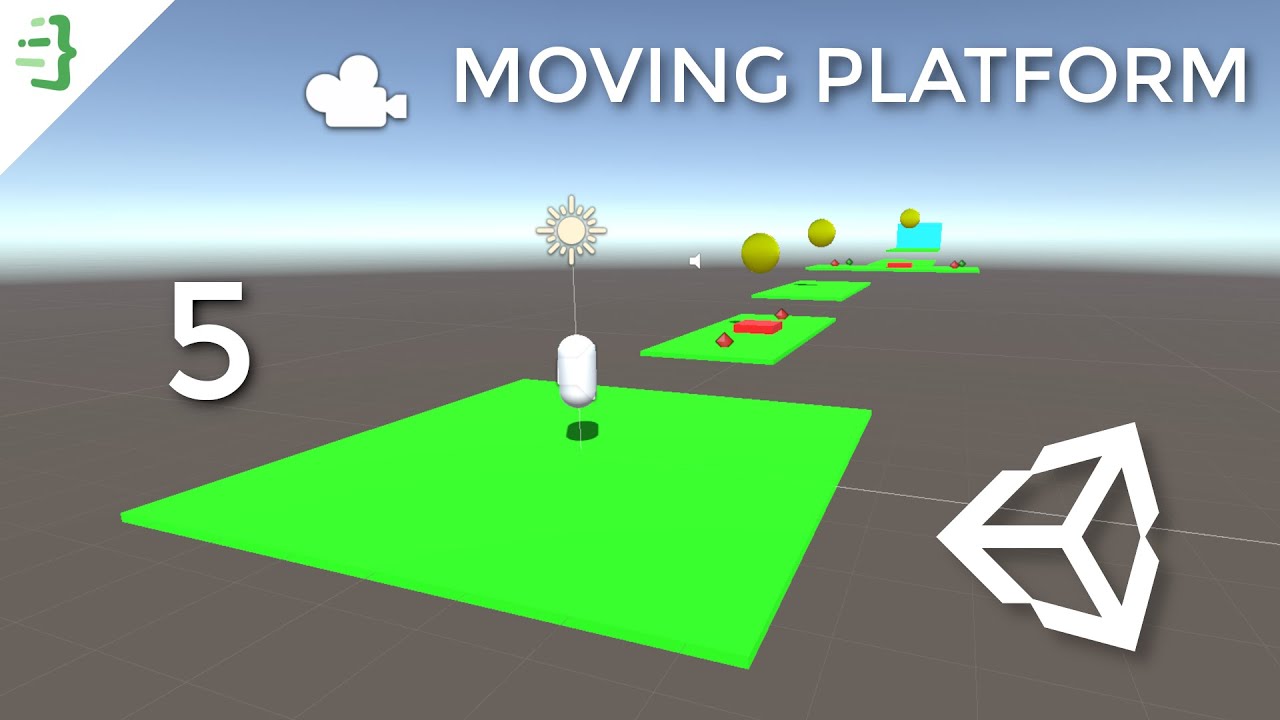
In this part, we will create moving platforms that can transport our player and learn about Time.deltaTime.
Github repository:
https://github.com/codinginflow/3DUnityBeginner
🎓 Learn how to build a 2D game in Unity (beginner): https://www.youtube.com/playlist?list=PLrnPJCHvNZuCVTz6lvhR81nnaf1a-b67U
🎓 Learn how to build a 3...
rocky canyon
devout nimbus
Hey, I am a pretty new coder with little experience. I was hoping for someone to...
moving platforms are usuallly a pain to figure out
https://assetstore.unity.com/packages/tools/physics/kinematic-character-controller-99131
maybe check out this asset, and see how it handles it.. (kinematic rigidbodies imo, handle moving platforms the best)
 devout nimbus
Thanks for the input, although im trying to stay away form asset packs, cuz its a competition
Although I will look at it
rocky canyon
you know u can study other assets right?
rocky canyon
just look at how they did it.. maybe theres something in there that can help.. like i said, its usually difficult to get to work correctly anyway.. you'll just have to tinker and trying out things until something fits ur needs
rocky canyon
well, as a beginner ur best solution is going to be to use a CC and parent it.. or use a Rigidbody controller
 teal viper
devout nimbus
Hey, I am a pretty new coder with little experience. I was hoping for someone to...
teal viper
devout nimbus
Hey, I am a pretty new coder with little experience. I was hoping for someone to...
Moving with a platform is typically done by applying the platform movement to the character in addition to any movement the character has itself.
The details depend on your character controller implementation.
rocky canyon
^ that too.. u can use a collision trigger or ground check (raycast) to know ur standing on it.. and then add the velocity of the platform to the vector you use to move the player
on top of the input ur already giving it..
 proven mirage
hey guys i had a quick question to ask and was wndering if you guys could help
wanted to make slime enemy that jumps towards ours castle which is the grey box as seen in this picture and i know how do points to jump at. i was just wondering how would i code it to go in the castles direction?ike towrds the castle?
but in jump opoints?
like what math would i do to go towards the castle but create jumpoints to head their in the direction of the castle?
public class SlimeEnemy : MonoBehaviour
{
public int Damage;
public bool IsPlayerAttacker;
public bool IsCastleAttacker;
GameObject Target;
public Vector2 TargetJumpPoint;
public float JumpSpeed;
public float TimeBtwnJumps;
public float MaxTimeBtwnJumps;
float randX;
float randY;
public float MinrandX;
public float MinrandY;
public float MaxrandX;
public float MaxrandY;
void Start()
{
if (IsCastleAttacker)
{
Target = GameObject.FindGameObjectWithTag("Castle");
}
if (IsPlayerAttacker)
{
Target = GameObject.FindGameObjectWithTag("Player");
}
}
// Update is called once per frame
void Update()
{
TimeBtwnJumps -= Time.deltaTime;
if(TimeBtwnJumps <= 0f)
{
Jump();
TimeBtwnJumps = MaxTimeBtwnJumps;
}
transform.position = Vector3.MoveTowards(transform.position, TargetJumpPoint, JumpSpeed * Time.deltaTime);
}
void Jump()
{
randX = Random.Range(MinrandX, MaxrandX);
randY = Random.Range(MinrandY, MaxrandY);
TargetJumpPoint = new Vector2(transform.position.x + randX, transform.position.y + randY);
}
}```
heres code
also one other thingi wanted to ask you was lets say i wanted multiple types of slime eneimes but with diffrent behavoir would you reccomend putting it all in 1 scruipt or have diffrent scripts for each type? devout nimbus
I had ChatGPT write this, any reason why it wouldn't work?
using UnityEngine;

public class MovingPlatform : MonoBehaviour
{
    public Vector3 moveDirection = Vector3.right;  // Change this to the desired movement direction
    public float moveSpeed = 5f;

    private void Update()
    {
        MovePlatform();
    }

    private void MovePlatform()
    {
        transform.Translate(moveDirection * moveSpeed * Time.deltaTime);
    }

    private void OnCollisionEnter(Collision collision)
    {
        if (collision.gameObject.CompareTag("Player"))
        {
            // Apply the platform's velocity to the player
            Rigidbody playerRb = collision.gameObject.GetComponent<Rigidbody>();
            if (playerRb != null)
            {
                playerRb.velocity = moveDirection * moveSpeed;
            }
        }
    }

    private void OnCollisionExit(Collision collision)
    {
        if (collision.gameObject.CompareTag("Player"))
        {
            // You can add additional logic here if needed
        }
    }
}
 rich adder
devout nimbus
I had ChatGPT write this, any reason why it wouldn't work?
```
using UnityEngine...
rich adder
devout nimbus
I had ChatGPT write this, any reason why it wouldn't work?
```
using UnityEngine...
yes, cause GPT wrote it
rocky canyon
well, theres lots of reasons it may not work..
does one of the player or the platform have a rigidbody (it cant detect collisions w/o it)
does the player have a rigidbody if it doesn't playerRb.velocity can't work, b/c thats a rigidbody function..
its using tags to know whats the player.. did you set up the tag "Player" and assign it on ur player object?
... etc
ya, chatgpt can write functioning code (in small cases) but it usually isn't going to work w/o doing the setup that the script needs to function.
devout nimbus
Ok. I think I can accomplish the setup fine, Ill get back to you guys tomorrow if I have question cuz its late. Thanks for the help!
rocky canyon
might as well ask chatgpt how to set it up as well.. since it gave u the code.. it'll know how the setup should be
proven mirage
hey guys if you have a sec could you plz look at my question above if anyone has a second to spare
 harsh silo
Anyone know why I get this issue inconsistently from my gun's script:
 frosty hound
No, because you haven't shared anything
rocky canyon
proven mirage
hey guys if you have a sec could you plz look at my question above if anyone has...
to get the direction towards the target u just subtract its position from the target position.
direction = target.position - this.position;
that'd be one piece to ur puzzle

u could also get the distance and divide that by how many ever jumps u want to make, and then that'd give u the distance of each jump.
for the actual jump, not sure how you could go about that.. maybe some parabola mathematics
proven mirage
rocky canyon
u could also get the distance and divide that by how many ever jumps u want to m...
no thats not really needed
proven mirage
rocky canyon
for the actual jump, not sure how you could go about that.. maybe some parabola ...
parabola?
rocky canyon

not sure how ur game's gonna function w/ the jumps and all.. but think about all thats gonna need to happen, and just start 1 thing and add onto it
proven mirage
surley there a simpler way
rocky canyon
there are many ways.. for 1 u could just add an upwards force + gravity..
u wouldnt have any fine control over where it lands.. it'd be trial and error with different values, depending on teh speed its moving laterally.. (left and right)
if u wanted to add just the right amount of force to land in a specific location.. yea, it'd be a bit of math.. taking in the velocity ur already moving.. the distance you want to travel, then the gravity's pull, the force needed to overcome it long enough to land in a specific point..
proven mirage
i see
vale karma
is there a way to use the "Look" Action and Delta [Pointer] in the Input Actions as camera/player rotation?
i cant find any videos/documentation on it
most are using old input system, or using an Action Map from scratch and using MouseX and MouseY, but ive already somehow implemented a way to move both up and down without splitting it up into two different actions
 vale karma
yea im using the default scheme when you create an action in the inspector
it only has Delta [Pointer] and gives mouse input when its moved
it just seems weird id have to change the action from Look - using joysticks and mouse, to having to basically use the old method inside the new method
rocky canyon
why? would u do that? the purpose of the input system is to be able to easily use all types of controls
https://www.youtube.com/watch?v=lclDl-NGUMg&ab_channel=SpeedTutor heres a robust tutorial that walks thru all kinds of scenarios w/ the new system

In this Unity tutorial, we'll dive into the flexible and intuitive New Input System, perfect for enhancing your game's user interactions. We'll start with installing the system and setting up your first action map. I'll guide you through scripting a manager script and creating your own 3D and 2D character controllers, complete with practical exa...
vale karma
im talkin about when you create an action map, and it gives the defaults, couldnt I use the Delta [Pointer] instead of going through all the mouse X and mouse Y stuff?
 rocky canyon
ya, im aware of what ur talking about.. heres a snapshot of that tutorial i just sent
 vale karma
okay ill watch that one then 😮
rocky canyon
vale karma
okay ill watch that one then 😮
theres timestamps in the description. could help u skim thru it to find whats relevant to u
vale karma
i must become the ultimate input manager guru now
ill invent an entire game engine system in spite of solving this problem
rocky canyon
i, myself, am gonna end up watching it one day just for some context, as I have hardly used the new input system, and i need to start since im working on a game i plan on being friendly w/ mobile and gamepads
vale karma
yea i have realized learning it now that movement is much simpler this way. I actually just read the unity docs over the subject until i needed some examples, then i watched some utube tutorials
rocky canyon
vale karma
ill invent an entire game engine system in spite of solving this problem
nothing wrong with have a good input manager.. you could probably re-use it over and over if u set up a good one
vale karma
if I just kept watching tutorials i wouldve been so confused still
yea but i dont know what im doing yet, so i gota know how the babies are made first
rocky canyon
ya, watching videos are super beneficial when u actually get hands on.. and use the stuff ur trying to learn about
rocky canyon
vale karma
yea but i dont know what im doing yet, so i gota know how the babies are made fi...
good thing its geared for Beginner
 vale karma
noooo hes not using the same method I am when dealing with the input system lolll
hes going more through code, I went with a different method
rocky canyon
maybe try #🖱️┃input-system they'll be more people familiar with the ins and outs of the system.
 bold thicket
I'm having issues with multi-animation for a jumping/falling animation mix. If anyone could dm and help me out that would be awesome. Thanks!
frosty hound
People are not going to DM you, also not a coding question
You can explain and show your issue in #🏃┃animation and anyone who wants/can help, will
bold thicket
No stress, I've never had success asking for help in large discords over a public chatroom. If anyone does DM, I would be thankful. If it's not allowed to ask for help in that manner then feel free to take it down.
 swift crag
Just ask your question.
 craggy oxide
bold thicket
No stress, I've never had success asking for help in large discords over a publi...
craggy oxide
bold thicket
No stress, I've never had success asking for help in large discords over a publi...
yeah unfortunately security's very tight around here when it comes to asking questions properly
just present your problem, in its actual code form, make sure its not a basic syntax error or a question that's simple enough to google beforehand, and then pray for a response
vale karma
So i finally got something to get my player to rotate with the mouse input horizontally, but the problem is that when I press W to move forward, its not using the rotation of the camera to change where forward is
public void Look(InputAction.CallbackContext context)
{
    deltaPoint = context.ReadValue<Vector2>();
    float mouseXRotation = deltaPoint.x * mouseSens;
    firstPersonController.transform.Rotate(0, mouseXRotation, 0);
    Debug.Log("looking around");
}
What is the move forward code?
vale karma
public void Update()
{
    playerController.Move(direction * moveSpeed * Time.deltaTime);
}


public void OnMove(InputAction.CallbackContext context)
{
    // read the value for the "move" action each event call
    moveAmount = context.ReadValue<Vector2>();

    // the x and y inputs read from the Input Action are converted into a Vector3
    // to move forward and backwards, not up and down.
    direction = new Vector3(moveAmount.x, 0f, moveAmount.y);

    // Checks if the player is moving and changes the bool "isWalking" accordingly
    if (moveAmount.x > 0.01f || moveAmount.x < -0.01f || moveAmount.y > 0.01f || moveAmount.y < -0.01f)
    {
        playerAnimations.SetBool("isWalking", true);
    }
    else if (moveAmount.x == 0 && moveAmount.y == 0)
    {
        playerAnimations.SetBool("isWalking", false);
    }

}
i am using the new input system and a character controller, I finally got movement down, but now i cant seem to rotate the player like an fps shooter
solemn summit
Not sure where OnMove is being called, but if you're rotating the player can't you just use tranform.forward?
vale karma
where would i use transform.forward? and also wouldnt that be weird to implement into the character controller? idk, its all still fresh and new to me, but im kind of getting the hang of it
solemn summit
Ah, I'm a rigidbody boy. I don't have any experience with the cc. But transform.forward is a direction
vale karma
idk why I cant just rotate the player and not have global movement
yea im trying to get used to the new input system to get some level of consistency
 split dragon
Hi. I have a question: Let's assume that I have several variables with 1 data type. I need to write them both in an array (floats[]) or separately (float Standard, float Run, etc.), despite the fact that these variables will be asked in other scripts. How will it be better and more professional?
north kiln
Why would you add them to an array?
split dragon
north kiln
Why would you add them to an array?
Well, somehow I don't want to have a lot of public fields. You can create an array and hide it sometime. I don't know how to explain it.
north kiln
You just want to collapse them in the inspector?
split dragon
Let's say I have 5 floats separate and 1 floats[]. Which option is better?
 faint sluice
split dragon
Hi. I have a question: Let's assume that I have several variables with 1 data ty...
faint sluice
split dragon
Hi. I have a question: Let's assume that I have several variables with 1 data ty...
You don't want to convert multiple floats (that stores unrelated seperate values) in an array because it removes the readability of your code
What if you accidentally remove an element or change their position
Imagine you have 50 different floats in your game and you convert them all to an array, you'll never know which float is for what purpose.
That's why always use separate fields unless all the elements in array are doing one purpose only
faint sluice
split dragon
Let's say I have 5 floats separate and 1 floats[]. Which option is better?
Depends on use case
split dragon
faint sluice
You don't want to convert multiple floats (that stores unrelated seperate values...
In short, is it better separately?
faint sluice
split dragon
In short, is it better separately?
What are you intending to store?
split dragon
faint sluice
What are you intending to store?
Well, the data type is float and int, which will be used in another script and changed
faint sluice
split dragon
Well, the data type is float and int, which will be used in another script and c...
That doesn't tell me what you intend to store
split dragon
faint sluice
That doesn't tell me what you intend to store
I don't understand what you mean about storing
faint sluice
split dragon
I don't understand what you mean about storing
I have 2 floats one is for SpeedOfCar second is for DamagePerBullet
I wouldn't store them in in an array of float as Array[0] = speed Array[1] = damage
Because both of them are used for vastly different purposes
But if I had to store speed of all the cars in my game I could store them in an array as they all represent same type of float
Does that make sense? With that being said what are you trying to store?
wintry quarry
split dragon
Hi. I have a question: Let's assume that I have several variables with 1 data ty...
Make a struct or class
split dragon
faint sluice
I have 2 floats one is for SpeedOfCar second is for DamagePerBullet
I wouldn't ...
Player's speed: walking, running, squatting.
faint sluice
split dragon
Player's speed: walking, running, squatting.
Could make a struct or class as praetor suggested for all different states of player's movement but if don't want to do that I would store these values seperately for readability purposes
split dragon
faint sluice
Could make a struct or class as praetor suggested for all different states of pl...
Good. Thanks
vale karma
how can i get my model not to rotate upwards or downwards with the mouse?
public void Look(InputAction.CallbackContext context)
{
    deltaPoint = context.ReadValue<Vector2>();

    transform.Rotate(0, deltaPoint.x * mouseSens, 0);
    Debug.Log("looking around");

    xRotation -= deltaPoint.y;
    xRotation = Mathf.Clamp(xRotation, -xClamp, xClamp);
    Vector3 targetRotation = transform.eulerAngles;
    targetRotation.x = xRotation;
    mainCamera.eulerAngles = targetRotation;
}
im about to just say screw it and use the controller asset plugin
eternal needle
vale karma
how can i get my model not to rotate upwards or downwards with the mouse?
doesnt look like this should be affecting the x or z rotation at all. Unless you've assigned the wrong object to mainCamera
Maybe you have other code that is rotating the player. Also you can avoid this entirely by just using cinemachine
vale karma
oh plz how do i use cinemachine with it? i thought about it but i thought it was a stretch
eternal needle
vale karma
oh plz how do i use cinemachine with it? i thought about it but i thought it was...
use cinemachine for the camera, itll handle the rotations. Then i just rotate my player based on where the camera is currently looking
vale karma
i want to make my first game with somewhat optimized inputs, and the new input system, character controller, and new terms in scripts is killin me grandpa
ooo what kind of camera? free cam?
eternal needle
whatever camera you need, i assume this is first person?
vale karma
ytea
eternal needle
should be able to find exactly what you need for first person camera using cinemachine on 
vale karma
theres also an issue where he does an animation and you basically watch the back of his head. Could i parent the camera to that object? i tried but it didnt work
eternal needle
you can go as far as having the camera not render the player entirely. Not sure what effect you want but i 100% wouldnt parent the camera to the head
eternal needle
cinemachine has that script for you
vale karma
time to start googlin
eternal needle
it is a complete plug and play solution, there is very rarely functionality that you need to add to it
at least in the simple cases
 tepid summit
ok so i learned the difference between = and == just now
its pretty cool and/or handy
vale karma
i use it mostly in idle and walking animations
tepid summit
== is conditional
vale karma
ayee
tepid summit
what?
vale karma
lol nothin
 iron crow
New to programming, ran into this error, anyone have any ideas, I've tried googling, but I'm stumped.

 night mural
iron crow
New to programming, ran into this error, anyone have any ideas, I've tried googl...
night mural
iron crow
New to programming, ran into this error, anyone have any ideas, I've tried googl...
I would guess that you aren't intended to be interacting with InternalDirtyFlags (it is internal to BezierUtils)
iron crow
Im wondering if it has to do updating my project from 2020 to 2023, Im also reading it could be something with libraries but Im not ssure.
Thanks for the link, Im digging through it now.
👍
It's my only error remaining.
night mural
it's possible that it was accessible before and they decided it shouldn't be but normally i'd expect unity to catch that as part of the migration
well you can always go to that line and see what it's doing, probably there is a 'new' way and it just needs a slight edit
iron crow
{```it looks like the error might be in a plugin though, in which case you might just need to update the plugin? did tou do that first?
iron crow
That was the line in question, my first guesss was to change it to public, but that didn't really effect much.
iron crow
night mural
it looks like the error might be in a plugin though, in which case you might jus...
Looking into it now.
night mural
that would be much preferable to editing a third party module yourself
split dragon
My question is: Is there a difference between performance if in place: Massive.Should Length be used as a number? Of course, it will be more convenient to use .Length, but doesn't the system count the size of the array, thereby consuming resources? For better performance, you need to use .Length or number or is there no difference?
 vale karma
i am not able to figure this cinemachine out. any good vids using the new input system?
 keen dew
split dragon
My question is: Is there a difference between performance if in place: Massive.S...
keen dew
split dragon
My question is: Is there a difference between performance if in place: Massive.S...
no difference
split dragon
keen dew
no difference
Ok. Thanks
 tame mist
hello, I'm trying to change the color of an image when it is clicked. it should toggle between a red and orange color so I defined the colors
private Color orangeAudioButton = new Color(255f, 88f, 0f);
private Color redAudioButton = new Color(185f, 40f, 31f);
and when I try to change the color with audioImage.color = redAudioButton;
the color chart indicates wrong rgb values and the image stays white when it should be red. when it should be orange it is yellow.
I'm confused as to what is happening. the rgb values i took straight from the color property on the image.
tepid summit
tame mist
hello, I'm trying to change the color of an image when it is clicked. it should ...
buttons have a preset way of making them change colors when you click them
night mural
tame mist
hello, I'm trying to change the color of an image when it is clicked. it should ...
iirc Color takes normalized values so if you want to pass in 0-255 range values, use Color32
tepid summit
whats iirc
north kiln
tame mist
hello, I'm trying to change the color of an image when it is clicked. it should ...
eternal needle
tame mist
hello, I'm trying to change the color of an image when it is clicked. it should ...
you can make these [SerializeField] then assign them in inspector. Will save you the trouble of defining them manually. Do that or divide your values by 255
tame mist
night mural
iirc `Color` takes normalized values so if you want to pass in 0-255 range value...
thanks, I used color32 and that works
tame mist
eternal needle
you can make these [SerializeField] then assign them in inspector. Will save you...
that's a great suggestion, I'll start doing colors in the inspector from here on instead of defining them 👍
tepid summit
tepid summit
whats iirc
if i remember correctly
 hidden bone
rocky canyon
I have an offtopic question when I seen this video, since I've watched it its be...
hidden bone
rocky canyon
I have an offtopic question when I seen this video, since I've watched it its be...
im not entirely sure as I got that part of the code from a yt video but as I understand it, it sends out a raycast and a spherecast from the cameras position. it then checks if there is a raycast hit and if there is not, it checks if there is a spherecast hit. If both of them fail, its a miss and the gameobject (the red sphere) is deactivated. If either hit, the gameobject is activated at the hit location. The raycast takes precedence over the spherecast, regarding the position of the activated gameobject
 foggy arch
How do paste sites work btw? should I save it then put it here in the discord channel?
send the link maybe?
foggy arch
foggy arch
https://gdl.space/egoyicozon.cpp
Im trying to make a droppable item but I have this error and I dont understand the error, if I have to provide extra information please tell me

 jovial zealot
Hi, been having a bit of a weird issue that I haven't been able to solve for around an hour. It is most likely a simple fix but I'm not sure.
Trying to get a character controller crouch working for a first person game, following this tutorial https://www.youtube.com/watch?v=rJqP5EesxLk&list=PLGUw8UNswJEOv8c5ZcoHarbON6mIEUFBC
Using his code at around 21:13 for crouching, my character collider keeps "jittering" upon raising the height.
I have heard that I'm supposed to modify the "center" of the collider to offset it, but that just makes the game object clip through the floor. then bounce immediately back up instead of slowly raising the height. I used this stack exchange post for that: https://gamedev.stackexchange.com/questions/159781/changing-charactercontrollers-height-causes-jittering-issue-in-unity
Is there some universal fix that I'm missing for this? Thanks.

The first video in a series where we are creating a First Person game!
In this video we look at setting up our characters movement.
I've setup a Discord!!! and I would love to have you help me start up a friendly community where we can all help each other grow as game developers!
Discord invite link:
https://discord.gg/xgKpxhEyzZ
Can't wait t...

Game Development Stack Exchange
As title said changing height of Character Controller causes jittering issue.
For example when I reduced the height of CharacterController, it seems CharacterController was floating at each frame ...
keen dew
foggy arch
Im trying to make a droppable item but I have this error and I dont understand t...
You'll have to show the full error message
foggy arch
 keen dew
What is Collectableitem?
keen dew
Method parameters are type name. You only have type
 gaunt ice
public void method(int){
}
ohh, thanks nitku
keen dew
If the editor didn't underline that error then configure it: !ide 👇
 eternal falconBOT

💡 IDE Configuration
If your IDE is not autocompleting code
or underlining errors, please configure it.
Select one:
• Visual Studio (Installed via Unity Hub)
• Visual Studio (Installed manually)
• VS Code
• JetBrains Rider
• Other/None
foggy arch
keen dew
If the editor didn't underline that error then configure it: !ide 👇
Oh yeah now it shows the errors, thats very cool thanks
 oak vortex
Does anyone else have the problem where you cant drag the stuff in the scene samples? Im new to unty so i dont know if its my fault
 agile hornet
Hello, so I have two gameobjects that both get destroyed when they come in contact. I would like for this to happen only after a key is pressed. This is my attempt, but it's not working as expected. What could be the problem? Or how should I best approach this?
public class DetectCollision2 : MonoBehaviour
{
public static int feed = 0;
private bool buttonpressed = false;
// Start is called before the first frame update
void Start()
{

}

// Update is called once per frame
void Update()
{
  if(Input.GetKeyDown(KeyCode.Space))
  {
    buttonpressed = true;
  }
}

void OnTriggerEnter(Collider other)
{
    if(buttonpressed)
    {
        Destroy(gameObject);
        Destroy(other.gameObject);
        Debug.Log("Score:" + (feed++));
    }
       else
       {
        Debug.Log("Not Ok");
       }
}
}
ivory bobcat
agile hornet
public class DetectCollision2 : MonoBehaviour
{
public static int feed = 0;
...
How you should post !code
eternal falconBOT
Posting code
📃 Large Code Blocks
Use links to services like:
https://gdl.space/, https://paste.ofcode.org/, https://hatebin.com/, https://paste.myst.rs/, https://hastebin.com/
📃 Inline Code
Surround code with three backquotes. Not quotation marks.
To format as C#, add cs to the first line:
```cs
// Your code here
```
Add a comment with a line number if there is an error message.
ivory bobcat
agile hornet
Hello, so I have two gameobjects that both get destroyed when they come in conta...
What're you expecting?
eternal needle
agile hornet
public class DetectCollision2 : MonoBehaviour
{
public static int feed = 0;
...
Paste in the format above but also try to add more meaningful debugs. Like debug the name of the object hit. Your code also doesnt actually check what its hitting. Itll destroy when it hits anything
ivory bobcat
As is, if the button was ever pressed once and collision occurred anytime thereafter, it would destroy the two objects.
 hybrid sundial
    {
        Vector2 inputVector = new Vector2(0,0);
        if (Input.GetKey(KeyCode.W)){
            inputVector.y = +1;
        }
        if (Input.GetKey(KeyCode.S)){
            inputVector.y = -1;

        }
         if (Input.GetKey(KeyCode.A)){
            inputVector.x = -1;

        }
         if (Input.GetKey(KeyCode.D)){
            inputVector.x = +1;

        }

        inputVector = inputVector.normalized;
        Vector3 moveDir = new Vector3(inputVector.x, 0f, inputVector.y);
        transform.position += moveDir * 7 * Time.deltaTime;

    }
}```IDK what ive done wrong
ivory bobcat
hybrid sundial
IDK what ive done wrong
Cool feature
ivory bobcat
How do you know something's gone wrong?
hybrid sundial
when i save and go to unity there is an error
ivory bobcat
And what would that be?
eternal needle
That would be an error. Meaning something to fix
hybrid sundial
 eternal needle
It is back ticks, not quotes. In response to the deleted message
agile hornet
eternal needle
Paste in the format above but also try to add more meaningful debugs. Like debug...
'''
public class DetectCollision2 : MonoBehaviour
{
public static int feed = 0;
private bool buttonpressed = false;
// Start is called before the first frame update
void Start()
{

}

// Update is called once per frame
void Update()
{
  if(Input.GetKeyDown(KeyCode.Space))
  {
    buttonpressed = true;
  }
}

void OnTriggerEnter(Collider other)
{
    if(buttonpressed)
    {
        Destroy(gameObject);
        Destroy(other.gameObject);
        Debug.Log("Score:" + (feed++));
    }
       else
       {
        Debug.Log("Not Ok");
       }
}
}
'''
eternal needle
Also I dont really need to see the code again. We've commented on it already above. If you change it then paste using the format the bot tells you
hybrid sundial
north kiln
https://unity.huh.how/compiler-errors/cs0104
i had already been to that
north kiln
hybrid sundial
i had already been to that
Then what's your problem
It explains the issue
hybrid sundial
still the same issue
north kiln
What don't you understand about the solutions
hybrid sundial
i removed the things i didnt need
north kiln
So, why does the error mention two using statements
hybrid sundial
i do not know
agile hornet
ivory bobcat
What're you expecting?
Because the objects are destroyed when they collide, I would like to add another condition to trigger the gameobjects being destroyed. So the goal would be to destroy the gameobjects if they collide and a button was pressed.
agile hornet
agile hornet
Because the objects are destroyed when they collide, I would like to add another...
public class DetectCollision2 : MonoBehaviour
{
   public static int feed = 0;
   private bool buttonpressed = false;

    // Start is called before the first frame update
    void Start()
    {

    }

    // Update is called once per frame
    void Update()
    {
      if(Input.GetKeyDown(KeyCode.Space))
      {
        buttonpressed = true;
      }
    }

    void OnTriggerEnter(Collider other)
    {
        if(buttonpressed)
        {
            Destroy(gameObject);
            Destroy(other.gameObject);
            Debug.Log("Score:" + (feed++));
        }
           else
           {
            Debug.Log("Not Ok");
           }
    }

}
Well this code should do exactly that. You havent said really what the problem is. The sentence above really doesnt make sense other than "destroy 2 objects only if a button is pressed before"
agile hornet
eternal needle
Well this code should do exactly that. You havent said really what the problem i...
The problem is sometimes the objects are destroyed and sometimes they are not destroyed.
 honest haven
agile hornet
The problem is sometimes the objects are destroyed and sometimes they are not de...
honest haven
agile hornet
The problem is sometimes the objects are destroyed and sometimes they are not de...
inside your trigger check that other == "what ever is surposed to destroy it"
ripe shard
agile hornet
```
public class DetectCollision2 : MonoBehaviour
{
public static int feed = ...
You also probably want to check the pressed state not the down state of the key, which you also would not have to store in a variable. Unless you want this button‘s effect to stay on forever
agile hornet
ripe shard
You also probably want to check the pressed state not the down state of the key,...
How do I do that?
ripe shard
agile hornet
How do I do that?
agile hornet
honest haven
inside your trigger check that other == "what ever is surposed to destroy it"
The objects are destroyed fine, when I remove the button key operation. But it starts behaving wierdly when I add that button operation.
 west sonnet
Hellooo everybody
agile hornet
ripe shard
https://docs.unity3d.com/ScriptReference/Input.GetKey.html
Thanks, but I would like to achieve it by simply pressing the button not holding it down.
 earnest atlas
 void OnTriggerEnter(Collider other)
 {
     if(!other.CompareTag("Player")) return;
     GameController.Instance.Score++;
     Destroy(gameObject);
 }```

Why this not working? I have rigidbody and 2d box collider on itI'm trying to write some script so that I can space out my enemies punches. They should be able to throw a punch every second. This is my code. For some reason when I change the values in the IEnumerator, it does change anything and I can't figure out why?

This is a video to show you what I mean. You can see the Float value for the reload timer on the right
north kiln
earnest atlas
```CS
void OnTriggerEnter(Collider other)
{
if(!other.CompareTag("Player"...
Go through the physics messages troubleshooting link pinned to this channel
earnest atlas
north kiln
Go through the physics messages troubleshooting link pinned to this channel
I mean its not getting a call even. Maybe I wrote it wrong?
earnest atlas
west sonnet
I'm trying to write some script so that I can space out my enemies punches. They...
Corutines can start multiple times. Maybe that happens?
north kiln
west sonnet
I'm trying to write some script so that I can space out my enemies punches. They...
Are you starting a coroutine every frame 
north kiln
earnest atlas
I mean its not getting a call even. Maybe I wrote it wrong?
Go through the resource and find out
west sonnet
north kiln
Are you starting a coroutine every frame <:notlikethis:1068134558123442236>
I wasn't planning to
west sonnet
earnest atlas
Corutines can start multiple times. Maybe that happens?
Hmmm how can I avoid that happening?
earnest atlas
west sonnet
I wasn't planning to
You can save it and check if it exists
north kiln
west sonnet
I wasn't planning to
Well, you have it in Update, so is something preventing that in your code?
west sonnet
earnest atlas
You can save it and check if it exists
How?
west sonnet
north kiln
Well, you have it in Update, so is something preventing that in your code?
I dont think so. Everything in my screenshot is my code
earnest atlas
private Coroutine _coroutine;
If(_coroutine!=null) return;
In the corutne at end just set it to null
Like this only 1 corutine will exist
west sonnet
I have this bool which is what I'm using to determine if the player is in front of the enemy.

Is it possible to get a bool value from the Overlap method?
But not how I've done it here
But like as a value. I don't know if I'm explaining it correctly
vale karma
is there a way for the first person camera to be connected to part of the mesh so when the animation bends over the camera follows the head instead of staying put
 wild oak
is it possible to make a sprite only collide with 1 different specific sprite, but be able to pass through other sprites?
vale karma
use tags
wild oak
how would i use tags here
vale karma
or even terrain
west sonnet
Or you could use layers
wild oak
ohh right
west sonnet
Then when you write the collision code, make it check what layer the colliding object is on
wild oak
ok thx
west sonnet
earnest atlas
private Coroutine _coroutine;
If(_coroutine!=null) return;
In the corutne at e...
I'm not sure I understand how to make this work
earnest atlas
You make the corutine variable at top of the class
It exists just to hold it
Or you can just make a bool variable
Like "CorutineExists"
Set it to true when its made, then to false inside the corutine when it finishes
west sonnet
I still don't understand. I'm making a bool at the top of my script and setting it to true, then making it go false at the bottom of my Coroutine
But it doesn't do anything
earnest atlas
west sonnet
But it doesn't do anything
Pass your code here from update and corutine
 young smelt
How do I color a drawing when The player selects the place he wants to color by tapping the screen. It should paint it up with the currently equiped color. I am currenly using 'UnityEngine.InputSystem.EnhancedTouch' To gather touch info
west sonnet
You mean you want me to type my code here?
earnest atlas
Im going crazy or why its not working?
I checked everything and layers and fisics are correcly setup. I havent changed anything and it worked in previus project of mine

void OnTriggerEnter(Collider other)
{
    if(!other.CompareTag("Player")) return;
    GameController.Instance.Score++;
    Destroy(gameObject);
}```

This is just not getting called at allYes Ill add to it what I mean
young smelt
young smelt
How do I color a drawing when The player selects the place he wants to color by ...
Should I make the drawing cut up in pieces (like hand a separate image form leg etc) or a whole drawing (Every part is one image)
west sonnet
//private bool CoroutineExists = true;
private void Update()
{
if (EnemyCanCheck)
{
if (IsPlayerInFront())
{
//Debug.Log("Player Hit");
EnemyCanCheck= false;
Invoke("WaitToCheck", 10f);
fistReload = 0f;
StartCoroutine(FistReloadTimer());
}
}
}
private void WaitToCheck()
{
EnemyCanCheck= true;
}
private bool IsPlayerInFront()
{
// Checks if player is in front of the enemy, if so, enemy can punch.
return Physics2D.OverlapCircle(PlayerCheck.position, 0.2f, PlayerLayer);
}
IEnumerator FistReloadTimer()
{
// Loops until Reload bar is full
while (fistReload < 1f)
{
// Increment reload bar by 0.01
fistReload += 0.1f;
// Wait for 1 second before repeat loop
yield return new WaitForSeconds(1f);
//transform.DOLocalMoveX(transform.position.x + 1f, punchDuration).SetLoops(1, LoopType.Restart);
//CoroutineExists = false;
Debug.Log("Punch");
}
}
}``` languid spire
earnest atlas
```CS
void OnTriggerEnter(Collider other)
{
if(!other.CompareTag("Player")) ...
languid spire
earnest atlas
```CS
void OnTriggerEnter(Collider other)
{
if(!other.CompareTag("Player")) ...
OnTriggerEnter2D
earnest atlas
I cant even find documentation online
void OnTriggerEnter2D(Collider other)
{
    if(!other.CompareTag("Player")) return;
    GameController.Instance.Score++;
    Destroy(gameObject);
}```

Gues what? Still not called.wrong signature
languid spire
so where is your rigidbody2d?
earnest atlas
In player
languid spire
earnest atlas
```CS
void OnTriggerEnter2D(Collider other)
{
if(!other.CompareTag("Player")...
 rich adder
2D!
earnest atlas
I installed an addon for visual studio thats supposed to help with autocompletion but it broke yestarday.
I need exorcist
rich adder
earnest atlas
I installed an addon for visual studio thats supposed to help with autocompletio...
addon ?
languid spire
you need to learn how to google
earnest atlas
I mean I google, it finds something unreleated
languid spire
cos your not using it correctly
earnest atlas
Omg it worked
vale karma
is there a reason parenting the camera to a part of the player isnt following the mesh during the animation?
young smelt
How do I color a drawing when The player selects the place he wants to color by tapping the screen. It should paint it up with the currently equiped color. I am currenly using 'UnityEngine.InputSystem.EnhancedTouch' To gather touch info
rich adder
vale karma
is there a reason parenting the camera to a part of the player isnt following th...
not without context, it could be a script for all we kno
earnest atlas
When I stop the game I have this errors?
This object is from previous scene with donotdeleteonload
 young smelt
Wth
vale karma
i shall show ya
young smelt
Why am I blocked
earnest atlas
where
rich adder
earnest atlas
When I stop the game I have this errors?
This object is from previous scene wit...
read the error, it tells you whats wrong
young smelt
young smelt
Why am I blocked
What did I do
earnest atlas
I dont have OnDestroy anywhere
vale karma
rich adder
earnest atlas
I dont have OnDestroy anywhere
you have OnDisable
young smelt
how do I speak to moderators, I think My posts gets censored
rich adder
you're probably talking about the Regex
languid spire
earnest atlas
I dont have OnDestroy anywhere
it says OnDisable, read the error messages
earnest atlas
I dont think Im that blind but it sais onDestroy
 rich adder
young smelt
how do I speak to moderators, I think My posts gets censored
rich adder
young smelt
how do I speak to moderators, I think My posts gets censored
screenshot
languid spire
line above it
earnest atlas
Oh did on destroy run before on disable and caused object to get spawned?
young smelt
 languid spire
earnest atlas
I dont think Im that blind but it sais onDestroy
languid spire
earnest atlas
I dont think Im that blind but it sais onDestroy
that is asking a question. one of the potential causes of the error
rich adder
a Period is not a complete sentence
earnest atlas
Should I change OnDisable to OnDistroy then?
 rich adder
earnest atlas
Should I change OnDisable to OnDistroy then?
rich adder
earnest atlas
Should I change OnDisable to OnDistroy then?
show OnDisable on PlayerController
earnest atlas
 young smelt
rich adder
a Period is not a complete sentence
young smelt
rich adder
a Period is not a complete sentence
makes sense
earnest atlas
You might be asking why Im always referencing it
 cunning rapids
vale karma
cunning rapids
vale karma
Culling.
earnest atlas
Because for some reason its not working other way
rich adder
wdym the other way
earnest atlas
Setting GameCotroller.Instance.PlayerControls to a local variable
and linking it that way
vale karma
cunning rapids
Culling.
uhh what is htat
earnest atlas
Supposedly it should work but it doesnt
languid spire
OnEnabled and OnDisabled are not Unity methods
languid spire
earnest atlas
Should I change OnDisable to OnDistroy then?
not acording to this #💻┃code-beginner message
cunning rapids
vale karma
uhh what is htat
You can set what your camera sees and not through the inspector
earnest atlas
 vale karma
cunning rapids
You can set what your camera sees and not through the inspector
vale karma
cunning rapids
You can set what your camera sees and not through the inspector
but couldnt i just move the camera with the head? it would add to the realism to bend over
cunning rapids
vale karma
but couldnt i just move the camera with the head? it would add to the realism to...
A cheap solution but works is to make the torso a separate layer from the head
vale karma
or do i have to make an animation for the camera
cunning rapids
But if your game is purely first-person there's really no need for a character model
vale karma
its all seperate layers, even the hair. but putting it as a child under it doesnt change anything to putting it under the first person controller empty
cunning rapids
So make your camera cull the head layer
vale karma
 cunning rapids
vale karma
its all seperate layers, even the hair. but putting it as a child under it doesn...
cunning rapids
vale karma
its all seperate layers, even the hair. but putting it as a child under it doesn...
Again, of you're making a purely first-person game I don't get why you need stuff like hair or a head
cunning rapids
vale karma
Show the camera inspector
vale karma
well yea but the arms

the arms would still move forward and do things, i need the camera to act like a head basically
i would still want the arms in the view, and soon change the view to 3d if it can be implemented
cunning rapids
vale karma
well yea but the arms
Set the near clipping plane to the lowest (0.01) and get rid of the layers you don't want to see through the "culling mask" dropdown
Such as the head
It won't get rid of the actual game object, the camera just won't see it
If you don't see the objects you don't want to see through the drop down, assign a layer for it and select it in the dropdown
cunning rapids
cunning rapids
Again, of you're making a purely first-person game I don't get why you need stuf...
@vale karma can you answer this please too
Because I don't get why you need hair
If you strive for realism in a first-person game, I'd get why you would keep the torso
But not the head or hair
vale karma
it came with the model on mixamo
and also i want the player to be able to play in 3rd person too
cunning rapids
But the model has separate parts, no?
vale karma
ehhh, the body is pretty much everything, then theres hair and clothes
lol check it out
cunning rapids
vale karma
and also i want the player to be able to play in 3rd person too
If you want to change perspectives I think you need 2 cameras, one for the first person POV and the other for the Third-person
But handle that later
cunning rapids
cunning rapids
Set the near clipping plane to the lowest (0.01) and get rid of the layers you d...
Did you do this yet?
@vale karma
cunning rapids
Why is the camera behind the player?? 💀
vale karma
loll the animation steps forward, thats what im tryin to fix
i want the camera to be fixed to the head during the animation
cunning rapids
Make it follow the model?
vale karma
how? i got it parented under it alrady
cunning rapids
You have the hair parented
vale karma
yea, its parented to the hair lol
cunning rapids
Is there anything that is fixed to the head?
tepid summit
earnest atlas
```CS
void OnTriggerEnter2D(Collider other)
{
if(!other.CompareTag("Player")...
the ! is before other not player
vale karma
the body is the entire body, head hands, feet
its not cut up into parts
the hair is tho :d
cunning rapids
The body is clearly split up into multiple childed elements
earnest atlas
tepid summit
the ! is before other not player
wdym?
 tepid summit
if (!other)
vale karma
yea but even parenting to one of those elements doesnt change the position of it during the animation
earnest atlas
what with if other
tepid summit
do if(other.CompareTag(!"player'')
 rich egret
Hi, its possible to define an object inside a script in a prefab??
tepid summit
public GameObject Obj1;
earnest atlas
tepid summit
do ```if(other.CompareTag(!"player'')```
Thats wrong...
tepid summit
i tried
languid spire
tepid summit
do ```if(other.CompareTag(!"player'')```
is that supposed to be C#?
!code
eternal falconBOT
Posting code
📃 Large Code Blocks
Use links to services like:
https://gdl.space/, https://paste.ofcode.org/, https://hatebin.com/, https://paste.myst.rs/, https://hastebin.com/
📃 Inline Code
Surround code with three backquotes. Not quotation marks.
To format as C#, add cs to the first line:
```cs
// Your code here
```
Add a comment with a line number if there is an error message.
tepid summit
languid spire
is that supposed to be C#?
i was just trying something i didnt know if it would work
languid spire
it wont even compile
tepid summit
well
earnest atlas
what were you trying?
tepid summit
i dont know
cunning rapids
vale karma
yea but even parenting to one of those elements doesnt change the position of it...
There are many ways to handle and FPS camera controller dude. But if your animation detaches from the camera for some reason or the transform of the model isn't following the animation bounds then there's no easy way to fix this
tepid summit
i admitted my mistake alright
 paper sable
hey, i want to make an option to toggle between normal crouching (you crouch while holding ctrl) and toggle crouching but it doesn't work, it's only normal crouching
~~https://hastebin.com/share/xadegatexi.csharp~~
vale karma
@cunning rapids i even tried a script to follow the object with
gameObject.transform.position = hair.transform.position;
hair 😄
vale karma
but yea i might have to table it or something, and no it wasnt called hair haha i just called it that so he would understand
cunning rapids
vale karma
<@1015230037697499147> i even tried a script to follow the object with
```cs
...
Again, if the physical player model doesn't change its bounds, despite it playing the animation, there's no easy way to fix this
When your character leans forward, does the position of the "hair" game object change with it accordingly?
frigid sequoia
If my parent class is calling a method on its update and I change the method on the child, does the parent call the new modified method or the initial one?
tepid summit
vale karma
<@1015230037697499147> i even tried a script to follow the object with
```cs
...
do you have the camera or the character parented?
earnest atlas
How to change sizes of 3d plane object in 2d?
 vale karma
with this script enabled, no
tepid summit
place the camera as a child on the character
tepid summit
earnest atlas
How to change sizes of 3d plane object in 2d?
why do you have a 3d plane in 2d
earnest atlas
cause mesh only thing that accepts materials
vale karma
it doesnt follow the head :/
tepid summit
earnest atlas
cause mesh only thing that accepts materials
ah ok
cunning rapids
earnest atlas
cause mesh only thing that accepts materials
Use textures
tepid summit
vale karma
it doesnt follow the head :/
make the character the parent
 queen adder
Can anyone help me on this, i am not sure whats happening, but i want to add a sound when i turn on and off the flashlight and its not working, and have that error
tepid summit
vale karma
it doesnt follow the head :/
can you send a screenie of the hierarchy
earnest atlas
ah you forgot 1f after playsound
vale karma
just being parented to the part i want it to follow exactly
 earnest atlas
If i recall correctly it needs SoundLine and volume
vale karma
this is with a script on the camera. all it does tho is keep the camera still the entire time

 restive sigil
I've been trying to find a good way to store dialogue text efficiently, without these weird ui extensions. Is it really good practice to have all my dialogue loaded from start, if i had a ton of text(ScriptableObkect)?
tepid summit
vale karma
just being parented to the part i want it to follow exactly
apply the camrea to the prefab
or
unpackage your character
vale karma
im not finding where to do that in the hierarchy
paper sable
is it possible to see where a raycast goes in the scene?
tepid summit
right click character go to prefab and press unpack
 vast vessel
Any good way to make a ai agnet, STRAFE(walk to the left and right) so it gains sight of a game object?
The only thing i dont know how to do is the algorithm that will gave me a position to set the agents destination to.
 vast saffron
Can anyone help me why moveSpeed doesnt show in the script in unity?
using System.Collections;
using System.Collections.Generic;
using UnityEngine;

public class PipeMoves : MonoBehaviour
{
    public moveSpeed = 5;

    // Start is called before the first frame update
    void Start()
    {

    }

    // Update is called once per frame
    void Update()
    {
        transform.position = transform.position + (Vector2.left * moveSpeed);


    }
}


i made it public
why does it not show
vast vessel
vast saffron
Can anyone help me why moveSpeed doesnt show in the script in unity?
```cs
usin...
!code
eternal falconBOT
Posting code
📃 Large Code Blocks
Use links to services like:
https://gdl.space/, https://paste.ofcode.org/, https://hatebin.com/, https://paste.myst.rs/, https://hastebin.com/
📃 Inline Code
Surround code with three backquotes. Not quotation marks.
To format as C#, add cs to the first line:
```cs
// Your code here
```
Add a comment with a line number if there is an error message.
vast saffron
vast vessel
!code
what
tepid summit
vast saffron
Can anyone help me why moveSpeed doesnt show in the script in unity?
```cs
usin...
make it a float
vale karma
OMG I FIXED IT
vale karma
ill show ya
vast saffron
vast vessel
!code
i litterally posted it as a code
vast vessel
eternal falcon
You need to post large blocks of code on one if these websites
 vast vessel
You arent on a phone screen
rich adder
vast saffron
butt the code isnt large
doesnt matter this is annoying af to see on phone
vale karma
cunning rapids
vast saffron
Can anyone help me why moveSpeed doesnt show in the script in unity?
```cs
usin...
transform.position = new Vector2(transform.position.x - (moveSpeed * Time.deltaTime), transform.position.y);
And cs public float moveSpeed = 5f;
vast saffron
what does the f stand for?
cunning rapids
You have to specify it's a float and also make a NEW Vector2 for the movement
cunning rapids
vast saffron
what does the f stand for?
float
cunning rapids
You have to specify that the number is in fact, a float
vast saffron
yea thanks
cunning rapids
Np
languid spire
cunning rapids
```cs
transform.position = new Vector2(transform.position.x - (moveSpeed * Time....
check the inspector. make sure moveSpeed is indedd 5
vast saffron
but when i have
(moveSpeed * Time.deltaTime)
how will i be able to configurate it when i have movespeed = 5f; above?
i want it in unity to configurate it

right here
rich adder
save after you fixed your compile error
vast saffron
is it still possible even tho it says Time.deltaTime?
rich adder
You need deltaTime if you want consitency across diff fps
vast saffron
oh yea
it works now
thanks
i just thought deltaTime couldnt be configurated in unity
mb
rich adder
vast saffron
i just thought deltaTime couldnt be configurated in unity
you can add multipliers but you don't directly change it as its tied to the fps so it fluctuates
(its time between last frame and current frame)
 fervent abyss
You cant put headers with { get; set; } stuff?
 frigid sequoia
If my parent class is calling a method on its update and I change the method on ...
frigid sequoia
frigid sequoia
If my parent class is calling a method on its update and I change the method on ...
Like if do I have to tell the method to override the previous one or...?
rich adder
fervent abyss
You cant put headers with { get; set; } stuff?
unity doesn't serialize properties
field isn't a prop
languid spire
fervent abyss
You cant put headers with { get; set; } stuff?
you would need to apply the field serialize attribute to your property
tepid summit
vale karma
whats on the table?
rich adder
yeah you can do [field:SerializeField, Header("CoolBeans")] @fervent abyss
vale karma
i designed a 3d printer in Blender. I got one sittin on my desk so i just kinda winged it
fervent abyss
rich adder
yeah you can do `[field:SerializeField, Header("CoolBeans")]` <@1183400197619986...
 vale karma


im gonna make it move and actually print stuff, and be able to repair etc, its gonna be a struggle but a good idea
fervent abyss
rich adder
yeah you can do `[field:SerializeField, Header("CoolBeans")]` <@1183400197619986...
Now its displaying only playerHead variable and others not
languid spire
vale karma
im gonna make it move and actually print stuff, and be able to repair etc, its g...
that is a very cool idea
vale karma
yea im really good with printers, and i have alot of good ideas that sound realistic enough to pulloff ingame
fervent abyss
rich adder
wdym

 languid spire
you only applied the corect atribute to one property
rich adder
fervent abyss
for props you need [field:SerializeField]
 dusk dust
Hey guys, I'm having a weird bahavour in the TMPro, if I change the text from the inspector its normal, but if I change it from the script it has the data but it dosn't show!, I'm just using a script to fix the arabic letter and return it to me to use it


 languid spire
dusk dust
Hey guys, I'm having a weird bahavour in the TMPro, if I change the text from th...
languid spire
dusk dust
Hey guys, I'm having a weird bahavour in the TMPro, if I change the text from th...
how is text declared in your script?
dusk dust
languid spire
how is text declared in your script?
I'm just taking it from a scriptable object and pass it to the function
languid spire
i asked how is it DECLARED
dusk dust
As a sring sorry
languid spire
no, the text object
dusk dust
TextMeshProUGUI
languid spire
change it to TMP_Text
dusk dust
languid spire
change it to TMP_Text
it's the same
languid spire
Did you try logging the return from the Fix method?
dusk dust
dusk dust
Hey guys, I'm having a weird bahavour in the TMPro, if I change the text from th...
It's shown in the inspector here
tepid summit
can we see your code
languid spire
dusk dust
It's shown in the inspector here
that does not show EXACTLY what is being returned
tepid summit
dusk dust
Hey guys, I'm having a weird bahavour in the TMPro, if I change the text from th...
why is your unity green
languid spire
environmentally friendly Unity theme?
dusk dust
languid spire
environmentally friendly Unity theme?
😂😂 I change the run color to know if it's on or not
languid spire
dusk dust
😂😂 I change the run color to know if it's on or not
good practice, too many people make changes in play mode and then lose them because they 'forgot'
dusk dust
languid spire
that does not show EXACTLY what is being returned
This is what is eexcpected

Use the Gizmos to know the colliders locations and check if there is a collider in the way
languid spire
dusk dust
This is what is eexcpected
At a guess, it doesn't look like your text area is big enough to contain the text. Do you have wrapping turned on?
 uneven crane
dusk dust
Use the Gizmos to know the colliders locations and check if there is a collider ...
uneven crane
dusk dust
Use the Gizmos to know the colliders locations and check if there is a collider ...
How
dusk dust
languid spire
At a guess, it doesn't look like your text area is big enough to contain the tex...
I used Auto size and it's the same
 gleaming wagon
!code
eternal falconBOT
Posting code
📃 Large Code Blocks
Use links to services like:
https://gdl.space/, https://paste.ofcode.org/, https://hatebin.com/, https://paste.myst.rs/, https://hastebin.com/
📃 Inline Code
Surround code with three backquotes. Not quotation marks.
To format as C#, add cs to the first line:
```cs
// Your code here
```
Add a comment with a line number if there is an error message.
gleaming wagon
https://gdl.space/ovayequjun.cs why do my pins get stuck? The pin movement script is attached
languid spire
dusk dust
I used Auto size and it's the same
can you copy the generated text and paste it into the inspector outside of play mode
dusk dust
uneven crane
How
in the scene menu click on the arrow next to icon and check if the colliders is checked, then run the game, return to the scene menu and see all the colliders
 uneven crane
dusk dust
in the scene menu click on the arrow next to icon and check if the colliders is ...
uneven crane
dusk dust
in the scene menu click on the arrow next to icon and check if the colliders is ...
thanks
dusk dust
languid spire
can you copy the generated text and paste it into the inspector outside of play ...
outside the play mode it worked
but anything i put in play mode does'nt show even the english letters
languid spire
dusk dust
outside the play mode it worked
obvious question. Errors in console?
vast saffron
!code
eternal falconBOT
Posting code
📃 Large Code Blocks
Use links to services like:
https://gdl.space/, https://paste.ofcode.org/, https://hatebin.com/, https://paste.myst.rs/, https://hastebin.com/
📃 Inline Code
Surround code with three backquotes. Not quotation marks.
To format as C#, add cs to the first line:
```cs
// Your code here
```
Add a comment with a line number if there is an error message.
dusk dust
languid spire
obvious question. Errors in console?
jsut this warning

I think when the warning shows the TMP stop responing
languid spire
should not do, error yes, warning no
can you screenshot your hierarchy again, in play mode but without having text selected
and then the complete inspector of text
queen adder
Can anyone help me on this, i am not sure whats happening, but i want to add a sound when i turn on and off the flashlight and its not working, and have that error
tepid summit
Weren’t you here already?
tepid summit
Ok
 visual hedge
queen adder
Can anyone help me on this, i am not sure whats happening, but i want to add a s...
visual hedge
queen adder
Can anyone help me on this, i am not sure whats happening, but i want to add a s...
your gameobject doesn't have the sound source component might be the reason

 queen adder
visual hedge
your gameobject doesn't have the sound source component might be the reason
queen adder
visual hedge
your gameobject doesn't have the sound source component might be the reason
how i do that sry?
tepid summit
Click the light
visual hedge
queen adder
how i do that sry?
Inspector> Add component> Audio source
visual hedge
your script is trying to access the component that's not present )

No problem )
also expand the Audio Source and uncheck the "play on awake". Just to make sure it doesn't click everytime you launch the scene ) this might be annoying
visual hedge
queen adder
ty alot
for the future you can also try asking chaatgpt. Basically you copypaste the code, if it's not too big, and then ask why are you getting XXX error (copypaste). Chatgpt is quite helpful and knows unity quite well.
languid spire
dusk dust
Sorry, I am completely out of ideas, it does not seem to be a code problem so perhaps someone in #📲┃ui-ux can help
queen adder
visual hedge
for the future you can also try asking chaatgpt. Basically you copypaste the cod...
ty for the advice
visual hedge
queen adder
ty for the advice
chatgpt is always in my browser open. Helped me a couple dozens of times already 😉
dusk dust
languid spire
Sorry, I am completely out of ideas, it does not seem to be a code problem so pe...
ok, thx u for your effort 💙
 lilac crow
Hi.
Good afternoon.
How should I make a quest active after some dialogues are done or an object is found?
How should I code for them.?
tepid summit
Care to explain further?
lilac crow
I want make a quest get active when my player dialogues are done. Or when it's start talking to a npc or when a special object is found.
frigid sequoia
When I tell an object to rotate or move forwards, what is the object actually considerign forwards?
Like what is the orientation they consider to be the front one?
lilac crow
lilac crow
I want make a quest get active when my player dialogues are done. Or when it's s...
I have made a dialogue system
fervent abyss
Hi
Im trying to await and I get an error
public async Task LeaveRoom(){

    var result = await runner.Shutdown(true, ShutdownReason.Ok, false);

}

 languid spire
so shutdown returns Task void, what kind of result were you expecting?
fervent abyss
Oh lmao
cunning rapids
Guys is it normal for a collider that is going REALLY fast (like 50 units) to only work if it's continuous and not discrete
 fierce shuttle
lilac crow
I want make a quest get active when my player dialogues are done. Or when it's s...
fierce shuttle
lilac crow
I want make a quest get active when my player dialogues are done. Or when it's s...
Sounds like events could help you here, you can fire an event when dialogue is finished or an item is found/picked up, etc then you can have specific quests subscribe to those events, or have some kind of "quest manager" start the quests based on those events and maybe other details like relevant parts about the item collected, or NPC, player level, etc
cunning rapids
cunning rapids
Guys is it normal for a collider that is going REALLY fast (like 50 units) to on...
Help please
lilac crow
fierce shuttle
Sounds like events could help you here, you can fire an event when dialogue is f...
Can you explain more please?
How should I code for it?
languid spire
cunning rapids
Help please
yes, it is
fierce shuttle
cunning rapids
Guys is it normal for a collider that is going REALLY fast (like 50 units) to on...
I believe so, the physics engine updates at a fixed rate (same rate as FixedUpdate is called), so if something with physics is moving too fast, its possible it can move between these frames and miss collision events, you may want to confirm with the docs, but using "continuous" will essentially check the last few frames instead of the current one to try and account for what would otherwise be potentially missed physics checks
cunning rapids
It's weird tho. My bullet is continuous and it only collides with a rigidbody if it's "continuous dynammic"
Even if both are continuous it's noticeably inconsistent
See?
fierce shuttle
lilac crow
Can you explain more please?
How should I code for it?
You could use a global event system or a publisher-subscriber pattern, or if you have a direct reference to your NPC/dialogue manager/special item, then that script can contain the event, for example when a item is picked up, you can call something like GlobalEventManager.OnItemCollected?.Invoke(item); which might be a static System.Action<Item> type, you can then have your quest manager subscribe to GlobalEventManager.OnItemCollected += LocalFunc; (and if you subscribe to things its always a good idea to also make sure you have a time to unsubscribe, such as in OnDestroy or OnDisable, etc) - that "LocalFunc" would have to match the event type, so in this example private void LocalFunc(Item thingCollected) {}, you can do whatever checks needed to know its a "special item" and then fire a quest - similarly for a dialogue ending, heres a tutorial I found useful on publisher-subscriber pattern but any event-based variant might work well too: https://medium.com/@kunaltandon.kt/implementing-the-publish-subscribe-pattern-in-unity-knowledge-scoops-60ca0ac29884
Medium
The publish-subscribe pattern is a messaging pattern. It consists of a message publisher which publishes a message. There exist…
cunning rapids
cunning rapids
See?
@fierce shuttle
lilac crow
fierce shuttle
You could use a global event system or a publisher-subscriber pattern, or if you...
Oh thank you!
I try to make it! 😘🌹🌹🌹🌹🌹🌹🌹
fierce shuttle
cunning rapids
It's weird tho. My bullet is continuous and it only collides with a rigidbody if...
Ah, I may have been thinking of how "interpolate" works when I was describing earlier, though if continuous dynammic works for you, why not use that? It might be good to look at the docs for how the different collision detections work, my description was off memory: https://docs.unity3d.com/ScriptReference/Rigidbody-collisionDetectionMode.html
and
https://docs.unity3d.com/ScriptReference/Rigidbody-interpolation.html
cunning rapids
fierce shuttle
Ah, I may have been thinking of how "interpolate" works when I was describing ea...
Isn't it very inefficient to use continuous dynamic? In the past, when I made tiny FPS projects, even discrete worked fine
timber tide
use what you need to use
you always need to do more calculations if the velocity is much greater in distance than the area of the collider in its path
cosmic dagger
cunning rapids
Isn't it very inefficient to use continuous dynamic? In the past, when I made ti...
It takes more performance, but you need to if your objects are moving that fast. You can use that or raycast instead . . .
timber tide
pretty neat visual representation
"Use Continuous on physics bodies that only collide with stationary static colliders"
eternal falconBOT
Posting code
📃 Large Code Blocks
Use links to services like:
https://gdl.space/, https://paste.ofcode.org/, https://hatebin.com/, https://paste.myst.rs/, https://hastebin.com/
📃 Inline Code
Surround code with three backquotes. Not quotation marks.
To format as C#, add cs to the first line:
```cs
// Your code here
```
Add a comment with a line number if there is an error message.
cunning rapids
Hastebin
Hastebin is a free web-based pastebin service for storing and sharing text and code snippets with anyone. Get started now.
Here
This is the script for my shotgun
 slender nymph
cunning rapids
https://www.toptal.com/developers/hastebin
slender nymph
cunning rapids
https://www.toptal.com/developers/hastebin
you're gonna want to double check that link
cunning rapids
Hastebin is a free web-based pastebin service for storing and sharing text and code snippets with anyone. Get started now.
Goddamnit
Sorry about that
timber tide
Yeah, so reading the representation and looking at your video. You're shooting a rigidbody with a rigidbody which says to use continuous dynamic
if you're shooting static colliders like walls only, then you can just use continuous
slender nymph
also note that the expected speed of the projectile will play a factor in which collision detection mode you'll need to use too. a very fast projectile using discrete may be too fast to register some collisions
timber tide
"Sweep-based CCD can have a significant impact on performance, especially when widely used in a project. If a large number of high-speed objects with sweep-based CCD are in close proximity, the CCD overhead increases quickly because the physics engine
has to perform more sweeps, and more CCD sub-steps."
cunning rapids
timber tide
Yeah, so reading the representation and looking at your video. You're shooting a...
I'm shooting a rigidbody AT a rigidbody that needs continuous dynamic
timber tide
Could consider using your own raycast detection too, but I'm not too sure how well you can blend it with rb
would probably be fine if you aren't needing collisional points
cunning rapids
timber tide
"Sweep-based CCD can have a significant impact on performance, especially when w...
Is it a significant performance issue? What if I have a bunch of enemy colliders in one area?
The problem is that eventually I'd have to polish up the game and add stuff like enemies
Witht heir own AI and scripts
At a large scale
I can't imagine that's very good for your project
I also have a script for the bullet
using UnityEngine;

public class Bullet : MonoBehaviour
{
    // Specify the tags that should be excluded from collisions
    private string[] excludedTags = {"Player", "Weapon"};

    private void OnCollisionEnter(Collision collision)
    {
        foreach (string tag in excludedTags)
        {
            if (collision.gameObject.CompareTag(tag))
            {
                Physics.IgnoreCollision(collision.collider, GetComponent<Collider>());
                return;
            }
        }

    }
}
Simply for ignoring collision of the weapon and player
timber tide
I'd expected some middle ground implementation like I suggested, but it does seem like there's situations where you don't want to be using it but there's no other options
cunning rapids
"middle ground implementation "
Elaborate
timber tide
timber tide
Could consider using your own raycast detection too, but I'm not too sure how we...
i did ^^^^
cunning rapids
Oh
slender nymph
cunning rapids
For both objects too
slender nymph
i can almost guarantee it isn't actually at its old speed
cunning rapids
slender nymph
also note that the expected speed of the projectile will play a factor in which ...
Makes sense
timber tide
actually, if bullets cant collide with each other, you can just disable that on the matrix and it may not calculate them
would make sense
cunning rapids
slender nymph
i can almost guarantee it isn't actually at its old speed
It looks good enough for me
cosmic dagger
cunning rapids
```cs
using UnityEngine;
public class Bullet : MonoBehaviour
{
// Specify t...
Instead of using an array of tags and ignoring the collision, use the collision layer matrix to place the bullets on a separate collision layer from the player and weapons and make sure their collision layers are unchecked to collide . . .
cunning rapids
Using layers instead of tags?
I saw an example script using a "bitwise left shift operation" (whatever the hell that is)
Something implemented like this?
using UnityEngine;

public class Bullet : MonoBehaviour
{
    public LayerMask bulletCollisionLayer;
    private void OnCollisionEnter(Collision collision)
    {
        if ((bulletCollisionLayer & (1 << collision.gameObject.layer)) != 0)
        {
            Physics.IgnoreCollision(collision.collider, GetComponent<Collider>());
        }
    }
}
Problem is I have no idea how this script works or how to implement it
slender nymph
cunning rapids
I saw an example script using a "bitwise left shift operation" (whatever the hel...
cunning rapids
slender nymph
<https://docs.unity3d.com/Manual/LayerBasedCollision.html>
Specifically this line:
if ((bulletCollisionLayer & (1 << collision.gameObject.layer)) != 0)```please actually take some time to read the link
cunning rapids
The rest is pretty intuitive
cunning rapids
slender nymph
please actually take some time to read the link
Sure
swift crag
cunning rapids
Specifically this line:
```cs
if ((bulletCollisionLayer & (1 << collision.gameO...
https://unity.huh.how/bitmasks#bitmasks-and-layermasks has an explanation of what this line is doing.
specifically, https://unity.huh.how/bitmasks#checking-if-a-mask
slender nymph
it is also entirely unnecessary when using layers to filter unwanted collisions
swift crag
ah, I missed your point (:
right: you should just use layer-based collision so that you aren't having to filter out layers in the first place
swift crag
cunning rapids
I saw an example script using a "bitwise left shift operation" (whatever the hel...
This method is assuming that any layer can collide with us, so it manually checks if we hit something on the right layer.
You should just prevent unwanted collisions from happening in the first place in the physics settings.
slender nymph
and you don't even have to have entire layers dedicated to not colliding with other layers. in recent unity versions you can exclude layers on a per-collider basis now right in the inspector
swift crag
I rarely check layers in my collision and trigger methods. I just use TryGetComponent to look for the component I expect to find on an object
cunning rapids
swift crag
<https://unity.huh.how/bitmasks#bitmasks-and-layermasks> has an explanation of w...
If I understood correctly, you can shift an active bit through a list of 8 bits (1 byte) using the >> operator?
swift crag
there is no "list" here
1 << x produces a number that has a single 1 bit set at position x
1 << 0 is 1
1 << 1 is 2
1 << 2 is 4
etc.
0001
0010
0100
swift crag
This is necessary if you want to test if a layer is contained in a layer mask.
But, again, you can sidestep that entirely.
cunning rapids
public enum Days : byte
It specifically set the index to have 8 digits due to it being a byte (which is equal to 8 bits)
swift crag
oh, yes, then the enum values are 1-byte integers
cunning rapids
Understood
swift crag
the same premise holds; it's just shorter than the usual 4-byte integer
cunning rapids
so ```cs
private enum Bits : byte
{
Example = 1 >> 3
}
Should return 00010000?this doesn't return anything
 green island
How do i make it so the ball flies away i tried just changeing the scale of the schield to push it away but it doesnt work
 swift crag
this declares a new type called Bits with a single value named Example
cunning rapids
swift crag
this doesn't return anything
I know I mean the value of "Example"
swift crag
the numeric value of Example is zero
beacuse 1 >> 3 is a right shift by 3 bits
you probably meant 1 << 3, which is 8
slender nymph
green island
How do i make it so the ball flies away i tried just changeing the scale of the ...
add force to it. right now it appears to just be depenetrating
cunning rapids
swift crag
you probably meant `1 << 3`, which is 8
Wait wait I'm getting a bit lost, sorry about that
How is shifting the active bit 3 positions over will equate to 8?
gaunt ice
0x08
slender nymph
i like how they have seemingly dropped their initial issue which is actually unrelated to bit shifting in favor of figuring out how bit shifting works
 modest dust
cunning rapids
How is shifting the active bit 3 positions over will equate to 8?
modest dust
cunning rapids
How is shifting the active bit 3 positions over will equate to 8?
Read about binary numbers
cunning rapids
modest dust
Read about binary numbers
I know how binary numbers work
right-left, base 2
Pretty easy
cunning rapids
Yeah I see that now
modest dust
cunning rapids
I know how binary numbers work
1 in binary is 0000_0001
Left shift by 3 is simply 0000_1000 which is 8
earnest atlas
So max amount of layers is 32 or 64?
slender nymph
32
earnest atlas
Well who knows why would you ever need 32 layers so that should be enough
slender nymph
yeah i kind of hate how rendering layers and physics layers are the same layers in unity
cunning rapids
slender nymph
i can almost guarantee it isn't actually at its old speed
Does rigidbody follow similar rules of physics as irl?
swift crag
that's the rough idea
cunning rapids
Well in that case it's easy to calculate the velocity of an object and adjust it accordingly
swift crag
what are you trying to do here
cunning rapids
swift crag
what are you trying to do here
Nothing, I'm just asking why is there a gaurantee that the speed isn't the same if you can easily calculate it?
swift crag
because you got different results
measure the velocity and find out what's actually happening
it doesn't matter how sound your reasoning is if the outcome is different
otherwise I wouldn't need to test any of the code I write (:
cunning rapids
swift crag
because you got different results
Yeah I know, but with a little bit of physics knowledge you can pretty much gaurantee the same result in-game
 native flicker
this is not code related
cunning rapids
swift crag
because you got different results
I'm too lazy to adjust my values accordingly since I don't really need to change the current speed of my bullet gameobject, but it's very much possible to do so if you're that picky
Not talking about you specifically just saying in general
I just thought that boxfriend implied that you can't just change the values and test for the same speed unless I'm just stupid
swift crag
boxfriend said he thinks the speed is different
because you got a different outcome
that's the point
cunning rapids
swift crag
boxfriend said he thinks the speed is different
Which it is, not denying that
Anyway it's not really that important
swift crag
it's not that this guaranteed in all situations in all possible multiverses
it's just probably true here
cunning rapids
swift crag
it's not that this guaranteed in all situations in all possible multiverses
Fair
earnest atlas
Why cant I add sprites into animation?

 thorn iron
Hello, I have come from Godot to Unity and wish to learn any Godot equivalence in Unity.
And one of them is what is the equivalence of (Godot) Node.get_parent() in unity?
frosty hound
earnest atlas
Why cant I add sprites into animation?
This isn't a code question.
You need to select an object in your scene that has the animator assigned.
frosty hound
thorn iron
Hello, I have come from Godot to Unity and wish to learn any Godot equivalence i...
transform.parent
 tough lagoon
thorn iron
Hello, I have come from Godot to Unity and wish to learn any Godot equivalence i...
tough lagoon
thorn iron
Hello, I have come from Godot to Unity and wish to learn any Godot equivalence i...
I've never use Godot, but you probably want transform.parent
earnest atlas
Oh I got it now
tough lagoon
thorn iron
Hello, I have come from Godot to Unity and wish to learn any Godot equivalence i...
In Unity, transform is where you get the hierarchy (parent/children) and position/rotation/scale.
thorn iron
oh, can I call a method of a parent via transform.parent?
earnest atlas
I read it as pepe
eternal falconBOT
Posting code
📃 Large Code Blocks
Use links to services like:
https://gdl.space/, https://paste.ofcode.org/, https://hatebin.com/, https://paste.myst.rs/, https://hastebin.com/
📃 Inline Code
Surround code with three backquotes. Not quotation marks.
To format as C#, add cs to the first line:
```cs
// Your code here
```
Add a comment with a line number if there is an error message.
vast saffron
https://hatebin.com/lefzljzvay
i get following error

why does highestpoint not work
 earnest atlas
you have it defined somewhere already
it tells you that
its not that its not working, it that it already was defined somewhere
earnest atlas
ctrl+f

 earnest atlas
just rename it into something else
if u need local one
You have it defined somewhere at start of the class
 earnest atlas
paste your entire code
 fierce shuttle
thorn iron
oh, can I call a method of a parent via transform.parent?
fierce shuttle
thorn iron
oh, can I call a method of a parent via transform.parent?
You can call methods that exist in the Transform class from the parent, since transform.parent would also return a Transform type, from that, if you know the class/type your looking for, you can call GetComponent<Type>() to access public methods, for example transform.parent.GetComponent<Rigidbody>().velocity
thorn iron
Hum, I forgot to clarify that Godot's get_parent() is not the parent the class has inherited.
For example I have a class Player and a class Weapon.
Player has a attribute Weapon but Weapon doesn't have an attribute Player
Thus, I have :
public class Player
{
  Weapon weapon = new Weapon();
  ...
}

public class Weapon
{
  Player player = get_parent();
  ...
}
So is transform.parents equivalent to get_parent()?
earnest atlas
vast saffron
ohh
no its not
vast saffron
    using System.Collections;
using System.Collections.Generic;
using System.Linq.Expressions;
using System.Threading;
using UnityEngine;
using static UnityEngine.RuleTile.TilingRuleOutput;

public class PipeSpawner : MonoBehaviour
{
    public GameObject pipe;
    public float spawnRate;
    public float timer = 0;
    public float heightOffset = 10;
    public float heightOffset = 10;


    // Start is called before the first frame update
    void Start()
    {
        spawnPipe();
    }

    // Update is called once per frame
    void Update()
    {

        if (timer < spawnRate)
        {
            timer = timer + Time.deltaTime;


        }
        else
        {
            spawnPipe();
            timer = 0;


        }


    }

    void spawnPipe()

    {
        float lowPoint = transform.position.y - heightOffset;
        float highpoint= transform.position.y + heightOffset;

        Instantiate(pipe,new Vector3(transform.position.x, Random.Range (lowPoint, highPoint), 0), transform.rotation);

    }


}
here if your not on phone
 thorn holly
vast saffron
```cs
using System.Collections;
using System.Collections.Generic;
using Syst...
thorn holly
vast saffron
```cs
using System.Collections;
using System.Collections.Generic;
using Syst...
You have two variables named the same thing
There’s two in the top both named heightOffset
earnest atlas
 vast saffron
oh yea#
earnest atlas
literally at start
vast saffron
lol

wait
1 sec
im dumb
yea got it
some are spawning off field

how do i fix that
earnest atlas
wdym spawning off field?
thorn holly
vast saffron
how do i fix that
Adjust the offset values, make them smaller
earnest atlas
what heights?
thorn holly
vast saffron
i mean yea but where do i find the max ones in unity
The code that you made
Make height offset smaller
vast saffron
earnest atlas
what heights?

these ones
the lines
for my window

i have both on 10
rn
earnest atlas
and then people get stuck in walls for some reason
thorn holly
@vast saffron are you following a tutorial or making this yourself?
thorn iron
fierce shuttle
You can call methods that exist in the `Transform` class from the parent, since ...
So can I access to public methods of a custom class that I created?
For example :
public class Player : MonoBehaviour
{
  Weapon weapon;
  int TimeLeft ;

  // Constructor
  public Player()
  {
    weapon =  new Weapon();
  }

  // Methods
  public void WeaponFinishedHisAnimation()
  {
    TimeLeft = 1;
  }

  public start()
  {
    AddChild(weapon);
  }


  public Update()
  {
    TimeLeft --;
    if(TimeLeft<= 0)
    {
      weapon.Attack();
    }
  }

}


public class Weapon
{

  public void Attack()
  {
    ...
    transform.parent.GetComponent<Player>().WeaponFinishedHisAnimation();
  }

}
Does Weapon's method Attack() access succesfully his parent (Player) and call its method?
vast saffron
thorn holly
<@1149987645234102323> are you following a tutorial or making this yourself?
a tutorial but im not trying to copy everything
trying to help myself
so i learn from it you know
thorn holly
Nice
vast saffron
thanks
thorn holly
thorn iron
So can I access to public methods of a custom class that I created?
For example ...
If weapon is a child of player, yes
 edgy field
Can someon please tell where the mistake is if it is in the code?
 thorn iron
thorn holly
If weapon is a child of player, yes
thorn iron
thorn holly
If weapon is a child of player, yes
Ah yes, how do I add a attributes as a Child?
(How do I add weapon as a child of player)
slender nymph
edgy field
Can someon please tell where the mistake is if it is in the code?
start by configuring your !IDE
eternal falconBOT
💡 IDE Configuration
If your IDE is not autocompleting code
or underlining errors, please configure it.
Select one:
• Visual Studio (Installed via Unity Hub)
• Visual Studio (Installed manually)
• VS Code
• JetBrains Rider
• Other/None
thorn holly
thorn iron
Ah yes, how do I add a attributes as a Child?
(How do I add weapon as a child o...
Hm? What do you mean “attributes”?
thorn holly
thorn iron
Ah yes, how do I add a attributes as a Child?
(How do I add weapon as a child o...
Just drag weapon into player in the hierarchy
Oh wait
I see the issue
thorn iron
thorn holly
Hm? What do you mean “attributes”?
I meant field, sorry.
 slender nymph
that is a field (class-level variable)
frigid sequoia
I am adding a shake effect to the screen when the player takes damage, to do this at the end of the shake I reset the position of the canvas panel to its initial one, but this causes that if the screen size is changed the position of the UI doesn't adapt, how can I deal with this?
fierce shuttle
thorn iron
So can I access to public methods of a custom class that I created?
For example ...
Not exactly - while Player can call weapon.Attack() because its a public function and Player has a reference to an instance of the Weapon class, if the Weapon was a MonoBehaviour and a child of Player, then that would work, there is also transform.GetComponentInParent<Type>() - though in most cases, you would pass whatever data Weapon would need from Player, rather than have Weapon try to access Player directly, or store a reference to Player so you wouldnt need a GetComponent call - you also wouldnt need to use a constructor with a MonoBeheaviour class, since you can use Start or Awake to act like paramaterless constructors, but for the case of your question, your Attack function is technically possible just maybe not a typical setup, and would also have to be a Monobehaviour attached to an object as a child, otherwise that code could not work as a non-mono class has no "transform" at that point
thorn holly
thorn iron
I meant field, sorry.
Well, the thing is the weapon script can’t be a child of the player script, the weapon GameObject can be a child of the player GameObject.
frigid sequoia
frigid sequoia
I am adding a shake effect to the screen when the player takes damage, to do thi...
Like, who does the automatic scale works for a canvas?
ivory bobcat
thorn iron
So can I access to public methods of a custom class that I created?
For example ...
Might want to do a null check else it should work if the parent was not null and if the parent had a Player component.
 potent garnet
Trying to update my HP's slider, but for some reason it isn't working


 thorn iron
thorn holly
Well, the thing is the weapon script can’t be a child of the player script, the ...
thorn iron
thorn holly
Well, the thing is the weapon script can’t be a child of the player script, the ...
So if my weapon script is attached to a GameObject Weapon
ANd my player script is attached to a GameObject Player
Does that mean that, if the GameObject Weapon is a Child a GameObject Player in the Hierarchy,
Then I can access to the Player's public fields/methods via transform.parent ?
thorn holly
thorn iron
So if my weapon script is attached to a GameObject Weapon
ANd my player script i...
Yes
tough lagoon
potent garnet
Trying to update my HP's slider, but for some reason it isn't working
What do you mean by, isn't working?
thorn holly
thorn iron
So can I access to public methods of a custom class that I created?
For example ...
Only issue is, according to this code, weapon doesn’t extend from MonoBehavior
tough lagoon
I'd debug log right before you set the slider. I suspect it works up to there but the slider is a smaller range than the health so it looks unchanged
thorn holly
Meaning weapon can’t be attached to a GameObject
tough lagoon
I also would use an image with fill instead of a slider as you don't want people dragging it up and down with their thumb
potent garnet
tough lagoon
What do you mean by, isn't working?
When I call the SetHP method from another class (in the OnTriggerEnter method), the value of the slider doesn't change (according to the functionality of the SetHP method in the BossProfile class)
potent garnet
tough lagoon
I'd debug log right before you set the slider. I suspect it works up to there b...
alr
 verbal dome
thorn iron
So can I access to public methods of a custom class that I created?
For example ...
verbal dome
thorn iron
So can I access to public methods of a custom class that I created?
For example ...
Btw you should not use constructors with MonoBehaviour classes (or other Unity object classes like ScriptableObject).
You can do initialization in Awake instead.
thorn iron
fierce shuttle
Not exactly - while `Player` can call `weapon.Attack()` because its a public fun...
I wanted to do as much abstract classes for my game 😦
It really hinders me if I can't add a child in script or need to have a gameobject in order to access the parents.
Now that I know, can I create an abstract GameObject, so I can give him an abstract class and then define its BoxCollider or Geogemetric form later ?
tough lagoon
potent garnet
alr
The main goal right now is just making sure the outrigger was called, the value was correctly calculated, and the value was submitted. Doing that debug log or a breakpoint proves all of those are OK and that the problem is the slider itself
potent garnet
tough lagoon
I also would use an image with fill instead of a slider as you don't want people...
the slider can be set as non-interactable if that's what you mean
tough lagoon
potent garnet
the slider can be set as non-interactable if that's what you mean
Not really. You can use it, but it's meant for user input, so it carries a lot of baggage. Where a health bar, you can just use an image set to horizontal fill. It is much better optimized and less prone to issues.
ivory bobcat
potent garnet
Trying to update my HP's slider, but for some reason it isn't working
Does the trigger occur? (does it log)
ivory bobcat
Is the damage calculated correct? (not zero)
potent garnet
the damage is also calculated correctly
ivory bobcat
Are there any errors?
potent garnet
so I think the issue is the method itself
potent garnet
ivory bobcat
Are there any errors?
nope
tough lagoon
If it doesn't crash at the last line, my guess is it's the wrong boss entity
ivory bobcat
potent garnet
the damage is also calculated correctly
Was the result the expected value?
Can you verify these with logs?
thorn iron
verbal dome
Btw you should not use constructors with MonoBehaviour classes (or other Unity o...
I tested that a class cannot have more than 2 inheritance.
So how can I construct a class which inherit an abstract itself inherited by MonoBehaviour class?
For example, how can I remplace the constructor by Awake in this case :
public abstract class Entity : MonoBehaviour
{
    public Stats Stats;

    // Constructor ------------------------
    protected Entity(Stat BaseHP,Stat strength,Stat defense,Stat moveSpeed,Stat attackSpeedMultiplier,Stat  critChance,Stat critMultiplier)
    {
        Stats = new Stats(BaseHP, strength, defense,moveSpeed, attackSpeedMultiplier, critChance, critMultiplier);
    }
}


public class Player : Entity
{

    // Constructors ----------------------------------------------------------------
    public Stella():
    base
    (
        new Stat(StatTypes.Hp, 100),
        new Stat(StatTypes.Strength,1),
        new Stat(StatTypes.Defense,1),
        new Stat(StatTypes.MoveSpeed,500),
        new Stat(StatTypes.AttackSpeedMultiplier,1),
        new Stat(StatTypes.CritChance,1),
        new Stat(StatTypes.CritMultiplier,1.5f)
    )
    {}

    // Methods ----------------------------------------------------------------


    // Start is called before the first frame update
    void Start()
    {

    }

    // Update is called once per frame
    void Update()
    {

    }
}
Stat is a class who doesn't have MonoBehaviour
slender nymph
thorn iron
I tested that a class cannot have more than 2 inheritance.
So how can I construc...
instead of using a constructor just make Awake virtual and override it in the derived class then call base.Awake in the overridden method
potent garnet
I just found out that the damage that is calculated IS 0
 short hazel
thorn iron
I tested that a class cannot have more than 2 inheritance.
So how can I construc...
short hazel
thorn iron
I tested that a class cannot have more than 2 inheritance.
So how can I construc...
Putting constructors on MonoBehaviour inheriting classes do not work properly and should not be used.
Unity will fail to instantiate the component properly when it's attached to an object
ivory bobcat
potent garnet
I just found out that the damage that is calculated IS 0
So a good tip for future references is to simply not make any assumptions. Good job 
potent garnet
ivory bobcat
So a good tip for future references is to simply not make any assumptions. Good ...
yea 😓
im gonna remember that
thorn holly
Quick question about unity, when I attatch a script to an object, am i making an instance of that script?
Like if I have a script called Movement and I attatch it to an object, am I basically saying new Movement()
verbal dome
MonoBehaviours are created and 'attached' with the same function which is AddComponent
thorn iron
slender nymph
instead of using a constructor just make Awake virtual and override it in the de...
So should I do something like this ?
public abstract class Entity : MonoBehaviour
{
    public Stats Stats;

    public virtual void Awake()
    {
        Stats = null;
    }

}


public class Stella : Entity
{

    // Start is called before the first frame update
    public override void Awake()
    {
        Stats = new Stats
        (
            new Stat(StatTypes.Hp, 100),
            new Stat(StatTypes.Strength,1),
            new Stat(StatTypes.Defense,1),
            new Stat(StatTypes.MoveSpeed,500),
            new Stat(StatTypes.AttackSpeedMultiplier,1),
            new Stat(StatTypes.CritChance,1),
            new Stat(StatTypes.CritMultiplier,1.5f)
        );
    }

}
@thorn holly Unity does call new Movement somewhere when that happens, but you should let unity do that
slender nymph
yes
thorn iron
thank you
thorn holly
verbal dome
<@921537124505882697> Unity does call ``new Movement`` somewhere when that happ...
Got it, thanks
 spark chasm
can some one teach me
slender nymph
spark chasm
can some one teach me
you will not find anyone willing to privately tutor you for free here. you would be better off going through some structure courses like the ones pinned in this channel and on the unity !learn site
eternal falconBOT
:teacher: Unity Learn ↗
Over 750 hours of free live and on-demand learning content for all levels of experience!
thorn holly
spark chasm
can some one teach me
Learn c#, do unity learn, learn how to use google
 tacit canopy
Hello I'm new and a beginner here so apologies. I'm struggling with a 2d game. Basically I want to zoom in and zoom out of an image on click. Is it possible with a box collider? Or should I create cameras. (I know it makes no sense)
thorn holly
tacit canopy
Hello I'm new and a beginner here so apologies. I'm struggling with a 2d game. B...
What are you struggling with, getting the click input or making the camera zoom in?
slender nymph
tacit canopy
Hello I'm new and a beginner here so apologies. I'm struggling with a 2d game. B...
wdym with a box collider? 🤔 how would that be relevant? or are you referring to detecting clicks on the object?
cunning rapids
spark chasm
can some one teach me
If you mean like a tutor, you gotta pay someone to teach you. But if you just want help or solutions or questions then you're more than welcome to ask here :)
thorn iron
Can a class without GameObject ( inheritng MonoBehaviour) access to the function void FixedUpdate() ?
Here I wish to have a dictionary of buffs that update the Buff Timer of each buff at each FixedUpdate
public class Buffs : MonoBehaviour
{
      public Dictionary<StatTypes,System.Collections.Generic.List<Buff>> Dict {get;private set;}


      public Buffs()
      {
          Dict = new Dictionary<StatTypes, System.Collections.Generic.List<Buff>>
          {
            {StatTypes.Hp,new System.Collections.Generic.List<Buff>()},
            {StatTypes.Strength,new System.Collections.Generic.List<Buff>()},
            {StatTypes.Defense,new System.Collections.Generic.List<Buff>()},
            {StatTypes.MoveSpeed,new System.Collections.Generic.List<Buff>()},
            {StatTypes.AttackSpeedMultiplier,new System.Collections.Generic.List<Buff>()},
            {StatTypes.CritChance,new System.Collections.Generic.List<Buff>()},
            {StatTypes.CritMultiplier,new System.Collections.Generic.List<Buff>()},
          };
      }

      private void UpdateBuffs()
      {
        foreach (var type in Dict.Keys)
        {
            System.Collections.Generic.List<int> RemoveIs = new System.Collections.Generic.List<int>();
            System.Collections.Generic.List<Buff> buffs = Dict[type];
            for(int i = 0 ; i<buffs.Count;i++)
            {
                Buff buff = buffs[i];
                buff.Decount();
                if(buff.TimeLeft<=0)
                {
                    buff = null;
                    RemoveIs.Add(i);
                }
            }
            int acc = 0;
            foreach ( int i in RemoveIs)
            {
                Dict[type].RemoveAt(i-acc);
                acc +=1;
            }
        }
      }

      void FixedUpdate()
      {
        UpdateBuffs();
      }
}
!code
eternal falconBOT
Posting code
📃 Large Code Blocks
Use links to services like:
https://gdl.space/, https://paste.ofcode.org/, https://hatebin.com/, https://paste.myst.rs/, https://hastebin.com/
📃 Inline Code
Surround code with three backquotes. Not quotation marks.
To format as C#, add cs to the first line:
```cs
// Your code here
```
Add a comment with a line number if there is an error message.
cunning rapids
Dude
slender nymph
thorn iron
Can a class without GameObject ( inheritng MonoBehaviour) access to the function...
in order to be valid, your Buffs class will have to be attached to a gameobject. it will not receive any unity messages like Awake, FixedUpdate, etc without being attached to a gameobject
thorn iron
cunning rapids
Dude
thank you
slender nymph
if you do not want it to be attached to a gameobject then do not inherit from MonoBehaviour and do not expect unity messages to work without some other object calling them manually
thorn iron
slender nymph
if you do not want it to be attached to a gameobject then do not inherit from Mo...
so I can't implement a sort of Timer without the class having a MonoBehaviour?
tacit canopy
thorn holly
What are you struggling with, getting the click input or making the camera zoom ...
I tried a tutorial where they used a gameobject (added component as a box collider and a script ) And as soon as they clicked anywhere in that area. They could zoom in. (Which didn't work for me at all when clicked)
slender nymph
tacit canopy
I tried a tutorial where they used a gameobject (added component as a box collid...
it sounds like you missed part of the setup
thorn iron
slender nymph
in order to be valid, your Buffs class will *have* to be attached to a gameobjec...
Thanks !
edgy field
can someon tell me whats wrong? i can't find the mistake
 tacit canopy
slender nymph
it sounds like you missed part of the setup
tacit canopy
slender nymph
it sounds like you missed part of the setup
I see
slender nymph
edgy field
can someon tell me whats wrong? i can't find the mistake
you still need to configure your !IDE like you were told last time you posted this. it is a requirement to have configured tools in order to get help here
eternal falconBOT
💡 IDE Configuration
If your IDE is not autocompleting code
or underlining errors, please configure it.
Select one:
• Visual Studio (Installed via Unity Hub)
• Visual Studio (Installed manually)
• VS Code
• JetBrains Rider
• Other/None
edgy field
slender nymph
you still need to configure your !IDE like you were told last time you posted th...
i did what this IDE Configuration told me to do
slender nymph
screenshot your entire IDE to show that it has been configured
cunning rapids
edgy field
i did what this IDE Configuration told me to do
In this video we setup Vs code for Unity game development. We will install VS code and then install the necessary packages and extensions so that we can get intelliscence and code completion as well for C# and Unity game development. Hope you like this video
============================= Follow me on =============================
Instagram : h...
slender nymph
cunning rapids
https://www.youtube.com/watch?v=bbcPtAwG870&t=0s
considering they are using visual studio and not vs code, this video is not relevant
 rugged bronze
how do i replace my player prefab model with all my scripts and animations carrying over?
cunning rapids
slender nymph
considering they are using visual studio and *not* vs code, this video is not re...
Isn't it simpler for VS? Just download the SDK and there's already a Unity preset for VS
slender nymph
yes it is very easy to configure visual studio. it's also a lot less likely to just randomly break unlike vs code which seems to just stop working for no reason whatsoever
cunning rapids
rugged bronze
how do i replace my player prefab model with all my scripts and animations carry...
Elaborate
A prefab sits in the assets folder
cunning rapids
slender nymph
yes it is very easy to configure visual studio. it's also a lot less likely to j...
Eh. I mean It takes like 10 minutes to configure VSC and it's lightweight
Potato Potatoh
Both have their advantages
slender nymph
cunning rapids
Eh. I mean It takes like 10 minutes to configure VSC and it's lightweight
sure, and it will just randomly stop working correctly too. much much more frequently than visual studio would
thorn holly
Where did Alino go
cunning rapids
Didn't happen to me in a while
languid spire
cunning rapids
Eh. I mean It takes like 10 minutes to configure VSC and it's lightweight
what does it matter if it's lightweight? You open it when you get up in the morning and you close it just before going to bed at night
slender nymph
cunning rapids
Both have their advantages
yes, visual studio's advantages are being a fully featured IDE right out of the box with just a couple steps to configure and it will stay configured and the configuration steps are not dependent on the unity version.
vs code's current extensions for unity integration require 2021+ to work otherwise you have to go and install a million different extensions for some basic features.
also what steve said.
cunning rapids
languid spire
what does it matter if it's lightweight? You open it when you get up in the morn...
I got a low-end PC so lightweight works well for me. But yeah I agree that VS is better due to it being a fully-fletched IDE. Just saying that both have their quirks
fierce shuttle
thorn iron
so I can't implement a sort of Timer without the class having a MonoBehaviour?
You can have 1 Mono call functions for other instances, for example:
public class SomeManager : MonoBehaviour
{
public List<SomeThing> instances = new();

void Start()
{
for(...) {instances[i].Init(this);}
}

void Update()
{
for(...) {if(instances[i].isOn) {instances[i].Execute();}}
}
}

public class SomeThing
{
public bool isOn;

SomeManager parent;

public void Init(SomeManager boss)
{
parent = boss;
}

public void Execute() {}
}
In this case "some thing" could be a buff or whatever, and "some manager" is calling its "execute" in the mono Update, and initializing it in the mono Start, not the only way, but one way if I understand your concern