#💻┃code-beginner
1 messages · Page 113 of 1
 wild cargo
Wait lemme read the context because I have no idea what it's even suppose to do
 sudden grove
bet
sudden grove
wild cargo
Wait lemme read the context because I have no idea what it's even suppose to do
https://www.youtube.com/watch?v=2ysd9uWmUfo should be the code from this video, save me typing it all out i got the code from the comments haha

lets create a simple and easy head bob system for our fps games in unity3d.
in this part you will learn a basic one and for the next parts of this series we will have a much more advanced head bob dydtem.
#unity3d #fps
scripts are avaipable in discord server:
https://discord.gg/BzZMFvmdKW
_________________________...
 rocky canyon
 zealous oxide
oh my word, how did I miss that
zealous oxide
oh my word, how did I miss that
when u stare at something soo long 😄
wild cargo
sudden grove
https://www.youtube.com/watch?v=2ysd9uWmUfo should be the code from this video, ...
it has trig functions and I have no clue how trigonometry works because I haven't even finished school yet
sudden grove
😭
sudden grove
not at all
wild cargo
have you tried setting a breakpoint into the startheadbob function?
sudden grove
wild cargo
have you tried setting a breakpoint into the startheadbob function?
ion know what that means
wild cargo
or if you don't know about debugging yet try putting a print statement into StartHeadbob()
sudden grove
im still kinda a beginner
wild cargo
just add a new line inside the function and type "print("whatever here")"
sudden grove
i added it and nothing
wild cargo
did you save the script
sudden grove
yeah
rocky canyon
Debug.log is better b/c u get context and console functionallity (click to view gameobject) etc
wild cargo
rocky canyon
`Debug.log` is better b/c u get context and console functionallity (click to vie...
yes ik but he's still a newbie
rocky canyon
then best to learn that debug is better than print 😉
 rich adder
good habits should be taught early
wild cargo
I thought he would learn that 100% later on but ok
rocky canyon
but yea, print works too
rich adder
Debug.Log should've been the first thing they learned
sudden grove
teach me your ways
rich adder
Debug.Log(someVlaue)
rocky canyon

GitHub
A curation of useful and/or interesting Unity related Repositories - SpawnCampGames/Resources
basics
sudden grove
rich adder
`Debug.Log(someVlaue)`
wha
wild cargo
sudden grove
teach me your ways
soo did you try moving left/right with your keyboard when on play mode?
sudden grove
wild cargo
soo did you try moving left/right with your keyboard when on play mode?
i tried every direction i could
wild cargo
why is the stopheadbob in the update loop right after startheadbob occurs?
it would stop it even if it ran
sudden grove
 rocky canyon
yup, that'll inform you when ur if statement is running true 👍
sudden grove
wild cargo
it would stop it even if it ran
im not 100% sure, like i said i got the code from the comments to save me rewriting all the code
okay im getting my warning!
wild cargo
anything happening?
sudden grove
which means theres something wrong functionailty-wise right?
wild cargo
yupp
 wild cargo
I think the StopHeadbob() call should not be in the update method
because it will literally stop the headbob right after you've invoked it
sudden grove
i removed it and still nothing
wild cargo
ok now try replacing CheckForHeadbobTrigger() with this
private void CheckForHeadbobTrigger()
    {
        float inputMagnitude = new Vector3(Input.GetAxis("Horizontal"), 0, Input.GetAxis("Vertical")).magnitude;

        bool isMoving = inputMagnitude > 0;
        if (isMoving) StartHeadBob();
        else StopHeadbob();
    }
so now you can see, when the player is moving, it will start the head bob, and when it's the opposite it will stop it
oh and also is the script attached to your camera?
because it should be
 wild cargo
ok and I assume PlayerCam has a Camera component
and that camera is the main camera of the scene
correct?
wild cargo
okay good
sudden grove
lemme send you a video
wild cargo
nah you don't have to
I don't know how I can explain the code that may work without your brain exploding lol
wild cargo
could you set the "amount" field on your script to a higher value?
hold on
you have a "MoveCamera" script?
it must also be accessing the camera then
sudden grove
wild cargo
you have a "MoveCamera" script?
ya
wild cargo
so there may be a conflict where both scripts are trying to modify the transform's properties at the same time
 hollow carbon
hello
wild cargo
and because they don't seem to have any communication between eachother, it will not work
sudden grove
wild cargo
so there may be a conflict where both scripts are trying to modify the transform...
so would i implement the code that im trying to use into my move camera code?
wild cargo
wait lemme rewatch
so your MoveCamera script is modifying the position of the cam holder
maybe delete the headbob script from the cam holder
and add it to the cam holder's next child
sudden grove
Player Cam?
wild cargo
sudden grove
Player Cam?
yes exactly
sudden grove
still nuthin
wild cargo
so then MoveCamera modifies the transform on the holder and the bob modifies the other one
sudden grove
unless i make a new object
in which i put the cam holder in that
and use the code to move that
wild cargo
nah I don't think it's necessary
check if Player Cam's transform position is being modified
when you try moving
wild cargo
hollow carbon
hello
Hello, need help?
hollow carbon
Nah, im fine
wild cargo
alr
sudden grove
wild cargo
as you can see the amount the position is being modified by is very tiny
 clear seal
that's gud what is it about?
wild cargo
change the [Range] attribute you have on top of the Amount variable to be something bigger
or just delete it entirely for clarity
I gtg sleep in like 5 minutes so let's hope we get this done in that time
sudden grove
wild cargo
I gtg sleep in like 5 minutes so let's hope we get this done in that time
okay its working
but its kinda wweird
wild cargo
great!
sudden grove
cause it feels like the character is slowing down each time it bobs?
sudden grove
wild cargo
oh yeah that doesn't look normal
the Z value isn't being changed so that isn't the issue
maybe it's just your eyes messing with you idk lol
sudden grove
dont you see it slowing my character down?
wild cargo
it can't be if it's not accessing the movement script
clear seal
quick question
sudden grove
shoot
wild cargo
clear seal
quick question
ask away
clear seal
um how do we use destroy if we want to destroy the object where the script is
 north kiln
the bobbing is huge, I imagine it's just a perspective problem
north kiln
clear seal
um how do we use destroy if we want to destroy the object where the script is
On the same object: Destroy(gameObject) on a different object Destroy(other.gameObject)
wild cargo
also that ^
clear seal
k thanks
sudden grove
okay guys i wanna make a very simple horror game, and i have a few basics down, i need to make a list so i can hold multiple items
is there a good place you guys can refer me to?
wild cargo
sudden grove
okay guys i wanna make a very simple horror game, and i have a few basics down, ...
inventory system?
sudden grove
wild cargo
inventory system?
yeah
maybe be able to view the inventory system
but that comes later on
i just want fuinctionality first
sudden grove
yeah
wild cargo
let me find a video I used for this when working on a 3d game a while back
it teaches about SOs and layout groups and stuff like that
sudden grove
if anyone also knows of any good free low poly forest packs then im your man!
rocky canyon
sudden grove
cool pixel effect
wild cargo
https://www.youtube.com/watch?v=oJAE6CbsQQA
this was that video I believe

🏗 @TamaraMakesGames building system video: https://youtu.be/G2w78Xk6UhU
🏞 FREE assets download: https://www.patreon.com/posts/72631393?s=yt
🎁 Support me and DOWNLOAD Unity project: https://www.patreon.com/posts/72632413?s=yt
This tutorial guide will show you how to create a full inventory system with draggable items, bottom toolbar, full inven...
sudden grove
rocky canyon
cool pixel effect
thanks!
wild cargo
for me, just watching the video, even when fully focused was not enough to grasp the concepts, so you should google stuff when something is not completely clear
it's also 40 minutes long soo
wild cargo
it doesn't matter because there's only 2d ui, no 3d ui
2d and 3d games both have 2d ui
like in Minecraft for example, the ui is 2d
even tho it's 3d
sudden grove
tbf just thinking about it i can grasp the concept from previous knowledge
rocky canyon
sudden grove
if anyone also knows of any good free low poly forest packs then im your man!
https://assetstore.unity.com/packages/3d/environments/landscapes/free-low-poly-nature-forest-205742
https://assetstore.unity.com/packages/3d/environments/landscapes/low-poly-simple-nature-pack-162153
https://assetstore.unity.com/packages/3d/environments/landscapes/low-poly-woods-232818
the three i use for prototyping
wild cargo
sudden grove
tbf just thinking about it i can grasp the concept from previous knowledge
alr well you do you
also just realised I'm past my bedtime soo
time to say goodbye I guess
hopefully someone else helps you l8r
sudden grove
wild cargo
alr well you do you
so i can create the image/UI then from that i can make it so that a button eg. esc can open this image, in which it also enables the scripts that gives the menu functionality?
wild cargo
sudden grove
so i can create the image/UI then from that i can make it so that a button eg. e...
yeah, that's pretty high level but could work
sudden grove
wild cargo
yeah, that's pretty high level but could work
oh damn, im surprised i got that
rocky canyon
u can use a gameobject to hold a scriptable obect as well.. with slots for everything like the image etc
and just change out the scriptable object.. each one having a different image, different functionallity, etc
wild cargo
wild cargo
https://www.youtube.com/watch?v=oJAE6CbsQQA
this was that video I believe
also this video will teach you how to make a minecraft style system (where you can stack items, drag them around and stuff) so might not be the best system depending on your game
sudden grove
wild cargo
also this video will teach you how to make a minecraft style system (where you c...
tbf i think i only plan on having classic horror game things, so a key, a crowbar or sumn, a flashlight
that sorta thing
sudden grove
rocky canyon
u can use a gameobject to hold a scriptable obect as well.. with slots for every...
wwhat?
wild cargo
then I don't think you need such a complex system for your game
sudden grove
is there a name for what im looking for?
wild cargo
a hotbar might be enough idk
do you expect a save / load system in your game later on?
sudden grove
i do
wild cargo
ohh ok
i honestly haven't seen a video for a system you're looking for so
maybe try looking for one yourself
but I'm going to bed soo tired
cya
sudden grove
wild cargo
cya
cya! thanks so much for your help!!!
 brittle plume
could someone please explain why I am getting this error on line 23 of my PatrolState script, Im new and have been trying to fix it for so long


 summer stump
brittle plume
could someone please explain why I am getting this error on line 23 of my Patrol...
summer stump
brittle plume
could someone please explain why I am getting this error on line 23 of my Patrol...
Enemy or Agent are null/not referenced
 queen adder
Ur missing a reference to the enemy
summer stump
What even is enemy in this scope?
Ah, from BaseState probably
 swift crag
It looks like it's from BaseState
A NullReferenceException occurs when you try to access a non-static member from a reference-typed object
mmmm words
brittle plume
summer stump
What even is enemy in this scope?
Ah, from BaseState probably
Yes
swift crag
it happens when you don't have a thing and try to use it anyway
brittle plume
Could someone dumb it down for me
summer stump
brittle plume
Yes
So where do you assign the enemy variable?
swift crag
enemy is null or enemy.Agent is null.
queen adder
Did u copy and paste the code?
summer stump
Where do you tell unity which enemy you want?
I'd guess agent is fine if it's actually on the same object as Enemy
 slender nymph
brittle plume
Could someone dumb it down for me
queen adder
slender nymph
brittle plume
Could someone dumb it down for me
queen adder
Id be surprised if u knew about inheritance and statemachines but not NREs
slender nymph
the state machine is probably from a tutorial
brittle plume
summer stump
So where do you assign the enemy variable?
It’s in the picture of the enemy script
At the top
queen adder
Thats the patrol state
swift crag
brittle plume
It’s in the picture of the enemy script
no, that second image has nothing to do with the enemy variable
that's the definition of Enemy
brittle plume
Ohh shit
swift crag
you've defined the concept of an Enemy with that script
queen adder
Its ok i figured u did that on accident
queen adder
Its giving plankton eating that hologram burger on spongebob
swift crag
even more abstract than that
brittle plume
queen adder
Could u share the BaseState code?
I can when I get home
swift crag
brittle plume
Ohh shit
If you don't understand this, you should consider starting with something a little smaller.
brittle plume
So the problem is the enemy variable isn’t assigned
queen adder
Yes pretty much
brittle plume
swift crag
If you don't understand this, you should consider starting with something a litt...
Prolly a good idea
queen adder
Is the Enemy script on the same Gameobject as the PatrolState script?
brittle plume
queen adder
Is the Enemy script on the same Gameobject as the PatrolState script?
No
summer stump
brittle plume
So the problem is the enemy variable isn’t assigned
A quick note. What you have is a Declaration of a variable. It points to a value called null right now (some things have a default value, but a reference type like a Class, which enemy is, points to null).
You want an Assignment. That means using the = sign, or dragging in something via the inspector. If you don't do one of those two things, but try to use the variable, the compiler will say "hey, you just gave me null, that isn't right. You promised me it would have a reference. This betrayal forces me to give you an error!"
swift crag
a declaration says "I can store an X"
alas, having a box to put my hamburger in does not create one
brittle plume
summer stump
A quick note. What you have is a Declaration of a variable. It points to a value...
Very good explanation
Thanks a lot
I’ll get back to y’all when I’m home and check it out more
zealous oxide
time to manifest a hamburger
sudden grove
guys im trying to make a second canvas for my inventory, but its sticking to the 1st canvas i have ?

 sudden grove
i cant resize the second canvas or anything?
summer stump
sudden grove
ScreenSpaceOverlay?
swift crag
That is expected by default. Screen Space cameras are fitted to your screen size
summer stump
sudden grove
i cant resize the second canvas or anything?
Not in that mode
swift crag
Resize the things you put in the canvas
for example, this image is stuck to the bottom of its parent, covers 100% of the available width, and is 300 pixels tall
 sudden grove
swift crag
Resize the things you put **in the canvas**
sudden grove
swift crag
Resize the things you put **in the canvas**
yeah but then its in the same place as my screen space one?
swift crag
Yes, that's expected
sudden grove
dont i want them in seperate locations?
or do i just end up turning one off and the other on when i activate it?
swift crag
the "Screen Space - Overlay" mode draws directly onto your screen
the canvas doesn't really have a meaningful position in the world
this is just how Unity decide to position it in the scene view
(it has to go somewhere)
summer stump
sudden grove
or do i just end up turning one off and the other on when i activate it?
You can do that, or change the mode.
You can even parent it to the other canvas
swift crag
changing the mode sounds irrelevant here
Screen Space - Camera would be the same issue; it's automatically positioned in front of the camera
and World makes no sense for an inventory display
If you want to make the inventory appear on only part of the screen, you need to set up your UI elements accordingly
summer stump
swift crag
changing the mode sounds irrelevant here
I was thinking world space. I use that for inventory sometimes
swift crag
that would be an answer to Y
"how do I make the canvas smaller?"
but X is "how do I make an inventory window?"
also, this isn't a code problem at all
#📲┃ui-ux would be most relevant
sudden grove
swift crag
If you want to make the inventory appear on only part of the screen, you need to...
im still extremely new to all of this so alot of this is kinda going over my head, so i do apologise haha
swift crag
sudden grove
im still extremely new to all of this so alot of this is kinda going over my hea...
It's fine. UI took me a hot minute to figure out, haha
sudden grove
yeah im kinda tryna make it
rich adder
sudden grove
are you trying to make UI display on Render Texture ?
sudden grove
i just thought positioning was a big thing?
swift crag
sudden grove
i just thought positioning was a big thing?
You don't really position the canvas itself
You position stuff that's attached to the canvas
swift crag
swift crag
You don't really position the canvas *itself*
(unless you're doing world-space UI, where the UI is physically placed at a specific spot in the world)
noooooo
I'd give that page a read
as well as the subsequent "Basic Layout" page.
sudden grove
im following the first 2 mins of this video https://www.youtube.com/watch?v=-IPjFSWeyrg
so people can get abit of a grasp as to what im trying to achieve
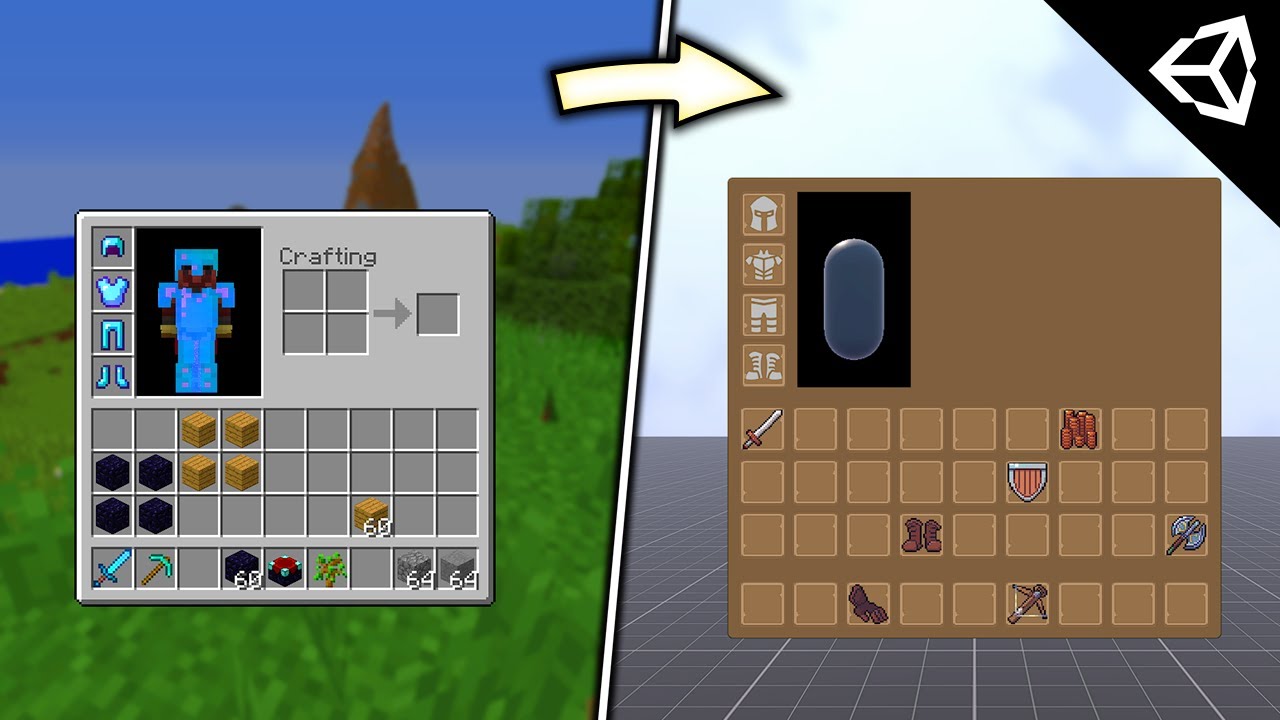
An Inventory System that replicates Minecraft's, featuring equipment slots, switching items and basic movement.
Project Download ► https://github.com/ItsPogle/Minecraft-Like-Inventory-System-Unity
Discord ►► https://discord.gg/EevPKhxs34
Twitter ►► https://twitter.com/ItsPogle
Inventory Equipment Placeholder Art ► https://game-icons.net/
Inve...
swift crag
I bet there are also some Unity Learn courses on UI
rich adder
sudden grove
im following the first 2 mins of this video https://www.youtube.com/watch?v=-IPj...
you didnt answer my basic question lol
what is problem? is the UI not showing on Render Texture
 copper magnet
@rich adder
sudden grove
rich adder
what is problem? is the UI not showing on Render Texture
i havent got to that part yet haha
swift crag
I am curious why there's a RenderTexture involved, yes
rich adder
faking Low-Poly / pixel look
summer stump
copper magnet
<@968604165150507078>
!code
 eternal falconBOT

Posting code
📃 Large Code Blocks
Use links to services like:
https://gdl.space/, https://paste.ofcode.org/, https://hatebin.com/, https://paste.myst.rs/, https://hastebin.com/
📃 Inline Code
Surround code with three backquotes. Not quotation marks.
To format as C#, add cs to the first line:
```cs
// Your code here
```
Add a comment with a line number if there is an error message.
sudden grove
rich adder
faking Low-Poly / pixel look
correct
makes level design a teensy bit easier on me too hahaha
copper magnet
summer stump
!code
isnt it showing this on your end ?
 rich adder
copper magnet
<@968604165150507078>
rich adder
copper magnet
<@968604165150507078>
I meant more like, post your issue with relavent code not me exactly. I haven't made much car controllers, i mostly get one from Asset Store and just put my own mesh onit :
copper magnet
oh okay
summer stump
copper magnet
isnt it showing this on your end ?
 rich adder
also use links for code because this doesnt show on mobie
copper magnet
Oh right sorry, never knew that
sudden grove
guys how do i make an "empty transform"
rich adder
you dont, you create an empty game object
summer stump
sudden grove
guys how do i make an "empty transform"
Empty gameobject
rich adder
every gameObject has a transform
and vice versa, but gameobject is kinda the whole container
copper magnet
Issue im having : Visual mesh of WheelColliders are flipping randomly on the Z axis
Source Code:
https://hastebin.com/share/ikicobilom.csharp
Hastebin is a free web-based pastebin service for storing and sharing text and code snippets with anyone. Get started now.
Update: The error resides in the conversion from Quat to V3 and vice-versa
rocky canyon
a tip, use a parent container... that way u can rotate it (steer) left and right.. and u wont be fighting against the normal rotations of the tires
u can spin the tires within that extra container to keep the two rotations seperate
copper magnet
I fixed my actual problem simply by avoiding the infamous conversion i mentioned earlier
the problem really is in quaternion.eulerAngles
 real falcon
if (hit.normal.y < 0f) {
playerVelocity.y = Mathf.Min(playerVelocity.y, -1f);
Debug.Log("Hit Ciel " + hit.normal);
return;
}```
how exactly is it getting into this block if the y component is 0.00? north kiln
The Vector3 ToString only reports 2 digits, if you care about precision use .ToString("F7") or similar to get more digits
swift crag
log hit.normal.y to find out what you're actually getting
north kiln
I mean, what if it was 0.0000000025, -0.000000001, 1
You would never know with that debug
real falcon
it shouldn't be, since its exported from hammer editor which you have to use a specific tool to even get anything which isn't grid aligned
north kiln
Which is why you should probably have a less precise check
north kiln
real falcon
it shouldn't be, since its exported from hammer editor which you have to use a s...
Every tool that uses floating points suffers from floating point innaccuracy
north kiln
You can't even represent a value like 0.2 as a float accurately
real falcon
I am at my limit with this stupid collider
why is it so hard to get VECTOR OF WALL I HIT
north kiln
Draw the collision using Debug.DrawRay
sudden grove
guys im a little confused with this inventory tutorial
so im pretty sure i have everything in place
but i dont know how to actually make it so that an item is equipable and how to actually ADD it into my inventory?
real falcon
I just wish there was a collider that could actually tell me the vector of the wall I hit
not some random vector that kind of relates
north kiln
Well, with no screenshots of the setup and little debugging, nobody can help you
real falcon
this doesn't even make any sense
 sudden grove
north kiln
Well, with no screenshots of the setup and little debugging, nobody can help you
sudden grove
north kiln
Well, with no screenshots of the setup and little debugging, nobody can help you
was that for me i assume?
real falcon
how???
 north kiln
Makes a lot of sense to me
real falcon
its the same variable
north kiln
that's -0.0000000476837
real falcon
oh its really small
why can't I get the vector of the wall I actually hit though
its the stupid capsule shape the collider has, nothing makes sense because its using tangents or something
in the debug view the ray is displayed as expected
pointing down, despite the wall being vertical
north kiln
I mean, ~0, 0, 1 sounds like a normal vector for a wall
real falcon
yes but that's not the vector it's giving me
that's the vector of the wall, in the mesh
if I Looked at the vericies I guarentee you there is no y component do the normal
because it's a brush exported from hammer
north kiln
There's barely a y component here, it's a floating point error
your logic just doesn't account for any error, which is not how to program this sort of logic
real falcon
ok, yet, if I set the condition to hit.normal.y < -0.1f which is well within error it still doesn't work, gonna try it again
north kiln
It shouldn't trigger when hitting the wall with a value like that
real falcon
ok yeah it seems fine now. the log still seems weird but the movement itself seems correct
mostly
still seems a bit jittery when I jump against a wall
that might be fps tbh
I still need to find a way to figure out what wall I collided with though, this collider can collide with an edge without colliding with either surface which contains that edge
and so the normal is just compeltely unintuitive
but whatever ill do that later
nevermind this is definitely not fps
if I hold into the wall it's stuttery
but that might be an issue with my code and not collider nonsense again
 delicate venture
hey man, sorry for the late response i´be trying to figure out the problem for the last two days and i only resolved today, the article you send was really helpful so thank you : )
sudden grove
hi guys, could you guys help walk me through this variable inventory system?
https://assetstore.unity.com/packages/tools/gui/variable-inventory-system-174157 this is the asset im trying to use

Use the Variable Inventory System from Lise on your next project. Find this GUI tool & more on the Unity Asset Store.
or if its uneccesary ill just use a plain one
would prbs be better tbf if i used a plain one
sudden grove
real falcon
ok yeah it seems fine now. the log still seems weird but the movement itself see...
hi uhm, do you by chance know how i can reference my canvas object using code? im trying to set it so that when i press tab it opens the view
 abstract finch
do people typically name the variable timeElapsed to simply 't'?
sudden grove
https://pastebin.com/BJaJJHsY this is the code im working with
Pastebin
Pastebin.com is the number one paste tool since 2002. Pastebin is a website where you can store text online for a set period of time.
really simple but i dont know how to reference my canvas?
 teal viper
abstract finch
do people typically name the variable timeElapsed to simply 't'?
teal viper
abstract finch
do people typically name the variable timeElapsed to simply 't'?
People that don't care about readability(bad people) do.
 polar acorn
sudden grove
https://pastebin.com/BJaJJHsY this is the code im working with
polar acorn
sudden grove
https://pastebin.com/BJaJJHsY this is the code im working with
Drag it in
clear seal
teal viper
People that don't care about readability(bad people) do.
some wanna make it simple, smth that they will reconize
teal viper
I will not recognize it the next week without reading through all the relevant code and understanding it.
swift crag
abstract finch
do people typically name the variable timeElapsed to simply 't'?
I use t when I am about to plug that variable into a lerp
I do not use t when the variable is going to live for a long time
teal viper
I want to see the variable name and know what it's for.
swift crag
float t = Mathf.InverseLerp(lower, upper, amount);
float result = Mathf.Lerp(from, to, t);
It might be justifiable in this case👆
swift crag
t is also more valid than elapsedTime if I'm counting up towards 1 from 0
public class Explodinator : MonoBehaviour {
  public float duration;
  [SerializeField] Renderer targetRenderer;
  private float t;

  void Update() {
    t = Mathf.MoveTowards(t, 1, Time.deltaTime / duration);

    targetRenderer.material.color = Color.Lerp(Color.green, Color.red, t);

    if (t == 1) {
      Debug.Log("Explodination time!");
      Destroy(gameObject);
    }
  }
}
something like that
I don't use it in most other contexts
 amber spruce
quick question if i add a event to the animation from the project files instead of it via clicking on my player does that change anything
because this is what i see

how do i have it set a bool to smth
amber spruce
how do i have it set it for that script though
and how do i reference the correct variable
video im watching has this
 teal viper
I've never seen that. Can you share the link of the video?
amber spruce
Ever wondered how games like Dark Souls give you frame perfect dodging, or Mortal Kombat gives you frame perfect combos? The answer is Animation Events! (Or it would be if those games were made in Unity)
Check out how you can make frame perfect timings for your games right here!
Join me and learn your way through the Unity Game Engine, the C# ...
teal viper
amber spruce
how do i have it set it for that script though
Normally, it would call the function name specified function on all the scripts on the same object as the animator
amber spruce
well slight problem is the script would be on a parent object of the one with the animator lol but its animator reference is the correct one
Attacks/Methods/FinishAttack ( ) set that as the function ??
and what goes for object
teal viper
amber spruce
and what goes for object
an object parameter you can pass afaik
teal viper
amber spruce
well slight problem is the script would be on a parent object of the one with th...
Then you'll need a proxy script
Ah, I guess animation events are a bit different for animations you made in unity and that's what you see in the video
amber spruce
teal viper
an object parameter you can pass afaik
do you have like a image of what it should look like
teal viper
amber spruce
do you have like a image of what it should look like
The event?
amber spruce
teal viper
The event?
yeah like the paramaters
teal viper
Just type the function name same as in your code and change whatever params you want to be passed in.
 amber spruce
what if i have multiple functions with the same name
teal viper
All of them will be called
You'd usually create a function specifically for the animation event
amber spruce
FinishAttack so thats good
teal viper
like OnAttackAnimationEvent or something
amber spruce
 public void FinishAttack()
 {
     canAttack = true;
 }
for that one
teal viper
FinishAttack
queen adder
amber spruce
thats the only image it gives of that
do you have the animation inside the animator controller?
amber spruce
so thats the problem because technically no
i use animation overides for my attack combo system
 unreal imp
how works the getContact?
teal viper
it gets the cotnact I guess. You'd need to provide some more details for a better answer.
swift crag
teal viper
Ah, I guess animation events are a bit different for animations you made in unit...
oh, is that the differentiator?
I was wondering about that
teal viper
Probably if you create an animation in unity tied to a specific object, it has a reference to it, so it can show available functions..? I don't know for sure. Just a guess.
 uneven swallow
Had a good look around the internet but couldn't find any guidance that worked.
I am trying to bake a navmesh at run time. If I do this manually everything works just fine. When I attempt to use "using UnityEngine.AI;" to create my mesh as per some tutorials, I'm faced with this.
Assets\Scripts\DungeonManager.cs(9,12): error CS0246: The type or namespace name 'NavMeshSurface' could not be found (are you missing a using directive or an assembly reference?)
The reason I'm baking at runtime is because Im procedurally generating a map at start.
I have the Unity AI Navigation package installed.
Here is an example of my script.
    {
        SpawnMobs();
        if (navMeshSurface != null)
        {
            navMeshSurface.BuildNavMesh(); // Build the NavMesh
        }
        else
        {
            Debug.LogError("NavMeshSurface is not set.");
        }
    } ```

Any advice would be greatly appreciated.that shouldn't be an issue.
amber spruce
queen adder
that shouldn't be an issue.
that means that they arent in there
teal viper
uneven swallow
Had a good look around the internet but couldn't find any guidance that worked.
...
NavMeshSurface was added in the Navigation(I think?) package. When the navmesh was integrated in the engine, there was no such class afaik.
amber spruce
queen adder
that shouldn't be an issue.
well it seems to be one because only the first one does it
uneven swallow
teal viper
NavMeshSurface was added in the Navigation(I think?) package. When the navmesh w...
Thank you for the reply.
I am using the NavMeshSurface component and baking manually from there works. If there is no such class do you know why I'd be getting this error?
teal viper
uneven swallow
Thank you for the reply.
I am using the NavMeshSurface component and baking man...
Wait, so you are using the package?
uneven swallow
teal viper
Wait, so you are using the package?
I am.
 cosmic dagger
uneven swallow
Had a good look around the internet but couldn't find any guidance that worked.
...
cosmic dagger
uneven swallow
Had a good look around the internet but couldn't find any guidance that worked.
...
Hi ! Today I'll be showing you a unity package allowing us to bake navmesh during runtime aka Playmode.
Package name : com.unity.ai.navigation
📄 Documentation : https://docs.unity3d.com/Packages/com.unity.ai.navigation@1.1/manual/index.html
🐦 Follow me on Twitter : https://twitter.com/thecodefriend
👪 Join the Discord server : https://www.disc...
uneven swallow
teal viper
It seems to be in `Unity.AI.Navigation`
Oh thank you!
I was using UnityEngine.AI; and tried UnityEngine.AI.Navigation; but it appears my second attempt was a mistake as it drops the "Engine".
This worked. Really appreciate the help.
teal viper
uneven swallow
Oh thank you!
I was using UnityEngine.AI; and tried UnityEngine.AI.Navigation; ...
You can always google the api, to see what namespace it belongs to:
https://docs.unity3d.com/Packages/com.unity.ai.navigation@1.0/api/Unity.AI.Navigation.NavMeshSurface.html
queen adder
amber spruce
that means that they arent in there
put both the AnimatorController and the AnimationClip in question inside the AnimatorOverrideController.
in the target GameObject, throw an Animator component on it AND your script containing the method(s) (functions) your targeting, then feed the Animator your AnimatorOverrideController.
with the GameObject select, head to the Animation tab, select the animation containing the event from the dropdown menu, and select the event.
now you should see the AnimationEvent window properly on the inspector.
uneven swallow
teal viper
You can always google the api, to see what namespace it belongs to:
<https://doc...
I shall bookmark this, Thanks.
teal viper
uneven swallow
I shall bookmark this, Thanks.
Don't lol. bookmark "google" if anything
you just need to google "unity API apiNameYouSearch".
amber spruce
queen adder
put both the `AnimatorController` and the `AnimationClip` in question inside the...
this is what it looks like already

it just swaps the punching one with 3 different punch animations
queen adder
uneven swallow
Had a good look around the internet but couldn't find any guidance that worked.
...
more than often, an ALT + ENTER will find the correct namespace (not always though!)
in case you're using VS of course.
 uneven swallow
queen adder
more than often, an `ALT` + `ENTER` will find the correct namespace (not always ...
uneven swallow
queen adder
more than often, an `ALT` + `ENTER` will find the correct namespace (not always ...
Is this a plugin? I'm using VS Code and that shortcut does nothing.
A quick google found Resharper?
north kiln
uneven swallow
Is this a plugin? I'm using VS Code and that shortcut does nothing.
A quick goog...
Are you getting proper autocomplete and error highlighting?
uneven swallow
north kiln
Are you getting proper autocomplete and error highlighting?
None of that.
north kiln
!vscode
eternal falconBOT
Visual Studio Code guide
If your IDE is not underlining errors in red or autocompleting code,
please configure it using the link below:
queen adder
uneven swallow
None of that.
poor thing...
queen adder
uneven swallow
Is this a plugin? I'm using VS Code and that shortcut does nothing.
A quick goog...
to answer your question, no.
it's not a plugin, it's the built-in Quick Actions feature in Visual Studio (not the Code one)
but if I'm not mistaking, VS Code also provides such built-in utilities.
here's a list for VS Code.
Add missing usings / imports
uneven swallow
I've got VS Code set up correctly and it's helping me now :D
Thanks @queen adder @north kiln .
 lapis halo
How could I add a delay to instantiate an object?
 lapis halo
👍
cosmic dagger
uneven swallow
I've got VS Code set up correctly and it's helping me now :D
Thanks <@4562265777...
That's amazing! It takes everyone else hours to days to set up correctly. You're on the right track . . .
amber spruce
queen adder
put both the `AnimatorController` and the `AnimationClip` in question inside the...
i have done that but it doesnt fire for the other 2
queen adder
amber spruce
i have done that but it doesnt fire for the other 2
I'm by no mean an expert on AnimatorOverrideController nor have I found the need to use them before, can't really advise you on the topic any further.
lapis halo
rich adder
https://docs.unity3d.com/ScriptReference/Coroutine.html
update, cant figure out how to create a coroutine
rich adder
lapis halo
update, cant figure out how to create a coroutine
you saw the examples ?
  private IEnumerator WaitAndPrint(float waitTime)
    {
        yield return new WaitForSeconds(waitTime);
        print("Coroutine ended: " + Time.time + " seconds");
}```I thought another advantage of using coroutines is to avoid the update method...
lapis halo
rich adder
you saw the examples ?
```cs
private IEnumerator WaitAndPrint(float waitTime)
...
I saw the examples, they just don't make much sense to me
rich adder
lapis halo
I saw the examples, they just don't make much sense to me
which part exactly? most of it is pretty self describing
WaitForSeconds
lapis halo
I get the terms mostly, just utilizing them is confusing. If that maeks any sense
teal viper
lapis halo
I get the terms mostly, just utilizing them is confusing. If that maeks any sens...
Can you provide a specific example?
rich adder
lapis halo
I get the terms mostly, just utilizing them is confusing. If that maeks any sens...
call it with StartCoroutine(WaitAndPrint(2.0f)); // wait 2 secs
lapis halo
teal viper
Can you provide a specific example?
Like creating the coroutine,
teal viper
lapis halo
Like creating the coroutine,
What part exactly? They mention in the docs that you use StartCoroutine to start/create one.
MonoBehaviour.StartCoroutine returns a Coroutine
I guess I'm not getting how to actually use it within context.
teal viper
Well, use it to delay the instantiation.
lapis halo
Wait, something just clicked.
teal viper
yield return allows you to pause the coroutine for the specified amount of time.
queen adder
teal viper
What part exactly? They mention in the docs that you use `StartCoroutine` to sta...
which makes me wonder... what's the point of returning one?
would you know?
teal viper
returning what?
queen adder
a Coroutine
rich adder
to stop it usually
teal viper
To have a reference to the instance of the running coroutine.
lapis halo
I've figured it out. Thanks a ton.
queen adder
rich adder
to stop it usually
I-... don't mind my question...
 glad fiber
this sounds out of blue but anyone willing to help me out with my project? im running late on deadline. I will literally pay u and price is negotiable.
teal viper
!collab
eternal falconBOT
📢 Collaborating and Job Posting
We do not accept job or collab posts on discord.
Please use the forums:
• Commercial Job Seeking
• Commercial Job Offering
• Non Commercial Collaboration
glad fiber
woah. thats cool
queen adder
glad fiber
this sounds out of blue but anyone willing to help me out with my project? im ru...
I would've loved to help you for free, except...
I'm not really a game dev, wouldn't be of use, only a burden on top of yours.
glad fiber
thats alright. thank you for the kind words tho
 true pasture
how would I change the color of the name text here?
 rich adder
true pasture
how would I change the color of the name text here?
rich adder
true pasture
how would I change the color of the name text here?
RichText
<color="red"> sometext</color>
true pasture
thanks that was easy
 uneven path
Helo does anyone know the code to like
Make a script wait for like 2 seconds
Then execute the next part of the script?
summer stump
uneven path
Make a script wait for like 2 seconds
Coroutines with WaitForSeconds
lapis halo
Enemy's spawning in and going towards players spawn pos, instead of the players current pos.
uneven path
summer stump
Coroutines with WaitForSeconds
Does wait for seconds only work in coroutines?
 frosty hound
Yes
uneven path
Nooo
lapis halo
lapis halo
Enemy's spawning in and going towards players spawn pos, instead of the players ...
please help with this issue
 eternal needle
lapis halo
please help with this issue
eternal needle
lapis halo
please help with this issue
you havent shown code
teal viper
uneven path
Make a script wait for like 2 seconds
There's also async await, but I'd be careful with it as a beginner.
 untold idol
lapis halo
please help with this issue
untold idol
lapis halo
please help with this issue
We have no context to help you
lapis halo
{
    public GameObject blood;
    public GameObject player;
        public float speed = 5;


    // Start is called before the first frame update
    void Start()
    {

    }

    // Update is called once per frame
   private void Update()
    {
        gameObject.transform.position = Vector2.MoveTowards(gameObject.transform.position, player.transform.position, speed * Time.deltaTime);
}```If this object is moving towards what was the player's spawn position, then you've probably incorrectly assigned that object to player, instead of the actual player.
lapis halo
frosty hound
If this object is moving towards what was the player's spawn position, then you'...
I'm spawning in the enemy prefab and that doesn't seem to let me assign the actual player.
only the player's prefab
untold idol
Then the script that spawns the enemy should have a reference to the player
then it can be assigned from there
uneven path
teal viper
There's also async await, but I'd be careful with it as a beginner.
Oh it's mostly sad because I'm gonna have to reprogram some code in script A to turn a function into a coroutine then reprogram code in script B to call the coroutine rather than the function
But I see
teal viper
uneven path
Oh it's mostly sad because I'm gonna have to reprogram some code in script A to ...
Refactoring is a programmers routine. There's nothing to be sad about.
eternal needle
lapis halo
I'm spawning in the enemy prefab and that doesn't seem to let me assign the actu...
prefabs cannot reference scene objects, and having it reference the prefab directly wont be too useful. one simple way is just having some singleton which the enemies can use to access the player.
eternal needle
uneven path
Oh it's mostly sad because I'm gonna have to reprogram some code in script A to ...
sounds like you just need to change like 3 lines
uneven path
teal viper
Refactoring is a programmers routine. There's nothing to be sad about.
Yeah true but it takes time ah well
 grand badger
lapis halo
I'm spawning in the enemy prefab and that doesn't seem to let me assign the actu...
grand badger
lapis halo
I'm spawning in the enemy prefab and that doesn't seem to let me assign the actu...
you could solve this by using singletons, or another way to find the proper reference to the player
lapis halo
singletons?
teal viper
Don't bring singletons into this... There's nothing requiring a singleton here.😅
grand badger
e.g.:
   private void Update()
    {
        if (player == null) { player = FindObjectOfType<PlayerMovement>().transform; }
        transform.position = Vector2.MoveTowards(transform.position, player.position, speed * Time.deltaTime);
    }
from what I understand, their issue is that they can't reference the player object in the enemy's prefab -- what would you suggest instead?
uneven path
eternal needle
sounds like you just need to change like 3 lines
True, tho it's like a thing where I'm making variations of a script tho maybe I should modularize it so I only have to do it once then just call the thing instead hm.
It's a bit weird to explain I guess. I'll figure something out
 ivory bobcat
Just properly reference this from the inspector or with the manager that spawns the object.
uneven path
I appreciate the thoughts tho
eternal needle
teal viper
Don't bring singletons into this... There's nothing requiring a singleton here.�...
there isnt much room to suggest otherwise, given only the words enemy and player. A game manager holding a reference to the player would still require the game manager being a singleton or dragged in as a reference in scene, which is slightly more tedious to do
ivory bobcat
lapis halo
I'm spawning in the enemy prefab and that doesn't seem to let me assign the actu...
Whoever spawns the enemy should be given a reference of the player.
teal viper
grand badger
from what I understand, their issue is that they can't reference the player obje...
An spawner/manager object in the scene can pass in the required references to whatever it spawns.
ivory bobcat
They'd pass that reference to the enemy after spawning itcs var enemy = Instantiate(enemyPrefab); enemy.player = player;
grand badger
grand badger
e.g.:
```cs
private void Update()
{
if (player == null) { player ...
Or if Player was a singleton type:
   private void Update()
    {
        transform.position = Vector2.MoveTowards(transform.position, Player.instance.transform.position, speed * Time.deltaTime);
    }
I mean, the game manager can be a singleton for sure, but it doesn't have to be in this context. You could get a reference to it via Find methods or even better, pass the references from whatever spawns these objects.
eternal needle
true for the last part, the Find methods isnt really a valid option imo though
grand badger
I personally dislike both Find and assigning a reference from the manager, unless it's part of the game design
(e.g.: you want SOME enemies to target non-player objects sometimes, but want to keep it really simple)
ivory bobcat
grand badger
I personally dislike both Find and assigning a reference from the manager, unles...
Singleton isn't really an option for multiplayer games without introducing more complexity.
eternal needle
grand badger
I personally dislike both Find and assigning a reference from the manager, unles...
#💻┃code-beginner message
the example you gave directly used FindObjectOfType 🤔
grand badger
idea is:
- if you're going for fully simple, singletons is the simplest choice
- if you're going for more than that, passing reference via manager won't be enough anyway, and you'll eventually need a FSM that deduces target
summer stump
Lemme drop a little more confusion here for @lapis halo
Check this out
https://unity.huh.how/programming/references
teal viper
grand badger
idea is:
- if you're going for fully simple, singletons is the simplest choice
-...
Why wouldn't passing references be enough?🤔
ivory bobcat
grand badger
idea is:
- if you're going for fully simple, singletons is the simplest choice
-...
singletons is the simplest choice
Opinionated. Passing a reference is the easiest method - you're going to instantiate the object and an extra single line does not hurt.
teal viper
And what do you mean by FSM? Finite State Machine? What does it have to do with referencing an object?
grand badger
teal viper
Why wouldn't passing references be enough?🤔
in a multiplayer game, given the complexity, you probably want complex enemy logic -- vs just chasing a pre-determined object forever
teal viper
grand badger
in a multiplayer game, given the complexity, you probably want complex enemy log...
This has nothing to do with assigning dependencies though.
ivory bobcat
Constructing and maintaining the aberration to provide global access of variables isn't easier.
grand badger
we're exactly dealing with assigning dependencies xD your choice is to add a dependency of EnemySpawner to Enemy.target, therefore to Enemy
whereas in clean architecture the Enemy should be able to retrieve its target by itself (either its FSM, or a fixed static reference, if that's enough)
teal viper
It depends. If we're talking about AI, there's a lot more involved. It might have sensors that would get the required references themselves. But that's a totally different story.
summer stump
grand badger
we're exactly dealing with assigning dependencies xD your choice is to add a dep...
But what you said here has nothing to do with assigning dependencies.
#💻┃code-beginner message
It has to do with how to use those references and dependencies. A secondary topic
ivory bobcat
grand badger
whereas in clean architecture the Enemy should be able to retrieve its target by...
In my opinion, it's best to have patterns that are self contained where little to no outside calls are made.
grand badger
that's a valid architecture choice as well -- as long as you follow through.
from my experience I found avoiding external dependencies to important variables allows for a more flexible design
like -- sry.. I mean avoiding direct assignments to those important variables from outside the class
ivory bobcat
Initialization and configuration from others who have reference to the instance is okay in my opinion. An instance accessing more than what's given to it would be a red flag for me.
It's definitely less of a hassle to directly have access to everything though.. (extreme: global/public everything)
grand badger
ivory bobcat
Initialization and configuration from others who have reference to the instance ...
This sounds great in theory but could end up with extreme complexity to make up for that loss of accessible references and ability to spaghettify.
e.g.: you could initialize with ITargetSolver, IMovementSolver, IAttackSolver instead of creating a new class for each combination.
..which is great but overkill in a lot of cases and would likely end up requiring multiple times the code, especially if solver code has more dependencies (e.g.: animator).
I love that pattern but haven't found much success pulling it through besides basic alterations without going for a full-pledged AI system.
(e.g.: basic aka configuring only AttackPatternSettings, EnemyStats, etc)
 nimble scaffold
Guys can anyone give any good starting mobile game ideas
grand badger
an Infinite Runner sounds like a good start
nimble scaffold
Like 3d good game except the runner ones
Okay..... What about a good AAA racing game?
But @grand badger can you help me by saying where to get good high poly models for free??
cosmic dagger
nimble scaffold
But <@225341850444234752> can you help me by saying where to get good high poly...
 bro . . .
nimble scaffold
Okay
lapis halo
summer stump
Lemme drop a little more confusion here for <@653787760876060702>
Check this o...
congrats, i am way more confused than when I asked
queen adder
we are antimeme society
 pseudo pasture
nooooo
queen adder
remove that meme before the cops get you
pseudo pasture
where am i supposed to post funny unity memes now
queen adder
somewhere else 
queen adder
No 😛
 dense cargo
You still need to know more than it. Otherwise it will feed you straight garbage.
pseudo pasture
not just because it's doing the work for me, but it's also explaining how the bits work
pseudo pasture
dense cargo
You still need to know more than it. Otherwise it will feed you straight garbage...
i know absolutely nothing about programming in C#
queen adder
it's helpful for biginner stuffs, but can hinder your learning a lot. it can be a frustation when you at intermediate level already
pseudo pasture
good thing im a beginner then
rich adder
pseudo pasture
i know absolutely nothing about programming in C#
you'll get there eventually
 round scaffold
pseudo pasture
i know absolutely nothing about programming in C#
round scaffold
pseudo pasture
i know absolutely nothing about programming in C#
Been doin it for months i still dont know what im doing

pseudo pasture
yeah im hoping i can figure out most of the practical stuff with this game im making. then i can always just refer back to it and copy paste bits of old code to new programs like everyone else does!
 glacial blade
i have this code

and when i take damage the fill amount just drops to zero?
my healt is still 95 and the print says its zero?

i have this cvode where the fillamount works dine
fine
pseudo pasture
where's the part that tells the code that damage was dealt?
glacial blade

 gaunt ice
integer division
glacial blade
 pseudo pasture
the hecky is integer division
rich adder
i usualy make my health floats so it make sense
rich adder
pseudo pasture
the hecky is integer division
meaning no decimals
 grand badger
you gotta cast one to float
pseudo pasture
yeah sorry my brain had a slow moment and i thought it was like a string sort of thing and the "/" was just a visual separator, but strings need ""
glacial blade
yeah making it float is working nw
pseudo pasture
i feel like a neanderthal trying to understand why it's health divided by max health
glacial blade
fill amount has to be 0 to 1 . so 95/100 is 0.95
health is 95 and max health is 100
and if you dividehealth when its full or 100 to max health which is 100 you will get 1 so the fill amount if full
pseudo pasture
ooohhhhhhhh
grand badger
glacial blade
yeah making it float is working nw
don't make it float, just cast it to float 😄
glacial blade
grand badger
don't *make* it float, just cast it to float 😄
difference?
grand badger
health makes sense to be an integer
pseudo pasture
thanks for explaining that, makes so much more sense
grand badger
semantics, mostly
if you don't want floating numbers in the UI, int makes more sense
glacial blade
so like what is casting? just turning it int to float?
grand badger
yeah
rich adder
grand badger
if you don't want floating numbers in the UI, int makes more sense
nah keep it float
grand badger
float c = intA / (float) intB;
rich adder
just format the float via text
glacial blade
eh im sure thats on ones prefrence
btw like how do you guys make something thats not on tutorial. i have very hard time making something new
glacial blade
ok
rich adder
glacial blade
ok
repetition is key basically
grand badger
glacial blade
btw like how do you guys make something thats not on tutorial. i have very hard ...
hmm maybe start with your own project and look up tutorials for piece-by-piece
e.g.: design your thing first, what you want (maybe a top-down roguelite puzzle with immovable enemies)
then search top-down movement, triggers, tilemap, etc, until you have something close to what you want
queen adder
@glacial blade I say make it a float,
and keep the value between 0 and 1, then when displayed, multiply the value by 100
multiplication is faster than division* anyway 😅
grand badger
MaxHealth is not a great variable to have if it's intended to be always 1 😛
pseudo pasture
grand badger
MaxHealth is not a great variable to have if it's intended to be always 1 😛
maybe there's going to be a thing later where max health can be upgraded?
lots of things do that
rich adder
yea 0-1 is silly
but making health/max health floats is normal and prob better
dealing with casting every time is annoying
eternal needle
queen adder
<@869910146803986443> I say *make it* a `float`,
and keep the value between `0`...
this is just a useless optimization tbh, makes it harder to code in the future because your health is always 0-1 rather than its true value
queen adder
eternal needle
this is just a useless optimization tbh, makes it harder to code in the future b...
it wasn't meant to be an optimization, it was just a cherry on top...
but understandable! at the end of the day, what's important is to make the game itself XD
and I wouldn't say it becomes harder, having a property that calculates the desired value is a thing in C#
you only have to write it once.
rich adder
0-1 you have no room to expand max health
eternal needle
queen adder
and I wouldn't say it becomes harder, having a property that calculates the desi...
then why have it 0-1 in the first place if you only use a property to get its true value?
just store the true value
grand badger
is there a thing people don't argue about in this discord? xD how is this possible lol
I guess makes sense since there are tons of people, each having different practices
rich adder
i think its just a regular discussion dont think anyone is arguing lol
grand badger
but a float casting? XD
eternal needle
we're just talking, no ones breaking out the weapons dude
cosmic dagger
queen adder
and I wouldn't say it becomes harder, having a property that calculates the desi...
You'd need a global value that scales the health, damage, and any effect applied value. That seems like more work to me. The entire game must change based on an 0-1 structure . . .
gaunt ice
it is impossible to get rid of division in your case
then how would you deal damage? multiply with 1f/their max health (though this can be precalculated, actually you will get wrong answer, but i think that fine in game software....)?
 pseudo pasture
eternal needle
we're just talking, no ones breaking out the weapons dude
pseudo pasture
eternal needle
we're just talking, no ones breaking out the weapons dude
🔪 👀
grand badger
eternal needle
we're just talking, no ones breaking out the weapons dude
yeah, I can tell -- it's just that answers to beginner questions tend to get deep in no time -- which I bet looks like an argument to the new person that asked the question
eternal needle
grand badger
yeah, **I** can tell -- it's just that answers to beginner questions tend to get...
yes because beginners tend to provide questionable answers, then people in here will try to guide them in a better direction while explaining why something isnt desirable


 rich adder
brittle plume
can someone help me with this please
rich adder
brittle plume
can someone help me with this please
!code
eternal falconBOT
Posting code
📃 Large Code Blocks
Use links to services like:
https://gdl.space/, https://paste.ofcode.org/, https://hatebin.com/, https://paste.myst.rs/, https://hastebin.com/
📃 Inline Code
Surround code with three backquotes. Not quotation marks.
To format as C#, add cs to the first line:
```cs
// Your code here
```
Add a comment with a line number if there is an error message.
rich adder
id like not to squint to view code
grand badger
brittle plume
I dont know how to fix the error
assign a reference to the enemy and make sure Enemy has a reference to Agent
eternal needle
gaunt ice
it is impossible to get rid of division in your case
then how would you deal dam...
how come this gives 101? i am confused even
brittle plume
grand badger
assign a reference to the `enemy` and make sure `Enemy` has a reference to `Agen...
could you show me what that would look like
im honestly just watching a tutorial and still very new
grand badger
eternal needle
how come this gives 101? i am confused even
it prints iteration, not hp, lol
cosmic dagger
brittle plume
could you show me what that would look like
You need too assign a value to theEnemy variable . . .
eternal needle
grand badger
it prints iteration, not hp, lol
yes, i know that.
cosmic dagger
Keep watching the tutorial and see if they do that . . .
grand badger
100 + 1 because of late set oh nvmhp=1
brittle plume
cosmic dagger
Keep watching the tutorial and see if they do that . . .
they were able to run the code
rich adder
so you copied wrong
eternal needle
grand badger
~~100 + 1 because of late set `hp=1`~~ oh nvm
🤔 did you read the code carefully, they set iteration back to 0.
brittle plume
ive looked at the tut over so many times and it seems i have everything right
cosmic dagger
brittle plume
they were able to run the code
I would go back over the video and see what they assign the Enemy variable . . .
rich adder
brittle plume
ive looked at the tut over so many times and it seems i have everything right
we hear that alot , you'd be surprised how its usually a simple thing 🙂
 low perch
is vector2 =
any different from vector2.set() performance wise
brittle plume
cosmic dagger
I would go back over the video and see what they assign the `Enemy` variable . ....
so is the problem Enemy or enemy
grand badger
yeah no it's a mystery 😆
gaunt ice
floating point error
 rich adder
low perch
is vector2 =
any different from vector2.set() performance wise
rich adder
low perch
is vector2 =
any different from vector2.set() performance wise
uhh just use =
if you need to pass a new vetcor2/3 you can't, as only takes 2 floats
summer stump
grand badger
yeah, **I** can tell -- it's just that answers to beginner questions tend to get...
I will say, this is abnormal. I know you saw two (at least that I saw) deeper conversations. But I wouldn't say it tends to go that way any more than any other group of nerdy people 😸
queen adder
cosmic dagger
You'd need a global value that scales the health, damage, and any effect applied...
I only suggested to keep the value in the range of [0-1] since it made sense for the health to be [0-100], but of course, it doesn't have to be [0-1]!
could easily be [0-2] or anything else really...
properties are commonly used to used to prepare your value before getting/setting it.
or simply do something for it.
however, you should implement your things as you wish, I was merely suggesting.
cosmic dagger
brittle plume
so is the problem Enemy or enemy
It's the field enemy from the BaseState class . . .
brittle plume
cosmic dagger
It's the field `enemy` from the `BaseState` class . . .
so the problem lies in the BaseState class
grand badger
summer stump
I will say, this is abnormal. I know you saw two (at least that I saw) deeper co...
hehe fair enough 😛 I'm not a regular here so mostly judging by just what I saw today and what I would expect in a #💻┃code-beginner channel
rich adder
queen adder
I only suggested to keep the value in the range of [0-1] since it made sense for...
0-2? oh godno.
just cause it can be anything doesn't mean it should be
cosmic dagger
brittle plume
so the problem lies in the BaseState class
No, that's where the field enemy originates from. The problem is in the PatrolState, which derives from BaseState. You do not assign enemy inside of the class at all, but you are trying to access it . . .
brittle plume
cosmic dagger
It's the field `enemy` from the `BaseState` class . . .
yeah im an idiot
brittle plume
cosmic dagger
No, that's where the field `enemy` originates from. The problem is in the `Patro...
thanks a lot
i really did just miss a very small thing
rich adder
usually is
cosmic dagger
brittle plume
i really did just miss a very small thing
We all knew. It happens all the time. If you're following a tutorial and it doesn't work, then you missed smth. Always go back and watch carefully; there is no rush . . .
brittle plume
I was worried that maybe it wasnt working because the navigation component was changed since the video was made
but i was wrong
so thank you
queen adder
cosmic dagger
We all knew. It happens all the time. If you're following a tutorial and it does...
ah yes! reminds me of myself when I used to believe that I LITERALLY copy-pasted the tutorial, and that the tutor had done something wrong just because I know I don't make mistakes... (I do make mistakes, ever hour of my time being alive, in fact! me being alive is a mistake XD)
 unreal venture
i am very confused
i have a vector3 rb.velocity and i'm trying to scale it to avoid side drift of a vehicle
but even scaling it by local 1,1,1 doesnt work and the vehicle completely spazzes out ...?
scaling it with world space vector3 doesnt work because it's unable to turn, then.
//TEST: scale velocity to local 1,1,1
//forward: 0,0,1    right: 1,0,0    up: 0,1,0
rb.velocity = Vector3.Scale( transform.forward + transform.right + transform.up , rb.velocity);

//reduce sideways drift
rb.velocity = Vector3.Scale( transform.forward + transform.right * 0.2f + transform.up , rb.velocity);
 lavish terrace
how to activate this by coding ?
 rich adder
lavish terrace
how to activate this by coding ?
rich adder
lavish terrace
how to activate this by coding ?
.enabled
 spiral glen
Idk if this is UI but when I attempt to use an inputfield I need to click on it to actually interact with it, is there a way to make it auto-clicked on scene opening?
eternal needle
unreal venture
i am very confused
i have a vector3 rb.velocity and i'm trying to scale it to a...
https://docs.unity3d.com/ScriptReference/Vector3.Scale.html
scale doesnt do what you think it does. that first line literally does nothing
rich adder
spiral glen
Idk if this is UI but when I attempt to use an inputfield I need to click on it ...
Activate i think you want
no
Select
spiral glen
Where would I find that?
rich adder
spiral glen
Where would I find that?
 [SeriliazeField] private TMP_InputField input;
input.Select();```there might be another one you may need
 rich adder
spiral glen
I'm usinga method connected to an input field to get the actual value
rich adder
spiral glen
I'm usinga method connected to an input field to get the actual value
well you need a reference to Inputfield
spiral glen
if I just throw it into the keyboard class would that work?
it just needs to be run on scene
rich adder
spiral glen
if I just throw it into the keyboard class would that work?
if it already gets input mind as well
cosmic dagger
queen adder
ah yes! reminds me of myself when I used to believe that I LITERALLY copy-pasted...
Digiholic has a counter for exactly this. I need to tell them to update it . . .
queen adder
yes, please do the ++
spiral glen
rich adder
```cs
[SeriliazeField] private TMP_InputField input;
input.Select();```
// Start is called before the first frame update
void Start()
{
autoClickText.Select();
}```
I can't actually put the inputField into the thingy (I don't know the name of it, it's in the image) rich adder
spiral glen
```[SerializeField] public InputField autoClickText;
// Start is called befo...
rich adder
spiral glen
```[SerializeField] public InputField autoClickText;
// Start is called befo...
you didn't even copy it correctly xD
spiral glen
is TMP important?
spiral glen
how do I know if it is
rich adder
read the label ?
spiral glen
I changed the name to text area for some reason
rich adder
 spiral glen
yeah it's the pro one but it's make an error
rich adder
spiral glen
yeah it's the pro one but it's make an error
you need to add Namespace
using TMPro
 rich adder
Namespace is just a "group" scripts belong to
rich adder
spiral glen
So like a library
yea usually a dll
spiral glen
Ah ok
queen adder
spiral glen
So like a library
think of it as a folder to your C# script files XD
unreal venture
eternal needle
<https://docs.unity3d.com/ScriptReference/Vector3.Scale.html>
scale doesnt do wh...
yes. the first line SHOULD do nothing.
but with it, the vehicle goes glitching into the sunset
spiral glen
is there a way to see if something is visible or not?
trying to make a button that shows a list but removes it if it is already shown
eternal needle
unreal venture
yes. the first line SHOULD do nothing.
but with it, the vehicle goes glitching ...
maybe floating point errors cause it to not be exactly 1
spiral glen
holy guacamole it's 3:30 am
 hushed badge
yall
what would be the index for crouch layer

im not sure if c# starts counting from 0 or from 1
hushed badge
ok thanks
hushed badge
rich adder
yes pretty much all indexes start at 0
yo how do i smoothly transition between animation layers
rich adder
hushed badge
yo how do i smoothly transition between animation layers
Lerp the weight
hushed badge
rich adder
Lerp the weight
i tried but its not really working

i havent used lerping before
rich adder
hushed badge
i tried but its not really working
use a coroutine its easy, replace the v3 with Mathf.Lerp
https://unity.huh.how/lerp/coroutines
north kiln
That will always evaluate to roughly 10, because Time.deltaTime is small
hushed badge
rich adder
use a coroutine its easy, replace the v3 with Mathf.Lerp
https://unity.huh.how/l...
i mean thanks but im not really sure where to place all of this
im assuming this is a function?
not sure tho
rich adder
hushed badge
im assuming this is a function?
    IEnumerator LerpWeight(float targetValue, float duration = 1)
    {
        float startValue = anim.GetLayerWeight(1);
        float elapsedTime = 0;
        // Wait until the time has reached the target duration.
        while (elapsedTime < duration)
        {
            // Increment our timer.
            elapsedTime += Time.deltaTime;
            // Normalise our timer, and use it to interpolate.

            anim.SetLayerWeight(1, Mathf.Lerp(startValue, targetValue, elapsedTime / duration));
            yield return null;
        }
}```You need to at least understand how Lerp works https://unity.huh.how/lerp/overview
So you can comprehend the rest of the logic
hushed badge
ok thanks
hushed badge
rich adder
```cs
IEnumerator LerpWeight(float targetValue, float duration = 1)
{
...
yo i mean
its working but
for some reason theres a delay when uncrouching
like a 1-2 sec delay before the coroutine starts
this is how its looking rn
 rich adder
hushed badge
this is how its looking rn
rich adder
hushed badge
this is how its looking rn
you might be triggering multiple ones, also the layer weight max is 1
10 is overkill since its fully activate only at 1
hushed badge
oh youre right
setting it to 1 fixed
but i thought that at 1 it would be kinda in between base and crouch
isnt that how weight works
rich adder
hushed badge
but i thought that at 1 it would be kinda in between base and crouch
.5 you mean?
 rich adder
yea lol
hushed badge
so now i also gotta lerp the camera and the collisions?
i mean i guess i dont need to lerp collisions i could just set them normally
but the camera
rich adder
hushed badge
so now i also gotta lerp the camera and the collisions?
if you want things smoothly moving
you mean lerp the collider ? thats also common
there are also tweening libraries out there (DOTween is good)
Coroutine simple enough, the result is pretty good when done correct
hushed badge
ok thanks
so should i make another function for lerping vector3s
or should i try putting it all into one
hushed badge
and also what uhh
type? i guess
are objects
like strings ints floats etc
what do i use when getting the camera for example or the player model
rich adder
Camera
model is part of the Mesh FIlter, Mesh renderer displays how it will look aka texture/material
rich adder
hushed badge
what do i use when getting the camera for example or the player model
all the components are found in !docs
eternal falconBOT
 hushed badge
wait what if i just change the center of the collider instead of lerping the camera down
hushed badge
yeah
rich adder
hushed badge
yeah
this dude does that and with lerp
they actually lerp correct too which is rare on YT
queen adder
rich adder
https://youtu.be/-XNm7dPVVOQ
?t=624
hushed badge
yall how can i move the camera position up while still keeping it on the character
queen adder
hushed badge
yall how can i move the camera position up while still keeping it on the charact...
you mean change the camera's height while maintaining its movement relative to the player?
abstract finch
I have two varaibles i want to track, the prefab of an object and its interface. I want to store a list of these two varaibles, should i be using dictionary or classes?
Think of it like an enemy pool.
hushed badge
queen adder
you mean change the camera's height while maintaining its movement relative to t...
yeah
 hexed terrace
The convo for this is in #💻┃unity-talk , don't cross post
queen adder
hushed badge
yeah
you don't have the camera as a child of the player's head, do you? (you don't need to btw)
hexed terrace
queen adder
you don't have the camera as a child of the player's head, do you? (you don't ne...
it's also not currently a code question, keep it in #💻┃unity-talk
hushed badge
hexed terrace
it's also not currently a code question, keep it in <#497872424281440267>
brother i dont wanna be mean but youre really being a pain
jus let us talk
hexed terrace
Follow the server rules ¯_(ツ)_/¯
hushed badge
mods will handle it if they wish to
queen adder
hexed terrace
The convo for this is in <#497872424281440267> , don't cross post
I see!
 rich adder
 dry tendon
and what does it mean
dry tendon
and what does it mean
its not a log
thats a Null Reference
something on line 85 is null on Night Background

 wind meteor
can you help me with code
 gaunt ice
what is interactable object?
wind meteor
i dont know
gaunt ice
then we dont know ofc if you dont know what this type is
and there is a method called as TryGetComponent
wind meteor
gaunt ice
then we dont know ofc if you dont know what this type is
and there is a method c...
bro it's don't work but i don't have "InteractableObcject"
and i create code "InteractableObcject" and now its work
thanks
queen adder
you're welcome!
queen adder
wind meteor
can you help me with code
@wind meteor and try dis, it's 🤵♂️er
var ray = Camera.main.ScreenPointToRay(Input.mousePosition);
/// if (Physics.Raycast(ray, out RaycastHit hooray) is false) return;
if (Physics.Raycast(ray, out var hooray) is false) return;

/* TODO: ... */ _ = hooray.transform;```how to create cod like photo
wind meteor
queen adder
<@675735058463588392> and try dis, it's 🤵♂️*er*
```cs
var ray = Camera.main.Sc...
like this
gaunt ice
!code
eternal falconBOT
Posting code
📃 Large Code Blocks
Use links to services like:
https://gdl.space/, https://paste.ofcode.org/, https://hatebin.com/, https://paste.myst.rs/, https://hastebin.com/
📃 Inline Code
Surround code with three backquotes. Not quotation marks.
To format as C#, add cs to the first line:
```cs
// Your code here
```
Add a comment with a line number if there is an error message.
gaunt ice
read inline code section
queen adder
wind meteor
how to create cod like photo
Call of Duty?
rich adder
cod like the fish
 last venture
Hey i have an animation for a 2d character (the player) attack (dash attack) so the animation move the sprite. Id like to know how could i make the player collider and position match the animation
The attack is the sweep
 wild cargo
last venture
Hey i have an animation for a 2d character (the player) attack (dash attack) so ...
wild cargo
last venture
Hey i have an animation for a 2d character (the player) attack (dash attack) so ...
 craggy lava
Error
MissingReferenceException: The object of type 'GameManager' has been destroyed but you are still trying to access it.
Its on this line
DontDestroyOnLoad(Instance);
I know what the error means but like i dont know a fix
    private async void Awake()
    {
        try
        {
            await UnityServices.InitializeAsync();
        }
        catch (Exception e)
        {
            Debug.LogException(e);
        }

        SetupEvents();

        await SignInAnonymouslyAsync();
        await EconomyService.Instance.Configuration.SyncConfigurationAsync();

        if (Instance == null)
        {
            Instance = this;
            DontDestroyOnLoad(Instance);
        }
        else if (Instance != this)
        {
            Destroy(gameObject);
        }
    }
 keen dew
The singleton setup should be before all the async stuff
craggy lava
keen dew
The singleton setup should be before all the async stuff
What?
keen dew
Which part is unclear?
 languid spire
yes, why would you initiate all the async stuff to just then go and destroy the object it's running on?
craggy lava
keen dew
Which part is unclear?
I just never heard the name singleton setup before
keen dew
Probably not a good idea to use code that you don't understand
but the singleton setup is from the if (Instance == null) line onwards
craggy lava
keen dew
Probably not a good idea to use code that you don't understand
I understand the code i just never heard the name before
keen dew
I mean it's the code that sets up the singleton
craggy lava
I fixed the code now i got a new error
NullReferenceException: Object reference not set to an instance of an object
MainMenuManager.Awake () (at Assets/Scripts/Managers/MainMenuManager.cs:26)
line of error
PlayerBalance playersCoinBalance = await coinCurrencyDefinition.GetPlayerBalanceAsync();
here is my code
private async void Awake()
{
    await EconomyService.Instance.Configuration.SyncConfigurationAsync();

    var gemCurrencyDefinition = EconomyService.Instance.Configuration.GetCurrency("GEMS_DATA");
    PlayerBalance playersGemBalance = await gemCurrencyDefinition.GetPlayerBalanceAsync();

    var coinCurrencyDefinition = EconomyService.Instance.Configuration.GetCurrency("COIN_DATA");
    PlayerBalance playersCoinBalance = await coinCurrencyDefinition.GetPlayerBalanceAsync();

    gameManager = GameManager.Instance;

    coins = playersCoinBalance.Balance;
    coinsText.text = "Coins: " + coins;

    gems = playersGemBalance.Balance;
    gemsText.text = "Gems: " + gems;
}
 hollow raft
i am using visual studio, but it give me the "The type or namespace name 'type/namespace' could not be found" error, but the game works fine (without error) when i launch it via unity, but i can't code if it can't access the namespaces (this error started when i switched pc)
(the namespaces should be referenced i check in the solution explorer, i thus have no idea what to do)
(i am using assembly-CSharp definitions)

 willow scroll
hollow raft
i am using visual studio, but it give me the "The type or namespace name 'type/n...
willow scroll
hollow raft
i am using visual studio, but it give me the "The type or namespace name 'type/n...
This script might be not a part of your game, that's why it cannot access other scripts
craggy lava
craggy lava
```cs
NullReferenceException: Object reference not set to an instance of an obje...
fixed my GetCurrency("COIN_DATA"); needed to be GetCurrency("COINS_DATA");
hollow raft
willow scroll
This script might be not a part of your game, that's why it cannot access other ...
may you explain?
hollow raft
willow scroll
This script might be not a part of your game, that's why it cannot access other ...
because it should be
willow scroll
hollow raft
may you explain?
Mind trying to find this class in your Unity Assets?
 hollow raft
yes?
willow scroll
hollow raft
yes?
Does it open the same class with errors?
hollow raft
yes :' (
willow scroll
hollow raft
yes :' (
And you don't receive any errors in Unity?
hollow raft
willow scroll
And you don't receive any errors in Unity?
none
willow scroll
just in vs?
hollow raft
yes
willow scroll
That's strange
willow scroll
hollow raft
that's why i am seeking for help, i am super confused
It seems to be a bug? Have you already tried to refresh unity?
hollow raft
willow scroll
It seems to be a bug? Have you already tried to refresh unity?
yes over multiple weeks
willow scroll
hollow raft
yes over multiple weeks
Over multiple weeks? Do you have this error for so long already?
hollow raft
willow scroll
Over multiple weeks? Do you have this error for so long already?
yes
when i changed pc
willow scroll
What about other scripts? Do you have the same weird behavior there?
queen adder
hollow raft
when i changed pc
Could it be bc you're missing some .net stuff, or bc your visual studio installation is missing the unity addon thing?
willow scroll
queen adder
Could it be bc you're missing some .net stuff, or bc your visual studio installa...
hollow raft
i have the unity addon and it seems to be a reference issue so i doubt it would be a .Net
craggy lava
Error
The best overloaded Add method 'SortedDictionary<int, string>.Add(int, string)' for the collection initializer has some invalid arguments
Line of error
{1000000000000.ConvertTo<int>, "T" }
Code
public static class AbbrevationUtility
{
    private static readonly SortedDictionary<int, string> abbrevations = new SortedDictionary<int, string>
    {
        {1000,"K"},
        {1000000, "M" },
        {1000000000, "B" },
        {1000000000000.ConvertTo<int>, "T" }
    };

    public static string AbbreviateNumber(float number)
    {
        for (int i = abbrevations.Count - 1; i >= 0; i--)
        {
            KeyValuePair<int, string> pair = abbrevations.ElementAt(i);
            if (Mathf.Abs(number) >= pair.Key)
            {
                int roundedNumber = Mathf.FloorToInt(number / pair.Key);
                return roundedNumber.ToString() + pair.Value;
            }
        }
        return number.ToString();
    }
}
idk how you can convert long to int
craggy lava
I also dont know but if i remove the .ConvertTo<int> it still does not work
craggy lava
craggy lava
Error
```cs
The best overloaded Add method 'SortedDictionary<int, string>.Add(in...
fixed just used Convert.ToInt32(1000000000000)
gaunt ice
try to run it
i think you will get an overflow error
you should change the generic parameter int to long
craggy lava
gaunt ice
try to run it
i think you will get an overflow error
you should change the gener...
ye OverflowException: Value was either too large or too small for an Int32.
hushed badge
i finished my first movement system and now idk what to do
should i make a map
or
interactions
or something else idk
craggy lava
Make the mechanics then the visuals
thats what i would do because if you have some mechanics you can make a map if you need a map just make a little prototype map
craggy lava
gaunt ice
try to run it
i think you will get an overflow error
you should change the gener...
Dont think this is normal

 hushed badge
craggy lava
Make the mechanics then the visuals
hushed badge
craggy lava
Make the mechanics then the visuals
so like doors and stuff like that?
im tryna make like a low poly horror game about cleaning up murder scenes
craggy lava
hushed badge
so like doors and stuff like that?
if you need a door opening mechanic just make a door and make it work then after that make a map when you are done with all mechanics
hushed badge
with ps1 graphics
hushed badge
craggy lava
if you need a door opening mechanic just make a door and make it work then after...
ok
gaunt ice
you mean the -1T?
craggy lava
gaunt ice
you mean the -1T?
yea like i have 5 gems and it says i have -1T i will just try and find another way of formatting my numbers so i can get K, M, B, T, Qa, Qi, Sx, Sp (sp is 100e24)
gaunt ice
i am not sure if it is due to some number type conversion (the rounded number is -1), try to change all the type to long first (except the i in for loop)
oh wait it shouldne fall into the if block, it should return "5" directly
craggy lava
gaunt ice
oh wait it shouldne fall into the if block, it should return "5" directly
yea thats why i dont understand
gaunt ice
I try to reproduce it but it works....
craggy lava
gaunt ice
I try to reproduce it but it works....
Works now i use a double
craggy lava
gaunt ice
I try to reproduce it but it works....
but now the problem is that i want it to only show 2 decimals and it works but the gems that is 11 it shows 11,00
swift crag
craggy lava
yea like i have 5 gems and it says i have -1T i will just try and find another w...
one trillion modulo 2^32 is 3567587328
which wraps around to something like negative one billion
I presume that's why you tried to use ConvertTo. Any numeric literal that's too big for an int will automatically become a long.
long will give you some more headroom. You can also use double if you want to use extremely large numbers, but note that you'll pay for it in precision
 quick kelp
i gave my player controller the ability to crouch but i honestly have no idea how to make it to where the controller checks if there is a ceiling there to keep it crouched
 swift crag
`long` will give you some more headroom. You can also use `double` if you want t...
swift crag
swift crag
`long` will give you some more headroom. You can also use `double` if you want t...
for example, the first number can be stored in a long, but if you convert it to a double, it'll be off by quite a bit
 gaunt ice
i have checked
Mathf.Abs(5)>=1000000000000L
```returns false, so sorted Dictionary<long,string> works (tested)so i have no idea why it returns -1, if he has changed it
swift crag
they said it works correctly now
it was wrong when they had a dictionary mapping ints to strings
since one trillion overflows to a negative number when stored in an int
 charred spoke
quick kelp
i gave my player controller the ability to crouch but i honestly have no idea ho...
charred spoke
quick kelp
i gave my player controller the ability to crouch but i honestly have no idea ho...
Fire a sphere cast from the top of your character( or better yet a capsule cast) and if you hit anything there is a ceiling
quick kelp
charred spoke
Fire a sphere cast from the top of your character( or better yet a capsule cast)...
will try this
cosmic dagger
quick kelp
i gave my player controller the ability to crouch but i honestly have no idea ho...
Just use any casting method to check for anything above the player's head . . .
 desert elm
hm-
this should select a new chosentargetlocation if its closer than the already selected one, but this doesn't appear to work- where did I make a mistake?
 cosmic dagger
desert elm
hm-
this should select a new chosentargetlocation if its closer than the alread...
cosmic dagger
desert elm
hm-
this should select a new chosentargetlocation if its closer than the alread...
You don't store any of the distance values so no one knows what the numbers are. Log the values to the console to see if the target is closer than the chosen target . . .
gaunt ice
what is chosenTargXXX at first? the first element?
desert elm
cosmic dagger
You don't store any of the distance values so no one knows what the numbers are....
well, here is the placeholder that serves as the first chosen target location. One might guess that its further than any enemy ( red boxes )
 cosmic dagger
desert elm
well, here is the placeholder that serves as the first chosen target location. O...
cosmic dagger
desert elm
well, here is the placeholder that serves as the first chosen target location. O...
This doesn't help us. Log the values of the distance to see if it becomes less than the chosen target distance . . .
desert elm
right yeah okay-
yeah I guess ill need to log- but you know
the red square in the firing range ( white circle ) is certainly closer than the placeholder at X=500

 shrewd swift
is there a way to comment enum elements ? so when i hover them i can get some text showing in VS
 verbal dome
I guess like a summary for individual enum entries
shrewd swift
swift crag
Do you mean when you hover over a variable holding an enum?
i mean the VS tooltip
 swift crag
Oh, comment!
shrewd swift
like i can hover
whateverenum.whatevervalue
swift crag


a triple slash starts a documentation comment
You can put these in quite a few places
verbal dome
shrewd swift
i mean the VS tooltip
In your example the summary goes to the field, not the enum though
shrewd swift
okay ty
idk why i didnt try the default way of commenting first, in my head enum were "special"
swift crag
verbal dome
In your example the summary goes to the field, not the enum though
looks like that was just an example of seeing a doc comment when hovering
cosmic dagger
Man, I like having documentation (summary info) for all members of a class. I did that for one of my packages and the entire thing is just comments everywhere! 80 lines turned into 400 . . . 😄 🤣
quick kelp
ok looked at the Documentation and implemented it to the best of my knowledge
and im still clipping through the ceiling

 hidden sun
hi, why i'm starting to get this type of errors on everything i do?

it used to work only with Debug.Log();
cosmic dagger
hidden sun
hi, why i'm starting to get this type of errors on everything i do?
Bc you have two namespaces with the same type: Debug. The IDE does not know which Debug class you want to use . . .
hidden sun
ty, now i've seen that it added somehow
cosmic dagger
You need to specify which one by using the fully qualifying name . . .
You don't need the System.Diagnostics one . . .
 unborn gale
why doesnt this code work (trying to make a bullet collide)
using System.Collections;
using System.Collections.Generic;
using UnityEngine;
public class bulletDistroy : MonoBehaviour
{
public string tar;
// Start is called before the first frame update
void Start()
{
}

// Update is called once per frame
void Update()
{

}
 void OnCollisionEnter2D(Collision2D collision)
{
    print ("boom");
    // Check if the colliding object has the specified tag
    if (collision.gameObject.CompareTag(tar))
    {
        // Destroy the colliding object
        Destroy(collision.gameObject);

        // Destroy the object that holds this script
        Destroy(gameObject);
    }
}
}
quick kelp
unborn gale
why doesnt this code work (trying to make a bullet collide)
using System.Collect...
im gonna guess and say its cause there's nothing in the void Update()
ivory bobcat
unborn gale
why doesnt this code work (trying to make a bullet collide)
using System.Collect...
First, how to post !code
eternal falconBOT
Posting code
📃 Large Code Blocks
Use links to services like:
https://gdl.space/, https://paste.ofcode.org/, https://hatebin.com/, https://paste.myst.rs/, https://hastebin.com/
📃 Inline Code
Surround code with three backquotes. Not quotation marks.
To format as C#, add cs to the first line:
```cs
// Your code here
```
Add a comment with a line number if there is an error message.
unborn gale
i dont think so
unborn gale
ivory bobcat
First, how to post !code
are you like a mod?
ivory bobcat
Second, for a collision to have occurred both objects must have colliders and one must have a rigid body
ivory bobcat
unborn gale
are you like a mod?
Are you new?
 subtle canyon
@unborn gale It would be easier to read your code which would help you and us so why not?
unborn gale
ivory bobcat
Are you new?
yup and I basacly joined this whole server to ask this
unborn gale
subtle canyon
<@1120695977377009746> It would be easier to read your code which would help yo...
I dont know what !code is and the bot doesnt explain wel
eternal falconBOT
Posting code
📃 Large Code Blocks
Use links to services like:
https://gdl.space/, https://paste.ofcode.org/, https://hatebin.com/, https://paste.myst.rs/, https://hastebin.com/
📃 Inline Code
Surround code with three backquotes. Not quotation marks.
To format as C#, add cs to the first line:
```cs
// Your code here
```
Add a comment with a line number if there is an error message.
ivory bobcat
unborn gale
yup and I basacly joined this whole server to ask this
The bot provides useful shortcuts that any member can invoke. Best to avoid spam, off topic and whatnot.
#💻┃code-beginner message is necessary.
unborn gale
public class bulletDistroy : MonoBehaviour
{
    public string tar;
    // Start is called before the first frame update
    void Start()
    {

    }

    // Update is called once per frame
    void Update()
    {

    }
     void OnCollisionEnter2D(Collision2D collision)
    {
        print ("boom");
        // Check if the colliding object has the specified tag
        if (collision.gameObject.CompareTag(tar))
        {
            // Destroy the colliding object
            Destroy(collision.gameObject);

            // Destroy the object that holds this script
            Destroy(gameObject);
        }
    }
}
Do you see all of the links the bot posted? It's a bunch of websites where you can paste your code, save, and send us the link so we can view it. It's hard to read (and help) with unformatted code in the channel . . .
unborn gale
yay
unborn gale
unborn gale
```cs
public class bulletDistroy : MonoBehaviour
{
public string tar;
//...
dis good?
subtle canyon
unborn gale
```cs
public class bulletDistroy : MonoBehaviour
{
public string tar;
//...
well you didnt declare tar to anything
you just assigned it to a string
unborn gale
subtle canyon
well you didnt declare `tar` to anything
i did inside unity
cosmic dagger
subtle canyon
well you didnt declare `tar` to anything
It's public, they probably wrote the name from the inspector . . .
ivory bobcat
Does it print anything?
subtle canyon
unborn gale
i did inside unity
oh ok got it
unborn gale

 uncut holly
before anyone ask why isnt my vscode configured i already given up on that long time ago. the question now is that i not sure if theres a syntax error since the error shown in the unity is the type or namespace names LogicScript could not be found. what is LogicScript in unity mean
 unborn gale
uncut holly
before anyone ask why isnt my vscode configured i already given up on that long ...
unborn gale
uncut holly
before anyone ask why isnt my vscode configured i already given up on that long ...
why isnt it in vscode?
cosmic dagger
unborn gale
dis good?
Did you check what Dalphat mentioned earlier?
#💻┃code-beginner message
subtle canyon
uncut holly
before anyone ask why isnt my vscode configured i already given up on that long ...
I think LogicScript is just a class defined previously in the tutorial
unborn gale
ivory bobcat
Second, for a collision to have occurred both objects must have colliders and on...
both have rigid bodies and colliders
subtle canyon
unborn gale
both have rigid bodies and colliders
Does it print the debug message you wrote?
cosmic dagger
uncut holly
before anyone ask why isnt my vscode configured i already given up on that long ...
Did you follow the entire tutorial? That sounds like a custom made script. You should know if they created that beforehand . . .
ivory bobcat
unborn gale
both have rigid bodies and colliders
2d colliders and 2d rigid body?
unborn gale
subtle canyon
Does it print the debug message you wrote?
yes