The prob here is that all the logic is inside the OnTriggerEnter2D and inside the cs if(other.CompareTag("Enemy")) meaning that, if I shoot a bullet, and it hit the first enemy it will enter this IF. When it goes to the other enemy it will also trigger this IF, as it is another enemy with Enemy tag. I cant see where to use an INT here because everytime it hits an enemy it will come to this IF. Maybe I am blind here, but how can I say ok hit first enemy and go inside the IF, but what about the second one? and if I am shooting so fast that by the time I hit the first enemy I am already hitting another enemy. it will all go to this IF and mess everything. I am not sure if I am being clear. Here is the code again: https://paste.ofcode.org/RQEAu7NddxKnCA6RDD6j7H
#💻┃code-beginner
1 messages · Page 73 of 1
 solemn fractal
 swift crag
might need to restart VS
 rich adder
pretty its installed as a dependency with splines
swift crag
and/or regenerate project files
 orchid trout
I see, Ill start by doing that 👀
swift crag
sometimes VSCode just completely throws up and forgets that UnityEngine exists
error salad ensues
orchid trout
Yeah it can be hard to tell whats actually in error in times like that
swift crag
VS might not have realized that Unity.Mathematics exists...fully, at least
rich adder
what version of VS are you using? looks old
orchid trout
What is the vallue of Adjusted Position being passed in? I am trying to get a value out of this, I don't know what to pass in
orchid trout
rich adder
what version of VS are you using? looks old
lemme check
 amber spruce
how do i do a wait so like in my code i want to wait like 2 seconds
rich adder
amber spruce
how do i do a wait so like in my code i want to wait like 2 seconds
coroutine
swift crag
orchid trout
What is the vallue of Adjusted Position being passed in? I am trying to get a va...
that method is searching for the closest point on the spline to a given point
Are you trying to do that?
amber spruce
rich adder
coroutine
whats that
orchid trout
    {
        var distance = SplineUtility.GetNearestPoint(_splineContainer.Spline, adjustedPoint, out float3 xyz, out float t, 3, 2);
        Vector3 nearestPoint = new Vector3(xyz.x, xyz.y, xyz.z);
        Vector3 nearestPointResult = _splineContainer.transform.TransformPoint(nearestPoint);
    }
!docs
 eternal falconBOT
 swift crag
amber spruce
whats that
swift crag
amber spruce
whats that
give the Coroutine page of the manual a read
orchid trout
What I am trying to do is trace a spline with freya's Shapes asset lines
swift crag
orchid trout
What I am trying to do is trace a spline with freya's Shapes asset lines
ah, so you want to compute a bunch of points on the spline
orchid trout
Yeah exactly
rich adder
ohh
swift crag
you'll want this
Shapes lets you draw Bezier curves. I wonder if you could just copy the spline points into a Bezier shape.
dunno if they use the exact same style of curve or not
rich adder
gotta love splines
 orchid trout
swift crag
Shapes lets you draw Bezier curves. I wonder if you could just copy the spline p...
orchid trout
swift crag
Shapes lets you draw Bezier curves. I wonder if you could just copy the spline p...
does it? I couldnt find any curved anything, only straight lines
amber spruce
swift crag
give the Coroutine page of the manual a read
so i want to do it in the void update can i change that to inumerator update
orchid trout
I even posted on Freya's forum and they said Splines are not supported
rich adder
rich adder
gotta love splines
The Green gizmos is the positions on spline
Gizmos.color = Color.green;
Gizmos.DrawSphere(nearestPointResult, 0.2f);
the pink one shows where it is in the Spline coordinates
GetNearestPoint is a life saver fr
orchid trout
I guess all of this is an XY problem , my REAL question is how do I make art that looks like this
And my Y sollution is to trace a spline with freya lines
so I might just be barking up the wrong tree
 swift crag
orchid trout
I even posted on Freya's forum and they said Splines are not supported
swift crag
orchid trout
I even posted on Freya's forum and they said Splines are not supported
you can't directly use the Splines package to draw shapes, at least
amber spruce
rich adder
coroutine
so this should be good right?
 swift crag
here's a file I was using to report a bug, lol
rich adder
orchid trout
I guess all of this is an XY problem , my REAL question is how do I make art tha...
why not trace it with GL or Line Renderer
swift crag
the BezierTo method malfunctions in a specific situation (i think when the line is entirely in the XZ plane?)
orchid trout
rich adder
why not trace it with GL or Line Renderer
I have never heard of either of those things so I didn't know to use them because I have no knowledge of their existence 
swift crag
This is probably going to differ from how unity splines work. notably, BezierTo only takes three arguments: start, a control point, end
orchid trout
Is that something built into unity?
amber spruce
amber spruce
so this should be good right?
so this cant be a coroutine
swift crag
rich adder
why not trace it with GL or Line Renderer
Shapes can draw really pretty lines 😄
orchid trout
Yeah that too ^
rich adder
orchid trout
Is that something built into unity?
they both are yes
amber spruce
amber spruce
so this cant be a coroutine
how do i add a wait to it
rich adder
swift crag
Shapes can draw really pretty lines 😄
never tried it but I trust your take on it
 verbal dome
GL lines are pretty harsh, no antialiasing
rich adder
something new to learn 
swift crag
swift crag
https://gdl.space/rejegenite.cs
so I don't think you can just exactly replicate a unity spline by using the BezierTo method with a polyline
orchid trout
freya lines have AA and tons of other stuff
 swift crag
Actually, you know...
rich adder
verbal dome
GL lines are pretty harsh, no antialiasing
Yeah I mostly used it for OnScene stuff but I just learned about Shapes Im gonna try it
swift crag
BezierTo is ultimately just adding a bunch of points to the polyline
So it'd be just as good as evaluating a bunch of points on the Spline and making a polyline out of those
swift crag
swift crag
BezierTo is ultimately just adding a bunch of points to the polyline
it's not like there's special rendering if you're using BezierTo
orchid trout
I tried using a shapes polyline but was having a lot of problems with it, I thought it would be simpler and easier to brute force the answer by instantiating a ton of lesser individual lines
swift crag
orchid trout
I tried using a shapes polyline but was having a lot of problems with it, I thou...
you can't do 3D lines with a polyline, right?
orchid trout
I think so? I don't need 3D in my use case at least
swift crag
I haven't used Shapes in a bit so I'm a little fuzzy
orchid trout
I figured it would be easier to get answers on how to ask how to use the stock Spline asset than to ask how to convert a spline to a freya polyline
rich adder
amber spruce
so this cant be a coroutine
you already using a coroutine
yield return new WaitForSeconds
its literally in the name WaitForSeconds
swift crag
so, back to the original question: use EvaluatePosition to get a bunch of points along the spline
orchid trout
Okay so I am getting a bit overwhelmed by all the useful answers rapidly shifting. Let me go through my own code again and the posted code to see if I can reach understanding of what I should be using
Gotcha, okay will do that
swift crag
you can then construct polylines or individual lines from those points
rich adder
an interesting challange im gonna try it on mmy splines test scene
not a code question
orchid trout
swift crag
so, back to the original question: use `EvaluatePosition` to get a bunch of poin...
discord pls. Ill have to manually scroll up and look for it

 alpine wraith
rich adder
not a code question
alpine wraith
rich adder
not a code question
which channel then? didnt find an appropriate one
orchid trout
I guess search is hyper case sensitive?
Dunno why it cant find the EvaluatePosition in this

 supple pumice
hi
I have 4 idle animations: up, down, left and right
this is my movement code
using UnityEngine;

public class PlayerMovement : MonoBehaviour
{
    public float speed = 5f;

    private Animator animator;
    private bool isMoving = false;

    private void Awake()
    {
        animator = GetComponent<Animator>();
    }

    void Update()
    {
        // Get input from the player
        float horizontalInput = Input.GetAxis("Horizontal");
        float verticalInput = Input.GetAxis("Vertical");
        if(horizontalInput != 0 || verticalInput != 0)
        {
            isMoving = true;
            animator.SetBool("isMoving", isMoving);
        }
        else
        {
            isMoving = false;
            animator.SetBool("isMoving", isMoving);
        }

        animator.SetFloat("moveX", horizontalInput);
        animator.SetFloat("moveY", verticalInput);
        Debug.Log("Horizontal: " + horizontalInput + " Vertical: " + verticalInput);

        // Calculate the movement direction
        Vector3 movement = new Vector3(horizontalInput, verticalInput, 0f);

        // Normalize the movement vector to ensure consistent speed in all directions
        movement.Normalize();

        // Move the player
        transform.position += movement * speed * Time.deltaTime;
    }
}```

the problem is that by doing this I get the when the player is not moving it just does the down idle animation, because its settings are x 0 and y 0
the problem is that I can't add x 1, y 0, y -1 x 0 ecc. because even movement has 1, 0 and eccetera
how can I fixand the other problem is that idle animation is always active
 rich adder
supple pumice
and the other problem is that idle animation is always active
rich adder
supple pumice
and the other problem is that idle animation is always active
why not move the SetFloat into the Inputs being != 0
supple pumice
rich adder
why not move the SetFloat into the Inputs being != 0
wouldn't that make the idle animation not working?
orchid trout
@swift crag @rich adder Thank you for the assistance both, it doesn't error anymore; I should be able to take it from here. Ill post results when I have some
 rich adder
supple pumice
wouldn't that make the idle animation not working?
rich adder
supple pumice
wouldn't that make the idle animation not working?
can you rexplain whats wrong, maybe I misunderstood what your issue
"idle is always active "
wdym
orchid trout
I spoke too soon 🫠

splines, math, and spline container apparently dont exist somehow?
I guess I can google this
rich adder
you regen project files and restarted
orchid trout
Oh not yet, Ill do that now
 dense root
So I've got placeholder words in the inspector but I'm confused how that was made and how I change the words
rich adder
dense root
I told you yesteday
Once the script serialized with those initial values , you cannot change them via script on the initializer
use the Inpsector
orchid trout
orchid trout
I spoke too soon 🫠
We were using an assemblies ASMDF is why it could find anything
Restarting didnt fix but adding it to the assmblies did
rich adder
ahh yeah that will do it
rich adder
dense root
SerializedField is super confusing to me, my bad 😓
no worries .. When you apply a script to Unity Gameobject aninstanceis created
it gets initialized with any values in script with =
 modern rune
Guys my first post here. I want to animate emission property in material over time.
Then duplicate the 3d model like 100 times and randomly on and off emission slowly.
How to do that.?
dense root
right right...
rich adder
if you were to reapply / right click reset the script you would see the changes
dense root
thank you @rich adder
rich adder
but you would have to plug everything back in
so its easier to use inspector and change the list there
dense root
even for like 100 words?
rich adder
dense root
even for like 100 words?
where are the words coming from?
I usually have an external CSV or JSON
dense root
well i just will manually input them since they're so few
rich adder
either way you're typing them manually then
dense root
right
rich adder
what you can do is write them inside another script and load that in
this way if you ever move the script you dont lose all the wrods from inspector list
but to be honest a CSV file would be so simple for this
dense root
i'll just tinker with it manually in the inspector for now, and when i need something more intricate i'll figure that out at a later time but this works great for now
oh
yeah i think so too
rich adder
eg
imagine a text file with
word1, word2, word3, word4 etc.
dense root
yeah
dense root
right
Is this a good place to start?
https://www.theappguruz.com/blog/unity-csv-parsing-unity

Unity - CSV Parsing in Unity Tutorial. Unity - CSV Parsing in Unity example. An Idea about Unity - CSV Parsing in Unity
rich adder
dense root
Is this a good place to start?
https://www.theappguruz.com/blog/unity-csv-parsin...
looks ok , some of those string concact 😬
actually h/o
textasset is a good idea.
dense root
i'm wondering how this would work when i add images
for example i'm thinking something like this:
{
  Image.show("apple.png")
}
sorrry about the syntax
but you catch my drift
rich adder
dense root
but you catch my drift
you wouldn't use file extensions
just use Sprite references
btw you can try this script
public class CSVData
{
public static List<string> GetData(TextAsset textasset, string splitStr = ", ")
        {
            if (textasset == null)
            {
                throw new Exception("should pass textasset.");
            }
            List<string> data = new();
            StringReader reader = new(textasset.text);
            while (reader.Peek() != -1)
            {
                string line = reader.ReadLine();
                string[] items = line.Split(splitStr.ToCharArray(), System.StringSplitOptions.RemoveEmptyEntries);
                data.AddRange(items);
            }
            return data;
        }
}
Okay, so you want to associate an image with a string
rich adder
dense root
simple string match 🙂
swift crag
And you want to have a big list of these
 umbral pike
how do you fix vr Controllers when they have trails
swift crag
umbral pike
how do you fix vr Controllers when they have trails
i have no idea what this means
you're going to have to elaborate
swift crag
dense root
for example i'm thinking something like this:
```if(apple)
{
Image.show("apple...
If you can give the image file the same name as the correct string, then you could use Resources to fetch the image
dense root
ohhh
rich adder
I'm thinking you can also have a JSON
dense root
that makes sense
swift crag
you'd have a file named Resources/Images/Apple.png, and then the correct string would be "Apple"
rich adder
map each word to specific image there
swift crag
If this is not possible (maybe you need many valid answers), you'll need to explicitly define which image goes with which string(s)
 buoyant knot
!code
eternal falconBOT

📃 Large Code Blocks
Use links to services like:
https://gdl.space/, https://paste.ofcode.org/, https://hatebin.com/, https://paste.myst.rs/, https://hastebin.com/
📃 Inline Code
Surround code with three backquotes. Not quotation marks.
To format as C#, add cs to the first line:
```cs
// Your code here
```
Add a comment with a line number if there is an error message.
swift crag
It might wind up looking like this
 eager elm
swift crag
If you can give the image file the same name as the correct string, then you cou...
eager elm
swift crag
If you can give the image file the same name as the correct string, then you cou...
You could also have a list with all the Sprites and then use the name property of the Sprite class to find the correct one
swift crag
[System.Serializable]
public struct Question {
  public List<string> validAnswers;
  public Sprite image;
}

public class Quiz : MonoBehaviour {
  public List<Question> questions;
}
you would set this up in the inspector
rich adder
I would still make everything solidified with a file
 fierce mortar
I want to move my character and do it with transform.Translate but i want it to do smooth and not in a teleport motion
rich adder
easily map the struct to a json file with all the answers + image file
swift crag
It could be more convenient to edit the data if it's in a separate file, yes
dense root
I'm going to go with the file method later
swift crag
in that case, you'd still use Resources to fetch the sprite
dense root
after I get this picture to switch based on the word 
swift crag
You just need to decide if the file name will match the correct answer
or if the file name will be specified separately
I'd do the latter if there were many valid answers for each image
although, I guess you could just say that the first answer is the name of the image
rich adder
dense root
after I get this picture to switch based on the word <:MercyRez:5856663048248361...
all you're doing is == on strings 😛
dense root
correct lol
rich adder
or Contains or Regex
swift crag
so if "Apple" and "Red Apple" are both valid answers, the sprite asset would be Resources/Images/Apple.png
buoyant knot
Can I get a second opinion to see if what I'm doing is dumb? https://hatebin.com/ocmfkfsiqa
The idea is:
- PhysicsMover contains ContactManager.
- ContactState can have different derived types.
- PhysicsEngine needs to look into/modify ContactState in ContactManager
- Player/Enemy scripts may have additional needs to specifically read/write to a derived class (TState : ContactState) stored in ContactManager
rich adder
depends how strict your want match
 gaunt ice
i will strongly suggest Trie, if you want to store many strings and string matching.....
swift crag
and you'd do Resources.Load<Sprite>("Images/" + quizItem.answers[0]); to fetch the sprite
rich adder
gaunt ice
i will strongly suggest Trie, if you want to store many strings and string match...
interesting, never heard of it
TIL
swift crag
gaunt ice
i will strongly suggest Trie, if you want to store many strings and string match...
i don't think this is relevant here
you aren't scanning every single string your game could ask you about
you're picking a random quiz item and showing it
you already know the answer (or maybe answers)
rich adder
yeah this Trie seems better for something else
like boggle or something
maybe spell checks
dense root
I'm going to do it the caveman way for now and just use the inspector and check against the string manually lol
rich adder
do whatever is easier for you
at the end of the day its your project
you have to understand it to use it
swift crag
swift crag
```cs
[System.Serializable]
public struct Question {
public List<string> valid...
If you're serializing this directly in unity, then I would suggest this
dense root
Yeah haha
swift crag
Possibly with just a string instead of a List<string> if you don't want multiple answers for a single image
rich adder
I would still suggest you put all the words in a CSV for now and use TextAsset type to read the values
I sent a helper class #💻┃code-beginner message
rich adder
I would still fix that god awful GameObject.Find
dense root
i should just leave it there to upset you
rich adder
dense root
i should just leave it there to upset you
well then can't wait till somehow gameobject name changes and you wonder why its not working anymore 😈
orchid trout
Progress on this, I got it drawing lines to the spline but I am having issues getting it to not subdivide where its not neccessary to subdivide

I am not sure how to code some kind of... deviation check? Where it can somehow tell if a given segment is straight or not?
In a perfect world it would just be able to compare vector3 directions, but floating point issues block that? Unless I can check if its within some kind of window threshold?
this is FAR beyond my ability as a developer though so I might be better off handing it off to someone who knows maths
buoyant knot
Could I get a second opinion on if this pattern is dumb?
    public abstract ContactState currentState { get; }
..........(more stuff).....
}

public sealed class ContactStateManager<TState> : ContactStateManager where TState : ContactState, new() {
    public TState currentDerived { get; private set; }
    public override ContactState currentState => currentDerived;
}```I tried simplifying to make it less tl;dr
 humble condor
rich adder
I would still fix that god awful GameObject.Find
humble condor
rich adder
I would still fix that god awful GameObject.Find
GameObject.Find should not be made lel
in any case, ppl try to not use it 
buoyant knot
GameObject.Find is such a noob trap
 hardy quartz
I'm coding movement into my game but for some reason its giving me Error CS1022
using System.Collections;
using System.Collections.Generic;
using UnityEngine;
using UnityEngine.InputSystem;
public class InputManager : MonoBehaviour
{
private PlayerInput playerInput;
private PlayerInput.OnFootActions onFoot;
// Start is called before the first frame update
void Awake()
{
playerInput = new PlayerInput();
onFoot - playerInput.OnFoot;
}
// Update is called once per frame
void Update()
{

}
private void OnEnable()
{
    onFoot.Enable();
}
private void OnDisable
{
    onFoot.Disable();
}
}
gaunt ice
!code
eternal falconBOT
📃 Large Code Blocks
Use links to services like:
https://gdl.space/, https://paste.ofcode.org/, https://hatebin.com/, https://paste.myst.rs/, https://hastebin.com/
📃 Inline Code
Surround code with three backquotes. Not quotation marks.
To format as C#, add cs to the first line:
```cs
// Your code here
```
Add a comment with a line number if there is an error message.
gaunt ice
and your ide should highlight the line "onFoot-XXXX"
 polar acorn
hardy quartz
can you explain it a bit more, im kinda stupid
polar acorn
hardy quartz
can you explain it a bit more, im kinda stupid
Do you have a red underline in your IDE where the error is
 uncut dune
This is the functions Im using to make my player dash, but sometimes when Im next to a wall and dash i t doesnt trigger and my player noclips
any ideas to solve this?
 hardy quartz
polar acorn
Do you have a red underline in your IDE where the error is
hardy quartz
polar acorn
Do you have a red underline in your IDE where the error is
no, I dont see any
polar acorn
hardy quartz
no, I dont see any
Then you should configure your !ide before continuing
eternal falconBOT
If your IDE is not autocompleting code
or underlining errors, please configure it.
Select one:
• Visual Studio (Installed via Unity Hub)
• Visual Studio (Installed manually)
• VS Code
• JetBrains Rider
• Other/None
uncut dune
uncut dune
This is the functions Im using to make my player dash, but sometimes when Im nex...
can someone give me a hand?
solemn fractal
Can I have 2 OnTriggerEnter2D on the same script?
buoyant knot
no
you can have 2 different scripts with that method separately defined in them
but there is no reason you would ever want to define that method twice in one script
solemn fractal
well, as I am not being able to do what I want, I am attacking and trying all the sides possible. haha
buoyant knot
how you are choosing to do it is wrong
triggers only tell you if you are in an area, yes or no
solemn fractal
well probably. I might need to delete all and start from scratch
buoyant knot
collider mode colliders can tell you direction
you do not want 4 different trigger collider hitboxes
solemn fractal
yeah, I have already too much code at least for me.. but it seems what I want to do wont work the way I am doing and I will need to delete all and findout another way probably..
 spark ravine
Why is the lerping not working? it just instantly rotates...
if (groundPlane.Raycast(cameraRay, out rayLength))
{
    Vector3 pointToLook = cameraRay.GetPoint(rayLength);

    lookRotation.x = Mathf.Lerp(transform.localPosition.x, pointToLook.x, rotationSpeed * Time.fixedDeltaTime);
    lookRotation.z = Mathf.Lerp(transform.localPosition.z, pointToLook.z, rotationSpeed * Time.fixedDeltaTime);

    transform.LookAt(new Vector3(lookRotation.x, transform.position.y, lookRotation.z));
}
 fossil drum
spark ravine
Why is the lerping not working? it just instantly rotates...
```csharp
if (groun...
fossil drum
spark ravine
Why is the lerping not working? it just instantly rotates...
```csharp
if (groun...
What's your rotation speed?
buoyant knot
that isn't going to work
spark ravine
fossil drum
What's your rotation speed?
0.0001
buoyant knot
you are using rotation based on the real distance between two points
so if you want to change the point you are looking at, points that are far away will lead to very slow movement, while points very close will have very fast movement
rotation speed should be based on angle, not distance
also, your transform.localPosition is the position where you exists locally in the reference frame of your parent
spark ravine
This is my whole code, my player should always look towards the mouse but just not instantly
Vector2 move = InputManagerScript.instance.Move;

Vector3 movement = new Vector3(move.x, 0, move.y) * speed;

currentMovement.x = Mathf.Lerp(currentMovement.x, move.x * speed, Time.fixedDeltaTime * animBlendSpeed);
currentMovement.y = Mathf.Lerp(currentMovement.y, move.y * speed, Time.fixedDeltaTime * animBlendSpeed);

rb.AddForce(movement, ForceMode.VelocityChange);
animator.SetFloat(xVelocityHash, currentMovement.x);
animator.SetFloat(yVelocityHash, currentMovement.y);

Ray cameraRay = Camera.main.ScreenPointToRay(InputManagerScript.instance.Mouse);
Plane groundPlane = new Plane(Vector3.up, Vector3.zero);
float rayLength;
if (groundPlane.Raycast(cameraRay, out rayLength))
{
    Vector3 pointToLook = cameraRay.GetPoint(rayLength);

    lookRotation.x = Mathf.Lerp(transform.localPosition.x, pointToLook.x, rotationSpeed * Time.fixedDeltaTime);
    lookRotation.z = Mathf.Lerp(transform.localPosition.z, pointToLook.z, rotationSpeed * Time.fixedDeltaTime);

    transform.LookAt(new Vector3(lookRotation.x, transform.position.y, lookRotation.z));
}
I tried it with angle but it didnt work
spark ravine
how would you go about it?
buoyant knot
also, you are moving the rigidbody with forces, while also moving the transform. that is bad juju because they will keep writing to each othr
and overwrite what they are doing
if you have a dynamic rigidbody that moves using forces, then you need to move it with forces
you can't just rotate the rigidbody to force it to a fixed rotation, while applying linear velocity in a given direction. That doesn't make sense
because if you rotate + move, and bump into something that gives you force, now the two requests are at odds with each other
if you want to handle this on a dynamic rigidbody, then you need to apply torque
spark ravine
ok
buoyant knot
do you understand why?
you can alternatively assign initial angular velocity directly
orchid trout
orchid trout
Progress on this, I got it drawing lines to the spline but I am having issues ge...

neck deep in distress over repeatedly failing to progress this :/
Im about ready to give up because Im just too inexperienced to solve this nontrivial problem
it doesnt handle corners, its still jagged as hell, its spawning 1000000s of game objects
really frustrating that shapes doesnt just natively support splines
buoyant knot
what are you trying to do?
are you just trying to draw a curve?
this should be handled using particle system
orchid trout
buoyant knot
this should be handled using particle system
WHAT
yes I am trying to render the spline to something visible
but why would I do that with a particle system of all things????
buoyant knot
dude are you making 1 gameobject per pixel?
i just don't understand why you'd have 10^6 gameobjects from 1 curve
this whole curve should only ever be made with 1 gameobject
 frosty hound
You can consider using Unity's spline package which also has the built in component to extrude along it to create pipes.
 dry tendon
heyy, does someone know if it's there an easy way to give to this the kind of curve that has the subway sourfes?

 buoyant knot
I feel like this would be best done with renderer magic
you could make a curved world, but that would make all your math suck
rich adder
dry tendon
heyy, does someone know if it's there an easy way to give to this the kind of cu...
a shader
buoyant knot
like, change how you render the scene
rich adder
I think unity has this shader in their runner demo
orchid trout
Animal Crossing does a similar curved world through shaders, you can find resources related to that googling
rich adder
i think this is BIRP tho
Curved world shader
https://assetstore.unity.com/packages/templates/tutorials/endless-runner-sample-game-87901
this one has the shader int it
its URP
dry tendon
rich adder
i think this is BIRP tho
hmm thanksssssssss, but is that gonna make it more complex to program the appereance of the world pieces? or it just changes on play mode?
rich adder
dry tendon
hmm thanksssssssss, but is that gonna make it more complex to program the appere...
huh?
buoyant knot
did you figure out the splining thing?
rich adder
dry tendon
hmm thanksssssssss, but is that gonna make it more complex to program the appere...
did you read any of the stuff I've sent ?
 turbid barn
hey guys im new to unity and im having trouble with a task. im a student in game dev but our facilitator has abandonded the class and i have nobody else to really turn to. is anyone able to just shoot me some tips for something? i have to print a quizz question and the player must stand on a pressure plate to pick an answer, and the right answer will open the barrier to allow the player to move forward. any direct assistance would be grand but ill take anything i can get
dry tendon
rich adder
did you read any of the stuff I've sent ?
I'm currently doing that 🙂
dry tendon
buoyant knot
did you figure out the splining thing?
what do you mean?
rich adder
dry tendon
I'm currently doing that 🙂
okay. It talks about how the sample project curved world shader and why its important also for perfomance
its all shader magic 🙂
dry tendon
rich adder
its all shader magic 🙂
so, in this part, its talking me about why should i use that and how it works with shaders, right?

then it redirects me to this page... that explain me how exactly works a shader
 rich adder
dry tendon
so, in this part, its talking me about why should i use that and how it works wi...
rich adder
dry tendon
so, in this part, its talking me about why should i use that and how it works wi...
ok? but the shader is in that sample project
so you can just port it over
dry tendon
oh

so do i better use the one that is on the sample project?
or i can first try that?
rich adder
dry tendon
so do i better use the one that is on the sample project?
which render pipeline are you using
URP ?
You should open the sample project in a new project, and look how their shader is being implemented and copy it over
dry tendon
anyone...
im not using urp
its just a deffault 3d core project..
is that a problem?
dry tendon
ok, so i just copy the shader and i paste it into my project?
i have to see more less how it works... but that's my work
rich adder
dry tendon
ok, so i just copy the shader and i paste it into my project?
well you should look how they use it first
maybe its simply applied to the camera
dry tendon
yeah, i'm gonna download the project
dry tendon
rich adder
maybe its simply applied to the camera
lemme see... and thank you so muchh
 sharp wyvern
Just FYI: Usually, shader are assigned to "Materials". Materials in turn hold the various parameters used by the shader. Materials are applied to "Renderers" in your scene, like a mesh renderer. @dry tendon
 merry spade
if I do: StopCoroutine(<coroutine>) the coroutine gets paused doesnt it. How do i restart the coroutine after stopping it?
rich adder
merry spade
if I do: StopCoroutine(<coroutine>) the coroutine gets paused doesnt it. How do ...
Coroutine = StartCoroutine(Etc())
sharp wyvern
not paused- stopped. You can start it again with "StartCoroutine"
merry spade
but it doesnt start from the beginning
sharp wyvern
thats wierd- it really should. I'd double check that
 north kiln
!code
eternal falconBOT
📃 Large Code Blocks
Use links to services like:
https://gdl.space/, https://paste.ofcode.org/, https://hatebin.com/, https://paste.myst.rs/, https://hastebin.com/
📃 Inline Code
Surround code with three backquotes. Not quotation marks.
To format as C#, add cs to the first line:
```cs
// Your code here
```
Add a comment with a line number if there is an error message.
merry spade
sry misclicked
using System.Collections;
using System.Collections.Generic;
using UnityEngine;
using UnityEngine.UI;

public class DeadTimerUIScript : MonoBehaviour
{
    [SerializeField] private Image reviveTimer;
    [SerializeField] private Button cancelButton;
    private float currTime;
    private IEnumerator timer;

    private void Start()
    {
        timer = Timer();
    }


    public IEnumerator Timer()
    {
        print("start");
        currTime = 1;
        reviveTimer.fillAmount = currTime;
        while (true)
        {
            currTime -= Time.deltaTime * 0.1f;
            reviveTimer.fillAmount = currTime;
            if (currTime <= 0f)
            {
                cancelButton.onClick.Invoke();
                print("Invoke");
                break;
            }
            yield return null;
        }
    }

    public void TimerStart()
    {
        StartCoroutine(timer);
    }

    public void TimerStop()
    {
        StopCoroutine(timer);
    }

}
all good- go again
sharp wyvern
do you see "invoke" more than once (per "start")?
merry spade
wait a sec
    public IEnumerator Timer()
    {
        print("start");
        currTime = 1;
        reviveTimer.fillAmount = currTime;
        while (true)
        {
            print("starting");
            currTime -= Time.deltaTime * 0.1f;
            reviveTimer.fillAmount = currTime;
            if (currTime <= 0f)
            {
                cancelButton.onClick.Invoke();
                print("Invoke");
                break;
            }
            yield return null;
        }
    }
I see "starting" multiple times
I added it
sharp wyvern
this implies you are starting the coroutine more than once. is that your goal?
eager elm
'starting' is in a loop
merry spade
yeah but i see starting after stopping and playing again
sharp wyvern
oops, ignore my last comment- mixed up "start" and "starting" rereading now
ok- so "starting" should appear multiple times. but I'd expect only one "invoke" per "start" is that the case?
merry spade
if i do startcoroutine it doesnt start from the beginning
only the first time
but im stopping it before invoking
and if i play again
I see "starting" but not "start"
polar acorn
merry spade
```cs
using System.Collections;
using System.Collections.Generic;
using UnityEn...
You're reusing the same IEnumerator every time you start the coroutine. You want to store the coroutine in order to stop it, not the IEnumerator. Coroutine timer = StartCoroutine(Timer())
Store the result of StartCoroutine in a variable, not the parameter
sharp wyvern
yes, and store the value returned from StartCoroutine in a memberVariable.
merry spade
why should i store that value its null
sharp wyvern
then pass THAT member to StopCporoutine
sharp wyvern
Coroutine myCoroutine; <- just a variable in your class
polar acorn
You'll want to store the result of StartCoroutine in a variable whenever you start it, then call StopCoroutine on that
sharp wyvern
``public void TimerStart()
{
myCouroutine=StartCoroutine(timer);
}
public void TimerStop()
{
    StopCoroutine(myCouroutine);
}``
If that's when you want to start the coroutine
 dry tendon
rich adder
dry tendon
rich adder
Oh you did it 😆 thank youuu, I'm currently not at home so I have not been able to do it yet hehe... Is the shader assigned to the material as @sharp wyvern said? (Thank you too
sharp wyvern
rich adder
nice- how did you apply it to all the materials- or is this some kinda- post-process thing?
buoyant knot
is there a way for a class to make sure that all derived classes of it contain a constructor of a given set of arguments?
rich adder
sharp wyvern
nice- how did you apply it to all the materials- or is this some kinda- post-pr...
I believe its some type of Render effect before Renderer Features were a thing such URP
its only 1 script on the camera
sharp wyvern
wait ... a script? not a shader?
sharp wyvern
ah, interesting.. I have an effect like this- but I needed to add it to ALL my shaders- I need to figure out how this works.
guess it'll depend on my render pipline eh?
rich adder
sharp wyvern
guess it'll depend on my render pipline eh?
now its a bit easier than Birp but yea
in URP you use Renderer Features which makes it very easy
sharp wyvern
awsome- think that's exactly wat I need- thanks bud
dry tendon
rich adder
its only 1 script on the camera
Nice
And do you think that will cause performance problems?
rich adder
dry tendon
And do you think that will cause performance problems?
I don't see how since you're rendering less objects since player doesn't have to see as far ahead
like the article of the sample project explained this is actually a perfomance boost
dry tendon
Yeah, true...

 supple pumice
rich adder
can you rexplain whats wrong, maybe I misunderstood what your issue
supple pumice
rich adder
can you rexplain whats wrong, maybe I misunderstood what your issue
lemme get a clip
as you can see, everytime the player goes idle it plays the downIdle animation
rich adder
supple pumice
as you can see, everytime the player goes idle it plays the downIdle animation
you have to make it mp4 for it to work on discord
supple pumice
oh sry
and this is caused by the fact that I basically tell him
when it receives ox and oy it is still
if it is still do the idle animation
if x is 0 and y is 0 do the down idle animation
but I don't know how else can I do that
I am following a tutorial but I changed a bit the movement script because it wasn't what I needed
rich adder
supple pumice
use an extra v2 variable
supple pumice
wdym?
rich adder
only change it if you move
eternal falconBOT
📃 Large Code Blocks
Use links to services like:
https://gdl.space/, https://paste.ofcode.org/, https://hatebin.com/, https://paste.myst.rs/, https://hastebin.com/
📃 Inline Code
Surround code with three backquotes. Not quotation marks.
To format as C#, add cs to the first line:
```cs
// Your code here
```
Add a comment with a line number if there is an error message.
rich adder
use link
supple pumice
I still haven't added the second v2 variable, do you want it with the variable added or without?
rich adder
but yeah youd probably need 2 blend trees 1 for idle / 1 for movement
rich adder
supple pumice
I still haven't added the second v2 variable, do you want it with the variable a...
without is fine
supple pumice
Hastebin is a free web-based pastebin service for storing and sharing text and code snippets with anyone. Get started now.
supple pumice
rich adder
but yeah youd probably need 2 blend trees 1 for idle / 1 for movement
yeah I already did that
supple pumice
so like adding a v2 for the last position and pass it to the blend tree
rich adder
supple pumice
so like adding a v2 for the last position and pass it to the blend tree
yeah normalized
just put your inputs in a v2
supple pumice
do you mean this by 2 different blend trees? sorry but I am new to game development
 rich adder
supple pumice
do you mean this by 2 different blend trees? sorry but I am new to game developm...
rich adder
supple pumice
do you mean this by 2 different blend trees? sorry but I am new to game developm...
yea
change your movement to this ```cs
private Vector2 move;
private void Update()
{
move.x = Input.GetAxis("Horizontal");
move.y = Input.GetAxis("Vertical");
    if(move != Vector2.zero)
    {
        Debug.Log("Moving");
    }
}```
is there a way to ensure that all classes that derrive from a given base class must implement a constructor with a certain set of arguments?
supple pumice
rich adder
change your movement to this ```cs
private Vector2 move;
private void Updat...
do I need to remove this part and substitute it with your code?

without last 2 lines sorry
rich adder
supple pumice
do I need to remove this part and substitute it with your code?
nah just meant cleanup the floats
so easier to copy
also more concise
v2 is just two floats
supple pumice
and so also change every horizontal input and vertical input with move.x and move.y right?
rich adder
yea
eager elm
buoyant knot
is there a way to ensure that all classes that derrive from a given base class m...
You could do it like this:
public abstract class BaseClass
{
    public BaseClass(int value)
    { DoSomething(value); }

    public abstract void DoSomething(int value);
}```ok last question, how do I separately set idle tree's variables and moving tree's ones?
rich adder
supple pumice
ok last question, how do I separately set idle tree's variables and moving tree'...
maybe make new ones
if(move != Vector2.zero)
        {
            Debug.Log("Moving");
            lastDir = move;
        }
        else
        {
            anim.SetFloat("IdleX", lastDir.x);
            anim.SetFloat("IdleY", lastDir.y);
}```ohh ok
dry tendon
rich adder
wow interesting way unity did states for game maner
Do you think it would be eassy to make the shader to turn left instead up and down?
Or is more complex than i imagine...?
rich adder
dry tendon
Or is more complex than i imagine...?
its shader code, so I'd imagine going from Vertical to horizontal might not be a hard leap
but knowing shader code is the hard part
dry tendon
its no c#?
dry tendon
oof, ill need chat gpt XD
rich adder
dry tendon
oof, ill need chat gpt XD
oh lord..
rich adder
dry tendon
could you pass me the code if its near you? Plss
which code ?
you need at very least the whole Shader folder + a couple of more scripts
buoyant knot
eager elm
You could do it like this:
```cs
public abstract class BaseClass
{
public Ba...
i’ll try it out
 short hazel
buoyant knot
i’ll try it out
short hazel
buoyant knot
i’ll try it out
Classes that derive from a class declaring one or more parameterized constructors will be forced to call one of the base constructors and pass the relevant arguments. You can use that at your advantage here, but know that if you're dealing with generics, you cannot constrain a generic type parameter to types that have a specific constructor signature.
where T : new(int, string) for example is unfortunately illegal. Only new() is allowed
buoyant knot
unfortunate
but I guess there is a decent workaround
ty SPR2
another question (lots of questions around the same topic today), I want to make an interface with a method that outputs a type that must derrive from a given type. Is there a clean way to implement this without just enforcing by assertions?
I am trying to make a generic ContactStateManager that lives on a monobehaviour, and stores info about grounding. The base class has basic info that only enemies need (touching floor/wall etc), but my player will need a derrived class that has all that plus more fields. Any my physicsMover class needs to know which derrived ContactStateManager it needs to make
short hazel
Generic interface with constrained type param, method returns that type param?
buoyant knot
yeah
my idea is public interface IContactStateReceiver, which only has a single function, void goes in, and out comes a type that must derrive from ContactManager, and be non-abstract
short hazel
Or if it's just one type, then make the method return the base type, base type that is abstract
buoyant knot
oh wait, were you asking a question or making a suggestion
short hazel
Suggestions, both messages
ContactManager GetManager(); // non-generic
T GetManager(); // interface IThing<T> where T : ContactManager
I don't understand
it seems like the right tool, but I don't understand
you mean I make an interface which is generic, the generic has type constraints, and then I read out the type... how?
and interface is totally empty, right?
short hazel
The interface would have the GetManager() method, and the class would implement it as a closed generic ie. where you pass a concrete type to the type argument, like these
class Sample1 : IContactStateReceiver<string>
{
    // forces you to implement
    public string GetManager() => stuff
}

class Sample2 : IContactStateReceiver<GameObject>
{
    // forces you to implement
    public GameObject GetManager() => stuff
}
There's no type constraint shown here which means you can pass anything, but it's for the example, feel free to constrain it as you'd like
buoyant knot
I'm not sure this is quite what I'm looking for?
oh but I think I do need to implement it
this feels close, but not quite right

PhysicsMover has a ContactStateManager. PhysicsMover's Awake looks for GetComponent<IContactStateReceiver>, calls constructor to make one of the right type, then calls ConnectToManager so that the monobehaviour with the interface can be connected to the properly typed manager in the derrived type
that is the idea, at least
but I don't think my syntax is correct to make this happen
I think i need some conceptual help to figure out how covariance/contravariance works here
short hazel
buoyant knot
I think i need some conceptual help to figure out how covariance/contravariance ...
I'm not sure whether GetComponent<IContactStateReceiver<ContactStateManager>> (you have to pass a generic type argument into the interface type) will respect variance. You might need to pass the concrete type... And for the error, IIRC you can't have a generic type as a method parameter when it's covariant
Covariant is only for return types, and contravariant only for parameter types
And even if it works, then you'll have a variable of type IContactStateReceiver<ContactStateManager> which is not what you want, you need the concrete type right?
buoyant knot
I need both
I think I figured it out.
public ContactStateManager MakeManager(); }```ty for the ideas, SPR. You helped me through this a bit
still wish I understood <out T> better
 simple viper
I'm currently working on a character movement script in Unity, following the movement lab tutorial by Dave. I'm encountering an issue with the movement speed. Specifically, the speed increases as expected, but it never decreases. I've been reviewing my script, and I suspect the problem might be in the section related to speed control or the coroutine for smoothly lerping the movement speed.
Here's an overview of the relevant areas of the script:
- I have a SpeedControl method to limit the speed on different conditions (ground, slope, or air).
{
    // limiting speed on slope
    if (OnSlope() && !exitingSlope)
    {
        if (rb.velocity.magnitude > moveSpeed)
            rb.velocity = rb.velocity.normalized * moveSpeed;
    }

    Vector3 flatVel = new Vector3(rb.velocity.x, 0f, rb.velocity.z);

    //limit velocity if needed
    if (flatVel.magnitude > moveSpeed)
    {
        Vector3 limitedVel = flatVel.normalized * moveSpeed;
        rb.velocity = new Vector3(limitedVel.x, rb.velocity.y, limitedVel.z);
    }
}```

- There's a coroutine (SmoothlyLerpMoveSpeed) for smoothly lerping the movement speed, considering factors like slope angle.

```private IEnumerator SmoothlyLerpMoveSpeed()
{
    // smoothly lerp movementSpeed to desired value
    float time = 0;
    float difference = Mathf.Abs(desiredMoveSpeed - moveSpeed);
    float startValue = moveSpeed;

    while (time < difference)
    {
        moveSpeed = Mathf.Lerp(startValue, desiredMoveSpeed, time / difference);

        if (OnSlope())
        {
            float slopeAngle = Vector3.Angle(Vector3.up, slopeHit.normal);
            float slopeAngleIncrease = 1 + (slopeAngle / 90f);

            time += Time.deltaTime * speedIncreaseMultiplier * slopeIncreaseMultiplier * slopeAngleIncrease;
        }
        else
            time += Time.deltaTime * speedIncreaseMultiplier;

        yield return null;
    }

    moveSpeed = desiredMoveSpeed;
}```I am absolutely at a loss though, I'm an artist covering for an absence in my allocated team, so I've hit a bit of a wall now I've encountered this issue
 wintry quarry
simple viper
I'm currently working on a character movement script in Unity, following the mov...
wintry quarry
simple viper
I'm currently working on a character movement script in Unity, following the mov...
this isn't enough info really - it's unclear how, where, and when either of these functions are running
Nor is it clear where things like desiredMoveSpeed are coming from
simple viper
Apologies, I'm a tad overwhelmed with script
eternal falconBOT
📃 Large Code Blocks
Use links to services like:
https://gdl.space/, https://paste.ofcode.org/, https://hatebin.com/, https://paste.myst.rs/, https://hastebin.com/
📃 Inline Code
Surround code with three backquotes. Not quotation marks.
To format as C#, add cs to the first line:
```cs
// Your code here
```
Add a comment with a line number if there is an error message.
wintry quarry
This seems wrong, line 149: desiredMoveSpeed = moveSpeed;
Isn't moveSpeed the thing you're changing all the time?
you need to have a separate variable for currentMoveSpeed vs normalMoveSpeed
normalMoveSpeed should NEVER change
so that you can do desiredMoveSpeed = normalMoveSPeed; when needed
make sense?
I would also make currentMoveSpeed or whatever you want to call it be private / not serialized
simple viper
Makes sense yes
however, the tutorial I'm following didn't have the currentMoveSpeed
not doubting your judgement, I can link his script if you'd like?
wintry quarry
sure - you might have missed something there
or his script might just not be that good
simple viper
This is his script, note that I do not have a sprint intentionally:
wintry quarry
yeah so he has
private float moveSpeed; which is the equivalent of what I was calling currentMoveSpeed
he then has
    public float walkSpeed;
    public float sprintSpeed;
public float slideSpeed;```and walkSpeed is probably the equivalent of what I was calling normalMoveSpeed;
notice that his moveSpeed is private
and not something you can see in the inspector
so yes he's doing exactly what I described, just with different names
simple viper
Ah okay, I'll implement this now
wintry quarry
And notice on line 156 in his script:
            state = MovementState.walking;
desiredMoveSpeed = walkSpeed;```He's not doing desiredMoveSpeed = moveSpeed; he's doing = walkSpeed;
that's the main difference
simple viper
I see
Thank you for the quick and informative response
Been stuck with this a couple hours, everythings turning to mush
 sage mirage
Hey, guys! How to make master volume on my game? I mean for both background musics and sound effects for every sound element with a few words?
wintry quarry
sage mirage
Hey, guys! How to make master volume on my game? I mean for both background musi...
Also #🔊┃audio
simple viper
I've applied the change via adding walkspeed and now my player is unable to move
being an idiot
didn't set the variable
Ok I'm at a point where I'm very happy with the script and am now tweaking some movement "issues"
So my script uses vertical and horizontal to determine which way the player is moving. When I'm in the air it currently feels very weird as the speed stays the same whilst moving forward and back. How would I go about making the speed decrease when moving forward in the air and holding back?
 modest barn
Hi! Is this where I can ask for help or should I create a thread?
 eternal needle
#archived-networking that channel or the unity multiplayer discord pinned in there
 round arch
woops, sorry bout that
eternal needle
modest barn
Hi! Is this where I can ask for help or should I create a thread?
Just ask, people use threads if itll be a long discussion to not flood the channel
 north scroll
private void OnMovement(InputValue input)
{
    //•    Your character must support pressing down to crouch and must slow his horizontal movement or allow the character to "roll" left and right
    if (isCrouching)
    {
        //rb.velocity = input.Get<Vector2>() * crouchSpeed;
        Vector3 movement = new Vector3(input.Get<Vector2>().x, 0f, input.Get<Vector2>().y);
        rb.velocity = movement * crouchSpeed;
    }
    else
    {
        Vector3 movement = new Vector3(input.Get<Vector2>().x, 0f, input.Get<Vector2>().y);
        rb.velocity = movement * walkSpeed;
    }
Hai this is my current code for a movement system, and currently for keyboard, I can't just contiously move my player by holding my a or d key for a 2d side scroller im working on for school. Ive been looking into it a lot, rewriting different things, and Ive come to the conclusion that I think I need to change my player input behavior from send messages to invoke unity events instead. Is this true or is there a way to be able to do this with just send messages? I'd rather keep it with send messages instead cuz the calback context function parameter kinda confuses me and id rather not mess with it but yea...
oh yeah, i have to repeatedly press those keys for the player to keep moving, forgot to mention that
 summer stump
north scroll
```cs
private void OnMovement(InputValue input)
{
//• Your character must...
summer stump
north scroll
```cs
private void OnMovement(InputValue input)
{
//• Your character must...
You want to create the Vector3 movement variable outside that method. Then cache the InputValue on it and use that to apply the velocity in FixedUpdate
That method only fires on the event, not continuously
north scroll
so unless its context.performed (i.e. invoke unity events), id have to do movement like this on fixedUpdate? or update ?
 twin bolt
I'm having issues with raycasts, when my main camera is disabled, because i'm using Camera.main, so i want to change to Camera.current, but the issue is that i have over 20 scripts doing this, how can i change them all at once?
summer stump
north scroll
so unless its context.performed (i.e. invoke unity events), id have to do moveme...
INCLUDING that, not unless.
Apply physics in FixedUpdate always, the only exception being a single frame AddForce in Impulse mode
 small dagger
Is there a way to check why a gameobject is destroyed? I am having an issue with an object being destroyed when it connects to a host as a client and I am trying to find out why it gets destroyed
north scroll
ok so movement has to be in an update regardless. Makes sense, I just thought there'd be another way as it seems checking for input every frame or wtever would be inefficient
why FixedUpdate? What would the different be if putting it in update instead ? @summer stump
summer stump
north scroll
why FixedUpdate? What would the different be if putting it in update instead ? <...
Physics calculations run right after FixedUpdate and FU runs as close to once every .02 seconds as possible. It also does some interpolation.
Update runs once per frame update which fluctuates freely. Don't do physics in Update
summer stump
north scroll
ok so movement has to be in an update regardless. Makes sense, I just thought th...
You wouldn't EXACTLY be checking for input every frame btw. You would check if the movement value is non-zero.
This is SUPER cheap, so don't worry about efficiency with that.
north scroll
thx bby
 sand mesa
yooo I decided to learn c# anyone know the correct path
I want to learn it to start making games using unity
because I got tons of game ideas
I'm like oda but the game developer version
north scroll
https://www.youtube.com/watch?v=GhQdlIFylQ8&pp=ygUQbGVhcm5pbmcgYyBzaGFycA%3D%3D
https://www.youtube.com/watch?v=AmGSEH7QcDg&t=1074s&pp=ygUabGVhcm5pbmcgYyBzaGFycCBmb3IgdW5pdHk%3D
I feel like these 2 would be a good start, channels I think are usually reliable. Its a lot yes, but you are learning unity after all hah

This course will give you a full introduction into all of the core concepts in C# (aka C Sharp). Follow along with the course and you'll be a C# programmer in no time!
⭐️ Contents ⭐️
⌨️ (0:00:00) Introduction
⌨️ (0:01:18) Installation & Setup
⌨️ (0:05:03) Drawing a Shape
⌨️ (0:17:23) Variables
⌨️ (0:30:06) Data Types
⌨️ (0:37:17) Working With S...

💬 This was a ton of work to make so I really hope it helps you in your game dev journey! Hit the Like button!
🌍 Course Website with Downloadable Assets, FAQ, Related Videos https://cmonkey.co/freecourse
❤ Follow-up FREE Complete Multiplayer Course https://www.youtube.com/watch?v=7glCsF9fv3s
🎮 Play the game on Steam! https://cmonkey.co/kitchencha...
sand mesa
north scroll
https://www.youtube.com/watch?v=GhQdlIFylQ8&pp=ygUQbGVhcm5pbmcgYyBzaGFycA%3D%3D
...
yep I used to look for shortcuts but this time I would do it the correct way
btw thanks for starting my journey
summer stump
sand mesa
yooo I decided to learn c# anyone know the correct path
https://www.w3schools.com/cs/index.php
Then this
!learn
eternal falconBOT
:teacher: Unity Learn ↗
Over 750 hours of free live and on-demand learning content for all levels of experience!
sand mesa
summer stump
<https://www.w3schools.com/cs/index.php>
Then this
!learn
thanks
 gray bough
Hi! I'm trying to get some text to update when a gameobject with a certain tag is clicked on. I have the portion of the script working where the player can click the object and it disappears (the name of the object is also displayed in the console) but I can't seem to figure out why the int variable for my money text isnt updating. If someone could please look over my scripts real quick that would be great


 halcyon osprey
Can anyone tell me why the tilemap stutters like this? All code runs smoothly, I think I just did something wrong with the tilemap itself
Crap the video is compressed a tad so it's slightly harder to see, but there are lines on the grid now and then
wintry quarry
halcyon osprey
Can anyone tell me why the tilemap stutters like this? All code runs smoothly, I...
You need to use the pixel perfect camera
halcyon osprey
Pixel perfect camera?
Nvm, found it :D
summer stump
gray bough
Hi! I'm trying to get some text to update when a gameobject with a certain tag i...
Put a Debug.Log in subtract money.
Also, can you show the inspector for PlayerInteract
Oh, is the PlayerMoney script on the cam object? Maybe show that inspector instead
Either way though, you don't want to just do GetComponent every time, get it once in start
sand mesa
could you give me the download link of visual studio I deleted it to reinstall it idk why I did that dont ask me
alright chill
chillllll
what I wanted to say is I use mac is it oke if I downloaded the windows version because it is good for .net
 slender nymph
if you're using macOS you need to download the version for macOS. why would you think the windows version would work?
 lime cove
Hey! I am trying to make an upgrade list, but I am unable to figure out how to make the positioning of the list dynamic (ex: when upgrade 1 is bought, upgrade 2 moves to the position of upgrade 1 as its removed from the list); What is the best way to approach this
slender nymph
what have you got so far?
lime cove
I got the individual upgrades D: Just no clue how to make them a list of sorts (something like html unordered list)
lime cove
visually, I can store the upgrades in an array I just dont know what is the best way to approach it other than manually saying stuff like move it 200 pixels above
 cunning heath
https://docs.huihoo.com/unity/5.5/Documentation/ScriptReference/Texture2D.LoadImage.html
In this link under the code description a byte array is loaded as a texture into a Texture2D object. But it's supposed to be a 64*64 image. However there is nowhere this is specified so how does the Texture2D understand the image dimensions.
I also have this problem when trying to get the pixel data from an image as a matrix but all member functions give a 1 dimensional array instead of a 2d structure. So I am quite confused.
Unity is the ultimate game development platform. Use Unity to build high-quality 3D and 2D games, deploy them across mobile, desktop, VR/AR, consoles or the Web, and connect with loyal and enthusiastic players and customers.
sand mesa
anyone know a c# lesson but for mac because I'm struggling learning windows version
slender nymph
c# works the same no matter what OS you are using
sand mesa
when he opens it he could press new file and pick whatever I cant
slender nymph
perhaps a computer literacy course should be your starting point
sand mesa
no no fr
cunning heath
sand mesa
no no fr
C# is a programming language. Its like English its the same both in your country and outside
sand mesa
how do I pick console app like that guy picked
polar acorn
slender nymph
you do realize that google exists, right?
They should, that google react's up to double digits now
sand mesa
chill I just started no need for all that
slender nymph
 sand mesa
slender nymph
<#854851968446365696>
sand mesa
slender nymph
<#854851968446365696>
I will pass your level noob just give me time
slender nymph
sure jan
sand mesa
wait idk what level are you
 real falcon
is there an easy way to make it so that when an animation transitions, it doesn't reset? basically I have a state that plays an animation (crosshair contracting) and one thats just that one but reversed. and I want it to not "jump" if that makes sense
slender nymph
probably a question for #🏃┃animation
real falcon
ok
frosty hound
It is ya
slender nymph
it's just visual studio now, isn't it?
sand mesa
rip visual studio for mac
slender nymph
do note that it does not mean there is not a visual studio version for macOS. it's just visual studio now instead of the rebranded xamarin studio that was called "visual studio for mac"
lime cove
another problem I have, I initalise a prefab (an empty object with a button and text), I set the parent to my canvas , but for some reason the button is uninteractive, it doesnt even highlight
slender nymph
do you have an EventSystem in your scene?
lime cove
yes, I figured it out, appereantly an invisible part of my text was catching my clicks
thanks anyways 😄
sand mesa
slender nymph
do note that it does not mean there is not a visual studio version for macOS. it...
I'm still sad tho you better cheer me up
I'm downloading a version that says retiring at 2024 might be a virus but who cares
looks safe for me tho
frosty hound
Obviously downloading from a valid source or Unity Hub wouldn't result in a virus.
sand mesa
dude I wanted some action why did you say
noooooo
bro I'm getting excited what should I code
I will be moving my fingers all over the keyboard hehe
wintry quarry
dense root
I guess succintly my question is how do I set the image based on the `currentWor...
First step is to configure your IDE
Second step is to fix your compile errors
!ide
eternal falconBOT
If your IDE is not autocompleting code
or underlining errors, please configure it.
Select one:
• Visual Studio (Installed via Unity Hub)
• Visual Studio (Installed manually)
• VS Code
• JetBrains Rider
• Other/None
dense root
what's wrong with my ide?
wintry quarry
dense root
what's wrong with my ide?

It will highlight this error for you in the code when it's set up properly
you will also get proper syntax highlighting and autocomplete
dense root
Okay i'll do that, but how do I set the image to the file I desire?
wintry quarry
dense root
Okay i'll do that, but how do I set the image to the file I desire?
- You set the image with
oldImage.sprite = something; - Get a sprite reference by referencing it in the inspector with a variable e.g.
public Sprite example;
what you have right now is oldImage = "some string"; which doesn't make any sense at all and is a compile error
dense root
Shoot I accidentally removed my visual studio package
Does anyone know how to reinstall the Visual Studio Editor package?
 wintry quarry
dense root
wintry quarry
dense root
switch to the unity registry and install the package you want
you're looking at only the packages in the project already here
dense root
Oh awesome thank you
Hmm so a fresh install of the package didn't do the trick, still not showing syntax errors
 wintry quarry
dense root
Hmm so a fresh install of the package didn't do the trick, still not showing syn...
wintry quarry
dense root
Hmm so a fresh install of the package didn't do the trick, still not showing syn...
!ide
eternal falconBOT
If your IDE is not autocompleting code
or underlining errors, please configure it.
Select one:
• Visual Studio (Installed via Unity Hub)
• Visual Studio (Installed manually)
• VS Code
• JetBrains Rider
• Other/None
 delicate river
might be really dumb mistake but i made an effect thats meant to take 4 seconds (now 6), however the effect itself takes like 2 seconds? not sure why
 dense root
I followed those steps, no dice
wintry quarry
delicate river
might be really dumb mistake but i made an effect thats meant to take 4 seconds ...
you're doing elabsedStart += Time.deltaTime for each element in the list, rather than once per frame
delicate river
oh shi i didnt notice that thanks
wintry quarry
dense root
I followed those steps, no dice
you also need to fix the compile error first
otherwise the visual studio package itself can't compile
delicate river
should fix it right
 dense root
wintry quarry
otherwise the visual studio package itself can't compile
dense root
wintry quarry
otherwise the visual studio package itself can't compile
Okay I fixed it!

So how do I set the image?
Nevermind I think I got this
rich adder
dense root
So how do I set the image?
Start learn a dictionary
 dense root
rich adder
dense root
Okay I fixed it!
dense root
rich adder
dense root
Okay I fixed it!
Why is receive string inside update lol
rich adder
Huh? got rid of the event ?
dense root
 rich adder
Literally wasted an hour making that event yesterday only for you not to use lol
rich adder
Huh ? because you put a reference back
Anyway what you’re doing is cumbersome, you would have a giant ass if statement block
Use a dictionary
dense root
wait how do i go about using the event?
rich adder
Wdym ? We did it yesterday lol
Wasn’t your code Like this ?

It would go inside receiveString
rich adder
Because yesterday you plugged it into the Unity Event ?
dense root
ohhhh...
 sharp phoenix
Just a question, if I create a Dropdown button, is its type "Dropdown"? As I tried to create a SerializeField in a script where I want to access my Dropdown's values but I can't link it to it and it doesn't find it when I use FindObjectOfType<Dropdown>()
wintry quarry
sharp phoenix
Just a question, if I create a Dropdown button, is its type "Dropdown"? As I tri...
TMP_Dropdown typically these days
since TextMeshPro is used by default
sharp phoenix
Ohhh okay, thank you ^^
solemn fractal
hey guys I have an object on my scene that is not a prefab he is always there called SpawnManager. I manage to make SetActive to False but to make it true never works, any ideas? I do like that for true and false. cs _spawnManager.gameObject.SetActive(true);
wintry quarry
solemn fractal
hey guys I have an object on my scene that is not a prefab he is always there ca...
Is this line of code actually running? Use Debug.Log to find out
for example if this code is on a script attached to the deactivated object, it's likely the Update for that script isn't running anymore
solemn fractal
I used a debug,log and it is going inside the IF i created that contains only this line
wintry quarry
solemn fractal
I used a debug,log and it is going inside the IF i created that contains only th...
show the code
solemn fractal
no to activate it back is on the player that is always active
wintry quarry
- SHow the code
- Show the console when you run it
- Show which object(s) are assigned to the thing
 elfin eagle
Im trying to add footsteps into my game. I'm using .playoneshot how can I make it that it plays on loop and does not repeat the same clip? or is there a different method I can use to do this?
 wintry quarry
elfin eagle
Im trying to add footsteps into my game. I'm using .playoneshot how can I make i...
wintry quarry
elfin eagle
Im trying to add footsteps into my game. I'm using .playoneshot how can I make i...
PlayOneShot is just that - oneshot. It's not going to loop
elfin eagle
oh yeah actually thats true
wintry quarry
you need to add Debug.Log to see if/when various bits of code are running
solemn fractal
wintry quarry
you need to add Debug.Log to see if/when various bits of code are running
if the object is Inactive on the Hierarchy and I use cs _spawnManager = FindObjectOfType<SpawnManager>(); I cant find it?
verbal dome
solemn fractal
if the object is Inactive on the Hierarchy and I use ```cs
_spawnManager = FindO...
Read the first sentence(s)
solemn fractal
Ho ho ho. My bad
 solemn fractal
yeah I should check first documentation before coming here
thank you !!
Ok I have another problem now, when I deactivate the object from the hierarchy SpawnManager, it works and the enemies stop spawning. But when I turn it Active again, nothing happens and its like the code inside of it doesnt run and the enemies dont start to spawn again. Am I missing some steps here after activating it in order for the script to start working again?
rich adder
solemn fractal
Ok I have another problem now, when I deactivate the object from the hierarchy S...
script?
solemn fractal
!code
eternal falconBOT
📃 Large Code Blocks
Use links to services like:
https://gdl.space/, https://paste.ofcode.org/, https://hatebin.com/, https://paste.myst.rs/, https://hastebin.com/
📃 Inline Code
Surround code with three backquotes. Not quotation marks.
To format as C#, add cs to the first line:
```cs
// Your code here
```
Add a comment with a line number if there is an error message.
solemn fractal
rich adder
script?
I mean, the script is working, but when it is active again nothing happens. https://paste.ofcode.org/fdvBAEmZsjxd4eB876P3S
And it gets active again here in the finalBoss script when it dies. ```cs
public void TakeDamage(float damage){
    _finalBOCurrentHealth -= damage;

    if (_finalBOCurrentHealth <= 0){

        _camera.Follow = _player.transform;

        Instantiate(_skillbounce, new Vector3(transform.position.x, transform.position.y, 0), Quaternion.identity);
        _spawnManager.gameObject.SetActive(true);
        Destroy(this.gameObject);

    }

} ```
you dont restart coroutine again do you
wintry quarry
solemn fractal
if the object is Inactive on the Hierarchy and I use ```cs
_spawnManager = FindO...
nope
solemn fractal
wintry quarry
nope
this here is already working
verbal dome
Most likely an issue with the coroutines, yeah.
solemn fractal
rich adder
you dont restart coroutine again do you
when I make it active its not like the script start again? so it would restart coroutines and everything no?
verbal dome
Start will not get called when you make it active again
You could try OnEnable instead of Start
solemn fractal
ok, thank you!
Also the coroutines are being controlled in the Update, so every frame it should do it, it is not inside the Start
solemn fractal
verbal dome
You could try ``OnEnable`` instead of ``Start``
Will try that.
 willow nexus
How can I modify this script so that the 'Full size' area stays at the middle of the screen rather than moving like this as i scroll?
 timber tide
I'd just make the active element the most centered of all other elements by just using the screen width probably
 waxen adder
I want to do some procedural dungeon generation. I got something to work last year with rooms connected by hallways using pathfinding. Now, I kind of just want to have some connected rooms. A lot like the binding of isaac, but with the option of being able to change elevation. Anyone have any good resources to get started?
timber tide
You can probably look into using 3D arrays to structure it all
waxen adder
And this would be to make a 3d grid to spawn rooms?
timber tide
Yeah, you'd have another dimension for some elevation. Isaac probably just uses a 2D array anyway considering how static the bounds are for each level.
timber tide
with 3D you can have a 13x13x2 ;)
rather 13x2x13 depending if you want to view it as x,y,z
waxen adder
True. Something I've always wondered is how they handled new room sizes. Like, it makes sense to me how a single 1x1 room fits onto a grid, but a 2x2 for some reason gives my brain a stroke
timber tide
Ah, yea that's some extra logic overall, but you can keep it simple and just make a single index any size room
like zelda (well, older zeldas)
waxen adder
Hmmm. What would happen if the game wants to spawn a room that has a valid grid location but not a valid size (i.e. they would overlap)?
Just redo it and try again?
Oh and how would I detect that?
timber tide
You'd confirm before placing anything
verbal dome
waxen adder
Just redo it and try again?
That's pretty common yes
timber tide
Can it build a 3x3 room, no? Next,
Can it build a 2x2 room, no? Next
many ways to do it
verbal dome
Though you want to design the algorithm so that you have to do as few retries as possible
waxen adder
Gotcha
I think the main thing to do rn, is getting the grid set up and be able to spawn 1x1s
verbal dome
Yep, start simple
waxen adder
Already enough of a hurdle to do that
verbal dome
@waxen adder When searching for resources for proc gen, a good keyword is Roguelike since in that genre maps are usually generated procedurally
waxen adder
Here in the discord or on google?
verbal dome
waxen adder
Gotcha
slender nymph
spell it correctly
slender nymph
make sure that your !IDE is configured so that it provides intellisense and auto complete so you don't make spelling mistakes like this in the future
eternal falconBOT
If your IDE is not autocompleting code
or underlining errors, please configure it.
Select one:
• Visual Studio (Installed via Unity Hub)
• Visual Studio (Installed manually)
• VS Code
• JetBrains Rider
• Other/None
 uncut crypt
slender nymph
make sure that your !IDE is configured so that it provides intellisense and auto...
uncut crypt
slender nymph
make sure that your !IDE is configured so that it provides intellisense and auto...
Got it thanks
 copper perch
on the look pad on call of duty mobile when you hold, and swipe left you seem to look halfway of 180 degrees.
On my game with the unity starter assets fps controller with the floating joystick when I hold it left the player constantly goes around and around in circles.
I would like my look pad floating joystick to be like the look pad on call of duty mobile.
What settings in the unity starter assets fps controller should I adjust for the floating joystick to stop moving around and around in circles?
 tawdry mirage
public GameObject selectedMarker;```
is it ok? does it have specific name?It's very unclear what you are asking here.
tawdry mirage
wintry quarry
It's very unclear what you are asking here.
i mean i make private variable(GameObject reference), then i somehow need to get it. I cannot just make it public because then i can change it from somewhere else and make bugs
verbal dome
[field: SerializeField] public GameObject selectMarker { get; private set; }
tawdry mirage
i did something like public GameObject GetSelectedMarker { return selectMarker; }
but i think there is something better?
wintry quarry
tawdry mirage
i did something like ```public GameObject GetSelectedMarker
{
return selectMar...
yes this works but the name is poor
there isn't anything "better" really, no
Osmal's example above is more concise
but effectively the same
gaunt ice
Google c# get setter, though someone has provided an example for you
wintry quarry
C# properties*
tawdry mirage
verbal dome
``[field: SerializeField] public GameObject selectMarker { get; private set; }``
it will be hidden in editor, right?
verbal dome
tawdry mirage
it will be hidden in editor, right?
No, if you need to hide it, add the HideInInspector attribute
I think [field: SerializeField, HideInInspector]
Actually I think [field: HideInInspector] is enough
wintry quarry
tawdry mirage
it will be hidden in editor, right?
better yet
jsut don't serialize in the first place
public GameObject SelectMarker { get; private set; }```it all depends on what you want to do
tawdry mirage
wintry quarry
```cs
public GameObject SelectMarker { get; private set; }```
doesn't show in editor =/
verbal dome
We don't know what you wanted 😄
verbal dome
verbal dome
``[field: SerializeField] public GameObject selectMarker { get; private set; }``
This will show in the inspector
tawdry mirage
i need to be able to set it in editor, access but not set it from other classes
verbal dome
It uses a backing field
wintry quarry
tawdry mirage
doesn't show in editor =/
YOu just said you didn't want it to show in the editor
wintry quarry
tawdry mirage
i need to be able to set it in editor, access but not set it from other classes
Then use Osmal's example #💻┃code-beginner message
And you could have asked for that in the first place
tawdry mirage
wintry quarry
YOu just said you didn't want it to show in the editor
i didn't) i asked if it hides in editor because i believe i tried similar and end up with [serialaizeField] private
tawdry mirage
wintry quarry
And you could have asked for that in the first place
agree
tawdry mirage
verbal dome
I think ``[field: SerializeField, HideInInspector]``
Actually I think ``[field: ...
it is what i need, thanks!
i thought [field: SerializeField] is same as [SerializeField]
wintry quarry
they are different because they are different
verbal dome
tawdry mirage
i thought [field: SerializeField] is same as [SerializeField]
This time you are using an auto-property. Unity can't serialize a property, but it has a backing field that you can serialize/target with field:
Basically an invisible variable that holds the actual data
tawdry mirage
verbal dome
Basically an invisible variable that holds the actual data
now i get it, thank you!
modest barn
Not sure where I should be asking this, but here I am. I'm creating a Unity app for the first time and I'm using GitHub for all my work (though that shouldn't be relevant here, I think). I've got the project created and have done a bunch of scripting and asset preparation but the Heirarchy is still just the default, new-project one. However I'm now adding a canvas for UI and it's asking me to save a file with type unity when I try and save the project. My question: where is it standard to store this file? Is this not the project file? If it is, how do I not already have a project file if I've been using the project window this whole time? Essentially I'm just asking whether it's standard to save this file in Assets, or Library, or any subfolders of these. TIA!
gaunt ice
Github desktop can generate a .gitignore of unity for you, the .git folder and the gitignore should be placed on root folder ie path/Your project/
waxen adder
What packages do people use from the package manager if they want to add textures to an in progress project. So, something like ProBuilder?
modest barn
gaunt ice
Github desktop can generate a .gitignore of unity for you, the .git folder and t...
I used a sample .gitignore and it's been good for me so far
But I don't know where to save my Unity project file
And whether it matters
dense root
waxen adder
What packages do people use from the package manager if they want to add texture...
I've used Probuilder to block out simple levels but not much more than that
gaunt ice
The .unity package file? It is created based on the assets of your project so you need to keep track of all asset and library and other packages
modest barn
gaunt ice
The .unity package file? It is created based on the assets of your project so yo...
Yes I believe that's it. Where should I save it?
In the folders like Assets and Library or where?
@gaunt ice where do you save yours?
dense root
Is it possible to change keyboard input language programmatically? Or is this something that can only be set by the user
 modest barn
gaunt ice
The packages should be exported to somewhere in your pc so idk
modest barn
gaunt ice
The packages should be exported to somewhere in your pc so idk
But where should I save the actual .unity file?
waxen adder
Erm, where's ProGrids in the package manager? I have the manager searching the unity registry with "enable pre-releases" on in project settings and can't find it
gaunt ice
Oh i misunderstood, .unity file is not .unitypacket, mb
But I remember the extension of scene file is .scene
btw i think the editor is asking you to save the modified scene, it should be placed on some subfolders under Assets
modest barn
Awesome, thank you

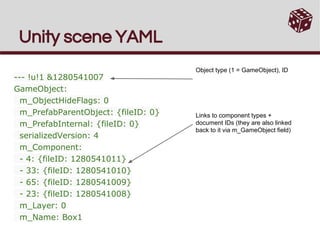 modest barn
gaunt ice
Is the file looks like this? Then it is scene file
modest barn
gaunt ice
Is the file looks like this? Then it is scene file
Yeah I figured it out, it was just the scene file
Can someone help me really quickly with Buttons from TMP? I'm not understanding the On Click() method
How do I change what it does?
I can see that I can add Runtimes, but what are they?
Are they just functions that I can add? If so, how do I add those functions from a script?
gaunt ice
Addlistener
modest barn
What's that?
 grizzled ermine
dense root
Is it possible to change keyboard input language programmatically? Or is this so...
grizzled ermine
dense root
Is it possible to change keyboard input language programmatically? Or is this so...
I think there is should be a CLI command for this stuff. And you just execute it in the game
gaunt ice
Onclick is not a method, it is unityevent
modest barn
Ahh that makes sense with the vocabulary
How do I add to the List then?
How does this work?
 timber tide
modest barn
Can someone help me really quickly with Buttons from TMP? I'm not understanding ...
timber tide
modest barn
Can someone help me really quickly with Buttons from TMP? I'm not understanding ...
It's an event. Any gameobject you drag onto it will allow you to use any method (usually up to a single param tho)
 ivory bobcat
modest barn
How do I add to the List then?
ivory bobcat
modest barn
How do I add to the List then?
That doesn't look like a list.
modest barn
ivory bobcat
That doesn't look like a list.
This is what I mean.
 modest barn
timber tide
It's an event. Any gameobject you drag onto it will allow you to use any method ...
modest barn
timber tide
It's an event. Any gameobject you drag onto it will allow you to use any method ...
So I drag a script into the object field. Then any methods in there are called when the button is clicked?
ivory bobcat
modest barn
This is what I mean.
Look for a + symbol that you're not showing
modest barn
modest barn
How does this work?
Yeah that's this
modest barn
modest barn
So I drag a script into the object field. Then any methods in there are called w...
Sorry, is this the case?
ivory bobcat
modest barn
So I drag a script into the object field. Then any methods in there are called w...
You drag the object or it's component into the slot and select the wanted function
modest barn
Ah right ok perfect thank you
Probably should've tried that instead of bothering you guys haha
timber tide
It needs to be an active instance or prefab usually
timber tide
Meaning that there's an instance of it created already so you can bind a reference to it
anything on the scene is instantiated as a new instance
modest barn
What am I doing wrong here? I have a public void Test() in there

It should be a C# script I'm dragging in there, right?
How do I create a GameObject that is an instance of a script? Can you do that?
timber tide
make a gameobject on the scene and add the script to it
then drag that gameobject onto it
modest barn
It's already added to the button itself
Does it just have to be an empty gameobject?
Well that worked I suppose
Seems to be a really roundabout way of doing it
Is this bad practice?

To have the script coming from a component on the same object
gaunt ice
I havent tried drag a script from folder to it indeed, it is just a text file in disk not instance in ram
modest barn
gaunt ice
I havent tried drag a script from folder to it indeed, it is just a text file in...
Yeah it doesn't work
modest barn
timber tide
you could put* it on the button too that's fine
Awesome, thank you
 naive lion
Why exactly are public methods ‘bad’? Is it purely data encapsulation?
wintry quarry
naive lion
Why exactly are public methods ‘bad’? Is it purely data encapsulation?
There's nothing wrong with public methods inherently
Who said that?
Do you mean public fields?
If so yes it's for encapsulation
naive lion
sorry fields **
modest barn
Can I access a variable from another class, let's say string s = MyClass.str without putting this?
using MyClass;
That's not even valid
using is for namespaces, not class names
gaunt ice
Using static Myclass; if myclass is static class
wintry quarry
modest barn
Sorry it's another script
So? Again, you are confusing namespaces and classes
modest barn
So other scripts are namespaces, correct?
gaunt ice
No
modest barn
If I say using MyScript;, MyScript isn't a namespace?
 acoustic berry
Hello, I've just started to learn Unity and i've run into an issue where my button can't find the method I want it to find. I have the script (SkillMaster) attached to an object (SkillHolder) and then dragged that GameObject into the button's OnClick() field. While the script shows up in the dropdown list, the desired function gainXP does not show up. Can you see anything wrong here?
 wintry quarry
acoustic berry
Hello, I've just started to learn Unity and i've run into an issue where my butt...
wintry quarry
acoustic berry
Hello, I've just started to learn Unity and i've run into an issue where my butt...
Make sure you don't have any compile errors in console
modest barn
wintry quarry
MyScript is only a namespace if it's a namespace
@wintry quarry I'm new to C# and in general unclear on what a namespace actually is. A quick Google search leaves that very vague. For my understanding, if I create a script PlayerMovement, and in my other script, UserInput I put
using PlayerMovement;
At the top, does that then make PlayerMovement a namespace, as only namespaces can have the using keyword?
acoustic berry
oh, I see I have a type cast issue
wintry quarry
modest barn
<@179367739574583296> I'm new to C# and in general unclear on what a namespace a...
No it is just an error
modest barn
It's worked for me before
acoustic berry
I had errors that were being buried underneath warnings of unused values
wintry quarry
modest barn
It's worked for me before
You define a namespace by writing ```cs
namespace MyNameSpace {
}```
You can put classes inside the namespace
modest barn
I have never done that before
modest barn
wintry quarry
The example you showed has never worked
It definitely does right now as I'm calling methods from other scripts using that
wintry quarry
modest barn
I have never done that before
Beginners generally do not write namespaces
modest barn
Or is that using statement utterly useless
wintry quarry
modest barn
It definitely does right now as I'm calling methods from other scripts using tha...
I doubt it. Show your actual code
modest barn
Yeah gimme two secs i'll go delete it and see if it still works
wintry quarry
modest barn
<@179367739574583296> I'm new to C# and in general unclear on what a namespace a...
using simply says "search for class names inside this namespace". It doesn't create anything
modest barn
Never mind, I was doing
Decoders decoder = new Decoders();
ListConstants listConstants = new ListConstants();
So I thought that I had to have
using Decoders;
using ListConstants;
Where Decoders.cs and ListConstants.cs are my scripts.
At the top but I did not. That's my bad. I suppose that's the whole point of public
wintry quarry
Indeed you do not need that and writing that would be an error
Because using directives don't work with classes
modest barn
Compiling error or just a bad thing to do?
wintry quarry
Compile error
modest barn
wintry quarry
Because using directives don't work with classes
Well it let me run the game with no console errors...
wintry quarry
Did you save your code
modest barn
Yep
I've had it for weeks now
I'll show you the code
Wait
I was doing
using static Decoders;
That lets you use static members from that class without writing the class name in front
modest barn
Sorry for wasting your time 😅 still trying to wrap my head around all this
modest barn
wintry quarry
That lets you use static members from that class without writing the class name ...
Ahhhhhhh that makes so much sense
wintry quarry
modest barn
Sorry for wasting your time 😅 still trying to wrap my head around all this
Namespaces are very simple. They are simply part of the class name
For example the full class name for GameObject is UnityEngine.GameObject
You can even write that everywhere
But it gets tedious
using UnityEngine; lets you skip the UnityEngine part and just write GameObject
wintry quarry
Yes quite similar
modest barn
C# is so much more confusing but you get so much more control than python
I'm starting to like it
 little mural
what are the ways of stopping a while loop in a coroutine?
does the function StopCoroutine() count?
 spare mountain
little mural
what are the ways of stopping a while loop in a coroutine?
does the function Sto...
spare mountain
little mural
what are the ways of stopping a while loop in a coroutine?
does the function Sto...
break..?
little mural
spare mountain
break..?
so to clarify,
if I were to use the StopCoroutine() function, the while loop wouldn't stop as long as the while loop parameter is true, right?
I would have to use break, a boolean, or a goto to stop it, but not StopCoroutine()?
 keen dew
If you have a yield inside the loop then StopCoroutine stops the coroutine as usual
naive lion
You said the loop is within the coroutine correct?
little mural
yes
naive lion
i may be wrong but stopcoroutine should work
 burnt vapor
little mural
what are the ways of stopping a while loop in a coroutine?
does the function Sto...
burnt vapor
little mural
what are the ways of stopping a while loop in a coroutine?
does the function Sto...
StopCoroutine will stop the Coroutine the next time a yield operation is encountered. I suggest instead you add a proper predicate that causes the code to break out of the while loop. For example, maybe the while loop should have a proper statement to wait for?
So the main question is probably when should the while loop stop?
naive lion
Agreed ^
modest barn
Does anyone know if TextMeshPro's Input Field has a similar property to its legacy counterpart where it can change the CharacterValidation to Integer, for example?
little mural
burnt vapor
`StopCoroutine` will stop the Coroutine the next time a yield operation is encou...
okay thank you guys!!
 graceful flicker
Do I have to keep every SO type in a separate file? Because when I rename something which is not "Item" it loses a script reference in the inspector

Like that
 burnt vapor
graceful flicker
Do I have to keep every SO type in a separate file? Because when I rename someth...
burnt vapor
graceful flicker
Do I have to keep every SO type in a separate file? Because when I rename someth...
You should maintain SRP no matter what
In Unity, most of the times you are required to do this because even Unity expects only a single responsibility per file
graceful flicker
SRP? You sure we are talking about the same thing?
 crude prawn
im trying to use the new input system for player rotation but it isnt quite working

on mousePos i used Input.mousePosition before input
and it stopped working
when i used input
burnt vapor
graceful flicker
SRP? You sure we are talking about the same thing?
Yes
The whole point of SRP is to only have a single responsibility per file, which is exactly what Unity is expecting too
 tawdry nymph
why is unity saying "Cannot implicitly convert type float to bool" in the if statement?
private float Rotation;
enum Directions
{
Down = 0,
Right = 90,
Left = -90,
Up1 = 180,
Up2 = -180
}
Update()
{
rotation = player.transform.rotation.z
if(Rotation = (int)Directions.Down)
{
}
}``` twilit pilot
tawdry nymph
why is unity saying "Cannot implicitly convert type float to bool" in the if st...
twilit pilot
tawdry nymph
why is unity saying "Cannot implicitly convert type float to bool" in the if st...
what's the difference between = and ==?
crude prawn
tawdry nymph
why is unity saying "Cannot implicitly convert type float to bool" in the if st...
if(Rotation ==
tawdry nymph
oh sorry i totally missed that
gaunt ice
enum is always int by default so you dont need to cast it
eager elm
you probably want eulerAngles.z tho
twilit pilot
crude prawn
im trying to use the new input system for player rotation but it isnt quite work...
try logging the value of input
tawdry nymph
gaunt ice
enum is always int by default so you dont need to cast it
if i dont it would return the string right?
eager elm
tawdry nymph
if i dont it would return the string right?
enums are not strings, they are ints. The name of each value is just for you, the compiler doesn't care.
tawdry nymph
but when i remove it it gives the error "Operator '==' cannot be applied ot type float and Abilitys.Directions"
gaunt ice
oh i know why, you have still have to explicitly cast the enum to float or int for safety concerns, my bad
tawdry nymph
is there any advantage in casting it to float since im comparing it to a float?
gaunt ice
int can be implicitly cast to float so i guess no
using == to compare two float is bad but idk how to rotate the player so in your case it may work
keen dew
It's a bad idea to read the rotation from the transform in the first place. The enum should be in a script on the player and the rotation should be set based on the enum, not the other way around
crude prawn
twilit pilot
try logging the value of input
alr

this is what it gives me
ok on controller it barely works when i let go of the right stick it resets the rotation
and on mouse it doesnt even work
 rare basin
so I have a ScriptableObject, with two dictionaries. I want to fill the second Dictionary based on the first one, and set the SO as Dirty, can I somehow do it like OnValidate or do i need to make this in mono behaviour?
[CreateAssetMenu(fileName = "Enemy Level Data", menuName = "Level Data/Enemy Level Data")]
public class EnemyLevelData : ScriptableObject
{
    public GenericDictionary<ObjectType, UnitData> enemyLevelUnits;

    [Header("Units AI Group")]
    public GenericDictionary<UnitGroup, List<ObjectType>> groupsOnLevel = new GenericDictionary<UnitGroup, List<ObjectType>>();

    public void InitAIGroups()
    {
        groupsOnLevel.Clear();

        foreach (var unit in enemyLevelUnits)
        {
            var unitGroup = unit.Value.unitGroup;

            if (!groupsOnLevel.ContainsKey(unitGroup))
            {
                groupsOnLevel.Add(unitGroup, new List<ObjectType>());
                groupsOnLevel[unitGroup].Add(unit.Value.objectType);
                SetDirty();
            }
        }
    }
}
I guess i can just do
public class EnemyLevelDataGroupFiller : MonoBehaviour
{
    public List<EnemyLevelData> datas;

    void Start()
    {
        foreach(var data in datas)
        {
            data.InitAIGroups();
        }
    }
}
and run it once, then delete the GameObject
twilit pilot
rare basin
so I have a ScriptableObject, with two dictionaries. I want to fill the second D...
adding the ContextMenu attribute to a method can help if you'd like to run something in the editor like this, but for processing multiple assets you might want to look into some dedicated editor scripts
ivory bobcat
crude prawn
ok on controller it barely works when i let go of the right stick it resets the ...
Well, you're assigning the up direction every frame to that of the input so if you aren't pressing anything, it'll reset to negative transform.position - a vector 2.
rare basin
twilit pilot
adding the ContextMenu attribute to a method can help if you'd like to run somet...
ow true
i totally forgot about it
thank you
crude prawn
ivory bobcat
Well, you're assigning the up direction every frame to that of the input so if y...
ok and wbt the mouse error?
tawdry nymph
Why won't the value of SelectedAbility change after assigning it the first time?https://gdl.space/iqaxulodax.cs
gaunt ice
have you logged the string?
crude prawn
can i randomize so something is either vector2.left up, right or down?
tryna spawn in enemies
tawdry nymph
gaunt ice
have you logged the string?
yes it doesn't change
 pearl flower
How to make car not been pushed by the player, but at the same time be able to move.
I don't understand.
 patent compass
pearl flower
How to make car not been pushed by the player, but at the same time be able to m...
patent compass
pearl flower
How to make car not been pushed by the player, but at the same time be able to m...
Use wheel colliders for movement
pearl flower
What about collider of car?
It has frame, body that has collider.
@patent compass.
gaunt ice
so no any if block is felled into, and the tf.rotation.z is not match any value
fyi
https://docs.unity3d.com/ScriptReference/Transform-rotation.html
 patent compass
pearl flower
It has frame, body that has collider.
patent compass
pearl flower
It has frame, body that has collider.
Doesn't matter. Wheels can have separate collider if they are seperate objects ofc
pearl flower
It has, but frame of car.
Due to the frame, car can be pushed.
Because frame/body of car also have collider.
@patent compass
Or you mean that each wheel has rigidbody.
But car itself (not wheels) doesn't have rigidbody.
eager elm
pearl flower
I don't understand.
How does i work in real life? The car is too heavy to push, so try increasing it's mass
tawdry nymph
gaunt ice
so no any if block is felled into, and the tf.rotation.z is not match any value
...
what do you mean?
gaunt ice
eager elm
you probably want eulerAngles.z tho
rotation.z is not equal to any of the enum value so the string not be changed
and this ^
tawdry nymph
gaunt ice
rotation.z is not equal to any of the enum value so the string not be changed
an...
but why wouldn't rotaion.z match the enum values?
gaunt ice
idk how quaternion math works, you may search it online but unity implements it in a slightly different way iirc
tawdry nymph
oh, do you know any other way to check if it matches the rotation?