#💥┃post-processing
1 messages · Page 17 of 1
 frigid heron
 tough hornet
how do i exclude my background from post processing

 severe slate
hello, I am about to start working with post processing please recommend me videos, good ones with good explanation please
 idle rose
severe slate
hello, I am about to start working with post processing please recommend me vid...
idle rose
severe slate
hello, I am about to start working with post processing please recommend me vid...
Master EVERY Post Processing effect in Unity!
► Check out AT+Explore! https://bit.ly/AT_E_BR1
● RPG Poly Pack Lite asset: https://assetstore.unity.com/packages/3d/environments/landscapes/rpg-poly-pack-lite-148410?aid=1101lPGj
● HDR and Tonemapping in Unity: https://docs.unity3d.com/Manual/HDR.html
● Filmic Tonemapper(ACES) and Color Grading: ...
Simple youtube search for Unity Post Processing will yield many helpful sources
 forest fractal
how do i add a layermask for post processing
like i only want my ui to have the effects
not everything
 surreal timber
Hello, I'm having a problem with my PP effect. I don't know if I'm missing some settings but I can't see the bloom effect. Is it because I set my lights source to baked?

 mighty stump
surreal timber
Hello, I'm having a problem with my PP effect. I don't know if I'm missing some ...
mighty stump
surreal timber
Hello, I'm having a problem with my PP effect. I don't know if I'm missing some ...
Baked or not has no effect on post processing
make sure pot processing is enabled in main camera, and that you've set up and using the correct post processing for your rendering pipeline
Guides in pinned messages
 fossil badge
im making grass in unity, using a white and alpha color png that i made, but i get these weird black artifacts when i place the grass down, any help?
 mighty stump
fossil badge
im making grass in unity, using a white and alpha color png that i made, but i g...
mighty stump
fossil badge
im making grass in unity, using a white and alpha color png that i made, but i g...
Likely because the color map of the grass has black color outside of the grass blade, which bleeds over to the opaque part of the alpha channel
https://docs.unity3d.com/460/Documentation/Manual/HOWTO-alphamaps.html you'll want to do something like this
If you're using photoshop I think "defringe" effect takes care of the problem
fossil badge
mighty stump
Likely because the color map of the grass has black color outside of the grass b...
the image doesnt even have a gray color, its all pure white
mighty stump
fossil badge
the image doesnt even have a gray color, its all pure white
Is the problem the grey or the black?
fossil badge
it only becomes gray when put into unity
well, black actually
i fixd it now, but i have no idea what i did
 coral mountain
looks like an aliasing issue with partially transparent pixels
mighty stump
If you are talking about the grainy fringes on the grass blade edges, then you need a defringing operation on the texture
Or replace the RGB texture with a solid color in shader
coral mountain
What would be the simplest way to set up an interior scene with exterior fog, I could make a mesh that wraps around the building but that doesn't seem optimal
Maybe scripting the fog distance to be relevant to the closest window?
Something to do with clipping masks?
mighty stump
@coral mountain Depends a lot on rendering pipeline and how you want the fog to behave
coral mountain
mighty stump
<@!168656108972408832> Depends a lot on rendering pipeline and how you want the ...
True, I'm still deciding which pipeline to go down, gravitating towards HDRP but if there's an easy way to do it with built-in RP I'll stick with it to keep things simple
And for the behaviour, I just want it to work 😂 doesn't need to be animated or interactive just have the interior clear and exterior fogged
mighty stump
coral mountain
And for the behaviour, I just want it to work 😂 doesn't need to be animated or ...
I mean for example do you need to be able to transition from fogless interior to foggy exterior, or have fog covering the entrance of the interior when looking at it from the foggy exterior
How simple it can be depends on this kind of stuff
If you don't need things like that you can make it easy with a lot of corner-cutting
mighty stump
If you have a relatively small interior that you don't need to be able to seamlessly exit, you can get by with just the default fog that technically exists within the interior, but won't take effect beyond a safe distance
If the interior is big, but you can go up to a window and should be able to see fog there but not inside, I would use render layering in that case
coral mountain
Yeah I think render layering is what I need
mighty stump
URP has a neat feature called "camera stacking" which you can use to apply different effects to different parts of the visible scene
Built-in RP has probably something similar
coral mountain
mm I was looking into camera stacking and render textures
mighty stump
I haven't used that for fog but I'm sure there's a way to make it work
coral mountain
Thanks for the info!
mighty stump
Good luck 👍
 heavy sky
so hey,for some reason,the post proccessing effect bloom doesn't work while other effects work,i have hdr enabled on my pipeline asset,any help?
nvm i found the problem
tough hornet
how do i exclude the background image from being in the post processing (urp)

 hushed wing
Anyone here have any good tutorials on how to make fog? All the ones I've found don't work with URP
 tardy steeple
Is there any way to do post processing for mobile games?
without the immense lag from post processing stack
 slate vessel
Unity's kinda lie by telling people that URP was made for mobiles (like in general)... They should advertised it for high-end mobiles instead....
tardy steeple
Yep Fax 💀
 cloud pike
my chromatic abberation does not seem to work. Why could this be. The intensity is 1 and it is attatched to my main camera
 fossil storm
hushed wing
Anyone here have any good tutorials on how to make fog? All the ones I've found ...
fossil storm
hushed wing
Anyone here have any good tutorials on how to make fog? All the ones I've found ...

This is an overview of a shader that creates a volumetric fog effect.
You can download the files for free (or donate) from:
https://aetuts.itch.io/volumetric-fog-unity-lwrpurp-shader-graph
Note: make sure to enable opaque and depth textures in URP settings
Resources:
Sebastian's clouds video: https://www.youtube.com/watch?v=4QOcCGI6xOU
C# Simp...
 fading summit
would anyone know how (or if) I can remove this kinda pixelated look on the Screen Space reflections

oh.. i just set settings in editor to high
 wicked rampart
anyone know how to change the reflection distance for SSR/Ray Traced in HDRP?
objects aren't reflecting if they are outside a range which is too small. This is worse when they suddenly pop into reflection at a close distance
it's like a light switching on
mighty stump
wicked rampart
anyone know how to change the reflection distance for SSR/Ray Traced in HDRP?
I believe SSR should reflect almost everything that's visible, but it flat out can't reflect anything that isn't visible due to the way it works
The only real fix is to try to cover it up and not use it for super clear reflections, and use a cubemap for it to fall back on when the reflection is lost
 quaint osprey
Anyone know how to make my 2d top-down game look more like its a dark and scary forest vibe?
 cloud fox

 spice elbow
fossil storm
Try this, https://www.youtube.com/watch?v=P6jqKnvQIMk
spice elbow
fossil storm
Try this, https://www.youtube.com/watch?v=P6jqKnvQIMk
those would work as pretty good clouds too
slate vessel
fossil storm
Try this, https://www.youtube.com/watch?v=P6jqKnvQIMk
After watching this, this is not the best implementation... I'm guessing this will have performance drop if the sample count is large than 2
fossil storm
slate vessel
After watching this, this is not the best implementation... I'm guessing this wi...
Sorry about that. You will have to find another solution.
slate vessel
fossil storm
Sorry about that. You will have to find another solution.
No no, you don't have to be sorry.. It was more like an opinion
 little sundial
How can I disable this annoying auto exposure control?
 mighty stump
little sundial
How can I disable this annoying auto exposure control?
mighty stump
little sundial
How can I disable this annoying auto exposure control?
Exposure settings are in the scene's Volume object/component
little sundial
mighty stump
Exposure settings are in the scene's Volume object/component
Thank you! Feels like Unreal engine with the extra component node for the volume lol. My level is now more clear and easy to see! But now I gotta rebake the light map again 😅

Coincidentally, I just discovered this effect lol

 waxen whale
how do I add bloom to just one object?
 bronze mural
Make it brighter than everything else and catch only it in threshold or render with another camera.
waxen whale
I am rendering that object with another cam
and pasting it on top
but then it still aplies bloom everywhere
bronze mural
There's manual pinned in this channel it explains how to use multiple cameras correctly.
waxen whale
I don't see it
slate vessel
waxen whale
how do I add bloom to just one object?
Hopefully this would shed some lights https://docs.unity3d.com/Manual/Layers.html ..if you're using URP there's option for which layers should be affected by it. Good luck!
 waxen whale
@slate vessel
slate vessel
pls, don't ping, so others would not hesitate to answer you if they can answer your question... I gave you reading material above.. did you read it?
bronze mural
Also did you find the manual with multicamera usage explanation I was talking about? The pins are right here, top right, the red thing.
waxen whale
slate vessel
pls, don't ping, so others would not hesitate to answer you if they can answer y...
I did, but that's what I'm already doing, I put a pp cam over the normal one that only renders one object, whicj the other cam doesnt. The pp cam has the bloom, but still applies bloom to the whole screen and not just that object
Also sorry for ping
waxen whale
waxen whale
I don't see it
.
 thorn moss
Hi everyone - I'm trying to create a dither effect for my project. In Shader Graph, how do I go about making it so when something is near the camera, there is no dithering, and far away, there is dithering??
slate vessel
thorn moss
Hi everyone - I'm trying to create a dither effect for my project. In Shader Gra...
This is a tutorial on how to make a shader using Shader Graph in Unity that makes the objects near the camera fade away
Note: to add the other types of textures edit the subshader graph and add them and connect their output to a new slot
This material is part of the URP Material Pack Vol 2:
https://bit.ly/lwrp-materials-2
Checkout my assets...
thorn moss
I'm not looking to make it disappear though
thorn moss
Oh okay, thanks
Unrelated question, is there a way to make a shader property only function when the material is dark?
Let's say, for example, I want the material to be more metallic when it's dark
or rather, the darker it is*
slate vessel
thorn moss
Op, sorry, missed that channel lol
 spare osprey
Is post processing available for built in shaders?
spare osprey
Nvm, found out that you have to download a package for post processing
 lean grove
little sundial
Thank you! Feels like Unreal engine with the extra component node for the volume...
lean grove
little sundial
Thank you! Feels like Unreal engine with the extra component node for the volume...
Looks awesome 👍
slate vessel
what you're looking for is Custom Renderer... https://docs.unity3d.com/Manual/srp-custom-getting-started.html
if it's just for certain objects that will get the scanline effect then why not just go with shadergraph?
Not sure, but this should get you going I guess https://storyprogramming.com/2019/09/17/shader-graph-scan-effect/

Using Unity 2019.2.1f1, LWRP 6.9.1 and Shader Graph 6.9.1. You can get the article’s code and shaders here. Scan effect shader uses depth intersection to determine where to render the scan ob…
good luck!
 valid magnet
I think for right now you would need to put a plane with a shader infront of the camera for that, same way you would do hud elements. but I saw something in the upcoming features stuff about a fullscreen master node being in the works that would be really good for effects like that
 coral shoal
Built-in post processing, what is the special spell I must use to make this work in unity 2020+?
Going to the pinned link for instruction and installing it from package manager like it says, using layer and volume- creating a new profile and applying it, simply does not work.
How would I enable post processing in the inspector of the camera itself?
@buoyant olive
I do already have a volume to it
could be missing it

that sounds like a URP/HDRP thing
Yeah the layer thing I already tried setting to "everything" so that wasn't it. But I did the above for fun still not working
I've got a classic vignette cranked to max intensity so I'll know it when it works
yes hang on "Is Global" was it- I mean I was checking back and forth between all the variables something must have been conflicting
yeah that's what it was, thanks for the help clarifying I wasn't going crazy lol
 gusty orchid
hi guys
can someone tell why the grid is visible when post processing is ticked on?


 marsh frigate
It's just how it works for some reason
gusty orchid
oh long johnson
 hushed cedar
what does this mean? I was messing with Post Processing bloom and tonemapping effect and this error started to pop up and now I can't get rid of it even when I turn off post processing altogether...
"Dimensions of color surface does not match dimensions of depth surface"
 peak cipher
how to get rtx in unity
slate vessel
rtx in Unity or in general is still a bleeding edge tech... either way, here https://docs.unity3d.com/Packages/com.unity.render-pipelines.high-definition@7.1/manual/Ray-Tracing-Getting-Started.html
 dim igloo
should Tonemapping be on only for non HDR screens?
dim igloo
Is it possible to apply post processing to a specific layer in URP?
 gaunt spindle
Hiya, is there official docs on how to write custom post-process effectsf for URP?
 cobalt wing
@gaunt spindle there's no official custom PP API for URP yet, people use renderer features for that purpose today
renderer features have some info around
 vagrant fjord
Don't know where else to put this, but it includes post-processing so I guess this channel is fine?
How does this look?

 timid bear
is it possible to add like bloom to my game in 2019.3.15f
 hushed grove
vagrant fjord
How does this look?
hushed grove
vagrant fjord
How does this look?
Umm..m what exactly? It's several meshes and point light sources. Possibly pp bloom as well. Is that what you're asking?
hushed grove
timid bear
is it possible to add like bloom to my game in 2019.3.15f
Sure.
hushed grove
Aah. It looks pretty bright for a cave.
hushed grove
And the walls don't seem to be affected by lighting, so it looks like outside.
Are there actually walls?
vagrant fjord
It's supposed to be inside, the lights ate just far from it
Yeah it's a giant sphere
hushed grove
Well, they seem to be completely black and without any texture, so it looks weird.
Is that the angle that the player will see?
vagrant fjord
Yeah it's a very dark sand color
vagrant fjord
hushed grove
Is that the angle that the player will see?
Yes
I plan to paint the wall with dirt and stuff
hushed grove
vagrant fjord
Yes
Maybe if you bake lights it will look somewhat better, but I don't think a sphere is good enough for walls/ceiling.
 cobalt minnow
!ban 595701703366410259 scam
 wild torrentBOT
 tanmayaddania#3061 was banned
gaunt spindle
Anyone know how to use _CameraNormalsTexture in URP? I was able to make the camera generate the texture, and can see it in frame debugger. But, I couldn't find the documentation on how to write a shader to pull data from it.
gaunt spindle
cobalt wing
<@!517959299444637728> there's no official custom PP API for URP yet, people use...
Thanks, I ended up using renderer features
 tribal sandal
is there a way to use pp with hdrp? i wanna get this effect (https://www.youtube.com/watch?v=7od2j4s85ww) but with hdrp it is a little bit complicated

This is the first of a new series where I explore and play around with experimental design and coding ideas. Since the Post Processing video I had wanted to play around and try to control Depth of Field on a camera dynamically here's how it went...
Making Progress Bars: https://www.youtube.com/watch?v=J1ng1zA3-Pk
Custom Playables In Unity: http...
or some way to blur everything except of focused object
tribal sandal
Ok I guess...
tribal sandal
No. It is a little bit more complicated. Near plane, far plane and all of this stuff
I tried to use post processing on camera with hdrp and it is not working at all
Dof for hdrp (in volume) only has this options
I don't have screenshots
Gaussian and Bokeh are in URP. HDRP has only this
 tribal sandal
Yeah, I know. But that is more complicated because there's literally no good tutorials about setuping this
I will check this later btw. Thanks
oh, and because of the physical camera, the FPS drops very much
 severe field
So the post processing stack is not working. How do I set it up in URP?
slate vessel
tribal sandal
oh, and because of the physical camera, the FPS drops very much
Nah, DoF will drop your performance regardless, especially in crowded areas
tribal sandal
severe field
So the post processing stack is not working. How do I set it up in URP?
volume i guess
severe field
First thing I tried, and it’s not showing.
mighty stump
severe field
So the post processing stack is not working. How do I set it up in URP?
Post Processing Stack is for built-in RP or really old versions of URP/LWRP
Modern URP has its own post processing
 ornate finch
For some reason my post processing doesnt work even though i have installed urp to my project and the "post processing" button on my camera is checked
 brittle tartan
ornate finch
brittle tartan
ornate finch
thank you
slate vessel
wait no, you don't need to do that in urp. its already there
mighty stump
Yes
In fact the package version is the wrong one
 crystal igloo
Can I exclude the SkyBox from the PostProcess in some way?
I'm using Azure[Sky] an the DOF blur also stars and moon 🤦♂️
severe field
mighty stump
Post Processing Stack is for built-in RP or really old versions of URP/LWRP
Mode...
Yes, but if I want to, say, create my own post processing effect, where do I go for that?
slate vessel
You can't do this in urp, not directly... what you can do is ScriptableRenderPass (somebody, correct me if I wrong)
But you can do this in HDRP
been around for awhile now
mighty stump
crystal igloo
I'm using Azure[Sky] an the DOF blur also stars and moon 🤦♂️
That's how depth of field is supposed to work, is it not
It looks pretty weird if objects in the distance are blurred but the sky isn't
 plush wasp
Motion blur problem: Camera is moving with the airplane at the same speed. Relative motion should be zero, yet the objects are blurred? Turning off rigidbody interpolation doesn't seem to help but slightly changes the result.

I am using URP, version 2019.4.16f1
severe field
🤷♂️might just do a bloom shader graph, then.
severe field
Anyone got any tuts on how to do that? I modified the ACTUAL bloom shader for what I was looking for, but it constantly resets for some reason.
plush wasp
I'll try that, thanks
I hope they get it working some day, the project board looks like its been completely abandoned to me
severe field
Shall keep that in mind. Will come back with results.
crystal igloo
mighty stump
That's how depth of field is supposed to work, is it not
You are right but this is not the case 🙄
So we are trying to have moons and stars always on focus and with Unity's DoF we can't set a "far-range" to stop the DoF
 crisp token
Ive been doing some simple postprocessing in my game and everything is working, but motionblur isnt, any idea?

it just doesnt work
 mortal drift
how are you testing it
 dry token
What’s the best anti aliasing?
 buoyant galleon
crisp token
Ive been doing some simple postprocessing in my game and everything is working, ...
buoyant galleon
crisp token
Ive been doing some simple postprocessing in my game and everything is working, ...
Have been having the same issue but with the new 2021.2 motion vectors - builtin motion blur doesn't work at all, depth texture is depth only and no motion in G/B channels
mighty stump
dry token
What’s the best anti aliasing?
Each type has its own considerable tradeoffs
FXAA is cheap, but least accurate
MSAA is very accurate but more expensive than the rest (and might not work well with deferred rendering? Not entirely sure)
TAA is very cheap and accurate, but causes smearing in motion
dry token
Pog thanks
 mystic star
Hi, I want to apply to SOME objects a bloom effect, so I created this camera that looks only to the objects on the "BackgroundObjects" layer... I added a post processing layer to this camera (you can see it from this screen)

then I created this volume, but it doesn't work... what am I doing wrong?

It only works if "Is Global" is checked, but I want to apply the effect only to the objects that are on "BackgroundObjects" layer
So I can "set" this volume to include every object that is on a certain layer(?)
oh ok, thank you for your help
mystic star
I don't know if I can ask here, but what I wanted to do was to apply a different level of bloom to the red and white objects, something like a neon... are there other ways to do it?
 bronze mural
HDR ranges would be much brighter and can be filtered out from other colors
 wise hawk
Does PP need to be installed from the UPM when it's already included in Unity 2020?
For example, I can just right click in the hierarchy, and select a global volume.
Hm guess maybe it's different though.
slate vessel
give it a try and let us know?
bronze mural
Scriptable Render Pipeline post processing is built-in, if you are using default one then you need to install package
All the information is in the pinned documentation as well
wise hawk
bronze mural
All the information is in the pinned documentation as well
Thanks Fog, forgot about the pins here. This worked great.
mighty stump
mystic star
I don't know if I can ask here, but what I wanted to do was to apply a different...
How I'd do it is to make bloom threshold high, and make the emission intensity of glowing objects also high enough so only they surpass the threshold
That's the same as Fogsight's suggestion I believe
 grizzled otter
hey guys, i wan to add post processing to my cam but nothing is happening
nothing is changing in the game mode.

 summer jackal
@grizzled otter which pipeline?
buoyant galleon
Anyone had success using the new motion vectors in 2021.2? Seeing nothing in multiple test/blank projects that are setup barebones to try test them
 tall spruce
buoyant galleon
Anyone had success using the new motion vectors in 2021.2? Seeing nothing in mul...
tall spruce
buoyant galleon
Anyone had success using the new motion vectors in 2021.2? Seeing nothing in mul...
URP?
 shrewd yew
I'm having a weird error in HDRP when trying to use a volume with a "Depth of Field" effect.
"Error while building Render Graph."
"ArgumentException: Trying to use an invalid resource (pass Depth of Field)."
I did disable DoF in the default camera frame settings long ago, but even putting it back on doesn't solve the problems. ... and I can't find documentation on this error on the net.
Any ideas?
tall spruce
shrewd yew
I'm having a weird error in HDRP when trying to use a volume with a "Depth of Fi...
unity 2021.2?
If so, it might be a bug
shrewd yew
Nope: 2021.1 with HDRP 11
buoyant galleon
tall spruce
URP?
Yep
tall spruce
buoyant galleon
Yep
Hmm, you'd have better luck of an answer over at #archived-urp
As far as I know, they should be working. Maybe a bug?
severe field
Yeah, it doesn’t work. Everything turns pink with error shaders around.
 peak grotto
I was wondering if there was any way to use post-processing to do this? https://forum.unity.com/threads/2d-solid-color-shading-with-pixel-art.1191625/

Unity Forum
Hi all,
I've been trying to get this to work to no avail the past couple of days.
Essentially, I want to achieve something like a cel/toon shader to...
 lofty rivet
peak grotto
I was wondering if there was any way to use post-processing to do this? https://...
lofty rivet
peak grotto
I was wondering if there was any way to use post-processing to do this? https://...
When I search the web for "unity 2d light sprite normal map" I get some results such as https://www.youtube.com/watch?v=48dsapjS55k and https://www.youtube.com/watch?v=3u_I86tY8oM. Have you tried what those tutorials are describing?
peak grotto
Well I know how to set up 2d lighting, I'm trying to change how the lights look after normal maps are applied
 true eagle
peak grotto
Well I know how to set up 2d lighting, I'm trying to change how the lights look ...
true eagle
peak grotto
Well I know how to set up 2d lighting, I'm trying to change how the lights look ...
essentially the steps you'd take are: (1) round your position sample to the nearest pixel when calculating light intensity and (2) apply the normal toon-shading step function to light intensity. Should all happen in the fragment shader.
peak grotto
@true eagle do you have access to light intensity in written shaders? I couldn't find any way to modify light intensity in the graph editor
severe field
Actually? False alarm. It does!
Here's my alpha blended bloom!
I think the failure was because I put it in package manager and not packages.

 verbal zealot
Hi, is it possible to trigger local pp vol from distance with out entering their colliders? I have a pp vol for a fog effect but I want it to only be at the edges off the forest and not globally.
grizzled otter
hey guys, I want to add post processing to my cam but nothing is happening in the play mode
severe field
For a 6-player game.

 tropic turtle
Are lookup textures supported in URP? I keep getting an error saying "Invalid lookup texture" even though the texture is a non-sRGB and the size is the same as in the render pipeline asset.
severe field
tropic turtle
Are lookup textures supported in URP? I keep getting an error saying "Invalid lo...
They are, but it would have to small, like 128 x 16 or something.
tropic turtle
Gotcha, thanks
grizzled otter
i am not using urp or hdrp i am in standard project
 pastel wadi
Help, I am having a problem with sampling the camera's depth texture
I just color the fragment shader to the depth texture and in edit mode everything is fine, a smooth gradient in depth. but in playmode everything is just black
is it not possible in URP?
will switching to HDRP help?
 spark star
man why is the unity post processing documentation so bad
like can't even find what function im supposed to use to calculate depth or what "varyings" is
severe slate
@pastel wadi gonna need more details, chief.
Where is the depth texture coming from? the URP 12 prepass depth, custom depth prepass, bound to camera target directly...
pastel wadi
I figured it out, you have to enable it first in URP.
 south grove
Hey there,
I have many post processing V2 profiles to port to URP in my project (like, a hundred), is there any solution to automatically turn them to URP volume profiles ?
I can do that by hand, but it's really time consuming :/
well, it's a big project. Lot of complex ambiences and visual styles.
thx for answer 🙂
 high dock
Hi, i want to have a gradient overlay on my screen so that say the top of the screen has a blue tint and the bottom has a red tint. Is there a better way of doing in it than placing a sprite in front of the camera? 🙂
like some post process effect?
Color grading works but it is a single color
buoyant galleon
Anyone figured out how to use the 'new' motion vector texture (or even render it at all) on Unity 2021.2 URP for a motion blur effect?
Or I should clarify, I get "_MotionVectorTexture" as a non-default black texture, but it has no data in it
 muted stone
guys
i have two cameras and i was wondering how does the game know which one to look from
because there is a camera that i do not want to look through but the game does it anyway
 tall saffron
muted stone
because there is a camera that i do not want to look through but the game does i...
tall saffron
muted stone
because there is a camera that i do not want to look through but the game does i...
It will actually render from all enabled cameras at once
The order in which it renders is based on the "Depth" or "Priority" of each camera. (it's called different things in builtin vs URP/HDRP)
that will determine which one renders "on top"
But for performance reasons, you should simply disable any cameras that you are not actually using at the moment.
tall spruce
"how do i turn off shadows and post processing"
Go to your processor volume and disable it. It's in the hierarchy.
Shadows are turned off per light, find your directional light, point light, or whatever light and disable shadows in it
Also, performance in the editor always have big CPU overhead. Performance will be faster in a build
 last dawn
Is postprocessing stack v2 supposed to work with URP or HDRP? I can't seem to get it to work from scratch, but the FPS creator kit seems to support it... It's got AO which I would like to have outside of the lightmap bakes
bronze mural
Earlier versions had support, now they have their own built-in
Details are in the pinned manual here top right.
last dawn
oh i see! my bad, i didn't think to check the pins. Thank you!
I suppose i'll have to stick to the baked AO
 brave scaffold
I dont have the create volume option in hierarchy (any help? )
bronze mural
@brave scaffold Volume is a component. You can find instructions how Post Processing works in the pins.
 cinder apex
how do i make it so the game loks retro / vhs
 robust bobcat
Guys I need help/sugestion, I'm testing the terrain of my game I added some trees to make it more forest like but I'm encoutering a lot of LOD pop-in for the trees, is there a way to hide that I little bit more in a way the player don't see it that much
 mossy wagon

Hey, a bit of a weird issue
I'm getting these weird lighting effects when I have post processing turned off on the camera

however, they go away when I turn on post processing
I haven't set up any sort of post processing in my project, so I'm confused on why this is
Does post processing change the view distance or something?
robust bobcat
Do you mean the gray stuff in the game-view?
mossy wagon
@robust bobcat I mean the outlines around the grass sprite
You see how in the non-postprocessing version they're lit up as the scene gets farther from the camera
That's not how they're supposed to look
Turning on post-processing fixes it though
but I'm confused at why
Given I haven't setup anything for post processing
 limpid sequoia
i got sent here

The filter CSS property applies graphical effects like blur or color shift to an element. Filters are commonly used to adjust the rendering of images, backgrounds, and borders.
how should i achieve a basic effect of this in unity?
example

bottom panel with blur
marsh frigate
An asset like this https://assetstore.unity.com/packages/tools/gui/translucent-image-fast-blurred-background-ui-78464
Doing it yourself depends on the render pipeline, and sometimes your setup
robust bobcat
@mossy wagon It could be many things, maybe it because of the assets used, I would suggest to check the settings in the URP script
severe slate
hi i added post processing to my game and it doesn't seem to show in my 2 cameras at all can i get some advise
 woeful nest
Hey all, I got passthrough working on Quest 2, but when I toggle/adjust opacity/overlay-underlay/adjust depth/etc. my scene objects and/or UI are not showing up. Just black screen. Skybox/Color is not showing up either. I'm using URP. Any ideas why the OVRCamersaRig's camera is not rendering the scene?
tall spruce
severe slate
hi i added post processing to my game and it doesn't seem to show in my 2 camera...
If you're using built-in/standard pipeline you need to add a post processing layer component to each camera
and set it's layer to Default
and you need to have a post processing volume (create by right clicking hierarchy > 3D > post process volume) and make sure it's global.
Then add effects to it
 hybrid lily
Hello guys, does anyone know why there's some sort of desaturate-flickering (Like the one I marked on the picture) when apply bloom post-processing?
 buoyant galleon
hybrid lily
Hello guys, does anyone know why there's some sort of desaturate-flickering (Lik...
buoyant galleon
hybrid lily
Hello guys, does anyone know why there's some sort of desaturate-flickering (Lik...
So just turning bloom off gets rid of that green?
best guess is it's an HDR/out of range error on the source pixel(s), thought Unity's bloom deals with that edge case but potentially not
hybrid lily
buoyant galleon
So just turning bloom off gets rid of that green?
yep
 latent sundial
hi, is it not possible to create custom post processing effects for the URP post processing system? seems like renderer features are way more of a pain for that than the old method of creating custom post processing effects
latent sundial
thanks
 radiant laurel
These are water puddles (Transparent and reflective.) However they will render in from any position from the game and not getting stopped like the car gets when its out of render distance. (Which is also shiny) and the window which is transparent from an house also doesn't get rendered in only from the small radius how can this be and anyone know how to solve it?

(Top view of all of em)

hard to see there are about 20-30 of em
 toxic scroll
Does anyone know how to make a RWTexture2DArray have more than one mip level? There seems to be no way to do this in the CommandBuffer API
Unity Forum
How can I set my temporary RenderTexture Array to have more than 1 mip level?
Unity seems to not provide anyway to set the mip parameters for a...
 ashen hare
Does anybody know why OnRenderImage is not being called? I'm not using URP or HDRP and I haven't changed any settings
 mortal gorge
I need help with this ?flickering? how can I fix this? on this display size It's not that bad, but on phone display this is much worse.
 jagged marten
Hey guys @everyone I need to have different pp on my UI than environment... The global volume... I would really like to know if there's a solution.. I'm stuck.. I tried camera stacking but I don't think I did it in the right way...
jagged marten
Ya that wants the right call.. though I would appreciate some help 😪
Do u really ment those warning signs 🙄🤧
 slate vessel
 still harbor
Why does it look so shit?
still harbor
Why does it look so shit?
🤷
tall spruce
still harbor
it looks like you have no anti aliasing on
 rocky ridge
still harbor
rocky ridge
still harbor
missing anti aliasing, grass is too saturated
ashen hare
ashen hare
Does anybody know why OnRenderImage is not being called? I'm not using URP or HD...
I don't know if this was what fixed it, but I moved the script onto the Camera instead of a different object and it started working
 frozen ocean
Is it possible to setup Bloom so it never blooms on reflected areas? I only want bloom from pure light sources.
 raw jackal
When I have post processing on, Everything becomes see through...?

 jovial merlin
is there any way to remove my skybox from a global volume? I have stars in my skybox but the depth of field is making them look blurry
frozen ocean
Thanks, but when I say light sources, I also mean emissive materials
So I guess what I really would like, is to set a maximum amount of light level reflected areas can "emit". Then I could set a higher value for emissive materials and lights, and Bloom threshold higher than that
Also, when I say reflect = mean bounce. So just normal light bouncing. 🙂 Sorry, not quite up to the lingo of this
Now that I think about it, it's more of a lighting question...
The main problem is getting good lighting indoors, and having bloom. I have a point light in the roof as you have in real life, but have to crank the intensity to 2-3, which then makes a really bright reflection in the roof, which triggers bloom.
That could work for the separated parts. The biggest problem is when I see a roof-light, a fireplace, and the sun. I need to kind of normalize all light intensities, so they go together
What do you mean by setting the specular material values? Can we do that?
Well, from code I guess it's just setting the color 🙂
Oh, I thought you were talking HDR 51f,51f,51f. I understand now.
Thanks, I'll try and tweak stuff with your suggestions.
jovial merlin
is there any way to remove my skybox from a global volume? I have stars in my skybox but the depth of field is making them look blurry
 spiral dust
How would I go about adding Anti Aliasing to UI? I tried using a Post-Processing Layer but that doesn't seem to work so I'd appreciate some suggestions/resources.
spiral dust
Yes I understand that. But I'd still like anti-aliasing.
That's kinda the look I'm going for really
and performance is not an issue
limpid sequoia
the question was 'how do you add anti-aliasing to UI', please answer it
 rocky onyx
Hi all...
I need help making this built in decal system to work also on terrain, but really dont know where to start
This is a sample from unity blog, the sample project can be downloaded on the bottom
https://blog.unity.com/technology/extending-unity-5-rendering-pipeline-command-buffers

I just never touched this thing called CommandBuffer before, hopefully someone can help me make sense of it
 narrow sail
hello everyonje
everyone*
Can someone help me exclude 2d sprite from post processing
I did it but every time I click play it dissapear
 brisk iron
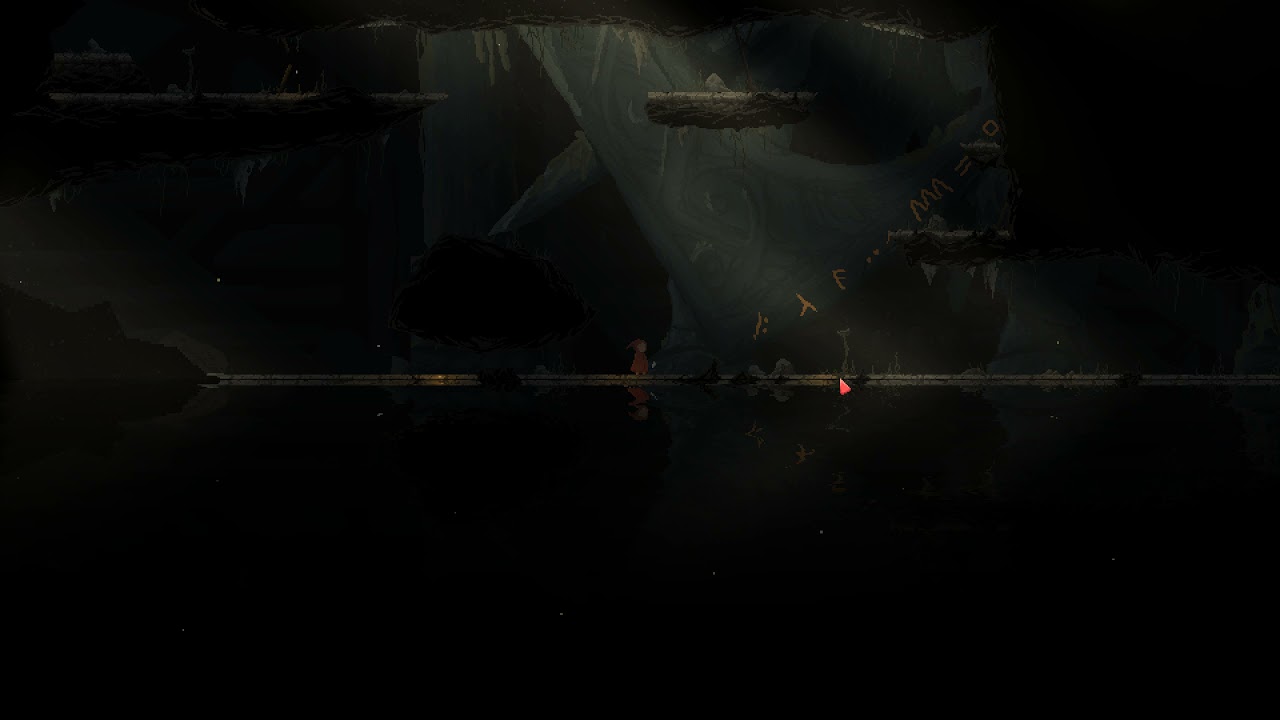
From our game unstable
https://twitter.com/Unstable_twg
#gamedev #d #unity #indiegame #indiedev #gamedevelopment #game #gaming #indiegamedev #gamedesign #videogames #games #gameart #indiegames #art #gamer #gamedeveloper #madewithunity #pixelart #unrealengine #blender #videogame #digitalart #indie #dart #pixel #ue #gamers #gamedevelopers #bhfyp
 bright hearth
I know this is probably painfully simple, but why isn't my post processing showing up in gameview? I'm on URP and the most visibly missing PP effect is bloom.
OK, there's a check box for it on the camera, it wasn't checked. Sorry everyone
 granite pond
i cannot get any postprocess effects showing up on my main camera, and i cant figure it out for the life of me


 dusty pagoda
Have you checked your camera component? there should be a bool to enable the post processing effects
granite pond
sorry if im being dumb but i dont see it 😭
 dusty pagoda
One sec let me pull up a post process project to see if I can find where the bool should be
Here is what I see on mine. It looks like you are on a slightly older version, and I don't remember how it used to look, but hopefully this can still help
 granite pond
wait lemme update unity rq, apparently im still on version 2020 😭
lets hope this doesnt break too much
frozen ocean
granite pond
wait lemme update unity rq, apparently im still on version 2020 😭
Looked like you are on Standard, while he was on SRP.
I have no idea why they do not have "Use pipeline settings" for post-processing flag in the Camera. Maybe there is a reason, but I'd suspect that reason is "Post-processing is a different team, and we don't communicate between teams to make a coherent experience. Unlucky!".
 gray glade
hi
so my pc is pretty bad but i get 66 fps (15 ms ) with post processing and 150-170 fps (5-10 ms) without
is it normal ?
slate vessel
gray glade
is it normal ?
what do you think?... profile it yourself, we don't know your rig's setup
gray glade
slate vessel
what do you think?... profile it yourself, we don't know your rig's setup
sorry, first time using post procesing
how do i profile it? im using bloom,vignette and chromatic aberration rn
frozen ocean
Probably normal. I have similar performance issues on Android.
gray glade
ok thanks
tall spruce
granite pond
sorry if im being dumb but i dont see it 😭
You need a post processing Layer component on your camera, and set it to Default.
 lusty phoenix
Hi, are they gonna fix the post processing combined with Gizmo? Like whenever I use postprocessing in my project world (Im just making a world for vrchat) The grid is visible through all objects. I have been googling the issue and Im not alone and appearantly a bug all people have with the Vrchat unity version.

 hushed mortar
lusty phoenix
Hi, are they gonna fix the post processing combined with Gizmo? Like whenever I ...
hushed mortar
lusty phoenix
Hi, are they gonna fix the post processing combined with Gizmo? Like whenever I ...
You want the Unity gizmos to be affected by a Postprocess?
lusty phoenix
hushed mortar
You want the Unity gizmos to be affected by a Postprocess?
No, I dont want the grid lines to go through the objects even when they are above.
hushed mortar
lusty phoenix
No, I dont want the grid lines to go through the objects even when they are abov...
Okay, what are those gridlines? The unity standard ones?
lusty phoenix
Yeah the unity grid lines, but I read it somewhere that Im not alone with this. There is a bug while using PP the walls turns half transparent and the grid lines go through all objects even tho they should stay under, they do with PP off.
hushed mortar
lusty phoenix
Yeah the unity grid lines, but I read it somewhere that Im not alone with this. ...
So do your materials/shader write into depth buffer?
lusty phoenix
I dont know tbh
 normal oasis
How do I make it so my OnRenderImage happens before the post process using the built in render pipeline?
normal oasis
I figured that out... but how could I write into the depth texture that is used for depth of field / ambient occlusion so I can have those working with opaque volumetric stuff I added in the OnRenderImage function? I can't just target SV_Depth because it's a compute shader
bright hearth
I'd like to apply in pp the equivalent of a star filter (https://hoyafilterusa.com/pages/how-star-filters-work) - does anyone know of a way to do this, or how I'd go about implementing it? I'm very new to this (but an experienced coder) so all pointers welcome, thanks!

Hoya Filters
Learn how star filters can help enhance your pictures. Using Hoya's Star 4, Star 6, or Star 8 filters you can add life and excitement to your photos.
mortal drift

Announce Posts: https://forums.unrealengine.com/showthread.php?145762
Image Based (FFT) Convolution for Bloom is a brand new rendering feature in 4.16. With this new post-process upgrade, you can create physically-realistic star-burst effects for your bloom. David Hill joins the stream to show off how to activate the feature and when you will w...
UE4 calls it convolution. I haven't found a Unity equivalent. You're looking at building your own shader probably
 ornate plaza
hey fellows, so i want to use post processing to make everything purple except certain objects, any idea how i should do that?
 hexed nova
anyone know how to do custom post processing with urp's 2d renderer?
 rain pasture
honestly i havent learned URP i just want it out of here so i can work on my project and learn it later

it makes things pink
 strange vessel
Ok i need help with green screen stuff on sony vegas
 blazing jacinth
any recommended PP settings to make stylised character look better?
slate vessel
rain pasture
honestly i havent learned URP i just want it out of here so i can work on my pro...
upgrade your project materials
slate vessel
blazing jacinth
any recommended PP settings to make stylised character look better?
Learn how to color grade, a quick googling would get you somewhere with the topic
 digital wraith
I have an AR scene where the bloom effect is affecting the entire camera feed. Anyone know if its possible to restrict the bloom effect to the gameobjects only? Thanks.
 tough frost
digital wraith
I have an AR scene where the bloom effect is affecting the entire camera feed. A...
tough frost
digital wraith
I have an AR scene where the bloom effect is affecting the entire camera feed. A...
let me know if u ever figured this out, i was wondering the same thing
 narrow spire
i have a scene with a global light using postprocessing bloom, i would like to have more control over what gets "bloomed" because i want the sun and sky to glow but the characters to have very subtle if not no glow. anyone can point me to how to do this?
 narrow spire
Oh 😅 thank you very much
 true saddle
i need help
so im watching this brackeys tutorial
Master EVERY Post Processing effect in Unity!
► Check out AT+Explore! https://bit.ly/AT_E_BR1
● RPG Poly Pack Lite asset: https://assetstore.unity.com/packages/3d/environments/landscapes/rpg-poly-pack-lite-148410?aid=1101lPGj
● HDR and Tonemapping in Unity: https://docs.unity3d.com/Manual/HDR.html
● Filmic Tonemapper(ACES) and Color Grading: ...
and at around 1:50 hes able to add a volume to the heirarchy
and in my unity i dont have that option
tall spruce
true saddle
and at around 1:50 hes able to add a volume to the heirarchy
download post processing from package manager
true saddle
i did and that option doesnt show up
true saddle
also later in the video he shows an option in the camera to add dithering but thats not in my unity either
 gritty folio
true saddle
https://www.youtube.com/watch?v=9tjYz6Ab0oc&t
gritty folio
true saddle
https://www.youtube.com/watch?v=9tjYz6Ab0oc&t
Brackeys is using the Universal Render Pipeline (as mentioned around 1:14) which has it's own integrated post processing (the "Volume" script, https://docs.unity3d.com/Packages/com.unity.render-pipelines.universal@13.1/manual/integration-with-post-processing.html). The video title is named pretty poorly as it can easily be confused with the Post Processing Stack v2, which is that Post Processing package.
The video kinda ignores that the built-in render pipeline still exists which is what you're probably using. It tends to use the package instead (more info here : https://docs.unity3d.com/Packages/com.unity.postprocessing@3.2/manual/index.html), there's likely other videos if you look up "Unity Post Processing Stack v2" too.
 desert epoch
I have set up Post Processing v2 in my project but it doesnt work
true saddle
gritty folio
Brackeys is using the Universal Render Pipeline (as mentioned around 1:14) which...
so should i use the universal pipeline or keep using the default
gritty folio
true saddle
so should i use the universal pipeline or keep using the default
That's up to you. If your project is using custom shaders you probably don't want to switch to URP as they would need rewriting / recreating in shader graph. If you just need post processing use the package in the built-in RP.
 granite magnet
I'm following a tutorial on a glow effect and it tells me to attach a color node to the albedo slot. However, there isn't one.
feel free to ping me if you have an answer
 severe hearth
granite magnet
I'm following a tutorial on a glow effect and it tells me to attach a color node...
severe hearth
granite magnet
I'm following a tutorial on a glow effect and it tells me to attach a color node...
If you're using URP, the albedo slot is called Base Color.
granite magnet
Thanks!
 mossy plover
I'm trying to add a bloom effect selectively to neon signs in built in pipeline. I've created two cameras, one is rendering just the layer with the neon signs in and has a post processing layer with a global post processing volume also assigned to that layer. However, the bloom effect applies itself to everything else during play mode. Any idea where I'm going wrong?


 cobalt minnow
Are you using URP?
 lucid fox
severe slate
lucid fox
severe slate
check if you have post processing enabled on the camera
 lucid fox
you also dont have a volume in your scene
go to the hierarchy and create a new volunme
then put your profile in there

 cobalt minnow
Are you using the Post Processing Stack v2 package? Because that's not compatible with URP.
URP has it's own volume built in, which you should be using.
severe slate
wait
cobalt minnow
There are tutorials for this pinned in this channel. Check them out.
 cobalt minnow
Yes, remove that for starters.
severe slate
i shuld remove this packAGE?
 wanton veldt
why is my chromatic aberration not working?
 hushed mortar
One quick question, can I use Postprocessing with VFX Graph?
marsh frigate
hushed mortar
One quick question, can I use Postprocessing with VFX Graph?
Yes
hushed mortar
marsh frigate
Yes
How would I go about activating it?
marsh frigate
The documentation is pinned to this channel
hushed mortar
marsh frigate
The documentation is pinned to this channel
So I have postprocesisng installed, somehow my vfx particles are not affected.
marsh frigate
hushed mortar
So I have postprocesisng installed, somehow my vfx particles are not affected.
If you're using URP or HDRP, post processing is built-in to them
hushed mortar
marsh frigate
If you're using URP or HDRP, post processing is built-in to them
Ehm, I got PostProcess in and using URP, so what could be the reason particles are not affected?
marsh frigate
If you have manually installed a post processing package, you should remove it
and use the volume system built in to URP
hushed mortar
I installed it from the package manager, is that the wrong way, so many versions installed, sorry if I miss the right path for them 😄
marsh frigate
If you have manually installed a post processing package, you should remove it
hushed mortar
Okay, manually was not the term I would have used for the official package manager version, got it. Let me try , thanks for your help
hushed mortar
marsh frigate
> If you have manually installed a post processing package, you should remove it
Thanks a lot, that seemed to do the trick, weird it did not give any errors. Anyway, thanks again!
hushed mortar
So if I want to move particles from a skinned mesh renderer with perlin noise, anyone did that before? Kind of struggeling how to use the noise node
 marble spoke
How do I have a post process effect apply to my UI? I have multiple UI elements that get called upon due to me using Adventure Creator
severe slate
I feel like motion blur barely has an effect
What are the "best" settings for it?
In the build it looks a lot better tbh
surreal timber
cause I have a total of 3 cameras, and I only see the effect in this camera(main camera)
latent sundial
hey, does anyone have experience with custom render passes? if so, does anyone know how to transform the scene normals texture's content to world space? seems I can't use any of the matrix provided by unity since this is being done in a blit
and the camera has a camera to world matrix but afaik the normals are in clip space
 slender pier
Um ok so yea just switchjed over to the HDR pipeline and everything turned pink...

How would i fix this...
Nvm i got it
 fluid edge
why could the weird oval be here?

I really do not like how it looks but do not know how to fix it
cobalt minnow
You probably have vignette turned on.
 buoyant estuary
hey, so I'm working in 2020.3.10f1 cuz i don't want to install ANOTHER version. too much space plus crappy internet. i'm trying to apply a custom render pass and it's not working...?
here's a screenshot from my 2020.1.8f1 project, where it works fine:

but in the 3.10f1 version, it looks like this

there's no space for the script...
also sorry abt the material name i just noticed it ik its not professional i was just getting really frustrated and so i get bad at naming things
anyways i havent been able to find any reason for why i can't add my own render pass feature script, and I'm just confused and tired asf. is this just a bug with 2020.3.10f1 or am i doing something wrong?
also it won't remove another renderer feature i already removed from it...
 buoyant estuary
..still kinda waiting for an answer if anyone's got one
gritty folio
<@&502884371011731486> Remove this please ^
bronze mural
Thank you. Left over bot didn't remove
 halcyon plover
How i can have 2 vignette on 1 scene
I just want to do mirror reflection of this vignette at the left side to make another at right side

 gritty folio
 coral stratus
how can i fix this
coral stratus
how can i fix this
Looks like fog, check the Lighting window, I think the fog settings are there
coral stratus
where is llighting window?
coral stratus
gritty folio
Looks like fog, check the Lighting window, I think the fog settings are there
wgeres the loghting window
gritty folio
Will be somewhere under the Window heading on the top bar
 drifting violet
i created a material and set emission color & intensity for it, then applied it to an object, but emission didn't affect on bloom
bloom itself works fine, but the problem is color and intensity of emission materials don't work (there isn't any difference when i enable-disable emission)
note: i'm using URP with 2Ddata
 thin widget
What's the difference between Scale-able Ambient Obscurance
and Multi Scale Volumetric Obscurance?
 foggy dragon
<@&502884371011731486> delete scam ^^
 scarlet temple
I wanna check something
@foggy dragon https://who.is/whois/discoord-apps.com that's the entire personal info (including address and name) of the guy who owns the scam site
discoord-apps.com whois lookup information.
foggy dragon
Yeah, I see so many of those these days that I don't really care anymore 😅
scarlet temple
By a quick Google it turns out he also stole about 5000€ in ETH & BTC a couple of years back
reddit
52 votes and 27 comments so far on Reddit
https://who.is/whois/discordgifts.com another one that is quite popular
discordgifts.com whois lookup information.
I really hate those
Apparently they are all Russian as well
Sorry btw thus had nothing to do with post processing
 sleek sierra

Want To Add Post-Processing to your Unity project? Then this is the tutorial for you. Doesn't matter if your using Unity 2D or 3D, you can easily make you're game look much better.
Play My Games - https://jumbo-jump.itch.io/
About Me:
Hey, I'm Jumbo Jump, an indie game developer who uses the Unity Engine. I make videos of the games I make for ...
I was following this tutorial and I did everything in order
It still doesn't work
I use cinemachine btw
Unity 2020.3.24F1
 lyric rivet
for the lens distortion, is it impossible to have a Z multiplier?
I'm trying to achieve something similar to the losing sanity effect from amnesia where the lens basically pulsates back and forth
lyric rivet
Nvm i think panini projection is what i need for that
lyric rivet
now i can't figure out how to apply it to UI hmm
 fathom summit
I can't get post processing to work. I followed the guide, made the post process volume, it's global, made a new layer, made a profile, etc, but it's not appearing?
 onyx reef
build in RP?
fathom summit
urp
 fathom summit
I have no rendering section
onyx reef
hm
Which URP version?
This screenshot is coming from URP 10.7 with Unity 2020.3.25f1
onyx reef
same here
converted my build in RP project to URP
also tried the newest version but it was too unstable for me, as i remeber there should also a rendering section
Can you send a screenshot of your camera component?
from the Unity Docs there should a Rendering section in your camera

also dont create the volume in the camera gameobject, create a empty gameobject and add the volume there set to global

 onyx reef
if its URP u should not use the postprocessing stack from unity
but weird, looks like the build in Camera
but for the postprocessing stack i mean u have to add the Camera to the Postprocessing layer or add the cam layer as processing layer
for the URP PostProcessing, i use the default layer for the volume
fathom summit
what
fathom summit
Again, the camera doesn't have those settings
onyx reef
you use this
but its just URP supported until 7.x
uninstall the post processing stack v2 package in the packagemanager and restart unity
also did you setup the URP correctly?
you said you switched from build in, so you have to configure the SRP to URP in the Project Settings
Here is a guide for this
its done in some minutes
i think this step of setup is missing, thats why your camera looks like the build-in renderer cam
fathom summit
Hmm, I've got it all set up now, and can anti-alias too, but the post processing still isn't appearing.
onyx reef
switch your layers to default
fathom summit
They are
onyx reef
can you share a screenshot again?

 onyx reef
Remove the old post processing component
uninstall the postprocessing stack v2 and maybe a unity restart is needed
but should work then
fathom summit
aaaa
 fathom summit
Ooooh
onyx reef
but now you got the right setup for URP 😄
fathom summit
I can't find ambient occlusion
fathom summit
onyx reef
but now you got the right setup for URP 😄
Yeah it's working 🙂
onyx reef
i think urp does not have ambient occlusion in the pp stack
but not sure, also switched a few days ago, still have to explore
fathom summit
Right ok, so, now that I've got that working i need to uninstall it and install hdrp XD
 weak cove
Hey I added Motion Blur to my post processing volume profile and on one scene it's working okay, but on another it's perma blurred
 onyx reef
you should also post the volume settings from both scenes
weak cove
ah yes sorry

they use same settings/profile so it's weird one works and the other one doesn't
lyric rivet
anyone got a nice way of making an underwater effect on pp?
 violet pulsar
Is there a good way to change Volume Profile overrides at runtime that (A) propagates changes to Volumes and (B) doesn't persist changes on playmode exit/application quit? I'm trying to move away from referencing the volume itself with volume.profile or volume.sharedProfile; hoping not to have to reference anything in the scene itself.
severe slate
its possible to exclude objects from motion blur in urp?
 granite pine

Remove objects from being affected by your post processing stack by using multiple cameras and layers. Very simple, very quick.
You can create complex visuals by separating your objects into layers and applying certain effects on each layer.
❤️ Become a Tarobro on Patreon: https://www.patreon.com/tarodev
Alternatively, you could use my affili...
try this @severe slate
severe slate
broooooooo i appreciate the fact that you googled it for me
i need to exclude just from motion blur
not the entire bloom and other effects
im still stuck st bro @granite pine
 viral zephyr
How would I go about adding VHS style post-processing effects to a game?
This includes chromatic aberration (which I believe is already built into the post-processing stack), film grain, noise and displacement.
There are some pretty cool looking plugins which I may end up investing in, but would be nice to know how to do it from scratch
 plush wedge
viral zephyr
How would I go about adding VHS style post-processing effects to a game?
plush wedge
viral zephyr
How would I go about adding VHS style post-processing effects to a game?
so for post processing shaders you get the previous frame as a texture input
displacement is simply changing where you sample the input texture from
noise is, well, noise
 grave arch
apologies if this is the wrong channel, but i figured post processing was the best place to ask about blitting
i'm trying to generatee a blurred version of a texture
to do this i make a new texture with extra width/height to add padding for blur kernel
i want to blit the source texture into the middle of the new target texture, taking into account the added padding pixels. i have this working, but scaling/offsetting this way results in messed up tiling/stretching at edges
var rt = RenderTexture.GetTemporary(target.width, target.height, 0, source.graphicsFormat);
// Blit with clear pixels
Graphics.Blit(Texture2D.blackTexture, rt, Vector2.one, Vector2.zero);
// Blit original texture in middle, offsetting and scaling source texture to account for additional padding pixels
var sourceScale = targetSize / (Vector2)sourceSize;
var sourceOffset = -kernelSize / (Vector2)sourceSize;
Graphics.Blit(source, rt, sourceScale, sourceOffset);
is there a better way to draw a texture into the center of another texture?
this is what it looks like when i add 6 pixels of padding to the target texture

 wild quiver
I want to make the world darker at distance. Anyone has an idea how i could do it with post processing if this is possible?
 uneven copper
maybe use a light, dark-colored fog?
 ember pivot
how do i make a material glow?
i already have emission and post processing layer in a empty gameobject and post processing volume in the camera
and i need it in 3d (not urp or hdrp)
(nvm i found a way)
mortal drift
wild quiver
I want to make the world darker at distance. Anyone has an idea how i could do i...
turn off the light in your room and squint a little
wild quiver
Already found a solution but thanks
 frigid wasp
I'm trying to make a flashlight in my hdrp project, but the spotlight attenuation is way too bright at near objects, so it barely illuminates stuff at a distance, but completely blows out to white when it gets close to an object
what's the preferred method for fixing that?
 fleet mica
How do I make post process bloom only apply to a certain layer and not the camera?
I added Post process layer to my camera and set trigger to the camera and then selected which layer I wanted to have it act on but nothing happens unless I make my camera the same layer?
fleet mica
granite pine
https://www.youtube.com/watch?v=LAopDQDCwak
tried this but the opposite but not getting any effect to appear 🤔
 main prism
I'm using post processing and i made a volume game object and a layer in the camera but it just doesn't seem to show up?
 dark ermine
is there a way to access post processing through a script in built in pipeline?
lyric rivet
granite pine
https://www.youtube.com/watch?v=LAopDQDCwak
i cant add the postprocess component as i dont have it
did they change something or
granite pine
are you using the new post processing stack or no
lyric rivet
granite pine
are you using the new post processing stack or no
where do i check that
granite pine
in your packages
cobalt minnow
It depends on which pipeline you're using.
If you're using built in, then use the v2 in package manager. If you're using URP, then remove it (if you've downloaded it), URP comes with it built it, just add a volume component.
 hazy oak
I asked this in general just now but maybe it's better to ask here - graphics.blit, all I want is to copy a texture to another texture at a given offset and scale, then save that off to a texture.
Texture2D CreateTextureAtlas(Texture2D [] sourceTextures, Vector2Int AtlasSize, Vector2Int CellCount, string TextureFileName, bool createEvenIfExists)
{
    Vector2Int cellSize = new Vector2Int(AtlasSize.x / CellCount.x, AtlasSize.y / CellCount.y);
    RenderTexture mergedTextureRT = RenderTexture.GetTemporary(AtlasSize.x, AtlasSize.y, 0, RenderTextureFormat.Default, RenderTextureReadWrite.Linear);
    RenderTexture prev = RenderTexture.active;
    RenderTexture.active = mergedTextureRT;
    Vector2Int cpos = new Vector2Int(0, 0);
    int ci = 0;
    Vector2 cellSizef = new Vector2(cellSize.x, cellSize.y);
    Material mat = new Material(Shader.Find("Universal Render Pipeline/Unlit"));
    for (int y = 0; y <  CellCount.y; ++y)
    {
        cpos.x = 0;
        for (int x = 0; x < CellCount.x; ++x)
        {
            var sourceTex = sourceTextures[ci];
            Vector2 scale = new Vector2(cellSizef.x / (float)(sourceTex.width), cellSizef.y / (float)(sourceTex.height));
            Graphics.Blit(sourceTex, mergedTextureRT, scale, cpos);  //have tried numerous different methods here
            cpos.x += cellSize.x;
            ++ci;
        }
        cpos.y += cellSize.y;
    }
    Texture2D mergedTexture = new Texture2D(AtlasSize.x, AtlasSize.y,TextureFormat.RGBA32, false);
    Graphics.CopyTexture(mergedTextureRT, 0, 0, mergedTexture, 0, 0); //I can write to these pixels directly and copytexture works if 'mergedTextureRT' is a texture2D but from 'mergedTextureRT' all I get is grey
    //code from here writes to PNG, that works fine
}```doing this though, all I get is grey. Either 'Graphics.Blit' from the source texture to the RT doesn't work or 'CopyTexture' from an RT to a texture doesn't work.
hazy oak
I've tried a few different shaders too. It seems this shouldn't be so hard, it's an easy enough thing to do in vanilla GL.
I'm wondering if it's about when I'm doing this. I'm not doing this during a render loop, this is fired from an editor command
hazy oak
For anybody who's interested, the solution is this:
RenderTexture.active = mergedTexture;
mergedTexture.ReadPixels(new Rect(0, 0, mergedTexture.width, mergedTexture.height), 0, 0);
RenderTexture.active = whateverItWasBefore;
The texture2D has a CPU copy internally and a GPU copy. I was rendering to the GPU copy but Unity requires a manual read-back stage to the CPU copy, which is where the 'encodeToPng' bit does its work from. The inverse of this is 'Apply' which copies the CPU texture data to the GPU. This is equivalent to something like 'glTexImage2D' (for write to GPU) and 'glReadPixels' (for read)
lyric rivet
cobalt minnow
If you're using built in, then use the v2 in package manager. If you're using UR...
yeah i added the volume component but thats he only post processing related script i could find
unless im missing something obvious
cobalt minnow
That's all you need in terms of components. You also need to create a post processing asset to add it it, and turn on post processing on the camera.
There's guides pinned to this channel.
 tight parcel
How to achieve a clean Fog Depth Effect ?
 cosmic sierra
anyone had success with getting a camera background to render bloom before?

ah, figured it out sorry
fading summit
anyone know why volumetric clouds dont work in play mode, but do in the editor?

 tall spruce
fading summit
anyone know why volumetric clouds dont work in play mode, but do in the editor?
tall spruce
fading summit
anyone know why volumetric clouds dont work in play mode, but do in the editor?
This could be a few things.
First thing to do is to make sure Volumetric clouds are enabled in HDRP global settings (found in project settings), and in the camera per-frame setting.
Second, disable "local" mode clouds in volumetric clouds. Since if it's local, your camera needs a very large "far" view on your camera to see the clouds. You can also try increasing it on your camera and see if it fixes the issue.
I'm assuming this is HDRP, you should post HDRP stuff in the future within #archived-hdrp - easier for people using HDRP to see your post
fading summit
tall spruce
This could be a few things.
First thing to do is to make sure Volumetric clouds...
hi, thanks for the tips, I'm going to check those out, I tried a completely new scene and its fine so I think it must be something I've changed in the nest of settings in the project quality settings. I've definitely also fiddled with the local property too!
 coarse storm
Hello Everyone,
Does anyone know how to sample depth texture in single pass rendering for VR?
I'm trying to convert sabastian shader for VR I'm stuck at sampling depth.
https://github.com/SebLague/Clouds
https://docs.unity3d.com/2017.4/Documentation/Manual/SinglePassInstancing.html
I have followed this to conver it into the single pass rendering.

GitHub
Cloud rendering test. Contribute to SebLague/Clouds development by creating an account on GitHub.
waxen whale
so I just added URP to my project
I then made a volume
turned on HDR in my asset that I assigned
but then the pp volume doesnt do anything
only in the scene view
in game it doesnt show anything
oh nvm mb
 clever gyro
Hey, I am using URP, and for some reason Vignette works but bloom doesn't have any ideas?

The yellow part is supposed to glow
cobalt minnow
What's the intensity value of the materials emission?
cobalt minnow
Lower your threshold. Play around with those values.
clever gyro
cobalt minnow
Lower your threshold. Play around with those values.
I've been playing for the last 1 hour
When I lower the emission value (in material) it just gets darker
And when I increase it it just becomes more yellow
And in post-processing, it is just 0 intensity is same as 1000 intensity
cobalt minnow
Lower your clamp too, you have wildly high values.
clever gyro
Yeah I do that in distress and I have set it to 100 and it still doesn't change anything
 novel wraith
Hi folks, getting a visual artifact that I'm not familiar with - still learning. I see this weird circle forming in a radius around the camera

Probably super obvious to those who know, would appreciate just a pointer in the right direction on what could be causing it
Whatever it is I see it's also affecting shadows somewhat at certain range

Got it, "Shadow cascades" seems to be the key
tall spruce
https://github.com/Unity-Technologies/Graphics/pull/6758
This is finally getting fixed. I've seen so many popular built-in games suffering from this. It's been ages.
GitHub
The precision of the temporary TileDepth* rendertargets are lower than all other temporary depth target when applying MSVO; With some specific camera angle/distances, this can cause banding/lines e...
frigid wasp
Is there a good resource on how to achieve certain aesthetics with post processing? In particular, I want to try and aim for that P.T./RE7 found footage aesthetic, but it's kinda hard to find any resources on that
https://www.gamerspack.com/wp-content/uploads/2017/01/re7-review-08.jpg
I feel like it's a mixture of the lighting and the color grading, but I'm really just guessing at that point, it would be nice if there was an article that breaks it all down

 zenith scaffold
Im trying to add post processing, and im getting this message. I cant find color space in project settings, where is it?

 chrome island
how to use post-processing in UI ?
 vapid turret
maybe not exactly the right place, but i want to make a "pixelated" game that renders at a set resolution and only nearest neighbor scales up to windows in integer multiples of that - any recommendations where i should look for getting started with that?
i remember doing this with a camera and render texture years ago but with everything that's been going on i'm not sure if there's a better approach
 midnight raft
I am getrings this phenomena on my water surface created with Gaia. I imported my scene into the „Hurricane VR Physics“ Sample Scene and reassigned all variables. After building the project on my quest2 all looks great besides this and I am getting double vision on my headset when enabling Post Processing on my camera object… Any idea what I can try to fix this?
severe slate
Hey anyone here knowing all the namepaces for PostProcessing effects, I could need them and I dont know where to find them xD 🙂 pls
I cannot find the namespace for DepthOfField and MotionBlur...
slate vessel
severe slate
Hey anyone here knowing all the namepaces for PostProcessing effects, I could ne...
severe slate
But when I use public DepthOfField dof;
I get this Error: Assets\Files\Essentials\PostProcessing\PostProcessingManager.cs(18,11): error CS0104: 'DepthOfField' is an ambiguous reference between 'UnityEngine.Rendering.PostProcessing.DepthOfField' and 'UnityEngine.Rendering.Universal.DepthOfField'
Same for Motion Blur function
severe slate
Oh yes I fixed it, I just had to remove using Postprocessing thing and only use URP
 lean osprey
Hey mates, I hope I'm correct here: is it possible or achievable, to have an asset like this here and color it completly in black?
Do I need a specific shader for that? Or how could I achieve this?
 slate vessel
exclude it from lights? give it a shot
lean osprey
will try, thanks
mighty stump
lean osprey
Hey mates, I hope I'm correct here: is it possible or achievable, to have an ass...
Almost anything with a material allows you to give it a color
As the color is multiplicative, a black color will make it black
 turbid fox
Hey I’m trying to add post processing to my game and nothings happening I put a post processing layer and volume on to my camera but nothing changes in game
Nvm I figured it out
 solemn river
Hey everyone, anyone have experience with the VR tunneling script from the Asset store?
Because I can't get mine to work. It detects the motion/acceleration, I can see that in the debug tab. But the script doesn't apply the limiting FOV
 frosty tartan
not sure if this falls under post processing but does anyone know how to recreate this after image effect across the entire screen
 mortal drift
https://www.youtube.com/watch?v=CHUS0udL9Nk this guy just plays a video on a loop as an overlay. Disable raycast

Hello, and welcome to this new video, today for this first tutorial, we propose you to create a VHS effect.
the mp4 file needed for the effect : https://drive.google.com/file/d/1M2q0jB7_0_4sOucFg7QllOlAJxDMtoK3/view?usp=sharing
Feel free to ask questions about important points or give advice and suggestions.
You can follow us on twitter : @Ga...
or you could try this https://github.com/staffantan/unity-vhsglitch

GitHub
glitched VHS post-processing shader for Unity3D. Contribute to staffantan/unity-vhsglitch development by creating an account on GitHub.
frosty tartan
thx but I meant like the kinda echo effect when you get chased
Like how it looks like she’s moving really fast
 queen remnant
Hello
I have 2 box volumes ( one for All other post processing effects) & (another used for brightness) on gameplay scene and need to reference them in the start menu scene where i can change them too so how can i do that please or is there a better way to do it ?
surreal timber
Hello, I have problem with post processing on operating to all my cameras. I have multiple cameras in my level and the post processing effects were all enables, but the PP effects only showed to one of my cameras. The other cameras are also set up in the timeline, so they're only enabled when I activate the timeline for the cameras. Am I missing any values in my camera components or in the post processing component?
this should be environment of the scene,

but when I replaced the main cam with the other camera, the environment changes
 mighty stump
frosty tartan
Like how it looks like she’s moving really fast
mighty stump
frosty tartan
Like how it looks like she’s moving really fast
That's old, primitive type of full screen motion blur, which isn't supported by default much anywhere from the looks of it
It's fairly simple to make but only if you know how to deal with render targets or custom passes
The game you're referring to probably got it as a part of a VHS effect asset from the store
frosty tartan
oooo thx
frosty tartan
mighty stump
The game you're referring to probably got it as a part of a VHS effect asset fro...
Yeah probably
I think he used like unity 4 for the game
 unborn oracle
anyone have any idea why post processing wouldnt work in urp?
cobalt minnow
Incorrect configuration would be the obvious guess.
 glad cipher
unborn oracle
anyone have any idea why post processing wouldnt work in urp?
glad cipher
unborn oracle
anyone have any idea why post processing wouldnt work in urp?
PP on main camera is what I forget every time lol
 rough birch
hey so i wanna enable post processing, and so im following brackeys' latest tutorial on it, and in that he says to check a box in the camera which looks like this:

but my camera looks like this

is it due to the version or something?
mortal drift
you have to install the URP package in your manager
and create a new forward render asset
rough birch
mortal drift
you have to install the URP package in your manager
i have done this
but how do i create a new forward render asset?
mortal drift
I'm at work :\ honestly sometimes it's just easier to make a brand new urp project and move all your assets into it
rough birch
mortal drift
I'm at work :\ honestly sometimes it's just easier to make a brand new urp proje...
oh ok
sry fr disturbing u
does anyone else know?
 waxen star


 midnight lotus
@static tigertry setting the PostProcessingVolume to Graphics/post processing layer 😉
 static tiger
midnight lotus
<@!849064080249192480>try setting the PostProcessingVolume to Graphics/post proc...
static tiger
midnight lotus
<@!849064080249192480>try setting the PostProcessingVolume to Graphics/post proc...
I fixed it with adding default global volume element and opening Camera/Render/Post Processing option
rough birch
i had the same issue but im not able to find the post processing option under the camera
 charred birch
Color Grading bug (2021.2.8 / 2021.2.9)
Unity Forum
Case 1396736
After upgrading from Unity 2020.3.26f1 (LTS) to 2021.2.8f1 - Color Grading effect stopped working in the build but works perfectly in the...
rough birch
rough birch
i had the same issue but im not able to find the post processing option under th...
i even upgraded to urp
grizzled otter
can someone help me with this problem please #💻┃unity-talk message
marsh frigate
Share your volume and camera settings, renderer pipeline, details
grizzled otter
this is the volume and the cam settings

 marsh frigate
Expand the camera so that there is info visible.
grizzled otter
 marsh frigate
grizzled otter
marsh frigate
grizzled otter
Post processing is not ticked
grizzled otter
marsh frigate
Post processing is not ticked
oh ahhh, who the f turn it off, btw thx
rough birch
i had the same problem, but i dont see the post processing option under the camera
grizzled otter
rough birch
i had the same problem, but i dont see the post processing option under the came...
go to camera and rendering and under renderer

 plain kite
Presumably you're using the built-in render pipeline
rough birch
prob idk
i installed the urp package and then created a new render asset
but its still like this
 woeful carbon
Hey, I need help, I'm trying to have a bloom effect on a cube but it doesn't show even when I put it in front of the camera, even though I did all these things


 mighty stump
@woeful carbon Your post process volume needs to be on layer "glow", not the object
The post-process layer in your picture component is disabled (and should be on the camera, in case it isn't)
Anyhow, bloom and other post processing effects are per-camera, not per-object
woeful carbon
It's on the camera and it was on enabled, but I will try to check the layer
I don't understand, you can't set a layer to the volume
mighty stump
woeful carbon
I don't understand, you can't set a layer to the volume
The volume component is usually on its own gameobject, and you set the layer on that gameobject
rough birch
woeful carbon
Hey, I need help, I'm trying to have a bloom effect on a cube but it doesn't sho...
i had the same problem too
raw jackal
Is there a way to do post processing in code?
 versed otter
@raw jackal i assume you found out by now. but a post in https://forum.unity.com/threads/change-post-processing-values-on-runtime.481186/ someone made a good BlurryEffect at runtime script

does anyone know how I can prevent flickers like this from happening? possibly from post processing effects. although nothing I change seems to be stopping it
 fringe tree
versed otter
does anyone know how I can prevent flickers like this from happening? possibly f...
fringe tree
versed otter
does anyone know how I can prevent flickers like this from happening? possibly f...
Is anti-ailiasing on?
versed otter
oh yea no problem im sure i'll eventually figure it out
i assumed that would be the fix for it too and i am 8 years in to unity
oh yea switching to temporal anti aliasing actually fixed it
mighty stump
versed otter
does anyone know how I can prevent flickers like this from happening? possibly f...
This is not exactly an error caused by anything, rather the effect of trying to render objects and details that are smaller than one pixel
As the object shifts between pixels, it seems to rapidly blink in an out of existence
The only fix is to increase render scale, but that's expensive and only doubles the flicker-free viewing distance at maximum
On the other hand you have workarounds, the most important one being LODs
If your LOD models have less details as they should, there will be less flickering
Textures are much more resistant to this than geometry, as mip maps blur details over distance so there's nothing to flicker, and they have alpha coverage settings that can control how transparency gets treated over distances
Usually your LOD model would replace geometric details with texture details so they fade smoothly
In the rare case that an object cannot be represented by a texture far away, and cannot be distance culled, its LOD model could be made subtly thicker so it occupies more pixels
severe field
Mip maps would be your best friend in this case.
rough birch
i tried adding post processing to my project using the global volume thingy, but emmision isnt rly working on my materials
working as in its not glowing
rough birch
ok so i got it working, but its not working as intended
this is how i want it to look like

and this is how it looks

i think the white ground is making it look bad, but im not rly sure
severe field
Well, it is set to additive blend.
Like, do you want it to brighten such pixels softly(screen) or make it a different color altogether(just straight up alpha blend)?
#💥┃post-processing message
Such examples of the alpha-blend route seen above.
severe field
rough birch
this is how i want it to look like
That, and there’s just, well, dampening the bloom. It seems to set fairly high.
mighty stump
There's something wrong with the color space, tonemapping, hdr or something, can't guess
severe field
I could see they’re not implementing any sense of tone mapping. Color space is gamma. Don’t know if you want linear or not, but hdr is definitely working as intended. It’s only the object is full on yellow it would appear darker than the additive bloom itself.
 rough birch
severe field
Like, do you want it to brighten such pixels softly(screen) or make it a differe...
rough birch
severe field
Like, do you want it to brighten such pixels softly(screen) or make it a differe...
im not rly sure what u mean
sry
severe field
rough birch
im not rly sure what u mean
Oh there’re other blend modes that could help with that, but it seems you took care of that. Avoid pure whites as much as you can.
severe field
De nada!
 quiet stratus
so why does emission not work on semi-transparent objects
severe field
quiet stratus
so why does emission not work on semi-transparent objects
Semi transparent?
severe field
Oh! Well, it does, but there isn’t much of a shader built in for it. You would need to code one, yourself. And this’s also because it’s the nature of alpha blend, the formula for it being:
(Destination * alpha) + (sourceRGB * alpha).
The image needs to be darker to get the effect.
quiet stratus
ahh okay thanks for the good explanation ill give it a shot
severe field
There’s always shadergraph to make this easier(PBR and make it transparent from opaque.)
severe field
quiet stratus
ahh okay thanks for the good explanation ill give it a shot
¡Y de nada!
cosmic sierra
just realized my global volume's fog ovveride didn't come with the checkbox for volumetric fog, anyone else come across this problem before?

this is the example from the manual for what it may look like
 tall spruce
cosmic sierra
just realized my global volume's fog ovveride didn't come with the checkbox for ...
tall spruce
cosmic sierra
just realized my global volume's fog ovveride didn't come with the checkbox for ...
click the settings icon

HDRP hides many, many settings behind that which is "additional properties"
in later versions the settings icon is removed and you have to click the stacked dots and find "additional properties" then turn it on
also better place to post this is #archived-hdrp since most users of HDRP are there
cosmic sierra
ah thank you max, turns out the problem with the overide wasn't the mip values that were hidden by the settings button but rather the type of project i created. i'm not %100 sure which type it was but it wasn't the regular 3D base - but rather either one of these bottom two


this has been a problem for a lot of things. i'm just going to have to port the whole game really
tight parcel
Anyone able to help me with a PostProcess Effect in URP (Custom RenderPassFeature) I've already detailed it here : #archived-urp message
severe field
Now my question would be more how to pass HDR color...

Onto the UI(Screen-overlay, as opposed to Worldspace, seen above. alpha's set at 50% for both.).

 waxen peak
how do i make motion blur not increase as the game lags? there seems to be several things wrong about it:
- the extra motion blur causes more lag, creating a loop
- it just doesn't look good rip
it seems like it's caused by the camera jumping between frames, which makes the game think it's moving very fast, so if there was a way to make it account for Time.deltaTime, that'd be great
mighty stump
waxen peak
how do i make motion blur not increase as the game lags? there seems to be sever...
URP's motion blur has a Clamp setting that limits the blur and would help in this situation, if that's an option for you
It would seem like a good idea to calculate the blur based on distance / real time instead of frames
 tawdry terrace

 gaunt prairie
how can I enable/disable/manage the specific effects on code?
 severe slate
gaunt prairie
how can I enable/disable/manage the specific effects on code?
severe slate
gaunt prairie
how can I enable/disable/manage the specific effects on code?
you use shared profiles on the volumes HDRP or URP
 using UnityEngine.Rendering;
 using UnityEngine.Rendering.Universal;
 using UnityEngine;

 public class PostProcessingData : MonoBehaviour
 {
     private Bloom bloom = null;
     private ChromaticAberration chromaticAberration = null;

     public float chromaticAberrationIntensity;

     // Start is called before the first frame update
     void Start()
     {
         Volume volume = GetComponent<Volume>();

         volume.sharedProfile.TryGet<Bloom>(out bloom);
         volume.sharedProfile.TryGet<ChromaticAberration>(out chromaticAberration);
     }

     // Update is called once per frame
     void Update()
     {
         if (chromaticAberration != null)
         {
             chromaticAberration.intensity.SetValue(new NoInterpMinFloatParameter(chromaticAberrationIntensity, 0, true));
         }
     }
 }
volumes are basically just fancy scriptable objects
 acoustic plume
I'm having difficulty getting any post processing to show up.
I've added a post process layer to my camera, and a post processing volume component to an object with the profile I want.
The shader the profile uses should be making everything a solid color (just for testing), but the game still looks perfectly normal (not a solid color).
I tried adding other effects to the volume, just to be sure it wasn't the shader I was using, but even at full intensity those do nothing either.
acoustic plume
I'm able to get the post processing to work in a separate blank project, but not in my main one, even though I'm adding and setting up the components exactly the same way. Any ideas?
acoustic plume
Figured it out. Was an issue with the canvas being in screen space - overlay
Now I just need to figure out why my post processing shader draws a single coloured triangle in the view, rather than acting on the entire screen
waxen peak
how do i edit post processing effects in scripts? i've been trying a lot of things from google but none of them seem to work
 tiny hollow
Hey guys 🙂 I'm following this tutorial: https://www.youtube.com/watch?v=MLl4yzaYMBY in Unity 2020.1.6f1, but it doesn't seem to work for me. (description of the video lets me believe it should work with my Unity version). Anybody able to help me figuring out where my mistake was made?

✔️ Works in 2020.1 ➕ 2020.2 ➕ 2020.3 🩹 Fixes for 2020.2 and .3:
► When you create a shader graph, set the material setting in the graph inspector to "Unlit"
► Editing properties must be done in the graph inspector instead of the blackboard
Renderer features are custom render passes you can add to your game using Unity's Universal Render Pipelin...
Code:```
using UnityEngine;
using UnityEngine.Rendering;
using UnityEngine.Rendering.Universal;
public class SimpleDesaturateFeature : ScriptableRendererFeature {
class RenderPass : ScriptableRenderPass {
    private Material material;
    private RenderTargetIdentifier source;
    private RenderTargetHandle tempTexture;

    public RenderPass(Material material) : base() {
        this.material = material;
        tempTexture.Init("_TempDesaturateTexture");
    }

    public void SetSource(RenderTargetIdentifier source) {
        this.source = source;
    }

    public override void Execute(ScriptableRenderContext context, ref RenderingData renderingData) {
        CommandBuffer cmd = CommandBufferPool.Get("SimpleDesaturateFeature");

        RenderTextureDescriptor cameraTextureDesc = renderingData.cameraData.cameraTargetDescriptor;
        cameraTextureDesc.depthBufferBits = 0;
        cmd.GetTemporaryRT(tempTexture.id, cameraTextureDesc, FilterMode.Bilinear);

        Blit(cmd, source, tempTexture.Identifier(), material, 0);
        Blit(cmd, tempTexture.Identifier(), source);

        context.ExecuteCommandBuffer(cmd);
        CommandBufferPool.Release(cmd);
    }

    public override void FrameCleanup(CommandBuffer cmd) {
        cmd.ReleaseTemporaryRT(tempTexture.id);
    }
}

private RenderPass renderPass;

public override void Create() {
    var material = new Material(Shader.Find("Shader Graphs/Desaturate"));
    this.renderPass = new RenderPass(material);

    renderPass.renderPassEvent = RenderPassEvent.AfterRenderingPostProcessing;
}

public override void AddRenderPasses(ScriptableRenderer renderer, ref RenderingData renderingData) {
    renderPass.SetSource(renderer.cameraColorTarget);
    renderer.EnqueuePass(renderPass);
}
}```
(I haven't changed anything, that's from the repo in the video)
Shader graph:

Added the script as new render feature, but sample scene still looks identical:
 tiny hollow
@gritty folio I'm now trying to add your https://github.com/Cyanilux/URP_BlitRenderFeature blit render feature to my project. When I go to the renderer and want to add the blit feature via the "Add Render Feature" it doesn't show up. How is it supposed to be used? Or am I missing something general to make it work? It's a brand new URP project in Unity 2020.1.6f1.
gritty folio
tiny hollow
<@!357936113983291393> I'm now trying to add your https://github.com/Cyanilux/UR...
I think adding through the package manager is broken (can't seem to find Rendering.Universal namespace), I only just added it yesterday but must have made a mistake. Should still be able to download the files and put them in assets though.
tiny hollow
gritty folio
I think adding through the package manager is broken (can't seem to find Renderi...
That's what I did first actually, but I can try again. Just putting everything under the asset folder should make it possible to add the blit as a render feature, correct? Or am I misunderstanding something? I'm using all of this for the very first time.
gritty folio
tiny hollow
That's what I did first actually, but I can try again. Just putting everything u...
Afaik adding just under assets should do, I'll test on my end too.
tiny hollow
 gritty folio
Yeah that also seems to be broken by the asmdefs. Whoops.
Deleting the two asmdef files fixes it though. I'll have to look more into how to set those up properly.
tiny hollow
Doesn't help on my end
gritty folio
It's this puzzle piece looking file, there's also one in the Editor folder

Is there any errors in the console?
tiny hollow
 gritty folio
Okay, you'll need to use the older branch : https://github.com/Cyanilux/URP_BlitRenderFeature/tree/2019-(v8)-to-2021.1-(v11)
Also remove the feature from package manager if you haven't, can see some conflict errors at the top there.
tiny hollow
Okay, so I removed everything, restarted unity and added the package you linked by downloading and extracting to assets. Now I got these errors:
 gritty folio
Oh, I think the UNITY_2020_1_OR_NEWER on line 54 should actually be UNITY_2020_2_OR_NEWER
tiny hollow
Yes, that fixed it 🙂
Will this also work with projects that use the 2D renderer it was called I believe? (for projects using 2D lighting)
Looks like it does
gritty folio
Does the 2D Renderer even support render features? I didn't think it did back then, unless they rolled that update back
tiny hollow
Ah wait, I'm stupid, the project I'm on uses the normal URP forward renderer as well.
Well, thanks a ton for helping (again). Saving my life again 🙂
gritty folio
Then yeah, probably need to be in 2021.2 for render feature support in the 2D Renderer.
Though I've also used this as a workaround (in v10, not sure if it'll work back in URP v8) : https://gist.github.com/Cyanilux/8fb3353529887e4184159841b8cad208
gritty folio
tiny hollow
Well, thanks a ton for helping (again). Saving my life again 🙂
No worries. Sorry mine had so many errors 😢 Will look into fixing them
tiny hollow
No need to apologize for providing us with such great content over the years ❤️
is it possible to tag the MainTex for the post processing as repeatable?
gritty folio
tiny hollow
is it possible to tag the MainTex for the post processing as repeatable?
What do you mean by repeatable?
Like Repeat wrap mode rather than Clamp?
tiny hollow
Like you can set the wrap mode for textures to repeatable so you can create scrolling UVs
Yes
gritty folio
If you're using Shader Graph I'd probably just connect a Sampler State node to the SS port on the Texture Sample 2D. That way you can override what the wrap mode is for the texture.
For shader code it's equivalent to inline sampler states (see bottom of https://docs.unity3d.com/Manual/SL-SamplerStates.html)
tiny hollow
Perfect, thanks.
 gusty magnet
i need help. none of my post processing effects are showing up. my camera has a post processing layer component and I have a global volume thingy in my project. Post processing is enabled in my camera. I added the universal render pipeline before beginning. not sure why no effects are showing up.
marsh frigate
If you are using and have configured your project to use URP it has a built-in post processing stack. The post processing package should not be used with it.
gusty magnet
oh mah gosh. i dont even really know what that means. doesnt the URP template come with the post processing package?
marsh frigate
So you started your project with URP?
gusty magnet
nope
I made a new project to test it
I think I've configured it correctly, but I'm not totally sure?
marsh frigate
Are you are using URP materials and they do not appear pink?
 marsh frigate
If so, it's configured. You need to remove your Post Process Layer, and add a Volume component to the scene. The Volume should have a Volume Profile in it that is the post processing
If you have a Post Processing package installed in the project it should be removed.
marsh frigate
via the package manager
gusty magnet
literally all I had to do was remove it 🙏🙏🙏🙏
you're my new favorite moderator in any discord
severe slate
i need help i want to do using post-processing a blur if i have a ui open
but the blur is going over the ui
 forest stone

 marsh frigate
Research CRT/VHS post processing shaders
onyx reef
i switched from build in to URP and everything is fine, but how can i limit the post processing effects to specific layers like in the pps V2? I got now bloom on my UI 😦
mortal drift
well with bloom you can mess with the settings in the post processing volume settings
if your UI is blooming then turn off emissives on it
 odd drift
onyx reef
i switched from build in to URP and everything is fine, but how can i limit the ...
odd drift
onyx reef
i switched from build in to URP and everything is fine, but how can i limit the ...
How i thought layer based pp effects doesnt exist even on pp v2?
onyx reef
yes you right, i swapped the PP Layer selection with that in my mind...
But anyway how can i avoid the UI gets Bloom etc?
gritty folio
onyx reef
But anyway how can i avoid the UI gets Bloom etc?
Switching the UI render mode to Overlay (rather than Camera) should make sure the UI is rendered after the post processing is applied. Or could try using an Overlay Camera & camera stacking.
onyx reef
ahhh alright thanks!
 wintry wagon
Really don't know the solution to this issue, any help would be awesome! Post processing volumes and layers work in the editor, but when the game is built the effects are not in the built game. Using standard/built in render pipeline unity edition 2021.2.10f1. Oh and to clarify further, I'm pretty sure bloom is the only effect that works in both modes, every other effect doesn't. Anyone know a solution on how to fix it?
wintry wagon
Apparently it is a bug in unity 2021.2.10... I submitted a bug report and the unity representative said it is fixed in unity 2021.2.12f1. That edition is not out yet. Guess i just have to wait with a broken project
severe slate
hey guys. I imported some free assets from asset store and the scene doesn't look like the one displayed on the asset's page on unity asset store.
I will attach two images, first one is how it looks in my scene and game window, and 2nd one is asset store page of the asset


 rancid fulcrum
Hi everybody, I think this might be the right place to ask. I'm trying to do some post processing effects for VR. I've followed this article in order to blit properly in VR:
But the article explains only how to blit the _cameraOpaqueTexture. How can we blit including transparents?
I tried using the renderer.cameraColorTarget but this doesn't seem to break the stereo and the image appears only in one eye and with wrong perspective. Any ideas?
Thank you in advance for any help, quite lost here
gritty folio
(Have answered this in #archived-shaders)
#archived-shaders message
mighty stump
@severe slate The asset demo scene has no post processing set up, but includes the profile for it
It'll look like advertised if you implement the post processing to the scene, switch project to linear color space and enable HDR
Though ambient occlusion seems to be broken with the shader used for grass and leaves
 next phoenix
Anyone here knows how SRP works from inside?
Let's say if I don't have game objects at all.
And draw stuff using Graphics API directly.
Can all those fancy features still be applied to my rendering?
I'm interested in this stuff because I can use GPU instancing indirect on literally all my sprites
and I don't want to have game object dummies with renderer component
 neon sapphire
Anyone have a good low poly post processing profile?
mighty stump
neon sapphire
Anyone have a good low poly post processing profile?
What do you mean by this
neon sapphire
Looking for a good post processing volume profile that looks really vibrant for low poly style assets.
Also need it to get rid of some of my jagged edges and I have temporal aliasing about as good as I can get it but still kind of sucks
odd drift
neon sapphire
Looking for a good post processing volume profile that looks really vibrant for ...
I dont think you can just use others profile and expect it to look good on your game. Different lighting and material colors requires different post processing. You have to learn how to use post processing yourself to make your scene look good. Maybe you could post image of your scene here so someone could give you some tips of what type of adjustments your scene needs
neon sapphire
odd drift
I dont think you can just use others profile and expect it to look good on your ...
Sure. I made improvements to it, but still feel it can get better . I’ll post in a little bit where it started to where it is and see what y’all’s feedback is for further improvement
@odd drift

 trail maple
Anyone available to assist with an issue with ambient occlusion not showing up in my project
odd drift
neon sapphire
<@!689758471003963472>
I think you could try to color the left one first and then add post processing on top of it. If the image is such non saturated (pretty much greyscale), it may be hard to do all the correction in post processing. id try to get close to what you have on the right iamge but using only materials/colors and then adding pp on top of that. if you have to saturate image a lot using pp, all already saturated colors gets oversaturated. the right one looks pretty good already tho. vignette is one of my favourite pp effects, it helps keeping the focus on the center of the screen and is very easy to use
hdr + tonemapping also usually adds more depth to the scenes. I like to use the ACES one to get cinematic look
neon sapphire
Thanks @odd drift
odd drift
neon sapphire
<@!689758471003963472>
I really like the blue - orange contrast on the right image, keep that 👍
linear workflow also makes the lighting usually look nicer but it adds some overhead too (as does every pp effect)
neon sapphire
alright
 frank silo
My PP Dont work in build but in editor it does, i got unity 2021.2.11f1 what can be wrong?
frank silo
yeah some bug in unity i think, i downgraded to 2020.3.27f1 and it worked
 junior yoke
Hi, has anyone come up with issues with motion blur while using alembic in HDRP? There is no per object motion blur if the camera is not moving. There is a support for Add precomputed velocity in Hdrp shader, but that is not similar to traditional motion blur. To mention, the alembic package version being used is 2.3.0
severe slate
How can i add post processing?
bronze mural
@severe slate The pins are top right
frank silo
Do post processing not work with 2021.2.11f1 in build ? Can somebody help me try
Becouse it does not work for me
 supple hull
is a standard / or common bloom threshold set to 1.0 ? I dont remember what I had it at, but i set it to 2 and i noticed alot of my original items blooming weren't until i set the bloom value to 2.0 or higher. is 1.0 mean that nothing blooms under 1 and so that would be normal lights and etc wouldn't get it ?
odd drift
supple hull
is a standard / or common bloom threshold set to 1.0 ? I dont remember what I ...
Thats the way i understand it ye
mighty stump
supple hull
is a standard / or common bloom threshold set to 1.0 ? I dont remember what I ...
Docs say default is 0.9 *in urp
0 means everything blooms
0.5 would mean that only pixels with brightness above 0.5 will bloom
The higher the threshold, the less bloom there is and the brighter the pixels need to be to bloom
 cinder stream
Hi all! Does anyone have experience with the Screen Space Reflections post-processing effect? I'm running into an issue where deep parts of the scene are reflecting shallower parts. Not sure if there's a way around this, but it seems like it should be solvable in theory. (The part circled in red shouldn't have reflections realistically).
I can get around this by decreasing the reflection distance, but that seems like a hack, since I'd need to update it whenever the camera moves, and it wouldn't scale to multiple light sources at different distances. Any advice?
 rancid fulcrum
Hi, has anybody manage to do some post processing urp effects in oculus quest?
I'm just testing the most simple test that I could think of, and it kills performance from 90 fps to 20 fps...
I register a render pass that does the following
                cmd.SetRenderTarget(new RenderTargetIdentifier(cameraColorTarget, 0, CubemapFace.Unknown, -1));
                cmd.DrawMesh(RenderingUtils.fullscreenMesh, Matrix4x4.identity, passMaterial, 0, 0);
The material simply returns a green color.
        half4 FragTest(VaryingsTAA i) : SV_Target
        {
            UNITY_SETUP_STEREO_EYE_INDEX_POST_VERTEX(i);
            float4 _color = float4(0, 1, 0, 1);

            return _color;
        }
How can that cost over 40 ms ? Any idea what could be killing performance?
 tiny crag
Hello, so I've been messing around and trying to make a parkour game. I want to add an effect when sprinting to create this tunnel like motion blur effect on the camera but getting Motion Blur in post processing and adjusting values doesnt seem to do anything really, how would I be able to achieve this goal?
cinder stream
Do any of the other post processing effects work?
cinder stream
Are you moving the camera?
Or are you moving the enviroment?
Actually, from what I can tell, it doesn't matter. The effect can be subtle. Have you tried moving an object in play mode at ~100 units per second, pausing it when it's passing by the camera, and tried toggling the effect on and off?
tiny crag
Yes, but either way its either too subtle or non existent, plus its not the effect I'm trying to get
I'm trying to get a tunnel vision sort of effect but guess the post processing way isnt the way to get it
cinder stream
It sounds like you want to apply a blur effect on the edges of the screen; sort of like a Vignette, but with blur instead of black? I think that post-processing would be the appropriate way to do it, but I'm not sure that there's a built in effect for it.
 lofty forge
uh, how to make particles bloom in URP?
mighty stump
lofty forge
uh, how to make particles bloom in URP?
Do the necessary steps to enable bloom in URP, then make a new material with URP particle shader and increase the emissiveness of the particle material
That material will then glow when assigned to the particle system
 mortal turtle
How do I make the camera except a layer from rendering in URP?
I dont see a culling mask option in the inspector
 plush laurel
tiny crag
I'm trying to get a tunnel vision sort of effect but guess the post processing w...
plush laurel
tiny crag
I'm trying to get a tunnel vision sort of effect but guess the post processing w...
SC Post Effects has a tunnel effect
tiny crag
Is that in the package manager?
tiny crag
cinder stream
It sounds like you want to apply a blur effect on the edges of the screen; sort ...
Pretty muchc exactly the effect I want but ye seems like post fx stack doenst have it
cinder stream
tiny crag
Pretty muchc exactly the effect I want but ye seems like post fx stack doenst ha...
This might be of interest: https://halisavakis.com/my-take-on-shaders-radial-blur/
tiny crag
cinder stream
This might be of interest: https://halisavakis.com/my-take-on-shaders-radial-blu...
Perfect! Thank you!
cinder stream
No worries, I actually just came across it today and figured you might find it useful
 sharp crest
hi 👋 I would just like to know if what is in the white area is supposed to be blurred or not ? because it isn't and in don't know why

 topaz dune
holy shit idk why i didnt come to unity discord earlier. i am having an excruciating issue if anyone can help fuckign than you i will give u a kiss
Ok so I am a student working wiht post processing for the first time. I took a project i already have, went through the process of installing Universal RP and then configuring it and updating all my materials to URP but it doesnt seem to be working?
I dont think it is working because post processing is not working. I have it enabled on my main camera, I have a global volume and to test it I am just adding a Vignette to the overrides. But its not working. No overrides are working
The scene itself has definitely changed, my lighting is much better(was tweaking it after I converted my scene to URP) so i dont know why post processing stuff wotn work
cobalt minnow
If the project was previously using the built in pipeline and you've installed Post Processing v2 for it, you need to remove that package. URP comes with post processing automatically.
topaz dune
Is there a way I can check if I have Post Processing v2? In my Package Manager I do not have the regular "Post Processing" installed
cobalt minnow
Check the packages folder in your project window to see what you have installed.
topaz dune
Maybe this will help also, when I change my renderer from Default Renderer(UniversalRendererPipelineAsset_Render) to this one, then this message pops up:

Compared to this:

So I thought maybe I was using the wrong Renderer, and the right one doesn't have post processing enabled maybe?
topaz dune
cobalt minnow
Check the packages folder in your project window to see what you have installed.
Checked and nope its not in there
cobalt minnow
Check the URP asset that you have assigned in your graphics settings.
topaz dune
It is the one that I created, the UniversalRenderPipelineAsset (Universal Render Pipeline Asset):
 cobalt minnow
Hmm ... dunno then. If that's enabled, and you've enabled it on the camera, I don't see why a simple test vignette wouldn't show.
There must be a mismatch somewhere if you're getting that warning though.
topaz dune
Yea the warning is the only guess I have. I don't have the warning if I keep it on Default Renderer(Universal...) I only have the warning when I switch to 0: UniversalRender...
But the post processing effects dont work on either of those renderers
waxen peak
sharp crest
hi 👋 I would just like to know if what is in the white area is supposed to be b...
sorry, i'm not sure what you mean by that
is this in terms of using blur effects?
but anyway, how do i add two separate post processing effects to 2 different cameras? i'm trying to have all objects have a bunch of post processing effects except for the ui, which doesn't have blur but has everything else. i used an overlay camera and now the ui doesn't have any effects
sharp crest
waxen peak
sorry, i'm not sure what you mean by that
this is about the depth of field, the color in the screenshot is the post processing debuger
waxen peak
oh, i'm not sure how to help then rip
 supple panther
topaz dune
It is the one that I created, the UniversalRenderPipelineAsset (Universal Render...
supple panther
topaz dune
It is the one that I created, the UniversalRenderPipelineAsset (Universal Render...
oh btw, external assets might have a different shader.
if that's the case, you'll have to change very material manually which is time-consuming as hecc
 snow loom
hi, what is best practice for placing textures into unity? Should I download always max high resolution textures and then in game it will be resized based on user choice of graphics settings or the texture stays always high resolution?
snow loom
why?
 cerulean stirrup
I asked a question on hdrp shader errors
If I post it here, they'll ban me again
cobalt minnow
I mean, if you want.
cerulean stirrup
Screw it, I'm video taping this censorship
cobalt minnow
Otherwise, you'll just get cautioned like everyone else.