#💥┃post-processing
1 messages · Page 16 of 1
 pine breach
pine breach
pine breach
What kind of game. Realism on a high end computer , or just a cartoony low poly game?
pine breach
Depends on what kind/typenof game, and if your computer can handle it.
 opal kite
im gonna try both
pine breach
I think you should start with URP. And upgrade if you need to
You can do alot with URP aswell.
opal kite
hello it worked
but it still jagged a little bit
is there a setting on urp to change that?
nevermind that
 swift lark
dude i challenge someone to fix my problem with post pro
its just impossible to solve
the problem is :
the post pro is not working .
i tried everything
yup im using urp and i removed the package of post pro and trying to work with the urp post pro
yup my camera is set to post pro (the bool is checked)
yup the intensety is 1 in the post pro volume
like there is no solution left to me to do i tried all of them
idk what to do know post pro is so important in the game that i cant ignore using it
i really feel like there is no solution but i know that there are some really professional people here that if they gave me a minute of there time they could help me
**please ** if you can help do it 💙
 bronze mural
swift lark
dude i challenge someone to fix my problem with post pro
its just impossible to...
bronze mural
swift lark
dude i challenge someone to fix my problem with post pro
its just impossible to...
Did you use the correct Volume? All you need is to follow the quick start guide in the pinned manual...
swift lark
bronze mural
Did you use the correct Volume? All you need is to follow the quick start guide ...
i did and im using the global volume and i've set it to global in the inspector
bronze mural
Did you add an obvious effect you are testing with?
If you are using bloom to test, 1 (intensity)won't catch non HDR colors normally, so set it closer to 0 to be sure
Threshold that is
swift lark
bronze mural
Did you add an obvious effect you are testing with?
so sorry for the late response and thx for you trying to help but i have several effects that im testing with and i made sure all of them are set to a value that make them work if the post pro is working
bronze mural
What are you testing effects on?
swift lark
wait a sec and i will send a screenshot
bronze mural
Is it UI?
swift lark
what do you mean
the post pro has nothin to deal with ui
but if you mean that i will send a screenshot of the inspector yup

btw the project is 2d
bronze mural
Create a new URP project and follow these steps. https://docs.unity3d.com/Packages/com.unity.render-pipelines.universal@11.0/manual/integration-with-post-processing.html#post-proc-how-to
Make it work then compare to your existing project.
(and you didn't listen about Bloom threshold settings)
swift lark
(and you didn't listen about Bloom threshold settings)
i tried it
swift lark
bronze mural
Create a new URP project and follow these steps. <https://docs.unity3d.com/Packa...
like what kind of compare
sorry im dumb

bronze mural
The difference in settings that will make it not work in your project
 bronze mural
#💥┃post-processing message
Follow instructions and make it work in default URP project...
 rotund steppe
When I add depth of field, it is not visible, why?
Or I have to change some values?
 empty raven
Hi! I'm trying to add bloom only on specific objects. Do you have any idea how to achieve that?
bronze mural
It's a camera effect, use threshold settings to separate what objects should light up which have slightly higher brightness. Or render specific objects with another camera and effects.
empty raven
yes I tried rendering on another camera, but with depth clear only
and the effect still affected all the image
bronze mural
Should follow a tutorial for that
empty raven
ok thanks
 delicate comet
Anyone know of a good way to render characters separately from environment post processing in URP? I don't want post processing to affect my characters at all. Not sure if I need to do this through camera stacking, or through an added renderer feature to the URP renderer
 bleak kelp
On the Post Processing Volume I guess you can set what Layers it affects
delicate comet
Yeah I thought that too, there's no layer mixing on the PPV though
unless there's a way to force that
There's only the single layer

Having a culling mask with post processing is what I need I think
bleak kelp
`Yeah, I managed to do it only using a Overlay Camera
 delicate comet
Yeah we tried this too. Problem here is that it doesn't respect depth. So if our character drops through a platform the character will render in front of it which is unwanted
basically, the character can't be behind anything with this method
bleak kelp
There is the rendering Layer Mask, and I guess there is a way to make the PP only affect some of them. But, for sure I would need to search more to be able to give a clear direction

Yeah, that is it, you could try adding a Render Feature on your Forward Renderer that will render the "Character" Rendering Layer Mask on a Step after the Post-Processing has take effect. https://docs.unity3d.com/Packages/com.unity.render-pipelines.universal@10.1/manual/urp-renderer-feature.html#:~:text=A Renderer Feature is an,Renderer Feature called Render Objects.
delicate comet
bleak kelp
Yeah, that is it, you could try adding a Render Feature on your Forward Renderer...
I'll try that, thanks!
 severe slate
when I add a urp volume the effects don't show, there's no "post processing" checkbox on the camera
theres no post processing layer component i can add either
 radiant kernel
Hey everyone, is there a way to use the URP post-processing depth of field for a 2D game?
 wet stag
What causes this weird dark SSAO band?

 bold viper
Would anyone know if it’s possible to animate the saturation effect in post-processing from greyscale to color? Trying to change this real time, in-game but I’m not sure how to access it. (URP)
 tiny hollow
Hi guys 🙂 I'm currently trying to create a custom post-processing effect. The project uses Unity 2021.1.6f1 with URP 11.0.0. Does anybody know, if it's possible to create custom PP effects in URP 11.0.0? I heard that URP does not officially support them yet, but maybe anybody knows a workaround?
 wanton lion
Having trouble with unity's depth of field settings for an orthographic camera. Can anyone recommend me settings that might give a rounder blur rather than these two horizontal lines?

 errant wind
I have no idea where to ask this, but it seems related to Post Processing as the Scene view doesn't seem to do this, so I'm going to ask here. I have a cube that only emits white, nothing more, nothing less. I've tried changing the color of the object, decreasing the intensity value, but the only thing that changes it is the DefaultSettingsVolumeProfile's Bloom Tint color option. It isn't making any sense to me. I am using Unity 2020.3.8f1 on Windows.

 inner socket
does it have a material on it? is this 3D? what render engine are you using? what material shader are you using?

 sharp pebble
so before i dive into this rabbit hole I was wondering if anyone knows if this is possible... I'm making a puzzle game and wondering if the black 'walls' can be blurred via post processing, but only the walls nothing else, perhaps if they're on a separate layer or something, then sharpened again to achieve rounded corners ?

perhaps it's an inefficient way of doing it but the alternative is to go through 50 levels and manually replace each wall with hand made sprites of rounded corner variations (of 10 different varieties of sprites) instead of the one square sprite I have now >.<
 dull loom
Hi, i am using Unity 2020.3.8f1. I created a post-processing profile and linked it to main camera but still not working in scene or game?
any idea why
 hasty echo
dull loom
Hi, i am using Unity 2020.3.8f1. I created a post-processing profile and linked ...
hasty echo
dull loom
Hi, i am using Unity 2020.3.8f1. I created a post-processing profile and linked ...
missing the layer ? are ou using the package or volumes ?
 hasty echo
severe slate
<@!185815976963604480>
hasty echo
severe slate
<@!185815976963604480>
Wtsup
severe slate

i was wondering if you knew why my local volume is activating as soon as the game starts
but i am no where near my box collider
severe slate
@hasty echo
hasty echo
severe slate
no clue actually, but i guess try having a global one, and see if you can make it switch once you enter the box
severe slate
but is that the way to do it for the local? You wait for the player to collide with box collider and it starts
hasty echo
It should activate when you are inside it
 severe slate
@hasty echo
hasty echo
severe slate
<@!185815976963604480>
does it work now ?
severe slate
nope
hasty echo
severe slate
nope
is your problem still a local volume activating when you are not inside the box ?
hasty echo
if you have a global volume try upping the priority of the local volume to 1
severe slate
global stays 0?
hasty echo
yes
severe slate

nope still nothing
oh well
i guess im not gonna get my full points on this part
hasty echo
very wierd here
as you can see, my global volume is working
i added a new local and it just worked
@severe slate if doing what i did here doesnt work, the only problem i can is your post processing not working in general atm
severe slate

the local volume should activate when the player falls to the basement
thats the box collider
severe slate
hasty echo
something worked there at the end
hasty echo
ah nice
also try some fish eye effects, since you already have quite a couple maybe it would look cool
dull loom
Hi any idea how i can change render que on my material in HDRP?
Made a custom shader graph and applied to a material, but my object turned invisible
 gusty shoal
my project has real bad color banding on tv, unless I switch to HDR mode, but I doubt most users would understand that. Is there a way to convert my output to LDR myself, instead of having the tv do the work badly? I don't really understand why RGB need more than 8bit for output anyway.
 bold herald
how does one make a post processing layer apply only to a certain layer? not all?
i tried making a new layer, and putting it on the object i want it to apply on, but it still applies on everything
anyone can tell me the steps to do that so i know if im missing something?
 main heath
There are settings where you can select a layer
You can watch this - https://www.youtube.com/watch?v=Ts2F2SxeRSY&ab_channel=DitzelGames
This time we will talk about the new post processing layer that will supersede the post processing stack in the near future. I will tell you how you can use different profiles in your scene and how you can upgrade to the new post processing flawless.
 jade blade
I have unity post processing and high defenition pipeline why do the stuff don't work
main heath
I think you have configured incorrectly or not connected post-processing
 unborn musk
Hi, would this be the right place to ask about issues related to camera projection?
jade blade
why is my vignette and bloom not working from the hdpr

here is post processing manager

 copper bridge
unborn musk
Hi, would this be the right place to ask about issues related to camera projecti...
copper bridge
unborn musk
Hi, would this be the right place to ask about issues related to camera projecti...
if u get an answer then it is 😛
unborn musk
Haha. True I just wanted to make sure.
Essentially I'm trying to make a camera that displays objects the same height no matter the distance, but still changes width relative to distance. Similar to having orthographic view vertically and perspective view horizontally.
unborn musk
I'm not looking for a straight answer. More just which keywords I should be looking up in the manual etc. I already have an idea of what the view-cone should look like, I just don't really know the best way to customise it.
copper bridge
unborn musk
I'm not looking for a straight answer. More just which keywords I should be look...
do u have some reference similar to what u want?
unborn musk
Not really, the best way I can describe is it being similar to orthographic view. Here's a detailed description of what I want to do:
The height of objects is fixed for the player no matter the distance. Something far off in the distance appears to be as tall as something right in front of them. But the width stays relative to distance. So a cube close up will look like a rectangle on its side, but another cube far away will look like a rectangle stood up.
unborn musk
copper bridge
do u have some reference similar to what u want?
Is that helpful?
copper bridge
unborn musk
Is that helpful?
truth is, i cannot imagine the result or how u could achieve this effect. However, If you haven't looked up, already, the projection types, might be helpful to start from there.. https://en.wikipedia.org/wiki/Orthographic_projection
unborn musk
Hey. Yeah it's a tricky question. Thanks for the help though
 sand ivy
@left plover Don't crosspost.
 left plover
Sure thing. 👍
 woven fossil
unborn musk
Not really, the best way I can describe is it being similar to orthographic view...
woven fossil
unborn musk
Not really, the best way I can describe is it being similar to orthographic view...
This is called non-Euclidean geometry shader - try searching for them in git/Google
unborn musk
woven fossil
This is called non-Euclidean geometry shader - try searching for them in git/Goo...
Awesome, thanks!
Been hard to get an answer for this one
woven fossil
yep, most of the people in here are juniors/amateurs at best - so you can't expect to get the answer from them anyway... sadly - good developers don't like to sit in here
severe slate
why the motion blur is not working? i started in a default 3d project, and used the unity post-processing effects, and its not working-
swift lark
hey guys im having a problem with post pro in my 2d project
im using WLRP
and i tried all the solutions that i found online and none work for me
hope if you face the problem or might have an answer you can ping me
thx alot 💙
 normal talon
help
I am trying to do post processing today
but it doesn't work
I tried to add volume and layer in camera,
adding layer to camera and volume to an empty gameobject
but any of them didn't work

anyone?
normal talon
please help me
 marsh frigate
normal talon
please help me
marsh frigate
normal talon
please help me
The volume should be on its own object on the volume layer you have declared
and the layer should be on the camera object if it's not already
 past linden
Yo, i'm working on my own Volume Component for URP, and i was looking at the already existing volume components for referencem but i cant figure out how they know which shader to use
In PPSV2 you assigned it via an attribute, but that doesnt seemt o be the case in the SRP volumes
Nvm, just saw that custom volume components are not supported
past linden
yo @gritty folio, i'm currently using your guide on Post processing using a custom blit-render feature, and was wondering if i could somehow make this work in the scene view of the editor, instead of only for the ingame camera
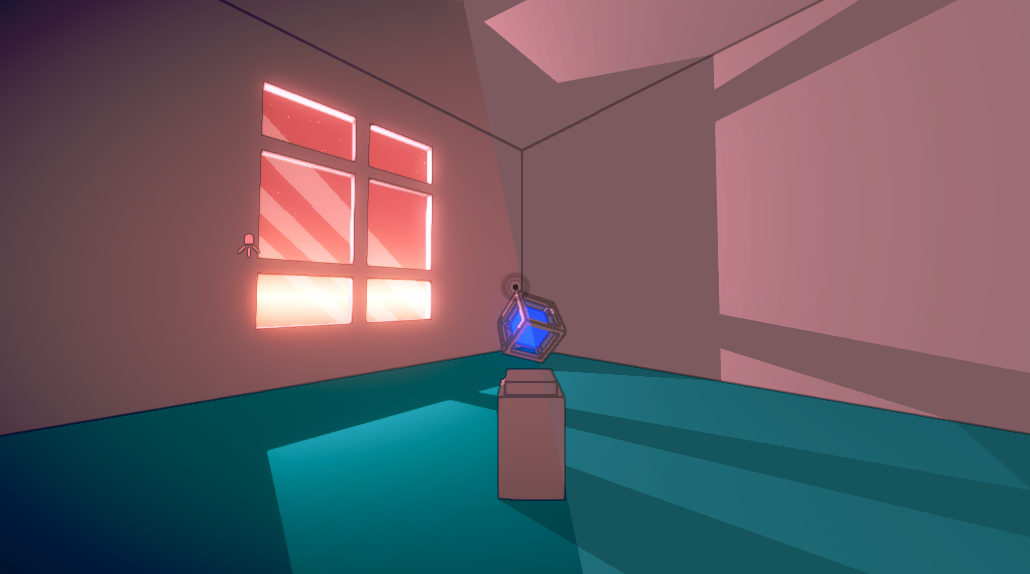
The Universal Render Pipeline (URP, previously known as Lightweight RP) uses an integrated Volume system for Post Processing effects, sometimes referred to as Post Processing V3 / PPv3. These effec…
 gritty folio
past linden
yo <@!357936113983291393>, i'm currently using your guide on Post processing usi...
gritty folio
past linden
yo <@!357936113983291393>, i'm currently using your guide on Post processing usi...
The blit should already work for scene view as well, as long as the Forward Renderer it is applied to is set as the default one on the URP asset
past linden
Ay thanks for the help, figured it out; It was the RenderPassEvent that i set (after post processing)
had to set it to something else
For some reason "AfterRendering" doesnt work in sceneview though 
 winter bone
hi
 queen nymph
post processing bloom effect doesn't seem to work with my URP project

how can i fix that ?
i am using about unity 2021
 final hazel
queen nymph
post processing bloom effect doesn't seem to work with my URP project
final hazel
queen nymph
post processing bloom effect doesn't seem to work with my URP project
are you using the volume component from the URP post process or the post process script from the standard render pipeline ? It can be confusing and I know I felt in the trap few times ^^
Also, I don't know if it's done with your picture, maybe did you forgot to assign the render pipeline asset to your graphics settings.
queen nymph
final hazel
are you using the volume component from the URP post process or the post process...
I tried both
queen nymph
final hazel
Also, I don't know if it's done with your picture, maybe did you forgot to assig...
i didn't forget
 urban plover
https://www.youtube.com/watch?v=ERA7-I5nPAU&t
I don't really understand how he get the pixelated look, if anyone know how he achieved this, please tell me.

Date of Recording: 2020-11-14
I took a bit of a break from the usual tech updates this week to record a making-of video detailing what it's like to create a scene from start to finish in the Unity-based pixel art game engine I've been developing.
I found some neat modifier stack tricks in Blender for creating procedural, non-destructive detail...
 cobalt minnow
This is like the third person who's come here asking how to do this. It's far too vague a question, and one that isn't a built in solution or easily achieved ... that person has put months into creating that look and is clearly an advanced technical artist. Try reaching out to them and asking for pointers on how they achieved it.
urban plover
I don't really have to know exactly. I just wanted how he got it pixelated, is it a setting where you can set the resolution or something?
cobalt minnow
Well, there's the A Short Hike approach where you render the camera to small texture, then upscale it to create a pixeled look. Not sure what's happening here though.
urban plover
ok thanks
 fallow sapphire
Are all the unity update available for free unity version ? because i try to get the 2020.1.8 and i only have these two
 bronze mural
fallow sapphire
Are all the unity update available for free unity version ? because i try to get...
bronze mural
fallow sapphire
Are all the unity update available for free unity version ? because i try to get...
If you want to get older version, there's a link to archive in the steps description text.
fallow sapphire
bronze mural
If you want to get older version, there's a link to archive in the steps descrip...
It was obvious, sorry and thanks !
 restive locust
hey guys. i cant get post processing to work :((
 fair night
restive locust
hey guys. i cant get post processing to work :((
fair night
restive locust
hey guys. i cant get post processing to work :((
Inactive you say
I don't think so
restive locust
fair night
Inactive you say
haha fair enough
restive locust
fair night
Inactive you say
so do you know where i should go from here?
fair night
You need to go into your project and create a post processing profile or whatever it's called
Create one in your assets
severe slate
do post processing volumes work in 2d?
restive locust
fair night
You need to go into your project and create a post processing profile or whateve...
ok i did that
fair night
If you open it, you should see that you can add effects from there
restive locust
fair night
If you open it, you should see that you can add effects from there
yep ik how to add the effects. but it doesnt change anything 😦
fair night
So in your scene you need a volume that is global
And that uses this profile
Haven't done it in a few months so if you could post that volume inspector that would be nice
restive locust
fair night
So in your scene you need a volume that is global
hmm it wont let my drag my profile in
fair night
Post the screenshot here
restive locust
 restive locust
fair night
Post the screenshot here
restive locust
fair night
Post the screenshot here
it wont let me drag my profile into that space
fair night
Click on that circle on the right of the field
restive locust
fair night
Click on that circle on the right of the field
the only ones that show up are the ones i accidentally made before by pressing the 'new' button
fair night
Eh, then use one of these lmao, and delete the other ones
restive locust
ok one sec haha
fair night
And by the way add a notable effect (like a strong vignette) and switch to game view
restive locust
ok i did it but it still wont do anything
restive locust
fair night
And by the way add a notable effect (like a strong vignette) and switch to game ...
yea thats exactly wot im doin haha
IT WOKRED
!!!!!
YAYYYY
restive locust
tysm ur a legend! ur always on here helping people :))
restive locust
fair night
What was the issue
idk it just started working when i deleted the others
 pulsar pebble
Hey guys, im struggling to implement glow on my emission map (for a player sprite sheet). i am following the brackeys tutorial for glow but when I input my sprite sheet Texture2D into a Sample Texture 2D node I get a stretched and completely ruined version of my sprite sheet. this is what it ends up looking like

I dont know if this is the right place to ask for help, but ive been trying to solve this for a few hours and i dont know what to do
would reallyyy appreciate any help
 charred wadi
when post processing = pp:

 serene adder
guys i added motion blur to my post processing volume and it doesnt work
like i cant see it
 cloud osprey
this grid started obscuring my view after i added post processing effects

how do i make it stop doing that
nevermind
severe slate
serene adder
guys i added motion blur to my post processing volume and it doesnt work
im not gonna help a person with that pfp
pulsar pebble
i respect it
serene adder
severe slate
im not gonna help a person with that pfp
i dont get it it's just a nice girl eating her food
cobalt minnow
Stay on topic.
 south sun
i don't assume there's a way to disable the flickering/moving of the film grain aye?
severe slate
hi how can i animate postPro properties?
 naive marsh

Unity Forum
So basically what I want to archive is a simple Camera Shake as a PostFX, Im only using the LensDistortion center value here to move the Image a bit.
I...
 low grotto
Anyone know how I can move layers in my post processing profile?
I just wanna change the order, but idk how to do that without deleting and remaking layers entirely
 spring nova
Pls halp
Post does not turn on for some reason

Camera has use post checkmarked
I have tried volumes, separate globals
I have no idea what is wrong
Everywhere selected post process layer where it should be
Yet nothing shows up
I can see FPS drops when i change settings so SOMETHING is happening
cobalt minnow
Is this using the package from the package manager?
cobalt minnow
Remove it entirely.
spring nova
Oh god
cobalt minnow
URP currently comes with PP built in. Use the Volume component.
If you use the v2 stack from the package manager, it won't work.
spring nova
One sec
done
Is there somewhere i can find analogous settings in URP?
k found docs
thx tho u ended my suffering
 uncut ocean
i'm trying to set up post processing, I've made a new layer and set up a profile (doing bloom), the material has emission enabled with high HDR intensity, the object with said material is in the post processing layer and has the post processing volume component, the camera has the post processing component with itself as the trigger and the post processing layer as the layer... it is still not showing, is there anything I may have missed?
i'm a noob at this and this is my first time trying post processing so ye
uncut ocean
(I'm using the standard 3D one)


 mortal drift
 still vessel
before post processing
still vessel
before post processing
looks good, does the first one have chromatic aberration?
still vessel
mortal drift
looks good, does the first one have chromatic aberration?
yes, not much
 cerulean torrent
What the f is wrong with urp post processing? It just doesn't work
cobalt minnow
Make sure you're not installing the one in the package manager.
URP comes with it built int Use the Volume component.
bronze mural
And what version are you on?
2021.2 added an extra step to activate post processing that has to be toggled on the renderer's post processing asset
cerulean torrent
bronze mural
2021.2 added an extra step to activate post processing that has to be toggled on...
I'm on 2021.2
cerulean torrent
cobalt minnow
URP comes with it built int Use the `Volume` component.
Yes I realized that midway and now I'm trying my hand at the urp postFX
bronze mural
look at the URP assets, one of them has post processing toggle now
cerulean torrent
It worked at one moment when I made a new profile while the game was running
But I can't even repeat that now
cerulean torrent
bronze mural
look at the URP assets, one of them has post processing toggle now
Yes it's toggled
bronze mural
Additional step for the URP Post Processing in 2021.2.
 cerulean torrent
cobalt minnow
This was for bloom, but it applies here anyway.
cerulean torrent
cobalt minnow
This was for bloom, but it applies here anyway.
That is what I did
cerulean torrent
bronze mural
Additional step for the URP Post Processing in 2021.2.
Yep
cobalt minnow
Did you remove the package manager version? It can't be in your project.
cobalt minnow
Dunno, try on a fresh project. You're doing something wrong, somewhere.
bronze mural
Besides that extra step, QuickStart in the manual should be on point on how to make URP Post Processing work. (pinned here)
cerulean torrent
Got it, forgot the volume mask in the camera 😩
bronze mural
Pinning it while it's not in the manual yet.
 gleaming estuary
how do I do post processing
cobalt minnow
gleaming estuary
how do I do post processing
There's guides pinned to this channel. Alternatively, you could just find a video tutorial.
 bleak onyx
When I use the PostProccessing stack and add a layer + profile and add the effect of vignette, i can see the effect in the editor/scene view but not game view during play or none play
I do have the layer of the camera set to the layer of the profile.
I have absolutely no idea what RP im using, im using the one that gives u default when creating 2d project
severe slate
Oh nice the internet is segmented
gritty folio
This isn't really correct for more up-to-date versions of URP. The Post Processing package is only supported in v7.x versions.
v8+ (Unity 2020 onwards) instead has it's own system, which is that other "Volume" script in your image. The page here goes through setup : https://docs.unity3d.com/Packages/com.unity.render-pipelines.universal@11.0/manual/integration-with-post-processing.html
severe slate
yeah you are correct, I'll delete that maybe repost later
Oky got it
⚡ HOW TO ADD POST PROCESSING TO YOUR UNITY URP PROJECT
- Window -> Package Manager. Then for Packages select Unity Registry
- In the list, select Post Processing and Install it.
- In your scene and hierarchy, right-click and add Volume -> Global Volume.
- In your object Global Volume -> Profile, click on NEW.
- Then click on ''Add Override'' to add any desired effect.
NOTE: If you want something global for your entire project instead of something unique per Scene (game level), you could also manually create a Volume Profile for your Post Processing Volume. With the Volume Profile and can add all the Post Processing effects that you need for your game project. And then link that Volume Profile to your Global Volume (post processing) instead of doing step 4 and 5.

 pseudo spade
Hello hello,
Does anyone know if it's possible to re-arrange the order in which post-processing effects are applied? I'm trying to make a night vision effect in HDRP by using a volume with a color adjustment override. Then I increase the post exposure, crank the contrast, and change the color filter to what I want. Unfortunately the color filter doesn't filter out all colors, as is shown in this snippet using a red point light:
The problem is that I would like to desaturate the view first and then apply the color filter, but I can't seem to get that to work. The desaturate effect seems to always happen after any other color correction effect, rather than before.
 pseudo spade
Alright, I was actually able to get around it by utilizing Color Curves rather than Color Filter. Color Curves seem to happen after the image is desaturated, which is what I want.
 nocturne citrus
post proccessing just doesnt work. ive added global volume with profile and overrides and selected bloom and set the intensity to 100 to see if it works. i clicked on the post processing box in the main camera.
severe slate
Works here
severe slate
Hey! I'm using a package from the asset store, and it uses a post processor, but it keeps giving me this error (4 times for one script) And there doesnt seem to be any answers online, anyone seen it before?


Im gunna be honest, I'm clueless with this, it could be something very obviously, the package may be outdated and it may just be a word change although I would have no clue
 buoyant galleon
severe slate
Im gunna be honest, I'm clueless with this, it could be something very obviously...
buoyant galleon
severe slate
Im gunna be honest, I'm clueless with this, it could be something very obviously...
What package? But yeah looks like a version issue
severe slate
buoyant galleon
What package? But yeah looks like a version issue
It was the amazing flooded grounds one! I thought it would be, I’ve decided to instead learn into the unity built in post processing although if I could somehow fix that I would be a happier guy haha
buoyant galleon
severe slate
It was the amazing flooded grounds one! I thought it would be, I’ve decided to i...
Yeah I'd just straight up remove whatever postpro package that one came with and re-download from package manager or wherever
severe slate
buoyant galleon
Yeah I'd just straight up remove whatever postpro package that one came with and...
Alright I will try, thanks!
nocturne citrus
Post Processing is currently disabled on the current Universal Render Pipeline renderer
what does that mean?
severe slate
Check your main camera, is Post Processing unchecked
severe slate
Hello, I just need to know what is wrong. I'm trying to achieve what you can see on the left (my scene view), but I am getting this on the right (my game view). How do I fix this?

I'm using the default PostProcessing package and default 3D scene (no URP, HDRP or anything else)
cobalt minnow
@unique stirrup No crossposting please. This is a #archived-lighting topic.
 unique stirrup
Sorry I ddn't know where to upload it 😅
severe slate
severe slate
Hello, I just need to know what is wrong. I'm trying to achieve what you can see...
Anyone?
unique stirrup
Sorry, I don't know
 lost lily
Someone help why cant postprocessing work? i set up PP layer and PP volume as it should, i made a specific layer etc. help
bronze mural
Need to mention what render pipeline. There are also guides pinned in this channel.
bronze mural
Only step that it not described in the manual for now is you also need to make sure that it is toggled on Render Data asset as well. (In Unity 2021.2)
lost lily
bronze mural
Only step that it not described in the manual for now is you also need to make s...
i use 2020.3, should that be a matter?
bronze mural
I think the toggle wasn't there yet in 2020.3, can always check
lost lily
okay
bronze mural
So just toggle on the camera, make sure it's global and set any visible effect.
 ornate falcon
Need a substitute for Unity's bloom. Its performance is too bad for my mobile game
I also can't use 'fast mode' when setting up the post processing because I'm using URP
I tried some substitutes on the asset store but none had the same quality as unity's bloom

 late dagger
im pretty new to unity so im not sure if this is a post processing thing but how do i change the render from this

to this

as in, limiting the render to a select color palette
 mighty stump
late dagger
as in, limiting the render to a select color palette
mighty stump
late dagger
as in, limiting the render to a select color palette
This is called color quantization, and is usually done with shaders or on the render pipeline rather than post processing
You can use post processing to get a similar effect using color LUTs, however
Simple as doing the color effects on a neutral LUT

Side effect is that the color regions won't ever be perfectly crisp because LUTs will always do some interpolation from what I can tell
severe slate
Hi, I have the feeling that the post processing settings aren't changing anything in my scene. Any help?
 jovial cape
severe slate
Hi, I have the feeling that the post processing settings aren't changing anythin...
jovial cape
severe slate
Hi, I have the feeling that the post processing settings aren't changing anythin...
You have to show what you did for the post processing
You need to give more information
what rendering pipeline is it, send a screenshot of the post processing settings, etc.
 narrow sail
Anyone open for help?
marsh frigate
narrow sail
Anyone open for help?
Just ask your question.
narrow sail
so I already use post processing in my game.I wanted to have fire in my game so I made fire but because of post processing I already use I cannot make colors and glow look real.How can I have my post processing options same and change fire to actually look like fire.
idk if you get what Im trying to say
narrow sail
anyone know how to make fire look good and keep my post processing settings
 naive zodiac
How can I deal with the skybox looking washed out/overexposed with color grading, when without color grading it looks as intended? I'm using: post processing stack v2, built-in renderer, Unity 2019 LTS. Any help is appreciated 🙂
jovial cape
narrow sail
anyone know how to make fire look good and keep my post processing settings
You need a good fire shader
and you want some bloom in the post processing
 lavish venture
uhh waht is postprocessing exactly anyways
cobalt minnow
It's the process of applying screen effects in post (right before you render it to the viewer).
Hence the name "post-process". Things like vignette, bloom, colour grading etc.
severe slate
i was wondering how i could add a more metalic look to every object in unity (sorry if this is the wrong place to ask)
mighty stump
severe slate
i was wondering how i could add a more metalic look to every object in unity (so...
It's not really related to post processing, but if your objects are 3D meshes you can make a new material with full metallicness value and assign that material to your meshes
buoyant galleon
ornate falcon
I tried some substitutes on the asset store but none had the same quality as uni...
I develop an asset that works very well on mobile but you will never find an asset that looks perfect and performs perfect. You have to pick what you want, maximum performance or quality
buoyant galleon
naive zodiac
How can I deal with the skybox looking washed out/overexposed with color grading...
Any inspector before/after screenshots?
 tall saffron
Has anyone gotten gaussian blur working in URP 2D? Bokeh works fine but I can't find the mystical combination of settings that causes gaussian to actually do anything to the rendered image
mighty stump
 plucky lodge
how do i add volume to post processing
plucky lodge
how do i add volume to post processing
Did you look at tutorials/documentation how to implement post processing using volumes
plucky lodge
yes
but if i right click on the hierarchy i dont get the option volume as shown in the tutorial
maybe bc its an older version?
the tutorial
mighty stump
What rendering pipeline is your project on
mighty stump
URP, HDRP or built-in RP
mighty stump
Well, normally it's a choice you make when picking a project template
Volumes are for URP and HDRP
If you're lacking the option, you're probably on built-in RP
mighty stump
Render Pipeline dictates what technology the project uses for lighting and shaders
plucky lodge
ah ok but can i switch to URP?
mighty stump
Make a new project with the URP template or follow this guide to upgrade your existing project
https://docs.unity3d.com/Packages/com.unity.render-pipelines.universal@11.0/manual/InstallURPIntoAProject.html
plucky lodge
oh alright thanks:)
so if i follow that then i switch to urp but dont loose my project right?
like it will be switched to URP
mighty stump
It's recommended you back up your project always before making big changes like these
But it won't delete your stuff or anything
It's just sometimes hard to know if the assets you have will be compatible with the new RP
plucky lodge
alright thanks a lot
ive fixed it and it works thanks a lot!!!
@mighty stump hey sorry bothering you again i have another question haha
so i have this but i have the asset

and its also free
so yeah maybe yk how to fix it?
mighty stump
plucky lodge
so yeah maybe yk how to fix it?
Not sure
Seems like a vague credentials issue
Restarting everything would be the first step, then confirming that login is okay in unity hub
If it persists after that you could google the error to see what others have tried
plucky lodge
What? i just opened unity again and got this out of nothing

how can i fix it
i cant see a way to
and im not even using that font in the current scene
mighty stump
plucky lodge
What? i just opened unity again and got this out of nothing
Not really related to post processing either but it's a warning, not an error
If it doesn't break anything you don't need to worry about it
 rocky onyx
Not sure if i should ask here but. I'm making a simple underwater effect with PostProcess.ColorGrading
Just gonna play with the temperature and brightness value
When the camera goes inside a water body, it'll calculate the:
- Dot value. Comparing the water center pos - camera to camera.forward
- Dot value like above, but against global.down
- Pos of camera compared to depth to the bottom of the water
- Pos of camera compared to global y position (i guess makes more sense for underwater caves with waters)
- Pos distance of cam to center of water body
I'll have a few kinds of water body. Lava and clouds are also "water body". So the water body will hold the values for min/max temperature/brightness, with AnimationCurves
Water body for Sea will use #2 and #4
Clouds will use #1 and #5
And so on. Maybe
Anyone have done something like this before? And is this a good/bad approach?
mighty stump
rocky onyx
Not sure if i should ask here but. I'm making a simple underwater effect with Po...
What are you using all those calculations for?
 agile saddle
plucky lodge
so i have this but i have the asset
agile saddle
plucky lodge
so i have this but i have the asset
Make sure you haven't hidden the asset on the asset store.
rocky onyx
mighty stump
What are you using all those calculations for?
To see where the camera is/direction compared to the body of water
Its working pretty well. Just having a bit of problem with when transitioning from multiple body of water. But whatever, its indicative enough right now
mighty stump
rocky onyx
To see where the camera is/direction compared to the body of water
What are you using this data for
Am I missing something obvious
rocky onyx
To calculate the final PP values
 bright hearth
I'm having a weird issue since I changed my skybox from default to a material based on a shader I wrote. I've graduallyt narrowed it down to the volume profile in the scene. It has Bloom turned on, and it's causing massive blown out bloom. I can mess with the bloom settings and get it to disappear etc, but what's going on?
It seems to be originating at the horizon, and showing on the ground plane and over the sky (I've turned it right down here, and tinted it blue)
 naive zodiac
buoyant galleon
Any inspector before/after screenshots?
naive zodiac
buoyant galleon
Any inspector before/after screenshots?
Hi, sorry for the late reply! Above screenshot is with postprocessing on and below is off (I had to decrease the skybox exposure with postprocessing on or else it would've looked too washed out)
 buoyant galleon
naive zodiac
Hi, sorry for the late reply! Above screenshot is with postprocessing on and bel...
buoyant galleon
naive zodiac
Hi, sorry for the late reply! Above screenshot is with postprocessing on and bel...
Weird, would be interested to see your inspector settings. Looks to be a tonemapping issue most likely
mighty stump
naive zodiac
Hi, sorry for the late reply! Above screenshot is with postprocessing on and bel...
I don't really know, but my best guess is that enabling tone mapping also enables filmic color space which makes things look washed out until it's offset with tonemapping settings
naive zodiac
buoyant galleon
Weird, would be interested to see your inspector settings. Looks to be a tonemap...
sure, here you go:
 naive zodiac
mighty stump
I don't really know, but my best guess is that enabling tone mapping also enable...
naive zodiac
mighty stump
I don't really know, but my best guess is that enabling tone mapping also enable...
yeah I think it being a screenspace effect, everything on screen is affected and probably not that simple to just ignore the skybox, if that's even possible. I guess my best course of action now is just keep tweaking the color grading until it looks less washed out or modify the skybox in an image editor to offset the effect
buoyant galleon
naive zodiac
sure, here you go:
Increasing gain will contribute to a washed out skybox, gain = the higher/brighter parts of the image
 rocky ridge
naive zodiac
Hi, sorry for the late reply! Above screenshot is with postprocessing on and bel...
rocky ridge
naive zodiac
Hi, sorry for the late reply! Above screenshot is with postprocessing on and bel...
Without post looks way better imo
With post it looks way too vibrant and non realistic imo
severe slate
Unity Forum
I'm getting some strange flickering from the ambient occlusion effect in the PostProcessing stack.
[IMG]
(If the image doesn't load, here is a link:...
See 3rd comment
@gloomy coyote
 molten hornet

 brazen crescent
Hey, I'm having an issue with an edge detection post process, on windows it looks great (first image), just the way I want it to be, both depth and normals create outlines. But on linux and webgl (possibly mac too) the outlines don't seem to get the normal data, it looks like they're made from just the depth (second image). I'm using the built in pipeline. This is the outline post process I'm using: https://github.com/AGM-GR/EdgeDetection

GitHub
Edge Detect / Outliner for Unity Post-Processing Stack v2 - AGM-GR/EdgeDetection
 severe slate
How do you add this Edge Detection post processing effect to the URP?
I already have post processing that works.
But Im not able to use this effect. Even when I try to add a Post Processing Volume that detects this Effect. It just doesn't work on screen
brazen crescent
severe slate
How do you add this Edge Detection post processing effect to the URP?
I'm pretty sure you have to use a pretty old version of URP to use custom effects in ppv2, or just this effect doesn't work on urp
¯_(ツ)_/¯
Also they say on the github that you should use Edge Detection (Before Stack) for SRP's so maybe it does work actually?
severe slate
Too bad.
rocky ridge
brazen crescent
I'm pretty sure you have to use a pretty old version of URP to use custom effect...
URP is production ready 🤣
brazen crescent
brazen crescent
Hey, I'm having an issue with an edge detection post process, on windows it look...
Alright I fixed that, the issue wasn't the effect itself, but the default unity unlit shader. Apparently, it just doesn't include normal information in build (it works in the editor for some reason), so I had to write a custom unlit shader:
https://hastebin.com/ofebagubux.properties
Now the outlines work fine on all platforms (hopefully!) 
 solar mauve
Hello im having an issue where in the editor (left) my game looks fine, but on building and running the game on my phone the game has this weird green/blue effect, i figured this could be something to do with the bloom post processing but i'm not sure, i appreciate any help. I am using the URP.

 wicked wing
mighty stump
Volumes are for URP and HDRP
If you're lacking the option, you're probably on bu...
wicked wing
mighty stump
Volumes are for URP and HDRP
If you're lacking the option, you're probably on bu...
I think volumes are also for the post processing stack on builtin if you install the post processing package, aren't they?
mighty stump
wicked wing
I think volumes are also for the post processing stack on builtin if you install...
Yea I think it has a system like that too
Never used the stack though
 severe sigil
Anyone here modified there Volume coponent with code before in URP,when i change the values for like motion blur it doesent take affect in the scene but in the inspector i see it change
wicked wing
@severe sigil How are you testing whether it's taking effect? Sometimes the effects can be subtle so you might not notice if it changes
severe sigil
I literally check in the inspector and the value(Intensity goes up)
But when i edit the effect after its changed in code it doesent work anymore
wicked wing
Does changing the value in the inspector without first changing it in code work while the game is running? Yesterday I was being trolled by changing some HDRP volume setting and it not updating in the world while the game was running, and I wasn't even trying to change anything through code
@severe sigil
severe sigil
I can change valuesfine before it executes in code
wicked wing
🤔
severe sigil
So i have no idea whats wrong
wicked wing
solar mauve
Hello im having an issue where in the editor (left) my game looks fine, but on b...
Try disabling post processing and running it on the phone again and see how it looks. That'll give you a starting point at least
wicked wing
severe sigil
So i have no idea whats wrong
Indeed, that's very confusing. I'd love to start a new project and see what results I got on my end but I need to go to bed cuz I would prefer to be awake tomorrow for work. It was snowing here this morning so I was up early to look at the snow 💤
severe sigil
Like i want to increase motion blur for when i like gain speed on the ship for example
 wicked wing
severe sigil
Like i want to increase motion blur for when i like gain speed on the ship for e...
wicked wing
severe sigil
Like i want to increase motion blur for when i like gain speed on the ship for e...
Yeah and that's a completely legit reason to change the values. I've never done that so I can't really offer any more suggestions off my head 😦
severe sigil
Nah its fine for trying to help 🙂
 wicked cedar
Hi everyone,
anybody an idea how i can keep Depth of Field from Post Processing to blur the skybox? It looks really weird
 mighty stump
wicked cedar
Hi everyone,
anybody an idea how i can keep Depth of Field from Post Processing ...
mighty stump
wicked cedar
Hi everyone,
anybody an idea how i can keep Depth of Field from Post Processing ...
Perhaps render the sky using another camera stack layer, if you're on URP
More importantly, isn't this the expected result?
From the looks of it your DoF is blurring things that are far away
The sky is really far away
wicked cedar
i am on HDRP and yes from a technical perspective it is correct but somehow it "feels wrong" right now
mighty stump
On HDRP camera stacks don't work great, but Custom Passes might be the solution https://youtu.be/vBqSSXjQvCo
Still, I implore you to reconsider the effect from a design perspective
By excluding the sky it'll still look weird when distant objects are blurry against a sharp sky
wicked cedar
hmmm maybe i should just scrap the DOF. doesn't seem to add much to the feel
 sleek cairn
Hey there! Does anyone know of a simple Gaussian Blur effect? The effect suggested in this (https://forum.unity.com/threads/legacy-blur-for-post-processing-stack-v2.488222/) forum post works in the editor, but not in a Windows build. The console output just says "Invalid Shader"? I've attached the blur effect script and shader, as well as the error message in the zip file. Thanks!
Unity Forum
Hey everyone,
I couldn't find much info on a blur effect for the new stack so I've converted the old 'Blur (Optimized)' image effect over to work with...
 sleek cairn
Fantastic! Thanks so much!
@idle citrus Can't find a simple Gaussian blur effect though?
severe slate
Isnt there already a gaussian blur effect in URP
 idle citrus
Homey got 642 repos all of which are if not perfect damn close...no find("camera"); awful js ports
sleek cairn
severe slate
Isnt there already a gaussian blur effect in URP
Hmm, does it work with the post processing stack? Can’t seem to find it online?
 sharp whale
How can I enable anti-aliasing in the scene view?
mighty stump
sharp whale
How can I enable anti-aliasing in the scene view?
Never seen a working solution to this
In built-in RP people say AA works once you configure it through post processing stack
 exotic coyote
Hi! I need some help with setting up post processing -- what components should I be adding, where, and what layer should things be in? I dont have a game itself yet, just a small 'mock-up' start screen, made with text.

 mighty stump
@exotic coyote http://docs.unity3d.com/Packages/com.unity.postprocessing@3.1/manual/index.html here's the instructions
exotic coyote
mighty stump
<@!562275559082557440> <http://docs.unity3d.com/Packages/com.unity.postprocessin...
I supposedly did everything, but I guess sometimes went wrong because it’s still not showing—
exotic coyote
Am I doing something wrong here?

I think it has something to do with applying post processing to canvas -- but I could be wrong. Any help is appreciated,,
mighty stump
exotic coyote
I think it has something to do with applying post processing to canvas -- but I ...
Have you tried getting it to work on anything except the canvas?
Normally UI is excluded from post processing
Looking at your configuration
Vignette intensity of 0 means it won't show up
Bloom threshold of 1 means most lights won't cause any bloom
exotic coyote
mighty stump
Have you tried getting it to work on anything except the canvas?
Just tried applying it to a 2d square separate from canvas, still nothing;;
For canvas, I set the render mode to "Screen Space - Camera," and set its render camera to "Main Camera" (which was something I saw online while researching)-- are the effect settings the problem here? I'm trying to make the screen look "retro"-- like an old TV effect.


 mighty stump
exotic coyote
mighty stump
exotic coyote
Your lens distortion effect has "off" button selected
So did both of your previous Overrides, looking at them
Your Post Processing Volume component is disabled entirely
exotic coyote
Ohh alright, thank you so much!
pine breach
Anyone know why this is happening? look at the yellow/orange glowing shot. It gets masked by the asteroid and the earth for some reason:

i have 2 cameras. one main Orthographic. And one Overlay with perspective.
think i figured it out. i switched the camera projection. so the overlay is the orthographic.
severe slate
anyone know what extra settings the URP Test scene comes with? my terrains and lights and post-pro are all the same. yet looks completely different


some hidden ACES setting or something
tall saffron
severe slate
anyone know what extra settings the URP Test scene comes with? my terrains and l...
did you bake your lighting?
 merry token
hii
I'm need for some help..
I have a custom post processing effect. I'd like to turn it on or off in runtime using another c# class, but the effect (Recolor in this case) doesn't inherit VolumeComponent like the examples shown in the documentation..
(it actually inherit the CustomPostProcessVolumeComponent, but TryGet<> doesnt seem to handle it)
tall saffron
merry token
(it actually inherit the CustomPostProcessVolumeComponent, but TryGet<> doesnt s...
can you just adjust the weight of the VOlume itself?
severe slate
tall saffron
did you bake your lighting?
No, both dont have baked lighting. It must be a project setting.
severe slate
Ok changing the Rendering Color Space from Gamma to Linear worked
mighty stump
severe slate
Ok changing the Rendering Color Space from Gamma to Linear worked
Glad you sorted it out!
Almost impossible to keep track of all the settings
severe slate
@mighty stump yeah theres a lot xD
but unfortunately it costs too many frames, and our project is for android so that isnt an option anyway anymore 😛
 sharp rain
How the heck do i setup something like post-processing O-o
this stuff looks damn Scary o-o
mighty stump
sharp rain
How the heck do i setup something like post-processing O-o
Pinned messages have a lot of resources and instructions
Memes are not considered appropriate here
sharp rain
memes my ass, it was " . _ . "
 somber bronze
I'm trying to make a game that uses the bloom effect, after i opened up the URP and deleted everything to start from scratch i got this error
 merry token
tall saffron
can you just adjust the weight of the VOlume itself?
merry token
tall saffron
can you just adjust the weight of the VOlume itself?
yeah.. i solved it by looking through the list by the name. not the best but it works
mighty stump
somber bronze
I'm trying to make a game that uses the bloom effect, after i opened up the URP ...
Vague editor errors usually go away with a restart
If not, I have to wonder how much stuff did you delete 😅
mighty stump
somber bronze
So maybe that’s why
Is some feature broken or is it just a random error?
somber bronze
Just random error
somber bronze
i started a new project and this time i just placed the files in one folder
but now that i gave the project some bloom im trying to give it also some texture to the ground
but the bloom is making everything glow when i want it to just affect the ball
 mighty stump
somber bronze
but the bloom is making everything glow when i want it to just affect the ball
mighty stump
somber bronze
but the bloom is making everything glow when i want it to just affect the ball
Is the ball supposed to emit light and glow because of that?
Or does the bloom need to be limited to the ball just because
Both are possible options but the process is different
@somber bronze I'm going to sleep so here's both options:
- Make the material emissive. Increase bloom threshold until scene is no longer glowing. Increase material emission intensity until material is glowing.
- Put your object on its own layer. Disable this layer from your main camera and make another identical camera that has only that layer enabled. Render them on top of each other. The exact process varies by Rendering Pipeline. In URP it's goes by name "camera stacking".
somber bronze
Hmm gotcha
I’ve also tried the Post Processing thing but it doesn’t even affect anything so I’ll try that again thanks!
 rancid birch
Hi guys , I have a question, that when I plan to implement a new effect, should I choose the custom pass or the custom post process?
buoyant galleon
rancid birch
Hi guys , I have a question, that when I plan to implement a new effect, should ...
What effect are you trying to implement? In general Custom Post Process is best for most PostPro
 tribal sandal
Unity 2021.1.5 post processing is not working. Help
bronze mural
tribal sandal
Unity 2021.1.5 post processing is not working. Help
Make sure you go through all instructions on how to activate it pinned here. Additionally there's now a toggle on the renderer itself. It might be off if project was upgraded.
tribal sandal
Im using standard render pipeline. Volume layer is set to everything. Target is current camera. Weight is 1. Is global - true.
Neither vignette nor bloom are not working
bronze mural
Standard uses old postprocessing package.
tribal sandal
Oh and I have custom bloom script. It is working ONLY in scene view when post processing is off
bronze mural
How to use it also pinned here.
tribal sandal
bronze mural
Standard uses old postprocessing package.
3.1.1
 coral spoke
hello
im trying to set up post processing in the built in renderer
ive followed the steps exactly
but im not seeing any actual effect in my scene or game view
 bronze mural
@coral spoke There's a link pinned for PPS V2, make sure you are using correct components, there's a Getting Started guide.
 hushed cedar
how do you change post processing effects using scripts?
for examplw how would you add chromatic aberration to your stack?
bronze mural
Just like anything else. It's an object you access. Lookup in the manual (pinned here) what properties to access and how.
 tired rose
Anyone available to help troubleshoot?
I can't get any post processing to work at all
bronze mural
There's a guide pinned top right.

 torpid wing
Hi, I was wondering if there is any way to get antialiasing of some sort in the Scene tab, just to make it look better. Is that possible?
 brittle tartan
how to make a main camera post process
mighty stump
brittle tartan
how to make a main camera post process
Guides are in pinned messages
 split bay
Anyone know why my post processing effects aren't working? I've been following every step from like 3 entire tutorials on it and I feel like I'm still missing something. I have the newest versions of URP and Post Processing

What I did:
- Create a new layer for post processing
- Add "post processing layer" to main camera, and assign the layer from 1) to it
- Check the "post processing" mark on the camera component
- Add a new post processing profile (like bloom) and make it global
- Add this profile to the main camera (I also tried it with seperate gameobjects)
Anything i skipped or missed?
bleak kelp
You are trying to use the Post Processing v2 on URP, which doesn't work.
Post Processing v2 only works on the Built-in Render Pipeline
The URP has its own Post Processing system on it
1 - First, remove all related components (Post Processing Volume, Post Processing Layer, Post Processing Debug) from your Game Objects
2 - Then, remove the the Post Processing v2 on the Package Manager
Now your project will have only URP and its own Post Processing System (Volume).
- On the Camera: After that you can enable the Post Processing on your Camera and on Volume Mask set it to use the Post Processing Layer.
- On a new Game Object: Add the "Volume" Component (only Volume, not Post Processing Volume) and assign the Post Processing Layer for that object.
This is the component used for URP PP
Note that your Camera should have the PP Layer on the Volume Mask parameter, not on the game Object Layer (only if you do not want to create a new Game Object to control your Volumes, but this is a good practice to have it separated from the Camera)
@split bay
split bay
On it! Thank you, I'll try it out right now
It's working! Thank you again for the write up, I was really lost here
much better

 strange grail
well done I like it
 fickle gate
- gpu instancing for materials
- object batching
- mark objects that wont move as static
- use DOTS
bleak kelp
This would be a better question to do on #archived-hdrp. If it is indeed related to post processing, note that the Built-In and URP Volume effects might work different on each pipeline depending of the effect (usually URP PP effects are more performance oriented, so it might not be the case).
idle citrus
is there a way i can make my game look more better instead of less good
mighty stump
idle citrus
is there a way i can make my game look more better instead of less good
https://youtu.be/nvbQ9_bzx1k could try this
I'm sure there's a lot of tips and tricks around for even as broad of a question as that
idle citrus
i have looked, i admit this was a bit of a hail mary
 zinc oasis
It sure would help if you can first identify the source of the problem that makes your game look less good.
narrow sail
hi, I need help
I am using post processing on first person character camera, I want to make fire particle but colour looks very weird because of post processing but I dont want to change settings of post processing, how can I keep my settings and have fire colour look good?
 dapper relic
Hi guys! I'm trying find a way of implementing tilt shifting like in TinkerTown game https://twitter.com/tinkertown
What i want is to have not just blur effect less in center and greater near screen borders, but blur image also depending on object's position.
I have noticed that in this game ground blured depending on Y screen position only and blured smoothly, but for example tree blured not smoothly because it "standing" on a ground.
I thought about to write custom post-processing effect which will take custom buffer (filled by any object, which want custom blur) and use it like a mask for common gaussian blur effect.
But i'm using URP 2D and unity 2020.x because of DOTS compatibility limitations, and in 2020.x URP 2D has no render features (which are released in some 2021.x AFAIK). I don't know ways to write such a custom post processing without render features.
Also i can write simple gaussian blur effect in shader graph and use it for each sprite which want be blured, but all those sprites needs to be in transparent mode and i think such approach can lead to performance problems even for PC. So i think using post processing in this case are more suitable but i don't know how.
I will be glad to any advice, links to threads/posts/articles !

Gather your friends and come to Tinkertown - A refreshing new Multiplayer Sandbox Experience.
Join us on Discord: http://discord.gg/TqWMkVU
Tweets
216
Followers
785
 Twitter
 vernal aurora
Hello could anyone help me with set up for post processing ?
I been looking at shit ton of stack overflow posts, youtube videos and comments
but nothing seems to work
here's how far I got:


Main Camera has Volume layer


Sorry for so many screenshots I am just starting to lose hope at this point
Tag me if you have even a small hint or smth
 mighty stump
vernal aurora
Hello could anyone help me with set up for post processing ?
mighty stump
vernal aurora
Hello could anyone help me with set up for post processing ?
You seem to be mixing URP's post processing volumes and Post Processing Stack volumes, which are entirely two different systems
vernal aurora
mighty stump
You seem to be mixing URP's post processing volumes and Post Processing Stack vo...
How could I fix this?
mighty stump
vernal aurora
How could I fix this?
use only URP volume system if you're on URP, PPStack if you're on built-in
Pick one and follow a setup tutorial
vernal aurora
mighty stump
use only URP volume system if you're on URP, PPStack if you're on built-in
Pick ...
Okay thanks
vernal aurora
Oh shit it finnaly works!!!!!!!!
I though I gonna shit my pants from all this happens after fixing something, I been trying to fix for all weekend
thank you soo much bro
 olive bone
Guys show me your scene with post processing, looking for inspiration
I will stand and clap in return
 tardy steeple
So the problem is the car has some kind of artefacts rendered or like flickering when it reaches a high speed
I thought it was motion blur but i removed it and the problem still persists
mighty stump
tardy steeple
I thought it was motion blur but i removed it and the problem still persists
Looks like some kind of temporal artifact, perhaps from TAA
If it's TAA, I don't know why it follows the car even if it stays stationary in relation to screen
tardy steeple
mighty stump
Looks like some kind of temporal artifact, perhaps from TAA
If it's TAA, I don't...
I have applied a default high msaa anti aliasing
Ill try disabling that
severe slate
Do I need to do this in hdrp or can I use the default 3d game for post processing?
cobalt minnow
All pipelines support post processing.
severe slate
Ah ok now I gotta figure this crud out
Idk how to get the post processing file thing I see everyone witb
@ me to send help or a tutorial ima start looking
cobalt minnow
They're pinned in this channel.
severe slate
ok thanks!
@cobalt minnow i mean like it takes me there but where do i download the asset?
cobalt minnow
Depends. URP for example has it built in using the Volume component. The original pipeline (Built-In), requires you to download it from the package manager.
severe slate
cobalt minnow
Depends. URP for example has it built in using the Volume component. The origina...
what do i search for in package manager?
cobalt minnow
"Post Processing" would probably be a logical start.

 cobalt minnow
Yes, which is used with the original built-in pipeline.
severe slate
ah ok if ya say so

see it shouldt work
ye its not working
send help
@cobalt minnow
 cobalt minnow
Is your cameras rendering Deffered + HDR as it says?>
I'm not really invested in this though, I'm on a work call.
severe slate
 severe slate
cobalt minnow
I'm not really invested in this though, I'm on a work call.
severe slate
cobalt minnow
I'm not really invested in this though, I'm on a work call.
oh sorry
cobalt minnow
Make sure you're using HDR. This doc tells you where to do that for each of the pipelines:
https://docs.unity3d.com/Manual/HDR.html
 severe slate
cobalt minnow
Make sure you're using HDR. This doc tells you where to do that for each of the ...
severe slate
cobalt minnow
Make sure you're using HDR. This doc tells you where to do that for each of the ...
im confused
what camera settings do i need?\
thx @cobalt minnow i figured it out 🙂
nm
crud
 severe slate
is there a way i can make 2D bloom effect pixel perfect?
mighty stump
severe slate
is there a way i can make 2D bloom effect pixel perfect?
"upscale render texture" option in pixel perfect camera takes care of that
mighty stump
severe slate
it required me to convert movement to pixels but i managed to do it
Pixel perfect camera normally snaps all sprite movement to pixels
bronze mural
@silent magnet Don't cross-post.
 silent magnet
Sorry
bronze mural
@silent magnet #archived-shaders was the correct channel.
silent magnet
Yea but i dont think it was a problem, i just think thats how unity is
bronze mural
@silent magnet Fresnel is visible only on smoother rounded shapes. That's the nature of the effect.
silent magnet
Yea
 gray goblet
how can i make just one layer to glow in URP
bronze mural
gray goblet
how can i make just one layer to glow in URP
PP is a camera effect. You need a separate camera to render effect for separate things.
gray goblet
bronze mural
PP is a camera effect. You need a separate camera to render effect for separate ...
do you know good tutorials about it
i tried by myself but i didin't got it work
bronze mural
@gray goblet The pinned manual in this channel has a guide explains how to use multiple cameras among other things.
 ember acorn
idk if i should ask this here, but my game looks way too ugly, how could i make it more appealing without needing any shaders, because idk how to use them yet
bronze mural
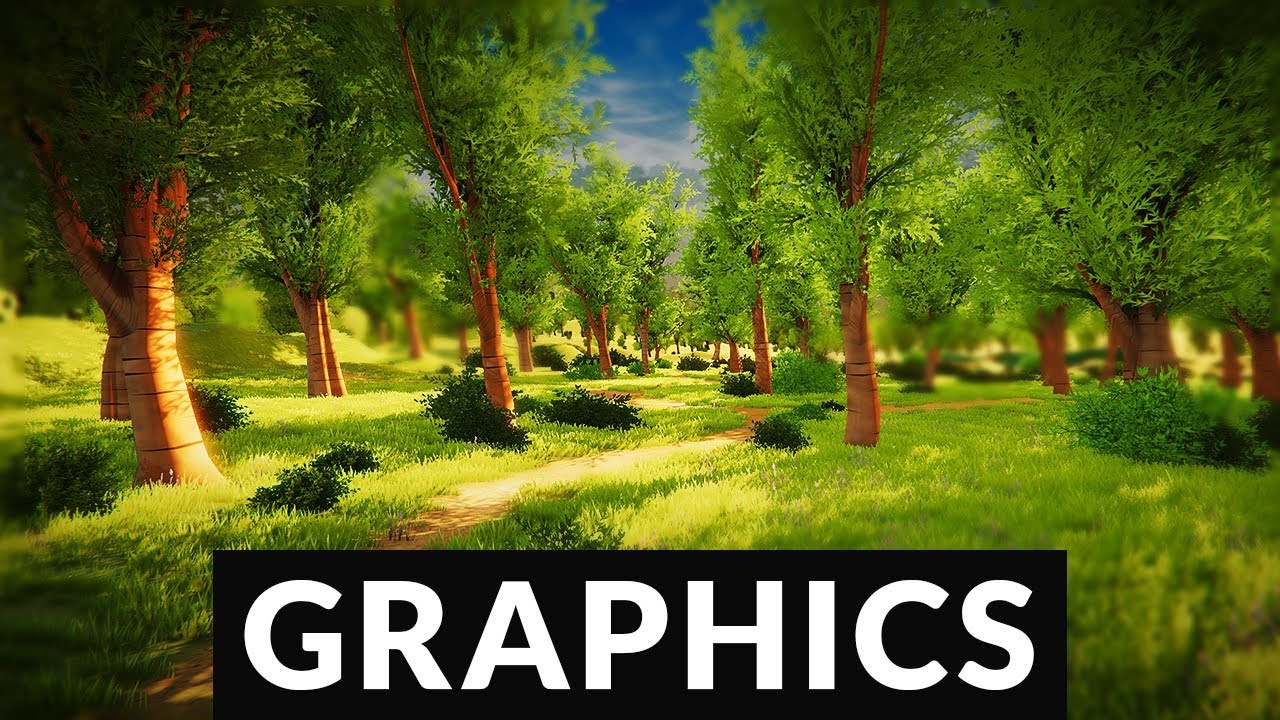
Let’s make Unity look beautiful!
● Get Unity: https://store.unity.com/?aid=1101lPGj
● Post Processing Stack: http://bit.ly/2vFhxSD
● Uber Shader: http://bit.ly/2wJz9k9
● Nature Starter Kit 2: http://bit.ly/2xy4nbo
● More on Baked Lighting: http://bit.ly/2xN88cm
● More on Forward vs. Deferred: http://bit.ly/2wiEMEO
● More on ACES Filmic Tone M...
 soft trellis
can someone help me
when i added the post processing layer script to the layer
it gives me this
Invalid pass number (1) for Graphics.Blit (Material "(Unknown material)" with 1 passes)
pls don't say this is off topic
bronze mural
@soft trellis This is a very specific error, did you even try looking it up online?
soft trellis
the sprite is now just... this
 bronze mural
Try using compatible shader with current renderer
 bronze mural
It's a setting for volume trigger. Not relevant to your problem. You have unsupported material throwing error trying to do a render pass. Change the material. (or shader on the material)
 lucid fox


Hi there
I'm trying to render the UI through a separate camera, to allow it to not be affected by post processing, but when I do so the lighting all changes
any ideas why?


Here are my two cameras, the first one is the UI one
when this is enabled it completely changes the lighting but there is definitely still post processing active
any ideas why this is happening?
got it don't worry
if anyone else has this problem you need to disable HDR under the secondary camera
bronze mural
You need to exclude everything but UI on the UI camera. Otherwise it probably multiplies colors from both. Need to set Render Type, I think.
 stoic stream
how can I change motion blur intensity in script? motionblur.intensity doesn't exist
 halcyon plover
Hi, I want to make a post processing effect active when pressing a button, should that effect be active initially then make it inactive at start?
here is my script```cs
public class PlayerController : MonoBehaviour
{
[SerializeField] private PostProcessVolume volume;
private Vignette vignette;
 void Start()
{

    volume.profile.TryGetSettings(out vignette);
}


void Update()
{
     if (Input.GetKeyDown(KeyCode.Q) && gameManager.slowMotion)
    {
        StartCoroutine(SlowMotion());

    }

}


private IEnumerator SlowMotion()
{
    gameObject.GetComponent<timeManager>().SlowMotion();
    vignette.enabled.value = true;

    yield return new WaitForSeconds(2.2f);

    vignette.enabled.value = false;
}
}
 brittle rune
I have no clue where this is supposed to be but the building scene is taking forever!
Is it supposed to take this long?

 dire flax
I want to make a glow effect for my walls but using urp bloom effect it makes the metal glow as well. Is there a way to make my emission map for my walls the only thing that glows?
 bronze mural
Have to render glow with separate camera
mighty stump
Or increase the emission intensity and bloom threshold so it's the only surface bright enough to hit the threshold
ember acorn
i am having problem with my post process in URP, i want to use a vignette and doesn't work at all
mighty stump
ember acorn
i am having problem with my post process in URP, i want to use a vignette and do...
That's zero info to give any advice based on
Does it work if you make a post processing setup from scratch on an empty scene
ember acorn
mighty stump
That's zero info to give any advice based on
Does it work if you make a post pro...
it doesnt
 marble delta
https://github.com/Unity-Technologies/PostProcessing/tree/2.1.8
Will this work with Unity 2017?

GitHub
Post Processing Stack. Contribute to Unity-Technologies/PostProcessing development by creating an account on GitHub.
Trying to figure out why its not working in my project
I installed 2.1.8
cobalt minnow
Just off the top, PPV2 doesn't work with URP or HDRP if that's what pipeline you're using.
marble delta
Just the SRP
cobalt minnow
Then install Post Processing via the package manager.
marble delta
2017.1 doesnt have package manager unfortunately lol - Its why I went to the github
Im pretty sure I have it installed correctly- maybe its something with my project? This is what I have on my camera

and most of the graphics settings
 cobalt minnow
Try something other than bloom, because that's assuming you've set up your materials correctly as well.
Something like vignette.
marble delta
Makes sense, no luck though
ember acorn
post processing not working with URP, i hope someone can help please, i've enabled post processing on camera, created global volume object and profile, and doesnt work
mighty stump
ember acorn
post processing not working with URP, i hope someone can help please, i've enabl...
"Doesn't work" is still not enough info for any kind of advice
Did you follow the instructions, including the newest one in pinned messages, if applicable
ember acorn
i've done what is on pin message and post process still doesn't work, im trying to create a vignette effect. but no black edges appear
mighty stump
ember acorn
i've done what is on pin message and post process still doesn't work, im trying ...
URP sample scene has post processing including vignette, copy it from there
The last time you were repeatedly using the wrong settings despite explicit instructions, so I don't fully trust I'm able to guide you
 short sail
how to use post processing
cobalt minnow
short sail
how to use post processing
short sail
ok
cobalt minnow
I think I'm having deja vu
#💻┃unity-talk message
short sail
lol
marble delta
What post processing stack do I need for unity 2017.1?
2017.4* - No package manager and using the SRP
I essentially want to use some simple emission materials to bleed onto the environment and dynamically adjust the emission intensity
If its the PPStack v2, then its what I have installed atm (not working)
This is from the Postprocessing github https://github.com/Unity-Technologies/PostProcessing/tree/v2
Says to use version 2.3.0 for unity 2017.2+ which is what I would need. Anyone know where to find this? Does seem to be in the dropdown of available versions


GitHub
Post Processing Stack. Contribute to Unity-Technologies/PostProcessing development by creating an account on GitHub.
 deft swallow
HI there, I'm a Unity beginner using URP to make a little 2d platformer. I'm attempting to get a blur/depth of field effect on my 2d sprites, ie having background and foreground blur but the midground/player in focus. My problem I'm currently experiencing is when I blur the foreground, it's appearing to blur the entire screen. Does anyone have a solution for this? Happy to provide any more information if needed!
also as a side question, the DOF start and end distances appear to not effect anything despite placing sprites on different z-depths?
mighty stump
deft swallow
HI there, I'm a Unity beginner using URP to make a little 2d platformer. I'm att...
Do your cameras have separate post processing volume profiles?
deft swallow
mighty stump
Do your cameras have separate post processing volume profiles?
No i think they're using the same
mighty stump
deft swallow
No i think they're using the same
I believe this means they share settings, so if one has blur, the other will too
deft swallow
the main camera currently has post processing disabled
mighty stump
Interesting
Worth testing with both cameras having post processing, with only one overriding the blur
 mighty stump
I'm spotting any obvious issues
deft swallow
I just tried making another post processing profile with dof specifically disabled on the main camera and the FG camera still blurs everything
mighty stump
Hm
Perhaps it needs some kind of special masking
In case the empty space counts as "blurred"
deft swallow
how would you go about masking the foreground layer/camera? I'm unsure how
from what I understand, my foreground camera is already an overlay camera, so shouldn't the masking happen automatically?
mighty stump
One would think
@deft swallow https://gamedev.stackexchange.com/questions/144865/unity-blur-on-one-camera-effects-the-other-as-well I don't know what rendering pipeline or post processing system this is so I'm not sure if it's 100% applicable, but at least someone else has been wrestling with a similar issue
deft swallow
taking a look now, appreciate the help!
deft swallow
okay I think I see what’s happening now- I’ll need to hunt down a blur shader with alpha I think then! Thank you
 shy ingot
deft swallow
HI there, I'm a Unity beginner using URP to make a little 2d platformer. I'm att...
shy ingot
deft swallow
HI there, I'm a Unity beginner using URP to make a little 2d platformer. I'm att...
you are going to have to compose 2 render targets in 2d, and blur the first pass of the background
i dont see a way around that
your first camera will blur everything and is the background camera, it only renders background layers
you have another camera that only renders the middle stuff and overlays the texture ontop of that
and another camera that only renders the foreground stuff but also blurs it then overlays that
 vale skiff
i have a model which i want to have a glow effect but when i turn up the emission the model to bright before glow starts showing. How can I add glow without changing the models color?
bronze mural
Bloom has a threshold, set it higher to reduce sensitivity.
vale skiff
even if I turn it up the model still gets to bright when turning up emission
deft swallow
shy ingot
and another camera that only renders the foreground stuff but also blurs it then...
yeah I think I had that exact setup and it wasn't working because i was applying post processing DOF blur to the foreground layer/camera (which blurred everything despite layer seperation) instead of a making a blur shader
 rare tree
what is post-processing?
cobalt minnow
Filter effects applied to the screen. Think instagram filters for games.
rare tree
can post-processing help apply saturation to a sprite?
cobalt minnow
That would be on the material shader level.
 real mist
Hello !
I don't know if it's in the right channel, so sorry if it's not.
I am now on HDRP v11 to have some features like decals and better lighting.
But I have a problem, as you can see in the video, the image gets blurry, and the crosshair in is like doubled and not sharp. It's really weird and I can't fix it, I'm trying to turn off motion blur in frame settings, but the problem is still there. Do you have any idea where this might come from?
real mist
Ok the problem was on the camera, I delete it and put a new without touching anything and it's gone.
 ashen gate
Anyone know how to toggle a specific post processing effect in the URP PP stack =
?
Having a hard time figuring this out
I could access it by index
nevermind, figured it out!
 autumn geyser
Is saving system hard to make?
brittle rune
I don't know where to post this but when I build my project the sensitivity on the horizontal axis gets slower then quicker as shown by video.
It works normally in Unity Engine but not when built
I exported from Premier Pro so don't judge me on the file..
😦
Anyone know what I'm doing wrong?
brittle rune
Would it be controller.Move(new Vector3(0, currentVelY * Time.deltaTime, 0));?
or currentVelY += gravityFactor * Time.deltaTime;
mighty stump
@brittle rune This does not sound related to post processing
brittle rune
I know but I didn't know where else to put it
 light quest
brittle rune
Anyone know what I'm doing wrong?
light quest
brittle rune
Anyone know what I'm doing wrong?
i think that's part of your mouvement script
at the end of the void u sett just put
controller.Move(moveDirection * Time.deltaTime);
velocity.y += gravity * Time.deltaTime;
controller.Move(velocity * Time.deltaTime);
that will make it work fine i think
brittle rune
At the end of my movement script I've put this
controller.Move(new Vector3(0, currentVelY * Time.deltaTime, 0));```Here's the file so you can get a better idea of the code
 bold kettle
hello, unity noob here 👋
quick question, is there a way to create "exclusion volumes" to exclude post-processing in certain areas?
say you are in a submarine and you want the exterior to have insane fog but you dont want it ( or other post processing effects) to bleed into the cockpit
bronze mural
If you want to exclude things you need to render them with separate camera
bold kettle
oh that makes sense
it's kind of like i am compositing layers of the game onto each other to get the final image
many thanks @bronze mural
i hope it's not too taxing on VR
severe slate
How do I make a post processing profile? Everywhere says to click Assets > Create > Post-processing Profile but the option doesn't exist
 grave merlin
severe slate
How do I make a post processing profile? Everywhere says to click Assets > Creat...
grave merlin
severe slate
How do I make a post processing profile? Everywhere says to click Assets > Creat...
do you have post processing installed from package manager?
severe slate
grave merlin
do you have post processing installed from package manager?
don't know, how do I see
grave merlin
send a screenshot of package manager
Go to Window > Package Manager and switch the view from In Project to All. Select Postprocessing in the list. In the right panel you'll find information about the package and a button to install or update to the latest available version for the version of Unity you are running.
@severe slate found this on unity website
 severe slate
i said I found it lol
grave merlin
oh XD
grave merlin
severe slate
i said I found it lol
no problem
severe slate
im just trying to add a simple vignette to my game
grave merlin
hmm
 cobalt minnow
You have to turn on the properties themselves.

 severe slate
how do I have separate post processing on UI elements without affecting the entire scene
grave merlin
severe slate
how do I have separate post processing on UI elements without affecting the enti...
i think you need different cameras and layers
not sure
severe slate
grave merlin
i think you need different cameras and layers
i have that
grave merlin
might be someone else can help i am not much familiar with post processing
mighty stump
severe slate
cmon guys
Sounds to me like you were on the right track
bronze mural
severe slate
8 hours, still no response from anyone?
Separate camera was the correct answer. And UI has to be in camera space to be affected by post processing.
severe slate
bronze mural
Separate camera was the correct answer. And UI has to be in camera space to be a...
but the question I have is how do I affect the UI without affecting the rest of the screen
bronze mural
...separate camera...
severe slate
like in my screenshots, I want to affect only the fuel and pressure gauge
severe slate
bronze mural
...separate camera...
thats what im DOING
bronze mural
Then don't use same post processing on the camera where you don't need it
severe slate
what?
bronze mural
PP is a camera effect, if your camera renders it then you have it on on it.
severe slate
but the scene and UI cameras are linked to 2 different effect volumes

and on 2 different layers
bronze mural
Make sure they are setup properly, test separately. Also make sure you are stacking cameras properly.
Resources are pinned here.
mighty stump
If you get stuck, you need to be specific with your questions and give info for people here to be able to help you with more than very generic advice
severe slate
look, here's a recording of the problem
the main camera FX don't affect the UI, but the UI FX affect the main camera
bronze mural
You need to read pinned resources how to setup volumes so layers setup with unique cameras would use them. In global mode they are used by everything.
severe slate
so all this has told me is that I can't? https://docs.unity3d.com/Packages/com.unity.render-pipelines.high-definition@10.6/manual/UI-Best-Practices.html
severe slate
this does not help
literally all I want to do is have the UI effects only affect these 2 things and not the entire scene

it's already separate volumes on separate gameobjects on separate layers rendered by separate cameras
 atomic pulsar
Hey,
I have hit a rather frustrating hurdle on my basic project, I want all of my sprites to be one colour, on one side of the screen I need it to be a colour (eg. Green) and on the other I want it to be another colour (eg. Red).
I have implemented an inverter shader on a sprite covering half of the screen and now I need to replace white -> green, black -> red on the entire screen. How can I replace these colours dynamically as I really don't understand any of the sources I've searched for online.

If anyone knows the best procedure for simple colour replacement effects I would love it if you can help,
 west delta
so is the only way to make something glow with post processing?
mighty stump
west delta
so is the only way to make something glow with post processing?
Well, no, but that really depends on your definition of "glow"
west delta
Emit light of a certain color from inside of it probably no? lol
I just can't find any tutorials using anything other than post-processing but that won't work long term because it makes everything have bloom
mighty stump
<@&502884371011731486>
west delta
^
cobalt minnow
!ban 677862405908201485 scam
 wild torrentBOT
 Babu VIGNESH Kumar BLR#5083 was banned
mighty stump
west delta
I just can't find any tutorials using anything other than post-processing but th...
Not everything
Just things that are above the threshold brightness
So what you can do is make the threshold high, and increase the intensity of emissive materials enough that they start glowing
Without anything else glowing
It's possible to render the glowy parts only to a separate overlay camera and apply bloom or some other type of blur to those, but that's honestly rarely worth the hassle
west delta
hm
mighty stump
The other bloom alternative I can think of is faking it with particle sprites or additive material surfaces
severe slate
severe slate
how do I have separate post processing on UI elements without affecting the enti...
set up the pp to only effect ui layers
severe slate
severe slate
set up the pp to only effect ui layers
It already is like that
in my 2d game there is a spot of darkness where there is light and i have no idea why its there can someone help

 trim plume
Hi, I am trying to use URP and have created a Global Volume with some Overrides like Bloom and Vignette. I've selected URP in Project Settings -> Rendering. I've enabled Post-processing for my main camera. However, these changes are not showing up in the editor or the Game. What am I missing? 🙂
trim plume
I'm getting this error
Metal: Error creating pipeline state (Universal Render Pipeline/Terrain/Lit): Link failed: fragment input user(TEXCOORD0) was not found in vertex shader outputs
Found it. Needed to check post processing checkbox in the URP Renderer in my project
 gleaming sun
where can i find how to install post processing?
zinc oasis
⚡ HOW TO ADD POST PROCESSING TO YOUR UNITY URP PROJECT
- Window -> Package Manager. Then for Packages select Unity Registry
- In the list, select Post Processing and Install it.
- In your scene and hierarchy, right-click and add Volume -> Global Volume.
- In your object Global Volume -> Profile, click on NEW.
- Then click on ''Add Override'' to add any desired effect.
NOTE: If you want something global for your entire project instead of something unique per Scene (game level), you could also manually create a Volume Profile for your Post Processing Volume. With the Volume Profile and can add all the Post Processing effects that you need for your game project. And then link that Volume Profile to your Global Volume (post processing) instead of doing step 4 and 5.

@severe slate
Did you create a project with Unity - Universal Rendering Pipeline (URP)?
mighty stump
You can implement post processing with or without URP, but the process is different
Don't change rendering pipeline unless you have to, as that's a whole different can of worms
ashen gate
how do I apply a color palettisation as a post processing effect ontop of the entire screen
i can't seem to find anything when searching for 'color indexing' or 'post process palettisation'
mighty stump
ashen gate
how do I apply a color palettisation as a post processing effect ontop of the en...
the Color LUT effect can do that
Or you can do it with a shader like here
https://medium.com/@cyrilltoboe/code-first-game-boy-post-processing-shader-for-unity-ef140252fd7d
The linked method is only for built-in RP I think
 small minnow
anyone knows a way to have 2 cameras using same post processing volume in urp without strange bugs ?
mighty stump
small minnow
anyone knows a way to have 2 cameras using same post processing volume in urp wi...
Strange bugs?
small minnow
go it already, somehow with multiple cameras the post processing doubles even when using local mode, i turned of motion blur and it's gone
mighty stump
I'll keep an eye out for that
 primal ravine
how tf do you make something glow with bloom without giving every object in the scene bloom?
simulating the bloom with a shader?
mighty stump
primal ravine
simulating the bloom with a shader?
There are bloom shaders out there which only give bloom to certain parts of the render
In URP it's also possible to use stacked cameras and layering to apply the bloom selectively
In HDRP custom passes can be used for the same purpose
The simplest way though is to use the existing bloom but with a high threshold, then make the intensity of the glowing objects so high that they pass the bloom threshold
 stable basin
Post processing is not working in my urp project, it is enabled in the camera settings and i do have a global volume but no matter the overwrites i see no change in the view
mighty stump
stable basin
Post processing is not working in my urp project, it is enabled in the camera se...
If you're on 2021.2. or newer version there's an extra step detailed in pinned messages
stable basin
I think I enabled that, not sure though, I'll check when I get back home
mighty stump
If everything else fails you should be able to copy that stuff over from the urp sample scene
stable basin
mighty stump
If everything else fails you should be able to copy that stuff over from the urp...
the only settings i have are these
 mighty stump
stable basin
the only settings i have are these
mighty stump
stable basin
the only settings i have are these
The steps to get post processing to work are spread over half a dozen different places
Does the post processing work in the sample scene?
stable basin
yeah
mighty stump
So steal the volumes, cameras and whatnot from there
see if that works
If that doesn't work, you'll know the volumes and cameras aren not the problem
 red lion
Hello, how can I add dynamic depth of field on a Volume on URP and using cinemachine cams?
I only see the Depth of field override, however once adding the extension on the cinemachine cam it keeps showing this message:

 stray mountain
red lion
Hello, how can I add dynamic depth of field on a Volume on URP and using cinemac...
stray mountain
red lion
Hello, how can I add dynamic depth of field on a Volume on URP and using cinemac...
Uh you only selected the type of blur but not actually given it any values with the start and end?
 wise sapphire
you don’t need to i’m pretty sure, the grey values are what it defaults to
wise sapphire
red lion
Hello, how can I add dynamic depth of field on a Volume on URP and using cinemac...
also you gotta switch the mode from gaussian to bokeh and turn on the focus distance
stray mountain
wise sapphire
you don’t need to i’m pretty sure, the grey values are what it defaults to
oh ya u right. early am brain fart.
mighty stump
The instructions in the warning seem pretty clear
stray mountain
i didnt notice he put it on cinemachine ?
red lion
wise sapphire
also you gotta switch the mode from gaussian to bokeh and turn on the focus dist...
Hey thanks for the advice. However even after activating Bokeh and adjusting the parameters of the DOF it stills looking sharp as normal. Am I missing an extra step here?

this is how it should look but this is not active track just the regural DOF

the second I activate focus tracking everything goes sharp as if the effect wasn't taking place
I figured out
In my case I had to put the ofset focus in the -numbers
thanks guys!
mighty stump
red lion
In my case I had to put the ofset focus in the -numbers
Good to know!
wise sapphire
oh i’ve never used the cinemachine focus track, does it just autofocus based on what you’re looking at? can it be used in first person?
mighty stump
wise sapphire
oh i’ve never used the cinemachine focus track, does it just autofocus based on ...
I presume it's based on the Look At target which is defined in the vcam
You could define your own focal point using raycasts, no need for cinemachine
wise sapphire
that’s true but my only problem with that is it’s too abrupt of a change when you look at something close and then something far right next to jt
i tried adding some smoothing but it didn’t work as well as i wanted it to :p
mighty stump
wise sapphire
i tried adding some smoothing but it didn’t work as well as i wanted it to :p
Why not?
wise sapphire
can’t remember it was a while back but i remember it didn’t look as smooth as i wanted it to
mighty stump
There are many types of smoothing
I would use a smoothstep formula in that situation
wise sapphire
maybe i’ll revisit it soon
problem is i always forget how to access urp volume overrides from script
stray mountain
some cool focusing stuff

This is the first of a new series where I explore and play around with experimental design and coding ideas. Since the Post Processing video I had wanted to play around and try to control Depth of Field on a camera dynamically here's how it went...
Making Progress Bars: https://www.youtube.com/watch?v=J1ng1zA3-Pk
Custom Playables In Unity: http...
wicked cedar
anybody remember where one can change fog in unity urp 2020? Google says its on the bottom of the lighting window but there is no such option

 gilded karma
how do I get a camera's depth texture from code, I'm using shader graph and a custom render pass to draw my custom postproccessing effect? (with urp)
 proven thicket
gilded karma
how do I get a camera's depth texture from code, I'm using shader graph and a cu...
proven thicket
gilded karma
how do I get a camera's depth texture from code, I'm using shader graph and a cu...
enable it in your URP asset and use _CameraDepthTexture
small minnow
if i use post processing in urp (bloom) on a textmeshpro and want to fade out to transparent, what should i do?
Alpha value is intensity in this case also i guess, but i need both?
hmm almost works when using the color instead of facecolor, but im wondering anyways if someone knows whats the way to go here
small minnow
ok, looks like alpha is not intensity, i think i figured out
gilded karma
proven thicket
enable it in your URP asset and use `_CameraDepthTexture`
What about in shader graph tho .__.
wicked cedar
unity shader graph has a scene depth node if not mistaken
wicked cedar
gilded karma
What about in shader graph tho .__.

In this video, we'll take a look at how we can use the Shader Graph feature in Universal Render Pipeline, or URP for short, with Unity to create a water shader! The water shader can be simple or complex, and include the features you desire. Let your imagination get wild in this tutorial, or simply follow step-by-step to get about the same result...
it is explained here how to use the depth node in shader graph
even tho further questions about shader graph related topics would go into #archived-shaders i'd say
your entire topic seems to be shader and emission related and not so much bloom / post processing related (or i missunderstand your problem)
gilded karma
wicked cedar
it is explained here how to use the depth node in shader graph
Okay sorry I'll move to the shader channel but im pretty sure the scene depth node is the depth of the mesh so the depth will just be the camera near plane or some other value that isn't what I'm looking for
 prime ivy
wicked cedar
anybody remember where one can change fog in unity urp 2020? Google says its on...
prime ivy
wicked cedar
anybody remember where one can change fog in unity urp 2020? Google says its on...
window > render > lighting > environment
 real cove
ye alot of things moved for some reason
 quick pewter
Does anyone have Post processing working with additive scenes? From some tests I have run it only seems to work on objects located in the initial active scene and the camera also has to be in the same scene as the PP volume and other related objects.

 shy plover
nevermind, disabled it and used planar reflection probe instead, much better
red lion
wicked cedar
anybody remember where one can change fog in unity urp 2020? Google says its on...
It should be in the tab that says Environment. You can find it in there. I hope this helps.
wicked cedar
red lion
It should be in the tab that says Environment. You can find it in there. I hope ...
oh yeah found it thanks @red lion @prime ivy
 torpid gust
I'm making a Billiards game and wanted the atmosphere to have that black void with just a light lighting the pool table. How would I do something like that in HDRP? I'm kinda new to Unity.
 median flare
I am super beginner to this. What are, in your opinion, the most important (or essential) post processing effects for a 2d game? Not talking about special effects such as motion blurs, just effects that make the whole "image" of the game look better.
red lion
median flare
I am super beginner to this. What are, in your opinion, the most important (or e...
That really varies from game to game and the aesthetics/look you are trying to achieve, but if you are looking for a starting point so you can experiment an iterate on it, then I can personally suggest that if you are using URP to add this overrides:
-Tonemapping (ACES)
- Color Adjustments
-Bloom (go easy on the Bloom 🙃 )
-Vignette
That would keep you going, Also is best to not use everything you see in the overrides for your game since they do eat your fps count, some more than others.
I hope this helps to get you experimenting and going ✌️
 south jackal
Is it possible to only give 1 certain color of an object bloom/emission?
right one is the normal one and the left one is the one with bloom.
I only want the orange part of the object to "Shine"
 mighty stump
south jackal
Is it possible to only give 1 certain color of an object bloom/emission?
right o...
mighty stump
south jackal
Is it possible to only give 1 certain color of an object bloom/emission?
right o...
You can make an emission texture with only the orange parts drawn on it and plug that into emission map slot
Right now it seems you've applied a red emission over the entire texture
uncut ocean
is there some way of increasing dithering in HDRP, I have bloom on but i don't see any dithering at all and there's still color banding in places
 jagged inlet
is tehre a way to change urp pp in realtime? The Volume class just doesn't exist despite the fact that rendering.universal and rendering is imported
 slender berry
jai, there's any solution to this? That mean to be glass

that's how it seems in blender
 bronze mural
You need to recreate and switch in Unity incompatible materials that you import.
slender berry
oohh, thanks

 static ivy
severe slate
static ivy
severe slate
Are you sure that's not just chromatic abberation?
 warm musk
static ivy
Are you sure that's not just chromatic abberation?
warm musk
static ivy
Are you sure that's not just chromatic abberation?
I agree
 fluid flare
is there any guide on seperating URP glow only for vfx layer? Currently it is affecting everything on my 2D game.
severe slate
static ivy
Are you sure that's not just chromatic abberation?
Oh that's what it's called 😅
Thank you!
 near drum


Does anyone know how to make a shader that does this
you give a palette of source colors and then it replaces all of the colors for an alternate palette

i think im close to the answer but the replace color function didn't work as i expect it
 shell spindle
hey bro which visual scripting you used in picture
near drum
shadergraph
near drum
its real good
shell spindle
and i don't know how to use bolt in unity
i don't like coding (because i am little lazy😅 )
can any one please send me bolt tutorials
wise sapphire
near drum
the reason the result looks so weird is because it’s using the position of those bands of color and seeing whether it needs to switch it, it’s not seeing each individual color and checking the whole image
the way i would do it is make the original texture in grayscale, with each different color as a different shade of gray, then feed that into a sample gradient node into the “time” input, and match the input gradient with your color palette with the blending set to constant (i think that’s what it’s called)
mighty stump
I also recommend the greyscale to color gradient way
Otherwise you'll need to use Replace Color for each color
 molten olive
Is there any way to change a post processing value via script? Like uh
Lerping the Chromatic aberration for instance

 versed slate
im actually having that exact issue rn
molten olive
Oh wait a sec yeah, I uh
I figured out how to get this to work
If you create a new volume with the Universal render pipeline, what I did was
Well, it's pretty clunky, but I basically just refer to the gameobject the volume is in, and then refer to that volume script.
Then I create things like public ChromaticAbberation, public bloom, etc, etc
I check for if the Volume script has these things, and if they do the variables' data changes to reflect so
And then I can change stuff!

Now to see if I can't do some funky mathf stuff
 slate vessel
near drum
slate vessel
near drum
You can shift its hue.. I think the Boat Attach example has a shader for that
severe slate
Hey all I've got a quick question if anyone could help would be massive appreciated, I'm using shader graph to attempt to do some post processing on randomly generated white images, does anyone have a decent idea of how one would generate a gradient black to white (edge to inner) border on the inside of an texture to use as a normal map for a texture using shader graph?
 celest bobcat
Hmmmm - anyone know if there's a way to make the Auto Exposure effect in PP v2 act in unscaled time?
 rigid trench
how can i add a profile to post processing unity
cobalt minnow
rigid trench
how can i add a profile to post processing unity
Check the pins in this channel.
rigid trench
cobalt minnow
Check the pins in this channel.
i cant find it
cobalt minnow
Click this icon at the top of the channel to see the pins.

 elfin tide
 frigid heron
Hey guys, I need some help regarding the vignette post-processing effect in Unity. So I think I've done everything I need to get the Vignette effect to work, but somehow it didn't show anything...What did I do wrong?

- I created a new layer called
PostProcessing - I created a Vignette
Post-Processing Profile - I attached
Post-process VolumeandPost-process Layerto the main cameraGameObject - I Linked my
Post-processing profileto thePost-process Volume - I switched the
Post-process Layerto thePostProcessinglayer
I did all that, it still didn't do anything to the camera