#💥┃post-processing
1 messages · Page 15 of 1
 severe slate
 tall saffron
 hexed nova
what does it look like without the bloom?
hexed nova
 unreal bough
how do i activate bloom step by step in unity?
ping me if you answer please 🙂
i already have a post proccesing layer on my main cam
 glossy fjord
@unreal bough in lwrp you can just put a post processing volume in scene and then change it then make sure its activated on camera by pressing the post processing option
 civic python
Hello, im using post processing with my camera, but some times it doesnt work and some time it does
how it should be (https://imgur.com/a/qDeYTeb) and how it becomes (https://imgur.com/a/eGGkn3K)
I saw the camera command buffer has post processing with < 1kb when it isnt used, while when it is used it has > 9kb
This is the camera settings when it doesnt work (https://imgur.com/a/J28JOdq) and this is when it works (https://imgur.com/a/EfbvpPP)
 scenic jetty
That blue looks the same as the minimap camera... does the VFX change layer at any time? The PPFX is working OK as your scene is still effected, I would keep an eye on the layer of the VFX at runtime to see if something is happening @civic python
civic python
the mini map layer works without post processing thats why @scenic jetty
scenic jetty
Yeah that is what I mean, it is like your VFX is changing layers, the rest fo the scene is OK so the PPFX stack is working as expected @civic python
civic python
no with enabled post processing its darker
generally the game
when it bugs it is lighter generally
not only the vfx
civic python
ok fixed it, apparently an asset that was trying to optimize the scene was disabling the post processing layer when not watching it
 lusty mountain
how do i turn on post processing
 dull sonnet
@lusty mountain which version of Unity you have? you can find it and download it from the asset package manager
lusty mountain
dull sonnet
<@!748181736537456740> which version of Unity you have? you can find it and down...
the latest one
does post processing work on 2D?
 bronze mural
Yes, it's a camera space effect.
dull sonnet
lusty mountain
does post processing work on 2D?
it does as it affects only the way the camera shows the scene and treats the light
lusty mountain
dull sonnet
it does as it affects only the way the camera shows the scene and treats the lig...
oooohhh
also how do i make my character glow? like to make it look cooler
 drowsy scroll
Does post processing work with Baked Lightmaps? WebGL only supports baked global illumination
 acoustic copper
do all unity store assets dont work with hdrp or what? i tried all the hdrp shaders on several materials, still everythings purple what do i do!!
tall saffron
First make sure you are actually using HDRP by verifying there is an HDRP render pipeline asset here:
Then make sure all renderers are using HDRP compatible shaders.
 minor smelt
Hi everyone 🙂 I hope you are well !
I am currently doing some postprocessing in HDRP and I can't figure out how to compute the world position from the depth of the pixel, any links or idea on how to do that?
I found some links about computing the camera direction for each pixel but I can't get the usefull matrix and function to do the conversions...
(Please mention if you answer)
Have a good evening ! 😄
 pastel solar
hello all, I am currently taking my first steps to understanding unity's post processing but I cannot seem to get it working. I'm using unity 2019.4 and post processing 2.3.0.
I have a camera "scaleCamera" and it only renders objects on a layer called "scaleLayer". attached to the scaleCamera I have a post-processing layer that is set to scaleLayer. lastly I have a global volume game object, which is also on the scaleLayer. the volume weight is 1 and the only override I have on it is for bloom. Yet when i run my scene I see no bloom on the objects in the scale layer
the objects are using an unlit material with emissive coloring and an intensity of 2
are there any steps you all can recommend to try and get my bloom to show up? these game objects are quite small and I was really hoping I could use bloom to make them more visible
 scenic merlin
acoustic copper
do all unity store assets dont work with hdrp or what? i tried all the hdrp shad...
scenic merlin
acoustic copper
do all unity store assets dont work with hdrp or what? i tried all the hdrp shad...
Have you added the HDRP asset into the graphics settings of the project?
scenic merlin
pastel solar
hello all, I am currently taking my first steps to understanding unity's post pr...
Hmmm, are you using URP or HDRP? or none of them?
pastel solar
@scenic merlin I'm using HDRP
scenic merlin
pastel solar
<@!332573303749214209> I'm using HDRP
alright, have you setted up the volume layer on the camera?
if not, then go to volume mask layer and choose the layer you want to use for the postprocessing
basically it means that, the postprocess volume that you are going to use, needs to use that layer
after you h
after you have done that, set the layer of your volume to the layer you setted on the camera volume mask
scenic merlin
pastel solar
<@!332573303749214209>
In hdrp you dont need to use the post process layer component
pastel solar
okay then I have removed the layer component
scenic merlin
Ahhh, the problem is that you are using the same layer for rendering and for using the volume, you need to change one of those. I suggest you changing the volume layer to "volume" and assign that layer to the volume itself
pastel solar
oh. I only want the bloom to apply to objects on the "scaleLayer"
is that still achieveable?
scenic merlin
Ahhh
well
it is really hard, and isnt recomended at all in HDRP
what do you want to do exactly? you want to make specific objects glow among others?
pastel solar
yeah
I could probably make it work with a single bloom layer though
if I could get my bloom to work at all lol
scenic merlin
Hmmm, can I dm you?
pastel solar
yes
 tawny stag
hi , I was wondering if it's possible to see effect of post-processing effect outside its zone ? I would like have 2 post processing in the scene, the main and another with sphere collider
 north acorn
why the heck is my camera PP and scene PP different??? yet are sharing the same profile if i toggle on and off?
north acorn
Okay so apparently you have to enable HDR in the URP.asset file
 past helm
Originally from #archived-shaders till my dumb arse scrolled down and noticed this channel
Ok im either dumb, or something is wrong. 2 scenes. Both have same postfx and Bloom works on once scene, and on other it doesnt
when i add an emmisive cube, the bloom works on the 2nd scene
but it seems to ignore the emissive parts on the item i spawn
severe slate
Hi, does anyone know how to modify the intensity value of vignette at runtime using c#? I've looked around online but none of the solutions are working
 worn rampart
severe slate
Hi, does anyone know how to modify the intensity value of vignette at runtime us...
worn rampart
severe slate
Hi, does anyone know how to modify the intensity value of vignette at runtime us...
i think it may help- In script find the post processing gameobject and do Getcomponent<vignitte>().intensity.
Something like this.
 obsidian canyon
Hi, im using the standart shader and post processing library to accomplish some screen space reflection, however i want the player model not to be reflected because this causes heavy artifacts
is there a way to exclude layers or objects from screen space reflections in my case?
severe slate
worn rampart
i think it may help- In script find the post processing gameobject and do Getcom...
What namespace should i be including to get access to postprocessing in c#?
worn rampart
severe slate
What namespace should i be including to get access to postprocessing in c#?
u 1st have made a empty gameobject and then added post processig layer in it.
U can write in script..
public Gameobject postProcessing;
and then in update
With a key input'
If(input.getkey.........)
postProcessing.Getcomponent<ppostprocessinglayer>().vignette= ur value.
 coarse coyote
how can I change vignette value of a post-processing volume(intensity) in urp using scripts?
severe slate
how do i make the volume only mask the given layers in URP ?
 maiden lintel
Is there an LTS for 2020.2 or higher? I don't seem to see one. Is it worth upgrading to 2020.2 from a 2019.4 LTS just for the URP Ambient Occlusions?
I'm going to be doing some really basic VR game
severe slate
worn rampart
u 1st have made a empty gameobject and then added post processig layer in it.
U ...
Does that solution work in urp?
 gritty folio
severe slate
Does that solution work in urp?
gritty folio
severe slate
Does that solution work in urp?
If you're using URP's volume system for post processing, it's in the Rendering.Universal namespace. You'll probably need Rendering for the Volume/VolumeProfile stuff too.
using UnityEngine.Rendering;
using UnityEngine.Rendering.Universal;
...
VolumeProfile profile = GetComponent<Volume>().profile;
if (profile.TryGet(out Vignette vignette)){
vignette.color.Override(Color.red); // or whatever
}
See here for list of classes, and the fields they have : https://docs.unity3d.com/Packages/com.unity.render-pipelines.universal@11.0/api/UnityEngine.Rendering.Universal.html
severe slate
gritty folio
If you're using URP's volume system for post processing, it's in the Rendering.U...
Thank you so much. It works now!
 unborn stream
Im using urp and made the 3d volume but i didnt see ambient occlussion???
Im looking for a good toon outline too!!!
 dapper urchin
@unborn stream SSAO is in the Forward Renderer asset
 red tinsel
I am adding post-processing to my game but even with a single override, I lose 90% of my CPU. Here is my profiler.
I don't know what the graph means.
Here is my Task Manager. When running without post-processing, it runs at a steady 20 fps.
unborn stream
@dapper urchin iss ssao toon outline on ambient occlusion, im trying to find the ambient occlussion post process and maybe a toon shader for the forward renderer, im not really sure what that is but i know its a good feature
dapper urchin
SSAO is Screen Space Ambient Occlusion. no clue about toon shaders
unborn stream
@dapper urchin kewl ssao goes in as a forward render feature
 spiral otter
Hi! I'm trying to get post processing set up but the post processing button on the camera. Was it moved?
 meager plover
You add Post Processing as a component 🤔
 marsh frigate
Documentation for all versions (each render pipeline) are pinned to this channel
meager plover
Thanks vertx
spiral otter
meager plover
You add Post Processing as a component 🤔
no they changed it
but i figured it out
spiral otter
marsh frigate
Documentation for all versions (each render pipeline) are pinned to this channel
erm they didn't update it
marsh frigate
I've no idea what you're talking about
 granite cape
@red tinsel Update the PProcessing package. What was your fps before you added it? Dig deeper into the profiler and see whats actually taking up all the cpu.
granite cape
You can click the Stats button at the top right of the game window, for FPS.
red tinsel
My FPS with post-processing is 11-12. My FPS without post-processing is 25-30.
tall saffron
You need to use the profiler
and see what is taking so much time
25-30 fps is going to be unacceptable to a large percentage of players
red tinsel
Rendering and "Other" is taking up most of the graph.
tall saffron
Other includes all of your scripts etc.
you can turn on deep profiling
it's a toggle at the top
and the profiler will show you a more complete breakdown of what code is causing the issue
tall saffron
Yes now look at the timeline
for a single frame
you can see the breakdown by function call
you can zoom into it
red tinsel
Here is mine. Do I have to zoom in further? I don't see much,
tall saffron
nope that tells us everything
baically all of your time is waiting for your GPU to render
do you have a ton of objects on screen?
red tinsel
No, but I can add objects by left-clicking. I haven't used object pooling yet so it can go up to hundreds of objects.
tall saffron
something you are rendering is taking a long time to render
usually it's due to a large number of MeshRenderers or some very complicated meshes
Or maybe you're just using HDRP and you have a very weak PC?
What's your graphics card
red tinsel
I have an Intel Integrated and an Nvidia something.
tall saffron
Ok so - you have a relatively weak GPU and a very high screen resolution
does it get better if you reduce the resolution?
red tinsel
How do I do that?
tall saffron
make the game window smaller
or us ethe resolution dropdown window
It probably says "Free Aspect" right now
in your game window
chang ethat to a lower resolution
red tinsel
I changed it to my standalone size: 1600 x 640. Is that too much?
red tinsel
Here is my new graph.
tall saffron
Ok a little progress has been made - but still a lot of time taken up rendering
try scrolling down in the profiler to the "Rendering" section
what do you r stats look like there
how many batches, setpass, triangles, and vertices
red tinsel
tall saffron
it should say some actual numbers on the right side
red tinsel
There aren't any numbers.
tall saffron
what is actually in your scene??
that looks like you're not even rendering anything
red tinsel
It's a 2D scene with a camera and four sprite renderers.
tall saffron
that's it?
red tinsel
Yes.
red tinsel
No, not that I'm aware of.
tall saffron
I'm at a bit of a loss then...
 spare mulch
So I have a motion blur volume in my game, and zooming in is fine, but zooming out takes too long to end: after I zoom out it's still blurry for like a whole second
tall saffron
share your code?
spare mulch
Is there code that can edit when the blur stops?
            {
                Vector3 origin = new Vector3(0, 0, 0);
                Vector3 pos = Vector3.Lerp(cam.transform.position, origin, 0.9f);
                cam.transform.position = new Vector3(pos.x, pos.y, -10);

                float size = Mathf.Lerp(camSize, 5, 0.9f);
                cam.GetComponent<Camera>().orthographicSize = size;
}```that's my zoom code
but the blur ends like a whole second after it's done zooming out
tall saffron
where's the code that affects the blur
one problem is the way you're using Lerp is framerate-dependent
spare mulch
it's a blur component on the right side in the video
tall saffron
so you don't have a set duration for your zoom really
I get that you have a blur component
surely ypou have some code turning that component on/off or adjusting its strength?
how do you trigger the blur to happen
spare mulch
it's on a volume that's always on
tall saffron
then why is it not always blurred?
spare mulch
I think since it's on the camera and the camera size doesn't change except for the zoom
it doesn't blur
nevermind it works now I didn't do anything but whatever, thanks anyway
 azure lark
So I downloaded post processing stack then I added a global post process volume with a post profile on my camera. But it doesn't change anything?
bronze mural
By downloaded you mean installed from the package?
azure lark
Yeah
azure lark
thanks!
 spring jetty
While using the URP post processing volume, there is a flickering effect while using Bloom. What can I do to fix this?
 raven sun
does anyone know like how to change the intesity of an effect using script?
 silent grove
does anyone know how i could use something like ambient occlusion with URP
spring jetty
@silent grove there is this thread https://forum.unity.com/threads/urp-post-processing-ambient-occlusion-availability.740726/ that talks about this asset on github https://github.com/beinteractive/LWRPAmbientOcclusion
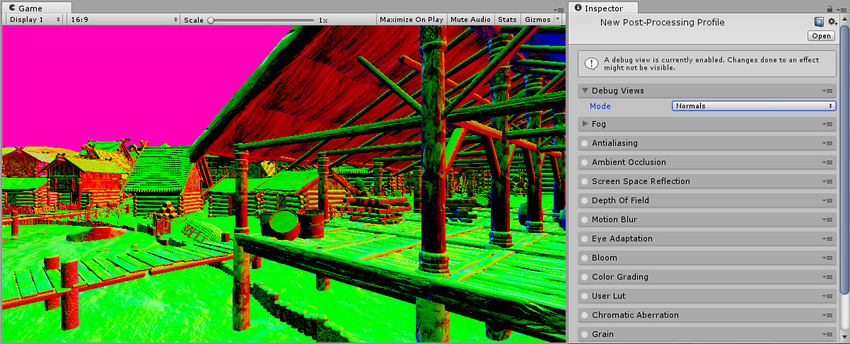
Unity Forum
Hello, its great that URP is now equipped with its own set of post/processing effects. However the AmbientOcclusion effect is still currently missing...

GitHub
Post-Processing Stack v2 Ambient Occlusion works on Lightweight Render Pipeline - beinteractive/LWRPAmbientOcclusion
silent grove
kk thanks @spring jetty
 raven edge
im having a trouble with post processing in a 2D URP project, Effects are not working at all. Any help or suggestion is appreciated
this is the profile because i accidentaly blocked it
spiral otter
Does anyone know how to change the Chromatic Aberration inside of a C# script?
I just need the command
like
aberration.intensity = what exactly?
to be more specific I want it set to max
(which is 1 I believe)
marsh frigate
surely you just answered your own question?
spiral otter
how
marsh frigate
Also, there are different versions of post processing - which one are you using?
spiral otter
post processing the new one? I think?
marsh frigate
URP?
spiral otter
how do I check
marsh frigate
V2?
marsh frigate
spiral otter
(it helped me set it up)
ohhhh
how come i didn't find that in my 30 mins of searching...
thanks
spiral otter
marsh frigate
<https://docs.unity3d.com/Packages/com.unity.postprocessing@3.0/manual/Manipulat...
I did exactly that
I didn't get any errors
but it didn't change the camera at all
marsh frigate
link to your code
marsh frigate
paste bin has no highlighting and is covered in advertising
marsh frigate
This really should not be done in Update
marsh frigate
you're missing half of the code
spiral otter
it's gonna go in it's own thing but I wanted to test the code first
spiral otter
marsh frigate
you're missing half of the code
wattttt
marsh frigate
the entire QuickVolume part of it
spiral otter
ohhhh that was part of it... ok sorry gimme a second
marsh frigate
it alos talks about how you can edit the existing profile on the volume to get the settings and modify their members
if you don't want to use a quick volume
tall saffron
Look at the stickied posts in this channel @severe slate
severe slate
so what one you can recommend?
tall saffron
There's only one option, it just depends on which rendering pipeline you're using
severe slate
im using normal 3d
tall saffron
Then you must use Post Processing Stack V2
 median mortar
Shadow Problem - No matter what modelling program I use, I get these light leaks. UModeler, Blender, this happens all the time. Is there a post-processing solution for this? I have been told it is a modelling problem, but I have made sure that edges are clean and tight. I'm using the Built-in Render Pipeline in Unity 2019.4.19f1. This screen grab is during runtime. This is a fairly clean Project with a few models in it. Any help would be greatly appreciated. The models were made with Blender this time.

 gusty orchid
Yo I have the same issues with URP and any other assets here and then all over the place. Also the light is shining in enclosed places where there is a roof
 loud viper
median mortar
Shadow Problem - No matter what modelling program I use, I get these light leaks...
loud viper
median mortar
Shadow Problem - No matter what modelling program I use, I get these light leaks...
Play around with the depth and normal bias in your directional light, that should fix it 🙂
 median mortar
loud viper
Play around with the depth and normal bias in your directional light, that shoul...
median mortar
loud viper
Play around with the depth and normal bias in your directional light, that shoul...
Thank you, @loud viper. You nailed it. 👍
median mortar
gusty orchid
Yo I have the same issues with URP and any other assets here and then all over t...
Yes, why is that? I noticed that in using UModler and Probuilder I had the same issues with light coming through the mesh, even when there were two opposite facing normals.
gusty orchid
I still have no idea
But I will probably just place another plane on it to counter that.. sadly I got no other solution
 finite lodge
Hi, I have a question. How can I add "Post Processing Behaviour Script" to my camera? I dont see it then i'm serching for it in the camera
 clever plinth
@finite lodge It no longer exists, it belonged to v1, see this page from v2: https://docs.unity3d.com/Packages/com.unity.postprocessing@3.0/manual/Quick-start.html
 hollow bolt
can i use post processing to just bloom up my terrain lava textur ?
i just want to let the orange/red part glow

 vapid knoll
Hi
I upgraded my Unity from 2019.3.0a2 to 2020.1.0b, but now post processing is not working
Even after updating post processing and restarting Unity
Any suggestions?
hollow bolt
try to use stable editor versions like 2020.2.5.f1
and the newer versions of the Editor use PPv2
 sturdy remnant
gusty orchid
Yo I have the same issues with URP and any other assets here and then all over t...
sturdy remnant
gusty orchid
Yo I have the same issues with URP and any other assets here and then all over t...
You probably do not have thick enough surface. Probably one sided or too thin.
sturdy remnant
median mortar
Shadow Problem - No matter what modelling program I use, I get these light leaks...
You can also try turning on double sided shadow for the mesh.
gusty orchid
Too thin? What? Like it’s one sided yeah it’s optimized
But the light should handle that appropriately
sturdy remnant
gusty orchid
Too thin? What? Like it’s one sided yeah it’s optimized
Thickness of the meshes matters when it is optimized to the point that the light either bleeds through or similar issues. The light should handle it but does not always do it. That is why we often put cubes in the middle because people ignore this minor issue that can happen due to over optimization. Normally, if other solution do not work we end up adding the thickness ourselves.
gusty orchid
how do i add the thickness? like its geometry, flat plain geometry. two triangles for a plane, thats it. theres no thickness. i dont even know what you're referring to by that
sturdy remnant
gusty orchid
how do i add the thickness? like its geometry, flat plain geometry. two triangle...
For now just make sure there are two sides of a wall or roof and enough gap. Second worst case the lights bleeds in between the walls rather than into the rooms.
gusty orchid
i selected both side rendering for the meshs material but that doesn't help it. light still bleeds entirely into the room
i tried to put a plane on top of it to prevent light bleeding in (normals facing upwards) but that does reflect indirect lighting to the surroundings and is also a major downside for me
sturdy remnant
gusty orchid
i tried to put a plane on top of it to prevent light bleeding in (normals facing...
You change it to shadow only and turn off the mesh renderer. Should cast the shadow and stop the light and also not cast indirect light.
Honestly, if you have the files and it is not confidential. I can run some checks on my PC if you like.
gusty orchid
sturdy remnant
You change it to shadow only and turn off the mesh renderer. Should cast the sha...
Oh I’ll try that, thanks!
gusty orchid
sturdy remnant
Honestly, if you have the files and it is not confidential. I can run some check...
Yeah maybe let’s have a chat any time soon when I can’t figure it out with the previously mentioned approach
 plain mirage
Hey guys. I'm using the panini projection postprocessing effect, but i can't find a way to properly project using WorldToViewportPoint for example. I'd need the inverse of the panini projection in the compute shader and I can't find any information about it. Anyone can help with that?
 kind umbra
Looking for some direction as to how I could manipulate bloom to appear stepped or quantized instead of the default soft blur.
This drawing shows the effect of normal bloom on the left and the desired effect on the right. The central teal circle represents a sphere with an emissive material.

 buoyant galleon
Hey all, making a postpro effect on URP, and it seems as though the URP (or maybe it's 2020.2) editor window just rolls the dice on where it puts inspector variables, literally randomizing the order they go in (not alphabetical, not how they are listed in code). Does anyone know how it sorts them on the backend?
severe slate
what else should i add ere expect bloom because it already has it

 vast brook
kind umbra
Looking for some direction as to how I could manipulate bloom to appear stepped ...
vast brook
kind umbra
Looking for some direction as to how I could manipulate bloom to appear stepped ...

Unity Learn
In this tutorial, you will learn how to use custom render passes to render a toon outline post processing effect on selected objects
 distant dirge
oh my god not that one
that one is cool for a test
but it's so hard to adapt into anything useful if it's still lwrp
 elder stag
Guys help a brother out, I am playing around with hue in post processing as I want to achieve a greenish tint in the environment, but I want to keep the original red on the character, what do I do?https://i.gyazo.com/6900acb7d31ec5f388997a4b399bce16.gif

Is there a way to alter individual colors? So that I could turn only the purples into reds?
 tepid rover
@elder stag
I am not experienced with PP, but isn't there a way to use different Layers with different PP Settings?
elder stag
tepid rover
<@214069507122003968>
I am not experienced with PP, but isn't there a way to use...
Oh I will definitely try googling that!
sturdy remnant
elder stag
Guys help a brother out, I am playing around with hue in post processing as I wa...
What render pipeline are you on?
buoyant galleon
elder stag
Is there a way to alter individual colors? So that I could turn only the purples...
Yes, with a Lookup Texture. Does Unity PostPro even support normal LUTs anymore?
elder stag
sturdy remnant
What render pipeline are you on?
URP, ever since I transfered the project to it, I started getting quite a few issues when getting the aesthetics close to the concept
sturdy remnant
elder stag
URP, ever since I transfered the project to it, I started getting quite a few is...
Did you ever learn to use the color wheels and the settings above it?
sturdy remnant
buoyant galleon
Yes, with a Lookup Texture. Does Unity PostPro even support normal LUTs anymore?
I think so.
elder stag
sturdy remnant
Did you ever learn to use the color wheels and the settings above it?
Yes I actually used them, but nothing that would make the reds come back there😅
sturdy remnant
There are a few methods for URP I believe, one method I think was using two render cameras to exclude the others using layers.
elder stag
But I think it wouldn't affect the rest of the reds in the environment right?
sturdy remnant
There is a QA thread somewhere on the internet about it. Actually saw it yesterday somewhere.
elder stag
How would you go about calling it? Would it be about camera stacking or color picking
sturdy remnant
No, since the person looking for the solution would be asking the same question as you, not knowing these keywords. 🙂
It would be something like "Excluding color for specific object in post processing in Unity" etc
And then you would change it over to camera, layers and such after emptying your search on one specific thing.
elder stag
Someone is talking about color isolation, perfect! Thank you!
sturdy remnant
no problem, best of luck.
 dire briar
Hello everybody, still no luck in my googling, but is there a way to selectively apply post processing to an object. Currently trying to add glow but that makes all my unlit objects glow aswell
alternatively, could I just exclude the unlit items from the glow postprocess
buoyant galleon
dire briar
alternatively, could I just exclude the unlit items from the glow postprocess
Ways to do it with what I would call annoying workarounds (multiple cameras etc) but honestly it'll be much easier to do it just by editing the shader on the objects you actually want to glow to make them nice and emissive
dire briar
that wouldn't really fix the issue since the unlit stuff is technically emissive isn't it?
since the other things already are emissive, best way would be to make the unlit shader non emmissive wouldn't it?
sturdy remnant
dire briar
that wouldn't really fix the issue since the unlit stuff is technically emissive...
Hmm, not unless you make it emissive?
sturdy remnant
dire briar
since the other things already are emissive, best way would be to make the unlit...
Why would you have everything emissive though?
dire briar
I don't
by the other things I meant the things I want to be emissive
there is no emissive option in the URP/Unlit shader though
that's why I assume that it's something it's doing by default
it just takes an image
so I have my texture that I baked in C4d, but it's impacted by the bloom
as in the bloom takes it into consideration
sturdy remnant
dire briar
as in the bloom takes it into consideration
I would make a custom sprite. Have it face the camera. Etc should be something about this technique online.
 finite niche
Having a strange issue with URP and 2D glow: When two glowing objects overlap each other, it seems like the back object cancels out the emission/map of the front object, or they blend together. This can also happen if a sprite with emission passes in front of a white object in general.
What I'm trying to achieve is how one would expect sprites to behave normally: that sorting layer/order determines which sprites are in front of another, which would include the emission maps, blooming etc of said sprites.
How it looks now:

How I'd like it to look (forced through sprite masks)

Shader is pretty straightforward; can post if needed. Thanks for any help/insight!
sturdy remnant
finite niche
Having a strange issue with URP and 2D glow: When two glowing objects overlap ea...
What are those three colors though?
finite niche
Those are just three sample sprites I have overlapping to show the issue: a red, green, and blue dot
Without glow they stack like sprites normally would due to sorting layer/order, but with emission it's like they turn transparent or ignore sorting
finite niche
sturdy remnant
What are those three colors though?
Here's another example from my game: you can see how the lines in the background seem to cancel the emission map of the sprite in front
 sturdy remnant
finite niche
Here's another example from my game: you can see how the lines in the background...
sturdy remnant
finite niche
Here's another example from my game: you can see how the lines in the background...
Is it white the transparent part?
If you have access to it, you should try turning Emission color alpha at to 0, since HDR Emission Color tends to cause this issue. Meaning, alpha value set to 0 = opaque and alpha at 255 = transparent. It is opposite when using normal alpha transparency.
finite niche
sturdy remnant
Is it white the transparent part?
Nope, the emission map is pure black/white
finite niche
sturdy remnant
If you have access to it, you should try turning Emission color alpha at to 0, s...
You are an absolutely life saver, that fixed it!
Thank you so much
sturdy remnant
finite niche
You are an absolutely life saver, that fixed it!
You are welcome.
finite niche
sturdy remnant
You are welcome.
Just for my own curiosity (and so I can help people in the future), do you know why it behaves that way? Or where I could read up on why it's reversed?
sturdy remnant
finite niche
Just for my own curiosity (and so I can help people in the future), do you know ...
If I could remember every knowledge I have in my deep subconscious mind. I would be a demigod by now.
 supple ivy
One of my postprocessing volumes is affecting objects that it shouldnt and the only way I can fix it (on runtime) seems to be changing any of the settings on the relevant camera's such as clear flags to something else, or setting depth to something else.... I have three cameras:
Main Camera (on layer "Background"), culling mask everything but "Interface" or "Pause". its pp layer only affects everything but those two layers.
childed onto it I have:
Text Camera (on layer "Interface"), culling mask "Interface", and it has a pp layer that affects the layer "Interface".
Pause Text Camera (on layer "Pause"), culling mask "Pause", it has no pp layer.
I have a postprocessing volume childed onto the Text Camera that is on the "Interface" layer, its basically just a heavy depth of field that blurs out most of the screen, including all the "Interface" elements (most UI), leaving the pause menu (these are on the layer "Pause") unaffected
This all works however the pause menu also gets blurred on runtime UNTIL I change any settings on the Pause Text Camera, like Clear Flags to anything other than what it currently is on the pause text camera, or changing the depth to 0 and then back to the default 100... Any idea why this is happening?
The way they get turned might be the reason why this happens; when pausing is eligible and the pause request is sent, the pause menu itself gets turned on first, then the postprocessing that should not affect the "pause" layer.
I tried adding an extra line in that script so that it would set clearflags to Color then to Depth after all that, but it doesnt have the desired effect. If I manually set it from Color to Depth on runtime however, it works...
 severe slate
I want ti change the gain trackball in PostProcessing V2 through a script, and when I access gain value it's a Vector4, what does each part of the Vec4 contribute towards?
severe slate

Why doesn't my camera have the same effects as the scene ? [Yes I did turn "Post Processing" option on.]
sturdy remnant
severe slate
Your screenshot is not even readable to see what you have done. And a "why" does not help someone solve your issue either. You need to provide more info, what your doing and expecting.
severe slate
Here is the global volume

Here is the camera

As you can see, the effect on the camera is not the same as the scene view.
-There aren't any other volumes
-The "Post Processing" option is on
I expect the post processing effect on the Camera view to be the same as the effect on the scene view.
@sturdy remnant
Here is a better screen shot. As you can see, the bloom effect on the "Game View" is not the is not the same as the "Scene View".

And I don't know why...
By the way
I'm using URP
And I did not try access the volume from code.
sturdy remnant
@severe slate Generally you need to look at game view, not scene view. It will not show correctly in scene view. you also do not have background on for scene view.
severe slate
sturdy remnant
<@456226577798135808> Generally you need to look at game view, not scene view. I...
I tried using the skybox for the camera too, but nothing changed...
I want the game view to be the same as the scene view... So how do I do that ?
sturdy remnant
Some effect might be initialized in certain order. That means some effects only works in game view.
 grand pilot
I cannot get a custom post processing effect i downloaded to show up when i try to add it onto a volume, anyone know how to fix that?
i have the .hlsl file in my assets but it just doesn't show up
grand pilot
annnyone?
sturdy remnant
grand pilot
annnyone?
Patience is a virtue.
sturdy remnant
grand pilot
I cannot get a custom post processing effect i downloaded to show up when i try ...
Define Custom post processing effect?
How did you setup your volume?
Did you make something besides Unity post processing?
grand pilot
And effect as something that will show up on the post processing volume, which is the one that comes with the sample scene for the light weight render pipeline
 sturdy remnant
grand pilot
And effect as something that will show up on the post processing volume, which i...
sturdy remnant
grand pilot
And effect as something that will show up on the post processing volume, which i...
Are any of the effect working?
grand pilot
as for the effect itself, it comes from this github repository, when opening that project- yes those effects do work, the issue is that the following custom one doesn't show as an option to add; https://github.com/sienaiwun/Unity_Underwater_Lighting

GitHub
Underwater demo using Unity LWRP. Contribute to sienaiwun/Unity_Underwater_Lighting development by creating an account on GitHub.
sturdy remnant
Are you using LWRP?
sturdy remnant
Are you using deferred or forward rendering?
grand pilot
I am using a forward renderer
sturdy remnant
Well, Id love to narrow it down for you. How about you tell me what you did so far? And if you checked the coding https://docs.unity3d.com/Packages/com.unity.postprocessing@2.1/manual/Writing-Custom-Effects.html
grand pilot
I litterally just took the effect file from the project folder and copied it into my current project, and it doesn't show up
it works within the project from the github repo, and gives me no errors when added to my own project
sturdy remnant
So how are you going to troubleshoot and narrow down the cause in your project? What does the readme file say?
grand pilot
this is all the readme of the repo says

and when i try to add it, no option for Custom/Underwatereffects shows up on the volume
sturdy remnant
I suggest you read the top link and this link https://docs.unity3d.com/Packages/com.unity.render-pipelines.high-definition@7.1/manual/Custom-Post-Process.html and start your troubleshooting.
grand pilot
I have already looked at that, as you can see it works in the downloaded project

but it doesn't work in my project
it just doesn't show up
gritty folio
@grand pilot They are using the Post Processing package (PPv2). Newer versions of LWRP/URP use an integrated Volume system (sometimes called PPv3). It doesn't support custom effects yet.
If you want to apply a fullscreen effect, you can use a Custom Renderer Feature to Blit a material/shader to the screen. (e.g. https://github.com/Cyanilux/URP_BlitRenderFeature, or https://github.com/Unity-Technologies/UniversalRenderingExamples/tree/master/Assets/Scripts/Runtime/RenderPasses). The shader might also need edits though, as it won't be able to make use of the PPv2 StdLib.hlsl. I can't seem to even find it in that github repository though.
grand pilot
@gritty folio The exact path is

that, why it's there I do not know as you can see there is pretty much no documentation in the repo
and there are no other ways to use water cuastics like that which are projected
as the built in projector just doesn't work with lwrp
gritty folio
Hm okay, yeah that's a weird path to have it in. Not sure why it's injected into the package rather than in assets
grand pilot
Well I might try downgrading the render pipline to see if it works
Unless you know of another way to go about water cuastics like that
as my water scene is looking quite stale without an effect like that

@gritty folio yeah the latest version that i can downgrade to is no where close to 5.7
sturdy remnant
grand pilot
as my water scene is looking quite stale without an effect like that
You should be able to use cookies for your light to do that. And with fog settings you will get the depth. And with terrain you will get the shape
grand pilot
Yeah i have fog and terrain already done
as for light cookies I have no idea how to set that up
there isn't an option in the spotlight gameobject
sturdy remnant
grand pilot
as for light cookies I have no idea how to set that up

Your light needs to be realtime.
grand pilot
it is
 sturdy remnant
grand pilot
it is
sturdy remnant
grand pilot
it is
What unity pipeline are you using?
grand pilot
again I am using the lightweight render pipeline
sturdy remnant
grand pilot
again I am using the lightweight render pipeline
What Unity version since the URP replaces the LRP?
grand pilot
2019.4
sturdy remnant
grand pilot
2019.4
I dont remember how to create a LRP project.

I know the URP has the cookie in the lights.
grand pilot
I managed to get it working by using a spot light and a custom shader on a plane underneath it
 severe slate
pp stack is awesome but its also sh1t cause it creates as much overhead as the rest of the scene. Any optimized alternatives?
buoyant galleon
severe slate
pp stack is awesome but its also sh1t cause it creates as much overhead as the r...
What render pipeline are you on? I'm biased but use the Post-processing asset I develop, PRISM, in my own game, which uses builtinRP
severe slate
Im using built-in too
Damn ive seen prism many times in the past years
Im currently trying beautify 2 which does a fair job
Tbh i mainly need tonemapping and ssao
buoyant galleon
Nothing wrong with beautify but I also found it a bit heavy when I tested it, also different effects. SSAO will always be very heavy though no matter which solution, it's probably the most expensive postpro effect.
severe slate
There is one called Fast SSAO, for mobile. Although im on pc i may try it. What about prism
Have you compared its speed to others?
unborn stream
I found post processing in the package manager with 2019 stable release i hope it has ambient occlussion and motion blur : 😃🐢
unborn stream
I think i have to upgrage to 2020 to get ambient occlusion hmm
Lota goodies though
unborn stream
Li was thinking about wizard eye vision somehow to show invisible blocks, a power up that changes post processing
unborn stream
Im trying to find ambient occlussion for unity 2019 lts anybody know where that is
buoyant galleon
severe slate
There is one called Fast SSAO, for mobile. Although im on pc i may try it. What ...
PRISM v1 and PRISM v2 yes, since Unity's been shifting the goalposts with multiple variants of their own postprocessing across multiple renderpipelines since then not really, but I will be doing a comparison on URP soon
severe slate
Do builtin also @buoyant galleon
 raven tinsel
Forgive me if this is a noob question, and I'm looking through chat history, but is it normal not to be able to import post processing package in HDRP?
 buoyant galleon
Don't spose anyone knows a clean way to actually turn off Unity's builtin PostPro (on URP) without disabling all PostPro?
Namely the passes that Unity seems to always insist on doing whether I want it to or not (ColorGradingLUT and UberPass)
sturdy remnant
buoyant galleon
Namely the passes that Unity seems to always insist on doing whether I want it t...
Did you add them into the post process, and or is not even added into your own post process?
red tinsel
Can the vignette effect be achieved by putting a UI image with a texture of a box that fades out going towards the center? Are there any special functions the vignette postprocessing effect has that a static overlayed image doesn't? My computer lags a lot when using postprocessing but I feel like a vignette would make my game so much better.
buoyant galleon
sturdy remnant
Did you add them into the post process, and or is not even added into your own p...
Not added/anywhere. Looking at the frame debugger, unity adds the color correction always, then it adds their own uberpost whenever you have a single (even non-unity) post effect on
buoyant galleon
red tinsel
Can the vignette effect be achieved by putting a UI image with a texture of a bo...
Postprocess Vignette has close to 0 performance impact, even Unity's implementation. You should just use it.
sturdy remnant
red tinsel
Can the vignette effect be achieved by putting a UI image with a texture of a bo...
Yeah, you can do that if you like.
Not sure why you want to as Alex says.
elder stag
Hey is fog located in post processing or the camera?
sturdy remnant
elder stag
Hey is fog located in post processing or the camera?
This is why I am writing a post about
 sturdy remnant
elder stag
Hey is fog located in post processing or the camera?
sturdy remnant
elder stag
Hey is fog located in post processing or the camera?
Did you turn on the fog and check Lighting Settings?
elder stag
I equipped once but now I need to change the color of it and I just cannot seem to find it for the past hour, am I blind or
Yeah that woman does look like she took a look at some of the questions here like mine :'
elder stag
sturdy remnant
Did you turn on the fog and check Lighting Settings?
Yup I'm blind. I kept looking at camera inspector and post processing
My bad
sturdy remnant
elder stag
My bad
Did it work?
elder stag
Yeah found it, thanks x)
elder stag
When you write fog for unity on google it pretty much takes me to the asset store or old blog posts :/
Would I be considered lazy when asking if this texture is a work of art from post processing as well? x)
 sturdy remnant
elder stag
When you write fog for unity on google it pretty much takes me to the asset stor...
sturdy remnant
elder stag
When you write fog for unity on google it pretty much takes me to the asset stor...
I try and cover this in my blog post also. How to search for things. Not a complete guide but you know, its a common issue. What did you search for if I may ask?
elder stag
I looked at "URP fog" as I didn't know if it was something implemented in URP or was it always there
sturdy remnant
elder stag
Would I be considered lazy when asking if this texture is a work of art from pos...
These happen for various reason. In this case your question is not accurate enough. For all I know you want those lines, and you are not referring to those lines. So are you talking about those lines? And did you turn off post processing to see if it goes away? And then, did you turn off lighting to see if it goes away?
sturdy remnant
elder stag
I looked at "URP fog" as I didn't know if it was something implemented in URP or...
I thought as much so that is my rule number 1.  Sentences tend to be more accurate than just "URP Fog." Also, there is the Unity Manual and Documentation too. 😄
 elder stag
Yeah this is something I will have to do when I'll look on how to enable glow for my character. Doesn't sound too unusual
elder stag
sturdy remnant
These happen for various reason. In this case your question is not accurate enou...
Yeah seems to go away when the scene lighting is off
sturdy remnant
elder stag
Yeah seems to go away when the scene lighting is off
What is your light? Directional light?
elder stag
sturdy remnant
What is your light? Directional light?
Yup, directional, but I remember it appearing after I enabled URP since first half of the project was done in built in RP
sturdy remnant
elder stag
Yup, directional, but I remember it appearing after I enabled URP since first ha...
Try these things for now https://www.youtube.com/watch?v=Plp-LEm_G4A
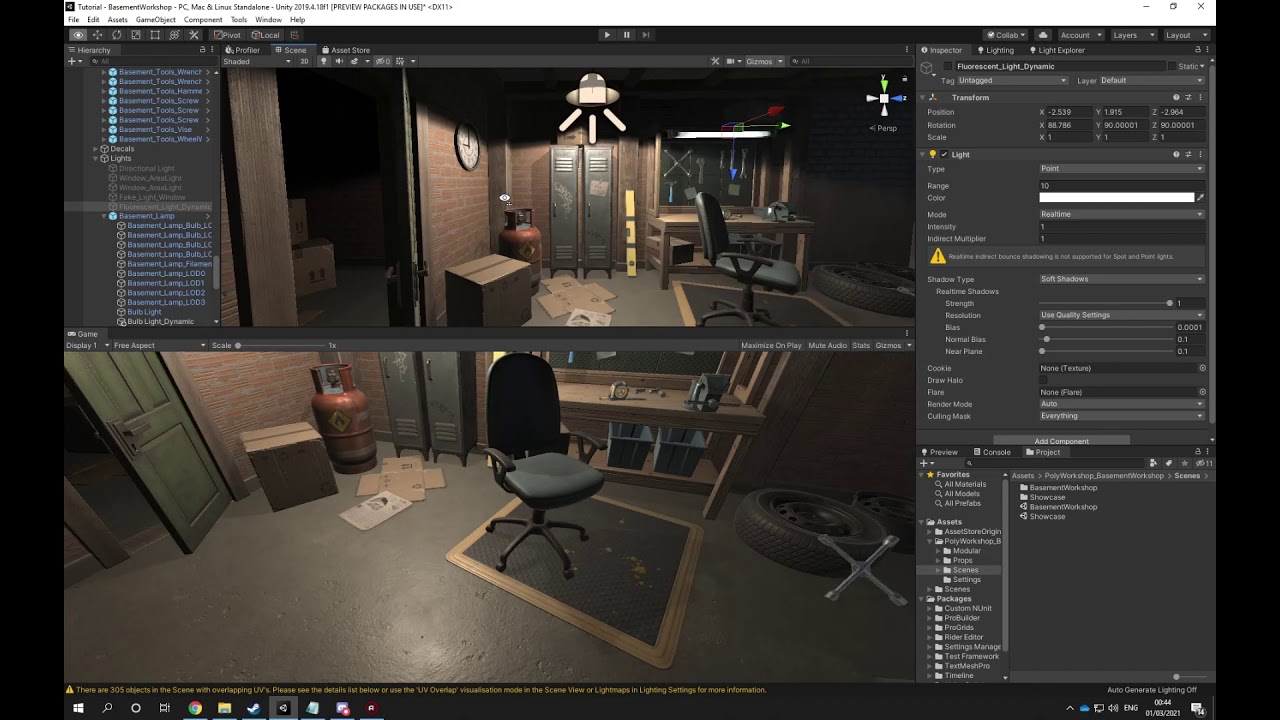
In this video we use Shadow Bias to adjust the shadows so they will connect to the objects on ground and overall around the scene. It also quickly explains the theory of solving light coming through walls for baking. #lighting #shadow #bias #clipping #unity #unity3d #unityengine #gameengine #lookdevelopment #postprocessing #spotlight
10h Unreal...
elder stag
Where would one get all those settings like in the video though?

But yeah this is part of shadows :/
sturdy remnant
elder stag
Where would one get all those settings like in the video though?
Probably turn on the shadow.
Then where it says Bias, maybe check the roll out and show me the setting?
elder stag
Oh my bad wrong screenshot, don't get that option in both point lights and directional lights

The issue lingers in directional ones
sturdy remnant
elder stag
Oh my bad wrong screenshot, don't get that option in both point lights and direc...
Why am I looking at point light if it is the directional light?
elder stag
That's true, the depth is what caused it. A few small artifacts are still remaining but I can live with them
sturdy remnant
And baking the light should not give you those shadow issues.
sturdy remnant
elder stag
That's true, the depth is what caused it. A few small artifacts are still remain...
Which depth setting did you use?
elder stag
Went with custom Bias and got rid of the depth
But that's so interesting that it does that..
red tinsel
sturdy remnant
Not sure why you want to as Alex says.
I don't want to use Post Processing because even adding the Post Processing component without any effects makes my computer laggy and super hot.
sturdy remnant
elder stag
Went with custom Bias and got rid of the depth
What settings did you use?
sturdy remnant
red tinsel
I don't want to use Post Processing because even adding the Post Processing comp...
Sounds like you have other issues other than PP.
red tinsel
I am using a pretty outdated graphics driver but every time I try to update it, my computer crashes and I have to rollback.
sturdy remnant
red tinsel
I am using a pretty outdated graphics driver but every time I try to update it, ...
Do you know how to use profiler to pin point specifically the highest cost?
red tinsel
Yes, Rendering is taking up the most. According to the little thing at the bottom, it spends most of it's time waiting for GTX.
elder stag
sturdy remnant
What settings did you use?
Of the bias? Or overall light
sturdy remnant
elder stag
Of the bias? Or overall light
The bias, depth and light settings yeah that you used to get rid of it.
sturdy remnant
red tinsel
Yes, Rendering is taking up the most. According to the little thing at the botto...
Do you have real time lights casting shadow?
red tinsel
sturdy remnant
Do you have real time lights casting shadow?
I have one directional light casting on a plane with a stack of cubes. For some reason, the shadows are missing from my build version though.
sturdy remnant
red tinsel
I have one directional light casting on a plane with a stack of cubes. For some ...
If it is rendering it sounds like it might be other issues. Like batching of your cubes, textures, draw call for your shadowcasting, texture from baking light and possible if it is still in Unity, you could turn on fast mode on post processing settings.
elder stag
sturdy remnant
The bias, depth and light settings yeah that you used to get rid of it.
https://gyazo.com/88a3521467fdc3e170c9881fb6c1a623
Turned the depth all the way up
sturdy remnant
elder stag
https://gyazo.com/88a3521467fdc3e170c9881fb6c1a623
Turned the depth all the way ...
You should and can also adjust the plane together with the bias.
elder stag
sturdy remnant
You should and can also adjust the plane together with the bias.
As in the texture of a plane?
sturdy remnant
elder stag
As in the texture of a plane?
Nah, you touched the third setting on the last slider to 6.
The "near plane" also affects these settings if you have it too high or too low, and you balance it with low bias to avoid it going to 0 bias or high bias.
I am curious to see if you get similar result by averaging both or adjusting the near plane down or up but bias down.
elder stag
sturdy remnant
The "near plane" also affects these settings if you have it too high or too low,...
Oh I actually see no difference, is almost like only the depth and normal are working. Maybe sliightly different rotation on that ugly texture when having it set to 0 but overall doesn't change anything
 shut reef
Greetings! not sure if this is the right place but is there a way to apply a shader to a camera without a script?
azure lark
How can I see the post processing in the editor? It is recommended to have the volume in a post processing layer but then it doesn't show in the editor
If I set the post processing layer to default it works in the editor.
sturdy remnant
azure lark
How can I see the post processing in the editor? It is recommended to have the v...
You sure you remember to do all steps, including for camera?
azure lark
@sturdy remnant The post processing works for the camera in-game but not for the editor
but if I have the post processing volume on the default layer it works for both
sturdy remnant
azure lark
but if I have the post processing volume on the default layer it works for both
Did you put the camera inside the volume in the editor?
azure lark
all the effects that I want to see shows in the editor but only when I have the post processing volume layer as default
Is there any way to change the editor post processing layer to the Post processing volume layer?
azure lark
yeah
azure lark
urp
sturdy remnant
And make sure you did all of these.
Volume layer is default:
Post-process Volume -> Layer - > Default
Volume mode is global:
Post-process Volume -> Volume Mode -> Global
URP Settings post-processing is enabled:
Project -> Assets -> UniversalRP-HighQuality -> Post-processing
Main Camera has post-processing enabled:
Main Camera -> Rendering -> Post-processing
Main Camera volume mask is set to default:
Main Camera -> Environment -> Volume Mask -> Default
azure lark
@sturdy remnant wait so I can't set the post processing to it's own layer?
sturdy remnant
azure lark
<@!174185317669011456> wait so I can't set the post processing to it's own layer...
Focus...
Also, before you try anything. Delete the camera and make a new one and assign the layer to it.
And start showing your setup with screenshot. For every area.

 sturdy remnant
Did you download the post process?
Why do you need to force use a layer btw, to not use default?
azure lark
@sturdy remnant Some people I asked recommended it because of better performance
Because the post processing layer only have the volume
sturdy remnant
Where is your post process layer for the camera?
It currently just says Camera
Does changing it help in your case?
azure lark
It doesn't change anything
sturdy remnant
Did you add your volume override to your own game object instead of camera?
Although urp has its own post process it uses same volume logic like hdrp. https://docs.unity3d.com/Packages/com.unity.render-pipelines.high-definition@10.3/manual/Volumes.html
azure lark
nah I can't seem to find how to fix it. It isn't a huge problem so I guess I just must deal with it
azure lark
but why would it be a volume mask if it is intended to be the default layer
 finite sandal
how do i put postprocessing on text
sturdy remnant
finite sandal
how do i put postprocessing on text
The internet is filled with already answers. Did you seek through the wast knowledge sea out there?
finite sandal
sturdy remnant
The internet is filled with already answers. Did you seek through the wast knowl...
dont bother. someone's helping me on brackeys
sturdy remnant
finite sandal
dont bother. someone's helping me on brackeys
It is funny. In unreal people need to figure out how to exclude the post process. 🤣
In Unity, people are trying to figure out how to include it.
finite sandal
hmm...
sturdy remnant
finite sandal
hmm...
You should have said you did not know how to use post processing, before asking about text part. 😄
sturdy remnant
finite sandal
hmm...
Although, I tried it for URP for now.
 severe slate
How'd I go about expading the Viggnette effect to add in old Post effect features like the mask or the effects squareness?
severe slate
I'm using the newest Post-process Volume workflow
finite sandal
sturdy remnant
You should have said you did not know how to use post processing, before asking ...
why
sturdy remnant
finite sandal
why
Because those are two different questions and starting points.
buoyant galleon
severe slate
How'd I go about expading the Viggnette effect to add in old Post effect feature...
Write an entirely new vignette effect and supporting custom post-process pass pipeline 😄
(not joking btw, there's no easy way to do that in new SRPs, particularly universal, you will have to roll your own)
 tulip oasis
so ive moved to a new project folder and all my postprossessing have broken in one way or another. I do not no how post processing works or how to fix this. any help would be appreciated!


also i gotta eat so if i dont respond that why
marsh frigate
something in your scene is creating NaNs (not a number). There are some checkboxes in some of the PP settings to help not propagate NaNs, but the best way is to not create them in the first place
some shader will be doing a divide by zero or something
 devout igloo

I removed the recoloring from KinoEight and added the option to change the bayer matrix type, from the Kino Recolor post process.
tulip oasis
marsh frigate
some shader will be doing a divide by zero or something
Is there any way i can pinpoint exatly what is causing this?
Hmm, i toggled every module off and on again and it seems to work
i was just proven wrong
the problem appears to be with Anti Aliasing specifically
so i changed the type of anti aliasing and it works now
these right here were the real culprit, hours on this wind goose chase but i finially found the problem

these were not set to Deferred
 night dirge
I'm checking out the SSAO in the URP and testing converting my project from built in to URP. We are using the post processing AO currently, and setting the color of it, but i don't see the ability to set a color for the SSAO in URP. Is that something you can still do? Was it moved to something else?
sturdy remnant
Do not think there is one.
buoyant galleon
Closest you would be able to get is using the SMH (Shadows Midtones Highlights) effect and tweaking shadow colour to what you had AO tinted to before
night dirge
Okay, thanks for that!
 plucky bobcat
(URP) I'm applying a global Color Adjustment to an overlay camera. How can I exclude the skybox on my base camera from the effect?
buoyant galleon
Anyone know why passing a variable into a vertex shader on URP works, but as soon as I try to change that variable prior to a second blit, the change doesn't propagate?
(and only the initial value is set)?
 slim stirrup
Hello.
I would like to make a pp effect.
There will be a glass at the tip of a microscope, which we will look in through the germs.
When we move away from that glass it will look "a glass" and it will not show inside of it.
When we nearer to the glass, we can look in through the glass.
I do not know where to start off.
Would you say me some keywords for it


On the first photo, I will look in through germs.
On the second photo I will look upon a glass
 gilded dagger
how do i add post prosessing to a 2d game
 runic thorn
gilded dagger
how do i add post prosessing to a 2d game
runic thorn
gilded dagger
how do i add post prosessing to a 2d game
Do you use urp?
runic thorn
To ?
gilded dagger
urp
runic thorn
Well you can but look at a tutorial
 tawdry swallow
hey guys i have a problem with getting ambient occlusion to show up? other effects like color grading work properly but when i enable AO on my post processing profile nothing happens
tawdry swallow
i figured it out. i had to disabled ambient only
buoyant galleon
Hey all, just wondering, is there any post-processing effects that seem to be "missing" from Unity? Doing some dev work at the moment and trying to figure out if there's any new effects that I should make
 rocky creek
unity URP , multiple viewports seem to use the same script ?
want to have independent data, for each camera,
I store the PrevViewMatrix in the RenderFeature,
but, the GameView and SceneView share the same data
anybody meet this ?
 fair night
@native owl Alright, on your post processing profile (in your project files), add a Vignette effect with a strong intensity
 native owl
ok
fair night
So we can see if it gets applied to the camera
native owl
ok, so no it doesn't appear to


 fair night
Make sure your volume has the "Glow" layer selected
native owl
 fair night
Try switching the layer on both objects to "PostProcessing", that looks to be the only one working for me
 fair night
Oh it's because I made one, but since you made your own it should work
native owl
alright so I assume something else is messed up then
the way you described it and the way the docs do as well, it should be glowing by now
but it doesn't look like it's working at all, including the vignette
fair night
I'm looking through project settings to see if there's something to enable
On your camera, do you have this list at the bottom? Make sure HDR is enabled

Disabling the post processing layer removes that list
native owl
hmm that might be it, it says it's using pipeline settings, but I can't seem to find my universal settings
but that's only output
 fair night
Hmm I don't have the same camera settings, it's because of the Unity version. I'll load a project using 2020.2
gritty folio
@native owl URP v8+ does not support the Post Processing package (PPv2). You should use the integrated "Volume" script component instead. It has some similar things but has to be converted manually.
native owl
@gritty folio you wouldn't happen to have a link that shows how to set that up would you?
fair night
Okay, so loading a project in 2020.1, there isn't a post processing layer, it's different, and easier to set up
I mixed ppv2 and urp apparently
gritty folio
native owl
first off, I added the PP package, should I uninstall that? if it's not compatible
gritty folio
Yes
fair night
Now it makes sense lmao, I was using the PPv2 in the 2018 project, in the 2020 project settings I have the URP enabled
native owl
alright so now I have a global game object with a global volume on it, linked to a profile that does bloom again
I'll add vignette to see it's working
ok so that for sure is working now
fair night
Nice
fair night
Alright, so you've made a shader material with a HDR color hooked up to the Emission in the PBR master node
I'm gonna make one quickly to see if it works
native owl
for this test, I've created a cube
and a new material, enabled emission and turned it way up in the red
+3
basic unity shader
not a shadergraph material
fair night
Just did the same here, it's working


 fair night
And in the Game View, is it working?
fair night
What's with the white fog all over the scene
fair night
Oh, right
native owl

that's without the vignette
they are hdr and values above 1, so they are approaching white, but not glow/blooming
so they are just fading into the background
fair night
I don't get why it's so white
native owl

and that's camera background color black
let me go read through that stuff cyan posted
because this was the issue, if I create it from the example scene it works
but from scratch, it doesn't
try it by making a brand new scene that's empty with no PP
and creating the assets
fair night
Alright, I'll do that now, give me a minute
native owl
oh ho, ok It's working now
fair night
Created a new scene, a new profile with vignette, an empty GO with the Volume script on it, dragged the profile onto the volume and it worked right away
native owl
yea that's what was confusing me and made me go back and look
the settings are different between versions
I had threshold turned up to 1 on the bloom not intensity
and yea now it works great!
thanks @fair night and @gritty folio 👍
 worthy rapids
that thing is really driving me nuts and i couldn't find a way to get a neutral LUT file for unity...

the LUT file in question:

created with a script based on the palette which you can see here:

since it doesn't work as expected, i have to google for the lut unity file... unfortunately, these one i found are too old to be used....
gritty folio
@worthy rapids I'm not super familiar with LUT, but you might just need to flip the Y axis.
worthy rapids
i did and didn't work
i mean: i no longer have photoshop
so, i use a different software like clip studio paint or krita
i just realise how stupid i was
it's much simpler than i though to flip channel
i will give update later about it
for now, it's food time 😬
 worthy rapids
i use URP, i also used a python script from this: https://gist.github.com/adammathes/6258303

Gist
Given an input image color palette, extracts all colors from it and generates a color lookup table texture suitable for use with GPUImageLookupFilter of using closest color logic. - generate_clut.py
 quasi flame
Yeah I just looked in the docs and found out you can post process in default one too
but I need a package for it
so I will just go with the default
worthy rapids
it's already integrated from unity default by using URP directly
the python script, i did a few edit to make it work with unity default lut layout
right now, i'm trying to figure out how to change some math to correctly render the green color from the bottom to top
instead of from top to bottom
worthy rapids
i will take a break from it, i will try to work on a different part of my project

 loud pecan
sturdy remnant
loud pecan
sturdy remnant
Ratio between fog, foreground, background and intensity of light seems off balance
tall saffron
I noticed there's a major version update in Post Processing Stack (v2). Major version went from 2 -> 3. Is there a blog post or anything about what's changed?
red tinsel
How can I specify Bloom to affect a GameObject? I have an energy ball that I want Bloom to make glow while leaving everything else untouched.
 red oxide
When you say make 'glow' do you mean something that emissive could accomplish?
buoyant galleon
red tinsel
How can I specify Bloom to affect a GameObject? I have an energy ball that I wan...
As the post below yours says, only way to do that is by making sure that object is the only thing in your scene with a brightness of over 1.0, via emissive or a custom shader
 echo ivy
Is there a guide or snippets on how one can create a post process layer in c# code without using the inspector?
ive hit a snag at PostProcessResources not being allocated
Feel free to @echo ivy
 dim canopy
what anti aliasing would you guys most recommend?
 pine anchor
anyone know how to change color of vignette trough script? I have a black vignette but i wanna switch to red when something happens.
Oh wait i just figured it out. It was something like "vignette.color.value = Color.red;"
echo ivy
I've managed to copy the PostProcessResources that unity gives as part of their stack into an assetbundle
next I would have to load that into my cache but the Resources are listed as .asset
Could I cast from the assetbundle stream to just have it cast to PostProcessResources?
the resources dont get unloaded and are cached for the duration of the active session
buoyant galleon
By writing a shader for the single gameobject that implements whatever post-processing you want after the surface is shaded 🙂 Post-processing is for the whole screen
dapper urchin
anyone know what happened to the Anamorphic Ratio setting in URP bloom? i know it went away with the new post effects stuff, but why?
vast brook
dapper urchin
anyone know what happened to the Anamorphic Ratio setting in URP bloom? i know ...
not sure why it's not in URP (performance optimizations maybe?) for what it's worth anamorphism is available on HDRP cameras and Bloom post fx: https://docs.unity3d.com/Packages/com.unity.render-pipelines.high-definition@10.4/manual/Post-Processing-Bloom.html
dapper urchin
Huh ok. Thanks!
 midnight panther
Hi, I use a little c# script to modify some of my post process profiles values, more precisely the gaussian radius of the Depth Of Field
    public float intensity;
    public float transitionDuration;
    public float currentIntensity;

    private Volume v;
    private DepthOfField dof;

    private float vel;

    private void Start ()
    {
        v = GetComponent<Volume>();

        v.profile.TryGet<DepthOfField>(out dof);
    }

    private void Update ()
    {
        currentIntensity = Mathf.SmoothDamp(dof.gaussianMaxRadius.value, intensity, ref vel, transitionDuration);
        dof.gaussianMaxRadius.value = currentIntensity;
        dof.Release();


        dof.active = dof.gaussianMaxRadius.value > 0.001f;
    }
So I have this code, it work well, my gaussianRadius is perfectly set... but it change nothing in the scene
Like the value is modified, but unity ignore it; is there any "Update()" method ?
severe slate
auto exposure should be subtle and barely noticable in my opinion
in most games its way too noticeable and looks bad

 gritty trench
Seems to show up in my Package Manager as a freely installable thing
 vernal star
Weird I had that auto installed?
sturdy remnant
severe slate
why isnt this free anymore?
just in the package manager that is all
severe slate
sturdy remnant
just in the package manager that is all
isnt here
 severe slate
why isnt this free anymore?
severe slate
severe slate
why isnt this free anymore?
btw ive bought that and it doesnt even work lmao
rip money
marsh frigate
it never costed money
severe slate
it did
marsh frigate
No
severe slate
if it didnt how would i have paid for it
marsh frigate
You got scammed?
marsh frigate
Yeah, it's been free the entire time
severe slate
i didn't know that when i bought it
i thought you had to pay
when i realized it was too late
ye this thing

perhaps it works now idk
marsh frigate
That's a Playmaker-specific addon for controlling PPSv2
 marsh frigate
You can contact them for a refund, they mention it in their review replies
sturdy remnant
severe slate
ye this thing
Certainly not Unity free official PP
severe slate
what even is playmaker btw
gritty trench
Visual scripting thing
severe slate
questioning why i bought this
questioning myself and my responsibility with my money
severe slate
i should have done more research
gritty trench
If it's a PLaymaker add-on, it should say "Playmaker" first IMO
gritty trench
Same
severe slate
i dont see the appeal
gritty trench
Well, it's a lot less fiddly since you can't possibly get syntax wrong etc.
Just spend some time in the coding channels here and see how people struggle with that 🙂
sturdy remnant
severe slate
questioning myself and my responsibility with my money
Go into a corner. Reflect. It is okay.
bronze mural
@sturdy remnant Don't post off-topic media, please.
sturdy remnant
bronze mural
<@!174185317669011456> Don't post off-topic media, please.
You mean GIF in this case.
bronze mural
Yes, that includes memes, reaction gifs, etc.
sturdy remnant
All which are essential to build a healthy natural relationship in the middle of troubleshooting and engaging Discord Community.
bronze mural
This is not a social club. And everyone have different view on humor, especially server full of teenagers. We can't cherry pick off-topic content to allow that will not disrupt the server.
sturdy remnant
Fair enough. Company and all. There are other servers to be more free.
bronze mural
In URP, for example you can turn it off on the camera directly, but apparently it involves referencing an additional component. https://forum.unity.com/threads/enable-disable-post-processing-on-camera-at-runtime.818559/
Universal Render Pipeline. On default pipeline you should be able to access volume and turn effects on/off or the entire thing
bronze mural
You can toggle a bool with myBool = !myBool; Basic tutorials covering how you can setup button events and access components can be found pinned in #💻┃code-beginner top right.
 fallen holly

 cobalt minnow
@fallen holly This is a #💻┃unity-talk question and not related to #💥┃post-processing. But you can add the Android Build module from Unity Hub. However, Xbox requires you to sign up and pay for a development kit, etc. to build for console.
vernal star
how do you make it so a single post processing works across all scenes?
and I guess for that matter, is there a way to have a way to deactivate post processing from a scene that it's not in, so I can turn it on and off from the main menu, and in a pause menu?
sturdy remnant
vernal star
how do you make it so a single post processing works across all scenes?
turn on global
slim stirrup
Hi
I want my render texture get effected by post processing.
could not do that.
do you know how to make?
severe slate
Hey, im using HDRP 11 in a unity beta version i want to use the chromatic aberration effect in a specific area i dont want the effect on the sides of the scene instead use it in a specified area any ideas on how to do that ?!
 slim stone
Two days ago I started working on this interior design and used HDRP, post-processing and light baking for the first time. Looking for some tips/advice on how to remove noise around edges around objects? I've used post-anti aliasing on camera and removed some but not all.

 civic bronze
hi! im trying to add post processing to my 2d game: and nothing is happening [URP]

nvm, got it!
sturdy remnant
civic bronze
nvm, got it!
Should share what you missed or forgot, for others to know.
civic bronze
okay, my camera was still not the URP one so i had to recreate the camera and it worked!
 nova glade
do you code post processing or is it like a setting?
 rocky ridge
@slim stone ice screenshot, unity really has gotten so nuch better over the years, im excited to see the future of the engine!
vernal star
this might be a dumb question, and im making a pretty simple mistake, but i have post processing on global, but it only works on the scene its in.
 cobalt minnow
Is Global doesn't mean every scene, it means it has no boundaries and is applied to the entire scene.
vernal star
ah
sturdy remnant
vernal star
ah
So you got to have one for each scene.
 gusty shoal
I'm trying to create my own bloom effect and am failing miserably at the start. I'm using Graphics.Blit to create the bloom pyramid, but it's giving me weird results.
https://forum.unity.com/threads/custom-bloom-failure.1087439/
Unity Forum
I heavily use bloom for my game. I know it's quite expensive and wanted to try writing my own custom bloom, as my game is monochrome. The idea was I...
sturdy remnant
gusty shoal
I'm trying to create my own bloom effect and am failing miserably at the start. ...
Might want to check with coding chats
nova glade
vernal star
this might be a dumb question, and im making a pretty simple mistake, but i have...
well, that answers my question. Thanks!
vernal star
what?
 carmine violet
I'm having trouble configuring my eye adaptation speed. I'm using Unity 2020.3. I've got post processing set up and I'm running around in the editor, and I see the eye adapting to the brightness as I do so, but it seems to adapt too quickly, leading to well, I don't want to call it flickering exactly, but basically the lighting is changing too rapidly as the lighting in the scene changes as I move, so it's reacting too much and too often and it's not realistic. However I have tried setting speed up and speed down from 2 + 1 to 20 and 10 and .2 and .1 and none of these seems to make any difference in how fast the lighting changes from my bright outdoor spaces to my darker indoor spaces.

I also can't find any documentation about what these numbers actually mean. Are they millseconds, or seconds, so I should raise them? Are they a percentage of some default adjustment speed so I should lower them to make it adjust slower?
sturdy remnant
vernal star
what?
I suppose Ninja had the same question.
sturdy remnant
carmine violet
I'm having trouble configuring my eye adaptation speed. I'm using Unity 2020.3. ...
You should probably turn on progressive or fixed so your numbers take effect better.
 carmine violet
sturdy remnant
carmine violet
sturdy remnant
Hm? Don't you only have to check those boxes if you want to change the values from the default? Because they all have a default and they go back to it if you uncheck it. I don't know why that one should be any different. And why would speed up and speed down have their own checkboxes, or be visible and checkable at all if changing them would have no effect if the box above them isn't checked?
In any case, I just tried that now, and there's still no effect in the editor scene window with them set to either 10000 or .001.
Also has no effect on the camera in the game view.
sturdy remnant
carmine violet
Also has no effect on the camera in the game view.
Do you have Exposure besides Auto Exposure? And is this HDRP?
carmine violet
It's the standard pipeline, and I don't understand the question about Exposure. I have color grading which has post exposure as an option in it though it's unchecked. Where would "Exposure" be?
I also just started getting this error constantly:
"A multisampled texture being bound to a non-multisampled sampler. Disabling in order to avoid undefined behavior. Please use Texture2DMS in the shader.
UnityEngine.GUIUtility:ProcessEvent (int,intptr,bool&)"
But I wasn't changing anything except that up and down speed when this popped up and restarting steamVR and Unity does not make the error go away,
That's in Play mode that I'm getting this new error. It worked once, and then stopped when I stopped the game and restarted it because I fell out of the world.
Disabling post processing entirely has no effect...
Enabling multipass rendering for SteamVR does get visuals back and that error goes away but now things are really dark and flickering slightly as if auto exposure is messed up...
sturdy remnant
carmine violet
It's the standard pipeline, and I don't understand the question about Exposure. ...
What is your light intensity at?
carmine violet
This is what it looks like with play mode off.
 sturdy remnant
carmine violet
In any case, I just tried that now, and there's still no effect in the editor sc...
sturdy remnant
carmine violet
In any case, I just tried that now, and there's still no effect in the editor sc...
So, neither progressive or fixed had any effect when you set the adaption setting on?
carmine violet
Play mode on, multi-pass vr:
 carmine violet
sturdy remnant
So, neither progressive or fixed had any effect when you set the adaption settin...
carmine violet
sturdy remnant
So, neither progressive or fixed had any effect when you set the adaption settin...
No.
The above looked fine a minute ago with single pass VR. The lighting was exposed well.
sturdy remnant
Turn off your exposure setting such as filtering, ev in, ev max, exposure compensation and see if your adaption picks up anything. It should work.
carmine violet
I didn't say the adaptation doesn't work. The speed at which it adapts is too fast and adjusting the parameters to slow it down does nothing.

So turning that other stuff off brightened up what the camera was seeing a bit, but the scene view is what the camera should be seeing with those settings.
And it's flickering like crazy. This is not the same flicker I mentioned when I said the adaptation wasn't working well. It's like flickering when I stand still.
sturdy remnant
Yeah but using adaption requires many other things correct first.
HDR settings
Linear light
tonemapping
light intensity
skybox
carmine violet
Flickering stops when I turn off post processing but obviously this is wrong visually:
 sturdy remnant
put directional light intensity settings to 2
and try these settings
 carmine violet
It's in linear light. HDR settings is too vague to know if what you want is on but the camera is in HDR mode. The HDR and tonemapping were working just fine.
Those settings make no sense. If I were to lower directional light to 2 and have exposure compensation set to .25 my scene would be extremely dark.
sturdy remnant
Besides the point. You want to figure out the speed.
carmine violet
Yes, but changing those values should also be besides the point for making the speed work.
I shouldn't have to expose my scene poorly to make the adjustment speed of the auto exposure function.


Okay, so I set it up how you suggested, and obviously everything is still horribly wrong and I probably need to rebake my light maps. But it stopped being super dark in play mode. However I can't attribute that to your suggestion as it was not dark in play mode before. I think Unity is just completely messed up and I have to reboot.
However... When I move the player camera in play mode now, I saw the fade happen more slowly. But, it was behaving weirdly. When I move towards the house which would normally make it fade up to be brighter, the scene got darker instantly, and then faded back up to what you see there. So that's not working right but its probably related to everything else that's broken.
Still even if what you suggested ultimately works after I reboot, it still does not solve my problem, because I can't have a nice looking scene with a sun that has an intensity of 2... Unless of course I try tweaking the exposure with the color grading. But then I'm concerned there won't be enough light bouncing inside the house to look good, and why should a brightness of 5.5 on the main light source break HDR auto exposure in the first place?
WTF... I'm still getting that weird error even after a reboot when using single pass rendering. This was working 30 minutes ago and I didn't change any settings aside from those in my post processing!
UnityEngine.GUIUtility:ProcessEvent (int,intptr,bool&)```I think you first need to get decent lighting before you even play with auto exposure and post processing. Exposure alone does not do anything, it is talking to the lights and its intensity, the skybox etc.
carmine violet
I had decent lighting. What do you mean by decent lighting?
Unfortunately I don't have any screenshots, but what you see in the scene view is how the lighting looked to the camera until a half hour ago:

It was not blown out like the image on the right before. It looked great. The only issue was the auto exposure changing too fast.
Wtf is going on!

I turned off the only directional light I had in the scene and rebaked the lighting, and it still looks like this.
Oh and I turned off the post processing volume too.
sturdy remnant
carmine violet
Wtf is going on!
To be fair. Getting eye adaption on built in renderer to work requires some work, so you are not the first one to have a go at it like this.
Just make sure your lighting range is large for the meter to understand dark and light. This will slow down the eye adaption since there is a larger range to slow down through. It might be jumping because there is not enough range so it reaches min and max quickly.
carmine violet
Well I figured out part of the problem. Everything became super bright because my skybox exposure was cranked up. Of course, I cranked it up because it was being darkened by my exposure settings. And at the time it was perfectly fine, but I guess when the lighting was re-baked, it decided to pick up all that extra light and screw the whole scene up.
 carmine violet
sturdy remnant
Just make sure your lighting range is large for the meter to understand dark and...
carmine violet
sturdy remnant
Just make sure your lighting range is large for the meter to understand dark and...
My lighting range was large. The sun is 5.5. The sky was 1.0 until I messed with it. That's the same ratio of direct sun to shade that exists in real life, except the numbers are more like 111K lux and 2K lux.
Of course now I'm curious why with only a skybox lighting the scene, the interior of the house is being affected by it. It's not shadowed.
sturdy remnant
Unity In built numbers are arbitrary unlike when using HDRP
carmine violet
Well, I need to use standard shader, both for performance in VR and compatibility with the large number of pre-existing shaders because I don't want to have to write my own water shaders and I want to allow players to import their own pre-existing models.
sturdy remnant
carmine violet
Well, I need to use standard shader, both for performance in VR and compatibilit...
Click add componenet. Do you see lighting debug? In post process volume.
carmine violet
I see "post process debug" but not lighting debug.
sturdy remnant
yeah, add that.
Turn on light meter, histogram and such. If you know how to read and use it, great. You should figure out things. If not, great. Learn it.
carmine violet
While I appreciate you telling me how to get that information, I fail to see how it's relevant to my two current problems. I can see with my eyes that the light inside the house is much darker than outside. So what you said earlier about having a large enough difference in brightness... I've got that. Hell you told me to turn my main light source down to half its original brightness to get the auto exposure working, which would reduce the difference between light and dark spaces, not increase it.
I'm also now stuck on why my skybox light is affecting everything inside the house. Until I get that fixed, I can't have proper lighting everywhere.
I don't know for sure but I seem to recall Unity's built in lightmapper not being able to handle skybox occlusion. Which means I'd have to switch to bakery to fix that. But I don't want to do that till I get the auto exposure working. Actually I din't want to have to resort to that at all since Bakery makes lighting that much more of a pain to set up since it needs its own special light sources, but if that's what I gotta do I guess I'll do that later.
Ah, I had my light probes disabled, and it appears with them enabled the light from the skybox does not reach inside the house, as I wanted. Though I don't understand why I should need light probes to bake ambient light from the sky into the lightmaps.
 sturdy remnant
carmine violet
Ah, I had my light probes disabled, and it appears with them enabled the light f...
sturdy remnant
carmine violet
Ah, I had my light probes disabled, and it appears with them enabled the light f...
Did you set it to static?
carmine violet
What, the house? It's all static, yes.
carmine violet
Well, I'm making progress. The lighting outside looks like garbage, but I'm not seeing the weird flickering in the auto exposure now. The settings for the speed of change still seem to have no affect on how fast it changes though.
I think I've got something figured out about the skybox though... There's two values I need to adjust to get it to look how I want it to.
There's the exposure setting on the skybox itself, which both affects the brightness of the sky in the camera and the amount of light it emits...

And in the lighting tab there's an intensity multiplier, which I assume allows me to adjust how much light the sky is actually emitting into the scene without affecting the appearance of the skybox itself:
 sturdy remnant
(working so will see if I can come back tomorrow if needed)
carmine violet
Thanks, appreciate the help. I think I'm gonna have to just go with a less physically accurate setting for my main light source. I was using a brighter one trying to get the inside of the house lit and I figured I would get the most realistic lighting that way, but it doesn't look correct on screen and the auto exposure adjustment seems to work well enough now even if I can't adjust the speed of it, so I can see stuff inside the house properly.
sturdy remnant
carmine violet
Thanks, appreciate the help. I think I'm gonna have to just go with a less physi...
Okay, I might still make a tutorial in the future for built in to show how to go on about it.
 lost ore
Is there anyone around to help? I am trying to change the Ambient Occlusion in my settings:
PostProcessProfile.settings[0].enabled = Graphics_PostProcessing_AmbientOcclusion;
But it gives me an error that it cannot convert it! How can I fiix this?
sturdy remnant
Sounds like coding.
lost ore
Oh
 digital fern
how can i do the hat be over the text? (the text its another photo)
 sturdy remnant
digital fern
how can i do the hat be over the text? (the text its another photo)
sturdy remnant
digital fern
how can i do the hat be over the text? (the text its another photo)
a #📲┃ui-ux question not post process
digital fern
thx
 swift sapphire
How do I add HDRP to an already existing project?
 sonic cliff
Have this weird lighting bug that I can't work out. Looks fine in Substance but when I drag the normal map onto it in Unity the lighting doesn't look right. Using HDRP, any help appreciated.

 random wave
Hiho, friends! Help me please. How can I transfer blending effects from Photoshop to Unity? Any utilities or tricks to resolve this issue?
 copper saffron
swift sapphire
How do I add HDRP to an already existing project?
copper saffron
swift sapphire
How do I add HDRP to an already existing project?
via the "package manager". That said- I've had very poor luck ADDing it to a project. I'd suggest you START with and HDRP project, and port your existing stuff over to that- (I've just had more luck doing it that way.)
copper saffron
sonic cliff
Have this weird lighting bug that I can't work out. Looks fine in Substance but ...
ensure that you have the correct "import" settings defined on the normal map image. there is a specific checkbox for normal maps in there.
Question: I'm running URP, and I'm using the BLOOM post process effect. The effect is visible in the editor- but not visible when running the android build. Is it even POSSIBLE to make this work on android? If so, would this imply the issue exists somewhere in my build's "player settings"? (side note: I'm using an android emulator on my PC.. but that shouldn't matter- right?)
 wet spruce
Hey guys, I have a question about post processing. When I try to add a layer I can't type in any of the "user layer" boxes to name a layer. Any suggestions on this?
 copper saffron
wet spruce
Hey guys, I have a question about post processing. When I try to add a layer I c...
copper saffron
wet spruce
Hey guys, I have a question about post processing. When I try to add a layer I c...
this is definitely odd; it works for me on the same screen. Does it happen with a new project? Try rebooting the computer yet (doubtful that will help, but usually worth a shot)?
wet spruce
I've closed the project and reopened it and im still having the issue
 soft adder
I came across this issue once
it kinda fixed itself when I moved it onto a different screen
maybe try snagging it out of the editor and make it a separate window?
soft adder
The strange wonders of Unity
bronze mural
@wet spruce No reaction gifs, please.
wet spruce
Sorry. I didn't know that
 flat frigate
any good free post proccesing assets?
marsh frigate
What are you looking for? Because the default post processing stack is pretty featured
flat frigate
how do i get the default one?
marsh frigate
It's in the package manager, generally pre-installed
the docs are pinned to this channel
flat frigate
oh thank you
 uncut knot
Guys, this looks really good, is it using post processing ?
 severe slate
The postprocessing effects are not visible in mobile build...I dont know why I am using URP can someone help me with this
buoyant galleon
severe slate
The postprocessing effects are not visible in mobile build...I dont know why I a...
Do you get any errors?
buoyant galleon
flat frigate
any good free post proccesing assets?
I have a free Night Vision effect that works with Builtin render pipeline if you're using that: https://assetstore.unity.com/packages/vfx/shaders/fullscreen-camera-effects/deferred-night-vision-43423
 astral trench
https://gyazo.com/96f86df036a8002f1ca213036bf5c026 so for some reason the camera preview doesnt show the post processing but the game and the scene do, when i run the game in vr will it show me the map as in the game preview or the camera preview? cant test atm due to slow upload speed

 bronze mural
@severe slate Don't spam and this is not related to this channel.
severe slate
fog is post processing. how is that not related?
bronze mural
@severe slate You are asking about assets. And you already asked in #💻┃unity-talk
severe slate
well u should have read my question before deleting. cus the second part clearly asks about fog stacking using post processing in unity
bronze mural
@severe slate You can find documentation pinned in the channel. Don't mix questions with spam posts next time.
severe slate
both were questions. and how is it spam when its posted in the 3 channels it refers to only once. damn what kind of mod are u? bad day?
bronze mural
severe slate
both were questions. and how is it spam when its posted in the 3 channels it ref...
@severe slate Your next post better be an actual question.
severe slate
bruh ur blocked
bronze mural
!mute 776861053040197662 1d Don't post off-topic. Don't cross-post. Do not ignore warnings.
 wild torrentBOT
 Fa#2950 was muted
severe slate
buoyant galleon
Do you get any errors?
nope there were no errors ...
 graceful scroll
Hey there, i´m sorry if i´m wrong here, but i´ll try anyway. I´m trying to build my own game and its coming along really good. But i have a problem with my "style" of the game and i don´t know anything about post-processing to get it done. I´d want to it like the right screen from the screensot, on the left side its my graphic atm . Can anyone help me getting my style a little bit better? Sorry again if i´m at the wrong place here

i cant find anything to get those shadows or "sun beams"
bronze mural
graceful scroll
i cant find anything to get those shadows or "sun beams"
To have shadows you need to use lit materials and a directional, in this case, light source. Sun shaft are more complicated, you can find different shader solutions.
graceful scroll
thank you 🙂
 floral bear
how do I add bloom to specific objects only in 2d URP ?
for example in Ryder game, the ground is a neon glowing line...
bronze mural
floral bear
how do I add bloom to specific objects only in 2d URP ?
It's a camera post effect. Either have different brightness levels so bloom threshold won't catch parts you don't need or render with a different camera objects that should have bloom separately.
floral bear
bronze mural
It's a camera post effect. Either have different brightness levels so bloom thre...
and how do I set "different brightness levels" ?
sry I am still not too familiar with post processing stuff
I saw Brackey's ryder tutorial, but the MK Glow script no longer works
bronze mural
Default materials usually have a tint color that can be used as brightness.
floral bear
 floral bear
bronze mural
Default materials usually have a tint color that can be used as brightness.
floral bear
bronze mural
Default materials usually have a tint color that can be used as brightness.
I created a material but theres no tint color
bronze mural
Select Sprites/Default
For URP I always create my own shaders, you multiply tint color to recreate default shader tint settings
(in 3d materials you can just use emission + HDR to modify brightness)
floral bear
bronze mural
For URP I always create my own shaders, you multiply tint color to recreate defa...
and whats the benefit for creating a shader?
bronze mural
You can have custom effects. With Shader Graph it's easy. Checkout pins in #archived-shaders for tutorials and other resources.
floral bear
oh oka, it seems super complex for now tho lol
bronze mural
There's a lot of video tutorials as well, you can create sophisticated looking effects just following them.
 woven apex
Hey ! Is there a way I can increase and decrease post processing like vignette through code while inside the game ?
buoyant galleon
woven apex
Hey ! Is there a way I can increase and decrease post processing like vignette t...
Yes - it should just be a value you change via the reference to the postprocessing effect on the volume script
floral bear
woven apex
Hey ! Is there a way I can increase and decrease post processing like vignette t...
Here:
using System.Collections;
using System.Collections.Generic;
using UnityEngine;
using UnityEngine.Rendering;
using UnityEngine.Rendering.Universal;

public class PostProcessing : MonoBehaviour
{
    // Start is called before the first frame update
    private VolumeProfile p;
    private Vignette d;

    void Awake()
    {
        p = GetComponent<Volume>().profile;
        p.TryGet<Vignette>(out d);
    }

    void Start()
    {
        d.intensity.Override(0.3f);
    }
}
I just figured it out yesterday lol
floral bear
bronze mural
You can have custom effects. With Shader Graph it's easy. Checkout pins in <#497...
Can you tell me what brackeys did to apply bloom at just at yellow part at 9:26 https://www.youtube.com/watch?v=9tjYz6Ab0oc
floral bear
bronze mural
Default materials usually have a tint color that can be used as brightness.
The tint color just changes the color, so that didnt work
woven apex
floral bear
Here:
```
using System.Collections;
using System.Collections.Generic;
using Unit...
Thanks Guys! This Really helped me out !
bronze mural
floral bear
The tint color just changes the color, so that didnt work
Tint set to white is at its brightest, you are multiplying to 1 at this point, meaning it will be the default brightness of the sprite. When you set threshold lower than 1, then it starts catching non-HDR colors. So you regulate brightness and bloom by making everything else dimmer to not catch that threshold.
 fringe basin
hi i have problem i have 4 Light Probe Group and i cant generate lighting using my gpu :/
when i generate lighting with all light probe group off it work
and when i set 3 probe group on it work
but when i set 4 probe group on it switch lightmaper from gpu to cpu :/
Anyone had such a problem before?
i use unity 2019.4.2
 swift lark
hi dudes
i have a Q
when i've upgraded my 2d project to urp
the post pro
went off and didnt work any more
any notes you can give me ?
and yea i tried redoing all the process of adding the post pro
cobalt minnow
URP doesn't use the post processing found in the package manager. It comes with it built in.
Remove the package manager one, and just add the Volume component to the camera. Everything else from there should be the same process.
 iron thorn
hi all! I need some help. I have two cameras, each of them has the post-processing layer attached to them, and they render different layers. But the second camera does not seem to apply any effect... any idea why?
(im using the built-in post)
Also it's weird, if I put 'everything' in the post-processing layer of the second camera, then I see the effects applied. But if I select only the layers that the camera is actually rendering, then I don't get any effect
Ok solved. I needed to put the post processing volumes into their own layers
swift lark
cobalt minnow
URP doesn't use the post processing found in the package manager. It comes with ...
thx alot for trying to help
but its still dont work
buoyant galleon
swift lark
thx alot for trying to help
but its still dont work
Make sure "Enable Post Processing" is checked on the camera as well, and your volume is set to global and strength 1
swift lark
buoyant galleon
Make sure "Enable Post Processing" is checked on the camera as well, and your vo...
sadly already done
swift lark
and didnt work
 serene pagoda
oh God, please someone explain why do i get this error?

when i click it, it opens this script
 granite cape
Use an LTS line. Update your PostProcessing package.
serene pagoda
granite cape
Use an LTS line. Update your PostProcessing package.
LTS?? 😟
i dont know what is it
i only have 9 months of experience in unity
granite cape
A version of Unity that is under Long-Term-Support. 2020.3.x LTS for example.
serene pagoda
granite cape
A version of Unity that is under Long-Term-Support. 2020.3.x LTS for example.
😕
 pliant gazelle
Hi so I have these confettis and I increased the order in Layer a lot so it will be over my UI / Menu but it is stille behind... I looked over the internet and found nothing...
 glossy fjord
Is there a way to put post processing on one layer only? URP
sturdy remnant
glossy fjord
Is there a way to put post processing on one layer only? URP
What you mean?
 fair gyro
Hi, I'm working on a standard 3D project with Unity 2019.4.24f1 and latest post processing and the CV1 oculus rift. When I enable Ambient Oclusion, some of the textures become transparent, without VR there is no issue, any tips how to solve this issue?
 glossy fjord
sturdy remnant
What you mean?
glossy fjord
sturdy remnant
What you mean?
More specific I had a post processing on one camera to go over one layer but that would cause problems items would go through other camera layers hiw to fix that
granite cape
Might be an issue with switching between Directx11 or 12 or OpenGl. They used different alpha channels. Not sure which one is used by VR. @fair gyro
severe slate
I'm building an AR app and I want to create a motion effect on a cube (for example, glitch or wave). I got it working but it's happening full screen (ie my background is also glitching). How can I do it so that only the cube is glitching while keeping my background video in AR intact?
Currently my motion effect is being done on Shadergraph and I have it applied to a Quad, placed in front of the AR camera when activated.
fair gyro
granite cape
Might be an issue with switching between Directx11 or 12 or OpenGl. They used di...
Thanks, going to look into that 👍
 pine breach
 opal kite
how to remove jagged edges
opal kite
how to remove jagged edges
increase light quality
opal kite
pine breach
increase light quality
ok i will try btw i found solutions online it said post processing stack but i cant find it on unity asset store
pine breach
opal kite
ok i will try btw i found solutions online it said post processing stack but i c...
must be an old post. the PPstack is what HDRP/URP is now. its built in. it was serparate before.
pine breach
opal kite
ok i will try btw i found solutions online it said post processing stack but i c...
are you using Fog in your PP?
cobalt minnow
If you don't know which you selected when you started your project, you likely are using the built in pipeline. You can "find" the other two pipelines in the package manager.
You'll have to download and configure your project.
pine breach
opal kite
i found another solution thats about the looking in package manager
Feels like you dont understand us. The post processing stack doesnt exist anymore. Its old, before HDRP and URP. When you start your project, you can choose either 2D, 3D, URP, HDRP and more. To get the a post processing stack you need to choose URP to get the basic post processing stack option. The heavy PP with everything added is HDRP.
If youre starting with a basic 3D and want to upgrade, you need to find URP in package manager and upgrade your project. Or upgrade to HDRP if you want the heavy PP.
pine breach
opal kite
so on package manager?
If you need to upgrade, then yes.
opal kite
im such an idiot
im just gonna create new since i haven't added many things yet
urp or hdrp
whats better
pine breach
Unity isnt easy. But you have to take it easy to be able to figure it out 🙂
opal kite
ok ok