#💥┃post-processing
1 messages · Page 6 of 1
 severe slate
 mighty stump
severe slate
I don't have an issue to solve but why does the depth use the red channel?
mighty stump
severe slate
I don't have an issue to solve but why does the depth use the red channel?
Depth itself is a single channel monochrome color buffer, but due to convention the first channel of a texture is treated as red so that's how it's displayed
severe slate
ahh I see, I do have another question if you don't mind
mighty stump
You may also be familiar with channel packed textures, where each color channel contains the a monochrome texture map for roughness, metallicness and whatnot
Those texture maps take the hue of whichever color channel they happen to be stored on
Normal maps similarly store direction vectors, that we see them have colors is a side effect of the user interface
severe slate
Oh yeah urp packs metallic and roughness into the same texture
In urp do what kind of shader do you use to copy the depth buffer? I know you can use the shader graph but I'd like to write one instead
I've already looked at https://github.com/Unity-Technologies/Graphics/blob/master/Packages/com.unity.render-pipelines.universal/Shaders/Utils/Blit.shader for blitting

GitHub
Unity Graphics - Including Scriptable Render Pipeline - Unity-Technologies/Graphics
but I'm not sure where to look for the intermediary buffer
because I want to use drawrenderers to filter the objects
 tired dirge
severe slate
In urp do what kind of shader do you use to copy the depth buffer? I know you ca...
tired dirge
severe slate
In urp do what kind of shader do you use to copy the depth buffer? I know you ca...
You want to write to depth or read from it?
mighty stump
Documentation has a guide for blitting
https://docs.unity3d.com/Packages/com.unity.render-pipelines.universal@14.0/manual/customize/blit-overview.html
And for custom post processing too
https://docs.unity3d.com/Packages/com.unity.render-pipelines.universal@14.0/manual/post-processing/post-processing-custom-effect-low-code.html
I think you should always be using Shader Graph and custom nodes if possible when working with URP
tired dirge
Writing to depth buffer is done via SV_Depth semantic (normally SV_Target is what you use to output color) which I don't think is exposed by shadergraph.
severe slate
Anyone know how to write to a different buffer through shader?
 foggy monolith
Hi! Maybe a dumb question here. Is it possible to get depth information when using URP 2DRenderer? At first, the Scene Depth node in Shader Graph outputs nothing. What does 2DRenderer do to handle depth? (same sorting layer)
mighty stump
foggy monolith
Hi! Maybe a dumb question here. Is it possible to get depth information when usi...
Probably doesn't
It's meant to be used with sprite shaders which don't write to depth at all
 true pollen
How can I fix this ColorSpace error?
 mighty stump
true pollen
How can I fix this ColorSpace error?
mighty stump
true pollen
How can I fix this ColorSpace error?
Did you try what the warning suggests?
true pollen
mighty stump
Did you try what the warning suggests?
Didn't find it in project settings.
mighty stump
true pollen
Didn't find it in project settings.

 snow coyote
Do Post Processing get saved per scene or is the Volume profile changes in the scene carried over to wherever that profile is used?
Whats the way to have it per scene? Thanks in advance
mighty stump
snow coyote
Do Post Processing get saved per scene or is the Volume profile changes in the s...
The profiles are assets
If you modify an asset, all its users will receive that change
(Unless it's an instance of an asset)
snow coyote
mighty stump
The profiles are assets
If you modify an asset, all its users will receive that ...
I dont modify the asset directly, only the scene volume. Is the same right? The asset gets modified
mighty stump
snow coyote
I dont modify the asset directly, only the scene volume. Is the same right? The ...
Yes
snow coyote
mighty stump
Yes
How is it saved? I dont see any changes in version control on the asset
mighty stump
snow coyote
How is it saved? I dont see any changes in version control on the asset
Changes to assets are not saved from editor memory to disk until you save any scene, or choose "save project" from the file dropdown
snow coyote
Nevermind it updated now!
Isnt there a way to have post processing per scene without creating a volume per scene?
Like have it saved on the scene
 tulip oasis
Does anybody know why I'm seeing AO through opaque objects? Thanks in advance for any help!


Enabling Aplha Clipping on the large objects seems to have fixed the issue. However, I am not sure why this works or what Alpha Clipping does. Any explanation would be appreciated!
 buoyant galleon
tulip oasis
Does anybody know why I'm seeing AO through opaque objects? Thanks in advance fo...
buoyant galleon
tulip oasis
Does anybody know why I'm seeing AO through opaque objects? Thanks in advance fo...
Sounds like your opaque objects might not be opaque! Or they're using a shader which doesn't correctly write to the depth buffer
tulip oasis
buoyant galleon
Sounds like your opaque objects might not be opaque! Or they're using a shader w...
Thanks for the response, how would I go about making sure the shader writes properly to the depth buffer? Using shadergraph btw
severe slate
shadergraph should write to the depth buffer normally
what does your graph look like?
mighty stump
tulip oasis
Thanks for the response, how would I go about making sure the shader writes prop...
graph settings
tulip oasis


Here is my graph and settings
The purpose of this shader is to apply custom colours over the original texture based off a second texture's rgb channels
 mighty stump
tulip oasis
mighty stump
tulip oasis
Since Allow Material Override is enabled, that can mean the material using that shader might not be opaque, even if the shader is by default
 obtuse kraken
I spent a good chunk of time googling and trying several different solutions but this VolumeProfile will not update during runtime via script.
    Vignette vignette;

    [SerializeField]
    VolumeProfile berserkVolumeProfile;

    void Awake()
    {
        if (berserkVolumeProfile.TryGet(out vig))
        {
            vignette = vig;
            vignette.intensity.overrideState = true;
            vignette.intensity.value = 1.0f;
        };
    }
This simple snippet should work, right? The TryGet is retrieving something but the profile is not being updated/reflected in game.
What's odd is that I have other scripts where I mess with the global volume profile just fine, but for some reason this profile attached to a local volume refuses to be updated via script.
I can confirm that the volume is actually visible in game and has a higher priority than the global volume.
And changes in the editor actually reflect on the camera post processing.
I've also checked in case the TryGet fails and add a vignette to the volume profile, but still no dice.
obtuse kraken
Oh god, I finally figured out what was causing it..
While stumbling around the internet looking for any clues I came across this thread:
https://discussions.unity.com/t/urp-volume-cs-how-to-access-the-override-settings-at-runtime-via-script/773268/3
I noticed he specified which rendering pipeline vignette to use, so just to be extra sure I decided to be thorough and do it myself.
I received the grayed out "redundant" specifications on everything except the vignette... Curious I removed it and then I found my culprit.
3 hours down the drain for a silly mismatch of rendering pipelines god.
I hope whoever has a similar issue and is tearing their hair out finds this of some use down the line.

This is one issue that's definitely going to stick in my brain for a long while.
snow coyote
Hi guys, how can i get this on script?

i tried active but i think its not that

I wanted to get rid of the Activate Bool since its a bit redundant
 dusk reef
hi , In URP, Is there anyway to turn off post processing without turn off anti-aliasing?
I can't disable volume because some feature needs it.
mighty stump
dusk reef
hi , In URP, Is there anyway to turn off post processing without turn off anti-...
What do you mean "some feature needs it"
You can disable all post processing effects with another volume that overrides them to disabled
There also are other types of antialiasing that are not post processing antialiasing
 heady tusk
Why there's no effect?
I change intensity there's no effect
on the video there's effect
tutorial video was this (I saved the video because I can't view it without vpn in russia and vpn works kinda only on phone)
heady tusk
apparently the problem is that it doesn't do effects on that camera but idk why
also in my project that option in post processing layer is missing
 heady tusk
does post processing work only from player camera or?
can I like, do special effects ONLY for these cubes?
 heady tusk
So my current problem is that I can't get it into my project and is it possible to customize post processing like for what stuff is it working? like cubes
heady tusk
So I assume why post processing doesn't work in my project is because of that script that automatically adds to camera when I create it. I assume that script comes from official unity character controller asset. What can I do to make post processing work?


 gritty folio
heady tusk
So I assume why post processing doesn't work in my project is because of that sc...
gritty folio
heady tusk
So I assume why post processing doesn't work in my project is because of that sc...
If you're in URP you need to use the Volumes that pipeline provides, not the Post Processing package (that is Built-in RP only)
See the URP docs linked in pinned messages
heady tusk
gritty folio
If you're in URP you need to use the Volumes that pipeline provides, not the Pos...
what's URP?
there are these volumes
 heady tusk
gritty folio
If you're in URP you need to use the Volumes that pipeline provides, not the Pos...
heady tusk
gritty folio
If you're in URP you need to use the Volumes that pipeline provides, not the Pos...
oh yeah I use URP. Can I remove URP?
cus URP I think sucks
maybe it's because it looks harder to use
post process package looks way easier
heady tusk
what post processing should I use for a small project?
also if not URP how can I remove URP?
 cobalt minnow
heady tusk
what post processing should I use for a small project?
cobalt minnow
heady tusk
what post processing should I use for a small project?
Do not crosspost.
You use the one for the pipeline, not the size of the project. If you're using URP and HDRP have their post processing built in.
heady tusk
cobalt minnow
Do not crosspost.
You use the one for the pipeline, not the size of the project...
what does it mean?
well I can't use post process package while I have URP
but I don't know how to delete URP
and don't know if I should use URP
or what fits better
cobalt minnow
No, because the package is for the Built In pipeline. URP has it built in, you don't need to use the package.
heady tusk
I'm looking for something easy
cobalt minnow
It's not about ease. Post processing works more or less the same regardless of pipeline. So whatever pipeline you've chosen, you use that.
heady tusk
are these 3 different pipelines?
 cobalt minnow
Yes
heady tusk
is there any difference between them?
cobalt minnow
Yes, and that's something you can look up.
Built in will be deprecated, so you should really decide between URP and HDRP. You can look up comparisons and what they mean.
And as I said, for both the PP is built in, you don't install the package from the package manager.
snow coyote
Why is checking upon Volume Manager returning all PostProcessing effects instead of the actual instance components at runtime?


Shouldnt it return the 6 i have on the stack?
 ember rivet
Anyone know why reflections are blinding at certain camera angles?

its from my bloom but its only this specific object
 odd drift
@ember rivet don't post on multiple channels
 bronze pike
for some reason I cannot enter the box volume even though it's on IS trigger

I tried disabling the box collider but then I don't get the post processing
mighty stump
bronze pike
for some reason I cannot enter the box volume even though it's on IS trigger
There should be no way a trigger collider can block rigidbodies
I expect there would be a different collider in the same place
bronze pike
shouldn't be since if I disable that box coilder I can then go into the space
just without the post processing
mighty stump
bronze pike
shouldn't be since if I disable that box coilder I can then go into the space
That doesn't make sense to me
I'd try restarting the editor
Or instead of setting it as trigger try setting Exclude Layers to "everything"
bronze pike
mighty stump
That doesn't make sense to me
I'd try restarting the editor
Or instead of setti...
sorry for late response but even then I still can't enter

and I retested when the volumes disabled and I can walk through them
mighty stump
bronze pike
sorry for late response but even then I still can't enter
Even after restarting? In that situation I might also try just remaking the whole thing
And testing if all trigger colliders are inexplicably solid
bronze pike
Unity is very funny for me today lol
mighty stump
bronze pike
and I retested when the volumes disabled and I can walk through them
Disabling the volume component really affects its solidity? Or do you mean the gameobject (potentially including child gameobjects)
bronze pike
mighty stump
Disabling the _volume component_ really affects its solidity? Or do you mean the...
both. Disabling the component and game object
mighty stump
bronze pike
both. Disabling the component and game object
The volume component (rather than collider) should have less than no effect on any collisions to best of my knowledge so that makes no sense
bronze pike
yeah
mighty stump
You didn't say if you restarted or not, though
mighty stump
And you should also look for any child gameobjects that could have colliders
Then test if other trigger colliders are also affected, and if new colliders with a volume component are affected
bronze pike
yep even new ones
mighty stump
bronze pike
yep even new ones
Then I'd try deleting Library
After that testing the same setup in a new project after confirming the new project doesn't have mysterious solid triggers as well
It might be better to ask in #⚛️┃physics if they know about a problem like this
bronze pike
alright ty I'll ask
mighty stump
bronze pike
alright ty I'll ask
It doesn't make sense to me though that you say that disabling the volume component causes objects to pass through
But that entirely new trigger colliders without any volume component also suffer from the problem
bronze pike
I did some more testing and when I made a new project it still happend
I'll move this to #⚛️┃physics
 trail dew
Hello, I'm new to using the post processing stack and have multiple effects that I would like to use on an image. I already created the effects, but I'm having trouble making them execute in the correct order. How do I edit the execution order of the effects?
I've tried moving them around in the camera order but I don't see any results
trail dew
I should specify that I mean how it executes on the editor camera, it works fine on the default camera
heady tusk
can I make post processing not work for something? For an example there's a color effect but I don't want it to work for sky so I want to exclude sky. As I know post processing mostly works by just editing the image so it should work. How can I do it?
for an example I don't want this ugly ahh pink line to appear on my sky

also this floor seems to be too saturated as well
 solemn siren
heady tusk
also this floor seems to be too saturated as well
solemn siren
heady tusk
also this floor seems to be too saturated as well
What is ur game gonna be??
heady tusk
solemn siren
What is ur game gonna be??
you'll be building your base from random resources that are dropping to you and then do the boss fight (it will be some person on a wheelchair)
solemn siren
heady tusk
you'll be building your base from random resources that are dropping to you and ...
Oh nice
heady tusk
solemn siren
Oh nice
the game is supposed to look with light graphics
but I don't wanna make it fortnite
nice graphics but not fortnite
no eyes bleeding graphics
but currently I don't know how to not apply post processing for sky and csg box
and I don't know how to apply graphics for specific things
like cubes for an example
solemn siren
Oh want to join my game’s discord it’s a storm chasing game
heady tusk
no
trail dew
solemn siren
Oh want to join my game’s discord it’s a storm chasing game
b r u h
 coarse ibex
Hi, I changed my pipeline to URP 2D, and now if i check 'post processing' under the camera the game view turns black (scene view is fine). Any ideas? Cheers
mighty stump
Good catch
Definitely not a setting you usually need to mess with
coarse ibex
coarse ibex
Hi, I changed my pipeline to URP 2D, and now if i check 'post processing' under ...
Anyone know anything for this?
 tropic helm
Hey folks! 👋 I'm working on a game in which fog is giving me headaches trying to make it play nice with transparent particle systems. For example, in my screenshot we can see that the three blue particle systems get overdrawn by fog (grey background, corresponding to max depth in depth buffer). That's because fog is applied as a post-processing effect on top of everything and using depth buffer to determine opacity of fog. As my particles don't write to depth buffer (as I'm assuming they should not be doing), when they are in front of horizon / max depth, fog gets drawn at 100% opacity on top of them. I'm trying to create a custom render pass in URP to render particles after post-processing, but that seems to be leading me down the rabbit hole! For example, in my render pass, I need to specify a shader tag ID, and I'm trying to use "UniversalForward", however, my particles are using an Unlit VFX graph, which does not set the "LightType: UniversalForward" pass tag. So I tried to emulate an Unlit shader using a Lit one, but then it messes up the look of particles. I'm maybe thinking too hard or attacking the problem from the wrong angle. Any thoughts?
 buoyant galleon
tropic helm
Hey folks! 👋 I'm working on a game in which fog is giving me headaches trying t...
buoyant galleon
tropic helm
Hey folks! 👋 I'm working on a game in which fog is giving me headaches trying t...
Not an easy thing to fix. Some ideas:
-Spawn an 'approx' sphere/box/basic shape that only renders to depth where each particle is (obviously doesn't work if you have super complex particle systems)
-Draw fog before transparents (I have a feeling this will be easier than trying to draw transparents after fog)
But in actuality I would probably recommend reworking your fog, a pure depth-based fog is always gonna run into issues like that, vs. something semi-volumetric
tropic helm
buoyant galleon
Not an easy thing to fix. Some ideas:
-Spawn an 'approx' sphere/box/basic shape ...
Thanks Alex for your insights! Good idea, I'll look into alternative types of fogs. However, out of curiosity, what do you mean by "draw fog before transparents" (and how is that different from drawing transparent after fog? 😅)
buoyant galleon
tropic helm
Thanks Alex for your insights! Good idea, I'll look into alternative types of fo...
I am not up to date with how Unity have been messing with URP postprocessing so can't say for sure, but there used to be a simple tag you could add, PostProcessEvent.BeforeTransparent, to a PostPro effect, that would be all you need for it to apply to opaque objects only. Hence easier than finding a hacky way to draw transparent after fog
tropic helm
buoyant galleon
I am not up to date with how Unity have been messing with URP postprocessing so ...
Oh, that would be nice... Though I'm not sure where I should look to find info about that...
 ember egret
Hey guys what would be the best post processing for a night time but still a bit light up post processing for a game ?
trail dew
Hey all, Having trouble implementing a simple pixelation post processing effect in URP. Here is what I currently have.
https://pastebin.com/KFjYfSBW
https://pastebin.com/9knDad6W
https://pastebin.com/d2rnt9qR
I'm out of my depth here and I have no idea how to get this functional. This is far more difficult then the standard post processing stack. All I'm seeing is a grey screen when I apply the effect
Pastebin
Pastebin.com is the number one paste tool since 2002. Pastebin is a website where you can store text online for a set period of time.
Pastebin
Pastebin.com is the number one paste tool since 2002. Pastebin is a website where you can store text online for a set period of time.
Pastebin
Pastebin.com is the number one paste tool since 2002. Pastebin is a website where you can store text online for a set period of time.
 kindred citrus
has anyone done pre rendered background before?
kindred citrus
i figured it out, blender compositing sucks ass
 wheat adder
hello! i am writing a post processing shader to do some world reconstruction (like grid on depth). using BIRP and post processing v2.
i was finally able to make it work, but does anybody know why, passing a value to a uniform named "_CameraToWorld", gets automatically the value of the built-in unity_CameraToWorld when passed to the shader? i'm sure, because the Frame Debugger reports the different matrix, and that won't work, because the y column of the Camera.cameraToWorldMatrix needs to be inverted for some reason. Is it because of the way unity deals with uniform names? it drove me mad for 2 days, modifying the matrix, and seeing always the same values in there. if someone has information regarding this, they are really appreciated


 honest marten
Hello. Is there a way to exclude objects from motion blur without using two cameras? URP
odd drift
honest marten
Hello. Is there a way to exclude objects from motion blur without using two came...
I don't think so. Post processing is always fullscreen effect and will affect everything in the screen. Using multiple cameras is the only way I know
 prisma fable

 oak agate
prisma fable
I NEED ASSISTANCE
oak agate
prisma fable
I NEED ASSISTANCE
I had the same error message, I used a build platform which does not support ambient occlusion, for example WebGL.
I had to switch to WebGPU to make ambient occlusion work
 sour spoke
Is there a way to fix taa with render objects
mighty stump
I'd say so yes
 ember quest
Is there any way to get a bilinear lerp between post processing volumes instead of having them all be interpolated over in order?
ember quest
I think I can make do by using VolumeManager.CreateStack and copying OverrideData. For some reason there's no public version of that or ReplaceData, and replace data uses internal calls
I could expose the internals ofc, but would be nice to just have that public
why is components internal :|
I guess I can loop through baseComponentType instead
EDIT: it worked
 solid parrot
Heya; I have a question:
I am trying to create a bit of a lens distort and chromic aberration to my UI. I have tried camera stacking and the Overlay feature, but the whole scene is affected by the volume. I have also tried making the UI Sky color uninitialized and solid color alpha to none. These both methods do not work.
Anyway, I am trying to have a volume affect the UI exclusively and ignore everything else. Any responses are appreciated.
mighty stump
solid parrot
Heya; I have a question:
I am trying to create a bit of a lens distort and chro...
This requires doing some kind of alpha processing in the post processing
I don't know what your render pipeline is but URP supports it in Unity 6
https://portal.productboard.com/8ufdwj59ehtmsvxenjumxo82/c/2149-urp-alpha-processing-for-post-processing
mighty stump
Yes
solid parrot
dang
mighty stump
Unless you figure out how to implement it yourself
 tribal obsidian
are there any pp settings that are worth changing around in the built in renderpipeline?
mighty stump
tribal obsidian
are there any pp settings that are worth changing around in the built in renderp...
All of them have a purpose
Do not know what "worth" changing would mean
tribal obsidian
worth learning, as I am pretty shit at all of it because it is my first time
solid parrot
mighty stump
This requires doing some kind of alpha processing in the post processing
I don't...
I transferred to Unity 6, but im clueless of what i would need to do 😢
mighty stump
solid parrot
I transferred to Unity 6, but im clueless of what i would need to do 😢
It's such a brand new feature the closest thing we have to a documentation seems to be here: https://docs.unity3d.com/Packages/com.unity.render-pipelines.universal@17.0/manual/whats-new/urp-whats-new.html
And the only tutorial out there seems to be this, although it's for XR: https://youtu.be/G6p8E2GMi-E
solid parrot
thank you
mighty stump
solid parrot
thank you
Let me know if you have luck getting it to work because it's on my list too ^^
solid parrot
will do!
buoyant galleon
solid parrot
Heya; I have a question:
I am trying to create a bit of a lens distort and chro...
Have you thought of using a custom UI shader for every element that has the ChromAb builtin? Not too difficult nowadays with Shader Graph
 rugged beacon
Hi guys, does anyone know how to get whether fog has been enabled in scene view?
I thought that this should do the trick-
SceneView.currentDrawingSceneView?.sceneViewState.fogEnabled == true
But... It doesn't actually seem to work, it's always null, maybe I'm trying to access it in the wrong time during an update, not sure in what kind of update method to write it, though...
Not even sure if I'm trying to access it in the wrong update either, or if it just simply doesn't work as I thought
Not sure if this was the right place to ask, sorry if I'm mistaken
Thought that people might know since they might want post processing to toggle with that
rugged beacon
On second thought, it kinda makes sense that the variable isn't constantly assigned... There can be multiple scene views, after all...
 umbral jay
rugged beacon
Hi guys, does anyone know how to get whether fog has been enabled in scene view?
umbral jay
rugged beacon
Hi guys, does anyone know how to get whether fog has been enabled in scene view?
There is a toolbar in scene view tab, where you can enable or disable this kind of stuff
rugged beacon
umbral jay
There is a toolbar in scene view tab, where you can enable or disable this kind ...
Ah, no, I'm asking about how to get the settings through code
However I just realised that I can't do it the way I thought to do it, as I certainly need to set it in some place before each screen is rendered
My code is a little bit of a mess too, I've got a custom fog, which is actually added by renderer feature, but then I also have a custom material that fixes transparency in fog.
umbral jay
rugged beacon
My code is a little bit of a mess too, I've got a custom fog, which is actually ...
Its great to hear that your problem is fixed
rugged beacon
No... It's not...
rugged beacon
I still don't know where to put the code to set the global shader values
It needs to be before any materials gets rendered when rendering the scene screen...
umbral jay
rugged beacon
It needs to be before any materials gets rendered when rendering the scene scree...
Maybe you need to set priority for it
rugged beacon
umbral jay
Maybe you need to set priority for it
Hahaha I'm sorry, I thought that you were just saying random stuff, but actually, you've got a good point xD
Today I suddenly realized that the answer was to make an extra render pass, and set it's renderPassEvent to BeforeRendering, that simple solution actually toke me a stupidly long time to realize '^^
It's working normally now, thank you very much!
 umbral jay
rugged beacon
Hahaha I'm sorry, I thought that you were just saying random stuff, but actually...
umbral jay
rugged beacon
Hahaha I'm sorry, I thought that you were just saying random stuff, but actually...
No problem. Great to hear that this is solved
 craggy flicker
The radius and intensity of it cause a lot of resources to be used and performance to be lost.
Bigger radius, bigger computing times.
 drifting violet
In this page https://docs.unity3d.com/Manual/PostProcessingOverview.html
there are 2 images, before post-processing https://docs.unity3d.com/uploads/Main/PostProcessing-0.jpg
and after post-processing https://docs.unity3d.com/uploads/Main/PostProcessing-1.jpg
is this scene available to download? So I can check how this is improved and learn from it

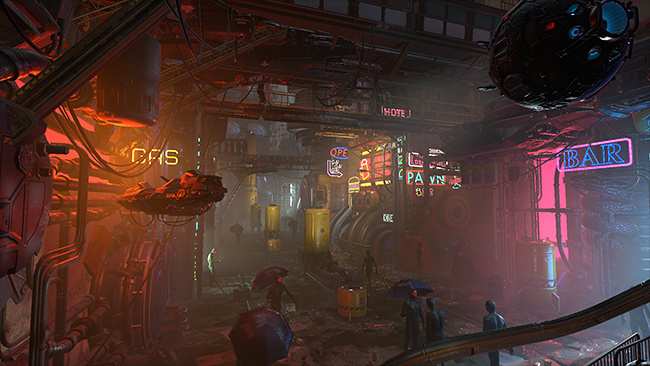
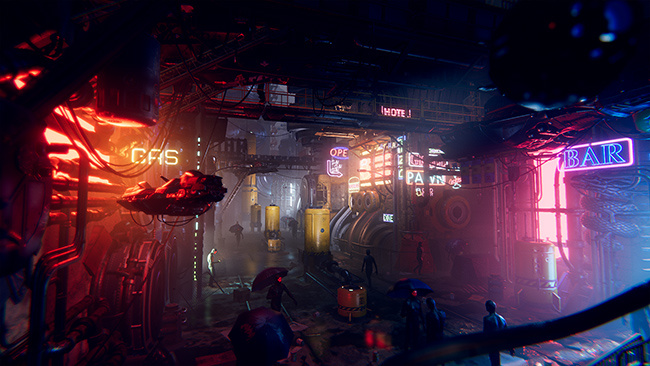 mighty stump
drifting violet
In this page https://docs.unity3d.com/Manual/PostProcessingOverview.html
there ...
mighty stump
drifting violet
In this page https://docs.unity3d.com/Manual/PostProcessingOverview.html
there ...
I haven't seen it released anywhere, and if it was it likely wouldn't be available anymore since it's so old
 tacit egret
Hey, I have a question because someone here probably knows more about this than I do. I wanted to create a game as a test based on the Backrooms, and I found a game whose lighting I really like, but I'm not sure how to replicate it. I've been trying, but it just doesn't seem to work. For example, when I use area light, the light stops working completely after I click bake and displays very weakly. And when I use Point Light, I don't know why, but the tables, cabinets, and floor—basically everything except the walls—become very dark. I'm sending a few screenshots. I know the description might be quite general, but I'm not sure where to start, so if anyone could give me some ideas, I'd be grateful.


 drifting violet
mighty stump
I haven't seen it released anywhere, and if it was it likely wouldn't be availab...
drifting violet
mighty stump
I haven't seen it released anywhere, and if it was it likely wouldn't be availab...
thanks for response
mighty stump
tacit egret
Hey, I have a question because someone here probably knows more about this than ...
Looks like you haven't followed all the necessary steps for baking
Namely not making the floors, walls or ceilings static, and/or not enabling lightmap UV generation for them
 empty sphinx
im having issues with my post-processing effects not showing up at all

everything is set up but it doesnt show up
mighty stump
empty sphinx
im having issues with my post-processing effects not showing up at all
The PPSv2 package and components are not for URP
Follow the instructions for URP pinned in this channel
tacit egret
mighty stump
Looks like you haven't followed all the necessary steps for baking
Namely not ma...
Hey, thanks for the reply. I set the models to static, and I can already see that it made a difference, but I also wanted to check the UV generation. The problem is that my models are already in prefabs, and from what I've seen in tutorials, it should look like it does in the screenshot. But since it's a prefab, I don't have all those options. Is there any way I can manage this using prefabs, or do I need to approach this in a different way?
 mighty stump
tacit egret
Hey, thanks for the reply. I set the models to static, and I can already see tha...
mighty stump
tacit egret
Hey, thanks for the reply. I set the models to static, and I can already see tha...
Prefabs should contain a reference to the mesh assets it uses, just like any mesh gameobject will after you drag it to a scene
Only fully procedural meshes lack an asset reference
Also, #archived-lighting , not post processing
umbral jay
empty sphinx
im having issues with my post-processing effects not showing up at all
make sure you setted up the camera properly
 high badge
Im assuming this is a problem with my post processing so I'm putting it here; is there any way to fix the super stark lines caused by my plank textures? I have Anti-Aliasing turned off since it causes some crazy seams between blocks but even turning it back on doesn't seem to fix this problem and idk what else to tweak. Could be a problem with the assets too ig but the UV's look fine to me
 mighty stump
high badge
Im assuming this is a problem with my post processing so I'm putting it here; is...
mighty stump
high badge
Im assuming this is a problem with my post processing so I'm putting it here; is...
If you've disabled mip map generation from the texture, it's probably the reason
 vital ocean
Anyone got any good URP post-processing settings/tips for a horror forest? dark & misty
Any tutorials I can follow or guidelines? Most stuff on YT is completely out dated
vital ocean
high badge
Im assuming this is a problem with my post processing so I'm putting it here; is...
kinda sounds like the pixel perfect camera issue in #🖼️┃2d-tools pinned
 placid garnet
sup gang

my Depth of Field affects my text mesh pro 3d object
when it doesn't have something behind it
I was wondering if I must create a new camera that only renders these, or if there's any other way to fix this
plz tag me for reply ❤️
mighty stump
placid garnet
my Depth of Field affects my text mesh pro 3d object
This is the fate of all transparent shaders
It'd have to use an opaque shader
I don't know if TMP has an opaque shader option
 placid garnet
mighty stump
This is the fate of all transparent shaders
It'd have to use an opaque shader
I ...
placid garnet
mighty stump
This is the fate of all transparent shaders
It'd have to use an opaque shader
I ...

do you mean these?
mighty stump
placid garnet
do you mean these?
Yes
I don't see the relevant option
Distance Field (Surface) looks like it might be right, but might be not
 mighty stump
If that fails there's some way to create a custom Distance Field shader in Shader Graph with the opaque settings you want
But I don't recall if that was documented at all
mighty stump
placid garnet
it goes pink on that
Not compatible with your render pipeline
placid garnet
fair enough


:'v
welp
the second camera doesn't sound bad but
it wouldn't work for me, some texts will be visible through walls and I don't want that
mighty stump
placid garnet
I don't think URP's rendering utilizes this, nor do the Canvas components
I think you'd want to use TMP's 3D mesh renderer text so you can make a custom shader graph for it
In Unity 6 you can also make Canvas shaders in shader graph so it won't be necessary to make it a 3D text
placid garnet
mighty stump
In Unity 6 you can also make Canvas shaders in shader graph so it won't be neces...
that sounds interesting
I am using Unity 6, but
wouldn't them be visible through walls?
mighty stump
placid garnet
wouldn't them be visible through walls?
In what situation?

 mighty stump
World space canvases or 3D texts by default do not appear through walls
I'm not sure what you did in this case
placid garnet
mighty stump
World space canvases or 3D texts by default do not appear through walls
I'm not ...
yup, they're not visible right now
I'll check the world space canvas, never heard of that before
placid garnet
mighty stump
World space canvases or 3D texts by default do not appear through walls
I'm not ...
just thinking that a new camera that renders these wouldn't do it because of that
mighty stump
placid garnet
just thinking that a new camera that renders these wouldn't do it because of tha...
If an overlay camera does not clear depth, objects rendered by it will be depth tested by the image rendered by the previous camera(s) in the stack
placid garnet
so an overlay camera would work if I do that
cause the 3d world space canvas didn't do it
 mighty stump
placid garnet
cause the 3d world space canvas didn't do it
mighty stump
placid garnet
cause the 3d world space canvas didn't do it
Using a world space canvas is not a solution
It's what I assumed you were doing in the first place
Using 3D mesh text isn't a solution either
They were starting points to the solution of making a custom opaque TMP shader
placid garnet
mighty stump
They were starting points to the solution of making a custom opaque TMP shader
ah xD
k so a custom opaque TMP shader
mighty stump
If the overlay camera solution works, it's a much simpler solution than the custom shader
Still, for it you need text that is positioned in 3D space at correct depth using whichever method
placid garnet
ah
so just disabling the clear depth did it xDDDDDDDDDDDDDDDDDDDDDDDD

should I have occlusion culling?
placid garnet
placid garnet
(Using an overlay camera, disabling clear depth like you said)
that did it
mighty stump
placid garnet
should I have occlusion culling?
No
doesn't matter if you're not using the occlusion culling system anyway
mighty stump
placid garnet
Spazi, do you make games?
I'm working on and off with a bunch of teams on their projects, but mostly doing instructor work
placid garnet
ah I see
instructor work, that's what I'm aiming for
like, for kids and teens in my country
 inner saffron
Hello! I'm trying to change depth of field values at runtime by grabbing the VolumeStack from the VolumeManager and grabbing the DepthOfField from that. And then using a DepthOfField from a different VolumeProfile asset to try and override the values from the one in the Stack.
  var stack = VolumeManager.instance.stack;
  var dof = stack.GetComponent<DepthOfField>();
  if (volumeProfile.TryGet<DepthOfField>(out var dofOverride))
  {
    dofOverride.Override(dof, 1f);
  }
I can't tell if anything is happening when I do this though, I'm using DOF values that should be very noticeable based on what I've tested with the actual Volume in the scene during runtime, am I misunderstanding how the .Override method works? Or do I need to do another thing as an extra step? Thanks in advance :)
 kind ore
Can someone help me figure out why a depth of field volume does not affect a small square on the bottom left of the screen? It seems to only be happening on certain scenes, I've deactivated, changed or moved everything and nothing seems to change it. Changing the focus distance affects it, and settings the camera's near clipping plane to 0 fixes it, but it isn't there at all on other scenes with the default near clipping plane value

After further testing, it seems to be inverted? As in, as I decrease the volume's weight, the blur on that area becomes stronger as the rest weaken
Increasing the near clipping plane also affects it
This happens in the editor and also on build, but it goes away if I set the editor game window do 1920x1080
Bringing the exact camera from a scene where this doesn't happen still has the same effect
kind ore
kind ore
This happens in the editor and also on build, but it goes away if I set the edit...
This seems to have stopped being the case
 daring shuttle
anyone else on built-in notice using SSR, when the camera is angle down it kinda just... doesn't work?
mighty stump
daring shuttle
anyone else on built-in notice using SSR, when the camera is angle down it kinda...
SSR, as the name implies, can only show in the reflections what's rendered on screen
daring shuttle
mighty stump
SSR, as the name implies, can only show in the reflections what's rendered on sc...
right, the stuff that should be reflecting is still on the screen
its weird

like the couch
no reflection
if i bring the camera down

reflection
mighty stump
daring shuttle
its weird
I agree
It looks like an intended effect, for whatever reason
Possibly to approximate fresnel for the reflection intensity, or as a kind of failsafe since the geometry buffer tends to look extremely distorted when trying to render something opposite the camera
daring shuttle
i think it more has to do with rays bouncing wrong at that angle or something
mighty stump
daring shuttle
i think it more has to do with rays bouncing wrong at that angle or something
I can't find any clues about it, and it's a very smooth fade rather than a glitchy one
Anything reflected back at the camera is likely to hit the "backside" of the geometry surface in the depth buffer, or to reflect the void behind the camera
That's why I think that hiding it may be the less worse option
But let me know if you discover something
 crude skiff
I am in standard and trying to draw to a render texture - this is causing my stats to go nuts. Its saying 1million+ triangles. When I remove the render texture and draw to the screen, the draw number goes back to normal. Why is that?
crude skiff
I am in 6 alpha - is it some kind of bug in the stats window?
odd drift
crude skiff
I am in standard and trying to draw to a render texture - this is causing my sta...
The triangle count in the stats window shows the amount of triangles drawn in total. If same mesh is rendered multiple times (for different cameras or for shadow passes etc.), the triangle count will be higher than the actual amount of triangles on the scene
 frosty slate

DevLog #1-2024: TESTING NEW VISUALS
 dark crow
Hello. I have a two camera setup. A Base camera and an Overlay camera, the objective is that I only want to apply a specific post processing effect to the Overlay camera and its rendering GameObjects (using that layer stuff and whatnot), the problem is that the postprocessing effect is affecting the Base camera too. If I reverse everything and render the post processing effect on the Base camera and leave the Overlay camera "clean", it works, but I want the opposite of that. URP with Unity 6 preview btw
empty sphinx
i have this stupid pixelation volume and it isnt working at all, meanwhile the others work perfectly

 vapid blade
empty sphinx
i have this stupid pixelation volume and it isnt working at all, meanwhile the o...
vapid blade
empty sphinx
i have this stupid pixelation volume and it isnt working at all, meanwhile the o...
Where is it added in your URP Renderer
I think i used the same plugin before in URP, currently use an HDRP one
 south sentinel
if i have my camera far plane distance set to 20k, lens flares only show on the camera when they are in the cams peripheral vision. however, if my far plane distance is set to 1.5k instead, the lens flare works completely fine. anyone know why this is and if its supposed to happen? it seems like an intended effect bc the higher my clipping plane is set to, the less it renders closer to the center of the screen.
mighty stump
south sentinel
if i have my camera far plane distance set to 20k, lens flares only show on the ...
If far plane is very high and near plane is very low, rendering errors can appear due to floating point inaccuracy

 odd drift
 compact mist
build what?
compact mist
odd drift
build what?
The visuals are so good in this game how do i make that i mean
odd drift
compact mist
The visuals are so good in this game how do i make that i mean
Use volumetric lighting (built-in only in HDRP), add some post processing on top and hire couple hundred artists to make you all those assets/animations/etc. of course. What you want us to say?
 wicked gazelle
So I made this fullscreen shader using the shader graph and the full screen pass renderer feature but I'm getting an issue where the regular lit shader shadow still sits in the middle of the object there

There should only be the 3 bands of colour on the sphere
But that middle shadow from the regular URP lit shader is in the way
The reason why I want to do a fullscreen toon effect is so I can still use things like emissions
 rough viper
Hi, im pretty new to post processing, and i've been stuck on a frustrating issue for quite some time, and i can't wrap my head around it.
My goal is to apply a 2d pixilation effect on 3d objects in the scene, but only on specific objects. So far i've been able to get a clunky solution up and running, but it breaks some other stuff sadly.
The current version uses the URP "FullScreenPassRendererFeature", and pixilates everything before transparents are drawn, and my non pixilated objects are forced to use transparent materials.
However, i wan't to use transparent materials other places in my game, so i need to find a way to remake the shader to run on a specific layer, or as a non-fullscreen shader.
Has anyone encountered this issue before?

 eternal crest
this article interests me quite a lot : https://johnaustin.io/articles/2022/fast-post-processing-on-the-oculus-quest
it's now two years old and I was wondering if there was any more established and less hacky ways to bring post process for tone mapping/luts into the forward pass?

John Austin
One of the earliest effects I implemented for The Last Clockwinder was HDR Tonemapping and Color Grading. We had decided from an early stage that the game was going to be lit entirely with static lightmapping The entire environment is lit with a single, massive bounced area light! , and post process
 plucky violet
I want to give volume Bloom only to the sanctuary skill layer with Unity Camera stacking
Anyone know how to do it..? I've been Googling for 3 days and haven't found a solution yet.

 mighty stump
plucky violet
I want to give volume Bloom only to the sanctuary skill layer with Unity Camera ...
mighty stump
plucky violet
I want to give volume Bloom only to the sanctuary skill layer with Unity Camera ...
Post processing volumes affect all cameras below the current one in the stack, but not above
So you can't really
Except possibly by using the Alpha Processing feature of Unity 6 but I don't think it's documented at all
plucky violet
mighty stump
Except possibly by using the Alpha Processing feature of Unity 6 but I don't thi...
Thank you !!

mighty stump
plucky violet
Thank you !!
Let me know if you find a way to use it
 red pecan
Hello, I have a problem with my custom post-process in URP. I'm trying to add fog and use alpha to control it, but I'm encountering a strange issue. It looks like there's a triangle cut in two on my screen. If anyone has a solution, I'd really appreciate the help! Thanks a lot!
 red pecan
maybe more visible like that

 half perch
Is it normal for the fog to make the surroundings look like this?

 mighty stump
half perch
Is it normal for the fog to make the surroundings look like this?
mighty stump
half perch
Is it normal for the fog to make the surroundings look like this?
Depends on the variety of fog
The simplest and most typical fog just fades to a color by distance, so it doesn't conform to lighting or skybox details at all
half perch
mighty stump
The simplest and most typical fog just fades to a color by distance, so it doesn...
And how could I achieve a volumetric fog that doesn't do that?
 haughty nest
half perch
And how could I achieve a volumetric fog that doesn't do that?
haughty nest
half perch
And how could I achieve a volumetric fog that doesn't do that?
In URP your options are more limited, and you might want to look into using a full screen pass with a custom fog shader that samples the sky, but in HDRP you can just enable volumetric fog.
half perch
haughty nest
In URP your options are more limited, and you might want to look into using a fu...
It is currently already volumetric
mighty stump
half perch
It is currently already volumetric
It's hard to guess what kind of fog or fogs you are using currently if you do not give any details
As well how the sky is rendered
half perch
HDRI Sky and Dynamic Visual Envirorment
mighty stump
half perch
HDRI Sky and Dynamic Visual Envirorment
What types of fogs? What settings for fogs and sky?


 jade warren
Hey what's up
I'm currently in the process of creating a 3D fantasy game, but can't get any further with the motion blur.
I have my character on the terrain, but they are rendered separately by 2 cameras that I can only play the motion blur on the terrain, but the problem is that my character no longer has a shadow on the terrain
Can someone help me here?
 bronze mural
@jade warren If no-one answering doesn't mean they didn't see the question. Do the research, post your attempts at solving it and don't cross-post.
And maybe expand your question with more details. There are number of search hits for this.
jade warren
I've already looked but unfortunately I can't find anything, I apologize that I made cross post, then I'll just wait @bronze mural
bronze mural
One simple solution could be having a second version of the object that only your camera rendering shadow can render, and use shadow only display mode for it.
You can even use a simpler model for it to use as a shadow caster
jade warren
sry but I don't understand it exactly yet
bronze mural
@jade warren
I don't know about camera rendering enough to advise you a "proper" way to have the same model not render in one of the cameras except its shadow and do render in the other . Didn't see a solution for that (there maybe one for HDRP)
But a simple way to do that is to use another model attached to the first one which won't be rendered in one camera completely (and it can be low poly stand in as well), and in the other one it will be transparent and set to Cast Shadows only.
jade warren
ok So if I sent screenshots you wouldn't have a solution either?
bronze mural
Someone else might.
jade warren
Ok too bad anyway thanks for the help
 lunar hollow
does anybody know the render graph equivalent of ScriptableRenderContext.DrawSkybox? I've created a freezeframe effect pass that buffers the scene and renders it under an overlay layer. I want to be able to fade out certain layers within the freezeframe though, and since the character shader isn't mine, there are certain features that break if I try to render them outside of the main render loop. The easiest workaround to me seemed to just render the scene again (at a lower quality, it's all getting blurred further down the chain anyways) without any of the characters, and that would be working if I was able to render the skybox. Can't figure out how to do it with the render graph though, so if anybody knows how I might do this, please let me know. Still pretty new to scriptable render passes
 severe slate
so i need help i've got a post processing layer on my main acmera. then i created a volume on an empty game object i've added ambient occlusion and bloom but im messing with the settings nothing is changing within my game? any fixes.
lunar hollow
severe slate
so i need help i've got a post processing layer on my main acmera. then i create...
double check the post processing toggle is enabled on the camera itself. I always forget
this guy
 mighty stump
severe slate
so i need help i've got a post processing layer on my main acmera. then i create...
mighty stump
severe slate
so i need help i've got a post processing layer on my main acmera. then i create...
"Post processing layer" is for built-in render pipeline's post processing package
Confirm that you're using the correct post processing for your render pipeline
The above checkbox would only be for URP which isn't compatible with that package
 sage flicker
Does anyone know how to create different colored bloom for different objects? Currently, the only way I found for realistic bloom was changing the bloom color in the volume, but that affects all emissive objects
I'm using urp btw
odd drift
sage flicker
Does anyone know how to create different colored bloom for different objects? Cu...
Isn't the bloom color usually coming from the object color/emissive color itsefl? Why do you need to do something else?
sage flicker
odd drift
Isn't the bloom color usually coming from the object color/emissive color itsefl...
yeah i thought just it looked weird and unrealistic, at least before, but i managed to solve it so it looks the same as it used to
thanks for the response tho shouldve deleted the message
severe slate
daring shuttle
hey! i've seen your reflective floor please tell me how you did that that would be great if you couold.
mighty stump
severe slate
hey! i've seen your reflective floor please tell me how you did that that would...
As we discussed at that time it's built-in render pipeline's Screen Space Reflection post processing effect
 wanton thistle
https://github.com/keijiro/KinoFeedback2
Have anyone tried this effect? It's not working
Or anyone have some other ways to implement this kind of fullscreen feedback effect

GitHub
Old-school frame feedback effect for Unity HDRP. Contribute to keijiro/KinoFeedback2 development by creating an account on GitHub.
 nova pecan
guys, is there any way to apply post processing on UI elements without using a separate camera that's in world space?
cause if I try to use the UI as an overlay it does not get affected by volumes
so I have a separate UI camera in the camera stack
mighty stump
nova pecan
guys, is there any way to apply post processing on UI elements without using a s...
World space and "screen space - camera" -type canvases are affected by post processing
Only screen space - overlay is excluded from it
No extra camera necessary
Unless the game view needs PP that the canvas shouldn't have
nova pecan
mighty stump
Unless the game view needs PP that the canvas shouldn't have
so what happened to me in the past, was that I had all post processing on the main camera and the UI, and when using bloom, the bloom from the map somehow was leaking onto the UI elements
now I have a UI cam in which I apply post and it does not happen
what's funny is that the UI has the UI layer only, and the main camera has the main scene only, YET with post processing turned off on the main camera and ON on the UI one (the only camera in main's the camera stack) somehow the bloom gets applied to both the UI and the game and the colors do not bleed
mighty stump
nova pecan
now I have a UI cam in which I apply post and it does not happen
Was the "leaking" a problem or an intended result? I don't fully understand
nova pecan
mighty stump
Was the "leaking" a problem or an intended result? I don't fully understand
sorry I edited my response
mighty stump
I wonder what kind of leaking or bleeding do you mean
nova pecan
it was a problem after I made bloom work for UI only on 1 camera
nova pecan
mighty stump
I wonder what kind of leaking or bleeding do you mean
like let's say there is a very bright/bloomy object next to my white UI element
it starts to get reddish
like you can visually see it
mighty stump
Which one gets reddish? A picture might say a thousand words here
nova pecan
but I don't want my game to affect the UI as it only needs to be shiny
nova pecan
mighty stump
Which one gets reddish? A picture might say a thousand words here
yeah I'd have to open the project and it might take a while(slow pc)
the UI element
 bleak bobcat
If we want to build different versions of a scene for different platforms, is the best way to do this just to have different scenes that we can check and uncheck?
Or is there a more automatic/less manual way of doing this
mighty stump
bleak bobcat
If we want to build different versions of a scene for different platforms, is th...
In regards to post processing?
bleak bobcat
mighty stump
In regards to post processing?
More for this Build Settings window

Not sure if this is the right channel 😅
mighty stump
bleak bobcat
Not sure if this is the right channel 😅
It's not, this channel is for visual post processing
Even though you can find PostProcessSceneAttribute related to what you're asking in this thread for example: https://discussions.unity.com/t/how-to-approach-platform-dependent-scene-differences/660428/4
I'd ask again in #💻┃unity-talk, or #archived-code-general if you're already in the process of making such a script
 winged light
When using Post Processing Stack (with BIRP) on iOS/Android, I can't figure out how to get Unity to render my main camera's main pass to an HDR rendertarget rather than RGBA32. Is there a way to make this work? Am I supposed to make the camera render to a custom RT with HDR target texture then blit that to the screen with a second camera?
 north shuttle
half perch
Is it normal for the fog to make the surroundings look like this?
north shuttle
half perch
Is it normal for the fog to make the surroundings look like this?
u can use some unity assets that provide good fog in URP the default is just not good
mighty stump
north shuttle
u can use some unity assets that provide good fog in URP the default is just not...
If you follow the conversation you can see it's HDRP
which supports both volumetric fog and Sky color mode for fog to avoid the harsh transition
north shuttle
mighty stump
If you follow the conversation you can see it's HDRP
Yea I got it but I've my game in urp cuz it's mobile, I think hdrp is heavy in mobile devices ..
 cedar forum
I am trying to achieve a realistic DOF but I'm not sure where to start exactly
I presume centering DOF on reticle/screen center would strive to achieve the real eye focus effect but I'm not sure how jarring it would be to blur objects around it, maybe there's a reason people don't do that
you can't see far in my game so setting the blur after a reasonable distance also doesn't really work in my case and I wonder if I should have it at all or not
IMO DOF can really make the graphics pop but idk if it really has a place here tbh
buoyant galleon
cedar forum
I presume centering DOF on reticle/screen center would strive to achieve the rea...
That very rarely looks good (DoF with autofocus during gameplay). Our eyes don't blur stuff as much as camera lenses do, we just kind of lose focus of things. Hard to say without a screenshot but there's a limited number of scenarios where DoF works on a player controller.
cedar forum
buoyant galleon
That very rarely looks good (DoF with autofocus during gameplay). Our eyes don't...
yeah I would agree
currently I'm using a bit of chromatic abberation that blurs the edges and that's probably the extent of necessity
I could make that kind of flashlight where it can move independetly of player rotation and that could be the focal point of DOF, but again, probably too nauseating
buoyant galleon
cedar forum
yeah I would agree
Yeah, if you are going for a full on "camera" look, also look into lens distortions. Barrel distortion has the added effect of automatically lowering the resolution around the edges of the frame too, without changing colours of anything

In that screenshot I have barrel distortion, a tiny bit of ChromAb, and fringing (another favourite of mine, really helps it look like a wide open old lens)
cedar forum
I'm actually not going for a camera look
I was more thinking like immersion
and since our eyes literally works like dynamic DOF but somehow a lot different
I know chromab is unrealistic, but it somehow gives me a cool, claustrophobic look which is nic
may yet remove it
 rose salmon
I've actually been experiencing some chromatic abberation in real life
with my new glasses :P
 weary venture
I tried to make a post-processing effect in a pure universal 2D template (6000.0.23f1) based on this guide
https://docs.unity3d.com/6000.0/Documentation/Manual/urp/post-processing/post-processing-custom-effect-low-code.html
But I get a black screen and the error "Trying to use an invalid resource (pass FullScreenPassRendererFeature)"
It works in universal 3D template. It also works with the render graph disabled.
Why doesn't this work with the render graph?
plucky violet
I have a main camera and a camera that gives me Bloom. I want to put pixel perfect camera components in here, but I have 2 cameras, so it doesn't work, how do I solve it?
mighty stump
plucky violet
I have a main camera and a camera that gives me Bloom. I want to put pixel perfe...
You don't need two cameras for bloom
plucky violet
mighty stump
You don't need two cameras for bloom
I wanted to give a Bloom only to the layer I wanted, so I used one more camera
mighty stump
plucky violet
I wanted to give a Bloom only to the layer I wanted, so I used one more camera
If you must use that method, you're out of luck
Usually it doesn't work well to begin with, since post processing isn't quite truly per layer when stacking cameras, so you're in most cases better off getting a "per object" bloom by using a high bloom threshold along with a high emission intensity to apply the glow selectively
 outer karma
Hi! im using post processing on the main camera in my game but I would like for certain sprites to not be affected by the post processing effects, does anyone know how I would go about this? I'm also using a render texture that's 256 x 224 to give it the pixelated look. So i have a canvas that displays the render texture.
 worthy talon
pardon the noobish question, I'm trying to setup a bloody screen for taking damage via the vignette override however I also want to use it for a CRT effect which also uses the Vignette effect. Problem is that I learnt is that you can't have multiple vignette's and multiple Global volumes don't seem to play nice from what I can see so what can I do to have both the desired effects?
I'm assuming I could probably use a Fullscreen shader for the red screen however just seeing if there is a way to have the 2 global volumes work nice with each other.
mighty stump
worthy talon
pardon the noobish question, I'm trying to setup a bloody screen for taking dama...
Multiple global volumes should work just fine
Just make sure they don't all have the exact same priority
 tight tangle
weary venture
I tried to make a post-processing effect in a pure universal 2D template (6000.0...
tight tangle
weary venture
I tried to make a post-processing effect in a pure universal 2D template (6000.0...
If you still havent fixed it friend then maybe try changing the render pass event to after rendering transparents? I dont know if this will work but for some reason a lot of passes like the sample render graph stuff and the post process empty script template do not work until set to after rendering transparents or earlier. they get culled by the graph. tell me if it works out or not.
 echo shell
There is a way to fix this kind of bad reflection ?
I have enabled the SSR with default settings, i have baked the adaptive probe and always have a bad result about reflection :/
echo shell

 fluid fern
echo shell
fluid fern
echo shell
That's SSR failing the depth test when raymarching.
You can try to tweak the SSR settings (numver of steps, steps size, object depth ...) but at the end, the best is to not realy solely on SSR for reflection and have a proper fallback solution (reflection probes / planar reflection).
Also, this suits better in #archived-lighting imho ^^
 dull flume
someone said that aces tonemapping is more realistic, but it looks weird to me? maybe because it's just a prototype scene but the contrast is so weird
 echo shell
fluid fern
That's SSR failing the depth test when raymarching.
You can try to tweak the SSR...
echo shell
fluid fern
That's SSR failing the depth test when raymarching.
You can try to tweak the SSR...
I have tried a lot of things, but i cant solve the problem, so i will use reflection probe instead
Thanks for the answer 😬
 gloomy minnow
I was trying to implement my own render feature and render volume but that kind of failed when I encountered a bug where the post processing chain was trying to setup film grain and failed, even though I don't have it added on the volume override, it's trying to set it up and fails, when I went back and unrolled all of my effects like removing the render feature and the post processing override, the big still persists, they only way the bug doesn't happen is when post processing is all together disabled on the camera
The error that unity gives tells me that it all unity internal call, nothing that I have written
Any pointers as to how I can fix this?
 rocky ridge
gloomy minnow
Any pointers as to how I can fix this?
rocky ridge
gloomy minnow
Any pointers as to how I can fix this?
Are you on the latest Unity Version ? An idea would be updating to a newer version and to see if the bug still persists
Also updating the render pipeline asset
gloomy minnow
it turns out its was a problem with the camera stack
having one of the cameras set to update via scripting, was the source of the problem
 atomic plume
Anyone have any thoughts as to why it might be a bad idea to have a custom 'standard' shader for decals that sets the zwrite to off? After adding PostProcessingStack (BiRP) and enabling ambient occlusion I noticed that decals were that were offset above other geometry to avoid any potential z-fighting would show occlusion shadows, making it obvious they were floating. Disabling zwrite on the shader fixes this.
Offhand I can't think of a good reason to write the depth for these decals, but maybe i'm missing something?
I seem to remember Unity had a proper solution for decals in dx11 or dx12, which I might look into, and I guess the new SRP's might have a built-in solution?

 weary star
I've got a character that looks absolutely terrible with AO on, but the rest of the game really needs AO, is there a way I can make her just completely immune to it? I'm on Built-In rp
on vs off (her mouth looks TERRIBLE)


 wooden oxide
Hello!
For starters, I am new to full screen render features. I have tried to use one but I don't understand something.
We've had issues in our main project so we tried something on an empty one to make sure it wasn't anything from our code base.
We tried adding a full screen render feature without doing anything in particular (the invert color material is there by default).
When we set it to Blit, there is this weird glitch where only half the screen is impacted.
Does anybody have any idea what's this behaviour, and how to to make it work?

 livid flax
Anyone experienced with applying different volumes (not post-processing volume, just "volume") onto different camera, i thought u just create a layer and set both the gameobject with the volume and the camera to the same layer but apparently not.
mighty stump
livid flax
Anyone experienced with applying different volumes (not post-processing volume, ...
What kind of volume is it, if not post processing volume
livid flax
sorry i figure it out, its standard URP volume
but basically i was applying the layers to be the same but u have to set the cameras volume mask.
 fluid portal
 opal kernel
[Unity 6] Been spending 2 days losing my mind over custom PP's in volumes. I just can't get one to work. I can make the default pp effect with renderer and volume that makes the inverting effect. If I put it in the Universal Renderer Data then it works, but this is global. If I remove it there and just have it in a Box Volume (which works fine with a build in effect like Color Adjustment) it never appears, either in a global or local volume. What am I missing?
 pliant dew
weary star
I've got a character that looks absolutely terrible with AO on, but the rest of ...
pliant dew
weary star
I've got a character that looks absolutely terrible with AO on, but the rest of ...
you'd need URP to do this in any comprehensible way. I'd suggesting switching to URP in general though, no good reason to be on built-in.
 inland sapphire
Is there a way to use an amplify color lut to get a cell shaded look similar to the gameboy one they already have but with color
 pale escarp
Hey, guys! I have a serious issue with post processing. So, it's actually a null reference but I am not sure why it's null. I am currently making brightness settings for my game and I am using post processing for it, but more specifically the auto exposure effect.
Here is the code and the error:
https://hatebin.com/oftpiyqboc

It's a message that I print from inside the code I mean the error message
auto exposure it's a private field and I think that's why it causes null
 gaunt tree
I've got a bit of a weird issue with some basic bloom effects, things only start to glow when I set the global intensity far higher than I'm going to ever want it to be. Image on the left is set to 10 on the material which seems to be completely ignored. Any ideas?

 buoyant galleon
gaunt tree
I've got a bit of a weird issue with some basic bloom effects, things only start...
buoyant galleon
gaunt tree
I've got a bit of a weird issue with some basic bloom effects, things only start...
Seems like the bloom is getting an LDR input instead of HDR
gaunt tree
buoyant galleon
Seems like the bloom is getting an LDR input instead of HDR
I swapped to HDR in the URP asset I'm using and while it helped, I'm still not getting any glow


Ah, I had HDR turned off on my cameras 😆
Sorry about that it's working fine, thank you!
buoyant galleon
Np 😄
 somber topaz
i wanna make my own volumetric lights for the default render pipeline
where can i learn to do this
somber topaz
got this

how do i make it more defined
i wanna be able to SMELL the rays of light
haughty nest
somber topaz
i wanna make my own volumetric lights for the default render pipeline
Look into raymarching techniques
 lyric thicket
Hello! Guys, how can i use the old Post Processing Stack V2 in URP? I'm using unity 6. I really think tue PPSv2 is superior in terms of quality and i really wish to reuse it
buoyant galleon
lyric thicket
Hello! Guys, how can i use the old Post Processing Stack V2 in URP? I'm using un...
You can't. It doesn't support URP. You can use third party assets if you don't like URP's builtin postprocessing (which I agree with you, is not impressive)
 lament kite
Is it possible to use animation curves to modify the values of post processing effects?
bronze mural
yes
Serialize https://docs.unity3d.com/ScriptReference/AnimationCurve.html , set it up and evaluate any input through it to the Post Processing
pale escarp
Hello, guys! You know, I want to create brightness setting for my horror game but I have this problem. So, brightness setting is reducing the dark atmosphere in my game and it make instead my game to look lighter and less scary. What do you suggest me to do about it?
Actually, what I am doing is adjusting the auto-exposure in PP
That way I am adjusting the brightness of my game
mighty stump
pale escarp
Actually, what I am doing is adjusting the auto-exposure in PP
Auto exposure effectively controls the amount of light in your scene, which is not usually what we think of as "brightness"
It works for the task but it also changes the look of the scene quite significantly
You might instead want to let your players control the gain of Lift Gamma Gain
pale escarp
lift gamma gain so gamma adjustment?
mighty stump
Gain
pale escarp
gain?
pale escarp
Yeah I am saying gain?
What's that?
I know only the gamma adjustment
I have heard of it
mighty stump
Lift Gamma Gain override lets you control lift, gamma and gain
As the name would lead you to believe
All different ways of adjusting brightness
mighty stump
pale escarp
Alright! So, I think I have to search for it right?
I guess it depends which post processing system you're using
 tawdry jacinth
Sorry I'm not sure where this belongs, but in my Unity 3D URP project I have a sun with a Sun Flare SRP that has occlusion enabled. And I also have a "custom" VolumetricClouds.cs renderer feature attached to my URP-HighFidelity settings that adds volumetric clouds using a cloud noise texture, a detailed cloud noise texture 3D texture and blue noise.
My problem is, when my sun is behind one of the clouds generated by this renderer feature, the suns Sun Flare SRP doesn't turn off/occlude when the sun is behind one of the clouds.
mighty stump
tawdry jacinth
Sorry I'm not sure where this belongs, but in my Unity 3D URP project I have a s...
URP's lens flare is only occluded by depth buffer
There probably isn't a way to change that without modifying its code at the source
I don't know if it's possible to write to depth buffer without changing the color of the pixels in your situation, but if so, your cloud shader could be treated as opaque above a certain opacity threshold
lament kite
Any ideas on how to make this look better? I'm currently making an effect to show the player is "anxious" and I don't quite seem to visualize it properly here in this prototype:
 amber fable
i keep getting these errors

 craggy flicker
I need to make a lens with the following properties:
- It is a VR game and viewing from different angles should make the lens look different(I kinda achieved this with turning the rotation of a camera with the movement of my main camera and then sending the render texture to the lens)
- Objects farther than the focus point should appear upside down, and objects closer should appear upright.
craggy flicker
Anyone has solutions?
mighty stump
craggy flicker
Anyone has solutions?
You could look into refraction shaders, though they can be complicated and ultimately limited
craggy flicker
mighty stump
You could look into refraction shaders, though they can be complicated and ultim...
Thanks!
 plucky heath
Hey guys, I have a question about Tonemapping and HDR/Linear workflow.
I've noticed that ACES seemes to apply a gamma of about 0.66, which is pretty in line with a linear to logarithmic/srgb conversion. Neutral seems to leave this up to the end user.
What I want to know is, what is "recommended" for the workflow? Should you gamma correct from linear to log as a basis for your colour grading?
buoyant galleon
plucky heath
Hey guys, I have a question about Tonemapping and HDR/Linear workflow.
I've noti...
ACES does that because film world works in log, because high-end digital cameras shoot in log.
You definitely don't have to do that (and personally, I think too many games do) - games don't have the limitation of having a log source to work with. My post-processing stack for instance, uses LAB colour space to do a number of colour corrections (not all, but many).
 blissful badge
probably a noob question, is it possible to have a post processing effect that affects only one object?
for example, add Bloom and have 3 objects in the scene with emission, but only one of those objects will have the bloom effect.
mighty stump
blissful badge
probably a noob question, is it possible to have a post processing effect that a...
Not "really"
Post processing by the way it works is always per whole rendered image
It's possible (but needlessly tricky right now) to render some objects separately and apply post processing separately to them
If all you need is selective bloom, you can get quite far by utilizing emission intensities and bloom Threshold property
If HDR is enabled, if your bloom Threshold is above 1 and your emissive materials have a high intensity, only those intense colors would surpass the threshold and glow
blissful badge
mighty stump
If HDR is enabled, if your bloom Threshold is above 1 and your emissive material...
Nice, seems possible though.
The thing is my current post processing effect already uses emission for a different effect which I do not want on my bloom object.
For now I solved this with shader graph but il try to find a better solution...
mighty stump
blissful badge
Nice, seems possible though.
The thing is my current post processing effect alre...
A different effect?
Solved it how I wonder
 solar bluff
Hi, I'm using a dither effect I grabbed of the asset store a while ago. Everything works fine, except for when I export my game to a web build. The effect just doesn't work for whatever reason. It does work in a normal build.
Other post processing effects work fine.
Any clue on what could be wrong? I can provide logs and other stuff if needed.
The asset in question:
https://assetstore.unity.com/packages/vfx/shaders/fullscreen-camera-effects/dither-retro-pixelated-pattern-effect-280822

Add depth to your project with Dither - Retro pixelated pattern Effect asset from NullTale. Find this & more VFX options on the Unity Asset Store.
blissful badge
mighty stump
A different effect?
Solved it how I wonder
fresnel effect, pretty simple graph
mighty stump
blissful badge
fresnel effect, pretty simple graph
I assume that also means emission output
For bloom it only matters how bright the output is, not how it's calculated
blissful badge
mighty stump
I assume that also means emission output
For bloom it only matters how bright th...
yea exactly
emission output is fine on the bloom object as long as the other emission objects don't get the bloom affect
tawdry jacinth
Sorry, question about the Unity Lens Flare SRP Occlusion.
So I need it to be enabled so it doesn't show through my terrain, trees, etc... but problem IS.... with the occlusion enabled for some odd reason when I look straight at the sun the Lens Flare effects just disappear.
Fidgeting with the radius and offset don't seem to make the problem worse or better
I don't think it's a problem with the camera's settings, but might any of the settings in the screenshots be effecting the Lens Flare SRP? Like Bloom or something? Idk


I just found that switching the remap curve to completely flat, 1 1, the issue is solved, but then the lens flare doesn't occlude when covered by the trees or ground.
It SEEMS like the last preset curve (ss), SORT of solves the problem while also occluding when covered by trees/the ground, but the threshold is just small (you have to look DIRECTLY into the center of the sun, instead of just near the center)

 dim tulip
Hi! Is it possible to have different post processing applied to different objects? I guess my question is similar to @blissful badges question.
So I want to have 3 layers of post process:
- objects that have pp (background)
- no pp (characters)
- post process again (vfx)
Currently I was able to setup only 2 layers with 2 cameras (base and overlay):
1st layer -> environment - affected by post process.
2nd layer -> characters - no post process is applied
now I want to add 3rd layer with post process effects, but can not achieve that :/. If I apply post process to any Overlay Cameras the post process is applied to every camera (whole scene).
I guess there is no way right now to apply different effects to different objects / camera layers and we gotta find workarounds right?
buoyant galleon
dim tulip
Hi! Is it possible to have different post processing applied to different object...
That's not really how post process works, correct. It's also a massive performance trap as a standard postprocess stack will already be a heavy bandwidth strain on any GPU, then doubling it for a second 'layer', you'll run into issues
Only way to do something like that nicely would be to use stencil buffers and custom write your post process stack to go down different paths based on a stencil buffer, so you could still keep it all in one pass
dim tulip
got it, thanks, sounds complex, will check that 😅
 astral nest
I'm not sure if this is a Post-processing issue or UI issue but I will post in both anyways. Hope you guys don't mind. Also Hi! I'm new here :)
I made a thread in #📲┃ui-ux, you can use this link #📲┃ui-ux message
I apologize in advance if I post in the wrong channel.
blissful badge
dim tulip
Hi! Is it possible to have different post processing applied to different object...
Whatever you are trying to do I found out it's probably better to do it in other ways.
As @mighty stump mentioned post processing works on the entire screen at once (and to be honest it's already heavy enough).
You can probably solve whatever you are trying to do with different kinds of post processing, shader graph or just writing a custom renderer if you are brave at this point... 
 eager oracle
For some reason my post-processing volume stopped affecting my scene when I added a render pipeline asset in the graphics settings. Anyone know why this might be the case and how I can have both work at the same time?

This is what the scene looks like when the render pipeline asset is removed
 mighty stump
eager oracle
For some reason my post-processing volume stopped affecting my scene when I adde...
mighty stump
eager oracle
For some reason my post-processing volume stopped affecting my scene when I adde...
Each RP has its own PP
Check pinned messages for instructions correct for your RP
dim tulip
blissful badge
Whatever you are trying to do I found out it's probably better to do it in other...
yeah you are right. I settled for some suboptimal solution 😅. I have 2 cameras only and I stack 2 post processing volumes. On first camera I apply background PP and on second cam I apply Bloom (for effects), so Bloom is added to all cameras, while 1st effects are applied only to first camera (background).
This way characters and backgrounds are affected by Bloom as well, but at least characters are not affected by more heavy background post processing.
So stacking post processes is doable, but removing a layer from PP is not so easy (especially for sprites, since sprites from higher layers are drawn on top of sprites from lower layers/cameras)
 mortal vector
how can i use post processing on android but its not lagging
buoyant galleon
mortal vector
how can i use post processing on android but its not lagging
You need to provide more information for relevant advice. What device, what postprocessing, what Unity + SRP version.
 thorn owl
is there away to make it so that depth of field effect on unity's post processing would blur out the further objects and leave the closest clear instead of the other way around?
 gloomy gale
Don't you just adjust the focal length?
mighty stump
Gaussian mode only blurs further objects
Bokeh blurs anything further or closer than focus distance
thorn owl
gloomy gale
Don't you just adjust the focal length?
no matter what I do with focal length it still blurs out the closer objects, it just adjusts if the further objects get blured out
thorn owl
mighty stump
Gaussian mode only blurs further objects
Bokeh blurs anything further or closer ...
thank you
 steep crypt
I’m creating a quiz game for a project, but I’m missing the “vignette” texture. How do I import the “vignette” texture?
buoyant galleon
steep crypt
I’m creating a quiz game for a project, but I’m missing the “vignette” texture. ...
Modern vignettes don't use textures to perform the effect. The default post-processing stack has a vignette effect that you can add via a Volume Profile.
 shrewd horizon
tawdry jacinth
I just found that switching the remap curve to completely flat, 1 1, the issue i...
shrewd horizon
tawdry jacinth
I just found that switching the remap curve to completely flat, 1 1, the issue i...
Is the sun a physical object in your game perhaps?
tawdry jacinth
shrewd horizon
Is the sun a physical object in your game perhaps?
I'm not sure what you mean, it's an object, yeah. It's at global pos 0, 0, 0 and I just rotate it to have it "orbit".
I finally solved the issue, not sure if this is an actual fix or just a messy fix, but I set the lens flares occlusion offset to like 160 which fixed the issue.
mighty stump
tawdry jacinth
I'm not sure what you mean, it's an object, yeah. It's at global pos 0, 0, 0 and...
SRP Lens Flare's occlusion uses the depth buffer
That means anything that's opaque will occlude it
Changing the sun's material to transparent could be a simple solution
Usually the sun is an arbitrary point or direction rather than a physical object / a mesh, so this issue doesn't come up
 remote relic
how can I add a filter in post processing? like to change some colours and stuff
 modest garnet
How exactly would you guys make a grindhouse film effect?
That more dirty, 70s, horror style

Gritty Super 8 Film Grain from authentic film scans in up to 6K resolution, one of the highest-quality film grain packs available today. Complete with artifacts and mattes for a true filmic-inspired look across your work.
Super 8 Film Grain Pack (use code: TAKE10 for 10% off):
▶︎ https://bit.ly/3r4hoGr
My filmmaking and editing assets availabl...
buoyant galleon
modest garnet
How exactly would you guys make a grindhouse film effect?
Breaking it into individual effects. In that video I see noise, vignette, chromatic aberration, scratch overlays. Grain looking like that will be the most challenging thing to get right, but plenty of existing effects that would be close/you can learn from
blissful badge
mighty stump
Not "really"
Post processing by the way it works is always per whole rendered im...
hey, I feel a little bit dumb now, can't I just add a second camera that looks at a second post processing volume? if both volumes are global.
and set the first (main / base) camera to ignore that volume and same for culling masks
- for having a post processing affect occur only for some objects while a different effect on other objects, both using emission.
mighty stump
blissful badge
hey, I feel a little bit dumb now, can't I just add a second camera that looks a...
The trouble is that post processing is applied to whole rendered image, which with stacked cameras includes everything from the earlier cameras
To not apply it to earlier render results as well requires something called "alpha processing" which Unity 6 does support but last time I checked what little instructions there are to its use are only in the feature anncouncement in the changelog which weren't enough for me to get it to work
But let me know if it works for you
inland sapphire
Does anyone know a good tutorial or guide about making shadows have a sketch feeling using post processing
pale escarp
Hey, guys! I have an issue in my game. So, I have post processing and when I am building the game files and start playing I see that my post processing doesn't work properly but when I am in Editor and start playing the game it works fine?
For example the auto exposure isn't there as well as and shadows
I see the post processing profile and layer are enabled but yeah it doesn't work as I am expecting it to work
 junior lion
Okay am i going insane? i have a Post process volumn, and it has bloom, on the main camera there is PP layer, with it set to UI, the only way i can get the camera to display the post processing effects is to, tick "Post procceesing" under rendering, but it seems like when i do that, it ignores my volume settings and layer settings completely!
junior lion


im quitting for today, frustrated with this
the end goal was to just get this stupid UI healht bar to glow but it refuses to work

 chilly blade
 chilly blade
junior lion
the end goal was to just get this stupid UI healht bar to glow but it refuses to...
chilly blade
junior lion
the end goal was to just get this stupid UI healht bar to glow but it refuses to...
got the same issue i want it to look like this but when starting to play it doesnt look like that anymore

this is what it looks like when starting the game

 frosty magnet
Im using unity built in with post process ( i think im on v2) using depth of field blur. The cameras are on "use graphics settings" but i think its using forward. Ive tried messing with depth layer and render layers on materials with no luck. (her left shoulder is a good example i didnt even notice that one at first)
Anyone know what causes this effect and how i can fix it?

 lethal vine
does your camera have Depth Texture enabled?
frosty magnet
these are my options, im on 2020.3.20f1 .. ive tried adjusting the depth value though

 lethal vine
try changing rendering path to forward or deferred in project settings?
if that doesn't do it then i'm not sure tbh lol
frosty magnet
i dont see where to change that in project settings but i tried that on the camera itself and no change regarding the blur, it does change other things but not any of the existing issues
lethal vine
Edit > Project Settings > Graphics if you're using built-in RP
frosty magnet
found ittt, still no differences :/ hmmm i cant find anything about it online either
lethal vine
not sure then, sorry. I haven't really worked with post-processing for a while lol
 lofty sequoia
is there a way to get a URP volume to affect a single layer?
I'm trying to get my canvas UI elements to glow, but the post-processing volume seems to be putting bloom on the entire scene
all my UI elements are on the UI layer, and I've set up the canvas to be screen space - camera correctly
the volume is just blooming both the UI and everything else
 unique marsh
lofty sequoia
is there a way to get a URP volume to affect a single layer?
unique marsh
lofty sequoia
is there a way to get a URP volume to affect a single layer?
I think you could add another Camera with a Local Volume that only renders the UI, and merge the camera outputs together.
No clue if that's the best solution, just an idea.
lofty sequoia
as far as I know local volumes are like physical 3d spaces in the scene which the camera needs to enter, so I'm not sure about the practicality
maybe I'll put the camera inside a local volume and see what happens
yeah nah, when the camera's inside the volume activates and post processes the entire scene again
unique marsh
lofty sequoia
as far as I know local volumes are like physical 3d spaces in the scene which th...
Yeah, just put the camera somewhere underground with a local volume with bloom that only renders the UI.
Give the local volume priority and 0 blending with the global volume.
unique marsh
And the normal camera doesn't render UI anymore?
lofty sequoia
the UI is on a canvas that's set to screen space camera, and I have a seperate camera for the actual scene view
unique marsh
lofty sequoia
the UI is on a canvas that's set to screen space camera, and I have a seperate c...
Can you show a screenshot of your Canvas component?
lofty sequoia
sure, gimme a sec
I'm seeing if I can sidestep it by using an HDR color on my UI text lel
 unique marsh
lofty sequoia
unique marsh
lofty sequoia
Okay, and if you disable your UI camera, your UI is not visible anymore?
lofty sequoia
yep
the culling mask on the camera is set to UI
I might have figured it

the stuff on the bottom isn't correctly overlaid
but at least it's blooming with the HDR colors
unique marsh
You can also check the Rendering Debugger to see what happens with your profile and camera nowadays.
Make sure it's on 100% local.
And yeah, HDR would probably be needed for UI Bloom I would think.
 lofty sequoia
I don't know why it's blooming if I don't have a PP volume on it, but I'm not gonna ask questions lel
if I run into more problems though, that rendering debugger will help out
is it part of the analysis window?
ah yeah I see it
unique marsh
Yeah, it's quite handy.
The GPU resident drawer was what I was researching and saw that.
Anyhow, my guess is that the HDR Intensity is higher then 0, that would make it bloom out of itself I think.
Nice that it works sort-of. 
 forest hemlock
Hiii! It might be a very stupid question but when I build my project my color grading disappear, it work perfectly fine in unity tho. I'm using build in and the Amplify Color script on my camera, did I do something wrong? I'm sorry for disturbing you all, tysm for your patience with me!! (Unity 2022.3.53f1)
 unique marsh
forest hemlock
Hiii! It might be a very stupid question but when I build my project my color gr...
unique marsh
forest hemlock
Hiii! It might be a very stupid question but when I build my project my color gr...
Normally with problems like this you would make a development build and check the logs, so did you try that? https://docs.unity3d.com/6000.0/Documentation/Manual/log-files.html
Player-related log locations
I guess there is some sort of error/it can't find something.
Also don't worry about disturbing or if the question is 'stupid', all channels here are helping and learning channels.
forest hemlock
unique marsh
Normally with problems like this you would make a development build and check th...
Sorry for the late reply, but I tried that and it says "[AmplifyColor] Failed to initialize shaders. Please attempt to re-enable the Amplify Color Effect component. If that fails, please reinstall Amplify Color."
I've already tried that but I will try it again, thank you so much for your help, I didn't know dev build was a thing, it's so handy!!
Update : I've even deleted the cache files, download it again and reimport it, redid the component but still the same error
unique marsh
I have no clue how to fix this, never used that asset.
You can ask the creator of it now that you have this error and see if they know a solution.
forest hemlock
unique marsh
I have no clue how to fix this, never used that asset.
You can ask the creator ...
I've asked in the Amplify discord server, we will see!! Thank you so much for your help again!!
 zealous igloo
i everyone i got a question, i have a car with a particle system on the wheels that emits smoke when the car is drifting but when the smoke hits the camera, the worlds brightness is going down but if i move the camara away from the smoke, it goes back to normal.
Another thing i noticed is, in scene view, when i look down, the world is much brighter but when i start to look up everything is getting darker
How can i fix this
 idle swan
zealous igloo
i everyone i got a question, i have a car with a particle system on the wheels t...
idle swan
zealous igloo
i everyone i got a question, i have a car with a particle system on the wheels t...
fix your auto-exposure settings
 rustic epoch
Hello some questions on the render graph api would love it if someone could help ❤️
when making a shader that is injected into the renderer graph with a renderer feature, how can I have multiple inputs ? can we only get the “_BlitTexture” ?
I followed the docs example (at the bottom of the page is the shader code ):
https://docs.unity3d.com/6000.0/Documentation/Manual/urp/renderer-features/create-custom-renderer-feature.html#example-implementation-overview
what if i want the depth or any other texture that was generated in the renderer graph
the docs don't explain this at all, i tried setting them as variables in the matterial in but I could not figure it out, I can set static textures in the code but how should one get other frame datas like these in the shader at the same time ?
https://docs.unity3d.com/6000.0/Documentation/Manual/urp/render-graph-frame-data-reference.html
thorn owl
can setting my shader to a Fullscreen Material cause an issues with post-processing?
 buoyant galleon
rustic epoch
Hello some questions on the render graph api would love it if someone could help...
buoyant galleon
rustic epoch
Hello some questions on the render graph api would love it if someone could help...
The TLDR is you can have multiple inputs yep.
https://discussions.unity.com/t/introduction-of-render-graph-in-the-universal-render-pipeline-urp/930355/301?page=16 this thread has a bunch of example code w/people using multiple inputs, a good reference
rustic epoch
buoyant galleon
The TLDR is you can have multiple inputs yep.
https://discussions.unity.com/t/...
thank you so much
rustic epoch
so to anyone who might be intrested in the render gapgh api this was very useful to me :https://discussions.unity.com/t/introduction-of-render-graph-in-the-universal-render-pipeline-urp/930355/601
pale escarp
Hey, guys! I've just added Depth of Field in my game which is a first person psychological horror. Could you please tell me your opinion about having it there or maybe removing it or how I am supposed to modify it's values in order to make it balanced and not too blurry you know?
I have this effect in main menu where I have the camera
buoyant galleon
pale escarp
Hey, guys! I've just added Depth of Field in my game which is a first person psy...
Your question is a bit broad, some screenshots would help
 hollow rune
Hello everyone, I'm working with low poly models and am getting the following when importing into Unity. I suspect it could be a graphics setting, but I am also not sure if it's a texture issue. Has anyone seen something like this before? It looks like a white line going through the object
I've tried messing with a lot of quality settings but I want to rule out graphics

Here's in game:

it also does not occur on all objects
 hollow rune
Nvm, I think it's a problem with the model/material and not the graphics. Sorry everyone
 trail granite
Looks like a gap in the mesh, yeah
 next lichen
I'm having a lot of trouble getting this funky little set up to work.
I've got three cameras that need to be laid on top of eachother. Right now they each render to different image textures, that are all stacked on a canvas as raw images. I just can't seem to get them to be transparent
at least not with post-processing applied.
Someone gave me this script to put in the cameras I need to render transparency from:
camera.clearFlags = CameraClearFlags.Nothing;```Buuut it doesn't seem to do anything.
trail granite
You shouldn't clear with "Nothing"
That would mean that nothing gets cleared after each frame
you'd want to use CameraClearFlags.SolidColor
(maybe you also need CameraClearFlags.Depth? I'm not sure)
Also, you configure this differently in an HDRP project, so that may be relevant
 vague nimbus
Hi all! When looking at the Bloom documentation for Unity 6 I see options for downscale and max iterations but I don't see them in my project.. would anyone know why is that?


 lone frigate
vague nimbus
Hi all! When looking at the Bloom documentation for Unity 6 I see options for do...
lone frigate
vague nimbus
Hi all! When looking at the Bloom documentation for Unity 6 I see options for do...
Try clicking the 3 dots to see if they're advanced parameters
vague nimbus
omg thank you so much ❤️
severe slate
I'm looking to write my own post processing effects in HLSL for my URP game, what is the best resource that can get me started? I'm using Unity 6 and the tutorials I see all approach the problem a different way.
buoyant galleon
severe slate
I'm looking to write my own post processing effects in HLSL for my URP game, wha...
You'll need to use Render Graph, download the render graph samples and you can see some basic PostFX there
severe slate
buoyant galleon
You'll need to use Render Graph, download the render graph samples and you can s...
Thanks, I ran through one of the newest Unity 6 tutorials and setup a render feature. Could I get a link to these render graph samples? I'm basically looking for the most basic hlsl script that I can apply to a post processing render feature.
Ah, I got it, thanks
mighty stump
severe slate
I'm looking to write my own post processing effects in HLSL for my URP game, wha...
mighty stump
buoyant galleon
You'll need to use Render Graph, download the render graph samples and you can s...
Render Graph is at this point totally optional for renderer features though, isn't it
idle swan
mighty stump
Render Graph is at this point totally optional for renderer features though, isn...
In U6, any use of the old API brings up a warning. Technically optional but the old API is certainly deprecated.
buoyant galleon
mighty stump
Render Graph is at this point totally optional for renderer features though, isn...
I wouldn't really call it optional, as Anikki said the non-Render Graph pipeline feels heavily deprecated already. I certainly wouldn't be making anything new in the old API.
 hidden whale
so im trying to add bloom to my main menu text, and it is working in scene view, however in game view, the bloom doesnt appear


i am using a default volume profile
and enabled post processing in the main camera

 mighty stump
hidden whale
so im trying to add bloom to my main menu text, and it is working in scene view,...
mighty stump
hidden whale
so im trying to add bloom to my main menu text, and it is working in scene view,...
UI that is rendered as screen space - overlay is after bloom
In screen space - camera it's before
hidden whale
thanks
modest garnet
How to make stylized NPR sketchy outlines in Blender using grease pencil
https://www.artstation.com/ixproductions
https://www.instagram.com/ixdzns
#animation #blender
As seen in:
Spider-man Into the Spider-Verse
Spiderverse
Spider-man Across The Spider-Verse
Teenage Mutant Ninja Turtles Mutant Mayhem
Puss in boots The Last Wish
There's a way to do something similar to this
But optimized and stuff?
This kind of sketch outline and colors
Not how, but to know if it's possible to do so
 odd dune
Hi I'm trying to implement a render feature for outlines in unity 6, but for now all the objects are affected by the outline, is it possible to filter by layer?
mighty stump
modest garnet
Not how, but to know if it's possible to do so
Anything's possible but you'll need a lot of custom systems for it
Blender's Freestyle generates vector graphics on top of the render result so it's not feature that you could make with just one or two shaders
 junior wave
odd dune
Hi I'm trying to implement a render feature for outlines in unity 6, but for now...
junior wave
odd dune
Hi I'm trying to implement a render feature for outlines in unity 6, but for now...
Depends, how does it currently work? Using something like this you could filter by layer
https://linework.ameye.dev/section-map/
If you use edge detection based on depth/normals/color only, it's not possible afaik. Otherwise, you'd have to use another outline technique that more easily lends it to per-object outlines.
 faint pulsar
hey guys! trying to get my post processing to work but it simply doesnt, not sure why! sorry for not being able to give much info, first image is the player's camera PPLayer and second picture is the cube where i want to add the PPVolume


using unity 6 URP btw!
faint pulsar
does this type of post processing only work in HDRP?
 mighty stump
faint pulsar
does this type of post processing only work in HDRP?
mighty stump
faint pulsar
does this type of post processing only work in HDRP?
PPSv2 works for neither URP or HDRP
Check the pinned instructions for the PP system you need to use with URP
faint pulsar
mighty stump
PPSv2 works for neither URP or HDRP
Check the pinned instructions for the PP sys...
thank you! managed to get it working using volume instead, but, is there a way to make the film grain stronger someway?
mighty stump
faint pulsar
thank you! managed to get it working using volume instead, but, is there a way t...
If you set the inspector into debug mode, you're allowed to navigate to the film grain asset used by your specific volume profile and directly set its value above the normally allowed maximum
Or override to a higher than allowed value through scripting
The inspector tries to override it back to the limit, but I don't know if it also does that in a build or just in the editor
faint pulsar
mighty stump
If you set the inspector into debug mode, you're allowed to navigate to the film...
i changed mathf.clamp in the filmgrain code and it worked! just having problems with the skybox, its pretty much a solid black color, and the film grain doesnt apply to that, how could i change it?
mighty stump
faint pulsar
i changed mathf.clamp in the filmgrain code and it worked! just having problems ...
Is the skybox rendered in some particular way?
Film grain and most other types of post processing are rendered on the whole image, so the sky shouldn't be able to be excluded without a good reason
faint pulsar
just changed it in the window > rendering > lightning > envinroment, and made it a color
mighty stump
faint pulsar
i changed mathf.clamp in the filmgrain code and it worked! just having problems ...
Actually I think the reason is simply because your sky is black
faint pulsar
 mighty stump
Film grain pattern only darkens the image as per the default implementation of it, so if anything's black the grain will be imperceptible
faint pulsar
i see, so i assume there isnt a fix for that, id just have to change the color
mighty stump
You'd have to edit the shader or make your own grain post processing effect that blends in a different way
Or don't have purely black colors where you want the grain to be seen
faint pulsar
yup, with the sky's color being white it works as normal
by making the sky sliiightly gray it works! thank you
just another question, would it be possible to change the film grain effect depending how close the player is using post processing? well, without code for that matter
id assume id have to use a code and change the post process weight depending on how close the player is
mighty stump
faint pulsar
id assume id have to use a code and change the post process weight depending on ...
Yes
Weight of that particular volume
 sharp pebble
Hey, I want to add contact shadows to the project but for some reason they look very strange. Does anyone know what could be causing this? What could be wrong?

 crystal lotus
sharp pebble
Hey, I want to add contact shadows to the project but for some reason they look ...
crystal lotus
sharp pebble
Hey, I want to add contact shadows to the project but for some reason they look ...
Not sure if you fixed this yet, however it looks like a. Issue with the URP/HDRP pipeline settings, you may need to adjust how lighting is calculated in order to avoid the lines.
Go to your Settings folder that is generated with your project and find the correct lighting settings asset and adjust from there
 random terrace
so i have been wondering this, but does the order of post processing matters? like for example in nvidia filter the order of the effect could actually change the outcome of the visual, but when i tried changing the order of the post processing volume in unity there's no difference at all(at least to my eye)
odd drift
random terrace
so i have been wondering this, but does the order of post processing matters? li...
The order does indeed have a great effect but using some weird order would cause lot of artefacts and unwanted behaviour. For that reason unity seems to have hard coded the order and changing the effect order in the volume does not matter. More on the order requirements: https://gamedev.stackexchange.com/questions/147952/what-is-the-order-of-postprocessing-effects. Is there some specific reason you would want to change the order to begin with?
random terrace
odd drift
The order does indeed have a great effect but using some weird order would cause...
thanks for great explanation, and no there's no reason on it, i just want to know, since maybe if the order can be changed i can come up with something interesting haha.
 brazen veldt
Guys, I have this problem when the game is being built, the lighting in the build game looks very strange, but in the project the development is normal, how can I fix this?


 hexed girder
not sure this is the right channel because I am specifically looking for a way NOT to use post processing, but here we go
I am working on a 3D game with a retro PSX-ish style using unity 2021.3.11's built in render pipeline. We make it look low res with a custom post process effect that takes the image texture and pixelates it.
And I was thinking that it feels like a waste to first render the game full res, and then downscale it.
Would there be any way to tell unity to directly render the game at a lower resolution?
I tried Screen.SetResolution(), and while it does reduce the resolution, it is smudged and blurry and looks horrible. How can I get a crisp pixel perfect low resolution?
hexed girder
brazen veldt
Guys, I have this problem when the game is being built, the lighting in the buil...
do you have some custom post processing affects?
If so, you might have to put the shader files in a Resources folder
Also do make sure the quality setting used for builds isn't like ultra low or whatever it's called, it messes with post processing
trail granite
hexed girder
not sure this is the right channel because I am specifically looking for a way N...
Render into a RenderTexture and then display that
you'll want to set it to Point filtering, most likely
hexed girder
I see, is that more optimised?
trail granite
it'll let you render at whatever resolution you'd like
you'd then slap it on a UI image or something like that
hexed girder
I tried, this is actually slower than a post processing effect on a full res image, so I guess I'll stick with what we already had
 heavy hollow
does anyone have good knowledge of post-processing? I added post-process layer to my overlay camera to make the flashlight react with the environment but it made the flashlight a bit transparent (hard to show) and I have spend way too long trying to find a solution to not have it be that but nothing have worked. IM crashing out
 mighty stump
heavy hollow
does anyone have good knowledge of post-processing? I added post-process layer t...
mighty stump
heavy hollow
does anyone have good knowledge of post-processing? I added post-process layer t...
What do you mean by "make the flashlight react with the environment"
Post processing generally would not be able to do that
 signal gull
^ post.. processing is after the fact.. just screen magic..
hence the post part
spazi is correct, that it wouldn't do anything to make the flashlight react w/ the environment more.. or less
u can add bloom.. make it glowy but thats not really affecting the lights, strength, spread or anything else
i would think some type of Shader /Shader-Graph could maybe work but we'll need more info
heavy hollow
well this is how the flashlight looks like without post process layer. I dont know how to say it but it like gives reflection?? dont care about what i said i only want to make it not be transparent when post process layer is active
 heavy hollow
 signal gull
is it Just the flashlight material that becomes transparent?
thats weird af.. since ur material is strictly "Opaque"
heavy hollow
i dont know let me try add a random cube
signal gull
the more info we can get the better..
this doesn't seem like its gonna be a simple fix
dont forget to share the ppfx volume.. or what overrides u have enabled
heavy hollow
seems like the overlay camera renders everything transparent with post process layer

i dont know what ppfx volume is. Where can i find it? (sorry im noob)
oh its post processing volume??
 heavy hollow
these are the ones im using rn
 signal gull
its this thing..
signal gull
heavy hollow
these are the ones im using rn
thankyou
im gonna have to try to do some research for ya..
i just needed as much info as possible
 forest sable
i'd try turning off Screen Space Reflections, it might be doing something odd with your materials
signal gull
tbh.. if i were u i'd disable and re-enable all of them
one at a time..
to find the culprit
once u do that.. we'll have the best information to go off of
and/or let us know if anything makes a difference
heavy hollow
i think it found color grading to be making it transparent?
signal gull
i dont use color-grading in my project.. soo i couldnt tell ya
heavy hollow
but disabling it also messes up entire texture
signal gull
how would disabling color-grading mess up a texture?
heavy hollow
idk??
 signal gull
as a matter of fact.. in my URP project.. i dont even have color-grading

it'd be hard for me to help test it out along side
heavy hollow
im gonna tinker a bit with it and see if i can fix anything
signal gull
heavy hollow
idk??
this is interesting
signal gull
heavy hollow
idk??
try making a new material for ur flashlight
thats weird af.. looks like some kind of noise affecting it
signal gull
heavy hollow
im gonna tinker a bit with it and see if i can fix anything
good-luck... update us when able 👍
heavy hollow
ok i think i found something. Changing the post-exposure (EV) makes the flashlight not be transparent but it also makes the entire overlay break somehow when its at something higher than at -0,5


okay i found out the problem. My flashlight is not in the post processing layer but this creates a problem same way beacuse my flashlight also needs to be in the overlay layer so it dosent clip through walls. But ill do some research and find a soltuion to that
heavy hollow
i didnt find a solution it sems like it just brought me back to where i started but im too damm tired of this so im going to bed
mighty stump
@heavy hollow Personally I would not use another camera for rendering viewmodels, since it's complicated and troublesome particularly if you want the viewmodel to interact with lighting or anything else
Instead I'd keep the viewmodels on the same layer but instead scale and move them
Any model that's parented to an empty transform that's parented on the camera's transform exactly can be scaled uniformly by scaling the empty to reduce its size with no change in appearance so it reacts to lighting while being further away from walls
Scaling the empty down on the forward axis visually decreases its "fov"
Moving it back when getting close to obstacles is the third method that prevents clipping with walls
Any or all of these can be used as preferred
hexed girder
Hello, how can I get the motion vector texture in Unity 2021.3.11 built-in render pipeline?
 zenith estuary
Hi i added a pp profile then pp volume & layer set volume to global and add profile , set the pp layer and add effect but the effect isn't showing, can someone help
mighty stump
zenith estuary
Hi i added a pp profile then pp volume & layer set volume to global and add prof...
Post Processing Layer component and the package it comes from is only used in the old built-in render pipeline
Chances are your project is using URP or HDRP instead
Check the pinned messages for correct instructions
 spice cedar
Is there any way to have Antialiasing on the Scene camera? Or is there a way to use a Main Camera as my scene camera? Every time I swich to Game camera, I am unable to move it around.
trail granite
spice cedar
Is there any way to have Antialiasing on the Scene camera? Or is there a way to ...
for the first question: yes, look in the Scene Camera settings
 spice cedar
trail granite
for the first question: yes, look in the Scene Camera settings
spice cedar
trail granite
for the first question: yes, look in the Scene Camera settings
Ah, Im using URP...dont see these settings. Is this only for HDRP?
trail granite
Ah, yeah, I suppose so
spice cedar
ok thanks. I guess then second question would be can I have free control over the Game camera?
trail granite
Does turning on post-processing in the scene do anything?
 trail granite
spice cedar
ok thanks. I guess then second question would be can I have free control over th...
trail granite
spice cedar
ok thanks. I guess then second question would be can I have free control over th...
You can use an editor script to make the main camera follow the scene camera around. One of the tools I use for VRChat avatar creation does that
spice cedar
trail granite
Does turning on post-processing in the scene do anything?
yeah its already on. I just assume its not possible.
 slim furnace
can someone explain how I can make my bloom effect only apply to certain objects using volumes in URP ?
mighty stump
slim furnace
can someone explain how I can make my bloom effect only apply to certain objects...
That's not quite how it works
Post processing effecst are per whole rendered image, and volumes are per camera rather than per object
The best alternative is to use emission Intensity of materials and bloom Threshold of post processing together to effectively exclude less intensely lit surfaces from blooming
slim furnace
mighty stump
The best alternative is to use emission Intensity of materials and bloom Thresho...
ah ok thank you, I will see if I can make that work
does that mean all post processing effects are applied in Screen Space?
mighty stump
slim furnace
does that mean all post processing effects are applied in Screen Space?
Yes
 glass depot
hi, good afternon maybe this can sound like a dumb problem but actually has give me some strokes,i dont know why but when i try to make changes to a volume profile in real time (im using urp) i cant see any change but when i do it before starting the game i actually can see some changes
like this video shows
 prisma shale
im trying to cover up the camera with a black screen but its just not working? sorry if i sound dumb but i dont know whats wrong


 zinc cedar
glass depot
hi, good afternon maybe this can sound like a dumb problem but actually has give...
zinc cedar
glass depot
hi, good afternon maybe this can sound like a dumb problem but actually has give...
You have color disabled on the vignette I’m not sure if thats it though
glass depot
zinc cedar
You have color disabled on the vignette I’m not sure if thats it though
actually i usde vignette as a example
zinc cedar
Oh ok
zinc cedar
Go to your unity render asset then click on the data asset at the top the data should have a spot that you can turn on and off post
glass depot
zinc cedar
Go to your unity render asset then click on the data asset at the top the data s...
in settings?
 sacred ore
does post-processing not work with URP?
mighty stump
sacred ore
does post-processing not work with URP?
It does
Find the instructions for URP's post processing in pinned messages
sacred ore
mighty stump
It does
Find the instructions for URP's post processing in pinned messages
I cant seem to find "Add Override" only Add effect, im i using the wrong version of Post-processing?
 mighty stump
sacred ore
I cant seem to find "Add Override" only Add effect, im i using the wrong version...
mighty stump
sacred ore
I cant seem to find "Add Override" only Add effect, im i using the wrong version...
You are trying to use the post processing package, which URP does not
Best to uninstall it from the project so there's no confusion
 chrome swallow
im trying to port a vertex streams particle system to my proj from an old project.
In the old project, the particle fades to white. The same prefab in the new proj doesn't.
im guessing the problem is not the particle system, but some kind of fundamental lighting rendering problem inherent to the scene, like maybe I dont have HDR lighting or something maybe? Or the post proccessing of the HDR color values?
but im not sure why or where to look to fix it. Where can I find such settings?

I could just alter the color of the particle material to be white but that's not my issue or my problem, my problem is they don't look the same with the same exact values/parameters across the two unity versions.
I could easily fix it to look the same but I want to know why it doesn't already look the same, does that make sense?
mighty stump
chrome swallow
im trying to port a vertex streams particle system to my proj from an old projec...
Which render pipeline, and is it the same one in old vs new?
Also was there a change of editor versions between them
chrome swallow
mighty stump
Which render pipeline, and is it the same one in old vs new?
Also was there a ch...
Yes, old version was 2021.3.13, new version is 2022.3.4
Render pipeline didnt change, they're both using URP w/ shadergraph
I like how it fades to white but I cannot find any reason ~why~ in the particle system for it to do that  I feel like im must be missing something fundamental to the scene or project
I dont want to just fix it and move on because that doesn't answer the question of 'why does it look the way it does in 2021'
mighty stump
chrome swallow
Render pipeline didnt change, they're both using URP w/ shadergraph
Stuff to compare are the colorspace in project settings whether it's gamma or linear, the HDR settings in the URP asset and the Camera iirc, and volume overrides for tonemapping and color adjustment and other post processing if any
chrome swallow
I will look for those assets. The scene is a default scene so I didnt find any special volumes or post proccessing going on when I looked

here it is slowed down showing it change to near white which the color over time doesn't go that bright
mighty stump
chrome swallow
I will look for those assets. The scene is a default scene so I didnt find any s...
Default empty scene? There may be many different defaults
Either way the important thing is the scenes match between the two versions
chrome swallow
mighty stump
Default empty scene? There may be many different defaults
Either way the import...


just a bog standard 'new scene'
I created a new new scene just to be sure and it looks the same in the new new scene
oh I found the problem I think
The shader the particle uses was copied over between the two versions
but the shader changed in 2022, Blending Mode changed itself from Premultiply to Alpha
I dont know why copy pasting the shadergraph between unity folders would change something like that
but changing it back to be premultiply makes it look right work as expected
very strange and badly designed if shader parameters can change just from being copy pasted, thats not how any copy paste I understand works but at least I found the problem
mighty stump
chrome swallow
I dont know why copy pasting the shadergraph between unity folders would change ...
Copypasting between different unity projects?
Rather than just folders
chrome swallow
Yeah
mighty stump
chrome swallow
Yeah
Less chance of that happening if exporting and importing unity assets as custom packages, which is the officially correct way
Perhaps the property change was stored in the meta file, or something similar
chrome swallow
I tried to do that at first but it tried to export every single asset in the project as a dependant
Which I couldnt figure out why it thought so many things were dependent that had nothing to do with a single isolated particle system
 hollow shuttle
I just started with unity, how do i make my post processing look like this?

 tame dagger
film grain (or some kind of shader) + bloom
there's probably a few other details. those are the ones that stick out right away, to me atleast.
 storm prism
mayby some color grading and tone mapping
hollow shuttle
storm prism
mayby some color grading and tone mapping
How do i see the post processing?
I started like 1 hour ago
 storm prism
hollow shuttle
storm prism
hollow shuttle
create a new profile
and then add some effects
also watch some tut on yt about it
hollow shuttle
Nothing changes when i do that
storm prism
it will be much more helpful then me i think
hollow shuttle
oh lol alright
 reef grove
hollow shuttle
reef grove
hollow shuttle
you use hdrp, you don't need a BiRP post process volume
hdrp has its own post processing
 empty plover
hello, I just started unity few hours ago, does anyone know why my post processing volume is visible in the SceneView but not the GameView? I tried restarting unity, but it doesn't seem to work.
The post processing effects were visible on the GameView and the SceneView when I was making a different scene with same method. The difference between those two is that this Scene which the post processing effects are not visible are UIs, and the other scene which worked are 2d game objects.


post processing on textmesh is not working on the other scene too
nvm, I was messing with canvas and I dragged the MainCamera to the canvas and it worked
hollow shuttle
Anyone know how i can find this scanlines effect?

 surreal light
Hi i want to use custom render pass in URP for custom post process , i have custom cell shader but when i am using scene node in full screen effect it is making my scene dull for some reason .
 hushed grove
 eternal current
what do i do to fix this error?
eternal current
what do i do to fix this error?
When does the error appear?
hushed grove
Always? Like when you just open the project, it's already there?
eternal current
ye
hushed grove
Can you take a screenshot of your post processing volume object inspector?

 hushed grove
eternal current
hushed grove
eternal current
Does the error appear if you disable the volumes?
And clear the console
hushed grove
Okay. Try enabling the effects one by one to see which one causes it.
eternal current
ok ty
i will afk for a min, will ping u when im back about the output
nvm before afking, it came again
this is annoying tbh, gonna afk... if u find a fix tell me
i noticed it only happens IN GAME VIEW
eternal current
ok im back, any fix?
I figured it out now.. (I think) it was the Anti-Aliasing, had to disable it... and enabled FXAA for camera.. (i think that is same as have x8/x4 Anti-Aliasing
 hot mesa
Have they changed the name?
 mighty stump
hot mesa
Have they changed the name?
mighty stump
hot mesa
Have they changed the name?
If your project is using BiRP the post processing components would come from the post processing package
If you're using URP or HDRP they use the volume component
See pinned messages for relevant instructions
eternal current
eternal current
I figured it out now.. (I think) it was the Anti-Aliasing, had to disable it... ...
anyone know how to use BOTH Anti-Aliasing in Camera and URP Settings
or fix URP's Anti-Aliasing
idle swan
eternal current
anyone know how to use BOTH Anti-Aliasing in Camera and URP Settings
Why would you want to use both?
eternal current
idle swan
Why would you want to use both?
for better quality?
im not sure about the Anti-Aliasing thing since i dont notice it, but ultra focused gamers notice it
idle swan
URP supports all standard AA algorithms, they won’t get magically better because you wish for it
eternal current
like people with 4K Monitor notice everything
eternal current
idle swan
URP supports all standard AA algorithms, they won’t get magically better because...
what do you mean
idle swan
SMAA is usually the best compromise between quality and performance. Produces crisp image that also works in deferred. Not able to mask modern dither/noise/temporal effects.
eternal current
okay ty
idle swan
MSAA only works with forward rendering. It’s theoretically the best option if you don’t use temporal effects or many lights.
eternal current
ye i have Forward+
idle swan
TAA introduces ghosting, smearing and blur, usually combined with upscaling (DLSS or fidelityFX), blue noise and dithering for transparency effects. Produces a AAA look.
FXAA is low end old style that’s hardly in use anymore
You can use super resolution and downscale if you have extra performance to waste
eternal current
no, i want game to be best performance and work on everything, i guess i will use SMAA
the only thing ik is Upscaling using DLSS and stuff, dont know what downscaling is
idle swan
eternal current
the only thing ik is Upscaling using DLSS and stuff, dont know what downscaling ...
The inverse of upscaling, basically what MSAA does
eternal current
so it makes things sharper?
idle swan
eternal current
so it makes things sharper?
No, it’s just a way to calculate the anti aliasing.
eternal current
okay thanks
idle swan
Sharpness comes from not using AA at all or limiting its intensity/range.
mighty stump
eternal current
for better quality?
Introducing camera / post processing AA when you already have a hardware AA method from the render pipeline asset enabled will do very little besides make things more smudgy
Qualitywise SMAA and especially FXAA are way worse than other options, but for most users better than none
TAA is a mixed bag and may be worse or better (and cheaper) than all the rest depending on the scene
When it comes to 4K screens and up the pixels are so small that you actually notice aliasing way less, and many seem to prefer no AA at all over something that blurs detail
eternal current
okay thanks, so it means i will either use SMAA/TAA or none
idle swan
SMAA for quality, TAA for desktop/console and hiding fx that rely on it, FXAA for maximizing compatibility. MSAA if you are using forward rendering.
eternal current
Thanks
mighty stump
I'd rather say:
Highest quality: 2x render scale
Second highest: MSAA
Performance option: SMAA
If you like looking at jelly: FXAA
Best overall: TAA, but only if you don't notice the ghosting
Really you should let the user decide which they want to use
eternal current
so an option for each ig, im new to Unity, so its gonna take a bit of time to learn the basics first
idle swan
I think TAA needs to be evaluated per project
Regarding its visual consequences
Choosing it goes deeper than just AA
It opens a bunch of doors and a (pandora’s) box of tricks
mighty stump
There's assorted incompatibilities to look out for too, for example deferred rendering is allergic to MSAA as mentioned, and TAA won't work with stacked cameras
idle swan
Also TAA needs motion vectors which aren’t always available
buoyant galleon
idle swan
SMAA is usually the best compromise between quality and performance. Produces cr...
Just don't look at how many passes HDRP uses for their SMAA, it's actually very bandwidth intensive. FXAA (but not Unity's builtin implementations, because they are on the blurrier side) is a good performance option.
idle swan
TAA effectively reduces resolution due to the jitter it adds to the camera matrix that gets blended over time. For equal sharpness TAA would have to use upscaling or render at higher resolution and frame rate, so the performance gain is not really there, or at least it’s not a fully comparable technique. One should not treat TAA merely as a AA option since many effects like real time GI, many hair/foliage shaders using dither transparency and other artistic effects depend on it.
mighty stump
idle swan
TAA effectively reduces resolution due to the jitter it adds to the camera matri...
TAA even as AA is a weird one because even if it reduces sharpness, it can increase clarity significantly because it can create sub-pixel samples so easily meaning it catches small and distant details
More accurately than SMAA or even MSAA and much more efficiently than render scale / supersample AA
Yet it only takes some unfavorable motion to lose that advantage
idle swan
mighty stump
TAA even as AA is a weird one because even if it reduces sharpness, it can incre...
And it creates these subpixel samples by perceptively reducing temporal resolution. Effectively it is a more ‘true’ sample but it’s not able to create resolution where there is none. Basically it’s a temporal blur. Which is a reversible process which means that there is information in its sub-pixel samples that would not be there in single-frame AA, but its not usable resolution, it just produces smoother appearance where other methods produce noise (particularly useful and noticable in high-contrast foliage).
mighty stump
idle swan
And it creates these subpixel samples by perceptively reducing temporal resoluti...
I don't know what reducing temporal resolution and not usable resolution mean precisely, and it may be deeper in the technical woods than I understand
But my point is just that for object recognition it can be a huge improvement regardless of its limitations, and that in a unique way its blurriness doesn't smudge out detail but can add more of them
Unlike what any normal blur would do, or say FXAA
Even just wiggling the camera the way it does would give the viewer a better understanding of sub-pixel detail, though without any blur it'd be flickery
I think we agree about that anyhow
As the high contrast foliage example demonstrates
But it's an aspect of TAA that gets overlooked a lot by the haters, even though I kinda am one
idle swan
mighty stump
I don't know what reducing temporal resolution and not usable resolution mean pr...
i'm just explaining what is happening that leads to your observation, and I agree that most TAA haters don't have a clue what makes "good image quality". They are chasing metrics that they can min/max but that don't necessarily translate to communicating relevant information any better.
hexed girder
you know the effects in games where when you exit a dark place into a bright one, the bright parts are made even brighter to simulate your eyes not being used to that level of brightness?
How is it called? I'd like to do some research on those effects, but I don't know what to search for
junior wave
hexed girder
you know the effects in games where when you exit a dark place into a bright one...
Light exposure maybe?
trail granite
Yes, that's called automatic exposure
 granite rune
When I move my mouse, you can see the UI has some motion blur, I don’t know why that is
slim furnace
Anyone know if you could write a gaussian blur post process that only acts on certain objects, and what the performance impact would be?
 hushed mortar
granite rune
When I move my mouse, you can see the UI has some motion blur, I don’t know why ...
hushed mortar
granite rune
When I move my mouse, you can see the UI has some motion blur, I don’t know why ...
Do you have postprocessing enabled by any chance
granite rune
hushed mortar
Do you have postprocessing enabled by any chance
yes, thats how i'm achieving the vignette and the fisheye effect
hushed mortar
slim furnace
Anyone know if you could write a gaussian blur post process that only acts on ce...
Guess you might have to work with two cameras to achieve this and use layer assignments to only render specific objects. But this could cause z fighting in your objects. Remember, that post-processing is not about affecting a shader, but its POST processed on your camera image with some specific camera data (depth and so on) to reliably create those effects
hushed mortar
granite rune
yes, thats how i'm achieving the vignette and the fisheye effect
does it stop "blurring" when you turn off PostProcessing?
granite rune
hushed mortar
does it stop "blurring" when you turn off PostProcessing?
no
my fault my brain is very mushy im tired lol
hushed mortar
I just guess, its an editor playmode thing and running as build might fix that. It could also be some antialiasing setting in your camera and so on. Also, as the UI is worldspace, its in 3D space and will be affected by movement and so on.
granite rune
hushed mortar
I just guess, its an editor playmode thing and running as build might fix that. ...
oh alright, thank you so much
i'll try and see if i can lerp it in front of the main camera as a workaround but idk if thats gonna work out
hushed mortar
are you moving the UI by script or just in camera being the parent?
junior wave
slim furnace
Anyone know if you could write a gaussian blur post process that only acts on ce...
Render objects to separate buffer, blur that buffer, composite with scene. The additional overhead comes from rendering the objects to a separate buffer. You could maybe do something better by rendering a stencil mask and then using that mask to sample from the original camera color texture, maybe that would be better for performance.
granite rune
hushed mortar
are you moving the UI by script or just in camera being the parent?
the ui is in the camera
slim furnace
junior wave
Render objects to separate buffer, blur that buffer, composite with scene. The a...
so does this mean any objects I want to apply the gaussian blur on would be rendered twice in terms of performance cost
slim furnace
hushed mortar
Guess you might have to work with two cameras to achieve this and use layer assi...
could I just achieve this via a shader then? Do shaders have access to neighboring fragment data? Or maybe there's something like a post shader pass where you can run a different shader after running your primary one?
hushed mortar
slim furnace
could I just achieve this via a shader then? Do shaders have access to neighbori...
Lets put it this way, what do you want to be affected how?
slim furnace
hushed mortar
Lets put it this way, what do you want to be affected how?
I want to apply a very slight gaussian blur to my character, probably of radius 3 or less
junior wave
slim furnace
so does this mean any objects I want to apply the gaussian blur on would be rend...
Yeah the naive approach would, just re-render the same objects (but a subset of the entire scene) using the same shader (so may be expensive depending on the shader) and then blur that buffer. I was just thinking out loud about another way where you could rerender the objects but only to the stencil buffer (cheap), then use that stencil mask to take a cutout out of the camera opaque texture (where all your scene objects are rendered to). Then that cutout could be blurred.
slim furnace
junior wave
Yeah the naive approach would, just re-render the same objects (but a subset of ...
so in the other approach, (i'm not familiar with rendering pipelines), are you saying that everything is eventually rendered to the stencil buffer, but here you would render the gaussian blur layer first to it, save a mask of that, and then use that mask to selectively apply the blur?
junior wave
slim furnace
so in the other approach, (i'm not familiar with rendering pipelines), are you s...
No by default the objects in your scene don’t render to the stencil buffer, you would have a custom render pass that renders objects to the stencil buffer using an override shader that writes to stencil
slim furnace
junior wave
No by default the objects in your scene don’t render to the stencil buffer, you ...
do you have any reccomendationms on how to start learning about the URP rendering pipeline. I've tried before but got confused
junior wave
slim furnace
do you have any reccomendationms on how to start learning about the URP renderin...
Uhm if using Unity 6 they have a tutorial about render graph on the Unity channel I think
But mostly try to learn from documentation and examples you find online. For example I have some example code here for a custom pass but yours would be quite different of course
🖍️ A tutorial on how to render outlines as a post-processing effect in Unity 6 and Unity 2022. Makes use of an edge-detection technique based on depth, normals and colors, and can be used in Unity's Universal Render Pipeline (URP) using the new Render Graph API. Can be used for game mechanics or stylistic rendering.
 daring monolith
How can I make the post procces not affect the UI?
 olive compass
I have a similar question to the person above and I actually can't find the answers online (the ones I do find just don't work)
Im using URP and I got Bloom to work, but how do I make it not global and only affect, say, 1 element?
odd drift
daring monolith
How can I make the post procces not affect the UI?
PP always affects the whole camera render. If the UI is set to Screen Space Overlay, it will get overlayed on top after the post processing is done so you wouldn't get that but I believe on the other two modes you would get the PP on the camera that renders the UI
odd drift
olive compass
I have a similar question to the person above and I actually can't find the answ...
What's the solution that doesn't work and how so?
olive compass
odd drift
What's the solution that doesn't work and how so?
For example one solution was to create a new material, select the Universal Renderer Pipeline/Lit Shader in the Inspector and enable Emission. But when I assign that material to my object (specifically an image for the UI), it just disappears and doesn't render at all
odd drift
olive compass
For example one solution was to create a new material, select the Universal Rend...
Knowing this was an UI object would have been good to know to begin with. Does the object get post processed at all or is it just that everything else does too?
olive compass
Or when I add a "Volume", and untick "Global", it also does nothing, even with a box collider (which the volume asks to create for the local mode to work)
olive compass
odd drift
Knowing this was an UI object would have been good to know to begin with. Does t...
Sorry, I am a beginner and Im trying to figure out stuff😅
I have 2 cameras, 1 for the game and 2nd for the UI (pause menu). So I add Volume to the 2nd camera, and enable Bloom. It works, but it affects everything else in the pause menu. But doing anything else I've tried so far, either the post-processing doesnt work at all or the object I'm trying to apply glow to disappears as I described earlier
olive compass
olive compass
Sorry, I am a beginner and Im trying to figure out stuff😅
I have 2 cameras, 1 ...
Add Volume to an object and assign it to the 2nd camera through layers, to be more precise. If that changes anything
odd drift
olive compass
Sorry, I am a beginner and Im trying to figure out stuff😅
I have 2 cameras, 1 ...
The setup itself seems fine. As I pointed out earlier, generally post processing is assigned to the whole camera so excluding objects is not really possible (without using multiple cameras with different PPs). In the case of Bloom though, the brightness threshold defines which objects are affected. If you make some objects brigher than the other, they will get more Bloom to them (and if the threshold is high enough, the other wouldn't get Bloom at all). You just need to make sure to enable HDR for the camera and use material that allows you to set custom HDR color for the element. URP/Lit is meant for 3D objects, not UI so it wouldn't work (and only for URP, I assume that's what you are using?). If you are using new enough Unity version, you should have the UI shader type for shader graphs which is really easy way to create shaders for UI. I'm not positive if any HDR shaders for UI exist by default in the engine but I assume not
UI integration with the Shader Graph seems to be available only on Unity versions 2023.2 alpha onwards
 junior canyon
I am having a stroke well trying to get any post shaders to work XD
Even created a new file to try and see if I could make a fresh URP Post Processing work and got a whole lot of nothing

This is my other project but its also not working

 odd drift
junior canyon
This is my other project but its also not working
odd drift
junior canyon
This is my other project but its also not working
That looks like the component that comes from the PP package, not the one that is built in in URP
odd drift
Well, if you are using URP, you shouldn't touch the Post Processing Stack package. That's meant for BiRP and won't help your matter
odd drift
URP has PP built-in so you don't need to download any external packages
olive compass
junior canyon
I am having a stroke well trying to get any post shaders to work XD
Try to select the same layer both on the camera and the object you're tryna put post-fx on
And also tick "global" in the volume
odd drift
I think they are trying to do local volumes though
junior canyon
Im trying for anyrthing XD
olive compass
olive compass
Try to select the same layer both on the camera and the object you're tryna put ...
Well I think you should have progress if you do this
odd drift
At least you should know what you are trying. If you don't want local volumes, don't mess with them
olive compass
I juuust figured it out myself
Now tryna figure out how to only enable fx on 1 object...
junior canyon
I do want local
I just cant get local to work XD
I am just trying to get any post processing to work rn just to prove it exists
and isnt the world gaslighting me
odd drift
If you are following a tutorial, make sure it's specifically about URP and not older than couple years. I haven't done local volumes myself so I can't really help with them specifically
I just thought they work like global ones but you need a collider and need to be inside the collider to have them make any difference. Starting with global volume and then changing it to a local one might be easier way to start to get something going
junior canyon
Does this help?
This is my other project Im struggling with, its not important but I was curious if it was my project that was broken
odd drift
gimme a moment, I'll open my own unity
junior canyon
Sure
I can also share the project if that helps too
Although its huge so that may not be ideal
odd drift
I'll try without
odd drift
junior canyon
This is my other project Im struggling with, its not important but I was curious...
I assume you have tried to increase the intensity by a lot and decreasing the threshold? For me I start noticing the effect even on those values though
junior canyon
I did yea, but I can try again
odd drift
Make sure Post processing is enabled on the Universal Renderer Data asset. For me everything seems to work out of the box (local volumes too)


 odd drift
neither I'm afraid. It's one of the assets that should be under the Settings folder in the project view
junior canyon
This one?
 daring monolith
odd drift
PP always affects the whole camera render. If the UI is set to Screen Space Over...
daring monolith
odd drift
PP always affects the whole camera render. If the UI is set to Screen Space Over...
I'm using the UI in camera mode, there's no way I can exclude it from the PP?
odd drift
daring monolith
I'm using the UI in camera mode, there's no way I can exclude it from the PP?
Unless you have a way to make the UI render after post processing is rendered already, I don't think so. With the render graph or something similar maybe but I have no knowledge on that. By default the camera renders everything first and only after that applies the post processing on top
daring monolith
How can I use the deph of field correctly? It is kinda of messed up. It is only making effect when I look forward
odd drift
junior canyon
This one?
yup. PP seems enabled there too. Did you ever download the PP Stack package on this test project?
olive compass
this is so frustrating...😭 something as simple as a glow effect feels unachievable
for me its the same kinda problem, everything works fine on global, on local nothing happens though
junior canyon
I did, I think Ill just try to move everything from my broken project to this one

Finally got something
in the one with none of my stuff 😦
odd drift
junior canyon
Finally got something
What was that got this one working?
junior canyon
I literally have no idea