#💥┃post-processing
1 messages · Page 2 of 1
 mighty stump
 twin flicker
over there , i have raised an issue relavant to this topic
 cosmic quiver
witch link do i use?
cosmic quiver
neverminded i found it out thanks
 open gulch
Is there a way to stop edges from being lit more than everything else?
It looks off, and is amplified by the post processing I have
 mighty stump
open gulch
Is there a way to stop edges from being lit more than everything else?
It looks ...
mighty stump
open gulch
Is there a way to stop edges from being lit more than everything else?
It looks ...
Depends why they are being lit in the first place
 limpid bobcat
Heyo im trying to get the effect of an explosion or the kick back of a gun in motion blur.
Similar to minute 11:13 in this video https://www.youtube.com/watch?v=g7e3xMR671E&t=365s

Check out 17 minutes of hack and slash gameplay from Lost Soul Aside, a new fast-action game coming to PlayStation from Chinese studio, UltiZeroGames.
#IGN #LostSoulAside
Any ideas ?
mighty stump
limpid bobcat
Heyo im trying to get the effect of an explosion or the kick back of a gun in mo...
It's called zoom blur, a type of radial blur
For example https://www.shadertoy.com/view/3slSRj
limpid bobcat
mighty stump
It's called zoom blur, a type of radial blur
For example <https://www.shadertoy....
Thank you so much ❤️ ❤️
limpid bobcat
mighty stump
It's called zoom blur, a type of radial blur
For example <https://www.shadertoy....
ngl, i have no idea how to implement this.
Do i follow the code from their website to create a shader and then create a shader + material => insert said material into a blit ?
mighty stump
limpid bobcat
ngl, i have no idea how to implement this.
Do i follow the code from their webs...
You'll first have to learn how to make post processing shaders for the rendering pipeline you use, then recreate the shader with the help of that example
Shadertoy's GLSL is probably not directly compatible with Unity's languages
limpid bobcat
mighty stump
You'll first have to learn how to make post processing shaders for the rendering...
Thank you for the guidance
 empty bluff
Is there anyway to apply a post-processing affect only to the UI?
I want to use warping but only on my UI elements, which are on the UI layer
Whats the best direction to do this?
 hexed nova
I would go with camera stacking
easy to do with URP
probably not so easy with other pipelines
mighty stump
Stacking post processing is not really easy in any pipeline
Post processing acts on the whole rendered image, so you can't just process the layers that have been overlayed, but can process both/all or the ones below
 topaz loom
you cant postprocess the ones below
the ones below will leak to the top
all my efforts were in vain
 digital silo
i need some help, i have a issue where post processing doesn't work in build mode, while in editor, it does


well not post processing entirely
only the pixelation and dithering effect
that doesn't work
 zinc estuary
Does your main camera have pp on
digital silo
well look at the bottom message
only the "pixelation and dithering effect" doesn't work
other pp effects does
mighty stump
@digital silo I've heard that shaders that aren't assigned to any gameobject might get stripped out during compilation
 mighty stump
digital silo
well its on a global volume
mighty stump
digital silo
well its on a global volume
Apparently that might not be enough
digital silo
so what do i have to do?
mighty stump
digital silo
so what do i have to do?
I would try assigning the shader to a material that's on a gameobject
Or you could try searching for more accurate answers using this new information, if you don't want to throw solutions at the wall
 severe slate
Hello, is it possible to enable post process Volume only for certain layers/objects?

 odd drift
severe slate
Hello, is it possible to enable post process Volume only for certain layers/obje...
odd drift
severe slate
Hello, is it possible to enable post process Volume only for certain layers/obje...
No
Only for certain camera
 rustic sandal
I have a mouse over post processing effect, which uses layer switching and a separate camera to draw a blue outline around a moused over object. When I leave the scene, and return to the scene, using my level selection scene, my outline postprocessing effect stops working. Does anyone know what may be causing this?


 tropic turtle
I'm trying to add a VHS noise effect on top of my camera. I'm currently using a video that outputs to a Render Texture that I add to a RawImage on a canvas. Is there a way to set different blend modes like Multiply or Screen for this? Thanks
 rose magnet
tropic turtle
I'm trying to add a VHS noise effect on top of my camera. I'm currently using a ...
rose magnet
tropic turtle
I'm trying to add a VHS noise effect on top of my camera. I'm currently using a ...
you can use https://docs.unity3d.com/ScriptReference/Graphics.Blit.html to add an effect to a texture using a shader

 keen cliff
hexed nova
keen cliff
hexed nova
With emission maps
 rancid viper
im using the screen space reflection post processing effect in the built in render pipeline and im getting these weird dark spots. they dont look too bad in still frames like this but theyre very noticable in-game. any way i can get rid of these? havent been able to just by playing around with settings
 mighty stump
rancid viper
im using the screen space reflection post processing effect in the built in rend...
mighty stump
rancid viper
im using the screen space reflection post processing effect in the built in rend...
Verify that the dark spot happens on other materials than that specific floor (prefarably a default material)
Looks like the normal maps are misconfigured which can cause all kinds of lighting weirdness
If that's not it, it could mean that SSR is falling back to environmental probes when it cannot reflect, but you might not have environmental probes so it falls back to black instead
 coral dock
can i bring rtx to my game with gtx 1650 ti?
 mossy steeple
Hey all, I'm not great with post processing or shader effects so I'm wondering if this is even possible-
I'm using the Oculus Quest Pro's passthrough camera in my project and I want to affect that camera feed with post processing like blur / sharpening
can a shader or post processing stack on a virtual camera effect a real life camera?
 shy thicket
heyy, I'm trying to use post processing stack v2, I'm using unity 2022.1.20, I've been trying for about two weeks now but can't seem to get it, according to all the tutorials I could find I need to switch a setting in my urp renderpipeline asset, switching the feature set from integrated to v2, but when I go to where the setting was there's no setting there
 hushed ivy
shy thicket
heyy, I'm trying to use post processing stack v2, I'm using unity 2022.1.20, I'v...
hushed ivy
shy thicket
heyy, I'm trying to use post processing stack v2, I'm using unity 2022.1.20, I'v...
That post-processing stack isn't compatible with urp, only lwrp. Urp uses post processing volumes instead.
shy thicket
in that case, is there any way to get my post processing with urp to have autoexposure?
also, how do I use script to turn attributes of the post processing on and off?
hushed ivy
shy thicket
in that case, is there any way to get my post processing with urp to have autoex...
URP doesn't appear to have autoexposure. Not sure why.
But it does have an exposure setting in the Color Adjustments override. To change the values in script is the same as you would with other components, e.g:
ColorAdjustments c = gameObject.GetComponent<ColorAdjustments>();
c.contrast.value = 0.5f;
thanks
severe slate
using the unity post processing package, is there any way to prevent ambient occlusion from popping up through other objects? Or is this only visible in the editor?

 heavy hamlet


 gritty trout
hello everyone, does someone know why my gun goes transparent when i activate ambient occlusion?


 night meteor
Hey, I've made a telescope minigame that i'm testing. It works by having a separate camera look in a starry skybox, which is then applied to an ingame computer screen as a rendertexture. However, while ive turned off any anti aliasing on the telescopes camera, since I have TAA enabled on my Player camera which ultimately looks at the rendertexture, it makes the screen look EXTREMELY blurry and makes the stars pop out when rotating the telescope camera.
Is there anything I can do, except disallowing the use of TAA for my entire game?
 sterile iron
gritty trout
hello everyone, does someone know why my gun goes transparent when i activate am...
sterile iron
gritty trout
hello everyone, does someone know why my gun goes transparent when i activate am...
looks like your gun is not rendering into the depth buffer
so the post effect SSAO does not know that its there and will just use the depth and normal information it has of the elements behind it
 cursive briar
hey i'm trying to set up post processing on my camera but when i do ALL the steps nothing happens and i dont know what i did for post processing to not show up but i wanna know what i could have done wrong, or what could have gone wrong in general
 exotic oriole
cursive briar
hey i'm trying to set up post processing on my camera but when i do ALL the step...
exotic oriole
cursive briar
hey i'm trying to set up post processing on my camera but when i do ALL the step...
what steps would be a start
post processing exists differently depending on the render pipeline
cursive briar
i have urp
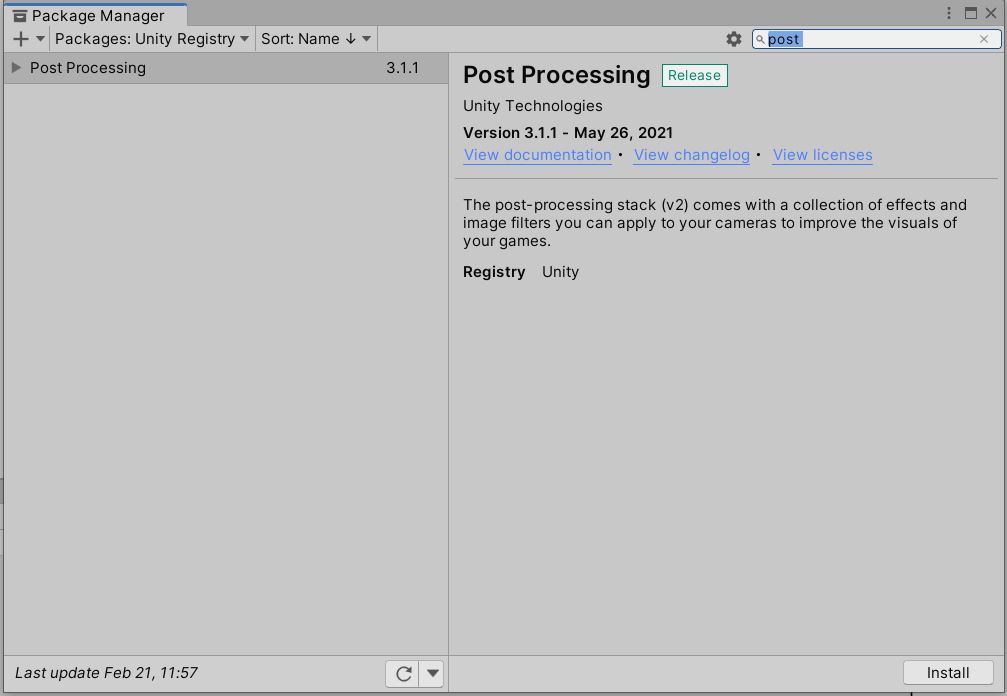
- install pp
- add a pp layer to camera and add a pp layer
- make a new empty object and add a pp volume to it or add it to camera and set it to global
- make the object pp or the camera if so
- add effects
also make sure pp is checked on the camera
and i did all this and it no working
is there anything i should check???
exotic oriole
cursive briar
i have urp
1. install pp
2. add a pp layer to camera and add a pp layer
3. make ...
you install PP?
urp doesnt need to install anything
it already includes pp
u must be mixing legacy with urp
cursive briar
idk maybe
i know that
but i am trying to use pp because when i used bloom on the urp version it doesnt bloom
 cursive briar
exotic oriole
screenshot
cursive briar
exotic oriole
screenshot
i screenshotted
exotic oriole
ok chill with vertical messages
now show the camera
and global volume @cursive briar
cursive briar
 cursive briar
exotic oriole
and global volume <@711655516442722414>
cursive briar
exotic oriole
and global volume <@711655516442722414>
vignette in full
but nothing
exotic oriole
cursive briar
vignette in full
removePostProcessing v3 package from package manager
cursive briar
but wait why?
exotic oriole
i really gotta repeat myself dont i
cursive briar
ok fine
exotic oriole
URP has its own Global Volume and PP..
that one u installed is only for Built In Renderer
which is legacy
cursive briar
thanks
 native pebble
Hi ! I tried to use the post processing in Android.. and I have big FPS losses 😦
Do you know an another way to make a bloom effect ?
 severe vault
@if it's 2d then you can just bake it into sprites/textures
native pebble
I found a solution in the Unity market, perfectly works on mobile : https://assetstore.unity.com/packages/vfx/shaders/fullscreen-camera-effects/fastmobilebloom-79310#description

Add depth to your project with FastMobileBloom asset from becomealittlegirl. Find this & more VFX options on the Unity Asset Store.
 grizzled patio
Hey! Does anyone know what the difference between _MainTex_TexelSize.zw and _ScreenParams.xy is when using a fullscreen shader for post-processing? From how I understand the two there should be no difference, however, it does make a difference depending on which one I use...
 halcyon trout
Hello guys, girls etc !!
Is there a way to make blur on a specific part/object of a mesh ?
native pebble
I guess it's impossible with post processing
halcyon trout
native pebble
I guess it's impossible with post processing
Ok, so, ive to try something else. TY.
mighty stump
halcyon trout
Hello guys, girls etc !!
Is there a way to make blur on a specific part/object o...
It's possible to make such a shader or a custom post process effect
Similar principle as how refractive shaders work, but blur instead of distortion
 toxic temple
Hi all, I've just upgraded my project to 2021.3.8f1 and am trying to understand the Environment > Volume Mask setting in conjunction with camera stacking. I thought it would mean I could have separate PP stacks per camera, but it doesn't seem to work that way?
My current setup is Base camera on Volume Mask 1, Overlay Camera on Volume Mask 2
Base PP on Layer 1 (set at the top of the Inspector), and Overlay PP on Layer 2 (set at the top of the Inspector)
I thought it would work such that the camera on Volume Mask 1 would only be affected by the PP on Layer 1
And the same for Camera/PP on Layer 2
But the overlay PP is affecting both cameras
I know this question has been asked a million times but I can't seem to find a specific reason as to why this isn't working in my use case
mighty stump
toxic temple
But the overlay PP is affecting both cameras
They can use different post processing layers
However note that when the overlay's post processing acts on the overlay camera, the camera below has already been composited to it
Regardless of how many cameras you stack, every post process in the stack affects the full stacked image at that point in the stack, including all images below with their post processing
 tall saffron
severe slate
post proccesing isnt working for me on hdrp
tall saffron
severe slate
post proccesing isnt working for me on hdrp
As soon as you create an HDRP project several postprocessing effects are already globally active.
severe slate
figured it out
 ashen pebble
wasnt there supposed to be ambient occlusion?
 mighty stump
ashen pebble
wasnt there supposed to be ambient occlusion?
mighty stump
ashen pebble
wasnt there supposed to be ambient occlusion?
If you're working in URP, SSAO is a renderer feature, not a post processing effect
ashen pebble
i tried that but it didnt do anything
mighty stump
ashen pebble
i tried that but it didnt do anything
I can confirm it does something
Projects created from the URP template implement both post processing and SSAO so you can look there for examples
ashen pebble
does it work with the unity toon shader?
mighty stump
ashen pebble
does it work with the unity toon shader?
I assume so, considering it's rendered separately
 dark ermine
When I apply Ambient Occlusion via the post processing package (built in renderer 2020.2.2f1) I get weird flickering on my leaves and grass + a strange band across the top of my screen. flickering is only visible when moving the camera
 somber trench
in HDRP is it possible to use Amplify for fullscreen shaders? i wanna make a fullscreen custom pass shader for post processing effects but cant get it to work
 minor smelt
Hey ya 👋
I recently did a medieval drawing post process and did a one minute video breakdown 😄
https://twitter.com/KubiakErik/status/1597910723170299904?s=20&t=zu9LIPFXe2-zlBdhIe3dEg


Hey 👋
Another update on my outline post-processing, there a longer breakdown 😉
I will try soon with a reduced FPS video 💪Feel free to follow 😄
 Twitter
·
Twitter
·
 random forum
minor smelt
Hey ya 👋
I recently did a medieval drawing post process and did a one minute v...
random forum
minor smelt
Hey ya 👋
I recently did a medieval drawing post process and did a one minute v...
There is a showcase section #archived-unitytips
 fresh cypress

how can i make this outline effect? I tried some effects found on the internet, they work but the camera view becomes partially black
minor smelt
fresh cypress
how can i make this outline effect? I tried some effects found on the internet,...
Too puch changes in terms of color or normal I suppose?
fresh cypress
minor smelt
Too puch changes in terms of color or normal I suppose?
I don't know, I'm new to unity and I don't even know if this effect is done with post processing
minor smelt
It is done in post peocessing
You should check alexander ameye tutorial 😉
fresh cypress
minor smelt
It is done in post peocessing
You should check alexander ameye tutorial 😉
already tried it
 clever bolt
Is it recommended to "reassign" blit materials in a custom render pass? from what i understand we can pass it in the constructor of the render pass, but in the first few frames of enabling the render feature the material is null in the render pass
unity's ssao implementation reapplies it every frame and sets its keywords every frame
but isnt that wasteful/using unnecessary resources?
minor smelt
I create my material in the pass constructor and I don't have any issue
clever bolt
minor smelt
I create my material in the pass constructor and I don't have any issue
what about setting the material values? where do you set it in, like in the constructor, onCameraSetup, Execute, etc.
clever bolt
minor smelt
I create my material in the pass constructor and I don't have any issue
I cant do this bc its a project constraint
minor smelt
clever bolt
what about setting the material values? where do you set it in, like in the cons...
In the constructor
minor smelt
clever bolt
I cant do this bc its a project constraint
Why can't you use the constructor?
You can still do it in onCameraSetup
clever bolt
minor smelt
Why can't you use the constructor?
No i mean i cant create materials in the constructor
artists want to be able to edit the values of the material on the material inspector
clever bolt
minor smelt
You can still do it in onCameraSetup
wouldnt it that be called every frame then?
onCameraSetup runs every frame for each rendering camera
minor smelt
Uhm I see 🤔
minor smelt
clever bolt
artists want to be able to edit the values of the material on the material inspe...
I should check but I think constructor is called whenever you change the renderer settings 🤔
minor smelt
clever bolt
onCameraSetup runs every frame for each rendering camera
Oh okey
clever bolt
minor smelt
I should check but I think constructor is called whenever you change the rendere...
yeah, but sometimes the render pass is created before the renderer feature has been unserialized
making the material null
minor smelt
Is it really seen? Like I never had this issue 🤔
clever bolt
one sec

 minor smelt
Yeah okey but do you have something weird on screen by doing that?
You can still update the material OnValidate
clever bolt
minor smelt
Yeah okey but do you have something weird on screen by doing that?
its more of engineers screaming at me for leaving in errors
the pass works fine
minor smelt
clever bolt
its more of engineers screaming at me for leaving in errors
Yeah I see ahah
clever bolt
but this is the optimization stage
and its really trying to squeeze as much as possible
bc the render pass is gameplay critical and its quite expensive
minor smelt
Yeah I see, I don't have that much idea for you 🤔
 bleak hazel
Is there a way to prevent my PostProcessEffectRenderer from showing in the scene view? I see a context.isSceneView property which I could test against inside my Render function but simply returning from the function causes the scene view to become entirely black.
public override void Render(PostProcessRenderContext context)
{
    if (context.isSceneView) {
        return;
    }

    // Post-processing logic...
 junior bloom
using hdr + bloom and i'm getting this "outline" effect on my ui elements

it looks decent close up, but from far away it looks like an antialias fail

is there a good way to resolve it?
 odd drift
junior bloom
odd drift
junior bloom
How are you making that part emissive?
junior bloom
the radial bar is actually generated using a lit shader graph (there's some other properties there to for it to dynamically segment), so im just using a hdr color to multiply to get the emission
odd drift
junior bloom
the radial bar is actually generated using a lit shader graph (there's some othe...
That could be the problem if you multiply the alpha channel too, otherwise i dont know
 late crow
Hey guys, my post processing doesnt work on my scene
I know it may sound, weird, ive tried everything. This new version of pp i dont understand
Nvm dude.
I have to use URP built-in
instead
 glass mulch
[SOLVED] Is anyone using URP 14 or higher? If so, on the Bloom Settings do you have available: Downscale and *Max Iterations *?
 thin axle
I'm using the Depth of Field Post Process effect in URP. For some reason, there's a square in the bottom left corner that doesn't get blurred. Here's a screenshot:

 errant dragon
@snow coyote regarding different post-processing per camera: in theory it should be possible, but at least with URP overlay cameras it’s not working. I solved it by rendering other camera to texture and then doing composition with custom post-processing effect.
 snow coyote
errant dragon
<@729647848911798352> regarding different post-processing per camera: in theory ...
snow coyote
errant dragon
<@729647848911798352> regarding different post-processing per camera: in theory ...
Thank you for following up. Im using a render texture too, however im doing built-in
 cobalt minnow
Nothing
 proven burrow
cobalt minnow
Nothing
proven burrow
cobalt minnow
Nothing
my bad i had to read docs about volume

 surreal nymph
hey so im having a problem in my whole game, i dont know why but all my post processing effects dont work. I just bought a retro vhs effect pack and that wont work either
none of my original effects are working
cobalt minnow
What pipeline are you using?
surreal nymph
URP
@cobalt minnow
idk why i created a new project with the asset in it, added post processing and urp and it all works
hello anyone?
cobalt minnow
URP comes with post processing built in. Did you install the post processing package from the package manager? Because that will cause issues.
cobalt minnow
You need to not have that package in your project if you're using URP
cobalt minnow
You also need to use the URP volume, make sure you have post processing turned on, on your camera.
surreal nymph
and about 38 of my scrips rely on post processing package
cobalt minnow
Start with using something built in like vignette
surreal nymph
there in the two effect packages i bought
cobalt minnow
Then you can't use URP or update them to work with the URP post processing volume.
Did you check that they were compatible with URP?
surreal nymph
ive been looking but there has been nothing said it can or cant be used
ive looked all in the project files, on the unity store page, found nothing
Add depth to your project with VHS Effects asset from Lune Interactive. Find this & more VFX options on the Unity Asset Store.
thats the asset
cobalt minnow
If it doesn't specify, then it's most likely for built-in only.
surreal nymph
am i able to downgrade my project to built in?
cobalt minnow
You can remove URP yes. Something to look up because I'm not going to type it all out on mobile.
Though keep in mind, any URP features you're using will stop working too.
surreal nymph
got it, thanks
surreal nymph
ok still my post processing is not working
just in general
the package is out too im just staying in urp
but no pp is working
cobalt minnow
Is it turned on, on the camera?
surreal nymph
yes
surreal nymph
i dont know why no post processing works
cobalt minnow
Show your setup for it. Show that the built in package was removed.
 opal hemlock
Hi, I have a question about post processing effects. In my game I have 2 cameras: 1 base cam to show pretty much everything, and 1 overlay to show a UI item (a weapon for example, so that it doesnt clip in walls etc). This UI camera is part of the base camera's stack. I use post processing effects on the main camera (bloom, tonemapper, shadows midtones highlights, vignette). I want those same effects on the UI camera, but when applying the same effects, it applies it to everything, as if I just doubled the intensity on the main camera for everything. Does anyone know a fix for this?
I also tried using a 2nd post processing volume settings object to disable some effects, but that just makes my UI camera show in colors that aren't exactly matching with the colors in the rest of the world. it looks off
opal hemlock
you can see here that the bloom from the sun works on the environment but not the hand (UI cam)

and when I disable/enable the tonemapper, it gets applied to everything. I want it to apply to just the hand, because tonemapping is already applied to the environment

i also made sure to use the right layers at the volume and culling masks. I put EVERYTHING EXCEPT the layer the hand is in at the main camera, and I put ONLY the hand in the UI camera
I want the effects to only apply to the hand. not the stuff that already has post processing
opal hemlock
Nevermind. Solved it by removing post processing from the main camera, and only applying it to the UI camera
 slim fox
Helloo, So... I little trouble here.. I have two volumes, the volume A is global and the volume B is not, the volume B just works if it starts disabled and enable it after the Volume A... I create a Invoke to enable it after .2 seconds, works... but... Don't seems right... What can I do?
mighty stump
opal hemlock
**Nevermind. Solved it by removing post processing from the main camera, and onl...
For future reference post processing always applies to every layer/camera below in the stack, due to their nature
opal hemlock
mighty stump
For future reference post processing always applies to every layer/camera below ...
🫡
 deft sinew
someone knows how to disable the postprocess on some of the objects? for example, I don’t want the glow to work on such an object
 mighty stump
deft sinew
someone knows how to disable the postprocess on some of the objects? for example...
mighty stump
deft sinew
someone knows how to disable the postprocess on some of the objects? for example...
Post processing is always per whole rendered image
Your best bet is to use bloom threshold and control the brightness / emission intensity of materials to kind of choose which one of them goes above the bloom threshold
deft sinew
mighty stump
Post processing is always per whole rendered image
Your best bet is to use bloom...
is it really possible to somehow make the same glow effect for a mesh but without post-processing?
mighty stump
deft sinew
is it really possible to somehow make the same glow effect for a mesh but withou...
Not the exact same but similar
Particles would be an option, soft particles especially
deft sinew
mighty stump
Not the exact same but similar
Particles would be an option, soft particles espe...
is it possible to lay particles along the mesh? I have a spline that generates a mesh
mighty stump
deft sinew
is it possible to lay particles along the mesh? I have a spline that generates a...
You can spawn particles using a mesh as the shape without any extra tricks
deft sinew
mighty stump
You can spawn particles using a mesh as the shape without any extra tricks
I cant use my spline mesh into this field
 mighty stump
deft sinew
I cant use my spline mesh into this field
mighty stump
deft sinew
I cant use my spline mesh into this field
Then I'm not sure
If "mesh renderer" doesn't let it update automatically then you might have to assign the generated mesh through code
deft sinew
mighty stump
Then I'm not sure
If "mesh renderer" doesn't let it update automatically then yo...
shader glow effect can be done somehow? maybe some useful links?
mighty stump
deft sinew
shader glow effect can be done somehow? maybe some useful links?
"Shader glow"? Either you render some transparent geometry that mimics a glow, old games often did with sprites or particles, or use post processing for it
It's also possible to render the glowy objects entirely separately, blur them and composite them along with post processing, but there's no system for that by default
only the simple full screen brightness based bloom
surreal nymph
hey so post processing isnt working in my first scene for some reason but in all my other scenes it works fine. i have pp checked on my camera and enabled so idk what it could be
nvm found the problem
 humble copper
Does anyone use the Kino package by Keijiro? I'd need some help or any code examples, everything would be highly appreciated
 proper dust
Hello, i need help with bloom. I have added bloom to the moon but it affects all objects and the skybox and i cant find any way to fix it. I have tried ading another camera that can only see the skybox and not bloom and disabled the main camera from seeing the skybox but now when i klick play the skybox is not visible at all.
hexed nova
what do your post process settings look like
 hexed nova
yah, you see the threshold is at 1, which means anything is blooming
proper dust
Is my game broken or why wont this work at all?? I did exactly what this tutorieal told me to do and it still dosent work...
There are two major things that you need to make objects glow in Unity. The first thing is the camera post processing bloom effect and the next is an emission
hexed nova
you need to use shaders to make things bloom seperately
hexed nova
proper dust
Is my game broken or why wont this work at all?? I did exactly what this tutorie...
idk
depends on a lot of things
that tutorial sucks btw
proper dust
hexed nova
that tutorial sucks btw
I have tried 20 difrent tutorieals and nothing works...
hexed nova
what part doesn't work
proper dust
The glowing pare or making only 1 object glow part
Everytime eaither nothing glows at all or everything glows
proper dust
Now it dosent want to glow at all
hexed nova
becuase you need a material with an emission property set
proper dust
 hexed nova
?
proper dust
Emission is on for the materieal
proper dust
hexed nova
with how much intensity
 hexed nova
so it's glowing
proper dust
hexed nova
so it's glowing
Nope


I have set the layer to a new oane named glow but it dosent work on the default oane eaither
hexed nova
idk then
wait actually you showed me the wrong intesity value
go back to the emission color and click on the color
you're suppowed to change the intesity of the color value
but you showed me the intensity of the post process property
 proper dust
hexed nova
does ur camera have post porcess enabled
proper dust
hexed nova
does ur camera have post porcess enabled
Yes

I have no idea what the problem is and what it wants from me
Im going to make a test project and do the exact same thing to see if it works there
proper dust
It works there but afects the skybox
mighty stump
proper dust
These are settings for an URP camera, but the tutorial is for Built-in Render Pipeline, which is probably why it didn't work
mighty stump
proper dust
It works there but afects the skybox
Post processing is per whole rendered image, so you cannot apply it selectively
The exception to that is that you're able to apply post processing on a rendered image before each additional image from overlay cameras is composited and in turn post processed
Doesn't really work for bloom because it needs to be applied last if you don't want the glow to be covered
proper dust
mighty stump
Post processing is per whole rendered image, so you cannot apply it selectively
...
Does that mean i cant add bloom without making everything glow?
mighty stump
proper dust
Does that mean i cant add bloom without making everything glow?
Yes, not without a custom system that does it selectively
You can use a high bloom and emission intensities to get a similar effect though
proper dust
emision only changes the color for some resone
proper dust
mighty stump
Yes, not without a custom system that does it selectively
You can use a high blo...
How can i get a custom sistem that selectivly does it
mighty stump
proper dust
How can i get a custom sistem that selectivly does it
You could look for such assets on the store, or start learning how to do custom post processing effects using data from custom passes or extra cameras
proper dust
I have had more then enugh trail and error with this bad bloom sisten so if there is a asset for that it would be grate.
mighty stump
Maybe there is
 visual hull
should it really take about 6 (went up to 9) hours to bake this small room with 1 single light?
im baking on my rtx 3060ti
 mighty stump
visual hull
should it really take about 6 (went up to 9) hours to bake this small room with ...
mighty stump
visual hull
should it really take about 6 (went up to 9) hours to bake this small room with ...
This is a #archived-lighting question
Showing your lightmapper settings may offer some clue
visual hull
oh ok, ill take it over there
 delicate blaze
How do I make an effect like this?
 odd drift
delicate blaze
How do I make an effect like this?
odd drift
delicate blaze
How do I make an effect like this?
I think thats just inverted color so 1 - thePixelColor (subtract the pixels color from 1 separately for each component). You can make your own post processing shader to do that or try to find one from online
 blissful badge
does anyone know which Version of Post Processing this Component belongs to?

 marsh frigate
URP or HDRP
blissful badge
ohhhh that makes sense now, thank you!
blissful badge
I noticed Bloom effects override each other, is there a way to give local bloom effects a radius?
I know we can change the Blend Distance but that only seems to affect the difference between cameras that get near the object
mighty stump
blissful badge
I know we can change the `Blend Distance` but that only seems to affect the diff...
Post processing overrides are always per-camera, never per-object
blissful badge
mighty stump
Post processing overrides are always per-camera, never per-object
so bloom is how the camera sees each object?
when I place 2 different bloom objects one above another both bloom gets to both objects.
Is there any way to avoid this?
mighty stump
blissful badge
so bloom is how the camera sees each object?
when I place 2 different bloom obje...
"bloom objects"?
blissful badge
mighty stump
"bloom objects"?
different game objects with the volume component that has a local Bloom effect.
mighty stump
blissful badge
different game objects with the volume component that has a local Bloom effect.
The camera gets its post processing settings based on its position and distance relative to volumes
The bloom itself is not "local" and never will be
blissful badge
mighty stump
The camera gets its post processing settings based on its position and distance ...
That explains so much, Thank you!
 obsidian nebula
Hi, im experiencing a bug when i try to build my game. The build fails to be created and gives the following errors:

It says something about a Bee Post processor
Even though i have post processing off for my urp module
could anyone please help me fix this error?
mighty stump
obsidian nebula
Even though i have post processing off for my urp module
It's not related to graphical post processing at all
obsidian nebula
mighty stump
It's not related to graphical post processing at all
do you know what it could be related to?
 ruby bane
How do I add an exposure override to a volume in Unity 2021.3.16f1? All the tutorials I'm looking at seem to be using earlier versions and say to just click on "Add Override" in the Inspector, but I don't have that option. I tried searching for "Exposure" in the 'Add Component' list for the volume, but came up with no results, so I don't think that's what is meant...
hushed ivy
ruby bane
How do I add an exposure override to a volume in Unity 2021.3.16f1? All the tuto...
On HDRP you can add a Volume > Global Volume, then in that Volume component you click the 'Add Override' and find Exposure. On URP, it looks like the exposure is in the Colour Adjustments override.
ruby bane
Ah, thank you! I believe I've got it
visual hull
what am i missing to see how much these lights actually glow?

when i play test they glow very much, making it hard to see what im doing
 rough birch
how do u add chromatic abberation to only specific objects?
 restive oyster
is there a way via script to change Depth Of Field distance on a volume ?
 verbal hemlock
So what’s post processing do for 2D games
cobalt minnow
The same it does for 3D games, adds screen based effects.
odd drift
verbal hemlock
So what’s post processing do for 2D games
Takes the resulting image and processes it in some way before showing it on the screen (like osteel said). The behaviour is exactly the same no matter how the frame is rendered, altough some effects like depth of field or screen space reflections relies on things like depth texture which doesnt usually exist on 2d games
verbal hemlock
Alright thanks was just wondering cause I was thinking about adding some screen based effects to 2D games
restive oyster
how can i change Volume profile in runtime via script ?
Or even simpler, how can i activate/deactivate a post process effect via script ?
tall saffron
restive oyster
Or even simpler, how can i activate/deactivate a post process effect via script ...
enable/disable the volume or set its weight
restive oyster
tall saffron
enable/disable the volume or set its weight
sure, but i don't find how to do it in script, there's no doc about it and no result on the forum search
tall saffron
restive oyster
sure, but i don't find how to do it in script, there's no doc about it and no re...
wdym there's plenty of docs about it
it's a component like any other too, so enable/disable works as normal
of course which component we're talking about depends on which postprocessing framework you are using (which depends on which RP)
restive oyster
didn't found the docs then
restive oyster
tall saffron
of course _which component_ we're talking about depends on which postprocessing ...
URP post process
i mean i found docs about it but not about the scripting part
and if i click on the "?" in Unity inspector it redirect me to an inexistant web page
tall saffron
it's just called a Volume
restive oyster
...
hexed nova
the post process component is a volume from unityengine.rendering
and each different post process has it's own class
like colorcurves, bloom, etc
so you put a field for volume, and whatever post process you want in your script and do
        {
            ColCurves = colcurves;
}```to get the post process reference into your post process field
you can't drag and drop individual post processes unfortunately
you can only drag and drop volume as a reference in inspector
restive oyster
hexed nova
you can only drag and drop volume as a reference in inspector
thank you so much for all the explanations, will try that
hexed nova
yeah, it's not very well documented, if you try googling you mostly get questions as results lol, had to dig through youtube to find anything
restive oyster
lol yeah, i was becoming crazy not founding any documentation so i ended up posting here, it's strange because everything else is very well documented
 autumn temple
Hm, I'm playing around with the depth of field post-processing volume and have tried both the Gaussian and the Bokeh methods. However, it seems like each effect either fully applies to an object or does not apply at all
Is the "distance to the object" etc given by the distance to the center of the object, and not the distance to that particular pixel on the object?
The object top left is very close to the camera and the two objects near the bottom are further away

yet they all appear equally blurred no matter how much I fiddle with the settings
odd drift
autumn temple
Hm, I'm playing around with the depth of field post-processing volume and have t...
Depth buffer, which as far as I know dof uses, stores the distances to each pixel, not the object origin, that much I can tell atleast, its really hard to say why that problem would happen other than the settings being wrong
autumn temple
Well, at this point I'm looking at this

Moving the camera away or towards the objects does not appear to change the amount of blur, no matter what the setting is
IE even if I twiddle with the FocusDistance so that the objects are barely perfectly in focus, moving the camera significantly away from the objects afterwards does not make them blurred again
Do I have to configure the depth buffer in any way myself?
odd drift
Maybe? Im not sure. It also depends on the render pipeline
Btw if thats 2d game, you better forget the idea of dof
autumn temple
It's a "2d project" but the camera is perspective
does the project type matter?
I'm in the Universal Render Pipeline
Although, that is not an effect applied to the camera through a post processing layer, it's a "volume profile"
autumn temple
Effects added through "Post processing layers" and "Post processing volumes" appear not to trigger at all, only effects added through the "volume profile" seem to occur.
mighty stump
autumn temple
Effects added through "Post processing layers" and "Post processing volumes" app...
Make sure you aren't trying to use use Post Processing Stack v2 components with URP
autumn temple
Does that mean I can't use the "Post-processing layer" and "Post-processing volume" components with URP?
mighty stump
autumn temple
Does that mean I can't use the "Post-processing layer" and "Post-processing volu...
Correct
autumn temple
I see
However, using only the "Volumes" method, my issue still persists
Could this be due to a setting that is set when I make a 2d project?
 mighty stump
autumn temple
Could this be due to a setting that is set when I make a 2d project?
mighty stump
autumn temple
Could this be due to a setting that is set when I make a 2d project?
Is it using a 2D renderer?
 mighty stump
DoF is a 3D effect while the 2D renderer doesn't handle 3D at all
I would assume it doesn't even produce a depth buffer
mighty stump
odd drift
Btw if thats 2d game, you better forget the idea of dof
i.e.
autumn temple
But..

Well
switching to a 3d renderer appears to have solved the issue
Thanks!
mighty stump
Another thing that I see causing issues with DoF and sprites is that DoF doesn't really work with transparency
You might have to change the sprites shaders to be opaque with alpha clipping instead down the line, though I'm not sure
autumn temple
Although
My 3 blocks are now properly blurred depending on their distance to the screen
but my 1 large object blurs as one large thing
instead of blurring based on pixel distance..
open gulch
I have a lookup texture which is purely black and white. However, unity thinks that it has two extra greys which I really dont want, how do I fix this?
 marsh frigate
set the texture to point sampling and not billinear
open gulch
marsh frigate
set the texture to point sampling and not billinear
it is set to point, but this still happens
marsh frigate
Then either something is wrong with your texture, or your logic
make sure compression is disabled on your texture too
open gulch
nothing is wrong with the texture, I believe
glass mulch
Hi, I have a post-processing error on android, it can't be seen on the pc build nor the editor using Unity [2022.2.1].
I already introduced it on the ui-ux channel, but I now figured out it was postprocessing
I created a test on my project and saw how enabling post processing mid execution created a sort of static frame and it constantly switched between the static frame and the real one.
After 2 seconds I enable post processing, I think you will be able to notice it though😂
The flickering issue is fixed when I go to the home screen without closing the app, and reopen it.
glass mulch
Ok, I tried many things, basically I focused on clearing the buffer, setting clearflags...
The "quick fix" or solution by now is updating the resolution to a different size, and reset it back to its normal resolution.
It would be nice to know which calls are made when changing the resolution.
 soft garden
Please how can I use Post processing in URP without thanking performance, I only want bloom but this drop FPS by 10 on low end mobile
restive oyster
Interested to know too
mighty stump
@soft garden @restive oyster Bloom is inherently expensive on mobile hardware
You can search for mobile optimized bloom assets on the store which I've heard work okay, but I haven't tried them myself
restive oyster
mighty stump
<@224011290027360256> <@294448091480850432> Bloom is inherently expensive on mob...
Alright thank you
mighty stump
I think newer versions of URP have an option to skip iterations which would make it cheaper
restive oyster
yeah i think i've seen something like that in the parameters option
soft garden
it improves performances alot but still not enough for low end devices, do you guys have any idea how i can make something glow without post processing, closet I can get is with frenel effect
 weary delta
Is it possible to apply Post Processing to an area in Unity 2D URP?
mighty stump
weary delta
Is it possible to apply Post Processing to an area in Unity 2D URP?
Post processing from volumes applies to cameras, not areas
weary delta
mighty stump
Post processing from volumes applies to cameras, not areas
yes, during my research found that might be a better idea to use a shader, trying to find or create one right now 🙂 Shader language is sadly hard though, don't understand things.
weary delta
mighty stump
Post processing from volumes applies to cameras, not areas
failing though. do you per chance know a working grayscale shader that acts like a mask with an effect?
mighty stump
weary delta
failing though. do you per chance know a working grayscale shader that acts like...
I tend to make my own shaders so I don't know of pre-existing ones
Desaturating in fragment shader based on some external factor is a simple color operation
Having that external factor be localized in the scene is trickier and there's many ways to go about it depending on how it needs to work
weary delta
mighty stump
I tend to make my own shaders so I don't know of pre-existing ones
Desaturating ...
yes, its a simple color operation, and I now know that there are some formulas to do so, but that just gives me a grayscaled sprite, sadly.
How it needs to work -> I have an image which allows me to paint areas(not sprites though) in grayscale.
Tried both masks and textures, nothing seems to work.
directly put something on scene which I cannot see, but it paints the area beneath in grayscale
mighty stump
There's many way to make a dynamic "paint" effect
The most common one is to draw on a render target texture
You would then sample that RT texture in the shader as a factor for the greyscale effect
weary delta
mighty stump
There's many way to make a dynamic "paint" effect
The most common one is to draw...
I'm sorry for putting my words wrong, what I meant by painting is not in game drawing, but -> I put something, let it be a raw image + texture combination, image with mask or just sprite, anything basically which has geometry bounds I can control, in my scene, so that I don't see what I put, but rather what is under it, the sprites, in grayscale.
mighty stump
Sure, those are all options
weary delta
mighty stump
Sure, those are all options
and all of them tried, and all of them failed.
weary delta
mighty stump
Sure, those are all options
the best result I achieved is finding a blur shader which works with world space canvas, but converting it to grayscale failed also. I can link my shader code if you have time.
mighty stump
weary delta
the best result I achieved is finding a blur shader which works with world space...
You could present the question in #archived-shaders
 plush pumice
soft garden
it improves performances alot but still not enough for low end devices, do you g...
plush pumice
soft garden
it improves performances alot but still not enough for low end devices, do you g...
Fake it
Use lens flares
Not the new kind, the old lens flare system
mighty stump
Or just glow sprites in general
mighty stump
"Faking it" should usually be the first option to consider ^^
plush pumice
Transparencies on mobile can be expensive, but should be less than the cost of a fullscreen bloom
 quaint flume
weary delta
I'm sorry for putting my words wrong, what I meant by painting is not in game dr...
quaint flume
weary delta
I'm sorry for putting my words wrong, what I meant by painting is not in game dr...
From what I could understand, maybe you want to stencil out the areas you want to blur and greyscale and keep the rest of the areas unaffected. Or create a mask in a separate pass and write it to a RenderTexture. Use this as a mask in the final post-processing effect...
weary delta
quaint flume
From what I could understand, maybe you want to stencil out the areas you want t...
Interesting! But all I needed was _CameraSortingLayerTexture and this example: https://github.com/Unity-Technologies/2d-renderer-samples/tree/21.2/Assets/Samples/2D Renderer/02 Applied Samples/Heat Haze Overlay

GitHub
Samples for Unity's 2D Renderer. Contribute to Unity-Technologies/2d-renderer-samples development by creating an account on GitHub.
quaint flume
weary delta
Interesting! But all I needed was _CameraSortingLayerTexture and this example: h...
ohh okay, you're doing heat haze effect. Cools 🙂
weary delta
quaint flume
ohh okay, you're doing heat haze effect. Cools 🙂
No-no, I'm doing grayscale :) needed to somehow get the scene color node alternative in 2d, which as I now know is _CameraSortingLayerTexture
Now I can apply grayscale to parts of the screen as an overlay
quaint flume
weary delta
No-no, I'm doing grayscale :) needed to somehow get the scene color node alterna...
thats nice! quite interesting, I've not yet worked on 2d platforms. But this is useful piece of information for sure 🙂
 cobalt folio
would anyone have any insights on how to get a blur effect similar to this?
https://youtu.be/lH6qlF_iegU?t=839

Abstract Liquid! V - 6 - https://youtu.be/t8jI5cSyWVE
Abstract Liquid! V - 5 - https://youtu.be/VlVV4AXCXts
Abstract Liquid! V - 4 - https://youtu.be/oOkGmK3_Hdg
Abstract Liquid! V - 3 - https://youtu.be/lH6qlF_iegU
Abstract Liquid! V - 2 - https://youtu.be/z1_X86D34Q0
Abstract Liquid! V - 1 - https://youtu.be/n9v-2xF54HM
12 HOURS of Relaxing Fi...
 neat ledge
Anyone know how to have URP post processing not apply on worldspace canvas?
Seems like URP PP Volume is all or nothing deal.
So I tried to Camera stack - one for gameplay with post processing as base, another camera for UI including WorldSpace UI as overlay camera in the stack with post processing disabled. But Camera stacking seems to be incompatible with WorldSpace UI since it follows the stacked UI camera instead of respecting its world position.
I'm on Unity 2021.3.16 and URP 12.1.8
neat ledge
Solved by applying same changes to the UI Camera as the main camera, position, orthographic size and everything else has to match.
 thick shadow
Any ideas on why Post Processing is working in the Game View but not the Scene View? I have it turned on in the Scene Effects options.
 neat ledge
thick shadow
Any ideas on why Post Processing is working in the Game View but not the Scene V...
neat ledge
thick shadow
Any ideas on why Post Processing is working in the Game View but not the Scene V...
URP? There's a post processing checkbox on the Camera, enable that.
oh, sorry, working in game but not scene view, can't help with that.
thick shadow
Yeah it's the opposite of the usual problem 😛
 tired gull
Anyone know why bloom is triggering here'

For context I imported a model and it just started blooming on the edges here, using unity toon shader if that's any help

Apparently it's these faces here
 mighty stump
@tired gull This happens if the shader is producing nonsensical values at some point
Probably something crazy high or not-a-number
tired gull
mighty stump
<@364630408131772426> This happens if the shader is producing nonsensical values...
Moved around some vertices and it doesn't do that now, but damn that was weird
 devout bronze
does my canvas need to be screen space camera for UI to be affected by PP? urp project if it makes a difference
mighty stump
devout bronze
does my canvas need to be screen space camera for UI to be affected by PP? urp p...
Screen space - camera or world space
devout bronze
im having some issues with it. I set up a UI camera, set the culling mask to UI only, and on the main camera unchcked UI. my canvas is set to screen space camera, with the UI camera dragged in as the render camera. I can see my UI, but it doesnt seem affected by PP (PP is checked on the UI cam). the UI cam's render type is set to Overlay, and I added the UI cam to the stack of the main camera. did I forget a step or do something wrong?
edit: actually its kind of working, i jacked the bloom up and can see changes in one of the elements. but the TMP text is unaffected still, and it's set to UI layer
mighty stump
devout bronze
im having some issues with it. I set up a UI camera, set the culling mask to UI ...
Do you just want PP for canvas, or is there another reason to use an overlay camera?
devout bronze
PP for the canvas is my goal
mighty stump
In that case you should need just one camera and nothing to do with culling masks
Canvases rendered by a camera should also get post processing if the canvas is not screen space - overlay
devout bronze
ill change it back then, but any idea why the text is unaffected by bloom? that was what i really wanted
mighty stump
devout bronze
ill change it back then, but any idea why the text is unaffected by bloom? that ...
Haven't had that happen
Remember to assign a Render Camera to the canvas
devout bronze
oh it was an issue with that specific font, glow works with another. i guess last question I have is how do I create different PP profiles so I can have one set of settings for the UI and the other for the game? i recall how to do it in the basic render pipeline but URP seems different
devout bronze
is there any way to create different volumes based on layer in URP like with built in? the only choices im seeing are global and local which uses colliders?
i dont know if this is the right way to do it but it worked for me, just made local volumes and parented them to the cameras. the gameplay one to the main camera and the UI one to the UI camera. seems to be what I want
mighty stump
devout bronze
is there any way to create different volumes based on layer in URP like with bui...
The volumes use the gameobject's layers, camera uses "volume mask"
Parenting local volumes to cameras is redundant unless you plan to move them somewhere at some point
severe slate
Hi.
I have a small probem and I think it's due to my post procession to my scene:

whenever I try to add antianalysing to the camera, when I click play I see a black screen

Any idea what is happening
mighty stump
severe slate
What type of AA component is this? It looks like a custom system
proven burrow
any tips for a blue that dont hurt the eyes ?
and does this looks okay (it will appear only for few seconds , less than 10 i guess)
 mighty stump
proven burrow
any tips for a blue that dont hurt the eyes ?
mighty stump
proven burrow
any tips for a blue that dont hurt the eyes ?
What do you mean by "hurt"?
The image looks mostly grey to me
severe slate
proven burrow
and does this looks okay (it will appear only for few seconds , less than 10 i ...
look like blur
 south spindle
Anybody know where I drag a .shadergraph in the editor so it runs as postprocess on the whole screen?
south spindle
In the right click menu, I managed to create this asset. But I would expect there would be a plus button in this inspector to add a shader graph effect. Is this not the right asset?

Found that under Create > Rendering > Universal Render Pipeline > Post-process Data
I'm getting somewhere! Chat GPT told me I need the Post-processing Profile, not the Post-Process Data.
south spindle
Trouble I'm having is there is no "Shader Graph" option in the dropdown and I have the latest shader graph and post processing stacks and a unity version later than 2018.3 so I am stuck.
 proven burrow
can i decreases the value of a post process profile (Volume since im in URP) in the runtime ? i want it to start with a blue and it gets clears after few seconds , or should i use a different thing ?
sterile iron
south spindle
Trouble I'm having is there is no "Shader Graph" option in the dropdown and I ha...
Why would you expect a shaderGrpah Option there?
proven burrow
Is it possible to control post process values using timeline
south spindle
sterile iron
Why would you expect a shaderGrpah Option there?
Because you can use shadergraph as a fullscreen post processor. I got it working yesterday by adding a Full Screen Pass Renderer Feature component to my UniversalRenderPipelineAsset_Renderer, Right clicking to create a "Fullscreen Shader Graph" and material, then dragging the material into the Pass Material of that component. Thank you for your help.
sterile iron
south spindle
Because you can use shadergraph as a fullscreen post processor. I got it working...
good that you got it working that way
the options lieted for the post processing are more then just a material / shader but a script that handels the effect
that would need to be written your self if you want to go that way
south spindle
sterile iron
good that you got it working that way
the options lieted for the post processing...
I finished an edge detection post processor with shader graph and no written code!
 sterile iron
south spindle
sterile iron
south spindle
via the Renderer Feature you can
if you want to use the post processing system you cant
you need some code around to setup your post process
south spindle
sterile iron
via the Renderer Feature you can
if you want to use the post processing system y...
I really don't mean to get into an argument, but I literally did it as I described with no scripting. I know shader graph converts into shader code under the hood and maybe this is how everything checks out for you.
sterile iron
south spindle
I really don't mean to get into an argument, but I literally did it as I describ...
the post processing system and the Renderer Feature
they both can use the shadergraph shader that you created (correctly without any code)
but if you wan to use it in the post processing system (that the one you showed in the first screenshot where you shadergraph option was missing ) you would need to create some sripts to make your custom effect show up there.
i know you got it working and if that's how you want it its fine 🙂
south spindle
sterile iron
the post processing system and the Renderer Feature
they both can use the shade...
Alright, I see what you mean. Have a nice day!
mighty stump
south spindle
Because you can use shadergraph as a fullscreen post processor. I got it working...
I think specifically only the newest versions of URP added the option to plug in a shader graph as a post processing override
 ruby coral
unity hdrp depth of field is it posable to set a target
 jade marlin
if you can change the depth of field values in runtime, just get a distance to target from cam, and set value?
 normal geode
Hi! I'm upgrading a webgl project from Unity 2020.3.38f1 to Unity 2022.2.1f1...
I'm getting the following error in 2022.2.1f1 (works fine in 2020.3.38f1).
`ERROR: Shader
build.framework.js:2845 Hidden/PostProcessing/Debug/LightMeter shader is not supported on this GPU (none of subshaders/fallbacks are suitable)
build.framework.js:2845 ERROR: Shader
build.framework.js:2845 Hidden/PostProcessing/Debug/Histogram shader is not supported on this GPU (none of subshaders/fallbacks are suitable)
build.framework.js:2845 ERROR: Shader
build.framework.js:2845 Hidden/PostProcessing/Debug/Waveform shader is not supported on this GPU (none of subshaders/fallbacks are suitable)
build.framework.js:2845 ERROR: Shader
build.framework.js:2845 Hidden/PostProcessing/Debug/Vectorscope shader is not supported on this GPU (none of subshaders/fallbacks are suitable)
build.framework.js:2845 ERROR: Shader
build.framework.js:2845 Hidden/PostProcessing/MultiScaleVO shader is not supported on this GPU (none of subshaders/fallbacks are suitable)
build.framework.js:2845 ERROR: Shader
build.framework.js:2845 Hidden/PostProcessing/ScreenSpaceReflections shader is not supported on this GPU (none of subshaders/fallbacks are suitable)`
I see this posted in forums and here in the discord but I don't see any answers. I haven't swapped out my GPU in the past 24 hours so I'm confident that is not the issue.
I do see post processing in the error, which we have in the project (v3.2.2 which should be the latest). We're using the built in pipeline
I do see those specific hidden shaders referenced here: https://docs.unity3d.com/Packages/com.unity.postprocessing@3.2/manual/Debugging-Post-processing-effects.html
Not sure if I'm missing a setting or need to add them to the "Always Included Shaders" possibly? Bit of a mystery...
 normal geode
Hi! I'm upgrading a webgl project from Unity 2020.3.38f1 to Unity 2022.2.1f1......
normal geode
normal geode
Hi! I'm upgrading a webgl project from Unity 2020.3.38f1 to Unity 2022.2.1f1......
Might be helpful:

 meager sable
Will custom post-processing work in built-in render pipeline in 2021 Unity?
mighty stump
meager sable
Will custom post-processing work in built-in render pipeline in 2021 Unity?
Each render pipeline has its own way to implement custom PP, which aren't automatically compatible with each other
snow coyote
Hi! Could someone explain to me how Bloom works with URP PostProcessing?
I have two shaders, one is custom, and the other one is the Lit URP that comes built in
However they have a Bloom effect even when emissive is disabled
This is with Threshold 0.56 and Intensity 2
Then if i have Threshold 1.1 and 5 Intensity, white blooms very lightly.
Im after a more defined bloom thats not so faded, and also avoid bloom for these objects that dont have emission active. (This bloom seems to be because of the main directional light)
 gritty folio
snow coyote
However they have a Bloom effect even when emissive is disabled
gritty folio
snow coyote
However they have a Bloom effect even when emissive is disabled
Bloom affects any part of the image that is bright / has pixel values over the threshold. Whether the shader is "Emissive" would only be important for global illumination.
When I use bloom I tend to have HDR enabled (on URP asset), a Threshold higher than 1, and have shaders output a high intensity value (by multiplying the output to increase values above 1, or use a HDR Color)
snow coyote
gritty folio
Bloom affects any part of the image that is bright / has pixel values over the t...
Im setting the Intensity to 10 (for testing) on the shader, and i get the object visible with no main light, however the bloom is not visible around it with a 1.1 threshold
gritty folio
snow coyote
Im setting the Intensity to 10 (for testing) on the shader, and i get the object...
Make sure you have HDR enabled on the URP asset or the camera colour target will clamp values to 1
snow coyote
gritty folio
Make sure you have HDR enabled on the URP asset or the camera colour target will...
Okay, thank you for the tips Cyan
 modest hamlet
How would I go about create this post processing effect on unity?

 stuck cape
I have text that is supposed to be shown on a screen. the only issue is I was hoping I could apply a fisheye filter to the test to simulate the rounded screen. how could I do this??
mighty stump
modest hamlet
How would I go about create this post processing effect on unity?
Start by studying the kind of techniques that are used for these
https://alexanderameye.github.io/notes/rendering-outlines/
open gulch
stuck cape
I have text that is supposed to be shown on a screen. the only issue is I was ho...
You might need to pass the screen through a shader graph using a fullscreen blit, if you're able to do that you can pass the screen through a spherize node
 fiery hare
Hey , I wanted to ask , how can you change the values of things like bloom , chromatic abberation and other post processing stuff via code , Thank you in Advance ^^
 sweet atlas
@fiery hare grab the volume component, declare a Bloom volume component then...
if (vol.profile.TryGet<Bloom>(out var tempBloom) )
{
bloom = tempBloom;
}
bloom.intensity.value, bloom.tint.value and so on..
fiery hare
sweet atlas
<@338201443293069322> grab the volume component, declare a Bloom volume componen...
Thanks a lot ^^
sweet atlas
I feel my question straddles #archived-urp and this channel.
I'm using a camera render texture to stream the scene. All good there, but UV's are flipped.
Flipping them in blit, no big deal.
Enabling post processing flips the image again - even when the blit is disabled ( or removing the flip in the blit)
I was thinking that the blit renderpass event was not in the correct order, so I put it all the way out ( after RenderPostProcessing.) Any clue from the wise devs here ? 😉
 zenith skiff
I need some help with lighting in my game. I want a bloom effect on things that are in the background, but not everything in the scene. I added the global volume into the scene, and the bloom really shows. But everything then get's it. I have now looked around for a solution to this, but can't seem to find it. Some says that you need two cameras, 1 for what will render the bloom/post-processing and one for what will not. I don't get this to work. Does anyone here know of anything around this? Would really like the help I could get.
mighty stump
zenith skiff
I need some help with lighting in my game. I want a bloom effect on things that ...
Your instructions are correct
If you're on URP you need to use the camera stacking feature to let cameras draw on one another
zenith skiff
mighty stump
Your instructions are correct
If you're on URP you need to use the camera stacki...
But i dont get it to work
zenith skiff
zenith skiff
I need some help with lighting in my game. I want a bloom effect on things that ...
I got it to seperate the bloom effect now of different objects. But the camera does not wanna show the objects that are not affected by it.
mighty stump
zenith skiff
I got it to seperate the bloom effect now of different objects. But the camera d...
Try to get two cameras layered on screen first, then figure out how to make bloom affect only the layer below
zenith skiff
mighty stump
Try to get two cameras layered on screen first, then figure out how to make bloo...
This is what I got so far
 warm ginkgo
im making lights for the first time and why my light is behind background and how can i change that
 mighty stump
warm ginkgo
im making lights for the first time and why my light is behind background and ho...
mighty stump
warm ginkgo
im making lights for the first time and why my light is behind background and ho...
More of a #archived-lighting question or #🖼️┃2d-tools question if you're working with sprite renderers
Sprite renderers will be unaffected by anything except 2D lights from URP's 2D renderer
Area lights specifically can't be used in realtime at all, unless you're in HDRP
 hardy lagoon
I've switched from 3d to urp and my post processing doesn't work anymore does anyone know how to fix this?
mighty stump
hardy lagoon
I've switched from 3d to urp and my post processing doesn't work anymore does an...
URP uses different post processing entirely
Instructions in pinned messages
hardy lagoon
mighty stump
URP uses different post processing entirely
Instructions in pinned messages
I've already fixed this but thanks
 north delta
normal geode
Hi! I'm upgrading a webgl project from Unity 2020.3.38f1 to Unity 2022.2.1f1......
north delta
normal geode
Hi! I'm upgrading a webgl project from Unity 2020.3.38f1 to Unity 2022.2.1f1......
Any update from the community on this? It’s been a blocker for us since we upgraded Unity
 glacial pulsar
Hey! I'm not exactly sure how to search for this problem on google so here I am.
As shown in the pictures, I have a line renderer that points to the direction the player will fling to.
The problem then comes when I enabled depth of field and then the blurry effect goes ham when there's nothing directly behind both the player and the line renderer, giving a very distinct cut off as shown in the first 2 pictures.
I am using URP and it's global volume as shown in the last picture.
If anyone can shed some light (lol) on it, it would be greatly appreciated. Thank you.


 soft dirge
Is there any way to edit the color grading with an animation? Because I'm trying to make it so whenever you die, the color in the scene fades to black and white. Just like in Dark Souls.
 severe slate
anyone know what post processing brackeys used in the rpg tutorial?
 steel magnet
how to do dof on isometric camera in urp?
 scenic scarab
steel magnet
how to do dof on isometric camera in urp?
scenic scarab
steel magnet
how to do dof on isometric camera in urp?
The render pipeline doesn't matter. Set the camera to orthographic and the Y rotation to 45.
 final pebble
Hi, why might I be getting GPU errors when using AsyncGPUReadback.RequestIntoNativeArray() on a render texture, specifically a custom render texture?
 drowsy kernel
final pebble
Hi, why might I be getting GPU errors when using AsyncGPUReadback.RequestIntoNat...
drowsy kernel
final pebble
Hi, why might I be getting GPU errors when using AsyncGPUReadback.RequestIntoNat...
maybe the render texture was temporary and the data on the GPU is dead?
final pebble
drowsy kernel
maybe the render texture was temporary and the data on the GPU is dead?
I didn't use CreateTemporary(), I just constructed a new custom render texture.
drowsy kernel
what error are you getting?
final pebble
It's a gpu error so IDK, but if I stop the function from returning I think it says something else, lemme check real quick
Right now it's saying not enough data provided when I try to LoadRawTextureData()
steel magnet
scenic scarab
The render pipeline doesn't matter. Set the camera to orthographic and the Y rot...
Yes i already have the camera setup but im asking how to do the depth of field effect on the isometric camera that doesnt blur the character but only the enviroment
 magic pasture
Hello, i have problems with the Bloom on a Emission Material, since the emission from a .FBX import doesn't work(Or maybe i don't know how to do it, would be a question too) , i made a new Material, that has now Emission enabled. I also have PostProcessing(Downloaded the Package and made the Bloom Component). The PostProcessing in the Scene Visuals is also active, in the Game view it is the same(No Bloom). I also have HDR Enabled. Now what did i do wrong? (And yes i researched definitely about this on google, and didn't found anything except the things i wrote above)
I am using the Build-in render


 odd drift
Doesnt sound pp related at all, #💻┃unity-talk would be much better channel
 coral lantern
hi
magic pasture
magic pasture
Hello, i have problems with the Bloom on a Emission Material, since the emission...
Anyone can please help?
mighty stump
@magic pasture Did you follow the instructions in pinned messages for setting up bloom for built-in RP?
The screenshot of your volume looks like it's URP post processing, not built-in
built-in PP from the post processing stack looks like this
 magic pasture
mighty stump
<@449612740072439808> Did you follow the instructions in pinned messages for set...
magic pasture
mighty stump
<@449612740072439808> Did you follow the instructions in pinned messages for set...
Yeah tried out after i wrote, forgot to mention sorry, but it didn't made any change
mighty stump
magic pasture
Yeah tried out after i wrote, forgot to mention sorry, but it didn't made any ch...
Are you using the correct components now at least?
Should give it more chance of working
magic pasture
Yeah, i followed the instructions on the post-processing and bloom from the docs/ liked from the troubleshooting link in the pinned message
magic pasture
Here, that's the post-processing i have rn.


Here the Material if it is needed, Emission is on (Also we can see it, that the World is dark)

And to the layers, the Object is in the same layer as the PP layer
 mighty magnet
any ideea?

 clear verge
I need help with post processing, I made it but it wont display on my camera
plush pumice
clear verge
I need help with post processing, I made it but it wont display on my camera
is there a post process layer component on your camera?
are you using URP or built in pipeline?
clear verge
I was able to figure it out
 verbal pawn
Quick question, does anyone know why my global volume isn't being applied to my object when I actually run the game?


Nvm, Post-Processing wasn't on.
😄
mighty stump
verbal pawn
Quick question, does anyone know why my global volume isn't being applied to my ...
To avoid future confusion note that post processing doesn't apply to objects, it applies to cameras ^^
 cedar forum
guys I can't get post processing to work
I cannot do it
I added volumes, profiles, ticked boxes, everything
it doesn't work for me
how this works changes every month
so all tutorials are outdated
 bronze mural
cedar forum
guys I can't get post processing to work
I cannot do it
I added volumes, profile...
bronze mural
cedar forum
guys I can't get post processing to work
I cannot do it
I added volumes, profile...
Follow the pinned documentation (top right) it explains in detail how to make it work. Also make sure you are using correct version. For Example URP comes with it built-in and default render pipeline requires package.
 bronze mural
Did you enable post processing on the camera? If this is indeed URP
 cedar forum
I clicked it and increased to 115
don't notice it
I also added film grain just to make sure and I don't see that either
bronze mural
other way
cedar forum
what do you mean
bronze mural
lower the threshold easier it reacts to brightness
cedar forum
also, I can disable pp volume and pp layer that I was adding? Those are ancient as far as I understand, right?
bronze mural
<1 range is usually sub HDR
cedar forum
nope, threshold 0 doesn't do anything either
I found something about switching to v2 in project settings but I can't find that anywhere...must be outdated too
bronze mural
Go over all of the steps in quick start in the manual make sure you are not missing something. Could create a clean scene as well for testing.
V2 is a package for default pipeline. If you installed it you might want to remove it
 bronze mural
For Example URP comes with it built-in and default render pipeline requires package.
cedar forum
oh ok
so I'll delete the package
still doesn't work tho :/
I hate unity sometimes
bronze mural
Again, make a clean scene and follow the guide to not repeat mistakes.
Make that work then compare with what you have in the old one and fix it.
cedar forum
ok
all I wanted was to test screen space reflections
I will attempt to fix it
OK I fixed it
fkn bullshit
wait a minute
does urp not have screen space reflections?
mighty stump
cedar forum
does urp not have screen space reflections?
Not without custom assets
mighty stump
cedar forum
Isn't this bloom right here?
 cedar forum
mighty stump
Not without custom assets
cedar forum
mighty stump
Not without custom assets
All of that for nothing
cedar forum
mighty stump
Isn't this bloom right here?
umm actually I had to fix my character's glowing eyes and I rmemeber having to add bloom for that
but I don't remember anything about that, it was some time ago
in any case, I fixed it
following outdated tutorials (or simply tutorials for different pipelines), I made the camera on another layer...when I selected default, it worked
 lethal drum
anyone know how to set the center of a vignetter via script?
lethal drum
figured it out nvm
 silk vale
Has anyone ever had a problem with the post processing not working on a final build. If so do you know how to fix it?
mighty stump
silk vale
Has anyone ever had a problem with the post processing not working on a final bu...
Build on what platform? First thing to check if the default quality tier for that build supperts PP and has it enabled
 polar forge
Hello. I want to maks my custom post processing effect. From what I have heared you can Inherit from a class called CustomPostProcessEffect which is supposed to be located in the UnityEngine.Rendering.Universal namespace. This class does not exist for me. Is this an outdated feature or am I doing something wrong?
 clear cobalt
how do i get chromatic aberration on my whole screen? not just the edges. also without blur preferably
mighty stump
clear cobalt
how do i get chromatic aberration on my whole screen? not just the edges. also w...
You'd make a custom effect that splits the color channels, offsets them in different directions and adds them back together, assuming that's the kind of effect you're imagining
clear cobalt
mighty stump
You'd make a custom effect that splits the color channels, offsets them in diffe...
well, where is a good tutorial on that
mighty stump
clear cobalt
well, where is a good tutorial on that
I don't know of one
If there isn't one specifically like that, you'd have to find more general examples of how to implement custom post processing in your project's render pipeline, and then study how to make shaders that work with it for the effect
clear cobalt
mighty stump
I don't know of one
If there isn't one specifically like that, you'd have to fin...
ok will do
 tawny gulch
why cant I see my post processing stuff
i followed a tutorial
I added a post processing layer

Its on my camera

I created an empt object with all the post processing stuff
 round lily
Show your camera settings
tawny gulch
 round lily
Ok yeah I didn't know if camera had post processing setting was for other render pipeline than urp but what I would recommend is check your quality settings (I think there is a post processing settong there)
tawny gulch
round lily
Ok yeah I didn't know if camera had post processing setting was for other render...
I don't see a post processing option in quality settings
 round lily
tawny gulch
It says none
round lily
tawny gulch
It says none
That menas your probably using built in render pipeline
I gtg I'll try to help more later
tawny gulch
round lily
That menas your probably using built in render pipeline
How do i change that?
Oh ok
round lily
tawny gulch
How do i change that?
You don't need to
tawny gulch
So what should i do?
tawny gulch
I fixed it
Thanks
There was a setting I missed in quality
Thx
I have another problem tho
My materials on my gun on different than my materials I have in my materials folder
round lily
tawny gulch
My materials on my gun on different than my materials I have in my materials fol...
How is that an issue?
tawny gulch
round lily
How is that an issue?
Its way darker
round lily
tawny gulch
Its way darker
Are you sure its not just lighting
mighty stump
Not really a post processing issue
round lily
Just set the gun material to the one in the folder
round lily
mighty stump
Not really a post processing issue
Agreed, @tawny gulch Lets bring this to #💻┃unity-talk
tawny gulch
mighty stump
Not really a post processing issue
Yea I just didnt know hwhere to put it
 inland charm
This is how my post processing/Camera itself is set up but it doesnt work


this is the Render Pipeline
 mighty stump
inland charm
This is how my post processing/Camera itself is set up but it doesnt work
mighty stump
inland charm
This is how my post processing/Camera itself is set up but it doesnt work
Incorrect post processing component
URP uses the volume component, not the components from Post Processing Stack V2
Check out URP specific instructions in pinned messages
 modest hemlock
 blissful hull
I haven't used post processing with cinemachine yet. Am I supposed to add my Volume component to it somewhere to get the effects to show in my scene view? Or what else could I have missed?


 mighty stump
blissful hull
I haven't used post processing with cinemachine yet. Am I supposed to add my Vol...
mighty stump
blissful hull
I haven't used post processing with cinemachine yet. Am I supposed to add my Vol...
This one is pretty important
 blissful hull
mighty stump
This one is pretty important
blissful hull
mighty stump
This one is pretty important
LOL
I'm so disappointed
Thanks Spazi, I'll change that when I wake up tmrw :p
mighty stump
Cinemachine itself doesn't need to interact with post processing, post processing is applied based on true camera position as you'd expect ^^
 blazing portal
hey, im having this issue, the only fix i've found is turning off the bloom, or disabling "allow HDR" in the camera (which also turns off the bloom). This only happens on objects that are using double sided shaders. i've also attached the post processing settings


 jolly plover
Anyone using the Post process v3 voumes for URP?
the v2 post processing doesnt seem to work with URP
jolly plover
Actually i figured it out myself but literally every example i found on the internet did it wrong (they were outdated due to changes in the API)
mighty stump
jolly plover
Actually i figured it out myself but literally every example i found on the inte...
There are always up to date guides on this channel's pinned messages
I've never heard of a PPSv3
jolly plover
Apparently it's the new way that URP handles post processing in Unity 2022.1+
It's similar to how the other post process stack works.
mighty stump
jolly plover
Apparently it's the new way that URP handles post processing in Unity 2022.1+
It...
Perhaps you're referring to URP's Volume framework
jolly plover
yes
jolly plover
is it possible to pass an object's layer as a texture for processing?
I want to only run an effect on renderers on a certain layer
Similar to an ObjectID pass but for the Layer data
mighty stump
jolly plover
is it possible to pass an object's layer as a texture for processing?
I want to ...
No
The exceptions to this are camera stacking to render objects after executing post processing on the initial image
Or to produce a custom system that renders and post-processes images separately and then composits them
The default post processing is per rendered image, full screen effects only
jolly plover
Dang. Post processing doesnt work as well with a camera stack because they I end up renderering everything twice, or else i get the effect appearing on top of everything else
mighty stump
jolly plover
Dang. Post processing doesnt work as well with a camera stack because they I end...
It works according to limitations of both systems
Mainly that since post processing is per image, each post processing effect applies to each rendered image under it in the stack
jolly plover
Right. But you can choose the time which the effect renders, so technically the post processing effect doesnt even need to be during the post-processing pass
Hmmm. Actually I have an idea.
A custom RenderFeature that applies an override material, but only for those with a specific layer mask. Then have the effect check for the override shader property and only draw the effect there
jolly plover
RenderFeatures can't get information on any object with the override materials, so what I would have to do is add is add a separate rendering pass with an override material that writes to a custom RenderTex, then have the RenderFeature check for that RenderTex
Man. all this just for a decent outline that doesn't appear through walls
mighty stump
jolly plover
Man. all this just for a decent outline that doesn't appear through walls
There's many ways to implement outlines
I'd first look at examples of how others have done it rather than trying to bend the existing post processing effects to do it as the first option
jolly plover
mighty stump
There's many ways to implement outlines
I'd first look at examples of how others...
I already know you can use an override material and blow up the vertex position for a screenspace outline. The problem is that method relies on the object's normals, which can be messed up for objects with sharp edges or concave surfaces.
Screenspace outlines use sobel filtering and always provide a smooth outline on the target, which is what I want.
The drawback is that screenspace outlines generally have to poll the camera's depth pass to determine when objects are far apart so it can draw the outline, and that happens for every object. since I only want some objects to be outlined I would have to add a separate camera that only rendered objects I wanted the outline for, and render that. but that uses a second camera on top
mighty stump
jolly plover
I already know you can use an override material and blow up the vertex position ...
 sorry for assuming you were jumping right into it without research
As long as you know what you're dealing with then it's a valid path
blazing portal
blazing portal
hey, im having this issue, the only fix i've found is turning off the bloom, or ...
updating to unity 2021 didnt seem to fix it, though i didnt think it would
 silk oasis
I have a bug that a custom post process effect disables the whole post processing in the build, does anyone know how to fix it
tawny gulch
what are the best settings for realistic look using urp?
tawny gulch
tawny gulch
what are the best settings for realistic look using urp?
for some reason
my post processing keeps turning off randomly
 quasi forge
Is there a way to blur a foreground layer using post processing in URP? I've tried camera stacking and depth of field, but it resulted in the whole foreground camera layer blurring, and not just the gameobjects on that layer, so any player and background layers were also blurred.
 idle swan
quasi forge
Is there a way to blur a foreground layer using post processing in URP? I've tri...
idle swan
quasi forge
Is there a way to blur a foreground layer using post processing in URP? I've tri...
Render them to a separate buffer (render texture) apply blur to that as a post processing effect, then compose the finished texture over your base camera output in its post processing pass. This will involve custom shaders & render passes.
 languid ingot
which post processing effect is boxblur?
 last coral
When I install post processing package in a fresh 2021.3.15 project it just endlessly sticks on reloading script assemblies. Trying to restart the project it hangs on the same thing indefinitely, preventing me from loading the project. I've tried to re-create the project and reinstall the package 3 times now with the same result. Is there something I'm doing wrong?
mighty stump
quasi forge
Is there a way to blur a foreground layer using post processing in URP? I've tri...
When post processing stacked cameras the order is crucial
A post process effect will affect the camera it's applied to, and always every camera rendered before that
polar forge
I have tried to usr the post processing V2 package for unity 2021 URP. I have setup the Post-Process layer on the camera and the I made sure that the volyme and is on the correct layer. But nothing happens when I add post processing effects to the volyme. Its like its not even there. Any ideas why?
mighty stump
polar forge
I have tried to usr the post processing V2 package for unity 2021 URP. I have se...
Check the instructions in pinned messages
PPV2 is not for URP
polar forge
mighty stump
PPV2 is not for URP
ah I see. Thank you
quasi forge
idle swan
Render them to a separate buffer (render texture) apply blur to that as a post p...
Sounds like it might be cheaper to just create pre-blurred assets in photoshop
mighty stump
quasi forge
Sounds like it might be cheaper to just create pre-blurred assets in photoshop
Yes, usually best to fake everything you can that you don't have to accurately simulate
Also if you're working in 2D, then depth of field is really problematic as it doesn't do well with transparent geometry, which is what sprites are
quasi forge
mighty stump
Yes, usually best to fake everything you can that you don't have to accurately s...
Yea, good shout. Cheers
 obtuse marten
Is there a way i can get my UI elements to be effected by my Post Processing effects in UnityRP? because i cant figure it out...
cobalt minnow
Because their setup is correct, or are you trying to bait an answer?
Are you looking in your scene view? Did you turn off the post processing in the dropdown at the top?
Also don't crosspost
obtuse marten
WDYM?
mighty stump
obtuse marten
WDYM?
Canvas render Mode: Screen Space - Overlay is not affected by post processing
Screen Space - Camera and World Space are
 worthy lintel
 cobalt minnow
So turn it on?
 brisk canopy
hey there!
i have a camera with an output to a render texture and post processing enabled.
but the problem is that the bloom for example looks very weird on the render texture.
picture 1 is what it looks like:
picture 2 is what it should look like:

 mighty stump
brisk canopy
hey there!
i have a camera with an output to a render texture and post processin...
mighty stump
brisk canopy
hey there!
i have a camera with an output to a render texture and post processin...
I'm guessing the render texture color format does not have the necessary depth to store HDR color, could try one like R16G16B16A16_SFLOAT
brisk canopy
mighty stump
I'm guessing the render texture color format does not have the necessary depth t...
Oh that was easier than i expected, thank you very much!
 jagged bane
Hi I just upgraded my project to URP (2D btw) and I had an effect that used to increase the bloom and make it red on player death.
                bloomLayer.intensity.value = 2f;
                bloomLayer.color.value = Color.red;
That was the code. Now after going onto URP this code does not run, it shows no errors or anything. But on player death the bloom does not turn red and increase.
Did I maybe setup URP wrong or something?
 slender pier
Hi anyone know how i can have a world space ui not be affected by post processing? i use urp for my post processing
 odd drift
slender pier
Hi anyone know how i can have a world space ui not be affected by post processin...
odd drift
slender pier
Hi anyone know how i can have a world space ui not be affected by post processin...
I dont think you can very easily. Only way that I know is to render the UI with camera that doesnt have post processing in it (camera stacking)
slender pier
I tried that it removes it entirely urp doest not also have the option to have post layers unless im missing somthing?
odd drift
No render pipeline supports that type of pp layers afaik
odd drift
slender pier
I tried that it removes it entirely urp doest not also have the option to have p...
You have to use camera stacking to merge the camera views together
slender pier
Ohhh ok ill try that when i get a moment
 sand sedge
does anyone know how to make depth of field only work at a certain y level, i want to create the effect to provide distinction between diff levels in my "isometric" (its a perspective camera moved out and set with a low fov) and the current depth of field blurs most of everything in the top half of the screen

right now it is very hard to see distinction bvetween the two platforms
in deaths door its done very well
 mighty stump
sand sedge
does anyone know how to make depth of field only work at a certain y level, i wa...
mighty stump
sand sedge
does anyone know how to make depth of field only work at a certain y level, i wa...
Your best option is to render them on separate cameras, with only the layer below having DoF
Afaik an ortho camera doesn't provide the depth necessary for DoF to work anyway so stacking might be the only way to do it, though I'm not sure
I think a better option than depth of field would be to use lights and shapes to communicate different levels
Seems unlikely that your background detail must have the exact same lighting, texture and color as the foreground
sand sedge
mighty stump
I think a better option than depth of field would be to use lights and shapes to...
Yeah I’m def doing that as well but I’d like to have depth of field for times where I can’t really place objects or change lighting
sand sedge
mighty stump
Your best option is to render them on separate cameras, with only the layer belo...
Yeah I’m using perspective rn not ortho but I think the same method works
mighty stump
sand sedge
Yeah I’m using perspective rn not ortho but I think the same method works
Looked like ortho, but if you use perspective with a tight fov, then you probably can do with just the basic DoF
Even if it's not per layer, the biggest depth difference will be by height effectively
sand sedge
mighty stump
Looked like ortho, but if you use perspective with a tight fov, then you probabl...
Yeah idk tho the default DOF barely does what I need it to do and barely shows any real effect even on very distinct objects
 paper helm
Is it possible to have per-object parameters for a post processing effect?
Am I misguided in thinking a post processing effect is suitable if I need per-object parameters?
mighty stump
paper helm
Is it possible to have per-object parameters for a post processing effect?
Am I ...
Normally post processing is per-rendered image and local post processing overrides are per-camera
It's possible to combine separately rendered and post-processed images, or volume overrides that add some effect to components within them but it's up to you to implement them
 simple torrent
hey the camera for ui overrides the post processing settings for the main camera even while the volume mask on UI layer only, any quick solution to fix that?
every other gameobject isnt even set to ui layer but still affected by the volume
mighty stump
simple torrent
hey the camera for ui overrides the post processing settings for the main camera...
Post processing in stacked cameras applies to the whole rendered image at that point in the stack, including images from cameras rendered first
Post processing volumes affect cameras, not any other type of gameobject (with specific exceptions)
mighty stump
simple torrent
i wanted to make a volume for my ui and volume for everything other
There's no system out of the box to apply post processing to just one rendered image, then compose it with other rendered images, afaik
But it's possible to code one
 subtle thistle


 spark yarrow
What are the Sonic Ether's SSAO and SSAO Pro effects? Because I found a bunch of people talking about them (https://forum.unity.com/threads/ssao-pro-vs-sonic-ether-ssao.326212/), but I can't find those effects anywhere
mighty stump
spark yarrow
What are the Sonic Ether's SSAO and SSAO Pro effects? Because I found a bunch of...
The thread is from 2015
My guess is that the assets mentioned are long obsolete
 spare osprey
Can I lerp a chromatic aberration effect during runtime? Like maybe through an animation or something?
 sharp summit
spare osprey
Can I lerp a chromatic aberration effect during runtime? Like maybe through an a...
sharp summit
spare osprey
Can I lerp a chromatic aberration effect during runtime? Like maybe through an a...
what do you mean by lerping chromatic aberration, of course you can lerp the setting that control these effects tho
spare osprey
sharp summit
what do you mean by lerping chromatic aberration, of course you can lerp the set...
I mean, say I have a character that has a dash move. I want to have the chromatic aberration go from 0 -> 0.5 to sell the speed of the dash. The only issue is that I can't seem to effect the variables in the animator panel.
And Mathf.Lerp is having issues as well.
But mainly, I would like to use the animator because then I get a tighter grip on how I want to blur to look.
Oh shit wait
nvm figured it out
lol
fiery hare
spare osprey
Can I lerp a chromatic aberration effect during runtime? Like maybe through an a...
yea , u can
i did with dotween but pretty sure u could do it normally too
 cinder ruin
https://youtu.be/5dzGj9k8Qy8?t=868
Sorry, in this video Brakeys applies bloom only to the sprites with shader, but in my project, if i follow his steps, i get this result

I want to add bloom only to the yellow part around the red card. Why all the elements glows?
spare osprey
fiery hare
yea , u can
I found a work-around, but thanks for the heads-up anyway
mighty stump
cinder ruin
https://youtu.be/5dzGj9k8Qy8?t=868
Sorry, in this video Brakeys applies bloom on...
Threshold value, as he mentions in the video
cinder ruin
mighty stump
Threshold value, as he mentions in the video
Oh ok ty, can i lower the field intensity?
mighty stump
cinder ruin
Oh ok ty, can i lower the field intensity?
If you want?
High bloom threshold and high emission intensity mean only those emissive materials will pass the threshold and glow
cinder ruin
Thank you, now I understand, I'll do it this way!
 drifting tulip
Hey folks, I'm hoping to write an HLSL post processing shader with access to the gbuffer in 2022.2.x + URP. I see in the documentation (https://docs.unity3d.com/Packages/com.unity.render-pipelines.universal@14.0/manual/post-processing/post-processing-custom-effect-low-code.html) there are instructions on creating a Full Screen Pass Renderer Feature and passing it through a Shader Graph. Experimenting with this shows I can just give the renderer feature a material, so it seems I should be able to pass in a material with an HLSL shader attached, but I'm struggling to get this to work as expected. The docs don't seem to cover this case. Is there some example or documentation I can refer to, or is this path not possible for some reason I'm not immediately seeing?
drifting tulip
Well, I've been able to reverse engineer enough from a default "Fullscreen Shader Graph" exported to HLSL that it seems to be working and I can probably hack the rest together, but I'm still interested to see if there is more documentation on this, as it's slow going piecing together what's critical from all the stuff Shader Graph generates.
 fiery copper
idk why my post processing won't work I made sure everything is how it should be from layer to whatever and it still not works I even removed it and started over but still no good
marsh frigate
fiery copper
idk why my post processing won't work I made sure everything is how it should be...
You're using the built-in render pipeline?
 fiery copper
fr?
marsh frigate
- Then why is that clearly a Post Process Volume component, from the package it tells you to remove
fiery copper
I did remove them
wait I think I got it
ok I got it
but
it only shows in the scene and not in the game scene
fiery copper
marsh frigate
- Then why is that clearly a Post Process Volume component, from the package it ...
how do I enable post process on camera?
nvm found it
now it does not work again
😭😭
cobalt minnow
If you're using URP:
-
Remove the post processing package if you've installed it. That's for built in.
-
Add the Volume component to your scene
-
Create a post processing asset and assign it to the volume
-
Turn on the Post Processing toggle on your camera
-
Test with something easy to see, like Vignette
That's all there is to it
Bonus: make sure you have post processing enabled in your scene view too. The drop down is at the top of the scene window.
fiery copper
thanks
 swift urchin
Hey
I'm not sure if it is the problem buuut
My scene looks so much brighter while playing it (darker in editor)
I think that this is because of post processing is getting of
Any ideas why does it?


(Left is with processing - view in editor, right without one - view ingame)
 blissful cedar
using DrawRenderer custom passes with TAA cause massive ghosting artifacts, any ideas on why it would happen?
mighty stump
blissful cedar
using DrawRenderer custom passes with TAA cause massive ghosting artifacts, any ...
I know that TAA needs motion vectors to know where objects are going, so the smoothing can happen forthe correct pixels
blissful cedar
mighty stump
I know that TAA needs motion vectors to know where objects are going, so the smo...
I got motion vectors enabled on everywhere
I use these to render my arms/weapons before everything else to avoid wall clipping

motion vector settings are enabled on mesh renderers


also in render pipeline asset

for god's sake
 plush pumice
swift urchin
Hey
I'm not sure if it is the problem buuut
My scene looks so much brighter whi...
plush pumice
swift urchin
Hey
I'm not sure if it is the problem buuut
My scene looks so much brighter whi...
no post processing on your game camera
swift urchin
plush pumice
no post processing on your game camera
Thank you very much!
My bad 😅
 sonic zenith
Hello
I'm trying to create some custom post process effect with a material created at rumtime
like this:
Shader shader = Shader.Find("CustomSRP/PostFX/Bloom");
Assert.IsNotNull(shader, "Shader not found: CustomSRP/PostFX/Bloom");
_bloomMaterial = new Material(shader);
It works, but I wonder whether I need to destroy this material by myself
or it'll get GC'ed
The material is not attached to a renderer, nor saved in the disk. It's purely created in render pipeline C# code
mighty stump
sonic zenith
It works, but I wonder whether I need to destroy this material by myself
Pretty sure you need to
Why create new post processing effects at runtime anyhow?
sonic zenith
I'm dealing with an existing project and it has code like that. I know I can just create material assets in disk to avoid this, I just wonder if it's necessary
 wet coral
What's the difference between setting post processing effects on a camera vs a Universal render pipeline asset?
And volumes
 worn pivot
I setup a second camera that ignores post processing effects for certain objects, issue is this also ignores fog for those objects that ignore post processing. Anyway to fix this so my ignore post processing camera can also apply fog to those objects?
severe slate
Why doesn't motion blur work? The vignette works but motion blur nah
mighty stump
severe slate
Why doesn't motion blur work? The vignette works but motion blur nah
Hard to say exactly, and it depends on render pipeline but motion blur requires some extra things like motion vectors
 silent moth
So, my bloom effect works on one lvl but not the rest. They all have same settings. Can someone help please?
 hazy knoll
I'm currently trying to use Post Processing stack package in built in pipeline and i'm facing issue to apply post processing to certain objects.
I have two cameras, one which renders objects which don't need post processing and another camera which needs post processing.
Even-though I apply post process layer to affect post processing camera alone, I see always whole screen objects are getting the post processing effect. This is really annoying as i see the contents of the post processing camera is only the objects i need. But still I wonder how its applying affect on all cameras/objects.
Any help?
 severe slate
mighty stump
Hard to say exactly, and it depends on render pipeline but motion blur requires ...
severe slate
mighty stump
Hard to say exactly, and it depends on render pipeline but motion blur requires ...
I'm using universal
Aand what could be the reason a little more exactly
 wheat jackal
erm.. has anybody watched the series by Ben Cloward on post processing? In the first episode he makes the base post processing shader that samples the scene's color and outputs exactly that: https://www.youtube.com/watch?v=ipKQt0BxQSA
Today we start a new series on post-processing! In this video we go over the setup to make post-process shaders in Unreal and Unity, and then I show you how to make some simple post-processing effects like color tinting and screen warping. In the coming weeks we're going to do all kinds of cool things with post-processing shaders.
Here's last...
The problem is it does not do that


this is before and after he applies the post processing filter before any effects are added in
notice the bloom is gone
and as far as i can tell, at least in like 5 episodes after, he doesn't fix it
the effect is way worse on a default unity scene, notice the sun's just flat now, as well as increased banding for some reason?


So.. PSA I guess? Maybe he fixes it later, but if you're just using his tutorial as a starting off point and doing something else after the first episode or two-- like i did-- be aware of this problem.
hazy knoll
hazy knoll
I'm currently trying to use Post Processing stack package in built in pipeline a...
Well! This turns out to be a limitation of Post processing currently where it applies the effect to the cameras stacked below it, which is terrible!!!
 supple fossil
In scene view, when post processing is on, the gameobjects are translucent. This is not the case in game view. This is also true when there are no post processing effects and just an empty post processing layer attached to the camera. In sprite mask mode or shaded wireframe mode this is not an issue, its only a problem in shaded mode. Any help would be appreciated.

 mighty stump
supple fossil
In scene view, when post processing is on, the gameobjects are translucent. This...
mighty stump
supple fossil
In scene view, when post processing is on, the gameobjects are translucent. This...
Are the objects really translucent or is the scene grid just being drawn over them?
supple fossil
mighty stump
Are the objects really translucent or is the scene grid just being drawn over th...
Why would the scene grid be drawn over them?
They seem fine in game view
mighty stump
Not sure, but if that's the case then it's not a translucency problem that's being solved
supple fossil
mighty stump
Not sure, but if that's the case then it's not a translucency problem that's bei...
Even if they aren't translucent it's still distracting
mighty stump
mighty stump
supple fossil
Even if they aren't translucent it's still distracting
If there's no fix out there, you can at least lower the grid opacity to make it less distracting
supple fossil
Thanks for the link and the suggestion
supple fossil
mighty stump
If there's no fix out there, you can at least lower the grid opacity to make it ...
I'll just use sprite mask draw mode since it seems to be a bug in the engine
 gusty delta
Hey there, I was wondering if their was a way to make the bloom in URP not look yellow and instead appear white.
mighty stump
gusty delta
Hey there, I was wondering if their was a way to make the bloom in URP not look ...
Bloom takes its color from the color of light and surface
There is a saturation slider if you want to force it to monochrome
gusty delta
Found out I had set a tint in the bloom settings of the camera, now it works as intended.
 sweet drum
How would I go getting a Vignette over a void?
I'm developing for AR, but when loading a Vignette with no skybox nothing shows up.
 somber galleon
Hello i need help if anyone can, im having this issue with post processing where whenever i turn the intensity in bloom everything glows up im trying to make a neon affect but its glowing up the entire room, can anyone help?
somber galleon
somber galleon
Hello i need help if anyone can, im having this issue with post processing where...
nvm the issue is resolved
 ivory spoke
hey not entirely sure where this question belong, but how hard would it be to selectivley apply a pixelation shader to things in my scene?
Is it as simple as two cameras, one capturing only the things I want pixelated, another capturing everything but that... apply shader, and somehow mix the results back together for the output?
ivory spoke
spoiler alert: I achieved it. it was not that simple.
appearantly camera stacking used to be a thing that made this easy, but the feature was removed due to it causing more headache and bugs than it was worth, iirc
ivory spoke
nevermind did not entirely figuring it out, only sort of....
I made it work for fire and particles in my game, which is great
but I also need to apply it to my water shader... which has its own transparency and this is causing issues
also the selectively pixelated stuff renders on top of everything else sans UI
mighty stump
ivory spoke
also the selectively pixelated stuff renders on top of everything else sans UI
Is this what you want or not? It's difficult to give any opinions when such pixelation can be done on so many different levels which all result in different interactions with other rendered stuff
ivory spoke
no, it is not what I want
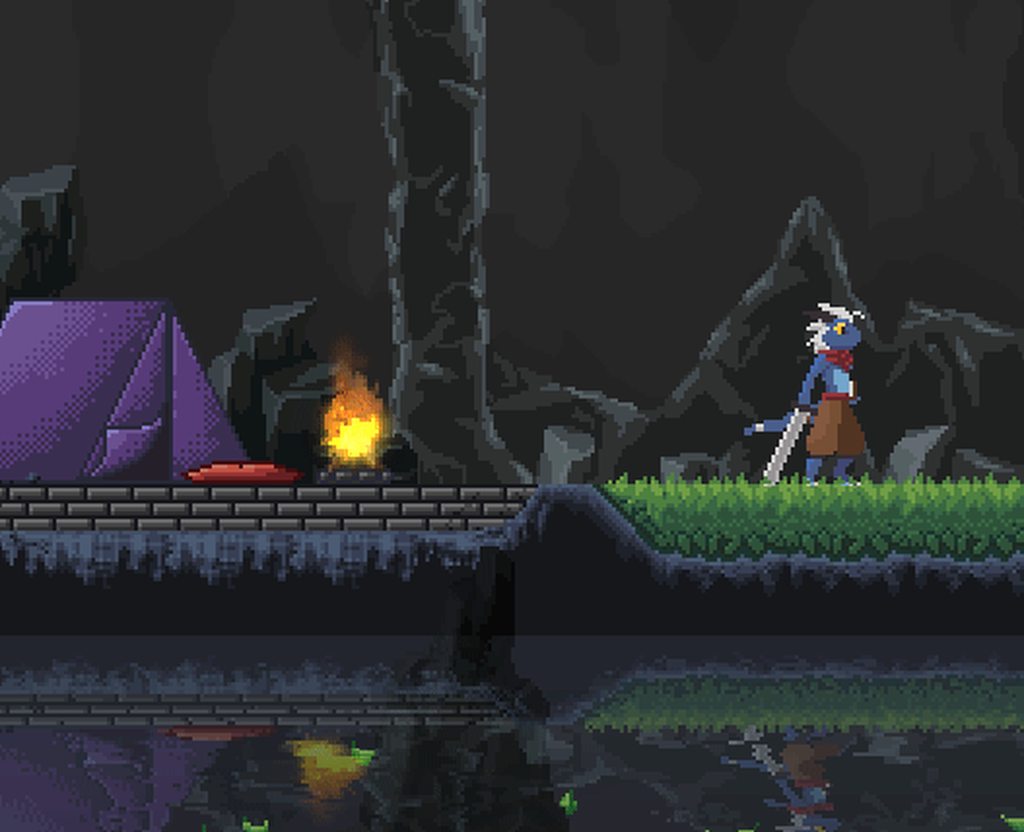
as you can see here, the water and fire are being pixelated as I want, but the rock that is supposed to be in the foreground, over the water.... is under the water
one solution to this is to put foreground things on a third layer and make a 3rd render pass....
but thats gross, and will probably have significant performance implications at some point
or what I could do... is get the foreground into its own render texture, and use that to mask the pixelated later in the shader... hmm
still requires a third camera, but not a 3rd render pass
 pure plaza
Hey all, I'm trying to use the post processing package to add a bloom effect to an asset I am assetbundling into a game
The bloom effect runs just fine in the editor/preview.
However, the scene in the actual game already has a camera so I'm trying to add the Post-process Layer component to it during runtime
I do that with
var a = GameCameras.instance.mainCamera.gameObject.AddComponent<PostProcessLayer>();
a.volumeLayer = 31;
Unfortunately, this results in the following error getting spammed over and over. The game still renders just fine, including the assetbundled asset, however the bloom fx does not appear.
[ERROR]:[UNITY] - NullReferenceException: Object reference not set to an instance of an object
[ERROR]:[UNITY] - UnityEngine.Rendering.PostProcessing.AmbientOcclusion.IsEnabledAndSupported (UnityEngine.Rendering.PostProcessing.PostProcessRenderContext context) (at <a6f755e7caf0432c88099cb80bdfd2b0>:0)
[ERROR]:[UNITY] - UnityEngine.Rendering.PostProcessing.PostProcessLayer.SetLegacyCameraFlags (UnityEngine.Rendering.PostProcessing.PostProcessRenderContext context) (at <a6f755e7caf0432c88099cb80bdfd2b0>:0)
[ERROR]:[UNITY] - UnityEngine.Rendering.PostProcessing.PostProcessLayer.SetupContext (UnityEngine.Rendering.PostProcessing.PostProcessRenderContext context) (at <a6f755e7caf0432c88099cb80bdfd2b0>:0)
[ERROR]:[UNITY] - UnityEngine.Rendering.PostProcessing.PostProcessLayer.BuildCommandBuffers () (at <a6f755e7caf0432c88099cb80bdfd2b0>:0)
[ERROR]:[UNITY] - UnityEngine.Rendering.PostProcessing.PostProcessLayer.OnPreCull () (at <a6f755e7caf0432c88099cb80bdfd2b0>:0)
 normal oak
Anyone know how to make bloom affect only selected layers/cameras and not all of them? FYI I have 3 cameras, one for the main game, one for the UI and one for the shop. All except the main camera are on overlay, and all of them have their own volume profiles with blooms in them. But the cameras that are on overlay, their volume profiles/bloom also affects the cameras below. How should I go about adding them effects seperately? Also sorry for the bad explanation, I can provide some images if anyone wants to bother helping me

Nvm don't need help anymore, got it kinda working..
 normal oak
But it still would be nice to know if it's possible to put effects only on specific cameras/layers because the blooms effects add up more and more the more bloom effects you stack
mighty stump
normal oak
But it still would be nice to know if it's possible to put effects only on speci...
I've never seen an "official" way to do it
I assume you'd render to a separate render texture and then composit them in a custom post processing pass
odd drift
normal oak
But it still would be nice to know if it's possible to put effects only on speci...
By using layers on the cameras you can make the effects only affect certain cameras, filtering objects by layer is not possible
normal oak
odd drift
By using layers on the cameras you can make the effects only affect certain came...
Yeah, used that to perform the fix
mighty stump
normal oak
Yeah, used that to perform the fix
What'd you go with exactly? I assumed you used a screen space overlay canvas which is rendered after post processing
normal oak
mighty stump
What'd you go with exactly? I assumed you used a screen space overlay canvas whi...
I used the "Screen Space: Camera" option and then added the required event cameras to them, after that I used the layer thingy which Aleksi described b4
Then added the 2 other cameras to the main camera's camera stack
With correct ordering of course
 charred marsh
Does post processing using a Global Volume incur a cost on mobile platforms like Quest 2? I'm referring to pixel independent effects like tonemap / vignette? As far as I can tell, it costs the same as post processing off minus the additional instructions / texture fetches
 wooden orbit
hello
i have a problem
the post processing didn t work for me

so is there something wrong
cobalt minnow
If it's not working, one would assume so yes.
It looks like you're using URP but are using the PPv2 package. These are not compatible. You need to remove the post processing package you installed in the package manager, and then use the built in URP Volume component instead.
wooden orbit
ok
 winged burrow
How can i have 2 post processing cameras, that each have different effects?
 jagged prism
Why cant I juse enabel?
 mighty stump
jagged prism
Why cant I juse enabel?
mighty stump
jagged prism
Why cant I juse enabel?
What does the error say and what post processing system is this
jagged prism
mighty stump
What does the error say and what post processing system is this
Im jusing hdrp
The error says ther is no definitoin for enabled
mighty stump
jagged prism
The error says ther is no definitoin for enabled
https://docs.unity3d.com/Packages/com.unity.render-pipelines.high-definition@12.1/api/UnityEngine.Rendering.HighDefinition.LensDistortion.html
Perhaps IsActive() is the one you need
jagged prism
mighty stump
<https://docs.unity3d.com/Packages/com.unity.render-pipelines.high-definition@12...
But I want to set it to false
😕 ?
mighty stump
jagged prism
😕 ?
I'm trying to figure it out
This is a team effort isn't it
jagged prism
mighty stump
I'm trying to figure it out
This is a team effort isn't it
not really
gritty folio
jagged prism
gritty folio
I think it's `.active = false`? https://docs.unity3d.com/Packages/com.unity.rend...
I tryed that but then this happense
 gritty folio
If you're using TryGet<Tonemapping>() that might return return null if there is no Tonemapping section added to the volume
Or LensDistortion I guess, that's what you're using in the code above despite the function name
Or perhaps it's the fx or fx.profile that's null? Try some Debug.Log stuff to check
jagged prism
ok thanks
mighty stump
gritty folio
I think it's `.active = false`? https://docs.unity3d.com/Packages/com.unity.rend...
I thought this is for the volume itself, not the override
mighty stump
jagged prism
not really
That makes you sound incredibly entitled
I'm going to assume you didn't mean it that way
jagged prism
no
gritty folio
mighty stump
I thought this is for the volume itself, not the override
Yeah bit confusing but I think it should be for the override since VolumeComponent is the the base class for those. While Volume would be the class for the actual GameObject component. (some great type naming here 😔 )
mighty stump
https://docs.unity3d.com/Packages/com.unity.render-pipelines.high-definition@12.1/manual/Volumes-API.html
The first example here also uses ".enabled.value"
But I can't tell if that's for the whole profile or an override
 mighty stump
gritty folio
I think it's `.active = false`? https://docs.unity3d.com/Packages/com.unity.rend...
mighty stump
gritty folio
I think it's `.active = false`? https://docs.unity3d.com/Packages/com.unity.rend...
This works perfectly
 random terrace
hi, does SSR(Screen Space Reflection) post processing already supported on VR?
lethal drum
Hey guys, does anyone know how to add a post processing volume to a camera that is projecting to a render texture? Or do I need to make my own shader in shadergraph/write a custom shader?
mighty stump
This is the post processing channel
mighty stump
random terrace
hi, does SSR(Screen Space Reflection) post processing already supported on VR?
I'm not very familiar with VR, but I think all effects are supported as long as your VR device's graphics API supports the required features, and has the performance for it
https://docs.unity3d.com/Manual/GraphicsAPIs.html
More info about specific graphics APIs and platform-specific rendering differences from here
SSR in the Post Processing Stack requires
    Compute shader
    Motion vectors
    Deferred rendering path
    Shader Model 5.0
A lot of platforms might not support all of those
HDRP has different requirements but you're probably not using it for VR
mighty stump
lethal drum
Hey guys, does anyone know how to add a post processing volume to a camera that ...
I think you can specify post processing per-camera using layers and layer masking, just how you would for a non-RT camera
random terrace
mighty stump
<https://docs.unity3d.com/Manual/GraphicsAPIs.html>
More info about specific gra...
thanks for the information 👍
lethal drum
mighty stump
I think you can specify post processing per-camera using layers and layer maskin...
I actually managed to get a vignette effect working which was basically what I needed to be honest but thanks
I'll probably need to come back to it later
 visual pebble
            if (desaturateData.IsActive()) {
                material.SetFloat(Intensity, (float) desaturateData.intensity);

                Blit(commandBuffer, src, desaturate, material, 0);
                Blit(commandBuffer, desaturate, src);
            }
How do I use a stencil test when writing from one texture to another in a renderfeature? I want to only apply this post processing effect to parts of the screen selected with stencil. (I am already writing to it)
 golden smelt
How can I download unity post processing stack?
gritty folio
golden smelt
How can I download unity post processing stack?
Assuming Built-in RP, you'd install the "Post Processing" package via the Package Manager window. There's docs links in pinned messages for more info
gritty folio
visual pebble
How do I use a stencil test when writing from one texture to another in a render...
I think it's not possible with a blit. But you can swap it out for drawing a fullscreen quad instead.
The important thing would be using cmd.SetRenderTarget with both a colour target (destination tex) and depth target since that's where the stencil bits are stored.
To make sure the quad is fullscreen, You'd also need to make sure the vertex shader is just outputting positions in clip space rather than doing transformations, OR temporarily set the view/projection matrix to Matrix4x4.identity.
This might help with all of that, though is a bit outdated now (RenderTargetIdentifier is deprecated in favour of RTHandle in 2022+) : https://github.com/Cyanilux/URP_BlitRenderFeature/blob/cmd-drawMesh/Blit.cs
An alternative to using stencils would be passing your own mask texture into the shader used for the blit.
 formal mantle
Hi All! Does anyone know how to do this flash bomb that’s appear on screen and fade out? https://youtu.be/naXFartSYhs you’ll find it on the 4:39 minutes

SURVIVOR.IO Chapter 2 Full Gameplay Walkthrough (iOS, Android)
Survivor.io Walkthrough Playlist - https://youtube.com/playlist?list=PLVWuYVItyjiS4f_GrPpGG2_df-9_XcgoE
Dangerous zombies are attacking the entire city! The city is in peril!
Awakened by the trial of dreams, you've no choice but to take on the heroic mantle of saving the city!
As...
 mighty stump
severe slate
How do I make the sky not have bloom ;-;
mighty stump
severe slate
How do I make the sky not have bloom ;-;
Increase bloom threshold
Make sure you're using linear color space so bloom threshold can function properly
 stiff karma
Can someone help me? I added post processing to my game, but it doesn't work on my UI.
mighty stump
stiff karma
Can someone help me? I added post processing to my game, but it doesn't work on ...
Set your Canvas to screen space - camera and Render Camera to the one with the PP
 wintry knot
I have a post processing layer attached to my main camera and a pp.Volume with motion blur activated attached to my Player. The camera is also attached to the player. The game still looks the same and motion blur doesn't work.

 mighty stump
wintry knot
I have a post processing layer attached to my main camera and a pp.Volume with m...
mighty stump
wintry knot
I have a post processing layer attached to my main camera and a pp.Volume with m...
Motion blur can be trickier to get to work than other overrides
I recommend to try with vignette first to confirm that the post processing is working
wintry knot
everything except motion blur is working
mighty stump
wintry knot
everything except motion blur is working
Motion blur problems are often related to motion vectors or their settings
wintry knot
what would be a common problem with motion vectors as an example?
wintry knot
it works, idk why, but it does. Thanks for your advice
 pale ruin
I tried to add glow effect to a certain gameobject with post processsing but it doesnt work unless I activate isGlobal on the post processing volume anyone know why?here is my PostProcessingVolume and PostProcessingLayer settings


and yes I have set thee layer in post processing layer and the game object to match eachother
 alpine tangle
pale ruin
I tried to add glow effect to a certain gameobject with post processsing but it...
alpine tangle
pale ruin
I tried to add glow effect to a certain gameobject with post processsing but it...
if you dont tick isglobal it puts the post processing local to the position of the volume, using the collider, blending it in based on the blend distance
pale ruin
alpine tangle
if you dont tick isglobal it puts the post processing local to the position of t...
So I need to modify the value here?
 alpine tangle
or make the collider bigger
pale ruin
alpine tangle
or make the collider bigger
tried to make the collider bigger and changing the blend distance value to either positive or negative and none of the works

 alpine tangle
oh its 2d? never tried that, might not work with local volumes
the camera needs to be inside of the collider trigger
pale ruin
oh ok btw thanks for the help really appreciate it
 keen tapir
can I somehow get rid of the flicker on bloom when a small object is moving? using Pixel Perfect Camera with upscale render texture and bloom from the Volume component
seems to be tied to resolution in some way
https://streamable.com/mo86mc
I found a bug tracker report but it was marked as "by design" (https://issuetracker.unity3d.com/issues/2d-urp-global-volume-bloom-post-processing-flickers-when-object-moves-in-the-view-space) but I'm making a pixel game its expected for things to be relatively small, sometimes 1 pixel, but it happens even if the object is as large as 5 or more, just a bit less intense, so is there a way to work around this?


 severe slate
Hey. So\ im pretty new to lightning and stuff but I added post processing and I was trying to make nighttime and this happened (I rotated my directional light)
 mighty stump
severe slate
Hey. So\ im pretty new to lightning and stuff but I added post processing and I ...
mighty stump
severe slate
Hey. So\ im pretty new to lightning and stuff but I added post processing and I ...
Don't crosspost
"This happened" tells absolutely nothing to us
severe slate
mighty stump
Don't crosspost
"This happened" tells absolutely nothing to us
Basically I rotated the directional light and added pp and put that yellow glowing cube there for testing. Whenever I baked it, it looks like that.
mighty stump
severe slate
Basically I rotated the directional light and added pp and put that yellow glowi...
"like that" as opposed to what?
severe slate
i fixed it. is alright
mighty stump
severe slate
i fixed it. is alright
What turned out to be the problem
 wary swallow
is there anyway i can disable post processing?, as none of my objects use it and it is taking up 70% of my performance
 mighty stump
wary swallow
is there anyway i can disable post processing?, as none of my objects use it and...
mighty stump
wary swallow
is there anyway i can disable post processing?, as none of my objects use it and...
In URP you can disable it per camera, and with effects like SSAO they can be disabled from the Renderer Asset
In BiRP you can disable the post processing layer component
In HDRP post processing is heavily tied to the whole render pipeline, so you would disable individual volume overrides, or disable rendering features from the Frame Settings entirely
wary swallow
mighty stump
In URP you can disable it per camera, and with effects like SSAO they can be dis...
thanks a ton!
mighty stump
wary swallow
thanks a ton!
Though in most cases post processing is not supposed to be that expensive, I'd try to figure out if a specific effect is the culprit before disabling all of it
SSAO especially in URP tends to be more expensive than all post processing and even rendering combined
But it does depend on your render pipeline
wary swallow
mighty stump
Though in most cases post processing is not supposed to be that expensive, I'd t...
I'm not even using any as far as I'm aware lol. My game is a simple 2d pixel art randomly generated type game in urp if that helps. Disabling it shouldn't matter much though. thanks a ton!
 thin prairie
how can i make a variable for the color format of the TextureRenderDescriptor ?
i cant find anything about that anywhere
but I saw a video where someone made a custom settings class and took the colorFormat from said class so it should be possible somehow
thin prairie
i figured that out but i have a new problem
i always get this error, that i honestly dont realy understand but at line 34 theres nothing wrong i simply assign a material to a material variable and the material is assigned in the editor


 thin prairie
Okay i fixed that too