#🔀┃art-asset-workflow
1 messages · Page 69 of 1
 harsh dagger
As long as all your sprites then have that ppu, you are set. Honestly, there's only 2 ppu values that matter in my opinion: Your sprites dimensions so that every tile is 1 unit or a ppu of 1 so that each pixel in your sprite represents a unit (this is how old games for the NES did it, for example).
I don't see the benefit of having a ppu value other than those 2. If that is the first thing you do when you start your project then you won't have headaches trying to convert numbers from your in-game logic.
 mystic matrix
Hi everyone, was hoping for help with a beginner question if that's ok. I've created a model in blender that is basically a plane wrapped around itself using modifiers. When trying to import the model to Unity I'm not getting the expected model. It's as if I can see the inside of the plane when I want the opposite. I tried playing around with the import settings (baking axes, etc) but no joy so far. I don't suppose anyone could point me in the direction of the setting I need to fix this?
harsh dagger
@mystic matrix Look at something called normals, it's likely that the faces of your wrapped plane are reversed.
You just have to reverse them and re-export.
mystic matrix
Thanks! I looked up a video, was not aware of backface culling or the shift-N to recalculate the normals. All sorted now!
 copper solstice
What is texture baking settings called in Maya? Atm I can only find it in lt
 devout hare
Hey all, I'm developing a 2D project, and I want to have a certain class of enemies where I animate them as silhouettes, but they have some sort of overlay on them that gives them a different shifting pattern which I would animate. Does anyone have a clue as to how we would accomplish that overlay effect? I'd basically want it to work the way a clipping mask does in photoshop, for reference.
Possible things I've thought of are Shaders, but its a broad topic. I'm willing to learn whatever I need to, I just need a direction to go in.
 urban iron
Hi, do you guys know any videos that show a complete 2D level design process. Mostly art-wise? there are a lot of fast 3d level design, but i cant find any 2D, thanks
urban iron
devout hare
Hey all, I'm developing a 2D project, and I want to have a certain class of enem...
https://docs.unity3d.com/Manual/class-SpriteMask.html https://www.youtube.com/watch?v=4pl8DcsCQ_k if i understand what you mean, you can have an animated image with alpha or maybe some particle additive/multiplicative effect and use the sprite mask to confine it to your original silhouette


Welcome back to BlackthornProd !
In this quick and easy Unity tutorial I will show you how to use an awesome feature called the SPRITE MASK ! This tool lets you dynamically hide and show parts of a sprite !
link to PLAY MY GAMES : https://blackthornprod.itch.io/
link to PLAY BENEATH THE SKIN : https://blackthornprod.itch.io/beneath-the-skin
i haven't tried but in theory it should work
urban iron
 dire prairie
Is there a way to push all materials into one draw call?
dire prairie
Is there a way to push all materials into one draw call?
i assume you need different materials for something other than different textures, otherwise you can just have an atlas for all the objects and use 1 material
devout hare
@urban iron thank you!
urban iron
devout hare
<@555662105991446528> thank you!
no problem, hope it works
 ripe valley
I have my 2d character split into its different parts (legs, arms, body, etc) do i put them together in unity with the body as a parent or is there a better way to do this?
 junior charm
I have a major issue that is driving me crazy. Whenever I import this tile sheet into a tile palette, the whole sheet appears in one unit. I have watched heaps of videos on how to make tile sheets and when they import their tile sheet it works fine. I have included a photo showing my issue. Please help me fix this!!!

 plain lion
Why is the image in my sprite renderer blurry when viewed in mobile devices? Is it the source image itself that has issue since we limited it to 501px by 501px. Or my spriterenderer have wrong settings?
urban iron
filter mode should be point(no filter)
ah sorry thought it was the same poster as the image above
anyway still applies, you can also look at the specific compression for each platform, maybe for mobile you have compression on, (in the sprite import settings)
@plain lion
urban iron
junior charm
I have a major issue that is driving me crazy. Whenever I import this tile sheet...
you have to divide the image in multiple sprites. in that image set Sprite mode to multiple and then go into sprite editor and slice the image up in different sprites
plain lion
urban iron
anyway still applies, you can also look at the specific compression for each pla...
How to turn it off? Im getting the image from our server
urban iron
plain lion
How to turn it off? Im getting the image from our server
dont know, probably you would have to change import settings at runtime, something like this. https://answers.unity.com/questions/382545/changing-texture-import-settings-during-runtime.html. But i´ve never done it and i cant be completely sure that is you problem
i've never done it via server so i'm only guessing, sorry
plain lion
urban iron
dont know, probably you would have to change import settings at runtime, somethi...
thanks will check this out
urban iron
plain lion
thanks will check this out
on a second thought there are probably some preferred import settings for each platform that can be setup in the editor beforehand
plain lion
urban iron
on a second thought there are probably some preferred import settings for each p...
Ohh i forgot that I was also resizing the texture somewhere in my code so it might have affected it
this is the image the image at the bottom is a ui image the other is the sprite renderer

 vast ember
I had these assets in Blender https://i.gyazo.com/102d9512412054c79380d19cfaaba094.png (I know it's pretty simple) but they look like this in Unity https://i.gyazo.com/e5de1ae39f297a8e400b904e052a2ee3.png


 flint verge
invert the normals
vast ember
just that?
 vast ember
ok thanks man ahha
vast ember
flint verge
invert the normals
it worked, thanks again.
second problem https://i.gyazo.com/95ca54e13f530cc8714f3ddaecbf68b8.png there is a line tha's making some shadows more defined and others blurry

Is that something like a depth of field?
It's specially noticeable in the bottom left part
flint verge
no its shadow cascade border
limit shadow distance to the absolute minimum that you can
its done through quality settings
fiy shadows are rendered with a camera, a cascade is like mipmaps, each subsequent cascade renders the shadow map at lower resolution
its done so stuff close to camera has high res shadows, and whats far has low res
vast ember
Thanks again @flint verge
 eager mist
I have a question. I sculpted a 3d ball in Zbrush and export it as a OBJ and imported it into Unity ver 2021.1.15f1. My friend told me I could download Pngs and drag and drop them onto models as textures. I tried it on the imported Zbrush model and it didn't work. It still has it's "pre textured" look if you get my drift. Could someone help me out?

The imported model name is Roberty
 lime pollen
eager mist
I have a question. I sculpted a 3d ball in Zbrush and export it as a OBJ and imp...
lime pollen
eager mist
I have a question. I sculpted a 3d ball in Zbrush and export it as a OBJ and imp...
did you add a new material to the sphere and put the texture on it?
 next tusk
I would appreciate some opinions on these, which ones are your favorites? Perhaps combination of features from multiple designs... thx
 eager mist
lime pollen
did you add a new material to the sphere and put the texture on it?
eager mist
lime pollen
did you add a new material to the sphere and put the texture on it?
Yeah
Still don’t work
lime pollen
eager mist
Still don’t work
is it uv mapped?
harsh dagger
next tusk
I would appreciate some opinions on these, which ones are your favorites? Perhap...
1, 5, 8, 9, 10. With 1 and 10 being my absolute favorites.
Honestly, all of these look interesting. I guess I like 1 because it seems menacing and that beetle-like head strike me as someone important. 10 looks the friendliest one so they are on opposite spectrums for me like enemy and ally.
8 "sea-like crustacean body" looks cool and would be my 3rd favorite. However, without a stinger it is too humanoid, maybe beefier arms could seal the deal imo.
next tusk
thank you !
junior charm
urban iron
you have to divide the image in multiple sprites. in that image set Sprite mode...
Ok thanks!
 torpid pebble
Is there some way to set the default shader for the materials imported from FBX files? I've googled this, but I can't seem to find anything, I feel like I'm missing something obvious.
I.e. I want everything in this project to use some custom shader, but I don't want to have to extract materials from every file.
 ivory coral
ok so whats the best way to update an old sprite sheet?
lets say i have this, and i added extra textures onto that

how do i simply update it without messing up anything else
 lusty meteor
Ohhhhh noooo
Why on earth does Unity automatically align the Y axis of a Blender mesh, but get it backwards on the Z axis?
Is there some implicit understanding that the forwards direction in Unity is positive Z, but negative Y in Blender?
Is it just for the simplicity of a -90 degree X axis transformation in Unity?
 sick grotto


 outer halo
 dense heath
how do people normally reuse assets for levels I can't figure it out
for example if I had a wall in a level with 2 doors
and it was the only wall in the game that is 5.6 feet long with 2 doors 1.2 feet apart
just as an example
would they go and model that exact single wall in blender, do a UV map for that single wall, then import it into unity and use it a single time in the entire game?
that seems like a bad idea
or would they place 2 door objects and then add filler wall objects?
that seems like a better idea
but how do they make sure the UV maps line up in that case?
if you place one object apart from another at a distance that is not divisible by the length of the texture tiling, then there will be a seam
and as far as I Know you can't just shift the UV map of a single object around in Unity
it's baked into the mesh itself
@chilly shore would it be possible to have a set of parts like wall segments and door frames and be able to assemble these dynamically without redoing the UV maps of everything every time I moved something?
like if I had a wall that was 10 feet wide with 1 door 3 feet from the left side, but then wanted to make it 4 feet from the left side
 chilly shore
If you create sets of walls at set lengths, where the edges all match up and tile properly, then you can have walls as long as you like
dense heath
the problem im having is that if my textures are big, beacuse its a pixelated style, then the increments become annoyingly long
for example if the texture was a big circle

 potent wraith
What you describe is a kind of an advanced level editor tool right in unity. I'm sure there are assets that do that on the store.
dense heath
if the texture itself covered 1 foot, I could not have any .5 feet walls
potent wraith
ProBuilder can be used, although it's still gonna be somewhat manual labor.
chilly shore
Not sure how you'd end up with such a glaring texture problem if you're using pixels?
Surely you can design it to not do that
dense heath
because if the texture itself covered 1 foot right
because its big
then if I make a wall that is 1.5 feet long, it no longer tiles
and i dont want an obvious texture-length grid over my entire game
potent wraith
That's why you don't make 1.5 walls usually
you have modules of standardized sizes
then put them all together in a grid like fashion
dense heath
that would mean the doors all have to be the same width as the texture right? and it has to be exactly 2x as high as it is tall?
no 1 : 0.8 ratio doors or anything
only 1x1, 1x2, etc. but each increment is a full foot or so beacuse of the pixelated style
potent wraith
Well, something like that.
dense heath
but Quake has its textures look fine and it is not obviously on a big grid
potent wraith
dense heath
but Quake has its textures look fine and it is not obviously on a big grid
I'm not sure about that.
dense heath
not everything in Quake is either one meter, or two meters, or three meters wide exactly
potent wraith
maybe they have modules of .5 meters or smaller..?
chilly shore
Plus I imagine they were a team of experts who took multiple years to produce the game

 chilly shore
They look it
dense heath
this gap is not the same size as this pillar
 chilly shore
This is close, considering we're on some oblique angle
 potent wraith
dense heath
this gap is not the same size as this pillar
potent wraith
dense heath
this gap is not the same size as this pillar
Don't forget that scaling is also a thing
chilly shore
dense heath
this gap is not the same size as this pillar
That gap might be 0.5, the pillar 1
dense heath
ok but how is that possible
if everything has to be a multiple of the texture size
like minecraft but much smaller blocks
that doesnt seem to be whats going on in other games and I Dont know how they do it without UV issues

Dusk has really large textures
but its not clearly minecraft
chilly shore
Yes it's not a voxel world based game with 16x16 textures
dense heath
yea but you seem to be suggesting everything is voxel based, just with smaller voxels
potent wraith
Each game has it's individual workflow. You don't know. Maybe it wasn't modular...🤷♂️
dense heath
in terms of the dimensions of hte meshes anyways
dense heath
im saying voxel based in the sense of every vertex is a full increment of a certain number scale, and the texture size is exactly that scale as well
what im saying is
if I have large textures
larger than what I might want for a particualrly skinny hallway for example
then how do I not run into UV issues when I make walls that aren't a perfect increment of the ingame texture size
do you have any examples of modular kits or anything? I don't know how they are assembled
these two were ideas I had but they were total guesses
 potent wraith
dense heath
potent wraith
dense heath
If you ask me that's just several different meshes with different textures...

And maybe scaled differently too.
 twin viper
gays i nide help im biginer at programming and nide help
dense heath
I just dont understand how anyone could manually UV this entire section, there has to be a much better way
potent wraith
dense heath
I just dont understand how anyone could manually UV this entire section, there h...
Why not? That's how assets are made usually...
dense heath
yea but not reusing any mesh for the entire game? not even a doorframe?
or a window?
potent wraith
Let's say you're a 3d artist, one of many in a team. You were assigned to build that building mesh. And you do it.
dense heath
im a single person, and as far as I know Dusk wasnt a huge team either
potent wraith
dense heath
yea but not reusing any mesh for the entire game? not even a doorframe?
I'm sure they reuse some assets. At least those objects I painted in different colors are the same asset imho
potent wraith
dense heath
im a single person, and as far as I know Dusk wasnt a huge team either
Well, there's where you're different. You're not a team.
dense heath
I guess my main question is like, if I make a modular level building set, does every measurement have to be a multiple of the ingame texture size
potent wraith
dense heath
I guess my main question is like, if I make a modular level building set, does e...
No. You can still scale things in unity.
dense heath
if the texture appears 1 foot by 1 foot, can I not have any measurements in the mesh that are not divisible perfectly by 1 foot
potent wraith
And tile things too
dense heath
but that scales the size of the pixels
potent wraith
dense heath
but that scales the size of the pixels
yes
dense heath
maybe the modules im thinking of are too big? idk
 frozen flame
So I recently began working in 3d modeling, and when I'm importing my model into unity, one of the faces is invisable. I've triple checked that I have the normals set correctly, does anyone know what the issue might be? It's only in Unity because I can load the model in other programs just fine
dense heath
but I dont want one wall to be made of 20x10 objects just cuz its 20x10 feet big
potent wraith
dense heath
but I dont want one wall to be made of 20x10 objects just cuz its 20x10 feet big
No. A wall like that would be just 1 object.
dense heath
thats not modular though
potent wraith
If it's a plain wall, just make the textures tile and scale it to whatever dimensions you want.
dense heath
if I have a single 20x10 wall in the game I make a whole new mesh for it? might as well just make the whole level a single mesh
dense heath
potent wraith
If it's a plain wall, just make the textures tile and scale it to whatever dimen...
ive tried that in Unity but it always stretched the UV rather than tiling it
from what I remember you have to set the UV in a 3d editor
like you cannot edit UV in Unity at all from what I Read
frozen flame
dense heath
ive tried that in Unity but it always stretched the UV rather than tiling it
You can enter tiling options in the material settings
potent wraith
dense heath
ive tried that in Unity but it always stretched the UV rather than tiling it
Then you're doing it wrong. You need to change the tiling on the material.
dense heath
ill have to look at that another time maybe, for now im still trying to figure out how to get sub-unit measurements
potent wraith
dense heath
like you cannot edit UV in Unity at all from what I Read
You can't change the uvs(unless using probuilder or scripting it), but you can make the texture tile in accordance with the uvs.
dense heath
so you are saying like
I can have a cube that is just a simple UV
scale the X dimension to 2
and have 2 textures tiled on that face that are not stretched
without editing the mesh in blender
potent wraith
Yeah, you can do it.
dense heath
thats useful I guess, I thought it wasn't possible
potent wraith
it's gonna be 1 texture though. Just tiled twice
dense heath
and as for modules, maybe I could fit sub-unit thing within a rounded module?
like if I have a 1.5 door I fit it within a 2 unit module
potent wraith
I also advice looking at probuilder and some of the tutorials for it. They show a lot of tricks for making this kind of level design easier.
dense heath
maybe, im just worried about the textures not having seams
I would have to re-UV but at least I could re-use it like this
so if I wanted a door that was like, aligned between two "segments" or whatnot
I would make a 2 segment wide wall and use blender to make the door in the middle, and fix the UV
I thought using big pixelated textures would make this easier to develop but it seems to have made it harder
oh well, I think this could theoretically work

so like each square would be the ingame tiling size of the wall texture
and I could make a modular object that is 2 units wide
with a door in the center
and make sure the UV aligned on those squares
then I could still make a door that was 1.5 units in without a .5 wide wall that ruins tiling
is this a bad idea
I could probably even make this just the frame with a hole, and then have a door frame object
that can be individually replaced
as long as its the same size as the hole
though I can forsee another possible problem
but eh I can try to solve that later
thanks for trying to help, I think my brain just works in a weird way or something
I can hardly ever explain what im thinking, but thanks for trying to understand me
but yea I was imagining something like this. both of these are two textures wide but the door can be in the middle because of that

and the UV wont have problems if I put these next to eachtoher
dense heath
potent wraith
Yeah, you can do it.
im looking to do that right now. the only tiling settings I see are this, and they dont seem to do anything

wait no they do
but it still stretches when the object is bigger
the UV does not get modified based on the object size
everything im seeing is saying you need a script, or a shader, or something else
potent wraith
dense heath
but it still stretches when the object is bigger
You need to use the same value as you use for scale, if you want the texture sampled the same amount.
dense heath
but when I change that it changes it for the whole material
so unscaled objects get squished
potent wraith
dense heath
but when I change that it changes it for the whole material
Yeah. You'll need to use different materials for objects that require different scale/tiling.
dense heath
Oh, that defeats the point of why I wanted to do that in the first place. I can just make a second mesh that's bigger
 digital frigate
Hello, I'm really new to 3D, working on something that you can say resembles a city builder, but you can walk around in it. I have this building right here, and added a mesh collider to it. However, it looks like there's quite too much vertices for just a single building, and the convex version of the collider made the collider pretty inaccurate.
How do you usually get around this situation? Manually make a simplified mesh and add the collider to it?

 humble prairie
Greetings gentlemen, would anyone happen to know a way to get rid of this effect on PNG/transparent images?

 potent crater
Do you guys know how to reset the thumbnails so i see the material on them :?

Refresh and reimport do nothing
funny enought 2 last assets have material in the thumbnail
 mental gazelle
i have question i made play button i created image imported image and in scene mode it works ok but when i turn playmode on the button dissapears why ?
when i turn playmode and switch from game to scene the button is still there it just wont display in game mode
 fluid oak
@mental gazelle is the image behind the camera?
mental gazelle
wdym behind
the camera shows this ui
if u mean this
should show
at least
i made main menu with objects and play button is ui
 narrow canyon
Does anyone know why unity isn't importing the inside of this object

Imported as an fbx model
here is the inside in blender
 outer halo
You need to flip the normals on the faces so they're facing upwards.
Turn on face orientation, flip the faces which are red.
 slate topaz
I just have a simple game object with a sprite renderer on it the sprite I'm using has empty space and the actual visuals aren't centered, is there any way to fix this without just fixing the sprite? centered relative to the game objects center
 narrow pollen
hi i wanted some suggestion to add on my building

these are supposed to be glass buildings
 fluid oak
slate topaz
I just have a simple game object with a sprite renderer on it the sprite I'm usi...
fluid oak
slate topaz
I just have a simple game object with a sprite renderer on it the sprite I'm usi...
You can parent it to an empty game object placed wherever you want the center
But why not just fix the sprite?
 fallow rivet
hey all! i have a question on theory. I want to make some monster models for use in my game but i want them to be able to change. specifically, imagine i make a monster with horns - i want a chance for a variant of it to spawn with broken horns for a more interesting fight. whats the best way to go about this?
in theory, i would assume i make a separate object in blender (the program i use for modelling) in the same .blend file as the model, for the horns - and in the same spot, i duplicate the horns and make them broken. then i export both out to unity, and i always hide one during play. is there a way to imprvoe on this?
potent wraith
Could create modular creatures. Have a set of limbs, body, head of each type. Then stitch(might work without stitching) them into one mesh. This way you can combine different parts at runtime to create variations of the model.
 inland barn
You can do it without stitching but performance will likely be bad
fallow rivet
well therell only be one or two at once, but i havent heard of stitching before. ty!
ill do all the common parts that dont change in one mesh adn stitch them onto the bits that do
 little vigil
Hello.
I'm starting to make assets for a student project.
What size (xXy) should I use?
outer halo
You make them to scale. Unity uses meter per unit.
 compact fog
little vigil
So, how should I made a decision on scale before I start the project?
compact fog
little vigil
So, how should I made a decision on scale before I start the project?
unless you have extremely good reasons to do it differently then scale is decided already: "Unity uses meter per unit"
outer halo
If you make a 1 m by 1 m cube in Blender, import it into Unity, it'll be 1 x 1 in Unity.
That's all there is to it. Make your objects in sensible real world scales, and make them scaled properly in relation to each other. (Don't make a 1 meter long gun for example).
 rapid echo
Using a procedural Ivy Generator in Blender based on Geometry Nodes.
.
https://twitter.com/FarrukhAbdur/status/1457677613821054978?s=20


Using ivy generator created with geometry nodes. Covers any mesh shape, easy to use and customizable. Available free from @BagattiniAntoi1
#b3d #gamedev #indiedev https://t.co/L9Llfo5O90
Retweets
135
Likes
643
 Twitter
·
potent crater
Twitter
·
potent crater
any idea why metal cans are so dark here :?
 slate topaz
fluid oak
But why not just fix the sprite?
slate topaz
fluid oak
But why not just fix the sprite?
its a odd numbered character with 40 other character sprites in one image with 16x16 cells its just easier to import if i just slice the cells
but I'll do the fix you mentioned thank you
 tidal wraith
Hi. Someone please educate my ignorant soul . Why would a fairly simple voxel art scene require 300k triangles to model? 🤔 https://sketchfab.com/3d-models/the-cart-before-the-ponies-magicavoxel-bake-ddcc0debe1734789a5f0f4946cb3a12b
potent crater
tidal wraith
Hi. Someone please educate my ignorant soul . Why would a fairly simple voxel ar...
because this
 potent crater
tidal wraith
Hi. Someone please educate my ignorant soul . Why would a fairly simple voxel ar...
potent crater
tidal wraith
Hi. Someone please educate my ignorant soul . Why would a fairly simple voxel ar...
and guess what im sure this tree also has boxes inside

this all should be merged and optimised
it should look like this

25k verts btw
fluid oak
30k would only be 12,500 voxels, since each voxel is 24 tris. Probably not even enough for the ground in that scene. So there's definitely some optimization.
And if those are vertex colors, obviously a bunch of the verts are duplicated any place where you have different colors on the same vertex.

Unity doesn't have color on triangles, only on vertices.
potent crater
fluid oak
And if those are vertex colors, obviously a bunch of the verts are duplicated an...
it is rly a fix i did in a minute or so
a bit more time and it would look clean
fluid oak
I'm just saying that that's a way to have more verts than you expect 😄
UV maps and split edges can cause that too.
tidal wraith
potent crater
and guess what im sure this tree also has boxes inside
thank you very much!
what tool should use to optimize this kind of thing? Do I get something from the store or is it easy to do in Blender?
fluid oak
tidal wraith
what tool should use to optimize this kind of thing? Do I get something from the...
I believe that if you merge the vertices, blender has a 'select interior faces' you can use to delete the insides?
tidal wraith
I see.. I was hoping for a solution that doesnt involve modeling knowledge
like a 'click to optimize mesh' kind of button 🤷♂️
harsh dagger
That is not even a good optimized example since the ground has a couple dozen needless triangles
 supple osprey
Anyone know how to get rid of the model edge? its suppose to be transparent:
 harsh dagger
Either you have faces on these edges or the padding of your UVs are not enough
Investigate these 2 things and report back
supple osprey
harsh dagger
Either you have faces on these edges or the padding of your UVs are not enough
were you replying to me?
harsh dagger
supple osprey
were you replying to me?
Yep!
supple osprey
harsh dagger
Yep!
ok. thanx. well there is no faces there. ill see if it is the padding.
supple osprey
harsh dagger
Yep!
yes. must have been the padding. looks good now. thanx alot!
 serene coral
my teacher said it's really difficult to do vegetation for a game and make it look decent, because my team's final project is based on an island with a forest and stuff. Does anyone have any tips regarding this? videos for making vegetation for unity, lowpoly and stuff? I want to understand what my teacher has in mind when telling us this because right now I only see some kind of difficulty in making it look decent and that's it.
 jade raft
hello people. I have a very strange problem.... I'm creating a render texture in runtime using a separated camera
This is what my mainCamera sees

and then to take the snapshot with my 'snapCamera' :
It creates a 4096x4096 texture that i place on a plane with a material using the render texture

it works perfect in editor... but when i try on device the middle lines of the road are missing! hows that possible? they belong to the model they aren't separated models
i dont know what to try
fluid oak
Are the lines separately modeled, or are they a texture or shader effect?
Not all devices support decals for instance.
Your device also might have lower precision depth sorting, if the camera is far away from the lines and they are geometry very close to the road..
 coarse tinsel
outer halo
That's all there is to it. Make your objects in sensible real world scales, and...
coarse tinsel
outer halo
That's all there is to it. Make your objects in sensible real world scales, and...
This doesnt compute for me at all -- I have an object that is 9m tall in Blender with 1,1,1 scale
Importing it into Unity renders it absolutely abysmally small
And for some reason when I'm placing out an imported FBX in Unity it gets placed with a rotation and a scale
I'm trusting you are correct and it's user error by me
outer halo
The scale of the object isn't the dimensions of it. A 9 meter tall cube is 9 meters tall at x1 scale.
outer halo
If you make it x2 scale, it'll be 18 meters tall.
 outer halo
And in Unity?
coarse tinsel
Importing it into unity with a scale factor of 1

But -- if I drag it from the folder and into the game it will be the correct size - except it's because Unity for some reason automagically gives the transform a rotation and a scale
And I can't figure out why
It gives it a 100x 100y 100z scale
And rotates it so it's lying
If I reset the transform scale and rotation it will be as depicted on screen
outer halo
The rotation is because blender uses a different orientation. You can try changing it in the export settings.
coarse tinsel
No, you misunderstand
I have corrected that -- I mean when you drag it out Unity gives it's transform a rotation

Here you can see that the axises are correct
And the scale and rotation is correct
But when I drag it out from the folder into the game it gets automatically scaled to 100 and rotated 90*
 outer halo
I'm a little confused what you mean by 'drag it out' vs 'drag it out from the folder'?
For example, here's a 1x9x1 cube, exported and imported into Unity. Then dropped into the scene.

Using the same dimensions you showed in blender, and in Unity (the default import settings)
Also, are you sure your other assets in your game are to scale? Your pillar could be the correct size, but your world is just really small.
coarse tinsel
The pillar is not the correct size as evident by moving it and observing the XYZ of the position
If I move it a full length of the pillar it moves only by .09 on the Y axis
I mean all of this can be corrected for, I just don't understand why Unity is behaving so strangely

This is what I mean by drag it out (of the project folder and into the scene)
Unity automatically assigns it a scale of x100 and a rotation of -90
outer halo
Can you show the export window for Blender?
coarse tinsel
 outer halo
Try clicking the Apply Transformation.
Also, you can change the forward/up direction to align with Unity.
coarse tinsel
It is aligned with Unity
Apparently I am very bad at communicating
Which is frustrating
Because I am telling you
outer halo
In your latest video, it's rotated -90 on the x.
coarse tinsel
Yes
This is what Unity automatically applies to the transform
Meaning it has been rotated -90 on the X compared to the actual rotation
If I set that rotation to 0
It will be upright and dandy
Which it should be
This is the crux of the problem
If you view the export settings
You will notice I have Y up selected
Which is the same as Unity has
-Z is just a cheaper way to not rotate the object to face the correct way but is a different axis than this problem is occuring
Unity applies a x100 scale and rotation to the prefab itself for some obscure reason that I am looking to solve
I can't find anything online about this specific issue which is what is giving me a headache
If the wrong axis was exported then the object would be oriented the wrong way when the rotations are 0 in Unity
outer halo
Right. For the scale, can you try unchecking the Convert Units in the import settings?
Then put them model back at 1,1,1?
coarse tinsel
That fixes it, but I did that earlier and the problem is I now need to manually change the transform scale of every single object

Because Unity applies a x100 scale on everything I place in the scene
and a -90 degree rotation
Only on the transform and not on the imports themselves
Which appear to be correctly scaled and rotated in the project folder of Unity
outer halo
I was able to make it switch from 1 to 100, but then using the Apply Transform option in Blender exporting fixed it without needing to fudge anything in the import settings.
Seems a little funky, depending on the order of which you do things though. 🤷♂️
coarse tinsel
Apply transform is selected after you suggested it earlier and it changes nothing
The problem is not the FBX, it's Unity applying a x100 scale and rotation and I don't understand how to change it
By default when you place anything in the scene the transform itself should have a scale of 1 and a rotation of 0
To give a comparison
Imagine when you create a cylinder in Unity from the gameobject menu
and it automatically gets assigned a scale of 100 and a rotation of -90
If you correct these numbers it is sized as expected
That is what is happening here
When the transform is reset, the objects appear normally
But when you drag them from the folder they are scaled x100 and rotated for some reason
The problem is when googling this issue it's always people having this issue when the transform is scaled to 1 and rotated 0 but the model is imported wrong
@outer halo Btw I discovered something neat for the future -- If you don't change from the default export settings in Blender you can just select Bake Axis Conversion in Unity
@outer halo Also I found the solution -- I disabled the Apply Transform, I disabled Apply Unit, changed Apply Scalings from Local to FBX All, and in Unity I reselected convert units and also Bake Axis Conversion
@outer halo Thanks for lending me your time anyways, I appreciate it
 zinc talon
why is only the inside of my model textured?
 zinc talon
yes
coarse tinsel
You can inspect your normals in blender by checking this option

Face orientation
You will see that instead of a blue color such as in my screenshot you will have a red color. So what you want to do is select your object, go to edit mode, press 3 to select faces, press A to select all faces, then CTRL+SHIFT+N to recalculate normals
coarse tinsel
😉
What happened is that the normals tell Unity which way the surfaces are pointing
In your case all the surfaces were pointing inside the gun instead of outside
And you have backface culling enabled which means that unity doesn't draw the backside of the faces
Meaning all normals facing away from the camera are not drawn (meaning they are invisible)
zinc talon
sick, that will be useful when i make maps, thanks
coarse tinsel
Also useful for maps -- in the Unity lighting settings, set your Lightmapper to be Progressive GPU (Preview) depending on which graphics card you have
For me my gpu bakes lightmaps between 100-200 times faster than my CPU
 lapis oak
hi im new to unity , may i ask how do i insert a sprite sheet? am i doing something wrong here?
 jade raft
fluid oak
Are the lines separately modeled, or are they a texture or shader effect?
jade raft
fluid oak
Are the lines separately modeled, or are they a texture or shader effect?
the lines belong to texture of the street tile itself... its all 1 model
fluid oak
lapis oak
hi im new to unity , may i ask how do i insert a sprite sheet? am i doing someth...
Well, if you want to use it with a sprite renderer, you need to set the image type to sprite, and then 'multiple'
fluid oak
jade raft
the lines belong to texture of the street tile itself... its all 1 model
might be an issue with mipmaps? I dunno
jade raft
fluid oak
might be an issue with mipmaps? I dunno
can you take a quick look?
fluid oak
At what? You haven't even shown what it looks like on your device, or what kind of device it is
jade raft


sorry, i was takingn the caps
we tried on several ios devices like iphone 11 max
iphone xr
and the line in the middle was not to be seen
as i said... in editor it is seen perfectly
also... this just happens when we render 1 frame o the camera and move it to a render texture
normal camera also captures the line perfectly
what i do is I enable SnapCamera here:
fluid oak
show the texture?
jade raft
yup

i dont know how to extract the texture from the prefab, the designer gave it to me like that
not sure if thats useful
😅
this is how it looks

and this is more extrange... on other streets like this one:

with this type of street and others i dont have any problem 😐
the lines are seen perfectly

This is a snapshot from the device with normal camera.... lines are seen perfectly
then when i enable my snapshotcamera... take a snapshot and render the result as a rendertexture:

lines disappear 😐
(this second one is the snapshot on a plane with a material render texture)
So what im looking at is to a plane on which i painted what the snapshot cam has captured
fluid oak
And you are sure that the lines are texture and not rectangular polygons?
jade raft
im sure, it belongs to the texture
actually
check the last one
that one we can see the line
the one top right
its because its a different model
(end type one)
but the method is the same
1 mesh 1 texture
i dont understand how can that happen
potent wraith
Maybe mipmaps?🤔
fluid oak
That was my first suggestion earlier 😛
jade raft
the render texture has a setting
enable mipmaps which is disabled

this is the render texture im using... do you mean that mipmaps thing?
ill try just in case
jade raft
i enabled that just in case but still the same 😦
lapis oak
fluid oak
Well, if you want to use it with a sprite renderer, you need to set the image ty...
it worked now, tysm
jade raft
@potent wraith @fluid oak where can i check that mipmaps thing?
fluid oak
@jade raft in the settings of the actual texture, not the render texture.
narrow pollen
tidal wraith
Hi. Someone please educate my ignorant soul . Why would a fairly simple voxel ar...
very late but there is a free blender addon named vox cleaner on gumroad
eager mist
hey everyone, basically I'm not able to export any 3D assets from Quixel, I did import the necessary packages and unity plugin, I also set my project directory for exporting the assets, however I'm getting two errors in the console while importing the Megascans importer unitypackage file
Error 1:
Multiple precompiled assemblies with the same name Newtonsoft.Json.dll included or the current platform. Only one assembly with the same name is allowed per platform. (D:/Unity/projects/Goners/Library/PackageCache/com.unity.nuget.newtonsoft-json@2.0.0/Runtime/Newtonsoft.Json.dll)
Error 2:
Multiple precompiled assemblies with the same name Newtonsoft.Json.dll included or the current platform. Only one assembly with the same name is allowed per platform. (Assets/UnityPackages/JsonNet/Newtonsoft.Json.dll)
 tulip bear
Hi. I'd like to ask how to handle 2d object scale properly? I want to make a 2D object of scale 1.2. I can make a 2D circle of scale 1.2. However, if I put a 800x600px image as the sprite, it becomes too big.
 upbeat forge
I've got an object with a transparent texture using the standard shader. The transparent area is a bit darker than the background, despite the alpha value being zero on the texture. Shadows and specular highlights are both off, and its only visible when lighting is enabled. Any idea what may cause this? Here is a picture of the effect for reference:
 fluid oak
@tulip bear define too big?
@upbeat forge does it still happen if you set it to alpha clipping?
fluid oak
@eager mist you have two packages that conflict.
upbeat forge
fluid oak
<@135591028982808577> does it still happen if you set it to alpha clipping?
Do you mean the cutout Rendering mode, or is alpha clipping something else? I'm still using 2019.4.31f1 for this project, since it needs to compatible with an older asset, if that matters. If you do mean the cutout rendering mode, it doesn't happen in that case.
Another example:
 upbeat forge
I'm guessing its an issue with real-time lighting, seeing as modifying and clearing baked in lighting has no effect.
tulip bear
fluid oak
<@773836595337363486> define too big?
I set its scale to 1.2, but its bigger than a circle of 1.2 scale. I want it to be exactly the same size as the circle
fluid oak
tulip bear
I set its scale to 1.2, but its bigger than a circle of 1.2 scale. I want it to ...
Scale is relative to the original size.
1.2 means 120% of the object's original size.
tulip bear
fluid oak
1.2 means 120% of the object's original size.
So it's not 1.2 meters. But what if I want to change the image afterwards? I think it'll change again, which is a problem.
In fact, I'm currently just using prototyping images. And then I'll change the images
fluid oak
Set the pixels per unit in the image settings.
Then it will retain the same porportional size no matter how you change the image
eager mist
QQ, did anyone encounter emission problems on the edges of a model?

it's not a texture/emission map problem#
literally tried everything

for example, even if I add pure black to the texture
this line just moves up with it... very frustrating.
literally it's just this side and this edge
fluid oak
Is it a tiling texture? Does switching filtering mode on the texture affect it?
eager mist
idk if this is the right spot because i dont see any 3d modeling but I have this model in blender and when i seem to import to unity this happens

gimme a sec to get the image


missing edges, missing faces, etc.
outer halo
Flip your normals in Blender. Turn on face orientation, and flip the red faces so they're blue.
eager mist
outer halo
Flip your normals in Blender. Turn on face orientation, and flip the red faces s...
oh thanks! it worked for the table but is there something I can do about the shelves I have because the normal can only face one way, so when you look at it from the oppposite side its not there
 obtuse oyster
Duplicate and invert those faces
eager mist
oh gosh thats a lot of inverting lol
outer halo
You may also just want to give them some thickness. They'll disappear if you look at them from the side.
obtuse oyster
You can also use a double sided material in Unity, but I would generally advise against that if you don't have to do it
eager mist
thanks people
eager mist
fluid oak
Is it a tiling texture? Does switching filtering mode on the texture affect it?
nope, tried different filtering modes, tried moving the texture around in blender etc.
nothing works
I think I'll have to re-do everything from scratch
 compact haven
This is probably a weird request, but are there any 2D sprite/animation pros that I could chat with for about an hour or two? Looking to go over some best practices when it comes to exporting/using spritesheets in Unity.
Willing to pay for your time, send me a DM!
eager mist
I was UV Unwrapping my stuff in blender (following brackeys video) then I made a color grid and it doesnt seem to show up in the main view
 tired wedge
Hello, in this video at 3:20 he appears to be using a different version of probuilder that allows him to drag and drop shapes, whereas the version I'm using doesn't allow that https://youtu.be/uciN2MNduy8

In this tutorial, Dr. Brian Burton demonstrates how to create a short cinematic/virtual production using Unity 2021 HDRP.
Part 2 goes over using ProBuilder to create scene assets and setting up multiple animations on the Timeline, including blending between animations.
We used Ready Player Me avatars: https://readyplayer.me
You will need the...
Do I have to install a different version of probuilder that doesn't come with Unity? I followed the same installation steps in the vid, yet his tools are clearly better for some reason
 vestal hazel

ArtStation
Some props made for Zbrush subject. Still learning the program and trying to improve to make all those cool things people are making here.
eager mist
tired wedge
Do I have to install a different version of probuilder that doesn't come with Un...
idk if id consider them better but you can hold alt then click on the thing you want and you can edit the properties of it before you build it
and if you want grid snap theres a toggleable looking magnet at the top
eager mist
Hi, I'm new to unity. May I ask how to edit the texture of a material? I assigned a green colour to match the hair colour of my model, but I want to add black stripes.
outer halo
A material has no texture by default, you have to assign one. Textures are just PNGs (images), which align with the UVs of a mesh. So you'll need to create that image in a third party program, and then use that.
tired wedge
eager mist
idk if id consider them better but you can hold alt then click on the thing you ...
I appreciate the help, but I'm not quite sure you understand my issue. Now that I'm on my laptop I can send some screenshots and videos to better explain what I'm looking for
in the video at 3:33 he appears to "draw" the shape onto the scene and extrude out the shape in a very intuitive way


This kind of behavior is very similar to Blender's shape creation tool, which is demonstrated here

However I'm unable to replicate what the person in the video did to create the shapes -- instead what my probuilder does is place down a shape immediately when I click on the "New Shape" button

nevermind! It turns out the default probuilder version didn't come with that feature and I had to upgrade to the latest version
The menu that I was missing is finally here 😄

for those who would like to have this feature as well, make sure you install this version of probuilder

rather than the default 4.5.2
tired wedge
Alright, now I have another concern
this video looks great for terrain creation, but there are a lot of comments saying that it doesn't work well with HDRP, which is what I'm using https://youtu.be/smnLYvF40s4
In this video, we are going to walk you through Unity's Terrain Tools to show you how you can easily create beautiful landscapes in your own projects!
Learn more about Unity's Terrain Tools here!
https://on.unity.com/3qA8mPP
Assets used in this video:
Terrain Tools Sample Assets - https://on.unity.com/2NIGevj
Azure[Sky] Dynamic Skybox - https:...
However recently it's been updated and has some fixes, but I'm unsure if they solve the issues that the comments address https://docs.unity3d.com/Packages/com.unity.terrain-tools@4.0/manual/whats-new.html
I'm also unsure if it's even possible to upgrade to the latest version through the package manager
eager mist
outer halo
A material has no texture by default, you have to assign one. Textures are just ...
Yes how do I assign a texture?
outer halo
eager mist
Yes how do I assign a texture?
You drag it into the relevant slot on the material. This is basic workflow stuff though. Maybe find some tutorials on how to use materials in Unity.
 modest pine
Anyone know what Texture Type i would use for Cursors
 keen trench
does anyone know how to add an empty sprite on the left? in the sprite editor
 outer halo
Import the sheet with an empty space on the left side.
eager mist
outer halo
You drag it into the relevant slot on the material. This is basic workflow stuff...
it wont let me
the tutorial i watched is a little outdated i think
outer halo
What did you try?
eager mist
to drag the jpg image to the material sphere
the tutorial showcased something different but my unity does not have that option
i just want to add the green stripes material to the tail
 outer halo
Textures go on the materials. You need to assign it specifically to a map on the material.
For example, in URP, if you select a material, you'll see this as the default Lit material:

You drag your base texture (or into Albedo if you're using the old render pipeline) to assign a texture to it.
 crude crown
idk if this is the right channel but , how can i fix this? my mesh collider has completely wrong size and orientation and position
 fluid oak
@modest pine 'sprite'
 shell creek
I hope this is a good channel for this question.
Are there any recommendations for a procedural level pipeline? Or even just some resources for procedural asset placement?
I'm a big proponent for hand crafted levels, but it would be fantastic if I could have a procedural/automated approach to some of my asset placement.
 fallen pollen
shell creek
I hope this is a good channel for this question.
Are there any recommendations f...
fallen pollen
shell creek
I hope this is a good channel for this question.
Are there any recommendations f...
Cant speak for its quality & compatability, but theres this thing: https://www.sidefx.com/products/houdini-engine/plug-ins/unity-plug-in/
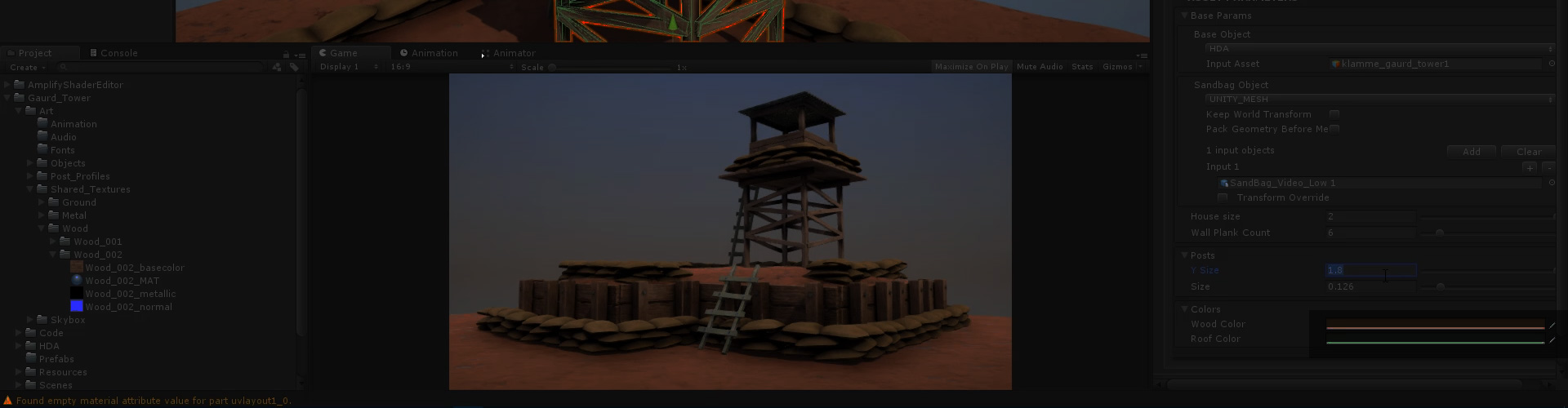
Open the door to procedural workflows with Houdini Engine for Unity. Load Houdini Digital Assets into the Unity Editor and manipulate parameters to get the right look for your game.
How would you guys recommend importing gltf/glb files into Unity?
fluid oak
You can also just script many tools yourself, depending on how fancy you need..
fluid oak
fallen pollen
**How would you guys recommend importing gltf/glb files into Unity?**
there are a couple different gltf importers on github, dunno which is best for your needs
fallen pollen
fluid oak
there are a couple different gltf importers on github, dunno which is best for y...
Im mostly interested in material import features :3 Blender can export met/rough/albedo/normal as well as support multiplying colors of the albedo texture (really useful to do some color variation directly in Blender).
I was hoping to be able to import that as well as import objects transform in the scene
Would also be awesome if it could import animations (of any form really)
fluid oak
I suggest just searching on github and comparing the features directly
I've not really done any thorough testing
fallen pollen
fluid oak
I've not really done any thorough testing
do you maybe happen to know which one(s) are most popular/most actively maintained atm?
fluid oak
Not a clue.
 woven dome
On Github the number of stars is a rough estimation of how popular a repo is and it shows the commit history and when it was last updated
fallen pollen
🤔

Its bold to claim they support all of this https://www.khronos.org/registry/glTF/specs/2.0/glTF-2.0.html
fluid oak
Well, isn't that the whole point of gltf?
 restive leaf
Hey guys, I'm a new to 2D art and I'd like to draw a UI Panel Background so then it can be used as a background for varying sized panels, like: 100x20, 150x150, 500x100, etc.
How should I do this? Currently if I use a 100x100 background at a 200x100 panel, it just becomes stretched.
restive leaf
Okay, I think I got it, I have to set it to Tiled, edit the Sprite and set up the borders.
fluid oak
Tiled or nine sliced, yeah.
fallen pollen
Can I somehow specify a specific blender version for Unity to attempt opening blend files in?
Im using a blender "launcher" as my default program to open up blend files with (I need this as I work in files that vary in Blender version that they are supposed to open with, it basically removes any risk of me opening a file from say 2.9 in 2.8 and hence having some form of data loss as the launcher automatically recognizes which version of Blender the file was last opened in & opens the file with that correct version) - the issue is that if my default file is this version selector, Unity will no longer be able to read blend files!
eager mist
How you make this see-through cube in this Brackeys video? (seen at 2:55 on video https://www.youtu.be/VnG2gOKV9dw)
 harsh dagger
eager mist
How you make this see-through cube in this Brackeys video? (seen at 2:55 on vide...
harsh dagger
eager mist
How you make this see-through cube in this Brackeys video? (seen at 2:55 on vide...
Invert the face normals in your modeling software and check backface culling in the material inside of Unity. Most shaders from Unity have backface culling enabled by default.
 autumn gulch
how do I get this plane to be even with the floor and the platform in the center? I want to make a ramp.

 fading hedge
How can I have blood on the floor? something like this
 solar arch
fading hedge
How can I have blood on the floor? something like this
solar arch
fading hedge
How can I have blood on the floor? something like this
Decals
 jolly timber
Has anyone experimented with software which can create 3d objects out of 2d images? I'm looking for ways to convert headshots/faces out of pictures. So far I've found two, one is really expensive and the other is kind of low quality.
fallen pollen
fallen pollen
Can I somehow specify a specific blender version for Unity to attempt opening bl...
Otherwise, is there any way that I can check how Unity interacts with Blender? (Im thinking if I can make my version selector "behave" like Blender when Unity sends it instructions, but I would first need to know how Unity communicates with Blender to begin with).
I tried adding full support for cmd line arguments already, but it appears that Unity refuses to even fire up my software and instead just get stuck importing. I instructed my version selector to write to a log file for me to be able to check whether it even runs properly, but I dont see anything being written to it when launched by Unity :c
(I guess I cant go look at any source code or anything? Is there someone I can ask?)
fallen pollen
fading hedge
How can I have blood on the floor? something like this
if you wanna do it in another software you can use a transparent textured plane and export using a format that supports textures
fallen pollen
fallen pollen
Otherwise, is there any way that I can check how Unity interacts with Blender? (...
Can I attach a debugger to Unity itself?
 sullen plank
@fading hedge Put a content warning and a spoiler please, posting something like that.
 lyric nymph
Is there a good way to implement "global" editor references for something like a color? I've got a few ui and material elements that I want to all have matching colors, but I'd like to experiment with different colors without needing to update each asset
Something akin to UE4's material parameter collections
 fluid finch
@lyric nymph I'm curious about this as well as the only way I've seen to create a material 'instance' similarly to how it's done in Unreal is through code/scripts. There isn't a "right click -> create material instance" option in Unity :\
lyric nymph
not to mention you have to potentially risk leaking materials if you implement it wrong 🙃
fluid oak
lyric nymph
Is there a good way to implement "global" editor references for something like a...
You can have a static class for them, or you can save them to shared preferences.
For instance, by making a scriptable object to hold all the colors
(like how unity handles settings for renderers)
eager mist
Im trying to implement my own model into the physics tank maker asset, but whenever I do this happens. prefabs work fine but when I add anything I created it does this (maker has compatibility with outside models) anyone have an Idea how i could perhaps fix this?

Its scaled correctly as well, I can insert the model separately off a prefab and it comes up normal size and orientation
 sacred grotto
Hi all
Is there a low poly version of hairs? That is NOT like the texture alpha hair strips?
How to make this in 3d for example? Is there a certain techniques, tutorial, or using backface, or.. idk what i'm talking about really?https://img.joomcdn.net/2b67430ca1c35497ab90e18a89feb61976776f3b_original.jpeg

Then if i want sway i'd use vert displacement?
outer halo
Depends on the complexity of it. If it's short hair across the object, I suppose you could scroll a noise map and displace them similar to what you'd do with grass swaying. Increase the speed as you run to give it some realisim.
If you want longer lengths that actually interact with the environment, you could put bones in them and use something like this:
https://assetstore.unity.com/packages/tools/particles-effects/boing-kit-dynamic-bouncy-bones-grass-water-and-more-135594
sacred grotto
How bout topology wise? Im starting to doubt this belongs in this channel..
I'm just starting to block out the shape, with tetrahedrons

Kinda going towards this

 left acorn
Does the green box in the Sprite Editor still define what part of the sprite will get stretched? Because for some reason my sprite gets stretched uniformly despite having a customized green box. (not sure how to call it)

ok, found it's called 9-slicing. Does it not work on alpha only parts?
oh, I had to set my image component to sliced still 🤦♂️
 shut mulch
POLY AK BY ME

 prisma fulcrum
Hey, need some knowledge on how Blender interfaces with Unity. I'm making a low-poly dock model
My plan is to make one board, texture it, duplicate it a bunch of times to make the dock piece, and then port it to Unity.
Would that actually make a workable texture file for the object or would I be screwed once I imported it to unity?
harsh dagger
@prisma fulcrum That wouldn't be an issue if they share the same material
If you create a texture for a box, for example and then duplicate it a bunch, all these boxes will still use one shared material they can reference to
eager mist
does anybody know how to refresh the list of imported animation clips on an FBX file without breaking prefab dependencies??
eager mist
I can access all of my new animations with the plus button that says "Add to list" but I have like 70 new animations and I really don't want to do it manually because it takes like 10+ seconds to scroll through the list each time and I have to fix the start/end frame and set whether it should loop for all of them.
eager mist
ahh ok so I guess you just have to delete all of the clips from the clips list on the animation import tab, and then it will hang for a sec and automatically uncheck "import animation," then you re-check "import animation" and it brings all of the new clips into the clips list, then you just have to go through and set whether they loop again, and also reselect any missing motions in your animator controller if you had renamed any of the clips before you deleted them.
 robust hull


why these city simulation games use similar camera angle?
45 degree angle, what's this technical name?
solar arch
3/4 Perspective/view
OpenGameArt.org
The issue of perspective in 2D games is a question that comes up frequently, and this is probably why so many amateur games have a lot of inconsistencies in this area. In particular, this chapter addresses typical RPG perspectives, so if you're looking for information about side views or first person, you'll want to check elsewhere. It's importa...
harsh dagger
robust hull
45 degree angle, what's this technical name?
Most city building games have an isometric perspective but not all of them. The 45 degrees angle is stylistic choice because old games had 3d models turned into sprites, they were rendered a few times with different rotations so that you could simulate a rotation of the camera.
eager mist
QQ, how do you achieve this emission?

I tried with texture and material emission but the poster gets lost in the glow
so I'm guessing I need to separate out the poster into a different material and use a shader?
anyone has a cheap trick for this maybe?
eager mist
nvm, figured it out : )
anybody know how to fix the animation preview window when it doesn't show any model?
eager mist
it used to work but now I can only get it show this guy doing the crazy frog pose
 eager mist

 tiny shuttle
How would you go on about using a photo from reallife in order to make a tileable texture? I photographed a wooden floor and cut out the planks and now I'm throwing them together in a way, that makes them tileable. There surely has to be a better way?
harsh dagger
There's no better way, you need to cut the picture to a square multiple of 2 like 2048 for example, and offset the vertical and horizontal by half.
To make it tile you need to fix the seams that is now at the center of your texture with various tools such as the clone and stamp.
Making good tileable textures either by real life pictures or hand drawn is an art in itself.
tiny shuttle
Alright, thank you
tiny shuttle
That would be the texture. How do I improve it?
 solar arch
tiny shuttle
That would be the texture. How do I improve it?
solar arch
tiny shuttle
That would be the texture. How do I improve it?
more contexts?
tiny shuttle
It's a wooden floor. The texture is a combination of planks I photographed in real life and cut out so I could make them tileable
That's 4 tiles of the texture
solar arch
offset it, .. it supposed to look like this after offset

then fix the obvious seams so it would look seamless
tiny shuttle
How do I do that? The clone tool isn't really capable of that
solar arch
do what?
tiny shuttle
fix the seams
solar arch
use healing brush
or manually paint it
no other approaches that would make it look nice without having to retouch it manually
also, no need to watermark your texture when it's just a screenshot here, but its up to you! 😃
tiny shuttle
Alright. Thanks for your help :)
 west pier
There's tools for this
Make a seamless texture from photo online. Optionally you can choose the way to create a seamless texture, level of brightness transitions and to crop don't needed edges for best results.
This is the OG free one lol
but when you're dealing with stuff with lots of geometric detail like wooden slats and bricks, you pretty much are gonna have to go in by hand
I usually run textures through an automatic tiler and then try to fix it by hand afterwards
Sometimes you can get it like 75% of the way there with the tool
Pay attention to value mostly. That's what kills seaming textures IMO, when you have regions of lighter and darker shading that obviously repeat
Putting the texture into grayscale can help pay more attention to value
next tusk

 harsh dagger
tiny shuttle
How do I do that? The clone tool isn't really capable of that
harsh dagger
tiny shuttle
How do I do that? The clone tool isn't really capable of that
It is but you need some skill, anyway to fix the seams you need to offset a single texture by half both vertically and horizontally so that you can see the seams at the center.
The automatic method works fine but they still leave patterns when you tile a bunch and then zoom out
So you also need to manually try to remove any patterns that may emerge
tiny shuttle
Yup, I think I got it now. Thanks
harsh dagger
Funny enough, the best tutorials that I found about breaking up patterns and how to properly tile textures were written for Minecraft forums 10 years ago.
Can't seem to find them anymore or else I would share with you
 glossy sparrow
oops wrong section. This is about tools and there is a separate graphics section
 glacial vector
@tiny shuttle Substance Alchemist has an image to tilable-function
There are also some new tools in photoshop for this https://www.youtube.com/watch?v=CloS0XnEzmY
Fixing Tiling Workflow in Photoshop
This is for fixing tiling issues you can find using some of the newer features of photoshop. I also show the old school way of how we used to do it.
Don't forget to ► Like ► Comment ► Subscribe
Special thanks to Ben Wilson for the material to demo with. Check out his portfolio and super useful tools in the li...
eager mist

Would anyone happen to know what software would be best for replicating assets similar to this for use in Unity or Unreal? I am currently learning to create models using a stylized style and would love to learn terrain design similar to what is shown here!
^^ Not the animals but more so the assets and foliage.
 open harness
eager mist
Would anyone happen to know what software would be best for replicating assets s...
open harness
eager mist
Would anyone happen to know what software would be best for replicating assets s...
Have you tried Blender?
eager mist
@open harness I have, I worded that super badly, I more mean the shaders that make the foliage look that way it looks super smooth to me
solar arch
You can fake the normals via normal mapping of those leaves so the lights would appear flat for most of the lower parts
this what what I did for my game, fake normal map... as you can see the inner side looks flat... you should get the idea

 trim walrus
Hmmm any Spine user here? I just want to ask how could I change order of image in this software to make her thigh under her skirt 🤔

pls help me, thank you all so much 🙏
outer halo
@eager mist This is the place to look for teams. You can use the forums for jobs/collaborations. #📖┃code-of-conduct has the links.
next tusk
grumpy friend

 grim heron
How do I navigate scene in blender?
 tropic zenith
grim heron
How do I navigate scene in blender?
tropic zenith
grim heron
How do I navigate scene in blender?
middle mouse button
 pastel prism
i've a question
what's the easiest way to use vector images in unity ui
i'm like a little puzzled on sharpness right now
i'm not sure if i'll make sense but i'll try
lets say i have this little cross icon

so conventional wisdom says you'll scale this up so that you have enough pixel data for a variety of sizes

here it's 200px^2
but lets say i still intend to use it at 40px^2 on screen
it will be scaled back down, and now the pixels that form the anti-aliasing will comprise a much smaller percentage of the image then they did before

this gives it an unnatural sharpness
i'm not sure how to fix this
obtuse oyster
pastel prism
what's the easiest way to use vector images in unity ui
Using the vector graphics package is one option (see the pin in #🖼️┃2d-tools )
pastel prism
i got the package working

though i'm not sure how to color the images anything other than black
the color is allegedly set to white here
west pier
I dont think the Unity icons are .svg
For mine, I just added a little bit of blur to the higher-res icons until they looked right at that size
pastel prism
that's an svg my friend
 pastel prism
well uh this kinda sucks
i thought i could use fontawesome for icons
all the icons are black and despite being SVGs, there seems to be no way to change that? the imported colour only tints it (so on black, has no effect)
im certain that the SVG file just contains a line called fill:#000 that unity could change if it wanted but,
there are 1200 files
i can't do it myself
well uh
anyone know of any icon packs like fontawesome?
they're all black, i can't operate on 1200 svgs, this actually completely roadblocks me lmfao
i'm a little shocked, like i don't think i can modify these even programmatically
oh my god okay so i managed to find one singular icon pack that uses white
google's material icons will download in white on an individual basis 🥴
obviously the repository that contains all the icons in one convenient location doesn't have any in white. not even in the PNGs pack, where you can't even reasonably expect a user to be able to modify a fill colour.
pastel prism
there's no way to download only the SVG files for the material icons. your options are everything or nothing, so here's me deleting 900,000 unnecessary items that i couldn't avoid downloading

 lusty forge
Hello, is this the channel to ask about art direction?
solar arch
yes
 mortal notch
Anyone know how I can change all the shaders of all the children of a prefab to a particular shader? In my case the Unlit shader
Most anime characters seem to have a materials for each chiild like clothes, hair, socks etc. I want all of them set to Unlit shader
fluid oak
pastel prism
i'm not sure how to fix this
The vector graphics is one option. The other is to use mipmaps, which by default are turned off for UI images
Since they expect you not to be scaling them
next tusk
which one should i go with?
 solar arch
next tusk
which one should i go with?
solar arch
next tusk
which one should i go with?
All looking great! I wish I can draw just like you, man!
Btw.. screenshotted! So I can sell it as NFTs! Raaaahh!.... JK 😃
harsh dagger
next tusk
which one should i go with?
It's easier to form an opinion if we can see the overall color scheme of your world and how other characters look like. Anyway, all of them look cool so it really depends which one has a slight edge compared to the environment and others.
 delicate lagoon
Anyone willing to help me split a unity asset I bought into individual objects

Just paintings
outer halo
Open the object in Blender and ungroup them. A quick search online would be fast.
 rigid pelican
 copper solstice
what's a good wway to hide the seams with modular assets
Also I'm having a weird issue where when I'm trying to move multiple objects at once, they center themselves together instead of staying the same distance
rigid pelican
 harsh dagger
copper solstice
what's a good wway to hide the seams with modular assets
harsh dagger
copper solstice
what's a good wway to hide the seams with modular assets
I guess it depends on what type of modular assets you are creating. But generally if you cannot tile it perfectly with other assets then you can use geometry to hide the seam like beams or columns.
 teal orbit
I have question for when you're making environments in Unity. If an object has many different types of textures on it, do you use multiple materials assigned to the different faces of the object, or do you just have a massive texture sheet for it? Or do you just segment the objects so that the different materials are assigned to individual objects?
harsh dagger
If they use the same shader then you can have a texture atlas so you only use a single material in your scene for optimization.
Group textures that appear together, like wood, grass, plants, rocks and etc for environments like forests since having a different material per single texture is overkill.
 abstract terrace
Hey all, hope this is the right place for the question. I've baked some AO maps from Blender to Unity, which works great. However, I want to add some normals to the material as well with the AO Map in, which means I can no longer scale them by changing the XY tiling because it messes with the Occlusion Map, is there anyway to independently scale the normal maps and leave the AO as it is? Thanks!
glacial vector
You can use detail normals instead if you want them to tile @abstract terrace
abstract terrace
Thanks! I think that's not available for URP which is what I'm working on unfortunately 😦 I ended up just scaling the normal map and tiling it manually on photoshop... not ideal, but an okay workaround..
I looked up the document and it seems ideal if only it was available for URP
glacial vector
I used it yesterday on URP, which version are you on?
fluid oak
Yeah, it depends on the shader you use but the default urp shader has detail textures
 stuck steppe
Hey. Does anyone know how to make my textures not look like this?

I have a base map, normal map, displacement map, and occlusion map enabled.
 fluid oak
@stuck steppeWhat should it look like?
 raven verge
anyone knows how rgb materials work? i've downloaded a car asset and it has a few color variations, but it's material has an RGB base map but idk how to change the color of the car
outer halo
What do you mean by RGB basemap, as in they're combined into one texture? You can probably change the tiling values on the material.
stuck steppe
fluid oak
<@!778412168147107869>What should it look like?
More high def
fluid oak
That's very vague.
Like pointing at a pollock painting and saying you want 'more detail'
stuck steppe
fluid oak
Like pointing at a pollock painting and saying you want 'more detail'
I mean like how it looks kinda like water and less like grass. How would I fix that?
This is what the texture should look like
 glacial vector
try removing the displacement map @stuck steppe
stuck steppe
But then it doesn’t have depth to it. I need it to look almost photo realistic. Could it just be an issue with the specific texture?
 final night
Hi !
If there're 3D artist or developers working in the industry, I'd like some insight on something.
I'd like to know what's your workflow for asset integration in engine like Unity or Unreal. My coworker would like to directly integrate .blend files in the project so that any modification made within blender is directly visible in the engine without importing the asset again. I am not a huge fan of doing this and i prefer importing .fbx as a "released" version, somewhat like version control, so that if something go wrong with Blender, it doesn't have any impact on the game project.
What do you think is good/better practice ? Feel free to share any tips you judge useful. I'm still trying to figure better ways to work with others.
glacial vector
final night
Hi !
If there're 3D artist or developers working in the industry, I'd like some ...
Pipelines vary greatly between studios, for example Naughty Dog authors their entire levels within Maya and export the whole thing into engine. Other studios, like Ubisoft, are using entirely FBX based workflows, meaning their artists can use any program. More specific to your question, I'm not aware of any studio that works with program files like that directly in editor. Unity does some trickery behind the scenes so it's still output as an FBX, but I also have some mistrust to this workflow, and version control is one of those aspects
final night
glacial vector
Pipelines vary greatly between studios, for example Naughty Dog authors their en...
OK. It makes sense that there's not ONE good answer and that organization vary from one studio to another. It kinda confirm the idea I had of it though, with Unity making "magic" with program files to load models and I was sceptical with how version control would interact with it. I'm gonna stay on my position and only work with FBX rather than using .blend. Thanks
abstract terrace
glacial vector
I used it yesterday on URP, which version are you on?
Apologies for the late reply. 2019.3.5f1 and URP 7.1.8. In the documentation there should be something called Secondary Map for detail map, but I'm guessing my version doesn't have that?
glacial vector
Probably too old then yes. It's possible to make your own with shader graph though
abstract terrace
I'll look into that, I'm too deep into the project to dare updating Unity version or URP version, my photoshop workaround was okay for now (https://youtu.be/7ATbpHgIu5s?t=15 grip texture and subtle lower stainless steel scratch marks) but for the future I'll invest some time to learning shader graph as it was time consuming for something that should be a few clicks in case I want more of the same effects. Thanks again!
rigid pelican
 solar arch
rigid pelican
solar arch
rigid pelican
RaaaaAARRR!
serene coral
Hi, I have some grass which is multiple vertical planes rotated in various directions and they have a leaf texture with alpha. The problem is that I want to turn off backface culling on unity because ofc the wrong side of the normals will be shown. I read that you have to create a custom shader and stuff and that a better solution is duplicating the faces and flipping the normals. An extra step is merging the vertices but that just turns it back into one sided normals (so with a wrong side that wont be visible). Anyone know how to handle this?
solar arch
Have you tried to just enable the Front face in the material?
 fallen ruin
eager mist
fallen ruin
eager mist
im trying to make a model for my game. i have watched so many tutorials over and over again and i just dont get it. I have made uv lightmaps, smart project things or wahtever, tried copying the materials into the fbx or whatever but i literally cannot figure out how to get my model to come with my textures. this is what its supposed to look like (pic) and it turns out like this. (pic) like ive been at this for a few weeks now and i just dont know what im doing wrong. if someone could walk me through step by step that would be so amazing

 fluid oak
@abstract terrace I believe secondary texture is for sprites specifically. You can manually add detail textures to regular shaders(the default urp shader has detail normal and albedo built in)
@eager mist it depends on the software that you are using; you need to make sure that textures are included in the file. Otherwise, you can manually add them in unity.


 austere sparrow
Does anyone know how to add a second material to the same object?
is that something a person can do?
eager mist
fluid oak
<@456226577798135808> it depends on the software that you are using; you need to...
blender and unity. idk what you mean by textures but when you hit the expand arrow in unity the materials are all here and theres no texture to htem

and i dont get how you get the materials to come with
fluid oak
You can't get the materials to come with it. You can automatically import the textures but not the material properties other than basics like color.
eager mist
eager mist
and i dont get how you get the materials to come with
yeah but how do you import them? @fluid oak
ive seen people texture bake and stuff but everytime i do that it doesnt work it comes out like all black and white or something
fluid oak
I don't use blender so I'm not the one to ask.
 cosmic sentinel
next tusk
which one should i go with?
cosmic sentinel
next tusk
which one should i go with?
This is 4 days after you posted it so I acknowledge you may have come to a conclusion already, buuuut:
The first one has that nice dark top which really contrasts against his light skin, though I think there's something to be said for the concept with the blue pants too, the blue complements the more red-based skin
My personal favorite though, is the second one with the red hair. He's got that interesting contrast between his leggings, boots, and horn (I think the white leggings work really well, feels like it brings the whole palette together), while also staying within an earthy color palette that I think fits the European folklore aesthetic.
 dusty gull
I have one big question: How do I make pixel art to put into Unity?
What is the best format for integration into unity, for both stationary objects and animated ones?
dusty gull
Heard Unity has a tilemap system. How would I create these tilemaps? (As in creating the tilemap that I import into unity)
outer halo
There are official tutorials for the tilemap package you can find online. Otherwise, using consistent sprite resolution, and sprite sheets are all standard workflow when working with pixel art.
You'll want to look at how PPU work for import settings as well as pixel perfect cameras (there's a package for that as well).

 woven dome
vestal hazel
woven dome
vestal hazel
 boreal spire
So I have some assets that are 1280x1280 and when there are just a couple on the screen, the camera is really zoomed in and i need the textures to be high quality, however, there can be thousands of these on the screen at a time and the camera can be really far zoomed out so the textures don't need to be high quality. Is there a way to reduce quality at runtime to cut down Render.transparentgeometry times?
Going into project settings and setting Quality to Low does not seem to effect Render.transparentgeometry times at all
 regal cobalt
how do I go about modelling something lowpoly with really smooth curves? because I want to remake this guys head

I use blender but Im still new to a lot of this
because Ive seen stuff where the polygon face itself is curved
 lament kite
hay all. hopefully this is easy, has anyone used models with udim tiles in unity? I see people saying they've done it, but nothing I try actually works.
lime pollen
regal cobalt
how do I go about modelling something lowpoly with really smooth curves? because...
pretty sure thats just smoothing http://builder.openhmd.net/blender-hmd-viewport-temp/modeling/meshes/editing/smoothing.html
glacial vector
lament kite
hay all. hopefully this is easy, has anyone used models with udim tiles in unity...
Unity doesn't have UDIM support but you can pretty easily achieve the same thing by just assigning a new material to each UV tile
 grizzled brook
does anyone know how i can export a texture generated in unity as a .asset in some other 2d format i could open in photoshop? I have these 2 textures which are generated as .Asset's and i want to export them as PNG? TGA maybe, honestly anything as long as i can open it in photoshop.

 gilded laurel
hey guys basically i want to have a bulletimpact and i croped around the png but it makes a white color what do i do?

 frigid carbon
Can you show your material of that plane?
 frigid carbon
gilded laurel
frigid carbon
gilded laurel
Its written there, Opaque... set it to transparent
gilded laurel
oh ye but i have a square here too uhh if i edit the material it doesnt make anything
 potent wraith
gilded laurel
potent wraith
gilded laurel
open the Advanced drawer
gilded laurel
frigid carbon
Its written there, Opaque... set it to transparent
oh thanks i edited the wrong one
tysm
@frigid carbon

there is still smth around it
frigid carbon
gilded laurel
Set Smoothness to 0, it is still reflective. Again, watch some unity beginner tuts, so you know what buttons are there 🙂

 potent wraith
gilded laurel
potent wraith
gilded laurel
Does it actually look like that in play mode? It could be editor preview to show you the quad.🤔
gilded laurel

yup
oh and also i want them to stop stacking but ima search that up
works now
i set it to fade the rendering mode
 frigid carbon
gilded laurel
frigid carbon
gilded laurel
Well your texture is still white, so somethings goin on there in your Albedo Texture
gilded laurel
frigid carbon
Well your texture is still white, so somethings goin on there in your Albedo Tex...
but if i set the A to 0 it doesnt show the material
it works rn
 gilded laurel
frigid carbon
Well your texture is still white, so somethings goin on there in your Albedo Tex...
gilded laurel
frigid carbon
Well your texture is still white, so somethings goin on there in your Albedo Tex...
now i need to make it so it doesnt stack
 boreal spire
Anyone know how to optimize rendering on the cpu? There doesn't seem to be too many helpful resources online


 eternal cypress
why are none of the textures getting applies to my object?

 sacred verge
Is it possible to snap the ORIGIN of an object to the floor? Im placing tree like assets
outer halo
sacred verge
Is it possible to snap the ORIGIN of an object to the floor? Im placing tree lik...
Hold CTRL+SHIFT then drag from the center of the object (you'll see a small square appear).
sacred verge
Thanks osteel
solar arch
eternal cypress
why are none of the textures getting applies to my object?
reassign the textures
eager mist
guyyyyyys
sorry if this is a question you guys get asked, but theres literally no way, that i know about, for me to create a texture/material that assigns specific images (like a cubemap) to a gameobject.
how would there a way to do this that works kind of the same way?
sacred verge
You need to unwrap the UVs of the object and then assign a texture to the albedo of the material that the objects renderer component uses
eternal cypress
solar arch
reassign the textures
Did that, but is there a way to check which texture belongs to which part?
@eager mist in blender try this:
https://youtu.be/Y7M-B6xnaEM
Blender is Free and Open Source Software
Download: https://blender.org/download
Support core Blender development - https://fund.blender.org
--
This tutorial is part of the Blender Fundamentals series, produced by Dillon Gu.
Find more free tutorials on: https://blender.org/tutorials
Follow Blender on social media:
- Twitter: https://twitter.c...
Or with unity's probuulder awesome addon try this:
https://youtu.be/d3_2h4cN4cY
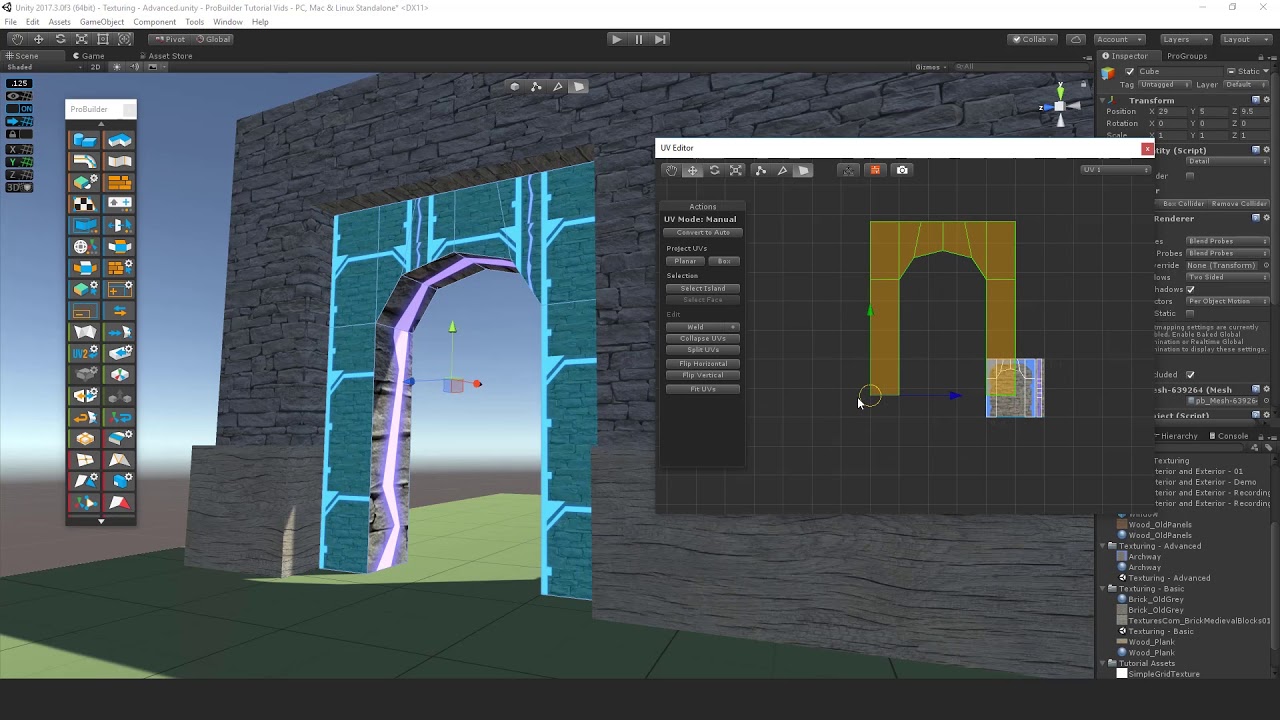
 thin flume
hmmm anyone got tips for drawing low poly where I need grass to interception dirt
 verbal totem
Is there any drawback when using sprite atlases with multi-pages compared to using multiple sprite atlases? In this case, a single enemy is in question that has multiple animations and it resulted in 4096x4096 atlas with 9 pages.
 sterile fossil
Hi, I wanted to create a grass cluster that would work with The Vegetation Engine's grass shader and if I understand correctly, I should:
bake the gameobjects world position xz to UV0.zw and pos y to UV3.w (the forth channel), so uv 4
Can someone point me somewhere I can learn how to achieve that or give me some tips? There seems to be little info about it in the internet. Thanks!
 spring pivot

does anyone know why the colours in my project have just gone all messed up
like the top platform is missing colours, the selected ground is just messy
fluid oak
sterile fossil
Hi, I wanted to create a grass cluster that would work with The Vegetation Engin...
That would really depend on your 3d software, unless you wanted to process the mesh in unity to edit the UVs.
fluid oak
spring pivot
like the top platform is missing colours, the selected ground is just messy
Probably compression settings.
 plain trout
 sterile fossil
fluid oak
That would really depend on your 3d software, unless you wanted to process the m...
sterile fossil
fluid oak
That would really depend on your 3d software, unless you wanted to process the m...
That would really depend on your 3d software, unless you wanted to process the mesh in unity to edit the UVs.
I was thinking about doing this in Unity, yes
fluid oak
Well, it is a complicated sort of thing to do but once you figure out editing the mesh data the actual data part should be simple.
 covert cradle
Are there any good rules of thumbs as to how many tris/faces a mesh should have to keep decent performance?
fluid oak
Depends on your platform I'd think
 deep briar
Hi, I'm new to unity, so don't know my way around yet and I can't find where to set sampling behavior for my sprite which is sampling from the next sprite over. I would think it would be in the Sprite Renderer, but there is no option there for configurating sampling.
- I've found it, I had to select the sprites in the Assets explorer.
Following up on this issue though, I'm used to using Texture2dArrays which do not suffer from sampling issues (at the edges). Now with Unity I suppose I have to deal with these issues because it uses the sprite-atlas method. So I have Wrap Mode = Clamp, which should prevent texture coords from leaving the sprite region. But it's not working. Neither is Mirror. I'm using Bilinear filter mode, and that is correct, that's the behavior I want.
I have Extrude Edges set to 1 in the Sprite Inspector, and that should fix the issue, but it doesn't (Edit: I think that just affects the mesh actually, not the texture sampling). Should I regenerate the sprites with Border > 0 ?
deep briar
I'm thinking I will have to put a transparent border around my sprites in the sprite sheet. Or else I'll have to work out how to force Unity to use a texture array.
verbal totem
One more question, why does sprite atlas packer sometimes packs sprites more tight than other times, it feels like we could save some space if it would always do the same

the same sprites and settings involved in both cases
 wise jay
Hey, I have a windmill asset which I found online after searching for like 30min, although it's only one object and doesn't have any seperate parts. I was wondering if anyone could seperate the rotating windmill part from the rest of the mill. I have aboslutely no experience with this and definitely don't have the time too. I would appreciate it greatly. Please dm me so I can send the file (I'm not able to send it via discord)!
 fluid oak
@wise jay how much are you paying? =p
wise jay
I was wondering if someone would do it for free as I'm assuming it's not something hard to do. And otherwise, it's not necessary for it to be separated it would just be better
fluid oak
I don't have the time to plow my driveway but I don't expect anyone to come offer to do it for free. 😄
wise jay
Well as I said, it's not necessary although I'd appreciate it. But if no one comes, no problem 🙂
outer halo
@eager mist This is not the place for job postings. Use the forums (links in #📖┃code-of-conduct )
fluid oak
You mean not the place, right?
tiny shuttle
How would I go on to like not make this 336 Tiles without having to start from scratch? I'm not sure about the quality I'd get from a cropped screenshot
 outer halo
Make a single greyscale sprite and use that to create the shapes then tint it?
tiny shuttle
That's what I did. I created one sprite and copied it 335 times. Then I tinted every single one of them
But that leaves me with 336 objects and I don't know about the efficiency
outer halo
What's the goal with that? A background?
tiny shuttle
Yup. It looks pretty bad as it is but there is going to be some lighting effects later on
outer halo
Make a single image in Photoshop maybe? But unless you're feeling a performance issue, I would just leave it.
tiny shuttle
Yeah. If there isn't any script loaded to it, it shouldn't cause to much lag hopefully
 tribal pivot
Hey, so I made a model in blender with a vertex animation, how do I import that animation into Unity? It doesn't show up when I put the model's fbx into unity
sterile fossil
hi, I have created 4 grass clusters consisting of quads with the same material applied to them (so 1 material per cluster)
unfortunately, the (directional) light seem to affect the grass in a weird way -- they get very dark when rotated
any ideas what's going on?

 fluid oak
sterile fossil
hi, I have created 4 grass clusters consisting of quads with the same material a...
fluid oak
sterile fossil
hi, I have created 4 grass clusters consisting of quads with the same material a...
That is due to the normals of the mesh. You'd need to either edit the normals or mess with the shader to change how it reacts to lighting.
By default, a quad will normally have normals facing perpendicular to the plane, which will tend to give kinda ugly lighting. You generally want the normals to face outward somewhat, upwards, or something of both.
 sage talon
Anyone have advice about character clothes, the cloth component, rigging clothes in Blender, hair?
is there a good guide about focused on unity.
shut mulch
I will give me fps hands and animation, make a game with it IDC. your wish if u wanna shoutout me.
just say
shut mulch
sage talon
Anyone have advice about character clothes, the cloth component, rigging clothes...
idk
sage talon
shut mulch
idk
Really?
 toxic steeple
Hello!
Is there a good tutorial on the 3D workflow from Blender to Unity?
Like, in general, how to import a 3d model along with textures, light (baked or not) and probably small animations
i know it's very broad. Just wanted to start things up. Probably import a cube with a texture and some animation. I will figure out deeper.
But I need a starting point
tribal pivot
toxic steeple
Hello!
Is there a good tutorial on the 3D workflow from Blender to Unity?
Like, ...
export as fbx and just drag the fbx into unity
 spiral gull
toxic steeple
Hello!
Is there a good tutorial on the 3D workflow from Blender to Unity?
Like, ...
spiral gull
toxic steeple
Hello!
Is there a good tutorial on the 3D workflow from Blender to Unity?
Like, ...
My stack is FreeCAD→Blender→Unity. Like JohnSmith said .fbx is the way to go, but
but there is a ton of small default settings that might be right or wrong for you depending on your need (z-axis flipping, and scale are good ones to check)
I have searched for a good generic tutorial, but all I have found are limited to a specific use case
fluid oak
shut mulch
I will give me fps hands and animation, make a game with it IDC. your wish if u ...
Sure!
fluid oak
spiral gull
I have searched for a good generic tutorial, but all I have found are limited to...
Unfortunately, there are too many use cases, most people just figure out their own. 😄 One general rule I can suggest is to avoid too much use of scale keyframes, especially on bones that also rotate. Bake as many constraints/IK/etc that you can.
 strong glen
hey guys, so im not entirely sure if this is the right channel, but theres something i want to test for my game but idk how to do it (im a complete beginner). so i want to be able to swap out clothes for the torso, legs, maybe feet, but the issue is idk how to do that because my characters clothes are part of their texture
fluid oak
So swap textures?
strong glen
fluid oak
So swap textures?
kinda but like there would be so many combinations of textures i wouldnt know how to do it
shut mulch
fluid oak
Sure!
shut mulch
fluid oak
Sure!
pls
use it
and make a game
and send it to me
I will play the whole day
tribal pivot
Hey, so I made a model in blender with a vertex animation (using AnimAll), how do I import that animation into Unity? It doesn't show up when I put the model's fbx into unity
 umbral pagoda
Heyo, i wanna make a building for a game using Blender but I dont really know how to do the interior any tips on it?
solar arch
youtube videos
 ionic trellis
not sure if this is common, or relevant to this channel
got new blender 3.... broke everything in unity 2019 after saving a model of mine, currently has a blender logo instead of a picture of model, simply states Blender could not convert the .blend file to FBX file.
You need to use Blender 2.45-2.49 or 2.58 and later versions for direct Blender import to work.
have tried re-saving the models in blender 2.9 with no luck... should i upgrade unity? downgrade blender? not sure... :/
also not sure if this is suited to the unity or blender discords
ionic trellis
umbral pagoda
Heyo, i wanna make a building for a game using Blender but I dont really know ho...
you can use blender to mesh model base rooms, but be warned you need to flip the normals... +its not an active workflow, so i'd reccomend #🛠️┃probuilder
tribal pivot
ionic trellis
~~not sure if this is common, or relevant to this channel~~
got new blender 3......
do you know how to import vertex animation to unity made using AnimAll in blender?
ionic trellis
tribal pivot
do you know how to import vertex animation to unity made using AnimAll in blende...
No… I’m assuming it’s pretty straightforward… why ask tho? 🤔
tribal pivot
ionic trellis
No… I’m assuming it’s pretty straightforward… why ask tho? 🤔
I ask cause this is the channel to ask it, nobody has replied to my question so far. It's not straightforward like with a non-vertex animation actually, I need a way to get a vertex animation into unity
ionic trellis
tribal pivot
I ask cause this is the channel to ask it, nobody has replied to my question so ...
i mean why ask me
tribal pivot
Because you answered someone else, I thought maybe you knew this too
ionic trellis
im not sure.... but im assuming get animall and export your model??? blender, unity, and probably animall have full manuals
tribal pivot
I made the animation, I exported it into unity, but unity says it doesn't have any animations. Google said unity doesn't support vertex animations (info from like 5 years ago) but then I found a thread on the unity forums that said there's an easy way to do it and linked a video. A couple people replied to that comment saying "thanks it worked!" and such. Well, the video says "this video is unavailable" so I have no idea what this easy solution is.
ionic trellis
yeah, those forum threads get you time to time like that... what about rigged animations???
 novel garden
So I'm having a bit of an issue with model importing. I had a multiple Obj files and wanted to group them all together in one big model file, so I tossed them in blender and then exported as an fbx. Unfortunately though the ones from blender now have way more vertices for some reason and end up looking pretty off.

The one on the right is the original Obj.
The one on the left is from blender.
umbral pagoda
ionic trellis
you can use blender to mesh model base rooms, but be warned you need to flip the...
so the exterior with blender adn then interior with probuilder?
ionic trellis
No
ionic trellis
umbral pagoda
so the exterior with blender adn then interior with probuilder?
You can build it in builder, normalize inwards, and import into unity… or just use pro builder to do it, inside unity without tabbing aroind
umbral pagoda
i will most likely do the exterior and then a load screen to enter the building
 west grove
I am working on making some stylized modular assets for this top/down game and I am kind of coming up to a point where I am unsure what would be.. best practice?
This tile is a cube and has similar texture on the other side but its just 6 faces and I used substance painter to create a normal map that appears to give it depth.. thats all thats been done as I am in the process of trying to learn how I would now add materials to it to look good (besides just painting it which is an option)
The assets I am using as an example to work from : https://sketchfab.com/3d-models/modular-myan-inspired-dungeon-10f3dc23c6dc4fd99083e3128d83ee2f
Which looks like its a cube as well, created depth to the cube with normal maps and then painted or added materials with some generator (unsure on that)
I guess I have a couple questions:
- If anyone has done similar work, is it essentially best to paint? Having a hard time with this other method I know in substance to get a stylized look.
- Is it probably better to actually sculpt out the detail and just bake it to a low poly model to get better results?
Also, if anyone is pretty good at substance I would uhm.. love help ❤️

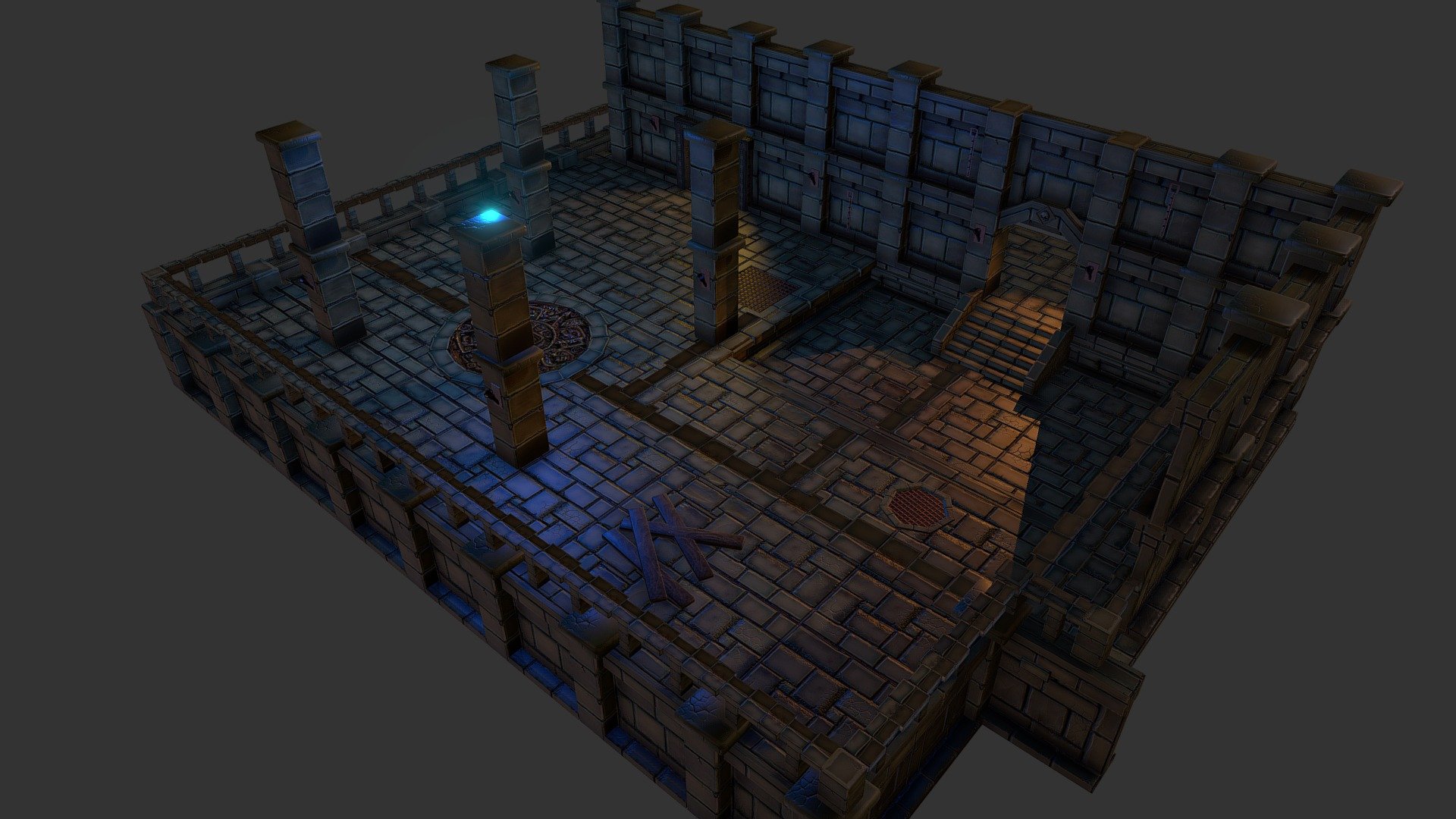
A modular design enables you to build your own seamless dungeon with countless rooms and passageways of different sizes and proportions. The model size is kept to a minimum with a 2048 pbr material applied to all pieces.
if you want the fbx here it is. Click on the link below.
https://drive.google.com/open?id=1m_vM0nvHwI7Lgghty6NXBaVlB-kGv_9L -...
solar arch
novel garden
So I'm having a bit of an issue with model importing. I had a multiple Obj files...
Set your normal to Calculate and tweak the smoothing angle on your import settings
 high cobalt
Hey, I saved my blender file in Unity and have one object with all my models under it. However, I can't seem to find a way to separate them. Can someone help?

When I try to drag one of the objects into the scene, the entire group is added
solar arch
unpack the prefab first
high cobalt
how?
solar arch
right click on it
high cobalt
I don't see an option to unpack
solar arch
also, separating/unpacking those out of it's original would mess up your axes
right click-> Prefab -> unpack completely

 sage talon
Should I make materials in Unity or Blender?
fluid oak
Yes
That is, you'll need to do both, since the materials in one don't copy to the other
sage talon
fluid oak
That is, you'll need to do both, since the materials in one don't copy to the ot...
Do the materials not import into unity?
outer halo
Nope
sage talon
Then, shouldn't I just make the material in Unity?
outer halo
You should, because they don't import with the model.
At least, you'll only get basic materials. Anything custom you make in Blender will have to be remade in Unity.
You would still make materials in Blender as part of look development and such though. But that's up to you.
fluid oak
Well, you might need to make a material in blender if you want to bake normal maps, etc.
sage talon
right
fluid oak
If just won't be the same material you use in unity
sage talon
Yeah. at that point might aswell just learn materials in blender
too
why cant we bring material over?
I thought Unity was a corporate sponser
different rendering engines,
outer halo
Because they're not the same shaders. Blender uses its own as do any other program.
They have similarities sure, but it's not as simple to auto convert it.
outer halo
Its just a fact of the workflow.
sage talon
unless we just do materials in unity
glacial vector
I almost never to shaders in my modeling program, only if it's alpha or something like that. It's the look in unity that matters
outer halo
In the end, you do you. If you think you don't need to do UVs or baking or general look development in Blender, that's up to you.
sage talon
I'm just scared of Blender
That thing....it scares me
too dramatic
Just everything ends up looking like a potato
I might just make a game about potatos
solar arch
ay man, even square enix did this https://screenrant.com/final-fantasy-xiv-endwalkers-weird-grapes-square-enix/
ScreenRant
Final Fantasy XIV Endwalker features funny grapes.
look at that, even tripple a game made a potato looking grapes!
 sage talon
Yeah they are potaoto looking

I forgot to rig the claw
Is there a way to do Fly-through mode in Blender?
rapid echo
Setting up a scene with a new 3.0 asset browser. Useful good feature.
.
https://twitter.com/FarrukhAbdur/status/1468205934942076931?s=20

Setting up a scene kit with the 3.0 asset browser. Useful feature and saves light environment settings as well!✨
#b3d #gamedev #indiedev #blender https://t.co/tgsMNWI5Mz
Twitter
·
 cursive star
hi i dont know if this is the right place to ask but im looking for some text frames for 2D
if anyone what is good to serch for
something like this
btw ignore the black color in it its just to censure the text(i made this screenshot from cookie clicker)
 glacial vector
Have a look here @cursive star https://kenney.nl/assets?q=ui
glacial vector
Yes
 nocturne monolith
Hya. Im having some problems importing .blend files
im getting "Blender could not convert the .blend file to FBX file.
You need to use Blender 2.45-2~~.49 or 2.58 and later versions for direct Blender import to work." errors. Ive got Blender 3.0 installed (new computer)
I dont know exactly what version of Blender I had installed previously, but the auto import of .blend files Did work on my old computer.
Any ideas on how to troubleshoot this?
nocturne monolith
haha ok
is there a way from the .blend files to inspect them and find out which version they were created in?\
I prob have to jump to the blender discord for that
downloading the 2.9 LTS version of Blender rn
nocturne monolith
I installed 2.93 LTS of blender, and most files are still not importing
a Few are. I used a hex editor to check, all files are made with the same Blender version 2.91
anybody any ideas?
Error is still "Blender could not convert the .blend file to FBX file.
You need to use Blender 2.45-2.49 or 2.58 and later versions for direct Blender import to work."
 oblique pumice
Can anyone give me guidance on Marvelous Designer? Is it worth buying to make clothes for my characters in Unity?
And will the character export well?
 ember bison
Should my player be a gameobject?
and if it should, should I put in the 3d model like this
 fallen pollen
Can we create like "master material", instance those materials and change parameters?
(I would like to create a child of default lit & then alter the metallic/roughness multipliers and from that create several other material where I change the textures on a per material basis that inherits those changes from the master)
 grave night
HI all, Im attempting to use the FBX importer preset to make incoming avatars be configurated to use a base avatar. however with eveything set up nothing seems to be getting applied.


 deep nebula



 finite frigate
just plug the output node of the nedoise into the input of the composite
 bleak plaza
Can anyone tell what this is?
 solar arch
couple of blocks stacked and lined together?
JK... a sword.. probably?
 mighty dagger
Exported model from mixamo (FBX FOR UNITY) TPOSE. It appeared buggy in Unity (materials already set to opaque)
 fluid oak
@mighty dagger looks like the normals are inverted
eager mist
hey I got a huge 40 inch tv, but when I play the editor in unity it's only like 20 inches across. where can I find size preferences for the editor? I tried the scaling slider but it looks like crap if it's not set to 1
 languid coyote
anyone know how to upgrade the materials to urp in unity 2021.2.5?
outer halo
languid coyote
anyone know how to upgrade the materials to urp in unity 2021.2.5?
Use the Render Pipeline Converter
https://docs.unity3d.com/Packages/com.unity.render-pipelines.universal@12.0/manual/features/rp-converter.html
languid coyote
outer halo
Use the Render Pipeline Converter
https://docs.unity3d.com/Packages/com.unity.re...
thanks man