#🔀┃art-asset-workflow
1 messages · Page 27 of 1
 hoary oriole
 potent wraith
Ah, I guess they(the leaves) are imported as separate meshes in unity so the shader is applied to them individually?
hoary oriole
No they're all one object in blender and unity But either way it's a super weird and I'm glad I was able to get it fixed although I don't know why applying transforms broke them 💀. It was driving me nuts
potent wraith
Could submeshes then.
potent wraith
hoary oriole
No they're all one object in blender and unity But either way it's a super weir...
Because that changes the vertex position values.
Or so I think. Hard to say without digging through your project/assets.
 misty lantern
The tldr looks to be that original textures are included if they are directly referenced or forcibly included due to some reason, and even if they're not the build report makes it look like they might've been included?
 last vine
seems like shaders channel is gone. so imma post here. why do my trees look like cabbage? (thats a custom shader btw bc unity's foliage shaders are horrendeous. its a BIRP specular with modifications to read vertex AO/speedtree maps)
any idea i can make it look more realistic?


i tried playing on mesh normals, adding a custom harmonic, etc.. with no luck
cannot bake GI because they are scattered at runtime using compute
last vine
never mind, its the dogshit AO (MSVO/HBAO) all bad. and the fact that self shadowing disappears from afar
 tall spire
@last vine you can try adding vertex AO to your model
last vine
already exists
the problem was screen space AO fails in crevices, shadow drawdistance is dogshit (i increased it), LODDING lost too many leaves, and probably other stuff. but the hardes one was drawdist
basically trees looked good/realistic up close and bad afar due to this
also the billboards from speedtree were atrocious. so i rendered some in blender by hands

this is obviously tiresome as it takes ~ 30min now to make a fully fledged tree, compared to old pipeline which was 5min/tree
30 year old software can't even bake trees is kinda crazy tbh.. what are they doing.
tall spire
Probably too much for a simple billboard, I render the actual tree into a plane, then with a pre-made graph in substance the textures are processed
in my case I only use them at very far distances
About GI that you mentioned before, you can try with very simple meshes to add occlusion to the map and do not stretch the render time too much

I also remove the opacity making it even faster the render @last vine
last vine
tall spire
About GI that you mentioned before, you can try with very simple meshes to add o...
gi problem is i cannot bake from first place, not render times themselves. as the trees get automatically placed at runtime when the game starts. not in editor
otherwise neat render! is that baked or not ?
tall spire
Oh yes I get it. This is just a tip 😄 I have time working on this and the result is very similar than using last LOD for example and it saves rendering time. Even depending on the trunk diameter I remove it, there is no difference on thin trunks.
Yes is baked using APVs
Look, this is a demo scene I made few days ago and at the end of the video I added an overall look of the lighting @last vine
https://youtu.be/crKiDNtYfXQ?t=334
last vine
tall spire
Look, this is a demo scene I made few days ago and at the end of the video I add...
that looks very awesome really good
last vine
tall spire
Yes is baked using APVs
wait isnt apv just light probes? so technically you are just baking the ground color and other static stuff like rocks am i right?
tall spire
Yes those are light probes but works much better than legacy probes, it interpolate several probes so a large object like a tree can be illuminated by many different probes so you can get a gradient effect from light to dark areas
tall spire
last vine
wait isnt apv just light probes? so technically you are just baking the ground c...
The only objects that contribute to GI are the terrain and the trees with the simplified meshes I mentioned before, everything else get lit by the probes
So no lightmaps, only the information of the probes.
last vine
yeah, but afaik only thing that can get baked is static things (at least in unity < 6). and u are saying that the trees are getting the probes light. so their contribution didn't get baked correct?
or does unity 6 bakes everything's light/indirect light then those things can sniff the indirect light from the probes ?
 harsh dagger
i cant open unity store from moldova why?
i tired 5g and wi fi
anyone here from moldova or romania can conform if it`s working please
tall spire
last vine
yeah, but afaik only thing that can get baked is static things (at least in unit...
That is something has been always there, even with legacy light probes. Here, this video explain it: https://youtu.be/hMnetI4-dNY?t=2874
The difference is that APVs illuminate the objects in a more precise way but is basically the same
 marble mesa
Hey hey! ^^ I had a quick question for everyone I'm new to unity and i was wondering how i can export an asset to an fbx file and use it in blender with the right textures on? I'm sorry i hope that makes senseee when ever i export to fbx the texture files aren't transferring i think?
 eternal acorn
marble mesa
Hey hey! ^^ I had a quick question for everyone I'm new to unity and i was wonde...
eternal acorn
marble mesa
Hey hey! ^^ I had a quick question for everyone I'm new to unity and i was wonde...
are the textures actually being exported? check the files that have been exported for the textures
 somber oar
This might be the wrong channel but oh well. I was just wondering how you guys handle creating colour pallets for a game? I want to have a similar feel throughout my game but the thing is I’m going to have “sets” or “zones” of levels with different themes (forest, dungeon, sewer, void) and they will all have completely different colours. Would you recommend I just do a different pallet for menus and the different zones? Or maybe some method to still tie the colours together? Maybe a consistent set of primary colours and change the secondary colour? I appreciate any suggestions, I’ve never played around with colour concepts much
marble mesa
eternal acorn
are the textures actually being exported? check the files that have been exporte...
hmmm sorry im super new to unity I dont believe they are. When i have the asset in unity i can see all the different textures but when i export the asset im using i dont think its pulling any of the textures out
eternal acorn
an fbx is a model file. when you export the fbx, the only thing that is being exported is the mesh geometry itself. you'll have to export the corresponding textures as well
marble mesa
ohhhhhh i see i see to export the texture file how would i do that? i can see the export package but that just turns it into another unity file do i need to export this out as an fbx file as well?
and im so sorry! thank you for explaining!
eternal acorn
a texture is an image. just copy and paste it wherever you want (i assume into your blender project is what you want)
marble mesa
ohhh omg so i just have to copy/paste the actual png from unity? justtt making sure! ^^
eternal acorn
yeah. that's how it got into your unity project in the first place
marble mesa
eternal acorn
yeah. that's how it got into your unity project in the first place
Thank you thank you ^^
I did have another question do i need to do anything special if i were export this after into a vrm file? orrr just enabling VRM Mtoon is enough?
eternal acorn
i've never dealt with VRM files or the SDK that you mentioned before so idk
marble mesa
eternal acorn
i've never dealt with VRM files or the SDK that you mentioned before so idk
thats okay! ^^ thank you for helping! i really do appreciate it a ton! ^^
somber oar
somber oar
This might be the wrong channel but oh well. I was just wondering how you guys h...
In addition and also because I feel this message will probably be lost: would it be generally acceptable to have menus that are made with vectors/regular art apps in a game that’s pixelated?
last vine
tall spire
Look, this is a demo scene I made few days ago and at the end of the video I add...
@tall spire intereseting channel you got there. do you only work on vegetation? also how do u place the vegetation? like procedurally or by hand?
 edgy turret
Where can I find tiles set for creating these kinds of 2d scene for game

 tribal pivot
edgy turret
Where can I find tiles set for creating these kinds of 2d scene for game
tribal pivot
edgy turret
Where can I find tiles set for creating these kinds of 2d scene for game
did you check the unity asset store
edgy turret
Yes but could not find the relevant tile set
 stiff mirage
edgy turret
Where can I find tiles set for creating these kinds of 2d scene for game
stiff mirage
edgy turret
Where can I find tiles set for creating these kinds of 2d scene for game
That's more than likely a drawing rather than tileset
edgy turret
stiff mirage
That's more than likely a drawing rather than tileset
It's just a reference to what I am looking for I cannot find tiles set to create something similar and my theme is fancy Traven
stiff mirage
If they don't exist you'll have to make them or pay someone
 winged obsidian
I'm trying to generate a bunch of AudioClip assets in a ScriptedImporter. However, no matter what I do, the resulting asset has a length of zero.
    [ScriptedImporter(1, ".msgpack")]
    public class MessageImporter : ScriptedImporter
    {
        public override void OnImportAsset(AssetImportContext ctx)
        {
            AudioClip result = AudioClip.Create("Message", 10000, 1, 44100, false);

            float[] data = new float[10000];

            for (int idx = 0; idx < data.Length; ++idx)
                data[idx] = Mathf.Sin(idx / 10f) / 5;

            Debug.Log(result.length);
            ctx.AddObjectToAsset("Message", result);
            result.SetData(data, 0);
            ctx.SetMainObject(result);
        }
    }
i've been rearranging the SetData / AddObjectToAsset calls
this should produce an audio clip containing a sine wave
The resulting asset is always an empty audio clip

If I use AssetDatabase.CopySerialized to copy a normally-imported AudioClip into my new object, it mostly works (the preview window looks silent, but I can play the clip)
i see that the actual data is not stored in the asset
e.g.

I can fall back to just importing a bunch of .wav files and finding them by name, but I was hoping to be clever and put everything into a single .zip that I read in the asset importer
most google results for this are actually about loading audio files at runtime
 outer sorrel
winged obsidian
winged obsidian
e.g.
outer sorrel
winged obsidian
winged obsidian
e.g.
https://discussions.unity.com/t/why-does-audioclip-create-create-silent-clips/832883/10
it sounds like you just Can't Do That
which is unfortunate
I see that the generated .resource file is an FMOD sample bank, so I imagine that's done in some weird native part of the engine
tall spire
@Paul intereseting channel you got there
 unique thorn
If you can't find it, duplicate your avatar, delete the VRC Avatar Descriptor component from the copy, and then try exporting that simplified version
 lethal ether
hello guys
outer sorrel
@gloomy umbra I'm still not finding good answer
What exactly should I do for proper 2.5D isometric game?
sprite sorting in the problem here
is there any possible approach with proxy mesh or something?
just to ensure if its front or behind?
 gloomy umbra
You can just use the XY plane only so then Y based sorting still works
outer sorrel
one approach is cutting sprite into so many pieces but that doesnt sound very good. I'm looking into Parallax/Height map approach
not finding any good article on that aspect either
outer sorrel
gloomy umbra
You can just use the XY plane only so then Y based sorting still works
once I tried with ground mesh
but sprite intersects with mesh
sprite rendering seems very different compared to mesh
gloomy umbra
You are trying to use the XZ plane which is introducing these problems
outer sorrel
I solved the problem actually using Y axis as said. But my issue starts especially with complex buildings. Walkable part inside bulding space
gloomy umbra
If using sprites you can use sorting groups/layer order to push some things above the "ground"
outer sorrel
gloomy umbra
If using sprites you can use sorting groups/layer order to push some things abov...
my ground mesh was previously typical static mesh
couldnt got it render behind sprites
gloomy umbra
I'm not sure what to tell you... mixing meshes and sprites is difficult. All you can do is move it further back from the camera and adjust the render queue (if not opaque)
ask for rendering help in the correct channels and plz dont ping me specifically for this
outer sorrel
oh sorry
 rain wind
I have a few sprites with black background. Is there a simple way to make the black transparent? (That doesn't involve changing the actual image file)
misty lantern
rain wind
I have a few sprites with black background. Is there a simple way to make the bl...
Alpha Source can be set to "from greyscale" in import settings, that's about it
rain wind
misty lantern
Alpha Source can be set to "from greyscale" in import settings, that's about it
Oh I think this is a lot of help, thanks a lot
 surreal ivy
hello is there a way to get sliced tilemaps as they are into unity
i want this to mantain its shape and get sliced so i can add colliders

 fluid oak
surreal ivy
i want this to mantain its shape and get sliced so i can add colliders
fluid oak
surreal ivy
i want this to mantain its shape and get sliced so i can add colliders
Assuming that you there is no exporter for whatever tilemap editor you used that includes tile data...
You could import the colliding tiles on one layer and put a collider on that.
 mortal lotus
If I have a 3D model asset that weighs 5mb, and in Scene I have 3 prefabs of that object. Will that transform in the Uniy build into 15mb of space
 lime pollen
mortal lotus
If I have a 3D model asset that weighs 5mb, and in Scene I have 3 prefabs of tha...
lime pollen
mortal lotus
If I have a 3D model asset that weighs 5mb, and in Scene I have 3 prefabs of tha...
no
surreal ivy
fluid oak
Assuming that you there is no exporter for whatever tilemap editor you used that...
thanks for the help but i already di something it was partially worked still appreatie your help
fluid oak
mortal lotus
If I have a 3D model asset that weighs 5mb, and in Scene I have 3 prefabs of tha...
Probably not, unless you are duplicating the mesh data for some reason(editing the mesh in unity for instance.) In many cases the actual data stored in the build will not be the exact size of the file you imported, anyway.
misty lantern
Static batching if used will also create a duplicate in storage for each instance
fluid oak
Right. Anything where it is actually making another copy of the data.
last vine
unity chokes on shader compilation when i use directives. how do i tell it to only compile the 2 variants that are used in the scene? apparently its compiling 1000s of variants ?
#pragma shader_feature has no effect
last vine
please any solution ?
makes no sense

its also stuck on importing assets, not variants..
 last vine
doesn't happen with unlit shaders. i tried 300 variant feature declaration. its snappy. this is probably a unity bug
 slow heath
hello, new here, when I enable transparent all my model becomes transparent, is there a way to avoid this? Im exporting from substance painter, I only want the glass transparent

 last vine
you need an alpha map
slow heath
last vine
you need an alpha map
how do I make it?
last vine
slow heath
how do I make it?
make sure substance output of the albedo contains alpha
RGBA not RGB
slow heath
i was using a template

 last vine
slow heath
i was using a template
last vine
slow heath
i was using a template
looks correct to me
the alpha map is probably incorrect though
slow heath

fluid oak
Try it on a simpler model, and check in unity what the date looks like in the texture inspector
You can check individual channels using the little preview window.
last vine
also in import settings of the texture smake sure "alpha is transparency" is ticked
last vine
last vine
unity chokes on shader compilation when i use directives. how do i tell it to on...
by the way, it seems that unity is generating over 6million lines whenever a shader_feature is added. the surface shader generator is complete utter garbage trash. my god the more you say unity experience cannot get worse, it just gets worse. there is a fucking issue on tracker from 2016 on this
there is just no way. unbelievable. its beginner teenager code they write.
 raven elm
Anyone here uses Houdini?
I have a LOT, and I mean a LOT of instances (about 44k) of a chair mesh in a Houdini project that I want to export as FBX to Unity, but in the same way as shown in the screenshot where it's just one mesh whose transformations are being preserved across all the instances. Anyone know how I can achieve that?
 last vine
raven elm
I have a LOT, and I mean a LOT of instances (about 44k) of a chair mesh in a Hou...
last vine
raven elm
I have a LOT, and I mean a LOT of instances (about 44k) of a chair mesh in a Hou...
that is something you should ask houdini discord (if any exists). afaik unity supports fbx with instanced objects (i already export fbx like those from blender) but not sure if houdini supports it
you probably would get better answers
fluid oak
You could also just export null objects that are just empty transforms and use a simple script to stick a chair onto each of them.
misty lantern
If Houdini doesn't support exporting objects with linked mesh data, I'd look into exporting those null / empty transforms
fluid oak
Though I can't imagine it not being able to.
I mean, from what I am told it does basically everything =p
misty lantern
Assuming it doesn't neglect fbx or other export formats as severly as a lot of other programs do
misty lantern
slow heath
hello, new here, when I enable transparent all my model becomes transparent, is ...
The problem could be
A) your scene doesn't have a generated skybox, or it's nowhere near as bright or varied as the one in SP so you don't see the reflections properly
B) and or the layers of the glass and even the base are overlapping with each other
Transparency sorting within a mesh is ambigous per polygon, and only works by origin point between meshes
Meaning the non-transparent base of the object should use a different Opaque material
And that you probably should export the glass layers as separate objects as well, if you have two, and then control their render order manually or tweak their position relative to camera dynamically so the outer layer will always be "closer" to the camera than the inner layer
 silent bridge
nvm fixed it
 plush jolt
hey guys, i have a question. I wanted to know how would one go around swapping uvs like you would do in Blender?

 misty lantern
plush jolt
hey guys, i have a question. I wanted to know how would one go around swapping u...
misty lantern
plush jolt
hey guys, i have a question. I wanted to know how would one go around swapping u...
This is determined by the shader
HDRP Lit shader lets you specify base map UV channel, but URP Lit does not
It always uses the first channel for base maps, the second for baked lighting and the third for precomputed realtime GI lightmaps
So if you're using URP you'd have to make a custom shader
The Lit graph template Shader Graph's Production Ready Shaders makes it quite easy to implement UV swapping while keeping all Lit shader features and properties
last vine
@misty lantern do you have any idea why SSGI is never supported on BIRP ?
misty lantern
last vine
<@166982635950702592> do you have any idea why SSGI is never supported on BIRP ?
BiRP has been in deprecation probably for longer than SSGI in Unity was a thing
misty lantern
last vine
SSGI != unity thing. its shader. why is it not supported there.
You could ask that about every feature it doesn't support
No significant reason for it
Back in the day when BiRP was being developed they were implementing features in arbitrary order of usefulness and ease of implementation, up until they split all those resources into HDRP and LWRP development
So if they had made SSGI that might've meant no SSR in its stead
And since SSGI is very costly and not high in demand with the typical Unity project especially back then ~5 years ago, it wasn't likely to be high on the list
I can only speculate, but it doesn't seem like a mystery
last vine
i am asking, why is it not actually support / regardless of unity writing the code or not
for instance, you never find SSGI for BIRP on asset store, its always HDRP/URP
upon asking chatgpt on is there any technical things behind this, it said no but refused/couldn't to explain
but it seems unlikely to me because, you can just write shaders no ?
misty lantern
last vine
but it seems unlikely to me because, you can just write shaders no ?
Correct, you can make any kind of graphical effects you want, more or less
"Supporting" it is up to you, not Unity in this case
If there are no third party assets for it, that I expect is the lack of demand I mentioned
last vine
misty lantern
Correct, you can make any kind of graphical effects you want, more or less
"Supp...
are u sure that its not a limitation
because why is render pipelines a thing in the first place
i suppose limitation in older BIRP ?
fluid oak
That is a very long discussion.
plush jolt
This is determined by the shader
 near glacier
Question, why when I add an blender fbx the texture isn't showing in Unity? I export it with copy path so the texture will be packed in the same doc with the model
When I add it in another blender project it has the texture
misty lantern
near glacier
Question, why when I add an blender fbx the texture isn't showing in Unity? I ex...
Packed textures must be extracted from unity's mesh import settings first
Not really worth the trouble to pack them rather than import separately
Rarely any benefit to persistently linking the mesh and texture together like that either, as you're likely to want to modify and reimport them separately as you iterate
last vine
does the AO from "Post-Processing Stack v2" (MSVO) only works in forward ?
is it silently not reading depth or some other isoteric unity specific stuff
misty lantern
last vine
does the AO from "Post-Processing Stack v2" (MSVO) only works in forward ?
I don't know, but you could ask in #💥┃post-processing
There's also #1390346776804069396, this channel is for making and importing art assets
last vine
why is the shader channel gone
 safe estuary
Someone can help me how to share my game
raven elm
Is this the right channel for shadergraph related questions?
misty lantern
last vine
why is the shader channel gone
Just to try if the forum channel works better for the purpose
last vine
which forum
i think don't scatter the discorder into multiple channels that's bad. you can make like a "rendering & assets 1" "rendering & assets 2" "rendering & assets 3" channels
that is way better, more rememberable, easy to understand, and works to eliminate flooding
mathematics discord server does this and its so good
misty lantern
last vine
which forum
The Rendering one I linked to
last vine
misty lantern
The Rendering one I linked to
and is it better so far?
i mean how could one even tell
misty lantern
Not in my opinion
misty lantern
last vine
i think don't scatter the discorder into multiple channels that's bad. you can m...
This sounds even worse
But maybe Unity's community managers are receptive to polite feedback
last vine
misty lantern
This sounds even worse
But maybe Unity's community managers are receptive to pol...
how so ?
3 channels where people can rotate for questions if one is busy
it super dynamic
with the forum you basically lose people randomly looking at questions and answering them, or randomly joining discussions to add something
misty lantern
I would not prefer to check multiple channels per each topic to get up to speed
last vine
misty lantern
I would not prefer to check multiple channels per each topic to get up to speed
you don't do it per topic, all of VFX,Shaders,rendering,and assets/textures. will be in those 3 channels
its better than having dead channels like "terrain-3d"
 astral stirrup
last vine
its better than having dead channels like "terrain-3d"
astral stirrup
last vine
its better than having dead channels like "terrain-3d"
so where would a question for terrain go? in the active general channels and get buried?
the point of separate channels is dedicate spaces for different topics
 gusty pasture
As a terrain expert I quite like the dedicated channel.
potent wraith
As a non terrain expert I like it as well
last vine
astral stirrup
so where would a question for terrain go? in the active general channels and get...
what's wrong with getting buried. also putting this accross channels increases eyes on a question by a huge margin, a question that takes days and probably get buried anyway there has a better chance
i mean no one of us can tell unless its tested tbh so pointless here
probably code a metric like question tagging rate (should not take >30min w/ discord API) and then test each scenario (and other scenarios) over some months
and u will get generally a better discord based on stats. it takes no effort.
astral stirrup
last vine
what's wrong with getting buried. also putting this accross channels increases e...
crossposting is objectively bad
astral stirrup
last vine
and u will get generally a better discord based on stats. it takes no effort.
stats
no effort
yeah ok
last vine
astral stirrup
crossposting is objectively bad
Then just make 3 different channels for terrains. one for addons, one for worldmachine, and one for gaea. why not ?
even devide it more
why cross post the tools ?
until you get 1 QA / month
astral stirrup
perhaps try #1161868835423526933 if you actually want to make suggestions btw
but it really doesn't sound like you're acting in good faith, so maybe not
last vine
all good it was a speculation but i got tagged a lot
gusty pasture
Spreading it by subject is convenient so that experts can subscribe to the subjects they know. There's no need to spread it further than this because the number of messages doesn't warrant it.
potent wraith
last vine
what's wrong with getting buried. also putting this accross channels increases e...
I like checking certain channels from time to time for new threads. I would be able to see questions from a few hours or even days ago and answer them. That would not be possible before, as I'd need to scroll a lot back, which is a pain in the ass. Not to mention that the question context could be scattered all over the place.
gusty pasture
I'd never see a terrain question in #💻┃unity-talk that was posted yesterday. But it would be seen by a lot of people who don't know the terrain system 
 river oasis
Hey, I have a spritesheet of 5716x4030, and with 4,31MB of size. But when i import the spritesheet, the sprites are compressed by unity, to 2048 at maximum, so the sprite is not good. When I put the compression mode to 8192, the sprites are correct, but the file size is bumped to 83MB, just for one spritesheet, is it ok for an entire game ? Or do I have to split my spritesheet in multiple spritesheets? but it feels weird to do this
gusty pasture
river oasis
Hey, I have a spritesheet of 5716x4030, and with 4,31MB of size. But when i impo...
Try using the sprite packer to optimize it.
https://docs.unity3d.com/2022.3/Documentation/Manual/SpritePacker.html
8192 is a bit large for a texture. Not all GPUs support that (esp. mobile).
river oasis
It's a PC game, and it's a sprite sheet for an animation, so it's not only one texture of that size
gusty pasture
Ok. Try the sprite packer to optimize it still.
misty lantern
river oasis
Hey, I have a spritesheet of 5716x4030, and with 4,31MB of size. But when i impo...
4,31MB is the size on disk when compressed by typical image formats, which cannot be used when the game engine is rendering the texture
The size unity reports is the size in RAM and VRAM I believe which is what you mostly have to worry about
When you view an image on web or in any application, it also has to be decompressed into a much bigger size for rendering and stored into RAM, but you rarely see that part of the process
river oasis
Oh okay i understand, so it's not a real problem to have a running animation at 71MB of RAM (I managed to decrease a bit the VRAM size) ?
misty lantern
Just one certainly not
But a lot of things consume RAM and VRAM so you may have to monitor its use if you have a lot of assets like that
potent wraith
Actually, unity(and probably any other engine) uses BC(on d3d) compression by default. So the size you see in preview is usually reflection the size In RAM/VRAM. And it's pretty bad if you're not gonna be using it(not power of 2 resolution). Not just in terms of consuming a huge amount of memory, but also reduce pixel throughput on the gpu = reduced performance.
potent wraith
river oasis
Hey, I have a spritesheet of 5716x4030, and with 4,31MB of size. But when i impo...
You should be packing your sprites in such a way that they fit in a power of 2 texture, even if there's some empty space left. This is normal. All(most) of the games do it.
misty lantern
I think some platforms and graphics APIs handle NPoT textures gracefully, but you can't rely that some of them won't totally fail to optimize them
PoT is more logical to work with after a while anyway, and texture atlasing can handle that for you
potent wraith
It depends on the platform, but usually that's just a requirement of the compression algorithm I think. And most of the platforms use some variation of the same algorithm/s.
river oasis
Yeah but actually the next power of 2 is 8192x8192 when ihave 5716x4030, so it would be really bad to have a lot of empty space on the spritesheet no ?
potent wraith
Actually, googling a bit, it might not be strictly power of 2, but rather aligned to the compression block size. So a multiple of 4x4 or 8x8
river oasis
Oh so 6k should be ok?
potent wraith
river oasis
Yeah but actually the next power of 2 is 8192x8192 when ihave 5716x4030, so it w...
I'd check the compression requirements in unity docs
misty lantern
river oasis
Yeah but actually the next power of 2 is 8192x8192 when ihave 5716x4030, so it w...
Sprite atlasing can use the larger PoT texture to fill with more sprites
Or split into more smaller ones
Whether it's worse for performance to have many atlases than one really big one again depends
river oasis
actually if I'm using a sprite atlas, it would be 16k x 16k, so i can put multiple spritesheets in it, like the most expensive ones I have ?
In that case, would be that animation, and probably some 4k or 2k, that fits in the sprite atlas.
To be honest i've never used sprite atlases
But if I use a sprite atlas, with only the spritesheet of 5k * 4k, and only this, it will have the same problem like if i don't use the sprite atlas, no ?
What is the size I could have with my 5716x4030, like the next size which is perfect ? 8192x8192 ?
potent wraith
Ideally, Texture dimension sizes should be powers of two on each side (that is, 2, 4, 8, 16, 32, 64, 128, 256, 512, 1024, 2048 pixels (px), and so on). The Textures do not have to be square; the width can be different from height.

It is possible to use NPOT (non-power of two) Texture sizes with Unity. However, NPOT Texture sizes generally take slightly more memory and might be slower for the GPU to sample, so it’s better for performance to use power of two sizes whenever you can.
https://docs.unity3d.com/6000.2/Documentation/Manual/ImportingTextures.html
potent wraith
river oasis
What is the size I could have with my 5716x4030, like the next size which is per...
So yes. Ideally, make it 8k
Unless you're targeting pretty old hardware, 8k shouldn't be a problem.
river oasis
Okay thanks ! (:
And if i put my spritesheet to 8k, i can use Crunch compression, to decraese the value in RAM, no ?
gusty pasture
river oasis
Yeah but actually the next power of 2 is 8192x8192 when ihave 5716x4030, so it w...
That's why you use the sprite packer, which will make multiple 2048 atlases and fill them to the brim.
Automatically
river oasis
I looked at sprite packer, but i didn't understand
gusty pasture
Sprite Atlas now, I guess:
https://docs.unity3d.com/2022.3/Documentation/Manual/class-SpriteAtlas.html
river oasis
okay ! I will check how to use that, so u mean that with sprite atlases, i can take my spritesheet, put it on the atlas, and it will scale up to 8k automatically ?
gusty pasture
So you set your sheet to 8k so it's imported at max resolution. You enable the sprite atlas, and it'll get packed in the most efficient manner.
Which is probably multiple 2048 textures
river oasis
So i still have to set my sheet to 8k, u said it would be automatic
gusty pasture
Yes, but it'll automatically pack them when you build
And then it'll use the packed ones instead
misty lantern
river oasis
But if I use a sprite atlas, with only the spritesheet of 5k * 4k, and only this...
Yes, unless the atlas generator can find a more optimized layout for the sprites
river oasis
yes but even if it's more optimized, it will have a lot of void, because sprites won't take all the space available
gusty pasture
That's what the atlas is for
river oasis
So the atlas is useless if i put only my spreadsheet of 5k 4k, right ?
(set to 8k, not at those dimensions)
river oasis
I did, but it's on NPOT
I don't really get it, because the sprites won't change?....
gusty pasture
Look, here's multiple NPOT sprites imported then packed
 river oasis
So i can just put my NPOT spritesheet into the atlas, and it will pack to the good size powered of two ?
gusty pasture
Yes. But you do have to import at 8K so the sprites are imported at max resolution. That texture is just no longer included in the build.
Instead it'll split the sprites across multiple smaller textures so you don't have all that empty space
river oasis
waiiiit okay so the build has only the sprite atlas which is compressed perfectly
and only my project has both
gusty pasture
Yes
river oasis
and can I have multiple atlases?
gusty pasture
Yes
river oasis
Because all of my game won't fit into one only
okay okay, i'll look at it, thanks for precision guys
misty lantern
Usually you want to group sprites on atlases based on when they show up together, so as many as possible sprites in the scene need just one texture load
And so you won't load a 16k atlas in just to display one sprite from it
river oasis
so i have to pack one atlas per area on my 2D game for example?
misty lantern
Yes preferably, if that's possible
river oasis
Like all the sprites for one zone fits in the only one atlas, to load only one instaed of multiple
Okay i understand now, this is a really nice feature
So when i set my spritesheet to 8k, there is a lot of void, right? it's ok for this
misty lantern
If it goes into an atlas later, it can be NPoT now
The important thing is that the Max Size doesn't shrink it first (although I'm not sure if atlas respects the original Max Size)
A large Max Size doesn't add empty space, just prevents it from having the size reduced
the NPoT setting can change its size and squash or stretch it while at it, if it's enabled
river oasis
Yeah but my NPOT will be shrink or upscale? i don't want that
it will go into an atlas yeah
But can I use my sprites from the atlas, into animations for example ? because the first reason i use my spritesheet, is that i use it for animations
misty lantern
river oasis
Yeah but my NPOT will be shrink or upscale? i don't want that
I'm talking about this setting in texture import settings

If this is set to anything except to leave the NPoT texture alone, it'll squash or stretch it in some way
Otherwise the texture will remain as NPoT
Sprites probably don't have it though
river oasis
So i have to set it to nearest, if my atlas contains NPoT right ?
misty lantern
No, you'd set it to none
You don't want it to be forced from NPoT to PoT because the atlas will take care of that issue
river oasis
ohhh okay okay i got it
And for animations, i can grab the sprites from the sprite sheets on the assets menu as if there's no sprite atlas, and when the game is built, the animation will be referenced to the atlas ?
misty lantern
river oasis
And for animations, i can grab the sprites from the sprite sheets on the assets ...
Yes
river oasis
And to put sprites in my game, like platforms or something, if i use sprites with the exact same way of animations, and those sprites are put into an atlas, it's the same, like it would be build with the atlas only ?
misty lantern
river oasis
And to put sprites in my game, like platforms or something, if i use sprites wit...
Not sure what you mean
The atlas will include all sprites set to be included in it
The rest will remain in their own files
river oasis
Okay I explain in another way, i would like to know if I put all my sprites of my level, into an atlas, and i drag & drop all the sprites (presents in my atlas) on my level, those sprites are optimized
river oasis
and i have another question, currently, my sprite atlas is 8192 x 4096, i can use crunch compression to make it 1.5MB, but will it affect the quality of the sprites when building the project ?
misty lantern
river oasis
and i have another question, currently, my sprite atlas is 8192 x 4096, i can us...
Crunch compression decreases quality but lowers built size on disk (only)
One atlas can't mix multiple different compression qualities or settings
river oasis
Huh, so yeah it's not a good idea to turn this on
potent wraith
river oasis
Huh, so yeah it's not a good idea to turn this on
It can be a decent idea. Especially on mobile, where build size is important. You just have to tune it manually to make sure there is no noticeable quality degradation.
Remember: humans are not machines. If there is a slightly different color in one pixel, they would not notice it.
While it could be reducing the texture size by 2x or something
river oasis
Yeah I see but actually the difference is noticeable
 bronze orchid


I am trying to make grass like genshin impact
why does mine have gaps here and there can someone help
I could just hide those gaps by having more density but that's not what I want. I want the gap between each grass to be more consistent so that each of the patches don't stand out
misty lantern
bronze orchid
why does mine have gaps here and there can someone help
That depends on how you're distributing the grass meshes and what they grass mesh geometry is like
I think it looks good
It's just that the ground texture is of a different color of green and it has contrasted repetitive pattern

 bronze orchid
misty lantern
I think it looks good
It's just that the ground texture is of a different color ...
bronze orchid
misty lantern
I think it looks good
It's just that the ground texture is of a different color ...
I see
misty lantern
bronze orchid
It's fairly circular and dense in top down profile so the eye may recognize these individual tufts
You could break up the tuftness by spreading out the outer blades, typically shorter ones on the outside to minimize tall ones from adjacent tufts ending up too close
Personally I find a triangle-like top down profile for a patch of foliage is more likely to break up the pattern
bronze orchid
I think I found out the problem. I was scaling the grass down after importing from blender. Maybe that made the model have blank space around it?

this time I imported scaled down grass directly from blender
I think it looks way more consistent now
misty lantern
bronze orchid
I think I found out the problem. I was scaling the grass down after importing fr...
If the scale is different for any reason between the model in blender and how it shows up on your ground then the results will be different from expected
But in that regard it doesn't matter when you scale it
As long as you keep in mind that dynamically created meshes tend to ignore object scales, such as from unapplied transforms before exporting
That picture is from a favorable angle for hiding patch spottiness, whether it is there or not
bronze orchid
misty lantern
That picture is from a favorable angle for hiding patch spottiness, whether it i...

it really does look a lot better tho
misty lantern
So it was probably too small, horizontally at least
 arctic ridge
Apologies if this is too broad, but I am trying to determine the best work environment for a large-scale maze game. Please let me know if I should be asking this somewhere else.
The bulk of the game will take place in a large hedge maze, with some exceptions such as rivers and open areas serving as landmarks.
The hedge walls need to look uniform but high enough quality to fit in with good looking foliage, as flowers and plants will be present in a non-cartoony style.
With that in mind, I am looking for a work environment that fulfils as many of the following as possible:
- Grid based placement and editing of hedge walls, for large-scale maze design.
- Dynamic hedges, see below for use-case.
- Tools to "sculpt" hedges, ie adjust outside edge of hedge wall to accommodate river running through, or a circular area.
- Ability to update or replace hedge model, texture, details, etc later with minimal disruption.
- Some capacity to deal with elevation.
With this in mind, would any of you recommend assets or techniques I could use to make building, maintaining, and improving my setting managable over time?
In addition, I am currently using rpgmaker to plan the maze's layout with tiles. In the long term there will be 3 dimensional elements like bridges. Is there any alternative software you can think of for planning a large scale maze that you can recommend?
 violet walrus
has anyone ever managed to get this feature to work
https://docs.unity3d.com/6000.0/Documentation/ScriptReference/AssetPostprocessor.OnPostprocessGameObjectWithAnimatedUserProperties.html
the docs kind of suck on it so its hard to tell what is going wrong
 sharp sundial
hello all, I been having this issue for a few days and I was trying to export my entire untiy project as a FBX file after i exported it it messed up my meshes and objects that I set all up how do I fix this?
 gusty pasture
sharp sundial
hello all, I been having this issue for a few days and I was trying to export my...
gusty pasture
sharp sundial
hello all, I been having this issue for a few days and I was trying to export my...
Try with GLTF maybe. It requires a package.
It’s more equipped for large scenes than FBX is if I understand correctly
 slate frost
 river oasis
Hey i have a little problem. I'm trying to learn how to do scene building, with assets I found free on the asset store (because i don't have my own yet). The first screen is what it's on scene, and the second one is what we see in game. The camera is perspective and i really wanna keep that. The problem is that the collider of the platform is not corresponding well.. And when I move the camera left or right, the platform is not aligned anymore... Does anyone have a solution for this ?

 potent wraith
river oasis
Hey i have a little problem. I'm trying to learn how to do scene building, with ...
potent wraith
river oasis
Hey i have a little problem. I'm trying to learn how to do scene building, with ...
Make sure the objects have the same z position.
Or use orthographic camera.
river oasis
potent wraith
Make sure the objects have the same z position.
They have, and i really need perspective, but i found a solution , just use the bridge as tilemap as well
misty lantern
river oasis
They have, and i really need perspective, but i found a solution , just use the ...
Since you're using a perspective camera, really you are making a 3D scene so you should keep Scene view's 2D mode disabled most of the time so you can see where the objects truly exist relative to each other depthwise
Perspective camera can be used to get a parallax effect, but it screws up depth sorting so it can be preferable to use a dedicated parallax script instead, which would move sprites related to an orthographic camera's movement
 ivory hornet
I'm from Unreal Engine originally. I was wondering if it was possible to achieve a scene like this in Unity. We wouldn't need as much light-bounces or that GI look. Maybe If somebody could point to a game or an art piece similar to this and made in Unity, that would be great!
 misty lantern
ivory hornet
I'm from Unreal Engine originally. I was wondering if it was possible to achieve...
misty lantern
ivory hornet
I'm from Unreal Engine originally. I was wondering if it was possible to achieve...
Sure it's possible, easily with static scenes
But an image of a static scene doesn't really narrow down how much of the lighting you expect to be realtime or dynamic, or what kind of performance target you're aiming for
ivory hornet
PC only game.
As far as I researched similar art scenes. They all seem to be implemented in HDRP. Upon researching more about HDRP, everybody seems to advice against it. Mainly due to performance even on PC's
 glacial vector
I would recommend checking out some of the sample content for HDRP to get familiar with it
https://unity.com/blog/engine-platform/explore-learn-create-with-hdrp-scene-template
A bunch of resources at the bottom here too https://unity.com/features/srp/high-definition-render-pipeline
ivory hornet
This is helpful, I did look into them a while back. But if i could get first hand accounts from people, that would be more assuring!
The features seems really good on paper, for me to move forward. My only concern is performance on PC's
misty lantern
This scene could be rendered in URP just the fine, aside from the reflections and refractions
For realtime reflections of this kind you'd have to look into a custom SSR or planar reflection probes, or live with less accurate box projected reflection probes
Refractions need a custom shader but doable also
ivory hornet
I can skip refractions.
misty lantern
With URP you get better performance out of the box, but these more advanced features are up to you to implement
So knowing exactly what you'll need becomes important
ivory hornet
I see
How do I approach this scene. I pretty much got my entire scene in Blender. Do I have to start with setting up the shaders and its settings?
misty lantern
First step is to get the assets to show up in a unity scene with Lit materials of your chosen render pipeline
The next step is to dig into light baking to learn it, assuming the scene will be static
ivory hornet
Yes, it's a static scene. But I would just have the characters move around.
Can the characters cast believable Realtime shadows, along with a light baked environent
misty lantern
Whether you use lightmapping or adaptive probe volumes, it takes some understanding and practice to know the limits and quirks of those systems
misty lantern
ivory hornet
Can the characters cast believable Realtime shadows, along with a light baked en...
Yes, "mixed lighting" offers various techniques to that end
HDRP also has variable light source size and SSGI to help make the blend more seamless
But with URP you'll have to do without those, dealing with sharper realtime shadows and relying on light probes (or the APV) for indirect lighting to dynamic receivers
glacial vector
There are demos for URP as well, the garden one is probably quite relevant in terms of style https://unity.com/demos/urp-3d-sample
i think the new APV would work nicely in this scene as well
ivory hornet
misty lantern
Yes, "mixed lighting" offers various techniques to that end
HDRP also has variab...
Thank you so much for the insight! I'll try implementing the scene inside of Unity.
 spare surge
i think this is the righht channel, deepest apologies if its not but it is "importing assets" so
i've got a model im trying to export from blender to unity, and so i export to an fbx but then it makes this weird hiearchy thing where i cant edit the material and its a pain to work with, as well as the fact it doesnt pay attention to scale which doesnt seem to be right with the little conversion tickbox on or off, assuming one unity unit is 1 meter, so i also made a version where i converted it to a prefab from the right click menu but that still has all the same issues, and what's more also the measuring tool i got doesnt measure a size for either of them, in general i just need advice on how to sort this out its quite odd.


 silent tree
anyone know if it possible to export a mesh with texture from blender to unity ?
tribal pivot
silent tree
anyone know if it possible to export a mesh with texture from blender to unity ?
yes
cant export shaders from blender though
must recreate those in unity
silent tree
ok thanks,
spare surge
spare surge
i think this is the righht channel, deepest apologies if its not but it is "impo...
still need help with this (no rush just clarifying)
misty lantern
spare surge
i think this is the righht channel, deepest apologies if its not but it is "impo...
The material can't be edited because it's an embedded material in the fbx itself
Best to make a new material that you can edit and assign it to the mesh renderer
https://polynook.com/learn/how-to-export-models-from-blender-to-unity
Here's instructions to ensure scales and other transforms persist between blender and unity despite their different coordinate systems
Over these I prefer to use a script or a plugin to export it right automatically
spare surge
uhuh
cool
any reccomendations for a plugin i should use?
rather, whats your favorite one?
(also i did have a material to assign to it, just couldnt lol that was my issue but i understand now, using URP for clarification)
misty lantern
spare surge
any reccomendations for a plugin i should use?
https://github.com/EdyJ/blender-to-unity-fbx-exporter/tree/master this is a free one that does what it needs to do
When it works anyway, it randomly fails
I use proprietary exporter plugins I've got from bundles over the years and all of them work
You don't need any fancy features just to export, but the paid ones have a better chance of working right if you run into issues
spare surge
misty lantern
<https://github.com/EdyJ/blender-to-unity-fbx-exporter/tree/master> this is a fr...
cool great
any explanation as to why the measuring package wouldnt work there though?
misty lantern
spare surge
any explanation as to why the measuring package wouldnt work there though?
I don't know how it's meant to work so can't speculate
spare surge
ok, that's all from me unless using the tutorial and plugins it still doesnt work, thanks
misty lantern
silent tree
anyone know if it possible to export a mesh with texture from blender to unity ?
You can pack textures into fbx, but then you have to extract them back out after importing
So compared to importing textures separately there isn't much of an advantage, and it locks you out from managing or editing the meshes and textures separately
Or if there is an advantage, I have not found it
silent tree
okok thanks
i try to make an evolutive planet with different stage like burren, atmosphere, cloud, water and more but i struggle to find a way to do it
 frozen harness
Is there a way to change settings for individual material instances in a model as if they were separate materials? Just a bit confused why it bunches them together, maybe I need to make a duplicate material with the name different but I feel like there should be a better way I'm missing.
 potent wraith
frozen harness
Is there a way to change settings for individual material instances in a model a...
potent wraith
frozen harness
Is there a way to change settings for individual material instances in a model a...
Because they're all the same material asset/instance. If you need them to be separate, create separate materials as you mentioned.
frozen harness
potent wraith
Because they're all the same material asset/instance. If you need them to be sep...
ok thanks
 frank carbon
i exported an ik rig to unity but its not working
from blender
i expect it to have same control as blender
fluid oak
frank carbon
i expect it to have same control as blender
Why?
Unity doesn't import controls or constraints from blender.
misty lantern
Blender doesn't export constraints and FBX doesn't support them at all afaik
IK and other constraints are handled by code unique to each program, so unless the format, export program and import program all supported it in tandem it can't be transferred
But you can export the control bones and set up IK in Unity using them
fluid oak
misty lantern
Blender doesn't export constraints and FBX doesn't support them at all afaik
Well, a tiny subset of maya constraints can be imported.
I dunno if 'support' is quite the word :D
 fluid oak
Yup.
I suspect that trying to make them compatible is why the built in constraints suck so much.
 alpine lantern
Hey, does anyone have a realistic carbon fiber shader laying around?
potent wraith
alpine lantern
Hey, does anyone have a realistic carbon fiber shader laying around?
How realistic? Does it need to simulate every single fiber? 😅
fluid oak
alpine lantern
Hey, does anyone have a realistic carbon fiber shader laying around?
GitHub
Enhance the visual appeal of hair models in Unity's Universal Render Pipeline with Shader Graph-based anisotropic highlight shader. - GitHub - cathyhlshih/UnityURPAnisoHighlightHairShader:...
You'll need to use your own anisotropic direction map
The anistropy is the key element for the distinctive carbon fiber look
alpine lantern
potent wraith
How realistic? Does it need to simulate every single fiber? 😅
I mean with clear coat and shit, XD
alpine lantern
fluid oak
https://github.com/cathyhlshih/UnityURPAnisoHighlightHairShader
Thank you
frank carbon
fluid oak
Well, a tiny subset of maya constraints can be imported.
chatgpt wrote a script for me that imports everything from blender even the constraints
frank carbon
fluid oak
Why?
because i dont wanna keyframe animations i wanna do it procedurally through code
 signal coral
so whats the deal here? i'm using this kind of color key as a mask. on the atlas it's perfectly green (00FF00) but there's still some pixels along the edges not getting picked up by my shader unless i increase the range property to really high numbers, which causes the effect to bleed into the rest of the mesh. what is causing this? I've been trying to work this out for months now and i'm out of ideas


how it's set up on the geometry and UVs

the shader logic

 signal coral
ah... nvm figured out a better approach than trying to color mask. just lerping a rectangle over the UV space where the LED needs to pulse
still curious if theres a fix for that though
misty lantern
signal coral
so whats the deal here? i'm using this kind of color key as a mask. on the atl...
Filtering and mip maps
You have compelling reasons to use both
Instead you could give wider margins to the UV region of the stripes
Or better yet use a different material, if you're also using SRP batching
Unless the masking has to be complex, there's no advantage to doing it on the same shader
If you need complex color masking you likely want to use another texture or a spare color channel to do it right
https://bgolus.medium.com/the-team-color-problem-b70ec69d109f
Color replacement is expensive and not as good
signal coral
misty lantern
If you need complex color masking you likely want to use another texture or a sp...
Yeah it’s just a vertical stripe over one side of the UV, I ended up just lerping a rectangle over a section of the atlas and having it draw the texture and animate it that way instead
What it was meant to look like
misty lantern
signal coral
What it was meant to look like
Yes, I'd generally use a separate material for that
But it makes no big difference
If you want to reuse this shader with its animated rectangle properties, then it's perfect
signal coral
misty lantern
If you want to reuse this shader with its animated rectangle properties, then it...
its for all the ships basicallly
i had used the color masking thing for eye animations on some enemies too
but could probably do a similar overlay rectangle type of deal
fluid oak
That's what I usually do
 small quiver
In Unity, the "bleeding" effect around the edges of your green color key is caused by texture filter
 eager mist
Guys! I have a 3D model and I need to convert the physbones into spring bones. Make it a VRM format. Who can do that?
I was scammed on money already :c
 radiant ridge
does anyone know how to make it so that when you import a FBX model to unity it uses project materials instead of embedded textures?
winged obsidian
radiant ridge
does anyone know how to make it so that when you import a FBX model to unity it ...
Select the model asset and switch to the "Materials" tab
You can "remap" the materials here
for each material from the model asset, you plug in another material
the imported model will have those materials on it
radiant ridge
yeah, im already doing that, its really annoying
why cant it just search for materials by name on import like literally every other software
winged obsidian
You can switch to "Use External Materials"

Doing this is a bit naughty (importing an asset isn't supposed to be able to create other standalone assets!), which is probably why it's the "legacy" mode
radiant ridge
winged obsidian
Doing this is a bit naughty (importing an asset isn't supposed to be able to cre...
Why would we be trying to create new standalone assets? I have the materials I want to use in the project already, those dont change, its just the model that im trying to reimport with material application being smooth.
The reimport function annoyingly doesnt appear to do anything.
winged obsidian
radiant ridge
Why would we be trying to create new standalone assets? I have the materials I w...
It looks for materials and creates them if it can't find them
radiant ridge
Ah, okay
winged obsidian
You should not need to manually reimport the asset; hitting Apply in the importer settings will cause a reimport
it looks like it checks folders named "Materials" in every folder up to the Assets root
so for Assets/Foo/Bar/model.fbx, it could use Assets/Materials, Assets/Foo/Materials, or Assets/Foo/Bar/Materials
radiant ridge
Thank you, ill give that a try.
 silver maple
hi
does anyone know how to make a URP 14 HSLS shader, make the texture look smaller when the camera is close ?, it looked too pixelated up close but fine from a distance
is there is any other solution I'm not aware of?
Thanks
potent wraith
silver maple
hi
does anyone know how to make a URP 14 HSLS shader, make the texture look sma...
What kind of texture are we talking about? Usually you want objects to preserve perspective rules in 3d - the closer you are looking at it, the bigger it would look(and thus more pixelated).
silver maple
potent wraith
What kind of texture are we talking about? Usually you want objects to preserve ...
I have no idea what are you talking about but yes , that issue exactly, i just have a mesh like a ground/ terrain but not made by the terrain system, just a mesh.
it looks absolutely nice from a distance but as soon as the camera is close to it, it looks terrible.
I have seen many artist have fixed that somehow by altering the pixels near the camera but I'm not sure how they did it.
I've tried changing the texture resolution (from 512 to 4k ) surprisingly very little changes if any... it feels like I'm hitting a bar of something or I'm doing something wrong but I'm not sure what is it
potent wraith
silver maple
I have no idea what are you talking about but yes , that issue exactly, i just h...
Can you provide examples of games that "fix this"? Because it's really just how things work(in real life too - it's just "infinite" resolution in real life, so objects are not getting pixelated).
Increasing texture resolution should definitely help. How did you change it?
silver maple
I forgot to mention that this game is for mobile/quest2/3 where I saw that kind of behavior, but on the editor its pretty good even up close.
potent wraith
If it only happens in a build on the target platform, perhaps the texture settings you have for that platform are different from the editor
silver maple
potent wraith
Can you provide examples of games that "fix this"? Because it's really just how ...
swapping texture from the material by a different one that is 4k.
silver maple
potent wraith
If it only happens in a build on the target platform, perhaps the texture settin...
oh yeah, maybe the compression?
potent wraith
I'd start from checking the texture import settings. Specifically the platform unique settings.
max resolution maybe
compression can degrade quality, but not make it pixelated
silver maple
I have tried many vr chat rooms , some of them had a decent quality of ground texture even with reflection for some, It's definitely something on my side.
brb
potent wraith
yes, as I said, the texture import settings...
silver maple
 potent wraith
You've cut out the important part below...
 potent wraith
You can see that the max size is locked to 2k, so even if you use 4k texture, it's gonna be downscaled to 2k
silver maple
sure, but it's behaving just like the 512, so I'm thinking there is more to it than just that
potent wraith
perhaps the texture itself is 512 then. Can you take a screenshot of the whole inspector with the preview visible(it should have resolution info)?
 potent wraith
Where is that screenshot taken from?? Doesn't look like unity.
silver maple
windows
potent wraith
Take a screenshot of the preview that I asked for earlier
silver maple
I'm not sure what you meant , i think I already did
silver maple
silver maple
this ?
potent wraith
Can you take a screenshot of the whole inspector
It should be below the platform settings
A pro tip: If you don't know what info needs to be shared, take a screenshot of the whole window or the screen

 potent wraith
silver maple
potent wraith
silver maple
below that
silver maple
there is noting left, that is the end of it
potent wraith
There is. You can see a bit of it here

Perhaps it's folded and you need to drag that part up
silver maple
ohh ok one sec

I'm gonna try again tomorrow, I think it's the shader, I'm using it on a custom shader.
potent wraith
Yes, it could be a shader as well, do note that this texture is limited to 2k, due to the max size setting, not 4k.
 wanton bloom
hi, if i export from blender to unity as fbx
can i just export the selected objects and collection like this?
they don't have a collider, what would be the best way to set up collision?
 potent wraith
wanton bloom
hi, if i export from blender to unity as fbx
can i just export the selected obje...
potent wraith
wanton bloom
hi, if i export from blender to unity as fbx
can i just export the selected obje...
Add a collider in unity. 🤷♂️
potent wraith
wanton bloom
hi, if i export from blender to unity as fbx
can i just export the selected obje...
For the correct export settings you'll need to Google it.
 upbeat steppe
if i add new animations to a model and re-export it they dont show up in unity, is this a bug or is there something im missing
potent wraith
upbeat steppe
if i add new animations to a model and re-export it they dont show up in unity, ...
Likely missing something.
frank carbon
any way to export mograph animations from cinema 4d to unity
fluid oak
upbeat steppe
if i add new animations to a model and re-export it they dont show up in unity, ...
When you say they don't show up, you mean the importer doesn't show the data or that the animations don't get assets created?
 hardy pawn
so I created like a "planet" (rlly rn just a big sphere) in blender with a relativly small tunnle in it, however when i try to add a collider to it in unity it doesnt add anything, how cna I fix this? (I can send the blender asset if its needed or rlly anything)
 tribal pivot
hardy pawn
so I created like a "planet" (rlly rn just a big sphere) in blender with a relat...
tribal pivot
hardy pawn
so I created like a "planet" (rlly rn just a big sphere) in blender with a relat...
- what's its scale in unity?
- why did you export the camera and light from blender too?
- why are there 2 things called Sphere in there?
 rain sluice
I'm doing some models for Tabletop Simulator, but I consistently run into a problem with ambient occulsion within TTS; Namely, it darkens my emission map in recesses, even though there should be light there. Is there a way to avoid this?

Even being able to make parts of the model unaffected by ambient occlusion would work
but I'm not sure how to do this
(even the whole model, I wouldn't mind that)
 weak verge
UnityEngine.GUIUtility:ProcessEvent (int,intptr,bool&)```Hope this is the right channel for this. Where can I check which texture is being refered to?
potent wraith
weak verge
Hope this is the right channel for this. Where can I check which texture is bein...
Seems like an editor ui bug. If there's no code belonging to you or custom packages in the stack trace, can probably ignore it.
weak verge
Okay, thanks for the info. I am getting a TON of errors that I have nothing to do with.
Unfortunately Unity 6 is really unstable for me
 lapis elk
wanton bloom
hi, if i export from blender to unity as fbx
can i just export the selected obje...
lapis elk
wanton bloom
hi, if i export from blender to unity as fbx
can i just export the selected obje...

In this video we talk about the correct workflow to export your 3D models from Blender to Unity.I'll show you the right way and introduce you to common errors and show you how to fix them.
If you are interested in game design and gamedev, we are happy to offer you help on our Discord. You can also check out our Instagram or support us on Patreo...
weak verge
Crashing multiple times a day. When I check the logs its from my understanding unrelated to my code
Been contemplating going back to a earlier LTS version. I am on 6000.2.8 rn
wanton bloom
I figured it out already, it was a unity failure
Exporting an fbx to a folder inside of unity doesn't show until unity is reopened
And for the colliders, they are made in blender, then set up in unity
Fairly easy
But thanks
lapis elk
wanton bloom
And for the colliders, they are made in blender, then set up in unity
Fairly eas...
Make sure to not use many mesh collider.
wanton bloom
Why that
lapis elk
Mesh colliders are expensive
wanton bloom
Ah, because of the shape or because of the unity calculation?
Making the shape in unity with cubes would take 10x longer?
lapis elk
wanton bloom
Ah, because of the shape or because of the unity calculation?
If you have a box collider, there are 6 sides to be calculated. For a mesh collider, there could be X faces to be checked every frame.
If you need exact collisions, you have to use a mesh collider. If its not that important to have perfect collisions, you can use several Box Colliders for it.
wanton bloom
Ok, i will keep it in mind and ask my teacher about it
That's a very helpful info
Thank you
For the blockout i will use it and then later check for performance replacement
lapis elk
If you use them for example just for mouse interaction, a box collider is good enough.
If you use them as a hitbox like in Counterstrike etc. it should be a mesh collider ^^
violet walrus
lapis elk
If you use them for example just for mouse interaction, a box collider is good e...
Even CS is using a bunch of primitive shape colliders and not a mesh
misty lantern
@lapis elk @wanton bloom A box is just one function so not even 6 calculations, same as other primitives
Mesh colliders on the other hand have to calculate each triangle so a box mesh would be no less than 12
lapis elk
misty lantern
<@240155892128022528> <@442352248853364757> A box is just one function so not ev...
Alright, means a box collider is more performant as i thought and a mesh collider even more expensive 😄
 grand surge
Is it better to store materials and textures all in their own separate folder (subdivided for their object and general use) or to have materials stored in the models themselves (An NPC model having its textures in the same folder as its models)?
grand surge
grand surge
Is it better to store materials and textures all in their own separate folder (s...
Or to lay it out
Stuff Folder > Materials > NPC_Materials > materials
OR
Stuff Folder > NPC > materials and models
violet walrus
what ever works for your project
fluid oak
hardy pawn
so I created like a "planet" (rlly rn just a big sphere) in blender with a relat...
When you say it doesn't add anything, what do you mean? Your screenshot clearly shows the collider component, at least.
 dusk minnow
anyone know what causes this? I just have a diffuse and normal map on a default plane (lit shadergraph, opaque). I thought it was tied to global volume but the issue is still there even when removed.
It looks like a dark aliasing/cloudyness with a white halo over all objects that are in front of objects above the normal. Only happens on objects with normals. Everything else has no halo/noise until normal is applied. Never seen this before, can't seem to find solutions online
 misty lantern
dusk minnow
anyone know what causes this? I just have a diffuse and normal map on a default ...
misty lantern
dusk minnow
anyone know what causes this? I just have a diffuse and normal map on a default ...
SSAO
The mesh normal may also be inverted because SSAO here is doing the opposite of what it's meant to do
dusk minnow
ok that must be it. i set ambient occlusion to 0 and now it goes away, but everything becomes super dark. What would be the correct way to fix this? The material and cube are "default" as it gets. Is there a way to get the correct SSAO? I'm applying tiling ENV material to generic surfaces like terrain/cubes/etc
misty lantern
dusk minnow
ok that must be it. i set ambient occlusion to 0 and now it goes away, but every...
Don't tweak materials, tweak SSAO
It's a renderer feature
But separately you should verify geometry normals
Your materials shouldn't be using render face: both as that would conceal incorrect normals
dusk minnow
ya its all standard stuff, front face only. looking in settings for that SSAO so i can disable it
yep thats it. any reccomendations on settings to reduce that noise/halo-ing?

or is it best to just turn it off completely?
interleaved gradient seems way less spotty. but cant tell what the tradeoff is
misty lantern
dusk minnow
yep thats it. any reccomendations on settings to reduce that noise/halo-ing?
Well, the settings look fine and aren't a cause of haloing anyway
So I'd look for the issue in your geometry or materials still
dusk minnow
actually, when i turn it off, the haloing goes away, so it is directly tied to SSAO
misty lantern
Obviously
I guess it's also possible your scene is extremely small, so a radius of 0.3 might be too much
dusk minnow
are you getting haloing at all with those settings? they should be default. only interleaved gradient is not having issues
misty lantern
But create some totally default cubes for comparison
dusk minnow
ya i got a super basic material and just default unity assets, still happens. but you helped pinpoint the real issue. might just need to tweak the values until it works seems like
misty lantern
Compare to default cubes, and don't scale them either when you do
Determining where the issue is not is more important than tweaking, or you end up tweaking things that turn out to not be the root cause
dusk minnow
for sure. its definitely SSAO related and seems like making a smaller radius reduces the haloing, so that's probably the best solution here
cool thanks, i think I should be good to go for now
 turbid sinew
I tried to make stylized leaves, but when I imported it into unity my FPS dropped insanely.

Anyone know how to fix this?
misty lantern
turbid sinew
Anyone know how to fix this?
Every leaf is individual geometry?
turbid sinew
yes, you got optimizing tips?
misty lantern
Rule of thumb is "don't have an insane amount of dense geometry"
There's countless different optimization techniques for tree meshes but generally they all boil down to "represent more leaves/branches per fewer polygons"
turbid sinew
in blender my density is 10k
gusty pasture
This is a lot of microtriangles
misty lantern
By density I mean a lot of vertices close to each other in screen space
Which are more costly to render and don't contribute to the appearance of the object
Typically branches are some variation of this "leaf/branch texture on a low poly plane" technique
 gusty pasture
The GPU doesn't like it when triangles (or part of them) is smaller than 2x2 pixels.
gusty pasture
misty lantern
Typically branches are some variation of this "leaf/branch texture on a low poly...
This causes another problem called overdraw. Need to find a balance between geometric density and overdraw.
misty lantern
Tighter mesh silhouette means less overdraw but more vertices so it's a balancing act
If the branches can be rendered with alpha clipping rather than as transparent, it also reduces overdraw
turbid sinew
well I've only been using blender for like a couple days so I really got no idea what im doing. I watched a couple tutorials andd most of them used instance on points and distribute points on faces.
misty lantern
Blender tutorials are not meant to produce anything "game ready" unless they specifically mention that
More likely to work on the assumption you want something detailed and fancy for non-realtime rendering
turbid sinew
ok
gusty pasture
Foliage is hard. Lots of bad examples out there.
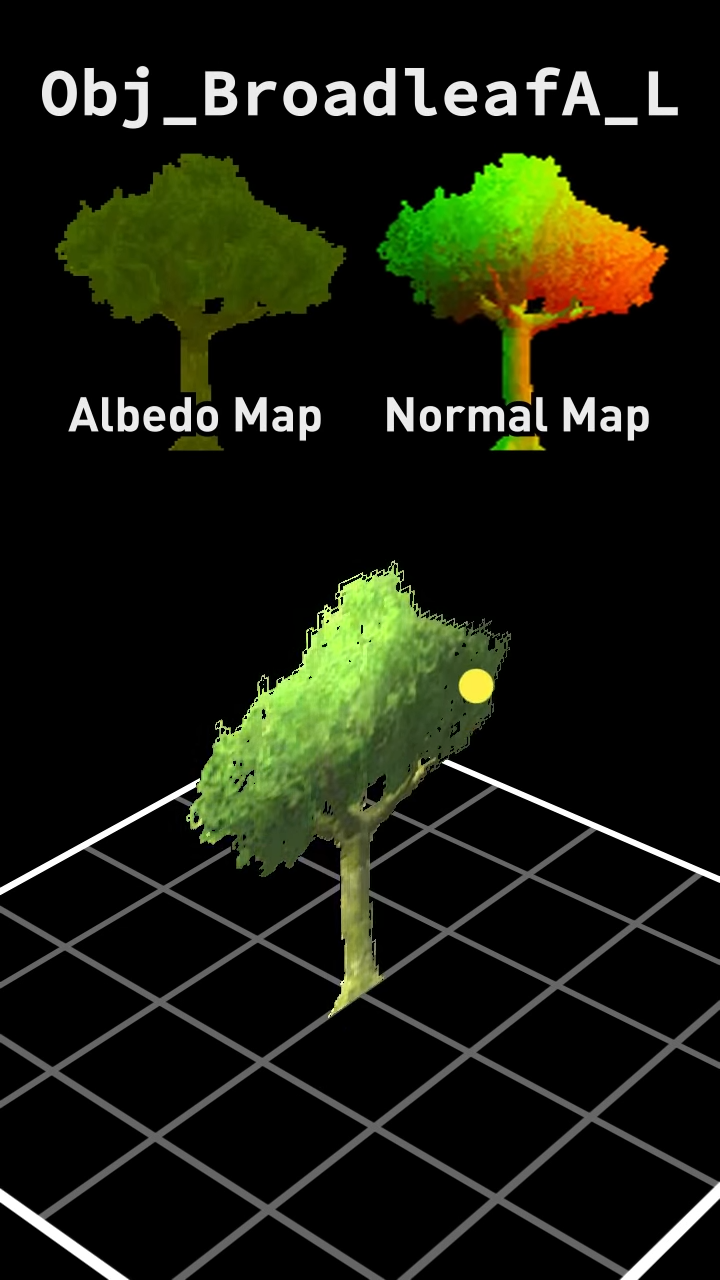 gusty pasture
Yeah, Amplify Impostors is good for this
turbid sinew
I made a procedural forest, which only renders stuff infront of the camera to save frames. You can also break down these trees and walk anywhere. There are like 10k trees in every scene. What do you guys think is the smartest move for making my models?
misty lantern
With dense foliage, and particularly with non-realistic styles it can be performant to give leaves totally solid geometry insides to imply a lot of leaves with very few polygons and to eliminate overdraw

Or use layers of geometry for a kind of best of both worlds compromise

These two techniques also make it pretty easy to make LOD models, which can be challenging with more see-through trees as you can't really fade to another LOD level without a change in either silhouette or apparent density
turbid sinew
ok thanks for the tips
misty lantern
turbid sinew
I made a procedural forest, which only renders stuff infront of the camera to sa...
It really depends on the style you want
But with lots of trees you'll really have to keep overdraw in mind and look into techniques like LODs and impostors to optimize them over distances
Or likely will have to, optimization is always a case by case thing and should be done only when it's worth the effort
Almost always is, but who knows if your forest is very foggy so you can just plainly cull the trees over distance
(Or alternatively figure out whatever magic AMD engineers did to render 34.8 GiB in VRAM worth of high poly foliage in realtime with no LODs ^^)
turbid sinew
another question, I did some changes to get less triangles. Then I exported it to unity and this is the result. Any tips on fixing this?

 gusty pasture
misty lantern
(Or alternatively figure out whatever magic [AMD engineers did](<https://youtu.b...
gusty pasture
misty lantern
(Or alternatively figure out whatever magic [AMD engineers did](<https://youtu.b...
There's some state-of-the-art research on this but I'd generally consider it not worth pursuing until you want to target Playstation 6-gen exclusively
gusty pasture
turbid sinew
another question, I did some changes to get less triangles. Then I exported it ...
Did you add a mesh while keeping the same model in-scene?
Just drag the asset into the scene again and all meshes should show up
turbid sinew
in unity I assigned the leaves mesh onto the leaves and this is what it looks like.

instead of
 gusty pasture
Looks like you assigned the wrong mesh
I don't see Unity turning that into an icosphere lol
turbid sinew
I placed the leaves onto the icosphere using a geometrynode.
gusty pasture
Oooh
Look up how to get geometry nodes into Unity. I'm not familliar.
I assume they need to be baked into a mesh somehow.
turbid sinew
I did and it said I had to have this which I do
 misty lantern
I'd try applying the modifier for the export, as well as applying scale/transforms as some of your objects seemed to change their scale
violet walrus
geo nodes is a modifer you just need to apply it on export
or manually apply it then export
turbid sinew
violet walrus
geo nodes is a modifer you just need to apply it on export
thanks
turbid sinew
Does anyone know how to add shadows to a .shader file?
violet walrus
no one will be able to answer that without a ton of more context
plush jolt
Is it possible to create a texture atlas in unity? I have a bunch of characters that are rigged and want to combine all of them into a single texture.
misty lantern
plush jolt
Is it possible to create a texture atlas in unity? I have a bunch of characters ...
Not out of the box afaik
Unity's own VFX Toolbox can compile image sequences or "atlases" but you'd also need to modify each mesh asset's UVs which can take a bit of doing
Which is why there are tools on the asset store for it
May be simpler to make the image sequence and set it as a texture array and swap the array index per material so no need to modify any mesh
(or per material property block if using built-in render pipeline)
Texture arrays also avoid the issue of losing texture repetition/clamping when converting to an atlas
violet walrus
think i would handle that on the dcc side of things where its pretty trivial to adjust the UV's and just pack texture the right way
plush jolt
misty lantern
Not out of the box afaik
Unity's own [VFX Toolbox](<https://github.com/Unity-Tec...
i am looking for something like the sprite atlas creator in unity.
TexturePacker 3D is a texture atlas packer and optimiser for your 3d models. Compress your atlases using ATSC, BasisU, ETC2...
found a tool that lets me put in the fbx and its textures together and it packs it for me.
and also adjusts the uv automatically and gives me the updated fbx.
misty lantern
plush jolt
and also adjusts the uv automatically and gives me the updated fbx.
That's the idea with these type of tools
If you search for "atlas" on the asset store you get about a dozen more of the sort
plush jolt
they were all paid 
misty lantern
plush jolt
they were all paid <:atwhatcost:1068114091987718204>
So seems the one you linked, as far as I can tell
https://www.codeandweb.com/store/texturepacker3d
plush jolt
i also found https://github.com/maxartz15/MA_TextureAtlasser but
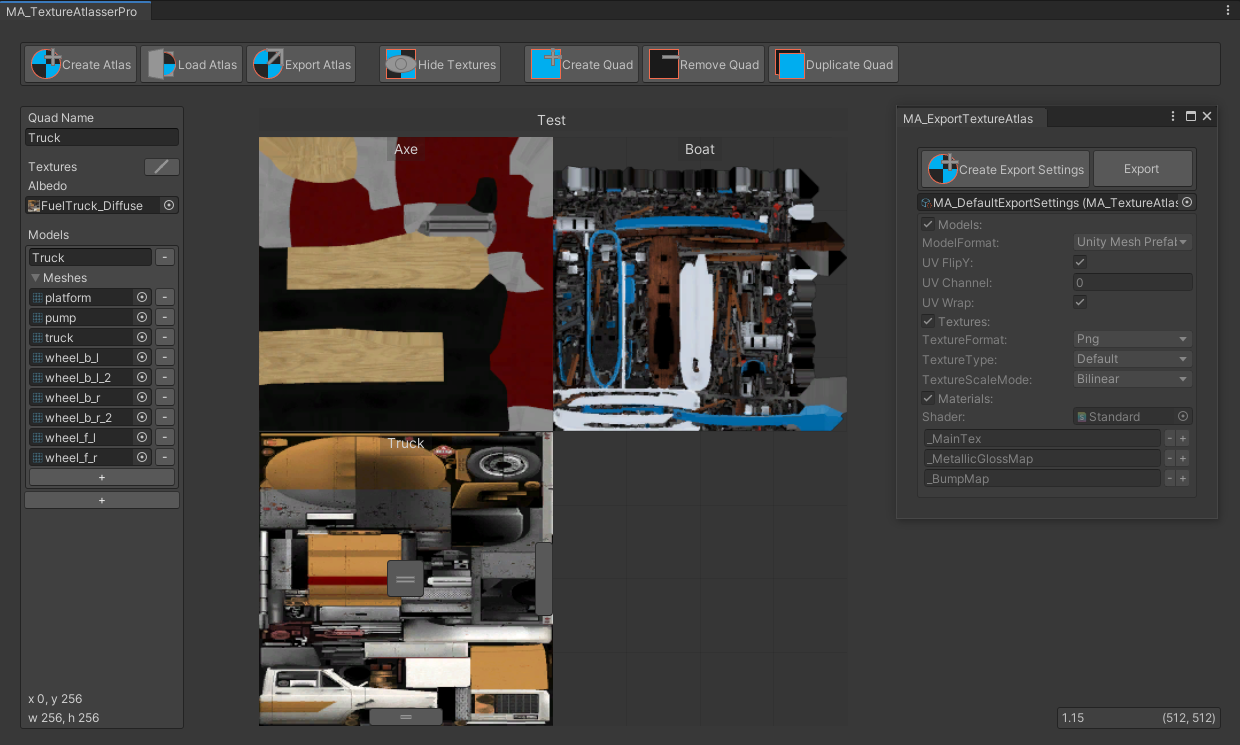
GitHub
Texture atlas creator for Unity. Contribute to maxartz15/MA_TextureAtlasser development by creating an account on GitHub.
misty lantern
Anyway, you have options
They all do more or less the same thing
plush jolt
misty lantern
So seems the one you linked, as far as I can tell
<https://www.codeandweb.com/st...
i got it downloaded and started using it. but never prompted me to do a payment.
yea. wish unity brings one built-in 🙂
misty lantern
It's not too difficult to write your own script to do it either, because the operation is so simple technically
plush jolt
misty lantern
It's not too difficult to write your own script to do it either, because the ope...
i have kept myself as far as possible from writing code. last time i even wrote code was in college 10 years ago
misty lantern
With SRP Batching it's way less important to combine meshes for batch reasons anyway, so that may also be why it's not a priority
Reducing texture load operations is still a benefit
plush jolt
some of the models i downloaded had a bunch of materials for 1 object which can easily be 1mat and 1tex
misty lantern
SRP Batching is designed to handle many materials so if you're using it it may not serve much purpose to go through the trouble
violet walrus
you still want to reduce the amount of materials with srp batching or atleast amount of shaders
plush jolt
ah i see. but i dont seem to be familiar with srp batching
violet walrus
its not actually reducing draw calls with the SRP batcher just reducing how many set pass calls are needed
plush jolt
yes it does seem to reduce a bit of set pass calls as far as i understand
misty lantern
Different shaders are worse for it, but not totally awful
If there's different shaders per mesh, atlasing won't be helpful anyway though
violet walrus
found pretty big gains reducing shaders, to get even less set pass calls going on
though i am working on a very limited platforms right now
misty lantern
plush jolt
i have kept myself as far as possible from writing code. last time i even wrote ...
Good luck, though not a good limitation to impose on yourself
A huge number of very simple tasks Unity expects from you require a line or two of code
violet walrus
programming i feel people think its harder then it really is
and get intimidated before giving it enough time
plush jolt
so simply put i am working on a webgl shooter with a dev, where you are sitting on a raised platform shooting down zombies that are spawning from a bunch of points and keeps spawning in hordes as you progress through waves.
misty lantern
violet walrus
think i would handle that on the dcc side of things where its pretty trivial to ...
I guess this depends on the workflow
If you don't have the model sources, it could be tedious or sometimes impossible to re-import and re-export them without losing something
And afaik Blender doesn't provide any tools for "atlasing" textures or UVs, so you also need a script or plugin for it, speaking of the type of method where you simply arrange the textures and UVs onto a grid
Unless you mean to re-unwrap and re-bake all the meshes into the same space together freely
That might generally work better but you may end up creating a worse unwrap than the one you started with, and extremely tedious if you ever have to modify the set
Or maybe those are not so tedious but I didn't figure out a good method
violet walrus
misty lantern
I guess this depends on the workflow
If you don't have the model sources, it cou...
are scripts, but also its not hard to shove the uv's into a corner. I am a little old school so oftne end up aproaching it the opposite way where i make a model to fit a trim sheet, or a model that uses texture space made for a other model
plush jolt
for some that are easy i use the grid packing like this.
 misty lantern
If you're starting with trim sheets or re-usable UV space, and authoring the meshes yourself then it makes a lot more sense to do it the dcc way
plush jolt
while for a bunch of assets that share 1 texture i remove the unwanted objects and then create a new uvchannel and bake the texture into the new unwrap. pretty easy.
violet walrus
can also do stuff like copy mesh, adjust uv's into a limited space, the bake
misty lantern
But also since a lot more devices apparently support texture arrays now, they might be the best alternative for plain grid atlases
misty lantern
violet walrus
can also do stuff like copy mesh, adjust uv's into a limited space, the bake
The less you have to manually adjust any UVs and the less you have to re-bake textures you already have, the better
Especially if you're working with sprawling asset packs
plush jolt
ok so correct me if im worng. a texture array means a bunch of textures packed like an atlas like this?

which would mean i would slot in all my textures shared in the scene. but given that there are unique items that may not necessarily tile like a building for example wouldnt my atlas be huuuuuuge? if i were to use all my textures into a single atlas like this?
misty lantern
plush jolt
ok so correct me if im worng. a texture array means a bunch of textures packed l...
This is a texture atlas, like the one I assume you want to generate
Which is why the mesh UVs would have to be changed to fit in their own slot rather than the whole 0 to 1 UV space
plush jolt
im guessing this would work for a game that takes a tiled approach like minecraft.
misty lantern
It simplifies the atlasing process, but not necessarily
 misty lantern
Every mesh typically uses their whole UV space as efficiently as possible, with a square texture
Since all textures are squares, you can fit them on a grid like this, and only need to shrink and move each UV map to its own grid cell
 misty lantern
plush jolt
i wouldnt know how to do it
misty lantern
plush jolt
i wouldnt know how to do it
This type of process is generally automatic, that's what you were getting the atlas plugins for
plush jolt
true
misty lantern
@plush jolt But this grid atlas isn't the only method that's referred to as a "texture atlas"
Which Passerby was referring to is instead unwrapping multiple different objects into one space, as if you were unwrapping just one mesh with multiple islands
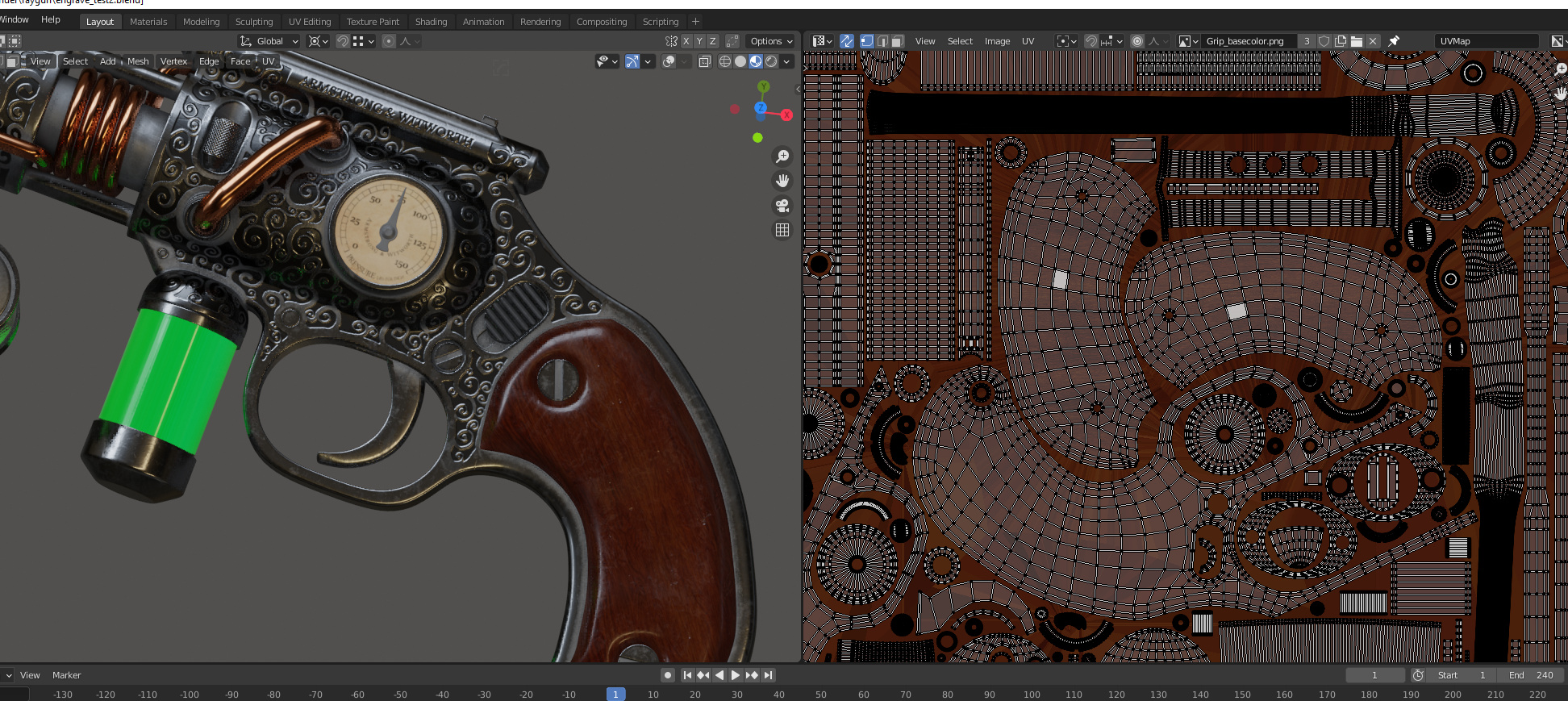
If you presume the parts of this gun here are separate objects, this way they can share the UV space more tightly
(Couldn't find any picture of a multi-object scene wrapped into one atlas)
The advantage is that it saves the effort of unwrapping every object individually to their own square UV space first, which they might not fit into perfectly anyway
Especially if texture dimensions are not equal between them
But you'd prefer to do this early in the art pipeline, rather than after the assets are already done with their textures and UVs because a part of this process may involve re-doing them
plush jolt
misty lantern
<@319868840731344918> But this grid atlas isn't the only method that's referred ...
no no i understood that. thank you though 🙂
violet walrus
issues is approaches change alot based on if you got inhouse art or not
violet walrus
like at my current job, art is all in house, so for the main envirmeent the artists are just using a 2048x2048 and gradually filling it with more stuff from many objects
misty lantern
And how well you can predict the need for changes
Every time you pack anything seamlessly it becomes trouble if you need to swap something
Sounds luxurious even to have that certainty
plush jolt
the thing with webgl is quick load times and build size
so trying to squeeze all the textures into 1 atlas will also impact load times where you would be downloading data that isnt required for said level
violet walrus
i said 1 atlas for a enviement not for the game
to get quick load time, we load as little as possible and download more during a maps loading screen for assets just for that map
just like 2d atlases when packing many things into 1 texture you have to consider the usage of all of those things and if it makes sense to all be in memory at the same time
plush jolt
yeah got it. i was just confused as to when i saw the 1st texture array image i shared had almost all the textures. it got me thinking that is a lot of textures to pack
plush jolt
violet walrus
just like 2d atlases when packing many things into 1 texture you have to conside...
exactly
misty lantern
violet walrus
i said 1 atlas for a enviement not for the game
Still
Beats having to optimize a vague number of blender store assets made in arbitrary ways for random purposes
violet walrus
pipelines are just hard when leaning on stuff like asset stores
unless its something like megascans that have a huge amount of internal consistiency with all its all made
plush jolt
yes it does come down to resources and pipeline
violet walrus
hell even with in house artists pipelines are still hard unless you have a dedicated Pipeline TA
misty lantern
plush jolt
exactly
I think some older mobile devices really struggled with loading textures for whichever reason, so minimizing the need to load textures at runtime and to have many separate textures loaded in was important
Or so I heard, didn't have to work with those limitations
violet walrus
like i wear many hats, but am hoping to hire a dedicated tech artist soon mostly to have a dedicated person to work with the artists and build a good pipeline for them and for dev with validation
since dealing with it eats too much of my dev time
misty lantern
In Unity's built in render pipeline and many game engines more broadly having a different texture between materials caused draw calls which were a severe issue for performance, so combining textures and materials was a really big deal
SRP Batching pretty much eliminated that limitation, but optimization guides haven't all caught up with that
gusty pasture
Renderers also got much better at just pushing a ridiculous amount of draw calls
violet walrus
misty lantern
In Unity's built in render pipeline and many game engines more broadly having a ...
static batching would solve some of that before too
but yeah URP with SRP batcher can push a hell of a lot of draw calls as long as its able to reduce the set passes
misty lantern
violet walrus
static batching would solve some of that before too
These atlasing and material combining steps were a prerequisite to static batching though weren't they
violet walrus
instead of reducing them, it tries to make them each faster
violet walrus
misty lantern
These atlasing and material combining steps were a prerequisite to static batchi...
yeah it was combining the geo if the same material was in use
that would also sometimes make things much worse though
since it would blow culling away at times
misty lantern
That, or dynamic batching or GPU instancing
Which also had the same material limitation plus some more
violet walrus
there really is no 1 shot soultion
misty lantern
Really was no 
violet walrus
like even in unreal they like the hype nanite and there tech, but it oftne leads to terrible overdraw and fillrate issues
and not good tools to control that
misty lantern
I think MPBs let you change all kinds of material properties without causing more draw calls? Rarely see them mentioned in the old batching tutorials though
violet walrus
only in builtin
misty lantern
violet walrus
like even in unreal they like the hype nanite and there tech, but it oftne leads...
Nanite always looked like quite a showpony
violet walrus
they do not work in SRP
violet walrus
misty lantern
I think MPBs let you change all kinds of material properties without causing mor...
also prefer the way srp does it anyways no need for the property blocks just make sure your stuff is in the right CBuffer in the shader and no implementation changes on the asset or logic side
 austere ether
is this a 2d art Chennel?
gusty pasture
Sure.
violet walrus
about any art and how to work with it and get it into unity
austere ether
hey today i maked my first 2 Animation. What would u say? what should i do better =>

 proud flint
Hi! I'm quite jealous of Unreal's MetaHuman. I've spent the week searching for a workflow to integrate realistic humans into Unity - not MetaHuman-level, but definitely better than 2010-era models.
I've tried Daz3D and Character Creator 5, but I lose too much of everything in the import process. I'm considering Human Generator for Blender, but it seems more animation-focused than game-ready.
Does anyone have a solid workflow for creating game-ready realistic humans for Unity?
raven elm
proud flint
Hi! I'm quite jealous of Unreal's MetaHuman. I've spent the week searching for a...
For CC5, what do you exactly mean when you mention "lose too much of everything in the import process"?
misty lantern
proud flint
Hi! I'm quite jealous of Unreal's MetaHuman. I've spent the week searching for a...
MetaHuman can apparently be used in non-Unreal projects for free under $1M revenue threshold
https://www.cgchannel.com/2025/06/you-can-now-sell-metahumans-or-use-them-in-unity-or-godot/
Character modeling, animating, material creation and integration into engine are typically 4 entirely separate tasks
MetaHuman with its Unreal integration is pretty unique in that it can combine all those under one tool
raven elm
If your issue with exporting characters fro CC5 to Unity is not being able to get the same look within the editor, then that's due to the fact that their skin textures have different channels than what Unity uses by default. You can try using the unity auto setup tool which automatically builds the material as well as prefabs within UNity
misty lantern
Engines handle materials in different ways, and Unity's render pipelines between each other also, so wherever the asset comes from you need to export/import it in a compatible way
raven elm

https://www.reallusion.com/auto-setup/unity/default.html The Unity Auto Setup Tool is an amazing new plug-in for Unity that will save you an incredible amount of time when importing Character Creator characters into your Unity project. In this tutorial, you’ll learn about the basic import process as well as a few ways that you can quickly op...
This should help
There is also the option for URP
Not sure about built in though
This is the installation guide https://www.youtube.com/watch?v=GcjTYAHNe2A

https://www.reallusion.com/auto-setup/unity/default.html The Unity Auto Setup plug-in is an awesome time-saving tool that allows you to import your characters from Character Creator into your Unity project hassle-free. This is a huge time-saver that will optimize your pipeline and allow for a more efficient workflow. In this tutorial, you’l...
It also works with the trial versions
proud flint
misty lantern
Engines handle materials in different ways, and Unity's render pipelines between...
Yes, exactly. I have tried the Unity bridge between CC5 and Unity. Maybe this is fine in HDRP. But there is a huge gap in URP. Texture and shader are really poorly interpreted. I am sure these is possible to have a better result with URP.
misty lantern
proud flint
Yes, exactly. I have tried the Unity bridge between CC5 and Unity. Maybe this is...
Undoubtedly
URP doesn't support out of the box most of the features these photoreal human character tools expect to be able to use, while HDRP does
So why URP in your case?
proud flint
misty lantern
Undoubtedly
URP doesn't support out of the box most of the features these photor...
I am an almost solo dev. URP is a wise choice if I don't want to much optimization issues. My npc don't need to be photorealistics but I struggle to find an in between tool. There is maybe Human Generator for blender but I don't find any ressources about people using it Unity.
misty lantern
proud flint
I am an almost solo dev. URP is a wise choice if I don't want to much optimizati...
There certainly is a struggle to be found in that inbetween area
Because if you need something like skin rendering with some kind of subsurface scattering and the tools don't offer that kind of shader, you'd have to make one yourself
And in either case you'd be rendering a more expensive shader so optimization can become an issue
Either you'd be stripping down HDRP to make it more performant, or building up URP to do what you need and/or converting the generated assets to work URP shaders
In that situation I'd try to get a feel for what kind of performance you can get out of HDRP with only little tweaking, as it's possible it won't be that bad for however much stuff your game will need to render
Or get a feel for what kind of materials URP has out of the box, and if those are enough and what kind of conversion process may be necessary
URP uses fairly simple PBR materials, so technically it would be supported by almost any tool that can bake the result into textures
The kind of shaders in the videos above are certainly overkill, even for HDRP in my opinion
proud flint
misty lantern
Either you'd be stripping down HDRP to make it more performant, or building up U...
Yes , you are probably right... The in between is not easy. Thanks for your thoughts
 fallen dove
I’ve had no issues with CC4 to Unity 6.2 URP. My characters look fine. Curious what specific issues you’re running into and what your import process looks like.
proud flint
fallen dove
I’ve had no issues with CC4 to Unity 6.2 URP. My characters look fine. Curious w...
It is quite Ok. But very far from what I saw in CC5. Not only a question of quality. I am looking for a tool where what I see will match a little more with what i'll get in Unity.

 misty lantern
proud flint
It is quite Ok. But very far from what I saw in CC5. Not only a question of qual...
misty lantern
proud flint
It is quite Ok. But very far from what I saw in CC5. Not only a question of qual...
One thing that makes a big difference between these two is the HDRi used for lighting on the left
Unity can also use one, or alternatively you want much better scene lighting together with a reflection probe
Looks like your material in unity isn't using smoothness maps at all either
proud flint
misty lantern
One thing that makes a big difference between these two is the HDRi used for lig...
You are right. The light Isn't avantageous. What do you call smoothness maps? I am curious
misty lantern
proud flint
You are right. The light Isn't avantageous. What do you call smoothness maps? I ...
"Call" in what sense?
proud flint
misty lantern
"Call" in what sense?
I haven't touch the material. Maybe I could adjust, you are right. I meke some tests
misty lantern
proud flint
I haven't touch the material. Maybe I could adjust, you are right. I meke some t...
You need correct PBR materials (which is what the Lit shaders are) for them to look right, as well as decent lighting both diffuse and specular for the PBR materials to show up properly
Even if these systems use their own shaders to create a procedural result in some way, the output is still PBR maps in the end
URP Lit shader only takes pre-baked textures as its PBR map inputs though
 quiet aspen
I am creating my character assets in blender. all the individual objects are on the same level under the character fbx object.
my player prefab needs to look like the picture provided with the organization: characterAppearance ->shirts, shoes, pants, head, etc. these objects also have scripts attached to each one related to my character creator.
as of now every time i make a change/add another piece of clothing i need to click reconnect prefab on the character object under my player prefab which clears all my structruing for the objects and i would also have to add all the scripts back individually. can anyone provide some insight on a better way i can work with this fbx importing.


 ivory hornet
https://www.youtube.com/shorts/6DZsBRKqQ7Y
How do I approach creating something like this. Is it something to do with shaders in a specific rendering Pipeline?
misty lantern
ivory hornet
https://www.youtube.com/shorts/6DZsBRKqQ7Y
How do I approach creating something...
Potentially, but you may have to be more specific
On the shader side it may have custom light calculations, and/or custom posterization post process effect, or it's possible it only uses the included color Look Up Table post processing override for a posterization effect without any custom shaders
 sonic hemlock
how do u guys approach this.. an asset pack downloaded from asset store and everythign's pink?
 potent wraith
sonic hemlock
how do u guys approach this.. an asset pack downloaded from asset store and ever...
potent wraith
sonic hemlock
how do u guys approach this.. an asset pack downloaded from asset store and ever...
The shader is incompatible with your render pipeline.
austere ether
hey i wanted to use a pixel art Animation but my Animation Frames looking strange, everthing looks fine in Idle but if i use a "Heal" Animation my Frog Boss clipping under tha Ground? why is that?
 outer halo
The pivot for your sprites is probably not in the same place as your idle animation, so it "moves" it down.
 tawdry tinsel
does anyone know what the proper way to fix these light leaks is?

i could simply encase the entire map in cubes but that seems really hacky and is also really tedious
also any advice on how i can fix the visible seams?

 plush jolt
Guys is there a way to create LODs for objects with animations? I found that v6.2 has built-in LOD creation, but for static meshes. However I did come across something called Simplygon, but it requires a license. Is Simplygon a good tool or worth getting? Or are there alternate methods to get the job done?
sonic hemlock
how to change terrain material to built in?
 potent wraith
sonic hemlock
how to change terrain material to built in?
potent wraith
sonic hemlock
how to change terrain material to built in?
I'd assume that you need a new terrain layer. Also, you missed the right channel a little bit - #⛰️┃terrain-3d
 astral sleet
To anyone using Blender, has anyone found a way to resolve the -89.98 rotation without having to export to .fbx? I'm just plopping my .blend into my Unity project because of how fast it is to iterate, but the -89.98 issue plagues me because I cannot determine how Unity converts to a .fbx
I'm wondering if maybe there's something I can do in either the Unity or Blender project to resolve this automatically
 digital mantle
astral sleet
To anyone using Blender, has anyone found a way to resolve the -89.98 rotation *...
digital mantle
astral sleet
To anyone using Blender, has anyone found a way to resolve the -89.98 rotation *...
doesn't Unity already do this? it does for a simple mesh when I tested just now. You could edit the python script Unity uses to convert to fbx internally (in \Editor\Data\Tools\Unity-BlenderToFBX.py) if it's not working
are you sure you applied rotation in Blender?
astral sleet
Yeah, rotation is applied, I believe the bug only happens when there's two or more objects in a .fbx export
astral sleet
digital mantle
doesn't Unity already do this? it does for a simple mesh when I tested just now....
I'll give it a quick look I suppose, thanks I didn't know that was there
 twin carbon
quiet aspen
I am creating my character assets in blender. all the individual objects are on ...
twin carbon
quiet aspen
I am creating my character assets in blender. all the individual objects are on ...
try to avoid using a lot of meshes for one character
even the skinned renderer meshes
generates lag
if you use blender for you model use ctrl+j to fusion your parts
if you need to edit them individualy make a copy of that model with the invdividual parts and other for the parts fusionated
twin carbon
quiet aspen
I am creating my character assets in blender. all the individual objects are on ...
you can select multiple objets at the time using control + shift
and add scripts to them
at the same time
if you need to edit them individualy its a bit more harder
quiet aspen
twin carbon
try to avoid using a lot of meshes for one character
All my parts are separated so i can have a custom character creator. as of now only one item from each section is active at a time. I actually ended up writing an editor script that will take the fbx and generate an organized prefab and add the scripts i need each time its reimported. Thank you for the insight.
twin carbon
quiet aspen
All my parts are separated so i can have a custom character creator. as of now o...
oh i get it
mmmh you thinked in using prefabs for each part?
instead of hiding them and make them visible
the only thing you need to do in code is destroying the part and put another in the place
so your game saves memory
quiet aspen
sort of, i kept having issues with the armature and stuff when i would change the meshes around
twin carbon
quiet aspen
sort of, i kept having issues with the armature and stuff when i would change th...
you use skinned mesh instead of normal meshes?
quiet aspen
yeah i believe so
twin carbon
you tried to use skinned mesh transferer package?
quiet aspen
no i dont think so, im honestly pretty primative. im not using many packages lol
twin carbon
try it
its gonna save you a lot of time
and btw
i recomend you use masks in blender
to avoid trying to fix mesh weights all the time
quiet aspen
i did already create a full character creator and everything from scratch based on this object hiding method lol. ill for sure take a look tho.
twin carbon
quiet aspen
i did already create a full character creator and everything from scratch based...
okay
dont forget to use bone renderer package to test weights in scene
quiet aspen
twin carbon
i recomend you use masks in blender
im using some sort of mask for my arm and IKs attached for holding items properly
twin carbon
quiet aspen
im using some sort of mask for my arm and IKs attached for holding items properl...
nice
quiet aspen
yeah the biggest headache so far with learning this is dealing with the humanoid avatars vs generic ones and animations between blender and unity
ill for sure look into the skinned mesh transferer tho
twin carbon
quiet aspen
yeah the biggest headache so far with learning this is dealing with the humanoid...
i know
quiet aspen
so even if the objects are hidden but still on the character in game this can cause a lot of lag?
twin carbon
quiet aspen
so even if the objects are hidden but still on the character in game this can ca...
yeah
a bit
quiet aspen
twin carbon
yeah
alright, thank you!
 wintry yew
Hii question I created sphere in unity the scale is 1.5 xyz then i try to make same size sphere in blender applying 1.5 scale xyz but the there is so much difference in size why?
plush jolt
wintry yew
Hii question I created sphere in unity the scale is 1.5 xyz then i try to make s...
im guessing when you create a sphere its set to 2,2,2 meters.but scale is 1,1,1 so when you do a 1.5 scale the actual size become 2m x 1.5. so it becomes 3,3,3 m in blender
potent wraith
wintry yew
Hii question I created sphere in unity the scale is 1.5 xyz then i try to make s...
Blender and unity use different units iirc.
You need to check the blender export setting for unity.
plush jolt
both unity and blender are using meters as its unit. but when you create an object the default size of the objects are spawned at 2,2,2 meters in blender
while unity just does 1 meter
potent wraith
Actually, you're probably right. I haven't touched blender in a while.
plush jolt
wintry yew
Hii question I created sphere in unity the scale is 1.5 xyz then i try to make s...
also applying scale is important. if you import an object into unity without applying transforms, the scale is blown out of proportion.
 uncut silo
Anyone know how to figure out what shaders it's complaining about?

Or how to make the error appear again? :/
potent wraith
Doesn't it appear now..?
wintry yew
So i created Angler plane in blender like ramp apply all transform import I'm unity but when I apply box colider it now apply properly
 fallow summit
do you guys think 15k tris is "overbudget" for something that will appear on screen pretty often
 flint sentinel
Hey, I was wondering if someone has useful tips for source controlling baked maps, such as lighting.
Issue is, they are not something that should be included in the project, at least in my opinion, and should be baked on the user side.
However, I read some forum posts, and it turns out that scenes reference these maps directly, and simply not source controlling them would lead to issues such as pulling from people who have committed such scenes would result in broken references etc.
What's the best way to work around this?
Please @ me and thanks in advance!
tribal pivot
fallow summit
do you guys think 15k tris is "overbudget" for something that will appear on scr...
depends on how many total tris are on your screen at once
fallow summit
I guess im asking more in a vacuum
 woven dome
It can't be answered in a vacuum
fallow summit
I guess lets say ~1 millon tris per frame @tribal pivot @woven dome
tribal pivot
fallow summit
I guess lets say ~1 millon tris per frame <@798203494279938049> <@71545238571515...
that's fine as long as you're targeting PCs then
 humble barn
Hey there, I'm having some issues exporting models from Blender to Unity. No matter what I try, I can't get the models to be exported in the same axis orientation (and no, putting them rotated inside a prefab is not a solution in my case, I need the model's coordinates to be correct from the start since I use them in code to make tiles) Is there an established pipeline to ensure that the .obj/.fbx/.blend is picked up by Unity in the same orientation it was modelled in?
flint sentinel
flint sentinel
Hey, I was wondering if someone has useful tips for source controlling baked map...
bump
flint sentinel
humble barn
Hey there, I'm having some issues exporting models from Blender to Unity. No mat...
There are many short videos on youtube showing this.
When you export from blender, there's an option to create an export preset.
There's also an option for which axis should be forward, that should be set to Z or -Z, I can't remember exactly.
flint sentinel
I've read up on keeping only the .meta files for all those baked maps, does that sound reasonable?
I'll test it now w git, but idk if it's a good idea in general.
misty lantern
humble barn
Hey there, I'm having some issues exporting models from Blender to Unity. No mat...
https://polynook.com/learn/how-to-export-models-from-blender-to-unity
This explains what the differences technically are and how to manually adjust them for a given type of export
You probably want to use some script to automate it though, like:
https://github.com/EdyJ/blender-to-unity-fbx-exporter/tree/master
This works reasonably well, so it'd be your first option
But occasionally it doesn't in which case you could consider a different method
Paid variety of export plugins are more likely to work without hitches
misty lantern
flint sentinel
Hey, I was wondering if someone has useful tips for source controlling baked map...
Why exactly should they be baked on the user's side, and what is the role of a "user" in this case
Baking is a very time consuming process so you'd rarely want to have everyone do it
But there are good reasons for excluding lightmaps or any large file generally from a git repository
That's what Git LFS is for
Without it Git deals with binary files directly which is inefficient for it, and each version of each binary file has to be included in the history
LFS by default tracks only references to the binary files which are downloaded from a separate file storage rather than packed with the other changes, and afaik it also excludes them from the project history file but I could be wrong
The real point of LFS systems is that the user can choose how they want the large files separately from git commits
For example excluding them entirely before needed, or getting specific versions with different resolution/file size
But I think it's up to you to implement that kind of system
flint sentinel
misty lantern
The real point of LFS systems is that the user can choose how they want the larg...
I've been using lfs from the very beginning, and from my experience, lfs actually stores each change as a whole new file.
I work with a smaller team, we have 0 income, and paying for insane l+s prices is not an otion.
GitHub, for example, expects you to pay for bandwidth, which anyone can just decidn to waste in seconds without any permission.
I am specifically looking to exlude baked lighting etc. because it takes around 2h on my mid machine, and would save us a to of lfs space for other things.
I am not the only one who's ran into this.
There are several forum discussions with many people asking the same questions with no answers, which leads me to believe that it's not about our misuse of lfs, but yet another example of unity's poor version control handling.
So yeah, that's a bit besides the point, I am wondering whether committing just the meta files is reliable.
I am aware you'll get the missing files errors or warnings, but those should go away with the next bake, no?
misty lantern
So yeah, that's a bit besides the point
 plain cliff
Hi guys what is this grainy texture that tints the models?
It's like, parallax, seems like it doesn't move, I mean. Almost like my computer screen is dirty lol 🤷♂️

 swift estuary
plain cliff
Hi guys what is this grainy texture that tints the models?
It's like, parallax,...
swift estuary
plain cliff
Hi guys what is this grainy texture that tints the models?
It's like, parallax,...
looks like compression artifacts
What are your settings for the texture import
misty lantern
I guess it could be SSAO
plain cliff
swift estuary
What are your settings for the texture import

Maybe it is somewhere in the material / texture stuff.
But why is it like, parallax?? Like it stays underneath the textures
plain cliff
misty lantern
I guess it could be SSAO
That's post processing right? I have that disabled
misty lantern
plain cliff
That's post processing right? I have that disabled
Renderer feature rather than post processing specifically
I don't recall if it was affected by Post Processing toggle

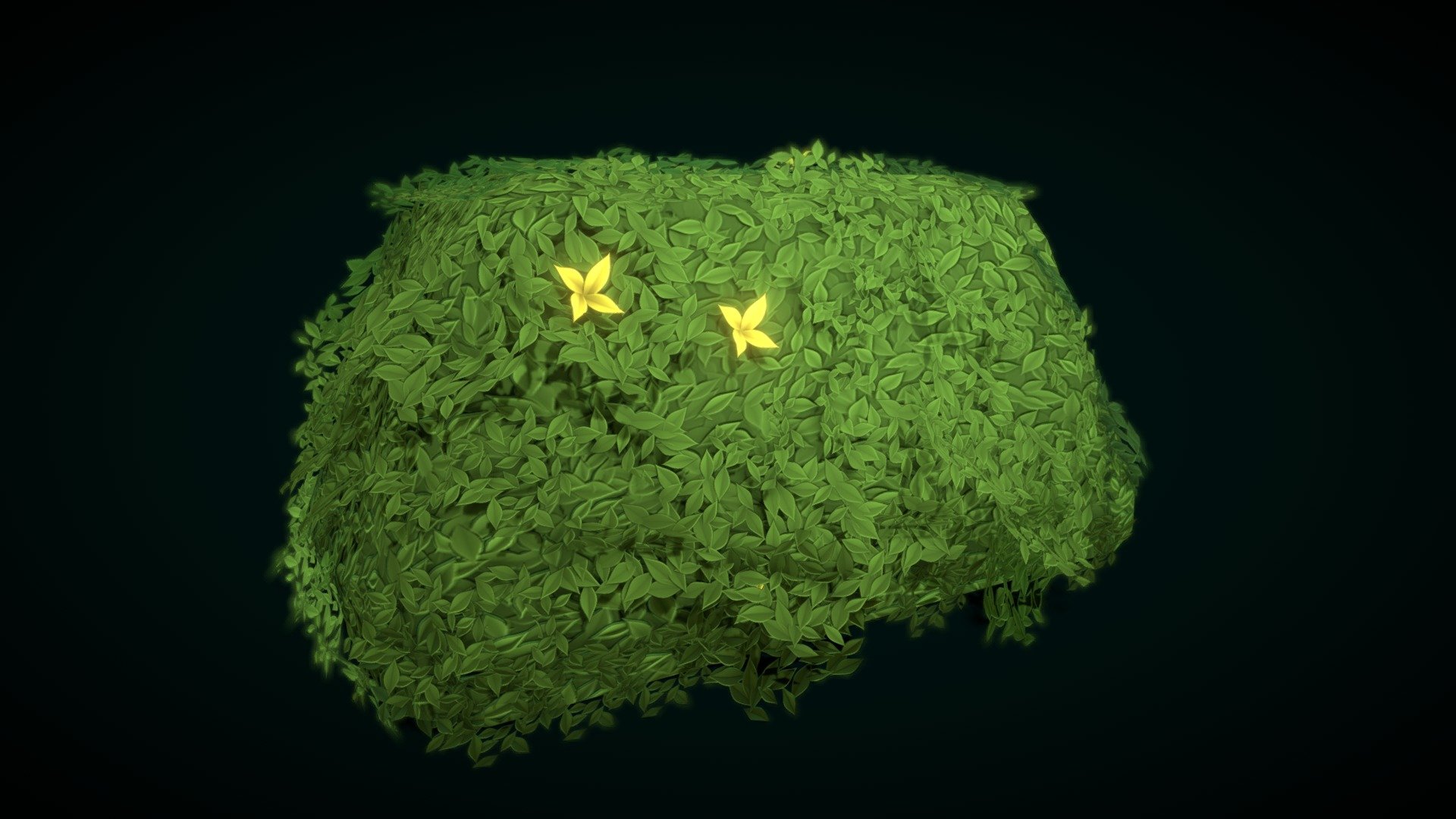


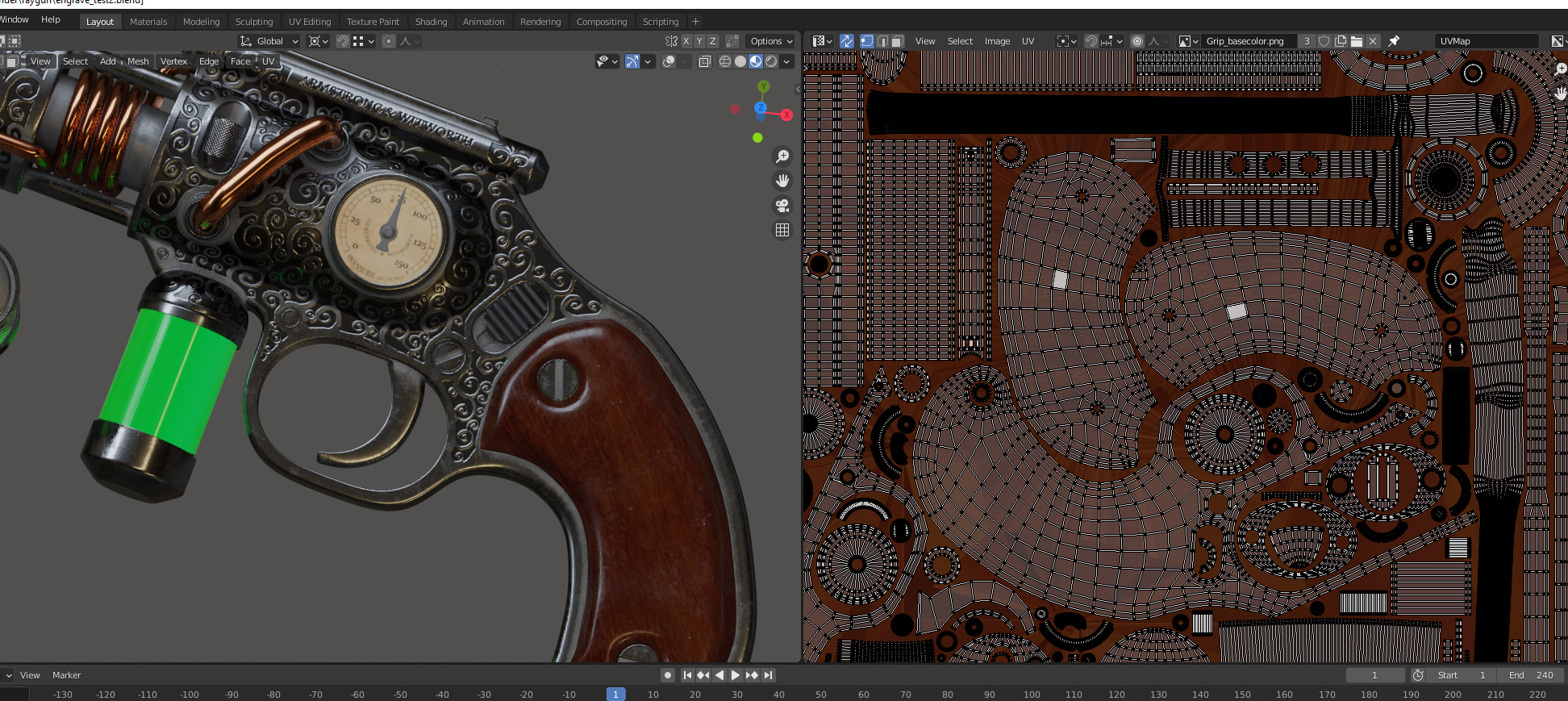 misty lantern
Scene and Camera have separate toggles for post processing anyway which may lead you to seeing it despite disabling it
So I'd check the renderer feature
plain cliff
I've used this same cube in other projects, maybe it is the SSAO then yeah.
plain cliff
misty lantern
Scene and Camera have separate toggles for post processing anyway which may lead...
Yup good one thanks! It was the PC_Renderer SSAO 🤔

 latent plaza
So I've made a tree in blender. And when I imported it to unity it became a white abomination.. I don't know this is the place to ask but how fix?

 tribal pivot
latent plaza
So I've made a tree in blender. And when I imported it to unity it became a whit...
tribal pivot
latent plaza
So I've made a tree in blender. And when I imported it to unity it became a whit...
put textures on it then
latent plaza
It should do it no?
Automatically i mean
Here it says its using my bark material using the universal render pipeline

which is what i aptly named the texture i know, original
tribal pivot
latent plaza
Here it says its using my bark material using the universal render pipeline
is the texture generated inside blender with nodes?
latent plaza
It is
tribal pivot
latent plaza
It is
that's the issue then, look up on google how to export textures you've made with nodes in blender
 vast matrix
modeling/animation question tho, what do u guys do for hair movement?
do you rig bones to each part of hair separately? or you use some rigidbody in unity to simulate it
fluid oak
I usually use bones with spring bone scripts.
 tawdry valley
@novel garden
-# Shadow-acne

do you care to share ur lighting setup?
is it the defaults?
anywho... if you want me to make you some higher resolution spheres.. or some w/ different geometry just let me know..
a ping will be fine
 novel garden
tawdry valley
anywho... if you want me to make you some higher resolution spheres.. or some w/...
novel garden
tawdry valley
anywho... if you want me to make you some higher resolution spheres.. or some w/...
I tested it with higher resolution spheres, and the problem does lessen. It seems to be related to Soft Shadows.
High quality soft shadows makes the banding worse.
Seems to be shadow acne?
I have tested this in the newest 6.2 release on a default scene.
tawdry valley
https://docs.unity3d.com/6000.2/Documentation/Manual/ShadowPerformance.html
This is because pixels that should be exactly at the distance specified in the shadow map are sometimes calculated as being further away (this is a consequence of using shadow filtering, or a low-resolution image for the shadow map)

i do believe it is.. you can see banding here sorta the same sounding description as well
 tawdry valley
https://docs.unity3d.com/6000.2/Documentation/Manual/ShadowPerformance.html
> Th...
tawdry valley
tawdry valley
https://docs.unity3d.com/6000.2/Documentation/Manual/ShadowPerformance.html
> Th...
so, i believe i'd try changing the shadow filtering or work with higher resolution images for the shadow map lol
tawdry valley
novel garden
Seems to be shadow acne?
☝️ check out that page in the manual it has the same type of things i was mentioning earlier
potent wraith
fallow summit
is 3 2k materials per character too much?
Not entirely sure what you mean by that? 2000 materials per character?😅
Or did you mean to say 3 2k polygons/vertices meshes?
fallow summit
potent wraith
Not entirely sure what you mean by that? 2000 materials per character?😅
Or did ...
3 materials that are 2048...
fallow summit
i feel as if i didnt really have to clarify no?
of course i was refering to the individual texture resolution
potent wraith
You do need to clarify. No one talks about materials having a resolution, so that was confusing.
And, no, texture res has very little to do with performance. Unless you're close to a memory bottleneck.
fallow summit
i feel as if you are a bit too hung up on the wrong thing here
ignore the specific texture size for now
they can be 4k for all i care
im talking about having 3 seperate material draw calls per hero character 🤔
is that too much or can i safely aim for more
potent wraith
That's fine. Even on mobile it's not to much. Unless you're planning to have hundreds of characters rendered at the same time. Then each draw is precious.
potent wraith
Some AAA games would have 5-10 draws per character.
fallow summit
yeah im trying to optimize it as much as possible
like combine over 30 texture sets from one character into as few materials as i can
and 3 was the number i landed on i guess
potent wraith
Ideally, use the profiler and other tools often to find bottlenecks.
fallow summit
im a bit too early in development to find any outliers with the profiler right now
potent wraith
While numbers are fine, they would often mean very little depending on the context.
fallow summit
i should really set up some benchmark/stress tests for my project
currently my biggest source of "lag" is not doing object pooling for shit like projectile bullets and stuff like that
so i wanted too be sure i wasnt going to be creating too many issues for my self with the materials before i even fix that
anyways thanks again :)
misty lantern
fallow summit
im talking about having 3 seperate material draw calls per hero character 🤔
Draw calls are not created equal so they are not really a measure of performance
Especially if you're using SRP batching, that URP and HDRP would be using by default which is designed to minimize or even eliminate the cost of draw calls
Kind of like asking how many layers of overdraw you can have, or how many light per object
It really depends ™
<@&502884371011731486>
 obtuse oyster
!ban 1141318176366399529 bot spam
 lofty gladeBOT
obtuse oyster
!ban 1141318176366399529 bot spam
lofty gladeBOT
obtuse oyster
!ban 1141318176366399529 bot spam
 @mikhail_52 banned
Reason: bot spam
Duration: Permanent
 peak garnet
I'm not sure this is the right place to put this, but does anyone know how to make a metroidvania map? I mean like the actual process of designing it, like how rooms connect, deciding what the rooms should look like, and making the map as a whole. Pretty much all I'm getting when I look it up is "when making a map, think about what each rooms purpose is" but I'm struggling with actually making a map in the first place :/
misty lantern
peak garnet
I'm not sure this is the right place to put this, but does anyone know how to ma...
By what you refer to as "actually making" it seems includes many different steps, even if you are only thinking of the design part
There are no one size fits all methods, as your gameplay mechanics determine what kind of levels would be needed, but maybe some general level design methods out there
GDC probably has several talks related to level design
fluid oak
peak garnet
I'm not sure this is the right place to put this, but does anyone know how to ma...
Graph paper helps more than you might think.
signal coral
Do you put multiple props with similar traits and small variations to share a single material or just use smaller resolution textures
I.e like 5 variations of a light/lamp prop?
misty lantern
signal coral
Do you put multiple props with similar traits and small variations to share a si...
"Smaller resolution textures" smaller relative to what?
signal coral
Smaller than 4k
 nova widget
I’m new here so I am unsure if this is the right place to ask, but for things like rocks and whatnot, would I be able to import the model without unwrapping it and slap on a material in unity? Or would I have to unwrap every single rock and texture it, etc
misty lantern
signal coral
Smaller than 4k
Implying you have a specific texture budget to consider?
In any case, there rarely is a reason to not re-use textures and materials if you can
signal coral
misty lantern
In any case, there rarely is a reason to not re-use textures and materials if yo...
Not really a budget I’m still just working my way through the best practices. Ok good to know thanks. Do you have an example of the diffuse and/or other maps for such a shared resource model? Like what would it look like?
Are you just strategically overlapping UV islands where the atlas contains the color/physical property values for each surface?
misty lantern
signal coral
Not really a budget I’m still just working my way through the best practices. O...
You can look up "trim sheets" for one method of re-using texture space
Modifying one asset to make another is similar in concept, but you can also stretch and scale the texture space a bit
signal coral
ok, cool. terminology gives me a lot of leads. thanks
misty lantern
If you're also using baked maps like AO shadows, it won't work as well
Unless they're stored on a different texture in a different UV map
signal coral
misty lantern
If you're also using baked maps like AO shadows, it won't work as well
these props are so small i dont even think the AO would be visible
based on one of the tutorials i found on that term you gave me i have a decent idea of what to do now though
signal coral
misty lantern
You can look up "trim sheets" for one method of re-using texture space
first crack at it. question, how do you best handle things like variations on the same model? like if i want to utilize the rainbow of emission color options at the top so i dont need to make more material variants, can i just use the extra 3 UV maps unity can read from? or is there a way to only move certain UV faces? probably could've been more strategic in this to use tiling/offset somehow? or is the alt UV map the way to do it


and just hook it up to like a property on the shader?
glacial vector
signal coral
first crack at it. question, how do you best handle things like variations on t...
You should separate the emissive parts to a different material. Kind of the point with trim sheets is that you can combine a lot of assets with batching, when they ahre the same material. But that means those assets should be static.
flint sentinel
Hi, I have a scene with a few huge objects taking the entire space pretty much(all of the environment, except cannons and candles).
I'll have to retexture them anyways, and I was wondering whether combining them all into a huge single baked texture is a good or a bad idea.
Right now, they consist of 3 8K materials, and 1 1K material.
I was thinking of combining all that into a single asset, since it's all connected anyways and won't be used separately, and having a single 16K texture for it all.
AI mentioned there are potential drawbacks and compatibility with certain hardware, so I wanted to make sure what's actually the case with someone who knows about it.
I am targeting mid, and possibly low end pcs, so I wanna ensure there are no issues.
The reasons I was thinking of this is:
- single image can have better compression than multiple
- it could all be a single material, so 1 draw call if I am not mistaken
- easier to manage a single asset and a single material
So yeah, just wanted to ask whether this would cause issues, or if it's maybe even a good practice.
Please @ me and thanks in advance!
 misty lantern
nova widget
I’m new here so I am unsure if this is the right place to ask, but for things li...
misty lantern
nova widget
I’m new here so I am unsure if this is the right place to ask, but for things li...
Everything you want textured will need to be UV unwrapped, or you need to use a texture projection method that doesn't require UVs, like planar or triplanar mapping
misty lantern
flint sentinel
Hi, I have a scene with a few huge objects taking the entire space pretty much(a...
If using SRP batching combining draw calls is not that important, so the main benefit is reducing texture loading but that seems rarely to be a bottleneck
Before you bake anything you can profile the real performance impact by assigning the same material to all of them that uses a 16K texture
A single texture really can have better compression than multiple? I have not encountered that
Hopefully not something your AI dreamed up
flint sentinel
misty lantern
If using SRP batching combining draw calls is not that important, so the main be...
I see.
I currently don't have any major performance issues, so this was more of a what's better to do question(since I already have to redo it anyways).
What about hardware limitations, is that something I should be concerned with, or more of a thing of the past?
misty lantern
Texture atlases have some drawbacks
Because they share the space, you can't as easily have repeating textures
Usually you will have to add more vertices to continuous surfaces so the UVs can repeat accordingly
flint sentinel
misty lantern
Hopefully not something your AI dreamed up
No, that actually seems to be something I dreamed up 💀
My logic was that if you have more pixels, you could maybe reuse more of the same data or something, but ig that's me just not knowing how image compression works.
misty lantern
For a GPU it's slower to read a higher resolution texture
But as I understand that's typically offset by having less textures to swap between during rendering
At least in BiRP it clearly was, maybe not so clearly with SRP batching
UV seams also run into the issue of color bleeding due to mip maps
Because each mip level is half the resolution, they get very blurry
And more blur means either the color areas start overlapping and cause visual seams, or you need very big margins
flint sentinel
misty lantern
Texture atlases have some drawbacks
Because they share the space, you can't as e...
I see.
I didn't plan to use repeating textures as that doesn't allow for AO or other details.
Issue is, I am not sure if I should even be using baked AO if I am using URP SSAO, I am honestly just learning as I go :/
On top of that, I am also assuming I could have 2 UV maps, 1 optimized for textures with overlap, and another one for details such as AO.
This would require a shader in Unity tho, iirc.
flint sentinel
misty lantern
UV seams also run into the issue of color bleeding due to mip maps
Because each ...
That's a good point I didn't think of at all.
misty lantern
Or custom generated mip maps in a way that doesn't allow downsampling to blur across grid cells
But that's very technical and custom mip maps have very flimsy support in unity for some reason
Both mip map and repetition issues can be fixed by using texture arrays though
It requires a custom shader and maybe isn't supported on very old devices, but in current year probably not any you'd encounter
misty lantern
flint sentinel
I see.
I didn't plan to use repeating textures as that doesn't allow for AO or o...
Yes, for instance Unity uses the second UV channel for lightmap UVs which can include baked AO
Typically you do need a custom shader to overlay textures using additional UV channels, but if you want to get hacky with it you can replace the textures it applies as baked lighting with your own baked AO
Assuming you don't want baked lighting anyway
flint sentinel
misty lantern
Yes, for instance Unity uses the second UV channel for lightmap UVs which can in...
I see.
That's quite good to know, but it sounds like I would need a special shader since I do use baked lighting.
As for combining baked with SSAO, is that a good or a bad idea?
misty lantern
flint sentinel
I see.
That's quite good to know, but it sounds like I would need a special shad...
At some point you may be stacking too many shadows, but it's up to your eye if that looks good or not
Baked lighting also has an AO feature that generates additional shadowing at the baking stage
Since you are using baked lighting I assume you won't need a custom shader for that reason, as you have plenty of options for AO there
flint sentinel
misty lantern
At some point you may be stacking too many shadows, but it's up to your eye if t...
I see.
So if I am already baking lighting in unity and it uses its own lightmaps, there is no need for an additional AO texture used in the material?
misty lantern
flint sentinel
I see.
So if I am already baking lighting in unity and it uses its own lightmaps...
There is not
Baked lighting by its nature simulates shadowing where light cannot easily reach, and you can enable its AO feature to intensify the effect probably more than needed
flint sentinel
misty lantern
There is not
Baked lighting by its nature simulates shadowing where light cannot...
Well that's great news, will make my workflow significantly easier.
Thanks a lot for answering all of my questions!
misty lantern
glacial vector
You should separate the emissive parts to a different material. Kind of the poin...
Main point for sure, but another point it helps with a particular asset creation workflow
misty lantern
signal coral
first crack at it. question, how do you best handle things like variations on t...
What's your reason of avoiding more materials in this case?
There's a whole lot of options of how to deal with it but you have to ask are they worth it over just having more materials, or another mesh with different UVs
Additional UVs are more data per vertex and require custom shaders to use, and material properties to swap between anyhow so you can easily lose potential optimization gains
signal coral
misty lantern
What's your reason of avoiding more materials in this case?
If there’s gonna be an “infinite” tunnel full of these things scrolling by they can’t be static, wouldn’t that make it more efficient to just have them all on one material?
The emission color is on that rainbow but the emission value is 1 along the whole bar.
It’s basically a sci fi style launch tunnel
Plus I want the lights to pulse so it’d need to be raising and lowering the intensity multiplier
I don’t need to use more than one uv set for this specific scene, but would make it easy to have variations of these things in different scenes
Could use a keyword for that branch maybe
misty lantern
signal coral
If there’s gonna be an “infinite” tunnel full of these things scrolling by they ...
How do you suppose dynamicness is related to material sharing?
Branching by keyword creates a shader variant which has no benefits for batching, but is useful for excluding expensive shader calculations
Before setting up multiple UV channels I would consider texture swapping, texture offsetting in the material, and meshes with different UVs
Last time you mentioned you were using URP which means with SRP batching having many materials or textures is no issue
glacial vector
Multiple UV sets has a cost as well, each new set will increase your vertex count by the initial amount of vertices
signal coral
misty lantern
Before setting up multiple UV channels I would consider texture swapping, textur...
Is it actually more efficient to have 3 meshes with a single different UV map than 1 mesh with 3 UVs?
The keyword approach is because I’d basically make 3 versions of the prefab that have an enum keyword set on their material to swap uv maps instead of having 3 meshes with separate materials?
Or would you just use an integer switch and skip the keyword?
Idk why I’m going this way, just thinking ahead on optimizations and I haven’t even really gotten to a point where things are slowing down yet anyway
Ingrained habit from normal software design. I’m just not familiar with the game dev workflows still
signal coral
glacial vector
Multiple UV sets has a cost as well, each new set will increase your vertex coun...
What’s the diff then between 3 uv maps on a 100 tri mesh and 3x 100 tri meshes with one uv
misty lantern
signal coral
Is it actually more efficient to have 3 meshes with a single different UV map th...
More UVs are more expensive
Each mesh has whole additional vertex stream per UV per vertex
It may be offset by GPU instancing
But probably not because SRP batching is so efficient
Also, if you choose UV by keyword, they can't be instanced or batched much at all so that's also more expensive
But an "integer switch" is a lerp which means you have to read all UVs in the shader and blend between them, rather than just one
You are prematurely optimizing and clearly not understanding what the advantages of SRP batching are
signal coral
First I’m finding out about srp batching
So what you’re saying is fugeddahout it and just make 5000 props and 5000 materials and let SRP sort it out?
misty lantern
Usually it handles that just fine
signal coral
Awesome. I’ll stop worrying about it then
Game engines really come a long way since ogre 3d days lol
My game dev experience is super out of date
misty lantern
When it's time to optimize you can look into how many separate shaders or shader varaints (materials with mismatching keywords) you are rendering at a time, and what the real effect on performance of that is
But only when it's time
A lot of optimization guides are out of date too so it's confusing
A lot of people end up using SRP batching and optimizing according to BiRP's limitations which aren't relevant at all
And may make performance worse
signal coral
Yeah that’s why I’m thrown for a loop on it - there’s so many version updates in just like 5 years and some info can be out of date overnight
With enterprise web applications every bit of optimization you can squeeze is huge. But that’s a different world
Good to know though. Doesn’t hurt to know about these techniques anyway
How is the optimization on mipmaps then? Do I need to preemptively cap the texture resolution on small props at like 1024 or would there be some kind of optimization that says 4k everywhere is fine (aside from storage space concerns)
misty lantern
signal coral
How is the optimization on mipmaps then? Do I need to preemptively cap the text...
When mip maps are enabled, and generally should, the appropriate resolution mip level is chosen by distance
So not something to think about outside of storage and RAM/VRAM concerns
signal coral
more storage. Especially if I’m just gonna have different materials for everything
These are props you’ll never see up close anyway
glacial vector
Texel density is still a factor for consistency. So you should spend your pixels where they're needed and gives a consistent resolution across assets
misty lantern
You want high resolution textures where they are needed, on objects that are very large or that can be seen up close (unless you use detail mapping to avoid needing high resolution textures but that's another topic)
You can adjust max texture resolution from import settings, as well as enforce limits per build target
signal coral
Do all textures have to be the same res or something or can they be capped at different resolutions per texture
Like you said, some things are never going to be close enough for 4k anyway
But for gameplay assets I’m using consistent resolutions
misty lantern
signal coral
Do all textures have to be the same res or something or can they be capped at di...
Different per texture
 stiff loom
When your first attempt at modeling a chess knight goes horribly

 hoary kindle
stiff loom
When your first attempt at modeling a chess knight goes horribly
hoary kindle
stiff loom
When your first attempt at modeling a chess knight goes horribly
I have seen worse. What did you do to her eyes though? 😅
signal coral
@misty lantern last one on my mind - for repeatable objects, one fbx with the "array-able" piece and create a bunch of prefabs of various lengths? or should i create a variety of array'd meshes in blender and export them as separate models? pic for reference. assume one of those bevel sections is the "array-able" piece i could build a prefab of linked series of 2, 3, 6 etc?

or heck, even a prefab with a monoscript that arrays
misty lantern
signal coral
<@166982635950702592> last one on my mind - for repeatable objects, one fbx wit...
If you want but you can also use linked duplicates
An object using the same mesh data as another object in blender when exported will likewise re-use mesh data in unity
misty lantern
signal coral
instancing carries to unity? sweet
Instancing is different from linked duplicates
Instances must be Made Real before you can make them into linked duplicates
signal coral
found some info on that terminology, that'll do
stiff loom
hoary kindle
I have seen worse. What did you do to her eyes though? 😅
Must have messed something up when scaling it down haha
This was after I had the pieces finished, its now in unity and everythings been cleaned up and organized. Now onto programming chess for the first time 😭

 honest tree
I came from Unreal and they have this Shift + B to open this 'drawer' kind of window that temporarily comes up, you take the stuff that you need, and it goes back 'down'.
I wonder if I can do something similar in Unity? It would free up a lot of space (currently my console and project window is at the bottom, that would be gone and just opened on demand)
 versed patrol
i have a question, i am currently making a store in my game but i just want to blur out the name of real products because im too lazy to make my own but i noticed that other games(especially in indie games) use the name of real life products (they dont blur it) which if i am not mistaken is not allowed or am i wrong?
woven dome
They're relying on the product owners not noticing or caring
It also depends on how prominent the product is, mentioning it in dialogue or having it in the background should be ok but having the product actually do something (e.g. drinking a Pepsi gives you more health) is less so
woven dome
It's also pretty easy to make fake product labels
fallen dove
honest tree
I came from Unreal and they have this Shift + B to open this 'drawer' kind of wi...
What kind of stuff is in the drawer?
 fathom arrow
Water has very flat hard edge
How to make it blend in a bit more
 hoary kindle
fathom arrow
Water has very flat hard edge
How to make it blend in a bit more
hoary kindle
fathom arrow
Water has very flat hard edge
How to make it blend in a bit more
Hard it sure is, could you show an example of the type of blend you are looking for?
 fading vortex
Hey folks, I'm working on a dozen or so large sprite sheets that are 2048x2048, that contain sliced 64px sprites. A max of 1024 sprites per sheet. I'm selecting/dragging them into the scene and naming the new animations, one group at a time, hundreds of times, then assigning them to animation controllers for their respective elements. Its going to be somewhere in the hundreds of thousands of operations by the time everything is done, with the risk of losing it all if the sheet ever needs to shift the sprites for any reason. The sheets do have some padding, but who knows how that'll work out. What I wanted to know, is does a better workflow exist for this? I'm like 100 hours in with a few hundred hours to go and its just mind numbing and very prone to user error. Assigning things to the controllers, unchecking the looping, adjusting the animation speeds, etc. Does a resource or utility perhaps exist to streamline or automate some of this for me?