#🔀┃art-asset-workflow
1 messages · Page 18 of 1
 misty lantern
 half field
misty lantern
I don't know what Draco compression is, but Unity doesn't use glb in any way fro...
half field
misty lantern
I don't know what Draco compression is, but Unity doesn't use glb in any way fro...
It is available through gltFast - an official package and a Draco compression official package
misty lantern
half field
It is available through gltFast - an official package and a Draco compression of...
I see, that's pretty new!
half field
misty lantern
I see, that's pretty new!
yes and a bit invisible, but is available for runtime and editor use!
misty lantern
Which I assume means it actually uses those compressions at runtime, rather than discarding them when converting to some internal format
half field
the compression is useless for editor work but some of us import glb at runtime which is where compression comes in. It is a bit rare
 fathom canopy
how can I hide certain bones of a rig? (arms)
 outer halo
Just scale them to 0
 abstract stratus
guys this is how my asset looks in unity --->this is how i want it to look someone pls help

 outer halo
Brighten your scene? Use lights, the ambient skybox settings, etc.?
 sullen plank
Also shaders. Shadergraph introduction tutorials would be a good start.
abstract stratus
ok thx ill try all these
 eager mist
can someone tell me why this gets messed up on import

the hands and foot are purple for some reason lmao
outer halo
In the import settings, set the filtering to point and set it to none compression.
 earnest pecan
Is there any tool or software for easily creating a texture atlas from a set of textures?
Textures are all the same size
eager mist
is anyone here that could give me helpful tips? im an absolute noob with pixel art
i have a character (the panda you see as my profile here) and would love to have it as a small pixel art character for my game
not sure how to even start that, it all looks ugly
 fluid oak
earnest pecan
Is there any tool or software for easily creating a texture atlas from a set of ...
fluid oak
earnest pecan
Is there any tool or software for easily creating a texture atlas from a set of ...
Shoebox tools has a tool for that. Unity has its own atlas maker. Photoshop has a tool to do that as well(contact sheet)
earnest pecan
fluid oak
Shoebox tools has a tool for that. Unity has its own atlas maker. Photoshop has ...
Wait. Unity has an atlas maker?
earnest pecan
Ahh right. Yeah that wouldn't work for me
fluid oak
The shoebox one is probably more what you're after
earnest pecan
Gotcha. Will try that. Thank you
 polar walrus
Can somebody help? I'm trying to make Materials but when i apply them they're just one color?
The texture given doesn't show up
 lapis elk
polar walrus
Can somebody help? I'm trying to make Materials but when i apply them they're ju...
lapis elk
polar walrus
Can somebody help? I'm trying to make Materials but when i apply them they're ju...
Screenshots always help
eager mist
i can not even create a small pixel art character, anyone got tips?
i would want to create a sweet pixel art character (up to like 48 pixel height maximum?) of the panda in my profile
 woven dome
Either start practicing or commission someone to do it for you. No amount of tips is going to suddenly make you good at art
 proven dove
i found a couple free assets on the asset store and all 3 seem a bit sad with me, help?

 proven dove
eager mist
i can not even create a small pixel art character, anyone got tips?
i would want...
proven dove
eager mist
i can not even create a small pixel art character, anyone got tips?
i would want...
if you're struggling theres a couple programs & tutorials i can suggest for both animation, design, ect, i'd have to dig em up but if you want, shoot a reply/dm!
I'm also open for commissions, though pixel art isn't particularly my main point i'd be happy to for cheap models/animation ^^
 tulip isle
eager mist
i can not even create a small pixel art character, anyone got tips?
i would want...
tulip isle
eager mist
i can not even create a small pixel art character, anyone got tips?
i would want...
resize picture using closest resampling rather than cubic or w/e, will give "pixel" look
eager mist
proven dove
if you're struggling theres a couple programs & tutorials i can suggest for both...
i think before trying to creating a game i should learn c# fundamentals and try myself out a bit
Currently doing a clean file with all my learnings and commenting it
eager mist
tulip isle
resize picture using closest resampling rather than cubic or w/e, will give "pix...
wanted to create a sweet 16-32 pixel character of my avatar

if anyone is interested, id be thankful for hints and tips lol it was hard doing it
Especially the hat
proven dove
tulip isle
resize picture using closest resampling rather than cubic or w/e, will give "pix...
using vector is great for this afaik!
eager mist
because in my game you will be able to play animals, then recruit surrounding animals (birds, bears and such) to work for your base
openworld survival craft played as a humanoid animal, that recruits the environment animals to work for you
but first, ill need to get better skills at c#
tulip isle
eager mist
wanted to create a sweet 16-32 pixel character of my avatar
Resize it in your image editor of choise and don't use sampling.
Scale down, scale back up, bam - pixelified.
eager mist
tulip isle
Resize it in your image editor of choise and don't use sampling.
let me try this rq
tulip isle
 eager mist
looks creepy xD
proven dove
xD just redraw it using that as a base
tulip isle
proven dove
using vector is great for this afaik!
Vector images are great for the opposite of this - when you want to have smooth lines at any size. He's going specifically for a pixelified look, so raster will be easier
proven dove
oh really? pretty sure vector since it uses math to rescale it'd be a bit cleaner than raster sizing
 proven dove
right again you may want to redraw it, using that as a base to clean it up, scaling it down definately helps you get a "sketch"
tulip isle
eager mist
but it looks not sharp xD
cause it's got sampling on it
eager mist
tulip isle
cause it's got sampling on it
how to turn off in photoshop lol
tulip isle
No idea. Seems like something that would be very easy to google.
Or, right in front of you when you choose resize
eager mist
and another question. If id do a huge 2d game with a lot content. Would the size of stuff matter? Is it better for computers when like everything in the game is as small as possible, so lets say 16x16 instead of 32x32 or 64x64 ?
tulip isle
eager mist
and another question. If id do a huge 2d game with a lot content. Would the size...
Negligible
tulip isle
The difference between 16 and 64px is trivially small. If it becomes a problem then optimise it later.
It is highly unlikey you will make a game with sufficient size to run into problems stemming from 64px textures.
Make your assets as large as is practical, and resize them upon import. Far easier to shrink them than it is to later enlarge them.
eager mist
i guess shrinking will cause loss of quality then?
tulip isle
eager mist
i guess shrinking will cause loss of quality then?
Shrinking an image will make it smaller.
 proven dove
oh that looks really nice actually!
eager mist
yea now i just need to stick it on a body and add it to my game
but you dont need to protect my feeling bro
its garbage XD
or lets say
Someone would need to re-edit it a bit i guess xD the eyes are creepy
and im bad at coloring xD
tulip isle
eager mist
yea now i just need to stick it on a body and add it to my game
but you dont nee...
Absolutely fine for prototyping. Obsess over fine details later 😉
eager mist

i guess for just testing purposes i let this eyes being that creepy then xD
But how to give it now a fitting body, any more tips?
the scale down one was good
actually i like drawing on my ipad so far
i think about: What if i made the 2d open world survival craft game with just vector graphics?
So just use the high resolution panda you have seen above, draw a chibi body for it and then use it in my game. Then theres again the size problem. If i draw all tiles (which i would really like) and characters/items individually, then the game would start to lag i guess?
since its not 16x16 then anymore, but like minimum 128 x 128 drawings
 soft tundra
Hey ya'll! So rn the art for the items in my game are being drawn laid out like this, and Im just trying to find the best way to go about moving them all into unity. My first thought was using the sprite editor to slice them, but I cant find a way of chunking cells together for non rectangular items. Is it possible to do so?

I'm also open to cutting them each out myself outside of unity, but dont really know which program would be the best (and fastest) for this 😰
eager mist
soft tundra
Hey ya'll! So rn the art for the items in my game are being drawn laid out like ...
what do you mean non rectangular
oh i see, yea then maybe just use aseprite or photoshop to seperate (my guess)
eager mist
to be honest, thinking about it...
i think drawing/animating via graphical tablet would be the absolute best solution
it is your own personal style, you do not copy already existing designs accidentally and have way more options + can be faster
Like animating smoke in pixel art is probably way harder than just drawing it
or lets say a giant boss like a spider queen, drawing this with pixels probably takes days or weeks (for good ones) and with drawing it, it can be done in less than an hour + be absolute nice
its just the problem that i think the game will lag
eager mist
soft tundra
Hey ya'll! So rn the art for the items in my game are being drawn laid out like ...
what did you draw them with btw? i got an ipad, but i dont know what app i could use.
soft tundra
eager mist
what did you draw them with btw? i got an ipad, but i dont know what app i could...
I have a friend who’s working on the game with me who’s doing all the art, he just uses procreate
eager mist
soft tundra
I have a friend who’s working on the game with me who’s doing all the art, he ju...
So its coming from him?
soft tundra
I touch up spots occasionally, but yeah!
eager mist
How does it affect Performance
soft tundra
It does fine, it’s just 2d sprites so no biggie, and it’s not like our game is too performance heavy anyways
soft tundra
eager mist
to be honest, thinking about it...
i think drawing/animating via graphical table...
Although I would be prepared for drawing sprites to take a lot longer than that at times, it can be especially tedious getting sprites to work and look well within the rest of the game. Free drawn or pixel art, it’s a lengthy process
It took multiple sketches and iterations before we got what we wanted to go with
eager mist
soft tundra
Although I would be prepared for drawing sprites to take a lot longer than that ...
I dont know
I think drawing a 500x500 size boss is easier than placing each pixel
Ill see when im bck home
eager mist
anyone with some experience here?
id like to ask why theres white pixels around my char, not sure how to import drawings so that this doesnt appear

 lime charm
Wrong channel.
#1179447338188673034
eager mist
not sure if you can see it in the video, but when moving the graphic is more "clear" and nicer
when standing still it crisps for some reason, LOL
any idea?
here is a closer shot of the problem lol
eager mist
not sure if the quality of videos is good enough, but when moving my asset it appears to be more smooth. When standing still it feels like theres a downscale of the sprite
abstract stratus
Hey could someone tell me how i create this shape in unity or do i have to import it from outside

i wanna create a polygon with this shaoe
shape
 hoary kindle
abstract stratus
Hey could someone tell me how i create this shape in unity or do i have to impor...
hoary kindle
abstract stratus
Hey could someone tell me how i create this shape in unity or do i have to impor...
What shape? I can barely see anything in that picture. Doesn't seem like any of the primites shipped with unity so likely you need to import it from somewhere though
 lapis elk
eager mist
lapis elk
eager mist
you need some highlights on his shoes.
It looks like they are turned backwards .. outch!
eager mist
lapis elk
you need some highlights on his shoes.
It looks like they are turned backwards ....
xD first i need to fix my camera... i have huge problems with putting in that sprites yet so no point in trying more
 stuck dagger
how should i go about merging the legs together to form a torso

the left side is a mirror modifier with vertex rendering enabled
stuck dagger
ended up getting it
now i dont know where to go with the arms

theyre supposed to be kinda round
the mesh is not that
fluid oak
eager mist
anyone with some experience here?
id like to ask why theres white pixels around ...
Unity only supports premultiplied alpha with psd files. You need to either add padding to your color channel or use psd with the special 'remove matte(PSD)' setting.
 finite estuary
why does the default unity cube has 24 vertices and not just 8 is it okay to have duplicate vertices?
misty lantern
finite estuary
why does the default unity cube has 24 vertices and not just 8 is it okay to hav...
The cube has sharp edges, sharp edges require distinct vertex normals for each face
With just 8 vertices you would have one normal per corner shared by the faces, making the cube's shading a smooth blob
Vertices , especially in double digit range aren't expensive for most devices, but you have to be mindful that sharp edges can be multiple times more expensive
 fathom arrow
hey
how do i get better at top down perspective art
i have always done like platformers and stuff
making top down art is kinda hard
 valid sage
This isn't the weapon im using, the weapon im using is just a basic free downloaded scimitar model,b ut i want to edit it to somehow have the cracks that this image has. I know i'd have to edit the literal model itself, which i'm not sure where to find a resource that'll teach me how ot easily make a cracked appearance...so if anyone knows of a video about that, that'd be helpful.
Or a video n how to make like...."energy veins" or something along a blade, just drawing cracks or veins on an object that i can color then, that'd be helpful as well

I've tried to look up vids, but i'm not sure how to even word what i want, or if it's even possible in Unity
fathom arrow
guys i am trying to do 2d top down art
is there some kind of grid or perspective guide i can have enabled in krita so that my angles and perspective are consistent
earnest pecan
Is there any information on facial animation workflows, that isn't ARKit or Metahumans? It seems like those are all I can find when it comes to facial animation in game development nowadays.
 unique crow
Not sure where to ask so I'll try here
Anyone knows if I can use a 3D model + texture (normal map / albedo) bought from the Unreal store ?
fluid oak
unique crow
Anyone knows if I can use a 3D model + texture (normal map / albedo) bought from...
Check the license of the asset.
valid sage
Is there a way to have a secondary map on a material have Emission, or can you only apply an Emission to the Main Map?
misty lantern
valid sage
Is there a way to have a secondary map on a material have Emission, or can you o...
That depends on what shader you're using and how it deals with emission
unique crow
valid sage
This isn't the weapon im using, the weapon im using is just a basic free downloa...
Also interested if you found a way to do it in Blender !
misty lantern
@valid sage @unique crow There's no any one particular "way" to do it
You just model the cracks like you would model anything else, which comes with modeling experience
Or you do it only with textures, which you can optionally make emissive with a shader
sullen plank
 raven kindle
sullen plank
Only <#532311577576210432> and <#1180170818983051344>
raven kindle
sullen plank
Only <#532311577576210432> and <#1180170818983051344>
Aight bed so ill delete this one 
 ocean bramble
Hello there ! Not quite sure it's the right place so don't hesitate to redirect me to another channel !
I'm looking for a workflow that would allow me to generate meshes (without collider or anything, just purely visual) inside determined area with the smallest amount of drawcalls ! Does anyone have any ressources that could guide me please ? (Terrain not allowed ! :d)
I thought about creating meshes through Vfx graph could be a thing, do you have any opinion about that ?
Thanks in advance !
misty lantern
ocean bramble
Hello there ! Not quite sure it's the right place so don't hesitate to redirect ...
If you have the option of using vfx graph that implies you're using URP or HDRP which utilizes SRP Batching and isn't burdened by draw calls
Still, vfx graph is probably the most efficient way to render a lot of anything
ocean bramble
misty lantern
Still, vfx graph is probably the most efficient way to render a lot of anything
Sounds nice ! Do we agree that these particles can receive decals ? I mean, it's drived by the renderpipeline right ? If I'm putting the particle into a X layer and I'm saying that it's render before decals, decals should affect them am I wrong ?
misty lantern
ocean bramble
Sounds nice ! Do we agree that these particles can receive decals ? I mean, it's...
I guess it depends on the type of decal and if the particles write to depth but I would expect yes
ocean bramble
Thanks, I'll dig deeper into this :)
unique crow
I downloaded this free asset from Sketchfab, but I can't find how to open it in Unity
https://sketchfab.com/3d-models/low-poly-stylized-rocks-99544bd16600463fa5a34ecbd98eb980

Variation of low poly stylized rocks.
Modeled in Blender, painted in Substance painter.
- Low Poly Stylized Rocks - Download Free 3D model by Erdem Dağdelen (@erdmdgdln)
misty lantern
unique crow
I downloaded this free asset from Sketchfab, but I can't find how to open it in ...
Import the mesh into project, drag the asset from project to scene
misty lantern
unique crow
What asset precisely should I drop into the scene ?
The mesh asset you imported 🤔
What seems to be the source of confusion
unique crow
Could you tell me the name of the mesh asset ?
misty lantern
unique crow
Could you tell me the name of the mesh asset ?
No, you have it not me
valid sage
can anyone link of a video on how i would go about editing an objects ..surface to model cracks in? I'm not even sure how to word that to find a video of it on youtube, specifically.
misty lantern
valid sage
can anyone link of a video on how i would go about editing an objects ..surface ...
!blender
 lilac edgeBOT
A supportive community for Blender artists of all levels. Share your work, ask for help, and learn from others! https://discord.com/invite/blender
hoary kindle
valid sage
Is it not doable in Unity?
Unity is not a modelling software. There's modelling extension to Unity called ProBuilder but that's really terrible for anything other than prototyping/models of that level of complexity. You will likely shoot yourself in the foot if you try to model those cracks you mentioned in ProBuilder. Decal cracks can be done in Unity but actual modifications to 3D models you better do in an actual modelling software such as Blender.
 potent notch
I am having some problems with my model. Unfortunately when I import my model to unity on of the shin guard's normals are inverted but when looking in blender. Its perfectly fine.
Please relay or @potent notch . I don't check discord servers very often

 lapis elk
potent notch
I am having some problems with my model. Unfortunately when I import my model to...
lapis elk
potent notch
I am having some problems with my model. Unfortunately when I import my model to...
Possibly the scale in Blender is -1
potent notch
lapis elk
Possibly the scale in Blender is -1
Would applying transforms fix it?
lapis elk
Frist check if its really negative scale ^^
 lapis elk
potent notch
lapis elk
potent notch
Yeah, also rotation is fked
Select your model and press ctrl+A
then apply rotation+scale
potent notch
Applying transforms fixed it
lapis elk
yeah, not the best way, but it does help ^^
potent notch
Honestly throughout the years of doing models I've never seen this issue
Thanks for the help
lapis elk
np
 upbeat bison
Is there anyone here with experience using decal machine to texture assets to go into unity?
 lusty beacon
guys, is anyone using the substance plugin for unity? Seems to make the workflow a lot easier
But I've read people are saying it doesn't work on new unity versions
lapis elk
lusty beacon
But I've read people are saying it doesn't work on new unity versions
I find it annoying to use. i prefer the normal way of exporting the textures into unity
lusty beacon
lapis elk
I find it annoying to use. i prefer the normal way of exporting the textures int...
why annoying? You can control everything and tinker with sliders
to import normally, you need to export textures in the substance viewer program or whatever it's called, right? For sbsar files
lapis elk
Sure its easy to use, but it doesnt work that good for me in unity. And you need the special shaders etc.
You talk about Substance Designer Stuff or Painter?
lapis elk
Its a time ago since i used it the last time.
But i guess you need to use special shaders for that, and that sucked.
When using painter, you could better export the textures into unity and put them into your own material + shader.
And if you need to change something, just jump into painter, change it and export again and voila 😄
lusty beacon
So hdrp lit shader or terrain lit shader don't work for sbsar?
 strong apex
(2D) Anyone know how to make a spriterenderer only render the sprite on one side? eg, in the screenshot I don't want to see the blue and green faces.
I guess a different way to ask. Can I disable renderering the backside of sprites?
I understand that Unity is doing some calculation to make sure that the side of the sprite that faces the camera is always the one being rendered, but I specifically want to make it so that only one side is visible - otherwise I'd like nothing to be rendered.
edit: seems the answer is I should be using a material and a quad, rather than a sprite + spriterenderer.
edit2: it is not that simple, because i cannot use a quad to create these triangles. i would need to create a new triangle mesh I guess
 fathom arrow
does this art style work according to you
 lusty beacon
fathom arrow
does this art style work according to you
lusty beacon
fathom arrow
does this art style work according to you
I think it's not bad but I don't like the character
fathom arrow
placeholder
strong apex
strong apex
(2D) Anyone know how to make a spriterenderer only render the sprite on one side...
continuing from this, does anyone know how I can just... look at one of these meshes in the inspector (screenshot1)? How can I view a mesh that's in Library/unity default resources?
For comparison, with a triangle mesh I created in blender, I can view this information about it (screenshot2).


reason being, I'd like to figure out why the triangle (blend file) is a different size from the quads, and what I should be changing to make them the same size without relying on changing the scale of the transform.
If this isn't the place to ask, can someone point me where I should be asking as well? Is it in Graphics?
edit: Anyway, for now setting scale to 0.5 seems fine.

 dim ibex
Hi im making this game and need up to texturing I made this texture for this sphere and i have applied it but the sphere isnt changing its texture anyone know how to fix


 candid badger
Does anyone know where the viewport Post Processing settings are? This toggle is making my viewport look different than the game. I have no post processing in-game, so it shouldn't be doing anything

 night socket
GLTF models with materials that have textures always get imported as these weird textures that only have two import settings

How can I fix this? Do I need to import every texture individually?
 hot anvil
Hi there, I'm a self taught artist and I'd like some help on unity and fbx format, mostly to do with importing a hybrid driver controled blend-shape and armature animation into unity from blender
this is what I get:

the animations import, but if the blend shape is controling the vertex position, the vertex just disappears
I'd like to skip setting up blend shape animations in unity if possible since I already made a driver/armature hybrid rig for that in blender
And ignore the gray mesh, it's for interactive clickable face areas
Reading online, it seems this happens because the blend shapes affect vertices with vertex groups and that unity does not support it? Is there a workaround for that?
misty lantern
dim ibex
Hi im making this game and need up to texturing I made this texture for this sph...
This looks like the symptom you get when trying to use 3D shaders/materials with the URP 2D renderer
#archived-urp
misty lantern
candid badger
Does anyone know where the viewport Post Processing settings are? This toggle is...
Scene window uses any post processing volumes in the scene as if it was a camera with post processing enabled
Since your Game window doesn't have post processing that implies it's been disabled on the camera, or possibly that the camera's renderer override doesn't support it
#💥┃post-processing
hot anvil
hot anvil
Reading online, it seems this happens because the blend shapes affect vertices w...
I further tested this on a random object with a custom rig and it works in unity together with armature driven blendshapes and IK/FK bones, with same export settings. it might be something with my .blend file but I do not seem to see the difference, besides the rig complexity.
misty lantern
@twilit saffron There's a shader for procedural stochastic texturing but it's rarely preferred because it's a relatively expensive shader, and there are often more practical ways to cover up repetition
The simplest one is to tweak the texture's contrast areas in an image editor while previewing its repetition until the repetition no longer sticks out
Most games do have visibly repeating textures, but since they cover them up with objects and blend to other textures it's not practically noticeable
Detail mapping which lit shaders support by default is another good way, with that you have one texture for small details and another for large ones, so you have two layers that can avoid lining up
 twilit saffron
misty lantern
<@417873064978808833> There's a shader for [procedural stochastic texturing](<ht...
twilit saffron
misty lantern
<@417873064978808833> There's a shader for [procedural stochastic texturing](<ht...
Got it, thank you for the point in the right direction!
 gloomy kindle
is there any way to get one more LoD slot on a LoD Group? i need a 4th before it gets culled
hot anvil
hot anvil
Hi there, I'm a self taught artist and I'd like some help on unity and fbx forma...
I think I have resolved my issue, I have to test it. Unity does not support blendshapes that are assigned to vertex groups in blender
but my face mesh uses those to differentiate between left and right side of the face, I'd just have to delete those and apply the changes manually
hot anvil
Probably because unity uses vertex groups for animations only
 eager mist
 wintry canyon
how tf do i export models from blender to unity without any location offset, i've tried to CTRL + A meme and whatever but that doesn't work, and when i want to export multiple objects as a single model file to unity it becomes extremely shite to just reset their transforms because you have to reposition every single object
 thorn forge
Hey guys how can i alter these to get the highest quality sprites?
 gloomy kindle
thorn forge
Hey guys how can i alter these to get the highest quality sprites?
gloomy kindle
thorn forge
Hey guys how can i alter these to get the highest quality sprites?
what do you mean with that? right now you should have up to 4k sprites. is it a pixel art sprite?
fathom arrow

to create wall jump i would have to make separate jump animations when character jump from walls?
outer halo
If you want it to have some sort of transition, sure. But you could easily just transition straight to the jump animation and nobody would notice.
fathom arrow
yeah thanks
 cold bison
for some reason I have this weird shading error while I activate the blendshapes. you can see the errors on the leaves and on the feet clearly. it turns black. why this happening? I checked those vertices aren't included into the blendshapes.
fluid oak
cold bison
for some reason I have this weird shading error while I activate the blendshapes...
By not included, you mean the value is 'null' or 'neutral'?
misty lantern
cold bison
for some reason I have this weird shading error while I activate the blendshapes...
It looks like their vertex normals are changing
Possibly because the base shape has different normals, or because the change itself is causing some kind of normal recalculation
Probably the former
hot anvil
cold bison
for some reason I have this weird shading error while I activate the blendshapes...
What are your import settings for normals calculation?
Also which program are you using for export?
 gritty raft
do we have to use a 3rd party importer for gltf? it did nothing when i copied the files in manually. it is a .bin and .gltf. glb not working either
i only see 3rd party solutions, so i am trying that. khronos group, and siccity. at this point it is just for knowledge/experimentation sake.
That ended up being a waste of time. the raw gltf file was 1.16GB. got an out of memory error. too bad. that was promising
cold bison
misty lantern
It looks like their vertex normals are changing
Possibly because the base shape ...
yes it was normals I checked calculate normals in unity and fixed it.
misty lantern
gritty raft
do we have to use a 3rd party importer for gltf? it did nothing when i copied th...
I believe the official importer is glTFast
You may be also able to import it into blender first and reduce the size or split it into multiple meshes
gritty raft
Thank you for the information
misty lantern
This is not the kind of place where unrelated software promotions are welcomed
 tender haven
is anyone experienced in krita
lime charm
tender haven
is anyone experienced in krita
As said, actually ask your question with as much detail as possible
 lime charm
tender haven
to learn to use the program
lime charm
tender haven
to learn to use the program
Ok, have you gone through their tutorials?
https://docs.krita.org/en/tutorials.html
Is there anything specific (related to unity) that you are wanting to know?
tender haven
not at the moment
 dense oar
I want to create a sword blade mesh that has this kind of geometry to it - flowing shifting polygon faces, constantly re-faceteing crystal 
But how would I even go about doing this? The above there looks nice in a shader but how do I then turn that into vertex data, or deformations?
I tried to apply mine to deformations but it just looks kind of bad because I subdivided the mesh heavily to try to achieve this and that's not a good way of doing it


part of me fears the only answer to get it done 'right' will be to do an extremely deep shader thing where you build the mesh of the blade entirely vertex by vertex, but I am just not that smart, tallented, knowledgeable enough as a tech artist to achieve that
misty lantern
dense oar
I want to create a sword blade mesh that has this kind of geometry to it - flowi...
It has to be a generative mesh, as seen here
https://mathematica.stackexchange.com/questions/61021/triangulated-mesh-from-voronoi-diagram
A shader doesn't have the necessary information to keep track of the "intersections" that are shifting constantly
Or you could fake it in some way, which is what I'd probably do
Like using the voronoi for a normal map and a parallax map instead
hot anvil
The eye mesh keeps presenting itself as an issue during animations 😩 I might have to redo the eyeballs
 dense oar
misty lantern
It has to be a generative mesh, as seen here
<https://mathematica.stackexchange....
dense oar
misty lantern
It has to be a generative mesh, as seen here
<https://mathematica.stackexchange....
Yeah I fear ill have to resort to a shape fake, and my soul aches at the thought of giving up on a beautiful crystaline perfection for a dogshit facimilie
But I'm just not smart enough to do it right the way you've linked all that mesh draw data polygon by polygon
hot anvil
misty lantern
Like using the voronoi for a normal map and a parallax map instead
yes
another way of doing it is like you already did, but there's no reason to subdivide the mesh as much, just have some form of a crystal structure in the blade mesh, and have the vertices move according to the texture value, it'll still look believable, even if it's much fewer vertices
or, a blend shape loop animation to the mesh itself, + some playing around with the shader, animating fresnel or dot product nodes for a better effect
misty lantern
True, another way to have something similar for cheap is to just have a low-poly flatshaded mesh that you wobble about with a noise texture
Though it won't really scroll and reform in that fancy way then
hot anvil
it can if you have a noise texture that's seamless, with a smaller scale seamless noise texture overlapped on top, both animated, one's speed a multiple of the other
this can then be used for any wobble effect, really
usually used for water in games, but here the geometry would define the look, the noise just defines the wobble motion
 lone ingot
Howdy. In my game, on one device the sprites are normal, but on other devices, some sprites are much brighter. I tested on my machine and a VM (due to lack of other devices). Here is a comparison: host/VM

 sullen plank
If the device doesn't support a shader it will fall back into another one supported.
So either make sure so use the one all devices will support of check that fallback shaders will work the same
lone ingot
sullen plank
So either make sure so use the one all devices will support of check that fallba...
I don't understand
I'm making this game for my mom and want to make sure it looks good on her laptop
sullen plank
You should start with debugging to understand what is actually happening
Reference the object you want to examine and print out its material properties at runtime into a UI text element
Then you'll see what's different
lone ingot
Is there a way to access the player log on a prod build?
sullen plank
yes !logs
lilac edgeBOT

📝 Logs
Editor logs
Windows: %LOCALAPPDATA%\Unity\Editor\Editor.log
MacOS: ~/Library/Logs/Unity/Editor.log
Linux: ~/.config/unity3d/Editor.log
Unity Hub
Windows: %UserProfile%\AppData\Roaming\UnityHub\logs
Mac: ~/Library/Application support/UnityHub/logs
Linux: ~/.config/UnityHub/logs
sullen plank
hmm, runtime log is in player data
might need to build in debug mode to generate it, not sure
It's just as easy to output into UI text element as into Debug.Log though, that you need to dig out
lone ingot
sullen plank
It's just as easy to output into UI text element as into Debug.Log though, that ...
How do you read the 20 lines or more in a text element xd
sullen plank
%USERPROFILE%\AppData\LocalLow\CompanyName\ProductName\Player.log
sullen plank
lone ingot
How do you read the 20 lines or more in a text element xd
make a large or scrollable text element
There are also pre-made console plugins
More fun to build your own
lone ingot
sullen plank
More fun to build your own
Yeah this project needs to be done tomorrow
So I don't have much time
sullen plank
lone ingot
Howdy. In my game, on one device the sprites are normal, but on other devices, *...
Also, are you testing both as builds here or the first one is in Editor?
If you are loading the scene in the build, dynamically loaded scene can have different environmental lighting settings, etc.
lone ingot
Both are build.
fluid oak
dense oar
I want to create a sword blade mesh that has this kind of geometry to it - flowi...
Will you ever get close enough to tell the difference between a normal map and geonetry? Swords are small and fast moving usually.
dense oar
fluid oak
Will you ever get close enough to tell the difference between a normal map and g...
yeah thats fair, this particular one was going to be more than just a sword blade, it was going to be front and center for a lot of crystal formations
hero asset/piece in art visual terms
having a crystal blade the dynamically refacets itself would be cool af 👀
fluid oak
I'd suggest the classic double hull effect that like, 90% of magic swords use
Have a second, transparent layer that is a bit larger and has its own shifting pattern to break up the silhouette.
At least try it out and see how it looks
lone ingot
sullen plank
Also, are you testing both as builds here or the first one is in Editor?
If you ...
Sorry for pinging so early, but I have an update. Both bright and normal sprites use the same shader and settings (Universal Render Pipeline/2D/Sprite-Lit, Render Queue - From Shader 3000, Enable GPU Instancing no, Double Sided Global Illumination no). I don't think the materials cause this
The import settings are also exactly the same, apart from Max Size and Pixels Per Unit, but they can be high and low on both bright and normal sprites, so they are unrelated.
If it was indeed a shader issue, the game in general would be very bright. But only certain sprites are.
fluid oak
Are the sprites flipped or rotated?
fluid oak
Sprite mesh tangents are a known issue with some lighting setups.
lone ingot
I don't have lighting
fluid oak
Then why are you using a lit shader?
lone ingot
Some sprites are brighter than others in all occurences
lone ingot
fluid oak
Then why are you using a lit shader?
It's the default
They're also brighter in UI
fluid oak
Have you tried an unlit sprite shader?
lone ingot
fluid oak
Have you tried an unlit sprite shader?
I will try
Though all sprites use the same shader yet only some are problematic
Strange
lone ingot
fluid oak
Have you tried an unlit sprite shader?
Everything is greyed out

Nvm i have to set the material in the sprite renderer
fluid oak
yup
lone ingot
fluid oak
yup
Did not help,
Is it an issue with the VM itself? The main goal is to make it look good on my mom's laptop cause I'm making this game for her birthday
fluid oak
I mean, it is possible.
Do you have the opportunity to sneak onto her computer to test it?
 fickle quartz
So Umm...im having a tough time putting in the textures from blender into unity, I have this 3D object and I was told to make it into an FBX which i did, I imported it and the textures with it, but unity still isnt reading ythe textures correctly after following an instructional video. Other then baking the textures (Which over the course of 3 days has become a nightmare and I gave up trying to do that) this was supposed to work, but there all blank. How can I get these textures back on these materials?
 fluid oak
fickle quartz
So Umm...im having a tough time putting in the textures from blender into unity,...
fluid oak
fickle quartz
So Umm...im having a tough time putting in the textures from blender into unity,...
Assuming that you have properly uv mapped the meshes, you can drag the textures into the appropriate slots on the material.
hot anvil
So I really cannot figure out why my eyes are still moving weirdly after baking the animation
hot anvil
in blender all is fine, I export fbx and import into unity and this happens, to both tongue and eye meshes, teeth, despite being a separate mesh, are still properly animated with the head

 hot anvil
it seems it's the torso bone rotation, unsure why it would do that when it works correctly in blender
hot anvil
yeah any bone that the head is parented to down the chain, if I rotate it, the eyes will move like that
annoying
hot anvil
ok so it was unity all along, turning off
'resample curves
fixed it
but Idk if I wanna do this for a game
 polar rampart
New to using blender, I exported as FBX and only one side of each face is showing. I tried flipping normals but the problem is that I want the inside and the outside of the box to render. How can I fix this?

 wide crane
hey guys! i dont know where to ask this but this is happening in my scene! theres no lighting so i dont know why theyre illuminated?

oh wait i get it
its the skybox?
maybe
i dont freakingk now
FIXED!
the scale was in the negatives
fickle quartz
fluid oak
Assuming that you have properly uv mapped the meshes, you can drag the textures ...
Thats what I had to do in the end cause the FBX wasnt working properly
I have to Add a collider to an object, its a bit of a oblong object so is there anyway I can make just go over the object itself?
Is that what a Mesh Collider is for?

 smoky schooner
hi. Im pretty new so a easy question. Is it possible to draw anything directly on a 3d object?
fluid oak
fickle quartz
Is that what a Mesh Collider is for?
Yes
fluid oak
smoky schooner
hi. Im pretty new so a easy question. Is it possible to draw anything directly o...
Short answer: yes
Long answer: need more details about what you want to do.
smoky schooner
fluid oak
Short answer: yes
Long answer: need more details about what you want to do.
Just something small. I just wanna mark one side of a sphere to see movement.
fluid oak
You could probably use a decal projector for that
smoky schooner
okay thanks. i will try that then.
 lone meadow
Not sure if its the right channel :
Hi guys, I can't find a way to bake occlusion culling in a prefab....
I have a couple of big prefabs and would like to bake the occlusion culling to gain fps
 glacial vector
lone meadow
Not sure if its the right channel :
Hi guys, I can't find a way to bake occlusio...
glacial vector
lone meadow
Not sure if its the right channel :
Hi guys, I can't find a way to bake occlusio...
As far as I know occlusion culling data is stored in relation to the scene, so I don't think it's possible
hot anvil
Isn't that data dynamic?
As in, dependent on the camera position?
I don't see how you can bake that
Nvm to use it you HAVE to bake it
It's stored and loaded at runtime
hot anvil
Useful for game levels with closed off spaces
lusty beacon
How many rocks would you make share a single material (on one UV map)?
I somehow made 25 rock models lol, thinking now that will be too much for one UV map
hot anvil
For rocks you can always use a noise base with reuseable details atlas for example. So one texture could be enough
And then change the atlas and noise scaling per different rock types
lusty beacon
hot anvil
For rocks you can always use a noise base with reuseable details atlas for examp...
No, I want actual different materialsnwoth different layers in the same texture set
I deleted 7 rocks, now I'm on 18
And I close to a reasonable level?
hot anvil
lusty beacon
No, I want actual different materialsnwoth different layers in the same texture ...
Be specific. What's the end goal? Multiple rocks with distinct looking materials can still be achieved with tileable noise and a detail atlas texture if you know how to have a way with the UV mapping.
Also is this stylized or realistic?
lusty beacon
hot anvil
Be specific. What's the end goal? Multiple rocks with distinct looking materials...
The goal is to reduce draw calls but still have distinct looking rocks
I would import all the rock models in blender, make one uv map for all, then import into substance painter where I would paint them and export texture
I don't want noise because I want to hand paint them
I don't want just anything...
Also, realistic pbr 4k
hot anvil
Then you'd have to indeed reduce rock amount. For draw call reducing and distinct rocks I'd still go with a base noise and detail atlas for which you can reuse parts of through UV, but if you're going for 4k texel density per asset, that's gonna be a tough feat.
lusty beacon
hot anvil
Then you'd have to indeed reduce rock amount. For draw call reducing and distinc...
So I have 18 rocks now...how many realistically
I am thinking of having a biome that's a bit different
So maybe I could do half for one material for one biome and half for the other
hot anvil
If you want each rock 4k and uniquely hand painted, i doubt you can make it work with one draw call. Your AO is gonna be scene based?
lusty beacon
hot anvil
If you want each rock 4k and uniquely hand painted, i doubt you can make it work...
Why not?
Isn't that going to happen when I have one material with a big uv map
hot anvil
lusty beacon
Isn't that going to happen when I have one material with a big uv map
Yes but uniquely painting them each and having each be 4k without involment of the noise would really be pushing it optimization wise. What do you intend to make? For anything that isn't realtime that would be ok but for a game I'd not do it.
You'd either need an extreme resolution texture for that (which is not adviseable) or you'd need each to be 4k unique texture, which is fine, but not if your goal is optimization.
lusty beacon
hot anvil
You'd either need an extreme resolution texture for that (which is not adviseabl...
Well, since my game takes place in a cave, I think it could be optimized well
Occlussion culling will be a major factor
Not many objects on screen
No terrain, no distant objects
Dark, shined by a flashlight
All of these work to my advantage
Maybe it can be done
Not to mention no grass which is always a huge one for me
One realtime light from a flashlight, + I will make a bounce realtime light with the flashlight with several point lights but those won't have shadows so it won't be a problem
fluid oak
 lusty beacon
fluid oak
https://media.discordapp.net/attachments/646094078655725578/1260830811188629514/...
lusty beacon
fluid oak
https://media.discordapp.net/attachments/646094078655725578/1260830811188629514/...
Ok cool but my game is in a cave and rocks are the only decoration I have
hot anvil
For a cave you don't need rocks, just model the cave geometry and use the approach with atlas for details, noise for base
 manic birch
Any suggestions for these ugly gradients on my sprite? The eye bags and and shadow are supposed to blend nicely with the skin like they do in photoshop. Don't have this issue with other sprites...

Merging the layers in photoshop fixed this
lusty beacon
hot anvil
For a cave you don't need rocks, just model the cave geometry and use the approa...
Of course I'll model the cave geometry, but I also want to have rocks on the floor
hot anvil
fluid oak
https://media.discordapp.net/attachments/646094078655725578/1260830811188629514/...
Amazing resource management. I remember using like 3 rocks in sims games to create believable beaches and mountains. You can do a lot with little when the textures of the assets are uniform in look and thus you can blend those assets together.
lusty beacon
hot anvil
Amazing resource management. I remember using like 3 rocks in sims games to crea...
after experimenting a little bit with my terrain, I don't think digger is gonna cut it for me
I can't make really tight passages
- the unity 6 hdrp digger shader is broken, I'd need to buy microsplat and more assets for it to work
but I get stretched textures in tight passages
so either I'd need to use digger for bigger parts and manually sculpt tight passages in blender, or sculpt everything in blender
for that, I might need to use some procedural texture
polybrush doesn't really work for me for painting it
what do you suggest? I kinda feel lost
or rather, I can make tight passages with blender but they're really square due to the voxel sizes
 fathom crystal
Hello artists,
I've wanted to compress my textures to have an optimised webgl build. Certain textures reduce well without a big loss of quality. Some of them however get disgustingly ugly. I suspect my 3D colleagues could make textures that compress better but I'm not quite sure that's the case. I'd like your input.
Here's an example :
On this texture, I've highlighted the parts that are actually used on the model (The red are the uv mapped parts, the garbled part is text. As you can imagine, when compressing, this text is barely legible)
Thanks in advance for your advice.

 tidal forge
anyone knows why most the times my obj models dont have theyre textures on and i have to put them manualy?
fluid oak
fathom crystal
Hello artists,
I've wanted to compress my textures to have an optimised webgl b...
It seems that most of your texture is not being used?
fluid oak
tidal forge
anyone knows why most the times my obj models dont have theyre textures on and i...
Did you include the mtl file?
tidal forge
fluid oak
Did you include the mtl file?
whats an mat file?
hot anvil
fluid oak
It seems that most of your texture is not being used?
Exactly. What's the rest of the texture being used for outside of the red area?
fluid oak
Sorry, the mtl file
hot anvil
Also about the mtl file
fluid oak
The file that contains the obj material data
hot anvil
fluid oak
The file that contains the obj material data
Does that work with unity?
Also even if it does, you need to include the textures somehow. Or keep their original file path
tidal forge
fluid oak
The file that contains the obj material data
oh i see it bu how do i use it?
fluid oak
I dunno; all I know is that obj files keep the material in another file.
fluid oak
hot anvil
Exactly. What's the rest of the texture being used for outside of the red area?
I dunno, how did you uv map your model?
tidal forge
is there a way to convert obj to fbx?
hot anvil
I meant to ask the original poster that xD
hot anvil
tidal forge
is there a way to convert obj to fbx?
Blender
tidal forge
it dont work for me ther
hot anvil
What are you trying to achieve wihth .obj?
tidal forge
these maps

witch sometimes do let some textures get on when i import it
but most of the times i have to drag it 1 by 1
tidal forge
in blender?
tidal forge
i dont know i barely know how to use it
man blender is whack it either deosnt do anything or gives errors
misty lantern
tidal forge
is there a way to convert obj to fbx?
Fbx files are not decisively better at including the materials and textures
I would keep importing them separately
tidal forge
i dont know i just dont want to do wha i did now had to put textres 1 by 1
fluid oak
hot anvil
I meant to ask the original poster that xD
Oh, haha, I lose track with so many questions
 crisp violet

 outer halo
This channel is for questions related to workflow issues with Unity and art. Not for showcasing art.
 gusty pasture
With the built-in spline instantiate script, how do I make it use the other items in the array? Right now it's only spawning the first one

Hoping this is the right channel 😅
Aaaand I just spotted the percentages. 👍
 tepid solar
A question for anyone with experience with UMA. Is it possible to achieve say the character quality of a game like Like a Dragon: Infinite Wealth in URP with UMA? Gameplay and cutscenes.
misty lantern
tepid solar
A question for anyone with experience with UMA. Is it possible to achieve say th...
The only thing holding back URP's character rendering is probably the lack of SSS skin shader, but you can find some
So I'd say yes, assuming you're going to make your own high quality character models and textures
The characters that I can see on uma's store page don't look very high quality at all
 nimble birch
hi where can I find simple assets such as colored cubes
misty lantern
nimble birch
hi where can I find simple assets such as colored cubes
Unity comes preloaded with primitive meshes that you can assign your materials to
nimble birch
where can I find it?
outer halo
Right click in the hierarchy, 3D , choose the shape
nimble birch
sorry I still cant find it, can you show me how
outer halo
Do you know what the hierarchy is?
nimble birch
like the place where the objects are
I know how to create objects, cubes, etc, but im looking to color the cube a certain color
outer halo
Make a material, assign it to the cube, change the colour
nimble birch
how to make the material?
outer halo
Right click in your project tab, create material. These are all very googleable questions.
 hardy pawn
If all you want are cloth straps, is there a more performant way to deform those than a SkinnedMeshRenderer?
hardy pawn

These armor pieces are going to be three seperate gameobjects in my game, and I want to render straps leading between them that deform
but a skinnedmeshrenderer is way overkill for that.
 grave garnet
hardy pawn
These armor pieces are going to be three seperate gameobjects in my game, and I ...
grave garnet
hardy pawn
These armor pieces are going to be three seperate gameobjects in my game, and I ...
Two options come to mind:
-Having the straps as a MeshRenderer object/objects, as a child of the arm bone. Might not look good if it disconnects from the plates, but you could manually align it via a script
-Using LineRenderers and updating their positions via scripts if needed. Not sure if any more performant than a SkinnedMeshRenderer though
Does it need to be a separate object? Are you going to be swapping plates/straps independently?
 dull swan
i have a set of bones for ribbon on chest. when im parenting ribbon to the chest bone in blender, it moves away in unity... but when its not parented to anything it is in correct position 
how do i stop it from moving away when parented?


the set of bones that are moving away also becomes very tiny
edit: exporting it through better fbx exporter addon with having game engines checkboxes checked helped
hardy pawn
grave garnet
Does it need to be a separate object? Are you going to be swapping plates/straps...
Not neccecarily, but I will potentially be swapping out armor pieces independantly.
hot anvil
Why not just parent it to the arm bone?
grave garnet
Which is the first option that I mentioned
hot anvil
so back on my rig
it works, but I needed to turn off 'resample curves' and I had to set position animation optimization to 0.1 (rotation and scale are still kept at 0.5 for the error)

and it seems that it affects the head, not the eyes themselves, this is with position set to 0.5 for animation compression, the head for some reason, when optimized, gets affected in a way by any of it's parent positions, so these are not bad weighs, but possibly the way I rigged this

much better comparison of the keyframe reduction with these two


so if I set my import settings like this it works, but I'm not sure how adviseable it is for a project with a lot of unique animations

 split timber
Does unity always use Y+ normal maps, or does it use Y+ while using OpenGL and Y- while using DirectX?
 dense roost
unity changes green color with importing sprite - Can someone please help?

I think I'm importing wrong
grave garnet
dense roost
unity changes green color with importing sprite - Can someone please help?
Disable compression in the texture import settings
Or does your spriterenderer/image have a red Color?
eager mist
my concrete texture is really weird. It shouldn't look like this I made my map in blender It should look like the last image.


 eager mist
my concrete texture is really weird. It shouldn't look like this I made my map i...
eager mist
eager mist
my concrete texture is really weird. It shouldn't look like this I made my map i...
It gets streched, it's a tilling issue
eager mist
eager mist
It gets streched, it's a tilling issue
I'm messing with the tiling its not changing
Can you show me your full material
sure jjust to let you know i might struggle im really new to unity
eager mist
eager mist
sure jjust to let you know i might struggle im really new to unity
If youre that new then dont try to make anything with textures
 eager mist
If youre that new then dont try to make anything with textures
eager mist
eager mist
If youre that new then dont try to make anything with textures
I've done this before and the concrete looked amazing. But this time i made my map with blender and now its streched for some reaosn.
well it is tilling issues, so change both the tilling axis
Higher - Smaller
Lower - Bigger
its only changing the floor even tho the texture is applied to the walls aswell

Because the walls are different sizes
Texturing in Unity from Blender is a bad idea
You'll have proper UV's which will make it look correct in Blender
I didn't texture anything in blender
which is weird.
eager mist
eager mist
I didn't texture anything in blender
I know, Im saying youre texturing Blender models in Unity
oh
im going to test something
im going to make a plane with pro builder
and see if its streched
it wont, probuilder will make proper UV's
its working on pro builders plane

Because it puts the texture properly on the UV's
If I am correct, when you simply drag a material on an object, it places the entire texture over the UV map, with Blender or ProBuilder it actually puts in proper location
oh thats kind of cool
i guess ill recreate my map with pro build
 ruby scroll
if you dont want to unwrap your model, you can try using triplannar node (only if you use shadergraph)
eager mist
eager mist
i guess ill recreate my map with pro build
You can either texture it in Blender and then put it into Unity with all the textures, or Remake it in Probuilder, or make a bunch of copies of the same material with different tillings (Worst option)
eager mist
eager mist
You can either texture it in Blender and then put it into Unity with all the tex...
so i have a plan.
I'll just rebuild the map in probuilder than add the textures that's teh easiest way and it works.
Yeah, that would only be reasonable if the map is simple though (Which I assume you have a simple map)
Yeah.
I have a weird game.
It's a abaonded lab.
And the monster is a headless chicken.
idrk.
lmfao
eager mist
eager mist
lmfao
Alright
Tips:
-Use NavMesh for the NPC's
-Use Character Controller for your player movement since I assume the game barely involves physics
-Next time use URP for better graphics. I never use Default Renderer anymore
eager mist
eager mist
Alright
Tips:
-Use NavMesh for the NPC's
-Use Character Controller for your pl...
i already got urp
tysm.
for tips.
Oh yeah I didnt see the shader type, thats good that youre using URP
I LOVE Urp
it's really good.
eager mist
eager mist
Oh yeah I didnt see the shader type, thats good that youre using URP
I Have a question do you reccomend tonemapping?
Under bloom.
I use ACES
eager mist
eager mist
I use ACES
same.
it makes it darker.
Better colors, but red glow looks whiter

I guess its like that on all colors, red just seems most white to me
eager mist
eager mist
Better colors, but red glow looks whiter
Hey, Is there acutally anyway to fix this. Its the same material (concrete) I Made it in blender as you already know. Nothing i do is working really neally help 😭
 eager mist
Hey, Is there acutally anyway to fix this. Its the same material (concrete) I Ma...
eager mist
eager mist
Hey, Is there acutally anyway to fix this. Its the same material (concrete) I Ma...
Are the walls made with probuilder?
eager mist
eager mist
Are the walls made with probuilder?
unfournatley not, I had struggles making a roof and walls It was bugging out.
like it was making holes and stuff that i didnt want.
there's gotta be a way.
to fix it.
the texture is there just streched.
eager mist
eager mist
unfournatley not, I had struggles making a roof and walls It was bugging out.
just make each wall its own object, if there needs to be a door, make another wall and a thing on the top
eager mist
eager mist
just make each wall its own object, if there needs to be a door, make another wa...
............ 😭 why they make it so dificult to fix textures lmao
eager mist
eager mist
............ 😭 why they make it so dificult to fix textures lmao
theres no way around it with the usual methods we use today to texture stuff
eager mist
eager mist
theres no way around it with the usual methods we use today to texture stuff
could i texture it in blender then take it to unity
yes
great.
hold on.
its bugged in blender to.
💀
 cedar goblet
hello I have imported my 3D blender model into unity but it does this to me. how do I fix it?
 outer halo
The backside of a plane is culled by Unity. You probably want to add a solidify modifier to the walls to give them a slight thickness.
cedar goblet
outer halo
The backside of a plane is culled by Unity. You probably want to add a solidify ...
ty
cedar goblet
why my eyes dont follow my character ?
 lusty beacon
Why are the materials I'm exporting from substance painter suddenly so glossy and weird?

they have strange lighting
It only happens if the normal map is applied
and yes, it's in opengl format
all the of the materials I'm exporting now have this same issue
I tried reducing smoothness to 0 but no cigar
 dense roost
The player can interact with it but it is just invisible
fluid oak
lusty beacon
Why are the materials I'm exporting from substance painter suddenly so glossy an...
Did you not set the images as normal maps? Because I can see that that normal map isn't set to normal map but 'default.'
lusty beacon
fluid oak
Did you not set the images as normal maps? Because I can see that that normal ma...
Yeah forgot to correct myself
Ofc it was something dumb
fluid oak
It happens to everyone
hardy pawn
I have a question, and I have literally found ZERO information on this online.
So, in URP, there's a Decal Renderer feature, and it allows you to project decals onto objects, but the problem is, as far as I can tell, there is no way to project a decal onto a specific object/objects.
There are decal render layers, but those are limited to a total of 7, and as far as I can tell, you're just... Helpless to actually make your decals render correctly unless they're totally static and there's nothing else in the way?
I'm trying to figure out a good way to make a "sticker" system, like in LittleBigPlanet, but while you can place stickers on dozens of different objects, the stickers never bleed onto objects other than the one they are attached to.
I have no earthly idea how something like this could be done, because all the resources I've found point back at Decals, and as far as I can tell, Decals in unity are not capable of this behavior.
 winged flicker
Hey guys I'm not sure if this is the right channel, but I have this chain texture that is intentionally low resolution and has its filter mode set to Point (No Filter) in its Import settings.
The weird thing is that it becomes lower quality/resolution as it gets farther away from the camera. You can see in this example that it turns into just a gray line as it gets farther away from the camera. Do you know how I can fix this?

My import settings.

 lime pollen
winged flicker
Hey guys I'm not sure if this is the right channel, but I have this chain textur...
lime pollen
winged flicker
Hey guys I'm not sure if this is the right channel, but I have this chain textur...
Disable mipmaps
 cerulean mural
Can anyone help me with an texture issue? i am not saure in what channel i should post this 😛
https://www.reddit.com/r/Unity3D/comments/1e5d56z/image_texture_does_not_repeat/
 lime pollen
cerulean mural
Can anyone help me with an texture issue? i am not saure in what channel i shoul...
lime pollen
cerulean mural
Can anyone help me with an texture issue? i am not saure in what channel i shoul...
well its not a unity issue, so !blender
lilac edgeBOT
A supportive community for Blender artists of all levels. Share your work, ask for help, and learn from others! https://discord.com/invite/blender
lone meadow
Hi guys, i'd like to create a timer, and actually i have a plane with a circle that have a radial fill in it, and would like to have this in a cylinder instead of a circle, but can't find either assets, tutorials or anything close to what i'm looking for...
Do you have any ideas to help me ?
misty lantern
hardy pawn
I have a question, and I have literally found ZERO information on this online.
...
With unity's tools, I think not
The decals are rendered in screen space so there isn't much of a way to tell where one object ends and another begins, except with layers
Another method could be to project the decals as procedural meshes:
http://blog.wolfire.com/2009/06/how-to-project-decals/
If projected onto a character / skinned mesh, the decal geometry could inherit the skin weights of each vertex it hits to deform the exact same way, perhaps even merged with the character mesh if that helps performance
 unborn iron
Been looking into some tools to help make levels without having to constantly export things from blender and resize them, i've heard a lot of folks recommend ProBuilder, but i've also heard of RuntimeCSG. Are there any major differences between them?
misty lantern
unborn iron
Been looking into some tools to help make levels without having to constantly ex...
How are you making levels that you need to "constantly export and resize"?
unborn iron
Just been building them in blender, then exporting it and it’s textures, then resizing them to fit them in where the old level geometry was in unity, which is clearly not the best way to do things
misty lantern
unborn iron
Just been building them in blender, then exporting it and it’s textures, then re...
What's "them"? There's many kind of environments and workflows and I don't really know which are relevant here
A natural environment with forests and hills would be made very differently than a level of interior industrial corredors, for example, and many different methods that work for both
unborn iron
Oh fair enough I wasn’t specific, I’m talking environments similar to say, thief or dishonored. Cityscapes, lots of interiors mixed with exterior spaces but not too open worldy or terrain focussed.
And since levels like that have a huge emphasis on tight knit design that requires lots of iteration, the time taken to make changes with the blender workflow has just been too long
misty lantern
unborn iron
And since levels like that have a huge emphasis on tight knit design that requir...
Usually in that situation you start with blockouts, either with probuilder or similar tool, or by making very simple reusable parts in a modeling program
When the blockout is finished then you start building the level properly in blender, for example by exporting the blockout with the fbx exporter as refence
Then you don't have to keep going back and forth
unborn iron
yeah that's the approach i'm going to head towards, was mostly curious about what tools are out there to achieve that
 sonic fox
is the 3d coat app link still working
is new and 3d coat looks great. so i am looking for a way to get 3d coat models into unity maybe fbx
outer halo
Not sure why someone new needs to go down that level of production, but if it exports as FBX then you can put it into Unity. 🤷♂️
sonic fox
is completly new so but yeah would be great if envoriments could be made whit in unity
outer halo
Why can you not?
sonic fox
cool just installed like 20 min ago
misty lantern
unborn iron
yeah that's the approach i'm going to head towards, was mostly curious about wha...
ProBuilder is the main one, I don't much know others but that RealtimeCSG looks good for the purpose too
 dawn notch
Hello, I have a fbx object with textures in separate folder, how can I import the fbx into unity and apply the textures on it ?
I tried to play with the material menu of the asset but without success
 cerulean dove
what software you use to create yours sprites? (Pixel Art)
misty lantern
cerulean dove
what software you use to create yours sprites? (Pixel Art)
Aseprite, or LibreSprite as a free alternative
 brisk orbit
lusty beacon
Why are the materials I'm exporting from substance painter suddenly so glossy an...
brisk orbit
lusty beacon
Why are the materials I'm exporting from substance painter suddenly so glossy an...
make sure while exporting your texture from Substance Painter you are using the correct shader (pbr-metal-rough)
 misty lantern
brisk orbit
make sure while exporting your texture from Substance Painter you are using the ...
misty lantern
brisk orbit
make sure while exporting your texture from Substance Painter you are using the ...
Does that consider that unity uses smoothness rather than roughness?
brisk orbit
misty lantern
Does that consider that unity uses smoothness rather than roughness?
Yes Unity uses MetallicSmoothness so that we can export this map.
 errant iris
Has anyone dealt with pixel-perfect text?
I'm using TextMeshPro text assets and trying to set up the sizes, so the text aligns to pixel grid.
It looks ok, the font pixels seem to snap to background grid, but when I run it, the pixel-perfect camera makes the text randomly jitter (when the camera is moved).

 misty lantern
errant iris
Has anyone dealt with pixel-perfect text?
I'm using TextMeshPro text assets and ...
misty lantern
errant iris
Has anyone dealt with pixel-perfect text?
I'm using TextMeshPro text assets and ...
Dealt with in the sense that I failed to generate a pixel perfect font atlas to begin with
It really was not designed for that
errant iris
misty lantern
Dealt with in the sense that I failed to generate a pixel perfect font atlas to ...
It definitely feels like not being designed for that.
Currently I'm thinking of using a separate camera for the ui, that has the pixel perfect feature turned off.
 fluid flax
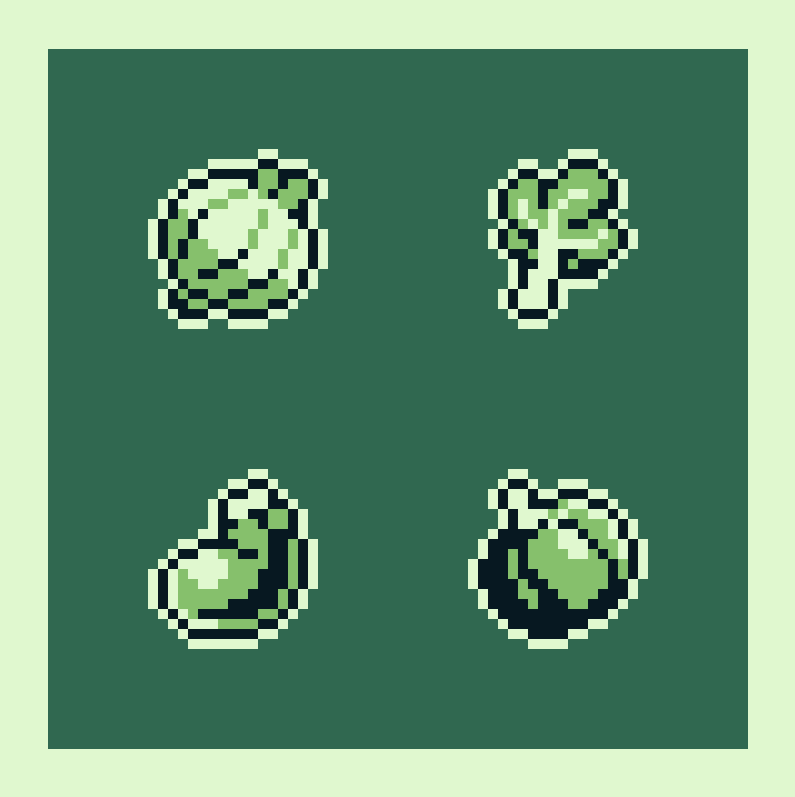
Onion - Rhubarb - Eggplant - Pumpkin #pixelart #gamedev @sal_t_gb @meadowgb
 Twitter
·
Twitter
·
 untold saffron
why does my texture looks so weird?
Second is how it looks in blender


 trim musk
https://puu.sh/Kbgab/248d47aeb3.png
Hello. Sorry for the very beginner question, but do any of you know why the assets get glitchy and have these weird artifacts when imported into Unity?

Like notice how the colors at the coastline changes
Never mind. I fixed it
 wet ermine
Hey everyone! Hope this is the right place. How can I set the pivot my object to the bottom center? My arcade consists of multiple objects, which I've put in an otherwise empty parent object.
 errant iris
wet ermine
Hey everyone! Hope this is the right place. How can I set the pivot my object to...
errant iris
wet ermine
Hey everyone! Hope this is the right place. How can I set the pivot my object to...
Change it here

 unique shale
So i want to export my object as an fbx file to work and model in blender a bit, but when i try to use the exporter it doesn't export the textures or materials resulting in a plain gray mesh in blender. or do i needd to reshade the entire file in blender all over again?

 thin marsh
haii i just need some help with an error im getting for mipmapped textures i enabled the texture streaming but i cant find the advanced tab on the import settings
 wet ermine
errant iris
Change it here
wet ermine
errant iris
Change it here
Thanks! So with that set to Pivot - how would I get my Transform component to displays the BOTTOM values? Or how do I set the pivot of my object to the bottom? Much appreciated. I want my position Y value to be 0, and then have the arcade machine be exactly on the 'floor'.
 errant iris
wet ermine
Thanks! So with that set to Pivot - how would I get my Transform component to di...
errant iris
wet ermine
Thanks! So with that set to Pivot - how would I get my Transform component to di...
I think you would have to change the positions of internal objects of the parent object, so that they are in the desired locations with respect to the pivot.
Afaik, there is no way to relocate the internal 0 point of an object. You have to move the objects instead (or, if you modeled the entire thing in some other application, export with correct base point).
Or for a lazy solution - just place it inside another parent, I guess
wet ermine
Thanks @errant iris ! I'll try that.
errant iris
wet ermine
Thanks <@159415992496291842> ! I'll try that.
good luck!
fathom canopy
Does anyone know what this art style is calleD?
 fathom arrow
fathom canopy
Does anyone know what this art style is calleD?
fathom arrow
fathom canopy
Does anyone know what this art style is calleD?
pop art? + graffiti???
idk
 slow pilot
Hello. This is a model of a garden building I created in blender. I am doing all my textures inside unity. I was wondering if there is a way I can texture the outside wall of this building different from the inside? Or would I need to create another 3D mesh for the outside, then apply a different material to that mesh. I am just trying to find the most efficient way.

 tiny jungle
I made a very simple little guy for my Unity project and saved it. But when I used to import this in Unity, there was error in console named "Blender could not be found". I use the newest Blender version and my saved little guy's file is named "little_guy.blend". I tried to open file by clicking on it but when I selected Blender to open this, there was an error: "a critical error has occurred". When I was opening this project by "Open" in Blender, everything was good except the fact of Blender freezes for few seconds. It's problem too and I don't know why. It must be something different than bad processor or graphics card because I have Intel Core i7 and RTX 3070. I don't know what is happening
fluid oak
tiny jungle
I made a very simple little guy for my Unity project and saved it. But when I us...
.blend import is not really functional for the latest version. They recommend using fbx.
lapis elk
slow pilot
Hello. This is a model of a garden building I created in blender. I am doing a...
Create a new Material in blender and apply it onto the faces you want to look different from the rest.
You can apply materials to every triangle/face.
slow pilot
lapis elk
Create a new Material in blender and apply it onto the faces you want to look di...
I tried this by selecting vertex, then applying material. In blender works good. But unity does not seem to do that when i import into unity as fbx
lapis elk
slow pilot
I tried this by selecting vertex, then applying material. In blender works good....
try to make your outer wall in the yellow material as you have it in the other room.
If you export to unity, you can see in the import settings, that the building should have two materials and not just one.
 barren venture
can someone guide me in figuring out what should be the size of the tree in 16x16 tileset ??
 misty lantern
barren venture
can someone guide me in figuring out what should be the size of the tree in 16x1...
misty lantern
barren venture
can someone guide me in figuring out what should be the size of the tree in 16x1...
Any size you want
Old games sometimes had many tiles per sprite, and Unity lets you have tiles bigger than the grid cell with no issue
We cannot really see the intended relative scale of anything from the image (or know your goals) so I don't see how we could form an opinion on how big a tree should be
barren venture
misty lantern
Any size you want
Old games sometimes had many tiles per sprite, and Unity lets ...
😭 anyways thanks for ur response
misty lantern
barren venture
😭 anyways thanks for ur response
In any case it helps to look up how other games with style or perspective similar to yours are doing it, and decide if you want more or less of how they did it
barren venture
misty lantern
In any case it helps to look up how other games with style or perspective simila...
yeah i got it i will analyse other games similar to mine
 crisp lintel
barren venture
can someone guide me in figuring out what should be the size of the tree in 16x1...
crisp lintel
barren venture
can someone guide me in figuring out what should be the size of the tree in 16x1...
should be atleast twice the size of the character
i jsut started with a 2d top down game myself and i made the tress and stuff just by inserting a character in the frame and matching every thing else's size according to it
something like this

make it bigger or smaller as u wish just use a chacter for reference
 barren venture
crisp lintel
should be atleast twice the size of the character
i jsut started with a 2d top ...
barren venture
crisp lintel
should be atleast twice the size of the character
i jsut started with a 2d top ...
yup thanks for the response 🙂
1st time makin a pixel game 😭 i do think my progress is great so far

 unborn hull
I'd love to know ya'lls workflow for krita->unity. I like to paint everything on a large canvas with layers so I can 'assemble' the scene in krita. When it's time to export, the best flow I've found is to:
- make the layer the only visible layer (easy)
- Draw a selection box around the sprite
- Copy merged
- New document from clipboard
- Export as PNG
- Close the temporary file
That seems...ridiculous. Is there a simple way to have either krita or unity crop the png so not every sprite is exported as a huge 2000x2000 image with a tiny sprite in the middle?
I've also tried saving as PSD, but the PSD importer doesn't respect overlay layer transparency, so anything with a transparent layer on top doesn't work
 south verge
won't it matter if you use too many different colors in my game? especially for shading and stuff? and even if it's voer 40 stages of different types? it won't crash or anything?
lime pollen
south verge
won't it matter if you use too many different colors in my game? especially for ...
How many colors do you think games in general use
misty lantern
unborn hull
I'd love to know ya'lls workflow for krita->unity. I like to paint everything o...
Unless Krita has an option to crop when exporting as png, or supports macros/scripts to do that automatically, then probably not
If you're using unity's sprite atlasing, then the sprites will be cropped and collaged together regardless of the imported image sizes
However, the most efficient way to manage sprite pivot points is to author the sprites with a specific canvas size or sprite sheet layout to begin with
Otherwise you would have to rely on the unpredictable automatic pivot method, or place them manually which would be more work than setting image dimensions when authoring/exporting the sprite
misty lantern
south verge
won't it matter if you use too many different colors in my game? especially for ...
What do "stages of different types" mean?
south verge
misty lantern
What do "stages of different types" mean?
I mean like different world as water, snow, candy worlds
south verge
lime pollen
How many colors do you think games in general use
A lot?
misty lantern
south verge
I mean like different world as water, snow, candy worlds
It seems like a strange question
Computers do not have a limited supply of color they can draw
south verge
misty lantern
It seems like a strange question
Computers do not have a limited supply of color...
Oh... Because i was wondering there since all the worlds might going to have different colors like the robotic world that is like tron, a dark world,
And if its not going to lag
misty lantern
south verge
And if its not going to lag
Many things and situations can cause lag but colors are not one of them
 simple river
Hello I just joined, I wonder if someone could tell me if it is possible to get 3d models from one game (powerwash simulator). I tried but couldnt find any sharedasset file, Idk that much so is there a different way or is it impossible ?
I just want the player model and powerwasher but oh it is hard to get them
misty lantern
simple river
Hello I just joined, I wonder if someone could tell me if it is possible to get ...
Decompiling to get to a game's assets is against the server rules
simple river
oh alright my bad sorry then
 nova fractal
Hi,
My friend give me hsi graphic for a monster but with too much void. Is there a tool in Unity to crop the picture and delete all the void or I need to do this in Photoshop ?
lime pollen
nova fractal
Hi,
My friend give me hsi graphic for a monster but with too much void. Is ther...
You need to do it in photoshop
 clear viper
random question but my model is partially inside out and I'm not sure what went wrong... looks fine in blender.
 misty lantern
clear viper
random question but my model is partially inside out and I'm not sure what went ...
misty lantern
clear viper
random question but my model is partially inside out and I'm not sure what went ...
find "inverted normals" in pinned messages
clear viper
misty lantern
find "inverted normals" in pinned messages
but his body seems okay?
outer halo
Because the normals are not inverted for the body?
clear viper
Hmm is there something during the modeling process I should be aware of to prevent this from happening? I don't think I did anything different in the head from the body.
outer halo
Just check the face orientation in Blender and flip them
 outer halo
No, red is facing inward. There's a guide in the pinned messages.
clear viper
Sorry, I didn't word that well. I meant to ask if I'm looking at the problem. Its all fixed now though, thank you.
fluid oak
clear viper
Hmm is there something during the modeling process I should be aware of to preve...
A very common reason would be negative scale.
dense oar
Any idea what might cause this weird spherical reverse shadow here? At first I thought it was related to the material shader but it has something to do with the shadow casting layer bands


weirdly it doesnt happen everywhere, only in certain places
only near these long walls

Hmm it seems to get worse with the length of the wall segment

moral of the story appears to be: dont have single very long meshes
misty lantern
dense oar
Any idea what might cause this weird spherical reverse shadow here? At first I t...
Directional light near plane setting affects it, and too long polygons cause it
#archived-lighting would be the right channel
 obtuse flax
When I import my character as fbx into Unity it’s rig always spawns with -90 on the x-axis to stand upright. When I change it to 0 the whole mesh is laying down. Are there settings in Unity for this or do I have to do something different on the Blender export?
fluid flax
Need a "hand" moving some furniture? #pixelart #indiedev #ドット絵
 Twitter
·
Twitter
·
 spare cove
do you think 44k vertices is to much for this caracter ?
outer halo
@fluid flax This is not a showcase channel and we only allow Unity projects in #1180170818983051344.
split timber
Can anyone help me understand hat type of Convolution I want and when I should use it?

also not sure if I'm asking in the right place
misty lantern
split timber
Can anyone help me understand hat type of Convolution I want and when I should u...
https://docs.unity3d.com/ScriptReference/TextureImporterCubemapConvolution.html
As you can read here you don't need to touch the setting in case of ordinary skyboxes
The setting only affects how mip maps are generated for the texture
That can be useful if you're doing something like PBR roughness in your shader
And also if you're thinking of blending to a higher mip level of the skybox in an atmospheric fog shader for example, glossy convolution might make more sense
split timber
ooh ok. When would Diffuse make sense? idk what an irradiance cubemap is. Is it costly to have it set to diffuse? I like how the reflections look all blurred and muted with it set to diffuse. (I read what it does, I just don't know why it'd do it. It doesn't seem costly?)
misty lantern
split timber
ooh ok. When would Diffuse make sense? idk what an irradiance cubemap is. Is it ...
It's not costly, but if you're just using the texture as your sky, you don't need any convolution type
split timber
misty lantern
It's not costly, but if you're just using the texture as your sky, you don't nee...
I’m not sure why, but in the sky it appears crystal clear but on reflection probes it appears very blurred out (which I like for my particular scene)
misty lantern
split timber
I’m not sure why, but in the sky it appears crystal clear but on reflection prob...
The convolution type does not affect either of those
PBR shaders and reflection probes do their own convolution
You only need to specify a custom one if you need it in your custom shaders
If you use it just as a sky, you can disable mip map generation entirely
What convolution does is interesting, but it does not seem relevant in your case at all
hot anvil
obtuse flax
When I import my character as fbx into Unity it’s rig always spawns with -90 on ...
That's how it works. I guess you have 'apply transforms' selected when expporting?
 gentle basalt
Project face photos on 3d Head....
I am wondering how to achieve this in Unity. I have a generic 3d head model with blendshapes and a UVW Unwrap.
I have 3 photos. 1 from the left side front, front and right side front. I guess these 3 photos are blended together first before they are projected on the 3d model? Or are the 3 photos projected from 3 angles and blended via a shader script?
I hope someone give me some more information about this workflow.
 meager sonnet
how would i go about making a collider for this?

is there a way to make a collider in the specific shape of the item?
i was trying to test if the scaling was a bit weird but then
falling through the map would be a bit of a problem
is it just mesh collider?
i hope it doesnt break
im just trying to test the size ;-;
lapis elk
meager sonnet
how would i go about making a collider for this?
mesh colliders are possible but the least performant collider.
If its just about not falling through the ground use a single box collider
split timber
misty lantern
The convolution type does not affect either of those
It 1000% does effect the reflection probe ive switched between them many times.
misty lantern
split timber
It 1000% does effect the reflection probe ive switched between them many times.
In what circumstances?
misty lantern
The probes don't reflect the skybox, they capture a cubemap of it so nearby objects can reflect it
Showing a specific example might be helpful
split timber
hmm well it must blend with the environment probe then (thats what its called?)
misty lantern
Since the reflection probe creates an entirely new cubemap, it should not be affected by your sky's convolution type or mip maps at all
I have not found a scenario where the sky's mip maps are used in the first place, discounting mip map bias of graphics quality potentially
split timber
when i have convolution set, the skybox becomes blurred in reflections when i generate lighting
misty lantern
split timber
when i have convolution set, the skybox becomes blurred in reflections when i ge...
With what material? Blurred in what way?
split timber
like very blurred aa in the texture itself is blurred. I can get you a picture later today
Perhaps its a glitch and causing it to use the lowest level mip map
misty lantern
Perhaps
split timber
But diffise does say it blurs the image in the description
Well the mip maps i guess
misty lantern
My experience seem to indicate that
-sky texture mip maps are not used, even for mip map bias of graphics settings
-generated environmental lighting and reflection probes re-capture the skybox, so they have their own convolution type
-convolution type normally only affects PBR shaders, which either calculate their own convolution or use whatever the reflection probes are internally generated with
Thus the only use for generating mip maps with a custom convolution type would be for sampling specific lod levels of the sky in a custom shader
Environmental probes are spherical harmonics, not textures, so they have their own quirks
fluid oak
gentle basalt
Project face photos on 3d Head....
I am wondering how to achieve this in Unity. ...
Unless you are looking to code a tool for this, you'll generally handle it in an external program.
gentle basalt
fluid oak
Unless you are looking to code a tool for this, you'll generally handle it in an...
yes i am planning to code it in Unity so that the end user can upload their own photos
fluid oak
gentle basalt
yes i am planning to code it in Unity so that the end user can upload their own ...
I'd suggest creating the texture rather than blending them all in real time, except maybe during the character creation.
gentle basalt
so first blending the textures and then project them via one Camera (front)?
and then a render to texture i guess?
fluid oak
That's the usual method that stuff like UMA does
split timber
misty lantern
My experience seem to indicate that
-sky texture mip maps are not used, even for...
here's the pictures btw. First with diffuse, second with no convolution.


 dusky mulch
Can I ask a question about meshsync here?
I tried to use Unity's add-on meshsync, which connects blender and Unity in real time, so I added an add-on to Unity as a url, and I also brought an edon to the blender, but it's set normally in Unity, but in Blender, it's only imported to the ed-on page and it's not selected when I press the checkmark. I've downgraded the blender version and installed Edon again several times, but it's the same. What should I do?


 wild idol
so i have this unwanted side effect where when i have a specular map, even if the map is completely black it will still kinda make it shine from extreme angles, how 2 fix?

 wild idol
gritty raft
What pipeline are you using?
wild idol
gritty raft
What pipeline are you using?
i assume its URP because it has these options, but it doesnt fix it :(
the specmaps look like this if it helps

 long plinth
I'm new to modeling so bear with me. lol I'm importing a higher-poly sphere from Blender into my project. I need the textures I apply in my shader for the planet to map correctly around the sphere (which is actually a cube). I guess, how can I properly map the UV's here? The square example texture (4096 x 4096) should wrap around the sphere and align perfectly at the poles. All my textures are perfect squares.


I'm not sure if this is something I need to handle in Blender or my shader graph or both.
fluid oak
long plinth
I'm not sure if this is something I need to handle in Blender or my shader graph...
There are lots of ways to handle it. You could just make a texture that matches the UVs, or you could set the uvs to have all the cube faces overlap and then choose whuch texture to apply by material shader.
long plinth
fluid oak
There are lots of ways to handle it. You could just make a texture that matches ...
I didn't make these textures. So I guess I need to go with route number 2. :/ But do I do that in Blender or in my shader in Unity?
fluid oak
long plinth
I didn't make these textures. So I guess I need to go with route number 2. :/ Bu...
Either. If you wanted to do it in unity, one option would be to make a cubemap and sample using the normal. That wouldn't require unusual uv mapping at all. You could also just sample all the textures in one shader and blend based on normal
clear viper
My question is maybe more code-related, but I have an fbx file as a child of a GameObject, is it now considered a GameObject in terms of accessing it through a script? Can't find any documentation on it.
lusty beacon
so if I actually want to let the player paint on my terrain in real time, said terrain needs to be uv unwrapped?
in other words, digger meshes won't work?
 foggy vessel
what am i doing wrong here?
 sullen plank
@feral ibex #1180170818983051344
 feral ibex
oh right
lapis elk
foggy vessel
what am i doing wrong here?
Nothing
foggy vessel
lapis elk
Nothing
then why does it look like one of those minecraft textures
it should look like my actual sprite with its shape
lapis elk
foggy vessel
then why does it look like one of those minecraft textures
And how does your sprite look? You should explain the problem when posting. 😂
foggy vessel
something like this

 slender owl
Connect the A output to the Alpha port
fluid oak
clear viper
My question is maybe more code-related, but I have an fbx file as a child of a G...
It is a gameobject if it is in the scene.
clear viper
thanks! I ended up figuring it out
fluid oak
lusty beacon
so if I actually want to let the player paint on my terrain in real time, said t...
Depends on your shader.
 cursive elbow
my uv coordinates seem to only work in the texture X and Y is not affected at all, any idea what might be causing that?
the coordinates are assigned procedurally in code, everything worked fine before when the only Y coordinates where 0 and 1, now any float acts like it's scaled to 1
 earnest blade

does unity web have a limit on how big the screen can be? No matter how big I make the itch.io dimensions, the game is still cut off
fluid oak
cursive elbow
my uv coordinates seem to only work in the texture X and Y is not affected at al...
Can you give any more info?
cursive elbow
fluid oak
Can you give any more info?
I fixed it, I thought the texture top left corner is 0,0 while it's 0,1
I guess there was also another issue but I think it fixed itself at some point
unique crow
What place would you recommend to find people who can do (simple) 3D models ?
 haughty iron
Hello There! I just started using unity, I'm having a bit of an issue, im trying to export my VRM avatar to vseeface, but when it exports, the clothing is not moving with the character like it should be. I've tried looking for answers on google but nothing seems to be working. What may I be doing wrong?


 misty lantern
haughty iron
Hello There! I just started using unity, I'm having a bit of an issue, im trying...
misty lantern
haughty iron
Hello There! I just started using unity, I'm having a bit of an issue, im trying...
Neither VRM or vseeface are really in scope for this server, since they're external tools that are not used in game development
There may be better suited servers or forums elsewhere
haughty iron
misty lantern
Neither VRM or vseeface are really in scope for this server, since they're exter...
I see, thank you, I thought i had done something wrong on unity to make that happen ^^
misty lantern
Don't crosspost please
People who know about art workflows browse all these channels anyway so it doesn't help any
 warped solar
how can i use an image as a background for a game
misty lantern
warped solar
how can i use an image as a background for a game
You could simply parent it to the camera some distance away from it, or use a screen space - camera Canvas with an Image
misty lantern
warped solar
im a beginner
Parenting objects and creating images on canvases are some of the most basic things to learn when getting into unity
!learn
lilac edgeBOT
:teacher: Unity Learn ↗
Over 750 hours of free live and on-demand learning content for all levels of experience!
 pulsar crypt
made a low-poly car with Blockbench, free to download and use , enjoy! https://skfb.ly/p67Fy

Low poly car that look like something that would be produced in Slavic countries, that I made in Blockbench for upcoming update of free game Traffic Hater available for PC/MAC/iOS/Android.
Link(s) for the game here: https://affordable.itch.io/traffic-hater
Model is available for free download, and for free use under ‘Free Standard’ licence, att...
 south orbit
Do you guys reccomnd using svg instead of PNG? I've heard GPU's arent made to render SVGs.
If I can't use it to texture 3d objects, should I use it for UI?
lime charm
south orbit
Do you guys reccomnd using svg instead of PNG? I've heard GPU's arent made to re...
Not sure where you heard that, but it is VERY incorrect. GPUs are quite good at working with SVGs
I see you were just told that by steve too
#💻┃code-beginner message
south orbit
lime charm
Not sure where you heard that, but it is VERY incorrect. GPUs are quite good at ...
is it a good idea to use that for textures on maps or items?
lime charm
No comment. I have not used svg with unity.
Just wanted to point out the misconception in your first message
hoary kindle
south orbit
Do you guys reccomnd using svg instead of PNG? I've heard GPU's arent made to re...
No experience with unitys svg but using vector graphics for UIs is a common practise in general. For instance, most text in realtime applications is rendered from some sort of vector format which just goes to show how fast vector graphics can be rendered on GPU. Don't know how much of the SVG rendering is built in the GPUs/drivers itself but the vector graphics rendering algorithms can be highly parallelised and therefore suit GPUs well
misty lantern
While GPUs can be good at it, the support in game engines like Unity is more spotty
The Vector Graphics package lets you import SVGs into textures, and to render vector data directly from code, but there's no simple "vector graphics renderer" component as far as I can tell
barren venture
so this is a casino room where slot machines are there can i have some guidance on what should i add designs ?? ohh btw the green zig-zag strip keeps changing color like rgb also give some desings/patterns on the slot machine as they look very empty

 coral lichen
halfway though the extract textures process i'm getting this

 foggy vessel
Should I get one of those pen mouse pads or graphic tablets for pixel art and Unity
misty lantern
foggy vessel
Should I get one of those pen mouse pads or graphic tablets for pixel art and Un...
Only if you like using one
foggy vessel
misty lantern
Only if you like using one
Which one is the better option I save money and get the pad or wait a bit and get the graphic
Also I never used both
I don’t think anyone in my city is willing to let me try
misty lantern
foggy vessel
Which one is the better option I save money and get the pad or wait a bit and ge...
If by "pen mouse pad" you mean a drawing tablet without a monitor, it fills the same purpose as one with a monitor, just less fancy
There's nothing in Unity that benefits from a tablet, and pixel art is one form of art that can be done just fine with a mouse
If you enjoy drawing on pen and paper that indicates you may like a tablet, but it won't be necessary
Buy the cheapest one if you're curious, I dunno
foggy vessel
misty lantern
If by "pen mouse pad" you mean a drawing tablet without a monitor, it fills the ...
Alright thanks I might look at those pens without displays
lime charm
@foggy vessel If you're looking for cheaper, my wife got an old ipad and a stick-on sheet coating that gives you some resistance while drawing (more feeling like paper) and just sends the images from that to her computer.
This is for making stickers, prints, and stuff like that. Not games
She also had a monitorless drawing tablet (huion giano (wh1409)) that she used for a while before that. Her opinion was that it was ok, but hard to reconcile drawing on a surface and watching a monitor above it. It took a lot to get used to, while the ipad is intuitive (you draw directly on the image)
The coating is a "paperfeel screen protector"
foggy vessel
lime charm
<@818167447285923891> If you're looking for cheaper, my wife got an old ipad and...
thats a good idea if i found an old ipad i have i could try drawing on it but my only problem is connecting it to my computer if theres a software where by the internet it saves to my laptop or a cloud or something like that
the other problem is that i dont have a pen to draw with for ipad
i could get a cheap stylus and mirror my laptop to my ipad
foggy vessel
when i edit the material for one gameObject it does for the rest.. for some reason
 misty lantern
foggy vessel
when i edit the material for one gameObject it does for the rest.. for some reas...
misty lantern
foggy vessel
when i edit the material for one gameObject it does for the rest.. for some reas...
I can't quite see what's happening exactly, but note that a sprite renderer (also including a tilemap renderer) can only have one material, and many could be using the same material
So if you change the material asset, the change will appear on all renderers using that material
foggy vessel
misty lantern
I can't quite see what's happening exactly, but note that a sprite renderer (als...
Like I have an outline material how can I make it so that they all use the same material but I can change the materials color and gradient and stuff
misty lantern
foggy vessel
Like I have an outline material how can I make it so that they all use the same ...
You can't have two objects with the same material, with different material properties
A material is an asset for storing a set of material properties
Different properties means different materials
foggy vessel
Oh so I just make a duplicate right
 past token
how is it possible that my folder for my game is more than 8 Gb large? that can't be normal right?
foggy vessel
i made a mat preset
foggy vessel
past token
how is it possible that my folder for my game is more than 8 Gb large? that can'...
my random mid game is 2 gb
past token
foggy vessel
my random mid game is 2 gb
my simple quiz game is 8 gb 🙁
foggy vessel
oh
past token
past token
how is it possible that my folder for my game is more than 8 Gb large? that can'...
my pc is now full, but only since today. and I have the project longer than today so it is really strange
this morning I let it build a couple of times (only to see that it doesn't work), but why would that download 8 gb???
lime charm
past token
this morning I let it build a couple of times (only to see that it doesn't work)...
Are you building to the project folder itself? Also, do you mean yesterday? Tomorrow has not happened yet...
Also, none of this belongs in #🔀┃art-asset-workflow
You should be asking in #💻┃unity-talk
past token
lime charm
Are you building to the project folder itself? Also, do you mean yesterday? Tomo...
yes
past token
lime charm
Are you building to the project folder itself? Also, do you mean yesterday? Tomo...
and not for you...
past token
lime charm
Also, none of this belongs in <#497873833043296277>
You should be asking in <#...
oh
lime charm
past token
yes
1, don't ever do that. Build to another folder
2, each build takes up space.
lime charm
past token
and not for you...
What?
past token
lime charm
What?
timezones
lime charm
past token
timezones
Timezones don't make "tomorrow" in your sentence make any sense
past token
lime charm
Timezones don't make "tomorrow" in your sentence make any sense
oh, wait
lime charm
Tomorrow is always a future word
past token
lime charm
Tomorrow is always a future word
I meant this morning
lime charm
past token
I meant this morning
Ok. So not tomorrow.
Either way. Building to your project folder is why the project folder is bigger 🤷♂️
lime charm
-
Don't ever build to your project folder
-
delete your builds, or move them
past token
lime charm
1) Don't ever build to your project folder
2) delete your builds, or move them
I will try that, thank you
past token
lime charm
1) Don't ever build to your project folder
2) delete your builds, or move them
the folder is now 5 MB less
I also deleted the logs folder
hopefully it wasn't too important
Oh, I found the large folder:
Library\Bee
lime charm
past token
Oh, I found the large folder:
Library\Bee
Do not just delete random folders....
Logs and library are fine though
past token
lime charm
Do not just delete random folders....
I didn't delete that one
lime charm
They may be bloated because of the builds
lime charm
past token
I didn't delete that one
I didn't say you did
past token
lime charm
Logs and library are fine though
do you mean fine to delete?
past token
lime charm
Yes
thank you very much, it worked without problems
 winter bough
meow
is anyone able to help with an fbx export from blender


the image texture is not mapping corerctly in unity for some reason
misty lantern
winter bough
It looks pretty spotty here as well?
winter bough
Ooo
That’s intentional
I am not sure how to get it into unity exactly how it is in blender right now :3
misty lantern
Two common issues are that the texture in blender might be using some other texture coordinate for mapping than just the raw UV channel 0
So if you've scaled or transformed it with the Mapping node, are using some other Texture Coordinate than UV, or are UV unwrapping to some other UV channel than the first one
winter bough
Oo, is there a video that can explain this? I’m new to UV mapping and unity
I’m trying to find a tutorial that will give exact steps for exporting the thx correctly into unity
misty lantern
winter bough
Oo, is there a video that can explain this? I’m new to UV mapping and unity
Not sure
They are not exporting steps exactly
If you show the nodes of the materials you're using, and the UV maps the mesh has, I can tell if there's an issue
winter bough
What is a texture coordinate and what is a UV channel?
I just used image texture as the base colour for the material
Im also new to blender
I did this exact uv mapping thing a few years ago and it exported fine but im not sure if things changed
I also imported my exported blender FBX back into blender and the mapping looks correct
misty lantern
Can you show the nodes and the UVs
winter bough
So I think it might be an issue on the unity side
Yes
By nodes is it the points where the uv is unwrapped?
tidal forge
hello anyone knows what to do ? some textures have this like reflection from them idk how to turn it off

i got it good
 warped wing
hi, i'm currently wondering how i could implement multi-sliced 2d sprites using unity's tiled/sliced spriterenderer mode

basically, if i have a platform sprite like this split into 3 pieces, how would i be able to make it so that only the middle portion scales with resizing, while the left and right portions stay the same size without stretching
misty lantern
warped wing
hi, i'm currently wondering how i could implement multi-sliced 2d sprites using ...
Iirc the sliced mode only supports 9-slicing or 3x3 sprites in other words
warped wing
i can work with that
as far as im concerned all i need is an outline that doesnt scale weirdly
how exactly would i get a sprite ready for nine slicing

 spark vigil
Hey do i need to make the leaves a spearate mesh for making the wind effect?
misty lantern
spark vigil
Hey do i need to make the leaves a spearate mesh for making the wind effect?
Which "the" wind effect do you mean?
 heady epoch
Hey, what to do here to "smooth out the seam"

 green needle
why does this FBX file have a different orientation when i drag it into the scene?

also, when i instantiate it through code, it has the vertical orientation. in blender it has the horizontal orientation
oh when i drag it into the scene, it's setting the game object's rotation value to something nonzero
what's weird is this didn't happen for my other FBX files, and i don't think i changed any export settings related to rotation...
oh... i exported with the "apply transform" option and it worked... but that option has a scary warning
oh it depends on whether there's a single object or multiple objects
i can't use "apply transform" for one of my other objects because it has an armature, and the "apply transform" option is broken for armatures. it looks ok in unity but the child objects have an applied transformation of -89.98 degrees. i don't like the fact that it's off by 0.02 degrees, so i think that leaves me with the option of designing it in blender with a different orientation in the first place
although that still might not work for files with multiple objects...
 cloud prairie
Hi. I used the opacity map as the albedo

But it doesn't works

Here is the full details, but For unknown reasons it doesn't works
My editor version is 2022.3.16f1
misty lantern
heady epoch
Hey, what to do here to "smooth out the seam"
Delete any overlapping internal geometry
Then merge verts at the two mesh edges that appear to join them topologically
fluid oak
heady epoch
Hey, what to do here to "smooth out the seam"
Either change the mesh normals to be smooth/continuous, or use a shader that blurs the normals
cloud prairie
cloud prairie
I could finally figure it out by myself
I will tell you what happened just in case
It had to be from grayscale the input alpha, and the source as metallic alpha
 gritty raft
Is it known which is more efficient between: 2 FBXs that each hold 20 Armor Meshes, that i then turn into Prefabs for each, or 40 separate FBXs with 1 model each, that each gets turned into a prefab? To me, it seems that the monolithic FBXs have to use more memory, since to get to part of it, it perhaps has to load all of it. so, my intuition says multiple FBXs with one Armor Model each would be more efficient. I know that i can profile all of this, but the prep work to compare is pretty involved, if the answer is already a known fact
fluid oak
gritty raft
Is it known which is more efficient between: 2 FBXs that each hold 20 Armor Mes...
In a build, the original fbx isn't included, just the extracted meshes, etc. So likely not a huge difference.
But still best to profile, because you never know what might affect it.
gritty raft
fluid oak
In a build, the original fbx isn't included, just the extracted meshes, etc. So ...
And you answered my next question too! 🙂 I did not know that about the FBXs not being include din the build. it would have changed my understand of a step i had difficulty with. :/ Ok, will do. Thank you
gritty raft
I am trying to figure out why toggling a mesh with 6.6k Tris adds and removes 20k tris from scene
3.4k Verts, but adds and removes ~12k verts from scene
misty lantern
gritty raft
3.4k Verts, but adds and removes ~12k verts from scene
Most likely lighting and shadow passes
gritty raft
misty lantern
Most likely lighting and shadow passes
Oh, shoot. Thanks Ok., I'd imagine those kind of go away if i switch to Raytracing?
misty lantern
gritty raft
Oh, shoot. Thanks Ok., I'd imagine those kind of go away if i switch to Ray...
I would expect so
 green narwhal
i imported a sprite but it doesnt match the hitbox, any way to edit the sprite so its a bit to the left and operations like that? should be relatively easy
green needle
i asked a question in #🏃┃animation but i think it's better suited for this channel
green needle
green needle
i asked a question in <#502171313201479681> but i think it's better suited for t...
basically i want to have a game object that can move up and down when you click on it. what's the best way to do that?
green needle
i had animated the up and down motions but maybe it's better if i just update transform.position
fluid oak
green needle
basically i want to have a game object that can move up and down when you click ...
There's no one right way. Animations are a very easy solution, especially if you already made the animations, but a simple movement script works fine usually.
green needle
i could see doing it either way
i was questioning myself because i was having a problem with the animation
fluid oak
Any of the popular tweening packages can make that sorta thing particularly easy if you want a code based solution
green needle
i'm skeptical
i mean, i'm sure you're right but
i don't think that will help with my problem
fluid oak
Well, what IS the problem?
green needle
oh, i'm trying to move something up and down, and when the animation plays, the object jumps to 0, 0, 0
when the animation ends it jumps back to where it was
a video suggested making it a child of another object, and that seems to work but it has led to more complications
fluid oak
Let's take this to #🏃┃animation
green needle
ok
 dawn egret
hi, when importing a tree for terrain, should it be just one joined mesh?
I have a tree prefab with leaves as a child and the leaves aren't showing up when I paint trees on the terrain
 subtle crane
Anyone here with any suggestions on how to consistent with the choice of color to pixel art?
I've tried to stick to a HSL rule myself. Saturation around 60 if possible and changing the Light from 20, 40, 60 and 80 for different shades. Does anyone have other suggestions regarding this topic?
fluid oak
dawn egret
hi, when importing a tree for terrain, should it be just one joined mesh?
I hav...
Yes
green needle
i didn't have that problem when placing prefabs with children into the scene
question - i have an object that can have different numbers on it, so i was thinking i could have the object in an FBX with no material, and then have different materials in unity that i can apply to it
is that logical?
 noble crescent
yeah, I extracted textures out of my model in unity but they are still also present in the model too unlike materials, what do I do ? doing this in blender is okay but there's no way I am going to import that asset again unity and design all my levels from start, so is there any other way ?
cuz it's a mobile game I don't want waste 30 - 35 MB of storage
noble crescent
green needle
question - i have an object that can have different numbers on it, so i was thin...
yeah that's better
why increasing your game's size with multiple meshes when you can have one :)
cedar goblet
hello i want put my 3D model become invisible with script someone can help me (my model dont have mesh renderer component so i cant set meshRenderer.enabled = false)
outer halo
How do you have a 3D model without a renderer?
lime charm
cedar goblet
hello i want put my 3D model become invisible with script someone can help me (m...
What renderer DOES it have, if not a mesh renderer?
cedar goblet
outer halo
How do you have a 3D model without a renderer?


i dont see renderer component
outer halo
Is there a reason you cropped out the hierarchy? It's probably a child object.
lime charm
Best to never crop your screenshots
cedar goblet
 outer halo
Well there you go, it's one of the children.
cedar goblet
Ohhhh
lime charm
myChildModel.renderer.enabled = false
cedar goblet
thank you
 rugged nexus
Hi, i started made game. I used blender for modeling and textures. Models are ok but i have problems with textures. Sometimes they worked but it's random. I heard that blender used different languages and it isn't possible to transfer textures from blender to unity identically. Do you think is better use antoher software only for texture or it's possible to do with just blender and unity?
cedar goblet
hello i want make grass on blender so if i use hair particule system does it will work on unity ?
eager mist
Hey I'm not to experienced on unity and need help loading in some map I downloaded.
I imported it but only the textures pup up in assets and in source it just bring me back to the file.
I'm not sure how to put the model in her so I can put it in but can somone help?
 royal gorge
unity is mixing my pixels and i don't want it to, i have none compression and point filtering

 fluid oak
royal gorge
unity is mixing my pixels and i don't want it to, i have none compression and po...
fluid oak
royal gorge
unity is mixing my pixels and i don't want it to, i have none compression and po...
Show your settings?
royal gorge
i'm in bed rn, but for tomorrow, which settings?
fluid oak
Your import settings for your current build target
 balmy wave
Hello, can anyone help me with this issue? I don't want the bone to affect a specific area of the sprite, but if I set the weight paint to 0, it causes an error in Unity and the sprite looks distorted during animation. Additionally, the weight paint brush is behaving oddly; when I try to paint with a minimal value, it applies a lot more weight than intended. 😡
error: Sprite "bow" contains bone weights which sum zero or are not normalized. To avoid visual artifacts please consider fixing them
 sullen plank
Perhaps if you don't want this part of the sprite to deform it should be a separate one?
balmy wave
could do that. but cant i just set value to a minimal with this joined here? i just want the error to go away without distorting the sprite.
nvm i solved it
lusty beacon
What is wrong with my notmals? I am losing my mind

Only happens when viewing at an angle without sun
royal gorge
fluid oak
Your import settings for your current build target
this?
 misty lantern
lusty beacon
What is wrong with my notmals? I am losing my mind
misty lantern
lusty beacon
What is wrong with my notmals? I am losing my mind
If you can send the textures I could try to take a look at it
fluid oak
balmy wave
Hello, can anyone help me with this issue? I don't want the bone to affect a spe...
The error you are getting explains it; bone weights are expected to be normalized, and having zero weights causes visual errors.
Generally, you solve this by having a root bone.
fluid oak
balmy wave
Hello, can anyone help me with this issue? I don't want the bone to affect a spe...

Or more simply, https://i.imgur.com/tUPpl4T.mp4


Sidenote; unless you're doing some really odd stuff you likely don't need nearly as many bones for a smooth curve; you can get very smooth curves by weight painting rather than having a ton of bones in a chain. You mostly need chains for stuff that might need to get kinks in it, like physics hair or the like.
 buoyant pulsar
Hello,
I'm writing because I was following the tutorial "Ruby's Adventure: 2D Beginner," but for some reason, I believe I didn't download the necessary assets at the beginning. Now I need them for the Tilemaps section, but I can't download them from the Unity store. Is there any way to obtain the necessary assets to continue the tutorial?
Thank you very much in advance.
lusty beacon
misty lantern
If you can send the textures I could try to take a look at it
all of the textures I exported from substance painter have this issue
I made sure they are in opengl format, not directx
I don't know what else
I uploaded 2 mats for reference
misty lantern
lusty beacon
https://easyupload.io/7zk0ji
I can't find evidence that anything's actually wrong with these textures, or even with the effect we're seeing
lusty beacon
maybe my project is cursed
probably having something to do with no ambient light + it's underwater
or something like that
misty lantern
Normal maps bend the surface normal a certain way as we know, generally between 90° and -90°
This means that glancing angles on an object with a normal map, the fragment normal can actually face away from the light that's hitting it, as well as our view since it lines up with the light

It happens in all circumstances with any normal map, as far as I can tell
lusty beacon
that looks weird tho to me
maybe hm
but some spots are particularly bad
I think I have a clip
misty lantern
It is weird, because in reality the shadowed areas should be occluded from our view, just like they are occluded from the light
The stronger the normal strength is, and the more angled surfaces your texture has, the worse it is
Same texture, but 100% scale instead of tiled multiple times
 lusty beacon
so is this due to shitty geometry then?
these are digger walls...I am already moving away from digger and sculpting them as meshes in blender
misty lantern
additionally this means that the opposite can happen just as well
If the object was not casting shadows, the normals behind it could be seen actually turning towards the light
 lusty beacon
but maybe digger just outputs shitty geometry from the start
ok so if you look at that clip...normal maps shouldn't be like that
they are facing the wrong direction or not done right
misty lantern
Nothing's incorrect about this crazy looking example I have
Except fundamentally that the normals are implying a very different surface than the geometry is
lusty beacon
misty lantern
Except fundamentally that the normals are implying a very different surface than...
yeah that's what I mean, it should be occluded
the light
from the other side of the cube
regardless of whether the normals are pointing toward the light or not
now this does happen more on digger meshes, it looks better on some meshes I made (like rocks)
but those have UVs even though I'm using the same normals
misty lantern
I think the real solution is to decrease normal strength
This issue repeats on all meshes, with mesh UVs as well as triplanar and planar mapping so I'm not quick to blame the geometry
Tiled again, but with much smaller normal strength
 lusty beacon
I tried it already with a weaker normal map and it looked better but it still wasn't right
maybe I should decrease it further
misty lantern
If you've got very big and prominent chiseled rock details, you need something more than just normal map for them
Since we expect those details to occlude other details, just like they can occlude light on a normal map
So they should be a part of geometry, or a displacement map, or a parallax occlusion map