

1 messages · Page 6 of 1
 slate mason
Hello! I need help with my plant i made in blender. For some reason the leaves supposed to be in the back is rendered in front of the leaves that are supposed to be in the front. I tried to check some checkboxes but then other problems occur as shown. (The normals point the right way, everything is the same object).
 cyan onyx
slate mason
Hello! I need help with my plant i made in blender. For some reason the leaves s...
cyan onyx
slate mason
Hello! I need help with my plant i made in blender. For some reason the leaves s...
Looks like the shader is cutting it out wrong. Try adjusting the cutout slider or try another setting like fade if you are using the standard shader.
 pure cliff
I'm trying to figure out why my own assets I made are blurry when I start the game but other assets aren't.. The settings are the same and I've added a pixel perfect camera. The weird thing is that they look fine as long as the game isn't running.. Any ideas what I could try?

 stark gorge
Where do i put the roughness map? I just exported blender to unity asset but dk what to do with roughness map and the asset looks somewhat different from blender, it looks better in blender
 obtuse oyster
stark gorge
Where do i put the roughness map? I just exported blender to unity asset but dk ...
obtuse oyster
stark gorge
Where do i put the roughness map? I just exported blender to unity asset but dk ...
 eager mist
Does watching some modelling tutorial and slowly following it help you create good looking models in general? I know important hotkeys and just the basic stuff
However one issue left, my models just don’t look very good lol. So is following good modelling tutorials/just people modelling helpful?
 misty lantern
eager mist
Does watching some modelling tutorial and slowly following it help you create go...
misty lantern
eager mist
Does watching some modelling tutorial and slowly following it help you create go...
They can teach the controls and modeling technique, but "good" looking models also require artistic experience which comes from practicing and trying to bring objects from other forms of art or reality into 3D
slate mason
cyan onyx
Looks like the shader is cutting it out wrong. Try adjusting the cutout slider o...
i do not find a cutoff slider or a setting like fade, im using hdrp/lit
misty lantern
eager mist
Yeah, so they can definitely help me practice
There's so many different ways to model and ways to create and optimize assets that tutorials and guides are definitely vital to progress
misty lantern
slate mason
i do not find a cutoff slider or a setting like fade, im using hdrp/lit
You could show the material properties of the plant
slate mason


this fixes the rendering in front problem but now the faces in front make it possible to see through the faces in the back


if its not check it looks like this
 obtuse oyster
Your material should probably just be Opaque and cutout (Alpha Clipping) instead
there seems to be no reason to use transparency here
@slate mason
slate mason
but then the edges are visible
 obtuse oyster
adjust your clipping threshold
and also, your texture should probably be exported so the alpha retains its RGB values, though that's a more complicated asset workflow topic
slate mason
now it works fine. Thank you!
 frozen shale
hey, how do i export from unity by keeping all the textures correct, when i export FBX with the FBX exporter only base color and normals are there, and when i export obj with probuilder it exports all the textures, but they arent recognised during import (e.g. Blender), need to import them in a different software and need all the materials working, hope someone can help me with that
misty lantern
frozen shale
hey, how do i export from unity by keeping all the textures correct, when i expo...
You probably should export/import the textures separately
I think materials keep references to textures, if found in "Textures" folder on import, and in the same directory on export (I assume)
Materials lose most of the properties on both import and export which can't be helped
frozen shale
misty lantern
You probably should export/import the textures separately
I think materials keep...
ok, the problem is that the game we made is basically finished, and i wanted to export the whole scene, dump it into blender, and make some nice renders with it, there are hundrets of assets we made, and importing textures for every one of those is gonna be a real pain, i hoped there would be a way to do this automaitcally
misty lantern
frozen shale
ok, the problem is that the game we made is basically finished, and i wanted to ...
It might work if you move all the textures to the folder where you export the mesh, or within /textures/ in that folder
The texture references are not usually lost and they're sought from a default location like that
That said I think it's possible to pack textures in fbx files, but it seems to always be a finicky process both ways so I never learned to do it myself
 fleet pivot
pure cliff
I'm trying to figure out why my own assets I made are blurry when I start the ga...
fleet pivot
pure cliff
I'm trying to figure out why my own assets I made are blurry when I start the ga...
Pixels per unit, point filter, no compression, try pixel perfect camera
eager mist
Hi guys, is there anyone to volonteer for making a picture for my game, im really bad at it so anyone that is new to it and want to practice is cool with me, thanks
dm me if ur up
 lone ore
when i import a 3d fbx to unity the textures dont come over even though they are there in blender
can anyone help
really need help asap
fleet pivot
lone ore
when i import a 3d fbx to unity the textures dont come over even though they are...
You can use the .blend file directly in unity.
Might help, but I don't know
lone ore
okay thanks
ill try
the textures aren't in the .blend file they are in a seperate folder
but ill try
lone ore
fleet pivot
You can use the .blend file directly in unity.
it doesnt work
for some reason the materials are a different name to the textures
fleet pivot
lone ore
it doesnt work
Try saving the texture separately and dragging it into unity
lone ore
fleet pivot
Try saving the texture separately and dragging it into unity
its multiple textures
fleet pivot
I guess just wait for someone besides me to help you then
lone ore
fleet pivot
I guess just wait for someone besides me to help you then
k thxs anyway
eager mist
Ok
 outer halo
lone ore
HELP WOULD BE APPRECIATED
outer halo
lone ore
HELP WOULD BE APPRECIATED
Please don't spam. Ask your question and wait. In the meantime, do some research. There are tutorials online for the blender to Unity workflow.
 tame scaffold
Hi everyone. I'm extremely interested in figuring out what exactly this art style is called and how to replicate it. The style in question is heavily used by indie game company Sokpop. It features handpainted graphics and seemingly procedural animation and an applied pixel art / compression shader.
https://sokpop.itch.io/beastrun
https://sokpop.itch.io/springblades
Any initial ideas as to how this style may have been achieved?
I'm not very good at 'dissecting' these kind of workflows yet
 oak pulsar
I'm working on dome clothes for my player but I cant help but notice something missing with the torso and the feet? I cant really tell what is wrong with it, if it needs a texture or some more props on it? I'm happy with the model as it looks fine in engine but it doesn't feel the same as in the concept art. Any feedback would be super helpful, thanks.


 lime pollen
oak pulsar
I'm working on dome clothes for my player but I cant help but notice something m...
lime pollen
oak pulsar
I'm working on dome clothes for my player but I cant help but notice something m...
you can't always make concept art 1 to 1 with 3d models, especially with a design so simple
oak pulsar
lime pollen
you can't always make concept art 1 to 1 with 3d models, especially with a desig...
😦
It may just be me but something still feels missing
lime pollen
oak pulsar
It may just be me but something still feels missing
a similar comparison would be sketches vs lineart https://www.quora.com/Why-do-sketches-look-better-than-line-art-so-often
oak pulsar
lime pollen
a similar comparison would be sketches vs lineart https://www.quora.com/Why-do-s...
I see, I think maybe texturing the torso may be the way to go, thank you
 fluid oak
slate mason
fluid oak
slate mason

 crimson gust
Can someone help me, I am trying to import a fbx blender 3 model into unity but in my scene it is showing it as hollowed out and not a solid object for some reason
 lime pollen
crimson gust
Can someone help me, I am trying to import a fbx blender 3 model into unity but ...
lime pollen
crimson gust
Can someone help me, I am trying to import a fbx blender 3 model into unity but ...
likely inverted normals, check the pins
crimson gust
what does that mean.
misty lantern
crimson gust
what does that mean.
What do normals mean or what do pins mean?
crimson gust
My blender model looks alright
 misty lantern
crimson gust
My blender model looks alright
misty lantern
crimson gust
My blender model looks alright
Blender renders both sides of a face
Game engines do not
crimson gust
So there is something I need to change in unity then?
misty lantern
You can visualize face orientation by enabling "face orientation" in overlays

If they're red, they need to be flipped
 old trellis
I need some help with the import/export process for fbx files. The hierarchy of the fbx file is different in Unity than how it looks like in blender when opening the same fbx file in blender.
The empties are empty in blender unlike in Unity where the empties contain the actual meshes
And then when I export the fbx file back to unity this is what happens, there is no more hierarchy structure, it is very different.


 jagged wing
Hi all
I am using a unity 2020 version, how can I enable the statistics? (trig count etc.)
Thank you!
fleet pivot
Try smooth brush?
 daring magnet
Okay i know im a genius
 waxen creek
try the blob
eager mist
Is rigging a tree so people can edit it in the engine a good idea
 jolly raptor
I have this 2D isometric asset pack but I cant figure out how to get an isometric grid to align with the sprites (Using palettes).
How would I fix this

 vague goblet
Btw if anyone is looking for a free artist for their game I gotchu ( I do 2d art, anime style, an pixel style sometimes futuristic
lime pollen
!collab
 lilac edgeBOT

We do not accept job or collab posts on discord.
Please use the forums:
• Commercial Job Seeking https://on.unity.com/jobseeking
• Commercial Job Offering https://on.unity.com/joboffering
• Non Commercial Collaboration https://on.unity.com/noncommercialcollab
fluid oak
jolly raptor
I have this 2D isometric asset pack but I cant figure out how to get an isometri...
You need to use the same proportions for your grid as the tiles use
The correct settings should be available from whoever made the tile
 fiery gazelle
@jolly raptor it looks like your Iso cube is being looked at by an orthographic camera but your background is not.
 dusk remnant
Hello, does anyone have a link on sky box work flow guide or tutorial? My initial searches are pointing me to towards swapping the default for HDRIs. I’m just curious how people go about mixing static textures with animated textures and objects to make it feel more dynamic.
misty lantern
dusk remnant
Hello, does anyone have a link on sky box work flow guide or tutorial? My initi...
What do you mean by animated textures in this context?
There's many different types of skyboxes and even more ways to make them
The default skybox for example is not a HDRi, it's a procedural texture fully driven by shader math
dusk remnant
misty lantern
What do you mean by animated textures in this context?
Well, for example having a static starry sky with a static mountain range in the distance and having a small animated cloud texture over it might be less demanding on resources than animating the whole skybox.
eager mist
I have 70 images that I want to round the corners and make them transparent, any suggestion of tool I can use to batch trim them?
lime pollen
eager mist
I have 70 images that I want to round the corners and make them transparent, any...
Pick an image editing tool like photoshop and write a script to automate it
eager mist
lime pollen
Pick an image editing tool like photoshop and write a script to automate it
I have gimp, Im not sure about the automate part though
 violet walrus
yeah not sure about how to in gimp, in photoshop i would just create a action that does it, and have photoshop batch through all 70 things and apply the action to each one
or maybe use a command line tool like ImageMagick to apply a mask to round the corners
eager mist
Making letters is hard lol

what aprouch do you guys take when making letters?
I can do this, but connecting it is almost impossible
 obtuse oyster
https://docs.blender.org/manual/en/latest/modeling/texts/index.html surely you just use the text tools
violet walrus
eager mist
I can do this, but connecting it is almost impossible
if you cant use the text tools like suggested for connecting it i would just make 1 big ngon, then do some cuts vert to vert to make all the areas within the big ngon convex
eager mist
Alright thanks both of you
violet walrus
also before making the ngon if you have to go that way, grab the whole edge loop and extrude inwards to make a little buffer before the ngon starts
ngons can shade weird on angles this gives you a buffer, since otherwise they are totally fine on flat surfaces as long as its convex
 heady bolt
guys i need a soccer field texture
how can i make it and integrate unity
i couldnt find a good texture :(
outer halo
Use an art program to make one. Photoshop, for example.
 blissful relic
photoshop needs you to either pay a lot of money or pirate it
if you want something more simpler, paint net is nice
misty lantern
blissful relic
if you want something more simpler, paint net is nice
Paint.net is definitely "nice" but for serious asset creation it's only almost passable with a lot of plugins
I would recommend Gimp instead, especially since it can compete with Photoshop
blissful relic
right
violet walrus
Gimp can not compete with PS
think even for the free open source ones i would choose Krita long before gimp
misty lantern
violet walrus
Gimp can not compete with PS
It hardly can win, but it can compete, unlike PDN 😄
Krita's good too, and at least on par with Gimp
It may have changed over the years but last time I checked it was more geared to painting/drawing than general asset processing
eager mist
@violet walrus @obtuse oyster I will be using 3D Text because I found out what font that text is Using
It sadly doesnt see the Ukrainian keyboard, but ill get around that somehow lol

A lot of english letters numbers fit the ukrainian letters
Yeah that fits fine lmao
 violet walrus
would assume its supports unicode so might be able to enter the codepoints directly
though not tested if possible
eager mist
violet walrus
would assume its supports unicode so might be able to enter the codepoints direc...
Its whatever I got it to look nice

Thanks for the help
 fringe onyx
So i have a sketch I made, and I want to turn it into a workable asset (character). What is the best way to do this?
I am not an artist
outer halo
The best way, then, would be to pay someone to do it for you.
fringe onyx
yeah that is probably the best bet,
is there an easy way to do stand in art? I made this "thing" but I will need way better assets than this. (did it in inkscape in like 30 minutes)
 fleet pivot
fringe onyx
I am not an artist
fleet pivot
fringe onyx
I am not an artist
In my opinion, that is literally impossible
fringe onyx
that is true, i guess what i am trying to do is get some stand in art for the time being and then get real art later when it is more fleshed out. No reason to spend untold hours on something that may not be a good game idea
fleet pivot
I was watching a GDC video on solo dev, and one guy said to do "art from the start" , but that's basically the opposite of what everything else I've seen says
fringe onyx
yeah that's not what i normally see either
Should be easy enough to replace the art once the idea is further along in development
outer halo
If you want prototype art that isn't ugly, consider buying a simple asset pack that is close to the style you want and reuse/recolour those assets to make variations.
outer halo
No, you are apparently
fringe onyx
i am, it is. I was just joking
 old ruin
fringe onyx
is there an easy way to do stand in art? I made this "thing" but I will need way...
old ruin
fringe onyx
is there an easy way to do stand in art? I made this "thing" but I will need way...
I have been laughing at this for straight 10 minutes :D idk why it is so funny to me
fringe onyx
the asset store isn't too expensive either
 tawdry valley
Space ship for my game, this is players first and perhaps only ship, first level you'll get up close and personal with it.. and the rest of the game you'll be inside the ship, its main purpose is a fast travel, pause hub type deal.. any helpful tips about the geometry, what its lacking, what it needs, etc.. any comments welcome
 tawdry valley
fringe onyx
is there an easy way to do stand in art? I made this "thing" but I will need way...
tawdry valley
fringe onyx
is there an easy way to do stand in art? I made this "thing" but I will need way...
LOL that color clashes against the Discord dark mode... when i scroll ur image causes black ghosting on my screen 😄
fringe onyx
tawdry valley
LOL that color clashes against the Discord dark mode... when i scroll ur image c...
me too,
tawdry valley
good, i thought my monitors settings were fudged up for a second
fringe onyx
what if both our monitors are fudged up??
tawdry valley
i hope not, cuz i have 2 and both of em do it 😄
cool slug tho
only critique i have is i think it needs whites in its eyes
fringe onyx
oh yeah that would make that better
fleet pivot
tawdry valley
i hope not, cuz i have 2 and both of em do it 😄
My phone does not do it
tawdry valley
fringe onyx
do you wear glasses <@317141358894645248> ?
nope, i do have 240 hz monitors tho
could be just b/c of the colors being so similar
@fringe onyx

heheh
ok back to my spaceship
 hearty pond
hey so i imported a model into unity from blender and it deleted parts of it
 junior coral
tawdry valley
Space ship for my game, this is players first and perhaps only ship, first level...
junior coral
tawdry valley
Space ship for my game, this is players first and perhaps only ship, first level...
The front looks too flat tbh. Add some THICCNESS to it
or maybe it's just the angle
tawdry valley
junior coral
The front looks too flat tbh. Add some THICCNESS to it
ya i was thinkin the front and back profiles look too similar
i havent done the windows in the front yet, but ill take another look at it after i get em in, thx for the input 👍
junior coral
also nice floating chairs lol
tawdry valley
yea buddy
😄

heres a better view from the front
large mouth bass flying thru space lol
fluid oak
fringe onyx
is there an easy way to do stand in art? I made this "thing" but I will need way...
Needs eyebrows.
tawdry valley
for stand in art, thats good as it gets, better than running around as a white square 🙂, LoL
hearty pond
hey how do i take my materials from blender and make them into unity stuff
fluid oak
 woeful scroll
Is this art style easier/cheaper to do than lower poly 3d?
woeful scroll
Is this art style easier/cheaper to do than lower poly 3d?
I don't know; is it? It really depends on what you're good at.
fluid oak
hearty pond
hey how do i take my materials from blender and make them into unity stuff
In most cases you need to recreate them.
woeful scroll
fluid oak
I don't know; is it? It really depends on what you're good at.
I'm not good at anything. I'm likely going to outsource the asset art work, and only do a couple of things myself
I feel like making sprite that look 3d is harder than just making a low poly 3d model
 livid hill
hearty pond
hey so i imported a model into unity from blender and it deleted parts of it
livid hill
hearty pond
hey so i imported a model into unity from blender and it deleted parts of it
You sure that the model is triangluated? It could also be that you have improper normals on parts of the mesh causing them to be culled out
misty lantern
woeful scroll
Is this art style easier/cheaper to do than lower poly 3d?
It really depends of closely you want to imitate the style
These were made as high-poly (at the time) models and then renders of them turned into sprites
If you want to imitate an old style in an authentic way that's extra effort
woeful scroll
Yeah. I'm just trying to make an RTS and settle on a isometric art style that is satisfying for mech combat, but also cheap (relatively) to produce.
misty lantern
woeful scroll
Yeah. I'm just trying to make an RTS and settle on a isometric art style that is...
In that case you'll probably want very simple 3D models for the cheapest and easiest option
Unlike sprites they can be rotated in isometric space without requiring neww sprites for each angle
hearty pond
livid hill
You sure that the model is triangluated? It could also be that you have improper...
No idea what that means but I don't think so?
I'm just trying to get this uploaded as a tvuber
Vt*
livid hill
Triangulation is basically making it so the model is "explicitly" made up of triangles. Unity triangulates by default and on occasion its possible that unity fails to do it and your model doesnt appear or gets messed up.
Normals are the direction of what the polygons are facing. They should always be facing outward for a model, otherwise parts of a model will appear invisible because the backside of some of the polygons are in view but are see through because its culled out.
On the other hand since you mention that its an avatar another theory comes to mind as to why parts of it could be disappearing
@hearty pond
hearty pond
im not at my pc as of right now and im uncertain as to what could be the problem but if you would like to help me after class it would be appreciated
livid hill
I'll go ahead and post it here as to what it could be, I'll put it in laymens terms but the other thing that could be going on is that entire parts of the model are disappearing depending on the position/rotation of the camera. (Naturally when objects are not in view of the camera they disappear, frustum culling) so the way to fix it would be on all of the "Skinned Mesh Renderer"'s that are on the avatar object (or one, or multiple not sure what the model is like) go in the component and set the following options
You'll find them likely as child objects parented to the main object if you look in the hierarchy window, and clicking some of them should show a "Skinned Mesh Renderer" component on the inspector window like I've shown down below

 stable tangle
i have a question. when i save my blender file and import it to unity, 1 material doesnt show
this is the imported model

this is blender

nevermind i fixed it
 robust viper
Anyone know why it isn't as chunky looking inside Unity? Unity on left, Blender on right. Want to get it looking like it does in Blender
 robust viper
Anyone know why it isn't as chunky looking inside Unity? Unity on left, Blender ...
robust viper
robust viper
Anyone know why it isn't as chunky looking inside Unity? Unity on left, Blender ...
Things I have tried:
Oh, it's my texture size.
livid hill
robust viper
Oh, it's my texture size.
unity also overrides with its own compression ontop of your image as well, sometimes those can alter your colors as well
robust viper
Thank you. That was partly it, but also I figured out that I was using non-powers-of-two sized textures for the ground (so I had to set that setting to "None") and also didn't have MaxSize set sufficiently high also
livid hill
yep those will do it as well
 earnest pecan
Workflow question in regards to modular objects; I read that it's better to build my objects with modular pieces inside Unity rather than my 3D modeling software. But I've noticed my drawcalls are through the roof. It's about 600 for a single house (this includes lights, shadows, post processing). Am I doing something wrong here? Should I combine these into a single mesh or something else?
lime pollen
earnest pecan
Workflow question in regards to modular objects; I read that it's better to buil...
yes, those should be combined into a single mesh so they can share a material
also who on earth told you building 3d models in unity is better
earnest pecan
lime pollen
also who on earth told you building 3d models in unity is better
I believe it was on the Unity forum when I looked up Modular building.
earnest pecan
lime pollen
yes, those should be combined into a single mesh so they can share a material
Is this preferable over batching?
earnest pecan
lime pollen
also who on earth told you building 3d models in unity is better
Sorry, it was reddit I was thinking, not Unity forum https://www.reddit.com/r/Unity3D/comments/h05onx/modular_building_set_assembly_inside_blender_or/ftkawqh?utm_medium=android_app&utm_source=share&context=3
1 vote and 1 comment so far on Reddit
lime pollen
earnest pecan
Is this preferable over batching?
thats assuming you're using prefabs and all the meshes share the same material, and it sounds like you aren't if you have 600 drawcalls
use the framedebugger to make sure things are batched properly
misty lantern
tame scaffold
Hi everyone. I'm extremely interested in figuring out what exactly this art styl...
https://en.wikipedia.org/wiki/Pixel-art_scaling_algorithms
They are using these, most likely
In the first example for pixel art, in the second for relatively low-res art that's also being animated by rotation, distortion and shearing before the upscaling algorithm
tame scaffold
misty lantern
<https://en.wikipedia.org/wiki/Pixel-art_scaling_algorithms>
They are using the...
Thanks Spazi! I'm glad you went back to answer this. It's been on my mind 🙂
 ripe forge
I am using Substance Painter and the Unity Export presets. I wonder what the major difference between the pipelines is? I have the Universal Render Pipeline and the HDR. I am quite new to 3D games and wonder how I can figure out what I should aim for
ripe forge
Another question regarding blender -> unity export.
I managed to have a nice export pipeline. Most of the materials/textures are applied. However it seems that the metallic textures aren't applied right away. I need to extract the materials from the .fbx and apply the _metallic textures afterwards. Any idea why that is?
 oblique crater
I want to import the blinking animation from Blender to unity, but nothing seems to be working
Anyone know how to do that?
fluid oak
oblique crater
I want to import the blinking animation from Blender to unity, but nothing seems...
Materials don't import from Blender, so you could maybe export the animation curve as something else and use that to drive a color change via script
Probably better to just recreate the effect in unity
 deep kernel
Are there any comprehensive list of video game art style? Like PS2,PS1 , rotoscoped, pixel, realistic?
ripe forge
oblique crater
I want to import the blinking animation from Blender to unity, but nothing seems...
uhhh starfox clone incoming
oblique crater
ripe forge
uhhh starfox clone incoming
...
I really need to change my ship's design
misty lantern
deep kernel
Are there any comprehensive list of video game art style? Like PS2,PS1 , rotosco...
Every game has its own style so not really
What we think of as "style" refers to a loosely defined categories of artistic guidelines and techniques combined with technical limitations of the tools or medium
 gray hill
Hi guys, i was following this tutorial (https://www.youtube.com/watch?v=Sru8XDwxC3I) and everything is fine except for the skybox being messed up, anyone knows how to fix this?


This short video tutorial covers how to get a pixelated look (also called "low resolution look" or "retro look") in Unity. This is a great effect for 2D and 3D games.
In this tutorial we learn:
You ca...
it would seem that the render texture simply doesnt render the skybox

here are my camera and render texture settings

 deep kernel
@misty lantern thanks. I am sucker for a game that has a unique art style. To be exact, not AAA type of style
misty lantern
deep kernel
<@166982635950702592> thanks. I am sucker for a game that has a unique art style...
Since every game has its own style, you can choose one to imitate and as long as you don't do the exact same thing the style you end up with would be unique also
But ideally with a specific feel or techniques
deep kernel
So firstly, I have to say that I'm extremely new to the industry and I am currently choosing a course to particular in
I like awesome tut
And also what is the difference between copy and inspired? Like doom inspired game?
misty lantern
deep kernel
And also what is the difference between copy and inspired? Like doom inspired ga...
You'll only really be copying a style if the result is something that could seamlessly fit within the game you're imitating, though that's not illegal or frowned upon as long as you're still making original designs for the assets
It would draw comparisons from onlookers which can be favorable or unfavorable
"Boomer shooters" often want to be compared to Doom and Quake
 dense oar
What are possible reasons my normal map looks so wonky? the further back one has no normal map, the closer one is baked from a high poly

the mesh is all one smoothing group with joined edges in the UV, which looks fine and works right on other meshes
baking unsmoothed produces even worse results

Ah, normals Y channel was inverted

 candid pine
Okay, maybe it's a stupid question, but I'm kind of struggling with this.
I'm making a 2D hand drawn game, with visible lineart. I want every sprite of my game to display the same line thickness, as if everything was drawn on the same canvas.
So let's say I'm making my main character sprite on 2160 x 2160 resolution on my drawing software.
Then I want to make a tree, also on resolution 2160 x 2160 on my drawing software.
I use the same brush size for both, so at this resolution, line thickness is the same.
BUT once I import these two sprites into the game, their line thickness will change, since both sprite are scaled differently, a tree is bigger than a human. It looks messy and I don't like that lol.
How do I fix that?
Do I precalculate what brush size I should use on my drawing software? And if so, how?
fluid oak
candid pine
Okay, maybe it's a stupid question, but I'm kind of struggling with this.
I'm m...
Either precalcuate or do the outlines dynamically somehow
The best way is probably using sdfs, though other options could involve vector paths or messing with mip maps.
candid pine
fluid oak
The best way is probably using sdfs, though other options could involve vector p...
what's sdfs and how can it help me making lines consistant?
fluid oak
candid pine
what's sdfs and how can it help me making lines consistant?
SDFs are 'Signed Distance Fields;' often used for rendering sharp text, but usable for lots of stuff.
You can generate SDF outlines and then use those to dynamically control the line width
fluid oak
Harry has a good place to start https://halisavakis.com/my-take-on-shaders-ui-sdf-icon-shader/
 runic kindle
wheres the best place to get animations
like guns player etc
outer halo
The internet
Failing that , after "you looked and couldn't find anything", then from whoever you pay to make them for you.
outer halo
There it is. Yes, go look around the internet.
runic kindle
how do u get ur animations
junior coral
runic kindle
how do u get ur animations
Through the internet or from someone i paid
runic kindle
junior coral
Through the internet or from someone i paid
what websites have gun animations like reload and stuff
outer halo
You can't just "get a gun animation", that's not how animations work. You have to make it for that specific model, and rig.
Which usually means getting models that come with premade animations. And before you ask, the internet has them. You can also check the Unity asset store.
And before you also ask, yes, most things will be paid for assets. People deserve to be paid for the hard work they put in to make these things.
No, it doesn't matter if you can't afford it.
runic kindle
outer halo
Which usually means getting models that come with premade animations. And before...
oh okay
runic kindle
outer halo
Which usually means getting models that come with premade animations. And before...
wait I found this one: https://assetstore.unity.com/packages/3d/props/guns/free-fps-weapon-mcx-177248#reviews
So how can I animate it myself?
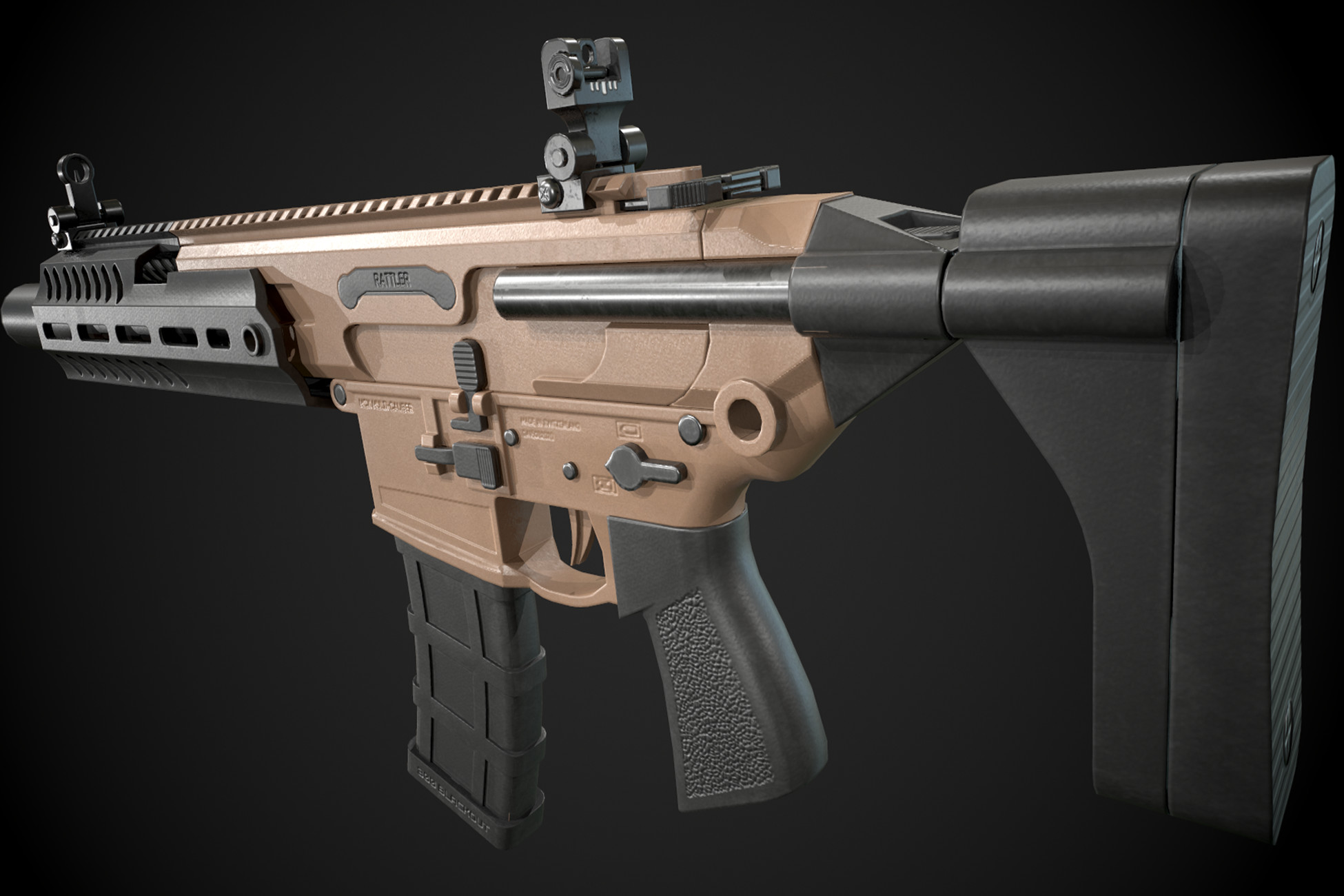
Elevate your workflow with the Free FPS Weapon - MCX asset from Delthor Games. Find this & other Guns options on the Unity Asset Store.
How could I put this into blender?
Or animate directly through unity
Whichever is better
outer halo
Either will work
outer halo
Of course it's a file. You import the FBX.
runic kindle
outer halo
Of course it's a file. You import the FBX.
How
Its not on my pc
its just on unity
as an asset
outer halo
You download the asset are normal, via the package manager.
runic kindle
outer halo
You download the asset are normal, via the package manager.
Ok I downloaded it, what now?
Its not on my pc just unity
outer halo
I'm not going to hold your hand through this.
If you downloaded the asset through the package manager, it's on your PC. It's in your project files.
runic kindle
outer halo
If you downloaded the asset through the package manager, it's on your PC. It's i...
Oh wit
I found it
Thanks
Now i can animate through blender
candid pine
fluid oak
Harry has a good place to start https://halisavakis.com/my-take-on-shaders-ui-sd...
thanks, that helps
runic kindle
https://youtu.be/IV6XP-EDzw8 I'm following this tutorial but I'm really confused on how he got to that screen at 5:33.

Thanks for watching and happy new year, thanks for all of the support recently. Thanks to everyone who helped with this tutorial :)
AnimKave Repository: https://docs.google.com/document/d/1qdpF8W4aI1CPiv6usZVBpkXShqER4syVpLfv6R1HCck/edit?usp=sharing
Gamebanana ...
Could someone tell me how to get there ?
eager mist
hello, im having an issue, where to put roughness map ?
thanks if u helped, sorry for my english
 misty lantern
eager mist
hello, im having an issue, where to put roughness map ?
thanks if u helped, sor...
misty lantern
eager mist
hello, im having an issue, where to put roughness map ?
thanks if u helped, sor...
The Standard shader uses smoothness, which is inverted roughness
Depending on the "source" it reads it from the alpha channel of specular/metallic map, or albedo map
eager mist
i dont understand bro, im very dumb at english, can u explain more simple ?
*simplier ?
huh, when use specular material, i lose metallic map
violet walrus
so invert the values of roughtness to get smoothness
do this to the texture
then where it says source you can pick
so Metallic Alpha means its reading the smoothness map from the alpha channel of your metallic map
you might want to search for "texture channel packing"
more or less a texture can repersent 1 color image, or 3 to 4 greyscale images by storing different data in each of its color channels and alpha channel
fleet pivot
Internet.
heady bolt
fleet pivot
Internet.
but i couldnt find a good one
junior coral
heady bolt
but i couldnt find a good one
Then pay someone to make it for you
And before you say you can't afford it, then learn how to make textures and make it
heady bolt
junior coral
Then pay someone to make it for you
nice idea
heady bolt
junior coral
And before you say you can't afford it, then learn how to make textures and make...
i cant, so i need someone to make it. thx
runic kindle
I just download a gun animation from sketchfab, how do i import that into unity with the textures/colors
Whenever I improt its just white
slate mason
Hello! Sorry for posting it here put there is more traffic and someone might know how to help me, #⛰️┃terrain-3d message - Link to my original message
runic kindle
How do i add blender animations with the material into unity? I have the texture files but i dont know how to import the animations into unity with the materials. This is the asset https://sketchfab.com/3d-models/smg-fps-animations-ca37ea9148dc4fcc9cc632175d311b23

Hello! Masterpiece Arms 30 SST SMG By eNse7en (@eNse7en) Thanks! :)
fp-arms By DJMaesen (@bumstrum)
misty lantern
runic kindle
How do i add blender animations with the material into unity? I have the texture...
Don't crosspost
Make new materials with the textures in Unity
Material formats are different across engines
runic kindle
misty lantern
Don't crosspost
Make new materials with the textures in Unity
Material formats a...
yea I figured that out
thanks anyway
misty lantern
runic kindle
yea I figured that out
If the problem is solved don't leave questions pending, on multiple channels no less
runic kindle
misty lantern
If the problem is solved don't leave questions pending, on multiple channels no ...
ok ill keep that in mind next time
 kind hollow

Anyone know why my model looks like this when I set my URP material to "transparent"

It looks like this normally

Here are my settings
fluid oak
kind hollow
Anyone know why my model looks like this when I set my URP material to "transpar...
Because alpha blended materials are drawn front to back, and don't have depth occlusion.
You have it drawing backfaces, so they are drawn after the frontfaces(and therefore on top of them)
kind hollow
Ah, yeah, I understand. Is it possible at all to draw them back to front or no?
fluid oak
Yeah, make it opaque
pure cliff
When using a pixel perfect camera component in a 2D topdown game, the camera becomes really zoomed out when I align the PPU between my sprites and the pixel perfect camera component (which is required for this component to work as far as I'm aware), the only way I can control the zoom is if I create a mismatched PPU, like 64 for the camera and 16 for my sprites.. Can someone please make sense of how you are supposed to work with this component to determine the zoom of your game? 😫
 wary rover
Can't you just adjust the size of your sprites so that they match the PPU of the pixel perfect camera
pure cliff
wary rover
Can't you just adjust the size of your sprites so that they match the PPU of the...
No cuz when I do that it becomes super zoomed out
 leaden scaffold
This car didn't paint well when I applied the pallette onto it. Every color is out of place and I can't change it. When I was watching a blender tutorial this guy Imphenzia told me to use UV Editing and export FBX file and turn on Generate Lightmap UV. Did everything right and this isn't working aswell.
Do you guys have any suggestions?

How it's supposed to be:
 fluid oak
leaden scaffold
This car didn't paint well when I applied the pallette onto it. Every color is o...
fluid oak
leaden scaffold
This car didn't paint well when I applied the pallette onto it. Every color is o...
Lightmaps are supposed to be on a different uv channel than your textures.
leaden scaffold
fluid oak
Lightmaps are supposed to be on a different uv channel than your textures.
umm, what do you mean by that?
fluid oak
If you generate lightmap uvs on the same channel as your textures it will overwrite your texture uvs.
leaden scaffold
Could you help me to change that channel? I don't really know how to do these things.
ok
I clicked randomly extract texture and it worked. Lol
wary rover
I'm super confused so I have this player with his swordAttack and they should b linked but when I start the game the hitbox goes wild and doesn't follow my player

damn thats clear...
 spice tiger
how do i make the basketball size equal as the white ball size?

 outer halo
You scale it? What's the issue with that?
spice tiger
outer halo
You scale it? What's the issue with that?
The problem is this: when i change sprite to my gameobject it changes size. I changed the sprite in to a basketball sprite using the same png of the white ball sprite.
I don't know why it changes size
outer halo
Check the dimensions of the two pngs. If they're the same, check the PPU value of both in their import settings.
spice tiger
outer halo
Check the dimensions of the two pngs. If they're the same, check the PPU value o...
The ppu is not the same and neither is the sprite mode.
But dimensions are the same.
if i change PPU value of the basketball sprite, it will not appear in game
Nevermind, i fixed it
outer halo
The PPU has to be the same, as do the dimensions, as does the scale of object.
 kind steeple
anyone familiar with blender? how would i add this kind of curvature mesh to my cylinder?
im trying to do something like the reference


 modest warren
I have a bit of a conundrum here.
So I loaded this asset in my currently working test project, and it looks like this.

If you're curious, it's the scientist from the unity asset store.
This asset loads just fine in another project.
I tried to delete the package and redownload, then load it up.
Same problem.

Anyone know what's happening?
fluid oak
modest warren
Anyone know what's happening?
The asset uses shaders that aren't compatible with the rendering pipeline you chose.
modest warren
AH interestinnnnggg
I'm new to the engine, but I'm definitely not new to game dev.
why thank you, that fixed my problem
fluid oak
kind steeple
anyone familiar with blender? how would i add this kind of curvature mesh to my ...
Can't just use a texture?
modest warren
 modest warren
not sure what you mean
kind steeple
fluid oak
Can't just use a texture?
no cant use a texture
misty lantern
kind steeple
anyone familiar with blender? how would i add this kind of curvature mesh to my ...
Knife tool then extrude or separate and solidify
 coral kiln
hey there guys! i wanted to ask something, what's the best image size for a default icon for my build?
is just going with a high res image the best? something like 1080x1080?
fluid oak
coral kiln
hey there guys! i wanted to ask something, what's the best image size for a defa...
Depends on your build target, look up recommended size for what you are building to.
 half stirrup
I tried to find an answer on the Unity Forums, but was not successful:
Every time I try to import an asset via the package manager I get this error: IsReadOnly is not implemented by this handler UnityEditor.PackageManager.UI.Window:ShowPackageManagerWindow (UnityEditor.MenuCommand)
This is happening to me in all Unity 2022.2 versions
Does anybody know of a fix?
 covert zodiac
How do i get the texture to go all over the model not just the inside cylinder?

Ok this takes longer then i thought
outer halo
If you want to wrap the model with a texture, you need to look into projecting the texture in world space. Triplanar is something you can look up (Unity has a handy triplanar node for shader graph as well)
covert zodiac
I dont understand
outer halo
Hence the "you need to look up _____"
 wraith spindle
anyone knows any very simple 2d material pack
misty lantern
wraith spindle
anyone knows any very simple 2d material pack
Don't crosspost please
Asking for assets isn't really the topic of any channel here
wraith spindle
ok mb
 inner oak
hey
so I have a turret in blender
it consists of multiple moving parts
how can I export/import it in a way where all the parts remain separate in unity?
nvm
it did it
🙂
 bleak ferry
i used vertex painter in blender and exported the final version as an obj. how do i import the vertex painted version to unity?
it gave me an obj and an mtl
lime pollen
bleak ferry
i used vertex painter in blender and exported the final version as an obj. how d...
You can just import the obj but you'll need a shader that handles vertex colors
bleak ferry
could i bake the vertex colors into a texture
lime pollen
bleak ferry
could i bake the vertex colors into a texture
Yes
bleak ferry
lime pollen
Yes
fuck, i gotta make a UV map
that's something i can't take the hours to do for a meme model one-off
how do i do the uhh
what shader can i use that handles vertex colors
alright i found one called uhh
unityvc
nevermind
not working
and it was posted 8 years ago
lime pollen
You'll need to use one that matches your render pipeline
bleak ferry
i am a dead beginner, fren
i met someone who made a really funny model and i wanted to import it to vrchat with colors
so i vertex painted it for 3 hours in blender
is it really this hard to apply basic color to a 3d model
lime pollen
As a beginner, yes
lime pollen
I can't really do much other than offer suggestions
bleak ferry
alright well first off i better start from the beginning
what's a render pipeline and how do i identify it
lime pollen
When you made the project did you select URP or HDRP or neither
bleak ferry
literally no clue what that means
let me make a new uhh
project
well i made a new project and all it says is "3D"
then it just opens a new project
lime pollen
Ok you're just in built in then.Your two choices are to either bake to a texture or find a vertex color shader that works
lime pollen
Never done vertex color shaders, so gotta rely on Google for that one
Honestly baking them to textures is probably the most straightforward option for you if you don't understand shaders
bleak ferry
lime pollen
Honestly baking them to textures is probably the most straightforward option for...
can't
uv map
required
it's like 78,000 triangles
lime pollen
Plenty of auto uv mapping tools out there
bleak ferry
wwhhwhwhwhwhh what
lime pollen
Or just look up a tutorial
bleak ferry
auto uv mapping tool?
lime pollen
Yes?
bleak ferry
such as
bleak ferry
apparently not
lime pollen
I see a million results so definitely yes
 eternal cypress
any good tools for making human characters?
So far I found UMA 2 and it looks cool, is there anything else?
lime pollen
Regardless, uv unwrapping is a useful skill to have so maybe just looking up a regular ass tutorial would be easier at this point
bleak ferry
lime pollen
Regardless, uv unwrapping is a useful skill to have so maybe just looking up a r...
 bleak ferry
some old trashware
it's a supposed auto uv mapper
and i can't do seams and stuff, dude. i tried uv mapping and the squares were stretched
lime pollen
Yeah call it trashware when you have fucking 700k polys
bleak ferry
lime pollen
Yeah call it trashware when you have fucking 700k polys
it's uhh
not that much
i think its just using the wrong terminology
because it only has 78k triangles
lime pollen
It might mean verts I guess
Anyway you gotta learn this stuff if you care about it looking good. at least try baking and see the results
bleak ferry
I Literally Can't without a uv map
lime pollen
Then use blenders auto uv unwrap
lime pollen
Well, it's a start lol
bleak ferry
okay
i got it in
i fixed the lines
i fixed the textures
how do i add the vrc avatar descriptor now
i can't find anyhing aobut it online
this is becoming a pattern
lilac edgeBOT
Join the growing VRChat community as you explore, play, and create the future of social VR! https://discord.com/invite/vrchat
bleak ferry
lilac edge
Join the growing VRChat community as you explore, play, and create the future of...
i'm banned for some reason
oh right i called the mod a janny
and got banned for using 4chan words lol
i forgot im on pisscord
whatever doesn't matter i can do this
fug'em
misty lantern
Note that this place has pretty stringent posting standards to keep things professional and on-topic
Anyway it's going to be a constant uphill battle if it's a raw sculpt you're trying to bring into a game engine
bleak ferry
alright
well
against all the odds, apparently
i've pushed my way up the impossible hill
but now
'the avatar has mipmapped textures without the streaming mip maps enabled'
but when i enable streaming mipmaps
the vrchat sdk builder tab just vanishes
poof
lime pollen
Just telling you now you ain't gonna get help here with vrchat specific stuff
bleak ferry
lime pollen
Just telling you now you ain't gonna get help here with vrchat specific stuff
i go banned from the vrchat discord and the other one is completely dead
looking at you vrcmods
oy vey zmir
outer halo
You getting banned for being a problem user in the official VRchat discord doesn't make this one suddenly available for support. We are not a VRChat support server.
If you insist on doing so, make a thread so you don't flood this channel.
 sullen plank
!ban save 1053153807607009340 Boasting about insulting a moderator. General spam.
lilac edgeBOT
 window licker#9951 was banned
 icy lodge
im using F360 to make my models. does blender have a mode that lets me draft like CAD?

 valid cedar
Im hoping someone can confirm that URP performs better in WebGL than the built-in render pipeline for a 2d game that uses characters animated with skeletons
fluid oak
valid cedar
Im hoping someone can confirm that URP performs better in WebGL than the built-i...
The opposite in many cases.
valid cedar
fluid oak
The opposite in many cases.
Interesting, thanks for the feedback
wraith spindle
im in unity 2d and trying to implement a material but it loses its colour, how do if fix this
first image: how it looks like
second image: how its supposed to look like

 misty lantern
wraith spindle
im in unity 2d and trying to implement a material but it loses its colour, how d...
misty lantern
wraith spindle
im in unity 2d and trying to implement a material but it loses its colour, how d...
Do you have material properties and texture import settings to show?
wraith spindle
misty lantern
Do you have material properties and texture import settings to show?
how do i access texture import settings
misty lantern
wraith spindle
It has no albedo texture so I don't see how it could look like the example picture
Also, it's a 3D material so it should be applied to 3D meshes
wraith spindle
misty lantern
It has no albedo texture so I don't see how it could look like the example pictu...
oh
so i do i apply 2d
this the 2d one right
 misty lantern
wraith spindle
how do i access texture import settings
misty lantern
wraith spindle
how do i access texture import settings
Click the texture asset and it opens the import settings in the inspector window
The important thing there is that normal map is set as type "normal map" and that all the non-color textures have sRGB checkbox disabled
inner oak
how do I properly export to FBX on blender? what are the correct axis for top/bottom etc
my imports keep getting rotated
...
 hot karma

Any idea why this weird white outline is appearing on the red portion of this?
Changing the texture to UI fixed it
eager mist
Any idea why unity be exporting it like this?
 fluid oak
hot karma
Any idea why this weird white outline is appearing on the red portion of this?
fluid oak
hot karma
Any idea why this weird white outline is appearing on the red portion of this?
Probably due to premultiplied alpha.
misty lantern
eager mist
Any idea why unity be exporting it like this?
texture compression in import settings
fluid oak
This isn't a server for discussing ripped game assets.
outer halo
Your assets are from CoD, and we don't allow those kinds of things in this discord. If you have a general art workflow problem, you can phrase your question that way.
dense oar
if my mesh comes in wrongly oriented, is there a way to change the mesh orientation in unity itself or do I have to re-export it?
 outer halo
Reexport it. Or just child the mesh to an empty and rotate the child.
fluid oak
dense oar
if my mesh comes in wrongly oriented, is there a way to change the mesh orientat...
You can write an asset processor to do pretty much anything you might wanna do with the mesh, though it is probably a lot easier to just have your exporter do it for you.
fluid oak
#archived-lighting is probably the place to ask- also, maybe be more specific since area lights work very differently depending on your scene set up and rendering path.
 strange sinew
How can I adjust this? The origin of the arm object in Blender is near the shoulder and in Unity has the origin in the center of the arm object. I am exporting as an FBX.

 fluid oak
strange sinew
How can I adjust this? The origin of the arm object in Blender is near the shoul...
fluid oak
strange sinew
How can I adjust this? The origin of the arm object in Blender is near the shoul...
Set the rotation gizmo to pivot instead of center
There's a button for it at the top of the scene view
 old igloo
hlo guys
i have some textures, i wanted it to be compressed
i used tinypng software to compress, and the texture got compressed
but when i import it to unity and change the texture type of sprite(2d and ui)
the size changed to the size of the texture before compression
any idea why?
lime pollen
old igloo
hlo guys
i have some textures, i wanted it to be compressed
i used tinypng soft...
you can try using unity's compression settings instead
misty lantern
old igloo
hlo guys
i have some textures, i wanted it to be compressed
i used tinypng soft...
Textures should always be uncompressed (or losslessly compressed) in the file system
Unity will compresses them using its own formats so any initial compression gains will be lost, and compression artifacts will be stored as data and make Unity's compression less effective
old igloo
ok thanks for the info
 ionic shuttle
Hey, I have 2 concerns and I can't find the answers anywhere. I want to make 2d platform game and I stumbled upon these 2 problems:
I want to use tilemaps to create my levels but want different layers for walls and ground tiles, for example to detect walls in the script and allow for wall jumping. Whats the best approach to this? Creating another tilemap with just walls and giving it different layer?
What's the approach to create reusable level elements with tilemap. For example moving platform with it's own script and that I can extend/shrink via script and it's automatically changes its width with appropriate tiles?
leaden scaffold
My transparent material didn't export properly from blender like other materials. How to export properly this material? (Also, I did something in the shader tab with this object)

 fluid oak
old igloo
hlo guys
i have some textures, i wanted it to be compressed
i used tinypng soft...
fluid oak
old igloo
hlo guys
i have some textures, i wanted it to be compressed
i used tinypng soft...
Don't compress before import; any gains from that will be lost because unity re-compresses all texture assets.
lime pollen
leaden scaffold
My transparent material didn't export properly from blender like other materials...
Blender shaders don't export to unity, you'll have to adjust the transparency in unity
 thick mortar
is there a way to combine materials into one? cause i have so many that just use the same texture, and i dont wanna use up abunch of space
lime pollen
thick mortar
is there a way to combine materials into one? cause i have so many that just us...
If they're the exact same material you can just assign the same material to multiple objects
thick mortar
this isn't a lighting issue, i have no idea what it is it even happened in blender
 thick mortar
lime pollen
If they're the exact same material you can just assign the same material to mult...
thick mortar
lime pollen
If they're the exact same material you can just assign the same material to mult...
thats true
 sacred jasper
anyone know a good ai that creates icons for games?
 clever ridge
should i import models a .blend or an .fbx directly
the models am importing and intend to import shouldn't consist of too many bones/textures/and etc
does anyone know why, even though the models im importing have a scale of 1 and no rotation applied on them, still import rotated? is that an issue anyone else has ever had?
fluid oak
clever ridge
does anyone know why, even though the models im importing have a scale of 1 and ...
Most likely, the software you created the model in uses a different coordinate system from unity.
 eager mist
How do I fix this outline issue on my triangle tiles?
 clever ridge
fluid oak
Most likely, the software you created the model in uses a different coordinate s...
clever ridge
fluid oak
Most likely, the software you created the model in uses a different coordinate s...
which software do you use, did you find a way to make blender Y up or correctly flip a model's axis on import or something
thanks though
misty lantern
eager mist
How do I fix this outline issue on my triangle tiles?
Usually sprite sheet tile bleed issues are fixed by using a sprite sheet with margins between the tiles
If you don't want to modify the sprite sheet manually, there's the option to add padding when generating a sprite atlas
eager mist
misty lantern
If you don't want to modify the sprite sheet manually, there's the option to add...
I'll look into it once I'm home. Thank you 👍
junior coral
clever ridge
which software do you use, did you find a way to make blender Y up or correctly ...
Should be able to import the model Y up in the import settings in blender
misty lantern
junior coral
Should be able to import the model Y up in the import settings in blender
To export it one to one from Blender to Unity the mesh needs to be rotated in addition to exporting with the correct axis conversions
There's some scripts around that can automate that
eager mist
misty lantern
Usually sprite sheet tile bleed issues are fixed by using a sprite sheet with ma...
Turns out it was just my filter mode 😴
Thanks a lot for the help tho, I had no clue it was called tile bleeding
misty lantern
eager mist
Thanks a lot for the help tho, I had no clue it was called tile bleeding
(Color) bleed is just a generic term that can refer to many issues, including that one due to filtering
 autumn ruin
Hey Guys I'm trying to attach a sword in the hand of a player but it's not getting attached , i saw couple of videos and they all did the same step still when i hit play the sword just keeps floating instead of being held in the player hands
see

pretty sure i added it to the right place

 earnest sentinel
ignoring the sections of the wall that clearly look like they should have a door because that's mostly a UV issue, any ideas on how to fixing the tiling issues?
 fluid oak
earnest sentinel
ignoring the sections of the wall that clearly look like they should have a door...
fluid oak
earnest sentinel
ignoring the sections of the wall that clearly look like they should have a door...
Can't really tell whether that is a texture issue, a lighting issue, or a uv issue
earnest sentinel
me neither :/
the assets are each rotated 90° in that room so it literally could be anything and I have no idea where to start
I'm fairly confident between walls isn't a UV issue though as they're all perfectly scaled to the texture
earnest sentinel
 earnest sentinel
fluid oak
Is it a tiling texture?
earnest sentinel
fluid oak
Is it a tiling texture?
the floor is almost tiling but otherwise should be for as much as it matters on those edges
the walls are claiming to be but I'm not sure
fluid oak
So looks like it is probably either the lightmap or the normals
earnest sentinel
that scene isn't lightmapped, normals might be it though
would would I do about those?
earnest sentinel
how though, I made them myself and this is my first time making them
so I need to make sure they tile too or is there another setting I don't know about?
fluid oak
Depends on your software, if you are importing
If you are calculating in unity, then turn the smoothing angle higher
earnest sentinel
ok
thank you
using bakery to lightmap with slightly different lights seems to have mostly fixed it anyways, but now I have very visible slight gaps between meshes so any idea about that?

(I use vertex snapping to place them, and they should all be identical)
 solid vector
I Don´t know why the forearm looks so weird, it´s export problem, i tried everthing without success, someone can give me a help please?
I'm using blender


 misty lantern
@solid vector Is your rig using constraints and/or a multi-skeleton setup?
(such as Rigify)
solid vector
@misty lantern I use the base skeleton of the rigfy, I made the rig by myself, I use copy rotation constraint to copy Y local rotation of the hand in the forearm, I have two bones in the forearm to correct vertices weight from hand to the forearm, the hierarchy is something like that:
misty lantern
solid vector
<@166982635950702592> I use the base skeleton of the rigfy, I made the rig by m...
Rigify generates helper skeletons and connects bones using constraints
Exporting to FBX doesn't support constraints, so only transform hierarchies remain
Unfortunately the constraints are used to correct transform errors caused by the complex inheritance with the helper bones, so distortion ensues
Assuming this is what's happening there you have some options
solid vector
misty lantern
Rigify generates helper skeletons and connects bones using constraints
Exporting...
Ohhhh, I will try remove the constraint and I will made the correction rotating the Forearm.rot1 and 2 by hand to see if it work
misty lantern
Option 2. is finicky and unreliable in practice, but with luck it could save the effort of changing the rig
I haven't yet tried GameRig but allegedly it has a system for converting Rigify rigs so it may actually be a one click fix
Let me know how it turns out whichever you go with
solid vector
misty lantern
Assuming this is what's happening there you have some options
1. Use the custom ...
I don't use the complete rigfy, I only use the base skeleton, the constraints i added by myself, I don't use rigfy rig, only the bones
misty lantern
Only the Metarig? 
solid vector
Yeeess
misty lantern
Then I'm not sure if it can be the exact issue I describe
But it could be closely related
solid vector
Sorry hahaha, I forgot that is meta rig and not rigfy
I will try anyway
Very thanks
Sorry my bad english
misty lantern
solid vector
Sorry hahaha, I forgot that is meta rig and not rigfy
It is a part of Rigify, but the Metarig is the blueprint for what will be converted to a proper Rigify rig
I don't think there's any harm in using it as is
solid vector
I will try later and see if works
 mortal lake
Does using FilterMode.Point (no filter) on every texture affect your performance? The textures are not high res, maybe 256/512 px at most ?
 misty lantern
mortal lake
Does using FilterMode.Point (no filter) on every texture affect your performance...
misty lantern
mortal lake
Does using FilterMode.Point (no filter) on every texture affect your performance...
No
 hoary kindle
mortal lake
Does using FilterMode.Point (no filter) on every texture affect your performance...
hoary kindle
mortal lake
Does using FilterMode.Point (no filter) on every texture affect your performance...
I think Point should be faster than Bilinear and Trilinear
misty lantern
hoary kindle
I think Point should be faster than Bilinear and Trilinear
Cheaper than trilinear certainly but is there any measurable let alone practical difference between bilinear and point?
hoary kindle
misty lantern
Cheaper than trilinear certainly but is there any measurable let alone practical...
I don't think there is, maybe measurable at some level but not practical
hoary kindle
I could actually try to measure that bit later (obviously it's just my hardware so can't be generalized)
solid vector
@misty lantern
Still with the same problem

 hoary kindle
I could actually try to measure that bit later (obviously it's just my hardware ...
hoary kindle
hoary kindle
I could actually try to measure that bit later (obviously it's just my hardware ...
I couldn't measure any difference in performance between any of the 3 options
solid vector
solid vector
I Don´t know why the forearm looks so weird, it´s export problem, i tried everth...
I finally found the solution, the problem is the influence of Forearm in the hierarchy:

Thanks @misty lantern for the help 
 slim carbon
@misty lantern @solid vector I'm a blender newbie just experimenting with animation and I'm a bit confused about the workflow from Rigify to Unity. I want to use Rigify since it feels a lot easier to animate but it seems you can't export it to work in Unity. What would be the usual workflow for something like this? Ideally without using third party tools.
misty lantern
slim carbon
<@166982635950702592> <@326417442614018048> I'm a blender newbie just experiment...
Officially there is no such workflow, so I recommend trying out the GameRig addon to Rigify
If you're interested to learn in more detail why the problems happen and what kind of fixes would be required, here's a good video
https://youtu.be/8PSj_1-E9uY
https://youtu.be/1Xm1h700uhk?t=2373 this one is an older one from the same author, but has more examples of the issues you can expect
fluid oak
misty lantern
Officially there is no such workflow, so I recommend trying out the GameRig addo...
There actually is; https://docs.unity3d.com/560/Documentation/Manual/BlenderAndRigify.html#:~:text=Open Unity and create a,link up nicely into Mecanim
The Unity Manual helps you learn and use the Unity engine. With the Unity engine you can create 2D and 3D games, apps and experiences.
It has been removed from the current manual but the unity side of it is still accurate- not sure about later versions of rigify.
misty lantern
fluid oak
There actually is; https://docs.unity3d.com/560/Documentation/Manual/BlenderAndR...
Interesting that there was! I mostly had problems with the crisscross hierarchy, constraints and weights of the spine and neck bones which aren't touched here so I assume that part of Rigify has changed since
misty lantern
solid vector
I finally found the solution, the problem is the influence of Forearm in the hie...
I don't fully understand why that specifically would result in the problem but good find ^^
slim carbon
Thanks for the help @misty lantern @fluid oak. I have a good place to start I guess
fluid oak
misty lantern
I don't fully understand why that specifically would result in the problem but g...
My guess is that that bone is a control bone that is zero scaled in unity and so it is influencing things weirdly if it has vertex weights
mortal lake
hoary kindle
I think Point should be faster than Bilinear and Trilinear
Oh
Also
If I export the game with a texture that was originally at 2K resolution but I downgrade it to 256px, will it be exported as the 256 version?
hence making the game smaller?
solid vector
slim carbon
<@166982635950702592> <@326417442614018048> I'm a blender newbie just experiment...
It´s like @misty lantern sayed, i really recomend you learn about every animation constraint too, the options of weight paint and how each one works, like "smooth" option, "Transfer weights" (this option is very helpfull and save me every time) and etc. I learned the hard way haha, trying, making mistakes and learning with my mistakes, i maked my own rig to fit in what i need in my game and in some point of your development you will need modify something in your rigfy rig or other rig you maked, and learning the base of the system and knowing how they work will save you a lot of time in the future.
misty lantern
mortal lake
hence making the game smaller?
Yes, when you build a game to a platform, the texture's "max size" setting will be used to limit the final size
mortal lake
misty lantern
Yes, when you build a game to a platform, the texture's "max size" setting will ...
Ohk thank you
 broken sun
hey guys
what do you think about ZBrush and Adobe Substance 3D painter in relation to Blender?
 night pilot
Hi, Do you know any kind of 3d art style that is 1. Easy/fast to do 2. Doesn't have the low poly esthetic every idie game has ? I was thinking about some combination of 2d and 3d but didn't find any good examples
mortal lake
night pilot
Hi, Do you know any kind of 3d art style that is 1. Easy/fast to do 2. Doesn't h...
psx
has a lot of resources online
easy to make
or try going for a ps2 look
night pilot
mortal lake
psx
Good idea, but I wanted to go for a rather serious atmosphere something you like see in control or prey. I think psx would look to arcade-like and maybe a bit too upbeat. Like even resident evil on the ps1 looks arcady today
mortal lake
We face this problem too
and we have 0 artists
So what we have decided is to go for a ps2-ish look
not the ps2 of GTAs
but the ps2 of half life 2
definitely makes it easier to model and animate and even find assets for + it retains the serious look that you wanted
@night pilot
night pilot
mortal lake
definitely makes it easier to model and animate and even find assets for + it re...
Ok thanks
 heady yacht
Hey, I'm having issues with the textures on a 3d model I made in Blender. It's not showing up on Unity


I can't get the 2D texture to appear in Unity
misty lantern
heady yacht
I can't get the 2D texture to appear in Unity
Import it separately
If it's in Assets/Textures/ folder it would be assigned automatically
You'll usually have to create new materials anyway to replace the embedded ones though, the material formats are only barely compatible
heady yacht
Yeah I tried that but It doesn't seem to work

I created 2 meshes, the body and the face
then I baked the body textures and used it in unity
but when I try to use the "smiley face" texture in unity, it just shows...squares
misty lantern
heady yacht
but when I try to use the "smiley face" texture in unity, it just shows...square...
Where is that texture? I don't see one with the face in the folder
misty lantern
It probably appears as squares because it needs alpha blending/clipping which the embedded material doesn't have
So like I said make a new material with the texture and the properties lost in the conversion, like alpha
heady yacht
you mean this?

In blender or unity?
oh nevermind I understand now
I already created a new material, and it's shows this for some reason
 misty lantern
heady yacht
I already created a new material, and it's shows this for some reason
misty lantern
heady yacht
I already created a new material, and it's shows this for some reason
"Opaque" means not transparent
Any other type of rendering mode will probably work
misty lantern
With that kind of texture this is expected
I had to assume you had two layers of meshes there
misty lantern
 willow tinsel
why does this happen when i import the model from blender?
 misty lantern
willow tinsel
why does this happen when i import the model from blender?
misty lantern
willow tinsel
why does this happen when i import the model from blender?
Hard to tell but if it's a hole or an inverted part, check "inverted normals" in pinned messages
willow tinsel
it's most likely something with inverted normals, i tried to recalculate them on the outside but still the same result
i had this happen before but the whole model was like this, not only one part

or it might be something about that idk
misty lantern
willow tinsel
This is a relevant warning because when you have weird-shaped polygons they will be entirely deleted
Usually the best approach is to do a Triangulate operation on the whole mesh before exporting, as that should prevent self-intersections or reveal the problematic spots as they fail to triangulate properly
It also prevents future problems from poor automatic triangulation the exporting does anyway
willow tinsel
misty lantern
This is a relevant warning because when you have weird-shaped polygons they will...
so i'm just supposed to apply the triangulate modifier on the mesh?
misty lantern
willow tinsel
so i'm just supposed to apply the triangulate modifier on the mesh?
Modifier or operation
Either should work as long as the mesh is triangulated at the moment of export
willow tinsel
it actually worked, thank you dude
 frail sundial
I’m not sure if this is the place to put this question but how can I use a tilemap as a mask for an image/sprite?
I’m fine if it’s a shader as long as the image moves with the tilemap
 stuck dagger
how can i implement a three layer image in such a way that I can use them on a model in blender, and modify each individual layer in unity?
this is what the image in question is, i just threw it together

16x16 in gimp
im not sure what to export them as in such a way that they can be read as multilayered in blender, and modified by c# script in unity
lime pollen
stuck dagger
how can i implement a three layer image in such a way that I can use them on a m...
you'll have to make them as separate textures and apply those in blender
stuck dagger
is there really no other way?
i saw something where the desired way to have 2d images plastered on a 3d model were to have the eyelids on the bottom, eyes in the middle and eyebrows on top
i also read that some people use blendshapes
its really confusing
lime pollen
stuck dagger
is there really no other way?
how else would you apply 2d images to a model?
blendshapes are generally used if you're actually deforming the mesh
 wicked agate
Hi! my friends and i are trying to crate something where certain body parts gets bigger. How can we do that like only the belly get bigger but not the sides.
misty lantern
stuck dagger
alright, how then can I modify the images I put into blender
One option is to make all three layers separate objects, so you can set them disabled/enabled as needed with c# like any gameobject, and move them as well
Another option is to have a big sprite sheet for all the eye states and then modify the eye material's tiling and offset with code to choose a specific one
stuck dagger
misty lantern
One option is to make all three layers separate objects, so you can set them dis...
i cant use spritesheets, mainly because im planning on dynamic textures, rather than set list
ie you can add your own if you want
and since most people wont know how to compile images into a spritesheet, i was just going to ideally have them all in a single file with multiple layers (which supposedly isnt possible as shown above) or have them all in a folder with their layer identified in the name
 hoary pawn
stuck dagger
and since most people wont know how to compile images into a spritesheet, i was ...
hoary pawn
stuck dagger
and since most people wont know how to compile images into a spritesheet, i was ...
its possible, you just need to process the layers into a texture atlas at runtime
stuck dagger
I suppose but that’s a lot of extra work for not much benefit
outer halo
Look at the contents folders, are they images or models. 🤔
 topaz swallow
 outer halo
But a little reading of the description clearly states:
• Automatic sorting 2D isometric tiles and objects;
• Mix 2D and 3D support;
topaz swallow
 topaz swallow
outer halo
But a little _reading_ of the description clearly states:
`• Automatic sorting 2...
topaz swallow
outer halo
But a little _reading_ of the description clearly states:
`• Automatic sorting 2...
ah thanks
whats better though
i do this in a 2d or 3d project?
outer halo
Nobody knows what you're "doing"
outer halo
Neither is better, do whatever you prefer.
eager mist
whats the best way to clean up a scan? when i try to use instant meshes and bake the texture to the new one it always loses a lot of detail in the texture...
the edges of this scan are bad
 topaz swallow
outer halo
Neither is better, do whatever you prefer.
topaz swallow
outer halo
Neither is better, do whatever you prefer.
is it better to use isometric tool tilemap or just use images
outer halo
Whatever is easier for you 🤷♂️
If you're planning on using isometric 2D art, then tilemaps tools were made to make that easier for a reason.
topaz swallow
outer halo
Whatever is easier for you 🤷♂️
how do i fix this?
 outer halo
I'm not here to be your mentor. There are setting values for the grid you need to set to be the same dimensions as your art.
Feel free to look up a tutorial on how the system works.
 loud summit
I've got some FBX exporting weirdness going on that I really cannot figure out 😅 For the record, I've gone through this tutorial now 3 times: https://polynook.com/learn/how-to-export-models-from-blender-to-unity
In Blender;

Unity


I've also made sure to check if Baking the axis converter setting may fix things, but doesn't seem like it
and I've also applied all the locations/scale/rotation in Blender
Oh woops I just noticed that the export settings has it set to All Local, I forgot to set this back to FBX All
OH wait, I fixed it!
Weirdly enough, I had to go to edit mode on the eyes/eyelashes, then Mesh > Snap > Selected to Cursor (this is assuming that the cursor is set to 0,0,0) and that weirdly fixed it
 tranquil basin
is there a way to make my sprite match the size of the grid?
 fleet pivot
tranquil basin
is there a way to make my sprite match the size of the grid?
fleet pivot
tranquil basin
is there a way to make my sprite match the size of the grid?
Change pixels per unit in import settings to match? Don't know if there's some sort of "scale to grid" thing or not
tranquil basin
managed to scale it by 3 and it works
 covert walrus
hey, I'm reimporting my sprites with new updated art and for some reason the previews in the asset picker aren't updating but all the other previews updated. any idea why? like this:
 fleet pivot
I just realized that flipped normals could be incredibly useful! Somehow I hadn't realized it before
 distant otter
ik this might be stupid but its my first time importing assets from blender to unity, and when i import it i can only see the faces from a certain angle, the model should be fine... any help :)?
 hoary kindle
distant otter
ik this might be stupid but its my first time importing assets from blender to u...
hoary kindle
distant otter
ik this might be stupid but its my first time importing assets from blender to u...
"Recalculate normals"
topaz swallow
why does my tilemap not draw straight
 distant otter
it made it worse?
distant otter
distant otter
it made it worse?
if i open it anywhere else it works @hoary kindle
this is in blender

 fleet pivot
distant otter
it made it worse?
fleet pivot
distant otter
it made it worse?
Recalculate outside, not inside
distant otter
fleet pivot
Recalculate outside, not inside
i thought i did that but ill try again
fleet pivot
distant otter
i thought i did that but ill try again
Hmmm. If outside gave you that, maybe try inside?😄
distant otter
fleet pivot
Hmmm. If outside gave you that, maybe try inside?😄
it woooooooooooooooooooorks, thanku lol
topaz swallow
topaz swallow
why does my tilemap not draw straight
can someone help me with this
hoary kindle
distant otter
if i open it anywhere else it works <@689758471003963472>
Thats because many softwares renders both sides, unity culls backfaces rendering only front faces
fleet pivot
distant otter
it woooooooooooooooooooorks, thanku lol
funny when the opposite of what you want gives you what you want
distant otter
fleet pivot
funny when the opposite of what you want gives you what you want
yeah right? hahahah
topaz swallow
distant otter
yeah right? hahahah
can you help me with my tilemap
its going wonky
 distant otter
topaz swallow
can you help me with my tilemap
distant otter
topaz swallow
can you help me with my tilemap
no idea man never worked w them
topaz swallow
👍👍
fleet pivot
topaz swallow
can you help me with my tilemap
why did you ping a random person?
fluid oak
Not even posting in the right channel
topaz swallow
fluid oak
Not even posting in the right channel
what’s the right channel
fleet pivot
topaz swallow
what’s the right channel
#🖼️┃2d-tools probably?
covert zodiac
Why is the arm glitching out like that? The right arm seems to work but the left one is like stuck to something.

 glacial vector
Might be a vertex that hasn't been weight painter properly
Or not to the right bone at least
glacial vector
You would fix this where you made the model and rig
 blissful niche
Is there anything special I need to do to UV Maps in Blender to make them compatible with Unity?
Im reading Unity reads UV Maps on Mesh.Uv2 channel. Does blender automatically set model UVs to Mesh.UV2?
glacial vector
no there's nothing special you need to do. By default UV maps are on channel 1, and that's how it should be. Unity uses UV2 for lightmaps
oblique crater
Why are my projectile's textures misaligned when I turned on the emission w/texture? Everything was fine when I was using Blender

 river tree
does anyone have any tips for someone starting out making their own 3d assets?
hoary pawn
river tree
does anyone have any tips for someone starting out making their own 3d assets?
you get a lot further by working smarter than harder
misty lantern
Try to spot if the modeling guides you look at are meant for realtime engines, or offline pre-renders
The techniques can be very different
 livid hawk
no idea if this is the right channel to ask about this, but for some reason when i import a .blend file, it shows up fine in the inspector, but the actual mesh is a completely different shape. i tried googling it but couldnt find anything on this happening to anybody else.


(the top is the original shape and the bottom is the warped version)
tame scaffold
If sprites use multiplicative blending, can you make something flash white using the color property of the sprite renderer? I guess not since any value of 1,1,1 or 255 etc would result in it being default color?
lime pollen
livid hawk
no idea if this is the right channel to ask about this, but for some reason when...
it just looks rotated to me
livid hawk
lime pollen
it just looks rotated to me
thats what i assumed at first, but even after rotating it the top corner was still stretched out
i rexported it a few times and it ended up working but i still have no idea why it wasnt originally
oblique crater
Update: The first pic is how the projectile looked like in Blender and the second pic is the same projectile when I imported the model to unity


I don't understand why the top part of the projectile doesn't align with the bottom part properly
 umbral oar
I need some help with UV in blender. I am trying to make a mirror using camera and render texture. It is working on a basic plane but when I apply it to the side mirror mesh it's weird. People are telling me it is a UV issue with my mesh.
 lime pollen
umbral oar
I need some help with UV in blender. I am trying to make a mirror using camera a...
lime pollen
umbral oar
I need some help with UV in blender. I am trying to make a mirror using camera a...
show the side mirror uvs
umbral oar
lime pollen
show the side mirror uvs
like this??
 lime pollen
umbral oar
like this??
lime pollen
umbral oar
like this??
my man those are not uvs
umbral oar
sorry i am not good with blender
lime pollen
if you don't know what something is, google it instead of guessing
umbral oar
lime pollen
if you don't know what something is, google it instead of guessing
ok so i unwraped the UV and got this
 lime pollen
well that looks pretty fucked up
the mesh has pretty bad topology so good luck fixing that
umbral oar
I will get back to you after i trying cleaning up the mesh and get a new uv
lime pollen
umbral oar
I will get back to you after i trying cleaning up the mesh and get a new uv
I will also say using a rendertexture to recreate a mirror on such a small space is a waste of gpu cycles for your game, you might be better off faking the reflections
umbral oar
lime pollen
I will also say using a rendertexture to recreate a mirror on such a small space...
ok i will look into that
misty lantern
livid hawk
no idea if this is the right channel to ask about this, but for some reason when...
I assume importing a .blend doesn't apply transforms, so a non-uniform object scale is included
misty lantern
tame scaffold
If sprites use multiplicative blending, can you make something flash white using...
Correct
It should be possible to change how the sprite shader applies the color tint
willow tinsel
why my textures get stretched like that? the mesh that's marked with black has correct material and is the original size, and the one in red is the bad one that is stretched, when i did the material in blender everything was fine, i could change the size and nothing would happen to the material

 misty lantern
willow tinsel
why my textures get stretched like that? the mesh that's marked with black has c...
misty lantern
willow tinsel
why my textures get stretched like that? the mesh that's marked with black has c...
Blender can adjust the UVs in realtime based on your editing operations, or you may be using a box projected texture which adapts to any shape
Unity out of the box doesn't do either
A tool like ProBuilder can recalculate UVs, and for a texture that automatically maps to any geometry you'd use a triplanar mapping shader
willow tinsel
is probuilder like a paid tool?
misty lantern
willow tinsel
is probuilder like a paid tool?
No, it's an official package
distant otter
hey guys, so i made this yesterday in blender but when i import it in unity the image texture has like different colors, any help?


 misty lantern
distant otter
hey guys, so i made this yesterday in blender but when i import it in unity the ...
misty lantern
distant otter
hey guys, so i made this yesterday in blender but when i import it in unity the ...
Texture compression and filtering will mess up very low resolution textured used as color palettes
distant otter
misty lantern
Texture compression and filtering will mess up very low resolution textured used...
oh, is there a way to do it with color palettes?
misty lantern
distant otter
oh, is there a way to do it with color palettes?
Disable compression and filtering
From texture import settings
distant otter
misty lantern
From texture import settings
in unity ?
also what the hell going on 💀
 young folio
Hey all, what tools exist out there for painting/texturing models directly? All of my attempts at uv mapping things and drawing 2d have turned out terrible. Any tips to improve that?
lime pollen
young folio
Hey all, what tools exist out there for painting/texturing models directly? All ...
Substance painter, quixel, armor paint, etc
Practice. Also use references
misty lantern
Blender also has 3D painting
However you texture something you need a good UV unwrap so that's an important skill to develop
distant otter
distant otter
also what the hell going on 💀
if i turn the wheel colliders off its fine
heh? why do my wheel colliders have a rigidbody or smth
distant otter
distant otter
heh? why do my wheel colliders have a rigidbody or smth
okay i fixed it lol
but everytime i hit play this happens
 misty lantern
distant otter
but everytime i hit play this happens
misty lantern
distant otter
but everytime i hit play this happens
If it's not happening without the physics components, then it's very unlikely to be an art asset problem
Maybe #⚛️┃physics has more relevant knowledge
 past hamlet
Hey, this has likely been asked a lot, but is there a way to make tiling dependant on the scale of an object? If I have a 50x50 square, I want 50x50 tiling, but if I have a 2x2 square I want 2x2 tiling
I don't want to have to continuously make a new material for every new item in the game
lime pollen
past hamlet
Hey, this has likely been asked a lot, but is there a way to make tiling dependa...
You'll need to do it in a script of some sort
past hamlet
lime pollen
You'll need to do it in a script of some sort
Ah, alright, thanks
eager mist
distant otter
but everytime i hit play this happens
goofy car
distant otter
eager mist
goofy car
i have a better one i swear lol, this one was a quick 5 minute thing for a test
misty lantern
past hamlet
Hey, this has likely been asked a lot, but is there a way to make tiling dependa...
Triplanar mapping shaders can make textures always the same size
The script way would be to generate new material instances with different tiling settings for each object on the fly, or to modify mesh UVs when scaled
past hamlet
Alright, thank you!
distant otter
eager mist
goofy
the fbx is also called goofy so yeah
eager mist
lmao
 weary comet
reckon this is probably the best place to ask this; I want to have multiple different armours for a character, would I be able to rig the model and then split the meshes off and duplicate + edit them, and then simply just show/hide them in unity?
So like, if i had three breastplates, i'd set the equipped one to active,
blissful relic
weary comet
So like, if i had three breastplates, i'd set the equipped one to active,
that would be a bunch of unnecessary objects in your character and a mess in the scene imo
just instantiate the ones you need and destroy the ones you dont need
weary comet
I've tried moving skinned meshes over to another rig, identical to the one that they came from, ans it doesn't work from what I've tried
Idk if I'd be able to just instantiate them as a child of the new rig
obviously setting the root bone
more going into scripting, i was thinking of having an armour component on them and then collecting them, and only having the one that's equipped active; the rest would be ignored
I want armour that works similar to Monster Hunter; so each piece can be swapped out
If I had them all as separate objects that needed to be instantiated, i reckon I'd have to find matching transform names and match their positions and rotations on all the animated transforms
 hybrid gazelle
Greetings! Whats the best way (if there is one) to make the clothing render always in front of the head (they are separate objects with separate materials), but not in front of EVERYTHING!
 misty lantern
hybrid gazelle
Greetings! Whats the best way (if there is one) to make the clothing render alwa...
misty lantern
hybrid gazelle
Greetings! Whats the best way (if there is one) to make the clothing render alwa...
That's not really a great solution by itself
You'd see the whole collar and inside of the shirt in front of the neck and jaw
And you'd still see the neck mesh poking out at glancing angles where it's against the background
More commonly games just model the connective parts according to specific size specs so clipping doesn't happen
Another way is to shrink body geometry by a weight map at the intersections as much as the clothing requires using a vertex shader
hybrid gazelle
thank you. I found a better solution anyway I think. Didn't think my modeling skills were up to it, but I'm just gonna model the clothing better (scale up the collar area)
weary comet
Your best bet would probably be to scale down the neck and/or scale up the collar a bit
eager mist
getting this error when importing textures
Assertion Failed UnityEngine.GUIUtility:ProcessEvent (int,intptr,bool&) (at /home/bokken/build/output/unity/unity/Modules/IMGUI/GUIUtility.cs:189)
eager mist
dead chat
outer halo
Don't whine please. That's a Unity error, and not one that gives enough information to resolve (and if it's an editor bug, there's not much you can do but report it)
outer halo
Suppose so. Clearly trying a different version of Unity, doing some research online is out of the question.
eager mist
I did research online and got like 221 results
none of which were helpful
I'll try another unity version
outer halo
"and none of them worked" right
eager mist
no I haven't tried other versions yet
outer halo
Start with an LTS version of Unity.
eager mist
that one was already LTS but I'll try the other one which is also LTS
 torpid sedge
Along with that error showing up in the Console, is the texture itself actually failing to import/update?
That looks like an error I've seen show up before, but it didn't seem to actually impact anything
eager mist
torpid sedge
Along with that error showing up in the Console, is the texture itself actually ...
yes
it doesn't actually import it
eager mist
torpid sedge
Are there more errors or lines to that error?
nope
eager mist
torpid sedge
And what is the texture itself?
 torpid sedge
Can you send a screenshot of your Editor with the texture not imported?
I just downloaded the texture and dropped it into my project, and it seems to have imported fine (no errors or anything)
eager mist
torpid sedge
Can you send a screenshot of your Editor with the texture not imported?
I already uninstalled that editor and I'm installing another but if the problem persists I will
torpid sedge
Alright
eager mist
torpid sedge
Can you send a screenshot of your Editor with the texture not imported?
it's pretty much normal
torpid sedge
What's the full content of that first message, about invalid dependencies?
eager mist
this but it likely doesn't have anything to do with the texture import and it's probably because I installed these packages on the other version

and it didn't pop up on the original version either
don't know either?
torpid sedge
I suppose my first go-to would be getting rid of those dependencies
torpid sedge
Actually something just occurred to me - when you dragged the texture into the project, it flew back to where it came from, which is typically an indication from the OS that the drag operation wasn't successful
Can you try pasting that image into the Assets folder of the project through the OS?
eager mist
hmm I'll try
the os does give me an error shortly after unity does
this also occasionally pops up while I'm using unity

oh
eager mist
torpid sedge
Can you try pasting that image into the Assets folder of the project through the...
this worked
eager mist
eager mist
this also occasionally pops up while I'm using unity
what about this though
and the packages how do I delete them
so I don't get a warning every time I open up my project
and, if it's possible, how do I make drag and dropping work
torpid sedge
eager mist
what about this though
A while ago I remembered hearing the Linux editor was notoriously less stable than Windows or macOS, I don’t know how true that still is today
eager mist
torpid sedge
A while ago I remembered hearing the Linux editor was notoriously less stable th...
it looks like it is
trying to make tiling be less noticeable but it's hard
not because the process is particularly hard, but because all of the results are about tilemaps instead of texture tiling
and the ones that are about texture tiling don't work
or they're for unreal
 olive birch
How can i put my UV map in a URP material?
misty lantern
olive birch
Trying to import fbx from blender but my textures arent importing
Import textures separately
If placed in /Textures/ folder in your project the embedded materials will likely find them automatically
misty lantern
olive birch
How can i put my UV map in a URP material?
UV map is not a texture, but data in the mesh itself that determines how textures will be mapped to it
olive birch
misty lantern
Import textures separately
If placed in /Textures/ folder in your project the em...
Ye i managed since I had to use the shadergraph
fluid oak
eager mist
or they're for unreal
If you just want to make better tiling textures, the end program doesn't matter much.
eager mist
fluid oak
If you just want to make better tiling textures, the end program doesn't matter ...
yeah I know I just adapted one to unity and it actually looks very good
 red sleet
for anyone that has experience importing blender .fbx files into unity i have a question. i am importing multiple models as separate .fbx files for usage in unity, and a lot of these models share the same material in blender. when importing each individual model into unity the material comes over each time for each model thus making it so the unity project has the same material available to it many times over from all the different .fbx files. i would like to fix this somehow but im unsure how to do so. i do actually end up replacing the blender material with a custom material made in unity as the blender material is just a placeholder for the real unity material anyways.
do i just need to export all the models under a single .fbx instead of separate .fbx files or can i get away with this with multiple .fbx files still?
as an example

1, 2, 3 & 4 are variations of walls with 1, 2, 3 & 4 sides respectively depending on whats needed in unity
where as c is a corner piece
these each have a rock and a grass material on them
and each is a separate model from a separate .fbx model from blender
each bringing with them their own rock and grass material from blender into unity
which means there are 5 grass materials and 5 rock materials brought over from blender
the materials you see on them now are the materials i created in unity and replaced onto the models.
the ones they come with from the .fbx are just flat colors.
i dont need them so theyre taking up both file size space and space within the assets viewer.
 fresh cargo
Is there a way to import .blend files in Unity without having to rotate them by 90°? How is it possible that in so many years Unity still can't import a .blend file without causing the rotation problem?
red sleet
idk i have issues with that too with my .fbx files.
i've tried all sorts of different settings and there is always something for me to rotate.
misty lantern
fresh cargo
Is there a way to import `.blend` files in Unity without having to rotate them b...
Importing a Blend file in my experience automatically adjusts rotations
Problem becomes when you need to export as FBX instead to be able to tune specific export settings, in that case you need a script to do the rotation, export and undo the rotation
I usually just export with Z Forward, Y up, Apply Unit and Use Space Transform so the mesh imports as turned around 180° but upright
I always keep mesh renderers in child gameobjects for modularity and independent scaling so rotations aren't really a problem anyhow
red sleet
yeah i learned to keep my models inside of gameobjects and then the rotation doesnt matter as much.
still though you'd think with blender and unity being huge in the space for makers they'd maybe cooperate a tiny bit and figure something out that doesnt suck.
like how hard could it be for them to coordinate and make sure that either program has an export or import tool that will fix the rotations to be what you expect easily.
lime pollen
red sleet
like how hard could it be for them to coordinate and make sure that either progr...
 fluid oak
@red sleet
 red sleet
fluid oak
<@993925401686577414>
red sleet
fluid oak
<@993925401686577414>
whats this?
I know where it is but im not sure what you're implying
eager mist
extract materials
red sleet
uh
thats not the issue lol
or does that make the materials separate from the .fbx files thus making it possible for me to delete them?
fluid oak
You can use that to apply a unity material to the imported mesh directly
fluid oak
Certainly possible 
red sleet
so the issue is that the same materials from blender are importing into unity over and over because i have multiple models coming through as separate .fbx files from blender into unity
so whats happening is i have 5 models
they each have 2 materials applied to them in blender
one is grass the other is rock its not really important what they're called
in blender this is all just the 2 materials alone
when exporting each model as a .fbx to unity it exports a copy of both of those materials with the .fbx to unity
so when i have 5 .fbx files of 5 models each using those 2 materials
they import 5 of the same grass material and 5 of the same rock material into blender
because the materials are attached to the .fbx files
i dont want this ideally.
the materials in blender are just place holders. they're just flat colors.
when the models are in unity i replace the blender materials with custom materials (with pbr textures) i made in unity
i made a pbr grass and pbr rock material in unity, and replace the glass and rock flat color materials that come from blender.
thus when i replace the flat color materials from blender i dont need them any longer.
not sure how to achieve this, and i hope i explained well enough sorry if im confusing.
i cant just delete them because it wont let me since they're attached to the .fbx model file.
misty lantern
red sleet
i cant just delete them because it wont let me since they're attached to the .f...
I assume the "import materials" checkbox in the previous screenshot would do it
fluid oak
red sleet
when the models are in unity i replace the blender materials with custom materia...
That panel I showed handles that automatically. You tell it what unity material to apply to the mesh in the slots that the mesh has.
You use the same two materials for all your meshes, you will only have two materials.
 visual wyvern
I hope this is the right place for this, but I made some quick assets for my game in blender but when I try to load them into Unity, for some reason they are not showing at all. I exported as FBX, it worked for the first few but now it's not showing the files at all in the folder via unity.
Like it'll show if I am looking in my folder outside of unity but when importing its not there.
and the ones that DID go into unity won't update like they did prior when I make adjustments via blender
misty lantern
visual wyvern
I hope this is the right place for this, but I made some quick assets for my gam...
Are you importing them within Unity via "Assets>Import New Asset"?
visual wyvern
Yes, it worked before but now unity doesn't even show the files in my assets folder to import
but they show in my documents outside of unity
misty lantern
visual wyvern
Yes, it worked before but now unity doesn't even show the files in my assets fol...
https://answers.unity.com/questions/1439892/assets-not-showing-in-asset-window-but-does-show-i.html If you're on Mac this could be relevant
visual wyvern
I'm using windows 😦
misty lantern
visual wyvern
I'm using windows 😦
I'd still try the suggestions
Reimport all, try to create new folders and move assets around in project window, see if a new project suffers from the same problem
visual wyvern
Thank you I'll give it a try
 foggy quail
I've got two hexagonal tilemaps that I want overlaid on top of each other. one of them is just the ground, and the other is a semi-transparent layer of solid color

I've got an issue where the semi-transparent tiles very slightly overlap each other
this causes their opacity to add up and create thin darker lines at their edges
how can I fix this? my first thought is making it so their opacities don't add up, but I'm not sure how to accomplish that
lime pollen
foggy quail
how can I fix this? my first thought is making it so their opacities *don't* add...
You would need a custom shader of some sort
foggy quail
lime pollen
You would need a custom shader of some sort
sounds good, I'll look into it
 slate slate
Hello guys do you know why my some Materials assets looking that? Thx 🙂
 outer halo
They have shader errors, or are using a shader that is not compatible with your chosen pipeline.
slate slate
outer halo
They have shader errors, or are using a shader that is not compatible with your ...
Thx any way to fix that?
misty lantern
slate slate
Thx any way to fix that?
If you're using URP make sure it's correctly configured, and that the shader is compatible with your active render pipeline
slate slate
misty lantern
If you're using URP make sure it's correctly configured, and that the shader is ...
Thx will check that soon!
 iron loom
hi there! struggling with rotating textures?
 long plinth
Are you asking if any of us are? Or do you need help with something?
iron loom
i was but think i sorted it

learning the basics by making a PS1 style building to be part of a greyscale diorama
any advice based on what i have so far?
 sterile prawn
First time importing custom assets. I have this character model with alpha textures for the eyelashes and hair, but it properly renders only on Alpha Hashed in blender. In Unity, the only alpha-friendly rendering mode I can tell is Cutout, but that forces alpha 0.0 or 1.0 based on the cutoff I set. Is there a rendering mode that does the same thing as Alpha Hashed in blender?


