#🔀┃art-asset-workflow

1 messages · Page 1 of 1 (latest)

ionic drift
#

Heya! I am a software engineer and have little experience with DCC.

What is the best way to import assets made via Blender in Unity? I have a single .blend file that contains multiple pieces of meshes that represent modular level pieces that I will create complex prefabs of in Unity for my procedural level generator (á la Diablo/Path of Exile).

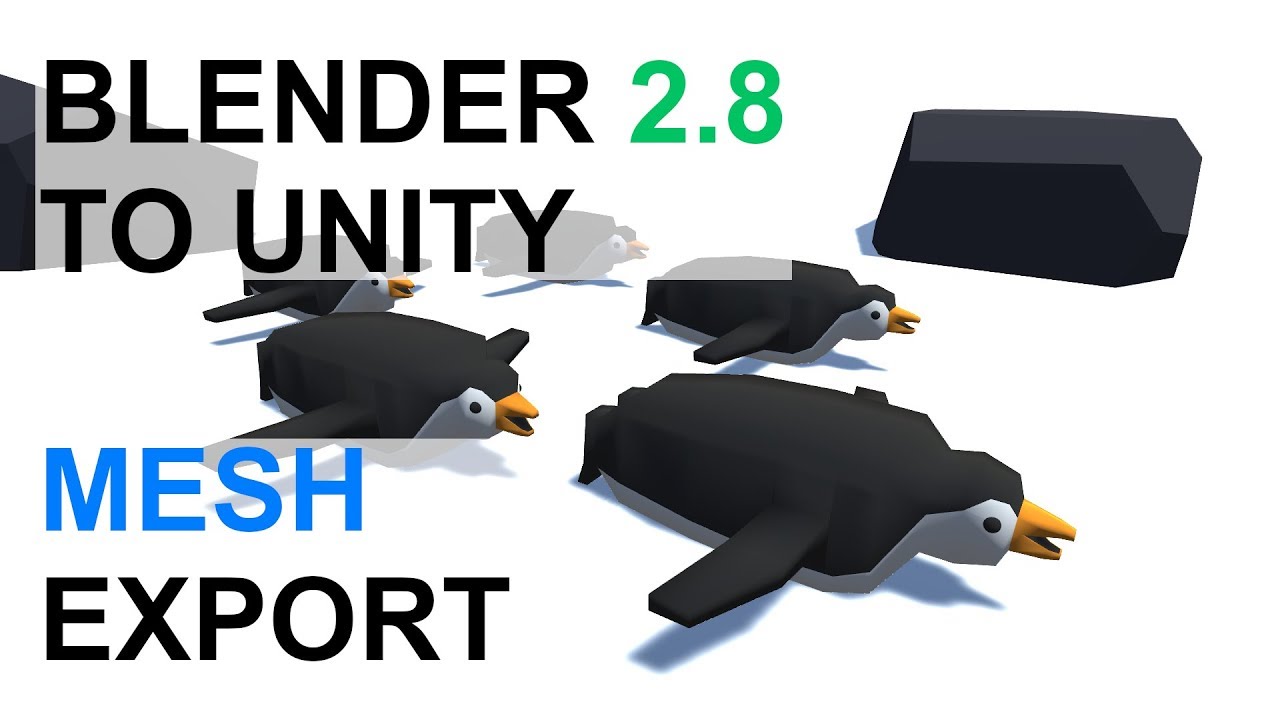
In Blender I initially created my own Python tool to export each piece as a .fbx file, however when I import them in Unity they get the wrong scale and rotation. I saw this https://blender.stackexchange.com/a/44318/1084 which suggests using the .blend file itself.

Which way is recommended? Any help at all is appreciated!

ionic drift
zinc temple
#

guys can I make 2D assets using Canva ?

shadow cradle
#

any jpg png etc can be an asset

ocean nova
#

Hello, I have a problem with unity tiling, I have a perfectly working tileset and it working in the tile pallet but when I put in into scene there is this gap between tiles. How do I fix this?

misty lantern
ocean nova
#

I don't know, I'm new to unity, how do I check that?

misty lantern
ocean nova
#

Thank you

hidden flame
#

i rlly like what u did there with the background of ur tiles

zinc temple
#

though not the same type of gap

#

I think your problem can be fixed if you resize the pixels as shown in the asset preview down to the right

misty lantern
oblique stump
#

can LODGroups be imported from an FBX authored in maya / 3ds max? my use case is i have a hard surface pre-existing cinema graphics asset, with geometry attached to each part of a big hierarchy, and i would like correctly LOD it

#

without losing the way i have already customized the model non-destructively in the scene

#

so i can't lose all the hierarchy

zinc temple
#

is there a better way to fix it ?

shadow cradle
#

Probably a pixel perfect problem if its the vertical lines

left vector
#

I'm not the artist on the project I'm working on, but they're providing sprites that are consistently a lot smaller than the bounding box for the image. For instance, it's a 64x64 image, but most of it is transparency. The actual sprite could fit in a 32x16 box.

Is this bad? It bothers me when I'm shifting colliders around for it in the editor, but does it have an actual performance cost? Should I do something like slice it down in the Sprite Editor?

fluid oak
left vector
fluid oak
#

Only if you really need to; the difference in the majority of cases will be minimal- the actual textures are still the same size after all.

left vector
#

I thought maybe it would increase performance in the scene if the textures displayed on screen were smaller, even if the base textures were larger.

fluid oak
#

It will, but not enough that you're likely to notice it for most games.

#

I suggest discussing it with your artist; they might have a reason for what they're doing.

#

Or they might be up for just adjusting their workflow.

#

It could be that the larger cells are there so that they can move the character around without you having to manually animate the pivot

left vector
fluid oak
#

The actual sheet texture should be power of two sized. The size of the actual sprites has no real limit.

#

For unity anyway.

#

Of course, if your artist is trying to emulate a specific style then that could add additional constraints.

left vector
fluid oak
#

It doesn't HAVE to be(unless your target hardware has that requirement) but it is best to.

left vector
#

By that I meant, did the length and width have to be the same? Like, 32x32 vs 16x32

fluid oak
#

Both height and width should be power of two if you want the benefit, yes. They don't need to be the same, though.

misty lantern
#

@left vector Another option is to generate a sprite atlas for all the sprites, which fits everything to a PoT texture asset regardless of their original dimensions
That said, following the PoT conventions still makes it much easier to fit sprites together, snap them on a grid and to keep track of their visual resolution as you will always have a clear idea of what their intended scale is

misty lantern
left vector
#

@misty lantern I looked up the manual page for it. It looks kind of like the Tilemap, but without the tiles. Does it work similarly?
The box sizes were bothering me because most of them weren't environment. It was stuff like player sprites, monsters, etc.

misty lantern
#

In addition to this it means the empty space in the sprite sheets will be discarded, and you can easily define automatic margins which helps with tilemap gap issues

left vector
#

I'll check it out tomorrow, it sounds like a good idea. Thanks for the tip!

misty lantern
proud citrus
#

does anyone kno where i can find these icons

misty lantern
proud citrus
#

i want to use those in my program

#

do u have like a png or something

misty lantern
#

Aren't they right there in the picture

proud citrus
#

yea but if i use those then the resolution is too small

#

and it doesnt look right when i put it in my program

misty lantern
proud citrus
#

how do i get those

misty lantern
#

They're just lines of pixels so you could recreate similar icons in paint in under a minute

proud citrus
#

ok

fluid oak
#

Yeah, it will literally be faster to draw them than to find a perfect match.

zinc temple
#

Hey guys what are the best alternatives for photoshop (for making sprites), that are free or at least have a free subscription for students ?

misty lantern
zinc temple
#

I am only looking for free stuff

zinc temple
misty lantern
misty lantern
#

Krita is designed for digital painting, whereas Gimp has pretty much all the tools and effects you could need

jaunty mantle
#

Question how much does an mp4 effect performance?

#

Like for a funny gif meme

#

wait this might be the wrong channel

rough geyser
#

What option makes the light leaks go away? (They go away when I get close to them.)

#

The global volume I have set does not affect the light leaks.

fluid oak
#

Though playing with shadow bias and/or the lightmap padding will probably help

#

Maybe the cascade distances as well, making the first cascade a bit bigger; depends on the scale of your scene

misty lantern
# rough geyser

More of a #archived-lighting question but since I'm here I'd say that happens because beyond the shadow distance (defined in quality settings) no light can be blocked by geometry, thus leaking

rough geyser
#

Figured, but changing shadow distance doesn't seem to make a difference.

misty lantern
#

Well, are the lights baked or realtime? Does changing any of the quality settings have any impact whatsoever?

rough geyser
#

mixed

misty lantern
#

Right, is the lighting baked?

rough geyser
#

yes

#

lighting is set to mixed.

ashen lake
#

Does anyone know what his error means
"NullReferenceException: Object reference not set to an instance of an object
UnityEditor.AvatarSetupTool.MakeCharacterPositionValid (UnityEditor.AvatarSetupTool+BoneWrapper[] bones) (at <a259d3c004024353a2c217da97495055>:0)"

#

I keep getting it when I try to configure a humanoid rig

#

Nvm. I fixed something else and the error went away.

tough ravine
#

a commission

fringe rock
#

Hello everyone!! So I’ve been having an issue with a model I bought, whenever I put it into unity it only shows up as a file and not a model, and someone told me to use winrar and unpackage the file but I’ve zipped it or something like that, could someone mind to help me? :))

#

By the way this is a model for vrchat :3

woven dome
#

Someone told you to unzip it so you zipped it instead?

#

What's the file extension?

lime pollen
tough ravine
#

oh 😦

fluid oak
tough ravine
compact summit
#

hi, do i put the normal map for my texture in the main maps or secondary maps section?

#

and what about roughness maps?

fluid oak
compact summit
compact summit
misty lantern
compact summit
#

as u can see i have a single normal map, roughness, and texture for each of the 3 color ID materials

misty lantern
misty lantern
compact summit
misty lantern
compact summit
misty lantern
compact summit
fringe rock
#

I think I may have done something? I’m not sure haha! How would I unzip the file so I can get the model? :))

woven dome
#

You need a program that can unpack RAR files, like WinRAR or 7-Zip

fringe rock
#

Oh!! I have the winrar file! I just don’t know how to like open it 🥲

misty lantern
fringe rock
#

Oh! My bad! I have the program

compact summit
#

how do i stop my model from clipping away when i get to close? selecting it and pressing f isn't working anymore

misty lantern
compact summit
misty lantern
#

The closer the near and far planes are, the less issues there will be

split juniper
#

Mmm I'm kinda tired of clicking hard and graphic tablet is a wee too wonky for precise retopology, is there any good affordable ergonomic mouse someone recommends?

misty lantern
#

There's no way to make retopology easy currently, but you can make it easier with proper tools like RetopoFlow

#

CozyBlanket looks great for both speed and ergonomy, but it seems to be iPad only

#

The main thing though is to just figure out a work desk setup that you can use without strain for long hours, and get a high quality mouse that fits your personal needs and preferences likewise

#

"Ergonomic" mice are really expensive for their quality, and I haven't seen any that were supported by medical evidence to call "better" than other mice

sweet cosmos
#

looking to create an eye "sprite" sheet for my 3d model, is it better to keep the textures square (2048x2048) or what are the downsides of having wider textures? (1024 x 4096)

#

only con i can think of is matching uvs to the texture in blender, since they will be distorted by the image ratio, but i think i can handle that

worldly basin
#

Any way to tile these without having to copy paste the material 4 times and ajusting the Tiling?

sweet drum
#

yo can someone help me make a model

fringe rock
#

I think I zipped the model?

#

But I don’t know what I did wrong or right

#

I’m really confused :((

fringe rock
#

I don’t understand how this works but can someone explain to me in like detail? 🥲

#

I’ve unpacked or zipped it whatever it is

outer halo
#

What's inside of the zipped folder?

#

You don't bring zipped files into Unity. You put the actual files in and use them, for starters.

fringe rock
#

Oh!! How would I check what’s inside the zipped folder? :D.

misty lantern
fringe rock
#

Oo okay!! Thank you I will do as you recommended to me! I’ll go check them now thank you :))

#

Did I get it right? I don’t see anything that says file archiver

lime pollen
fringe rock
#

Got it! Sorry, I’m just really bad at this stuff

lime pollen
#

You are not bad, just inexperienced

woven dome
#

The original file is apparently .rar

#

So the relevant search would be "how to unpack rar file windows"

fringe rock
#

Okay!! I’ll search that up, thank you!

sweet drum
#

yo could someone help me make a blender model?

outer halo
fringe rock
#

Hey I’m back I watched a YouTube tutorial but it only showed me how to extract the file!

split juniper
split juniper
# sweet cosmos looking to create an eye "sprite" sheet for my 3d model, is it better to keep th...

For what I have understood, it's better to have rather compact textures in powers of 2 so that you can compress them in mipmaps that will be optimised by the shader at runtime depending on how far away your model is, and can also be reduced according to the LOD. I guess it's better to keep into square formats, it's been done like this since a long time, now I do not think it's mandatory but it's recommended

lime pollen
fringe rock
#

Oh yeah I messed up something, I tried to open it up but I put it with some Microsoft open up I’ll show you!

wicked agate
#

i model a character in blender rigged and animated with mixamo and when i upload it in unity collider is too small or in a different place like this.

#

I checked the origin point rotation and scale in blender they all seem okay any idea why this is happening ?

primal plume
#

I would like to ask a question, i want to make this skylight more transparent in unity how do i do it ?

#

the effect from photoshop

#

the effect after put it in unity more dull and solid. why?

lime pollen
primal plume
lime pollen
#

yes

wicked agate
primal plume
lime pollen
fluid oak
primal plume
primal plume
#

how to make delete the line that are no appearing in photoshop?

primal plume
#

open sprite editor , itso kay

#

sorry i am newbie here

fluid oak
primal plume
#

How come i have a weird line on middle? How do i remove it

sullen plank
#

That looks like something you've created in your editor and imported this way. Edit asset and cut it out.

wicked agate
#

Hi! I make models for unity and to paint them i have png with colors on it and i just scale down the uv maps and put them on the colors so its easier for unity users. So do i mess up their uv maps ? i mean when we want to bake light/shadow on that mesh would there be a problem ? ?

misty lantern
past trout
#

im trying to create a pixil sprite with 64x64 resolution but sometimes the sprite comes out blurry such as this and im not sure how to fix it

manic coyote
misty lantern
lavish scarab
#

anyone knows why these white lines appear when I move away from the object? Ive model a new object in case it was with this one, I've changed textures but have no idea why they are appearing

#

there is no duplicated object or double sided material

lapis elk
lavish scarab
lapis elk
lavish scarab
#

oh yea

#

thats exacly it

#

TNKSSSS

lapis elk
lavish scarab
#

tnks for the advice, Ive been struggling with this for 2 days, then remembered that there are people more experienced here and decided to give it a shot

lapis elk
misty lantern
lavish scarab
misty lantern
fluid oak
limber rampart
harsh dagger
late wind
#

Hey, so I've been trying to solve this for quite some time now. Been messing around with the export settings in picture 3, but to no success... I've also applied rotation to the object in Blender. Do I have to orient the ship at this angle in Blender in order to make the Z-axis be correctly forward? Picture 1 is Blender, Picture 2 is Unity.

elfin mango
#

I want to have this glassy look on my building but I can't find any material online, can you guys provide any link to the material

#

or is my approach totally wrong

lapis elk
# late wind Hey, so I've been trying to solve this for quite some time now. Been messing aro...

Hi there.
There is a exporter from Blender to Unity.
I only use this one, it works perfectly.
https://github.com/EdyJ/blender-to-unity-fbx-exporter

GitHub

FBX exporter addon for Blender compatible with Unity's coordinate and scaling system. - GitHub - EdyJ/blender-to-unity-fbx-exporter: FBX exporter addon for Blender compatible with Unity&...

lapis elk
fluid oak
#

You'll probably need at least screenspace reflections for that kind of large surface with self reflections

turbid tangle
lapis elk
turbid tangle
#

yes

#

I have duplicated the mesh and just moved vertices around

#

I understand it might come from optimization while importing, but I'd like to avoid it

turbid tangle
#

I was able to solve

#

changed normals from Import to None in inspector

lime pollen
#

Yeah the characters look like they're just flat meshes on a 3d plane, although unity does have a 2d lighting package

shadow cradle
#

You cant use 2d lighting ina 3d scene tho

rotund kayak
#

Hey there. Is it possible to extract multiple sprites from one sprite image? Like a have an image and if I slice it, it creates multiple sprites under the image. But I want them individually every single one as a own sprite if you understand.

outer halo
elfin mango
#

I added bloom from post processing but I it doesn't appear in my game camera

#

why is that so?

elfin mango
elfin mango
lapis elk
#

Hint: Its in the Rendering Tab ^^

elfin mango
#

ohhh

#

I am sorry

#

that was so noob of me

#

thanks for the help

lapis elk
#

no problem ^^ i know this

#

if this doesnt help, there is one thing more that might be a problem.

elfin mango
#

it does help

lapis elk
#

good

elfin mango
#

Hello again, I was making a grass shader following a tutorial on youtube, but I can't find "Double sided" parameter I am using URP 12.1 lit shader

elfin mango
# lapis elk

Okay, but then why I can't see colour behind the mesh?

lapis elk
lapis elk
elfin mango
#

okay thanks

hazy moth
#

Hey guys, it's a bit of a long shot but I'm struggling with an issue related to crunch compression in textures, and I'm really desperate for any direction with this. tl;dr, every time I try to load a scene (asynchronously) that contains crunched textures, on high framerates I get spammed with JobTempAlloc has allocations that are more than 4 frames old, and occasionally this may cause a fatal freeze in the middle of loading.

I have a repro project here https://forum.unity.com/threads/jobtempalloc-has-allocations-that-are-more-than-4-frames-old-with-crunch-compression.1315527/, and I would be SO grateful to anyone who can help me figure this out UnityChanDown

feral yarrow
#

How to switch char with other char(.pmx) in Unity game?

#

any yt and others? i dont find

dense oar
#

I'm trying to bake a normal map from a high poly to a low poly in 3ds Max to use in Unity, but my bake results keep coming out wonky and unusuable.
The normals are completely wrong at the texture seams, there are huge weird gaps in places, and worst of all the flat sufaces take on this checkerboard appearance

#

Do you know a pipeline workflow to bake a normal map 'right'? because the ones max is generating are garbage

#

pictured - janked up corners, huge seam between faces

pliant warren
#

Hi guys, I'm currently painting normals for 2D sprites in Photoshop and testing out the normals in Unity and am having an issue with sprites displaying a very thin outline which becomes more or less visible depending on the lighting settings and placement.

I know the issue has to do with the soft pixels around the edges of the sprites being more visible on top of each other, but I'm not sure if there's anything that will fix this when exporting from photoshop or any changes I can make in Unity. With that said, I'm pretty new to Unity and am not a programmer, so I won't be able to deal with code to make any fixes.

Thank you!

rustic heath
#

why does my textures look so blurry in unity? here is how they look in blender (baked in 4k) and the seccond pic you can see them in unity. How can I fix it?

hazy moth
rustic heath
#

holy, I didnt know about that. thank you so much! You saved me from wasting another hours into this and loosing my mind

fluid oak
#

Because unity insists that premultiplied alpha is somehow incorrect unlike the entire rest of the industry.

pliant warren
eager mist
#

Is there a way to change my import settings to legacy or something similar so if I import an fbx file it would automatically export materials? If I can't do that, is there an easy way to do this?

fluid oak
eager mist
late wind
lapis elk
late wind
# lapis elk You can rotate the origin in Blender

Really? I was searching for a way to change the axis and such but couldn't find something like that. I guess you might mean something similar yet not exactly the same?
But as I've noticed, the scale xyz doesn't seem to line up accurately with the directions xyz. Certainly there are ways to fix it, but I think the best approach would be to just do it properly in blender you know. The ship I made was the third item and made in blender, and the first I imported to Unity, so I did a lot of mistakes that are hard to fix. Like simply moving the pivot point of an object doesn't seem to be a feature, which it is in cinema4d, which I am used to. Naturally, cinema 4d is a ~€100/month software, but still, I got used to that :/

#

But yes, there's also things I want to do more standardized on my ship(s) regardless 🙂

lapis elk
#

Yeah i moved from C4Dto Blender 2 Years ago, because C4D is shit for game assets.
But yes, you can move the pivot like in C4D

#

i rotatet the axis 45° on Z

#

But you have to make sure, that the Rotation will be Applied before exporting

#

Or.. nvm.. depends on your needs if you have to apply the rotation

late wind
#

Ye, I used it for making sweet call of duty montages some 10 years ago, then I just kept using it as a pirated version. I tried blender a few times, but I always felt there was so many less features and at the time I had no real plans on doing things in unity and such. Last thing I did was plan out how to furnish my apartment, helped a lot in selling the design to my wifey in the end.

lapis elk
#

😄 nice

late wind
#

Thanks 🙂

#

I'm gonna open up my ship model and see if I can make it all work properly

lapis elk
#

Yeah the step from C4D to Blender was weird. But its much better for Realtime purposes

late wind
#

Any specific reason why? I mean, aren't they just tools that can both export to fbx? :/ I'd certainly prefer to use c4d at this point in time, but also not gonna cough up the licensing fees while I'm doing medical studies xD

lapis elk
#

C4D doesnt have any smoothing groups or something, what makes creating good looking game assets very annoying.

late wind
#

I wouldn't be above using a pirated version tho... Then when my studies are done I'd just purchase the license and donate a couple of €100s 😛

late wind
#

Something I'd die for tho, is hotkeys for the 3 manipulation tools :/

lapis elk
#

i had the decision between 3DS Max, Maya and Blender. I tried all of them and Blenders workflow fits me best.

late wind
#

Because atm, pressing "g" just grabs the object. And the buttons for the other tools doesn't give you the actual pivot tool

late wind
lapis elk
#

You press G and then the Axis you want it to move on

late wind
#

at least for amateurs, I'm sure they had some payment model as well

lapis elk
late wind
#

It just does this, like it grabs the objects and moves it in all directions

#

or do you mean that I change my viewing perspective?

#

I'd prefer this thing.

#

Only way to get that one, afaik, is to press the tool with a mouseclick, and I hate not using shortcuts

late wind
lapis elk
#

You Select the Model, hit "G" to move and then X,Y or Z to move it on the axis.

late wind
#

There's really no shortcut to get the pivot then :/

#

And is there really no way to simply move the objects pivot point?

#

Currently I go into editing mode, select all the polygons and move them. Which takes longer than a simple "move pivot" feature

lapis elk
late wind
lapis elk
#

And you can easily lay every function you want on the Quick Favorites (Q)

late wind
#

Aha, that's what that was referring to. I thought it was to changing the scene's axis. Haven't started going through what you sent me properly yet

lapis elk
late wind
#

what button for favorites?

lapis elk
#

Q

late wind
#

makes sense

#

Thanks, that is a lifesaver

lapis elk
#

Blender tutorial series showing you how to use the most common features, like modelling, lighting, materials, geometry nodes and rendering - whilst making a donut.

Download the Blender Shortcut Hotkey PDF: https://www.dropbox.com/s/jg4fs4i8zw5bxt7/Blender 3.0 Shortcuts v1.2.pdf?dl=0
Google Doc version: https://docs.google.com/document/d/1...

▶ Play video
#

😄

#

Everything you asked is in this tutorial

late wind
#

Ye, issue with these types of tutorials are that I know most things(I think I do at least, lol). But no really, it ends up with me getting bored, and most of the time the workflow they use doesn't fit me. I tend to just google specifically what I need, but sometimes, just realizing what to search for is tricky. But as you've recommended it, I'll certainly go over this one 🙂

misty lantern
late wind
#

But I have actually watched quite a few things from Blender Guru tbh, just not the beginner type things, or at least not since I first tried using blender some 5 years ago

lapis elk
late wind
#

to this:

#

I think I'm not understanding how it's used :/

lapis elk
#

move it and you move the pivot

#

1:1 like in C4D 😄

late wind
#

Aha, that's what it's about. I thought it was for getting the move tool. But I don't know why, since clearly it was a response to the pivot question 😛

late wind
#

Ah, feels so good 😄

barren locust
#

Hello, does anyone know how to make 2d assets have the same color in Unity as they do in Aseprite? Currently when I export my assets and place them in Unity the color changes drastically even though I have no post processing applied to the camera. I'm using the built in render pipeline.

#

Here is what the asset looks like in aseprite

#

And here's in unity

#

And these are the import settings

fluid oak
#

Also, is there any transparency in the alpha channel?

barren locust
#

The compression method is set to Default.

#

How do I check if there is transparency in the alpha channel?

#

Nvmr, I fixed it. I had the wrong palette selected when exporting :/. Thanks for your help PinballKitty and sorry for bothering you.

teal orbit
#

Why is it that when I export an FBX from Blender and then import it into Unity, the MeshRenderers on the meshes are all turned off?

eager mist
wise berry
#

Could somebody help me make a player model and or some cosmetics for a game that I am working on? If so please Dm me. also, I can't really pay.

wise berry
eager mist
wise berry
# eager mist what you need

Oh, I just need some simple player model right now with no modeling it looks like this. It sould look better soon with some BLOOM

wise berry
eager mist
#

hm ok i we try

wise berry
eager mist
#

can you test these models

#

i think looks nice as character

#

@wise berry

wise berry
#

ok

eager mist
#

hmm just need foots yeah

#

take me 10m

wise berry
#

Ok

wise berry
outer halo
#

@wise berry This isn't the discord to ask for free handouts. If you want to try the forums, there's a collaboration section.

wise berry
eager mist
#

heliroom

woven dome
eager mist
#

hm sry i cant find

eternal cypress
#

@native marten how are you moving the model between blender and unity

native marten
#

Hello, i am working on a model (VRC model, though i do not believe this information is relevant) which is composed of several meshes, and one of them has this clipping thing onto the skin of the model. So i decided to mess with this particular mesh in blender to resize some polys in the clipping area.

#

Although, every time i try to save my modifications it keeps showing this instead, which is my very first attempt (ugly sleeve) at doing it...

native marten
eternal cypress
#
  1. Download this Blender addon
  2. next time you move the model, go to Export -> Unity .RBX File. (and save under your project "Assets" folder or under any folder bellow this one)
  3. go to unity and enjoy
eternal cypress
#

and also in blender make sure the object is good and sometimes you need to check if the settings are ok. (if there aren't any shadows, Effects running or any active cameras for example)

native marten
#

i am not sure of anything, i am an absolute novice in blender and unity.

#

maybe if i streamed the screen, could help me solve this? idk

lime pollen
native marten
lime pollen
#

yes but there might be issues if you're constantly updating like that. Just try fbx and see what happens

native marten
#

same issue

#

blender

#

unity

split juniper
#

what is your issue exactly? with the size of the screenshots it's impossible to see

#

you mean it's just not the same mesh?

#

@native marten

native marten
#

what appears in the blender one is my updated mesh, which i am trying to export to unity, but in unity it loads up as one of my early edits

split juniper
#

honestly i wouldn't touch .blend files in unity

#

export to .fbx following the right guidelines and you'll be okay

native marten
#

exporting it to fbx yields the same thing though, i am just lost atm

split juniper
#

if really you don't want to do it the proper way you can save as another file, import that one instead, and erase the previous ones

split juniper
native marten
split juniper
#

unity makes a copy of the imported asset inside of its own files

native marten
#

wait, could this be just me being a clown then? 🤡

split juniper
#

also check if your Mesh Renderer component isn't rendering the reference of an old mesh, that happens sometimes

split juniper
#

if i had to earn a dollar every time i forgot a silly thing i'd be a millionaire

native marten
#

reimport doesnt work wtf

split juniper
#

i'd be elon musk 😂

#

try exporting a fbx with a new name and import that one

#

and sometimes, closing and reopening the editor also works

#

but i'd strongly advise to export .fbx only with your selected objects and pay attention to the axis and units and the weirdo rotation issue. it's a bit of a hell but it's not too too complicated. there are plenty of tutorials on youtube

rotund depot
#

Closing/reopen editor and deleting the library folder - are the two most important things when working with unity

native marten
#

i am overloaded in information rn lol

#

ok, what am i supposed to do? it seems this weird mesh contaminated the backup mesh like a virus, surprise

split juniper
#

sometimes it can happen that a mesh gets stuck in the reference of the mesh renderer of something else, but that would be more likely happen if you're doing stuff by script

#

i doubt it's the case here

rotund depot
#

well, i would say close the editor, delete the library folder in the project and open unity again.

split juniper
#

you also might be exporting something that is turned invisible in blender

rotund depot
#

It will reimport everything and rebuilds all the references new and stuff
And yes... always use fbx

native marten
#

deleting library takes like 5gb huh

#

40k items found 😆

split juniper
#

here. if the eye is closed, it's not visible in your viewport but it might get exported nonetheless

rotund depot
#

Yeah, the library folder gets huge and bloated and with time full of errors.

split juniper
#

it also takes so long to assemble and compile

native marten
#

if this solves the issue i might kiss your shoes and kick myself in the groin, its been 2 hours since ive been looking into this

split juniper
#

you don't need to do all that it's okay 😆

#

first hope for the best then you'll see

rotund depot
#

Yeah reimporting may take a while... but lets say 90% ofthe time when unity behaves strange, deleting the library fixes it.

native marten
#

why is unity so wonderful and stupid at times? deleting the library is not even written in any tutorials or manuals

split juniper
#

i'd recommend to work with simple meshes before trying to manipulate more complex stuff so you can gradually understand things without them becoming overwhelming

native marten
#

i am only doing this because a model i bought came with a clipping issue and the author refuses to fix it

split juniper
#

also turning off and starting over is like basic it solutions. deleting an entire library though i find it's a bit radical because your fix might be more localized than that but it can do i guess

#

this series of tutorials is really nice to have a little walkaround blender to unity setup
https://www.youtube.com/watch?v=Ap4SoG-KfKM&list=PLq7npTWbkgVBAtQs4p4iYxlfWrKRkNc6O

Exporting from Blender to Unity can result in rotation and scale issues that are not intuitive to fix. This video teaches how to fix them for static meshes. Check out the next video to see the fix for armatures.

Complete Playlist:
https://www.youtube.com/playlist?list=PLq7npTWbkgVBAtQs4p4iYxlfWrKRkNc6O

Relevant links:
Blog Post - http://www.im...

▶ Play video
rotund depot
#

a lot is supposed to work but does not... but with time you know your way around it...

native marten
#

oh. and after this i need to optimise the model deleting polys and merging meshes, that will be another fun trip too, but thats on blender

split juniper
#

it's better not to have a ton of meshes enmeshed in each other but if it's well organized you should be fine, unity is meant to be able to manage complex stuff

#

for starting though it can be very confusing

native marten
#

vrc devs are stupid and want me to merge every single mesh into 1, even the toggleables

split juniper
#

it's much easier to manage

#

you get lost in crazy parenting SO fast

#

and as meshes do in fact have submeshes, most of the time unless you have specific dynamic behaviour required from a specific mesh component, joining all separate parts in one huge one is often a good call

#

i'm on both sides of the fence so as much as i like many meshes i try to avoid getting anything more complicated than a poor penguin 😂

#

hope you figure out what is going on with yours! take care 🙂

native marten
#

what should i do if this does not work?

split juniper
#

find someone else to ask or follow tutorials about this specific workflow to understand what's going on

#

me gonna sleep 🌠

native marten
#

rest well!

split juniper
#

ty 😊

native marten
#

well.. turns out deleting library did not solve the issue

native marten
#

not even creating a new project works lol

mossy parcel
#

Heyo, I've been having real confusing issues with my fbx objects. I think i understand that this has something to do with how i made the models in blender, a normals issue I think? but I dont know how i can fix it.
The picture is taken with just ambient lighting, no other sources of light and I get these strange seams / shadows on single objects.
The table on the left is a single face that dims right in the middle and the object on the right is two objects I combined together in blender and removed doubles. Which from what i've read for the past few hours should've remove this issue.

fluid oak
mossy parcel
native marten
#

@split juniper@rotund depotsomebody realised my file had a shift key attached which was created by the author of the model, and that was the whole reason for this (total 10 hours to figure this out)

white kestrel
#

I bought some SFX on the asset store, but there's only an "Open in unity" button. How do I just download them so I can see them in my file explorer?

fluid oak
white kestrel
obsidian axle
next apex
#

I have 2 questions! First

#

how do i make my avatar not mesh

obtuse oyster
next apex
#

and 2 how do i fix my spine heirarchy

oak otter
#

how do i get rid of "illegal Objects in path"

hushed spear
next apex
#

ive extractted the texture already as well

#

even with the mesh render component it stays mesh

hushed spear
#

Can you expand the fox in hierarchy and send screenshot again

hushed spear
#

Put a material under element 0 in mesh renderer

#

drag your material from the project folder and put it on it. In the right

next apex
#

ive done that now. satill mesh

#

are you ok to call? may be easier if i share screen live

hushed spear
#

Sure but give me a sec

next apex
#

no prob

obtuse oyster
#

All this seems VR-chat specific; they have a discord that I linked and modding channels that cover this stuff

next apex
obtuse oyster
#

presumably your skinned mesh renderer does not have a material

#

This random mesh renderer you added is irrelevant

#

I would presume the Body object has the SMR on it

next apex
#

im sorry. im new to this and trying to learn, where is the skinned mesh renderer then

obtuse oyster
#

but you can search to find it

#

also the material really should be mapped on the model asset, not just in the scene

outer halo
#

Can you? Sure, what's stopping you?

misty lantern
dense oar
#

Why would my normal map be producing this square grid-ish appearance? The second image is if I remove the normal map, the grid doesnt appear.

#

I assume it has something to do with sampling or compression or bit rate of the normal map image itself??

#

if I SUPER crank up the contrast in photoshop, that grid does appear

#

but even after blurring it, the texture in unity looks the same - square grid

agile gulch
#

can anyone help me fix these blurred edges

fiery bloom
# agile gulch

change the filtering to point in the import settings of the texture

misty lantern
#

The picture doesn't have enough clues to what's happening
You may have zoomed in the game view
The sprite may be viewed at a wrong scale with mipmapping enabled
The sprite may have been saved with blurred edges

fluid oak
#

You might be under a curse cast by a spiteful wizard.

sinful patio
#

I tried to import a sprite but when I resize or rotate it it looks all glitchy and stuff

fluid oak
sinful patio
#

Sorry, I have no idea what does mean

fluid oak
#

Well, you haven't shown your glitches so we can't see what they look like so this is just a guess.

#

But the settings used to make pixel art crisp also completely ruin scaling and rotation.

sinful patio
fluid oak
#

You'd probably want to enable bilinear filtering in the texture and use a shader like SmoothPixel if you want the pixels to rotate without artifacts

#

You can see the difference here

sinful patio
#

Bilinear makes it blurry :(

sinful patio
#

wut

outer halo
misty lantern
#

Unity doesn't do anti-aliasing for sprites, except with the full screen render scale quality setting which only goes up to 2x and is really expensive for it

fluid oak
#

Or a shader like the one I mentioned.

misty lantern
fluid oak
#

Looks much nicer in motion

obtuse flare
#

Can someone help me with some Blender to Unity shenanigans? I hate this workflow so much, I really need a solution for it..
How do I properly solve the rotation issue when importing Blender fbx files to Unity? I ALWAYS get weird rotation, is there no way to do this?

obtuse flare
#

Its a common issue that blender fbx files when imported to Unity have unwanted rotations, I would adjust them manually but since there are scripts that rely on the forward vector actually being the forward direction, it would be a tedious workflow to rewrite code to solve it

#

All i want to do, is to export a ship from blender, that faces towards the -Y axis, to be imported in unity, with the correct rotation (aka it floating upright like youd expect from a ship), and have it at rotation 0 0 0

#

This is what i export

#

This is what i get when importing (note the rotation values and the actual rotation)

coarse topaz
#

you basically apply it with -90 in x

#

then rotate -90 so it looks straight

#

but not applying

#

and then it looks right in unity...

#

XD

lofty estuary
#

Hy! Can I get some help with photoshop? I created a character in Illustrator and saved it as a PSD. I opened Photoshop and exported as and PSB for unity but It shows me all the paths and objects individually in Unity even tho I made them groups.

#

How can solve this issue

#

I put all the parts in individual layers like Brackies showed in the tutorial but I still got whis issue

#

like this

obtuse flare
#

Even an addon would do

coarse topaz
#

yeah well... what can I say...

#

we gotta work with what we have right?

crimson sequoia
#

it looks fine in unity

#

would it have anything to do with project settings?

crimson sequoia
#

dont bother responding

#

its not like i need help or anything

fiery bloom
tiny marten
#

mining mech

final valve
#

so i have this problem with importing images, the color of the image like glitches or idk what like it just does this thing when i import it in unity it changes color a bit but if i open it in computer its fine so it has to do something with unity. i had the same problem with multiple images and i dont know what to do

outer halo
#

@final valve You don't need to post this everywhere. Turn off compression of the asset as well. Scroll down in your screenshot.

wicked agate
#

Hi! I made a bear trap animation in blender but when i import the fbx to there are multiple armatures and only 1 of them work any idea what im doing wrong ?

misty lantern
# wicked agate

These are not armatures, they're animation clips / actions with the name "armatureaction"

#

Blender will often leave actions lingering in the file if they existed even briefly

#

You can delete them manually before exporting through the Outliner set to Blender File

hardy pawn
#

I've got a problem that has been hassling me for a while now, and I've been turning it over in my brain to no avail.

Basically, I (think) I NEED to have multiple materials on each of my objects, or at least some sort of instanced versions of a material

This is because I'm unsure how to implement a per-color gradient remapper into a single material that has colors baked into a texture

#

So, for example, I have a tree, but I want to use four colors for it, two shades of brown, (To indicate the lightest and darkest possible wood colors and blend between them) and two shades of green, (Likewise, for the leaves)

#

If I used a single material for the entire tree with green and brown mapped to a single texture for the model, I would need to potentially use two textures, one with the light shades, and one with the dark shades

#

Or some other idea that is even more intricate and hard to integrate into a workflow without it making new asset production take prohibitively long

#

Is there a way I can have multiple, alterable materials on a single object without genuinely ruining my optimization in the long run, or to implement something with equivalent functionality where I need to establish things like colors, metallics, and the like on an object that needs specific color gradiation setups and multiple components?

#

I've heard about instanced materials, but I've had trouble figuring out if those are a workable solution to this issue, or if using many instanced versions of a material still calls unneccecary and performance draining draw calls.

misty lantern
#

@hardy pawn In this example do you need to shift between light and dark tones over a tree's polygon, between parts of the tree or between different trees?

hardy pawn
#

Parts of the tree. my plan for my game is to assign simple colors to parts of my models, but each color needs its own tailored color ramp to comply with a Color Grading Technique I'm using.

#

@misty lantern

#

So the leaves need a unique green to dark green color ramp that I choose, and the wood needs a unique brown to dark brown ramp.

misty lantern
#

I imagine you would have one texture with all the ramps shared across as many objects as possible

hardy pawn
#

I'm not sure what you mean by that.

#

While I can just bake the tree's colors to a texture map, so I could have one material for the tree which simply uses that texture map, I wouldn't be able to apply a color ramp of my choosing to both the wood and the leaves, unless there's a method I'm not thinking of.

fluid oak
thin silo
#

Where do you guys find art assets apart from Unity Store?

#

I know there's some other ones I heard in a video but I can't remember which :c

frigid widget
night oasis
#

So... I have a 2D object I am using in a 3D scene for some popups and things like that. Is there a way to make it always appear on top of other objects without changing its position?

fluid oak
night oasis
#

Just the regular SpriteRenderer for 2D objects

fluid oak
#

Because each rendering path has different ways of doing it

night oasis
#

Huh… not sure… But I think it’s URP

#

Imma check

#

Well... it says none and if this stackoverflow post is correct, it should be the "default one"?
https://stackoverflow.com/questions/60310609/how-do-i-determine-which-render-pipeline-im-using-in-an-existing-unity-project

fluid oak
#

Or use a second camera that only renders that object and renders on top of the other camera in the scene

night oasis
#

Interesting…. 谢谢啊!

fluid oak
#

没问题

grizzled oracle
#

Hello, I imported a sword fbx model from sketchfab which has the textures in the other folder. How do I apply these textures to the sword?

lapis elk
wicked agate
misty lantern
#

but you can also export animations separately if that's what you wish

wicked agate
#

yes but i sometimes i have a file with 10 different animation and i just want to export 1 of them yet all come with it

#

how do i export just 1

misty lantern
#

I don't know if there's another way to exclude animations from the export besides deleting them for the process

wicked agate
#

okay i'll look into them thanks ❤️

hardy pawn
#

Does anyone have any good resources on the exact optimization implications of things like Material Instances and Variant Materials?

I'm still struggling to find consistent answers as to just how inefficient materials are in various contexts, especially in the case of examples like using one material, but assigning a texture and other values to it using a script per object, (Which creates a material instance, doesn't it?)

#

I just need answers to a lot of questions that seem like I should be able to just look them up, but I've had extreme trouble actually finding answers to my questions through casual googling.

#

For example, the documentation says that Variant Materials have no optimization benefits, but another resource I found online said that materials which use the same shader share batched calls, even if they are different materials

#

(Should I be posing these questions in #archived-shaders instead, or is it fine here?)

lapis elk
#

For example the documentation says that

fiery bloom
#

So I've got a photograph of a drawing, and I'd want to turn the line and the interior into a plain colour (see attachment). Does anyone know how to do this? The image on the left is what I have, and the picture on the right is what I'd like to obtain, except I need it to be truthfull to the original image, instead of a bad drawing.

lapis elk
fiery bloom
lapis elk
#

in Unity?

#

Even Illustrator would struggle to vectorize your drawing automatically, because has no contrast etc.

fiery bloom
fiery bloom
dreamy vine
#

Hey guys. Is there any way to make Unity include different assets (PNGs mostly) for a specific resolution during a build?
I've tried using Sprite Atlas with 4k graphics and a Variant Atlas with 0.5 scale, but the graphics from variant atlas looked bad (blurry) compared to what I get if I manually scale them and then import into unity. What I basically need is a build with 4k graphics and a separate build with FHD graphics.

#

My png import settings and atlas settings.

#

@slender jetty Anything wrong with those settings?

slender jetty
dreamy vine
#

You asked about my settings yesterday when I posted this question. I just reposted it on the right channel this time (I hope).

slender jetty
#

Ahh, the 4k graphics guy

#

That's like 100 questions ago 😛

dreamy vine
#

Oh, sorry, had no idea. Took me some time cause I wanted to double check everything to not waste anyone's time in case I made some stupid mistake or something.

slender jetty
dreamy vine
slender jetty
#

That would wreck your texture quality

#

No idea what that icon is though

#

Is it also bad on your computer?

dreamy vine
#

It's for "dedicated server" whatever it is. I build on windows tho.

#

Yep, bad on my pc as well.

slender jetty
dreamy vine
#

I mean, bad is a relative concept. What I mean is that it looks blurry compared to just using fhd png instead of atlas variant with 0.5 scale.

#

Maybe that's just how Unity scales the atlas and there's nothing wrong, I don't know.

slender jetty
# dreamy vine

Well you can change your filter mode to point, so it doesn't get averaged.

slender jetty
# dreamy vine

And I really dislike the fact that your original image is not a power of 2

dreamy vine
#

Point messes whole image in my case.

slender jetty
#

So it will recalculate it probably because it can't scale it to 0.5 in a good way.

dreamy vine
#

Well, I can set canvas size to po2 and test it again.

slender jetty
#

No, your original image needs to be a power of 2

dreamy vine
#

Not sure what you mean by that, sorry.

slender jetty
#

So it will force it to 1024 in your scaled image

#

And it messes everything up

#

Point should not give you a problem, it should give you the exact image it was

dreamy vine
#

What if I just open that png in gimp and then cut the canvas size to 2048 and then reimport into Unity?

slender jetty
#

Yeah, just make sure you clip it, and not rescale it, otherwise GIMP will ask you the same question of how you want to do the Filtering

dreamy vine
#

Yea, sure. And btw, this is how it looks when I use point filter.

slender jetty
#

So it is indeed wrongly scaling it

#

And with Bilinear it will smudge it over to hide this fact

dreamy vine
#

Still the same unfortunately.

slender jetty
#

Can you post the image?

#

So I can try?

dreamy vine
#

The first one might weigh a lot, cause I've been messing with export settings, disabling compression and so on. Here's the original png I got from the guy who made it.

slender jetty
#

This image also jagged edges btw

dreamy vine
#

Well, I don't know, maybe it has something to do with the image itself, but I've tested atlases with multiple different images I got from different people/downloaded from the internet and they were always more blurry than the versions I manually scaled down in gimp.

slender jetty
#

Is this the difference you are talking about?

#

Because there is some difference, but not a lot.

#

It's mostly just that Photos of windows has a less dark background

fluid oak
dreamy vine
fluid oak
#

But yes, generally speaking the scaling in unity will generally be worse than that done by a proper image editor.

dreamy vine
#

Is there any other way to use different resolution assets for different builds?

fluid oak
#

And you've changed the height AND width to be power of two dimensions?

dreamy vine
#

Yup.

fluid oak
#

possibly stupid question... what build target do you have set?

#

Did you make sure that your build target's settings are correct, not just your defaults?

dreamy vine
slender jetty
#

This is the clearest I can get them

#

Left is 2048 and right is 1024

#

Still janky though

dreamy vine
#

I don't really mind having a bit blurry fhd version, but my employer does, so... 😛

fluid oak
#

disable compression just to see what happens?

slender jetty
#

I don't understand why it does the jagged edges, since it's point filtered.

#

Trilinear/bilinear helps, but it smudges it out

fluid oak
#

Only use point filter if you aren't scaling it at all

slender jetty
#

It's 1x1

fluid oak
#

Point filter is usually used for chunky pixel art where you want visible pixels.

slender jetty
#

Not scaled at all, and the right one is just the half of it

dreamy vine
#

Well, bilinear/trilinear interpolates between texels, so it gets blurry.

fluid oak
#

When you say not scaled at all, you mean you have pixel perfect camera set up and have it set so 1 px on screen is 1 px in the image?

#

Or something else

fluid oak
#

...reference resolution 320x180?

dreamy vine
#

Not sure how Untiy actually processes it, but I have a scene setup to match my 4k graphics and it all looks good. Then I create an atlas and atlas variant with 0.5 scale, build the game and run it on a FHD screen.

slender jetty
fluid oak
#

Did that help?

slender jetty
#

You can see the pixels now 😛

fluid oak
#

Though I'm not really sure why you're using pixel perfect in the first place.

slender jetty
#

First one was without

#

Like half an hour ago

#

Then I tried this

#

Also weird

dreamy vine
#

My camera settings.

#

With images being 100 pixels per unit.

slender jetty
slender jetty
dreamy vine
#

Well, thanks for your time ❤️

slender jetty
dreamy vine
#

I used to work in a different engine and wrote custom code to recalculate positions and some other stuff based on the config resolution so I could use either 4k or fhd assets. I might end up doing something similar here, I don't know.

slender jetty
#

Anyhow, you do you. If you figure it out I would like to see the result so I could use the crispiness in my game too 😛

thin silo
fluid oak
#

If you don't want a dark platformer why are you using 'THE DARK SERIES'?

#

There are hundreds of cheerful, bright tilemaps on the asset store and OGA

thin silo
#

And yeah I've seen all the bright and cheerful assets (not all, but a lot), and I'm not planning on making something like Pokemon or Animal Crossing, it's too.. bright let's say, too joyful

#

I like the deep and oppressive feel of this tileset, it's just a bit dark

#

For example I like the style of this background

lime pollen
#

you can edit the sprite colors or use a shaders i guess, but that seems rather limiting

thin silo
fluid oak
#

I mean, you can just slap some postprocessing on top of it

#

Everyone loves postprocessing

#

Or you can edit the assets

thin silo
#

Yeah I'll try to work around it

#

Or I'll just give them to my girlfriend and tell her "make some art magic shenanigans with that please" hahaha

dreamy vine
# slender jetty Anyhow, you do you. If you figure it out I would like to see the result so I cou...

I've noticed that if I set Max Texture Size in sprite settings to 1024 (2048 is the original image size) and resize algorithm to bilinear instead of mitchell it resizes the sprite way better than the atlas variant with scale set to 0.5 does. There are some small glitches, but you have to look really closely to notice them. I would have to check more assets to see if it actually works or it's just a coincidence. Bilinear resize algorithm seems to do good job keeping the image sharp, but there's no such option in atlas settings, so it doesn't really solve my problem, cause I'd have to go through all of the sprites and set a specific texture size for each of them.
Here are the settings I used.

tawdry cedar
#

Hey, is there a way for users to see assets in-game without downloading them?

#

Like i know that when you install a game, you download the actual 3d models with texture files and all that stuff related to it

#

But is there a way to have players see 3d models without them actually having those downloaded?

tawdry cedar
#

I'm thinking about games like CSGO or GTA which are kept alive by community server where the players always have to download packs of assets to be able to play on those servers and see all the cars / guns in-game, but wouldn't it be awesome to have a system in your game that would allow server owners to upload their assets only to the servers and players wouldn't be forced to download whole GBs of data just to play on those servers?

#

When i used to play FiveM (Multiplayer mod for GTA 5), before I uninstalled it, the folder that held all the assets of the servers i was playing it had over 200GB which is absolutely enormous but required to play on those servers

#

If the server has a BMW 3 series, I am required to download it's 3D model, textures, sound files, everything because otherwise it would just be a rectangle with pink missing texture

lime pollen
#

also if you want to actually use those assets in gameplay, it'll just be stadia 😛

fluid oak
nimble iris
#

hi guys. it seems like artists / designers use more vram than us programmers but it's also a domain I enjoy. I'm buying a new laptop soon and I'm trying to get the rtx 3080 to work into my budget.

basically I can get:
i7 12th gen - 64gb of ram - rtx 3070ti 8g
or
r7 5th or sixth gen - 32gb of ram - rtx 3080 16g

both are in the lenovo legion laptops and have the highest available wattage of laptop gpu.

anywho you guys do all the 3d modeling and what not so you might be able to help me decide which one to get. 🙂

remote vault
#

isnt there any

#

free post processing tool available that is beginner friendly

lime pollen
remote vault
lime pollen
#

I mean why not just use that

remote vault
#

i cant find it..

lime pollen
#

Look in the package manager

remote vault
#

oka

#

@lime pollen

#

nvm i found it

#

thanks

flat mortar
#

Whats the best way to billboard a 2D model in 3D? I've tried making my own billboard script but I don't think it is very fast and I might have a bunch of these 2D models on the screen at once so I don't want it to lag the game updating every single one's rotation all of the time.

lime pollen
shadow cradle
#

just use it

#

focus on making games instead of efficient code

misty lantern
#

If all you do in a script is update the rotation I'm sure it'll be perfectly fine

#

Shaders can be used to do billboarding on the GPU but that's more complex, may have issues with bounds and in most situations offers neglible gains

teal orbit
#

Anyone know what settings to properly match a 60 FOV camera in Blender to a 60 FOV camera in Unity? The animations aren't frame the same between Blender to Unity

rough geyser
brisk wedge
#

All right, I'm having trouble figuring out why a texture which will not display properly everywhere else will display in Unity just fine.
I don't animate in unity; I animate in Blender, so any help you guys can provide me that can assist me in exporting the texture to something I can use on the model I have extracted would really help.
If I could just remove the text at the bottom of the first image, I could copy the texture and paste it somewhere.

brisk wedge
lime pollen
brisk wedge
#

I'd like to save this and have the entire texture show up when I open it in a different program

#

ANYWHERE ELSE.

#

Shows up like this elsewhere

lime pollen
#

You might just need to import it into an image editor and change the alpha values manually

brisk wedge
#

supposed to display like this

brisk wedge
lime pollen
#

Depends on your image editor

fluid oak
brisk wedge
brisk wedge
lime pollen
#

Literally any of them

#

Also yeah game ripping is a nono

brisk wedge
#

Is there a way I can at least get rid of the text at the bottom while I preview?

split lark
#

I'm not sure if this is the correct place to ask this, but I am having a weird issue with FBX files going from Blender to Unity. My guess is it's some issue with the actual exporting process, as when I tried reimporting the files to Blender, they were similarly broken, despite the original Blender file being seemingly fine. The issue I'm having is that (seemingly suddenly) the model I exported has parts that are, the best way I can describe, hollow. Like the normals are broken. In Blender this seems to happen only to parts that I had specifically UV mapped, while in Unity it only happens to the right half of the model.

Please DM me for more info and stuff.

fluid oak
split lark
fluid oak
#

Hopefully it does! I'm not actually a blender user myself, but I see that problem posted so often the answer rubbed off on me.

split lark
fluid oak
#

You might have other problems with your geometry(disconnected faces, overlapping faces, extraneous points, etc) that could interfere with normal calculation.

#

What happens if you calculate normals in unity instead of importing?

split lark
#

How do you do that?

fluid oak
#

In the importer, under 'model'

eager mist
#

idk if im in the right channel but

#

why does my sprite have worse quality when i flip it in photoshop?

#

it looks good when i flip it and then when i save it and get it into unity the quality is bad

fluid oak
eager mist
#

ive tried changing this but doesnt really change anything

fluid oak
#

Ok, doesn't actually answer the question but I'm gonna guess 'no' then.

split lark
# fluid oak In the importer, under 'model'

This didn't fix it either. I did notice that around the model there are weird points though that when clicked, select the forearm part of the model... That may be connected I assume

fluid oak
split lark
eager mist
fluid oak
split lark
fluid oak
fluid oak
eager mist
#

alright thank you

eager mist
wind carbon
#

anyone know why my unity model is using all one color for some parts despite working fine in unreal and blender? It was working yesterday but i updated the texture which still works for the other models that use the texture but not my guns and i tried reimporting everything new but it's still getting this result

wind carbon
# fluid oak Did you delete the UV map?

in blender and unreal the uvs work fine, is there somewhere extra unity stores the uv information because I deleted all the files and tried to fresh import it in unity

fluid oak
split lark
# split lark Okay, thanks for your assistance. 👌

I have found and fixed the issue I was having. Turns out it was something tied to the scaling of the offending parts. The offending parts were scaled to a negative due to the way I chose to create symmetry, having duplicated the parts and used the mirror shortcut. The fix was to apply all of the transforms, then recalculate the normals. I hope this helps anyone who has this weirdly specific problem, lol.

woven dome
#

That looks about the same as the texture

#

Set the tiling and/or offset so that it doesn't repeat

south bronze
#

So the game I'm working on requires a scene where a pipe bursts and water leaks out; all I find when I Google "unity water tutorial" is like ocean shaders and stuff; I have a theory about how to go about it but figured I'd ask around before dedicating time to a stupid idea: Could I just make a mesh of water burst from the pipe and throw a water material on it or is that going to look terrible lol

clever mirage
#

guys i have problem with transform from blender to unity with animation, can i sheir screen and someone can help me? (youtube didnt work )

fluid oak
#

You'll probably want some particles as well.

harsh dagger
#

You can also try transparent materials with scrolling textures to make it look like it is flowing (that's how old games used to make waterfalls and this sort of stuff).

rough geyser
fluid oak
#

Making the lightmaps bigger/increasing the padding?

rough geyser
#

and the lightleaks go away when I get close to them

#

well actually I am. but idk which one I should change.

rough geyser
#

with shadow distance at 0 and 40. 20 is all I really need but I'm still getting light leaks that are not close to the player. And they'll disappear once I get close. idk why this is.

rough geyser
#

fixed it. It was the fade distance on the shadow option for lights.

eager mist
#

Guys, I do not understand how the canvas works. So I have this cancel button which will .setActive(false) to the Play Panel and hide it, also a button which will .setActive(true) to this Play panel to display it.
After I .setActive(false) to this Play Panel, the next time I .setActive(true) to it, the cancel button will be unable to interact. May I know what the issue? :0

rough geyser
eager mist
rough geyser
#

Does your hierarchy display an "event system" while you are unable to use the button? Or is the event system maybe disabled?

rough geyser
#

Buttons and other ui elements require an "Event system" in order to activate. Make sure you are not de-activating your event system.

eager mist
#

I nvr touch the event system before :0

eager mist
#

What I confuse was I did the same way to close the other canvas but the close button still works after I re active it

#

it just suddenly dun works :<

#

Is there a difference between this 2

rough geyser
#

How many canvas's do you have in the scene? and are there any code differences between the one that worked and the one that didn't?

eager mist
#

erm..ermm I have a lot of canvas

#

I didn't do coding for the button. I use the onclick function from the button itself

rough geyser
#

It could be an issue of layering. Check the button in the scene view while playing the game to see if there's anything out of the ordinary. Check if the button's borders are still where they need to be.

eager mist
#

by re active the canvas does it change the layer?

rough geyser
#

This sounds like it could be an issue with code.

eager mist
#

I active the panel and the close button work. The second time I active the panel and the close button refuse to work :<

rough geyser
#

maybe change your Canvas GraphicRaycaster BlockingMask from Nothing to either Everything or UI(or whichever layer your button is).

eager mist
#

This one rite? :0

rough geyser
#

yes

eager mist
#

ya, its Everything all the time :<

rough geyser
#

While the game is running, check if the button is being covered by other canvas elements.

eager mist
#

how can I check it?

rough geyser
#

Click on scene view while your game is running and search for the button in the hierarchy. Then double check that none of the other canvas objects are overlapping atop of the button.

eager mist
#

there nothing

rough geyser
#

Are you absolutely sure that the Event system is still in your hierarchy when you run into this issue?

eager mist
#

ya It still alive

#

all other button that I do in the exact same way works

#

When I press on the button, it show nothing selected

#

ermerm, actually I can't even detect the button

#

like the whole play panel is unable to detect but they do appear when I re active

rough geyser
#

Huh... I don't know... do you think this could be an issue with your code? Try posting your issue and code in one of the code channels. Maybe they can determine what the issue is.

eager mist
#

but there no code involve

#

sorryy Pecoraa

#

thanks for your time 😭

rough geyser
#

It's alright. I suggest you check out the unity documentation for more information on UI elements. You may find your answer there.

eager mist
#

pain

eager mist
#

should I have nested canvas?

#

and..what the use of canvas? :0

rough geyser
#

A canvas is what holds all of your UI elements. all UI elements must be children of such a Canvas.

eager mist
#

that means one Canvas in a scene is enuf?

rough geyser
#

I've personally never done nested canvas's, as they can be a bit complicated and disorienting. I typically do 1-4 canvas's per scene depending on what project I'm doing.

rough geyser
eager mist
#

I see

#

Thanks Pecora

#

i..erm solve it

#

Previously the object containing all them is a canvas

#

after remove the canvas, they works :<

#

aw

outer halo
light crater
#

can anyone help me with importing a painted blender file into unity without the model being all white

misty lantern
west storm
#

is there a way I can stop this from happening, I am using two rule tiles

fluid oak
#

Define 'this' please? I can't actually tell what it's supposed to look like

stiff axle
#

Hey someone help me how do I open a .tex file or convert it so I can edit it

west storm
dry geyser
#

How many UV maps can a single object bring in? If I was making a snap layout environment and I had walls done with a trim sheet, how would I create alternate textures that use different uv cords. Can I bring in 2 uv cords for the walls and pick which one I want at the material level? Or would I be better off re-exporting the second uv map models as a new model?

misty lantern
dry geyser
#

ok thanks, good to know, i remember something about lightmaps on one of them, i will do some tests later today and just see what happens. thanks

fluid oak
#

That's the official number at least; I never tested it.

thin silo
#

How do you guys setup your camera Size when using a pre-made art? Cause I found some crazy tilesets from penusbmic, but I'm not sure what size of camera to use so the art looks as intended and not too big or too small

#

And I'm afraid to use a random camera size, I don't know if it has an importance of impact on future things

dry geyser
#

make a cube that is 1.8m tall and pretend that is a human. then set your models and assets up according to that scale

fluid oak
stiff axle
#

how can I change the color of a 2Dtexture that glows?

fluid oak
stiff axle
#

eh, actually ill just post here

#

ok theres this game called SMT NOCTURNE III, and it is made with unity, so i have learned to extract compress assets, with UABEA, and extract the PNGS from textures, edit them, then place them back via the texture plugin in UABEA, everything works but for a glowing texture, here is an example

fluid oak
#

This isn't really a discord for ripping assets or hacking/editing published games.

stiff axle
#

well atleast the question of, how do I recolor a 2dtexture that glows, without masking it with the recolor and the glow doesn't work anymore

#

someone else recolored it and it displays fine, but when I recolored it, it disappears

fluid oak
#

That's not really a unity question, is it? More a matter of editing the texture file, I'd think.

stiff axle
#

But if you're not going to help then nevermind

fluid oak
#

Well, you haven't given enough information to help you more than what I suggested, anyway.

inland barn
#

well, we have no clue how the glow works and thus we don't know how to recolor the texture

#

Other than going into photoshop and changing some colors

fluid oak
#

Exactly. You say someone else did it; have you tried just asking them how?

lost lion
#

is there a way to detect on a mesh which texture a raycast hits, if it uses polybrush texture blending

obsidian axle
#

@lost lion using collider.material.name.Contains("MaterialName") might be enough
if all the polybrush materials are named in a way that they can be found like that

lost lion
#

I think I'll just use terrain because I want to find the texture not just the material

fluid oak
#

If it is vertex color data you can get that, if it is a splatmap texture you can use the uvs to get it.

#

Polybrush might have its own method to provide that data, too

lost lion
#

ok

foggy willow
#

is it possible to move a object from unity to blender?

tame scaffold
#

Does anyone know what's up with pixel art sizes? I'm seeing some odd dimensions like 42x42 and 24x24 that I'm not familiar with. I thought everything was supposed to be 8x8, 16x16, 32x32, or 64x64?

foggy willow
tame scaffold
#

Nah you can just find another version or something through the package manager. It might even be built in, not sure.

#

If you google Unity to Blender fbx you should find what you're looking for, that's what I did the other day when I did this

fluid oak
#

there are various exporters for various formats on github as well

graceful ingot
#

I downloaded the free vox assest, however the rendered image that I'm given looks much better than when I import it. In this picture you can see that the gun has a nice outline on all the edges, however when I import it into Unity, nothing 😦 any ideas or help? Here is what the gun should/how id like it to look: https://creazilla.com/nodes/1432911-pixel-weapons-3d-model

#

how it currently looks

#

maybe im not using the png for the material properly?

glacial vector
#

That's not in the texture, that is a shader thing you would have to add yourself

graceful ingot
#

hm alright. I find that odd since he includes pngs of the guns with the shaders in the file

#

there's an ID mask png included, what are those typically used for? I cant quite find an answer

glacial vector
#

Creators are free to upload whatever renders they will. Most likely that image is rendered in something like blender, whereas the model itself can be used in any program

#

What does the ID map look like?

graceful ingot
#

this lol

glacial vector
#

Then I don't know

graceful ingot
#

this was the "palette" I was given that I turned into the material

#

well thanks for the help and info!

wide ginkgo
#

hello! i have a question, i set the reference resolution in the pixel perfect camera 90 and 45 but the actual resolution seems to be much bigger than that, since when i import sprites into unity they look much smaller than i expect them to be. what should i do to get the result i want?

harsh dagger
#

@wide ginkgo I also want a very specific window size, I want to display 22x16 tiles in a screen. Since my PPU is 8, I multiplied 8 by the desired tile dimensions which is the result that I inserted in reference resolution as you can see in the image.

#

Then I crop the frame so it doesn't display anything past that

#

Is this what you were trying to do?

#

It might be that your reference resolution is too small (it's smaller than your PPU even)!

wide ginkgo
harsh dagger
#

Change your reference resolution X to 512

wide ginkgo
#

and the y?

harsh dagger
#

I don't know how many tiles you want on the Y axis but just multiply 64 * the amount

#

If you want 10 tiles on the Y, it would be 640 (64* 10 = 640)

wide ginkgo
harsh dagger
#

Well, you will just have to play with these numbers

wide ginkgo
#

since i want my pixel art to scale a certain way too

harsh dagger
#

That is why I use the frame crop

wide ginkgo
#

what is that?

harsh dagger
#

And it works on both 16:10 and 16:9 aspect ratio

#

That option to add black bars in the Pixel Perfect Camera component

wide ginkgo
#

ahh bummer, it doesnt seem to be helping my case

harsh dagger
#

Did you set your imported sprites to the same PPU value you are using in your Pixel Perfect Camera component?

#

Mine is 8, so I set 8 on import settings and that camera component

#

And so far it has been working the way I explained

wide ginkgo
#

AHH that was the thing 😩

#

thanks a lot!!

harsh dagger
#

Does it work the want you intended it to now?

harsh dagger
wide ginkgo
harsh dagger
#

The scene view grid or a tilemap grid?

#

If the later, cell sizes should be set to 1

wide ginkgo
#

😫 the dude i was following said to put the cell size to 0.08 oh boy

harsh dagger
#

Cell size makes more logical sense to be 1, you want 1 in-game unit to be represented by 1 cell

#

So if you move a tile 2 cells to the right, it will be 2 in-game units to the right and etc

wide ginkgo
#

should the cell size be 1 in the palette setings or the grid settings?

#

cause if i set it to 1 in the grid settings they become gigantic

harsh dagger
#

The grid, is the scale of your grid also set to 1?

wide ginkgo
#

yeah the scale is 1

#

and if i make it 1 they become really big

lone kelp
#

guys im trying 2d art for the first time can someone tell me if this is good or if its looking goofy im not done but just so far

#

im not tryna direct copy

#

just influence

harsh dagger
# wide ginkgo and if i make it 1 they become really big

If you zoom out in your scene view, select both the camera where the Pixel Perfect Camera component is set to run in edit mode, then also select your grid, does the amount of cells inside the camera bounding boxes match the amount you were aiming for?

#

If yes, it's a matter of deleting your generated tiles and re-creating them

#

It's a weird bug that can happen and happened to me multiple times before

#

Like, look at mine, 22 by 16. The cells match perfectly

wide ginkgo
real wolf
#

Hello

#

What is a standard image format in games today? Someone said DDS but some also use PNG.

#

Unity imports image files as textures. Unity supports most common image file types, such as BMP, TIF, TGA, JPG, and PSD. If you save your layered Photoshop (.psd) files in your Assets folder, Unity imports them as flattened images. Read more about importing textures.

#

ok got it, so no DDS

#

TIF it is 🙂

lament kite
#

Hay all, Right now, Trying to give some lighting depth to my 2d art for my game, I’m working with “throw everything at the wall and see what sticks”.
here’s what I’ve done
a urp material that holds the drawing,
a normal map of that drawing, roughly made as a white outline with some extra.
a sprite renderer with the same texture as the material
(changing it messes stuff up, but not sure if that ones necessary?) the result is... close enough to what I want. I’m not sure yet how “sprite animation” will work with materials instead, but before I do this for the thousands of sprites this game will have, does anyone have any advice/better approaches/ obvious bitfalls? also, not sure if this is the right channel? Thank you.

fluid oak
merry elk
primal plume
#

hey

primal plume
# primal plume

i have done the png file nicely in layer in unity, but when i open back the file is missing ?
why?

#

feel abit exhausted 🥺

#

The progress was gone, why

misty lantern
fluid oak
#

Yeah, that does seem to be the case.

stiff axle
#

How do I replace a certain model in an assetbundle, with another object

jade furnace
#

You can go to the folder of the assetbundle through windows/mac/linux, and then rename the object you want to replace with the exact same name.

stiff axle
fluid oak
#

This isn't a server for hacking games.

jade furnace
#

yeah I read this question wrong

heady sail
charred tendon
#

(lmk if this isn't the right channel)

I'm trying to switch out the Base Map texture for each layer in a material with the HDRP/LayeredLit shader at runtime from code, anyone know how to do that? I'm not particularly versed at shader stuff

fluid oak
#

You can also write a asset processer script that will only work on specific folders

#

So you can put all the files you want handled a certain way into one folder

primal plume
tame scaffold
lime pollen
stiff axle
#

I get this issue when generating mesh