#archived-lighting
1 messages · Page 62 of 1
 deft fiber
 olive python
deft fiber
Probably
Did you try baking yet?
olive python
deft fiber
Probably
Did you try baking yet?
yes but had to reduce resolution tessels from 40 to like 5 just to get a decent preview
so far not disappearing but also had to increase intensity in editor which i didn't want too bright of a scene
@deft fiber some lights dont work at all no matter the range/intensity🤔
deft fiber
olive python
<@!166982635950702592> some lights dont work at all no matter the range/intensit...
Is your level like, one mesh or several?
olive python
deft fiber
Is your level like, one mesh or several?
i tried both, this particular area is thick walls with probuilder because both sides separate same room
first video is one whole mesh but it works fine with baking
uh now it worked again
this problem is this light isnt meant to be baked either, cause its a light switch
i switched it to realtime again and it works now.. idk if my unity is bugged or my project just corrupt
olive python
@deft fiber my light here green and now the icon turned red? i tried restarting 🤔

 lucid mesa
can you only have one working lightmap per scene?
lucid mesa
like can you layer multiple lightmaps over eachother? Because right now everytime I make changes to a light, I have to bake the WHOLE lightmap again instead of just baking one light
deft fiber
lucid mesa
like can you layer multiple lightmaps over eachother? Because right now everytim...
Not possible in unity afaik
If it was, it'd work by selectively enabling or disabling objects from lightmap bake
The lightmap has to be baked from scratch because lights are stored as pixel info, like images, and you can't really remove a light from an image after it's printed to it
The workarounds I know of is splitting the scene into smaller scenes so each of them as its own lightmap, and then later compile them together in editor or at runtime
Another way is that one hack to make lightmapping prefab-based instead of scene-based
lucid mesa
deft fiber
The workarounds I know of is splitting the scene into smaller scenes so each of ...
is it easy to compile scenes together? Because that sounds like a good solution for me since I’m creating a big world with lots of light
deft fiber
lucid mesa
is it easy to compile scenes together? Because that sounds like a good solution ...
Scenes can be loaded additively on top of each other
But if your goal is to just limit the amount of objects baked when lightmapping temporarily, it might be well enough to make each section of the map as a prefab in its own scene when testing the lighting and stuff, and then at the end bring everything together and bake the final lighting
lucid mesa
deft fiber
But if your goal is to just limit the amount of objects baked when lightmapping ...
yeah that sounds good, I’ll do that
lucid mesa
deft fiber
Scenes can be loaded additively on top of each other
but what do you mean with that? they can be added in the editor to each other?
deft fiber
lucid mesa
but what do you mean with that? they can be added in the editor to each other?
Quite literally means loading one scene on top of another at runtime
lucid mesa
but not in the same position right?
deft fiber
I'm not sure about that
deft fiber
And it can be done asynchronously, so loading screens are often one scene while the gameplay scene is being loaded behind it additively
I would imagine there's a way to decide where to load the additive scene, but even if not, the offsets can be built into the scene so everything works out when loaded into the same spot
lucid mesa
how can I give my third person character a shadow that changes with light coming from different directions (when light comes from the left, shadow’s on the right, etc..)? Is that what realtime light is for? I couldn’t find anything on that on google
 ashen epoch
anyone know how I can minimize this hard-edged artifact in the point light soft shadow?
I'm using hdrp and high quality filtering
"Slope-Scale Depth Bias" seems to have no effect, is it bugged out?

 golden mantle
[Unity 2019.4.29f1, using Bakery GPU Lightmapper v1.9] My shadows won't bake with Baked Shadow Radius / Shadow Spread to them. Does anyone know why? (see shadow of plant on picture, lamp mesh is set to not cast shadows)

 glass glen
Hi, does anyone know how to get spot lights to work in URP after downgrading from HDRP? Clearing the Scriptable Build Pipeline cache in Preferences didn't work for me. I deleted my directional light and only have the spot light, still does not light the scene
ashen epoch

anyone know why my spotlight gets dimmer as it gets closer to the object?
i'm using hdrp
looks like setting Radius to 0 solves this problem
 brazen juniper
Can Text Mesh Pro text receive shadows? & if so - how? Cheers!
 glad fox
After changing scene, my light on exterior scene looks like that
2019.4.30f1

any advice?
glad fox
looks like re-enabling "Autogenerate Light" fixed the problem... for now.
 lost granite
Hey guys, I dont know if this is the right channel but I have a ray-tracing and HDRP issue, is what is happening here that it's only doing one "sample" (dont know the terminology) before moving on to the next frame or is the weird dithering effect being caused by something else?

and if so how would I go about limiting the frame rate to allow for more samples per frame
cos when I pause it and cause the game to update it gradually loads more in

also is DLSS meant to scale in the editor or only when the game is built
update: i tried building it but it didn't feel like it was active, given the frame rate and sharpness of the little that ray tracing was making
resolved, apparently "ultra performance" didn't mean what I thought it meant
that's last one is probably not a lighting question actually sorry
lost granite
if it's at all relevant im using cinemachine
 keen compass
Is it normal for spot lighting to just, not render?
Egh, sorry for the noob question

 cloud nexus
keen compass
Is it normal for spot lighting to just, not render?
Egh, sorry for the noob ques...
cloud nexus
keen compass
Is it normal for spot lighting to just, not render?
Egh, sorry for the noob ques...
make sure the base of your cone of light goes over the wall you need to enlighten
keen compass
Aaah, yeah that’ll do it
 mystic temple
So I removed URP and everything is working. Is there any other way I can add some simple lighting effects without using URP?
URP isn't working for WebGL and Android
 fallen flame
Hello why does my terrain not affected by light

 plucky torrent
Hi everyone! I'm making a night vision effect in Unity, and my goal is to enhance light once the effect is applied. I could turn on a light in the scene once the effect is applied, however I plan on working with multiplayer in the future, and turning lights on and off on clientside would be a lot harder to integrate into multiplayer instead of using a post processing effect to enhance the light. Is there any way to do this with PP or do I have to create light in the scene once the effect is applied?
 hard heart
Is Visual Effects Graph 'Output ParticleStrip' functions without IGPU support? They won't output anything for me at all, it's really weird. Everything else works fine (that I've checked).
deft fiber
plucky torrent
Hi everyone! I'm making a night vision effect in Unity, and my goal is to enhanc...
Why are clientside lights hard with multiplayer?
Clientside means you don't have to worry about the multiplayer component with it, right?
cloud nexus
fallen flame
Hello why does my terrain not affected by light
I think you should check the intensity of your Directional Light. You can find useful Lux values here: https://en.wikipedia.org/wiki/Daylight (they depends on the wheater conditions obv)
Daylight is the combination of all direct and indirect sunlight during the daytime. This includes direct sunlight, diffuse sky radiation, and (often) both of these reflected by Earth and terrestrial objects, like landforms and buildings. Sunlight scattered or reflected by Astronomical object is generally not considered daylight. Thus, daylight e...

 dense wing
 sand juniper
ok it was smoothness settings
sand juniper
ok it was smoothness settings
yes
can i know where you got this bridge from?
sand juniper
made myself
fallen flame
cloud nexus
I think you should check the intensity of your Directional Light. You can find u...
Oh thank you ^^ it worked ^^
dense wing
sand juniper
made myself
oh nice
 lime lagoon
Hey people, I feel like every time I figure out lighting something like this happens. as you can see the shadows seem to be correct on everything accept this one part of the house. I swore if flashed up correctly for half a second and then went back to this.
 dense wing
Is it the same in game view?
lime lagoon
Yeah it is check it out.

 modest flower
lime lagoon
Yeah it is check it out.
modest flower
lime lagoon
Yeah it is check it out.
That is WEIRD. Is it using a lightmap? It could be something in its settings, or alternatively non-static?
 late isle
does anyone know how to change the color shadows using URP and 2D lights?
 fast moat
where is Brackeys get these textures from for lighting?
 deft fiber
late isle
does anyone know how to change the color shadows using URP and 2D lights?
deft fiber
late isle
does anyone know how to change the color shadows using URP and 2D lights?
Could you get the same effect by adding a faint global light source? Shadows have no "color", technically
 kindred arrow
can someone explain to me what causes this with hdrp/lit shader? i turn the scene lighting on and off it changes the way the texture looks and when the lighting is off it looks fine with it on it looks like a broken texture please @ me if you have a question or any thing that could help me
 near turtle
@kindred arrow can you send a screenshot of the material properties please?
The 2 things that could be happening (since it is light related), are incorrect Normal map or Mask Map
kindred arrow
Uhh well >~< I kinda realised my gpu is gonna suffer later on down the road when it comes to hdrp but I swapped it back to the standard shader and it works fine now, but there was no detail shader and the normal was the correct one
 last canyon
hi. any idea why my lightning is changing if i load a scene trhough loadscene, or directly go into it with play? when coming from another scene, everything is WAY darker
deft fiber
last canyon
hi. any idea why my lightning is changing if i load a scene trhough loadscene, o...
This usually happens when scene lights are set to Baked, but haven't been baked. Or if there's something wrong with the scene's lighting data asset
last canyon
ok thank you!
 exotic pivot
Not sure why so much reflected light is coming off of this wall. I tried tweaking lighting settings, light probes and all objects are set to static. appreciate any help

 lusty vine
Reduced additional punctual light shadows resolution by 2 to make 12 shadow maps fit in the 4096x4096 shadow atlas. To avoid this, increase shadow atlas size, decrease big shadow resolutions, or reduce the number of shadow maps active in the same frame
I only have a couple of point lights, I don't understand what this message is telling me.
modest flower
lusty vine
> Reduced additional punctual light shadows resolution by 2 to make 12 shadow ma...
based on my admittedly rudimentary understanding, this means you may have too many realtime/mixed lights. 4096x4096 if im not mistaken is the maximum shadow atlas size so i don't think increasing that further is a viable solution unfortunately
modest flower
exotic pivot
Not sure why so much reflected light is coming off of this wall. I tried tweakin...
maybe you can try decreasing indirect intensity in lighting settings if you havent. i am not aware of any ways to reduce albedo reflectivity on a material basis, maybe someone else can sound off if this is possible
with regards to lighting, what is best practice for breaking down a complex structure like this? Are you supposed to seperate walls/floors/ceiling? or leave them as one as long as theyre part of one room?

by extention, what about long hallways? i have a feeling having a branching hallway as one piece is a bad idea
deft fiber
modest flower
with regards to lighting, what is best practice for breaking down a complex stru...
Why specifically do you want to break down the structure?
If you're worried about light limits per object, you'd split the mesh so that each part is encompassed by the dynamic light's range
If occlusion culling is your goal, you would have each part limited to what's visible from the next room over
modest flower
deft fiber
If you're worried about light limits per object, you'd split the mesh so that ea...
Mostly this, light limits and lightprobe/reflectionprobe interactions
I had split the floor already and i saw some seams forming in obvious places, so i wondered if there was a best practice
modest flower
deft fiber
If occlusion culling is your goal, you would have each part limited to what's vi...
I actually forgot about occlusion. in that case perhaps it is probably "better" to break them down more then?
Whoops double posted, internet being weird
 zealous zephyr
Hello everyone, I am having a problem with the ilumination of my game, and it is sopposed to look more smoother. What can I do??

It must look like this

 potent halo
how do I stop my reflection probe from influencing the ground?

 prime thicket
potent halo
how do I stop my reflection probe from influencing the ground?
prime thicket
potent halo
how do I stop my reflection probe from influencing the ground?
theres a setting in the static part

tick off reflection probe static, maybe that will work
on the floor i mean
potent halo
prime thicket
tick off reflection probe static, maybe that will work
I will try that, thank you
potent halo
it did not work :(
cloud nexus
potent halo
how do I stop my reflection probe from influencing the ground?
You can change these settings in the mesh renderer

Anyway, setting smoothness to 0 to your ground material should help you to get zero reflections
potent halo
cloud nexus
Anyway, setting smoothness to 0 to your ground material should help you to get z...
Have done that, reflection probe still influences the ground
I will try the mesh renderer thing
 timber lichen
hey, how can i fix the lightning-scaling issue
for example: objects with higher scale than 1 will have a a broken lightning in urp (android target os)
ok i can make use of parent parent object, but that makes probuilder completely useless unless you reimport with fixed scaling, or theres an oother way
cloud nexus
potent halo
I will try the mesh renderer thing
ok, remember to bake your reflection probes every time if you set them as static
timber lichen
i get it know, large objects need to have larger polycount-> subdivide
it took me 3 hours to understand this, why its not mentioned somewhere
 jaunty briar
timber lichen
i get it know, large objects need to have larger polycount-> subdivide
jaunty briar
timber lichen
i get it know, large objects need to have larger polycount-> subdivide
I've never noticed issues with scales higher than 1 or big scale low poly objects.
timber lichen
jaunty briar
I've never noticed issues with scales higher than 1 or big scale low poly object...
if i double the scale, i need to double the faces
but also: extruding wont help if the amount of vertical and horizontal edges dont match globaly
the amount of faces has to be even on every m^2 to have proper lightning
at least in in urp with android target sys
timber lichen
timber lichen
but also: extruding wont help if the amount of vertical and horizontal edges do...
- i mean in probuilder you have to extrude in the right way
otherwise the phong shading wont work properly
 manic sinew
Anyway in HDRP to have a mesh just be brighter regardless of lumens coming in, like a multiplier so it is bright?
jaunty briar
timber lichen
* i mean in probuilder you have to extrude in the right way
That sounds like an issue with the normals. Not geometry. Smoothing normals or setting normal direction properly fixes those issues. I don't use probuilder though, so don't know their specific workflow process.
timber lichen
@jaunty briar that was my second thought->NORMALS, but does the shading really only depend on normals and also: does having less vertices = faster framerate?
timber lichen
jaunty briar
That sounds like an issue with the normals. Not geometry. Smoothing normals or s...
of course:if i scale object i also scale the uv
so i have to rebake the uv everytime i scale?
i think so because you can only use tiling for scaling quadratic objects. so
..
timber lichen
jaunty briar
That sounds like an issue with the normals. Not geometry. Smoothing normals or s...
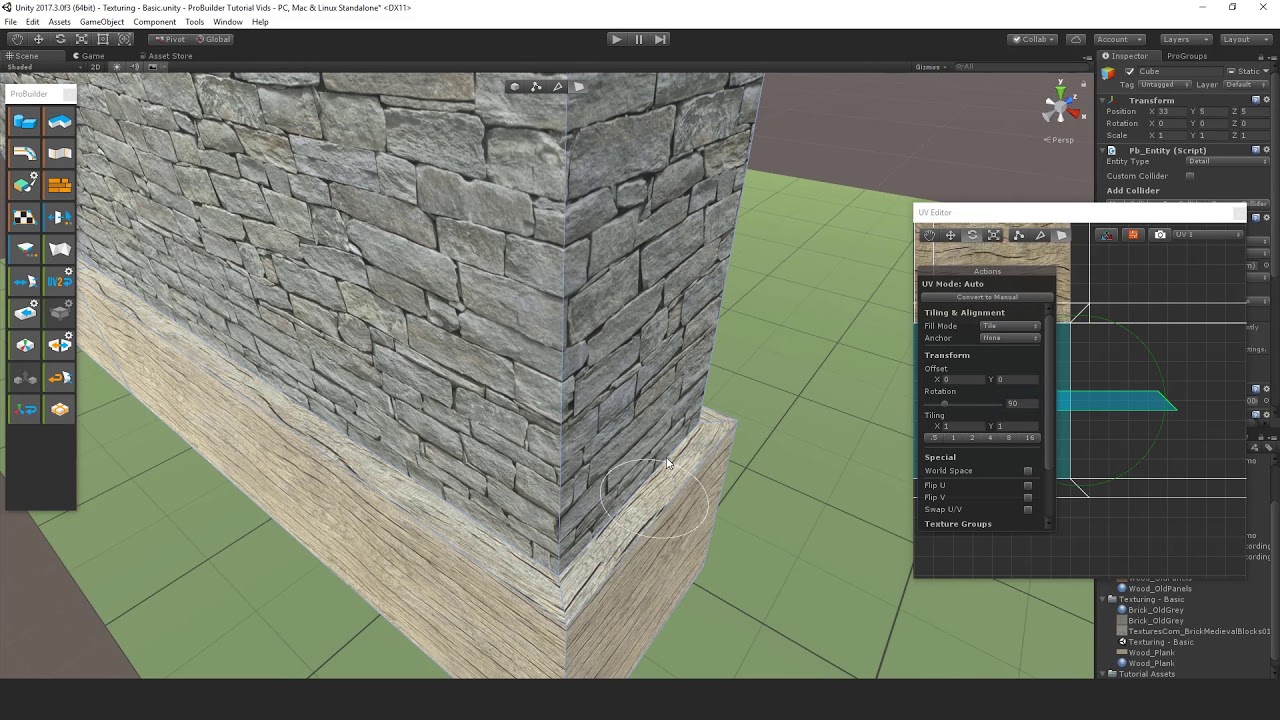
its clearly not a uv issue: https://www.youtube.com/watch?v=bigj13SU1rs
 jaunty briar
timber lichen
its clearly not a uv issue: https://www.youtube.com/watch?v=bigj13SU1rs
jaunty briar
timber lichen
its clearly not a uv issue: https://www.youtube.com/watch?v=bigj13SU1rs
UVs aren't normals though.
 timber lichen
jaunty briar
UVs aren't normals though.
timber lichen
jaunty briar
UVs aren't normals though.
"the linear intensity interpolation can cause bright or dark intensity streaks, called Match bands, to appear on the surface. These effects can be decreased by dividing the surface into a higher number of polygon faces or by using other methods, such as Phong shading, that requires more calculations."
there was an option in unity to raise the calculated normalvector coordinates of the vertex lightning, but i guess that makes it to resource hungry
timber lichen
jaunty briar
UVs aren't normals though.
so: lightning has nothing to do with uv maps.
timber lichen
timber lichen
whats your problem?
 mellow sierra
@timber lichen Don't crosspost. Just look up tutorials on YouTube.
jaunty briar
timber lichen
"the linear intensity interpolation can cause bright or dark intensity streaks, ...
Is that even regarding Unity? 👀 But yes, bad geometry can cause strange effects. But it's not directly linked to vertex density. More vertexes, less performance.
 steep cipher
Hey, I am currently working on lighting for my horror game! After experimenting with the lighting settings for a while I am mostly satisfied with the current result. However I'ld like to see some light shining through the doorframe into the hallway in this scene and was wondering how I could achieve this? I am currently working with realtime lighting and could also share my lighting settings if necessary. Here are some pictures of how it currently looks and how it is supposed to look.


 tiny ore
hello!,im currently working lighting to my escape room game,for some reason,player controller has a big shadow,is there a reason for this? and how can i fix it

this video shows more about the problem,for some reason the problem only shows in the game view not in the scene view
keen compass
Oof, is there any way to change a uh
Lighting culling mask? I ask because objects on certain layers in my scene are unlit
 rotund ridge
Is there an easy way to turn off lightmaps (without deleting them)?
cloud nexus
rotund ridge
Is there an easy way to turn off lightmaps (without deleting them)?
don't know if that is what you mean
 rotund ridge
i still want realtime lighting, just dont want to see the built (or unbuilt) lightmaps
 shell wave
Can I have a tip for lighting, I'm working on a Halloween night scene with unity hdrp. This is my progress.

 viral token
how can i like make the hdri light up the scene (im using the hd render pipeline)
 limber delta
Hello, I'm wondering if anyone can help me clarify what the pros and cons are of having many lower res lightmaps vs one higher res lightmap? Basically going from 2k max lightmap size to 4k.
I guess lower draw calls is a pro, with less 4k maps. Not sure what the cons would be besides it taking longer to bake (as Unity switches to CPU when I try to bake 4k). Thanks!
I tried baking a 4k map with the GPU and it was baking for about 20min then Unity stopped working (I'm on a RTX 3070).
limber delta
shell wave
Can I have a tip for lighting, I'm working on a Halloween night scene with unity...
I think this looks really nice. Maybe break the cold colors up with some contrasting yellow/orange lights? Perhaps hanging from the trees or indicating where to go? Some fog would probably look great in that scene as well. Coming from below and on top parts of the platforms.
 wheat bloom
guys can I know the minimum system requirements for using HDRP
I have 2gb ram
1.90ghz processor
 covert stirrup
limber delta
Hello, I'm wondering if anyone can help me clarify what the pros and cons are of...
covert stirrup
limber delta
Hello, I'm wondering if anyone can help me clarify what the pros and cons are of...
You got it right, the downside of having 4K lighmaps is that it's a bigger load to pull for the GPU. So if you have contained scene where things will be seen mostly at the same time, fewer lightmaps is better. But if you have separated interiors for example, it's better to only have one 2K lighmap for each room rather than loading unnecessary lighting data
limber delta
covert stirrup
You got it right, the downside of having 4K lighmaps is that it's a bigger load ...
Ah right, that makes sense. Thank you for clarifying that!
 forest swallow

anyone know why my volumetric light looks so bad
it's grainy and blobby like
each fog particle looks huge
near turtle
On the fog settings (located at the current active volume), click on the gear button at the top to open the advanced settings
Change the Denoising mode to Reprojection
@forest swallow
You can change the quality either, but that should be enough
modest flower
tiny ore
this video shows more about the problem,for some reason the problem only shows i...
i think this is actually not a shadow but instead an artifact that appears due to a lack of reflection probes. try putting one and see if its still present
 dapper badger
Why is some of my shadows completely black?

 tough hatch
why does this look like this... (baked lighting)

 torn drum
 forest swallow
@torn drum that's how it is with High filtering. you have to use anti aliasing to smooth it out
just use Medium
you can play with your light's angular diameter to soften the shadow
 sterile steeple
How to make baking lights faster?
deft fiber
sterile steeple
How to make baking lights faster?
Use GPU for baking, decrease samples/bounces, exclude complex geometry from lightmap
sterile steeple
While trying to bake with GPU it gives errors
deft fiber
shell wave
Can I have a tip for lighting, I'm working on a Halloween night scene with unity...
It already looks wonderful! What kind of tips do you need
shell wave
deft fiber
It already looks wonderful! What kind of tips do you need
Thank you, any recommendations would be helpful 🙂
keen compass
Some elements on a certain layer in my scene aren't being lit. Is there a way to fix that?
 tawny panther
Looking for some help with unity particles receiving light, anyone here able to help out? I either get dust trails that glow in the dark, or dust trails that change brightness when the camera rotates. Is there a way to get particles that behave consistently when receiving light? IE, dust trails that are dark in the dark, but bright when light is hitting them?
Example of problem:
https://www.youtube.com/watch?v=oDiGHcCf4q0
 deft fiber
tawny panther
Looking for some help with unity particles receiving light, anyone here able to ...
deft fiber
tawny panther
Looking for some help with unity particles receiving light, anyone here able to ...
What you're seeing is technically correct, though not what we would intuitively want
If you consider that the particles are flat quads that in Billboard Render Mode always face the camera, they're lit exactly as you would expect
I don't know how this issue is usually solved for good, but the best thing you probably can do is use a normal map that gives the particles more angles that the light can hit

This kind of normal map for example helps a lot
tawny panther
deft fiber
I don't know how this issue is usually solved for good, but the best thing you p...
Hmm. Interesting. I see what you mean. Thanks for the pointer.
tawny panther
deft fiber
I don't know how this issue is usually solved for good, but the best thing you p...
Hmm, even using spherical normal maps, I get dust that looks bright from one side, and like dark smoke from the other. I get what is going on, but surely this has been figured out by now? Is there not a simple way to simulate dust trails effectively in Unity?
deft fiber
tawny panther
Hmm, even using spherical normal maps, I get dust that looks bright from one sid...
I would like to think there's some standard solution, but I really couldn't find much documentation about it
HDRP has lit particles for much longer so I'd look there if they have some more tricks
Looking at the HDRP particle examples they suffer from the same issue so I don't know
tawny panther
deft fiber
I would like to think there's some standard solution, but I really couldn't find...
Darn. Yeah. Having trouble finding the right place to ask about this. Unity Forum goes unanswered and this discord seems like it would be helpful. Any ideas where to go to get more detailed help?
deft fiber
tawny panther
Darn. Yeah. Having trouble finding the right place to ask about this. Unity Foru...
I came upon some fancier solutions like this when searching, which is definitely something you could look into https://youtu.be/Ixt8GpfzFS8
It might be even worth looking into how other engines do lit/volumetric particles and see if you can recreate that in Unity using shaders
timber lichen
jaunty briar
Is that even regarding Unity? 👀 But yes, bad geometry can cause strange effects...
since you can use both, phong and guarad (orr however), it kinda matters. having a greater vertex density helped to gain a proper lighting map/direct lighting in my case
my point was: lightning uses lightmap uvs which depends on vertex density
at least with standart unity urp android settings
but there is a way to increase the light uv normal vectors count.(set to 1 in standard mode)
jaunty briar
timber lichen
my point was: lightning uses lightmap uvs which depends on vertex density
Baked lighting is what you're referring to there. But the quality of that doesn't depend on vertex density. You can have a flat plane with 4 vertexes (each corner) and get great lighting and cast shadows baked onto it. That wouldn't be the case if it was dependent on vertex count. It's all about texel density for your UV islands/shells. That's what matters.
timber lichen
@jaunty briar not if you scale it*100 on every transform component
then its just bright
maybe not with only baked, bbut with mixed lightning you wil fail
jaunty briar
Sounds like something else is wrong in your project tbh
timber lichen
do you only use premade assets? no scaling issues?
jaunty briar
I create my own
You can try changing the scale in the import settings for the asset. See if that does anything
Although that should just set the transforms anyway.
timber lichen
i know that
as i said i dont know if that is an issue with only b aked
@jaunty briar but i think you have to have a proper mesh amount on certain areas anyway even if its about lightmaps----->LIGHTPROBES
jaunty briar
Not sure what you mean by that
timber lichen
@jaunty briar f light bounces on a face from a lightprobe. if its a giant face, the lightning will fail
or the face willl be just illuminated 100percent
jaunty briar
Well, you do want to keep things at least scaled to a reasonable size. As in, your entire environment. If you have a tiny cube lets say, and you scale it up by a thousand for it to be 1x1x1 meters, then it definitely isn't a problem that its scale is set to 1000.
But if you're operating at scales equal to thousands of meters across, then sure. You might have issues getting the effects you want from lightprobes. But it still sounds very strange what you're experiencing. What version of Unity are you on btw?
timber lichen
you dont get the "perr vertex lightning part". im using 2020.03
jaunty briar
timber lichen
you dont get the "perr vertex lightning part". im using 2020.03
Care to send me to a link for that documentation so I can read the official writing for it. Might be easier to understand what exactly you're referring to
timber lichen
In 3D computer graphics, Phong shading is an interpolation technique for surface shading invented by the computer graphics pioneer Bui Tuong Phong. It is also called Phong interpolation, or normal-vector interpolation shading. It interpolates surface normals across rasterized polygons and computes pixel colors based on the interpolated normals a...
jaunty briar
This is just general phong stuff. I mean for Unity
jaunty briar
What shaders are you using in Unity?
jaunty briar
I see, so just vertex lit shaders
timber lichen
im using the standard include shaders in unity
timber lichen
jaunty briar
I see, so just vertex lit shaders
yes
is somebody using per pixel lightning in a game?
timber lichen
ok thanks bro
your right
of course its the depends on the shaders of the pipeline
i see
jaunty briar
Yea it just depends what shader you've set for your material to use.
timber lichen
** how the lightmaps are calculated depending on the geometry
timber lichen
jaunty briar
Yea it just depends what shader you've set for your material to use.
but how can i have proper lightning for a streched mesh with only one face and standard shader?
but thanks for the help anyway!!!
jaunty briar
Hard to say without seeing some screenshots of what exactly is happening. Maybe even a screenshot of the baked maps
timber lichen
i told you: per veretex means that the normals of the light uv are streched with the transform of the objects
i can make some text screenshots later
 marsh shale
Hi, if anyones had this problem before that would be great, because I cant get this effect of the lights seemingly abruptly ending to go away. any help at all is appreciated

the sunlight does somewhat the same thing but a little less noticeable
modest flower
marsh shale
Hi, if anyones had this problem before that would be great, because I cant get t...
picture is really really small but it LOOKS like increasing light range should do the trick. If thats a spotlight, making the inner spot angle smaller should also help
marsh shale
modest flower
picture is really really small but it LOOKS like increasing light range should d...
Yeah sorry I should have zoomed in more. Just went to bed but I’ll try this tomorrow when I get a chance. It is an area light if it matters
modest flower
marsh shale
Yeah sorry I should have zoomed in more. Just went to bed but I’ll try this tomo...
ah! it would matter, i have basically next to no experience with those so i will have to see myself 😅
marsh shale
modest flower
ah! it would matter, i have basically next to no experience with those so i will...
Crap, Is there an alternative I could try? Like using another light source?
modest flower
marsh shale
Crap, Is there an alternative I could try? Like using another light source?
if its an interior space, either spot or point would work, maybe both at the same time (weaker pointlight to illuminate around the source, spot for the actual lightcone)
im not really sure what the usecase for area light would be, for exteriors, the sun/moon/celestial light would be covered with directional
marsh shale
modest flower
if its an interior space, either spot or point would work, maybe both at the sam...
These are kinda why I chose an area light. In the photo of the scene you can see half of the light I’m trying to make. It’s basically just a rectangle that emits blue light horizontally, however a spotlight would be a cone shape, and a point light would be spherical.
I guess I haven’t really tested combining these yet but I’ll try when I get a chance
modest flower
marsh shale
I guess I haven’t really tested combining these yet but I’ll try when I get a ch...
thats the solution i would go for personally, with maybe 2 spotlights side by side if the light is especially long.
marsh shale
modest flower
thats the solution i would go for personally, with maybe 2 spotlights side by si...
Ok, thanks
modest flower
maybe someone else with some more experience can give an alternative option (and shed some light on how arealights are to be used)
marsh shale
^
modest flower
@marsh shale i had a chance to try out arealights, i think this is the exact same issue you experienced

this is using a spotlight with the same settings

 half kelp
Hi so im building a basic unity3d horror game but its lagging alot on low end devices and i have no idea why
i have shadows disabled
the scripts arent script heavy
its using a 100mb worth of ram
for now its like a simple cube with a first person character in it nothing else
it still lags alot on a nokia 3.2 plus device and its equivalents
it has a qualcom Qualcomm SDM429 Snapdragon 429 and 3gb ram
deft fiber
@half kelp You'll need to learn to use the Profiler to figure out what's causing the biggest computing load
And study optimization in general
Mobile devices have their own rather specific performance limitations
half kelp
I did try and use profiler
The cpu seems clean like theres nothing there thats causing lag as its just fps controller
its networked btw with pun2 i forgot to mention that
The gpu on the other hand it shows that its not supported
by the profiler
half kelp
deft fiber
<@!629775005487464458> You'll need to learn to use the Profiler to figure out wh...
on the cpu it was gfu.waitforpresent which was taking 70% of the resource
and the total call backs were 9 to 11 depending on what the player was doing
 fallow karma
is the best way to make a sun that gives of light by just putting a point light inside of a sphere?
 lethal heron
why is HDRP normals rendering on tessellated geometry absolute garbage?
and why isn't there a utility to generate the mask map in the editor?
are they high
 timid stag
hey, how do I make the arrows on my mesh glow?

they are just texture, not objects
and the background will be always black
deft fiber
timid stag
hey, how do I make the arrows on my mesh glow?
Use an emission texture on the material
timid stag
thanks!
modest flower
fallow karma
is the best way to make a sun that gives of light by just putting a point light ...
Uh.. Realtime directional light may be better? Though im not sure how much performance tht costs
modest flower
Does anyone have any inputs on what would be the optimal way to simulate lightning flashes indoors? I prototyped a functional setup using realtime pointlights, but expanding them throughout a scene caused issues (using URP).
I had an idea of using lightmap switching, but is there a more obvious alternative that I am missing?
fallow karma
modest flower
Uh.. Realtime directional light may be better? Though im not sure how much perfo...
how would it work with a directional light?
modest flower
fallow karma
how would it work with a directional light?
well, directional lights already act like a distant light source (like the sun), so that should have you covered
unless you mean inside a planetary model or something? 🤔 In which case either emission (if the model is static) or pointlight works
fallow karma
modest flower
well, directional lights already act like a distant light source (like the sun),...
oh ye that is what I mean I am making like a space game with planets orbiting around stars
fallow karma
modest flower
unless you mean inside a planetary model or something? 🤔 In which case either e...
mhm ok
modest flower
fallow karma
oh ye that is what I mean I am making like a space game with planets orbiting ar...
ah! well yeah in that case a pointlight with a sphere around it would work, otherwise if the star does not need to move at all, then you can get away with using emissive materials most likely
fallow karma
what exactly are emmisive materials?
modest flower
you can use options on the light entity and layers to make it ignore the sphere
emissive materials are materials that emit light
without having to use another gameobject to actually produce said light
all of said lights properties are controlled in the material itself. let me drag out the doc

 modest flower
sure, i cannot promise i will have actually useful input but i can try
 leaden stratus
I changed my realtime lights to baked and then baked all of them, but this is the final result and it doesn't look pretty. I have no idea why
modest flower
baked or MIXED?
leaden stratus
All baked
modest flower
and this is SRP?
can you show the settings of one of the lights? i presume the blue pointlights near the back wall are what youre talking about. at a glance intensity is probably too weak
leaden stratus
modest flower
and this is SRP?
i have no idea if it is or not

All the objects in the scene are Static
modest flower
okay. then it seems jacking up the intensity is a good bet
leaden stratus
bottom view
 modest flower
keep a note of current settings and try increasing it 3x or so, see if there is a change. we want to establish that intensity increase can actually help
leaden stratus
got you, will try
modest flower
yeah there doesnt seem to be any influence at all from the pointlights
oh and maybe up the range a bit too
leaden stratus
the floors are illuminating crazy
modest flower
it doesnt seem it like it reaches the floor, but idk
modest flower
leaden stratus
the floors are illuminating crazy
please show once it completes
leaden stratus
got it, i will try that r n
leaden stratus


the first pic is how it looked when i bumped up the intensity
Then i disabled all the lights in the scene, changed every object into Static except for Occludee static, disabled post processing and baked the scene
it looks as expected except for those flashy white things which i can't understand
modest flower
leaden stratus
it looks as expected except for those flashy white things which i can't understa...
the weird glowing on the 2nd pic? looks like texel issues, but i can't really say. you can check the lightmap unwrap on the specific models
modest flower
leaden stratus
in this pic it doesnt look like everything is evenly lit either, some are just unlit it seemed
 tight moss
hey everyone... quick question: Dead Nation on PS3, many years ago, had two player co-op and each player had a full blown, shadow casting flashlight... do you think they were using a special technique like shadow volumes or something, or just brute forced it? both static and dynamic geometry cast shadows, and the flashlights appeared to be volumetric
 leaden stratus
hey man, thanks for the help
leaden stratus
modest flower
the weird glowing on the 2nd pic? looks like texel issues, but i can't really sa...
i checked and applied lightmap uv on every model in the scene and I think the issue is fixed now
i'm fairly new to Unity, so I had to do some research on lightmaps and the lightings overall. But your suggestion got it fixed so thanks again, you rock!
modest flower
leaden stratus
i checked and applied lightmap uv on every model in the scene and I think the is...
Glad to hear that! I was worried I wasnt diagnosing the issues correctly😅
 ionic summit
Hi!
I'm trying to recreate the fog technique from graveyard keeper https://www.gamedeveloper.com/programming/graveyard-keeper-how-the-graphics-effects-are-made
My terrain and my vegetation are perpendicular and the layered fog texture is parallel to the terrain/ground plane. I have a day/night cycle with a strong directional light as the sun and when the sun light shines on the fog it looks pretty good but during the night when everything is mostly lit by ambient lighting only the intersection between fog layers and vegetation become very apparent.
Is there anyway to make that intersection less apparent?

Game Developer
The summary of tips and tricks used in Graveyard Keeper to make different graphical effects and apply them on a pixel art picture.
 woeful elm
how do I make a material for an object, so that the surface is unaffected by lighting intensity and stuff, but a shadow can be cast onto it.
so it is just 1 constant color
except for where there's a shadow
there, there is another color
 severe loom
woeful elm
how do I make a material for an object, so that the surface is unaffected by lig...
severe loom
woeful elm
how do I make a material for an object, so that the surface is unaffected by lig...

GitHub
Sand box project containing example shaders and assets compatible with Unity Universal Render Pipeline. - UniversalShaderExamples/UnlitTextureShadows.shader at master · phi-lira/UniversalShaderExa...
 lime garnet
Hey, do we have any information from Unity on what's the status with ray tracing support on the latest AMD chips?
Or does Unity already support it and they just haven't updated their docs?
 worthy forum
How do I create cylindrical real time lightsources ?
say I have a pillar of fire that I need to toggle on and off
I can't seem to find an elegant way to light dynamic objects around believably.
The only option appears to be an array of point lights, which are notoriously expensive, even with deferred rendering and shadows disabled
Is there something I'm missing here?
 modest patio
worthy forum
Is there something I'm missing here?
modest patio
worthy forum
Is there something I'm missing here?
I cant think of any other way of doing it realtime, other than as you suggest. A couple of other ways to do it would be to bake and use a light map switcher or fake it and do it via a shader.
worthy forum
Damn Shame, oh well thanks for replying tho
 graceful beacon
Does anyone know what might be causing this for an imported model? I've been trying to get either realtime lighting to not do this, or import the pre-rendered lightmaps. I've never really messed with lighting in Unity, so I have no idea what might be going on here. I've tried having the normals recalculated along with tangents, but those don't work. That wall around the doorway does extend past the wall, but would that cause this issue? Also, that white light source is inside the room with 160 degree light on it, so it should illuminate part of that wall.
 keen compass
Hey, is there a reason why my realtime lighting only seems to be affecting certain gameobjects, and not say, the map I have in my project?

 stark temple
What is that light affecting, and what isn't it? Are those surfaces being affected by any lights?
keen compass
The map surfaces are being effected by a direct light, so...
Hrm. And the culling mask is set to rendering everything
I know it's not the material that's doing this.
cloud nexus
keen compass
Hey, is there a reason why my realtime lighting only seems to be affecting certa...
it seems like the base of your light beam doesn't reach the floor, so be sure that the surface you need to be affected by the light is included in the cone (starting from the base)
keen compass
Oh, it is. Sorry if the perspective's a bit wonky
 vague nexus
is it even possible to use unity's GI system if a bunch of your models have overlapping UVs?
deft fiber
vague nexus
is it even possible to use unity's GI system if a bunch of your models have over...
They need non-overlapping lightmap UVs
Lightmap UVs are usually generated on the second UV channel
vague nexus
oh really?
so i could just re-import my meshes, but with the UV2s unwrapped to not overlap and it should work?
deft fiber
vague nexus
so i could just re-import my meshes, but with the UV2s unwrapped to not overlap ...
Unity's mesh import settings have an automatic lightmap UV generation checkbox
vague nexus
@deft fiber thank u, i just found that part in the documentation
 timber current
Hey guys n gals this is happening to me on WebGL, any ideas what could be causing this? Thanks
timber current
vague nexus
where the faces of two objects are exactly coplaner
I'm not sure what that means, do you think it's a problem with the 3D model? Like two faces being two close to each other?
vague nexus
if your windows are at the exact same position as the walls of the shack, then the camera has trouble figuring out which object is in front, which results in this effect "z-fighting"
if you move the windows like .00001 meters away from the shack then that would fix it
deft fiber
timber current
Hey guys n gals this is happening to me on WebGL, any ideas what could be causin...
It might be that you have two shacks overlapping each other


 timber current
vague nexus
if your windows are at the exact same position as the walls of the shack, then t...
timber current
vague nexus
if your windows are at the exact same position as the walls of the shack, then t...
I see, thanks!
mellow sierra
What's there to improve. It looks lit to me. Lighting is a very big topic, improving it means creating a mood. You have a single floor and grey capsule, there's not much you can do to make it look "better".
 random valley
In the Unity Documentation it states the LightProbes stores light probe data, is it possible to manually edit this, and if so where can I access this data?
or if possible an in-program way of editing the values of a probe
random valley
no idea, how does yours look if you just set the shadow type of your light source to hard shadows
deft fiber
 muted willow
Hello does someone know how to make my skybox look like its not a cube?
muted willow
Hello does someone know how to make my skybox look like its not a cube?

A quick and easy tutorial on how to use Photoshop to hand-paint a spherical skybox to use in Unity, without the need for plugins, UV unwrapping, or other software. Using this technique it's possible to paint without deformation and at the same time take advantage of all of the tools Photoshop has to offer.
The graphics in the video are part of ...
As show here, you should build the skybox as a scene and bake it into a reflection probe, or you'll need an image editing program that can create panorama images
Blender can do it too if you know how
muted willow
Hello! what does navmesh lod index mean(Unity Terrain System) and what type should I pick ?
 random valley
or if possible an in-program way of editing the values of a probe
random valley
random valley
or if possible an in-program way of editing the values of a probe
https://github.com/keijiro/ProbePolisher
This is all I've been able to find so far but it seems very out of date

GitHub
Light probe editor for Unity. Contribute to keijiro/ProbePolisher development by creating an account on GitHub.
 vale flower
trying to learn how baking lights work and tried to create some dark interior with no light inside to make it dark but how to avoid that reflectivity on materials from direct light? I have only one light on scene

it is something like this from exterior
 random valley
If you want to do it in a natural way you'll want surfaces to have no smoothness and the room is occluded from direct light , if you want to cheat, place a plane in the doorway when baking and remove it after
vale flower
There is no other way? So I can't have interiors and exteriors on the same scene with reflective surfaces?
random valley
I don't know what you mean, if you want a room to be dark, but have surfaces that reflect light, the room will naturally get some light from those reflections.
Mabey lower the indirect lighting multiplier ?
vale flower
But reflections are coming from exterior which is not visible
random valley
No idea then sorry, I'm just a beginner myself, what's the layout between the lit and pitch black walls and the doorway?
And are all the walls and stuff set as static
Is the light mode set to scene or camera, and this is baked with a non-real time light source?
deft fiber
vale flower
But reflections are coming from exterior which is not visible
Reflections in baked lighting are determined by reflection probes
If your interior and exterior have their own reflection probes, the reflected light won't "leak" in
vale flower
deft fiber
If your interior and exterior have their own reflection probes, the reflected li...
So interior refleciton probe cant leak outside, right?
from interior
deft fiber
I wouldn't say it can't, but it won't if you have probe ranges and importance set up correctly
vale flower
yeah it worked!
hell yeah, thank you. Now I know how to make dark interiors ufff

now I must find out why on my previous test scene baking lights takes ages
vale flower
ok, why after baking there is no sky? xD

 narrow ridge
Does anybody know how I'd go about making an effect like this? Like putting black fog in places you're not supposed to see far.

 rocky lily
Question: When my light source gets covered by an object, the cut off is very hard - instant shadow
how do I fix that?
(Light source is mobile)
rocky lily
https://gyazo.com/55f100cb1b37f914c85bf03548c1e5e9 This is what is happening
at another angle:
https://gyazo.com/eb2af3ee7d14186cb6aeaf535c246977
 deft fiber
narrow ridge
Does anybody know how I'd go about making an effect like this? Like putting bla...
deft fiber
narrow ridge
Does anybody know how I'd go about making an effect like this? Like putting bla...
That specific kind of fog is built into the mesh/texture
Due to the way lighting is simulated in Unity, I don't think there's a way to create artificial shadows or darkness using that
Shaders can be used to create various kinds of dynamic darkness, but those are a bit more complex topic
 south pollen
deft fiber
That specific kind of fog is built into the mesh/texture
Due to the way lighting...
south pollen
deft fiber
That specific kind of fog is built into the mesh/texture
Due to the way lighting...
If he made a post process volume with some heavy ambient occlusion in that area it would work kinda
deft fiber
south pollen
If he made a post process volume with some heavy ambient occlusion in that area ...
That's a good point, though the effect might be limited
south pollen
How would I fix this lighting? The lighting is making the body Shine like a human torch even though i just want flat lighting

I want it like this (which is using a different software i didnt make)
 modest flower
south pollen
How would I fix this lighting? The lighting is making the body Shine like a huma...
modest flower
south pollen
How would I fix this lighting? The lighting is making the body Shine like a huma...
It LOOKS like too much gloss/too little roughness
If youre using specular PBR, make sure the gloss map isnt bright
south pollen
Its the same model in two different softwares so i dont believe its anything to do with the textures, I may be wrong but
modest flower
Well, unity supports both specular and roughness PBR
Gloss/rough maps are inverse of each other, so if the original was using metalness and youre using gloss, its gonna come up as super shiny
Assuming you didn't change anything ofc
modest flower
south pollen
Its the same model in two different softwares so i dont believe its anything to ...
My recommendation is to try and slide some of the material settings. My guess is on either the rough/gloss or metal/specular maps being the culprit
 quasi ore
Greetings fellow game developers. I have a Realtime light issue where I have massive light leaks trought the walls:

Can anyone point me in the right direction here? I googled and tried a bit with cast shadows etc, but nothing seems to work properly
south pollen
quasi ore
Greetings fellow game developers. I have a Realtime light issue where I have mas...
If that wall isnt suppose to move or break etc, you could try ticking it as static

Then regenerate the lighting
quasi ore
south pollen
It is static!
quasi ore
south pollen
If that wall isnt suppose to move or break etc, you could try ticking it as stat...
There is more places with light leakage... Cant really pin point what setting that is wrong
 quasi ore
south pollen
Try set the normal bias in the lightings inspector close to or to 0
quasi ore
south pollen
Try set the normal bias in the lightings inspector close to or to 0
What setting are you refering to? Can you screenshot it?
south pollen
 quasi ore
south pollen
quasi ore
south pollen
Hmm, I have no directional lights
narrow ridge
deft fiber
That specific kind of fog is built into the mesh/texture
Due to the way lighting...
Oh yeah that makes sense. I was thinking of using a shader but in my situation I think I could also just use a texture. Thanks
modest patio
quasi ore
There is more places with light leakage... Cant really pin point what setting th...
Do you have a texture on the area where you have light leaks?
modest patio
quasi ore
There is more places with light leakage... Cant really pin point what setting th...
You often get light leaks like this when baking lighting, to get rid of it you need to increase padding but did you say this was all realtime?
 shy locust
What kind of problem do I have here and how to fix this? It appears some kind of bleeding shadows or something

I'm using Lightmap Baking, URP, and Global Volume. before built it doesn't look like this but after built it does
Is it Post Processing or Lighting?
modest patio
shy locust
What kind of problem do I have here and how to fix this? It appears some kind of...
It could be your texture import settings - try increasing the Aniso level under advanced?
and try playing with your mip map filtering
 near fjord
Hello! Could anyone point me out where i should head to bump up emissive textures effect?
I have bloom in post processing, but i dont relly like its result.
I thought on adding some flare, but i cant find how it works in Unity.
Any sugestions on how to get better results?
quasi ore
modest patio
You often get light leaks like this when baking lighting, to get rid of it you ...
Its baked! is it the padding thats the issue?
modest patio
quasi ore
Its baked! is it the padding thats the issue?
Could be try increased to something like 6 and then going up on increments of 2 until it disappears. Also can you screen shot your bake lighting settings? This also has an effect. If settings too low light leaks can be worse.
quasi ore
modest patio
Could be try increased to something like 6 and then going up on increments of 2 ...
 quasi ore
modest patio
Could be try increased to something like 6 and then going up on increments of 2 ...
quasi ore
modest patio
Could be try increased to something like 6 and then going up on increments of 2 ...
Note that I just changed padding from 2
modest patio
quasi ore
Note that I just changed padding from 2
and I'm assuming you already have lightmaps on each object youre rendering? click on object - generate lightmap UV's
try these settings, change direct samples to 256, lightmap resolution to 64, lightmap padding to 6 and if you still have problems try increasing by 2 each time. If you get to 10 and you still have light leaks try changing lightmap size to 2048.
quasi ore
modest patio
and I'm assuming you already have lightmaps on each object youre rendering? cli...
The light leak seems better atm, but I still get this wierd black lines in my floor:

Could that be the ambient occlusion?
modest patio
Is that a texture you have on the floor?
quasi ore
modest patio
Is that a texture you have on the floor?
It actually fades out when i get closer to it
modest patio
Yeah its your texture filtering and Aniso level on texture import settings.
try increasing your Aniso level first
 quasi ore
What does anisio even mean? xD
modest patio
Anisotropic filtering - how stuff appears when looking at it from a certain angle.
quasi ore
It seems like i have that disabled
modest patio
https://docs.unity3d.com/Manual/class-TextureImporter.html def worth reading what each settings does. A lot of problems come down to import settings when using textures. Mip Maps is another one where people stumble.
quasi ore
Ahaaaaa, putting per texture on anisotropic textures removed almost all of it!
modest patio
quasi ore
Ahaaaaa, putting per texture on anisotropic textures removed almost all of it!
Awesome, happy lighting
quasi ore
modest patio
Awesome, happy lighting
Thank you sir!
The result is quite alright already!:
 modest patio
lovely. Looks great man!
quasi ore
modest patio
lovely. Looks great man!
Thank you!
modest patio
I tend to start with low settings and then when I've got the right look, crank them up for final bakes.
quasi ore
modest patio
I tend to start with low settings and then when I've got the right look, crank t...
May I ask for a sceenshot of your settings on the final render?
modest patio
It all depends on your scene, what lights you are using, but a good starting point is direct at 512, indirect at 1024, lightmap resolution 100, lightmap resolution I always go with 2048. All depends on target platform as well. Just have a play. You shouldn't have to go much higher lets put it that way.
quasi ore
modest patio
It all depends on your scene, what lights you are using, but a good starting poi...
Sounds like a day long bake xD But Im going for something similar to that in the end!
modest patio
oh if you're using an enviornment map increase this to 512 as well.
modest patio
quasi ore
Sounds like a day long bake xD But Im going for something similar to that in the...
Shouldnt take long with the settings I've just given you. 10-15 mins depending on your GPU.
Also if you find your bake is a bit darker try increasing max bounces to 3 or 4, saves having to mess with each light source
quasi ore
modest patio
Also if you find your bake is a bit darker try increasing max bounces to 3 or 4,...
Ill certenly try that out!
Thanks for the excellent tips! Appreciate it
 waxen citrus
Hi there, I posted something like this in #archived-code-general , but I feel like I should post it here as well. I may get a better answer.
I'm wondering about a general question that I would like to have answered. I've heard some things about sun rays/god rays/sun shafts and was wanting to try to implement them into my game. However, it seems like the package that handles sun shafts is no longer available. Is there a way to incorporate that type of effect/lighting in my Unity3D project? (I’m using the built-in shaders btw, I could use URP or HDRP but I really don’t want to go through the hassle, plus some of my Roystan mats break when switching.)
waxen citrus
^^^ still trying to figure this out btw lol
shy locust
modest patio
It could be your texture import settings - try increasing the Aniso level under ...
I Did generate some mipmap and increase aniso level to 2 and it still does not fix, I also though this a shadow acne and increase the depth bias but it doesn't seem to work

 light tangle
so I have 2 camera (stacking). So if the player raises the FoV, the gun stays still. I need to use layer because the guns are droppable
1 camera rendering everything except the gun the player is holding
1 camera only render the gun the player is holding
the problem is, the muzzle light won't render to the world because it's attached to the weapon. It will shine the weapon though. At first I'm wondering why the world doesn't gets the light, when I switch to scene, apparently it's because the world camera isn't rendering the gun, any way to fix this?
 pliant fable
has anyone run into webgl lighting being a good deal brighter in the browser than in the editor? this screen is browser

and this is the editor

this is webgl browser with linear color mode. not sure if there are lighting settings i can set in the editor that will more closely match what will be seen in the builds

fyi these are all point lights, no directional light, global illumination is not enabled afaik
 modest patio
waxen citrus
^^^ still trying to figure this out btw lol
modest patio
waxen citrus
^^^ still trying to figure this out btw lol
Hi, look up volumetric lights. Honestly though if you want a great, super light weight 'fake' solution I highly recommend the following asset. Simply drag and drop as you please. I use it for VR projects and use URP, saved us loads of time and looks awesome. Fairly easy to recreate in Shader graph but why waste your time? https://assetstore.unity.com/packages/vfx/shaders/volumetric-light-beam-99888

Add depth to your next project with Volumetric Light Beam from Tech Salad. Find this & more VFX Shaders on the Unity Asset Store.
modest patio
shy locust
I Did generate some mipmap and increase aniso level to 2 and it still does not f...
It could be a number of things, Highly recommend you read this, https://docs.unity3d.com/Manual/class-TextureImporter.html
 amber fractal
How do I make better looking lighting for racing game? Like sun light.
modest patio
amber fractal
How do I make better looking lighting for racing game? Like sun light.
Use a single directional light - I.e. the sun
waxen citrus
modest patio
Hi, look up volumetric lights. Honestly though if you want a great, super light...
This looks really cool, thanks!
modest patio
waxen citrus
This looks really cool, thanks!
The only limitation is if you walk through it, its basically a cylinder that can be ajdusted in size/width with a fancy shader on it. Its doesnt look bad when you do walk through it because they've set it up to have some nice transistions but just be aware. Def best to use on objects in the distance or as per the examples in the video e.. hanging lights etc. Def worth the 30 bucks or whatever it is. Oh also has loads of animation fuctions as well so flashing lights, rotating lights etc..
limber delta
modest patio
The only limitation is if you walk through it, its basically a cylinder that can...
We've been using this one for our project https://assetstore.unity.com/packages/vfx/shaders/volumetric-lights-164149 which has worked really well. URP and VR for us as well. Have you tried it and would you say those are similar? Considering checking out the one you linked above.
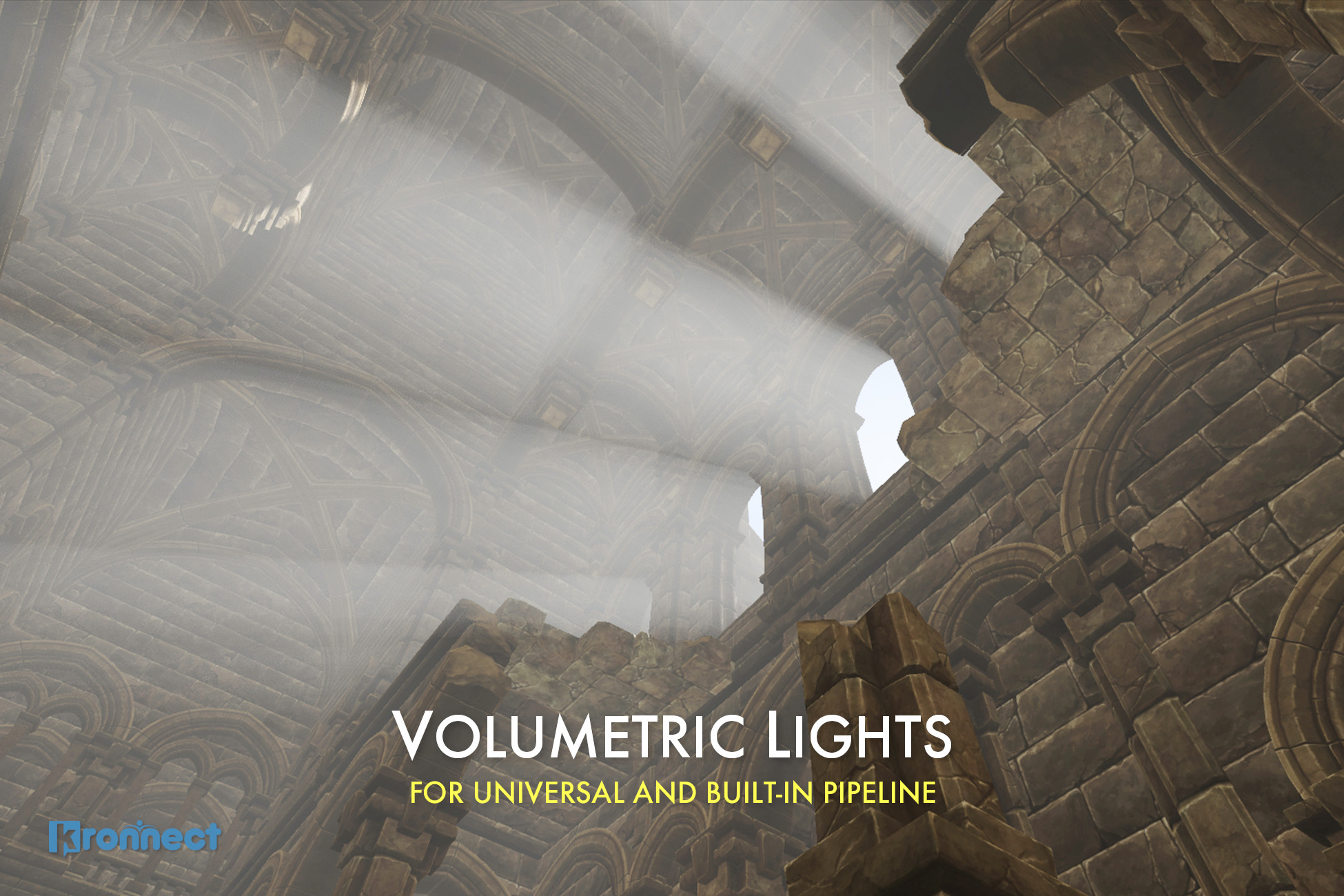
Add depth to your next project with Volumetric Lights from Kronnect. Find this & more VFX Shaders on the Unity Asset Store.
modest patio
limber delta
We've been using this one for our project https://assetstore.unity.com/packages/...
😮 Not seen this one before! looks very nice. Might give this a go, cheers man
limber delta
modest patio
😮 Not seen this one before! looks very nice. Might give this a go, cheers m...
Np!
modest patio
limber delta
Np!
Just watched the video's and it actually looks identical to the one I shared, both awesome effects though and super cheap on perf 👍
limber delta
Haha, yeah, I thought they looked quite similar as well 🙂
Got them mixed up actually and thought I already had the one you linked
 fair agate
shy locust
I Did generate some mipmap and increase aniso level to 2 and it still does not f...
fair agate
shy locust
I Did generate some mipmap and increase aniso level to 2 and it still does not f...
That's some z fighting you have here.
shy locust
I just found that 5 minutes before you reply and it fixed, but thanks man 
fair agate
:p
 dapper glen
pliant fable
has anyone run into webgl lighting being a good deal brighter in the browser tha...
dapper glen
pliant fable
has anyone run into webgl lighting being a good deal brighter in the browser tha...
Thats either ambient lighting or a reflection, not brightness
dapper glen
pliant fable
Set your environment reflections intensity to 0
waxen citrus
Is there a way I could get any sort of cel shaded lights?
 native cradle
I duplicated a scene, and I made a new LightingDataAsset, but it seems like it's still connected to the old scene's path for baked maps somehow. If I hit Generate Lighting or Bake on a reflection probe, it overwrites the ones for the original scene. How do I have those create new maps in the new scene's own folder?
waxen citrus
deft fiber
<https://youtu.be/_jTXd3x6gOY>
I’ve seen this. I don’t want to use it though because it requires URP and I’m using Built In renderers. Roystan mats break if i switch to URP
Also it might only work in an earlier version of unity
deft fiber
waxen citrus
I’ve seen this. I don’t want to use it though because it requires URP and I’m us...
https://www.reddit.com/r/Unity3D/comments/afygr0/i_wrote_a_tutorial_for_tooncel_shading_linksource/ this seems to be for built-in
there are countless options
waxen citrus
deft fiber
<https://www.reddit.com/r/Unity3D/comments/afygr0/i_wrote_a_tutorial_for_tooncel...
Yea yea I’ve got toon shades mats in my scene, but they don’t react to lights and lights are still not cell shaded
Wanted to see if I could allow the mat to dynamically react to lights around the scene
I’ve followed a bunch of tutorials but nothing’s worked
deft fiber
waxen citrus
Yea yea I’ve got toon shades mats in my scene, but they don’t react to lights an...
What do you mean by "lights are not cel shaded"
The shading happens in the materials, not lights
waxen citrus
deft fiber
What do you mean by "lights are not cel shaded"
The shading happens in the mater...
Yeah, exactly. Trying to see if I could somehow make lights more simple and cel-like
deft fiber
That makes no sense to me
 prisma burrow
when I shine a spotlight on this model, I get this. It's the texture but not UV mapped. Only happens with directional and spot lights
 waxen citrus
deft fiber
That makes no sense to me
waxen citrus
deft fiber
That makes no sense to me
I guess instead of lights fading away the further it extends, it abruptly stops
deft fiber
waxen citrus
I guess instead of lights fading away the further it extends, it abruptly stops
That's usually what a cel shader is expected to do, is it not?
waxen citrus
deft fiber
That's usually what a cel shader is expected to do, is it not?
Yes, but I’m trying to figure out how to make that light-depended instead of material-depended
deft fiber
waxen citrus
Yes, but I’m trying to figure out how to make that light-depended instead of mat...
Every cel shader I've worked on only gets generic information from light sources and can't really differentiate their types to mix smooth and quantized lighting, but I doubt it's totally impossible
waxen citrus
deft fiber
Every cel shader I've worked on only gets generic information from light sources...
Alright. Thanks for the help there. Still trying to figure out how to make a cel-shader react to lights
But I’ll find out more about that later
 vapid oar
I may be asking a tall order in advance, I apologize. My google fu has not helped me on this.
I am using URP (Hope to target mobile systems if need be with focus on PC first) and I want to be able to use baked lighting, but I am facing procedural generation and I would like the lighting to have some degree of dynamic lighting. For example the inside of a ship where much of the game time will happen, I would like for lights to be able to go out or change color (like go from white to red for an alert).
I have had success baking the individual geometry as their own scenes and my hopeful solution is to just change or multiply the color of the lightmap (for the above example, that would work fine, You'd WANT all the lights to be red in an emergency situation), I'm going for more realistic designs so I don't need LED lighting on every beam or crazy holograms all over the place. Most likely some fixtures in the cielings and lights along the floor. But I haven't found a solution, third party or someone' fix, that would help that, most I can find is changing the light's color itself and I would prefer to avoid doing different scenes for each lighting situtation, that sounds less than optimal
 fervent minnow
light tangle
so I have 2 camera (stacking). So if the player raises the FoV, the gun stays st...
fervent minnow
light tangle
so I have 2 camera (stacking). So if the player raises the FoV, the gun stays st...
someone help him ^^^
 fallen horizon
light tangle
so I have 2 camera (stacking). So if the player raises the FoV, the gun stays st...
fallen horizon
light tangle
so I have 2 camera (stacking). So if the player raises the FoV, the gun stays st...
I would suggest just get rid of second camera and do manual rendering of guns using command buffer depth clear passes
At least, that's what I did
light tangle
fallen horizon
I would suggest just get rid of second camera and do manual rendering of guns us...
Hmm, interesting, will look down into it
olive python
hey does anyone how to fix these seams leaking light? I'm using ProBuilder and its one whole mesh so its sealed..


if anyone has a solution I can use please @ me
modest patio
vapid oar
I may be asking a tall order in advance, I apologize. My google fu has not helpe...
You want to use a lightmap swicher https://assetstore.unity.com/packages/tools/utilities/magic-lightmap-switcher-built-in-srp-196489 you basically bake different lighting scenarios and you switch or fade from one to another.

Use the Magic Lightmap Switcher (Built-In + SRP) from Eugene B on your next project. Find this utility tool & more on the Unity Asset Store.
vapid oar
modest patio
You want to use a lightmap swicher https://assetstore.unity.com/packages/tools/u...
Any free alternatives? I'm broke, definitely 50 dollars broke. Just putting me in the direction of where to look in the API would be great
(Not that I don't appreciate the response! Just that I don't have the money to spend and I don't mind putting in a bit of work to do it for myself, just need to know what questions to ask of google/Unity docs
deft fiber
vapid oar
I may be asking a tall order in advance, I apologize. My google fu has not helpe...
https://youtu.be/BRapbR6vPII here's one that might work
https://gamedev.stackexchange.com/questions/49687/how-do-i-blend-2-lightmaps-for-day-night-cycle-in-unity this is for blending lightmaps but it's really old
You can find a lot of these just by searching "unity swap lightmaps" or "blend lightmaps"
modest patio
vapid oar
Any free alternatives? I'm broke, definitely 50 dollars broke. Just putting me i...

Link to swapping Lightmaps video: https://www.youtube.com/watch?v=BRapbR6vPII&feature=youtu.be
Link to my game Vampire Heist: https://birdmaskstudio.itch.io/vampire-heist
This video is for those of you that are aware of what lightmaps are, conceptually, but not so confident about using them in practice. I go over the settings you need, include...
modest patio
vapid oar
Any free alternatives? I'm broke, definitely 50 dollars broke. Just putting me i...
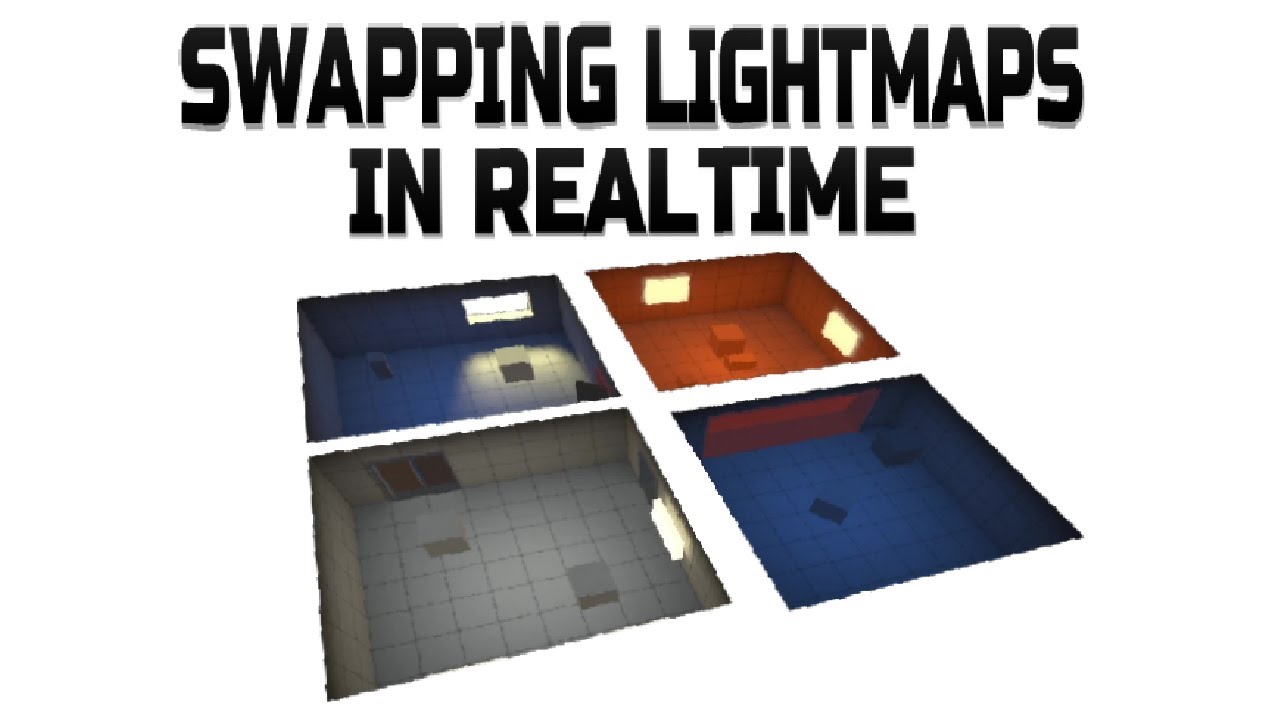
Link to example project: https://birdmaskstudio.itch.io/unity3d-swapping-lightmaps-in-realtime
Link to full video on using Lightmaps: https://youtu.be/NkAJNeHqmc4?list=PLM2JG19oUhLOWhyRXsE3-SpUsigOdMPSp
Link to my game Vampire Heist: https://birdmaskstudio.itch.io/vampir...
Took a while but here it is, my video on swapping lightmap and probes ...
amber fractal
modest patio
Use a single directional light - I.e. the sun
Thx!
 main wolf
vapid oar
Any free alternatives? I'm broke, definitely 50 dollars broke. Just putting me i...
main wolf
vapid oar
Any free alternatives? I'm broke, definitely 50 dollars broke. Just putting me i...
I switch lightmap at runtime by actually writing the colors from one map to another map. It's not actually at run time since I do it only when level starts, but it works...
vapid oar
main wolf
I switch lightmap at runtime by actually writing the colors from one map to anot...
Using SetPixels?
main wolf
vapid oar
Using SetPixels?
Yes, using getpixels and setpixels
deft fiber
Everything you would configure in the lighting window, I'm pretty sure
So things like ambient light source and color
timber lichen
I am having a bit of a weird issue. I have a simple scene with a global lighting with an intensity of 1 and one global volume which I want to use to simulate a simple day night cycle by changing its post exposure value, which seemed straightfoward but I run into a weird issue.
In short. In the editor as well as the game window when its not running it reflects the changing of the post exposure value by dimming the screen, but when the game is running that change is not reflected at all and its constantly as if the global volume does not exist.
random valley
Is there any convenient collection of lighting numbers for real world equivalents, like daylight, street lights, general lumens > light intensity?
 red raven
Hey, I use the URP render pipeline and I just want to put my lightmapper to progressive GPU to have a faster light generation but when I generate lightning, it always soft crash. How can I use my GPU in unity without crash. Thanks 😀
Also, all shadows are very bad and pixel ed instead I had change shadow resolution to 4096 in the URP pipeline file.
 restive lantern
Hi! Maybe anyone knows, why GraphicsSettings.lightsUseLinearIntensity set by default to False and are there any drawbacks when setting this value to True for Build-in render pipeline when working in Linear space?
https://docs.unity3d.com/ScriptReference/Rendering.GraphicsSettings-lightsUseLinearIntensity.html
timber lichen
Hello Ive got a question, currently I am working on a new Project but the lightning just doesnt seem to work. I get light flickering when an object moves (even in the scene view). I dont know what to do. Any suggestion or can anyone help me pls 🙂
deft fiber
timber lichen
Hello Ive got a question, currently I am working on a new Project but the lightn...
I'd guess you're hitting the light limit per object
timber lichen
deft fiber
I'd guess you're hitting the light limit per object
What do you mean by that exactly? and what can I do to fix that issue?
deft fiber
timber lichen
What do you mean by that exactly? and what can I do to fix that issue?
There's many approaches
First confirm that the problem is really caused by too many lights affecting the same object
timber lichen
@deft fiber that shouldnt be the problem
Nervermind Ill look into it another time 🙂
timber lichen
Here is the bug I have, I really dont know how to fix it, I already tried to set the pixel light count to 32. What else can I do know?
timber lichen
Can anyone help me
I have created a command called: Restart (); which just restarts the scene
But a after Restarting the scene the default Lighting generated is very bad
And also can I Instantiate a directional light in a scene just after the Restart Command is called?
deft fiber
timber lichen
But a after Restarting the scene the default Lighting generated is very bad
This usually means that the scene is missing a lighting data asset
In editor the lighting works because it's using a default as temporary stand-in, but when loading into the scene it uses nothing
timber lichen
How should I fix this issue?
deft fiber
create a lighting data asset from the lighting window
After that you may need to "generate lighting" but I'm not entirely sure how important that is without using baked lighting
timber lichen
deft fiber
After that you may need to "generate lighting" but I'm not entirely sure how imp...
Found a way around it
keen compass
This note right here is on a layer marked 'worldInteractives', and for some reason anything on said layer is completely unlit.
Is there a reason behind this?


 quartz lily
and what does the scene look like

 quartz lily
That is going to take a very long time to bake
like.. 24 hours or more
so, unless it goes to "not responding" in Task Manager, it might not actually be crashing
 woeful epoch
it give me a Crash Message where i should report a bug
quartz lily
ok, deffinitely crashing.. but probably due to the size
create an empty scene, put a plane and a cube in it -> bake it
if that crashes, there's something going on.. if it doesn't.. then that adds to the likelyhood that it's the size what you're backing
 woeful epoch
It seems it's rly a Problem of the Size of the Map.
i lowered the Settings even more, and it's allrdy over 4h.

 frosty glacier
Unity 2022 direct lighting by emission light source maybe?
 eager cove
Hey guys, I ran into a problem with light baking. I'm using the HDRP pipeline. I have an object that has a material, with metallic parameter set to 1, attached to it. Realtime lighting works just fine, but when I change my lightsource to baked and try to bake the lightmap, everything went completely black. I've found out that changing the metallic parameter lower helps and the baked lightmap stars showing. Does anyone know why is this happening?
cloud nexus
eager cove
Hey guys, I ran into a problem with light baking. I'm using the HDRP pipeline. I...
Did you enabled volumetric lighting? if so, maybe your object is not included in the volume: https://www.loom.com/share/325852e772d34135bcf97221af1f9dad
 waxen citrus
I remember there a being a god rays/ sun rays package for unity3D in the past. But it seems like it isn’t compatible with the most recent versions of unity. Why hasn’t it been updated? It was a really easy way to add volumetric-eque lights to a scene with the built-in renderer. Is there anything like it that exists now?
Or if not, is there a different way to add that type of volumetric lights to a scene using built-in renderer?
frosty glacier
A lot of good stuff is not compatible with newest version of unity
eager cove
cloud nexus
Did you enabled volumetric lighting? if so, maybe your object is not included in...
Thanks for the tip, but I'm not using box volumes, so not the case here I think. Also, I don't know why it should affect only the baked light and left the realtime one unaffected.
keen compass
Seriously, I would greatly appreciate understanding why objects on certain layers aren't being lit like this.
 deft fiber
keen compass
Seriously, I would greatly appreciate understanding why objects on certain layer...
deft fiber
keen compass
Seriously, I would greatly appreciate understanding why objects on certain layer...
Lights can be set to exclude some layers
That's the only thing I can think of
keen compass
Ah, yep, fixed. Turns out my directional lighting had the layer culled, whoops
 lone pier
Does anyone know what causes this and how I can fix it? I want to use real-time lights for my scenes but the engine limits me to only having a small amount. Is there any quick way to disable that limit or at least un-render the lower priority lights properly so I don't have this weird clipping problem? Any help would be greatly appreciated! (I'm using the URP if that helps)
lone pier
Update: After looking into the issue, it seems like I want to use the defered renderer instead of the forward renderer, but I can't figure out how to add it anywhere.
It seems like it may not be a feature in Unity 2019.4.29f1 (The current version my project is using) and I'm concerned about updating to a newer version of Unity, since the URP always seems to break when I do that.
What version of Unity was the deferred rendering feature added and does anyone have any tips for how I can upgrade my project to that version with minimal headaches?
lone pier
Nevermind, I went for it and it was super easy this time around! I did have to turn the ambient color to black when I upgraded though, it made everything way too bright. But other than that it looks great!
 deft fiber
lone pier
Does anyone know what causes this and how I can fix it? I want to use real-time ...
deft fiber
lone pier
Does anyone know what causes this and how I can fix it? I want to use real-time ...
Splitting big meshes into parts and decreasing light ranges to match visual light area usually solves these problems
lone pier
deft fiber
Splitting big meshes into parts and decreasing light ranges to match visual ligh...
Yeah, I think I had seen stuff about that when browsing forums, but I wasn't sure if that applied to tilesets as well since that's what my game uses.
deft fiber
lone pier
Yeah, I think I had seen stuff about that when browsing forums, but I wasn't sur...
In your case are you using 3d lights with 2d tilesets?
lone pier
Yeah
 plucky nest
i am new to unity
i have 2 questions related to lighting
- is baked lighting only for objects marked as static?
- how can i have realtime lighting on non-static objects and baked lighting on static objects?
 shadow horizon
Build

Editor

Why is the lighting so different in build?
My game is entirely generated at runtime So i am only using real time lights
deft fiber
shadow horizon
*My game is entirely generated at runtime* So i am only using real time lights
the light seems strangely spotty instead of round
That reminds me I had a problem just like that when my normal maps weren't using correct color space
Why that broke when you built, I'm not sure
 shadow horizon
deft fiber
the light seems strangely spotty instead of round
That reminds me I had a proble...
shadow horizon
deft fiber
the light seems strangely spotty instead of round
That reminds me I had a proble...
Im on 2021.2.0b16 (beta) if that helps
shadow horizon
Fixed it!
Im unsure if its a deferred render path only issue. But if you're using deferred on URP, DO NOT tick native render pass. It breaks the lighting in builds 🙂
 deft fiber
shadow horizon
Fixed it!
Im unsure if its a deferred render path only issue. But if you're usi...
deft fiber
shadow horizon
Fixed it!
Im unsure if its a deferred render path only issue. But if you're usi...
Good catch, and thanks for the heads up!
timber lichen
What skybox to use for mobile?
I tried "Skybox/Panoramic" but it cuts down fps from 120 to like 60 or less (when you look up to the skybox directly its ~45)
(Compared to default skybox)
And I used this EXR/HDR 1K for it : https://polyhaven.com/a/kloppenheim_07
 strong python
Hi! I am using probuilder. Why there are shadows (baked) on wall connections? It snapped to the grid and these shadows are not visible with dynamic spot light for example.

 vestal vine
what would the be the best light for this scene as i cant get it right
 timber lichen
vestal vine
what would the be the best light for this scene as i cant get it right
timber lichen
vestal vine
what would the be the best light for this scene as i cant get it right
Point Light?
Unless you wanna keep this "jail"? feeling
then keep spot light xD
fast moat
is it possible to disable a skybox from being a light source?
ambient light
it seems like there are two light sources, one from the skybox aka "ambient light" and then another from the directional light aka "the sun"
do i mix these two colours together?
deft fiber
fast moat
do i mix these two colours together?
What do you mean mix
You can disable skybox from being the ambient light source in lighting window, though I get a sense that might not be your end goal
rocky lily
Has anyone got experience with non-directional sunlight?
I'm trying to achieve a "flat earth" sun, basically
(point light)
 slim flame
@rocky lily Can you do a directional light that points the same direction as the angle of the sun to the center of the earth?
I have a URP project and my lights aren't working. Idk what I did differently than my other URP projects, but for some reason lights are just not doing anything at all...
rocky lily
slim flame
<@!193800927503712256> Can you do a directional light that points the same direc...
Probably, but it bleeds through a huge object that's supposed to be blocking it
fast moat
deft fiber
What do you mean mix
You can disable skybox from being the ambient light source ...
doesn't the ambient light mix with the colour from the directional light?
deft fiber
fast moat
doesn't the ambient light mix with the colour from the directional light?
All light mixes additively
you personally don't have to mix anything
deft fiber
rocky lily
I'm trying to achieve a "flat earth" sun, basically
I'd try with a really wide spotlight
Point light works too but it's overkill if you want shadows and it'll be only viewed from below
fast moat
yeah hard to get a desired result with light mixing
i'll keep learning
i thought a skybox was just decoration lol
 naive zinc
Hello guys, did anyone used reflection probes on an angle, and did you had any problems with it?
deft fiber
fast moat
yeah hard to get a desired result with light mixing
What is the desired result?
fast moat
deft fiber
What is the desired result?
well firstly i need to figure out how ambient like works
how does it choose what colour to use
deft fiber
fast moat
how does it choose what colour to use
Did you find the ambient light settings in lighting window yet?
rocky lily
deft fiber
I'd try with a really wide spotlight
Point light works too but it's overkill if ...
I'm not sure if it is reaching
 visual belfry
Anyone else play around with the 2D lighting? I have overlapping sprites and the lights bleed through both sprites
 primal venture
Does anyone know how to fix this odd lighting issue in unity?
 clever thicket
hey I havent really dived deep into lighting but just want to get something that looks halfway decent while I work on other things. When I enable HDRP and go through the setup, everything is slightly red and the dark side of meshes is pitch black. The way I've been fixing that is going down to sky&fog volume overriding the intensity mode to exposure and the exposure to a value of '3' from '1'.
Everything looks fine after that, but want to make sure that's the proper thing to do or if I'm distorting things terribly.
Also when I hit play the scene goes back to the default intensity for about 1s before flashing to normal
 meager quiver
I have a dark scene with Trees, and a Leaf Material with the Nature/Tree Creator Leaves shader. I notice that even in a scene with 0 lights, the Gloss property of the leaf material seems to be reflecting a light from somewhere. This is effected by the Shininess slider, which can make the effect stronger, but it's always still present. Why is this happening, and can it be fixed (short of removing the Gloss map)? Screenshot demonstrating effect, see the gray specular highlights in the scene.
 deft fiber
primal venture
Does anyone know how to fix this odd lighting issue in unity?
deft fiber
primal venture
Does anyone know how to fix this odd lighting issue in unity?
I'd look into pixel light limits
deft fiber
visual belfry
Anyone else play around with the 2D lighting? I have overlapping sprites and the...
What do you mean by bleed through? 2D lights affect every sprite below them in sorting order
deft fiber
clever thicket
hey I havent really dived deep into lighting but just want to get something that...
The HDRP sample scene has good outdoor exposure values for light and post processing you can refer to
It also seems that having lots of skybox visible below horizon, such as when making an empty scene does make the automatic exposure act weird
 wary viper
Heyo so i got a bit of an issue and i dont know if its something that im over looking, i baked my lights over night and the results were amazing, now i imported another package into my project and it looks like the baking got undone? as in the room was dark n ambient how i wanted it and now everything looks silver ish?
is there like a toggle or something
 wary viper
this is how it kinda looked
 clever thicket
@deft fiber Yea, the problem is that project uses the input system package which I am also using but for whatever reason it is broken whenever I create a project with the HDRP template (and not if I just load it into the 3d template). So I have to use the 3d template and then import the HDRP package which doesnt come with all those lighting/post processing. Perhaps I'll just try and copy paste the values.
deft fiber
clever thicket
<@!166982635950702592> Yea, the problem is that project uses the input system pa...
Broken? I believe the HDRP template is just not configured for the Input System by default
clever thicket
Something weird happens when I try to set input events where the project refuses to save my events and reverts in between playtests. I've had other issues that don't occur if I load in the input package off the 3d template
I know the HDRP is configured for some kind of input for their test scene, and it seems to mess something up when I got to use the input package
 untold blaze
Hi all. I'm trying to use URP (for Light2D) & Tilemaps in Unity 2021.1.24f and my tilemaps won't show in Editor mode/scene view when they're on the layer I want to use for collisions. Does anyone have experience with this? (previous discussion, screenshots: #🖼️┃2d-tools message ). I'm guessing it's some kind of Unity/tilemap bug, since changing layer makes the tilemap show up in editor mode, and in any case it works in game mode (and I was experiencing this before switching to URP, but I can't figure out where this question really fits 😄 )
... Nevermind, I'm a complete idiot (at some point I must have misclicked and hidden the whole walls layer, a feature I didn't know existed) -- thanks all!
visual belfry
I think my usage of 2D sprites is unorthodox. I'm using 2D sprites in 3D space with a perspective camera instead of orthographic. It's for providing depth to the scene. I might have to use 3D lights for the scene, since I think the 2D lights ignore z axis distance
 tall arch
wary viper
this is how it kinda looked
tall arch
wary viper
this is how it kinda looked
i think it’s reflection probes, bake those again
wary viper
it was 
 rotund helm
Why does this happen whenever I'm close to the ground whether in editor or in game? I'm using a directional light but this is a closed room, no light should come here (and it's not from global lighting cause disabling the directional light removes it)
 deft fiber
clever thicket
I know the HDRP is configured for some kind of input for their test scene, and i...
deft fiber
clever thicket
I know the HDRP is configured for some kind of input for their test scene, and i...
I don't believe there is any setup besides choosing from project settings whether it uses Input System, Input Manager or both
HDRP shouldn't be an exception to the other templates in this regard 🤔
deft fiber
rotund helm
Why does this happen whenever I'm close to the ground whether in editor or in ga...
I had this issue before and it was a bit of a weird one
The cause seemed to be that the polygons that were supposed to be casting the shadow were too long / stretched
Strangely what also fixed it was setting the shadow cascades so that the first cascade was effectively unused
 primal cypress
Hello! Unity 2021.1.23 URP here: why do baked lights still produce realtime light, even after lightmaps data has been generated?
rotund helm
deft fiber
I had this issue before and it was a bit of a weird one
The cause seemed to be t...
That didn't seem to help
It only messes up when camera is close to the ground
Otherwise it looks normal
 cunning tree
I have the same scene, same materials and same shaders. Both run on URP that have the same settings. Does anyone knows how to deal with this issue?

It should be the same. The left picture is the original project and the latter is from different project
I am expecting them to look the same
 queen bison
would anyone mind helping me with lighting, Im trying to bake the lighting maps and Im getting weird effects and shadows or if someone can point me in the right direction, it would be much appreciated
 gritty ore
How can I prevent this from happening?

 languid cove
gritty ore
How can I prevent this from happening?
languid cove
gritty ore
How can I prevent this from happening?
Thicker walls
gritty ore
Not sure how I am to do that
languid cove
You can use cube objects, set the mesh renderer to "shadow only"
gritty ore
Ok, I'll try that. Thanks
languid cove
queen bison
would anyone mind helping me with lighting, Im trying to bake the lighting maps ...
"weird effect" is a very difficult to understand explanation of your problem and will not help us help you.
 dawn summit

Hello guys. Recently I switched to URP and this lighting bug showed up.
I'm really inexperienced in lighting so I don't really where to even start fixing this.
Could anyone help me solve this issue?
As you can see the jaggy lighting on the red capsule and the werid artifacts on the cube model
dawn summit
Btw I'm usingg the default values in the Urp asset
deft fiber
dawn summit
You'll want to check you're using decent shadow quality settings, cascades can help a lot
https://docs.unity3d.com/Manual/ShadowPerformance.html for the jagged edges and other problems refer to this guide
 near violet
Hey there, I need a bit of help.
I need to make an infinite runner type of minigame, but I'm not too sure where to start with the lighting. Should I bake the chunks of my map separately and duplicate them to add them to my map in realtime ?
 graceful oxide
Hi! I am having an issue with my lights, with a polygon artifact being left behind in a scene. I’ve posted to Unity answers about a month ago with no replies. Could someone please assist?
Unity is the ultimate game development platform. Use Unity to build high-quality 3D and 2D games, deploy them across mobile, desktop, VR/AR, consoles or the Web, and connect with loyal and enthusiastic players and customers.
wary viper
someone here that has experience with bakery gpu mapper?
covert stirrup
wary viper
someone here that has experience with bakery gpu mapper?
Yes
wary viper
AH
I did figure it out, so if you dont have your lights set to direct n indirect the lights wont bake
which is wierd but id also wanna get some tips on making my scene look better if you wanna have a look
covert stirrup
There's a link to their discord channel on the website if you want some feedback or help there https://geom.io/bakery/wiki/index.php
 modern girder
my area lights aren't showing up in the game\
and i have no idea were to start to fix the issue
languid cove
modern girder
my area lights aren't showing up in the game\
Except for HDRP, area lights are baked only
 languid cove
0 lightmaps : do you have meshes marked "static" in your scene ?
You might want to look at this page : https://docs.unity3d.com/Manual/Lightmapping.html
 steel drift
why does everything go black when i bake the light?
 languid cove
steel drift
why does everything go black when i bake the light?
languid cove
steel drift
why does everything go black when i bake the light?
No static (contribute GI) objects ? https://docs.unity3d.com/Manual/Lightmapping.html
steel drift
@languid cove thanks there was not GI on but feels kinda retarted thats not on by default
languid cove
Contribute GI is for "static" objects, that supposely don't move. Would you want that all objects created by default are locked in place ?
steel drift
it just seems a little stupid to me if say you had to place alot of diffrent static objects then you would have to check the box for everything
languid cove
The opposite is also true for dynamic objects.
A choice had to be made.
Note that you can marks the object as static in a prefab, we when it's instanciated in the scene, it's already static.
Important thing to have is mind, is that an object marked static will not move, including if you try to move it by script. So at least not having static by default make things work, even if not lit correctly
steel drift
that way is way better with the (a lot easier to find) static box and then just make a prefab of the object to be used over and over again
 polar jackal
im new to lighting. Why does the scene seem to pick a light and set it as the light for the entire scene when there are other lights and even the background is affected by it also im getting weird patterns on all my objects

the light

 humble heron
polar jackal
im new to lighting. Why does the scene seem to pick a light and set it as the li...
humble heron
polar jackal
im new to lighting. Why does the scene seem to pick a light and set it as the li...
I see you are very new to light 🙈 What you have there is a directional light. It's the "sun" - it only has a direction, not a position, and no falloff. Therefor it lights the entire scene.
The pattern you are seeing is called "shadow acne", a defect of the shadow mapping technique used in real time rendering
polar jackal
real time rendering?
humble heron
Maybe you should start with some absolute beginner Unity tutorials 😅
polar jackal
okay
humble heron
Can anyone explain why Unity's GPU lightmapper in 2021.1 thinks this shadow makes sense?

There's a single directional light

 mystic dew
humble heron
Can anyone explain why Unity's GPU lightmapper in 2021.1 thinks this shadow make...
mystic dew
humble heron
Can anyone explain why Unity's GPU lightmapper in 2021.1 thinks this shadow make...
looks like a artifact of lightbake when you have a missing polygon faces. is chair have polygons below?
 weak maple
Hey guys, when playing my mobile game in the editor, the lighting looks decent. However, when I test it on my android phone it looks really different. I would like the deployed version to look exactly the same like the lighting in the editor. Here's an image showing how it looks like in the editor (pay close attention to the arcade machine)

And here's an image of how it looks like on my phone:

Does anybody know how I can fix this?
frosty glacier
what should i do with this horrible stuff?
 frosty glacier
and this with ssgi
 sterile steeple
So I am baking Scene Lightmap first time.. First I am totally failing to bake it with GPU (you can notice the error), secondly, I have loooots of Warnings about failures as well. What am I doing wrong?

GPU: RTX 2060
p.s. with CPU it will take like 3 days to bake it
And i dont event know if that will be good quality or no


 elfin zinc
frosty glacier
welcome to unity
elfin zinc
frosty glacier
welcome to unity
uh is this supposed to happen?
elfin zinc
but this is the most basic lightning
wtf
I had to enable hard shadows and set the near plane


the light shines outside the container to the ground when the camera rotates just a little bit
modest patio
Anybody know of any way to blend reflection probes in URP? Or any tips on where to and how frequent to place them? I cant get rid of the jolt from one to another no matter what I try and as I understand it blending isn't possible using URP only builtin?
frustrating
sterile steeple
After baking scene lights, which takes like 3 hours, my scene appears kind of to dark (shadow places). How to fix it? And will i need to re-bake lights? Hdrp
humble heron
mystic dew
looks like a artifact of lightbake when you have a missing polygon faces. is cha...
Ooh that was it!
 timber lichen
how can i make the lighting of the first camera reflect to a second camera which is a weapon camera
:c
 mortal isle

anyone know how to remove this effect with ray traced light?
im using 1024 shadows but this effect stays with anything 512 and above
im using hdrp
 queen agate
I have just installed universal RP, but now, when i right click in assets, then create, rendering doesnt come up so i cannot make a pipeline, please help!
graceful oxide
@covert stirrup Hi! Would you be able to assist me with this issue please? https://answers.unity.com/questions/1862474/multiple-spotlights-causing-light-flares.html
Unity is the ultimate game development platform. Use Unity to build high-quality 3D and 2D games, deploy them across mobile, desktop, VR/AR, consoles or the Web, and connect with loyal and enthusiastic players and customers.
 narrow bear
Anybody done decent work/a game with lots of dynamic lights ? Like player flashlights, spotlights swinging, etc. Is it very gpu/cpu demanding? Trying to understand why not to just use realtime lights over baked in most cases
Also because baked maps are yuge
 summer canopy
narrow bear
Anybody done decent work/a game with lots of dynamic lights ? Like player flashl...
summer canopy
narrow bear
Anybody done decent work/a game with lots of dynamic lights ? Like player flashl...
Main thing is realtime lights are way more expensive then baking lighting, and with realtime lighting it can be difficult to achieve the illusion of global illumination. That said yes I have worked on a project that has used mostly dynamic lighting. Some tips are
- Don't overlap lights as much as possible.
- fade out lights at some distance from the player to reduce the light count at any given time.
- Avoid casting shadows unless you really need it.
humble heron
- use deferred
 jagged bear
Heya, anyone know how I can make this light appear in the scene even if its not like, bouncing off anything?

like I just want the light to be there without requiring it to be on another object
if that makes sense
aka, I want the light in the cone gizmo to actually appear, yet it's not
 marble hound
you can try increasing the intensity of it
or use another light instead of point light
jagged bear
this is a spot light
but I'll try point
nah points too spherical, thats the issue
just been told in another server that fog is the way to go
 narrow bear
Not 100% sure but I might have used a particle system/shader approach for that, or even just a mesh if it's only for the effect
narrow bear
summer canopy
Main thing is realtime lights are way more expensive then baking lighting, and w...
Ah thanks both for this & the tips.
For context this is for a horror game where the main light source is a player flashlight, pretty much any other lighting being ambient/environment light & other dynamic lights like maybe lights in rooms. Aim is for PC as well so got more resources to work with than mobile
summer canopy
jagged bear
just installed hdrp tho
In HDRP you're going to want to use a volumetric volume, that'll give that effect for any light that's in the volume, as well as generally soften the lighting and give that foggy effect
 strange delta
im trying to play around with shadows, so i made an empty project with just a cube, quad, and a directional light, but i cant get the cube to cast a shadow on the quad

this project uses unity render pipeline so idk if that makes a difference from normal unity on this matter
also, im getting a lighting issue with a quad object. On the right is a 2d sprite, which is how i want the quad on the left to look. I noticed it looks brighter if i set the "near" setting on the clipping planes property on my main camera up, but that leads to other issues, so idk what causes this effect
 strange delta
is there anyway to have a material be unlit, but still cast a shadow?
the problem is when its unlit, it looks how i want it to look

but lit, it looks wierd and whited, but i want it to cast a shadow
 narrow bear
Is it possible to make a pretend shadow for it? Unlit in front, black silhouette ver behind
For your needs I mean
strange delta
im trying to have a day-night cycle sort of thing, so the shadow need to be able to move according to a directional light
narrow bear
You could have the underlying black version move around according to the directional light using some maths and the pos/rotation of the directional light. 
strange delta
that seems like a workaround for a problem id have on other objects. i just dont want the light to make it look whited. Is that too difficult a fix?
like, i dont want to work around the problem, i want to fix the problem yknow?
narrow bear
Ya I see, I'm not sure sorry - I come here too for lighting help cause I'm not 100% on what all the mats/things are 😅 Only got workarounds to hand out atm
timber lichen
Any tips for better lighting for indoor horror type game? I was using HDRP, but realized I want the game to be more accessible to lower hardware, and switched to URP, but I cannot get the lighting how it was before :/
HDRP:

URP

a bit different perspective and object placement, but yea, lighting I cannot get to match
 primal venture
deft fiber
I'd look into pixel light limits
primal venture
deft fiber
I'd look into pixel light limits
Sorry for super late reply, but THANK YOU!, you were right on the money, 😄
 visual echo
Does anyone know how to prevent a lighting going to another room?

This lighting comes from the kitchen area
 humble shadow
Do anyone know how to get rid of these light artifacts?:)
 deft fiber
visual echo
Does anyone know how to prevent a lighting going to another room?
deft fiber
visual echo
Does anyone know how to prevent a lighting going to another room?
Best option is to bake lights with light probes
The downside to it is that the house can't be moved or instantiated easily, if you're planning on that
deft fiber
humble shadow
Do anyone know how to get rid of these light artifacts?:)
looks like same issue as here
https://forum.unity.com/threads/why-is-my-shadow-so-filed-with-holes.973680/
But I can't precisely tell from the picture
 unkempt spoke
Use smooth normal mesh you can do this pretty easily in Blender
For a lazy fix you can try enable double-side/both face on
 thin flume
how do i make a slider that changes the hue of lights?
 queen gazelle
Does anyone know how to light these objects without increasing the bake time? These are the only set decoration pieces for the most part and just adding these made my bake time go from 15 mins to over an hour, I left n got home with 1hr on the bake and something like 60% completion so I stopped it. Didn't even seem worth it to let it finish


Just a box of donuts, a table, and a rubix cube
 celest crystal
Hey folks, was baking the lighting in a very basic scene and ran into an issue with multiple overlapping spotlights, intended to create a path of pools of light. Only some of the lights seem to bake...! The ground and ground lines are marked as static.
 modest patio
queen gazelle
Does anyone know how to light these objects without increasing the bake time? Th...
modest patio
queen gazelle
Does anyone know how to light these objects without increasing the bake time? Th...
can you share your lighting settings. It shouldnt take this long to bake something as simple as this. Also what lights are you using? Are you using GPU for baking?
modest patio
celest crystal
Hey folks, was baking the lighting in a very basic scene and ran into an issue w...
Make sure every light is set to bake. the one in the image is set to realtime so wont bake
celest crystal
@modest patio Goddamnit, I'm an idiot, can't believe I forgot that. Thanks man.
modest patio
celest crystal
<@!352755131265318922> Goddamnit, I'm an idiot, can't believe I forgot that. Tha...
Looks like you may need to increase the range as well, make it so the end of the light cone goes through the floor.
celest crystal
I'll get on that. Do I need additional lights set to realtime in order to light a character as they walk through the pools, if I may ask?
modest patio
I would use area lights for this, you get much more realistic results.
celest crystal
I'll look into that, thank you!
modest patio
No you can use light probes instead. watch this https://www.youtube.com/watch?v=_E0JXOZDTKA

High quality lighting is not performant... Until now! Let's have a look at Light Probes in Unity.
► Get the free ebook! (sponsored) https://create.unity3d.com/nine-ways-to-optimize-game-development?utm_source=thirdparty&utm_medium=affiliate&utm_campaign=gaming_global_acquisition_2020-01-gmg-ebook2&utm_content=brackeys
● Simple Lighting in Unit...
Basically mimics realtime lights on dynamic objects from light bakes.
celest crystal
Ah, okay, I'm familiar with this. Just been a long time since I've lit something in Unity.
Thank you!
modest patio
celest crystal
Ah, okay, I'm familiar with this. Just been a long time since I've lit something...
Good luck
celest crystal
Appreciate the advice! =D
@modest patio If you don't mind - having a little trouble with the area lights, in that I can't seem to make them create pools of light like the spotlights. I've switched them to disc and doubled the intensity, but I'm getting a very even lighting of the ground (which, though nice, is not the effect I'm after). Sorry to hang out of you like this, but I'm a little confused...
 modest patio
celest crystal
modest patio
celest crystal
This may not be the look youre after. increase the range so the ray looks like its way under the ground. So if the distance from your light to the ground is say 3m - Make the range 6m +.
Also make sure the radius is the same size as your actual light not bigger.
celest crystal
I'm not seeing a ray on the Area lights gizmo...
modest patio
mmm, you should do?
modest patio
celest crystal
I'm not seeing a ray on the Area lights gizmo...
Try looking in the gizmo settings to see if you need to make it visibile. Do you know how tall your street lamp is?
celest crystal
13 meters tall.
modest patio
Whatever it is make the range of the light at least twice the length to get a good spotlight on the ground, or stick to using spotlights.
 celest crystal
Baking.
modest patio
looks like some of the scene isnt getting any indirect light>?
celest crystal
The ground and the lines on it.
I'm just sticking with them for the moment, figured I'd get the ground sorted first.
May have added too much intensity. =P
 modest patio
maybe intensity set too high lol. You should get away with say 15 on the area lights to get a decent result.
celest crystal
Ah, I was dialing that in and went to 50. =/ I'll switch to 15...!
modest patio
hahaha
yeah 50 way too high
with area lights you should be increasing or decreasing say every 2 units at a time.
celest crystal
Well, better to go with big swings when dialling in, I find. =D But, yuuuup. Baking 15 now.
Understood.

Starting to get pools of light, but everything else is being lit... Might monkey with radius or something...
modest patio
try increasing range again. say 50m
Also turn your ambient colour to black and get rid of the directional light
celest crystal
I believe the directional light is switched off, but I'll check...!

We're getting a nice, smooth path of light, but it's not quite pooling appropriately...
modest patio
Its hard man when I'm not at the computer, things I would try to make it better are reducing the radius and keep increasing the distance until you get the desired look, or just go back to using spot lights if your happy to have unrealistic shadow etc.. Up to you dude.
celest crystal
Oh, of course. You've been VERY generous with your time. I think my client is looking for a more noir, exaggerated look, but I'll play with the area lights a bit more.
Appreciate it!
modest patio
Youre welcome 👍
celest crystal
Well, I say 'client', I mean 'friend'. =P
 cursive marlin
Hey guys, I'm getting a weird reflection like effect on all my objects when my camera attached to player is moving around. You can see example linked on the GIF. The crate next to my player has a strong reflective response to something. I'm using default light settings alongside Synty LowPoly assets. I've messed around with a few settings but cant seem to figure it out. Any troubleshooting advice?

Running them side by side, the scene view doesn't pick up the reflection; only the game view.
queen gazelle
modest patio
can you share your lighting settings. It shouldnt take this long to bake someth...


I figured it added a bunch of light bounces that increased the time
modest patio
queen gazelle
Yeah try reducing your bounces to min 1 and max 3
increase your direct to 250 and drop you indirect to 500
and then work up from that
increase texels to 40
queen gazelle
That's better ty
deft fiber
queen gazelle
What's the polycount on those objects? They looks like high-poly meshes not intended for realtime rendering
Either way, it's usually overkill to bake static lighting for detail objects like these
Instead you could keep them dynamic and light them using light probes
queen gazelle
Gotcha, I haven't done much lighting stuff yet
 bold timber
when you're sitting on "preparing bake" for like 30 minutes.
Behold the powah of my polygons!
deft fiber
bold timber
*when you're sitting on* "preparing bake" *for like 30 minutes.*
Yeah that means there's probably too many 💦
Not all objects need static baked lighting if light probes are enough
 unborn lotus
deft fiber
Yeah that means there's probably too many 💦
Not all objects need static baked ...
unborn lotus
deft fiber
Yeah that means there's probably too many 💦
Not all objects need static baked ...
Definitely. I did Realtime GI optimization on a project yesterday. The 1 hour bake process now takes 5 minutes and is of better quality.
Objects with complex UV such as small objects or plants. Use light probe mode instead of Lightmape mode even if you open Contribute GI.
bold timber
i left it running overnight (6 hours) and it wasnt any closer to finishing so i stopped it.
 pliant acorn
for me the player is extremely underexposed. how can i fix this?

 blissful cobalt
Hello, someone can tell me why when I bak my emissives I have lots of dots all over my world?
 pliant totem
blissful cobalt
Hello, someone can tell me why when I bak my emissives I have lots of dots all o...
pliant totem
blissful cobalt
Hello, someone can tell me why when I bak my emissives I have lots of dots all o...
You should show us a screen shot, maybe overlape lighmap uvs
pliant totem
pliant acorn
for me the player is extremely underexposed. how can i fix this?
I see 2 options :
1- Change ambient light skybox exposure in window>rendering>lighting>Environement
2-Bake light
Hi everyone !
I want to make an ocean where sun light is affected by water depth. How can I do this ?

 pliant totem
It's for a 3D project running on URP
I've try something with area light, but when I proceed like this, there is no shadow in my scene ^^


What do you mean ?
I want to hide sun light depend of depth, and keep dynamics light (emitted by the player)
unkempt spoke
pliant totem
What do you mean ?
I want to hide sun light depend of depth, and keep dynamics l...
Howdy! What you want is a shader with Scene Depth and as for the color of the depth, you can get it via ambient node - skybox skycolor... meaning, you have to shdaergraph your way :).. good luck!
oh perhaps I misunderstood what you wanted 🥲
 upper spade
How come my lighting in the editor looks WAYYYY better than the lighting in the program?

 pliant totem
There is no mesh ^^
It's only post processing ^^
Maybe is they're a way to lerp between two baked light map in the shader... Idk
 outer glen
Hi, I'm running out of memory when trying to bake. I can't even bake with 0.5 texels. Apparently my textures use a lot of memory when I used memory profiler, but no idea what to do?
 young raptor
Also using GPU bake?
outer glen
Yep
 stuck atlas

Hi, what does this mean? I'm a n00b 😭
I know what UV is, but I think I have read about "UV overlap", then what after that?

Also, how can I tell if Unity is using CPU or GPU to bake lights?
21 minutes left is a lot! 🤯

 limber delta
stuck atlas
limber delta
stuck atlas
Hi, I think your UV islands are to close to one another. There needs to be some space in between them. I recommend watching some tutorials on YouTube on UV mapping for game assets. If Unity is doing the lightmapping for you, you should read up on and experiment with the settings in the attached image.
 stuck atlas
I see, this an template from a top vendor from the store who specializes in Unity lighting though
that's why I found it kind of a weird error to be getting
limber delta
Ah right, yeah.
stuck atlas
I made no modifications, just loaded the scene as is
limber delta
I don't think it's a huge issue unless you actually see errors on the models.
stuck atlas
Thank you, I will still read about it though. Probably something I should know about for the future
limber delta
But I'll let someone more experienced chime in 🙂
limber delta
stuck atlas
Also, how can I tell if Unity is using CPU or GPU to bake lights?
Which Unity version are you using?
stuck atlas
the one released this month
but already found out , someone told me to open Windows task manager lol
stuck atlas
still baking times are pretty appalling so I posted a question about that in #archived-hdrp
would really apprecciate if you could read it
limber delta
Yes, that is an issue I'm having as well. Trying to bake 4k maps often results in an error for me. Sometimes it automatically switches to CPU baking, even though I have chosen GPU (I have a RTX 3070).
stuck atlas
k but my question was more like, does it redo evrything on every change
or it's that long only because it's the first bake?
limber delta
From my own experience it bakes everything every time, but I'm not sure about this one.
(I have auto generate off)
I would work with as low settings as possible during development then increase them for the final bake.
And of course from time to time, check with higher settings.
This is the best tutorial on lighting I know off for Unity, check it out. https://youtu.be/hMnetI4-dNY

In this video, you'll gain an understanding of how lights and shadows work in the Universal Render Pipeline, as well as how to set up a scenario with a mix of real-time shadows, Light Probes, and baked GI.
Speaker:
Ciro Continisio
Ask your questions here: https://on.unity.com/2UmP9TE
Did you find this video useful? Room for improvement? Let us...
stuck atlas
I'm targeting desktop exclusively btw, so I will be using HDRP for everything
@limber delta looks like @shy peak disagrees 🤷♂️

 shy peak
As I said, don't quote me on it since I am not sure. I just think I remember it being that way. But big bakes still take forever if you don't know much about how to properly bake so mumphy's strategy to only use low bakes during development is 100% a valid thing
limber delta
shy peak
As I said, don't quote me on it since I am not sure. I just think I remember it ...
Ah right, makes sense that it's cached.
And as I wrote above, I'm not sure about how that works 🙂 @stuck atlas
 sage plover
I have a problem where the bend style does not work as expected, I want my light to be "multiply" but can't manage to do it
 frosty glacier
Hi everyone. Does anyone know, how to fix this artifacts? On first it's like there is missing data about reflections and it appears on screen as black triangle (on the bottom of screen it's like black sphere). Btw my PC is running on Ryzen 5 5600G and 16 gb of ram. Is there are any better solution for SSR? Project is on Unity 2021.2 and last HDRP

 bold timber
im trying to make my build look less like an evenly lit painting but i cant seem to get unity to push past Preparing Bake (img below), im looking at my task manager and unity seems to not be doing anything

Ive tried restarting the bake,
resetting objects as static
lowering the resolution
my console has no errors
 split delta


For some reason when I remove 1 layer from the culling mask, even if its not used by an objects, it completely messes up my lighting
Idk how to fix it
I don't know much about lighting
frosty glacier
bold timber
im trying to make my build look less like an evenly lit painting but i cant seem...
try restarting your pc
deft fiber
frosty glacier
Hi everyone. Does anyone know, how to fix this artifacts? On first it's like the...
SSR is inherently limited in that it can't reflect things you can't see
When it has no reflection information, it'll fall back to reflection probes
So if you add and bake those you'll improve the effect
frosty glacier
i already have them
deft fiber
There are other reflection solutions but none as cheap as SSR
frosty glacier
deft fiber
There are other reflection solutions but none as cheap as SSR
what kind

 deft fiber
frosty glacier
what kind
deft fiber
frosty glacier
what kind
Planar reflection probes and ray traced reflections
deft fiber
What?
frosty glacier
or is it ssao
frosty glacier
deft fiber
What?
black outline on my katana
deft fiber
frosty glacier
black outline on my katana
Yes, that's a problem with your SSAO
 deft fiber
You're going to have to be more specific

 deft fiber
bold timber
im trying to make my build look less like an evenly lit painting but i cant seem...
deft fiber
bold timber
im trying to make my build look less like an evenly lit painting but i cant seem...
From what I've read the bake process can get stuck at this part if there are objects with too high polycounts included in the bake / marked as static
Did you check if there are such problematic assets in your scene?
frosty glacier
any other solutions of ssao for hdrp?
I see nothing works in hdrp
NOTHING WORKS
ok wrong topic
frosty glacier
i guess black lightprobes are still not fixed in unity 2021.2

and why does mesh casts shadows even if this option is disabled and mesh is not static
graceful oxide
@deft fiber https://answers.unity.com/questions/1862474/multiple-spotlights-causing-light-flares.html Hi! Would you be able to help me with this issue please?
Unity is the ultimate game development platform. Use Unity to build high-quality 3D and 2D games, deploy them across mobile, desktop, VR/AR, consoles or the Web, and connect with loyal and enthusiastic players and customers.
deft fiber
graceful oxide
<@!166982635950702592> https://answers.unity.com/questions/1862474/multiple-spot...
Do not ping people randomly
graceful oxide
Sorry. I’ve been trying to get an answer for this for over 2 months and no one has responded.
I’m getting rather desperate as my students are having the same issues.
bold timber
deft fiber
From what I've read the bake process can get stuck at this part if there are obj...
The highest poly object in my scene is still pretty low poly count
 sly slate
Hey guys! Which setting can I use to increase light distance? It seems to stop after (abt 5 meters?) I tried to make my game look as LQ as possible and I dont quite remember which setting I used for the light distance.

 fiery hound
fiery hound
fiery hound
fiery hound
fiery hound
someone knows an application to easily create normal maps for pixel art ?
 fickle needle
graceful oxide
<@!166982635950702592> https://answers.unity.com/questions/1862474/multiple-spot...
fickle needle
graceful oxide
<@!166982635950702592> https://answers.unity.com/questions/1862474/multiple-spot...
did you post about it in the forums
probably a better chance at getting a reply than answers
are you using exposure by the way? maybe that's changing the lighting?
graceful oxide
@fickle needle Thank you for asking! Yes, I posted in the forums and in the Unity Educators Facebook group. I am not sure what you mean by exposure…
 daring dawn
I probably should have started here haha, but in either case: I've been trying to achieve something like cel/toon shading for 2d pixel art sprites. I haven't really gotten anywhere over the past couple days. To be clear about what I want, this is what I see at run time:

and this is what i'm going for

I'd like it to work for both normal old sprites and sprites with 2d skeletons I can deform
I was trying to accomplish it with shaders but that hasn't gotten anywhere, apparently 2d graph shaders don't really have access to many light properties at all and, working off the Sprite-Lit-Default shader hasn't really given me anything useful. I can't imagine another way to do this though. I've got this sort of lighting working in godot:


I can't imagine such a thing is impossible in Unity