 quaint kelp

#archived-lighting
1 messages · Page 46 of 1
 stiff seal
@quaint kelp unity used to have Sun shafts built in, but they don't have it anymore.
I tried to install Aura the free version, but I'm getting some errors from component when it's attached to the camera
 cobalt jackal
How do I make shadows only appear under objects? 😄
stiff seal
@timber lichen increase bloom or light brightness
 timber lichen
@stiff seal am new to this if you please can explain a little ❤️
stiff seal
@timber lichenyou can find bloom in the post processing profile
 hazy phoenix
@timber lichen
https://www.youtube.com/watch?v=a0OQvWAPeuo
It's a bit outdated but the effect principles are the same

Learn how to master Post Processing in Unity! Get 2 months free on Skillshare: http://skl.sh/Brackeys ● Post Processing Stack: http://u3d.as/KTp ● Documentat...
hazy phoenix
It's all free... it comes within Unity.. @timber lichen
You don't have to pay for anything
Install "Post Processing Stack" through the Package Manager if you are using the built-in render pipeline
 subtle pilot
has anyone had the progressive GPU lightmapper appear to not use their GPU?
my GPU usage is like nothing, and my CPU is 75%
and I definitely have the Progressive GPU lightmapper chosen in the dropdown
maybe it's using my CPU's integrated graphics
subtle pilot
actually it appears it does say it is using my AMD GPU... 🙄
 inland pine
So I have spoken to several other developers at this point that all lose light probe data on every run if using the progressive light mapper..
Is this just a known bug that never gets fixed?
Is there a workaround that makes it possible to use anything but enlighten?
 minor ingot
i assume i need to ask here.
i used bakery in the office to do the scene lightbaking
however, i do have some probuilder mesh in the scene
i know im not using unity's lightbaking tool, but i assume the problem should be the same
weird thing about them is that whenever i click on this probuilder object
it lightmap go weird, it almost like it rebuild its lightmap or something.
even thought it already finish baking.
whenever that happen, i have to make sure that i dont save the scene
it will revert back to version before it went broken.
2018.4 as we have ongoing project that we dont want to upgrade our unity yet.
stiff seal

reddit
Posted in r/Unity3D by u/SpaceGuyDev • 1 point and 0 comments
subtle pilot
I know probuilder will wipe out lightmap data if you alter the mesh in anyway
because it generates a completely new mesh when you do
I'm not aware of probuilder meshes causing any problems if you simply click/highlight them though
but I also have never used Bakery, just the built in lightmap tools
 modest ibex
Anyone knows what's causing those square-like shadow when baking with CPU/GPU progressive renderer?
I see plenty of ppl having the same problem here lol
modest ibex
After some testing, I think I found the cause of those artefacts (and I hope it will get fixed : >)
Lightbaking doesn't like one-sided planes/open meshes
Box vs Plane (one sided) to better show it
minor ingot
i think i know why probuilder wreck lightmap
it have toggle setting for "auto lightmap uv setting"
i disabled that and not having issue... so far
 steel verge
@modest ibex I use one sided open meshes all the time without issues. When necessary I enable double sided shadows and/or materials for them of course.
But I often see such problems from problematic UV assignments or messed up smoothing groups. Usually applying UV on the object or resetting smoothing groups fixes it. But first enable 2 sided shadows on the particular mesh or 2 sided material if you haven't already. It makes sense that if a mesh is open, the polygon backside does not cast shadows, or bounce light for GI. It is not a problem, it is how lighting works in 3D since forever. And it is solved by the 2 sided toggle.
modest ibex
@steel verge In this above test I used the basic unity plane (not quad) - simpliest possible scenario : >. I will try the other stuff You mentioned. Having 2-sided material on every mesh that doesn't have backfaces (and i have lots of since there no reason to have polys that I'll never see in game) doesn't sound like a plausible choice for me 😛 (unless i turn them on only for baking). Both, ground plane and the shelf were well UV mapped (UV1 and UV2) i didn't check the smoothing groups - ill do it when I get home. I understand that the backface doesn't cast shadow but i still want shadows from the frontface without those errors :P. Also shadows from directional light seems to work fine in this setup (will have to check it again to be 100% sure). Only spotlight and pointlight are causing those 'issues'. Ill do more testing later on. Thanks for the replay!
 mild silo
Hey. Im trying to to make a part of the wall separete from the rest of the room so i will be able to reveil a hidden room behind it. There are some lighting issues im having with it tho.
The baked lightmap doesn't align
Can i move where the objects will be in the lightmap so that the lighting aligns with each other
mild silo
Im using blender, probuilder was just for prototyping
modest ibex
UV channel 2 is where the lightmap is stored
so You can add 2nd UV channel in blender and move the doors
You'll have to turn off auto UV generation on this object in Unity tho
mild silo
Ok, thanks for the help. I think i can figure it out from here
modest ibex
Np. Hope I was able to help 🙂
mild silo
@modest ibex I have two UV channels in blender now but i dont know how to get unitys lightmap to understand that i want to use my own. Autogenerate UV is turned off on the object. The room and wall part are exported in the same fbx
modest ibex
having it off should be enough
mild silo
I'll try generating lightmap again to see if it works
modest ibex
kk
mild silo
UV channel 2 is that just adding another UVmap in the "Object data properties" in blender?
modest ibex
I don't really know. Never done UV mapping in blender : >
mild silo
Aah ok. I hope its right then, google is my friend
modest ibex
you should have this in your mesh insperctor
mild silo
hmmm i have but the lightmap still has its own layout. Do i have to export the UV map from blender in some way
It uses the correct UV map for the texturing
mild silo
yup that is not ticked in mine
mild silo
Yeah me to
modest ibex
You could send the mesh to me to see if I can do something about it (tho I won't be home in the next 2h 😦 )
actually I can test it on my own mesh xD
mild silo
You could have mine if you want no problem. then u can see if i have done something stupid haha
mild silo
Do that, i'll continue looking for a solution until then
modest ibex
👍
steel verge
@mild silo just tell Unity to create lightmaps automatically for your model no need to do that manually unless there are problems with the automatic unwrap o a particular model. Do not waste your time otherwise. Unity typically does a great job with seams when using progressive lightmapping.
Select your model in the project folders and in the model section select create lightmap UV. set a nice angle that fits your model's surface and you are good to go. Like Chrissx2 told you. Just set a small angle to allow a more detailed break of the surfaces. the initial 88 degrees is not that great in some cases. I often go down to 35.
steel verge
Question: Can I somehow increase the bounces of the Lightmap to more than 4?
Is there some hidden configuration option in a file or something?
While I do not need 10 in my current scenario, in Unreal the limit is 10 which resembles more the high end offline rendering options some of us are used to and of course provides much higher quality results.
Also allowing control of the ray length would be interesting providing a much more robust control of the GI result.
 jaunty briar
I see people saying this a lot. But Unity never creates solid lightmap UVs for me. Always horrible seams or shadow/light transitions. Even with 'stitch seams' selected.
However, no matter how perfectly I unwrap and lay out my UVs manually, over two UV sets, it always gives me the 'overlapping UVs' warning. Any clue what that's about? It doesn't seem to affect my results however.
timber lichen
Anyone know why my shadow flickers when I move the camera?
 vagrant crag
@timber lichen Do you use vr?
steel verge
@jaunty briar Do not bother with this error. It is bullshit.
I have even discussed it with Unity technicians who "ensured me" it is a "feature".
They have a hard time to understand that they are not helping anyone this way.
Thing is no matter what you do, Unity will always automatically arrange lightmap UVs for them to fit in the lightmap texture atlases. They claimed that this overlap if flagged during that process and has nothing to do with your UVs.
Also, I would highly recommend you do not bother with lightmap unwrapping in your 3D tool, and to use the automatic lightmap UV generation feature after asset import, UNLESS you see a problem with the lightmaps of your model. Other lightmap engines may have serious stitching issues, but Unity's Progressive Lightmapper almost always has no issues with that.
jaunty briar
I don't know about other engines, but Unity tends to give me quite visible seams. Never the case when I lay out my own UVs.
I mean, all I do is just copy my already made UVs onto another channel and move them over...
Not only does it tend to give me seams, but tons of lighting artifacts. No idea why that happens to me if it's supposed to work.
mild silo
Or maybe if i want a static object show up in the room then i want it to fit into the baked lightmap. Is it possible to bake a lightmap when the object isn't there and one when it is there and then change lightmap in runtime
jaunty briar
My Progressive bakes (directional) look fine on PC. But on Android, I can see artifacts from the color in the directional map itself all over my ground mesh. (blue/green/purple etc.) Any clue what might cause this?
steel verge
@jaunty briar I can't be certain why you are facing such problems. Tried changing the resolution and compression option?
jaunty briar
I have not. I know my resolution is borderline enough. But I have strict size limitations on my current project. But it is enough as it's not a problem on PC. Compression is quite important to me as well because of those reasons. I was just asking in case someone knew in-depth what was going on. I'm trying a non-directional bake to see if it resolves it.
steel verge
nobody can know in depth what is going on without having worked on your project. unless it is a known issue, most of these issues are related to your particular implementation, setup and specifications.
jaunty briar
Seems to be a common ETC compression issue on Android
I don't have control of the build settings in this particular case, so I can't do anything about it then it seems like. Oh well
minor ingot
make the padding bigger fix some of my issue, where the lightmap bleeding to neigbouring when compressed
mild silo
Is there any good way to stop the realtime light from bleeding through corners of rooms without making a separate mesh to place outside my room to block the lighting?
Changing the bias and normal bias on the directional light to 0 still makes some light bleed through
 lilac lantern
hmm
what could be the reason that real time shadows work on 6 out of 8 light sources
it's just one specific direction they are not working
I just get no realtime shadows rotating the y rotation to 90 with a spot light
between 140 and 60 Y rotation I just don't get any realtime light

 pearl rover
@mild silo You can try setting the object's shadows to double sided, which cause the back face to act like a visual piece of geometry. But this might not be the best solution as I'm not sure about the impact on performance
mild silo
That is double sided already but the light bleeds through the corners to save on performance. I gave in and added a mesh around the house to hide it
pearl rover
Funny enough, I kinda had to figure out something like that today
 velvet bay
Hello, i'm using the last version of Unity with the HDRP and I'm trying to get the same light as my reference but i dont succeed..
- I used a simple directional light, an aera light for the window (without shadows), a simple cube with an emissive ( who dont cast any shadows ) and a hdri map for the sky
jaunty briar
@velvet bay Have you tried increasing your indirect multiplier? You reference has tons of indirect lighting. I haven't played around with HDRP in Unity myself yet however.
velvet bay
i let the default value for the indirect multiplier
should i grow up the value from each lights or from the Lightning window then bake or both ?
velvet bay
WOW OK ! ITS SO MUCH BETTER !
Thanks a lot @jaunty briar ! ^^'
So i did both : on lights and on the window option
jaunty briar
Awesome! Definitely a lot better 🙂
 plucky bough
@velvet bay well did you bake the scene. it can looke much much better
add reflection probes. fix the textures so they're more "PBR"
then in the post procesing you can achieve alot of realisim
velvet bay
i baked it ^^
my lights are on the mixed option ( currently i dont understand how it work )
i'll do ! And someday, I'll post the final render on the completed projects channel
but i dont know if i should add more than one reflection probe and where :/
my reflection probe is situated at the center of the classroom (we can see it on the first screenshot )
subtle pilot
Does lightmapping ignore culling masks on lights?
 wispy skiff
Hey! About Density Volumes and draw distance; my density volume starts fading at a certain distance, about 100 units or so, but I can't find any parameter to change to extend this. The overall fog remains and has a distance of several thousand units, and only the density volume fades. Can I change this?
 grizzled sapphire
Morning friends. Attemtping to understand how to use light probes.
I've got a baked scene with light probes around these cubes. They are static with the contribute GI checkbox. But I don't see any change once the bake is complete
Any thoughts as to what I'm doing wrong?
this is my light probe stuff
wispy skiff
Any good software around for handpainting 32 bit skyboxes? You can do it in Photoshop, but it's laggy as hell
 teal stratus
Any way to have an option like this,but in builtin render pipeline? (sent this here and not in #archived-hdrp because i want an answer for Builtin RP,not for either LWRP or HDRP)
Sadly,this option is only available in HDRP. Why not doing something similar in LWRP and Default RP? It would increase performance and would be something like "baked" shadows with no gi and fast building and you would have good performance in mobiles for example,because you wouldnt have to be updating shadowmaps every frame.
subtle pilot
Does lightmapping ignore culling masks on lights?
 vast snow
😤 😤 😤 Using Unity 2020.1.0a14 GPU Lightmapper and changing the Lightmap Resolution to anything higher than 1024 makes these awful black squares with filtering set to Auto or Advanced (It's definitely Optix Denoiser)
timber lichen
i deleted my Light thing the [Sun]
But there is still light the scene
how i can make it full dark?
modest ibex
@timber lichen
window->rendering->Light Explorer (to see if there are any other lights)
window->rendering->Lighting settings - play with those options
You might also have lights baked in. Clear your baked data in this case
timber lichen
@modest ibex Thanks mate
modest ibex
@timber lichen np. hope it helped
modest ibex
@timber lichen It should be. If you can get it from asset store, try from package menager
window->package manager
it might take a sec for the list of plugins to update
but look for post processing stack
timber lichen
Oh chriss
it worked
i downloaded it
It should show up in the assests in the project?
@modest ibex
cuz i cant fi nd it there
Oh oh
its a component :d
Guys what should i add to my camera
So i can put the Post Processing item into it
i did add bloom and stuff
just wanna put it into the camera
modest ibex
@timber lichen put post process layer and volume on your camera
put your camera on a layer called post process smthing, smthing
in one of those components, check the "Is Global"
Also remember that after adding an effect, you have to enable it (its functions) by checking those boxes (each effect has a different stuff to 'check;)
The tag on the first pic is not important - just wanted to show that those componets are attached to the camera
 quasi slate
Hey this may be the dumbest question ever asked but, I am changing the settings on a single area light and everytime i bake it to test it i have to wait half an hour for the whole game to rebake, is there something i should be doing to speed this up
minor ingot
use lower setting for testing purpose, once you happy with the result, then you rebake for final result
 neat flume
Hey do you guys know what sort of light settings are usually used for mobile games? (3d)
minor ingot
baked, because real time is quite heavy on mobile
another thing is using mobile shader and unlit
neat flume
@minor ingot , yes sorry I meant that bake stuf. Do you know is there any common setting for mobile?
minor ingot
not sure, i think default is fine.
usually you want to keep amount of light map low
since each lightmap will loaded into
1024x1024 took roughly 1MB
2048x2048 maybe around 4MB
you are pretty much allowed to do anything
but just check profiler for amount of memory usage
if you targeting mobile user with 1 gb ram, then lower resolution you have to aim for.
 night peak
Is this the channel to discuss the 2d lighting system?
 blazing dew
yep
 potent fjord
I'm having an issue when I ported my project from unity 5 to unity 2019, everything looks red like if an ambient light is affecting everything. I see that in the lighting window it has three colors in the gradient type of lighting and one of them is red, I changed that but it still the same, anyone know what can be happening?
 modest pilot
how can i make cubemaps local?
aka fix parallax problem
i tried keeping probe on camera and rendering it every frame
positions are ok on cubemaps but sizes are way off
any ideas for parallax solutions?
 golden mantle
How do light probe groups start working? (reflective ball is non-static, everything else is static)
btw - a single light probe itself is working
modest ibex
what do You mean by "start working"? What are You trying to achieve? 😛 - just in case, lightprobes needs to be baked and they affect only (i think :P) non-lightmap-static objects.
 stark temple
If something is entirely reflective it will have no lighting information anyway. Perhaps it's a reflection probe that you need?
 misty ice
How do I make a SpotLight go through a cube?
 flat lantern
Anyone have any good Progressive GPU settings for baking a lightmap for a large scene w/ a Geforce GTX 1060 3gb?
modest ibex
@misty ice You mean like create subsurfacescattering? For that I don't know, You'll probably gonna need some custon shader for that (i think speedtree/nature shaders had something like that, or maybe there's one in HDRP). Otherwise You can disable shadow casting on the box or put that box on a specific layer and tell the light to ignore it
 muted agate
i used baked on directional light and generated lighting . but then my character and some other items became like this in scene . please help
minor ingot
because directional light is disabled on runtime if you use bake setting.
you can try to use mixed lighting or bake some light probe
mixed will allow for both bake + real time lighting
muted agate
oh okay
thank u so much it worked
i have zero knowledge on rendering , lighting and stuff lol
minor ingot
if you use probuilder + bakery
be careful with bakery's lightmap padding and probuilder's auto lightmap UV mapping
 pure totem
what is the most optimized way of using lighting ?
lets say i would use models with hand drawn shadows in their textures
which type of lighting should i use to increase performance ?
or is it better to completely disable lightning all together and use unlit shaders ?
jaunty briar
Well, if you already have shadows/shading in-texture, you can just go with unlit shaders. 0 dynamic lights is better than any :p
And if you're baking lights, it doesn't matter performance wise. Except for the added lightmap textures to your build.
minor ingot
i think if you want some dynamic lighting, you can use directional lighting without shadow
at least it have less performance impact than calculating shadows every frame.
baking some light probe... not sure performance wise with those on mobile
velvet bay
hello
I'm having this issue after my bake on the hdrp
and if i walk to the left, all my lights seems to disapear and the scene become dark
what should i do ?
 daring birch
hello
i tried lighting up a room using baked lighting and the first time i used one plane in the middle to light it up and it looked pretty nice
then i created lamps and made quite a few of them and it just looks horrible
can someone give me any tips?
also the roof just looks grey and it lights up the blocks around the lamp randomly
the roof is made of many planes
this is the lamp i made with reflective surfaces around them
is it wrong to make lamps like this?
jaunty briar
Hard to really tell what's going on here. Also, are you using refection probes for every lamp? Oo
 edgy pewter
hi there, is there any way of making the new 2D lighting system use colliders to block light? I basically want something similar to http://lab.wx3.com/temp/screenshot01.jpg and I'm not sure if I should use the new shadow stuff for that or something different (I also wont have a single "block" like in that image, but "rooms" made of closed rectangles, and I want the light to be inside those)
 velvet bay
@tropic cove try to activate your post process in the editor
the option is disactivate
velvet bay
x) sur le premier screen tas une barre où cest écrit "shaded/2d....." cest lavant derniere avant l'oeil avec des calques @tropic cove
ca veut dire que le post process / l'animation des shaders nest pas actif sur leditor
 tropic cove
ouais c'est déjà activé ...
En gros quand je lance la blanc part avec un "fade" comme si c'étais scripté sauf que jen ai pas mis
c'est surment une couille avec la pipe line hd mais jai rien trouvé sur internet
tropic cove
Bizzare, si je met une caméra non vr dans la scène ça ne le fait plus
 lost hamlet
Hey All
I am having trouble baking a scene after switching to LWRP. Everything i do, setting the directional light to baked, baking the scene and making all buildings static are resulting an awful outcome with a very dark scene plus the game lag really badly on mobile devices. any help would be awesome! here are my lwrp settings and lighting:
blazing dew
are you doing 2D or 3D?
lost hamlet
3D sorry if i didn't mention it @blazing dew @pine star
blazing dew
no it's ok, I'm just not very good with 3D yet
lost hamlet
it's ok 🙂 i'm just very new to lighting and baking light
 valid halo
How do i fix the weird pixelated shadows https://gyazo.com/a7e5ce8e71ec20d9094ebc015bfb6856 and holes in the shadow https://gyazo.com/c4fc992f642bf29ca4eee8b544286990


after converting to urp from the default 3d
I want to have hard shadows
minor ingot
shadow resolution or quality setting
 fallow sail
So I have a weird lighting problem I don't really know how to approach.
In my scene I have a small light source for each room in the house, to help emphasize it when it's selected.
Each of the rooms' lights works on their own (For reference, image 1 is all lights turned off; Image 2 is one of the lights on by itself; Image 3 is another light on by itself)
But for some reason that I don't understand, sometimes when turning on multiple lights at the same time, it's like they would get absorbed into eachother and just create a weird lighting amalgamation that loses the spotlight-like effect I was aiming for on the wall and floor of each room (For reference, image 3 has the correct effect; Image 4 has the light amalgamation).
Any ideas?
Thanks
Oh, nevermind, rubberducked myself with this question and ended up finding the right terms for a Google search :)
https://answers.unity.com/questions/36847/multiple-point-lights-but-only-1-is-being-as-inten.html
Found this answer, and as suggested, setting the lights' render mode to important fixed this for me.
 crystal field
Q: What's the most common fault when a mesh doesn't cast a shadow? Mine properly renders the material assigned to it, it has "Cast shadows" enabled but still no shadow being cast. The rest of the scene is casting shadows so the lightning itself is working. The mesh is generated on-the-fly if that matters. The mesh makes up a 1x1x1 unit cube.
crystal field
oh, wait. is it because I have an unlit/texture shader?
ha, solved it. It was the shader type that ws the problem
lost hamlet
Hi all 🙂 I have a question regarding baking, so i'm developing a game that has a map and in that map there are buildings each building can be upgraded to the next level but since those buildings are static i want to bake the light for each level, my question is do you guys have a suggestion how to bake the light on 2 different buildings (2 different levels) that are having the same position on the plane?
lost hamlet
@muted mesa Thank you for the answer 🙂 just quick question so if i have 12 buildings at the same position that means i need to bake 12 different scenes?
Is there another way you can think of? because i'm afraid it will be very high memory for the app
gotcha 🙂 thank you so much
lost hamlet
Will baking all the 12 buildings in another scene and just load scene additive and position them in the correct coordinates and disable objects based on current levels will work?
cool
flat lantern
How do you include normal maps when baking lightmaps?
Despite having normals applied to all the textures in my scene, they do not show up when lightmaps are baked.
 austere canopy
is the lightmode set to directional?
lilac lantern
does someone here work with HDRP lighting?
I have a problem with volumetric light, I can't find a way to display it further from the camera
zooming in
if I scale down the group of game objects from that part of the scene in total to 0.125 I get it visible but it breaks lots of other things
I can't find anything in the hdrenderpipelineasset that allows me to affect the distance of the volumetrics to appear
it's not that it's unreasonably far or anything, in terms of unity units this whole thing is maybe 10 or so
 ivory iris
Hey guys, I'm new to unity how do you handle Lighting the best way?
ivory iris
Like Emission, Point Lights, or what?
blazing dew
that really depends what your game is
ivory iris
It would be a 3d game with pretty much player going between rooms in a completely enclosed space.
flat lantern
can't seem to render lightmaps w/ probes on a 1060 3GB despite my current settings working fine without them
soon as i start it falls back to cpu
OpenCL Error. Falling back to CPU lightmapper. Error callback from context: CL_MEM_OBJECT_ALLOCATION_FAILURE error executing CL_COMMAND_NDRANGE_KERNEL on GeForce GTX 1060 3GB (Device 0).
mind you, lightmap size has been set to 64 to see how low i can get
no matter how horrible the settings i set it just wont bake w/ probes
flat lantern
Fairly certain it's some sort of glitch. Even with just 1 probe present in the scene, it dies
At the time of it falling back I'm only at 46% memory usage as well
crystal field
....so being forced to use HDRP since I'm on Linux, I'm playing around with spotlights for the first time in this RP. Do these lights not support casting shadows? I've got a simple scene with a two cubes and a spotlight. Admitedly I'm new to this whole thing...
blazing dew
@ivory iris you'll probably end up with different lights, point lights for candles or torches etc, spirte lights for things that you want to be visable all the time but can move around, such as the player, a global light so that the scene is actually visible etc. It's a mix, each one is good for a different thing
@crystal field make sure on your light you have 'casts shadows' on and that all the mesh renderers for the objects in the light have shadows on as well. Make sure your camera isn't at the wrong angle to see the shadows. If you're using baked lighting then make sure you baked a light map. Try reducing/increasing your spotlight's near plane and see if that helps, you need to make sur eyour shadow distance is set so that they have space to actually show up
ivory iris
@blazing dew Awesome! Thanks
blazing dew
the important thing is make sure your project is set up to use the right pipeline and that all your sprites and stuff have lit materials on them
crystal field
@blazing dew Thanks. I finally gave up on Unity on Linux, but I'll keep those hints in mind.
 hazy sentinel
After screwing around with baked lighting.
timber lichen
need some help, i got null lightmap texels on some of the beveled edges of a map im making
and i got no clue as to why
hazy sentinel
To further work with it.
hazy sentinel
AH........ MUCH better!
 sweet owl
Okay i have no idea what lighting does with the baking and automapping yet the game still plays
do i need to care about baking the lights?
do i bake the lights after i am done setting up my scene completly?
hazy sentinel
Well.... Is it important to the game you're making, @sweet owl?
sweet owl
i just learned lighting I have to mark things static and then the lightmaps will be generated for the game once this is done its way simpler
plus on a performance point of view it will make it look nicer, if i just want the lighting like i see in the SCENE tab I just use global illumination?
hazy sentinel
Well... GI is just the skybox.
And make sure all lights are set to baked before, well, you bake.
 mellow echo
Have some questions related to the 2D Lighting system
So for some reason changes in the cameras rotation actually affects the lights
The scale of the objects affects the lights as well?
Basically, what should I be doing with these lights to make it so camera rotation or scale of the object doesn't alter them?
 manic owl
any way to solve this light bake issue?
modest ibex
which issue? Square like buggy shadows?
 lavish stone
Hi
Is it possible to re light a gameobjext's textures inside unity automatically?
Using area lights at runtime
 brittle trench
Does the value of a light's intensity correlate to in some predictable SI unit?
 astral pond
Has anyone faced this issue using shadergraph's flipbook where your animations shadow is the entire sprite sheet, not the element of the sprite you are on?
astral pond
Oh I fixed it by just adding a slider to the alpha cutoff... I have no idea why that worked but it did
lavish stone
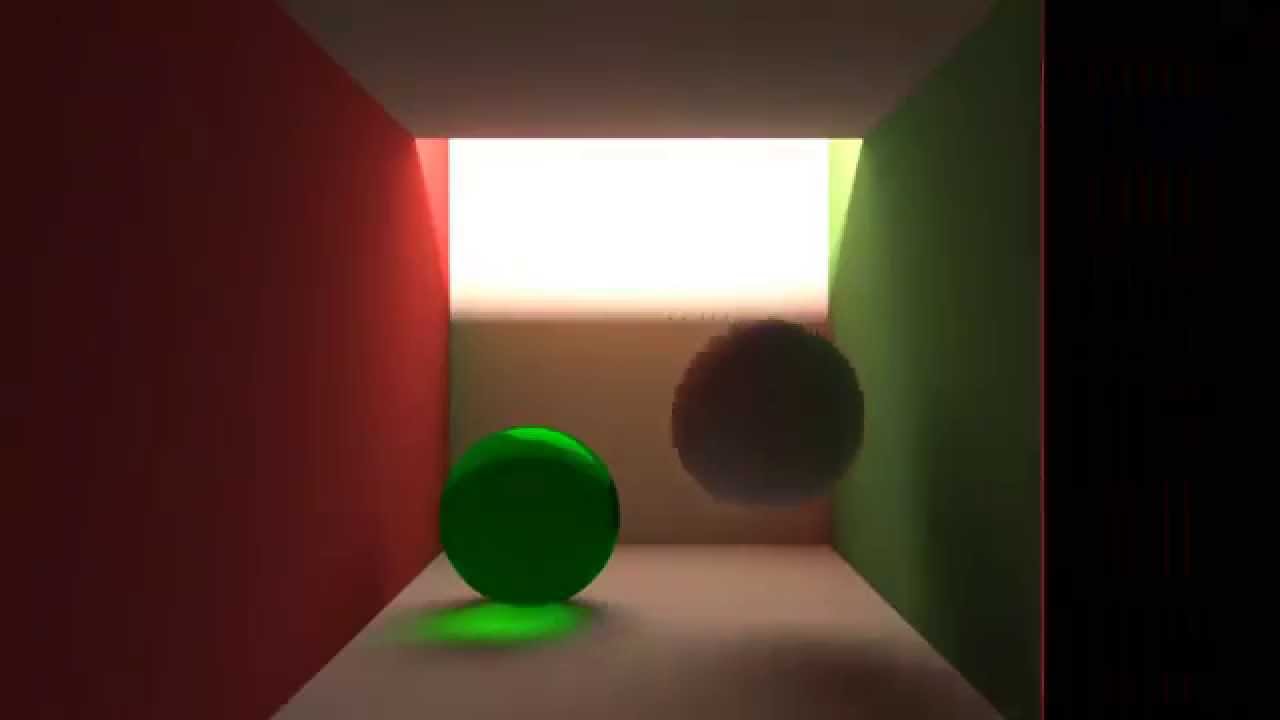
This is a simple bidirectional realtime path tracer, implemented in a webgl fragment shader. The shader shows the difference between a bidirectional path tracer and a normal path tracer rendering the same scene (with 128 samples per pixel).
You can find (the full source of) ...
lavish stone
Can anyone help me how to remove lighting from a model then add some area light ro create a day& night cycle accurate texture with hdr linear workflow
 zenith pilot
Working with 2D lighting, is there a way to clamp the intensity of a lighting layer?
Let's say i have 2 lights. I want them to be additive, but not past normal intensity so it doesn't white out the object.
I tried point lights, but 1 point light will override the other one as the intensity falls on 1 of them. and turning off alpha blending or using parametric lights causes the additive issue mentioned above.
 runic aurora
https://cdn.discordapp.com/attachments/645589665943912448/662819043534831616/unknown.png
https://cdn.discordapp.com/attachments/645589665943912448/662819123721535495/unknown.png


my lights just wont work
 ruby heath
go into voice chat.
runic aurora
me?
ruby heath
shit I dont have one.
Your lights are set by your global limits.
This would go much smoother if I could speak to you lol.
ruby heath
working on it, i can't add you as a friend from the damn NORMAL discord bs.
Far right, go three settings to the left. You'll get a menu to do adjustments to lights if you navigate it. Play with those settings.
Indeed
Do you have skype or some other means to talk?
runic aurora
only discord
ruby heath
I hate discord...
stark temple
@runic aurora your materials aren't 100% metallic are they?
stark temple
What was the fix?
runic aurora
@stark temple No they arnt, my base project file still wont work and its in hdrp, we found out directional lighting works but nothing else, We made a new 3d (not hdrp) project and it worked
I think it has to do with hdrp, if not then its corupt or something... idk
I still need a fix in order to use hdrp
 elfin shale
I'm doing some tests with lightprobes in URP, and I use a white material and a baked sky and directional light. I have the white mateiral on the sphere and two small cubes in this image, but they are darker than the actual light probes.
Is that expected behaviour? Should they not have the same shade as the lightprobes themselves?
The sphere there has an urp/lit material, white diffuse.
runic aurora
All lighting besides directional lighting in hdrp not working
plz help
Nvm I just have ot set the Lumen to like over 999999 for it to shouiw ip, weird
 runic coral
How do I set lighting to none?
blazing dew
you want no lighting at all?
blazing dew
I'm not seeing how lighting affects that- you want to be able to see the splash screen right? Just don't put any lights in
 summer aspen
Ambient lighting is setup in Window > Rendering > Lighting Settings
blazing dew
this is all the lighting window settings https://docs.unity3d.com/Manual/GlobalIllumination.html
 runic coral
Im tryna make it like what the guy did in this vid

Support me on Patreon: https://www.patreon.com/SpeedTutor
In this Unity/C# tutorial, I show you how to create a basic splash screen to then move to your main menu! Perfect for any type of game!
·······································...
runic aurora
@summer aspen Set ambient light to 0 and make sure there is no directional light, If there is still light make a non matalic plane that filles the camera
blazing dew
does that not show you how to do it?
sweet owl
how can i avoid getting the dreaded you need to reimport all on start up (due to inconsistencies)
 vapid zealot
Does URP support light passing through transparent objects, such as glass? I tried to add a window to a building, but none of the outside light is getting in.
vapid zealot
I just tried enabling "Is Transparent" in the lightmap parameters for the window's Mesh Renderer, but the room is still completely dark...
 manic pecan
I am using projectors and putting in my own "circle", can someone explain why when creating a simple "circle" I am getting a lines around as well like this?
I've also set "Max Size" to 8192
 lyric narwhal
Perhaps you need a 1 pixel border on the texture, or change the texture clamping.
manic pecan
Yeah, I changed the size of the circle and it works now, thanks! By the way, do you know how to change the color of the texture in unity? If I create it with "red" color in Photoshop, it's barely visible in Unity
lyric narwhal
Most shaders have a color param which can be used for tinting, not sure about decals though.
velvet bay
Hello, it's been a while that i'm looking for a solution about this problem but i cant still know how to get a not bugged bake .. I'm using the URP and i made this model by using blender 2.8
i have also this problem on another project using the HDRP 😩
 mystic fern
Having a very odd problem in a couple different projects, on various Unity versions (2018.4 and 2019.2): if the Dir. Light has shadows enabled, then in both Scene and Game view, the game environment is completely black within the shadow draw distance. If I disable shadows, then it goes away. It's not project-specific -- doesn't happen to others with the same project, so it must be...a Unity setting somewhere?
mystic fern
So that was actually a bug in 2018.4.10 -- fixed in 2018.4.14.
timber lichen
so
i partialyl fixed it
the shadows are fine now, but the opposite side form the lightning is totally black
stark temple
just change the settings in the lighting settings
stark temple
Window/Rendering/Lighting Settings
sweet owl
Should i mark objects as static when using light probes and reflection probes and emissive mats for my lighting?
 dusty parcel
@sweet owl too general a question, but for emissive mats to generate lighting, you need to have them lightmap "static" (they renamed the flag in 2019.x though I think)
sweet owl
If i mark an object as static does that mean i dont need to generate lightmap
i dislike the baking time
each time i do something
elfin shale
you can disable the autobake.
there's a checkbox there, next to the bake button.
and you can also set the lighting resolution and quality way down, should speed things up.
 narrow galleon
I made a custom grid shader which is working fine. However, it does not get impacted at all by any light. Just so that you know concerning the plane having the shader: its dimensions are 1000x1x1000 (so wide enough), displays shadows with any other material and cast shadows is on.
The plane using custom grid shader
https://i.stack.imgur.com/MuJCB.png (not receiving light)
The plane using basic shader
https://i.stack.imgur.com/XjQFW.png (receiving light)
Custom grid shader code
https://pastebin.com/FWGeAS9V
I tried few solutions though including adding FallBack "Diffuse" at the end, or #include along with TRANSFER_SHADOW things. However, these don't work either.
dusty parcel
First of all why is that shader transparent?
Also you might need a bunch of stuff
#pragma multi_compile_fwdbase
#include "UnityCG.cginc"
#include "AutoLight.cginc"
LIGHTING_COORDS(x,x)
TRANSFER_VERTEX_TO_FRAGMENT(x)
LIGHT_ATTENUATION(x)
Here's a forum link : https://forum.unity.com/threads/shadows-for-cg-shader.299204/#post-1970824 It's old but I think it's still relevant
Unity Forum
Hey,
How do you receive shadows with a custom CG shader in unity 5? I looked at the built-in shaders like Legacy/VertexLit it does cast shadows on a...
timber lichen
Anyone know where I can get a 24 hour lighting system day n nite cycle? Tag me with a response.
narrow galleon
@timber lichen To do so, I do the following in an Update()
timeOfDay += Time.deltaTime;
timeOfDay %= 24;
directionalLight.transform.localRotation = Quaternion.Euler(new Vector3(((timeOfDay/24)* 360f) - 90f, 170f, 0));
and I set the values up thanks to a ScriptableObject
timber lichen
How would I get the lighting to interact with weather?
narrow galleon
Do you have a weather system?
timber lichen
What file do I make for that as well.
Not at the moment sir.
Although what file do I create to do that, I do not do programming much so sorry if I seem not as good 🙂
narrow galleon
If you mean make interact lighting with weather (fog?), then you can also modify fog by accessing RenderSettings
timber lichen
I see, where and what file do I create for that code
narrow galleon
don't be sorry haha, that's why there are programmers and designers 😉
I put that in a LightingManager script, that I put on an empty GameObject in the scene
timber lichen
I have a team of developers coming in next month to do it all for me, i just need to make the main map, some lighting.
narrow galleon
and you put somewhere at the very beginning of your file a public Light directionalLight; which will be your sun
okay
narrow galleon
better naming it according to the conventions
so DirectionalLight in your case if you chose to name it as is
timber lichen
narrow galleon
so here is your light, rename it as "Sun" so that it is clearer
then create an empty GameObjet, name it Day and Night Manager
put the script LightingManager on it (create it if not existing)
and then open your script, I am waiting for you to do these steps 😉
narrow galleon
@dusty parcel I added the specified instructions accordingly inside my file but I struggle with LIGHT_ATTENUATION(x).
float4 frag(vertexOutput input) : COLOR
{
  if (frac(input.worldPos.x/_GridSpacing) < _GridThickness || frac(input.worldPos.z/_GridSpacing) < _GridThickness)
    return _GridColour;
  else
    return _BaseColour;
}
I don't really know how to deal with it, what does it do? it should be multiplied with the rgb value of the texture according to the forum thread, should I use it on _BaseColour though? Thanks for your answer!
@timber lichen Wherever you want in your project
narrow galleon
In your Assets/ folder
timber lichen
Do I drag the stuff from the top right into it?
narrow galleon
in the Project tab (usually below)
daring birch
can someone tell me why when i change intensity or color of light texture it automatically changes itself to some random numbers after i close the window?
narrow galleon
@daring birch Aren't you modifying it in Edit mode perhaps?
because changes made in Edit mode are not saved 😉
timber lichen
Can you show me on discord screenshare @narrow galleon I am a bit confused
narrow galleon
@timber lichen Did you manage to create the C# file?
timber lichen
I had to reload Unity, I dragged the sun file into the bottom part where the folders are and the whole screen went blue
daring birch
@narrow galleon it changes to some numbers with no problem but it seems it just doesnt want to accept certain numbers
narrow galleon
What do you mean about the "Sun file"? The directional light in the scene that you renamed as "Sun" is a GameObject and is in your scene. No need to drag'n'drop it in your project files. For you to know, this would create a prefab of it, but you do not need it here.
dusty parcel
@narrow galleon paste your shader file somewhere and I can take a look.
timber lichen
the game objects I created at the top
narrow galleon
Okay (I did not add the LIGHT_ATTENUATION(x) instruction)
dusty parcel
yeah, it's okay
narrow galleon
Here it is
https://pastebin.com/RmC6bdF4
 narrow galleon
Okay, so that your Cyclescript and drop it on Day and Night GameObject in your scene
open the Cyclescript in your favorite editor then
timber lichen
timeOfDay += Time.deltaTime;
timeOfDay %= 24;
directionalLight.transform.localRotation = Quaternion.Euler(new Vector3(((timeOfDay/24)* 360f) - 90f, 170f, 0));
I have this
loaded
wait
I have like all this random code
where do I paste it
narrow galleon
yes, delete the message with the code you just sent here, this is spamming, this is the default generated code ;)
paste the 3 lines I gave you in the Update() function
narrow galleon
timeOfDay += Time.deltaTime;
timeOfDay %= 24;
directionalLight.transform.localRotation =
    Quaternion.Euler(new Vector3(((timeOfDay/24) * 360f) - 90f, 170f, 0));
yes but before, add these lines above Update() line
public float timeOfDay;
public Light directionalLight;
No no
now click on Day and Night GameObject
in the inspector, you should see the Cyclescript on it
timber lichen
is that suppose to look like that
or is it suppose to be outside the []
asa variable
narrow galleon
I said just add the 2 lines above the line Update(), but not inside the Start() function 😂
dusty parcel
@narrow galleon : here https://hatebin.com/qslmrzpbsv the link I gave you may have been a little outdated.
narrow galleon
Yes, drag'n'drop the Sun GameObject from the scene onto the Directional Light parameter in the inspector of Day and Night
timber lichen
 dusty parcel
@narrow galleon this is a better link : https://joeyfladderak.com/let-there-be-shadow/

Shadows in Unity is something that in most cases is a given through the use of surface shaders, but sometimes you don't want to use a surface shader for whatever reason and create your own vertex/fragment shader. The biggest advantage is that everything is in your hands now, ...
timber lichen
It wont drag onto the day n nite
timber lichen
done
dusty parcel
narrow galleon
wtf
narrow galleon
Add that line [ExecuteAlways] just above the line public class Cyclescript : Monobehavior and it should work!
timber lichen
huh
dusty parcel
@narrow galleon Are you building for Android perhaps?
timber lichen
Me?
narrow galleon
Not at all
timber lichen
u talking to me? @mighty yacht
dusty parcel
@narrow galleon try this : https://hatebin.com/adqrzbgkga (I just changed the input to v in vert)
narrow galleon
wait I did shit with Render Queue, however even with From Shader it does not work
okay
timber lichen
daring birch
guys anyone knows if its possible to have animations that turn on/off lamps with baked lightmaps?
timber lichen
Is that correct, do I have to redrag it?
timber lichen
Well in 1 minute it is still black
narrow galleon
don't leave a blank line between [ExecuteAlways] and the public class ...
dusty parcel
@narrow galleon does it work now?
narrow galleon
@dusty parcel if you ever spot something
dusty parcel
Does the console say anything?
timber lichen
it's still 100% dark
narrow galleon
Nothing, even in Edit mode
dusty parcel
right click the shader file in project and reimport it
narrow galleon
@timber lichen Is the value Time of Day in the inspector changing?
timber lichen
yes
but u said 24 seconds
im here 3 minutes and it's still dark
time is changing slowly
narrow galleon
how is the thing changing?
timber lichen
maybe u meant 24 mins
narrow galleon
does it go from 0 to 24 and cycling like that?
narrow galleon
so it's been 3mins, and it's only ~6.5?
timber lichen
7.6 nowe
narrow galleon
yes, you have the day and night cycle
timber lichen
now*
narrow galleon
okay
timber lichen
maybe it's just slower
tbh
I'd prefer an hour a day
but hey I can do that another day
Now that's sorted I need to sort out the terrain
I will show you shortly how the map looks aha
narrow galleon
I reimported it all, still the same hmm @dusty parcel
dusty parcel
and no error message in the console?
timber lichen
@narrow galleon You any good with terrain I have an issue with the terrain
My brush looks like this
 narrow galleon
When reimporting the shader, no, nothing displayed
I never dealt with terrains @timber lichen sorry :)
timber lichen
ah alright
dusty parcel
there should be an error if something's wrong with shader. Try restarting Unity? I don't know what to tell you.
timber lichen
Do you know how to make the terrain a colour?
narrow galleon
which version are you using? @dusty parcel I'm currently on 2019.3.0f3
and using Universal Rendering Pipeline
narrow galleon
🙁
The Universal Render Pipeline uses a different shading approach than the Unity built-in Render Pipeline. As a result, built-in Lit and custom Lit Shaders do not work with the URP.
dusty parcel
yeah
narrow galleon
what the hell should I do then?
dusty parcel
Try to recreate that shader in shader graph or don't use URP?
There's this video on how to convert vert frag shaders to URP : https://www.youtube.com/watch?v=ErsXwcb3n4c

The Universal Render Pipeline brings with it long-awaited accessibility and performance improvements to rendering in Unity.
Speaker:
Yilmaz Kiymaz - InnoGames GmbH
Learn more about the Universal Render Pipeline: https://on.unity.com/2mmIawj
but I don't think he gets shadows working
narrow galleon
and wouldn't there be a way of rendering two materials in the mesh renderer? one carrying the grass and grid, and an other transparent that would only support shadows?
dusty parcel
transparency and shadows don't really work that well together
narrow galleon
okay
nevermind, would you know how from the ShaderGraph doing the stuff I have on my grid shader?
dusty parcel
I think it should be doable with shadergraph yeah. You basically need a world position node and a frac node. Which I think shadergraph does have. I am not very experienced with Unity's shader graph stuff, but visual graphs like that are generally easy to work with.
I only did one axis but here's a silly proof of concept.
narrow galleon
wow thanks! I will try to do so
narrow galleon
@dusty parcel I don't always get what are the ouput values doing, even with the documentation next to me
for instance, the Rectangle node, what does it ouput?
I see a Vector1 value, but of what, what does it represent?
dusty parcel
I'm guessing it outputs a 0 or a 1 based on the UVs you supply to it
narrow galleon
I'm jumping to #archived-shaders chan as it is getting different from lighting now haha
minor ingot
puzzled abit by this:
Im pretty sure the resolution is quite high already, but it seem it look more pixelated than it should
this is on hdrp testing scene, the stuff i tested on i put a bit higher than the plane because i cant find the reason of this issue
anyone know the reasoning? tag me if you have the answer thank you!
dusty parcel
@minor ingot how does the texel validity view look like? Also add a bit more rays and turn off filtering so we can tell what's going on.
velvet bay
Is anyone have tips for not getting this not good looking reflection on the glass ?
dusty parcel
Are you using box projection?
the screenshot is kinda small but I think you do, just set the influence volume tighter to the roomk
 fleet quiver
does anyone know how to make a black light source
 mystic dew
black? 0_o
fleet quiver
idk how to explain it xP. i dont even know if u can do it, or if theres another way
i wanna make a path in 3d you cant walk through, but i dont want the player to see whats behind, so if you could get a black light or something
 livid jetty
Can't you just drag the light in and set the RGB to 0,0,0 and alpha to 1?
fleet quiver
no, then it just turns off
jeez, i feel like a noob lol. or well. i pretty much are a noob xP
livid jetty
and I take it changing the materials to black isn't an option?
like the materials of the path
fleet quiver
i have that, but i would like to have a bloom'ish effect on the black material then. but i havent found how on the internet
livid jetty
Black fog?
livid jetty
So there's probably some kind of partical system you can add, set to black in colour
fleet quiver
imma go search
livid jetty
try a partical system, quite dense, black
livid jetty
sure
velvet bay
@dusty parcel it worked ! Now i have only one RP for all the room wich is situated in front of the armoire
Thank you ^^
But i'm gonna looking why i got this weird effect
looks like it was because multiple reflection probes were blended together but wasn't encompass the object with the glass ( i hope the message is clear lol )
 hardy rivet
Hey, just wondering if anyone would know what is causing this to happen:
It disappears when volumetrics is off
or when close enough
This is using HDRP
hardy rivet
Nevermind, in this example I was able to workaround it by increasing the emission radius on the light source
minor ingot
so confused about lighting in HDRP
at the beginning i was using lux of 15 at the beginning then bake the scene
but all lightmap is black
so i read the guide for correct light value
which i used about 50k lux for directional light
and something like 25k lux for sky environment light (ambient light)
but somehow lightmap show super bright on the texture
im kinda expecting a gradient on lightmap like normal built in
anyone have guide / tutorial for this specific stuff?
 vagrant oasis
how would a flashlight with a broken lense look?
 astral edge
Hi all, I have issues when I rotate my directional light. The fps drops from 150 down to 3. I checked the profiler and there's a huge spike "Semaphore.WaitForSignal" went from 0ms to 455ms while rotating my directional light. Anyone know why this is happening? I'm on HDRP 2019.3.0f5.
hardy rivet
@astral edge https://issuetracker.unity3d.com/issues/metal-hdrp-editor-activity-spikes-on-semaphore-dot-waitforsignal-when-shader-graph-window-is-open-and-undocked Possibly?
How to reproduce: 1. Open the attached project ("HDRP_Performance") 2. Open the Profiler and enable the Profile Editor 3. In Profile...
Steps to reproduce: 1. Open the attached project "Temp Project" from the ownCloud link 2. Open "Main Scene" 3. Turn on the Profiler ...
astral edge
@hardy rivet Thanks, but I do not have the shader graph window open and this is happening not only in playmode but also in my editor when I am rotating the directional light.
minor ingot
not sure, but try to add back face for those reflector
i had similar problem long time ago when using plane to block sunlight
 steel crescent
Hi guys, what I do wrong with baking? If I use directional light (for testing in dark) so lightmaps is ok but If I use only light from walltorch (point light) its doesnt work :/ (Using HDRP)
https://ctrlv.tv/e7ih

Fastest screen record online
Fastest screen record online in browser only without addons.
steel crescent
Update: Tube working to. Spot, Point, Rectangle not working 😦
livid jetty
Hey if anyone could help I’d appreciate it a lot. I basically just want to know if it’s better making lighting in Unity or making/importing it from Blender?
 thick bobcat
I'm having this problems with progressive lightmaps, anyone knows what can I do?
Here's a image of the Baked Lightmap Layer
 ancient coral
mystic dew
ancient coral
mystic dew
@thick bobcat you need to have more clean mesh or manualy maded lightmap uv channel
thick bobcat
Oh ok, that will be a lot of work but thanks, you helped me a lot :)
timber lichen
Is there any way to stop sunlight from hitting from behind terrains? This is in HDRP.
Well I don't think the light is going through, but for some reason the roughness maps pick up the light depending on their angles
timber lichen
Found the issue... I had to put Shadows on the Volume and increase the shadow distance. That fixed the problem.
 quasi jewel
Im trying to do reflection/refraction, for some reason my reflection probe is not picking up the top part of its cubemap (it simply stays the background clear colour)
Does anyone know what could be causing this?
livid jetty
Quick question, if I use static baked light in my game, do I just bake it once then when I save and publish the game, the light map is in a save file so the users don't wait for it to be baked right?
elfin shale
correct!
it can take hours and hours to bake on larger scenes.
Also one question: Is it possible to adjust the cascade distances / distribution on the directional lights?
 icy tundra
@quasi jewel all reflection probes or just that one?
 sweet flare
Hey, im new to unity. What im trying to do is just have my scene lit by point lights only. I turned the ambient light to 0 and turned the sky box to none and still get lighting for some reason. can someone help?
 smoky shard
@sweet flare Idk if you fixed it but if couldn't then check if material of your object has emission on it, might be it
 rapid tree
Im kind of out of ideas. I am making a build for the oculus quest, where all except 1 scene seem to have the lighting displayed correctly. Any idea what may be happening when i build? in the scene, its looking fine.
I have my platform set to android, so that isnt the problem. all necessary assets are set as static, and the lights are set to baked (except directional which ive gone from realtime to baked, and vice versa trying to resolve the problem).
in the scene in the quest, it appears as if the light is coming through all the walls.
It was fine yesterday.
 scenic dome
Anyone figured out 2D shadows with LWRP?
 earnest sundial
Im having an issue with lighting in HDRP. When i disable all lights and turn off all emissive baked materials and bake at 32x32 @ 1 texel per unit it says ETA 8 hours
dusty parcel
Lightmap size 32x32 makes no sense. Also what's the rest of your settings @earnest sundial ?
steel verge
@earnest sundial the initial estimate is often wrong. so maybe that is what you are seeing. What is the size of your scene and what are the rest of your settings?
 tardy thorn
Can I set objects to not appear on a reflection probe?
I have a scene where I showcase things I made, but if I put a reflection probe on the object, it will reflect unto itself. However, I dont want to make the object non-static either, since that would take away from their lighting
Should I disable 'Reflection Probe Static' on the object?
See how in the bottom right previes, you can see the bottom of the Vase itself
 scarlet dirge
is there a way to uv distort shadows? (uv from parallax occlusion)
can i do anything about this issue?
tardy thorn
Nevermind, I solved my reflection probe issue 🙂
tardy thorn
Im trying to recreate a scene from LOTR for a schoolassignment
Still gotta work out some inperfections.
For instance, how can I get my ring to reflect light so intensely?
 fathom inlet
One trick would be to add a light yourself, a tiny one, so you can pretend it's the sun reflecting on it.
tardy thorn
I fixed it already, forgot to say.
By altering the 'Angler somethingsomething' under 'Size' in your Directional Light, you get some nice reflections 🙂
Im getting constant crashes while Generating Lighting whenever I get to the Reflection Probe phase. Can someone please help? Im sending a bug report now but if there is an easy fix, Id like it now.
I have multiple reflection probes in my scene. I suspect the issues lies somewhere there.
Are there specific 'donts' with reflection probes that cause a crash?
Im in 2019.3 URP
timber lichen
Hi! Is there any way to make generated emissive materials affect the scene? I've got a disco ground I'd love to animate
steel verge
My little test scene with the new release.
tardy thorn
Update: Having all reflection probes is safe. Baking them one by one is safe. If I, however, Generate Lighting, I crash. If I disable reflection probes and Generate Lighting, im safe.
steel verge
@timber lichen isn't there an option right under emission?
Aw sorry I just noticed you said "animate" hmm
timber lichen
@steel verge yeah, I generate the tiles and change their emission colors around
steel verge
There is also an option for realtime but not sure what they mean. I have not tried it.
steel verge
yeah bloom is a nice cheat. I was about to suggest that.
timber lichen
It does break the colours tho, and light probes seem not to work
steel verge
you can also use a texture to modulate its intensity.
steel verge
Try the real time emission GI combined with bloom.
Regarding the texture no, it is applied in screen space and you assign it on the bloom.
tardy thorn
Awesome, now Unity wont Generate Lighting at all. Ive disabled all objects in the scene but it just gets stuck forever on "Baking..."
steel verge
jolo you are probably doing something wrong 😄
tardy thorn
What could I be doing wrong lol
there isnt anything in the scene and I cant have misclicked the generate button 5 times haha
steel verge
a gazillion of things. We all do from time to time without noticing,
tardy thorn
I dont know what could be causing this.
steel verge
we can't say either without knowing what you have done 😄
could you share a screenshot with your settings and UV charts from the scene?
tardy thorn
I havent done anything serious. I added a 3 meshes, materials, a few textures, and added a reflection probe. Just standard stuff. I put those in the scene and Generate Lighting and then it all started going wrong.
steel verge
have you made any of your objects static?
tardy thorn
Yes sure, which settins exactly
and where can I find UV charts
yes all objects were static
timber lichen
@steel verge just found this stock star sky and it kinda works
steel verge
yeah it can be used for some nice tricks and if you can create a script that feeds the thing with different textures over time it can be interesting.
steel verge
UV Charts
tardy thorn
Also this, not sure if that is related?
Having been trying to fix this, I have disabled all objects but a light and a plane. I have alse purged all baked lighting maps.
steel verge
hmmm probably
just add a plane and a cube over it.
make sure you got a sky affecting your scene and that the correct profile is in it.
ideally in a new scene with default settings.
It is either that the settings are wrong, or some objects have issues like the messages say, i.e it says it is missing a reference object which will be a problem if it is supposed to participate in the Lightmap.
tardy thorn
With all objects active it still wont bake.
I have a newer version than you, my options in lighting settings are SkyboxMaterial and Sun Source.
I will make a new scene and try there.
I made a new scene. Only added a cube. Camera andl ight were already there. Lighting settings have returned to default as I entered the new scene.
Still stuck at bake.
No messages in Console
Play does work, but does give these messages in Console:
steel verge
hmmm that is weird. had you done lightmaps with this same version of the engine before?
tardy thorn
Yes, many times over the last week.
There were already 3 reflection probes in the scene and it was working fine
steel verge
one of the reasons I use Collab, or any version control tool in general. I can reroll to the last best working version anytime.
 flat nest
Anyway I can get the less colorful one looking more like the better one?
I ripped the game's assets and have no idea about lighting etc
the "shadows" are just circles with a dark material on them in the bad lighting version lol
tardy thorn
I have exported the art files (textures meshes shaders materials) into a new project. I now get THIS crash whenever I try to generate lighting with a single static object in the scene.
I made ONLY the plane static, and it crashes every time I bake lighting.
what is this bs
 stable patio
Hello, I am working on some assets and I am using Unofficial Occlusion Probes ported from BOD, I have this error when I build the game it does not show the occlusion, also when I bake lighting I have to reload shaders... Anyone has any idea? also is it your package @next hawk? 😄
stable patio
When I reload shaders, but yes it works.
 next hawk
Yeah it used to be quite wonky :D
stable patio
Is there any kind of trigger I could switch on start of the game?
next hawk
Which rp and version you use it with?
stable patio
Also you check for SRP and it says no to that, could that be some of the problem?
2019.3.f6
next hawk
So hdrp 7.1?
stable patio
Yes, the newest avalible
next hawk
I havent tried it even with that new. You had to resave the shader graphs?
stable patio
Basically yes, I save it and it works
Ill be home in 20 min and gonna try to fix it...
next hawk
I'm not on my dev computer atm but can check this once I get back there
There is also 2019.3 branch for book of the dead hdrp on srp github btw but it is for tad older hdrp and may still miss some things
stable patio
Yeah, okay, thanks. I tried the one from asset store and it destroyed all my test projects, even when downloaded the version they recommend in there.
I think I am looking at a error here, the SRP_AVAILABLE check seems to not work, and Camera.onPreRender is not supported in HDRP, that might be what causes the issue, or it can be just random thing
stable patio
I "fixed" it, so I tried the RenderPipelineManager but it brings no overload, so I just added custom call, so its not waiting for camera, that only works in game, for editor I still havent fixed that but I had to leave the onPreRender there for some reason, its still called after saving the shaders I believe, there might be a better call that will do it whenever the lightmap is baked or something has changed tho 🤔
but main thing works now thats cool, but I will try to explore it more as it is super powerful thing, Hunt Showdown used it and it looks awesome.
stable patio
I got the packages, not sure whats with that
next hawk
Weird, pretty sure I tested it working on build before
Anyway it really isnt needed to check if you only use it from hdrp
Whole reason for that was because with the altrrnative route, that thing also worked on built in renderer
Could just omit the code for built-in and that define
stable patio
Ouu, never tried on built in, didnt use that one for some time actually 🤔 tried to convert all my workflow to new RPs
next hawk
Yeah same
I just wanted to keep that package compatible for most :)
Anyway it is cool that people still find that, thought nobody would actually use this :D
Also... Zero support :D it was just experiment to see if occlusion probes could be modified to run on nonmodified hdrp
stable patio
Yeah, nice work with that, I wanted to do the same thing when BOD released but the project was weirdly confusing with not much info about the stuff they did.
Ouu lel :D, but like I hope they would actually finish this caus it can help achieve some nice results when used correctly...
next hawk
I took this route before I even tried to detach occlusion probes: https://github.com/0lento/ScriptableRenderPipeline/commit/a969c38a31279fd9ecda2e847b5fb9e6fa8bb899

when you have exactly what has been changed from stock, it's way easier to pick the changes you want
I did same when I ported FPS Sample from 2018.3 to 2019.1 as there were quite big HDRP changes between 4.x and 5.x
anyway, there's one thing to add to all this
the occlusion probes shaders... they are more complicated on BOTD
what you see on my custom package is similar code to what the Unity's original sample for the occlusion probes used
but if it does the job, I wouldn't worry about it
and like I wrote on the OB forum thread, I'm not even sure all the shader math I do there is actually fully correct
so have to eyeball the results 😄
this is why there is two SG variants too
(or was there three?)
it was close to impossible to see any major visual difference between the two on that box sample and I never actually tested this on forest 🙂
tbh, I wouldn't hold breath for Unity actually integrating these occlusion probes anymore.. it's more likely that they just fully focus on the upcoming probe based realtime GI instead as it can also deal stuff like this to some extent
stable patio
Good job doing that, with school I dont have that much time playing with this but wow.
Wait are they actually working on some new probes? I did not see any mention of that anywhere, but wanted to try Raytraced GI if that would do good but almost every project I tried with RT crashed or some features did not work so yeah not trying that now 😄
next hawk
@stable patio the new approach isn't going to be ready until 2021 earliest, they are still prototyping it
it's basically there to replace enlighten, which got deprecated from unity
stable patio
I just got a heart attack 😄
next hawk
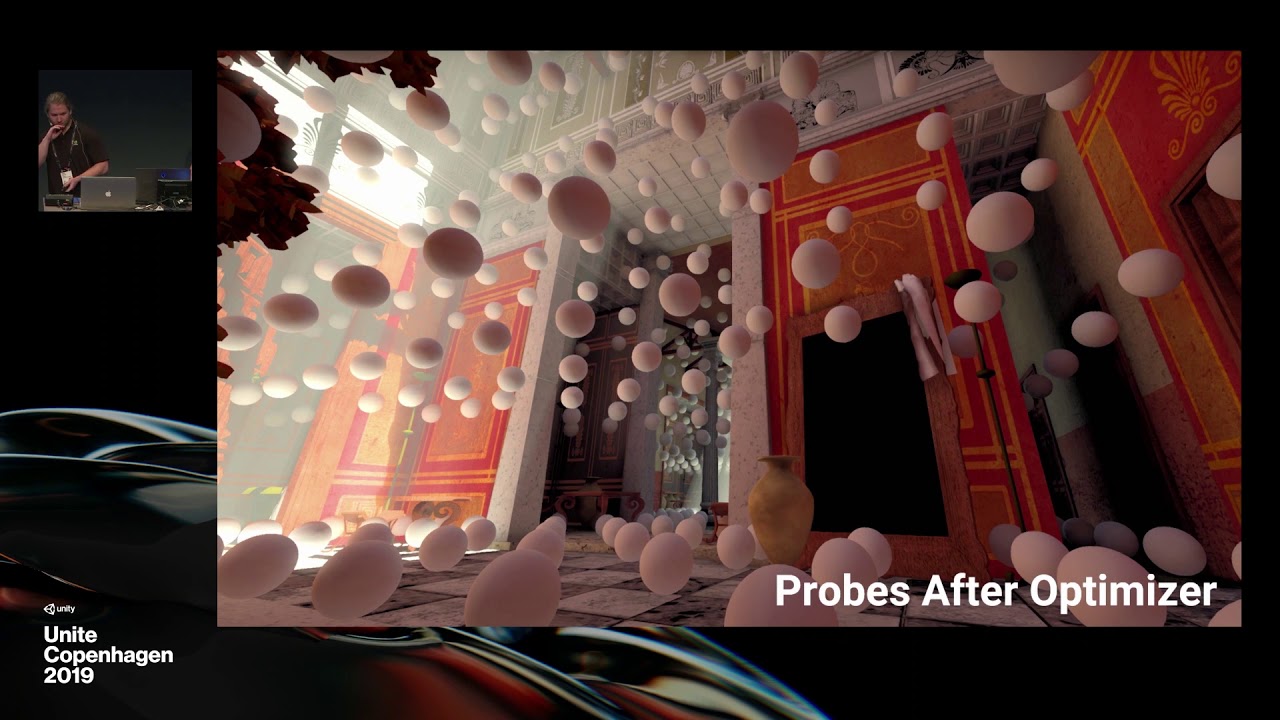
NVIDIA RTXGI was leveraged to create real-time global illumination in Unity. The product-facing integration of this tech combines great artist workflow with stunning real-time ray traced results. In this talk, we review ray tracing, show behind-the-scenes VFX breakdowns for a...
stable patio
it takes so long for them to do something I feel sometimes
next hawk
that talk is really about their DDGI
well, it's normal, they don't want to commit to tech if they are not sure they can keep it around for years to come
@timber lichen no idea from me for that (don't want to ignore your question, just have zero ideas for that)
stable patio
Yeah I know, hmm hopefully they release some alpha version soon so I can play with something 😄
stable patio
@next hawk Wow that looks rly nice, I had to overlook it, but yeah 2021 is pretty far, already checked git etc for some info but they rly want it to stay in back wow. 😄
next hawk
@stable patio there could be some earlier previews but these types of things are close to impossible for users to estime (unless you manage to get some insider info)
stable patio
True, some more info would be nice, but we'll have to wait, this post got me tho https://cutsceneartist.com/news/engines/optimizing-deploying-real-time-ray-traced-global-illumination-with-rtxgi/ "arriving in Unity 2019.3" 😄
On nvidia https://developer.nvidia.com/rtxgi-technology availibility is 2020 ahh great info 😄
NVIDIA Developer
Scalable Dynamic Real-Time Ray Traced Global Illumination on Any DXR-enabled GPU. No Bake Time. No Light Leaks. RTX Global Illumination (RTXGI) is a software development kit that enables more realistic rendering by dynamically computing indirect lighting in real time. By leve...
next hawk
@stable patio official stance here: https://blogs.unity3d.com/2019/07/03/enlighten-will-be-replaced-with-a-robust-solution-for-baked-and-real-time-giobal-illumination/
We are also fully committed to delivering a real-time GI replacement solution in 2021.1. The Unity team has a solid plan to solve this complex problem the right way, with great artists workflow and optimal runtime performance for 2021.1.

Unity Technologies Blog
Unity is required to remove Enlighten but will continue support as-is through 2020 LTS. We have a robust replacement for Enlighten Baking with the CPU and ...
stable patio
Yeah, but they speed up the work on it, as it was July last year, the post from Nvidia is from November so hoping for the best it comes this year atleast in preview.
next hawk
at the time that talk was held at Unite CPH, the answer was Unity wouldn't commit to any dates when I asked Kuba for ETA
what nvidia says about availibility doesn't necessarily mean Unity implementation but RTXGI tech in general
so while it's possible we'll get some early previews this year, it's quite clear they are targetting 2021 for it as it's what they officially communicate
and even that can shift, like have happened countless times with Unity before
it's actually super rare that they keep their initial target
stable patio
Thats big true, they move stuff all the time, I would not be really suprised if they announce it for 2022... in next post about it.
 torpid escarp
I'm trying to re-create a scene's lighting from Blender in Unity, anyone have any ideas on how to tackle it?
So far I've fixed light bleeding through the mess by swapping the floor/walls to relying on light probes instead of light maps for GI, stopping other objects from casting shadows by setting the walls to two-sided for shadows, and setting the ambient lighting to be a solid colour (though increasing the intensity makes it look a whole lot worse)
^ My scene atm
^ the blender lighting I'm trying to recreate
next hawk
blender scene looks quite unrealistic, I do wonder if you'd need to do like some mix with half emissive materials to get the look like you had on blender
also emissive /area light from laptop screen is obviously missing from unity version
torpid escarp
My knowledge of lighting is absolutely awful, do you think something like the blender render is pretty far out of reach? I can look for compromises otherwise, but I don't have much frame of reference for how emissive materials would look in comparison to my current materials 😅
next hawk
I'm no expert either 🙂
 neat night
Since I assume it has to do with lighting...
Anyone knows how to fix this? Been looking around a bit, although I am having some issues.
https://ttprivatenew.s3.amazonaws.com/pulse/darkinsigniax/attachments/12394159/TinyTake30-01-2020-12-32-53.mp4
I don't want it to turn black
neat night
Well, changed nearby lights to baked, regenerated the lightning and it's fixed.
Hope that helps someone in the future.
pure totem
hi i got a task in making a procedural generated level in runtime for mobile - but i know little about baked lights, is that doable ? could any one recommend reading resources ? - also would it work on a prefab level - later i will combine multiple prefabs to create a single level chunk.
 tacit chasm
hi i'm trying to use the 2d lights of 2019.3 for a personal school project.
What i'd like is that the light don't spill on the fill of the shape (as shown with the red hatching in the screenshot)
Anyone knows how to do it ? (don't mind the art, i'm no artist)
steel verge
any idea what may be causing this?
 inner glen
Hi guys ! I have an issue when I bake my scene. I have black intersection on my baked Lightmap. It appears between each of my planes (the wall is composed of multiple planes). I'm working on unity 2019.3.0f5 HDRP. I dont have overlapping UV and I enable the Edge Stitching. I don't know how to fix it, if anyone have an idea make it disappears, it would be so cool 🙂
 fluid cloud
@inner glen When I had this kind of issue it was because of real time shadows
steel verge
Are these planes separate? looks like they are overlapping.
inner glen
@fluid cloud @steel verge the image is the baked lightmap. The planes are seperated, but they are not overlapping on each other. (I snaped the vertex corner to the vertex corner of the other plane to make sure, there is no gap or overlap). I reduce the black intersection by increasing the Indirect samples a lot , in my opinion, (something like 4000), but there is still some artefacts...
fluid cloud
I'd love to know how to fix this kind of issue. Two seamless planes side by side with a light at 45 degrees causes shadow artifacts at the joined edges
steel verge
I think you should connect there planes. there is no reason why they should be separated as far as I can see.
the easiest, most obvious, and "cheaper" solution.
 dawn depot
this the place to ask for particle systems?
stark temple
@dawn depot #✨┃vfx-and-particles
dawn depot
thanks
 pastel crystal
does nayone know a good way of making a gas fog with nice colors for like a space game?
more like a gas cloud actually.
 hexed dock
Howdy folks, I'm having troubles with Baked GI and was wondering if anyone ever experienced such issue. Problem description and pictures of the issue can be found here: https://answers.unity.com/questions/1695897/baked-gi-with-modular-assets-problem.html
Unity is the ultimate game development platform. Use Unity to build high-quality 3D and 2D games, deploy them across mobile, desktop, VR/AR, consoles or the Web, and connect with loyal and enthusiastic players and customers.
 crude basin
New to unity, coming from Ue4 and Ray Trace software like Blender, How do I go about lighting an interior scene like this?
 near bison
I've just started baking lightmaps with Bakery, and after noticing some ugly noise artifacts around a red light and playing with dozens of variations on samples, lightmap resolution (texels per unit), and other settings, and only seeing a difference when I increased the resolution, I decided to look into whether the lightmaps are compressed and if so with what method, and lo and behold, that seems to be the issue. An uncompressed 1024x1024 map looks almost as good as a compressed 4096x4096 map in this instance, and it's half the size to boot, and far faster to calculate. But there's just one problem. By default the maps are compressed, and I don't want to have to reset the texture compression for the lightmaps every time I calculate them. So how can I go about telling Unity to always generate those textures in an uncompressed format when using Bakery?
Hm, when I mentioned the different resolutions above, I got those by resizing the textures with the "default" setting. I just tried re-baking the lighting with a lower texel size to achieve the same effect, and, I'm not sure what's going on. I still have 11 lightmap textures, but now they're all different sizes instead of all being 4096 (well I think they were all 4096 I could be mistaken). Why didn't it pack all the lightmaps into fewer textures that were still 4096x4096?
Also, they'll all uncompressed like I wanted, but I'm not sure if that's because it just overwrote the 11 textures and they were already set to have no compression or if that default setting I changed made it so it's always going to be uncompressed no matter how many new lightmaps it may generate.
Well I think I answered part of that question myself. I deleted the lightmaps and re-baked the scene, and it has now generated fewer lightmaps of several different sizes, and it enabled compression again like I didn't want, so the result is ugly. So my question regarding that still stands... How can I force it to never enable texture compression on the lightmaps?
And, if there is any advantage to it, how do I make Bakery generate fewer, larger lightmaps?
Hm, I can think of one benefit to fewer lightmaps. Should lead to fewer draw calls?
I think I figured out the benefit of more maps too... I have one 1024, one 512, two 256, and one 64 res map. Combining those into a single 2048 map, I would waste over half the space in the map with no lighting info. And combining them into two 1024 maps would still waste 1/4 of the second map. Though that's not a lot and the reduced draw calls might be worth it?
inner glen
@hexed dock I've got exactly the same problem ! I've reduced the seam by increasing the sample of my indirect light(in my case) .I like to disable the filter option (by default, it's "auto") to see the impact of the photon in my scene. If the result is very noisy without filter (only few spot of photons) I increase the sampling. At the end, I reactivate the filter option when I estimate I have enough photons projection in my scene. I still have some little issues with my scene, but they are less visible. I hope it will help you.
hexed dock
@inner glen Thank you for your response. I did try what you're suggesting before, but I'm kind of a purist when it comes to such things, I just can't stand knowing it's not as perfect as I wanted it to be. I actually found myself a workaround to go with. I really don't know whether there would be any problems because of it, that remains to be seen (although performance-wise, it seems ok for now, it underwent my "extreme" testing).
What I've done is that I changed Lightmap scale on all of my tile mesh renderers to 0. Visually, it's just the same as turning off Contribute to GI (I have mixed interior and exterior parts all together, and with Contribute to GI turned off, exterior parts look just the same, but interior ones are much brighter since they are not lightmapped (e.g. calculated). According to both parameters' description, Lightmap Scale and Contribute to GI are different (Lightmap Scale says that when set to 0, object is not lightmapped, but it still contributes to GI, which kinda left me a bit confused). To fix brighter interiors, I used Light Probes and the results are very good, both visually and performance-wise.
timber lichen
Hey unity experts. I've noticed as I have warning regarding a lot of Overlapping UVs. This is due to me putting together modular prefabs to build out buildings for it scene. As a result, my light map bake times sky rocket. Has anyone else experienced this? What's the solution?
I've noticed switching to light probes will eliminate both the warning and speed up baking times. Are light probes better/worse for lighting/effects? Will switching to them bite me in the ass later?
inner glen
personally I Bake Big Props (building, floor) and the rest (very small objet) are influenced by the lightprobes. Can u show me one of your lightmap with the uv overlap option activated ? @timber lichen
timber lichen
Will do when I'm home from work @inner glen
inner glen
@timber lichen Did you do your Lightmap on your asset ? or did you just activated the UV automatic option ?
timber lichen
They are assets from the asset store, and I think there is a light map with them. But I think the auto-generated UV option is checked
I think I might have screwed up a light setting somewhere on my scene
inner glen
Ok ! I'll wait your screenshot : )
 slim vector
Can somebody tell me why there's point of light and dark on the wall after baking the lights?
slim vector
please help
inner glen
@slim vector do you have Uv overlap ?
slim vector
Yes
inner glen
this is maybe the issue. Can you show us your lightmap ?
inner glen
try to fix the UV overlapping. Did you make your own UV's ?
slim vector
Ok i fixed the light bleeding by increasing the pack margin
now i need to fix the shadows
wispy skiff
Hey, does anyone recognize this? I'm in HDRP. Some of our grass instances in the terrain tool turn black, likely from not snapping to any lightprobe. If I delete any grass instance, different ones become black, and black ones might become lit. It shuffles around.
 astral spear
slim vector
astral spear
slim vector
how can I fix this? Is that a lightmap bleeding issue?
 woeful prism
does anyone know about a 'maximum # of realtime lights / object' limitation in the new URP ?
stark temple
woeful prism
@stark temple thanks, right so that says 8, but i'm having them cut out at 5 (1 shadow). not sure if anyone else is seeing this...?
livid jetty
Someone please help me out here. I just waited like 40 minutes for this lighting to bake to see what it was like, all the objects are static and so will create baked light but as visible on the: Pallets [right side], Bars/pipes [Right/Left/Top], the crates [Left, where some has generated realistically but then parts have just a straight black line] and the beams [back] that have the straight black parts. Why??? The settings seem to be fine and it's on a raycast of 3
Should note - the gun/enemies are non static so don't worry about those
 ember turret
Looks like invalid lightmap uvs 😉
Check if Lightmap UVs are generated, in the models' settings.
livid jetty
@ember turret I'm not sure where that is
I've been looking in all the lighting settings I can find though I can't find 'UV' anywhere
and when following a tutorial they said that I should be able to enable 'Auto generate UV's' though I can't find that option
ember turret
@livid jetty On all model files that you are importing into unity, there is that option.
I mean, click the model file inside unity's project window and it should pop out in the inspector window.
livid jetty
Ah! I think I found it thanks so much @ember turret
livid jetty
Much better, thanks again
slim vector
Can somebody tell me how set a different camera far resolution?
As you can see in the first image, there is a light on the ground that is actually not present if youre close enough
 fleet fable
i guess fog is related to lighting, so i'll ask that here
how do i make a fog, that overlaps the skybox in universal render pipeline?
if i use the fog in the lighting tab, it doesn't affect the skybox
inner glen
check stitching seams or look at your Overlapping UVs @blissful kettle
inner glen
maybe increase your samples so
 blissful kettle
if i try that it falls back to my cpu and says cl_mem_object_allocation_failure, which i dont get, because I've rendered many complex scenes in blender before but apparently cant bake a lightmap of a 4 meter long corridor
rapid tree
getting this message:
Initializing lightmap data failed - out of memory.
im using progressive gpu lightmapper
 harsh spruce
add moar RAM
rapid tree
i have 32gb of ram D:
harsh spruce
😬
big scene?
I had to switch to cpu lightmapper because 16gb wasnt enough
I have a shit vidcard though not much VRAM
 fiery dagger
any ideas on what is going on? 😦
 shadow horizon
Does anyone know why the generation marks on baked lighting are still visible on my models? Even in the built game
rapid tree
@harsh spruce i have a rtx 2080 😦
i feel like i shouldnt be getting these issues. im guessing it some kind of bug.
shadow horizon
Anyone?
tardy thorn
Having a little problem here, Im in 2019.3.0f6. None of my lights are working, but if I copy and paste one, its fine.
Here is a little gif of my issue:
Ya know, screw it
I just coppied and pasted all the lights and deleted the old ones
weird bug tho
 lime lagoon
Hey everyone, so lately I've been having this issue with shadows in my projects and I have no idea what's causing it. It looks kind of like z fighting but I don't think that's it.
tardy thorn
Oh nevermind, my lights are still not working!!! They work fine until I generate Lighting, then they all turn off permenantly
minor ingot
Just asking random question since my pc is still lightbaking. What is the best to duplicate a scene with its lightmap to new scene? Can i copy n paste? Duplicate the scene? Assigning lightmap texture? It is exact scene needed but different stuff added in that scene, but no extra static stuff. Tag me if anyone have answer
 dusky flume
May be a simple question...What should I do about the green transmission when I enable SSR?
tardy thorn
@rapid tree It turned out to be the Lighting Renderer that didnt support Mixed mode
 wise knot
Hi everyone,
how do you keep shadows going through the floor while the floor is set to don't cast shadows?
on the screenshot I have furniture on the second floor casting shadows on the second floor and on the first floor, I'd like to somehow "block" those shadows so they are not casted on the first floor
harsh spruce
yeah I dont think directional lights do layers like you want
its either in shadow or it isnt
wise knot
do you have any suggestion or ideas?
harsh spruce
are the chairs static?
wise knot
yes, but I'll have other non static objects too
harsh spruce
well I was gonna say a baked shadow wouldnt go through the floor like that
butttt
sounds like you're gonna have the issue anyway
wise knot
it sucks to have this limitation on directional lights 😦
thanks for the answer though!
minor ingot
actually sometimes the solution is simpler
put a face / plane facing down
sometimes unity lighting doesnt like it when you dont have solid object (aka single face plane)
 charred halo
how do i fix my lighting so that my shadows dont look like the ones in this hole? they're weird and colored
 visual shadow
Hey, are prefabs + baked lightmaps still not working together? If I have a gameobject with a baked light map, I make it into a prefab, and drag it into the scene, it no longer has the lightmap. I saw quite a few threads about it in 2015-2016 but nothing really since then. Was this just never fixed? Does anybody have a workaround?
minor ingot
lol, i was about to ask same question
basically I need to duplicate a big scene with its lightmap
- I create 1 new scene
- Import the big stuff from baked scene (load additive)
- Drag the big stuff into new scene (hierarchy arrangement)
- everything look fine
- Remove the big scene
- BOOM! black mesh
I know i can just duplicate the scene and lightmap will be copied over (you cant duplicate the baked mesh, lightmap data will be gone)
Then rename the scene and everything is fine
But im still puzzled with this (let me know if there Unity version that solved the issue, or any assetstore)
Granted im using Bakery and not the new lightmapper, but i would be happy if anyone have solution
 chilly tundra
Anyone know why shadows would be producing a screen-door effect like this?
 misty edge
my point light behaves strange, any idea why?!
it lights only bottom leftish half of the circle
wise knot
could it be shadow distance?
is the character casting shadows? have you tried moving the light a little bit up or to the back?
stark temple
Documentation
Lighting Overview: https://docs.unity3d.com/Manual/LightingOverview.html
Setting up the Lighting Pipeline: https://docs.unity3d.com/Manual/BestPracticeLightingPipelines.html
URP Lights 2D: https://docs.unity3d.com/Packages/com.unity.render-pipelines.universal@latest/index.html?subfolder=/manual/Lights-2D-intro.html
HDRP Lights: https://docs.unity3d.com/Packages/com.unity.render-pipelines.high-definition@latest/index.html?subfolder=/manual/Light-Component.html
Tutorials
HDRP Shadow Settings:
https://youtu.be/N_TeKoMC3hg
HDRP 4 Techniques to Light Environments (Unite 2022)
https://www.youtube.com/watch?v=DlxuvvYZO4Q
Lighting for Believable Visuals: https://docs.unity3d.com/Manual/BestPracticeMakingBelievableVisuals3.html
High Quality Light Fixtures: https://blog.unity.com/technology/create-high-quality-light-fixtures-in-unity
Guide to lighting in HDRP: https://resources.unity.com/games/the-definitive-guide-to-lighting-in-the-high-definition-render-pipeline-unity-2021-lts-edition
Lightmap Troubleshooting
https://forum.unity.com/threads/lightmapping-troubleshooting-guide.1340936/
Roadmap
Global Illumination: https://portal.productboard.com/8ufdwj59ehtmsvxenjumxo82/tabs/64-global-illumination
stark temple
stark temple
**Documentation**
Lighting Overview: <https://docs.unity3d.com/Manual/LightingOv...
 silk bear
Maybe someone has run into this problem before, but I'm having an issue where my lights that are marked as "Mixed" when baked are getting their Lightmap Bake Type in the Baking Output forced to "Baked" which, of course, completely screws the lighting in the scene. Anyone else run into this?
I can understand in some cases if the game object the light is attached to is disabled, then it'd force it to "realtime" since there is no baked data for it, but these lights are not disabled and have no settings on them that I can tell would result in the lightmapper forcing these results.
 weary jackal
anyone have a good tutorial for improve the light on mobile?
https://youtu.be/RbDRh_2Hw0c
 minor ingot
i learnt a lot of stuff from this video, not just lighting, but optimization as well
https://youtu.be/aUtpCO0gCjI
Speaker; Brian Akira Su (Not Doppler)
This session is aimed for mid to advanced developers who want to get more into creating custom shaders for mobile, have more control over graphics, have a GPU bound mobile app or want to learn more about Unity and shaders in general.
I w...
harsh spruce
cool recommendation, time to check it out
silk bear
Figured out my issue; it's Light Overlap when using Shadowmask Light Mode. (Just in-case anyone reads my question and wants to know the answer)
 ashen dock
I've started to get some weird black circles around my camera, where shadow cascades transition. Any idea how to fix this?
 inner seal
i have a prefab with a light on it, but sometimes when i place more than one of them the light just stops working. anyone know why?
minor ingot
There is setting for how many lights that can hit specific object. The light is probably working but maybe it reached the limit and will not be drawn on that object
 idle bramble
Question. No matter how low my settings (currently baking 87KB lightmaps lol) it takes a second to get to the reflection probe bake part but then it hangs there for 2-3 mins? Any idea why?
minor ingot
No idea, reflection probe should be very fast. Im just curious what pipeline u r using
 boreal stream
So, I have this awful flickering due to 0.0 normal bias on a directional light, https://gyazo.com/7998fbdb2b400df228a66172a370ed07



But the issue is, if I increase it at all, I get light coming through non-existent cracks in the mesh
I would be less surprised if it only happened at the seam between chunks, but it just happens anywhere near the surface (where the directional light is hitting)
Why would light be coming through the mesh on the default normal bias setting?
It is not millions of instantiated blocks (obviously), it's one merged mesh per chunk (32x32x32)
In fact, every number besides 0.0 normal bias has the light leaking issue, but the flickering only goes away after 0.5 normal bias
minor ingot
seem like shadow cascade issue, but i never have flickering issue before
only had problem shadow acne, which caused by super high shadow distance
boreal stream
I've tried almost every shadow related setting but they all create issues and hardly get rid of the flickering
I might want to switch to HDRP if there is no fix on built-in
But that seems a bit extreme for such an obvious lighting issue, I'm practically on default settings
boreal stream
Recreating the scene in HDRP seemed to fix the issue
idle bramble
@minor ingot I was using lightweight render pipeline. With custom shaders made with shadergraph. (both PBR and unlit shaders)
minor ingot
usually to trouble shoot that issue
i would make empty scene, then bake the reflection
if still have loading time, that mean your project have issue
if not, then that particular scene is having issue
 tall egret
is there anyway to change the directiona light shape in the sky to a square?
 bitter peak
Hey, im a newb but i managed with youtube to get down some mesh forming nice terrain with a gradient color. But the lighting is really wierd, the whole thing feels more like a metal plate than a landscape. suggestions?
rn im using direction lightening with an offset of 1000 for a 100x100 map
im using a lightweight render pipeline shader if thats helpful info?
what is also wierd is, that if i look from the 0 end of the map, all is dark. if i move to the 100 end, everything gets bright. you can see a light line transition as you move.
idle bramble
@minor ingot Thanks for the suggestion. I made a new scene and slowly brought things in and test baking and it worked every time. Even with the same skybox, materials, objects from the other scene it still worked fine. So I gather it must have been a setting in the scene's lighting settings that is causing the issue in my original scene. Thankfully it's no big deal as I'm just starting out with some exploration.
idle bramble
Any ideas what is going on here? It's 2 meshs (main wall and wall with door) with the same materials on. Yet they both react differently to the light? I've disabled the reflection probes so it's not that.
idle bramble
ah figured it out, I needed to flip the UVs horizontally.
 neon olive
Hey guys, I just started using the 2D lights from URP/LWRP and encountered a problem. The player sprite does not receive light from the flashlight (as intended) but the Shadow Caster 2D on the player still casts shadows from that source, even though it doesn't receive any light from it. I guess this has to do with the 2D Light only being able to restrict which sprites' it affects not which Shadow Casters' it affect, but is there any workaround?
near bison
How do I prevent my directional light from illuminating avatars through the walls?
I'm making a world for VRChat, and using Bakery for my lighting. The screenshot above is taken from within VRChat, but within the editor, dropping an avatar into the scene results in the same effect where the walls do not cast shadows on the avatar.
I have tried both realtime and mixed mode for the directional light, but it doesn't seem to make a difference. Culling mask is set to everyhting.
The baked lighting in the scene is handled by the Bakery light script placed on the directional light, and on that shadowmask is enabled, but bake to indirect is not.
I built this in Probuilder. The wall meshes are all automatically set to be static and "two sided" under cast shadows.
I also tried enabling "occlusion probes" in the Bakery render options and re-rendering the light probes, but this didn't help either.
And I tried setting my directional realtime light to mixed mode, but that too did nothing.
near bison
To follow up on my previous post, it appears enabling distance shadowmask in Bakery fixes it, however this doesn't help me as VRChat doesn't have this enabled, and Unity 2017 made it a project wide setting instead of scene wide. So I'm still looking for a solution which will allow me to have my avatars cast shadows, while still being shadowed by static objects.
next hawk
@rain socket does your point light cast shadows in general?
URP?
afaik LWRP/URP didn't support shadows on dynamic point lights
 rain socket
well it can't cast any shadows if the light goes through walls..
"afaik LWRP/URP didn't support shadows on dynamic point lights" what should I use else?
next hawk
I dunno but it's one of the weird limitations URP still has
built-in renderer and HDRP support that
 acoustic hare
for the lightmapper, how do the Lightmap Resolution setting and the Lightmap Size setting interact?
near bison
I believe lightmap size is the size of the textures the lightmaps are packed into and lightmap resolution is the texel density per unit. So if you set the texel density really low and your lightmap size is 1024x1024 it might fit everything into the one texture, but if it can't it will generate multiple textures to fit it all. Using a larger texture means you can shove more lightmaps or higher res lightmaps in there. More textures presumably means more draw calls, but large textures can lead to wasted texture memory if you don't fill them completely.
acoustic hare
yeah that is sort of what i imagined, but i bumped the lightmap resolution up significantly and I still ended up with just one texture
near bison
Where the hell is this blue ambient light coming from? I've removed the skybox, set the ambient color to black, set the camera background to black, baked the lighting, probes, and reflection maps a bunch of times, set the skybox emission to 0, checked that my materials have emissions turned off...
acoustic hare
HDRP?
i had a problem a couple weeks ago where I couldn't get rid of the contribution from a reflection probe even after i deleted it from the scene and re-baked
near bison
I'm using Unity 2017 because it's the version VRChat requires, so it doesn't have HDRP. As for reflection probes... It does seem like it might originate from them, but I have cleared the lighting data, which presumably clears the probes, and I have re baked the probes a dozen times. But disabling reflection probe blending on the wall does make the blue color go away, while disabling light probes does not, and elsewhere in the scene it kinda seems like a reflection.
Hm, I just found the folder where the reflection probes are stored, and look:
acoustic hare
yea i also cleared the lighting data and it didn't help
seems like maybe you've got the same problem i had
i do not have any such ReflectionProbe .exr files though :/
near bison
So it seems Unity doesn't like specifying NONE for a skybox. Creating a procedural skybox where everything was set to black enabled me to bake reflection probes without the blue color from the camera being cleared:
Now that I've succeeded in doing that,I can finally start looking for the real problem which was that light from the skybox doesn't seem to be blocked by my walls...
acoustic hare
yea i think that unless it has a reflection probe to refer to, it will use the skybox for ambient light...