#archived-lighting
1 messages · Page 32 of 1
 nocturne shuttle
 vague atlas
hey, chatGPT created a shader and material that basically change all of the tilemap colors to gray, but the lightning get removed after that, how can I fix it?


I mean the lighting just doesn't work, it don't get removed
 upper fable
vague atlas
hey, chatGPT created a shader and material that basically change all of the tile...
upper fable
vague atlas
hey, chatGPT created a shader and material that basically change all of the tile...
- Dont ask ChatGPT to write you a code of any sort
- Without the shader code it's impossible to tell what's going on
- #archived-shaders seems like the right place since the shader is the one that messes up the lighting
vague atlas
thank you, I'll ask there, but do I just paste the shader code? it's like 50 lines of code
 tawdry schoonerBOT

Posting code
📃 Large Code Blocks
Use links to services like:
https://gdl.space/, https://paste.ofcode.org/, https://hatebin.com/, https://paste.myst.rs/, https://hastebin.com/
📃 Inline Code
Surround code with three backquotes. Not quotation marks.
To format as C#, add cs to the first line:
```cs
// Your code here
```
Add a comment with a line number if there is an error message.
vague atlas
thank you so much
 valid magnet
guys do u know anything about that? why i get this result on light baking?

 copper rampart
im trying to recreate the gow 1 main menu How do i make kratos to appear more darker

like this

 torn grail
hello, is it intended for the quality options in unity not to affect baked shadows?
 gentle dune
okay thank you
copper rampart
torn grail
hello, is it intended for the quality options in unity not to affect baked shado...
im js tryna make it darker
 deft fiber
torn grail
hello, is it intended for the quality options in unity not to affect baked shado...
deft fiber
torn grail
hello, is it intended for the quality options in unity not to affect baked shado...
Correct, the baked lights are saved to lightmap textures so the quality cannot be changed after baking
torn grail
deft fiber
Correct, the baked lights are saved to lightmap textures so the quality cannot b...
alr ty i thought that too, is there a way i can use realtime shadows along with baked global illumination? (if im using the terms correctly)
im guessing mixed lighting?
deft fiber
torn grail
im guessing mixed lighting?
Yes
torn grail
do i have to disable/enable something to remove baked shadows?
deft fiber
Yes, without baked lighting ambient light will permeate everywhere
It also looks like you might have a directional light here that doesn't cast any shadows so that goes through the walls as well
torn grail
torn grail
do i have to disable/enable something to remove baked shadows?
i got what i was aiming for by setting the lighting mode to baked indirect
deft fiber
torn grail
i got what i was aiming for by setting the lighting mode to baked indirect
Make sure you understand what the mixed lighting modes do to know what your options are
https://docs.unity3d.com/Manual/lighting-mode.html
torn grail
Alright!
 weary echo

 timber lichen
how do i fix my lights bugging into the edge of the wall like that not the shadow the acutal light

 summer aspen
You've reposted the same thing again. Without any actual explanation of what you mean by a "bug". Expect to see the same result.
summer aspen
timber lichen
how do i fix my lights bugging into the edge of the wall like that not the shado...
No-one can read you mind. Explain the problem properly.
timber lichen
summer aspen
No-one can read you mind. Explain the problem properly.
the white texutre is caleld office lights texture. And like at the end collum half of the light is bugged into the wall
summer aspen
Again. What does it mean "bugged"? Use your words.
deft fiber
What type of lighting
timber lichen
summer aspen
Again. What does it mean "bugged"? Use your words.
Like half of the light is in the wall
they're like glitched into the wall I've messed with teh tiling and all that
 summer aspen
It's your texture/tiling/UV issue. What does it have to do with #archived-lighting
timber lichen
I'm new to unity idrk where stuff is and what it comes under.
I started like a couple days ago
deft fiber
deft fiber
What type of lighting
@timber lichen
timber lichen
deft fiber
<@456226577798135808>
hold on
timber lichen
deft fiber
<@456226577798135808>
its not a lighting it's acutally a texture but idk where to go for textures
summer aspen
#archived-shaders or a specific #archived-urp / #archived-hdrp that you are using. Post how you are using your texture and material settings. And/or shader info especially if you are using custom one.
deft fiber
timber lichen
its not a lighting it's acutally a texture but idk where to go for textures
#🔀┃art-asset-workflow probably but you need to actually give details about how your asset is made, how it works and how the issue came up
summer aspen
I think it's a procedural geometry, was mentioned before. (could be mistaken)
deft fiber
My guess would've been it's baked lighting, or lighting baked to asset's textures outside of Unity
But it'd be nice not to have to guess
summer aspen
Normals look messed up on the face as well
 pallid bear
So I've been looking and asking around, even in science subreddits, but no one has replied to me on how to set up realistic bounce lighting for flashlights (i.e. spotlight)
I've been playing around and it looks a lot better than the default spotlight, especially for my kind of environment, but it still definitely looks wrong
Does anybody really understand how I should position my point lights with which properties to make it look good?
deft fiber
pallid bear
So I've been looking and asking around, even in science subreddits, but no one h...
Science subreddits will probably not be able to help you with graphics rendering
"Looks wrong" how?
How did the advice that we gave you last time work out?
pallid bear
I know, I asked them how the light should bounce and where
With what intensity in regard to the original light etc.
Should be able to answer some of those
I don't know, it definitely looms much better than just the spot light
That looks really bad with the contrast of light and dark
But I guess I may not have figured out how it should worm
Work
I tried placing a point light at like 2/3of the spot length
Just "hard coding", no raycasts
I also added a few more side lights cause what if the flashlight hits the side of a wall from the beam's side?
I mean I'd have to have a bunch of raycasts to hit that
If I do, how many raycast hits are going to produce a bounce light?
Also, point lights are visible, I mean the actual light balls, at least underwater
That looks jarring
Idk it looks pretty good from certain angles and distances
But I haven't really figured it out
 tight parcel
Is it possible to display normal maps on a baked object? I have a model where most of the detail is added by the normal map, i don't need it to dynamically change but being able to see it at all would be nice
 chilly kettle
tight parcel
Is it possible to display normal maps on a baked object? I have a model where mo...
chilly kettle
tight parcel
Is it possible to display normal maps on a baked object? I have a model where mo...
you can activate directionality in the baker settings
 fossil radish
ive had this issue on other projects

how do i make it so the plane actually goes darker during my day night system
how can I actually make it pitch black at night
or alot darker than that at least
chilly kettle
fossil radish
ive had this issue on other projects
Have a look on the tutorial i made, maybe it helps.
https://www.youtube.com/watch?v=zO2l0Fy7yDw
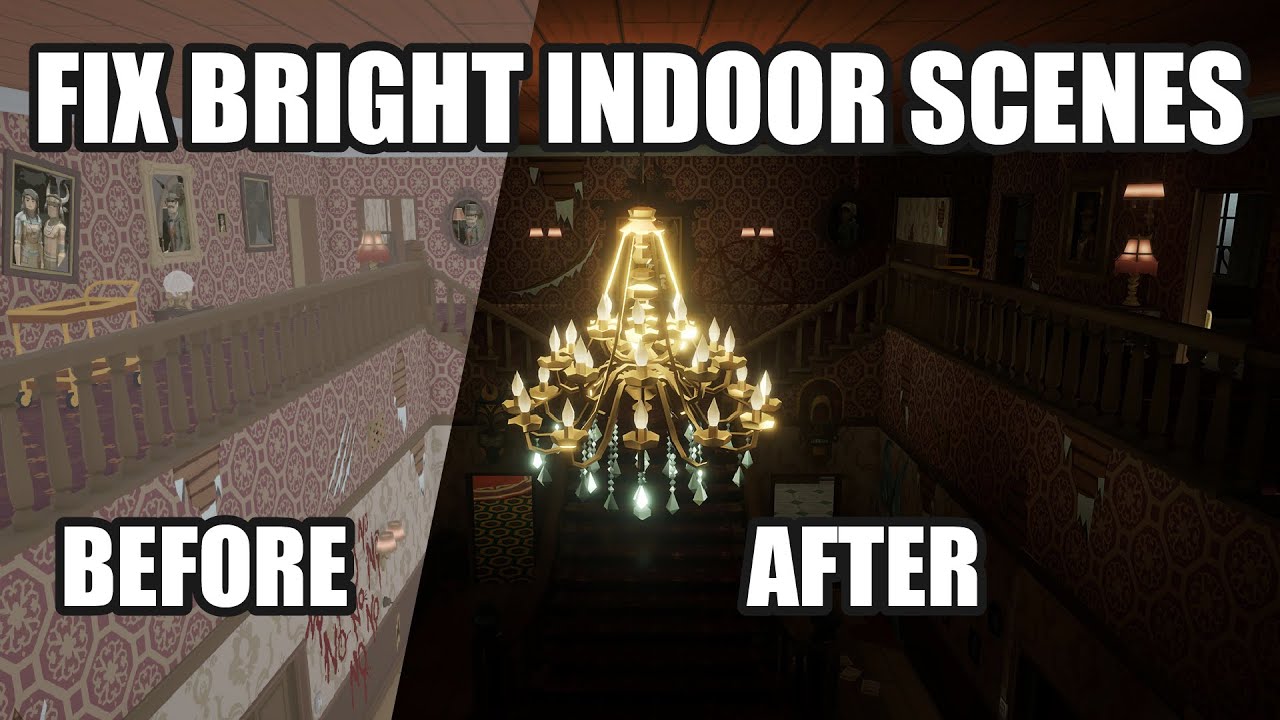
This video deals with the common problem of to bright indoor scenes people often face.
If you also have the problem that you cant get pitch black interior scenes for your horror game in Unity, this is the way to go!
Fixing the problem of too Bright Indoor Scenes for Horror Games in Unity.
Create dark indoor scenes in Unity.
If you are interest...
fossil radish
yeah ill have a look
deft fiber
That looks really bad with the contrast
 arctic pond
This lights everything nicely, but obviously the place where it comes from looks absolutely disgusting lol. Is there an easy way to fix this?

Decreasing the intensity doesn't help because that just makes the rest of the scene dark
 vestal canopy
hey guys. is there a way for me to have realtime lights and shadows go through portals, shaped like the ones from the portal franchise?
this feature exists in the portal RTX remaster, as you can see in the image, there is light shining from that energy ball, through the portal.
btw i do have access to features like light cookies, realtime rectangle and disc lights, shader graph, vfx graph and etc. since im on unity HDRP, in case there is a way to implement this with those features.
 deft fiber
vestal canopy
hey guys. is there a way for me to have ***realtime*** lights and shadows go thr...
deft fiber
vestal canopy
hey guys. is there a way for me to have ***realtime*** lights and shadows go thr...
You might be able to copy the light sources reaching the portal on the inside of the wall, with a portal shaped shadowcaster on the flipside
Aside from that not really many options
 shell juniper
arctic pond
This lights everything nicely, but obviously the place where it comes from looks...
shell juniper
arctic pond
This lights everything nicely, but obviously the place where it comes from looks...
Looks like you have HDR lighting information (the painfully bright area) and no tonemapping
depends on the render pipeline, but tonemapping is a post processing effect
deft fiber
arctic pond
This lights everything nicely, but obviously the place where it comes from looks...
If you're on URP, there is no "easy way"
Because it only has logarithmic light falloff, and no setting for light diameter
First thing might be to move the light away from the ceiling, and exclude the lamp from its light layers, giving it an emission map for lighting instead
Tonemapping helps a bit as Kabinet suggests, which will require HDR rendering and Linear color space
vestal canopy
deft fiber
Aside from that not really many options
okay, thinking about it, rendering the entire level twice itself is already going to have a high performance cost on hdrp, so... if we ignore the shadows, is there another way to do it?
like, is there maybe a way for me to get the average amount of realtime+baked light, in front of one portal, then set the color of a rectangle light attached to the other portal, to that amount of light?
deft fiber
vestal canopy
okay, thinking about it, rendering the entire level twice itself is already goin...
Reading the "amount of light" is not really a thing
If you have the technical know-how you could write a custom rendering pipeline with lights that can be cut and shaped so they can come out of the portals at odd angles
It's not simple at all though
There's a reason you don't see this kind of light transferance without RTX
vestal canopy
deft fiber
Reading the "amount of light" is not really a thing
If you have the technical kn...
hmmm... can i maybe sample the nearest light probe in front of the portal?
because i am using prove volumes in my game
btw ive seen that we can access lighting information in shader graph, both realtime and baked.so maybe maybe a we can that data from a shader, to a script on the cpu, then set that to the light on the other portal?
deft fiber
vestal canopy
hmmm... can i maybe sample the nearest light probe in front of the portal?
Possibly, I don't know exactly how APVs can be read and locally modified at runtime
 mystic fern
I had to reinstall Unity after an SSD upgrade, and now in new projects, if shadows are enabled, every object is black if the camera is within the shadow distance. Driving me crazy. It must be something simple/obvious, but I sure can't figure it out....any tips? Unity 2021.3, BIRP, simple realtime lighting. Happening on both Forward and Deferred.
 topaz wolf
Does anyone know how to improve the baking of my scenes where when I have two identical objects, one static, one not (like two cabinet doors) the static item bakes fine, but the non-static item is black. I know you can't bake the textures of non-static objects, but even with a bunch of light probes in the room, it's still turning out black. These are the same objects with the same materials. Just one is static, the other is not.
 chilly kettle
topaz wolf
Does anyone know how to improve the baking of my scenes where when I have two id...
chilly kettle
topaz wolf
Does anyone know how to improve the baking of my scenes where when I have two id...
Did you check if the light probes are baked properly? And if the doors really connect to the correct probes when selecting them?
It looks like they get their light from probes that are placed in very dark areas
 hard yarrow
Guys there's this asset I'm using from unity store.i wanted to flicker the lights but when I tried disabling a point lights it's illumination still remained. I tried changing the color but it still remained the same color
deft fiber
hard yarrow
Guys there's this asset I'm using from unity store.i wanted to flicker the light...
What asset?
What type of lighting?
topaz wolf
chilly kettle
It looks like they get their light from probes that are placed in very dark area...
Are there any videos I can watch that give tips for light probe placement? Especially for very large environments? Is it better to place more or less probes? What are good rules of thumbs for placements?
 chilly kettle
https://www.youtube.com/watch?v=hMnetI4-dNY
about minute 42

In this video, you'll gain an understanding of how lights and shadows work in the Universal Render Pipeline, as well as how to set up a scenario with a mix of real-time shadows, Light Probes, and baked GI.
Speaker:
Ciro Continisio
Ask your questions here: https://on.unity.com/2UmP9TE
Did you find this video useful? Room for improvement? Let us...
topaz wolf
thank you!
 trim sun
chilly kettle
https://www.youtube.com/watch?v=hMnetI4-dNY
about minute 42
trim sun
chilly kettle
https://www.youtube.com/watch?v=hMnetI4-dNY
about minute 42
Watching that video right now, im trying to do non static lighting
 chilly kettle
trim sun
Watching that video right now, im trying to do non static lighting
chilly kettle
trim sun
Watching that video right now, im trying to do non static lighting
And the problem is, that your axolotl is to bright?
Your scene looks baked i guess?
trim sun
yes the scene is baked
im trying to practice lighting for a big vr project
it was the biggest issue in my previous builds
chilly kettle
To light dynamic objects in a baked scene you need light probes
trim sun
yeah i just cant get them to work
 chilly kettle
trim sun
yeah i just cant get them to work
chilly kettle
trim sun
yeah i just cant get them to work
That is:
a) way to less probes
b) did you bake them?
trim sun
im pretty sure i did bake them
but just incase i didn't run me by how to
is it the same as just regular bake?
also this is the tutorial i followed for regular baked lighting, the probe part is where im going a bit off

 tame delta
Does anyone have any ideas about this?
#archived-hdrp message
deft fiber
tame delta
Does anyone have any ideas about this?
https://discord.com/channels/489222168727...
It doesn't seem related to lighting
 prisma ferry
Generating 'Realtime Lightmaps' is taking forever.. is there a way to import such things, or, is it just something that needs to be done?
 last linden

Does anyone know how to fix this strange dark-border Artifact around this Quad that is displaying a Render Texture?
It's ruining the seamless portal effect.
chilly kettle
last linden
Does anyone know how to fix this strange dark-border Artifact around this Quad t...
If it’s baked light, I guess you have two meshes that are connecting there?
It’s a normal behavior, that the lightmaps can’t get a smooth blend between two separated meshes.
You could merge them together or hide it with some additional geometry
deft fiber
prisma ferry
Generating 'Realtime Lightmaps' is taking forever.. is there a way to import suc...
Well, do you really need realtime lightmaps?
Precomputed realtime GI is kind of niche
prisma ferry
deft fiber
Well, do you really need realtime lightmaps?
Precomputed realtime GI is kind of ...
I could not see another way to have light update accurately while having the 'sun' in constant motion. if i put in momentary pauses in the suns path, it would update, but not when constant. i spent very little time trying things, though
I mean, it updates, yes, but not accurately. when you compare a sun animation that has pauses, compared to an 'always in motion' one, it is very obvious, even to my untrained eye. It would never go true Night, for example, when always moving. add a simple pause and Boom! lighting updates and, IDK, maybe Skylight catches up?
deft fiber
prisma ferry
I mean, it updates, yes, but not accurately. when you compare a sun animation th...
Important part is you have a use for it, rather than checking the box just because it's there like some do
Realtime GI is specifically for calculating realtime bounce lighting
Environmental lighting can be recalculated in realtime without that, though
The problem you might be seeing is that by turning the sun, the ambient probe and scene reflection probe do not update in time
 lime shoal
Anyone know why my shadows are looking a bit strange?

We are using a shader to add Dithering to the shadows, however, the shadows are still being a bit janky.
lime shoal
Another example of Toggling Soft vs Hard Shadows.
 prisma ferry
deft fiber
The problem you might be seeing is that by turning the sun, the ambient probe an...
prisma ferry
deft fiber
The problem you might be seeing is that by turning the sun, the ambient probe an...
Thanks for the further information., that is unfortunate, but understandable. It may make more sense in the end to just pause the motion periodically, then
 eternal heath
Okay, I have spent the past 9 hours on this. This is my first time working with lighting but nothing in my scene seems to be working. None of the objects (planets and moons so far) are receiving light properly or so that's how it seems. I cannot tell if they are not receiving light and are emitting their own or if they are receiving light from everywhere. The planets and moons should all be dark on the side opposite the star. I'm sure I'm missing something simple but I'm at the point now where I'm just frustrated and no ancient forum post or YT tutorial is helping.
I'm using URP for my render pipeline. My star in the scene here is using a custom shader (shader graph) for the Material. It's color is running via the HDR output. I've tried using a point light at the star's position as well with varying values for the Intensity (0.5 to 500) and Range (0.5 to 100000). I've got my Rendering Path in the URP_Renderer asset set to Deferred as well. But I also tried Forward and still the same result. No matter what I do, everything always looks like the first image in the solar system.
Anyone know why my lighting may be the way it is?


 chilly kettle
eternal heath
Okay, I have spent the past 9 hours on this. This is my first time working with ...
chilly kettle
eternal heath
Okay, I have spent the past 9 hours on this. This is my first time working with ...
What does your Environment Tab in the Lighting Window say?
 dire matrix
How do i make an led ceiling light?
 glass geyser
 eternal heath
chilly kettle
What does your Environment Tab in the Lighting Window say?
eternal heath
chilly kettle
What does your Environment Tab in the Lighting Window say?

Sorry for the super late response, you caught me as I went to bed lol
chilly kettle
eternal heath
Change Environment lgith from "Skybox" to "color" and set it to black.-
You can also watch this tutorial from my channel:
https://www.youtube.com/watch?v=zO2l0Fy7yDw
This video deals with the common problem of to bright indoor scenes people often face.
If you also have the problem that you cant get pitch black interior scenes for your horror game in Unity, this is the way to go!
Fixing the problem of too Bright Indoor Scenes for Horror Games in Unity.
Create dark indoor scenes in Unity.
If you are interest...
eternal heath
But I need my skybox to be the star skybox I have, this is a solar system simulator
(watching your vid too though)
oh shit, I was looking at the wrong thing... continues with video...
eternal heath
chilly kettle
You can also watch this tutorial from my channel:
https://www.youtube.com/watch?...
Alright, nothing changed. The backs of the planets are still just as bright and fully lit as the fronts. It's like there's light being cast from everywhere, on to everything.
chilly kettle
eternal heath
Alright, nothing changed. The backs of the planets are still just as bright and ...
show me the settings you have now pls
eternal heath
 chilly kettle
and your planets are just completly bright?
eternal heath
yeah, the gas giants use a custom shader but the rocky planets just use the default Unlit/Texture shader and they are all fully lit all the way around
eternal heath
hecc, so I had that backwards in my mind cool 😄
chilly kettle
change it to Urp/lit
 eternal heath
Ah yeah, _BaseMap
chilly kettle
 eternal heath
yeah I got it
Just went to the shader itself and looked
to me, in the inspector at least, that just looks like a color property
chilly kettle
the little rectangles are for the textures
eternal heath

(Don't worry about the moon, barely a gameobject at this stage lol)
But uh... why is the _BaseMap not doing anything? If I uncheck Emission then obviously the whole thing goes pitch black but yeah, not what I want either.
eternal heath
Separate issue now that lighting in general works 😄
How can I get rid of the super bright highlighting with objects closer to my light source?

I'm going for a half realistic / half table display sort of view for my solar system so the lighting should be the same intensity everywhere
chilly kettle
eternal heath
Separate issue now that lighting in general works 😄
How can I get rid of the su...
maybe change the smoothness.
Otherwise, its just physics, that closer objects are brighter ^^
eternal heath
will try, guessing there's no way other than a shader to dynamically adjust it?
chilly kettle
not sure, but i think so
eternal heath
k, that I may actually be able to do 😄 thanks again!
glass geyser
basically many objects on my map have this weird light split on them, how can i make it even on both sides?
 deft fiber
glass geyser
basically many objects on my map have this weird light split on them, how can i ...
deft fiber
glass geyser
basically many objects on my map have this weird light split on them, how can i ...
Depends on what type of lighting it is, realtime or baked mainly
glass geyser
realtime
deft fiber
lime shoal
Another example of Toggling Soft vs Hard Shadows.
https://gyazo.com/2dba6278573...
With the usual non-toon lighting you have two components making up the shadow, the shading of the surface, and the projected shadow caster
The shading is a smooth gradient between the point most facing the light source and the point most facing away from the light source, so you can remap it or replace it with any kind of other gradient for interesting effects
The projected shadow however only has information about whether something is occluded or not occluded and goes from 0 to 100% right at the threshold between light and dark, so no matter how you remap it it will always be an abrupt threshol, only as smooth as the render pipeline's shadow filtering allows for
It's jagged too because it's projected against hard geometry, so usually with PBR or other realistic shaders the surface's light ramp covers the jagged edge of the cast shadow
Applying a very "wide" or bright toon ramp exposes the jagged edge, and if also applied to the shadow, compresses the shadow's edge and makes it even sharper
glass geyser
deft fiber
Depends on what type of lighting it is, realtime or baked mainly
do u know how i can fix it
deft fiber
glass geyser
do u know how i can fix it
If I knew what type of lighting it is, perhaps
deft fiber
glass geyser
👆
Ah
Then I suspect your wall mesh has smooth normals
glass geyser
how can i check that
deft fiber
glass geyser
how can i check that
You could compare the lighting to unity's default cubes
And/or show the mesh's import settings and visual preview in the inspector
If you made the mesh yourself, you would want to set it to flat shaded before exporting
glass geyser
i got it from the asset store
deft fiber
glass geyser
i got it from the asset store
Then if you can show the import settings preview window, that could confirm that it's a normals problem
Then from import settings normals can be recalculated
glass geyser
i dont really know how to do that
deft fiber
glass geyser
i dont really know how to do that
Do you know how to show the import settings of the mesh
 deft fiber
glass geyser
deft fiber
glass geyser
Not exactly, the asset that holds that object
That's the geometry itself, usually contained in the imported mesh asset
 deft fiber
glass geyser
deft fiber
glass geyser
Print the warning to console and show that too
 deft fiber
glass geyser
deft fiber
glass geyser
It doesn't explain this issue but instead of Normals: Import you could set it to Calculate
glass geyser
nothing changed unfortunately
deft fiber
Then I probably don't have enough information to troubleshoot this
lime shoal
deft fiber
With the usual non-toon lighting you have two components making up the shadow, t...
I could be mistaken (Not the artist, just reaching out for them.) However, in the image above that gif, you can see the default shader even looks doodoo with the shadows. I feel like its less about our shader, and more about the lighting in this case.
deft fiber
lime shoal
I could be mistaken (Not the artist, just reaching out for them.) However, in th...
I think the two pillars are suffering from separate issues
The normals/smoothing look kind of weird, which could "detache" the shading from the shadows, exposing the jaggies
The one on the right appears to have barely any visible shading, just the shadows
You may be able to improve it a bit by tweaking light bias settings and improving shadow resolution / cascades, but ultimately shadows will fail at at sharp angles if the shading doesn't match


This shows the difference of casted shadows not matching the geometry normals vs matching
Because of this discrepancy between the two, shadow casting is rarely used with toon shading
When it's used you must ensure that the light ramp doesn't change where the threshold of light and dark is
lime shoal
deft fiber
I think the two pillars are suffering from separate issues
The normals/smoothing...
Cheers. Passed along all this to the artist to see if theyc an address it.
Hes not awake for another like 2-4 hours but if I hear anything else I'll forward it along.
 vestal cypress
Is it possible to achive cinematic realtime lighting in HDRP Unity6 without baking lights ? And how?
eternal heath
Back again, with hopefully a more straight-forward problem. 😅
I'm dynamically instantiating light sources in my attached PlanetController script which spawn and remain at a certain distance between the parent planet and the host star in the system. I'm doing this to simulate even lighting for every planet in the scene instead of having a single point light at the stars' position with uneven intensity as planets/moons get further away. The positioning of the light sources is working as denoted by my simple yellow debugging sphere to indicate each instantiated directional light, however, as you can see.. the area of the planet(s) affected by the light seems to be set once then is never updated properly in relation to where the light is. Any thoughts on what I'm doing wrong here?
https://paste.myst.rs/4mwmei6q
SOLVED
a powerful website for storing and sharing text and code snippets. completely free and open source.
 pine bone
hey everyone, I am still a newbie if it comes to lighting and I have a problem: even though my ambient lighting is pitch black, the objects (default unity planes, cubes, etc.) are still visible. I am on URP and all of them have the Lit material or a material deriving from Lit.
It looks like this:

when I rotate the directional light in the scene, it correctly becomes black
deft fiber
pine bone
hey everyone, I am still a newbie if it comes to lighting and I have a problem: ...
Lighting window has you set the source color for ambient lighting, and the source for reflections
Both need to be black for full darkness
You may need to make a skybox material from a black texture as the sky, if there's no option to set the reflection source to just black
pine bone
deft fiber
Lighting window has you set the source color for ambient lighting, and the sourc...
I don't have an option to set ambient lighting color, same for reflections
deft fiber
pine bone
I don't have an option to set ambient lighting color, same for reflections
What do you see
pine bone


and tbh - nothing happens when I modify ambient lighting color, both in editor and at runtime
deft fiber
pine bone
and tbh - nothing happens when I modify ambient lighting color, both in editor a...
You've modified realtime shadow color but doesn't seem like you modified the ambient or reflections
Set Environment Lighting Source to a black color, and Environment Reflections Intensity Multiplier to 0
 sick token
anyone know why this is happening?
deft fiber
sick token
anyone know why this is happening?
Do you have any shadowcaster warnings in console? This could happen if you have too many shadow casting lights
sick token
deft fiber
Do you have any shadowcaster warnings in console? This could happen if you have ...
nope
deft fiber
sick token
nope
Still you could disable a light components besides that one and see if the issue persists
sick token
deft fiber
Still you could disable a light components besides that one and see if the issue...
it makes it so that yes it renders that one instead
deft fiber
sick token
it makes it so that yes it renders that one instead
So the shadow stops disappearing like it does in your video?
I have to assume that's the issue you were referring to
sick token
it stops disappearing on that light only but the issue is throughout the scene and turning that one light off doesn't fix all the issues, ive tried turning up the per object limit but that doesnt seem to fix it
deft fiber
sick token
it stops disappearing on that light only but the issue is throughout the scene a...
Per object limit is for lighting itself, not for shadow casting
deft fiber
So does this confirm the issue is too many shadow casters?
sick token
deft fiber
So does this confirm the issue is too many shadow casters?
i assume so
however i set the shadow casters to mixed to try and combat this but it doesn't fix the issues
deft fiber
sick token
however i set the shadow casters to mixed to try and combat this but it doesn't ...
Mixed has the most limitations, as those lights are fully rendered in realtime, but as baked too
Shadow caster limits vary by render pipeline, and by unity version too quite a bit
sick token
2023.2 urp
 fathom birch
why are there magic non-existent lights in my scene

 fathom birch
they went away
 dusky yew
I'm having some issues with lights with shadow maps being disabled when they're occluded using the occlusion culling system, any idea how to fix this?
it only happens when:
- the light has a shadow map enabled
- the camera has occlusion culling enabled
- the point light is being occluded
when all of these are true, the light simply gets disabled
 tall hound
can anyone help i want moving light from one side to another ..what to do ? Light isnt even adding in scene tried so many things
 deft fiber
tall hound
can anyone help i want moving light from one side to another ..what to do ? Ligh...
deft fiber
tall hound
can anyone help i want moving light from one side to another ..what to do ? Ligh...
Post only to one relevant channel please
 sterile jetty
I'm having the weirdest problem. Not sure whether it's something I did, unity getting confused, or somewhere in between. In my scene, I have 5 rooms that are identical, but are in separate places. Each room has it's own reflection probe, baked lighting, and meshes. I have checked the console and there's no sign of overlapping baked lighting UVs. Which is why I am confused about the following pictures. The first picture is the original room, then the fourth copy and the fifth copy
Wait a second
I might have fixed it
nevermind


Needless to say, I'm confused
chilly kettle
sterile jetty
Did you generate Lightmap UVs? for the models?
sterile jetty
chilly kettle
Did you generate Lightmap UVs? for the models?
yes. The base model has UV maps generated
chilly kettle
thats good.
Can you show the lighting settings you are baking and also the Debug Scene View "baked lightmap"?
sterile jetty
chilly kettle
thats good.
Can you show the lighting settings you are baking and also the Debu...


oh, and here's the good one
 tall hound
i want to add bloom effect to particular gameobjects but it is setting on whole scene ?? anyone help

if i uncheck is global then glow effect isnt coming on any of gameoebject even i set the gameobject on which i want the same Layer as this...
glass geyser
glass geyser
basically many objects on my map have this weird light split on them, how can i ...
is there someone who can help me resolve this pls
deft fiber
tall hound
i want to add bloom effect to particular gameobjects but it is setting on whole ...
Post processing layers are not per-object, they are per-camera
#💥┃post-processing
 dusky nacelle
is there anyway to fix this? Lighting data asset of both scenes taking up 50% of the build size, and app is crashing,
 chilly kettle
dusky nacelle
is there anyway to fix this? Lighting data asset of both scenes taking up 50% of...
chilly kettle
dusky nacelle
is there anyway to fix this? Lighting data asset of both scenes taking up 50% of...
what is in your lighting data asset?
Do you use realtime GI?
dusky nacelle
no
chilly kettle
dusky nacelle
no
big lightmaps?
dusky nacelle

yeah, lots of lightmap baked, the scene has no realtime gi or something everything is baked in subtractive mode
chilly kettle
as far as i know the lighting data contain all the GI informations.
So if you have huge lightmaps, they will appear under "lighting data.asset" in the build log.
dusky nacelle
the log shows all the lightmap textures on the list , but idk what is the point taking lightmap data asset in the build too
chilly kettle
you also have lightprobes?
chilly kettle
i tested, i have a lightingdata.asset of 500kb when building the game
dusky nacelle
what was the total size of your lightmap?
chilly kettle
i keep everything as small as possible, because im developing for mobile vr.
i have an office with one 1024x1024 Lightmap of 1.3 MB
dusky nacelle
that's a good practice but im confused what is the work of lightmapdata.asset in the build
chilly kettle
its holding references of the lightmaps and the models, light probe informations, reflection probe informations, etc.
so if you have a huge amount of lightmaps, light probes and reflection probes, i guess the lightingdata can become huge.
dusky nacelle
yeah, it';s acceptable , but didnt expected it will be that much huge
I think something is wrong
chilly kettle
how long does a bake take?
If not so long, i would check and delete the baked data and have a look if the lightingasset is small after that.
dusky nacelle
the bake took me more than a day
tall hound
deft fiber
Post processing layers are not per-object, they are per-camera
<#497873924504420...
I want a moving yk like neon effect a small light revolving on all 4 sides one by one..but dont exactly know how ,tried material one too using shaders but didnt helping...
chilly kettle
dusky nacelle
the bake took me more than a day
and you wonder why you have such a big lightingdata asset ^^
Im baking like 20 seconds 😄
deft fiber
tall hound
I want a moving yk like neon effect a small light revolving on all 4 sides one ...
That can be achieved with post processing bloom
dusky nacelle
chilly kettle
and you wonder why you have such a big lightingdata asset ^^
Im baking like 20 s...
yeah, maybe that's the reason, and the scene is so much bigger actually , a big island, probably that's why it's too big , thanks a lot to make it clear
tall hound
deft fiber
That can be achieved with post processing bloom
Thats what i did nah ? post processing volume now even tried that normal volume in it tried global coming on whole scene but if i do local so it not used URP though
deft fiber
tall hound
Thats what i did nah ? post processing volume now even tried that normal volume ...
The post processing stack package you're using is not for URP, so you're likely not using URP if you're seeing any bloom at all with it
Neither PPs or URP bloom affect individual objects
Direct your questions about post processing into #💥┃post-processing
 polar peak
how can i make the scene tab lighter but keep game scene the same
 deft fiber
polar peak
how can i make the scene tab lighter but keep game scene the same
deft fiber
polar peak
how can i make the scene tab lighter but keep game scene the same
Which render pipeline was it?
polar peak
urp
deft fiber
polar peak
urp
The simplest option is the "unlit draw mode" of the scene window
polar peak
okay, thanks
deft fiber
polar peak
okay, thanks
It's also possible to have multiple cameras that are on different post processing layers
Scene window can only inherit post processing of one of the cameras so you can trick it that way

But tbh I'm not sure how, precisely or even why it works
 rotund sparrow
Because my game is on android I've been getting into the habit of splitting my map into chunks (disabling unneeded mesh renderers in far away chunks)
The issue arrises when I bake and there's seams. Is there a way to get rid of these seams? It's pretty visible where it's split into a chunk

Disabling seam stitching makes it less obvious but it's still there
chilly kettle
rotund sparrow
Because my game is on android I've been getting into the habit of splitting my m...
The only way to get rid of them is merging your meshes to one mesh or hiding them behind something else.
(if you want baked lighting)
rotund sparrow
That really sucks...
chilly kettle
https://forum.unity.com/threads/lightmapping-troubleshooting-guide.1340936/#post-8467097
Chapter 10 deals with this topic
Unity Forum
Introduction
I developed this guide in order to help developers get the most out of Baked Global Illumination (GI) in the Unity Editor. Here, I unpack...
rotund sparrow
I wonder if it's possible to split the map into chunks at runtime or something. I appreciate the pointer I'll give the post a read
chilly kettle
Often its a good idea to keep rooms as one mesh and hide seems between rooms in doorframes for example or add some decorative geometry above these seams.
rotund sparrow
Okay yeah that makes sense I think I might have to. There'll probably be a decent amount of doors to cover that sort of stuff anyways. I'm thinking I might be able to get away with splitting the map into chunks where there's 90 degree turns in hallways
Seams shouldn't be there or at least they shouldn't be so obvious
Okay that didn't really work. I think doors are the way to go
 ancient atlas
is there any guide or some manual on decreasing lightmaps quality while keeping the good quality for baked lights ?
I couldn't find one in unity manual
 foggy tide
During the night, in my game, i can still see some strange reflexes, like, if some light is hitting it, i tried puting the texture smoothness to 0, and it worked, but idk if it is that, or something more is happening

 chilly kettle
ancient atlas
is there any guide or some manual on decreasing lightmaps quality while keeping ...
chilly kettle
ancient atlas
is there any guide or some manual on decreasing lightmaps quality while keeping ...
that makes no sense 
decreasing lightmap quality means having worse quality for baked lights. ^^
chilly kettle
foggy tide
During the night, in my game, i can still see some strange reflexes, like, if so...
i made a tutorial for this:
https://www.youtube.com/watch?v=zO2l0Fy7yDw
This video deals with the common problem of to bright indoor scenes people often face.
If you also have the problem that you cant get pitch black interior scenes for your horror game in Unity, this is the way to go!
Fixing the problem of too Bright Indoor Scenes for Horror Games in Unity.
Create dark indoor scenes in Unity.
If you are interest...
ancient atlas
chilly kettle
that makes no sense <:atwhatcost:1068114091987718204>
decreasing lightmap quali...
I really need to reduce it, cuz no one downloading a 2gb - 4gb mobile game 💀
foggy tide
chilly kettle
i made a tutorial for this:
https://www.youtube.com/watch?v=zO2l0Fy7yDw
tyy
chilly kettle
ancient atlas
I really need to reduce it, cuz no one downloading a 2gb - 4gb mobile game 💀
how many lightmaps in which size and filesize do you have? ^^
ancient atlas
chilly kettle
how many lightmaps in which size and filesize do you have? ^^
512x512, 67 lightmaps, for 77 mb, and this is about 5% of my whole game
chilly kettle
ancient atlas
512x512, 67 lightmaps, for 77 mb, and this is about 5% of my whole game
You could crunch compress them.

and check if you see any difference in quality
ancient atlas
chilly kettle
You could crunch compress them.
but they will decompress in memory on loading right ?
chilly kettle
i crunch compress them nearly always with 50
ancient atlas
because I also have memory issues 😂 , mobile games...
chilly kettle
ancient atlas
but they will decompress in memory on loading right ?
i dont think so
its just like you save a jpg in good or not so good quality
ancient atlas
chilly kettle
i dont think so
oh ok thanks I will try crunch compress then
chilly kettle
Crunch compression helps the texture use the lowest possible amount of disk space, but has no effect on runtime memory usage.
Crunch textures can take a long time to compress, but decompression at runtime is fairly fast
chilly kettle
ancient atlas
oh ok thanks I will try crunch compress then
btw you should compress every texture you use as long as the quality dont suffer.
(And check which are your biggest problems (in file size) in the build log)
ancient atlas
chilly kettle
(And check which are your biggest problems (in file size) in the build log)
ok thanks
and well I have 201 textures for 67 lightmaps 😶 nice
ancient atlas
chilly kettle
(And check which are your biggest problems (in file size) in the build log)
oh btw, is soft light a issue? for both texture size and realtime calculation for non static object ?
chilly kettle
ancient atlas
oh btw, is soft light a issue? for both texture size and realtime calculation fo...
every realtime light is heavy.
Soft shadows more than hard shadows.
if you have performance issues, try hard shadows.
This is a great overview about lighting on mobile.
Its quite old but still relevant ^^
https://developer.android.com/games/optimize/lighting-for-mobile-games-with-unity?hl=de

Android Developers
ancient atlas
thanks
ancient atlas
when lights off, the tirs count is 239K, when lights on the tris count is 648K, I thought okay it's because realtime lightning, so set my light to mixed and setup light probes(around 20 - 25) and baked light, but the tris count prob is still the same
chilly kettle
ancient atlas
when lights off, the tirs count is 239K, when lights on the tris count is 648K, ...
mixed is still a realtime light.
The difference between realtime and mixed is: Its just adding baked indirect light to the realtime light.
ancient atlas
chilly kettle
mixed is still a realtime light.
The difference between realtime and mixed is: I...
means, baked only for static object and realtime only for non static
so overall it's close to baked right
chilly kettle
realtime lights everything.
baked lights only light up static stuff.
ancient atlas
ah, lol does that mean it's double calculation, first the baked textures and then realtime too xD
chilly kettle
if you use baked only, you can add light probes, so your dynamic objects receive baked information
ancient atlas
wait light probs work with baked ?
chilly kettle
baked lights dont need to be calculated. You calculate them when you bake them.
ancient atlas
so I was misinformed
chilly kettle
hmm i guess you need another tutorial 😄 one second
ancient atlas
chilly kettle
baked lights dont need to be calculated. You calculate them when you bake them.
yeah that's what I meant
ancient atlas
chilly kettle
hmm i guess you need another tutorial 😄 one second
maybe xD
chilly kettle
https://youtu.be/hMnetI4-dNY?si=vqBiFLD4Za77oeSJ
Premium Video
In this video, you'll gain an understanding of how lights and shadows work in the Universal Render Pipeline, as well as how to set up a scenario with a mix of real-time shadows, Light Probes, and baked GI.
Speaker:
Ciro Continisio
Ask your questions here: https://on.unity.com/2UmP9TE
Did you find this video useful? Room for improvement? Let us...
its full of information, so take your time to watch
ancient atlas
why yt don't recommend me this instead of all that cringe trash short and vids
ancient atlas
chilly kettle
its full of information, so take your time to watch
sure thanks
chilly kettle
foggy tide
tyy
did you solve it? :))
foggy tide
chilly kettle
did you solve it? :))
yes
ancient atlas
chilly kettle
https://youtu.be/hMnetI4-dNY?si=vqBiFLD4Za77oeSJ
Premium Video
great , got about the same quality for just about 15 MB, thanks
it's 9.9MB after compression, Great!
it's just light probes isn't casting shadows of Dynamic objects
chilly kettle
ancient atlas
it's just light probes isn't casting shadows of Dynamic objects
thats right
you can fake shadows or use a directional light (thats the cheapest realtime light) with hard shadows
ancient atlas
chilly kettle
you can fake shadows or use a directional light (thats the cheapest realtime lig...
all I have in my scene is a single directiona light
which I just baked
oh wait, are you telling me to make masked directional light ?
chilly kettle
ancient atlas
oh wait, are you telling me to make masked directional light ?
No ^^
chilly kettle
chilly kettle
This is a great overview about lighting on mobile.
Its quite old but still relev...
here they explain how to fake shadows
ancient atlas
yea but I am trying to not to use anything realtime at all
and I guess that's not possible
 ancient atlas
that will just ruin all the lightning xD
or maybe not, I can make a blurry kinda realistic shadow, lets try
deft fiber
ancient atlas
512x512, 67 lightmaps, for 77 mb, and this is about 5% of my whole game
Do you have examples to show of lightmapping in your scenes?
How efficient an object is to lightmap will depend on its size and shape
Objects that have a lot of seams, curved surfaces or are small can take an order of magnitude more space in the lightmap
Even if an object is static and contributes GI, it doesn't have to be lightmapped, instead set to receive GI from probes only
Additionally geometry faces that are unseen are a waste of lightmap space
A typical worst offender is a shelf filled with bottles or books
A lot of unseen polygons, meshes with curves that break up the UVs and a lot of objects that individually must have their UV islands
At worst you may be using more than half of the lightmap space just for necessary UV padding
While good use of probes would give you just as good an effect
ancient atlas
deft fiber
While good use of probes would give you just as good an effect
that could do better, thanks for the info
 upbeat umbra
I've started a thread for this bug. Unity Reflection Probes (non-real-time, i.e. baked or custom) do not render correctly in DX11/DX12 UWP builds to Xbox One S. This includes all (3) render pipelines too. Folks at Unity don't seem to be aware this was an issue (I reached out across three teams).
https://discussions.unity.com/t/uwp-dx12-dx11-builds-broken-reflection-probes/372393
upbeat umbra
Just stepped through making a UWP build and deploying to console today. To my surprise the issue occurs with the built-in skybox probe too. This is a vanilla, out-of-the-box URP project where I touched no settings other than to switch the platform to UWP. https://youtu.be/A84k2iugGCA?si=mNUjP6HEdkJ7SPd3

 hollow chasm
how can i make particles from VFX graph light the environment?
 lyric lion
Why my adaptive probe volume looks like this?

It doesn't do the right reflections for my objects either
Weird spots all over my buildings
 ancient atlas
hollow chasm
how can i make particles from VFX graph light the environment?
ancient atlas
hollow chasm
how can i make particles from VFX graph light the environment?
maybe use a light(point or area) to fake that lightning is coming from particles ?
chilly kettle
lyric lion
Why my adaptive probe volume looks like this?
your light probes look horrible.
There is something really wrong.
Maybe check this guide from chapter 20 and following.
https://forum.unity.com/threads/lightmapping-troubleshooting-guide.1340936/#post-8467256
Unity Forum
Introduction
I developed this guide in order to help developers get the most out of Baked Global Illumination (GI) in the Unity Editor. Here, I unpack...
lyric lion
chilly kettle
your light probes look horrible.
There is something really wrong.
Maybe check th...
Haha, yes they do
Like confetti
This is weird, then. I will try on another scene tomorrow.
deft fiber
chilly kettle
your light probes look horrible.
There is something really wrong.
Maybe check th...
This thread has no info on APVs, even if light probe groups may suffer from similar issues
deft fiber
lyric lion
This is weird, then. I will try on another scene tomorrow.
Unfortunately my APV bakes have worked without issues so I don't have experience squashing specific problems or artefacts
The most comprehensive guide is probably this one https://youtu.be/iU7X5xICkc8
It's mostly just showing off features, but explains the debug tools and some common issues
shell juniper
lyric lion
Why my adaptive probe volume looks like this?
Are you using sky occlusion? There was a bug that caused similar artifacts when baking with sky occlusion I reported a while ago, it was just fixed in 6000.0.11
pallid bear
for some reason, normal maps look terrible when viewed at an angle

but they are fine head on

I'm a bit lost on this one
 kind mortar
some weird artifacts in my lighting

 short tusk
Yoyo chat
why are my shadows this weird shape

they're like tiny x's

if anyone has any idea why i'd love to know
 manic tendon
can someone help me set it up for 2d?
manic tendon
manic tendon
can someone help me set it up for 2d?
does it not work on sprites?
its an empty scene with a player
but it aint working
 hot beacon
anyone know why my baking result look like this (using emission mats without any light)


 iron vine
My lightmaps wont bake also it keeps saying 0B NO lightmaps. Any idea what to do?

Already solved it I think... my objects were not static 🙂
 unique yarrow
how do i prevent the sun light glare from going through my volume and casting shoadows? i want it pitch black inside the volume, unaffected by the sunlight

 wet flint
Hey folks! I'm struggling with step 8 of this tutorial. Can someone help? https://learn.unity.com/tutorial/6629dd6bedbc2a0e64f34ab3?projectId=6629dd69edbc2a0e64f34a4e# I believe I've completed all settings exactly as in the example, but my model does not behave the same as in the tutorial. I appreciate any advice!


Unity Learn
In this tutorial, you'll build a simple garden light model based on what you have learned from the ProBuilder tutorials.
timber lichen
So, my tree's appear like this and the thing is im using the default lighting havent changed any setting

nvm figured it out
hot beacon
wet flint
Hey folks! I'm struggling with step 8 of this tutorial. Can someone help? https:...
Step 8? The post processing one?
 safe fox
So im making a cartoonish / plasticly stylized game where people can create maps with blocks and i tried using realtime with color as the Environment Ligthing Source, but that only worked so-so (too dark and no shadows), i would want a more stylized solution.
I would want to have it be the same brightness as outside and still have (fake) shadows on the players when indoors, but still have shadows on the outside of the buildings from realtime lighting with shadows.
I looked into Unlit and that would fix the lighting inside, but then i would need to find a way of creating shadows on Unlit Shaders and a way to switch from unlit to lit depending on if youre inside a closed off building or outside and that sounds rather tedious / computational heavy.
Would be cool if i could get some ideas on this, if you need some help imagining the game im creating, its basically a modern reimagination of Brick - Force (image attached).

 muted pasture
why is my scene getting so bright
wet flint
hot beacon
Step 8? The post processing one?
Can you see what I'm doing wrong? I don't see it... I've added the Global Volume game object, added the Bloom compontent, and copied over all settings from the example.
wet flint
hot beacon
Step 8? The post processing one?
I managed in the end by trying the different profiles. I don't understand the difference yet, but that will come in the future.
 hot beacon
wet flint
I managed in the end by trying the different profiles. I don't understand the di...
hot beacon
wet flint
I managed in the end by trying the different profiles. I don't understand the di...
i belive it should be the threshold

1 mean that emssive materials that have value below 1 wont get the bloom effect
or it could be the intensity is still at 0
 nova canopy
why cant we see light true fog Unity3d

all this fire stands flames have a light source added, but in distance i cant see it fog is bloking it Why? pls help
 deft fiber
nova canopy
why cant we see light true fog Unity3d
deft fiber
nova canopy
why cant we see light true fog Unity3d
Not specifically a lighting issue
Most transparent shaders do not calculate scene fog
nova canopy
only if i come close the light is visible, and no matter how huge the range or intensity is it dos not matter
deft fiber
Most opaque shaders on the other hand completely override their color with the fog, regardless of lighting
nova canopy
deft fiber
Not specifically a lighting issue
Most transparent shaders do not calculate scen...
i dont follow what dos that mean i don't have transparent shaders its just fog 😄
also i shad mention its standard build
yes be-cos they are particles not light sources
 safe pewter
How can I avoid this kind of shadows on spheres? Increasing the shadow bias works, but I have to increase it to such a number (3 or 4) that it causes artifacting it other places
 deft fiber
safe pewter
How can I avoid this kind of shadows on spheres? Increasing the shadow bias work...
deft fiber
safe pewter
How can I avoid this kind of shadows on spheres? Increasing the shadow bias work...
A simple solution might be to subdivide the sphere once or twice
As long as the bias values are not extreme enough to cause problems on their own
Shadow casting is against geometry directly, while shading considers the smoothing of surface normals, so the two may mismatch when the shader light ramp is altered
That's why toon shading often avoids shadow casters
 idle bramble
Reflection Probe question - I have a very simple setup for testing. I want the reflection to be more accurate. Currently it's massive. I've tried playing the probe's size but that doesn't really seem to help.

This is what I'm expecting
 chilly kettle
idle bramble
Reflection Probe question - I have a very simple setup for testing. I want the r...
chilly kettle
idle bramble
Reflection Probe question - I have a very simple setup for testing. I want the r...
reflection probes do not provide realistic reflections.
What you mean could be solved with "screen space reflections"
deft fiber
idle bramble
Reflection Probe question - I have a very simple setup for testing. I want the r...
Box projected reflection probes can be very accurate in the way you expect, as long as the bounding box's bottom face exactly matches the floor, and if the objects to be reflected are very close to the walls and ceiling of the bounding box
 slow sedge
Anyone know what parameter I can modify to reduce this crunchiness?

Currently using bakery to process at 50 Texels, 3 bounces.
More texels doesn't seem to matter.
timber lichen
why does the lighting do this please help
chilly kettle
timber lichen
why does the lighting do this please help
possibly lightlimit reached.
I have made a tutorial for this:
https://www.youtube.com/watch?v=y_vw-jzuNs0

This video deals with the common problem of flickering or invisible lights in Unity.
If you also have the problem that your Unity lights flicker or become invisible depending on the viewing angle, this is the video for you.
Fixing the problem of flickering or invisible lights in a few seconds with a few mouse clicks
If you are interested in g...
dire matrix
Question, is 100 lightmap resolution good enough
chilly kettle
dire matrix
Question, is 100 lightmap resolution good enough
100 texel you mean?
dire matrix
chilly kettle
100 texel you mean?
Yes
idle bramble
@deft fiber Here is my reflection probe, I adjusted it to fit the plane better and hit bake again on the probe. Now I see nothing 😦

 tulip tendon
idle bramble
<@166982635950702592> Here is my reflection probe, I adjusted it to fit the plan...
tulip tendon
idle bramble
<@166982635950702592> Here is my reflection probe, I adjusted it to fit the plan...
the objects you want to be affected by the probe need to be in its bounds
idle bramble
Brought it in and lowered the box. It's working but has the initial problem of the reflection being really off in regards to size.
 deft fiber
idle bramble
Brought it in and lowered the box. It's working but has the initial problem of t...
deft fiber
idle bramble
Brought it in and lowered the box. It's working but has the initial problem of t...
this does not seem to be using box projection
There may have been some way to separate rendering bounds from vox projection bounds, at least in HDRP there is
idle bramble
@deft fiber Here it is enabled and rebaked. This is URP.
 deft fiber
idle bramble
<@166982635950702592> Here it is enabled and rebaked. This is URP.
deft fiber
idle bramble
<@166982635950702592> Here it is enabled and rebaked. This is URP.
In URP your URP asset has to have enabled support for box projection
idle bramble
@deft fiber aha, yep that is a big improvement! Not 100% but much better. I'm guessing this is as accurate as it gets without SSR
deft fiber
idle bramble
<@166982635950702592> aha, yep that is a big improvement! Not 100% but much bett...
Yes
Box projection works best in interiors, reflecting the walls
SSR uses reflection probes as fallback where it has no data to reflect, so they work best together
idle bramble
Currently URP cannot do out of the box SSR right? So would need to investigate some 3rd party solutions. This is very much intended for an outdoor scene, so will probably need to figure out SSR.
 sharp fern
can't even see my burgers with my shadow, how do i fix this problem
 deft fiber
idle bramble
Currently URP cannot do out of the box SSR right? So would need to investigate s...
deft fiber
idle bramble
Currently URP cannot do out of the box SSR right? So would need to investigate s...
It does not
The new URP sample includes SSR but there's no interface or documentation for it
deft fiber
sharp fern
can't even see my burgers with my shadow, how do i fix this problem
You have no environmental lighting, which can be found in Lighting window
sharp fern
deft fiber
You have no environmental lighting, which can be found in Lighting window
but i want it dark, if i put environment light, there will be light even in no lights spot
i want to make an indie horror game
so completely dark
deft fiber
sharp fern
but i want it dark, if i put environment light, there will be light even in no l...
Then what kind of solution do you expect exactly
sharp fern
deft fiber
Then what kind of solution do you expect exactly
like when i get closer to something there is a little bit of light.
idk how to explain it
like in phasmophobia when it's completely dark in a room and if u get closer in a wall u can see a little bit of light emitted by ur character
deft fiber
sharp fern
like when i get closer to something there is a little bit of light.
Then it sounds like you want to attach a dim light source to the camera
That's what you're describing anyway
sharp fern
Dang i didn't think about it, lemme try it
deft fiber
Just remember to turn off shadow casting on that one
sharp fern
deft fiber
Just remember to turn off shadow casting on that one
do u think it's good?

 deft fiber
sharp fern
do u think it's good?
deft fiber
sharp fern
do u think it's good?
I have no opinion on this technique of lighting
What matters is if you like it
sharp fern
deft fiber
I have no opinion on this technique of lighting
What matters is if you like it
ye i like it but i asked u because what matters most is players' opinion
deft fiber
sharp fern
ye i like it but i asked u because what matters most is players' opinion
You'll want to ask people who are representative of your game's players
My preferences rarely reflect what players expect, anyhow
But there are many different demographics
sharp fern
oh ok thx, i'll ask my friends
 nimble lava
I'm trying to do a "stained glass" effect, and the light seems to scatter better on the wrong side of the glass. I turned denoising off for clearer previewing.
Any suggestions? Why does the light mapper create such harsh geometry only inside the glass?

the stained glass is a flat plane but the material is double sided w/ double sided GI enabled. The mesh the lights are baking on has Lightmap UVs enabled. Flipping the normals of the stained glass plane doesn't change anything
 uneven carbon
in BIRP, how do you set light or project to vertex lighting only?
deft fiber
uneven carbon
in BIRP, how do you set light or project to vertex lighting only?
Iirc if you decrease pixel light limit to zero, all lights of that type should fall back to vertex lighting
There might also be a one or more vertex lit shader types as an alternatives to Standard
uneven carbon
deft fiber
Iirc if you decrease pixel light limit to zero, all lights of that type should f...
thanks, it's behaving strangely: standard material with normals show the light as if it were pixel calculated
 deft fiber
uneven carbon
thanks, it's behaving strangely: standard material with normals show the light a...
deft fiber
uneven carbon
thanks, it's behaving strangely: standard material with normals show the light a...
Normal maps bend the light per fragment, even if that light is calculated per vertex and interpolated per fragment* rather than calculated per fragment
I can't really picture how a per vertex normal map would work at all
Meshes already have vertex normals
uneven carbon
deft fiber
Normal maps bend the light per fragment, even if that light is calculated per ve...
so it keeps calculating viewdir . light dir in the pixel shader?
deft fiber
nimble lava
I'm trying to do a "stained glass" effect, and the light seems to scatter better...
The artifacts imply invalid texels, which occur when a light ray hits the backface of a mesh
Double sided GI should prevent that from happening, but it doesn't seem to
Preferably you'd not let the transparent mesh be overlap any other mesh, and only use manifold geometry with no holes and a clearly defined inside and outside
 upper crag
unity 2021.3.30f1 urp
deffered lights with shadows start bugging out, creating some "artifacts" on the screen, and on objects sometimes
and a new thing i found is that if i have like 20 lights some just start dissapearing, any idea on how to fix it?
also lightning is realtime, point type
spot type just makes it worse
chilly kettle
upper crag
unity 2021.3.30f1 urp
deffered lights with shadows start bugging out, creating s...
This video deals with the common problem of flickering or invisible lights in Unity.
If you also have the problem that your Unity lights flicker or become invisible depending on the viewing angle, this is the video for you.
Fixing the problem of flickering or invisible lights in a few seconds with a few mouse clicks
If you are interested in g...
upper crag
Thats what i am doing! I am on deffered and lightning starts making random shadows on screen when you load like lets say 300 lights
@chilly kettle forgot to reply
deft fiber
upper crag
Thats what i am doing! I am on deffered and lightning starts making random shado...
I would double check that you really are using deferred rendering path, but even still there are shadow caster limits to run into
Deferred rendering is specifically for optimizing shadowless lights
upper crag
deft fiber
I would double check that you really are using deferred rendering path, but even...
100% sure, shadow caster limits? what does that mean???
if i enable 50 more lights that dont emit shadows, the other lights that do emit just start dissapearing when i look at all the lights, when i turn back where are like 20 lights they apear back
deft fiber
upper crag
100% sure, shadow caster limits? what does that mean???
if i enable 50 more ligh...
Every shadow casting point light needs to render six new camera perspectives and store each of them in a texture buffer
Shadowless lights need to keep track only of how many lights reach a pixel on screen at what range and color so the calculation is much much leaner
I don't know specifics of shadow atlas limits because I'm not in habit of running into them, usually your average player's machine falls short in performance before that becomes a practical problem
But if the issue happens even with shadowless lights, that seems to rule out shadow casting being the issue entirely
upper crag
btw i kinda fixed the bug, for the new level that im making, i just made so this object doesnt make shadows, and a added a cube for "shadows only"
 upper crag
deft fiber
But if the issue happens even with shadowless lights, that seems to rule out sha...
upper crag
deft fiber
But if the issue happens even with shadowless lights, that seems to rule out sha...
you see, here are 2 bugs
1)the one with shadows artifacts happening on screen and on objects (just black cubes)
2)light dissapears when there a lot of lights


wait
so all i need to do is increase shadow resolution?
nope doesnt help
you see this shadow, if i look at the other 100-300 lights it would get bugged

 chilly kettle
upper crag
you see this shadow, if i look at the other 100-300 lights it would get bugged
chilly kettle
upper crag
you see this shadow, if i look at the other 100-300 lights it would get bugged
can you explain me why you need 300 lights?
upper crag
chilly kettle
can you explain me why you need 300 lights?
there are 1000 in the scene
chilly kettle
even more questionable 😄
upper crag
its a very big map, and oculusion is not a choice
i will try to make a load/unload based on chunks system
slow sedge
slow sedge
Anyone know what parameter I can modify to reduce this crunchiness?
Any ideas?
deft fiber
slow sedge
Any ideas?
Could be low samples, poor denoising, or ineffective filtering
More info on all those: https://forum.unity.com/threads/lightmapping-troubleshooting-guide.1340936/

 deft fiber
 terse kiln
more example
terse kiln
more example
Does the issue occur with a spot light instead of a freeform light
terse kiln
yes very sligtly if i move very close to the object casting the shadow

i made the light solid white for clarity here
deft fiber
terse kiln
yes very sligtly if i move very close to the object casting the shadow
Does it occur in Game view as well? 2D lighting is based on the view frustum and in scene viewport it can be a bit wonky at times
terse kiln
it happens in game view too

whoa its weirder when the light is pointed at the origin of the shadow caster
deft fiber
@terse kiln kind of looks like this same bug: https://www.reddit.com/r/Unity2D/comments/gfw6dy/2d_lightsshadow_weird_bug/
Could try the suggested fix of adding more vertices
But if that's not sufficient you could file a bug report
terse kiln
yeah i was just about to say adding more vertices to the shadow caster seems to make it go away thanks for the help tho
goofing around i got this to happen
 deft fiber
Seems like worth filing that !bug
tawdry schoonerBOT
🪲 To make bug reporting as quickly as possible, we made a bug reporting application for you. When running Unity choose Help->Report a Bug in the menu, or you can access it directly through the executable in the directory where Unity is installed. It will also launch automatically if you experience a crash.
📝 If your bug report is to do with Documentation, either an error, typo, or omission, you can report it by scrolling to the bottom of the page where you found the issue and click ‘Report a problem on this page’!
💡If your report is to do with a new feature idea, you can check the Unity Product Roadmaps page to see if your idea has already been planned.
For more complete instructions on how to report bugs, access: https://unity3d.com/unity/qa/bug-reporting
upper crag
upper crag
if anyone has this bug just dissable the G Buffer

 floral swallow
I'm having a very strange problem with lighting where looking above about 60 degrees will break the lighting, as if it hasn't even been applied


I'm not doing anything different with lightmap settings, this is the first time it's happened as well
 chilly kettle
floral swallow
I'm having a very strange problem with lighting where looking above about 60 deg...
chilly kettle
floral swallow
I'm having a very strange problem with lighting where looking above about 60 deg...
are this realtime lights?
floral swallow
chilly kettle
are this realtime lights?
It is, yes
There's only one light in my scene
chilly kettle
and whats this?
 floral swallow

Staircase
It looks weird far away in Unity, but fine when I'm actually playing in game
chilly kettle
i mean, that are lights i guess? ^^
https://www.youtube.com/watch?v=y_vw-jzuNs0
try this, maybe you have reached the light limit.
This video deals with the common problem of flickering or invisible lights in Unity.
If you also have the problem that your Unity lights flicker or become invisible depending on the viewing angle, this is the video for you.
Fixing the problem of flickering or invisible lights in a few seconds with a few mouse clicks
If you are interested in g...
made a tutorial about this topic
floral swallow
chilly kettle
https://www.youtube.com/watch?v=y_vw-jzuNs0
try this, maybe you have reached th...
Ah, there's a total of 10 lights
That can't be the limit
I've used way more without this issue occuring
chilly kettle
are you in urp?
floral swallow
Yes
chilly kettle
yes
floral swallow
chilly kettle
https://www.youtube.com/watch?v=y_vw-jzuNs0
try this, maybe you have reached th...
That, does not look like my issue
chilly kettle
if you look down on the ground, the light works..
if you look up, the other lights may cast light on your mesh, and other lights get turned off cause of the light limit.
it totally does
floral swallow
all the lights work, the entire scene becomes dark but the directional light is still illuminating everythign
I'll try it
 loud gazelle
how would I go about this situation? I need the lights in this room to be togglable. Currently I have a light switch that disables the light models with the emissive looking lights and point lights and enables light models with "off" looking light bars

The problem is that the point lights in the back aren't really rendered constantly
most of the time they look like they are off
maybe there is a max limit of point lights being rendered? But again, if I don't use realtime lighting how will I make it togglable?
floral swallow
Is there anything I can do about the tri count being massively increased when I use directional lights?


I'm fully aware the tri count is obscene as is but.. That 60-70 FPS increase is a need, not a want
Or rather, shadows. Without shadows it's only 18M
floral swallow
Actually, I'm just going to add an option to toggle shadows and ignore the problem
 icy tundra
floral swallow
Is there anything I can do about the tri count being massively increased when I ...
icy tundra
floral swallow
Is there anything I can do about the tri count being massively increased when I ...
Deferred lighting?
And for directional lights, ss shadows
chilly kettle
floral swallow
Is there anything I can do about the tri count being massively increased when I ...
No, not if you want shadows
(you could bake them)
 steel socket
floral swallow
Is there anything I can do about the tri count being massively increased when I ...
steel socket
floral swallow
Is there anything I can do about the tri count being massively increased when I ...
There is a way to use a different LOD for shadow map creation rendering, though i can not link you any ressources for that.
deft fiber
steel socket
There is a way to use a different LOD for shadow map creation rendering, though ...
Can not?
deft fiber
loud gazelle
maybe there is a max limit of point lights being rendered? But again, if I don't...
loud gazelle
deft fiber
There are <https://www.youtube.com/watch?v=y_vw-jzuNs0>
the tutroial tells me to change values in the Render Pipeline Asset, but I have none
 deft fiber
loud gazelle
the tutroial tells me to change values in the Render Pipeline Asset, but I have ...
deft fiber
loud gazelle
the tutroial tells me to change values in the Render Pipeline Asset, but I have ...
That means you are using the built-in render pipeline
Its quality settings are not in any asset, but in the Graphics and Quality tabs of project settings
Options for increasing light limits or switching to deferred rendering should also be found there
loud gazelle
In the provided tutorial he double clicked the file to open it in the inspector and changed values there. I do not have such options in the Quality/Graphics tab in the Project Settings
Or would Pixel Light Count be the setting I need?
deft fiber
loud gazelle
Or would Pixel Light Count be the setting I need?
Yes, that one
loud gazelle
In that case, thank you sensei 
deft fiber
loud gazelle
In that case, thank you sensei <a:catJAM:745550952622194729>
Note that the limit is there mainly for your protection
In forward rendering path each mesh in a light's range needs to be rendered again, so a lot of lights with big ranges and large meshes have very quickly ramping up rendering costs
loud gazelle
I just had to change it to 8 lights, so luckily I don't think that that will cause issues. Also I am very careful with saving performance, I have somehow managed to stay above 800 fps in a rather big Game for now 
Mainly because of disappointment on how triple A studios dont give a shit about optimizing
deft fiber
loud gazelle
Mainly because of disappointment on how triple A studios dont give a shit about ...
They do have skilled engineers implementing techniques most of us aren't even aware of, otherwise games of that scope wouldn't run at all
But there are other reasons why they often fall short of expectations
dusky nacelle
does unity load all the lightamps in memory on play?
i have almost 200 lightmaps , total size 290mb, will it take up 290mb memory all at once?
deft fiber
dusky nacelle
does unity load all the lightamps in memory on play?
They are loaded on a per-scene basis, as far as I know
dusky nacelle
dusky nacelle
i have almost 200 lightmaps , total size 290mb, will it take up 290mb memory all...
I have these all in one single scene
dusky nacelle
deft fiber
They are loaded on a per-scene basis, as far as I know
all of the texture at once?
deft fiber
dusky nacelle
all of the texture at once?
Yes
dusky nacelle
ah shit
deft fiber
dusky nacelle
ah shit
Hence why it can be important to split scenes into many that can be loaded and unloaded asynchronously
https://docs.unity3d.com/Manual/bakemultiplescenes.html
Ujnity supports baking multiple scenes at once, which should guarantee lightmap continuity between them
dusky nacelle
i should have dig it earlier , it took me several days to bake
deft fiber
dusky nacelle
i should have dig it earlier , it took me several days to bake
I wouldn't have the patience to wait more than a few minutes
There are many thing you can do to speed up a bake, and you should only bake at highest quality when the bake is a final one
dusky nacelle
yeah, I did all the sturggle to have fastest possible bake keeping the quality at least fair . actually the scene is very big.
Im planning to manage the lightmaps in a custom way instead of unity's native lightmap.data asset which has little to no way to handle the textures manually
deft fiber
Do you know of many steps to make baking more efficient?
dusky nacelle
I could use gpu for baking but it's not performant enough, cpu bakes faster in my pc
least samples , lower anti aliasing , non directional lightmaps , lower pssoble resolution value , it took me a 12 + 13 hrs to bake both day and night
i had to use virtual memory , around 430 gb using windows paging where i already had 40 gb of ram
lightmapping was the real pain in my gamedev journey , several power outages was the main cause, whatever , i used substractive baking mode, completely baked scene , zero real time light and shadows , as I was making it for mobile
everything is done, but now the real pain is memory management
that lightmap.data asset itself hits 370 mb memory usage
and the whole size of day light maps is 293 mb , for night , the size is same, I swap the lightmaps using laurenth lightmap switcher , but idk how could i bypass the usage of lightmap.data asset , as laurent's lightmap switcher stores the data in another data file
as a result of my limited knowqledge , i cant even run the game on 4gb devices
8gb ram phone sometimes run it , but often crash on 4gb ram devices. that's why im thinking of managing the lightmap orientation in a custom way.
deft fiber
dusky nacelle
least samples , lower anti aliasing , non directional lightmaps , lower pssoble ...
Those are good, also the meshes themselves make a big difference
Not everything needs or should be contributing to GI, and not everything needs to be lightmapped despite contributing to GI
If you've got concentrations of high surface area in your geometry or dense polycounts, they might ramp up the lightmap generation time exponentially
dusky nacelle
im sure lightmap is the main culprit for crash, the whole game without lightmap has 130 mb of files (textures., meshes etc)
dusky nacelle
deft fiber
Those are good, also the meshes themselves make a big difference
Not everything ...
i've set their lightmap scale lower as possible
deft fiber
dusky nacelle
i've set their lightmap scale lower as possible
That's not always good enough
Every UV island, which objects may have several of, need margins/padding
dusky nacelle
i was aware , i set the lightmap padding at the least value
deft fiber
Padding is necessary, it's a symptom rather than the cause
dusky nacelle
but i dont think , i will go back to the baking nightmare again, Im ahead of the deadline
deft fiber
To know memory use rather than guess, it's important to use the memory profiling tools
dusky nacelle
yeah , i've been using it for 3 days
it's kind of vague
most of the memory is consumed by unknown native stuffs or something
deft fiber
dusky nacelle
but i dont think , i will go back to the baking nightmare again, Im ahead of the...
It seems you're doing a huge bake on a machine that's not suited for the task so it's going to be a pain
But also it sounds like your scene geometry is not efficiently set up for baking either
 deep frost
Good evening folks !
I have tried importing some assets in a scene of some other assets... and the imported asset seem to reflect the light way more than the original assets of the demo. I tried searching for answers but everything feels very distant from my problem... I'm trying to tune down the brightness of the selected asset without modifying the other ones.

 hidden lava
I'm a lighting noob.
How would baking lightmaps work in, for example, a large city where you're constantly loading chunks in and out?
 coral silo
hidden lava
I'm a lighting noob.
How would baking lightmaps work in, for example, a large ci...
coral silo
hidden lava
I'm a lighting noob.
How would baking lightmaps work in, for example, a large ci...
That’s not something Unity supports. You’re probably stuck with making a custom solution or using realtime only lighting.
deft fiber
hidden lava
I'm a lighting noob.
How would baking lightmaps work in, for example, a large ci...
You can load and unload scenes additively with lightmapping, and bake all their lighting at once for continuity
https://docs.unity3d.com/Manual/bakemultiplescenes.html
deft fiber
deep frost
Good evening folks !
I have tried importing some assets in a scene of some othe...
First I'd try to isolate which lighting system is the culprit here
It seems you have realtime lights, realtime GI and possibly also baked GI
It mostly looks like to me like a baked GI UV overlap issue, but it could be related to any of the other ones
I recommend testing realtime GI and baked GI separately because they are entirely different systems with their own quirks
And they need to be baked separately which increases the time to generate lighting
deep frost
deft fiber
First I'd try to isolate which lighting system is the culprit here
It seems you ...
Thanks a lot !
 vale mural
Hello, I'm a little lost with all the lighting features of unity 6, I would like to create an open world with dynamic lighting (day/night cycle) and HDRP.
I was reading about Adaptive Probe Volumes, is it well suited for this purpose?
Also should I enable Realtime Global Illumination?
What about the Screen Space Global Illumination in hdrp asset, should I disable it if RGI is enabled?
Please enlighten me i'm totally lost 😅
deft fiber
vale mural
Hello, I'm a little lost with all the lighting features of unity 6, I would like...
The old Enlighten precomputed realtime GI gives you fully dynamic response to any lighting conditions, which won't be supported after Unity 6
APVs will probably give you greater fidelity, but you'll be restricted to blending blending between pre-baked lighting scenarios or the "sky occlusion" workflow to modify lighting of probes while using their ambient occlusion as a mask
More info on those here: https://unity.com/blog/engine-platform/new-ways-of-applying-global-illumination-in-unity-6
deft fiber
You'll also need reflection probes for metallic and polished objects to be able to respond to dynamic lighting, which these systems don't touch on
Either realtime or blending between pre-baked ones by yourself
vale mural
deft fiber
The old Enlighten precomputed realtime GI gives you fully dynamic response to an...
Ok thank you very much for the explanations. With this system, is it possible to have objects/buildings placed at runtime and have them lit correctly?
deft fiber
vale mural
Ok thank you very much for the explanations. With this system, is it possible to...
Not totally
Light probes with realtime GI and APV probes do affect any dynamic objects you introduce into the scene, but there's no change in occlusion or bounce lighting
vale mural
deft fiber
Not totally
Light probes with realtime GI and APV probes do affect any dynamic o...
Ok so if I undestood correctly, the realtime GI bakes the "reflections" of static objects on to probes that can then be used to illuminate static/dynamic objects, is it right?
So in the case of a scene with a lot of buildings placed at runtime, what kind of light technique can I use to lit the interiors?
deft fiber
vale mural
Ok so if I undestood correctly, the realtime GI bakes the "reflections" of stati...
I don't know how precomputed realtime GI works technically, but it primarily bakes to textures as well as light probes
If you need to have a dynamic time of day and place dynamic buildings with interiors that also should be occluded from outside light, you might be short on options
Light probe groups and maybe APVs could be instantiated at runtime so that the buildings could come with their own probes and lighting, but I don't know how well supported that kind of workflow is
Alternatively you have SSGI with ray tracing which would work in almost any situation
Fully dynamic exterior lighting with runtime instantated interiors is something that very few games even attempt
vale mural
deft fiber
Fully dynamic exterior lighting with runtime instantated interiors is something ...
Yes it's a little ambitious 😅
Im gonna see what is possible with light probe groups at runtime and why not ssgi for high end, thanks again for the help!
 dark ibex
Hey guys, I'm a bit new to lighting and what I want to do shouldn't be that hard(I think?). I'm working in URP and I'm calculating lighting in an unlit shader using UniversalFragmentPBR. This makes backfacing-normals completely dark however and I was wondering if there is any way to override the minimum darkness with some ambient lighting?
dark ibex
I mean... the dumbest workaround is this max(UniversalFragmentPBR(lightingInput, surfaceInput), surfaceInput.albedo * _AmbientStrength), but this doesn't account for all the other lighting effects
deft fiber
@idle bramble I forgot to mention that in your specific use "planar reflection probes" could be perfect
They are not supported out of the box either, and can be more expensive than the other sort, but they give you perfect reflections from a flat surface
Other types of reflections can't really deal with mirror-sheen materials because they need some roughness or surface variance to hide their limitations
 steep ridge
[URP]
What's the ideal way to light a "warehouse" like this where there are no windows for directional light? I placed several point lights in the ceiling as seen in picture 1.
My problem is mainly with shadows, since the warehouse has no directional light, my shadows look like Picture 2 (very underwhelming)
Is there a way for me to make those shadows look any better or sharper? is there a more ideal way of setting up lighting in warehouse like this?

 summer aspen
 queen shell
why is this happenning with my model once ive baked my lighting

 unique yarrow
how do i prevent the sun light and glare from going through my volume and casting shoadows? i want it pitch black inside the volume, unaffected by the sunlight
 tulip tendon
unique yarrow
tulip tendon
unique yarrow
you can put the stuff inside the volume on a different light layer
tulip tendon
steep ridge
[URP]
What's the ideal way to light a "warehouse" like this where there are no w...
use area lights instead of point lights
 timber nova
Uhhhh so I baked one area light and this is my result? Can somebody help?
 unique yarrow
how would i go about fixing this? i made a map in blender and trying to use a reflection probe to light the pitch back interior in uinity and i get this error.
 deft fiber
timber nova
Uhhhh so I baked one area light and this is my result? Can somebody help?
deft fiber
timber nova
Uhhhh so I baked one area light and this is my result? Can somebody help?
Check for UV overlap and texel invalidity
https://docs.unity3d.com/Manual/GIVis.html
deft fiber
unique yarrow
how would i go about fixing this? i made a map in blender and trying to use a re...
I'd try baking the reflection probe manually, outside of the mesh to check if the issue is there
 lost granite
can somebody who understands how shadows in urp work explain to me what causes this weird banding and how to avoid it

i think ive seen it before but im just a little lost as to why that would be happening? it feels like shadows should intuitively be low resolution in terms of pixel density not hard edges
and enabling screen space shadows seems to have made like no noticable changes to anything which is even more confusing
chilly kettle
lost granite
can somebody who understands how shadows in urp work explain to me what causes t...
try adjusting the normal bias of your light source or make sure that light hits the surface with a slightly steeper angle
i guess thats one type of shadow acne
https://digitalrune.github.io/DigitalRune-Documentation/html/3f4d959e-9c98-4a97-8d85-7a73c26145d7.htm
lost granite
oh is that's whats causing it?
i did see that in google results but
it didnt feel like it should be the right solution because increasing it would make the shadow threshold really far
but since this is a stylised shader i might be able to adjust that in the material properties idk
chilly kettle
lost granite
but since this is a stylised shader i might be able to adjust that in the materi...
well, i dont know what kind of style or scene you are doing there, i just see the shadow artifacts and they look like shadow acne which could be solved by adjusting the bias a little, like its written on the page i send you. try it out ^^
 jaunty birch
i have lights but they dont illuminate anyuth but theres a weird glow behind the monitors, please help. I have baked the lights

 jaunty birch
i also have this weird circle around lights
 deft fiber
lost granite
but since this is a stylised shader i might be able to adjust that in the materi...
deft fiber
lost granite
but since this is a stylised shader i might be able to adjust that in the materi...
If by stylized you mean it's using a custom light ramp with more lit area, that will quickly reveal the edges of self-casted shadows
tulip tendon
jaunty birch
i have lights but they dont illuminate anyuth but theres a weird glow behind the...
your lights are badly positioned, make sure they are outside any meshes, also it looks like a spot lights would fit better then a point light for the ceilings
 marble nimbus
Does WebGL have a light count limit even when using deferred rendering?
 meager depot
why does my game look so dead, so washed out, numb
is bad lighting the cause?
I dont know how to make it look like the reference


the reference somehow looks so crispy so clean
meager depot
I tried adding some post processing but honestly idk if I m getting closer xd

 haughty umbra
meager depot
I tried adding some post processing but honestly idk if I m getting closer xd
haughty umbra
meager depot
I tried adding some post processing but honestly idk if I m getting closer xd
No shadows, no bloom, no sky, no sun
meager depot
haughty umbra
No shadows, no bloom, no sky, no sun
but there are shadows
haughty umbra
Flat terrain
haughty umbra
Well, the sun doens't always shine from top
meager depot
haughty umbra
No shadows, no bloom, no sky, no sun
isnt bloom mostly used for light sources? and I have no light sources besides "sun"
meager depot
should I have 1 light or mulitple ones for the environment?
unique yarrow
my reflection probe doesnt seem to be making any difference and i dont know why


 lime dew
if you have any idea how to make emissive material light up shit from an instantiated object let me know
meager depot
is there a way to make the shadows more visible? they are barely there at all and I cant find a way
the scene looks really flat
I have the ambient light already pitchblack and rotating doesnt help, I mean yes there is more shadow when rotating the light but it still looks bad


 deft fiber
meager depot
is there a way to make the shadows more visible? they are barely there at all an...
deft fiber
meager depot
is there a way to make the shadows more visible? they are barely there at all an...
500 would be a large shadow distance
5000 is extreme
Lower it and bring your cascade splits closer to zero in an exponential distribution
 dense spruce
hey guys im having problems with point light on unity hdrp
https://www.reddit.com/r/Unity3D/comments/1ejcz4f/help_with_lighting_hdrp/

id be grateful
deft fiber
dense spruce
hey guys im having problems with point light on unity hdrp
https://www.reddit.co...
There is not really an option that does exactly what you ask
A light cannot be "invisible yet keep lighting"
All you can see of a light component is its light that reflects off of surfaces, both diffuse and specular
Often you'd prefer to place the light component at lamp precisely, and use a light that fits the lamp such as an area or tube light in your case, so the specular reflection is not mismatched
You can also turn specular highlights off on a per-material or per-light basis, or use light layers to do so more selectively but it's a hacky solution that will not work well in many situations
deft fiber
lime dew
if you have any idea how to make emissive material light up shit from an instant...
Emissive materials cannot be dynamic light sources, except to some extent with the help of SSGI/RTGI, or path tracing
You could fake illumination from them with shadowless light sources places inside, and post processing bloom
dense spruce
deft fiber
You can also turn specular highlights off on a per-material or per-light basis, ...
will that remove the light sphere thing?
deft fiber
dense spruce
will that remove the light sphere thing?
If your "sphere thing" is the specular highlight then technically it would
But like I said a specular highlight is not really a bad thing and not supposed to be removed
dense spruce
deft fiber
If your "sphere thing" is the specular highlight then technically it would
But l...
well what u see in the picture is the sphere thing im talking about
how do i turn off specular highlight
im on hdrp
deft fiber
It may also help to move the light component to where it's supposed to be relative to the light fixture, as it seems to have an offset right now
deft fiber
I've listed several ways
Especially since you're using HDRP, make sure you've studied and understand how the lighting works in that render pipeline
dense spruce
ok
icy tundra
dense spruce
im on hdrp
Hdrp indirect lighting controller maybe?
 cerulean scaffold
Hello I have a problem. I want to bake the shadows of static objects using unity hdrp mixed light and shadow mask but in some places it also bakes the light other than the shadows.


 deft fiber
cerulean scaffold
Hello I have a problem. I want to bake the shadows of static objects using unity...
deft fiber
cerulean scaffold
Hello I have a problem. I want to bake the shadows of static objects using unity...
It mostly resembles lightmap UV overlap, but could also be light overlap which happens with mixed lights
You can visualize both after baking
https://docs.unity3d.com/Manual/GIVis.html
cerulean scaffold
deft fiber
It mostly resembles lightmap UV overlap, but could also be light overlap which h...
yes as you said there is a light overlap problem i still havent found how to solve it
 deft fiber
yes as you said there is a light overlap
 quaint veldt
Hello Unity Community, i have a problem while doing lightbaking and i dont know exactly what im doing wrong
look, at the left, is an aerial view of my map before the lightbaking, all lights are set to mixed but since there is no bake they all act as realtime, they are all set to important
at the right, is my map after the lightbaking, as you can see, there are some lights that are directly being ignored and just a few lights in the map are being baked at all, why this happen? its seems like the lightbake is incomplete or ignore a lot of lights
please note:
-all objects are static
-all lights are set to mixed
-i already tried to increase the: lightmap resolution, lightmap padding, max lightmap size, etc. And the results were the same
 deft fiber
quaint veldt
Hello Unity Community, i have a problem while doing lightbaking and i dont know ...
deft fiber
quaint veldt
Hello Unity Community, i have a problem while doing lightbaking and i dont know ...
It may be easier for testing to bake with Baked rather than Mixed light sources at first so errors are easier to see, and to confirm that all lights are the same type
Nonetheless you can visualize those errors and the baked lightmaps as they are with the scene view lightmap debug modes
https://docs.unity3d.com/Manual/GIVis.html
The most common problems are with UV overlap and texel validity
First you'd want to try to figure if the mesh, the lights or lightmapping settings are to blame, which can be hard to do with many lights in a big scene
Which is why I recommend more isolated test bakes, also to make iteration faster
Once you can get lightmapping to work on the small scale, it should work on the whole level the same way, unless more specific problem areas appear
quaint veldt
deft fiber
It may be easier for testing to bake with Baked rather than Mixed light sources ...
Understood
In fact the editor gave me a warning regarding overlapping uv, however after a little research i thought that was not the problem
My entire scene relies heavily on texture atlases, so naturally many of the uv of their textures overlap each other
This can be whats causing this trouble? If so, do i have any alternative to do lightmapping with texture atlases?
deft fiber
quaint veldt
Understood
In fact the editor gave me a warning regarding overlapping uv, howev...
Lightmap UVs are separate from your usual texture UVs and are not allowed to overlap
You'll need to have enabled lightmap UV generation in mesh import settings, or included your own lightmap UVs in the second UV channel
quaint veldt
deft fiber
Lightmap UVs are separate from your usual texture UVs and are not allowed to ove...
Yes! It is enabled, it was enabled from the start
So, setting the uv overlap theory apart
Do you know other things that can be causing this 'incomplete bake'?
deft fiber
quaint veldt
Yes! It is enabled, it was enabled from the start
So, setting the uv overlap th...
Too many possible causes
You'd have to narrow it down first
Is the bake technically incomplete, or are some of the meshes the problem, or the lights
quaint veldt
deft fiber
Too many possible causes
You'd have to narrow it down first
Is the bake technica...
Understood, i will play a little bit with the lightbaking, lights and meshes parameters then
deft fiber
quaint veldt
Understood, i will play a little bit with the lightbaking, lights and meshes par...
Do smaller tests first
quaint veldt
if this is of some utility, there are my lights mesh and lightmap settings


 deft fiber
quaint veldt
if this is of some utility, there are my lights mesh and lightmap settings
deft fiber
quaint veldt
if this is of some utility, there are my lights mesh and lightmap settings
Nothing stands out here
Once you know where the problem actually occurs, you can start trying to identify it
Usually one which is listed here
https://forum.unity.com/threads/lightmapping-troubleshooting-guide.1340936/
But you are not that far yet
quaint veldt
deft fiber
Nothing stands out here
Once you know where the problem actually occurs, you can...
there is an advance:
-i changed the lights from mixed to baked
-i changed lighting mode from shadowmask to baked indirect
and then baked the scene lightmap and everything baked correctly
 jaunty birch
hi how xcan i make this rectangle a light source, like a celing light? Which options should i use?
 deft fiber
jaunty birch
hi how xcan i make this rectangle a light source, like a celing light? Which opt...
deft fiber
jaunty birch
hi how xcan i make this rectangle a light source, like a celing light? Which opt...
It works with baked lights, as the field implies
jaunty birch
Thanks, but now i have the issue that it takes 5 hours to bake the scene. ive done some reasearch but am still not sure on how to optimise this. Im baking with an rtx 3050 and its a medium sized scene
 deft fiber
jaunty birch
Thanks, but now i have the issue that it takes 5 hours to bake the scene. ive do...
deft fiber
jaunty birch
Thanks, but now i have the issue that it takes 5 hours to bake the scene. ive do...
40 is quite a high resolution, particularly for a non-final bake
Progressive Updates increases bake time
Maker sure you're not also baking Realtime GI on top of it all if you just need Baked Lightmaps
I'd turn off Auto Generate too
You don't need to bake the whole scene to begin with, only mark as lightmap static the objects that you need lightmapped for now
You can leave any object as dynamic that doesn't need to contribute to bounce lighting and shadowing during the bake, even if they are otherwise static
Objects that do contribute it, don't necessarily need to be lightmapped, you can set them to receive GI from light probes instead
jaunty birch
im sorry im new to unity so i dont understand your language much
what do you think a good resolution is, instead of 40?
deft fiber
Small and complex objects should generally only receive GI from probes or be ignored from lightmapping entirely
deft fiber
jaunty birch
what do you think a good resolution is, instead of 40?
Could try 20
deft fiber
jaunty birch
im sorry im new to unity so i dont understand your language much
You will need to learn the basics of baked lightmapping first, and preferably practice it too so that it starts making sense
Then you should be able to find the settings by the names I mentioned
jaunty birch
Yes thank you
jaunty birch
deft fiber
Could try 20
what other numbers or check boxes should i change?

And how can i make small and complex objects recieve GI from probes?
deft fiber
jaunty birch
what other numbers or check boxes should i change?
You should revert these to settings to defaults, and only tweak the ones you understand or which I recommended
jaunty birch
How can i reset?
deft fiber
Make a new lighting settings asset at the top of the window
You can reduce samples, but it's best to do so proportionally, dividing or multiplying them all by the same number
You could also set Directional Mode to non-directional for now
jaunty birch
done
 jaunty birch
deft fiber
You can reduce samples, but it's best to do so proportionally, dividing or multi...
jaunty birch
deft fiber
You can reduce samples, but it's best to do so proportionally, dividing or multi...
so is halving all of them a good idea?
deft fiber
jaunty birch
so is halving all of them a good idea?
I think so, though Resolution (not "max size") makes the most difference
Beyond that you still need to study and get used to light baking
I recommend doing it in a simple and small test scene
There's a whole bunch of issues (https://forum.unity.com/threads/lightmapping-troubleshooting-guide.1340936/) that you can face in that workflow, and to be able to troubleshoot them you need to have a feel for how lights should appear when baked
Big scenes with complex custom meshes can make it very difficult to understand where the problem is
jaunty birch
yeah this is a very complex map since its a model of my school with all the chairs and lights. I thought that an rtx could bang this out in a few minutes but ig i underestimated how intensive baking is
 lofty igloo
Anyone got any deep experience with Umbra (occlusion) in Unity?
I've been playing a round with it and feel quite convinced that it is not culling any lights. Information is hard to come by on it. I found some old forum posts about it being broken and fixed back in Unity 5.2-5.4 days for realtime lights, but nothing more. I've got meshes being culled fine, but when watching in Scene view, the meshes cull, but the light gizmo remains. Further more I tested running the project as normal (lights are marked as static if that matters), then deleting all the lights that should be culled and performance went up 15% suggesting they are not being culled.
deft fiber
lofty igloo
Anyone got any deep experience with Umbra (occlusion) in Unity?
I've been playi...
It really is impossible to find info about
Once someone here had a problem that the occlusion system was making lights disappear when it shouldn't have, so I figured it should be culling them
Gizmo should not be an indicator of culling in their case
lofty igloo
deft fiber
It really is impossible to find info about
Once someone here had a problem that ...
Weird - I wonder if the system is just broken, quirky or was broken so they just removed light support completely
deft fiber
lights don't really do anything, in theory, if not meshes are being rendered within their range that would be using the lights for shading
With the possible exception of shadow casting lights
That would be the most important thing to cull, but I've no idea if that's affected
Frame debugger should be able to show you if the shadowmap is still being rendered
lofty igloo
deft fiber
Gizmo should not be an indicator of culling in their case
Yeah i wasn't sure about the gizmos, but just realised they do disappear if gameObject is disabled, but not if the light component is disabled - which is how I would expect Umbra to work. Still I definately saw a sizable performance change so I suspect the components are not being disabled and yes as you mention its mostly due to them beiing shadow casters
lofty igloo
deft fiber
Frame debugger should be able to show you if the shadowmap is still being render...
I would use the frameDebugger, but currently testing in BiRP and it spreads them out amongst all the shadow meshes getting rendered so its really hard to see, far too many calls to scroll through each time. URP would be easier to see due to how they are generated there
deft fiber
You could also compare rendering costs for in view, disabled vs supposedly culled without shadow casters to see what if there's indication that culling works without shadow casting
lofty igloo
deft fiber
You could also compare rendering costs for in view, disabled vs supposedly culle...
Yeah thats a good idea
Of course that also means that perhaps the Umbra behaviour is more convoluted than broken, where maybe it does cull lights, but not if they are shadow casters. Just in general lights are harder to cull than meshes as you need to account for the range and what other meshes might cast shadows etc.
Essentially they might err on the side of being more conservative with light culling and even more for shadow casting lights. But yeah I wish there was some level of offical information about them the manual is sparse and links to old blogs that no longer exist
deft fiber
lofty igloo
Essentially they might err on the side of being more conservative with light cul...
Not to mention exposed settings for that behaviour
But they've deprecated the system in all but name a couple of years ago and working on a replacement
 hybrid estuary
whenever I click bake everything goes gray and it says theres a leak how do I fix this, it was working fine just a second ago
 deft fiber
hybrid estuary
whenever I click bake everything goes gray and it says theres a leak how do I fi...
deft fiber
hybrid estuary
whenever I click bake everything goes gray and it says theres a leak how do I fi...
This is an internal error of Unity, so unlikely to be from something you did
I'd restart the editor and try to bake again, and additionally try to bake a new scene with just some cubes in it, optionally with new Lighting Settings Asset
cerulean scaffold
Hello again when I bake with mixed light with shadowmask the light affects the dynamic objects behind the walls so the walls do not block the light


I think this is the reason for the light overlap
deft fiber
cerulean scaffold
I think this is the reason for the light overlap
Whether the walls block light or not should not have any effect on the light overlap check, which is based on bounding boxes
A wall will block a realtime/mixed direct light if it casts shadows
Having too many shadow casting lights could cause some of them to revert to shadowless lights
I mean it could be a symptom of light overlap, but I doubt it's the cause
cerulean scaffold
so what should I do to prevent this light from affecting the object in another room? it does not affect static objects it affects dynamic objects
deft fiber
cerulean scaffold
so what should I do to prevent this light from affecting the object in another r...
That points to that the shadowcasting is failing for some reason
You had quite a lot of them so maybe there's more than can be fit on the realtime shadowmap
cerulean scaffold
it seems like I have no choice but to bake all the objects which causes the cabinets and the items inside to turn black.
or should i turn off most of the lights from casting shadows
this is my first project and all the models belongs to me so I don't want them to look bad 🤠
deft fiber
cerulean scaffold
it seems like I have no choice but to bake all the objects which causes the cabi...
I'd try to isolate the shadow issue first
Bake a smaller test scene, like just a portion of a room
Meshes can often break lighting, but like I said you may have a separate issue of too many shadow casting lights
 charred wadi
does any one know how i can stop lightins passing though objects

the spit light is passing through the table
deft fiber
charred wadi
does any one know how i can stop lightins passing though objects
Shadow casting on the light and mesh
cerulean scaffold
in the first two images I baked the room in a different location with a single light and it was no problem


when I turned off the shadows and baked again the light affected the other room

as you said multiple light sources may cause problems with shadows which causes the light to pass behind the walls
deft fiber
cerulean scaffold
when I turned off the shadows and baked again the light affected the other room
This is the expected result of turning off shadows, at least
charred wadi
deft fiber
Shadow casting on the light and mesh
thanks
queen shell
so i have these sky roofs but above is more of the map(basically i want it so u cannot see the map above but still want the sky texture and directional light to still shine through)

 hybrid estuary
deft fiber
This is an internal error of Unity, so unlikely to be from something you did
I'd...
hybrid estuary
deft fiber
This is an internal error of Unity, so unlikely to be from something you did
I'd...
How should I restart the editor, closing the project and reopening it doesn’t fix anything
deft fiber
hybrid estuary
How should I restart the editor, closing the project and reopening it doesn’t fi...
That is restarting, yes
Next I'd try to bake the super simple test scene with default meshes only
After that deleting project's Library
Then consider updating the editor
hybrid estuary
I’ll try that
deft fiber
hybrid estuary
I’ll try that
Additionally you can check if CPU or GPU baking makes a difference, preferably first in the test scene
Sometimes outdated GPU drivers can cause errors when baking on GPU
hybrid estuary
deft fiber
Additionally you can check if CPU or GPU baking makes a difference, preferably f...
I already tried switching to cpu and it did the same thing
I tried with a basic scene with just a point light and a cube and it still broke
I already deleted the library
deft fiber
hybrid estuary
I tried with a basic scene with just a point light and a cube and it still broke
Then you know the issue might be the whole project, or more likely something outside of it
Maybe something with the editor installation or how your hardware tries to interact with it
hybrid estuary
deft fiber
Then you know the issue might be the whole project, or more likely something out...
I need to use that version of the editor so I can’t just download the latest version sadly, should I just redownload that version and reopen the project using that
This is the first time it’s done this
deft fiber
hybrid estuary
I need to use that version of the editor so I can’t just download the latest ver...
That's one option
I would also make a new test project for a test bake just to rule out it's not something with that project specifically after all
hybrid estuary
I’ll try that
I just tried a new blank project and has the same issue so it is the editor
Ig I’ll just redownload it then
hybrid estuary
Redownloading the editor seamed to work so this whole thing was basically all unities fault
deft fiber
hybrid estuary
Redownloading the editor seamed to work so this whole thing was basically all un...
Most internal unity errors are
unique yarrow
i dont understand why my walls are so dark and dont seem to reflect any light


i dont really understand why my walls dont seem to want to absorb lighting and are dark and black unless there is a light source right next to them even tho the light are so bright
jaunty birch
Hi, why is there no shadow. Ive baked the light map and set the object to static. Please ping me if you have an answer.

 wheat thicket
unique yarrow
wheat thicket
unique yarrow
its b/c its soo glossy, the light reflections gather in a single point.. (the rougher the material the more it'd look like the image to the left)

and when something absorbs more light it appears darker..
when something reflects light when it becomes brighter
(thats why black absorbs light and white reflects light)
 snow orbit
Can someone help with this please
 chilly kettle
snow orbit
Can someone help with this please
chilly kettle
snow orbit
Can someone help with this please
Your lightmaps are possibly way to huge due to false settings
deft fiber
jaunty birch
Hi, why is there no shadow. Ive baked the light map and set the object to static...
I see evidence that you're rushing too much into the light baking process, or possibly lighting in general if all you want is some shadows
Follow tutorials and start practicing with a simpler test scene
jaunty birch
The thing is, I have shadows for other objects. However, some objects randomly dont have a shadow
deft fiber
unique yarrow
i dont really understand why my walls dont seem to want to absorb lighting and a...
You mean walls specifically, not floor or ceiling?
Your shader graph implies that the walls are semi-transparent
That would make the darkness behind them show through, making them appear darker too
deft fiber
jaunty birch
The thing is, I have shadows for other objects. However, some objects randomly d...
It's unclear what type of shadows you are talking about, or what kind of results you are expecting in that scene
jaunty birch
there are shadows with this object
 deft fiber
jaunty birch
there are shadows with this object
deft fiber
jaunty birch
there are shadows with this object
These are not shadows from baked GI or realtime GI, either of which you appear to be trying to use
jaunty birch
where are they from
deft fiber
jaunty birch
where are they from
Realtime
queen shell
aghh i hate when this happens while using baked lighting any ideas

is it to do with the material having its render face on both or front?
 north moon
hey im trying to generate lighting but it just stays like this for so long and nothing happens

what should i do ?
chilly kettle
north moon
hey im trying to generate lighting but it just stays like this for so long and n...
You are trying to generate **117!!!!!!! **2K Lightmaps.
This amount wouldnt even be legit if you bake a whole city ^^
deft fiber
north moon
hey im trying to generate lighting but it just stays like this for so long and n...
"Scene" tab has your light baking settings, not Environment
 deft fiber
Show that window uncropped

 deft fiber
north moon
deft fiber
north moon
Just make a new lighting settings asset and throw these out
That gives you a set of pretty high fidelity settings
north moon
like this right ?
 deft fiber
Yes
For our sake next time make the lighting window bigger so you can show more than just a slice of the settings at once
chilly kettle
maybe start baking with 10 instead of 40 texels resolution
deft fiber
For non-final bakes you can easily halve the samples and resolution, or decrease even further
north moon
and one more question
queen shell
queen shell
aghh i hate when this happens while using baked lighting any ideas
i believe ive figured out the reason there is a face facing outwards i belive
north moon
i should put the lightmapper as progressive gpu right ?
deft fiber
@north moon
But beyond the settings you should not be marking every mesh as receiving baked GI from lightmaps, and not every mesh as contributing to GI at all
Complex and curved meshes should genreally be receiving GI from light probes instead
Small and very dense meshes should not be contributing to GI at all
deft fiber
queen shell
i believe ive figured out the reason there is a face facing outwards i belive
There's many potential issues in your scene so it's hard to figure out which is the main one
Noise could be an issue with denoising or filtering, or multiple importance sampling
Noisy-looking lighting could show up in wrong places if the lightmap UVs aren't right, or if there's texel invalidity
Extremely low lightmap resolution relative to mesh scale can also cause light leaking from different surfaces, and in this case makes the lighting errors harder to recognize by look
Use scene view's baked GI debug views to diagnose
https://docs.unity3d.com/Manual/GIVis.html
More problem descriptions and solutions can be found here
https://discussions.unity.com/t/lightmapping-troubleshooting-guide/895352
unique yarrow
deft fiber
That would make the darkness behind them show through, making them appear darker...
how would i fix that? im still new to shadowgraphs (and yes just the walls which is the only texture i shadergraphed myself)
deft fiber
unique yarrow
how would i fix that? im still new to shadowgraphs (and yes just the walls which...
Well, is the shader transparent? Why is there stuff plugged into the fragment alpha
unique yarrow
deft fiber
Well, is the shader transparent? Why is there stuff plugged into the fragment al...
the thing i plugged into the alpha gives the wall almost a wet look in places
and rendering without anything plugged into alpha set to 1 still makes the walls seem dark even tho they arent that far from a light source
 deft fiber
unique yarrow
the thing i plugged into the alpha gives the wall almost a wet look in places
deft fiber
unique yarrow
the thing i plugged into the alpha gives the wall almost a wet look in places
I don't think that's what it does
Alpha only appears in the fragment block if transparency is enabled on the shader, and whatever's plugged into it controls how transparent the shader is at each point
Your testing environment is so dim that you probably wouldn't be able to tell what's happening exactly
I recommend testing shaders in a sample scene with a sky and other stuff as visual reference
unique yarrow
deft fiber
I recommend testing shaders in a sample scene with a sky and other stuff as visu...
it does seem to be fine with directional light
deft fiber
Sure it might look fine under some particular lighting conditions, but "fine" is not good enough for us to know what it's actually doing
unique yarrow
after tersting i realised what was plugged into alpha didnt actually make any difference so i removed that
but under direct lighting my walls look bad

i think it might have something to do with the layers like what you said earlier
since it doesnt seem to work well under lighting, walls not facing the directional light just look weird
 deft fiber
unique yarrow
since it doesnt seem to work well under lighting, walls not facing the direction...
deft fiber
unique yarrow
since it doesnt seem to work well under lighting, walls not facing the direction...
I think your mesh has bad normals, or none at all
You could add your material to some of unity's default meshes to compare
unique yarrow
deft fiber
I think your mesh has bad normals, or none at all
You could add your material to...
it was originally form blender which is why im having issues and had to shadergraph it myself
deft fiber
unique yarrow
it was originally form blender which is why im having issues and had to shadergr...
What do you mean "that's why" you're having issues
unique yarrow
deft fiber
What do you mean "that's why" you're having issues
the other textures im using are from online and for unity
this wall texture was meant for blender, i just unpacked its JPEGs and made it into a shader graph in unity, which is probably why im having issues since im not too familiar with shader graphs.
deft fiber
unique yarrow
this wall texture was meant for blender, i just unpacked its JPEGs and made it i...
Well, aside from maybe some weirdness with the alpha that doesn't explain why you're having issues
Textures are just textures regardless of what they're "meant" for, and your shader isn't doing anything unusual from what I can see
Which is why I'm suspecting your mesh lost its normals at some point
And which is why you should test the material with Unity's default meshes
unique yarrow
like this cube?
 deft fiber
unique yarrow
like this cube?
deft fiber
unique yarrow
like this cube?
Yes, the shadowy side looks much brighter on this cube than on your walls
The paint is actually visible
unique yarrow
so my issue is that my map has lost its normals?
deft fiber
That's my guess
unique yarrow
would i have to go back into blender to sort that or can i do something in unity about it
deft fiber
unique yarrow
would i have to go back into blender to sort that or can i do something in unity...
You could recalculate them in unity's mesh import settings, but otherwise you'll have to check and calculate them in blender
 supple wagon
How to solve this ?
 deft fiber
supple wagon
How to solve this ?
deft fiber
supple wagon
How to solve this ?
You must have installed and configured URP, then as you would make and assign an URP Renderer you'd do that with a 2D Renderer instead
supple wagon
deft fiber
You must have installed and configured URP, then as you would make and assign an...
it works thank you 
 median vine
Getting back into lighting.. Again.. I believe setup with realtime lighting in unity 6, yet lighting seems to need to be "baked" before it displays.. Does anyone know why? I've tried disabling all lighting settings, enabling realtime, etc.


My directional light is set to be realtime
Er I fixed it by copying and pasting my light? It seems when messing with light settings sometimes you have to recreate the light for it to fix it's saved settings
Oddly I get drastically different lighting for different objects, the plane below and the cube above have the exact same material. But one is way lighter than the other

I've generally been kind of lost when it comes to lighting, I can't manage to make a realistically "dark" environment or a "light sunny" environment. With just general lighting settings, or a setup inside of a building.
Ex. If I enclose myself inside of a box with no holes, shouldn't this be completely dark??

"Darkness" only appears when baking
deft fiber
median vine
Ex. If I enclose myself inside of a box with no holes, shouldn't this be complet...
Not exactly
The area is in shadow from any direct lighting, but indirect lighting from the sky cannot be occluded in realtime
The Environment tab of lighting window can determine per-scene what the indirect lighting should be like
But if you need some areas occluded from the sky, yet some lit by it, you'll need baked lighting
(or alternatively some HDRP exclusive lighting techniques)
median vine
Ah I see so i can make it dark by lowering the environment lighting if I'm just working in a dark area

 deft fiber
median vine
Ah I see so i can make it dark by lowering the environment lighting if I'm just ...
deft fiber
median vine
Ah I see so i can make it dark by lowering the environment lighting if I'm just ...
Yes, but make sure to do the same to reflections as well
Ambient lighting and ambient reflections contain the "same" lighting but one affects rough materials, the other smooth ones
median vine
Ahh gotcha looks pretty good now!


I'm a goober lol
Is there any way for "emissive" things to effect environment in realtime? Or would I need to fake that with a light
deft fiber
median vine
Is there any way for "emissive" things to effect environment in realtime? Or wou...
Few options besides faking it
median vine
Hm okay I think I got my style down for the lighting in this case, but for some reason the cube has some really odd shadows..


It doesn't appear when the flashlight is closer to the object itself but when it's further away I can notice it. I suppose it wouldn't matter to the player because the player can't see it but just kind of odd
The shadows are still generally weird though*
snow orbit
chilly kettle
Your lightmaps are possibly way to huge due to false settings
Can you help me fix that? I'm very new to unity
charred wadi
every time i add an area light, it does not bake and says 0 non directional lightmaps, what am i doing wrong
 hybrid estuary
How do I fix these weird patches
 deft fiber
hybrid estuary
How do I fix these weird patches
deft fiber
hybrid estuary
How do I fix these weird patches
Looks like invalid texels
You can diagnose using the texel validity view mode:
https://docs.unity3d.com/Manual/GIVis.html
Solutions in chapter 15:
https://discussions.unity.com/t/lightmapping-troubleshooting-guide/895352
hybrid estuary
uhhh its a lot more than just a few patches, did I do something wrong bc before I updated the model most of these were green
 deft fiber
hybrid estuary
uhhh its a lot more than just a few patches, did I do something wrong bc before ...
deft fiber
hybrid estuary
uhhh its a lot more than just a few patches, did I do something wrong bc before ...
Yes
You should not have exposed polygon backfaces
hybrid estuary
deft fiber
Yes
You should not have exposed polygon backfaces
All the red spots are from front faces though and they’re all in weird patches not faces
deft fiber
hybrid estuary
All the red spots are from front faces though and they’re all in weird patches n...
patches appear when those areas are exposed to nearby polygon backfaces
hybrid estuary
deft fiber
patches appear when those areas are exposed to nearby polygon backfaces
Would switching some materials to double sided global illumination fix it?
deft fiber
hybrid estuary
Would switching some materials to double sided global illumination fix it?
Did you read the guide I linked? It goes over all the solutions
hybrid estuary
deft fiber
Did you read the guide I linked? It goes over all the solutions
Yeah but it mainly says stuff about backfaces and none of my backfaces are exposed, I do have a large plane with a backface way above though for something so I’ll try deleting that to see if it fixes some things
Ig that one really far away plane was the issue bc now it’s fixed
 mental pawn
Hi, I have a problem, for some reason all the objects in the build are lighter than in the editor.

 deft fiber
mental pawn
Hi, I have a problem, for some reason all the objects in the build are lighter t...
deft fiber
mental pawn
Hi, I have a problem, for some reason all the objects in the build are lighter t...
Generate lighting for all the scenes, with realtime GI and baked GI disabled unless you also intend to use them
north moon
hey still need some help with lighting, the lighting looks like this now after changing the unity editor version

and when i start generating light it becomes like this

which is the correct one
but when its done generating it gets broken
the color becomes almost correct when i change the environment source from skybox to color and change the color a bit
north moon
north moon
and when i start generating light it becomes like this
but this one looks better
when its done it becomes like this

without generating light changing anything in the environment while its skybox doesnt change anything
but changing something while its in color does change
so do i need to only generate the skybos environment or something ?
deft fiber
north moon
so do i need to only generate the skybos environment or something ?
Yes
Basically same issue as above you
If you're using baked lightmapping, you can't generate "only" the environmental light though, because the lightmaps also rely on it
north moon
no i will not use baked lightmapping
north moon
deft fiber
Generate lighting for all the scenes, with realtime GI and baked GI disabled unl...
how do i do this ?
deft fiber
north moon
how do i do this ?
From the lighting window
north moon
 north moon
deft fiber
From the lighting window
north moon
deft fiber
From the lighting window
in which tab ? 😅 im not that experienced with lighting
deft fiber
north moon
in which tab ? 😅 im not that experienced with lighting
All of them have the Generate Lighting button there
But you aren't going to use baked GI you should disable it as I mentioned
The checkbox for which is also visible in your screenshot
north moon
deft fiber
The checkbox for which is also visible in your screenshot
this one ?

ooooo its done
thanks man
prisma ferry
Is there a built in way to set the minimum Directional Light level to at least 0.01? some shaders i use fail if there is 0 Directional light. I would rather not make a script to do this, as i am sure it would not be ass efficient as some 'built in' way
cerulean scaffold
why does ao cause baked areas to appear in the dark ?


when I turn off ao i lose the details in the texture
should i mix it with the base color and use it?
deft fiber
prisma ferry
Is there a built in way to set the minimum Directional Light level to at least 0...
The shaders could take the max of 0.01 from the light to begin with
But why do you worry about script performance
The intensity can't go to 0 by itself, so whatever changes it can clamp the value
If you want it to be clamped in editor for convenience, performance of one such script would not matter
prisma ferry
I like the idea of doing it in the shader itself, thanks. I will set Min to clamp to it. As far as worrying about performance, well, that is just the worry of an inexperienced programmer 🙂
seemed like i'd be doing a check per frame for the value, and clamping to range
deft fiber
prisma ferry
I like the idea of doing it in the shader itself, thanks. I will set Min to clam...
Min takes the lowest of the two values, max takes the highest
Just one extra script will be negligible
But it looks like you wouldn't need an extra script running in build anyway
cerulean scaffold
cerulean scaffold
why does ao cause baked areas to appear in the dark ?
does anyone have info ?
deft fiber
cerulean scaffold
does anyone have info ?
Is the only difference between the two images that the brighter one has baked ambient occlusion enabled?
Both walls and floor have baked lightmaps?
cerulean scaffold
deft fiber
Is the only difference between the two images that the brighter one has baked am...
as far as i understand when i bake with mixed light it adds the light to ao while baking the shadow. In fact it is not noticeable when there is light in the environment but when we want to turn off the light it makes it look like it is emitted even if there is no light
cerulean scaffold
deft fiber
Both walls and floor have baked lightmaps?
ofc
to prevent this when i close or lower the ao the ao details in the texture disappear
i think it is due to the mask map i can solve this by combining base color and ao in blender but this annoys me because it applies to all textures 😄
cerulean scaffold
yes if I turn off the ao in the maskmap from metarial the problem is solved
this game engine is very complex
deft fiber
Which render pipeline?
cerulean scaffold
hdrp
deft fiber
I kinda skipped the question initially because there wasn't enough information
cerulean scaffold
i dont think it can be solved within unity
deft fiber
cerulean scaffold
i dont think it can be solved within unity
Why do you say that
Also, how are you testing this
When you "turn off AO" does that mean you are swapping to a different mask map?
Or changing the remap for it
What are the other walls that are not bright using for AO
cerulean scaffold
i dont think i can explain this
if you want i can send you the textures if you throw the textures on a cube and bake it with mixed light, you will most likely see the same thing.
deft fiber
Sure
As far as I know, regardless of what the material AO is, it can only darken the ambient light or leave it unaffected
So that points to light coming in from somewhere
cerulean scaffold
Yes but since i baked it with shadowmask it shouldnt have baked the light
deft fiber
cerulean scaffold
Yes but since i baked it with shadowmask it shouldnt have baked the light
I can't find anything wrong with the textures or the mask map
As mentioned AO can only make ambient light darker, not brighter
Which seems to imply the problematic material is actually the one that's working right
Mixed lights produce indirect lighting when baked, and that is multiplied by the material's AO map
cerulean scaffold
then why did this happen to me?
deft fiber
My guess is that most of your walls have a dark AO map, or AO remapped to zero or otherwise too low
The floor that's too bright has a correct AO map
So, the hallway is and should be brighter than you expect
cerulean scaffold
i understand thank you for your help
sorry to waste your time
i will send you a key when I release my game xd
deft fiber
cerulean scaffold
sorry to waste your time
Solving mysteries is hardly wasted time, even if they turn out to be subjective ^^
I learned something too, I didn't know that unity uses a clamped normalized range for AO unlike some other engines, or that indirect lighting from non-sky sources is considered ambient for the sake of AO
 paper glade
hi guys, i just created a day/night cycle by myself, but now i have a light source (sun) => directional light
which is spinning around, the problem is that the ocean, lighting etc is not updated, i assume i have to use realtime lighting?
so I changed it to that, but still not working. any suggestions?
it works in editor tho, but not at runtime
deft fiber
paper glade
it works in editor tho, but not at runtime
Editor calls this method when the light is changed: https://docs.unity3d.com/ScriptReference/DynamicGI.UpdateEnvironment.html but runtime does not
The article says it updates the cubemap, but it does not
It updates the ambient probe
You would need a realtime reflection probe additionally to update the cubemap as well
paper glade
deft fiber
Editor calls this method when the light is changed: <https://docs.unity3d.com/Sc...
i tried calling this in void update, but its very performance heavy (but it works)
i have to find another way
deft fiber
paper glade
i have to find another way
Another option is to bake Realtime GI
paper glade
deft fiber
Another option is to bake Realtime GI
how