#archived-lighting
1 messages · Page 13 of 1
 formal veldt
 night shell
light probes would solve that problem with filling in your shadows
night shell
formal veldt
I just placed some idk
screenshot?
the placement of light probes matters quite alot
formal veldt
I could place more but the problem is they are too smooth for me
night shell
there are ways to make them sharper with custom shaders
formal veldt
like, this is how the weapon looks when recieving realtime lighting, which is what I like

and ill show you what it looks like from the probes
ok im having trouble making it recieve from probes again
but regardless it's like this but much more evened out
night shell
I get what you mean yeah
formal veldt
the black is lighter and the green is darker
night shell
light probes will often give you a smoothed out appearance lighting wise
but there are ways to make it sharper
but that is a different problem at the moment
I want to see your light probe placement with your scene
night shell
formal veldt
someone told me it couldn't be sharp because of how light probes work
they are not wrong but there are ways to make it sharp again like I mentioned
formal veldt
I don't know what's going on here since I didn't place those, these appear when I click on the plane

as for the scene ones
night shell
ok I'll pop up unity real quick give me a second
formal veldt
I basically just made a small test area
 night shell
ah there it is
that is what I'm looking for
thats your probe placement for your entire scene?
formal veldt
yea I didnt want to bake the whole scene I was just seeing if it would even work
and it does unless I leave that area then it becomes inaccurate
but it still works
night shell
you should have light probes in your scene even with baked lighting, and entire scene coverage with light probes is important
 formal veldt
I mean they are working I just dont like how they look on the weapon
night shell
well in that case we'd have to move to custom shader territory
orrrr
could try one thing that could potentially help
in your light probe grid
the gameobject
there should be a field for "Remove Ringing"
formal veldt
its turned on right now
 formal veldt
ok, I gotta figure out how to make this plane actually use its lighting from probes again though
night shell
is it using a custom shader?
formal veldt
no
night shell
what shader
I assume standard?
or something similar?
making an object recivie light probes should be as simple as setting a dropdown

this is from the unity docs but on your mesh rendere component for your weapon plane
there is a field for light probes
set it to blend probes

 night shell
ahh
you have it set to contribute global illumnination
which means that when you try to bake lighting
its going to try and lightmap that object
turn that off
formal veldt
ok
formal veldt
nope still black
oh it was metallic map
actually this doesn't look TOO bad tbh

but I like how dramatic the realtime one is
night shell
formal veldt
oh it was metallic map
also note that if its black and your metallic was all the way set, you don't have any reflection probes setup in your scene so its reflecting nothing
night shell
formal veldt
but I like how dramatic the realtime one is
well again like I mentioned we can fix that with shaders
looks like the remove ringing option might have helped a bit but you want a stronger light gradient
formal veldt
ok, how would I do that? I think ill try to take that route since this doesn't look too bad
night shell
and this is using URP yes?
formal veldt
yea
night shell
damn, gonna make things tougher but ok
but real quick just to show an example
I've done a similar thing on an uber shader I wrote a while ago
 formal veldt
unfortunately I dont know like anything about shaders lol
hm that does look more like what I was thinking though
as long as it's not black in areas that have some light
if possible I thikn it would be best to darken the shadows only if there's also a present bright light
kinda like how a camera will get dark in certain areas if you point it at a bright light
night shell
so a camera adaption?
formal veldt
or just raise the bright areas without lowering the dark ones
night shell
that would require post processing
formal veldt
ok ill show you what I mean
night shell
what you describe is camera adaption
formal veldt
formal veldt
like, this is how the weapon looks when recieving realtime lighting, which is wh...
I like how it's very dark here
but I also don't want it to be black here just cuz the contrast got cranked up

maybe JUST increasing the highlights could work, if that's too complex
without darkening the darks
night shell
on the object itself or the entire image?
formal veldt
just on the weapon
like, just ensure it isn't black when there is some ambient lighting
thats what I want to avoid
while still preserving that dramatic effect when there IS a nearby point light
if thats really complex though I can probably settle for jsut like, making the highlights lighter
to just give it a bit more contrast
night shell
well all of that is possible but again would require a custom shader
I'll see if I can do something
but in the meantime I would advise that you correctly setup light probes within your scene
so that all dynamic objects that aren't lightmapped would recieve indirect lighting correctly and consistently across your map
formal veldt
ill do that eventually and will probably have to buy Magic Probes or something since I don't want to do that all by hand
Im just using this area as a test zone
night shell

Get the Simple Light Probe Placer package from Alexander Vorobyov and speed up your game development process. Find this & other Tools options on the Unity Asset Store.
there are free tools that make the process faster and easier
formal veldt
if I could like edit an existing shader within the shader graph I could maybe handle that since blender has something kinda similar
I looked at that one but it doesnt seem to cull/optimize the probes
just makes a grid of them
night shell
unfortunately this would require something that I don't think the shader graph supports
formal veldt
ah
night shell
formal veldt
just makes a grid of them
yep thats how the tool works, to each their own I suppose if you wish to stick with buying magic probes
formal veldt
could I just do a postprocessing thing on that object? just mess with the color curve or something?
formal veldt
night shell
yep thats how the tool works, to each their own I suppose if you wish to stick w...
I just like to optimize it and I dont see any other free tool that does
night shell
formal veldt
could I just do a postprocessing thing on that object? just mess with the color ...
I suppose but that wouldn't really get you close to what you wanted without screwing with the weapon colors
formal veldt
isn't that what the lighting does anyways, mess with the colors?
I wonder if I could even do like a slight bloom/glow on the weapon on bright parts, that might help make it more metallic
night shell
technically yes but wouldn't be that close to what you are intending to go for
how do I best describe it simply...
suppose I'll save it for later can't think of a simple one but
Medium
A Step by Step, Illustrated Tutorial
this should help
formal veldt
hm ok I will look at it

In today's review, Peter gives you the rundown on Amid Evil for PC (also coming to Switch in the near future) from the folks over at New Blood Interactive and Indefatigable!
--BGM--
Amid Evil OST - Aenigmata
#AmidEvil#Gaming#FPS
the effect im gonig for is shown on the axe at this timestamp well
night shell
you can achieve that with proper PBR textures
formal veldt
what is PBR textures
night shell
physically based rendering, though its just physiclaly based textures in this case
albedo map, roughness map, and a metallic map
for that kind of look you would need to setup reflection probes
which is also an issue I noticed prior that you had
but that is how you get your proper metallic look to materials
formal veldt
hm, its more just that I'm going to have so many rooms I would need some way to automatically place them all
night shell
there isn't really an automated solution unfortuantely
game dev is tedious
suck it up
formal veldt
I also just don't understand exactly what defines a new reflection probe area
like how should they be spaced
formal veldt
night shell
game dev is tedious
I feel like there has to be some algorithm that can approximate it though
night shell
there are some but your going to want reflection probes as a fallback
formal veldt
I mean like, approximate where to place them
like finding the midpoint of each convex space or something
night shell
whats so hard about setting up a box though?
it really should only take you like a few seconds at most to setup a reflection probe
formal veldt
yea but multiply that by hundreds of rooms in tens of levels
it will become a big time sink and it feels like there should be at least a partially automated solution
night shell
not that I've seen unfortauntely
your next best automated solution is using raytraced reflections
formal veldt
well it would help if I knew exactly what kind of condition requires an additional reflection probe
I don't really understand what they even are
night shell
well I can tell you instead of working your way around it
formal veldt
like why do you need to bake that when the room is literally right there? just draw a line to the first wall it hits or whatever
unless its drawing like a million lines a second or whatever
night shell
slow down
formal veldt
ok
night shell
lets tell you what reflection probes are first
understanding these tools are important
I'll keep it as simple as I can
but reflection probes in unity are basically a volume, defined by a box. In the center of this box a 360 image of the enviorment is captured. This is used as the reflection for all objects inside this volume
example

I have a reflection probe in my scene here
roughly set to the bounds of the bathroom
in the center of the reflection probe volume
a 360 image is captured essentially
and all objects within this volume
will use that reflection
that is the essence of reflection probes
formal veldt
does it matter where in the room it is? like if it's too close to a floor or wall will that mess it up?
night shell
yes
generally
smack dab in the center of the volume is the best place for reflection probes
atleast the capture point
if that point is blocked or occluded you can offset it
formal veldt
what happens if theres places that are hidden by walls or corners
night shell
 night shell
formal veldt
what happens if theres places that are hidden by walls or corners
night shell
formal veldt
what happens if theres places that are hidden by walls or corners
then the reflections of that area will be wrong
so to fix that you either use more reflection probes, or do other things to fix it
reflection probes only give you an approximation of reflections in an area
they wont give you the exact reflections, but something that is close enough
welcome to realtime graphics
formal veldt
are they going to be noticeable though? like will it be bright pink or black or whatever
night shell
formal veldt
are they going to be noticeable though? like will it be bright pink or black or ...
depends on the materials in your scene
if you have alot of reflective materials in your scene that are mirror like materials you'll notice it
formal veldt
it seems like its basically just baking raytraces into a 360 texture to approximate it yea
night shell
formal veldt
it seems like its basically just baking raytraces into a 360 texture to approxim...
*captures an image using a camera, there is no raytracing done
night shell
you probably are, but I wouldn't worry too much
formal veldt
I assumed it took each pixel and used math to draw a line to what part of a tetxure it would hit
night shell
but its rasterization, and your thinking of raytracing, they are not the same
formal veldt
to color in that pixel
night shell
but anyway beside the point here
do you get the idea though of reflection probes?
also if it was raytracing you wouldn't be having any of these issues for the record
formal veldt
I think so, but what if two probes are intersecting? which one does it use
ive heard raytracing is very expensive though
night shell
formal veldt
I think so, but what if two probes are intersecting? which one does it use
whatever one has the highest importance, or whatever one that the object is mostly within
night shell
formal veldt
ive heard raytracing is very expensive though
it is
formal veldt
on one hand it's a retro style game so maybe I could get away with it, but on the other it's retro style so people probably assume it wont be hardware intensive
formal veldt
night shell
whatever one has the highest importance, or whatever one that the object is most...
does it like, visually "flicker" if you step between some critical boundary or does it smooth them
formal veldt
ok
I might not even need accurate reflections though, just shinyness. so I will get there when I get there I suppose. right now though it's just the lighting
ill look at that shader thing
night shell
but we are in rasterization, retro graphics are rasterized as well. even that game you are using as an inspiration/example
rasterization is a bunch of approximations and hacks to get you something that looks close
thats why its so fast
formal veldt
typo sorry
I meant might NOT even need accurate reflections
like I might not actually even use a "metal" texture
I just kinda want it to look shiny in some areas
I am not gonna have any chrome or things like that
night shell
it doesn't have to be chrome
everything will use a reflection probe even if its diffuse


obviously a different style that im going for in this case, but with your game its the same deal
formal veldt
surely I can just do some kind of specular or something to make it look shiny without having to actually reflect anything
night shell
if you want to insist on doing that sure yeah
just a basic specular lobe for shine
and no reflections
won't be able to get that nice metallic look though
formal veldt
hm I'm already lost on this video, I might just try some postprocessing stuff for now. I'm probably gonna have to actually learn shaders eventually I just don't want to do it right now. was mostly trying to fix my lighting after converting to URP for decals
 deft fiber
formal veldt
well it would help if I knew exactly what kind of condition requires an addition...
deft fiber
formal veldt
well it would help if I knew exactly what kind of condition requires an addition...
Mostly by looking at the result and asking yourself if it looks wrong or not
I linked you one free light probe placer a couple of days ago, did that not work out?
formal veldt
I mean, placing boxes for probes is one thing
but theres no way I can optimize it all manually
deft fiber
I don't want to be discouraging but projects will go easier if you don't try to tackle a dozen new concepts and problems at once
formal veldt
maybe not, but I think it's worth $40 to optimize them for the entire game very quickly tbh
night shell
light probes are not that expensive
and if your game is not performant
the profiler will tell you what is actually not performing well
deft fiber
https://github.com/cgaueb/light_probe_placement this is the one I linked
Its purpose is to optimize them
night shell
most of the time its not the light probes, and its something else entirely
formal veldt
deft fiber
<https://github.com/cgaueb/light_probe_placement> this is the one I linked
Its p...
oh right I forgot you did link one that did that
I will definitely look at it
deft fiber
Sometimes the sane solution is to aim lower if doing things perfectly requires too much time or effort
Like I mentioned before, the minimum number of light probes you need is one
If you're not aiming for photorealism it could be acceptable that reflections aren't perfect
night shell
while were at it are you aware of any automated tools for reflection probe placement?
deft fiber
Often as devs we end up obsessing over things the players won't even notice
night shell
I haven't certainly seen any, if there are would be nice to know
formal veldt
thats what I was saying, I might not need to use probes cuz its not really reflections im after so much as just looking shiny
but again my problem now is the smoothness of the lighting... but even then that's something I can work on later
night shell
I was initally helping you because of a lighting issue mostly
formal veldt
what might work for me tbh is if I had like, the weapon rendered with probe lighting and rendered with realtime lighting
and depending on how strong the lights nearby are it fades between them
night shell
and you can do that with mixed lights
not sure what's wrong with the setup currently you have to where you can only have one or the other
something is not right there
formal veldt
huh I thought its because if you take from probes it doesnt add mixed on top of that
night shell
it always does
the common setup for probes for most lighting setups are to provide ambient lighting
then the realtime lighting is added ontop
night shell
you should be able to, mabye the reason you thought you couldn't before was because you accidentally marked that contribute GI field on your mesh renderer which mean it was only using from lightmaps, and the resulting ambient light was always dark
so sure try it again if you can
deft fiber
night shell
I haven't certainly seen any, if there are would be nice to know
I don't know of any
Placing reflection probes is kind of a trivial effort in the grand scheme of level design
Usually I expect it takes about ten seconds per probe if the rooms are reasonably boxy
formal veldt
hm ok it DOES work with realtime + probes
 night shell
there it is
formal veldt
but I dont know if it works with mixed plus probes
formal veldt
like this one looks a lot smoother as if the realtime isn't hitting it. but maybe it is? the green light is mixed
maybe I just need to somehow like, "cap" the influence of probe light

so its just faint ambient light when there is no realtime light in sight
cuz maybe what's happening is the dramatic lighting is just being flooded out by the probe lighting on the unlit side
night shell
its possible, again probes are typically low frequency and smooth, even though there are ways to make them sharp
but you can implement a probe influence once you learn this though https://nedmakesgames.medium.com/creating-custom-lighting-in-unitys-shader-graph-with-universal-render-pipeline-5ad442c27276\
Medium
A Step by Step, Illustrated Tutorial
there is a section where it shows you after adding realtime lights, where you can add contribution from global illumination (i.e. probes)
and in your custom shader you would create a custom parameter that controls the strength of the GI influence
formal veldt
hm, I will probably have to learn shaders then
they're prolly not as bad as im thinking lol
night shell
they arent
formal veldt
anything rendering seems like wizardry to me
deft fiber
This should've been a thread but I still suggest you make that
formal veldt
I wonder if just for a simple test I could just toggle the probe lights on and off through a script if any light is in range or something
formal veldt
deft fiber
This should've been a thread but I still suggest you make that
sorry, I think I'm pretty much done by now anyways tho
deft fiber
Next time then
night shell
formal veldt
I wonder if just for a simple test I could just toggle the probe lights on and o...
ehhh I wouldn't do that honestly, your best off with a shader approach especially with how specific you want your lighting to be
because turning off "probes" in theory would do it for all other dynamic objects you have in your scene
perhaps getting rid of probes entirely and sticking with realtime/mixed lights + only a single basic ambient color for your dynamic objects might be more your speed honestly
it would mean though that many areas in your map if they are not within range of a light source they will most likely look a bit off or out of place due to the lack of accurate ambient/indirect, but you'd maintain those strong lighting gradients that you desire with the realtime/mixed lights for dynamic objects
formal veldt
the main issue is that pitch black areas will be a recurring part of the game and I don't want the weapon illuminated in there
ill probably just have to write a custom shader tbh
that's the good solution, I'm just lazy lol
night shell
yeah in that case shaders it is, suck it up
its not so bad once you learn it, as long as you are familiar with scripting it shouldn't be difficult for you
and the tutorial I linked is an extension of the shader graph, so while it will require you to do some code at first, once you have everything you need you can do everything else with nodes visually
formal veldt
are you sure you linked the right one then? because the tutorial you linked started by saying you should already be familiar with the shader graph
night shell
I mean what I listed isnt for beginners though
but I listed it because its a key to getting to the solution that you want
there are tons of tutorials on unity shader graph on yt or anywhere that you can find
formal veldt
@night shell one last thing, I just realized the green light was set to baked instead of mixed lol. this is how it looks with mixed. not bad tbh
 night shell
not as strong as you want it though
formal veldt
it could theoretically look more dramatic for sure. but I will eventually learn shaders. just wanted to say that cuz I realized I made a mistake
 arctic isle
oh hey there
 stoic cave
how come global light is the only light sources that affects anything?

ignore the other 4 sprites because they have a custom material
 polar peak
how i can do top down lightning, like how i can make these trees have a shadow on the ground
 polar peak
stoic cave
how come global light is the only light sources that affects anything?
polar peak
stoic cave
how come global light is the only light sources that affects anything?
thats a normal spot light i think, not 2d spot light
stoic cave
polar peak
thats a normal spot light i think, not 2d spot light
since we are doing the same thing maybe this video will help that I'm currently watching https://www.youtube.com/watch?v=Jf1w_wUibnA

İn this video we"ll learn Unity 2D Light and Shadow.
How to use Spot Light 2D , Global Light 2D, Freeform Light 2D and Sprite Light 2D?
Enjoy the video ☕
————————————————————————————
🖐 Hi Game developer
Welcome to Rehope Games I'm Murat
I share unity tutorial videos on my channel. if you want to make a game with unity (especially 2d pla...
polar peak
stoic cave
since we are doing the same thing maybe this video will help that I'm currently ...
i have urp already but this is the left right kind of game, im doing top down game
stoic cave
isn't it still the same concept tho?
polar peak
nah, i want shadows not light
stoic cave
shadows without lights 🤔
polar peak
yea only in 2d
arctic isle
polar peak
yea only in 2d
afaik you can set that in the shadow settings of a light ('Shadows' -> Shadows Only)
or if it's 2D if you add a shadow caster component (?) you can have a sprite only emit shadows. It's a bit different with 2D
stoic cave
I'm trying to make a shader that works with 2D lights (URP) but idk how to do. I managed to get something at least lol. It's just black but it is at least affected by light


is this the right way to do so far? 🤔
uh should this be in #archived-lighting or #archived-shaders ? lol
arctic isle
stoic cave
uh should this be in <#497873729578336276> or <#497874081329184799> ? lol
shaders
stoic cave
okay
 unique mango
yo anyone quick question
Why light cookies flash
I have 2 light cookies and they are flashing and they are just bright squares

and file format is tiff
or tif
 copper ocean
Hey! So im just getting into the whole "bake lightning" business.
Ive manged to successfully bake some lightning for my scene.
In the scene i have some 30+ point light sources. All set to Mixed Lightning.
Now ive baked these on the terrain plane they are positioned upon. But now some of them are not illuminating the non-static objects in my scene.
I am very confused why this is the case.
arctic isle
copper ocean
I am very confused why this is the case.
Check Window > Rendering > Light Explorer, some lights may have fallen back to baked.
30 mixed lights are a lot 👀
copper ocean
I just checked, they're all still Mixed

having a road with lanterns placed along it. Was kind of hoping they'd all be able to cast shadows :#
works great when im not using the baked lightning. apart from the fact that my fps drops to about 15
did i mess up my baking settings somehow?
 arctic isle
copper ocean
arctic isle
copper ocean
I was going to recommend Shadowmask mode 🤔
your lights should have the baked and realtime shadows on, right? and the objects you're looking to cast / recieve shadows should have the relevant settings on
then the next place to look is shadow cascades
copper ocean

pretty sure theyre both on ye?
here's the reciever

its like unity's saying "Oh, there's baked lighting for this one, ima just ignore its realtime lightning then"
 arctic isle
Is the ground etc set to receive shadows?
copper ocean
its like so strange. Theyre exactly the same. the "units" are duplicates of eachother from justnow. And the lanterns are duplacates of eachother before the baking.
wait what, the ground isnt recieving the shadows either.
now im extra confused
or is it. wait.
oh nvm, it's working
Its just the "bottom" lantern in the image doesnt cast light nor produce shadows
even copied the settings from the working light onto the non working light, just to make sure there wasnt any funny business
putting the shader to baked lightmap it looks like this btw.

so the lantern thats "working" didnt get baked or something
arctic isle
Hm... I'd say try to see if this problem reproduced with just the two lanterns and maybe one player character, try to isolate the cause
copper ocean
like, rebake with all the other lanterns disabled?
copper ocean
alright, ill try
arctic isle
GPU lightmapper should be faster btw
copper ocean
btw, should i be disabling the gameobjects recieving the shadows while baking? i.e. my units
Yea, i cant seem to be able to enable it
arctic isle
no, it doesn't matter
copper ocean
dont know if my graphics card is too bad or not 😦

just getting this when i try to chose the gpu
arctic isle
which version are you using?
copper ocean
2022.2.15
arctic isle
oh 😦 and which graphics card? it's strange that it's not giving you a reason for the fallback
copper ocean
using my trusty old GTX 960 :>
arctic isle
okay it's possible it's not supported
copper ocean
i asumed as much. But i was kinda wishing for some more verbose error message x)
gotta try and get my hands on a better computer... but ive been studying at uni for 3 years so havent really had the funds.
arctic isle
copper ocean
gotta try and get my hands on a better computer... but ive been studying at uni ...
sorry about that mate-- is it less than 4GB VRAM?
copper ocean
think its 2GB
arctic isle
then it isn't supported on 2022 (but it is on 2023.2!) but we should probably be a little more specific about it
copper ocean
o.O maybe i should download the latest then
Alright, finished baking now
seems to work
i did however change a few things from last bake that i forgot to undo...
The terrain's Scale in Lightmap was lower than it is now.
One of the point lights radius is lower than the other lanterns.
And i think i changed the Lightmap Resolution from 10 to 20
cant remember.
Ill try and re-enable all the lanterns and see if the problem still exists
arctic isle
copper ocean
cant remember.
resolution increases bake time / makes lightmaps nicer, but it doesn't affect anything realtime, you can keep it low for debugging
arctic isle
copper ocean
o.O maybe i should download the latest then
logged a bug for us to improve that error message / UX, thanks!
copper ocean
hah, youre welcome
This doesnt have anything to do with my issue does it?

as i understand it, it should only mean that two different surfaces might share light data
arctic isle
oof haha no it's because of the resolution and scale in the lightmaps
copper ocean
or 133 in my case
arctic isle
shouldn't break things if you're debugging realtime stuff
copper ocean
right ^^
ouff, baking time estimated to 20 min
I'll get back to you when its done x)
keep the emojis flowing, estimation dropped to 10min now
!
alright, the results are in
Still not working correctly 😦
seems like its not baking some of my lights
am i simply having to many lights?
deft fiber
copper ocean
These settings are marked in blue and bold, which means those properties have local overrides
Make sure all the lights you're testing have matching settings
Also, the light range seems kind of big
Depending on how your scene is scaled relative to them, it could be that many light ranges are overlapping your dynamic meshes which could cause the light limit to be hit
copper ocean
i was actually thinking of that. Their range is kind of big.
maybe my design is just bad.
maybe fewer lights, with larger range is better
like, alot fewer
deft fiber
That would not change the potential range overlap
Fixing of which doesn't require reducing the number of lights
copper ocean
im not following
deft fiber
copper ocean
im not following
You should first simply visually confirm the light ranges by selecting the lights, and see how many reach your meshes at once
If they do overlap, you can decrease the ranges and see if lighting starts working
Worth trying before you start redesigning your whole lighting setup
If you're on URP the per object pixel light limit defaults to 4, and can go up to 8
copper ocean
aye, i have it set to 8
looks like around 8-9 are reaching my units at the same time
deft fiber
copper ocean
looks like around 8-9 are reaching my units at the same time
That seems more than should be necessary considering the space between
copper ocean
well, it was an aesthetic choice. As i didnt want the lights to come off as so harsh, but rather have a sort of smooth fall off
but more than likely, there are other methods of achiving that effect
deft fiber
This is how I'd limit them
This keeps maximum overlapping lights at 4 and cuts them off around where the light becomes imperceptible anyway
 copper ocean
oh, but thats sort of how they are atm i think.
hang on let me double check that
ouff, nevermind, they have far longer range
alright, i modified their range to be somewhat closer to what your example showed. Ive hit the bake button, illget back to you on how it went
Seems like the baketime was reduced significantly btw
deft fiber
The range's effect on dynamic meshes is not dependent on baking, so you can test that separately
copper ocean
ah, then it made no difference
it seems to be the actually baking data that stops the lights from doing their thing

i dont understand
I put the exposure a little higher so its more easily shown, but like alot ofthe lights arent getting baked
And incidentally those are the ones that continue to light the scene in realtime, whereas the ones that does get baked just stops any realtime rendering.
even tho all of the lights are set to Mixed
 kind mortar
i change my settings in bakery but it seems to reset back to preset stuff when i press render and renders at that
im trying to lower lightmap resolution so i can get this to fit on an android device
it just isnt saving
 hot yarrow
(moved from #archived-shaders bc this channel is more accurate)
In a deferred shading pipeline, is it acceptable to use an emission "coefficient" stored with diffuse color in the GBuffer, rather than having a separate render target for emissive materials?
I'm trying to avoid a huge gbuffer, but if it's most physically accurate to have emissive surfaces in a different texture then I'll do that
 rugged galleon
This look right for baking lighting on an RTX 2070? Getting 128 mrays/sec, which seems low

very little GPU utilization
 timber lichen
why does this happen in the dark. every time I move it changes

also the walls are clipping
 muted tinsel
I am not entirely sure if this is a lighting issue but I have been trying to mimic this type of coloring in my textures within my own scene in Unity but am not sure on how to achieve this.

Specifically referring to the color of the trees, but it applies to pretty much everything else in the scene as well. This is what the it looks like in my own scene. The same exact textures are used in the trees on both images. Does anyone have any insight into how to make the colors pop like they do in the first image? Help would be extremely appreciated!
 deft fiber
muted tinsel
I am not entirely sure if this is a lighting issue but I have been trying to mim...
deft fiber
muted tinsel
I am not entirely sure if this is a lighting issue but I have been trying to mim...
The trees are unlit and tinted by vertex colors
The shadows below them are decals rather than real shadows
deft fiber
timber lichen
also the walls are clipping
What do you mean by that?
 quaint coyote
Yesterday, I was so so confused about my project's lightmap problems. I read all lightmapping troubleshooting guide in unity documentary. I understood these hardly..
Today, I solved well. Now, Im learning from my mistakes. It looks beautiful now. Better than old one with that lightmap problems.


The mistakes were that box.
I mean vehicle garage place
There was lightmap problems because the number of vertex/edge was low. I've increased the number of vertex/edge again. Then the problems were solved.
Problems solved.. Understood. But I dont know why would the lightmap not work properly when the vertex/edge number was low
I was like serious.
deft fiber
 glad you got it worked out
deft fiber
quaint coyote
There was lightmap problems because the number of vertex/edge was low. I've incr...
In my experience this directly shouldn't be a factor
But maybe it changed how the lightmap UVs were generated
quaint coyote
Understandable
@deft fiber I solved this.. just learnt from one video. https://www.youtube.com/watch?v=dY_DSgU_IPA
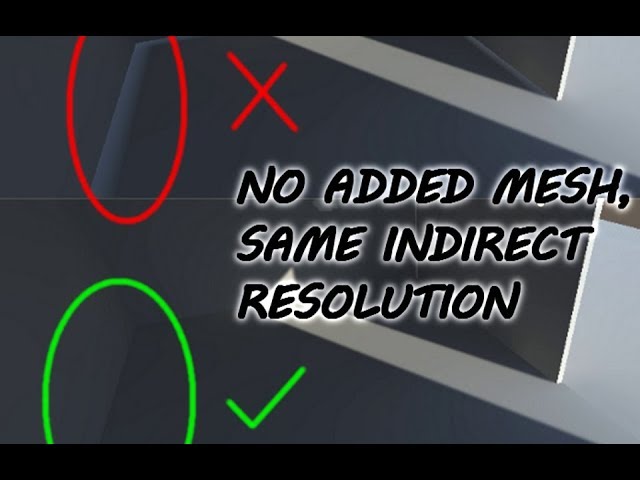
Hi guys, so basically the "correct" solution is to separate the lightmap uv of the floor into the inside part and the outside part of the room. Buuuut, I don't know how to do that, so this is the work around of that solution :D
If you separate the mesh, it'll automatically separate the lightmap uv too XD so yeah...
Anyway, thanks for watching!...
it was wtf moment because why would the lightmap not work properly when the vertex/edge number was low. now I understood.
Now I'm going to make a rendering video that the vehicle garage.
deft fiber
quaint coyote
<@166982635950702592> I solved this.. just learnt from one video. https://www.yo...
The edges are added so that the interior floor can be separated, that forces them into different UV regions
The initial problem in this example is that the lightmap pixels below the wall are both inside and outside the room, so light leaks
quaint coyote
deft fiber
The edges are added so that the interior floor can be separated, that forces the...
Ohhhhh
This makes scenes.
I should learn generate lightmap bake/real-time more.
deft fiber
quaint coyote
I should learn generate lightmap bake/real-time more.
It's a very complicated topic, but it's easy to improve just by doing it and getting a feel for how it works
quaint coyote
deft fiber
It's a very complicated topic, but it's easy to improve just by doing it and get...
True true.
 indigo jewel
Hi I am having some troubles while importing blender .fbx to unity, it looks like the mesh is reversed like a socket, so maybe it's a normals problem, I tried calculating normals in the "model" section of the prefab but it didn't work either, does someone knows what I could do ?
 muted tinsel
deft fiber
The trees are unlit and tinted by vertex colors
The shadows below them are decal...
muted tinsel
deft fiber
The trees are unlit and tinted by vertex colors
The shadows below them are decal...
How would I achieve real shadows vs just decals, as well as avoiding the tint by vertex colors?
deft fiber
muted tinsel
How would I achieve real shadows vs just decals, as well as avoiding the tint by...
If you want it like your reference, you want to avoid real shadows and instead use vertex colors and a decal
Not the other way around
muted tinsel
Ohh you were referring to the reference! I see
deft fiber
indigo jewel
Hi I am having some troubles while importing blender .fbx to unity, it looks lik...
If recalculate doesn't work, invert them manually
Recalculate relies on the mesh not having any openings
muted tinsel
deft fiber
If you want it like your reference, you want to avoid real shadows and instead u...
I was able to figure it out thanks to you! Now they look just how I was aiming for in terms of color~

Regarding the decals, I drew them myself with a bit of a blue tint. Is there a way for them to have a sort of multiply effect though? I'd like to use decals for shadows on buildings as well but they look more like a flat color has been placed over the area
 deft fiber
muted tinsel
Regarding the decals, I drew them myself with a bit of a blue tint. Is there a w...
deft fiber
muted tinsel
Regarding the decals, I drew them myself with a bit of a blue tint. Is there a w...
Drew them? Is the blue thing a decal here
deft fiber
Not sure
The reference game only uses decals for tree shadows and other simple blob shadows
muted tinsel
 deft fiber
Otherwise it uses old school projected mesh shadows, with no self shadowing and only in the case of significantly big meshes
Curiously from what I could see the palm trees were one of few unique meshes that were unlit
Even other trees in the game had directional shading
muted tinsel
Oh wow, okay. I'm only taking notice of these things this time around
deft fiber
As far as I know the closest equivalent to old school mesh shadows for Unity is this
https://github.com/rhedgeco/UnityShadowVolumeGenerator but I don't know how practical it is
muted tinsel
Thanks! I'll take a look at it and see
rugged galleon
 hot path
my 3070 gets like 520 or something
hot path
my 3070 gets like 520 or something
Anyone else, like 130 mrays/sec for baked lighting, with an RTX 2070 Super or thereabouts?
Is around 130 mrays/sec normal for that graphics card or similar?
timber lichen
deft fiber
What do you mean by that?
I put the walls together
arctic isle
rugged galleon
Is around 130 mrays/sec normal for that graphics card or similar?
130 is pretty normal for that card. I can sometimes get 1k on my 3090 👀
In more recent versions of Unity we have greatly improved stability and optimized the GPU utilization. For some reason you can't profile it directly from the task manager (as you have tried above) and you need special tools to view vram occupancy and the like.
@hot path afaik it's not scene dependent, but lucky for you today is GPU Lightmapper benchmarking day, so if you guys have questions lmk.
stoic cave
lmao this word highlight makes sense literally 😂
 deft fiber
timber lichen
I put the walls together
deft fiber
timber lichen
I put the walls together
If you don't want the walls to clip, I assume you wouldn't place them too close together
The shadow problem could be an issue with z-fighting due to clipping geometry, or possibly a problem with extreme light bias values
 fervent swift
Hi there, Is there a way to lower the rendering quality in the scene view because im having trouble rendering my URP scene and moving around the view without unity being very slow
Thank you!
arctic isle
fervent swift
Hi there, Is there a way to lower the rendering quality in the scene view becaus...
you can try turning off effects, gizmos and lighting all at the top of the scene view
 fervent swift
Thank you @arctic isle !
 forest rose
Would anyone know why one side of a reflective surface would be clear but the other would be greyed out?

From the inside, the light is shining from the west side of the room so not sure if that has an affect
 hot path
arctic isle
130 is pretty normal for that card. I can sometimes get 1k on my 3090 👀
In mo...
hot path
arctic isle
130 is pretty normal for that card. I can sometimes get 1k on my 3090 👀
In mo...
well this isnt lightmapper benchmarking, but how do I profile GPU object draws? is there a way to see what is actually taking GPU time? like specifc lights, specific objects/batches, yknow, stuff like that? Ive seen unreal's profiler lets you see at least what indivual lights are costing you, i asked a similar question in #archived-hdrp but i havent gotten an answer yet
arctic isle
hot path
well this isnt lightmapper benchmarking, but how do I profile GPU object draws? ...
not sure actually
 dim violet
1st image: the spotlight is slightly touching the cube
2nd image: the spotlight is slightly not touching the cube
I'm pretty sure the 1st image should show a cube with a few pixels lit on it, this however looks like as soon as it detects that a spotlight is interacting with it, it behaves as if the spotlight is a point light, does anyone know why?
The cube has the default material. I'm using the built in pipeline.
Also the reason why the cube is so dark is because I turned off every other light source in the scene to achieve pitch black.
I even tried deleting the new lighting settings and reverting them to default, but still the same outcome sadly.


also these are the spotlight settings

 frank grove
after baking my scene some surfaces were destroyed. Any idea how can I fix this ?
 deft fiber
frank grove
after baking my scene some surfaces were destroyed. Any idea how can I fix this ...
deft fiber
frank grove
after baking my scene some surfaces were destroyed. Any idea how can I fix this ...
Use scene window debug view modes to confirm texel invalidity and UV overlap errors
fervent swift
Hi there, is one of these a shadow mask and one of them a lightmap? or are they both lightmaps - and if they are - why would there be two lightmaps and not just one?
Thank you!
 frank grove
deft fiber
Use scene window debug view modes to confirm texel invalidity and UV overlap err...
frank grove
deft fiber
Use scene window debug view modes to confirm texel invalidity and UV overlap err...
Shouldn't something appear red if there was a problem ?
 deft fiber
frank grove
Shouldn't something appear red if there was a problem ?
deft fiber
frank grove
Shouldn't something appear red if there was a problem ?
Yes
Currently debug views are available only after a bake for that scene if the editor hasn't been closed
Both texel invalidity and UV overlap look pretty clear to me, still
And I expect you have some warning about it in the console
frank grove
deft fiber
Yes
Currently debug views are available only after a bake for that scene if the ...
Ah so I need to rebake
deft fiber
If you want to precisely diagnose the problem yes, though you may be able to fix some things blind
frank grove
many things red now 😛
 deft fiber
Texel invalidity happens because of mesh backfaces exposed to lit surfaces, which terminates lighting on those surfaces
Lightmap UV overlap usually happens when meshes don't have "generate lightmap UVs" checked in import settings, or because they don't fit on the lightmap
Check import settings first
frank grove
deft fiber
Texel invalidity happens because of mesh backfaces exposed to lit surfaces, whic...
You are right ! I will change settings and rebake. Thank you !!
deft fiber
dim violet
1st image: the spotlight is *slightly* touching the cube
2nd image: the spotligh...
I would check quality settings
If your "pixel light count" is too low to fit the lights, they would fall back to vertex lighting which seems to match your problem description
dim violet
deft fiber
I would check quality settings
If your "pixel light count" is too low to fit the...
I could swear the default value had 4..
must've changed it, thank you!
 ruby sail
can i get a step by step on how to do this? I've been told its in the model of a prefab but i don't see that option

 lapis charm
hey there people
having a huge problem im not very happy about
how is this fixed? this has been an issue ongoing since the beginning of my project and i cant work it out
lapis charm
Fixed it sorta ^ :) still would appreciate advice on why this happens though.
 limpid notch
Hey, we have a problems with lightmaps, we use Bakery, but when I try to bake lightmaps in unity, I have the same problem, can somebody help?


 deft fiber
lapis charm
how is this fixed? this has been an issue ongoing since the beginning of my proj...
deft fiber
lapis charm
how is this fixed? this has been an issue ongoing since the beginning of my proj...
Looks like you're hitting the per mesh pixel light limit
lapis charm
deft fiber
Looks like you're hitting the per mesh pixel light limit
Huh. What do you think could resolve it? Really deep into that project right now and need to figure some sort of fix. I went into the terrain settings a few times, adjusted some of the settings - and nothing. Only thing that seemed to mess with it was important vs non important settings of the lights I was using but I need them in the scene.
deft fiber
lapis charm
Huh. What do you think could resolve it? Really deep into that project right now...
Which render pipeline are you using?
lapis charm
deft fiber
Which render pipeline are you using?
Apparently none, started off as a project in 3D
I am not at all knowledgeable of Render Pipelines besides knowing they exist and where to change it
so maybe there's an issue there
deft fiber
Since you're on built-in render pipeline you can simply increase the pixel light count from quality settings as much as you need to
lapis charm
Are you serious? That is surprisingly simple
lapis charm
deft fiber
Since you're on built-in render pipeline you can simply increase the pixel light...
Right now its 4 - what is a number you suggest that probably won't destroy FPS or anything
I'm assuming 8 or something
deft fiber
lapis charm
Right now its 4 - what is a number you suggest that probably won't destroy FPS o...
Performance depends on many things in your project, but with lights every mesh in their range will be rendered wholly anew for each light, and at least twice for each shadow casting light
The usual way to optimize lights is to decrease their ranges and slice big meshes into smaller ones, to limit the number and complexity of meshes that will need to be rendered again
But with Terrain there's no simple way to slice it
lapis charm
deft fiber
The usual way to optimize lights is to decrease their ranges and slice big meshe...
I've noticed, it's not fun. However I've worked with it though. There's fog surrounding the player at all times allowing for pretty easy low res rendering with distance and that's made FPS easier on me. Lights seemed to be the only issue as of right now, I don't know why I didn't think of the Render Pipeline. It should be good now that I adjusted it to work
deft fiber
With something like URP you might get some free optimization out of the box, but also it has a hard cap of 8 for the light limit in forward rendering path
Both of them support deferred rendering, which would be another option
With it lights are really cheap as the cost of rendering is per affected screen pixel, rather than per mesh, but there's an upfront cost to that as well as some limitations such as no AA no transparent materials
New versions of URP additionally have forward+ rendering path which only renders lights per mesh 'per screen tile' as far as I understand, which combines the strengths of both
I don't recommend rushing to upgrade, as changing render pipelines will cause some extra work, break custom shader compatibility and the newest ones can have instabilities
stoic cave
how would you solve this issue where the light of the wall is on the right side even though the light comes from the left?

this is how the original texture looks like

 limber delta
stoic cave
this is how the original texture looks like
limber delta
stoic cave
this is how the original texture looks like
I may not understand the issue correctly, but can't you just flip the asset?
stoic cave
should I just make a shadowless asset or something?
but then it will look too flat maybe
limber delta
Or perhaps another one with light on the left side
There might be a better way though, I don't have much experience with 2d lighting
stoic cave
limber delta
Or perhaps another one with light on the left side
what if I have a lightsource diagonally from top left
limber delta
Is possible perhaps design it in such a way that you can actually flip the same asset. Would save resources
Yeah. That's a good point. Someone else will have to chime in
Have you looked into this https://youtu.be/DI9bSVTBlsA
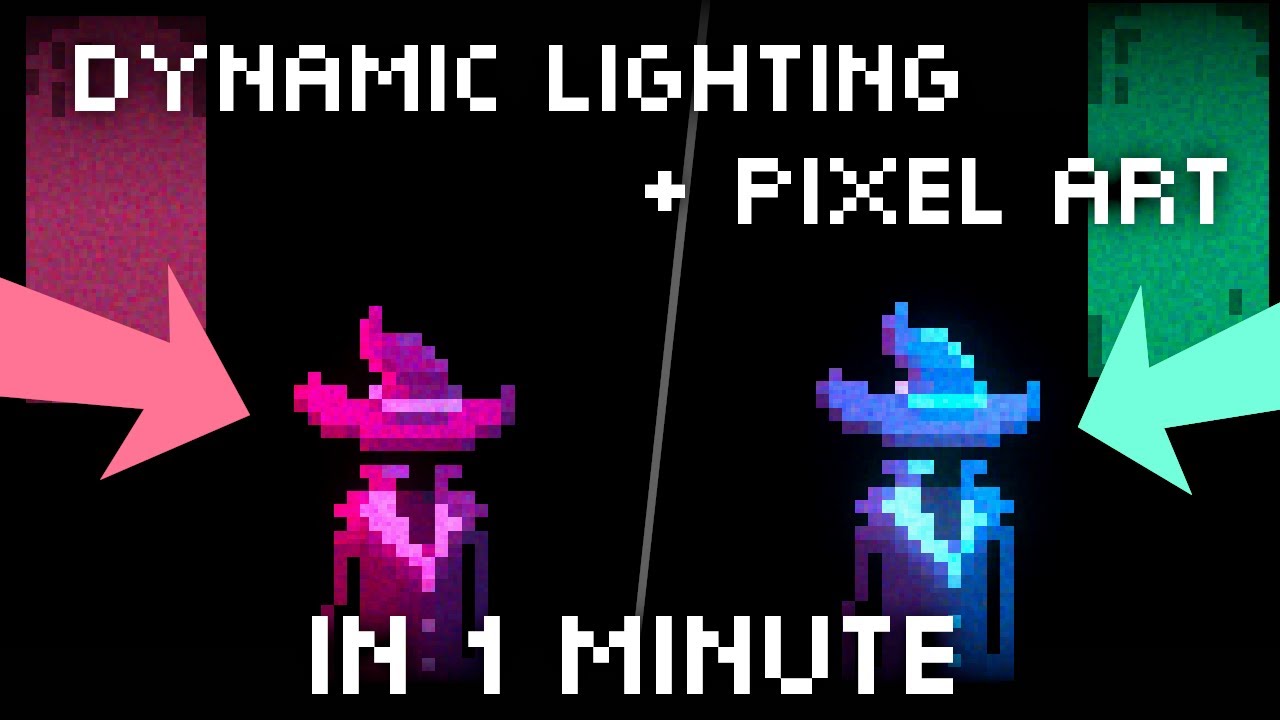
In this video I explain how I do dynamic lighting for my pixel art game Hat Wizard in Unity. Next week I will do a dev log again with the November update for Arcade Wizard.
The programs used are:
- Aseprite
- Spritelamp
- Unity
stoic cave
aha
that guy was funny tho lol
but do I have to make one sprite for each direction
no thanks
limber delta
Alright 😊
There is this one as well https://youtu.be/kpt7Ft5y8v4

In this video we will show you have to set up your unity project properly for 2D lights using the new 2D Renderer which is part of the Universal Rendering Pipeline (URP), explain to you the five types of 2D lights in addition how to create and apply normal maps to your 2D sprites so they look like 3D game objects when they receive light.
00:00 ...
deft fiber
stoic cave
should I just make a shadowless asset or something?
You would make the base color shadowless, or at least without directional shadows and let the shadows be handled by normal maps and 2D lighting like in the tutorial above
stoic cave
limber delta
There is this one as well https://youtu.be/kpt7Ft5y8v4
you talking about this one?
deft fiber
Both do the same thing using different techniques
stoic cave
oh ok
deft fiber
Hand painting the light directions is mainly feasible only for low resolution art, and in the case of pixel art that's the only feasible way
In other situations a normal map can be generated from a height texture or a 3D source asset if you have that
The above tutorial uses the base color map to generate the normal map, which results in incorrect depth and shape, but kind of works anyhow
limber delta
Great info. I learnt something 😊👍
stoic cave
Spazi is always here for me to help ❤️
deft fiber
stoic cave
this is my first game where I play around with lights and shaders lul
deft fiber
Gimp also has a decent height map to normal map filter if you don't want to get Photoshop
stoic cave
aha
arctic isle
stoic cave
aha
you'd probably also need to make the shading on the sprite flatter so you can light it using the normals and the lights. Usually just bringing the contrast down does the trick.
forest rose
Is anyone able to help me with an issue? I'm using a glass material that someone made for URP where one side of the glass looks transparent but another side is completley greyed out for some reason. I'm not sure what the issue could be. I do know that directional light is coming through the side of the normal looking glass
 deft fiber
forest rose
Is anyone able to help me with an issue? I'm using a glass material that someone...
deft fiber
forest rose
Is anyone able to help me with an issue? I'm using a glass material that someone...
I would examine the glass material on a quad in the middle of the room, to confirm there's nothing extra in the way there, and that it really does look like glass
Showing the material properties (and shader if it's a custom one) could help as well
forest rose
 stoic cave
arctic isle
you'd probably also need to make the shading on the sprite flatter so you can li...
stoic cave
arctic isle
you'd probably also need to make the shading on the sprite flatter so you can li...
yo this kinda reminds me of bump mapping when I worked with 3D modeling before
deft fiber
forest rose
If you use a quad instead of a cube here, is the flipside opaque then?
deft fiber
stoic cave
yo this kinda reminds me of bump mapping when I worked with 3D modeling before
It quite literally is!
stoic cave
pog
forest rose
deft fiber
If you use a quad instead of a cube here, is the flipside opaque then?
Didn't realize but the quad is not
deft fiber
forest rose
Didn't realize but the quad is not
So, the opaqueness we're seeing is not the glass shader's backface, at least
Maybe there's extra geometry in the way with a different shader
forest rose
I actually think it's a unity problem since I didn't apply any material to the Quad

Like there is a setting I haven't switched on
That would explain why the material isn't looking like how it should when it's horizontal compared to how it's working when it's vertical
From this angle it's fine

From this it's not
 deft fiber
forest rose
I actually think it's a unity problem since I didn't apply any material to the Q...
deft fiber
forest rose
I actually think it's a unity problem since I didn't apply any material to the Q...
This is expected behavior
Backfaces are culled by default and in most cases we want them to be culled
deft fiber
forest rose
From this it's not
Here we're looking at two transparent materials which are being sorted by object origin depth from camera, so one of them always will be drawn first
One or both of them seem to be sampling scene color, which I believe excludes transparent materials, so they can't be seen through each other
forest rose
Ah gotcha, that's interesting to hear actually
Would it help if I added that this building is kind of double glazed where the inside is facing towards the inside of the room and the other glass is facing outward?

 deft fiber
forest rose
Would it help if I added that this building is kind of double glazed where the i...
deft fiber
forest rose
Would it help if I added that this building is kind of double glazed where the i...
In the first image it appears that the inner glass panes are facing outward so they'd not be rendered when looking out from inside
forest rose
It's now more interesting because rotating the glass actually breaks the shader
 deft fiber
You probably have some inverted normals there
In the second image of the two you see the trouble with transparent materials being seen through each other, as their render order easily gets messed up
limpid notch
Anyone know how to fix this? Mainly happens at the bends

 forest rose
deft fiber
You probably have some inverted normals there
forest rose
deft fiber
You probably have some inverted normals there
Everything is pretty normal on Blender, Everything is facing the right way. Blues facing in and red's facing out

 deft fiber
limpid notch
Anyone know how to fix this? Mainly happens at the bends
deft fiber
limpid notch
Anyone know how to fix this? Mainly happens at the bends
Hmm, Bakery?
limpid notch
Yes
deft fiber
Then I don't know
It has its own specific issues
Maybe they have support channels or resources
limpid notch
Ye but when I do the same with unity, I have same problem
forest rose
deft fiber
Then I don't know
It has its own specific issues
Sad times, that's what I figured. Thanks for the help anyway!
deft fiber
forest rose
Sad times, that's what I figured. Thanks for the help anyway!
Ah, sorry, I was replying to Sewu
I don't see any issue with the normals or mesh here, but worth double checking that no geometry is overlapping
If the room won't be seen from the outside, it's best not to have outside windows at all
Keeps the window setup simple
deft fiber
limpid notch
Ye but when I do the same with unity, I have same problem
Can you show the problem you get with GPU Lightmapper? There's no issue that visually matches exactly what we're seeing with Bakery here
limpid notch
3h baking xd
forest rose
deft fiber
Ah, sorry, I was replying to Sewu
I don't see any issue with the normals or mesh...
Windows on outside deleted but still causing issues

 deft fiber
forest rose
Windows on outside deleted but still causing issues
deft fiber
forest rose
Windows on outside deleted but still causing issues
Are the foggy and clear glass different materials? 
You said the shader breaks when you rotate it so maybe there's some problems within the shader
forest rose
deft fiber
Are the foggy and clear glass different materials? <:UnityChanThink:885169594560...
They are the same material, What I have noticed though is that the shader only breaks from the horizontal side of the map for some reason

 deft fiber
So, it seems to be a shader problem
forest rose
Never had this problem before, which is a shame
I found a way of getting around it by just creating a new object in Unity and just replacing it

it's annoying but i'm happy to do it
fervent swift
Hi, I am trying to cast a shadow from the directional light onto the ground, but no shadow is being created - ~~when i make the object smaller it works ~~, but not sure why (actually not sure that works). Would love to hear your thoughts here. Thank you!
 deft fiber
fervent swift
Hi, I am trying to cast a shadow from the directional light onto the ground, but...
deft fiber
fervent swift
Hi, I am trying to cast a shadow from the directional light onto the ground, but...
Is there any circumstance where the shadows appear?
fervent swift
deft fiber
Is there any circumstance where the shadows appear?
if a put small cube at the scale of 1,1,1 the shadows are cast from the cube onto the ground - thank you!
deft fiber
fervent swift
if a put small cube at the scale of 1,1,1 the shadows are cast from the cube ont...
Can you show that cube with the shadows placed next to the house?
fervent swift
sure
fervent swift
deft fiber
Can you show that cube with the shadows placed next to the house? <:UnityChanThi...
do you want to see house at original scale?
fervent swift
deft fiber
Can you show that cube with the shadows placed next to the house? <:UnityChanThi...
house and cube (house is way bigger)

put next to cube- it llooks ike when I zoom camera in - the shadows appear is that a specific setting?
 deft fiber
fervent swift
put next to cube- it llooks ike when I zoom camera in - the shadows appear is th...
deft fiber
fervent swift
put next to cube- it llooks ike when I zoom camera in - the shadows appear is th...
Yes, since the shadows appear on the house as well up close that suggests you need to tweak shadow distance in quality settings
fervent swift
awesome! That fixed it! Thank you
fervent swift
when working with lighting in detailed scenes is there a certain scale objects should be? Would it make a difference and is it better if you scale objects to be small to improve bake times/and performance? Thank you
fervent swift
fervent swift
when working with lighting in detailed scenes is there a certain scale objects s...
for example i added a light probe group to my scene (attached) and it is tiny, which makes me think the model is just too big --
 deft fiber
fervent swift
when working with lighting in detailed scenes is there a certain scale objects s...
deft fiber
fervent swift
when working with lighting in detailed scenes is there a certain scale objects s...
Make them in real world scale or close to it
You determine the bake resolution and using real world metrics makes it easier to calculate those values and notice errors
By default one unit in editor equals one metre
fervent swift
deft fiber
By default one unit in editor equals one metre
awesome, thank you!
deft fiber
In my experience a newly created light probe group occupies a 2x2x2 meter cube
fervent swift
deft fiber
In my experience a newly created light probe group occupies a 2x2x2 meter cube
Thank you
deft fiber
@fervent swift It also ties into every other scale-dependent setting, such as physics, light emissive intensities and shadow distance, as we've seen
fervent swift
deft fiber
<@819222439887372348> It also ties into every other scale-dependent setting, suc...
incredible
I appreciate all of your help
hot path
hmm, whats wrong with the other 2 couch cushions? Im aiming for a look like the first one, not sure what i messed up
 deft fiber
hot path
hmm, whats wrong with the other 2 couch cushions? Im aiming for a look like the ...
deft fiber
hot path
hmm, whats wrong with the other 2 couch cushions? Im aiming for a look like the ...
A normal map issue
Looks most likely to be using DX type normal map rather than GL
hot path
its something material related, becuase if i switch the other two to use the same material as the first one it works
deft fiber
hot path
its something material related, becuase if i switch the other two to use the sam...
Should be simple enough to figure out what's the meaningful difference between those materials
hot path
ah i forgot to import the normals as normal map, didnt get a warning though, weird
well lets try this then
looks good now, thanks
 fervent swift
Hey, are light probes beneficial to objects that are not dynamic? Thank you
deft fiber
fervent swift
Hey, are light probes beneficial to objects that are not dynamic? Thank you
Yes, a mesh renderer that has "contributes to GI" but is set to receive lighting from light probes doesn't require any lightmap UV space or lightmap calculations
That's how you want it for static meshes that are too small or have too much detail to be effectively lightmapped
 atomic bramble
Hi everyone, I'm working on a project in Standar Render pipeline (can't use URP or HDRP). And I have a light issue that I can't figure why it doesn't work. It need to be baked. here some screenshot of what are my setting for the lighting and some example of the issue. Its my first years modeling and using unity so it might even be the model or the unity setting. Keep in mind that everything is from blender and sketchup. Everything should have they own UV generated too from unity.


 spring igloo
Hello, I am creating a game for the oculus quest 2, so it is built in android. And all pixel lights are, for no apparent reason, converted to vertex lights. How can I change this?
deft fiber
spring igloo
Hello, I am creating a game for the oculus quest 2, so it is built in android. A...
One possible apparent reason is that you have a platform specific graphics level in Quality settings, which would be limiting pixel lights
spring igloo
Excuse me, let me add a bit more context, in the project they stay as pixel, but when built they convert.
spring igloo
deft fiber
One possible apparent reason is that you have a platform specific graphics level...
Oh, I see, let me check.
Right, I am using URP so I don't believe I can change that from Quality settings.
Oh! Nevermind! Located what I needed.
Thanks Spazi since you guided me into the right direction.
stoic cave
omg normal mapping is so cool. I made a completely flat sprite with no shadows and got this 3D looking thing


here is my normal map

not sure about the texture tho lol
ty @deft fiber and the other dude 😄
night shell
question
is the dynamic occlusion field on the mesh renderer component strictly for occlusion culling only?
or is it also related to the camera frustum culling (i.e. which unity uses by default when no occlusion culling is baked or being used)?
the docs make it seem like its only for occlusion culling, but is it also for frustum culling when there is no occlusion culling?
 main wolf
night shell
or is it also related to the camera frustum culling (i.e. which unity uses by de...
main wolf
night shell
or is it also related to the camera frustum culling (i.e. which unity uses by de...
iirc, no. cmiiw, camera frustum culling only uses mesh renderer's bounds
night shell
I know it uses the bounds
But what I'm asking is that when there is no occlusion culling data in use
Does dynamic occlusion resort to the classic frustum culling? And does disabling it mean that its always rendering and not being culled (and enabling it means the mesh will be culles by the camera frustum?)
Or is the dynamic occlusion field only for when the occlusion culling system is in use, and it has nothing to do with frustum culling
Not sure if I'm phrasing it correctly but I think you get what i mean?
Someone from the unity team might need to clarify this for me
deft fiber
stoic cave
here is my normal map
Looks good, though the green channel is inverted here
This would be a "DX" normal map instead of "GL" that Unity uses
stoic cave
hmm I made the normal map in Gimp
stoic cave
deft fiber
Looks good, though the green channel is inverted here
This would be a "DX" norma...
any settings I messed up with maybe?
 deft fiber
stoic cave
any settings I messed up with maybe?
deft fiber
stoic cave
any settings I messed up with maybe?
"Flip Y" inverts the green channel

 stark temple
stoic cave
is the green areas of the normal map where the light will be the brightest?
stark temple
stoic cave
is the green areas of the normal map where the light will be the brightest?
A normal map is directional information, it doesn't create any occlusion, so brightness is completely dependent on the location of the light source
stoic cave
oh
ah now it makes sense about the first video for pixel art that I watched where he made one sprite for 4 different directions
so a normal map basically does that but for all directions in one sprite
deft fiber
night shell
Or is the dynamic occlusion field only for when the occlusion culling system is ...
Two separate things, so occlusion settings don't affect frustum culling
If you open Occlusion window's Visualization tab and select a camera, you can visualize both occlusion and frustum culling to see when either or both take effect
arctic isle
stoic cave
ty <@166982635950702592> and the other dude 😄
im the other dude? 😂 I'll take it
stoic cave
yeah I guess the other dude was both you and @limber delta 😂
arctic isle
what a community we are
stoic cave
haha
this is much better than stack overflow
I made some new art with Dall E and added normal maps to them 🙂

but it's weird the walls casts shadows on the platforms 🤔
fervent swift
deft fiber
Yes, a mesh renderer that has "contributes to GI" but is set to receive lighting...
Thank you!
 weary wigeon
Can I ask a question to any technical experts out there?
I have a basic level and I really like the look of a decal projector projecting a big texture over the ground, quite a big one - it adds color, visual interest and looks really cool. Should I avoid this entirely for performance reasons, or is it a legit way to add visual interest to a scene?
arctic isle
weary wigeon
Can I ask a question to any technical experts out there?
I have a basic level a...
It really depends on how many other things are going on. If you profile it and you see that it's okay for the platforms you're targeting then by all means follow your creative vision. Otherwise I'm sure there are ways of getting to a similar result with a bit more elbow grease (maybe shaders / post-processing / lights). It really depends on what you think is acceptable given your creative vision 🙂
night shell
deft fiber
Two separate things, so occlusion settings don't affect frustum culling
If you o...
ah ok, so basically the dynamic occlusion has no effect on frustum culling
fervent swift
Hi I am looking to 'rent' a cloud GPU for lightbaking and these are the different options, hoping to find something not too expensive yet good - was thinking RTX4000 is that going to be ok? The better they get the more expensive but hoping to get a good value…
here's other options
Thank you!
 ruby sail
I’m messing around with baked lighting and bakery. Should I place all my assets in the scene before I test lighting, or just the room then assets?
 charred moth
atomic bramble
Hi everyone, I'm working on a project in Standar Render pipeline (can't use URP ...
charred moth
atomic bramble
Hi everyone, I'm working on a project in Standar Render pipeline (can't use URP ...
I think changing to shadowmask + progressive gpu can maybe fix your issue
arctic isle
fervent swift
Hi I am looking to 'rent' a cloud GPU for lightbaking and these are the differen...
Yeah that should be quite enough 😄
arctic isle
ruby sail
I’m messing around with baked lighting and bakery. Should I place all my assets ...
Can you rephrase the question? If you are worried that objects you don't want in the lightmaps/probes data [assets] will mess up the bake, they won't. What CPU/GPU Lightmapper and Bakery do before a bake is take a snapshot of only the objects included in a bake [room] (regardless of whatever else is in the scene) and use just that geometry to calculate lighting. So you don't have to worry about it and you can place as many of your static or non-static assets you wish.
ruby sail
arctic isle
Can you rephrase the question? If you are worried that objects you don't want in...
I’m mostly confused about the process as a whole. The room I’m creating lighting for has a lot of lamps and indirect lighting, but the tutorial video I watched added the assets like couches, skybox, etc, after baking the light.
So to have objects affected by the baked lighting, I need to put them down before I bake, or before I render with bakery?
Also, should I only render with bakery once I’m sure of my light placement, or keep messing with it while testing lights. I notice it takes a long time to render, which is difficult for trial and error.
arctic isle
ruby sail
I’m mostly confused about the process as a whole. The room I’m creating lighting...
So to have objects affected by the baked lighting, I need to put them down before I bake, or before I render with bakery?
You need to put them in before you render if they are static geometry that you expect will contribute to and receive static lighting.
fervent swift
arctic isle
Yeah that should be quite enough 😄
Thank you!
arctic isle
ruby sail
I’m mostly confused about the process as a whole. The room I’m creating lighting...
Also, should I only render with bakery once I’m sure of my light placement, or keep messing with it while testing lights. I notice it takes a long time to render, which is difficult for trial and error.
You can lower the settings and the bakes will be faster. I would recommend doing so until you have a good feeling that your lighting is well set up, then cranking the settings up and doing a full bake. This is the same way you would work with the normal Lightmappers.
I know that the creator of Bakery also made a realtime preview, but that's at additional cost.
fervent swift
Hey I've been struggling with this issue for a while, so any guidance would be appriciated. Not sure if its a hardware thing or my settings are wrong . I am looking at a tutorial and the developer is able to move the window lights/shadows in real time - I have the same settings but my real time looks worse (2nd image) , however when I bake the lighting in enlighten it looks good - is this a CPU thing, or am I doing someting wrong? Thanks in advance!

 fervent swift
Hey I've been struggling with this issue for a while, so any guidance would be a...
fervent swift
fervent swift
Hey I've been struggling with this issue for a while, so any guidance would be a...
better * pic of lighting in my scene

I think it has something to do with shadow distance, but not sure why
arctic isle
fervent swift
I think it has something to do with shadow distance, but not sure why
Perhaps shadow cascades?
fervent swift
arctic isle
Perhaps shadow cascades?
ah ok i am going to learn more about that, thank you
fervent swift
fervent swift
ah ok i am going to learn more about that, thank you
@arctic isle, yes, this^ helped solve the issue! Thank for your help
ruby sail
arctic isle
> So to have objects affected by the baked lighting, I need to put them down bef...
I see, I’ll put all static objects in first then, and lower the settings for both while testing. Thank you so much for the detailed response!
 silk igloo
I'm in the process of learning how to use light for a day/night cycle to make my terrain pitch black when the directional light represented as the sun is down, requiring the player to use point and spot lights placed around the environment to light the way. But, my environment (the Plane 3D GameObject and the structures on it made out of transformed Cube 3D GameObjects) is staying bright enough to see at any time of day while my player character (a Capsule 3D GameObject) and the targets around the map that he shoots (Cylinder 3D GameObjects) become lighter or darker depending on the time of day. I'm trying my best to solve the problem on my own by baking the lighting and changing different settings like setting the Environment Reflections Intensity Multiplier to 0, but nothing seems to fix the issue. Would anyone have any insight that can make the process easier?
For additional context, I use a script that manages the light based on the time of day by cycling through gradients for ambient, fog, and directional light from 0f to 24f, where 12f is noon. I can also provide any additional context needed!


 arctic isle
silk igloo
I'm in the process of learning how to use light for a day/night cycle to make my...
arctic isle
silk igloo
I'm in the process of learning how to use light for a day/night cycle to make my...
Hey, for a day/night cycle you need realtime gi. Try unchecking baked gi and checking realtime gi, as well as realtime environment lighting. Rebake and try again 🙂
It is quite expected that baked lighting will remain on the static geometry as it does now.
 river parrot
Hello, all >
 silk igloo
arctic isle
Hey, for a day/night cycle you need realtime gi. Try unchecking baked gi and che...
silk igloo
arctic isle
Hey, for a day/night cycle you need realtime gi. Try unchecking baked gi and che...
ah, that would make sense. though, when I tried to use realtime lighting before, the point and spot lights had a nasty habit of bleeding through walls and flickering that baked lighting fixed when I tried that instead. are there any helpful techniques or tips I can use to prevent that effect if it happens again?
 covert geode
Hello guys, not sure if this should go on #🖼️┃2d-tools or here.
Im looking into ways to optimize my 2d lighting
What is happening is that, on my scene, im using 30 2d spotlights without normal maps, only 1 blend style and it is already lowering my fps from 650 to 250. So, not great.
Been searching the internet for answers and i did all i could and it doesnt really change
Using URP of course
 gray pawn
pretty new to unity, any idea why my scene is lit like this with 0 lights in the scene?
 deft fiber
gray pawn
pretty new to unity, any idea why my scene is lit like this with 0 lights in the...
deft fiber
gray pawn
pretty new to unity, any idea why my scene is lit like this with 0 lights in the...
Ambient environmental lighting from the sky most likely
gray pawn
deft fiber
Ambient environmental lighting from the sky most likely
thanks, got it

 quick fractal
https://gdl.space/acezeqohac.cpp I made a slope block but you can see the lighting is wrong why?
 deft fiber
quick fractal
https://gdl.space/acezeqohac.cpp I made a slope block but you can see the lighti...
deft fiber
quick fractal
https://gdl.space/acezeqohac.cpp I made a slope block but you can see the lighti...
The slope polygon is likely facing the sun more directly so that'd make it brighter
 glossy pike
i switched unity versions of my game to prevent bugs with URP's physics, but now when i bake lights it says its going to take days and it doesnt bake at all. help?
these are my lighting settings
 deft fiber
glossy pike
i switched unity versions of my game to prevent bugs with URP's physics, but now...
deft fiber
glossy pike
i switched unity versions of my game to prevent bugs with URP's physics, but now...
URP's physics?
arctic isle
glossy pike
i switched unity versions of my game to prevent bugs with URP's physics, but now...
if you have animated materials make sure those renderers are not set to contribute / receive GI
deft fiber
Also look for any warnings or errors in the console, for instance if the GPU lightmapper falls back to CPU for some reason
Possibly besides the point but URP or any render pipeline doesn't deal with physics at all
glossy pike
deft fiber
URP's physics?
after i switched to urp, the physics started getting kinda messed up
glossy pike
arctic isle
if you have animated materials make sure those renderers are not set to contribu...
the animated materials arent static
even if i disable them, it still keeps going on
arctic isle
afaik, any material that uses the shadergraph time node will currently cause the bake to keep restarting the "preparing bake" stage-- we have a fix for this in the pipeline, for now the workaround is to not have any of those be static or in any way contribute to GI
glossy pike
arctic isle
afaik, any material that uses the shadergraph time node will currently cause the...
none of them are static
do you think its my version of unity? its 2020.3.47f1
arctic isle
glossy pike
do you think its my version of unity? its 2020.3.47f1
no, quite unlikely that there's another bake loop in the 2020 version... just to confirm, does the bake just keep restarting the Preparing bake stage?
glossy pike
arctic isle
no, quite unlikely that there's another bake loop in the 2020 version... just to...
nope, it stays on global illumination then the time just goes up
it doesnt bake at all
deft fiber
If installing URP made your physics go wonky, I'd suspect there could be some weirdness with your project or its settings in general
I'd export the scene to a fresh project with the same version and try baking there
And just for science do a test bake with just some default cubes on the new project first to make sure everything works for sure
arctic isle
glossy pike
nope, it stays on global illumination then the time just goes up
then it's not the same thing. follow what @deft fiber said, it's likely that you're trying to bake with higher settings than your computer can handle. GPU lightmapper was still in early-ish development in the 2020 version.
glossy pike
i think i found the problem
in my probuilder mesh it still has the material on it
from when i set it earlier
arctic isle
glossy pike
from when i set it earlier
Does the bake progress now?
deft fiber
In my experience "preparing bake" can get stuck even with just an overly complex scene
glossy pike
arctic isle
Does the bake progress now?
yeah
arctic isle
deft fiber
In my experience "preparing bake" can get stuck even with just an overly complex...
"Preparing bake" just means we're hashing all the meshes / lights etc. so a very complex scene will take a long time to prepare. Especially in earlier versions when we didn't use GPU tiling a very complex scene wouldn't even fit in VRAM 😿 (depending on your resolution / supersampling)
In later versions we use some nice tricks so we can now fit a 16K buffer (4K lightmap, 4x supersampled) on a 2GB GPU. Preparing this would still take a relatively long time...
glossy pike
another slight problem, the skybox shader thing is set to static but it doesnt contribute gi, and the shadows are two sided. theres not supposed to be any light on the ground, i have a directional light but all lights in this area are disabled
 deft fiber
glossy pike
another slight problem, the skybox shader thing is set to static but it doesnt c...
deft fiber
glossy pike
another slight problem, the skybox shader thing is set to static but it doesnt c...
If they're not Contribute GI static, baked light will pass through them
I would pad the walls with static shadows-only blocks
glossy pike
alr, thanks for the help!
 surreal walrus
hey so, I wanted to make my object emit light so I added point light objects inside them, it seems to work but if I'm not facing a specific angle the light disappears

 surreal walrus
update: it seems to work on anything but the map itself

for some reason
only works at specific angles

so I am very confused as to what could be causing this issue since I found no fix on the internet
everything you see w the black squares and white stripes is part of a single mesh
surreal walrus
an other update: raising the intensity of the light to an absurdly high number makes it seen from all angles BUT it's an insanely high number so it doesn't make sense to keep it this way
surreal walrus
OK Deferred Rendering fixed it, thanks a lot guys you were of great help
 uneven karma
Anyone know how I can make only the side facing a light source be lit, much like this image?

 surreal abyss
how would i go about setting up a lighting system where it is fully lit EVERYWHERE, except you cannot see at all through walls, like what this image shows
 uneven karma
Anyone know how I can make only the side facing a light source be lit, much like...
uneven karma
uneven karma
Anyone know how I can make only the side facing a light source be lit, much like...
figured it out, it was a point light map
surreal abyss
surreal abyss
how would i go about setting up a lighting system where it is fully lit EVERYWHE...
still not figuring out how to do this
its a 2d platformer
 gusty tendon
hello/
i really love the look and style of dcs and wanted to recreate the lighing seen in the following pictures


and was wondering how to do that while still maintaining SOME sanity and framerate as this will be uploaded to vr
uneven karma
surreal abyss
still not figuring out how to do this
You need to provide more clear details of what you are trying to do, because I have no real clue what your goal is
deft fiber
I guess URP 2D lighting could fit that purpose
 languid blaze
i'm not sure what the best place to ask this is -- I need to estimate how bright an area looks. I am using that information to decide if an enemy's eyes should adapt to light or dark.
Right now, I'm shooting a bunch of rays and sampling the light probes wherever those rays hit. I then take the log of the average brightness to get an "exposure" value, which the enemy's eyes slowly adjust towards. I then use enemy's current exposure level to decide if they can see the player.
So, for example, if the enemy has been staring at a sunlit wall, its eyes should be adjusted to a very high exposure, making it impossible to see a player standing in a torchlit cave. But if the enemy was staring at a dark wall instead (maybe it's night-time), then the enemy's eyes should be at a very low exposure, letting them see the player
Is there a particular function I should use to calculate the average brightness, and thus the exposure? I randomly chose to square each brightness value, then to take the square root of the average at the end.
Ideally, I'd do roughly the same thing the HDRP exposure system does...
languid blaze
gusty tendon
a lot of this is just gonna be down to good physically-based rendering
so, having good maps that reflect how rough and metallic the surface is
that's what gives you the pretty highlights
 west flax
i have max quality but the lightning works only in editor and not in build
help
light is set to important too
nvm got it to work
gusty tendon
languid blaze
so, having good maps that reflect how rough and metallic the surface is
thats what im tryna do i want to create a map with unity terrain cool skyboxes and little tips and tricks to basically trick the mind into thinking it looks cool when in actuality its just like bumped up metalic or good directional lighting
night shell
gusty tendon
thats what im tryna do i want to create a map with unity terrain cool skyboxes a...
by maps he means the texture maps that you are using for your materials on your model. not the game world
well done texture maps that are physically based will get you good looking materials
and from those good looking materials you have to have good reflection/specular tech and lighting
gusty tendon
night shell
by maps he means the texture maps that you are using for your materials on your ...
so more that just the base color but metalic and normal maps too?
night shell
albedo, metallic, normal, occlusion, etc.
the end goal is to accurately portray and replicate the materials on your assets
 surreal walrus

so the bake seems to work but it the map still looks the same
any idea as to why that is
surreal walrus

the actual lightmap works
apparently
but it doesn't display in the shaded view
what could be the cause??
night shell
surreal walrus
what could be the cause??
The shader that you are using
surreal walrus
the standard lit shader
however
at the time of writing this
I managed to solve the issue
apparently

if the base color for my material which I used is black
no baked lighting shows up
who would've thought
night shell
Thst makes alot of sense actually
But yeah who woulda thought, first time ive seen that. Someone forgetting they assigned a black color/texture as their albedo
surreal walrus
yeah I spent 2 days trying to solve this issue only to figure it right now
 copper moon
Hi everyone!
Just joined the server since I have been struggling with this for a while -- is there a way I could have 2D lighting affect objects that are in certain orders of a layer?
I noticed there is an option to separate objects by sorting layer, but the issue is that it causes ordering issues with my existing objects.
Thank you!
west flax
west flax
nvm got it to work
i fixed this once but dont remember how tf
its only terrain that is dark. stone gameobjects are ok. terrain trees and terrain grass is also ok
ahh i remember now! terrain software bug
 crimson fable
Does unity support parallax corrected cubemaps?
night shell
crimson fable
Does unity support parallax corrected cubemaps?
Yes
surreal walrus
so I'm not sure where to ask this so I'll ask it here, I am looking to change the material emission through a script, to a color and then back to the original color in a smooth manner
any idea on how should I go about this
quaint coyote
guys, what its called?
 deft fiber
quaint coyote
guys, what its called?
deft fiber
quaint coyote
guys, what its called?
That means "zero bytes"
quaint coyote
deft fiber
That means "zero bytes"
no, I meant what does it denote
pardon if this seems like a noob question, im kind of a noob
deft fiber
quaint coyote
no, I meant what does it denote
Size of lightmap textures in memory
quaint coyote
deft fiber
Size of lightmap textures in memory
ohh ok.
night shell
deft fiber
Size of lightmap textures in memory
in memory + disk space
@quaint coyote
though suppose one could just call disk as memory anyway 😛
deft fiber
night shell
in memory + disk space
From what I understand usually Unity reports texture sizes as they are in memory, but if they use crunch compression they can be smaller than that on disk
night shell
ehhhh actually they report the disk size
I've disabled mip maps and used crunch compression and those sizes are reflected in that window
deft fiber
That seems to be correct
 vernal sentinel
can i have some help with my flashlights light
not working the way i want it to work

heres the light component im using
 deft fiber
vernal sentinel
not working the way i want it to work
deft fiber
vernal sentinel
not working the way i want it to work
What's the way you want it to work
vernal sentinel
really
it works fine until you walk anywhere near a wall
then that big white thing appears in the corner
i dont wan that to be there
deft fiber
vernal sentinel
then that big white thing appears in the corner
Are you sure that's from the same light component?
vernal sentinel
deft fiber
Are you sure that's from the same light component?
pretty sure yeah
it actually might not be one sec
it wasnt heres the actual one
 deft fiber
vernal sentinel
it wasnt heres the actual one
deft fiber
vernal sentinel
it wasnt heres the actual one
Nothing's probably wrong with the light, but if you have multiple light components then you get multiple light spots
 night shell
 gloomy marten
any tips how to improve the lighting ?
gloomy marten
any tips how to improve the lighting ?
those artifacts are invalid texels
caused by rays terminating when they hit a backface
so you likley have some backface geometry in that area, probably the glass or window meshes you have?
gloomy marten
does that also include walls that are only planes or those that only have one face?
then, how about this ?

this error also appears but UV is already set
 night shell
gloomy marten
does that also include walls that are only planes or those that only have one fa...
night shell
gloomy marten
does that also include walls that are only planes or those that only have one fa...
yes
night shell
gloomy marten
then, how about this ?
also invalid texels
usually the overlapping UVs warning isnt a big deal
but chances are that you don't have any lightmap UVs generated for your mesh
so for those meshes enable "Generate Lightmap UVs" in the mesh import settings when you click on the model files in the project window @gloomy marten
night shell
gloomy marten
does that also include walls that are only planes or those that only have one fa...
or for the record, only one face that is visible to the player
its ok if they are not visible to the player or the main play area but if you have backface geometry in your scene that is visible by the player then you need to either fix it (either by making the mesh thick and two sided, enabling double sided GI on the material settings) or remove it


 west flax
why does this happen? these are shadow cascades, but changing their settings in urp renderer didnt help me particularly
deft fiber
west flax
why does this happen? these are shadow cascades, but changing their settings in ...
I think I've seen it before but it remained a mystery
Does it occur on other more generic meshes with the same material, and is the material using some custom shader?
forest rose
I don't know the exact reasons but why would the reflections show the sky when it's inside?
 night shell
forest rose
I don't know the exact reasons but why would the reflections show the sky when i...
night shell
forest rose
I don't know the exact reasons but why would the reflections show the sky when i...
do the bounds of your reflection probe intersect with the floor geometry?
if a mesh is not within the bounds of any reflection probe it will fallback to the skybox reflection
quaint coyote
night shell
though suppose one could just call disk as memory anyway 😛
oh well maybe
quaint coyote
deft fiber
From what I understand usually Unity reports texture sizes as they are in memory...
yeah its true.
timber lichen
Hi everybody after upgrade to URP I'm having problems with lights: in the android build the spotlights have sharp outlined border, but in the editor they are ok. Can anyone help me ?
quaint coyote
quaint coyote
yeah its true.
btw I turned off lightmap compression to generate lightmap, but disk space shows 250 or higher mbs. All because of increasing vertex/edge of models, right?
Lightmap convergence shows 80. before was 4.
like directional lightmap shows 80
night shell
so before your size was 80, but turning off compression its now 250?
quaint coyote
night shell
so before your size was 80, but turning off compression its now 250?
No I meant, I turned off compression thats it.
Im saying, when one model exists, my size was 48 mbs.
but I changed to put another model, the size was 200-500+ mbs.
2 models are the same number of vertex/edge
night shell
but UVs are different
quaint coyote
but different like one is obj and another is fbx
night shell
ah
quaint coyote
night shell
but UVs are different
So, the reason is increasing number of vertex/edge of the model?
night shell
well if its the same exact model but different format
night shell
ok im getting confused a bit
this is all getting reported in the lighting window?
after you finished baking a lightmap?
as far as I understand the only circumstances in which you can change the size beyond the obvious kinds (that being changing resolution, compression, etc.) is either adding or changing objects that have different UV sets
so for example one model might have a simpler generated lightmap UV set
while the other is more complex
and therefore mabye needs to have more of the lightmap or lightmaps to be generated for that model
deft fiber
quaint coyote
btw I turned off lightmap compression to generate lightmap, but disk space shows...
If you only turn off compression, the exact same lightmap will be a bigger file, even if you don't generate it again
Lightmap convergence shows 80. before was 4.
Not Converged: Baking is still in progress for these lightmaps.```(The option for Lightmap Compression in Lighting window doesn't update the texture, but changing compression on the texture asset directly does change it and how Lighting window reports it)
night shell
^^^
 tight prism
Hey if I can have a bit of help I am struggling lighting my world In unity with bakery. I am using my skybox as the lighting with no directional light which works with the base gpu lightmapper but now that I have switched to bakery the map is just pure black aside from emissions that give off light. Anybody got any clue why this is happening?
quaint coyote
night shell
after you finished baking a lightmap?
no, this is all getting reported in the lighting window while its baking a lightmap.
it was taking almost 14-18 hours
there were remaining
night shell
oh while its baking? I wouldn't worry about what it reports while its baking since then it would compress the lightmaps after all of them have been baked
quaint coyote
deft fiber
(The option for Lightmap Compression in Lighting window doesn't update the textu...
understandable
night shell
as for it taking that large amount of time that sounds like a seperate issue
which we can help with if need be
quaint coyote
if there were remaining, whatever finished, the size will show 700 mbs or higher ig
bc im using cpu, not gpu, cuz I dont have gpu
night shell
sounds like you are baking scenes with a massive amount of lightmapped objects, and/or at a very high resolution
quaint coyote
night shell
sounds like you are baking scenes with a massive amount of lightmapped objects, ...
yeah yeah true. there is many objects and I was baking at very high resolution
forest rose
night shell
do the bounds of your reflection probe intersect with the floor geometry?
Everything is just outside of the mesh boundary

 arctic isle
tight prism
Hey if I can have a bit of help I am struggling lighting my world In unity with ...
arctic isle
tight prism
Hey if I can have a bit of help I am struggling lighting my world In unity with ...
You need to add a new... I think it's called a Skylight?
Bakery uses its own lights for everything including environment lighting. Then you need to link up the skybox with the environment lighting in the lighting window as well if I remember correctly.
tight prism
Just tried that, the lighting on the map doesnt match up too well with the skybox

weird colors and such
arctic isle
quaint coyote
yeah yeah true. there is many objects and I was baking at very high resolution
You usually don't need the lightmaps to be super high res unless you're calculating very complex geometry (which lightmaps are not particularly good for anyway).
Lightmap Resolution is actually a misnomer which I've been advocating we change in the Lighting Window because it actually refers to the Input Resolution. This means that we take the UVs for each mesh and atlas them in the given resolution (texels per unit). For meshes with few triangles/faces it's actually not so impactful if you're at 20 or 40 or 80.
arctic isle
tight prism
weird colors and such
you should make sure to match the light color with the skybox and vice versa
arctic isle
timber lichen
Hi everybody after upgrade to URP I'm having problems with lights: in the androi...
when you say after upgrade to URP do you mean that you went to URP from BuiltIn or that you upgraded URP from a lower version?
tight prism
arctic isle
you should make sure to match the light color with the skybox and vice versa
I pressed the match light to scene and thats what it gave me
 chilly kettle
tight prism
Just tried that, the lighting on the map doesnt match up too well with the skybo...
chilly kettle
tight prism
Just tried that, the lighting on the map doesnt match up too well with the skybo...
Bakery cant handle Transparency in Shader/Textures. That my cause that the leaves of your trees look that bad.
Had similar problem with trees
tight prism
chilly kettle
Bakery cant handle Transparency in Shader/Textures. That my cause that the leave...
I have cutout on them, does that not work also? and its doing this on every project
chilly kettle
I had to set them to opaque everytime i baked and switched back to the transparency later
Not sure if Cutout is working
tight prism
okay I will make sure to do that, but it still does not match to the skybox no matter what I put
chilly kettle
Did you put a bakery skylight in the scene?
tight prism
yes
chilly kettle
Hm.. i didnt use bakery for a while, but i think that didnt work for me neither
tight prism

here is another example
has a weird yellow and purple in some areas
Not to mention the snow is glowing aswell
 deft fiber
Bakery probably has their own forum or discord with people more familiar with its problems
 sonic edge
Hey guys, any chance to blend the shadow with the light? I want the light "negates" the dropped shadow somehow for a realistic approach. Need both lights in realtime btw, maybe should I switch to HDRP to achieve this?
 deft fiber
sonic edge
Hey guys, any chance to blend the shadow with the light? I want the light "negat...
deft fiber
sonic edge
Hey guys, any chance to blend the shadow with the light? I want the light "negat...
What do you mean by blend? As far as I can see the shadow seems to be blending with the light already
timber lichen
arctic isle
when you say after upgrade to URP do you mean that you went to URP from BuiltIn ...
I upgraded a core 3d mobile project but I tried with a project from scratch and the behaviour Is the same
sonic edge
deft fiber
What do you mean by blend? As far as I can see the shadow seems to be blending w...
To "remove" that part of the shadow, I can only get that result if I burn the shadow with the light... but shouldn't be necessary to use so much light intensity
deft fiber
sonic edge
To "remove" that part of the shadow, I can only get that result if I burn the sh...
A "shadow" is the silhouette of an object that's blocking the light source
"Removing" a shadow implies letting light from the light source pass through the object
Even HDRP doesn't support translucent shadow casters
If you're going for realism you probably don't want that opaque objects to cast translucent shadows anyway
I think you might mean soft shadow filtering which HDRP does have
 sonic edge
deft fiber
I think you might mean soft shadow filtering which HDRP does have
sonic edge
deft fiber
I think you might mean soft shadow filtering which HDRP does have
tried in HDRP and the result is a bit better, ty for the help
deft fiber
sonic edge
tried in HDRP and the result is a bit better, ty for the help
To make sure you're using this feature to the fullest make sure your shadow filtering is set to high quality and that your camera is using TAA to smooth the dithering
With that it's the light diameter/size that affects how much the shadow will spread over distance
ruby sail
Does anyone know what's going on with my lighting in these areas? The rest of the map looks good. I'm using bakery to render, but I'm pretty sure the issue begins when I use the unity generate lighting.


 night shell
some of those look like lightmap UV issues
don't see any signs of texel invalidty
but given that its bakery it could also have its own set of issues
main wolf
forest rose
the reflective floor needs to be inside the boundary to be affected by the reflection probe iirc
or maybe you can manually assign the reflection cubemap texture into the floor material (although you might need "non standard" shader for that)
 zinc flume
Can we like get better system than Reflection probes as well? Currently, there is no support for specular lighting in large scene. The diffuse side get solve by APV but I hate to have grid of ref probes like that 
zinc flume
The diffuse gi is in really good place. Can scale with Apv and fine control with light map and ssgi. But reflection system. Ugh 

night shell
zinc flume
The diffuse gi is in really good place. Can scale with Apv and fine control with...
use raytracing then 😛
zinc flume
Not practical.
night shell
screen space reflections + local reflection probes are as close as you can get really
zinc flume
Even Fortnite have to have fallback option from Lumen
quaint coyote
arctic isle
You usually don't need the lightmaps to be super high res unless you're calculat...
ohhh that makes scenes. understandable.
west flax
deft fiber
I think I've seen it before but it remained a mystery
Does it occur on other mor...
nvm it was microsplat
arctic isle
zinc flume
Can we like get better system than Reflection probes as well? Currently, there i...
👀
We're looking at improving our reflections, but there isn't anything I can share at the moment. I led a meeting recently about it and it seemed we were in good alignment 🙂
 tame valley
Every time I start the editor, I must to click MeshRenderer first, otherwise the sunlight can't light up the character, is it normal? I am useing RealToon URP.
forest rose
main wolf
the reflective floor needs to be inside the boundary to be affected by the refle...
I did find the issue after all, the borders weren't big enough even if they did surround the room. There might be a 1m gap on all sides for the probe to work instead of me just slightly surrounding the room
timber lichen
why does the lighting look so weird here (shadows and weirdly lit areas)

or most importantly, how do I fix it
night shell
timber lichen
why does the lighting look so weird here (shadows and weirdly lit areas)
two sided shadow casters
and or use a light blocker
timber lichen
night shell
two sided shadow casters
is that what I have to do or what causes it
night shell
you only get shadow leakage like that when there are backfaces
night shell
timber lichen
is that what I have to do or what causes it
is what you have to do
timber lichen
oh
night shell
but either cauesd by backfaces, or the lack of geometry, or you have geometry that is too thin
that is what can cause that light leaking from realtime shadows
or shadow bias/normal bias on the shadow settings for the light but usually not
timber lichen
night shell
that is what can cause that light leaking from realtime shadows
oh it's baked
yeah it fixed most of the issues thanks
there's still stuff like this but that's okay for now
 night shell
In the case of lightmapping you'll need light blocker meshes, and similar issues that being thin geometry can also cause it as well
 thin mason
Does anyone know how to fix this lighting issue with the plants? I'm using URP with Unity 2021.3.11f1

 paper maple
I am not sure if this is a lighting problem, but it looks like it.
I am having this problem where there is a white light, I am not sure how to remove it
 deft fiber
paper maple
I am not sure if this is a lighting problem, but it looks like it.
I am having ...
deft fiber
paper maple
I am not sure if this is a lighting problem, but it looks like it.
I am having ...
What type of lighting are you using, and can you get any better view of the issue
You could try changing the lights, shadows or materials to see if any one of those seems to impact the issue
deft fiber
thin mason
Does anyone know how to fix this lighting issue with the plants? I'm using URP w...
It looks like your plants are getting direct lighting from the sun coupled with total lack of ambient lighting
Speedtree shaders not supporting ambient lighting used to be a limitation in some Unity versions, but I'm not sure if it still is
fervent swift
Getting this shadow burn when baking - any thoughts on what may be causing this? (Are there any ways to test different light sources hitting it, to test it out)
 night shell
fervent swift
Getting this shadow burn when baking - any thoughts on what may be causing this?...
night shell
fervent swift
Getting this shadow burn when baking - any thoughts on what may be causing this?...
cna be caused by improper lightmap UVs