#💻┃unity-talk
1 messages · Page 48 of 1
 twilit plume
 odd aurora
Hi! I'm having a persistent rotation issue with a layered animation setup.
I'm using an Avatar Mask to layer a weapon pose (upper body) over a walk/run animation (lower body). The upper body is twisted to the left.
All animations are set to Humanoid.
I enabled 'Bake into Pose' for Rotation and used 'Body Orientation'.
I excluded the Hips in the Avatar Mask (Transform tab).
I tried a Multi-Rotation Constraint via Animation Rigging to straighten the spine, but it's ignored.
Who's have the solution please


 craggy pollen
odd aurora
Hi! I'm having a persistent rotation issue with a layered animation setup.
I'm u...
odd aurora
craggy pollen
<#502171313201479681>
craggy pollen
odd aurora
Hi! I'm having a persistent rotation issue with a layered animation setup.
I'm u...
odd aurora
craggy pollen
<#502171313201479681>
Thanks sorry

 thorny willow
 honest arrow
its been like this for like 3 minutes
honest arrow
its been like this for like 3 minutes
are u using unity 6.3?
honest arrow
thorny willow
are u using unity 6.3?
yes
 gray frigate
I've had the editor completely deadlock while starting up occasionally
honest arrow
it was working yesterday
gray frigate
i want to blame the asset importer system
i'll just kill it and try again, and if it deadlocks again, I delete the Library folder and make Unity reimport everything
honest arrow
ill close and reopen it
thorny willow
honest arrow
yes
use unity 6.0
honest arrow
thorny willow
use unity 6.0
nuh uh
thorny willow
honest arrow
ill close and reopen it
6.3 has performace issues
gray frigate
gray frigate
i want to blame the asset importer system
I used to get deadlocks all the time back in like...2022?
(on my Macbook)
it was really annoying
thorny willow
honest arrow
6.3 all the way
are u using 16gb ram?
honest arrow
32
thorny willow
honest arrow
32
bro for me it took very long to open project and as soon as i pressed playmode, my pc crashed and the bitlocker locked my pc and i had to get key
honest arrow
skill issue 💀
gray frigate
that...sounds more like a computer problem
thorny willow
gray frigate
that...sounds more like a computer problem
no. this only happend on unity 6.3
honest arrow
thats what you get for using 6.0
gray frigate
it only happened so far 😉
thorny willow
gray frigate
it only happened *so far* 😉
no ill never use 6.3 anymore its performance issues
thorny willow
honest arrow
oh yeah it working
lmk if u see performance issues or smth unexpected
honest arrow
6.3 is goated
thorny willow
honest arrow
6.3 is goated
it eats 2 times the ram
honest arrow
thorny willow
it eats 2 times the ram
skill issue
thorny willow
honest arrow
skill issue
nah
gray frigate
no, your computer randomly crashed while using it
honest arrow
its only using a tiny bit more than chrome
thorny willow
gray frigate
no, your computer randomly crashed while using it
pretty weird that this only happends when i use unity 6.3 aint it?
gray frigate
given that this chat is not overwhelmed by hundreds of people complaining that 6.3 blew up their computers, it sounds like a coincidence or some kind of unique issue on your end
thorny willow
gray frigate
given that this chat is not overwhelmed by hundreds of people complaining that 6...
i wish i could buy more ram but i aint computer expert.
 boreal river
Hello, guys! When I am trying to open my scene I have an issue and I am not sure why something probably happened with Git.
The file 'Assets/Scenes/Main.unity' seems to have merge conflicts. Please open it in a text editor and fix the merge.
I cannot open my scene basically and I am getting this error
 storm patio
boreal river
Hello, guys! When I am trying to open my scene I have an issue and I am not sure...
storm patio
boreal river
Hello, guys! When I am trying to open my scene I have an issue and I am not sure...
sounds like you have merge conflicts, you should be able to open/see/fix them in whatever interface you're using for git
boreal river
Yes because we had a workshop on college 2 days ago I got my project to their PC with Github and something happened today on my PC and I had one issue like I couldn't push my changes today
storm patio
for example in vscode there'll be red exclamation marks in the source control tab
storm patio
boreal river
Yes because we had a workshop on college 2 days ago I got my project to their PC...
that could be because of the merge conflicts
did you pull or merge anything in this repo
boreal river
In college no, but today it was asking to pull origin in Github Desktop and I did it and then it was saying Force Push
and I click on it and got stashed changes
boreal river
I have asked AI to help me
storm patio
tip: don't
storm patio
that's what the error message itself says, but sure
boreal river
Have you ever had this issue?
storm patio
yes
boreal river
What was your approach to it?
storm patio
it's not a strange scenario, this is a normal part of vcs
 flat breach
hello, why am I getting these errors?
 boreal river
storm patio
it's not a strange scenario, this is a normal part of vcs
boreal river
storm patio
it's not a strange scenario, this is a normal part of vcs
I just thought I lost my project and got really anxious
storm patio
boreal river
What was your approach to it?
i resolved the merge conflict in a text editor (vscode in my case, which has integrated support)
 toxic stream
the versions may not match.
boreal river
and got very anxious
 slow dune
I think version is not match.
toxic stream
delete Library folder and modify mainfest.json
flat breach
toxic stream
the versions may not match.
for me?
storm patio
flat breach
hello, why am I getting these errors?
try resetting your library, or i guess you could also remove that package if you aren't using it
slow dune
and you should see the variables declaration,
toxic stream
flat breach
for me?
yes
flat breach
slow dune
I think version is not match.
for me?
storm patio
@boreal river have you just tried googling what a merge conflict is and how to resolve one
flat breach
toxic stream
yes
what do you mean by that? I created the project within my current version
flat breach
toxic stream
delete Library folder and modify mainfest.json
ohh okay
isn't library important?
slow dune
It's better chatgpt than googling.
toxic stream
yes,
storm patio
the version of the package might not match other packages for example
flat breach
storm patio
try resetting your library, or i guess you could also remove that package if you...
what's library for?
storm patio
the library is basically a cache of your work
flat breach
storm patio
the version of the package might not match other packages for example
ohh so it's an unity problem? it's my first time occuring this
storm patio
a lot more complicated than that but that's the gist
storm patio
flat breach
ohh so it's an unity problem? it's my first time occuring this
it's an internal error, yes
toxic stream
This happens sometimes, and it may be caused by the defender.
flat breach
toxic stream
This happens sometimes, and it may be caused by the defender.
oh okayy
I will delete library then
storm patio
oh also make sure your project isn't in a synced folder, like onedrive
toxic stream
In my case, I created the project in C:\ ...
flat breach
storm patio
oh also make sure your project isn't in a synced folder, like onedrive
it isn't, it' s on C disk
flat breach
toxic stream
In my case, I created the project in C:\ ...
same
storm patio
also you shouldn't modify manifest.json unless you know what you're doing
slow dune
This usually happens because of a version mismatch.
flat breach
storm patio
also you shouldn't modify manifest.json unless you know what you're doing
ye I didn't understand that, I won't touch it, just remove library
slow dune
Your Unity version and the Collaborate package don’t match.
flat breach
slow dune
Your Unity version and the Collaborate package don’t match.
why's that so? and what's the collaborate package, it's my first time seeing it
flat breach
storm patio
unity's vcs
oh
toxic stream
here you can remove this
 slow dune
Open Unity Hub and Update your project to the latest LTS version Open the project again.
flat breach
toxic stream
here you can remove this
should I delete the library too or just change this json?
storm patio
toxic stream
here you can remove this
if you remove via the package manager, you can also manage deps as well, if any
toxic stream
no, unity editor will remove automatically.
flat breach
bruh I deleted my library
slow dune
If you don’t need Unity Collaborate:
Open Unity
Go to Window → Package Manager
Find Version Control / Collaborate
Either: Update it OR Remove it
Then restart Unity.
storm patio
you don't need to restart unity if you do that
storm patio
flat breach
bruh I deleted my library
that's fine
toxic stream
flat breach
bruh I deleted my library
no matter, don't worry, will make library again
flat breach
slow dune
If you don’t need Unity Collaborate:
Open Unity
Go to Window → Package Manager...
ohhh okay doing it would solve everything?
slow dune
That's my experience.
flat breach
I've updated the unity hub version and I'm getting this now bruh
 storm patio
that's fine tbh
toxic stream
well,
storm patio
you can worry about it if you need to publish
it doesn't affect like, making a project
toxic stream
try to run project again without library folder now
storm patio
you can find time to install a version with the patch later
flat breach
toxic stream
try to run project again without library folder now
I'm opening it
toxic stream
flat breach
I'm opening it
ok.
flat breach
storm patio
that's fine tbh
ohh okay
storm patio
it'll take longer than normal as it rebuilds the library
toxic stream
storm patio
you can worry about it if you need to publish
this could be smart way to solve ur issues.
flat breach
storm patio
it'll take longer than normal as it rebuilds the library
yes that's what I thought lool
I still have the errors
should I remove the vc thing in the package manager or remove the json line?
toxic stream
yes, I think like that. or you can create new project and replace json file
storm patio
in the package manager
 wise yacht
Was just thinking, it'd be really neat (and ik theres a lot of assets out there) if unity added icons for their folders, colours for their folders & scripts, etc. and maybe some nice custom script icons
Just as a quality thing
Especially as those assets tend to be paid
Tbf I think a few QOL things like that in unity could be nice
gray frigate
one annoying thing is that, if you give a component an icon, it shows up in the scene view by default
which can lead to a ton of pointless gizmos
wise yacht
True true
gray frigate
I had to write some mildly janky code to fix that on my classes
wise yacht
Tbf one other thing I think they need to improve is the gizmo menu right
like its hard to tell whats going on here

just a ton of checkboxes
storm patio
i mean, yeah?
wise yacht
like why is there a section for "light probe visualisation"? Would it be more readable in some sort of submenu
 modest meteor
what they need to improve is the scene objects hierarchy
wise yacht
and have another submenu for enabling/disabling specific gizmos
- group gizmos together so u could disable all "light" or all "camera" gizmos at once
wise yacht
modest meteor
what they need to improve is the scene objects hierarchy
Yeah it seems to get a bit messy, although when I separate stuff into prefabs it does get better
 worldly cave
wise yacht
Was just thinking, it'd be really neat (and ik theres a lot of assets out there)...
worldly cave
wise yacht
Was just thinking, it'd be really neat (and ik theres a lot of assets out there)...
theres a lot of qol stuff unity could do with integrating into the editor
wise yacht
yeah
worldly cave
first things first they should buy Odin Inspector and Serializer
wise yacht
one other thing off the top of myhead is having stuff like "readonly" fields in the inspector
Yeah fr
wise yacht
worldly cave
first things first they should buy Odin Inspector and Serializer
I mean you can argue that would bloat unity up quite a lot, but what they could do is buy odin and then use some bits in the base unity version (like the main bits) and then have an "advanced inspector" package with the bulk of the features
like the way TMPro is still optional yk
but really easy to use/install
worldly cave
wise yacht
like the way TMPro is still optional yk
i did mean it in the exact same way like probuilder and textmesh pro
wise yacht
Yeah, although i'd argue stuff like [readonly] or smth should be packaged with default unity
- being able to serialize abstract class & interface references
like that should be default behaviour imo
worldly cave
i also hope we eventually get that updated editor concept

but its been more than half a decade so i guess its a pipe dream
 full ridge
Does Unity have a way to spread out some buttons in a UI evenly vertically without overlapping or going off the screen (them being stretched or compressed to fit is fine)
This is technically for a mod but it's using Unity's UI system, I've been trying to do this with these 10 [Placeholder] buttons for ages but can't figure it out, I can't tell if there's just a method I can't find online or if it's just not doable
 wise yacht
full ridge
Does Unity have a way to spread out some buttons in a UI evenly vertically witho...
wise yacht
full ridge
Does Unity have a way to spread out some buttons in a UI evenly vertically witho...
it has a vertical layout group component
gray frigate
assuming this is uGUI (so, the component-based UI system), you want a VerticalLayoutGroup
storm patio
yeah this is what layout groups are for
wise yacht
love layout groups
gray frigate
you will want to turn off "Child Force Expand"
wise yacht
until i forget what all the checkboxes do
gray frigate
invert all of the checkboxes
wise yacht
imo its a bit tricky to know what they do
wise yacht
ikr
 mellow scaffold
can anyone tell me why materials wont tile? ive been trying to fix it for hours and i cant find help anywhere
wise yacht
mellow scaffold
can anyone tell me why materials wont tile? ive been trying to fix it for hours ...
do they use a texture
gray frigate
mellow scaffold
can anyone tell me why materials wont tile? ive been trying to fix it for hours ...
well, if your textures don't tile, then the material won't tile either!
gray frigate
show us the problem
 stiff quest
worldly cave
i also hope we eventually get that updated editor concept
stiff quest
worldly cave
i also hope we eventually get that updated editor concept
Is this unity studio?
worldly cave
this is unity.
wise yacht
by default it's "clamp" and not "repeat"
mellow scaffold
gray frigate
well, if your textures don't tile, then the material won't tile either!
have i set something wrong here then?
 gray frigate
i'm unsure if your problem is "it doesn't repeat at all" or "it doesn't repeat seamlessly"
mellow scaffold
it doesnt repeat at all
gray frigate
show an example of the problem in the scene view, as well as your maetrial's inspector
stiff quest
worldly cave
this is unity.
looks like unity studio
mellow scaffold
this is the material and what it looks like when scaled

 gray frigate
oh
mellow scaffold
doesnt matter if tiling is 1, 2 or 1 million
wise yacht
damn
gray frigate
Make sure you're changing these tiling + offset properties
 wise yacht
ur defo tiling the first "tiling" box and not the one inside "detail inputs" right?
lmao
gray frigate
the detail ones won't do anything
mellow scaffold
gray frigate
Make sure you're changing *these* tiling + offset properties
oh yeah that works thanks
but still
when i scale it then it stretches again
gray frigate
Right, because the UV coordinates of your model range from [0,0] in one corner to [1,1] in the opposite corner
Scaling the object just stretches the model (and thus, stretches its UVs)
Perhaps you're looking for a triplanar shader, which uses the position of each pixel in the world to calculate a UV coordinate
so if your pixel is at [0.5, 0, 0.5], the resulting UV coordinate is [0.5, 0.5]
mellow scaffold
gray frigate
Perhaps you're looking for a triplanar shader, which uses the **position** of ea...
great so uhh that sounds good i just have no clue what that is
gray frigate
I'm not sure if the URP comes with a triplanar shader
It's very easy to set one up in the Shader Graph, though
there's a Triplanar node that does everything for you
gray frigate
gimme a minute; i'll make an example
worldly cave
mellow scaffold
never used the shader graph
very powerful tool and the sooner you get used to it the better
you can do some amazing stuff with it
i dont know if you have experience in blender but basically it lets you create custom materials akin to blenders shader nodes.
full ridge
wise yacht
it has a vertical layout group component
Stuff still seems to go offscreen when I resize the window (even with child force expand disabled), is there something else I need to configure?
wise yacht
Hmm, I'm not sure but you need the container to scale with screen size and then force child heights
gray frigate
full ridge
Stuff still seems to go offscreen when I resize the window (even with child forc...
They will only go off screen if the object with the VerticalLayoutGroup on it is too tall
(or if the vertical layout group does not understand how big they are)
If the buttons don't ask for any space, the layout group will think they are 0 pixels tall
can you show an example of the problem?
gray frigate
gray frigate
the base color is pretty simple here

it has more nodes for the normal map, metallic+smoothness map, and occlusion map
mellow scaffold
gray frigate
the base color is pretty simple here
yeah so thats cool and it works perfect i just have no idea whatsoever what any of this means or how to do any of it
ty for showing that its possible tho ill work from there
wise yacht
gray frigate
Yo that would've been rlly helpful with using prototype textures lmao
full ridge
Is the VerticalLayoutGroup meant to be set to a specific size? Its sizeDelta defaults to 0, 0 and it seems like setting that to specific values does work, but it doesn't auto adjust when I resize the screen.
This is what's happening right now
gray frigate
on its own, a layout group will ask its children how much space they want, then ask its parent layout group for enough space to show them
if it has no parent layout group, it just uses whatever space it's been given
 sonic ferry
anyone seen this error? Couldnt find anything aside from a AI overview on google, and apparently its happening 74 times?? Only thing I can think of is some UI package or something (the AI overview suggested its cuz of some UI), this is on a VR game using some OVRoverlaypackage for canvases

and nothing pops up when I click it, whether a script or a specific GO. Ive also been upgrading this project a few times, from 22.0.3 > 6.0 > 6.3, so possibly something there too ?
gray frigate
full ridge
Is the VerticalLayoutGroup meant to be set to a specific size? Its sizeDelta def...
importantly, if the object with the layout group on it has a height of zero, it'll mash its children really close together
 plain dagger
full ridge
Is the VerticalLayoutGroup meant to be set to a specific size? Its sizeDelta def...
plain dagger
full ridge
Is the VerticalLayoutGroup meant to be set to a specific size? Its sizeDelta def...
Layout groups have preferred sizes so if placed inside another layout group they can be set to the correct size.
Otherwise you need to add the "Content size fitter" component to set the actual rect transform size for the layout group.
Preferred size, min size and flexable size are used by layout groups when "control child width/height" is enabled
 fair flicker
Can anyone of you who is working as a vfx artist in any studios tell me what are the skills industry is demanding and what are the salaries of a vfx artist as a fresher?
boreal river
Hey, guys! I got an issue with Occlusion Culling. So, for one reason when I am moving on my scene like forward a bit on a specific point I see in front of me objects to be invisible and the environment to be greyed why this happens?
I am trying right now to rebake to see whats happening
I put on every objects the right static flags I think
 ripe sphinx
I'm seeing some "bunching" in this dynamically created list of setting controls. itonly affects a few of the settings, from the highlighted to "Scene Audio"

 polar basalt
how do you duplicate a folder with everything within it? but for builds not editor?
ripe sphinx
What might i look at to fix it? Weirdly when you resize the window at all, the bunching goes away
mellow scaffold
@gray frigate i would like to thank you since i now have fixed the issue and it was all because of how you helped👍
boreal river
boreal river
Hey, guys! I got an issue with Occlusion Culling. So, for one reason when I am m...
Anyone guys?
 gusty abyss
wth are these arrows?? Are they new?


For some reason when I click the server button I can't click the client button
 dense knot
boreal river
dense knot
boreal river
Don't know if this can be a issue, but do you have a invisible object in that point? Like the door?
Is like unity thinks you can't see through that hole
boreal river
dense knot
Don't know if this can be a issue, but do you have a invisible object in that po...
Yes the door if I move the camera a bit becomes invisible and the player can notice it
Now, I am creating a build
to check it out maybe it will work fine on the final build but really it doesn't have to behave like this I think
dense knot
But why the door is invisible? Or may be I didn't understood that 😅
boreal river
You mean the front door
yes of coure
course
its invisible like its really weird let me check on build
Yes the same happens
if I am going to disable the occlusion culling option on the main camera it works fine
but I wont have occlusion culling, what I need is to use occlusion culling for my game
I am going to check the static flags bro
plain dagger
ripe sphinx
What might i look at to fix it? Weirdly when you resize the window at all, the b...
you can use LayoutRebuilder to force layout to be recalculated
https://docs.unity3d.com/Packages/com.unity.ugui@2.0/api/UnityEngine.UI.LayoutRebuilder.html#UnityEngine_UI_LayoutRebuilder_ForceRebuildLayoutImmediate_UnityEngine_RectTransform_
boreal river
I cannot understand which static flags to use for each object like I am getting confused sometimes like could you please help me guys understand the concept of occlusion culling ok I know what it does but really cannot understand where to use the static flags in which objects specifically?
plain dagger
static occlusion objects never move so occlusion vis leafs bake around them
worldly cave
boreal river
but I wont have occlusion culling, what I need is to use occlusion culling for m...
is this performance based occlusion culling or are you doing some kind of effect?
plain dagger
the docs should explain this. It should also explain how portals work (occluders that we can toggle on and off)
boreal river
worldly cave
is this performance based occlusion culling or are you doing some kind of effect...
No bro its not an effect, its the occlusion culling window we use for optimization purposes, but the problem I have is probably related to static flags like occludee, occluder.
worldly cave
then what rob said is still valid
boreal river
Something weird I have done to my objects
 violet thunder
gusty abyss
wth are these arrows?? Are they new?
violet thunder
gusty abyss
wth are these arrows?? Are they new?
Those are the "UI Navigation" arrows or whatever
For moving through UI with gamepads or keyboard
gusty abyss
violet thunder
Those are the "UI Navigation" arrows or whatever
I turned it off and it didn't really do anything
 river plinth
So I have a really big school project to where I have to build a video game and I only have like one more month to do it. The only thing I have done is all the 3-D models but then when I started to get into unity, I realize how hard it was actually gonna be. So where can I find some help to build my game?
flat breach
hi do I need reflection probes there? I'm watching the unity tutorial on the Sponza atrium and I don't understand how to see if I need them or not

you can see the sky through the ground by the way
gray frigate
If you want to see something other than the skybox, you need a reflection probe.
flat breach
gray frigate
If you want to see something other than the skybox, you need a reflection probe.
I don't want to see anything, I want to know if I need them or not
in the unity video, he sees weird green effects on the wall's materials and he said that's because it reflects the skybox and you need reflection probes
flat breach
worldly cave
https://docs.unity3d.com/6000.3/Documentation/Manual/ReflectionProbes.html
I've read it
they don't answer my exact question
worldly cave
right and the first sentence tells you exactly when and why you should use reflection probes
flat breach
worldly cave
right and the first sentence tells you exactly when and why you should use refle...
I know why you should use them and I'm asking if that's the case in my scene and if it is, why it's so
worldly cave
do you want your reflective objects in your scene to reflect?
flat breach
worldly cave
do you want your reflective objects in your scene to reflect?
yes
but that's not just this lol man
worldly cave

plain dagger
My guy that is how this shit works
plain dagger
You need screen space/ray traced reflections on OR reflection probes to fix this
worldly cave
worldly cave
maybe he wants real time path tracing
could i interest you in my time machine
sonic ferry
im trying to build and run from unity itself to my 3s headset a developer build, but Im getting errors, but it doesnt give me specifics. Ive been able to build a non-developer build just fine though, and usually when there's something wrong (no password, actual syntax/compiler error), it would tell me but not sure where to look to fix
 flat breach
plain dagger
You need screen space/ray traced reflections on OR reflection probes to fix this
flat breach
plain dagger
You need screen space/ray traced reflections on OR reflection probes to fix this
yes okay
sonic ferry
is there nuance with a developer build im missing ?
plain dagger
flat breach
yes okay
Screen space reflections still fall back to sky/reflection probe so you cant use that only
 fair cove
river plinth
So I have a really big school project to where I have to build a video game and ...
fair cove
river plinth
So I have a really big school project to where I have to build a video game and ...
Depends on the kind of help you are looking for - Unity Learn can teach you how to use the engine, "w3schools" and several other online resources can teach you C# if your not familiar, there is a Jobs section on the Unity forums to hire others, and other paid services to hire devs, theres also resources like the Asset Store (which may or may not be free) and Github that may have templates, but without a good understanding of Unity and C#, using those other resources might be confusing when you want them to do specific things with the art you have - so what kind of help are you looking for? (also I think it is good you recognized this early on, many times ive seen help with school projects its always "I have 1 day left" or less)
flat breach
what you're saying is I need them to make reflections happen.But sometimes you need them to remove reflections issues too and that might be not the case here, that's what it says in this videohttps://www.youtube.com/watch?v=DlxuvvYZO4Q

Step into the famous Sponza Atrium to see how to beautifully light an environment from scratch using a mix of baked and real-time techniques. Pierre Yves will showcase the GPU Lightmapper, the new Probe Volume system, ray tracing, and path tracing.
00:06 Introduction
01:18 Speaker
01:40 Volume system
02:47 HDRI sky setup
04:16 Direct lighting &...
gray frigate
gray frigate
If you want to see something other than the skybox, you need a reflection probe.
i must reiterate:
flat breach
plain dagger
Screen space reflections still fall back to sky/reflection probe so you cant use...
I'm new to lighting, I'm learning it since 2 days and I don't really want to use any of these screen space volumes, I'll stick to light probes, reflection probes, baked lighting
gray frigate
reflection probes are necessary if you want to see reflections of the world around you, instead of the sky
you almost always want that
flat breach
worldly cave
if you want reflections, you need reflection probes
I understand that and thank you for teaching but I'm trying to learn another thing there...if you can't help don't lol
gray frigate
flat breach
I understand that and thank you for teaching but I'm trying to learn another thi...
i don't understand what "another thing" is here
worldly cave
flat breach
I understand that and thank you for teaching but I'm trying to learn another thi...
how is anyone meant to help you when we dont know what you want
contrary to the apparently popular opinion but we cannot read minds
flat breach
gray frigate
i don't understand what "another thing" is here
sometimes, when you don't have reflection probes, some issues appear such as weird lighting effects on GameObjects, the guy in the video https://www.youtube.com/watch?v=DlxuvvYZO4Q, said you could see them by ovveriding the smoothness albedo and normal in the rendering debugger and that's what I've asked, how to know if I need them with the screenshot I've sent earlier
Step into the famous Sponza Atrium to see how to beautifully light an environment from scratch using a mix of baked and real-time techniques. Pierre Yves will showcase the GPU Lightmapper, the new Probe Volume system, ray tracing, and path tracing.
00:06 Introduction
01:18 Speaker
01:40 Volume system
02:47 HDRI sky setup
04:16 Direct lighting &...
flat breach
worldly cave
how is anyone meant to help you when we dont know what you want
I've asked my question man lol chill, just read
gray frigate
flat breach
sometimes, when you don't have reflection probes, some issues appear such as wei...
how to know if I need them with the screenshot I've sent earlier
what is "them"?
flat breach
gray frigate
> how to know if I need them with the screenshot I've sent earlier
>
what is "...
reflection probes
gray frigate
your question does not make any sense
you always need reflection probes
that's the simple answer
worldly cave
so we told you 3 times that you will always need reflection probes, and your question is "how do i know if i will need reflection probes"
the issues that person in the video mentions come from not having reflection probes
so the answer is still "you want reflection probes"
flat breach
gray frigate
you always need reflection probes
in the last scene I've had, I added these reflection probes and my scene looked worse but anyway thank you I'll just add them and shut my mouth
gray frigate
flat breach
in the last scene I've had, I added these reflection probes and my scene looked ...
show an example of the problem you're having
worldly cave
flat breach
in the last scene I've had, I added these reflection probes and my scene looked ...
that might be a different issue
can you show how it looked?
flat breach
gray frigate
show an example of the problem you're having
I've deleted my project by missclicking which is why I made another... I'm so dumb


 river plinth
fair cove
Depends on the kind of help you are looking for - Unity Learn can teach you how ...
river plinth
fair cove
Depends on the kind of help you are looking for - Unity Learn can teach you how ...
So right now the issue that I’m in is that I made a timeline for the cut scene that starts off the game, which is just a normal easy cutscene where he walks to his apartment. Sit down his keys and goes get his vacuum and then I don’t know how to transition that from doing that to be able to actually play in like add movement and I literally everything that I need.
What the game is about: my game is about you vacuuming your house and you vacuum all these dust buddies around your apartment and then once you collect all of them you pass out, so which means there will be another cutscene and then when you wake up, you are a dust bunny and you have to run away from your recorded vacuum so I’m gonna have to figure out how to record my vacuum movements and also how to make a main menu and do all that jazz
gray frigate
flat breach
If the reflection probe was placed close to a light source, you can get unreasonably strong reflections
worldly cave
flat breach
this is with probes?
flat breach
worldly cave
this is with probes?
yes and without: https://www.youtube.com/watch?v=2sjY5vAnl4A
 flat breach
gray frigate
If the reflection probe was placed close to a light source, you can get unreason...
flat breach
gray frigate
If the reflection probe was placed close to a light source, you can get unreason...
well I placed light sources everywhere ..... so how could I solve this issue
worldly cave
flat breach
well I placed light sources everywhere ..... so how could I solve this issue
methodical placement of light sources
and reflection probes
gray frigate
flat breach
well I placed light sources everywhere ..... so how could I solve this issue
i'd have to see what you actually did
it's hard to tell you anything if you don't have the scene
flat breach
gray frigate
it's hard to tell you anything if you don't have the scene
yes.... I deleted it I'm so dumb
I tried to copy with CTRL V and pressed D instead
flat breach
worldly cave
methodical placement of light sources
so I need to place light sources as far as possible from reflection probes?
worldly cave
i mean not nescessarily but like you shouldnt just drop random lights into your scene
flat breach
gray frigate
or was it shift-D?
I don't know I forgot, I think I pressed CTRL d but it wasn't in unity btw, IN C:
worldly cave
just to light it up
A. it wont make sense
B. it will lead to conflicts with reflection probes
you want actual light sources, something physical in your scene to act as a logical light unit
like a room typically has ceiling lights
those can be your strongest lights
2 ceiling lights, maybe your scene has some wall mounted lights. etc. etc.
flat breach
worldly cave
you want actual light sources, something physical in your scene to act as a logi...
that's far from I did lool, I most likely placed them random and without any light models
worldly cave
you dont need to nescessarily use models, they just help with representation, you ideally just want them to make sense, something you could see in a real life room
flat breach
worldly cave
you dont need to nescessarily use models, they just help with representation, yo...
yeee I see
by the way how to make emissive materials emit real light?
flat breach
flat breach
by the way how to make emissive materials emit real light?
I've made a material with a green base color and a green emissive, made the multiplication to 2, Gl baked and they didn't emit any light
flat breach
flat breach
I've made a material with a green base color and a green emissive, made the mult...
 fair cove
river plinth
So right now the issue that I’m in is that I made a timeline for the cut scene t...
fair cove
river plinth
So right now the issue that I’m in is that I made a timeline for the cut scene t...
Well if you want to learn those things yourself "Unity Learn" is a good place to start, if you are already familiar with Unity and C# to some degree, you can try YouTube and looking up specific features like building menues with UIToolkit or the Canvas system, and looking up how to use the Input System to do movement (imo Unitys "how do I...?" page is really helpful and "samyam" on YouTube have good videos on different ways of using the input system) - then the recording part is probably going to be fairly challenging as there may be a lot of edge cases to consider beyond "save the position to a list at a fixed interval" - I personally have not used Timeline myself, so I have no suggestions there, most games will transition the last seconds of their cutscene to the position and angle the camera starts then disable the cutscene stuff and enable the player stuff in the same frame
However, learning all of that in 1 month, may be a bit challenging depending on how fast of a learner you are, and then applying all that you learned in the same month brings its own challenges
river plinth
Thx
Instead of the recording part, should I just do ai movement. And also forgot to say about the three different endings that I wanted. I wondered one of the endings to grab the keys from the apartment and then leave and then another ending would be taking the batteries out of the vacuum to like break the vacuum, and then lastly the last ending would probably be just dying from the vacuum.
worldly cave
river plinth
Instead of the recording part, should I just do ai movement. And also forgot to ...
you should probably make a thread for this.
worldly cave
this one
river plinth
Oh
 craggy swan
Is it bad to use a unity store asset for a game that I release?
 potent geyser
It's what they're there for ...?
craggy swan
potent geyser
It's what they're there for ...?
I know but I feel like its a bit cheap
 copper gust
i would wager any unity game released that you know of used at least one third party asset or plugin
games are big
fair cove
craggy swan
I know but I feel like its a bit cheap
"cheap" in what way? Why do you think its "bad"?
 slow dirge
craggy swan
Is it bad to use a unity store asset for a game that I release?
slow dirge
craggy swan
Is it bad to use a unity store asset for a game that I release?
You can probably upload the project as a template, but you can't distribute a built product
worldly cave
i dont think they were asking if they can upload their project to the asset store
in fact its kinda obvious what they are asking lol
polar basalt
i think they are just asking if using asset store will make a bad image to the game they are making
worldly cave
craggy swan
I know but I feel like its a bit cheap
it depends on how well you use them, the word "asset flip" gets thrown around a lot but imo i wouldnt sweat it, a lot of great games use third party assets
polar basalt
as in "oh no your game is just made up of assets"
worldly cave
Rust for example has a lot of third party 3d models they still use in their game
and yet its like a top 10 game on steam rn and has been for a decade almost
craggy swan
worldly cave
it depends on how well you use them, the word "asset flip" gets thrown around a ...
oh okay
polar basalt
worldly cave
it depends on how well you use them, the word "asset flip" gets thrown around a ...
and a lot of games that are asset flips got a lot of money
craggy swan
im still adding my own assets aswell
worldly cave
i mean obviously lol
copper gust
hollow knight and silksong rely on playmaker
lethal company uses terrain2mesh and dungen etc.
polar basalt
pretty sure by assets he means like 3d models and so on
copper gust
same difference
polar basalt
i guess
slow dirge
I read it as "can I distribute/sell my game via the asset store" 😅
fair cove
I think you step into "asset flip" territory when you basically take the sample scene from the asset store and make a menu and call it a game, or your level is almost entirely assets maybe you decided to change the color of the materials it came with - but using a few assets (especially if you decide to modify them to better fit the theme and vision of your game) to help with your level design, I dont see as an "asset flip"
copper gust
even mario64 used asset packs 😛
worldly cave
funny it goes so deep i think when cod mw2 released (the new one) someone found a lamp model that was also in l4d2
so both activision and valve used the same exact model that probably came from some third party repo
plain dagger
You hear the hl2 shotgun sounds elsewhere too. Many things come from pre made packs
gray frigate
fair cove
I think you step into "asset flip" territory when you basically take the sample ...
to me, the really important part of an "asset flip" is that the game mechanics are badly cobbled together
river plinth
Fuzz bunnies video game help
 balmy kettle
gray frigate
to me, the really important part of an "asset flip" is that the *game mechanics*...
balmy kettle
gray frigate
to me, the really important part of an "asset flip" is that the *game mechanics*...
To expand on this a little bit, there are many very popular games that had heavy use of asset store assets. Phasmophobia is one that comes to mind, most visual assets (or maybe even all of them) at the time the game launched were from the asset store but people didn't really care because the game was actually fun.
A notorious use of assets that included barely cobbled together gameplay is pretty much everything made by Digital Homicide (jimquisition fans will recognize this studio's name)
worldly cave
balmy kettle
To expand on this a little bit, there are many very popular games that had heavy...
also PUBG too had a lot of third party assets
copper gust
Expedition 33 uses Miximo animations iirc
 exotic relic
COD Mobile uses assets
craggy swan
Would any of you recommend a way to get better at c#?
like a youtube series or something?
exotic relic
craggy swan
like a youtube series or something?
Have you tried to make anything? You can look up a video on how to make something such as cookie clicker, and thatll teach you the interaction between code and ui
youll gradually catch on as you create things
 vivid river
craggy swan
like a youtube series or something?
vivid river
craggy swan
like a youtube series or something?

Coding can seem scary at first - but it's actually not that hard! Let's learn how to program in C#.
Jason no longer offers the course mentioned in the video.
● Download VSCode: https://code.visualstudio.com/
● Download .NET: https://dotnet.microsoft.com/
❤️ Donate: https://www.paypal.com/donate/?hosted_button_id=VCMM2PLRRX8GU
···...
gray frigate
balmy kettle
To expand on this a little bit, there are many very popular games that had heavy...
THE SLAUGHTERING GROUNDS
glorious
balmy kettle
craggy swan
Would any of you recommend a way to get better at c#?
the best resource i've come across for actually learning the language is a (not-free) book 'The C# Player's Guide' by RB Whitaker. While it isn't free, it is absolutely worth the price because it structures the learning material in a very digestible way, provides relevant challenges to complete to reinforce the concepts it teaches, and also has a discord server that is fairly active where the author (and other readers) frequently help out with going through the book
balmy kettle
gray frigate
`THE SLAUGHTERING GROUNDS`
a game so good they had to bribe people to vote for them on steam greenlight!
worldly cave
how peculiar


the animator and the component are on the same game object as well
Hit_1 has a singular animation event at the end that calls OnHitAnimationEnd(), yet it keeps giving me the error
bruh nvm actual brain fart moment i added the parenthesis into the function name inside the event
worldly cave
anything that has you doing case sensitive bullshit like that needs to go
ripe sphinx
i have a ui question
gray frigate
worldly cave
anything that has you doing case sensitive bullshit like that needs to go
basically everything is case-sensitive, by default
as it should be
it would be very strange if a large number of completely different strings were all equal
copper gust
anything that has you doing string reliant stuff like that should go 😛
animationevents just yucky
worldly cave
gray frigate
basically everything is case-sensitive, by default
i meant mostly in editor stuff like that, i mean you can already do this with events, you can assign listeners in the inspector and it gives you a nice drop down and everything
no reason animation events couldnt have something similliar
gray frigate
there is a huge reason they can't, actually
UnityEvents can directly reference other objects in the scene
Animations don't live in a specific scene. They're just assets.
However, I believe you can at least get a dropdown of valid names if you select a scene object with an animator that uses the animation
(which you need to do if you want to record animations)
fair cove
craggy swan
Would any of you recommend a way to get better at c#?
I always suggest "w3schools" or "Microsoft Learn", their sites go over the basics, have quizzes and imo the best feature, they have on-site terminals so you can practice and test the code you learn about and experiment with why things are the way they are showing you to do them - once you have a good understanding of the basic topics, combining those topics to make some simple problems to solve (like "C# challenges", Microsoft Learn even have several), is a great way to learn imo, all free alternatives depending on how you learn best - I would also suggest taking either physical or digital notes as you learn, the act of writing can help you remember info, but dont try to memorize everything (instead focus on understanding things), documentation exist so you dont HAVE to memorize everything - and if your already familiar with the basics, id suggest checking out "Infallible Code" on YouTube as an introduction with code patterns and architecture
vivid river
fair cove
I always suggest "w3schools" or "Microsoft Learn", their sites go over the basic...
leetcode?
vivid river
n00b
 tawny quail
copper gust
god i hate animationevents
tawny quail
copper gust
god i hate animationevents
Animancer my beloved
gray frigate
Animancer mentioned!!
potent geyser
I received that for free and I've still yet to try it.
tawny quail
It's a complete replacement in every project for me 
Can wait for an animation to finish (what a wild concept holy moly) and also basically control it all via code if you wanted. Also has mixers you can tweak in the inspector which can handle your crossfades, events, etc
 copper gust
feel like they could probably round those floats for readability but maybe animation nerds like knowing to that extent
potent geyser
Yeah, I definitely know it's usefulness (kind of how I got it for free because I showed interest when it was first coming out lol), but I just am lazy sometimes.
And now my game has no character controller, so ...
tawny quail
I recently discovered Asset Inventory 3 and it's quite cool after you index all your assets. Can drag-n-drop a single asset from a package without importing it, and search for stuff over all of them  Makes picking sound files so much easier
worldly cave
oh thats actually really useful
im using multiple sound packages and they have like 500 clips in each
so something like this might be very good
tawny quail
I don't have like any of my sound packs indexed, but that's what it looks like
worldly cave
tawny quail
I don't have like any of my sound packs indexed, but that's what it looks like
this reminds me of the old gmod Q menu

but yeah it seems very useful to have
tawny quail
Oh nice
 tawny siren
Does anyone here have experience with shader graph? I need help making a cylindrical vertex billboard (around the Z axis)
sonic ferry
anyone comfortable with the profiler tool enough to get down and dirty with some captures I got ? C:
I was able to finally get a developer build with the deep profiler on to run via the headset hardware (been working on performance for a minutee and was able to get improvements but on the headset it still runs like cheeks)
Ive got a few different captures with both a normal and deep profiler, major difference between the two is that the blue "scripts" section gets WAY bigger with the deep profiler, so im hoping it's just doing its thing as the deeep profiler, but with so much information, im having trouble pinpointing actual problem areas
 slow dirge
sonic ferry
anyone comfortable with the profiler tool enough to get down and dirty with some...
slow dirge
sonic ferry
anyone comfortable with the profiler tool enough to get down and dirty with some...
- You should sort by time column.
- Start from sharing a non deep profiling capture.
sonic ferry
well this is the first one I did, non deep profile, and I sorted by time but I'd think the time and the percentage use would be tied together no ?

its still pretty bad but unlike the deep profiler its not going to like 15fps
and then there's a lot of internal stuff going on (the big part i keep getting confused on cuz im not entirely sure how it all relates together), such as an XRUpdate, BufferBatchMode, TrailGeometryJob...

the biggest question I could have right now is determining whether or not its a logic issue on the developer side (crap scripts), or if it's internal settings (an example would be how if u set the input handling in player settings to both, it warns you about performance issues if you dont pick either legacy or new), but this was also the biggest performance boost I was able to get when I was using the PC hardware, settings that I changed via some YT tutorials and just google searches
gusty abyss
Is following all the tutorials in unity app or at least the beginner ones a good way to learn
I can tell that I’m just gonna spin my wheels if I just watch videos on YouTube. Is there anything better? I feel like the stuff on unity should be at least decent right?
 hushed hamlet
gusty abyss
Is following all the tutorials in unity app or at least the beginner ones a good...
hushed hamlet
gusty abyss
Is following all the tutorials in unity app or at least the beginner ones a good...
If i was to learn today, id mix udemy, youtube and a little bit of unity learn
But the way I always learned was by making a small game, and working my way through the manual. I must've read the unity manual top to bottom a hundred times ~15 years ago at the 4.x era.
Then making a bunch of small games and working your way up.
slow dirge
sonic ferry
well this is the first one I did, non deep profile, and I sorted by time but I'd...
The scripts are just 1.2 ms here. Most of the time comes from what seems to be rendering and the xr update, which I'm not sure what it does. Try expanding the FinishFrameRendering to see more details on it.
hushed hamlet
sonic ferry
anyone comfortable with the profiler tool enough to get down and dirty with some...
Its probably helpful to mention that the profilers much better at cpu bound issues. Most VR games struggle on the GPU side. The quest 2 & 3 for example have other optimization guides that may be more helpful.
hushed hamlet
sonic ferry
anyone comfortable with the profiler tool enough to get down and dirty with some...
Given the profiler is showing the biggest delay for you on the graphic performance side, id start here. Its for the quest but the same advice will help a lot on steamvr etc as well.
In a basic sense, tris, batch counts and real-time lights are very important to minimize.
https://developers.meta.com/horizon/documentation/unity/unity-perf/
Overview of performance requirements and recommendations for Meta Quest Unity apps.
sonic ferry
slow dirge
The scripts are just 1.2 ms here. Most of the time comes from what seems to be r...
well here's the post update, we got a few textures for camera/screen display stuff such as the map, but thats about all I can understand aside from the internal stuff
 sonic ferry
hushed hamlet
Given the profiler is showing the biggest delay for you on the graphic performan...
sonic ferry
hushed hamlet
Given the profiler is showing the biggest delay for you on the graphic performan...
thanks Ill look into this. Btw, how did you determine its the graphics performance side though? The CPU is red all over, plus the scripting (blue) and rendering (lime green), are about the same in difference


oh, the 60% framerendering line at the top ? lol
makes sense
slow dirge
sonic ferry
well here's the post update, we got a few textures for camera/screen display stu...
It seems to me like you have a lot of cameras in the scene that render at the same time. Is that correct?
sonic ferry
Would using fbx instead of prefabs be a performance thing? The scene is built with these for the structures and walls, but not as prefabs
 sonic ferry
slow dirge
It seems to me like you have a lot of cameras in the scene that render at the sa...
sonic ferry
slow dirge
It seems to me like you have a lot of cameras in the scene that render at the sa...
and yea, bc its VR, I remember options regarding the left and right eye cameras and how they can be optimized, in terms of the main cam (some player settings). Then we got like 7 rendertextures to display screens, such as the map and a few "consoles"
slow dirge
sonic ferry
and yea, bc its VR, I remember options regarding the left and right eye cameras ...
I'd try disabling rendering to these render textures for starters to see how much impact they have.
gusty abyss
hushed hamlet
But the way I always learned was by making a small game, and working my way thro...
Will definitely be reading the manual I never even knew this was a thing non of the beginner guide videos I’ve watch mention it they just say make games and google stuff.
slow dirge
sonic ferry
and yea, bc its VR, I remember options regarding the left and right eye cameras ...
It seems to me like each one is adding at least 1ms to the cpu time stacking up to most of the cpu rendering time you get.
hushed hamlet
sonic ferry
thanks Ill look into this. Btw, how did you determine its the graphics performan...
There is a lot of ... things can cause the scripts and CPU to appear delayed, but the biggest tell for me was the Waiting for VR or whatever. Thats usually when the CPU is waiting for the GPU to complete, so it misleads the numbers.
I also fix a lot of XR projects though and its very very rarely code related outside of something obvious. I dont even dig into that until I know I have the tris, batches and lights under control.
But id start with the game view / stats screen and seeing what your poly and batches are at. If too many realtime lights are causing the issue, youll usually see the poly counts or batches counts doubling at runtime, etc.
But yeah, it does depend on the headset too. SteamVR you can push about 3x to 4x the graphic quality versus a quest 2 for example.
You can do some stuff to really profile deeper (i.e. the quest has a toolkit from meta that has its own profilers) and you can profile off the device etc. But 95% of the time, just checklisting some things will get you there.
Also, the reason I keep saying the headsets matter, is I can push a Pico 3/4 about 1.5x harder than a Q3. And Steam about 2x harder than the Pico, etc. But I typically use the Quest 2 spec as my minimum supported test device.
(Having a wall of headsets at your disposal for testing helps)
(And agonizing over your own VR framework also helps)
sonic ferry
hushed hamlet
There is a lot of ... things can cause the scripts and CPU to appear delayed, bu...
well, something odd I found was during my research, I found that meta recommends between 1.3 - 1.8 million triangles, and been using that stats pop up in the game view shows ~900k. When I was following Valem's tuts on performance (https://www.youtube.com/watch?v=Jgf3F--VoPg), I really thought the ambient occlusion stuff would be the final nail to ensure I meet the fps requirements, but sadly it did like aboslutely 0 (big) changes as far as I could see. When baking, I could in the scene view visually see all the gameobjects not in view disappear from the scene view (which it was not doing before since I hadnt set it up until recently), but again, didnt really help anything regarding performance (even though the triangle count went down to around ~200k depending on which way the camera was facing). Im gonna be looking at ur link, and now that I got the profiler working with the headset, Imma try to just disable/enable things like what dlich mentioned, and go from there. I was really hoping not to have to take this apart like this, but I dont think i got another choice atm lol
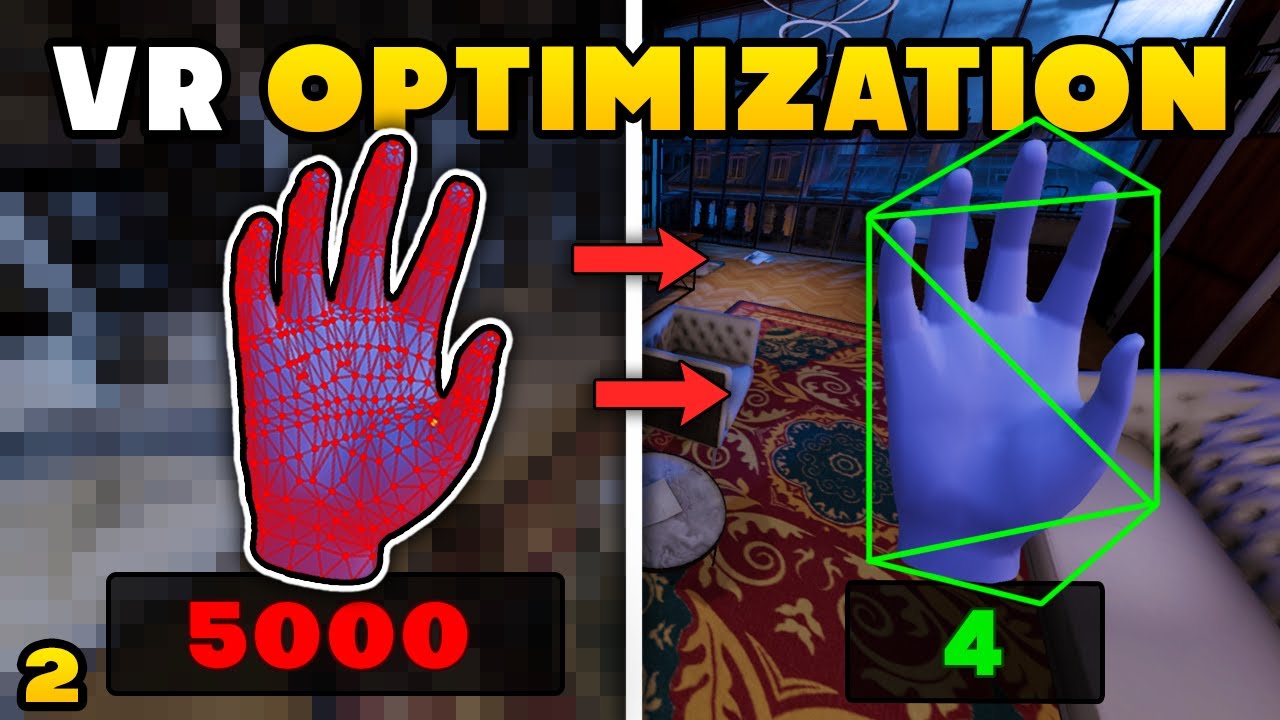
Welcome to this second episode of the Optimization tutorial series. After learning how to optimize the untiy settings, in this video we are going to learn how to optimize a Unity Scene !
Big Thanks to Cognitive 3D for sponsoring this video. You can try the tool by registering for free and test the pro version here : https://app.cognitive3d.com/...
but ill probably be back next week or smthing ngl
hushed hamlet
Ill also say some shaders also just run really poorly on android/VR. Specifically a lot of the free outline and water shaders.
hushed hamlet
sonic ferry
well, something odd I found was during my research, I found that meta recommends...
Yeah optimizing XR could just about be a career all to itself 😄
hushed hamlet
sonic ferry
well, something odd I found was during my research, I found that meta recommends...
Also, my internal goal, is usually below 500k poly and 150 batches, only 1 light allowed as mixed, all others baked and the environment static baked.
With that I almost never have to worry about optimizing
slow dirge
sonic ferry
well, something odd I found was during my research, I found that meta recommends...
If you want to analyze performance further without "trying stuff out"(which you'll need to do at some point anyway), you should look at the native tools your platform provides for debugging. There's usually a GPU debugger that can provide accurate time per draw call, sometimes cpu profiling tools as well.
sonic ferry

 cyan lion
In unity suppose i am making a 3d game. I imported 4k textures for all the assets. Would i need to reexport textures from substance for lower settings or can unity automatically generate lower resolution textures
slow dirge
cyan lion
In unity suppose i am making a 3d game. I imported 4k textures for all the asset...
It can, yes. You have the max size setting in the texture (import) settings.
exotic relic
cyan lion
In unity suppose i am making a 3d game. I imported 4k textures for all the asset...
in unity if you click on the texture there are plenty of settings for resolution
 rugged rapids
cyan lion
In unity suppose i am making a 3d game. I imported 4k textures for all the asset...
rugged rapids
cyan lion
In unity suppose i am making a 3d game. I imported 4k textures for all the asset...
**1. Select your texture
2. Go to the inspector window
3. Go to "Max Size , Compression" and customize your texture
or..
- Edit > Project Settings > Quality.
- Work by Quality Setting (https://docs.unity3d.com/Manual/class-QualitySettings.html?ampDeviceId=R_Lv4kZEZyHVzTn7s1Z6k0&SessionId=1766552435376&Timestamp=1766638951123)**


 willow wind
related to development cycle/progress tho, i just thought before i started to build the game world/stories, maybe i should have a scene where i can put every single game features/NPCs/stores....etc
and once every single NPCs/gameplay is confirmed, i will start to build the world
maybe this will be better
 drifting jacinth
LOOK AT WHAT I JUST DID!!!
 vagrant rootBOT
slow dirge
!collab
vagrant rootBOT
slow dirge
!collab
:loudspeaker: Collaborating and Job Posting
We do not accept job or collab posts on Discord.
Please, use Discussions to promote yourself as job-seeking, advertise commercial job offers, or look for non-commercial projects to participate in:
• ** Collaboration & Jobs**
drifting jacinth
So Yea Uhh... When I Build And If I Select Same Folder And It's Will Replace Right?
copper gust
<@&502884371011731486>
 sage basin
?ban 893924425181827205 bot spam
 novel scarabBOT
 alfarizie_ was banned.
 open sphinx
why is there no thing to put an image in there

 elder geyser
For a gizmo/handle solution within a game what would be a good method to draw the gizmos? I see there is an old GL API but i think the Graphics API is newer? The idea is to have some gizmos for editing some properties for example a spline path that you can adjust.
craggy pollen
open sphinx
why is there no thing to put an image in there
you are probably using a wrong shader
plain dagger
open sphinx
why is there no thing to put an image in there
Because you are meant to have this data in other channels of another texture. the URP/HDRP docs will explain the specifics for the shader
 sly lake
This doesn’t look like HDRP/lit
 pale coyote
Guys is there a way in which I can make my HUD look imperfect. I'm making a game where the view is through a camera and camera are supposed to have unclear footage. I managed to add noise the game itself but not the UI
sly lake
pale coyote
Guys is there a way in which I can make my HUD look imperfect. I'm making a game...
Need to schedule your noise pass after UI draw
pale coyote
sly lake
Need to schedule your noise pass after UI draw
How
 zealous grail
hello does anyone know what setting is making this happen? when i zoom into the map anything on the bottom just dissapears

 sly lake
pale coyote
How
sly lake
pale coyote
How
Depends on render pipeline
pale coyote
zealous grail
hello does anyone know what setting is making this happen? when i zoom into the ...
It's loading don't worry
sly lake
Check documentation
pale coyote
sly lake
Depends on render pipeline
Hdrp
craggy pollen
zealous grail
hello does anyone know what setting is making this happen? when i zoom into the ...
double click on an object in the hierarchy for focus
pale coyote
zealous grail
hello does anyone know what setting is making this happen? when i zoom into the ...
Oh wait the clipping glitch. Just focus on a object and then zoom in and out
craggy pollen
( a small object on the surface for example)
pale coyote
F to focus
zealous grail
pale coyote
Oh wait the clipping glitch. Just focus on a object and then zoom in and out
oh thank you it works!
pale coyote
zealous grail
oh thank you it works!
This is very annoying lol.
What u making anyways?
sly lake
You can disable this permanently
Top of the scene view there’s a camera button, disable the automatic clipping and set to 0.01 / 10,000
zealous grail
pale coyote
This is very annoying lol.
vr video game with a procedurally generated dungeon enviroment, it focuses heavily on enemy ai which i thought is always lacking in vr games and videogames
alongside it there will be procedurally generated physics for enemies, including hit reactions, fistfighting and melle combat
think of it as the last of us 2 inspired from the terms of ai
i don't have a release date and i'm working on it alone
also the theme is going to be die hard like going up a skyscraper fighting terrorists
cyan lion
rugged rapids
**1. Select your texture
2. Go to the inspector window
3. Go to "Max Size , Comp...
hey thanks
ok i had another question, when using adaptive probe volumes, can we use reflection probes as well or they are not meant to be used together
rugged rapids
friends, anyone interested in practicing together?
sly lake
cyan lion
ok i had another question, when using adaptive probe volumes, can we use reflect...
I believe APV resolves both, but the APV probes will be lower resolution. Which is not necessarily a problem. Depends on what you’re doing.
I imagine they could be used together but you’d have to try
cyan lion
sly lake
I imagine they could be used together but you’d have to try
my scene has both of them. i asked just to confirm wether it works or not or am i doing it wrong
cyan lion
yeah the shiny materials are affected
but turning apv on and off does nothing
why is that the case
 median roost
my autocomplete recently broke in vsc

anyone know how to fix this
like wth is going on
 craggy pollen
!ide
vagrant rootBOT
craggy pollen
!ide
💡 IDE Configuration
If your IDE is not autocompleting code or underlining errors, please configure it.
Select one:
•  Visual Studio (Installed via Unity Hub)
• Visual Studio (Installed manually)
•  VS Code
•  JetBrains Rider
• :question: Other/None
sly lake
cyan lion
but turning apv on and off does nothing
Indirect lighting isn’t always very obvious
cyan lion
median roost
my autocomplete recently broke in vsc
never happened to me but a reset of settings or reinstall should fix it, also i use visual studio community not vscode.
can we do debugging in vs code?
median roost
cyan lion
never happened to me but a reset of settings or reinstall should fix it, also i ...
whats diffrent with community?
cyan lion
median roost
whats diffrent with community?
debugging
vs community is an full fledged IDE
 silk fractal
open sphinx
why is there no thing to put an image in there
silk fractal
open sphinx
why is there no thing to put an image in there
You are meant to put metallic or smoothness into RGBA channels of other maps, as it was already said.
craggy pollen
cyan lion
can we do debugging in vs code?
yes
cyan lion
VS code i think is just a text editor with autocomplete
cyan lion
craggy pollen
yes
where is the button and how do we add breakpoints
craggy pollen
you have to find out, but it does have debugging function
cyan lion
sly lake
Indirect lighting isn’t always very obvious
i want to ask another thing. why do i need to press generate lighting before baking apvs
arent both seperates systems
like apv is apv, and generate lighting in lighting settings is enlighten
craggy pollen
are you lookign for A* pathfinding?
sly lake
cyan lion
arent both seperates systems
You select one in RP settings
cyan lion
sly lake
You select one in RP settings
selecting here?
 sly lake
Nah it’s already active
cyan lion
 sly lake
But you select one of two for your project
cyan lion
this
sly lake
Yeah
drifting jacinth
Ahh! Bug!


 ionic rover
Can someone help me pls? Unity can't load cfg files correctly
plain dagger
what makes you think it supports them?
ionic rover
plain dagger
what makes you think it supports them?
wdym
I use 2019.4.18f1 for part tools, I load spaces, but there are no props listed in cfg
KSP engine is Unity
craggy pollen
drifting jacinth
Ahh! Bug!
what bug
ionic rover
I get FormatException: input string was not in correct format
plain dagger
ionic rover
KSP engine is Unity
oh is this modding? we dont talk about that here per the rules
drifting jacinth
craggy pollen
what bug
It's Was Not Resize When In Fullscreen!
craggy pollen
looks like normal behaviour to me
ionic rover
plain dagger
oh is this modding? we dont talk about that here per the rules
It is not only about modding
Unity can't load cfgs properly
I installed C# for Unity from Visual Studio 2019 installer
and yet it still can't read code properly
plain dagger
unity has no support for cfg files so i honestly dont understand what the issue really is
If its for modding or some toolkit for KSP then you need to check elsewhere
drifting jacinth
craggy pollen
looks like normal behaviour to me
nvm I Will Set My Game To Windowed Only
craggy pollen
yep that is a solution
ionic rover
plain dagger
unity has no support for cfg files so i honestly dont understand what the issue ...
I don't think toolkit got issues. Others have no problems. Only me. Looks like my C# is broken. Can someone help me to install it correctly pls?
plain dagger
VS plays no role in code compilation so its not the problem
visual studio or visual studio code or something else are just used to edit code
ionic rover
plain dagger
visual studio or visual studio code or something else are just used to edit code
Isn't cfg written in C#? Im gonna send screen
does it look like C#?
 plain dagger
100% NO
zealous grail
how long does it take for materials to render in
 median roost
zealous grail
how long does it take for materials to render in
median roost
zealous grail
how long does it take for materials to render in
wrong pipline
drifting jacinth
Guys? What Is This?
 plain dagger
drifting jacinth
Guys? What Is This?
plain dagger
drifting jacinth
Guys? What Is This?
It crashed!
drifting jacinth
plain dagger
It crashed!
Oh Nah
plain dagger
If it keeps happening then report it with the window that shows up
cyan lion
drifting jacinth
Guys? What Is This?
this is unity being funny
i get this when i try to bake sometimes
is it normal
drifting jacinth
It's Really Of Very Normal For Me (I Have Only 8 GB Ram)
drifting jacinth
Unity Is Entering Safe Mode 💀
plain dagger
Thats when you have a compilation error
drifting jacinth
Yea... 99999999999999999999999 Is Not A Good Number For Set UI Elements To FullScreen
drifting jacinth
plain dagger
If it keeps happening then report it with the window that shows up
I Was Stuck Here...

nvm... Reinstall Editor It's Need To Ok
flat breach
hello how do lighting settings work? can I have different ones per scene or not?
flat breach
flat breach
hello how do lighting settings work? can I have different ones per scene or not?
I've just made another scene and when I go to the lighting settings, the same asset appears
drifting jacinth
Huh... I Just See A New Bug
During My Editor Crashed And Every Game In My PC (That Made With Unity) Was Crash Too
After I Restart My PC... Anything Fine
violet thunder
drifting jacinth
Huh... I Just See A New Bug
During My Editor Crashed And Every Game In My PC (T...
You probably just need to open the scene in unity again
If I understand what youre saying
drifting jacinth
 lament merlin
can anyone tell me how to install unity on macos
lament merlin
can anyone tell me how to install unity on macos
Unity Hub
lament merlin
drifting jacinth
Unity Hub
yh but i tried it and it say this application cannot open on this device
drifting jacinth
lament merlin
yh but i tried it and it say this application cannot open on this device
Huh
drifting jacinth
lament merlin
do you want a screen shot
Let Me See...
lament merlin
drifting jacinth
Let Me See...
wait
lament merlin
drifting jacinth
Let Me See...
here
 drifting jacinth
lament merlin
here
drifting jacinth
lament merlin
here
No Any Reason Provided?
lament merlin
drifting jacinth
No Any Reason Provided?
nope you can see in the bootom corner the unity hub icon and i opened it and this thing pop up
drifting jacinth
lament merlin
nope you can see in the bootom corner the unity hub icon and i opened it and thi...
Not Support On This Mac... Hmm... It's Mean Your Mac Can't Run Unity Hub (I Think)
lament merlin
drifting jacinth
Not Support On This Mac... Hmm... It's Mean Your Mac Can't Run Unity Hub (I Thin...
yh i think the same as well becasue i tried multiple times but the same thing pop up
lament merlin
drifting jacinth
Not Support On This Mac... Hmm... It's Mean Your Mac Can't Run Unity Hub (I Thin...
what are the mac requirements to run unity hub though
drifting jacinth
lament merlin
what are the mac requirements to run unity hub though
idk
lament merlin
drifting jacinth
idk
ok thanks
gusty abyss
I have a question
drifting jacinth
Ok? (Me Again?)
gusty abyss
If I want to show you one of my projects, where can I show it?
potent geyser
You make a video of it
gusty abyss
Recently I started to create an FPS Chess game and I want to show you my game.
gusty abyss
potent geyser
You make a video of it
Yeah, but in which channel should I post it?
potent geyser
If you want showcase your game, you can use #1180170818983051344
drifting jacinth
drifting jacinth
nvm... Reinstall Editor It's Need To Ok
Bye Bye To Unity 6.2 And Welcome To 6.3
ionic rover
I have tried everything. I reinstalled Unity, reinstalled Visual Studio, and nothing works.
It still can't read cfg properly
Do I have to install unity with visual studio in one drive?
drifting jacinth
I Think Not
New Updater Found!
Do You Want To Update The Updater Before Update Your App?
gray frigate
lament merlin
here
do you know if your macbook is using an Intel CPU or Apple Silicon?
ionic rover
drifting jacinth
I Think Not
 gray frigate
alternatively: what model year is your macbook?
thorny willow
guys are you guys experiencing unity crash after playing on vr and click stop game too?
ionic rover
I have done experiments, Unity can't read .cfg, but can make one
The format of previous and new cfgs are same
Unity can only save them, but not import.
configs of space. I can't load props

cfg I made in unity(It can't load its props too)

Can someone explain to me why Unity can make things, but not import?
And I get Format exception error
imput string was not in correct format
But the languages of those cfgs are same
flat breach
hi, could you guys please tell me what to improve in my lighting there? https://www.youtube.com/watch?v=h2mQPianMgo
 ionic rover
Anyone can help me? Is it problem with system? Like it can't give Unity some permissions
 muted elm
ionic rover
Anyone can help me? Is it problem with system? Like it can't give Unity some per...
muted elm
ionic rover
Anyone can help me? Is it problem with system? Like it can't give Unity some per...
Hi! I think I understand your problem. Unity can create the .cfg file, but it can’t import the old one because the parser is very strict. Even if both files look the same, there’s usually a small hidden difference that causes the FormatException. It can be things like extra spaces, different number format (comma/dot), BOM characters, or different line endings. That’s why Unity reads the file it creates, but not the older one.
ionic rover
muted elm
Hi! I think I understand your problem. Unity can create the .cfg file, but it ca...
Hey, I have already fixed this problem, but thanks for answer!
 lean merlin
flat breach
hi, could you guys please tell me what to improve in my lighting there? https://...
lean merlin
flat breach
hi, could you guys please tell me what to improve in my lighting there? https://...
i wont
ionic rover
My system was in russian
And it was the problem
So I changes to english
And boom! All internals now have props listed in cfg
muted elm
ionic rover
Hey, I have already fixed this problem, but thanks for answer!
No problem! And thanks anyway. If you ever need anything, just let me know!
flat breach
lean merlin
i wont
I don’t care lol
potent geyser
#🏆┃daily-win or #1180170818983051344 for projects.
drifting jacinth
potent geyser
<#1390716509638098995> or <#1180170818983051344> for projects.
Ok
flat breach
hello, someone explained me that if I wanted a dark environment and put on a dark skybox and reflection probes, the sky wouldn't matter.And I didn't understand it and I've just tried every possible combinations in a project and he was wrong, reflection probes if baked and put after the skybox will bake the reflections that are also based on the skybox but once baked if you remove the sky and put another one, nothing will change. He was wrong right?
flat breach
flat breach
hello, someone explained me that if I wanted a dark environment and put on a dar...
I'd really appreciate an answer for this, that's the only thing that's stuck in my head, thank you.
craggy pollen
flat breach
hello, someone explained me that if I wanted a dark environment and put on a dar...
could be a question for #1390346776804069396
lighting in unity can be really overwhelming
gray frigate
flat breach
hello, someone explained me that if I wanted a dark environment and put on a dar...
the reflection probes won't change until you bake them again
 torpid seal
Hi I am new
craggy pollen
hi new
flat breach
gray frigate
the reflection probes won't change until you bake them again
well yes and that's what I did lol
flat breach
craggy pollen
lighting in unity can be really overwhelming
ye
 vestal patrol
is the A* pathfinding project by Aron Granberg still the best free pathfinding asset available?
worldly cave
the what the who?
vestal patrol
Aron Granbergs A* pathfinding project. its the only thing that really appears when you search "2d pathfinding unity" https://www.youtube.com/watch?v=jvtFUfJ6CP8

Let's learn how to make 2D pathfinding using A* with and without code!
● Check out Skillshare! http://skl.sh/brackeys17
● A* Pathfinding Project: https://arongranberg.com/astar/
·················································································...
 rigid galleon
Hey, I am not sure where to ask this tbh as it's an advice question, let me know if I should move it to another channel.
I am working on a game that's fully physics based, and I would like the player to affect all the other rigidbodies, but the player shouldn't really be affected by them.
I found a great FOSS asset, Better Physics that should solve this exact issue, however, it sadly appears to be broken in newer unity versions.
Here's a short video showing exactly what happens:
https://youtu.be/BPDS2-cXU0E?t=41
You can see that as soon as I hit the fruit, katana gets pushed down.
So I was wondering what the alternatives to this asset would be?
Like does unity have something built in, should I just resort to using vastly different rb masses(has it's own downsides), or is there something else I am fully unaware of?
Please @ me and thanks in advance!
balmy kettle
if it is actually "broken in newer unity versions" then you should submit an issue on the github so praetor can fix it
rigid galleon
balmy kettle
if it is actually "broken in newer unity versions" then you should submit an iss...
Already have, Praetor has sadly been busy the past few months and wasn't able to get to it, so I am looking for alternatives as I didn't get an update in quite a while.
I am sadly not competent enough to fix this myself either :/
 violet mountain
Hey guys, Wassup!
Anybody has any experience of upgrading an old—I mean very old—Unity project (5.6, 2017) to current Unity versions like Unity 6.0 or 6.3?
 sweet charm
vestal patrol
Aron Granbergs A* pathfinding project. its the only thing that really appears wh...
sweet charm
vestal patrol
Aron Granbergs A* pathfinding project. its the only thing that really appears wh...
A* is just one of many algorithms. It comes down to ur game design to decide which algorithm suits the best. But if u don’t have any experience with it, nothing hurts to follow the tutorial.
open sphinx
silk fractal
You are meant to put metallic or smoothness into RGBA channels of other maps, as...
i dont get it?
silk fractal
open sphinx
i dont get it?
Take a look at what is "Channel Packing" online
You basically put greyscale map (roughness, metallic, AO, whatever) into Red, Green and Blue (and Alpha channel too, but it's optional) channels.
Since greyscale map is greyscale, and not colour, it uses simple values in range from 0 to 1, that you can put into 1 colour channel.
But Unity uses some own channel packing conventions, so you'll have to learn that yourself, I am learning these myself.
open sphinx
still don't get it✌️
worldly cave
it doesnt sound like you are trying to get it...
silk fractal
open sphinx
still don't get it✌️
Just take a look online, at what this is.
worldly cave
what dont you get in particular
theres nothing here that you cant take some initiative and look up yourself
silk fractal
worldly cave
it doesnt sound like you are trying to get it...
It may sound too abstract, normally Channel Packing is best explained visually.
silk fractal
worldly cave
theres nothing here that you cant take some initiative and look up yourself
To be fair, 90% of stuff I tried to look up on Unity is hard to understand from docs, or from tutorials
Personally that's why I joined this Discord server.
worldly cave
https://docs.unity3d.com/6000.0/Documentation/Manual/urp/shaders-in-universalrp-channel-packed-texture.html the manual explains it pretty well
gray frigate
images are made up of multiple channels: typically red, green, and blue
many images also have an alpha channel, which can be used for transparency
however, these channels don't have to be used to represent colors
they can store whatever data you want
 near ivy
I'm trying to launch the editor right now but its failing to do so, I'm not seeing in the editor log any critical issues except that 'Native extension' not found
I'm been modifying the assembly heavily, mostly by renames and moves, should I just let it run a very long time? I dont think editing 36 files guarantees appearing frozen
gray frigate
in what way is it failing?
is it freezing?
I've run into situations where the asset importer deadlocks completely on startup
near ivy
Freezing in Load scripting assemblies
Begin MonoManager ReloadAssembly
Registering precompiled unity dll's ...
Register platform support module: ~/Unity/Hub/Editor/6000.3.2f1/Editor/Data/PlaybackEngines/LinuxStandaloneSupport/UnityEditor.LinuxStandalone.Extensions.dll
 Registered in 0,001020 seconds.
- Loaded All Assemblies, in  0,184 seconds
Native extension for LinuxStandalone target not found

(Unity:63485): GLib-GIO-CRITICAL **: 21:02:34.302: g_dbus_proxy_call_sync_internal: assertion 'G_IS_DBUS_PROXY (proxy)' failed

(Unity:63485): GLib-GIO-CRITICAL **: 21:02:34.381: g_dbus_proxy_call_sync_internal: assertion 'G_IS_DBUS_PROXY (proxy)' failed

(Unity:63485): GLib-GIO-CRITICAL **: 21:02:34.382: g_dbus_proxy_call_sync_internal: assertion 'G_IS_DBUS_PROXY (proxy)' failed
Package Manager log level set to [2]```and a few dbus errors, which I've concluded are just how linux works 😉
near ivy
Glib doesn't matter I believe as I get plenty of those errors
 strange moon
Does Unity run on macbook arm?
storm patio
yes
gray frigate
near ivy
``` (Unity:63485): GLib-GIO-CRITICAL **: 21:02:34.024: g_dbus_proxy_call_sync_in...
my usual first guess is to try deleting the Library folder so that Unity has to reimport all of your assets
gray frigate
strange moon
Does Unity run on macbook arm?
yes, and it works well
strange moon
So can compile to all platforms as usual?
gray frigate
Yes, I build for Windows, macOS, and Linux
storm patio
yes, that's unrelated to it being runnable on mac
near ivy
Oh yeah something I've thought about is since I'm modifying everything on Rider, that includes .meta files, should I try getting rid of them?
strange moon
gray frigate
Yes, I build for Windows, macOS, and Linux
Thanks
storm patio
gray frigate
storm patio
yes, that's unrelated to it being runnable on mac
well, being able to produce x86 binaries is an extra leap
(but Unity handles this properly)
gray frigate
near ivy
Oh yeah something I've thought about is since I'm modifying everything on Rider,...
what are you actually doing?
notably, you should not be editing the contents of .meta files (and especially not deleting them) if you don't know exactly what you're doing in there
the .meta file is how unity identifies the asset
 silk osprey
Hey uh is this the right channel to help with a weird console error I have for my game ?
gray frigate
deleting the .meta file will make Unity think it's a brand-new asset and break all existing references to the asset
near ivy
Yes I am aware, but I'm been moving files around and Rider just modifies the meta files as well as they appear in the git history
strange moon
storm patio
yes, that's unrelated to it being runnable on mac
Hmm depends how the cross compilation is done. Unity does a great job in hiding all the technical challenges
gray frigate
near ivy
Yes I am aware, but I'm been moving files around and Rider just modifies the met...
Rider is aware of the meaning of .meta file, so it'll move them for you, yeah
storm patio
silk osprey
Hey uh is this the right channel to help with a weird console error I have for m...
first step is to ask with the relevant info. if this isn't the right channel you'll be redirected
!ask
vagrant rootBOT
storm patio
!ask
:thinking: Asking Questions
:mag: Search the internet for your question!
:book: Use the API Scripting Reference and User Manual and this troubleshooting site for commonly posted issues.
:wrench: Attempt to debug your issue.
:thought_balloon: Find an appropriate channel by reading the name and description in #🔎┃find-a-channel
:grey_question: And don't ask to ask, ask a full question illustrating with screenshots if needed.
-# For more posting guidelines, go to #🌱┃start-here
near ivy
Doesn't seem like getting rid of Library does it
silk osprey
storm patio
first step is to ask with the relevant info. if this isn't the right channel you...
I see, well there's this error, I have strictly no idea where it is from.
TLS Allocator ALLOC_TEMP_TLS, underlying allocator ALLOC_TEMP_MAIN has unfreed allocations, size 349
I tried disabling most of my scripts and it still appears.
gray frigate
This may just be an internal Unity problem.
This error gets logged if something forgets to dispose of a data buffer correctly
Does restarting the editor make it stop?
silk osprey
i'll try it out
near ivy
Oh right, I should mention that since I upgraded to 6.3, the package manifest got modified without me doing anything and removed Linux systools
silk osprey
silk osprey
i'll try it out
seems like it's gone, pretty weird
i think it appeared with a huge lagspike when i tested my game
potent geyser
That error is a memory leak, so something is looping infinitely. Either caused by you or the editor. It's impossible to say from the error alone.
silk osprey
Yeah i got into a little looping error so that must have been why, still thanks for helping
near ivy
Oh also the the main Unity thread is just sleeping, so im unsure what's even going on
Seems like mono is crashing? Reverting to a previous commit that did work does nothing.
 cyan geode
guys ik that this is a dumb question but is there actually a chance to be like hired in companies and stuff by just learning designing and modeling and learning script languages?
copper gust
if you get really good at one or two of those things, yes
worldly cave
getting a job in the industry is a pipe dream at this point
and one that isnt particularly worth it anymore
Companies also dont care if you know how to write code or 3d model, they dont care if you "learned" in a sense, they almost exclusively care about what you can do with that knowledge, and for that you need experience, projects, portfolios etc. etc.
cyan geode
whats the solution for that?
worldly cave
You start working now
on projects on your own
after some time and hopefully some success you leverage that and apply for jobs at game studios
cyan geode
worldly cave
You start working now
like as someone who has no experience and a 17 yo
what do you advice me to do
or focus on the most
worldly cave
to start working...
make games
however you know how
everything else you will learn along the way
 solar panther
I’m not making fan-games and becoming fan-game developer anymore.
I’m wanted to make my own official game for becoming official game developer.
worldly cave
nothing wrong with making fan games, and making fan games doesnt make you any less of a game developer lol
tawny quail
Good examples of insanely good fan games are Black Mesa (recreation of Half-Life 1) and Entropy Zero: 2 (essentially Half-Life 3 through the eyes of the bad guys).

 vague pebble
Unity is shit i am switching
copper gust
ok
gusty abyss
i just loaded up my project and everything in the scene has randomly moved and rescaled do u guys know wtf could have happened and if its fixable without having to replace everything
storm patio
that's not much info to go off of, but sure here are some ideas
- you didn't save, this is a previous version
- your file got corrupted, maybe due to syncing files like what onedrive does (you should not sync project folders)
- someone else modified the file, maybe through vcs, and you're looking at a new version
 crimson elbow
Does anyone know of any good tutorial, or assets that make putting a level together easier?
storm patio
depends a lot on your project
gusty abyss
storm patio
that's not much info to go off of, but sure here are some ideas
- you didn't sav...
okay it cant be any of those but i don't have any other info i stopped working yestday saved shut it down and then turned my pc off and went to bed loaded it back up today and everything is screwed . nobody else has acsess to the files and its saved directly on a hard drive weird ig ima spent the next few hours fixing everything
near ivy
on bootup, how many processes are Unity supposed to have? Still debugging this thing, to see why it doesn't launch. Currently only haves the package manager and the licensing process, both are sleeping
Actually since the last line of the editor.log is erroring on the package manager I just checked upm.log
[2025-12-24T21:53:19.942Z][ERROR] Error: Request [GET https://unitynuget-registry.openupm.com/org.nuget.system.runtime.compilerservices.unsafe] failed with status code [502]
...Is it possible that getting a 502 on a package makes the packager manager hang, which makes the editor never load?
storm patio
weird, the website doesn't seem to be down
near ivy
Seems its a package manager issue since I just terminated it and Unity restarted another package man process but the launcher progressed and I got new logs in the editor log
storm patio
502 is bad gateway, a server-side issue
near ivy
Servers can answer however they like to mislead attackers, I might be having a IP issue
Yeah I just updated upm.log after 5 minutes and I got a single 502 again for the same package
Okay, maybe it just doesn't like the Unity client right now, since I can access it just fine through the same IP as my browser's yet UPM cannot load it
storm patio
do you have other unity versions installed? maybe try with those if you do
near ivy
Infact I upgraded to beta 6.4 instead of using 6.3 and it doesn't work there
near ivy
Yesterday / earlier, yes, but not now
For example, launching with 6.4:
[2025-12-24T22:08:51.320Z][INFO] Command-line: ~/Unity/Hub/Editor/6000.4.0b2/Editor/Data/Resources/PackageManager/Server/UnityPackageManager -s 15880 -ipc -ipc-path /tmp/Unity-Upm-15880.sock -l 2
[2025-12-24T22:08:51.324Z][INFO] IPC server started (IPC path=/tmp/Unity-Upm-15880.sock).
[2025-12-24T22:08:51.324Z][INFO] Hint: To connect to this UPM instance, launch Unity with the command-line parameter -upmIpcPath Upm-15880.
[2025-12-24T22:08:53.146Z][INFO] project:add-dependency <-- Request received
params: {
  "packageId": "com.unity.sdk.linux-x86_64"
}
[2025-12-24T22:08:53.155Z][INFO] project:add-dependency <-- Request received
params: {
  "packageId": "com.unity.toolchain.linux-x86_64-linux"
}
[2025-12-24T22:08:53.277Z][INFO] project:list-packages <-- Request received
params: {}```After params it hangs and 5 minutes later ill get a 502 error out of a package
 fleet canopy
You should probably report this to unity considering it’s a beta version
If it worked fine in 6.3 then your issue is there
if you have a backup of the project try loading with 6.3 to see if that’s actually just a beta issue
near ivy
It also hanged in 6.3
balmy kettle
!collab 👇
vagrant rootBOT
balmy kettle
!collab 👇
:loudspeaker: Collaborating and Job Posting
We do not accept job or collab posts on Discord.
Please, use Discussions to promote yourself as job-seeking, advertise commercial job offers, or look for non-commercial projects to participate in:
• ** Collaboration & Jobs**
 velvet crown
balmy kettle
!collab 👇
velvet crown
balmy kettle
!collab 👇
Tysm mate!
near ivy
Just came back after my last message, 20 minutes, UPM is really trying hard:
[2025-12-24T22:11:09.015Z][ERROR] Error: Request [GET https://unitynuget-registry.openupm.com/org.nuget.microsoft.codeanalysis.csharp] failed with status code [502]
[2025-12-24T22:13:24.179Z][ERROR] Error: Request [GET https://unitynuget-registry.openupm.com/org.nuget.system.buffers] failed with status code [502]
[2025-12-24T22:15:39.346Z][ERROR] Error: Request [GET https://unitynuget-registry.openupm.com/org.nuget.system.memory] failed with status code [502]
[2025-12-24T22:17:54.510Z][ERROR] Error: Request [GET https://unitynuget-registry.openupm.com/org.nuget.system.runtime.compilerservices.unsafe] failed with status code [502]
[2025-12-24T22:20:09.682Z][ERROR] Error: Request [GET https://unitynuget-registry.openupm.com/org.nuget.system.io.pipelines] failed with status code [502]
[2025-12-24T22:22:24.846Z][ERROR] Error: Request [GET https://unitynuget-registry.openupm.com/org.nuget.system.buffers] failed with status code [502]
[2025-12-24T22:22:24.849Z][ERROR] Error: Request [GET https://unitynuget-registry.openupm.com/org.nuget.system.runtime.compilerservices.unsafe] failed with status code [502]
[2025-12-24T22:22:24.850Z][ERROR] Error: Request [GET https://unitynuget-registry.openupm.com/org.nuget.system.text.encoding.codepages] failed with status code [502]
[2025-12-24T22:22:24.852Z][ERROR] Error: Request [GET https://unitynuget-registry.openupm.com/org.nuget.microsoft.codeanalysis.analyzers] failed with status code [502]
[2025-12-24T22:22:24.853Z][ERROR] Error: Request [GET https://unitynuget-registry.openupm.com/org.nuget.system.collections.immutable] failed with status code [502]
[2025-12-24T22:24:40.014Z][ERROR] Error: Request [GET https://unitynuget-registry.openupm.com/org.nuget.system.numerics.vectors] failed with status code [502]
So unless someone knows how to disable UPM temporarily, I guess I'll just remove these packages from the manifest
gusty abyss
What can I do if I've completely and utterly fucked the MPPM (Multiplayer Play Mode) Package?
I removed and recreated the configurations, removed and reinstalled the package and reimported all assets and it's still fucked
The editor windows have broken GUI and don't receive input
The GUI looks the same as the main editor, which isn't how that should be and the title is some random string
And it's not even all windows, specifically the middle one which is supposed to be Player 2
 worldly cave
nothing is irreparable with version control, when was your last commit?
 silent mica
gusty abyss
What can I do if I've completely and utterly fucked the MPPM (Multiplayer Play M...
silent mica
gusty abyss
What can I do if I've completely and utterly fucked the MPPM (Multiplayer Play M...
Moving back to the good old ParrelSync worked for me after dealing with Unity's solution for a bit.
gusty abyss
worldly cave
nothing is irreparable with version control, when was your last commit?
Actually those preferences are saved with playerprefs outside the project
and also i don't have version control right now because i kind of broke it temporarily
i had a bare repository on my server with all my projects in and some error happened and I can't fix it right now
gusty abyss
silent mica
Moving back to the good old ParrelSync worked for me after dealing with Unity's ...
How is it?
Is it faster or slower?
More or less cumbersome?
gusty abyss
gusty abyss
And it's not even all windows, specifically the middle one which is supposed to ...
I should probably clarify that the reason it broke is because I accidentally loaded an editor layout for one of those windows
Which I shouldn't have done
    static LayoutOnPlay()
    {
        EditorApplication.playModeStateChanged += OnPlayModeChanged;
    }

    static void OnPlayModeChanged(PlayModeStateChange state)
    {
        GameObject uiManagerObject = GameObject.Find("UI");
        UIManager UIManager = uiManagerObject.GetComponent<UIManager>();

        if (state == PlayModeStateChange.EnteredPlayMode)
        {

            if (IsMultiplayerPlayModeWindow())
            {
                UIManager.OnClick_Client();
                return;
            }
            else
            {
                DeferredLoad("Testing");
                UIManager.OnClick_Server();
                UIManager.OnClick_Client();
            }
        }
        if (state == PlayModeStateChange.ExitingPlayMode && !IsMultiplayerPlayModeWindow())
        {
            DeferredLoad("Layout");
        }
    }

    static bool IsMultiplayerPlayModeWindow()
    {
        // Check if this is a clone/virtual player instance
        // Multiplayer Play Mode windows are launched with specific command line arguments
        string[] args = System.Environment.GetCommandLineArgs();

        for (int i = 0; i < args.Length; i++)
        {
            if (args[i] == "com.unity.mppm.clone")
            {
                return true;
            }
        }
        return false;
    }

    static void DeferredLoad(string name)
    {
        EditorApplication.delayCall += () => Load(name);
    }
From this editor script
balmy kettle
can you not just reset the layout?
gusty abyss
It wasn't like this exactly, I just added the checks to see if it's in an MPPM window now
gusty abyss
balmy kettle
can you not just reset the layout?
no I don't think so
balmy kettle
have you at least tried
gusty abyss
The MPPM windows have their own thing
gusty abyss
balmy kettle
have you at least *tried*
I don't know how to
gusty abyss
gusty abyss
no I don't think so
I'm saying no because loading any editor layout is what ruins it
silent mica
gusty abyss
How is it?
It won me back by actually working consistently. Ultimately both of these solutions do the same thing.
gusty abyss
Which is why there isn't a dropdown to do so
 balmy kettle
okay but have you tried from the main window where that option is available
it is supposed to reset all layouts
gusty abyss
balmy kettle
it is supposed to reset *all* layouts
no it only resets that specific window
 tame estuary
Hi everyone, has anyone here used Mesh Baker before?
I'm trying to do this on a house, but the corners are bugged, only the corners.

 crude robin
Is this laptop good for unity?

 radiant pewter

 vague trail
vestal patrol
vague trail
vestal patrol
ok so, i have a map. I want to make it so that when i click on a predetermined spot on the map, a character will go to that predetermined spot, sort of like the map screen from super mario whatever-game-the-map-came-from. trying to use A* pathfinding to make this happen, but the physics are making the character bounce around instead of snaping to each point. Its also quite... efficient. Anyone have any better solutions for this before i dedicate all of this time to fixing it?
 potent geyser
A* is the goto for pathfinding dynamic paths. The fact your physics is countering it is a flaw in how you implemented the movement, not the A* itself. However, if you're making a world map with nodes the player can move between,t hen you can just do that manually?
Place the nodes down, define the "path" between two nodes, and just use that to traverse along between them. A spline would be a good solution for a path to follow, and it doesn't require physics.
 heady gorge
random question
in a case where i'm trying to detect if something is close enough to actually be hit, should i use a collider and simply detect if the object goes into that collider, or should i measure how far away the entity is?
in this case, the game has no extra floors, so its not like we're going to run into the issue of being above or below something and then it tries to hit the player
ive been thinking about it for a bit and im just wondering if i could potentially get more value out of measuring the distance
like in the case that this is a boss, let's say i only want it to do a specific move that only happens if they're a certain distance away, that sounds great.
but for like a minor enemy that will realistically only have 1 or 2 moves at best, it might be unnecessary?
the main thing about the second plan to me is that i'm just not sure how to make it performance efficient if the enemies are randomly spawning. i dont want it checking every moment for like 12 enemies at a time if the player is a certain distance or not
 hidden grotto
Hello, trying to learn Unity for a Job interview i was watching a tutorial on it, it showd that the mode can be changed from default to hdr, there is no such option for me, can anyone help? I apologise in advance is this is the wrong channel to ask this stupid question,
Thank You.
 hidden grotto
NM i'm a fucking idoit
 oak meadow
Whats the best way to find an object in a scene I don't want to use too much server cpu or resources I am thinking getting all the objects in the scene then Finding by tag
copper gust
what are you trying to do
oak meadow
copper gust
what are you trying to do
when my player loads into a scene I want to get a reference to the gamemanager
copper gust
Generally you'd want to use a "Singleton" programming pattern inside the GameManager then
oak meadow
copper gust
Generally you'd want to use a "Singleton" programming pattern inside the GameMan...
I have multiple players in the server and they are in different scenes so i have duplicate gamemanagers in each scene
copper gust
I would suggest not having duplicate gamemanagers in the scene
Perhaps a single one in 1 scene?
oak meadow
well each gamemanager tracks like gamestate and stuff i guess its possible but not sure if its the best way
copper gust
when you say each gamemanager
is it the same class
or are you saying there are different "managers"
oak meadow
Its the same game manager object just duplicated in different scenes
copper gust
That is certainly unconventional
does this manage the game or like just a level/the stuff in that one scene
oak meadow
It generates the map spawns the players character tracks the timer then saves the stats to the backend
if thats what you were asking
oak meadow
I could store the players correct scene name and have the gamemanager tell an object in the lobby scene the scene that its in and have the lobby object give the reference to the player Would this be better
 wooden cove
I'm trying to merge a branch using UVC, but apparently there are a few conflicts i have to resolve
the unity docs say this but

i can't find it anywhere it seems

 steady elbow
huh
steady elbow
violet thunder
Does it still happen?
yep
 agile arch
can anyone help me adding my existing unity project to a github repo
craggy pollen
if you have Visual Studio you can do that from the Git tab
or you can use git desktop to do that
slow dirge
Or git cli
craggy pollen
or that
open sphinx
private Rigidbody rb; why does it not work
 dusky forum
open sphinx
private Rigidbody rb; why does it not work
dusky forum
open sphinx
private Rigidbody rb; why does it not work
What's wrong with it (the error)?
open sphinx
it says the modifier is not valid for the item
dusky forum
Are you placing it within the correct scope?
I'm assuming the private access modifier is throwing a tantrum because you've got the variable in some local (method) scope.
open sphinx
sure
dusky forum
!code
vagrant rootBOT
dusky forum
!code
Posting code
📃 Large Code Blocks
Use links to services like:
https://paste.mod.gg/, https://hastebin.skyra.pw/, https://paste.ofcode.org/, https://paste.myst.rs/
📃 Inline Code
Surround code with three backquotes. Not quotation marks.
To format as C#, add cs to the first line:
```cs
// Your code here
```
Add a comment with a line number if there is an error message.
solar panther
Am i allowed to download free button sounds effect from website to import on Audio Source?
dusky forum
There's also the asset store (plenty of free stuff)
gusty abyss
Hi! I have a question. I want to create a game. I want to use some assets from Unity Asset Store. But I see that there are some licenses. Which license is for making public games to sell?
craggy pollen
gusty abyss
Hi! I have a question. I want to create a game. I want to use some assets from U...
gusty abyss
Thx
steady elbow
im new to unity, how do i make the uv triplanar in a 3d material?
do i really have to use the shader graph?
 ocean locust
hey gamers
 safe python
Sup
ocean locust
it's good so far :)
making christmas dinner with my boyfriend
trying to figure out in my brain how a mechanic i wanna add to my game could work
 noble cargo
ocean locust
trying to figure out in my brain how a mechanic i wanna add to my game could wor...
noble cargo
ocean locust
trying to figure out in my brain how a mechanic i wanna add to my game could wor...
cool i wanna create a vr game but i mostly manage and cant find devs
ocean locust
aw that's a shame
that's why i only do small solo projects tbf😭
the idea of giving someone else my baby is... scary
ocean locust
i have dev friends that offer to help but i just use them to consult with
mostly because "my vision"
noble cargo
fair i have bad vision too
noble cargo
oh lol
ocean locust
i say that, but my friends have already morphed this game from "cutesy cozy game where you play as a witch" to "basically schedule 1 but potion brewing". so,
noble cargo
lol the only game ive tryed to make is from a tutorial and even then its cinfusing but i know the engine but not coding
ocean locust
ie i wanted the ability to crush or dry herbs and flowers. they said "what if you crushed up and dried poppy seeds?". or, "what if you put rotten fruit and sugar in your cauldron?" and now it's taken.. a turn
noble cargo
lol
steady elbow
what does this mean
 noble cargo
steady elbow
what does this mean
noble cargo
steady elbow
what does this mean
idk
ocean locust
it's very hard to balance the tone when your animal crossing-inspired cozy game suddenly has the ability to get the town hooked on opiates and moonshine 😭
ocean locust
noble cargo
lol the only game ive tryed to make is from a tutorial and even then its cinfusi...
that's fair, it can be pretty difficult!
i kind of wish i hadn't quit the programming course i was in when i was younger, because it'd make this stuff waaaay easier now lol
noble cargo
expecialy when im 13 but im taking coding classes at school so
ocean locust
aw yeah, you'll get there
ocean locust
you pope
 balmy palm
Pretty cool. Couldn’t get into coding back when i was 13 myself.
 subtle owl
steady elbow
what does this mean
subtle owl
steady elbow
what does this mean
You got conflicts with Input. Change this setting.

 ocean locust
i was too busy listening to mcr and having dumb drama when i was 13 tbh
noble cargo
ocean locust
i was too busy listening to mcr and having dumb drama when i was 13 tbh
yh my 2 friends mastered python so im trying to learn this too flex
ocean locust
python is a good skill to have!
noble cargo
yh im desent no where near them
balmy palm
Excuse my lack of knowledge but does python have libraries? Or is it just basic raw coding?
noble cargo
cant remember tbh ive kida blocked school out till january at least
balmy palm
Well you’re certainly fluent in english, that’s certainly great for coding.
balmy palm
Well, not fluent, perhaps but i’m inclined to believe that it’s your native language.
ocean locust
balmy palm
Excuse my lack of knowledge but does python have libraries? Or is it just basic ...
there are, yeah
i also learned python in school though and they didn't teach us anything about libraries 😭
subtle owl
balmy palm
Well, not fluent, perhaps but i’m inclined to believe that it’s your native lang...
Its easier but it stays to be difficult to learn. Not everyone has experience and skill in number manipulation and math for example. But yes, a most of knowledge is stored in English.
balmy palm
ocean locust
i also learned python in school though and they didn't teach us anything about l...
Lmao. I guess it was just the basics then.
balmy palm
subtle owl
Its easier but it stays to be difficult to learn. Not everyone has experience an...
Honestly math perhaps not the most important thing out there, but it’s a very powerful part of programming for sure
subtle owl
balmy palm
Honestly math perhaps not the most important thing out there, but it’s a very po...
Trigonometry for sure...
balmy palm
Some could argue that math is the hardest part of programming
Which i wouldn’t object upon.
 main venture
Good morning and marry christmas everyone
 late tiger
i keep getting this what could be wrong deleted the library folder and added it to windows defender but doesn t stop lol the code is good
 late tiger
🙃
 wide salmon
is there any beginner that’s learning like me? I like to think that if we learn together it’d be fun
 tall hearth
balmy palm
Pretty cool. Couldn’t get into coding back when i was 13 myself.
tall hearth
balmy palm
Pretty cool. Couldn’t get into coding back when i was 13 myself.
I couldn't either (my computer was so bad it took 8 minutes to load a web browser)
balmy palm
tall hearth
I couldn't either (my computer was so bad it took 8 minutes to load a web browse...
I heard from a friend that back in the 90’s or early 2000’s they had computers in college or libraries that would take like 10 minutes to boot up.
And they would play some flash games
Nowadays some people can't even endure a 5 minute youtube video. We've come a long way
steady elbow
should be enough for grass....
 late tiger
i keep getting this what could be wrong deleted the library folder and added it ...
late tiger
late tiger
i keep getting this what could be wrong deleted the library folder and added it ...
Anyone lol
steady elbow
late tiger
Anyone lol
well, i dont know how to fix it, i just started learning unity like... today
 pearl oyster
You don't need to answer if you don't know
pearl oyster
late tiger
i keep getting this what could be wrong deleted the library folder and added it ...
If you don't need the test runner package you can just delete it from the package manager
steady elbow
how do i make an input in the shader graph, so that i can change its value from inspector?
late tiger
pearl oyster
You don't need to answer if you don't know
Fair tought it was a common issue but couldn t find it 😅 
 torn heart
when i export meshes from Blender it uses the wrong axis as up axis in local space (even when setting y as up in blenders export settings) how can i fix that?
storm patio
late tiger
Fair tought it was a common issue but couldn t find it 😅 <:notlikethis:10681345...
(they were talking to banкa)
exotic relic
torn heart
when i export meshes from Blender it uses the wrong axis as up axis in local spa...
This is normal or common.
Create an empty object in your scene, place your imported as a child object. Now the parent object can be rotated however you need and when you are ready you can drag&drop it into the assets section of the editor to create a new proper prefab
gray frigate
torn heart
when i export meshes from Blender it uses the wrong axis as up axis in local spa...
for non-skinned meshes, you can check the "Apply Transforms" option in Blender's FBX exporter
(this causes issues for skinned meshes, iirc)
steady elbow
i love shader graph, my main shader looks like that so far

 unique light
Gorilla. Tag
gusty abyss
Sorry guys not to be annoying but a rlly need help im the top post 🙏 https://discord.com/channels/489222168727519232/1402650252443652377
worldly cave
No access