#Nitro Voron 2.4
3474 messages · Page 4 of 4 (latest)
 sweet jasper
Now for the real trick. Your z offset is actually the actuation distance of the tap from its printing position to when it triggers the sensor. This value never changes. No matter what filament you print, what nozzle you have, what bed you have or what temp you are at*.
Once you are happy, Write it down and store it somewhere. Never touch the offset again
sweet jasper
 south plume
Actually someone should try pushing hot glue through a 3d printer (with standard...
south plume
Actually someone should try pushing hot glue through a 3d printer (with standard...
Yeah, it was done a couple years ago. Cnc kitchen maybe. Been a while
Also @odd dew sticky note to remember to remove hot glue before installing panels
 odd dew
$ Z_OFFSET_APPLY_PROBE
21:26:52
// probe: z_offset: -0.955
// The SAVE_CONFIG command will update the printer config file
// with the above and restart the printer.
sweet jasper
Nice. That is .155 higher than what you started with. 3/4 of a layer 🙂
odd dew
this is soooo funn trying to get this layer off the bed..
sweet jasper
 putty knife
Or wait for it to completely cool. I set it on top of my freezer in the garage if I am impatient.
odd dew
Whats your cancel macro?
I feel like it should move further from the bed on cancel
or end
sweet jasper
odd dew
I feel like it should move further from the bed on cancel
[gcode_macro PRINT_END]
#   Use PRINT_END for the slicer ending script - please customise for your slicer of choice
gcode:
    M400                           ; wait for buffer to clear
    G92 E0                         ; zero the extruder
    G1 E-15.0 F3600                ; retract filament
    G91                            ; relative positioning
    G0 Z1.00 X20.0 Y20.0 F20000    ; move nozzle to remove stringing
    TURN_OFF_HEATERS
    M107                           ; turn off fan
    G1 Z2 F3000                    ; move nozzle up 2mm
    G90                            ; absolute positioning
    G0  X125 Y250 F3600            ; park nozzle at rear
    #SET_TEMPERATURE_FAN_TARGET TEMPERATURE_FAN=chamber TARGET=40
    BED_MESH_CLEAR
the scraper that came with my moms bambu works WAY better than the stock spatula style scrapers
south plume
@sweet jasper the bed is so fast now what (bumped to 1A)
sweet jasper
odd dew
the scraper that came with my moms bambu works WAY better than the stock spatula...
I use one of these angry things. Hangs on the printer. Good for opening filament bags too.
https://www.acehardware.com/departments/paint-and-supplies/painting-tools-and-supplies/paint-scrapers/1499201
The 6-in-1 Nylon handle knife can be used to scrape, chisel, open cracks and paints, clean roller and spread spackle/adhesive. The handle has a die cast hammer end.Find the PAINTERS TOOL 6-IN-1 at Ace.
sweet jasper
south plume
<@895414492513579008> the bed is so fast now what (bumped to 1A)
It’s more than 1a but yeah max power on the bed is really useful when you add bed fans too
south plume
Ah, yeah I mean 100%
I got confused because I put 1 (for 100%) in the config I'm guessing
sweet jasper
It happens. 🙂
sweet jasper
Mine is 18 minutes to 110
south plume
I bet the entire bed isn't full heated
IDK about yours but the thermistor is inside the heater pad on mine which is somewhat unhelpful
sweet jasper
My thermistor is in the edge of the bed
south plume
Ah that would do it
sweet jasper
The whole thing is at temp. 😂
Doesn’t help that the first thing my print start does is kick on all 4 bed fans to 100%
south plume
It was very nice of my Internet to only go out after I downloaded the stuff I wanted to test
(using data at the moment)
south plume
sweet jasper
Doesn’t help that the first thing my print start does is kick on all 4 bed fans ...
Lol
 sweet jasper
Tiny bit higher.
sweet jasper
odd dew
Bingo..got it
Get that value and save it. 😝
odd dew
#*# [probe]
#*# z_offset = -1.010
$ Z_OFFSET_APPLY_PROBE
22:09:29
// probe: z_offset: -1.010
// The SAVE_CONFIG command will update the printer config file
// with the above and restart the printer.
22:09:33
$ SAVE_CONFIG
Now it's voron cube time
// Retries: 3/10 Probed points range: 0.035000 tolerance: 0.007500
22:23:24
!! Retries aborting: Probed points range is increasing. Possibly Z motor numbering is wrong
22:23:24
!! Retries aborting: Probed points range is increasing. Possibly Z motor numbering is wrong
22:23:24
!! Retries aborting: Probed points range is increasing. Possibly Z motor numbering is wrong
22:23:24
echo: "extruder" not hot enough
bruhhhhhh
why
guess ill retry
south plume
odd dew
Now it's voron cube time
dino clip


 odd dew
Why's it look like shiieeee
 jade citrus
odd dew
Why's it look like shiieeee
jade citrus
odd dew
Why's it look like shiieeee
looks wet, couple things need tuned further looks like flow & PA are the big ones, make sure youve got retractions enabled and youre not printing too hot for the speed youre going, first layer is also a little close, but before changing that i reccomend doing flow first
odd dew
jade citrus
looks wet, couple things need tuned further looks like flow & PA are the big one...
Yea that line shouldn't even be in the middle
jade citrus
v6 SF ?
odd dew
TZ v6
jade citrus
you could probably get 10-12 no problem, does seem rather wet though
odd dew
Should be able to get like 30
jade citrus
zits all over the exterior and the exessive stringing tell me that
on petg it will inherintly be a bit slower, good starting point is like 70% of your normal
sometimes youve gotta come down to like 60%
odd dew
I'll try a diff color tomorrow
jade citrus
it just doesnt flow well lol
yeah for sure, i can share some of my fillament profiles with you as well
odd dew
That would be cool
odd dew
That is what I got lmao
jade citrus
i know for a fact ive got a decent abs, asa and pla profile
i have a petg one i kinda played with but i mean i dont print petg often
i also have some specific to certain brands of asa/abs, like polymaker, sunlu, and ambrosia
and paramount, but thats entirely centered around decepticon purple and its kinda hard to get tbh
odd dew
ASA and petg are my mains
jade citrus
im primarilt pla or asa
sweet jasper
I think it is time for EM, and PA. Then another round on first layer. Also: https://ellis3dp.com/Print-Tuning-Guide/
south plume
jade citrus
it just doesnt flow well lol
Interesting, I've found petg to be one of my better flowing filaments
sweet jasper
its better than PLA by a small bit, but far worse than ABS
 weak plaza
sweet jasper
its better than PLA by a small bit, but far worse than ABS
weak plaza
sweet jasper
its better than PLA by a small bit, but far worse than ABS
or PET-CF
south plume
sweet jasper
its better than PLA by a small bit, but far worse than ABS
Weird, I've had better luck with it than abs
https://drive.google.com/file/d/1SqdChAIsgN4drExaw1dRx4DFQIz0pO-K/view?usp=drivesdk
And so have triangle labs
But I guess I don't know how much you can trust their testing
sweet jasper
south plume
But I guess I don't know how much you can trust their testing
I don't trust it at all. I do trust E3D's testing though. I will also say that melt zone length plays a part and since I avoid PETG like the plague, I have no firsthand experience.
E3D underrated the revo performance metric by a bit (I prefer to say that they picked a safe number instead of a flashy one) and ABS/ASA is being printed on the cold end of its range while the others are at the top
 odd dew
Seems kinda weird that extensive calibration would have to be made for this filament since it runs fine with this profile on my other printer
its crazy how the inside of the hole didnt print properly and it somehow went ACROSS the hole
sweet jasper
It didn't go across the hole, it didnt adhere and got pulled away
odd dew
checks out
i just dont understand how a print profile could vary that much between 2 printers. Flow shouldnt matter because that just really affects speed so lower flow should be fine
sweet jasper
Do not use a filament profile made for another printer. Extrusion rates and cooling capacities can be wildly different unless you intentionaly force them to be the same.
odd dew
This filament looks wet too
sweet jasper
If you want to share them across machines, you will want to spend a LOT of time tuning the rotation distance and other variables to make the machines as consistent as possible.
sweet jasper
odd dew
This filament looks wet too
Look in the guide I linked. THere is a section that covers your exact issue under troubleshooting. Yes, it looks wet too
odd dew
perimeter separation
"happens primarily on lower layers" nope it happened on many layers
sweet jasper
I have seen it happen all the way up a print on inside perimeters. I would tune the machine independently first. Lots of variables
odd dew
independently meaning aside from the filament..?
 lofty oasis
sweet jasper
I have seen it happen all the way up a print on inside perimeters. I would tune ...
lofty oasis
sweet jasper
I have seen it happen all the way up a print on inside perimeters. I would tune ...
I had a print with internal threads
I now have a pressfit print
sweet jasper
odd dew
independently meaning aside from the filament..?
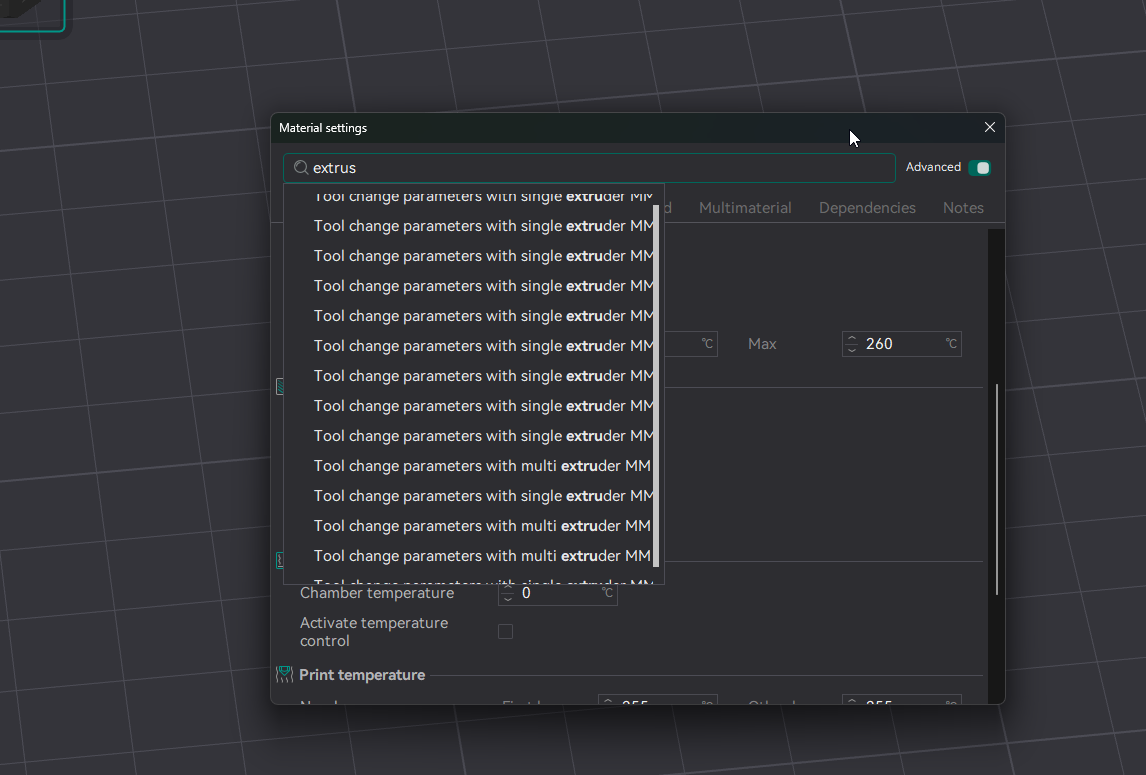
Em is in the filament
weak plaza
extrusion multiplier
 low crescent
odd dew
its not in orca
low crescent
odd dew
its not in orca
It a setting of the filament in orca.
odd dew
 sweet jasper
No matter what, take the time to tune one filament that you ve already tuned to perfection on one of your other machines. do the same with your new machine and compare the differences
low crescent
odd dew
https://i.imgur.com/hk91MQU.png cap
Should be right in the middle under the search bar.
sweet jasper
yeah.
low crescent
Yeah flow ratio is EM.

 sweet jasper
Next step is to work on tensioning your belts
sweet jasper
Yes
It is also time to tighten your z joints. Home, qgl, raise the gantry high enough that you can get to the bolts going from the z carriage mounts to the gantry and tighten them up. Only do it while the machine is qgl though!
odd dew
sweet jasper
It is also time to tighten your z joints. Home, qgl, raise the gantry high enoug...
were they supposed to be loose..?
i didnt leave them loose before
sweet jasper
They were. Loosen them slightly, qgl, and then tighten them up
odd dew
Ok so after slightly deforming/mashing the plastic on 2 screw holes I kinda developed a feel for how tight to make the screws..
so all of them are now "snug" to the point right before it starts deforming..
low crescent
If I also were to make a suggestion, dial back you EM just a bit. It seems like you are plowing on the top layer.
odd dew
So is the next step using the phone app to adjust belt tensions..? or
sweet jasper
Tune the belt tension and follow that guide I posted earlier to tune em, and the rest of the print
odd dew
the vfas point toward a mechanical issue
i think the filament profile is minor rn
https://www.youtube.com/watch?v=2FIQHnHfHOU do I need this?

Love the channel? Consider supporting me on Patreon:
https://www.patreon.com/user?u=806627
Parts kit and assembled kits (AFF):
https://collabs.shop/7ma5oh
Project Github:
https://github.com/Diyshift/3D-Printer/tree/main/GT2 Belt Tension Meter
Belt Tensioner Guide:
https://github.com/Diyshift/3D-Printer/tree/main/GT2 Belt Tension ...
sweet jasper
Flow and pa will absolutely exaggerate symptoms. They need to be done (as well as belt tuning)
lofty oasis
odd dew
https://www.youtube.com/watch?v=2FIQHnHfHOU do I need this?
Need, nah. Want, absolutely
sweet jasper
You definitely want though
odd dew
but to make my prints not look like absolute dog ass...phone app tuning?
sweet jasper
And the guide. Em and pa need to be done
odd dew
ive never had to do this before to fix vfas
sweet jasper
They will exaggerate the problem and have you chasing your ass
odd dew
so just do a yolo flow test
sweet jasper
No, iterate through it.
odd dew
 odd dew
I've never seen filament this stringy there's something funky going on

Gonna do a temp tower..
south plume
odd dew
I've never seen filament this stringy there's something funky going on
Your nozzle is screwed in all the way right? I may or may not have left mine way too loose when I built my printer 😅
Careful not to strip the block if you do tighten
odd dew
Uhhh I hope so..
 ashen agate
odd dew
I've never seen filament this stringy there's something funky going on
ashen agate
odd dew
I've never seen filament this stringy there's something funky going on
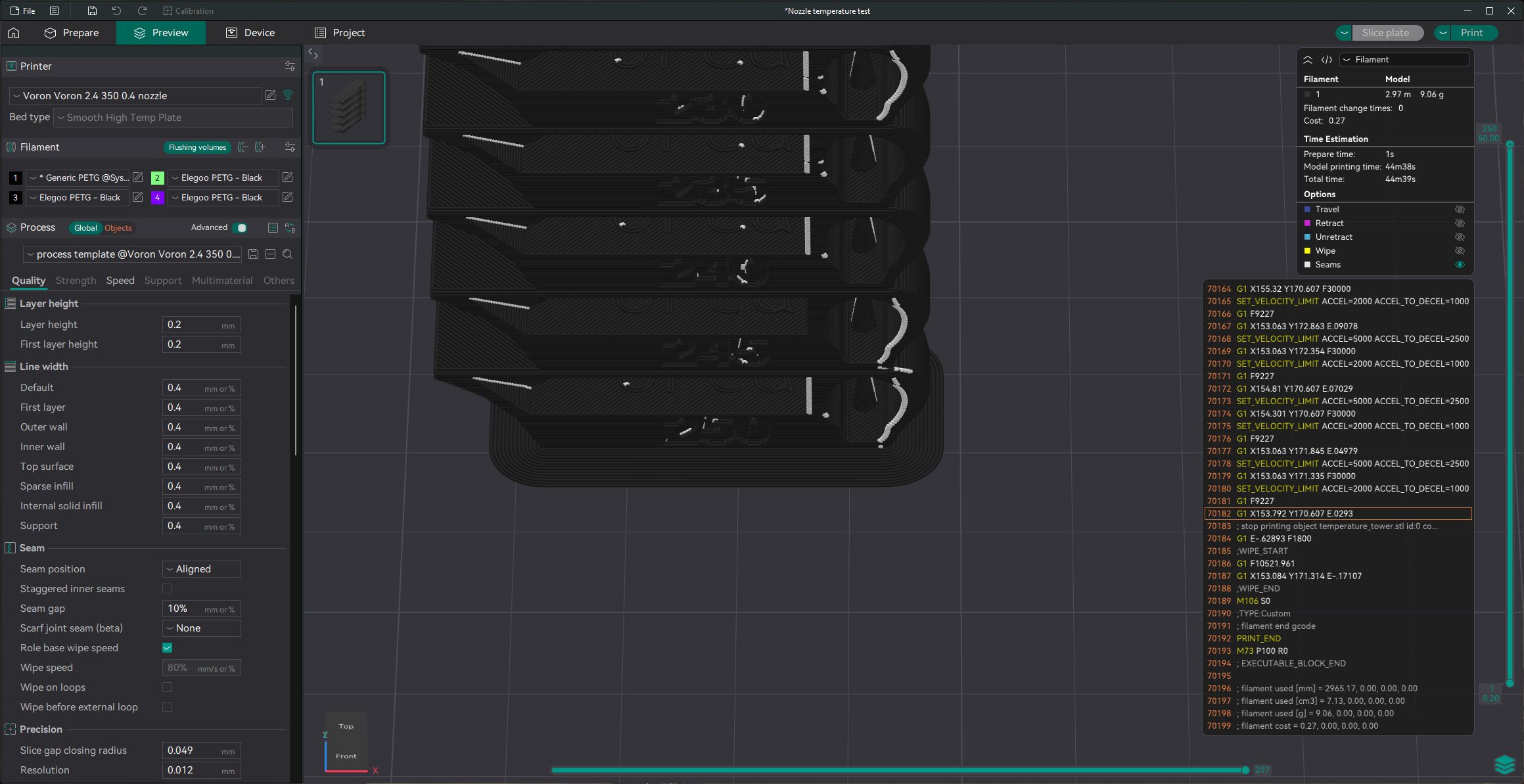
the ellis pattern defaults to not having any zhop
 ashen agate
did you set the meshing on the extruder motor correctly?
odd dew
I mean..I followed the written and video guide and it seemed to move fine
ashen agate
if you have used the video guide for meshing the motor, then i believe you.
PETG moment i guess
odd dew
I think my nozzle is tight but I don't wanna rip my silicone sock trying to get it off to check
ashen agate
mine came tight enough that it took some effort at 280
odd dew
so it was tight enough?
ashen agate
mine was.
though you need to handle your z offset it seems.
odd dew
z offset seems ok to me
ashen agate
seems at least .05 too high or so.
or the PA test and tower first layer wouldnt be so weird
odd dew
the main thing im trying to figure out right now is the weird stringing and stuff
 ashen agate
brims are generally one piece.
odd dew
ok then skirt
sweet jasper
odd dew
the main thing im trying to figure out right now is the weird stringing and stuf...
Have you done the Ellis guide yet? https://ellis3dp.com/Print-Tuning-Guide/articles/index_tuning.html
you can also make a post in #slicers_and_print_help
sweet jasper
I would recommend a post in the above channel
jade citrus
lofty oasis
Need, nah. Want, absolutely
Very thankful to have been given one for my birthday
ashen agate
i have the belt meter, but i wish i had a fully calibrated printer when i made it.
it works well for what it is, the hardware kit on west3d is cheap enough it cant really balk at it.
 jade citrus
Petg isn't as common for us, but maybe?
I'll look and see if I have any, but it'll be like 4 hrs before my printers free for a test print
ashen agate
Ive only got clear petg to my memory.
odd dew
Trying yet another filament
ashen agate
Probably will give you more questions than answers at this point
odd dew
Not sure what else to do. I've never had this issue just from having bad filament profiles
My belts gotta be messed up
ashen agate
Personal reccs are:
Continue with the build
Order belt meter parts + asa
Get the panels on.
ashen agate
The asa is for free shipping.
odd dew
From west3d u mean?
ashen agate
Yeah.
odd dew
Sold out 💀
ashen agate
Ah, rats.
odd dew
Boooo
ashen agate
Why is it sold out everywhere...
odd dew
Who knows man
jade citrus
uhhh idk where youre at but west3d is not sold out of ambrosia
just a few colors are out fo stock
 odd dew
The belt tool
jade citrus
odd dew
The belt tool
ahh, you can self sourse the spring if need be
hes been having trouble keeping up
odd dew
What spring does it need?
odd dew
jade citrus
hes been having trouble keeping up
They make a pill for that.
odd dew
https://a.co/d/08MsarUH I have these springs

APPLY TO - Can be used in shop and home repairs, DIY projects, appliances and lawnmowers, electronics, etc.
SPECIFICATION -
Outer Diameter: 5mm/0.2"
Wire Diameter: 0.4mm/0.02"
Free Height: 15mm/0.59"
Material: 304 Stainless Steel
QUANTITY INCLUDED - 10Pcs x Compression Spring
ADVANTAGE - Compre...
Would be cool if it was the same
jade citrus


 jade citrus
found a source
 odd dew
Still got ringing tho
jade citrus

Description:Used in light industry.
304 stainless steel wire compression spring.
Perfect for a wide variety of uses in homes, the shop, on the farm or ranch, small businesses.
Used in screen doors, chaise lounges, lawn and garden equipment and industrial.
jade citrus
odd dew
Still got ringing tho
the roinging will be dealt with come IS time
jade citrus
there will be a big boost in quality , but you wanna make sure youre building off of a sturdy foundation
jade citrus
odd dew
No point in input shaping until the panels and stuff are on tho
not nissisarily, its a 2-3 min thing
odd dew
Shaketune takes a bit
jade citrus
once set up you can and should run it fairly regularly
shake tune is more diagnostics and fine tuning standard IS works just fine just doesnt give you alot of data on potential issues
like ill press IS shaper and let it do what it wants, but if something feels off or looks wrong ill run shakentune to take a closer look
jade citrus
use both
fir input shaper?
its baked in, you just gotta enable it
this sisnt a guide, its the old fashioned way of calculating it without a accelerometer
odd dew
What settings do I need for adxl345
jade citrus
i may be wrong but im pretty sure all you have to do is put [input_shaper] in your config and then define the [resonance_tester]

 odd dew
[adxl345]
cs_pin:PA4
spi_software_sclk_pin:PA5
spi_software_mosi_pin:PA7
spi_software_miso_pin:PA6
axes_map: -x, z, -y
What do you have for this section? this is from my plus4, so..different pin
jade citrus
#shaper_freq_x: 72.8  # Replace with your X frequency
#shaper_freq_y: 55.4  # Replace with your Y frequency
shaper_type: mzv    # Example shaper type
damping_ratio_x: 0.054 # Range: 0.05 - 0.15
damping_ratio_y: 0.069 # Range: 0.05 - 0.15

[resonance_tester]
accel_chip: adxl345  #beacon
probe_points: 90, 90, 20
accel_per_hz: 100
#sweeping_accel: 400
#sweeping_period: 1.2
#accel_axes_map: x, -y, z
# Reassign or invert axes of the accelerometer to align with machine coordinates.```what about the adxl section?
jade citrus
#   Accelerometer
#####################################################################
[adxl345]
cs_pin: nhk:gpio27
spi_software_sclk_pin: nhk:gpio18
spi_software_mosi_pin: nhk:gpio20
spi_software_miso_pin: nhk:gpio19

[resonance_tester]
accel_chip: adxl345
accel_per_hz: 100
sweeping_accel: 400
sweeping_period: 0
##--------------------------------------------------------------------``` this is on my microni should mention this is a completely different toolhead
youre on the sb2209 rp2040 toolhead board,
odd dew
yea...trying to find the right pin for the 2209
jade citrus
odd dew
yea...trying to find the right pin for the 2209
me too, would be easier if i could turn my 2.4 on lol
try this this is what i got started with i think ```[adxl345]
cs_pin: EBBCan:gpio1
spi_software_sclk_pin: EBBCan:gpio2
spi_software_mosi_pin: EBBCan:gpio0
spi_software_miso_pin: EBBCan:gpio3
axes_map: z,-y,x
[resonance_tester]
probe_points: 175, 175, 30
accel_chip: adxl345```
/\ this is sb2209 rp2040 specific
jade citrus
odd dew
```
[adxl345]
cs_pin:PA4
spi_software_sclk_pin:PA5
spi_software_mosi_pin:PA7
spi...
you did what i did when i built my 2.4 the PA pins are stm based, looks like you took that from the wrong referance
rp2040 pins are like ```gpio3
so put that in your config and then run ACCELEROMETER_QUERY
shoudl see a response like accelerometer values (x, y, z): 995.924147, -0.000000, 9770.718434
odd dew
## [input_shaper]
## shaper_type_x = ei
## shaper_freq_x = 44.8
## shaper_type_y = mzv
#*# shaper_freq_y = 34.6
jade citrus
odd dew
#*# [input_shaper]
#*# shaper_type_x = ei
#*# shaper_freq_x = 44.8
#*# shaper_ty...
so that tells me you shoul look into belt tentions lol , but should be a big improovement nonetheless
doesnt mean its a bad score, its correcting what it measured, when youre tracking down these issues youre trying to remove vivrations and inconsistancies so its not reading anything extra
but for a baseline, should be just fine, go ahead and try another print, then revisit whatever issue is most prominent
odd dew
I also just changed infill density, wall loops, bottom layers, infill pattern....to match the voron cube recommendations
jade citrus
alot of input shaper diagnosis is done with 2 walls and no or low infill mostly to save fillament , but its best to compare them to actual print settings
what where you reccomended accel values?
jade citrus
youll have to dig a bit in the console, but find where it fits the shaper and gives a max reccomended accel
EI on x and MZV on y
odd dew
00:54:40
// To avoid too much smoothing with 'zv', suggested max_accel <= 8200 mm/sec^2
00:54:43
// Fitted shaper 'mzv' frequency = 31.8 Hz (vibrations = 3.4%, smoothing ~= 0.201)
00:54:43
// To avoid too much smoothing with 'mzv', suggested max_accel <= 3000 mm/sec^2
00:54:46
// Fitted shaper 'ei' frequency = 44.8 Hz (vibrations = 1.6%, smoothing ~= 0.160)
00:54:46
// To avoid too much smoothing with 'ei', suggested max_accel <= 3700 mm/sec^2
00:54:49
// Fitted shaper '2hump_ei' frequency = 39.0 Hz (vibrations = 0.0%, smoothing ~= 0.355)
00:54:49
// To avoid too much smoothing with '2hump_ei', suggested max_accel <= 1500 mm/sec^2
00:54:52
// Fitted shaper '3hump_ei' frequency = 53.8 Hz (vibrations = 0.0%, smoothing ~= 0.283)
00:54:52
// To avoid too much smoothing with '3hump_ei', suggested max_accel <= 2000 mm/sec^2
00:54:52
// Recommended shaper_type_x = ei, shaper_freq_x = 44.8 Hz
00:54:52
// shaper_type_x:ei shaper_freq_x:44.800 damping_ratio_x:0.100000
00:54:52
// shaper_type_y:mzv shaper_freq_y:0.000 damping_ratio_y:0.100000
00:54:52
// Shaper calibration data written to /tmp/calibration_data_x_20260430_045002.csv file
00:54:52
// Calculating the best input shaper parameters for y axis
00:54:55
// Fitted shaper 'zv' frequency = 36.8 Hz (vibrations = 6.8%, smoothing ~= 0.117)
00:54:55
// To avoid too much smoothing with 'zv', suggested max_accel <= 5200 mm/sec^2
00:54:58
// Fitted shaper 'mzv' frequency = 34.6 Hz (vibrations = 0.0%, smoothing ~= 0.170)
00:54:58
// To avoid too much smoothing with 'mzv', suggested max_accel <= 3500 mm/sec^2
00:55:01
// Fitted shaper 'ei' frequency = 41.2 Hz (vibrations = 0.0%, smoothing ~= 0.190)
00:55:01
// To avoid too much smoothing with 'ei', suggested max_accel <= 3200 mm/sec^2
00:55:04
// Fitted shaper '2hump_ei' frequency = 51.2 Hz (vibrations = 0.0%, smoothing ~= 0.206)
00:55:04
// To avoid too much smoothing with '2hump_ei', suggested max_accel <= 2900 mm/sec^2
00:55:07
// Fitted shaper '3hump_ei' frequency = 61.4 Hz (vibrations = 0.0%, smoothing ~= 0.217)
00:55:07
// To avoid too much smoothing with '3hump_ei', suggested max_accel <= 2700 mm/sec^2
00:55:07
// Recommended shaper_type_y = mzv, shaper_freq_y = 34.6 Hz
00:55:07
// shaper_type_x:ei shaper_freq_x:44.800 damping_ratio_x:0.100000
00:55:07
// shaper_type_y:mzv shaper_freq_y:34.600 damping_ratio_y:0.100000
00:55:07
// Shaper calibration data written to /tmp/calibration_data_y_20260430_045002.csv file
00:55:07
// The SAVE_CONFIG command will update the printer config file
// with these parameters and restart the printer.
that accel aint shit 😭
jade citrus
looks like youre limited to 3500 rn, thats abou half what a stock printed gantry 350 v2 should be capable of, time to break out shakentune and take a look
my v2 with cnc x joints and a stealthburner on a rigid mount is like 8300
odd dew
Only 8300?
jade citrus
its a 350 with a chonky stealthburner
it does 350-500 mm/s print speed just lower accels because of stock gantry adn heavy toolhead / direct drive ect
i broke it while trying to put a lighter toolhead on LOL
 boreal marsh
My 250 is 8500 accel on Y. So 3500 sounds about right for a 350. Could be a little better but that’s why #1308016330326413393 exists.
odd dew
// Bed Mesh state has been saved to profile [default]
// for the current session. The SAVE_CONFIG command will
// update the printer config file and restart the printer.
01:13:09
// pressure_advance: 0.040000
// pressure_advance_smooth_time: 0.040000
01:13:09
// Unknown command:"T0"
This is kinda sus..T0 is a BoxTurtle command..this machine does NOT have a box turtle
i have no idea where that command is coming from
jade citrus
orca
boreal marsh
T0 is auto output by Cura or when Orca is setup incorrectly
odd dew
its not in machine gcodes or anything
boreal marsh
Make sure your machine is set to klipper in orca
 boreal marsh
jade citrus
its a 350 with a chonky stealthburner
boreal marsh
jade citrus
its a 350 with a chonky stealthburner
My 350 is so heavily modded it a poor source of an accel on Y. 🤣
boreal marsh
odd dew
It is
Hmmmm… it should be outputting T0 then… weird.
jade citrus
odd dew
It is
then make sure youre not trying to print multicolor?
boreal marsh
That would also help. Don’t have more than one filament color setup
jade citrus
sometimes orca throws a second copy of the first fillament here, there should only be one color selected
 odd dew
Oh I do have 4 filaments there.
boreal marsh
I’m sadly at work so no pics from orca from me. Lol
boreal marsh
odd dew
Oh I do have 4 filaments there.
Only keep one.
jade citrus
this most recent update seems to make that come back when swapping printers, but not when you only use orca for one machine
boreal marsh
You can have them saved at different filament profiles. But not multiple profiles for one project. Otherwise orca will just send out T0 to TN everytime you start a print.
odd dew
I would think the filament setup would save to the machine
boreal marsh
Which technically. You can just add blank T macros to your config if you want to do that actually. Just won’t output any errors to console that way.
jade citrus
as far as 3500 accels go, im assuming youve got a floppy umbilical, on a chonky stealthburner, on a tap plate, on a printed gantry, with possibly mismatched belt tention, checks out tbh
boreal marsh
You can easily get higher by swapping a few things out. But honestly it’s a 350. Don’t expect it to be a speed demon.
jade citrus
as time goes on youll be able to turn that up, and make your assembly more rigid, but your accels will always seem lower because its a pretty BIG printer lol looooong belt paths
boreal marsh
jade citrus
as time goes on youll be able to turn that up, and make your assembly more rigid...
Unless you’re me.
In which case my 350 is my fastest machine… I dunno how I accomplished that. 🤣
odd dew
what accels u running?
jade citrus
id be estatic to see 10k out of my 350,i think printed mololith and a different toolhead would do it
boreal marsh
odd dew
what accels u running?
The 350? Keep in mind is so heavily modded it may as not be a Voron. But its Y IS graph is 24k recommended. I run that for outer walls and 70k for the rest
jade citrus
boreal marsh
The 350? Keep in mind is so heavily modded it may as not be a Voron. But its Y I...
yeah, thats micron accels.... on a 350
odd dew
imma need that mod list 👀
boreal marsh
odd dew
HOLY SHIT
Lmao. I uh. I had some fun. 🤣. Gantry is probably one of the more overkill things out there.
jade citrus
odd dew
imma need that mod list 👀
its more mods than voron at this point XD
boreal marsh
odd dew
imma need that mod list 👀
Luckily. It’s available. 🤣. Orion Hexdrive. However that gantry is only for tridents.
That’s the magic mod that makes everything zoomy. Everything else was just adding more fuel to the fire. 🤣
jade citrus
i can save you the trouble of googling, hes got a secont set of motors entirely deticated to the y axis to "level"decimate the playing feild oh.... and its awd too
boreal marsh
Plus it’s AWD and run with 6 kraken stepper motors.
jade citrus
oh yeah, and theyre big ASS motors too
boreal marsh
Running a high enough voltage to make me not be near the machine when printing either. Lol.
odd dew
world record benchy?
boreal marsh
odd dew
world record benchy?
Nah. But I am almost sub 4 minutes. 🤣
jade citrus
odd dew
world record benchy?
not quite, just a local sound ordnance violation on hula feet
odd dew
bros got the "locally hated" decal on his car
jade citrus
odd dew
bros got the "locally hated" decal on his car
printer*
boreal marsh
Not to mention the toolhead + hotend costs about the same as another Voron. 🤣
boreal marsh
Calamity + Chube Conduction.
boreal marsh
This is the hotend alone.
 boreal marsh
odd dew
i want stealthchanger or something instead of all that speed lmao
boreal marsh
odd dew
i want stealthchanger or something instead of all that speed lmao
Probably more worthwhile.
jade citrus
yeah, so its not a great representation of a stock 350.
jade citrus
took all the record attempt tech from the tiny printers and just started cramming them in a 350 frame
the sidepack frames not cheap either
#1406666805249835219 message @odd dew

 boreal marsh
jade citrus
https://discord.com/channels/460117602945990666/1406666805249835219/149695853786...
boreal marsh
jade citrus
https://discord.com/channels/460117602945990666/1406666805249835219/149695853786...
Microwave 2.0 is the 250. Lol
odd dew
I wanna gayify my voron with rgb
 jade citrus
boreal marsh
jade citrus
boreal marsh
oh yeh i shoulda known, its missing like 4 krackens
boreal marsh
jade citrus
oh yeh i shoulda known, its missing like 4 krackens
So true. It’s got 2 now though! 🤣
jade citrus
boreal marsh
So true. It’s got 2 now though! 🤣
4 more to go
honestly id be scared of the accels you could get with the same setup on the 250...
boreal marsh
Thor’s was 50k iirc on his 250 on Y graph. He tested up to 120k accel but it gets scary testing that high. Lol
jade citrus
sprinkle in a cnc monolith gantry and uhh
jade citrus
boreal marsh
Thor’s was 50k iirc on his 250 on Y graph. He tested up to 120k accel but it get...
daummnn
yea thats straight terrifying tbh, the encloser would need to be balistics rated atp
 jade citrus
sorry to hijack your build log nitro, hows it going?
boreal marsh
And yes. At that size Y is higher than X. LOL
boreal marsh
jade citrus
sorry to hijack your build log nitro, hows it going?
Figure out the T0 thing @odd dew ?
odd dew
boreal marsh
Figure out the T0 thing <@250426565114986509> ?
voron cube is still going
tbh idc enough to look into it lmao its not causing issues
boreal marsh
Why not a Dino clip?
boreal marsh
odd dew
tbh idc enough to look into it lmao its not causing issues
So valid. Lol
odd dew
boreal marsh
Why not a Dino clip?
dino clip isnt gonna tell me how fukt my pritner is lmao
boreal marsh
 boreal marsh
odd dew
dino clip isnt gonna tell me how fukt my pritner is lmao
boreal marsh
odd dew
dino clip isnt gonna tell me how fukt my pritner is lmao
Yes it will. Lol
It’s a test print for a reason.
boreal marsh
Lmao. @sweet jasper will be happy.
boreal marsh
odd dew
i thought it was a meme
Nah. It’s a genuine useful test print. Even tests overhangs. And can be used as a chip clip afterwards.
jade citrus
yup! i love my cubes as im collecting them but that clip is printed more often now than cubes in my household across 3 vorons
jade citrus
boreal marsh
I actually use them at chip clips too. 🤣
me too ! my father in law said " make me one " i said with pleasure lol
boreal marsh
It dawns on me how much I blame wheels for things… 🤣
jade citrus
need to upgrade the motors on my 2.4 so i can use the moons nema 17s on the micron lol
odd dew
latest voron cube is perfect
jade citrus
pics
odd dew


Dino clip is going now
@jade citrus any idea if the formbot kit comes with everything else but the springs? The self tapper screws are more bhcs though
 jade citrus
odd dew
<@251261245532012545> any idea if the formbot kit comes with everything else but...
jade citrus
odd dew
<@251261245532012545> any idea if the formbot kit comes with everything else but...
you should have plenty of all that extra
the 2x10 self tappers will be fine with the phillips head tbh
you dont get 3x7 iirc , but youll have leftover 3x6
odd dew
Yeah I do
jade citrus
the washer , you could probably get away with whatever you have on hand tbh
jade citrus
so the washer that came with it was wider i think it calls for 8mm wide
boreal marsh
jade citrus
the washer , you could probably get away with whatever you have on hand tbh
Or print one.
jade citrus
its for the dial indicater, you could probably get away with a regular m3 washer
jade citrus
boreal marsh
Or print one. <a:hehe:880902570003025920>
true
odd dew
Rude
jade citrus
lol reccomendations come from the elf himself
 boreal marsh
EM looks a little high. PA looks fine to me. VFA can be adjusted by playing with outer wall speed.
Also use black filament if you can.
odd dew
The black filament looks worse 🤣💀
boreal marsh
That’s the point.
odd dew
At least did earlier
boreal marsh
Black is far easier to read.
jade citrus
odd dew
The black filament looks worse 🤣💀
thats the point 
odd dew
Should I change it back to 2 walls or whatever for all this
boreal marsh
Doesn’t matter. I like tuning with Voron settings. Then I know it’s golden.
odd dew
True
jade citrus
when trying to get close than sure, when your close you need to see it in normal print conditions
boreal marsh
It does use more filament ofc.
jade citrus
for instance the pa could be slightly off because of the swap from infill to outer wall,
you wouldnt see that particular issue if youre printing with no infill,
odd dew
So I should calibrate everything with voron settings like it says lol
boreal marsh
That’s what I recommend. Can use 15-20% infill though for calibrating and non Voron parts.
jade citrus
boreal marsh
That’s what I recommend. Can use 15-20% infill though for calibrating and non Vo...
The perimeter count is a bigger contribution to artifacts than infill
low crescent
You want to know something cool? The cube will print with 0 infill and 3 walls and 0 top surfaces. 😉
 odd dew
That's dope
odd dew
Dino clip is a lot bigger than expected lmao
 odd dew
Had to pry the jaws apart with a lot of force
boreal marsh
Squeeze it!
jade citrus
also probably could use some flow tuning
boreal marsh
And also remove the built in support.
sweet jasper
boreal marsh
It dawns on me how much I blame wheels for things… 🤣
The line between blame and credit is extremely thin
sweet jasper
odd dew
Can only squeeze it so far
It looks like you got everything tuned enough to get into running input shaper. Congrats. You should show a pic of the dino clip with the jaws open.
Also, have your serial post done yet?
odd dew
sweet jasper
It looks like you got everything tuned enough to get into running input shaper. ...
I already did IS
sweet jasper
odd dew
I already did IS
I know. I was saying that it looked like you had gotten through to that point 😉
What was your breakthrough?
odd dew
Increasing wall count to 4 and changing filament
 south plume
jade citrus
yup! i love my cubes as im collecting them but that clip is printed more often n...
south plume
jade citrus
yup! i love my cubes as im collecting them but that clip is printed more often n...
I mean personally I do like my calicat army
But the clips are also good

 sweet jasper
It knew you were cheating on it
odd dew
Justifying my decision is what it's doing
odd dew
1 of the arms broke off the beacon mount and the other one twisted so I gotta mount it at an angle...

Fun fun!
I love 3d printing
ashen agate
Same same. My old printer popped a fuse the moment i needed a voron repair.
jade citrus

So. The panel clips are "thin" enough you can print them on the voron open air if need be btw
In ASA
 sweet jasper
odd dew
<@895414492513579008> happy? Lmao
sweet jasper
odd dew
<@895414492513579008> happy? Lmao
I had no problems with the way it was before. 😂
odd dew
I gotta figure out what to do with this long ass can cable since it's outside the chamber
sweet jasper
Feed it through a hole in the skirt and bundle it under the machine
odd dew
Basically what I did
sweet jasper
Yep. Pretty standard
jade citrus
That's how all my machines are, exception being the switchwire, it had a specific cable built to length so it's got like 4 inches of extra tops
south plume
odd dew
Basically what I did

Is what I have, if you want to make it cleaner looking
Functionally it doesn't matter
jade citrus
south plume
https://www.printables.com/model/1603941-split-rear-center-skirt-with-pug-pass-t...
Nice!
odd dew
Haven't been home. Just keeping the thread alive
odd dew
Case light installed
 odd dew
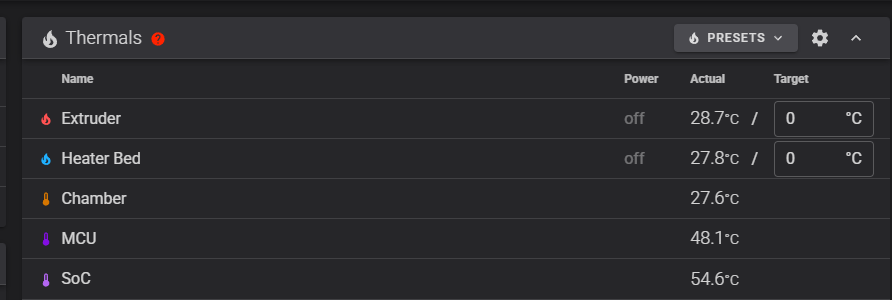
https://i.imgur.com/LENRBO2.png chamber temp sensor mounted and setup


 weak plaza
@odd dew I've got the frame for a 2.4 350 fridge door if you're interested
odd dew
The extrusions only? @weak plaza
weak plaza
odd dew
The extrusions only? <@255868939735662594>
I'll DM you what I have in little bit after a meeting
odd dew
Sick thanks
weak plaza
sent
odd dew
#voron_2_discussion message sending here for future use
odd dew


Goal is to swap my current gears from my SB CW2 over to this https://www.printables.com/model/1154980-wwbmg-wristwatch-extruder-for-idga-with-sherpa-min
Then use the gears from west3d to build the "normal" wwbmg
(building 2 antheads to start)
weak plaza
GMM is my favorite color  make sure you dry the cosmic shimmer well, it was very weitlrd straight out of the bag (dumb of me not to dry it, I know)
odd dew
boreal marsh
You saved almost $20! Nice! (And got free shipping!)
Seeing as I'm thinking of getting the whole kit from west3d now I'll save even more