#Microwave 2.0
2791 messages · Page 3 of 3 (latest)
 pine delta
Total print time on this guy is equal to ~220 hours on the X1C.
@fleet zephyr I love this thing. Maybe I don’t need to think about switching to monolith. Lmao
 open elm
pine delta
<@303685592133271553> I love this thing. Maybe I don’t need to think about switc...
open elm
pine delta
<@303685592133271553> I love this thing. Maybe I don’t need to think about switc...
Atleast wait for monolth cnc befofe you decide anything
Ldo is cooking on an awesome kit
pine delta
open elm
Atleast wait for monolth cnc befofe you decide anything
I could. But I was thinking about a printed gantry cause the metal just makes things louder. I was considering going to monolith with 2 krakens to run the printer a bit quieter. The motor noise is my main issue right now.
open elm
Insulation helps keep the sound in!
pine delta
open elm
Insulation helps keep the sound in!
Yea. I plan to insulate a little at some point. However it’s not likely to help as much with the PC door. Lol. And I’m not changing that. I love this K3 door.
I’m hoping that switching to 2240 and 36v will help a bit with the noise. I’m fine with the CPAP blower. It’s consistent and not very loud. Just like having a fan on in the background.
pine delta
open elm
<#1317580899184807976> has insulation *everywhere*
Yes well. Some of us like aesthetics more than others. 
open elm
a metal box is pretty nice 
pine delta
I’m annoyed with the panel clips to the point I plan on designing my own versions. 🤣
So yea. Safe to say. I prefer aesthetics and I will keep to that when I do insulation.
Current plan is 1/2in ceramic wool with a ACM panel in front and behind it. Should fit in the sidepack frame so won’t increase the footprint of the printer any.
 fleet zephyr
pine delta
<@303685592133271553> I love this thing. Maybe I don’t need to think about switc...
fleet zephyr
pine delta
<@303685592133271553> I love this thing. Maybe I don’t need to think about switc...
Looks solid to me, if it’s good as is then I say keep it lol
pine delta
fleet zephyr
Looks solid to me, if it’s good as is then I say keep it lol
I mean. 10k on Y IS isn’t bad for a 250. Lol.
pine delta
Can still see the magnets despite the massive faulty regions around them. Lmao

Really thinking beacon is a next upgrade kind of thing. Shouldn't need the faulty regions that way
Or just do a mesh with beacon touch. Lol
fleet zephyr
beacon is quite wonderful, I run my printer once a month maybe and its always dead on
pine delta
fleet zephyr
beacon is quite wonderful, I run my printer once a month maybe and its always de...
I think I’m using like 70mm squares around the magnets. Maybe 80mm… lmao. There’s not much of the bed actually being scanned anymore.
 soft zenith
Okay I'm back home now, so I'm looking at motors wires and drivers, I have most of everything else figured out, may need a better idea of belt length just to be sure I have enough
pine delta
soft zenith
Okay I'm back home now, so I'm looking at motors wires and drivers, I have most ...
You either need 2 2.4m closed loop belts from KB-3D or probably 6-8m of belts from anywhere else.
 bright aurora
soft zenith
I'm looking at ordering from west3d $10 a meter
bright aurora
soft zenith
I'm looking at ordering from west3d $10 a meter
If its $10 a meter than itd be $1 per 100mm
Since 1Meter is 1000mm
Iirc
Let me double check
Yeah thats right
soft zenith
Okay so it's $5 a meter lol
 ionic atlas
soft zenith
I'm looking at ordering from west3d $10 a meter
ionic atlas
soft zenith
I'm looking at ordering from west3d $10 a meter
No. I don’t think west3d sells closed loop
That would be open loop that you are buying
soft zenith
ionic atlas
That would be open loop that you are buying
Yeah I don't need closed loop
ionic atlas
soft zenith
Yeah I don't need closed loop
Closed loop is nice though
soft zenith
Yeah but the sizing and what not, just beyond me lol
ionic atlas
soft zenith
Yeah but the sizing and what not, just beyond me lol
Oh you just cut the belts
It isn’t an actual closed loop on the printer
soft zenith
Lol okay that makes more sense
ionic atlas
It just means that you got a straight cut of the tube instead of a spiral
So you get a lot less belt walk
And belt dust
Overall a lot nicer. People say it lasts longer but belts last so long anyways unless you are running insane tension
 candid ferry
@pine delta do you have the files available for the skirts and display cowling you used in your microwave side pack build?
pine delta
candid ferry
<@337359194196017154> do you have the files available for the skirts and display...
Uh… not handy atm. 😅. I know I posted something somewhere though…
pine delta
candid ferry
<@337359194196017154> do you have the files available for the skirts and display...
Check these. I dunno if I put everything in there though. Been a while since I looked at that. https://github.com/Xiar1/Voron/tree/main/Microwave2.0/mods
pine delta
candid ferry
oops caps
They just love to be inconvenient.
candid ferry
pine delta
They just love to be inconvenient. <a:jakelaugh:1253464023824072786>
hey sorry to bother your again i just really love your build
what gland did you use for the side pack?
pine delta
candid ferry
hey sorry to bother your again i just really love your build
what gland did yo...
PG9 I think. I’d have to check the printer though
 naive plaza
@pine delta do you have a link for uap for voron belts?
pine delta
naive plaza
<@337359194196017154> do you have a link for uap for voron belts?
I do not. I custom made the X carriage I’m using.
naive plaza
pine delta
I do not. I custom made the X carriage I’m using.
Ahhh thats why i couldn't see it
pine delta
naive plaza
Ahhh thats why i couldn't see it
I’m using the v4 body (I think) with the v6 x carriage parts. But I took the holes for the belts and flipped the tooth location on them in cad.
naive plaza
pine delta
I’m using the v4 body (I think) with the v6 x carriage parts. But I took the hol...
How much did you gain when you switch to uap
pine delta
naive plaza
How much did you gain when you switch to uap
I dunno. I never had anything else on the printer. Lol. It was built right from the beginning with UAP.
naive plaza
pine delta
I dunno. I never had anything else on the printer. Lol. It was built right from ...
It looks cool as well 😎
candid ferry
@pine delta what length din rails did you use
pine delta
candid ferry
<@337359194196017154> what length din rails did you use
Standard length for a trident 250
pine delta
Going to be working on this printer soon. Will be swapping from nema14 AWD to nema17 2wd. Gonna use krakens and run them at 36v with a 30t pulley.
Still going to be running the ole ATSS sheet metal gantry as well.
pine delta
I have ordered ATSS nema17 and 30t pulleys!
bright aurora
pine delta
Still going to be running the ole ATSS sheet metal gantry as well.
Why?
pine delta
bright aurora
Why?
Because I like ATSS and it’s on sale and in budget.
bright aurora
No swapping from AWD to 2WD.
pine delta
bright aurora
No swapping from AWD to 2WD.
Oh! Cause these Nema14’s are quite loud, AWD is kinda getting annoying on the printer that needs to print all the time, and considering I’m going for more reliability over anything, I’ve decided it would be more worthwhile.
bright aurora
Can't argue with that
pine delta
Not to mention that since I’m planning on slowing it down a lot. It’ll be nicer to run with smoother motors.
bright aurora
pine delta
Not to mention that since I’m planning on slowing it down a lot. It’ll be nicer ...
Id expect just bambu speeds but bit more due to flow
pine delta
bright aurora
Id expect just bambu speeds but bit more due to flow
Ehhhhh. I’m thinking for now just running on the defaults in orca for a Voron.
bright aurora
pine delta
Ehhhhh. I’m thinking for now just running on the defaults in orca for a Voron.
Thats really slow.
pine delta
bright aurora
Thats really slow.
Like I said. Looking for more reliable from it. I’ll probably bump up the speeds a bit eventually. But for now I’ll just be happy with reliable.
bright aurora
pine delta
Like I said. Looking for more reliable from it. I’ll probably bump up the speeds...
If you gotta go that slow for reliability smths wrong
pine delta
bright aurora
If you gotta go that slow for reliability smths wrong
Gotta start somewhere for improving it. Might as well start at the defaults. Right now I can’t get consistent quality from it. I start getting that and I’ll start speeding it up a bit. It’ll still be on 36v and have krakens so not like it can’t. Lol
bright aurora
pine delta
Gotta start somewhere for improving it. Might as well start at the defaults. Rig...
Yeah that should still be pretty speed capable
pine delta
bright aurora
Yeah that should still be pretty speed capable
But. We’re gonna run it for like 50 print hours with just the defaults to make sure everything’s copacetic.
bright aurora
Dont know what that word Means lol
pine delta
bright aurora
Dont know what that word Means lol
Everything’s golden. Lol
pine delta
I learn new words when listening to books then wanna sound fancy. Lol
pine delta
bright aurora
Hows HexDent doin?
Existing as the world’s loudest printer. 🤣
bright aurora
pine delta
Existing as the world’s loudest printer. 🤣
Is it really That loud?
pine delta
bright aurora
Is it really That loud?
I only use it a max of a few hours a week for a reason. Lmao
bright aurora
Guess you need @misty furnace to make the TMC5262s so you can use the better Stealthchop
Or is it the fans?
pine delta
bright aurora
Or is it the fans?
Combination of everything
bright aurora
The HexDents chamber dosent seem to be that soundproofed lol
pine delta
Doesn’t help I don’t have a chamber. Lol
bright aurora
pine delta
Doesn’t help I don’t have a chamber. Lol
Ah i think I've found your issue
 old viper
Which toolhead is that? A custom one? If it isnt, could someone send a github link to it for me to check out?
pine delta
old viper
Which toolhead is that? A custom one? If it isnt, could someone send a github li...
 ionic atlas
old viper
Which toolhead is that? A custom one? If it isnt, could someone send a github li...
ionic atlas
old viper
Which toolhead is that? A custom one? If it isnt, could someone send a github li...
There is no github. Best way to find info on it is on monolith discord. That is where the main active chat for it is. There is also the old fiberstream chat in armchair but that is long dead.
pine delta
I remembered to order 6 pin microfits for the krakens! 
pine delta
Hehe. Old 1504 nema14 on the right. New 3004 nema17 on the left.

And the pulley upgrade to go with it. 🤣
 ionic atlas
pine delta
Hehe. Old 1504 nema14 on the right. New 3004 nema17 on the left.
ionic atlas
pine delta
Hehe. Old 1504 nema14 on the right. New 3004 nema17 on the left.
this is going to be weird
pine delta
ionic atlas
this is going to be weird
Also going from AWD to 2wd. lol
ionic atlas
pine delta
Also going from AWD to 2wd. lol
yeah that will be fun
pine delta
I think it will be better overall for print quality too. No more dealing with AWD sync.
pine delta
Huh… so that’s what happened last print on the microwave 2.0…. The filament snapped. Lmao
Went to unload it before disassembling half of it and well. What do ya know? It wasn’t an extruder issue after all. Lol
pine delta
Well that explains why the filament broke… the galvanic umbilical holder snapped.
 fervent zephyr
pine delta
Well that explains why the filament broke… the galvanic umbilical holder snapped...
fervent zephyr
pine delta
Well that explains why the filament broke… the galvanic umbilical holder snapped...
I had the same thing happen recently lol
pine delta
First motor replaced with a simple idler!


 fervent zephyr
pine delta
New
fervent zephyr
pine delta
New
 pine delta
fervent zephyr
https://tenor.com/view/brandon-herrera-ak50-thicc-damn-rear-trunnion-gif-1925741...
pine delta
fervent zephyr
https://tenor.com/view/brandon-herrera-ak50-thicc-damn-rear-trunnion-gif-1925741...
We don’t even need double shear anymore. 🤣
pine delta
Gonna slap the toolhead on and stop there but. SUPER SMOOTH MOVEMENT! Hooray!
Belts are tensioned to 2.5 as well.
fleet zephyr
ooh, very nice!
pine delta
Also. UAP is removable in one piece. 🤣
 pine delta
fleet zephyr
ooh, very nice!
pine delta
fleet zephyr
ooh, very nice!
Thanks! I’m hoping this will help for more consistent print quality. Going from AWD nema14 to 2WD nema17.
And my biggest concern has been alleviated. Plenty of clearance from those big shafts.

My belt path is also shorter technically over all now.
pine delta
Tomorrow’s plans. Reassemble the panels, wire up the new motors, remove the UHP-48, Make and print an adapter for the cheap 36v psu I got off Amazon, mount said 36v psu, test said 36v psu to verify it is outputting 36v, wire to the M8P, and then finally boot up the printer, edit the config for 2209’s on Z and 2240’s on X/Y, and get back to printing hopefully! I highly doubt these krakens at 36v with 30t pulleys are gonna struggle to do 600mm/s at 30k accel even with just like 1.5-1.6A of run current. Lmao.
pine delta
Right motor thermistor is TH2 and Left motor thermistor is TH3
pine delta
Amazon cheap PSU installed and we have 36v! Looking good!

 pine delta
Rear panel installed and CPAP reconnected. Now just printing a new galvanic cause my old one apparently snapped. Lol
pine delta
ITS ALIVE!
This is probably the funniest part about it. LOL

Underglow is back too! 😆
@soft zenith Look! I got it back online! Not printing yet but that’s tomorrow. Now you have to get your printer working too!
soft zenith
im building a uart cable as we speak lol
pine delta
soft zenith
im building a uart cable as we speak lol
Nice! I kept finding spots where I needed zip ties while I was finishing up the umbilical. Lol
I’m off to sleep. Where hopefully tomorrow we get a print going on it!
 hollow hemlock
pine delta
First motor replaced with a simple idler!
hollow hemlock
pine delta
First motor replaced with a simple idler!
What made you decide to ditch the AWD?
pine delta
hollow hemlock
What made you decide to ditch the AWD?
Noise and simplicity. No longer need to AWD sync every print.
Should be quieter while printing now as well.
hollow hemlock
pine delta
Noise and simplicity. No longer need to AWD sync every print.
Makes a lot of sense lol. Didn't know there was a sync that had to be done either but makes sense.
Another plus is you can have a door! 😂
pine delta
hollow hemlock
Another plus is you can have a door! 😂
It’s always had a door…
pine delta
hollow hemlock
Makes a lot of sense lol. Didn't know there was a sync that had to be done eithe...
Yea. With AWD tension is often not equal on both sides of the pulleys for each motor set.
hollow hemlock
pine delta
It’s always had a door…

Thought it was the one without one. Brain is mushy today XD
hollow hemlock
pine delta
Yea. With AWD tension is often not equal on both sides of the pulleys for each m...
That sounds like a pain, I see why you'd want to make it more simple. I guess now your set up would be considered the 2WD variant? I think that's what I saw it called.
pine delta
hollow hemlock
Thought it was the one without one. Brain is mushy today XD
That’s Hexdent with no chamber currently.
hollow hemlock
pine delta
That’s Hexdent with no chamber currently.
Been looking at so many projects I can't keep up with which is which apparently. 
This one I think is still my favorite aesthetically
pine delta
hollow hemlock
This one I think is still my favorite aesthetically
Mine too. Lmao.
pine delta
Not bad

Probably should figure out why theres a giant bump on Z...

For reference this was the old AWD nema14 graph

And something very wrong on Y...

OH! 30 SCV. 🤣
Better accel recs now. Lol

Actually its higher than with AWD...
AWD was 13860 and 2WD is 14400... for X anyways.
That's better as well

First print since the new gantry install started!
pine delta
pine delta
That's better as well
Y is down 4k on accels. But that’s fine. I wasn’t planning on going as crazy right now anyways. Lol
pine delta
Well first print looks like I either have an extruder problem or my filament is soaking wet…
pine delta
Actually… I wonder if it’s my ptfe tube… it was hard to get the filament past one spot in particular.
pine delta
Actually my filament is 100% soaked… LOL! Just did a test at open air extruding. It extruded 100mm at 60³ flow with no issue.
fleet zephyr
graphs are looking very clean, nice
ionic atlas
pine delta
That's better as well
8500 for a nice clean graph like that is really good
pine delta
ionic atlas
8500 for a nice clean graph like that is really good
Got any clues on X? Perhaps just retest with toolhead board adxl?
ionic atlas
pine delta
Got any clues on X? Perhaps just retest with toolhead board adxl?
Looks like either a retest or a toolhead issue
Maybe ask ingstronmentalist about it if it persists
pine delta
ionic atlas
Maybe ask ingstronmentalist about it if it persists
Eh. I’ll retest and then live with it if it’s still there. 🤣
ionic atlas
It could be a configuration thing with your particular setup
The toolhead board and a couple other things could be messing with the center of mass
pine delta
I should check my XY joints for loose screws…
ionic atlas
pine delta
I should check my XY joints for loose screws…
Oh yeah definitely do that
There should be a cheap atss xy joint
pine delta
ionic atlas
Oh yeah definitely do that
They are the stock Voron ones but Mgn12h instead of MGN9H. Lol. But I haven’t rechecked them since building.
pine delta
ionic atlas
There should be a cheap atss xy joint
Can’t use it. I have Mgn12h linear rails. V slot frame.
ionic atlas
pine delta
Can’t use it. I have Mgn12h linear rails. V slot frame.
Oh weird
Was v slot all you had at the time?
pine delta
Otherwise I’d had Vitalli live idler XY joints. Lol.
ionic atlas
I guess you could switch to mgn9 when you get that new frame
pine delta
ionic atlas
Was v slot all you had at the time?
Garage sale Fabreeko sidepack frame. Was like $60. Lol. Normal sidepack frames are $300+
pine delta
ionic atlas
I guess you could switch to mgn9 when you get that new frame
New frame will belong to #1309948210160205834
ionic atlas
pine delta
Garage sale Fabreeko sidepack frame. Was like $60. Lol. Normal sidepack frames a...
Oh that is a deal
ionic atlas
pine delta
New frame will belong to <#1309948210160205834>
Oh ok. Makes sense. Spend the money on the flagship of your printer fleet
pine delta
ionic atlas
Oh ok. Makes sense. Spend the money on the flagship of your printer fleet
It’s the biggest printer I own. And also currently kinda the ugliest. 🤣
ionic atlas
pine delta
It’s the biggest printer I own. And also currently kinda the ugliest. 🤣
Hopefully not for long
pine delta
ionic atlas
Hopefully not for long
Kinda doubt I’ll be buying the frame in May now. Since I needed a new monitor for my pc and well. That money is now already spoken for. If I get lucky I might order it.
ionic atlas
pine delta
Kinda doubt I’ll be buying the frame in May now. Since I needed a new monitor fo...
A triple paycheck month
pine delta
ionic atlas
A triple paycheck month
Indeed. Next one is October. So if anything I’ll probably do it then.
ionic atlas
Tell yourself that the money is “extra printer money”
pine delta
ionic atlas
Tell yourself that the money is “extra printer money”
How’d you read my mind? 😂
 pine delta
ionic atlas
Lol
pine delta
ionic atlas
Lol
Normally those 3 payday months are in fact printer money. But uh. My monitor has been doing this a lot more lately. So it’s been replaced/upgraded with a newer version and is currently the secondary monitor instead until it permanently dies.

 pine delta
Okay. And funny thing with my wet AF ABS. You could see it drying it while printing thanks to it being in the chamber. 1) Stealthmax S Smart kept having increasing humidity readings. 2) The 2 prints I did improved with time. Lol
 proven sapphire
pine delta
Okay. And funny thing with my wet AF ABS. You could see it drying it while print...
proven sapphire
pine delta
Okay. And funny thing with my wet AF ABS. You could see it drying it while print...
I see that too, with Dueling Zero, which has dual internal spool holders. By the time you're a few hours into the print, the quality improves noticeably when the filament starts wet. For years I didn't even dry my filament, but now that Monolith Zero has an external spool holder, the PrintDry is back in action. Took too many crappy prints to realize it was just wet! Internal spool holders spoil you like that.
pine delta
proven sapphire
I see that too, with Dueling Zero, which has dual internal spool holders. By th...
I think for me it ended up becoming a combination of wet filament and not printing fast enough… silly Goliath long af meltzone things. Lol
proven sapphire
Long hotends are longer springs. Printing fast and at a constant speed has been working well for me lately.
The surprise for me is that with sparkle filament, you might not notice the effect of wetness on side walls, and then bam, top surfaces look like crap with apparent over extrusion.

You can probably tell which one had wet filament!
Lol
pine delta
proven sapphire
You can probably tell which one had wet filament!
Yes. Yes I can. 🤣
pine delta
proven sapphire
Long hotends are longer springs. Printing fast and at a constant speed has been...
I might heat the chamber and just leave it to sit for a day. See if that helps the filament (chamber can get to around 60c) before I start diving into my hotend/extruder for a potential issue. Or ask the peeps in #slicers_and_print_help cause after that I have no clue what’s going on.
pine delta
Chamber is currently just sitting idle at 50-55c. Just gonna leave it to continue to heat up or just sit at that temp for a day to dry out the ABS spool inside. Lol
 devout depot
pine delta
Chamber is currently just sitting idle at 50-55c. Just gonna leave it to continu...
devout depot
pine delta
Chamber is currently just sitting idle at 50-55c. Just gonna leave it to continu...
Do you have an air fryer
If not you need to fix that for non printer reasons, but they also work great to dry filament
bright aurora
Always need an airfryer no matter what
pine delta
devout depot
If not you need to fix that for non printer reasons, but they also work great to...
I really don’t need one. I almost never need to dry filament. It’s just that I took the spool from the objectively dry chamber and put it in the floor while it was storming for 3 days while I changed gantries. So it’s either wet or I have an extrusion problem.
Right now for the rare occasion where I need a filament dryer I’m saving makerworld points to buy a Bambu labs HT AMS. I’ll be getting it completely free in the end. LOL
pine delta
It worked! Chamber sufficiently dried the ABS spool mounted inside it with no problems! New print looks so much better than the old one did. I’m redoing the IS calibration now as there is still some ringing on it. I need to redo PA as well as it seems I read the wrong value from the last test. Nice part with IS calibration this time, I’m doing it hot since I’ll pretty much always be printing hot filaments on this machine.
Also need to remember to move where I’m printing the test cubes at for the next print… the NPA in the middle of the plate is starting to become non existent. Lol
Especially since I shouldn’t be able to remove the print with bed still at temp. LOL
New X

New Y. Gonna run this one more time with the toolhead adxl


Ebb36 results
I think we'll try the ebb36 ones next
We're gonna use smooth ei for both however.
Accels for this print (gonna do PA first still)
 pine delta
@bright aurora I know I’ve slowed this thing way down but. 22 minutes for a standard Voron settings Voron cube is not bad at all.
 chilly flicker
I guess for printing you get diminishing returns from the speed after a point (in a way), but tuning gets exponentially harder?
pine delta
chilly flicker
I guess for printing you get diminishing returns from the speed after a point (i...
Tuning does get harder. But I was having consistent issues that I couldn’t pin point. So I decided to go ahead and slow everything down and switch from AWD to 2WD. This printer is meant to be my most reliable printer to mostly replace the Bambu X1C with. So when I was having issues I decided it would be best to tackle them by going simpler.
chilly flicker
pine delta
Tuning does get harder. But I was having consistent issues that I couldn’t pin p...
I was actually happy to see you changed to 2WD because now you are pretty much building a printer that i was planning as well 😅 i almost got a Bambu lately, but been going more towards a reliable / quick enough diy printer instead
pine delta
chilly flicker
I was actually happy to see you changed to 2WD because now you are pretty much b...
I mainly switched because of noise. I think the Nema14’s I was using were just not great for sound. These krakens are a lot quieter
I might switch back to AWD in the future though. I do love the krakens. LOL
chilly flicker
I guess no-one will hold it against you 😂
pine delta
Though. It probably helps I’m not using 5160’s anymore as well. 2240’s now. And I desperately want Z back on them. My Z moves are so loud now on 2209’s. Lol
I only have 4 2240 drivers. So I’m missing one more to put Z on them as well. I also need 4 more for the v0 rebuild so I’m planning to order 5 in the near future
pine delta
Well, here we go again. The fourth gantry change on this printer.
 pine delta
Original build was ATSS nema14 2WD. Then scope creep happened before I even had motors on it and it became ATSS nema14 AWD. After about 50-100 print hours I decided to change it to ATSS nema17 2WD with krakens. Now as we’re approaching and passing 250 print hours I’m changing it for the new R2 Trident gantry. I suspect in about 6 months I’ll likely be transitioning to SB as well. It seems I’m slated for a near stock trident R2 at this rate.
bright aurora
pine delta
Well, here we go again. The fourth gantry change on this printer. <:lolsob:11863...
damn theres already a r2 upgrade kit
pine delta
bright aurora
damn theres already a r2 upgrade kit
Yep! 🤣. I shouldn’t be too surprised. @tawny meadow seems to be associated with West3d at this rate. Lol.
bright aurora
pine delta
Yep! 🤣. I shouldn’t be too surprised. <@397432363593891872> seems to be associa...
what if he is West3D
a secret operative
pine delta
bright aurora
a secret operative
I would not at all be surprised at this point. 🤣
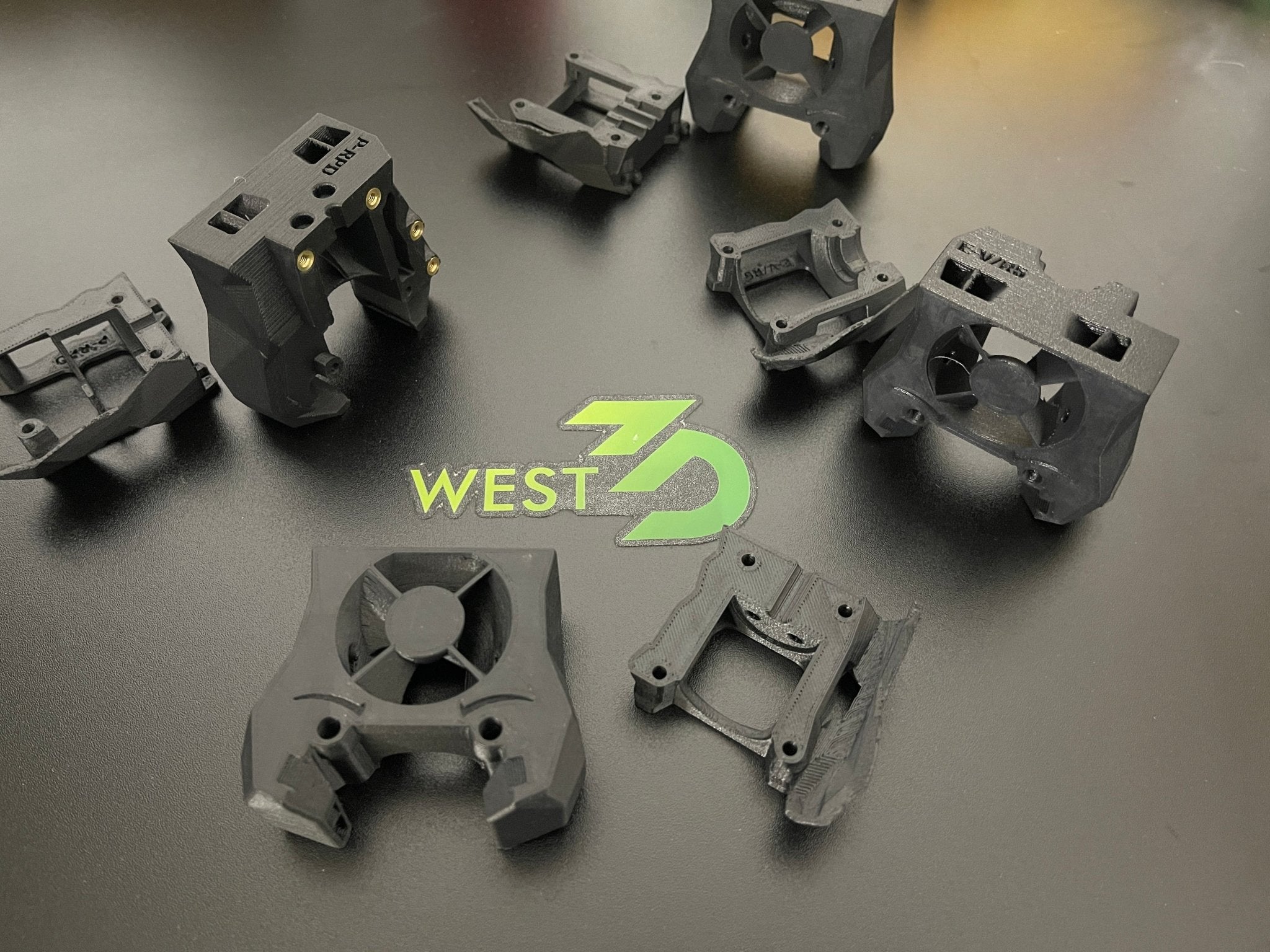
West3D 3D Printing Supplies
These parts have a heat deflection temperature of 220c and melt temperature of 265c which will withstand anything you decide to throw at your printer (heat wise, please don't actually throw anything at it). Please note, the picture is illustrative of an actual product but may not match the picture of the hot end you
What if I also went with Hartk 2 piece pcb and 16 wire umbilical… good lord I really am going backwards on this printer. 🤣
It started with a bunch of mods, not one thing stock minus XY joints. And is very slowly turning into stock trident. 🤣
 tawny meadow
pine delta
Yep! 🤣. I shouldn’t be too surprised. <@397432363593891872> seems to be associa...
tawny meadow
pine delta
Yep! 🤣. I shouldn’t be too surprised. <@397432363593891872> seems to be associa...
in this case, the call came from inside the house
Steve shared key changes with vendors a while back so they could prepare
I am a west3d helper and print partner and help with their booths often, it’s a fair guess
pine delta
tawny meadow
I am a west3d helper and print partner and help with their booths often, it’s a...
You do great helping them!
hollow hemlock
pine delta
Well, here we go again. The fourth gantry change on this printer. <:lolsob:11863...
 hollow hemlock
pine delta
Original build was ATSS nema14 2WD. Then scope creep happened before I even had ...
hollow hemlock
pine delta
Original build was ATSS nema14 2WD. Then scope creep happened before I even had ...
It will be interesting to see the difference between 2wd and R2. Was wondering if I should wait for the gantry to make it's way to v2 or go 2wd
pine delta
hollow hemlock
It will be interesting to see the difference between 2wd and R2. Was wondering i...
I’ll take a final IS graph from both the ebb36 and Carto before I take it off.
proven sapphire
pine delta
Original build was ATSS nema14 2WD. Then scope creep happened before I even had ...
What are you hoping for from the new gantry, if anything? Just trying it out?
pine delta
proven sapphire
What are you hoping for from the new gantry, if anything? Just trying it out?
Nothing much. Just something new. The shorter belt path will be nice however.
proven sapphire
pine delta
Nothing much. Just something new. The shorter belt path will be nice however.
Current parts are metal, right? Should be quieter with plastic.
Belting with r2 is too easy now. I don't like it. No sense of accomplishment with that anymore.
pine delta
proven sapphire
Current parts are metal, right? Should be quieter with plastic.
Belting with r...
Metal and printed parts yea. ATSS metal plates on top and bottom and then printed middle sections.
I’m printing the R2 gantry with PCCF as well so still no worries about heat.
proven sapphire
pine delta
Metal and printed parts yea. ATSS metal plates on top and bottom and then printe...
Nice! Yeah, I don't think you'll have any issues. All the parts are pretty well tested on this release. I didn't use the manual, but don't tell AVP that... everything seemed obvious enough from the design
pine delta
proven sapphire
Nice! Yeah, I don't think you'll have any issues. All the parts are pretty wel...
I think I’m gonna use the manual because I realized while investigating what I actually need to change I actually missed a couple steps… 😅
proven sapphire
Oh definitely use it; it's still a good sign when the design is made such that you really don't need a manual,, where things only fit together in the correct way.
pine delta
You know the Z rail stops in trident? Yea… I don’t have any of those. 🤣. Didn’t even see it in the manual for both the tridents I built.
old viper
@pine delta You must get a microwave buzzer and set it to do its tune when a print is finished
pine delta
old viper
<@337359194196017154> You must get a microwave buzzer and set it to do its tune ...
Who’s to say I don’t already?
old viper
pine delta
Who’s to say I don’t already?
Now the bigger question... does it play the distinctive microwave hum while its printing?
pine delta
old viper
Now the bigger question... does it play the distinctive microwave hum *while* it...
Probably could. Lmao.
If you count the CPAP blower then yes. Yes it does.
hollow hemlock
pine delta
I’ll take a final IS graph from both the ebb36 and Carto before I take it off.
 pine delta
hollow hemlock
https://tenor.com/view/keyaan-john-wick-keanu-reeves-gif-2384046765437701795
pine delta
hollow hemlock
https://tenor.com/view/keyaan-john-wick-keanu-reeves-gif-2384046765437701795
Booting it up to take those graphs right quick.
pine delta
ATSS 2wd with krakens running 1.4A 36v with UAP toolhead.
This is the before swap to R2 gantry


 spiral pelicanBOT
pine delta
ATSS 2wd with krakens running 1.4A 36v with UAP toolhead.
This is the before sw...
pine delta
spiral pelicanBOT
pine delta
ATSS 2wd with krakens running 1.4A 36v with UAP toolhead.
This is the before sw...
pine delta
@hollow hemlock There's the before for you
I will be changing to the R2 gantry with live idler xy joints
hollow hemlock
pine delta
<@129010066882822144> There's the before for you
Thank you will have to take a look when I get home.
pine delta
Gantry parts all printed!
 hollow hemlock
pine delta
Gantry parts all printed!
hollow hemlock
pine delta
Gantry parts all printed!
ABS GF?
fervent zephyr
hollow hemlock
ABS GF?
PCCF
hollow hemlock
fervent zephyr
PCCF
Ooo very nice. I can't remember is PCCF considered better than PET or pretty good without the need to anneal?
fervent zephyr
hollow hemlock
Ooo very nice. I can't remember is PCCF considered better than PET or pretty goo...
Uh, depends. There are a lot of compounds that technically can be called pure PC, and they vary wildly in print conditions and performance.
No annealing with PC though
hollow hemlock
fervent zephyr
Uh, depends. There are a lot of compounds that technically can be called pure PC...
Oh gotchas. Guess if I decide to mess with PC in the future after my PET adventures I'll need to ask what is good XD
(let's hope just under 300c is going to be good enough on the hotend lol)
hollow hemlock
fervent zephyr
No annealing with PC though
That's a plus
fervent zephyr
hollow hemlock
Oh gotchas. Guess if I decide to mess with PC in the future after my PET adventu...
Should be fine for either
pine delta
hollow hemlock
Thank you will have to take a look when I get home.
So uh. I have no idea how those graphs are so good. I’ve found so many loose screws on the gantry. 🤣
pine delta
@tepid egret Sidepack access. Lol
 hollow hemlock
pine delta
<:lolsob:1186304644549464084> So uh. I have no idea how those graphs are so good...
hollow hemlock
pine delta
<:lolsob:1186304644549464084> So uh. I have no idea how those graphs are so good...
Peak efficiency!
 pine delta
hollow hemlock
Got a little window too
pine delta
hollow hemlock
Got a little window too
The window is for the webcam. Keeps it out of heat.
hollow hemlock
pine delta
The window is for the webcam. Keeps it out of heat.
Oh.... that's a really good Idea that i need keep in mind for my build lol
pine delta
hollow hemlock
Oh.... that's a really good Idea that i need keep in mind for my build lol
It was Wheels idea. I just had the advantage of a sidepack so said screw it and threw a porthole in the top panel on the sidepack. 🤣
hollow hemlock
pine delta
It was Wheels idea. I just had the advantage of a sidepack so said screw it and ...
Wheels always coming up with some big brain idea. 
Which camera are you using?
pine delta
hollow hemlock
Which camera are you using?
A $15 1080p 30fps camera module off Amazon. Literally no brand name. Lol
hollow hemlock
pine delta
A $15 1080p 30fps camera module off Amazon. Literally no brand name. Lol
Like it? Been conidering the one Luke sells
pine delta
hollow hemlock
Like it? Been conidering the one Luke sells
I do. It’s pretty similar to the one Luke sells. But way cheaper quality. 🤣
hollow hemlock
pine delta
I do. It’s pretty similar to the one Luke sells. But way cheaper quality. 🤣
So the camera will explode! Nice, got a link Xd
pine delta
Current status:
 pine delta
It has a gantry!
 hollow hemlock
pine delta
It has a gantry!
hollow hemlock
pine delta
It has a gantry!
no loose screws this time?
pine delta
hollow hemlock
no loose screws this time? <:heh:996820360475459644>
Not after finally opening my first help ticket to figure out why my belt tension wasn’t cooperating…
hollow hemlock
pine delta
Not after finally opening my first help ticket to figure out why my belt tension...
Well that's not good, did you get it sorted?
pine delta
hollow hemlock
Well that's not good, did you get it sorted?
Ya. Belts are now properly tensioned and gantry is properly deracked
Both belts at 2.8 as well.
hollow hemlock
pine delta
Both belts at 2.8 as well.
Dang, very nice!. The gantry looks good IMO. Need to get myself some long shaft motors, IDK why like the look lol
pine delta
@raw sorrel What’s the HE fan wire path supposed to be?
pine delta
We have part of a toolhead! Just not feeling it for building today. 😅. Also ran out of tiny zip ties so gotta wait on Amazon order tomorrow. And I ordered a thin glass fiber sleeve to run the fan wires in. They were getting a little toasted with how I had them before. I’m gonna run them a little differently and sleeve them in glass fiber to avoid further toasting. (The long white wire at the bottom is the PT1000 in the hotend)

 raw sorrel
I just ran it past the hotend under the fan
pine delta
raw sorrel
I just ran it past the hotend under the fan
Alright. That’s kinda what I’m gonna do this time. But in a glass fiber sleeve cause the way I had it before it was getting toasted. Lol
raw sorrel
Yeah I sleeved them individually with fiberglass. Could also just solder new ptfe wires on but either way works
pine delta
I like the fiberglass idea. Lol. Only mine will be all 3 in one sleeve.
I’m just happy to finally have a PT1000 in the hotend. Plus the new EBB36 has a working MAX31865 chip (in theory) vs the old one that I may or may not have shorted to 24v….
pine delta
I need to remember that I have a usb hub now. I can finally wire up the usb keystone on the back. Lol
old viper
pine delta
We have part of a toolhead! Just not feeling it for building today. 😅. Also ran...
tis a sad day when one runs out of zipties in the size that you need 
pine delta
The stuff I need to finish reassembling the toolhead has been delivered. It won’t be till tomorrow evening that I work on that though.
pine delta
Or not… Amazon delivered a neighbors package to me and not my package. And they are making me wait until tomorrow after 5pm to actually do anything. Stupid
bright aurora
pine delta
Or not… Amazon delivered a neighbors package to me and not my package. And they ...
Just remember the 3 W's
 hollow hemlock
bright aurora
Just remember the 3 W's
hollow hemlock
bright aurora
Just remember the 3 W's
 hollow hemlock
pine delta
Or not… Amazon delivered a neighbors package to me and not my package. And they ...
hollow hemlock
pine delta
Or not… Amazon delivered a neighbors package to me and not my package. And they ...
5pm? freaking what?
pine delta
hollow hemlock
5pm? freaking what?
Yep. Making me wait an entire day to “see if it will show up”…
bright aurora
hollow hemlock
https://klipy.com/gifs/halo-master-chief-71
 hollow hemlock
pine delta
Yep. Making me wait an entire day to “see if it will show up”…
hollow hemlock
pine delta
Yep. Making me wait an entire day to “see if it will show up”…
That is super stupid. Big dumb. But maybe you'll get lucking and find it at 6am. I have had that happen before. Might have actually been 5... it was really early
hollow hemlock
bright aurora
https://klipy.com/gifs/master-chief-up-up
 pine delta
hollow hemlock
That is super stupid. Big dumb. But maybe you'll get lucking and find it at 6am....
pine delta
hollow hemlock
That is super stupid. Big dumb. But maybe you'll get lucking and find it at 6am....
Luckily. A neighbor brought my package back! Still pissed at Amazon.
hollow hemlock
pine delta
Luckily. A neighbor brought my package back! Still pissed at Amazon.
That's a good neighbor. I'd still be mad at amazon too lol
pine delta
hollow hemlock
That's a good neighbor. I'd still be mad at amazon too lol
Toolhead wired

And I’m at a pausing point again. I need to flip the printer for the next step and I’m not doing that today. Lol
Depending on how much Y movement I have after I get it on again I might go ahead and increase the Y bumpers length a smidge. I’m still too close for comfort on the wires going behind the gantry.
hollow hemlock
pine delta
Toolhead wired
Very nice, a lot neater than mine lol. (Revo wires too shot to be nice)
The toolhead looks so cool though
hollow hemlock
pine delta
And I’m at a pausing point again. I need to flip the printer for the next step a...
I feel that lol. In a similar place with mine 😭
hollow hemlock
pine delta
Depending on how much Y movement I have after I get it on again I might go ahead...
Do you have physical bumpers? Thats a good idea.... You could try sleeving the wires into one and do that to help prevent snagging. Still a risk but at least no loose bit can het caught. May allow for the wire to be pulled closer to the X
pine delta
hollow hemlock
Do you have physical bumpers? Thats a good idea.... You could try sleeving the w...
Yep. Physical bumpers indeed. Adjustable in CAD as well.
And there is no risk of snagging. I just don’t like that the rear corners the wires can bump on the motor mounts
hollow hemlock
pine delta
Yep. Physical bumpers indeed. Adjustable in CAD as well.
Got a link for those 😂 plan on switch to the monolith y endstop or the A joint. Maybe it will help me not crack my xy joints again
hollow hemlock
pine delta
And there is no risk of snagging. I just don’t like that the rear corners the wi...
Ah gotcha. Thats reasonable
pine delta
hollow hemlock
Got a link for those 😂 plan on switch to the monolith y endstop or the A joint....
Nope. Cause it lives in my CAD. 🤣
hollow hemlock
pine delta
Nope. Cause it lives in my CAD. 🤣
 pine delta
hollow hemlock
https://klipy.com/gifs/dog-crying-meme-doggo-crys
pine delta
hollow hemlock
https://klipy.com/gifs/dog-crying-meme-doggo-crys
I took the standard Y endstop, removed the cavity that holds the endstop, made a divot for the second screw, then just extended a section on the front the amount I wanted to reduce Y by. Lol
hollow hemlock
pine delta
I took the standard Y endstop, removed the cavity that holds the endstop, made a...
Oh gotcha. Seems like a pretty simple change
candid ferry
@pine delta im confused how you attached the corner parts of the skirt with the 2040 frame pieces
pine delta
hollow hemlock
Oh gotcha. Seems like a pretty simple change
I did something funny. I sleeved the CPAP control and power wires with the glass fiber sleeve I got for the he fan wires. Lol.
 pine delta
candid ferry
<@337359194196017154> im confused how you attached the corner parts of the skirt...
pine delta
candid ferry
<@337359194196017154> im confused how you attached the corner parts of the skirt...
These ones? One screw in extrusion end and one in the slot iirc.
 candid ferry
pine delta
These ones? One screw in extrusion end and one in the slot iirc.
candid ferry
pine delta
These ones? One screw in extrusion end and one in the slot iirc.
i figured it out thank you is the sidepack E-bay and print area seperated by 3d printed panels? on your printer
pine delta
candid ferry
i figured it out thank you is the sidepack E-bay and print area seperated by 3d ...
In my case yea. I didn’t wanna disassemble the frame to install panels I hadn’t purchased yet anyways. Lol
pine delta
I had purchased them yet. And decided I didn’t want to. Lol
candid ferry
do you have the files available ?
pine delta
I have a plan for replacing them soon with ACM and printed mounts for the ACM.
pine delta
candid ferry
do you have the files available ?
Nope. It lives in my fusion. Mainly because I messed up on the design and I’m not reprinting.
bright aurora
pine delta
Nope. It lives in my fusion. Mainly because I messed up on the design and I’m no...
This reminds me did HexDents cad even get finished lol
pine delta
bright aurora
This reminds me did HexDents cad even get finished lol
Never. Lol
bright aurora
pine delta
Never. Lol
Guess once HexDex is done i gotta make my own lol since im 100% gonna want my own HexDent
Maybe 500x500
pine delta
Current status: upside down
 hollow hemlock
pine delta
I did something funny. I sleeved the CPAP control and power wires with the glass...
hollow hemlock
pine delta
I did something funny. I sleeved the CPAP control and power wires with the glass...
Sleeved cables always look so much better IMO. What is the other set of thicker wires?
Side note, so tamped to do CPAP and change my toolhead again when I get chube XD
hollow hemlock
pine delta
Current status: upside down
Going for a zero-G build I see
pine delta
hollow hemlock
Sleeved cables always look so much better IMO. What is the other set of thicker ...
The four behind the sleeved wires? That’s the CANbus umbilical to the toolhead.
hollow hemlock
pine delta
The four behind the sleeved wires? That’s the CANbus umbilical to the toolhead.
Ohhhhhh!... running them outside the printer is a good idea.... The more I mess with my printer the more I realize I need to cut my panels
candid ferry
pine delta
Nope. It lives in my fusion. Mainly because I messed up on the design and I’m no...
in that case im working on my own mod for non printed panels that can be put in after assembly
pine delta
candid ferry
in that case im working on my own mod for non printed panels that can be put in ...
I have a plan already. But thanks!
hollow hemlock
Which plates are you using that are bare? I can't remember and I'm totally not looking at the west3d sale
pine delta
hollow hemlock
Which plates are you using that are bare? I can't remember and I'm totally not l...
West3d
pine delta
hollow hemlock
Which plates are you using that are bare? I can't remember and I'm totally not l...
Currently out of the 250 ones though.

West3D 3D Printing Supplies
These are one of the best flex plates you can buy that will not bend and warp under the stress of powerful magnets like the ones in the Mandala Rose Works Magbeds. These measure more than 30% thicker than standard build surfaces, giving you a premium and long lasting flex steel plate. These do not come with any surfa
You could try #mandala_roseworks-🇺🇸 ‘s firethorn blank plates.
I’ll probably be getting one soon to try out with the carto.
Since supposedly I won’t need the faulty regions with it.
hollow hemlock
pine delta
Currently out of the 250 ones though.
.Aww not on sale
hollow hemlock
pine delta
Since supposedly I won’t need the faulty regions with it.
Is that because it's thicker or something?
pine delta
hollow hemlock
Is that because it's thicker or something?
I was told because it’s a different material. 🤷. It’s actually thinner than the West3d blank plates. The blank firethorn are 0.65mm thick and the West3d blanks are 0.8mm.
pine delta
hollow hemlock
.Aww not on sale <:cat_sad:1037505607512629278>
I’d be kinda surprised if they did go on sale. They are dirt cheap. Lmao
hollow hemlock
pine delta
I’d be kinda surprised if they did go on sale. They are dirt cheap. Lmao
True enough lol. I just like saving monies XD
pine delta
hollow hemlock
True enough lol. I just like saving monies XD
You’ll save money by buying a blank plate. 
hollow hemlock
pine delta
I was told because it’s a different material. 🤷. It’s actually thinner than the...
Oh interesting... different spring steal maybe? IDK I'm no metal knower guy
pine delta
hollow hemlock
Oh interesting... different spring steal maybe? IDK I'm no metal knower guy
Agreed. Lol
 pine delta
Just putting this here so I don’t forget. Recirc fan moved to skr mini e3 board on fan1 and rear bottom thermistor moved to TH0 on that board.

 hollow hemlock
pine delta
It has a bottom panel!
hollow hemlock
pine delta
It has a bottom panel!
I still really need to finish my printer skirts...
hollow hemlock
pine delta
And it’s upright again!
If i ever get a Trident I'm modeling after this. Looks so good
I think a nice sealing door would be cool. Similar to clicky clack.
pine delta
hollow hemlock
I think a nice sealing door would be cool. Similar to clicky clack.
I’m designing one atm actually. Lmao. 1010 extrusions though.
pine delta
old viper
doubted myself for a second if a door was already installed
It’s not atm. I have K3 style door. Currently not installed during the upgrade process.
old viper
no exhaust at all?
pine delta
old viper
no exhaust at all?
Nope. CPAP blower is in place of the exhaust and I have a second exhaust cuttout on the left side of the printer that has a stealthmax S smart mounted on it.
hollow hemlock
pine delta
I’m designing one atm actually. Lmao. 1010 extrusions though.
I think that is fine. May look a smidge wonky, just because different thickness but think it's going to be neat. Could even match the side pack to that thickness and really get that microwave look
pine delta
hollow hemlock
I think that is fine. May look a smidge wonky, just because different thickness ...
It will fit perfectly actually. Lol.
I don’t like the thickness of the fridge door. So I’m designing a micro fridge door.
Not mini fridge door. That’s 1515 extrusion. Micro fridge door. 1010 extrusions.
Just a wee baby

Door (minus any printed parts or panel)

And I have successfully printed and tested this hinge already. I still need to design a latch.

It’s basically the mini fridge hinge. But meant for 1010 extrusions and working with the 2040’s. So the frame part holds a pin stationary. And the door part has a bushing in it.
All components I have on hand. Since I built the mini fridge door for my v0.
old viper
pine delta
Door (minus any printed parts or panel)
Would you need to worry about the rigidity of it if you're using 1010 extrusion?
I get that there will be a panel going presumably in the slot to help with rigidity but would that be enough?
hollow hemlock
pine delta
It’s basically the mini fridge hinge. But meant for 1010 extrusions and working ...
Ooo, very cool. I like it. Think you'll do something similar as clicky clack for the latch or something else?
candid ferry
howd you keep to power supply from sliding down
bright aurora
Friction or screws lol
pine delta
hollow hemlock
Ooo, very cool. I like it. Think you'll do something similar as clicky clack for...
That is the plan
pine delta
candid ferry
howd you keep to power supply from sliding down
Which one? The 24v and 36v ones are on a din rail. And the 5v one is totally not VHB’d to the upper panel. 
candid ferry
pine delta
Which one? The 24v and 36v ones are on a din rail. And the 5v one is totally not...
24v
pine delta
candid ferry
24v
UHP-200-24. It’s on a nice dual UHP mount on a din rail mounted to the Y extrusion and the bottom extrusion. The mount itself has a few screws that lock it in place on the din rail
pine delta
old viper
Would you need to worry about the rigidity of it if you're using 1010 extrusion?
I will have a panel in the middle, and corner reinforcements. The reinforcements will be printed though of course. I’m not super concerned at the moment with rigidity though.
The thing that makes this all possible. Is the fact the slot in the extrusion is 3mm wide. Which is the exact thickness of the average panels we use. 😆
old viper
pine delta
Which one? The 24v and 36v ones are on a din rail. And the 5v one is totally not...
Zip ties! (Now that you have some)
pine delta
old viper
Zip ties! (Now that you have some)
Nah. VHB ftw.
pine delta
Reminder to self. Motor plugs with silver facing me and wires to the left. Black red green blue
pine delta
Getting closer to first moves with R2!
 bright aurora
pine delta
Belts look good
bright aurora
pine delta
Belts look good
Whats that peak for? lol
pine delta
bright aurora
Whats that peak for? lol
The 60hz one? No clue. Whatever it is is very loud. So if I care I’ll be able to fix it easily. Lol
Yea... that needs some work...
 bright aurora
pine delta
Yea... that needs some work...
bright aurora
pine delta
Yea... that needs some work...
Possibly
pine delta
I don’t even know where to begin with that… we begin by running it again with the THB accelerometer
pine delta
bright aurora
Possibly
Why's it always Y with the issues? Look at X

We went from 17k to 24k
bright aurora
Idk
pine delta
That's... that's even worse....
 bright aurora
pine delta
That's... that's even worse....
bright aurora
pine delta
That's... that's even worse....
How just how
pine delta
bright aurora
How just how
I dunno. Lmao. I’m probably just gonna use the old settings on Y and print for a while. New belts and all.
Better. It may just be the umbilical

Gained about 2.5k accel on Y
It’s very nice looking though

Currently thinking im gonna wait to print on it until i mount the door in designing.
So it’ll be another week or so before I’m printing again.
pine delta
pine delta
Better. It may just be the umbilical
For this graph I was holding the umbilical the whole time
 lean panther
I wonder if the swing arm could help with that
hollow hemlock
pine delta
For this graph I was holding the umbilical the whole time
Intersting. I wonder if the tube to CPAP is what is causing some of that issue. I need to do some similar testing with my "free hanging" umbilical, but could be vibrations "echoing" through the tube.
hollow hemlock
lean panther
I wonder if the swing arm could help with that
May be a good idea. The metal one is nice
pine delta
hollow hemlock
Intersting. I wonder if the tube to CPAP is what is causing some of that issue. ...
Pretty sure it’s just badly placed zip ties. Lol.
pine delta
lean panther
I wonder if the swing arm could help with that
Look really closely at the back. Galvanic arm is already there.
hollow hemlock
pine delta
Pretty sure it’s just badly placed zip ties. Lol.
So... more zip ties!!!!
pine delta
hollow hemlock
So... more zip ties!!!!
Or less zip ties
hollow hemlock
pine delta
Or less zip ties
No zip ties, just shoe string
pine delta
Corner brackets and all 3 hinges. Designing for using 3mm thick foam and 0.5mm squish on that foam.

I have 0 clue on how to do the latch…
bright aurora
pine delta
I have 0 clue on how to do the latch…
Magnet lol. Or just a clamp
pine delta
bright aurora
Magnet lol. Or just a clamp
Magnet could work. I just don’t like the idea fully.
Could go with a friction clasp thing maybe.
I might be able to copy @simple rivet ‘s doom latch… hope Hartk doesn’t mind much
 simple rivet
pine delta
I might be able to copy <@239626226115936256> ‘s doom latch… hope Hartk doesn’t ...
simple rivet
pine delta
I might be able to copy <@239626226115936256> ‘s doom latch… hope Hartk doesn’t ...
Do it!
pine delta
simple rivet
Do it!
Oh good. Since I’m already in the process of that. 🤣
simple rivet
pine delta
Oh good. Since I’m already in the process of that. 🤣
Really tho If it's something I posted that means do what ever you want with it 🤣
Change the logos, make it ugly ,make it better , modify it to your heart's content , I don't care in the end
pine delta
simple rivet
Change the logos, make it ugly ,make it better , modify it to your heart's conte...
That’s good. Cause it’s gonna be ugly. 🤣
I think these will be a perfect fit
 pine delta
Welp. I will have a test part about 30 minutes before I have to leave for work. Let’s see if I’m even close to having a latch.
pine delta
I put the X1C on ludicrous mode. I'll have a bit more time to play with it that way
 bright aurora
pine delta
I put the X1C on ludicrous mode. I'll have a bit more time to play with it that ...
bright aurora
pine delta
I put the X1C on ludicrous mode. I'll have a bit more time to play with it that ...
If only you had a machine with 6 steppers that could do it even faster.
Unless its a brittle filament or smth
pine delta
bright aurora
Unless its a brittle filament or smth
Prototyping is always PLA. Lol. But Hexdent is still offline cause no power cord.
bright aurora
pine delta
Prototyping is always PLA. Lol. But Hexdent is still offline cause no power cord...
Fair enough then.
pine delta
AINT NO WAY I JUST MADE THE LATCH ON THE FIRST TRY! Bruh! It’s nearly perfect! Thanks @simple rivet for the excellent design to work off of.
A couple hole size adjustments and it should be golden.
Will also need to actually build the door to verify it works nicely on the printer. But in hand. It’s 
The 4mm diameter 5mm length magnets are perfect as well. There’s tons of force pushing it closed.
I’m just so impressed by this
bright aurora
And idk why but now ive got an idea for my next Machine after HexDex
0 clue why this gave me it
pine delta
bright aurora
0 clue why this gave me it
Cause it’s that good of a design
bright aurora
Ykw fair enough but its littlerally just HexDent (no sidepack) but 500x500x500
Maybe
I know i want a massive machine but idk if ill use it
pine delta
I’m just. Sitting here wondering how my 30 minutes in CAD resulted in a nearly perfect door latch. Lmao
bright aurora
Good question
pine delta
bright aurora
Ykw fair enough but its littlerally just HexDent (no sidepack) but 500x500x500
I’ll use mine more when I actually rebuild it and it has a proper enclosure. Lmao.
I need to figure out how to do the chamfer into fillet trick to make those parts more printable…
This thing is really coming together now

I need a total of 17 of the 25 t nuts that makerbeam sells in 25 packs. I'll have extras if I need to change something
Just a few operations to make this door. Lol

The only thing I can’t test until I have built the thing with the latch is the frame side part of the latch. Need to be sure I did the fillet’s right to have it push the latch in while closing correctly.
It feels like it will work just fine in hand. But that’s in hand.
bright aurora
pine delta
I’ll use mine more when I actually rebuild it and it has a proper enclosure. Lma...
Lol. As I just went and did some vacuuming I was wondering if IDEX technically would be more worth it for support material the larger the machine/print is
For cleanup times, IDEX 100% would change faster easily than a MMU at sizes like that
simple rivet
pine delta
I’m just so impressed by this
Nice! That's awesome
pine delta
I’m a little surprised at how strong these tiny magnets are… I almost wonder if 2 is enough… oh wait. I can test that.
Yep. Just the outer 2 sets is plenty. Don’t need 3 sets.
Heck. Just one set is plenty. Lmao. I may just use all 3 anyways. Not like I have a use for these magnets.
bright aurora
pine delta
Heck. Just one set is plenty. Lmao. I may just use all 3 anyways. Not like I hav...
And im learning people are making a modpack to have the Graphics and building style of satisfactory But the top down 2d-ish and Gameplay of Factorio lol
bright aurora
pine delta
I’m a little surprised at how strong these tiny magnets are… I almost wonder if ...
They are surprisingly strong
pine delta
bright aurora
They are surprisingly strong
They are 4mm diameter 5mm long cylinders. I don’t even remember why I ordered them. 🤣
bright aurora
Lol
simple rivet
pine delta
They are 4mm diameter 5mm long cylinders. I don’t even remember why I ordered th...
Mf nano uses them
pine delta
simple rivet
Mf nano uses them
That would be why I ordered them
hollow hemlock
pine delta
I’m just so impressed by this

 weary shoal
pine delta
I was told because it’s a different material. 🤷. It’s actually thinner than the...
weary shoal
pine delta
I was told because it’s a different material. 🤷. It’s actually thinner than the...
Once you get one with the ThornGrip surface, the thickness is 0.85mm. And they do block the magnets of a magbed from interfering with beacon or cartographer.
pine delta
weary shoal
Once you get one with the ThornGrip surface, the thickness is 0.85mm. And they ...
With the surface is unfortunately too expensive for my budget. So it will be a blank plate.
weary shoal
pine delta
With the surface is unfortunately too expensive for my budget. So it will be a b...
The blank plates block the magnets as well. And you can literally print anything with the ThornGrip surface. I have a bunch of people trying to get them to fail, and the FireThorn prints everything that's been thrown at it.
pine delta
weary shoal
The blank plates block the magnets as well. And you can literally print anything...
I think you might be missing the main point I’m making here… I cannot afford to buy the plate with the firethorn surface. I can afford to buy the blank plate. Which is what I had planned for a future pay day.
weary shoal
Understood. I was just putting out details and info. What surface are you planning to use? PEI?
pine delta
weary shoal
Understood. I was just putting out details and info. What surface are you plan...
Just good ole NPA on the blank steel. It’s been my favorite thing to use. I love the surface finish of the blank steel plus the ability to nozzle probe while at print temp.
 versed obsidian
pine delta
Just good ole NPA on the blank steel. It’s been my favorite thing to use. I love...
versed obsidian
pine delta
Just good ole NPA on the blank steel. It’s been my favorite thing to use. I love...
i pulled the PEI/adhesive off an old beat up sheet in advance of trying this out. howmany prints are you finding the NPA holds before you need to reapply?
pine delta
versed obsidian
i pulled the PEI/adhesive off an old beat up sheet in advance of trying this out...
30-40 for me
pine delta
Hey look. Door!

Well. Door frame. Lol
Holding it up to the printer shows me that I am very happy with this choice.
lean panther
I require pics :3
hollow hemlock
pine delta
Hey look. Door!
 pine delta
lean panther
I require pics :3
pine delta
lean panther
I require pics :3
That’s the only pic I have of the door atm other than the CAD. So have the CAD.

Slightly out of date photo since I changed the corner brackets to have 4 screws instead of 3.
The part I was most concerned about was cutting the extrusions. Turns out. The $30 mini cut off saw from harbor freight works perfectly for makerbeams (not xl. Regular ones are 1010). Cut through them like butter.
 pine delta
Oh. And I’m gonna test the first iteration of the door latch. But I already have plans to change it out. I have a better idea for it to make it way less bulky.
pine delta
Threw together a quick test for a new mechanism for my door latch. I like it. (It’s very rough)
 round shale
pine delta
Threw together a quick test for a new mechanism for my door latch. I like it. (I...
round shale
pine delta
Threw together a quick test for a new mechanism for my door latch. I like it. (I...
I'm looking at this animation and I have 0 clue what part is supposed to be door and what part frame, or how this latches
pine delta
round shale
I'm looking at this animation and I have 0 clue what part is supposed to be door...
It’s more of a mock up of my idea to see if it’s feasible. The top part would be the part you move to pull in the bottom part which would be the latch. I promise it will make complete sense by the end of today.
I would have worked on it already but body said “EAT FOOD NOW” with aggression
pine delta
Some very slight adjustments and the first version will work
Ignore print quality. Prototype prints are done with PLA on the X1C on ludicrous mode.
Doors on the printer now though. Which is near. No panel yet obviously. Lol. But hey. Door! 😆. I’m gonna make the corner brackets a bit larger. The door flexes slightly too much still.

I plan to remove the 20mm wide foam tape from K3 door and put 10mm wide foam on the door itself.
@round shale @hollow hemlock  Prototype works!
Needs to be way bigger. But it works! I know now how to scale it though.
hollow hemlock
pine delta
<@137952593921048576> <@129010066882822144> <a:cat_hype:1267274018470494240> Pro...
Looks good! Like the much bigger latch handle from the other one TBH. Also do you plan on adding magnets or spring for it to auto return?
pine delta
hollow hemlock
Looks good! Like the much bigger latch handle from the other one TBH. Also do yo...
Magnets repelling each other will be the spring. Lol. This was just a prototype for me to learn my space constraints and how big I need things.
Right now. Too small. Lol.
hollow hemlock
pine delta
Magnets repelling each other will be the spring. Lol. This was just a prototype ...
Ah gotchas. Figured that may be the case but was curious nonetheless . How big are you thinking it will need to be?
Clicky Clack latch size?
pine delta
hollow hemlock
Ah gotchas. Figured that may be the case but was curious nonetheless . How big a...
No clue. But I’ll play with it and see what comes out.
round shale
pine delta
<@137952593921048576> <@129010066882822144> <a:cat_hype:1267274018470494240> Pro...
wait, but couldn't you just have ignored the linkage, and then it would have been one piece
hollow hemlock
pine delta
No clue. But I’ll play with it and see what comes out.
Could also do 2 latches, but then again that would be more annoying to open. Unless you had like a master latch and the other linked.
That would be excessive unless using a really thick foam that needs to be conpressed
round shale
just that the actual lever you pull works the opposite way now
hollow hemlock
round shale
wait, but couldn't you just have ignored the linkage, and then it would have bee...
 pine delta
round shale
just that the actual lever you pull works the opposite way now
pine delta
round shale
just that the actual lever you pull works the opposite way now
The idea is that pull the handle towards the door with a finger, while your thumb is pulling the handle on the door. Pinch it together, to release the door.
hollow hemlock
pine delta
The idea is that pull the handle towards the door with a finger, while your thum...
Oh so there will also be a handle? I thought the lever would be both the latch and handle. That makes a lot more sense lol
pine delta
hollow hemlock
Oh so there will also be a handle? I thought the lever would be both the latch a...
This part would be mounted on the frame. It only makes sense in my head right now.
I may also explore other mechanisms for this ofc.
hollow hemlock
pine delta
This part would be mounted on the frame. It only makes sense in my head right no...
Depending on the rebound, I can see that maybe catching. But that's what chamfers are for I guess
pine delta
hollow hemlock
Depending on the rebound, I can see that *maybe* catching. But that's what chamf...
Like I said. It only makes sense in my head. 🤣
 shell sleet
pine delta
Some very slight adjustments and the first version will work <:chefkiss:85445969...
shell sleet
pine delta
Some very slight adjustments and the first version will work <:chefkiss:85445969...
Great work! Could you share the design for this door? I'd like to adapt it for my printer. Thanks.
pine delta
shell sleet
Great work! Could you share the design for this door? I'd like to adapt it for m...
Possibly. It’s going to be a while before that happens though.
pine delta
I just thought I’d share my totally safe and not a rats nest of AC wiring.

3 PSUs and an AC heated bed… Lots of power going around.
round shale
This does not spark joy
pine delta
round shale
This does not spark joy
It doesn’t spark at all though! 😆
 they be real nice
pine delta
round shale
you need some of those PTFIX blocks <:chef_kiss:1446212327660720149> they be rea...
they be real nice
pine delta
round shale
you need some of those PTFIX blocks <:chef_kiss:1446212327660720149> they be rea...
Expensive though. Lol
round shale
couple bucks a pop 🧘 not awful considering you only need... 3
or if you get lucky like me, you order 1 and get 10
this way it's much cheaper 
pine delta
round shale
couple bucks a pop 🧘 not awful considering you only need... 3
Plus shipping and then I have to redo the wiring… again. Lol
round shale
yee but it's worth it
hollow hemlock
pine delta
I just thought I’d share my totally safe and not a rats nest of AC wiring. <:hid...
I see nothing wrong here.
(Also are we not supposed to use ferrules with wago?
round shale
we are infact not
you can use them but it's not recommended, and WAGO wants you to have a very good crimper that specifically makes square crimps, if you do
they are designed to take bare wire
pine delta
hollow hemlock
I see nothing wrong here. <:heh:996820360475459644>
(Also are we not supposed t...
Nope. Technically you can but you need quite long ferrules for that
hollow hemlock
pine delta
Nope. Technically you can but you need quite long ferrules for that
Interesting, the ones I have I had to actually cut down a bit for them to fit 😂
hollow hemlock
round shale
you *can* use them but it's not recommended, and WAGO wants you to have a very g...
Mine to squares, got it for other terminals, but if im not supposed to/need to read requirements, ill put that off
Need to get my buck converter anyway
pine delta
Panels have shipped for the door!
bright aurora
pine delta
Panels have shipped for the door!
Doors have paneled for the ship?
 misty furnace
we need to get you some ptfix blocks they be life changing 😂
they have replaced wago as my lord and saviour
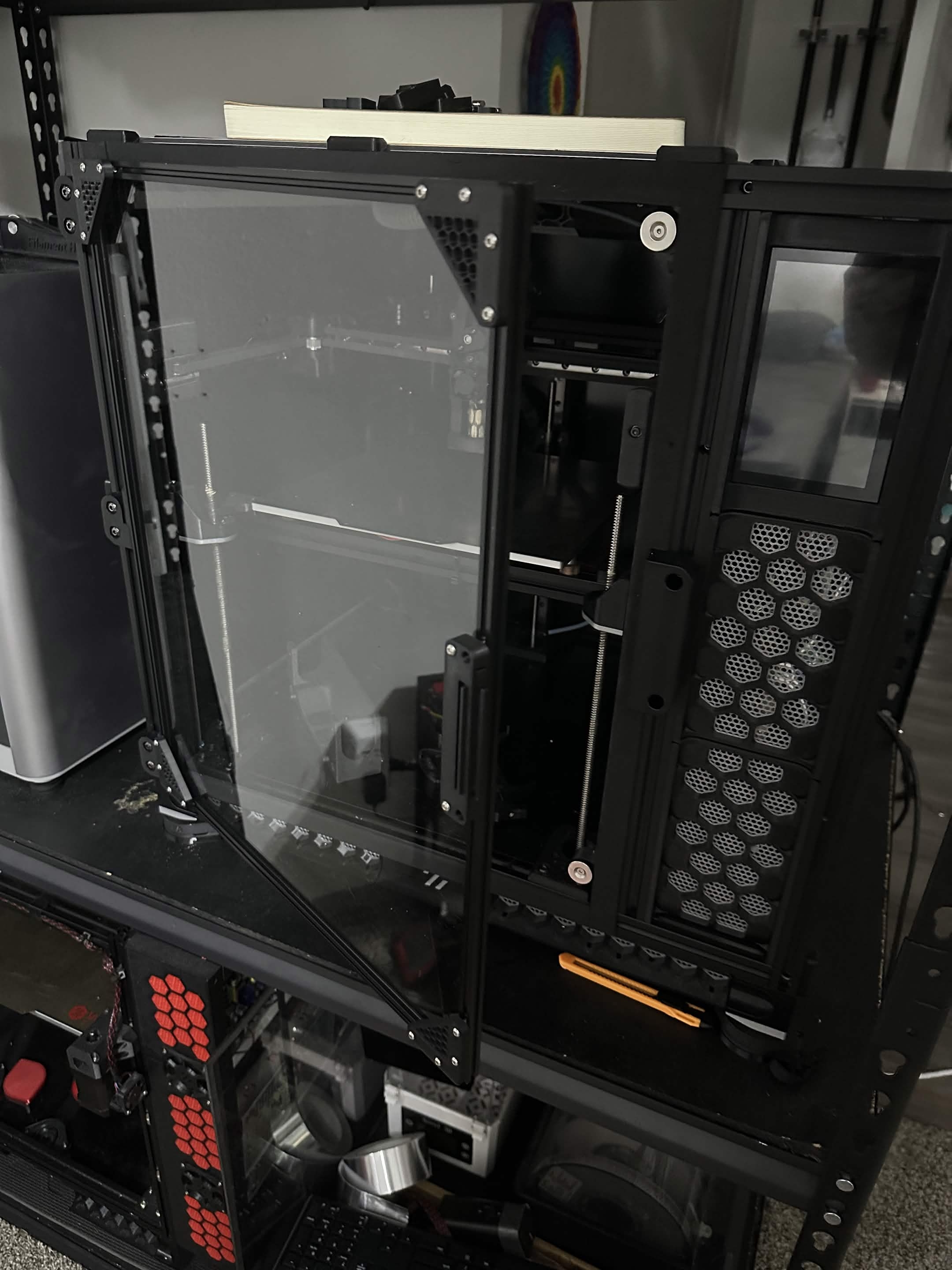 old viper
Door latch video when?
pine delta
old viper
Door latch video when?
Needs a small adjustment
bright aurora
pine delta
Needs a small adjustment
Looks like for being the first revision still really good. Also whats the X1C making
pine delta
bright aurora
Looks like for being the first revision still really good. Also whats the X1C ma...
At the time of that video… I don’t remember. Lmao. Might’ve been an experimental latch idea I had.
bright aurora
Lol
hollow hemlock
pine delta
Needs a small adjustment
 candid ferry
pine delta
Hey look. DOOR!
candid ferry
pine delta
Hey look. DOOR!
looking good!!!
pine delta
candid ferry
looking good!!!
Thanks! Can’t wait to get it printing again.
hollow hemlock
pine delta
Thanks! Can’t wait to get it printing again.
speed benchies for DAYS
pine delta
hollow hemlock
speed benchies for DAYS
Nah. This printer isn’t my speed printer. Lol
Literally a stock gantry even.
I know I posted IS graphs here. But I don’t wanna call it the after rebuild graphs until after I get some print hours on the belts and fix my umbilical. Then we can call it the after rebuild graphs.
pine delta
old viper
Door latch video when?
Updated latch
hollow hemlock
pine delta
Updated latch
Works better than my door I have to actually move the lever to shut it
pine delta
hollow hemlock
Works better than my door I have to actually move the lever to shut it
Mine hasn’t had that issue. But before updating the latch, I had to push on the door for it to latch. Lol
hollow hemlock
pine delta
I know I posted IS graphs here. But I don’t wanna call it the after rebuild grap...
Will be interesting to see how the charts stack up once fixed up
pine delta
hollow hemlock
Will be interesting to see how the charts stack up once fixed up
I think I need to make a very slight adjustment to make it have a very slight bit more squish. Like. Less than 0.5mm more of an adjustment. Lol.
hollow hemlock
pine delta
Mine hasn’t had that issue. But before updating the latch, I had to push on the ...
I think clicky clack is supposed to, but I'm guessing my magnets aren't strong enough that I used. I'll eventually make changes and print a new one probably. get some op magnet from KB3d
hollow hemlock
pine delta
I think I need to make a very slight adjustment to make it have a very slight bi...
You mean to compress the foam more?
pine delta
hollow hemlock
You mean to compress the foam more?
Yes. I think the foam isn’t compressed enough which makes the door rather not sealed. Lol.
hollow hemlock
pine delta
Yes. I think the foam isn’t compressed enough which makes the door rather not se...
Ah gotchas. Going to try a thicker foam or change some stuff in the print?
pine delta
hollow hemlock
Ah gotchas. Going to try a thicker foam or change some stuff in the print?
Just the print. I do think I should change the foam out for something softer. But I don’t have 10mm neoprene foam.
I have 12mm and 20mm.
hollow hemlock
pine delta
Just the print. I do think I should change the foam out for something softer. Bu...
Are you not using the neoprene type stuff? or is it that it's too thick? (sorry brain is running SLOW XD )
pine delta
hollow hemlock
Are you not using the neoprene type stuff? or is it that it's too thick? (sorry ...
Too wide. I forget what type of foam I’m using on the door right now. 😅
I need to order 10mm neoprene.
hollow hemlock
pine delta
Too wide. I forget what type of foam I’m using on the door right now. 😅
Oh gotcha. also doesn't help my brain defaulted to "thick" and not width... FFS today is a day already. 
For foam the better am I right? Wrap around the edges and totally not cause any issues at all
hollow hemlock
pine delta
I need to order 10mm neoprene.
Where did you get your's from? I'm needing some more to redo my side panels... the top one's tape sifted
pine delta
hollow hemlock
For foam the better am I right? Wrap around the edges and totally not cause any ...
In this case. I want 10mm wide to match the extrusions. I don’t want it to hang over any. Lol
pine delta
hollow hemlock
Where did you get your's from? I'm needing some more to redo my side panels... t...
Amazon. Have to specifically search for neoprene and double check the description if you want it specifically. Surprisingly hard to find the thinner you go. 12mm wide is easy to find and works fine on panels. You just see a bit more of it.
This link is neoprene. https://a.co/d/0cNAVtZX
Neoprene Rubber Black Self-Adhesive Sponge Strip 10mm Wide x 3mm Thick x 10m Long
hollow hemlock
pine delta
In this case. I want 10mm wide to match the extrusions. I don’t want it to hang ...
It's going to make it look quite slick.
hollow hemlock
pine delta
Amazon. Have to specifically search for neoprene and double check the descriptio...
Might be a case of the wider stuff can be used on doors, windows and other stuff
hollow hemlock
pine delta
Amazon. Have to specifically search for neoprene and double check the descriptio...
And I guess you mean check the description to see if it actually says neoprene?
pine delta
hollow hemlock
And I guess you mean check the description to see if it actually says neoprene?
Yep. Link above is neoprene though. I’ve ordered it a couple times. Lol
pine delta
Okay. Well that’s neat. Even with my 5mm bumpers I have for the wires going behind my X extrusion to be safe. I have gained ~5mm in Y. From 250mm to now 255mm.
pine delta
Hehe. First print since the rebuild! Still using the old input shaper settings until I actually get that Y graph pretty. But this is gorgeous! ~16 minute cube. Just my general use settings. Chamber got to 56c in about 30 minutes. Never timed K3 door so who knows. At least we know the door works!

OH! And that chamber temp was achieved with just 2 6010 bed fans. No other fans or cheats were on (or even installed right now)
@timid arrow The above cube is from that spool I told you was soaking wet… the squiggle looks wet, the cube is not. How odd. Lol
pine delta
And there we have the after! Honestly not bad for a stock R2 gantry with UAP!


@hollow hemlock
I actually gained 1k accel over ATSS!
spiral pelicanBOT
pine delta
And there we have the after! Honestly not bad for a stock R2 gantry with UAP!
pine delta
X gained 5k accel, Y gained 1.2k. Not bad!
 obsidian cairn
Nice!
pine delta
Guess I’ll set up the new accels and IS in config and slicer and see what comes out of it. Lol
 austere sierra
Nice, thats a decent improvement.
hollow hemlock
pine delta
And there we have the after! Honestly not bad for a stock R2 gantry with UAP!
What is the "smooth" ones?
That's freaking awesome though. Wonder if hte extra 1000 comes from not having loose bolts
pine delta
hollow hemlock
What is the "smooth" ones?
That's freaking awesome though. Wonder if hte extra 1...
Kalico bleeding edge
The extra accel comes from the shorter belt path. Lol
hollow hemlock
pine delta
Kalico bleeding edge
The extra accel comes from the shorter belt path. Lol
I didn't even know Kalico had a bleeding edge version lol.
And oh gotchas. Makes more sense.
bright aurora
hollow hemlock
I didn't even know Kalico had a bleeding edge version lol.
And oh gotchas. Make...
Yep still exists from when it was called Danger klipper
hollow hemlock
bright aurora
Yep still exists from when it was called Danger klipper
Danger Klipper² Guess the new bleeding edge is the testing version?
bright aurora
hollow hemlock
Danger Klipper² <:heh:996820360475459644> Guess the new bleeding edge is the tes...
bleeding edge is just obsolutely 0 limits. kalico just used to be called danger klipper
hollow hemlock
bright aurora
bleeding edge is just obsolutely 0 limits. kalico just used to be called danger ...
Ah gotchas. I thought that was the whole thing with Kalico in general. But I do remember them changing the name and stuff.
bright aurora
hollow hemlock
Ah gotchas. I thought that was the whole thing with Kalico in general. But I do ...
Kalicos just improved really does have danger options to remove some limits but bleeding edge is to the extreme
obsidian cairn
Bleeding edge is also not useful for probably 70% of people
Just before you go flashing it. Also makes shaketune take WAY longer since it has to calculate for twice as many shapers/smoothers
pine delta
obsidian cairn
Just before you go flashing it. Also makes shaketune take WAY longer since it ha...
Not really. Also to note. You can switch between BE and regular anytime with KIAUH. You don’t need to flash your boards again.
pine delta
Ran it on CB1 as well. Never really noticed a difference.
obsidian cairn
I’ll have to time it sometime. I swear it was noticeable for me
I’m surprised you even got shaketune to run on a cb1
pine delta
I’ve never had an issue with shaketune on cb1. Running the speeds I like on the other hand…
obsidian cairn
I had to find a way to hold the xt30, it kept mysteriously wiggling itself loose post gantry upgrade
pine delta
Microwave 2.0 here used to run a CB1 until I started pushing speeds. Then accels started outdoing what the CB1 could reliably handle.
hollow hemlock
pine delta
Not really. Also to note. You can switch between BE and regular anytime with KIA...
I tried using KIAUH to flash my Octopus... didn't work at all. Had to go and pull the SD.
pine delta
hollow hemlock
I tried using KIAUH to flash my Octopus... didn't work at all. Had to go and pul...
I’ve never used KIAUH to flash boards. Lol.
Just to install Kalico, moonraker, mainsail, and klipperscreen
hollow hemlock
pine delta
I’ve never used KIAUH to flash boards. Lol.
I thought you were supposed to match versions with Kalico and Klipper. Does BE vs normal on the MMU not matter?
As long the the version number is the same
pine delta
hollow hemlock
I thought you were supposed to match versions with Kalico and Klipper. Does BE v...
It hasn’t for me. But afaik newer versions of Kalico require a re-flash.
hollow hemlock
obsidian cairn
Bleeding edge is also not useful for probably 70% of people

Guess I better put away the installer.... sad
hollow hemlock
pine delta
It hasn’t for me. But afaik newer versions of Kalico require a re-flash.
Hm, interesting, may dig into that more if I can remember to. I know when I updated to a new version like a month ago now it wanted a full reflash, at least to insure it worked right.
But I suppose BE vs standard would mostly be on the mainboard
pine delta
hollow hemlock
Guess I better put away the installer.... sad <:heh:996820360475459644>
Bleeding edge is just the regular Kalico plus some extras. IMO. It’s worth at the very least trying out the smoothers and seeing if they work for you.
obsidian cairn
Kiauh is good at usb flashing, doesn’t really do CAN flashing if that’s what you were trying
hollow hemlock
obsidian cairn
Kiauh is good at usb flashing, doesn’t really do CAN flashing if that’s what you...
Nah, it was USB related. Just didn't take for whatever reason. My Pi is connected over USB to the controller board. I said MMU because brain being dumb. The MCU is what I meant.
hollow hemlock
pine delta
Bleeding edge is just the regular Kalico plus some extras. IMO. It’s worth at th...
The extra smoothers would be nice. The more options the better lol
obsidian cairn
Oh, fun fact when I do flash in with kiauh, usually have to do the octopus twice
First time only kicks it into DFU. The second one takes
pine delta
hollow hemlock
The extra smoothers would be nice. The more options the better lol
Just keep in mind. They don’t work for everyone and can produce weird results
hollow hemlock
pine delta
Just keep in mind. They don’t work for everyone and can produce weird results
As it seems to always be the case lol.
hollow hemlock
obsidian cairn
First time only kicks it into DFU. The second one takes
Interesting.... Maybe next update I'll try it again. I think I tried running it more than once in a row but we shall see
fervent zephyr
hollow hemlock
I thought you were supposed to match versions with Kalico and Klipper. Does BE v...
I'm running kalico and my thb is still flashed (from factory) with klipper
hollow hemlock
fervent zephyr
I'm running kalico and my thb is still flashed (from factory) with klipper <a:he...
That reminds me i never updated the toolhead board only the mmu and pi 🤣
hollow hemlock
fervent zephyr
I'm running kalico and my thb is still flashed (from factory) with klipper <a:he...
 fervent zephyr
hollow hemlock
https://klipy.com/gifs/bond-living-on-the-edge
fervent zephyr
hollow hemlock
https://klipy.com/gifs/bond-living-on-the-edge
when it gives me an error rather than a warning, I'll reflash lol no big deal
pine delta
fervent zephyr
when it gives me an error rather than a warning, I'll reflash lol no big deal
Don’t update Kalico on the pi. It will error
hollow hemlock
fervent zephyr
when it gives me an error rather than a warning, I'll reflash lol no big deal
 hollow hemlock
pine delta
Don’t update Kalico on the pi. It will error
hollow hemlock
pine delta
Don’t update Kalico on the pi. It will error
Dont listen to xiar, update it, live dangerously!
pine delta
Just noticed. The new IS shapers are actually one tier better than previous. Nice! Both before were smooth_ei. Both now are smooth_mzv.
New accels in slicer for the test print

New cube timing. This is 3/3/3/15.

And new SCV as well
 pine delta
Couldn’t be happier. Definitely needs a PA and EM tune. But I’m happy.

Quick PA calibration. Gonna do 8k, 10k, 20k at 300 and 600mm/s to setup adaptive PA
 hollow hemlock
pine delta
Just noticed. The new IS shapers are actually one tier better than previous. Nic...
hollow hemlock
pine delta
Just noticed. The new IS shapers are actually one tier better than previous. Nic...
Are the "smooth" ones better than the normal ones?
hollow hemlock
pine delta
Quick PA calibration. Gonna do 8k, 10k, 20k at 300 and 600mm/s to setup adaptive...
This will be interesting to know the outcome. If it helps or not. I was told you can also disable PA for bridging which seems nice. (At least based on the issues I have with bridging lol)
pine delta
hollow hemlock
Are the "smooth" ones better than the normal ones?
Sometimes. Not always.
hollow hemlock
pine delta
Sometimes. Not always.
Ah gotchas. Seems to be the usual thing lol.
 south spire
I have never used adaptive PA, would you say it is an improvement?
pine delta
south spire
I have never used adaptive PA, would you say it is an improvement?
No clue. I calibrated it, and then I’ve played video games instead of printing since. 🤣
hollow hemlock
pine delta
No clue. I calibrated it, and then I’ve played video games instead of printing s...

pine delta
@south spire @hollow hemlock Did the first print with adaptive PA. Saw 0 difference. Guess it works.
hollow hemlock
pine delta
<@767842947382509598> <@129010066882822144> Did the first print with adaptive PA...
Hmm interesting. What did you print?
Been wondering if it would be good for super small or large areas. Seems kind of a, "it helps maybe sort of sometimes"
pine delta
hollow hemlock
Hmm interesting. What did you print?
Been wondering if it would be good for sup...
Another part for the wire spools project.
Only thing I have right now is the fact I need to up my cooling (easily done since I’m only using 30% of my CPAP right now) or play with overhang speeds again.
hollow hemlock
pine delta
Another part for the wire spools project.
Perhaps it's will help with finish or maybe just on more complex stuff. (Side note, kind of want to print off mega spool XD Put some random cable on it lol )
hollow hemlock
pine delta
Only thing I have right now is the fact I need to up my cooling (easily done sin...
That a byproduct of setting up the adaptive PA?
pine delta
hollow hemlock
Perhaps it's will help with finish or maybe just on more complex stuff. (Side no...
I started printing the second big spool. Lol. I will note. The big spool holder can also be a filament spool holder. There’s a filament spool corner option for it. So you could just use it as a spool holder.
hollow hemlock
I can see the overhang speed being different, accelerations too maybe? Maybe it helps with high speeds and accelerations... But cooling I'd never guess
pine delta
hollow hemlock
That a byproduct of setting up the adaptive PA?
I think it’s a byproduct of increasing accels from 5k to 8k for outer walls. Lol
hollow hemlock
pine delta
I started printing the second big spool. Lol. I will note. The big spool holder ...
OOOOO, that's a neat idea. Been using a DIY dry box set up though. Could be nice for storage though TBH, I filled up an air/water tight box with all my filament... who knew how much space they tool up and how freaking heavy they get XD
I can't remember did you ever post a link of the project? Morning brain morning...ing
hollow hemlock
pine delta
I think it’s a byproduct of increasing accels from 5k to 8k for outer walls. Lol
Oh yeah, that will do it. 😂
pine delta
hollow hemlock
I can't remember did you ever post a link of the project? Morning brain morning....
Yeee. But…
@hollow hemlock ^
hollow hemlock
pine delta

 arctic moat
weary shoal
The blank plates block the magnets as well. And you can literally print anything...
arctic moat
weary shoal
The blank plates block the magnets as well. And you can literally print anything...
Does this plate work with pet-cf, pps-cf and pps-cf? Does it need glue with these?
Thanks
weary shoal
Works great with PPS-CF and PETG. Raw PETG is recommended to have a release agent like a glue stick but the PET-CF shouldn't have that issue.
@arctic moat
arctic moat
weary shoal
Works great with PPS-CF and PETG. Raw PETG is recommended to have a release age...
Ok, great! And I assume ppa as well since nylons are supported?
weary shoal
arctic moat
Ok, great! And I assume ppa as well since nylons are supported?
Yep, there's a link on the product page to willitstick testing site. Shows all the filaments that are successfull on the FireThorns.
arctic moat
weary shoal
Yep, there's a link on the product page to willitstick testing site. Shows all ...
Thanks very much. I see I made a mistake in the original question. Was supposed to be ppa- cf, not pps twice lol. Will be picking one up to try.
pine delta
I have the SB front prepared for the new SB build going on here! (Yes the led wiring was incorrect in that pic. I have fixed it already. Lol)

 pine delta
Laid out all the parts since I am delayed by switching desks atm

 smoky viper
Ah, did you get one of the black diffusers? They look so clean on a black body SB.
hollow hemlock
pine delta
Laid out all the parts since I am delayed by switching desks atm
Decided to switch to SB and ditch cpap?
pine delta
hollow hemlock
Decided to switch to SB and ditch cpap?
Mostly to use the Chube Compact in this printer. But also cause I want to play around with things.
pine delta
smoky viper
Ah, did you get one of the black diffusers? They look so clean on a black body S...
Indeed!
hollow hemlock
pine delta
Mostly to use the Chube Compact in this printer. But also cause I want to play a...
Oh gotchas. Surprised you didn't opt for A4T v2 or I've seen some other crazy looking heads
I will say though a textured SB looks slick
pine delta
hollow hemlock
Oh gotchas. Surprised you didn't opt for A4T v2 or I've seen some other crazy lo...
I have a r3men 5015 from our @obsidian cairn and a berserker 4010… it will perform crazy well.
pine delta
hollow hemlock
I will say though a textured SB looks slick
It’s all ambrosia PCCF
hollow hemlock
pine delta
I have a r3men 5015 from our <@139587654374129664> and a berserker 4010… it will...
I used the 5015 berserker in mine. Not sure the difference in those vs r3men, but it was a fair upgrade.
hollow hemlock
pine delta
It’s all ambrosia PCCF
Looks really good. I'll have to give that a try sometime. But I opted for PET GF and already have two spools of it. (I thought I'd have chube sooner so already popped one open. GF has a nice texture to it.
pine delta
hollow hemlock
Looks really good. I'll have to give that a try sometime. But I opted for PET GF...
My compact was supposed to be delivered Saturday… then Monday…. Now it’s Tuesday.
pine delta
hollow hemlock
I used the 5015 berserker in mine. Not sure the difference in those vs r3men, bu...
It’s a 5015 on crack. 🤣. Even is a 4 wire fan so I have tachometer and more fine control with the pwm wire
obsidian cairn
pine delta
My compact was supposed to be delivered Saturday… then Monday…. Now it’s Tuesday...
Could be worse, Keith’s still hasn’t shipped lol
pine delta
obsidian cairn
Could be worse, Keith’s still hasn’t shipped lol
I saw. It’s so unfortunate
hollow hemlock
obsidian cairn
Could be worse, Keith’s still hasn’t shipped lol
 hollow hemlock
pine delta
My compact was supposed to be delivered Saturday… then Monday…. Now it’s Tuesday...
hollow hemlock
pine delta
My compact was supposed to be delivered Saturday… then Monday…. Now it’s Tuesday...
It will be there soon i believe!
hollow hemlock
pine delta
It’s a 5015 on crack. 🤣. Even is a 4 wire fan so I have tachometer and more fin...
Oh thats pretty nice! Might look unto those if i opt for a different tool head myself
fervent zephyr
obsidian cairn
Could be worse, Keith’s still hasn’t shipped lol
I'm convinced you got mine
obsidian cairn
Mine now!
pine delta
Mine arrives today!
pine delta
366 days later and it has arrived!


 hollow hemlock
pine delta
366 days later and it has arrived!
hollow hemlock
pine delta
366 days later and it has arrived!
Which nozzle are you going to be use?
pine delta
hollow hemlock
Which nozzle are you going to be use?
Probably the random plated copper nozzle I test fitted in it
hollow hemlock
pine delta
Probably the random plated copper nozzle I test fitted in it
Gasp, not using this as an excuse to buy more things!? Unfathomable
pine delta
hollow hemlock
Gasp, not using this as an excuse to buy more things!? Unfathomable
Money is finite. Lol
hollow hemlock
pine delta
Money is finite. Lol
WHAT!? Heresy! Money grows on trees and 3d printer stuff is more important than water

 high haven
 pine delta
In preparation for redoing the electronics I have made a proper PSU mount for these PSUs and added them to the CAD. I love how small they are. Lol
 pine delta
It took 12GB of ram but I got the M8P in there...

That fucker has its components labeled.... Holy detail batman
Look at this thing?!
 old viper
pine delta
In preparation for redoing the electronics I have made a proper PSU mount for th...
old viper
pine delta
In preparation for redoing the electronics I have made a proper PSU mount for th...
What PSU's are they and what are they for?
pine delta
old viper
What PSU's are they and what are they for?
Sketchy PSUs (mostly in price tags) and there’s a 36v one for motors, 24v one for main electronics, 12v one for the stealthmax, and there will be a 5v step down converter for LEDs off the 12v one.
That's enough work on the CAD for today me thinks

From the rear as well

And yes. I’m going to put the PSU’s in the front and the electronics in the back. I’ve thought about it for a while and decided this will be the easiest way to wire up the passive toolhead board.
 dusty abyss
I still want a 5V PSU
pine delta
dusty abyss
I still want a 5V PSU
I would love to add a fourth PSU that is 5v but I really want it to be the same layout/style as these I’m using. Lol
old viper
What wattages are the PSU's?
Im assuming not much based on the size of them
fervent zephyr
pine delta
In preparation for redoing the electronics I have made a proper PSU mount for th...
would one of these fit in a switchthread? asking for a friend
pine delta
old viper
What wattages are the PSU's?
Im assuming not much based on the size of them
So I just double checked the listings to remember for sure. All three are rated at 150w passively cooled with the 24v one being rated at 220w with active cooling and the 36v one at 180w with active cooling.
pine delta
fervent zephyr
would one of these fit in a switchthread? asking for a friend <:hiding:779689066...
I think I can fit 2 in the v0. Eventually I’ll find out.
bright aurora
pine delta
From the rear as well
 round shale
pine delta
It took 12GB of ram but I got the M8P in there...
round shale
pine delta
It took 12GB of ram but I got the M8P in there...
yeeaahh that why I ctrl-A yeeted everything but the bare minimum last time I worked on something that needed the model
it's an insanely detailed one
pine delta
round shale
it's an insanely detailed one
I’m keeping it all. 😆
round shale
🛌
hollow hemlock
pine delta
Sketchy PSUs (mostly in price tags) and there’s a 36v one for motors, 24v one fo...
Sketchy as is pulled right from a microwave!
smoky viper
pine delta
From the rear as well
Do vertical oriented DIN rails end up being a challenge with the bracketry, everything clipped on wanting to sag down under gravity?
pine delta
smoky viper
Do vertical oriented DIN rails end up being a challenge with the bracketry, ever...
Nope. If the brackets weren’t snug enough I could put the screw in that pinches the rail to the plastic.
pine delta
smoky viper
Do vertical oriented DIN rails end up being a challenge with the bracketry, ever...
That screw

And for the most part. Nothing slides easily.
Even if it did. Just CAD a din rail lock. Lol
pine delta
And because I don't hate myself enough... I just added the rest of the cable ducts I'm gonna need.... I hate myself already
 pine delta
I have added the SSR as well as a mount for the SB breakout board. Just want to the SB breakout board in the CAD as well and can’t find one…
smoky viper
pine delta
And because I don't hate myself enough... I just added the rest of the cable duc...
They make everything look/feel so much more professional though, worth. Just hide away all my wiring sins, for real though it bridges that gap for me to where it feels like I'm cable managing a PC.
Super efficient feeling layout for routing a passive
smoky viper
pine delta
That screw
I more meant the compknents mounted to the DIN rails, but the cable ducts alone will definitely do a lot to keep everything in place, once its all wired.
pine delta
smoky viper
They make everything look/feel so much more professional though, worth. Just hid...
Still quite a bit to add but yea. I’m liking it so far.
pine delta
I finally did something!
 bright aurora
pine delta
I finally did something! <:lolsob:1186304644549464084>
bright aurora
pine delta
I finally did something! <:lolsob:1186304644549464084>
Mmmm pccf
pine delta
bright aurora
Mmmm pccf
That latch does not move easily… slightly concerned but also not super concerned. I think it will be fine.
bright aurora
pine delta
That latch does not move easily… slightly concerned but also not super concerned...
Should be
 dusk crest
pine delta
That latch does not move easily… slightly concerned but also not super concerned...
dusk crest
pine delta
That latch does not move easily… slightly concerned but also not super concerned...
It’s fine. Honestly, I stopped using the latch when I had stealthburners, just powered load and unload.
pine delta
dusk crest
It’s fine. Honestly, I stopped using the latch when I had stealthburners, just ...
Yea. Thats not entirely my worry… you notice that spot where it’s no longer fuzzy skin near the tension screw? Thats from my screw driver being used as a pry bar to pull guilder out…
dusk crest
pine delta
Yea. Thats not entirely my worry… you notice that spot where it’s no longer fuzz...
Ah. Meh, it is abrasive filament. It will wear in
pine delta
dusk crest
Ah. Meh, it is abrasive filament. It will wear in <a:hehe:880902570003025920>
That’s my thought too. Lmao
smoky viper
pine delta
Yea. Thats not entirely my worry… you notice that spot where it’s no longer fuzz...
there's always doing some figure 8 patterns on some 200ish grit sandpaper to correct tolerance technique? Only thing that really bit me with SB was the dang heat-set in that tension lever, I think I didn't melt it in hot enough and instead of tension being translated all the way through, it was just slowly yielding the dang heat-set insert out of the plastic.
pine delta
smoky viper
there's always doing some figure 8 patterns on some 200ish grit sandpaper to cor...
Imma just let it self clearance. Lol
smoky viper
pine delta
Imma just let it self clearance. Lol
That's what I'm explicitly cautioning against . If the tension knob is acting in the slightest bit wonky, first thing I'd inspect.
pine delta
smoky viper
That's what I'm explicitly cautioning against <:heh:996820360475459644> . If the...
You probably don’t want to look inside the UAP toolhead currently….
smoky viper
pine delta
You probably don’t want to look inside the UAP toolhead currently…. <:heh:996820...
Suggestions of warmth, tension, and consistency are only good in ROMANCE NOVELS! 
dusty abyss
its PPS-CF, if it gets warm enough to have the heatset move then its on fire
pine delta
dusty abyss
its PPS-CF, if it gets warm enough to have the heatset move then its on fire
Mines PCCF…
dusty abyss
eh I mis-remembered close enough lol unlikely to deform at chamber temps
pine delta
dusty abyss
eh I mis-remembered close enough lol unlikely to deform at chamber temps
@dusk crest does pps-cf
pine delta
There it is. The SB.
 pine delta
Still need to assess what else I need to print so SB is stored down in the bottom of the printer for now.

I know I’m missing the endstop pod and the transition for the X chain to the Y chain.
smoky viper
I'm surprised you're going full printed with it, figured you would do a CNC mount. And conventional endstops?! I thought you were a big sensorless advocate?
pine delta
smoky viper
I'm surprised you're going full printed with it, figured you would do a CNC moun...
I am getting annoyed that I have to home before I start a print otherwise the print fails because it failed to home the first time.
smoky viper
pine delta
I am getting annoyed that I have to home before I start a print otherwise the pr...
Valid, hard to beat the reliability and simplicity of microswitches if they're reasonable to implement. I tried sensorless and ended up going back, got enough to tune in, microswitch goes click.
pine delta
smoky viper
Valid, hard to beat the reliability and simplicity of microswitches if they're r...
Kalico sensorless saves many a headache. Lol.
Especially if you use 2240’s.
smoky viper
pine delta
Kalico sensorless saves many a headache. Lol.
Oh? Maybe I'll try it again down the road, really liking the feature set on the octo pro you recommended. Jumpers for the diag pin instead of clip it off or leave it is a nice touch. I'm going to try kalico when I get into building out the software.
pine delta
pine delta
Especially if you use 2240’s.
Hello there @lean panther
lean panther
2240 mentioned
pine delta
lean panther
2240 mentioned <:xdee:1559358083283681360>
You know that’s why I’m going passive toolhead right? To have a 2240 for the extruder.
 hollow hemlock
pine delta
You know that’s why I’m going passive toolhead right? To have a 2240 for the ext...
hollow hemlock
pine delta
You know that’s why I’m going passive toolhead right? To have a 2240 for the ext...
passive toolhead?
pine delta
hollow hemlock
passive toolhead?
No mcu on toolhead board. Just a board that passes wires through for easier connections. 16 wires to go back to the main board.
hollow hemlock
pine delta
No mcu on toolhead board. Just a board that passes wires through for easier conn...
Ah, gotcha
pine delta
hollow hemlock
Ah, gotcha
Basically. I want only tmc2240 drivers. And the only way to do that is to use a passive toolhead board. Because unfortunately, NOBODY carries the stupid SB2240 anymore and I’m so ANNOYED by that.
dusty abyss
since we are talking 2240s
Can anyone confirm 100% that the right rref for BTT's TMC2240 is 12000?
hollow hemlock
pine delta
Basically. I want only tmc2240 drivers. And the only way to do that is to use a ...
Is there a particular reason as to why you are going all 2240s, even for the extruder?
Suspect this is where some of my own knowledge is lacking
pine delta
hollow hemlock
Is there a particular reason as to why you are going all 2240s, even for the ext...
Because all the rest of the drivers already are.
pine delta
dusty abyss
since we are talking 2240s
Can anyone confirm 100% that the right rref for BTT'...
I’m 90% sure yes. But I’m not home to check and I am pretty sure I actually shut down microwave 2.0 last time.
hollow hemlock
pine delta
Because all the rest of the drivers already are. <:heh:996820360475459644>

 pine delta
Yep. Microwave 2.0 is offline on tailscale.
dusty abyss
pine delta
I’m 90% sure yes. But I’m not home to check and I am pretty sure I actually shut...
fair enough, I just couldn't find it documented anywhere at all
pine delta
hollow hemlock
https://klipy.com/gifs/okay-sounds-good
Mostly it’s due to me already using 36v for the X and Y motors, then @austere sierra ordered a bunch of the drivers which made me order another couple to put Z on 2240’s which only left out the extruder so well uh. We have no choice now.
pine delta
dusty abyss
fair enough, I just couldn't find it documented anywhere at all
My GitHub still had the old config when just my Z was 2240’s. It is 12000
hollow hemlock
pine delta
Mostly it’s due to me already using 36v for the X and Y motors, then <@220121854...
No kill like overkill am I right? 🤣
round shale
pine delta
Because all the rest of the drivers already are. <:heh:996820360475459644>
not really sure this makes for a good reason but if you want to do it, why not I guess
i'm expecting difference between 2209 and 2240 for an extruder to be 0 though
pine delta
round shale
i'm expecting difference between 2209 and 2240 for an extruder to be 0 though
But I get a temperature of the extruder stepper driver. 😆
bright aurora
pine delta
But I get a temperature of the extruder stepper driver. 😆
Is that needed tho?
pine delta
bright aurora
Is that needed tho?
Absolutely