
#🔌technical-help
1 messages · Page 36 of 1
 silver urchin
 stoic reef
silver urchin
stoic reef
silver urchin
yup thats what i thought, here you go this pin applies to your issue #🔌technical-help message
out of everything in there, make extra sure to turn off auto updates in the alternate app store on your phone or you'll have to do this again in a week or two
stoic reef
np! 
 hearty bolt
"Failed to integrate/check resources. Please check available storage space or try again." Wtf is this?I never ran out of space tho.
 odd wedge
More of a connection issue, check details.
 ebon wasp
I have already downloaded all of the new files but i had to close the launcher when it was verifying the files and now whenever i try to press the download button it gives me this error message

 grizzled rampartBOT
ebon wasp
I have already downloaded all of the new files but i had to close the launcher w...
grizzled rampartBOT
ebon wasp
I have already downloaded all of the new files but i had to close the launcher w...
HI3 v6.5 Manual Download
- Close launcher
- Open folder
\Honkai Impact 3######\Games - Delete
BH3_v6.5.0_126602580c16.7z_tmpfile (if present) - Download through link below and place in the folder
GLB:
Mirror 1: https://d2wztyirwsuyyo.cloudfront.net/ptpublic/bh3_global/20230403101307_w1BJnAwsbvH0QNvt/BH3_v6.5.0_126602580c16.7z
Mirror 2: https://www.mediafire.com/file_premium/qp5eze8bhie4zww/BH3_v6.5.0_126602580c16.7z/file
Mirror 3: https://drive.google.com/file/d/1PGtUPcXb7q_POZhx2nSF5zupSnLI06DE/view?usp=share_link
SEA:
Mirror 1: https://hk-bigfile-os-mihayo.akamaized.net/ptpublic/bh3_overseas/20230403101029_tmW2sfVNsqBsC69U/BH3_v6.5.0_126602580c16.7z
Mirror 2: https://www.mediafire.com/file_premium/sowpy2q2a5keb63/BH3_v6.5.0_126602580c16.7z/file
Mirror 3: https://drive.google.com/file/d/18b516I74ogTIWMZ6RlV7Tgbw_Ni08PXT/view?usp=share_link
*✲゚*。⋆ DO NOT EXTRACT! *✲゚*。⋆
5. Run the launcher as usual.
Mirror 1: HoYoverse
Mirror 2: MediaFire
Mirror 3: Google Drive
 last crest
Every time I try launching the game, when it's "Connecting to network..." I get this error. The temporary fix is spam "Retry" 5-20 times but I wanted to ask if there's a better/more permanent fix

 lost venture
last crest
Every time I try launching the game, when it's "Connecting to network..." I get ...
lost venture
last crest
Every time I try launching the game, when it's "Connecting to network..." I get ...
check 3rd pin
odd wedge
last crest
Every time I try launching the game, when it's "Connecting to network..." I get ...
*4th
stoic reef
lost venture
check 3rd pin
4th pin now but yee
 wait its 4th now
odd wedge
wait its 4th now
odd wedge
i like to move it move it
last crest
so i have to use a vpn every time?
odd wedge
lost venture
not really, you could also contact your isp aboutthis issue ,just use it when u have the problem
stoic reef
last crest
so i have to use a vpn every time?
only while this issue is happening. ISP tends to fix it sometime within 1 day to a few weeks
odd wedge
only if the issue persists after you have attempted the other methods.
last crest
stoic reef
only while this issue is happening. ISP tends to fix it sometime within 1 day to...
i've been getting it from the start of v6.4
as i said, after retrying for a few times it lets me in
stoic reef
last crest
i've been getting it from the start of v6.4
every day for a month? then call your ISP
last crest
but it's just annoying
when i was connected (from my pc) to mobile data from my phone i dont think it did this
but idk if it has anything to do with it
stoic reef
last crest
when i was connected (from my pc) to mobile data from my phone i dont think it d...
it does
your mobile data on y our phone is a different network/isp than your regular pc connection which is why i said that if this has been happening every day for a month and nothing in that pin has fixed it then the issue is with your ISP, they're providing you internet, let them sort it out
last crest
it's from the same isp tho
odd wedge
Regardless, the mobile data and Wi-Fi work different.
last crest
oh alright
i was just confused because it's not really an issue like "it wont let me connect" but more like "it takes multiple attempts to connect"
last crest
odd wedge
Have you tried restarting your router?
multiples times, but ill try once more
wait a little bit
brb
 stoic reef
last crest
i was just confused because it's not really an issue like "it wont let me connec...
stoic reef
last crest
i was just confused because it's not really an issue like "it wont let me connec...
the reason it takes multiple tries is because your connection is unstable, not totally broken but unstable so it takes several tries to get through.
stoic reef
 worldly cipher
ISP issues = Traffic
You can take a detour or wait it out
worldly cipher
ISP issues = Traffic
You can take a detour or wait it out
according to them its been going on every day since 6.4 came out
i dont think waiting it out is viable at this point :p
worldly cipher
stoic reef
i dont think waiting it out is viable at this point :p
Damn I think they should contact their Internet Provider for that problem
stoic reef
worldly cipher
Damn I think they should contact their Internet Provider for that problem
yup thats what i said lol
worldly cipher
stoic reef
yup thats what i said lol
I'ma just back read
But before that
Huggies
@odd wedge @strong thistle @cosmic lion @stoic reef @lost venture
stoic reef
worldly cipher
Huggies
lost venture
worldly cipher
I just noticed majority of ISP issues is coming from NA / EU
 worldly cipher
Being far from the actual server is a pain ngl
worldly cipher
stoic reef
patch before that was SEA <:KianaShrug:676905666958327819>
I rarely got that problem tho mostly I just wait it out
stoic reef
worldly cipher
Being far from the actual server is a pain ngl
last i heard the global server got migrated to the amazon cloud about 4-6 months ago so it should be closer
odd wedge
HAHAHA who's the third world country now? /j
lost venture
stoic reef
last i heard the global server got migrated to the amazon cloud about 4-6 month...
sounds like a certain bezines wanted to cut cost by making honki connection issue
stoic reef
worldly cipher
I rarely got that problem tho mostly I just wait it out
I mean i never get connection issues either. i'd say from the amount of people coming in here on patch day that roughly less than ,1% of captains ever experience connection issues tbh
stoic reef
lost venture
~~sounds like a certain bezines wanted to cut cost by making honki connection is...
tbh migrating a server like that probably cost half a million
worldly cipher
Iirc internet plan do have contracts
If it's expired you can still use the internet but not at its full capacity
last crest
Ok so after restarting router while I had the game opened instantly fixed it, but after relaunching the issue continued just as it was. Tbh it's faster to spam retry than restart the router or wait for isp to just give a basic reply and not care, but it's not a big issue anyway as long as it lets me in after a while
worldly cipher
Renewing the contract should do some work regarding to that ISP issues
worldly cipher
last crest
Ok so after restarting router while I had the game opened instantly fixed it, bu...
You can also contact your internet provider for a fix
last crest
i dont think they will care
last crest
what should i tell them "internet works fine and all but fix honkee bug so i dont have to click my mouse a few times"
worldly cipher
"Internet is working fine when doing normal activities youtube, facebook, insta but for games I have a hard time connecting"
"I already restarted the router multiple times but nothing is working"
"I've been dealing with this problem since yesterday / last week"
lost venture
could even say " i even tried changing dns and a vpn but its still not working" depending on your situation
last crest
yea i know how to speak to them dw
last crest
lost venture
could even say " i even tried changing dns and a vpn but its still not working" ...
i haven't tried the vpn yet but i dont think using a vpn every time i open honkai will be any faster than retrying until it works
worldly cipher
But man Internet provider not replying to a problem ...... I'm gonna go change my internet provider then
Even if their internet plan is good but if the costumer service is bad ...... I'll just go find another one
worldly cipher
last crest
i haven't tried the vpn yet but i dont think using a vpn every time i open honka...
VPN usually works faster since you're connecting to a location that is near on the server
Iirc Luna did said don't connect to JP since JP is using their own Honkai server
last crest
worldly cipher
VPN usually works faster since you're connecting to a location that is near on t...
oh well i wasn'ttalking about connection speed
last crest
worldly cipher
Iirc Luna did said don't connect to JP since JP is using their own Honkai server
yea i've tried jp honkai before but it was through another launcher, not vpn
stoic reef
worldly cipher
Iirc Luna did said don't connect to JP since JP is using their own Honkai server
yeah, for whatever reason teh JP node doesnt work right so issues persist until using a different node
 craggy tangle
lost venture
could even say " i even tried changing dns and a vpn but its still not working" ...
craggy tangle
lost venture
could even say " i even tried changing dns and a vpn but its still not working" ...
also zero
i solved the issue(keeps redownloading) by updating the game
cuz i suspect it was because i closed the game while in the middle of story mode
 reef tree
Is it possible to retrieve honkai account with just the UID?
stoic reef
reef tree
Is it possible to retrieve honkai account with just the UID?
yes, contact customer support with your UID and they'll assist #how-to-contact-cs
 dense shard
is there a way to delete old cg's/birthday cg's so i can like get more storage back..?
 bright ether
Hello, I found a way to make CN voice in CGs and save the subtitles of the installed version.
https://youtu.be/rL4uFQeLoLI - Example.
https://github.com/guzenco/USM_Audio_chunks_rewriter - Used program.
It rewrite audio chunks in .usm files in original CGs, use audio chunks from CN CGs .usm files.
Thus the subtitles and videos remained untouched and continue to work, but with CN voice.
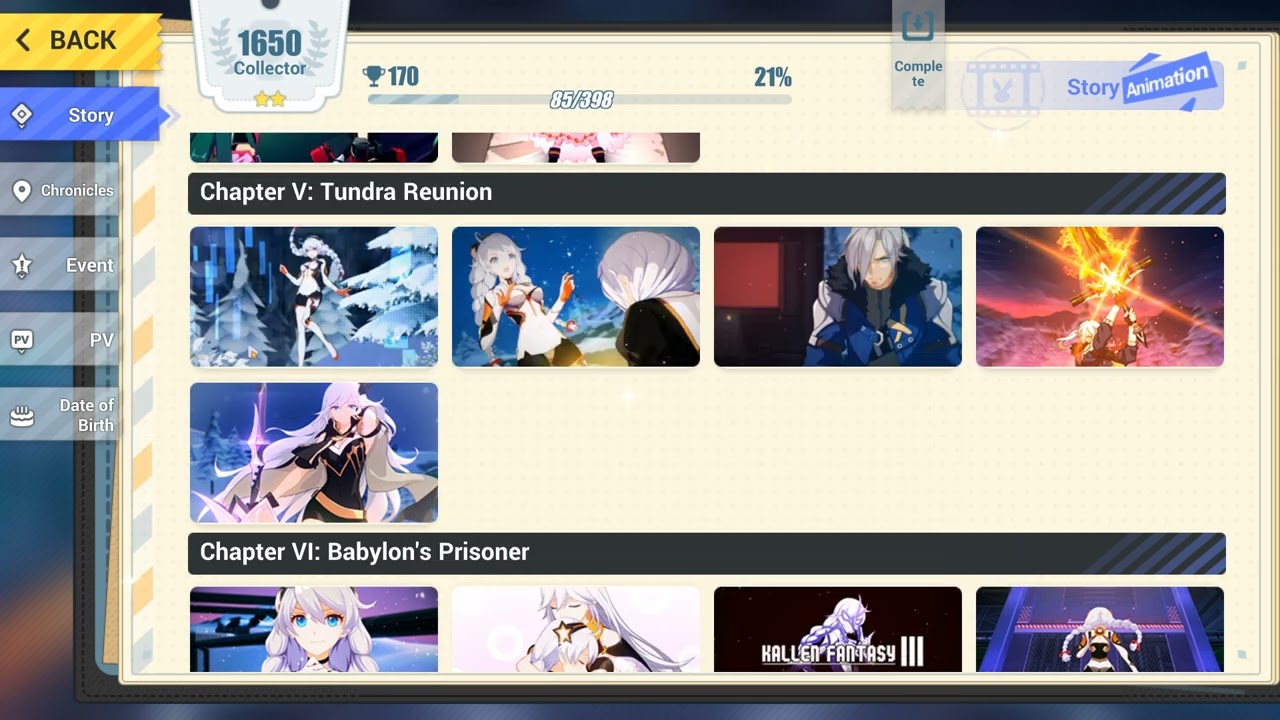
Link to the program in the pinned comment.
Chinese CGs can be found in the Honkai Impact Official discord server in channel "technical-help".
GitHub
Rewrite audio chunks in USM files in one folder, use USM audio chunks from files with ones name in another folder. - GitHub - guzenco/USM_Audio_chunks_rewriter: Rewrite audio chunks in USM files in...
reef tree
stoic reef
yes, contact customer support with your UID and they'll assist <#862844286260609...
I found my account on Account Recovery option on Phone on Mihoyo.. How to connect it with Hoyoverse and login it?
stoic reef
dense shard
is there a way to delete old cg's/birthday cg's so i can like get more storage b...
The only reliable way is to reinstall the game, but you'll only save around 10-50mb per cg
odd wedge
bright ether
Hello, I found a way to make CN voice in CGs and save the subtitles of the insta...

Thanks, I check it out
stoic reef
reef tree
I found my account on Account Recovery option on Phone on Mihoyo.. How to connec...
You complete the account retrieval process. When you click next after finding your old mihoyo account it'll ask you to log into a hoyoverse account to link it to
Watch the video guide in this pin #🔌technical-help message
odd wedge
USMParser for some reason did not work correctly for me last night after many attempts, hence the delay
reef tree
stoic reef
You complete the account retrieval process. When you click next after finding yo...
I will watch the video.. But when I linked my old Mihoyo account to a new Hoyoverse account .. And logged in the Hoyoverse account it's still begin the game from beginning
stoic reef
reef tree
I will watch the video.. But when I linked my old Mihoyo account to a new Hoyov...
Then you either got a link failed message during account retrieval and didn't notice, or you're on the wrong server when you went to log into the game itself.
If you get link failed message then my guide in that same pin will tell you what to do
reef tree
Can I DM you a pic or so?
stoic reef
A pic of what?
reef tree
Like me retrieving the account without any of the 2 above points.. But still can't logging in
stoic reef
Sure
 stiff quail
i changed my account password and now it makes me login every time i open the game any idea how to fix it
stoic reef
stiff quail
i changed my account password and now it makes me login every time i open the ga...
Could be a cache issue, try clearing it out and see if that helps. (It'll make you log in again once but hopefully it'll fix it after that) if on PC here's how to clear it #🔌technical-help message
If on Android then it's in the settings >apps
If on iphone I'm not sure how actually
 somber dragon
Any chance I can merge my 2017 acc with my current acc for the pre-login emblem?
 wooden venture
somber dragon
Any chance I can merge my 2017 acc with my current acc for the pre-login emblem?
wooden venture
somber dragon
Any chance I can merge my 2017 acc with my current acc for the pre-login emblem?
an account cant be merged like that, if you mean the past account you played with and a new mihoyo account that never played hi3 then yes.
but if both accounts exist and play hi3 than you cant merge it
 bronze flint
hi after the update i logged in my account and lost it

im on SEA server but all the servers available are america and europ
how do i fix this
🙏🏻
wooden venture
bronze flint
hi after the update i logged in my account and lost it
that means you downloaded the wrong client, theres a separate client for sea and America/Europe
bronze flint
wooden venture
that means you downloaded the wrong client, theres a separate client for sea and...
oh
thank youu
 arctic star
Okay, so I updated my launcher to be able to play the new update, but for some reason the game refuses to download the additional resources that it needs?
It says its an internet error, but my internet is fine, I've tried on both wifi and plugged in with the ethernet cable. I was also told to try downloading a VPN to do it as well, and it still won't work. My internet is working fine though, how can I fix this?
 odd wedge
Check details.
arctic star
Idk what any of it means but it's all been the same thing every time it pops up

 odd wedge
Delete the file(s) specified in the message.
If the file cannot be found/issue persists, use a VPN to proceed with download.
arctic star
How do I do that?
 arctic star
So uh. Should I just uninstall and reinstall?

Or do I delete the entire pc folder it's in?
arctic star
Through the website
odd wedge
Launcher?
because the game path is \Honkai Impact 3rd glb\Games, and yours just start with \Games
I believe would be better for you to reinstall the game.
 flat siren
So I downloaded Honkai on steam to realize that I can't use my acct on it. Is there a way to download the regular client and make it read the steam files without me downloading it all again?
 cloud stag
So, I've my Logitech keyboard connected to my iPad Pro, but since the connection doesnt require bluetooth, the game doesnt recognize that I am using the keyboard, therefore I cant play Honkai with keyboard settings. Is there a way to fix this??
odd wedge
The mobile clients do not support keyboard, it's mobile game.
odd wedge
flat siren
So I downloaded Honkai on steam to realize that I can't use my acct on it. Is th...
You can try Collapse Launcher, can convert Steam client game file to normal GLB client files.
https://github.com/neon-nyan/CollapseLauncher/

GitHub
An Advanced Launcher for miHoYo Games. Contribute to neon-nyan/Collapse development by creating an account on GitHub.
 exotic viper
Sometimes my Honkai crashes because of the error code or something
Does anyone know how to fix
odd wedge
exotic viper
Sometimes my Honkai crashes because of the error code or something
can you be just a tad bit more specific
 thick python
arctic star
So uh. Should I just uninstall and reinstall?
thick python
arctic star
So uh. Should I just uninstall and reinstall?
the error already said the issue actually.
Your disk might probably corrupted. So what you have to do is to repair your disk using chkdsk
https://www.avast.com/c-chkdsk-windows

How to Use CHKDSK to Repair & Fix Windows Hard Drives
Use the CHKDSK (Check Disk) command to scan and fix Windows hard disk errors. Learn how to use and run CHKDSK in this guide.
This article might help you
exotic viper
The 10031 error code which crashes after I tapped Retry
exotic viper
Living in China tho lol
flat siren
odd wedge
You can try Collapse Launcher, can convert Steam client game file to normal GLB ...
damn if only u had sent it a little earlier
odd wedge
exotic viper
Living in China tho lol
It doesn't matter
cloud stag
odd wedge
The mobile clients do not support keyboard, it's mobile game.
that's very unfortunate (tho it makes sense)
exotic viper
For some reason, my VPN doesn't work on my phone, yet it does on my laptop
odd wedge
You mean this one?
 odd wedge
exotic viper
For some reason, my VPN doesn't work on my phone, yet it does on my laptop
odd wedge
exotic viper
For some reason, my VPN doesn't work on my phone, yet it does on my laptop
Have you tried any of the other methods provided, or use a different VPN?
exotic viper
Ok, it worked with 5G
silver urchin
stoic reef
yup thats what i thought, here you go this pin applies to your issue https://dis...
Uhhh help
It happened again
odd wedge
silver urchin
It happened again<:h_1cri:1055529252017152100>
Make sure to disable auto-updates on your device's app market(s).
silver urchin
I didd
odd wedge
Your device?
silver urchin
Yeah
odd wedge
What is your device model?
odd wedge
This?
 silver urchin
Oh
silver urchin
Idk how to disable that one
odd wedge
Where even did you disable it
silver urchin
I mean like I disabled the playstore one
 silver urchin
odd wedge
Go on the Honor app market.
silver urchin
odd wedge
Go on the Honor app market.
Then
odd wedge
Find and disable auto-update in settings.
 odd wedge
what are the options for this
 silver urchin
 odd wedge
okay
silver urchin
 glacial prairie
I'm on chapter 30. On 29 I only unlocked 1 CG, and I'm half way through the missions, and I still haven't unlocked any more CGs. Will they be unlocked later on?? I'm on mission 28.
 willow falcon
glacial prairie
I'm on chapter 30. On 29 I only unlocked 1 CG, and I'm half way through the miss...
willow falcon
glacial prairie
I'm on chapter 30. On 29 I only unlocked 1 CG, and I'm half way through the miss...
Technically, you need to replay the stage and fully view this CG.
If it's an open world stage, check out the dialogue of the skipped CG in the chapter album.
If there is no album for this chapter, then this is a softlock report to in-game CS about this.

 vocal reef
Handy or pc?
Handy:hold the on button.
Pc: take out the accu/cable for energy
So the handy/pc is ready for restart
stiff quail
stoic reef
Could be a cache issue, try clearing it out and see if that helps. (It'll make y...
hi thought it worked, second time i logged in it did but now it asks me to login again :/
 patent ibex
odd wedge
You mean this one?
patent ibex
odd wedge
You mean this one?
Yes, sorry I was a bit sleepy and accidentally fell asleep
stoic reef
 neon spire
?
neon spire
?
I have no idea what they were talking about lol but there's no switch accounts button so that is a Huawei phone, the Huawei app store has a special version of honkai that auto logs in with their Huawei account. They just simply need to install it from the Google play store instead (I recommend uninstalling their current one so they don't mix the two up)
stoic reef
stiff quail
hi thought it worked, second time i logged in it did but now it asks me to login...
hmm, can you try it a few more times and is it every time or just occasionally? cuz the game will normally sometimes make you re log in
but tbh if its still happening like every time then i'd recommend contacting customer support #how-to-contact-cs
neon spire
stoic reef
I have no idea what they were talking about lol but there's no switch accounts b...
no the thing is its on PC
stoic reef
neon spire
no the thing is its on PC
oh mb i just woke up, then the exact same story but steam instead of huawei (sorry, the portrait style of the screenshot confused me) steam auto logs in with SteamID so they'll have to uninstall that and reinstall via the official launchers (links are in the 1st pin)
steam and huawei clients are similar like that
no i dont think so, that cutscene is in "chapter 26", i checked and the one in the first picture is not it. the cg is around when you first meet her in the map
but its not part of the chapter 26 overview
neon spire
stoic reef
oh mb i just woke up, then the exact same story but steam instead of huawei (sor...
OOOO
tyty
stoic reef
np!
patent ibex
stoic reef
but its not part of the chapter 26 overview
the second pic is ch27 overview
patent ibex
stoic reef
no i dont think so, that cutscene is in "chapter 26", i checked and the one in t...
u mean the missing cg appears when i first meet li sushang? before starting to fight?
stoic reef
patent ibex
u mean the missing cg appears when i first meet li sushang? before starting to f...
yup around there it looked like, its was def before li sushang meets fu hua
but it was around the chapter 26 part of the open world. if you cant get it unlocked you might have to talk to customer support #how-to-contact-cs
patent ibex
stoic reef
yup around there it looked like, its was def before li sushang meets fu hua
ok thanks
patent ibex
stoic reef
no i dont think so, that cutscene is in "chapter 26", i checked and the one in t...
what about this, is this a cg? and is this from before li sushang fight, mid of fight, or after the fight? cuz im almost finishing the fight

 cosmic lion
patent ibex
what about this, is this a cg? and is this from before li sushang fight, mid of ...
cosmic lion
patent ibex
what about this, is this a cg? and is this from before li sushang fight, mid of ...
not really a "animated CG" is just a image in the middle of the dialogue before the fight (so probably its going to show lock until you finish the fight), but the 3 below are
cosmic lion
stoic reef
but it was around the chapter 26 part of the open world. if you cant get it unlo...
@patent ibex it could be that you have lock the 5th cg on the 26-28 section of the cg gallery? if that is the case you still don't play a side mission, or you skip the cg of it
@stoic reef
stoic reef
patent ibex
what about this, is this a cg? and is this from before li sushang fight, mid of ...
that picture is replaying the fight itself
stoic reef
cosmic lion
<@906347929973952513> it could be that you have lock the 5th cg on the 26-28 sec...
odd wedge
patent ibex
Yes, sorry I was a bit sleepy and accidentally fell asleep
That CG cannot be replayed anymore.
 fathom hull
Is it okay if I post some genshin stuff in here? I need help downloading the game
stoic reef
dont know much about genshin, have you tried their discords tech help?
 stoic reef
wdym? did no one help you in that channel?
fathom hull
No.
I’m in the unofficial server because the original is full.
That’s most likely why I can’t find any tech
stoic reef
probably, i guess i can try to look there for you but no guarantees since most here only know honkai stuff. whats your issue downloading the game?
fathom hull
I want to change the file path. But I have no space in any of my folders.
I can send a pic if needed
stoic reef
well you'd first need to make space if you want to move the folders to somewhere else
that goes for anything. cant move 10GB anything to a place if you dont have 10GB free space there
fathom hull
Oh alright I’ll test that
cosmic lion
~~+ if you still don't do it, remember that you can uninstall language audio files ingame, but you free only like 2-3gb ~~
 jagged kite
Same question
Is there a legal way for me to top up?
I'm playing global version in korea
And because of that it won't accept my cards, and official website for top ups won't recognize my ID

stoic reef
jagged kite
Same question
same question as what? no ones talked recently about top up issues. im confused on that part lol
but have you tried the epic game store version? it has more options than just credit card and codashop is only for SEA server
jagged kite
stoic reef
same question as what? no ones talked recently about top up issues. im confused ...
Don't mind that, i juat accidentally wrote this question in #off-topic-discussion
 paper obsidian
how do i fix this

 stoic reef
 mystic arrow
yes
mystic arrow
this is the first time ive bought n completed it so im hoping i can still get senti by the end of thise patch
damn
stoic reef
the bp ends in like 2 days
 stoic reef
rewards change too
stoic reef
mystic arrow
<a:zz_whyyyy:886619556808904774>
you can see exactly when they're going awsay by looking at the expiration date in your equipment menu
cosmic lion
mystic arrow
i’ll get her wep instead then
dont worry the crystallum its going to stay for this ver. bp that start on mon, this is going to be the last one , next ver. (6.6) start a new BP theme so its going to be a new crystallum
stoic reef
cosmic lion
dont worry the crystallum its going to stay for this ver. bp that start on mon, ...
i thought these ended this patch mb
cosmic lion
tbh its confusing from some years ago, because the bp now end/start without a pause like before + that happen just a week after a new ver. release, so you cant tell by just reading the info
stoic reef
@mystic arrow my bad they dont actually expire for another 85 days, i thought these were from last patch cuz they go through two patches now. I hope you havent spent em yet
stoic reef
cosmic lion
tbh its confusing from some years ago, because the bp now end/start without a pa...
true, plus i remember them mostly due to color and the last one was blueish too so its all melded together
should have double checked though even though i was sure i was right
cosmic lion
stoic reef
true, plus i remember them mostly due to color and the last one was blueish too ...
yeah was a mistake use similar colors
i already have learn the patter for the bp crystallium, 4 seasons + 1 vintage
still, im a f2p... so its info almost useless for me, i cant affort almost anything 
stoic reef
same, im f2p so most i get is some torus
cosmic lion
~~i really would like to have the option to transform to the new one, like get 1 of the new one but using 2 of the old ~~
stoic reef
yeah that would be really nice for saving up
 mild socket
Got a question, my download speed is extremely slow. It's like it got stuck around 500kbps and won't go any higher than that. I thought it was my internet but it's working just fine, anyone know how to fix this? I can't download the data with this speed, it'll take forever 
 stoic reef
mild socket
Got a question, my download speed is extremely slow. It's like it got stuck arou...
stoic reef
mild socket
Got a question, my download speed is extremely slow. It's like it got stuck arou...
thats the in game download right, not the launcher?
stoic reef
mild socket
yea ingame download
then i'd recommend using a VPN, if you dont have one then this pin has the best free one (if you use protonVPN then dont use the japan node, use the usa or europe node) #🔌technical-help message
mild socket
alright will try in a bit, thanks
 snow fox
Why isn’t my game updating? My software is up to date, but google play doesn’t let me install.
stoic reef
snow fox
Why isn’t my game updating? My software is up to date, but google play doesn’t l...
does the game say you need to update but google play just has open? or is it something else
snow fox
stoic reef
does the game say you need to update but google play just has open? or is it som...
No, the game says I need to update and google play says I need to update, but then it says it “failed to install”
stoic reef
snow fox
No, the game says I need to update and google play says I need to update, but th...
try clearing the cache for your google play app
stoic reef
snow fox
No, the game says I need to update and google play says I need to update, but th...
also if it still doesnt work, the 6.5 .apk file link is in the 1st pin
snow fox
stoic reef
also if it still doesnt work, the 6.5 .apk file link is in the 1st pin
The apk didn’t work either 😭😭😭
stoic reef
snow fox
The apk didn’t work either 😭😭😭
what happened when you went to run the file?
snow fox
stoic reef
what happened when you went to run the file?
It asked me to update it and and I tapped “ok” and it just said “app not installed”
stoic reef
snow fox
It asked me to update it and and I tapped “ok” and it just said “app not install...
which one did you download, the glb or the sea one?
snow fox
stoic reef
which one did you download, the glb or the sea one?
glb, the one under Android
stoic reef
whats the name of the honkai app currently installed on your phone?
snow fox
Honkai Impact 3rd
stoic reef
is it 3rd? or 3?
snow fox
3rd
stoic reef
hmm
 dusty sierra
how do i replace the files of normal to cn cgi again>
i remembered deleting and pasting it does not work so i had to get computer to replace it
stoic reef
snow fox
3rd
hmm, can you go to settings > apps > honkai impact app and send a screenshot of where it has the version number?
dusty sierra
but i forgor how
snow fox
stoic reef
hmm, can you go to settings > apps > honkai impact app and send a screenshot of ...
Sure give me one sec
stoic reef
dusty sierra
but i forgor how
instructions are in the 3rd pin
snow fox
stoic reef
hmm, can you go to settings > apps > honkai impact app and send a screenshot of ...
 stoic reef
hmm, do you mind sending a screenshot of where it says "app not installed?"
snow fox
Sure, hold on
stoic reef
like the whole screen where it says that please, no need to crop or anything
snow fox
 stoic reef
snow fox
stoic reef
snow fox
can you go to settings > apps > reset app preferences or reset application permissions and reset those and then try the .apk again?
snow fox
stoic reef
can you go to settings > apps > reset app preferences or reset application permi...
Ok, I’ll try that
stoic reef
oh and actually after resetting app permissions try going to settings > security and allow unknown sources so that your android wont block apps being installed from not the play store
snow fox
stoic reef
oh and actually after resetting app permissions try going to settings > security...
I think it’s already allowed
odd wedge
Please clear Google Play Store and Google Play services cache, then restart your device.
stoic reef
^ please try that again, also make sure its for both play store and play services and i did forget the restart part
snow fox
stoic reef
can you go to settings > apps > reset app preferences or reset application permi...
Still didn’t work
snow fox
odd wedge
Please clear Google Play Store and Google Play services cache, then restart your...
I already tried this and even tried looking for softwares updates but didn’t work
stoic reef
can you install anything from the play store?
odd wedge
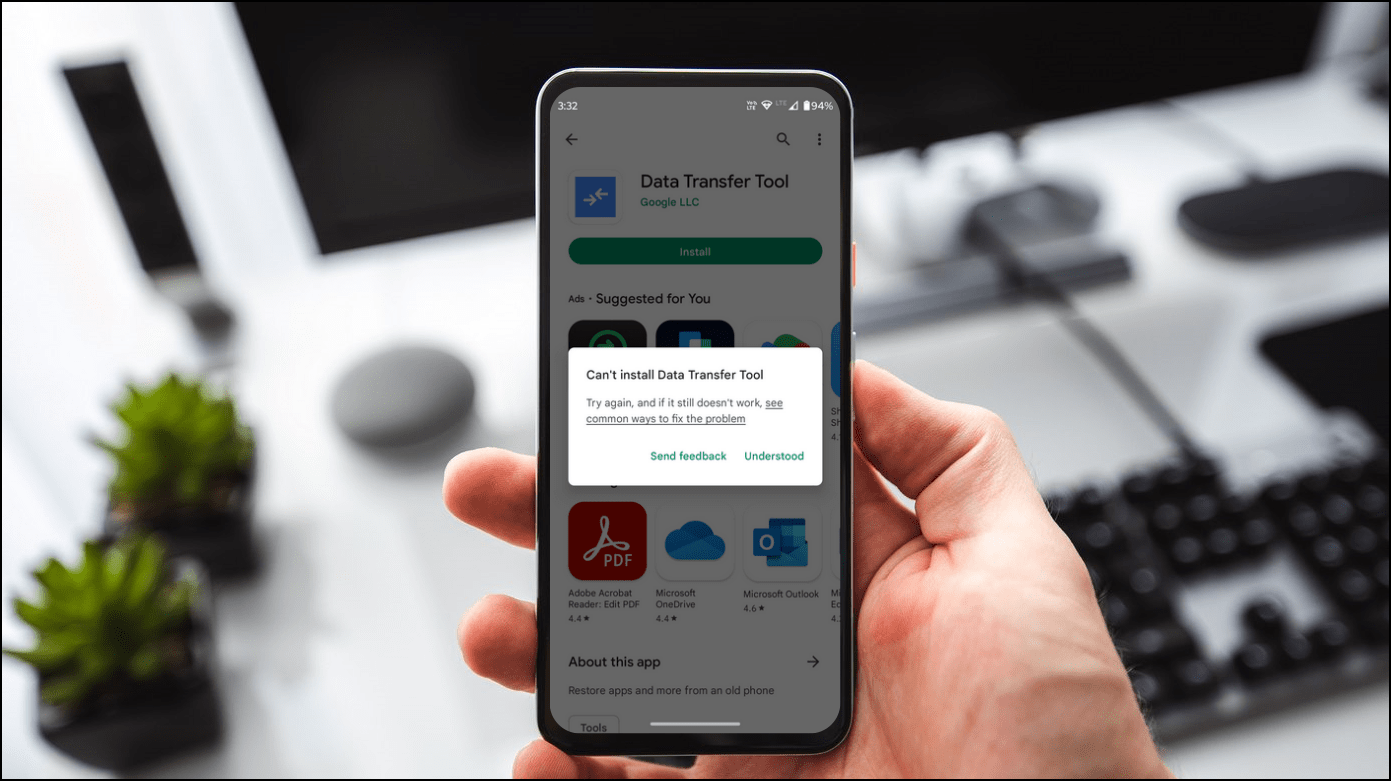
Are you facing the 'Can't Install App' popup on Google Play Store while installing an app on your phone? In most cases, these popups don't enclose any
snow fox
stoic reef
can you install anything from the play store?
Yeah
I can still install stuff
snow fox
odd wedge
https://gadgetstouse.com/blog/2022/10/06/cant-install-apps-play-store/
I did everything (minus the bonus part) and it still didn’t work…
stoic reef
hmm
at this point you might as well try totally uninstalling teh app and then running the .apk or installing from scratch from google play
snow fox
 might as well just reinstall I guess
 robust gorge

Haven’t played honkai in a while so I thought to give it another go. I opened the app to this and I pressed retry many times. I restarted my iPad and updated my ios but it don’t work
odd wedge
 exotic ore
im downloading the new update 6.5 and it finishes
but it started downloading again
im so confused 😭
odd wedge
exotic ore
im downloading the new update 6.5 and it finishes
PC launcher, right?
exotic ore
yep
odd wedge
Was there any error message?
exotic ore
yea
i thought it was the wifi connection thingie so i didnt read it
if it was smth diff im sorry
odd wedge
eh probs
odd wedge
exotic ore
im downloading the new update 6.5 and it finishes
!faq mandown
grizzled rampartBOT
exotic ore
im downloading the new update 6.5 and it finishes
HI3 v6.5 Manual Download
- Close launcher
- Open folder
\Honkai Impact 3######\Games - Delete
BH3_v6.5.0_126602580c16.7z_tmpfile (if present) - Download through link below and place in the folder
GLB:
Mirror 1: https://d2wztyirwsuyyo.cloudfront.net/ptpublic/bh3_global/20230403101307_w1BJnAwsbvH0QNvt/BH3_v6.5.0_126602580c16.7z
Mirror 2: https://www.mediafire.com/file_premium/qp5eze8bhie4zww/BH3_v6.5.0_126602580c16.7z/file
Mirror 3: https://drive.google.com/file/d/1PGtUPcXb7q_POZhx2nSF5zupSnLI06DE/view?usp=share_link
SEA:
Mirror 1: https://hk-bigfile-os-mihayo.akamaized.net/ptpublic/bh3_overseas/20230403101029_tmW2sfVNsqBsC69U/BH3_v6.5.0_126602580c16.7z
Mirror 2: https://www.mediafire.com/file_premium/sowpy2q2a5keb63/BH3_v6.5.0_126602580c16.7z/file
Mirror 3: https://drive.google.com/file/d/18b516I74ogTIWMZ6RlV7Tgbw_Ni08PXT/view?usp=share_link
*✲゚*。⋆ DO NOT EXTRACT! *✲゚*。⋆
5. Run the launcher as usual.
Mirror 1: HoYoverse
Mirror 2: MediaFire
Mirror 3: Google Drive
odd wedge
what
exotic ore
i cant find the folder 😦
odd wedge
default location is C:\Program Files\Honkai Impact 3#######\Games
exotic ore
i dont have it..
odd wedge
or you can find your game file path here

If it's at a different location, it'd be a location you picked.
exotic ore
after i press use another folder what do i do?
wooden venture
i have hi3 on my oneplus 10t and i recently changed the cell phone company.
it was completely fine with the previous company but with the new one i cant seem to play the game on data.
i called them and asked there tech supports (took me a while to get on the line with someone who actually understand it and doesnt just read aloud the manuals) and according to him theres not a single reason it shouldnt work, my data isnt blocked and theres no such thing as a "cyber security" or any sort of filters on my account.
the weird thing is that i found out that i can play hi3 if im on 3g (i couldn't on 4g).
any idea why?
stoic reef
wooden venture
i have hi3 on my oneplus 10t and i recently changed the cell phone company.
it ...
any error messages or anything?
wooden venture
just loading settings forever on the elevator
stoic reef
wooden venture
just loading settings forever on the elevator
ah i see, i'd try using a VPN, protonVPN is the best free VPN if you dont have one (if you use proton then dont use the JP node, use the USA or EU one). the issue is how your ISP is routing your connection, the 3g being on a different network would be routed differently which is why it works. this is an explanation of why a VPN will more than likely fix your issue #🔌technical-help message
wooden venture
i got tunnel bear and it does work.
i know vpn would work but i was wondering if theres a way to fix it and not a work around
stoic reef
wooden venture
i got tunnel bear and it does work.
i know vpn would work but i was wondering i...
ah, well the issue is how your ISP is routing your connection, i guess you could try forcing your phone to use a different DNS like google or some other good dns but if that doesnt work you'll probably have to contact your provider with the new info
wooden venture
stoic reef
ah, well the issue is how your ISP is routing your connection, i guess you could...
is it possible to change the dns for hi3 specifically or is it for all of my phone?
stoic reef
wooden venture
is it possible to change the dns for hi3 specifically or is it for all of my pho...
for all your phone, but a good dns wont affect anything really. it'll all still connect just fine
wooden venture
thanks, i will look into it than
stoic reef
np, oh and also for what its worth, if this has been happening for less than 2 weeks then whoever is causing the actual disconnect issue usually gets it fixed in less than a month so maybe it'll go away on its own soon
wooden venture
stoic reef
np, oh and also for what its worth, if this has been happening for less than 2 w...
i called customer support on march 13th so.....
stoic reef
oof
silver urchin
@stoic reef in monthly card what's the total amount of crystals we receive?
stoic reef
silver urchin
<@277721591012655105> in monthly card what's the total amount of crystals we rec...
its 60 x 30 plus 500 x 2
so 2800
cosmic lion
- the 330 upfront
patent ibex
cosmic lion
<@906347929973952513> it could be that you have lock the 5th cg on the 26-28 sec...
I see, I still haven't started any side missions from chapter 26, apart from one that is from Theresa, and one from Eins, am I able to get other side missions from chapter 26 when I'm currently in chapter 27 main story?
patent ibex
stoic reef
that picture is replaying the fight itself
I see, thanks
patent ibex
odd wedge
That CG cannot be replayed anymore.
Okay, got it
cosmic lion
patent ibex
I see, I still haven't started any side missions from chapter 26, apart from one...
Yeah you can still but you need to do some things, i don't remember exactly what it's needed for the side, but I remember that in some you need to talk to characters on the map while other need high enough integration level to buy some items
patent ibex

I can't find Nagamitsu
Any solutions?
I accidentally exited the app during the dialogue with Nagamitsu, then when I relogin, I can't find her


am I forever stuck at this main mission? 😭
stoic reef
 honest prairie
help honkai impact weird lag spike every 5 second
honest prairie
help honkai impact weird lag spike every 5 second
have you tried restarting your device and your router?
honest prairie
fps lag not ping. also yes i have tried restarting my device
stoic reef
honest prairie
fps lag not ping. also yes i have tried restarting my device
ping can affect lag spikes, but have you tested lowering your graphics? also are you on pc or mobile?
honest prairie
pc. my wifi is fine
stoic reef
honest prairie
pc. my wifi is fine
your wifi being fine doesnt actually mean anything with connection issues but i'll put that aside for now. can you provide these screenshots? aldo what stage were you on when it lag spikes or is it everywhere in the game including menus
PC Specs ʕ๑•ɷ•๑ʔ❀
Playing on PC client? Need help? Help us help you! ʕ̢̣̣·͡˔·ོɁ̡̣̣
- Press Windows + R, input dxdiag.
- Please attach screenshots of the System and Display tabs (+ Render tab if present).
stoic reef
patent ibex
am I forever stuck at this main mission? 😭
I am not sure how to get back in there exactly, its been a long time. when you click tracking does it start anything? or what happens when you activate the spacetime thing? im not sure exactly, you may need to contact customer support #how-to-contact-cs


 stoic reef
honest prairie
stoic reef
honest prairie
what stage? or is it the whole game including like menus
stoic reef
your graphics are fine and stuff, its probably a connection issue. I know you said your wifi is fine and other games are fine but if your connection to honkai servers specifically is having an issue then you'll get lag spikes every 5-30 seconds when your game tries to update the servers with what you're doing and it'll lag for a second while it does that. You can try using a VPN to see if that improves it. If you dont have a VPN then protonVPN is one of the best free ones, just dont use the JP node. Use the USA or EU one
though its possible a driver issue causing this too. could try rolling back your GPU driver to one from february
 patent ibex
stoic reef
I am not sure how to get back in there exactly, its been a long time. when you c...
patent ibex
stoic reef
I am not sure how to get back in there exactly, its been a long time. when you c...
When I click tracking, it leads to spacetime thing, but after activating, Nagamitsu doesn't appear
 marble sequoia
any idea how to resolve this issue? already tried the repair and clear download resources option but still happens, the download seems to get stuck at 42% all the time
 odd wedge
stoic reef
your graphics are fine and stuff, its probably a connection issue. I know you sa...
odd wedge
stoic reef
your graphics are fine and stuff, its probably a connection issue. I know you sa...
I'm gonna bet he's got every video setting set up to max
honest prairie
odd wedge
I'm gonna bet he's got every video setting set up to max
how u know
odd wedge
marble sequoia
any idea how to resolve this issue? already tried the repair and clear download ...
Use a VPN.
Here's a decent free VPN, if you don't have one.
https://protonvpn.com/

Proton VPN
Proton VPN is a security focused FREE VPN service, developed by CERN and MIT scientists. Use the web anonymously, unblock websites & encrypt your connection.
marble sequoia
odd wedge
Here's a decent free VPN, if you don't have one.
https://protonvpn.com/
found the culprit, it seems that some audio files of the game got corrupted, and I can't seem to delete them, but now i'm reinstalling the game again.... but thanks for the help though~
odd wedge
honest prairie
how u know
RTX 3050 recommended to use Quality profile.
Which should be labelled and chosen by default.
You can use Max, but don't customise it to be higher.
The game literally warns you beforehand if you insist on setting it higher than recommended.
 worldly cipher
Max settings isn't optimized at its finest

 odd wedge
brr brr
 pale heart

 vocal reef
What did you wrong🤪🤯😵
pale heart
I have reinstalled on phone too but it keeps on appearing
 cosmic lion
pale heart
cosmic lion
pale heart
Errors ~10030 are connection issues, check the 4th pin📌 for some ways to fix/bypass the problem
vocal reef
cosmic lion
Errors ~10030 are connection issues, check the 4th pin📌 for some ways to fix/by...
Thanks. I hadnt know that so i couldnt give the right answer.
pale heart
cosmic lion
Errors ~10030 are connection issues, check the 4th pin📌 for some ways to fix/by...
seems to be working with vpn
stoic reef
vocal reef
Thanks. I hadnt know that so i couldnt give the right answer.
yeah 1003x errors of any kind are connection issues and that pin fixes them. usually reinstalling wont fix it it'll just make them unable to do the initial install and they'll have to download 25GB over a VPN instead of just 5 or 10. lots of folks internet cant really handle reinstalling easily so i usually leave it as a last resort
stoic reef
odd wedge
I'm gonna bet he's got every video setting set up to max
yeah, 3050 users really love doin that lol. I assumed that wasnt the case due to my already asking them to lower the graphics and they implied they did (or more accurately ignored specifically answering that question). i really should be less trusting
odd wedge
vocal reef
What did you wrong🤪🤯😵
you trolling?
vocal reef
The app made the wrong emojis😅😭
odd wedge
Captains, this is a reminder that trolling is prohibited in help channels, and may result in the removal of your posting privileges in said channels. Please genuinely help fellow Captains with good answers to the best of your abilities.
Reinstallation will be last resort.
stoic reef
Yup, reinstalling will not only not fix a lot of issues but it will make the captain possibly go through a lengthy and possibly expensive reinstall after their real issue is resolved.
 radiant wolf
Whoever advised using VPN to fix that slow setting update - tysm, it helps! just went here to check if I was the only one with this problem, glad this is not the case
stoic reef
radiant wolf
Whoever advised using VPN to fix that slow setting update - tysm, it helps! just...
yup, VPN fixes most connection issues including that slow settings update. Glad you're in tho!
 tulip ferry
When I tried to log in in hoyolab it created a new account instead of linking my existing one and I didn't try to fix it until now. How do I change it to the correct one?

I logged out of it and back into the first account the second they stopped forcing me to do tutorials
 raw wharf
i need help i’m trying to pay with a visa gift card but it keeps declining
i have more than enough on it
 peak ether
i basically just lost my account for the second time 😭 i wasnt on honkai for like a week and i tried to login but it just takes me to a brand new account
im afraid its lost for good because i had already unbinded that account once and linked it to a new one
should i still contact cs?
worldly cipher
pale heart
4th pin
worldly cipher
raw wharf
i need help i’m trying to pay with a visa gift card but it keeps declining
worldly cipher
peak ether
i basically just lost my account for the second time 😭 i wasnt on honkai for li...
Are you sure you're in the right server
worldly cipher
I did read you linked your acc to a new one try logging in with that linked email / number
peak ether
thats what ive been logging in with, same email and pass and everything
worldly cipher
What lvl is your honkai acc?
peak ether
80
worldly cipher
Yeah you should try contacting CS
 stoic reef
tulip ferry
I logged out of it and back into the first account the second they stopped forci...
stoic reef
tulip ferry
I logged out of it and back into the first account the second they stopped forci...
I'm s little confused as to what your needing. Just to make sure I'm on the same page, you can log into your regular honkai account but you have that extra one in your picture and your just trying to switch your hoyolab to the correct one even though you can log into the game with your normal account? Is that right?
tulip ferry
Yes, I can log into my account, but I have a different one linked in hoyolab and I don't know how to change it
stoic reef
tulip ferry
Yes, I can log into my account, but I have a different one linked in hoyolab and...
So for the hoyolab one, you just have to log out of hoyolab and then log back into hoyolab with the exact same way that you log into the game
Then the right one should show up in the battle chronicles
tulip ferry
I'll try logging in and out
stoic reef
Okay, if that doesn't work then please let me know what server your regular account is on and what kind of method you use to log into the game with (like email, Twitter, Google account, etc)
tulip ferry
stoic reef
Okay, if that doesn't work then please let me know what server your regular acco...
I changed my account password since it said there was a problem with something, so I logged in with Google again, I opened the app to put my new password in and it had a problem though it was correct so I logged in with Google again and it was the other account, and when I tried to log in my other account to my Hoyoverse account it said I can't because I already made one. So I need to request for deletion and then link the correct one, right?


If it matters I'm doing this on mobile
stoic reef
tulip ferry
I changed my account password since it said there was a problem with something, ...
no please do not request deletion, that would delete the hoyoverse account entirely and also get rid of anything linked to it like genshin and stuff. can you check something for me? log into the game with your normal honkai account and then when you've logged in go to your profile in the top left and then go to account > user center
that should auto log you in to account.hoyoverse.com with the same hoyoverse account your honkai is on. can you then go to account security settings and see if the email linked to it is one you recognize?
tulip ferry
I'll check
Ok I understand what went wrong
When I typed my email and it automatically put my password it was wrong, just did it myself and it let me in the correct one
 stoic reef
tulip ferry
Ok I understand what went wrong
When I typed my email and it automatically put m...
stoic reef
tulip ferry
Ok I understand what went wrong
When I typed my email and it automatically put m...
ah i see, rude auto fill
tulip ferry
I successfully logged into hoyolab to my honkai account now, but it's different from the one I had genshin logged in with. You can have more than one Hoyoverse account with the same email, right? Or did I misunderstand something?
Not that this is a problem since I don't have anything I need to link it for, and if I'll have one I can download a dual app anyways
And thanks for your help
stoic reef
tulip ferry
I successfully logged into hoyolab to my honkai account now, but it's different ...
np! but you cannot have more than one hoyoverse account per email, just the one. also every hoyoverse account cannot have more than one honkai account on it (per server, you can have one EU, NA, SEA account per hoyoverse account if that makes sense) so you'll need to remember the login for genshin and the other for honkai. You can ask customer support for help to get both your genshin and honkai on the same hoyoverse account but it is a lengthy process since they first have to have a long form filled out to determine that you're the genuine owner of the accounts but its up to you. if you do want to contact them then its #how-to-contact-cs
tulip ferry
Thanks for clarifying 
stoic reef
np!
 old charm
help

 solemn gate
Once the download reaches 100% it just goes back again
stoic reef
old charm
help
have you tried repairing the game to fix the launcher? also it does say that the game is fully updated so until the launcher gets back to working you can just go to your games folder and run bh3.exe to play the game.
stoic reef
solemn gate
Once the download reaches 100% it just goes back again
thats a connection issue corrupting your download, please try the stuff in the 4th pin
old charm
stoic reef
have you tried repairing the game to fix the launcher? also it does say that the...
repair doesnt work
stoic reef
old charm
repair doesnt work
i gotcha, then lets wait for the launcher creator to take a look. @thick python whenever you have the time
 strong thistle
stoic reef
yeah, 3050 users really love doin that lol. I assumed that wasnt the case due to...
stoic reef
strong thistle
https://tenor.com/view/capoo-bugcat-cute-smile-smirk-gif-26565846
strong thistle
stoic reef
yeah, 3050 users really love doin that lol. I assumed that wasnt the case due to...
stoic reef
strong thistle
https://tenor.com/view/capoo-bugcat-cute-smile-smirk-gif-26565846
also @cosmic lion @lost venture @worldly cipher @odd wedge @thick python daily huggies
strong thistle
stoic reef
<:VodkaHug:868141524200865853>

odd wedge
 stoic reef
 plush cedar
hi, I was trying to but that only appears to me
plush cedar
hi, I was trying to but that only appears to me
nonono do NOT delete all that
go to this folder \HKEY_CURRENT_USER\Software\miHoYo\Honkai Impact 3
that folder hkey current user? open it
strong thistle

stoic reef
if you delete all those folders your windows till totally break and you'll have to reinstall windows 
plush cedar
stoic reef
that folder hkey current user? open it
nothing appears
stoic reef
plush cedar
nothing appears
what happens when you click the little > arrow next to HKEY_CURRENT_USER
can also double click on the folder
plush cedar
 stoic reef
ok good so the next folder in \HKEY_CURRENT_USER\Software\miHoYo\Honkai Impact 3 is software so open that
and then the mihoyo folder
and then you can delete the honkai impact folder
plush cedar
stoic reef
ok good so the next folder in \HKEY_CURRENT_USER\Software\miHoYo\Honkai Impact ...
ok thanks, in the part of "4. Press Windows + R, and input %userprofile%\Appdata\LocalLow\miHoYo\ in the opened window. Delete all the files in the Honkai Impact 3/3rd folder. " delete all this? sorry for asking so much, I'm afraid of doing something wrong

is the part that leads me
stoic reef
plush cedar
ok thanks, in the part of "4. Press Windows + R, and input %userprofile%\Appdata...
its ok! and yeah just delete everything in that folder
plush cedar
stoic reef
its ok! <:VodkaHug:868141524200865853> and yeah just delete everything in that ...
ohh thanks
stoic reef
np!
plush cedar
stoic reef
np!
@stoic reefI did all the steps, and the same thing still appears, what do I do?
 stoic reef
plush cedar
<@277721591012655105>I did all the steps, and the same thing still appears, what...
stoic reef
plush cedar
<@277721591012655105>I did all the steps, and the same thing still appears, what...
you said you're on pc right?
plush cedar
stoic reef
you said you're on pc right?
Yes
stoic reef
can you send a screenshot of your launcher?
plush cedar
stoic reef
can you send a screenshot of your launcher?
I don't understand, how will I show my launcher?
stoic reef
plush cedar
I don't understand, how will I show my launcher?
hmm, a quick question. how do your normally open the game? is it through this or something else?
 plush cedar
stoic reef
hmm, a quick question. how do your normally open the game? is it through this or...
plush cedar
stoic reef
hmm, a quick question. how do your normally open the game? is it through this or...
One night I updated it, but I paused it since I was already going to sleep and when I woke up it was the problem, since when I opened it I entered the game directly.
and so every time I tried, I just entered the game directly
stoic reef
plush cedar
One night I updated it, but I paused it since I was already going to sleep and w...
so when you click on the launcher icon it does not open the launcher it just opens the game itself right?
plush cedar
stoic reef
so when you click on the launcher icon it does not open the launcher it just ope...
yes
stoic reef
plush cedar
yes
i see what your problem is then, lets check something
can you Press Windows + R and type "C:\Program files\ and hit enter and then look for a honkai impact folder?
 frozen heron
(I can remove this if this isn't Hi3 related) sometimes when I press Shift+S+ that window button to make a screenshot, I can't use the screenshot ability until I close HI3 - do I have to do this method or are there other methods I could try?
plush cedar
stoic reef
can you Press Windows + R and type "C:\Program files\ and hit enter and then loo...
 stoic reef
plush cedar
stoic reef
plush cedar
yup, can you open that folder and look for a launcher.exe?
if you see it just double click on it and let me know what happens
stoic reef
frozen heron
(I can remove this if this isn't Hi3 related) sometimes when I press Shift+S+ th...
window button? are you talking about the windows key in between alt and ctrl?
frozen heron
yes
plush cedar
stoic reef
yup, can you open that folder and look for a launcher.exe?
this?
 stoic reef
frozen heron
yes
stoic reef
frozen heron
yes
hmm, thats a windows thing then, not a honkai shortcut it sounds like
stoic reef
plush cedar
this?
yup that one
it should open the launcher and start updating the game
plush cedar
stoic reef
yup that one
OH THANKS
stoic reef
plush cedar
OH THANKS
make sure to pin that launcher icon to your start menu or something. i dont know how but your honkai icon got changed to the game itself instead of the actual launcher so make sure to delete the icon you were clicking on and pin the launcher icon to your start menu or wherever
frozen heron
It is; usually I try to take screenshots of the game but sometimes a glitch happens. I'll stop asking since it's not too relevant.
stoic reef
frozen heron
It is; usually I try to take screenshots of the game but sometimes a glitch happ...
nah its ok, i'll google around for something but no guarantees
its relevant enough that you're trying to do honkai stuff with it lol
on a side note, do you take a lot of screenshots? I know a better way to do it
plush cedar
stoic reef
make sure to pin that launcher icon to your start menu or something. i dont know...
how to anchor the icon?
stoic reef
plush cedar
how to anchor the icon?
right click it and click pin to start or pin to taskbar
frozen heron
stoic reef
on a side note, do you take a lot of screenshots? I know a better way to do it
yeah I do, and thank you so much!
plush cedar
stoic reef
right click it and click pin to start or pin to taskbar
THANKSS, i love you really 😭
stoic reef
plush cedar
THANKSS, i love you really 😭
you're welcome! And glad i could help
stoic reef
frozen heron
yeah I do, and thank you so much!
np! so this application lets you capture a region of your screen, capture the last region, the whole screen of which screen your mouse is on etc and more importantly lets you assign custom hotkeys and i was using it to screenshot every line of dialogue in the game for a while, i just assigned the fullscreen capture to an extra button on my mouse for ez catpure. its called greenshot but you can set it to save all captures to a specific folder and stuff too.
i was just using it to capture story dialogue, it worked great for the 12 chapters i grabbed
its up to you if you want to use it or not. i'm still googling stuff for the win + shift + s thing
frozen heron
I'll take a look at it, besides the glitch, win + shift + s works pretty well but this does sound interesting.
stoic reef
frozen heron
I'll take a look at it, besides the glitch, win + shift + s works pretty well bu...
so for the glitch thing, the process is probably frozen if you use it a lot, i'd try going to task manager next time it happens and in the background processes end task for the screen snipping process
frozen heron
I see, thank you!
stoic reef
frozen heron
I see, thank you!
np, can also try this for how to repair the snipping tool https://www.groovypost.com/howto/fix-windows-shift-s-not-working/
frozen heron
It worked! thank you so much!
stoic reef
if none of that works then i'll look around some more :p
but woo yay for windows being windows!
glad it worked tho
lost venture
stoic reef
also <@308942388775354368> <@1051013823353593927> <@485789898989633548> <@720942...
 golden dirge
How do I see my account details if im on steam
odd wedge
you don't
stoic reef
golden dirge
How do I see my account details if im on steam
you cant, steam version uses your steamID to auto login, your account is your steam account and you cant really link anything else to it or reset password or stuff since its all just done automatically with your steam account.
slothy too fast
odd wedge
i just said 2 words.
stoic reef
still said em faster than me
odd wedge
i was still typing part 2 kekw
golden dirge
stoic reef
you cant, steam version uses your steamID to auto login, your account is your st...
so I can't use the same account on a mobile device?
stoic reef
golden dirge
so I can't use the same account on a mobile device?
nope
its an unfortunate thing with steam, but its how steam authenticates most games with an account. its for sure the default way but anywho theres no way to link it to a hoyoverse to login on phone or anything
thats a connection issue, the problem isnt with your internet, its something else in between you and honkai servers, try teh stuff in teh 4th pin to fix it
golden dirge
stoic reef
its an unfortunate thing with steam, but its how steam authenticates most games ...
Will it ever change?
stoic reef
golden dirge
Will it ever change?
i dont know, I dont have access to internal hoyoverse dev teams planning lol. you can always provide feedback and ask for it to change
cosmic lion
stoic reef
also <@308942388775354368> <@1051013823353593927> <@485789898989633548> <@720942...
 lost venture
contact CS no? 🤔 to help them unlink it since only they can unlink it
 glad locust
Aight
stoic reef
glad locust
Any way to fix it or no
can also just make a new hoyoverse account if you dont mind, it would be faster
but would have to remember two different hoyoverse accounts
glad locust
stoic reef
can also just make a new hoyoverse account if you dont mind, it would be faster
Wait
When I try logging in through account retrieval
Should it say that account doesn't exist?
Even if I accidentally created an override account?
I'm getting this

I'm doing the right password
stoic reef
i think you're mixing up your hoyoverse and your mihoyo accounts. when you accidentally logged in and created a new account that was your hoyoverse account you used. the first part of the account retrieval uses the old mihoyo account system
because the purpose of it is to link your old mihoyo account to a hoyoverse account
lost venture
 also speaking of it, i remember linking my old account to an email that my now account is also using sooo if i try using the account retrieval system it only shows my current
stoic reef
glad locust
Still doesn't work tho
are you doing this on pc or mobile?
glad locust
PC
stoic reef
and is the email you're tryign to use a gmail?
glad locust
Yes
stoic reef
its possible then that your account is on google login, not email login. you can try account retreival on mobile to see google login (though you still dont have an empty hoyoverse account to link it to yet)
stoic reef
glad locust
I don't have access to a device that can handle Honkai atm . . .
you can install the mobile version on pc using google play pc version, let me find the link
glad locust
Ah ok
stoic reef
glad locust
Aight downloading now
stoic reef
lost venture
<:HoSHmm:979832783562231878> also speaking of it, i remember linking my old acc...
thats weird, so like the mihoyo account part does not show your old account anymore and just your new one?
odd wedge
stoic reef
https://discord.com/channels/418652140454674432/427673685026013184/1052238212694...
Luna, that's not mobile client.
It's PC client with Google Play payment portal for top-up, that's the only difference.
lost venture
stoic reef
thats weird, so like the mihoyo account part does not show your old account anym...
pretty much lol ,  since they both linked to same email one however is not using a hoyoverse i.e original
glad locust
Oh
stoic reef
odd wedge
Luna, that's not mobile client.
i just called it that for ease of understanding, i thought it would still have the google play option for account retreival tho
stoic reef
i see
stoic reef
glad locust
Oh
in that case you'll need to install via emulator like memu or bluestacks to see the google play option in account retreival
odd wedge
You can only retrieve via miHoYo pass on any PC client (standalone, Google Play, Epic Games Store).
 glad locust
I've tried downloading bluestacks before
Or any emulator
Any time I try and download
My computer bluescreens
odd wedge
Bluestacks not recommended for Honkai, use NoxPlayer or something.
idk what other emu popular among Captains, heard mumu or memu or something
glad locust
I'll try downloading again, but if bluescreens again, then I'm screwd
stoic reef
odd wedge
You can only retrieve via miHoYo pass on any PC client (standalone, Google Play,...
oh wow they added that 3rd party there now. thats nice!
stoic reef
glad locust
I'll try downloading again, but if bluescreens again, then I'm screwd
if you know your UID you can always ask customer support for help
odd wedge
Note: GameLoop gameloop sucks and NoxPlayer are HI3 official partners
odd wedge
stoic reef
oh wow they added that 3rd party there now. thats nice!
You mean the red words?
 undone pond
odd wedge
Note: GameLoop ~~gameloop sucks~~ and NoxPlayer are HI3 official partners
undone pond
odd wedge
Note: GameLoop ~~gameloop sucks~~ and NoxPlayer are HI3 official partners
both sucks
odd wedge
gameloop sucks way way more
stoic reef
odd wedge
You mean the red words?
yeah... unless that was you
undone pond
ChromeOS is better
odd wedge
yes, part of my acc retrival video xd
stoic reef
whew my brain is not working right today
odd wedge
Mumu it is
stoic reef
tbh pretty much any of them should at least get to the login screen which is the goal for this part
odd wedge
You forgor about bluestacks issue
stoic reef
the unnoficial version detected? yeah
undone pond
bluestaack is laggy as hell
stoic reef
undone pond
bluestaack is laggy as hell
doesnt even run the game anymore
@glad locust if you havent installed it yet, dont use bluestacks it will give an unofficial version detected error most of the time now
odd wedge
bluestacks baka
#🔌technical-help message
 undone pond
use chromeos jkjk
glad locust
My computer bluescreens :|
stoic reef
whats teh bluescreen error?
stoic reef
like the code number
undone pond
nox also come with bloatwares iirc
glad locust
Didn't pay attention
glad locust
Just gonna try tommorrow on my phone
Hopefully it can run it at least to home screen
stoic reef
ok fair, as long as you can get to the login screen thats the important part
stoic reef
well if it works it works
strong thistle
undone pond
nox also come with bloatwares iirc
glad locust
Nope nevermind
strong thistle
Bluestacks is now bundled with Now.gg Software too 
glad locust
My computer bluescreened again
Stopcode tho
That was error
I think my computer timed out
strong thistle
glad locust
Stopcode tho
what is the Error Code ?
 strong thistle
stoic reef
stop code just means that your computer shutdown unexpectedly
i guess if it happens again you could take a picture
glad locust
Ok
Bluescreened my computer again
For science
Clock_Watchdog_Timeout
@strong thistle @stoic reef
stoic reef
can try this stuff https://www.groovypost.com/howto/fix-clock-watchdog-timeout-on-windows/
see if anything comes up with it
glad locust
Yeah it's consistant
strong thistle
glad locust
Clock_Watchdog_Timeout
can you go to safe mode ?
i forgot if you need to click the F11 or Shift button when your device startup
and run the sfc /scannow command
glad locust
And only happens on downloading emulators for some reason
glad locust
strong thistle
can you go to safe mode ?
i forgot if you need to click the F11 or Shift button...
Will do later
Right now wanna figure out how to uninstall it
It's like half downloaded so I can't go to uninstall programs for it
strong thistle
glad locust
Will do later
you can uninstall it with safe mode enabled
*safe mode is to disable any drivers and running the windows just from the core
strong thistle
if you can boot in to your Windows and go to safe mode
1.Press Windows Key + I in your keyboard
2.go to Recovery and choose Advanced startup
3.when its already restart , you can press Safe Mode
glad locust
I thought I clicked F11
Apparneltyt not
"Windows Resource collectiong could not complete" or something like that
strong thistle
glad locust
I thought I clicked F11
you can try this (from Microsoft forums)
1.Hold down the power button for 10 seconds to turn off your device.
2.Press the power button again to turn on your device.
3.On the first sign that Windows has started (for example, some devices show the manufacturer’s logo when restarting) hold down the power button for 10 seconds to turn off your device.
4.Press the power button again to turn on your device.
5.When Windows restarts, hold down the power button for 10 seconds to turn off your device.
6.Press the power button again to turn on your device.
7.Allow your device to restart into Automatic Repair, and select Advanced options to enter winRE.
glad locust
I was able to get it to safe mode
glad locust
glad locust
"Windows Resource collectiong could not complete" or something like that
this happened tho
strong thistle

glad locust
I'm just gonna see if I can find the Nox folder and manually delete it fo rnow
strong thistle
glad locust
I'm just gonna see if I can find the Nox folder and manually delete it fo rnow
if there is uninstall.exe please use that
glad locust
Nope
strong thistle
strong thistle
glad locust
"Windows Resource collectiong could not complete" or something like that
is this error appear when you try to run sfc /scannow command ?
glad locust
Yes
strong thistle
glad locust
Yes
try this DISM command in command prompt *dont forget to run the command prompt as administrator
DISM.exe /Online /Cleanup-image /Scanhealth
DISM.exe /Online /Cleanup-image /Restorehealth
glad locust
Yeah running it rn
"No component store corruption detected"
Running second half rn
The restore operation completed successfully.
The operation completed successfully.
Aight that's it
@strong thistle
strong thistle
glad locust
<@704463706771423293>
can you try to restart you device ?
glad locust
Aight
strong thistle

glad locust
Done
I already just manually deleted the program folder and cleaned it with Razor Cortex
Probably not the best idea
But what's done is done
strong thistle
i forgot to ask this , but have you enabled Hyper-V and Subsystem in your Windows features ?
it is required to run 64 bit Android emulation
strong thistle
glad locust
How to check
go to windows search and search for Turn Windows features on or off
strong thistle
if its have not enabled yet
Enable :HyperVisor Platform and Virtual Machine Platform
strong thistle
restart your device now
glad locust
Restart aight
strong thistle
and you can try to download again
strong thistle
glad locust
It's 1:16 I wanna sleep lol
 glad locust
Naw I'm back
I got my glasses
Feels much better
I don't have to squint now
Aight time to try again
@strong thistle IT'S WORKING
THE PROBLEM HAS BEEN PLAUGING ME FOR 2 YEARS
FINALLY
THANK YOU SO MUCh
Nevermind
It crashed again
And bluescreen
It fully downloaded this time tho
Ok
Yeah
Just doesn't work
I can fully properly uninstall it now tho
@strong thistle I'm just gonna try with my phone tomorrow
See how it goes
strong thistle
glad locust
Just doesn't work
strong thistle
do you need specific to use emulator ?
for example Huawei AppGallery login
glad locust
Nope don't need to
Just my phone is
An IPhone 7
So can't really handle Honkai
I've already tried with Genshin
odd wedge
glad locust
See how it goes
Captain, this is a reminder to familiarise yourself with rule 2 of the server.
That's 19 messages.
strong thistle
@stoic reef @odd wedge
is is possible to use Google Login in the Iphone 7 device ?
or does it need the google play services like in Android
odd wedge
strong thistle
<@277721591012655105> <@720942543118008371>
is is possible to use Google Login ...
Android
iOS no Google Play, got Apple ID and Game Center. Both apple things.
glad locust
odd wedge
Captain, this is a reminder to familiarise yourself with rule 2 of the server.
Ah sorry my bad, just really used to doing it in other servers
strong thistle
if you just need to receive your account , i think you can try LDPLayer and MuMu Android Emulator
glad locust
@strong thistle ty for your help tho, I'ma go to sleep now and see how it goes tomorrow
glad locust
Yeah I read it
odd wedge
Noted, there will be no more next time.
glad locust
Thank you for the warning
odd wedge
stoic reef
strong thistle
<@277721591012655105> <@720942543118008371>
is is possible to use Google Login ...
Needs Android, iOS will have Apple login, er slothy already said
And sorry for going in the deep end. I really do have a bad habit of trying to fix everything
 brisk stratus
Can I ask why does mei not have a voice in Elysium everlasting?
cosmic lion
brisk stratus
Can I ask why does mei not have a voice in Elysium everlasting?
on the most of the chapters of elysium everlating the JP VA had covid plus scheduling issues so no VA on those chapters for mei at least on JP
worldly cipher
stoic reef
also <@308942388775354368> <@1051013823353593927> <@485789898989633548> <@720942...
 elder bolt
Have been trying to update to v6.5 on my laptop for the past few days
It downloads the ~10 GB and then fails to verify and restarts downloading for some reason, has happened like 4-5 times already
I have enough storage, even an excess 20 GB on top of after the hypothetical install
Do I need to reinstall the game or is there some fix?
stoic reef
elder bolt
Have been trying to update to v6.5 on my laptop for the past few days
It downloa...
its due to a connection issue. an unstable connection is corrupting the download so it restarts. I'd recommend doing these steps to manually update from an alternate source (and also please consider using a VPN to improve the stability of your connection to honkai servers, protonVPN is the best free one if you dont have one) #🔌technical-help message
glad locust
@stoic reef Gonna see if I can get my account back through phone
 ivory jewel
I have $7 in google store but honkai only show that I have $3 so is there something wrong with honkai or is it something wrong with google??
odd wedge
ivory jewel
I have $7 in google store but honkai only show that I have $3 so is there someth...
Can you show screenshot of the balance?
Both on Google Play Store, and when paying in-game.
ivory jewel
Here

 odd wedge
Do you have multiple Google Play accounts signed in on your device?
ivory jewel
Hmmm I do have multiple accounts but it wasn't signed in into google play
odd wedge
If yes, tap here to go to payment method selection, and you can see if you've got the right Google Play account.

 odd wedge
You did not login for a day during your monthly card period. You must login for 30 consecutive days (04:00:00~03:59:59 server time) to claim all rewards.
 midnight cave
thats so sad wtf 😭
i just forgot to log in for 1 day and will never financially recover from this
odd wedge
It is stated in the monthly card, and before you purchase it.
 worthy vault
My device can't handle hof animations i already changed my graphics what do i do?
odd wedge
worthy vault
My device can't handle hof animations i already changed my graphics what do i do...
PC? Android? iOS?
Device model? Specs? Anything?
worthy vault
Android and Laptop
odd wedge
and?
worthy vault
My mobile device Huawei so when i change my graphics to low my enemies somehow become invisible and my valkeries become bald
So making it literally impossible to play
odd wedge
That's the brand, Huawei has good phone has shit phone. The model.
E.g. Huawei Mate 20 Pro
as for PC
grizzled rampartBOT
worthy vault
Android and Laptop
PC Specs ʕ๑•ɷ•๑ʔ❀
Playing on PC client? Need help? Help us help you! ʕ̢̣̣·͡˔·ོɁ̡̣̣
- Press Windows + R, input
dxdiag. - Please attach screenshots of the
SystemandDisplaytabs (+Rendertab if present).
worthy vault
Thanks
 fresh sonnet
how specifically strong is my phone to be able to play honkai impact at 45 fps on all in-game maps
 potent forge
I already wrote it on #🐛bug-report but I want to write here too, because maybe someone can help me in figuring out what is the matter
On mobile version i have to open app three times (first two opens are insta crashes). Only after opening it for the third time, the app does not crash. It is happening consistently, after every closing of app. And I have this issue over few versions (I do not remember when exactly did the problem start to occur).
I will give my system specifications cause maybe it is happening because of my phone.
My phone: Oppo Reno 5 5G
System: ColorOS 13.0
RAM: 8GB+6GB
CPU: Qualcomm Snapdragon 765G 5G
Storage: 128GB
If anyone have any idea why it is happening, please tell me. I can still play Honkai, but it's pretty annoying...
 raven ore
Does anyone know if i can ask for a derank on a valk and refund the blue crystalium I used to get a stamp?
I forgot that the Paladin BP gives you enough frags on purchase
 main tusk
How do you change from japanese to chinese dub?


 sterile rain
Play store said my honkai is up-to-date but honkai told me to download new version from app store
What should I do:>
odd wedge
sterile rain
Play store said my honkai is up-to-date but honkai told me to download new versi...
Please show version number in Settings > Apps > HI3 (screenshot)
odd wedge
main tusk
How do you change from japanese to chinese dub?
In general, change in settings.
As for CGs, third pin.
sterile rain
odd wedge
Please show version number in Settings > Apps > HI3 (screenshot)
This one?
 odd wedge
sterile rain
This one?
odd wedge
sterile rain
This one?
What device?
sterile rain
Poco x3 pro
odd wedge
sterile rain
Poco x3 pro
GetApps
also check if there's any other app markets or game centers on your device.
odd wedge
raven ore
Does anyone know if i can ask for a derank on a valk and refund the blue crystal...
You already used the stamps?
afaik, the items cannot be refunded. but that's up to mihoyo.
but if you already used the stamps to rank up your battlesuit, definitely not.
sterile rain
Omg I have to go through that reinstall hell again
Is there any way to store the package data?
odd wedge
In this particular case, I would urge Captains to do a clean reinstall.
also i'm a dum fuk i don't wanna mess with the files
sterile rain
Me too lmao
but the reinstall is also painful ◍•ᴗ•◍
Anyway thanks, ilu
raven ore
odd wedge
but if you already used the stamps to rank up your battlesuit, definitely not.
F for me then regardless thanks for taking the time to answer!
 timber wyvern
If I use the collapse launcher, am I risking a ban? (does it count as a third-party mod?)
stoic reef
timber wyvern
If I use the collapse launcher, am I risking a ban? (does it count as a third-p...
No it's fine, it's literally pinned by a mod in the official discord.
stoic reef
 weak pond
hello, does anyone know whats happening here
weak pond
hello, does anyone know whats happening here
BlueStacks is a little notorious for not running honkai properly or at all really. If it's already set to use your dedicated GPU and stuff and have given BlueStacks 8gb of RAM and 4cpu cores then if recommend either switching to regular PC version if you can't or if you're using emulator cuz of potato PC then mumu I hear runs the game better
stoic reef
timber wyvern
yeah i saw that after i posted
Yup it's all good, many captains use it none have been banned before
Though it's not officially supported, they didn't make it after all so if you have game problems and contact customer support and they see you're using the launcher they'll refuse to help you while you're using it
 summer pendant
does anyone know how to make the cg's look better on pc, reddit threads are no help
 elder glade
I have reached well over level 9 but it still shows Bronya as locked. My account is level 24 currently
 cosmic lion
elder glade
I have reached well over level 9 but it still shows Bronya as locked. My account...
cosmic lion
elder glade
I have reached well over level 9 but it still shows Bronya as locked. My account...
If I remember correctly you get her doing the first gacha (tutorial) and i think users have problems when they skip that first pull
You can try contact CS or you can just farm/buy her, you only need 10 fragments
cosmic lion
summer pendant
does anyone know how to make the cg's look better on pc, reddit threads are no h...
You can't, the quality is fixed, the old ones can look really bad the highest your resolution is, just in the last chapters they start getting better... Still you find the animated ones with better quality on the HI3rd yt channel
elder glade
cosmic lion
If I remember correctly you get her doing the first gacha (tutorial) and i think...
Ok, thanks! Yeah, I'm in the process of contacting support right now
And btw, I skipped my first pull, so that explains it
summer pendant
cosmic lion
You can't, the quality is fixed, the old ones can look really bad the highest yo...
ohhh, okay thank you! i'm on chapter 9 right now so hopefully the cg's start to get better
cosmic lion
elder glade
And btw, I skipped my first pull, so that explains it
Just in case, when you get a tutorial again (like on events) and tell you to use x thing, do it or you can break things and have to contact cs again (and the events are time limited so can make you lose some rewards)
Just read carefully what ask you to do, like some times ask for 1 pull (that is "free") but people don't read and do a multiple one (using materials/crystals)
cosmic lion
summer pendant
ohhh, okay thank you! i'm on chapter 9 right now so hopefully the cg's start to ...
Tbh I think the next "arc" cgs are really bad if you play on +1080p until the last chapters of that, but like I said the animated ones are on YT
elder glade
cosmic lion
Just in case, when you get a tutorial again (like on events) and tell you to use...
Ok, thanks for letting me know. I got advice from a video that recommended you to skip that first pull because crystals are rare in the game, so I did it
But for events I will try to remember not to skip them
stoic reef
oof, that video should be taken down then (or at least edited), that first pull if you skip it literally breaks the tutorial. and tbh idk what they mean by crystals are rare. I'm f2p, dont spend a single penny but i do all the things and can afford about 80-100 pulls per patch which is always enough to at least get the banner character
but either way that first free pull is pretty important to do lol
 dim mirage
Hi! I’m sorry if I’m in the wrong channel or if I’m bothering, but I’d like to ask: what are the required specs to download Hi3 on laptop? Does it also depend on the laptop brand?
stoic reef
dim mirage
Hi! I’m sorry if I’m in the wrong channel or if I’m bothering, but I’d like to a...
they dont have up to date official specs, but It does at least need a bare minimum of 8GB of ram and a modern cpu or a dedicated gpu with a bare minimum of 2GB of vram. I guess as a good recommended I'd recommend more than 8GB of ram so like 16GB of ram and a CPU that is not older than 4-5 years old. with that much ram your modern cpu should have enough ram to use as VRAM and render the game reliably on at least low
but if you want specific cpu models, i'd wait for @strong thistle to hop on in. they are more knowledgeable about hardware stuffs
can also look at this as a semi recent test with intel UHD 620 graphics #🔌technical-help message
dim mirage
Okay, thank you for your time! And for helping me get more info about this
stoic reef
np! wish we had up to date official stuff but the last official pc specs is from years ago and is by no means anywhere close to being usable
 sonic crypt
does the BH3_v6.5.0_126602580c16.7z_tmp file do anythin or nah
stoic reef
sonic crypt
does the BH3_v6.5.0_126602580c16.7z_tmp file do anythin or nah
that is an incomplete 10 gb 6.5 launcher update. if your launcher is already up to date then you can delete that.
sonic crypt
ohhh
yea cause my update just restarted when it finished
so i just used the manual update thingy
stoic reef
i see, did you delete the .tmp file before moving the downloaded .7z file to your games folder?
sonic crypt
grizzled rampart
__**HI3 v6.5 Manual Download**__
1. Close launcher
2. Open folder `\Honkai Impac...
i followed these steps
stoic reef
maybe? just to clarify you did the manual download instructions and it restarted the download again right?
sonic crypt
when i downloaded the update normally it restart and then i did the manual update steps
stoic reef
and what happened after that? did the launcher start the game ok?
sonic crypt
still downloading
stoic reef
then yes it didnt work right, the launcher should have just verified the files and then let you launch the game
or by still downloading do you mean you're still downloading one of the links in the message through your web browser?
 rigid pawn
hello anyone here to help pls ?
sonic crypt
stoic reef
or by still downloading do you mean you're still downloading one of the links in...
yeah web browser
stoic reef
sonic crypt
yeah web browser
oh then you're not done with those steps yet lol
just make sure you've deleted the BH3_v6.5.0_126602580c16.7z_tmp before moving the BH3_v6.5.0_126602580c16.7z you downloaded into your games folder
and make sure the launcher is closed this whole time
stoic reef
rigid pawn
hello anyone here to help pls ?
idk, what issue are you having? you can just ask your question
rigid pawn
its not related to the game so idk if i can still ask ?
stoic reef
is it even mildly related to the game? if not then i recommend googling it but no guarantees anyone here can help since this is the honkai tech help channel
stoic reef
i mean you can ask i guess. i just have no guarantees anyone here can help with whatever your issue is
rigid pawn
well for no reason my headset disconnected and now my laptop dont recognise anything on the jack output
rigid pawn
no nothing its a wired headset
and like the jack port just dont recognize anything ive tried more headset but still nothing
stoic reef
ah, i'd do the usual stuff of like checking for windows updates, restarting your computer, reinstalling your audio drivers
need a headset to listen to honkai so its kinda related
stoic reef
sounds like the audio drivers on your computer or windows froze/disconnected/crapped out/corrupted. its clearly not your headset since other things dont work in the audio jack either
rigid pawn
yeah ig so bc he dont even recognize the speakers of my laptop
guess ill update the drivers and pray
elder glade
stoic reef
oof, that video should be taken down then (or at least edited), that first pull ...
Ok, thanks for the info
elder glade
stoic reef
but either way that first free pull is pretty important to do lol
Noted, but I still think crystals are valuable and not worth doing that first free pull
stoic reef
elder glade
Noted, but I still think crystals are valuable and not worth doing that first fr...
i mean thats a fair opinion, i was just pointing out that you can get around 26000 crystals per patch as f2p but i'm pretty sure if you break the tutorial/break the starter event that locks you out of a lot more than 280 crystals worth. i dont actually know what happens with the starter event if you dont finish the tutorial tbh
rigid pawn
well for no reason it works again XD
elder glade
stoic reef
i mean thats a fair opinion, i was just pointing out that you can get around 260...
Yeah, thanks for pointing that out. I skipped that small part of the tutorial but still got the starter's manual. So far everything's fine except that missing Bronya. Hopefully support will fix my issue with skipping that pull
stoic reef
oh nice, i couldnt remember if the starter event had some beginner missions to upgrade that specific bronya but I hope that CS can help
 zenith thunder
Hi, how can i invite this bot to my server? i cannot found it
 glad locust
@stoic reef I downloaded Honkai on phone earlier today but none of the login methods worked. I contacted cs about it but yeah, that's where my situation is about at right now :|
cosmic lion
zenith thunder
Hi, how can i invite this bot to my server? i cannot found it
afaik that bot isn't public
 night elm
im not sure if this counts as a technical issue but whenever i display my eden on my homescreen with her og outfit it comes out looking rlly low quality? her other outfits look fine on my device so idk why its only that one thats causing an issue ;;
cosmic lion
glad locust
<@277721591012655105> I downloaded Honkai on phone earlier today but none of the...
are you trying to do the account retrieval or is HYV where you cant login?
glad locust
cosmic lion
are you trying to do the account retrieval or is HYV where you cant login?
Trying to do account retrieval, I'm pretty sure I made the account using the MiHoYo login system, but I can't seem to login to it, even after I reset my password. It might've been caused by me logging into Hoyoverse first, because I didn't realize they completely changed the account system
zenith thunder
cosmic lion
afaik that bot isn't public
ty
cosmic lion
glad locust
Trying to do account retrieval, I'm pretty sure I made the account using the MiH...
The old account system are different that HYV one, so any "security" change to the last one doesn't affect the other one
and are you sure that you create your old account directly on MiHoYo?
most users (on android) think that they create one there because of their "gmail" but in reality they use the google account (3rd party login) or vice versa
glad locust
cosmic lion
The old account system are different that HYV one, so any "security" change to t...
Pretty sure since I use IPhone and I believe I created the account after I started playing Genshin, so I would've already had a MiHoYo account, so would've been easier for me. I'll try more passwords, it might work.
cosmic lion
night elm
im not sure if this counts as a technical issue but whenever i display my eden o...
probably broken assets or a problem on the gpu when loading the texture?
did you already try the repair assets option?
night elm
cosmic lion
probably broken assets or a problem on the gpu when loading the texture?
did you...
where would that option be? i play on mobile so im not sure if thats why i cant find it ^^;
cosmic lion
glad locust
Pretty sure since I use IPhone and I believe I created the account after I start...
keep in mind that genshin release with the HYV system, just that the name was different before, honkai get option to use that system 1 year after genshin release ("2yrs" to make it the default one)
do you remember the year you start playing honkai?
cosmic lion
night elm
where would that option be? i play on mobile so im not sure if thats why i cant ...
on the login screen (elevator), you will find the button on the lower-left side
glad locust
I don't remember exactly when I started, I played Honkai for 100 days because of an 100 day boost, not sure if it was because I started the game or if it was a return event. I also used the Forgot Password button beneath the Retrieve Account login, so that should've been changing the MiHoYo system and not the Hoyoverse system I think, since the MiHoYo logo was still on that screen
cosmic lion
glad locust
I don't remember exactly when I started, I played Honkai for 100 days because of...
tbh the starter and returnee events are kinda similar but not the same
glad locust
I'm thinking about it right now, and I think I might've used Facebook
cosmic lion
glad locust
I don't remember exactly when I started, I played Honkai for 100 days because of...
well if you where able to change the password there then is a old login account,
try login with FB on the **account retrieval **option
not on the login screen (HYV one), you could generate a new one
glad locust
Just tried logining with Facebook, I had nothing linked to it, game center also has nothing linked as well as apple ID
cosmic lion
and do you remember your uid?
glad locust
I do not, but I will see if I can in any way find a screenshot
night elm
cosmic lion
on the login screen (elevator), you will find the button on the lower-left side
oh ty i found it!! ill try it and see if it fixes it ^^
cosmic lion
glad locust
I do not, but I will see if I can in any way find a screenshot
if you are able to find it, you could contact cs and tell them that you don't remember how did you login to the game, they will answer with a censored email / tell you what 3rd party did you use if is already link to HYV or tell you that still is unlink and that you use x system to login
glad locust
cosmic lion
if you are able to find it, you could contact cs and tell them that you don't re...
I hate myself right now. I had a server which I created a Honkai chat for, and most definitely posted screenshots in, but I deleted that since I stopped playing Honkai for so long. I don't think I can get my UID
cosmic lion
and in the account where you were able to reset the password did you were able to login on the account retrieval after that?
glad locust
Nope
cosmic lion
did you get a error msg?
glad locust
Yes
I did link my Honkai account with Hoyolab, but it seems to have been replaced by the one I accidentally created through normal login
cosmic lion
glad locust
I did link my Honkai account with Hoyolab, but it seems to have been replaced by...
you cant replace an hi account just create one if there is no one before
and in the linking process there is 2 errors if you can login to the 2 account (old one/hyv)
one is that the old account is already link to a hyv
the other is that the hyv already have a hi account so its impossible to link the old one
on HoYoLAB did you check if your account its there?, you need to check NA and EU because you are on GLB (at least what your role says)
strong thistle
stoic reef
but if you want specific cpu models, i'd wait for <@704463706771423293> to hop o...
 glad locust
I did check, only the level 1 one exists
strong thistle
@cosmic lion @stoic reef @odd wedge
cosmic lion
glad locust
I did check, only the level 1 one exists
so no account in the other server
glad locust
Yes
cosmic lion
can you tell me what error do you get when trying to do the account retrieval?
with the account where you did the pass reset
glad locust
 cosmic lion
just in case, check that the game isn't putting a blank space on the end of both email and pass (+ you can use your username if your remember that, no the nickname(ingame one))
glad locust
Tried my username and checked for spaces, both didn't work
stoic reef
it is possible that its on a google play account which in your situation would require getting an emulator working to test that but otherwise all i can suggest is the mihoyo account password reset (in account retrieval) and try every email y ou might have ever used, some people have had theirs on their work or school emails. but without a UID customer support cant help tbh. might have to get used to the idea of starting over (which tbh with how good the starter rewards are isnt the worst thing ever even if it would set you back a bit but these days you can get to lvl 80 in a month if you play every day)
glad locust
stoic reef
it is possible that its on a google play account which in your situation would r...
I have a friend who also played willing to get back on his account to try and find my UID through friend's list, also couldn't have been through google, since I only ever played on PC or Phone maybe.
stoic reef
glad locust
I have a friend who also played willing to get back on his account to try and fi...
i see, then yeah hopefully they can find your UID in which case customer support can do all they can to help
glad locust
stoic reef
i see, then yeah hopefully they can find your UID in which case customer support...
One reason I want my account back is because Fischl's on there
stoic reef
glad locust
One reason I want my account back is because Fischl's on there
i see, shes grindable now. can f2p grind her out pretty easy these days and forge her gear in the equipment foundry
glad locust
Wait she's not event exclusive?
stoic reef
glad locust
Wait she's not event exclusive?
nope, the only event exclusive character is asuka from the evangelion event but fischl's fragments are farmable. i'm working on getting her to sss rn (my goals always been to getting all the farmable characters to sss)
i forget all the sources but i know you can at least get her fragments from open world and i think the witchs corridor and asterite shops. i can double check
glad locust
Yeah that makes things better. I'm probably gonna leave the issue for now, and whenever I can get my UID I'll pick it back up
stoic reef
glad locust
Yeah that makes things better. I'm probably gonna leave the issue for now, and w...
yup, can farm from asterite shop and open world tasks
 stoic reef
cosmic lion
<:VodkaHug:868141524200865853>
stoic reef
cosmic lion
<:VodkaHug:868141524200865853>
thanks for all your hard work!
stoic reef
strong thistle
<@308942388775354368> <@277721591012655105> <@720942543118008371> <:VodkaHug:868...
 queen maple
im trying to record my runs but idk how to post them on youtube from an ipad
feels impossible
its for my friend to tell me how to improve on honkai
disregard
cosmic lion
stoic reef
<:VodkaHug:868141524200865853> thanks for all your hard work!
tbh I haven't done as much compared to other days... 
stoic reef
cosmic lion
tbh I haven't done as much compared to other days... <:TeriDerpMelon:10619420411...
fair but you havent left yet so thats really nice 
 lofty path
my internet is working fine what should i do?
 stoic reef
lofty path
my internet is working fine what should i do?
stoic reef
lofty path
my internet is working fine what should i do?
thats a connection issue, regardless of how your internet is being thats still a connection issue. the 4th pin has solutions for that
stoic reef
which things did you try exactly?
lofty path
i changed networks to my phone hotspot, downloaded the vpn and turned that on
stoic reef
did you use the japan node for that VPN?
lofty path
fuck
stoic reef
it sometimes has issues, try the usa one
 half warren
is it just me or ER and APHO crashes like every single time u try to do their contents??
stoic reef
idk why but the japan node has issues for honkai when using protonVPN so i'd use the usa one. and its ok, the pin didnt say to not use the japan one
lofty path
usa didnt work either
stoic reef
hmm, can you try restarting your phone?
lofty path
alr
stoic reef
half warren
is it just me or ER and APHO crashes like every single time u try to do their co...
those modes (plus the new open world story maps) are significantly more graphically intensive than the rest of the game. are you on pc or mobile?
half warren
pc
stoic reef
can you provide these screenshots?
PC Specs ʕ๑•ɷ•๑ʔ❀
Playing on PC client? Need help? Help us help you! ʕ̢̣̣·͡˔·ོɁ̡̣̣
- Press Windows + R, input dxdiag.
- Please attach screenshots of the System and Display tabs (+ Render tab if present).
half warren
ER for me only crashes when there's more than 12 stages, practically make its impossible for me to do ER weekly
stoic reef
half warren
ER for me only crashes when there's more than 12 stages, practically make its im...
yeah thats when the graphical effects really stack up

 stoic reef
can i see the display tab too?