#🔌technical-help
1 messages · Page 23 of 1
 rich relic
 strong thistle
its in your DDU application , you have already open it
rich relic
honkai3rd_global@hoyoverse. Com??
 stoic reef
rich relic
honkai3rd_global@hoyoverse. Com??
stoic reef
rich relic
honkai3rd_global@hoyoverse. Com??
yes.... thats the same one you used for the other unbind request so of course you'd use the same email. also please delete that pic, it has your google account name
rich relic
Oh- thats still uh private info.. 
 agile root
strong thistle
its in your DDU application , you have already open it
agile root
strong thistle
its in your DDU application , you have already open it
Do I press finish for this
 strong thistle
agile root
Do I press finish for this
strong thistle
agile root
Do I press finish for this

the DDU application is behind the Intel Graphics driver installer
agile root
strong thistle
https://tenor.com/view/cat-nod-cat-nod-cat-nodding-cute-cat-gif-23793862
How about this do I close this
 strong thistle
agile root
How about this do I close this
strong thistle
agile root
How about this do I close this

agile root
strong thistle
<a:nod:832755471718285362>
 strong thistle
agile root
strong thistle
agile root
click the Remove PhysX option and then click Close button
agile root
strong thistle
click the `Remove PhysX` option and then click `Close` button
Like this

 agile root
What's this now
 strong thistle
agile root
What's this now
strong thistle
agile root
What's this now
click Ok
 agile root
strong thistle
click `Ok`
agile root
strong thistle
click `Ok`
What's the next step
strong thistle
agile root
What's the next step
you can follow this image , Select Nvidia and click Clean and Restart
 agile root
strong thistle
you can follow this image , Select Nvidia and click `Clean and Restart`
agile root
strong thistle
you can follow this image , Select Nvidia and click `Clean and Restart`
I cant seem to be able to click that
strong thistle
agile root
I cant seem to be able to click that
have you choose the Device Type ?
strong thistle
agile root
Ouh found it

agile root
strong thistle
<a:bcaHappy2Cheer:438940199053950976>
What's this
 strong thistle
agile root
What's this
strong thistle
agile root
What's this
its restore point if you have problem with the new drivers that can cause system instability or bluescreen
you can just use that Restore point to fix the problems
but its very rare
agile root
strong thistle
its `restore point` if you have problem with the new drivers that can cause syst...
My computer suddenly black out and restarted
strong thistle
agile root
My computer suddenly black out and restarted
after the restart you can open the nvidia graphics driver installer in your Downloads folder to install it
agile root
strong thistle
<a:nod:832755471718285362>
after the restart you can open the nvidia graphics d...
The app is gone now do I have to re download the nvidia
 strong thistle
agile root
The app is gone now do I have to re download the nvidia
strong thistle
agile root
The app is gone now do I have to re download the nvidia

open your downloads folder , there is 528.49-nvidia application
you can install it
 strong thistle
agile root
There are 2 boxed
strong thistle
agile root
There are 2 boxed
choose the Nvidia graphics driver and Geforce Experience
agile root
strong thistle
choose the `Nvidia graphics driver and Geforce Experience`
Okie let me do that
strong thistle
agile root
Okie let me do that

strong thistle
stoic reef
~~delta yellow when~~
||i want to be gray ||
agile root
strong thistle
<a:bcaNodOk:861125830071025664>
 agile root
strong thistle
<a:nod:832755471718285362>
agile root
strong thistle
<a:nod:832755471718285362>
So I press close and restart
strong thistle
agile root
So I press close and restart
agile root
strong thistle
https://tenor.com/view/capoo-cat-work-gif-23725276
Okie I have restarted
agile root
strong thistle
https://tenor.com/view/capoo-cat-work-gif-23725276
Then do I check if the game still have any issues now or is there something else I need to do
strong thistle
agile root
Then do I check if the game still have any issues now or is there something else...
you can test it now
agile root
strong thistle
<a:nod:832755471718285362>
you can test it now
Nooo it still doesnt work
strong thistle

agile root

strong thistle
agile root
Nooo it still doesnt work
can you try to force your games to use your Integrated graphics ? Intel HD 620 graphics 
agile root
strong thistle
can you try to force your games to use your Integrated graphics ? `Intel HD 620 ...
How do I do that
strong thistle
agile root
How do I do that
Settings -> Display -> Graphics
you can try to force BH3.exe to Intel HD 620
agile root
strong thistle
`Settings -> Display -> Graphics`
Do I do this for my computer settings or the game
strong thistle
agile root
Do I do this for my computer settings or the game
in your windows settings
agile root
strong thistle
in your windows settings
Which one
 strong thistle
agile root
Which one
strong thistle
agile root
Which one
Intel HD 620
agile root
strong thistle
Intel HD 620
I dont have 620 only 630
strong thistle
agile root
I dont have 620 only 630
stoic reef
i think they meant the 630
strong thistle
i forgot if its i7-7700HQ
agile root
strong thistle
i forgot if its i7-7700HQ <a:bcaForgiveBeg3:592612557538328576>
Okie I have selected the 630 one
strong thistle
agile root
Okie I have selected the 630 one
can you test it ?
 strong thistle
 odd wedge
why use the igpu owo
odd wedge
why use the igpu owo
its for testing purposes , since the Intel HD 630 can reserve more VRAM for the Games
 strong thistle
odd wedge
<@704463706771423293> <:VodkaHug:868141524200865853>
strong thistle
odd wedge
<@704463706771423293> <:VodkaHug:868141524200865853>


odd wedge
Then can get much much better than this 
agile root
strong thistle
can you test it ?
No it's still not working
strong thistle
agile root
No it's still not working
agile root
Still nothing
strong thistle
i think its not related with graphics driver problem then (since Intel and nvidia cant render it)
did you installed Full Assets when you downloaded the game ?
||i think i should run the game to check if my Intel Iris Xe Radeon Vega 7 can render it||
agile root
strong thistle
i think its not related with graphics driver problem then (since Intel and nvidi...
Yup I did
Press download everything
strong thistle
agile root
Yup I did
can you send the output_log.txt ?
1.Press windows Key + R in your keyboard
2.type %userprofile%\Appdata\LocalLow\miHoYo\
3.drag the output_log.txt to discord applications
agile root
strong thistle
can you send the output_log.txt ?
1.Press windows Key + R in your keyboard
2.ty...
Is this the one
strong thistle
agile root
Is this the one
stoic reef
i think the issue is "Default clip could not be found in attached animations list."
i see that a bit around the Stage_0Elysion_Euro_PropsB_05_OnSilent part
strong thistle
stoic reef
i think the issue is "Default clip could not be found in attached animations lis...
i think that line indicate something
i opened my output_log , there is no Default Clip could not be found in attached animation list text
im still using my RTX 2060 , i will check using the Vega 7 now
stoic reef
strong thistle
i think that line indicate something
i opened my output_log , there is no `Defa...
mhmm, the animations are the asb folder right?
pretty much the whle output file is that clip missing which sounds like the animation missing
i think its teh asb folder
 leaden carbon
i have a question about this, this doesn't affect my connection to other things on my phone?
i mean, im from south america but i play on SEA  .
.
odd wedge
Nah shouldn't be a problem
leaden carbon
idk if there would be any issue
odd wedge
Only some stuff may load slower if you using VPN unnecessarily
odd wedge
Hi3Mirror?
leaden carbon
ik vpn may things slower
leaden carbon
well, i can turn it off in any moment if i want
but i dont get why after 3 years, its giving me problems now
 reef ravine
whats hi3mirror?
leaden carbon


 reef ravine
Does it mean that the private server also get official update?
stoic reef
its not a private server
reef ravine
- suppose i play in hi3 can i send friend request to hi3mirror
stoic reef
well technically yes but its just a copy that updates in real time
reef ravine
ohhh
stoic reef
so always is up to date if its not down
odd wedge
leaden carbon
but i dont get why after 3 years, its giving me problems now
what problem specifically?
Hi3Mirror was down a little while ago so
odd wedge
while using hi3mirror?
odd wedge
wut
leaden carbon
today is my first time using it
odd wedge
what no but yes 
reef ravine
Oh thats happens regularly on normal Hi3 for me
leaden carbon
leaden carbon
but i dont get why after 3 years, its giving me problems now
here i was talking about my usual playing
i never had problems until now
leaden carbon
i had som months ago but it solved cuz of holy waifu religion (idk why actually xd)
odd wedge
ISP issue maybe
stoic reef
agile root
Is this the one
So I'm going to assume the asb folder is animations.
Try this.
Go to c:\program files\honkai impact 3\games\bh3 data\streaming assets and delete the asb folder entirely.
Them open the launcher as admin (right click and select run as administrator) and repair game files from the settings and then open the game again and see if that helps. If not then I'm totally out of ideas as to why the animations are missing
leaden carbon
then i had this problem yesterday, i kept trying, and some times it gave me that screen, or let me go to login screen, but after that i went to infinite elevator
and yesterday i did login and started playing (without hi3mirror), but it was damn slow
strong thistle
stoic reef
mhmm, the animations are the asb folder right?
i dont know about that...
but Radeon Vega 7 and RTX 2060 can render Eden , Mobius , Elysia and Kevin character without problem
stoic reef
leaden carbon
then i had this problem yesterday, i kept trying, and some times it gave me that...
That's usually a break in the long list of companies that your connection to honkai servers goes through. It's about 20 and one of them was dropping your connection. VPN bypasses that by going a different route and the hi3mirror is in a different spot physically so different route
leaden carbon
odd wedge
what no but yes <:HimekoLMAO:1061941020616556554>
and about this, its because i just tried this today
and XD
agile root
stoic reef
So I'm going to assume the asb folder is animations.
Try this.
Go to c:\progr...
Where can I find that
stoic reef
strong thistle
i dont know about that... <:HigoThink:585629884630695948>
but Radeon Vega 7 an...
I thought it was, from the wmv files. I know it's not the .usm ones.
But I know it's not a rendering issue, the game literally can't find the animations to play
leaden carbon
changed to that private dns but still gave me that error screen
then i press "retry" like yesterday, i logged in, im playing, but its normal now

stoic reef
agile root
Where can I find that
Do you know how to open your documents? You should see the local disk or c: on the left side
agile root
stoic reef
Do you know how to open your documents? You should see the local disk or c: on t...
Okie my honkai is on local disk
strong thistle
stoic reef
I thought it was, from the wmv files. I know it's not the .usm ones.
But I know...
some files is missing
leaden carbon
stoic reef
That's usually a break in the long list of companies that your connection to hon...
so it might get fixxed after some time and i can use auto dns again? 
stoic reef
Mhmm. My guess is it might be the txt file list is corrupted or wrong and so the game can't find the right animations. If my assumption that the .wmv files are the animations then repairing the whole folder might fix that
agile root
So I delete this entire file
 stoic reef
leaden carbon
so it might get fixxed after some time and i can use auto dns again? <:hmm:76793...
stoic reef
leaden carbon
so it might get fixxed after some time and i can use auto dns again? <:hmm:76793...
Pretty much. Whenever the company that is causing the issue fixes it
stoic reef
agile root
So I delete this entire file
Yup. If my guess is right that's where the broken animations are so deleting that and then repairing should fix that (don't forget to run the launcher as admin)
 agile root
stoic reef
Yup. If my guess is right that's where the broken animations are so deleting tha...
agile root
stoic reef
Yup. If my guess is right that's where the broken animations are so deleting tha...
Where do I find the repairing thingy
stoic reef
agile root
Where do I find the repairing thingy
in your launcher click the 3 lines next to launch
 agile root
So after running as admin I just press repair
 agile root
Okie it’s done repairing let me try it again
stoic reef
also nice they added a clear downloaded resources, i wonder if that clears out the tmp version updates
agile root
stoic reef
so after its done just open th egame
It's still not working
agile root
After deleting that file and repairing the file isnt appearing
 stoic reef
its in bh3 data/streaming assets
agile root
 stoic reef
hmm
then try opening the game and at the login screen before you click to login tap the red repair icon and check for broken assets
that should redownload it
weird that it didnt do it automatically
agile root
There's only 2 options
 agile root
Okie let me try that
stoic reef
mhmm, it should redownload about 6gb iirc
agile root
 stoic reef
can you double check to see if the asb folder is there?
agile root
No it's not there
stoic reef
now thats just really strange, it is literally supposed to redownload it
agile root
 stoic reef
and the game is running fine otherwise without it so that really does sound like the issue
did you run the laucnher as admin
agile root
I did
stoic reef
hmmm
agile root
Let me try to delete download assets and and download them again
stoic reef
ok, im trying to think over here in case that doesnt work
ok if that doesnt work try going to your recycle bin and restore the asb folder, then go to the asb\pc folder and delete all the files in it but not the folder itself and then honkai should redownload them
you can restore by right clicking it
agile root
stoic reef
ok if that doesnt work try going to your recycle bin and restore the asb folder,...
Okie sure. Let me finish downloading it first.
agile root
stoic reef
you can restore by right clicking it
I restored the folder already and deleted everything inside the folder

 stoic reef
agile root
Do I delete that too
stoic reef
agile root
Do I delete that too
delete the contents of the pc folder, not the folder itself
but you already did so you're good
agile root
Okie thank you
stoic reef
np!
agile root
Now I have wait for this to download
 stoic reef
yup thats good, its actually downloading now
while we wait do you mind dropping the pc.meta file in here? i just want to double check it against mine
agile root
stoic reef
yup thats good, its actually downloading now
Ouh no I got that when I press delete download assets and then re download
stoic reef
i gotcha, tbh its fine. hopefully this works
agile root
stoic reef
while we wait do you mind dropping the pc.meta file in here? i just want to doub...
How do I do that
stoic reef
you can just drag and drop it in here
agile root
 stoic reef
dont double click it
stoic reef
thanks
agile root
Okie the download is done so I press repair here
 stoic reef
yeah
agile root
Okie I just did
stoic reef
it should have already downloaded but just in case
agile root
But the asb folder is empty
agile root
Where can I redownload those
stoic reef
just to mkae sure, you had the game closed when you deleted the contents of the pc folder gith?
agile root
I think so
stoic reef
ok, then if the repair from the launcher doesnt do anything then do the red repair icon to check downloaded assets
agile root
Okie let me give that a try
agile root
stoic reef
ok, then if the repair from the launcher doesnt do anything then do the red repa...
 stoic reef
ok, did it redownload anything?
agile root
The asb folder still empty
stoic reef
ok so its just straight up refusing to redownload that folder, its honestly supposed to do it automatically without any repairing needed and stuff. if you try to log into the game does it just let you?
or does it ask to redownload anything?
agile root
Okie let me try to relaunch it again
agile root
stoic reef
or does it ask to redownload anything?
Nothing it just brings me to the login page

No download or anything
stoic reef
can you log in?
agile root
Yup I can
stoic reef
ok so yeah its not even trying to redownload that. if you dont mind we can try one last thing. a proper clean reinstall and that would definintely redownload that pesky folder
if you're down for that i'll tell you how to properly and fully uninstall and reinstall it
agile root
Okie please do
stoic reef
ok so first make sure that you know your login info cuz you're going to need to retype it after you reinstall
stoic reef
then go to your windows settings > apps and locate honkai impact 3 and click on it then click uninstall
it'll bring up the uninstaller and ask you are you sure or soemthing like that, just uninstall it.
agile root
 stoic reef
then follow these instructions to make sure theres nothing left (if you dont see it then thats fine, its supposed to get rid of it during uninstallation but its good to double check) #🔌technical-help message
then redownload a brand new copy of the launcher from this link https://api-os-takumi.mihoyo.com/event/download_porter/link/bh3_os/pcsea/default
and do a default, normal installation, nothing different or fancy. once its done though just log into the game and see if its still not showing people
agile root
I press windows r and type in regedit
 stoic reef
yup, click on the little > next to the folder to open it
agile root
stoic reef
yup, click on the little > next to the folder to open it
Which folder should I open
stoic reef
\HKEY_CURRENT_USER\Software\miHoYo\Honkai Impact 3
and delete the honkai impact folder if its there
agile root
 agile root
stoic reef
and delete the honkai impact folder if its there
agile root
stoic reef
and delete the honkai impact folder if its there
I dont see any honkai impact
Is this the one to download
 stoic reef
then thats good, we're just double checking like i said to make sure theres nothing left over from the installation
yes thats the right one
agile root
stoic reef
yes thats the right one
Is it okie to choose to download it in the local drive
 stoic reef
yup, thats the default location so thats fine
er sorry, not default location but thats still fine
agile root
Okie it's downloading now
stoic reef
ok, i really really hope this works
if not then i frankly have no idea why its not working
agile root
stoic reef
ok, i really really hope this works
I really really hope so too
agile root
stoic reef
ok, i really really hope this works
If I check back in the asb folder the files should be there already or I have to wait till everything is downloaded
stoic reef
have to wait till everythings downloaded and you log into the game
agile root
stoic reef
have to wait till everythings downloaded and you log into the game
Or should I reset my whole computer
stoic reef
agile root
Or should I reset my whole computer
not needed, just after its done downloading and you can log into the game you can double check the asb folder if you want
agile root
Okie sure.
agile root
stoic reef
not needed, just after its done downloading and you can log into the game you ca...
Still empty
 stoic reef
and you were able to fully log into the game again?
get to the menu and all that?
if you can, can you go to ai chan phone > downloads and make sure that everything is downloaded?
agile root
stoic reef
and you were able to fully log into the game again?
Yup
Everything is downloaded
stoic reef
ok then, lets do this the manual way if you dont mind. this will guaranteed download it
first close the game and the launcher
and put it in your d:\honkai\games folder and then right click it and select "extract here"
if it asks to overwrite any files just agree to it
that should download the stuff in the asb folder
 muted sable
Can anyone help
 stoic reef
muted sable
Can anyone help
stoic reef
muted sable
Can anyone help
same as the last time you had it. thats a connection issue, refer to the 3rd pin
stoic reef
np! 
agile root
stoic reef
ok then, lets do this the manual way if you dont mind. this will guaranteed down...
Alright I'll give it another try
 terse light
excuse me. i have problem installing honkai impact 3rd, bcs launcher blocked my connection maybe because of the vpn, so it cant download the game. without vpn i cant use internet, . any direct link available for the game?
*pc version
oh wait, i'll try pinned comment first
stoic reef
the vpn actually usually fixes connection issues
if you're connected to japan then try a different country
though i guess it cant help if your internet is like super bad
terse light
stoic reef
if you're connected to japan then try a different country
thats exactly what happen, idk why... the launcher always trying to check for update.
not the vpn, the proxy i mean, idk if its really the same or not. haha, sorry for that.
i am downloading pc client now from pinned comment, thx for the guidance
hope this works
stoic reef
terse light
thats exactly what happen, idk why... the launcher always trying to check for up...
oh yeah different things entirely but yeah if it continues to have issues, try the VPN from the third pin
terse light
stoic reef
oh yeah different things entirely but yeah if it continues to have issues, try t...
ok, thx a lot 
 stuck remnant
Hello! I'm having some problems with my game instance, since it keeps crashing.
I'm on PC version, and the in-combat game or tabs run smoothly, but every time I go on the Valks tab or try to load a dialogue cutscene it crashes, which is making upgrading valkyries or progressing in story quests impossible.
I came back to the game a few days ago with another PC that's worse than the one I had before, but other than the problem mentioned above, the game runs perfectly. Any idea on what's causing this, or if maybe it's just my PC?
Thanks in advance 
stoic reef
stuck remnant
Hello! I'm having some problems with my game instance, since it keeps crashing. ...
that sounds like not enough vram to render the valks during the selection screen/dialogue (in combat the textures are lowered for performance) but i can verify that if you provide the screenshots from these instructions #🔌technical-help message
and if its not a lack of vram issue for your graphics then i might see what else could be causing it
 rotund falcon
Downloading basic resources is downloading like events and that stuff but not cutscenes?
stoic reef
rotund falcon
Downloading basic resources is downloading like events and that stuff but not cu...
correct its mostly missing cg's and if you go to do a story mode that requires them it will prompt you to download the necessary resources
rotund falcon
stoic reef
correct its mostly missing cg's and if you go to do a story mode that requires t...
Ah oke
stoic reef
the basic resources includes the audio, dialogues, animations etc. pretty much just excludes the cg's
rotund falcon
Do you know how to position a wifi router?
rotund falcon
Like where to put it and where to point the antenna
rotund falcon
stoic reef
like how to set it on the floor for good coverage?
Yeah
stuck remnant
stoic reef
that sounds like not enough vram to render the valks during the selection screen...
Sorry for the wait, here they are. I hope I'm not interrupting much


 stoic reef
rotund falcon
Yeah
stoic reef
rotund falcon
Yeah
ah, well if possible put it at least 5 feet away from your pc, and the antenna's dont matter too much, just point it in a general up direction. the largest thing that will make the signal weak in different rooms is the material of the walls but in the same room it doesnt matter, though the whole 5 feet away part is that some models have weaker connections less than 5 feet away (tbh almost none have this quirk anymore so it kinda doesnt matter)
rotund falcon
E many technical issues
stoic reef
rotund falcon
E many technical issues
oh this is nothin lol
rotund falcon
O
stoic reef
but its radio waves so in teh same room its no difference, only main difference is the material of your walls and teh strength of the router if you go to different rooms
stoic reef
stuck remnant
Sorry for the wait, here they are. I hope I'm not interrupting much
you're all good! and nope no interruption. lemme look at these real quick
rotund falcon
Ohhh okays
strong thistle
stoic reef
you're all good! and nope no interruption. lemme look at these real quick
AMD Radeon HD 6670 
Terascale architecture
rotund falcon
But I don't get the antenna does the antenna get signal from a tower or do you point the antenna to your room to get good connection
stoic reef
strong thistle
`AMD Radeon HD 6670` <a:bcaGuiltySweat:439086049201750019>
Terascale architectu...
yeah i just noticed that 
rotund falcon
Or do you point it up or to the nearest tower
stuck remnant
This PC is so old too 
stoic reef
stuck remnant
Sorry for the wait, here they are. I hope I'm not interrupting much
so its a combo of 1GB vram (2Gb is needed to render the valks in the selection screen + dialogue) and that AMD card uses terrascale architecture which does have issues with honkai. but long story short its the gpu being too old/weak
support for that gpu ended before honkai existed tbh
stoic reef
rotund falcon
But I don't get the antenna does the antenna get signal from a tower or do you p...
so for the router part, the antenna just sends the signal out in all directions from it. the direction that its pointed does not matter as its omni directional
stuck remnant
Alright, I suspected it would have something to to with the ram or gpu agshfj
stoic reef
if your computer has a wifi antenna out of the back then it is just a reciever so just point it straight away from your pc
stoic reef
stuck remnant
Alright, I suspected it would have something to to with the ram or gpu agshfj
actually ram is good, only gpu needs an upgrade tbh
well, cpu could use an upgrade tbh but the current bottleneck with your honkai is the gpu
rotund falcon
stoic reef
so for the router part, the antenna just sends the signal out in all directions ...
Ohhh okay so it should be pointed up but all mine are pointed to the side
And my router is on its stand so it's sideways
stuck remnant
Thank you so much for the help though, I appreciate it
stoic reef
rotund falcon
Ohhh okay so it should be pointed up but all mine are pointed to the side
like i said its omni directional so it kinda doesnt matter, just point it away from the router
 uneven onyx
Help me please its been 4days already, I did reinstall the game, clear playstore cache and restart the phone all the methods doesn't work for me...
 stoic reef
stuck remnant
Thank you so much for the help though, I appreciate it <:VodkaHug:86814152420086...
stoic reef
stuck remnant
Thank you so much for the help though, I appreciate it <:VodkaHug:86814152420086...
np!
stoic reef
uneven onyx
Help me please its been 4days already, I did reinstall the game, clear playstore...
can you send a screenshot of the honkai apps version number in settings > apps
it'll probably be 5.4 or 5.3
if it is refer to this pin, #🔌technical-help message
you'll need to reinstall again but MOST importantly you'll need to disable auto updates in the alternate store you have on your phone (assuming its 5.4 or 5.3)
rotund falcon
stoic reef
like i said its omni directional so it kinda doesnt matter, just point it away f...
Ohh okays and my router is like this should I just lay it on its belly?
 stoic reef
rotund falcon
Ohh okays and my router is like this should I just lay it on its belly?
stoic reef
rotund falcon
Ohh okays and my router is like this should I just lay it on its belly?
dont need to lay the router flat, and those are fine for the attenna position. cuz like i said its omni directional so it sends it out in ALL directions. the whole advice to point it away from the router is just to prevent the router from blocking part of the signal
rotund falcon
stoic reef
dont need to lay the router flat, and those are fine for the attenna position. c...
Okays sorry
And rn it's on top of my shelf should I put it somewhere like table height?
stoic reef
rotund falcon
Okays sorry
no need to apologize lol, its common misunderstanding that they point to where the signal goes. and height doesnt matter either, can be table height but its height wont affect the radio waves
 stoic reef
np!
uneven onyx
stoic reef
if it is refer to this pin, https://discord.com/channels/418652140454674432/4276...
I downloaded Honkai Impact 3rd from official Google play store
 stoic reef
uneven onyx
I downloaded Honkai Impact 3rd from official Google play store
stoic reef
uneven onyx
I downloaded Honkai Impact 3rd from official Google play store
yup, read the pin i sent you then, it explains whats happening
rotund falcon
So like my wifi is like that on a corner ish thingy

Will the signal be strong if I point the antenna to the side on the left cause beyond there is my room
stoic reef
rotund falcon
Will the signal be strong if I point the antenna to the side on the left cause b...
nah it wont get stronger if you point it at your room, do you know what your walls are made of?
heavy wood, cement, sheetrock?
cloth?
rotund falcon
Cement
rotund falcon
stoic reef
nah it wont get stronger if you point it at your room, do you know what your wal...
No like uhhh
Wait how do I say
stoic reef
ah well i hate to break it to you but thats probably the worst building material for wifi to pass through. lemme explain
rotund falcon
Like uhh that's a corner that one side is shorter cause it's like some weird entrance

It like that
That circle with lines is the router and the line is the antenna
Likeee antenna is pointing out of the corner
stoic reef
wifi uses 2.4 of 5GHz radio waves, these waves are pretty dense and powerful and radiate in all directions from the antenna regardless of what direction its pointed at. its the long rectangular shape because it needs to be long, not so you can point it in any particular direction.
these radio waves pierce/pass through most things pretty easy though the more dense a material is the more of the radio waves it absorbs = weaker signal. air is pretty much not a factor as far as absorbing the signal so putting it as close to the wall to your room wont matter that much as long as its within like 30 feet of your room. but the cement walls will absorb a lot of the signal going through it so your signal will suffer no matter what EXCLUSIVELY because of the building material being dense, not due to the antenna or the routers position or anything else.
if you've heard of wifi signal boosters or something like that all those do is take the wifi signal they recieve and then rebroadcast it so it "extends" the range but you're getting a copy of the signal if that makes sense, just closer to you. (im just bringing up the boosters for no real reason, im not saying to get one or anything like that.)
but let me restate, the direction you point your antenna will not affect the signal strength at all. not at all, zilch, zero, nada.
if thats an open entrance to your room right around the corner where the wifi is then pointing the antenna around the corner will not affect anything because theres plenty of open air for the radio waves to bounce around and reach your computer. but the antenna direction will not affect anything
rotund falcon
Oh so I really should just move the router?
stoic reef
if you can move it into your room that is pretty much the ONLY thing that will make the signal better. again the antenna direction doesnt matter
rotund falcon
Oh I can't really do that cause there many people in my house
stoic reef
well like i said, if your sketches indicate an open air entrance to your room then it doesnt really matter where you put it in its current room as long as its within 30 feet-ish of your room
 stoic reef
well like i said, if your sketches indicate an open air entrance to your room th...
stoic reef
stoic reef
well like i said, if your sketches indicate an open air entrance to your room th...
.
i already said it doesnt matter where you put it '
rotund falcon
:((
stoic reef
i thought my long explanation of how wifi works would have cleared up any wondering where to put it cuz then you'd know how it works and stuff lol
 stoic reef
ok let me just ask plainly, is there a solid wall between it and your room or is there an open air entrance?
rotund falcon
Solid wall 😃
stoic reef
then read this long message i sent you a bit ago, it explains everything #🔌technical-help message
already answered that question
stoic reef
if there isnt a cement wall getting in the way then the signal is going to be fine
stoic reef
to say what i said again " but the cement walls will absorb a lot of the signal going through it so your signal will suffer no matter what EXCLUSIVELY because of the building material being dense, not due to the antenna or the routers position or anything else. "
stoic reef
np and good luck
 zinc furnace
why isnt this stuff downloading 😭 it just sits at 0% until it gets an error

 vast valley
how do i unlink my phone number from my hoyolab account? i dont have the number anymore, so i cant get a verification message
 polar moon
Everything that requires internet works, just not Honkai
Is it down or did I do something wrong?

normally it works, i haven't used this pc in about a month but I don't see any reason why it shouldn't work
 night kernel
polar moon
Everything that requires internet works, just not Honkai
Is it down or did I do ...
night kernel
polar moon
Everything that requires internet works, just not Honkai
Is it down or did I do ...
check 3rd pin, this problem is somewhat normal around here
polar moon
Can't switch wifi (ethernet) and we've already restarted the router
every other application works, just not honkai
night kernel
polar moon
Can't switch wifi (ethernet) and we've already restarted the router
then try vpn or change dns
 slow sapphire
Does anyone knows how to get an old account back. So I redownloaded honkai after some time, and when I pressed account retrieval, I pressed Game Center. The problem is I don’t know which email I linked with, cause in my memories, I only needed to press Game Center and I’ll get automatically login? Help, does anyone have the message, someone said there’s been the same issue here.
slow sapphire
slow sapphire
Does anyone knows how to get an old account back. So I redownloaded honkai after...
I can find my account in friends but I can’t login

 night kernel
 stark vector
wtf lol
stark vector
wtf lol
play store bug
check manage apps & device, manage, tick installed, update from there
stark vector
night kernel
play store bug
check manage apps & device, manage, tick installed, update from t...
ah yeah 💀

it doesn't also show any update stuff here
are there no other choice but to re-dl it at this point 🥲
night kernel
try tick the "updates available"
check the game, then update using the top icon (the one with checkmark)
stark vector
night kernel
check the game, then update using the top icon (the one with checkmark)
here?


 silk current
can i change my server from america to asia? i'm PC btw
night kernel
stark vector
here?
 stark vector
actually, it shows here that an update is available but it doesn't seem to show any updates to download
 night kernel
silk current
can i change my server from america to asia? i'm PC btw
night kernel
silk current
can i change my server from america to asia? i'm PC btw
different server use different account, no migration
US server use different client so need to download the whole game again
stark vector
night kernel
i dont seem to have that feature

well not really showing on hi3 i guess
night kernel
stark vector
hmmm, thats weird
clear cache, if still not work, clear data
if still not work, re install or use 3rd party store
stark vector
alright
stoic reef
zinc furnace
why isnt this stuff downloading 😭 it just sits at 0% until it gets an error
3rd pin
stoic reef
night kernel
if still not work, re install or use 3rd party store
not quite, the version number of honkai almost guarantees shows 5.4 or 5.3
stoic reef
stark vector
alright
please read this pin! #🔌technical-help message
will need to reinstall but most importantly will need to also disable auto updates in whatever extra app store there is or it will force rollback your honkai version to 5.4 or 5.3
stoic reef
slow sapphire
Does anyone knows how to get an old account back. So I redownloaded honkai after...
please refer to my guide in this pin, game center i "think" still shows as an option during account retreival if you do it on an iOS device specifically #🔌technical-help message
night kernel
stoic reef
not quite, the version number of honkai almost guarantees shows 5.4 or 5.3
oh, i didnt think of that one, i use realme and i just disable that store completely i thought its just common knowledge with this brand
stark vector
stoic reef
please refer to my guide in this pin, game center i "think" still shows as an op...
i use Honor x8 to play and i actually have auto download off in its game center
it just happened
stoic reef
night kernel
oh, i didnt think of that one, i use realme and i just disable that store comple...
lol its okie, its and old pin and is rarely used and stuff but yeah unless its patch day when the game says that message and the store says its "up to date" thats almost always what it is, especially if the user is SEA
stoic reef
stark vector
i use Honor x8 to play and i actually have auto download off in its game center
ah is see, whats the games version number in settings > apps ?
if its 5.4 of 5.3 then that pin still applies
honor x8 might be doing teh same thing
stark vector
i already re downloaded it Dx
i checked some apps just in case
but thank you for the help @stoic reef @night kernel
 dull ore
Stuck on elevator loading screen. Been like this for about 1 hour now. I've run every scan I could think of and the problem is still there. I think SEA Servers are refusing to allow me to connect. I clicked tap to login on PC but after that I'm stuck in a loading loop.
stark vector
time to wait for another 4h worth of download 😂😔
stoic reef
stark vector
but thank you for the help <@277721591012655105> <@154928953167970304>
np! just double check the version number and if its the 5.4 or 5.3 or something like that then refer to that pin, just gotta make sure to disable auto updates or it'll force the rollback again in a day or 3. but rip the download time
stoic reef
dull ore
Stuck on elevator loading screen. Been like this for about 1 hour now. I've run ...
3rd pin. its not the servers (or your internet) its something in between and the 3rd pin has stuff to bypass whoever is causing the issue
dull ore
Okay, where do I find that pin?
stoic reef
if on mobile swipe to the left, on pc its this symbol

or just click on this link #🔌technical-help message
but basically will need to use a VPN most likely, the pin has a really good free one, good both in speed and privacy
dull ore
stoic reef
if on mobile swipe to the left, on pc its this symbol
I'll check if this works. Thanks.
 lavish star
Hello does anyone know how to fix this? I have been trying to find solutions but I can't seem to find any

 ruby cosmos
I am now on day 2 of being unable to start up Honkai, being stuck in the infinite elevator.
stoic reef
ruby cosmos
I am now on day 2 of being unable to start up Honkai, being stuck in the infinit...
3rd pin fixes infinite elevator issues
ruby cosmos
Yeah, not really wanting to use some free vpn I've never heard of or download the mirror that A: I don't know how large it is and B: needs to bypass anti-virus.
 brisk marsh
hai I have an issue with CGs... some just freeze up, and it's specific ones like a chap 6 CG and Will of the Herrscher, there are presumably more but I didn't go through all of them to see which freeze and which don't
at one specific point that specific CG just freezes
 pallid oak
How can I manually update Honkai? The launchers don't work that well for me


 stoic reef
ruby cosmos
Yeah, not really wanting to use some free vpn I've never heard of or download th...
stoic reef
ruby cosmos
Yeah, not really wanting to use some free vpn I've never heard of or download th...
Just cause you've never heard of it doesn't mean that the VPN recommend by mods in the official server is jank. It's in fact the fastest VPN with a free account option (most of their users are paid but they have a free account option that is limited to just 3 nodes) and has better privacy practices then Nord. Oh and the mirror is about 2kb in size and is actually just a script to add a few lines to your hosts file which anti viruses dont let cmd scripts to run really, you can manually add them yourself or add a DNS option instead so no need to download a thing that needs to bypass antivirus, it has instructions on how to do that.
But either way I'm not gonna try and force you, at least these connection issues usually fix themselves within 1 day to 2 weeks depending on how long it takes for whatever data center is the problem to notice and fix their issue. I'd recommend using a different Internet but then again you never know what kind of sniffers are installed on some random Internet so probably safest to just wait it out but i hope it gets fixed soon!
stoic reef
pallid oak
How can I manually update Honkai? The launchers don't work that well for me
Here you go for the manual download for the launcher update. Still need to open the launcher afterwards but it's just to unpack your download #🔌technical-help message
stoic reef
 real oracle
Can someone help me?
real oracle
Can someone help me?
That just means that your honkai account is already linked to a different house. Email customer support with your UID and ask them which hoyoverse it's on
stoic reef
stoic reef
brisk marsh
hai I have an issue with CGs... some just freeze up, and it's specific ones like...
hmm, there could be several things causing this, tbh the chap 6 cg with kiana right after leaving the tower of babylon has always kinda frozen but the will of the herrscher? it shouldnt be doing that... sounds like the cg file is broken.
to just redownload that one cg and nothing else please close both your game and launcher and then go to Honkai Impact 3rd glb\Games\BH3_Data\StreamingAssets\Video (by defualt its in your c:\program files\ folder)
and delete 2.3_CG_08_mux then open the launcher and start the game, it'll redownload that one cg and that hopefully fixes it
if not then lemme know
 torpid oriole
Can someone tell me why the starter mission never show up on the bottom of my screen (the ones that allow you to get seele and the others), i just can't find them anywhere
 stoic reef
torpid oriole
Can someone tell me why the starter mission never show up on the bottom of my sc...
stoic reef
torpid oriole
Can someone tell me why the starter mission never show up on the bottom of my sc...
how far have you completed the story?
torpid oriole
I just completed chapter 2
stoic reef
then yeah it should be there iirc. did you just make this hoyoverse account used to log in or did you use one you already had?
it might be possible you had logged into the game some time ago, then never played the game and so technically the starter event is over
stoic reef
hmm, then id go to your profile (click on your lvl 19 in the upper left corner) and get your account ID and email that to customer service with your UID (the account ID) and explain that your missing your starter event. they'll be able to look up how old the account is or fix it #how-to-contact-cs
they usually reply within 1-2 days so you'll get your answer pretty quick
 iron oyster
is there a way to uncap fps above 120?
stoic reef
pc or mobile?
iron oyster
pc
stoic reef
yup theres a way, give me a sec
iron oyster
thank you
stoic reef
Close the game, open registry (WIN+R > regedit > Enter)
Open Computer\HKEY_CURRENT_USER\SOFTWARE\miHoYo\Honkai Impact 3
go to GENERAL_DATA_V2_PersonalGraphicsSettingV2_h3480068519 and there you can change it
can set it to literally as high as you want
though keep in mind that if you set the fps to some absurd cap then it might break the game lol
stoic reef
yeah that should be fine as a cap, idk if your gpu will go that high but as long as you dont set it to 999 or something lol
strong thistle
stoic reef
yeah that should be fine as a cap, idk if your gpu will go that high but as long...

 strong thistle
@stoic reef
stoic reef
strong thistle
<@277721591012655105> <:VodkaHug:868141524200865853> <a:bcaQueenBeesLove:7641676...
stoic reef
strong thistle
<@277721591012655105> <:VodkaHug:868141524200865853> <a:bcaQueenBeesLove:7641676...
oh i just wanted to say thanks for all your hard work yesterday, i did not want to walk someone through that specifically
strong thistle
stoic reef
oh i just wanted to say thanks for all your hard work yesterday, i did not want ...
you too , thank you for your hardwork yesterday
 lavish socket
when will i get more info on the free merch prizes that i won from the glb anniversary program event
stoic reef
lavish socket
when will i get more info on the free merch prizes that i won from the glb anniv...
they havent sent more info. it shipped late january and will take 1-3 months to arrive but that the latest announcement
stoic reef
what do you mean by lost exactly?
strong thistle
rotund falcon
Does technical help deal with lost accounts?
Account retrieval guide
rotund falcon
Epik
 sharp fable
same I was just trying to log back into my account and it gave me the starter cut screen 😭
stoic reef
yup, then read my guide
it'll tell you waht to do
guide is in teh pin that delta linked
rotund falcon
So like I try to login to my first account but the password wrong then I try to retrieve it using username and it's linked to an email thats not mine
stoic reef
rotund falcon
So like I try to login to my first account but the password wrong then I try to ...
in your case, email customer support with your UID and explain your issue, they'll help #how-to-contact-cs
we're just captains, no access to do account recovery
so you'll have to go to customer support
rotund falcon
Wait do I lose it foreva if I forgot my uid 😃
 stoic reef
thast not the account retreival button...
rotund falcon
E sorry
stoic reef
at the login screen theres a yellow button called account retreival in the bottom right corner
rotund falcon
My account was a hoyoverse
 stoic reef
not years ago. so then my guide in the pin has a couple of tips to find your UID if you dont know it
rotund falcon
Or I think it was older 🤔
stoic reef
check that out
sharp fable
rip my account, it says my gmail wasn't registered 😭
stoic reef
sharp fable
rip my account, it says my gmail wasn't registered 😭
if you used to use google account to sign in (not gmail) then google account option shows up on mobile if you do account retreival there
stoic reef
rotund falcon
Send plz
scroll up, its the link that delta sent you like a few minutes ago
rotund falcon
Oke but how do I do that account retrieval theres no option for hoyoverse
sharp fable
stoic reef
if you used to use google account to sign in (not gmail) then google account opt...
i used gmail tho
stoic reef
rotund falcon
Oke but how do I do that account retrieval theres no option for hoyoverse
dont worry about that, account retreival is to link old mihoyo accounts to a hoyoverse acocunt. if your honkai only existed in teh hoyoverse account system then it doesnt exist in teh old mihoyo accounts so that option wont work for you
stoic reef
sharp fable
i used gmail tho
then try a few different emails? might have forgotten what its on, also if you know your UID you can email customer support #how-to-contact-cs
rotund falcon
stoic reef
dont worry about that, account retreival is to link old mihoyo accounts to a hoy...
Ohhh okays my account was a mihoyo account then I linked it to hoyoverse cause of that update security thing
stoic reef
rotund falcon
Ohhh okays my account was a mihoyo account then I linked it to hoyoverse cause o...
they stopped letting people log in or make accounts with the old mihoyo system last july
rotund falcon
Yeah I knowz
Imma read your guide nowz
O wait I found my uid
Wait Luna is your guide also for mobile
stoic reef
the guide is for all account retreival. but now that you know your UID you just need to email customer service
stoic reef
please re-read my last message lol, it answers your question
rotund falcon
stoic reef
yes
lavish star
Hello does any one know how to fix unexpected mark stack oveflow?
stoic reef
rotund falcon
Am I supposed to put a subject like "Account Recovery"?
i'd put account hacked or something like that since its email got changed to something you dont recognize
stoic reef
lavish star
Hello does any one know how to fix unexpected mark stack oveflow?
oh yeah i saw your earlier thing and did some googling but i forgot to say something. according to google reinstalling the application (in this case the game) usually fixes it but if it doesnt then email customer support and ask for their help #how-to-contact-cs
but thats the first time i've seen that particular error in here
stoic reef
rotund falcon
Is the last login date required cause I tink I forgot
if it is they'll ask. i dont know exactly what they'll ask you
rotund falcon
Ohh okays
I sent pictures of me in the account as other proofs

This from before
stoic reef
rotund falcon
tbh thats not conclusive proof, but if they need you to prove that you're the genuine account owner they'll send you a form with a bunch of questoins to answer
that could very easily be photoshopped
stoic reef
so if they need to prove that you're the owner they'll ask you questions that literally only you would know
rotund falcon
Before I sent them an email cause I was trying to log in after that security hoyoverse update but I was logging in with wrong email
rotund falcon
:((((((
stoic reef
cuz anyone can email them with a UID number and ask what hoyoverse account it is
I could do that
rotund falcon
E
stoic reef
if i knew your UID number i could have sent that email you see
rotund falcon
Ohhhh okays
stoic reef
account ownership proof is stuff like what city you were physically in when you made the account, what device was used to make it, etc
but if they need that they'll ask
rotund falcon
Your guide was for people who forgot their UID right?
stoic reef
my guide is for people having issues after the hoyoverse account update
rotund falcon
O shet I forgot to put that devices
stoic reef
i know you're thinking about sending them another email but dont spam them. just wait for a reply and IF they ask questions, answer them
yes
rotund falcon
Oh I thought I the questions are the one in how-to-contact-cs
stoic reef
but my guide was made for general account recovery. your issue is your account might have gotten stolen. different issue entirely. my guide has a small section on tips for finding your UID but it is not exclusively for finding your UID
stoic reef
rotund falcon
Oh I thought I the questions are the one in how-to-contact-cs
no, thats just telling you how to contact them. they'll reply with questions if they need them
 grand patrol
Dose anyone know if I can check in history of my used items like srank boxes? My Sranker option box is missing and I have no idea if I used it or not I have all but 4 dorm valks missing and I was thinking of using it on one of them but now my box is gone and I’m still missing the srank Valkyrie
stoic reef
grand patrol
Dose anyone know if I can check in history of my used items like srank boxes? My...
double check the event tab in materials
if you still cant find it then you can go to ai chan > support and theres an option to view your item/pull history for the last 30 days
grand patrol
Awesome thank you
 naive kite
any other pc honkai players having the issue of game logging itself out every launch (after pc restarts)? I reset my windows and still having the same issue.
stoic reef
naive kite
any other pc honkai players having the issue of game logging itself out every la...
you mean like it just closes on you or that you have to type your login info again
naive kite
type login info again
 tired wren
Hi uhm
I play on mobile
My game is stuck on the tap anywhere to enter screen
Even after multiple relaunches
stoic reef
naive kite
type login info again
oh yeah. i think i told you last time to double check if theres a registry cleaner app or anything and if there wasnt to email customer support #how-to-contact-cs
did you email them?
tired wren
The screen works perfectly as normal but the game doesn't respond to any commands
stoic reef
tired wren
Even after multiple relaunches
thats a connection issue, please see the 3rd pin for stuff to fix that
naive kite
stoic reef
oh yeah. i think i told you last time to double check if theres a registry clean...
Yea I remember that but I reset windows so I was expecting this issue to be gone but apparently not. And also, no I don't have any registry cleaner apps.
tired wren
Okay
It's just weird because my speed is still 150 Mbps and discord works just fine
stoic reef
naive kite
Yea I remember that but I reset windows so I was expecting this issue to be gone...
then yeah i'd email customer support, it is their job to fix it after all
naive kite
Are they responsive?
stoic reef
naive kite
Are they responsive?
yeah, they usually reply within 1-2 days on average, sometimes within a few hours
naive kite
ok ty
stoic reef
might take longer for them to find the issue cuz yours is a little weird but they'll at least tell you they're looking into it soon
stoic reef
tired wren
Okay
It's just weird because my speed is still 150 Mbps and discord works just f...
tbh the issue isnt with your internet, your connection to honkai goes through about 20 ish different companies data centers before getting to honkai servers and somewhere in that chain there is something broken, the VPN fixes it because it puts you on a different route to honkai servers where there isnt an issue
probably dont need to use teh VPN for more than a day or two until it starts letting you log in normally
 thorny ore
does the 3rd event dont have voice over on it?
ive also tried in cn language
is it just me?
stoic reef
Not every event is voiced. Iirc this one is not
 charred river
hello!
so i've gotten back into honkai after playing on and off, but for some reason it says my account doesn't exist
i've had the new account issue before and linked it, but it doesn't seem to be working
thorny ore
but theres blue line when i checked the replay
charred river
charred river
hello!
so i've gotten back into honkai after playing on and off, but for some re...
i know it still exists, but it just says that there was an account or password error, and when i try to change my password it says its not registered
stoic reef
charred river
i know it still exists, but it just says that there was an account or password e...
Please double check the server your logging in with and try email addresses. If you know your UID then contact customer service and they'll tell you what hoyoverse it's on
 wild whale
Quick question is there a new way to get the cutscenes from in game???
stoic reef
thorny ore
but theres blue line when i checked the replay
Right but it wasn't voiced for me either
charred river
stoic reef
Please double check the server your logging in with and try email addresses. If ...
i don't know my uid D:
i've tried everything, but it still won't let me in for some reason
stoic reef
wild whale
Quick question is there a new way to get the cutscenes from in game???
The files? No not really
wild whale
stoic reef
The files? No not really

thorny ore
stoic reef
Right but it wasn't voiced for me either
oh i see, i thought i was missing some files
charred river
i've also tried making an account with the email that used to be my account, but it says "email already registered", but says it doesn't exist when i try to retrieve it
ive also tried connecting it to twitter and stuff, but it still isn't working
 cosmic lion
charred river
ive also tried connecting it to twitter and stuff, but it still isn't working
cosmic lion
charred river
ive also tried connecting it to twitter and stuff, but it still isn't working
so you can login to your main account on hoyolab / hyv pass for what i understand here just not in the game... right?
if the answer is yes... in game, when trying to login, are you using some kind of auto-complete option / copy-paste to fill the info?
charred river
cosmic lion
so you can login to your main account on hoyolab / hyv pass for what i understan...
uhh
i have no idea, but i will check ^^
i am very incredibly dumb, thank you 😭
stoic reef
Sorry I was busy with work
cosmic lion
charred river
i am very incredibly dumb, thank you 😭
 , so was the auto-complete the problem or something else?
charred river
cosmic lion
<:KianaPat:1064122881728053318> , so was the auto-complete the problem or someth...
my device kept auto-filling it haha-
cosmic lion
@stoic reef
cosmic lion
charred river
my device kept auto-filling it haha-
great that you were able to enter... 
it is normal to see that problem here, in most cases it is because the app that does the fill work generates a blank space at the end
 pastel ember
honkai keeps crashing after i just reinstalled it, the specs i have is above the req specs but it launches until the WARNING:READ BEFORE PLAYING shows up then it crashes and goes back to the launcher is there a fix?
i have repaired it and checked for game updates but that did not fix it
cosmic lion
pastel ember
honkai keeps crashing after i just reinstalled it, the specs i have is above the...
can you pls tell more information.
do you play on pc / mobile?
did you get a crash pop-up or it just closes?
have you played with that device before without problems?
pastel ember
i play on pc, it just closes almost in an instant no crash pop up and I have Ive been playing for a solid yr almost two I could run it smoothly before
cosmic lion
pastel ember
i play on pc, it just closes almost in an instant no crash pop up and I have Ive...
can you send the output_log.txt of the game?
-Press ** ⊞ Win + R** in your keyboard
-type ** %userprofile%\Appdata\LocalLow\miHoYo\ **
-drag the output_log.txt to discord
pastel ember
here u go
stoic reef
you'll need to reinstall the game, for whatever reason the installation got messed up but the files themselves are there so thats why the repair isnt fixing it (it mostly searches for missing files and redownloads them)
make sure to uninstall it by going to windows settings > apps then select h onkai impact and click uninstall
pastel ember
sure
cosmic lion
stoic reef
you'll need to reinstall the game, for whatever reason the installation got mess...
 now it was your turn to help when I was away from discord
pastel ember
thanks a lot to the both of u its working now
dull ore
stoic reef
if on mobile swipe to the left, on pc its this symbol
It seems that the true issue was with my ISP they accidentally blocked Honkai Impact on their side. I had them allow it through working again. Thanks for the help
rotund falcon
Omg Luna I'm the dumbest person alive
stoic reef
dull ore
It seems that the true issue was with my ISP they accidentally blocked Honkai Im...
huh, now thats rare for sure, that isnt something that we can put in the pin but wow thats pretty unheard of... baka isp 
rotund falcon
My account got linked to another email when my genshin account actually got hacked and I changed the email of my genshin account when retrieving and I guess it also changed the email of my honkai account linked to it
stoic reef
oh yeah that can happen
rotund falcon
stoic reef
oh yeah that can happen
I did not know dat 😃
But weird cause this not my email
 stoic reef
and thats not the email your genshin uses right?
rotund falcon
Yeah
stoic reef
can you log into genshin ok?
rotund falcon
I got in my honkai account though yey
rotund falcon
stoic reef
can you log into genshin ok?
Yes
stoic reef
oh ok, how did you log into honkai real quick?
through somethign else like twitter or something?
stoic reef
hmm, that email verification thing you sent a screenshot, were you trying to reset the password or something?
rotund falcon
Yeah
stoic reef
im guessing you put the username of your honkai account right?
rotund falcon
Yeahh
stoic reef
ok so i think i know what happened then,
rotund falcon
It's confusing how it's that email with my username
stoic reef
so your in game nickname is NOT your hoyoverse username, some people set it the same but its not the same thing. as coincidental as this may seem, someone made a hoyoverse account with your in game nickname as its username is what i'd guess happened
rotund falcon
Ahhhh okays
stoic reef
cuz yeah hoyoverse usernames cannot be changed. once you set it its that forever. in game nicknames can be changed 20 times a day if you want lol
rotund falcon
How dare someone take my name 😠
stoic reef
lol yeah thats confusing. but if you want to see what all is linked to your honkais hoyoverse account (login wise) just log into account.hoyoverse.com with the email and go to account security settings to see what all is linked to it that you can use to login
rotund falcon
Ohh okays
stoic reef
thats where you can also set a username, add twitter or a phone number, etc to it
rotund falcon
Where do I check my hoyoverse name
stoic reef
i personally recommend setting a phone number if you dont change it often so that you can get verification codes that way
stoic reef
rotund falcon
Where do I check my hoyoverse name
its probably not set, you have to go there to set a username
rotund falcon
Ohhh I didn't know that you set one e
stoic reef
mhmm, if you dont set one yourself it doesnt auto come with one
rotund falcon
E
dull ore
stoic reef
huh, now thats rare for sure, that isnt something that we can put in the pin but...
Oh yeah. Thanks anyways for the help
stoic reef
np!
 scenic elm
Hello everyone, I'm trying to remember the old acc, I go in, I remember which acc I linked to, then when I enter the game, I start from 0. The server is correct, maybe someone has come across something like this?

 cosmic lion
scenic elm
Hello everyone, I'm trying to remember the old acc, I go in, I remember which ac...
cosmic lion
scenic elm
Hello everyone, I'm trying to remember the old acc, I go in, I remember which ac...
if you linked your account without problems it should have your data.
can you check in hoyolab the battle chronicles and see if the hyv account you are using have the honkai data
scenic elm
cosmic lion
if you linked your account without problems it should have your data.
can you ch...
that's the problem, that the level 1 account is shown, not my old one. although the screen shows, the id is the same, but the accounts are different. and how to solve this problem
stoic reef
you probably got a link failed mesage after the second screenshot right?
like after you clicked confirm
cosmic lion
scenic elm
that's the problem, that the level 1 account is shown, not my old one. although...
if you are talking about the screenshots, the 2 photos have the same uid because the 2nd one is for you to confirm that the uid of the old account and the email of hyv account are the ones that you want to link...
and like luna said, probably after the 2nd screen you get a failed message
if that is the case, then the link was never made.
you can try to make the account retrieval process again? try using the same hyv account
its just to see if it gives an error related to the old account.
 spiral trellis
Can I ask here for technical technical questions which is not related to Honkai
stoic reef
i mean sure i guess? not sure if i can help though
though this isnt google and not really teh right place
but i'll try
spiral trellis
I need to know which one is for turning down the volume

I already turned down the bass but the loudness stays
I will come back later if there is any answer
stoic reef
@spiral trellis wouldnt it just be whatever line you've plugged into?
like line 1, 2 or 3
if that doesnt do anything then google the owners manual for whatever device that is
 modest valley
Hello everyone. I need help retrieving my level 60 account. The problem is, it's not linked to any of my emails. It is linked to my phone number but we moved countries so I have no access to that number anymore. Any ideas on how I get it back?
stoic reef
modest valley
Hello everyone. I need help retrieving my level 60 account. The problem is, it's...
im guessing it wont let you log in because its a new device?
and needs a verification code?
modest valley
Its not a new device but yeah, it needs a verification code i think
I tried logging in but a different account shows up
stoic reef
well if a different account showed up then thats the wrong login
well i mean it needs a verification code if you log into the game with a different device than your usual. but anywho please go to account.hoyoverse.com and try to login
With the same account that your phone number is linked to
Cuz you can't use a phone number to log in so it had to have like an email or username or something
modest valley
okay ill try that, but i just dled the game again and the user interface before the main lobby dont show the option of change servers anymore
how do i change it? do i have to logi in?
cos all i know is that my acc is in europe server
stoic reef
modest valley
how do i change it? do i have to logi in?
Oh it's making sense now, give me a few minutes real quick I'm at work but I'll explain some stuff in a sec. In guessing you dl on mobile right? Android or iOS?
stoic reef
@modest valley so the reason you started a new account is because you downloaded teh SEA version of the game. im guessing you moved to either india or a southeast asia country. but either way the google play store decided that your physical region is the SEA region and thats why there isnt a server selection and since it was a different server it started a new account over. unfortunately you'll need to reinstall the game, please uninstall it and then install it manually through this link, this is the GLB server (na/eu) so you can use this link to install/update the game (whenever the game gets an update, like from 6.4 to 6.5 this link will auto update to the new version once server maintainence starts so you can update just by clicking the link and running the .apk that it downloads to update (this link is currently in the second pin) https://api-os-takumi.mihoyo.com/event/download_porter/link/bh3_os/galobalapk/default
for the phone number thing, once you've logged into account.hoyoverse.com with your honkais hoyoverse account you can go to account security settings and hopefully you have an email linked to the account, that way you should be able to receive an email verification code to update your phone number. if you dont have an email linked then you'll need to email customer support and explain your issue, let them know what your hoyoverse ID is (can be gotten from account.hoyoverse.com) and that you cant add an email or change your phone number because you dont have access to your old phone number due to changing countries. #how-to-contact-cs
i think honkai helpdesk can help but if not they'll just let you know shortly to email hoyoverse support and give you their contact info
cosmic lion
spiral trellis
I need to know which one is for turning down the volume
i could be wrong but its seems like the lower knobs should be for the input volume (mic2->line1), meanwhile the upper ones for the zone output vol (i think they are vol knobs, not sure, they are incredible small)
and i see a USB/SD option, if you are using that probably to control the vol you have to hold down the prev-next button
stoic reef
cosmic lion
i could be wrong but its seems like the lower knobs should be for the input volu...
oh i thought the zone things were either buttons or jack holes
modest valley
stoic reef
for the phone number thing, once you've logged into account.hoyoverse.com with y...
I see, thank you so much!!
stoic reef
modest valley
I see, thank you so much!!
yw! hope it helps!
cosmic lion
stoic reef
oh i thought the zone things were either buttons or jack holes <:TeriDerpMelon:1...
thanks to the first ones I could deduce that they could be knobs (or buttons, although I have never seen a pa amp with buttons just for that) the 5th one looks like a jack in the picture
stoic reef
ooh thats a good point, plus i know nothing about amps really
cosmic lion
I don't know much, I learned a little when I worked in retail and the pc I used was next to the people who made announcements / played music
the pc's were so slow there, that in the meantime I kept watching what other people were doing
stoic reef
oh wow thats pretty bad lol
real oracle
stoic reef
That just means that your honkai account is already linked to a different house....
I did what you said but this happened
 stoic reef
real oracle
I did what you said but this happened
stoic reef
real oracle
I did what you said but this happened
which email address did you send it to?
cosmic lion
real oracle
I did what you said but this happened
Did you email them? Because that look like the in-game CS...
real oracle
Where do I email them I have never emailed someone before😅
stoic reef
real oracle
Where do I email them I have never emailed someone before😅
oh that would explain it, the reason i said to email them is because account related issues cannot be done in game, you have to email their customer support. im assuming you play on NA or EU? you'll need to email them at honkai3rd_global@hoyoverse.com and for the subject put account issue and in the body of the email put your UID and explain that you cant login because you've forgotten which hoyoverse your account is on
the reason they dont process account issue requests in game is because how can you be having an issue logging in if you are already in the game?
real oracle
I have two users one Facebook and one Twitter
stoic reef
right but you're not logging in with teh account having an issue and in game requests are only for the account that is currently logged into the game
real oracle
Kk
stoic reef
either way, please send them an email at the email address i gave you and they can help
real oracle
Do I use gmail to contact them?
stoic reef
gmail is an email thing so yes that would work if you have a gmail
if your email is not gmail then you can use that, it doesnt have to be gmail
 river moth
Does mihoyo topup center have delays?
stoic reef
sometimes, how long has it been?
river moth
Idk, im just asking since imma top up lol
stoic reef
oh, then yeah sometimes. but usually right away
river moth
Oh yeah nvm, the sim im using is on maintenance💀
 worldly cipher
Well about that ...... 
Well every new patch = The system requirements also get's updated
1080 can't handle Max
High is doable tho
stoic reef
i mean thats what i said too 
worldly cipher
And yes lack of power can cause bluescreen
Sometimes if hardware is super forced ......


 lost venture
 idk why but for like nearly 2 years(?) now
i keep getting the bsod of either
tried to write on read only memory
or memory management error
i might need to replace my current ram or some shit legit have no ide
worldly cipher
I know BSOD is cause by
As usual corrupted drivers, and failing hardware
Once I got bombarded by it cuz my PSU isn't giving enough power to the whole unit (PSU dying)
stoic reef
read only memory? thats a hard drive issue, ram isnt read only memory
if you havent recently, i'd run a chkdsk
@lost venture it honestly sounds like your hard drive has some bad sectors so anytime something tries to write to it or some such it freaks
lost venture
stoic reef
<@1051013823353593927> it honestly sounds like your hard drive has some bad sect...
yeh i should check it up last time i did was like last year
oh yeh i forgot ram aint read onyl i forgot ssd/hdd are also form of memory
just either volatile or non volatile it didnt specify which one
stoic reef
lost venture
<:RozaThink:671125370719830056> yeh i should check it up last time i did was lik...
mhmm everything that can store a byte is memory, so that includes cpu (they have a ram cache) gpu (highly efficient ram with a few processors to optimize graphical tasks) and even quite a few integrated circuit chips. but yeah with that error its most likely the HDD as SSD's are much less likely to get bad sectors
night kernel
worldly cipher
Well about that ...... <:KianaSweat:550951037586898944>
emphasis on usually
i have my fair share on multiple driver that perform worse that i need to rollback on both Nvidia and AMD
heck even my current driver is from december 2020
lost venture
stoic reef
mhmm everything that can store a byte is memory, so that includes cpu (they have...
rip to the bridges since they are basically just for redundancy now since both cpu n chipset handle their job now basically
stoic reef
yup, i remember the good ol bridge days. those were kinda fun
lost venture
ill try using the /f parameter as well or is thgere anything to add just /f or nah?
for chkdsk
stoic reef
i forget what that one does exactly doesnt it force a repair?
lost venture
it fixes the error yeh iirc
stoic reef
yeah then that should be find
lost venture
ok then
 tall plank
worldly cipher
Well every new patch = The system requirements also get's updated
tall plank
worldly cipher
Well every new patch = The system requirements also get's updated
seemed fine today, idk whats different. i was able to honkai normally.
worldly cipher
Damn A8-7600 still packing a punch in Honkai even on latest maps
Sadly Low 20fps
Time to test Celeron

stoic reef
@lost venture oh before i go to bed, apparently windows can throw those errors for RAM, you can read up on this https://www.easeus.com/partition-manager-software/fix-attempted-write-to-readonly-memory-bsod-in-windows-10.html
lost venture
stoic reef
<@1051013823353593927> oh before i go to bed, apparently windows can throw those...
ok nice
thanks ill try this cause a bit annoyed for it happening everytime i boot my lappy
cause its I open it > turns on > bsod > restart > 2nd time its ok
 random tartan
Is it common for tech support to take more than a week to answer an email?
cosmic lion
random tartan
Is it common for tech support to take more than a week to answer an email?
For the first response it's should take like 1-3 days, but depending of the problem can take more...
for example if you fill a form they send you for account retrieval / recovering hacked account it can take +15 day sometimes to get a response
 wild ether
hey how do i uninstall the game? cant find the option in the launcher
cosmic lion
wild ether
hey how do i uninstall the game? cant find the option in the launcher
The launcher should make a uninstall shortcut in the start menu, and the install exe is in the launcher path folder
wild ether
so in BH3 folder?
cosmic lion
And windows have the shortcut for the uninstaller on the config
cosmic lion
wild ether
so in BH3 folder?
Yes if you didn't change the game path when installing
wild ether
i kinda deleted the streaming assets video folder and now the game doesnt open and repair does nothing
the only way is to reinstall right
wild ether
wild ether
i kinda deleted the streaming assets video folder and now the game doesnt open a...
actually it does open but it gets stuck in mihoyo screen
ill try to delete the entire streaming assets folder
maybe then the repair will pick it up
cosmic lion
Most of the video are downloaded in-game but can happend that the launcher doesn't download the essential ones
The best is to just uninstall, probably some file is telling the game that you have the files even if you deleted them
If you are using win10 | 11 you can right click on the launcher shortcut on the start menu and select uninstall, it should open 'programs and features', there you can search the game and uninstall from there
wild ether
tyvm
random tartan
cosmic lion
For the first response it's should take like 1-3 days, but depending of the prob...
Jesus. I didn't got any response yet. I want an account retrieval for old honkai acc. So it's an unbound form i guess.
So I can bind an lvl 83 acc
cosmic lion
@random tartan The problem that you have is that the old account says it's already link or that you accidentally create a lvl 1 on the HYV that you want to link?
random tartan
I didn't knew about this old acc unbound thing that happened before, so I downloaded the game again trying to log in and it was a level 1 fresh (didn't played), logged out, found out about the new hoyoverse accounts thing, contacted sopport to help me bind my old lvl 83 acc. Not a single response, more than a week
Provided all details. But no response.
cosmic lion
Probably you write the CS email wrong...
random tartan
Sent to honkai
Customer CS said it's not with then. It's alright because I sent both to customer CS and Honkai CS
cosmic lion
Do you use the hyv account with the lvl 1 for other games? (Genshin-ToT...)
@random tartan
random tartan
cosmic lion
<@452684094153687063> The problem that you have is that the old account says it'...
I can't tell what's actually wrong. I didn't got a response. I think it's because I accidentally bind the level 1 fresh. But I am almost sure my old lvl 83 it's unbounded.
cosmic lion
cosmic lion
Do you use the hyv account with the lvl 1 for other games? (Genshin-ToT...)
@random tartan That why I'm asking this, probably there is a way that you don't need to contact CS but only if you don't use the hyv account for other games
random tartan
cosmic lion
Do you use the hyv account with the lvl 1 for other games? (Genshin-ToT...)
Yes. I currently use one hoyo acc. Thats my current genshin/Honkai rail acc. I wanted to play my old Honkai acc with it. Didn't knew my old lvl 83 acc was unbound because I abandoned it for some months
That's why I fire Honkai and accidentally started a lvl1... But I didn't played anything. Just logged and out figured out that was unbounded by reading on the internet
I know now I might need an unbound form and stuff. I am waiting Honkai CS for a while now. And started to worry not to get any response
After a week ghosted.
I love you guys here on Reddit. You are too good for us, and always ready to reply the customers. I love the hood job you guys do. I am sorry if I sound pissed, I am really not. I am just worried.
Not reddit, discord. Lol
cosmic lion
Okay so the only way it's going to be contacting CS via email, you need to tell them that you "want to link your old honkai account (you can tell them your UID just to them to check that you old account is really available for the link) but that you accidentally generate a new one and that you need to unbind this last one" it should take like 1-3 days for the first response.
if take more days you most likely write the email address wrong (many users have make that mistake before)
random tartan
Ok. double checking
I checked everything seems correct. But I will write a new e-mail today and try again. Is there a way that i didn't need an unbound form if i didn't even played 1 fight from the tutorial?
Man... Both accounts had the same emails, same credentials, same Google play account. I have receipts, dates everything to proove. I wish I could get back to the game before all the events are over but I guess that's impossible.
cosmic lion
random tartan
I checked everything seems correct. But I will write a new e-mail today and try ...
just by enter the game you generate the honkai data for that server
and they are different login, doesnt mean anything that they use the same email/username/etc...
what you need to do is just unbind the lvl 1 account so you have the space to put the old data
and that is something that only cs can do after you can prove that you are the owner of the account
just in case don't send too many emails, they can only see 1 email problem until they close it, the other are send like a "spam" in the meanwhile
cosmic lion
@random tartan ahhh just in case... if you get the unbind form you need to fill it with the "lvl 1 account" data
but if you have questions about the form you can ask here, if the user Luna is connected probably its the best one to help you. has helped many people before (probably already know the form by memory because of that )
random tartan
cosmic lion
<@452684094153687063> ahhh just in case... if you get the unbind form you need t...
thankyou so much IhoFox. you are the greatest. Maybe my last e-mail was sent to spam. if i send the new one now, is there a way you or anyone can check that the e-mail was sent correcly?
just because probably my last one didnt even got read
is it better to send many pictures as proof i have the accounts or is it better to send fewer jpg to the e-mail?
cosmic lion
the only way now is wait, if noting happend in like 1 week you should try to email cs with another email
and they are not going to check the images unless they ask for them in the form
random tartan
This is the correct one right?
honkai3rd_global@hoyoverse.com
random tartan
cosmic lion
and they are not going to check the images unless they ask for them in the form
so no images in this e-mail than?
cosmic lion
yeah
random tartan
SUBJECT: I need to unbind honkai Impact 3rd UID XXXXXXXXXX
Please i need to unbind this accidentally created UID XXXXXXXX (level 1 fresh) from my main mihoyo account, so i can than, follow up by binding an old lvl 83 captain acc; Bellow i provided information about both accounts if needed. I also can provide screenshots if needed;
If you need to closely check the info bellow, you can check both of them have the same google play information, same phone number, same e-mail, same facebook with same e-mail;
current UID/Account Nickname + Server that needs unbinding;
Email/Phone the account was registered with;
google play information attached to this acc;
facebook information attacked to this acc;
Date/Time/Location of my logged in honkai
Authorized device used to access your account
Authorized transactions: confirmation numbers, date/time, amounts
old UID/Account Nickname + Server that have the lvl 83 captain data;
Email/Phone the account was registered with;
google play information attached to this acc;
facebook information attacked to this acc;
Date/Time/Location of my last purchases (because i cant be sure about login)
Authorized device used to access your account
Authorized transactions: confirmation numbers, date/time, amounts
Att.
VICTOR
Is this enough or should i add someting more/less?
random tartan
@cosmic lion is this enough? should i send in more details? maybe less details?
stoic reef
random tartan
<@308942388775354368> is this enough? should i send in more details? maybe less ...
That's fine, though if you haven't sent it change it from mihoyo account to hoyoverse account in the first paragraph. Mihoyo accounts are the old account system so you couldn't have an accidental account on it. If you already sent it it's fine they're used to people calling it mihoyo still
random tartan
thx!
stoic reef
Np, and you can double check that it sent by looking in your sent folder. Make sure to double check the spelling.
Hope they reply soon!
stoic reef
cosmic lion
<@452684094153687063> ahhh just in case... if you get the unbind form you need t...
tbh they've changed the form on me since i last got it a little but yes i pretty much have it memorized from people needing help with questions
also thanks for all your hard work!
stoic reef
random tartan
thx!
quick question if you're still online, for your accidental account that you gave them the UID of, did you complete the tutorial or anything or did you just close it at the opening cutscene/heres how you attack part?
 mellow pond
is there a way to restart my Honkai account
random tartan
stoic reef
quick question if you're still online, for your accidental account that you gave...
i did not compleat anything. didnt kill a single thing in the tutorial. just tried to back up once opened
stoic reef
mellow pond
is there a way to restart my Honkai account
unfortunately no, you'll have to make a new hoyoverse account and log in with that if you want to reroll
mellow pond
stoic reef
random tartan
i did not compleat anything. didnt kill a single thing in the tutorial. just tri...
good! so you'll have a pretty easy time then, they might not even make you fill out the lengthy form! you see at that part of the game you're in that account has had no supply drop, no equipment and if they just delete it then you'll lose out on like 30 seconds of account time so there's clearly no issue with you if they just delete the honkai account. a lot of times people complete all the way through chapter 1 or something before contacting cs and so they've gotten stuff, beaten stages and what have you. maybe they're policies have changed since the last time someone who exited that fast did it but if they havent then it should be pretty painless as far as these unbindings go
random tartan
thank you! hope i can get to play soon
 nocturne osprey
The Game is Still not Connecting For me
Even with VPN.
I get these, but i don't know what it means
 stoic reef
nocturne osprey
The Game is Still not Connecting For me
Even with VPN.
I get these, but i don...
stoic reef
nocturne osprey
The Game is Still not Connecting For me
Even with VPN.
I get these, but i don...
still just a blank elevator or tapping to login does nothing?
nocturne osprey
I'm getting the failed to connect to the network error
stoic reef
hmm, do you mind clicking check details if there is one and sending a screenshot of it?
the error that is
nocturne osprey
One second
 cunning birch
is there any way to download audio files or cutscenes outside of the game?
stoic reef
ummm not really, why are you trying to download just the audio files or the cutscene files?
cunning birch
could be both
nocturne osprey
Hold on, it might work this time.
(I was getting this with VPN active)
 cunning birch
i mean audio files and cutscenes to make them load ingame
stoic reef
nocturne osprey
Hold on, it might work this time.
(I was getting this with VPN active)
hmm, then if a VPN isnt working then it might be something with either your computer or your own ISP (someone just yesterday reported that their ISP was actually blocking honkai), can you first try making sure windows is up to date?
stoic reef
cunning birch
i mean audio files and cutscenes to make them load ingame
right, im guessing your game doesnt have them anymore? i remember you updated to 6.4 ok though so they should be there?
but i mean there isnt a download for just the audio or video folders so if the in game download isnt working and you absolutely could not get it to work i'd have to reupload them to my mega drive or something which could take a few hours
cunning birch
yup i mean the game is fine, except for some cutscenes with no audio at all, or for example some cutscenes in in elysian realm where mei gets no voice lines but other characters do
stoic reef
cunning birch
yup i mean the game is fine, except for some cutscenes with no audio at all, or ...
oh well i know for Elysium everlasting there was a large chunk where mei isnt voiced because the voice actor had covid plus scheduling issues so that explains that
but can you give me an example of a cutscene that has no audio whatsoever?
cunning birch
dont worry, i know its my fault, ingame it show i have to still download 4gbs for audio files, i was just curious if i could get them somewhere
stoic reef
oh i see, then yeah at least try that way first cuz idk what audio files you do or dont have so i'd have to reupload all of them and my upload speed is pretty slow so to upload all like 8 ish gb of audio files it would take about 2 hours or something and then you'd have to download em anyways. at least try it in game first and if theres any issues let me know
 thick python
stoic reef
hmm, then if a VPN isnt working then it might be something with either your comp...
thick python
stoic reef
hmm, then if a VPN isnt working then it might be something with either your comp...
Hi3Mirror is da wei

stoic reef
true
stoic reef
nocturne osprey
Hold on, it might work this time.
(I was getting this with VPN active)
if updating your windows still does nothing you can also try the hi3mirror from the 3rd pin, it can work instead of the VPN, especially if your ISP doesnt like VPN's
nocturne osprey
Ok
worldly cipher
nocturne osprey
Hold on, it might work this time.
(I was getting this with VPN active)
Or
You can contact your Internet Provider for your problem
Them: "But its just a game why do you need to report it"
Me: "Cuz I love the game but can't fudging play it"
stoic reef
or "im paying for your service and it is not working" that works too
worldly cipher
or pull the Karen card
 ancient rampart
quick question, anyone knows how big the game is right now on mobile with minimum resources?
stoic reef
ancient rampart
quick question, anyone knows how big the game is right now on mobile with minimu...
around 19gb iirc
ancient rampart
dang
yeah i can't fit that on my phone :v
hmmm
another question, are the prices on mobile and PC still different?, i haven't played on mobile for a while ('cus can't fit game in phone) 
stoic reef
no they should be the same, ios might be a little higher cuz of apple but they've always largely been the same
ancient rampart
hmmm
is this in all regions?, 'cus the thing is iirc mobile has regional pricing while pc doesn't 
or maybe that's what was weird before but isn't anymore? :v
stoic reef
yeah all regions, mobile is more country focused so due to exchange rates and stuff like that some peoples might be a little different but its not radically different
lost venture
apple pricing still has taht problem no? like 99$ is instead of something like 119 europe its 199 orsomething
lost venture
or did they fix it?
cosmic lion
in android play store have regional prices but not to much different to the default one, pc show the "default" price
ancient rampart
okay then, i guess i don't have to worry much about overpaying by toping up on PC
stoic reef
but mobile uses the google play store which adjsuts the final price differently sometimes based on your specific country but its not like a NA is cheaper than EU or anything
ancient rampart
would be nice if someone else from peru could confirm the mobile price for me lols, but that might be too much to ask 
i would check myself but i can't even fit the game in my phone 
then again i guess that means i can't top up in mobile anyways
tnks for the deets anyways
stoic reef
ancient rampart
*i would check myself but i can't even fit the game in my phone* <:FuHuaDerp:431...
i mean i guess you could check by looking at the cost of the montly card and translating whatever its cost to USD, it should be close to 5 USD
cosmic lion
in my country before was like 2 dollars cheaper the monthly card... now is near double the price on play store in pc is the same like always
cosmic lion
hey luna i remember you talking before with other user about the pc google play ver.... idk if there you get regional prices like in android
probably that could work for noms
stoic reef
hmm, i'd assume so since it uses google play as topup so thats the merchant
stoic reef
ancient rampart
then again i guess that means i can't top up in mobile anyways
could try this to get google play topup on pc, can at least check there #🔌technical-help message
ancient rampart
stoic reef
i mean i guess you could check by looking at the cost of the montly card and tra...
yeh thing is on PC it just gives me the prices in USD (4.99 for the monthly card), but on mobile it gave me the prices in peruvian soles last i checked, before the game got too big for me to keep it on my phone 
ancient rampart
stoic reef
could try this to get google play topup on pc, can at least check there https://...
could certainly try
i think i'll try installing it on my other laptop and see what happens
but not right now, it's kinda late and i don't even have the thing on hand :v
tnks for the suggestions
grand patrol
If I accidentally used an s rank option box on the wrong valk can I get that back by requesting from CS?
stoic reef
grand patrol
If I accidentally used an s rank option box on the wrong valk can I get that bac...
no, they dont do refunds on that stuff
you had to click one and click confirm and stuff so they dont really do refunds
 compact ore
How to get a character exclusive affix?
 compact ore
Gotcha! Thanks!
 naive isle
hello, i try to sedn my verication code, but i see that
 stoic reef
naive isle
hello, i try to sedn my verication code, but i see that
stoic reef
naive isle
hello, i try to sedn my verication code, but i see that
are you using a VPN right now? if you are please disconnect from it and also try restarting your pc and see if that helps. if not then contact customer support to have them see if they can find out whats causing it. #how-to-contact-cs
naive isle
stoic reef
are you using a VPN right now? if you are please disconnect from it and also try...
not ussing VPN, i try to restar my pc and try again, in not y contac cs thks
stoic reef
yw!
naive isle
stoic reef
yw! <:SakuraLuv:660302348744130560>
again the mensage u.u
stoic reef
ok, then email customer support and ask for their help. hopefully they'll be able to figure out whats causing it #how-to-contact-cs
 summer owl
By estimation, how long would Exynos 9820 with a GPU-76 last before Honkai updates to the point of it no longer being able to play
 willow falcon
summer owl
By estimation, how long would Exynos 9820 with a GPU-76 last before Honkai updat...
willow falcon
summer owl
By estimation, how long would Exynos 9820 with a GPU-76 last before Honkai updat...
With Low-Medium graphic settings, I think it will be enough until the 6.8-7.0 version of the game, unless new graphic shaders are introduced.
summer owl
willow falcon
With Low-Medium graphic settings, I think it will be enough until the 6.8-7.0 ve...
So that's approximately six months worth of game play?
willow falcon
Yeah 
My processor is Snapdragon 778g. It's a little more powerful than Exynos 9820, but the game no longer works with a stable 60 fps with "Low-Medium" settings.

 odd wedge
Adreno 642L
night kernel
willow falcon
this particular map theme is absolute bonker
its eats up around 20ish fps compared to other maps, even ER is lighter
stoic reef
most new maps are like that
made with the latest and all that
like for instance, plenty of people can play ch 1-15ish with devices below the minimum requirements now and will insta crash the moment they open EE or APHO2
but yeah that area is really intense lol
 brisk sable
Downloading resources stuck at 0B/s, tried switching networks but to no avail. Playing on PC
 stoic reef
brisk sable
Downloading resources stuck at 0B/s, tried switching networks but to no avail. P...
stoic reef
brisk sable
Downloading resources stuck at 0B/s, tried switching networks but to no avail. P...
that sounds like a connection isue, refer to the 3rd pin
brisk sable
Thanks
stoic reef
np!
brisk sable
Wow! Quite the sorcery, using Proton VPN, downloading now
stoic reef
brisk sable
Wow! Quite the sorcery, using Proton VPN, downloading now
yeah it can sound like that. if you want a kinda detailed explanation on why you need a VPN even though everything else internet wise seems to work i wrote this a little while ago #🔌technical-help message
even comes with a lazily drawn picture diagram lol
brisk sable
Thanks, I wanted to ask but thought there was no explanation
stoic reef
well there wasnt until a network engineer explained it and then i did some research lol
 cinder yoke
How can I fix this 
brisk sable
stoic reef
well there wasnt until a network engineer explained it and then i did some resea...
It was an enjoyable read
stoic reef
cinder yoke
How can I fix this <:KianaBeg:585551010521546766>
oh that? iirc theres not a guaranteed fix but basically everyones gotten it to work by cancelling/abandoning/forfeiting the mission and then restarting the game and accepting the mission again. I think you can still abandon it? if not then i think just restarting the game and going back into the mission and she'll eventually not get stuck on that
stoic reef
brisk sable
It was an enjoyable read
thanks! I hope it helped understand at least
brisk sable
The gist of it, yes... full comprehension... not so much, networking is bonkaz
stoic reef
yeah its a mess lol. but the gist is all thats needed really. neither of us are going to work for comcast or anything like that lol
brisk sable
I couldnt agree more
nocturne osprey
It really sucks that I finally got it working one little freeze
stoic reef
what ended up fixing it?
thick python
stoic reef
well there wasnt until a network engineer explained it and then i did some resea...
I still remember the day I wrote an explanation to someone which is stubborn enough that I even put some forbidden words and caps lock in it
nocturne osprey
I don't know but I guess that's enough gaming for tonight I'll deal with it in the morning
good night guys (
stoic reef
thick python
I still remember the day I wrote an explanation to someone which is stubborn eno...
lmao i remember that too, thats what i was referencing by "a network engineer came in and explained it"
but yeah they were being super stubborn, granted what i was saing wasnt exactly right but it was a lot closer than "use this cool dns app i found cuz its not a VPN" to fix it
stoic reef
nocturne osprey
I don't know but I guess that's enough gaming for tonight I'll deal with it in t...
sounds like your ISP finally fixed it then, glad you're back in!
 viscid siren
hello i might need some help, would this download progress reset if you close the game?
 stoic reef
viscid siren
hello i might need some help, would this download progress reset if you close th...
stoic reef
viscid siren
hello i might need some help, would this download progress reset if you close th...
it shouldnt but if the download becomes corrupted due to stopping it partway it might restart
viscid siren
I see, 谢谢 (thanks)
random tartan
Finally i got a response. i am filling the unbinding form. It askedme the date and time i setted up my mihoyo account. it was several years ago, i don´t save old mails how will i get this date than?
@stoic reef can you help me out with this?
random tartan
online says you can check it by "the time amber joined the party in genshin (since it was my first hoyo game) but archieve doesnt show that anymore. it just shows stats. checked both on pc and mobile.
stoic reef
random tartan
Finally i got a response. i am filling the unbinding form. It askedme the date a...
well the amber thing wouldnt work for your mihoyo account creation date, unless the question is about your hoyoverse account creation date?
if its about the mihoyo creation date then try to remember the new valk/event that was going around when y ou joined and you can look at the trailer for that patch on their youtube to get close
if it was for the hoyoverse account creation date im assuming you started genshin shortly after it released when it was new and hype? could always go a few months after the release date
random tartan
Jesus i really cant tell.. i will put in the date of my first purchase, it probably won´t be in that specific date but it could be close
stoic reef
random tartan
Jesus i really cant tell.. i will put in the date of my first purchase, it proba...
well at the very least if they reject it you are more than welcome to resubmit it. someone here got them to accept it on the 4th try
so try your best but its not do or die or anything like that
random tartan
omg! jesus.
please no
thank you @stoic reef for the assist. hopefully they will aproove soon
stoic reef
np, i hope they approve it soon too
 wise delta
is there any way to get my google play account on pc?
stoic reef
wise delta
is there any way to get my google play account on pc?
for logging in? yes, just go to account.hoyoverse.com and log in with your google account and then in the account security settings section just link an email address and then use the email to log in
wise delta
thanks!
stoic reef
np!
 frank pond
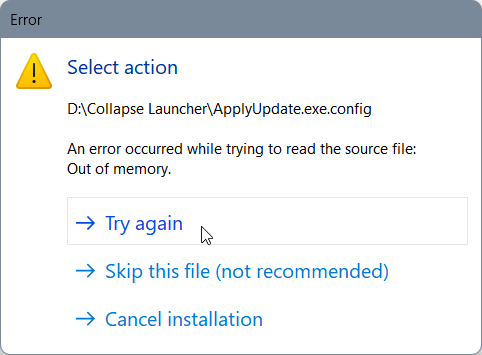 thick python
Try update the launcher by reinstalling it instead
https://github.com/neon-nyan/Collapse#download-ready-to-use-build

GitHub
An Advanced Launcher for miHoYo Games. Contribute to neon-nyan/Collapse development by creating an account on GitHub.
also, try add Collapse Launcher folder into exclusion list in your antivirus (if you have one installed)


